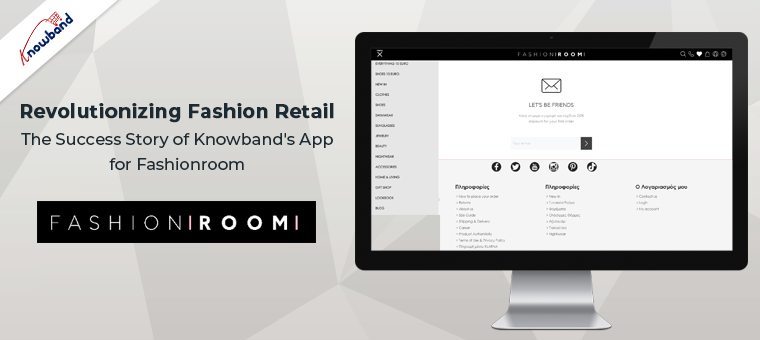
In today’s fast-paced digital world, mobile applications have become an indispensable tool for businesses to reach and engage with their customers. Fashionroom, a leading fashion apparel company, embarked on a mission to transform the fashion retail industry by partnering with Knowband, a renowned e-commerce app development company. Through their innovative business ideas, Fashionroom revolutionized the way customers interacted with them. This ultimately leads to the unprecedented success of the business. This article dives into the remarkable journey of Knowband’s app development for Fashionroom, highlighting the key features, benefits, and the remarkable impact it had on the fashion retail market.
About Fashionroom
Fashionroom, a popular fashion destination, sought to bridge the gap between its online platform and its tech-savvy customers. It offers customers a seamless and immersive shopping experience. Knowband developed a comprehensive understanding of Fashionroom’s requirements. Further, their understanding allowed them to create a tailored app solution that met their specific needs.
Established in 2012, Fashionroom caters to fashion enthusiasts, striving to serve all those who have a passion for fashion. Their carefully curated selection includes handpicked clothes, shoes, and accessories sourced majorly from France and Italy, offering you the latest trends and exclusive collections each season. Understanding the love for fashion, we ensure that our collection strikes the perfect balance between affordability and exclusivity. Every individual has their unique sense of fashion and Fashionroom serves every individual’s requirement as per their sense of style. With their dedicated team working tirelessly round the clock, they aim to transform the online shopping experience of customers into a journey that exceeds customer expectations.
Key Features of the Fashionroom App
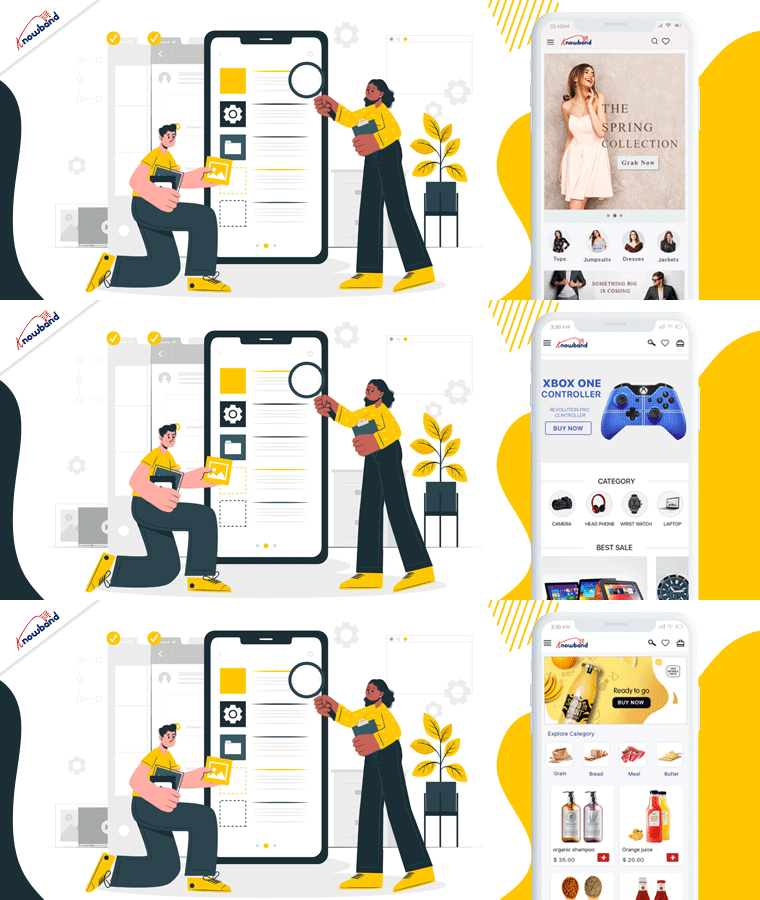
Knowband’s app development team meticulously designed and developed the Fashionroom app, incorporating a range of cutting-edge features to enhance the user experience. The app boasted a user-friendly interface, intuitive navigation, and quick-loading times to ensure a smooth browsing experience. With advanced search and filtering options, customers could easily explore Fashionroom’s vast catalog and find their desired products effortlessly.
Personalization was a key focus, as Knowband resolved the issue related to the checkout procedure which enhanced the Fashionroom app. Also, Knowband resolved the issues related to the stock label to facilitate customers’ browsing experience. These solutions allowed Fashionroom to engage with customers on a deeper level, delivering tailored offers, discounts, and product suggestions based on individual preferences and browsing history. Additionally, the Fashionroom app integrated secure payment gateways, enabling hassle-free and secure transactions.
The Impact on Fashionroom’s Success
Knowband’s app development expertise transformed Fashionroom’s business trajectory, delivering exceptional results. The app garnered rave reviews from customers, who appreciated the enhanced shopping experience and the convenience it offered. The user-friendly interface and personalized features contributed to a significant increase in customer engagement and retention.
Fashionroom witnessed a substantial boost in sales and revenue as the app facilitated seamless conversions. With push notifications, Fashionroom could keep customers informed about new arrivals, flash sales, and exclusive offers, leading to increased traffic and conversions.
Furthermore, the app’s functionalities and user-friendly interface empowered Fashionroom to gain a valuable customer base and enhanced business growth. The business experienced a growth spurt after the introduction of mobile apps to the business tree. This enabled Fashionroom to refine its marketing strategies, tailor its product offerings, and continuously improve the overall customer experience.
Conclusion
Knowband’s app development expertise proved instrumental in propelling Fashionroom to new heights of success in the competitive fashion retail industry. By creating a feature-rich and user-centric app, Knowband empowered Fashionroom to deliver an immersive, personalized, and seamless shopping experience, revolutionizing the way customers engage with the brand.
In case you are also interested in a business app for you then you can connect with us at support@knowband.com. Apart from that, we can assist you with the customizations in our app as per your business requirements. Further, there are several eCommerce plugins that we offer for the seamless working of any online store. If you are interested in our eCommerce plugins then we can assist you with the same. Kindly revert to us if you are interested in our services related to our apps or plugins.
Notify customers when products are back in stock, and your PrestaShop revenue will increase quickly. Use the PrestaShop Back in Stock module to start recapturing missing revenue. Send notifications to consumers as soon as the products return to stock. It takes just 5 minutes to set up.
PrestaShop Back-in-Stock – Unique Approach to Capture Lost Sales
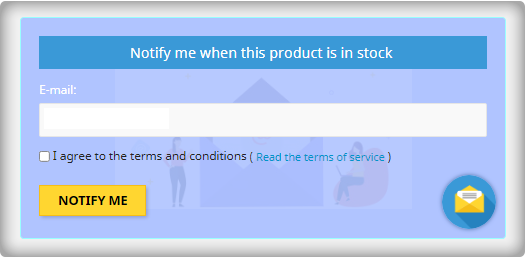
Back-in-stock alerts are a perfect way for PrestaShop stores to boost sales. Don’t miss out on sales because the products are out of stock. Increase your sales with web push notifications for back-in-stock products. You can send an initial email when a customer subscribes for a back-in-stock alert, low-stock alerts, and a final notification email with the Back-in-stock message.
We’ve all discovered things that were out of stock but we don’t go back to the store to see if it’s still there. Why do you expect your customers to do it? Influence them using emails and send push notifications to bring them back to your online store. You will get more sales and observe a boost in conversion rate.
Adding an email opt-in to your subscriber list will help you grow your list
The majority of low stock and back-in-stock warning forms only obtain the customer’s email address to inform them when a product returns to stock. Take advantage of the fact that they’re paying attention by asking them to join your email list at the same time. Sellers who use this strategy see a large improvement in their email subscriber list size, which leads to increased sales.
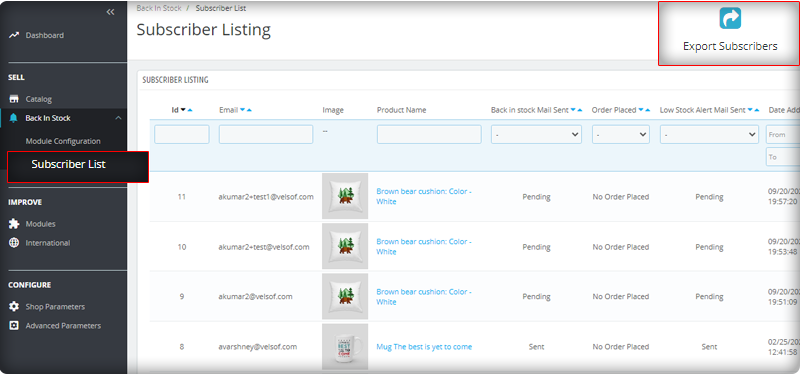
You can observe the subscriber listing on the admin panel at the left menu where all the installed modules are listed.
V3 Google reCaptcha is integrated with PrestaShop Back in Stock module to keep away the spammers and bots.
Add Custom Field in the Back in stock Subscription Box
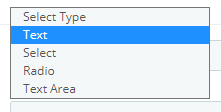
Collecting information from customers to send personalized emails will be easier. PrestaShop Back in stock addon provides an option to add custom fields in the subscription box. You can now add text, radio option, and other custom fields to gather more details about the customers.
Send automated emails for Low-stock and Back-in-stock
The PrestaShop Back-in-stock Module is a tool for email marketing. Customers usually receive hundreds of promotional emails and most of them are ignored but an email with a catchy subject line has more chances of getting opened. The module allows sellers to send a customized email with tailored text and subject lines. Along with an initial welcome email, you can send low-stock alerts to the subscribers and notify them about the restocked products.
Add related products to email template and cross-sell
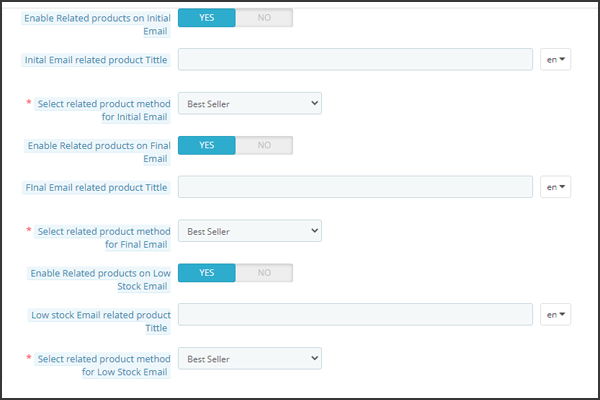
Heard the phrase ‘killing two birds from one stone, the module works the same way. It lets you send back in stock alerts as well as has an option to send related products. A seller can add details like bestsellers, products of the same category, specific products, etc. If a seller opts for the Specific products option, then he will have to specify the products in the respective tab as shown in the image below.
Send alerts via your email provider like Mailchimp
It is critical that you build your brand, and one way to do so is to ensure that the emails you send are sent from your domain. You’ll be able to use a variety of features to boost the success of your back in stock campaigns if you use an advanced eCommerce email provider like Mailchimp, Klavio, or Sendinblue. And, the PrestaShop back-in-stock module allows you to do so.
Real-time Analytics for PrestaShop
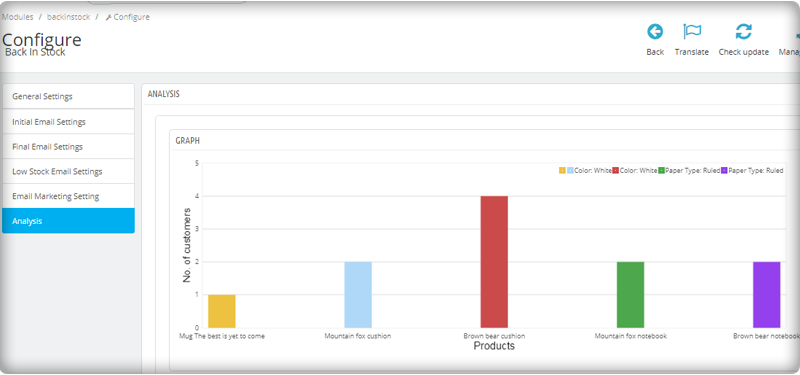
View a full report on customers who have subscribed to web push alerts for back-in-stock products. To increase sales, identify the most successful items, maximize inventory, and run promotional campaigns.
The new version has UTM Parameters
The UTM parameters are short text codes, you insert into URLs (or links) to monitor the success of a webpage or a campaign. Built-in analytics are available on social media sites. These allow you to track key metrics such as likes, shares, and website clicks. You can add UTM parameters to the PrestaShop Back in stock module and take advantage.
To wrap up: The Back-in-Stock emails are one-of-a-kind alerts as they create curiosity, influence the buying motives, and increase the chances of sales. If you are not sending alerts like low-stock or back-in-stock to your customers, you are making a huge mistake. Get your ‘Back-in-stock’ module today to grab your lost sales.
For eCommerce website development, module requirements, or mobile app development for your online store, KnowBand has experts and ready-made tools. Visit us at www.knowband.com or drop a message at support@knowband.com.
Better customer experience can increase customer retention. The sole requirement that every business owner has is that the buyer returns to the site after making a single transaction. Thanks to Knowband! It provides some excellent extensions for your eCommerce store which can enhance customer satisfaction and customer experience.
10 Customer experience solutions for your OpenCart store
I am sharing a compiled list of 10 smart solutions for your eCommerce store that boosts the online shopping experience on your OpenCart store.
1. Smooth communications with Auto Switch Language And Currency- Opencart Extensions
Communication is what builds the bond between two things or individuals. But, if the language and currency become the barrier, the customer will be unable to shop from your store. Make it a multilingual store with OpenCart Auto Switch Language and Currency extension provided by Knowbandand add some value to the customer experience. Key features of this module include:
Allowing your customer to choose a delivery time will amend their experience at your store. With the Preferred delivery time extension, users can select the desired delivery date and time on the checkout tab. The store administrator can provide a better customer experience by providing personalized service.
Admin can send a push notification or email for delivery details
With the OpenCart Store locator, online users can view the physical store’s location in the shop area. They can now pick the product as per their comfort. This store locator makes it easy for the customer to set their schedule and allows them easy pick-up. Customers can save money on shipping charges.
This Store Locator helps a customer with this new feature of order pick-up. You can add a Store locator to your OpenCart store to enhance the customer experience. After the COVID-19 outbreak, the OpenCart Store locator by Knowband seems to be a good addon for your store.
Rewards and discounts have an important role to play in attracting consumers and making shopping interesting. Knowband provides Opencart Loyalty Points Extension, which handles the Admin’s reward points scheme. The Extension provides loyalty points for both new and current customers. This increases customer retention. With loyalty points, the admin can earn the trust of the customer.
Who doesn’t want a loyal customer? Knowband store is a one-stop solution for all your eCommerce store issues. With Loyalty points, the Opencart extension by Knowband helps your customer getting a satisfying customer experience.
The customers get different reward points based on many conditions set by the admin.
The Loyalty points can be offered for Sign-Ups, first-order, etc.
5. Improve checkout experience with One Page Checkout
Ecommerce stores that have a one-page checkout allow their customers to make fewer clicks than their customers to check out a store that has a multi-page checkout. It seems simpler than multi-step checkout which makes it user-friendly and augments the customer experience.
The concept of a one-page checkout can initially seem easier to complete, as fewer steps will appeal to time-conscious customers. Some key features of One-page checkout by OpenCart are:
Saves Customers time with a faster loading speed
Improves Conversion rate
Appealing appearance of the user interface attracts more customer
Comes with social login options
Knowband’s One-page checkout for Opencart is one of the best-sellers as it improves the online shopping experience and conversions. Also, it reduces the abandoned cart rate.
Get an additional 20% off on the instant purchase of plugins with Code NEW20 on the KnowBand store.
6. Build Mobile Application for OpenCart website
OpenCart Mobile App Builder by Knowband comes with many distinct features. Its User-friendly interface makes it a must-buy OpenCart extension for your OpenCart store.
A registration form looks boring and discourages your customer from making the checkout. With social login options, you can now motivate your customer to log in quickly on the OpenCart store. Social Loginizer extension for OpenCart by Knowband comes with 8 different login options including Facebook, Google+, and Twitter.
8. Customers can Save for Later with Advance Wish List
Advance Wish List / Save for Later – OpenCart Extensions allows users to move the product from cart to wishlist. Sometimes customer changes their mind while shopping and they move their products to the wishlist. This extension allows your customer to do so in just one click. This extension increases customer experience and customer retention.
Allows customer to maintain a private wishlist
Admin and analyze the product demands with statistical data available on the backend
Advance Wish List / Save for Later – OpenCart Extensions by Knowband allows the customer to move their favorite product to the wishlist which they can buy later. This way it increases the customer experience.
9. Easier to find the right fit with Product Size Chart
How can a product size chart be helpful to improve the eCommerce customer experience? Maximum product return is observed in the clothing industry. This takes extra effort and time of the store owner. Stop wasting your time and add this Knowband’s OpenCart Product Size Chart – Extension to your store which can help you create multiple size charts and map them to the product pages. This Opencart product size chart module offers a user-friendly interface
It helps you create multiple size charts and map them to the product pages.
Store admin can also map the size chart with a Manufacturer.
Admin can add images, HTML content, text, and guidelines for supporting the size chart.
A product with perfect fit and quality will give joy to your customers and will jack up the customer experience.
10. Customers feel valued with Better Thank You page
Knowband’s Better Thankyou Page extension for the Opencart store turns your usual order success page into a marketing page where you can show relevant items to consumers along with a discount coupon for their next purchase. The Better thank you page benefits the user and the store merchant in many ways:
Use Thank you page to collect Feedback or you can add promotional banners with greetings.
With Knowband’s Better Thank you page, ensure Customer Retention by offering a Coupon Code which will anyway add to the better customer experience.
Also, check out our other OpenCart extensions for your eCommerce store which can help you increase customer retention and customer engagement.
As things are moving in eCommerce, many shopping websites are creating their marketplaces. If you are giving it a thought then OpenCart Marketplace Plugin can be the right choice. It has a separate admin panel and seller dashboards to manage customers, orders, and inventories. Click here to get a better understanding of the features that you should consider before selecting the marketplace plugin.
For any eCommerce solutions, you can always rely on our expert team. Drop us an email at support@knowband.com and our team will get in touch with you right away.
Competition is a good thing all the time. This forces us to do our very best. A monopoly makes individuals complacent and happy with mediocrity. You will build a more knowledgeable and efficient marketing strategy if you know how to carry out a competitor analysis. Researching the industry’s rivals lets you see the business environment clearly, where your brand fits in, and what you need to do to stand out and thrive.
What is competitor analysis?
It is simple to understand from the term itself but practically it includes a lot of research and evaluation of your rival’s business strategies.
A competitive analysis is a research method that shows who your rivals are and how your brand is relative to their goods, positioning, strengths, and weaknesses. It’s an analysis that explains you following things from the competitive study, such as:
Identifying your opponents and judging them
Evaluating their strategies
Their strengths and vulnerabilities
Take business decisions that help to beat them
How to compare them to your business?
What amount of brand recognition in your market do your rivals have?
Find their rates, earnings results, share prices, best practices for customer service, cutting business, distribution, and a whole lot more.
Why do competitor analysis?
With competitor analysis, you will be able to improve your own marketing plan. In the industry, you can also find opportunities that rivals have missed. You’ll discover new areas of opportunity that your competitors are proving popular, that you’ve missed. For example, you should target countries that are working for them.
Our products have helped shape a lot of companies with eCommerce platform plugins like the marketplace, social networking, SEO wizard, etc. We helped many dreamers to start their own business apart from that. We know how to start a company with eCommerce and how to be a top performer. And one of the most important of these was doing competitor analysis.
Today, eCommerce means rivalry cutthroat. For a single moment, you can’t afford to lose concentration. If you don’t constantly keep track of your rivals, you’ll unexpectedly start losing clients one day and you won’t even know why.
Doing regular competitor analysis does not only give one an advantage over rivals for an eCommerce company, it is a must-do to remain in the race and make a constant profit from your business.
How to do a competitor analysis?
We put together this guide to help you learn how to do a competitive analysis that explains what to do during each phase, what competitor analysis tools you can use to discover the details, and how to use the data to guide your marketing strategy.
Identify your competitors
Compare positioning in marketing
Compare the traffic and efficiency of sites
Make a comparison of keywords
Compare Voice Share
Backlinks comparison
Compare the efficacy of SEO
There is no foolproof advice to make the right one for your competitor analysis. Instead, it focuses on the sector in which your company is.
Popular competitor analysis tools
After knowing the importance of competitor analysis, the question that arises is how to do this? Are there any software or tools that can help? It is easy. There are various famous competitor analysis tools for different niches.
To compete with the competitors you must use the most efficient tools for business analysis. Some tools can assist you with competitor analysis for SEO, content, keywords, and social media. Let’s dive deep into the popular competitor analysis tools.
1. QuickSprout
To learn about sites similar to yours and to find out how to outrank them, use the QuickSprout competitor research app.
When using this method, the one thing to bear in mind is that the reports can take time to load. Usually, the competitive analysis tab loads within 60 seconds, and it typically takes 90 seconds for the social media report.
2. SEMRush
Analyze the top organic and paid keywords, backlinks, and more with SEMrush from your rival. SEMrush is a flexible tool that allows you to perform competitive research on any domain name and to use the knowledge to optimize your campaigns. This instrument allows you to do four significant things:
Keyword Analysis
Study of Competitor
Audit of Web
Study Backlink
3. Google Advanced Search Operators
Google Search Operators is a competitive audit tool that lets you find just what you’re searching for if you want your search terms to be changed easily and efficiently.
Google Search Operators are also query terms or symbols that you use to trigger specific actions and send you the most important search results. When making blog posts or searching for the most accurate data, I use these search operators every day.
4. Ubersuggest
Ubersuggest makes it simple to easily dig up and analyze
Top keywords
Backlinks and where they come from
Top ranking pages
And if you do so, with the idea of outranking your competitors, you can change your strategy.
5. SpyFu
Learn the PPC keywords and SEO tactics of your opponent, scan and download their keywords. An awesome analysis tool for Pay-Per-Click. To enhance your SEO results, it shows you the paid keywords that rivals are targeting, as well as the organic search keywords.
6. SimilarWeb
See from where the rival gets its traffic, what the sources of the traffic, and its audience’s demographic are. You can reliably guess how many unique visitors your competitors produce every month with SimilarWeb. It is used by top brands because it is flexible and offers one of the most precise sets of insights on any given site.
7. BuzzSumo
Buzzsumo is a fairly common monitoring tool for social networks that helps you find the most shared content by entering the domain for a given subject or competitor. In Buzzsumo, just use your industry keywords to see what kind of articles get the highest social interaction score. It is a realistic tool for producing viral content and making viral headlines.
8. Alexa
Alexa is a corporation owned by Amazon. It was founded in 1996 and has a long history of offering in-depth analytical insights to compare and optimize companies on the internet. Get detailed statistics and analytics on web traffic using Alexa.
9. Google trends
Using Google Trends, find when and where your competitor is being listed on the web in real-time. Google is, without a doubt, the world’s most used and useful search engine. Google Trends is a website by Google that analyzes the popularity across different regions and languages of top search queries in Google Search. The website uses graphs to compare, over time, the search volume of various queries.
10. Siteliner
You need ties when it comes to improving your search rankings. Between external links and Google rankings, there is still a connection. To search for broken links from any site, use Siteliner and then assist the site to repair it by pitching your link as a substitute for it.
Wrap-up: It’s not going to happen immediately. It’s a continuous phase. Doing a periodic analysis of rivals will give your business the edge it needs to outsmart the competition. Learn and watch. Installing monitoring to monitor your progress – Google Analytics, SEMrush, Moz, Webmaster Tools. With QuickSearch and Talkwalker Warnings, observe your competitors and industry. See what works and what doesn’t.
Do you want to add infinite scroll to your OpenCart store?
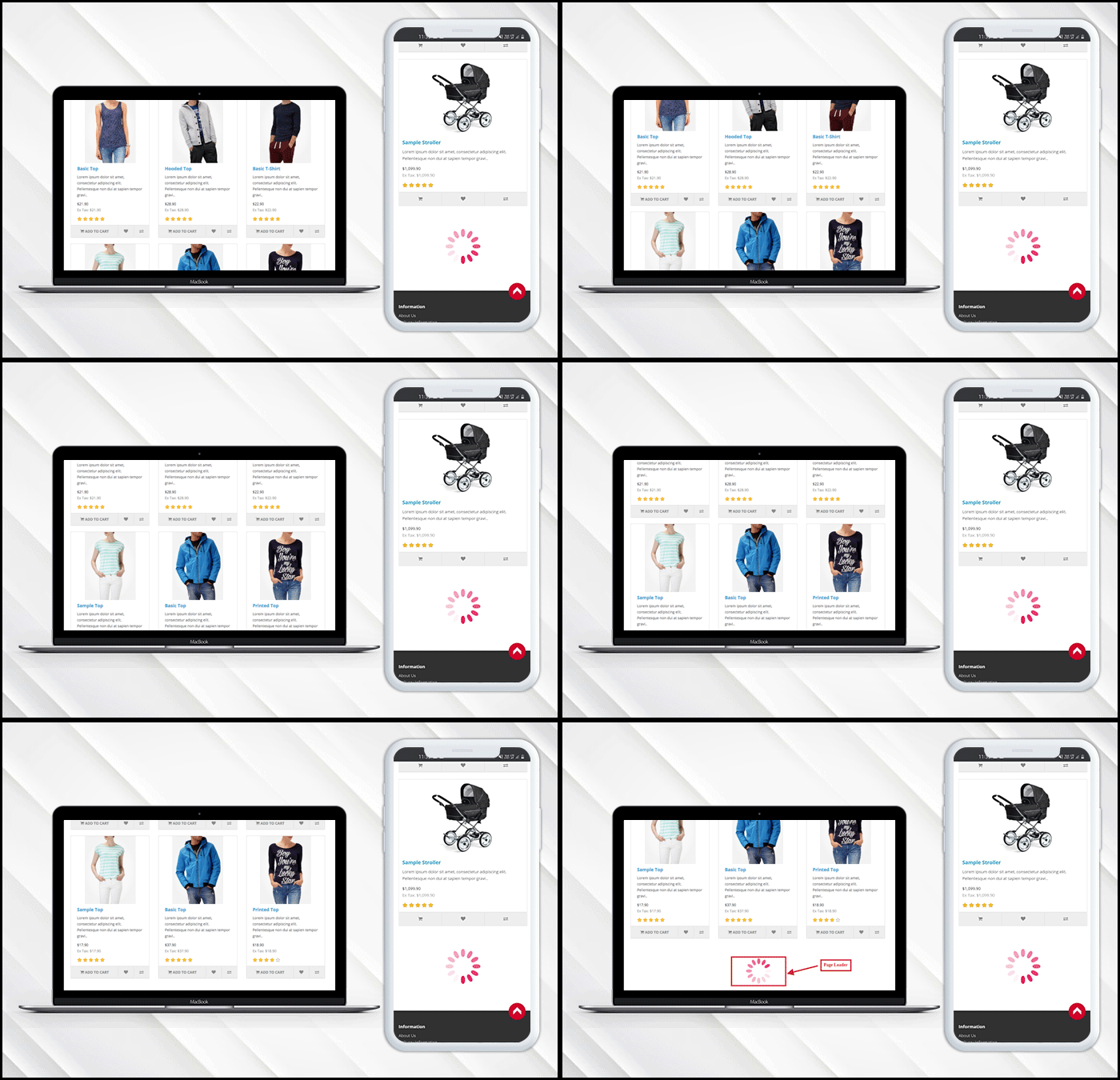
Infinite scroll saves users from switching tab by loading the products automatically after they reach the bottom of the page. In eCommerce, when a user is browsing and exploring products on the store, it is good to show the products in a continuous manner without breaking the flow.
Endless scrolling can be added to the category page, brand page, product page or wherever required. The OpenCart Infinite scroll extension by KnowBand is completely mobile responsive. Besides, it is compatible with the Journal theme and other OpenCart themes.
This article is a complete step by step guide to install and configure the infinite scroll extension in your OpenCart store.
Introduction to infinite scroll
What is the infinite scroll? For instance, you are shopping on a website and after sliding for a few seconds the content stops loading and there appears a button ‘Load More’. Now without clicking the tab you leave the online store then and there.
On the other hand, when you are exploring news feeds on Facebook it never asks you to switch tabs and you just explore the feeds for a long time without keeping the time record. Facebook is using infinite scroll.
Similarly, eCommerce websites like Amazon are using infinite scroll. In infinite scroll, all the products get loaded on the same page without switching tabs or clicking on any button, unlike pagination.
Is infinite scroll useful for eCommerce?
Infinite scroll, especially on mobile devices, can create a more seamless feel for users. Swiping is what it seems like mobile devices have been made for. Pagination consumes more time in loading may kill exploration, which is a common incentive for users on tablets and phones with infinite scroll. Ad slots can also be found in more suitable locations, as well as on infinite scrolls.
OpenCart Infinite scroll module improves conversion and increases customer engagement to a greater extent. It lowers the bounce rate and increases your on-site time by offering a more streamlined way for users to interact with content.
How to add Infinite Scroll Module on OpenCart store?
The infinite scroll extension allows endless scrolling and is easy to install and configure. OpenCart infinite scroll module enables continuous page loading and customers can navigate to the new page without switching the tab.
With OpenCart Infinite Scroll Extension by KnowBand you’ll receive the following files:
A zipped file containing the OpenCart Infinite Scroll module source code
OpenCart Infinite Scroll plugin user manual
Please follow the steps below to install this OpenCart Infinite Scroll Module:
Unzip the zipped piece. As seen in the image below, you’ll get the folders:
Copy all the zip file files and directories to the OpenCart Setup Root Directory via FTP Manager.
The Infinite Scroll module for OpenCart is now built and ready for use. As the image below shows, go to Admin -> Main Menu -> Extensions
Select Infinite Scroll from the list of plugins and, as shown in the image below, you are ready to edit.
What you can do with OpenCart Infinite Scroll Module?
The infinite scroll module enables infinite scroll
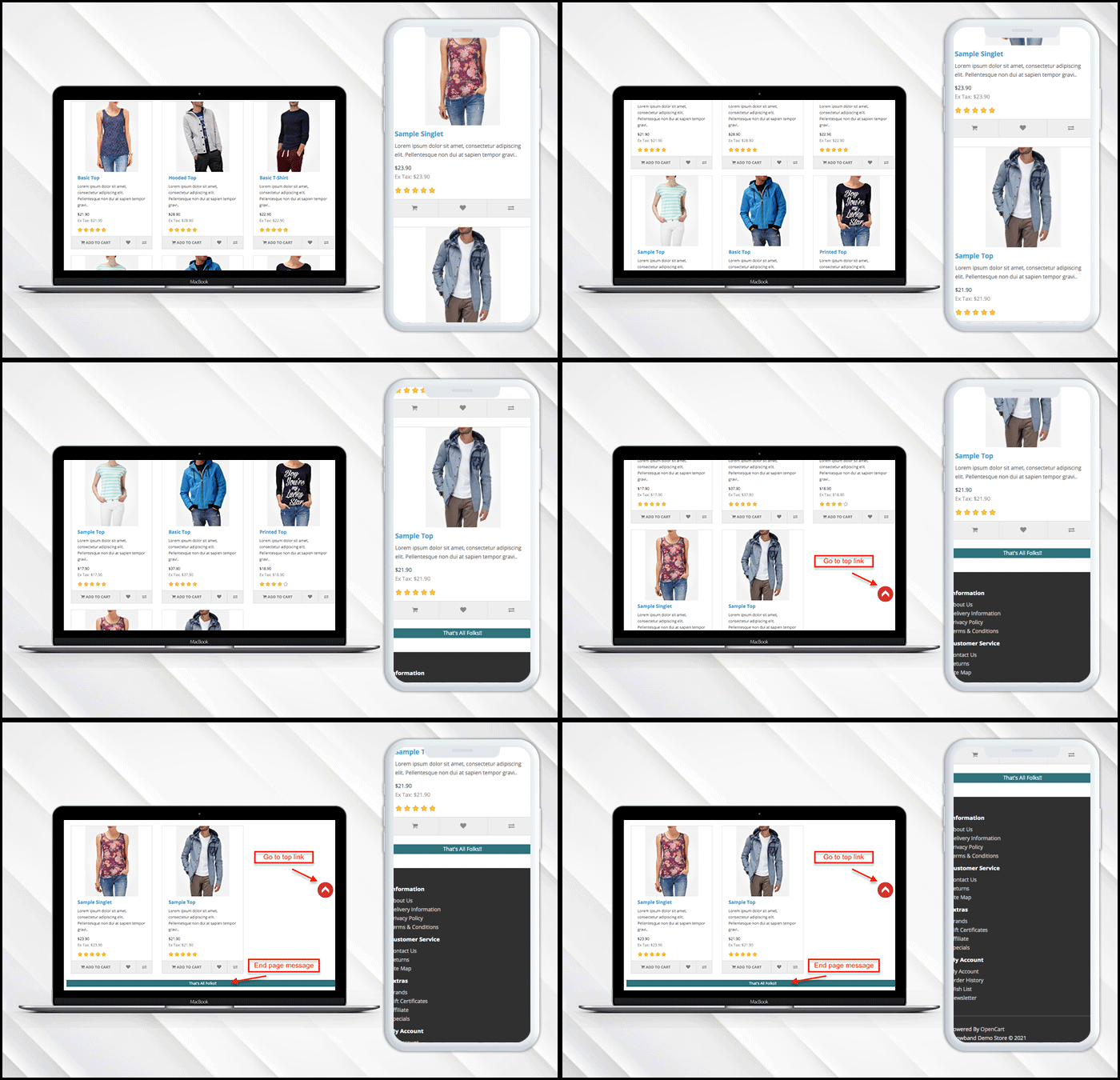
If you have a limited inventory then it lets you display a message at the end of the page.
Users can go to the top of the page directly by clicking the ‘Go to Top’ button.
Additionally, it allows the admin to put a loading browser if products are taking time to load.
Want to show loading browser?
You can display a loading browser in the product page of the OpenCart store in a button toggle.
‘Go to top’ link is needed
When a user reaches the end of the product page, a go-to top link will be displayed on the window.
Admin Panel Settings
How to add a message in the end?
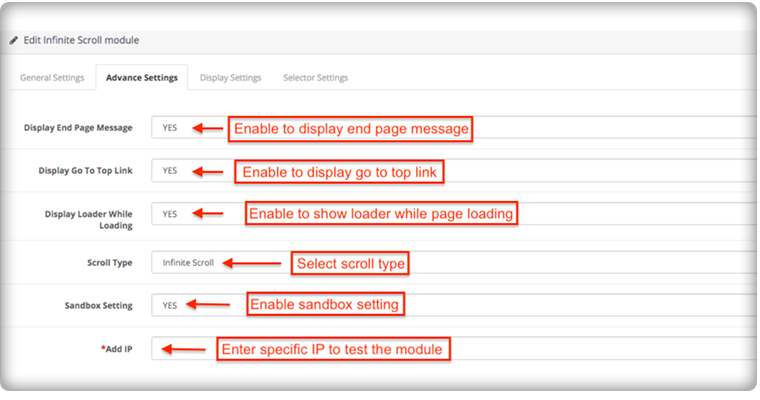
To add the end page message you have to go to the advanced settings of the module, there you can add a text to display the ‘End of Products’ message.
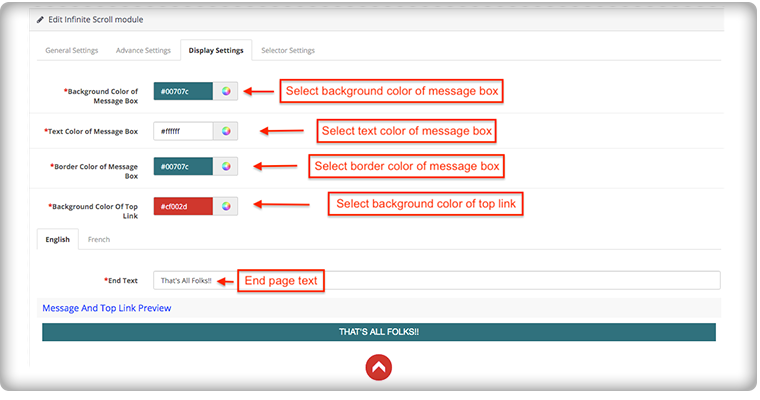
The message can be customized in English and French language. You can edit the color and text from the display setting.
How it appears on the front-end of the OpenCart store:
The OpenCart infinite scroll plugin’s admin panel is extremely simple to use and does not require the implementation of coding skills. Using the OpenCart Fast Scroll module, the admin may choose to display product lists in a grid or list view format.
Compatibility with all OpenCart themes
The OpenCart infinite scroll module is compatible with Journal and other OpenCart themes, so the administrator can configure the look and feel of the infinite scroll according to the theme of their site.
Compatibility: Opencart 2.0.x – 3.0.x
Finally, for your OpenCart online shopping store, infinite scroll can help you boost sales by increasing customer engagement and conversion rate. Infinite scrolling or endless scrolling for eCommerce is suggested by many experts because it has more pros than cons. It is completely responsive and doesn’t conflict with any other installed software or module in your OpenCart store.
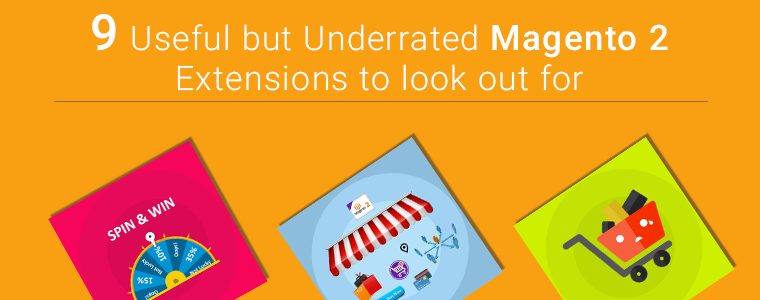
One of the most common questions we get from users is, ‘Which extensions do people normally use on Magento 2 store?’ You often struggle when exploring for the extension which matches your store’s requirement. The holiday season is right around the corner and extensions like One Page checkout, Spin and Win email subscription module, Multi-Vendor Marketplace and Abandoned Cart are the popular Magento 2 plugins which you are already aware with.
In this article, I’ll be highlighting some ‘not so famous’ but best Magento 2 plugins that might help you with your sales, conversions, bounce rate or abandon cart issues.
Let’s dive into it.
1. Custom Registration Fields
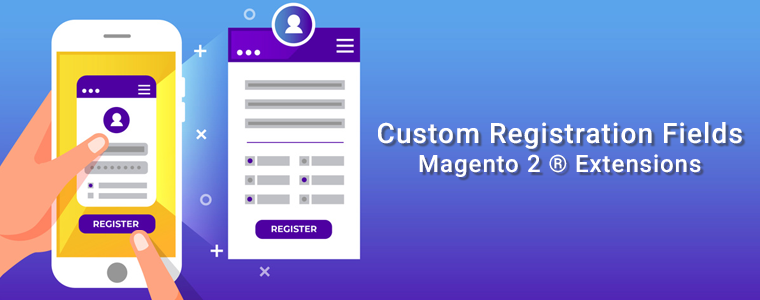
I am adding Custome Registration Fields Magento 2 extension at the top of the list. If you want to give personalised customer experience to your users and need more information from the user then you need to add some custom fields. A Magento 2 plugin, Custom Registration Fields is developed to help you add custom fields on the registration page of your eCommerce store. This can be useful to gather more information for providing custom personalisation experience to customers.
2. Earn Loyalty Points- Magento 2 Extension
Online shop owners can now attract more customers by giving them loyalty points on various occasions. You must offer loyalty points to your existing customers or on the new registration because it can get you to achieve customer acquisition. Loyalty Points – Magento 2 Plugin will increase customer engagement and boosts customer retention.
3. Become an Affiliate or Referral
Affiliate and referral programs are sources of passive income. The affiliate and referral program plugin for Magento 2 is highly customisable and feature-rich. Any customer can register as an affiliate and an affiliate customer earn money in exchange for the purchase done through their channel.
The Magento 2 Customer Affiliate and Referral program allow the store owner to display social media icons for sharing the referral link on social media platforms like Facebook, Twitter and Pinterest.
4. Gift Card Manager
One of the best ways to call new customers on your store to shop is by offering them a dynamic product called Gift Card. It is the new preferred way of showering love on special ones on special occasions. Gift Card saves the time of the indecisive user and gives them a choice to present the best on any event.
With Magento 2 Gift Card Manager extension, you can increase your customer base, generate advance revenue and increase brand awareness. The gift card can be sent via email on the desired date or the sender can print it for delivering it physically.
If the customer shares the store product on Facebook, it allows the e-marketer to offer a fixed or percentage-based discount. Customers will get a coupon code. It is the sneakiest way of advertising without any additional effort. This Magento 2 plug-in multiplies the customer base, brings new customer and increases brand awareness.
6. Return manager
If you are looking for a solution to manage your cancelled orders and return orders then Magento 2 Return Manager Extension is all that you need. It allows the customers to raise a return request and add a reason for the return. Customers can ask for a return, refund or replacement.
It reduces the extra efforts and manages the return requests flawlessly. Admin can place the order return button in different sections of the front end. Do not miss out on potential customers because a return policy on eCommerce store brings more loyal customers to your store.
7. Product Size Chart- Magento 2 Plugin
When it comes to buying an outfit, online shoppers mostly have concerns about the size of the product. They aren’t sure which size will fit them perfectly. This inevitably causes customers to place a return request later due to the size issue.
You can incorporate a Product Size Chart extension in your Magento 2 store. A size chart allows you to improve the purchase experience of shoppers and also makes your product page user-friendly. You will observe a downfall in product return or exchange rate.
Incorporate social login option in your checkout page because it reduces cart abandonment by improving the conversion rate graph.
9. Preferred delivery time
Some of our users ask for an extension through which the product can be delivered to their customer on the desired date and time. The Preferred Delivery Time extension for Magento 2 is the one you need.
By installing this extension you can allow customers to pick a desired date and time slot for the delivery of their order. Be it a birthday or an anniversary, now you can deliver a gift on their special day.
Final Thought:
These are the extensions that can reduce cart abandonment, boost the conversion rate, increase your eCommerce sales and give your customers a user-friendly experience. Install these extensions to your Magento 2 store and enhance the customer experience.
Knowband provides Magento plugin development services to enhance the functionality of your eCommerce stores. There are many extensions available on Knowband store for Magento, Magento 2, PrestaShop and OpenCart store. www.knowband.com
Strategies for customer retention allow you to both provide and gain more benefits from your current customer base. For any e-commerce company, attracting new customers is an ultimate objective and maintaining existing ones forms a foundation for long-term success.
You might have heard again and again that attracting a new customer is more of a hectic thing than making the existing one do a repeat purchase.
You want to ensure that the customers you have worked so hard to attract remain with you, have a better customer experience, and tend to get value from your goods. The loyal customers making a repeat purchase are a driving force to any business.
In this post, we share our top 5 proven customer retention modules for the PrestaShop store that will help you maintain beneficial relationships with your customers and nurture their loyalty.
Let’s take a look at how to proceed.
1. Entice with Offers and discounts for customer retention
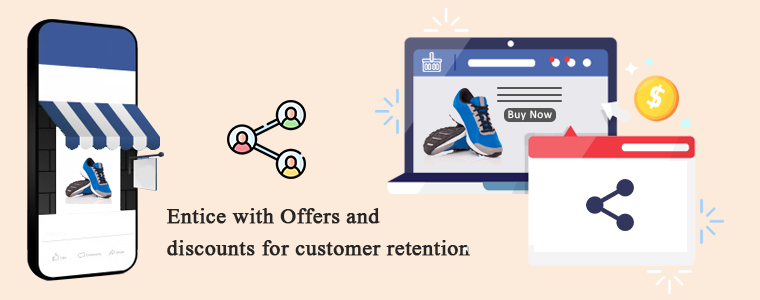
To attract a potential customer, discounts and sales are the most exciting strategies. On your PrestaShop store, add the Facebook share and win module which can allow the customer to share the product on the Facebook account, and in exchange, they will earn a discount coupon that can be redeemed on repeat purchases.
You can also run a flash sale on your eCommerce store to increase customer retention. Sales can attract any type of customer because people love getting their favorite stuff at cheap prices.
2. Implementing a Loyalty Program can increase customer retention
Another proven strategy to increase customer retention is launching a loyalty program on your online store. The Loyalty Point Module and Reward Point Module are designed to offer a reward to the customers on every purchase they make.
These points can be used in the next purchase from the PrestaShop store according to the rules defined by the store.
3. Customer satisfaction is the key to customer retention
If you want customers to shop from you again then give them the customer satisfaction they deserve. The journey starts from the home page and ends when the customer receives the expected quality product. Sometimes it happens that the product does not fit well or the customer does not like it and want to return it.
Is your store ready to manage the return order situation? If not then install the PrestaShop Return Manager module to your store which can help you handle the order cancellation and order returns effortlessly.
This is not it. If your customer needs to raise a query or require help then it is important to have a good customer support system. There are various ways you can offer customer support to your eCommerce store. Provide chat support with deskoid helpdesk, email support, live chat, call support, etc.
4. Add personalization element
Have you heard the term personalized experience? This is the new trend in business. Treat your customers as an individual and take care of their experience as every customer has a unique taste. Customer retention can be achieved if you know how to treat your potential leads.
You can sell on-demand customized products like custom printed coffee mugs, t-shirts, wall clocks, or anything which people will like to purchase with new custom designs.
The PrestaShop Product Designer/Customizer module allows clients to add a product’s desired text, pictures, and QR code. Start this today and increase your sales to the next level.
5. Offer subscriptions:
Encourage customers with an email to make a repeat purchase and for this, you can add a gamified email subscription module on your store in place of the boring subscription popup. The fun and playful Spin and Win fortune wheel will bring you more subscribers and you can offer some discounts, coupons to your new subscribers.
Email marketing can be used to follow your current customers. You can share the details of abandoned carts with them, take the feedback after the purchase, and also share time to time updates from the store. Price alert, new stock details all can provide you more customer retention and increases your overall sales.
Final Words: If, after the sale, you have yet to sell to existing clients, now is a good time to develop a coherent customer retention plan. Along with adding the customer retention modules, you can follow these customer retention strategies too. To increase your sales and customer retention you must take care of every customer visiting your store. Offer deals, discounts, loyalty points, and encourage them to subscribe to your newsletter. Be clear with customer policies and do not forget to provide customer support channels to give customer satisfaction.
Every eCommerce store merchant waits for the holiday season because there is maximum participation of the online shoppers in the store during this time. Along with that holiday season records the highest sales in the entire year. It is time to prepare online store for holiday season.
Over the next few months, the online stores will be planning for a shopping marathon, and eCommerce traders need to get ready to meet the enormous demands that come with that. You need to do the eCommerce holiday planning, starting with effective marketing strategies, offering free shipping and easy returns, and a lot more to stand out from the competitors.
Optimizing the store for all these points is necessary to achieve holiday sales, nothing holds more importance than providing customers with a seamless and hassle-free shopping experience and increase customer retention.
Refer to an eCommerce Holiday Calendar for holiday readiness. As you know, the holiday season begins from Halloween and ends at the arrival of the New Year and you have to plan your marketing campaigns months before it begins.
ECommerce Holiday Season Statistics 2020
If we talk about global m-commerce stats, it has already surpassed eCommerce. The numbers speak about the importance of smooth site functionality on mobile devices.
Did you know m-commerce accounted for 35.8% of the total sales in the US in 2020, as per Statista? For the year 2020, the record sales according to Statista was 755.3 billion US dollars, which was 729.3 in the year 2019 and 701.2 billion dollars in 2018.
Customer Loyalty is a major concern for every business. From the previous year’s eCommerce holiday season data, only 12% of customers are continuing to stay loyal.
During the 4th quarter of 2020, Amazon generated total net sales of 125.56 billion U.S. dollars, surpassing 87.44 billion U.S. dollars in the same quarter of the previous year.
Adobe tweeted, online shoppers spent 4 billion U.S. dollars during 2020’s Cyber Week — a 20.7% increase YoY.
2020 was a delight to small businesses as 44% of people planned to spend on small businesses.
How to prepare your online business for the holidays?
For starters, add some holiday vibe to your online store. Use attractive banners with holiday offers, discounts along with the wishes to make it more engaging. Additionally, you can use eCommerce plugins that enhance customer engagement, brand awareness, customer retention and gives a flawless checkout experience.
Here is the list of 13 modules by KnowBand which can help you optimize your store this holiday season. This is the time to start preparing for a holiday rush to ensure a lucrative selling season.
Modules to increase customer engagement
In a dynamic eCommerce environment, stay ahead of trends and in line with the industry’s fresh and up-to-date trends. Use Spin and Win Popup and Exit Pop up for customer engagement.
1. Add exciting Spin and Win Popup
Increase customer engagement on your website by adding a Gamification element. Popup draws the attention of your customers towards the eye-catching spin-win wheel module and engages them in a fun activity.
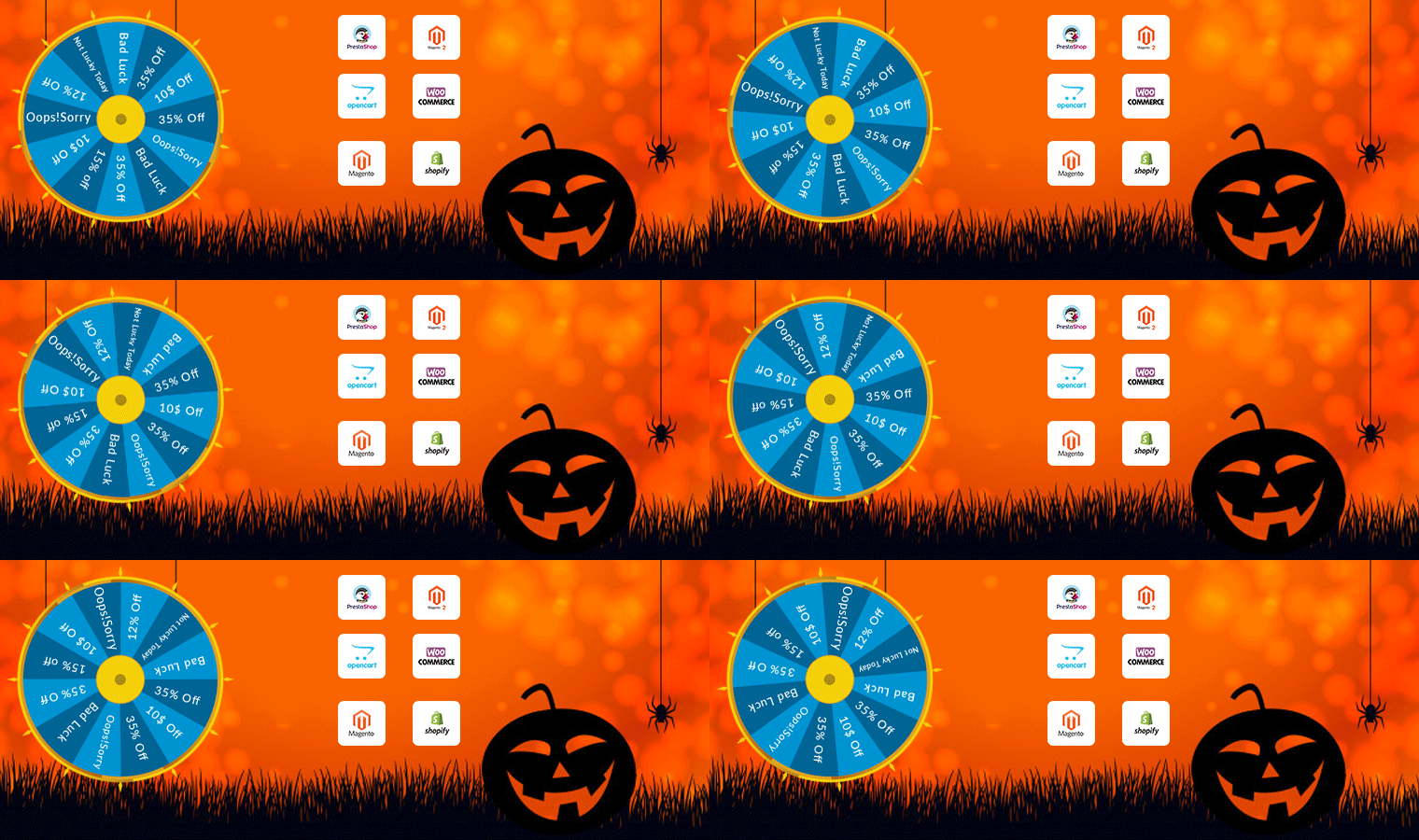
Along with user engagement, this plugin can be a treat to your home page. It has several themes for every occasion and event, for example, Christmas, New Year, Halloween, and Cyber Monday themes for the holiday season. Visitors are asked to try their luck by spinning the wheel and grab some exciting offers. But, to complete the spin, a user needs to share their email address, which you can use for your eCommerce email marketing campaigns, and thus boost your conversions.
The module provides merchants with tons of customization ranging from designing the look of the popup to set up the time for the popup appearance. Click here to check out the Spin and Win fortune wheel module.
Available for:
PrestaShop, OpenCart, Magento, Magento 2, WooCommerce, and Shopify
2. Exit Pop-up
The next eCommerce Holiday planning idea is to add an Exit Popup in your digital commerce. It is not always used to show an offer. You can configure it as per your requirements based on what outcomes you want to achieve through it.
Exit popup appears when a customer leaves the browsing area or intends to exit the tab. You can make the pop-up as appealing as you can. Also, you can ask for feedback from your customers.
Using the exit pop-up module can reduce the bounce rate, increase customer engagement, and boosts conversions. During the holiday season, you can compel users to shop more from your eCommerce store by offering some exciting offers when they are about to leave.
All eCommerce stores look forward to repeating sales and to make it easier, Knowband has a range of plugins. Adding a Gift Card and Loyalty Point program will be a great holiday season idea.
3. Offer Loyalty Points
Encourage repeat purchases by rewarding your customers with loyalty points. Our Loyalty Points module ensures customer retention as well as customer acquisition. It lets you provide reward points to every new user who performs a sign-up on your store and triggers impulse buying, followed by more loyalty points on the successful purchases.
This marketing strategy converts visitors into potential buyers and makes them stick to your store in the long run. It also enhances brand loyalty to a great extent. You can set up some rules for users like offer loyalty points when customers share their feedback. It can also include offering loyalty points based on the total cart value, product quantity, product price, selected payment methods, etc.
These points can be used as a discount voucher on the checkout page. Click here to check out the Loyalty Point module.
Available for:
PrestaShop, OpenCart, Magento, and Magento 2 store
4. Gift the Product
Since you are setting up your store for the holiday season blast, you can attract visitors and upsell by giving gift products on a fixed amount of purchase.
There are some major advantages of giving gifts with purchase. It increases the average cart value, boosts conversion, and reduces the bounce rate on your store.
Gift the product is an amazing plugin and it can set your sales on fire. It is a sales strategy that attracts and converts the buyers. Refer to this blog that explains how you can use the Gift with Purchase campaign in B2C Marketing.
Available for:
PrestaShop and Opencart
Build Brand Awareness
5. Gift Card Module
While striking off the eCommerce holiday season checklist for customer retention and advance sales, consider selling personalized digital gift cards.
The Gift card module is a must-have plugin for holiday season sales, as it brings new customers to your store. Also, it saves your customer from sending awful gifts to their loved ones.
Other benefits of the Gift Card module are that it boosts brand awareness and makes digital gifting easy. Customers can send photo gift cards with custom messages.
Prestashop, Magento, and OpenCart eCommerce stores.
eCommerce Plugins to improve the shopping experience
When developing an eCommerce website, you have to make sure that the website is mobile responsive and keep users engaged for a while. Create a mobile app for your website or make the pages mobile responsive with the AMP module. You can also use the Progressive web app (PWA) plugin to make your digital commerce user-friendly.
6. Mobile App Builder
Mobile App Builder is not just a module for holiday season sales but it is for everyday user experience.
It lets you transform your eCommerce website into an Android and iOS Mobile App conveniently, without any requirement of coding or technical knowledge. The app will give a rich and user-friendly, experience to smartphone users.
Since users nowadays demand an app for an easy browsing experience, the Mobile App Builder module makes it the best fit to provide an amazing user experience.
The holiday season is coming close, now is the best time to introduce your mobile app and delight your users, and grab huge holiday sales.
Moreover, to achieve the best shopping experience, the Mobile App Builder offers easy customization, Social login, Fingerprint login, and OTP login. Also, it has WhatsApp live chat and Zopim Chat support. The real-time synchronization of the website into App is a bonus. Sell across the world with its multi-lingual support, multiple payment and shipping methods, etc.
We are currently running an exclusive offer for the PrestaShop website owners where they can get an additional 30% discount on the new purchase.
All you need to do is apply the coupon code “MOBI30” during the checkout.
Available for:
Prestashop, OpenCart, and Magento eCommerce stores
7. Reduce site load time with AMP
Our AMP module tackles the slow loading of your website on mobile devices and increases the page load speed to a great extent. When website traffic is at its peak in the holiday season, the website speed may get affected.
Thus, the AMP module, ensures that your mobile users do not find any troublesome experience with your website and are offered a faster and smoother loading.
Also, faster loading not only helps you reduce the bounce rate but also benefits in improved mobile rankings on the search engine.
Talking about its features, you can enable the AMP functionality for multiple pages on your website like the Home page, Category page, Product page, etc. You can also customize these pages as per your requirements.
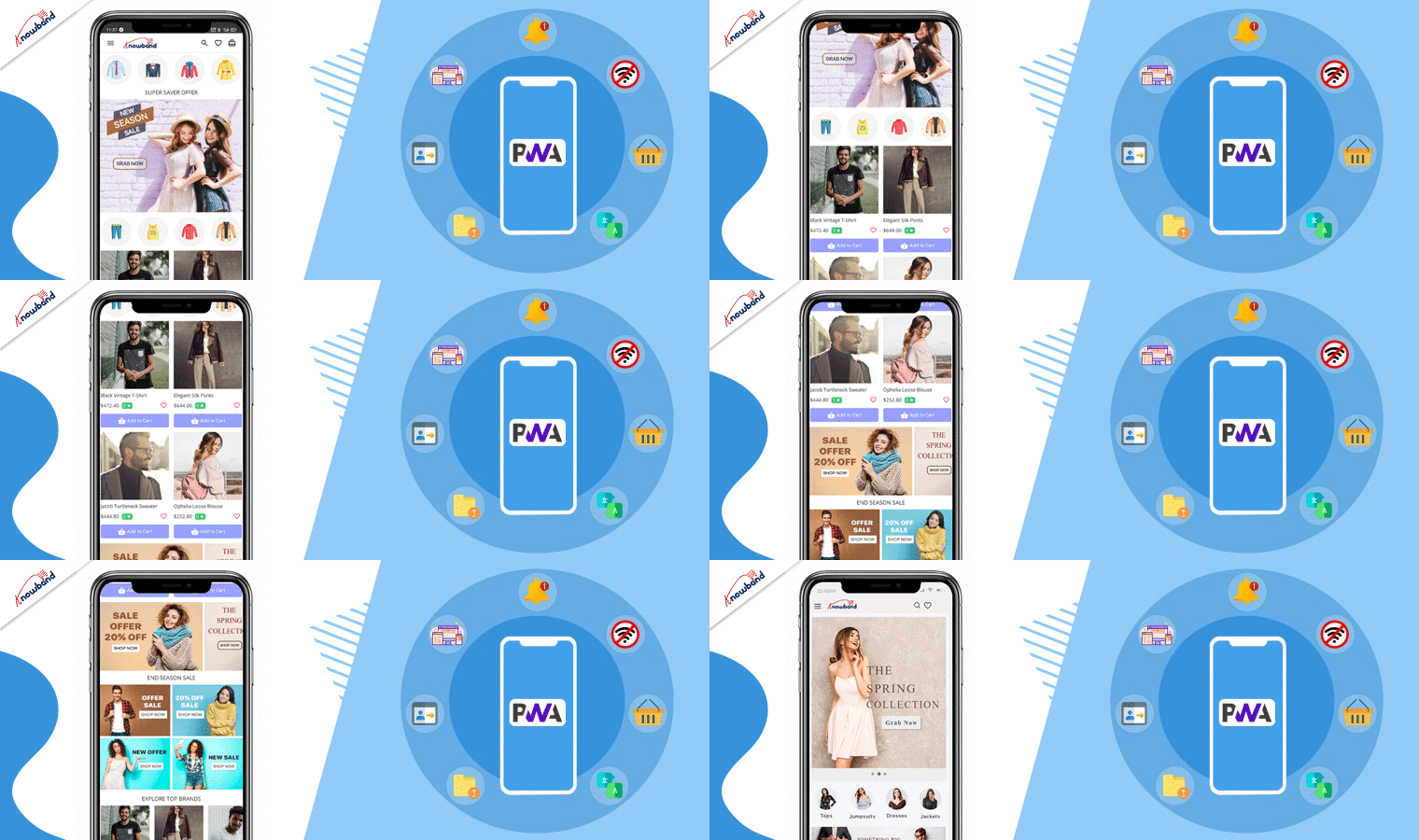
A Progressive web app provides App like experience when a customer explores the website on a mobile browser. In the holiday season, eCommerce receives a lot of attention, and to keep your customers engaged, you have to provide a responsive interface. PWA makes the store more interactive and user-friendly.
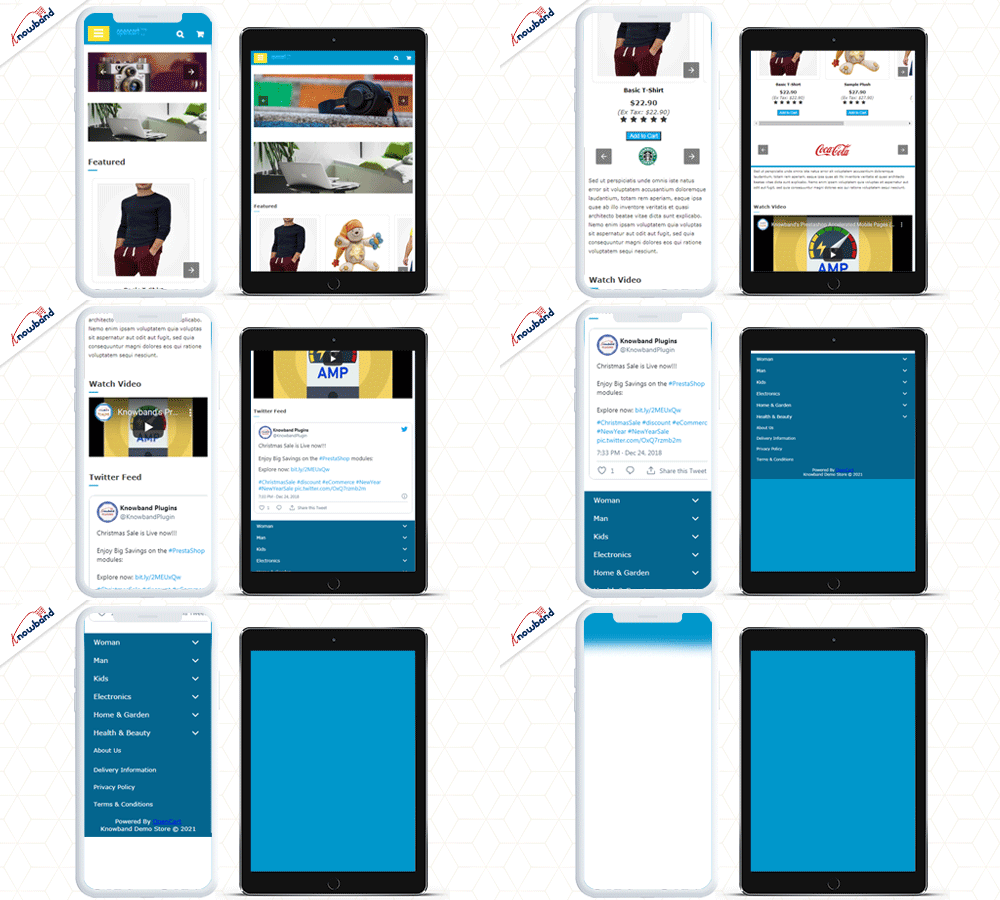
Even with no internet, the website will display the products and loads the pages using saved caches. PWA is smooth, lightweight, and fast loading. Convert your website into a PWA with KnowBand’s Progressive web app builder without any coding knowledge.
A responsive website is engaging and has the potential to convert your visitors into customers and they will spend more time. Provide an awesome user experience to your customers when they visit your store for holiday shopping.
Being an eCommerce store owner, you must provide your customers with a hassle-free checkout experience this holiday season. Unlike the multi-step checkout process, it displays all the checkout elements on a single page and reduces the checkout friction.
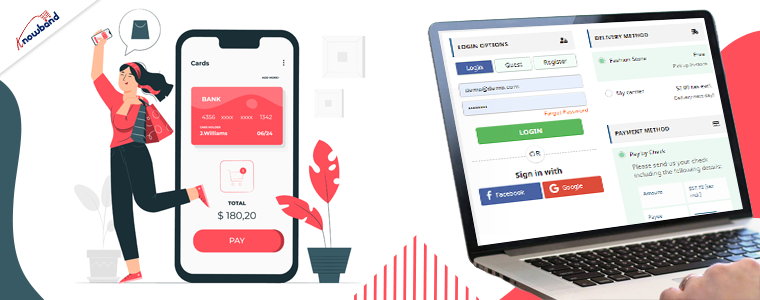
To make the checkout path convenient for customers, our One Page Checkout offers Social Login, Guest Checkout, Inline Validation, Google Auto-address fill, and supports nearly all the payment methods and shipping services. A long and complicated checkout shackles the shopping experience which eventually results in cart abandonment.
The Prestashop One Page Checkout is our best seller extension. It has 10000+ downloads on the PrestaShop Addon store while 12000+ downloads on the KnowBand store.
Find the complete features and benefits of the One Page checkout module for the respective platforms:
The Abandoned Cart module helps you recover your lost sales by sending regular follow-up emails to the abandoned carters. With so many competitors, there are hundreds of choices available and many users leave the orders in their cart. While planning for the holiday season, prepare your store to track the user behavior for cart abandonment.
The module reminds users about incomplete purchases and converts them into customers by including exclusive offers in your emails and on a reminder pop-up.
You can send serial emails as reminders and if not sure how to write an abandoned cart email, refer to our guide.
The Abandoned Cart module can boost your conversions significantly.
Are you prepared for managing the order returns? Since the holiday season captures a huge number of orders, there will be returns for sure. Use a return manager to prepare online store for holiday Season. Our Return Manager module ensures that you do not lose out on customers due to a poor return process.
The Return Manager module helps you manage your eCommerce returns conveniently and enhances customer loyalty by making the return process way too easy for the customers.
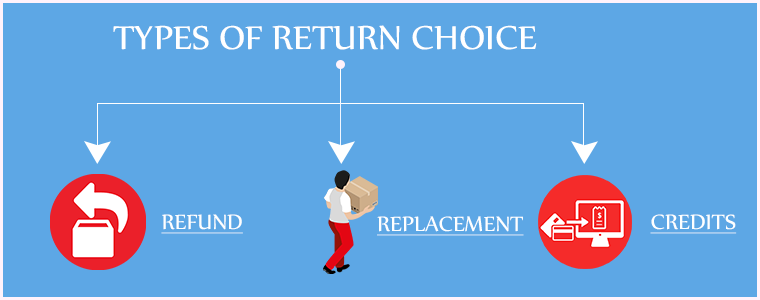
The module provides 3 return choices to the customers in the form of Credits, Refund, and Replacement, and allows them to highlight the defect by uploading the image of the defective/damaged product. One interesting feature of the module is that the admin can create the return request on the customer’s behalf.
PrestaShop Booking and Rental system addon provides your customers with a hassle-free online booking experience and makes it a simple task for the merchants to manage their online bookings.
This PrestaShop addon offers an appointment booking facility, hotel booking facility, and rental booking facility. It lets you adjust your booking days and time slots as per the availability, and you can adjust the price for different days and timing. There is much more it offers for every booking type.
If you have a costume rental business then this Halloween, manage your orders with KnowBand’s Booking and Rental system plugin.
If you wish to transform your online booking PrestaShop website into a mobile app, you can look out for PrestaShop Booking and Rental Mobile App.
13. Product Customization
Consumers are increasingly demanding a customized shopping experience from their favorite brands. Delivering an amazing customer experience that can help you grow sales this Christmas season requires a strong customer data management system and personalization tools.
Personalization benefits have also made their way into the product experience. Customization allows online consumers to create more considerate gifts, which is a product feature that is projected to grow in popularity over time. It’s a brilliant and memorable method to please customers to have a pleasant interface that allows them to customize a product online.
Customers may choose the appropriate printing options for their items with KnowBand’s Product Customizer.
Available for:
Opencart and PrestaShop eCommerce store
14. Multi-vendor marketplace
Earn extra cash this holiday season and make money while you sleep. You can introduce your marketplace website and allow vendors to sell on it. A marketplace runs on various commission models like membership fees, commission model, and subscription plans, etc.
KnowBand’s multivendor marketplace provides major two revenue options. The store manager can create different membership plans. Also, they can charge a commission on products sold.
It has several facilities for the admin and seller of the marketplace. Convert your website into a multi-vendor marketplace like Amazon or ETSY. Whether you are a new or an experienced merchant, you can always look forward to expanding your services.
Available for:
PrestaShop, Magento, Magento 2, and OpenCart eCommerce
Modules to send stock alerts
15. Web Push Notifications
Notifications and stock alerts can drive your customer’s psychology and trigger impulse buying. This holiday season, notify your customers about the new arrivals, price drops, various product statuses, and abandoned cart details.
Knowband’s Web Push Notifications module lets merchants schedule the alerts for their users about product availability with push notifications. For each of them, the user can decide whether they want to receive updates regarding them.
Moreover, you can customize the welcome popup in the holiday season theme that shows the request message for notification approval.
Many customers visit multiple stores to compare product prices. and You can compel the Customer to Return to your Store with the Back in Stock Module. The Back-in-stock module allows the eCommerce store owners to inform the customers about the re-stocked products.
It sends a push notification or an email to registered customers about the product which is back in stock. The customers can opt to get notified when the product of their interest comes back in stock.
You can find the back in Stock Module for your Prestashop and Magento eCommerce store on our Knowband Shop.
The user can refer your store to his/her friends, family, relatives, etc. by sharing with them the affiliate link or the referral code. In addition, they can send it over email and also share the link on social media directly from their affiliate account.
You can assign the commission to the affiliate partner for every new signup via their referral and also provide incentives when the referred user places an order. The commission rate can be set under the configurations of the module. Check out
Wrap up: That’s it. Get your desired module before it gets too late to leave an impact on your holiday sales. One thing is for sure: The online commerce sales on holiday season 2021 will increase and if you don’t have an online presence for your business, you need to get started.
Plan out your goal, remain updated with trends, and use new technologies.
Here are some helpful resources to get you started:
What is the best way to start an online store?
The most effective eCommerce platforms
How to optimize the product page?
If you have to need eCommerce assistance, you can drop a mail to us at support@knowband.com
A great customer support system can reinforce the teams working to achieve respective goals in a company. To fulfill the demands of the customer and improve customer experience, strategic planning, support tools, and a fully dedicated team play a significant role.
The information collected from the user can be implemented to improve customer service by making reasonable policies that can help the company grow and flourish your PrestaShop customer support.
Customer support is an indicator of customer repurchase and loyalty. Customer satisfaction assures you that the customer will be willing to purchase from you in the future.
In a marketplace where companies are competing to grab more customers, a customer support system can back you up. A company with versed customer services can sustain longer and can provide outstanding customer experience.
There are some amazing modules that have been developed by the Knowband team to help you with customer support management and in improvising customer experience on your PrestaShop store.
1. RMA to manage returns and canceled orders
I am putting Return Manager Addon first on the list because sellers find it hectic and fail to manage the return or canceled orders. Prestashop RMA will help you manage the returns easily as it is fully configured and you can track the return orders from the backend of the module.
Store admin can see various choices for reacting to the return if the customer claims that the item arrived damaged or does not fit the listing description. Also, the customer can upload the image of the faulty product with a reason or add one if it does not match the listed description. This will hopefully reduce your tension of order return management.
2. Deskoid Helpdesk system for customer service
The Deskoid Helpdesk system provides a unified customer experience which makes it easier for the customers to shop from your Prestashop online store. The Prestashop Deskoid Helpdesk add-on combines the store with a helpdesk ticket system.
The admin will provide an interface with the aid where clients will contact the support team for any query or problem and it shows the message thread inside the message block hence they can also see old tickets.
3. Facebook Messenger – Live Chat Support Module
Half of the world’s population is using mobile phones and most of them are on social media platforms. The Social Messenger module can be used by PrestaShop store admin for live chat support to enhance the customer experience. It helps customers to connect using their personal Facebook messenger account with the store owners.
The administrator will set the look and feel settings for the icon and window of the social messenger. Live chat support can boost the conversion rate and customer acquisition.
Final Thought:
Customer services are a considerable stream to spend your time and money if you own an eCommerce company. To provide better customer services you should have a live desktop chat support, easy return policy and management system, contact forums or you can provide customer care calling services.
Customer satisfaction and UX plays an essential role in an eCommerce for business growth and productivity. With 24×7 customer support channels show your customer that you care.
AI is the fastest-growing tech industry and recently, Mailchimp added some striking features and updates to make the customer journey smarter with some smart solutions. They quoted this press release with the tagline, ‘If you’ve got big goals, we’ve got big updates’. There are millions of businesses registered and customer data of billions are available on Mailchimp.
To build the smart solution Mailchimp used all the available data. The new update of Mailchimp AI Integration is incorporated with Stripe, a redesigned App, creative assistant which is entirely focused on personalization to enhance the customer journey. Let’s dig deep into it and find out what and how this newly updated Mailchimp can help the e-commerce industry.
App redesign:
Mailchimp development team have redesigned the application with all new developer experience with native client libraries and mobile SDKs. The Mailchimp APIs can manage audience data, send campaigns, activate event-based messages, and more. The global infrastructure of Mailchimp can be utilised to send fast, personalised transactional emails, high deliverability rates, and scalable analytics through API or SMTP.
Creative assistant:
Mailchimp used AI to give the best personalization experience to the customers. It creates assets for design automatically with pre-existing designs and alters them as per the command. Consider an image with a caption you have designed earlier and now you want to use that same content for other applications having different layout. With Mailchimp, you can make a new design in just a few clicks.
Visual automation builder:
The main focus of building this smart solution was to improvise the customer journey. It helps users with the next best advice for action by giving recommendations for improving campaign performance. It can grow business and uplift sales with personalizing product recommendations.
Users can send emails at any time with auto-trigger functionality. Mailchimp sends targeted campaigns to future leads. The new version suggests some catchy taglines and subject lines for email marketing. It includes real-time input on word count, count of characters, punctuation, and use of emoticons.
Building your online presence:
With Mailchimp, small businesses can make their online presence. Since the pandemic hit the economy, many queries were raised and this forced Mailchimp to create features with an AI-driven approach. They have incorporated domain purchase options for adding it to email marketing. Another tool that will be launched soon is a website builder tool that will not require any coding at all, mentioned in the Mailchimp latest release. Users can incorporate buy buttons and much more to bring their brick and mortar to the online platform.
New tools for personalizing marketing for e-commerce:
Mailchimp and e-commerce: Mailchimp have data of all the possible customers so they have built the solution which can be used for a growing audience if you connect your eCommerce store to Mailchimp. It can predict purchase probability, by using previous purchase details in which customers are likely to be the most loyal and valued clients.
Mobile landing pages– Mobile app integration is another key tool that has been added to the Mailchimp AI update. Now users can add more new contacts or upload new from the address book.
Run Surveys with Popup forms- It has eye-catching survey popup forms to attract more visitors for gathering information that can be used for improving customer experience with personalized marketing.
Grow an audience with e-commerce integration- G-Suite Add-On with Google’s business software and technical email addresses.
Author’s Opinion
Mailchimp is the most powerful marketing platform founded back in 2001. It’s been two decades and it is still flourishing. These new solutions, software upgrades will allow many small businesses to work smart. E-commerce can take advantage of creative intelligence-backed tools, a visual automation builder with a redesigned app built to help companies expand alongside their ambitions. Let’s see what magic Mailchimp AI integration expel on e-commerce in upcoming years.