In the vast world of eCommerce, understanding the psychology behind customer behavior is crucial for achieving success. With millions of online stores competing for attention, knowing how to influence and guide your customers can make all the difference. Thus, in this article, we’ll delve into the fascinating world of consumer psychology and provide actionable strategies to help you boost conversions and sales.
The Power of Perception:
Visual Appeal:
The first impression matters, and it’s often visual. Ensure your website design is clean, aesthetically pleasing, and aligned with your brand. Furthermore, the Colors, fonts, and imagery also play a significant role in shaping the perception of your brand.
Thus, always make navigation and information retrieval effortless. Customers should quickly find what they’re looking for without confusion. Simplify the purchasing process to reduce friction. Moreover, to provide your customers with relevancy in exploring your website, you should always include a sitemap.
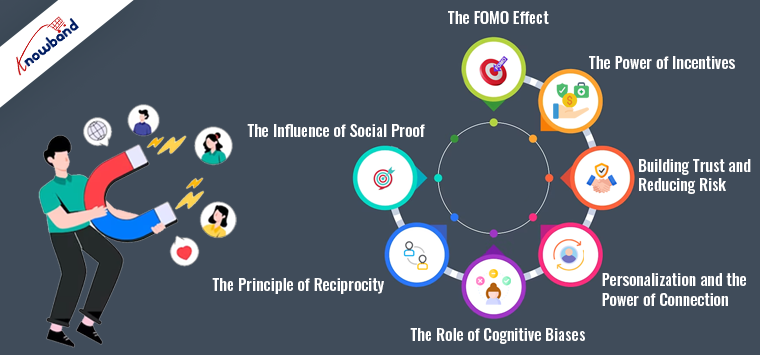
The Influence of Social Proof:
Reviews and Testimonials:
Positive reviews and testimonials are potent social proof. Thus, you can encourage satisfied customers to leave feedback and prominently display these on your product pages. Honest opinions from real people build trust. And guess what, people are well aware of what’s fake and what’s real.
Scarcity and Urgency:
Create a sense of urgency by showcasing limited-time offers or low stock levels. When customers feel like they might miss out, they’re more likely to make a purchase.
The Principle of Reciprocity:
As an eCommerce store admin, you should always provide valuable content, such as informative blog posts, tutorials, or free resources. Because, when customers receive something valuable without an immediate expectation of return, they are more likely to reciprocate by making a purchase.
The Role of Cognitive Biases:
Anchoring:
Use anchor prices to influence perception. Display the original price alongside a discounted price to make the discount seem more significant.
Furthermore, you can also highlight what customers might lose by not making a purchase. For instance, “Don’t miss out on this exclusive offer!” triggers loss aversion.
Personalization and the Power of Connection!
Personalized Recommendations:
Analyze customer behavior and use it to suggest products they might like. Personalization creates a sense of connection and enhances the shopping experience.
You can also share your brand’s story and values. Create an emotional connection with customers by showcasing how your products can improve their lives.
Building Trust and Reducing Risk!
Security and privacy are the two most important components of a process. The following thumb rule also applies while shopping online. Thus, as an eCommerce store owner, you can invest in robust security measures to protect customer data.
Also, a flexible return policy reduces the perceived risk of making a purchase. Make the return process hassle-free to build trust.
The Power of Incentives!
Loyalty Programs:
Reward loyal customers with exclusive discounts or early access to sales. Loyalty programs foster a feeling of belongingness while also stimulating recurring purchases. Furthermore, if you are a Prestashop or Opencart store owner, you can also check Knowband’s Prestashop Loyalty points addon to incentivize your customers with lucrative offerings and the User manual of the Prestashop Loyalty points system.
Furthermore, set a minimum purchase amount for free shipping. Customers are more likely to add items to their cart to reach that threshold.
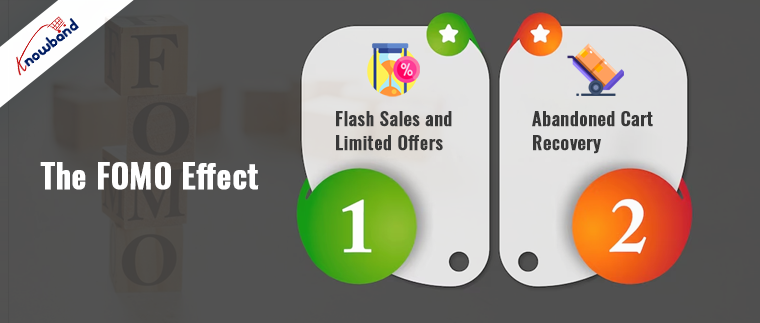
The FOMO Effect:
Flash Sales and Limited Offers:
Announce flash sales or limited-time offers through email and social media. These create a sense of urgency and fear of missing out (FOMO).
Abandoned Cart Recovery:
Implement abandoned cart recovery emails to remind customers of the products they left behind. Offer an incentive to encourage them to complete the purchase.
Conclusion!
Understanding the psychology of eCommerce is a powerful tool for influencing customer behavior. By leveraging principles such as perception, social proof, reciprocity, cognitive biases, personalization, trust-building, incentives, and FOMO, you can create a shopping experience that resonates with your customers and drives conversions. Keep in mind that these strategies should align with your brand and values, providing genuine value to your customers and building lasting relationships.
Furthermore, you can also reach out to our support staff at support@knowband.com for more amazing eCommerce tips.
Optimizing your website for search engines is SEO. The goal of website optimization is to make websites easier for search engines to understand and rank. To ensure that your website and its content are visible on search engine results pages, you can utilize a variety of strategies, all of which are collectively referred to as “SEO.” When owning a website, SEO is something you should get good at. Your website’s position in search results on Google and other search engines is continuously changing. Moreover, if you want to outperform the competition, you must have the latest information on SEO.
What Are the Methods of Website Optimization?
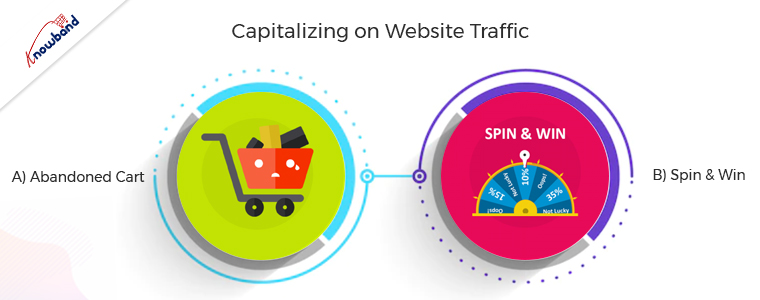
Capitalizing on Website Traffic
This method is very important because benefits come from users who come to the website. The conversion of the incoming traffic to the website is possible only if they stay long enough on the website and for this, various methods are possible. Apart from the engagement, it is very important to follow up with the customers if they are abandoning the cart.
A) Abandoned Cart
The abandoned cart module is very useful for following up with customers who are visiting the website but are not purchasing. Customers sometimes leave the website without completing their purchase. Furthermore, sending a reminder for the abandoned cart is important to remind them of their basket. The users receive email follow-ups for completing the purchase with a discount which entices the customers.
B) Spin to Win
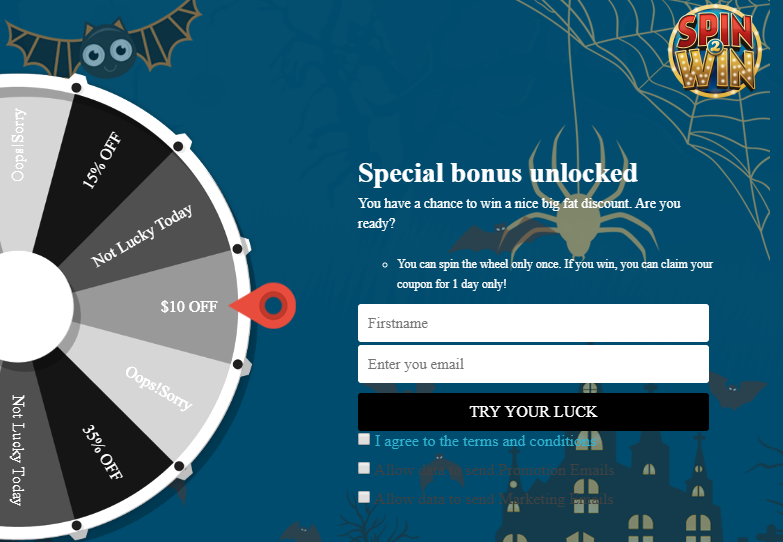
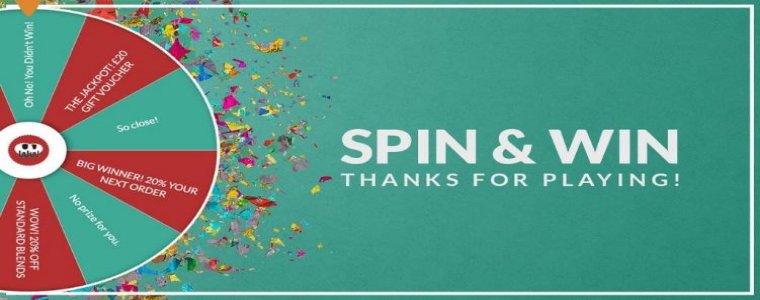
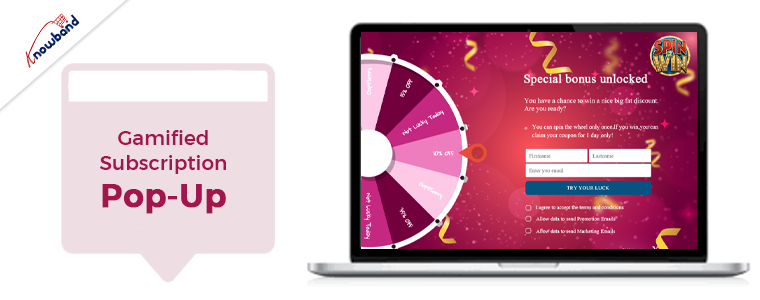
The email subscription popup comes in handy to increase the number of subscribers to the website and also to increase sales. The gamified email subscription popup provides the customers with free discount codes or gifts, which entices the customers. The users have the excitement to spin the wheel when they know they will receive awards for doing so. Visitors do not hesitate to enter their email addresses when using this gamified plugin to subscribe to the website. The Spin and Win modules are not like other subscription popups, which irritate the users. Additionally, it encourages customers to subscribe to the online store.
Optimize The Website for Mobile
It is very important to optimize the website for mobile, as mobile apps are gaining preference over websites. Furthermore, online businesses are always looking to have a streak of growth. Additionally, after properly establishing the website for the online store, the customers launch the mobile app for their business. Mobile apps are very trending for eCommerce businesses these days, and customers also prefer to purchase mobile apps. A major number of sales come from mobile apps only if a business has them in active condition. The navigation of mobile apps is easy, and they are easily accessible, which makes them preferable.
Speed Up the Checkout Page
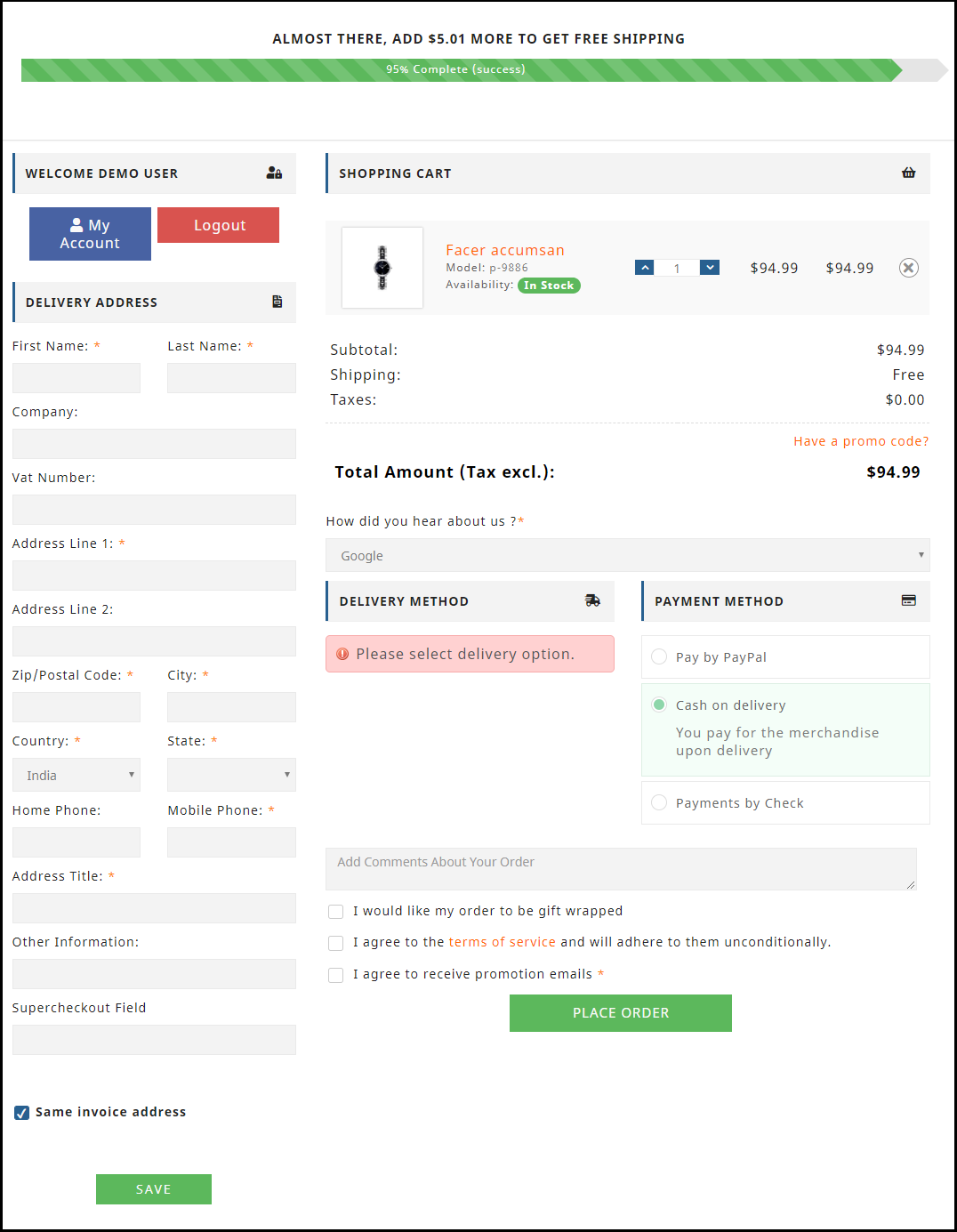
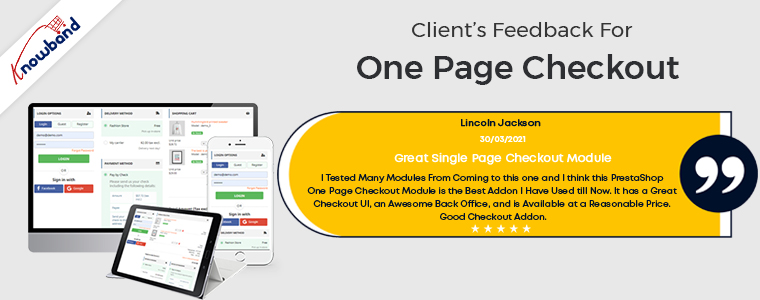
A successful checkout integration is necessary for any online store to function properly. Customers become irritated with the traditional and lengthy checkout process. Customers should have an easy time completing the checkout procedure and feel at ease doing so. Customers can complete their purchases quickly and easily with the help of our one-page checkout module. Our single-step checkout makes it simple for the user on the checkout page by providing all the information on one page. The checkout process requires you to browse through several pages, which is annoying. Customers do not like to spend a lot of time on checkout, and this causes cart abandonment. As seen in our customers’ reviews, our one-page checkout has been effective in preventing such problems. The single-page checkout module lets the customer checkout within one minute, whereas the default checkout takes over two minutes.
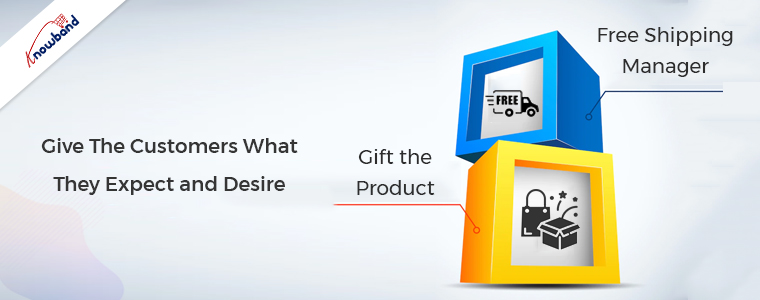
Give The Customers What They Expect and Desire
Whenever customers visit the store, they should receive free shipping and goodies. Additionally, it will make their experience better in the store and boost customer retention.
A)Free Shipping Manager
The overall price of the cart affects the conversion rate drastically. When you enable the free shipping manager plugin, it provides customers with free shipping for their orders. Customers tend to add more products to their cart when they see that they can offset the shipping cost by adding some products. The free shipping module is used to define the terms under which users can receive free shipping. The users gain motivation if they see a free shipping option on their purchase, which makes them come back for more shopping.
B)Gift the Product
Customers like physical gifts, and when they receive them for free, they will surely be joyful. The gifts are available to select depending on customers’ cart value. The customers will surely be wanting to receive the gifts for free, which will make them increase their shopping cart value. The gift the product plugin is sure to increase the overall sales of the online store as it makes the customer increase their cart value. Moreover, users will be happy when they receive the gifts for free, which makes them want to purchase from the store more often.
In the End
In this article, we have been discussing the ideas of optimizing the website. In case you have any concerns related to the above methods then you can connect with us at support@knowband.com. We provide custom developments depending on the business requirements, so we can help you with your specific demands as well. Moreover, we want to inform you that if you want to add some functionalities to our module, then we can do the same for you as well. Kindly let us know in case of any concerns or issues related to our module.
For having a profitable business, it is very important to have a good online presence. Customers want websites to be easily navigable and intuitive. It is important to provide customers with a seamless browsing experience, and apart from these various benefits and offers, others should also be present.
With so much competition in the eCommerce market, it is very hard to establish your ground. To have a good and established website, it is very important to have some points implemented in the website that are essential for a successful website.
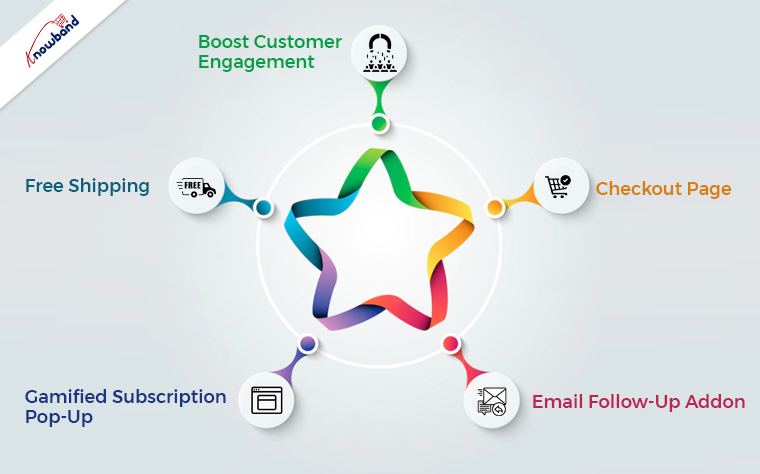
Boost Customer Engagement
It is very important to increase the engagement of the customers on the website. If customers spend more time on the website, there is a greater chance that they will purchase if they browse for an extended period. An exit pop-up module is there, which can increase customer engagement on the website. As soon as the customer tries to exit the browser, an exit popup appears with offers for the user. The users will be happy to use the discounts and will continue to shop from the website. This will increase their engagement and increase their customer base. With this exit intent pop-up, the users spend more time and end up making a purchase, which thereby results in profit for the eCommerce website.
Checkout Page
Checkout is a very important part of the eCommerce website, as, without it, the purchase is not complete. A good checkout integration is necessary for any online store to function properly. It is not pleasing for the customers to use the long drawn-out checkout process. Users should have an easy time completing the checkout procedure and feel at ease doing so. Online shoppers can complete their purchases quickly and easily with the help of our single-step checkout plugin. With the one page checkout plugin, it is simple for the users to checkout as all the information is present on one page.
The default checkout process requires you to browse through several pages, which is annoying. Due to customers’ dislike of lengthy, drawn-out checkouts, cart abandonment occurs. The single-page checkout has been effective in preventing such problems, which is evident from the customer reviews.
Email Follow-Up Addon
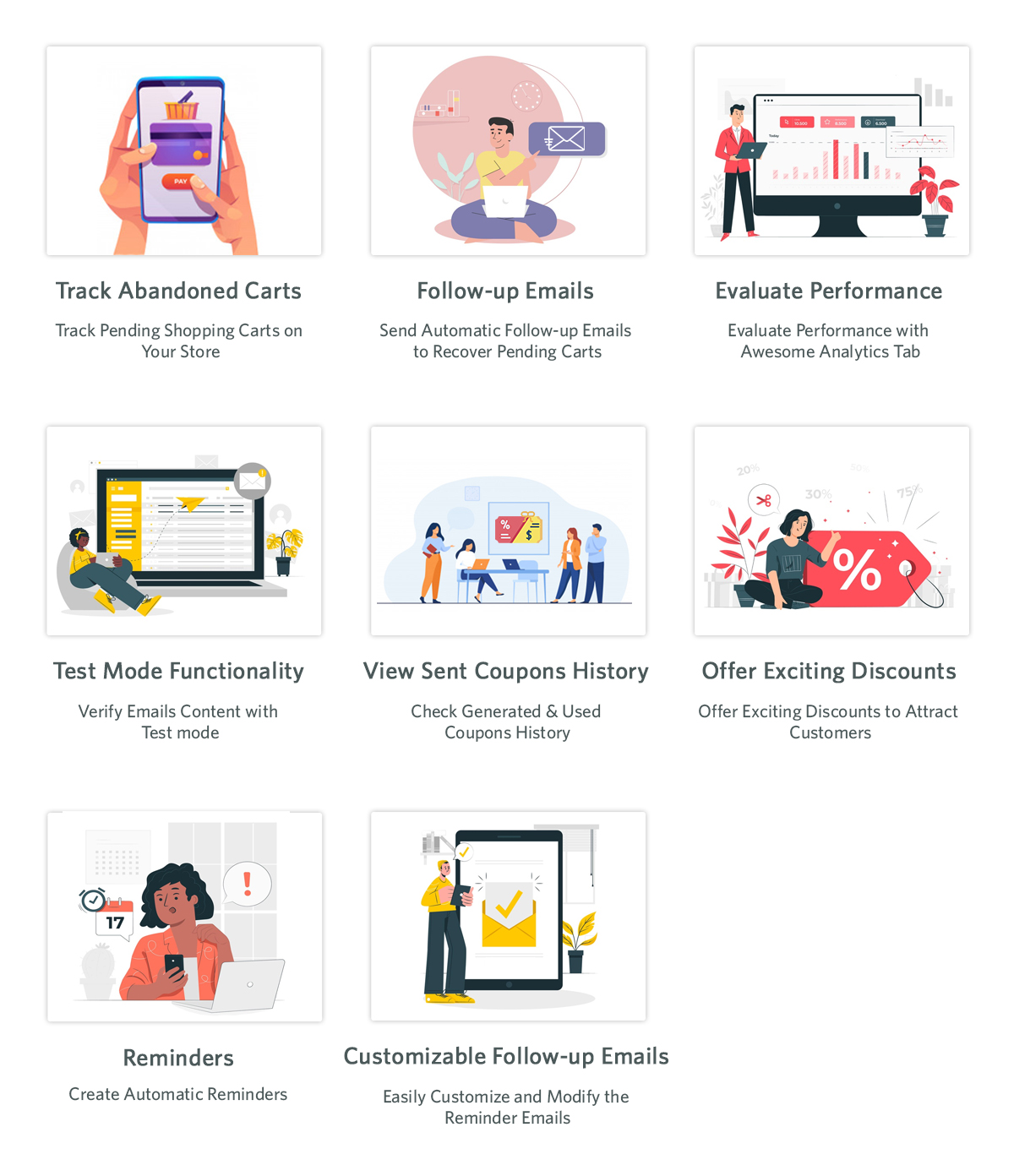
For resolving the issue of cart abandonment by users, the email follow-up plugin is useful. The abandoned cart module is activated when users add an item to their shopping carts and then remove it for any reason. One of the biggest problems e-commerce companies are dealing with is cart abandonment. This plugin assists in increasing cart conversion and decreasing cart abandonment, hence recovering lost sales. Using the abandoned cart module, we can send clients several follow-up emails if they leave items in their shopping carts. There are two variations of these follow-up emails: those with discounts and those without discounts. Customers will be persuaded to finish their purchases with this alluring offer. We send reminders to them when they forget to finish the purchase so that they will remember to complete the purchase.
Gamified Subscription Pop-Up
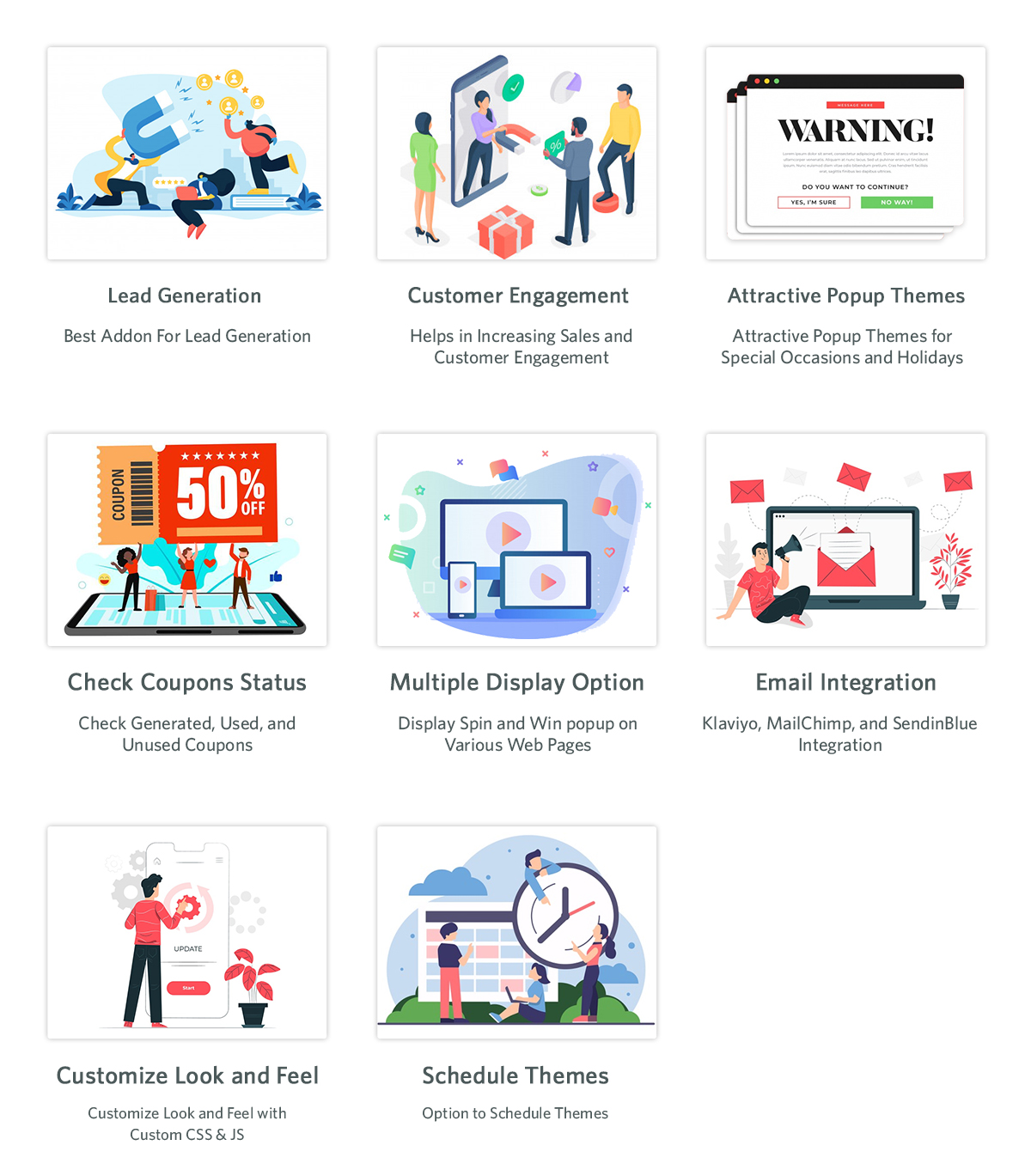
The email subscription popup helps boost both sales and website subscriber numbers. Customers are persuaded to subscribe to the email list with this “spin and win” plugin that offers them gifts or discount codes. As they will be receiving rewards for spinning the wheel, users are eager to spin it in hopes of receiving the free rewards. When employing this gamified plugin to subscribe to the website, users subscribe without hesitation as they are receiving gifts. Unlike other subscription pop-ups that annoy customers, the Spin and Win modules don’t do so, as they are not like the other subscription pop-ups. Additionally, customers are encouraged to sign up for the online store.
Free Shipping
The conversion rate greatly impacts the total cost of the cart. Free shipping is offered to clients for their orders when the free shipping manager plugin is enabled. When customers realize that by purchasing additional items, they can reduce the cost of shipping, they are more likely to add more items to their shopping cart. The conditions for providing customers with free shipping are configurable in the free shipping module. When an eCommerce website offers free delivery, people are happy to make a purchase and are more likely to return to make additional purchases.
Wrapping It Up
In this article, we have been discussing the various implementations we can perform to improve the website. In case you have any concerns or issues related to our module, you can connect with us at support@knowband.com. We also assist with custom developments as per your requirements. Also, we can add a feature to the module or modify the module depending on your business requirements. Kindly let us know so that we can assist you with your requirements.
Halloween seems like a small holiday in comparison to Christmas and Easter. However, online merchants don’t realize that it can increase sales for their online stores. So, if you want to avoid missing out on a chance to increase your revenue, set up your website now. We will help you to take part in this fantastic seasonal trend and interact with as many people as you can.
One of the most helpful occasions for an e-commerce business is Halloween. Take advantage of the online shopping frenzy around Halloween. This could contribute to your online store having its best-ever sales.
A record-breaking $10.14 billion in sales profit is in records for Halloween last year alone. More than 65% of Americans participated in the holiday. With a click-worthy Halloween marketing campaign, you have the opportunity to take advantage of this year. In this year’s lucrative holiday shopping season get our help to increase your sales.
Need Assistance in Setting up Your Store?
A great opportunity to make money is present for you this year on Halloween. Besides, consider the cost before getting started and we can assist you depending on your budget.
Your store will benefit from the Halloween-based marketing strategies and we will be suggesting based on that only. Look at these Halloween suggestions and decide if you’re on par with them. We’re here to give you suggestions that will also help your online stores sell more goods.
We have put up a list of specific modules for Halloween to aid you in getting ready for this year’s trick-or-treating event. Kindly check them and make use of them to entice customers to make purchases. With the use of Knowband plugins, grow your company during this spooky holiday season.
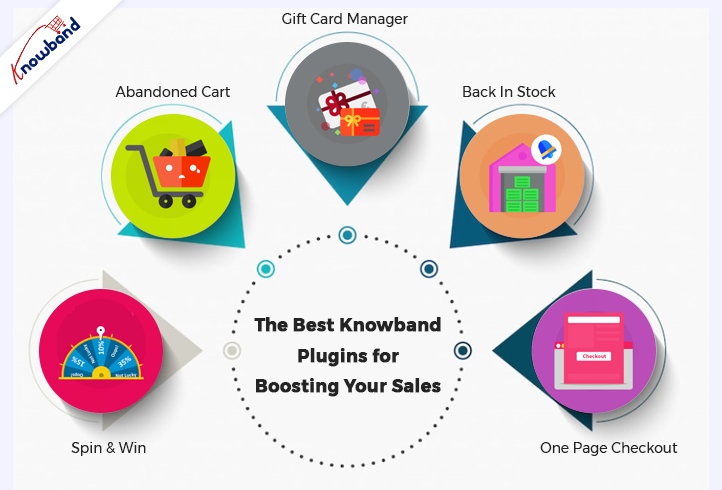
Some of the Best Knowband Plugins for Boosting Your Sales on Halloween Are Below:
Spin and Win
Using the features of the Interactive pop up plugin, you can get customers to subscribe to your website. Later use their data for a marketing campaign. Normal subscription pop-ups irritate customers. If you have this gamified module active in your store, customers will surely register.
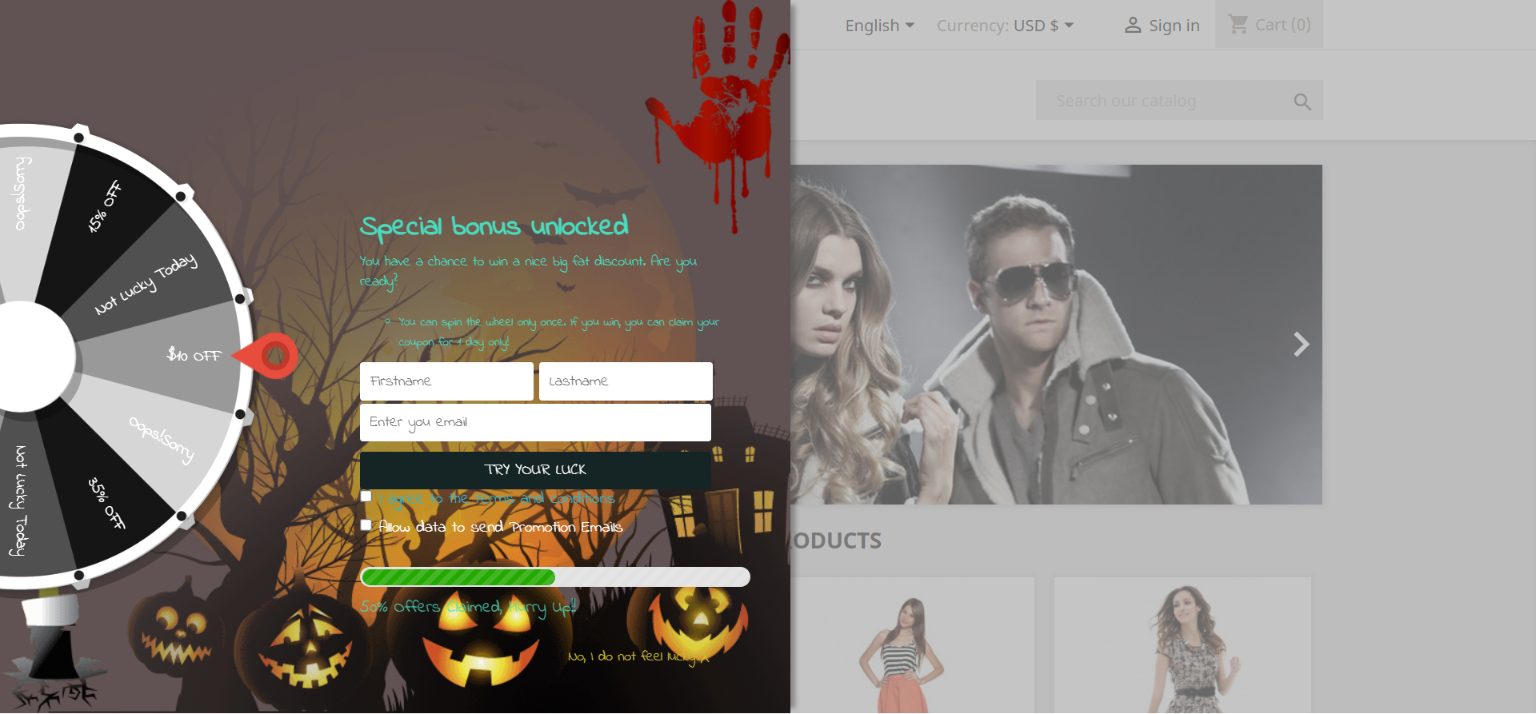
The Email Subscription pop up addon shows an interesting gamified interface on the front interface of the store. The customers receive lucrative offers by spinning the wheel. There are various options for the themes, which are set depending on the occasion. For Halloween, our module has four themes, and holidays like Easter and Christmas also have customized themes.
Abandoned Cart
As the holiday season is approaching, so will the traffic on the online store. When customers add a product to the cart and abandon it for some reason, this module comes into play. Cart abandonment is one of the major issues e-commerce businesses are facing.
This Abandoned cart email follow-up addon helps in reducing abandonment and conversion of carts, hence bringing back lost sales. When customers abandon a cart, using this module, we send various follow-up emails to them. These follow-up emails are of two types: with a discount or without a discount. This enticing offer can attract customers to complete their purchases. When they have forgotten to complete the purchase, we remind them with reminders, which will result in completing the purchase.
The Gift Card Manager
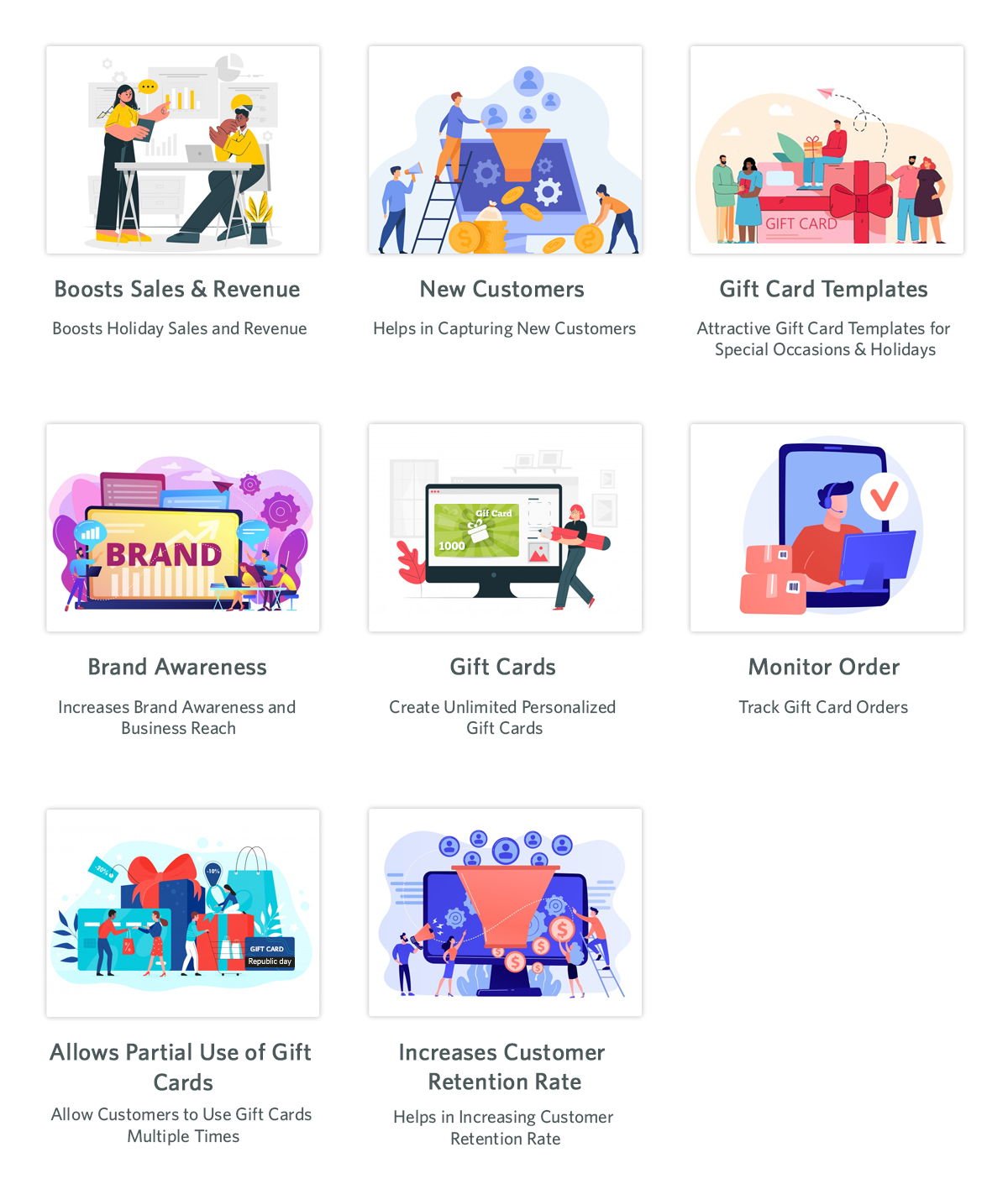
In the modern gifting trends, gift cards are becoming increasingly popular. This holiday season, give your loved ones a reason to smile by sending them a gift voucher.Send Gift card Plugin shows an option of gift cards on the front store. Not everyone is sure about the gifts they are going to give on any occasion in this case this can be a go-to option. This is an easy and fast alternative in comparison to physical gifts.
The person who uses these cards can use the amount partially or fully. Customers can send these vouchers through the mail or the person can print them. This brings new customers to the online store as it helps with brand promotion. The option of sending gift cards with personalized images and custom messages is present.
Back In Stock
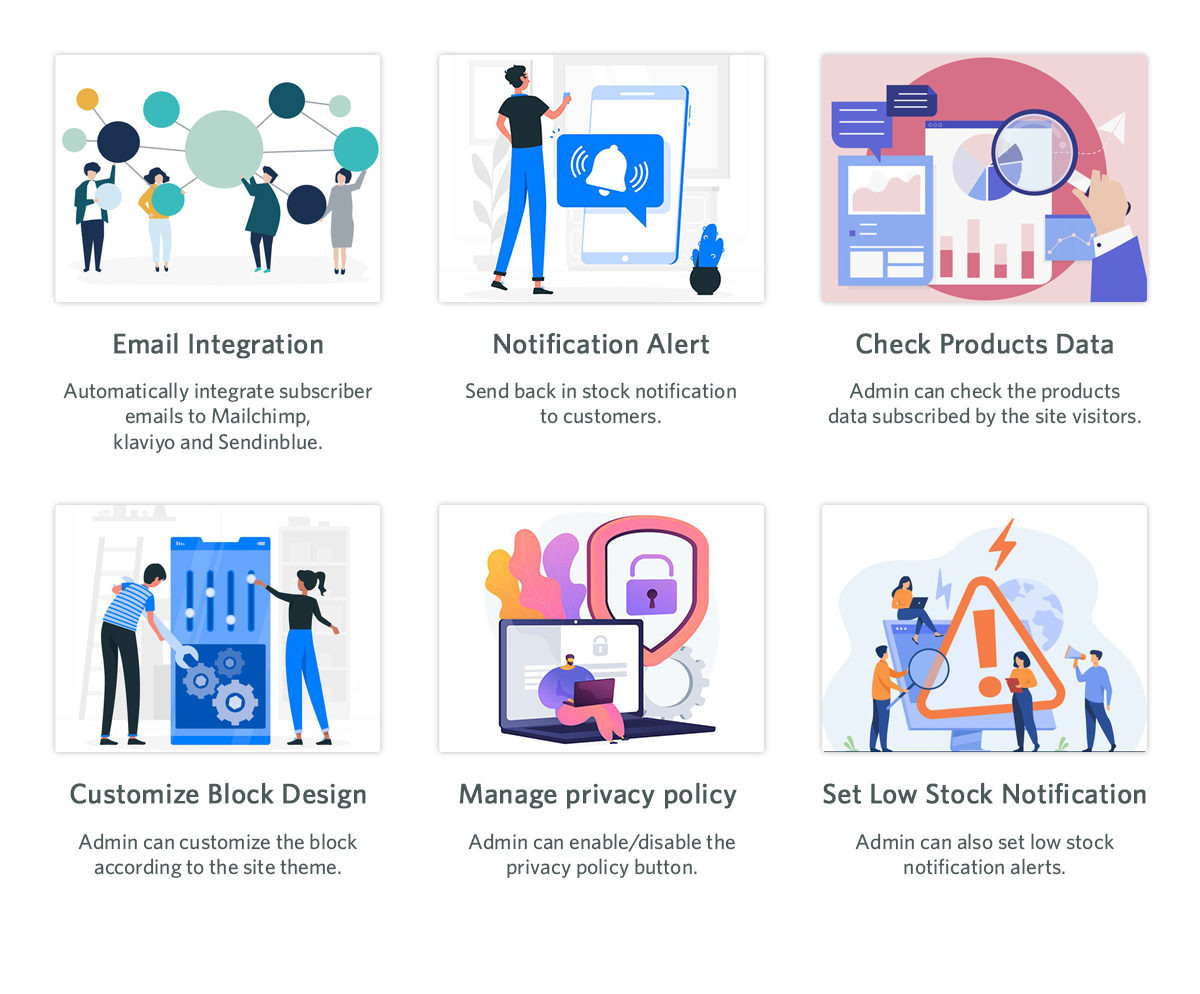
Product stock notification addon helps in letting the customers know if the products they subscribe for are back in stock or not. If the products the customer desire is not in stock, then they can subscribe to know their availability. By subscribing to the notification, the customers will receive an email about the product’s availability in stock. Customers subscribe to the product with their email and name, which can be beneficial for marketing campaigns. Klaviyo, Sendinblue, and Mailchimp integration to get customer details using the stock alert plugin is possible. The product that the customer wants to buy is visible in this product subscription module backend. There are other attractive features like custom fields, order sorting in the notification box, and V3 Recaptcha also.
One Page Checkout
Any online store is incomplete without an effective checkout integration. Using the old and lengthy checkout process irritates customers. The checkout process should be easy and customers should feel at ease while going through it. Our one-page checkout module helps with swift and easy checkout for customers.
On the checkout page, our module offers all the information on one page, making it easy for the customer. It is irritating to navigate through different pages to complete the checkout process. This results in cart abandonment as customers do not like long stretched checkout. To avoid any such issues, our one-page checkout has proven useful according to our customer reviews.
Final Words
At Knowband, we pride ourselves on going above and beyond for our clients. This is the reason which contributes to our broad client network. Furthermore, we want to help our clients achieve their goals based on their business objectives. At Knowband, we also support bespoke customizations and eCommerce plugins. We will assist you in making any ideas you have a reality. With any queries or issues, you have, we will assist you at support@knowband.com.
PrestaShop Return Manager (RMA) module by Knowband is known as one of the best PrestaShop addons which simplify and fastens the product return management on your eCommerce store and helps you improve customer experience. With the PrestaShop Return manager addon, you can provide easy order return features on your website and can add a return policy for your products.
It’s a harsh reality that you’ll have to issue a refund or return in response to certain legitimate return requests. For making the process convenient, with the same module features, a customer can ask for a refund, credit, or even cancel the order completely or partially. A simple return process on your website can persuade the shopper to return to you the next time he or she shops online. We need to remain open for any chance because this is a long-term game.
The Return manager addon has been downloaded by 2000+ clients on the KnowBand store and PrestaShop Addon store. Some new features have recently been introduced to the PrestaShop Return Manager (RMA) addon in the latest update. In this post, we’ll go through all of the newly added features in detail.
Newly Added Features to the PrestaShop Return Manager (RMA) Addon:
1. Search Option in the Admin panel for all the Listing Tabs
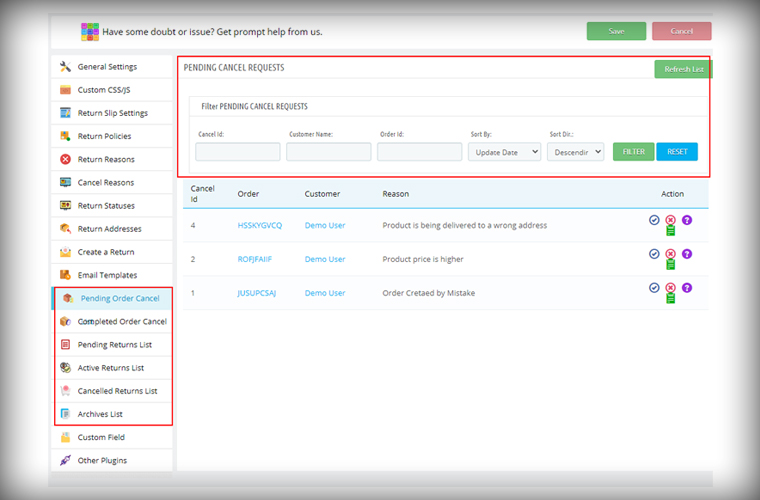
In the latest version of the PrestaShop Return Manager (RMA), the e-merchant can now search and filter the orders on various listing tabs. The search option is added for the following listing tabs pending cancel requests, approved canceled order list, pending returns list, active return orders list, canceled returns list, and archive list. Admin can sort the orders by providing details like Order ID, Customer Name, Respective listing ID, and also with a date.
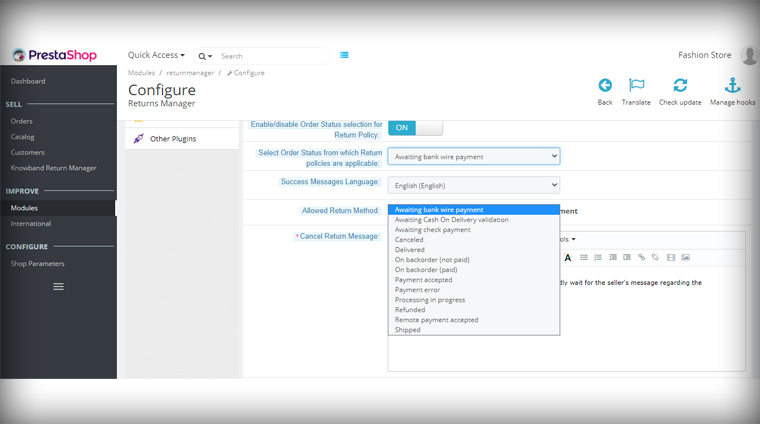
2. Define Order Status to start calculating policy time
The PrestaShop Order Return manager now allows the store admin to set the order status from which the return policy time will be calculated. In the previous version, the clock starts ticking the day order was placed and a delay in order delivery sometimes exceeds the period and customers fail to make the return request. With this feature, the store owner can set the status as ‘Delivered’ for calculating the return policy time.
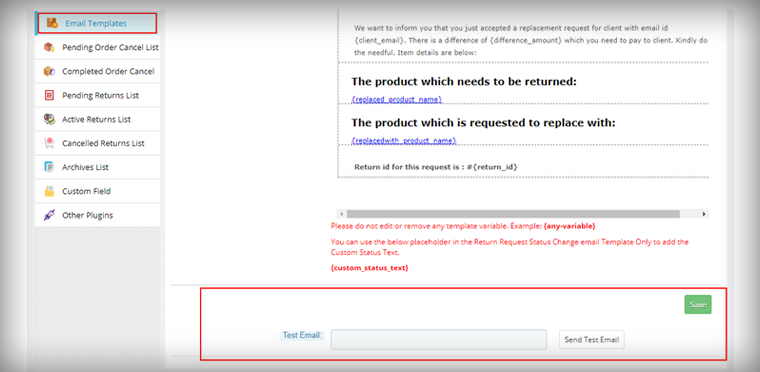
3. Feature in the Admin panel to send Test Email
The module now allows the store admin to send test emails before finalizing the template. This functionality is added to all the provided email templates of PrestaShop Return Manager (RMA) Addon.
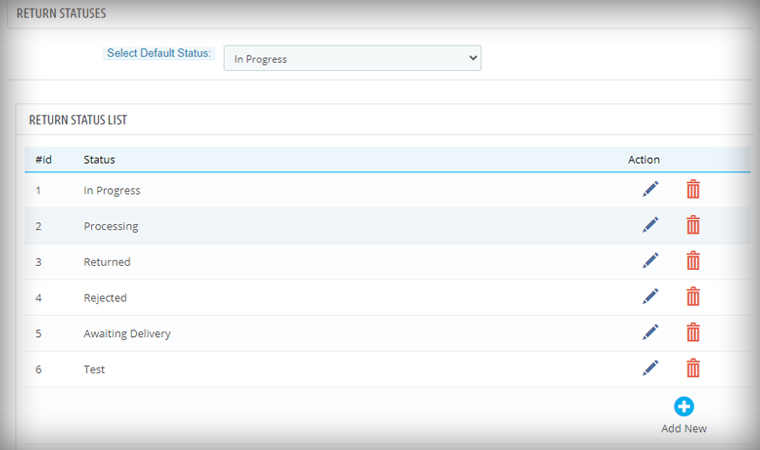
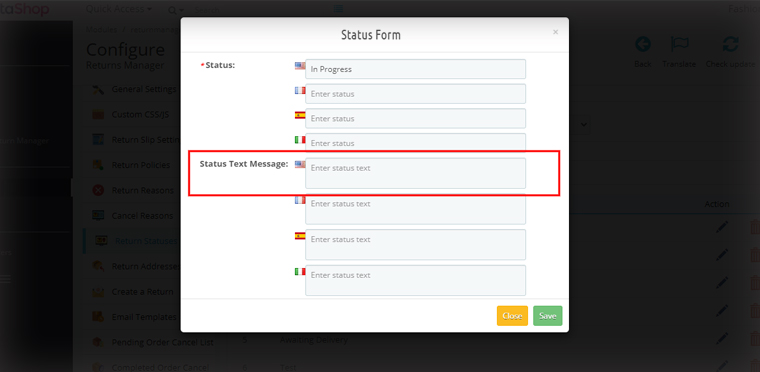
4. For email, templates specify custom Text for each Return Status
Another feature added in the module is an option in the admin panel to add a custom text for each Return Status and created a place holder which can be used in the return status email template.
Admin can add a personalized message in the provided option for every order status. An email with a tailored text will provide more clarity to the customer.
Features added for easier management
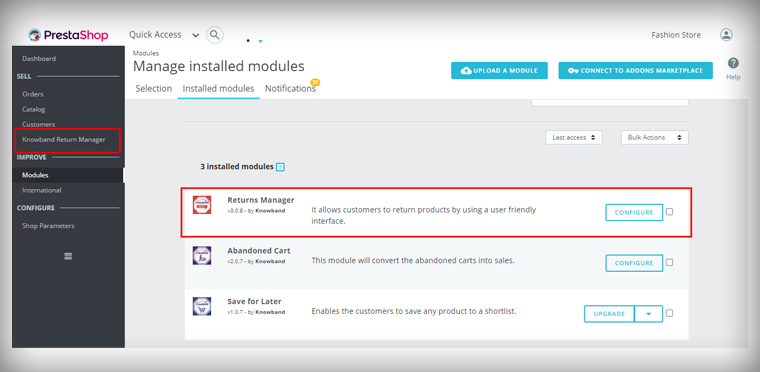
5. Added Left Menu Shortcut of Return manager Addon on the Dashboard
As it is shown in the picture below, the admin is now able to access the PrestaShop Return Manager (RMA) Module from the left menu of the PrestaShop admin panel. This provides quick access to the admin for module configuration.
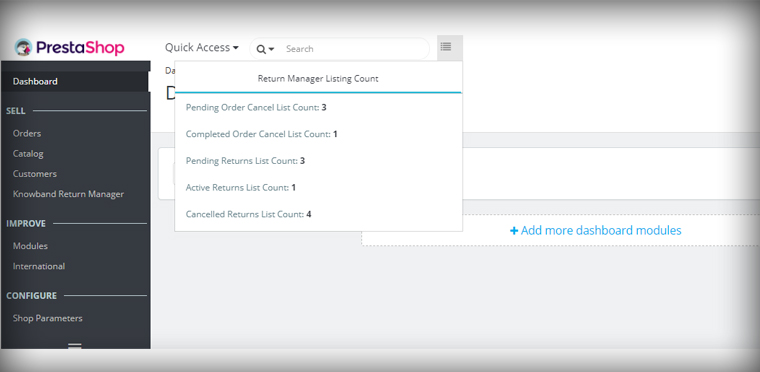
6. Display all Return listing counts on top of the Admin panel
In the Dashboard of the PrestaShop store, the admin can quickly access the return manager listing counts from the option provided on the top. By clicking on any of the listing options, the user will be redirected to the respective listing page.
7. PrestaShop v1.7.7.1 compatibility:
PrestaShop recently launched version PS v1.7.7.1, which includes some new features and bug fixes. We’ve made the PrestaShop Return Manager (RMA) Addon completely compliant with the new PrestaShop version v1.7.7.1.
For other existing features of the module, you can refer to our previous blog post.
Upgrade to the Latest Version of PrestaShop Return manager addon:
You might be spending a lot of money on bringing more visitors to your store via social media advertisements or other paid marketing plans, yet not receiving potential traffic?
If that sounds like you then you need to figure out the hole in your leaky bucket.
What does that mean? Your system of driving traffic isn’t working well. Maybe you have a poor UI or you are not giving them the personalized experience that they deserve. Or, you are just not doing it right.
Did you know that 75 percent of shoppers abandon their carts in mind-numbing ways? This costs an estimated $260 billion in lost sales for online retailers every single year!
You will begin to combat this phenomenon through the implementation of an abandoned cart email strategy.
Sending an abandoned cart reminder email allows you to recover some of your previously lost sales and potentially convert more of the traffic to the website that you attract.
What is an abandoned cart email?
An abandoned cart email is a cornerstone of e-commerce. It is a follow-up email sent to someone who has added products to their cart and proceeded through a portion of the checkout and left the site without buying them.
For the 3 (out of every 4) shoppers who leave a website without completing the checkout process, an abandoned cart email is intended.
The tremendous advantage of abandoned cart reminder email? They are auto-triggered. You can set up a series that goes all on its own and gets money back that would have vanished otherwise.
Why you should send an abandoned cart reminder email?
The thing is, about 75 percent of people who leave their carts usually intend to come back, so you’re leaving serious money on the table if you don’t send abandoned cart emails to jog their minds.
Statistics reveal that most of the customer converts after receiving 3rd abandoned cart reminder email. If you are still not working on your abandoned cart recovery process then you are losing out on a lot.
What strategy you should follow?
You should send an abandoned cart email reminder to your customers who have left your website without completing the purchase. You can send the follow-up email in the sequence.
First, after a specified time delay
Second, after few hours from the time you have sent the first abandoned cart email reminder
Third, a reminder after a day
Fourth, after a few days and
Fifth, in 7 days with a catchy subject line
Now you know when to send the emails but what content will actually work is the major question to ask. Customers won’t convert with the old traditional email tactics but your email should be more personalized, engaging and it should have the capability to convert.
What type of abandoned cart reminder email you should send?
It is easy to build abandoned cart emails and go a great length to bring back reluctant customers.
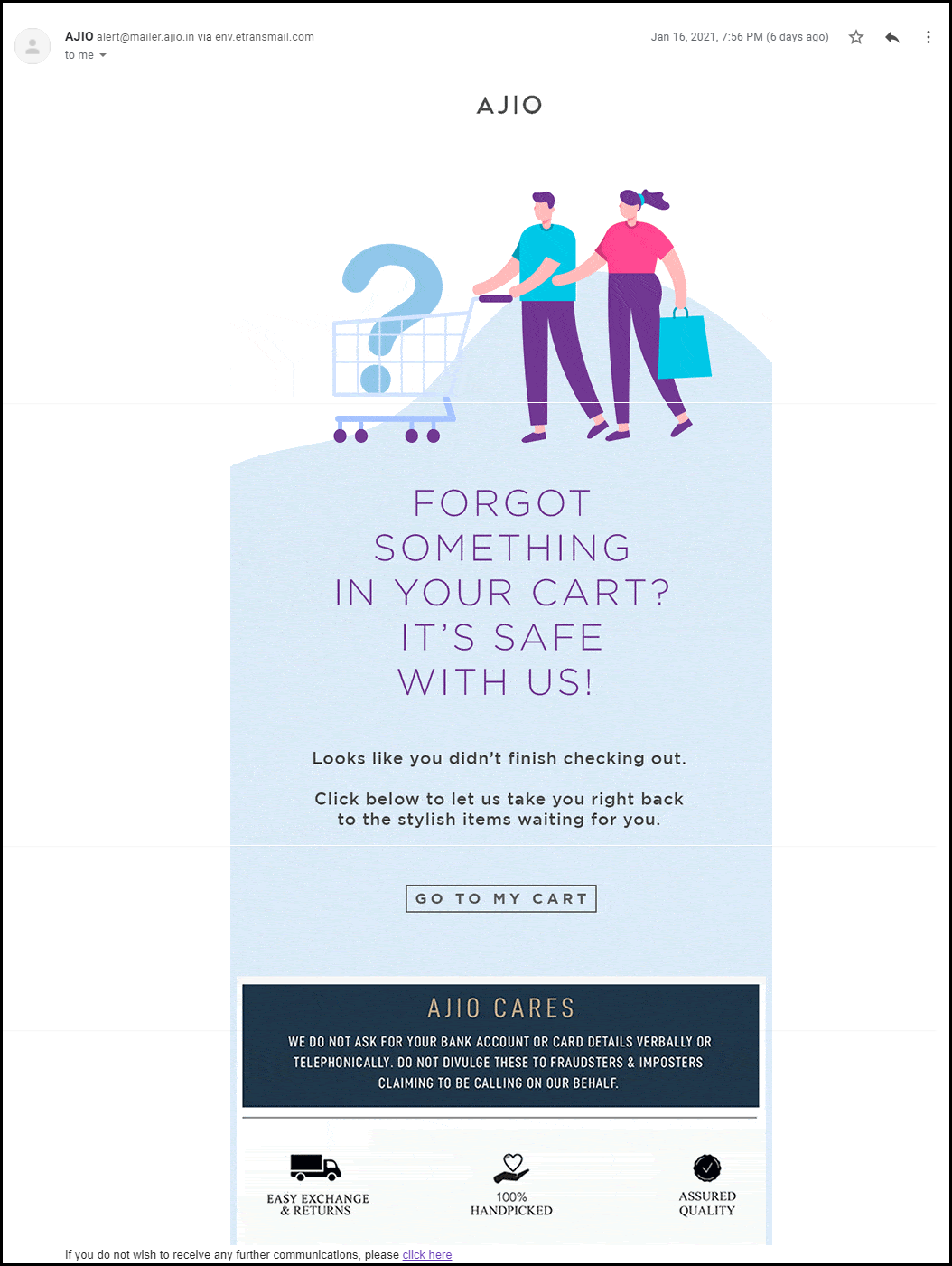
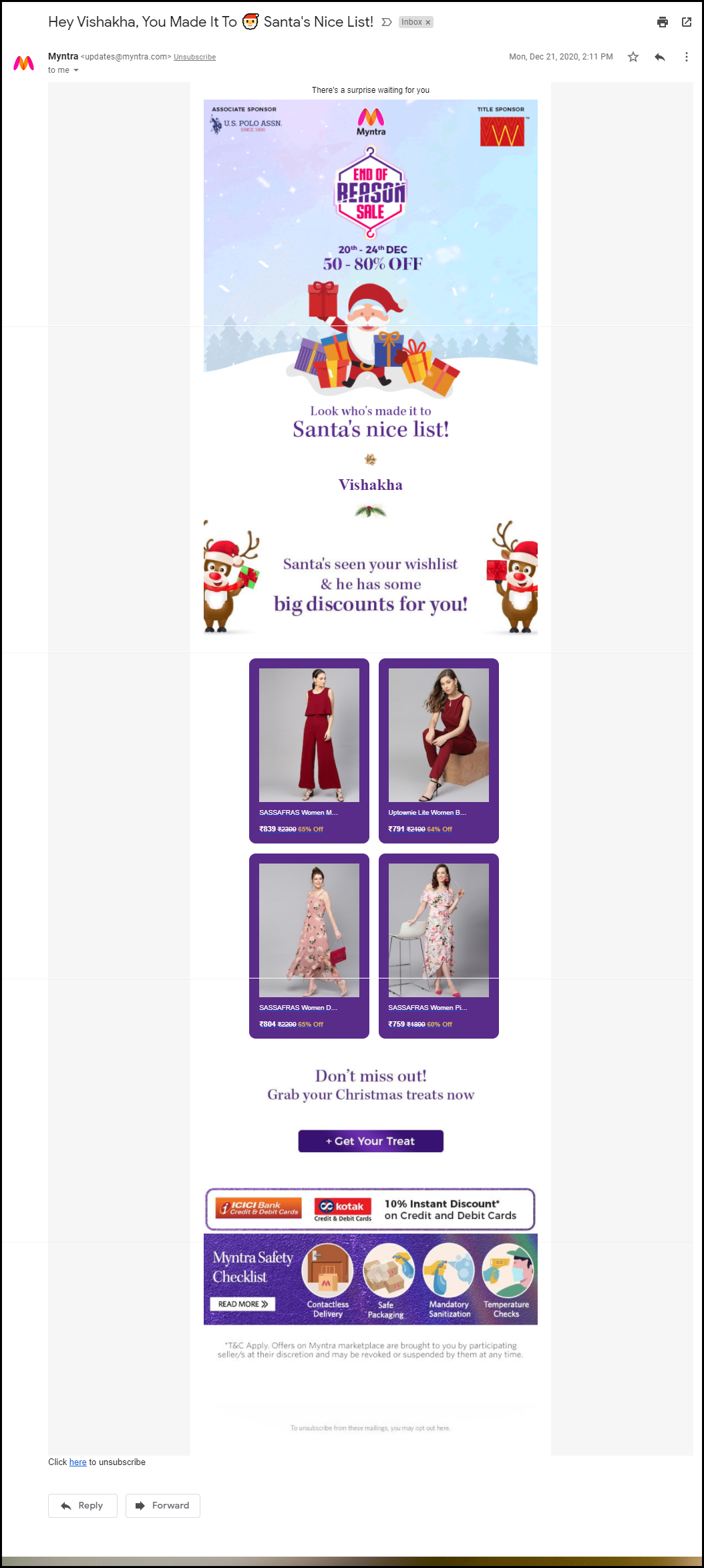
We’ve addressed ways to decrease shopping cart abandonment in the past. One of the main strategies is to alert shoppers with an abandoned cart email strategy that there’s something in the cart. Always include a reminder of what they have abandoned and prepare a great copy with features highlighted.
1. Show your product features
Since you know what product you sell you are clear with your niche. In the very first abandoned cart email, you can highlight the features of the abandoned product.
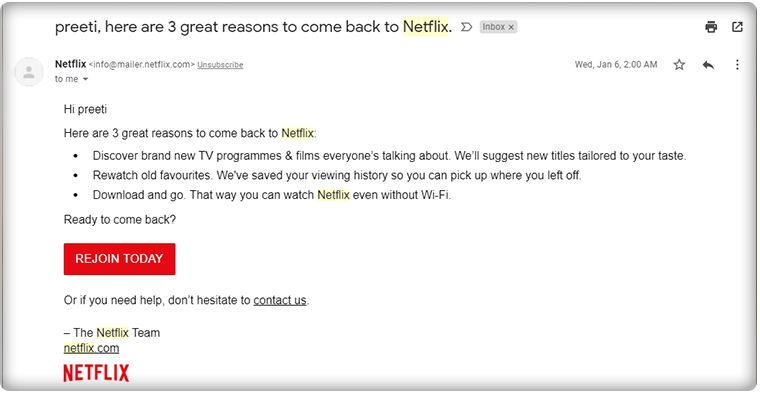
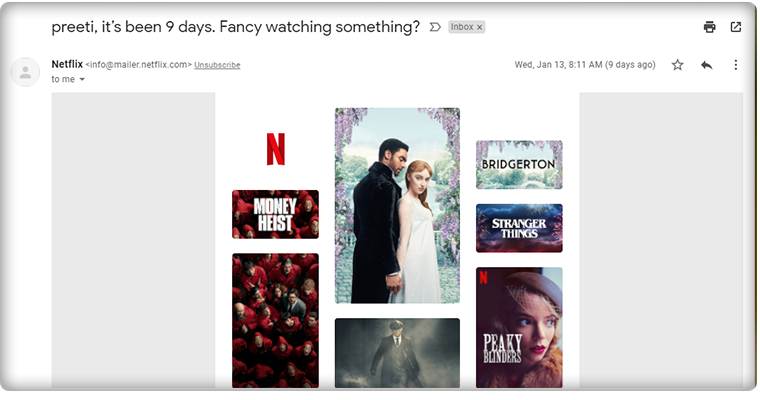
The mail should have a personalized touch. You can use the user’s name in the subject line.
Netflix always uses this tactic when following up with their customers. Also, the subject line clearly defined the purpose of their email.
Calling the customer with a name build loyalty and adds personalization to your abandoned cart reminder email.
When it comes to the subject line, it should be catchy and this definitely grabs the customer’s attention.
2. Add social proofs, reviews, and testimonials
When sharing a second reminder email to your abandoned carters, remember to add social proofs. Reviews, testimonials work great when it comes to conversion.
It is human behavior that they trust what others say and when it comes to shopping, most of the customers spend more time on reading reviews than on the product description itself.
If you have a digital product like an App or any software then you can add the total number of downloads like ‘Abandoned Cart Module have 8000+ Downloads’
You can add average star reviews of the product with the abandoned cart email copy.
3. Include video content and catchy graphics
Video marketing is a fancy and most engaging way of digital marketing. The third email, that you will send the other day should have a short video clip with the unpacking of the product by customers or any review video shared by your customers on your social media handle.
Video can be very effective if it’s done right. You can include GIFs or links to your social media handles where customers can see more such videos. It will enhance the customer experience. Use the graphic image that goes well with the product images, use the colors thoughtfully and use genuine product images while sending the reminder email for abandoned cart recovery.
4. Discount coupon code
Most people abandoned their carts due to their prices. Since the final price is more than what they expected, clients abandon their carts.
If people think about how much they’re going to spend, the prices of each item they add to the cart usually add up. They don’t really care about taxes or delivery, and sometimes lowball the figures if they do.
And there is an easy way to recover the clients who were frightened by the final price: issue a discount.
You can also put a timer that creates the FOMO. Add some catchy lines like
Happy Hour Sale!
Grab your offer before it goes away!
Special Discount on Your Cart!
Use the Coupon Code XYZ and avail of this limited-time discount offer!
5. Make a Bundle to up-sell
Your customer isn’t coming back even after the discount? We have another plan for you. In the 5th reminder of abandoned cart email, offer them products that can be clubbed together.
If a person is having eyeliner in their abandoned shopping cart then you can make a bundle of mascara, kajal, and eyeliner and offer them a good deal like a discount or buy-1-Get-1 offer.
I am sure this will make them visit your store again.
If the customer did not convert after these many reminders then it’s your hard luck! But, you should always try. Along with abandoned cart emails, you can also share back in stock alerts with them using the Back-in Stock module and also offer deals on the products they have put on their wishlist.
How Abandoned Cart Extension From KnowBand Can Help You Achieve Your Business Goals?
The abandoned cart reminder emails can be automated by using a third-party extension. The Abandoned Cart Reminder Email Extension by KnowBand is incorporated with the automation feature. The shopping cart recovery emails will be sent to the customer automatically after a specified time delay.
All the benefits of abandoned cart reminder email can be availed by adding the Abandoned Cart Module in your eCommerce store. It has several features that you can use to bring back your lost sales.
Send Automated reminder emails with OpenCart Abandoned Cart Extension
The Abandoned Cart Email extension developed for the OpenCart platform allows store merchants to send automated reminder emails by tracking the abandoned carts.
With daily email follow-ups, the store admin can now turn the abandoned cart users into clients. You can use the strategies discussed in this article to recover your sales.
The store admin can easily analyze the abandoned cart of the store visitors and give them reminders by email with the aid of the Abandoned Cart Recovery module.
The OpenCart module allows you to send discounted and non-discounted emails. Admin can set minimum cart value to auto-trigger the emails and specify delay time for the same.
It has several customizable email templates that can be used time-to-time for sending reminder emails to abandoned carters.
PrestaShop Abandoned Cart module has some additional advantages
The PrestaShop Abandoned Cart module allows the store owner to send automated reminder emails after the specified time lapse. This PrestaShop module has various other features.
What is extra? The PrestaShop Abandoned Cart Recovery Module allows you to send reminders in three ways.
Send discounted or non discounted reminder emails
Send Push Notification for abandoned carts
Display abandoned cart reminder pop-up to the visitor
In addition, it gives you the entire report of abandoned carts and provides customer behavior data that can be used for sending personalized reminder emails.
Discounted and Non-discounted emails can be sent through the module and you can choose any email template from the listed ones.
It allows you to create your own custom abandoned cart reminder email template for sending series of follow-up emails.
Fringe Benefits of sending Abandoned Cart Reminders
The follow-up reminder for abandoned cart makes it easy for merchants to reduce cart abandonment and improve overall store conversions. More conversion means more sales! The emails with personalized content will enhance the overall customer experience.
The abandoned cart recovery module by KnowBand has several happy customers. You can check out the demo of the extension and visit the product page where customers have shared their reviews.
The module is available for all the major eCommerce platforms like OpenCart, PrestaShop, Magento stores.
Abandoned cart recovery emails are one of the toughest to do right, mainly because you don’t really know why your customer left your website before the order was finalized – wasn’t the item, right? Was its cost of shipping too much? Haven’t they had enough time?
Looking at all those possibilities, instead of one single email, I highly recommend building an email chain. Also, do not presume that it would be resolved automatically by applying a discount to your retargeting email!
What is an Abandoned Cart Email?
One of the most successful ways to get your customers to go back and buy is the recovery or abandoned cart email. You can create FOMO or influence the customer with the ‘Discounts Only for Them’.
Abandoned cart emails are sent in a customized manner to consumers to connect with them about their previous intent to purchase a product. They are one of the most successful ways to handle abandoned cart problems, considering the more personal approach of abandoned cart emails.
Why do people abandon their carts?
For various purposes, various individuals will abandon your cart. Someone who first visits your site and leaves the cart may have different reasons than a loyal customer who does not buy. Similarly, there might be those that visit your site frequently and leave the cart repeatedly.
You can help determine what the underlying concerns really are by segmenting your email list when you get customer details into a few high-level categories, and then define a suitable solution to fix them.
However, you will need to go through the entire thing strategically, in addition to having the text right in the individual emails to convert people.
Send emails to bring them back
It’s no secret that the most powerful way to meet lots of people at once is by email. They give you access to a personal space that is 40 times more powerful than Facebook or Twitter for attracting new customers.
Customers who have left the cart must know who you are and why you are sending an update.
Sending an email will allow you to recover some of your previously lost sales and potentially convert more of the traffic to the website that you attract.
Create your own abandoned cart email sequence
One email may not be enough to allow people to behave on abandoned cart emails.
As such, to get people to complete a purchase, it is smart to put together a short series.
Up to three emails in total are perfect. For some of the earlier emails, you cannot get the customer at the right moment, so a later email is worthwhile to ensure that you can get them to communicate with you.
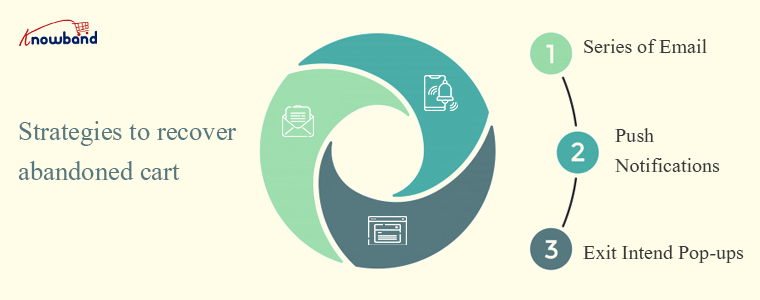
Push notifications will push them to make a purchase
Using push notifications as opposed to text messages to reach the customers is certainly easier. Only make sure you’re not sending them too much, or else users will opt-out of receiving them.
To boost their experience and add value, submit push notifications based on the user’s position. Boost your interaction with Push Notifications and help you improve your conversion rates.
You can give them abandoned cart details, offer deals, discounts, and more once the visitor has opted in to be a subscriber.
An exit pop up before they leave
Another effective way to grab customer attention is by reminding them about the abandoned cart just before they leave.
A pop-up window with cart details and a discount coupon can do wonders! You can show a discounted or not discounted pop up window on the exit page.
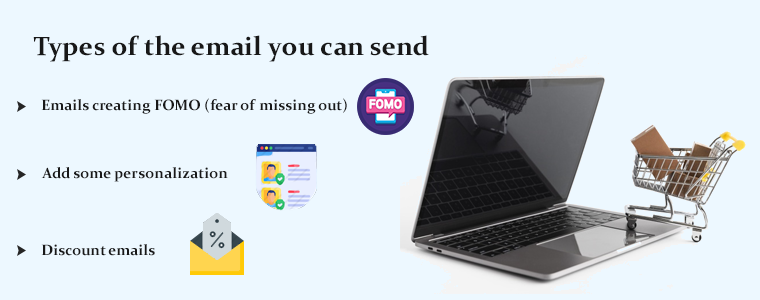
Types of the email you can send
No customer thinks the same way and all types of customers have different requirements. Treating them as a unique customer will give a personalized experience to them and that may lead to conversion.
To attract different brains, you need different strategies. Here are some ways you can do this.
Emails creating FOMO (fear of missing out)
A list of the items left behind in the cart will include most of the abandoned cart emails you encounter. These emails provide all the basics you would expect: the name, picture, and price of the product.
You can make the goods more convincing by adding the number of reviews along with the average ranking.
Seeing something like the number of purchases or a high rating will give you an instant dose of FOMO to complete that purchase ASAP.
Add some personalization
More than 60% of customers enjoy reacting to their favorite retailers’ personalized emails.
As much as you can, you can always try to personalize emails. The above segmentation helps with this, but other information can accompany it. The obvious one is the use of the name of the client in correspondence. Many providers of email services allow for this.
Discount emails can bring them back
If you have segmented your list of abandoned cart emails, there is a possibility that you would have a clear idea of why the customer has abandoned the cart.
Because the deal (i.e. free delivery, coupon code, free returns, etc.) is more likely to be tailored to the individual’s reasons for not purchasing, this adds customization again and will engage the consumer to communicate with you again.
When it comes to your most loyal clients, discounts are extremely counter-intuitive.
They are familiar with your brand and have shown a willingness to regularly buy from you before; so with another discount, you probably don’t have to risk your profit margin.
How to Write a Follow-up email?
There are some important rules that you should remember before writing a recovery email.
Add a catchy subject line that sways
Adding colors will influence emotions
Beautiful font pairing play off each other
Build trust with appropriate email and website branding
Minimal design helps you to concentrate on key functions
Animated GIFs are trending
A tailored experience goes a long way
You can also add a product recommendation
There are plenty of variations in architecture to explore. That’s why knowing who your subscribers are and what they need from you is vital.
The reaction that you get from readers will give you an indicator of how well your campaigns are going, such as open and click-through rates. For custom emails, check out:
How to write an abandoned cart email to bounced customers?
PrestaShop Abandoned Cart Module
The PrestaShop Abandoned Cart Module offers features that you can use to recover the lost sales. It has a functional backend with several email templates and it allows you to send push notifications as well.
Another super cool feature of the abandoned cart module by KnowBand is that it can show an exit-intent popup with a discount. Some of the features are discussed below:
Auto triggered emails
After a fixed wait for corresponding emails, PrestaShop Abandoned Cart email follow-up addon sends discounted notification emails automatically.
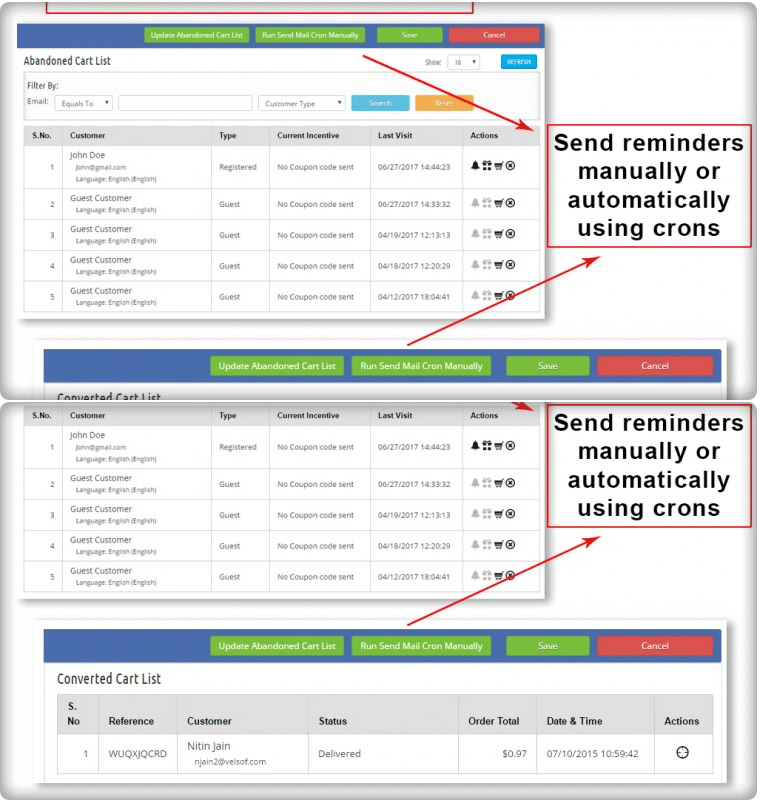
Also, you can manually run cron jobs to update the abandoned cart list and send follow-up emails to the respective customers.
Push notification
It lets you create and change as many push-up reminder templates as you like. The admin may also customize the popup’s content accordingly.
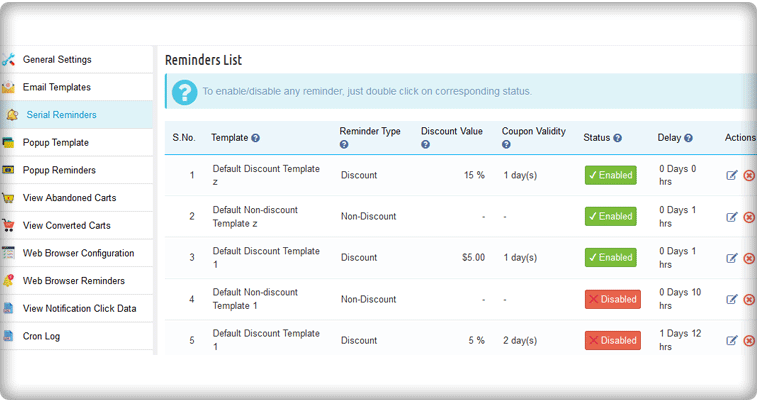
Serial Remider Settings
Exit Pop up
A notification popup shows the Prestashop Abandoned cart module to remind customers about the things they left without purchasing in their carts. The popup contains the list of abandoned cart products and the discount coupon code which the customers can use to get discounts.
Email with templates
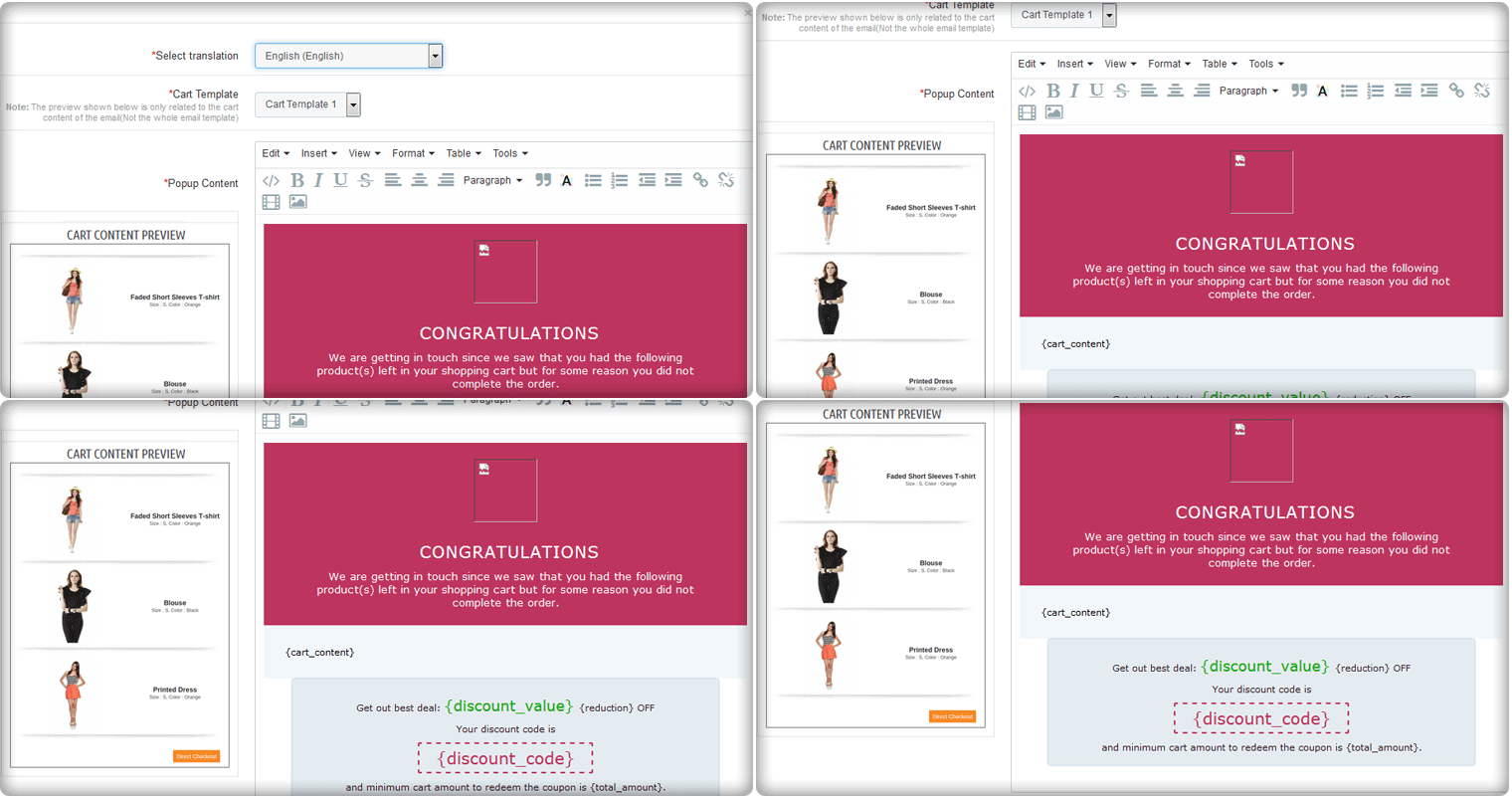
Flexibility to select from ready-made discount and non-discount models is provided by the Prestashop Email Follow-Up addon. As per business requirements, you can change the topic and content.
Custom email
You can create custom emails like discounted and non discounted emails.
You can offer a discount coupon of 10% discount to all the customers while for a specific cart value like above $100, an email with a discount of 15% can be sent. Additional discounts can be offered as per the cart value and this can be done with few clicks.
Analyze the behavior of carter
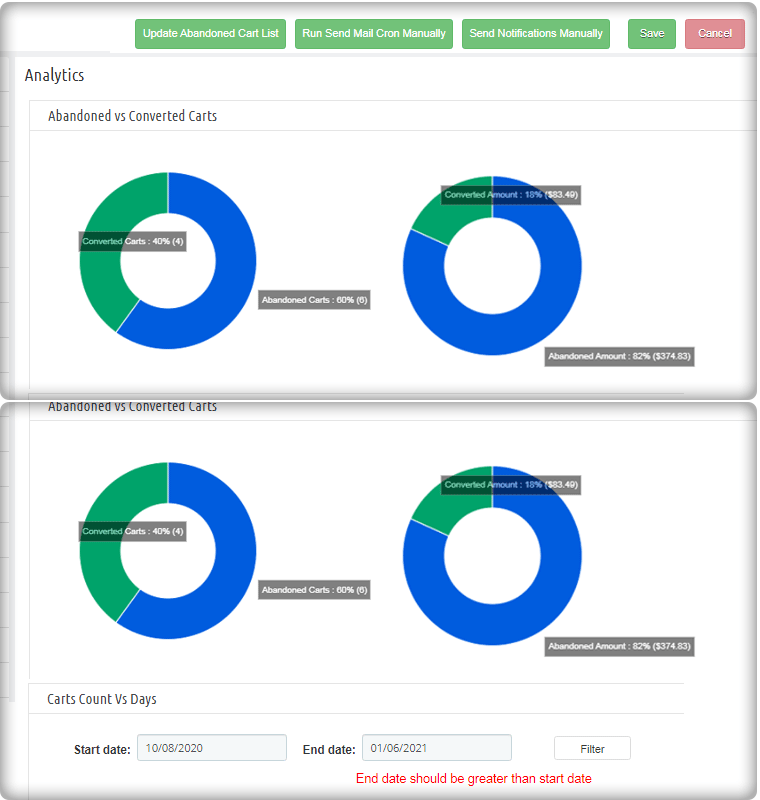
You can understand the shopping choices and needs of your customers by monitoring pending carts using Prestashop Cart Abandoned addon, which allows you to better market your items. The cart analysis will give you a better understanding of abandoned carts and converted carts.
Additional features
Well, understanding that a large number of people abandon carts from a specific country might tell you that shipping costs are a key obstacle that they only see when they get to the purchasing point.
As a consequence, you could fix this by providing reduced or even free shipping to visitors from that country in your cart recovery email for that list of people.
Conclusion: The abandoned cart recovery email is your chance to redeem clients who, for whatever reason, almost bought from you but then bailed. Rising conversions and ROI means there is something right you’re on.
If you need some explanation about the topics I described, please let me know, I’d be happy to help! Cheers
You can check out the articles below if you would like to learn more about coping with cart abandonment.
With Father’s Day just around the corner, website owners would be looking to prepare their store accordingly to capture high sales on the occasion. If you have an eCommerce website on the OpenCart platform and are also looking to boost Father’s Day sales, you can consider using the below-mentioned 8 OpenCart extensions.
1. Spin and Win
OpenCart Spin and Win module displays a gamified popup to your visitors as soon as they enter your website. Coming with multiple occasional themes, it lets you personalize the popup for the Father’s Day occasion as well.
Users get to spin the wheel and earn some exciting rewards but they need to provide their name and email address before they could spin it. This helps you grow your email subscribers and boosts user engagement.
Besides, by offering rewards which are usually the discount code, customers can be encouraged to shop by using the coupon code on the checkout. This increases your conversion rate.
You can make certain customizations to the popup and adjust the display settings as per your requirements.
2. Gift Card Manager
OpenCart Gift Card Manager adds a gift card section on your website and offers multiple pre-existing gift card templates for various occasions like Halloween, Christmas, New Year, etc. Similarly, you can create gift cards for Father’s Day too and boost sales.
Many online shoppers who find shopping a tedious task would find it comfortable to quickly purchase a gift card rather than spending hours in deciding what to gift.
You can create gift cards of different price values so that customers can purchase a gift card according to their budget. The module offers various customization features and also lets you track gift card orders.
3. Countdown Sales Timer
OpenCart Countdown Sales Timer extension places a timer on the header of your website through which your store visitors are informed about the upcoming sale. You can make use of this module to highlight Father’s Day sale as well.
A countdown timer keeps reminding customers how much time is left before the sale begins and creates an urgency to purchase. The look and feel of the timer can be customized and you can display it on multiple web pages.
4. Abandoned Cart
OpenCart Abandoned Cart extension helps you track the abandoned carts on your store and recover lost sales. The module provides you with an opportunity to convert the abandoned cart users into customers.
With many customers coming to your store on Father’s Day sale, you will surely witness a few abandoned carts. Failing to convert them could result in a loss in sales.
Thanks to the Abandoned Cart extension using which you can create an abandoned cart alert (setting a duration after which the cart is automatically marked abandoned) and remind those users about the pending items in their cart and even persuade them to complete the purchase by offering a discount code inside the email.
5. Price Alert
Many online shoppers would be hoping to see a price drop on some products during Father’s Day sale. With OpenCart Price Alert extension, you can ask customers to subscribe to price alert so that they are immediately informed and do not miss out on the opportunity to grab the product whenever the product price drops below.
This module helps you drive those users to your website and boost sales. So if you are looking to bring down the product price a bit on this Father’s Day, this extension would be of great help.
6. One Page Checkout
Customers crave convenience, and convenience at the checkout page is vital else it may lead to cart abandonment. Consumers do not like websites that offer a troublesome checkout experience. This is why it would be ideal to change your default checkout process with One Page Checkout for the coming Father’s Day.
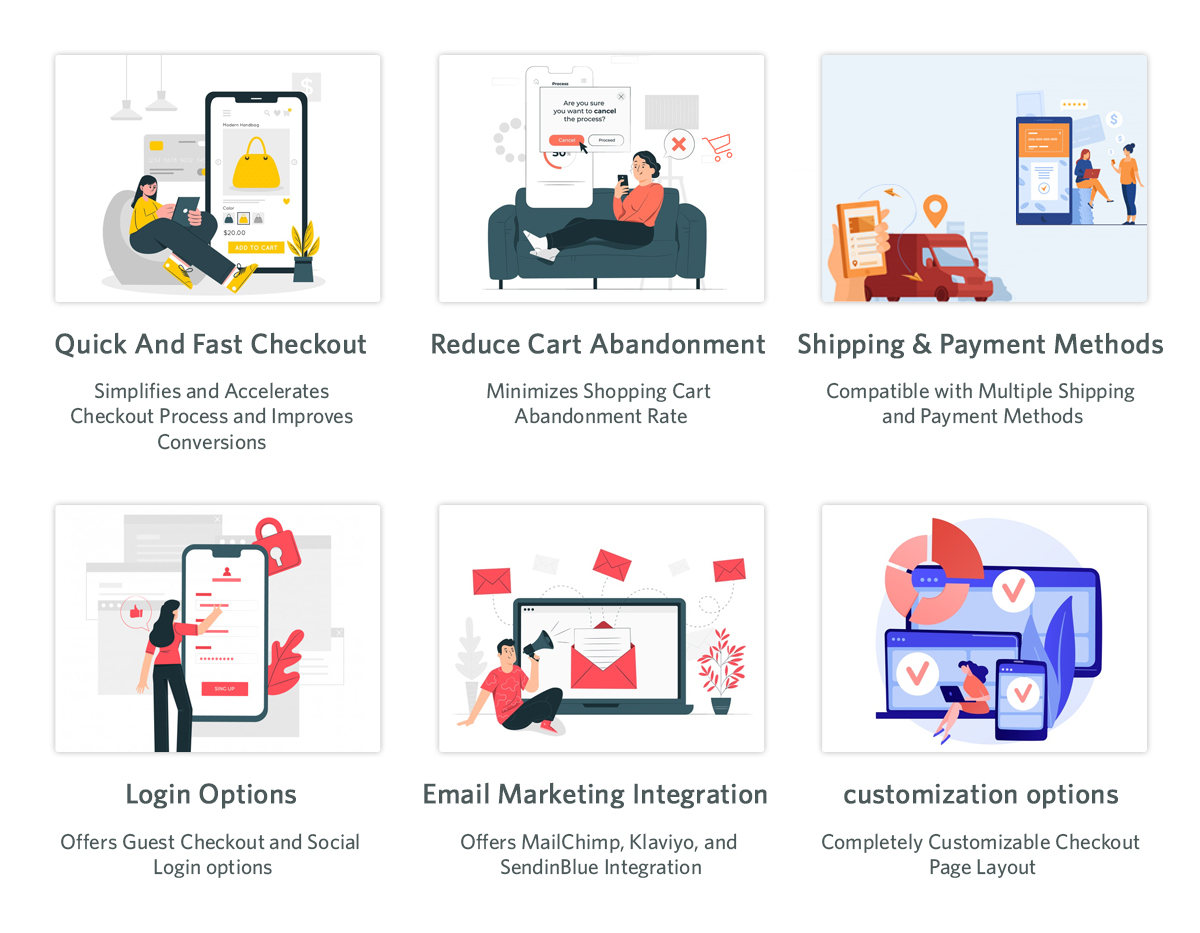
OpenCart One Page Checkout extension simplifies your checkout process by converting the multi-step checkout process into a single page checkout. It offers various features such as Guest Checkout, Social Login, Multiple Layouts, Multiple Payment methods and Shipping support. Besides, it provides you with certain customization options to make your checkout smooth and user-friendly.
7. Accelerated Mobile Pages
Most of the consumers prefer mobile devices to shop online and your store is no exception. You will witness a majority of the traffic coming from hand-held devices on this Father’s Day. If your website takes time to load on mobiles, it can severely affect your conversions. This is where AMP proves beneficial.
OpenCart Accelerated Mobile Pages (AMP) extension converts the normal mobile pages of your website into AMP pages. It offers faster loading of web pages and reduces bounce rate by a significant margin.
The module aims to enhance the browsing/shopping experience of your mobile users and can make an impact on your sales.
8. Preferred Delivery Time
OpenCart Preferred Delivery is a perfect extension for the users who want to receive the product on a specific day.
There will be many customers who would want to receive their order specifically on Father’s Day. For such customers, you can place a preferred delivery tab on the checkout page where they can specify the desired date and time slot on which they want their product to get delivered. This ensures customers that their product reaches them at the right time.
For any kind of query or assistance with the above-mentioned modules, you can contact us at support@knowband.com and our support team will try to resolve your concerns to the earliest.
For e-retailers, the holiday season signifies only thing- more sales. It is that time of the year when there is maximum participation of the online shoppers in the eCommerce websites, and eCommerce merchants use this opportunity to maximize their sales.
Though the holiday season is all about increasing the sales graph, for the e-retailers, it requires tons of efforts to achieve it. You need to prepare a roadmap for the entire season, create effective marketing strategies, focus on your competitors, and a lot more to stand out from the rest.
While all these points are imperative to achieve holiday sales, nothing holds more importance than providing customers with a seamless and hassle-free shopping experience. The final quarter of the year captures a large number of visitors and it is your responsibility to convert them into regular customers.
For that matter, you need to focus on a few aspects like customer engagement, customer retention, user experience, etc. In this article, I will be presenting the list of our Top 10 modules that will help you cover every aspect and grab conversions better than ever in the coming holiday season.
The holiday season commences from Halloween and ends at the arrival of the New Year.
For Checkout optimization
1. One Page Checkout (PrestaShop, OpenCart, Magento and Magento 2)
Our One Page Checkout module helps you optimize your checkout page, to allow your customers with a hassle-free checkout experience.
Unlike the multi-step checkout process, it displays all the checkout elements on a single page and reduces the checkout friction.
To make the checkout path convenient for customers, our One Page Checkout offers Social Login, Guest Checkout, Inline Validation, Google Auto-address fill and supports nearly all the payment methods and shipping services.
Find the complete features and benefits of the checkout module for the respective platforms:
2. Spin and Win (PrestaShop, OpenCart, Magento, Magento 2, WooCommerce and Shopify)
Increase customer engagement on your website by adding a Gamification element to it. The Spin and Win gamified popup draws the attention of your customers towards the eye-catching spin-win wheel and engages them in a fun activity.
Visitors are asked to try their luck by spinning the wheel and grab some exciting offers. But, in order to spin, a user needs to provide his/her details like name and email address.
So, this Spin and Win module not just builds customer engagement but also provides you with a nice way to obtain customer data and grow your email list, which you can use for your email marketing campaigns, and thus boost your conversions.
The module provides merchants with tons of customization ranging from designing the look of the popup to setting up the time for the popup appearance. Check out
3. Loyalty Points (PrestaShop, OpenCart and Magento)
Encourage repeat purchases by rewarding your customers with loyalty points on every purchase. Our Loyalty Points module ensures customer retention as well as customer acquisition.
The module lets you provide loyalty points to every new user who performs a sign-up on your store and triggers impulse buying, followed by more loyalty points on the successful purchase.
It converts visitors into potential buyers and makes them stick to your store in the long run. It also enhances brand loyalty to a great extent.
The Loyalty Points module lets merchants set up their terms and conditions for users in order to gain loyalty points. It can include offering loyalty points based on the total cart value, product quantity, product price, selected payment methods, etc.
The loyalty points earned by a user can be used as a discount voucher on the checkout page. Check out
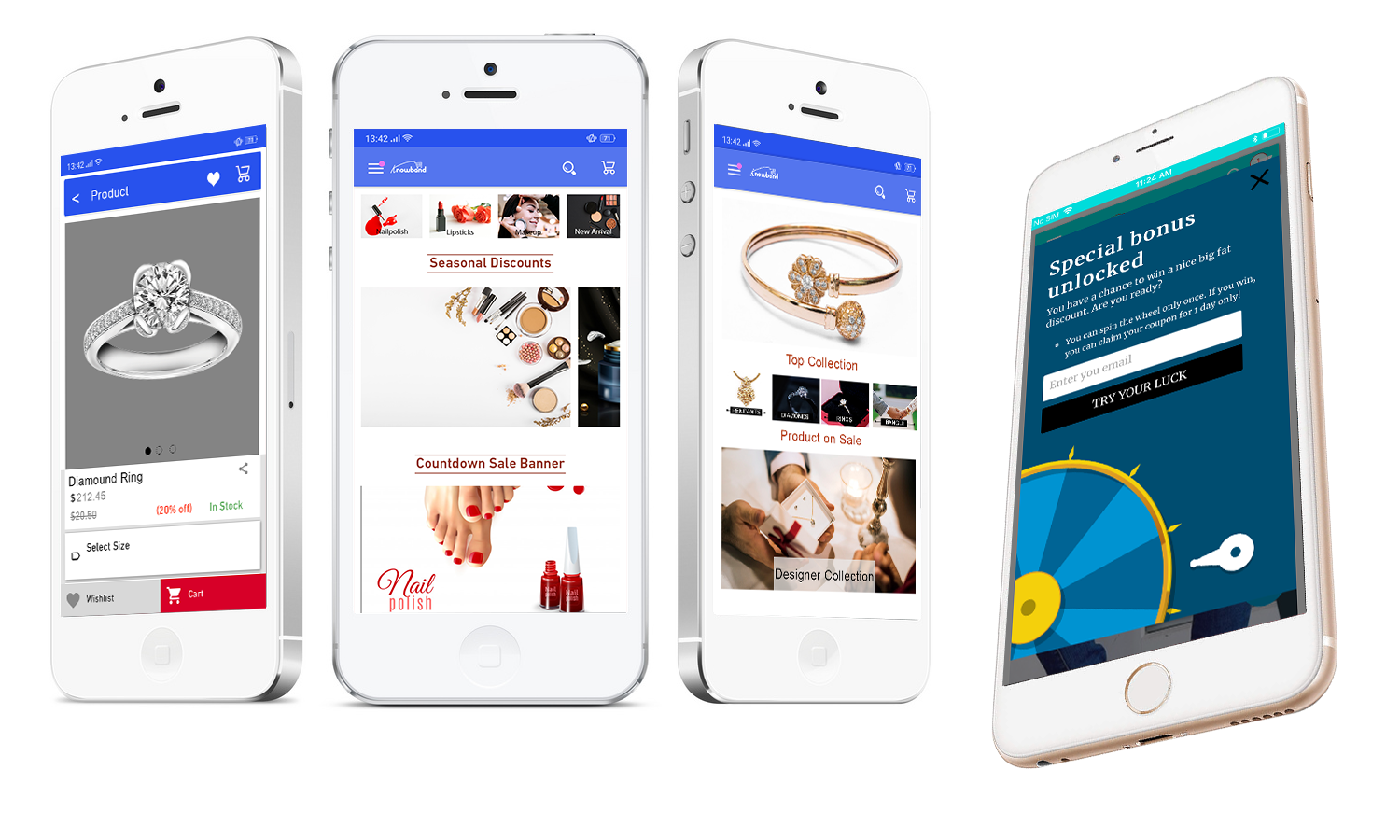
Our Mobile App Builder lets you transform your eCommerce website into an Android and iOS Mobile App conveniently, without any requirement of coding or technical knowledge, and helps you develop a rich, user-friendly, and a smartphone and tablet responsive mobile app for your business.
Since users nowadays demand an app for easy browsing experience, the Mobile App Builder module makes it the best fit to provide amazing user experience.
The holiday season is coming close, now is the best time to introduce your mobile app and delight your users, and grab huge holiday sales.
The Mobile App Builder offers Easy customization, Social login, Fingerprint and OTP login, WhatsApp and Zopim Chat support, Real-time synchronization of Website into App, supports multiple payment and shipping methods, etc. Check out
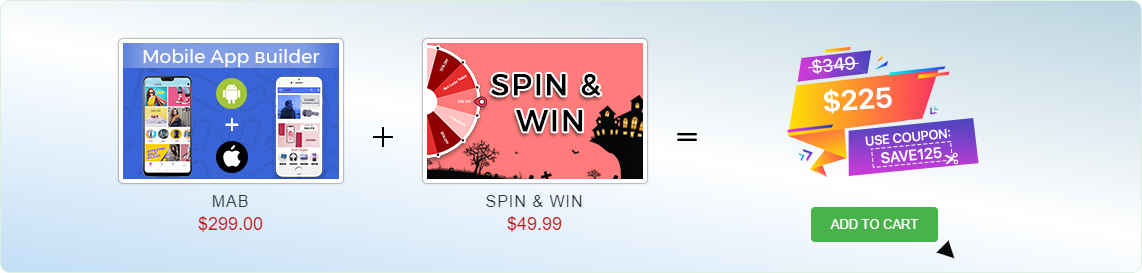
We are currently running an exclusive offer for the PrestaShop website owners where they can purchase a combo of PrestaShop Spin and Win and PrestaShop Mobile App Builder for just $225.
The individual cost of both these addons is $299 and $49.99 respectively. But with our combo pack, you will get a heavy discount of $125 and can get it for just $225.
All you need to do is apply the coupon code “SAVE125” during the checkout.
For improved site speed on mobile devices
5. AMP- Accelerated Mobile Pages (PrestaShop and OpenCart)
Our AMP module tackles the slow loading of your website on mobile devices and increases the page load speed to a great extent.
Did you know m-commerce accounted for 40% of the total sales in the US in 2018, as per Statista? If we talk about global m-commerce stats, it has already surpassed eCommerce. The numbers speak about the importance of smooth site functionality on mobile devices.
The AMP module, thus, ensures that your mobile users do not find any troublesome experience with your website and are offered a faster and smoother loading. Faster loading not only helps you reduce the bounce rate but also benefits in improved mobile rankings on the search engine.
Talking about its features, you can enable the AMP functionality for multiple pages on your website like Home page, Category page, Product page, etc. You can also customize these pages as per your requirements. Check out
6. Abandoned Cart (PrestaShop, OpenCart, Magento and Magento 2)
The Abandoned Cart module helps you recover your lost sales by sending regular follow-up emails to the abandoned cart users. The module reminds users about the incomplete purchase and allows you to convert them into customers by including exclusive offers in your emails.
It lets you define a period after which the cart is automatically assumed to be abandoned. You can, thereafter, track those users and send them the abandoned cart reminder through your emails. The email content can be personalized.
The Abandoned Cart module can boost your conversions significantly. Check out
The Return Manager module helps you manage your eCommerce returns conveniently and enhances customer loyalty by making the return process way too easy for the customers.
Since the holiday season captures a huge number of orders, there will be returns for sure. Our Return Manager module ensures that you do not lose out on customers due to a poor return process.
The module provides 3 return choices to the customers in the form of Credits, Refund and Replacement, and allows them to highlight the defect by uploading the image of the defective/damaged product. One interesting feature of the module is that the admin can create the return request on the customer’s behalf. Check out
PrestaShop Booking and Rental system addon provides your customers with a hassle-free online booking experience and makes it a simple task for the merchants to manage their online bookings.
This PrestaShop addon offers appointment booking facility, hotel booking facility and rental booking facility. It lets you adjust your booking days and time slots as per the availability, and you can adjust the price for different days and timing. There is much more it offers for every booking type.
9. Web Push Notifications (PrestaShop, Magento and Magento 2)
Knowband’s Web Push Notifications module lets merchants alert their users about the abandoned cart, drop in the product price, product availability (when back in stock) and the order status. For each of them, the user can decide whether he or she wants to receive updates regarding them.
For the Web Push Notifications to work, the visitor needs to click on approve when the notification popup appears. This welcome popup can be customized as per your desire.
The module allows you to fix a time for the notification delivery. You can either send the notifications immediately or schedule them for a fixed time. Check out
10. Affiliate and Referral Program (PrestaShop, Magento and Magento 2)
The Affiliate and Referral Program module allows users to register as an Affiliate partner on your store and earn commissions for every successful referral.
The user can refer your store to his/her friends, family, relatives, etc. by sharing with them the affiliate link or the referral code. They can send it over email and also share the link on the social media directly from their affiliate account.
You can assign the commission to the affiliate partner for every new signup via their referral and also provide incentives when the referred user places an order. The commission rate can be set under the configurations of the module. Check out
Whenever an eCommerce store comes across an abandoned cart, it highly demotivates the sellers. Most of the sellers want to make the better use of web store by making higher sales on their products. In this effort it might be possible that may some of the customers might not feel the same for the sellers and abandon the cart but if the rate of abandoned cart increases up to a certain amount then it is matter of concern for both the web store and the sellers. The situation demands immediate actions and proper measures to tackle the problem.
The web stores need to follow such customers in order to know the exact reasons and to make the services better for other customers. In this effort the web store can use the Magento Abandoned Cart module to track down the customers with abandoned cart. The problem of abandoned cart doesn’t only concerns the seller regarding a particular customer but also helps in determining the general pattern followed by the customer which leads them to abandon the cart. In a survey it was found that the rate of abandoned cart is about 70%. Therefore, precautionary measures are required to be taken.
The web stores can always use various methods in order to reduce the number of abandoned cart but the requirement of feasible options is an important criteria. The options must help in reducing the abandoned cart and at the same time providing the customers with better options so that they may shop with ease in the near future. It will help the web stores in understanding the customers more appropriately and tackle with the problem by getting on the same page as the customers are.
Let us discuss some of the surefire abandoned cart tips.
1. Segmented Email Marketing
Emails have been found to have a success rate of 12%. Though they may seem an obsolete form of marketing but still today they have the highest rate of response. The web stores can make the better use of the Email strategy to reduce abandoned cart. It will be a better idea to collect the Email id of the customers before the purchase as after they have abandoned the cart it becomes really difficult to track them back. The web stores can also use the abandoned cart Emails as soon as they abandon the cart It helps the web store to reach out to the customers and help them recover their abandoned cart.
2. Use the discounts timely
The eCommerce store owners must make the timely use of the discounts. Most of the customers will abandon a cart only after they find the product missing some kind of discount on the products. Thus the web store can always come with timely discounts on the products such that the customers may feel good about making a purchase. Even if the customer has abandon the cart then the web store can reach out to them with the updated price of the products. With a fall in the price of the product the customers are more likely to make a purchase on the product.
3. Prevent an out of stock crisis
The reason for the cart abandonment may be the shortage of the products with the seller. Therefore, the web store must make a serious note on the number of products that are available with the seller. As, the web store has sufficient number of products therefore the chance of cart abandonment due to the shortage of the products is reduced. With the sufficient number of the products available with the store the chances of customers receiving the product without having to wait is more convenient.
4. Shipping assistance
A recent study shows that the actual rate of abandonment of the cart due to No shipping assistance is about 20%. Therefore, the web store must make proper arrangements in order to provide the delivery of the products to the customers. The assurance of a safe and timely delivery assures the customers about the web store services and they are less likely to abandon their carts in that case. Moreover, if the web store can provide free delivery to the customers in certain cases then the customers are very less likely to abandon the carts due to shipping assistance.
5. Exit pop ups
Suppose a customer decides to abandon the cart then the web stress can come up with creative ideas to stop the customer from abandoning the cart. One of the better idea is to use the exit pop ups. Pop ups like Spin and win assure the customers with the special offers and prizes that are been given by the web store to the customers for the specific period of time. The creativity and the luring offers on the pop us are sure to make the customers complete their purchase and make a better purchase.
6. Make them shop
How about the web store doesn’t give a chance to the customers to abandon the cart? The web stores can make the products and the website too interacting that the customers feels like to shop from the web store. For starters the web store can provide timely gift vouchers to customers on making a purchase for particular amount. The abandoned cart mostly arises due to lack of the features provided by the web store. The inclusion of various features such as Social login, one page checkout and freebies will motivate the customers to keep shopping. Therefore, the web store must be open to all possibilities when it comes to reduce the number of abandoned carts.
Over to You
The abandoned cart is a serious issue for the sellers and the web store. In order to keep the number under check, various strategies needs to be performed as they lead the web stores to lose a healthy amount of revenue that could be collected. Thus, making sure the web store check outs are optimized to gain maximum conversions.








![New Features Added to PrestaShop Return Manager (RMA) Addon [Version 3.0.8 Released]](https://www.knowband.com/blog/wp-content/uploads/2021/04/New-Features-Added-to-PrestaShop-Return-Manager-Addon.jpg)