Advanced Marketplace Combo gives Access to Marketplace Mobile App and Marketplace Plugin

No wonder we all spend a lot of time on online shopping. While looking at gadget usage, we are much more reliable on mobile apps as compared to desktop websites. All the marketplaces have mobile apps for users, be it Amazon, eBay, or ETSY. The apps we use to shop from Amazon or eBay are not native mobile apps, rather they have added extensions to their websites.

This is one of the cost-effective and reliable ways to create a marketplace mobile app. Adding a mobile app builder extension could help you build your marketplace mobile app effortlessly. KnowBand’s Advanced marketplace with a mobile app builder can help you create a marketplace application for platforms like PrestaShop, Opencart, and Magento. All your website data will be in real-time synchronization with the mobile app.

Introduction to a Marketplace

A marketplace involves three entities, the marketplace owner, sellers, and customers. When creating a marketplace for your brand or as your startup business, make sure you clearly understand the reliability of each of the three entities on the other two.
Without a customer base, sellers won’t come to your marketplace and with limited products and sellers, your marketplace will struggle for organic traffic. The Chicken and Egg Problem of the marketplace is not new! We have examined the pain points of the marketplace and curated this blog that you might like.

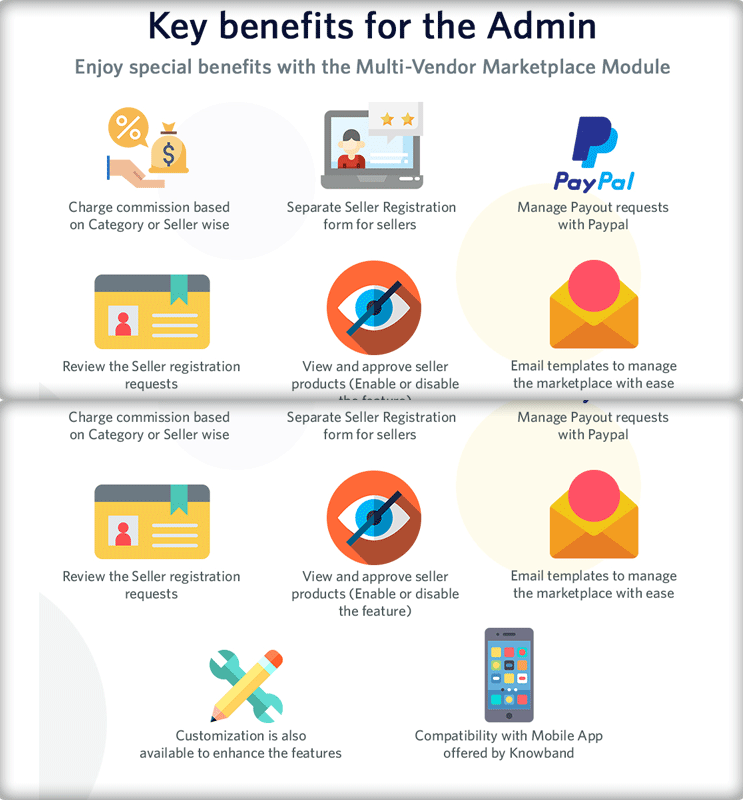
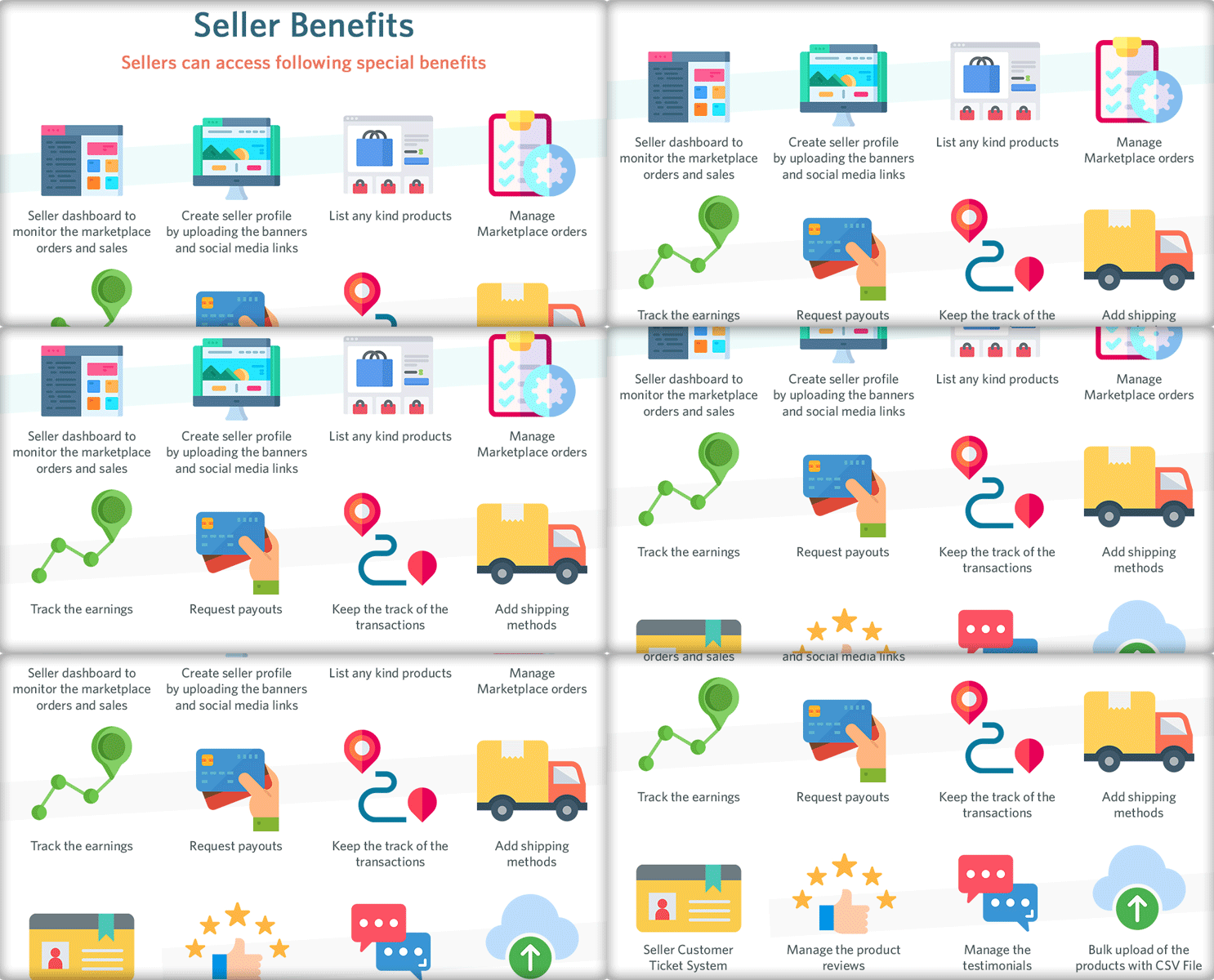
There are several key benefits of an online marketplace for all, admin, seller, and customers.
To earn profits, every marketplace follows different business models. This creates room for more revenue through different channels. You can either earn commissions from the sellers or take membership charges or sell products from your brand. A marketplace is a place for earning money while you sleep.

What is mobile marketplaces app?

Simply defined, mobile marketplaces are programs created exclusively for simple and convenient buying on a mobile device (e.g. smartphone or tablet). They should not be confused with independent retail apps. The independent retail apps are the native apps that are specially created for mobile devices but the marketplace mobile apps like Amazon are extensions of the marketplace website.

Why do we need a Marketplace Mobile App?

  • Only in the United States of America, e-commerce accounts for roughly 10% of retail sales, with that figure expected to climb by around 15% per year.
  • In the United States alone, retail e-commerce sales totaled 156 billion dollars in 2017. Furthermore, 82 percent of internet users in the United States said they’ve used their smartphones to make purchases.
  • Retail e-commerce sales worldwide reached 4.28 trillion dollars in 2020, with e-retail revenues expected to reach 5.4 trillion dollars in 2022.
  • A study suggests Amazon app users spent an average of 12.843 billion minutes per month in the app, compared to 2.352 billion minutes per month on the Amazon mobile site.

These days, the online market is at its pinnacle. Many entrepreneurs and retailers are considering developing their own marketplace app as the need for online marketplaces grows. It may be one reason that you are reading this article.

I’ll go through a few key points that will assist you in developing an online marketplace Mobile application.

Advanced Multi-vendor Marketplace Combo Pack

The Advanced Multi-vendor Marketplace includes the Mobile App for marketplace customers that give access to products and inventories of multiple sellers. It will be in real time-synch with the marketplace created by KnowBand’s Marketplace module.

Give Customers a Joyful Shopping Experience with Marketplace Mobile App.

Customers can now buy services and products online using their smartphones and shopping applications. You need a responsive mobile application for your marketplace as well. It’s not enough to have a website to stand out from the crowd.

Don’t be concerned! The Advanced Marketplace Module by KnowBand is a one-stop solution. With the advanced solution, you get the marketplace module and the mobile app for your customers. The mobile app plugin is simple to use, and KnowBand professionals will assist you in creating a tailored marketplace mobile app.

Save months that you spend on coding

App development might take anywhere from three to nine months, depending on the app’s complexity and the structure of your marketplace. You won’t have to wait any longer with this ready-made solution, because the app will be ready to launch in a couple of days.

Available for both iOS and Android

React Native was used to creating the app. As a result, it’s compatible with both iOS and Android, allowing you to reach a wide range of mobile customers.

Real-time synchronization

The eCommerce Mobile App inventory and the eCommerce website inventory are properly synchronized. The shop manager does not need to make any additional effort while using the Advance Marketplace Mobile App solution.

Marketplace Mobile App Features:
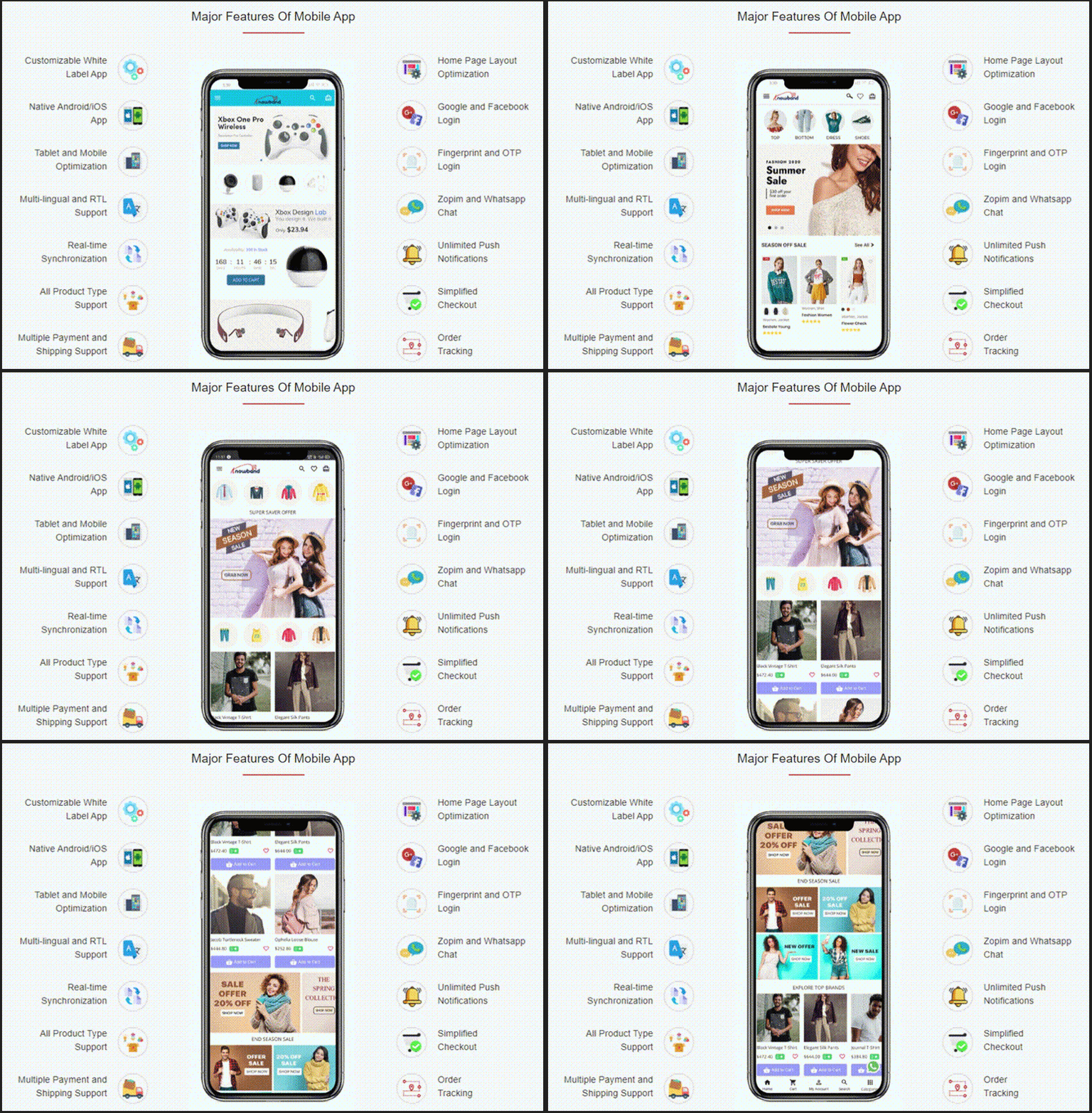
Whitelabel for branding

Your company’s name and logo will appear throughout the app. KnowBand’s logo will not be visible to your customers. It allows you to change the color and theme of the marketplace mobile application.

Customers get easy access to products

It is easy to find products with basic search and voice search options. Customers can locate a product in various categories from the left menu or the category button.

Layout Switching

The marketplace mobile app also allows customers to switch the layout of the product page. It offers complete freedom to sort and filter the search results.

Shop from sellers profile

It also provides easy access to seller profiles and their shop from the app. Customers can check out the individual merchant store.

Send Push Notifications

Push notifications are the best way to increase customer retention. However, sending messages keeps them informed and engaged with your app.

Support via live chat

The Zopim (Zendesk) and WhatsApp chat functionalities are supported by the Marketplace App Maker. This feature allows customers to communicate with the business administrator 24 hours a day, seven days a week.

Quick login and Checkout Process

It also assures secured payment and shipping. The Marketplace mobile app has several login choices like social media, email login, OTP verification login, or using the fingerprint sensor. Besides this, the app supports all the payment and shipping methods you have been using in your marketplace.

Cost-Effective Solution

The Marketplace module and mobile app builder advanced solution is available at a pocket-friendly cost when compared to the cost involved in making an app from scratch. Also, there are various discounts available on the KnowBand store.

Multi-vendor marketplace with a plethora of options

Let us understand the working of the marketplace module as it is the platform where the admin and seller will manage everything from inventories to shipping.

The Multivendor Marketplace’s Key Features:
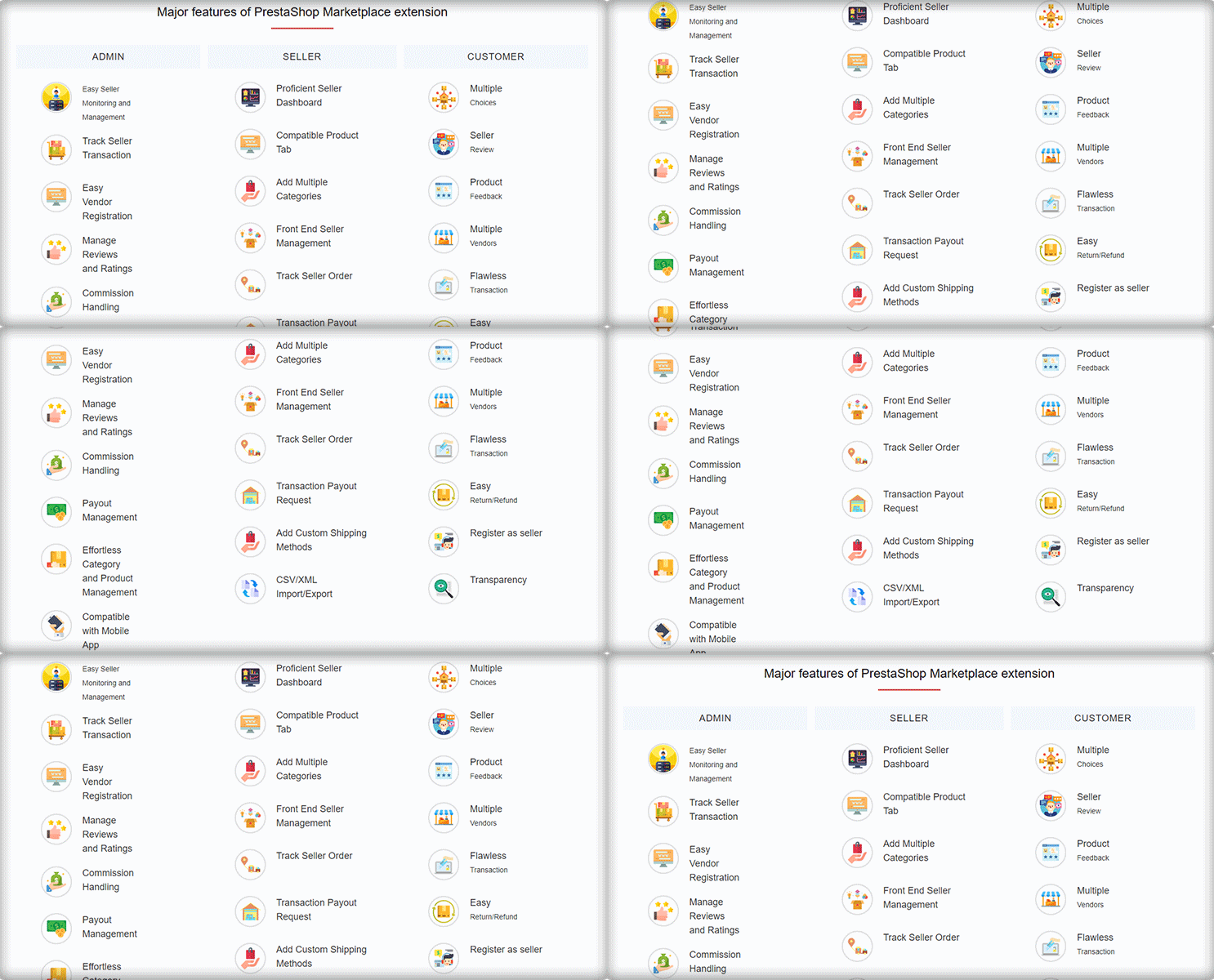
Separate Admin Panel and Seller Dashboard

Managing a marketplace is a daunting task for the admin as well as for the sellers. The KnowBand’s Marketplace extension has a distinct admin panel and a functional seller dashboard is a part of various marketplace extensions (PrestaShop, Magento, and OpenCart).

The marketplace admin has complete control over the seller’s operations. Every step in the process, from seller registration to shipping, can be monitored by the store admin. As a result, the process will be transparent.

The UI of the marketplace admin panel is technically advance and makes the configuration process breeze.

  1. Quick Seller Registration

Sellers can join the marketplace by registering on the website. Store administrators can set commission rates and allow vendors to request additional product listings with KnowBand’s Multivendor Marketplace.

  1. Track seller’s activities

Along with this, the Marketplace module allows administrators to keep track of vendor information and records. The eCommerce retailer can even see the commission history of the vendor.

  1. Easy Inventory Management-

For an eCommerce merchant, inventory management is a time-consuming process and difficult as well. The Multi-Vendor Marketplace makes inventory management and maintenance a breeze for store managers. It has a bulk upload feature for product listings.

  1. Detailed Reports

Business Analysis is equally important. For better understanding, the admin of the marketplace can analyze the order reports, category request data, payout request data, seller’s orders, seller and product review sheet, etc. These data will help the store owner to plan out the marketplace marketing strategies.

There are thousands of features that the marketplace plugin offers. Click here to know more about the admin panel settings, benefits, and seller functionalities.

The Marketplace App in Action

Check out some live demos of the Marketplace Mobile App Builder which are developed using KnowBand’s Advanced Marketplace Combo Pack.

Success Story of ‘Elettronic Market Shop’ an Italian Marketplace

An Incredible Success Story of eCommerce Handloom and Handicraft Marketplace ‘Cottage Emporium’

Check Out Advanced Marketplace Combo Packs for PrestaShop, Opencart, and Magento platforms.

You can contact the KnowBand expert team at support@knowband.com for marketplace development or eCommerce website solutions. We’ve been assisting clients all over the world for the past 12 years and counting. Let us know what you need and we’ll take care of the rest.

KnowBand Celebrating 10K+ PrestaShop One Page Checkout Installs on Addon Store

We are excited to announce that the KnowBand’s PrestaShop Checkout Page has crossed 10000+ downloads this month. These numbers are increasing every day on PrestaShop Addon Store. Also, the downloads have exceeded a count of 12000+ on the KnowBand store.

We are awarded with PrestaShop Gold Partner Agency and have Superhero Sellers ranking. A PrestaShop development agency is awarded Superhero Seller ranking when they have an average rating of 5 stars.

From Conqueror to Captain and now Superhero Seller, KnowBand proved itself as a PrestaShop developer. It has happened because of our talented team who has made this product a success! I’d like to extend our profound gratitude to every member of the Knowband for their support on behalf of the team.

We strongly believe this wouldn’t have been possible without your trust in our products and services. The PrestaShop One Page Checkout Addon has several high-quality features. The 10K downloads on the PrestaShop Addon store and 12K on KnowBand, explain it very well!

Why Customers Choose KnowBand as their PrestaShop Development Partner?

If you are reading this content, you might know about the PrestaShop platform already. KnowBand is a PrestaShop Gold Partner agency. We believe in providing the most sophisticated and satisfactory customer experience. On the official PrestaShop addon store, KnowBand is recognized as a Superhero Seller. We have also become the Module Partner Creator of PrestaShop Marketplace.

Every product developed by KnowBand is quality tested by technical experts. Who doesn’t want to give a smooth and satisfactory customer experience? Keeping this in mind, we have developed around 80 PrestaShop addons to help you flourish your business.

All the modules have amazing UI/UX design with super handy module configuration options. One Page Checkout is developed with the same perspective and it is loved by many. The amazing products, customer service, and customer support are reasons for people’s choice.

Our PrestaShop One Page Checkout Clients worldwide:

Not sure which company to choose for your next development project? If you are puzzled about it KnowBand provides you the best Prestashop development services.

The PrestaShop platform is being used worldwide. It has thousands of clients all over. Our clients trust KnowBand products. We are aware that trust is earned and it takes time. KnowBand has become a PrestaShop Partner agency, providing PrestaShop development services since 2010.

Every plugin be it a marketplace addon or an exit pop-up, customers use our solution for their PrestaShop website.

Similarly, PrestaShop One Page Checkout has users all across the globe. Have a look at some live examples of One Page Checkout:

PrestaShop Best Sellers

Apart from the One Page Checkout, several other PrestaShop modules have crossed 1000+ downloads.

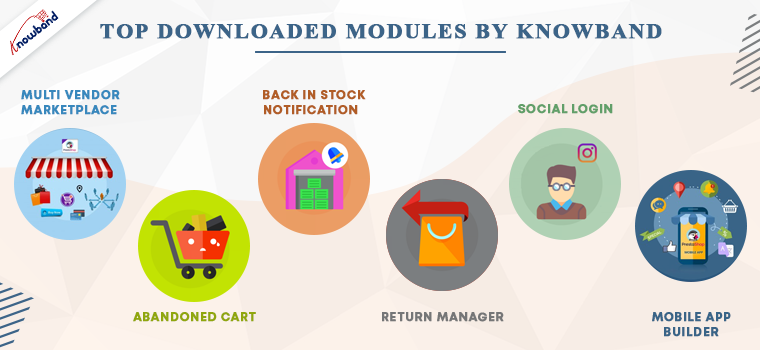
Below is the list of modules that have earned the best seller badge on the PrestaShop Addon store. Every PrestaShop store should count on them.

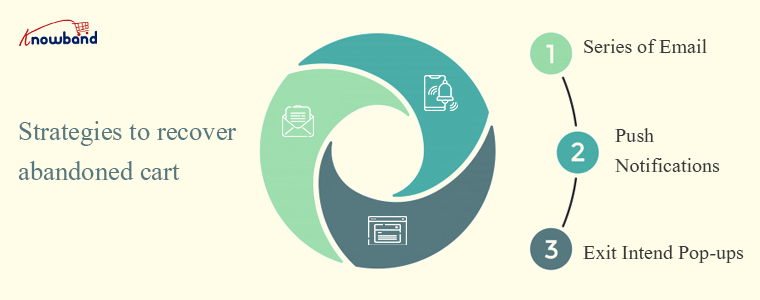
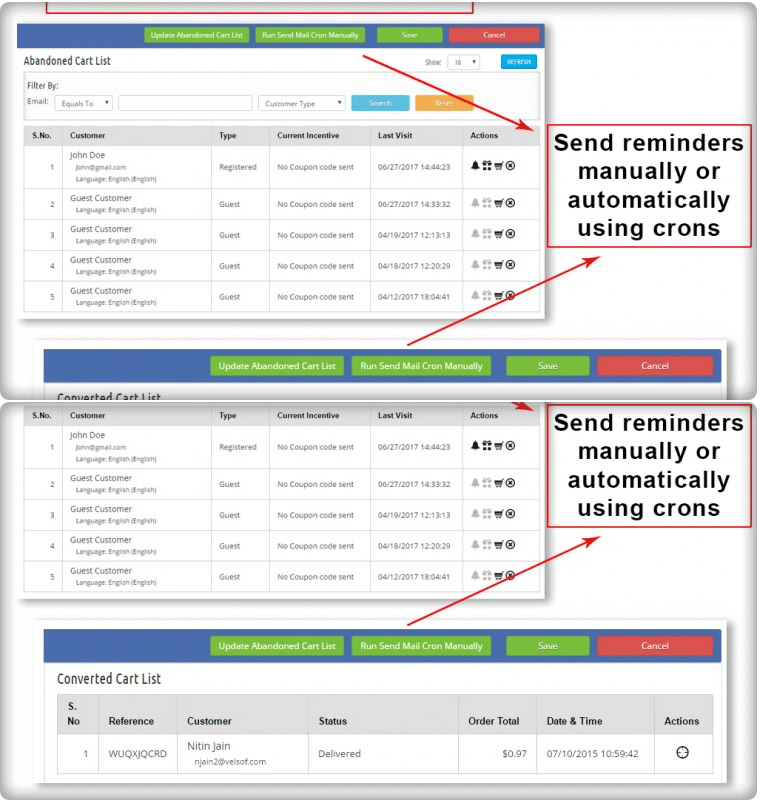
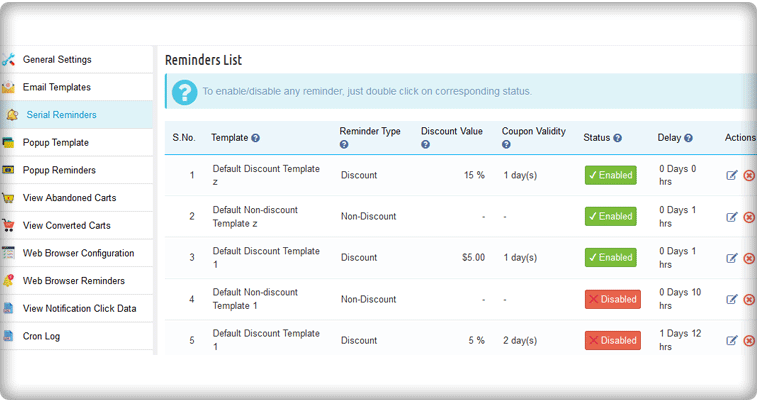
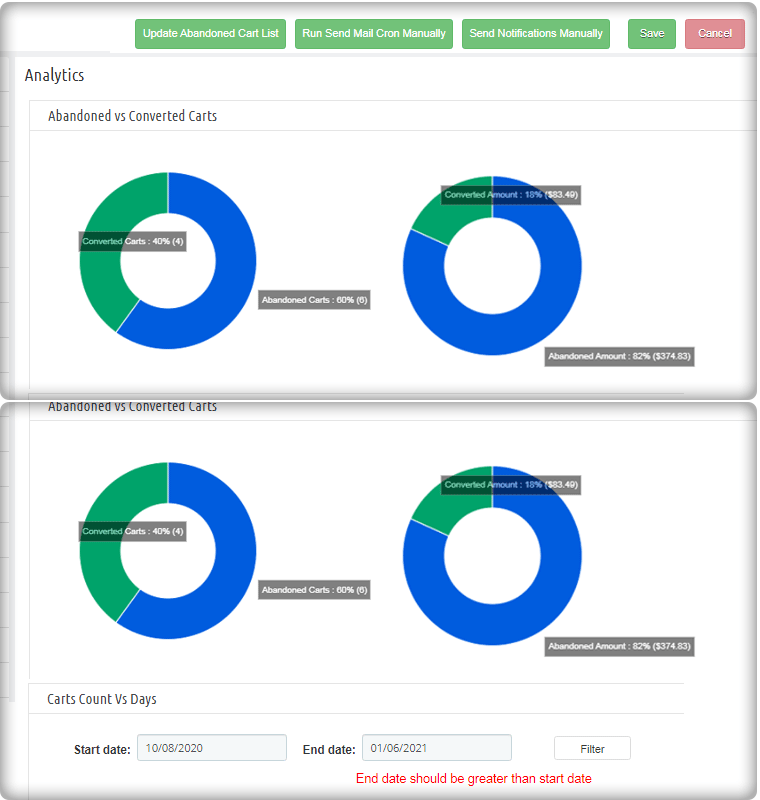
PrestaShop Abandoned cart Addon– Track the carts and allows the admin to send serial abandoned cart reminders. It has options like Email, pushes notifications, and pop-ups for customers.

PrestaShop Return Manager Module– Customer can make return requests with ease. The store manager can track the returns and reasons.

Multi-vendor marketplace Addon– Great application to convert your existing website into a functional marketplace in just a few simple steps.

PrestaShop Back-in-stock addon– Send stock alerts, subscription mail, low stock messages, and back-in-stock alerts with this module.

Social login PrestaShop Module–  Allow customers to log in with 14 different social media platforms. It is compatible with PrestaShop One Page Checkout.

KnowBand’s most in-demand solutions for eCommerce

Marketplace Builder: Our marketplace module is one of the best sellers on the PrestaShop Addon store. Create a marketplace in 3 simple steps. Download the module, configure it and start selling!

Mobile App Builder: Not sure if your website is bringing enough traffic? Get a mobile app for your PrestaShop store that has all the necessary features. The mobile app builder is available for Android and iOS systems.

The marketplace with a booking and rental system provides tremendous growth opportunities. It is also compatible with android and iOS Mobile apps.

Website Development Services: KnowBand is providing eCommerce solutions for more than a decade. We have helped thousands of clients in developing their websites and optimizing them for higher conversions.

Hire Us

Add innovative addons to your PrestaShop store

Innovation is the key to compete and win. KnowBand has developed some modules by following innovative approaches for modern business trends.

With no delay, you can start selling on the world’s most popular marketplaces using the Marketplace integration addon. KnowBand thrives to create solutions that make your business stand out. PrestaShop Booking and rental system, Accelerated Mobile Pages (AMP) are other, Delivery Boy App, Store locator to start BOPIS are some of those.

These days, on-demand print businesses are booming. It’s time you can start your own with this super amazing Product Customization addon. Think about a business idea and explore the KnowBand store for the services. In case you couldn’t find what you are looking for, KnowBand can provide a custom solution for eCommerce website.

Get your custom PrestaShop development solutions and ace it!

Why KnowBand PrestaShop One Page Checkout is Users Favorite

1.     Provides quick sign up and registration

It provides easy login to customers. Allows Social media login with Facebook, PayPal, and Google+ and email registration.

Every customer can now login within seconds with social login and mobile login. Anyone in hurry can checkout as a guest.

2.     Its unique layout

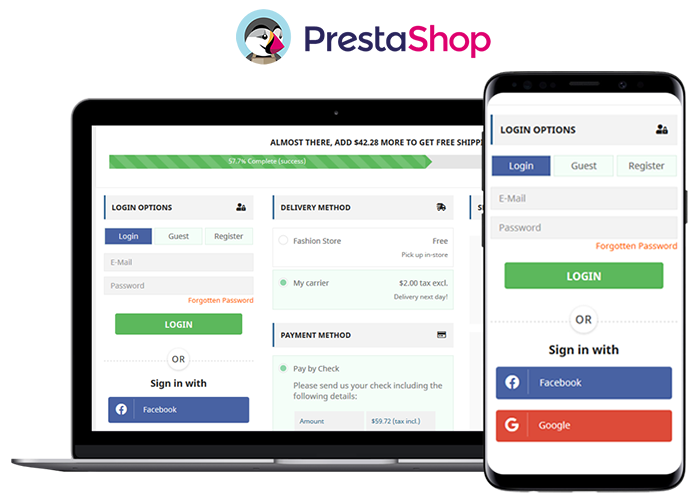
The layout design is different and has three variations. Prestashop One Page Checkout users can choose a single-column layout, double-column layout, or a three-column layout.

3.     Customers get informed while filling in wrong details

If anyone makes an error while filling the form, it shows an inline message. Google auto address fill and auto-detect region features are a bonus.

4.     Several payment gateways and shipping methods

Adding multiple payment methods and shipping methods with an individual payment method is now possible with PrestaShop One Page Checkout.

5.     Shopping cart details on the checkout page

The PrestaShop One Page Checkout shows all the cart products on the checkout page. Customers can increase or decrease the product quantity there itself. Additional features that no other module offers

6.     GDPR Compliant

The PrestaShop Single Page Checkout is GDPR compliant. Users who do not want to share their information with the store can request it.

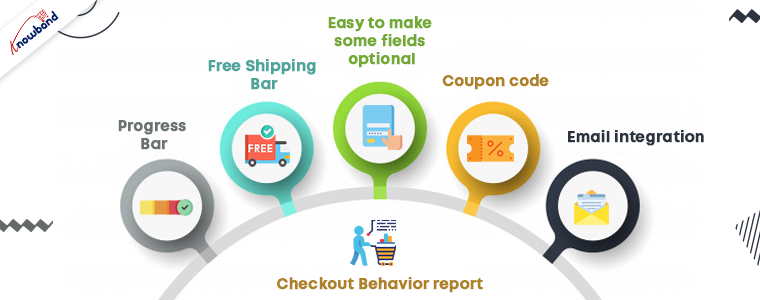
7.     Free Shipping Bar

Any condition/rule can be added for offering free shipping. To get the offer, customers have to meet the eligibility. This increases the average cart value.

8.     Easy to make some fields optional

If you think, not every detail in the registration form is necessary; you can make that field optional. Offering fields to skip can reduce the bounce rate.

9.    Admin can Create Customer Profiles

In the upcoming version of the PrestaShop Checkout Page, the admin can create customer profiles however they like to:

  • Individual
  • Business
  • Agency

10. Coupon code

Customers can put in the coupon code if they have any.

11. Email integration

To make your marketing campaigns more effective, you cannot ignore the importance of email marketing.

  • Allows easy email integration options with Sendinblue, MailChimp, and Klavio.
  • Ask them to subscribe to newsletters.

12. Checkout Behavior report

This is to find out the pain points of your customers. The reports show the checkout behavior of the customers. Abandoned carts, orders, missed sales and many other things can be tracked.

Advantages of PrestaShop One Page Checkout:

The PrestaShop store owners can give a unique and explicit checkout experience to their users. One Page Checkout appears to be quick and easier than multiple page checkouts.

  1. Increases conversions- The fast process, quick login and registration options, guest checkout increases the conversion rate.
  2. A fall in bounce rate- Multiple payment and shipping methods add more weight to the conversion rate and reduces bounce rate.
  3. Increases average cart value: Customers try to grab the free shipping offers as they see them. Hence, it increases the average cart value.
  4. Mobile responsive
  5. Multi-lingual and multi-store compatible

All these features have made it a success. A huge achievement for the KnowBand family!

Live Demo

PrestaShop One Page Supercheckout

Admin Panel

Front End View

In conclusion, we believe that we have reached 10K downloads for PrestaShop One Page Checkout is because our clients trust us. We’ll continue to enhance our relationship with our community by providing exclusive and prompt services to our clients. Start your business on the PrestaShop platform with the PrestaShop partner agency using modules developed by KnowBand.

PrestaShop Back in Stock Module- Unique Approach to Capture Lost Sales

Notify customers when products are back in stock, and your PrestaShop revenue will increase quickly. Use the PrestaShop Back in Stock module to start recapturing missing revenue. Send notifications to consumers as soon as the products return to stock. It takes just 5 minutes to set up.

PrestaShop Back-in-Stock – Unique Approach to Capture Lost Sales

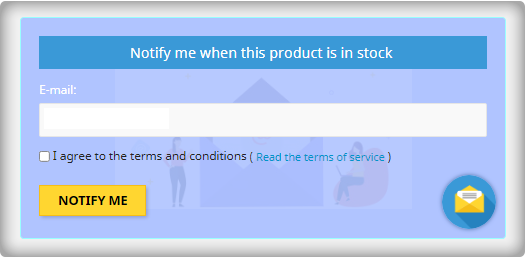
Back-in-stock alerts are a perfect way for PrestaShop stores to boost sales. Don’t miss out on sales because the products are out of stock. Increase your sales with web push notifications for back-in-stock products. You can send an initial email when a customer subscribes for a back-in-stock alert, low-stock alerts, and a final notification email with the Back-in-stock message.

We’ve all discovered things that were out of stock but we don’t go back to the store to see if it’s still there. Why do you expect your customers to do it? Influence them using emails and send push notifications to bring them back to your online store. You will get more sales and observe a boost in conversion rate.

Adding an email opt-in to your subscriber list will help you grow your list

The majority of low stock and back-in-stock warning forms only obtain the customer’s email address to inform them when a product returns to stock. Take advantage of the fact that they’re paying attention by asking them to join your email list at the same time. Sellers who use this strategy see a large improvement in their email subscriber list size, which leads to increased sales.

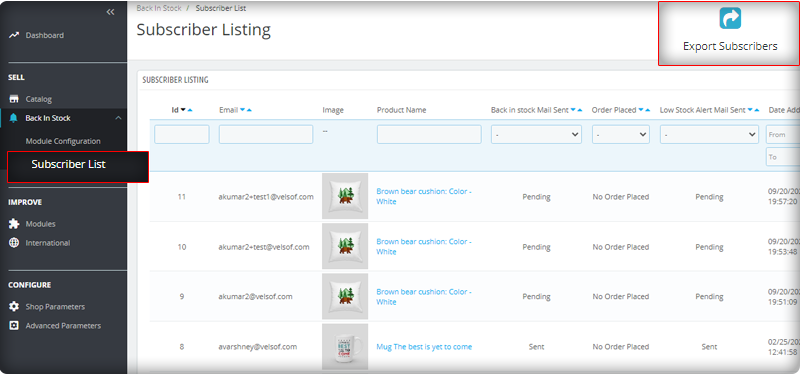
You can observe the subscriber listing on the admin panel at the left menu where all the installed modules are listed.

V3 Google reCaptcha is integrated with PrestaShop Back in Stock module to keep away the spammers and bots.

Add Custom Field in the Back in stock Subscription Box

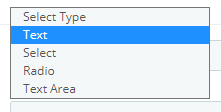
Collecting information from customers to send personalized emails will be easier. PrestaShop Back in stock addon provides an option to add custom fields in the subscription box. You can now add text, radio option, and other custom fields to gather more details about the customers.

Send automated emails for Low-stock and Back-in-stock

The PrestaShop Back-in-stock Module is a tool for email marketing. Customers usually receive hundreds of promotional emails and most of them are ignored but an email with a catchy subject line has more chances of getting opened. The module allows sellers to send a customized email with tailored text and subject lines. Along with an initial welcome email, you can send low-stock alerts to the subscribers and notify them about the restocked products.

Add related products to email template and cross-sell

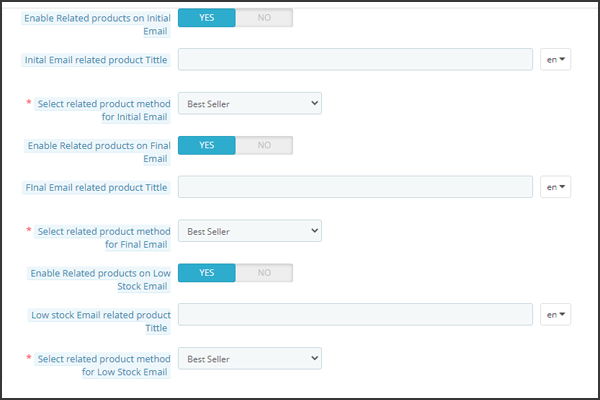
Heard the phrase ‘killing two birds from one stone, the module works the same way. It lets you send back in stock alerts as well as has an option to send related products. A seller can add details like bestsellers, products of the same category, specific products, etc. If a seller opts for the Specific products option, then he will have to specify the products in the respective tab as shown in the image below.

Send alerts via your email provider like Mailchimp

It is critical that you build your brand, and one way to do so is to ensure that the emails you send are sent from your domain. You’ll be able to use a variety of features to boost the success of your back in stock campaigns if you use an advanced eCommerce email provider like Mailchimp, Klavio, or Sendinblue. And, the PrestaShop back-in-stock module allows you to do so.

Real-time Analytics for PrestaShop

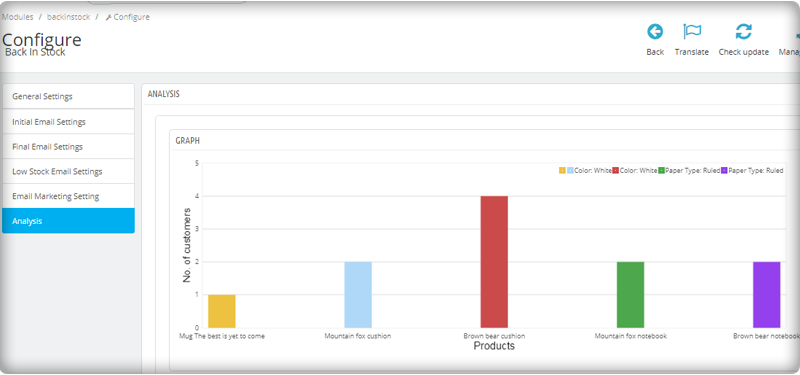
View a full report on customers who have subscribed to web push alerts for back-in-stock products. To increase sales, identify the most successful items, maximize inventory, and run promotional campaigns.

The new version has UTM Parameters

The UTM parameters are short text codes, you insert into URLs (or links) to monitor the success of a webpage or a campaign. Built-in analytics are available on social media sites. These allow you to track key metrics such as likes, shares, and website clicks. You can add UTM parameters to the PrestaShop Back in stock module and take advantage.

To wrap up: The Back-in-Stock emails are one-of-a-kind alerts as they create curiosity, influence the buying motives, and increase the chances of sales. If you are not sending alerts like low-stock or back-in-stock to your customers, you are making a huge mistake. Get your ‘Back-in-stock’ module today to grab your lost sales.

For eCommerce website development, module requirements, or mobile app development for your online store, KnowBand has experts and ready-made tools. Visit us at www.knowband.com or drop a message at support@knowband.com.

Recommended Reads:

AloShop an evolving PrestaShop store developed by KnowBand┃Success Story

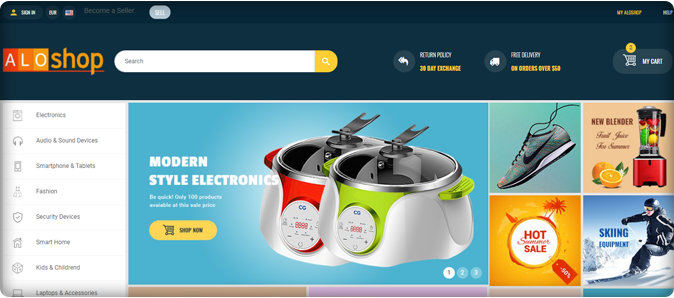
AloShop PrestaShop eCommerce Store is created on the world’s most accepted eCommerce Opensource PrestaShop platform. Along with basic features provided by PrestaShop, every store needs sparking elements to drive more traffic and sales.

With emerging technology and available free tools, it has become simple to create a basic functional website unlike a few years back. Adding to this, several ready-made plugins can turn a basic website into a versatile one that gives satisfactory customer expiring.

PrestaShop is a popular eCommerce platform with thousands of companies creating their online store.

AloShop is a user-friendly eCommerce website. All thanks to KnowBand’s PrestaShop Modules.

Introduction to AloShop

AloShop is an online marketplace that sells housewares, electronics, toys, houseware, clothing, and many other goods, either directly or as the middleman between other retailers.

This article is a walkthrough example of the best PrestaShop modules installed in the AloShop online store.

Let’s take the virtual tour of AloShop:

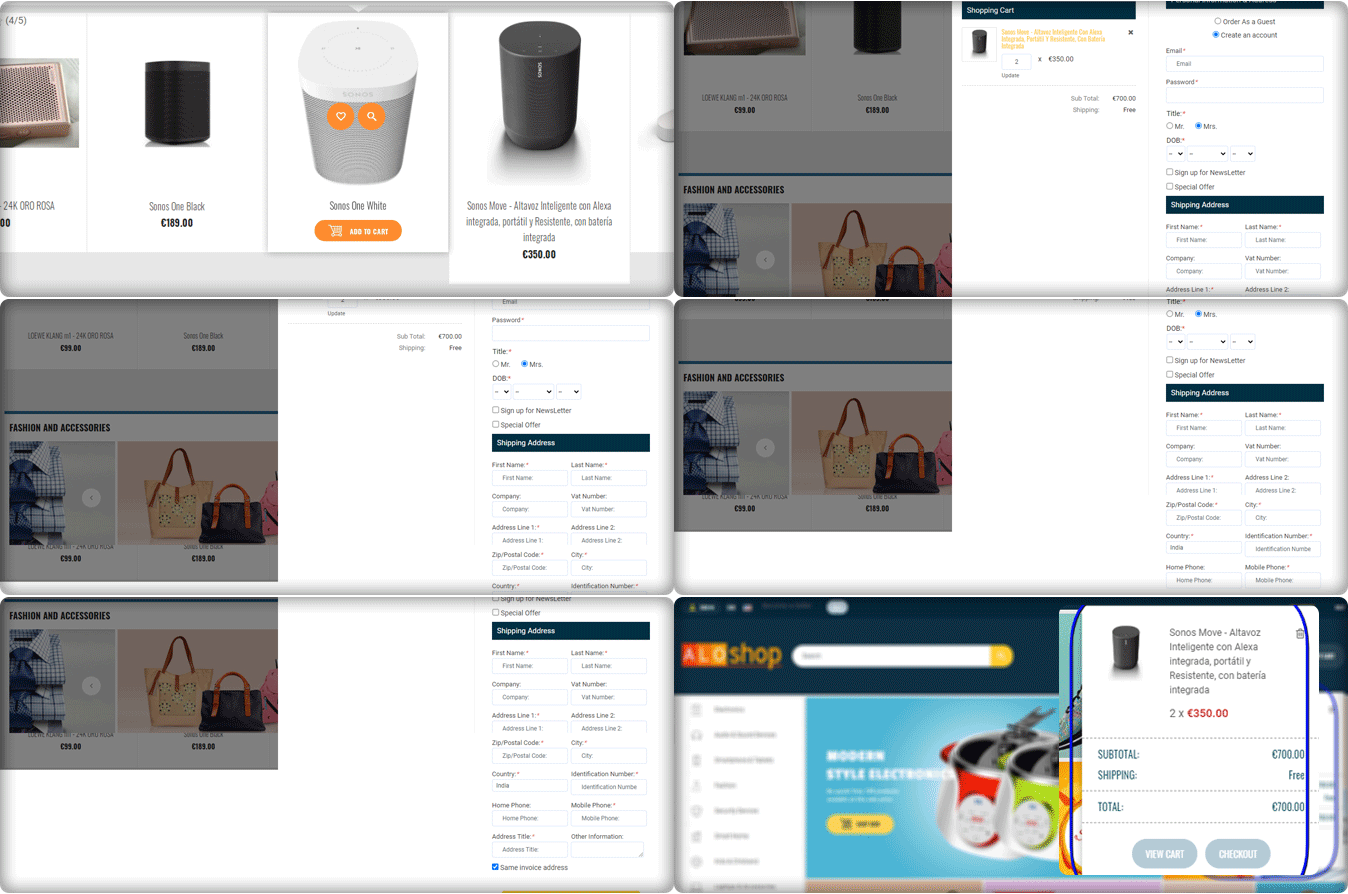
Advanced One Page Checkout

The One Page Checkout makes the checkout process quick. The easier the checkout process more will be the conversion.

Hence, PrestaShop Advance One Page Checkout is the best solution for any checkout page. Social login, guest checkout, customized layout, and several other features to make the shipping and payment process secured and easy.

Social Loginizer – Prestashop Addons

AloShop Implemented Social Loginizer to make their store’s user experience better to uplift sales and conversions. The following are the advantages that this Prestashop module provides to store owners:

  • UI that is easy to use, customize and mobile-friendly
  • Simplify the method of registering and logging in with 15 15 different social login choices
  • Store owner can monitor reports

Quick Login popup – Prestashop Addons:

To provide fast Login on AloShop use of the Quick login module was the best consideration. Customers can register/log in to their accounts without leaving their current page. It displays an attractive colorful popup which saves time while also improving customer satisfaction. Quick login has social login icons and users can customize it anytime.

Web Push on PC

To send web push notifications to the subscribers, AloShop has installed Web Push Notification Module. It allows the admin to send scheduled automated notifications like Abandoned Cart Notifications, Order Status Update Notifications, Price Alert Notification, and Back in Stock Notifications, etc.

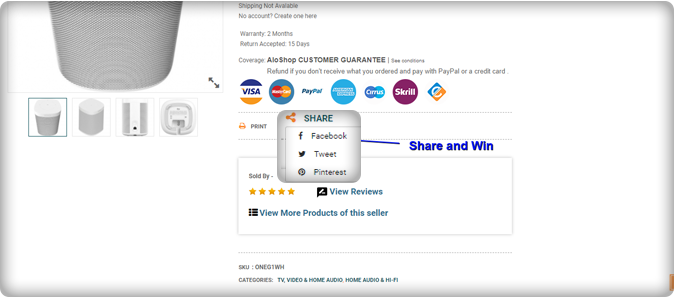
Facebook share and win discount – Prestashop Addons:

Offering rewards to customers is a trick that works for customer retention and promotes conversion on eCommerce stores. The PrestaShop share and win addon allow online customers to win great prizes simply by posting a product on Facebook. AloShop is using this super exciting module to attract customers via social media marketing. Using this PrestaShop share and win addon, the store admin will promote goods and increase sales.

GDPR Rights of the Individual – Prestashop Addon

The rights and data protection is the primary goal of every eCommerce company. In Europe, the eCommerce laws are to be followed strictly. The AloShop is a European website hence they have to keep their store GDPR Compliant. Customers have more power over their data under the GDPR. They have used the module created by Knowband for GDPR compliance.

Google Shopping

To list the products on Google Shopping, AloShop is using Google Shopping Marketplace Integration developed by KnowBand. It is a PrestaShop module that allows user to manage their Google Shopping profile from the PrestaShop store.

SEO Wizard

To improve the site’s search engine ranking AloShop introduced the Prestashop SEO addon to their store. It cuts down on the time and effort needed for SEO optimization. The interlinks and metadata are automatically incorporated into the front-end of the website.

Product Video- PrestaShop Addon:

Store owners can add multiple videos to a single product page using the Prestashop adding video extension. Auto video play is another appealing feature. Online buyers can get product information and requirements from the e-merchant. It boosts customer’s confidence, gives them a better shopping experience.

Conclusion

This AloShop website has several PrestaShop Modules that make the website more useful and improves the overall experience throughout.

For any eCommerce, assistance contact us at support@knowband.com or drop us a comment below. We have been helping eCommerce companies for a decade and would be elated to assist you.

Success Stories that inspire:

Martin Grow Shop – The Best Walkthrough Example for PrestaShop Modules

Martin Grow Shop is a popular green store where you can find a variety of seeds and plants that are grown indoors. The purpose of building Martin Grow Store was personal creativity and technical experimentation in the field of botanical cultivation. It is situated in Italy and not just the plants and seeds but, you’ll find many other products from tools to shop lights on the same platform. They have created their website on the PrestaShop platform and have installed some of KnowBand’s popular PrestaShop modules to enhance UX and customer experience on their store.

The website runs smoothly and you will get a satisfying user experience all over from the landing page to checkout and payment gateways. All of its web pages are mobile responsive. They have even secured the website from bots and spammers by Google reCaptcha. Let’s have a look at the PrestaShop Modules installed in Martin Grow Store that adds a pleasing user experience to the store.

KnowBand’s PrestaShop Modules live on Martin Grow Shop:

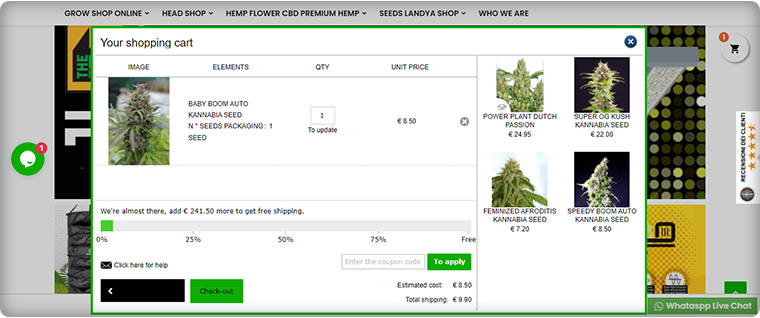
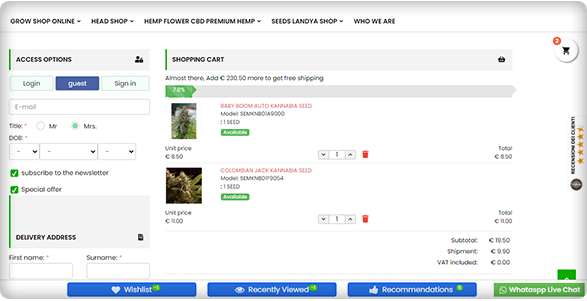
Ajax Cart

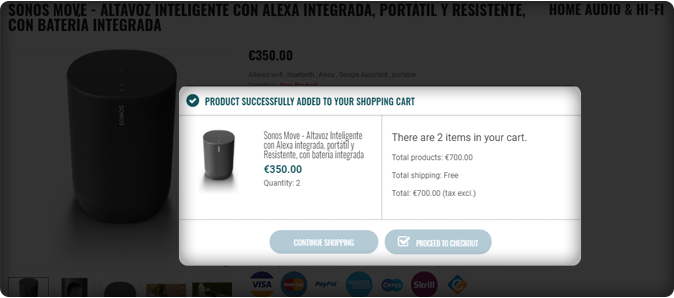
Ajax Cart adds a clean, transparent, and informative Shopping Cart to increase the online store’s conversion rate. The Ajax-based interactive pop-up ensures a high impact on direct sales.

With this addon, Grow Store promotes offers and banners and it adds direct CTA to the checkout page.

It also has a free shipping bar included in it.

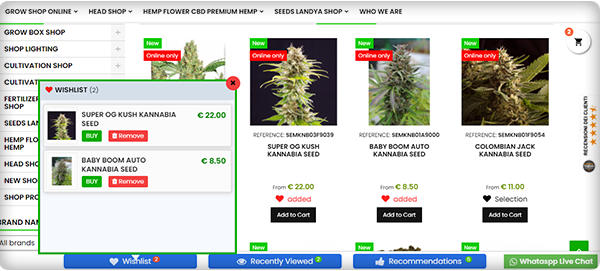
Wish List

To enhance the user experience and improve retention, a wish list is a must-have feature. Grow Shop website has a wish list feature added using PrestaShop Wishlist Module developed by KnowBand.

Google reCaptcha

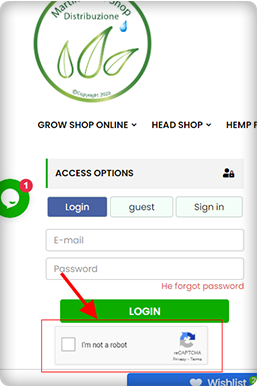
To secure the Grow Shop Website from bots and spammers they have added Google reCaptcha on their website. The image below is showing the reCaptcha added on the checkout page of Martin Grow Shop.

One Page Checkout

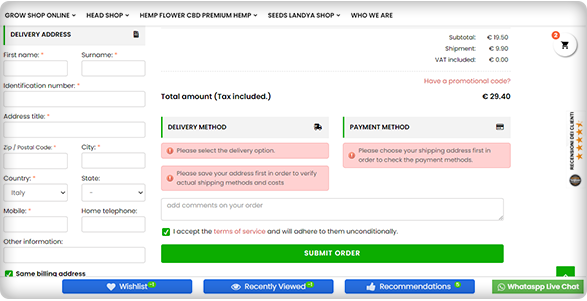
Another PrestaShop module installed on Martin Grow Shop is One Page Checkout. Because of its alluring features like Guest Checkout, Social Login, Multiple Payment and Shipping methods, etc., it is one of the best sellers of KnowBand.

The checkout page has options like Guest Checkout, Social login, and email registration options. If a customer is willing to do the Guest Checkout, then he can put the email address and delivery address.

Cash On Delivery with Fees

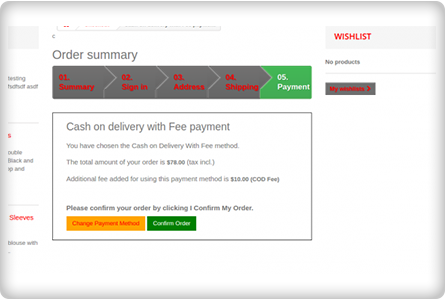
Offering COD is one of the marketing strategies to reduce cart abandonment that occurs during the payment process. People often feel intimidated in sharing their credit card or debit card details on the new eCommerce website. To overcome this, Grow Shop added Cash on Delivery with fees module on their PrestaShop store.

Google Shopping

To list their products on Google Shopping, they have integrated the Grow Shop with Google Shopping using an integration module. It increases the visibility of the products on Google Search and every product update on the store will directly get synced with Google Shopping listings.

Final Thoughts:

The Martin Grow Shop is one of a kind where you can find different PrestaShop modules and all are making the user experience better and rewarding. KnowBand store has 80+ PrestaShop modules for every eCommerce requirement.

Knowband might have a solution to your eCommerce problems. Click here to visit the store.

Read more success stories:

Success Story of ‘Elettronic Market Shop’ an Italian Marketplace

An Incredible Success Story of eCommerce Handloom and Handicraft Marketplace ‘Cottage Emporium’

Customer Retention Modules to Increase Your Repeat Sales and Profits on PrestaShop Store

Strategies for customer retention allow you to both provide and gain more benefits from your current customer base. For any e-commerce company, attracting new customers is an ultimate objective and maintaining existing ones forms a foundation for long-term success.

You might have heard again and again that attracting a new customer is more of a hectic thing than making the existing one do a repeat purchase.

You want to ensure that the customers you have worked so hard to attract remain with you, have a better customer experience, and tend to get value from your goods. The loyal customers making a repeat purchase are a driving force to any business.

In this post, we share our top 5 proven customer retention modules for the PrestaShop store that will help you maintain beneficial relationships with your customers and nurture their loyalty.

Let’s take a look at how to proceed.

1.     Entice with Offers and discounts for customer retention

To attract a potential customer, discounts and sales are the most exciting strategies. On your PrestaShop store, add the Facebook share and win module which can allow the customer to share the product on the Facebook account, and in exchange, they will earn a discount coupon that can be redeemed on repeat purchases.

You can also run a flash sale on your eCommerce store to increase customer retention.  Sales can attract any type of customer because people love getting their favorite stuff at cheap prices.

2.     Implementing a Loyalty Program can increase customer retention

Another proven strategy to increase customer retention is launching a loyalty program on your online store. The Loyalty Point Module and Reward Point Module are designed to offer a reward to the customers on every purchase they make.

These points can be used in the next purchase from the PrestaShop store according to the rules defined by the store.

3.     Customer satisfaction is the key to customer retention

If you want customers to shop from you again then give them the customer satisfaction they deserve. The journey starts from the home page and ends when the customer receives the expected quality product. Sometimes it happens that the product does not fit well or the customer does not like it and want to return it.

Is your store ready to manage the return order situation? If not then install the PrestaShop Return Manager module to your store which can help you handle the order cancellation and order returns effortlessly.

This is not it. If your customer needs to raise a query or require help then it is important to have a good customer support system. There are various ways you can offer customer support to your eCommerce store. Provide chat support with deskoid helpdesk, email support, live chat, call support, etc.

4.     Add personalization element

Have you heard the term personalized experience? This is the new trend in business. Treat your customers as an individual and take care of their experience as every customer has a unique taste. Customer retention can be achieved if you know how to treat your potential leads.

You can sell on-demand customized products like custom printed coffee mugs, t-shirts, wall clocks, or anything which people will like to purchase with new custom designs.

The PrestaShop Product Designer/Customizer module allows clients to add a product’s desired text, pictures, and QR code. Start this today and increase your sales to the next level.

5.     Offer subscriptions:

Encourage customers with an email to make a repeat purchase and for this, you can add a gamified email subscription module on your store in place of the boring subscription popup. The fun and playful Spin and Win fortune wheel will bring you more subscribers and you can offer some discounts, coupons to your new subscribers.

Email marketing can be used to follow your current customers. You can share the details of abandoned carts with them, take the feedback after the purchase, and also share time to time updates from the store. Price alert, new stock details all can provide you more customer retention and increases your overall sales.

Final Words: If, after the sale, you have yet to sell to existing clients, now is a good time to develop a coherent customer retention plan. Along with adding the customer retention modules, you can follow these customer retention strategies too.  To increase your sales and customer retention you must take care of every customer visiting your store. Offer deals, discounts, loyalty points, and encourage them to subscribe to your newsletter. Be clear with customer policies and do not forget to provide customer support channels to give customer satisfaction.

You may like to read:

How PrestaShop One Page Checkout can Boost Holiday Season Sale

Prestashop One Page Checkout Module is the solution to all your conversion issues. If you are facing a lot of cart abandonment on your PrestaShop store it can be because of the lengthy and boring checkout page. Prestashop One Page Checkout v7.0.1, the new version is offering some time-saving features which will reduce checkout time and enhance the customer experience.

The upcoming holiday season can help you overcome the losses you have faced during the COVID-19 outbreak. You can raise your sales with various modules available on the PrestaShop store. The most important of all is the PrestaShop Quick Checkout Page module. It is necessary to replace the conventional multi-page checkout with PrestaShop One Page Checkout. An optimized checkout page for your PrestaShop store will reduce the bounce rate and helps to boost conversions.

What is new in Knowband’s PrestaShop One Page Checkout

We keep updating our best seller PrestaShop One Page Checkout module. It helps sellers boosting conversion and reducing abandoned carts during the holiday season sale.

If you want to know how this checkout module works, give this blog a read. PrestaShop One Page checkout is incorporated with new features:

(New) Customers can Choose Profile type:

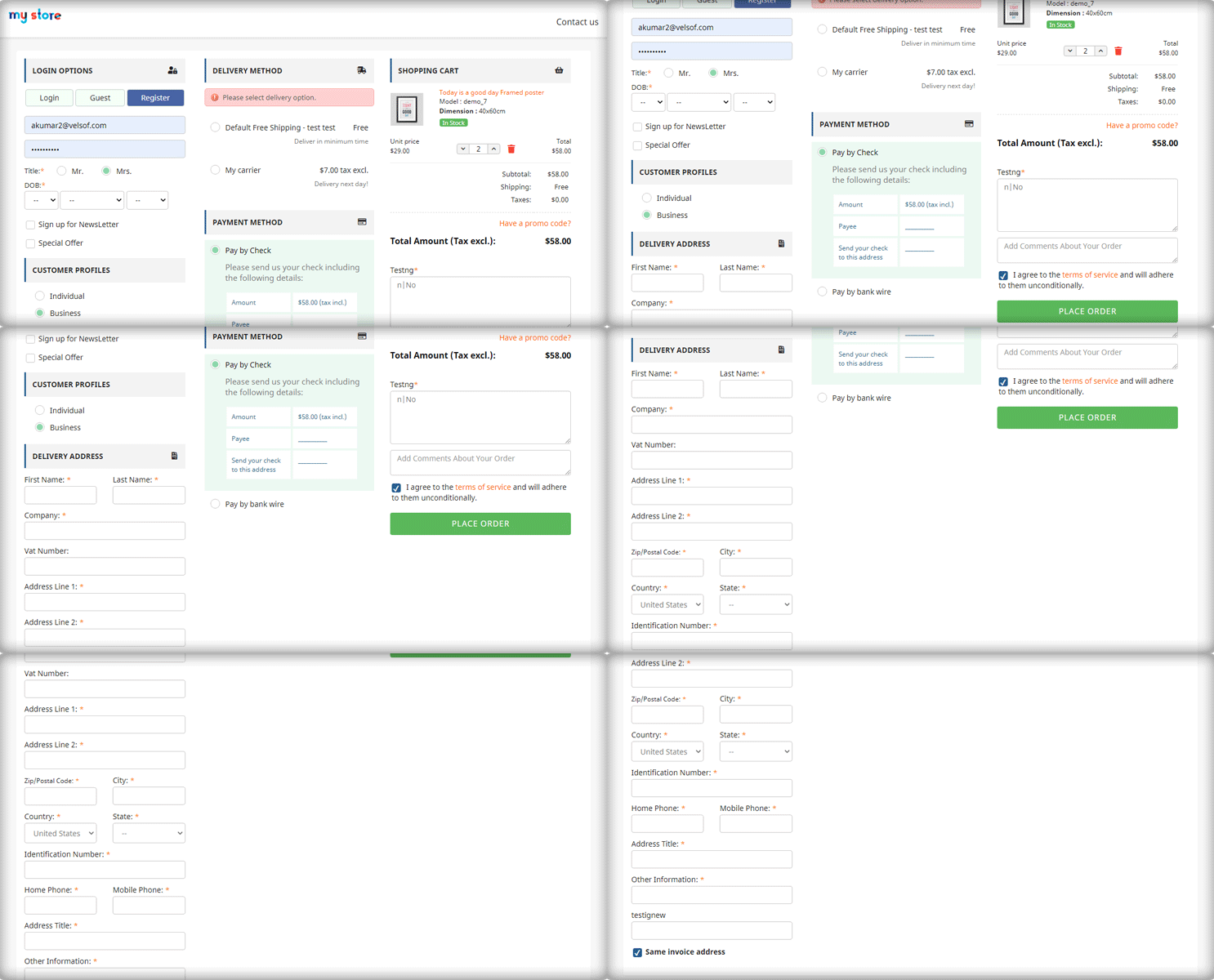
This is a new feature added in the PrestaShop One Page Checkout module. Now it allows customers to select a profile type as an individual, or business. This helps the owner in running personalized marketing campaigns. It also lets the owner decide what fields are mandatory for each profile type. In addition, the owner can display the mandatory or some of the fields on the invoice too.

(New) Redirect the Customer to Checkout Page Instead of Cart

With the previous version of PrestaShop One Page Checkout, when a customer hits the call-to-action button on the product page it redirects them to the cart. But with a new feature added, PrestaShop store admin can allow the consumer to jump to the checkout page directly. It will save them from taking extra effort.

(New) Use Payment Address Name for Registration

Prestashop store admin can allow customers to Use Payment Address Name for Registration. Earlier the delivery address was the only option that was used as default registration details. But from now on, if the admin wants he can enable the setting on PrestaShop One Page checkout to use the payment address name for registration.

Checkout features you must not forget about when deciding on your marketing campaigns during holidays

The user interface of One Page Checkout can cast spells on your customers and will do magic to stop them from leaving the website. The PrestaShop Quick One Page Checkout gives you appealing layout options, various login choices like guest checkout, social login with Facebook and Google+, multiple Payment and delivery choices, and what not!

Offer Free Shipping and increase average cart value:

Asking them to shop more with a popup not always works. Besides, you can offer free shipping over a definite amount and they will grab the chance without giving a second thought. Free shipping is the most compelling thing out there.

The store owner can add a free shipping bar on the top of the One Page Checkout Page.

Improve engagement with its simple and sleek UI:

The simple and riveting user interface of the checkout page increases conversions. It helps to convert your visitors into customers with features like guest checkout and social login. All the required fields appear on a single page. No more waiting or jumping pages! Prestashop One Page Checkout is mobile responsive.

Ship-to-pay:

The responsive One Page Checkout has functionality for your PrestaShop store which lets the store owner set the payment mode for available delivery choices. If you don’t want to accept bank checks for fashion store delivery mode then you can disable the service.

Highly Recommended Modules with One Page Checkout

There are many PrestaShop modules available in the market which can fit well into your store. I am going to recommend you two super engrossing modules which are compatible with One Page Supercheckout on your PrestaShop store.

Store Locator and Pick up

The hyperlocal marketplace is the new trend in eCommerce. Prestashop Store Locator and Pickup Module incorporate website delivery features in-store and displays positions in physical stores using Google Maps.

Cash On Delivery with Fee

Offer Cash on Delivery with Fee to your customers on PrestaShop Store. Integrating Cash on Delivery with Fee module along with PrestaShop One Page Checkout can gain the trust and loyalty of a customer. Remove the barrier of secured payment which is a major concern for many. Click here to know more about Cash On Delivery with Fee module for the PrestaShop store.

We have produces a listicle on compatible modules with PrestaShop One Page Checkout, click here to explore.

To wrap up

I have always said that the checkout page is most important when it comes to conversion rates. Replace the existing checkout page with PrestaShop One Page Checkout and you can observe the change by yourself. Prestashop One Page Checkout with these new features can help you grow your business and earn loyal customers. What are you waiting for?

You can visit the Knowband store and check on the modules available for boosting holiday season sales.

Recommended Reads:

Manage Order Returns and Order Cancellation with PrestaShop RMA Module

10 Useful but Underrated PrestaShop Modules to look out for

PrestaShop Smart One Page Checkout Addon -User Manual

9 Checkout Conversion Killers Driving Your Buyers Away

Manage Order Returns and Order Cancellation with PrestaShop RMA Module

It is often observed that customers want to return or cancel their orders. Managing orders and fulfilling customer’s demands isn’t an easy task. Considering consumer rights in the EU, every eCommerce platform needs an easy return manager to maintain the records and meeting customer’s needs.  EU has a policy that a consumer can request a return or refund for a faulty product within 14 days after purchase. As an eCommerce owner, it may sound tedious and time taking.

Don’t worry! PrestaShop Return Manager Addon takes care of all the functions required to cancel or order returns. With additional features described below, this new version gives a user-friendly experience to eCommerce store owners and customers.

What’s New in PrestaShop Return Manager Addon?

Customer retention is a merchant’s need and this can be achieved with customer satisfaction. PrestaShop Return Manager module comes with an easy cancel request format with multiple return and cancellation methods for a customer.

1.          Decide when to start calculating Policy time

Imagine a situation when the product is delivered after the expiry of the return date. What impression this will create on your customer? Sometimes the return date expires if the product delivery is delayed, to resolve this issue, the addon now provides a drop-down menu for selecting a product status after which the return policy time will be calculated.

2.         Quick Access of Return Listing from Dashboard

You don’t have to find the module from a long list of installed modules in the admin panel, instead, you can configure the PrestaShop Return Manager Addon from the left menu of the admin panel.

Additionally, a new option to access all the return listing counts has been added on top of the admin panel. All the return listings like order returns, canceled orders, etc can be seen in one place.

3.         Custom features for email templates

In the updated version of Return Manager, the admin is provided with an option in the admin panel to add a custom text for each Return Status and created a placeholder that can be used in the Return Status Email templates. The updated version provides an option in the admin panel to ‘send a Test Email’.

4.         Search and Filter all the Listing Tabs

With the latest version, the store manager can easily sort and filter the listing tabs on the basis of date, customer ID, Return ID, Customer Name, etc. This makes the task easier for the admin.

Features that enhance admin’s power

5.     Allows Partial or complete order replacement

The online store administrator can now allow online customers to pick items from their orders for replacement. Online customers can even request for returning the whole order if they want to do so. They can now choose all the products from the list. This increases the usability rate.
6.     Admin can add Custom Field

This updated version of PrestaShop Return Manager Addon allows an online merchant to create custom fields. Online store owners can build several custom fields from the PrestaShop Refund Order Addon admin interface. The store owner may set custom field block names, apply validations, and also set default values (if required). Admin can make any field as required. Admin can set a default value and validation type.

Why choose PrestaShop RMA over other Order Return Module?

The RMA plays a vital role in the eCommerce store. The Customer sometimes raises the request for the product return, refund, and replacement. To improve customer retention and usability the online merchant needs a flawless RMA interface. Other eCommerce like the Magento Return Manager plugin does not come with these new features.  This rejuvenated tool provides both a user-friendly experience and customer satisfaction.

1.     Increased Customer Conversion Rate

Easy refund and return policy builds trust and makes the customer believe in the merchant. This eventually increases the word-of-mouth publicity of the website and brings more traffic to the site. From this, you can expect a good conversion rate. This one small change will catapult your conversion rate and this way you can keep the complaints zero.

2.     Customer Satisfaction

The front-end easy ‘return’ option lets them believe if they are not completely satisfied with their purchase, they may return it or replace it. This assurance lets your visitor believe in your product policy and allows them to shop more. The easy email template functionality sends an email to both parties which enhances your business relationship. A happy customer always comes back to you without any pause.

Benefits of PrestaShop Return Manager for the merchants:

  • PrestaShop Order Return Manager Addon makes it easy to handle the returns of customers.
  • PrestaShop RMA easy return module boosts customer loyalty.
  • The possibility of receiving “Store Credits” for a faulty product helps to improve consumer retention.
  • The product issues can be fixed by knowing the return reasons.
  • With the aid of the PrestaShop Consumer Return Manager, you will find out the exact problem in the product by providing customers with the option of uploading the picture of the faulty product.
  • Email template makes you craft a mail for your customer at every return stage.
  • With RMA quick return addon, by adding custom fields you can collect more information from the customer.

Benefits of PrestaShop RMA return module for the customers:

  • A ‘Return’ button allows the existing customer or guest customer to return or cancel the placed order completely or partially.
  • PrestaShop Order Return Manager provides an easy cancel request format with credit, refund, and replacement options
  • Customers can upload an image of a faulty product highlighting the defect.
  • An email with custom text will be sent to the customer at every stage for their order cancellation or return request.
  • PrestaShop Order Return Manager allows customers to select a nearby store address for shipping the damaged product.
  • Customers can return partial or whole orders by easy select option.
  • Customers will have the option to cancel the order for a short period. The customers need to go to the My Account >> Return Manager section to cancel the order.

Other useful features of order return or cancellation addon

Easy Return Request Option

There are some other features that make this addon more convenient and user-oriented. It helps you identify the return reasons for customers and lets you raise a return request on behalf of your customer. Thanks to a quick and effective cancellation method, customers are more likely to go back to your platform.

Crafted Email-Templates

Well-designed email Templates emerged as an attractive feature. This pre-formatted email template option gives the admin a hassle-free experience at the backend and directly sends an email to both the parties as soon as the query is raised and updates the customer at every stage of their request. There are 14 different email templates as per the requirements. It is a timesaver for both merchants and customers.

Managing Return Requests at one place

Managing an eCommerce store with fewer efforts is like a cherry on the cake and this amazing addon does that. It helps you manage all the return requests in one place. You can find pending return lists, active return lists, and canceled return lists on the admin panel as well as on the dashboard. This information is also available to export in .csv format in case you want the compiled data.

Compatible with GDPR Module

PrestaShop Return Manager is compliant with GDPR. When you are using the Knowband GDPR module, both the customer and the administrator will be able to access the information of the return request. Besides, the Customer can request the admin to remove personal data from their shop.

Final Words

PrestaShop Return Manager addon is an interesting and helpful tool for the eCommerce store owner to manage the return and cancel the request at the backend.  A hassle-free return policy attracts buyers and gains the customer’s trust.

For more information or to shop the PrestaShop Return Manager for your PrestaShop store, you can visit Knowband store or reach out to us at support@knowband.com. Return Manager Extension is also available for Magento and Magento 2 stores.

You May Like To Read:

5 ways to Manage eCommerce Returns

8 Simple Tips to Reduce Product Returns in eCommerce

Compel the Customer to Return to your Store with Back in Stock Module

12 Ways to Reduce Shopping Cart Abandonment

9 Checkout Conversion Killers Driving Your Buyers Away

List of Other modules Compatible with PrestaShop One Page Checkout module

A smooth and fast checkout page is one of the most important aspects of an increased conversion rate. The checkout page is also important because it is the step where the customer decides whether he will complete the order or not. There are two types of checkout pages i.e., Multi-step checkout and One-page checkout.

Nowadays, the One Page Checkout is known as better checkout in comparison to multi-step checkout. There are various reasons for that. The One Page Checkout simplifies the checkout process and saves the time of the customers and reduces the chances of cart abandonment because of its easy and fast layout.

Knowband offers the PrestaShop Single Page Checkout module which replaces your website’s default checkout with a fast and responsive Single Page Checkout and enhances the checkout experience of your customers. This module plays a great role in reducing the cart abandonment rate on the checkout page by allowing the customers to quickly fill in all the required details and complete their orders.

The Prestashop simplified checkout addon offers various advanced features like social login, auto-detect country, auto-address fill that make it easy for the users to fill in their details.

Prestashop One Page Checkout addon is one of the best-selling addons and it has more than 10000+ downloads on the PrestaShop Addon store and more than 5000+ downloads on the Knowband store.

How to replace your store’s default checkout with PrestaShop Fast Checkout addon:

Follow the following steps to integrate this addon into your online store:

  1. First of all, you need to purchase the PrestaShop One Page Checkout module from Knowband.
  2. After buying and downloading the addon, unzip it in the modules directory of your PrestaShop store.
  3. After the PrestaShop One Page Checkout plugin will be available and ready to be installed in the module list.
  4. Click on the install button to install it on your PrestaShop store. After installing it successfully, the addon will be ready to configure.

Other Compatible Modules with PrestaShop One Page Checkout:

1. Store Locator and Pickup module:

Being a store owner, it is really important to let your customers know about the actual geolocation of your physical stores. Knowband offers a Store locator and Pickup module which allows your customers to find and locate your stores near their locations.

They can also place Takeaway orders to pick up the product from the store using the Store locator and Pickup addon. The addon is mobile responsive and offers smooth functioning. This addition to your store will improve the checkout experience.

Get to know more from here.

2. Abandoned Cart module:

According to research, nearly 70% of the customers leave the cart abandoned on an eCommerce store. Checkout page abandonment is very common.

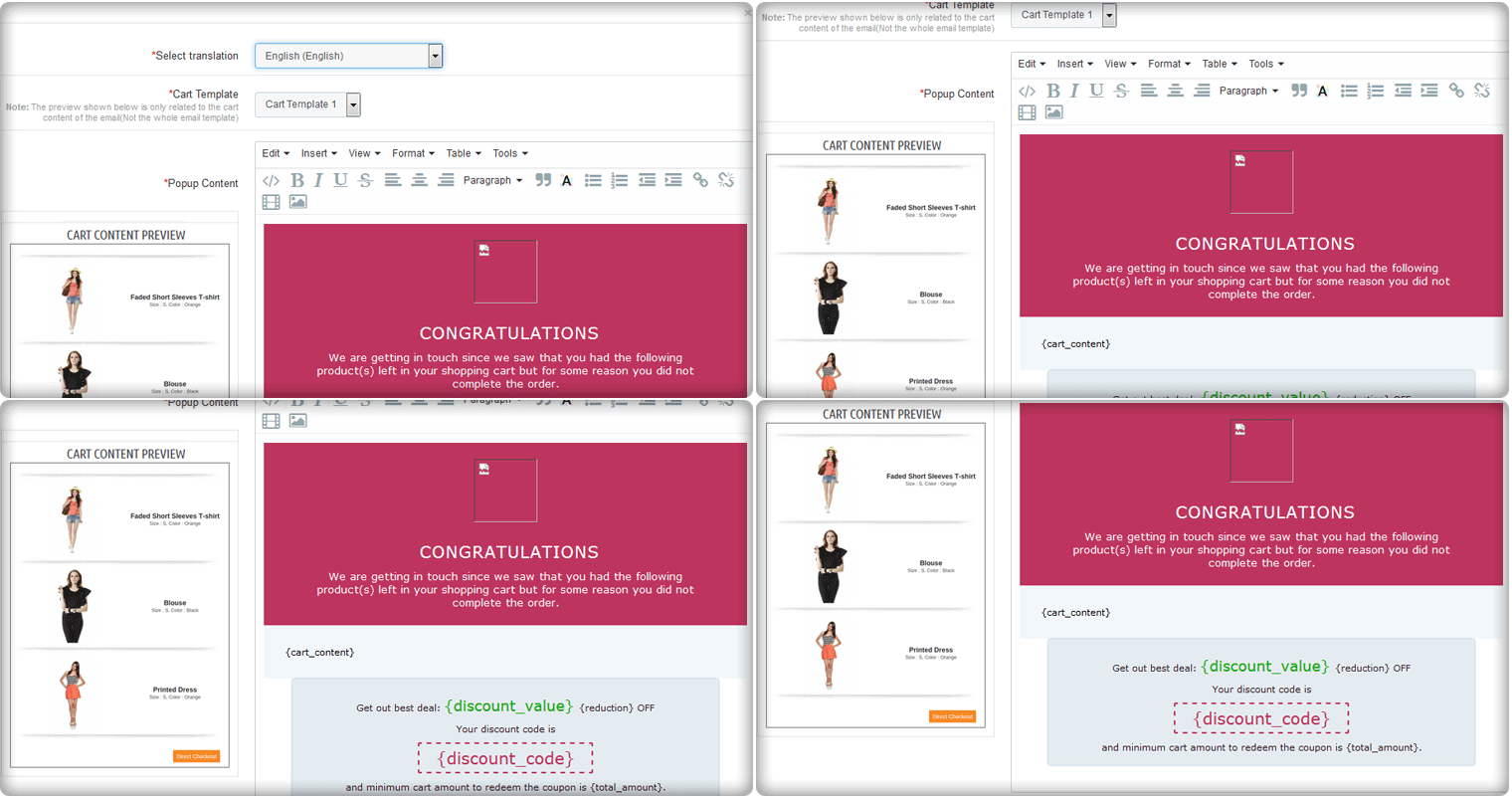
With the PrestaShop Abandoned Cart module, you can identify the abandoned carts on your online store and can recover them by sending tailored follow-up emails. You can also highlight your exclusive discounts in the reminder emails.  It encourages buyers to come back to your store and complete their orders.

Know more about this addon from here.

3. Product Availability Check by Zipcode module:

There are times when customers get frustrated! For instance, they initiate purchasing an item, and later at the time of checkout, they find that the product is not available in their locations. It is frustrating. Right? This leads to a low customer retention rate for your online business.

With the Product Availability Check by Zipcode module, it is easy to allow your customers to check if the product is available in a particular location. This can be done by entering the zip code. You can also add a search box on the product page to let your customers check the product’s availability before adding it to the cart.

If you want to implement this in your store then click here.

4. Mobile Login module:

Being an eCommerce store owner, it occurs registrations with fake email addresses on your website. With the PrestaShop Mobile Login module, you can allow your store visitors to register using mobile numbers with SMS OPT verification.

With this add-on, you can also implement a secure registration and login process on your PrestaShop store. In addition, you can allow the user to register without an email address. Know more from here.

5. Google reCaptcha module:

Spam registrations and spambots can be harmful to your website as they can steal the website’s data or can delete it.

With Knowband’s Google reCaptcha module, you can prevent your website from spamming. By implementing Google reCaptcha on various pages of your website including the Registration page, Login page, Contact page, and Forgot Password page, and the checkout page. With the PrestaShop Google reCaptcha module, you can prevent the spambots and drive quality traffic to your website. This module is compatible with PrestaShop One Page Checkout.

Know more about the module from here.

6. Social Loginizer- compatible checkout module

Social Login is gaining popularity nowadays as it saves users from creating new accounts and remembering new login credentials. With the PrestaShop Social Login module, you can allow your website’s visitors to log in through the most popular social media networks including Facebook, Google, Instagram, LinkedIn, Twitter, etc.

Offering login with social media accounts not only eases the login process but also reduces the chances of failed logins in your store. It also helps to reduce the abandoned carts on the checkout page as the customer doesn’t require to create a new account. Know more about this module from here.

7. Cash on Delivery with Fee module:

Nearly 18-20 % of the abandoned carts are caused because the users don’t trust the security in online payment on a new eCommerce website. With Cash on Delivery with Fee module, you can allow your customers to place the orders with cash on delivery option with an additional fee. You can provide these options to those customers who don’t want to go through the online process. Know more about this module from here.

Conclusion: So, these are the compatible modules with the PrestaShop One Page Checkout module which offers to add various advanced features to your online store. For any eCommerce assistance or custom module development, you can always trust Knowband as we are delivering the best customer support for 12 years. Write us at support@knowband.com and our team will be happy to help.