Strategies to Drive more Organic Traffic to your eCommerce Store

The word “organic traffic” is used as a result of unpaid (“organic”) search results to refer to visitors landing on your website. After using a search engine like Google or Bing, visitors who are deemed organic find your website, so they are not “referred” by any other website.

Across the board, online revenues are soaring. Because of that, all the time, new eCommerce businesses spring up. But in this highly competitive marketplace, how can you stay on top of the pack and set your company up for success? Working on driving organic traffic to your online store is one of the key things you’ll need to do.

Can you really boost sales without purchasing Ads?

Most of the users think that to stand above the tough competitors they often have to rely on purchased ads. Larger distributors with big budgets prefer to throw cash at their marketing concerns.

So, smaller retailers could feel at a disadvantage without unlimited marketing and advertising funds. Fortunately, without breaking the bank, there are several ways of driving traffic and attracting customers.

So, if your online store hasn’t been built for organic growth, you’re probably missing out on a huge chunk of potential buyers. We have put together this list of effective techniques to help you, which you can follow with ease.

Imagine — you finally launch your online store and the only person who visits is your mom. The worst nightmare, isn’t it?

You’ll need to create brand awareness and enthusiasm for your product in order to ensure that you have organic traffic from the very beginning of your business.

1.     Understand the Social Media Game

The quickest way to get the word out is through social media in today’s society, thanks to the increased usage of mobile devices and smartphones. As it’s free to use, it’s also a cost-effective option!

Popular social media platforms are Twitter, Facebook, Instagram, Pinterest, and LinkedIn. Orient your marketing efforts on the channel where you are most involved with your target audience.

For instance, Pinterest has a unique feature that allows users to search for items directly from the Pinterest platform and purchase them.

When it comes to advertisements or direct connections, many social media sites are pay-for-play. This Pinterest feature will not cost you anything so far.

Read: Social Media Trends to Follow In the Year 2021

2.     Strategize SEO

We all know that SEO is important, and yet sometimes we let it happen “by accident” rather than paying the attention it deserves.

A search engine accounts for 93 percent of web traffic, and fewer than 5 percent of web searchers go to the second page of returned search results. With your specific value proposition in mind, content should always be written.

Pay attention to keywords for the product that you should be using, Domain name, when creating content, using a keyword tool like Ubersuggest, and review your pay-per-click (PPC) and campaign results in Google Adwords if you want to put the budget for it.

To direct you to the right list of terms that are most important to your product, use a tool like the Google Keyword Planner.

3.     Referral Marketing

It is worth firing one up if you do not have a referral program in place for your e-commerce shop.

81 percent of consumers claim that their purchase decisions are strongly affected by a recommendation from a friend or family member.

It needn’t be elaborate.

Include an easy way to view feedback and suggestions for buyers, as well as to recommend your brand to others.

KnowBand’s affiliate and referral marketing tool can help you bring organic traffic to your eCommerce store.

4.     Add social proofs

Testimonials and feedback on your website can convert huge organic traffic to your store.

92% of customers trust a peer’s recommendation, and 70% trust a complete stranger’s recommendation.

Exactly what it sounds like is social truth. It’s evidence that your peers trust a company enough to buy from it (or at least a significant chunk of the population).

On every single product page, in the form of reviews, Amazon uses social shreds of evidence and users spend more time reading them before making a purchase decision.

Read: Best OpenCart Rating, Review and Incentive Extension to Reward your Customers

5.     Research your competitors

Check your website: User experience – The website of a competitor is a good starting point to assess how well it is doing online.

Try to search for different keywords and see if your competitors appear on Google, Yahoo, and Bing in the sponsored listings. Review their reviews and citations, including their social media handles.

Dig into the content they are posting on the website and how much organic traffic their content is driving.  To discover insights about your competitors, there are numerous resources like SEMRush that you can use.

You can also find out from which websites they get backlinks and approach them to get connections back to your e-commerce store as well. This will enhance the backlink profile and give strength to your website.

Read: Why Competitor Analysis is Important for an eCommerce Store

6.     Test your Call to Action

Most often, a CTA refers to the use of words or phrases that can be included in sales scripts, advertising messages, or web pages that compel an audience to behave in a particular way.

With an uncomplicated structure and clear CTAs, organize your site.

Ensure that shoppers can navigate your site easier to find what they are looking for.

Add a prominent “Shop Now” or “Start Shopping” button that leads customers there if your product catalog is not directly on the homepage of your website.

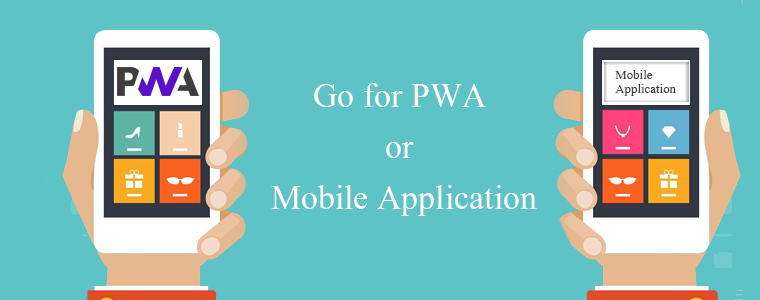
7.     Go for PWA or Mobile Application
60 percent of mobile users have bought something on their mobile device online. Do not forget to optimize your site for mobile shoppers, whatever you do.

If you want to know if you’re on the right track after you start adding features, enter your URL on a page like the Google Mobile-Friendly Test to see how it stacks up. Also, a mobile responsive website ranks higher in Google Search Results.

PWAs (Progressive mobile apps) are another best way to optimize your website for organic traffic. They don’t affect the ranking directly but running a well-designed PWA means that you provide a better user experience that helps you win in SEO.

It’s the better user experience that influences your ability to rank in search engines better. Convert your website into PWAs with powerful PWA Modules and create a mobile application with KnowBand’s Mobile App Extension.

Read: Success Story – Briko Bike Mobile App for E-Commerce

Wrap-up:

It is not about spending bucks from your bank account but what plan will be working for you. There are different methods of driving traffic organically. The top ones are listed above but if this doesn’t work for you then opt for email marketing, optimize your web pages, and speed regularly. Write your content with focused keyword research and always keep up the hopes. There has never been a better time to think outside of the conventional ad-spend box and stand out in the e-commerce crowd, with all the digital outreach resources available to retailers.

Recommended Read:
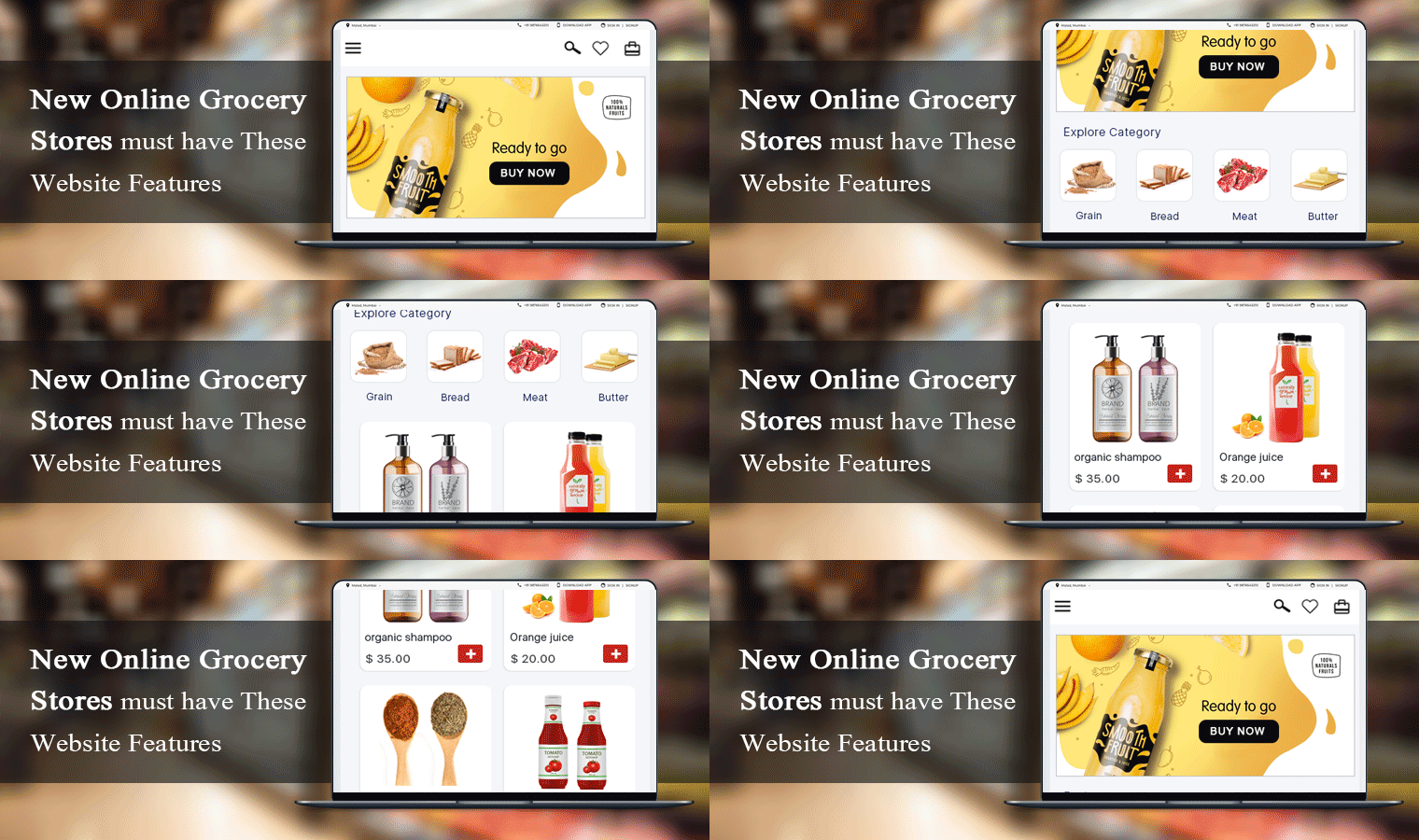
New Online Grocery Stores must have These Website Features

Do you want a grocery website or application like BigBasket and Grofers? Do you need a platform or an app focused where clients can place orders online? You have come to the right page.

An online grocery store should be like a departmental store. The way they arrange the products based on the requirements like butter and jam are generally kept along with the Bread. Because a person who buys bread will always buy butter with it.

The same strategy should be followed by online grocery stores. The website should display relevant products that can be bought together. I am going to discuss some top-notch features that every new online grocery store should take seriously.

1. Navigate the user to the right place

With easy navigation, keep the interface simple to help your clients place orders easily without knowing about the app or website. Design the process of exploring/searching different products; add to cart buttons, display categories, call-to-action, and lastly checkout should be completed in just a few taps, with minimal screen sliding. This keeps customers engaged and does not allow their attention to be lost due to the disruptions caused by switching from one screen to another.

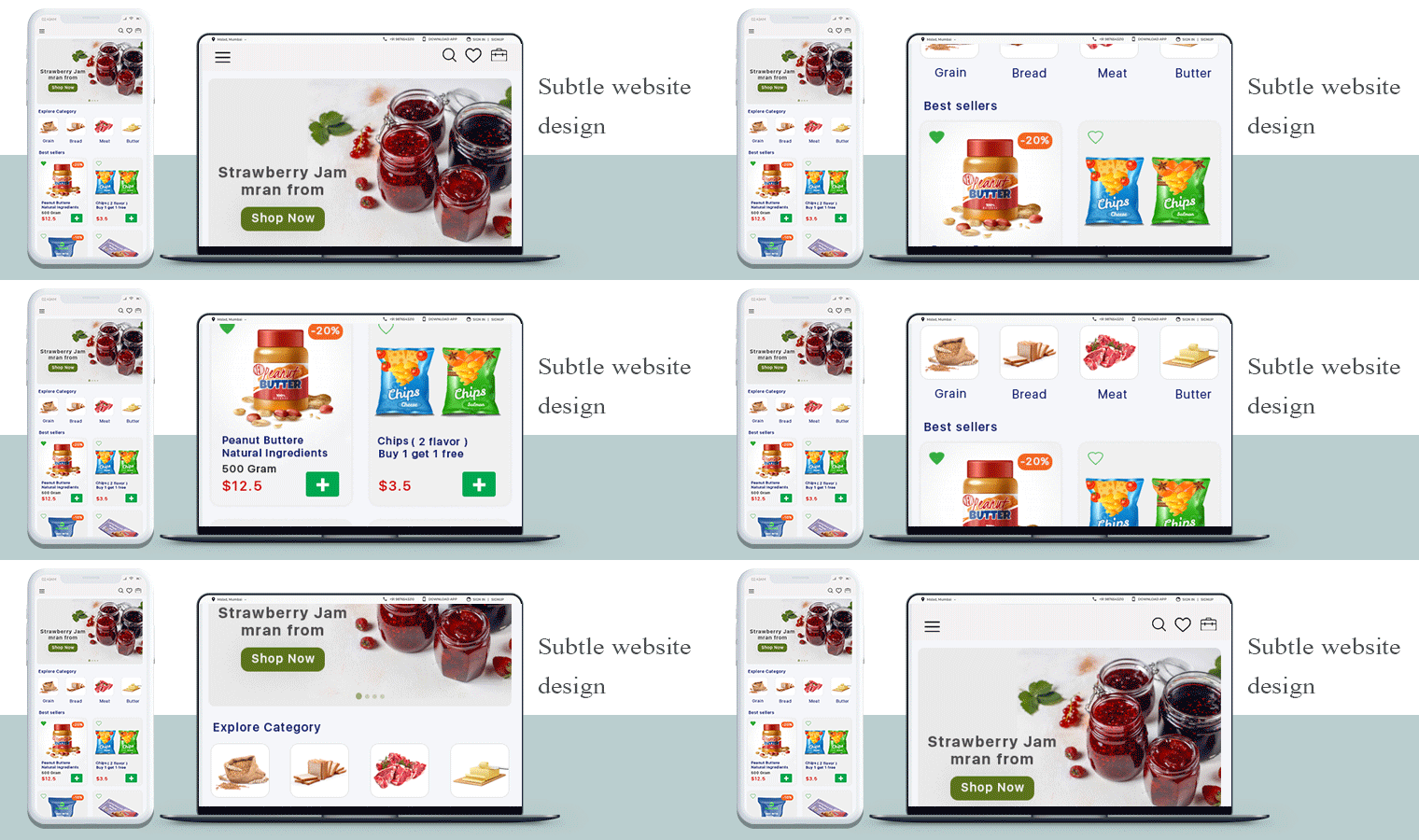
2. Subtle website design

Design the new online grocery store’s UI and UX in such a way that each feature remains simple and responds in real-time.  It is good to provide fast search/filter solutions and checkouts to encourage customers to spend their time buying more, not finding what they need. We can connect wallets and different types of online payments on request along with cases on a delivery payment system.

3. Business Model for new Online Grocery Store

Many of the on-demand applications charge for membership and provide different advantages, such as free delivery, membership offers, and so on. As they know they are having a good price, this will draw consumers to your new online grocery store. Both you and the client will benefit from annual membership fees. You can even go for a commission model for the registered sellers on your grocery marketplace.

4. Shopping Cart

Shopping carts bridge the gap between shopping and purchasing, so it’s incredibly important to have the best apps for shopping carts on your website. A shopping cart stores product data and it is a portal to order, catalog, and customer management. It displays product information, categories, and site information. A shopping cart facilitates the purchase of the product on an online grocery store therefore it is a must-have feature.

5. Search tab which delivers relevant results

While developing a grocery mobile app or a grocery website, concentrate on providing a fast browsing experience so that even in the slower data links, users can access the app. You can also have offline functionality so that users without internet access can search on the app. Keep things one or two taps away so that users don’t have to get confused about where they started from.

6. Product Page

Grocery stores have a wide variety of items and the new stores can make the products readily available in order to give consumers ease of shopping. Write a product description that is easy to read and understand. Do not add false images of the products because it won’t give you a long time business. The product page must have high-resolution images with the complete product description.

Start your grocery store today:

7. Show relevant products in your online grocery store

Maybe on many of the shopping sites you’ve seen this feature. Here, the suggested product list is shown at the bottom, based on the user’s previous search preferences. If the creation of your new grocery app contains this functionality, it will keep users interested as they get exactly what they need according to their interests. It is a must-have feature for a new online grocery store.

8. Include multiple Payment Methods

Card payment, cash on delivery, or portable wallet will be included in the secure multiple payment options. This will make it easier for them to buy according to their convenience. To encourage people to make purchases as they wish, ask your food delivery app development company to incorporate multiple payment gateways into your grocery app.

9. Provide Shipping Services

This enables users to prepare their delivery in advance according to their convenience. During the checkout process, consumers will pick a delivery date for their order. The creation of the grocery mobile app includes the approximate delivery period to alert the customers.

10. Order Tracking

When a customer places an order, they want to know the order status of the product delivery process. To provide such information, you require proficient order tracking software. Many eCommerce service providers have created such modules and I would suggest you see the demo of KnowBand’s Delivery Boy App which is fully featured and easy to handle.

Now decide for yourself!

What do we offer?

KnowBand is a company best known for eCommerce business solutions. We have created hundreds of modules for major eCommerce platforms like PrestaShop, OpenCart, Magento, Shopify, and WooCommerce. Our mobile app services are highly appreciated by our clients. We develop the Grocery App and Online Grocery website as per your requirements.

For more information you can read the below-mentioned article:

eCommerce strategy – Discount Coupons and How to Use them to Boost the Sales and Revenue

Digital coupons are rebates and discounts provided to current or prospective customers by retailers. By giving a certain percentage discount, free delivery, or another discount, digital coupons are most often aimed at tempting a customer to purchase on the retailer’s website.

In reality, coupons are deals, and everybody wants to feel like they have found a deal. However, beyond simple discounts, there are a lot of fun ways you can use coupons, and each of them can help you drive more sales.

An introduction to Coupon Marketing

The basic marketing strategy for coupons is simple: you send out vouchers or codes that users can redeem in return for free goods and discounts. The advantages of this method are various, including:

  • Helping you to make enticing deals to push further sales.
  • Having more clients back.
  • Driving more traffic through social media to your store and drumming up curiosity.
  • Clearing out the warehouse of unwanted goods.

Everyone ultimately likes a discount, which is why coupon marketing works so well. However, when it comes to e-commerce, using easy discount coupons is way too simplistic an approach.

Digital Coupons will Stay

There appears to be no slowdown in the inclusion of retailers’ digital rewards. During the holiday shopping season, we should expect it to peak, with more offers selectively provided far into the New Year.

More and more, along with product and promotional messaging, customers expect coupons. Retailers who do not offer discounts and digital coupons are losing and missing their chance to rivals.

Some numbers that describe the importance of digital coupons:

  • Coupons are used by 90 percent of customers.
  • By 2022, digital coupon redemptions will top $90 billion.
  • 63% of shoppers state that they want coupons to be more available.
  • Discount emails have a revenue boost of 48 percent per email.

Coupon Marketing Strategies to Increase Sales at your eCommerce store

  1. Give first-time purchasers and loyal customers coupons

The toughest part of running an e-commerce shop is, by far, convincing new visitors to purchase from you. You can start building trust after they’ve made a purchase, then get them to come back.

A common strategy that many online retailers use is to offer first-time buyers coupons with tempting discounts. To show the deal, you can also configure an exit purpose pop-up, so you can target visitors on the way out of the virtual door.

  1. Using coupons during particular seasons to drum up enthusiasm

We are willing to bet that your inbox gets filled with discount coupons if there’s a seasonal change or a common holiday. Some dates, such as Christmas, are better for sales than others, but there is almost always a chance to use date-specific coupons to drive sales.

You may either screen coupon deals on your home page or contact your list of subscribers via email to do this. Nothing in practice prevents you from using both techniques.

  1. To raise your per-sale averages, give price-minimum coupons

How much you receive on average for each purchase is one of the most important metrics for an online shop. Logically, you want the number to be as high as possible, and a perfect way to get there is to use coupon marketing.

People can spend more money when there are discounts involved than they would have done otherwise. You can benefit from this by offering coupons that only trigger a specific monetary amount for purchases.

  1. Offer ‘Buy One Get One Free’ coupons on stocked products

Ideally, your store would sell every single product or service equally. You will often, however, run into situations where particular items do not perform as well as you would like (or hope).

This becomes an issue if we’re talking about physical products because you’re stuck with merchandise taking up space.

How to market coupons to your customers?

You can send emails to your subscribers with discount coupons and deal availability information. Another way to promote your coupons is by putting them on your social media handles where people admire your brand and follows you. Resourceful and creative content lets you stand out from the crowd.

You can advertise your coupons on various platforms. This can be done physically and digitally both. Sending discount coupon SMS is another way. Be responsible for texting as this is still a modern medium for distributors and when it comes to direct communications, it can easily cross the ‘what is appropriate’ line.

One of the best ways to get consumers to buy could be to provide affiliate links with attached discounts.

Ecommerce extensions and tools to offer discount coupon codes

Several eCommerce tools can be used to entertain your visitors and to increase customer engagement in your online store. If you are witnessing higher cart abandonment on your store then you should optimize the content and web pages to decrease the bounce rate. If you are not sure about the tools you can use to offer discount coupon codes then you have come to the right place.

This section of the article focuses on the most used pop-ups and discount coupon generators that eCommerce store manager should add for better customer engagement and uplift their sales.

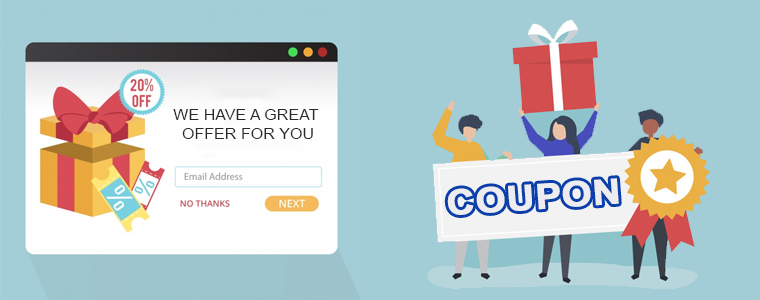
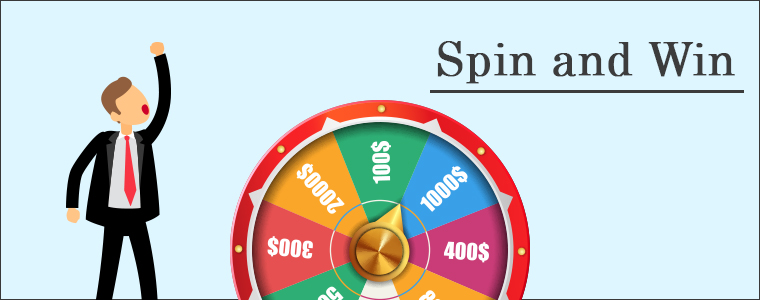
Welcome popup: These are presented to the visitors when they hit on your website. The moment they arrive, a pop-up window will show up with a discount coupon. Spin and Win extension is a gamified popup that you can use as an entry pop-up. It works well to increase customer engagement and conversion rate.

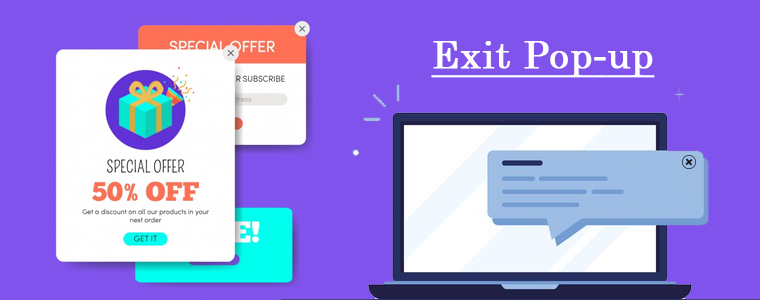
Exit popup: Next in the row is the exit pop-up. For instance, Exit Popup can be used for the customers who are leaving your website without completing the purchase. The coupon with a discount might change their mind and convert them into a potential buyers. Also, exit pop-ups are intended to increase customer retention.

Gamified Popup: Adding fun elements to your eCommerce store is the best way for increasing customer engagement. Visitors spend more time than the average when a store has a gamified element added to it. You can add a spin and win wheel like a pop-up or a scratch and win coupon tool with discounts and other coupons like Buy-1, Get-1.

Recommended Read: How Gamification Increases Customer Engagement on Your eCommerce 

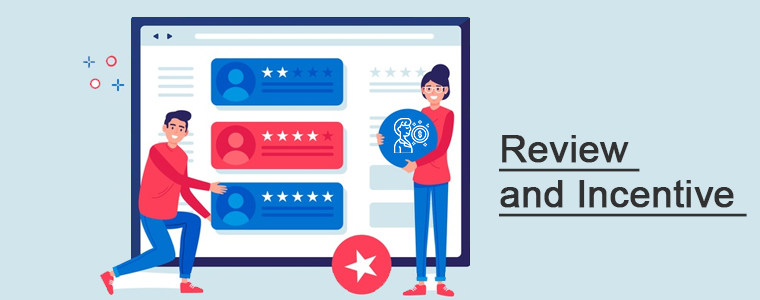
Review reminders: Another way to offer coupons or discounts is by incentivizing the customers against feedback. You can ask your customers to drop a review and give them some reward points or discount coupons that they can use in their next purchase. The Review and Reminder module by KnowBand is a perfect choice!

Abandoned Carts Alert: Are you facing a lot of cart abandonment on your online store? Don’t know how to bring lost sales back? Abandoned Cart Reminder module can help! The module is designed to send reminder emails and pop-ups to your abandoned carters. You can send various emails with different content and can share discounted and non-discounted messages.

Recommended Read: How you should plan your Abandoned Cart Reminder Email for your online store?

Push Notifications: You often receive push notifications from the applications you have installed on your mobile phones and from the websites you have subscribed to. The Push Notification with Discounted Coupons is a great tool for increasing customer conversion. A discount that is valid for a limited period forces your customers to visit the website once and they often make an impulse purchase.

Price Alert: The Price Warning Addon provides the web store admin with a channel to improve customer interaction. This addon helps the consumer to set a product’s price alert. The customer will receive a customized email with a price drop notification. If the product price is below the threshold, 70 percent of online buyers would turn into buyers.

Wrap-up

E-commerce gives you a lot of options in more innovative ways to use coupons than just providing discounts. Coupons can help you improve sales in particular circumstances with the correct strategy, and you can even try out new approaches whenever you want. You can prepare templates for every event and use them well before. The discount coupon modules and software developed by KnowBand are available for all the major eCommerce platforms like Magento, OpenCart, PrestaShop, WooCommerce, Shopify, and others.

Recommended Read:

Top 5 Advantages of mCommerce (mobile commerce) for Online Business

mCommerce is surpassing the usage of desktops in every field from banking to shopping. There are various advantages of eCommerce but you know with advantages many challenges appear on the way. Often, what makes it a great thing for mobile marketing is also what opens it up to greater risk. Mobile commerce is influencing the lives of retailers and their consumers.

In the world of Netizens, we need to walk side by side. Do you have any idea about the time an average person spends on the internet every day? One of the studies says an average mobile user spends 3 hours and 15 minutes per day. This reason is enough to explain the on-going demand of the mobile commerce (m-commerce) business. Understanding the advantages of using a mobile app over a desktop website creates the opportunity to maintain sales revenue while growing digitally.

Mobile provides a variety of possibilities, both to communicate with new customers and to allow brands to increase market share as they gain insight into customer behavior. The number of mobile users in the world today is 3.5 billion, which means 44.81% of the world’s population owns a mobile. You will witness consistent growth in the eCommerce and mCommerce marketplace in the upcoming years as the users are thriving to get the products at their convenience with a mobile click.

Now I am going to explain some key advantages of mCommerce or mobile businesses.

Buy and sell on a go

Mobile commerce makes it easier for consumers, through wireless devices, to discover products available on the market. To buy products or services, clients do not need to drive to the market. They can just visit the online application or store and get their work done.

It decreases extra efforts, saves money and time which are the advantages of mCommerce. The hand handled devices like mobile and tablets have increased the demand for cross-device websites and mobile applications.

Better reach

Mobile commerce enables brands to reach new customers that they have never previously considered. It is projected that in the year 2021, three fourth of the world’s adults will own smartphones. For brands, this broad user base provides several future sales leads.

By shifting their slant and emphasis to distinguish themselves from rivals, mobile commerce enables brands to escape market saturation problems. Considering the advantage of mobile commerce, they offer comprehensive distribution opportunities to brands as new markets open up and are discovered.

Convenience, speed, and credibility

Those days are gone when tiny mobile screen, smaller keypads, and limited mobile phone memory was the major concern for mobile commerce. Now with emerging technology, mCommerce is the most convenient way of shopping and the high-speed networks are providing an advantage.

The benefit of mCommerce is that it does not require any extra effort for making the transactions. A mobile responsive website with some trust badges will be sufficient to gain the trust of your customer.

Localization

Mobile commerce specializes in using consumer data, such as geo-location, to optimize the service and, ultimately, to produce more sales. Hyperlocal marketplaces are in trend after the COVID 19 outbreak. The epidemic has become an advantage to online merchants.

This enables brands to target customers at the right time, whether they are looking for an item at midnight or shopping during a lunch-break through the mobile app. In those moments prior to a buying decision, geotracking technology and programmatic ads help retailers interact with these customers, raising the chance that the purchasing will be completed.

Personalization and Enhanced UX

There’s nothing the consumers enjoy more than a personalized experience. It saves their time, makes them feel valued, loved, and so some of the most popular e-commerce companies always use customization to their fullest potential. To make your customers feel unique, you can send personalized push notifications.

Personalization has proven itself to be the secret ingredient of e-Commerce success time and time again, particularly as of now at a time of machine learning and AI. Therefore, to maximize profits, delivering a seamless user experience is a must. Enhanced UX is the major advantage of mCommerce.

Final Thought

These are the primary advantages of M-Commerce for your companies. It is evident that mobile commerce provides tremendous benefits to retailers and brands, whether they are seeking to enter a new market or bringing out a new product. The data and connectivity that mobile commerce offers can be an excellent way to increase market share. Nevertheless, with those benefits also come challenges. As a company owner, in the current market situation, you will never be able to deny the triumph and prevalence of M-Commerce.

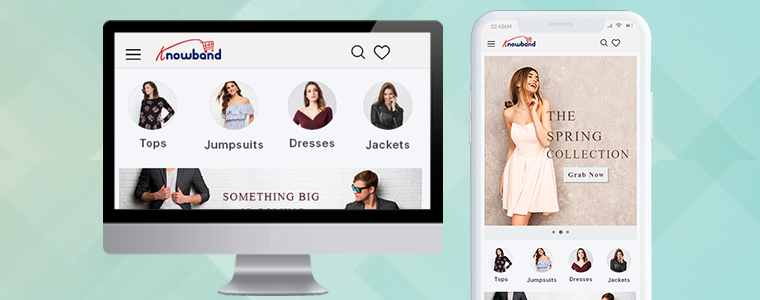
Create your mobile app using the Mobile App Plugin available for the major eCommerce platform like PrestaShop, Magento, OpenCart, WooCommerce, etc.

Recommended Reads:

Best eCommerce Payment Gateways for Poland

Payment Gateways are a pathway that securely facilitates the payment process. The payment gateways process verifies and accepts or declines the payments using an assured internet connection. A secured payment gateway is used to handle the payment transfers between the merchant and the client. There are several accepted payment methods for online purchases in Poland, but online bank transfers always come out on top.

Poland has exceptional scope in the eCommerce industry and the digital marketplaces are growing faster than ever. It is the safest and most professional way to deal with online financial transactions. You are also going to use services such as PayPal, Square, and several others. However, it relies on the website’s design and web development. Also, it is vital that your customers’ data is safe, and you will also be able to pay yourself. It also enables the processing of refunds, returns, etc.

Some Statistics about Payment Methods in Poland

  • 41% are mobile payment providers with one-click checkout. In Poland, payment service providers include PayU, PayPal, DotPay, Przelewy24, Tap2Pay, and others.
  • 35 per cent uses classic bank transactions. PKO BP, Bank Pekao, MBank, Santander Bank, and ING Bank Śląski are the top Polish banks.
  • The third most common financial product is BLIK, used by 25% of shoppers.
  • 16% of transactions are handled through debit card processing.
  • 17 per cent of mobile wallets are used for e-commerce.

Nowadays, when making online purchases, online shoppers are much more alert & aware even of data protection. Therefore, e-retail companies have to select the right ones to prevent some kind of further barrier to online payments and transactions. Let’s address in depth each:

Recommended Read: Top 5 Payment Gateways for your eCommerce Store

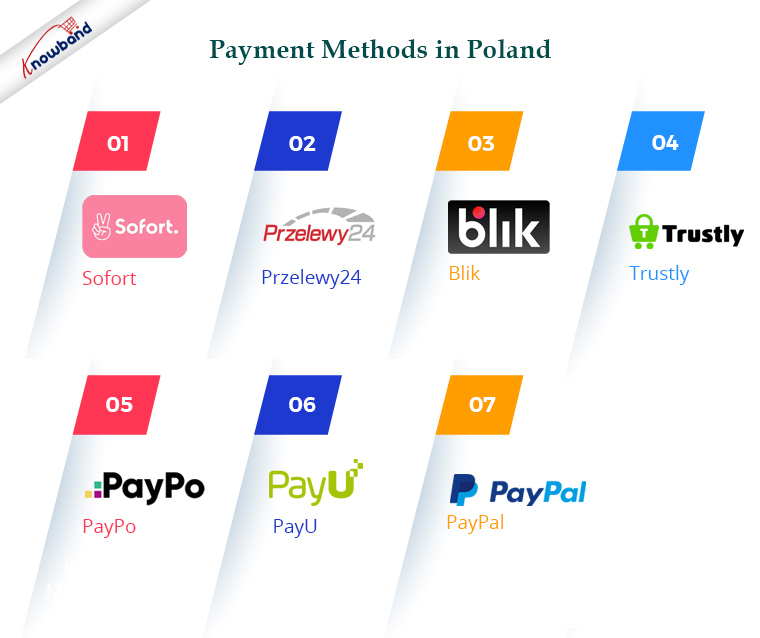
1. Sofort

Sofort, also known as Pay Now, enables you to use your online banking information to make simple and convenient payments for your online purchases. The merchant receives confirmation of the transfer order in real-time and may promptly dispatch the goods or allow the download. Using your own safe online banking information ensures there is no need to share with the merchant any personal information or card numbers.

Recommended Read: Benefits of Having Multiple Payment Options on the Checkout Page

2.Przelewy24

Clients ofPrzelewy24, a Polish payment method aggregator, can carry out transactions electronically via bank transfers and other ways. Bank transfers account for 80-90 per cent of online payments in Poland, and with over 165 banks, Przelewy24 offers a way for customers to pay. To authenticate a payment, Przelewy24 redirects customers to their website and there is instant notification of the success or failure of a payment.

3. Blik

Blik is Poland’s most common mobile form of payment. Embedded in banking applications, BLIK is a device covered by all major Polish banks. More than 90% of all clients of Polish financial institutions currently have the option to use BLIK in mobile banking applications.

4. Trustly

You can accept payments, issue payouts, and access useful user insight data with Trustly. Fast activation and multi-currency functionality give you the power to extend your company with access to clients in Europe, Australia, Canada, and the US across borders.

Recommended Read: PrestaShop Preferred Delivery Time Addon

5. PayPo

PayPo in Poland is a ‘shop now-pay later’ form of payment. You can pick PayPo upon checkout as a shopper, and you pay for the products purchased later, interest-free.

6. PayU

The payment option for users in Poland is PayU (Poland). Among other items, the scope of payment services provided by PayU includes one-click payments, mobile payments in the store application, fully online payments, deferred payments (purchase now, pay later), renewable payments (subscription), electronic wallets such as Google Pay, Apple Pay, Click to Pay, MasterPass, and even BLIK.

7. PayPal

The well-known digital wallet and online payment system are PayPal. PayPal is regarded as one of the safest and most reliable online payment methods these days. You get access to the full range of PayPal solutions in Poland, including withdrawing money into your banking account. Polish accounts do not have any restrictions. PayPal is also used in e-commerce as a means of payment for products and services on platforms/markets, in addition to sending and receiving payments, where traditional debit and credit cards are not accepted.

PrestaShop One Page Checkout is Compatible with Popular Payment Gateways of Poland


Would you like to add a custom payment method on the eCommerce checkout page? Bank transfers currently make up 50% of all e-commerce transactions in Poland, where they are the most popular payment option and EUR 5 billion in annual sales. It is expected that this method will rise at a compound annual growth rate of 8% by 2021, but the rapid increase in the number of cards as a payment alternative will dent the overall share of transactions carried out by bank transfers.

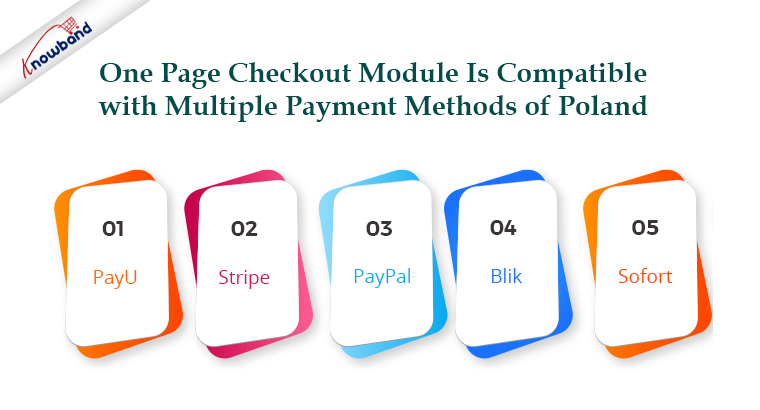
The One Page Checkout enables you to add endless payment methods. The PrestaShop One Page Checkout module is compatible with multiple payment methods of Poland like PayU, Stripe, PayPal, blik, Sofort, etc with the API integration. A default payment method can also be set. In addition, for every method of shipping, you can specify which payment methods would apply to it.

Give a Better Checkout Experience to Your Users

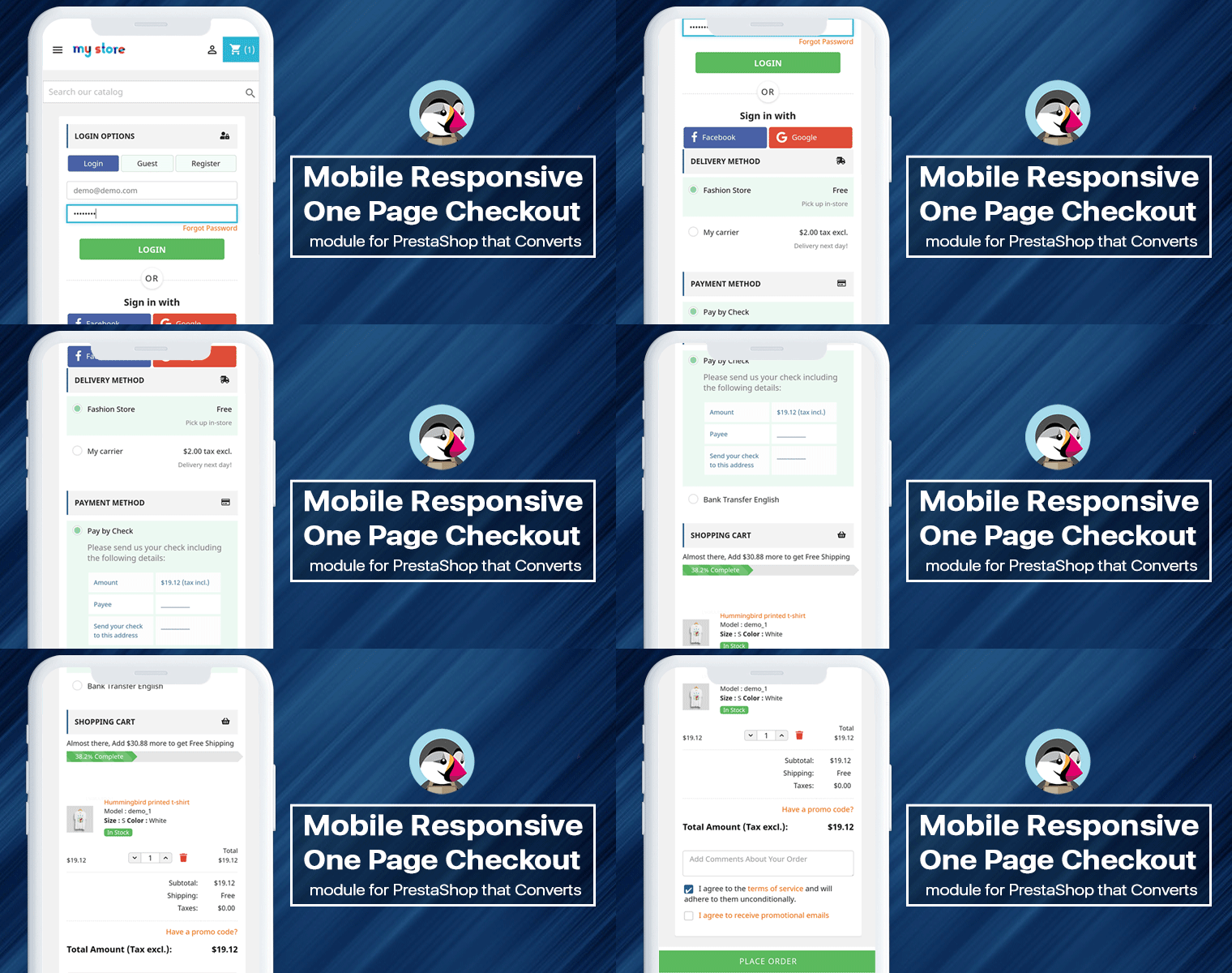
It will be good to show cart details, product images, and product prices on the checkout page and give a similar experience to a physical store where customers can see all the product details. With One Page Checkout, customers can increase or decrease the product quantity at the checkout page.

It has various login options like social login with Google+, Facebook, or PayPal. Prestashop One Page Checkout page loads faster and increases the conversion rate. For Payment methods, you can add several payment gateways that are available in Poland and give your users a better customer experience.

Recommended Read: Different Types of Payment Methods in eCommerce
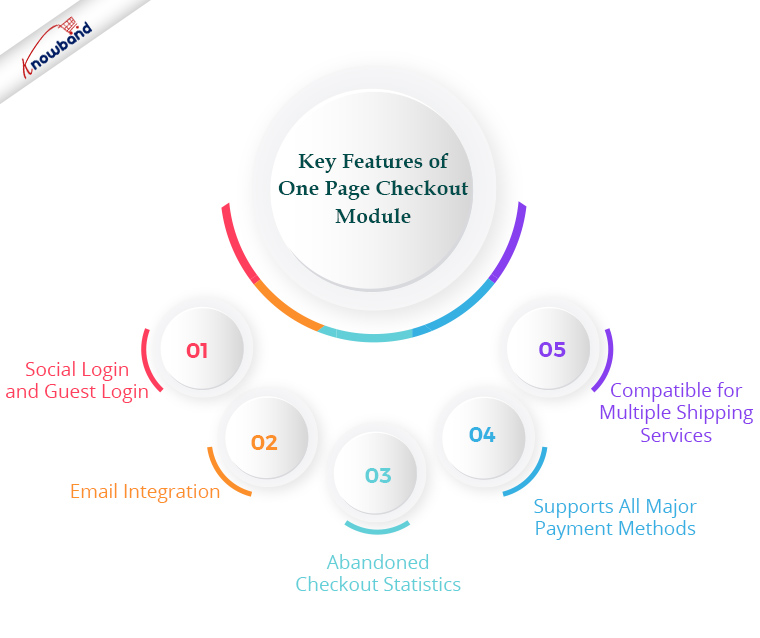
Key Features of One Page Checkout Module:

Social Login and Guest Login:

One Page Checkout module for PrestaShop has Social login functionality that requires the social handle details. Also, it supports guest checkout for customers who do not like to spend time in the lengthy registration process.

Email Integration:

The One Page Checkout module has MailChimp, Klavio, and Sendinblue email integrations.

Abandoned Checkout Statistics:

You can keep the track of abandoned carts and put your efforts into recovering those.

Supports All Major Payment Methods:

The PrestaShop One Page Checkout supports almost all payment options, allowing the consumer to select one for their transaction.

Blik, PayPal, Boleto, PayU, Stripe, Sage Pay, Mobilpay, Ogone, Pago Facil, ePay, ccAvenue, Quickpay, Firstdata, Paysera, Braintree, Moneybookers, Mercado Pago, Redsys, 2Checkout, etc.

Recommended Read: Mobile Wallet/Digital Wallet vs Credit Card/Debit Card

Compatible with Multiple Shipping Services:

Streamlined checkout from PrestaShop is compatible with almost any shipping service.

Mondial Relay, So Colissimo, Ulozenka Delivery, Zasielkovn Delivery, LP Express 24 Delivery, InPost Paczkomaty, Zasilkovna, Webshipr, Paczka w Ruchuu, Poczta Polska (owppoczta), etc.

To increase the profitability of their business, every store owner wants to give their customers a simple and quick shopping experience. Checkout became the focal point of this procedure. The One Page Checkout module is available for all the major eCommerce platforms. Click on the links below to see the demo on the KnowBand store and visit their product pages.

PrestaShop One Page Checkout Addons

OpenCart One Page Checkout Pro Extensions

Magento 2 One Page Checkout Extensions

The One Page Checkout alternatives lessen the clients’ additional work. It enables them to finish the checkout process on a single page, lowering the rate of cart abandonment. Social login is the best feature of the one checkout plugin. Users can utilise this functionality to log in using their Google or Facebook accounts.

Wrap Up:

Payment gateways are the most important element of any eCommerce website. Additionally, a correct payment gateway will enormously improve the growth of e-commerce businesses. However, to ensure safe and secured checkout, you require a user-friendly payment gateway that supports multiple payment methods. Moreover, Limited payment options are one of the factors contributing to greater checkout page bounce rates and cart abandonment rates compared to other website pages.

One-Page Checkout Module is a one-stop solution to increase conversion with a decrease in abandoned cart rate. So, give it a try and choose your payment methods wisely!

Why Competitor Analysis is Important for an eCommerce Store

Competition is a good thing all the time. This forces us to do our very best. A monopoly makes individuals complacent and happy with mediocrity. You will build a more knowledgeable and efficient marketing strategy if you know how to carry out a competitor analysis. Researching the industry’s rivals lets you see the business environment clearly, where your brand fits in, and what you need to do to stand out and thrive.

What is competitor analysis?

It is simple to understand from the term itself but practically it includes a lot of research and evaluation of your rival’s business strategies.

A competitive analysis is a research method that shows who your rivals are and how your brand is relative to their goods, positioning, strengths, and weaknesses. It’s an analysis that explains you following things from the competitive study, such as:

  1. Identifying your opponents and judging them
  2. Evaluating their strategies
  3. Their strengths and vulnerabilities
  4. Take business decisions that help to beat them
  5. How to compare them to your business?
  6. What amount of brand recognition in your market do your rivals have?

Find their rates, earnings results, share prices, best practices for customer service, cutting business, distribution, and a whole lot more.

Why do competitor analysis?

With competitor analysis, you will be able to improve your own marketing plan. In the industry, you can also find opportunities that rivals have missed. You’ll discover new areas of opportunity that your competitors are proving popular, that you’ve missed. For example, you should target countries that are working for them.

Our products have helped shape a lot of companies with eCommerce platform plugins like the marketplace, social networking, SEO wizard, etc. We helped many dreamers to start their own business apart from that. We know how to start a company with eCommerce and how to be a top performer. And one of the most important of these was doing competitor analysis.

Today, eCommerce means rivalry cutthroat. For a single moment, you can’t afford to lose concentration. If you don’t constantly keep track of your rivals, you’ll unexpectedly start losing clients one day and you won’t even know why.

Doing regular competitor analysis does not only give one an advantage over rivals for an eCommerce company, it is a must-do to remain in the race and make a constant profit from your business.

How to do a competitor analysis?

We put together this guide to help you learn how to do a competitive analysis that explains what to do during each phase, what competitor analysis tools you can use to discover the details, and how to use the data to guide your marketing strategy.

  1. Identify your competitors
  2. Compare positioning in marketing
  3. Compare the traffic and efficiency of sites
  4. Make a comparison of keywords
  5. Compare Voice Share
  6. Backlinks comparison
  7. Compare the efficacy of SEO

There is no foolproof advice to make the right one for your competitor analysis. Instead, it focuses on the sector in which your company is.

Popular competitor analysis tools

After knowing the importance of competitor analysis, the question that arises is how to do this? Are there any software or tools that can help? It is easy. There are various famous competitor analysis tools for different niches.

To compete with the competitors you must use the most efficient tools for business analysis. Some tools can assist you with competitor analysis for SEO, content, keywords, and social media. Let’s dive deep into the popular competitor analysis tools.

1.     QuickSprout

To learn about sites similar to yours and to find out how to outrank them, use the QuickSprout competitor research app.

When using this method, the one thing to bear in mind is that the reports can take time to load. Usually, the competitive analysis tab loads within 60 seconds, and it typically takes 90 seconds for the social media report.

2.     SEMRush

Analyze the top organic and paid keywords, backlinks, and more with SEMrush from your rival. SEMrush is a flexible tool that allows you to perform competitive research on any domain name and to use the knowledge to optimize your campaigns. This instrument allows you to do four significant things:

  • Keyword Analysis
  • Study of Competitor
  • Audit of Web
  • Study Backlink

3.      Google Advanced Search Operators

Google Search Operators is a competitive audit tool that lets you find just what you’re searching for if you want your search terms to be changed easily and efficiently.

Google Search Operators are also query terms or symbols that you use to trigger specific actions and send you the most important search results. When making blog posts or searching for the most accurate data, I use these search operators every day.

4.    Ubersuggest

Ubersuggest makes it simple to easily dig up and analyze

  • Top keywords
  • Backlinks and where they come from
  • Top ranking pages

And if you do so, with the idea of outranking your competitors, you can change your strategy.

5.      SpyFu

Learn the PPC keywords and SEO tactics of your opponent, scan and download their keywords. An awesome analysis tool for Pay-Per-Click. To enhance your SEO results, it shows you the paid keywords that rivals are targeting, as well as the organic search keywords.

6.     SimilarWeb

See from where the rival gets its traffic, what the sources of the traffic, and its audience’s demographic are. You can reliably guess how many unique visitors your competitors produce every month with SimilarWeb. It is used by top brands because it is flexible and offers one of the most precise sets of insights on any given site.

7.     BuzzSumo

Buzzsumo is a fairly common monitoring tool for social networks that helps you find the most shared content by entering the domain for a given subject or competitor. In Buzzsumo, just use your industry keywords to see what kind of articles get the highest social interaction score. It is a realistic tool for producing viral content and making viral headlines.

8.     Alexa

Alexa is a corporation owned by Amazon. It was founded in 1996 and has a long history of offering in-depth analytical insights to compare and optimize companies on the internet. Get detailed statistics and analytics on web traffic using Alexa.

9.     Google trends

Using Google Trends, find when and where your competitor is being listed on the web in real-time. Google is, without a doubt, the world’s most used and useful search engine. Google Trends is a website by Google that analyzes the popularity across different regions and languages of top search queries in Google Search. The website uses graphs to compare, over time, the search volume of various queries.

10.        Siteliner

You need ties when it comes to improving your search rankings. Between external links and Google rankings, there is still a connection. To search for broken links from any site, use Siteliner and then assist the site to repair it by pitching your link as a substitute for it.

Wrap-up: It’s not going to happen immediately. It’s a continuous phase. Doing a periodic analysis of rivals will give your business the edge it needs to outsmart the competition. Learn and watch. Installing monitoring to monitor your progress – Google Analytics, SEMrush, Moz, Webmaster Tools. With QuickSearch and Talkwalker Warnings, observe your competitors and industry. See what works and what doesn’t.

Recommended Read:
10 of the Best eCommerce Marketing Ideas to Jump-Start Your 2021

The marketing opportunities in today’s digital world are endless and remarkable. You can make eCommerce marketing strategies and plan them well before the occasions for the year 2021.

Your company needs customers to thrive and expand. You need to advertise your company to get customers. In the good old days, it was a matter of choosing between a flyer, a brochure, a postcard, or an ad in a local newspaper.

With time, the modernization in the digital world has changed the way of marketing and now you need to keep up with the trend to survive the competition. Google ranking, content marketing, personalized experience for customers, and social media campaigns are a few prominent ways.

If you are struggling with the right marketing strategy for the upcoming years then here are some of the most effective ideas to jump-start your 2021.

1.     Go for Google listing and Local SEO

Every owner of a company with a website is searching for ways to get found in the search results. Now, during the Coronavirus pandemic, it’s important to provide consumers with an up-to-date Google profile for their company.

There is a lot of tactics to rate as well as a local company, but there is no magic bullet: as with most SEO problems, this is a combined effort. Google My Business, a dashboard for managing listings, is one of these parts of the local SEO puzzle. Local business listing has many benefits for a local business.

Keeping your listings up-to-date also helps your customers to know any changes in your hours, promotions, blogs, or any other information you’d like to provide quickly.

Listing your products on various marketplaces like Facebook, ETSY, eBay improves the chances of brand awareness and build trust. So, if you are not selling on any marketplace then 2021 is the right time to implement this.

2.    Use Social Media to Engage & Retain

Not only does the matter of your content need to be important to your audience, but also how you offer content on social platforms. Index research shows that 68% of consumers want to engage with photos, while 50% want to engage with video content.

When you review all the content you’ve generated over the past year, consider flagging text posts that have earned a high degree of interaction and brainstorm how you can turn them into visual or video content.

Social media is the best eCommerce marketing platform because of its large user base. In 2021, you can add some freshly brewed engaging content on your social media pages and see the difference.

Recommended Read: Social Media Trends to Follow In the Year 2021
3.     Improved Communication of Availability of Product

Customer relationships are based on trust, and the last thing you want to do is to break the trust through poor communication (or lack thereof entirely). In this post, we’ll look at some of the best practices for sharing news about future changes with users.

Communicating about potential product changes is not only polite, but it also lays the groundwork for positive reactions, increased acceptance, and reduced negativity on the part of users.

4.     Google Ads Automated Bidding

Automated bidding is a bid strategy that dynamically determines bids for your ads based on the probability that the ad will result in a click or a conversion. Automated bidding takes hard lifting and guesswork out of bidding to reach success expectations.

It increases site visits. Maximize Clicks will automatically set your bids to help you get as many clicks as you can within your budget. Target Impression Sharing automatically sets the bids to view your ad on the absolute top of the list, on the top of the page, or anywhere on the Google Search results page.

5.     The Power of Voice Search Assistance

As all digital marketers know, Search Engine Optimization (SEO) is a key component of an eCommerce marketing strategy that is continuously evolving. To build a sound SEO strategy in 2021, it is important to understand the power of voice searching and how to optimize it for your company.

According to Google’s research, 20% of search queries are made by voice. More people use their voices these days to search for knowledge for two reasons: easier, more normal.

Not only do people use voice to seek information, but they also use it to play music, play games, shopping, set up daily reminders and they also make phone calls with voice search. Add voice search functionality on your website and let your visitors enjoy it.

Recommended Read: Role of Voice Search in eCommerce
6.     Improve Retention with Marketing Segmentation

Although it’s difficult to keep all of your customers around forever, there’s a reason why retention is such an essential measure. Keeping customers happy is not always easy, particularly as your customer base expands.

Segmentation is a smart way to make marketing efforts simpler. Some people use slightly different approaches to measure retention, but segmentation will make it simpler. With the right email platform, you will find out how many customers are sticking.

The use of segments makes things simpler to group people, whether they have been customers for a long time or whether they are newcomers.

7.     Add More Interactive Content

Adding interactive elements to your website or social media is a perfect way to offer value to travelers, get them to connect with your brand, and learn more about them.

Encourage your followers to share it on a social level, send a link to your email list, and refine your SEO blog post so that you can link to it from there. Encourage people to share interactive content with others.

Make it simple to use an embedded code for some types of content, such as interactive infographics. Creating immersive content leads to more dedication, more leadership, and more loyalty from your customers. Customers are more likely to share their details with businesses that take the extra mile to deliver content that is truly useful and engaging.

8.     Focusing on products and services

Start-ups need to concentrate more on the product and less on services. Product-based businesses are motivated by the concept of serving various consumers and constantly enhancing the product. The service-based business offers software products and services to anybody who asks for a price.

A quality product produces unwavering consumer loyalty that generates increased leads. When consumers find a product they trust, they return, make frequent purchases, and suggest the product or service to others.

9.     Testing AI-powered copy

AI in marketing is the use of consumer data, machine learning, and other statistical principles to predict the behavior or inaction of an individual. It can take on large quantities of data and allow advertisers to quickly segment them. With AI, companies can develop great marketing analytics strategies to target the right potential customers.

Artificial Intelligence Marketing (AI Marketing) is a method of using customer data and AI principles such as machine learning to predict the customer’s next step and enhance the customer’s journey.

The AI can be used to provide a personalized experience to your clients. Customer satisfaction is the one last thing every merchant fights for and AI can make that happen. You can offer personalized services at your retail store with a previous purchase history of your customers. Also, sending custom emails to your existing customers based on the data you have collected so far will be a conversion technique.

10.                       Try an influencer marketing collaboration

Influencer marketing is a highly productive environment for quick results and can catch the targeted consumers rather than to try to expect that organic customers will continue to do so.

Since marketing and social media are harmonized, a lot of new approaches are emerging. On social media sites, competition is increasing day by day and content editors are becoming more valuable on digital platforms.

Content editors also use their social media profiles and build their target audiences. In time, they turn the accounts into commercial channels and direct the communities to the accounts.

Users offer credit to influencers’ views instead of regular users. And when you get to the decision stage, end users have a lot of appreciation for influencers.

Conclusion: Be it a social media platform or Google SEO, it is pivotal to understand the complete process. How the search engine works, what are the benefits, and the total costs involved? We have covered all the impactful techniques that will improve your site visits and overall conversion rate.

For further marketing strategies, you can refer to these very well-curated articles with different eCommerce marketing pro tips that work magic.

Recommended Reads:

The Ultimate Guide to Efficient Layout and Web Design for eCommerce Store

From the product page to contact forms, every single aspect of your website could potentially lead to a user’s decision to make a purchase. If you want to create trust with your clients, investing in a professional website is a must, and improving that trust is essential if you want your e-commerce store to succeed.

When building an e-commerce website, web design is critical. Successful web design for e-commerce is all about using the appropriate colors, fonts, pictures, words, and graphics to attract visitors to make a purchase. The design of your e-commerce website should attract prospective customers, provide an excellent user interface, and show your shop in the best light.

1.                 Think Like a website visitor

Your website should not have any content which makes them feel uncomfortable when you expect them to share sensitive information like credit card details. The point is, if you want your visitors to take you seriously, you need to convince them that you take yourself seriously, and competent web design is the best way to do that. Optimize the checkout page design from a visitor’s point of view.

2.                 Keep it Simple

The web design of the checkout page plays a pivotal role because it is the page that decides your fortune. Try to keep the design of the checkout page simple. Utilize maximum white spaces while designing the checkout page but keep it clean. Various layout designs are available for making the One Page Checkout appear clean, easy to navigate, which makes the purchase easy no matter what you are selling.

3.                 Show relevant Product Image on Checkout Page

In the world of web design, it is observed that photos improve conversions and that is even more true when it comes to e-commerce. If there are no pictures of the product they choose to buy (or only a single picture of poor quality), they will feel more reluctant to make the purchase, and as a result, the conversions will tank.

No one is going to buy the sight of a commodity unseen. You need to show them what they’re buying through high-quality product images if you want people to purchase your product.

4.                 Use color as an advantage

Different colors inspire different feelings and every color has its significant emotion attached to it. Play with those emotionally inspiring colors while designing your website pages to make your customers feel attached throughout the shopping. Use scale, contrast, and harmony to make it more appealing.

You can add bright and colorful buttons like red for the ‘buy now’ button which is well known for excitement and passion. The point is, color is one of the most important tools in your design toolbox, and it can have a major effect on your e-commerce design if you know how to use it.

5.                 Have a systematic approach:

Whether you are using a single page checkout or a multiple-step checkout, the web page design of the checkout page should have indicators that navigate the customer to the next step and informs them about the progress of the process.

On both, One Page Checkout and Multi-Step checkout, it’s useful to place a progress meter while making the layout design. If you place all of the elements on one page, it looks interactive. Studies suggest that the systematic approach by delineating the stages lead to higher conversions.

6.                 Use Security badges

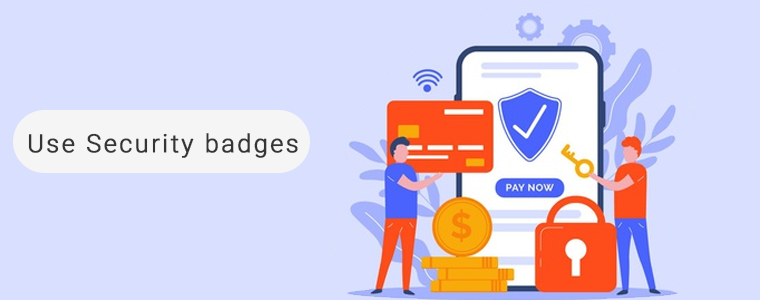
People, especially new visitors, often question the security level of a website. They do not easily trust a website and often feel a little skittish sharing their payment information. Make them feel that the website is trustworthy and that their payments are safe. Show them the security badges to build faith. It may include the payment choice logos, Norton, McAfee, Padlocks security badges, or even a short text that reads ‘Quick and safe payment’.

The website should be designed keeping this in mind and do not forget to take an SSL certificate because a secured website can maintain trust throughout.

7.                 Don’t distract expected clients

After all the efforts you have put to entice the customer, do not distract them when they are about to make the final checkout. Every eCommerce web design includes functionality for showing relevant products for cross-selling.

Displaying related product images on the checkout page can put a full stop to the potential lead. This can be a distraction if not done right. Avoid doing any such mistake which can cost you a potential customer.

8.                 Optimize and make it mobile responsive

It is official now, as the most common way to browse the inter-webs, mobile has surpassed desktop and also shopping requires that.

If you want to catch consumers who want to shop on their phones or tablets, you need to ensure that your website design is completely mobile responsive. Millennial prefer mobile shopping and a checkout page which is not mobile responsive and slow loading can kill conversion. Make web design and UI mobile friendly.

9.                 Consider using One Page Checkout

A clunky checkout page can kill conversions and sales. You need to make the process of buying as easy, straightforward, and pain-free as possible to accomplish your goal.

Consider using One Page Checkout and make it crystal clear about the procedure: what data you need to process the transaction (and where they need to enter it), the various delivery options available (and how much they cost), and what to do in case their order is troublesome or they need to make a return. When the purchase is complete, guide your clients to a confirmation page so that they know it’s all gone through.

One Page Checkout offers Guest checkout, social login, multiple layout options, several payment gateways, shipping choices, and much more. Its layout design appears to be simple. You can replace the existing checkout page with One Page Checkout which specially designed to make the process simpler.

10.           Allow Guest Checkout

A mandatory registration before purchase seems annoying. You can make the registration process optional for the visitors with the One Page Checkout by giving Guest Checkout as a choice. Having a popup saying ‘Sign in to build an account is irritating!!’

People on the One Page Checkout would like to share information to keep the track of shipment. If a user is in a rush, then you can help them buy in less time with guest checkout. The One Page Checkout module allows your clients to checkout from the checkout page as visitors.

Wrapping Up

It can be tricky to design an e-commerce website and the checkout page, but now that you know the top e-commerce checkout page web design tips, you have everything you need to design a website that not only looks great but converts like crazy.

Then what are you waiting for? Redesign your website and give a new look to your online store with these tips. Contact us at support@knowband.com for any eCommerce support.

Recommended Read:

How to Apply a Return Policy That’s a Win for Both You and Your Customers

Managing orders and fulfilling customer’s demand isn’t an easy task. Considering consumer rights in the EU, every eCommerce platform needs an easy return policy to maintain the records and meeting customer’s needs.  EU has a policy that a consumer can request a return or refund for a faulty product within 14 days.

As an eCommerce owner, it may sound boring and time taking. But, return manager software takes care of all the functions required for return, exchange, or order cancellation. It simply puts a ‘Return Tab’ on the home screen of the eCommerce store through which any existing customer or guest customer can easily make a return or cancel the request.

Why have a return policy on your store?

By making clients jump through hoops, it can be tempting to try to eliminate returns.

Customers, however, are not likely to trust an online store that does not have a simple way to return orders that do not suit, arrive damaged, or are just not quite what they expected.

Great return policies enable clients to commit to a purchase and allow them to shop without fear of consequences. A good return policy for e-commerce can make or break a transaction or make a traveler a customer for life. Having a robust return and exchange policy instills confidence in you, your company, and your goods.

And trust has an immense effect on the bottom line.

How do you write a return policy?

When writing a return policy, consider these points and make sure that it is visible to the customers. Hiding the return policy and your terms and condition won’t help. Instead, it will create a negative impact on your shoppers.

  1. Specify a return time frame
  2. Define the anticipated condition of returns
  3. List return requirements in simple language
  4. Put a return specifications list
  5. A refund or credit in-store
  6. Keep the terminology concise and to the point
  7. Reveal any charges connected with returns
  8. Foster your policy

How to manage the returns and exchange on your web store

Managing an eCommerce store with fewer efforts is like a cherry on the cake and Return Manager software does that.

It helps you manage all the return requests in one place. You can find pending active return lists, return lists, and canceled order lists and this information can be exported whenever required.

By adding custom fields on the return request page at the front end you can collect more information from the user that can be used for creating return policies in the future.

A hassle-free return policy attracts buyers and gains the customer’s trust.

Best software to manage return and exchange on your store

The Return Manager Addon developed by KnowBand is the most premier software designed by our experts that effortlessly manages all the return requests. It is available for PrestaShop and Magento platforms.

Customers can raise a request from the front-end of the website. It also helps you identify the return reasons for customers and lets you raise a return request on behalf of your customer.

One of the effective features of this module is Email Templates. This pre-formatted email template option gives the admin a hassle-free experience at the backend and directly send an email to both parties as soon as the query is raised.

PrestaShop:

It is one of the bestsellers on the PrestaShop store with 1100+ downloads. Prestashop Return Manager is an interesting and helpful tool for the eCommerce store owner to manage the return and cancel the request at the backend.

Magento:

The same module is available for Magento and Magento 2 eCommerce platforms. It lets you manage all the order cancellation requests, exchange, and return requests with ease.

Strategies for more profitable returns and exchanges:

A merchant caters to customer retention and customer acquisition and this is only possible when the merchant meets customer satisfaction.

The return policy of your store should have an easy cancel request format with common return issues that they can mention during the return so the customer can choose a reason for return or cancellation from predefined reasons without taking any efforts.

Allow customers to return partial or complete orders. Also, you can show related products during the process of return with the Automatic Related Product module to increase the cross-selling and up-selling.

Magento Automatic Related Products 

PrestaShop Automatic Related Products 

Conclusion: Thanks to the quick and effective cancellation method, customers are more likely to go back to your platform.  Make it easy for clients to find the return policies and understand them.

Accept the advantages that come with a customer-first return policy and the cost. And, implementing the return manager module is a timesaver for both merchants and customers.

Recommended Reads:

How you should plan your Abandoned Cart Reminder Email for your online store?

You might be spending a lot of money on bringing more visitors to your store via social media advertisements or other paid marketing plans, yet not receiving potential traffic?

If that sounds like you then you need to figure out the hole in your leaky bucket.

What does that mean? Your system of driving traffic isn’t working well. Maybe you have a poor UI or you are not giving them the personalized experience that they deserve. Or, you are just not doing it right.

Did you know that 75 percent of shoppers abandon their carts in mind-numbing ways? This costs an estimated $260 billion in lost sales for online retailers every single year!

You will begin to combat this phenomenon through the implementation of an abandoned cart email strategy.

Sending an abandoned cart reminder email allows you to recover some of your previously lost sales and potentially convert more of the traffic to the website that you attract.

What is an abandoned cart email?

An abandoned cart email is a cornerstone of e-commerce. It is a follow-up email sent to someone who has added products to their cart and proceeded through a portion of the checkout and left the site without buying them.

For the 3 (out of every 4) shoppers who leave a website without completing the checkout process, an abandoned cart email is intended.

The tremendous advantage of abandoned cart reminder email? They are auto-triggered. You can set up a series that goes all on its own and gets money back that would have vanished otherwise.

Why you should send an abandoned cart reminder email?

The thing is, about 75 percent of people who leave their carts usually intend to come back, so you’re leaving serious money on the table if you don’t send abandoned cart emails to jog their minds.

Statistics reveal that most of the customer converts after receiving 3rd abandoned cart reminder email. If you are still not working on your abandoned cart recovery process then you are losing out on a lot.

What strategy you should follow?

You should send an abandoned cart email reminder to your customers who have left your website without completing the purchase. You can send the follow-up email in the sequence.

First, after a specified time delay

Second, after few hours from the time you have sent the first abandoned cart email reminder

Third, a reminder after a day

Fourth, after a few days and

Fifth, in 7 days with a catchy subject line

Now you know when to send the emails but what content will actually work is the major question to ask. Customers won’t convert with the old traditional email tactics but your email should be more personalized, engaging and it should have the capability to convert.

What type of abandoned cart reminder email you should send?

It is easy to build abandoned cart emails and go a great length to bring back reluctant customers.

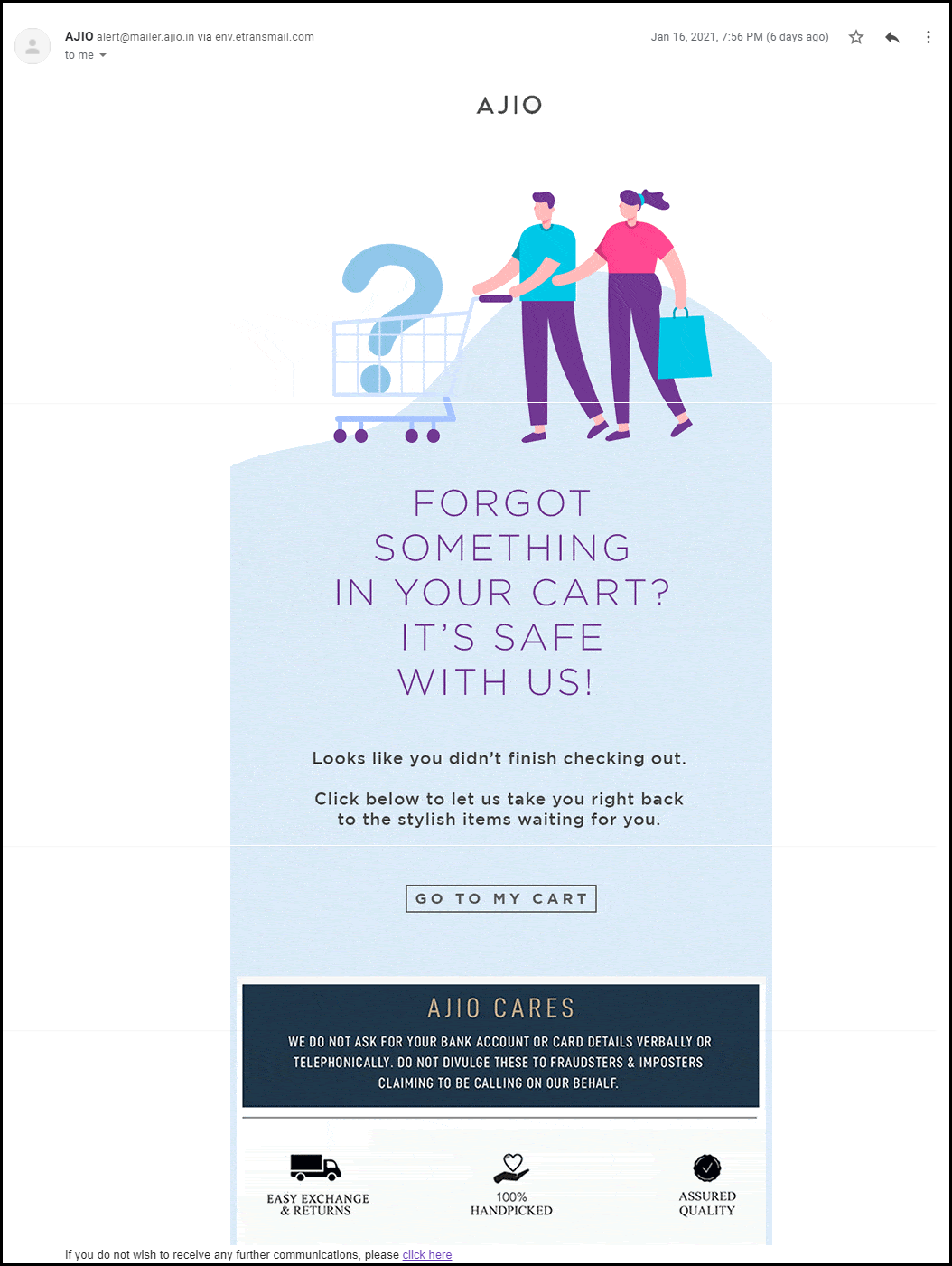
We’ve addressed ways to decrease shopping cart abandonment in the past. One of the main strategies is to alert shoppers with an abandoned cart email strategy that there’s something in the cart. Always include a reminder of what they have abandoned and prepare a great copy with features highlighted.

1.     Show your product features

Since you know what product you sell you are clear with your niche. In the very first abandoned cart email, you can highlight the features of the abandoned product.

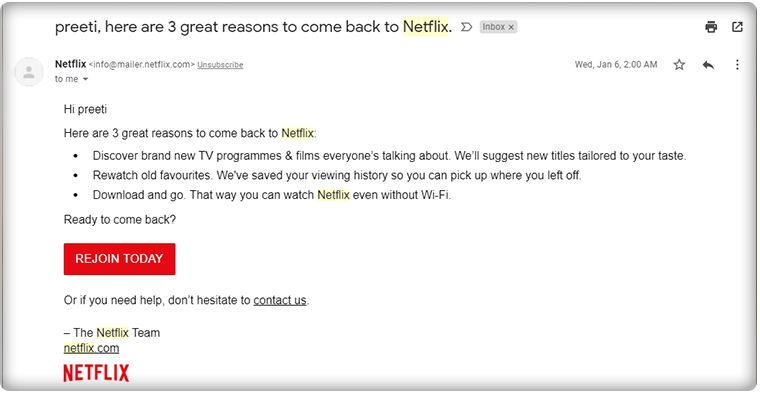
The mail should have a personalized touch. You can use the user’s name in the subject line.

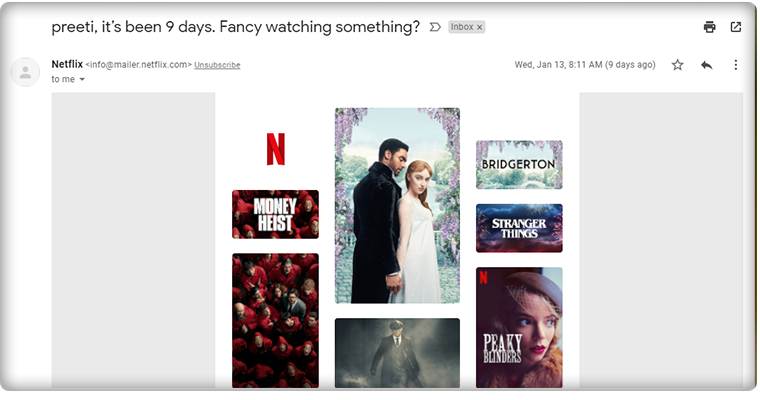
Netflix always uses this tactic when following up with their customers. Also, the subject line clearly defined the purpose of their email.

Calling the customer with a name build loyalty and adds personalization to your abandoned cart reminder email.

When it comes to the subject line, it should be catchy and this definitely grabs the customer’s attention.

2.     Add social proofs, reviews, and testimonials

When sharing a second reminder email to your abandoned carters, remember to add social proofs. Reviews, testimonials work great when it comes to conversion.

It is human behavior that they trust what others say and when it comes to shopping, most of the customers spend more time on reading reviews than on the product description itself.

If you have a digital product like an App or any software then you can add the total number of downloads like ‘Abandoned Cart Module have 8000+ Downloads’

You can add average star reviews of the product with the abandoned cart email copy.

3.      Include video content and catchy graphics

Video marketing is a fancy and most engaging way of digital marketing. The third email, that you will send the other day should have a short video clip with the unpacking of the product by customers or any review video shared by your customers on your social media handle.

Video can be very effective if it’s done right. You can include GIFs or links to your social media handles where customers can see more such videos. It will enhance the customer experience. Use the graphic image that goes well with the product images, use the colors thoughtfully and use genuine product images while sending the reminder email for abandoned cart recovery.

4.     Discount coupon code

Most people abandoned their carts due to their prices. Since the final price is more than what they expected, clients abandon their carts.

If people think about how much they’re going to spend, the prices of each item they add to the cart usually add up. They don’t really care about taxes or delivery, and sometimes lowball the figures if they do.

And there is an easy way to recover the clients who were frightened by the final price: issue a discount.

You can also put a timer that creates the FOMO. Add some catchy lines like

  • Happy Hour Sale!
  • Grab your offer before it goes away!
  • Special Discount on Your Cart!
  • Use the Coupon Code XYZ and avail of this limited-time discount offer!

5.     Make a Bundle to up-sell

Your customer isn’t coming back even after the discount? We have another plan for you. In the 5th reminder of abandoned cart email, offer them products that can be clubbed together.

If a person is having eyeliner in their abandoned shopping cart then you can make a bundle of mascara, kajal, and eyeliner and offer them a good deal like a discount or buy-1-Get-1 offer.

I am sure this will make them visit your store again.

If the customer did not convert after these many reminders then it’s your hard luck! But, you should always try. Along with abandoned cart emails, you can also share back in stock alerts with them using the Back-in Stock module and also offer deals on the products they have put on their wishlist.

How Abandoned Cart Extension From KnowBand Can Help You Achieve Your Business Goals?

The abandoned cart reminder emails can be automated by using a third-party extension. The Abandoned Cart Reminder Email Extension by KnowBand is incorporated with the automation feature. The shopping cart recovery emails will be sent to the customer automatically after a specified time delay.

All the benefits of abandoned cart reminder email can be availed by adding the Abandoned Cart Module in your eCommerce store. It has several features that you can use to bring back your lost sales.

Send Automated reminder emails with OpenCart Abandoned Cart Extension

The Abandoned Cart Email extension developed for the OpenCart platform allows store merchants to send automated reminder emails by tracking the abandoned carts.

With daily email follow-ups, the store admin can now turn the abandoned cart users into clients. You can use the strategies discussed in this article to recover your sales.

The store admin can easily analyze the abandoned cart of the store visitors and give them reminders by email with the aid of the Abandoned Cart Recovery module.

The OpenCart module allows you to send discounted and non-discounted emails. Admin can set minimum cart value to auto-trigger the emails and specify delay time for the same.

It has several customizable email templates that can be used time-to-time for sending reminder emails to abandoned carters.

PrestaShop Abandoned Cart module has some additional advantages

The PrestaShop Abandoned Cart module allows the store owner to send automated reminder emails after the specified time lapse. This PrestaShop module has various other features.

What is extra? The PrestaShop Abandoned Cart Recovery Module allows you to send reminders in three ways.

  1. Send discounted or non discounted reminder emails
  2. Send Push Notification for abandoned carts
  3. Display abandoned cart reminder pop-up to the visitor

In addition, it gives you the entire report of abandoned carts and provides customer behavior data that can be used for sending personalized reminder emails.

Discounted and Non-discounted emails can be sent through the module and you can choose any email template from the listed ones.

It allows you to create your own custom abandoned cart reminder email template for sending series of follow-up emails.

Read: Creative Abandoned Cart Recovery Strategies Your Competitors Aren’t Using
Fringe Benefits of sending Abandoned Cart Reminders

The follow-up reminder for abandoned cart makes it easy for merchants to reduce cart abandonment and improve overall store conversions. More conversion means more sales! The emails with personalized content will enhance the overall customer experience.

The abandoned cart recovery module by KnowBand has several happy customers. You can check out the demo of the extension and visit the product page where customers have shared their reviews.

The module is available for all the major eCommerce platforms like OpenCart, PrestaShop, Magento stores.

Recommended Reads: