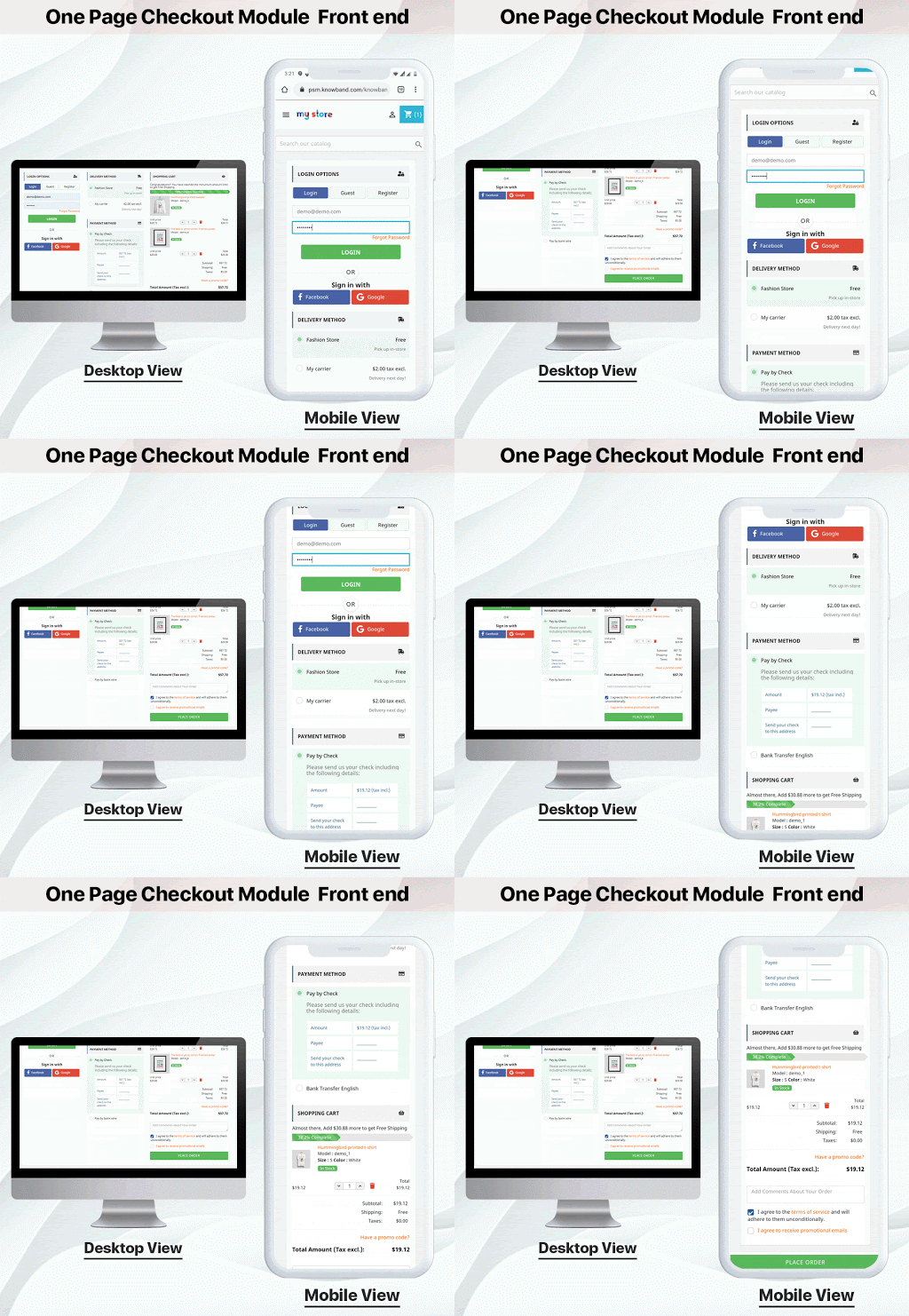
The checkout page should be responsive and user-friendly with a balanced page layout and structure. OpenCart One Page Checkout module, developed by KnowBand offers you easy signup, customizable layout, several payments, and shipping method support, and a lot more that makes it best and unique. The OpenCart One Page Checkout module’s latest version compatible with the Journal theme, Opencart v2.0.x – v3.0.x versions of OpenCart. OpenCart Single Page Checkout optimizes the checkout page by speed-up the process.
No customer wants to waste more time checking out. They want a checkout process that is legible, easy, and safe. By eliminating lengthy multi-step checkout, an eCommerce store owner may provide their customers with a simple single-page checkout. As consumers see that only on a single page can their e-Commerce experience be completed, they are more likely to finish the purchase.
Wondering why you should switch to One Page Checkout from Multi-Page Checkout? It is always a hot topic of discussion among eCommerce experts. You can read One Page Checkout vs Multi-Page Checkout and find out which is better for your store.
For better understanding, some of the best features of the OpenCart One Page Checkout Module are discussed in this blog that will accelerate the checkout process on your OpenCart store.
Quick Sign Up by Social Media
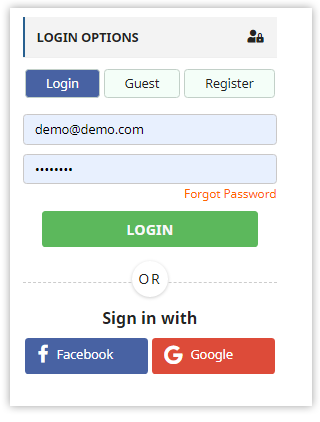
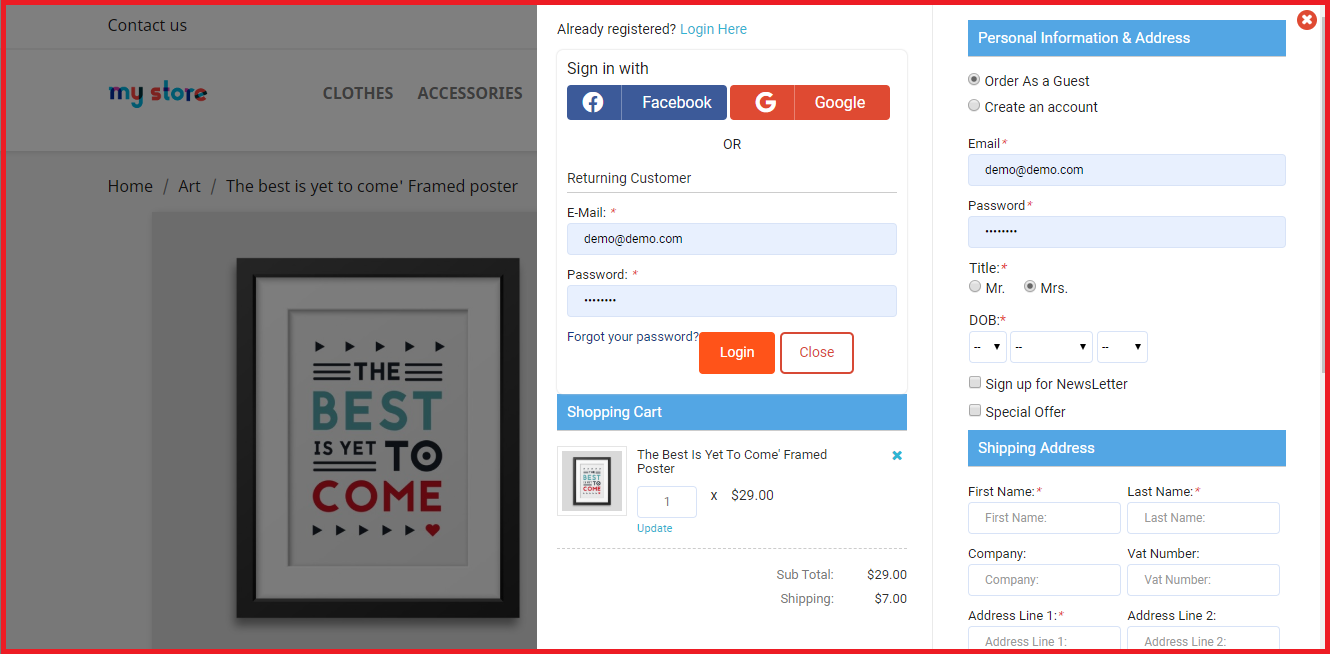
Social login is the new login trend, which significantly increases the number of registrations. With a social login option like Facebook and Google, the one-page checkout plugin is integrated. It saves time, and more specified information is received by the store owner. The social login option enhances the conversion rate for customers.
Guest Checkout
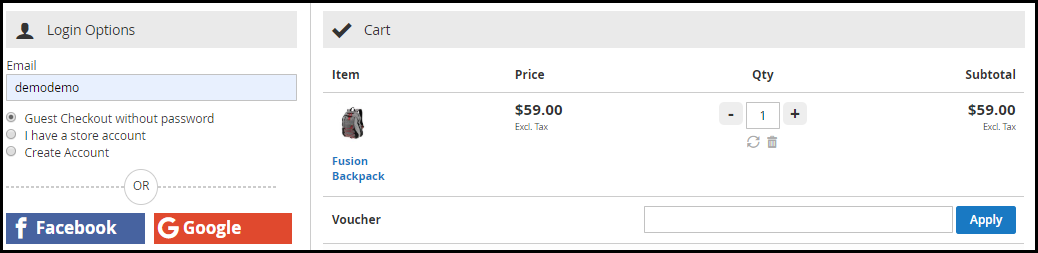
The Guest checkout option is provided by a page checkout module by KnowBand. This is an attractive feature that can save clients from filling out a long registration form. If a client does not want to go through a sign-in process, instead of abandoning the cart, he/she can make a guest checkout. If the user is already registered in the store then he can checkout directly.
Save time by removing extra fields
The Quick Single Page Checkout is the compact multi-step checkout version with a decreased number of entries. The OpenCart One-Page Checkout module that has minimal mandatory fields and no options for additional data entry will save time for the user. Some of the fields can be kept optional.
Show Product Details and Update Cart
You can also modify the cart fields in a similar way to the checkout field customization. You can specify which cart elements you want to display to the users with OpenCart One Page Checkout. You can hide the voucher entry from the Cart page, for instance, or display only a few limited fields. For both registered and non-registered users, this can be set up in a few steps.
Google auto address fill and auto-detect country code
With the enabled country auto-detect tab, the user’s location will be auto-detected. The administrator can show or hide the feature from the back end of the One Step Checkout extension of OpenCart. This is a valuable tool that can help clients and administrators alike. This reduces the time for form filling. As soon as the customer begins to fill out the address information, Google Auto-Address Fill displays the address suggestions.
Additional Features:
Layout and Structure Customization
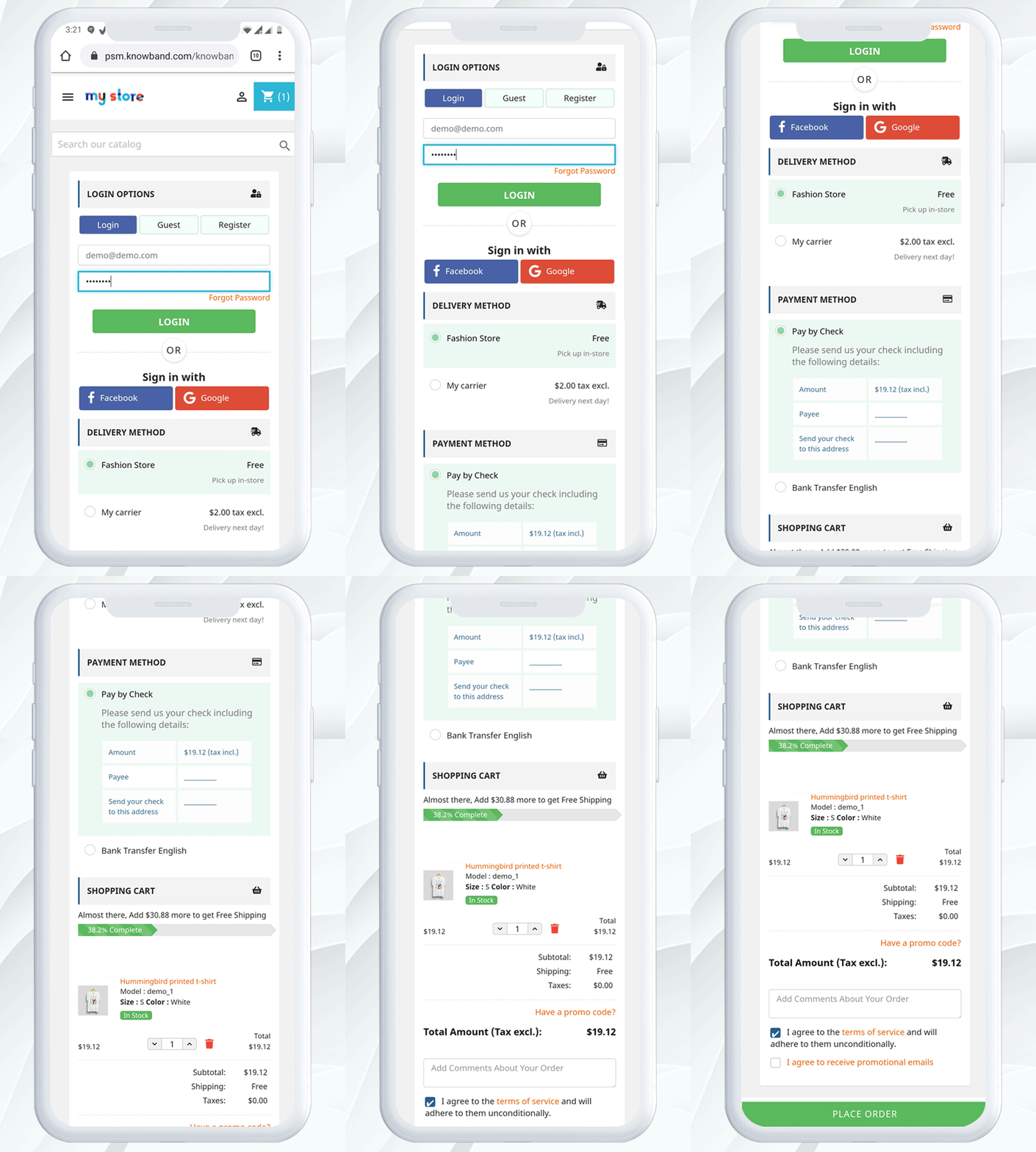
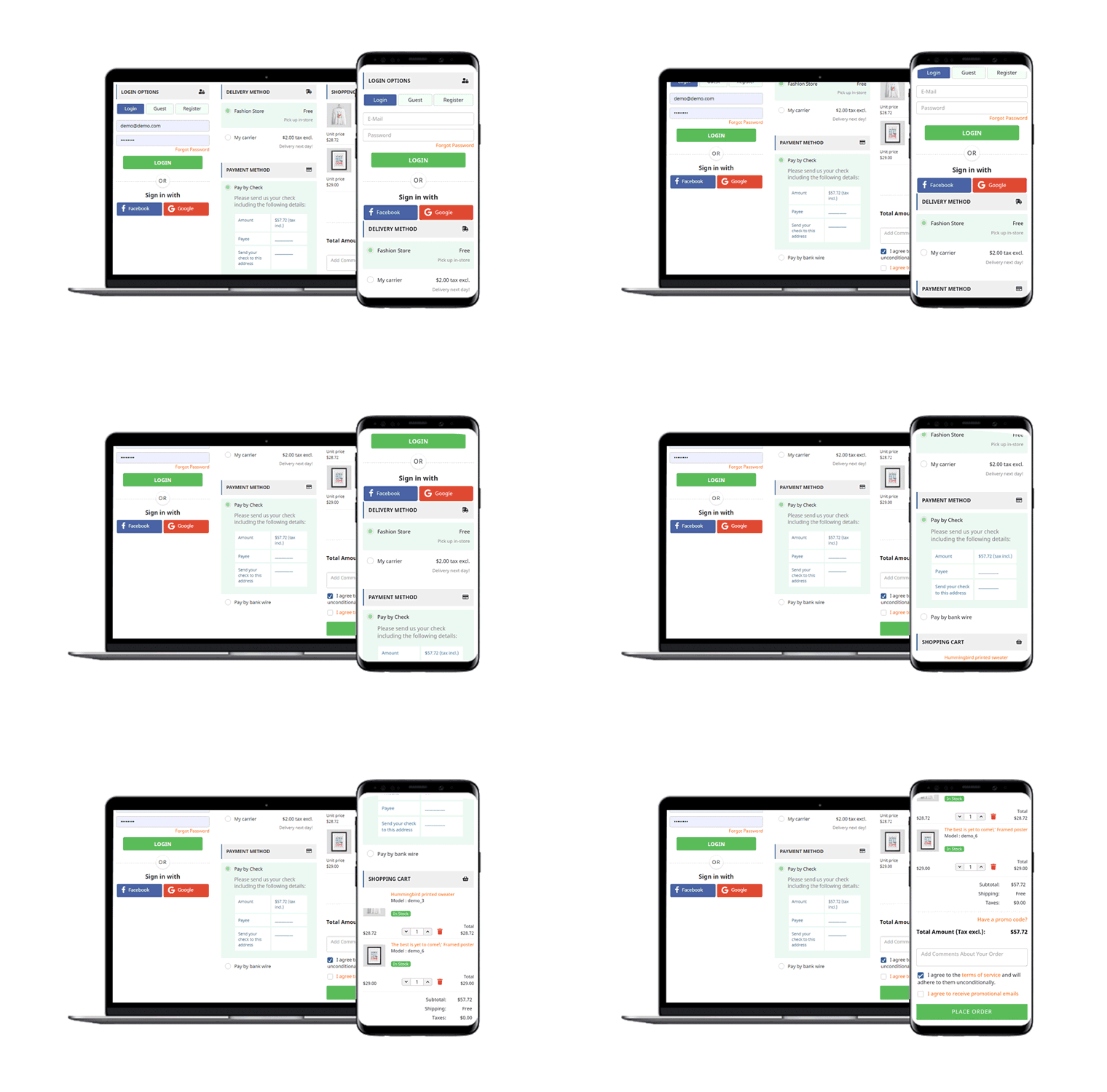
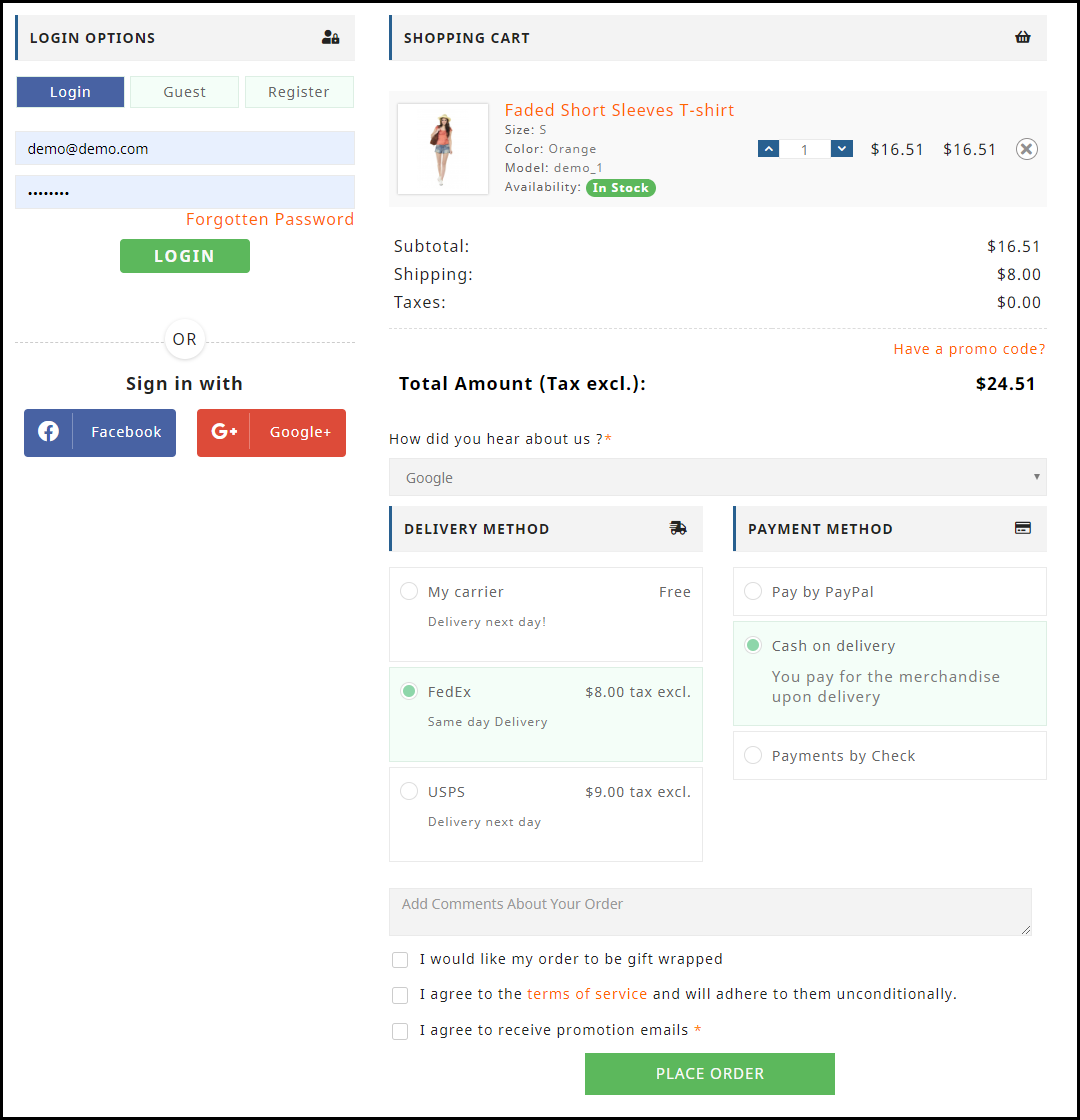
One page checkout shows all the elements on a single page, such as registration, sign-in, payment methods, shipping methods, cart information, etc. A helpful UI allows clients to complete the transaction hassle-free in contradiction to the multiple phase checkout module. There are similar elements in the multiple-step checkout, but it looks tiring and long. It is mobile responsive.
Support for multiple shipping and payment methods
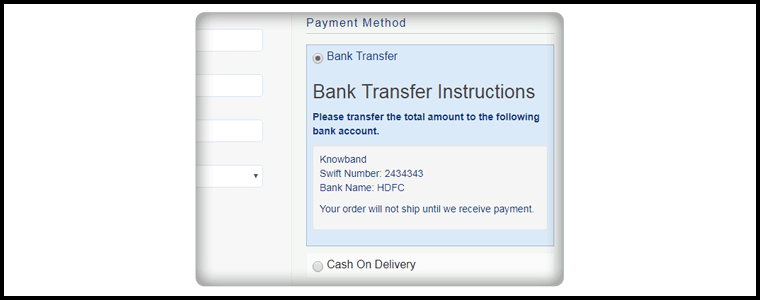
Almost all major shipping and payment methods are supported by the OpenCart One Page Checkout extension, so you can provide your customers with many shipping and payment options to choose from. A default shipping and payment method can also be set. In addition, for every method of shipping, you can specify which payment methods would apply to it.
Compatibility with Journal Theme
The Single Page Checkout Module is Compatible with the Journal 2 and Journal 3 themes of OpenCart. If you need any help with the compatibility of the theme, please contact our support team after purchasing the extension and we will help you to make the extension compatible with the theme of your store without charging any additional costs.
Conclusion: The OpenCart One Page Checkout Pro is designed to reduce the rate of abandonment of shopping carts. It is a quicker, smarter, and better checkout page that substitutes its advanced features for the default checkout. This module decreases the time required for the checkout as well as collects personal data that you can use in planning your digital marketing strategies.
Prestashop One Page Checkout Module is the solution to all your conversion issues. If you are facing a lot of cart abandonment on your PrestaShop store it can be because of the lengthy and boring checkout page. Prestashop One Page Checkout v7.0.1, the new version is offering some time-saving features which will reduce checkout time and enhance the customer experience.
The upcoming holiday season can help you overcome the losses you have faced during the COVID-19 outbreak. You can raise your sales with various modules available on the PrestaShop store. The most important of all is the PrestaShop Quick Checkout Page module. It is necessary to replace the conventional multi-page checkout with PrestaShop One Page Checkout. An optimized checkout page for your PrestaShop store will reduce the bounce rate and helps to boost conversions.
What is new in Knowband’s PrestaShop One Page Checkout
We keep updating our best seller PrestaShop One Page Checkout module. It helps sellers boosting conversion and reducing abandoned carts during the holiday season sale.
If you want to know how this checkout module works, give this blog a read. PrestaShop One Page checkout is incorporated with new features:
(New) Customers can Choose Profile type:
This is a new feature added in the PrestaShop One Page Checkout module. Now it allows customers to select a profile type as an individual, or business. This helps the owner in running personalized marketing campaigns. It also lets the owner decide what fields are mandatory for each profile type. In addition, the owner can display the mandatory or some of the fields on the invoice too.
(New) Redirect the Customer to Checkout Page Instead of Cart
With the previous version of PrestaShop One Page Checkout, when a customer hits the call-to-action button on the product page it redirects them to the cart. But with a new feature added, PrestaShop store admin can allow the consumer to jump to the checkout page directly. It will save them from taking extra effort.
(New) Use Payment Address Name for Registration
Prestashop store admin can allow customers to Use Payment Address Name for Registration. Earlier the delivery address was the only option that was used as default registration details. But from now on, if the admin wants he can enable the setting on PrestaShop One Page checkout to use the payment address name for registration.
Checkout features you must not forget about when deciding on your marketing campaigns during holidays
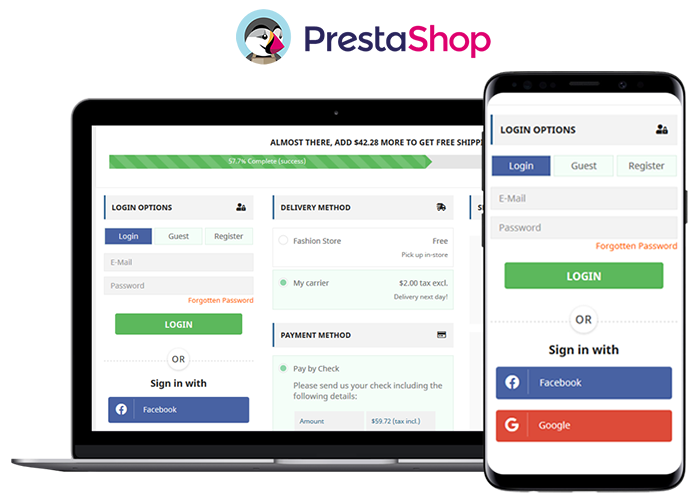
The user interface of One Page Checkout can cast spells on your customers and will do magic to stop them from leaving the website. The PrestaShop Quick One Page Checkout gives you appealing layout options, various login choices like guest checkout, social login with Facebook and Google+, multiple Payment and delivery choices, and what not!
Offer Free Shipping and increase average cart value:
Asking them to shop more with a popup not always works. Besides, you can offer free shipping over a definite amount and they will grab the chance without giving a second thought. Free shipping is the most compelling thing out there.
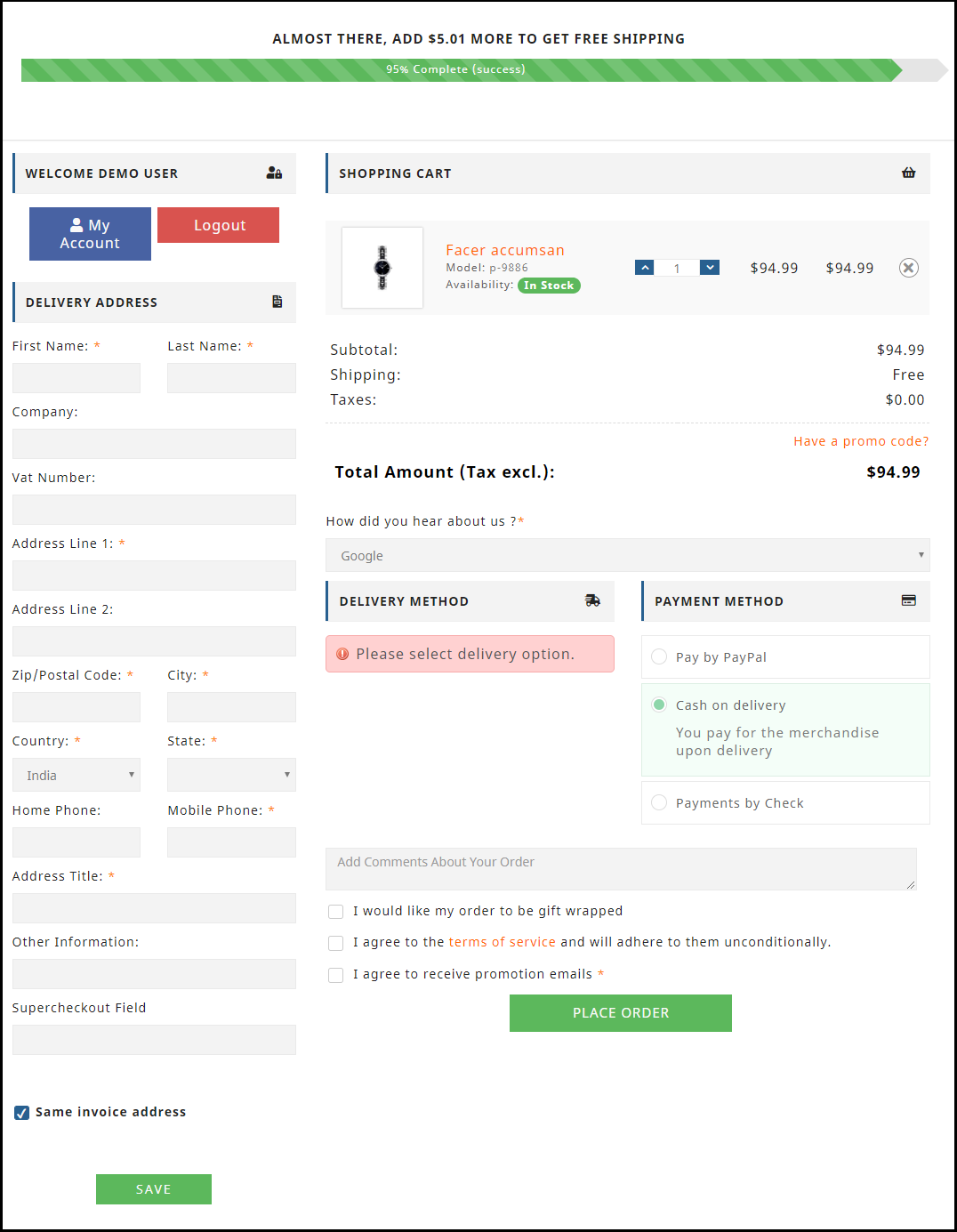
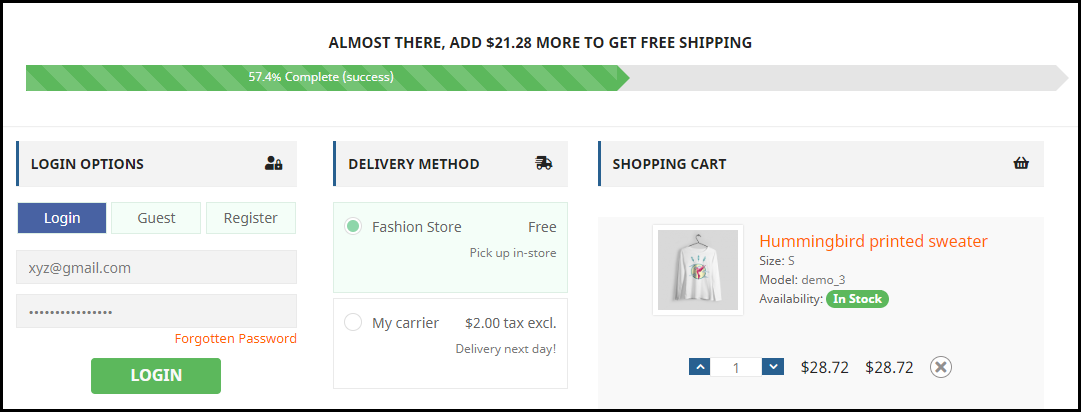
The store owner can add a free shipping bar on the top of the One Page Checkout Page.
Improve engagement with its simple and sleek UI:
The simple and riveting user interface of the checkout page increases conversions. It helps to convert your visitors into customers with features like guest checkout and social login. All the required fields appear on a single page. No more waiting or jumping pages! Prestashop One Page Checkout is mobile responsive.
Ship-to-pay:
The responsive One Page Checkout has functionality for your PrestaShop store which lets the store owner set the payment mode for available delivery choices. If you don’t want to accept bank checks for fashion store delivery mode then you can disable the service.
Highly Recommended Modules with One Page Checkout
There are many PrestaShop modules available in the market which can fit well into your store. I am going to recommend you two super engrossing modules which are compatible with One Page Supercheckout on your PrestaShop store.
Store Locator and Pick up
The hyperlocal marketplace is the new trend in eCommerce. Prestashop Store Locator and Pickup Module incorporate website delivery features in-store and displays positions in physical stores using Google Maps.
Cash On Delivery with Fee
Offer Cash on Delivery with Fee to your customers on PrestaShop Store. Integrating Cash on Delivery with Fee module along with PrestaShop One Page Checkout can gain the trust and loyalty of a customer. Remove the barrier of secured payment which is a major concern for many. Click here to know more about Cash On Delivery with Fee module for the PrestaShop store.
We have produces a listicle on compatible modules with PrestaShop One Page Checkout, click here to explore.
To wrap up
I have always said that the checkout page is most important when it comes to conversion rates. Replace the existing checkout page with PrestaShop One Page Checkout and you can observe the change by yourself. Prestashop One Page Checkout with these new features can help you grow your business and earn loyal customers. What are you waiting for?
You can visit the Knowband store and check on the modules available for boosting holiday season sales.
An eCommerce store owner observes maximum cart abandonment when a buyer reaches the checkout page. What factors are responsible for cart abandonment and acting as conversion killers? Talking about the statistics, it is been observed that sixty-nine out of a hundred people abandoned their cart on the checkout page. Optimizing your checkout process is as important as the website optimization.
There might be many visitors to your blog posts or product pages. But, are they giving you any business? If not, then below are 9 most common checkout conversion killers that drive your customers away.
1. Mandatory Registration during Checkout:
Forcing your customers to set up an account before they can complete their transaction could kill your conversions. Therefore, make sure that your website always allows customers to shop as visitors without having to register.
You can provide them guest checkout facility or social login option which will make it easier for them without taking much time.
2. Long and complicated Process:
Nothing is more irritating than filling in super-long forms with complicated fields before you make a purchase. Stop enticing consumers to buy additional items with pop-ups. They sometimes interrupt the checkout process and end up doing more damage than good.
So make your signup form simple and quicky. Make sure that they include relevant drop-downs, radio buttons, and an indication of optional information. Most importantly, hold field labels so that consumers can quickly fill out what they need.
3. Lacking or Weak Product Details:
It’s just profanity! How do you picture someone buying from you when you don’t have a convincing, thorough explanation of the product. Forget about that. Online shopping is like an impersonal activity. The best way to persuade a customer to buy is through words and amazing images! Start putting some bewitching images to your product description for not making your customers head off.
4. Never-ending loading time:
Do you like waiting for someone or something? Neither you nor is your customers would like that. Optimize your checkout page for speed. Analyze and cut off the extra fields and graphics from the page which can be a conversion killer. Long loading time will demotivate your customer and encourages them to leave the site.
5. Lack of payment options:
You can provide several payment options already available for the checkout. The mode of payment is a necessary element to focus on. In the competitive market place you must have an online payment option but having multiple modes can be advantageous. You can put some common secured payment options on your checkout page. Payment gateways provide encryption to keep your customer’s information secure. It provides a more streamlined and convenient experience for them — especially on mobile devices.
6. Not being mobile-responsive:
A growing amount of online transactions are taking place over mobile devices. Almost any way you look at the numbers, millennials are more open to accepting and more likely to participate on mobile devices than their older counterparts. Customers who shop on their smartphones and tablets have less time than they do on desktops. Buttons need to be bigger and easier to reach, shape fields need to be minimized to speed up the checkout process, and labels and text need to be clearly visible. Ensuring that the checkout process is designed for mobile shoppers is important. You can lose many if your website doesn’t work well with mobile.
7. Extra Shipping and Hidden Costs:
Imaging, you are buying something online. The product costs $20 and then you move to the checkout page where you see the cost raised by $5. This was the cost they were charging as taxation. You will be discouraged and might leave the checkout process immediately.
If you don’t reveal all the expenses in advance, you’re turning your customers away. 23 percent of customers cancel their purchases because they do not realize the additional costs in advance. Therefore, make sure that you display all costs right on your product page to make the customer experience easier. If you are charging extra for shipping, make sure to highlight it with the product cost on the product page. This can be a conversion killer and will add another order to your abandoned cart list.
8. Not enough Product reviews:
Product reviews are an essential part of the branding and marketing of an online store. They help create trust and loyalty, and they usually define what sets the goods apart from others. Reviews help your store increase sales, and you can persuade customers to leave more of them. When the comments are found to be credible and correct, they will most certainly listen to them.
9. Website isn’t Secure:
Customers don’t always like using their credit cards online, so it can be even more difficult if you’re a new small business that still builds confidence in your audience. As an online retailer, you need to make customers feel comfortable about the security of your checkout process. The positive thing about incorporating PayPal Checkout is that PayPal is an internationally recognized payment brand.
A simple mention of secure payment on the payment section will reassure your buyers that there won’t be any foul play.
Final Thoughts:
In order to stop cart abandonment, you can install a checkout module to your eCommerce store which will be incorporated with all the important payment gateways, customizable fields, social login options, and much more. By adding One Page Checkout addon to your store you can get rid of all these conversion killers. Knowband offers One Page Checkout modules for PrestaShop, OpenCart and Magento stores.
With Father’s Day just around the corner, website owners would be looking to prepare their store accordingly to capture high sales on the occasion. If you have an eCommerce website on the OpenCart platform and are also looking to boost Father’s Day sales, you can consider using the below-mentioned 8 OpenCart extensions.
1. Spin and Win
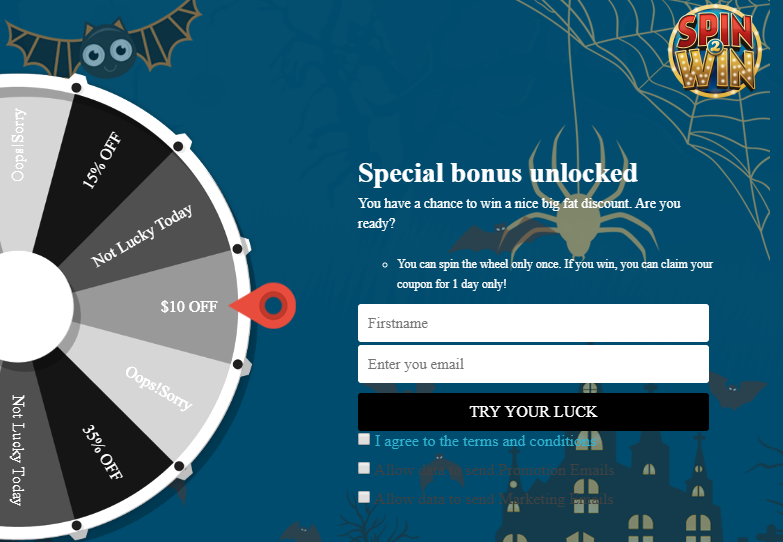
OpenCart Spin and Win module displays a gamified popup to your visitors as soon as they enter your website. Coming with multiple occasional themes, it lets you personalize the popup for the Father’s Day occasion as well.
Users get to spin the wheel and earn some exciting rewards but they need to provide their name and email address before they could spin it. This helps you grow your email subscribers and boosts user engagement.
Besides, by offering rewards which are usually the discount code, customers can be encouraged to shop by using the coupon code on the checkout. This increases your conversion rate.
You can make certain customizations to the popup and adjust the display settings as per your requirements.
2. Gift Card Manager
OpenCart Gift Card Manager adds a gift card section on your website and offers multiple pre-existing gift card templates for various occasions like Halloween, Christmas, New Year, etc. Similarly, you can create gift cards for Father’s Day too and boost sales.
Many online shoppers who find shopping a tedious task would find it comfortable to quickly purchase a gift card rather than spending hours in deciding what to gift.
You can create gift cards of different price values so that customers can purchase a gift card according to their budget. The module offers various customization features and also lets you track gift card orders.
3. Countdown Sales Timer
OpenCart Countdown Sales Timer extension places a timer on the header of your website through which your store visitors are informed about the upcoming sale. You can make use of this module to highlight Father’s Day sale as well.
A countdown timer keeps reminding customers how much time is left before the sale begins and creates an urgency to purchase. The look and feel of the timer can be customized and you can display it on multiple web pages.
4. Abandoned Cart
OpenCart Abandoned Cart extension helps you track the abandoned carts on your store and recover lost sales. The module provides you with an opportunity to convert the abandoned cart users into customers.
With many customers coming to your store on Father’s Day sale, you will surely witness a few abandoned carts. Failing to convert them could result in a loss in sales.
Thanks to the Abandoned Cart extension using which you can create an abandoned cart alert (setting a duration after which the cart is automatically marked abandoned) and remind those users about the pending items in their cart and even persuade them to complete the purchase by offering a discount code inside the email.
5. Price Alert
Many online shoppers would be hoping to see a price drop on some products during Father’s Day sale. With OpenCart Price Alert extension, you can ask customers to subscribe to price alert so that they are immediately informed and do not miss out on the opportunity to grab the product whenever the product price drops below.
This module helps you drive those users to your website and boost sales. So if you are looking to bring down the product price a bit on this Father’s Day, this extension would be of great help.
6. One Page Checkout
Customers crave convenience, and convenience at the checkout page is vital else it may lead to cart abandonment. Consumers do not like websites that offer a troublesome checkout experience. This is why it would be ideal to change your default checkout process with One Page Checkout for the coming Father’s Day.
OpenCart One Page Checkout extension simplifies your checkout process by converting the multi-step checkout process into a single page checkout. It offers various features such as Guest Checkout, Social Login, Multiple Layouts, Multiple Payment methods and Shipping support. Besides, it provides you with certain customization options to make your checkout smooth and user-friendly.
7. Accelerated Mobile Pages
Most of the consumers prefer mobile devices to shop online and your store is no exception. You will witness a majority of the traffic coming from hand-held devices on this Father’s Day. If your website takes time to load on mobiles, it can severely affect your conversions. This is where AMP proves beneficial.
OpenCart Accelerated Mobile Pages (AMP) extension converts the normal mobile pages of your website into AMP pages. It offers faster loading of web pages and reduces bounce rate by a significant margin.
The module aims to enhance the browsing/shopping experience of your mobile users and can make an impact on your sales.
8. Preferred Delivery Time
OpenCart Preferred Delivery is a perfect extension for the users who want to receive the product on a specific day.
There will be many customers who would want to receive their order specifically on Father’s Day. For such customers, you can place a preferred delivery tab on the checkout page where they can specify the desired date and time slot on which they want their product to get delivered. This ensures customers that their product reaches them at the right time.
For any kind of query or assistance with the above-mentioned modules, you can contact us at support@knowband.com and our support team will try to resolve your concerns to the earliest.
If your checkout page is not optimized, you are probably going to face a lot of abandoned carts, and this can severely affect your conversions.
What’s needed? An uncluttered, simplified and a user-friendly checkout! If you are a PrestaShop store merchant looking for the same, PrestaShop Advanced One Page Checkout will most likely put an end to your search.
PrestaShop Smart One Page Checkout replaces the default checkout of your website with a responsive checkout popup. Unlike the usual One Page Checkout where all the checkout fields are visible on a single page, the advanced checkout creates a checkout popup where the fields remain on the same page (under the same URL) but are split into a number of steps.
Overview
1. Responsive Ajax-based Checkout popup
2. Guest Checkout and Social Login
3. Arrange Checkout fields through Drag and Drop functionality
4. Hide unnecessary fields from the checkout page
5. Mark Important fields as Mandatory
6. Auto-fill address functionality
7. Support for multiple payment methods and shipping services
8. Custom checkout fields
9. Cart customization available
10. GDPR compatible
Description
1. PrestaShop Advanced One Page Checkout is a responsive Ajax-based checkout popup that loads all the checkout steps on a single page. You would be presented with the next fields step by step but all will be under a single URL. So do not confuse this with a multi-page checkout.
2. PrestaShop Smart Checkout module offers Guest Checkout and Social login functionality to encourage quick checkout. Visitors can register as a guest if they do not want to create an account on your website.
Social login allows customers to log in/sign-up through their Google or Facebook account. If you want to provide more social login options, consider our PrestaShop Social Loginizer module.
3. The module provides you with the option to arrange checkout fields in an order of your choice through Drag and Drop functionality. Choose a field, drag and drop it to the desired position.
4. With PrestaShop Fast Checkout addon, you can decide which fields you want to keep mandatory and which as optional. You can also select fields that you do not want to display on the checkout page. The settings can be modified separately for both Guest and Registered users.
5. PrestaShop Simplified Checkout addon provides the auto-detect country and auto-fill address functionality, which helps users to fill their address information in a quick span. Besides, it offers Inline Validation that verifies whether the entered inputs are correct or not.
6. PrestaShop Advanced One Page Checkout addon provides support for multiple shipping services and payment methods. Using the “Ship2Pay” feature, you can choose which payment methods should be applicable on a particular shipping type.
7. With the help of the PrestaShop Single Page Checkout, you can add more fields on your checkout page.
8. The responsive checkout popup module also lets you customize the cart settings. You can select which options you want to display on the cart page.
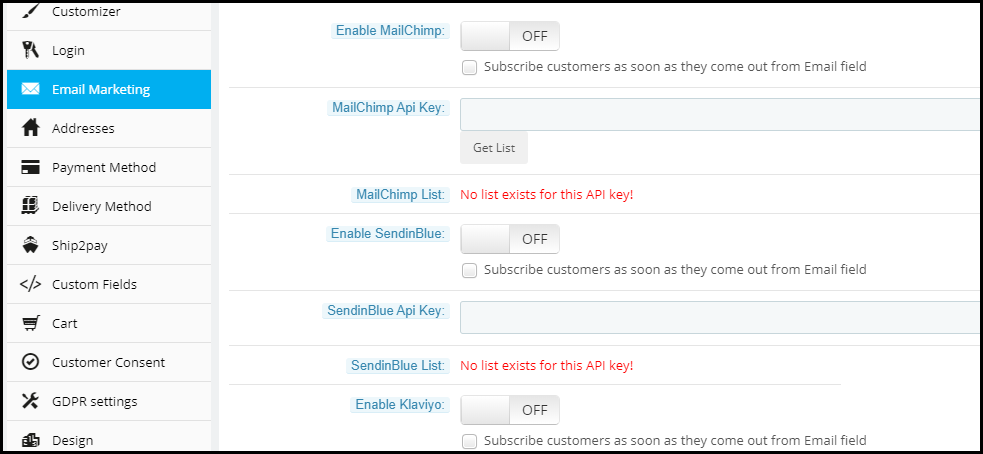
9. This quick checkout module offers email synchronization into MailChimp, SendinBlue, and Klaviyo account. Well, you can ask users to subscribe to your newsletters on the checkout page and if they tick-mark that field, their information will be sent to the respective accounts.
10. PrestaShop Advanced One Page Checkout is GDPR compatible. Some other features that it provides are the test mode functionality; to check the module functionality, enabling this checkout for selected IP addresses, and option to customize the “Place order” button. It also offers multi-lingual support and has multi-store compatibility.
“Magento 2 One Page Checkout, also called as Magento 2 One Step Checkout converts the lengthy checkout process of your Magento 2 website into a simple One-Page Checkout. It lets you remove the unwanted checkout fields and make your checkout page as convenient as possible for your customers.”
The checkout page is the most crucial part of the customer journey on any e-commerce website. An optimized and simplified checkout process is the mantra for successful conversions.
Earlier, e-commerce merchants used to be hell-bent on having a multi-step checkout process. But today, feeling the importance of a quick and a user-friendly checkout process, the same e-retailers are switching to the One Page Checkout process.
Having an eCommerce website on the Magento 2 platform? Consider using the Magento 2 One-Page Checkout by Knowband to reduce the checkout friction.
Features of Magento 2 One Page Checkout
1. Guest Checkout
Many users avoid signing up on e-commerce websites. Brands that have made the sign-up process mandatory during the checkout lose out on such customers which significantly bring down their conversion rate.
For such users, Magento 2 One Step Checkout offers Guest Checkout so that they could check out easily without getting themselves registered on the website.
Magento 2 One Page Checkout even allows users to register as a guest without even setting up a password. A user just needs to provide his email address and the password would be sent over their inbox.
2. Social Login
While there are some people who do not want to create an account at any cost, some consider filling up the registration form a tedious task.
Magento 2 One Step Checkout provides the Social Login facility and ensures that users are able to make a quick checkout. This Magento extension offers Facebook and Google login option.
A majority of online shoppers remain logged in their Facebook and Google account. Hence, the social login option eases up the registration task and also avoids the headache of remembering passwords.
3. Prioritize Checkout Fields Using Drag and Drop Functionality
Arrange checkout fields as per your priority. Place a field wherever you want. Just pick a field and drop it to the place where you want to get it displayed. For example, you can keep the Contact number field above the Address field or vice versa.
4. Mark Mandatory Fields and Avoid Unnecessary Ones
Magento 2 One Page Checkout provides you with the option to mark checkout fields as Mandatory or Optional. If you wish to capture some important information, you can keep that field as mandatory and if you feel it can be avoided, you can keep it as optional.
You can set these fields differently for Guest and Logged in customers.
5. Choose the best layout design for your Checkout page
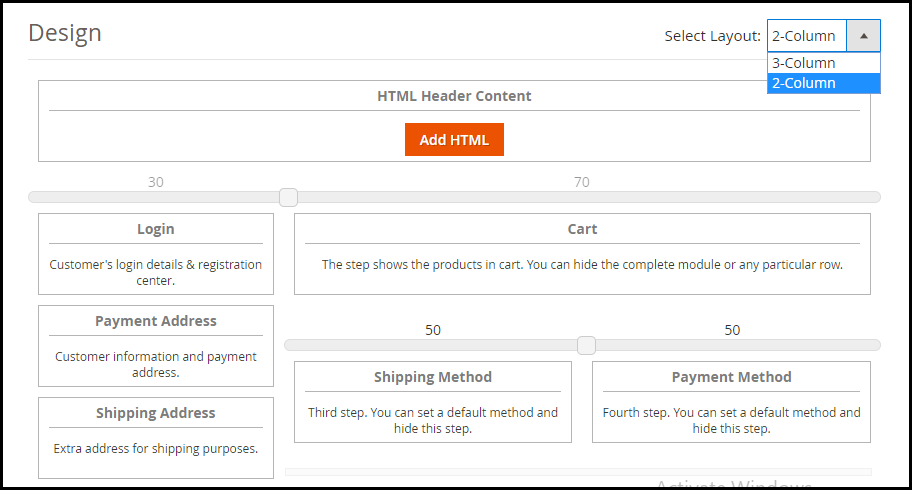
Magento 2 One Page Checkout provides 2 layout designs: 2-Column Layout and 3-Column Layout that gives you the opportunity to try and test which checkout layout is bringing more conversions compared to the other.
You can customize your layout accordingly.
6. Supports Multiple Payment Methods and Shipping Services
Magento 2 One Page Checkout supports nearly all the payment modes and shipping services so that you do not have to compromise a conversion due to the non-availability of a payment method or shipping provider.
How Magento 2 One Page Checkout benefits the Merchants?
Magento 2 One Step Checkout provides ample benefits to the eCommerce merchants. Have a look
1. Simplify the Checkout experience of customers by having a trouble-free One Page Checkout.
2. Encourage an Easy and Quick Checkout.
3. Capture more sign-ups with the Social Login facility.
5. One Page Checkout for Magento 2 increases your overall conversions and revenue.
The Bottom Line
There are good enough reasons to opt for a single page checkout that overshadow the multi-step checkout process. Having a One Page Checkout not only creates a frictionless checkout but also saves the much important time of your customers.
Do check out the Magento 2 One Page Checkout. Confused between a one page checkout and multi-page checkout?
For e-retailers, the holiday season signifies only thing- more sales. It is that time of the year when there is maximum participation of the online shoppers in the eCommerce websites, and eCommerce merchants use this opportunity to maximize their sales.
Though the holiday season is all about increasing the sales graph, for the e-retailers, it requires tons of efforts to achieve it. You need to prepare a roadmap for the entire season, create effective marketing strategies, focus on your competitors, and a lot more to stand out from the rest.
While all these points are imperative to achieve holiday sales, nothing holds more importance than providing customers with a seamless and hassle-free shopping experience. The final quarter of the year captures a large number of visitors and it is your responsibility to convert them into regular customers.
For that matter, you need to focus on a few aspects like customer engagement, customer retention, user experience, etc. In this article, I will be presenting the list of our Top 10 modules that will help you cover every aspect and grab conversions better than ever in the coming holiday season.
The holiday season commences from Halloween and ends at the arrival of the New Year.
For Checkout optimization
1. One Page Checkout (PrestaShop, OpenCart, Magento and Magento 2)
Our One Page Checkout module helps you optimize your checkout page, to allow your customers with a hassle-free checkout experience.
Unlike the multi-step checkout process, it displays all the checkout elements on a single page and reduces the checkout friction.
To make the checkout path convenient for customers, our One Page Checkout offers Social Login, Guest Checkout, Inline Validation, Google Auto-address fill and supports nearly all the payment methods and shipping services.
Find the complete features and benefits of the checkout module for the respective platforms:
2. Spin and Win (PrestaShop, OpenCart, Magento, Magento 2, WooCommerce and Shopify)
Increase customer engagement on your website by adding a Gamification element to it. The Spin and Win gamified popup draws the attention of your customers towards the eye-catching spin-win wheel and engages them in a fun activity.
Visitors are asked to try their luck by spinning the wheel and grab some exciting offers. But, in order to spin, a user needs to provide his/her details like name and email address.
So, this Spin and Win module not just builds customer engagement but also provides you with a nice way to obtain customer data and grow your email list, which you can use for your email marketing campaigns, and thus boost your conversions.
The module provides merchants with tons of customization ranging from designing the look of the popup to setting up the time for the popup appearance. Check out
3. Loyalty Points (PrestaShop, OpenCart and Magento)
Encourage repeat purchases by rewarding your customers with loyalty points on every purchase. Our Loyalty Points module ensures customer retention as well as customer acquisition.
The module lets you provide loyalty points to every new user who performs a sign-up on your store and triggers impulse buying, followed by more loyalty points on the successful purchase.
It converts visitors into potential buyers and makes them stick to your store in the long run. It also enhances brand loyalty to a great extent.
The Loyalty Points module lets merchants set up their terms and conditions for users in order to gain loyalty points. It can include offering loyalty points based on the total cart value, product quantity, product price, selected payment methods, etc.
The loyalty points earned by a user can be used as a discount voucher on the checkout page. Check out
Our Mobile App Builder lets you transform your eCommerce website into an Android and iOS Mobile App conveniently, without any requirement of coding or technical knowledge, and helps you develop a rich, user-friendly, and a smartphone and tablet responsive mobile app for your business.
Since users nowadays demand an app for easy browsing experience, the Mobile App Builder module makes it the best fit to provide amazing user experience.
The holiday season is coming close, now is the best time to introduce your mobile app and delight your users, and grab huge holiday sales.
The Mobile App Builder offers Easy customization, Social login, Fingerprint and OTP login, WhatsApp and Zopim Chat support, Real-time synchronization of Website into App, supports multiple payment and shipping methods, etc. Check out
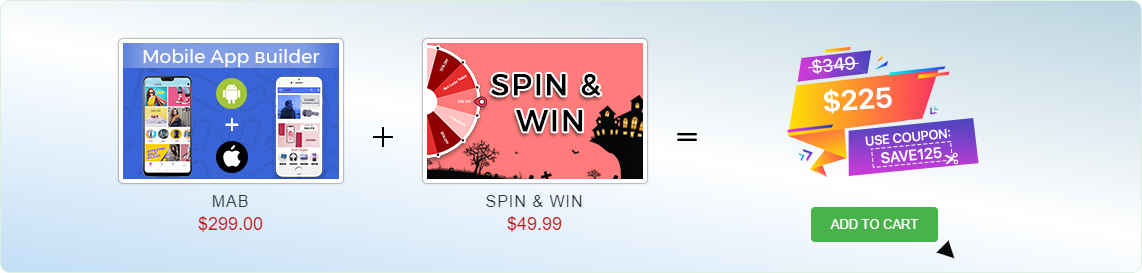
We are currently running an exclusive offer for the PrestaShop website owners where they can purchase a combo of PrestaShop Spin and Win and PrestaShop Mobile App Builder for just $225.
The individual cost of both these addons is $299 and $49.99 respectively. But with our combo pack, you will get a heavy discount of $125 and can get it for just $225.
All you need to do is apply the coupon code “SAVE125” during the checkout.
For improved site speed on mobile devices
5. AMP- Accelerated Mobile Pages (PrestaShop and OpenCart)
Our AMP module tackles the slow loading of your website on mobile devices and increases the page load speed to a great extent.
Did you know m-commerce accounted for 40% of the total sales in the US in 2018, as per Statista? If we talk about global m-commerce stats, it has already surpassed eCommerce. The numbers speak about the importance of smooth site functionality on mobile devices.
The AMP module, thus, ensures that your mobile users do not find any troublesome experience with your website and are offered a faster and smoother loading. Faster loading not only helps you reduce the bounce rate but also benefits in improved mobile rankings on the search engine.
Talking about its features, you can enable the AMP functionality for multiple pages on your website like Home page, Category page, Product page, etc. You can also customize these pages as per your requirements. Check out
6. Abandoned Cart (PrestaShop, OpenCart, Magento and Magento 2)
The Abandoned Cart module helps you recover your lost sales by sending regular follow-up emails to the abandoned cart users. The module reminds users about the incomplete purchase and allows you to convert them into customers by including exclusive offers in your emails.
It lets you define a period after which the cart is automatically assumed to be abandoned. You can, thereafter, track those users and send them the abandoned cart reminder through your emails. The email content can be personalized.
The Abandoned Cart module can boost your conversions significantly. Check out
The Return Manager module helps you manage your eCommerce returns conveniently and enhances customer loyalty by making the return process way too easy for the customers.
Since the holiday season captures a huge number of orders, there will be returns for sure. Our Return Manager module ensures that you do not lose out on customers due to a poor return process.
The module provides 3 return choices to the customers in the form of Credits, Refund and Replacement, and allows them to highlight the defect by uploading the image of the defective/damaged product. One interesting feature of the module is that the admin can create the return request on the customer’s behalf. Check out
PrestaShop Booking and Rental system addon provides your customers with a hassle-free online booking experience and makes it a simple task for the merchants to manage their online bookings.
This PrestaShop addon offers appointment booking facility, hotel booking facility and rental booking facility. It lets you adjust your booking days and time slots as per the availability, and you can adjust the price for different days and timing. There is much more it offers for every booking type.
9. Web Push Notifications (PrestaShop, Magento and Magento 2)
Knowband’s Web Push Notifications module lets merchants alert their users about the abandoned cart, drop in the product price, product availability (when back in stock) and the order status. For each of them, the user can decide whether he or she wants to receive updates regarding them.
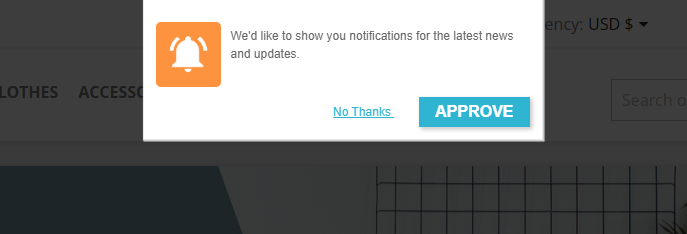
For the Web Push Notifications to work, the visitor needs to click on approve when the notification popup appears. This welcome popup can be customized as per your desire.
The module allows you to fix a time for the notification delivery. You can either send the notifications immediately or schedule them for a fixed time. Check out
10. Affiliate and Referral Program (PrestaShop, Magento and Magento 2)
The Affiliate and Referral Program module allows users to register as an Affiliate partner on your store and earn commissions for every successful referral.
The user can refer your store to his/her friends, family, relatives, etc. by sharing with them the affiliate link or the referral code. They can send it over email and also share the link on the social media directly from their affiliate account.
You can assign the commission to the affiliate partner for every new signup via their referral and also provide incentives when the referred user places an order. The commission rate can be set under the configurations of the module. Check out
The checkout page is the most crucial part of a customer’s journey on your eCommerce store. A lengthy and complicated checkout process takes no time in turning away the focus of the customer from your store. To be very honest, customers do not like to go through a number of steps before they could make their purchase. What if all the checkout steps could be put together on a single checkout page? This is exactly what One Page Checkout does. It makes the checkout process easy for the customers and persuades them to complete their purchase, hence reducing the abandoned cart possibility. Considering the importance of a single page checkout, Knowband comes up with the OpenCart One Page Advanced Checkout extension for OpenCart store owners to make their checkout process convenient for their users.
OpenCart One Page Advanced Checkout
In the list of the OpenCart extensions, OpenCart One Page Advanced Checkout extension is considered to be the finest. OpenCart One Page Advanced Checkout adds a responsive checkout popup to your OpenCart store and makes the checkout process hassle-free for the customers. Customers can make changes to their checkout page without getting redirected to a different URL.
This checkout extension has multi-lingual support and is multi-store compatible. It is a fully mobile responsive extension, that is compatible with all OpenCart themes. Also, the OpenCart One Page Advanced Checkout module is easy to install and configure.
Features of OpenCart One Page Advanced Checkout-
Guest Checkout
OpenCart One Page Advanced Checkout extension provides a Guest checkout option that avoids the mandatory sign-up process on your store. Users can check out as a guest if they do not wish to create an account. Moreover, they are not even required to set a password. Once a customer provides his or her email address, a password is generated and automatically sent over their email.
Social login facility
OpenCart One Page Advanced Checkout extension allows customers to register on your store directly with their Facebook or Google+ account for quick and easy registration.
Multiple payment modes
OpenCart One Page Advanced Checkout module supports multiple payment options like Debit Card, Credit Card, Sage Pay, PayPal, Mollie, etc. You can set any of the payment modes as the default payment method.
Multiple shipping services
OpenCart Advanced quick checkout extension supports various shipping services like FedEx, Smart Send, USPS, RoyalMail, Collisimo, etc. You can set any of the shipping services as the default shipping method.
Define the payment modes for the shipping services
OpenCart One Step advanced checkout extension has a Ship2Pay option, under which you can mention which payment modes do you want to provide for a particular shipping service.
Rearrange fields with Drag and Drop
Opencart simplified checkout extension offers the drag and drop functionality, through which, the admin can prioritize the checkout fields. Just pick a field, drag and drop it to the place where you want to display it.
Make a field mandatory or optional
OpenCart fast checkout extension provides you the option to make a field mandatory or optional. For example, you can keep fields like First name or Address as mandatory and Company name or postcode as optional.
Newsletter subscription and MailChimp Integrator
You can display the newsletter subscription option to the customers and ask them to subscribe to your future updates or marketing campaigns. Following this, when a user provides the email address and subscribes to your newsletters, the information is instantly transferred to your MailChimp account.
Remove unwanted cart fields
OpenCart One Page Advanced checkout contains a “Cart” tab under which you get options like Display product image, Display Product quantity, Display price, etc. You have the option to choose which cart field do you want to display and which cart field do you want to avoid on the checkout page.
Benefits of OpenCart One Page Advanced Checkout-
1. Easy and fast checkout
2. Quick user registration
3. Reduces the cart abandonment rate
4. Increases conversions
5. Enhances the user experience by simplifying the checkout process
Final Word
Let your users enjoy a seamless checkout experience. Optimize your checkout process by implementing OpenCart One Page Advanced Checkout. This OpenCart extension can make a significant impact on your conversion rate.
The success of an eCommerce store majorly depends on the kind of experience that it provides to its users. User experience is of vital importance for customer acquisition as well as customer retention. With fierce competition among brands in the e-commerce market, the one which provides a simplified shopping experience to its users wins the race.
Why is UX so important?
Consumers do not easily forget a brand that offers a great user experience. UX is important for your online business to provide comfort to your visitors and make them loyal to your brand. It is the user experience that will keep your customers stick to your store in the long run.
Now, the important part, how to simplify the online shopping experience for customers? Think from a customer’s point of view. Treat yourself as your own store visitor, browse your website and ask yourself whether you are finding a comfortable experience or not.
There are always areas for improvement. In this article, I will provide you with 7 useful tips to simplify the online shopping experience and enhance the customer experience. Check them out.
1. Design your Home Page well
Your home page is the interaction point for your visitors. It decides whether the user is going to spend some time on your store or take an early exit. No matter how amazing your offerings are, if the home page of your eCommerce store doesn’t please the visitors, you are going to see a significant increase in the bounce rate and eventually lose out on potential customers.
Do not miss out on the prospects. Make your home page attractive, something that keeps the excitement in the visitor to browse your store. Give it a good design. Make your first impression count.
2. Provide easy Search Functionality
Enable easy search functionality for your customers to search for their desired product effortlessly. Well, even before this, place your search bar in the right places and make it easy to spot.
Your site search functionality should understand your users’ queries and provide relevant results. An effective site search should be responsive enough to display appropriate results on abbreviations, misspellings, related product searches, etc.
Try out Knowband’s Search Auto-suggest addon for Prestashop that allows you to customize your search bar as per your choice and helps you enhance your site search functionality.
3. Simplify your checkout process
Do not make your users wait for too long to place the order. The longer it takes for them to check out, the higher the chances of cart abandonment.
Make sure your checkout page offers easy login facility like Social login, a Guest checkout for those who do not want to get themselves registered on your e-commerce store, an easy option to update the product quantity without going back to the product page, multiple payment options, etc.
Try out our One Page Checkout for PrestaShop, OpenCart, Magento and Magento 2.
A majority of online shoppers prefer to shop from their mobile devices. Not everyone carries a laptop with him/her every time and not everyone is available at the desktop, but almost everyone owns a mobile phone today. This is why a mobile-optimized e-commerce site is a must for e-retailers in order to gain more mobile traffic and improve the online shopping experience of their mobile users.
5. Have a mobile app
Today, almost every business has their mobile app. Having a mobile app makes the shopping journey of consumers more convenient. In addition to this, the benefit of having a mobile app is that consumers are generally logged in into the app even when they are inactive. It avoids the re-login headache, and on top of that, offers faster loading and quick entry into the store. A mobile app is a necessity today for consumers as well as for merchants to simplify the customer experience.
6. Encourage reviews and ratings
Reviews heavily influence a customer’s decision to purchase a product. When shoppers search for a particular item, they look for its reviews to ensure its quality, to know whether it’s worth spending money or not.
Similarly, ratings define product quality. A well-rated product automatically builds up the trust in the user about that product and encourages them to make a purchase. This enhances user experience and reduces product return.
7. Enhance customer support
Consumers are filled with queries. It can be about some offerings, product availability, product return, etc. Anyone would love getting their queries resolved as soon as possible. Online shoppers are no different. Providing customers with an easy way to reach out to your support team makes them feel more relaxed and satisfied. Allow customers to contact you by dropping an instant message, email or a phone number.
Conclusion
Online businesses have realized the importance of providing a simplified shopping experience to users. If you want to grow as an eCommerce brand, focus on your customers’ needs and try to fulfil them. Take care of your customers and you will need not worry about your conversions much.
If you find the above-mentioned tips on “How to simplify the shopping experience of your customers?” helpful, do leave a comment below.
The success of your eCommerce business does not depend on how many people visit your website but on how many of them convert. The more conversions you get, the more revenue you make and it majorly depends on your checkout page.
Which checkout process do you follow? One Page Checkout or Multi-Page Checkout?
Customers desire a simplified checkout experience. A long and complicated checkout hampers the shopping experience which eventually results in cart abandonment. For a convenient checkout process, website owners are shifting towards one-step checkout, leaving the traditional multi-step checkout process behind.
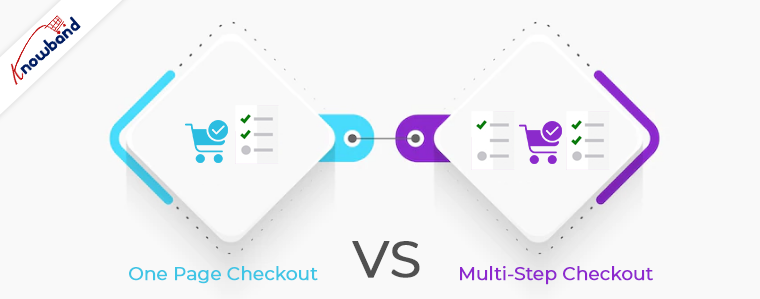
The debate revolving around a One-page checkout vs Multi-page checkout is never-ending. While some eCommerce professionals prefer one-step checkout, some feel a multi-step checkout is a better option.
In this article, I will put forward the differences between the checkout process and help you make a better choice.
One Page Checkout
One Page Checkout puts up all the elements of a standard checkout process on a single page and lets the customers fill out the checkout fields in any particular order.
Pros of One Page Checkout
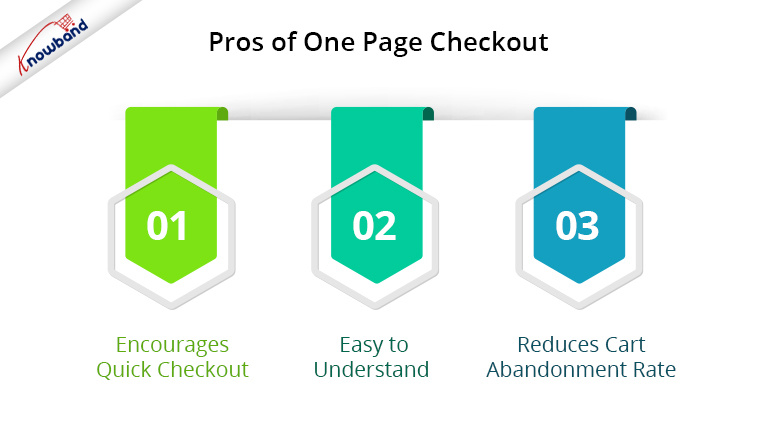
1. Encourages Quick Checkout
With all the checkout-related details upfront, it allows customers to check out quickly. They get rid of clicking multiple times to head towards the next step (in the case of multi-step checkout) and can enter all their details regarding billing, shipping, and payment on the same page.
2. Easy to Understand
A one-step checkout makes the page design simple and easy to understand and presents a clear picture in front of the customers. This also makes it easy for them to verify their details since they do not need to switch between pages.
3. Reduces Cart Abandonment Rate
An intricate checkout is one of the main reasons for shopping cart abandonment. It is therefore important to optimize your checkout process and provide customers with a smooth checkout experience- One Page Checkout is the best way to do that.
Displaying a high volume of content on a single page can cause slow loading on your website. A slow checkout can turn away your visitors and make them search for the product on your competitor’s store.
2. Uncomfortable
Customers who are familiar with a multi-page checkout might not find the one-page checkout comforting. A long checkout form can seem clunky and might discourage a customer from making the purchase.
Multi-Page Checkout
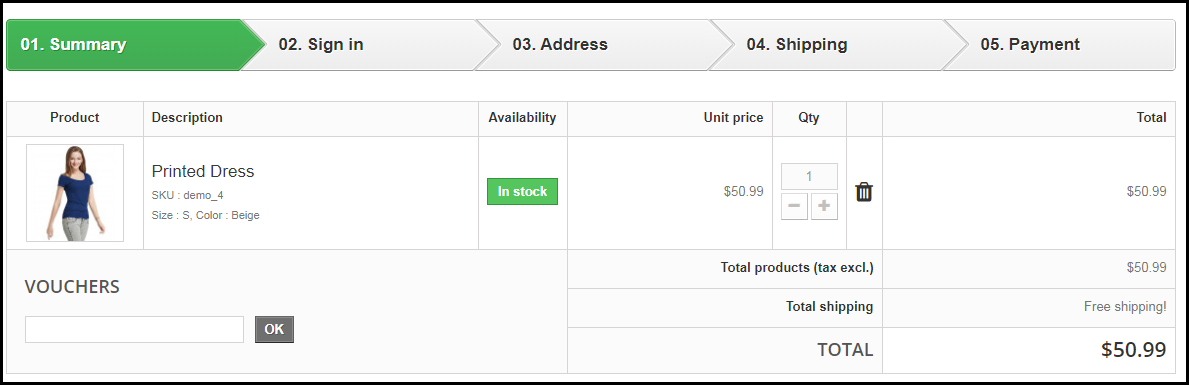
A multi-page or multi-step checkout breaks down the entire checkout process into several pages. Customers have to fill in their details on each page separately to finish the checkout process.
Pros of a Multi-Page Checkout
1. Customers Feel More Secure
Filling all the required details step by step makes customers feel more secure about their purchase, especially if they are purchasing something expensive.
2. Layout Looks Clean
The layout of a multi-step checkout does not look bulky since the checkout fields are divided into several pages which makes the layout clean and uncluttered.
Because of more number of pages, shoppers find multi-page checkout a lengthy and time-consuming process. Ultimately, customers run out of patience and are compelled to abandon their shopping carts. What’s worse is they decide to purchase from a different store.
2. Difficulties in Correcting Information
Mistakes happen very often while filling out the checkout fields. In a multi-page checkout, customers are left with no choice except to return to the previous page and correct the information. On many e-commerce websites, there is no option to edit and customers are asked to fill in the entire details again. This causes frustration among customers and creates a high chance of cart abandonment.
One Page Checkout vs Multi-Step Checkout: Which one to choose?
If you are in a dilemma about which one has better benefits, I would say- Go with a single-page checkout. These days, a single-page checkout is overtaking multi-page checkout because store owners are more focused on providing customers with a way to complete their transactions in one go rather than asking them to follow several steps.
Consider this: You go to an offline store. After you are done picking what you want, you go to one of the billing counters to make the payment. Tell me which counter do you look for? The counter is less crowded and takes less time for you to make the payment and check out from the store, right? Similar is the case with online stores. Shoppers want to check out as early as possible.
One Page Checkout by Knowband
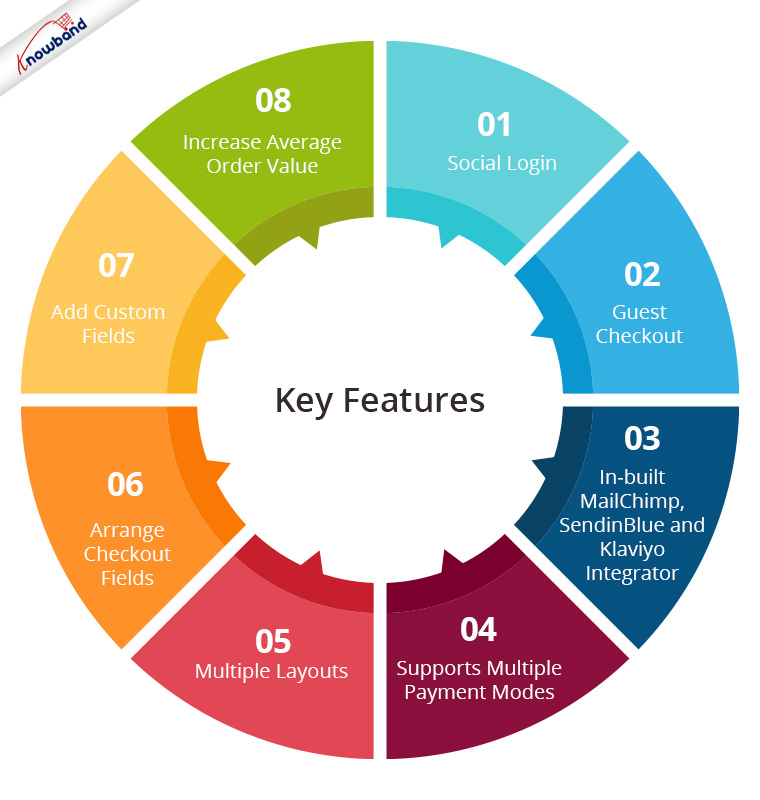
Our One-page checkout offers various rich features that enhance your store’s checkout process and make it fast and convenient. The module is available for PrestaShop, OpenCart, Magento and Magento 2.
One page Quick Checkout offers social login options that allow users to register on your store with their Facebook, Google and PayPal accounts
2. Guest Checkout
Visitors who want to shop from your store without getting registered can make a purchase easily with the Guest Checkout option.
3. In-built MailChimp, SendinBlue and Klaviyo Integrator
You can collect the email address of your subscribers directly from the respective email service providers as soon as they log in to your store or subscribe to your newsletters.
4. Supports Multiple Payment modes and Shipping Services
Apart from Credit and Debit cards, Our Quick Checkout module supports various payment methods such as PayPal, PayU, Stripe, Sage Pay, Mobilpay, Ogone, Pago Facil, QuickPay, First Data, Paysera, Braintree, Checkout, etc.
Besides, it supports various shipping services such as Mondial Relay, So Colissimo, Ulozenka Delivery, LP Express 24 Delivery, Webshipr, Zasielkovn Delivery, Paczkomaty InPost, Paczka w Ruchu, etc.
5. Multiple Layouts
One Page Fast Checkout module offers 3 layout designs: 1-column, 2-column, and 3-column. You can customize the layout accordingly.
6. Arrange Checkout Fields
Set the checkout fields’ priority with the drag and drop feature. Pick a checkout field and drop it to the desired position.
7. Add custom fields
If you want to add some additional fields to your checkout page, you can do it easily with the One Page Fast Checkout module.
8. Increase Average Order value by displaying a Free shipping banner
This feature is specifically for the PrestaShop platform where the admin can specify the minimum amount for the customers to avail of the free shipping facility. If the customer’s cart amount is lesser than the specified amount, he or she will be displayed the extra amount they need to shop for if they want to get free shipping. This eventually increases your average order value.
9. Choose Total Price Display Methods
The e-merchant can now select from a variety of approaches for how to show the total cost of the items on the checkout page. From the One Page SuperCheckout addon’s back office, the store admin can select the PrestaShop default price, price inclusive of tax, price exclusive of tax, or both inclusive and exclusive of tax.
10) Track Customer Checkout Behaviour
In order to eliminate the pointless processes that are annoying the clients, the admin can evaluate the percentage of data filled or skipped by online users who abandoned their cart.
One page checkout is GDPR compatible and has a fully mobile responsive layout. It has multi-lingual support.
Final Thoughts
Whether you follow one step checkout or a multi-step checkout process, make sure to maintain the checkout flow. Ask for relevant information only. Get into the zone of your customers and try to figure out what changes you can make to improve the customer experience.
At the end of the day, it is totally your call. If you have some more points to add to this article, do let me know in the comments below. I would like to know your take as well. What do you prefer for your eCommerce website?