Why is it Important to attract Potential Customers?

Getting thousands of visitors to your site but missing on the leads! It’s a common scenario but to get potential customers, you should influence the target market with better strategies. Your target audience will depend upon the services you provide. The targeted market could be B2B or B2C concerning the service.

How to analyze quality traffic?
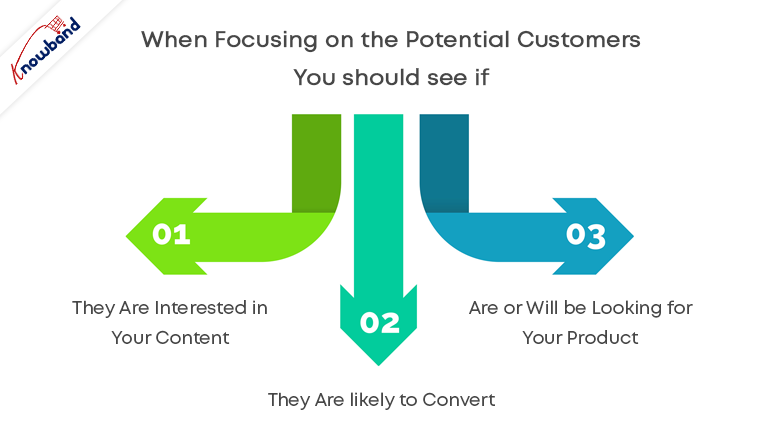
Among thousands of visitors, how many are the leads and take your services? If you are getting a good number of conversions then there is nothing to worry about. If this is not the case then you have to start targeting quality traffic. You must consider the fact that the quantity does not define the quality. Understanding your audience and making them talk about your services can be achieved with quantity but, for quality, your target should be based on buyer persona. When focusing on the potential customers you should see if:

  1. They are interested in your content
  2. They are likely to convert
  3. Are or will be looking for your product

A potential customer is all that you need when you are running a business.

Why is potential traffic important?
Think about it! You are a protein bar manufacturer and you are running promotional campaigns without any filters. This might bring visitors to your site but are they actually going to buy your product? For a protein bar, you should have a B2B target audience as the customer can be of any profession and may differ from a buyer persona.

Let us take another example, you run an eCommerce website selling women’s cosmetics and hair products. Who will be your target audience? Women are more likely to spend on cosmetics. It would be profitable only if women are the target audience.

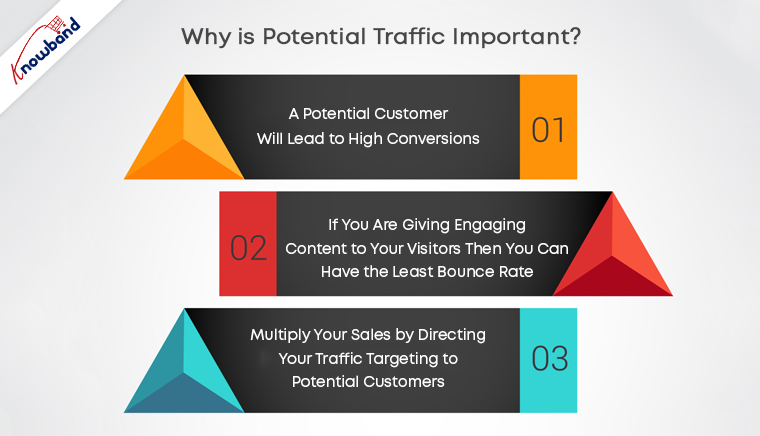
A potential customer will lead to high conversions. Bring targeted traffic to your site and boost your sales.

If you are giving engaging content to your visitors then you can have the least bounce rate. Many visitors leave the page as soon as they land it.

Multiply your sales by directing your traffic targeting to potential customers.

How to get potential customers?
Now you understand the quality audience traits and the importance of potential customers. Now you must be wondering, how to do that? There can be multiple ways to target audiences, like focusing on customer satisfaction and customer quality service. Best way to approach the quality audience is

  • You can conduct target customer research for the product and services you provide. Compile all your pre-existing data and customer information and start looking into the opportunities with target marketing. Collect more information like their professions, interests to use them in marketing.
  • Analyze the market to know the competition. When you are into a business be ready with your armor and sword to fight a war against your competitors. Here the armor will be your product service and sword will be a marketing strategy.

No customers are similar. There can be different ways to attract potential customers which can give high conversions. To get good retention and customer conversion you can target potential customers adopting multiple approaches.

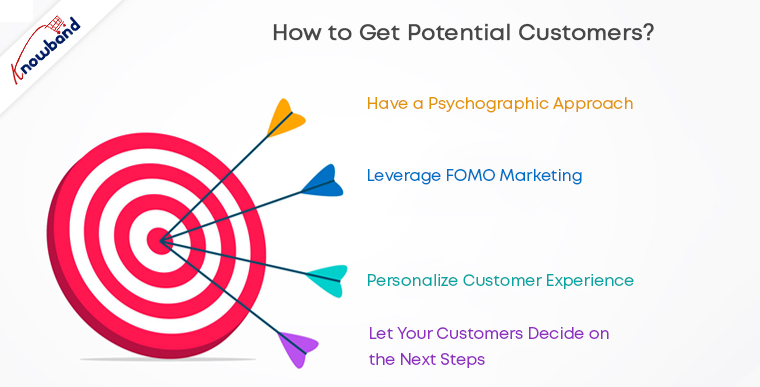
  • Have a psychographic approach: Tell them why your product or service is good for them. You should know the details like buyer’s habits, interests, lifestyle, values, and opinions which can be used in your planning for marketing strategy.
  • Leverage FOMO marketing: You can make your target audience feel they might fall behind if they are not using your product or services. This is one of the easiest ways to boost sales.
  • Personalize customer experience: Attract them by giving personalized customer experience.
  • Prove that your products are better than those offered by competitors: Sometimes you have to play dirty to achieve your goals. Sell your idea as if there is no better option available.
  • Let your customers decide on the next steps: Your work is to guide them but not making them walk. Show the quality and advantages and let them decide on the next step.

Bottom line

Targeted marketing can lead to potential customers and not just visitors. Focus on providing customer quality services and improved customer experience. Make sure your product or service shows up when customers are looking for it. A planned marketing strategy can bring quantity as well as quality to your store.

Knowband can help you with this thanks to a wide range of modules offered for Prestashop, Opencart, Magento, and Magento 2.

Check our gamified popup module to turn potential customers into buyers:


Giving Customers a Personalized Shopping Experience can Boost Online Sales

When exploring your Instagram or Facebook, you always see feeds that are of interest.  Google’s discover feed also shows you the content which you like and would like to spend time on.  Naturally, this makes you feel exclusive, and you spend more time without keeping the time track. 

Can you give the same experience to your customers while shopping? Ecommerce brands like Myntra or Amazon try to target their inactive leads with personalized email marketing. Giving your customer a personalized shopping experience in this competitive environment could be the right plan to survive in a long race.

Understand the shopping journey of buyers with data and use it well for customer experience personalization. With that, customers who get exclusive treatment will do word-of-mouth marketing.

As an eCommerce store owner, you might have given thought to this. But, you may struggle with How to do it? 

Know your customer personally

When you are spending a lot of time and money on focused target marketing, you just don’t need a customer who will make a one-time purchase but your business demands a loyal one. For target marketing, you can consider gathering demographic and psychographic details from a customer. The demographic information can be collected from registration forms but for psychographic information you need more data. To get the details like the interests, values, profession, and lifestyle, you can add custom fields to your registration page.

Proving your customer with loyalty points or rewards at every step of the form filling process will encourage them to fill it. This way, you can get more relevant information for future marketing and product personalization.

You can always ask for:

  •         Their first name 
  •         Birthday  
  •         products they’re interested in
  •         A preferred channel of communication

Some might like receiving emails but in a limited number while other millennials prefer receiving an SMS just after the purchase is made. It is good to ask the preferred channel of communication for targeted marketing. You can even ask for their interests and genre if a person is buying a book from your store.

A large number of people have no issues if a company spoof into the customer’s information which can provide them with a wow experience. From a report, it has been found that 76% of customers expect companies to understand their demands and requirements. So, people like getting a personalized experience, and it is now a trend that can be followed by an eCommerce store owner to compete with others in the market. Personalization can lead to impulsive buying.

Better to communicate with your customers

Remind your customers about the products they liked to buy or visited but did not make the purchase. You can send a push notification for back-in-stock products. You can ask them to look into their wishlist to reduce the abandoned cart.

It has been found that 95% of millennials do shopping while doing other things. Most of them shopped while watching TV or chatting with a friend. Half of the people bought when they are bored with waiting for someone, and some do it when they are traveling.

It is crucial to choose the right means of communication for interacting with your customer. The selection of a communication channel should be based on the data you have collected. Customers often receive promotional emails and notifications which grab their attention and make them shop more.

Putting efforts in the right direction can help you boost conversion rates and customer retention. Millennials prefer texting overcall. You can use a chat app to provide a solution to their queries. This will be a great deal to give them more customer experience personalization.

Effective use of data for persona

You have the data in your system and what a waste if you are not using it well. Your system knows your customer better than you do.

  •         Have you ever been in a situation when you called a person with the wrong name? This happened to me once, and I never want that to happen again. It instantly loses trust in a relationship. Send emails or greet them in-store by calling their name. This builds up an interactive connection between you and your customer.
  •         You can take the help of segment email marketing by categorizing your customers according to their psychographic data
  •         You can enhance the customer experience by offering them products related to their last purchase. A study says, 44% of the customers intended to buy from the same brand or company after getting a personalized shopping experience.
  •         Understand the need of your customer as per their geographic location. Implement geolocation-based marketing strategies. Add a store locator to your website. In-store shopping is still a trend in millennials.

PrestaShop modules you should not miss on

Do you know that you can enhance the personalized customer experience by adding extensions to it?

It is challenging to keep your customers at a checkout page or the product page when they are doing two things at a time. You must have some striking, captivating website features which will keep them attentive and focused on their purchase. Why not with personalized features that you can add with these modules?

Collect more information

With PrestaShop Custom Registration Fields, the owner of the PrestaShop store will collect information about the customer by adding custom fields to the registration form of the website. Additional Order Forms/Field Manager addon for PrestaShop is another module that can help you gather more information. Custom fields on the order form can be generated with this PrestaShop Additional Order Forms Manager without making any adjustments to the code on the web page.

How to use it?

You can ask your customer to fill up the details which can be optional. You can add this field to the registration form. This way you can collect information about birthdays, anniversaries, or any of the interests which can help you promote your products. You can send a personalized message on their birthday with a greeting or any discount coupon. Store owners can use additional information to develop their services and eventually make more profit from their company.

Celebrate birthdays or anniversaries

You can give discount vouchers or coupons to your customers on their Birthday. Birthday Coupon -PrestaShop addon is a module that can inspire your customers to shop from your store on their birthdays.

How to use it?

You can send an email with a personalized message on their special day. This email will include the birthday coupon or discount voucher. The voucher sent through the mail will be valid for a limited time. The addon comes with multiple default templates. You can use it for various occasions.

Make them loyal customers

It is a dream for brands to have loyal customers. From research, it is found that about 30% of people like to buy the same brand and around 40% choose the same brand if they are offering personalized products.  For customer retention and conversions, you can give loyalty points or reward points to your customers.

The PrestaShop Reward Points addon incorporates the reward points feature into your PrestaShop store and allows the admin to offer the rewards point to online shoppers every time they purchase items. 

How to use it?

Store owners can give reward points to the customer after every purchase they do. This comes with a set of terms and conditions. The module helps the admin to add multiple rules for redeeming those points. Customers can redeem those points at some point of purchase which will keep them engaged in your store.

Another extension that can help you with customer retention and customer conversion is PrestaShop Loyalty Point Module.

How to use it?

There are some rules like Cart Rule, Product Rule, and Behaviour rule for loyalty points. Store owners can offer loyalty points on a specific cart amount, product quantity, based on the payment method, particular product or category, shipping services, etc. It can be given to new customers while placing their first order.

Display recently viewed items

Automatic Related Products addon for the PrestaShop store can help you show the relevant products to your customers. This feature can be added to multiple pages of your eCommerce store.

How to use it?

The feature will show related products to your customers, and this will motivate them to see more and more on your eCommerce store. If they are not satisfied with the one product, they can see more until they get the one.

Add more product details

Admin can add n number of details for a product with Advance Product Attribute/Field – PrestaShop Addon. This module allows you to show descriptive information about the product. 


How to Use it?

It has a simple configuration, and the admin can ask customers to provide more information about the product. If they like the product or not? If they need any modifications?  By collecting additional customer details, the sellers can better represent them. As a result, online shoppers will have the same user experience with this PrestaShop Additional Field Module on the Product tab.

Attractive email subscription module

Spin And Win – Entry, Exit, and Email Subscription Popup by PrestaShop have a gamified interactive look. It attracts the buyer’s attention and allows them to win offers like discount coupons or free shipping. This is one of the best sellers of PrestaShop and a fantastic module to collect the email addresses of your customer.

 How to use it?

You can Get Personal in Email Marketing and send personalized Emails using the information which is provided by the customers. The emails should be sent based on customer behavior. You can go for a personal recommendation to offer a personalized customer experience to your customer. Try to re-engage your leads with promotional messages or pop-up notifications. Email marketing is a free and reliable option to give a customer personalization experience to users.

Greet your customer

Greetings are most valuable when you are building a relationship. Customer-trader relationship is most important when it comes to business. You can use a Better thank you page module for your PrestaShop store.


How to use it?

Add a Better thank you page module to your PrestaShop store and use it to show a pop-up when the customer is leaving your store or after the successful purchase. Also, you can add customized banners or discount coupons for their next purchase. This way, it can help you boost customer retention and make your customer satisfied.

Final thoughts

Increase your sale by providing a personalized shopping experience to your customers. In this era of millennials, Personalisation is the only way to attract a loyal customer base to your store. Create Special Campaigns Based on user behavior and make them feel unique. They don’t like to be treated as a number but an individual. So, It’s time to boost your sales with a customer experience by providing personalization. 

Recommended Reads:

How to Simplify the Online Shopping Experience of Customers?

Give Best Infinite/Endless Scrolling Experience to Your eCommerce Customers

9 Checkout Conversion Killers Driving Your Buyers Away

An eCommerce store owner observes maximum cart abandonment when a buyer reaches the checkout page. What factors are responsible for cart abandonment and acting as conversion killers? Talking about the statistics, it is been observed that sixty-nine out of a hundred people abandoned their cart on the checkout page.  Optimizing your checkout process is as important as the website optimization.

There might be many visitors to your blog posts or product pages. But, are they giving you any business? If not, then below are 9 most common checkout conversion killers that drive your customers away.

1.     Mandatory Registration during Checkout:

Forcing your customers to set up an account before they can complete their transaction could kill your conversions. Therefore, make sure that your website always allows customers to shop as visitors without having to register.

You can provide them guest checkout facility or social login option which will make it easier for them without taking much time.

2.     Long and complicated Process:

Nothing is more irritating than filling in super-long forms with complicated fields before you make a purchase. Stop enticing consumers to buy additional items with pop-ups. They sometimes interrupt the checkout process and end up doing more damage than good.

So make your signup form simple and quicky. Make sure that they include relevant drop-downs, radio buttons, and an indication of optional information. Most importantly, hold field labels so that consumers can quickly fill out what they need.

3.     Lacking or Weak Product Details:

It’s just profanity! How do you picture someone buying from you when you don’t have a convincing, thorough explanation of the product. Forget about that. Online shopping is like an impersonal activity. The best way to persuade a customer to buy is through words and amazing images! Start putting some bewitching images to your product description for not making your customers head off.

4.     Never-ending loading time:

Do you like waiting for someone or something? Neither you nor is your customers would like that. Optimize your checkout page for speed. Analyze and cut off the extra fields and graphics from the page which can be a conversion killer. Long loading time will demotivate your customer and encourages them to leave the site.

5.     Lack of payment options:

You can provide several payment options already available for the checkout. The mode of payment is a necessary element to focus on. In the competitive market place you must have an online payment option but having multiple modes can be advantageous. You can put some common secured payment options on your checkout page. Payment gateways provide encryption to keep your customer’s information secure. It provides a more streamlined and convenient experience for them — especially on mobile devices.

6.     Not being mobile-responsive:

A growing amount of online transactions are taking place over mobile devices. Almost any way you look at the numbers, millennials are more open to accepting and more likely to participate on mobile devices than their older counterparts. Customers who shop on their smartphones and tablets have less time than they do on desktops. Buttons need to be bigger and easier to reach, shape fields need to be minimized to speed up the checkout process, and labels and text need to be clearly visible. Ensuring that the checkout process is designed for mobile shoppers is important. You can lose many if your website doesn’t work well with mobile.

7.     Extra Shipping and Hidden Costs:

Imaging, you are buying something online. The product costs $20 and then you move to the checkout page where you see the cost raised by $5. This was the cost they were charging as taxation. You will be discouraged and might leave the checkout process immediately.

If you don’t reveal all the expenses in advance, you’re turning your customers away. 23 percent of customers cancel their purchases because they do not realize the additional costs in advance. Therefore, make sure that you display all costs right on your product page to make the customer experience easier. If you are charging extra for shipping, make sure to highlight it with the product cost on the product page. This can be a conversion killer and will add another order to your abandoned cart list.

8.     Not enough Product reviews:

Product reviews are an essential part of the branding and marketing of an online store. They help create trust and loyalty, and they usually define what sets the goods apart from others. Reviews help your store increase sales, and you can persuade customers to leave more of them. When the comments are found to be credible and correct, they will most certainly listen to them.

9.     Website isn’t Secure:

Customers don’t always like using their credit cards online, so it can be even more difficult if you’re a new small business that still builds confidence in your audience. As an online retailer, you need to make customers feel comfortable about the security of your checkout process. The positive thing about incorporating PayPal Checkout is that PayPal is an internationally recognized payment brand.

A simple mention of secure payment on the payment section will reassure your buyers that there won’t be any foul play.

Final Thoughts:

In order to stop cart abandonment, you can install a checkout module to your eCommerce store which will be incorporated with all the important payment gateways, customizable fields, social login options, and much more. By adding One Page Checkout addon to your store you can get rid of all these conversion killers. Knowband offers One Page Checkout modules for PrestaShop, OpenCart and Magento stores.

One Page Checkout – PrestaShop Addons

One Page Checkout Pro – OpenCart Extensions

One Page Checkout – Magento ® Extensions

One Page Checkout – Magento 2 ® Extensions

Could you think of any other checkout killers that can scare consumers away? Please let me know in the comments below.

You May Like To Read:

Benefits of Having Multiple Payment Options on the Checkout Page

10 Tips to Double Your eCommerce Conversions in 2020

One page checkout for eCommerce stores, Is it a one stop solution for all your issues?

All you need to know about PrestaShop Advanced One Page Checkout

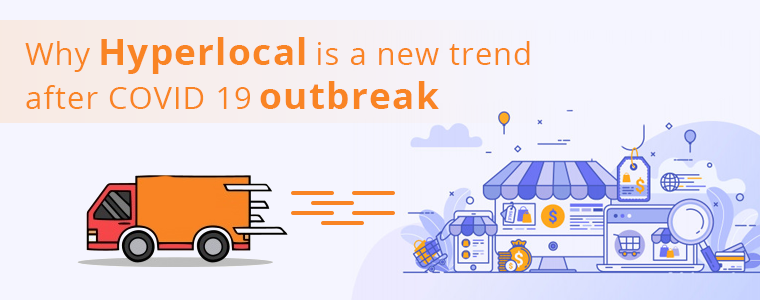
Hyperlocal Business Model: Go Local with this New Trend

Strengthening the curiosity and enthusiasm of a large number of entrepreneurs who have been on the lookout for something that can make them stand out, hyperlocal eCommerce business has served the purpose. Many companies like Amazon, Flipkart, Grofers are serving regionally or locally for the past few years. But the Hyperlocal Business concept is roaring after COVID 19 outbreak. 

What is Hyperlocal?

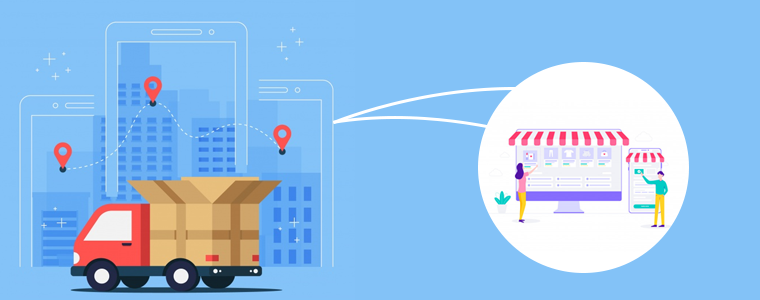
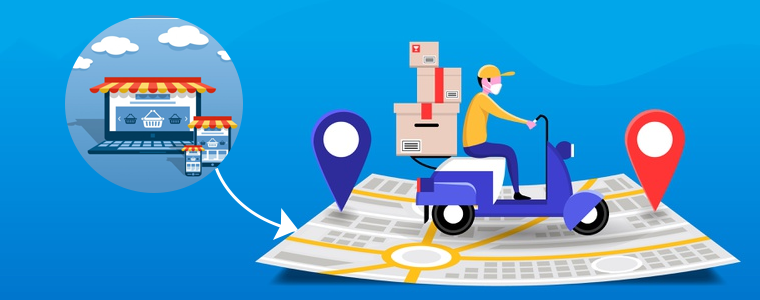
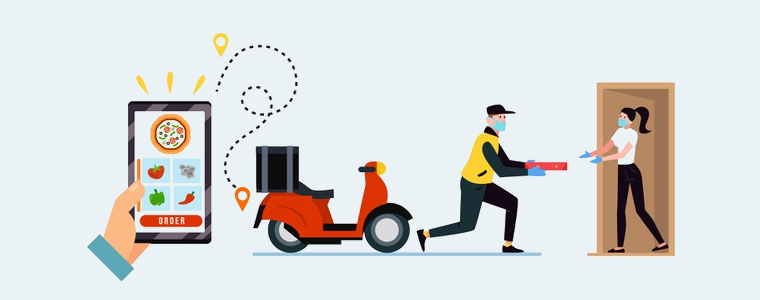
There is a small difference between hyperlocal and eCommerce. Hyperlocal businesses are the one who serves in the nearby vicinity and eCommerce businesses have a large network of the national or international market.  Hyperlocal is often used only to describe delivery businesses or on-demand services. Entrepreneurs are switching to hyperlocal as it allows consumers to place generic orders, sending parcels from one location in the city to the other, food, groceries, household essentials, or even medicines. This transition will open the doors for small businesses to enter the digital world. 

Why go Hyperlocal?

A unique advantage of Hyperlocal eCommerce is that their whole supply chain is situated next to both the buyer and the seller. As a consequence, the vendors themselves are retailers or smaller traders. A hyperlocal business platform allows local offline businesses to reach out to their targeted customers confirming product delivery within a very short time.

The challenge for an eCommerce can be an advantage to hyperlocal Businesses

  • eCommerce often faces a challenge of on-time delivery but with a Hyperlocal business, the same product can be delivered within a few hours. Customer doesn’t have to wait for days but he/she can use a Hyperlocal business platform for getting it immediately. 
  • Trusting online eCommerce websites is a matter of concern and it leads to many frauds. But with an eCommerce, the chances of fraud are least. 

Challenges faced by Hyperlocal businesses:

You might have heard that many Hyperlocal businesses got shut within a few years of their journey. There are multiple challenges faced by a Hyperlocal business while going through this transition.

– Area of operation

Starting in cities that are not yet technologically wired and most of the population is not used to buying stuff online, the primary option for hyperlocal business cannot, of course, be the right choice.

–Brick and mortar stores

People still prefer buying groceries themselves as they do not trust the quality of online products. Buying fresh fruits and vegetable from a market is an old practice which will take time to change. 

– Cutthroat competition

The hyperlocal businesses have to compete with well-established eCommerce enterprises as they trying to reach out on three tires for grocery and other such services. 

What is the Solution for Hyperlocal Business problems?

The solution to these challenges is by adopting a strategic path to reach your targeted customers and providing them a better customer experience. COVID-19 outbreak brought the new trend to go local and now businesses are trying to expand their networks digitally. People in three- tire cities are opting for online shopping, even for groceries. 

Many Digital Solution Companies are providing various user-friendly applications that can help local entrepreneurs to go Hyperlocal.

  • A dynamic website: A Hyperlocal business owner can ask a developer for a well-versed website where the customer will find all the products listed to it. 
  • Store locator and Pickup services:  A website where customers can place orders and pick a delivery time or pickup timings. The owner who intends to switch to hyperlocal business can incorporate a module for the online users to find the nearest store and pick up the product from the store. Many stores have different outlets. With the module installed in your eCommerce store, you can allow the customer to choose the nearby store to pick up the order. Knowband provides a store locator and pickup module for many eCommerce platforms. 
  • Product availability check by zip code: This module can help the customer to check the availability of a product in an online store. Customers can check the availability of the products in any particular area just by entering the zip code, this way owner can restrict the customer in one region. 
  • Mobile responsive or a mobile application- Being an eCommerce store owner you must ensure that your website is mobile responsive or you can build an app for the same. Now you can install a mobile app builder plugin and make your website mobile responsive.
  • Tie-ups with other local vendors: You can make tie-ups with other store owners. This will help you fulfill the customer demands on time and you can generate more revenue.  

Go Local with Hyperlocal:

Going Hyperlocal is the need of the hour. This will bridge the gap between the online and offline market. The availability of a Geolocation database can help you in targeting the right customers. With Hyperlocal business, entrepreneurs can focus on customer-centric models by controlling quality and inventory. With minimum efforts, larger goals can be achieved. The hyperlocal business owner can run all the operations on smartphones with very few efforts as compared to a physical store.

Conclusion:

Given the limited geographic distribution of the hyperlocal industry, marketing investment is typically very effective as there is little waste and Word of mouth will spread quickly.

Visit Knowband Shop for eCommerce solutions. Our enthusiastic team will be glad to provide solutions to your problems. 

Related Articles:

Tips To Customize PrestaShop Website For Good Friday & Easter Sale

In most of the holiday seasons, e-shoppers are very active & excited when it comes to online shopping. Irrespective of the religion, online shopping is something every netizen engages in. The upcoming festival is Easter & Good Friday, & we have already started to see some eCommerce websites giving teasers of their holiday season based sale. For all eCommerce website owners, here are some of the PrestaShop website customization that should be tried out for sale boosting strategies in the e-store.

This article is helpful for eCommerce businesses with their website built on PrestaShop. With PrestaShop, it becomes very convenient for e-store admins to customize their website in-line with the theme of Easter / Good-Friday. Some of those useful customizations are mentioned below:

1. PrestaShop Hooks for Easter & Good Friday:

Hooks in PrestaShop are images that can be used just for display or as a hyperlink too. Hooks are something that is primarily utilized to highlight anything. To highlight the offers, new arrivals, Easter goodies, etc. use various hooks on your home-page, footer, sidebar, etc. & keep the user informed.

a) Action Hooks:

These sorts of hooks allow the images to have hyperlinks. So, these hooks are clickable & hence can be used to redirect the site visitor to a relevant page. Use easter images & redirect the user to a specific product/ category page. These kinds of hooks also act like a CTA ( Call to Action ) & must be placed strategically to get better click-through-rate & hence conversions.

b) Display Hooks:

Just as its name suggests, display hooks are merely just plain images. These hooks don’t allow adding of hyperlinks & are simply to display only. For your Easter sale, use the images with some informative & catchy text to let your users know about various ways they would benefit from your Easter Sale. Show your coupon codes, promotional offers & more on these display hooks.

Apart from creating these hooks, a good amount of attention must be given to their placement as well. Some common areas where hooks can be placed are:
a) Multiple areas on the homepage.
c) Left/ Right widget areas.
d) Footer.

2. Top Side Banner Customizations:

PrestaShop has the top banner configured by default which e-store admins can simply enable & disable. You must be having any special discounts or easter coupon codes for sale. Display them to the users on this top banner. This thin banner, on the extreme top of the page, is easily visible to your site visitors.

3. Notify Your Customers:
Using web notifications, push notifications & emails, let your customers know the reasons why they shouldn’t miss out on the Easter / Good Friday Sale. Lure them with promotional offers & referral programs. From the backend of your PrestaShop site, you can create & send these notifications to your existing customers. If you own a PrestaShop Mobile App as well, send in-app Push Notifications to your Mobile App users.

Wondering how to build a PrestaShop App from your website? Try the PrestaShop Mobile App Builder module to launch an eCommerce Mobile App.

4. Offer Limited-Time Discounts As Well:

Keep your easter special discounts & coupons valid only for a limited time duration & keep your site visitors aware of that. This is one of the instances why sales during such festivals go high. You can also design a time-based countdown banner. Seeing the countdown timer running, more e-shoppers are likely to engage with it & the offers mentioned on it.

5. Gamify Some Easter Based CTAs:
Rather than using simple CTA (Call To Action) elements on your page, use a few gamified versions of them. Such as the ‘Spin & Win Discount Wheel’ or an interactive Easter Bunny kind of lottery quiz.

You can also add a PrestaShop Scratch card to your eCommerce store to increase customer engagement. Since Easter is celebrated for the resurrection of Jesus, why not design the scratch card with an Easter theme that attracts visitors.

Another way to show your warmth on the day of Easter is by offering reward points or loyalty points to your PreatShop customer. Customers will relish the opportunity and with the right eligibility rules, this also increases the average cart value and accelerates your business.

Wrap Up

There were some of the PrestaShop Customization tips that, I hope, can help you in preparing your PrestaShop website for the upcoming sale season. With PrestaShop being an open-source module, you can make many more customizations by simply utilizing various of its backend features & 3rd party modules, or even custom-designed codes. Now it’s up to you to make the best out of this festival & to serve your customers in delightful ways this Easter.

Hence, for any such requirement, drop us a message at support@knowband.com or visit KnowBand.

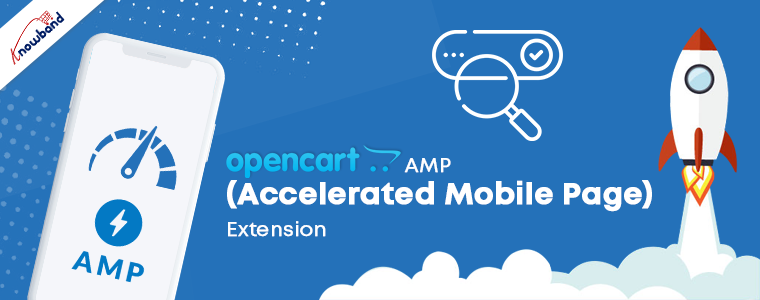
OpenCart AMP (Accelerated Mobile Page) Extension

“OpenCart AMP Extension reduces the page load time of your website in mobile devices and offers faster loading to enhance the experience of your mobile users”

According to a report by Invesp, more than 2 billion people use their mobile devices for online shopping, globally. Also, as per Statista, 53.9% of all U.S retail e-commerce is expected to be generated via m-commerce, by 2021.

Mobile Commerce or M-commerce looks promising to be a dominating e-commerce force in the upcoming years. With the increase in the number of mobile users, e-retailers have started looking out for ways to optimize their e-commerce website for mobile and one such way is the implementation of Google AMP.

What is Google AMP?

Accelerated Mobile Pages or AMP is an initiative by Google that is designed to offer faster loading of web pages on mobile devices.

Data from KISSmetrics reveals that if a website takes more than 3 seconds to load, 40% of people are likely to abandon the page, resulting in an increased bounce rate. This is where AMP comes in handy.

AMP for OpenCart

An AMP-enabled web page or website is the topmost priority for a customer when they are looking for any info on the search results.

OpenCart AMP (Accelerated Mobile Pages) Extension optimizes your website and converts your website pages into flexible mobile pages when browsed via a mobile device, and delivers content quickly. It gets rid of all the clunky elements from your website and displays only the relevant content. OpenCart Accelerated Mobile Pages is a powerful mobile optimization tool that helps you index your mobile pages faster.

Features of OpenCart AMP Extension

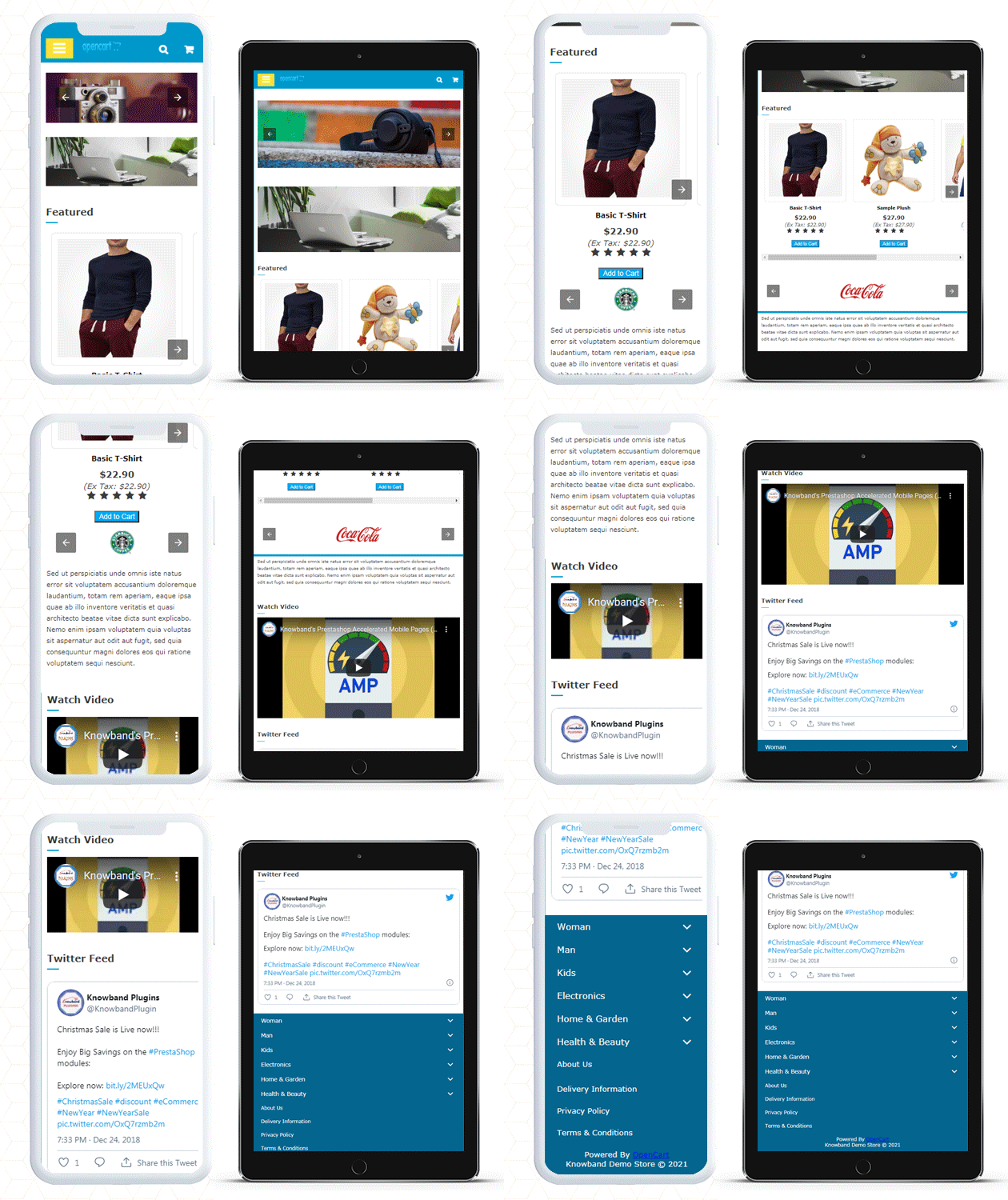
1. Home Page AMP

OpenCart Google AMP module helps you implement the AMP functionality on the Homepage of your website.

You can display a custom text on the Home Page and select whether you want to display it on the top or bottom.

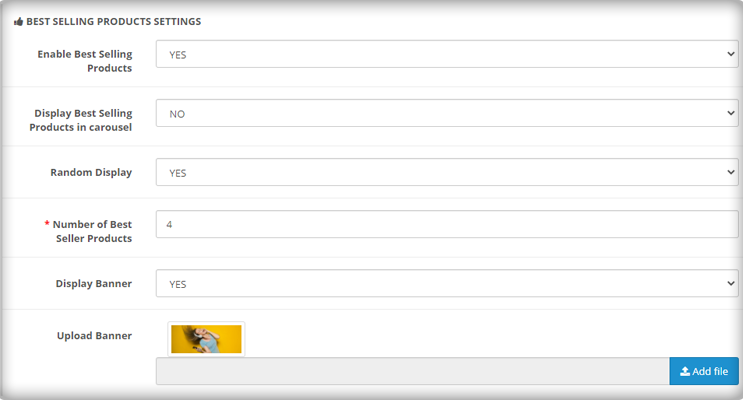
Display Featured Products, Bestsellers, New Arrivals on your Home page.

Choose a minimum number of featured products, best sellers, new arrivals that you want to display.

Display featured products, best sellers, new arrivals in a carousel mode.


You can also add videos from YouTube, Vimeo, DailyMotion and display them on your Home Page. Videos can be set to autoplay.

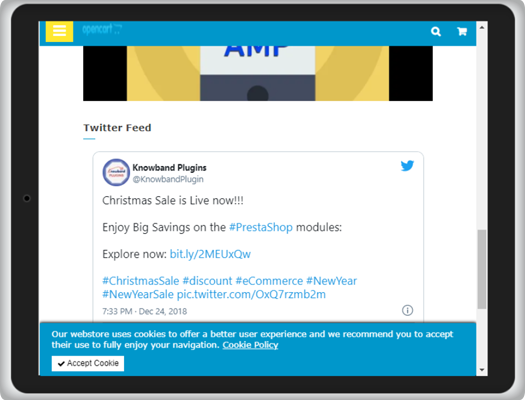
OpenCart AMP extension allows you to display Instagram or Twitter feed on the Home Page.

2. Category Page AMP

Implement Google AMP on your category page and allow quick navigation to your users through the listed categories.

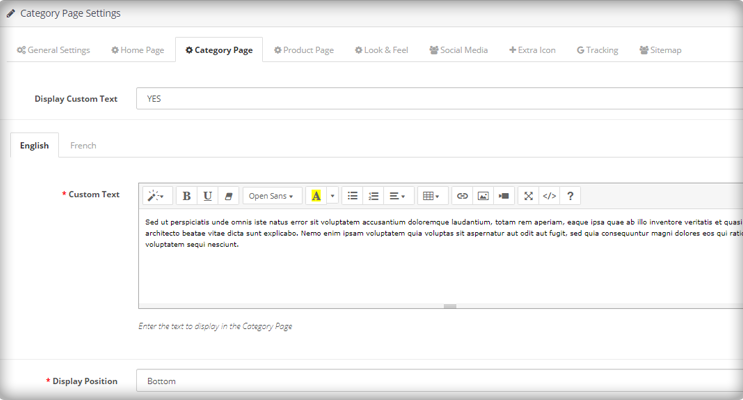
Create a custom text for the category page and select the display position.

3. Product Page AMP

Implement AMP on your product pages with the help of the OpenCart AMP module.

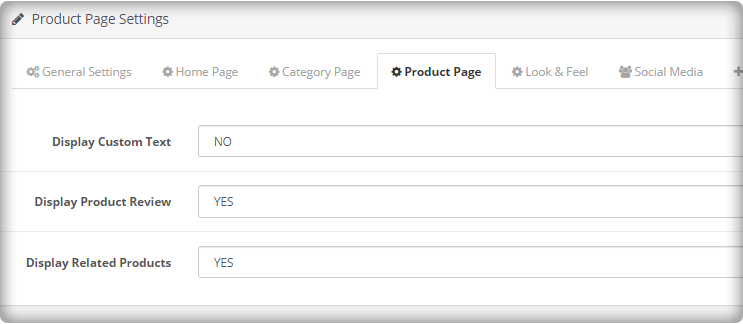
Create a custom text for the product page and select the display position.

Display product reviews and related products.

4. CMS Page AMP

Implement AMP on CMS (Content Management System) pages and optimize the website content for mobile users.

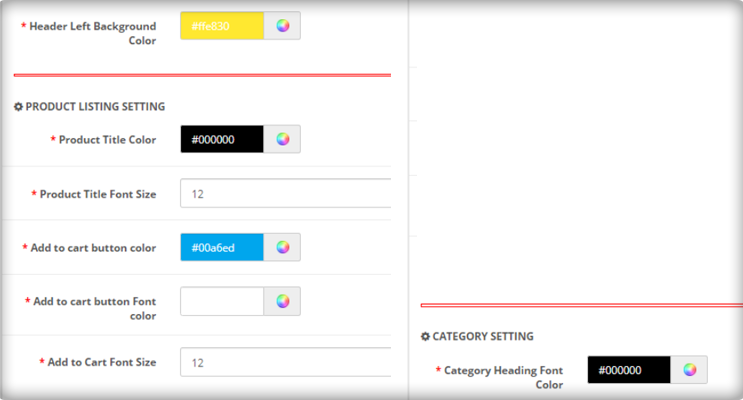
5. Customize the Look and Feel for the Mobile Devices

Try out different color options and make your AMP-enabled website appealing in front of mobile users. Google AMP OpenCart consists of a “look and feel” tab, from where you can customize the website appearance accordingly.

6. Add your Social Media Pages

You can add your social media pages to your AMP-enabled website. With the OpenCart AMP extension, you can add your Facebook page, LinkedIn Page, Instagram account, Twitter account, Pinterest account, and Tumblr account, etc.

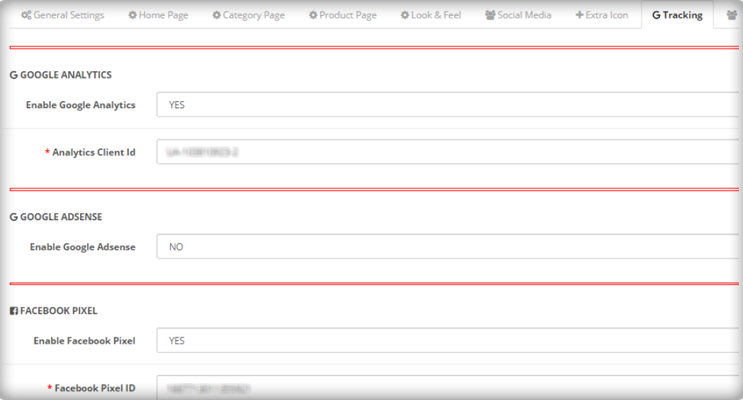
7. Enable Google Analytics, Google AdSense, and Facebook Pixel

You can link your Google Analytics ID to track the performance of AMP pages. Similarly, you can link the Google AdSense and Facebook pixel id.

Apart from these features, you can

Upload your website logo and adjust its width and height

Upload a banner for featured products, best sellers, and new arrivals.

Create your cookie consent message

Select the number of products to be displayed on a single page.

AMP for OpenCart FAQ

  • Does the AMP extension support the Journal theme?

Ans: Yes, the module does not get affected by the Journal theme. The UI of the AMP pages will remain the same as configured. (Independent of the site theme).
  • Does the AMP Extension require coding?

Ans: No, it does not require any coding to set up. 

  • Can customers change the home page design and add products on the home page?

Ans: Yes, with the Accelerated Mobile Pages, the home page design can be customized. Admin can change the banners, colors, look and feel and add featured images of the home page. 

  • Does the app support multiple languages?

Ans: Yes, the OpenCart AMP extension is multi-lingual and works well with all the languages.

  • Can I add Social media profiles to the home page of Accelerated Mobile Page?

Ans: It is very easy to embed Twitter and Instagram profiles on the AMP extension. Check out the admin demo for the same.

  • Is KnowBand Opencart AMP (Accelerated Mobile Pages) compatible with the Marketplace website?

Ans: Yes, the extension is compatible with any website including the marketplaces.

You can purchase the OpenCart AMP Extension from:

OpenCart Marketplace 

KnowBand Store 

Final word

Since AMP provides instant loading, the bounce rate of your website decreases. OpenCart AMP extension helps you gain excellent conversions from mobile devices which otherwise could have been lost due to the poor page load speed. By speeding up the website load time, AMP will push your site above in the mobile search engine rankings. It will enhance the user experience and increase your website visibility.

Try out the OpenCart AMP Extension today! If you have any queries regarding this extension, feel free to ask in the comments below or you can raise a ticket at support@knowband.com

Also read:

Benefits of Google AMP for E-Commerce

Benefits of Google Accelerated Mobile Pages (AMP) for eCommerce

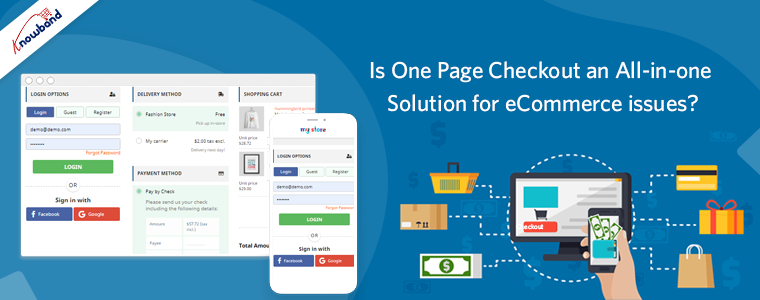
One-page Checkout for eCommerce Stores, Is It a One Stop Solution for All Your Issues?

Here at Knowband, we get questions from all our clients looking to boost their checkout conversion rate, if they should switch to a one-page checkout?

Their aim with the question is simple; they want to get more check-out page conversions, fewer cart abandonment, and more sales. We respond by always saying this, “It depends”. It sometimes comes as a surprise to most customers to hear this reply. As we are selling a one-page checkout Extension, and still not pitching a sale to them. Maybe they expect an answer like “Yes, it is the best. You should use our one-page checkout”.

I wish it was this easy. We don’t pitch our solution with a blindfold, instead, we recommend them something that will help them understand if their issue can be solved by simply installing the one-page checkout module. Let’s just take a pause and inspect some pros and cons of one-step checkout and then decide, whether a one-page checkout is simply an all-in-one solution for all your issues?

The misunderstood part of the one-page checkout solution

This is a common misconception among the eCommerce store owners that the one-page checkout is one medicine to all the check-out-related cart abandonment issues. It’s really understandable. The Fewer steps a customer has to go through easier it will be for him to complete the process and checkout bounce backs will reduce.

However, that’s not always the exact case. The implementation of one-page checkout is definitely appealing, but it does not mean it is the solution to all your issues. Truth to be told, one-page checkouts have their own set of problems that should be addressed to make them more organized and informed for the customers. Simply, a one-page checkout solution can make your store, but can also break it with some negative impacts if you don’t know the correct way to implement it.

For the customers who inquire about our one-page checkout, often time we come to hear that they read some article or attended some event where they told it is better. Most likely these customers did not pry into their existing multi-step checkout process and neglect the mistakes they are already doing with their checkout. So, even if they go for a one-page checkout, they are more likely to repeat those same mistakes, and then blame the checkout solution for the breakdown.

Consider these factors before deciding your checkout page:

So, Which one should you consider, One-Page Checkout or Multi-Page Checkout?  An honest reply would be both. A one-page checkout can be really effective in the right conditions and with proper implementation. You need to make sure that it addresses the common issues of a one-page checkout and has handled them effectively.

The right conditions for deciding the right checkout process for your business can depend on the aspects like:

  • Niche
  • Customers
  • Price point
  • Product Type
  • Pain Points and
  • Solutions

For instance, if you are selling luxury items that already receive fewer sales due to the high price point, and you have a loyal base of old customers, then a multi-page checkout is a better choice here. It will guide the users through the checkout process and will convert better.

On the other hand, if you sell non-expensive items where there are more sales and you are also offering free shipping options, then a one-page checkout solution would be more effective here. It will be quick, give a faster way to review the products in the cart, show the free shipping option right away, and allow the shopper to make the payment straight on the same page.

Perform A/B testing for the best checkout page solution

These are just the example of two simple cases. However, the best way to know which option works best for you is to test, analyze, test, and iterate. A/B testing can be really helpful where you can test both the types of checkout (i.e. one-page checkout and multi-step checkout) at the same time and see which one pleases your customers better.

Be cautious while testing, because here you’ll be pitting the best against the best. You wouldn’t get the right results if you compared a well-optimized one-page checkout to a cluttered and unorganized multi-step checkout. So, always test an apple with another apple.

A simple recommendation would be to first optimize the current multi-page checkout as far as possible. Once, you have fully optimized the multi-step checkout, then compare it with a well-optimized checkout by testing them. It will give a fair chance to your multi-page checkout, or else, the one-page checkout solution will always overshadow it.

One-page checkouts still have some benefits by default

  • The one-page checkout is quick since everything is on a single page.
  • There are only a few steps for customers to complete on a one-page checkout solution.
  • Well-optimized checkouts provide the cart review option on the same page.
  • Shipping option selection is available on the same page in the one-page checkout module.
  • The one-page checkout offers payment options on the same page.
  • Some advanced checkouts offer social login options as well.

Features to look for while selecting a One-Page Checkout Solution

Optimization is one such thing that differentiates a checkout Page from another checkout solution. Whether you are talking about a multi-step checkout or a one-page checkout, it has to be well optimized.  You won’t be able to solve all of the problems with the checkout page by simply consolidating it onto a single page; you’ll still need to optimize it for cart abandonment issues.

A true one-page checkout developed to curb the checkout page abandonments must address the issues like these:

Length- The length of the checkout process does not merely depend on the number of pages, but the number of details a customer has to fill in to complete it. Make sure your one-page checkout does not ask the customers to fill in unnecessary and redundant details. You can segregate the mandatory and optional fields.

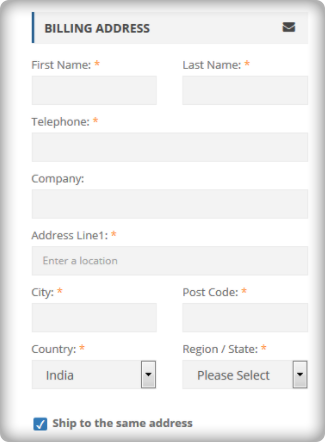
For example, you can reduce the billing or shipping address form size by removing the unnecessary fields like fax number, anyone from the phone or mobile number, etc.

Cart review and update- What most of the one-page checkout solutions miss is the option for the customers to review their cart and update the product quantity from the checkout page. However, there are Advanced one-page checkout solutions that do provide the cart review and update options. So make sure, your one-step checkout does provide this feature.

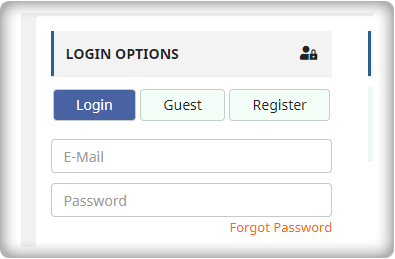
Guest checkout: Guest checkout is an important feature. On both the checkouts(i.e. one step checkout or multi-page checkout), if you miss providing a guest checkout option, then you may lose some business. So, make sure whichever checkout option you choose, you should offer the guest checkout.

Social Login: Social login option is more of a competitive advantage than an optimization. If you are not asking your customers to necessarily create an account and offering guest checkout, it’s optimization. However, if you are allowing them to sign up or log in with their Facebook or Google Account, it’s a competitive advantage. Our  PrestaShop one-page checkout offers social login through Facebook and Google to help you gain the most out of your checkout process.

Clutter-free design: What haunts most of the merchants while switching to one-page checkout is the design issue. A one-page checkout in-housing the whole checkout process on a single page is more likely to look congested and cluttered. Therefore, you must ensure that your checkout page does not only fits with your theme design but should also have enough white-spaces to segregate each element and section. For example, it would not be a nice look if the shipping section overlaps the payment section or any other section of the page.

We have tried our best

We have tried our best to optimize our one-page checkout modules for Magento, OpenCart, and PrestaShop in the best possible way. We have included all the options that have been mentioned in the previous point. Moreover, we have also tried it to have the best possible clutter-free design.

Check out how we eliminated all the one-page checkout-specific issues in our checkout modules.

We don’t say a one-page checkout is a one-stop solution to all your checkout page issues. However, a well-optimized one-step checkout can always provide an upper hand. Optimize your multi-step checkout to the best possible extent and then test it with the one-page checkout solution, the results will ensure you have the best checkout, no matter it’s one page or multi-page. Always choose the best for your brand.

Liked This? You’ll Like These Too

Everything you need to know about PrestaShop One Page Checkout addon

The PrestaShop Checkout addon also called PrestaShop One Page Checkout is a PrestaShop extension that replaces the conventional multi-page checkout process on your Prestashop store with a single page checkout system.

Having a PrestaShop One Page Checkout is beneficial for your Prestashop store as it helps in improving the conversion rate by optimizing the checkout page and making the checkout process simple and quick.

Check out some live PrestaShop One Page Checkout globally:

This blog listicle will give you a clear idea about the PrestaShop One Page Checkout and how you can customize it for your PrestaShop store.

10 Elite Examples of Checkout for Spain PrestaShop stores

Stunning Live Examples of PrestaShop One Page Checkout Addon by KnowBand

10 on fleek Checkout Page Examples of Poland PrestaShop eCommerce stores

10 Best Checkout Page Examples and Practices for Italian PrestaShop store

Why KnowBand’s PrestaShop One Page Checkout?

Online Shoppers have to go through a number of steps when they are on the checkout page. On top of that, they are presented with a registration form in between, which disturbs their flow. To be very honest, a majority of consumers do not like to fill lengthy registration forms or create an account during the checkout, yet a number of e-commerce stores have made it mandatory on their website.

As a result, some consumers choose to abandon their carts and look at other stores that provide a simpler and better checkout facility. PrestaShop One page checkout addon deals with such scenarios and aims to provide a better checkout experience to your store visitors.

Prestashop One Page Checkout works in different ways to curb various loopholes in a checkout process that may be killing your conversions and increasing shopping cart abandonment. Let’s look at how Prestashop One Page Checkout helps in making your checkout process better.

You Might Also Like:

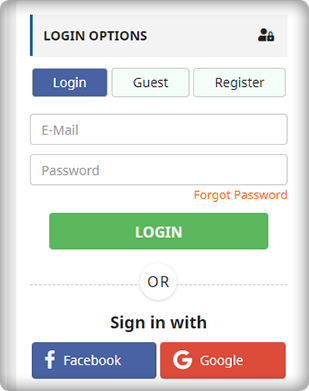
1. It Offers Guest Checkout

For the consumers who hesitate to create an account on your store or do not like to get registered, you can provide them with the Guest checkout option and encourage them to make a quick purchase.

2. Social login makes the signup quick

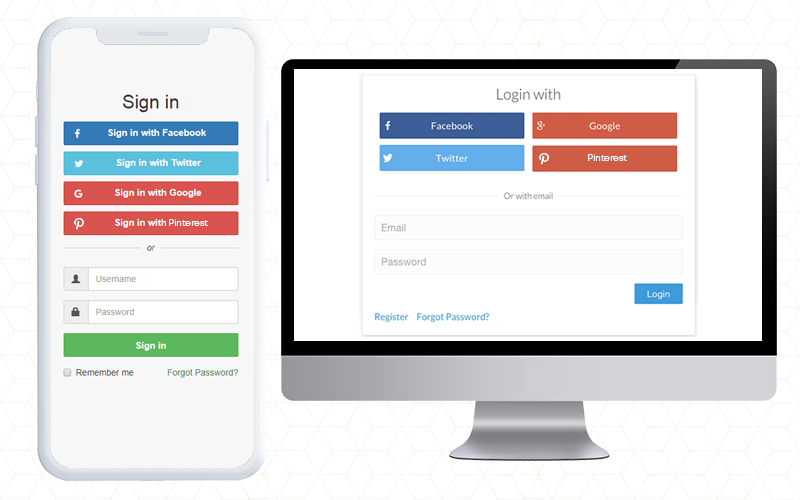
Customers can use their Facebook, Google, or PayPal accounts to sign-up on your store. It saves shoppers’ time from lengthy form filling and makes their way easy for the checkout.

3. Customers can Easily Update Cart Quantity on the checkout page

A user who wants to make changes to the product quantity does not need to go back to the product page. He or she can update it right from the checkout page.

4. Google Auto-address fill reduces extra efforts

Enabling this feature automatically fills the address fields at the checkout page. As soon as a user starts typing his/her address fields, the address suggestions are displayed and upon picking an address, the related address fields are filled automatically.

5. Multiple Payment methods and Shipping services support

The PrestaShop One Page Checkout addon supports almost all the major payment modes and shipping services.

Compatible with Mollie Payment Method: The PrestaShop Checkout allows adding several payment methods. The latest version of the module is fully compatible with the Mollie payment method.

6. Variety of Layouts to give an interesting look

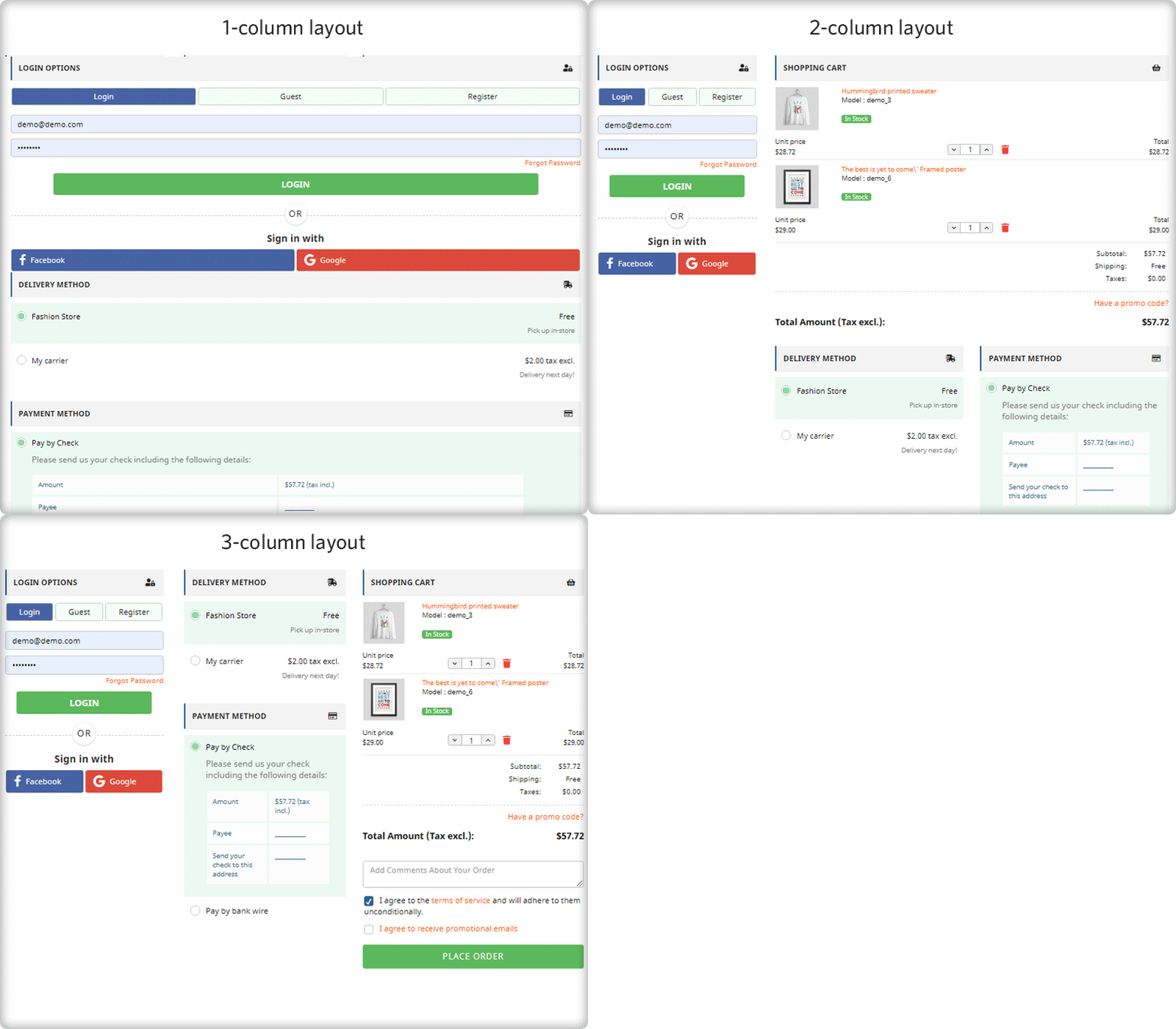
PrestaShop Quick Checkout extension provides 3 layout designs, namely: 1-column layout, 2-column layout, and 3-column layout.

7. MailChimp, SendinBlue, and Klaviyo email Integrator support

Every time an email address is captured, it will be automatically synced to your MailChimp, Klaviyo, or SendinBlue account, provided you have set up the API key from the back-end for the respective platforms.

8. Remove unnecessary fields from the Checkout page

With PrestaShop One Page Checkout, you can choose which checkout fields you want to display on the checkout page. From all the checkout fields, you can specify which fields to show and which fields to hide. Besides, you can also mark fields as mandatory or optional.

9. Arrange Checkout fields through Drag and Drop functionality

Prestashop One Page Checkout module lets you organize checkout fields as per your preference. For example, if you want to place a field above any other field, you can simply do that by picking the field and dropping it to the desired position.

Statistics: Data helps in planning

10. View Abandoned Checkout Statistics [New]

Find out how many abandoned checkouts have taken place in your store, what was the revenue of those abandoned checkouts, and view the checkout conversion rate with the help of PrestaShop One Page Checkout.

11. Examine the user behavior on the Checkout page [New]

Also, explore which checkout fields are hampering the user experience that is leading to checkout abandonment. It displays the percentage for every checkout field. Higher percentage fields mean maximum visitors are facing trouble with those options.

12. Increase average cart value with free shipping tab[New]

The one-page checkout module has a feature that lets you define a minimum amount for displaying the free shipping option. If a visitor is shopping for or above the given amount, he will see a banner that would tell how much more does they need to shop to avail free shipping benefits.

13. Show Product Price With Taxes [New]

With the PrestaShop One Page Checkout addon, the e-merchant gets four options for displaying the total price of the goods. You may choose to display the default PrestaShop price, the price inclusive of tax, the price exclusive of tax, or the price inclusive and exclusive of tax.

14. Display custom fields in invoice [New]

The store owner can also enable the option to display the added custom field in the invoice of the order placed, thanks to a new update in Knowband’s PrestaShop One Page Checkout addon.

15. PrestaShop One Page Checkout is highly compatible with:

  • Compatible for free products (No payment method will be displayed)
  • It is compatible with digital/virtual products (No shipping method will be displayed)
  • Compatible with customizable products and displays entire information on the shopping cart, including all customized details
  • One Page Checkout supports multi-lingual feature
  • Works responsively on all the devices like mobile, tablets, desktop

Steps to set up One Page Checkout on your PrestaShop store?

1. Download and install the PrestaShop one-page checkout extension.

2. After installation, enable the extension by going to modules>SuperCheckout>configure.

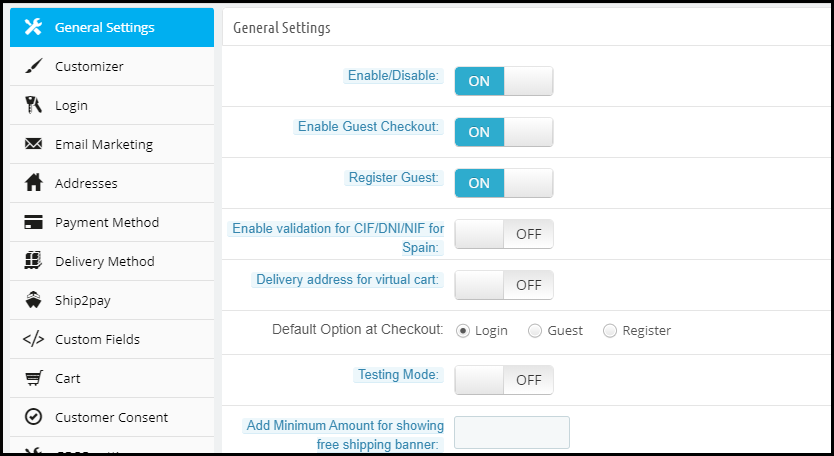
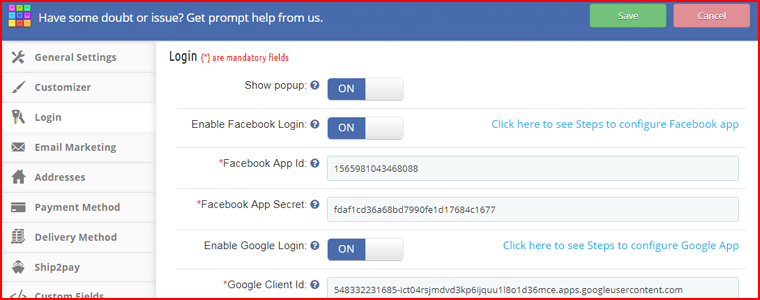
3. After you click configure, the following screen will appear-

The General settings contain the option to enable/disable the one-page checkout module, enable/disable Guest checkout, setting a default checkout option, test mode functionality, CIF/ DNI/ NIF validator for Spain visitors, etc.

Customizer contains the options to adjust the color of the “Place Order” button on the checkout page.

Moreover, the Login tab allows you to add the social login facility to your checkout page.

More features to customize your checkout page on the PrestaShop website

Under Email Marketing settings, you can activate different email marketing tools like MailChimp, SendinBlue, Klaviyo, etc. to collect user information directly in these accounts whenever a user provides his data.

The Addresses tab consists of options like Inline validations, Auto-detect country, Auto address fill. Under the same tab, you can choose which fields you want to keep mandatory for your store visitors and which are optional.

The payment method tab allows you to select the payment modes that you want to provide to consumers.

Similarly, the Delivery method tab lets you choose the shipping services that you want your users to avail.

Ship2Pay provides you with the options to decide which payment modes do you want to provide for a particular shipping service.

Under the Cart tab, you can specify the cart details that you want to display on the checkout page.

In addition, the Design tab lets you design your checkout page in a single-column layout, 2 column layout, or 3 column layout.

2 new features that have been added to this checkout module are Abandoned Checkout Statistics and Checkout behavior report which have already been explained above.

For complete in-depth details regarding the Prestashop one-page checkout addon, please refer to PrestaShop One Page Checkout User Manual.

👉Explore the Module with Our Video Guide

Product Return Manager for Magento-2 that ensures Customer Satisfaction

Lack of a flexible return policy can be a cause for cart abandonment on the checkout page of your online store. And, for a generous return policy, up to 66 percent of customers claim they will spend more. Many retailers, unfortunately, impose strict return policies. There are two ways to go about doing this. To begin with, policies that place an excessive amount of time restriction. Second, policies that enforce a fee for returns, which is typically in the form of shipping. And the others don’t even have a return policy on their store.

What if there is a way that might not just minimize the abandoned carts but might also boost the conversion rates at the same time? Create an ambiance that allows your customers to shop without any tension on your website. I am talking about, returns, refunds, replacements, and exchange management on your websites. Here, I am taking the example of a Magento 2 website to explain how an efficient Magento 2 return manager extension would help you to make online shopping a ball for your customers.

How would a website owner benefit from the Magento2 return manager extension?

With the easy return, more customers will be attracted to shop with you- In the era of huge competition from similar eCommerce sites, if you secure even the slightest competitive advantage against your rivals, you will score fortunes with your conversions. What most of the eCommerce customers fear is the tricky return procedures of the eCommerce websites. By installing the Magento 2 return manager on your website, you can make sure that these tricky procedures are converted to the easiest ones.

  • Single product return: The return manager will allow customers to return the whole cart or even a single product from the cart.
  • Partial Product Return: With Magento 2 Return Manager, customers can also return partial orders from the complete list.
    This feature of the return manager will make sure that customers do not have to return the whole bulk in order to return a single product. Thus, preventing a serious loss that could happen if your Magento 2 return manager could not handle a single product return.
  • Every request is not a return request: Not every customer wishes to return a product or to get a refund. Some might even want to replace or exchange a product. If your return manager extension treats every return request as a refund request, then it is a serious threat to your conversion rate as a whole.

For example, the Magento 2 return manager extension is capable of handling three types of return requests- Replace, Refund, or Get Credit. For those who want to get a refund, for those who want to replace a product, and for those who want to get a refund a buy something else from your site respectively.

Status tracking to keep them informed- When a customer places a return request, he/she wants to stay updated with the procedure. Customers should be able to track the status of the return request in the same way they tracked the product delivery status.

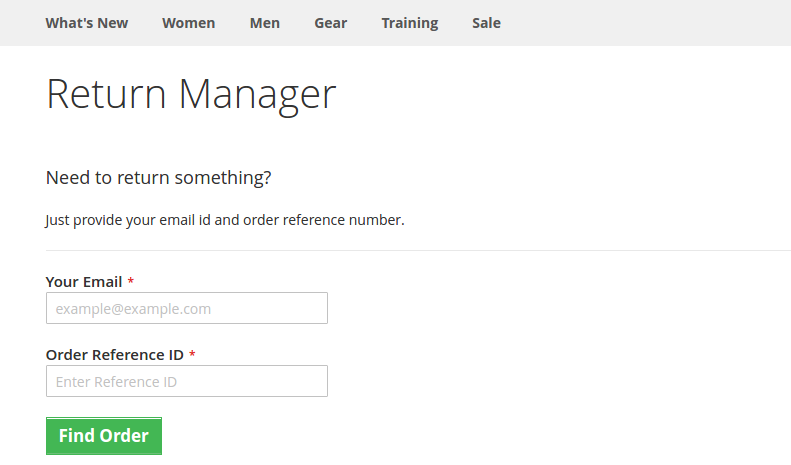
This is one of the trickiest parts of any return management process. An effective return manager extension like the Magento 2 return manager, allows the customers to track their return status very easily using a unique id provided at the time of return request.

The easy returning process with Magento2 return manager

The choice to attach a file: The Magento 2 order refund extension allows customers to attach a file to their replacement/return request.

Request forms, statuses, and reasons are all unlimited: Magento 2 RMA allows the store owner to build an unlimited number of return reasons and statuses to meet the needs of their customers. The admin can easily generate an order refund with the Magento 2 order refund extension.

More about Magento 2 return manager extension

Easy Order Return Manager for Magento 2 aids in the reduction of abandoned carts and ensures that they are as few as possible.

Some other features of Magento 2 Return Manager that benefits your business

  • The admin will handle the return requests of both registered customers and guests using the Magento 2 extension.
  • The request for a return may be approved by the administrator. When the request is accepted, an email trigger will be sent.
  • From the backend of the admin interface, the Magento 2 store admin can also generate return requests on behalf of customers.

Finally,

The importance of an efficient return manager extension on your eCommerce site cannot be ignored. Product returns strategies that are well-organized will result in higher sales, a stronger brand, higher consumer loyalty, and better customer service. The aim of a perfect RMA is to strengthen customer relationships. Choas continuity is being developed by simplified return management. You should not miss any opportunity to optimize the shopping experience on your website. Handling the trickiest return situations with the help of a proper return manager extension is all you need.

It is not just about a Magento 2 website, there are efficient return manager modules and extensions for PrestaShop, and Magento also. You just need to install the respective return manager extension as per your eCommerce platform and you are ready to manage even the trickiest returns on your site.

Liked This? You’ll Like These Too: