Skip to content

Knowband Blog | Ecommerce Modules

Magento, Prestashop, Opencart, Shopify

Tag: social login

OpenCart Social Media Login Module by KnowBand

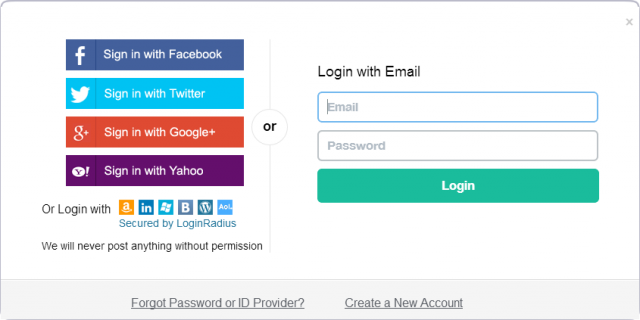
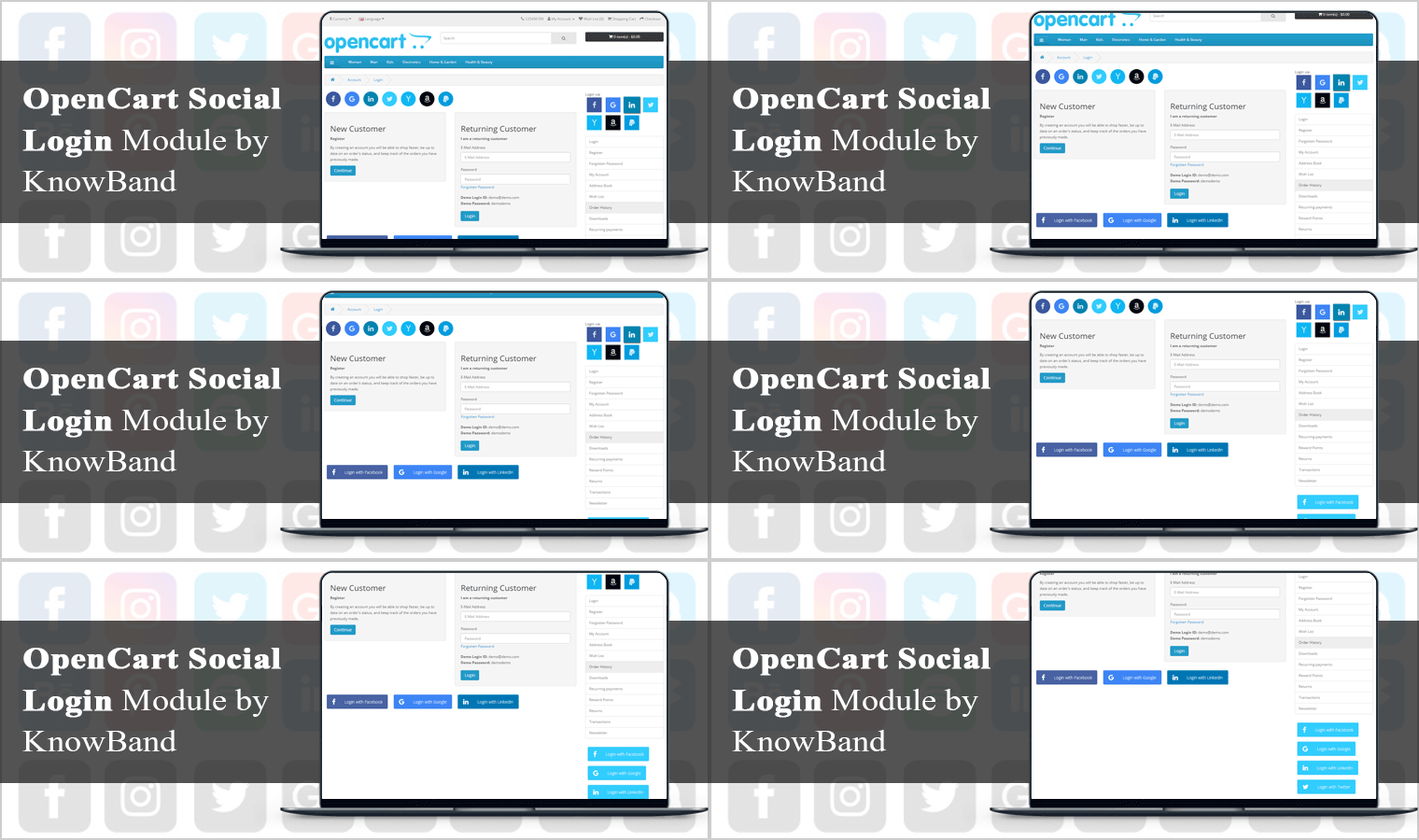
Are you seeing a higher bounce rate on the registration page or the checkout page? If yes, then you need to read this. Social login is a way you can convert your visitors by saving their precious time. The OpenCart Social Media Login Module developed by KnowBand is specially curated for the purpose of social login for the OpenCart store.

Social login, also referred to as social signup, enables users to sign up on a third-party website using social networking such as Facebook, Google+, Twitter, etc. to use their current login credentials, thereby eliminating the need to create a new account. It is intended to ease registration and eliminate the process of manual registration so that it does not take people too long to sign up.

Why your store requires Social Login?

The mandatory account registration becomes a barrier to conversion. Consumers are forced to fill a long sign-up form on the checkout page, which interrupts the checkout flow and sometimes becomes a big reason for the abandonment of carts. Moreover, you neglect to obtain customer information. But thanks to social login, which made the process of registration fast and quick. With regard to the user experience and conversions, social login plays a critical role in eCommerce.

Top features of OpenCart Social Media Login

Social login is the most important feature of the checkout page for users who do not want to waste time in the long registration process. Social Login Extension is integrated with 14 Social Media platforms that can be used on the checkout page for quick signup.  The top features of the OpenCart Social Loginizer Module are discussed in this section of the article.
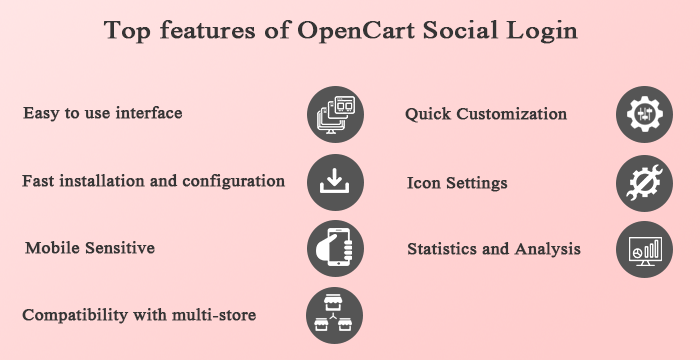
Easy to use interface:

The Opencart Social Login extension has an easy and convenient interface that improves the experience of visitors to your website and saves them from registration procedures that are complicated and time-consuming.

Fast installation and configuration:

OpenCart Social Media Login module in your store is super easy to install and configure. To set up the extension, no coding or technical expertise is needed and everything can be done easily from the module’s back office.

Mobile Responsive:

Each website owner must make their website or online store mobile responsive, as users on mobile devices are growing day by day. Social Login for OpenCart is gadget-friendly and you can easily implement the extension through your mobile or tablet site.

Compatibility with multi-store:

OpenCart extension for Twitter login or Google login is compatible with multi-store, multi-lingual, and multi-theme themes and meets the requirements of any online company.

Quick Customization:

The Social Media Login OpenCart extension allows the administrator to customize the title from the admin interface for social login options, layout, location of social login button sort order, and status.

The Social Login OpenCart module enables the look and feel of the social login choices to be set by choosing the color, size, and hover icon.

Icon Settings:

This OpenCart Social Login extension’s admin interface enables the online merchant to customize the icon. The icon type, hover effect, button alignment and button color can also be set by the admin here. The OpenCart Social Login Module allows you to set a custom color for all icons.

Statistics and Analysis:

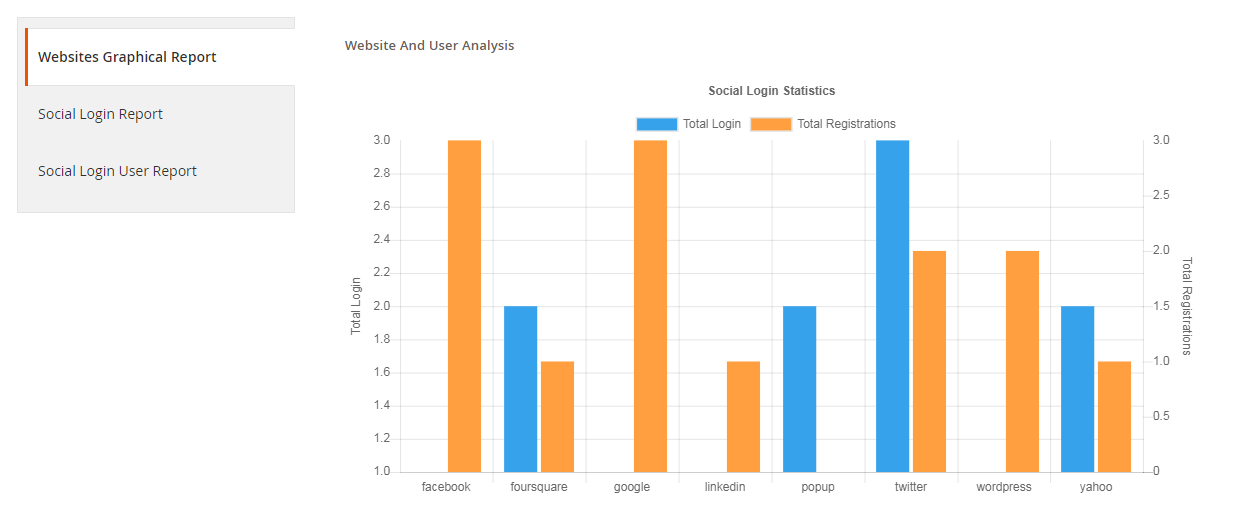
By viewing the statistics, the online store merchant can also view the success of this OpenCart Social Media Login Plugin. Here, the administrator can access the registration and login number of the account using social accounts. The administrator may also access the list of registered customers and the website of the social network they have registered with.

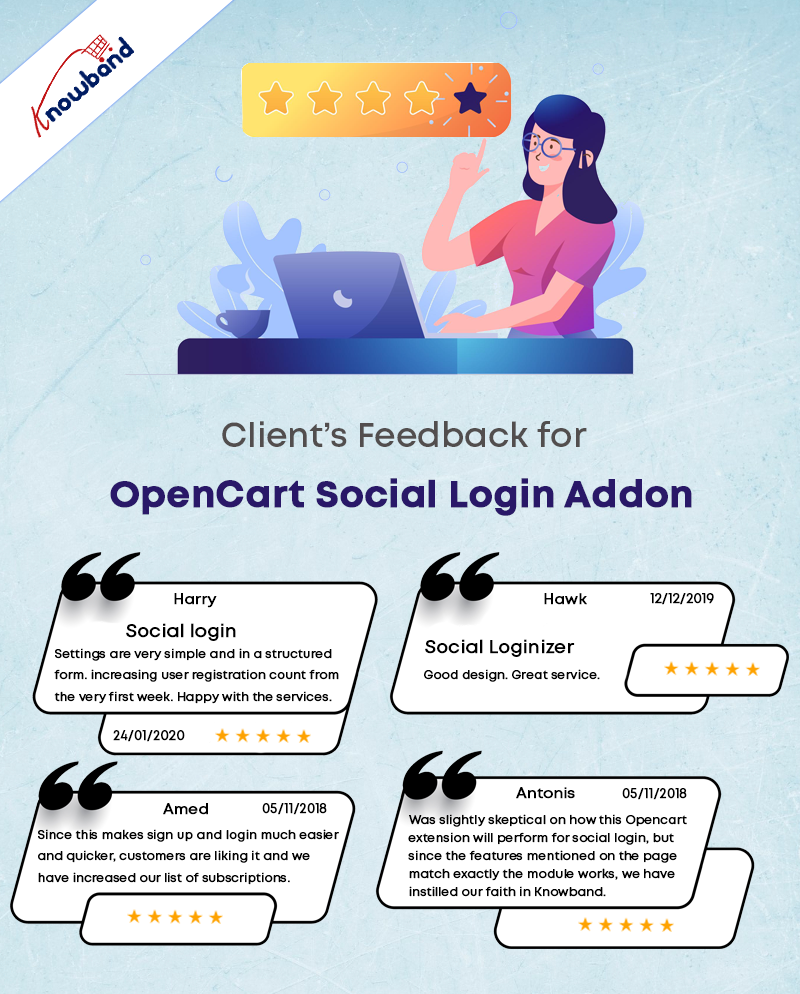
Customer Reviews: OpenCart Social Login Extension
Benefits of OpenCart Social Login Module

  • It Increases account registration and sign-ups for loyalty programs.
  • Reduce friction during checkout by making it easy to recall your login credentials for customers.
  • To inform marketing and enhance the user experience, collect invaluable social demographic data.
  • To boost your promotions, native customer Loyalty makes it easy to incorporate your social login data into your customer’s loyalty accounts.

Conclusion: Take a deep dive into the outstanding features of this OpenCart social login extension that can boost your eCommerce site’s social scope and customer interaction. This is certainly every single penny spent on buying it. It is compatible with the OpenCart One Page Checkout extension.

For now, go grab this OpenCart module and see great changes in the long term in your company’s fortunes.

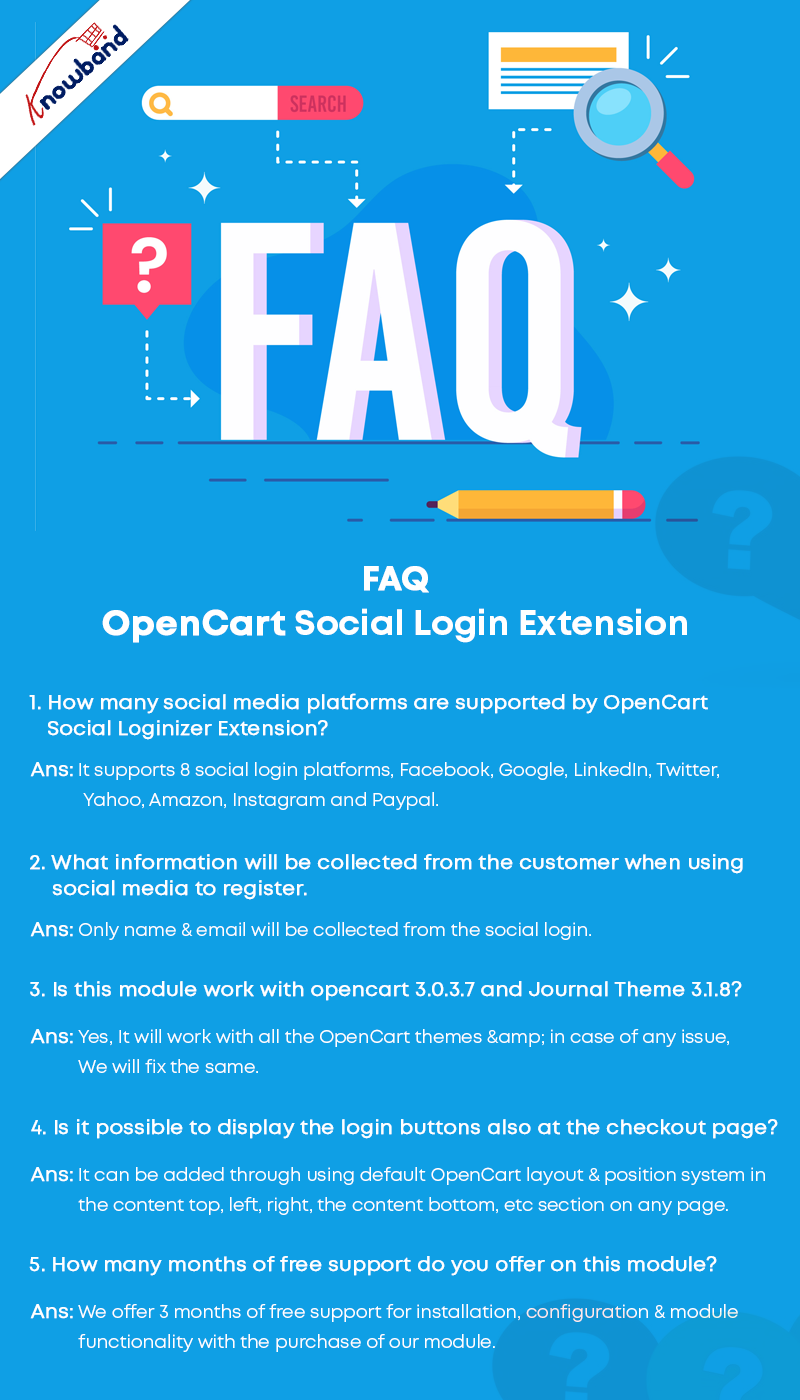
FAQ- OpenCart Social Login
Recommended Read:

  • How to Add Infinite Scroll to your OpenCart Site (Step by Step)
  • Accelerate the Checkout Process with OpenCart Single Page Checkout
  • OpenCart Website Development Services for eCommerce
Posted on February 9, 2021August 13, 2022Author Vishakha NathaniCategories OpencartTags Accesso ai social media OpenCart, Benefits of Social Media, OpenCart, opencart social login, social login

How Social Login can Help Grow Your Business?

The most popular social networks are available in numerous languages and allow users to connect with friends or people from all over the world, regardless of geography, politics, or economics.

Social networking sites are predicted to have 3.96 billion users by 2022, and these numbers are expected to continue to rise as mobile device usage and mobile social networks gain momentum in previously neglected areas.

Another Statista report says, 73% of Internet users prefer social login over the long registration process. These figures are expected to climb in the future years, thus adding a social login option to your eCommerce site is advisable.

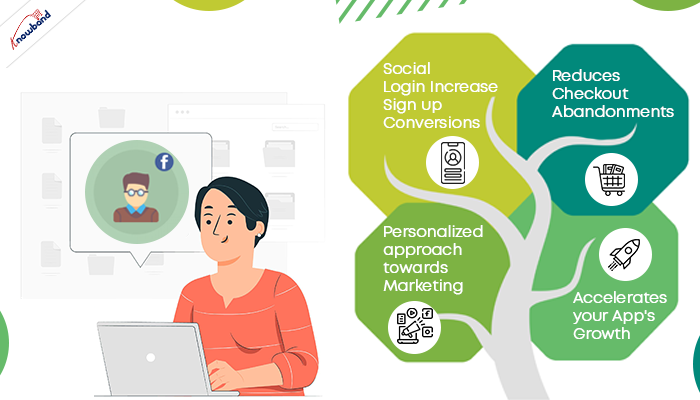
Social login is a quicker alternative to lengthy registration forms. You benefited from the social login in multiple ways, not just the conversion but you also get more precise data of clients and their interests that you can use in optimizing your marketing funnel. Let us discuss some of the benefits of Social Media Login and how it can help you in marketing and advertisement.

Why is Social login User’s Choice?

Registration or signup with a Social network is an easy, convenient, and seamless option. 

Let’s dig into some numbers to better understand the inclination of users towards social networks.

  1. Through a study it is found that 56% of customers use social verification to avoid filling out online registration forms; 43 percent said they did so because they couldn’t recall another user name and password.
  2. Facebook is the most popular social media platform worldwide with 2.85 billion monthly active accounts. As Facebook owns four other social media platforms including Facebook (core platform), WhatsApp, Facebook Messenger, Instagram, 3,15 billion users are reported in the first quarter of 2021.
  3. In the year 2016, 53% of users chose Facebook and 44% chose Google+ over other social media login options.
  4. The next highest result at 25% was the people who like using the same identity on all of the devices and websites to achieve a more personalized experience.

Adding a plugin for social media login can be an opportunity for an eCommerce store owner to enhance the conversion rate. For an eCommerce store, you can always opt for a social Loginizer plugin.

How does Social Login Works?

What is the procedure for logging in with a social media account?

Login using your social media account is a straightforward process. You can complete the process in just three steps:

  1. A login request is received at the social network provider’s end, which authenticates the user. Users must accept the app’s or site’s access rights at this point.
  2. Next, the social provided will verify the profile and user identity to give the access to site or app.
  3. The user opens an app or goes to a website and chooses their preferred social network. This is frequently in the form of a social login button or a link that says “Sign in with [Facebook/Google+].”

Customers can also opt for email notification or subscription to newsletters. Asking for their permission will keep you in their good books, and needful for GDPR compliance.

 Social Login Reduces Abandoned Cart and Increase Sign up Conversions

How Social login does reduce the abandoned cart rate? When you force a customer to fill a complex registration form during checkout, it demotivates them. As a result, they leave your website without buying any products.

You can encourage your customer and influence their buying decision by giving them a user-friendly customer experience. For your eCommerce store, you can use one page check out incorporated with social media login options. One Page Checkout appears to be a simple and quick way to register and the one with the social login option is like the cherry on the cake.

More registration means more conversion results in less bounce rate and abandoned carts.

Role of Social Login into Personalized Marketing and Ads

Being a netizen, I like getting a personalized shopping experience. When a store treats me well, I definitely revisit them.

Ever wondered about the ads you see on your social media, why do they look so relevant?

While surfing your web browser you might have seen advertisements related to your search results. This happens because social media platforms use demographic data and location info to serve the content.

Social login helps businesses achieve that. It provides more consumer data that businesses can use to reach a particular audience in their social media marketing campaigns. These will include details such as name, email address, gender, age, location, personal interests, search history, etc. A study says that social network users will increase by up to 4.4 billion by 2025. This gives a great opportunity to eCommerce store owners to enhance the conversion rate by running strategic successful marketing campaigns.

How to Use Social Login to Accelerate the Growth of Your App and Website

The fastest approach to engage your users and develop your business is to employ social login. What’s often forgotten is how the top companies and products make social login work for them not only during sign-in but throughout the whole customer journey. They leverage user data to send personalize addicting notifications that keep users coming back to the app, consequently results in better engagement.

By providing multiple social login options on the mobile app, you get a chance to figure out which social network is more preferential.

Of course, personalization will be a key factor on Apps as well. As soon as a user login with social media on a mobile app, the provider immediately receives the demographic information of the client.

Then this data will help in personalizing the messages, push notifications, and even in tailoring your promotional emails. Push notifications can trigger conversions three times if you apply a user-centric approach.

KnowBand understands the demand for social login for clients hence Knowband’s mobile app builder has Facebook and Google+ login facility. You do not require any paid extension for login.

Whether you have a B2B enterprise app or the latest hot social consumer app, incorporating social login is one of the simplest ways to make every phase of the user lifecycle stickier and drive more growth.

How to get a Client ID and API details for Facebook, Google+, Twitter….?

People often face difficulty getting the API keys and App secret key. You can easily get the API key and App secret key in a few simple steps for your account by following the guidelines in our user manual. Using LinkedIn or Instagram sites as a social login alternative on your store is very useful with a high share of users.

At Knowband, we provide the free social loginizer module for Prestashop which allow you to enable the Google, Facebook and many more social logins.

Most popular social login Networks

Here is a brief introduction to the most acceptable in-demand login options:

  1. Facebook: Facebook is one of the most popular social login options with the largest base of users which is 2.6 billion (Statistica report). With Facebook Loginizer by Knowband, you can easily add a Facebook login option to your eCommerce store.
  2. Google+: This comes second in the race. People find goggle+ login easier than filling a long registration form. Add Google+ as a login option to your eCommerce store by following these guidelines.
  3. Pinterest: Pinterest is a photo-sharing app with 200million users. Social login by Pinterest is quite popular.
  4. LinkedIn: How to set the API key for LinkedIn is the most frequently asked question for social login. You can do it in a few steps. Read the user manual to set your API and client-server details for social login.

KnowBand’s Social Login Plugin provides 15+ choices

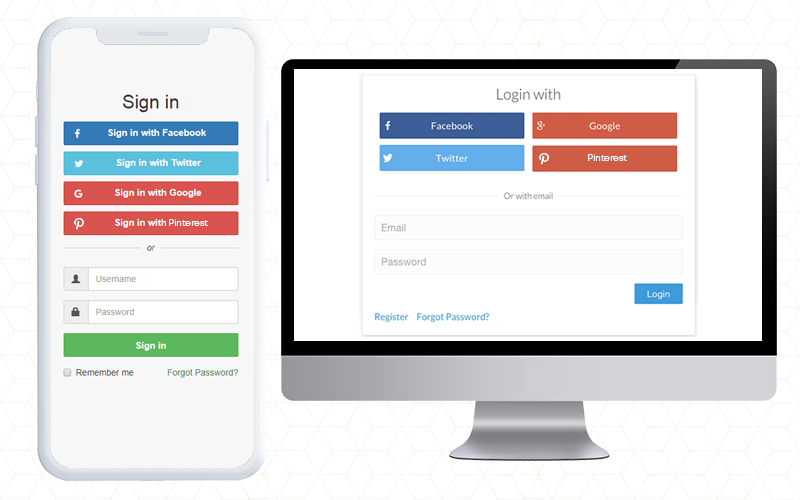
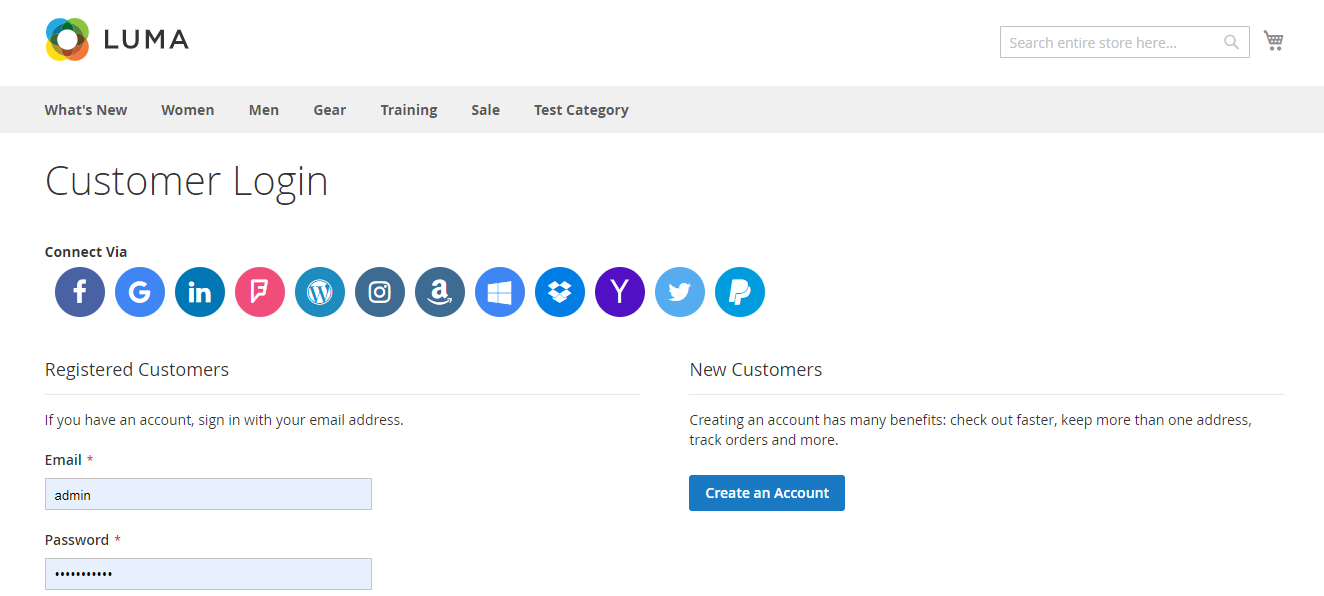
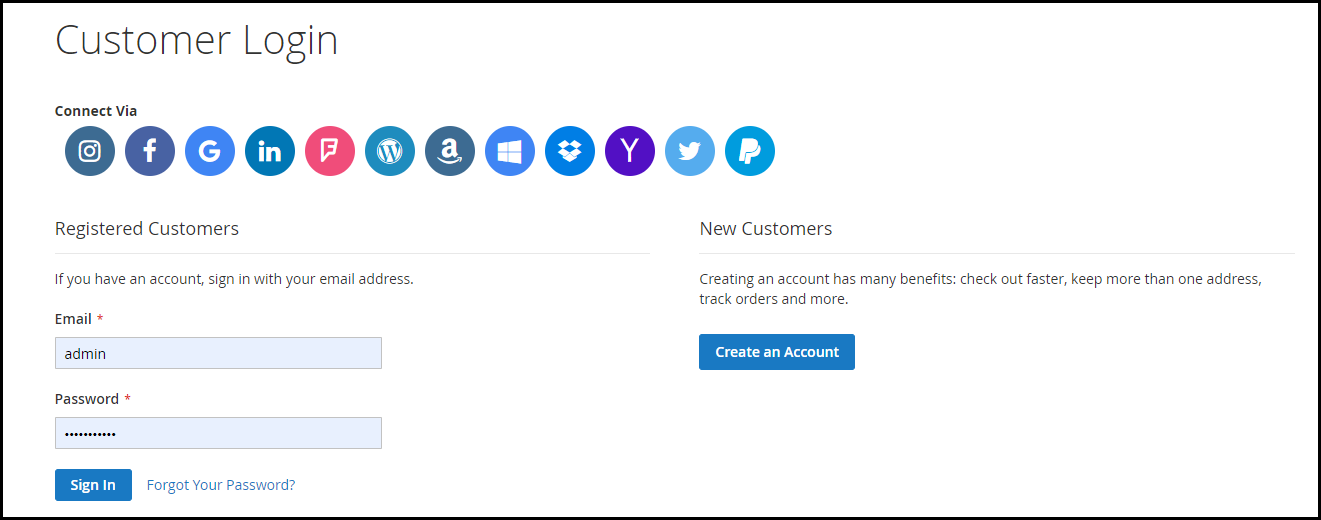
If you want to add social login options to your website, try the ‘Social Loginizer’ Module by ‘Knowband’. This module provides you with a range of social networking options. With this module, you get 15 social login options with Facebook login, Google login, Instagram login, Yahoo login, Vk login, PayPal login, Twitter login, Amazon login, Linkedin login, Foursquare login, Github login, Live login, Disqus login, Dropbox login, and WordPress login. Pick the ones you want and get ready.

As I mentioned, the mobile app builder is integrated with Facebook and Google+ login facility. In that same way, the One Page Checkout module also has Social login facility by Google+ and Facebook. Some of the extensions also provide PayPal login support.

You can check out the plugins for your eCommerce platform from Knowband. The Social Login addon is available for PrestaShop, OpenCart, Magento, and Magento platforms.

PrestaShop Social Loginizer module

OpenCart Social Loginizer extension

Magento Social Loginizer extension

Magento 2 Social Loginizer extension

You May Like to Read:

  • Social Login Best Practices
  • 10 Benefits of Social Login in eCommerce
Posted on August 19, 2020January 20, 2026Author Vishakha NathaniCategories EcommerceTags magento social loginizer, OpenCart Social loginizer, Prestashop Social Loginizer, social login, Social Media Marketing Strategies

Social Login Best Practices

If you landed into this page to know about social login best practices, I am assuming that you are very well aware of the term social login.

A simple definition of social login would be- “A method to encourage quick signup and save users’ time.”

You would have often witnessed the social login option on several websites. Almost every eCommerce Brand has incorporated this option on its website today.

Businesses do understand the benefits of social login, but one should also know to make the best use of this option. This is what I would be covering today.

In this write-up, I have presented 5 social login best practices to make it more effective. Let’s begin.

1. Use Popular Social Networks

The primary social login best practice would be to implement the widely used social networks.

You would mostly see the Google and Facebook option in the name of social login, and it makes sense too. People can sign-in using their Gmail account, and I do not even need to introduce you to the popularity of Facebook. These are the default options.

But people are now actively using other social networks as well, for example, Instagram, Twitter, LinkedIn, etc. And I feel people are spending more time on Instagram nowadays rather than Facebook.

Consider using these options as well, especially Instagram. This would give visitors enough choices to choose their preferred login option.

2. Choose the Right Format

Another social login best practice would be to use the appropriate size of the social login button.

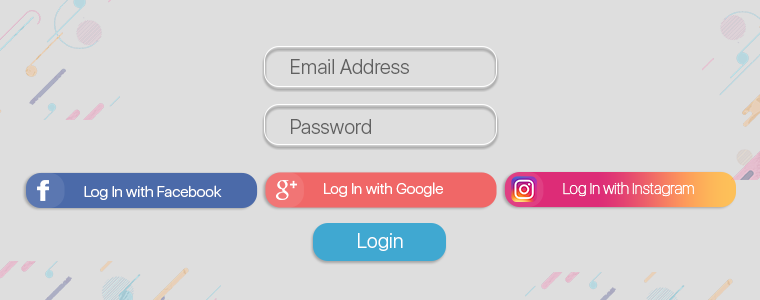
You can use a large rectangular button that says Login with Facebook, Login with Google or Login with Instagram, or you could use a small circular button with the logo of the social network on it.

It is totally up to you what format you choose. Just make sure it goes well with your sign-up form. If the form is already filled up with too many inputs, avoid using the large button. The small circular buttons would make the perfect fit in this case.

3. Choose the Right Position

The position of the social login block is crucial to bring more clicks and more user signups. Even before that, what’s important is to check where your login and signup button is placed currently.

If it is not visible on the first look, the social login would not make much impact. So the first thing to perform is to make it clearly and easily visible.

Then comes the next part, i.e. positioning the social login buttons perfectly. Make sure each login option has enough space from the other and they catch the visitors’ eyes at once.

The sign-up page should not look cluttered. It should be presented neatly. This gets more user engagement.

4. Place it on Multiple Pages

Adding to the list of social login best practices is putting the social login facility on a number of pages and not just at any particular page.

For best results, place social login on the login page, registration page and checkout page. If it doesn’t appear at the checkout page, it can hamper the checkout experience abruptly. You would surely not like to see that happen.

Related: Top 10 Checkout Page Optimization Practices to Increase Conversions

5. Ask for Permission

Some social login plugins do ask for the netizens’ permission while they try to log in using a social network whereas some collect the information straightaway. The latter is not the best practice.

Though when the user clicks on the social login button, it means he or she wants to use that platform to sign-up, asking for the user’s permission is ideally considered more professional.

6. Avoid Possibilities of Duplicate Accounts

When users pay a visit to your website after a long time, they usually forget how they registered on your website initially. This puts users in confusion and they find it tough to deal with.

Let’s understand this with an example. A Facebook account can be created even without an email. So if a user has registered on your website using his/her Facebook credentials, and the next time he tries to sign-up via Google or any other means, this would create two accounts of the same person.

Inform users that they have been registered already with whichever network they used for the first time. If they preferred Facebook initially, tell them that they already have an account using Facebook login.

Encourage them to continue with the same login option.

It’s time to implement Social Login on your Website

If you want to add the social login options on your website, try our Social Loginizer module. This module provides you with a variety of social network options. Select your preferred ones and get set go.

You can check out the plugins from the Knowband store for your eCommerce platform.

If you found this information on social login best practices useful, do leave a comment below.

Posted on January 6, 2020January 8, 2020Author Manish BarthwalCategories EcommerceTags social login, Social Login Best Practices

Encourage Quick Sign-up with Magento 2 Social Login Extension

“Simplify the registration process, capture more leads and reduce cart abandonment on your Magento 2 store by providing a quick login facility to your website visitors with the help of Magento 2 Social Login extension.”

Mandatory sign-ups have been an annoyance for long. People just hate creating an account every time they visit a new eCommerce website. While some get irked by the lengthy and a time-consuming registration form, some just do not like sharing their personal details at all.

The compulsory account creation forms a barrier in your conversions as well. While being on the checkout page, consumers are presented with a sign-up form, which breaks the checkout flow and sometimes becomes a major reason for cart abandonment. In addition, you fail to gather customer data.

Now, get rid of the mandatory registration forms and reduce the obstacles in your checkout process by allowing users/customers to sign in to your Magento 2 store easily with their social media accounts.

The Magento 2 Social Login extension is designed to provide an easy and quick login facility to your visitors by avoiding the manual registration task and providing them with various social login options. Hence, customers do not need to create an account and remember the login credentials.

It is a simple yet powerful Magento extension to enhance customer experience on your Magento store.

Key Features of Magento 2 Social Login

1. Up to 12 social logins available

Social Login extension for Magento 2 provides up to 12 social login options to your customers. The social networks supported by this extension are:

Facebook

Google

Instagram

Twitter

LinkedIn

Amazon

PayPal

Yahoo

WordPress

Foursquare

Live

Dropbox

2. Display the social login block at multiple pages

The Social Login extension for Magento 2 allows you to place the social login block at multiple pages like Login Page, Registration Page, Checkout Page, etc.

3. Sort social icons

You can arrange the social icons as per your requirements. For example, you can keep the major social networks like Facebook, Google, Twitter and Instagram on the top and rest of the icons below them.

4. Customize icons

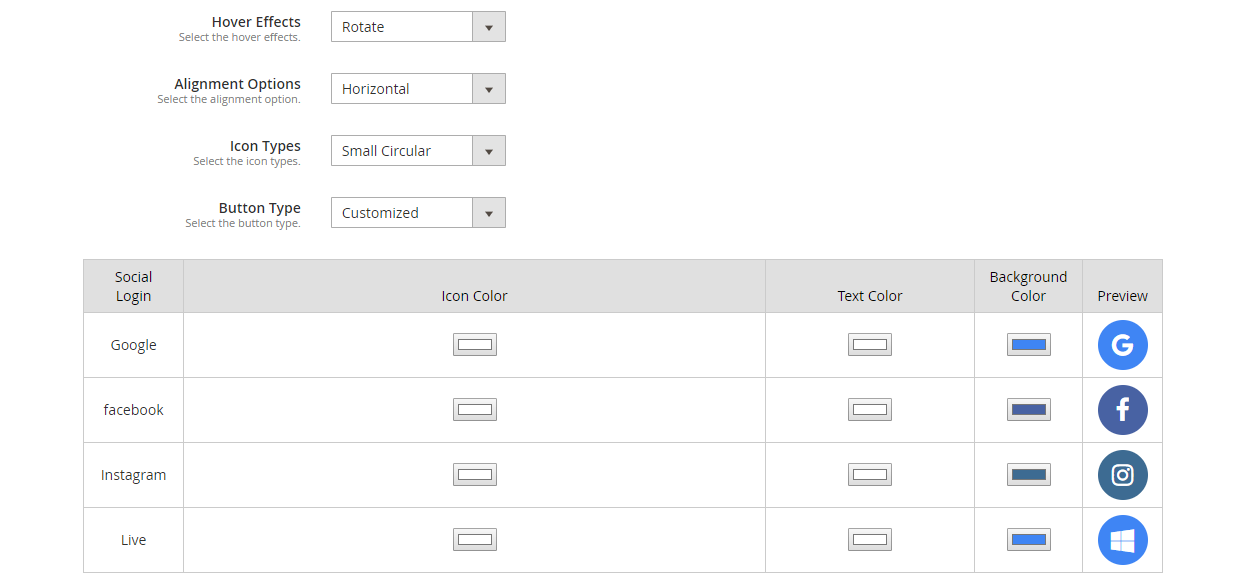
Magento 2 Social Login extension allows you to customize the social icons. It includes:

Alignment of the icons: Choose whether you want to display the icons vertically or horizontally.

Add effects to the icons: The social icons with either get highlighted, rotate or zoom when clicked.

Icon type: Select how you want your icons to be displayed. It consists of options such as small circular, small rectangular, large rectangular, small rounded, large rounded.

Button type: Choose the default button of the social networks or you can adjust the icon colour, text colour and background colour accordingly. A preview will be displayed as you make custom changes.

5. Get a complete analysis of the social registrations

Check which social login users preferred the most for signing in, how many login and registrations have been captured in total.

You can also track the email address of the users and check which user came from which platform.

6. Fully compatible with One Page Checkout

Magento 2 Social Login extension is fully compatible with our popular Magento 2 One Page Checkout. The Magento 2 One Page Checkout has in-built social login option but it is only restricted to Facebook and Google login. However, by installing the Magento 2 Social Login extension, you can provide your users with up to 12 social login options.

Why should you choose Magento 2 Social loginizer?

1. Quick and easy login

2. Capture more sign-ups

3. Simplify and speed up the registration process

4. Customers do not need to remember passwords

5. Excellent for target marketing

6. Increase conversions

7. Reduce cart abandonment rate

8. Lower bounce rate

Adding to a fact that 77% of the users find social login to be a perfect solution for registration and 60% of the users are more likely to use it on mobile (Source: Annex Cloud), you should definitely consider this Magento extension for your Magento store.

To know the complete benefits of social login, read 10 benefits of social login in eCommerce.

Check out the admin demo, front demo and the user manual of the extension.

You can also check out

Social Login extension for Magento

OpenCart Social Login extension

Social Login addon for PrestaShop

Posted on September 12, 2019September 17, 2019Author Manish BarthwalCategories MagentoTags Magento Social Login, opencart social login, Prestashop Social Login, social login, social login magento 2, Social sign-in

6 Useful Tips to Get More Signups on your eCommerce Website

Acquiring customer data is important for any online business and it is the sole reason why Brands put up a signup form on their website. It not only helps to perform effective email marketing but also provides Brands with an excellent opportunity to interact with their newly joined guests and make them familiar to the brand.

Without customer data, eCommerce business holds no value. While e-retailers wish to obtain as much information as they can about the customers, the reality is often disappointing. A majority of online shoppers feel reluctant to signup on a website.

How do you cater to this problem? How do you increase user signups? Well, there are ways to streamline this process and get more user signups, without being an annoyance. Let’s check out how.

1. Ask for Necessary Information Only

Do not clutter your signup form. I have seen a few websites that ask for too much information like first name, last name, email address, contact details, date of birth, etc.

This does not leave a good impression on a new user at all. Yes, it will be beneficial for target marketing but that is a later process. Your aim is to persuade users to sign up, a lengthy sign-up form can be a hurdle in it.

Think for a while, how irking it would be for a user to see a form in front of their screen, having a lot of inputs to fill. They won’t take a second in closing the registration window, worse they might leave your website.

So what needs to be done?

Simplify your signup form. Make it convenient. Asking just for the full name, email address and password would do a good job. Signing up or not is totally up to the user but it would at least not annoy them.

Once they successfully signup, then tell them to finish their profile information. For example, you can display the profile completeness in some percentage and persuade them to set up their complete profile.

2. Have a Clear and Compelling CTA

Your call-to-action has a significant role to play in order to get more signups. A well-designed CTA attracts users and improves your signup rate.

For a CTA to deliver good results, it should be crisp and precise, and most importantly, serve a purpose. Let your users know how they will get benefitted if they signup. It is important to state a purpose to your users. It explains as to why they should become a part of your eCommerce journey. Give them something of value.

3. Provide Social Login

Nothing gets you more signups than social login. It is convenient and time-saving since it requires only a single click to register a user.

Netizens say that social login is a perfect solution to the registration headache. It eliminates the problems of those people who find the registration process a tedious task and hence avoid signing up.

Ultimately, social login lets you capture those visitors, who you would have otherwise lost. It encourages users to signup. Social login can be a perfect solution if you want to increase the signup rate.

Knowband’s Social Loginizer module lets you offer up to 14 social login options to your visitors. It offers tons of customization and you can place it on multiple pages. The module is available for various eCommerce platforms. Check out-

PrestaShop Social Login Addon

OpenCart Social Login Extension

Magento Social Login Extension

Social Login extension for Magento 2

Also read: 10 Benefits of Social Login in eCommerce
4. Make Use of Popups

Popups are one of the best ways to increase user signups. If a user did not provide his/her details in the registration form, you can make the next try through a popup.

But make sure it is well-structured and contains information worth the user’s attention. Popups can be irritating if not used wisely.

You can display some enticing offers through your popup or give them an option to download an ebook or anything that can be useful for the visitors and is compelling enough to make them enter their details.

You can use the modal window to reduce the distraction.

5. Identify the Errors Upfront

It is challenging to make a user sign up on the website. And if you have somehow convinced them, you should avoid any kind of possibility that could hinder their sign-up experience. Let me make it more clear.

Visitors, sometimes, mistakenly enter invalid details. For example, it can happen that they make an en error in their email address or set up a password that your website does not accept. And when they finally hit the submit button, they are presented with the same signup form and told to fill it correctly.

Though email address correction would not require much effort, setting up a valid password can be a troublesome experience for the user.

To put it simply, the sign-up process should finish within the very first attempt. If the user has made an error in the email input, the field should immediately indicate that the entered email is invalid. When they are setting up a password, display the elements required to create a valid password (alphabets, number and characters) along with a password suggestion. It should also display whether the password entered is weak, good or strong, in real-time.

This would surely help you capture more user signups.

6. Refer and Earn Program

This strategy is widely adopted by eCommerce business to increase user signups.

Ask your customers to invite other people to your website, and reward them with a prize for it. Also, offer rewards to the users who signup.

I mean there is no point of a refer and earn program if the other person (to whom the website is referred) is not getting anything for it. Include exciting prizes for both the referrer and the referent.

Conclusion

Getting signups on your website is not easy anymore. You need to be smart and play around your visitors’ minds in such a way that they do not find it tiring or frustrating to get themselves registered on your website.

There is one simple mantra to generate more signups- Add value. If your products, services or information is adding value to people’s lives, you will definitely see a rise in the users count.

Consider taking the help of the above-listed options to increase signups on your eCommerce website and let me know how useful these tips turned out for you.

How helpful did you find this information?

Posted on July 16, 2019December 11, 2019Author Manish BarthwalCategories EcommerceTags Customer Information, Signup Rate, social login, User Signup

10 Benefits of Social Login in eCommerce

“This article takes you through the benefits of social login in an eCommerce website and also discusses the Social Loginizer module by Knowband that would help you put up the social login options on your website without any hassle.”

Visitors are often prompted with a sign-up form as soon as they enter an eCommerce website. This creates a troublesome experience for the users, and it gets even worse if they do not have the option to skip the signup process.

But thanks to social login, which has made the registration task simple and easy. Social login plays a vital role in eCommerce as far as the user experience and conversions are concerned.

As a netizen, you would have surely come across the social login option on a majority of eCommerce websites or in their related mobile app as well.

What is Social Login?

Social login also referred to as Social sign-in, helps users to sign-up on a third-party platform using their existing login information from social media networks like Facebook, Instagram, Twitter, etc., hence avoiding the need to create a new account. It is designed to simplify registration and eliminate the manual registration process so that it does not take too long for people to signup.

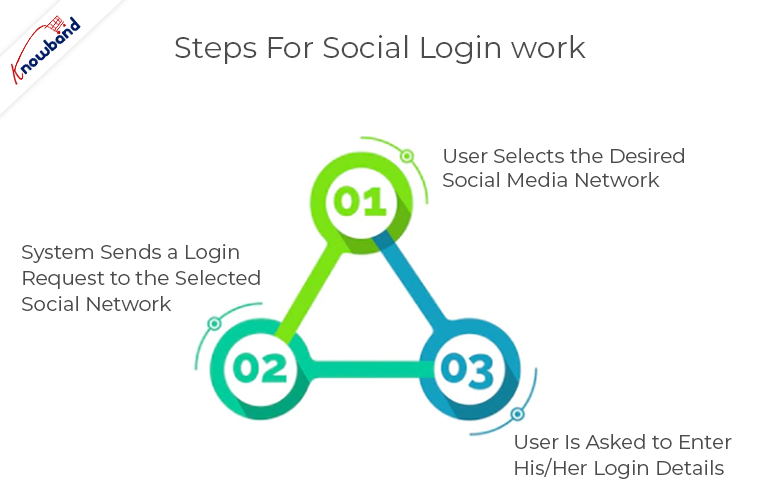
How does Social Login work?

Step 1- User selects the desired social media network.

Step 2- System sends a login request to the selected social network.

Step 3- User is asked to enter his/her login details (if not logged in already). Then, a pop-up prompts that tells the user that it would be collecting some information. Only after the user approves, the user is registered through his/her social media account.

Social Login Examples

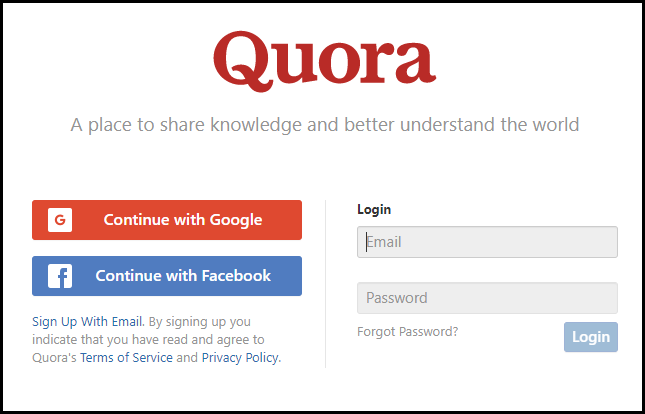
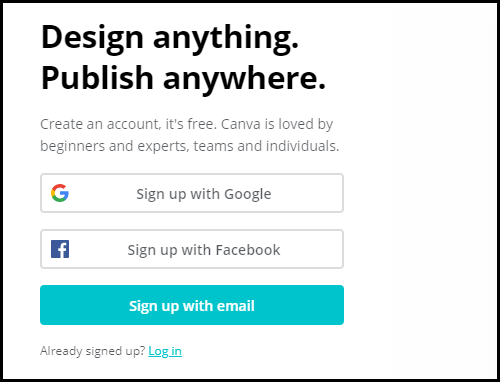
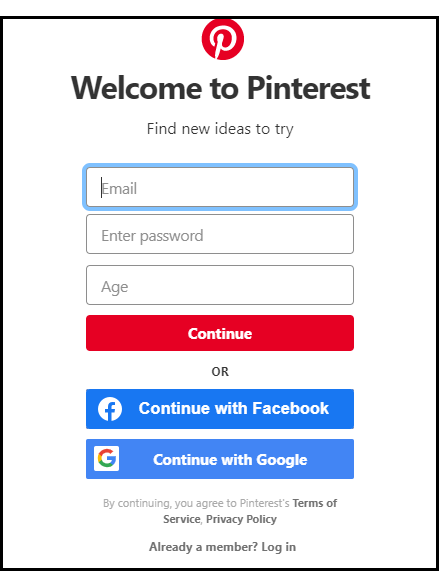
Let’s check out some social login examples. A few popular websites offering social login facilities are-

1. Quora

2. Canva

3. Pinterest

Benefits of Social Login

Have you ever considered the advantages of using social login on your eCommerce website? Well, if you haven’t been providing the social login options to your visitors yet, you have already missed out on a huge chunk of potential customers.

But before it gets too late, let’s try to understand why it is essential to have the social login option on your website today. In this article, I have highlighted the 10 major benefits of social login in eCommerce.

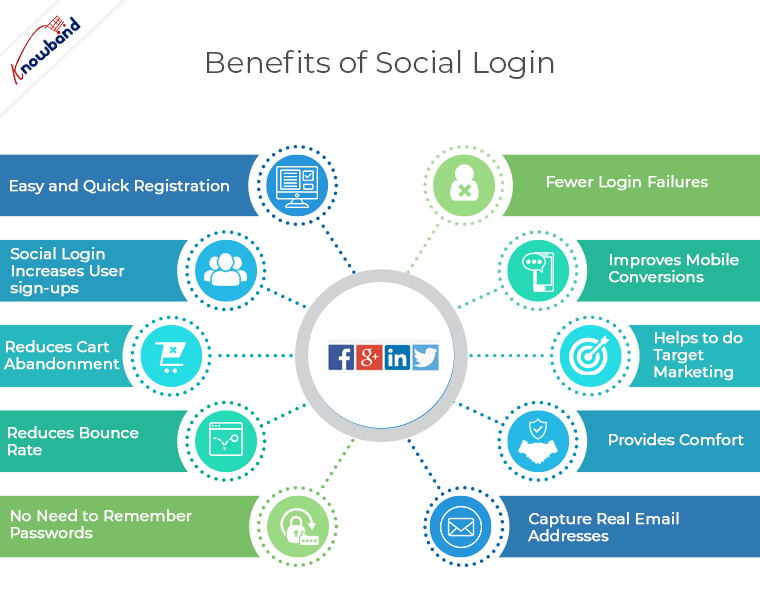
1. Easy and Quick Registration

The primary benefit of social login is that it offers a simplified, quick and easy registration.

It is quite frustrating for users to create a new account every time they visit a different eCommerce store. Social login proves to be a boon in such cases. It offers convenience and helps customers get rid of the registration process within no time and in a single click.

2. Social Login Increases User sign-ups

Since social login offers trouble-free signup experience and it creates higher possibilities of successful signups. This is the first step towards an enhanced user experience which encourages users to create an account on the platform they are present at.

The more people signup, the more people you will have in your email list. And since people aren’t bothered about creating a new account, they are more likely to sign-up.

Related: 6 Useful Tips to Get More Signups on your eCommerce Website

3. Reduces Cart Abandonment

Adding to the benefits of social login is it helps to reduce cart abandonment. It turns a tedious checkout experience into a user-friendly checkout.

Online shoppers are often forced to go through a mandatory registration process during checkout. It can be a barrier in successful conversion and lead to cart abandonment.

A social sign-in option on the checkout page can reduce the cart abandonment possibility and increase your conversions by allowing a hassle-free checkout experience to users. It ensures that the flow of the checkout is not disturbed. It is also one of the best strategies for checkout optimization.

4. Reduces Bounce Rate

People who hate filling up the registration form can take an instant exit from your website as soon as they are presented with a sign-up form, leading to an increase in the bounce rate.

Availability of a social login encourages a customer to sign up in a quick span, hence reducing your bounce rate and increasing the average site time simultaneously.

5. No Need to Remember Passwords

One of the major benefits of social login is it puts an end to the headache of remembering passwords.

People experience password fatigue when they have to create a new password for a new website. And it gets extremely difficult to remember multiple passwords. A study suggests that 86% of the users feel bothered by having to create a new account because of remembering yet another password.

Social login reduces password fatigue by allowing visitors to sign-up using their preferred social account on multiple platforms. It avoids the need to create a new password.

6. Fewer Login Failures

Due to password fatigue, people forget the password which they created earlier or find it hard to recall while trying to login in the future. This eventually leads to users taking an exit from the website.

Though websites do offer the option to recover or reset the password, people avoid it as that would create more confusion to remember a number of passwords.

Since social sign-in avoids the need to remember passwords, the possibility of login failure becomes way too less.

7. Improves Mobile Conversions

Today, more than half of the shopaholics prefer mobile devices to shop online. Therefore, you simply cannot overlook the importance of having an optimized eCommerce site for mobile.

Social login on a responsive website makes it easy for mobile users as well to signup via their smartphones. It increases your mobile traffic and helps you grab more mobile conversions.

If you have a mobile app of your brand or planning to launch in the future, do not forget to implement the social login option in it.

8. Helps to do Target Marketing

Social login provides you with more customer data, which you can utilize to target a specific audience in your marketing campaigns. This may include information like name, email address, gender, age, location, etc. Moreover, netizens always keep their social profiles updates, which gives you more and accurate information about a user.

Marketers can use this social data to send personalized content and make their email marketing campaigns more effective.

9. Provides Comfort

If your brand isn’t popular, it is likely that users would not find a comfort zone on your website.

However, if you provide them with something like Facebook, Google or Instagram login, it will develop a sense of trust and they would not hesitate to signup.

10. Capture real Email addresses

Though I have put it under the benefits of social login, I am not highly convinced with this point as it can be a pro as well as a con sometimes.

Talking about the good side is that you will get verified email addresses when a user opts for a social login option. I mean if a user is ready to register through his/her social media account probably means they have provided accurate information on that particular platform.

Conversely, this can be a con as well. Social media especially Facebook has a huge number of fake accounts and those are the users you would not like to target, neither they will give you any profit.

Social Loginizer by Knowband

The module can incorporate up to 15 social login options on your eCommerce website. It offers sign-up/log in through Facebook, Google, Twitter, Instagram, LinkedIn, Amazon, Yahoo, PayPal, Live, WordPress, Dropbox, Vkontakte, FourSquare, Github and Disqus.

Moreover, it lets you add the social login block on multiple pages like Home Page, Product Page, Checkout Page, etc. And you can also customize the social icons.

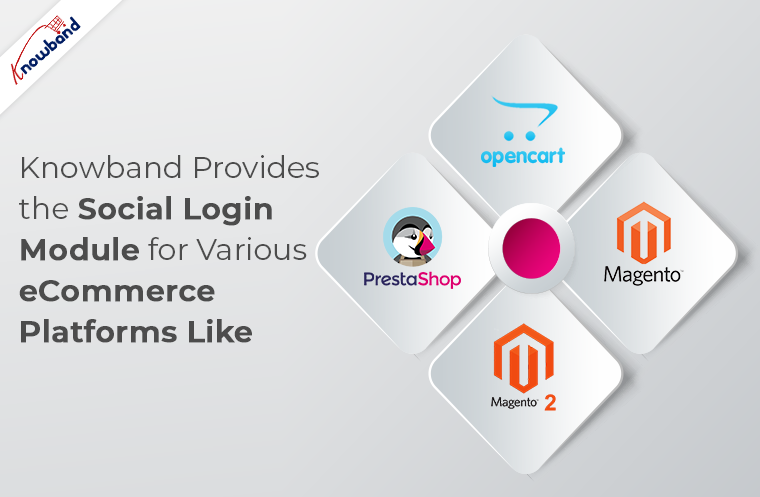
Knowband provides the Social Login module for various eCommerce platforms like Prestashop, OpenCart, Magento and Magento 2. If you own a store in any of the mentioned platforms, do check out:

Prestashop Social Loginizer

OpenCart Social Loginizer

Social Loginizer for Magento

Social Loginizer for Magento 2

If you need any assistance in the above-mentioned modules, you can contact us at support@knowband.com


The Bottom Line

I hope the above-mentioned benefits of social login gave you enough reasons to set it up on your website. And once set up, do not stick to just Facebook and Google Login.

Limiting signup options on your website would not be a wise idea in my opinion. For example, a user who is not on Facebook but has an Instagram account would find the Facebook login option irrelevant.

Though it is highly unlikely as almost everybody owns a Facebook account, placing the popular social networks would be an ideal move.

Research says more than 75% of the netizens find social login to be the perfect solution to the registration task. The percentage speaks about customers’ desire for a social sign-in option on a website.

If you found this information useful or have anything to add in this content, drop your views in the comments below.

Posted on November 24, 2017July 18, 2022Author Joe ParkerCategories EcommerceTags benefits of social login, social login, Social login eCommerce, Social Login Examples, social loginizer2 Comments on 10 Benefits of Social Login in eCommerce

10 Ways to make Online Purchase Easier for your Customers

The competitive online market has enforced eCommerce retailers to come up with various ideas in order to make the online purchase easier for online shoppers. It has become the prime duty of the merchants to retain their customers by providing them an easy shopping experience so that they do not switch to a competitive store. The customers also seek for better opportunities. If they feel like the web store is not delivering according to their expectations, they instantly look for any other store to make a purchase. This ultimately leads to a decrease in the conversion rate funnel. Therefore, trying to make the purchase easy and better for the customers is the prime aim for the web store owners today.

In this article, we discuss the 10 simple ways to make the online purchase easier for your customers.

1. Easy login

One of the major problems encountered by the customers while trying to access the web store is the lengthy sign-up process or the unavailability of the easy login options. Customers do not feel like filling up the lengthy form in order to browse the web store. Therefore, the e-retailers must come up with better alternatives so that the customers find it easy to register on your store. To make the sign-up/login process easy, you can implement the social login options on your store.

Social login module by Knowband can help the store merchants in providing an easy login facility to their customers. You can opt for Social loginizer addon for Prestashop, Social loginizer OpenCart extension, Social loginizer for Magento, and Social loginizer 12 in 1 for Magento 2.

2. Mobile app

The shift in trend is already at the all-time high. With the mobile app surpassing the popularity of the desktop sites, it has become important for the web store owners to come up with a mobile app for their e-commerce store. The mobile app is one of the major demands of customers today. People like convenient browsing and a mobile app helps to do so. With just one tap, users can have access to their favorite eCommerce platforms.

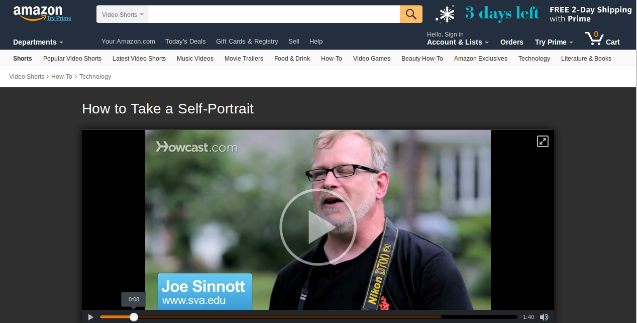
3. Video marketing

Today, consumers need a clear and better insight into a product, and product images are not just enough to strengthen their buying decision. Video Marketing is the trend. Thus, you can make use of the product video marketing concept to provide better information regarding the product. It has been seen that the products which have a video description are twice as likely to make a sale as the products which don’t. Attaching a product video can help the consumers in making an easy and better purchase decision.

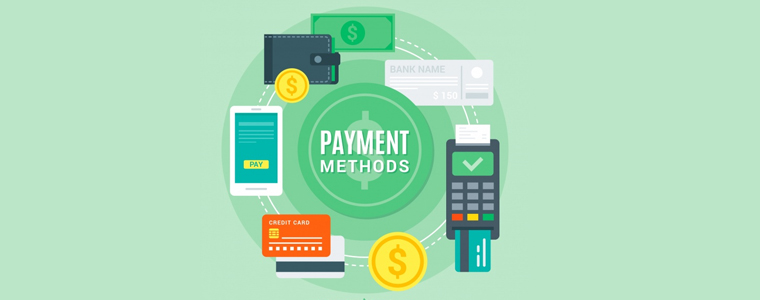
4. Multiple payment options

The lack of multiple payment options is another commonly found issue among the customers when it comes to purchasing a product. Most of the eCommerce stores have a fixed form of accepting the payments which turn out to be a major disappointment for the consumers, making it one of the major reasons for cart abandonment.

Any eCommerce store that offers multiple payment options has higher chances of conversions as compared to a store restricted to one or two payment modes only. If you want to make the online purchase easier for your customers, provide them the choices of making a payment through various payment modes.

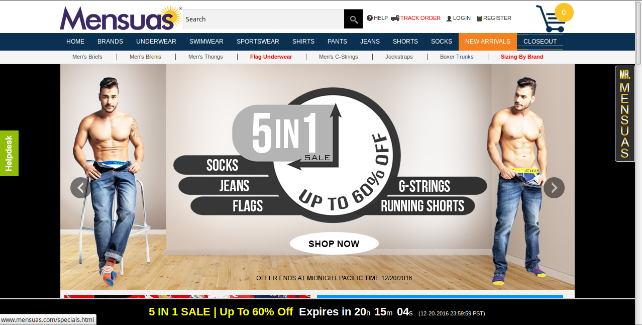
5. Gifts and discounts

In order to connect better with the customers, e-commerce stores need to come up with timely offers and discounts. The customers always like to get better deals and offers with their purchase. Thus, making sure that the consumers are offered with timely freebies will attract them more towards your store and eventually turn them into loyal and potential customers. It is one of the best ways for customer retention and improving sales.

6. Free shipping

A high number of successful conversions are restricted due to the absence of free shipping on the eCommerce platforms. The majority of the customers seek for the free shipping of their products before making a purchase but with the additional shipping costs, customers become reluctant to leave your store, affecting your conversion rate heavily. This can be overcome by offering free shipping to your consumers, hence providing them a comfortable shopping experience.

7. Follow up marketing

Not every seemingly interested lead will convert into a potential customer, however, you can put your efforts and try to make them convert. Follow up the lead constantly and keep them informed about your offers. The follow-up marketing can be done by making use of Emails, mobile app notifications or web push notifications. The conversion rate is likely to go high with the correct approach to follow-up marketing.

8. Allow users to add review

According to Invesp, 90% of consumers read online reviews before making a purchase. You can imagine how much importance reviews hold for eCommerce sectors. Reviews establish trust. When consumers see that their desired product has been liked by the other customers, there are certain chances that the consumer will take no time in placing the order. So, add a review system to your product pages to avoid consumers’ confusion regarding the purchase and make their online purchase easy.

9. Make it easy to contact your customer support

Customers get frustrated if they do not get an easy option to contact you. Moreover, if you take too long to resolve their queries, you are almost going to kill their interest in your store. So make sure they do not find any difficulty in reaching out for help. Keep your contact page at the place where it is easy to navigate. In addition to this, provide various contact options to your customers for any assistance. Allow them to contact you via email, phone or an instant message and try to solve their queries as early as possible.

10. Easy return policy

The easy return policy is one of the most important aspects of making the online purchase easier for your customers. The first thing any consumer look out for while making a purchase is the return policy. In online shopping, there are high possibilities of a customer being dissatisfied with the purchase. Providing them an easy return option takes out the fear of losing money and thus encourages them to go for the purchase. So, keep your return policy simple and easy.

Conclusion

The process of making the online purchase easier for your customers lies in enhancing each and every aspect of your e-commerce store. The above-listed 10 methods would be very helpful for you, as a retailer, in providing an amazing comfort to your consumers on your store.

 Also read:

5 Features that Highly Influence the Customer’s Decision in Making Purchase

How can Shipping Manager Help in Ensuring a Seamless Transaction to the Online Shoppers?

Posted on November 7, 2017August 30, 2019Author Joe ParkerCategories EcommerceTags Ecommerce, follow-up marketing, mobile App, Prestashop free shipping manager, Prestashop Product Video Module, Return Policy, social login, Social loginizer 12 in 1 for Magento 2, Social loginizer addon for Prestashop, Social loginizer for Magento, Social loginizer OpenCart extension, video marketing, Web Push Notification1 Comment on 10 Ways to make Online Purchase Easier for your Customers

5 Reasons for Cart Abandonment and How you can Curb it

When a consumer shows the desire for a purchase, adds the product to his/her cart but drops out of his/her desire at the final moment, the cart is said to be abandoned and the process is known as the Shopping cart abandonment. It is one of the most important aspects of E-commerce and is looked after very carefully by the e-retailers. Cart Abandonment is also one of the major reasons why e-merchants struggle to drive conversions.

It is impossible to eliminate cart abandonment, however, it can be reduced to some extent. There are many reasons why cart abandonment takes place. In this article, I have put forward the top 4 reasons for cart abandonment along with the solutions to curb them.

1. High Shipping price

The unexpected hidden cost behind the product makes it a primary reason for shopping cart abandonment. The additional costs such as taxes, transaction fees add up to the disappointment of the customers. Online shoppers make the purchase decision by looking at the product price, but the unexpected rise in the cost on the payment page leaves the customer with frustration.

Solution: Be transparent about the product price. Try to disclose the final price on the product page itself. If not, keep the total cost in control such that your visitors do not get surprised by the final price.

The best way to tackle this problem would be by offering free shipping. Invesp reports that 93% of the online buyers show the desire to make a purchase if they are offered free shipping and 61% of the consumers are likely to cancel the purchase if free shipping is not offered. PrestaShop Free Shipping module allows yous to set the shipping rules and make the transaction transparent for the customers.

2. Compulsory Sign-ups

Convenience is what customers look for, in an e-commerce store. The journey of an online shopper on your store depends on the kind of comfort you provide to them. Generally, that comfort is disturbed by the mandatory sign-up process. You need to accept that not every visitor wants to be a part of your eCommerce journey.

Solution: Do not force visitors to create an account. Either offer them the guest checkout facility or let them sign-up with the social login option, at least. In fact, I would suggest providing both options. This way, the checkout flow of the user will not be disturbed and you will witness least abandoned carts.

3. Lack of multiple payment options

With so much of payment methods being available, today, customers have set their preferences for the payment modes. If they do not find the desired payment option, they take no time in abandoning the cart. The introduction of e-wallets has made the payment process so easy.

Solution: The web store must provide multiple payment options including all the major payment modes like Credit Card, Debit Card, PayPal, etc. Allow customers to pay through digital wallets. It is the most preferred option by the customers nowadays and helps you reduce the possibility of cart abandonment.

4. Lengthy checkout

A lengthy and complicated checkout process can frustrate a consumer and compel them to abandon their cart. It happens so often that shoppers are asked to provide details that do not even seem necessary. People want to check out as quickly as they can. If they have made the purchase decision, do not create a barrier.

Solution: Help customers to checkout early by offering a One Page Checkout. This reduces the number of steps involved in a multi-step checkout process and presents all the fields related to checkout on a single page. PrestaShop One Page Checkout module allows you to eliminate the unnecessary steps and keep the checkout page simple and clear.

5. Unsatisfactory return policy

Product return policy plays a significant role in the buyer decision process. If your store’s return policy does not impress the visitor, there become certain chances of cart abandonment. Even before making the purchase, online shoppers want to ensure that the product they are going to purchase can be returned in case of a defective or wrong product getting delivered.

Solution: Create an effective return/refund policy. Let your potential customers be relieved about their hard-earned money. Make them believe that they have the option to return a product if they do not find it to be matching their expectations.

Over to You

The availability of plenty of options to the customers has made the concept of online shopping too flexible. A single flaw in your store can force users to abandon their cart. Try to cover every possible area which can cause cart abandonment. Do keep in mind the above 5 reasons for shopping cart abandonment.

Liked This? You’ll Like These Too:

  • How to avoid Cart Abandonment on an eCommerce store?
  • 8 proven ways to reduce shopping cart abandonment
  • How to use Google Analytics for tracking Shopping cart abandonment?
  • 5 Tips to avoid abandoned carts and win conversions through emails
  • PrestaShop Abandoned Cart Module for Higher Conversion on your PrestaShop Store
Posted on October 23, 2017February 11, 2020Author Joe ParkerCategories EcommerceTags Abandoned Cart, Cart Abandonment, Prestashop Free Shipping Module, Prestashop One page checkout, Shopping cart abandonment, social login

Top 5 Reasons with Solutions why customers abandon the checkout page

A checkout page has a major hand in eCommerce conversions. Without an optimized checkout page, the chances of a shopping cart abandonment increase significantly.

Cart abandonment happens too often during the checkout process and it can occur for a number of reasons. It won’t be wrong to say that it is a curse on eCommerce. So, how do you prevent this from happening?

Let’s try to understand why visitors abandon the checkout page and find out how you can overcome them with simple tweaks.

1. The hidden cost is a conversion killer

The unexpected hidden cost is one of the major reasons why customers abandon the checkout process. According to the Baymard’s research, extra hidden costs such as shipping charge, tax, transaction fee hold the highest percentage (55%) amongst the reasons for abandonment during checkout. Still, most of the eCommerce stores do not reveal the actual order total up-front before the payment page in the checkout process. E-retailers taking overhead, extra, or hidden costs must reveal the exact product amount in the checkout process itself rather than disappointing the customer later on the payment page. In fact, the best place to reveal the estimated cost of the cart is right after a customer selects the shipping option.

2. Compulsory account creation

The compulsory account creation ranks at the 2nd position in the study done by the Baymard Institute to find out the reasons for shopping cart abandonment during checkout. About 34% of customers leave the checkout process just because the web store asked for compulsory account creation to make a purchase.

When so much of alternative options like social login and guest checkout are easily accessible on the websites, it does not seem a wise idea to offer only the traditional account creation option on the checkout page. As a merchant, you should understand that if not you, a majority of your competitors would already be providing the social login and guest checkout options on their e-commerce platform.

Do not let the shoppers bother about creating an account unless you have a very strong reason to hold them back. Do not compel them to visit your rival’s store for easy checkout. Integrate a guest checkout or a social login option on your checkout page today.

3. Too long/complicated checkout process

The length and complexity of a checkout process make a visitor reluctant to leave the checkout page. To overcome this problem, you can think of implementing a single page checkout on your store. Although there’s no clear conclusion to the debate between one page checkout vs multi-page checkout, I would prefer a one-page checkout over a multi-page checkout. Well, even if you are using the multi-page checkout process, make sure to ask only relevant information so that the consumers can make a quick purchase from your store. Amazon’s checkout process, for example, is a multi-page structure, but still, it’s quite simple and fast. It’s because it doesn’t ask for too many details, just the important ones. The account creation step would ask for your name, email, and your desired password and that’s it, you have an Amazon account.

So, either you are offering a multi-page or single-page checkout, the main aim should be to reduce the number of entries in forms used in the checkout process. Whether it is the account creation form or the billing/shipping address form, customers are never going to like if you thinking to capture more than enough details. You can take a reference regarding the best checkout form designing from “5 things you probably didn’t know about eCommerce checkout”.

4. Unsatisfactory return policy

According to the data collected by Invesp, 30% of the products that are ordered online are returned, which is 21.11 higher as compared to the brick-and-mortar store(8.89%). In the same data, it was found that around 58% of the online shoppers want a hassle-free return policy.

The concerns regarding the product return always revolve around a customer’s head. Ever before they decide to make a purchase, the first thing they confirm is whether the product can be returned easily, if in case it contains some problems.

Your return policy plays a major role in the decision-making process of the consumer. In order to provide satisfactory return policy, you must also have an efficient RMA system that allows you to tweak your return structure.

The return process of your eCommerce store should reflect your return policy well. In simple terms, deliver what you have mentioned in your return policy. If you have a flexible return policy but customers are finding a tough time during the return process, it is going to create a negative impact on your store. You can lose the trust of your customers.

So, make sure to manage your returns well. To make this easy for you, we suggest you to try the Return Manager module by Knowband. Check out the Return Manager addon for Prestashop, Return Manager extension for Magento and Return Manager extension for Magento 2.

Also read: 4 simple tips to reduce ecommerce returns
5. Lack of multiple payment options

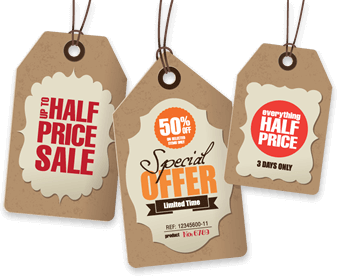
Even today, there are many eCommerce companies that are restricted to a few selected payment modes only, which is surely not a good sign considering the various preferences by consumers to make the payment. When consumers do not find their preferred payment mode on the checkout page, they are left with no option except leaving the purchase incomplete. Do not let this happen to your eCommerce store.

Enable multiple modes of payment on your store and allow your visitors to make their own choice for the payment purpose.

Conclusion

The checkout page is the most important element of the whole conversion funnel. Most of the consumers reaching on the checkout page have the buying intentions at some level. It depends on how well you have structured your checkout page and your return policies to persuade the customers to complete their purchase. To check which step is creating trouble for your store visitors during the checkout, you can try out the Prestashop Checkout page analytics addon. This addon can be a useful solution for you to track all the important metrics of your checkout process.

This Would Also Interest You:

How can you Analyze the Checkout Behavior of your PrestaShop Customer?

Posted on August 4, 2017January 7, 2020Author Joe ParkerCategories PrestashopTags Cart Abandonment, checkout, E-Commerce, magento 2 return manager extension, magento return manager extension, one page checkout, Prestashop checkout page analytics, Prestashop return manager addon, return manager, social login

How can you boost sales and customer engagement on your PrestaShop store?

Sales is a buzz word for most of the business activities occurring around the world but it is equally challenging to achieve due to the presence of so much business competition. It is important to grab higher sales and conversions for your online store to remain steadfast in your business segment. Losing out sales is akin to losing out customers and business chances for your eCommerce store.

This can be really devasting for the long term business growth and expansion plans for your online store based on platforms like Magento, WooCommerce, PrestaShop, Shopify, OpenCart and other such eCommerce platforms. Being a PrestaShop store owner myself, I am putting down certain tips that can help in customer engagement, conversion rates and boosting the sales on your PrestaShop store.

Display your current offers and shopping deals effectively on your site home page-

Shopping offers and deals on the home page grab instant customer attention.

What good is a shopping offer or deal if it can’t grab the instant customer attention? It can be possible only if your shopping deals or offers are featured prominently on the home page of your site. There are various eCommerce PrestaShop Addons like Deal Manager, Reward Points and others that can provide customers an effective way to engage on a PrestaShop store. You can also use popup ads to inform your site visitors about your latest shopping offers and deals on your PrestaShop store. This will in turn help in optimizing the product sales and conversions for your PrestaShop store.

Create interest and curiosity about your products through videos-

Take the help of product videos for grabbing instant customer attention and sales.

Videos are an interesting way to grab the immediate attention of your targeted customers. They are much more informative and appealing than text-based information. Any site visitor would prefer to watch a 2-3 minute video rather than reading a 200-300 words text for getting a proper insight into a featured product. If you don’t have any engaging videos on your PrestaShop store, you can add amazing PrestaShop product video through the help of eCommerce extension. This will help you in achieving the instant customer attention required for higher conversion rates and product sales.

Encourage your visitors to share their views and opinions about your products-

Reviews compel visitors to go for a quick online product purchase.

Online shoppers are in the habit of checking out product reviews before actually making a final product purchase. If you want to improve the sales and performance of your PrestaShop store, it is important to encourage site visitors for a quick product review. There are PrestaShop Addon such as Review Booster that can help in increasing the review count through various schemes and offers. Apart from the reviews, you need to encourage customers to share their product testimonials, personal experiences, user product ratings and other such components for optimizing your product sales and conversions.

Offer easy product availability through filters, search facility and product categories-

One of the major challenges being faced by various online shoppers is the product searching on an eCommerce store. When shoppers are unable to get the required products on an online store, they will simply abandon that particular site and will start looking for any other alternative. Install any PrestaShop extension like Auto search suggest that can help in simplifying the searching facility on your website for quick product availability. You need to have efficient filters on your site that can help in implementing advanced searching on your desired products. Furthermore, you need to improve the design and organization of your categories and sub categories with the help of A/B testing tool and heatmap extension for your PrestaShop store.

Start utilizing the power of social media-

Social media can help in grabbing higher customer engagement and sales for your online store.

Social media is important for the growth, expansion and promotion of your business to a global customer base. There are numerous social media sites like Facebook, Twitter, Google+, and others that can help in delivering your business message to a large global audience for increasing chances of product sales. Integrate social login facility into your PrestaShop site with the help of social extension for avoiding delays in customer login and registration process. The social logins will help in the online product purchasing as customers don’t have to create a new separate account for making the final checkout. This will also help in optimizing the customer engagement, user experience and product sales for an eCommerce site. So, it is time to harness the true potential of social media for the overall growth of your business.

Incorporate new functionalities into your PrestaShop store-

If you are thinking about improving the performance of your PrestaShop store, it is time to include new functionalities in it. A simple way to begin in this direction is to install new PrestaShop Addons like PrestaShop one page checkout, PrestaShop marketplace extension, PrestaShop Abandoned Cart plugin and others that can help in simplifying the various critical tasks. So, it is time to include new functionalities and features for facing the stiff competition in the field of eCommerce business.

Final thoughts

Don’t let your store rivals eat your share of conversion rates, product sales and site traffic due to your impressive PrestaShop store. You need to follow these cool tips that can help in achieving higher product sales and customer engagement for your eCommerce store. So, don’t ignore these points and take the required steps for the optimum performance of your PrestaShop store.

Liked This? You’ll Like These Too

  • Prestashop Checkout- An Amazing Way to Get More Traffic and Sales
  • Recharge your Product Sales and Business Growth with Prestashop Order Lookup Addon
  • Simple Approaches to Boost your Sales using Facebook
  • PrestaShop Product Video Module – User Manual
Posted on December 22, 2016October 10, 2017Author Joe ParkerCategories PrestashopTags conversion, engagement, prestashop, sales, social login

Posts pagination

Page 1 Page 2 Next page
Proudly powered by WordPress
Please wait...

Newsletter Subscription

Subscribe With Us and Get Latest Updates
SUBSCRIBE
Exit mobile version