For having a profitable business, it is very important to have a good online presence. Customers want websites to be easily navigable and intuitive. It is important to provide customers with a seamless browsing experience, and apart from these various benefits and offers, others should also be present.
With so much competition in the eCommerce market, it is very hard to establish your ground. To have a good and established website, it is very important to have some points implemented in the website that are essential for a successful website.
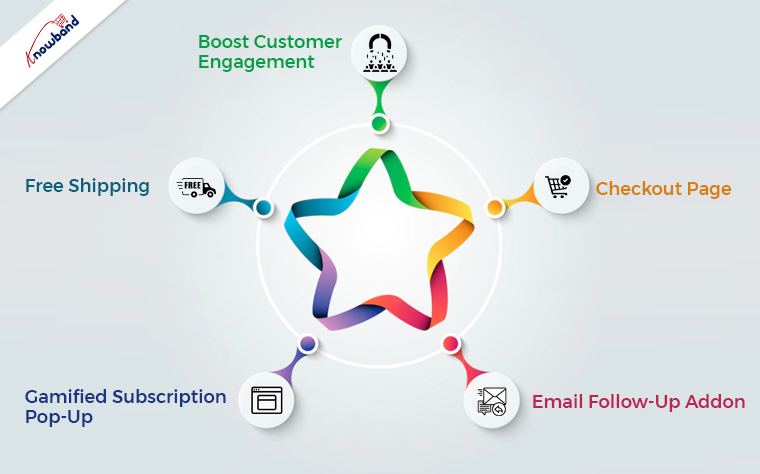
Boost Customer Engagement
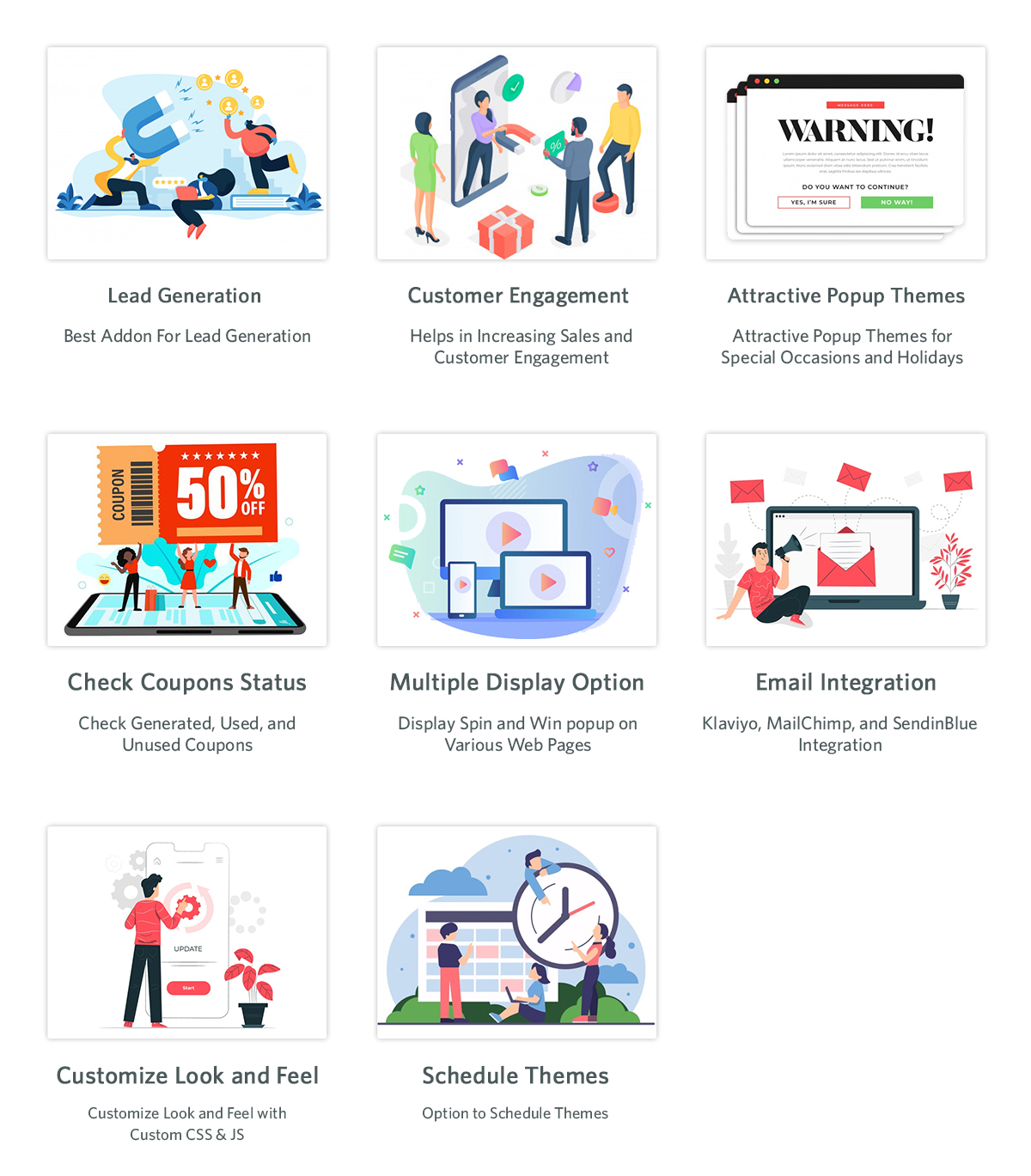
It is very important to increase the engagement of the customers on the website. If customers spend more time on the website, there is a greater chance that they will purchase if they browse for an extended period. An exit pop-up module is there, which can increase customer engagement on the website. As soon as the customer tries to exit the browser, an exit popup appears with offers for the user. The users will be happy to use the discounts and will continue to shop from the website. This will increase their engagement and increase their customer base. With this exit intent pop-up, the users spend more time and end up making a purchase, which thereby results in profit for the eCommerce website.
Checkout Page
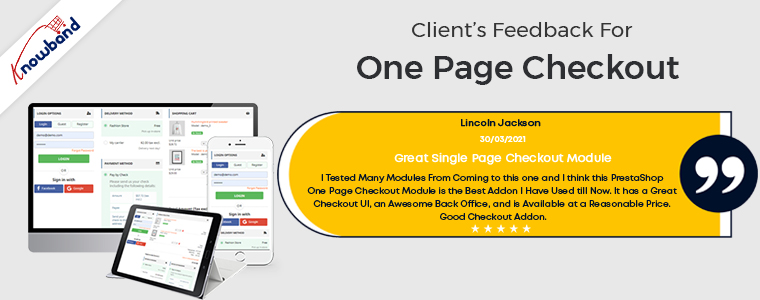
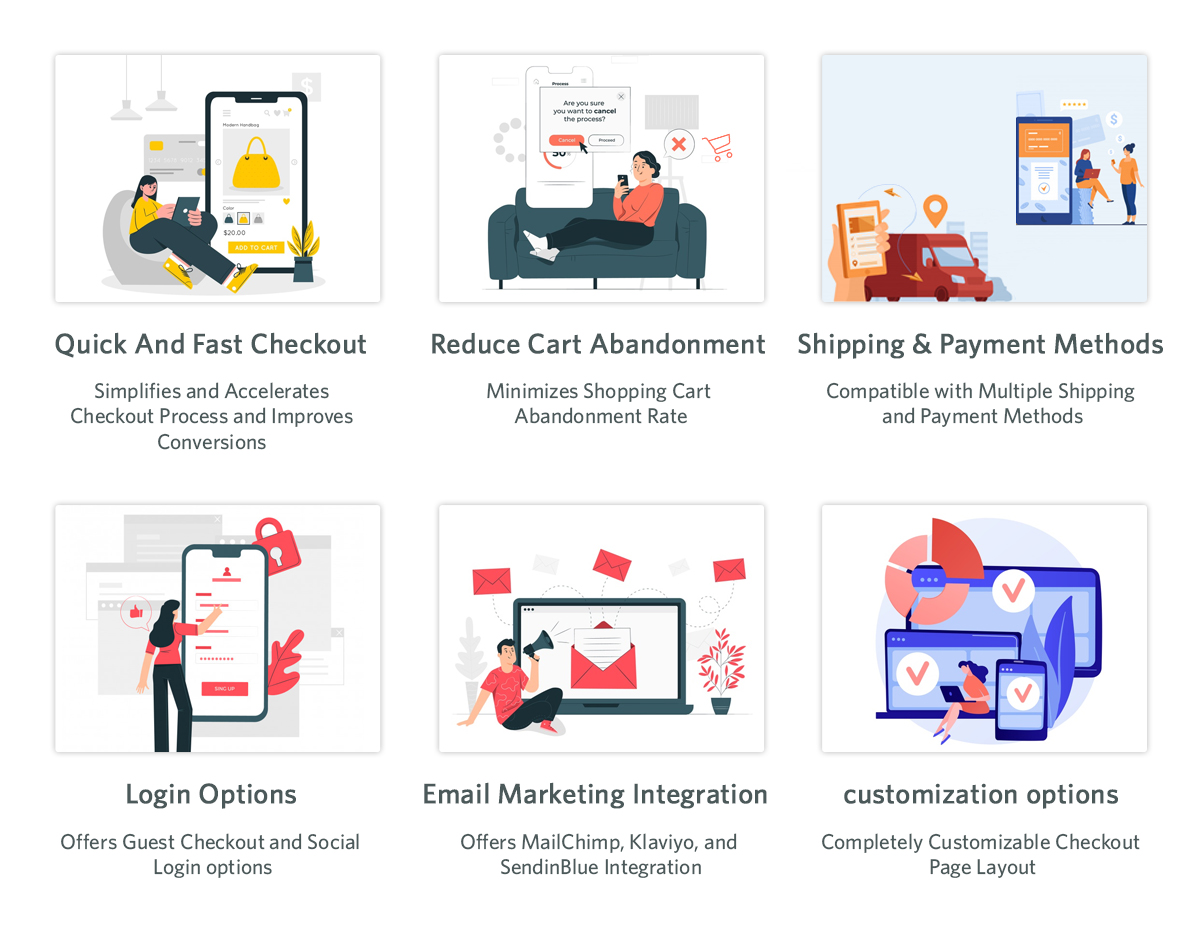
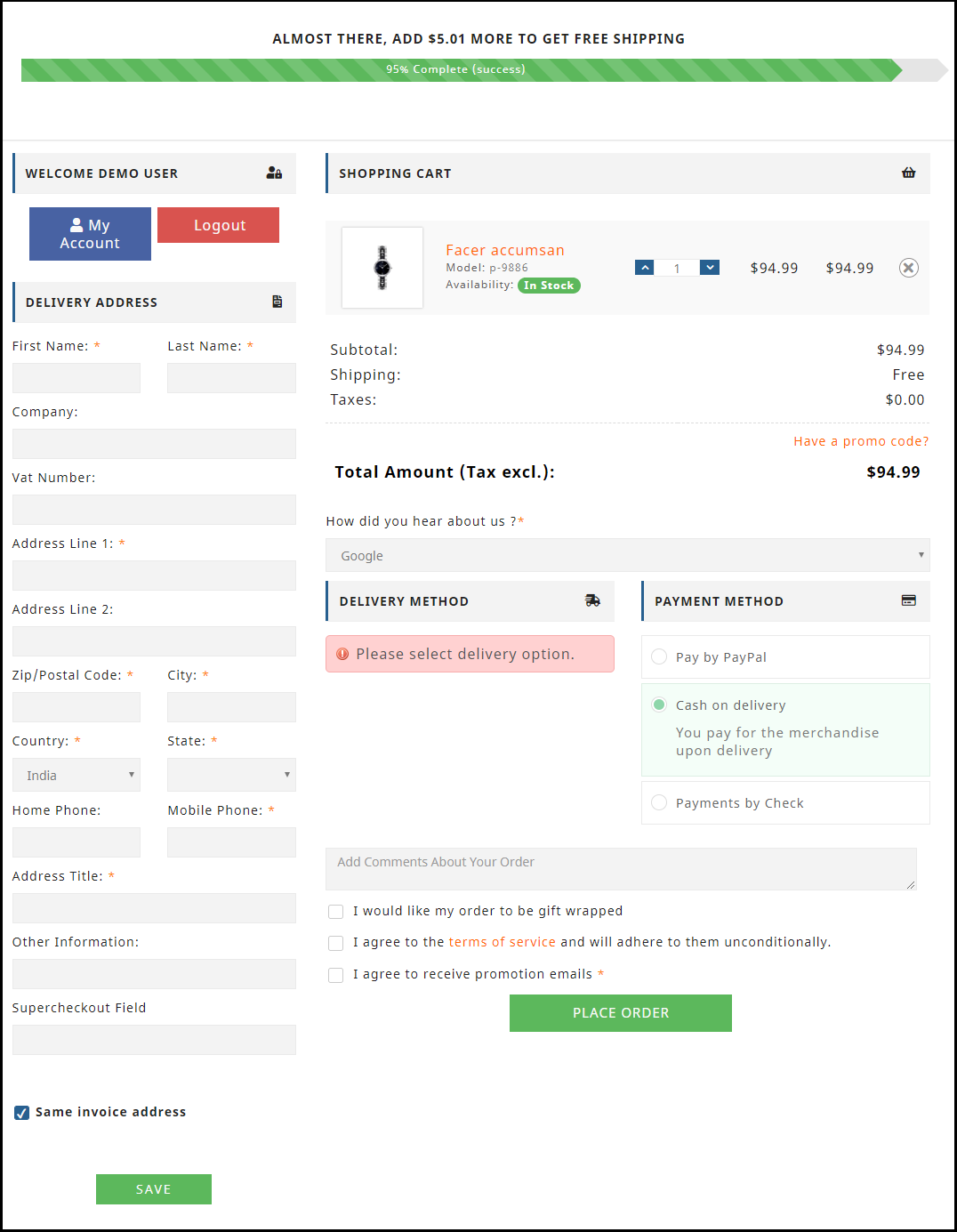
Checkout is a very important part of the eCommerce website, as, without it, the purchase is not complete. A good checkout integration is necessary for any online store to function properly. It is not pleasing for the customers to use the long drawn-out checkout process. Users should have an easy time completing the checkout procedure and feel at ease doing so. Online shoppers can complete their purchases quickly and easily with the help of our single-step checkout plugin. With the one page checkout plugin, it is simple for the users to checkout as all the information is present on one page.
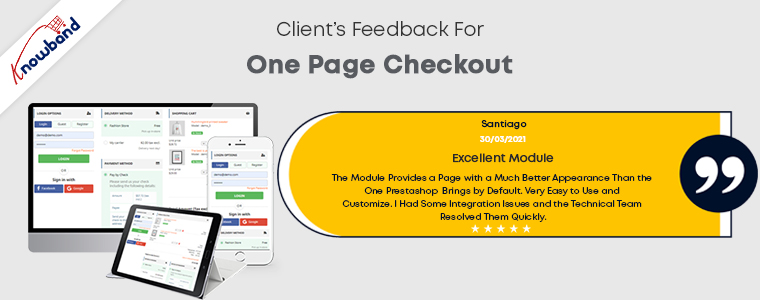
The default checkout process requires you to browse through several pages, which is annoying. Due to customers’ dislike of lengthy, drawn-out checkouts, cart abandonment occurs. The single-page checkout has been effective in preventing such problems, which is evident from the customer reviews.
Email Follow-Up Addon
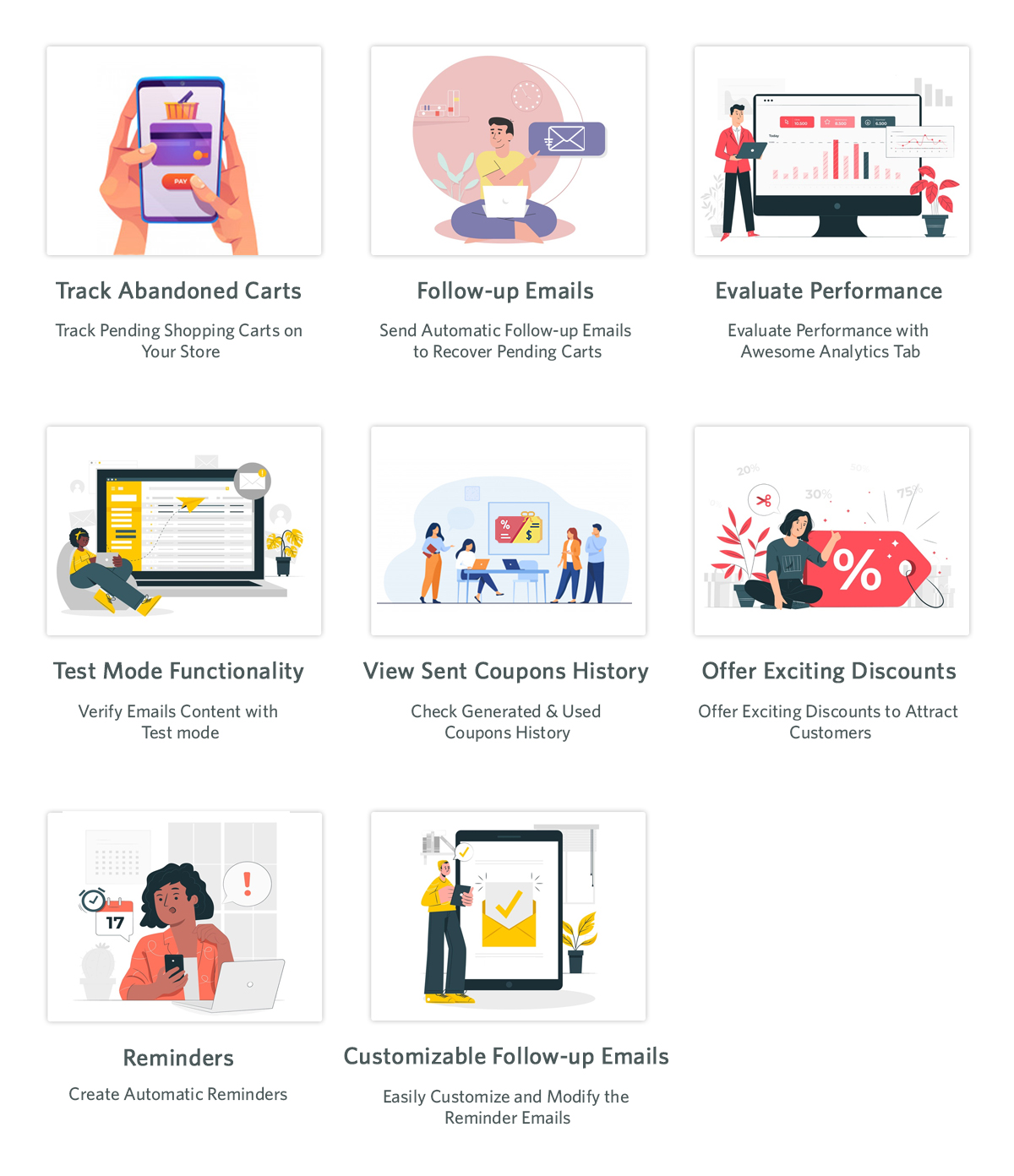
For resolving the issue of cart abandonment by users, the email follow-up plugin is useful. The abandoned cart module is activated when users add an item to their shopping carts and then remove it for any reason. One of the biggest problems e-commerce companies are dealing with is cart abandonment. This plugin assists in increasing cart conversion and decreasing cart abandonment, hence recovering lost sales. Using the abandoned cart module, we can send clients several follow-up emails if they leave items in their shopping carts. There are two variations of these follow-up emails: those with discounts and those without discounts. Customers will be persuaded to finish their purchases with this alluring offer. We send reminders to them when they forget to finish the purchase so that they will remember to complete the purchase.
Gamified Subscription Pop-Up
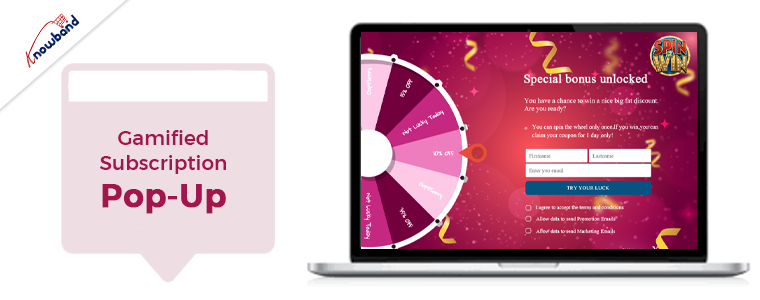
The email subscription popup helps boost both sales and website subscriber numbers. Customers are persuaded to subscribe to the email list with this “spin and win” plugin that offers them gifts or discount codes. As they will be receiving rewards for spinning the wheel, users are eager to spin it in hopes of receiving the free rewards. When employing this gamified plugin to subscribe to the website, users subscribe without hesitation as they are receiving gifts. Unlike other subscription pop-ups that annoy customers, the Spin and Win modules don’t do so, as they are not like the other subscription pop-ups. Additionally, customers are encouraged to sign up for the online store.
Free Shipping
The conversion rate greatly impacts the total cost of the cart. Free shipping is offered to clients for their orders when the free shipping manager plugin is enabled. When customers realize that by purchasing additional items, they can reduce the cost of shipping, they are more likely to add more items to their shopping cart. The conditions for providing customers with free shipping are configurable in the free shipping module. When an eCommerce website offers free delivery, people are happy to make a purchase and are more likely to return to make additional purchases.
Wrapping It Up
In this article, we have been discussing the various implementations we can perform to improve the website. In case you have any concerns or issues related to our module, you can connect with us at support@knowband.com. We also assist with custom developments as per your requirements. Also, we can add a feature to the module or modify the module depending on your business requirements. Kindly let us know so that we can assist you with your requirements.
If you are in the eCommerce business community, you probably heard about the term cart abandonment. Cart abandonment is one of the biggest nightmares for an online shop. Not only the cart abandonment cause drastic lows in sales but also, increases the website bounce rates for a business. Several reasons stand behind cart abandonment. For example, mostly the customer engagement rate with a website depends on the overall website experience.
In the same, factors like welcome page design, usability, and checkout process play an important role in keeping the customers engaged. Thus, in the following article, we are going to cover some of the major aspects that cause cart abandonment. But before giving the reasons a go, it is important to know about cart abandonment.
What is Cart Abandonment?
Consider a customer who visits your website, likes a product, added the same into the cart and this is all. He did not complete the orders and left the cart as it is. This is called cart abandonment. In the technical term, a process when a customer leaves the order incomplete after adding something to the cart is called cart abandonment. Moreover, more than half of card abandonments happen because of a sticky website experience. However, there can be other reasons too. We have narrowed down some of the causes of cart abandonment. By working on the same, you can not only enhance your eCommerce website but also can reduce the cart abandonment rate for your business.
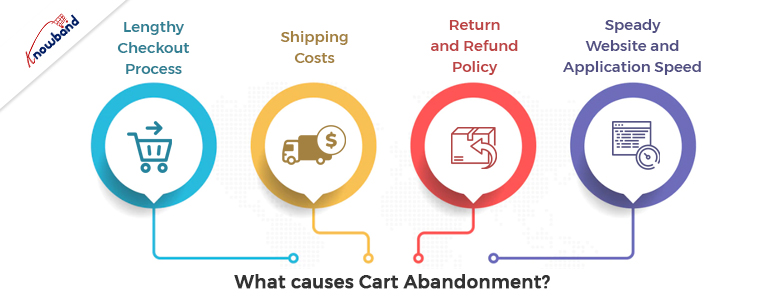
What Causes Cart Abandonment?
1. Lengthy Checkout Process:
One of the biggest reasons behind the abandoned carts is the confusing checkout process. Although, getting order confirmations requires various steps such as address verification, coupon code page, payment page, etc., somewhere between customers feel a bit foggy and lose their interest in the order. Thus, for the following aspect, you can try to put all the required order details such as shipping address, payment options, coupon codes, and cart page on a single page. This is not only going to help you to keep your customers engaged. But also, will improve the look and feel of your PrestaShop eCommerce website’s checkout page. Moreover, if you are an OpenCart or PrestaShop-based online seller, you can give Knowband’s supercheckout module a go.
2. Shipping Costs:
Shipping cost is the other reason that enables the cart abandonment buzz in the customers. The reason behind the same is that the customer considers the shipping costs as an additional charge. Which distracts him from completing the order. Thus, charging high shipping costs can also lead your PrestaShop customers to cart abandonment. Moreover, if you want to handle the shipping costs in a more advanced way, you can check out Knowband Shipping cost by zip code addon. Using the same, as an online store admin, you can add criteria for managing the shipping cost based on zip codes entered by the customers.
3. Return and Refund Policy:
While completing an order the first thing that customer notices is the return and refund policy a brand is offering. Thus, it makes it more important for a business to have a sound return policy for the products. To get the customer’s trust.
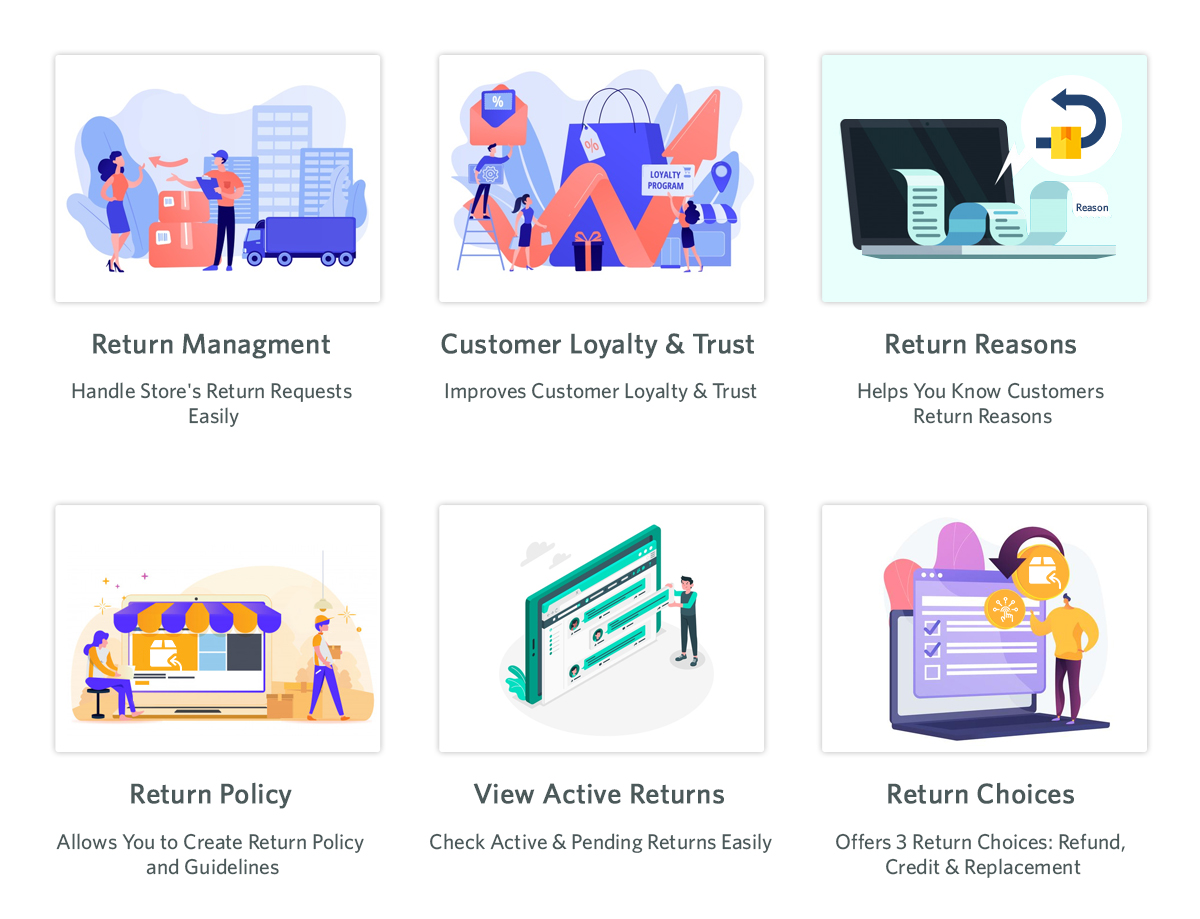
However, the chances of product return are as low as zero. Yet, it is always considered a good idea to provide your customers with a relevant security policy. Moreover, if you want to manage order returns professionally, you can take advantage of Knowband PrestaShop Return Manager.
4. Steady Website and Application Speed:
Modern users visit any website with a very short attention span. Not only do they prefer fast-loading Websites and Android and iOS Mobile Apps. But also, tries to complete their orders as fast as they can. Thus, the same reason is increasing the need of having faster websites and Mobile Apps for your eCommerce businesses.
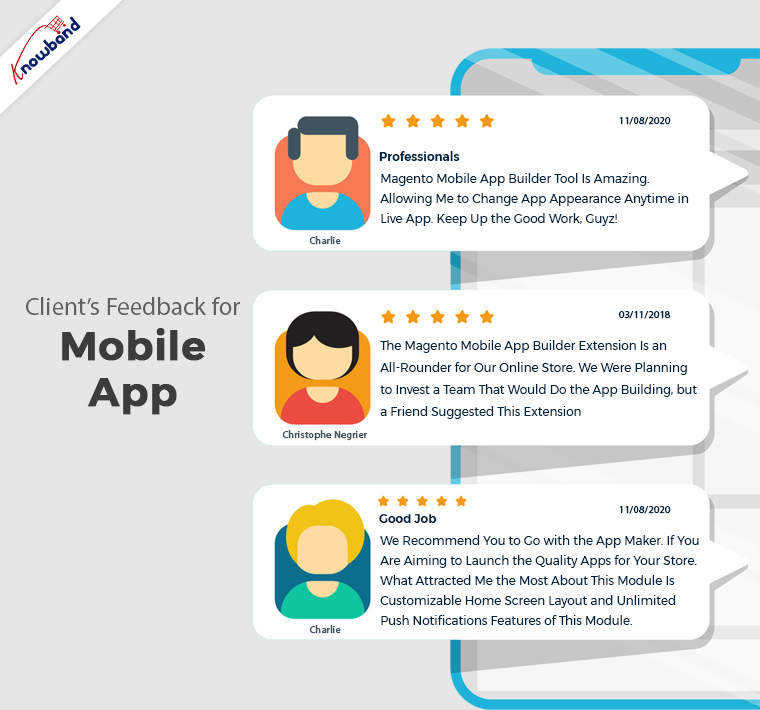
Although the website and app loading speed mostly depend on the hosting provider. Yet, technologies behind website and Android and iOS Development still matters a lot. Thus, if you want to have your Flutter-Based Android and iOS Mobile Apps for your eCommerce store. You can check out Knowband Mobile App Builder for more information.
In the End,
In the following article, we have tried to cover some of the basic reasons that become cause cart abandonment. Moreover, this is not all. Sometimes cart abandonment happens because of various miscellaneous reasons such as poor network connection, technical difficulties, etc. In the end, as an eCommerce store owner covering up the mentioned aspects can lead your business to remarkable growth by adding a drastic down in the cart abandonment rate.
The Spin and Win module is a modern method of attracting customers to your business. The Gamified plugin is useful for engaging the customers on the website, which increases the time spent by customers on the website. The incentive that “spin and win” plugins eventually gives comes out to be very helpful. Without a doubt, the email subscription popup plugins will result in an engaging promotion. The needs of the customers are also into consideration while awarding them using this spin wheel plugin.
You can use the spin and win module to give users prizes to encourage them to return to the store. You have more chances to impact people in the future by using this gamification plugin, as it improves audience engagement, participation, and loyalty. Gamification and interactivity inclusion is important, for the seller’s website, at every stage of the customer purchase. Your consumers will like using the email subscription module, which will increase loyalty. Spin-and-win pop-ups will also encourage your customers to come back to your website to make a purchase.
This email subscription plugin will be particularly helpful if your website provides an incentive such as gifts, vouchers, or coupons. Ensure that you have been employing this spin-and-win module to offer your target audience an acceptable incentive. The objective is to increase sales and generate income while increasing customer engagement on the website.
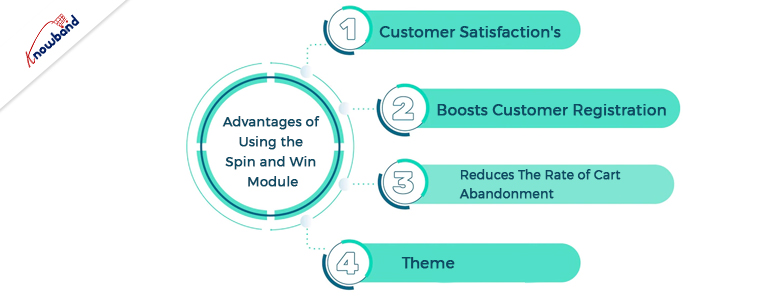
Advantages of Using the Spin and Win Module
Customer Satisfaction
The best tip for a profitable eCommerce shop is to create stunning customer satisfaction. The gamification plugin has unquestionably been performing flawlessly, not just for marketers and bloggers but also for eCommerce.
The best gamification plugin enables companies to win over their customers’ hearts. Gamification appears to be a powerful strategy to keep customers satisfied and devoted for a very long time because of the behavioral science behind it.
By a large margin, exceeding standards while providing excellent customer service exceeds them. Remember to provide an outstanding user experience and get started right away.
There is an adrenaline rush before the customer spins the wheel, as they have excitement to know the gift they will receive. The spin-and-win gift drawing is what keeps them returning to your website. They can win the bigger prize, and this is enticing for them to imagine. The customer comes back because they can just take pleasure in the game’s excitement.
Boosts Customer Registration
As soon as the customers enter the store, they see the email subscription pop-up. Because customers want the gift, the spin wheel plugin increases overall registration to the store. Also, for the same, they need to enter their email in the gamified plugin pop-up. Customer registration increases as everyone likes gifts, which results in an increase in subscriptions through the mail. With the gamified pop-up, the spin and win module can provide users with various discounts and offers, as well as physical gifts. This increases customer registration on the website of the eCommerce business.
Reduces the Rate of Cart Abandonment
It is possible to engage visitors on the website using the “spin and win” pop-up for a very long time without annoying visitors. The normal subscription pop-ups might irritate the visitors, but this gamified module is not the same. With the use of a Prestashop email subscription pop-up, you can award users, which results in an increase in website browsing time by users. The most advantageous aspect of this spin and win module is the control over how frequently the wheel is visible. Because of this, the engaging spin and win module lower bounce and exit rates. The longer visitors stay on the website, the more likely conversions are to occur.
Theme
Themes for Special Occasions
The administrator can easily modify the spin wheel’s theme using the email subscription pop-up extension. Also, they can choose quickly from a variety of seasonal or fundamental subjects. A motif for Halloween, Christmas, Valentine’s Day, and other holidays might be present.
Organizing a Theme
The Email Subscription Pop-up plugin allows the admin to schedule the theme to save time and effort. So that there won’t be a rush at the last minute, he can plan the subject well in advance. As a result, the admin has the power to change whenever he likes. The admin can also specify the time beyond which a theme will revert to its default settings.
Wrapping Up
In this article, the benefits that an eCommerce business can have by using the spin and win module are present. We know of other advantages of this module, and in case you need to know more then connect with us at support@knowband.com. Also, we assist with the issues and concerns of our module in case our assistance is in need. For the addition of any extra functionality to the modules, we can also assist. Furthermore, if you have any custom development requirements depending on the needs of your business, we can assist you with that as well. Kindly let us know if we can provide you with any kind of help.
The abandonment of shopping carts at the checkout is a behavior that is all too common among online customers in the eCommerce field these days. Furthermore, it is severely reducing retail revenues, creating a loss for the website owners. As a result, many retailers have made reducing cart abandonment a top priority. The good news is that there are several strategies and methods for personalization that drastically cut down on cart abandonments and increase conversions.
eCommerce merchants should start by actively measuring and analyzing shopping cart abandonment. Moreover, it is important to decrease cart abandonment and increase sales and returns. Differentiating between cart abandonment and checkout abandonment has proven to be successful for many retailers. While checkout abandonment refers to customers who left the merchant’s website while the checkout process was still in progress, cart abandonment refers to customers who abandoned their shopping carts but had not yet started the checkout process. In both cases, cart abandonment occurs and the purchase is not complete.
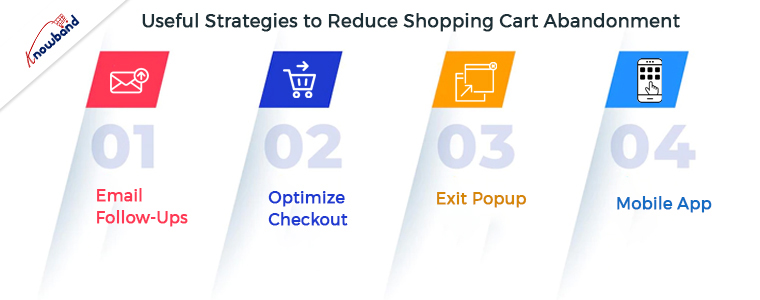
Useful Strategies to Reduce Shopping Cart Abandonment
Email Follow-Ups
Email follow-ups are very important for reaching out to customers who are abandoning the cart but are not on the website. The email follow-ups act as a reminder that the purchase was not completed for the product that was in the cart. The customers sometimes add the product to the cart and forget to complete the purchase. Additionally, this makes it possible that they will remember the purchase and come back to complete it. The abandoned cart plugin is very useful in such cases, as it is for reaching out to customers who are not completing the order. The email templates that the admin sends are fully customizable, and this Follow-Ups Email module is also used for pop-up reminders. The email follow-up module is very helpful for reducing cart abandonment, which makes its integration into the store essential.
Optimize Checkout
An online store cannot operate effectively without a working single-step checkout integration. The lengthy, conventional checkout procedures are irritating for the customers, leading to the abandonment of the cart. The checkout procedure should be simple to complete and comfortable for customers to go through. The one-page checkout module enables customers to effortlessly and quickly complete their purchases.
The single-step checkout module makes it easier for users to complete their purchases because everything is on one page. The user shouldn’t have to go through several steps throughout the checkout process. Cart abandonment is a result of lengthy checkout processes, which are unappealing to customers. According to the customers’ feedback, the one-page checkout module makes the checkout faster. The checkout procedure is easy due to single-page checkout, reducing the abandoned cart rate.
Exit Popup
The exit popup is a very useful plugin for increasing the time of engagement of the customers on the website. The exit intent subscription module displays itself as soon as the customer tries to exit the website. The pop-up appears with discounts or offers that act as leverage for the visitors. The code in the email subscription popup is usable whenever the customer orders the product the next time he visits the store. If the users have abandoned their cart, then they might want to complete the purchase as soon as they receive the discount code. The exit pop-up module helps bring back customers and gives them the motivation to complete the purchase. The email obtained from the exit popup is usable in various email marketing campaigns. The customer also has the motivation to use the code, for which he has to complete the purchase of the abandoned cart.
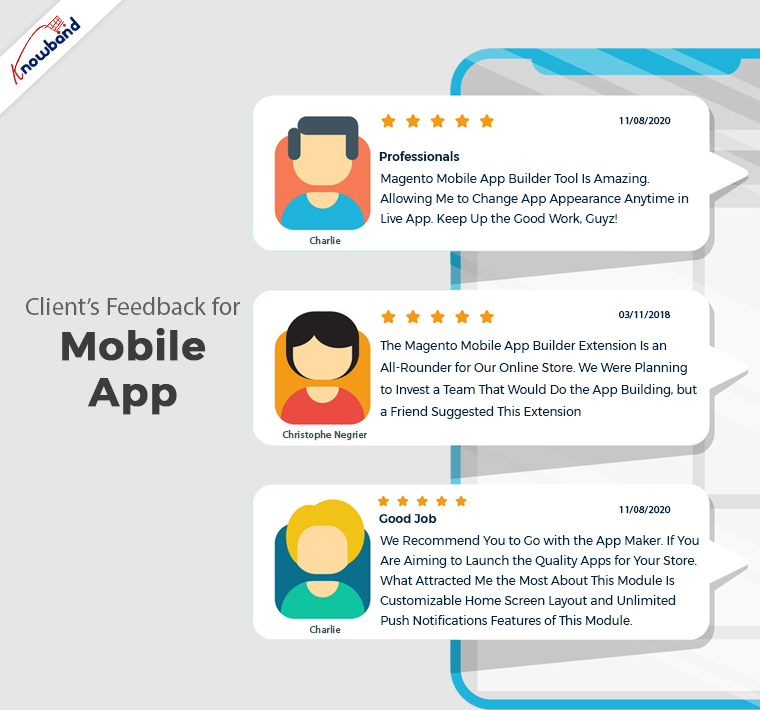
Mobile App
In today’s cutthroat eCommerce competitive market, it is critical to have all business growth strategies in place. Furthermore, to do so, a business needs to have a well-equipped and functional mobile app. These days, mobile apps are responsible for the majority of brand sales.
Additionally, the apps are easily accessible and easy to operate for the customers, so they usually prefer to shop on mobile apps. Customers usually abandon their carts while purchasing, for which they receive push notifications on mobile apps. Mobile apps are preferable for business growth, and reducing cart abandonment is important. Mobile apps are seeing more usage, so when a sales campaign is in progress, customers will surely notice it.
In The End
The strategies for reducing shopping cart abandonment are in this article. If you want to learn more about reducing cart abandonment, get in touch with the Knowband team. To know more about our extensions and services, you can connect with us at support@knowband.com. Moreover, we can provide you with custom developments depending on your business requirements. Kindly let us know if you need assistance with any of our products.
Every online business faces up and down before on the success journey. Thus, since day one, it becomes quite a task for eCommerce shop admins to secure a place in the market. Moreover, due to the high competition rate and a huge number of merchants. Some common problems come with the journey while starting an eCommerce business.
In the following article, we have tried to narrow down some common problems along with the solutions to help our eCommerce merchant community. But before starting with the same, let’s talk about the reasons that cause these problems.
Reasons that Impact the Growth of an eCommerce
If we talk about the reasons that become obstacles in the way of online businesses, there are a lot. Either a business can face dizzy growth because of SEO, website experience, or anything else. But the major cause that prevents customers from ordering from your eCommerce shop is market competition.
Nowadays, almost every offline business is taking its online start. For the same reason, now customers have a wide variety of online websites to choose products from.
Additionally, you risk having your eCommerce firm get caught up in the rat race for the same reason. Thus, let’s start with some of the common problems and solutions that can help your business to stand out from the market competition and grow.
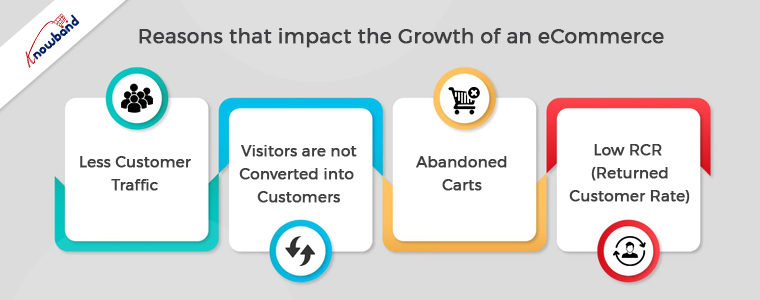
Less Customer Traffic:
One of the primary issues that prevent sales is having fewer visitors than you had expected to your internet business. Now there can be various reasons behind the same. Either you don’t have a good search engine ranking or you don’t use enough platforms to advertise your company.
Thus, for getting more customers on the website, you can boost the SEO of your eCommerce store. Along with the same, if you are looking for another worthy organic way, you can also take advantage of social media marketing.
Moreover, if you are willing to spend some dollars, you can also use paid marketing.
Furthermore, if you are a PrestaShop online seller, the Affiliate and Referral Addon by Knowband is one of the best ways to get more customers with the help of existing ones.
Visitors are not Converted into Customers:
The second problem that almost every online business faces are that the visitors come to the website but do not proceed to order. It might happen because either your eCommerce website is not able to impress the visitors or you are having a lengthy process.
Thus, for defending the following cause, you can enhance your PrestaShop or eCommerce store’s website experience with Knowband Plugins. For example, you can show a gamified Spin and Win pop-up to your store visitors on the home page.
Moreover, you can surprisingly enhance the checkout experience on your PrestaShop store by providing all the checkout essentials on a single page.
Thus, it is a must to offer a relevant and rich website experience to visitors.
Abandoned Carts:
When a customer adds something to the cart and leaves the website before confirming the order, the term is called cart abandonment. Moreover, cart abandonment is one of the reasons that reduce sales drastically.
Customers must be given follow-up reminders in order to solve the following issue. At Knowband, we offer Abandoned Cart Reminder Plugin for the OpenCart and PrestaShop eCommerce platforms.
Apart from it, if you have already launched your Android and iOS Mobile Apps, you can also take aid from the push notifications to engage your customers.
Low RCR (Returned Customer Rate):
Sometimes, customers order from a website for the first time and do not proceed with more orders. This is one of the problems that impact sales drastically. Thus, turning single-time customers into regular ones is as important as getting new customers.
For the same eCommerce merchants use various tactics to attract existing customers. Moreover, other major players like Amazon and Flipkart offer loyalty points to customers based on their purchases. Loyalty points not only attract customers to purchase again but also motivate them to check the website regularly for exciting offers.
Thus, if you are OpenCart, PrestaShop, or Magento 2 store admin, you can also have a look at the Loyalty Points Extension offered by Knowband.
In the End,
Although starting an online business is a bit hard nut to crack but only if you are not planning effectively. Moreover, with the help of sounding strategies and work one can easily manage to list his eCommerce business in the market. Thus, in the following article, we have tried to cover some of the common problems along with the solutions.
In case you are having queries or suggestions, please feel free to find us at support@knowband.com.
An eCommerce store owner observes maximum cart abandonment when a buyer reaches the checkout page. What factors are responsible for cart abandonment and acting as conversion killers? Talking about the statistics, it is been observed that sixty-nine out of a hundred people abandoned their cart on the checkout page. Optimizing your checkout process is as important as the website optimization.
There might be many visitors to your blog posts or product pages. But, are they giving you any business? If not, then below are 9 most common checkout conversion killers that drive your customers away.
1. Mandatory Registration during Checkout:
Forcing your customers to set up an account before they can complete their transaction could kill your conversions. Therefore, make sure that your website always allows customers to shop as visitors without having to register.
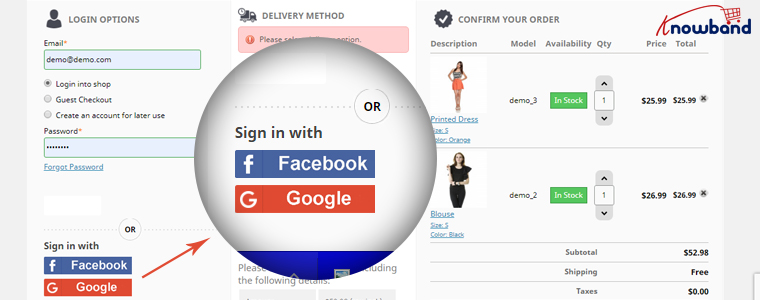
You can provide them guest checkout facility or social login option which will make it easier for them without taking much time.
2. Long and complicated Process:
Nothing is more irritating than filling in super-long forms with complicated fields before you make a purchase. Stop enticing consumers to buy additional items with pop-ups. They sometimes interrupt the checkout process and end up doing more damage than good.
So make your signup form simple and quicky. Make sure that they include relevant drop-downs, radio buttons, and an indication of optional information. Most importantly, hold field labels so that consumers can quickly fill out what they need.
3. Lacking or Weak Product Details:
It’s just profanity! How do you picture someone buying from you when you don’t have a convincing, thorough explanation of the product. Forget about that. Online shopping is like an impersonal activity. The best way to persuade a customer to buy is through words and amazing images! Start putting some bewitching images to your product description for not making your customers head off.
4. Never-ending loading time:
Do you like waiting for someone or something? Neither you nor is your customers would like that. Optimize your checkout page for speed. Analyze and cut off the extra fields and graphics from the page which can be a conversion killer. Long loading time will demotivate your customer and encourages them to leave the site.
5. Lack of payment options:
You can provide several payment options already available for the checkout. The mode of payment is a necessary element to focus on. In the competitive market place you must have an online payment option but having multiple modes can be advantageous. You can put some common secured payment options on your checkout page. Payment gateways provide encryption to keep your customer’s information secure. It provides a more streamlined and convenient experience for them — especially on mobile devices.
6. Not being mobile-responsive:
A growing amount of online transactions are taking place over mobile devices. Almost any way you look at the numbers, millennials are more open to accepting and more likely to participate on mobile devices than their older counterparts. Customers who shop on their smartphones and tablets have less time than they do on desktops. Buttons need to be bigger and easier to reach, shape fields need to be minimized to speed up the checkout process, and labels and text need to be clearly visible. Ensuring that the checkout process is designed for mobile shoppers is important. You can lose many if your website doesn’t work well with mobile.
7. Extra Shipping and Hidden Costs:
Imaging, you are buying something online. The product costs $20 and then you move to the checkout page where you see the cost raised by $5. This was the cost they were charging as taxation. You will be discouraged and might leave the checkout process immediately.
If you don’t reveal all the expenses in advance, you’re turning your customers away. 23 percent of customers cancel their purchases because they do not realize the additional costs in advance. Therefore, make sure that you display all costs right on your product page to make the customer experience easier. If you are charging extra for shipping, make sure to highlight it with the product cost on the product page. This can be a conversion killer and will add another order to your abandoned cart list.
8. Not enough Product reviews:
Product reviews are an essential part of the branding and marketing of an online store. They help create trust and loyalty, and they usually define what sets the goods apart from others. Reviews help your store increase sales, and you can persuade customers to leave more of them. When the comments are found to be credible and correct, they will most certainly listen to them.
9. Website isn’t Secure:
Customers don’t always like using their credit cards online, so it can be even more difficult if you’re a new small business that still builds confidence in your audience. As an online retailer, you need to make customers feel comfortable about the security of your checkout process. The positive thing about incorporating PayPal Checkout is that PayPal is an internationally recognized payment brand.
A simple mention of secure payment on the payment section will reassure your buyers that there won’t be any foul play.
Final Thoughts:
In order to stop cart abandonment, you can install a checkout module to your eCommerce store which will be incorporated with all the important payment gateways, customizable fields, social login options, and much more. By adding One Page Checkout addon to your store you can get rid of all these conversion killers. Knowband offers One Page Checkout modules for PrestaShop, OpenCart and Magento stores.
Abandoned carts are inevitable. Among the aspects that concern eCommerce businesses a lot, cart abandonment probably tops the list.
Did you know the average cart abandonment rate in 2019 was found to be 77%? And if we consider a general scale, the percentage remains somewhere in between 55-80.
Even though online shopping is getting more convenient with each day as Brands try to enhance the customer shopping experience through their mobile app, abandoned carts are still marked in huge numbers. It is simply because customers can have multiple reasons to abandon a cart and you cannot do anything about it.
Online businesses look for every possible way to reduce cart abandonment rate on their website. But you know one of the best practices lies in working on your abandoned cart emails. If your web visitors are not making past the checkout page after adding the item to their cart, it is your onus to reach out to them and encourage them to complete that purchase.
Leaving it as it is would only harm your conversion rate, however, if you utilize that opportunity to convince them, it could make a huge impact on your revenue.
Abandoned Cart Emails Best Practices
You are getting amazing traffic on your website but you notice the conversions are not satisfactory. That could be a bit hurting. You witness a few abandoned carts and you drop them an email reminding about the items they left in their cart.
But still not so positive results! What could be the reason? Well, maybe your cart abandonment emails are not persuasive enough for them. It’s not giving them a push to purchase.
So, how about making a change in your approach? In this write-up, I have put forward a few abandoned cart emails best practices to help you recover abandoned carts. Check them out.
1. Take Quick Action
If the cart abandonment took place in the afternoon and you are reminding those users about it in the night, it would not count in good practice at all. It would not be effective and you would most likely lose that sale.
How quick you should be to take action? Well, you should not delay it more than an hour. In my option, you should be quick to remind within half an hour of the abandonment, but you can stretch it to 1 hour, not more than that.
There’s a simple reason for that. The prospect would still be looking around for that product which means the desire to purchase would be high within the first one hour as compared to when you send it after 3 or 4 hours.
2. Follow-Up
The job does not get over on sending one reminder. They might have missed it or could not pay attention to it. This is why you should take at least 2 follow-ups after the reminder. The second one should go in the next 4-5 hours and the 3rd one on the next day.
Three abandoned cart emails are more than enough to capture the attention of those abandoned cart users. Do not overdo else it will look more like spam. If the prospect doesn’t convert in the first three attempts, the lead is lost.
3. Captivating Subject Lines
The subject line is the heart of your cart abandonment emails. The better you pitch it, the more the chances of conversion. You want them to open your emails, write subject lines that evoke their interest.
Avoid using click-bait kind of subject lines. It does not leave a good impression. Avoid using some very basic subject lines as well like “You have items pending in your cart”. This does not invoke emotion.
Collect a few subject lines and perform A-B testing. Look out which subject line is bringing more open rates. Besides, try to keep the email content very crisp and clear.
4. Add Images of the Abandoned Items inside the Email
You may be curious to know what does this have to do with cart abandonment emails. Well, visuals can significantly increase your chances of conversion.
Reminding customers about the items they left only with text might not be as effective as it would be when you include images. Visuals play a huge role in eCommerce.
For example, when you plan to buy a new phone, you open that website multiple times to check that phone. Similarly, when you display the images of the items pending in the cart, you regenerate that purchase intention as well as the mood for it.
5. Offer a Discount
Including a coupon code inside the cart abandonment email that offers a discount on the incomplete purchase can maximize your chances of conversion. Nothing tempts a customer more than a discount. If they get something at a slightly lesser price than what it was actually at the time of purchase, they would definitely like to grab it.
Final Word
If you bring these practices into your abandoned cart emails, you can expect an improvement in your conversion rate. Keep coming up with something catchy and creative and you will surely see the results soon. Do not expect the conversions to happen overnight.
This article revolves around Checkout optimization and provides you with 11 effective ways to optimize your eCommerce Checkout and bring more conversions.
Out of all the elements in an eCommerce website, the checkout page surpasses every other factor in terms of importance. It is the page that brings you conversions or you can say it is the place where visitors turn into customers.
Your website might have an attractive layout and a user-friendly interface. You may even have a wide range of products but it is only good enough to increase the traffic to your website. Yes, it is important but none of it matters if the high percentage of your website traffic is not making it past the checkout page.
Simply expressed, it refers to a high cart abandonment rate, which shows that customers are adding things to their carts but then declining to purchase once they reach the checkout stage.
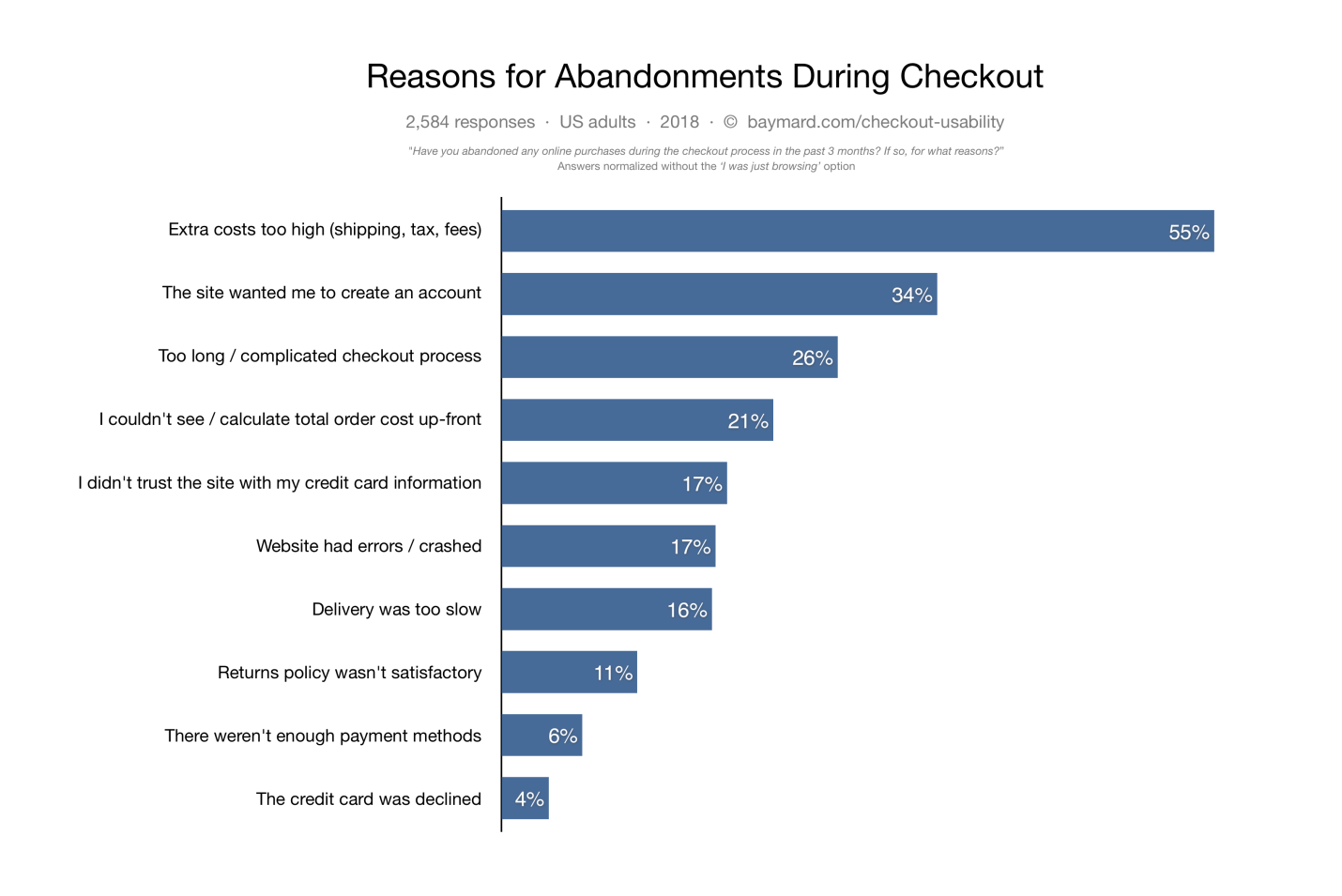
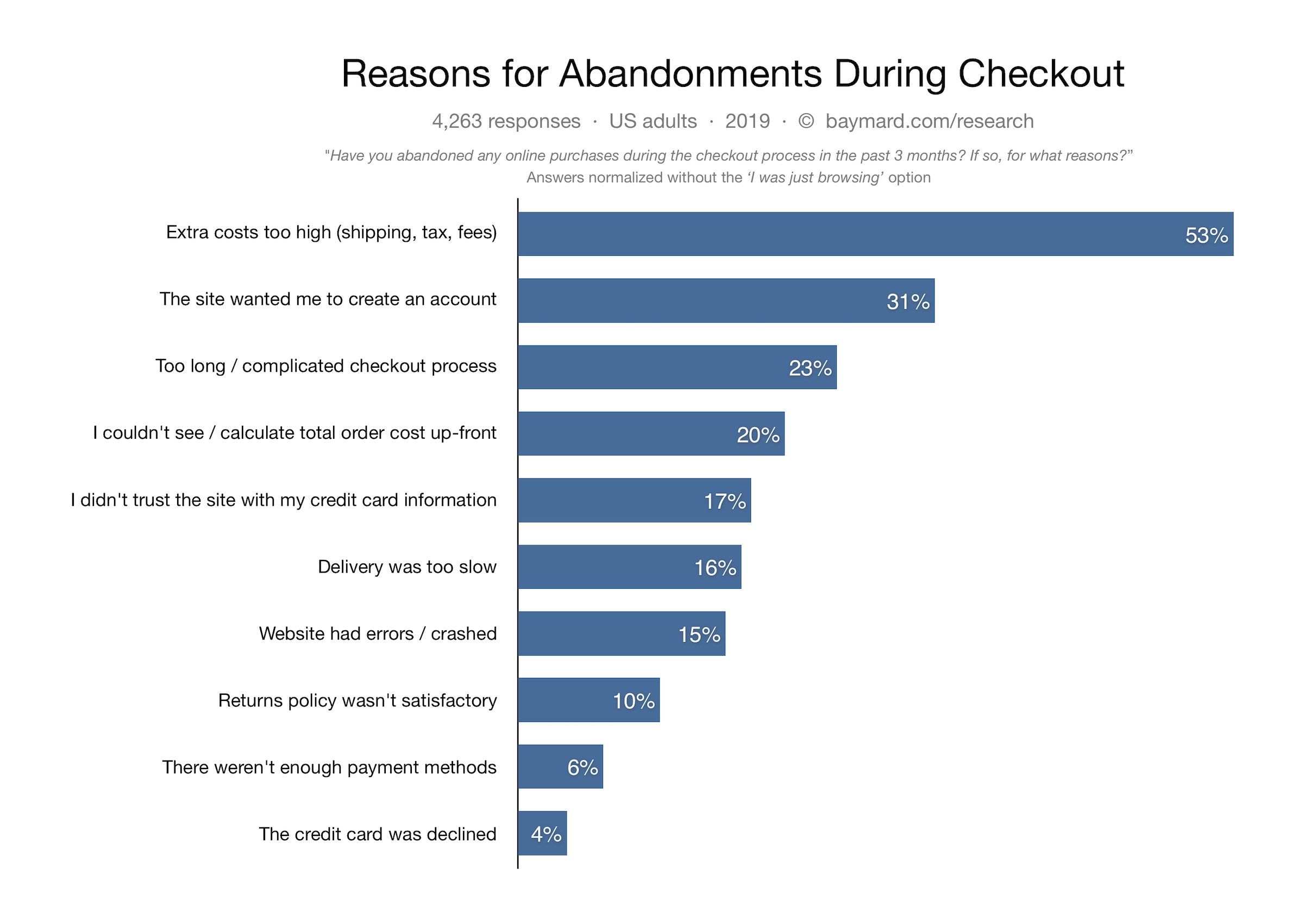
Cart abandonment can have multiple reasons. According to data gathered by the Baymard Institute, some of the causes of cart abandonment are listed below.
Did you know the average cart abandonment rate is 70%? Every 7 out of 10 customers abandon their cart for some reason. The percentage reflects that e-retailers lose out on huge sales due to shopping cart abandonment.
The best approach to reducing cart abandonment and increasing conversions is optimizing your checkout page, and this is what I am going to cover today.
In this article, I will suggest the top 11 best checkout page optimization practices to recover your lost sales.
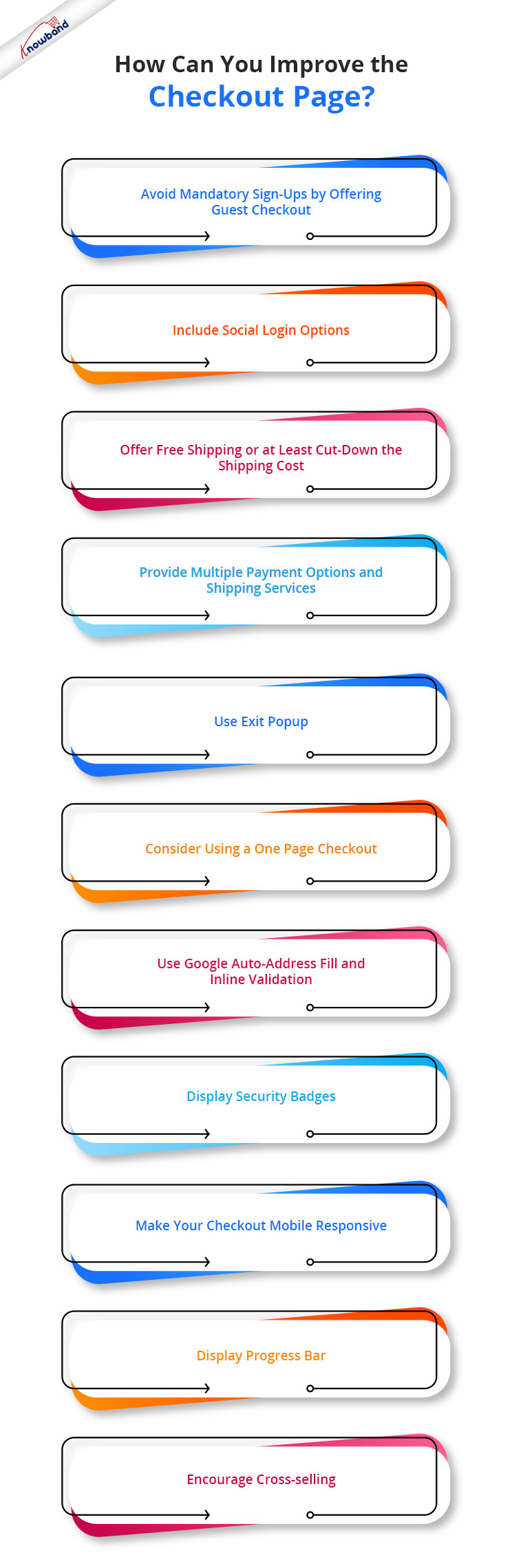
How to optimize your Checkout page?
To contribute to a smooth checkout process and provide your customers with a seamless checkout experience, consider the below-mentioned eCommerce checkout best practices.
1. Avoid mandatory sign-ups by offering Guest Checkout
If we look from a merchant’s point of view, it is quite understandable that they want to obtain customer data for their marketing campaigns but they also need to understand that not everyone wants to be a part of their campaigns, promotions or newsletters.
The percentage of such customers might be low, but it does make an impact on your sales.
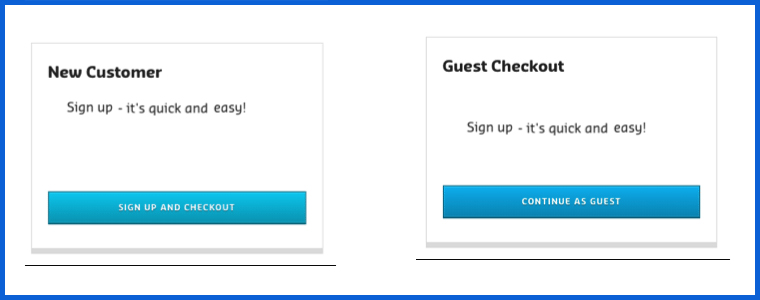
So, skip the mandatory registration process and provide a Guest Checkout facility on your eCommerce website, avoiding the need to create an account. It is one of the best practices for eCommerce checkout optimization.
2. Include Social Login options
While some visitors do not want to register, some feel reluctant to sign-up. The checkout flow is broken and the customer experience is hampered when a registration form is displayed on the checkout page.
Since some websites follow a lengthy registration process, it might compel the visitors to abandon their cart and leave the store.
You can help such visitors by offering them the social login facility, basically something like Facebook login and Google login.
Social login paves the way for a quick checkout by speeding up the registration process, and it also maintains the checkout flow.
It is a single-click registration, considering that the visitor is already logged in to the social network he or she is using to sign in on the website.
Social login is among the effective checkout optimization strategy.
You can try out our Social Loginizer module if you want to offer multiple social login options to your visitors. It offers up to 15 social login options.
3. Offer Free Shipping or at least cut down the shipping cost
Another eCommerce checkout optimization practice would be to provide a free shipping facility to the customers.
High shipping cost has remained to be a disappointment for online shoppers and it is to be of no doubt why it is the major reason for shopping cart abandonment in Baymard’s study.
The extra added amount at the final checkout step unwillingly forces customers to abandon their cart. Some e-commerce stores charge a heavy shipping amount and it is enough to turn away the interest of the customer from the purchase.
To reduce the possibility of cart abandonment and persuade prospects to make a purchase, offering free shipping can be an ideal way.
Free shipping can surely enhance the chances of conversion. It gives customers a sense of joy when the product amount remains the same throughout.
And you do not need to compromise on your profit. You can slightly adjust the product price to absorb the shipping cost.
PrestaShop website owners can try out our Free Shipping Manager and set up their shipping rules to provide free shipping.
4. Provide Multiple Payment Options and Shipping Services
Adding to the checkout page best practices is to expand your payment and shipping options.
Around 6% of the online shoppers abandon the checkout page due to the lack of payment modes and some 4% are left with no choice but to purchase as their credit card gets declined. So approximately, 10% of the people are having payment-related issues.
It can be overcome by offering multiple payment options. It is also important because different customers have their trust attached to different payment modes.
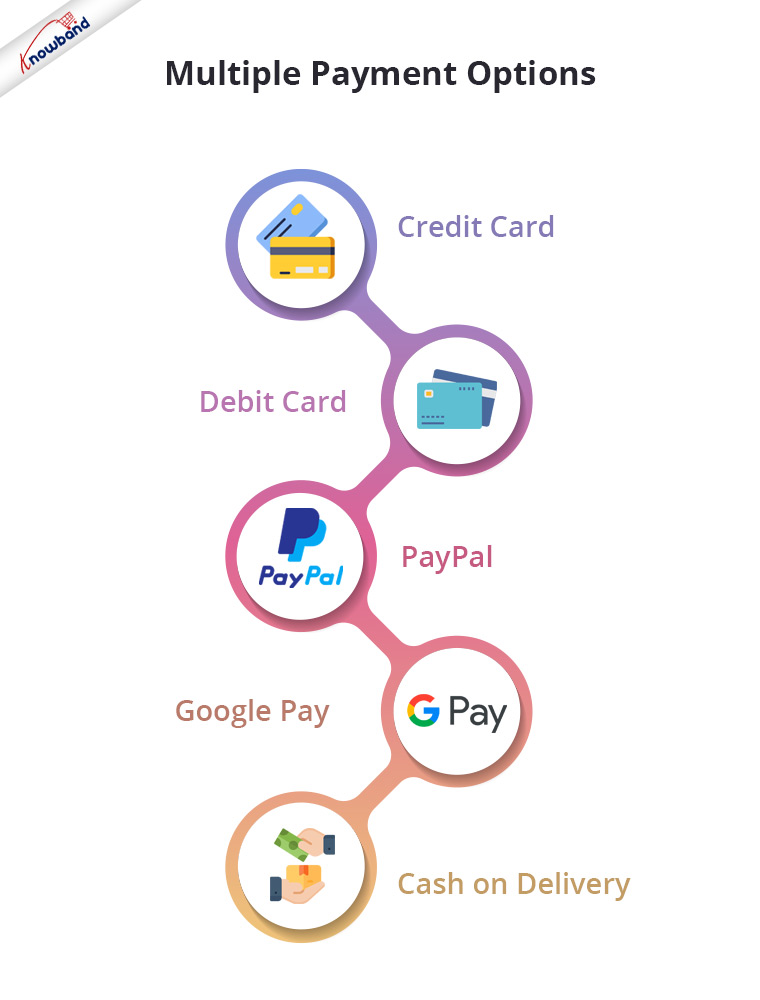
So, let the people choose their desired payment mode from a variety of payment options. It will result in a higher conversion rate. Apart from Credit Card and Debit Card, you must include digital wallets like PayPal, Google Pay, etc. and Cash on Delivery.
Similarly, you should provide people with multiple shipping services. Different shipping stores have different delivery times, so let the users decide how quickly they want their item to get delivered.
Some shipping service providers even guarantee a 1-day delivery and this can be very helpful, especially for a user who wants to receive his/her order within 24 hours.
5. Use Exit Popup
Another checkout optimization tactic would be enticing the shoppers with some attractive offers and discounts when they are about to leave your website after almost making it through the entire checkout process.
Even when you are unable to pinpoint the precise reason why the user is leaving the checkout page, you should try your hardest right up until the very end to persuade them to make a purchase.
It can be done by using the Exit popup functionality. It tracks the mouse movement of the user and displays your store offers as soon as the user intends to take an exit.
Try out Knowband’s Exit Popup. It is a feature-rich module that has so much to offer to make your popup effective. Most importantly, you can enable the exit popup functionality for multiple pages, not just for the checkout page. Check out-
One of the best ways to optimize your checkout process is by implementing a Page Checkout on your website, also called a single page checkout.
This checkout optimization simplifies the checkout process by placing all the checkout fields on a single page. It offers an easy, fast and convenient checkout, and results in a better conversion rate.
I am not undermining the multi-page checkout process but I feel One Page Checkout has a slight upper hand over the multi-step checkout.
To know the in-depth analysis of both the checkout processes, read:
Our One Page Checkout module offers Guest Checkout, Social Login (Facebook, Google and PayPal), supports multiple payment methods and shipping services, and whatnot.
It is a perfect solution to all your checkout problems. We have-
7. Use Google Auto-address fill and Inline Validation
Save users’ time and allow them to check out quickly by enabling the Google Auto-address to full functionality on your website.
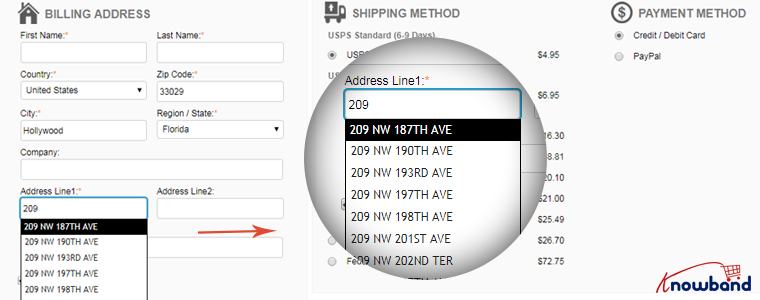
It displays the address suggestions as soon as the visitor types his/her address in the address field. Upon picking up an address, the rest of the address fields are filled automatically.
You should also include the option to use the shipping address for the billing address as well.
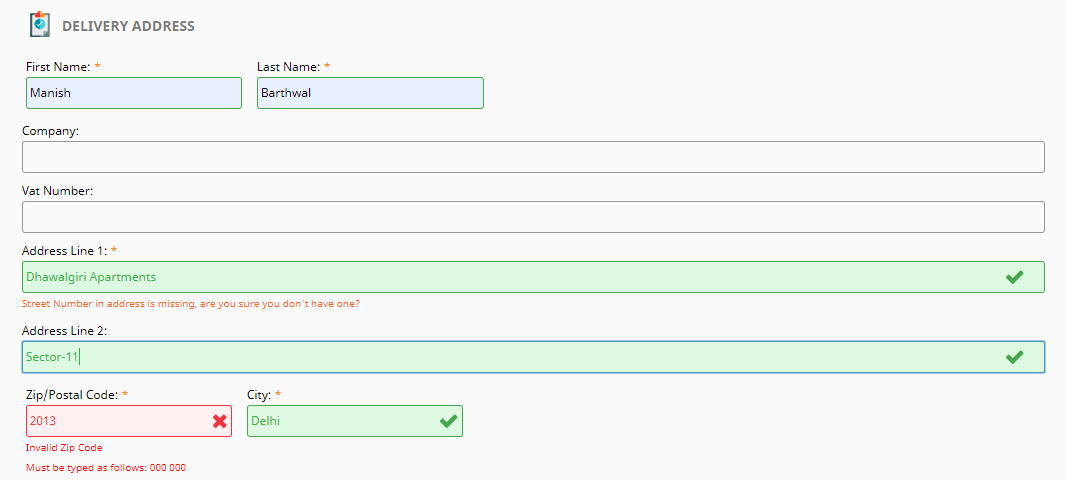
Along with autofill, enable Inline Validation(also called Data validation). It helps a user to identify the mistake while putting up the details on the checkout fields. When the user switches between fields, it checks whether the inputs provided by the user are correct or not.
Both of these methods play a crucial part in eCommerce checkout optimization.
8. Display Security Badges
People often doubt the security level of a website, especially new visitors. They do not trust a site easily and hence they feel a bit of concern when providing their payment details.
Image Source: Conversion Monk
Make visitors feel that your website is trustworthy and their payments are secured. Display them the trust seals. It can include the logos of the payment options, security badges from Norton, McAfee, Padlocks, or even a short text that reads “Fast and secure payment”.
You must also add an SSL Certificate to your website to maintain the trust throughout.
9. Make your Checkout Mobile Responsive
Today, most people prefer to do online shopping via their mobile devices.
According to a report by Statista, 72.9% of all retail e-commerce is expected to be generated via m-commerce, by 2021 and this is the main reason why online businesses are paying more focus towards convenient mobile browsing to ensure their visitors enjoy a seamless checkout experience not only from desktop but also from a hand-held device.
So, make sure your checkout page is mobile responsive if you want to gain high conversions from mobile devices.
A mobile-friendly checkout page is an essential factor in checkout page optimization.
10. Display Progress Bar
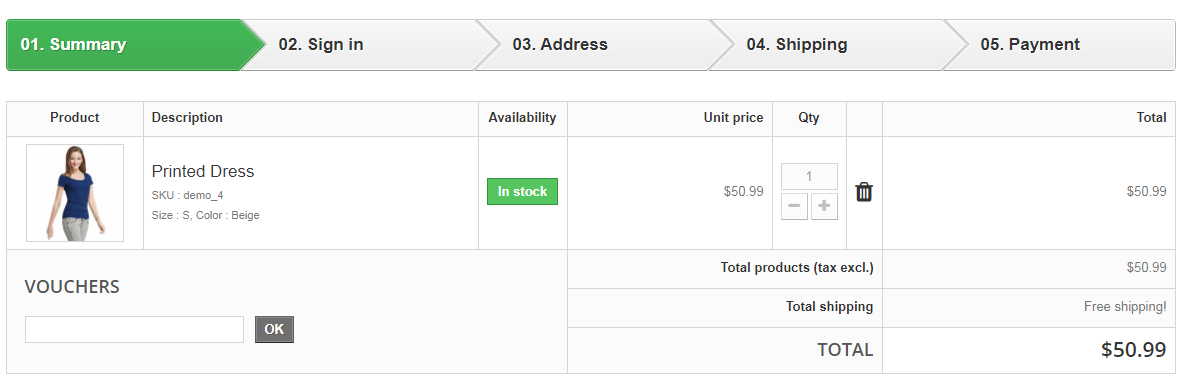
Though I suggested above to have a one-page checkout, you can continue with the multi-step checkout process if you aren’t a fan of a single-page checkout but make sure it displays a progress bar.
A lengthy checkout process can often irk users if they have no idea how long the checkout process is going to take.
Help them by displaying a progress bar/progress indicator so that it is clear beforehand what steps they need to go through to complete the checkout.
People are less likely to abandon the checkout page if they can see their checkout progress.
11. Encourage Cross-selling
When you talk about checkout optimization, cross-selling can never be neglected. Right after the user makes a purchase, display their related products that would go well with their purchase.
Besides, you can at least encourage customers to shop for more by thanking them and providing them with a coupon code for their next purchase.
Optimization of checkout pages is not limited to a few set tactics. You will find plenty of ways to optimize your checkout page, however, I found the above-suggested methods to be the most helpful but it is not as easy as it seems.
Checkout optimization takes a lot of effort and time. You need to keep doing A/B testing at regular intervals to identify what works out the best for you.
Remember even a slight decrement in the abandoned carts can add up a huge amount to your total revenue.
That’s it. If you liked these 11 Checkout Page Optimization best practices. Feel free to add any point which you feel can help in providing a seamless checkout experience.
For any assistance regarding the module functionality, you can reach out to us at support@knowband.com
“This write-up talks about Cart Abandonment and covers sub-topics such as cart abandonment reasons, cart abandonment stats, and it also provides you with cart abandonment solutions that will help you reduce shopping cart abandonment on your website.”
Abandoned Carts are a headache for website owners. It is painful to see shoppers adding items into the cart, but then deciding to give up the purchase on the checkout page. Though it is not in our hands to control abandoned carts, however, there are certain ways to reduce shopping cart abandonment.
What is Cart Abandonment?
When a user adds an item to his/her shopping cart but leaves in between without completing the purchase, it is known as Shopping Cart Abandonment.
Cart Abandonment Reasons
Below are some of the primary reasons for cart abandonment as per Baymard Institute.
Baymard Institute collected the cart abandonment stats of various eCommerce websites and found the average cart abandonment rate to be nearly 70%, i.e. every 7 out of 10 shoppers abandon their cart for some reason.
Statista also confirms the same. And as per the stats shared by Barilliance, abandoned carts are majorly seen in mobile devices.
How to Reduce Shopping Cart Abandonment?
How irking it would be to see hundreds or thousands of visitors on the checkout page but leaving without buying anything. Being a website owner, it feels bad to lose out on those prospects.
But hey! It happens with every online business and like everyone, you should also look for some ways to minimize abandoned carts. After knowing the reasons behind shopping cart abandonment, let’s check out how you can reduce the cart abandonment rate on your eCommerce website.
1. Provide a Clear Vision of the Overall Cost
People usually do not expect the cart value to exceed very higher on the payment page. But sometimes, the additional charges like shipping cost, delivery charges, tax charges, hidden costs and surcharges create a huge difference between the product value and the cart value. Make sure to avoid this.
Be transparent about the overall costs. Display it upfront at the time of purchase. By doing so, at least you do not surprise your customers later and are giving them a clear idea of the total price beforehand.
Or you can simply offer free shipping. This is one of the best ways to reduce shopping cart abandonment. To adjust the shipping cost, you can slightly increase the product price.
Another solution for reducing cart abandonment is displaying security badges.
Online shoppers are highly concerned about sharing their card details. With online frauds rising rapidly in the Internet world, it is not easy for consumers to put their trust into an online business, especially if it is the one with whom they are interacting for the first time.
Consumers have a fear of losing their hard-earned money. Hence, it is important to make customers feel secure about their payment-related stuff.
What is the solution?
Add security logos to your checkout page. Something like Norton Secured, McAffe secure can boost the confidence inside customers and reduce the cart abandonment possibility. Besides, consider making your website SSL certified if it isn’t. By adding an SSL certificate to your domain, your site looks authoritative.
3. Take help of Exit Pop-ups
Exit pop-ups are probably one of the best ways to recover abandoned carts. What’s exciting about them is that they provide you with an opportunity to convert a visitor into customer right when they are about to leave your website.
Through exit popups, you can draw visitors’ attention towards your offerings at the very last moment and encourage them to use it on their purchase. The appearance of an exit popup when the user is trying to exit, leaving the cart abandoned, can bring a significant change in your cart abandonment rate.
This last-minute try can boost your conversions if your offers are convincing. Want to implement the exit popup functionality on your website? Try out the Exit Intent Popup by Knowband which is available for various eCommerce platforms-
Forcing customers to create an account at the checkout page is one of the major reasons for cart abandonment. I seriously do not understand the point of adding this hurdle in between a successful checkout.
I do understand that you want to acquire the customer data but asking for it by breaking the checkout flow is not the ideal way.
So what should you do?
Offer a Guest Checkout as well as Social login. By having these two options on your checkout page, not only you will reduce the cart abandonment rate but also enhance the user experience.
Let users check out as a guest if they are not comfortable signing up. Social login, on the other hand, encourages quick signup.
A lengthy and complicated checkout is one of the primary reasons for shopping cart abandonment. When a shopper is on the checkout page, he wants to check out as quickly as possible. The longer you make your customers wait, higher will be the chances of cart abandonment.
Keep the checkout form short, simple and clean. Avoid filling it with unnecessary elements. Ask for the necessary information only. To make the checkout experience of your visitors smoother, you can go for a One Page Checkout. A one page checkout places all the checkout fields on a single page and lets customers checkout comfortably. Try out Knowband’s One Page Checkout-
It can be frustrating for consumers to be at the checkout page but with no endpoint in sight. They keep filling the information and keep moving to the next pages only to find out that it is a very long and time-consuming process. This eventually leads to customers abandoning their cart.
Use a progress bar to indicate where the visitor is present. A progress bar displays the overall steps a customer needs to go through to complete their checkout and fills as soon as they move further.
It’s better to tell your customers beforehand what all will be required to enter before they could take an exit.
7. Provide Easy Navigation
Make it easy for the visitors to navigate around your website. Do not clutter it with clunky designs. The smoother the journey of your visitors, lesser will be the abandoned carts.
It is still seen in many eCommerce websites that when a user clicks on the back button after filling out a particular page, the entire information is removed and customers are asked to fill their details again. This is annoying for the users.
Make sure that the buck button is fully functional and does not erase the already entered information.
8. Chase Abandoned Carts
Shoppers abandoned their cart? No issues. Go after them. You might not be able to convert all but at least a few of them will surely convert. And if the cart abandonment rate drops by even a small percentage, it can add a significant amount to your revenue.
Knowband’s Abandoned Cart Module
Check out the Abandoned Cart module by Knowband. This lets you track your abandoned cart users and helps you recover lost sales. Through this module, you can specify a duration after which the cart is automatically assumed as abandoned, and then you can remind those users through follow-up emails. You can add a coupon code inside your emails and there are a lot more functionalities in this module. Check out
You just cannot disappoint your customers with the lack of payment options on the checkout page. And it will be heartbreaking to see a customer abandoning the cart because of the unavailability of the desired payment option or not having enough payment options.
People have switched to digital wallets, also called as e-wallets. Thus, having only limited payment options like Credit Card and Debit Card would not be enough. The more options you provide to your customers, the more comfortable they would be while making the payment.
10. Make your Website Mobile-Friendly
M-commerce has already surpassed eCommerce. A majority of people are now using their mobile devices to shop online. This makes it necessary to have a mobile-friendly version of your website. If your website looks appealing on the desktop, make sure it looks the same and is responsive on handheld devices as well. Failing to do so can result in a higher bounce rate and higher cart abandonment rate. Optimize your website.
11. Improve the loading speed of your Web Pages
If your web pages, specifically the checkout pages, are taking a lot of time to load, it isn’t a great sign for conversions, it could severely affect your sales. The slow loading in a website frustrates the customers and he/she ultimately ends up in leaving the cart abandoned.
So, optimize your checkout page and improve its quality and speed. For faster loading of web pages on mobile devices, you could take the help of Google Accelerated Mobile Pages or simply AMP. Knowband provides AMP module for PrestaShop and OpenCart.
Many a time, shoppers abandon their cart because they are not satisfied with the business’ return policy. There is a desire to purchase but due to an unsatisfactory return policy, shoppers decide not to go for the purchase.
Have a good and clear return policy. Provide them sufficient days to return the product if it has got some defects. Users will be more confident while making a purchase.
That’s it. The above-mentioned tips will surely help you reduce cart abandonment rate on your website. Over time, you may find some new tactics as well.
If you want to add something that you feel is missing from this article, do drop a comment below. For any kind of assistance in the modules, contact us at support@knowband.com
When a consumer shows the desire for a purchase, adds the product to his/her cart but drops out of his/her desire at the final moment, the cart is said to be abandoned and the process is known as the Shopping cart abandonment. It is one of the most important aspects of E-commerce and is looked after very carefully by the e-retailers. Cart Abandonment is also one of the major reasons why e-merchants struggle to drive conversions.
It is impossible to eliminate cart abandonment, however, it can be reduced to some extent. There are many reasons why cart abandonment takes place. In this article, I have put forward the top 4 reasons for cart abandonment along with the solutions to curb them.
1. High Shipping price
The unexpected hidden cost behind the product makes it a primary reason for shopping cart abandonment. The additional costs such as taxes, transaction fees add up to the disappointment of the customers. Online shoppers make the purchase decision by looking at the product price, but the unexpected rise in the cost on the payment page leaves the customer with frustration.
Solution: Be transparent about the product price. Try to disclose the final price on the product page itself. If not, keep the total cost in control such that your visitors do not get surprised by the final price.
The best way to tackle this problem would be by offering free shipping. Invesp reports that 93% of the online buyers show the desire to make a purchase if they are offered free shipping and 61% of the consumers are likely to cancel the purchase if free shipping is not offered. PrestaShop Free Shipping module allows yous to set the shipping rules and make the transaction transparent for the customers.
2. Compulsory Sign-ups
Convenience is what customers look for, in an e-commerce store. The journey of an online shopper on your store depends on the kind of comfort you provide to them. Generally, that comfort is disturbed by the mandatory sign-up process. You need to accept that not every visitor wants to be a part of your eCommerce journey.
Solution: Do not force visitors to create an account. Either offer them the guest checkout facility or let them sign-up with the social login option, at least. In fact, I would suggest providing both options. This way, the checkout flow of the user will not be disturbed and you will witness least abandoned carts.
3. Lack of multiple payment options
With so much of payment methods being available, today, customers have set their preferences for the payment modes. If they do not find the desired payment option, they take no time in abandoning the cart. The introduction of e-wallets has made the payment process so easy.
Solution: The web store must provide multiple payment options including all the major payment modes like Credit Card, Debit Card, PayPal, etc. Allow customers to pay through digital wallets. It is the most preferred option by the customers nowadays and helps you reduce the possibility of cart abandonment.
4. Lengthy checkout
A lengthy and complicated checkout process can frustrate a consumer and compel them to abandon their cart. It happens so often that shoppers are asked to provide details that do not even seem necessary. People want to check out as quickly as they can. If they have made the purchase decision, do not create a barrier.
Solution: Help customers to checkout early by offering a One Page Checkout. This reduces the number of steps involved in a multi-step checkout process and presents all the fields related to checkout on a single page. PrestaShop One Page Checkout module allows you to eliminate the unnecessary steps and keep the checkout page simple and clear.
5. Unsatisfactory return policy
Product return policy plays a significant role in the buyer decision process. If your store’s return policy does not impress the visitor, there become certain chances of cart abandonment. Even before making the purchase, online shoppers want to ensure that the product they are going to purchase can be returned in case of a defective or wrong product getting delivered.
Solution: Create an effective return/refund policy. Let your potential customers be relieved about their hard-earned money. Make them believe that they have the option to return a product if they do not find it to be matching their expectations.
Over to You
The availability of plenty of options to the customers has made the concept of online shopping too flexible. A single flaw in your store can force users to abandon their cart. Try to cover every possible area which can cause cart abandonment. Do keep in mind the above 5 reasons for shopping cart abandonment.