Multi-vendor marketplace: 6 Ways to deals with the Post-holiday glitches

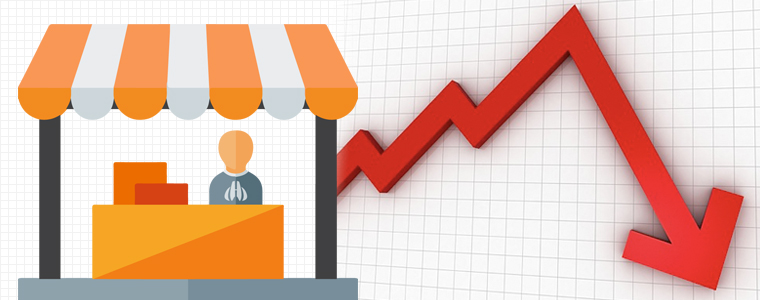
Once the holiday rush is over, the shoppers will enjoy the calm after the storm. However, the month after the holiday season is considered as ‘dark’ for all the eCommerce businesses. The same goes true with the online marketplaces. The post-holiday slumps is something that even the giants in the industry like Amazon, eBay,Walmart and other have to face. It won’t be wrong to state that the small multi-vendor marketplaces will face some major glitches. The key is to keep calm and handle the situation instead of panicking.

Discussed below are some of the tips that can help you deal with these glitches. Check them out.

Extend the offers

Since most of the shopping is done during the holidays, the chances of fall in the conversions are higher post-holidays. However, putting an end to the offers just after the holidays can affect the business even more. The best opportunity to grab the attention of your customer back  after the sales season is the commencement of a new year. You can offer promotions for starting a new year. Even though the customer behavior changes drastically once January hits, this is still a great time to roll out New Year themed promotions. Provide compelling reasons to the customers to return back to the store. Try to keep a balance and do not let the sale fall drastically.

Make use of the wishlist and abandoned carts
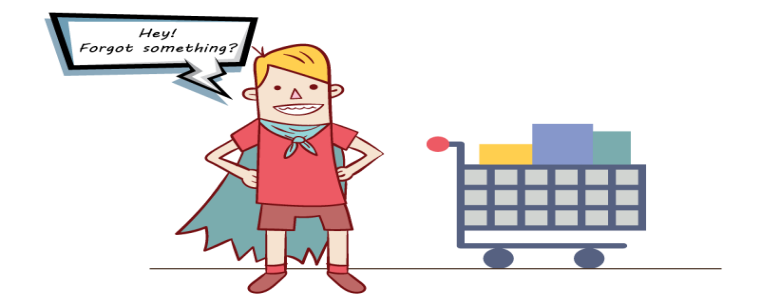
With so many shopping sites and ample options to choose from, the chances of cart abandonment is high. While the shopping bags may be hitting hard on your business structure, it is actually an opportunity for you. Along with an increase in the website traffic, the number of subscribers is expected to increase. Exploit the opportunity and send them reminders in order to motivate them to complete their transaction. Additionally, the online shoppers are in a habit of comparing the prices. They tend to save the products in the wishlist and wait for the prices to drop down. This is the ideal time to motivate them to place the order. The aim is to clear to the inventory. Send them reminders for the price fall. The store owners can even recommend related products based on the wishlist of the customers. Making efficient use of the abandoned cart and wishlists can help you boost the business.

Liquidate the surplus inventory
This is a usual tendency of the shoppers that they consider the products as left-overs after the sale season. Hence, the best way to liquidate the inventory is to start afresh. Here are few of the tricks to accomplish the goal after the busy holiday season.

  • Re-structure your marketing campaign and merchandise your online store in order to amp-up the slow-moving stock.
  • Discount those items that you think are grabbing less attention of the customers. Offer them freebies and incentives when they don’t expect it coming.
  • Bundling is something that can you can learn from the brick-and-mortar store. This is a standard selling technique for merchants. Not just this, it’s the most popular pricing method for retailers. Bundle the related items together and give an impression as if the customers are striking a deal.
  • You must have sold a lot of gift cards during the holidays. Send reminders to the card holders and ask them to shop.

Anticipate the slump in the website traffic
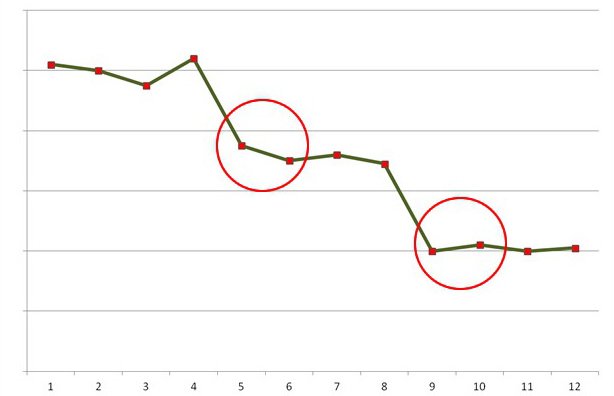
After the hectic season, you just can’t expect the website traffic to be the same. Even your loyal customers will take a break from shopping. In addition, the memory of the customers is short. An elongated disconnect with them can affect your business in the future. This is when social media comes into play. Leverage the power of social media and keep interacting with them.

  • Keep your customers informed about the activities of your store on Facebook, Twitter and other such platforms. Invite them to share their experience. You can even motivate them to participate them photo contest. Provide discount coupons to the winners.
  • Take their reviews and resolve their issues.

Handle the negative reviews

While the customers may forget to appreciate the positive shopping experience, they will never miss a chance of dropping a negative review. Hence, the real task of the e-marketers will being after the holidays. You may not display the feedback in the front-end, but ignoring them may cost you some conversions in the future. So, make sure that you handle the negativity efficiently. Complete the return/refund request as early as possible. In case, you are not providing the best solution to the queries of the customer, then, provide them with the rightful compensation.

Prepare for the Returns/Exchanges
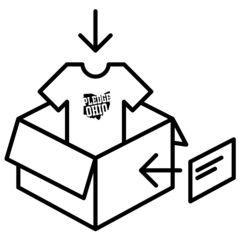
The holiday sales have been going great so far. By the end of Christmas, most of the marketplace and the individual vendors are expected to reach their target. However, along with the boost the sales, the return/refund request is bound to increase at the same pace. Along with this, since there are multiple vendors operating in your marketplace, the chances of conflicts and disagreement is high. Be prepared to handle the chaos that may follow post-holidays. Incorporate live chat options in your eCommerce sites in order to deal with the complains of the customers then and there. Any negative experience is remembered by the consumers and may affect the reputation of the marketplace in the long run. Improve your customer care and resolve the issues of the customers efficiently. Along with the customers, keep the refund/return policies transparent for the vendors as well operating in your marketplace.

Final Takeaway

  • eCommerce operations may prosper after the holiday end all you need to do is to take care of these aspects:
  • Establish the New Year promotions
  • Stay connected with your prospective Customers
  • Create strategies to bring them back to the store
  • Targeted Product Reminders
  • Make the most of abandoned cart and Gift Cards

Related Stories:

Why does your eCommerce business need its own mobile app?

The mCommerce is expected to become as big as the eCommerce. Hence, having an eCommerce mobile app for the shopping site is not a luxury anymore, but an inevitable aspect. While most of the companies have already started upgrading their sites into a complete eCommerce mobile app, a wide gap still exists.

In a world where there a lot of competition at every step, having a website isn’t going to get you the desired revenue. You might have optimized your website to make it mobile responsive, but have you ever thought of having an eCommerce mobile app? Are you still on the fence for trying your hands in mCommerce? Here are some stats that can convince you to have your own eCommerce mobile app.

In case you are intimidated by the complexities involved in eCommerce mobile creation, then, you need not worry anymore.

These alluring statistics are enough to motivate the e-merchants to upgrade their online stores from desktop to the mobile platform. If not, then, here are some of the reasons that make eCommerce mobile apps are a must-have. Check them out.

Change in the consumption behavior

Along with the stats mentioned above regarding the buying behavior of the shoppers, the numbers related to mobile commerce is something the eCommerce store owners need to watch out for. The m-commerce is expected to make up to 50% of the total online purchase. Moreover, Google has brought forth the ‘Right now’ expectation of the mobile phone users has increased. As per a report shared by thingwithgoogle.com, “53% of visits are abandoned if a mobile site takes longer than three seconds to load.… We’ve actually seen that for every one-second delay in site load time, conversions fall by 12%”. Keeping this in mind, eCommerce mobile apps is surely one of the solutions to deal with the changing behavior of the customers.

Mobile experience can affect your branding

Latest research have proved that the mobile brand experiences are crucial to customer satisfaction. Speed, relevance and personalized contents are few of the factors that affect the overall user experience. Besides, people today have twice as much interaction with brands on mobile devices than the other medium such as desktop computers, TV and others. Thus, the eCommerce mobile app is one of the most intuitive media for the marketers to build their brand equity. Every time a consumer has a good experience with your mobile store, it raises the bar of your brand image. In addition, it even raises the expectation of the consumers. Countering this expectation of the online shoppers is easier with an eCommerce mobile app. Easy browsing, simple navigation, filters and site search saves the time and effort. Thus, boosting the brand recognition of the store. Moreover, the easy accessibility of the store increases with an eCommerce mobile app. Thus, it boosts the chances of store browsing as well as conversion.

Cultivate customer loyalty

Customer interaction and engagement is one of the best ways to get the much-needed customer loyalty. This loyalty, in turn, is the key factor in the customer retention. Bringing the entire eCommerce store in the pockets of the customers is one of the best ways to engage them. The options like reward points, gift cards and others are some of the features that are built around to cultivate the loyalty. The online shoppers are increasingly making last minute plans. Keeping pace with the expectation of the customers who wants everything at their fingertips is nearly impossible without an eCommerce mobile app store. In addition, 46% of the consumers say that they would buy if they find the mobile experience uninterrupted. Achieving this loyalty is not an easy task when it comes desktop websites.

Tap the gen-next target audience

The online companies need to focus on the tech-savvy younger generation. They make the marginal portion of the target audience. The issues such as fat-finger problem and others are not a concern for the next-generation shoppers. This is when a mobile app can come handy for the eCommerce store owners. Along with the factors like load time and easy navigation, there are many other expectations that can be fulfilled with the help of a mobile app. The voice search technology, location-based searches, incorporated GPS are some of the features that can be catered with the help of a mobile store. So, upgrade your site with a robust eCommerce mobile app maker and tap this customer base.

A better promotion tool

The fact is that the handheld devices is the quickest means to reach out to the customers makes it the most proactive marketing tool. In addition, the mobile app includes the option of push notification. It may be considered as annoying by some, but is still the most effective promotional tool. Other than this, the social sharing options can even enhance the visibility of your store on the social media platform. There are some mobile apps that can even work offline. Thus, it provides a 24/7 interface to keep the customers informed about the offerings of your store.

Outperform the competitors

The number of eCommerce websites is on the rise. However, not every site is upgrading for the mobile platform. Thus, the store owners who have already tried their hands in the m-commerce scenario has an undefined edge. The mobile apps not just boost the businesses, but it can even help you find the competitive advantage. With the ease of online transaction and personalized marketing strategies, you can outperform your customers who have still not entered in this field effortlessly.

Apps vs mobile sites

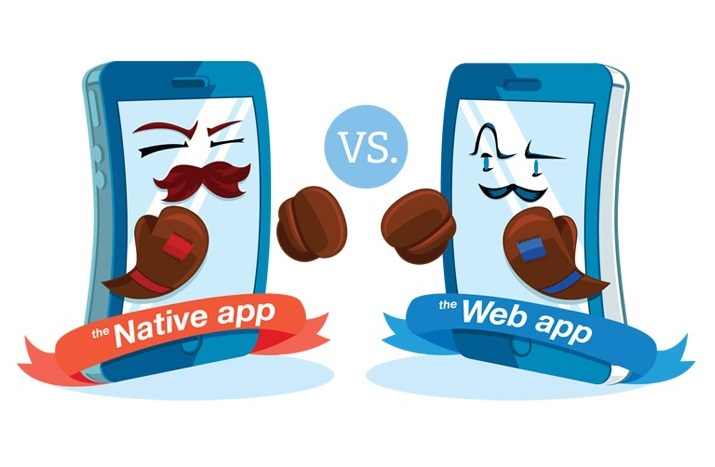
If your goal is to offer user-friendly content to the widest range of target audience, then, a mobile website is perfect. Mobile websites have a broader reach and are accessible across platforms. Online shoppers want web pages to load quickly. However, mobile browsing is usually accused to be slow. This is one of the reasons what gives an edge to the native eCommerce mobile apps. Moreover, the hardware features of the mobile devices are accessible with the apps. The features and like animations and high-resolution images may take a bit longer to load when it comes to websites. An app is an easy means to incorporate them. 10 major reasons why mobile apps are better than mobile websites are discussed here.

Excellent direct marketing channel

One of the biggest positive points of the eCommerce mobile app is that it offers a direct marketplace channel to the store owners. With an app, you can constantly stay in touch with your prospective customers. Moreover, the push notifications of the eCommerce mobile app is a much easier option to reach out to the shoppers regarding the various offerings of the store. Investing in an eCommerce mobile app will definitely cost you a lot in the beginning, but as a long-term investment, the benefits that you’ll have are countless. Moreover, there are budget-friendly solutions available allows the CMS based sites to have their own mobile app. There is eCommerce mobile app maker for Android/iOS for Prestashop, Magento, OpenCart and other platforms. The Prestashop Android/iOS mobile app builder, Magento mobile app maker, OpenCart eCommerce mobile app maker can effortlessly create an eCommerce mobile for the respective platforms. Top ways in which push notifications can increase the sales of your store are discussed here.

Better connectivity with your customers

The motive of your online business apart from converting the visitors into customers which can be achieved only by keeping them actively engaged with your site. While designing an eCommerce mobile app,  try to go for such responsive UI which keeps you stay connected with your customers. If you look closely, you can stay connected with your customers through Push Notifications about the fabulous deals currently being offered to the shoppers. In fact, personalized offers and discount coupons are a part of mobile apps that make your customers return to you time and again.

Final words

Can you deny the fact that the world has gone mobile? You won’t deny that the majority of shopping and browsing is generally done on smartphones. With the newer technologies available in smartphones, people have stopped spending a lot of time on laptops and desktops. If you take a look at the stats, you’d know the number of apps on Google Play, Apple App Store, and others has increased remarkably. This makes sense because people are going mobile and in order for companies to reach out to their potential customers, a mobile app is absolutely necessary.

It won’t be wrong to state that a mobile application can rekindle the user experience of an eCommerce store. KnowBand understood this concern and has brought automated Mobile App Builder plugin for various eCommerce platforms like PrestaShop, OpenCart, Magento, Magento 2, WooCommerce and Shopify. All the eCommerce store owners out there who are running their online business on these platforms can now easily go mobile. With such pre-configured solutions, they get complete access to design the mobile app and control every bit of its working. Here, is the simplest process to create an eCommerce mobile app in a few clicks:

Step 1: Purchase the automated Mobile App Builder module from the KnowBand store.

Step 2: Share all the specifications/requirements regarding the app with us.

Step 3: Get the APK/IPA in no time for publishing the same on app stores.

Moreover, for hassle-free publishing of mobile apps on Google Play Store and Apple App Store, refer the following articles:

How to publish an app on Google Play Store?
How to publish an app on the Apple App Store?

Get along with some other informative articles:

2018 Alert – The Future of Email Marketing

Not only email is one of the most cost-effective ways to reach out to the target audience, it is a promotional means that even the customers prefer. Emails are 40 times more effective when it comes to acquiring new customers as compared to the various social media platform. In the year 2018, it is expected to grow by 3%. In 2018, big data is expected to become even bigger. The e-marketers will collect more data before creating the email campaigns.

As we are at the end of the 3rd quarter of the year, here are some of the takeaways for email marketing:

With a close eye in the statistics mentioned above, here are some of the trends that are expected to be the game-changer in the coming year.

Optimized email for mobile

The mobile-first users have been on a rise for quite some time. This year observed a marginal increase in the mobile users. It is needless to say the mobile devices will soon the over the desktop computers. The responsive design will no longer an additional benefit. Here are few of the tips that you can consider in this regard.

  • It is, in fact, a must have. The consumers will attracted to the contents with compelling images even in the future. Moreover, 1 second delay in the load time leads to 7% drop in conversion.
  • So, the best way to deal with this situation is to reduce the file size without compromising the quality.
  • Increase the size of the links and the call-to-action buttons.
  • Go for the responsive email templates.

Dynamic content

Artificial Intelligence (AI) and machine learning technologies are the future of e-marketing. It is surely a factor to find an edge for your email marketing campaign. Adobe is one of the companies that has already geared up for the futuristic technology. It is high-time to get ready for the e-marketers to delve into AI. Along with this, content remains the king year-on-year. Without a dynamic content, you can’t convince your customers to take up your solutions. The use of videos in the email marketing campaign occupies a top spot when it comes to ensuring conversions. Embedding videos and other animations can speak volumes about your brand. The playable links are a neat way to connect the content of the email with the website or your YouTube channel. Thus, subtle promotion can increase your site traffic.

Leveraging the power of social media

While social media has made its impact in every aspect of eCommerce, email marketing is no different.This is one of the latest progression in this aspect. The good marketer should not leave any chances of increasing the social media followers. Integrate the social sharing options in the emails. This gives you another platform to engage your target audience and boost the popularity of your site on the social platform. Listed are some of the things that you can do in this regard:

  • Add social sharing icons in the email, so that, the customers can directly like your pages instead of searching for them Twitter, Facebook and others.
  • Invite them to connect with you by hitting the subscription button.
  • Provide them incentives in return of the Like, Share, Retweet and others.
  • With the introduction of artificial intelligence in e-marketing, a smarter inbox could be closer. In fact, the softwares are already out that analyzes.

Leveling up the interaction with gamification

Gamification of the websites has leveled up the engagement of the eCommerce store owners in terms of customer retention and better engagement. Even the interactive email subscription pop-ups has proved a boon in increasing the subscription of the sites. The interactive design and function will help the e-marketers boost engagement among the customers and increase leads. Here are some of the innovations that you can include in the email marketing campaign.

  • The countdown timers can create an impression of urgency and motivate impulse buying.
  • Invite the customers to participate in poll, quizzes and surveys. Offers them discounts in return. This would give them an impression of hitting a bargain. This can boost the conversions even more.

Watch out for the spam

2018 will see an increase in the spam protection. The e-marketers will have to ensure that the recipients have opted-in to receiving the emails. Otherwise, there will be larger chances of SPAM compliant. The best way to make sure that the emails are going to the inbox of the receiver is to send them to people who have asked to hear from you. Do not tarnish your reputation by sending the mails to people who haven’t asked to hear from you. Sending the emails to the audience who are looking forward to receiving, increase the chances of getting your domain white-listed. Since, Google is constantly changing the algorithm, the e-marketers need to stay abreast to them and manage their campaign accordingly.

Concluding words

Even in the year 2018, email marketing will continue to be at the center of business to consumer communications. Even though it is considered conventional, the promotional emails will continue to contribute to the conversion of the eCommerce sites. Along with the growing popularity, the technologies in this field is increasing as well. The MailChimp automation module and tools like this can help you accomplish your goals with minimal effort. However, just sticking to the marketing tools is not enough. Make the email triggers interactive and add a bit of innovation. Keep testing if the emails are any good for your conversion. Revamp your email strategy as per the changing trends and the results shall continue to pour.

Related Stories:

Dealing with Poor Conversions? 5 Reasons and Guaranteed Tactics
Low conversion rate is something that almost every eCommerce business owner is battling. With the increase in the number of companies delving into the online trading scenario, this issue is expected to become even more prominent.

The fact is that the real killers of conversions are minor and this is why they are usually overlooked. So, before you find a solution, you need to dig deep into it’s root cause. Listed below are some of the reasons of poor conversions and the tactics for dealing with them. Let’s check them out:

Reason 1: You are missing out the chunk of mobile users

Img Source: rapidboostmarketing.com

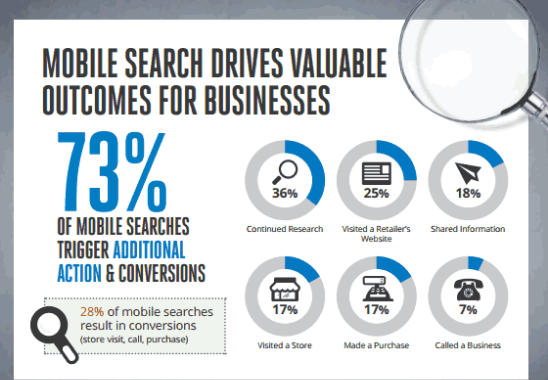
As per a report, 73% of the mobile searches triggers additional actions. Additionally, 28% of the mobile searches result in conversions. If your eCommerce site is not mobile-responsive, then, the online shopping with a smartphone can be summed up in one word – pain. No wonder, 61% of the mobile phone users get frustrated by the shopping experience and move to the competitor’s site. In case, your website is not responsive or not mobile-tested then, you are definitely losing some chances of easy conversion.

Solution:

Make you website mobile responsive. That is, optimize your site so that contents and the images shrink automatically to fit the smaller screen size. In addition, AMP site is a natural fit for the eCommerce companies. Optimize your site as per the AMP guidelines of Google for a better browsing experience of the customers. Upgrade your desktop website into a mobile application. The mobile app builder for the various platforms like Prestashop, Magento, OpenCart and others can help you convert your site into a mobile store.

Reason 2: You haven’t optimized your content

Your web page content must add value to what you are promising to your customers. Visitors should clearly see on the landing and product pages why they should opt for you over others. One of the biggest reasons when you fall short of the desired conversions is when you are not in sync with the changing trends and the customer’s requirement. This is not it! The search queries and browsing, as well as shopping behavior of the customers, are changing with time. Earlier, the contents of the websites were focused on keywords. However, the customers these days tend to search queries instead of just keywords. The location-based searches are on the rise.

Solution:

Along with the keyword, include the long-tail queries in your content. The web contents should include the solution to the queries being searched. Moreover, the search volume of keywords like ‘Best’, ‘Top’ and others have increased. Not saying abreast with this change may be one of the reasons why your customers are not landing on your website. Go for local SEO and provide location-based solutions to the problems of your target audience. The entire content should be curated keeping in mind two questions, ‘Who is your customer?’, ‘What your customer wants?’.

Reason 3: Your CTA is not performing

The call-to-action triggers are the final sale pitch that is responsible for directing the customers to the checkout page. While the store owners might consider is just a button, it is a proven fact that even they can cripple the conversions.

Solution:

The CTA should be immediate and clearly visible to the visitors. Remove the distraction from the around the buttons. Check if the visitors are paying attention to these triggers or not. Make the necessary changes accordingly. Choose the right color combination for maximum impact. Use the low-fiction text for the same like ‘Check out’, ‘Get’, ‘Earn’ and others. Create options and do split testing to get the right solution.

Reason 4: The pop-ups are annoying

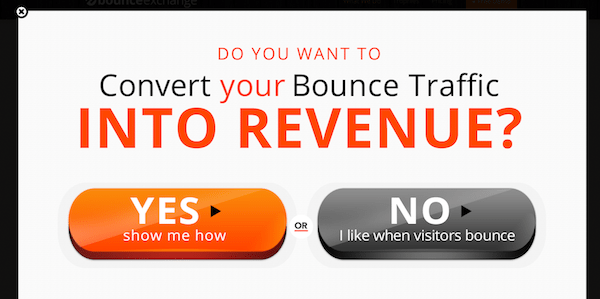
The conversion is not only affected by the amount of traffic you are getting on the website. The customer retention is another key aspect. The average session duration of a shopping site is just fringes of seconds. User often leaves a web page in 10-20 seconds. This is when the exit-intent pop-ups come into play. It might sound conventional, but it actually works. In fact, this is one of the most converting elements of a website. However, making the scroll bars or exit pop-ups intrusive can kill your site’s performance. Being too aggressive while curbing the exit intention of your site visitor can, in fact, affect the conversions adversely.

Solutions:

The very first trick to reduce the negative impact of the same is to test the pop-ups before making it live. A/B testing can help you find the exact effect it’ll have on your visitors. The pop-ups with aggressive messages like “No, I don’t traffic on my website and” can give a wrong message. Keep the tone of the messages displayed positive.

In addition, gamified exit pop-ups such as spin and win can really keep your visitors engaged for a longer duration. The more time they spend on your site, the better are the chances of conversions.

Reason 5: You are not redirecting the visitors to the checkout page

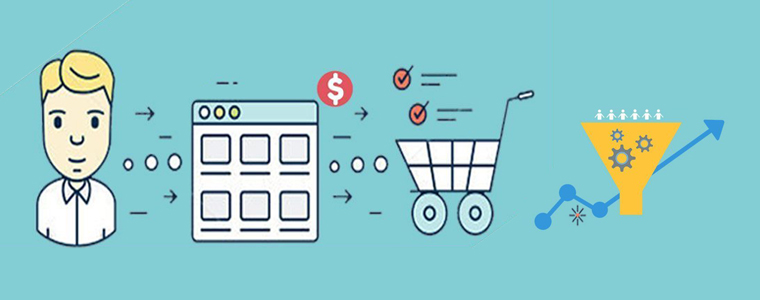
Right from poor landing pages to the lengthy checkout procedure, everything is an aspect of the inefficient conversion funnel. Only a seamless shopping experience can redirect the visitors to the payment gateway. In case, the customers are landing on your website, but are not converting into paying leads, then, probably you are redirecting them properly throughout the transaction.

Solution:

A poor landing page is probably the first in the list that is responsible for a low conversion rate. Make sure that you focus on the visual merchandising of the category pages. Proper navigation and filters can help the customers land on the desired product page. This also includes using A/b testing tools that create landing pages on the fly with very little effort. The product page should be optimized and informative enough to present your sales pitch in the best possible way. High-definition images and product videos can provide the customers with the much required clarity. Product tab module which creates information tabs on the product page is one of the ways to make optimum use of the limited space. Once the customer clicks on the ‘Buy Now’ button ensure a flawless transaction. Instead of making it a long and tedious job, go for the one page checkout.

Conclusion

Proper tracking can make a world of difference to your conversion rate. Learn to counter your mistakes from the brick-and-mortar store and focus on the minor changes that are required to deal with low conversions.

Related Stories:

Knowband becomes a Prestashop Partner Agency

Having made a mark as a leader in the eCommerce space, Knowband has always been focused on offering simple solutions to build, manage and develop a successful online store. Under the registered name of Velocity Software Solutions, we are already ranked 52nd amongst the Indian Companies appearing on Deloitte’s Technology Fast 500™ Asia Pacific list. Competing with other countries on the list, we have tiered the 421st position with a growth rate of 120%. Achieving yet another milestone, Knowband is overwhelmed to announce that we are now a Prestashop partner.

As far-seeing and progressive team, we were allocated the SuperHero Support Badge by Prestashop in the very beginning. One of our modules, One Page Checkout, was even marked as ‘Favorite’ on the addon store. With over 60 plugins on the addon store, we are successfully enabled 10000+ clients to thrive in a competitive market regardless of size, industry or revenue. We boast of top-grade solutions for the various eCommerce platforms – Magento, PrestaShop, Shopify, OpenCart and others.

Our expertise in Plugin Development services ensures functionally smart plugins for meeting the need of the competitive industry. The mobile app builder for iOS/Andriod designed and developed by our intuitive development team can help you stand apart from the crowd.

Some of our best selling plugins are:

Best-in-class services and the world-class solution can provide you the competitive advantage and this is what you can expect from Knowband.

Addon store: https://addons.prestashop.com/en/149_knowband

11 Checkout Page Strategies to Improve Conversion Rates

This is no secret that the checkout page of the site is one of the deciding factors that contributes to the customer’s purchase decision. Whether it is the checkout page or the payment options, there are a lot of reasons that can hamper your conversion rate. If you take a closer look at a customer’s behavior, you’d find that the majority of them select the product from the site and add them to the cart. It is then in the last step where they have to add in their details and make the payment where they bounce off the page. No e-merchant wants to lose a customer at the end of the entire procedure. Conversion Rate Optimization is a technique that lets you observe the behavior of the customer and modify the checkout page so that maximum number of them convert.

Looking at the conversions, this blog will detail you about 11 such checkout page strategies that will help you improve the conversion rate of your online store.

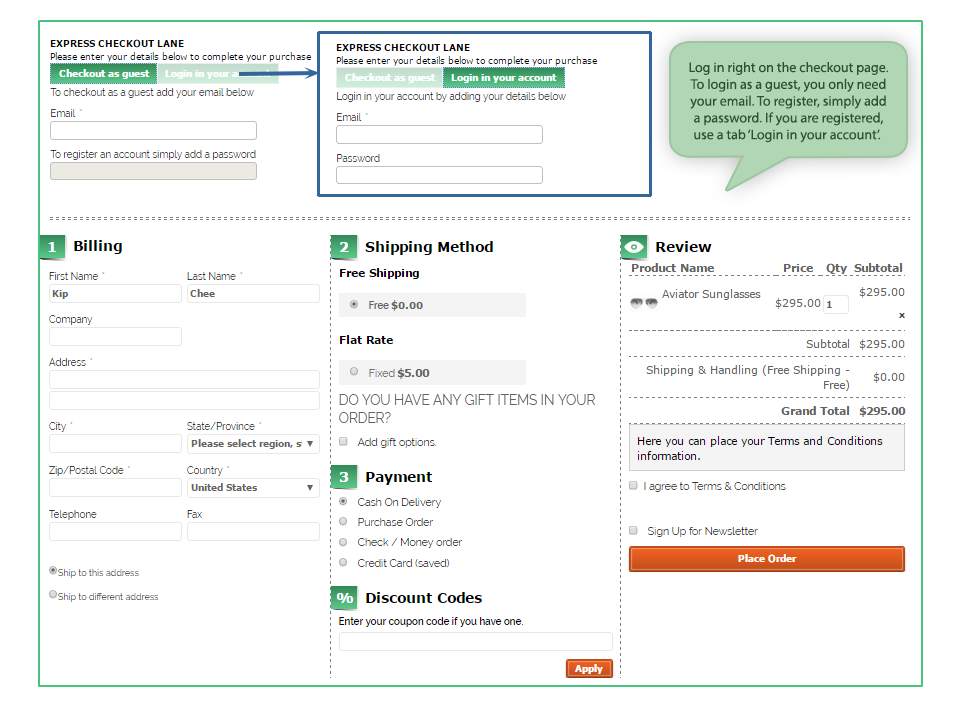
One Page Checkout

With advantages and disadvantages of both one page checkout as well as multi-page checkout, you should be focusing on simple checkout process that lets your customer feel good and saves their time as well. In fact, quick checkout is one way that does not give your customer to think a lot about their purchase and that’s where they hit the payment buttons. Keep everything short and crisp with minimal information being typed in, it is the drop-down menus that work quite well. For example, when you ask for the zip code, the rest of the details can be generated within that area and all that the customer has to do is – select from the drop downs.

Probably this is the first thing that makes a visitor or customer stay on the checkout page. From the CTA buttons properly placed on the top as well as on the bottom of the page to a streamlined page that has everything properly clustered, everything can be counted in order to make the page visually appealing. Some of the factors that come with the appearance of the checkout page include:

Security seals- if you want your customer to know that you’re trustworthy, you should incorporate security seals like VeriSign and TRUSTe. After all, nobody wants to let their money and efforts go down the drain.

Appropriate colors of the buttons- this might be an old practice to differentiate the color of the Call to Action (CTA) from the entire page but it still works. Let them decipher which button takes them to the next step.

Don’t be pushy for account creation

When you force your customer to become a customer by registering on the store, it might just annoy them. You can gather the details by also by asking them to login/sign up for their social media accounts. Every person has a Facebook or Google account which can be used as the login details. You can pick all the details from there and this won’t even look pushy from your side. Moreover, you can also keep an option of “Checkout as a Guest” on the page. This one scores more points than the other one.

Give an option to “Shop more” or “Continue Shopping” on the same page. Some customers are new to online shopping and land up on the checkout page once they add something to the cart whereas; they want to add more things at the same time. So, make sure you give an option to them that lets them go back to the landing page and pick everything that they wanted to one after the other. When the accessibility of the different pages at the store is within reach, a customer will surely convert.

Include proper links to the different pages

Another way of making your store come across as an accessible one, you can include important links on the checkout page. Some of them include the links to the FAQs, Shipping policies, privacy and refund policy pages to enable users to refer to them if they have any doubts. The option chatbots or the help box is an ideal option. It helps the customers when they get stuck or are in need of help.

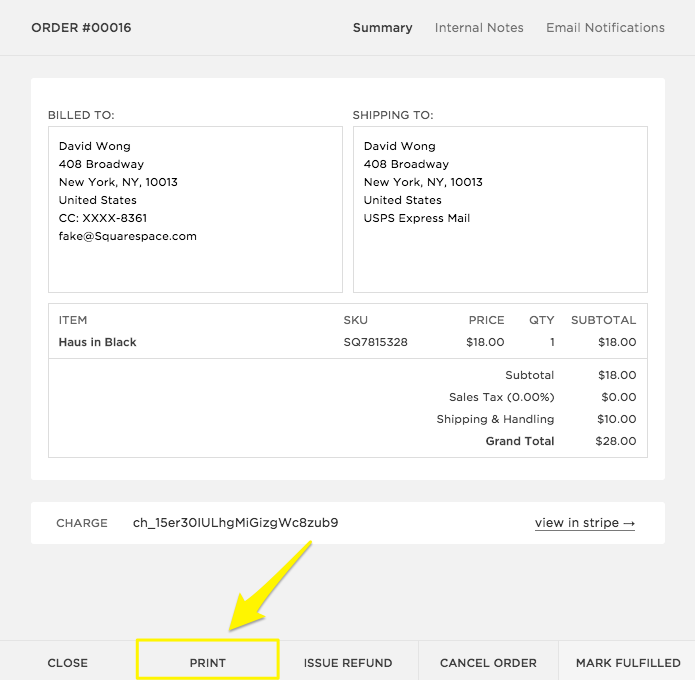
Insert the option of printing the order summary after the transaction is done

Once the customer converts and makes a purchase from your store, your job does not finish there. There are times when they want a copy of the transaction made in order to get it reimbursed or show it someone else. For those times, there should always be an option for them to print a copy of their purchase from the store. The percentage of such sales may be small but incorporating this feature will help you convert a variety of customers.

Recommendations should have their space

Showing the recommended products in the footer is an excellent strategy to increase sales. Just like Amazon gives a series of options that “customers bought these together” and other recommendations, you too should be doing something like this. When you insert the suggested products on the same page, there are chances that the customer picks both of them or more products on the go.

Avoid hidden charges

You know what leads to abandoned carts? Hidden charges do. One of the biggest reasons because of which you find your customers leaving the site is the surprise charges that make the entire a lot more than the shopper expected. Avoid such practices and give a heads up to the shopper about the money that’s included so that they’re prepared to pay that much. Clearly show your shipping, handling charges and tax fee. Nobody likes surprise additions in the charges for sure.
Give Users the Option to Update Quantity

Allow users to add or remove cart items right on checkout page so that they don’t have to go back to do so. Making them go back to update their cart can possibly result in them leaving the process altogether. On the checkout page, make sure you still give an option to change the quantity of the product that your customer is going to buy. There are times when they later (of the shopping stage) feel that “this should be bought more” or “I should buy less of this” and that’s where the carts are abandoned because they have to go all the way back to the product page and make the changes. Hence, let them change it there.

Have a video

Videos are a great way to engage the customers and give them a better understanding of products that are a little complex. Incorporating a video of the products is a great way to increase the chances of conversion because a better understanding of the product creates a sense of credibility about your site and thus, leads to conversion.

Offer Free Shipping

If it is within your reach and doesn’t hamper your profits, offer free shipping. If you charge about $10 for an amount of $30, the conversions will be extremely low because who would want to spend an extra of $10 on such a small purchase? Free shipping is like Abra Kadabra for your conversions.
This is definitely not the end, but these are some of the most important ones. As you keep a track of the activities through A/B testing or using Heatmap tools, you’d be able to make changes according to the behavior of your customer.

Related Stories:

What are sandbox sites in eBay Marketplace?

Step 1: What is Sandbox?

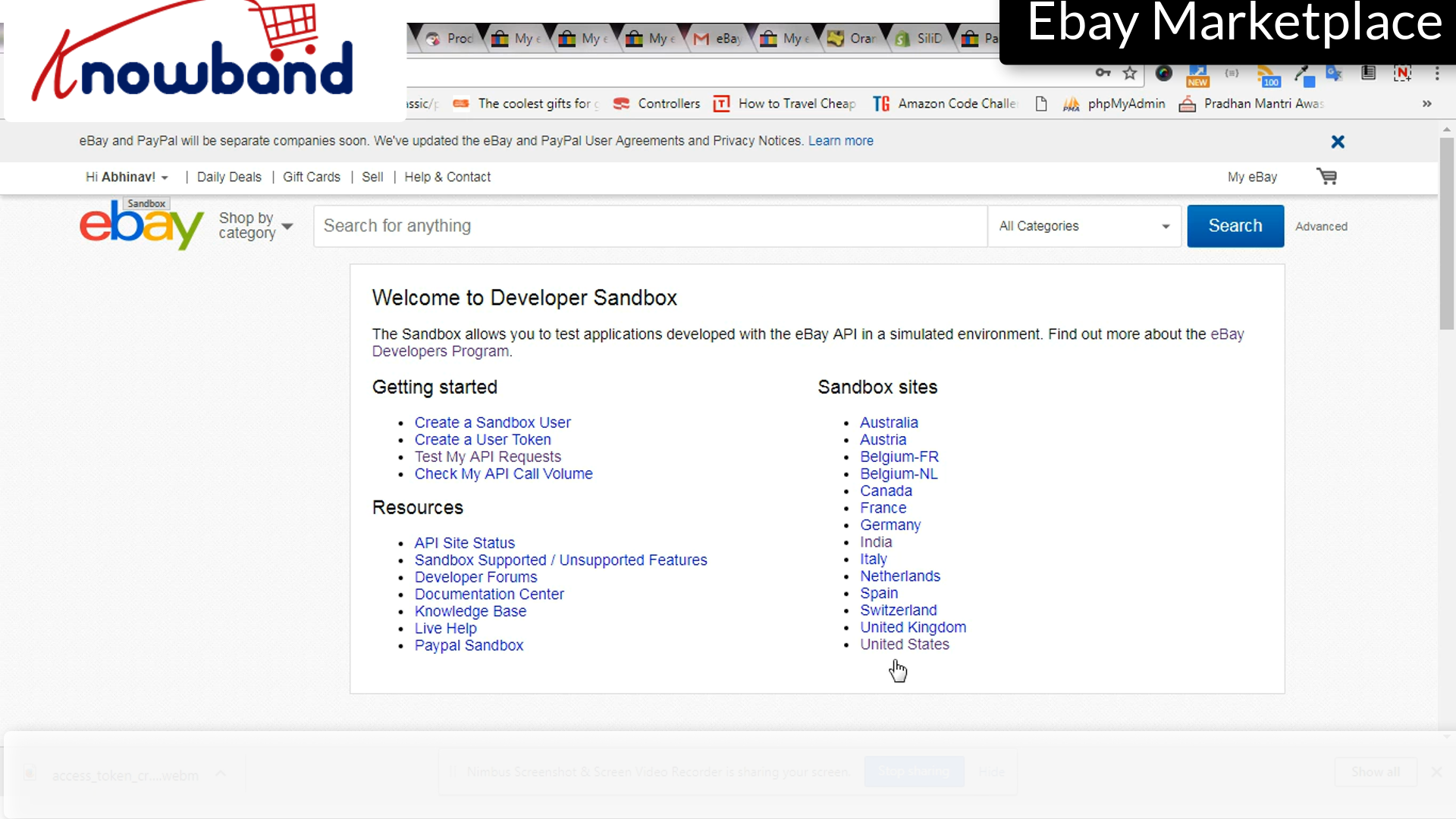
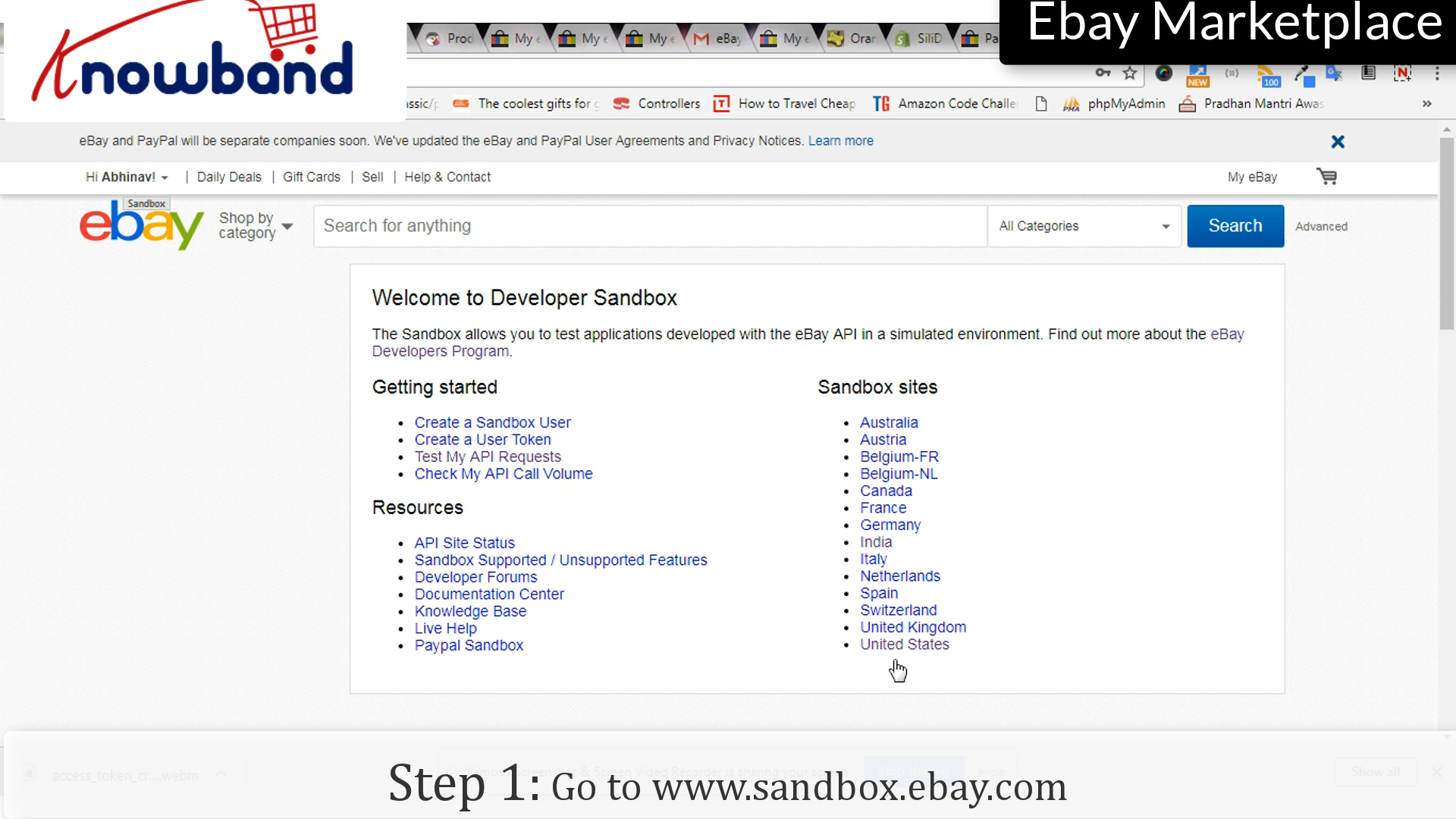
Go to www.sandbox.ebay.com. eBay provides the sandbox environment. It is a special environment designed just for testing, and an application that targets the Sandbox can perform all the operations it can in the Production environment. This allows you to test applications developed with the eBay API in a simulated environment.


This duplicates much of the functionality that is on the eBay Web site. It processes API calls in exactly the same manner as does the Production environment, and it includes a subset of the eBay site’s Web pages. The difference is that all the users are test users (created by developers like you) and all the money exchanged is test money.

Their test users are virtual eBay accounts that exist only in this environment. These accounts represent the user entities that partake in the mock transactions you create as you run your application in the testing phase.


eBay provides this environment. This is a special environment designed just for testing, and an application that targets it can perform all the operations it can in the Production environment.

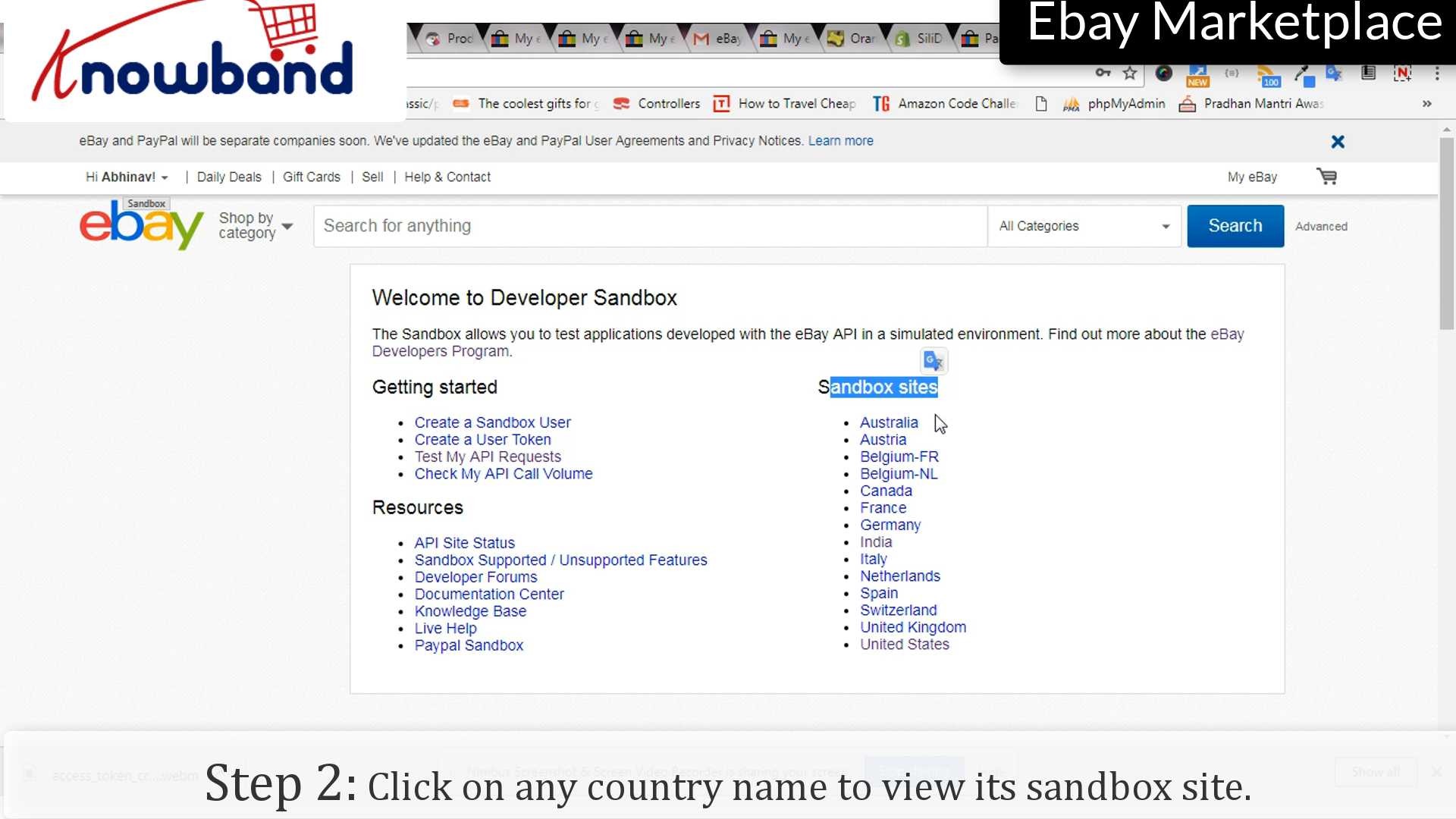
Step 2: View the eBay sandbox site

Click on any country name listed to view the sandbox site for the same. Here you can find all the listed sites.


For any query, please contact us at support@knowband.com.

Related Stories:

  1. How to create Access Token in eBay Marketplace?
  2. How to create Seller Account in eBay Marketplace?
  3. How to list a product in eBay Marketplace?
  4. How to revise and relist in eBay Marketplace?
  5. How to Launch a Marketplace like Etsy and Ebay?
  6. How to Rank Higher and Get Your Listings Seen in eBay Search?
  7. How to Create eBay Application to Get Required API Keys and User Token?
  8. What are sandbox sites in eBay Marketplace?
  9. 4 Ultimate Tips To Increase Sales On eBay

How to revise and relist in eBay Marketplace?

After listing once, there may be many times when you will be required to change the details or even delete the listing. It provides easy steps for these modification processes, here’s how you do it:

Following are the steps to revise the list:

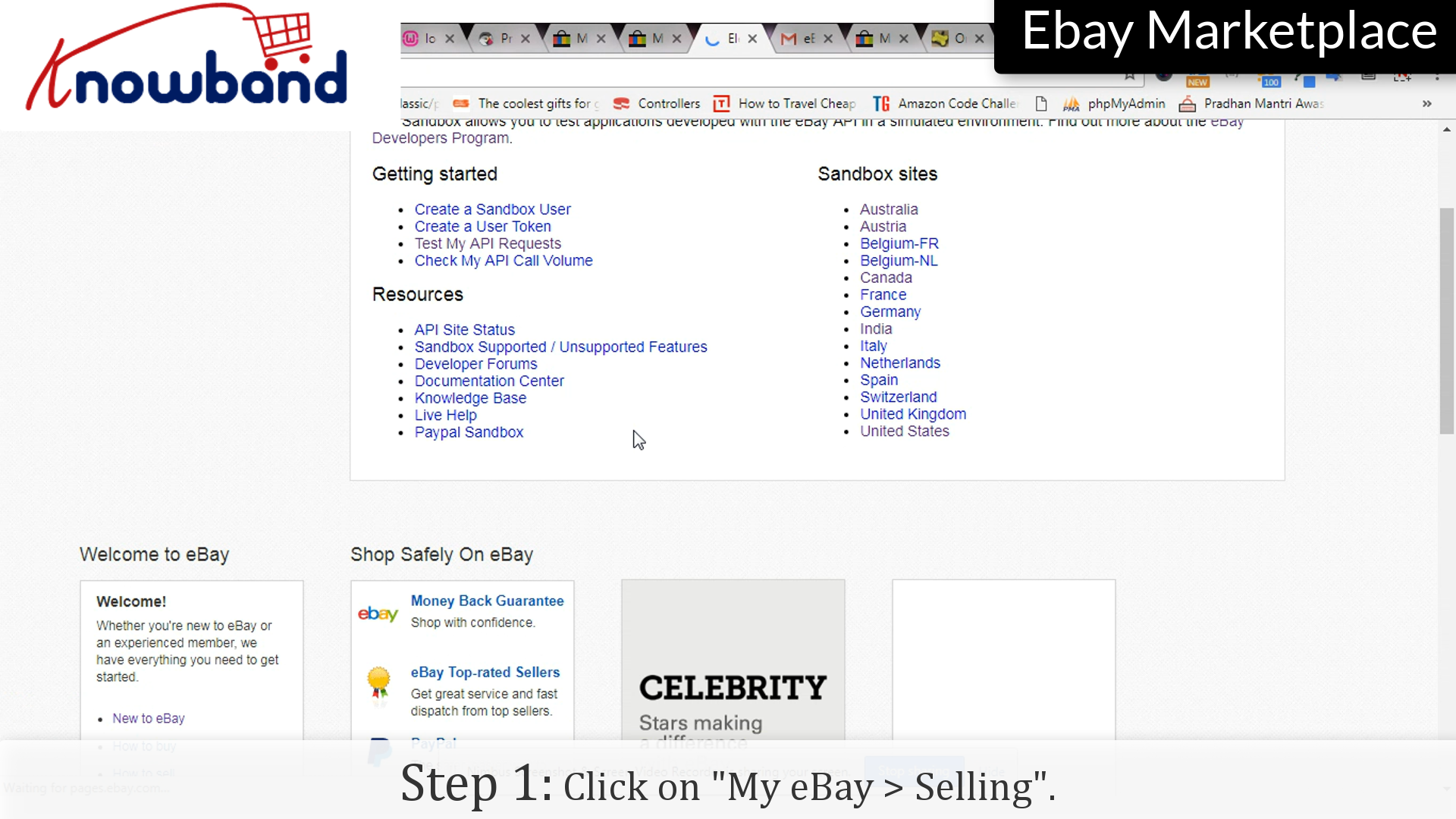
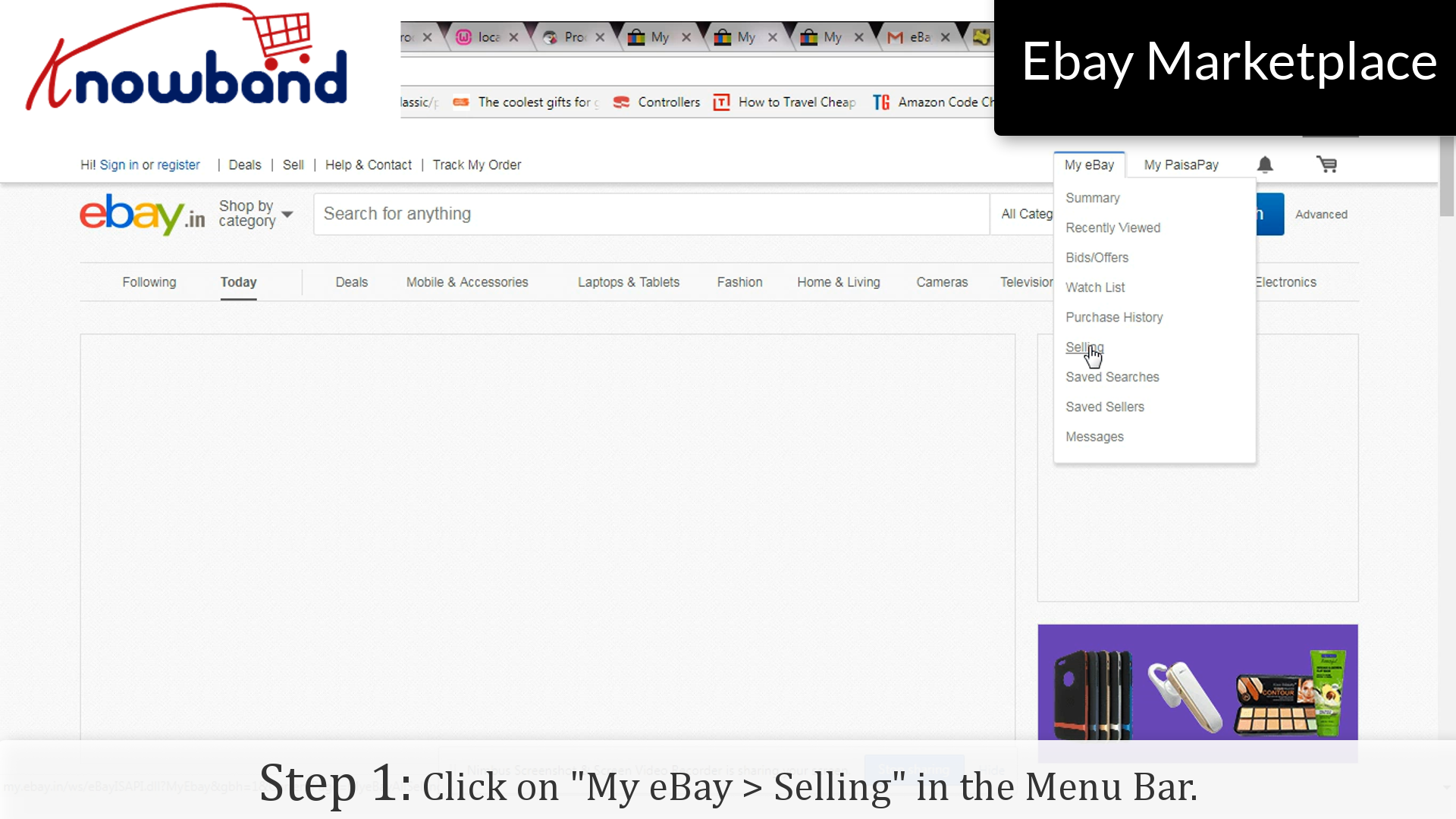
Step 1: Selling

Click on “My eBay > Selling” in the menu.

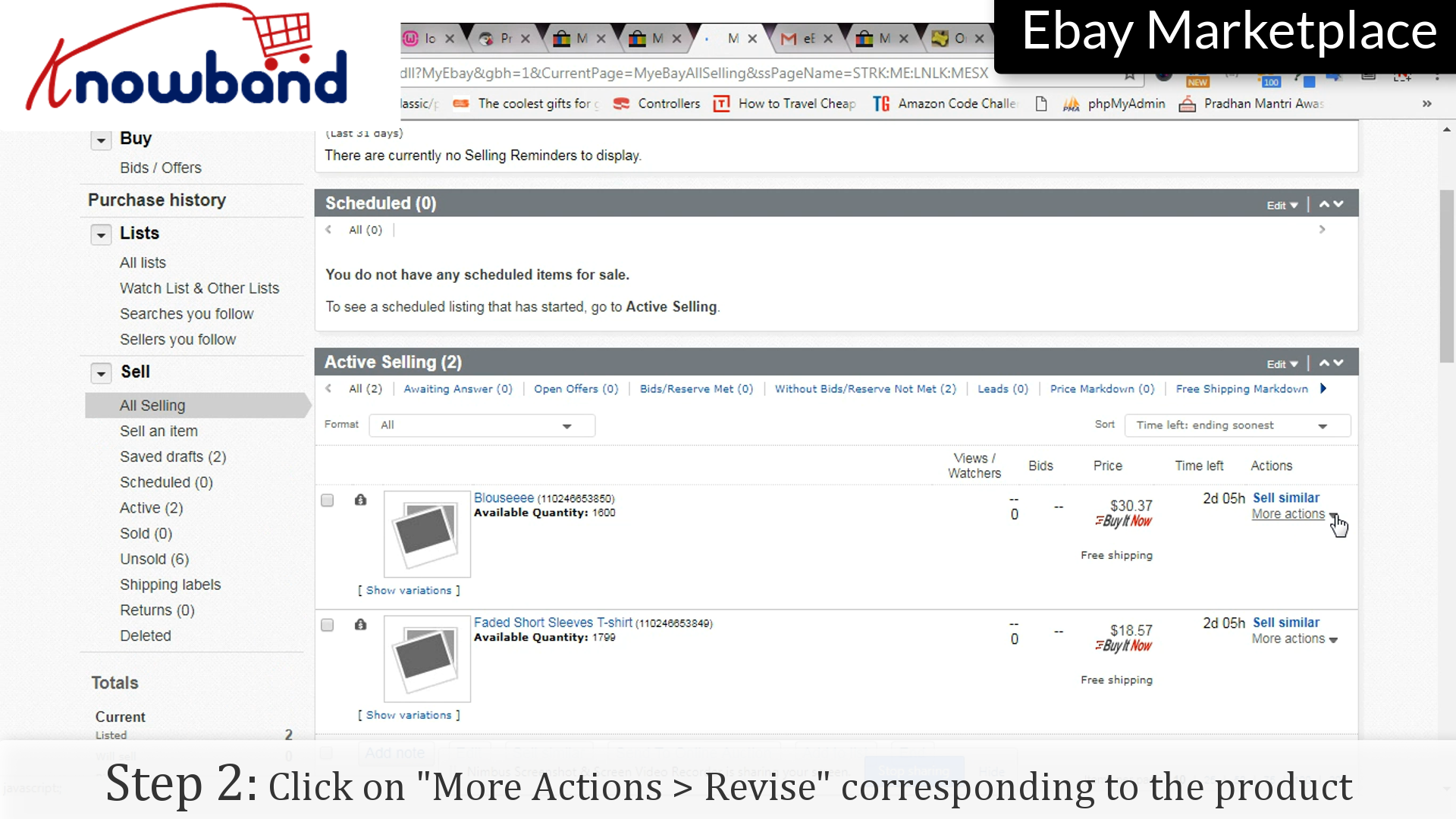
Step 2: Revise

Corresponding to the listing you want to make changes to, there is an option “More Actions”, once clicked you will be shown a drop-down menu, click “Revise” option provided in the list.

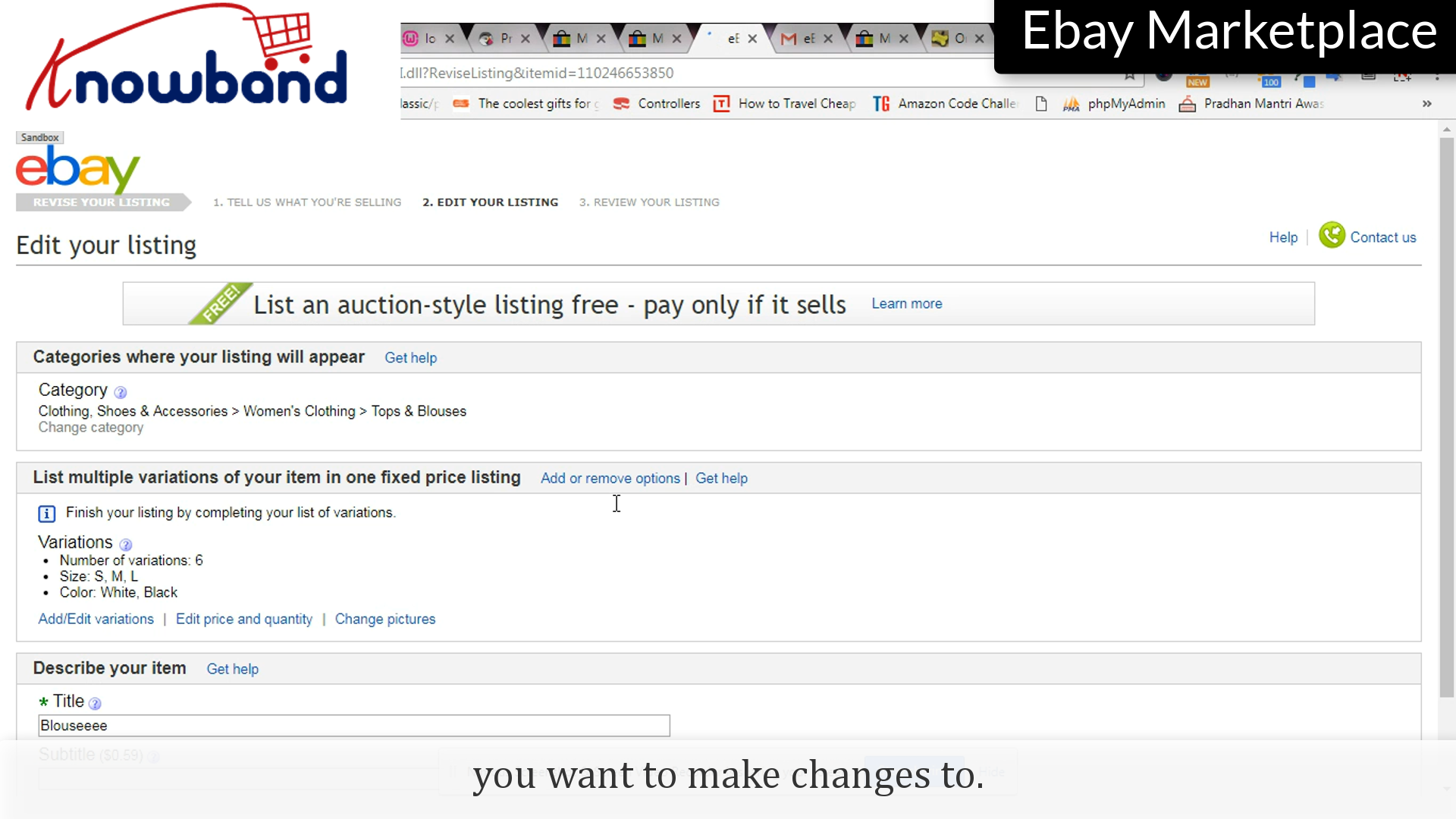
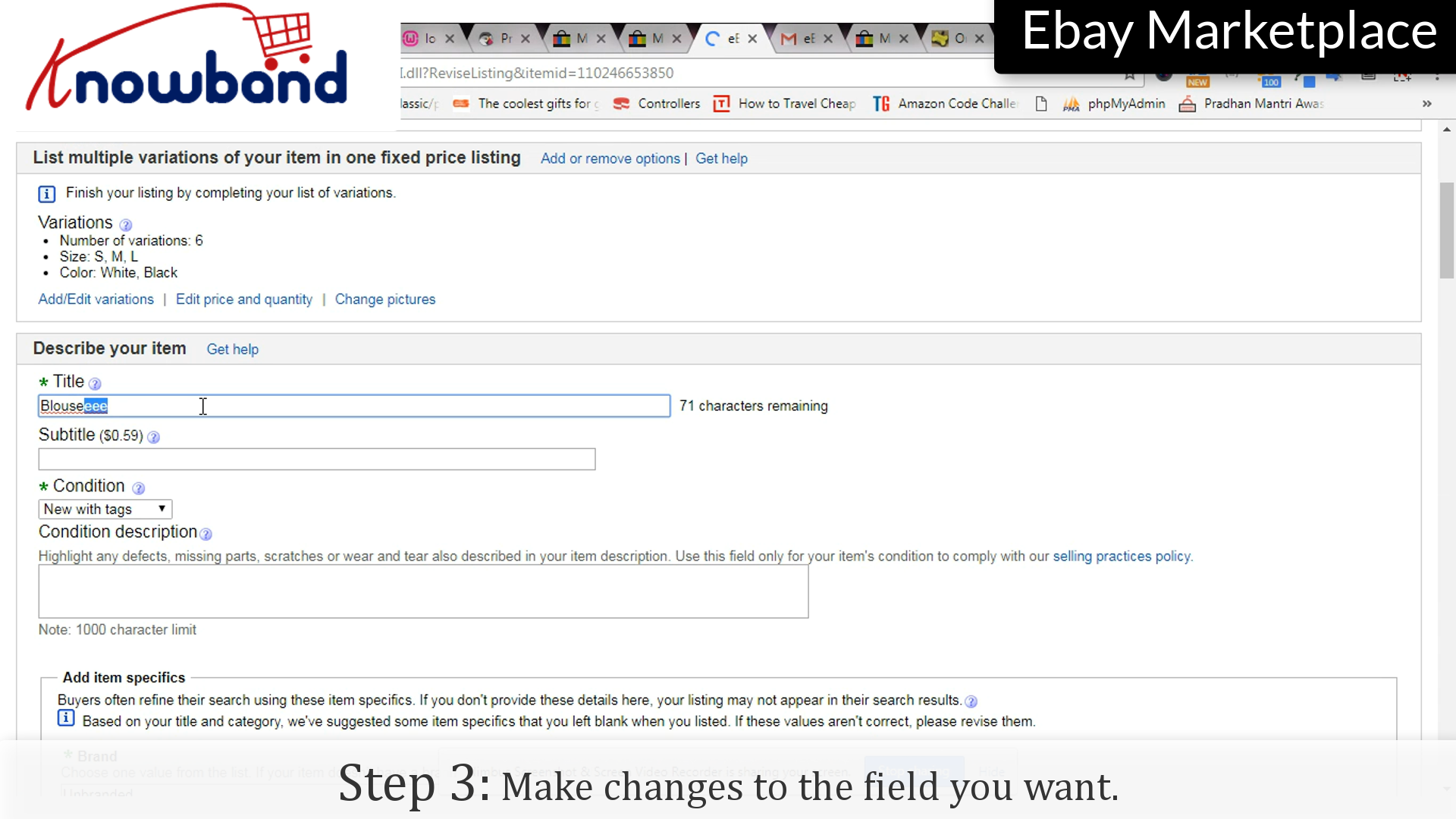
Step 3: Changes

Make changes to the fields you want to change.

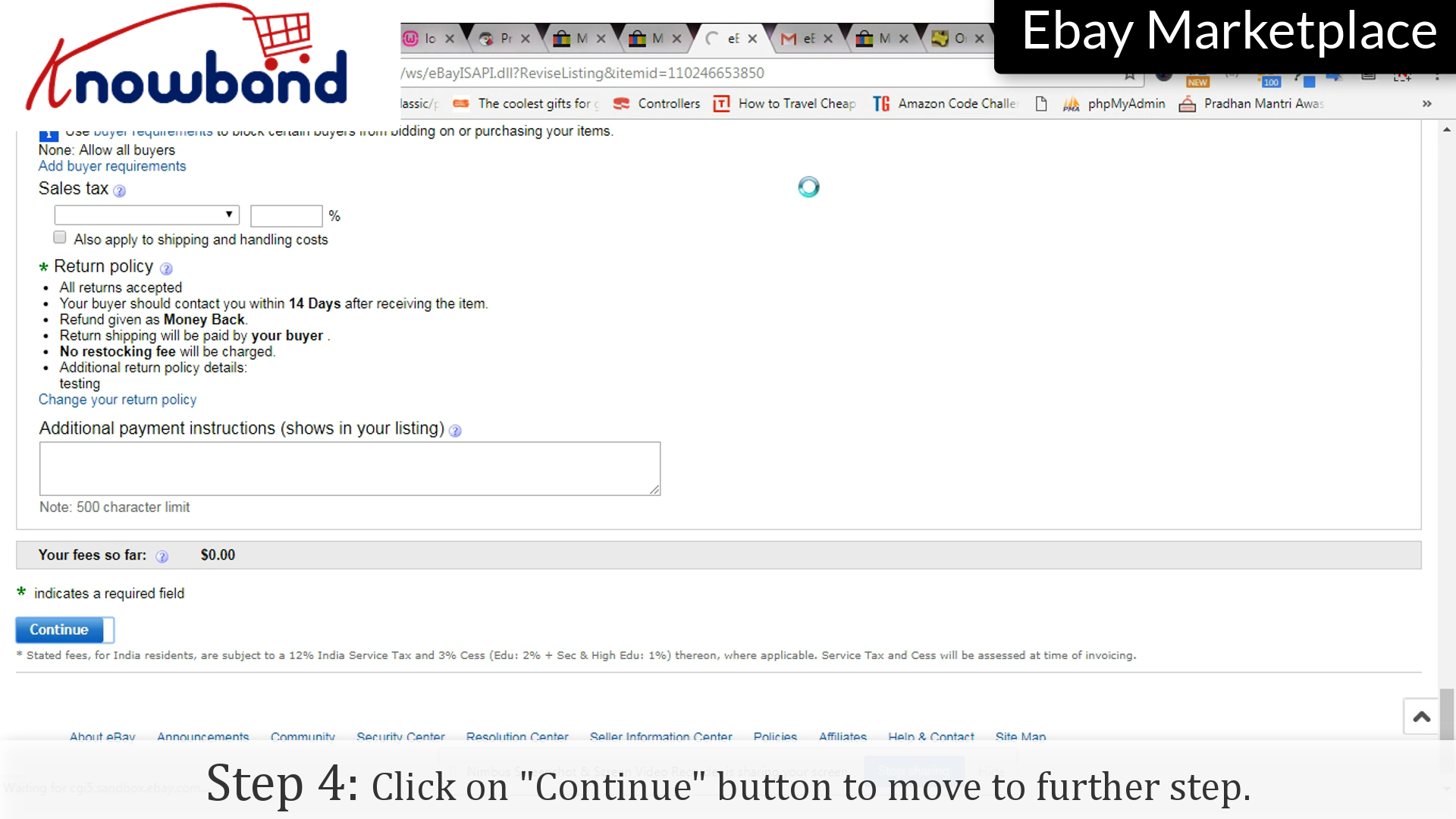
Step 4: Continue

Click on the “Continue” button to save the changes and move further.

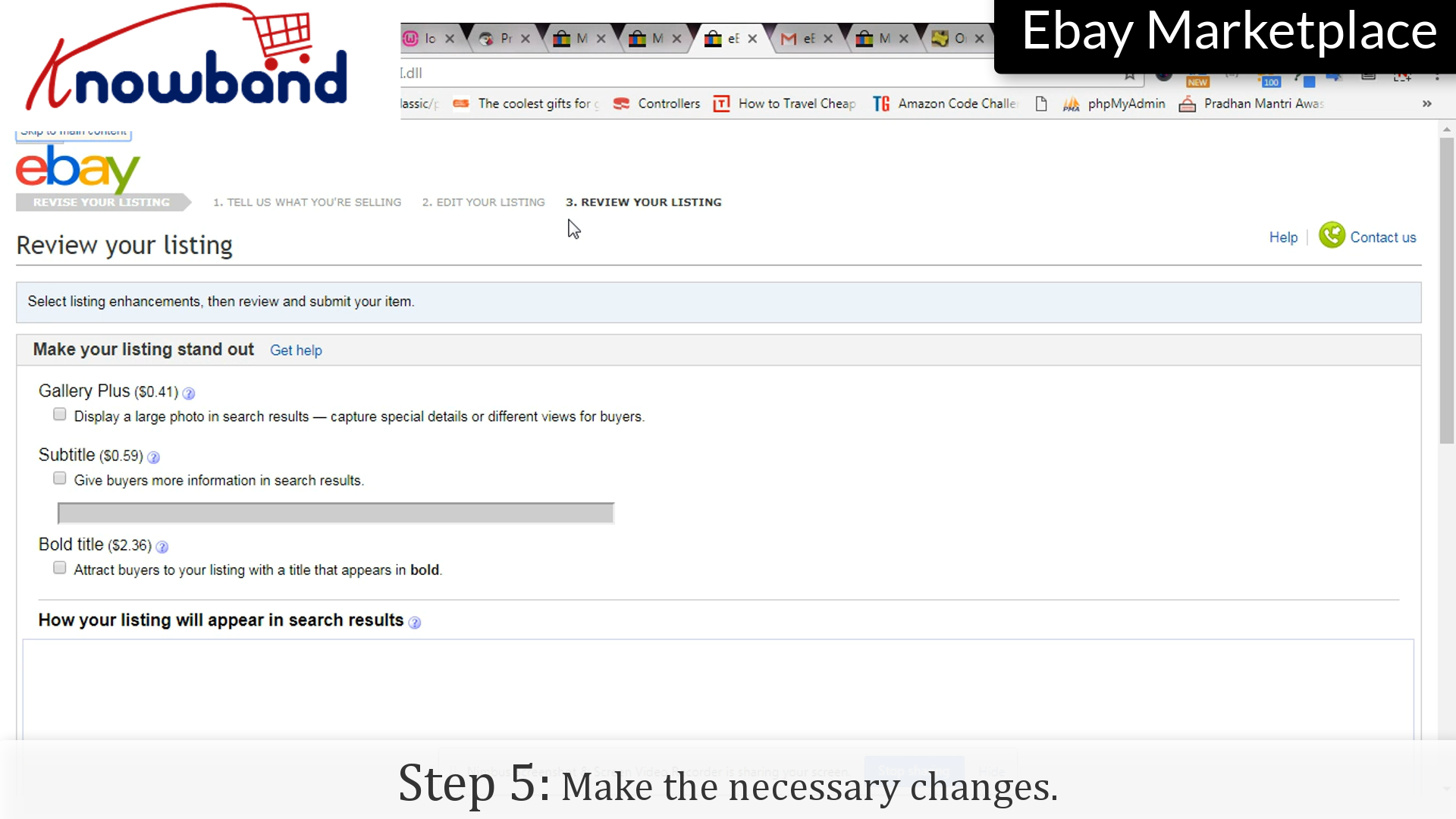
Step 5: Changes

Make the necessary changes in the final step of revising the list.

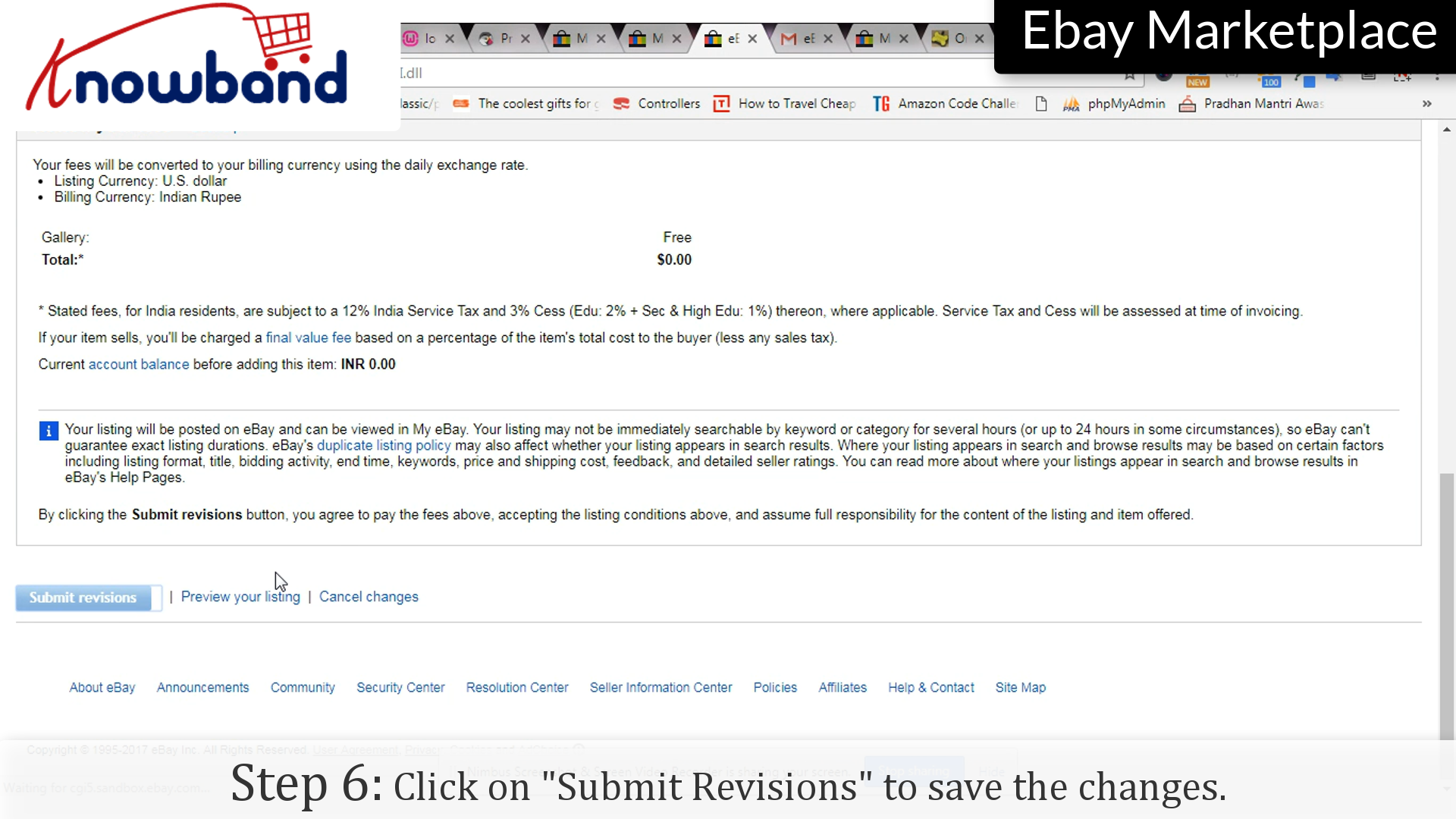
Step 6: Submit

Click on the “Submit Revision” option to save the changes to the listing.

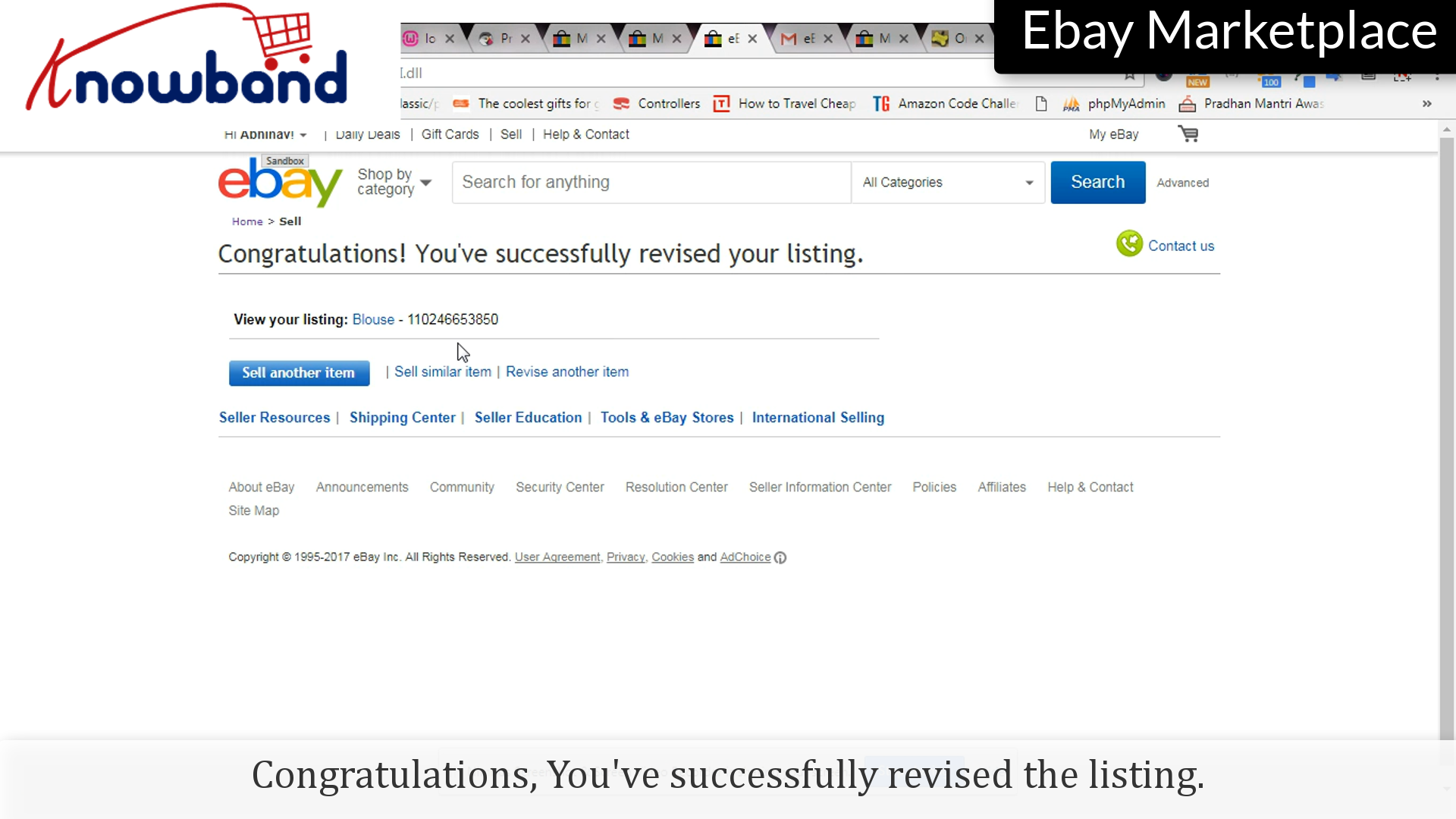
Congratulations, you’ve successfully revised the listing.

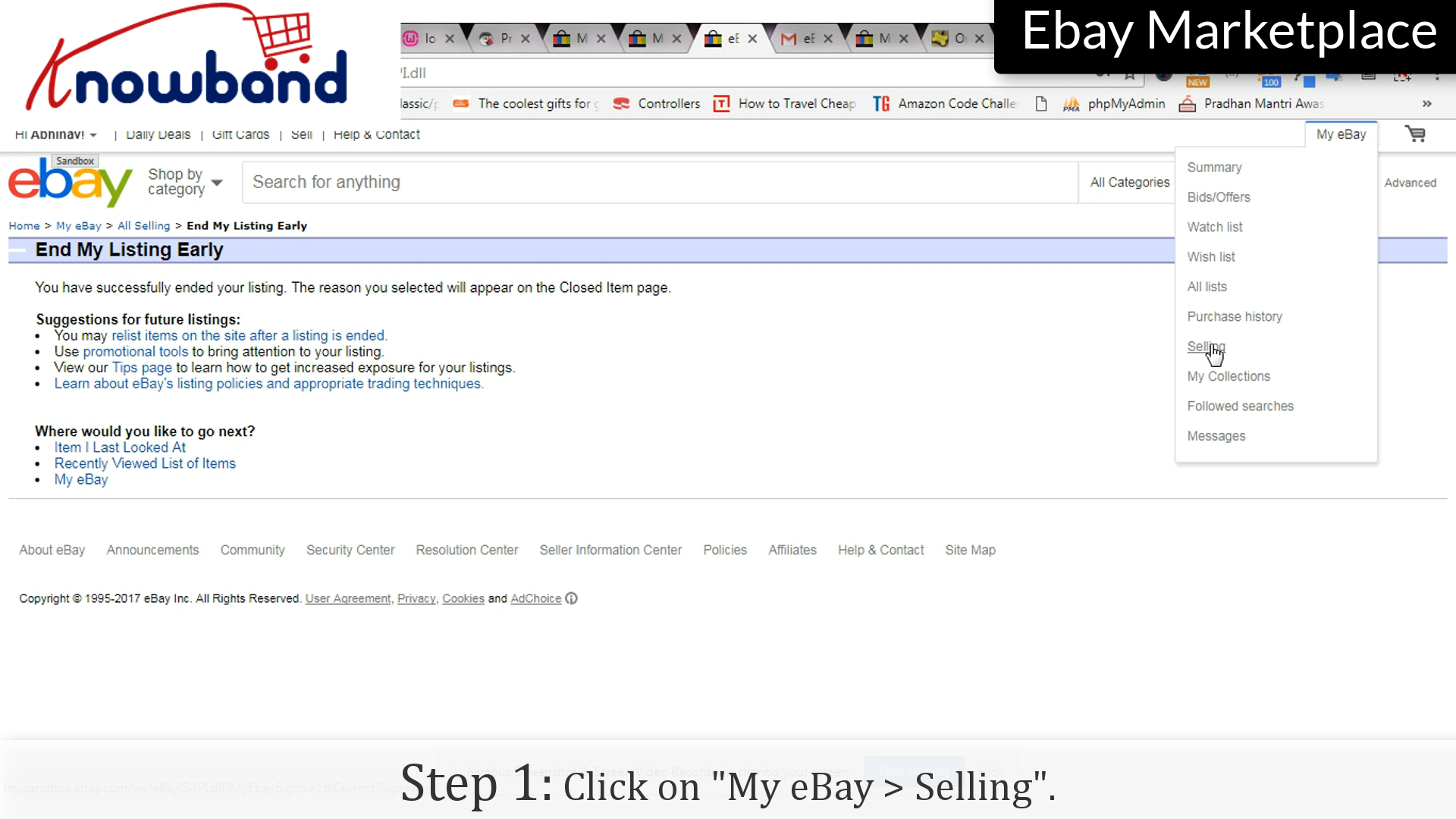
Follow the following points to end the listing:

Step 1: Selling

Click on the “My eBay > Selling” option on the menu.

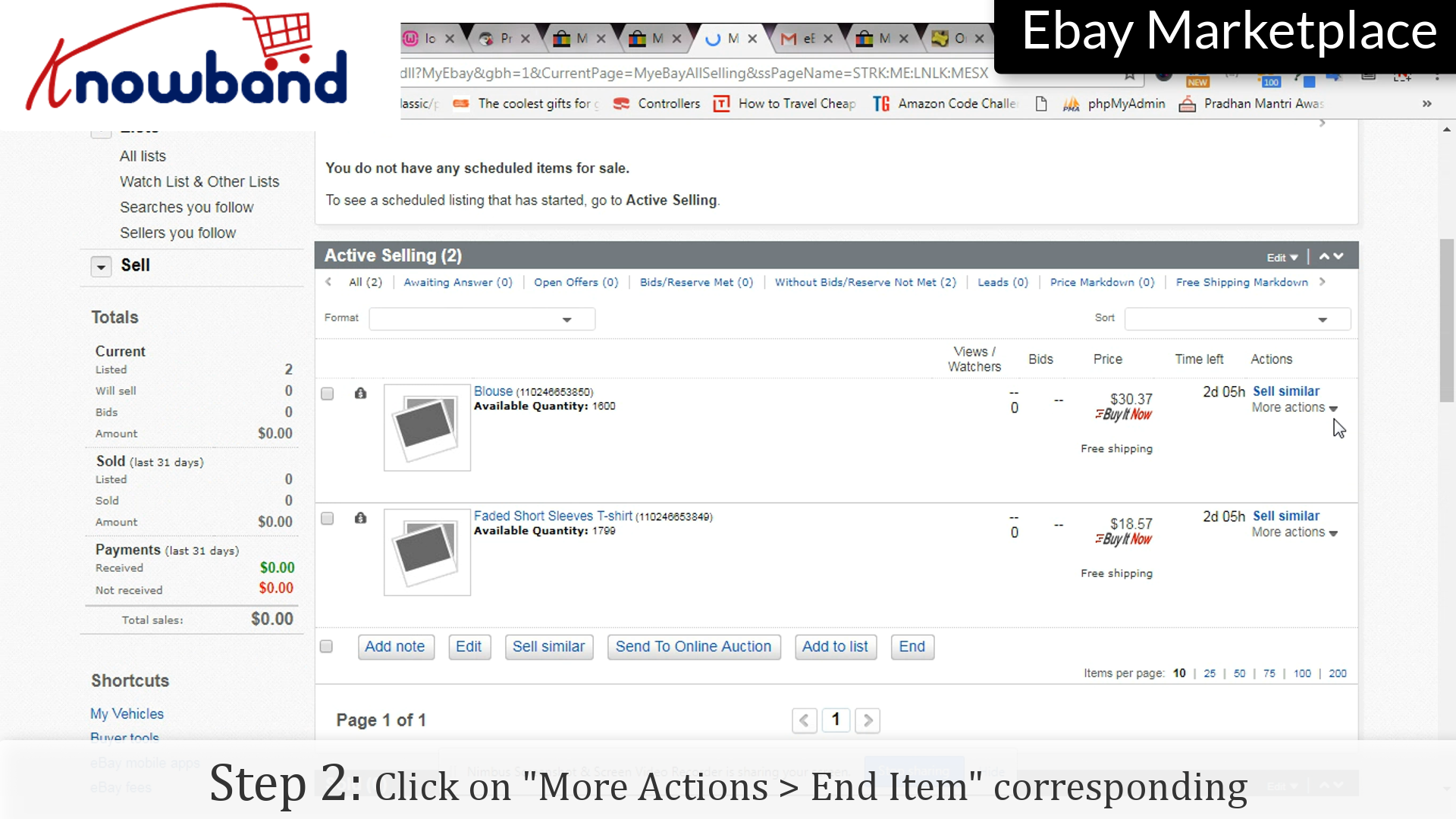
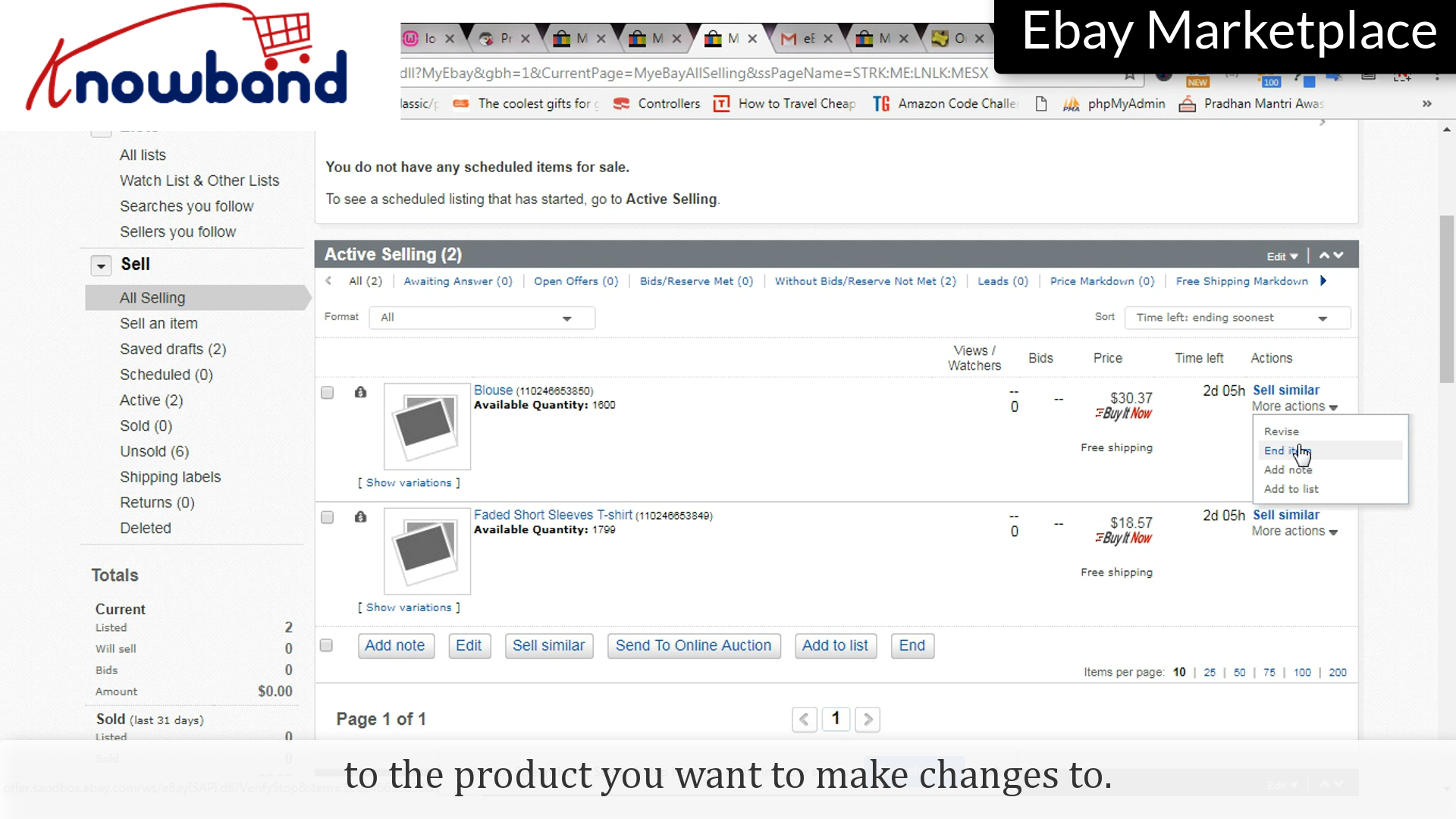
Step 2: End Item


Click on “More Actions” and then in the drop-down menu, click “End Item”.

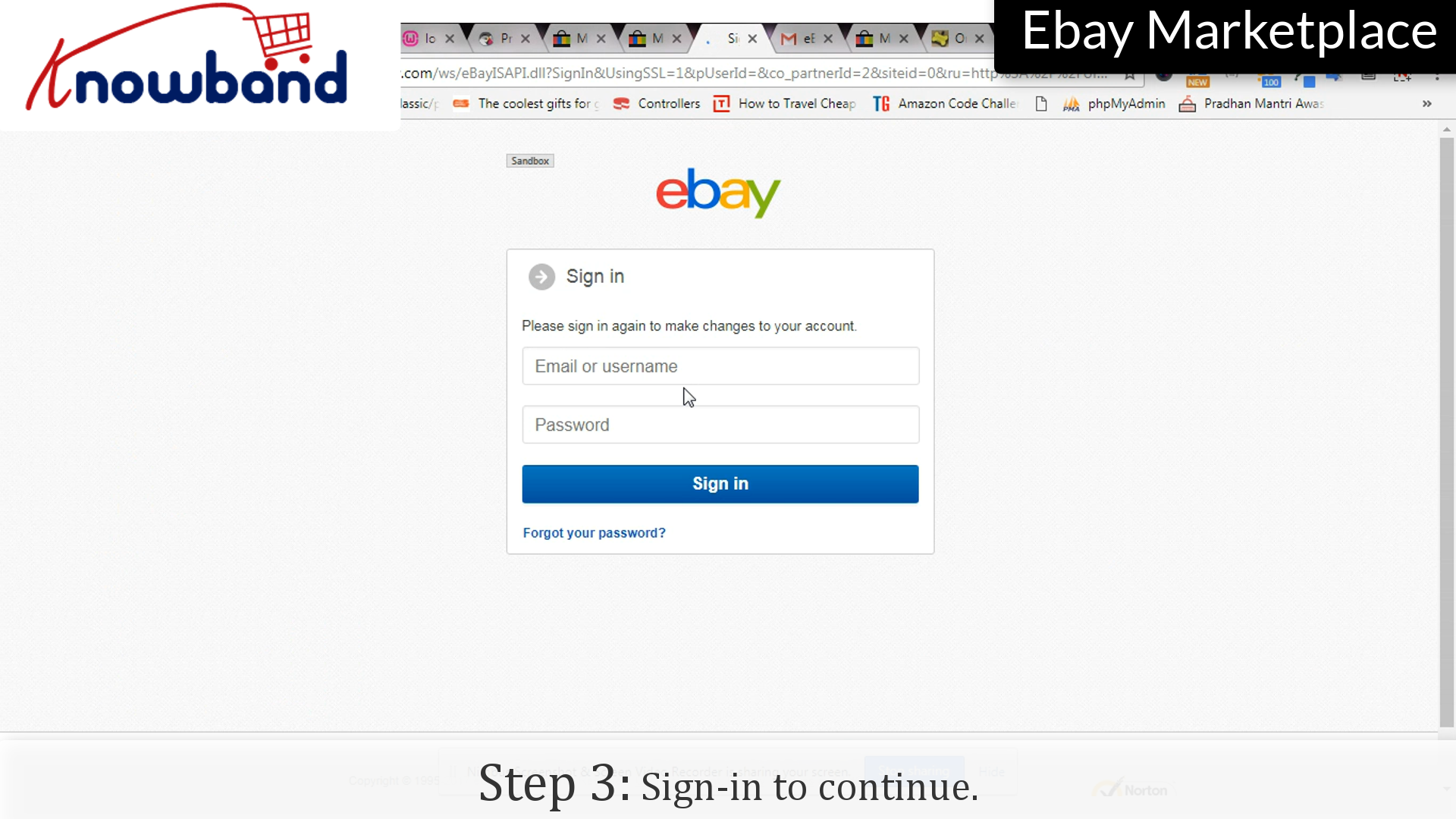
Step 3: Sign-in

Enter your credentials as confirmation to end the listing.

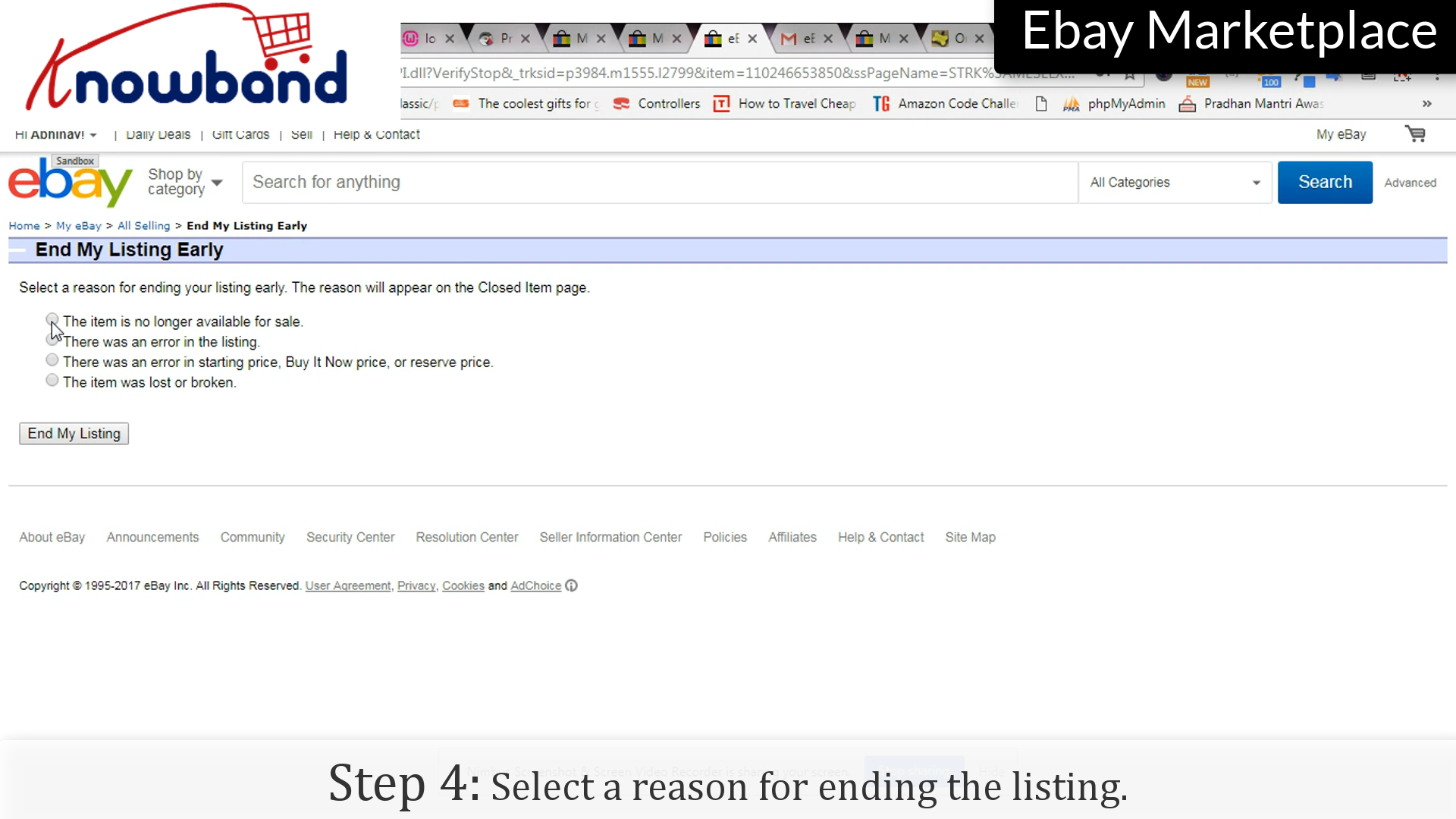
Step 4: Reason

Select any reason to end the listing.

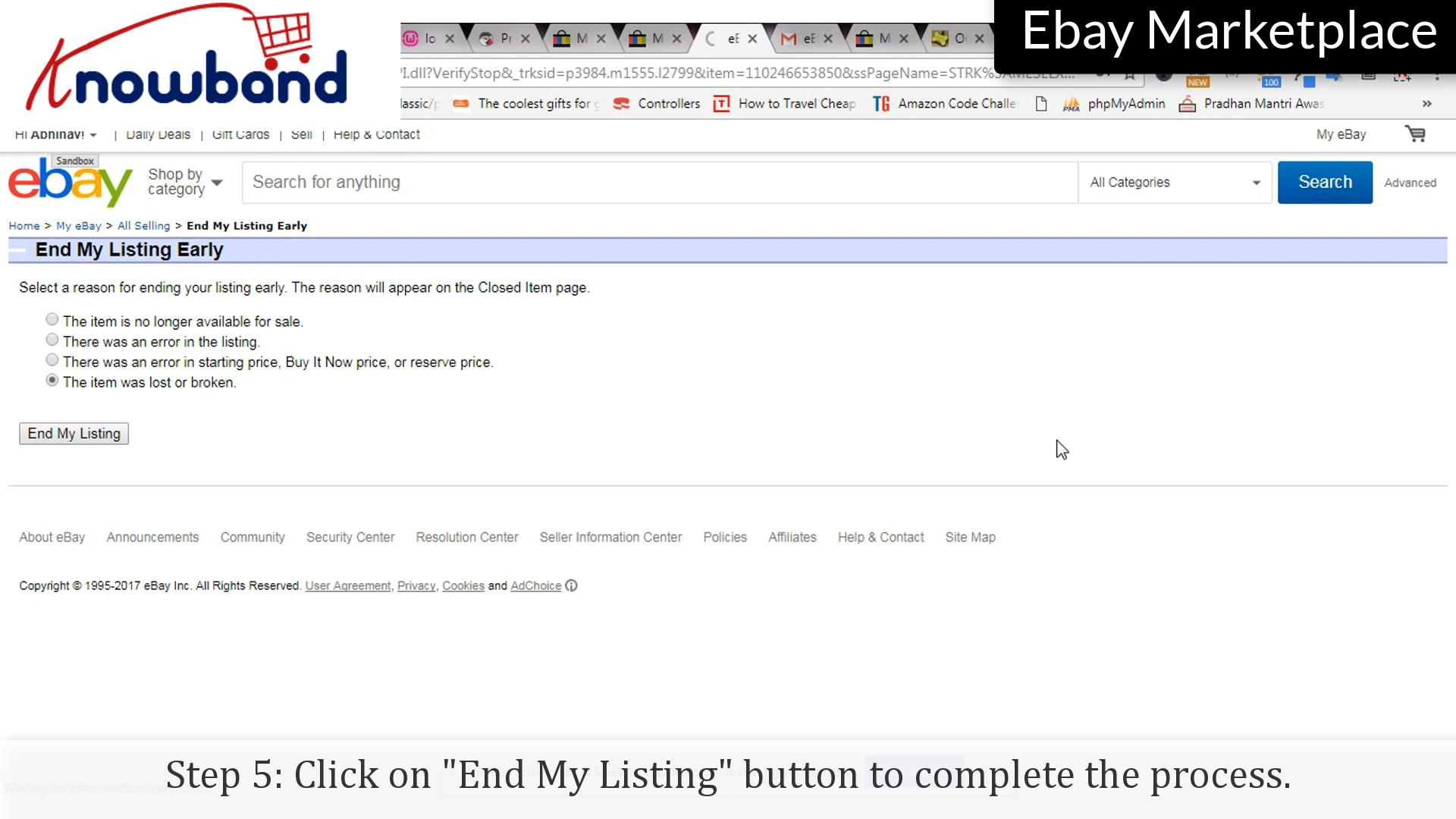
Step 5: End my listing

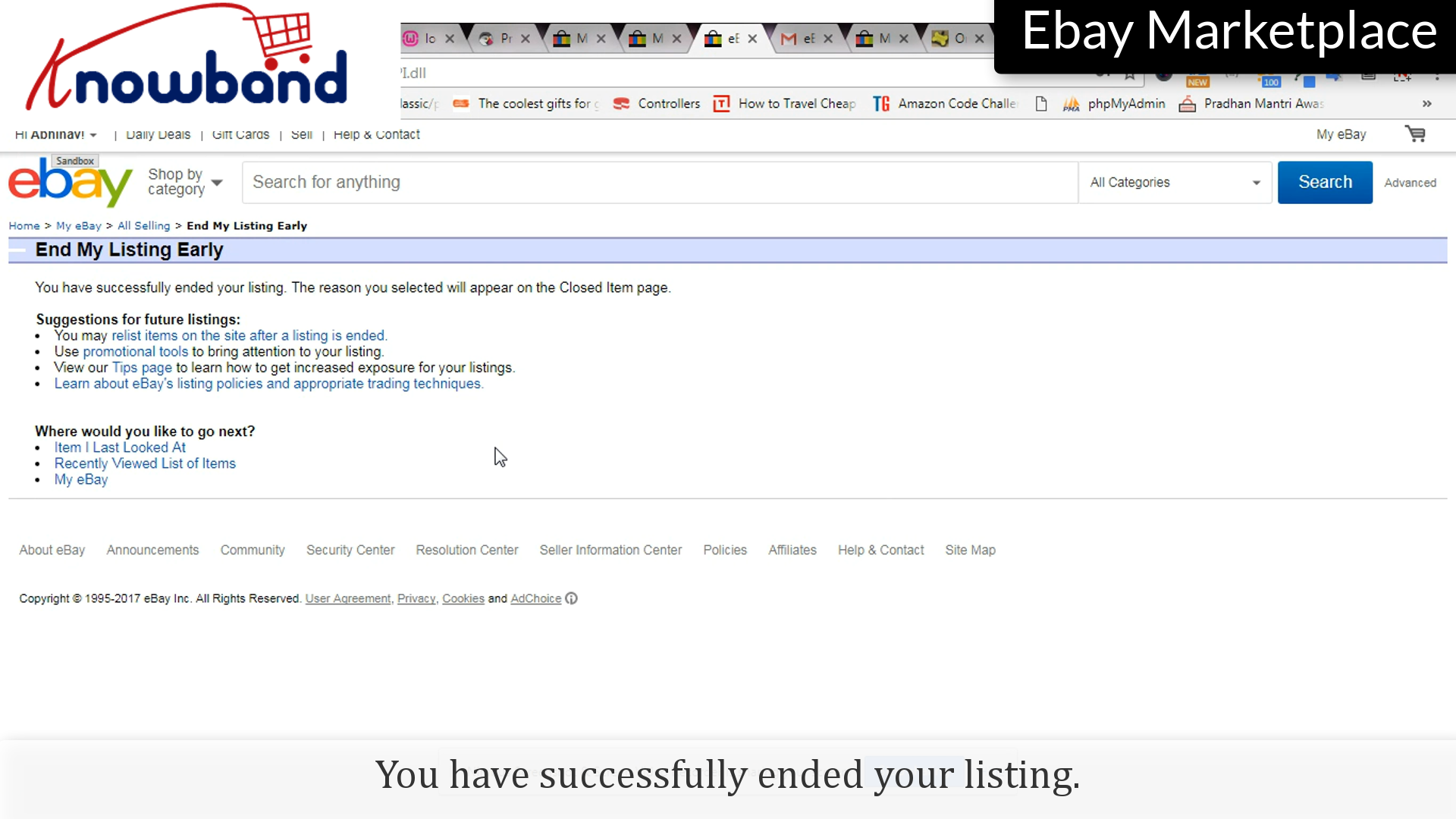
Click on the “End My Listing” button to end the listing.

You have successfully ended the listing.

Follow the points to re-list the item:

Step 1: Selling

Click on “My eBay > Selling” option to re-list the item:

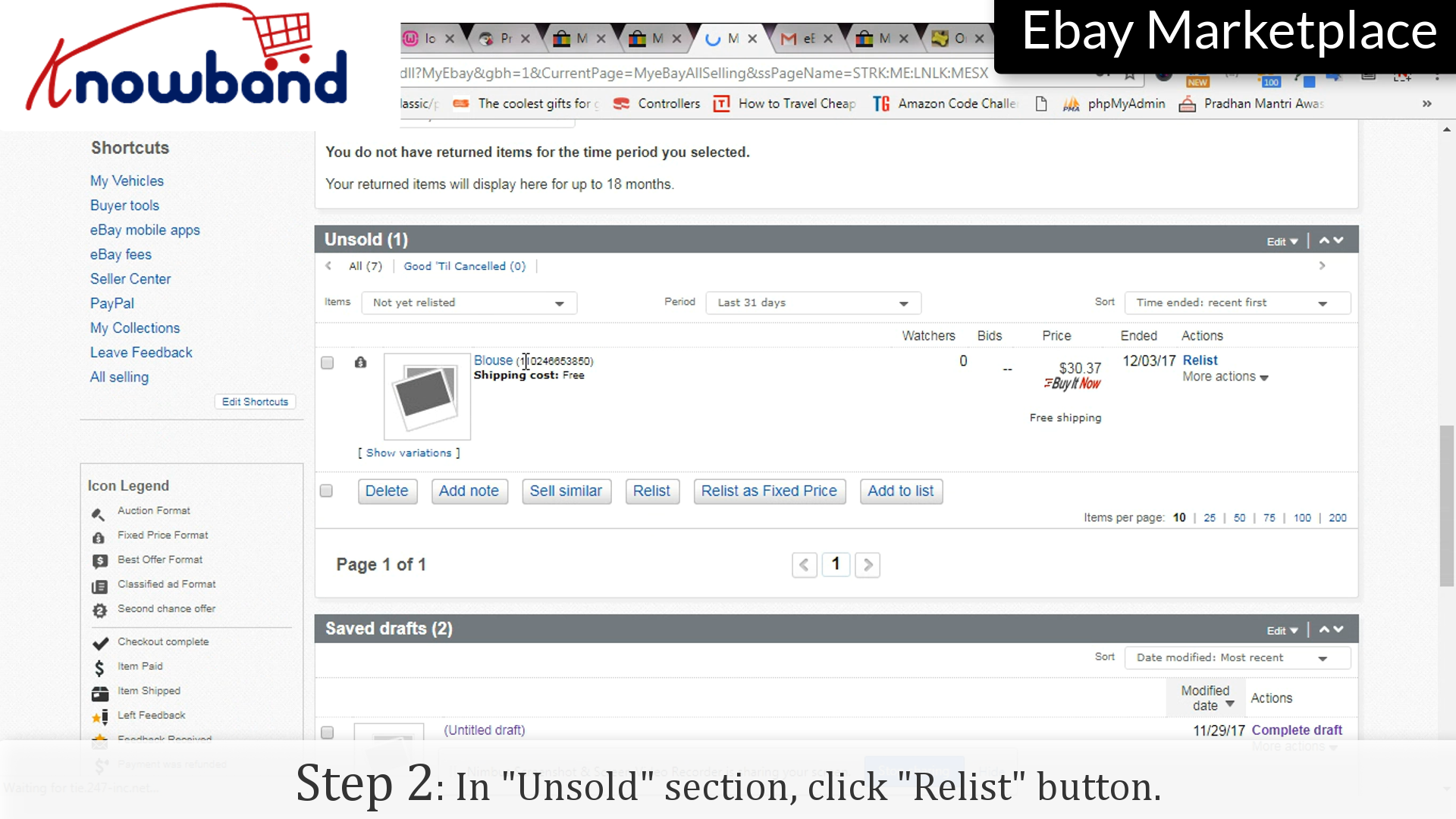
Step 2: Relist

Under the “Unsold” section, click the “Relist” option corresponding to the product you want to relist.

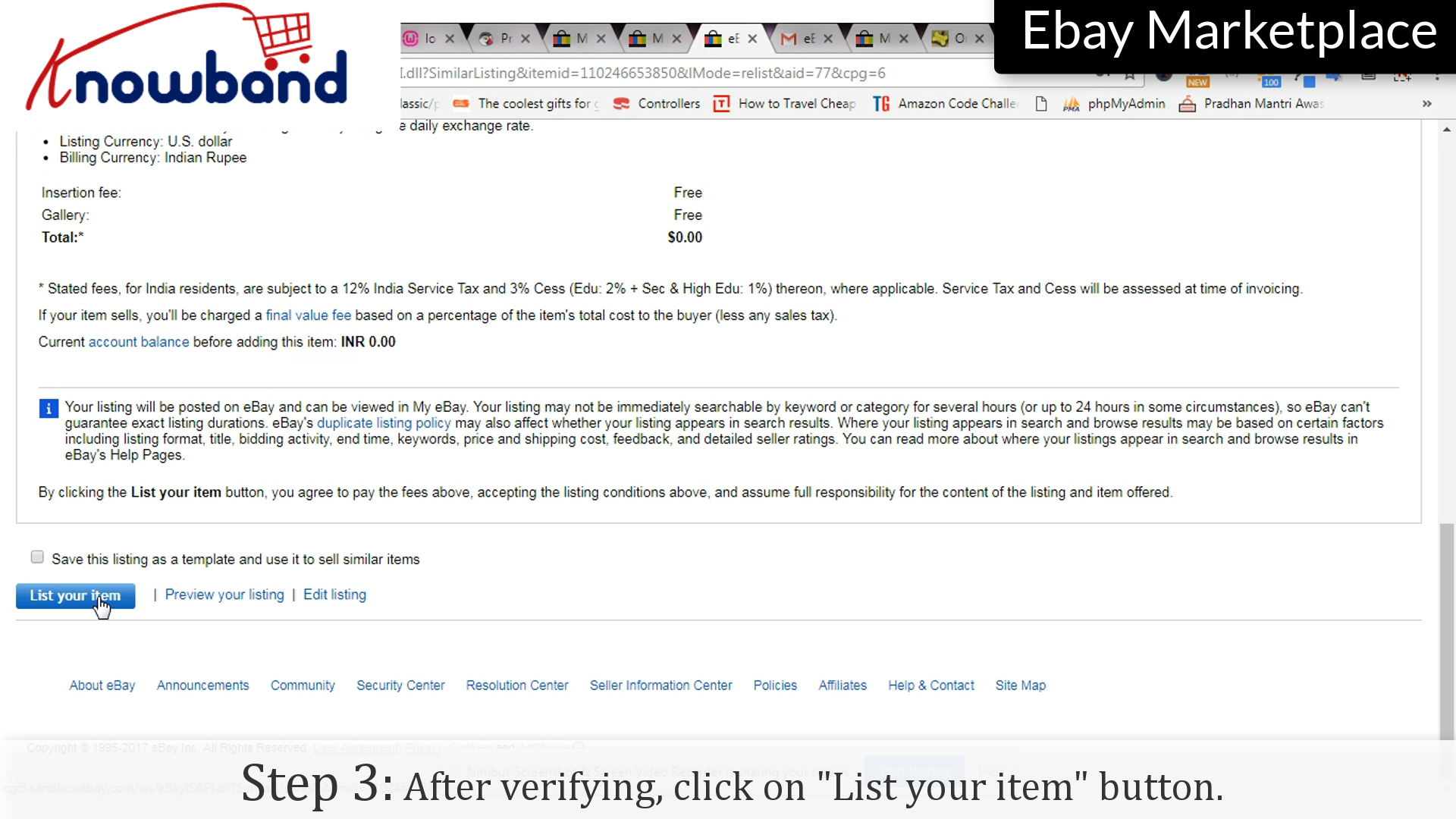
Step 3: Verify

After verification, click on “List my item” to complete the process.

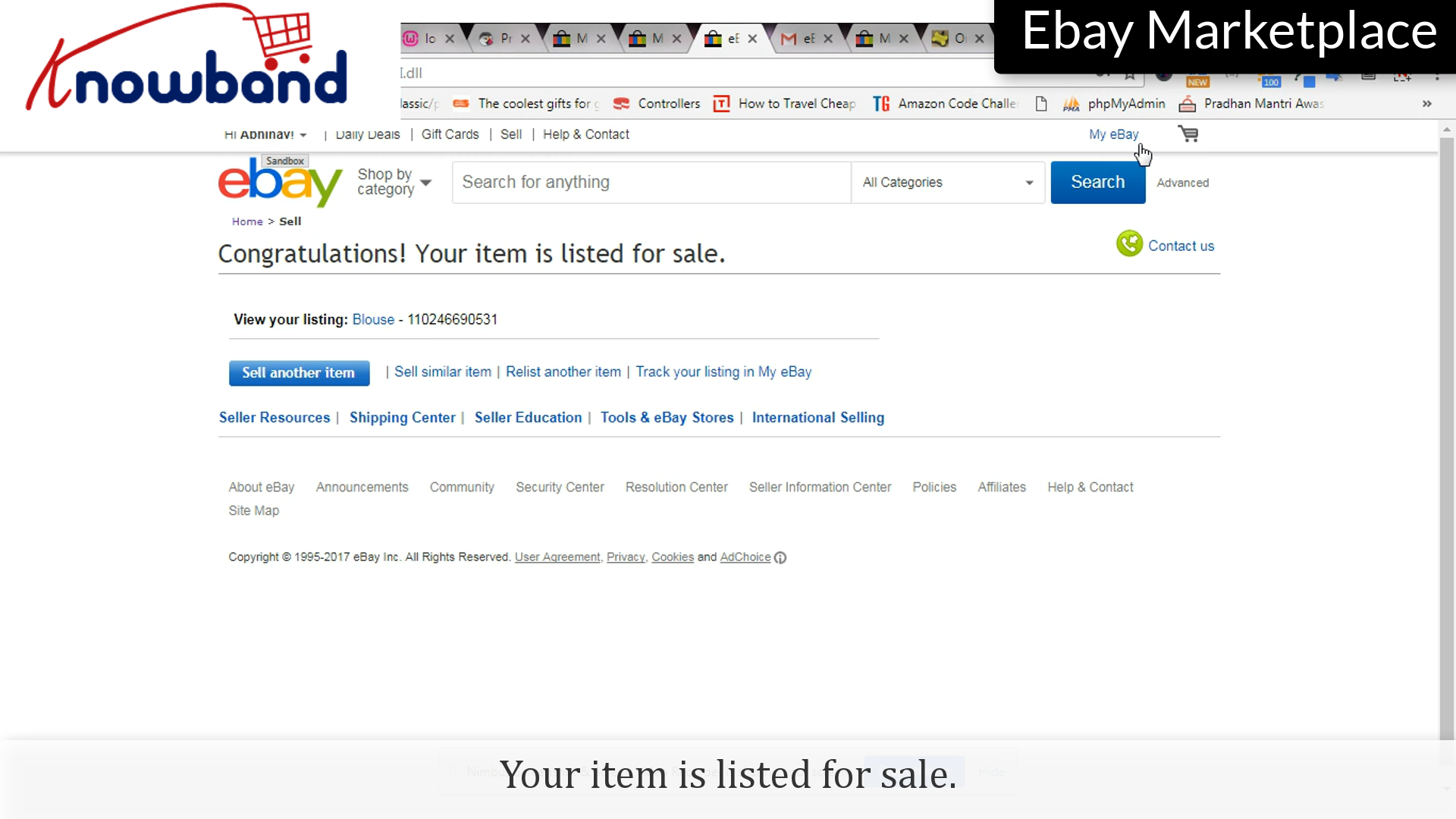
Congratulations! Your item is listed for sale.

For any query, please contact us at support@knowband.com.

Related Stories:

  1. How to create Access Token in eBay Marketplace?
  2. How to create Seller Account in eBay Marketplace?
  3. How to list a product in eBay Marketplace?
  4. How to Launch a Marketplace like Etsy and Ebay?
  5. How to Rank Higher and Get Your Listings Seen in eBay Search?

How to list a product in eBay Marketplace?

Upgrade Now: Prestashop eBay Connector v2.2.1 is Here!

Great news for Prestashop store owners! Knowband has just released out v2.2.1 of the Prestashop eBay Marketplace Connector, and it’s a game-changer for marketplace management.

This release focuses on enhancing operational reliability between eBay and the prestashop store and preventing common eBay integration issues. The Rate Limit API Monitoring feature ensures your API usage is fully tracked, preventing disruptions that could affect your product listings or order synchronisation.

The Inventory Comparison is another highlight, allowing you to manage your Prestashop stock with your eBay listings in real-time. This proactive feature ensures your customers never encounter “out-of-stock” surprises and keeps your inventory accurate across platforms.

Don’t wait! Upgrading to v2.2.1 now ensures your store stays ahead, saves you time, and maximizes sales potential. Act fast before any missed opportunities!

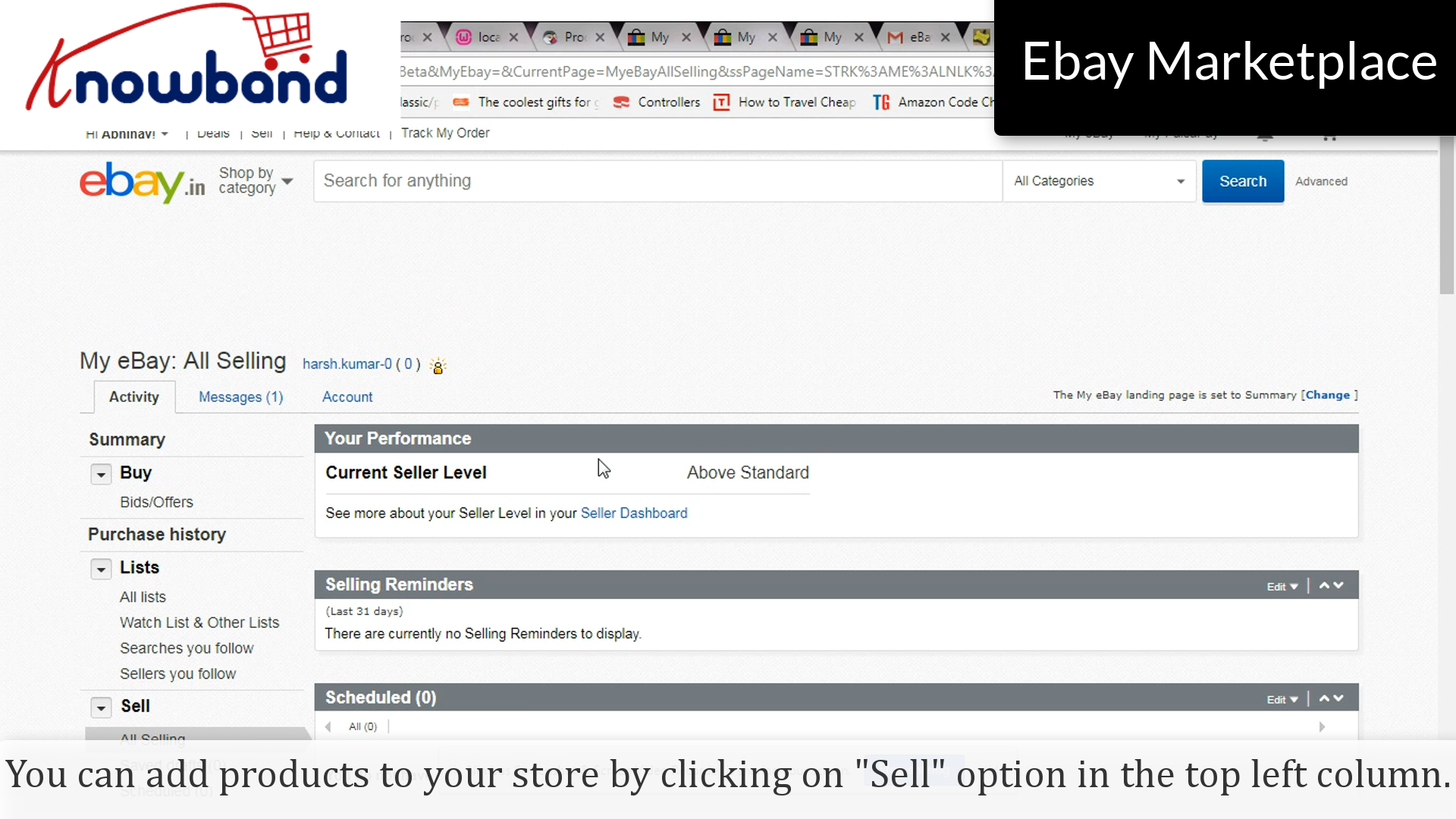
When you have successfully created a seller account on eBay Marketplace, you need to add products in your shop. Adding the products in your cart is an easy process with the following steps:

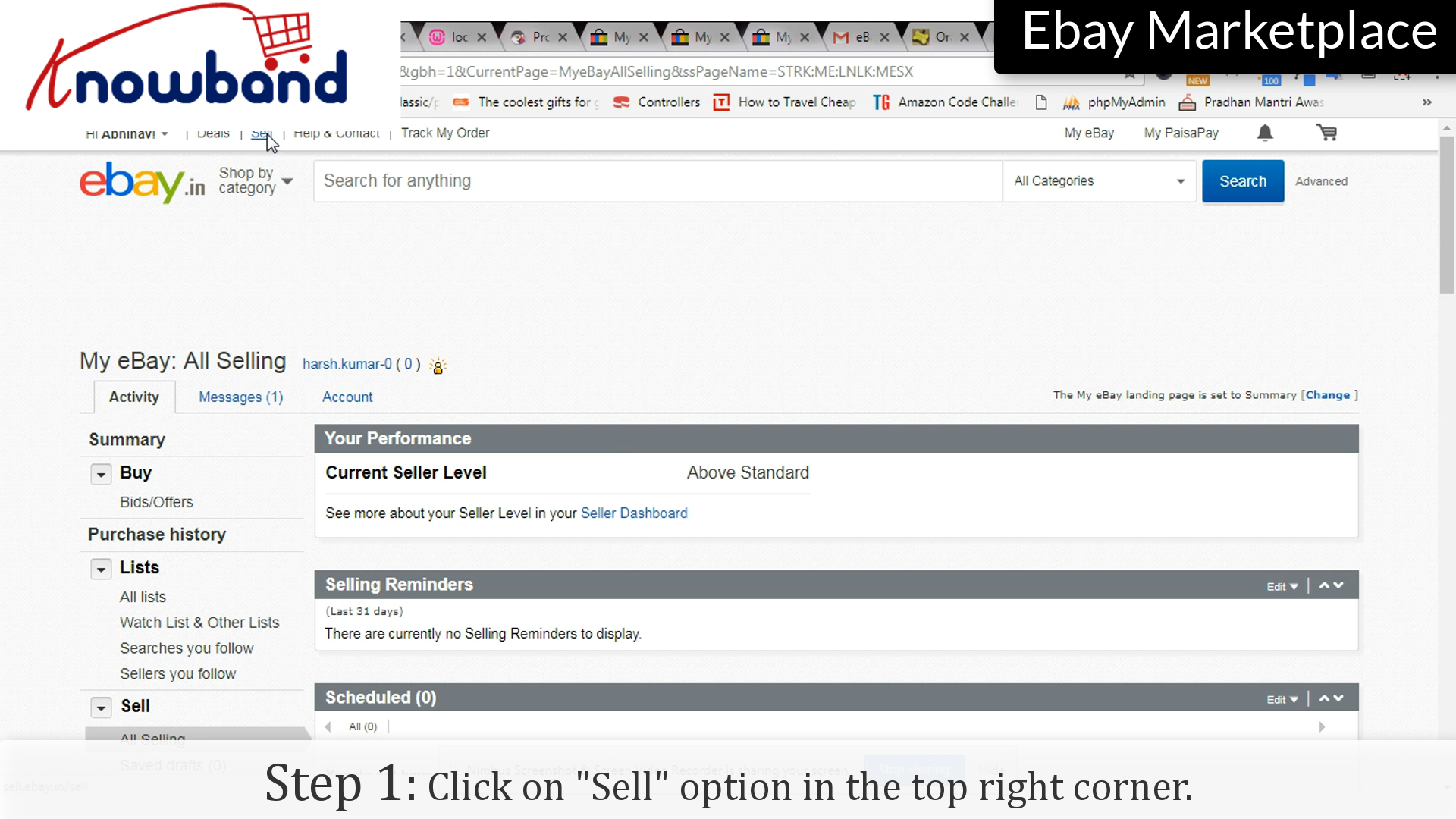
Step 1: Sell option

Click on the “Sell” option in the top right corner.

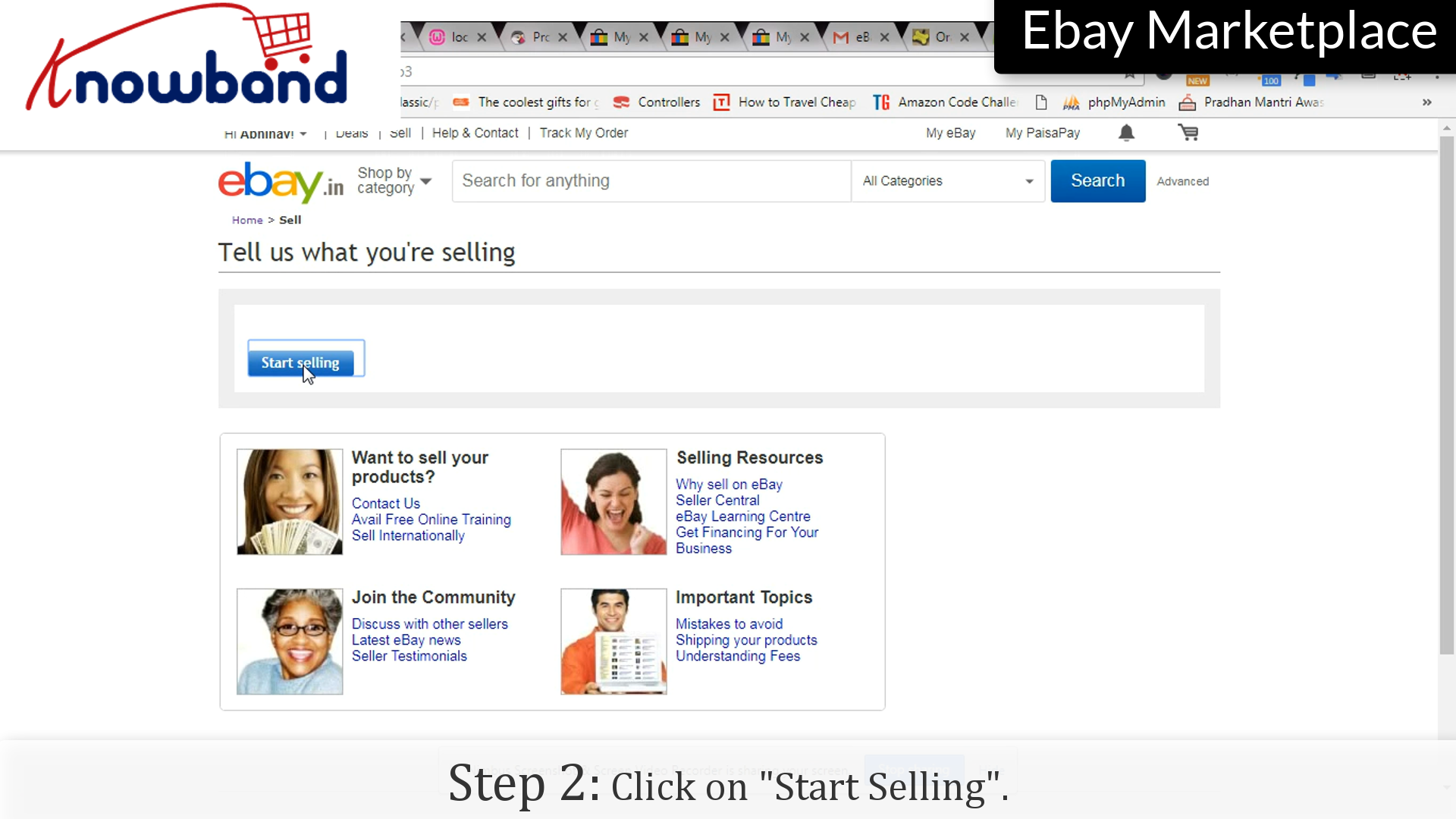
 Step 2: Start Selling

Click on the “Start Selling” option to start the process.

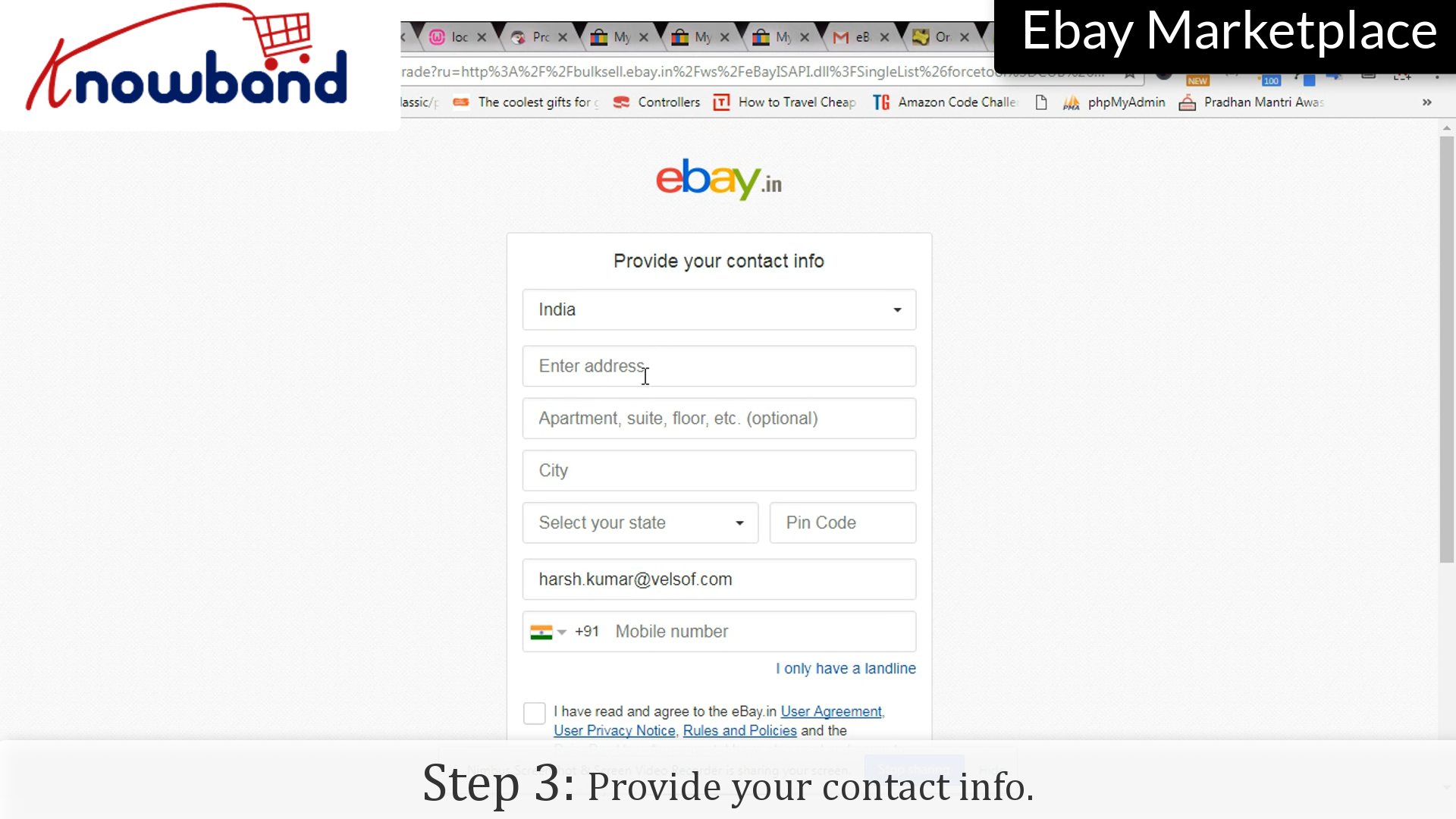
Step 3: Contact info

Provide your contact info so that eBay can contact you in case of any issue with the products added.

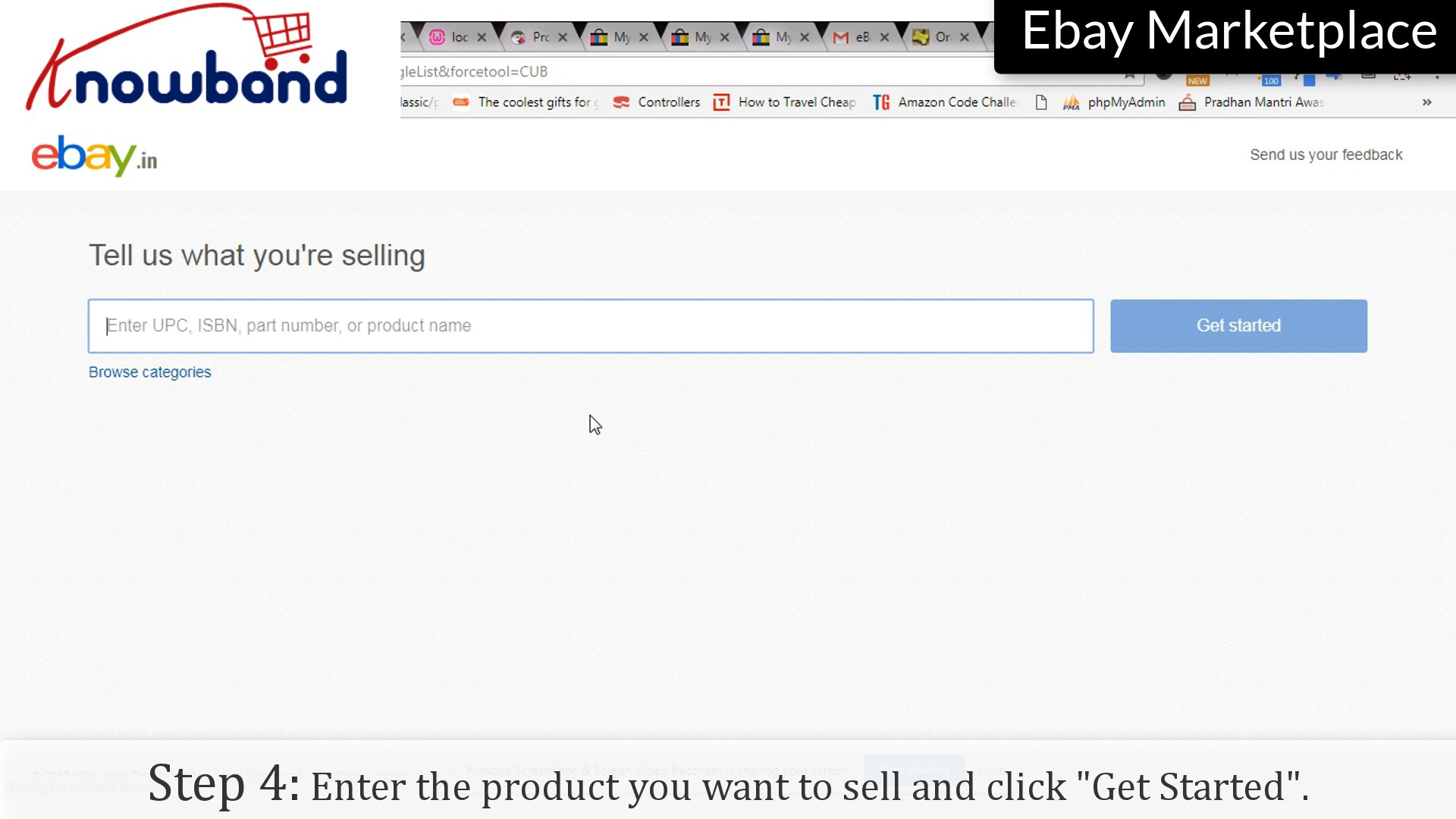
Step 4: Get Started

Enter the product you want to sell and click “Get started”.

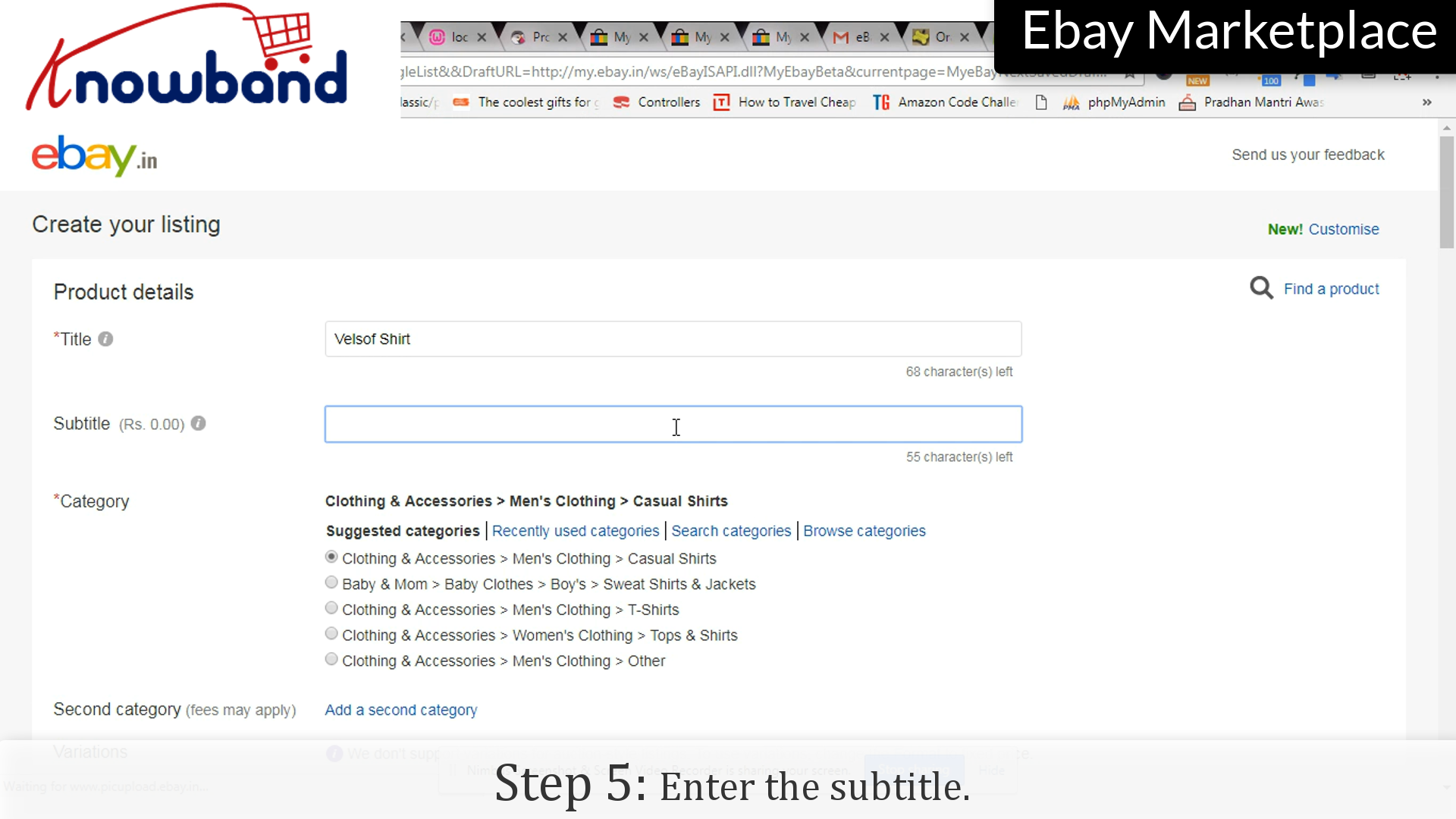
Step 5: Subtitle

Enter the subtitle of the product/listing.

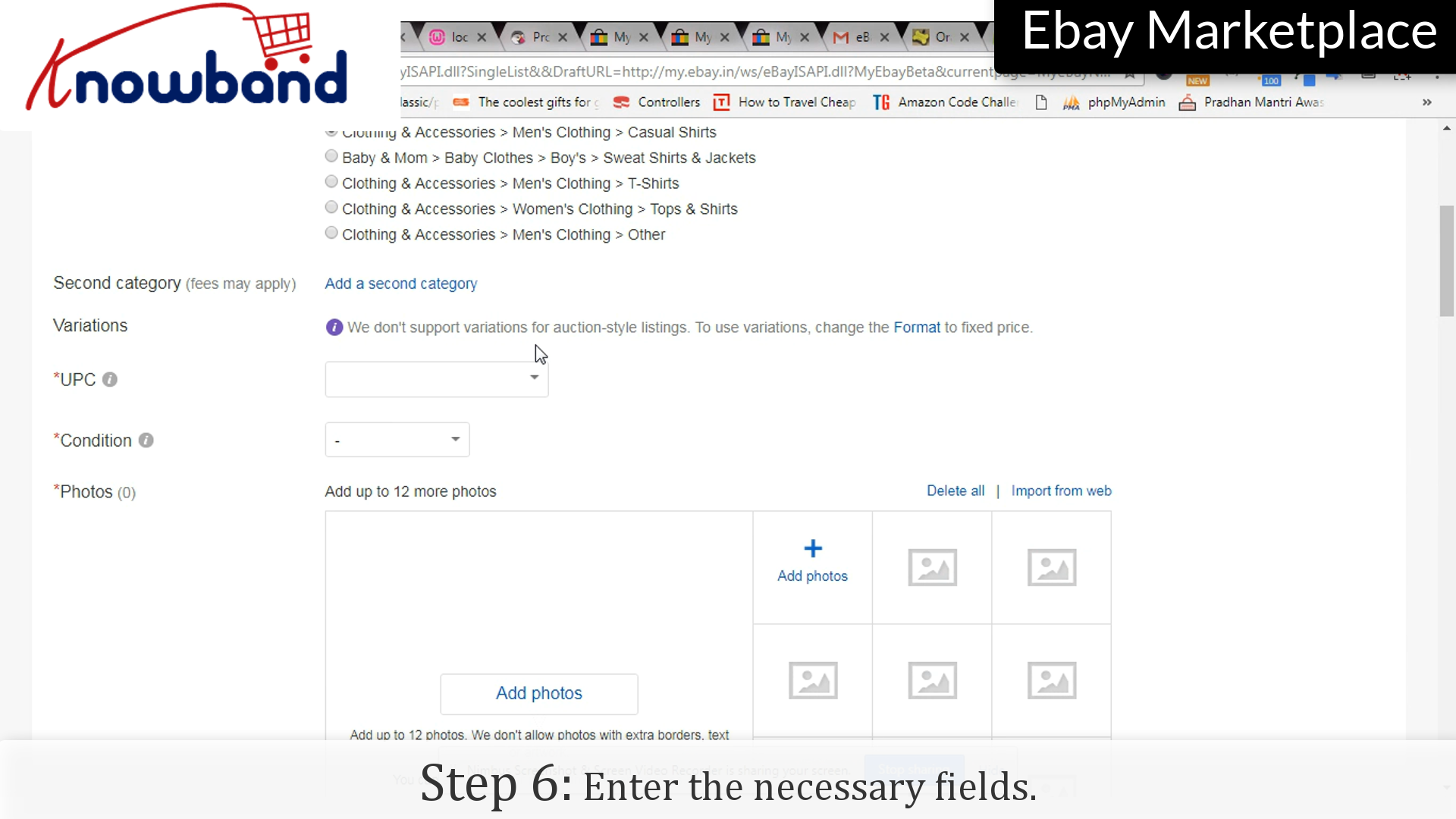
 Step 6: Fill Up the form

Enter the necessary details which you want to display to the user.

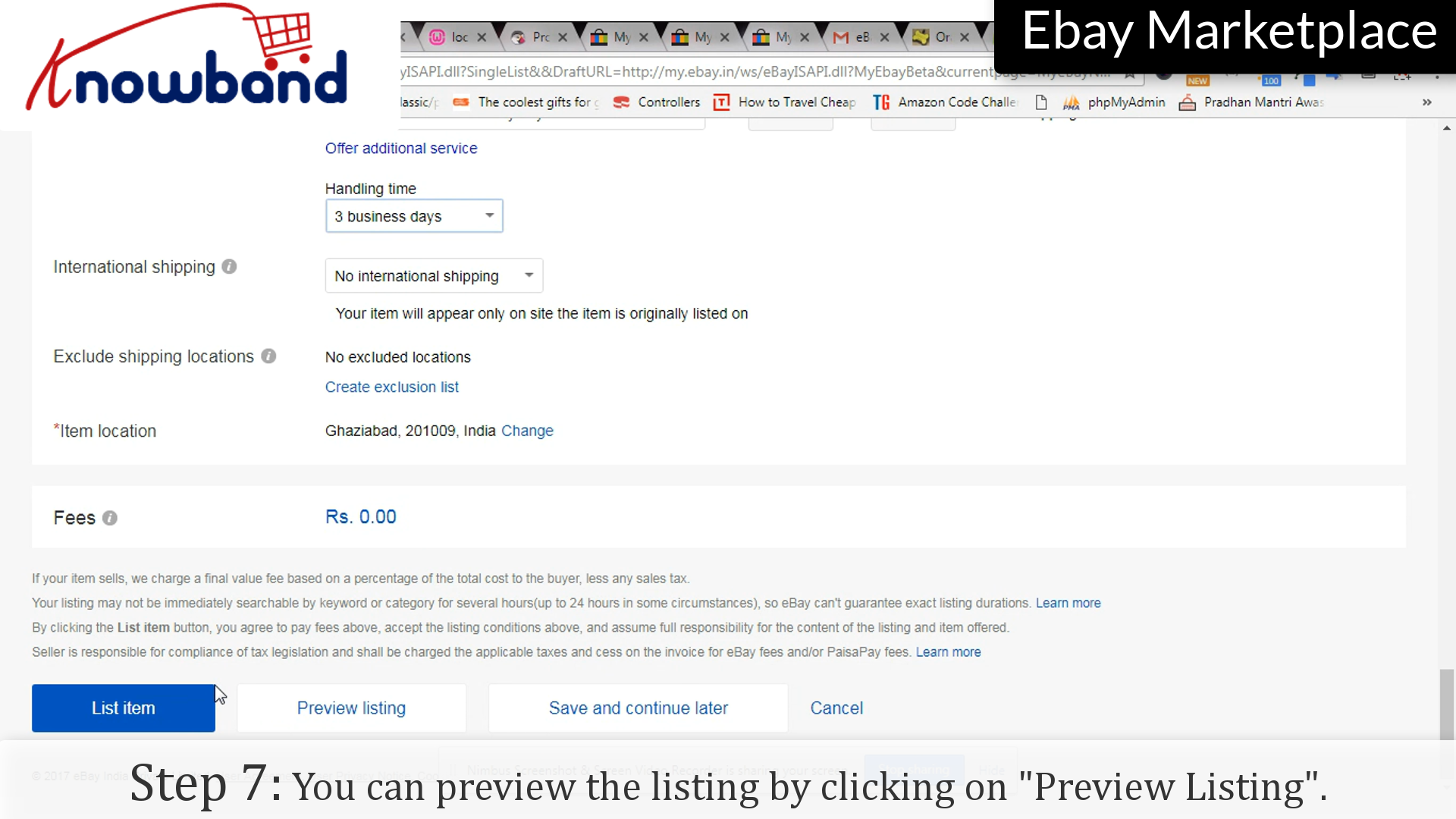
 Step 7: Preview Listing

Before saving the list, eBay provides you an option to preview the listing with all the details.

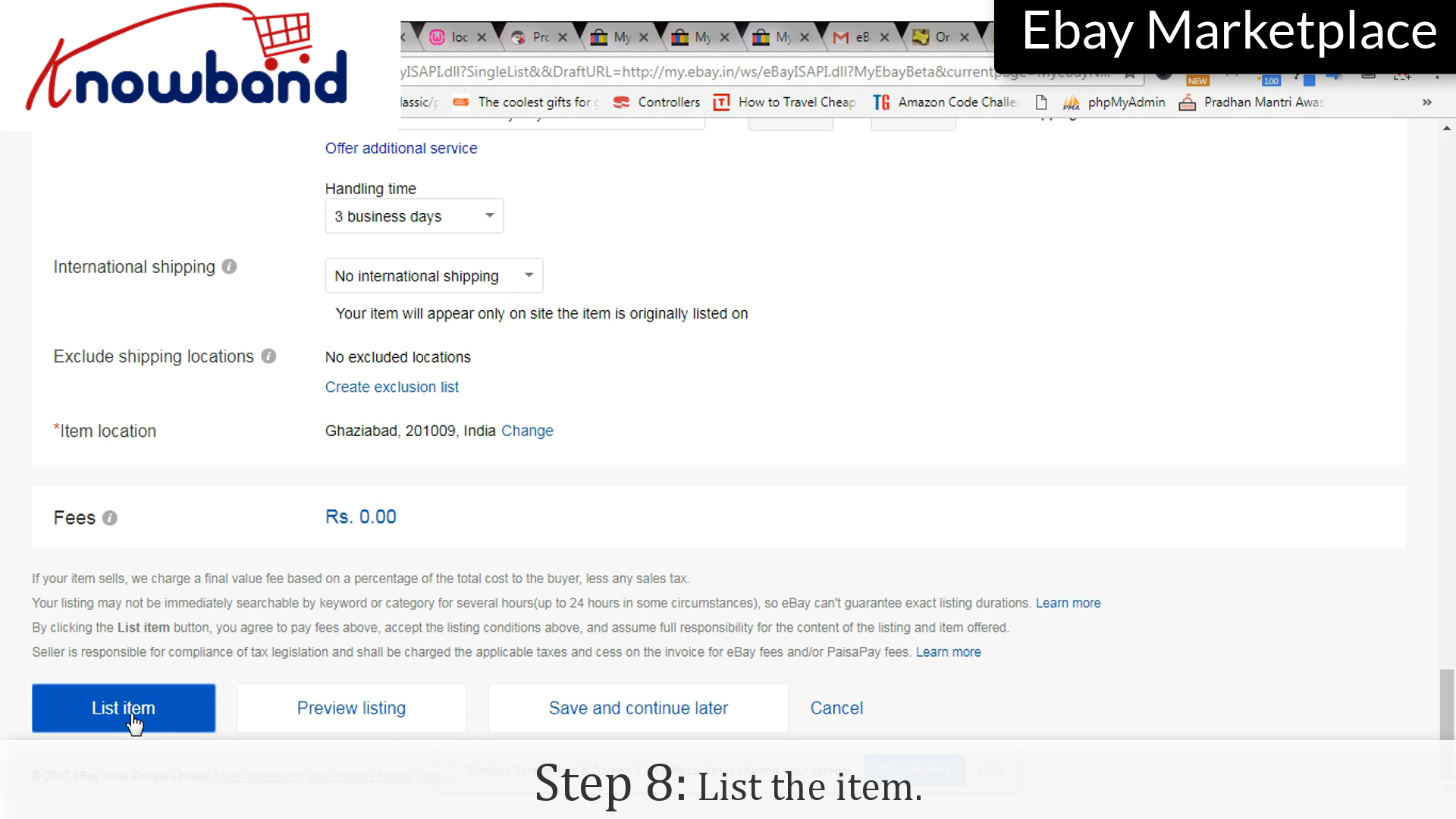
 Step 8: List the item

Click on “List the item” to make the item public.

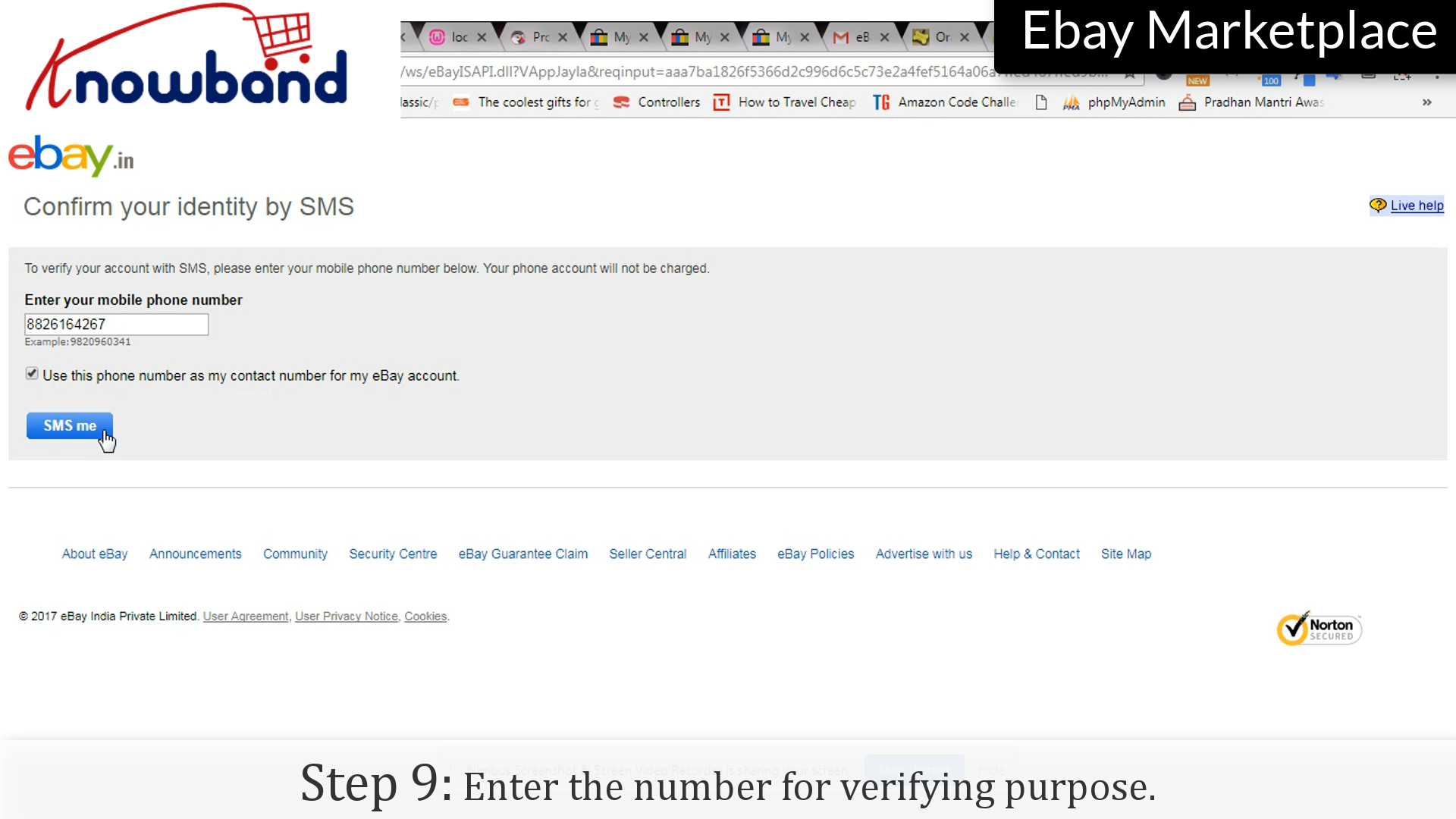
 Step 9: Contact number


Enter the number for verifying purposes. Your item has been listed and is publicly available to the users.

Watch how to list a product in eBay Marketplace?

We hope that this information will help you to list products on eBay Marketplace and easily achieve good profits very soon.

Although listing products directly on eBay is possible but if you already own an eCommerce store, it becomes easier. So, if you are an eCommerce store owner and want to sell your products on eBay than you can integrate them via eBay Integrators.

KnowBand’s eBay Integrators bridges the gap between the store and the Marketplace via eBay API. After successful integration, sellers can map their product listings on eBay and earn sales and profits at high scale. The eBay Integrators are available for various CMS platforms as follows:

Sellers can choose their platforms according to their eCommerce store platform and integrate their store to eBay without any hassle.

If you have any queries related to the extension, you can contact us via mail at support@knowband.com. Our support team is always there to help you.

Related Stories:

  1. How to create Access Token in eBay Marketplace?
  2. How to create Seller Account in eBay Marketplace?
  3. How to revise and relist in eBay Marketplace?
  4. What are sandbox sites in eBay Marketplace?
  5. How to Launch a Marketplace like Etsy and Ebay?
  6. How to Rank Higher and Get Your Listings Seen in eBay Search?
  7. How to create an eBay Sandbox Account?
  8. How to Create eBay Application to Get Required API Keys and User Token?
  9. 4 Ultimate Tips To Increase Sales On eBay