Following his passion for writing, Manish has been providing value to his readers through his write-ups. He predominantly writes for the e-commerce industry. Apart from writing, Manish's love for cricket is unmatchable. He is an ardent cricket fan.
We are glad to announce that KnowBand has achieved yet another feat by grabbing the Superhero Seller badge on the PrestaShop addon store.
It is the result of extreme hard work and perseverance by our entire team at KnowBand, a special mention of our skilful Developers who put their day and night in making things work out the best. Not to forget our valued customers who have put their trust in us over the years and helped us receive this expertise ranking on the official PrestaShop platform.
What is Expertise Ranking on the PrestaShop platform?
PrestaShop expertise ranking help merchants pick the relevant modules as per their requirements.
A community of developers lists their products on the PrestaShop Marketplace and each developer is assigned a level of expertise based on Seniority, Average Rating, Positive ratings, and Support Quality.
The level of expertise(from low to high) are Conqueror, Captain and Superhero.
Let’s try to understand how the expertise level is decided on the official PrestaShop platform.
Conqueror: Seniority ≥ 3 months, Average ratings ≥ 2.5(out of 5), Positive Ratings ≥ 1 and Support Quality ≥ 75%
No badge is provided failing to match any of the mentioned criteria.
Captain: Seniority ≥ 6 months, Average ratings ≥ 3.5, Positive Ratings ≥ 3 and Support Quality ≥ 85%
Superhero: Seniority ≥ 12 months, Average ratings ≥ 4, Positive Ratings ≥ 5 and Support Quality ≥ 95%
With our continuous efforts in providing the best eCommerce solutions, we have been rewarded with the Superhero level expertise.
Why choose KnowBand?
KnowBand is among the leading names in the list of “Best eCommerce Service Providers.” We provide eCommerce development services for PrestaShop, OpenCart, Magento, Magento 2 and WooCommerce platform.
Over the years, we have helped merchants with our highest quality modules. Some of our best selling modules on the PrestaShop addon store are:
This PrestaShop addon has 1000+ Downloads and 50+ 5-star ratings.
Note: KnowBand also made Multi-vendor Marketplace compatible with Mobile App Builder allowing you to convert online marketplace into Android & iOS app.
This addon is also compatible with PrestaShop Booking & Rental System addon to convert online booking marketplace into the mobile app.
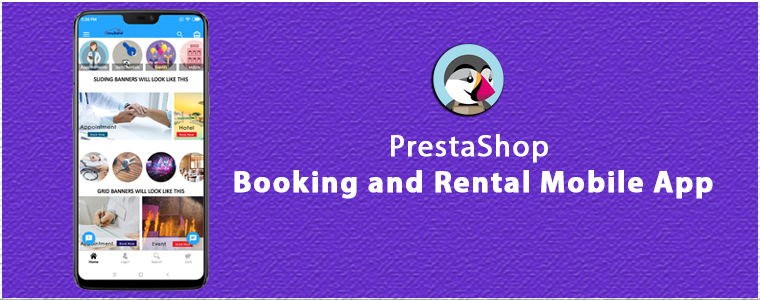
Transform your online booking PrestaShop website into a Mobile App, make your booking and reservation system easier than ever, and manage your online bookings effortlessly with the help of PrestaShop Booking and Rental Mobile App.
Mobile Apps have made the online experience way too smooth and convenient for customers. Today, people desire an app for every small need.
Why?
Because apps are easy to use and most importantly, time-saving. Unlike a website where a user has to first open Google, enter the URL and then do the required work, the mobile app makes it a one-click task.
Feeling the importance and high demand of mobile apps, Knowband has recently launched the PrestaShop Booking and Rental Mobile App for those PrestaShop website owners who are running an online booking website and require a mobile app for the same to make the online booking experience even better for their customers.
So instead of purchasing both the modules separately, we have formed it into one single module so that the merchants can enjoy the overall benefits by just purchasing the PrestaShop Booking and Rental Mobile App.
What does PrestaShop Booking and Rental Mobile App offers?
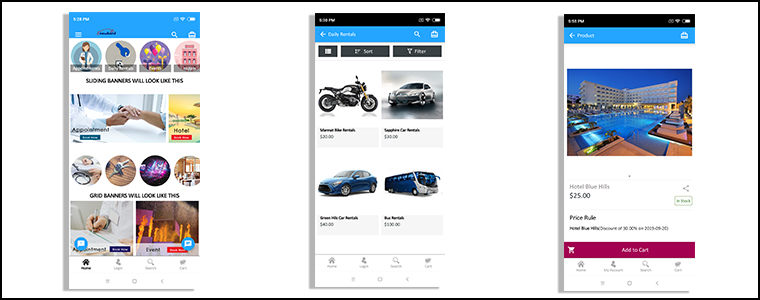
The PrestaShop Booking and Rental App helps you manage your online booking services, ranging from appointments and hotel bookings to daily and hourly rental services.
People are using online booking services on a daily basis. Booking a cab or a room or an appointment requires just a few taps. If you want to provide a similar booking convenience to your customers, PrestaShop Booking App is the one-stop solution for you.
Let’s look at the key features of PrestaShop Booking and Rental Mobile App.
Manage your Appointments
Taking appointments over the call can be hectic. Even if you have hired an assistant, the task can be daunting.
Get rid of the manual bookings and let your customers book an appointment as per their convenience right from the app with the help of PrestaShop Appointment Booking App.
Appointment configurations:
1. Allow customers to pick Home Service or Branch visit.
2. Specify the number of appointments that can be generated in a single day.
3. Set an initial price for the customers to avail the booking facility.
4. Mark your location on the map so that customers face no trouble in reaching your place.
5. Select the days for which the customers can generate an appointment.
6. Similarly, you can define the time slot as per your availability.
7. Adjust the booking price for different time slots.
Manage your Hotel Bookings
Let people book rooms without any inconvenience and manage your bookings comfortably with PrestaShop Hotel Booking App.
Hotel booking configurations:
1. Add your rooms without any hassle.
2. Define the room type, for example, if it is a single bedroom or double bedroom.
3. Provide a category to your rooms.
4. Set an initial price for the customers to book a room.
5. Mention the date range within which customers can book a room.
6. Adjust the booking price for different days.
7. Adjust the booking price for different room types.
8. Add hotel amenities so that customers get a clear idea of what they can expect in your hotel and rooms.
9. Specify the check-in and check-out time.
10. Mention the minimum and the maximum number of adults and children allowed.
11. Display hotel ratings to help customers make a better choice.
12. Mention the minimum and maximum numbers of days for which the customers can book rooms.
Manage your Rental Bookings
Rental bookings are always high in demand, be it a car rental for a vacation, bike rental for a small trip or costumes rental on Halloween. If you have a rental business, going digital with the mobile app will add a huge sum to your revenue.
Daily Rental configurations:
1. Specify the number of bookings for a day.
2. Set an initial booking price.
3. Mark the days on which the daily rental service can be availed.
4. Specify the time slot for booking a daily rental.
5. Adjust the booking price as per the time slots.
6. Mention the facilities that would be provided.
Hourly Rental configurations:
1. Specify the number of bookings for a day.
2. Set an initial booking price.
3. Specify the minimum and maximum hours to book an hourly rental service.
4. Mark the days on which the hourly rental service can be availed.
5. Adjust the booking price for different days.
Conclusion
PrestaShop Booking and Rental Mobile App is a perfect solution to deal with the difficulties in managing your online bookings.
Delight your customers by announcing your mobile app and enhance their booking experience. It also makes the perfect opportunity for you to double up your sales.
Try out the PrestaShop Booking and Rental Mobile App today!
The search functionality of your eCommerce website plays a crucial role in the purchase decision of a customer. If customers do not easily find what they are looking for, they will likely take an exit and never return, making you lose out on potential customers.
This is why the search functionality holds very high importance to gain customer loyalty and provide customers with a hassle-free online shopping experience.
For PrestaShop website owners, we present the PrestaShop Search Auto-suggest addon that can improve the search functionality of the website and help people find the desired products easily.
Auto-suggest or autocomplete is a feature that predicts what the user is looking for, even before the user has finished typing his/her search query.
Features to look out in PrestaShop Search Auto-suggest addon:
1. Choose minimum letters to start performing a search
Set the minimum number of letters that need to be entered in the search box for the search function to work. For example, if a customer is looking for a pair of shoes, the search results would be displayed only after the customer has typed “sho” and not before it.
2. Search with the category name
Search for a particular category by typing the category name in the search box.
3. Search with the product name
Search for a particular product by typing the product name in the search box.
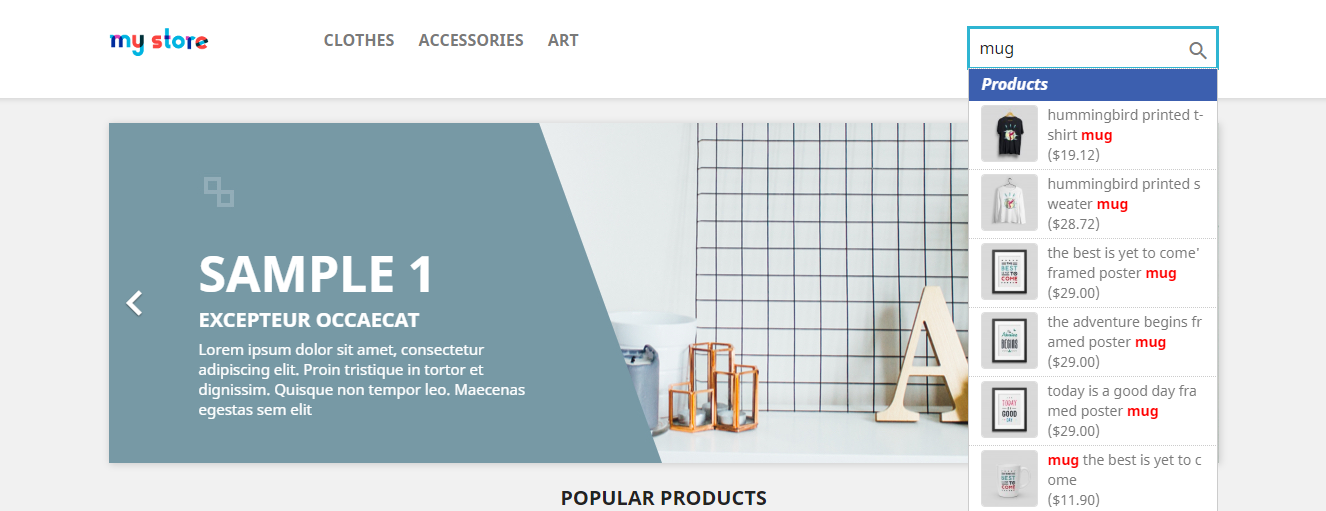
4. Display price along with the products
PrestaShop Search Auto-suggest addon lets you display the product price in the search results. If enabled, the product price will be mentioned right below the product name when a user types a search query.
5. Set a limit for the search results
With the help of PrestaShop Quick search addon, you can choose how many results you want to display in the search results, at once.
6. Allow search with product description, tags, SKU, UPC, EAN
A user can search for a product with its description, tags, EAN(European Article Number), UPC(Universal Product Code) and SKU(Stock Inventory Unit).
7. Get a complete analysis of the searched terms
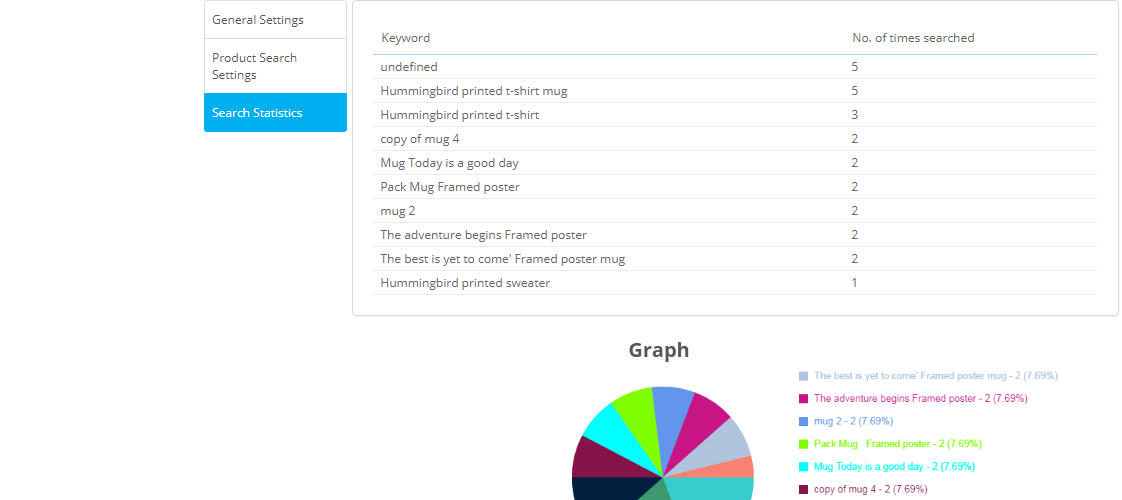
PrestaShop Search Auto-suggest addon provides you with the statistics of the most searched keywords in your eCommerce website.
It displays the keywords along with the number of times they have been searched.
The stats can also be seen in the form of a pie chart.
8. Filter search results based on the stock status
With PrestaShop Search Auto-complete addon, you can display only those items that are currently in stock and hide the out-of-stock ones. Or you can display every kind in the search results, whether it is in stock or out of stock.
PrestaShop auto-suggest also provides you with the option to display only the products that have a specific quantity. For example, if you set the quantity range from 0 to 5, then only if the quantity of the product that a user is trying to search is between 0 and 5, products will be shown in the search results.
9. Instant display of results as a drop-down list
The search results are displayed instantly with the images as a drop-down list.
10. Customize your search bar
Adjust the colour of the highlighted keyword, background colour of the heading and the font colour to give your search bar an appealing look.
Why should you have PrestaShop Search Auto-suggest addon?
1. Easy and quick search functionality
2. Enhance user experience
3. Reduce bounce rate by displaying relevant results to users
4. Help customers find the desired product in no time.
The PrestaShop Search Auto-suggest addon is fully responsive, SSL compatible, multi-store compatible, multi-browsers compatible and compatible with all PrestaShop themes.
The spooky Halloween Day is not so far away. Soon, you would see people in a ghostly get-up or wearing a freaky pumpkin mask.
The time has arrived for the eCommerce merchants to start planning their holiday marketing ideas, and Halloween is the first one to begin with, followed by Thanksgiving, Black Friday, Cyber Monday, Christmas and New Year.
Did you know? The Halloween sales hit an estimated $9 billion mark in the U.S last year, as per a report by National Retail Federation. It has shown spectacular growth over the years and would catch up a very high number in the upcoming years.
Halloween is one of the most popular holidays. It is not only rejoiced by the consumers but also makes an excellent opportunity for the e-retailers to boost their sales.
In this article, I will provide you with some useful Halloween marketing strategies to catch up with the Halloween spirit and increase your sales.
Here are some of the effective Halloween Marketing Ideas:
1. Give a Halloween look to your website design
The first and the foremost thing to perform for Halloween marketing would be customizing your store as per Halloween. Let your visitors and customers get the Halloween feel as soon as they enter your website. Add some spooky elements on your Home Page, Product Page, Registration form, etc. Use spooky fonts. Design your banner in such a way that leaves people startled.
If you are displaying some offers, make sure they contain the Halloween touch.
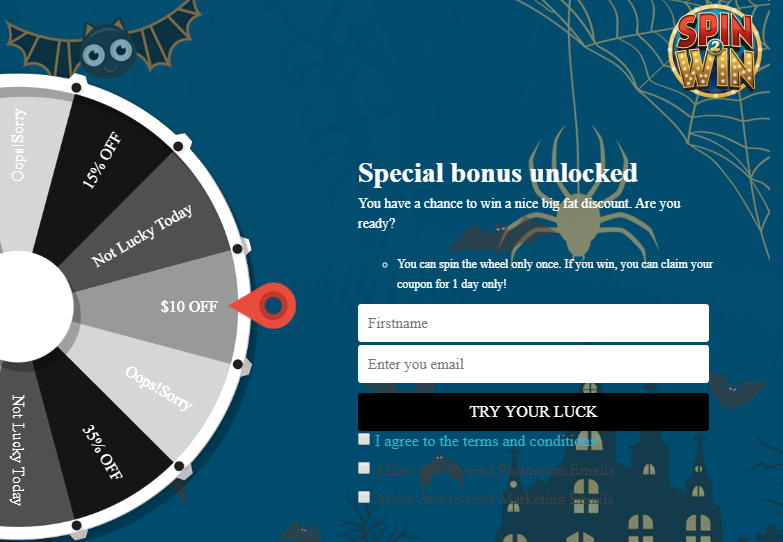
For example, if you are having a Spin and Popup on your website, you can choose a Halloween theme to add the festive touch to the wheel.
Below is the example of KnowBand’s Spin and Win addon for PrestaShop. It offers pre-existing templates not only for Halloween but also for other major occasions. Such popup themes help you grab more customer engagement.
2. Design a Halloween-themed Logo
Another Halloween marketing idea would be to add a Halloween touch to your brand logo with some scary elements like spooky pumpkin, haunted house, bats, etc. This way you would be able to catch the Halloween spirit and obviously your visitors’ attention.
Have a look at how Google set up its logo on one of the Halloween occasions.
3. Tweak your Social Media Pages with Halloween elements
Adding to the list of Halloween marketing ideas, you should look to replace your current Brand page profile and cover picture with a Halloween related image on your social media pages. It should bring to the notice of your followers and give them a reminder about the arrival of the coming holiday season.
In fact, if you are running an offer or promotion, you can mention it on your cover picture.
4. Host contests or launch a user-generated content campaign
One of the most effective Halloween Marketing strategies would be hosting Halloween contests or running a user-generated content campaign where you can ask users to upload and submit their pictures in Halloween costumes by using a specific Hashtag.
In return, you can provide the ones with most spooky look with some gift cards or discount coupons. These kinds of activities make your Brand popular on social media platforms.
5. Create a spooky brand video
Video marketing is gaining huge popularity. Following the rise, brands are missing no opportunity to showcase their creative skills in front of their audience.
The holiday season is the perfect time to get your brand noticed, and there is no better way to do it than having a creative video that could contain a bit of humour along with a message.
Brainstorm some ideas and come up with something which you could relate to your brand. You can set a marketing example for others and make people remember your Brand if your Halloween Marketing video gets viral.
6. Give a spooky look to your Gift Cards
If you have a gift card section in your store, designing your gift cards as per Halloween would make up a great idea for Halloween Marketing.
Digital Gift cards are sold in huge numbers during the holiday season as people are busy and in a hurry to purchase gifts for their loved ones. This is when Gift cards save their much important time. By adding a festive flair to your gift cards, you would give more than enough reasons to consumers to go for the gift card purchase.
You can have a look at our PrestaShop Gift Card addon that comes with pre-existing gift card templates for Halloween, Christmas, New Year, etc. Using this addon, you can create your gift card templates as per your requirements.
7. Provide a Halloween touch to your email marketing campaigns
If you have been going conventional till now, it is time to change the approach. Email marketing brings a lot of benefits and adding a festive touch to your newsletters or promotional emails can make a great impact in terms of sales and brand awareness.
Include your offers in your emails and let your subscribers know what benefits they can take from your store during the Halloween days.
Also, maintain a frequency. Don’t be salesy every time, else it might turn your subscribers off.
8. Do not forget to design for mobile app
If your business has a mobile app, it is the perfect opportunity to add some Halloween elements to it. You should, in fact, give a Halloween look to your app icon as well.
Mobile Commerce has overtaken desktop sales and the numbers are going to be humongous over the next few years. So, everything you plan for the desktop version should also be optimized for mobile as well. Moreover, you can run specific offers and promotions exclusively for the mobile app.
You should also take the maximum advantage of Push Notifications to announce your Halloween Marketing campaigns.
9. Showcase Halloween related products on the top of the Home Page
Be a step ahead of your competitors by not only providing discounts to your customers but also helping them choose a perfect Halloween gift for their friends or family.
Display the relevant items to capture people’s attention right on the Home Page and motivate them to shop. This way, you will be able to generate the gift ideas in your customers’ mind and help them in finding a gift which they would have themselves not expected.
10. Provide a small gift on every purchase
Include a small theme-based gift on every order placed by the customer to enhance their shopping experience. It will likely put a smile on their face and customers would remember your brand next time they come to shop at your store during Halloween.
Conclusion
The upcoming 3-4 months are going to be hectic for the eCommerce merchants. They would be looking to grab as many sales as they can during the peak holiday season.
Start your Holiday marketing with Halloween. Though the primary focus would be towards sales, do not forget to get involved in the fun activities with your customers and followers.
Pay attention to these 10 Halloween Marketing ideas and you would surely be able to see an elevation in your sales graph.
Mandatory sign-ups have been an annoyance for long. People just hate creating an account every time they visit a new eCommerce website. While some get irked by the lengthy and a time-consuming registration form, some just do not like sharing their personal details at all.
The compulsory account creation forms a barrier in your conversions as well. While being on the checkout page, consumers are presented with a sign-up form, which breaks the checkout flow and sometimes becomes a major reason for cart abandonment. In addition, you fail to gather customer data.
Now, get rid of the mandatory registration forms and reduce the obstacles in your checkout process by allowing users/customers to sign in to your Magento 2 store easily with their social media accounts.
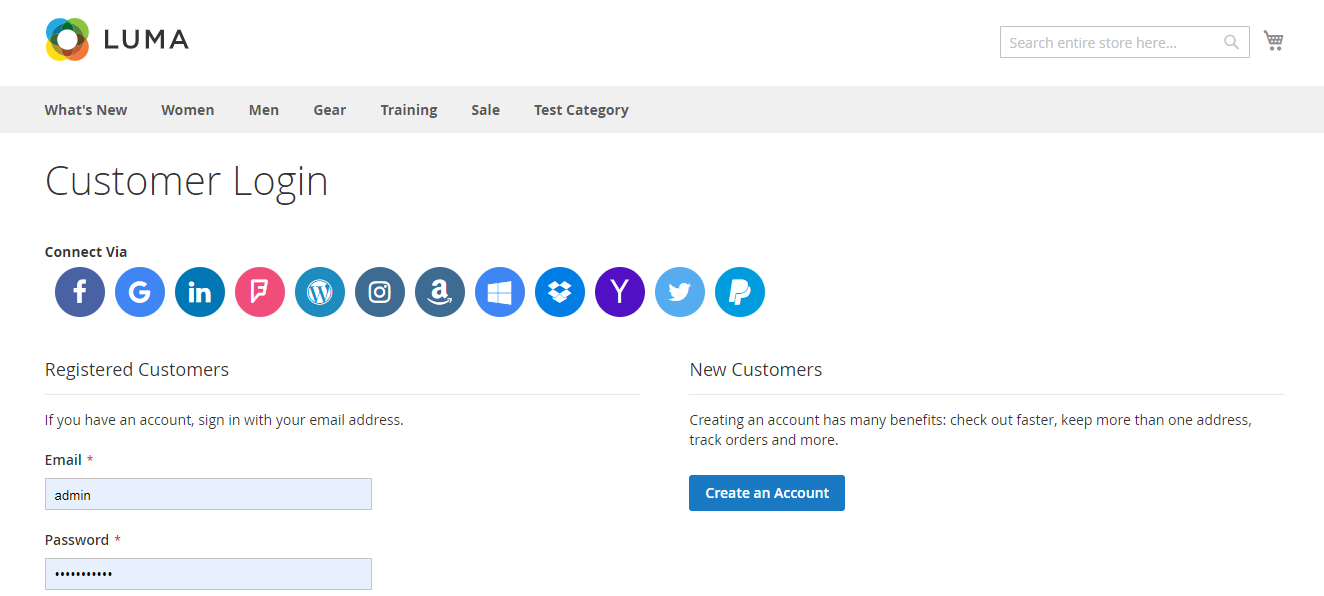
The Magento 2 Social Login extension is designed to provide an easy and quick login facility to your visitors by avoiding the manual registration task and providing them with various social login options. Hence, customers do not need to create an account and remember the login credentials.
Social Login extension for Magento 2 provides up to 12 social login options to your customers. The social networks supported by this extension are:
Facebook
Google
Instagram
Twitter
LinkedIn
Amazon
PayPal
Yahoo
WordPress
Foursquare
Live
Dropbox
2. Display the social login block at multiple pages
The Social Login extension for Magento 2 allows you to place the social login block at multiple pages like Login Page, Registration Page, Checkout Page, etc.
3. Sort social icons
You can arrange the social icons as per your requirements. For example, you can keep the major social networks like Facebook, Google, Twitter and Instagram on the top and rest of the icons below them.
4. Customize icons
Magento 2 Social Login extension allows you to customize the social icons. It includes:
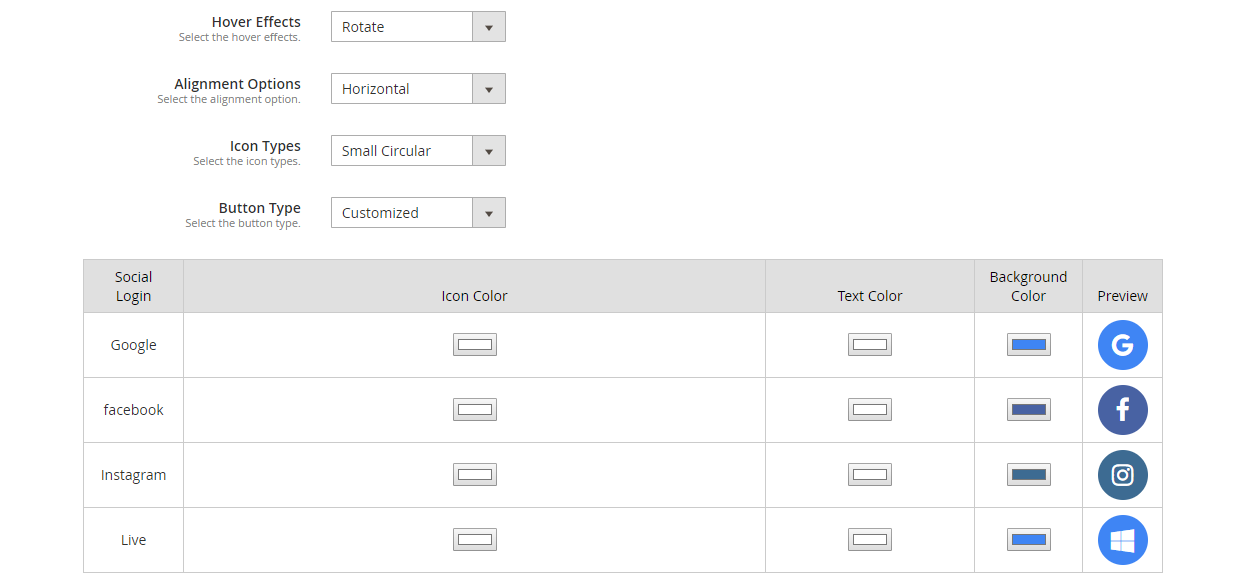
Alignment of the icons: Choose whether you want to display the icons vertically or horizontally.
Add effects to the icons: The social icons with either get highlighted, rotate or zoom when clicked.
Icon type: Select how you want your icons to be displayed. It consists of options such as small circular, small rectangular, large rectangular, small rounded, large rounded.
Button type: Choose the default button of the social networks or you can adjust the icon colour, text colour and background colour accordingly. A preview will be displayed as you make custom changes.
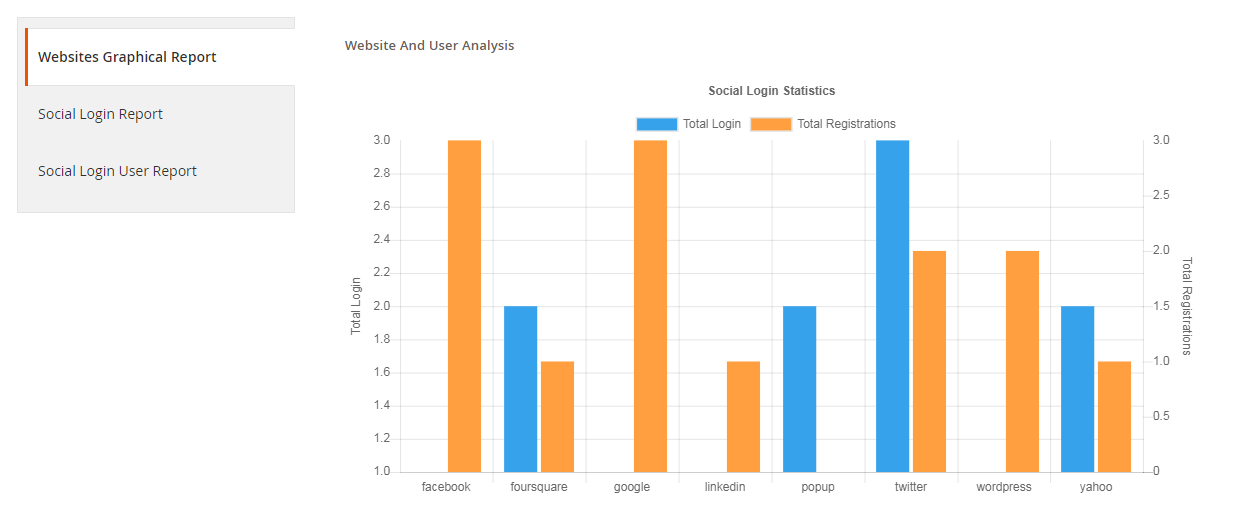
5. Get a complete analysis of the social registrations
Check which social login users preferred the most for signing in, how many login and registrations have been captured in total.
You can also track the email address of the users and check which user came from which platform.
6. Fully compatible with One Page Checkout
Magento 2 Social Login extension is fully compatible with our popular Magento 2 One Page Checkout. The Magento 2 One Page Checkout has in-built social login option but it is only restricted to Facebook and Google login. However, by installing the Magento 2 Social Login extension, you can provide your users with up to 12 social login options.
Why should you choose Magento 2 Social loginizer?
1. Quick and easy login
2. Capture more sign-ups
3. Simplify and speed up the registration process
4. Customers do not need to remember passwords
5. Excellent for target marketing
6. Increase conversions
7. Reduce cart abandonment rate
8. Lower bounce rate
Adding to a fact that 77% of the users find social login to be a perfect solution for registration and 60% of the users are more likely to use it on mobile (Source: Annex Cloud), you should definitely consider this Magento extension for your Magento store.
We are pleased to announce that KnowBand has been recognized as one of the leading Mobile Commerce Solution Providers by Global Market Researchers. As per research reports of various global retail & mobile market agencies, KnowBand has made to the list of top eCommerce mobile app developers.
It is a remarkable accomplishment that has made our entire team, at KnowBand, proud of their continuous hard work and efforts behind the Mobile App Builder in providing a better, easy and simplified shopping experience to mobile users.
Regions/Countries covered in the research include the United States, Europe, China, Japan, South-East Asia, India and Central & South America.
A majority of online shoppers prefer mobile devices to shop nowadays, and ever since the introduction of mobile apps, online shopping has become way too easy.
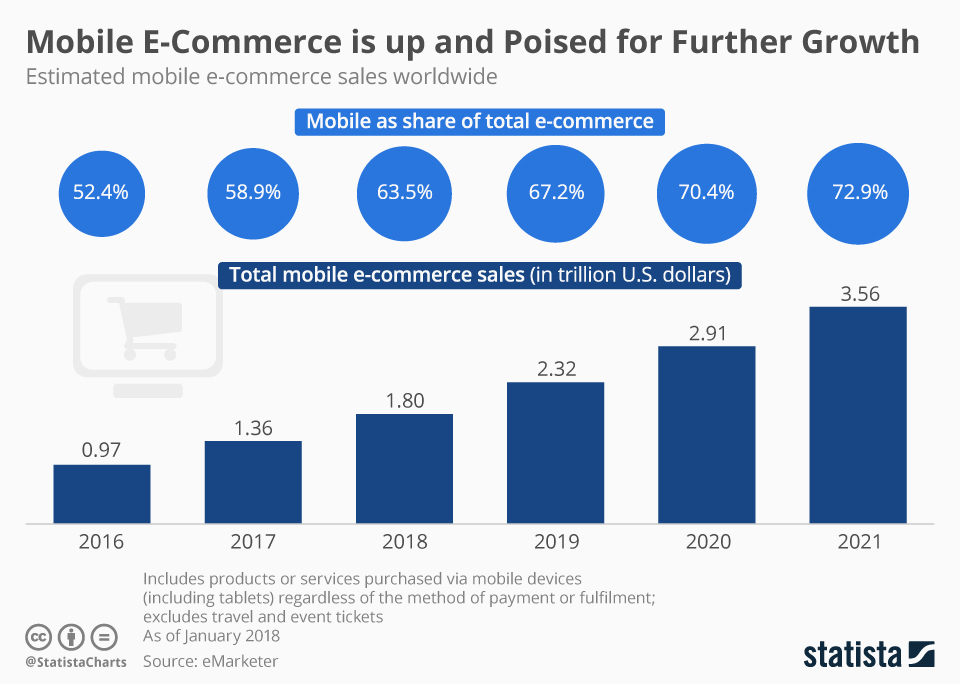
It can be backed by the fact that mobile sales accounted for 40% of the total eCommerce sales in the US, in 2018, and expected to reach 54% by the year 2021, as per a report by Statista.
If we talk about global mobile commerce statistics, m-commerce has already surpassed desktop sales in 2016, accounting for 52.4% of m-commerce sales that particular year. The sales graph can reach as high as 73% by the year 2021.
Considering the continuous growth in mobile commerce, KnowBand has been putting its all every day to help eCommerce merchants to take their business to the next level and increase their sales margin. With its tech-savvy pool of developers & entire focused team efforts, every eCommerce merchant got the best shopping apps for their business. KnowBand is also a Superhero Seller on the official PrestaShop Addon Store.
The Mobile App Builder is currently available for PrestaShop, OpenCart, Magento, Magento 2 and WooCommerce. Check them out:
Free Shipping is a sales strategy used by eCommerce businesses to encourage online shoppers to purchase without having to worry about the shipping cost.
Does it actually help in improving sales?
Well, “Yes. It does”
One may argue that free shipping is not the ideal solution to ensure growth in sales as it can affect the profit margin. However, if the right tactics are applied, it can surely bring fruitful results.
In this article, I have discussed how to offer free shipping and why it is an important part of your sales strategy. It will also brief you on when you should offer free shipping.
So, let’s start.
Why should you offer Free Shipping?
It is obvious that free shipping delights customers but it also provides ample benefits to eCommerce businesses. Free shipping-
1. Increases Sales
The primary benefit of offering free shipping is that it increases sales.
The tag of “Free Shipping” induces customers to purchase as they would not have to pay additional costs while purchasing a product. A study by Invesp confirms the same, which says that 9 out of 10 consumers find free shipping to be the primary reason to shop online.
2. Increases Average Order Value
Adding to the benefits of free shipping is it boosts your average order value.
Retailers often set a minimum threshold for customers to get free shipping on their purchases. Only if the customer makes a purchase over the threshold, he or she would be eligible for free shipping.
Shoppers add additional items to the cart to cross the threshold value, which eventually results in an increase in the average order value.
The stats collected by Invesp confirm that 93% of the online shoppers show the tendency to purchase more products if the free shipping option is available.
3. Reduces Cart Abandonment
High shipping cost is the foremost reason behind shopping cart abandonment. And it makes sense. When shoppers look for a product, they do not take the shipping charge into account.
And when the price on the payment page goes much higher than what it was on the product page or what they expected, they reluctantly abandon their cart.
Imagine how satisfying it would be for a customer if the product price remains the same throughout.
Free shipping helps you earn customer loyalty and improves brand loyalty simultaneously. Customers become loyal to your brand and they keep coming back to your store at regular intervals, avoiding your competitors who are charging a high shipping cost.
How to offer Free Shipping?
Free shipping simply cannot be provided on every product. There are certain ways to offer it. For example-
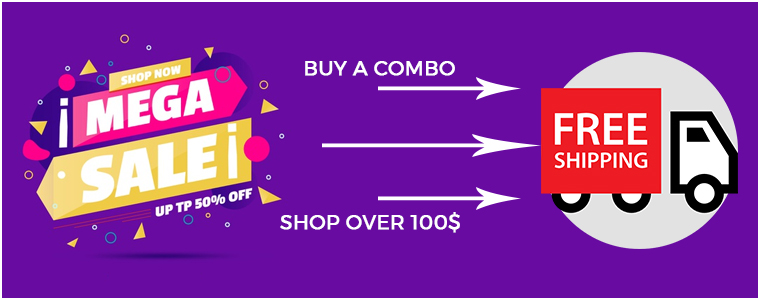
1. Over a Certain Product Value
You can specify the minimum product amount for which the customer needs to shop to get free shipping. This does not include other charges.
To put it simply, the “product amount” should be equivalent to the threshold, not the “total order value.”
You can define a cart value that a customer must match if he or she does not want to pay the shipping charge.
For example, free shipping if the total order value exceeds $100.
3. Limited-Time Free Shipping
Create urgency to purchase by offering limited-time free shipping. The purpose is to convert prospective buyers into potential customers.
Start sending out emails or post it on social media to make your customers aware of this limited-time offer. Do whatever it takes to reach your audience.
4. On Taking a Membership
You can charge an annual subscription fee for a membership program, under which customers can enjoy the free of cost shipping.
One of the popular examples is Amazon Prime that offers free and quick shipping under their membership program.
5. On Shopping for a Certain Quantity or a Package
This can include offers like Buy 2 or buy a combo and get free shipping.
However, you need to make sure that the package that you are offering or the products falling under “Buy 2 or buy a combo” offer can adjust your shipping cost, else it will be a loss if it is applied on low-priced products too.
When should you offer Free Shipping?
1. On Special Occasions
Free shipping can provide a huge boost to your sales during the holiday season, simply because the shopping fever is high at that time. Occasions like Black Friday, Halloween, Christmas, New Year provide a perfect opportunity to grab more sales by offering free shipping.
2. If Your Competitors are Offering It
It’s good to track your competitors’ activities. It provides you with the areas of improvement.
Check whether your competitors are offering free shipping or not. If they are doing it, you should offer it too, to be in the race among brands. If they aren’t, you can use this to your advantage and get a competitive edge over your competitors.
3. Free Shipping on Returns
If your customers are not satisfied with the product and on top of that if you are asking them to pay the shipping charge for placing a return, it can annoy customers and might affect customer loyalty.
To improve customer satisfaction and maintain customer loyalty, you can devoid your customers from the shipping charge when they place a return request.
1. Set the minimum cart value for a customer to receive free shipping.
2. Set the minimum and maximum weight of the products to get the free shipping facility.
3. Allow free shipping to users of a particular zone. (Africa, Asia, Europe, etc)
4. Make free shipping available for visitors, guest and customers.
5. Help customers understand the shipping criteria right when they are on the checkout page.
The Bottom line
Free shipping can be a great marketing tactic to boost your eCommerce sales and reduce cart abandonment. But not everyone can afford to provide it. E-commerce giant Amazon started offering free shipping way back but is quite difficult for small scale businesses.
So, make sure to check whether it would be the right idea for your business or not.
If you are already offering it, do let me know how useful it has been to your business so far. If you are planning to offer it, check out the above mentioned free shipping strategies and set yours accordingly.
Have some more points to add? Let me know by dropping a comment below.
A smooth eCommerce checkout is of paramount importance to enhance the online shopping experience of users. If not optimized, it can hamper the checkout flow and compel users to abandon their cart.
In this article, I have presented 7 crucial tips to optimize your eCommerce checkout process and provide a convenient checkout experience to your visitors.
1. Provide Guest Checkout
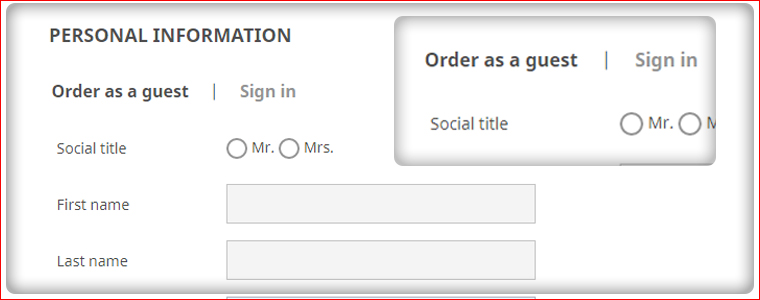
The mandatory registration form can be a barrier in an eCommerce checkout. It would be unwise if a customer looks all set for the purchase but is forced to abandon because of compulsory account creation.
This distraction can be avoided by offering Guest Checkout.
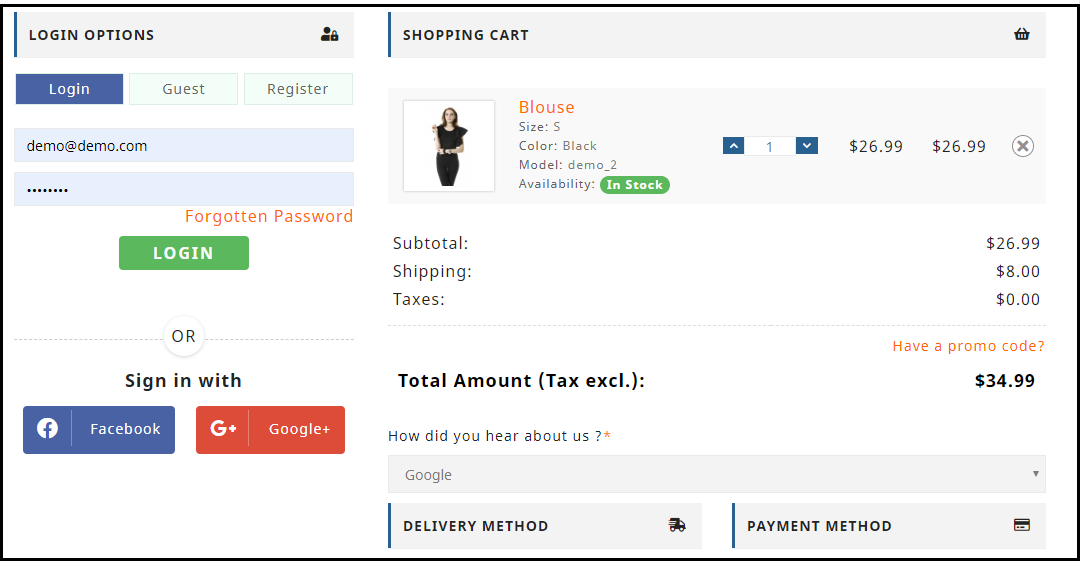
Guest Checkout enables a customer to check out comfortably without disturbing the checkout flow. It speeds up the checkout process and provides a smooth checkout experience to the users who do not want to receive promotional emails from your business.
Guest checkout is a one-stop solution for mandatory sign-ups and is an important element in your eCommerce checkout.
2. Offer Social Login
Along with Guest Checkout, providing visitors with a social login facility would make up a great idea for a smooth eCommerce checkout.
The registration task is tiresome for the online shoppers and they feel reluctant to sign-up many a time. The social login option, in this case, becomes a better alternative by speeding up the registration process.
Besides, social login removes password fatigue. Customers do not need to create and remember a different password every time. They would be able to log in easily with any of their preferred social media accounts.
Looking to add the social login options on your eCommerce website? Try out our Social Loginizer module that can incorporate up to 15 social login options on your site.
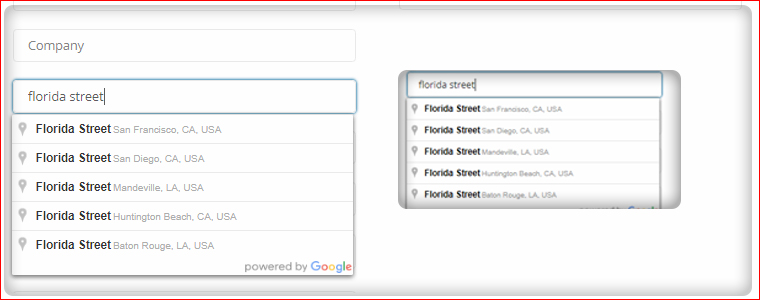
Save prospects’ time by auto-suggesting address when they start filling out the address fields.
Enable Google Autofill functionality. Once set up, it would start displaying the address suggestions in real-time, related to the keywords typed by the user. Upon picking the relevant address, the rest of the major address fields are automatically filled.
Google Auto-fill is essential for an optimized eCommerce checkout.
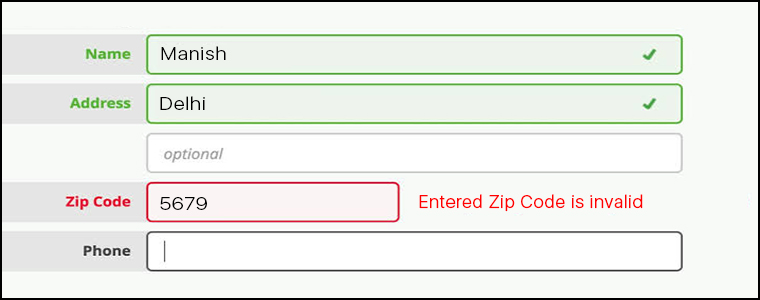
4. Use Inline Validation to Display Errors
Customers generally make mistakes while filling out the checkout fields, and more often than not, the errors are not identified until the customer hits the submit button.
In many cases, customers are required to fill the entire details again and again till all the fields become error-free. This can be irking and hinder the checkout flow. Therefore, it is advised to use Inline validation.
Inline validation checks the inputs in the form fields and indicates whether the inputs provided by the customer are correct or not when they switch between fields. If there is an error, it would display how it can be fixed.
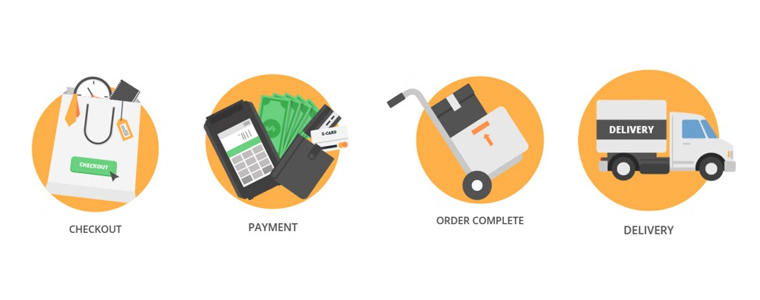
5. Display Checkout Progress
Use a progress bar to indicate at which stage of the checkout process is the customer present and how many further steps do they need to go through before they could finally place the order.
A progress bar presents the overall picture of the checkout process in front of the customer and gives them a clear idea beforehand of your eCommerce checkout.
6. Display Applicable Offers or Promo Codes
Customers often look for promo codes to avail discount on the products they are purchasing.
If there are some applicable promo codes, mention them on the checkout page else the visitor would hit the back button and start looking out for the offers on your website. It is time-consuming and can delay the conversion.
If you display the offers right on the checkout page, it would be easy for the prospects to know about your ongoing deals and hence it would create higher chances of conversions.
7. Do not stick to just Credit and Debit Card
With the introduction of e-wallets, also known as digital wallets, the payment method preference of the customers has changed. Sticking with only Credit or Debit Cards just won’t be enough.
Add multiple payment options on your eCommerce checkout so that a user has a number of options to choose from. Lack of payment modes might lead to cart abandonment.
Each and every step of your eCommerce checkout highly matters for providing a smooth checkout experience to the online shoppers. You need to ensure that every step is optimized and leading to a successful user-friendly checkout.
One small error can add the prospect into the list of abandoned cart users. Also, make sure that your eCommerce checkout is optimized for mobile devices as well. If it does not go well with the mobile format, you can lose out on huge mobile conversions.
To make your checkout more convenient, you can think about using a One Page Checkout. I hope that the information I shared about having an optimized eCommerce checkout turned out to be useful for you.
Mark your calendar for the coming holiday season. It is time to start preparing your ideas and strategies to capture more holiday sales this season. Online businesses are grabbing huge sales every year during the holiday season, and you should not miss it too.
If you own a Magento 2 store and wondering which Magento extensions you should focus on in this holiday season, here are the 7 Magento extensions that I highly recommend implementing on your Magento and Magento 2 store to capture holiday sales.
1. Magento Spin and Win
Magento Spin and Win makes it to the top in our list of Magento holiday extensions.
Though the Spin and Win popup majorly focuses on creating more user engagement and growing your email list by providing a gamified experience to customers, you can capture huge sales with it by making it more appealing in the coming holiday season.
Magento Spin and Win extension provides you with the option to design your popup for various occasions. It comes with pre-existing themes for Halloween, Christmas, New Year, etc. You can adjust the look and feel of your popup in accordance with the occasion.
A popup having a holiday theme will draw more user attention during the holiday season. People would be excited to spin the wheel and earn some offers and discounts.
With this approach, you would be able to catch the holiday spirit and grab more holiday sales. Not to forget your email list would witness a lot of new entries.
Enhance the online shopping experience of your customers by launching a mobile app for your Magento website.
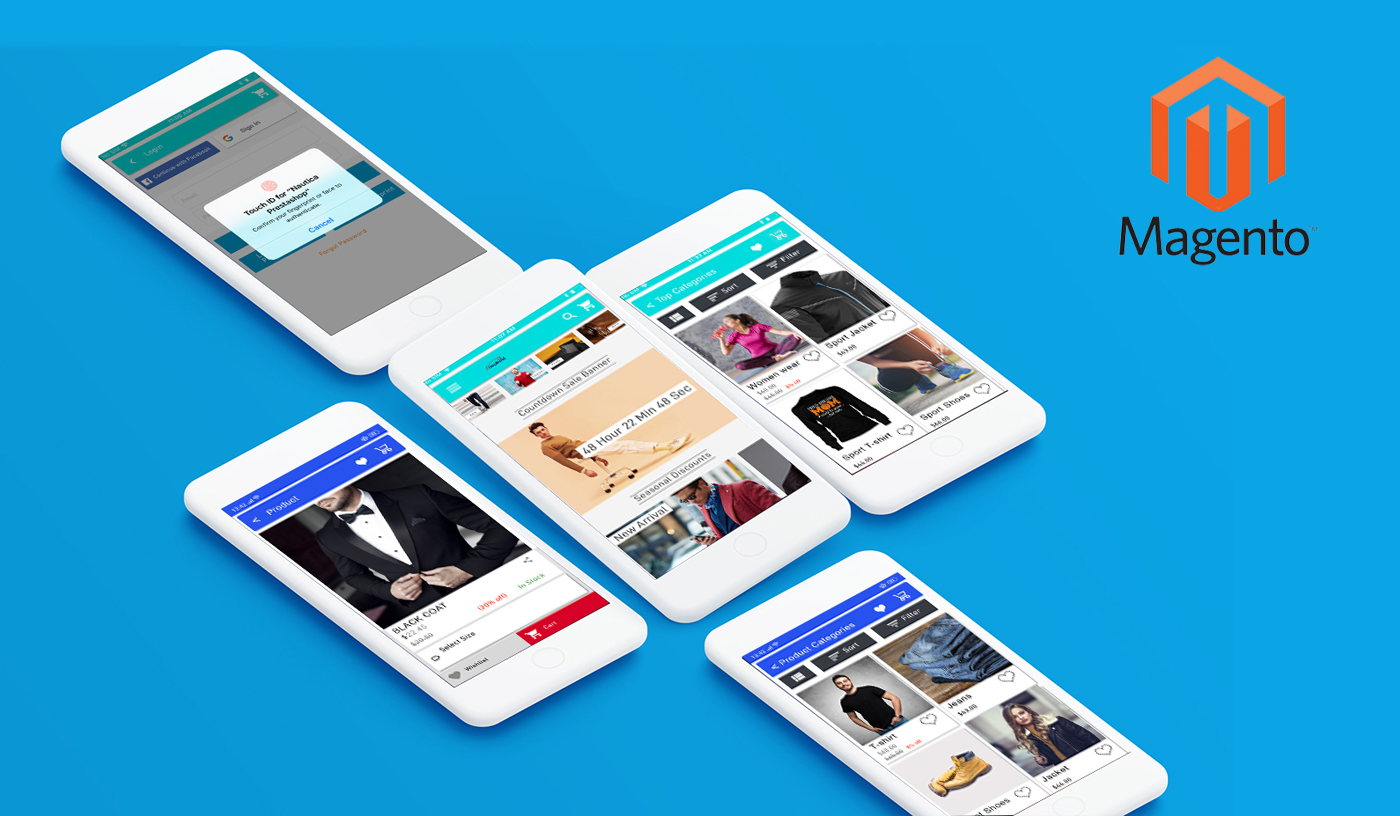
Magento Mobile App Builder converts your website into a user-friendly mobile app (Android and iOS). Talking about its key features, it offers Real-time synchronization of the website into app, Home Page Layout Optimization, Fingerprint Login, Zopim and WhatsApp Chat support, Unlimited Push Notifications, All Product type support and much more.
If you are aiming for a high sales count in the coming holiday season, you should definitely go with this Magento extension.
The schedule is hectic during the holiday season and people do not get enough time to purchase a gift for their every close one. This is when Gift Cards make things easier. Gift cards are the best option for last-minute shoppers.
A digital gift card is a one-stop solution for those who do not want to feel the burden of choosing gifts and spending hours in the search for a perfect gift.
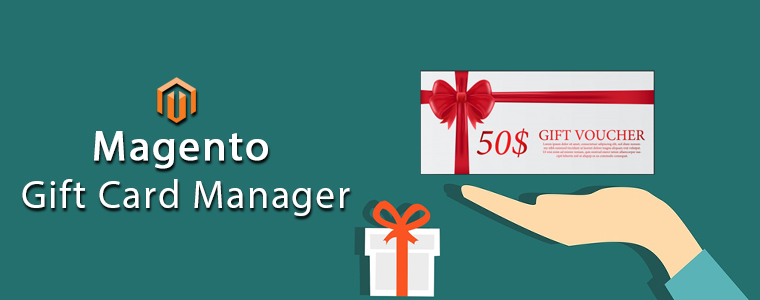
Magento Gift Card Manager comes up with multiple gift card templates like for Halloween, Christmas, New Year, etc. You can create your own gift card template to give it a festive touch. Occasion based Gift Cards capture huge eCommerce sales.
If you do not have the gift card functionality, set it up today to grab holiday sales in the coming season.
Social media has around 3.6 billion people user base and 1.69 out of which are registered users on Facebook. Share and win Magento extension for Facebook is the one that can help the e-merchant to offer a fixed or percentage-based discount if the customer shares the store product on their social media account. The customers will be receiving a coupon code if they share the store product on their Facebook wall or with a friend over Facebook messenger.
Thus, the offer encourages customers to promote store products without any extra efforts. This increases customer retention and brings new customers to the store. Facebook share and win for Magento and Magento 2 is one of the easiest ways to increase brand awareness.
If you are looking for a Magento extension which can help you doing cross-sell then the best strategy which can work will be showing related products to the customers. Magento’s Automatic Related Product extension helps to cross-sell the store’s other products. Depending upon the product view or purchase statistics, this extension displays relevant products.
With Automatic Related Product Plugin, Magento 2 store owner can highlight the best-selling or new arrival pieces. This plug-in improves the up-selling and cross-selling of items from the shop.
To know more about the features and benefits you can refer to the product page of Magento Automatic Related Products extension.
6. Magento Affiliate and Referral Program
The “Refer and Earn” scheme works the best during the holiday season. It is the time when people shop the most and look for the sites offering heavy discounts. Therefore, the referral program, in this case, brings more sales, if you ask your users to refer your Brand to other people.
Magento Affiliate and Referral Program extension allows users to register as an affiliate on your store. After successful registration, the affiliate partner can share your website link to his/her audience through a referral code, a referral link, or share it on social media or via email.
You can also assign vouchers to the affiliate partner. The affiliate can share that voucher code with his known people and ask them to use that code while they shop. After a successful order, the affiliate will receive the incentives as set by the store merchant.
The holiday season grabs countless orders, due to which customers face delays in the delivery. When the delay extends more than usual, it creates a sense of frustration among customers. This is where Magento store locator can prove beneficial for you as well as your customers.
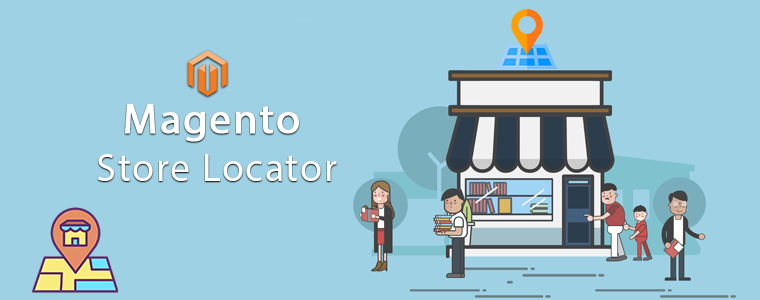
Magento Store Locator extension allows you to display your store locations on the front end of your website. While purchasing a product, a customer can choose his nearest store and pick up the order when it reaches the location, to avoid late delivery.
People expect to receive the product as fast as possible during the holiday season. You can save their important time by implementing the store locator extension on your Magento store. The pickup facility will surely mark a change in your holiday sales graph.
Have any doubt in any of the Magento extensions? Feel free to ask by dropping a comment below or you can mail us your query at support@knowband.com
I hope these Magento extensions for the holiday season provide a big boost to your online business. You can look out for some more Magento extensions in our store.
The holiday season is coming close. It is that time of the year when e-retailers look for every single opportunity to attract customers to their store and maximize sales.
The holiday season alone captures sales equivalent to the sales during the rest of the year. According to NRF, holiday sales for 2021 are expected to rise by around 4% as compared to 2020.
If you are a PrestaShop store merchant, here are the top 10 PrestaShop addons that you should implement in your store, to boost your holiday sales.
Grab customer attention and enhance customer engagement on your website by adding a gamified interface to it.
Knowband’s Spin and Win addon for PrestaShop is one of the best PrestaShop addons to increase customer engagement and your email list. It provides your visitors with a gamifying experience when they visit your store, by displaying them a Spin and Win wheel popup.
PrestaShop Spin and Win addon allows you to design your popup as per the occasion. Give a festive look to your website and provide the festival feel to your visitors. With the help of PrestaShop Spin and Win addon, you can set your popup theme for Halloween, Christmas, New Year, etc.
The more attractive your popup will look, the more engagement it will create. Let visitors spin the wheel and earn some exciting offers. The holiday season is the perfect time to lure visitors with some discounts and offers and convert them into potential buyers.
2. PrestaShop Gift Card Manager
This holiday season, when customers will be too busy shopping, make their task easy and save their time by offering them the Gift Card option.
PrestaShop Gift Card Manager allows you to create multiple gift card templates for multiple occasions. It also comes with pre-existing gift card templates for Easter, Halloween, Christmas, etc. You can give a festive look to your gift cards to catch the holiday spirit and boost your holiday sales.
Let customers spread the love through your gift cards. Gift cards will not only increase your holiday sales but also make the best way to increase your brand awareness.
Let a lengthy and a complicated checkout not be a barrier in your conversions during the peak holiday hours. Replace the conventional multi-step checkout with a single page checkout.
PrestaShop One Page Checkout puts all the checkout fields on a single page and provides your customers with a smooth and hassle-free checkout. To simplify your checkout process, it offers Guest Checkout, Social Login (through Facebook, Google and PayPal) and supports all major payment methods and shipping services. There are tons of other customizations which a merchant can make to make the checkout process convenient.
Mobile Apps have taken the user experience to a whole new level. Today, a majority of customers prefer having a mobile app as it is far more convenient than browsing a website. With that being said, launching a mobile app for your brand will not only increase customer engagement but also boost your revenue to a great extent.
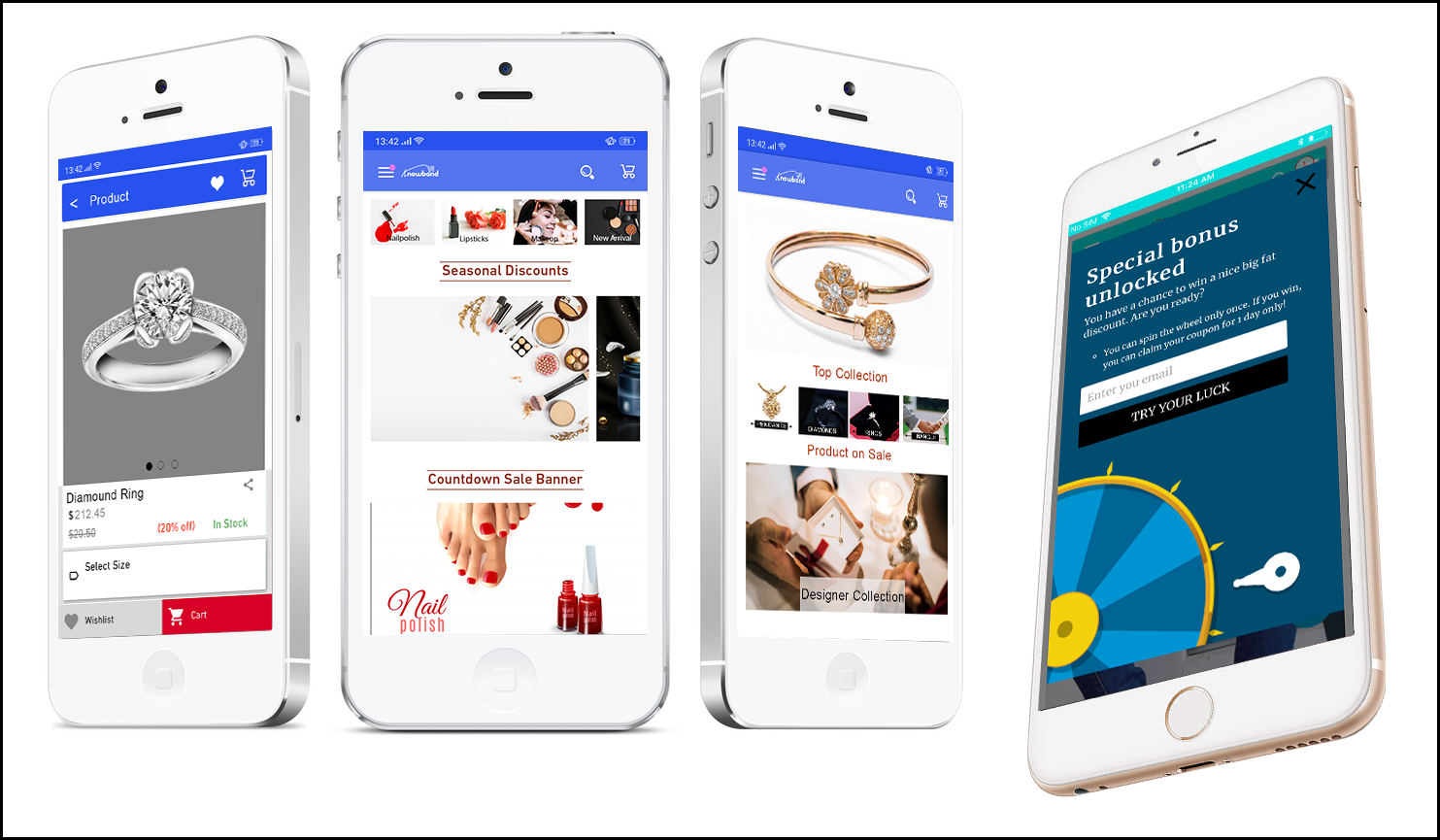
Transform your PrestaShop website into a native Android and iOS mobile app with the help of PrestaShop Mobile App Builder and provide your customers with an enhanced online shopping experience.
Features like Real-time synchronization, Unlimited Push Notification, Fingerprint Login, Zopim and WhatsApp Chat support, etc. make the PrestaShop Mobile App Builder highly exciting.
With mass orders, also increases the order returns and the delay in the product return can irk customers.
So, speed up your return process and manage your eCommerce returns conveniently with PrestaShop Return Manager addon. Apart from the usual Refund and Replacement process, it provides your customers with the option to opt for the “Store Credits” which they can receive for the product amount. It ensures customer loyalty as well as customer retention since the customer would surely be visiting your store again in the future to utilise the credits.
Make the journey of your new customer as well as the existing customers exciting by rewarding them some loyalty points every time they make a purchase on your store. This is a perfect idea to acquire new customers and ensure repeat purchases, especially during the holiday season.
Knowband’s Loyalty Points addon for PrestaShop focuses on customer retention and customer acquisition, at the same time. You can reward loyalty points to a new visitor when they sign-up on your store, and turn him/her into your loyal customer within no time. The points can be used as a discount voucher.
If you offer loyalty points for every purchase that a customer makes on your store, you can generate huge holiday sales.
One of the most helpful PrestaShop modules for this holiday season would be PrestaShop Abandoned Cart.
Brands witness a high number of abandoned carts during the holiday season. Those numbers can cost you a huge loss in the revenue. Though you cannot put a stop to cart abandonment, you can surely recover some lost sales and even a slight recovery in the cart abandonment rate can add to a huge amount in the total revenue.
PrestaShop Abandoned Cart addon allows you to track and chase the abandoned cart users and helps you recover the lost sales by sending regular follow-up emails.
This PrestaShop module reduces the cart abandonment rate, ultimately resulting in increased conversions.
8. PrestaShop Affiliate and Referral Program
Referral programs can be a big boost to your e-commerce sales. While the holiday season is approaching, you can start a referral program and provide exciting incentives to users when they refer your brand to his/her friends, family or relatives and the latter makes a successful purchase.
You can run such a referral program on your store with the help of PrestaShop Affiliate and Referral Program addon. A customer can register as an affiliate on your store, share your website link with his other people and earn vouchers or cash when the referent successfully registers or makes a purchase.
The product delivery takes too long during the holiday season, making customers run out of patience. Because of bulk orders, it becomes difficult for the shipping providers to ship every product in a quick span.
Customers, too, know this very well. In such cases, PrestaShop Store Locator and Pickup addon manages things quite conveniently.
If you have your stores located in multiple locations, you can display them at the front end of your website and allow customers to select their nearby store so that they do not have to wait too long for the product to get delivered. Customers can reach out to the nearby store and pick up their item.
During occasions like Halloween or Christmas, people look to buy costumes on rent. There is a heavy demand for it. Hence, if you run such business, you can provide people with theme-based costumes or dresses on rent and boost your holiday sales.
You still have time to get everything set before the holiday season starts. Try out these 10 PrestaShop addons and capture huge sales in the coming holiday season.