5 Best Practices and Examples for WooCommerce Android App development

The differences between designing for desktop and mobile devices are as stark as chalk and cheese. While we use similar methods for both, they need a different approach from us. Particularly when it comes to native apps, which involve much better use of the device’s capabilities than responsive websites. When it comes to developing a mobile app, there are a few things to keep in mind, and here are some of my recommendations.

I have explained 5 of the most important practices and examples you need to follow when creating your WooCommerce Android App.

1.     Simple Navigation yet discoverable

The app must be packed with features that make shopping a breeze for everyone. Every phase of your WooCommerce Android app, from the landing page to the checkout page, is meticulously configured and checked by professional app developers. The products can be filtered by gender, size, price, color, and other factors, and they can be sorted by common, most important, lowest price first, and so on. Mobile Product page, shopping cart, search and every part of the app should have clear CTAs.

Shoppinger WooCommerce Android App

1.     Clutter-free Design

Get rid of the excess. Getting rid of something in a mobile design that isn’t completely required would increase comprehension. One primary action per screen is a good rule of thumb. Make the product page impressive but do not put extra. Login barriers can be avoided. Instead of forcing early registration, slowly collect data.

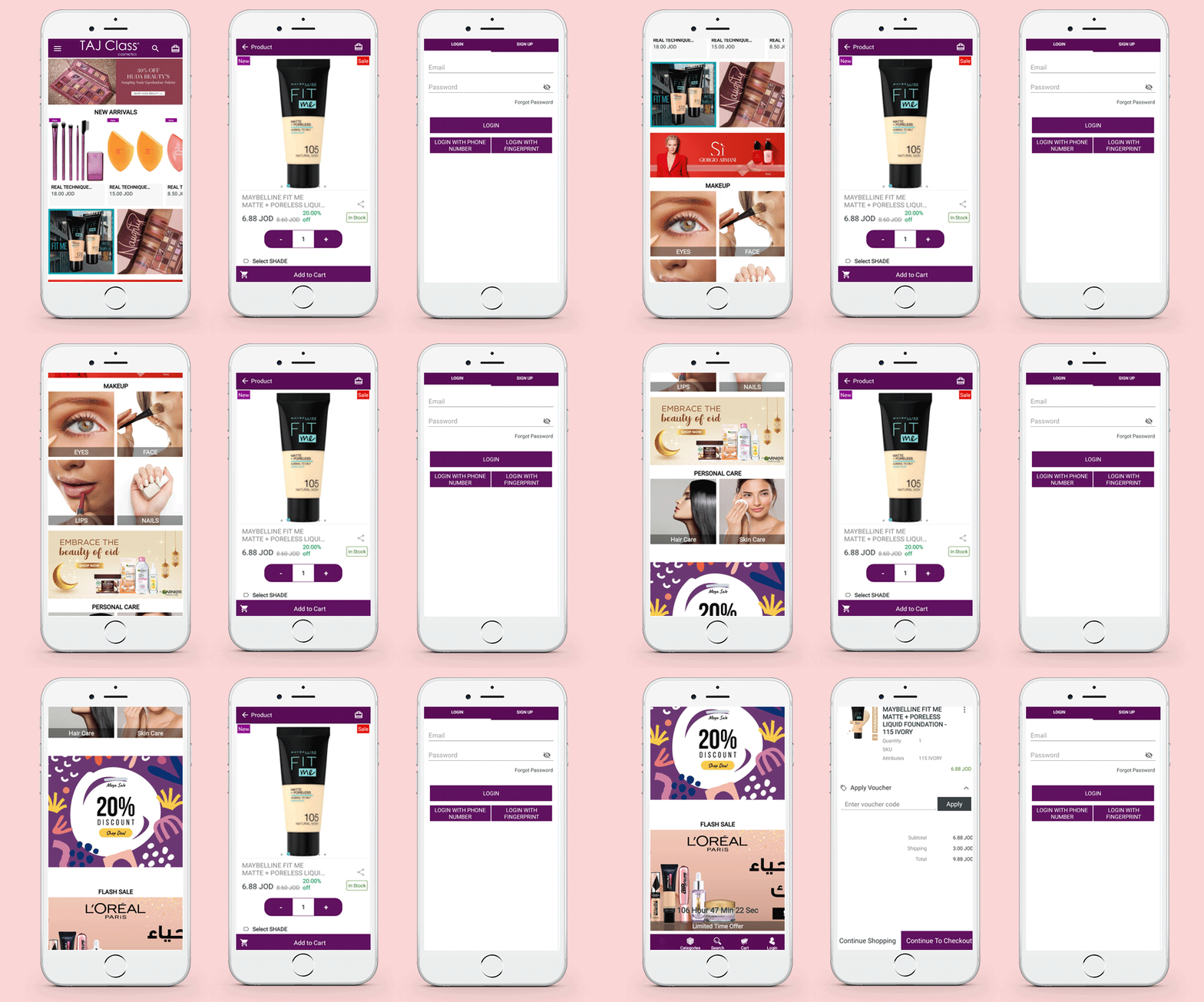
You can offer a Social Login option, quick signup with minimal details like email and contact number, Mobile login with OTP, or Fingerprint login option in your WooCommerce Android App.

Taj Class Cosmetics WooCommerce Mobile App
2.     Design it for voice search

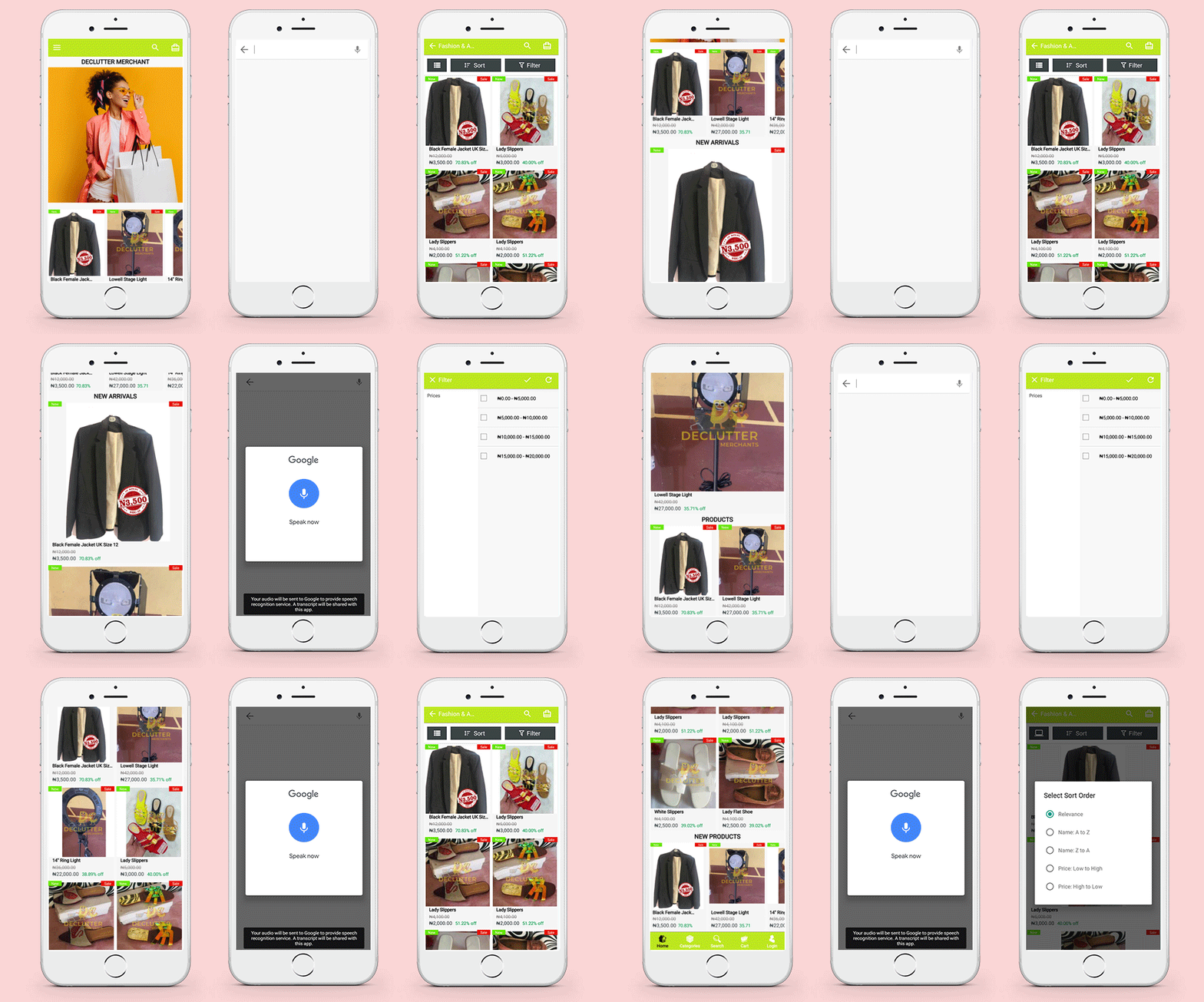
On Google, voice search is already popular. Voice search, also known as voice-enabled search, is a method of searching that employs human speech as the most natural input channel. Through incorporating voice into existing websites and mobile apps, eCommerce businesses can tap into the growing voice market while maintaining complete control over their data and the customer experience.

The WooCommerce Android App builder can be customized for voice search.

Declutter Shop WooCommerce Android App
3.     Create a Content Map and a User Flow

Work on research and designs are inextricably linked. Developers, for example, can quickly sketch user flows based on their research and understanding. Note, starting with a prototype will help you better understand the user experience between content and action.

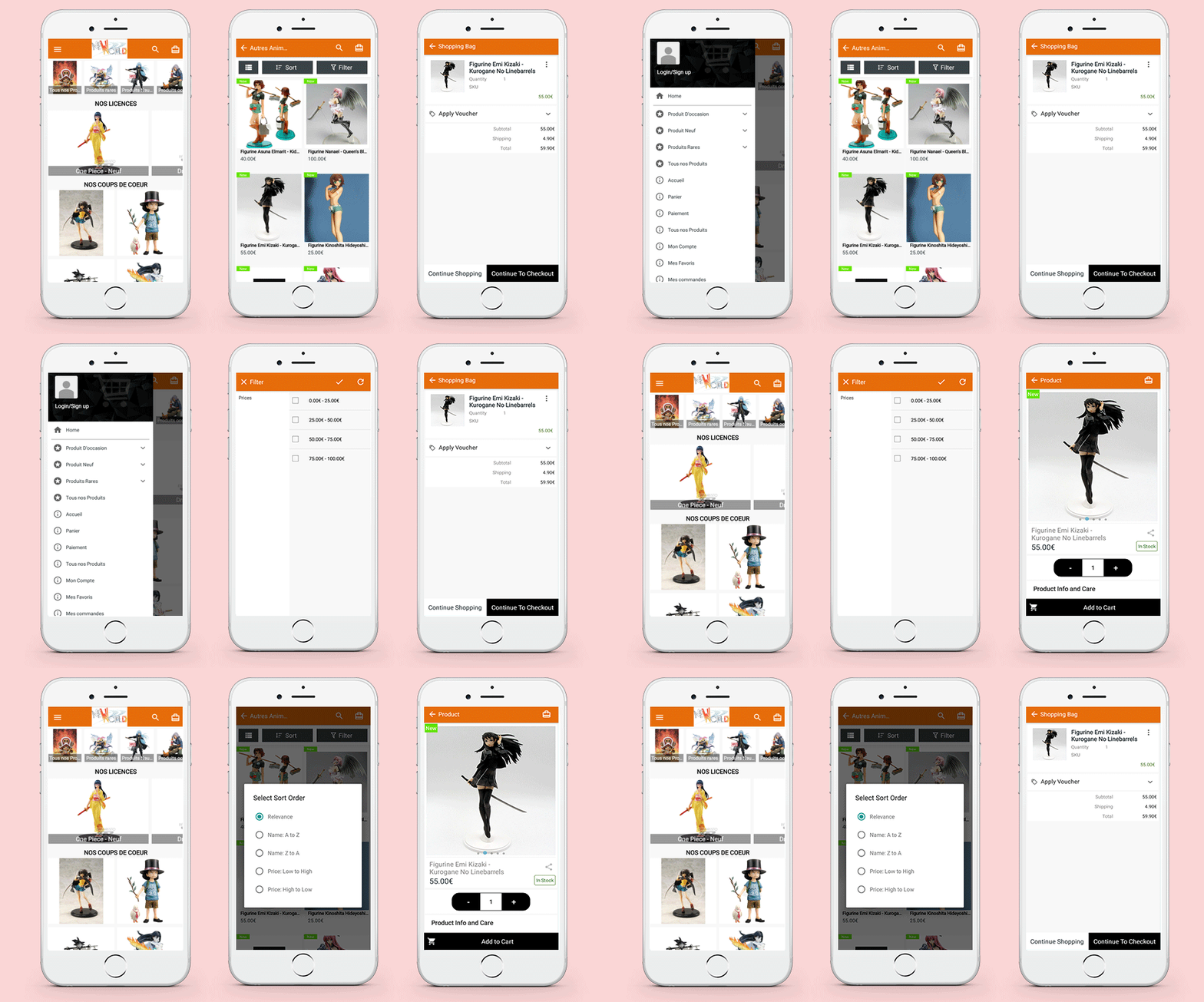
Clear call-to-action and structured navigation play a pivotal role in the app development process. Certain WooCoomerce mobile app builders provide you the freedom of customization.

NeWorld Anime WooCommerce Mobile Application
4.     Live chat provides a competitive advantage

Businesses are constantly looking for low-cost customer support options. One of them is undoubtedly live talk. Live chat tools are relatively inexpensive to set up, and they come with a slew of additional features that make them a superior communication medium.

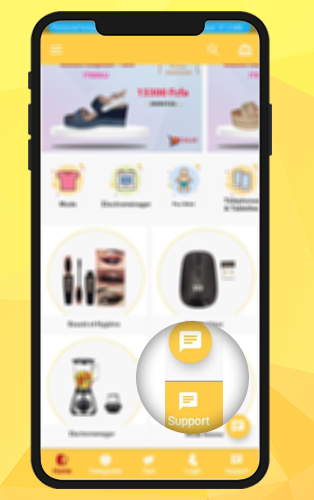
Look at this App here developed on the WooCommerce Platform. They have implemented live WhatsApp chat support. Real-time customer support and the ability to respond to several requests at once save time, effort, and money.

Kevajo WooCommerce Mobile app (1k downloads on Playstore)
We Provide Ongoing support

Know before you finalize your WooCommerce Mobile App Builder!

Few things you have to consider before buying a WooCommerce Mobile App Builder plugin and how KnowBand Mobile App Builder works for those

  1. What Android and iOS versions does this software support? Is the UI of the mobile app have backward compatibility?

The WooCommerce Android app builder by KnowBand is compatible with all Android versions, beginning with Android 4.2 (Jelly Beans) and ending with Android 8.0. (Oreo). The software creator is also iOS compliant, and it runs on iPhones 4 and up.

  1. What is the difficulty level of the app installation? The answer is just 3 simple steps:

There are only three basic steps in the Mobile App Builder module:

  1. Purchase and install our Paid version of the module on your website.
  2. Create a Pre-requisite form with all app-related details.
  3. Submit APK/IPA files for analysis and publication on the Google Play and Apple App Stores.

Have more queries?

You can contact our expert team for any kind of App development support or visit the FAQ section of the Mobile App for a better understanding.

If you are using Dokan Marketplace, then WooCommerce mobile App builder is the best choice for you as it is compatible with Dokan Marketplace.
To see how it works for your store you can use the free demo available for the mobile Apps on the KnowBand store.

The Mobile app builder is available for WooCommerce, Magento, Magento 2, Opencart, and PrestaShop platforms.

Read these WooCommerce Mobile App stories before you make any decision. We have created many successful mobile apps for various platforms and here is the portfolio.

Conclusion:

As you might be aware, Knowband assists eCommerce businesses in the entire process of creating a website, modules, and apps. We not only advise all parties in the mobile app development process, but we also mediate between them and reduce the risks associated with mobile app development projects.

To get the assistance of our pro-active support team, drop your message at support@knowband.com, and will mentor you throughout.

Success stories that inspire!

10 Best Checkout Page Examples and Practices for Italian PrestaShop store

You need a great checkout page template to get traction for an online store. It’s not always easy to know where to begin or which features are most relevant. With so many competing recommendations for creating an eCommerce experience, identifying trends and best practices for checkout page design and implementation can be difficult.

One Page Checkout PrestaShop 1.6V and One Page Checkout PrestaShop 1.7V developed by Knowband, a PrestaShop Gold Partner Agency provide some of the exciting custom features that our Italian clients have been using in their stores.

Product Demo Available: PrestaShop One Page Supercheckout

What defines a Checkout Page?

A checkout page is a page(s) on an eCommerce store that deal with payment and shipping/billing details. Customers can enter payment information and complete their orders on the checkout tab. The customer’s shipping information, billing information, shipping method, and payment method will be collected during the checkout process, and the customer will be given the option to request the order.

Why use One Page Checkout?

There are several benefits of using one-page checkout on an eCommerce website. Your checkout should be improved regularly, to make it as fast, effective, and frictionless as possible. Customers would have a better shopping experience if you create a simple, easy-to-use, and high-performing checkout. This will reduce checkout abandonment and increase conversions.

Adopt best checkout page practices for ending cart abandonment on the checkout page. These best practices used by various Italian PrestaShop One Page Checkout users for designing, developing, and managing your checkout page will assist you in creating a user-friendly checkout that will improve sales. Additionally, we have analyzed these Italian store’s payment and shipping methods and drawn some conclusions that are discussed in this article.

10 examples of One Page Checkout PrestaShop created by our clients following best practices for best results

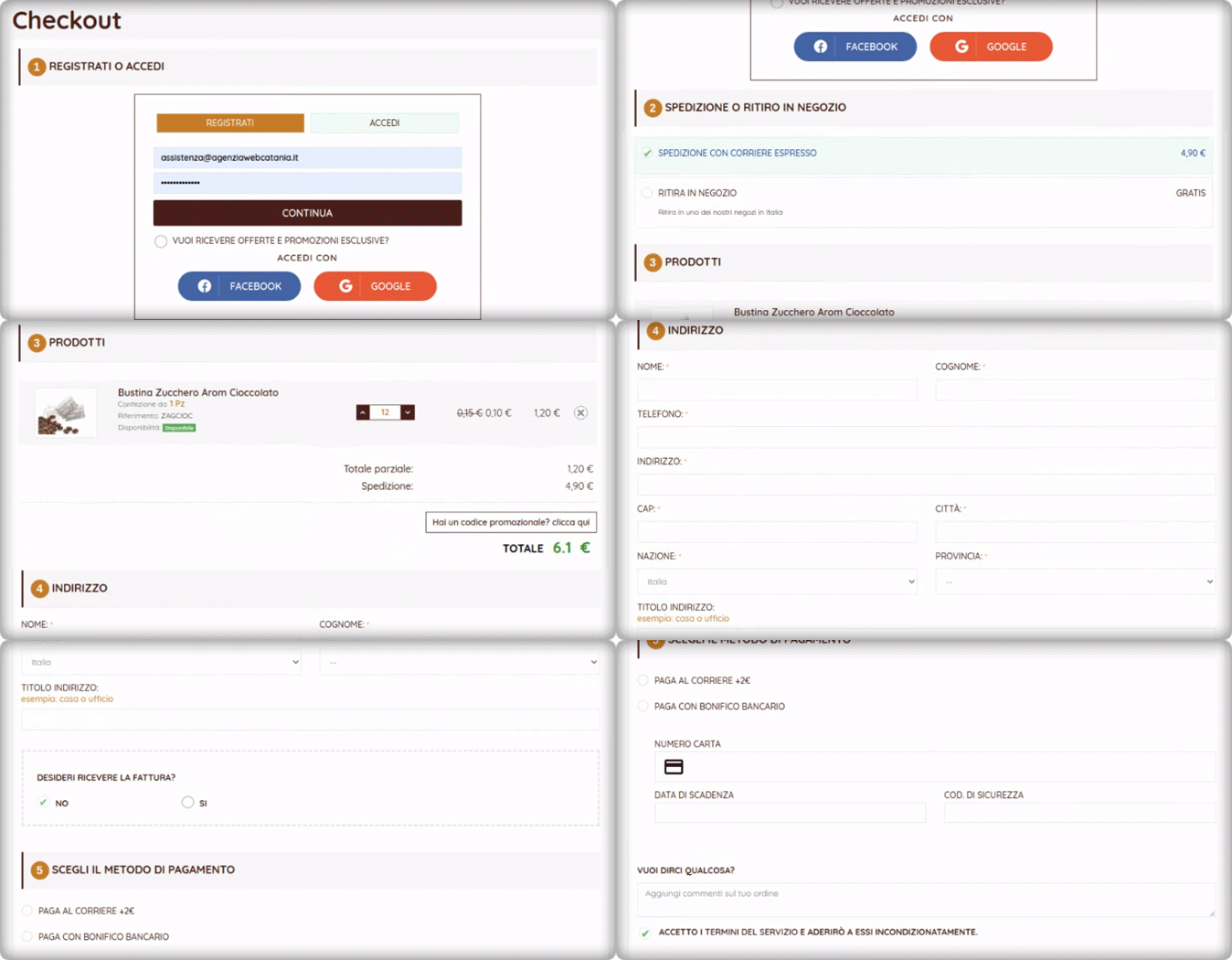
1.     Tuttii caffe Che Vuoi

It is an Italian website that has a structured design and navigation for every page. For the checkout page, the website is using the One Page Checkout PrestaShop module with additional customized settings. Social login, single-column layout, simple and clean design of the checkout page reduce bounce rate and cart abandonment rate.

They are offering an In-store pickup facility to their customers. There are several benefits of BOPIS shipping method as it saves money and saves the seller from failed or delayed delivery.

The PrestaShop One Page Checkout by KnowBand is compatible with the PrestaShop Store locator and Pick up module and it has several exciting features that make the process smooth.


2.     Preziosa Di Valentina

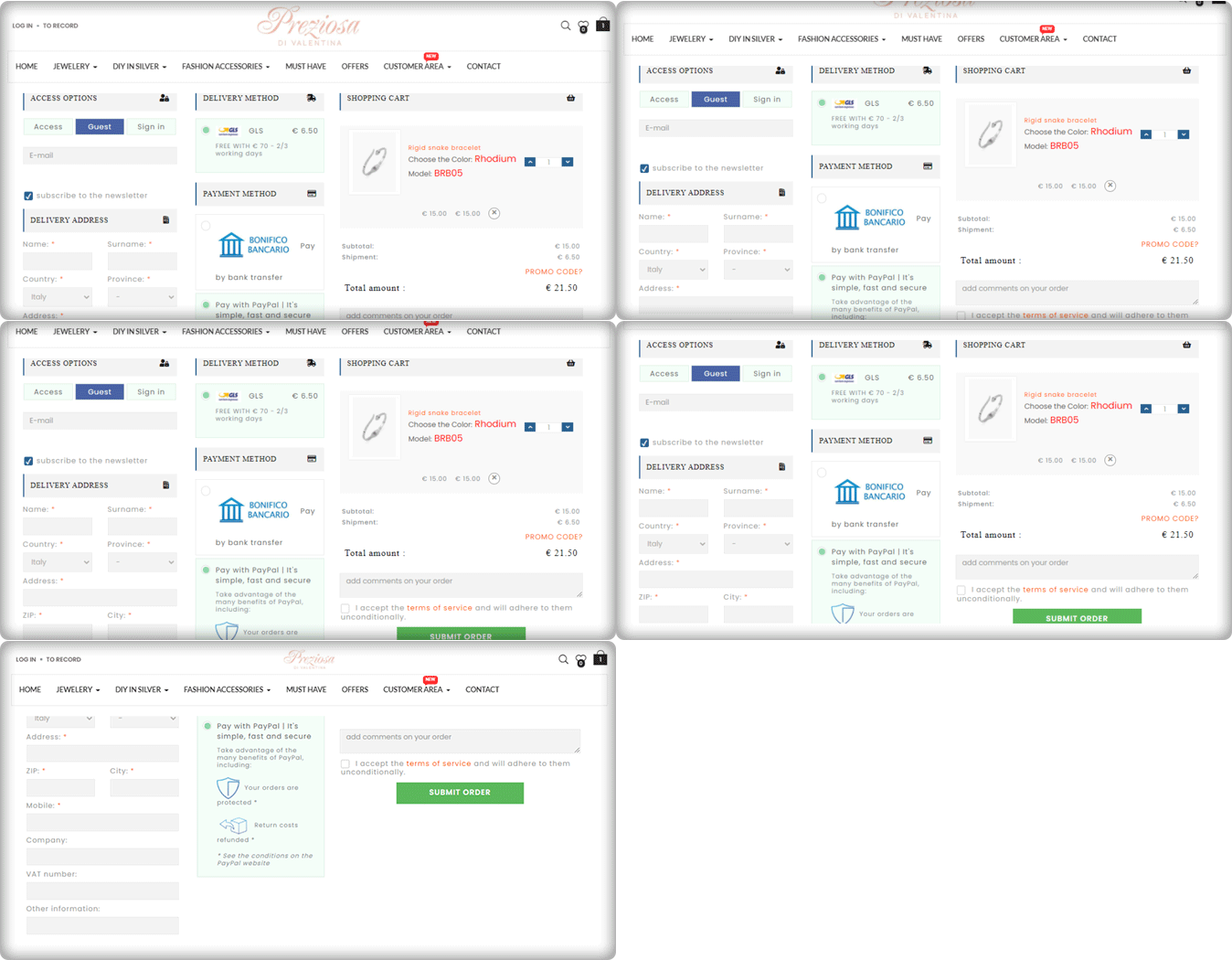
Consumers should never be forced to build an account or register before completing a transaction. Customers are inconvenienced by the additional step (or steps), which slows them down and causes them to question whether or not they want to proceed. Here comes the Guest Checkout to save you from cart abandonment. Preziosa Di Valentina checkout page has guest checkout options so that customers aren’t slowed down and can continue by simply entering their email addresses.

The delivery method used: GLS

Payment methods used: PayPal, Bank Transfer

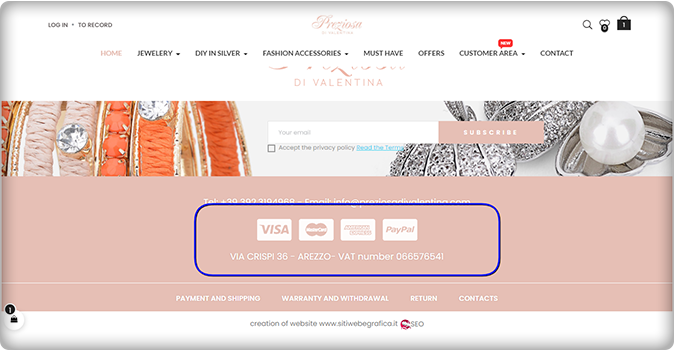
Have a look at the home page of the Preziosa. Displaying available payment methods on the home page of the website could be a great home page design idea! More than one payment gateway is an eCommerce approach that provides convenience to clients.

3.     Toven

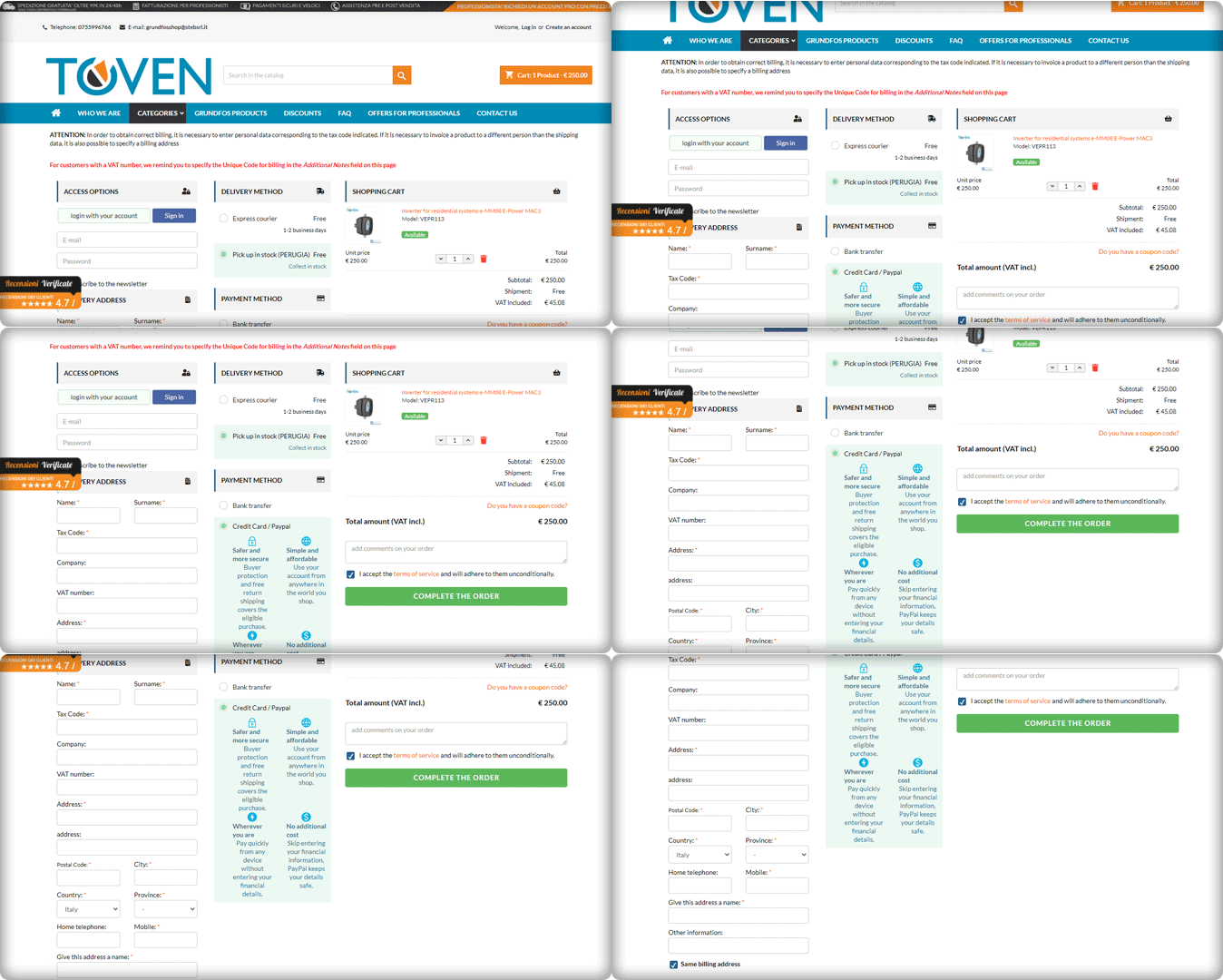
The easier you can make your customers’ checkout process, the more attractive it will be. Always keep in mind that providing an easy, straightforward, and usable process is your primary goal. Continuously improve the process by eliminating unnecessary steps, removing unnecessary form fields, and streamlining it to make it as quick and productive as possible.

Have a look at the Website’s PrestaShop One Page Checkout and its clear CTA. It has a 3-column layout that provides customers with a streamlined user experience.

4.     Kraken

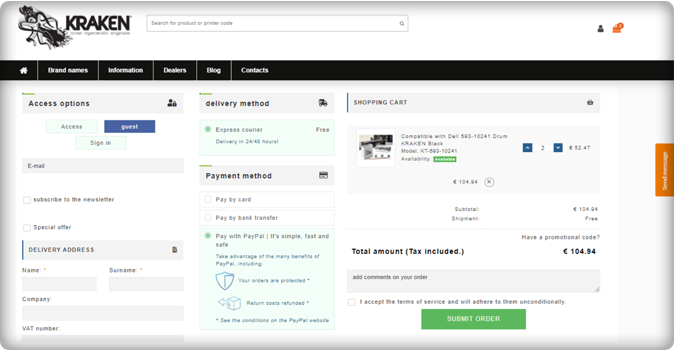
The Italian store Kraken sells premium quality toners. Kraken needed software that enables users to get an exclusive checkout experience and they chose the One Page Checkout PrestaShop plugin to achieve their goal.

The checkout page has a 3-column view that allows Guest Checkout. They have listed express courier delivery options for shipping and payment methods like PayPal, Bank transfer, and credit and debit card options.

Unlike other software where order details are not present on the checkout page, Kraken used half of the page to display the cart information, which is quite appealing gives the user a satisfactory experience.

5.     Zoo Mega Shop

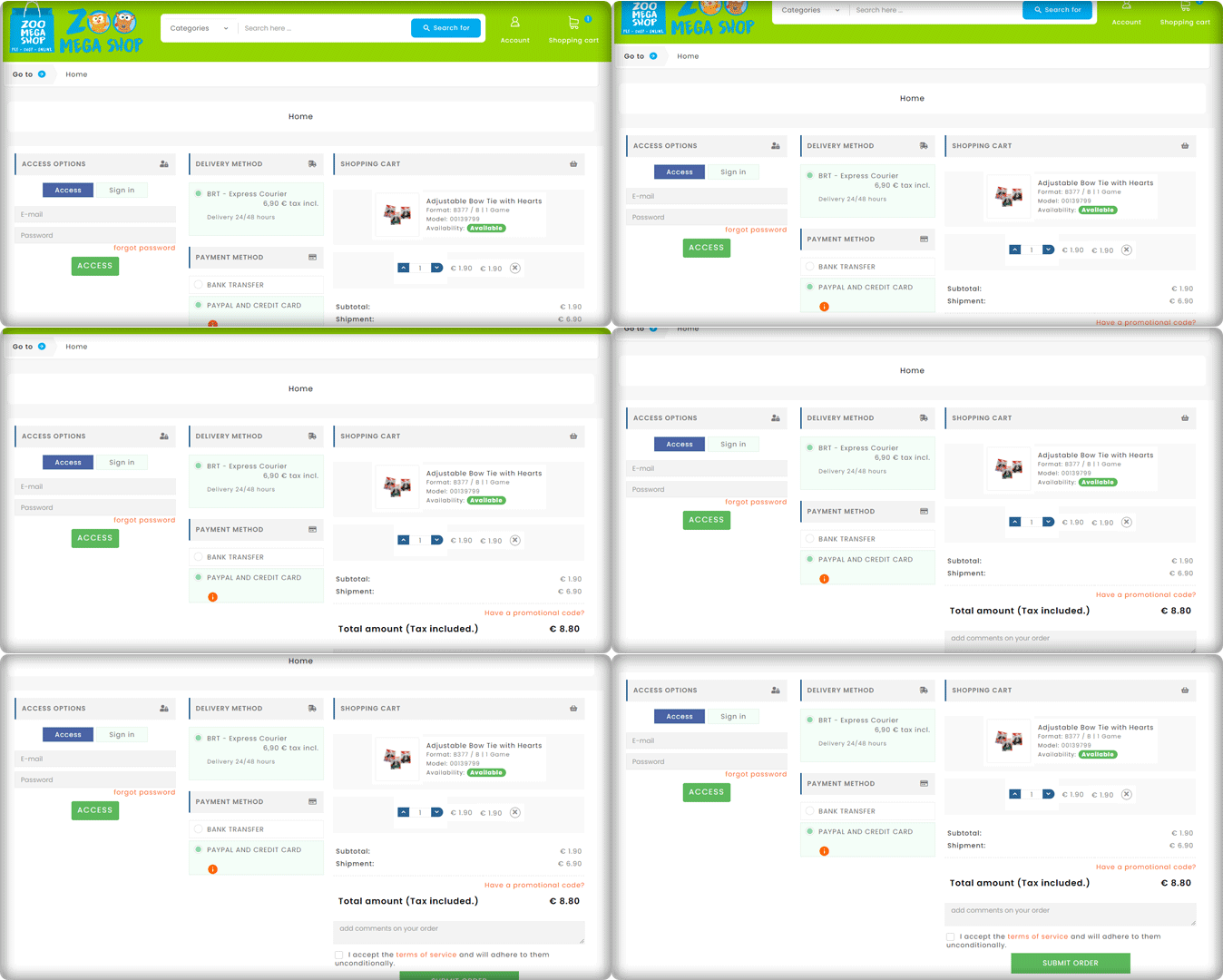
Look at this Checkout page customized by Zoo Mega Store! They used the same module (One Page Checkout PrseatShop 1.6v) with a super clean layout.

Customers can update the product quantity from their checkout page without switching any tab. Isn’t this handy!

6.     Riko café

A progress indicator shows you where you are in the checkout phase while still outlining all of the steps. This allows consumers to see where they are in the process, how many steps are left, and how long the process will take in general.

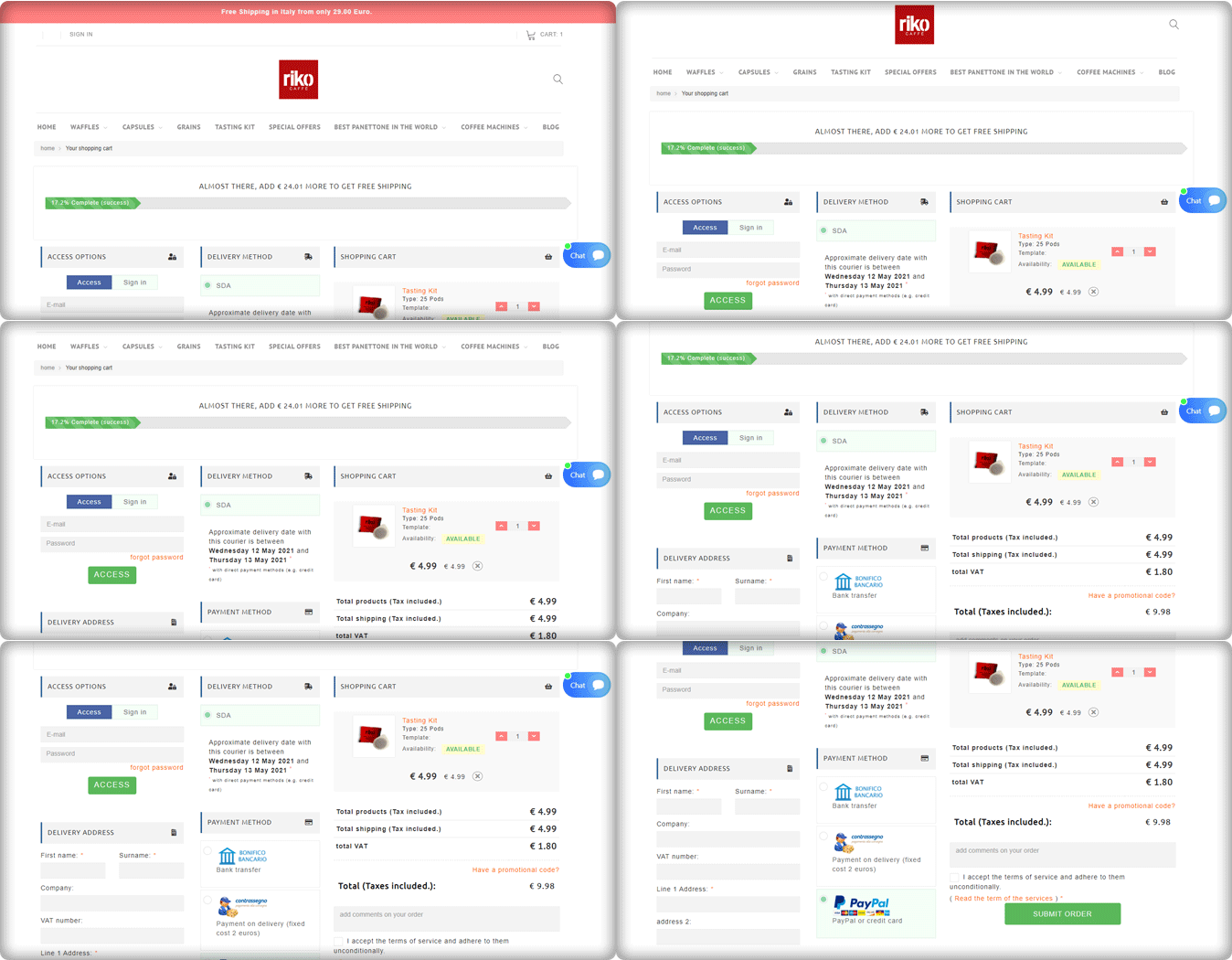
Riko Café is using the progress bar feature of the One Page Checkout PrestaShop module. To provide a much richer user experience, progress bars show users how close they are to completing a collection of… details or performing activities.

They have shown the delivery method along with the details of the expected delivery date. Popular payment methods used in Italy like PayPal, Bank transfer are listed in the Payment section. They are allowing Cash on delivery as well.

7.     Staub: Made in France

We have a number of things to remember in our everyday life and adding another password to this is something we are least interested in.  Save your customers from this misery with the Social login option.

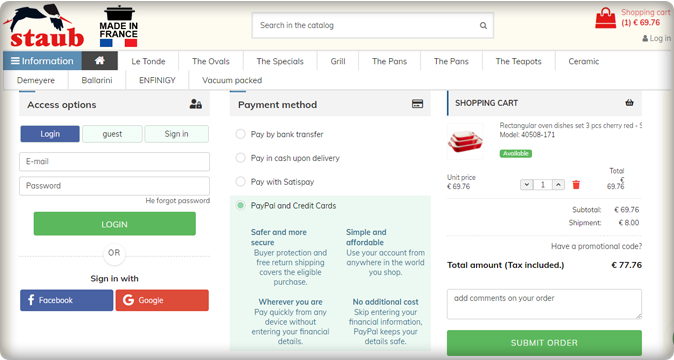
Social login promotes easy and quick registration with an increased number of signups. Staub store is using Social login on their PrestaShop checkout page and providing comfort to their customers.

The collected email addresses and social media information of the customers can be further used in target marketing.

Italy’s popular payment methods listed in the Staub store are Bank transfer, PayPal, Credit card options, Pay with Satispay, and COD.

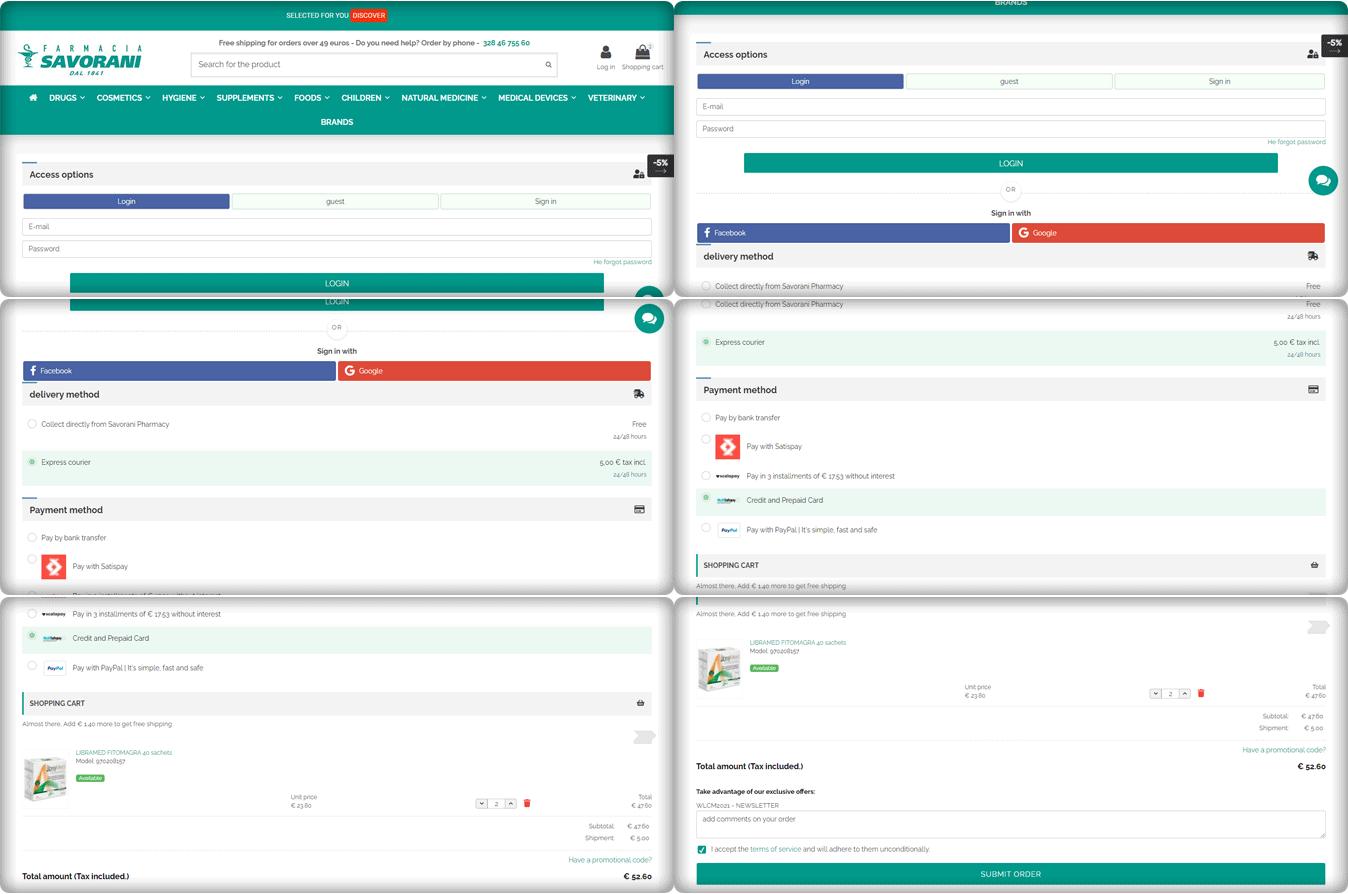
8.     Farmacia Savorani

Farmacia Savorani’s checkout page has a simple, clean design that is easy to use. Their checkout follows several best practices. With many templates to choose from, the One Page Checkout PrestaShop layout can easily be customized for the use you need.

This checkout page design has a single-column checkout page. Every part of the process looks structured and clean. They have guest checkout, social login option with Facebook and Google+, several payments and delivery methods used widely in Italy.

The cart products can be seen and updated with ease. Also, customers can add a custom message to the order.

They are providing buy online and pick up in-store options to their customers. This is something that can work magic if you are using the right plugin like KnowBand’s PrestaShop store locater and pickup. Another shipping method is Express courier.

The One Page checkout PrestaShop module by Knowband is compatible with Store locater and pickup addon.

Payment gateways used by Farmacia Savorani are PayPal, Satispay, bank transfer, credit and debit card options, and EMI options.

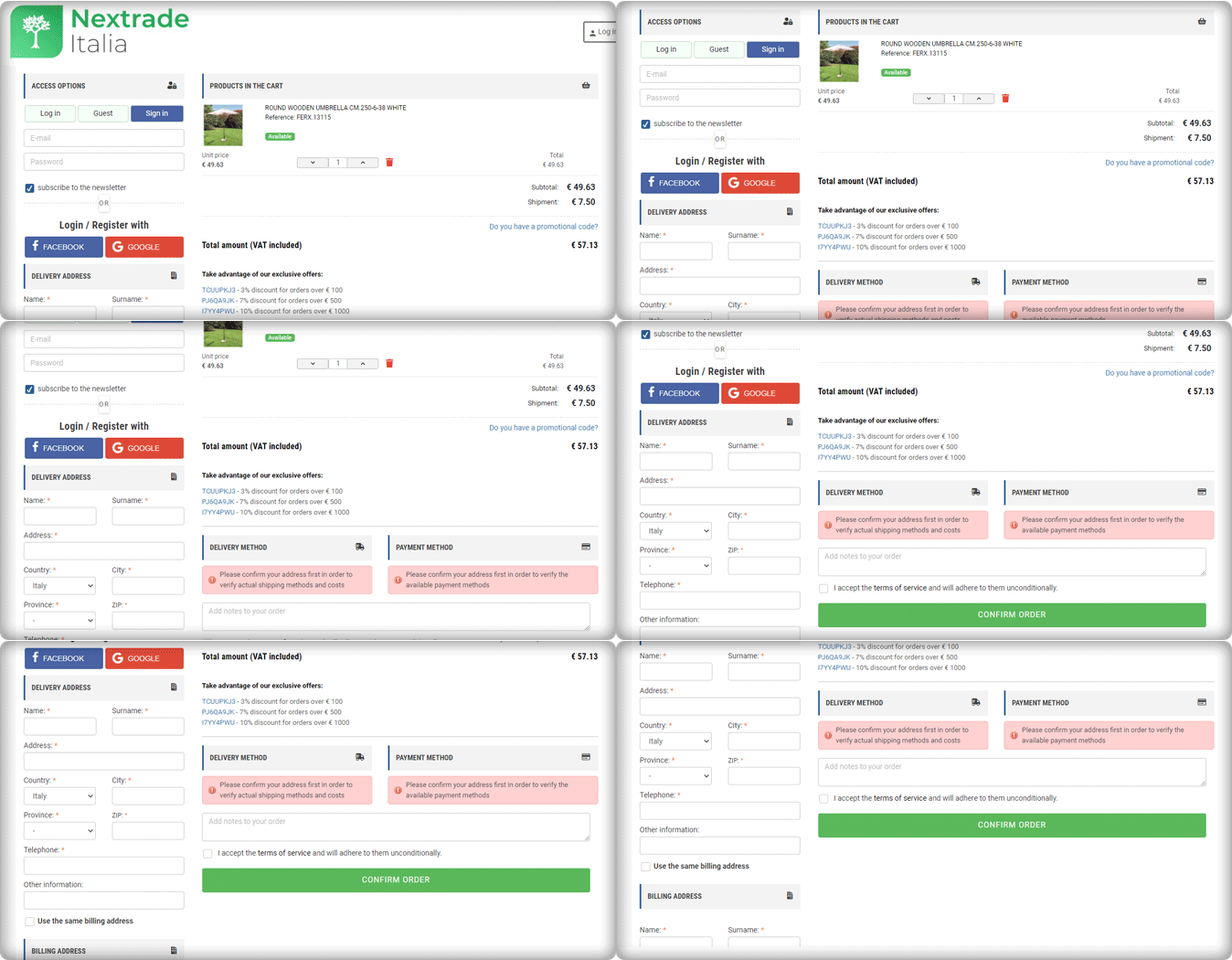
9.     Nextrace Italia

The One Page Checkout PrseatShop module allows the seller to display the delivery methods and payment methods only after they provide their address details. The seller can show specific payment methods for specified shipping methods.

Nextrace Italia is using this feature on their PrestaShop website’s checkout page.

10.           Un mondo di mobile

Un Mondo Di Mobile’s website’s checkout page is another best example of a clean and sleek checkout design. This is again created using the One Page Checkout PrestaShop plugin. All the necessary features are used on this page and are fully customized.

With PrestaShop One Page Checkout addon, users can add security badges in the payment section as it builds customer trust.

Conclusions are drawn from the above data for famous Payment gateways and Shipping methods in Italy

We can deduce from the above-mentioned Italian store checkout page details that there are a few commonly used and suitable payment methods.

  1. Every store has a PayPal option listed as their payment gateway.
  2. Along with that, they are accepting payments through Satispay, credit card, debit card, bank transfer, and scalepay.
  3. Some of the stores accepting installments for the orders with ScalePay.
  4. One Page Checkout PrestaShop plugin is compatible with PayPal, Satispay, and other common payment gateways like the card and bank transfer.
  5. For shipping or delivery methods, Italian stores are using GLS Express courier Italy, BRT express delivery Italy, SDA Express Courier Italy, etc.
  6. Out of 10 stores, three are offering an In-store pick-up option. Looks like it is gaining popularity!
  7. One Page Checkout PrseatShop module is compatible with all the famous shipping methods like GLS Express courier, BRT express delivery, SDA Express Courier, etc.

Final thought:

You shouldn’t have to choose between offering high-quality security and fraud prevention and optimizing for the best customer experience. KnowBand’s PrestaShop One Page Checkout 1.6v and 1.7v module is designed with best practices in mind, providing customers with a frictionless user experience, lightning-fast processing, and unrivaled security.

The module facilitates multi-lingual compatibility that allows you to use it in any region of the world. It is compatible with all the other PrestaShop modules like Social Loginizer, Store Locator, etc. developed by KnowBand.  The One Page checkout extension is also available for major eCommerce platforms like Magento, Magento 2, OpenCart,  etc.

For any eCommerce development services or module, requirements visit Knowband store or drop an email at support@knowband.com to discuss.

Maroth Jewels- a WooCommerce Android and iOS App created by KnowBand │ Success Story

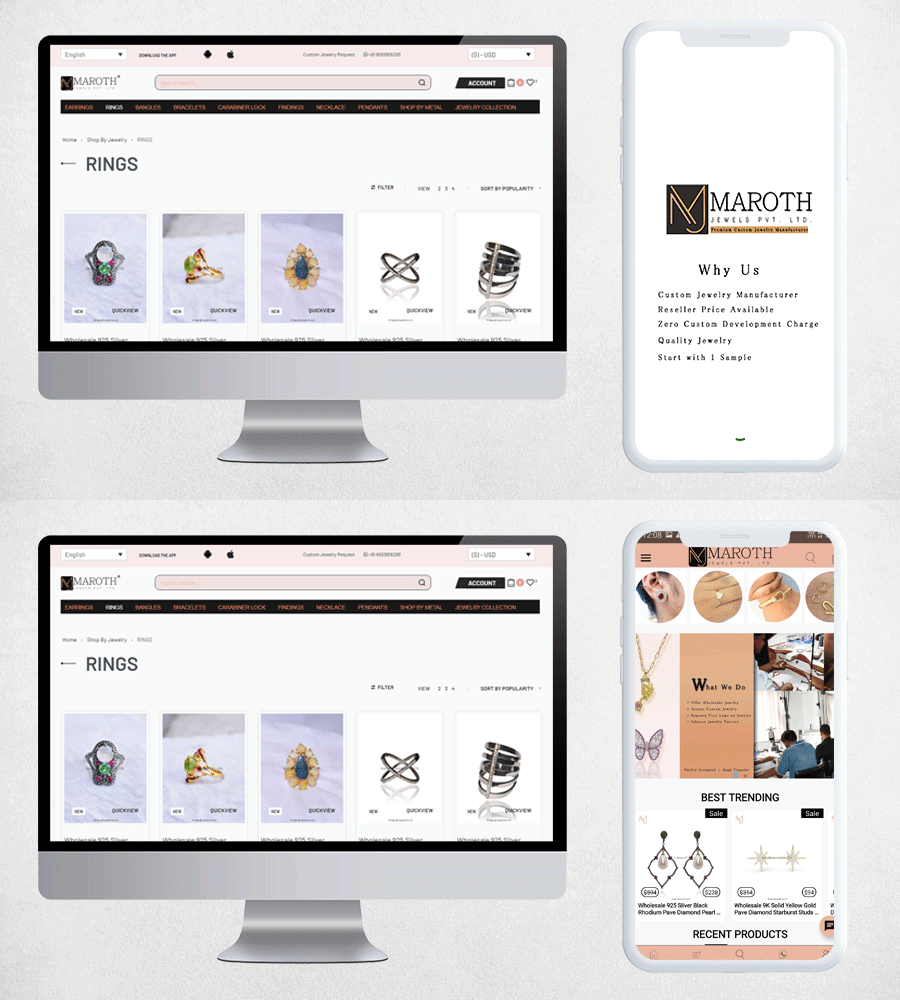
Maroth Jewels is a wholesale jewelry manufacturer and exporter in Jaipur, India. With the increased mobile users, every business is making their website mobile responsive. Nothing is better than a Robust Application. Maroth Jewels have created their mobile app for Android and iOS using the WooCommerce Mobile App builder plugin developed by KnowBand.

A great mobile app gives customers something they can’t get from a desktop or mobile website. An app can improve loyalty by providing a customer with an immediate portable solution that provides quick knowledge and easy access to goods. Consumers and brands will benefit greatly from a well-designed app that is part of a larger integrated multichannel retail strategy.

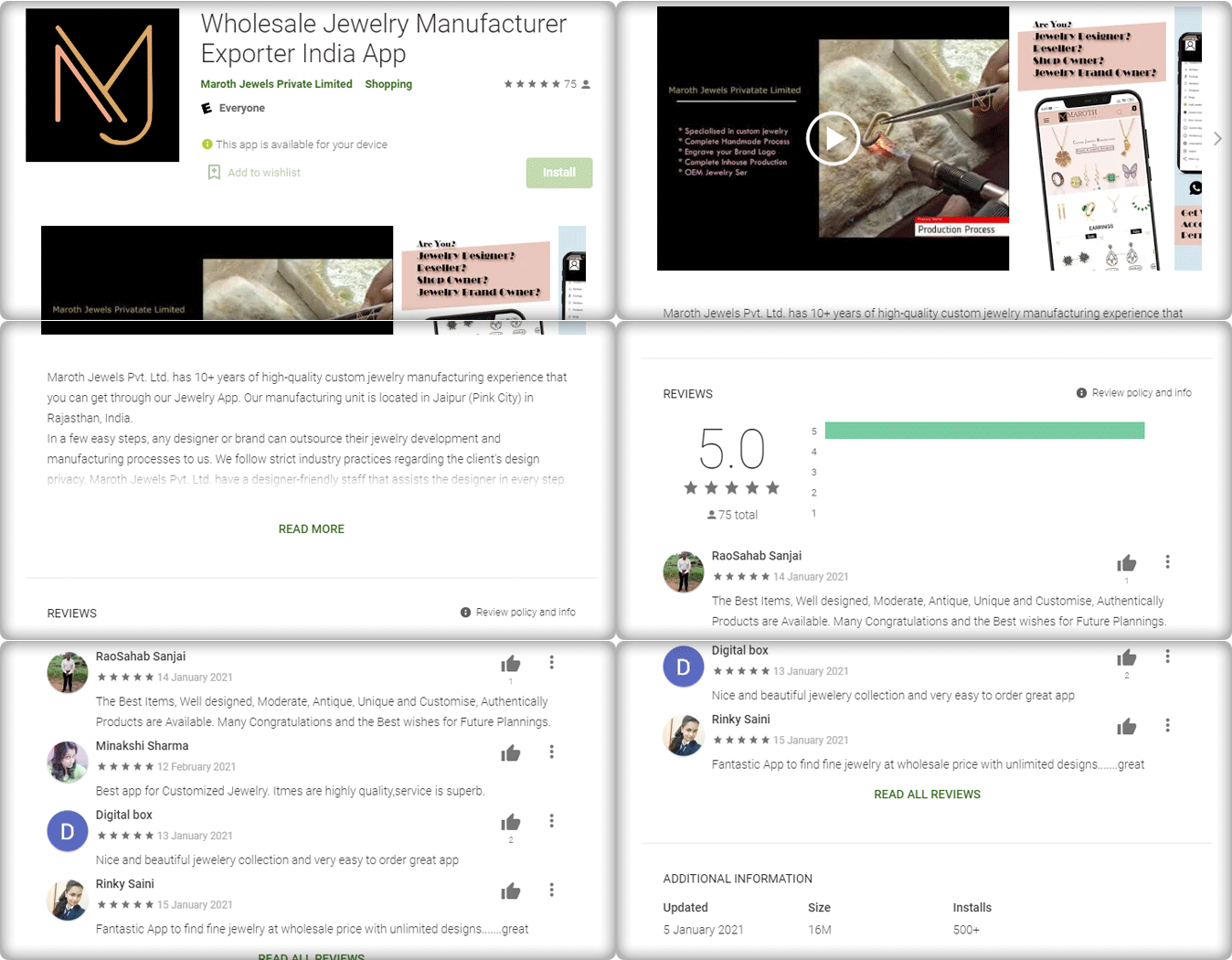
The Maroth Jewels WooCommerce Mobile app has 500+ play store downloads with 70+ excellent reviews and 5-star ratings. The app can be downloaded quickly from the play store.

Let us explore the Maroth Jewels WooCommerce Mobile App and its features:

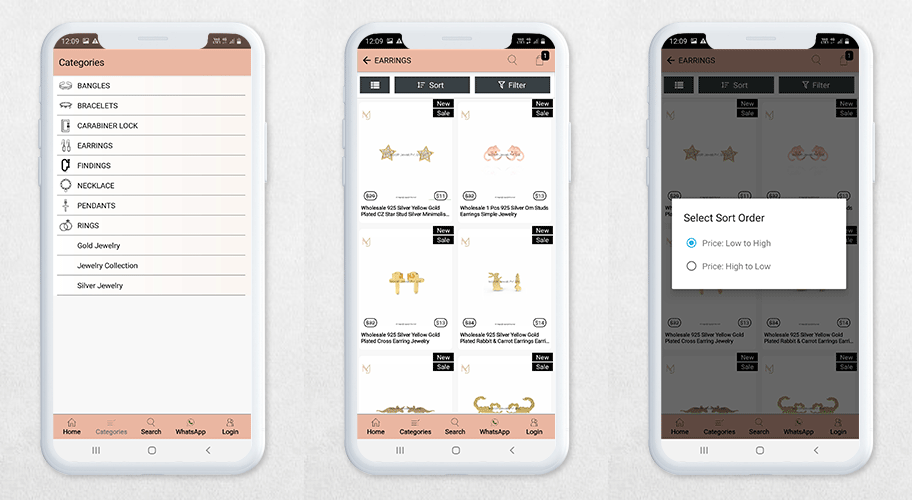
Customers can shop the entire Jewelry range quickly with the Maroth Jewels WooCommerce mobile app, which is a simpler alternative to the department store’s desktop and mobile pages.

The WooCommerce mobile app for Maroth Jewelry allows users to browse the entire product catalog and make purchases while on the go.

The app enables the use of voice search while shopping in-store to check for sizes and prices as well as read other customer’s reviews of the item.

Live WhatsApp chat support enables users to get their issues solved immediately. This increases customer trust and loyalty.

While shopping on the WooCommerce Android App, the customer can see the categories and choose what they want to buy.

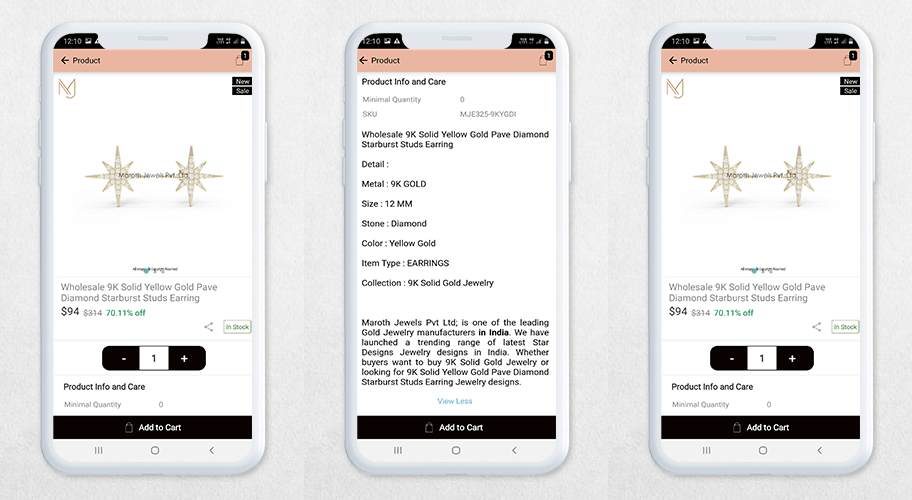
A great product description can help users convert as it increases transparency and building trust in your brand. Every product has a great and tailored product description.

Read: 10 Majestic Examples of WooCommerce Android and iOS Mobile App by KnowBand

On the shopping bag, a customer can apply their vouchers and coupon codes to avail of the discount. This app is custom-made and has all the necessary features.

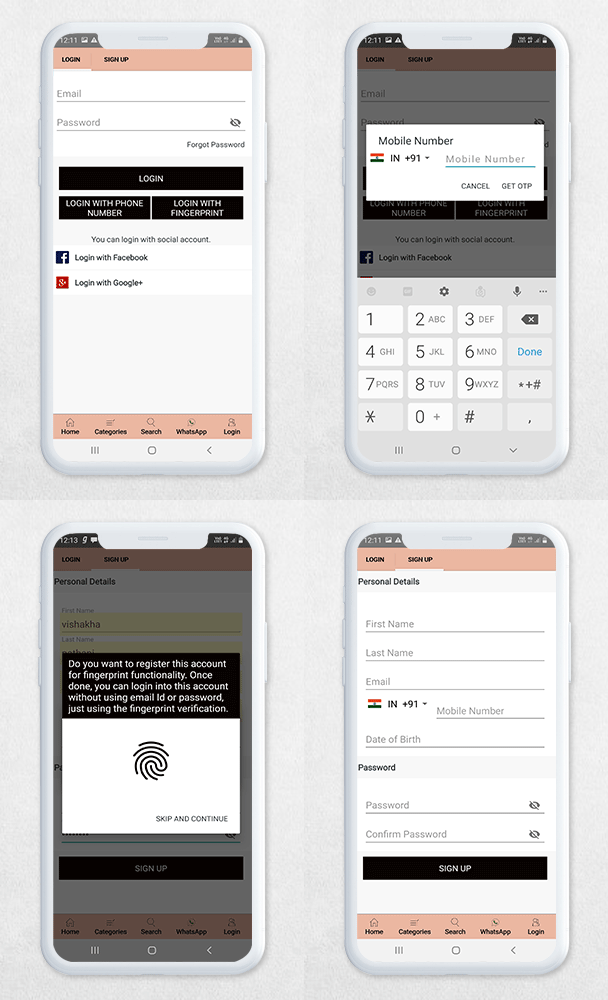
Easy login and Signup Process:

There are various options to login to the Maroth Jewels WooCommerce mobile app:

A simple sign-up form that requires basic details like name, email address, and password.

A customer can log in with the following methods:

  1. Email address and password
  2. Login via OTP with registered mobile number
  3. Login with fingerprint
  4. Social Login using Facebook or Google+

Quick checkout process:

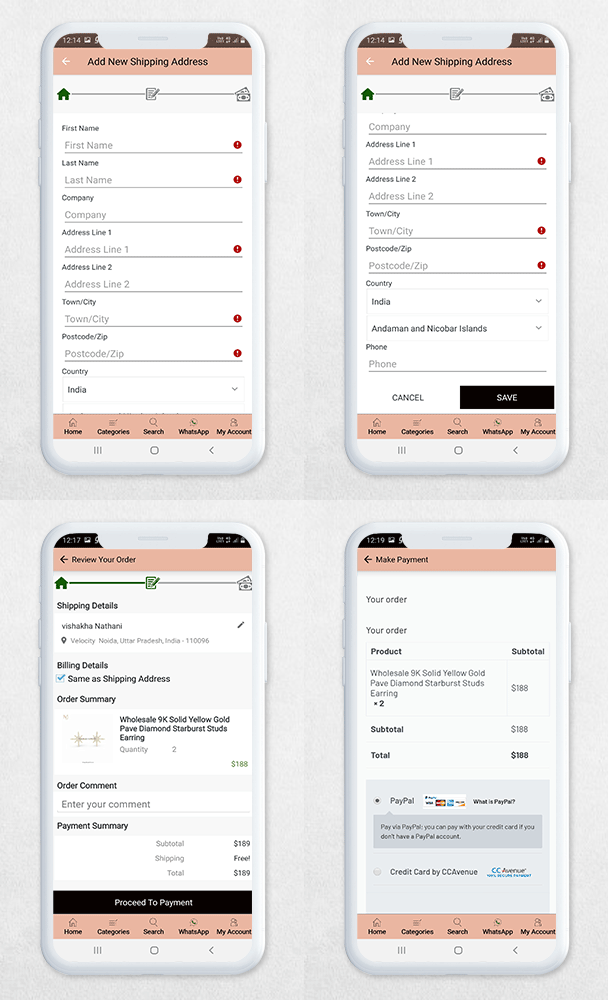
The Maroth Jewels WooCommerce mobile app (Android and iOS) allows quick checkout as displayed in the below image. A user has to fill in the delivery address and make the payments.

Your purchase is completed!!

It’s time to wear your jewels and shine bright!

Conclusion:

The best apps are part of a comprehensive marketing and operations strategy. So, when developing an app for your company, it’s critical to make sure it’s compatible with other domains of the company. Knowband helps businesses to create a robust app for various eCommerce platforms and has thousands of clients worldwide.

We have a mobile app portfolio where you will find all the successful applications developed by KnowBand.

The WooCommerce Mobile App Builder plugin can help you convert your website into a mobile app and our experts will help you in this entire process. Mobile App Builder plugin is also available for OpenCart, PrestaShop, Magento, and Magento 2.

Android and iOs Mobile App Success Stories that inspires:

10 Majestic Examples of WooCommerce Android and iOS Mobile App by KnowBand

Many eCommerce companies have built their website on the WooCommerce platform supported by WordPress. This platform is secure and the choice of every online store startup due to its scalability and easy handling. KnowBand has created WooCommerce Mobile App Builder software that converts WooCommerce website to mobile app for Android and iOS operating systems.

You do not need to be a tech ninja to create a Mobile app for WooCommerce using WooCommerce Mobile App Builder. It’s that easy to install and customize. This article is to recognize our 10 amazing Android and iOS App for WooCommerce that can inspire you to create your own.

WooCommerce Platform Market Share in 2020

Website owners who already have a WordPress platform can quickly add a WooCommerce shop to it without having to change their technology stack. It’s no wonder that WooCommerce is used by such a large percentage of eCommerce websites, given that WordPress powers over 30% of the internet, highest among all other eCommerce platforms

Android and iOs App for WooCommerce is Compatible with Dokan Marketplace

Dokan, driven by WooCommerce, is the best front-end multi-vendor marketplace on WordPress. It enables you to build your own marketplace in less than 30 minutes, similar to Amazon, Shopify, and eBay. KnowBand’s WooCommerce Mobile App Builder plugin is compatible with Dokan Marketplace.

Note: The compatibility of the Mobile app with the Dokan marketplace will be treated as a custom change and it will cost some additional amount.

Take a look at 10 examples of Effective Mobile Business Apps created using KnowBand’s WooCommerce Mobile App Builder.

#1: Kevajo

Kevajo is a major e-commerce challenger in Ivory Coast. They offer the best products in the market at the best prices. Competitive prices on smartphones, household appliances, fashion, office supplies, beauty and hygiene products, computer products, and other items available on one platform.

The website is on WooCommerce and like every other eCommerce company, they needed a mobile app. What’s better than the WooCommerce Mobile App Builder developed by KnowBand!

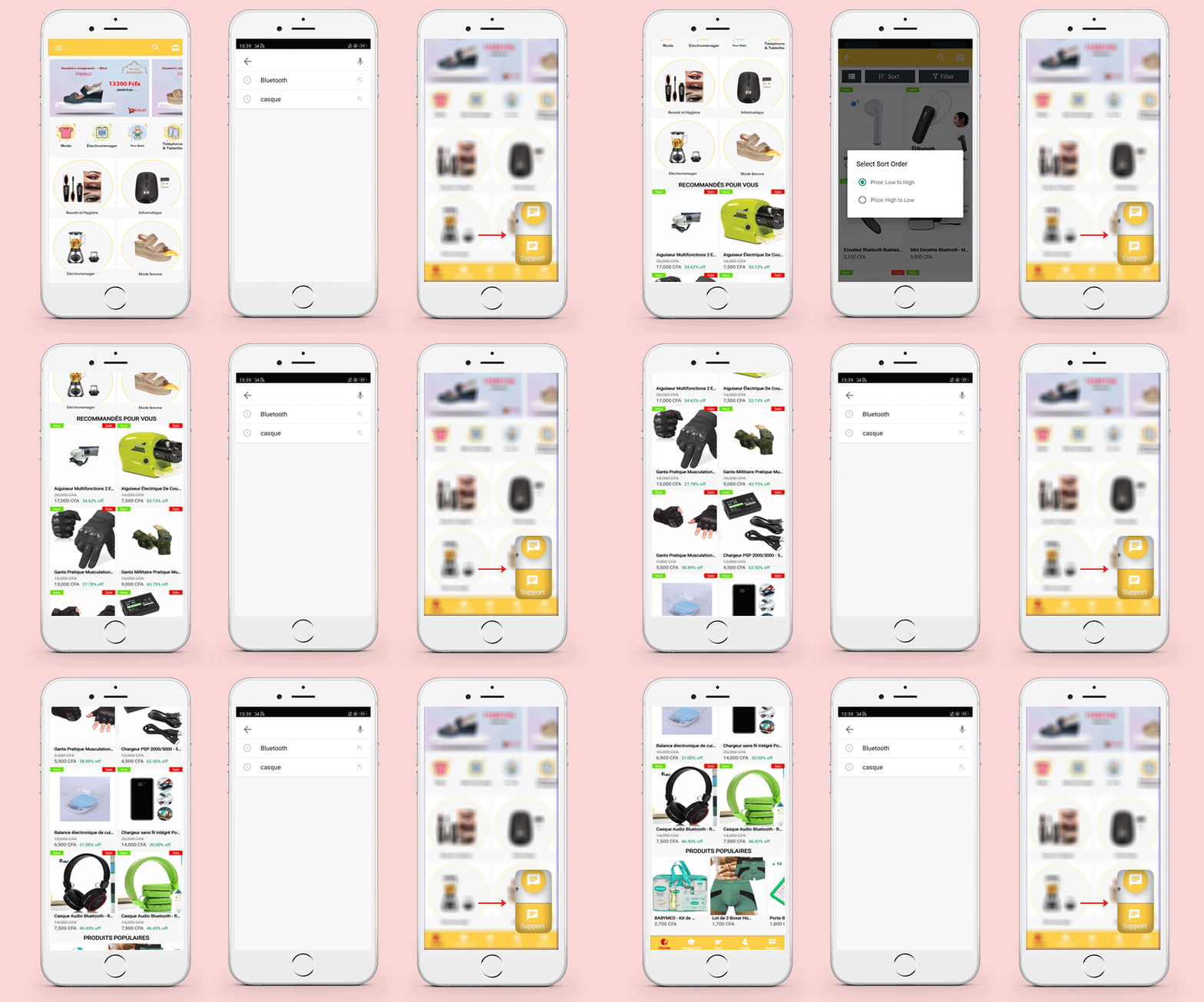
The Kevajo Android and iOs App for WooCommerce has a crafted, clean, and organized home page with clear navigation. A customer can search products, check out the categories and shop directly.

Have a look at the app:

Sort and filter options on the product page make the search easy.

The live WhatsApp chat support is an attractive feature that allows real-time interactions with prompt responses to customer questions.

For call support on a particular product, the app has a direct call button on the Product Page. A well-designed custom mobile app product page improves conversion.

Kevajo WooCommerce Mobile App available for Android and iOS

Downloads: 1000+

#2: Taj Class cosmetics Jordan

TajClass cosmetics is an eCommerce Cosmetic store that has numerous brands for beauty products. The android application created by KnowBand is a stunning example of the WooCommerce Mobile App Builder plugin. It is elegant and one of the popular cosmetic apps in Jordan.

What’s new in this App? A customer can log in in three different ways:

  1. Email and Password
  2. Log in with Phone number
  3. Login with fingerprint

App available for Android

Downloads: 500+

#3: Koobsade

KoobSade.com is an online shopping mall start-up company aiming to become the market leader in Somalia and other parts of Africa by connecting buyers and sellers across all categories.

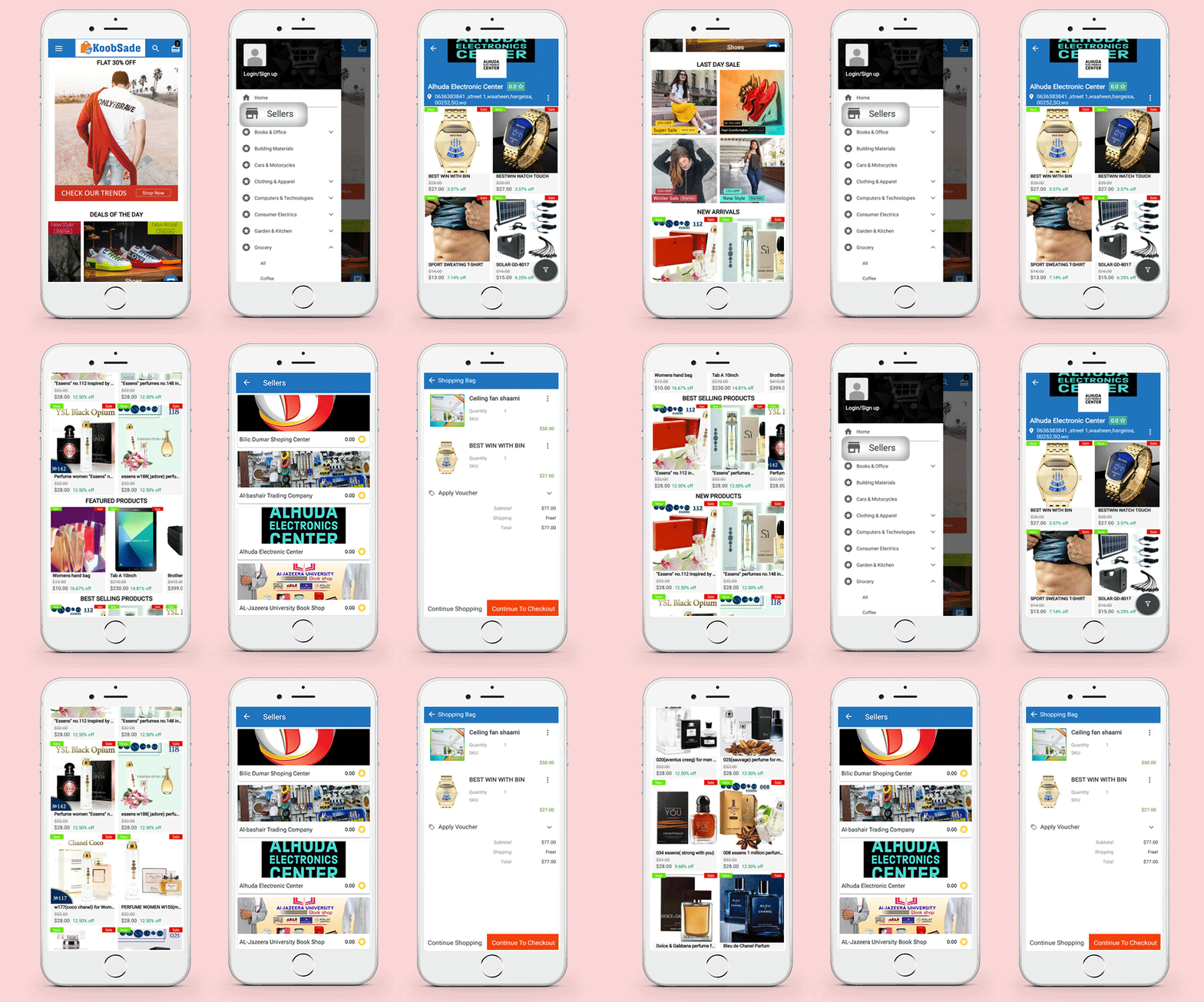
Koobsade is a marketplace that supports B2B and B2C businesses. The Android and iOS WooCommerce app developed by KnowBand for WooCommerce online marketplace Koobsade is compatible with Dokan Multivendor Marketplace.

Anyone can register as a vendor and customers can visit seller profiles from the left menu option where you will also find categories and your account details.

In this WooCommerce mobile app, you will find the product review option on the product page of the KoobSade mobile App.

Have a look!

#4: Marothjewels Jaipur: Android and iOs App for WooCommerce

Humans have valued jewelry since the dawn of time. For us, it has remained a sign of strength and elegance. Marothjewels Jaipur is a platform for Jewelry designers and global brands and customers can find unique aesthetic jewelry on one platform.

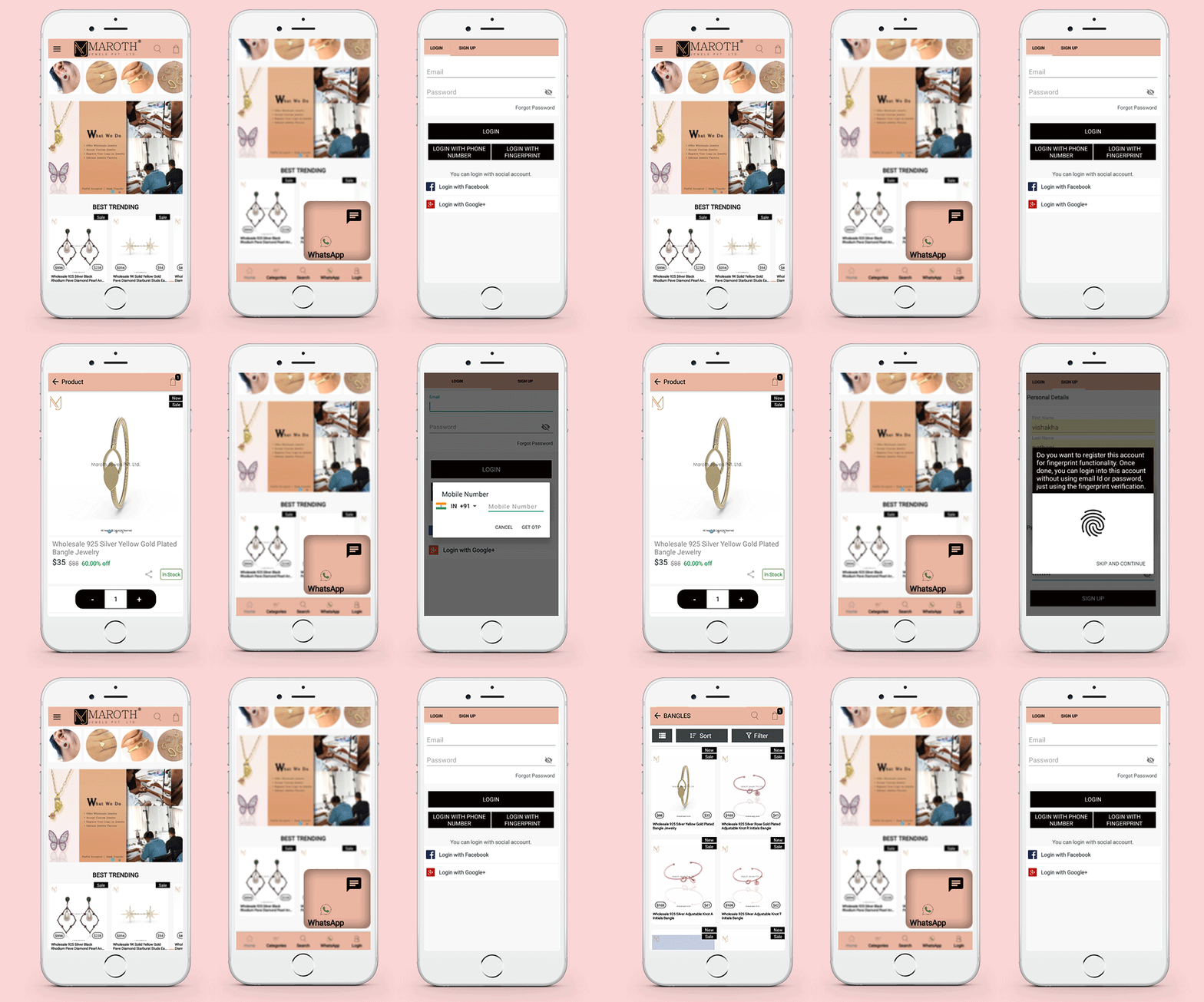
The Android and iOs App for WooCommerce has all the basic features like a tailored home page, category page, menu options, search button, and a shopping cart.

The application is unique in a way! The android app home screen design has search tabs and WhatsApp live chat support buttons at the bottom bar.

Login Option: A customer can sign up by filling in personal details and they can login with their most used social media platform Facebook or Google.

Also, a customer can login in using Email and Password, login with a Phone number, or login with a fingerprint.

Live Whatsapp support helps to develop consumer trust and loyalty. End-to-end encryption ensures encrypted consumer communications on WhatsApp. This Aids in the popularity of your brand name.

Available for: Android and iOS

Downloads: 500+

Create your WooCommerce Mobile App for Android and iOS

Use Coupon Code Mobi30 and avail 30% discount

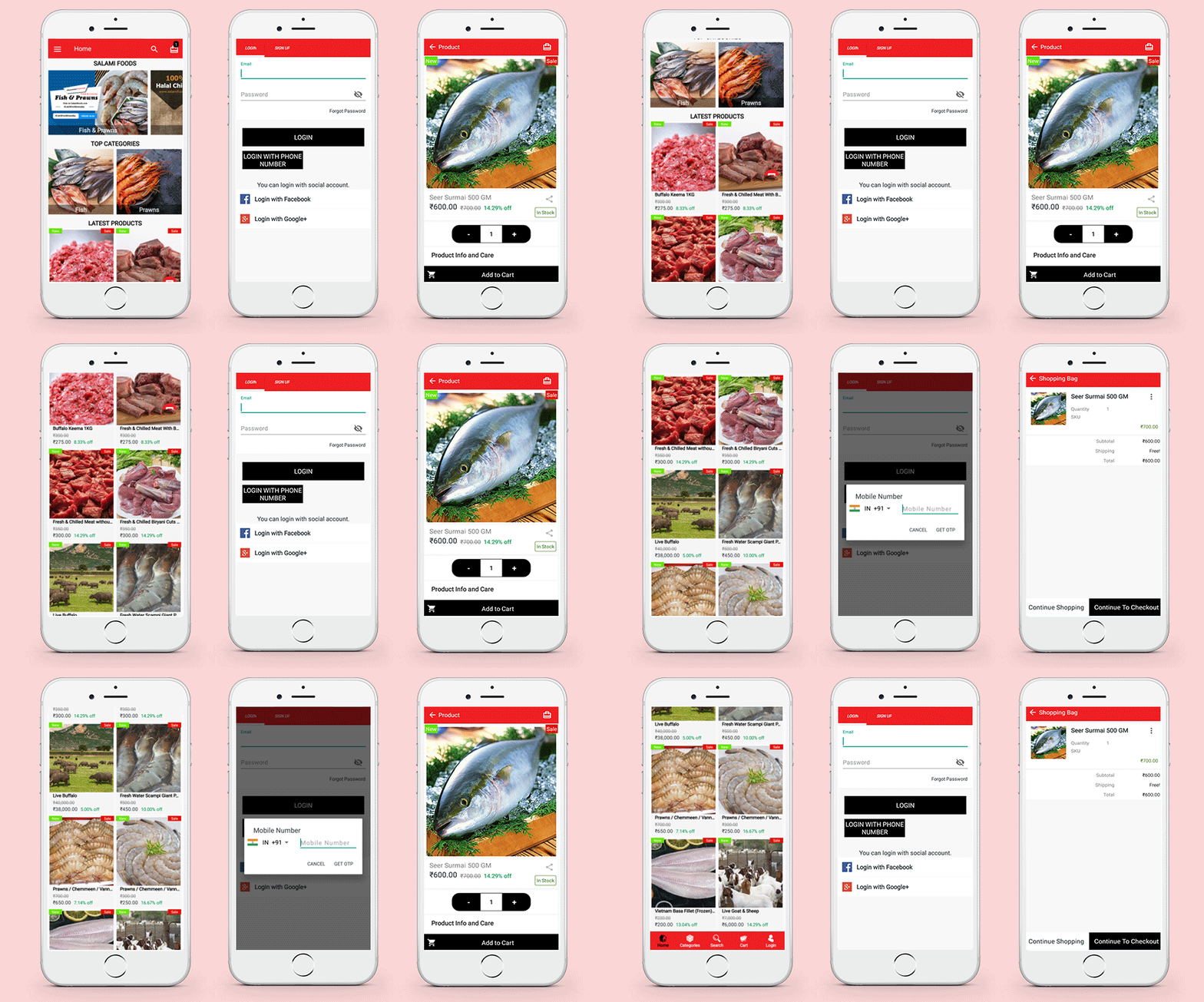
#5: Salami Foods

SALAMI FOODS is Hyderabad’s first online meat market. SALAMI FOODS brings the idea of high-quality fresh chicken, mutton, and kinds of seafood on wheels to life right outside your house!

This WooCommerce Android Mobile app has a custom home page design. Any application’s home screen is a must-have feature. When it comes to smartphone apps, it is necessary to have better call-to-action buttons and clear navigation.

Salami Foods WooCommerce Android Application is a magnificent live example.

Available for: Android

#6: NeWorld Anime

The NeWorldanime app for Android allows customers to check for “Official” animated merchandise, compare items by status, price, and make purchases on NeWorldanime.com directly from their devices. Customers of NeWorldanime have access to their shopping carts, wishlists, payment, and delivery choices, purchasing history, and settings.

Find the goods you want at the best price/quality ratio.

Wherever you are and at any time, you can view product images and read comprehensive descriptions (Size, Brand, and Condition).

You can check the status of a recent order right from your phone.

Available for: Android

#7: Declutter Shop

Free money is great, but being able to transform your old or unused but usable goods into cash is even better. As a DeClutter Seller, you can sell discarded items like shoes, luggage, clothing, appliances, and more for 50% off the retail price.

The WooCommerce Android mobile app developed using Mobile App Builder for DeClutter shop has striking features and is highly responsive.

The voice search option makes it more responsive.

Available for: Android

#8: Same Din Delivery App

Clothing is an art form as well as a means of self-expression. Same Din Delivery is introducing lightning-quick delivery to your doorstep, all on the same day.

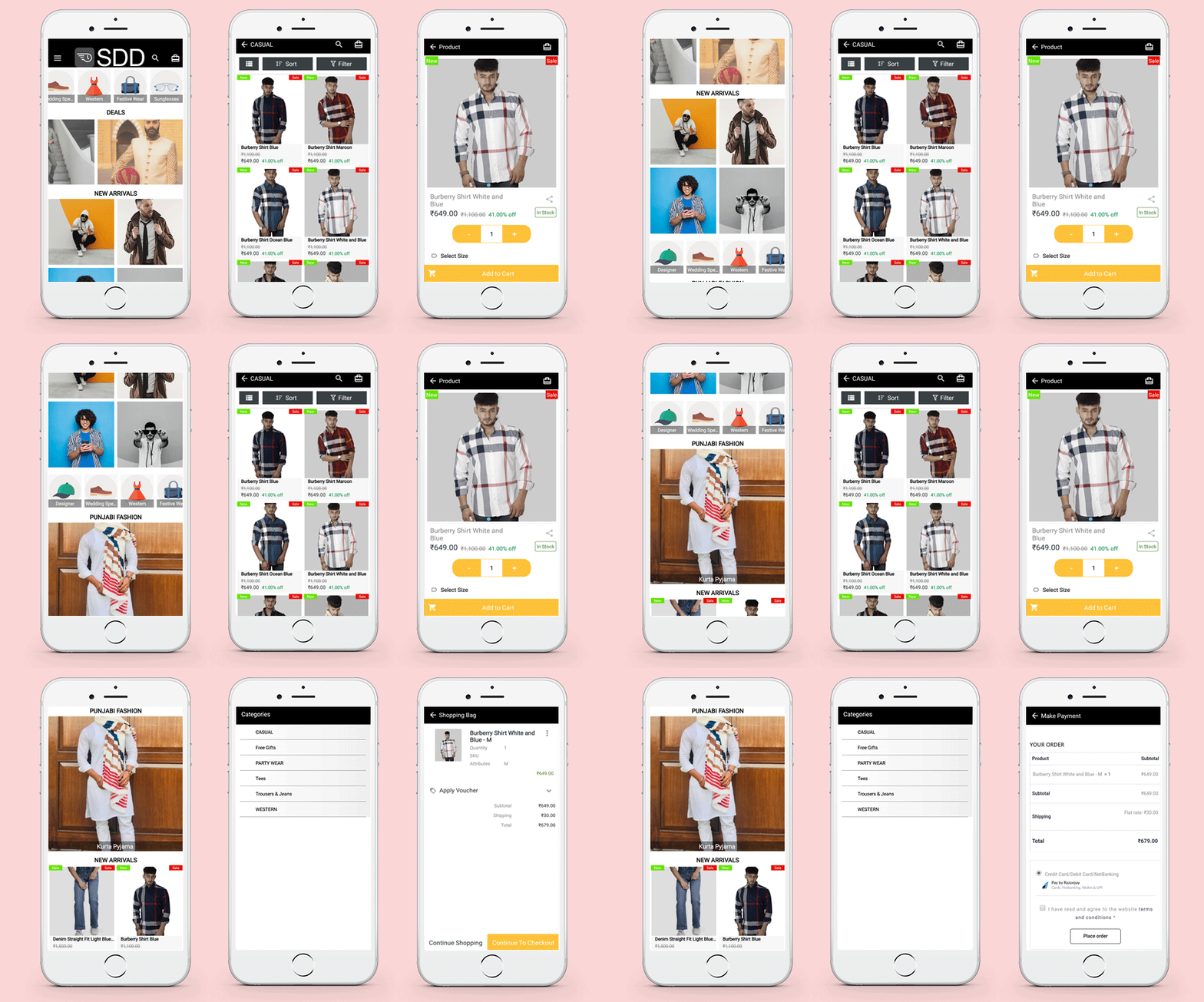
The app is developed using KnowBand’s WooCommerce Mobile App Builder plugin. It has all the features that make the application user-friendly and has clear navigations. You can sort and filter products according to price, size, etc and add them to the cart, and proceed to checkout in fewer steps.

Available for: Android

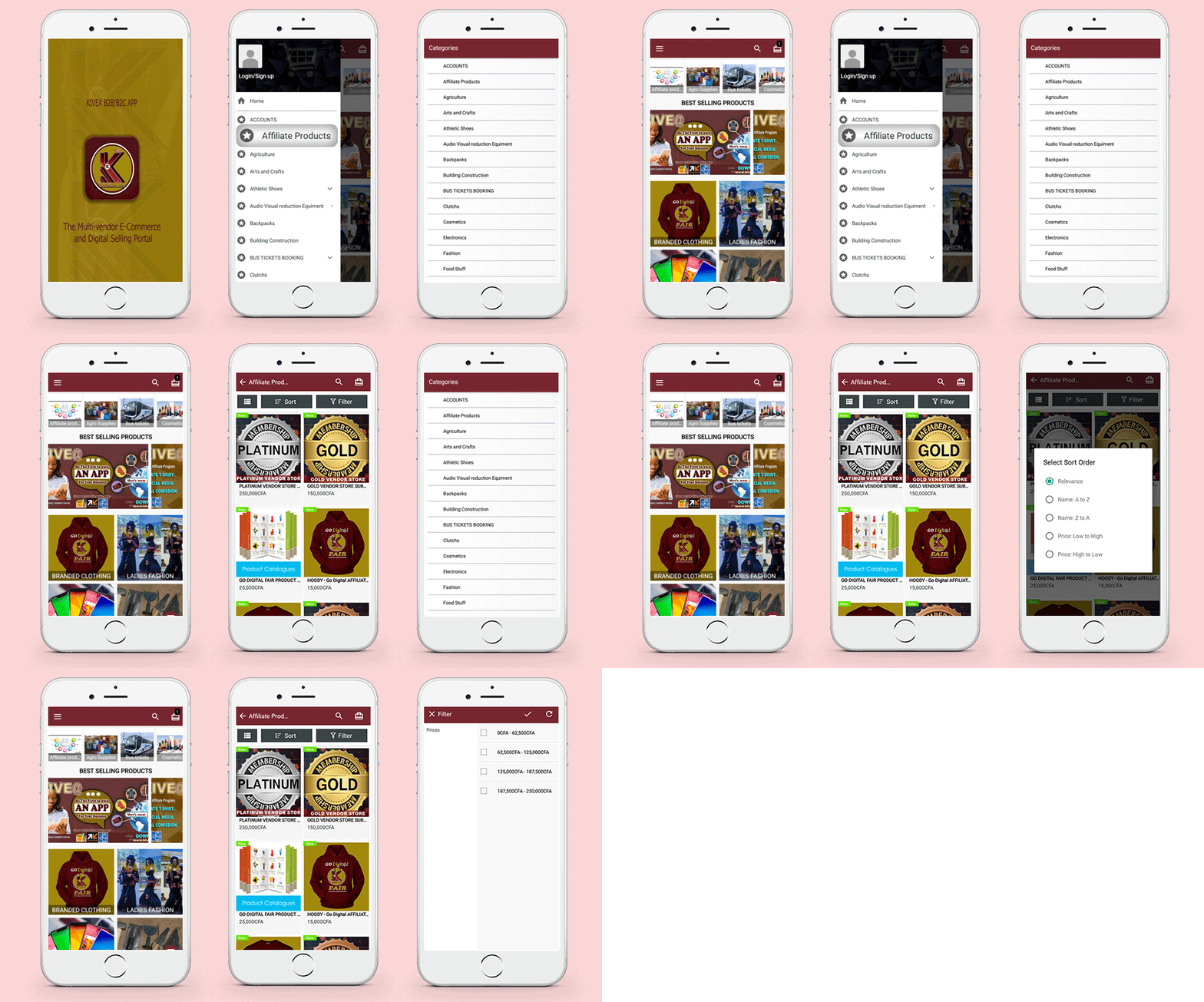
#9: Kivea

KIVEA is a multi-vendor fair-trading portal and a digital marketplace for SMSE, both large and small, to participate in national and international trade, as well as to help promote and complement Cameroon’s and Africa’s E-Commerce ecosystems.

It supports an Affiliate marketing program with a lot more exciting features. Seller profiles can be visited from the menu and it allows customers to purchase in a simple manner.

Available for: Android

#10: Shoppinger

Shoppinger Android mobile app is created by KnowBand using the WooCommerce Android App builder plugin. The Shoppinger is an online shopping website for men and women. The products can be searched based on various filters like gender, size, price, color, etc and you can see them as popular, most relevant, lowest prize first, etc.

The application is feature-rich and allows every individual to shop flawlessly. From the landing page of the android app to the checkout page, every step is very well configured and tested by expert app developers.

Available for: Android 

To conclude:

It is very easy to list your app on the Apple Store or Google play store. WooCommerce mobile app creators can be used to do so. The WooCommerce Mobile App Builder gives you the freedom of optimizing every aspect from the home page to the checkout page with ease. The above-mentioned 10 stunning Android and iOs WooCommerce Mobile Apps can give you the idea of how to optimize your mobile application for a better user experience and customer engagement.

The Android and iOS mobile app builder plugin is also available for Magento 2, Magento, PrestaShop, and OpenCart eCommerce platforms.

Have a glance at our amazing Android and iOS mobile app portfolio: Portfolio and Testimonials

Support:

Drop us an email at support@knowband.com for any web development services or mobile App Development services.

Best practices for Mobile App Development:

AloShop an evolving PrestaShop store developed by KnowBand┃Success Story

AloShop PrestaShop eCommerce Store is created on the world’s most accepted eCommerce Opensource PrestaShop platform. Along with basic features provided by PrestaShop, every store needs sparking elements to drive more traffic and sales.

With emerging technology and available free tools, it has become simple to create a basic functional website unlike a few years back. Adding to this, several ready-made plugins can turn a basic website into a versatile one that gives satisfactory customer expiring.

PrestaShop is a popular eCommerce platform with thousands of companies creating their online store.

AloShop is a user-friendly eCommerce website. All thanks to KnowBand’s PrestaShop Modules.

Introduction to AloShop

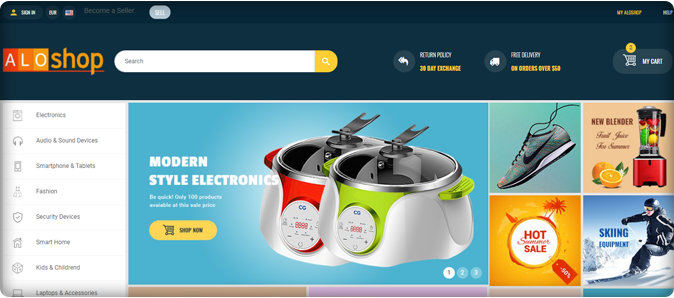
AloShop is an online marketplace that sells housewares, electronics, toys, houseware, clothing, and many other goods, either directly or as the middleman between other retailers.

This article is a walkthrough example of the best PrestaShop modules installed in the AloShop online store.

Let’s take the virtual tour of AloShop:

Advanced One Page Checkout

The One Page Checkout makes the checkout process quick. The easier the checkout process more will be the conversion.

Hence, PrestaShop Advance One Page Checkout is the best solution for any checkout page. Social login, guest checkout, customized layout, and several other features to make the shipping and payment process secured and easy.

Social Loginizer – Prestashop Addons

AloShop Implemented Social Loginizer to make their store’s user experience better to uplift sales and conversions. The following are the advantages that this Prestashop module provides to store owners:

  • UI that is easy to use, customize and mobile-friendly
  • Simplify the method of registering and logging in with 15 15 different social login choices
  • Store owner can monitor reports

Quick Login popup – Prestashop Addons:

To provide fast Login on AloShop use of the Quick login module was the best consideration. Customers can register/log in to their accounts without leaving their current page. It displays an attractive colorful popup which saves time while also improving customer satisfaction. Quick login has social login icons and users can customize it anytime.

Web Push on PC

To send web push notifications to the subscribers, AloShop has installed Web Push Notification Module. It allows the admin to send scheduled automated notifications like Abandoned Cart Notifications, Order Status Update Notifications, Price Alert Notification, and Back in Stock Notifications, etc.

Facebook share and win discount – Prestashop Addons:

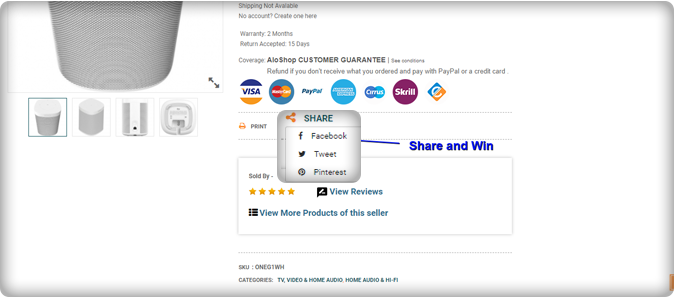
Offering rewards to customers is a trick that works for customer retention and promotes conversion on eCommerce stores. The PrestaShop share and win addon allow online customers to win great prizes simply by posting a product on Facebook. AloShop is using this super exciting module to attract customers via social media marketing. Using this PrestaShop share and win addon, the store admin will promote goods and increase sales.

GDPR Rights of the Individual – Prestashop Addon

The rights and data protection is the primary goal of every eCommerce company. In Europe, the eCommerce laws are to be followed strictly. The AloShop is a European website hence they have to keep their store GDPR Compliant. Customers have more power over their data under the GDPR. They have used the module created by Knowband for GDPR compliance.

Google Shopping

To list the products on Google Shopping, AloShop is using Google Shopping Marketplace Integration developed by KnowBand. It is a PrestaShop module that allows user to manage their Google Shopping profile from the PrestaShop store.

SEO Wizard

To improve the site’s search engine ranking AloShop introduced the Prestashop SEO addon to their store. It cuts down on the time and effort needed for SEO optimization. The interlinks and metadata are automatically incorporated into the front-end of the website.

Product Video- PrestaShop Addon:

Store owners can add multiple videos to a single product page using the Prestashop adding video extension. Auto video play is another appealing feature. Online buyers can get product information and requirements from the e-merchant. It boosts customer’s confidence, gives them a better shopping experience.

Conclusion

This AloShop website has several PrestaShop Modules that make the website more useful and improves the overall experience throughout.
For any eCommerce, assistance contact us at support@knowband.com or drop us a comment below. We have been helping eCommerce companies for a decade and would be elated to assist you.

Success Stories that inspire:

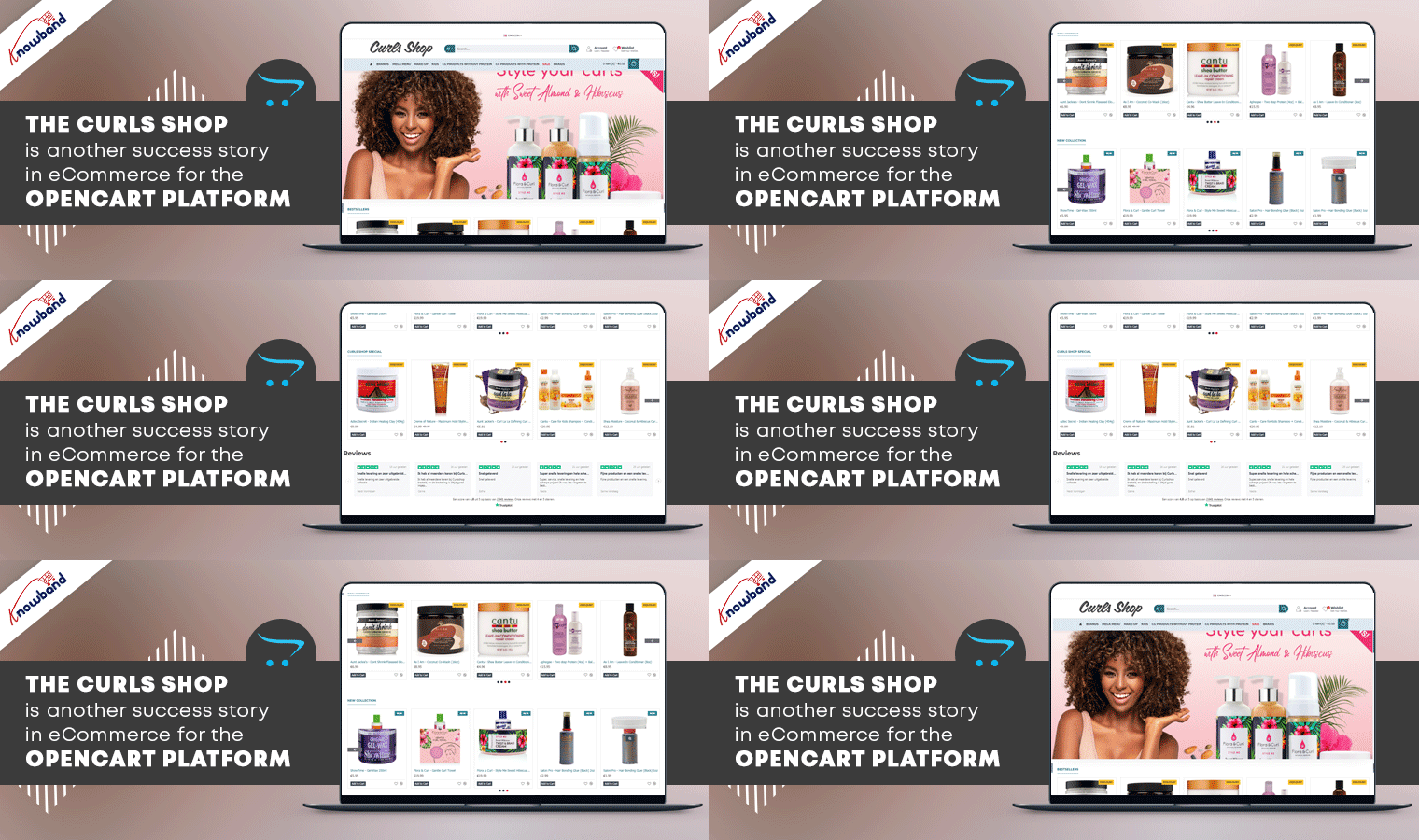
The CurlsShop is another Success Story in eCommerce for OpenCart

We have been celebrating the success stories of our eCommerce clients and CurlsShop is another major development in the OpenCart world, so read this article for more on a very local success story. Online businesses are flourishing worldwide and a platform like OpenCart which is scalable and secure is best to start with.

Many of your beauty and hair items can be found in CurlsShop online store. They provide excellent service and goods at a reasonable price/quality ratio. You can always rely on a huge selection and low prices when you shop with them. The website and its services give a wonderful user experience.

To provide a more promising experience to the customers of the CurlsShop store, they have optimized their website with various ready-made OpenCart extensions. Let’s dive into the CurlsShop online store and take a virtual tour of KnowBand’s OpenCart extensions used.

OpenCart Extensions that make CurlsShop a Success!

#1. OpenCart One Page Checkout Pro

OpenCart One Page Checkout simplifies the multiple page checkout process by reducing it to a single page. Encourage fast checkout to cut down on cart abandonment and increase conversions. CurlsShop has added multiple shipping and payment methods to OpenCart Single Page Checkout.
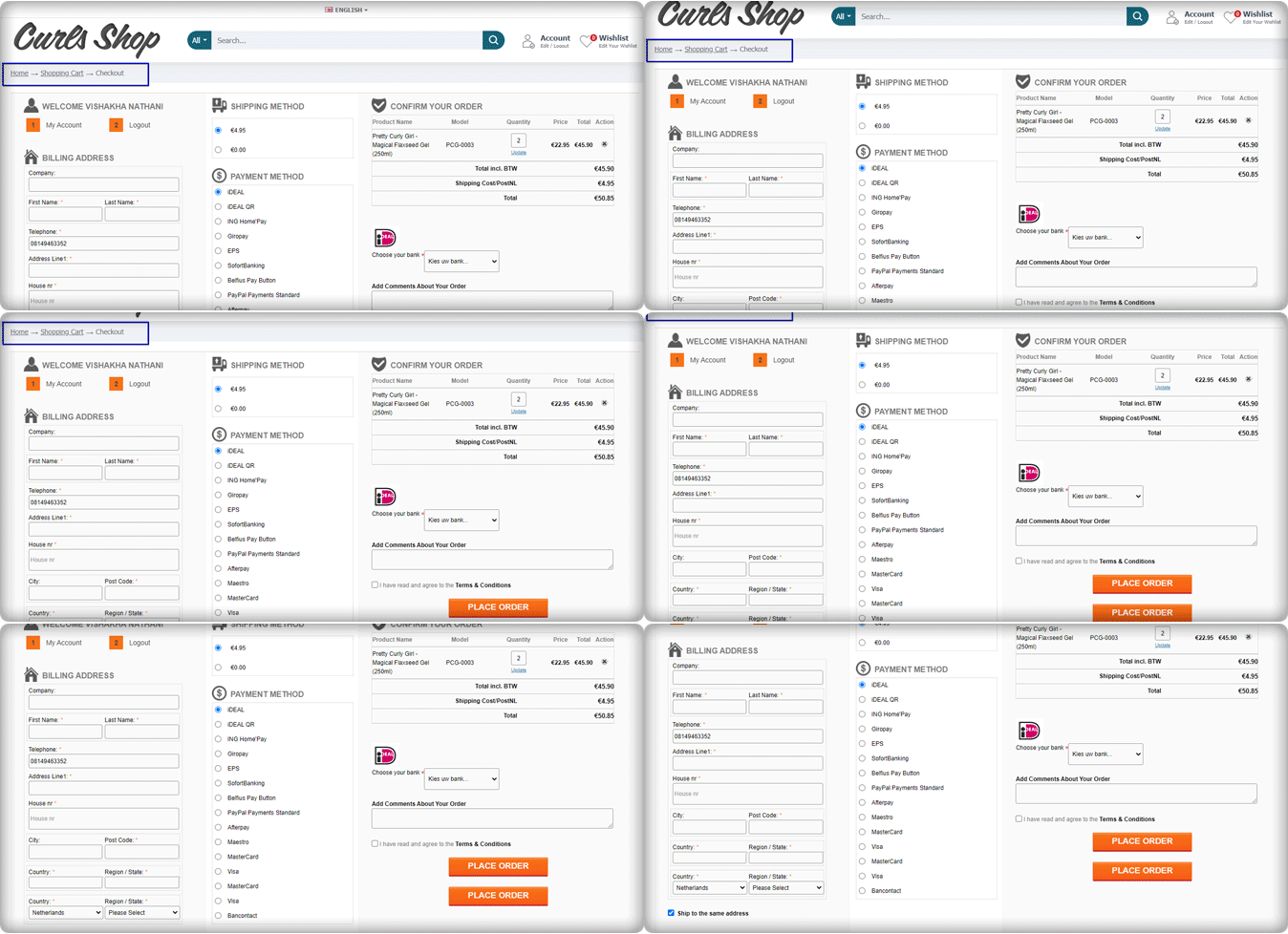
The store is serving in the Netherlands and they have listed iDEAL, iDEAL QR, ING Home’Pay, Giropay, PayPal Payments Standard, EPS, SofortBanking, Belfius Pay Button, Afterpay, Maestro, MasterCard, Visa, and Bancontact as their payment methods for their customers.

Multi-lingual support helps the store to communicate and expand.

#2. Abandoned Cart

Cart abandonment is a challenge to every eCommerce start-up. CurlsShop has implemented an abandoned cart extension to keep the abandoner’s track and find out the glitch. It allows them to send timely notifications manually and automatically for recovery of the abandoned cart.

With an OpenCart Abandoned cart module, reminder emails and, push notifications can be sent and reminder pop-ups can be displayed. Here is a guide for the abandoned cart recovery email that can help you bring your lost sales back.

#3. Product Review Incentive

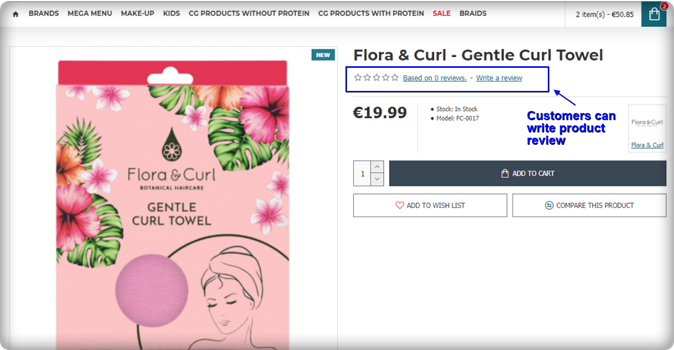
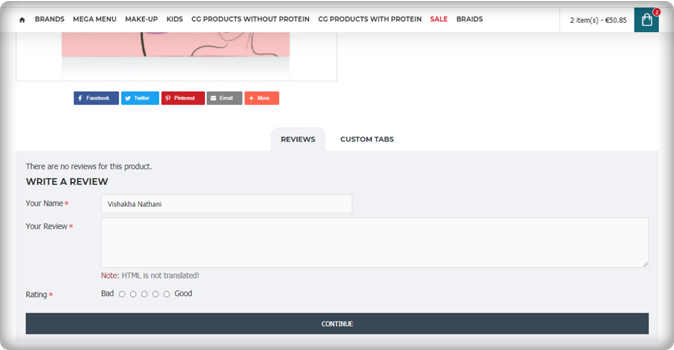
Another way to increase customer retention in online stores is by rewarding them with loyalty points. To increase customer loyalty and user engagement in CurlsShop, they have allowed customers to drop product reviews on the product page. Customers get rewarded with points or discounts when they drop a review and if it gets approval from the store manager.

Same reviews have been displayed on the home page of the store. Feedbacks and testimonials are major eCommerce converters.

#4. Google reCaptcha

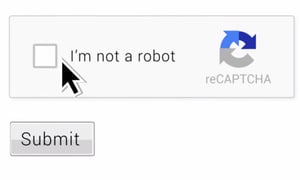
To protect the OpenCart CurlsShop website from spammers and bots, google reCaptcha has been used on the store. The online store is protected from fake signups by Google reCaptcha developed by Knowband.

#5. GDPR Compliance

To follow the European eCommerce laws, online shops must make their website GDPR compliant. The law was made to maintain the privacy of the customer’s personal details. CurlsShop is using KnowBand’s GDPR compliance extension on their OpenCart store.

#6. Google Shopping

Customers may use the Google search page to look for, display, and compare items. OpenCart store owners can use the Google Shopping OpenCart extension to map their items to Google Shopping and manage multiple attribute groups such as Color, Size, Gender, Pattern, and many others. CurlsShop is also using OpenCart Google Shopping Integrator to get listed on the top results of Google search.

In conclusion, to make an accessible and user-friendly store, you have to keep the website pages responsive and engaging. Various modules and plugins are available to overcome the eCommerce challenges like abandoned cart, bounce rate, or least conversions.

Support:

Get an extension for your store as per your requirement from KnowBand.com. Front end Demo, Admin demo, and user manuals are available for better understanding. In case you have any queries or require expert assistance you can write an email at support@knowband.com and we promise to give a quick response.

Success Stories that can inspire:

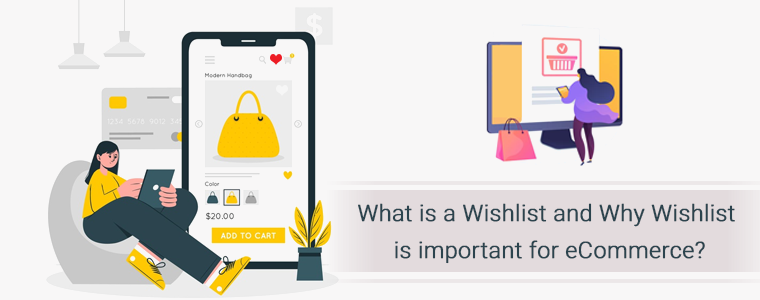
What is a Wishlist and Why Wishlist is important for eCommerce?

A wishlist feature helps an e-commerce store to turn prospective customers into real customers even if they aren’t ready to make an initial purchase. Wishlists are one of the most significant e-commerce features that can help you boost your sales.

Offering wish lists is a good way to minimize shopping cart abandonment and close purchases from customers who expressed interest but didn’t buy. Wishlists favor both consumers and merchants: they offer a convenient way for customers to remember a product while also enabling merchants to track product demand beyond a single sale.

What is a wishlist?

A wishlist allows consumers to create customized collections of things they want to purchase and save them in their user account for future reference. Wishlists show a customer’s interest in a product but not their desire to buy it right away.

Customers’ wish lists are sets of preferred items saved to their user accounts, for which they have shown curiosity but not an imminent interest in purchasing them.

How wishlist helps your eCommerce business?

Increases engagement

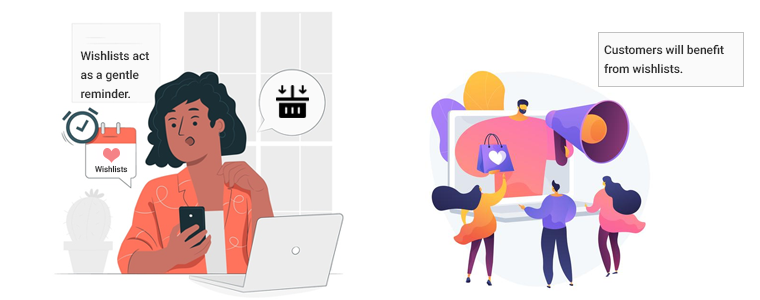
Wishlists act as a gentle reminder. Creating a wishlist does not indicate that you would purchase products right away. They serve as reminders to buy the stuff you’ll need in the future and are critical as consumers are searching for ways to organize their lives.

Customers will benefit from wishlists. To save a wishlist on most eCommerce websites, you must first build an account. Customers can get more information about the items on their wishlist by creating an account. Customers would be able to justify purchasing goods as a result of this education, as well as interact more with the store to create loyalty.

Higher retention rate

A customer often returns to your store if they have added something in the wishlist that they loved. But they don’t necessarily find that product available when coming back. It’s critical to inform customers when a product is out of stock and to provide a way to contact them when it returns. For this reason, many retailers include a special “Remind me” button. If something on a user’s wishlist is back in stock, send them an email. It can also be a very simple email, with only the items and nothing else – no need to cram it with extraneous information.

Personalized Marketing

Wish lists are a happy medium between buying and forgetting: many shoppers aren’t ready to buy right now, but they want to remember the product and/or store for later. Wish lists can entice users who would not otherwise sign up for an account to do so; if they opt-in for email notifications, these prospects can then be included in drip marketing campaigns.

Increase Sales

With more traffic to your e-commerce website, you’re more likely to achieve your revenue goals.

The truth is that your new visitors may discover something worth sharing with others in addition to knowing that their friend or loved one wants your products. The best part about your wishlist feature is that it can be used all year for your potential customers’ special occasions.

Conclusion: If you haven’t considered providing a wishlist to your customers, you may be allowing your competitors to increase their profits. The wishlist will not only make your life easier, but it will also be beneficial to your potential customers. Why not avoid returns and encourage sales instead?

This may interest you:

Stunning Live Examples of PrestaShop One Page Checkout Addon by KnowBand

One Page Checkout displays all the elements of a conventional checkout, including cart items, billing and shipping addresses, shipping methods, and payment details on a single page. One-page checkouts were first implemented in an attempt to streamline the checkout process by which the number of clicks and pages needed. To give a brisk, we have compiled a few remarkable PrestaShop One Page Checkout examples that are blazing.

For the PrestaShop platform, KnowBand’s One Page Checkout is one such popular module that has 15000+ downloads on the KnowBand store and PrestaShop Addon store. The module is a one-stop solution as it supports multiple payment gateways, shipping options, provided social login option, and has a feature like MailChimp email synchronization.

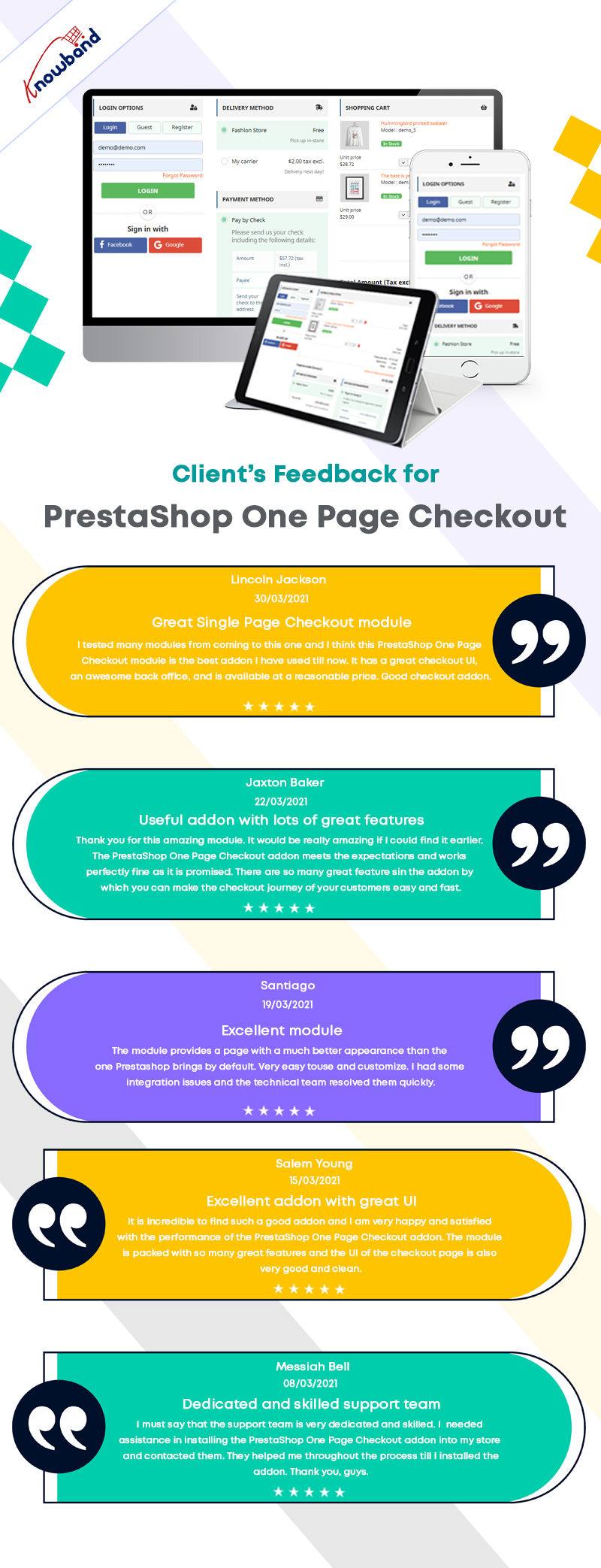
In this blog post, we will show you 7 beautiful examples of PrestaShop One Page Checkout Module that are live and working effectively on various eCommerce stores worldwide. Before jumping to it, let us see what clients have to say about the One Page Checkout and their experience with Knowband.

Prestashop One Page Checkout live examples

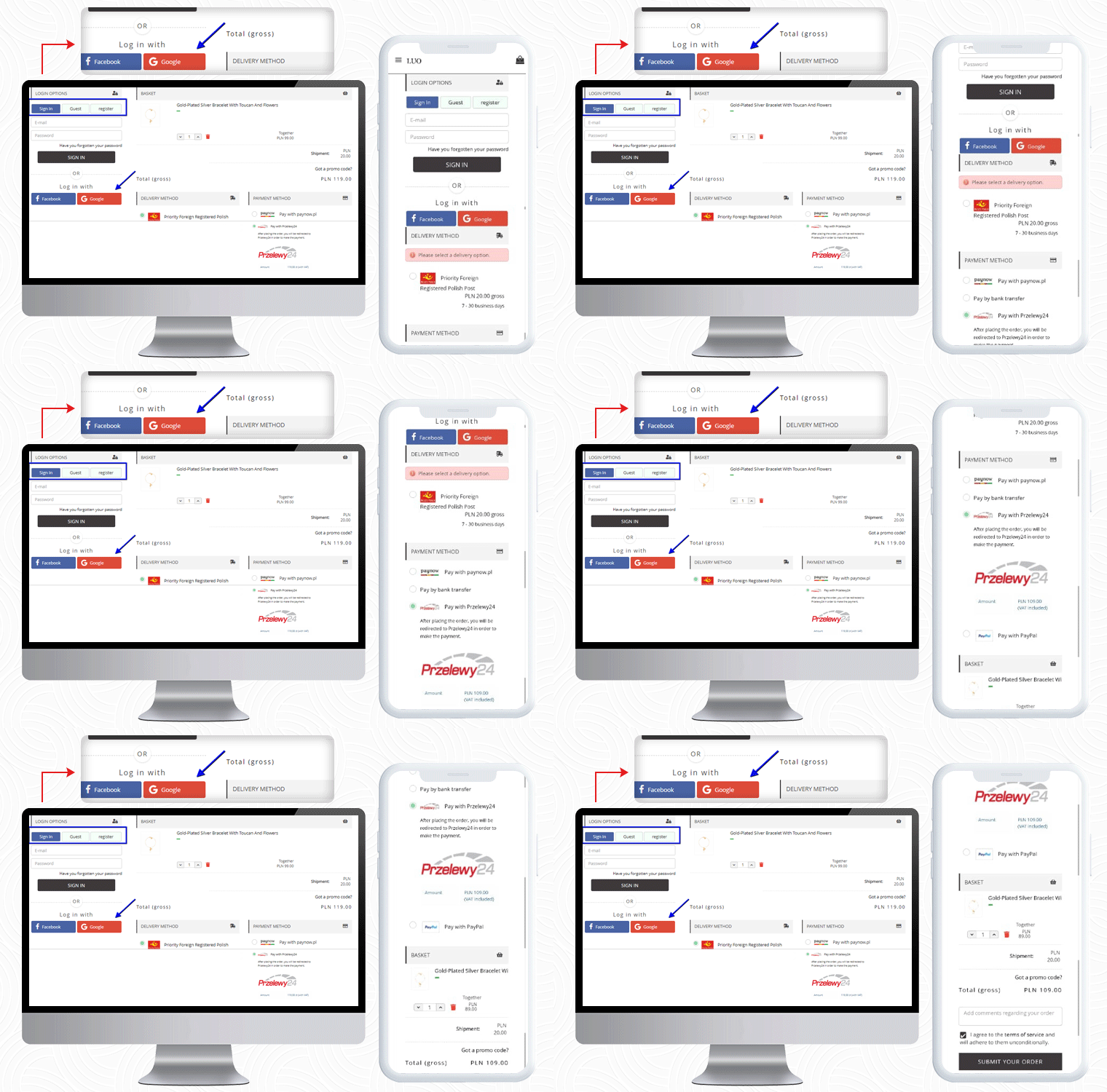
1.     LUO Online

LUO online is a Fashionable Jewelry store created on the PrestaShop platform that delivers products in Poland. To make the checkout experience smooth and quick, LUO is using the One Page Checkout module by KnowBand.

The Mobile responsive checkout page displays all the fields on a single page including the registration column, Social login option, shipping, and payment methods, and the products of the cart. It also supports guest checkout functionality for users who do not want to register.

If a customer has any promo code then they can add that during the checkout process.

Payment Methods listed for Poland Customers: Pay with Paynow, Pay by bank transfer, Pay with Przelewy24, Pay with PayPal

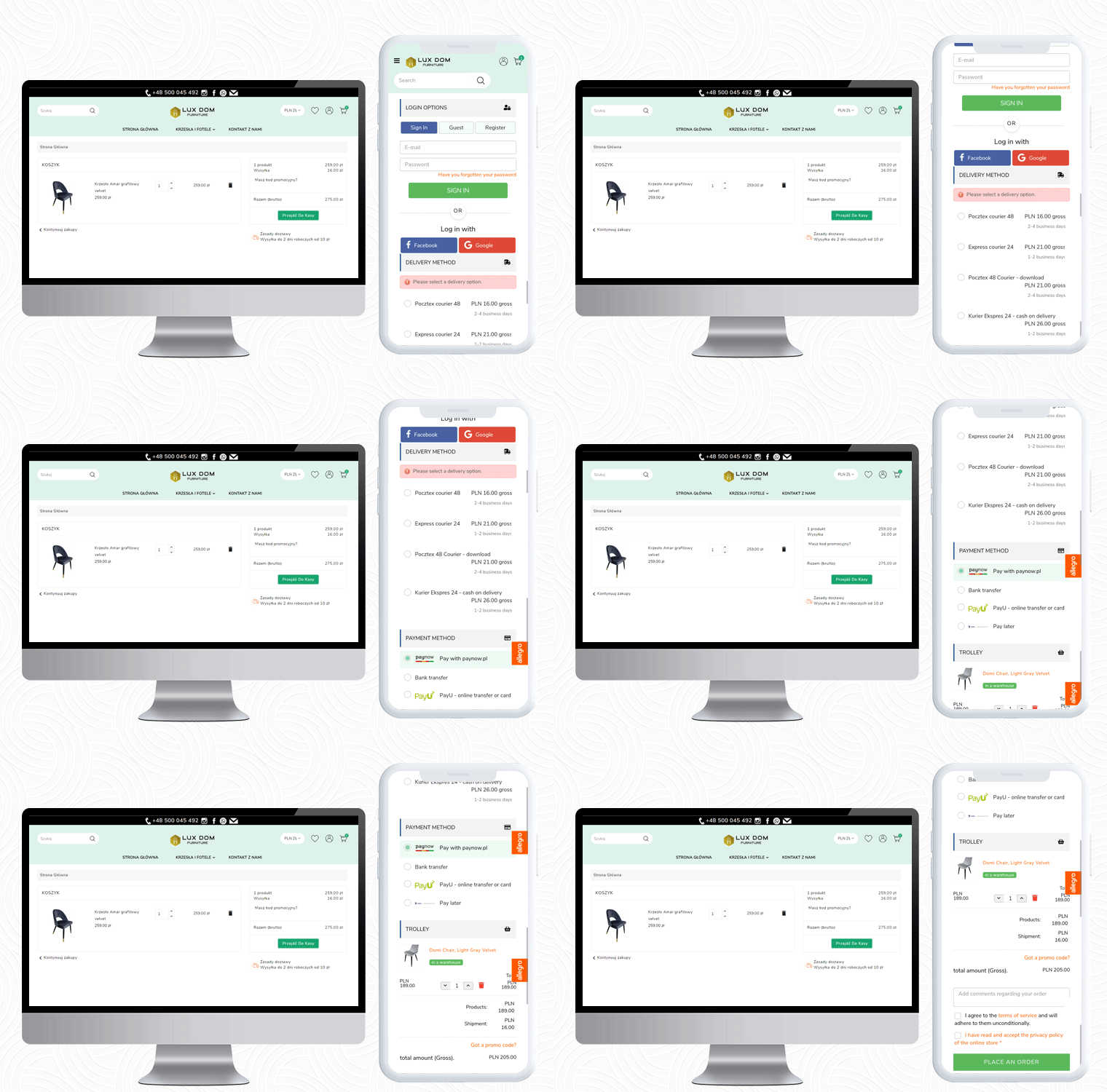
2.     LUX DOM Furniture

LUX DOM Furniture is a Poland-based furniture website with a customizable three-column checkout page. Users can log in via Social media platforms like Facebook and Google+.

The free delivery eligibility bar is displayed at the bottom of the checkout page. Every order with an amount above 150PLN will be eligible for free delivery.

In the LUX DOM furniture store, there are specific payment methods for specific shipping methods selected.

Payment Methods listed by LUX DOM: Paynow, PayU, Przelew bankowy, Zapłać później

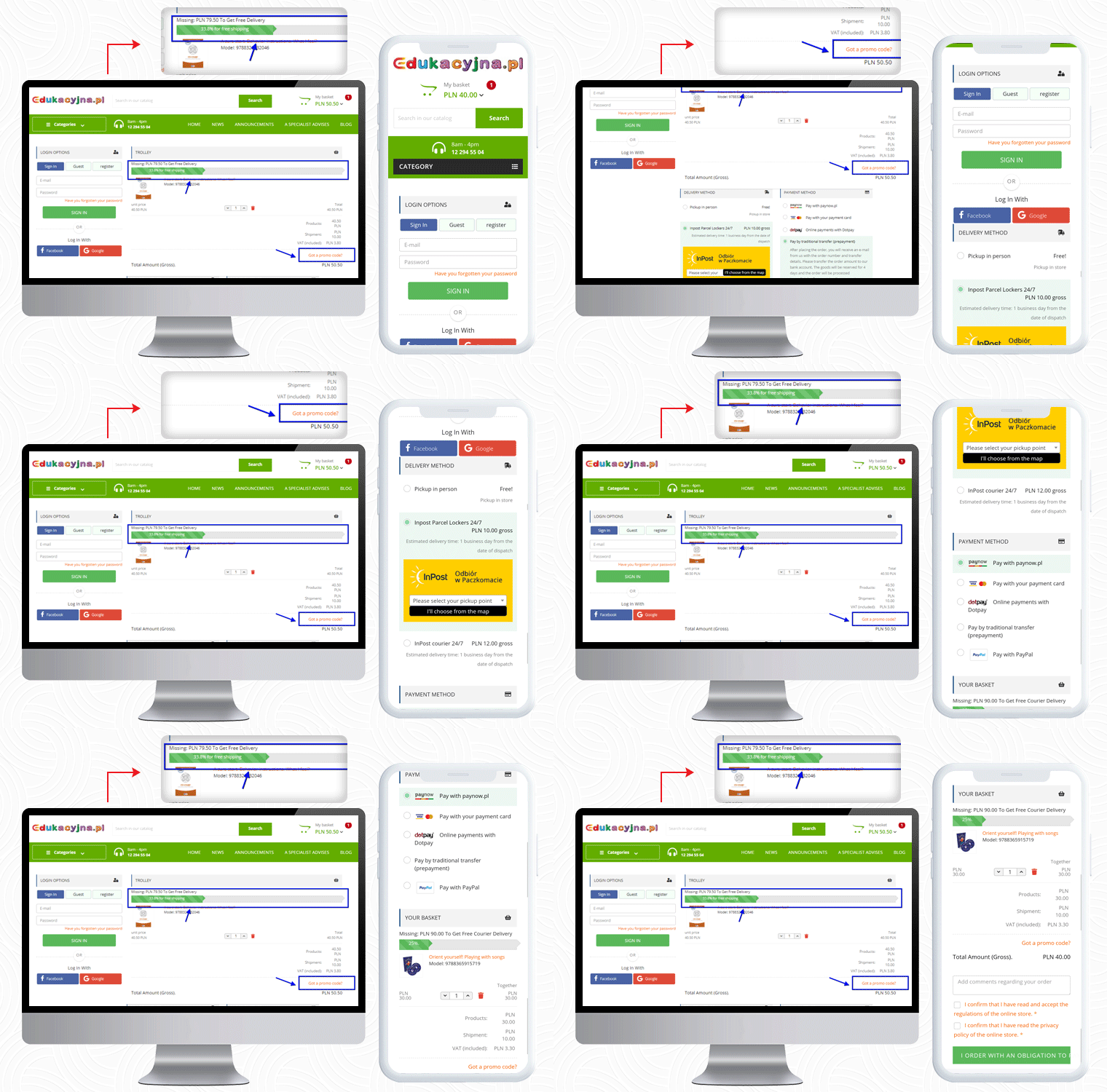
3.     Edukacyjna

The third live example of the PrestaShop One Page Checkout addon can be observed on Edukacyjna, which is an educational online bookstore. The first educational bookstore in Poland, offering methodology guides for all Polish publishing houses’ textbooks.

The PrestaShop One Page Checkout has several features and Edukacyjna is utilizing those in a proficient manner.

In the picture below, along with the features mentioned earlier, a ‘Progress Bar’ is displayed for the checkout process.


This educational website is providing several payment methods to their customers, and for every shipping method, they have listed different payment methods.

Payment Methods Listed for various shipping methods: Pay with Paynow.pl, Payment via VISA and Master Card, Online payments with Dotpay, Pay in cash on delivery, Pay by traditional transfer (prepayment), Pay by bank transfer with deferred payment (14 days) – only for educational institutions, Pay with PayPal

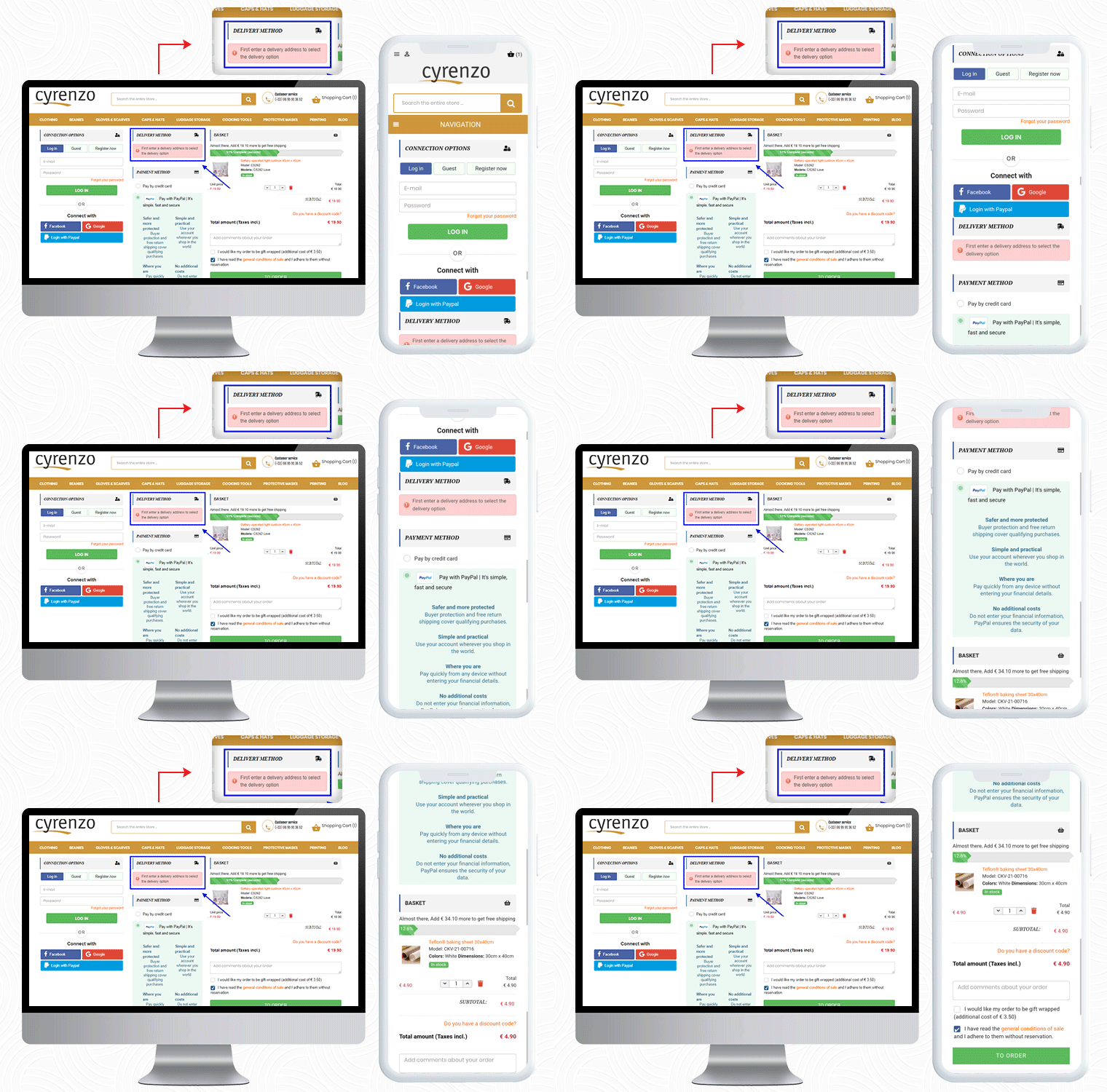
4.     Cyrenzo

Cyrenzo is France based online store of clothing, accessories, and home products from major brands. They deliver quality products with customized options in France. Cyrenzo has updated its new website to meet current expectations so that users can use it more easily.

They have been using the One Page checkout solution for the final checkout process on their PrestaShop store.

As mentioned, the module is feature-rich and a best seller!

It allows sellers to display the delivery mode only after they enter the delivery address if enabled from the admin panel.

Cyrenzo is also using the PayPal login option along with Facebook and Google on their PrestaShop One Page Checkout. On a single page in a 3-column customizable layout, it displays the progress bar, cart details, payment methods, etc.
Also, to collect any additional information from the customer about the order, the seller can add an additional field before the final order placement.
Visit KnowBand store for Product Demo:

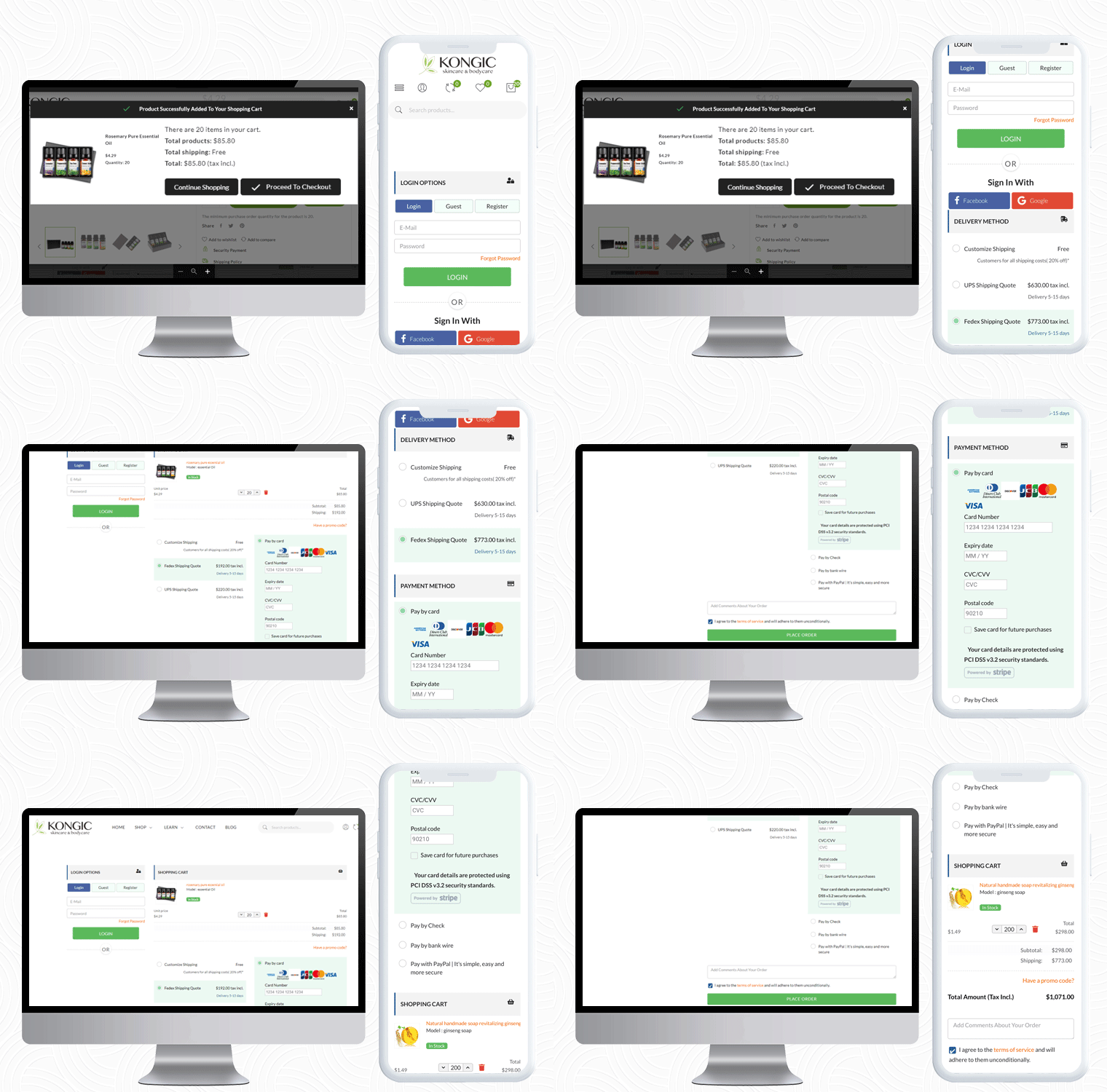
5.     Kongic
So far we have shown you four examples of One Page checkout module. Now, I would like to draw your attention to its layout customization feature.

Kongic is an eCommerce company dealing in skincare and body care products. For the checkout page, PrestaShop One Page Checkout is the best fit for their brand.

The checkout page of the Kongic is clean and they have kept enough white space that it giving it a more pristine look.

It is on the seller how and where they want to keep the sections. The module has a drag-n-drop functionality and they can adjust the fields as they want.

It gives you options like 1-column layout, 2-column layout, and 3-column layout. Customize the checkout page as you want to.

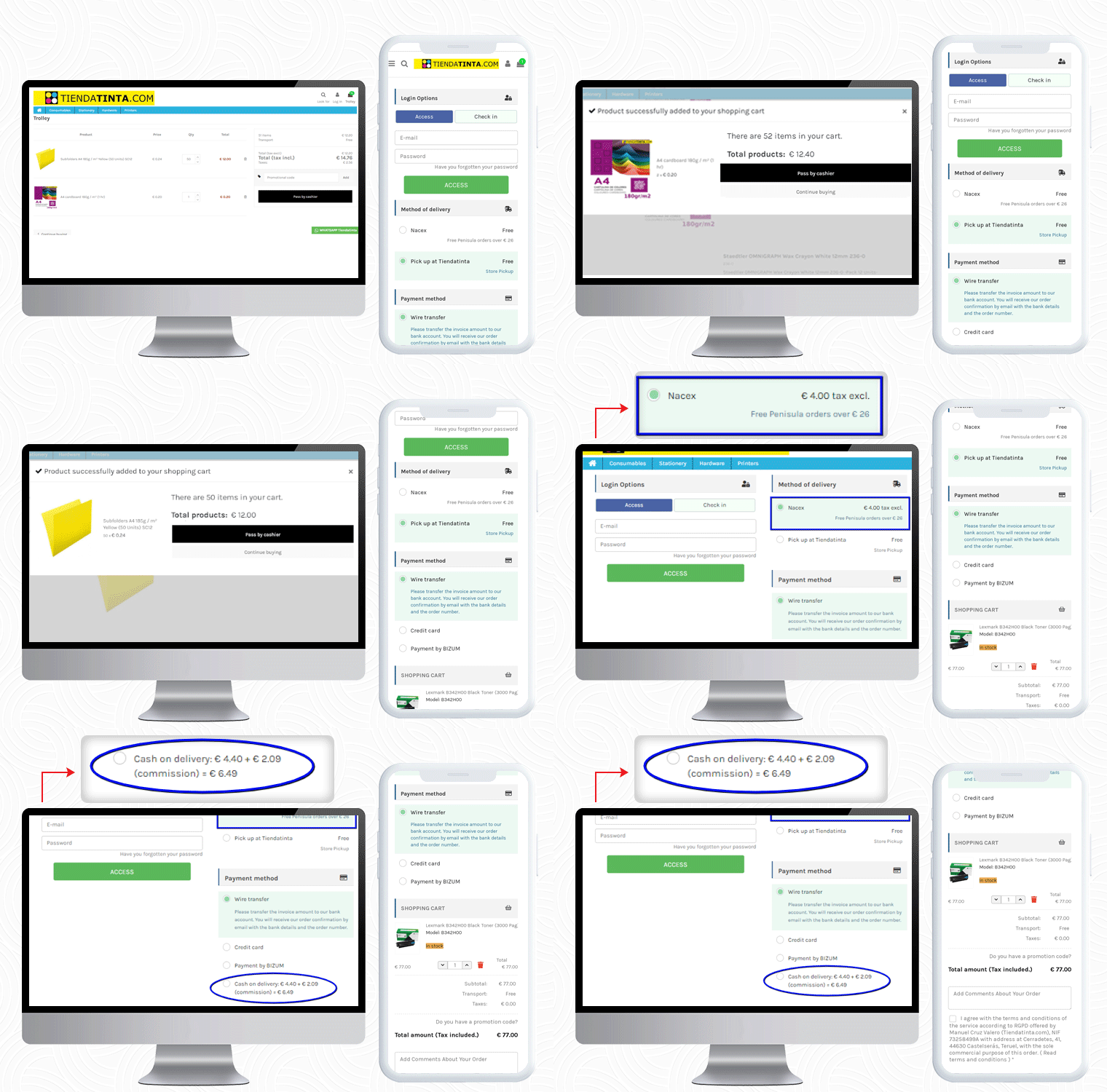
6.     Tiendatinta

Tiendatinta is a PrestaShop store that sells Stationery products, hardware, and different types of printers.

They have been using the PrestaShop One Page Checkout solution for checkout that gives a satisfactory experience to their customers.

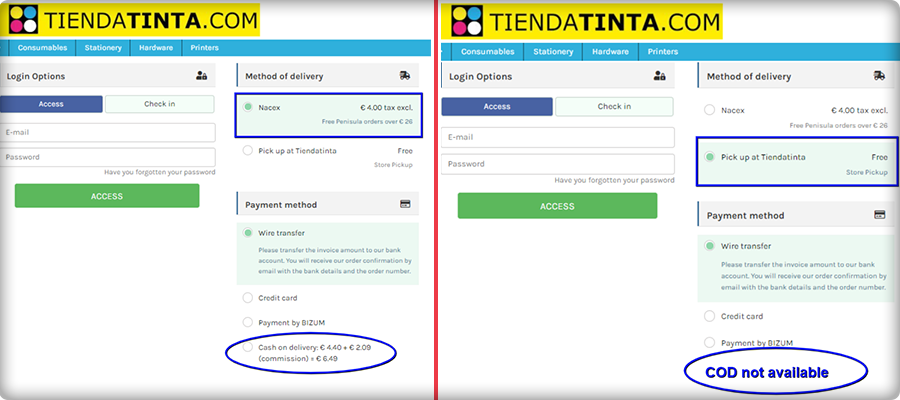
In this PrestaShop One Page Checkout module example, the Cash On Delivery (COD) is only available for the customers who opt for the Nacex method of delivery.

This feature is quite helpful when you have to offer a particular mode of payment gateway for and specific delivery method.

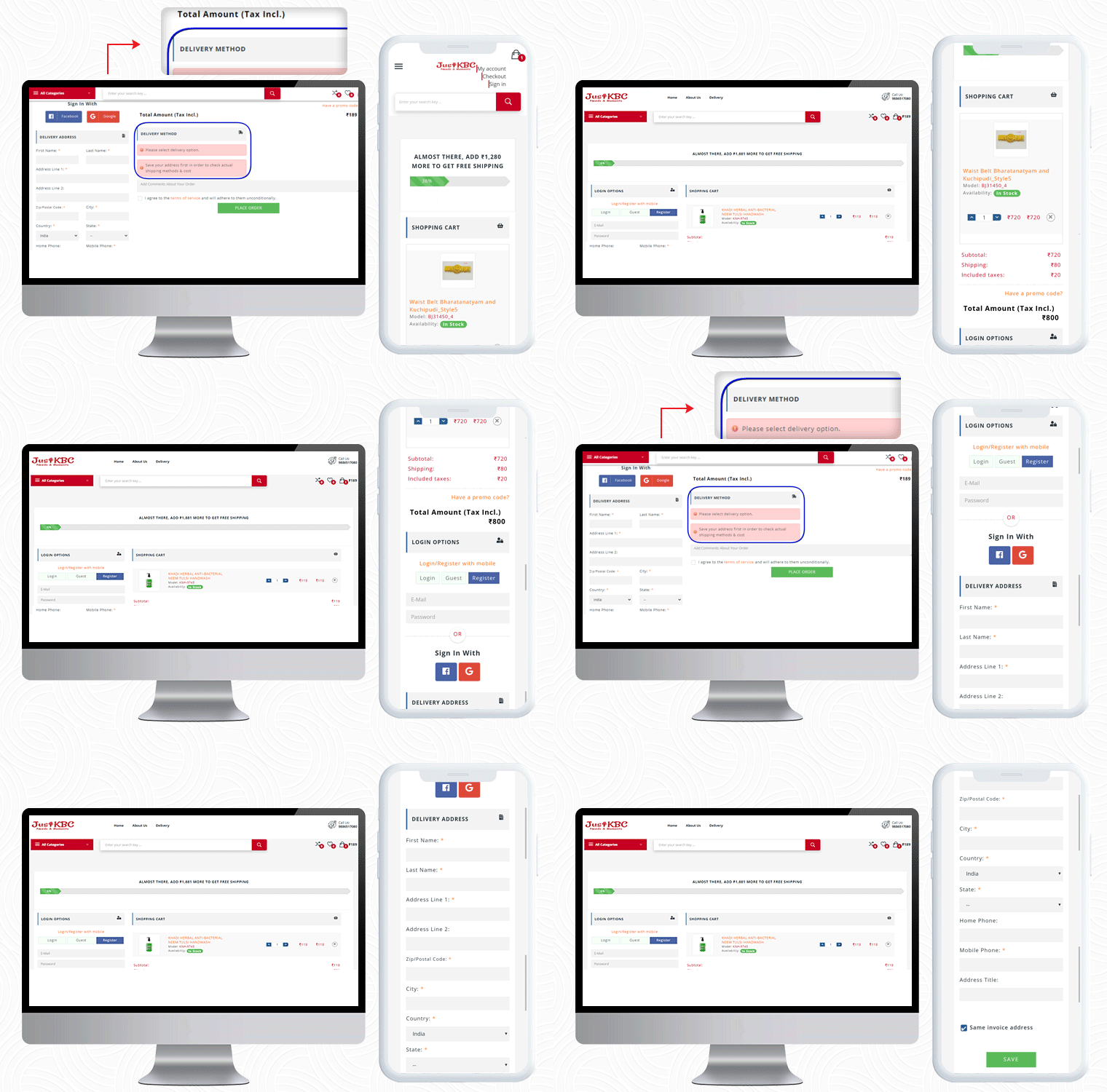
7.     JustKBC

For PrestaShop One Page Checkout real-life example, the JustKBC website is next in the row. They are using a 2-column layout, which is giving the checkout page a clean look.

A free shipping bar at the top of the checkout page encourages customers to shop more and increases average cart value.

On this particular checkout page, if a customer wants to see the delivery options then he has to enter the delivery address first.

If a customer enters false details of ZipCode or forgets and mandatory field, they will see an inline error message. If The customer can allow auto address fill from Google as well.

You can check out some more websites that are using PrestaShop One Page checkout:

10 Best Checkout Page Examples and Practices for Italian PrestaShop store

Ten on fleek Checkout Page Examples of Poland PrestaShop eCommerce stores

10 Elite Examples of Checkout for Spain PrestaShop stores

To Wrap-up:

The preceding examples demonstrate why PrestaShop One Page Checkout by KnowBand is the best seller Module on Addon Store! Its features and functionalities make it unique and give an exemplary user experience. If you have an eCommerce store on the PrestaShop platform and are searching for a single-page checkout solution, your quest is over. You can go to the KnowBand store and look at the admin panel and front-end module demos.

On our store, you’ll find solutions for all other eCommerce services. All the modules are well-designed from both the seller’s and the customer’s perspectives.

Read More about PrestaShop One Page Checkout:

3 Amazing OpenCart Extensions to Expand your Business Miraculously

You are undoubtedly harnessing the power of the Internet to run, manage and market your company, whether you are a new startup or an existing business. It makes it possible for you to spend more of your time and energy on development by simplifying and streamlining those aspects.

A business requires a large audience, superior customer experience, and of course a system that eliminated their extra efforts while shopping. If you are looking for the best way to stand out, here are three extensions for the OpenCart store that you can consider using that will help you expand your company online.

1. Transform your website into a Multi-Vendor marketplace

Are your visitors not converting? Suspecting a higher bounce rate on your OpenCart store? You can think about selling on different marketplaces or you can transform your OpenCart website into a multi-vendor marketplace. Marketplace sales of goods can be highly profitable for brands and online sellers.

It’s quick to set up an account and you get immediate (theoretical) access to large numbers of prospective clients. The marketplace offers several products over one platform and that attracts customers as well as sellers.

Convert your store into an OpenCart Marketplace just like the one designed for handloom and handicraft products: ‘The Central Cottage Industries Emporium’ and take your business to new heights.

2. Start selling customized products in your store

Customized products are not new to the market, but as more and more businesses incorporate personalized features in their products, they are adding an extra advantage.

People prefer to find something distinct. To create perfect personalization at all times, use the software, and do unique and innovative things, such as implementing new informative fonts and colors.

Bear in mind that not all consumers want the same things. Customer satisfaction is naturally improved by the opportunity to tailor or personalize their experience or product.

Get innovative, and always search for ways to increase the experience of the brand for each of your clients or customers.

3. Offer booking and rental services on your OpenCart store

You can start with this too! Renting things is not new. Start with products like furniture, costumes, or anything that can be rented. You can even rent cars, bikes, and apartments by using Rental software developed for the OpenCart store.

Booking for the hotel room, making a table reservation at restaurants, or book an appointment with the dentist, all can be done with one tool.  Terms and conditions and discount settings can be added by the eCommerce shop retailer. The Booking and Rental Extension for OpenCart provide dynamic pricing features as well.

Have a look at the demo store of the OpenCart Booking and Rental system.

Conclusion:

I have listed these three extensions because all these services are needed for providing a personalized shopping experience to your customers. After the COVID-19 outbreak, businesses are on the verge of dying and these extensions can save your eCommerce business. Also, if you are already making enough money from your OpenCart store then adding these extensions will help you expand your business.

Recommended Reads:

Transform your eCommerce Business with Affiliate Marketing

In the world of marketing, word of mouth has always been a powerful tool. We want the recommendation of someone we know has the right idea about it, whether we are looking for some computer device or car mechanic or our favorite cuisine. The online influencer chooses an affiliate marketing program specifically for product promotion.

Businesses prefer influencer marketing and affiliate programs as the digital platforms are gaining more traffic. Also, influencers have millions of followers, with that comes a large audience for your product.  For the basic understanding of affiliate marketing program, its working, its’ components, and how a person can become an affiliate marketer?

You can read Affiliate Marketing: A Sneaky Way to Make Money.

Affiliate marketing is one way to make money through the affiliate network by endorsing and branding the product of other people and having a commission on the sale.  The main strategy for affiliates is to present the content in a way that they click on the connection given and are convinced to purchase the product.

When you have the basic idea about the affiliate marketing model it is now important to understand how it can help you transform your business.

Ways to use affiliate marketing to transform your e-commerce business

Niche:

The primary thing one wants to consider is their audience and then determines the elements of marketing. The affiliate program will help to build the niche and position the goods in front of the interested and dedicated prospects for the growth of an e-commerce website.

It is important to know about affiliates and their audience before partnering with them. One would be able to get an insight into their audience by measuring the affiliate’s performance.

Sales Team:

An affiliate marketing program can be a boon for entrepreneurs or small companies if they have a small sales team. Affiliate marketing will expand the digital marketing team immediately and will drive potential traffic to your site. You will be able to get more conversions with quality traffic, and more conversions will provide high profits that will provide an opportunity to grow the e-commerce business.

The mobile marketing channel is growing at the speed of light and it is expected to have 2 billion smartphone users worldwide.

Improves reputation:

The online company will use this promotion to gain credibility when the affiliate supports the product or service. Html, icons, or photographs may be used to publicize the sites where the brand has been checked or used. To get an initial understanding of the affiliate marketing program, you can also opt for digital marketing programs.

Target Demographic:

The organization wants to see where its future audience is in terms of geographical area, sales, hobbies, etc. through brand promotion. You can customize the target audience for affiliate marketing and only partner with affiliates who can help you meet your potential audience.

For instance, if your company manufactures protein supplements then your influencer should be some physical fitness trainer or a fitness enthusiast.

Tracking:

In the form of dashboards, this system provides simple tracking of impressions, clicks, leads, purchases, commissions, revenue drivers, etc. To control your conversion and all other statistics, there is plenty of Affiliate Marketing software available.

Multiple Conversion Paths:

With an affiliate marketing program, by manually setting the benefits, one would be able to select the preferred route to achieve a successful conversion. As a conversion, one can select email marketing, how-to guide download, product sale, or survey form. Whenever your conversion option is a success, you can give the reward to the affiliate.

Content:

There will be days when no content that can help promote your company or brand will be available to you. With affiliate marketing, since the affiliates can do it for you, you will not have to brainstorm about the best material that will assist in generating sales.

The content created by affiliates and influencers is read by all their followers and you can use your influencer’s content as marketing power.

Wrapping Up:

A good affiliate marketing strategy is expected to enhance the partnership and boost the relationship with the company’s customers. You need to collaborate with social influencers and businesses you respect. Like their larger, well-established peers, a new company or a young startup does not have deep pockets. Affiliate marketing can generate higher sales per dollar spent on marketing for companies working within a small budget.