PrestaShop Back in Stock Module- Unique Approach to Capture Lost Sales

Notify customers when products are back in stock, and your PrestaShop revenue will increase quickly. Use the PrestaShop Back in Stock module to start recapturing missing revenue. Send notifications to consumers as soon as the products return to stock. It takes just 5 minutes to set up.

PrestaShop Back-in-Stock – Unique Approach to Capture Lost Sales

Back-in-stock alerts are a perfect way for PrestaShop stores to boost sales. Don’t miss out on sales because the products are out of stock. Increase your sales with web push notifications for back-in-stock products. You can send an initial email when a customer subscribes for a back-in-stock alert, low-stock alerts, and a final notification email with the Back-in-stock message.

We’ve all discovered things that were out of stock but we don’t go back to the store to see if it’s still there. Why do you expect your customers to do it? Influence them using emails and send push notifications to bring them back to your online store. You will get more sales and observe a boost in conversion rate.

Adding an email opt-in to your subscriber list will help you grow your list

The majority of low stock and back-in-stock warning forms only obtain the customer’s email address to inform them when a product returns to stock. Take advantage of the fact that they’re paying attention by asking them to join your email list at the same time. Sellers who use this strategy see a large improvement in their email subscriber list size, which leads to increased sales.
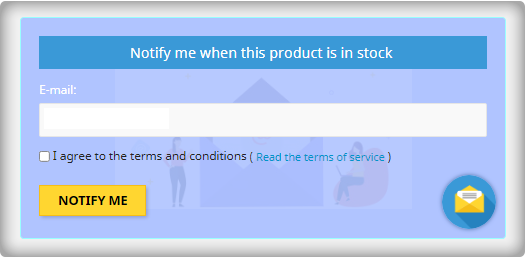
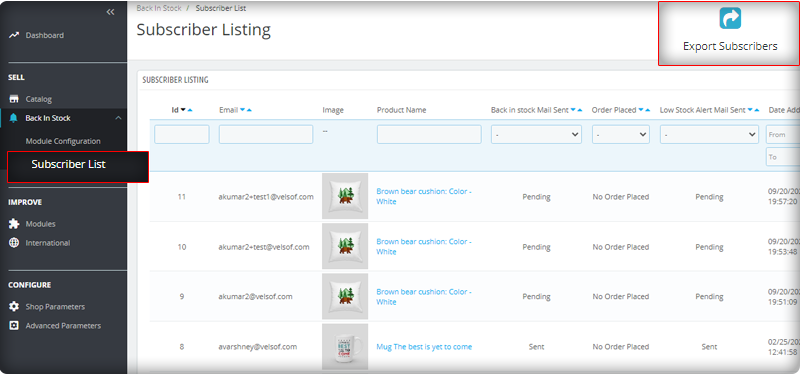
You can observe the subscriber listing on the admin panel at the left menu where all the installed modules are listed.
V3 Google reCaptcha is integrated with PrestaShop Back in Stock module to keep away the spammers and bots.

Add Custom Field in the Back in stock Subscription Box

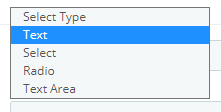
Collecting information from customers to send personalized emails will be easier. PrestaShop Back in stock addon provides an option to add custom fields in the subscription box. You can now add text, radio option, and other custom fields to gather more details about the customers.
Send automated emails for Low-stock and Back-in-stock

The PrestaShop Back-in-stock Module is a tool for email marketing. Customers usually receive hundreds of promotional emails and most of them are ignored but an email with a catchy subject line has more chances of getting opened. The module allows sellers to send a customized email with tailored text and subject lines. Along with an initial welcome email, you can send low-stock alerts to the subscribers and notify them about the restocked products.

Add related products to email template and cross-sell

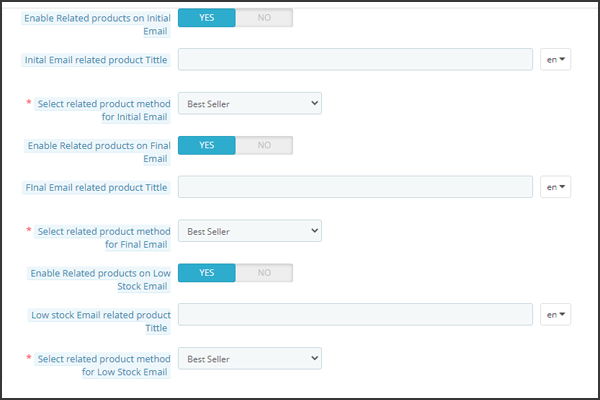
Heard the phrase ‘killing two birds from one stone, the module works the same way. It lets you send back in stock alerts as well as has an option to send related products. A seller can add details like bestsellers, products of the same category, specific products, etc. If a seller opts for the Specific products option, then he will have to specify the products in the respective tab as shown in the image below.
Send alerts via your email provider like Mailchimp

It is critical that you build your brand, and one way to do so is to ensure that the emails you send are sent from your domain. You’ll be able to use a variety of features to boost the success of your back in stock campaigns if you use an advanced eCommerce email provider like Mailchimp, Klavio, or Sendinblue. And, the PrestaShop back-in-stock module allows you to do so.

Real-time Analytics for PrestaShop

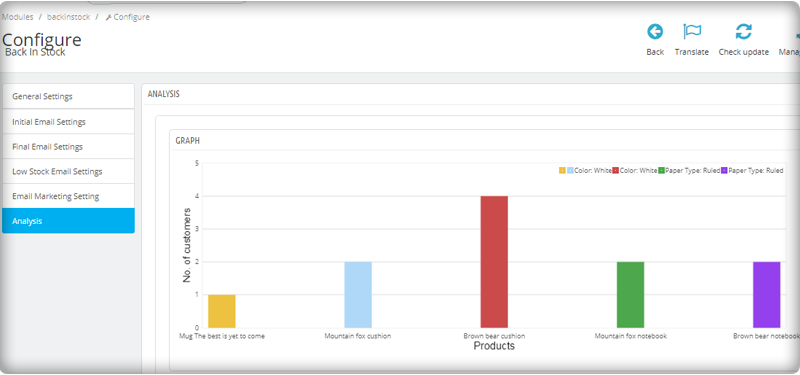
View a full report on customers who have subscribed to web push alerts for back-in-stock products. To increase sales, identify the most successful items, maximize inventory, and run promotional campaigns.
The new version has UTM Parameters

The UTM parameters are short text codes, you insert into URLs (or links) to monitor the success of a webpage or a campaign. Built-in analytics are available on social media sites. These allow you to track key metrics such as likes, shares, and website clicks. You can add UTM parameters to the PrestaShop Back in stock module and take advantage.

To wrap up: The Back-in-Stock emails are one-of-a-kind alerts as they create curiosity, influence the buying motives, and increase the chances of sales. If you are not sending alerts like low-stock or back-in-stock to your customers, you are making a huge mistake. Get your ‘Back-in-stock’ module today to grab your lost sales.

For eCommerce website development, module requirements, or mobile app development for your online store, KnowBand has experts and ready-made tools. Visit us at www.knowband.com or drop a message at support@knowband.com.

Recommended Reads:
OpenCart Extension to Send Back-In-Stock and Low Stock Alerts

Ecommerce companies always look for options that can bring more and more sales. Store optimization for speed, engagement, customer acquisition, and retention rates are on the top of the list. To add to this, KnowBand launched a super easy-to-handle OpenCart plugin for Back-in-stock alerts and low stock notifications. The Back in Stock alerts notify customers about the subscribed products when they are available in stock and increase customer retention rate.

OpenCart Back-in-Stock plugin- Unique way to Capture Lost Sales

Does every customer like to receive emails from the eCommerce website? Is it worth sending alerts to all the customers visiting your store? Are your ongoing campaigns working well?

If your answer is ‘No’ for any of the questions asked, you must stick to this article and read further. Let me give you a brief about the plugin and how you can boost sales with this tool

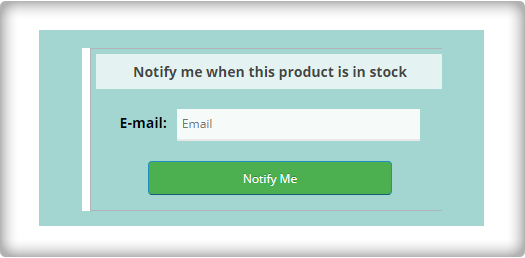
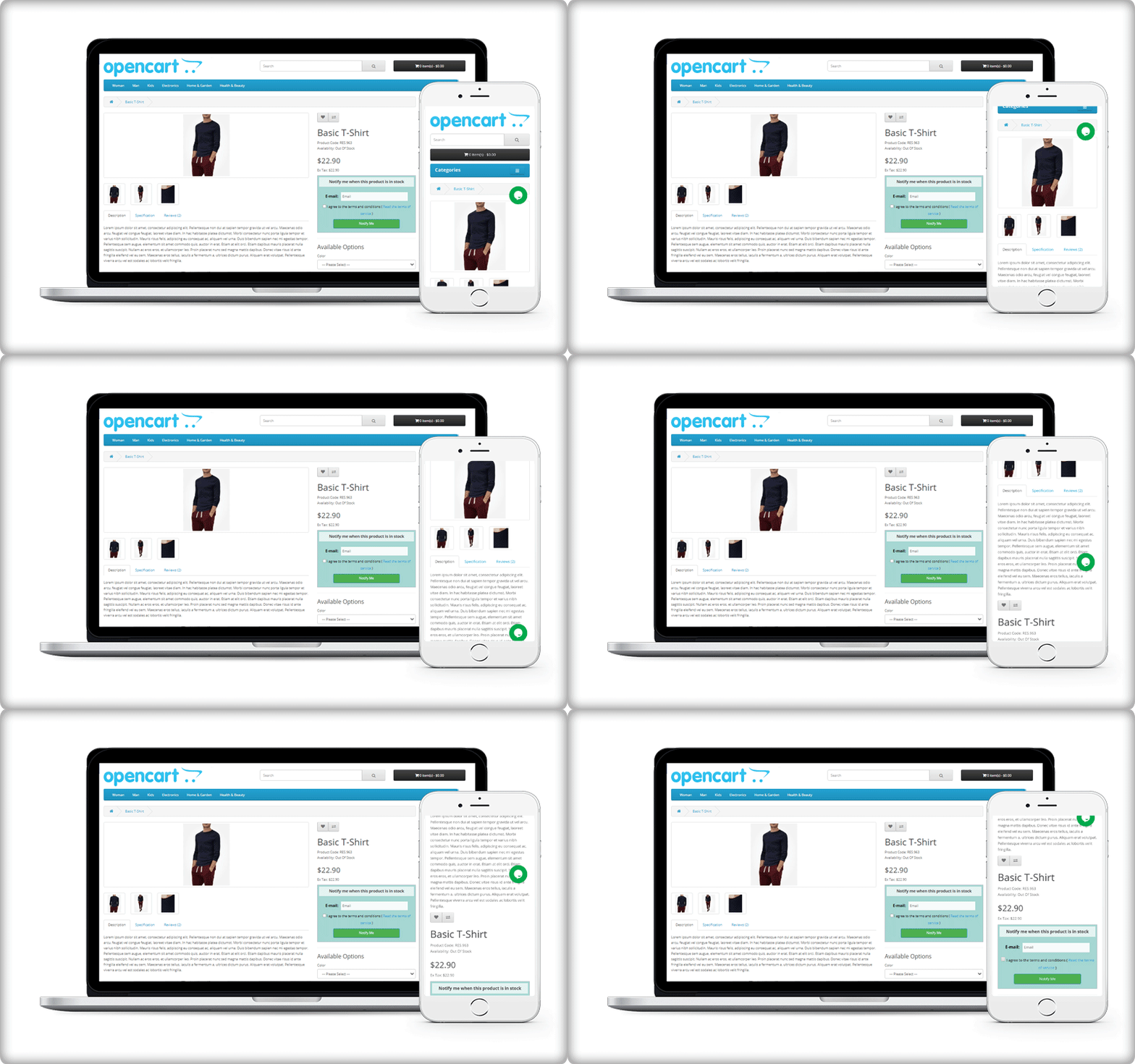
Display a subscription box on the product page

On your website, you must have added pop-ups for email subscriptions to grow your email list. But, it won’t tell you if the customer is interested in any particular product. For this, you can use the OpenCart Back-in-Stock plugin. With this, a customer can subscribe for back-in-stock alerts for a specific product on your OpenCart store.

OpenCart Back-in-stock alert is a 3-in-1 extension. It allows you to send alerts at three different points in time

  • Send initial subscription email: As the customer subscribes to your custom alerts, you can send a customized welcome email with a text that states about the subscribed product.
  • Notify customer with a low-stock alert: If the subscribed product is low in quantity, a low-stock notification will be sent automatically with the OpenCart Back-in-stock plugin.
  • Send an email with ‘Back-in-stock’ custom text: The third email category is Back-in-stock. Make the best use of the OpenCart back-in-stock plugin when the product is again available in your store.

Auto-trigger Low stock and Back-in-stock alerts

Every time you send an email, there are chances that you miss out on some of the other details.

The OpenCart extension for low stock or back-in-stock allows the sender to save the default email templates. The template options are available for all three, the initial email, low-stock email, and the back-in-stock email.

In addition, it has cron functionality that sends your email alerts automatically to subscribers. For instance, set the low-stock alert quantity to 4, it will auto-trigger an email as the quantity reaches 4.

Real-time Analytics for Opencart

The best part of this extension is its analytical reports. Data gives you an insight into everything.

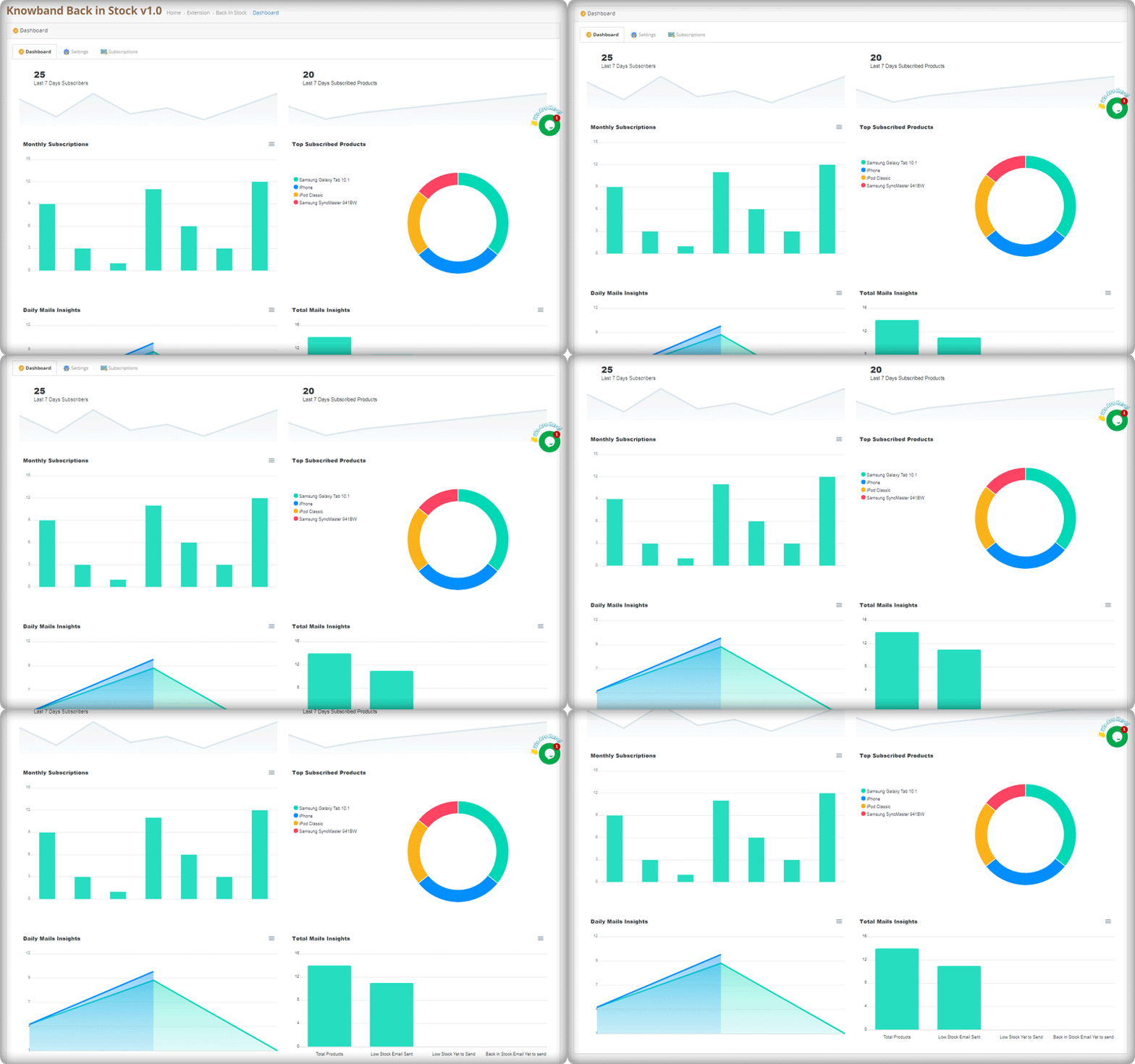
The graphical reports with pie diagrams display the number of subscribers (weekly), monthly subscription data, number of products subscribed, top subscribed products, and daily reports of the subscriptions.

The OpenCart Back-in-stock plugin gives well-analyzed reports. Anyone with or without an analytics degree can depict the results by looking at those colorful graphs.

Send alerts via your email provider like Mailchimp

Use this as an opportunity to run your email marketing campaign. The MailChimp synchronization with the module will build up your email list. Use this data for every other marketing campaign you run by email. Why just the stock alerts, but you can send welcome emails, discounted emails, abandoned cart alerts, and a lot more. If you haven’t started with email marketing, it’s time to buckle down.

If you have a marketplace on the OpenCart platform, you can use this plugin to never lose a potential customer. Marketplaces have a huge audience base. This is a marketplace guide to create yours on the OpenCart platform with a Multi-vendor vendor marketplace extension.

Conclusion:

This all-in-one email subscription and back-in-stock alert extension is a must-have for every OpenCart eCommerce store. You can send as many alerts as you want! Create customized templates for email and the product page subscription block. Customers won’t miss out on their favorite products and the merchant won’t lose any sales.

If there’s a feature you desire on your OpenCart site, there’s a good chance an Opencart plugin will let you achieve it; if you can’t find one, you can always contact us for custom plugin creation.

Offer Birthday Coupons to Your PrestaShop Customers And Win their Loyalty

The best way to keep customers is to delight them and create an emotional bond with them. The Prestashop Birthday Coupon addon will assist you in forming a bond with your loyal customers. Coupons are a perfect way to supplement your online marketing efforts. Although these discounts or deals can go unnoticed at times, the personalized message will easily capture the attention of consumers. You can now expand the scope of your eCommerce store with email wishes.

Give special promo codes to customers to wish them a happy birthday. On a specific date, the module will send out emails with warm greetings and discounts. Not only for your customers but also for your brand, birthdays can be a real treat. Take the time to build campaigns that will make the customers feel good on their special day.

PrestaShop Birthday Coupon Addon

Send emails to customers on their birthdays using PrestaShop Birthday Coupon addon. The email triggers may be sent on the birthday itself, or a few days before or after their birthday. Also, send them an email congratulating them on their one-year anniversary of account formation.

This is one of the ways to keep in touch with your customers and give them a reason to come back to your shop. As a result, it’s an excellent tool for consumer satisfaction and providing promotional deals on special occasions.

Give it a glance! The Birthday Coupon Addon to send unique and customized emails. The Birthday Coupon module is also available on the PrestaShop Addon store.

Key features of PrestaShop Birthday Coupon addon

Some of the best features of this amazing addon are compiled here for your reference.

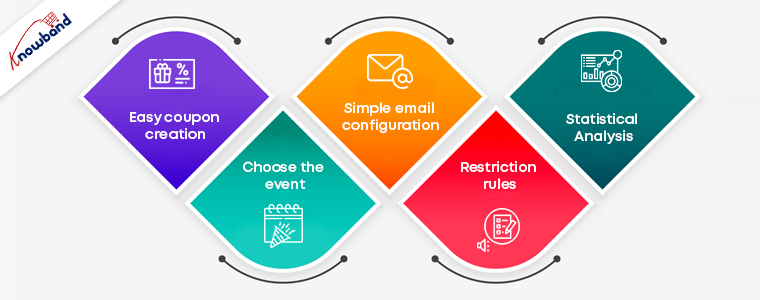
Easy coupon creation: The Prestashop Birthday coupon addon makes it simple for the administrator to generate coupons or gift vouchers. As a token of gratitude, you can give a discount on the next purchase or a free product. In just a few simple steps, you can set the discount number, percentage, and free gifts. You may also specify how long the coupons will be valid.

Choose the event: With the Prestashop birthday vouchers module, you can send email triggers for two separate occasions. You can submit it on the customers’ birthdays or when their accounts have been open for a year. In either case, the coupons and emails can be created and personalized in a few simple steps.

Simple email configuration: The Prestashop birthday coupon addon comes with a variety of default email templates to choose from. The administrator can also personalize the emails and make any adjustments he or she wants. You can submit your wishes in a variety of languages thanks to the multilingual compatibility.

Restriction rules: You can limit which countries can take advantage of the deals as required. You may also eliminate categories that you don’t want to give discounts on. All you have to do now is choose the groups to which the restrictions will be applied.

Statistical Analysis: The administrator has access to the whole marketing strategy report. Both graphical and tabular representations of the coupons produced and their status are available.

Benefits offered by Birthday Coupon Addon

  1. Make your customers feel special on their special day to establish a personal bond.
  2. On their birthdays, giving a personalized experience to customers will enhance brand loyalty.
  3. Customers shop more from the online store if they receive free coupons on their birthday.
  4. They can find it easier to complete their purchase with the ready-to-use coupon codes.

Add Birthday Coupon Module to surprise your customers with offers and discounts!

Use Code NEW20 to get an additional 20% off on the instant purchase of this module.

Give your customers a satisfactory experience on their Birthday and make them feel special on their special day! For any assistance on eCommerce modules, reach out to us at support@knowband.com.

You may like to read:

Top 10 Opencart Extensions to Boost Customer Experience

Better customer experience can increase customer retention. The sole requirement that every business owner has is that the buyer returns to the site after making a single transaction. Thanks to Knowband! It provides some excellent extensions for your eCommerce store which can enhance customer satisfaction and customer experience.

10 Customer experience solutions for your OpenCart store

I am sharing a compiled list of 10 smart solutions for your eCommerce store that boosts the online shopping experience on your OpenCart store.

1.     Smooth communications with Auto Switch Language And Currency- Opencart Extensions

Communication is what builds the bond between two things or individuals. But, if the language and currency become the barrier, the customer will be unable to shop from your store. Make it a multilingual store with OpenCart Auto Switch Language and Currency extension provided by Knowbandand add some value to the customer experience. Key features of this module include:

  • OpenCart Auto Switch Language and Currency extension automatically change the Language and Currency of the store according to customers geolocation
  • Uses IP address to fetch the customer details like country and region.
  • SSL compatible
  • multi-store compatible and Journal theme compatible

Read: How to Overcome Language and Currency Barriers while Selling (Online) Globally

2.    Customers can select a delivery time

Allowing your customer to choose a delivery time will amend their experience at your store. With the Preferred delivery time extension, users can select the desired delivery date and time on the checkout tab. The store administrator can provide a better customer experience by providing personalized service.

  • Admin can send a push notification or email for delivery details
  • Customer can get the product at their convenience
  • It is a mobile responsive extension

To know more about ‘Preferred delivery time extension’ for the OpenCart store by Knowband, you can visit our store or explore the module features on the OpenCart store.

Read: Tips to Make Delivery Management More Efficient Using Delivery Boy App

3.     Store locator to pick up the order

With the OpenCart Store locator, online users can view the physical store’s location in the shop area. They can now pick the product as per their comfort. This store locator makes it easy for the customer to set their schedule and allows them easy pick-up. Customers can save money on shipping charges.

This Store Locator helps a customer with this new feature of order pick-up. You can add a Store locator to your OpenCart store to enhance the customer experience. After the COVID-19 outbreak, the OpenCart Store locator by Knowband seems to be a good addon for your store.

Read: Buy Online and Pick up In-Store: How Click and Collect can Win Customers and Grow Sales

4.     Reward customers with Loyalty points

Rewards and discounts have an important role to play in attracting consumers and making shopping interesting. Knowband provides Opencart Loyalty Points Extension, which handles the Admin’s reward points scheme. The Extension provides loyalty points for both new and current customers. This increases customer retention. With loyalty points, the admin can earn the trust of the customer.

Who doesn’t want a loyal customer? Knowband store is a one-stop solution for all your eCommerce store issues. With Loyalty points, the Opencart extension by Knowband helps your customer getting a satisfying customer experience.

  • The customers get different reward points based on many conditions set by the admin.
  • The Loyalty points can be offered for Sign-Ups, first-order, etc.
  • Upgrades conversions and customer experience

Read: Benefits of Customer Loyalty Programs for your Online Business

5.     Improve checkout experience with One Page Checkout

Ecommerce stores that have a one-page checkout allow their customers to make fewer clicks than their customers to check out a store that has a multi-page checkout. It seems simpler than multi-step checkout which makes it user-friendly and augments the customer experience.

The concept of a one-page checkout can initially seem easier to complete, as fewer steps will appeal to time-conscious customers. Some key features of One-page checkout by OpenCart are:

  • Saves Customers time with a faster loading speed
  • Improves Conversion rate
  • Appealing appearance of the user interface attracts more customer
  • Comes with social login options

Knowband’s One-page checkout for Opencart is one of the best-sellers as it improves the online shopping experience and conversions. Also, it reduces the abandoned cart rate.

Read: Build Responsive Single Page Checkout for OpenCart in Few Clicks

Get an additional 20% off on the instant purchase of plugins with Code NEW20 on the KnowBand store.

6.     Build Mobile Application for OpenCart website

OpenCart Mobile App Builder by Knowband comes with many distinct features. Its User-friendly interface makes it a must-buy OpenCart extension for your OpenCart store.

Give your customers a better User experience with OpenCart’s Mobile App builder

Read: OpenCart Delivery Boy App and Mobile App Success Story of Lokale Winkels

7.     Allow them to sign in with Social Login

A registration form looks boring and discourages your customer from making the checkout. With social login options, you can now motivate your customer to log in quickly on the OpenCart store. Social Loginizer extension for OpenCart by Knowband comes with 8 different login options including Facebook, Google+, and Twitter.

  • Increases registration with more precise data
  • Decreases fraud or fake logins
  • The data can be utilized in email marketing
  • Its dynamic UI boosts customer experience

Read: Why, What, and How Social Login can Help Grow Your Business?

8.     Customers can Save for Later with Advance Wish List

Advance Wish List / Save for Later – OpenCart Extensions allows users to move the product from cart to wishlist. Sometimes customer changes their mind while shopping and they move their products to the wishlist. This extension allows your customer to do so in just one click. This extension increases customer experience and customer retention.

  • Allows customer to maintain a private wishlist
  • Admin and analyze the product demands with statistical data available on the backend
  • Advance Wish List / Save for Later – OpenCart Extensions by Knowband allows the customer to move their favorite product to the wishlist which they can buy later. This way it increases the customer experience.

Read: What is a Wishlist and Why Wishlist is important for eCommerce?

9.     Easier to find the right fit with Product Size Chart

How can a product size chart be helpful to improve the eCommerce customer experience? Maximum product return is observed in the clothing industry. This takes extra effort and time of the store owner. Stop wasting your time and add this Knowband’s OpenCart Product Size Chart – Extension to your store which can help you create multiple size charts and map them to the product pages. This Opencart product size chart module offers a user-friendly interface

  • It helps you create multiple size charts and map them to the product pages.
  • Store admin can also map the size chart with a Manufacturer.
  • Admin can add images, HTML content, text, and guidelines for supporting the size chart.

A product with perfect fit and quality will give joy to your customers and will jack up the customer experience.

Read: 8 Simple Tips to Reduce Product Returns in eCommerce

10.  Customers feel valued with Better Thank You page

Knowband’s Better Thankyou Page extension for the Opencart store turns your usual order success page into a marketing page where you can show relevant items to consumers along with a discount coupon for their next purchase. The Better thank you page benefits the user and the store merchant in many ways:

  • Encourage Cross-selling on the thank you page
  • Use Thank you page to collect Feedback or you can add promotional banners with greetings.
  • With Knowband’s Better Thank you page, ensure Customer Retention by offering a Coupon Code which will anyway add to the better customer experience.

Also, check out our other OpenCart extensions for your eCommerce store which can help you increase customer retention and customer engagement.

As things are moving in eCommerce, many shopping websites are creating their marketplaces. If you are giving it a thought then OpenCart Marketplace Plugin can be the right choice. It has a separate admin panel and seller dashboards to manage customers, orders, and inventories. Click here to get a better understanding of the features that you should consider before selecting the marketplace plugin.

For any eCommerce solutions, you can always rely on our expert team. Drop us an email at support@knowband.com and our team will get in touch with you right away.

Recommended Reads by the Author:

Best Free Shipping Manager Extension for OpenCart Store

The Opencart Free Shipping Manager module is a feature-rich module that enables online merchants to offer online users free shipping. Conditions and guidelines for the management of free shipping may be enforced by the store merchant.

Shipping costs are the biggest component of the price of your order fulfillment, worse if you sell huge bulky goods. But the thing is the delivery service providers raise their rates every year when you have to keep prices low to remain competitive. As a small businessman, giants like Amazon can afford to subsidize their deliveries, so what do you do to get free shipping? My previous blog on ‘How to reduce shipping cost‘ might help you with this alarming issue.

In this article, I am going to discuss the OpenCart Free Shipping Manager extension that can help you handle the costs in a hassle-free manner. This comes with several benefits that make it an effective tool for shipping management.

Reasons to offer free shipping on your store?

  • Free shipping increases sales
  • It influences customers to add more products to their carts. Hence, increases the average cart value.
  • It reduces cart abandonment rate
  • You get more loyal customers

Free Shipping Manager Extension for OpenCart Store

Customers get encouraged to shop more with a free shipping option on their orders and this module is the top-notch option for that.

#1- Define the minimum amount

You can specify from the back-end configurations the minimum amount a customer needs to shop for if he or she wants to get free shipping on his or her order.

#2- Display the Free Shipping tab on the home screen

The online users will display a free-shipping block on the cart summary tab.

#3- Set the minimum order quantity and weight

Offering free shipping to the customer increase sales and decrease cart abandonment rate.The Opencart Free Shipping Manager plugin enables administrators to set the minimum order quantity and weight for free shipping.

Similarly, if the customer wants to enjoy the free shipping benefit, you can specify the weight that must be looked at.

#4- Location filters to offer free shipping

Free shipping greatly increases the probability of conversion and lets you increase your average order value as well. For specific countries, the extension also allows you to disable the free shipping facility.

#5- Allows you to define rules and guidelines

OpenCart Free Shipping Manager only allows you to offer free shipping to customers if they meet the back-end eligibility criteria set by you.

Conclusion:

Your company needs to pick the right shipping extension. If you do not adopt the right strategy at the right time in the right condition, your customers will be driven away easily and might go to the competitors. I am sure that doesn’t sound good.

Get the Free Shipping Manager extension for your OpenCart store today and entice your customers by offering free shipping.

We hope that the above information about shipping software has helped you to easily select the best one for your company.

Check Free Shipping Manager Extension Demo:

Admin Demo: Click Here

Front Demo: Click Here

Build Responsive Single Page Checkout for OpenCart in Few Clicks

Various statistics and practices suggest that it is not convenient to order on the OpenCart platform. Extra clicks and steps to order the products just make the ordering process harder. Most customers would give up their items in a shopping cart and leave your web. This adversely affects the conversion rate of your online shop.

To solve this dilemma, the “KnowBand” team of developers has built an excellent One Page Checkout module. This module offers versatile features and has a strong device setup. With only a few taps, you can simplify the checkout registration page to only 1-3 fields, or render it as you need to consider the module’s capabilities.

This responsive checkout module is one of the modules that any store should have to thrive and not lose its customers.

Options for Fast Login

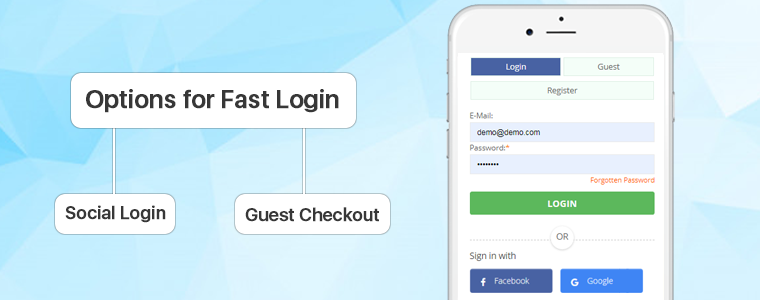
A long registration form is a key reason behind the abandonment of the cart. But with One Page Checkout, users can register in a few easy steps.

Social Login: Fast Checkout allows users to log in via their Facebook, Google or PayPal accounts via a social login feature. These login options save a lot of time that could have been spent on a lengthy registration process. It enhances the experience of the customer and increases the number of registrations.

Guest Checkout: One Page Fast Checkout Module, let users check out as a guest if they don’t feel comfortable logging in. Social login, on the other hand, improves user engagement and offers up-to-date customer information.

Autofill Address and Auto-detection Country

This alluring feature of a one-page checkout module makes it a good choice as it extracts the address from existing data in your Google browser and auto-detects the customer’s country using a geolocation integration function. It decreases the time for the address to be filled.

The layout of the Checkout Page

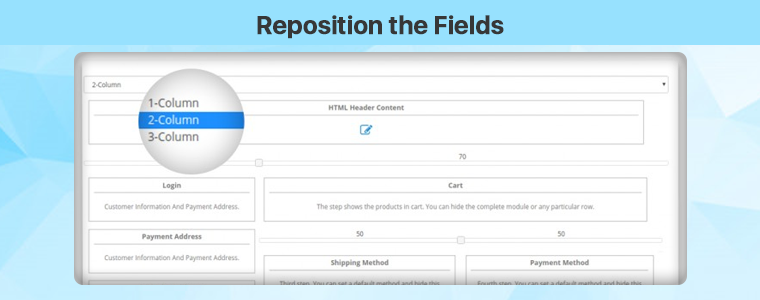
The responsive One Page Checkout Extension for OpenCartallows the store administrator to pick the Interface Template for the Checkout Page. The admin may choose the 1-Column, 2-Column, or 3-Column layout for the checkout tab. The admin will determine the width of the columns to optimize the checkout page.

Reposition the Fields

The OpenCart Checkout page layout has this special option of drag and drop. You can place any field on any column by dragging it. It is simple to reposition the fields with this module and you can customize the layout look.

Reduction of Entries

Fast Single Page Checkout is a compacted version of a multi-step checkout with a reduced number of entries. A one-page checkout module with minimal mandatory fields and no additional data input options. Any of the areas could be left optional to minimize time.

Email Integration

The OpenCart Fast Checkout Module provides integration with MailChimp, Klaviyo, and SendinBlue that enables you to automatically synchronize the database of your users with your accounts without any manual effort.

Ship2Pay

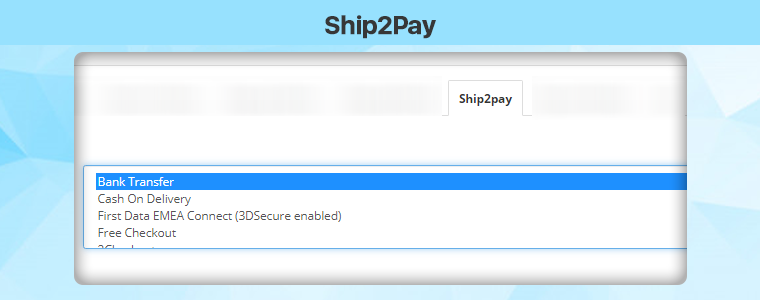
The OpenCart Simplified Checkout module provides the Ship2Pay functionality, which allows the store owner to map unique payment methods using selected delivery methods. It hides all other payment methods when choosing a specific method of delivery and displays only those payment methods which are mapped to the chosen method of delivery to the customer.

Free shipping bars

Offering free shipping has many advantages, such as improved sales and increased average order for carts. It allows more consumers to buy as many users have quit the cart due to additional shipping charges. A free shipping bar will be shown at the top of the eligibility list. It allows consumers to buy more to get a free shipping deal.

Responsive Single Page Checkout

Responsive checkout page helps to increase the conversion rate & also improves the user experience on mobile devices. The Single Page Checkout extension for  OpenCart is mobile responsive.

Conclusion: A long and bulky type of checkout is one of the key reasons for the abandonment of a shopping cart. When a shopper is on the checkout tab, the process needs to be finished as quickly as possible. The longer you get your customers to sit down, the higher the chances of leaving the cart. The KnowBand developer team offers you an excellent solution for your business: a module that every OpenCart web store requires. Don’t waste time – just buy the smart and responsive One Page Checkout module and evaluate all its benefits.

Get Single Page Checkout Extension for your OpenCart store: https://www.knowband.com/opencart-one-supercheckout-pro

This extension is also available at the Official OpenCart Marketplace: https://www.opencart.com/index.php?route=marketplace/extension/info&extension_id=15353

10 Elite Examples of Checkout for Spain PrestaShop stores

Shopping cart abandonment and conversion rate drops on the checkout page appear to many website owners to be a harsh reality of e-commerce life. It doesn’t have to be that way, though. In reality, giving your shopper all they need to make an educated, confident decision will help you improve conversion rates on your checkout page. Take some notes from the checkout pages listed in this article used by Spain eCommerce websites developed on the PrestaShop platform.

Some elite examples of checkout for Spain eCommerce website:

The PrestaShop One Page Checkout module designed and developed by Knowband replaces your website’s default checkout with a swift and smooth One Page Checkout that improves your customer’s checkout experience. This module helps to reduce cart abandonment on the checkout page by allowing customers to easily fill out all of the necessary information and finish their orders.

There have been multiple features that make the checkout page more engaging and influence the buyer’s decision. Some of the best checkout practices followed on the Checkout page of these Spain-based online shopping websites will give you a clear idea about the dos and don’ts of a checkout page.

Design and Layout

At first, this would determine a large part of the buyer’s decision to purchase or not buy. Best shopping cart design practices, such as adequate whitespace, a simple delineation of various steps in the order process should be structured properly.

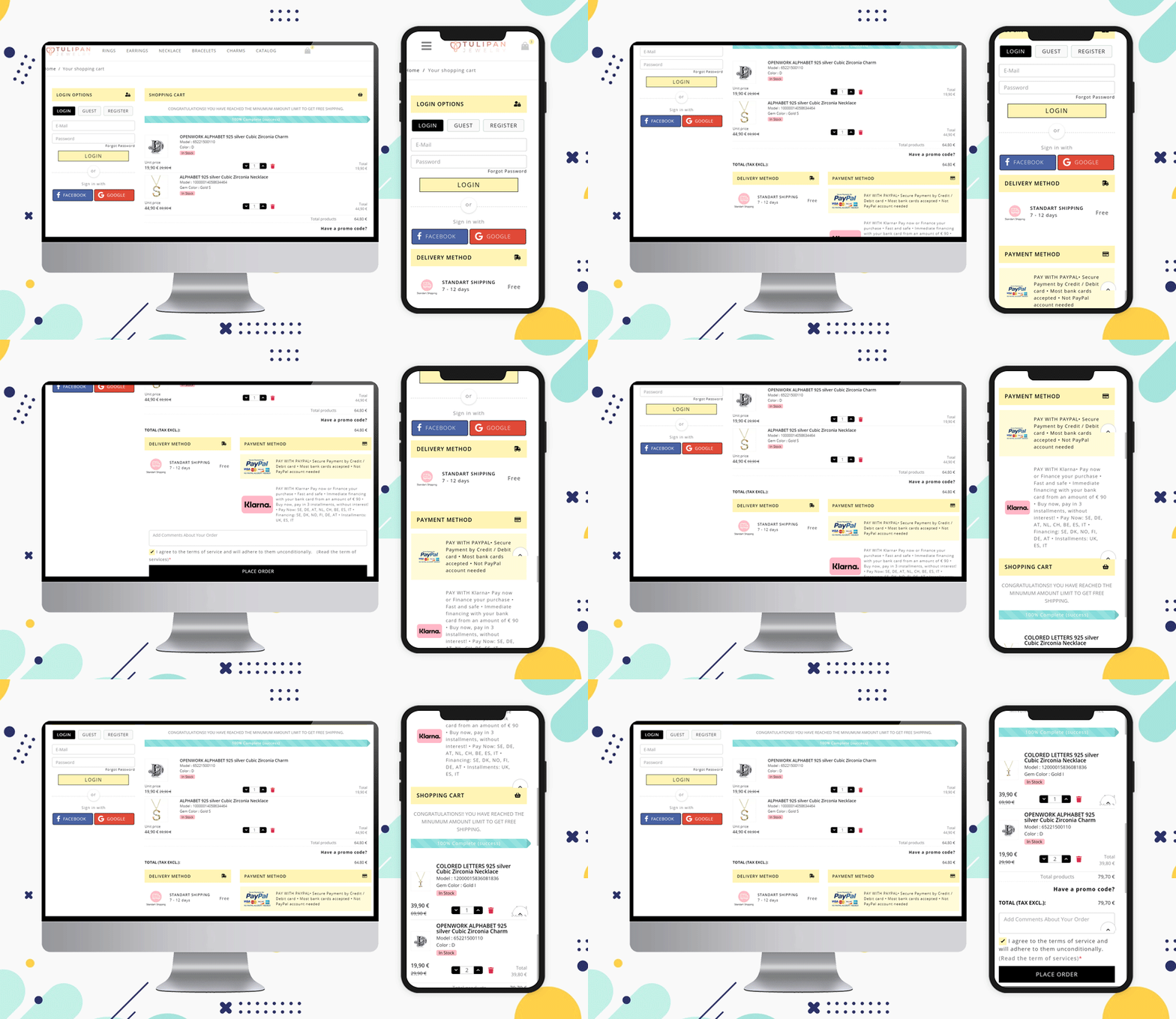
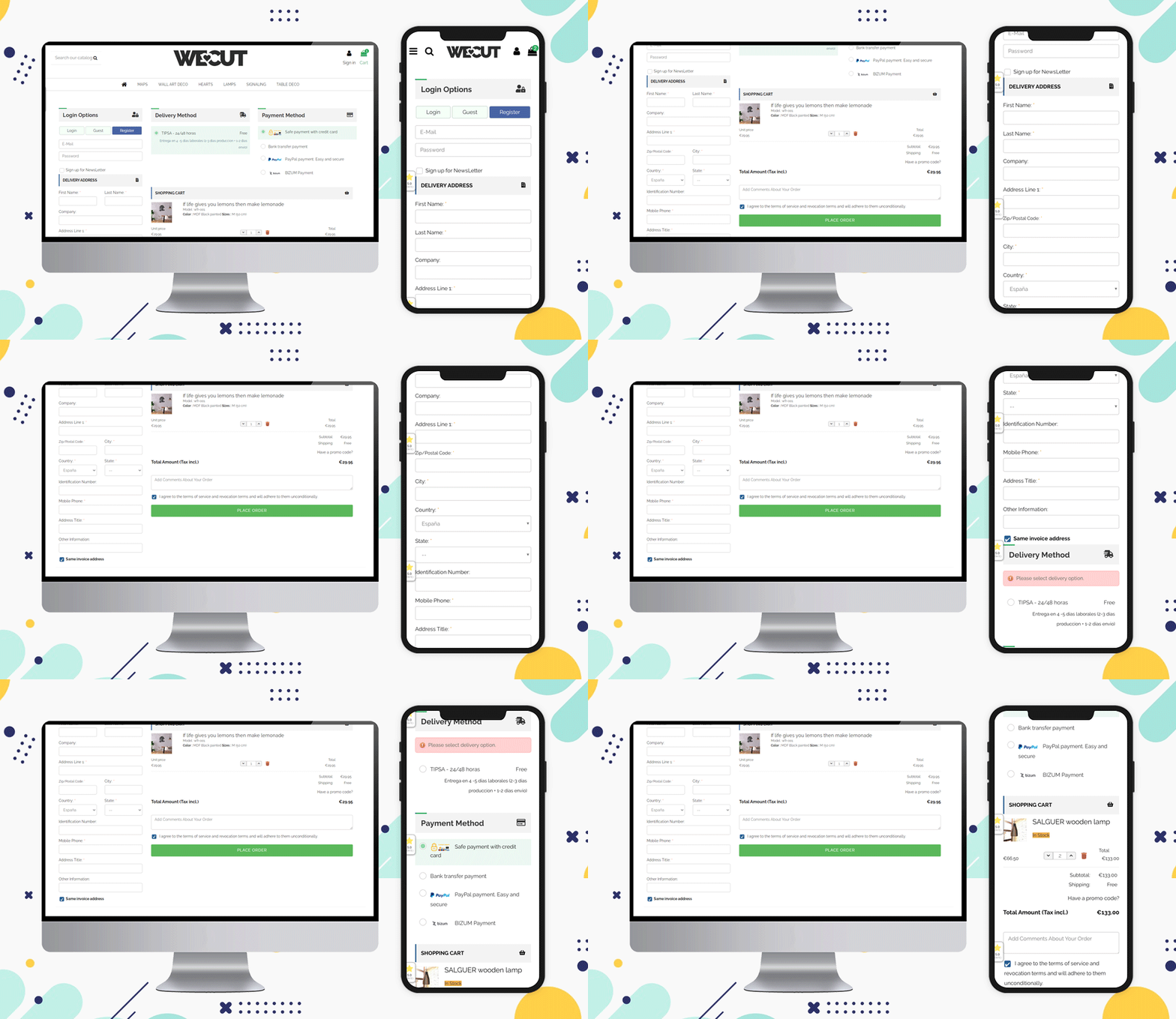
We have designed the checkout for the Spain-based website ‘Tulipan Jewelry Store’. Have a look at this clean and visually ideal checkout page.

Allow Social Login and Guest Checkout

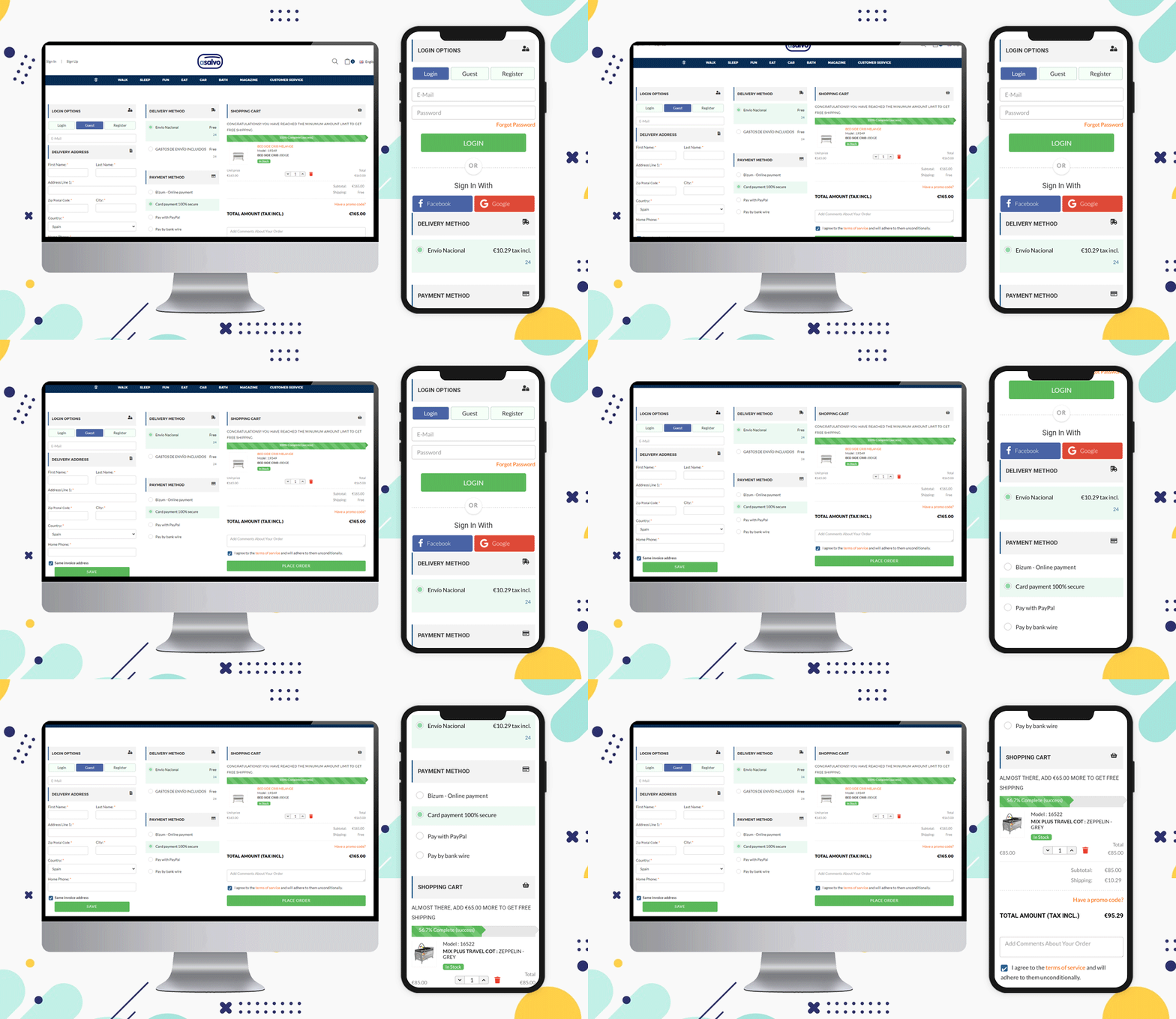
When a customer visits your website, give them choices to sign-up and log in. You can provide social login options by Facebook or Gmail account. The eCommerce website Asalvo is delivering products in Spain and it is having the social login option and Guest Checkout feature for the customers on their Checkout Page.

Inline validation and Google Auto address fill features

This is another feature that can help your customer while filling the billing address or delivery address form. Some fields can be made optional, and inline validation can be provided if a customer makes a wrong entry.

The Prestashop One Page Checkout addon by Knowband has a feature that auto-fills the address from the Google browser.

Include a product description

on the vendor’s end, having only a name and a number can suffice, but letting the customer know what size, color, and other customization options are available will help them ensure they’ve made the best decision for their needs.

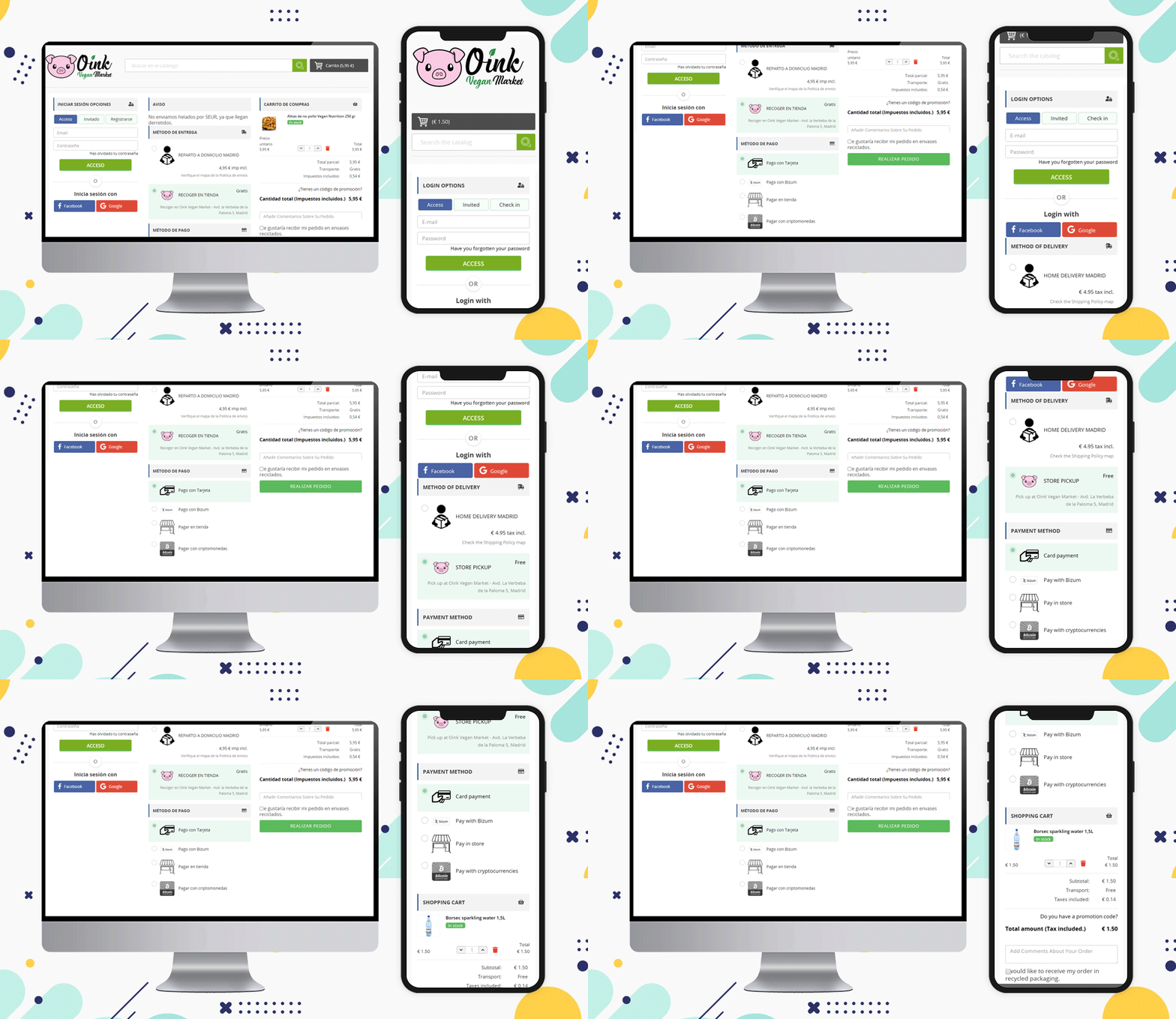
Here is an example of checkout for Spain eCommerce website Oink created on the PrestaShop platform. They have shown the product image with a description on the one-page checkout.

Oink is a store that accepts cryptocurrency and they have added this method on their PrestaShop One Page Checkout.

Update product quantity

Allow the user to change the quantity or delete an item from their cart while still on the checkout page. The more times they have to hit the back button (or look for the cart icon) to get to where they want to go, the more likely they are to give up and abandon the operation.

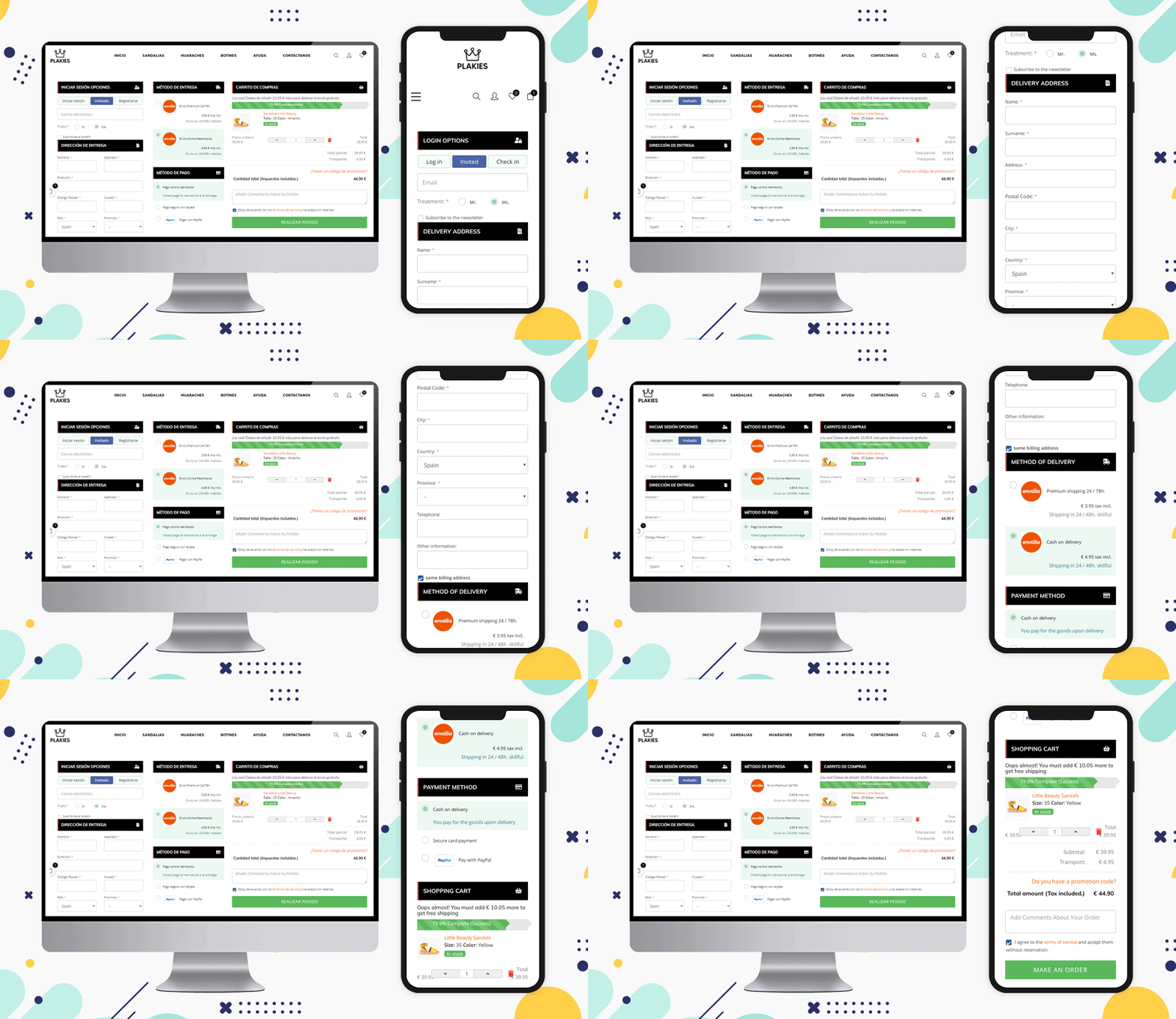
Look at this PrestaShop eCommerce website ‘Plakies’ based in Spain and its checkout page:

Various Shipping Methods

On the checkout page, you can see a list of shipping options. Allow them to know which choices you consider before they enter their shipping address.

The shipping methods that are used in Spain for checkout are:

GLS Business, GLS Economy, home delivery option, pickup in-store, and various courier services working in Spain can be listed.

Before you check out, show the final price

More and more e-commerce sites are implementing this function to help avoid orders from being lost as a result of the customer’s perception of a price rise in the form of shipping/handling/tax fees.

Include credit card logos and security seals to reassure customers that your website is a safe and secure place to conduct business.

Design a Customized Layout

The layout of the checkout page should be sleek and clean. As a single-page checkout displays all the fields and information on one page, you have to keep the layout more appealing and less clumsy.

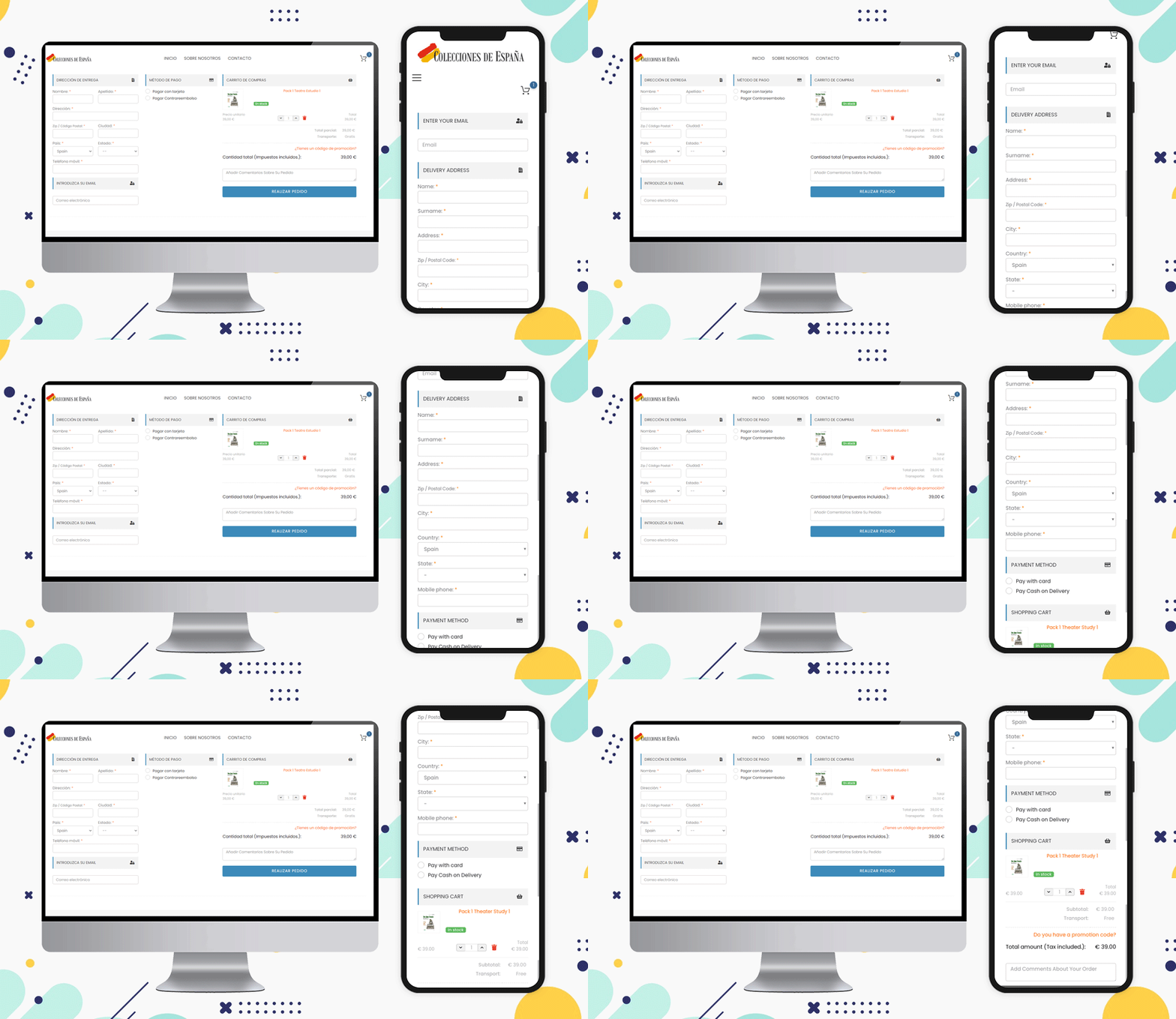
See the layouts of these checkout page designs for Spain based eCommerce:

Colecciones de Espana

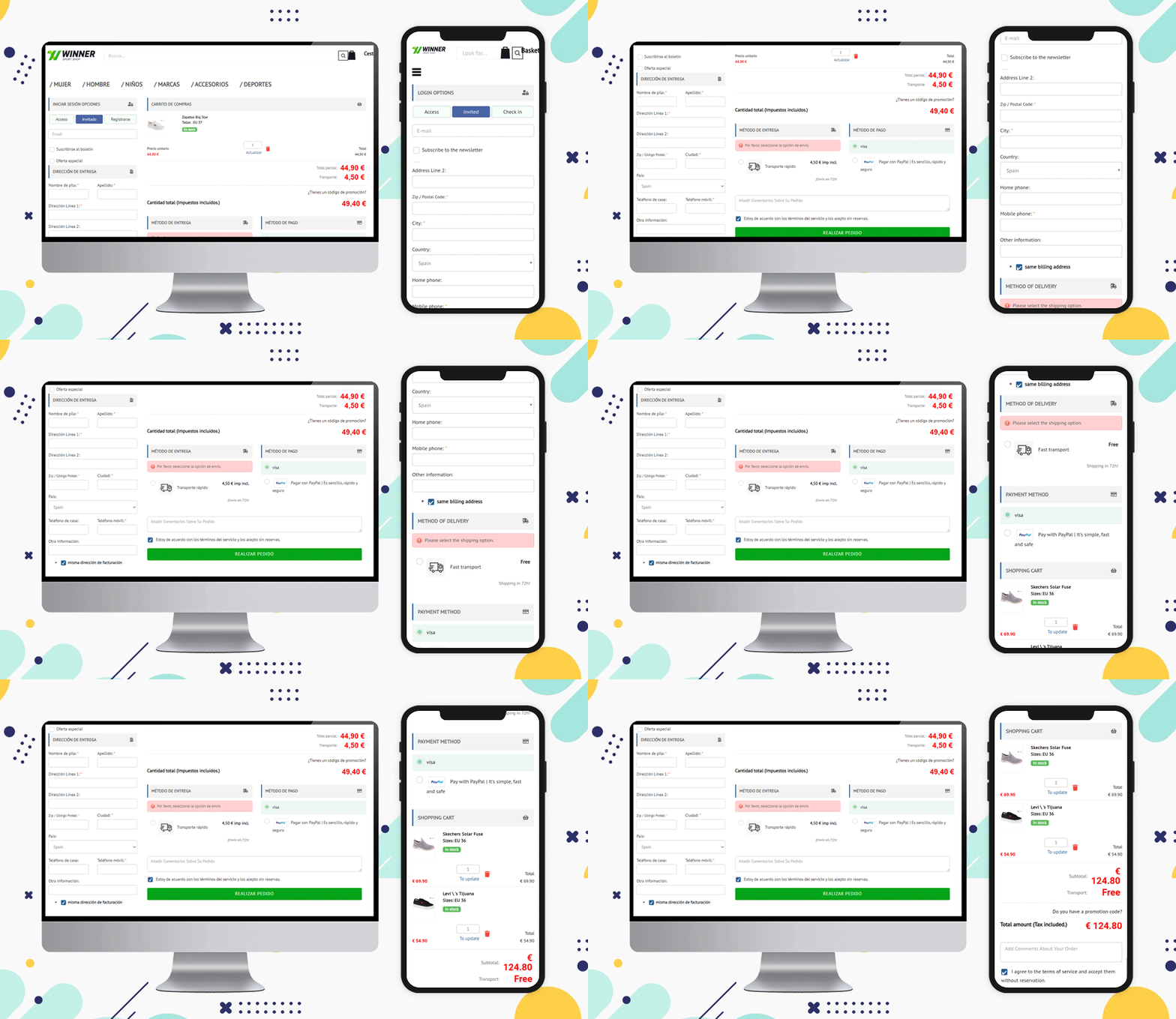
Winner Sport Shop

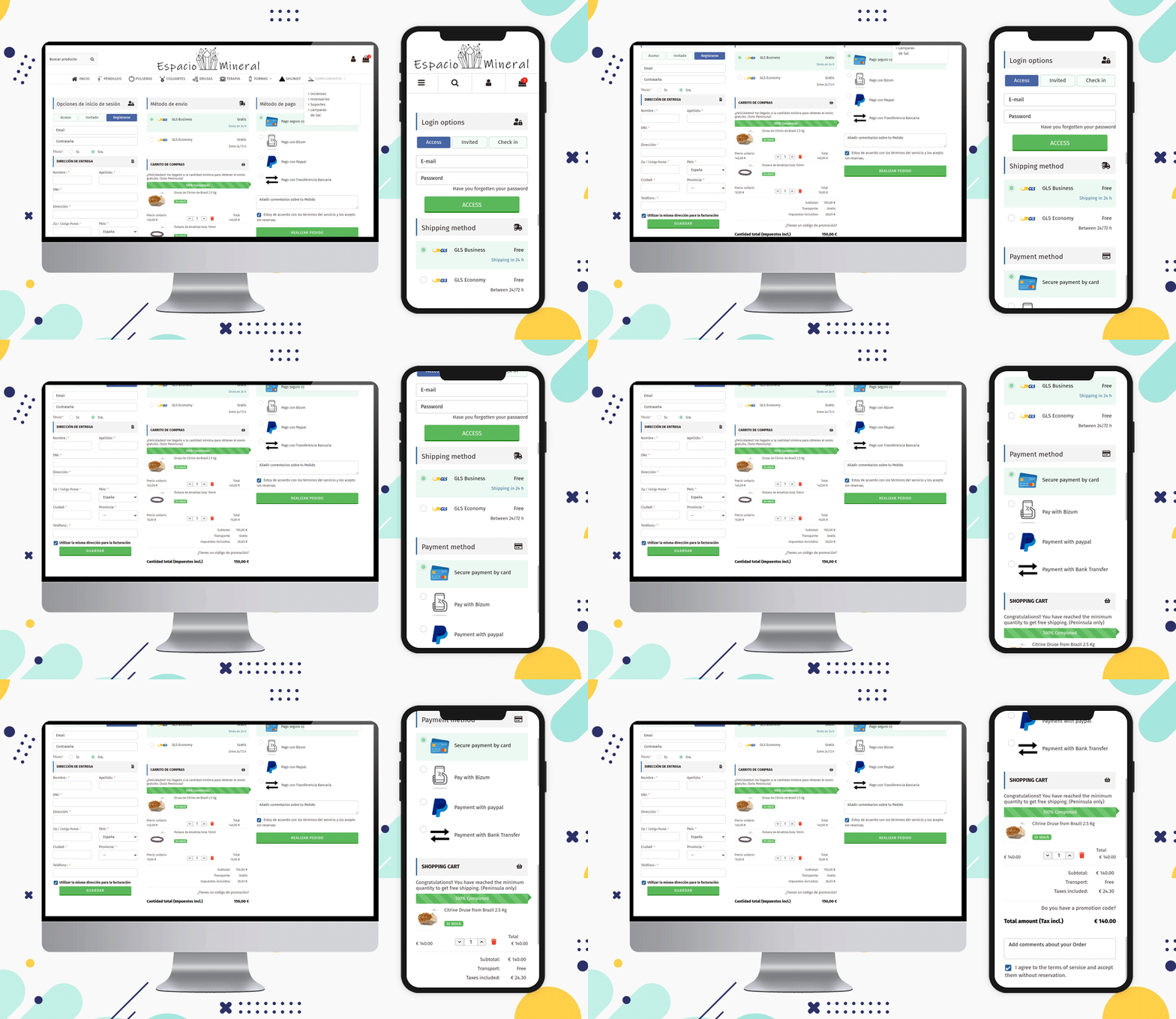
Espacio Mineral

All are using a 3-column layout but if a seller wants, then they can use single-column or 2-column layouts to make it look more structured. You can check out some of the examples of Poland-based online shopping websites and Italian websites that are using various layout patterns on their store’s billing page.

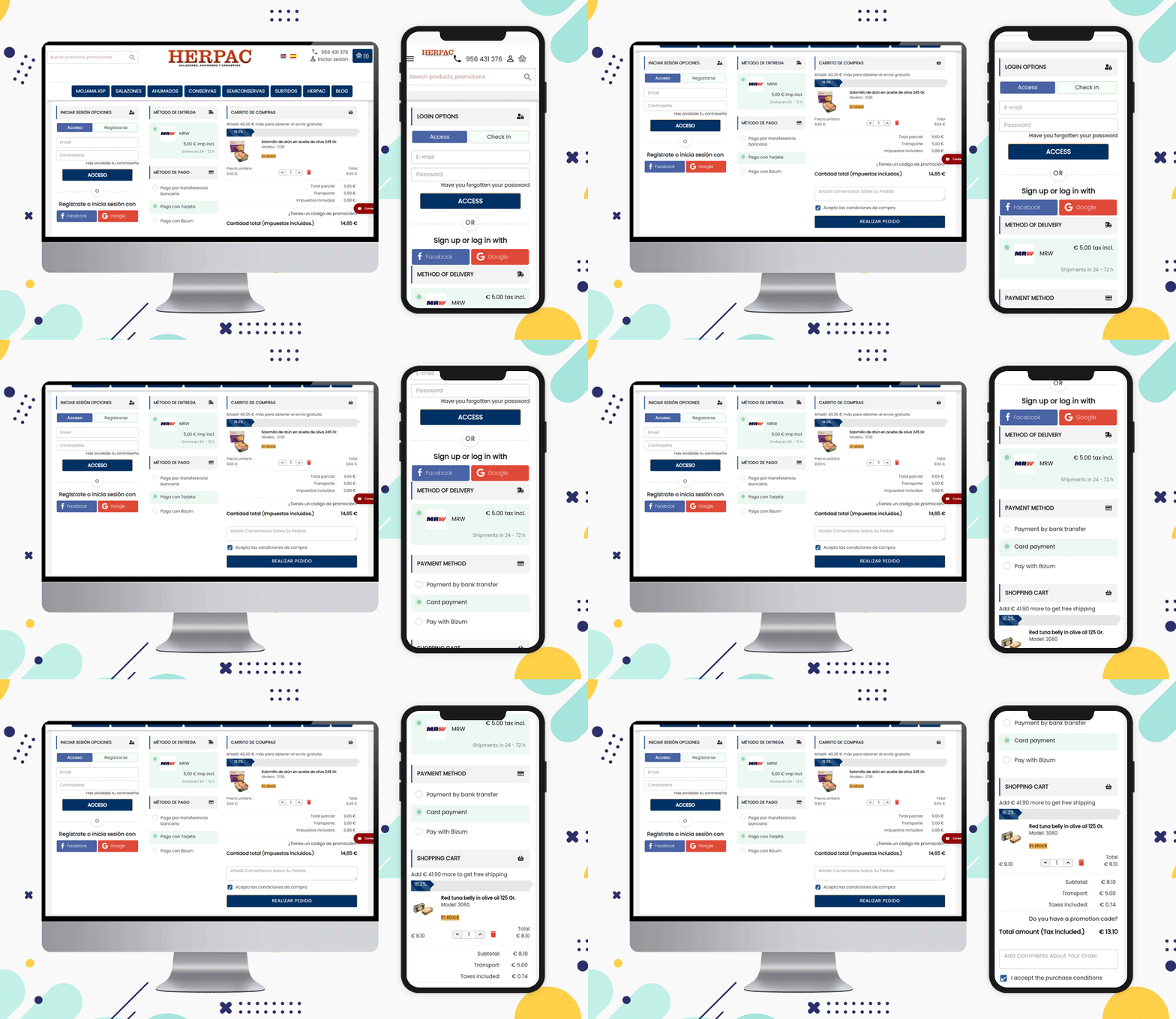
It is preferable to show the progress bar as well as the Free Shipping options

There are various types of customers and many are always looking for deals and discounts. Offering free shipping is one of the ways you can attract such buyers.

A free shipping bar at the top of the page or the bottom of the checkout page can increase the average cart value. The Herpac store has a website that delivers in Spain. They are using a Free shipping bar in their store.

Attach more fields and ask for their feedback

It is a good practice to ask your customers for their feedback and reviews and this creates a bond between the seller and the customer.

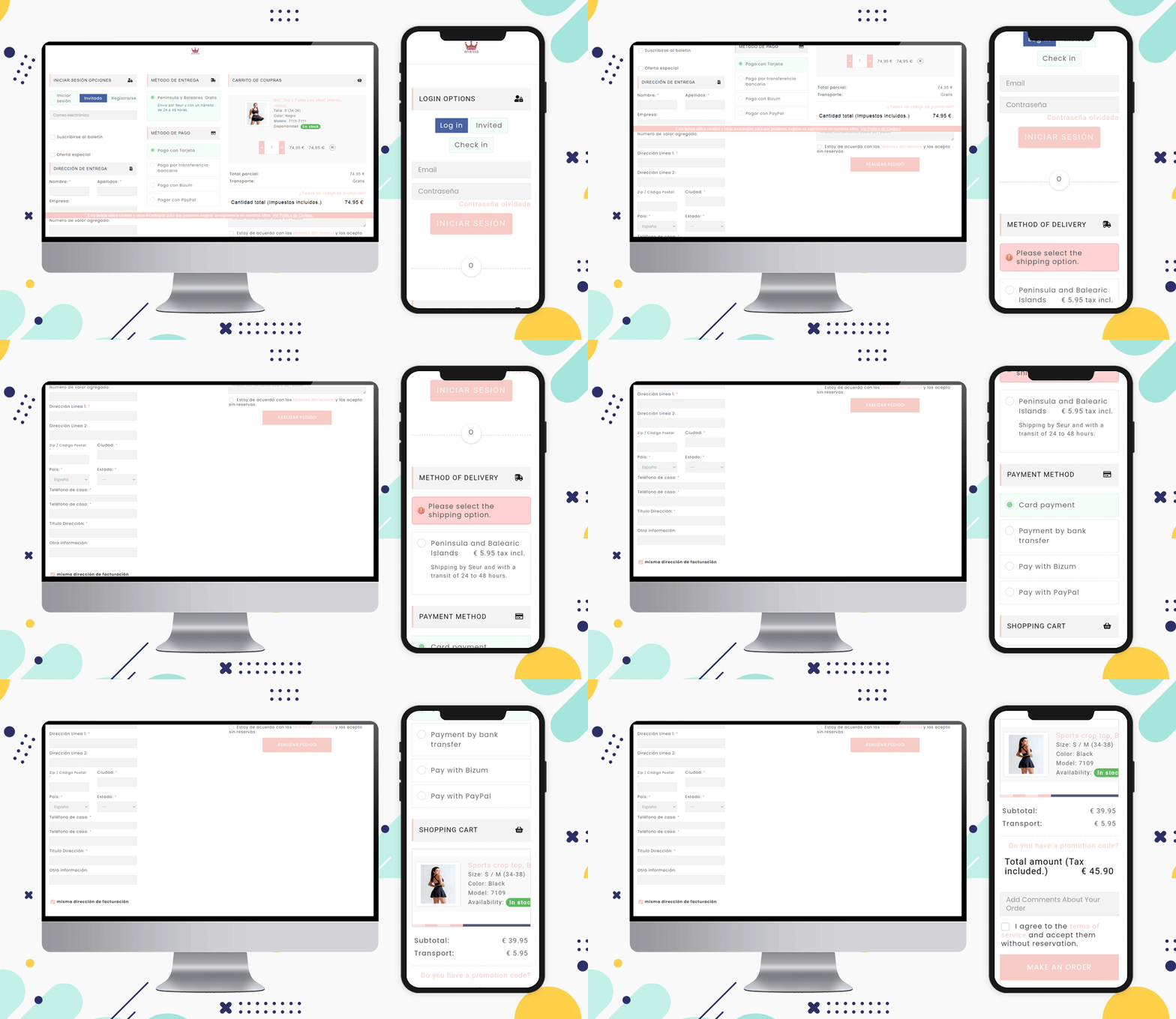
Can you ask something on the checkout page?

Of course, you can collect information about the order on the checkout page. If they want to add any message or comment, add an additional comment section at the bottom of the page before final checkout just like the Anaissa store.

Popular Payment Methods for Checkout in Spain:

Bizum, Paypal, Klarna., Bitcoin cryptocurrency, Card payments, Stripe are some of the most used payment methods of Spain for checkout.

Shipping Methods Popular in Spain eCommerce:

Integra 2, tipsa, GLS Business, GLS Economy, home delivery option, Pick-up in-store, and various courier services working in Spain can be listed.

Note: The PrestaShop One Page Checkout module allows the store owner to add multiple payment and shipping gateways from the backend of the module.

Why KnowBand’s PrestaShop One Page Checkout Addon?

Without a doubt, Knowband’s One Page Checkout is the superior choice. Knowband is an eCommerce module development company that PrestaShop considers to be a Superhero seller. It is also a PrestaShop Premium Gold Partner Agency.

Customers can become frustrated if they have to navigate to several pages to purchase a product. Separate pages for billing, address, order quantity, and product details. Instead, provide them with PrestaShop One Page Checkout that offers multiple features that benefit the customer as well as the seller.

Explore PrestaShop Super Checkout and you will know why this is best!

Recommended Reads:

10 on fleek Checkout Page Examples of Poland PrestaShop eCommerce stores

An organized and structured checkout page can help you reduces the checkout bounce rate and cart abandonment. Multiple reasons affect the final checkout and cause you potential buyers and revenue loss. This article is a guide for eCommerce sellers to use their One Page Checkout page in the best possible manner. We have gathered some of the best examples that are using PrestaShop One Page Checkout for Poland eCommerce and making the best out of it. Let us understand why we need a smooth and customizable checkout page by understanding the common issues.

Common checkout page problems and their solutions

It is always a tedious task to figure out a problem on your website that is responsible for driving customers away from your online store. Some of these issues are:

  • A clumsy page with unnecessary fields
  • Mandatory sign-up that takes several minutes
  • Limited Payment options
  • Not offering suitable shipping methods
  • Poor UI and slow loading pages

These checkout page snags are faced by every eCommerce store owner but when it comes to a problem there is always a solution!

Some of the Poland-based stores have overcome these barriers using One Page checkout on their PrestaShop store. Let’s see how it works!

Social Login and Guest Checkout

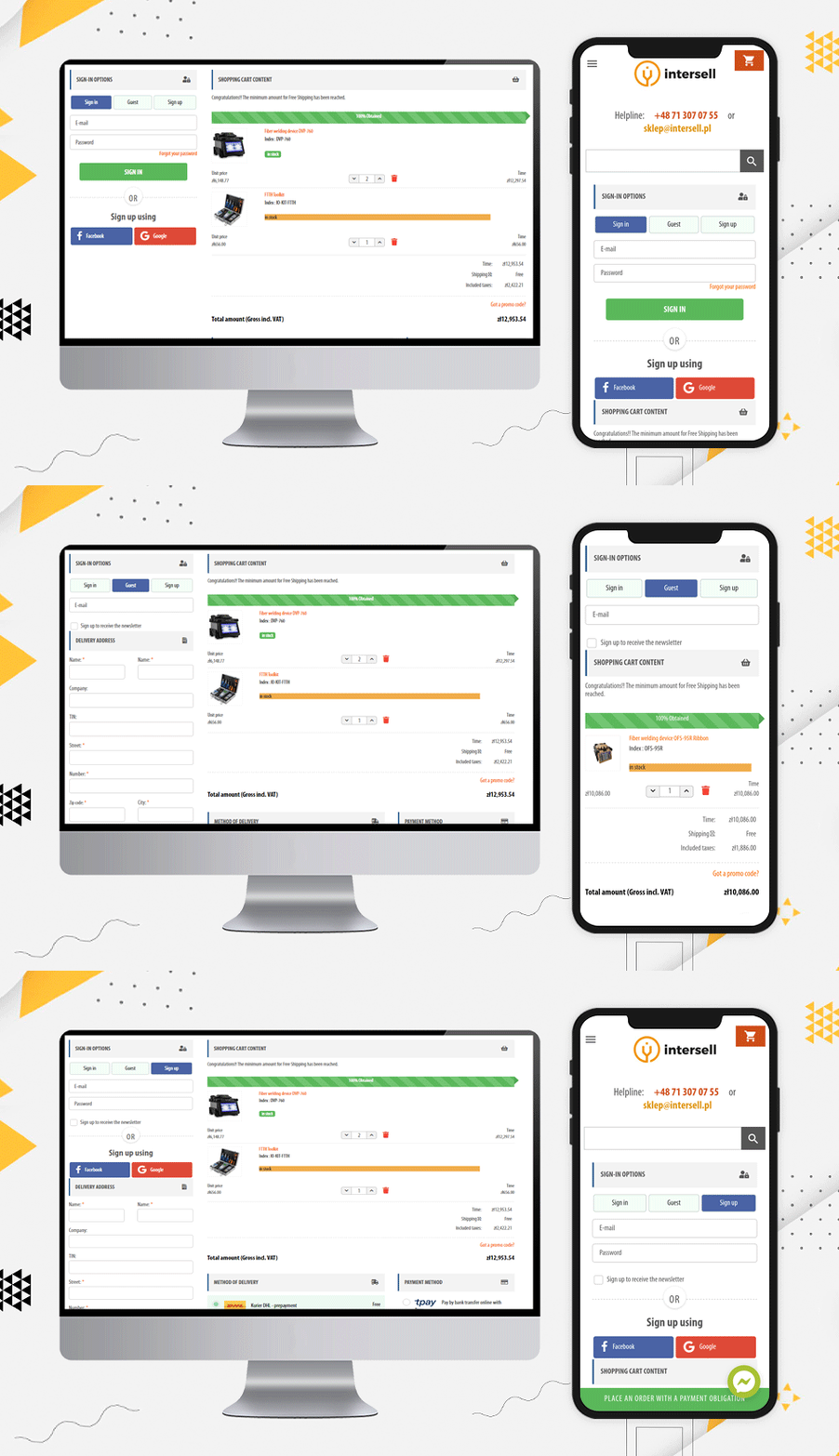
The InterSell

Any website asking for mandatory registration and sign-up faces a lot of abandoned carts. The Poland-based eCommerce store, the Inter Sell is working in the ICT equipment market and they are using PrestaShop One Page Checkout for the checkout process.

The main reason for highlighting this website is its easy Sign-up and login options. To the frequent buyers, they are offering guest checkout and social login via Facebook and Google+ options.

It is easy to track the abandoned cart from the backend of this module and it gives the store owner a detailed report as well. The checkout page supports all the popular payment methods and shipping methods.

Customized Layout design

Poland has a lot of potential in eCommerce and will flourish remarkably in the coming years. Let’s see some checkout page examples that has a wonderful design and customized layout:

The layout of this PrestaShop One Page Checkout is unique. They have been using a single column view and as you move forward in the checkout process, you can observe a 2-column layout.

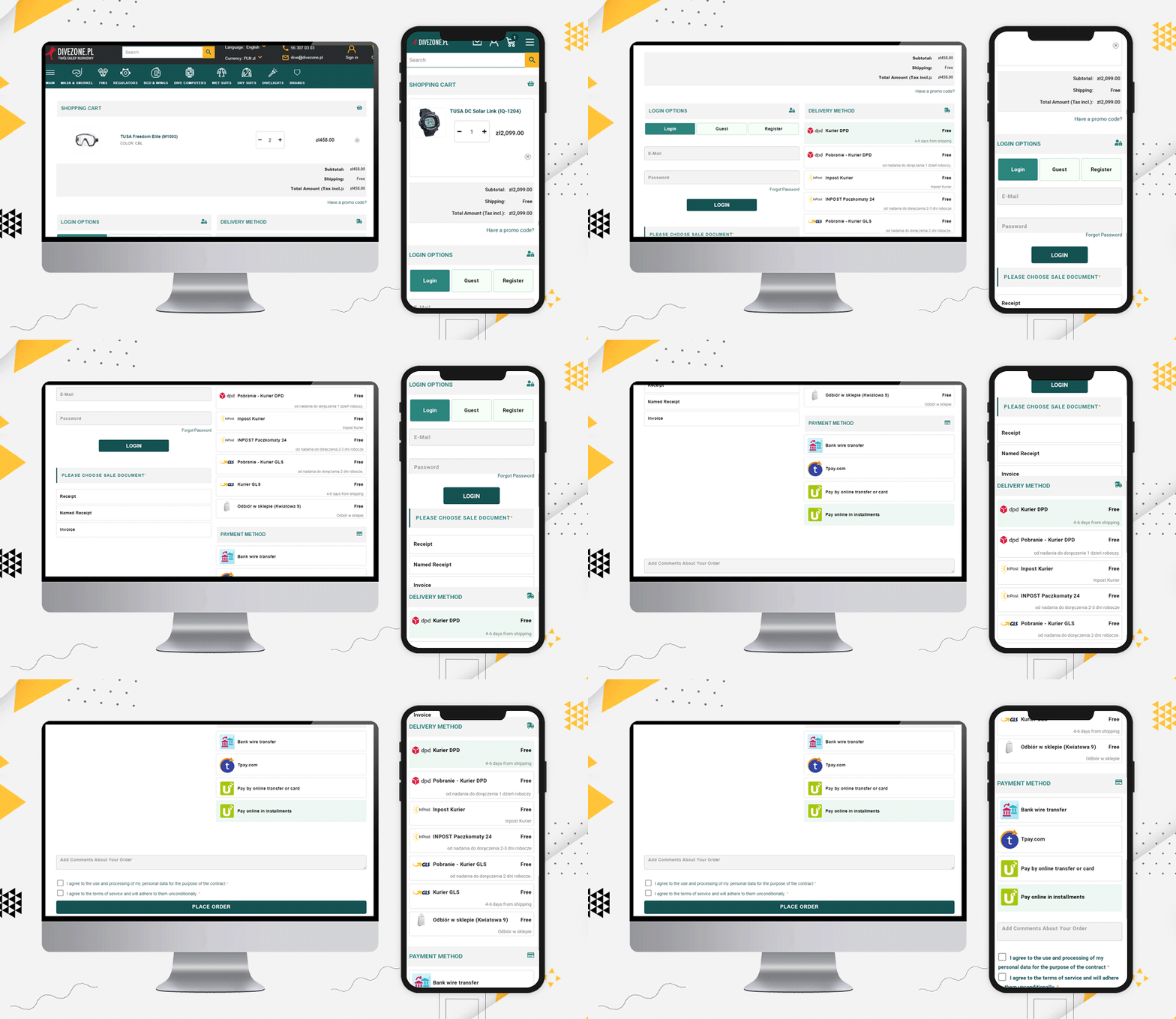
Dive Zone

The Poland store Dive Zone is offering more than 7 shipping methods along with 5 payment methods including TPay, PayU, Bank transfer, Card payments, and Cash On Delivery option.

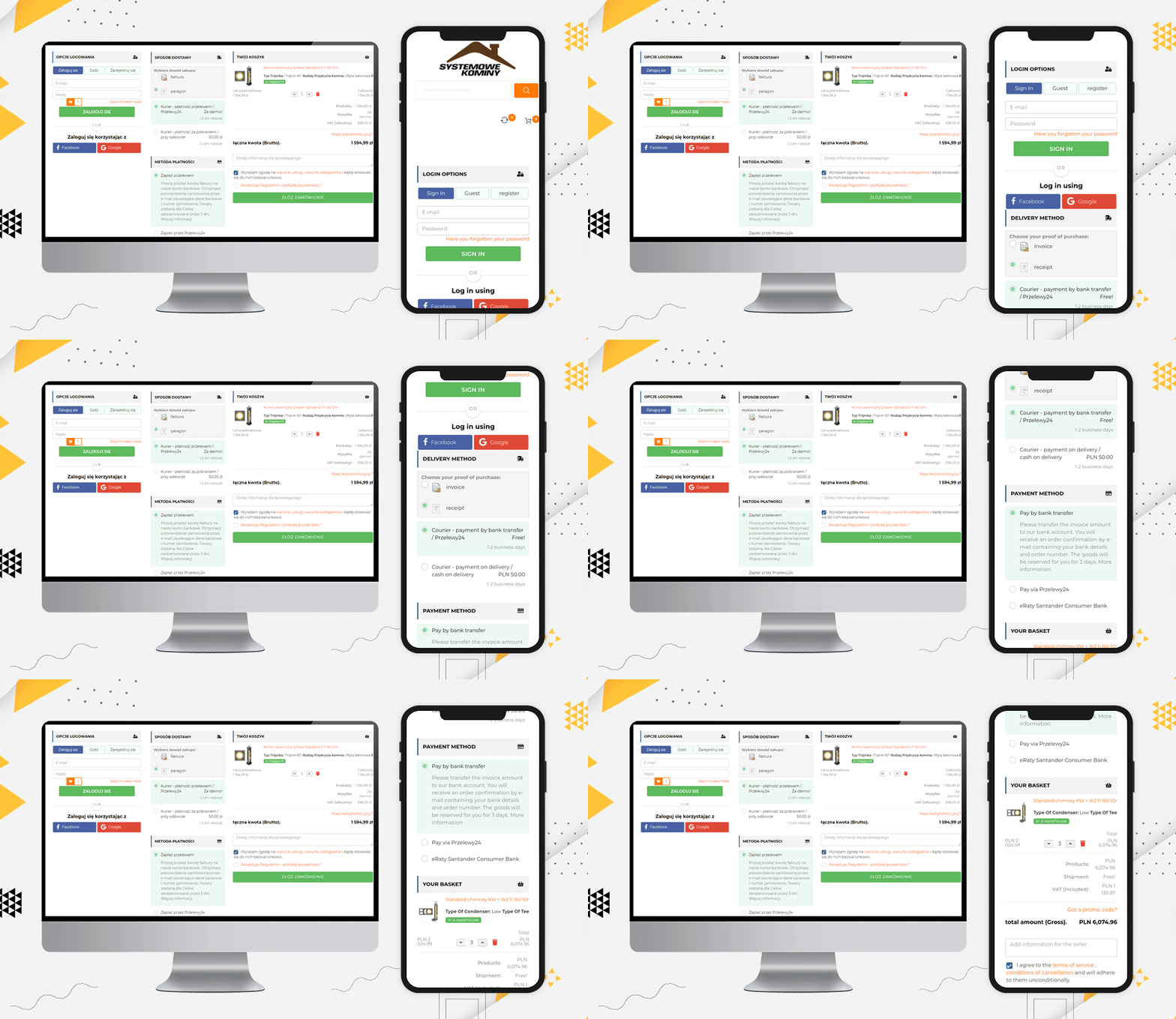
Systemowe Kominy

Since we have been talking about the layout, Systemowe Kominy also has a wonderful layout design. They are using social login, guest checkout, and all the fields are displayed in a structured manner that could fit the desktop size and the user does not have to scroll much.

Such layout encourages customers to complete the process as it appears to be quick and simple.

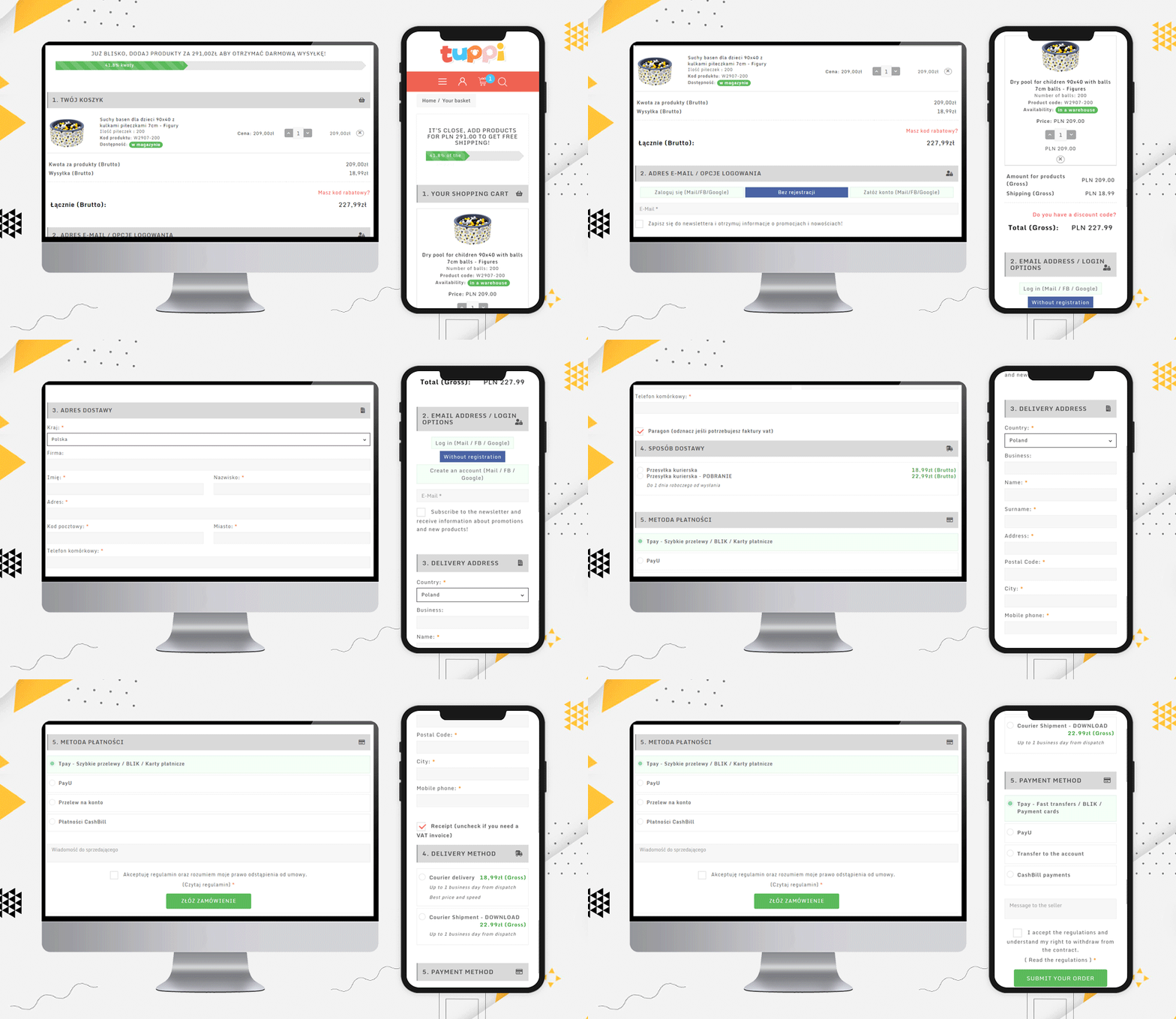
Dev.tuppi

Another layout design for a checkout page can be a single column view as used by Dev.tuppi store. This Poland-based store is using almost every feature on the checkout page. The layout looks sleek and more appealing.

It is better to show the progress bar and Free Shipping options

Another checkout practice that every eCommerce should follow is showing the process progress. Be it a multi-page checkout or single-page checkout, the progress bar allows users to see their current position in the entire task.

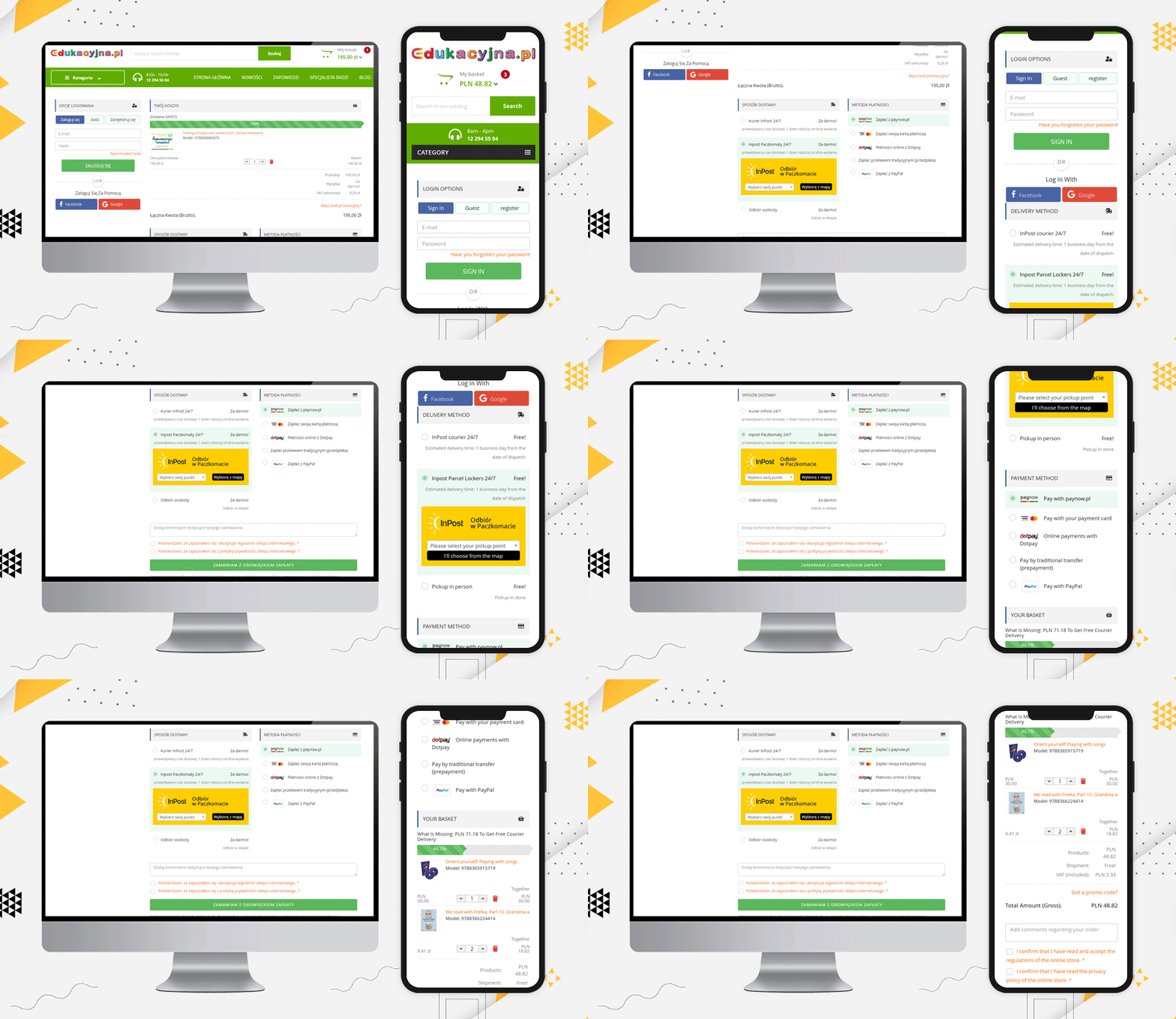
Edukacyjna

Edukacyjna is also offering free shipping to customers if they fulfill the eligibility criteria. This free shipping bar increases the average cart value. Hence, it is always good to add such a feature to your checkout page.

Display Products and Cart details on Checkout Page

When a customer visits a retail store, they can see and observe the products they are buying. Providing this very same experience on an online store is now possible.

A shopping cart contains the entire selected product that you are going to purchase and once you are done choosing, you can place your order. Prestashop One Page Checkout displays the complete order on the final checkout page.

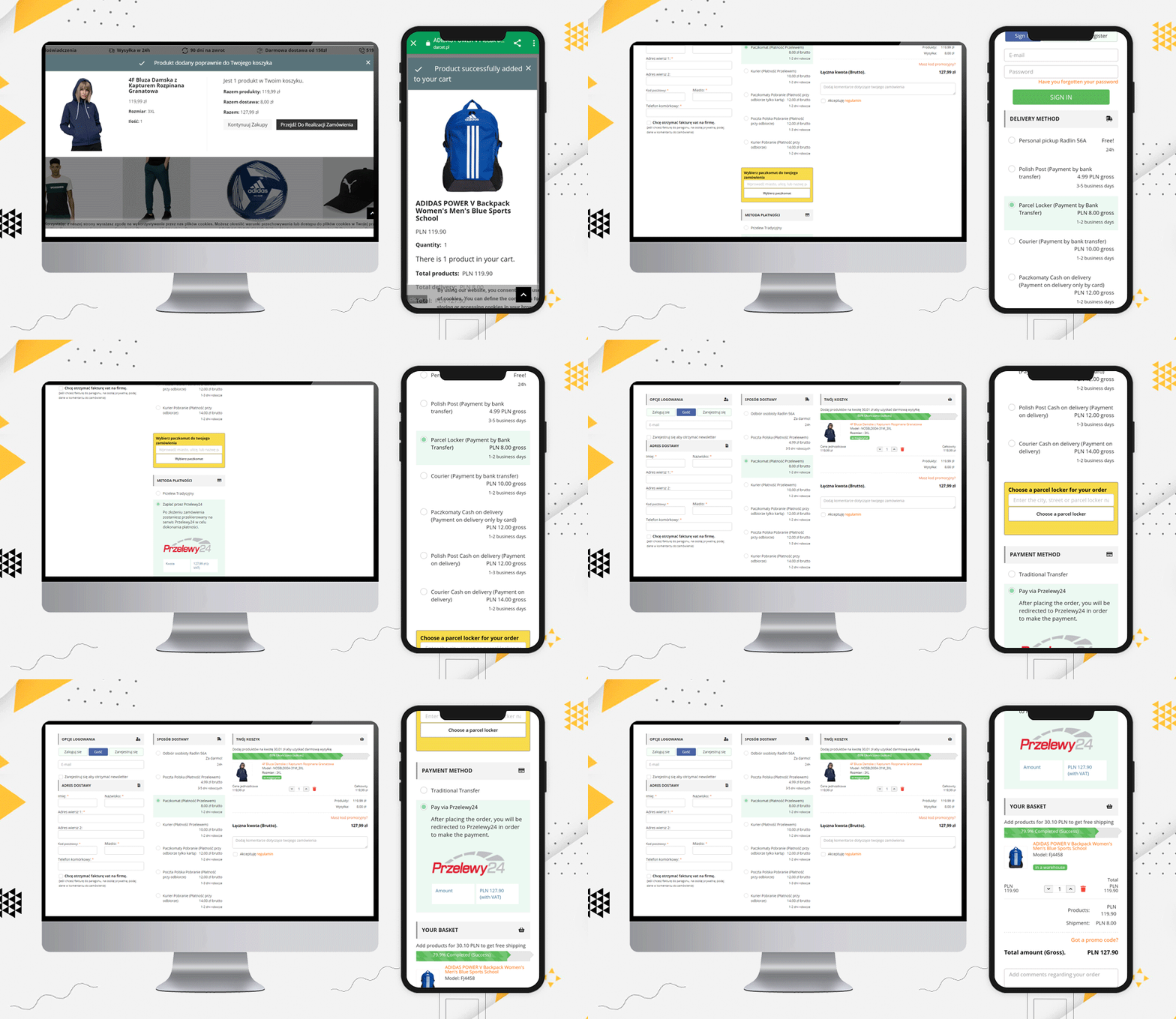
Darcet store

Even a user can update the product quantity if they want. The Darcet store’s checkout page has used it quite well.

Add additional fields and ask for their comments

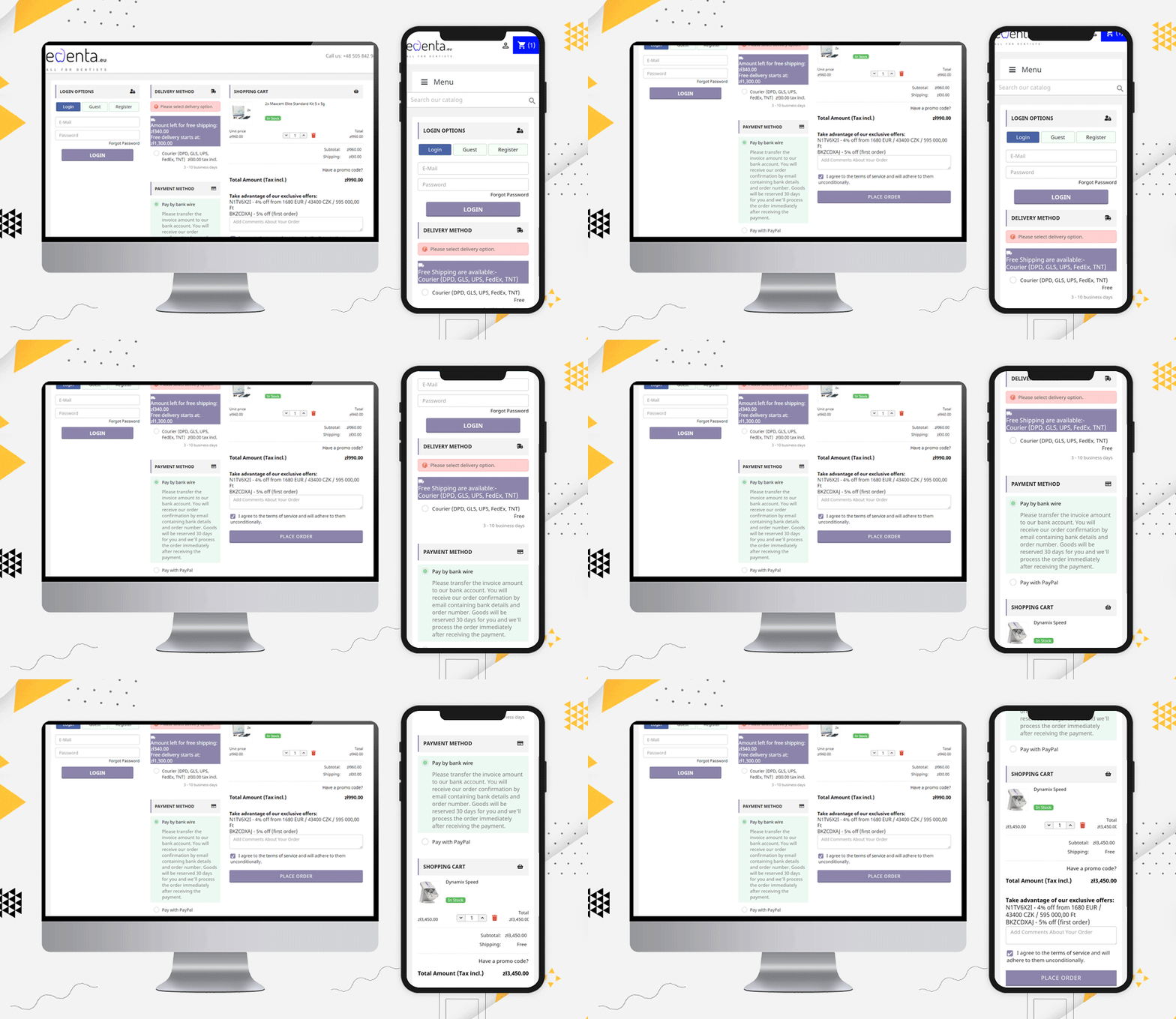
edenta

Like Edenta, checkout page should have field for their customers if they have any comments regarding the order they are placing. Also, it is an amazing checkout page practice to show the coupons and deals on the checkout page.

 “Take advantage of our exclusive offers:

N1TV6X2I – 4% off from 1680 EUR / 43400 CZK / 595 000,00 Ft

BKZCDXAJ – 5% off (first order)”

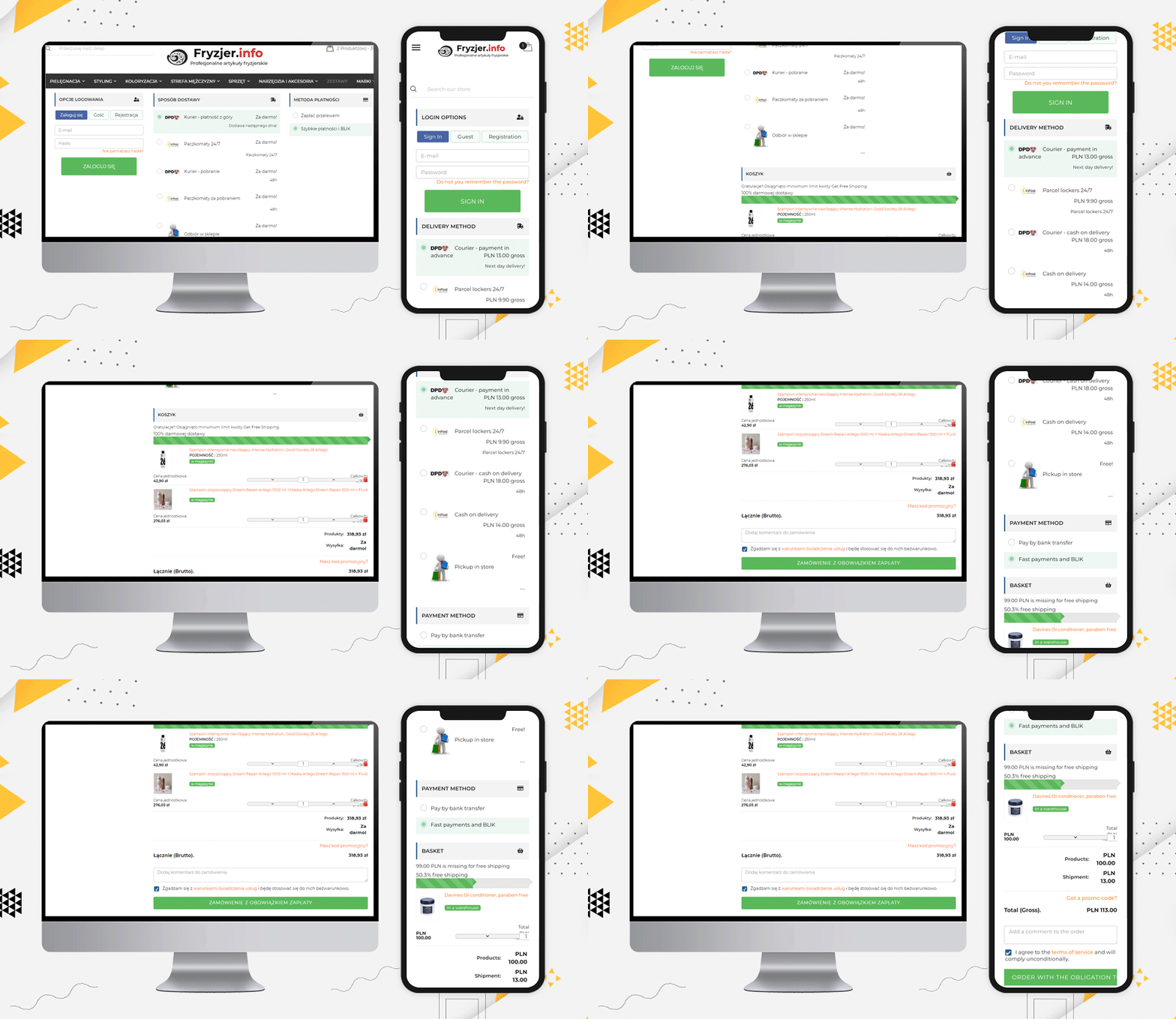
Fryzjer is a PrestaShop eCommerce store with various features on its website. Every page is very well designed and gives a satisfactory user experience.

For checkout page user experience, they have used KnowBand’s PrestaShop One Page Checkout for Poland-based eCommerce store, and look how it appears!

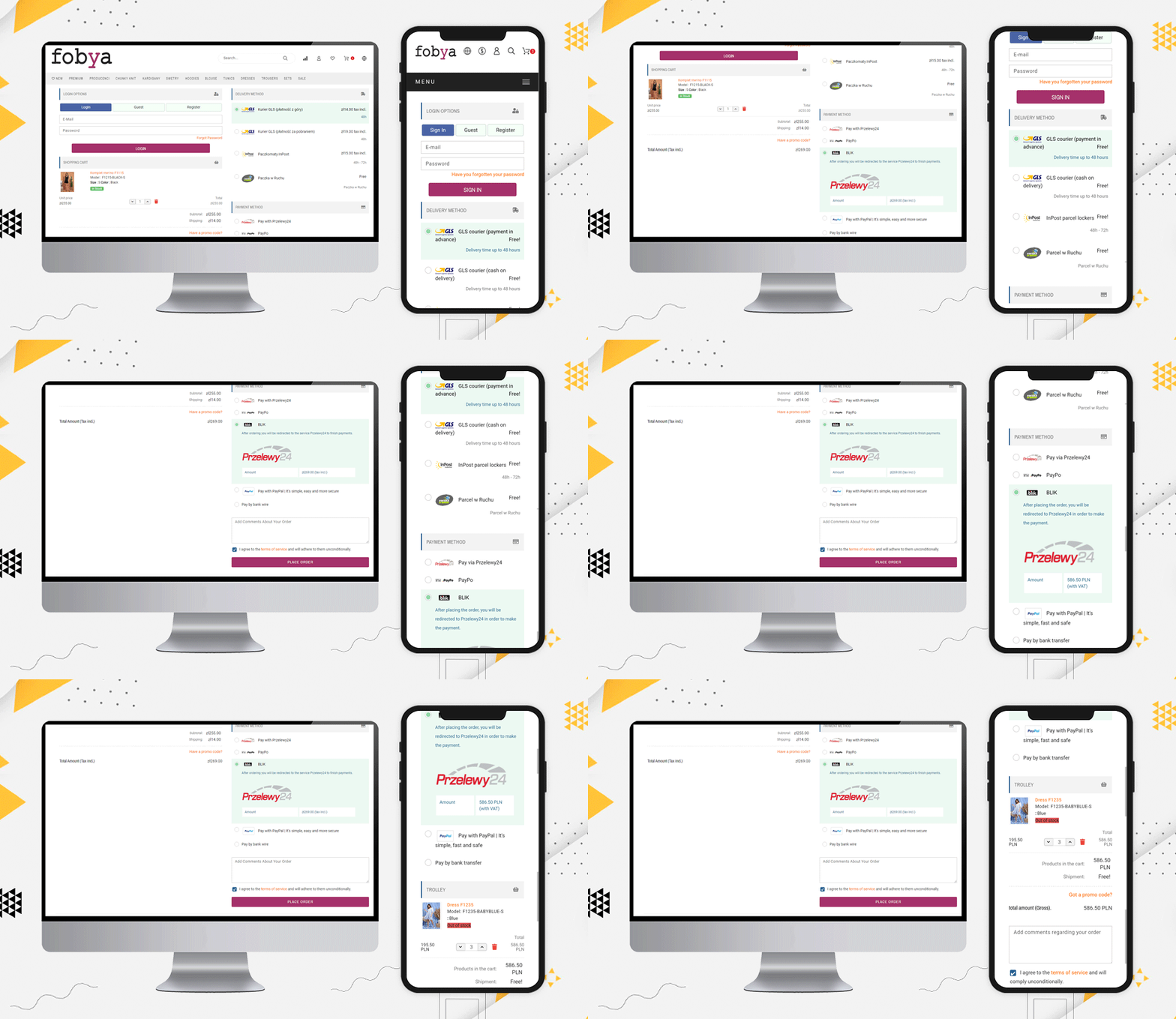
Fobya’s

Another best example of Checkout for Poland’s eCommerce store is Fobya’s website. The checkout page has several shipping options listed on it and most of the popular payment methods of Poland are listed.

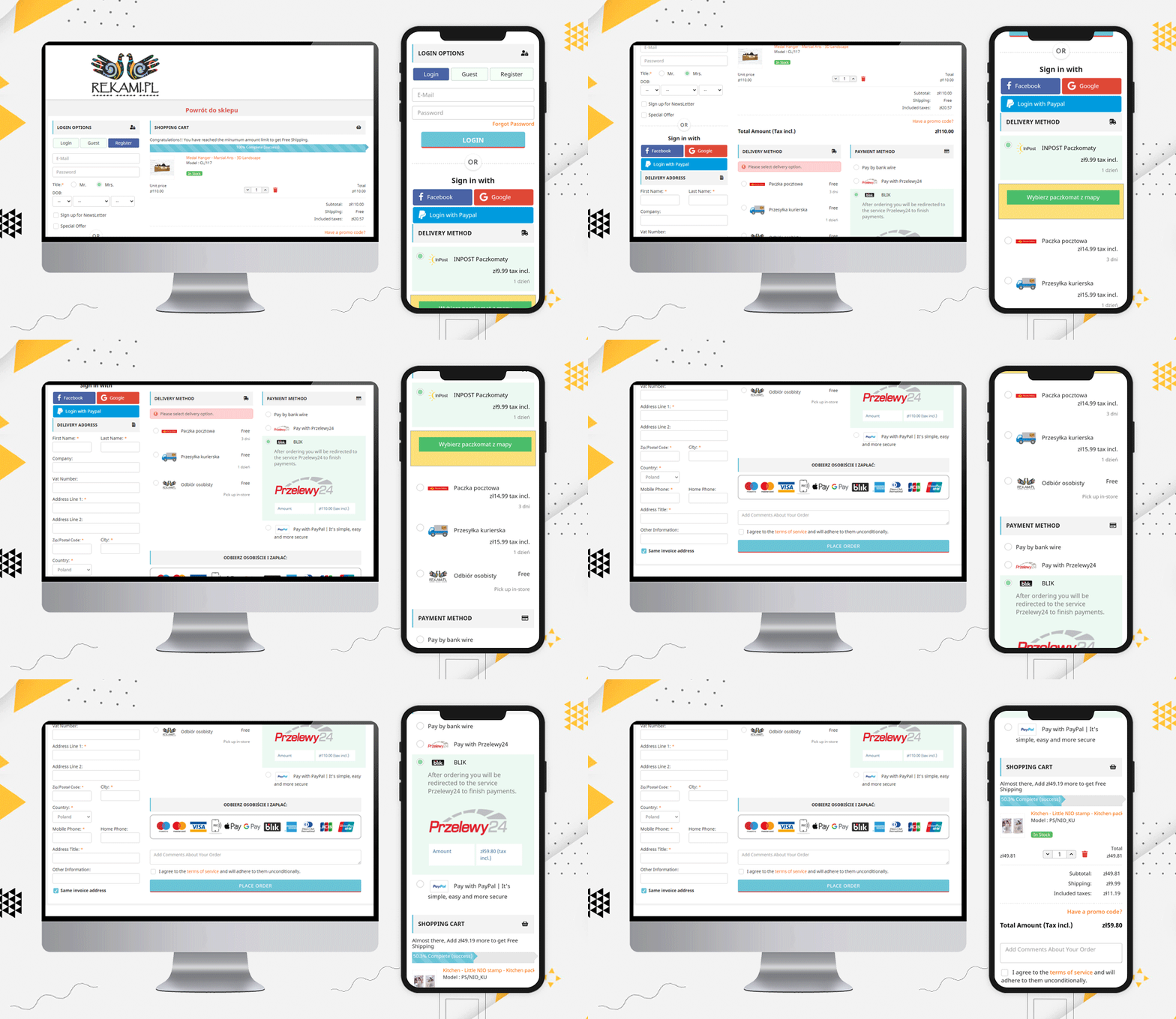
Laser

Moving on, let us see this beautiful checkout page example of Laser. On this checkout page, along with all the above-mentioned features, they have displayed the icons of all the accepted payment methods on the checkout page.

This clear view of available payment methods assures users that their transactions will be secured.

Popular Payment methods in Poland:

From the above checkout page examples, we have compiled the list of popular payment gateways of Poland.

Przelewy24, PayPo, PayPal, Pay by bank transfer, blik, Zobacz na, bank wire, Payu, Card, Tpay, Paynow, Dot Pay, COD are the most accepted payment methods of Poland.

Popular Shipping Methods used in Poland:

Here is a list of Shipping methods that are famous and most used in Poland:

Kurier DHL – prepayment, Paczkomat InPost – przedpłata, Kurier DHL – pobranie, Paczkomat InPost – pobranie, płatność kartą,  Odbiór z magazynu – przedpłata,  Odbiór z magazynu – płatność przy odbiorze, GLS courier, Cash on delivery – Kurier GLS, INPOST Parcel lockers 24, Inpost Courier, DPD courier, Pickup at the store (Kwiatowa 9), Polish Post (Payment by bank transfer), Parcel Locker (Payment by Bank Transfer), Courier (Payment by bank transfer, Paczkomaty Cash on delivery, Polish Post Cash on delivery (Payment on delivery), Courier Cash on delivery (Payment on delivery), Courier (DPD, GLS, UPS, FedEx, TNT)

Read: Best eCommerce Payment Gateways for Poland

Note: The PrestaShop One Page Checkout module allows the store owner to add multiple payment and shipping gateways from the backend of the module.

More about PrestaShop One Page Checkout Addon:

This addon allows you to track the abandoned cart in your store and analyze the reasons for the same. The explicit features make it different from every other popular PrestaShop checkout page module available.

You can see these stunning checkout pages developed for PrestaShop globally and they are one-of-a-kind. The PrestaShop one-page checkout addon is a best seller on Knowband and PrestaShop addon store.

Finally, The KnowBand store is a PrestaShop Gold partner agency! The PrestaShop one-page checkout has 11000+ downloads! You can check out the admin panel and front-end module demonstrations at the KnowBand shop.

You’ll find solutions for all other eCommerce services in our shop. From both the seller’s and the customer’s viewpoints, all of the modules are well-designed.

Recommended Reads:
Top Examples of Robust Progressive Web Apps (PWAs) developed by KnowBand

Are you looking for a Progressive Web Applications (PWA) solution for your eCommerce website? PWA app looks very similar to mobile applications but they are certainly different. In reality, they work on browsers and provide us with an app-like experience. You’ve most likely visited PWAs before without even realizing it.

Progressive web apps are all designed to work with any browser that sticks to the relevant web standards. The aim, as with other cross-platform solutions, is to make it easier for developers to create cross-platform apps than native apps.  Google Developers claims that!

This article is a compilation of some exclusive examples of Progressive Web App (PWA) developed by KnowBand. The PWA uses as little data as possible to provide a smooth and quick browsing experience.

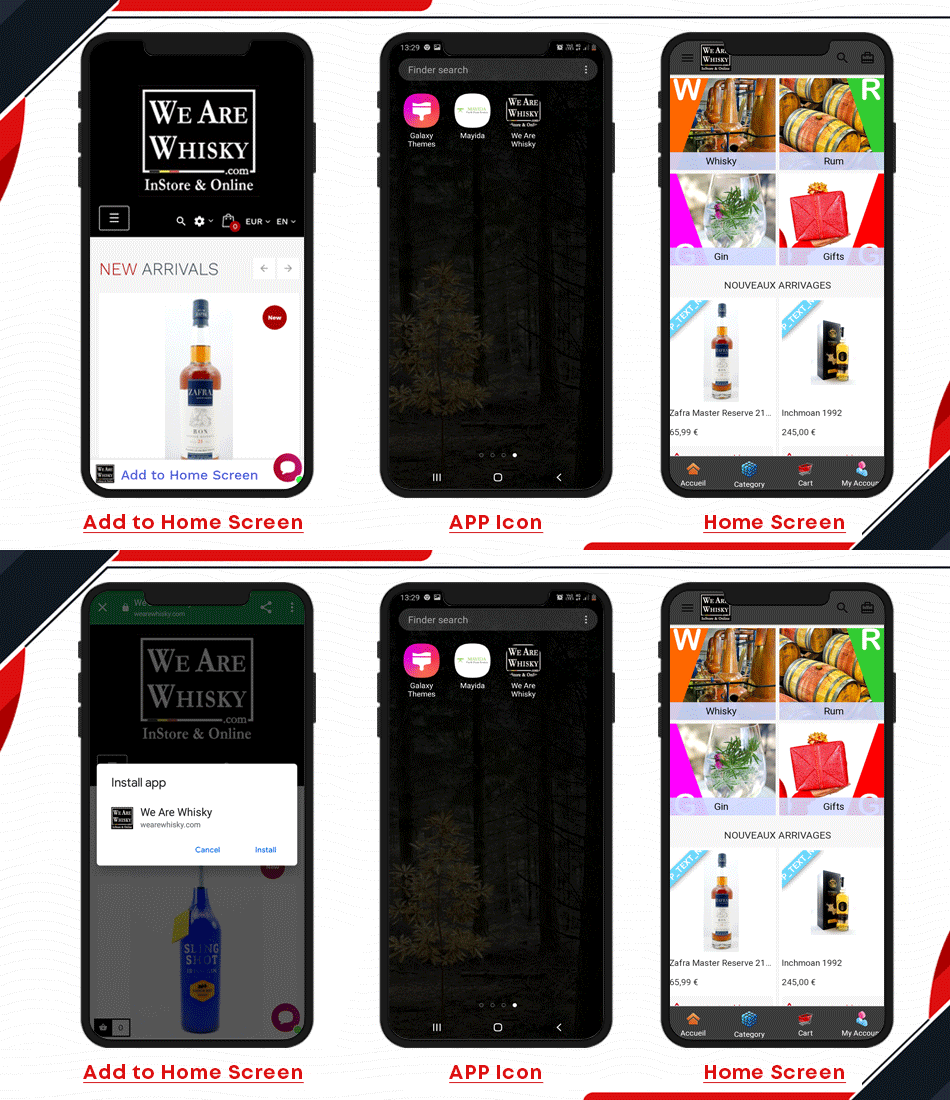
1. We Are Whisky

The We Are Whisky website has an App-like interface. To the user, it feels like an app, with app-style interactions and navigation. PWA employs progressive improvement concepts that work with all users, regardless of browser preference.

The Progressive Web App developed using KnowBand Plugin is responsive! It works on every computer, including desktop, mobile, tablet, and future types.

The website URL has HTTPS which is used to avoid snooping and ensure that the content isn’t tampered with.

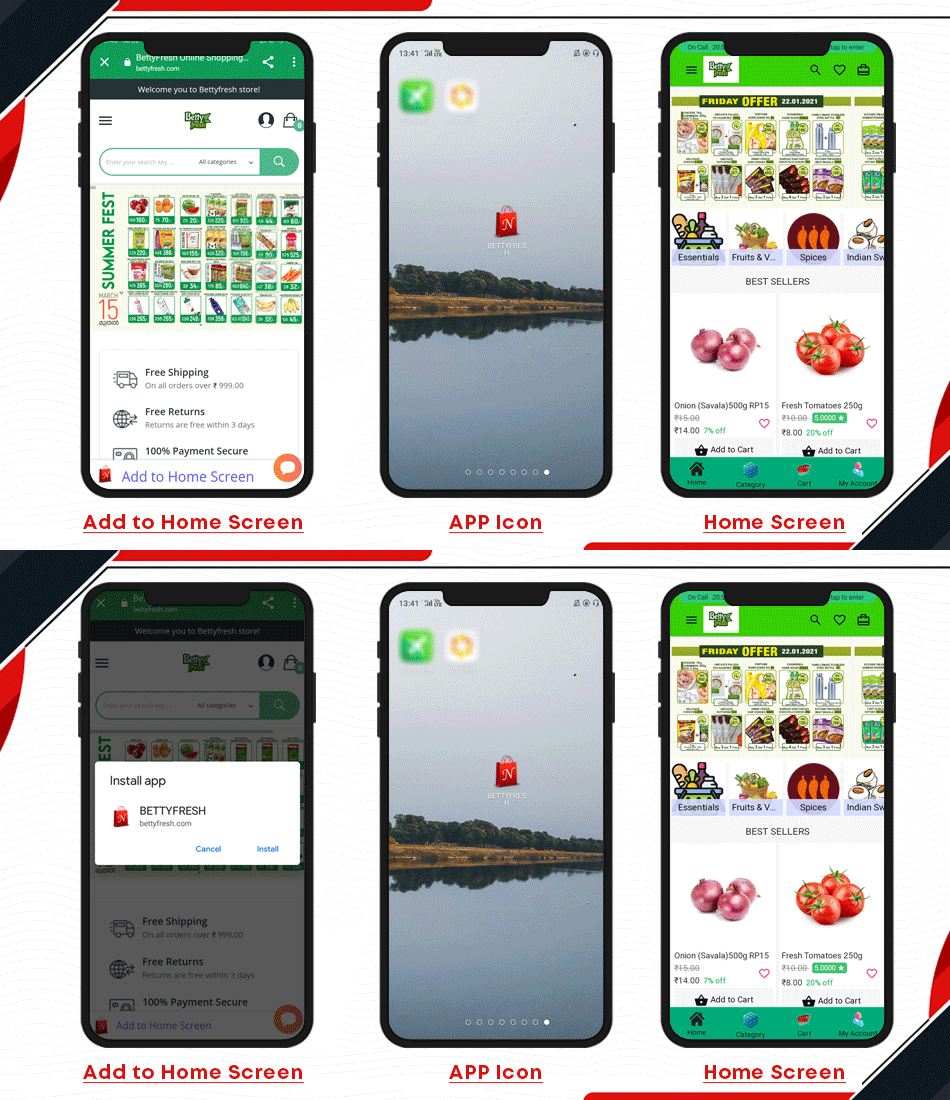
2. Betty fresh

For a PWA, after the initial loading is complete, the same content and page elements do not need to be re-downloaded each time. Web caching in browsers, on the other hand, will prevent redundant loading of static elements on standard HTML-based pages.

Admins can easily add desired graphics and redirects to their banners and sliders using the KnowBand Progressive Web App. By strategically highlighting certain items and banners, you can improve the user experience.

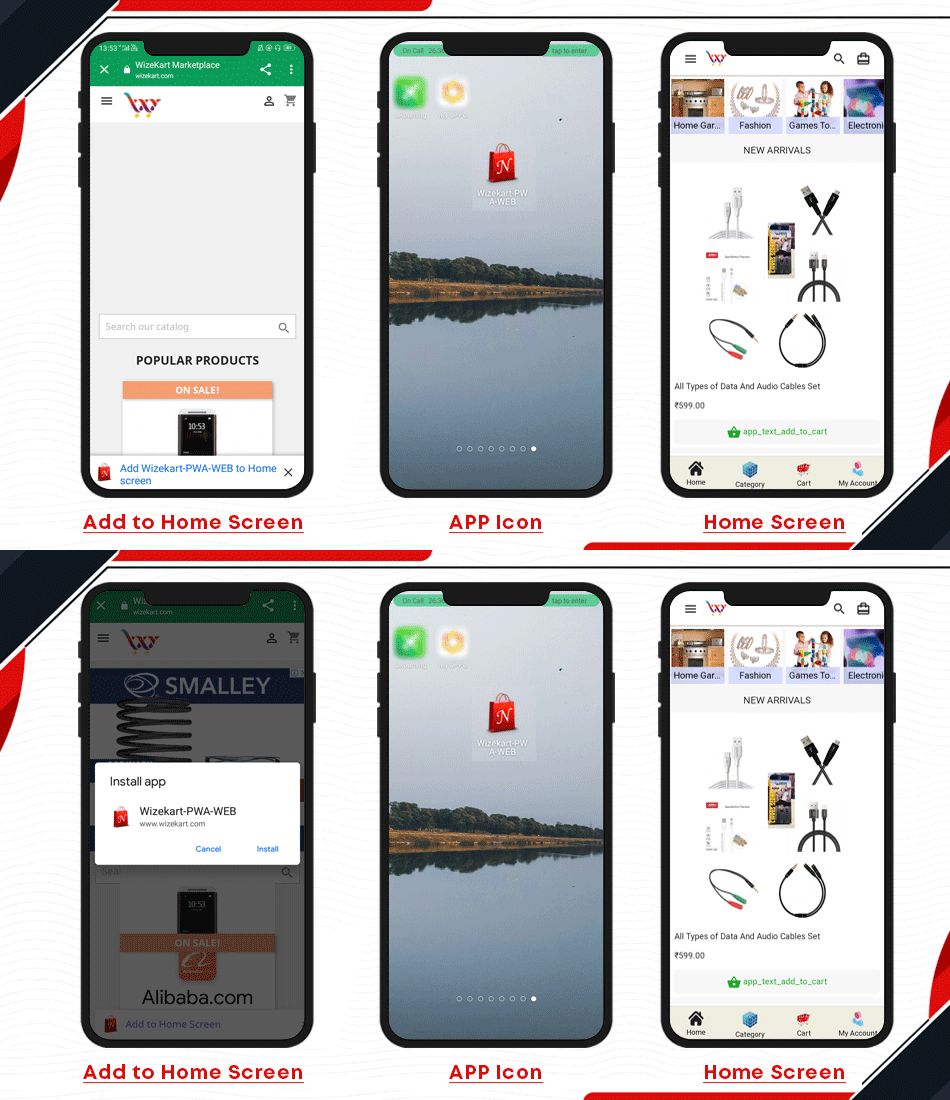
3. Wize kart

It provides home screen icons without requiring an App Store subscription.

Thanks to the upgrade process, the app be always up to date.  The ability to use push alerts to keep users engaged.

And when there is no or slow internet connection, the PWA apps function flawlessly. The app is available to app users even while they are offline due to cached data and previously loaded pages. Push notifications, for example, are useful tools for re-engaging app users.

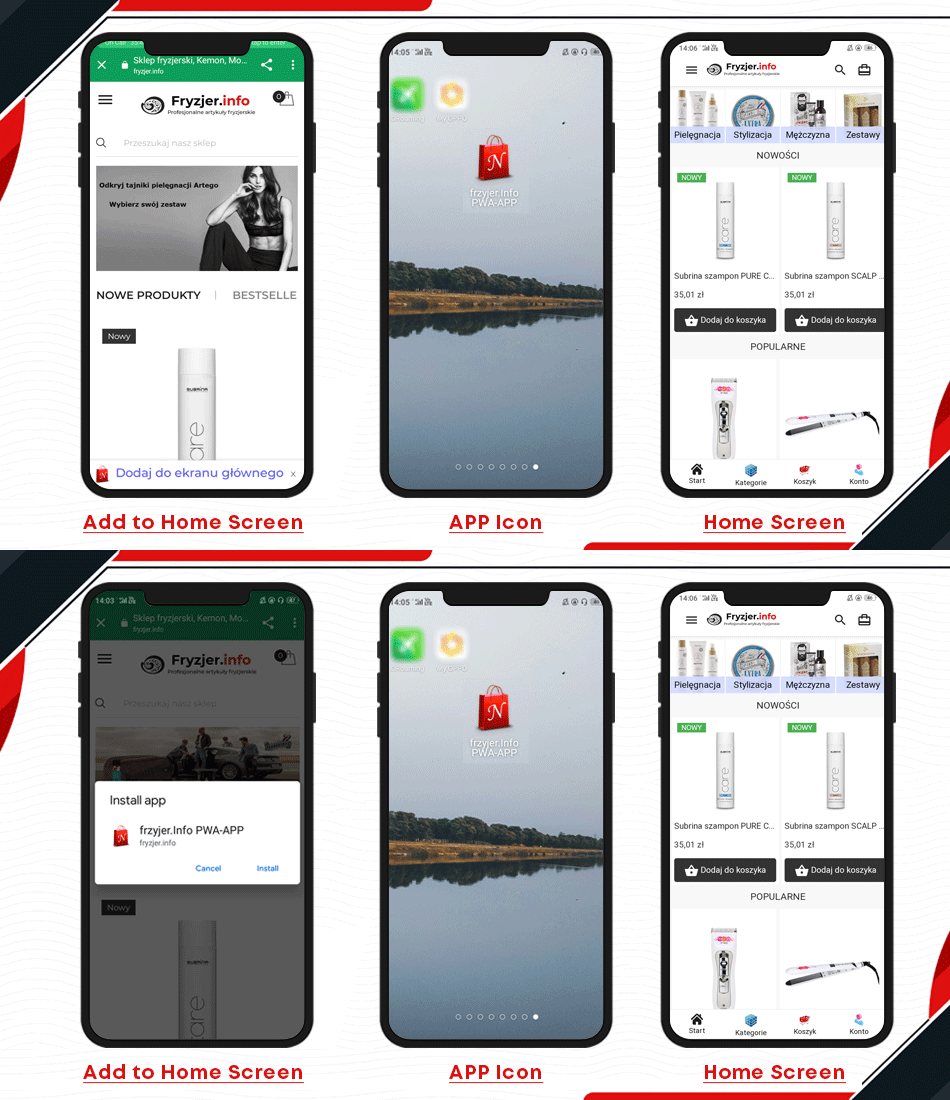
4. Fryzjer

Users of the KnowBand PWA App will log in easily using their Google or Facebook accounts. Such one-tap onboarding options save time and effort while improving the user experience. The most basic form, namely registration/login via email, is also included.


Run several sales and discounts focused on current events, holidays, and so on. On the home screen, use intuitive campaign graphics to enable users to make more purchases. The administrator may also use a countdown banner to run timer-based sales and generate a sense of urgency for the sale.

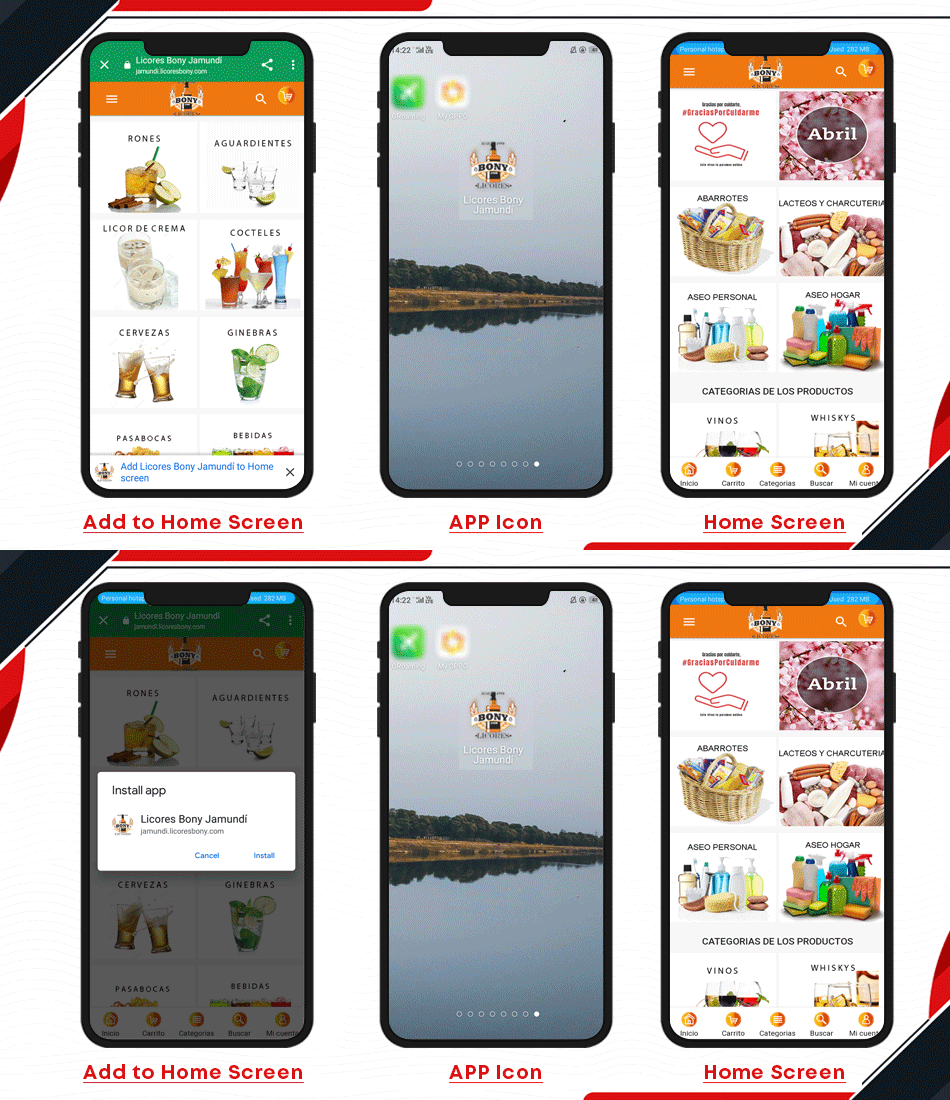
5. Bony Licores

The Progressive Web App developed for Bony Licores allows app users to share their favourite items with their friends and family. Also, provide incentives when sharing on various social media platforms.

Offer a more refined product search and category views with in-built sorting and filtering options to meet the needs of each Progressive Web App user. The user-friendly navigation bar is also well-organized to make surfing easier.

The PWA App users can keep track of previous app orders with real-time order status updates. The order status is automatically synced with the store and modified as required.

The PWA developed by licores bony is multi-store compatible!

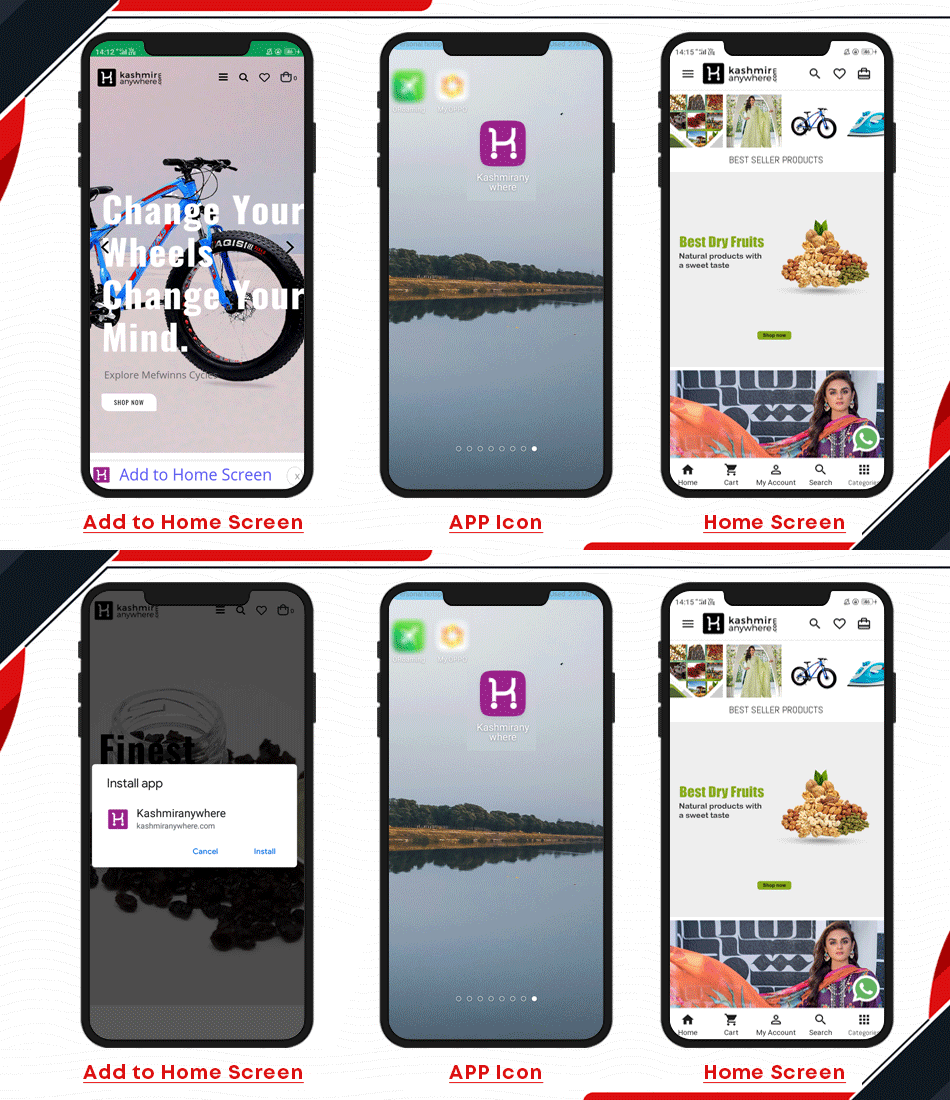
6. Kashmir anywhere

The App Shell Model is an architectural approach used by some radical web applications. In this model, PWA saves the sensitive web design web application’s Basic User Interface, or “shell,” in the browser’s offline cache.

All Payment Options Are Accepted: All of your website’s payment options will work with KnowBand Progressive Web App as well. All PWA app transactions are synced with the order section of your website.

The PrestaShop Progressive web application includes a built-in single-screen checkout page that only asks for the information that is needful.

Do you have more queries regarding PWA App?

The Progressive Web App automatically syncs the entire inventory/catalogue of the website. Moreover, there is no need for manual application maintenance. All inventory adjustments are in real-time synchronization. Some of the best features of the PWA app are as follows:
  • No secret fees or subscriptions | One-time payment Validity for a Lifetime
  • It is to be noted that it can be shared easily via a URL and does not require a complicated setup.
  • You can showcase similar goods to increase cross-selling and up-selling opportunities.
  • Showcase product reviews to help mobile shoppers make better purchasing decisions.
  • Zendesk and WhatsApp chat is built-in, allowing users to communicate directly with the admin.
  • There is no reliance on Google Play or the Apple App Store. Start shopping after a quick PWA installation with just one tap.
  • KnowBand PWA is compatible with KnowBand’s Multi-vendor Marketplace addon.

Support:
Convert your eCommerce website into a PrestaShop PWA Mobile App and enable your mobile visitors to shop with ease. Fully customizable DIY editor to adjust the look and feel of the live home screen!

If you were looking forward to a PWA that can be reliable, responsive, and robust, we are ready to help! Contact our expert team at support@knowband.com and discuss your requirements.

Recommended Reads: