It is rightly said that “Winner easily takes the required customer attention and gets known to people in a short span of time” same is the case with this Magento platform. The success of an eCommerce site is dependent on the platform which is used for the back end. No doubt, there is a sudden influx of a wide range of eCommerce platforms but Magento has found a niche place for itself among those available options.
If you have been looking for an effective platform for the development of an eCommerce site, you don’t need to look beyond this Magento platform. It is bundled with a wide range of features and functionalities that makes Magento as the most ideal choice for eCommerce website development. Let us now discuss those features one by one as mentioned below:
Open Source platform
In this era of paid services, anything which is available for free comes as a wonderful option and Magento platform is one such wonderful example. Being an open source eCommerce platform, Magento can be easily installed and customized by anyone without any issue. As per a survey, around 80% of eCommerce websites are based on Magento platform and are generating big bucks in their individual business segment.
Optimized for better SEO results
In order to improve the search engine rankings of Magento site, you need to utilize the various built- in SEO tools of Magento platform. With the help of these tools and features, it would be easier for search engines to crawl website pages for better site visibility. Magento has various various SEO features like auto generated sitemaps, SEO friendly URLs, customized meta descriptions for products, categories and content pages.
Easy store management facility
Magento platform has made it much easier to manage an eCommerce store in a smooth manner due to various features. It has amazing product and category management features that helps in managing various products on a store in a quick manner. It also helps in maintaining the stock control by tracking all the available products on a Magento site. In case you are having a Magento Marketplace store, you can take the help of various Magento Marketplace extensions from Knowband such as Magento Marketplace Low Stock Notification Extension, Magento Google Analytic, Magento Marketplace Contact Admin Extension and others for a flawless store management facility.
Offers a quick checkout and payment gateway setup
In order to provide a wonderful shopping experience to its customers, Magento platform comes integrated with a wide range of payment options like SagePay, PayPal, Google Checkout and others for a quick checkout facility. Apart from this, Magento allows online shoppers to purchase multiple products simultaneously and make checkout quickly. For making further improvements in Magento checkout process, you can take the help of these Magento checkout extensions such as Magento One Page Checkout, Magento One Page Checkout Lite version and others.
Comes with analytics and reporting for better store performance
For optimizing the performance of a Magento site, this eCommerce platform comprises of various Magento Google analytics and reporting tools. With the help of these tools, it is now easier to study statistics, sales reports, business intelligence, product popularity and other business related information. Magento extensions such as Magento Report Extension, MockingFish- Heatmap and A/B Testing tool and others can provide a vast range of statistical data for improving store performance.
By analyzing all these crucial points, it could be easily understood that Magento is undoubtedly the king in the field of eCommerce website development due to exceptional features and Magento extensions. Choose this eCommerce platform and remain assured about a promising and successful online store in your particular business domain.
When you have a limited number of customer base and sales, it is important to think big and go for a major store overhaul. Getting just a PrestaShop store will not guarantee you maximum conversions and sales as there are other players in the race. You would not have to lag behind now as there is a golden opportunity to transform your PrestaShop store into a marketplace store.
Now, you would not have to suffer the market pressure due to the absence of an effective eCommerce store that has a much larger customer base and site traffic. All you need to do is just install the PrestaShop free Marketplace extension for a major transformation of your eCommerce store. Let us now discuss the various ways by which this PrestaShop extension can be of great help to your online business.
Allows multiple sellers to sell their products at one place-
This amazing PrestaShop extension engages multiple sellers on an eCommerce site for providing them an easy business opportunity. Now, sellers can quickly and effortlessly manage their account without any hurdle for ensuring a smooth product access to their targeted customers. Furthermore, there is no need for any inventory management by various eCommerce sellers which makes the setting up an eCommerce store much simplified than before.
Provides timely information about marketplace decisions and activities-
One of the USP of this PrestaShop free Marketplace extension is that it consists of a flexible email notification system that can inform involved parties like sellers, buyers and store admin about any updates regarding the marketplace store. This notification system send alert messages, notifications and emails about various marketplace events such as registration of a new seller, addition of new product, approval of seller product requests and other such activities.
Offers detailed seller information in the form of feedback and review system-
To facilitate a better customer purchase, this free Marketplace extension provides detailed information about various sellers in a smooth manner. Customers can get seller information in the form of seller feedback and reviews along with the star ratings and can choose the best seller for making their online purchase. In this way, this extension helps in enhancing eCommerce sales.
Can offer payment facility in multiple currencies-
E-Commerce business is all about providing products to your customers residing in different areas and using different currencies for better sales. It is good to listen that it is now possible with the presence of this free marketplace extension that supports multiple currencies. Now, your targeted customers can make online payment in their native currency only that can improve your conversion rates and product sales.
Works with various devices and screen sizes-
Online purchase is all about making purchase through various devices like desktops, laptops, smart phones and tablets. With the help of this PrestaShop Addons with mobile responsive feature, it is now easier to provide the same user experience to your customers on multiple devices. By targeting such a huge customer base with multiple devices, it is now much easier to achieve bumper sales and conversions.
If you are thinking about a while for transforming your PrestaShop store into an online marketplace store, you need to grab this PrestaShop free marketplace extension store without any further delay. Come to our Knowband store now and grab this module for free of cost for improving the store performance.
There are numerous advancements that are continuing in the field of eCommerce platforms that boost the online shopping experience and sales. OpenCart is such an eCommerce platform that has gained much popularity in the online business environment due to its various packed features and functionalities. This eCommerce software based on PHP language was launched in year 2008 and is an open source platform available for everyone.
This eCommerce platform has come a long way since its stable release as OpenCart 1.1 and numerous features, responsive themes and OpenCart modules have been incorporated in between to grab the required customer engagement. With latest releases of OpenCart 2.xx versions, this eCommerce platform is surely giving a tough fight to its other business competitors. Let us analyze the various features that makes OpenCart 2.xx version quite different from its predecessor 1.xx version.
Comes with a fully responsive mobile design-
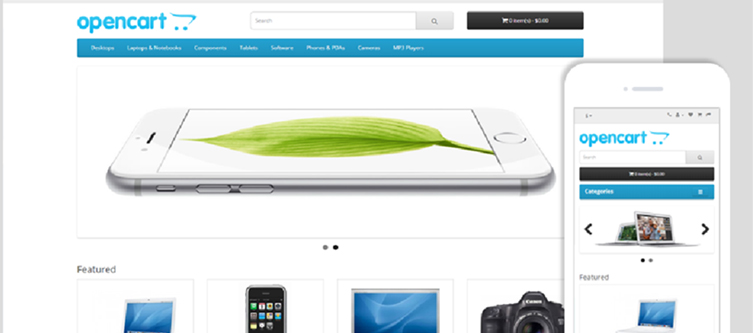
This new OpenCart 2.xx platform is better than the previous version in terms of its mobile responsive design. It does not only support mobile devices but comes with an amazing fully mobile responsive design. With this feature, OpenCart users will get the same level of interaction and site experience on different devices like desktops, laptops, smart phones and tablets.
Integration of bootstrap 3-
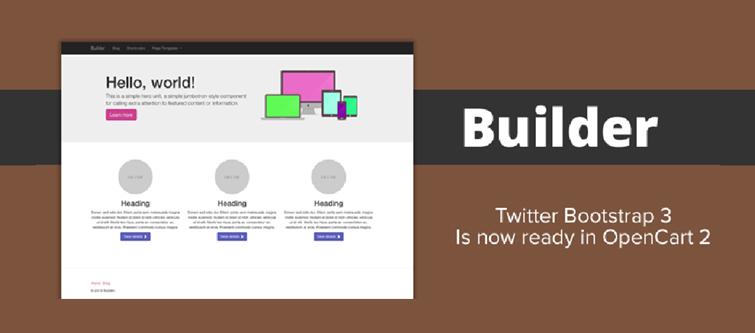
With the integration of Bootstrap 3 framework in OpenCart 2.xx version which makes use of HTML, CSS and JS platforms, it is now much easier to use mobile responsive designs, themes and templates. This Bootstrap 3 framework is installed at the core of the platform. Now, OpenCart stores built on the latest OpenCart 2.xx version can ensure sleek, intuitive and powerful interface for their desktop as well as mobile users.
Presence of Font Awesome support-
OpenCart 2.xx version consists of an advanced CSS font collection of 400+ icons known as Font Awesome for engaging OpenCart site design. Store admin just have to add the required icon class and they are free to use a huge collection of cool icons displayed on their site. This is a remarkable feature that can take the web designing activities to great heights.
Offers an intuitive and user friendly dashboard-
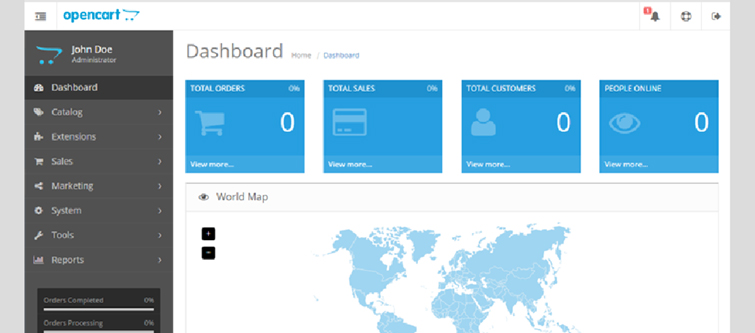
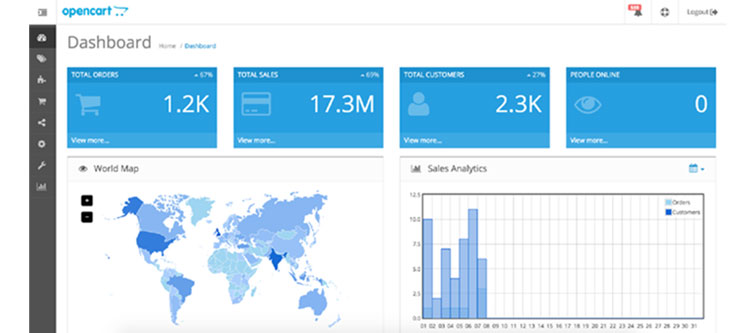
This latest OpenCart 2.xx version comes with an interactive dashboard that offers a wide range of services like sale analytics, people online, notice icon and other such features. Users can interact with this interactive admin panel for ensuring a smooth navigation around their site with the help of its vertical menu. These vertical menus located on the left side of the OpenCart platform improves the usability of the OpenCart dashboard for performing important site tasks and activities. Apart from this, it also consists of a Notice icon located at the top right corner of dashboard that provides critical information about new events.
Emergence of Extension Installer feature-
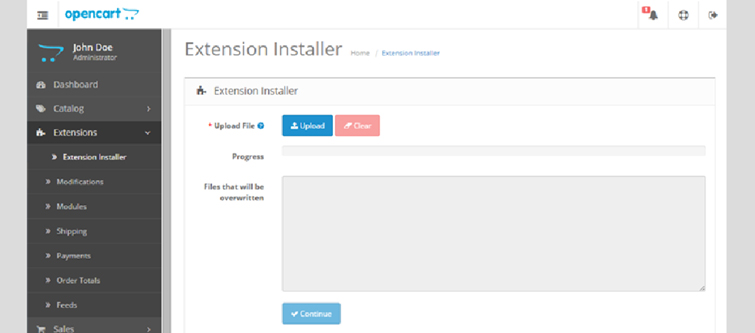
Adding any extension in the OpenCart platform is now much easier with this improved OpenCart 2.xx version. It consists of an built- in Extension installer feature that helps in simplifying the installation of OpenCart modules and themes. OpenCart store owners don’t have to override files through FTP during the installation process making it much simpler and faster. Once, you have uploaded the theme/extension, the list of all the overridden files will be visible.
With this new Extension Manager, OpenCart site owners don’t have to perform tasks like editing, uploading and replacing files through the FTP for the installation of any OpenCart extension. All this crucial activities can now be performed in a smooth manner with the help of an interactive and user friendly interface of OpenCart platform.
Introduction of MaxMind Fraud Detection System for enhanced security-
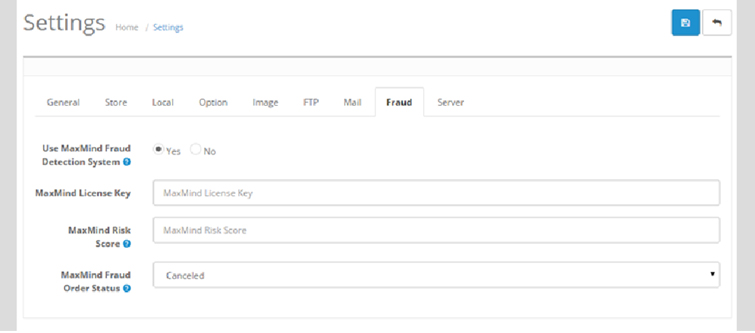
This OpenCart 2.xx version comes with an integrated MaxMind Fraud Detection System by default. This is a remarkable system that helps in identifying the risky orders for review purposes. The detection of such orders are done on the basis of high risk IP address, high risk email, high risk device or by anonymizing the proxy settings. For availing the services of this system, users just have to register themselves at MaxMind and then paste the required key in the Fraud settings of the OpenCart 2.xx admin panel.
If you are still using the older version of OpenCart platform, it is definitely the right time to make the maximum business impact by making a transition into this OpenCart 2.xx platform. By taking a close look towards all these features, it can be rightly understood that this latest OpenCart 2.xx version can improve the performance of OpenCart store in a flawless manner. For availing the services of our feature packed extensions for OpenCart store, visit the Knowband site at www.knowband.com.
The growth and expansion of any business be it offline or online depends mainly on the conversions. In the case of eCommerce stores, the conversions are usually referred to as product sales achieved. Agree, every store owner can’t succeed in terms of making bumper sales but it is a fact that every eCommerce store owner has a strong urge about making a significant increase in his/her store sales.
If you are not lucky enough in increasing the sales of your online stores, it is time to start looking for an effective remedy. A low performing eCommerce site in terms of product sales is not of much use and is actually more of a burden if the operational cost of the store is too high. This blog is certainly a big relief for those sales deprived eCommerce store owners who are looking to escape out of the long continuous sales dud. We have figured out some ways and came up with 9 effective tips to improve sales on your eCommerce store.
1. Provide exciting offers and deals to your customers
Almost every online shopper is in search of exciting shopping offers and deals that could persuade them for a quick product purchase. If your eCommerce store is unable to excite its targeted customers through amazing deals, discounts, shopping offers, free shipping service, gift cards, sales coupon, and other such components, it is certainly going to hurt your business fortunes in the long run
2. Offer multiple payment and shipping methods
Don’t be adamant while offering payment and shipping options to your customers but try to be more flexible. You need to make a survey among your customers for including the popular payment and shipping options on your online store for ensuring a comfortable online shopping experience. The presence of only selected payment and shopping options also results in higher shopping cart abandonment and bounce rates.
3. Provide easy navigation around your site
Customers nowadays are very choosy when it comes to a product purchase. They want to look out for a number of products before actually going for the final purchase. In order to offer easy navigation around your eCommerce website, you can take the help of a productive heatmap and A/B testing tool like MockingFish that can improve the customer engagement on a site to a great extent.
4. Remove hurdles from your checkout process
Due to the scarcity of time with online shoppers, eCommerce stores need to focus on ways to improve the checkout process on their site. They need to remove unnecessary fields and checkout steps that are hampering the quick online product purchase of customers. If you want to manage this critical task through an eCommerce plugin, you can take the help of Knowband modules like Prestashop One Page Checkout, OpenCart One Page Checkout, OpenCart One Page Checkout Pro, Magento 2 One Page Checkout for simplifying the checkout process on your eCommerce store.
5. Spread the information about the urgency of your offers
In this competitive business environment, you need to showcase that the advertised offer on your site is much more engaging and is available for a limited time only. Once, your customers are aware of the urgency and limited availability of your shopping offers, they will be much more eager to purchase from your online store. Store owners can convey this message to their targeted customers in the form of appealing CTA buttons and CTA texts for grabbing higher conversion rates and sales.
6. Reduce Cart Abandonment Rate
There’s a heavy impact on sales due to abandoned carts. Though there is no magic to stop someone from abandoning their cart, there are ways that can help you bring the abandoned cart rate under control.
For that matter, you can try out the Abandoned Cart module by Knowband or use Web Push Notifications to give a gentle reminder to your visitors every time they abandon their cart. This way you can make an improvement in your sales.
7. Launch a facebook shop
With over 2.38 billion Facebook users today, not utilizing the Facebook platform means missing out on a great opportunity to improve sales on your eCommerce store. Link your eCommerce store to your Facebook business page, interact with your audience and run contests or offers at regular intervals to increase customer engagement. You can try out the Prestashop FB store addon for integrating your store to your Facebook page. If your brand doesn’t have a Facebook page, create one today.
8. Use popups effectively
Popups are a great way of attracting customers and capturing more sales, but they do not work as easy as it seems. Designing a good popup that could bring conversions requires your time, efforts and most importantly creativity. Pop-ups bring results only if they have been made in such a way that doesn’t unnecessarily irk a user. In fact, e-retailers today, are using pop-ups to engage users in some kind of fun activity, before actually asking for their email address.
Do not kill the interest of your visitors by making the sign-up process on your store mandatory. In this way, you are only restricting a visitor from making a purchase.
Offer Guest Checkout to your visitors or enable social login options. Guest checkout is very helpful for users who do not want to get themselves registered on your platform while the social login option allows visitors to avoid the long registration process by asking them to login with their social accounts.
Conclusion
Do not consider the low sales as the fate of your eCommerce store. Make the required corrections with the help of the above-mentioned informative tips. If you are able to make the changes within the stipulated time, you can effortlessly grab more conversions and sales for your eCommerce store. Keep in check the above-mentioned 9 effective tips to improve sales on your eCommerce store. For more updates regarding eCommerce plugins and other related information, do visit our Knowband store at www.knowband.com
There is always a crucial question in front of eCommerce store owners regarding which platform to use for carrying out the day- to- day online business activities. With so much of options available, it is difficult to make the right choice to propel your eCommerce business to great heights. It is all about the features, functionalities and user experience provided by your eCommerce platform that makes all the difference in your online business activities.
To help out our eCommerce store owners in making the right decision, we will provide you a clear insight about various eCommerce platforms like OpenCart, WooCommerce, PrestaShop and Magento. Let us explore these eCommerce platforms one by one.
Introduced in year 2008, OpenCart is an amazing eCommerce platform that can handle the diverse business needs of various online stores with great ease. The platform is bundled with large number of eCommerce tools and features that can enhance the online shopping experience of your targeted customers. It is a wonderful platform which offers a great deal of customization features without any steep price. Some of the merits and demerits of this eCommerce platform are as follows:
Merits
Offers quick installation and configuration facility for beginners as well as experienced customers.
Comes with a wide range of free extensions and third party extensions or themes to improve store performance.
Compatibility with various devices through a responsive web design.
Has an interactive admin interface for performing various back end activities.
Supports a wide range of payment and shipping methods.
Provides customization features in a quick and smooth manner.
Demerits
Suitable for small and medium eCommerce stores.
Caching and other SEO functions are performed through extensions.
2. WooCommerce-
It is not any standalone CMS platform and is integrated within the WordPress. With this integration, it is now much easier for this platform to work with the WordPress environment and is also capable to utilize various WordPress based themes and extensions. This eCommerce platform is so popular that it is the first choice among various specialized companies who want to grab the maximum out of WordPress and WooCommerce. It comes with a wonderful set of extensions that has the potential to improve the functionality of an online store to a great extent. Here are some of the merits and demerits of this eCommerce platform which are mentioned below:
Merits
The platform focuses on WordPress for enhancing the store functionality.
It is available for free of cost for downloading purposes.
Comes with easy to use feature.
Demerits
The store owners need the assistance of premium extensions for improving store functionality.
It is a fully open source shopping cart platform which is built for small to medium sized eCommerce stores. No doubt, it is a free software but site owners can purchase additional modules for improving store functionality. Take a close look at some of the merits and demerits of the PrestaShop platform.
Merits
Comes with a user friendly or interactive admin panel.
It is lightweight in nature and loads quickly.
Can be installed easily without any assistance.
Offers better search, store functionalities and SEO friendliness.
Demerits
Does not contain important eCommerce functions like wishlist, order tracking, product comparison, affiliate marketing, testimonials and other such features.
Does not have capability to handle large scale eCommerce stores.
This eCommerce platform was created in year 2001 but it has gained immense popularity within a short period of time. It is available in two formats namely- the Enterprise version which is a paid premium version and the Community version which can be downloaded free of cost. Some of the various merits and demerits of Magento platform are mentioned below:
Merits
Highly scalable and customized eCommerce solution.
Support for multiple currencies and online stores.
Offers great SEO performance and enhanced payment security.
Provides timely issue resolution with the help of a dedicated community of Magento developers and users.
Comes packed with a wide range of Magento themes and extensions.
Demerits
Extensions and themes are very expensive to purchase.
Ideal for big eCommerce stores due to advanced features that comes with a high price.
Requires a good hosting service for better store performance.
Installation is a difficult task for beginners in the field of eCommerce business.
If you are thinking about making a strong impact in your particular online business segment, you need to embrace the right eCommerce platform for you. However, before making any selection regarding the eCommerce platform, you need to have a better idea about the size of your online business, level of features and customization required, business operational cost available, conversion rates and other such facilities. Wait for a little introspection and you will be better equipped to take the right decision regarding the selection of an eCommerce store.
For any price conscious customer, getting any module for free of cost is always a good news. People are always looking for product that are packed with amazing features and yet are available for free of cost. Price is one of the crucial priority which makes a tremendous impact while purchasing a product. I have seen that often numerous customers are unable to avail the services of a reputed company or module due to the high price that come along with it.
Now, PrestaShop store owners can now have a sigh of relief due to the presence of various PrestaShop free modules that has the potential to improve the functionality of a store. Knowband understands that there are numerous PrestaShop store owners that are often deprived of amazing eCommerce features due to the high cost of the PrestaShop modules. Let us take a quick look at some of the free plugins for any PrestaShop store.
It is a common scenario which many PrestaShop store owners have witnessed regarding a significant drop in their sales and conversion rates. With a tough competition in the eCommerce business segment, the situation becomes too difficult to handle for small and medium sellers. If you are one of the victims of the eCommerce business environment, it is actually time to install this PrestaShop module which is one of the most acclaimed PrestaShop free modules in the online business scenario. Some of the features of this PrestaShop Free Marketplace module are as given below:
The module allow buyers to register themselves as seller for providing a smooth online purchasing experience.
Offers a wide range of powers for store admin for deciding the number of products for purchase, product categories, restrictions on product categories and much more.
Provides a large variety of products to buyers to make a judicious purchase due to the availability of multiple sellers.
Transforms any PrestaShop store into an online marketplace store for bringing buyers and sellers together.
The module allows numerous sellers to manage their seller accounts without any hurdle.
The module can be installed with any PrestaShop extensions and themes.
If your PrestaShop store is unable to get the required login from its targeted customers, it is time to install this PrestaShop Free Social Loginizer 15 in 1 plugin on your site. It is a remarkable PrestaShop plugin to improve social engagement on a site for higher conversion rates and sales. Here are some of the excellent features and functionalities of this Knowband extension.
Offers a quick login facility through interactive login popup in the form of multiple social media sites like Facebook, Twitter, Google+, Instagram, Linked in and such others.
The module comes with a mobile responsive design that ensures same level of user experience on devices like desktops, laptops, smart phones and tablets.
Allows site admin to make desired customization in the social buttons, links and social bar heading.
Checkout process has the ability to bring customer traffic and sales to any PrestaShop extension. It has been often seen that a complicated checkout process can affect the conversion rates and sales to a great extent. Take a look at some of the various features which makes it one of the best PrestaShop free modules for your online store:
Helps in reducing shopping cart abandonments and improves product sales.
Offers multiple payment and shipping methods to PrestaShop customers.
Works with multiple stores, devices, themes and PrestaShop extensions.
Provides complete cart summary with various product images.
It helps in simplifying the checkout experience of your PrestaShop site by converging multiple pages checkout process into a single checkout page process.
If you have to bear with the inadequate store performance due to the high prices of the eCommerce modules, the situation is going to change soon. PrestaShop store owners can now avail the various PrestaShop free modules to optimize the store performance without any strain on their pocket. Come and avail these wonderful PrestaShop extensions by visiting our site at knowband.
Emails are an important part of day- to- day business transaction activities that facilitate a better communication between store owners and customers in an eCommerce business environment. You need to contact your customers on each and every step of an eCommerce business engagement and this can be only handled effectively with business transactional email templates. These templates can be customized easily for making the maximum impact among your targeted customers.
If you are having the Magento site, you need to be aware about these transactional email templates that are used in the normal day- to- day functioning of your Magento store. Let us discuss all these crucial Magento transactional email templates one by one.
1. Contact Form-
This email template is usually generated for the support services of a Magento site whenever a customer engages with the company through a “Contact Us” link available on that site.
2. Credit Memo Update-
This email template is sent to the registered customer of your site whenever a credit memo is updated in the backend of your Magento site.
3. Credit Memo Update for Guest-
This email template is especially sent to a guest customer whenever any credit memo updation is carried out in the Magento backend.
4. Forgot Admin Password-
This type of email template is received by the Magento administrator in case they have forgotten their admin password. Along with this email, there will be a link for the administrator to change their password.
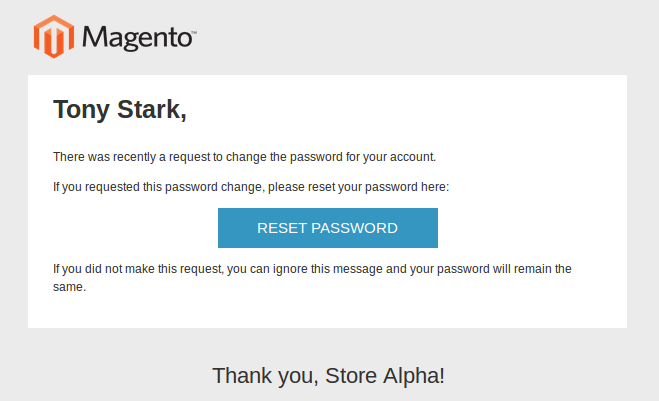
5. Forgot Password-
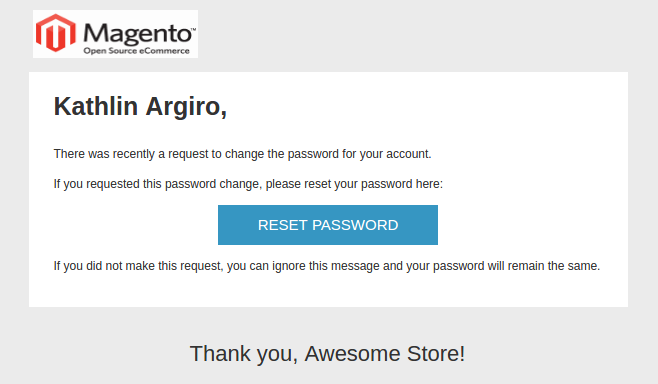
If you are one of those site customer who has forgotten his/her password and has clicked on the “Forgot password” link, you will receive this email in your inbox. Here, customer can easily change their password by following the appropriate links mentioned in the email.
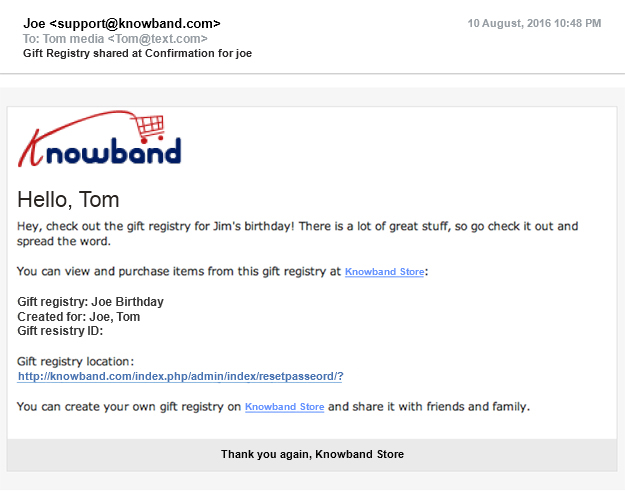
6. Gift Registry Sharing-
Whenever any customer wishes to share their gift registry from your website through email, this email template is used.
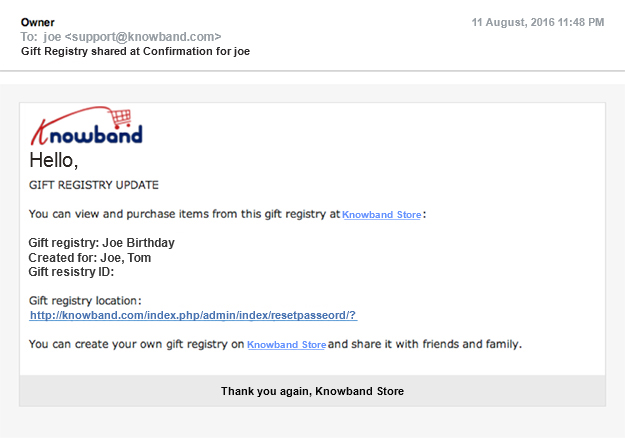
7. Gift Registry Update-
This kind of email is used whenever a gift registry is updated from the customer account to your own website. The persons who will receive these messages are determined at the time of performing updates by the customer.
8. Invoice Update-
If you are one of those registered customers whose invoice details have been edited from the Magento backend, this is the email which will be received by you.
9. Invoice Update for Guest-
In case, the invoice details of the guest customer is edited from the backend of the Magento site, the above email will be received by them.
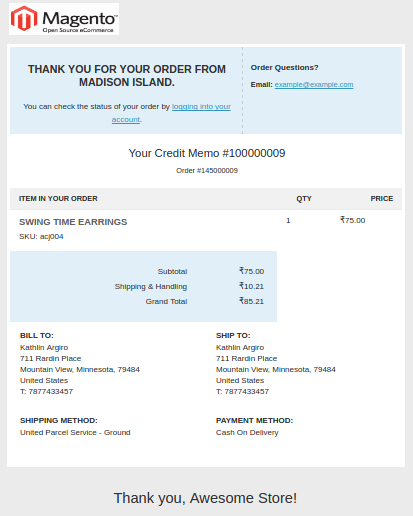
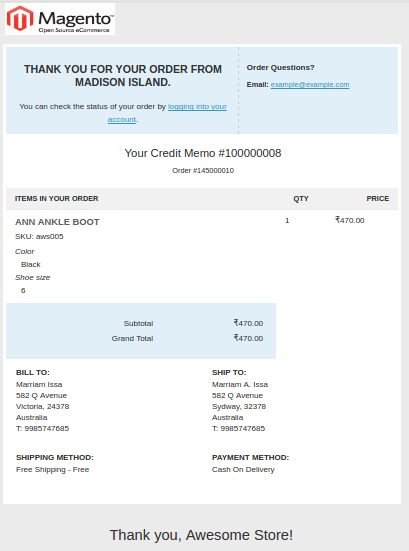
10. New Credit Memo-
If any registered customer has a new credit memo under his/her account, he/she will receive this type of the email.
11. New Credit Memo for Guest-
With the creation of a new credit memo under the guest customer account, this type of email is sent.
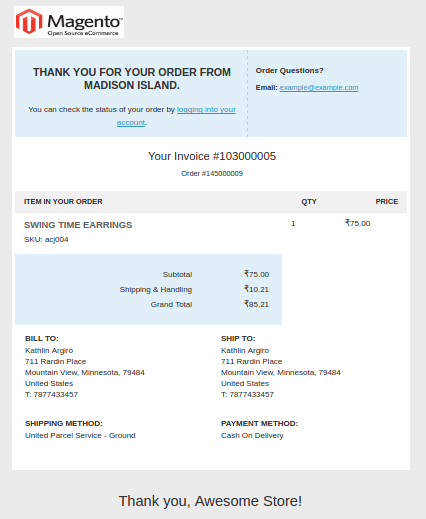
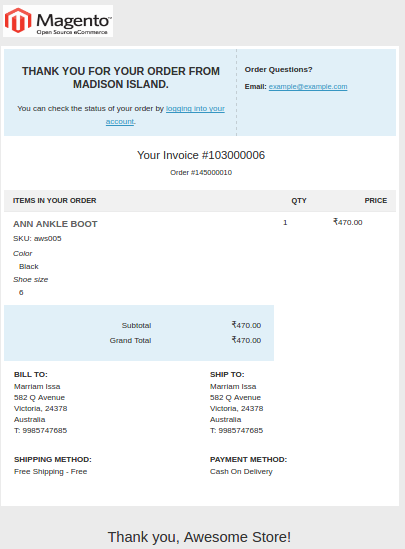
12. New Invoice-
Whenever a new invoice is created in the name of a registered customer, this type of email is received by them.
13. New Invoice for Guest-
If the invoice is generated for the guest customer, this is the email which is received by those guest customers.
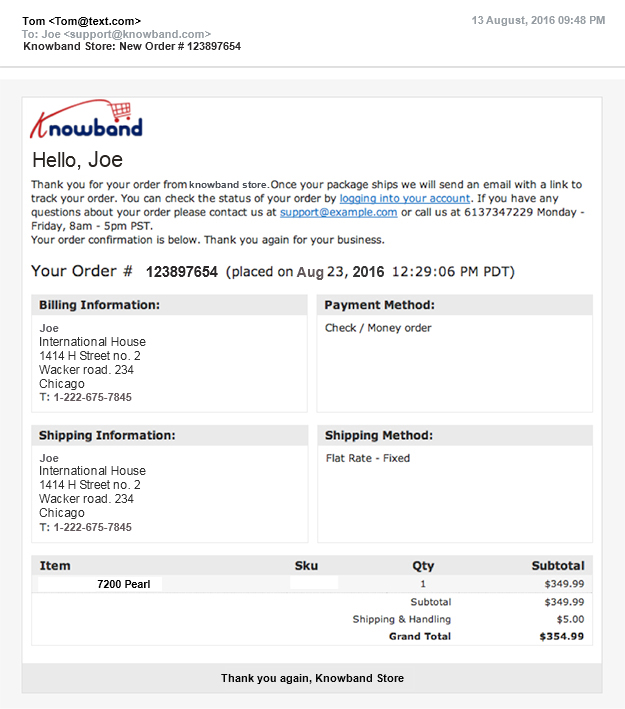
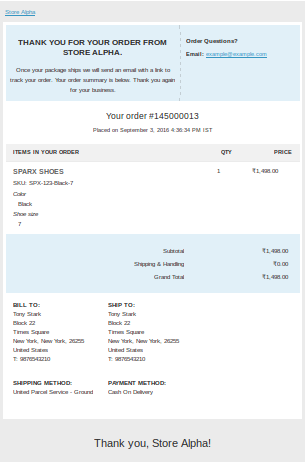
14. New Order-
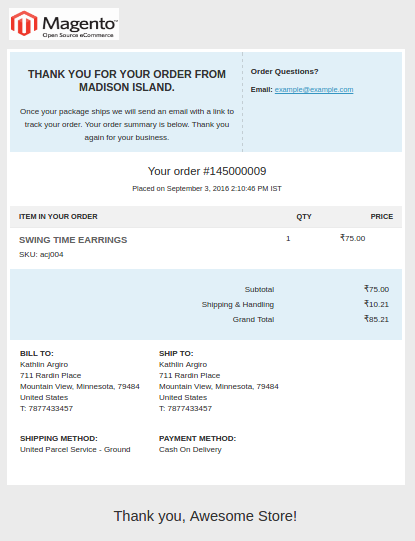
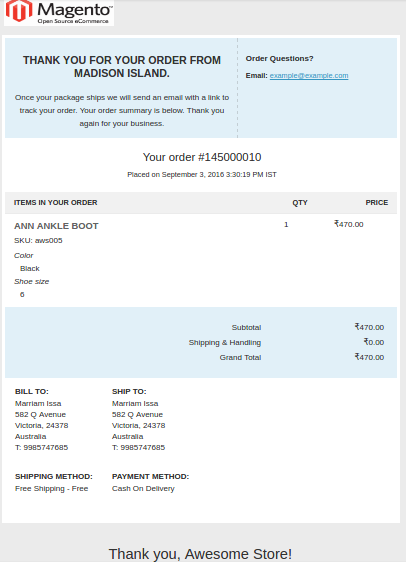
This email is sent to those registered customers of the site who has placed a new order on their account.
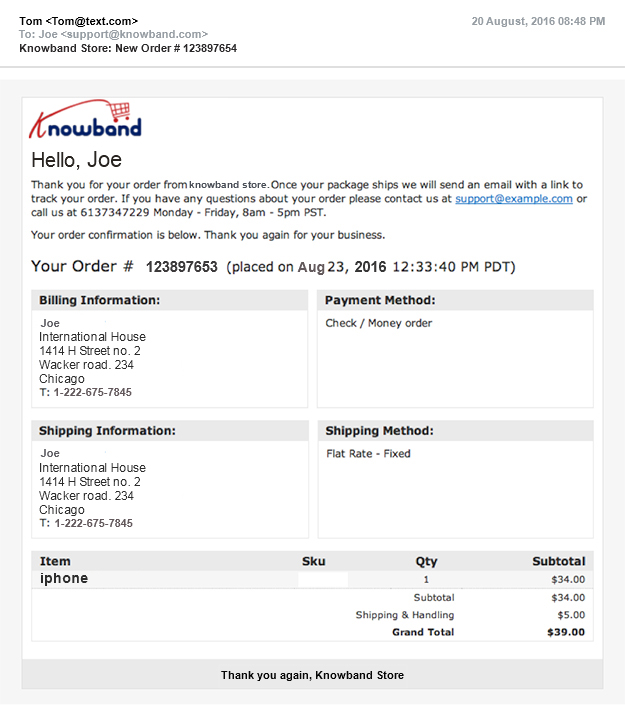
15. New Order for Guest-
If a new order is made on a website through a guest customer account, this email type is used.
16. New RMA-
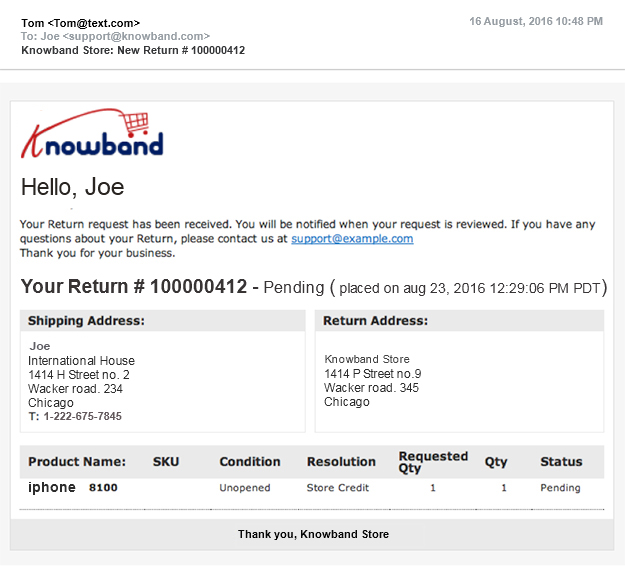
Whenever any registered customer applies for a product return RMA request, this email is sent to them. RMA means the Return Merchandise Authorization which needs the approval of the store owner before the product to be returned can be shipped back by the customer. The above email is an acknowledgement mail received by the customer which informs them that their product return has been received and is currently being reviewed.
17. New RMA for Guest-
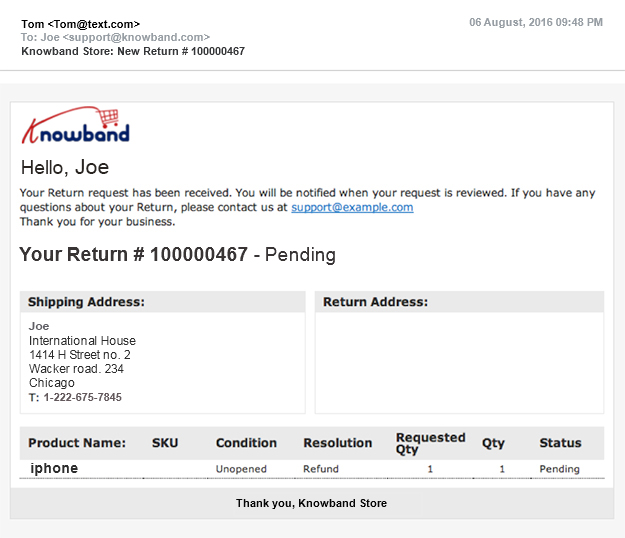
This type of email is sent to the guest customer if the RMA request for a product return is done by them.
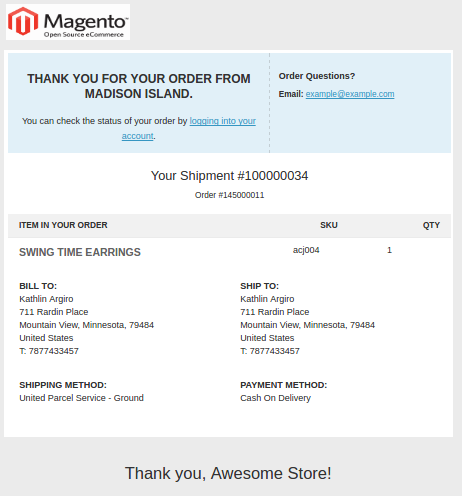
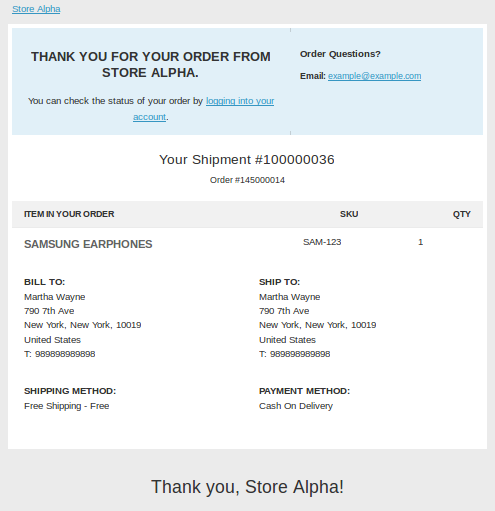
18. New Shipment-
If a new shipment is created on the placed order of a customer, this email is received by the logged in customer.
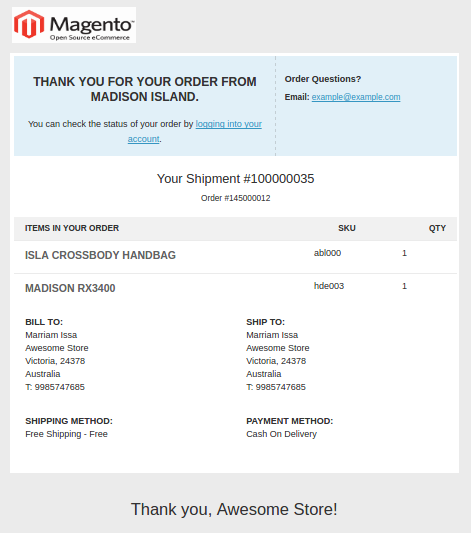
19. New Shipment for Guest-
This type of email is received by the guest customer if a new shipment is created on their order.
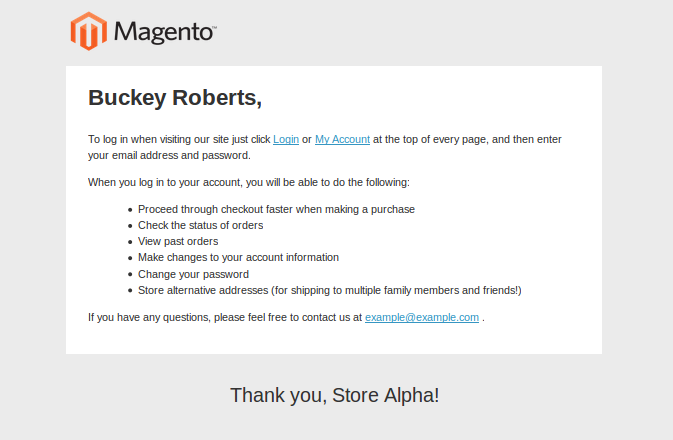
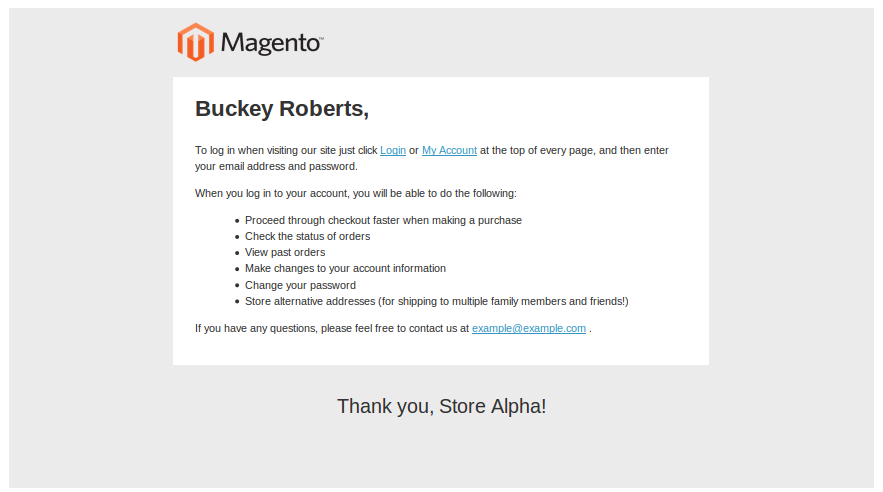
20. New Account-
Whenever a new customer creates an account on the Magento site, this email is received by them. The email consists of the account details of the new customer.
21. New Account Confirmation Key-
This email will be received by the new customer regarding the confirmation of their new account on your Magento site.
22. New Account Confirmed-
If you are that new customer who has confirmed the creation of his/her account, this is the email which will be received by them.
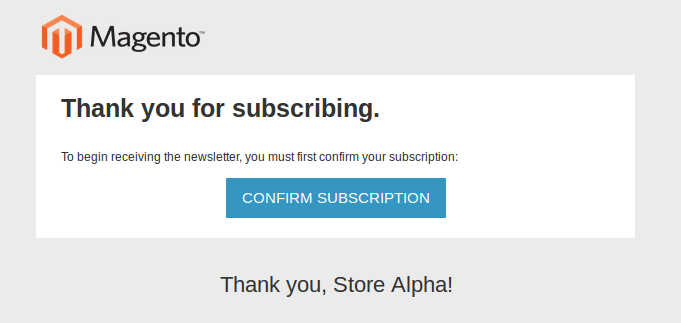
23. Newsletter Subscription Confirmation-
In case, you want your customer to confirm the subscription to your newsletter, this is the email which will be sent to the customer.
24. Newsletter Subscription Success-
This is the email which is received by the customer when they have confirmed for the subscription of your newsletter with or without the confirmation.
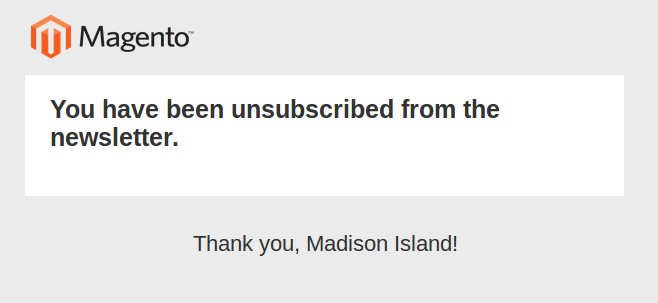
25. Newsletter Unsubscribe Success-
If you are that customer which has unsubscribed from a newsletter, this is the email which will be received by you.
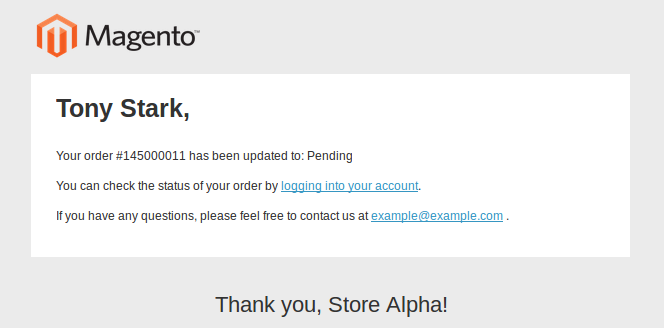
26. Order Update-
In case an updation is required in the order of a customer, this is the email which will be received by them. This email consists of the link to the customer order on your website along with the details of the update.
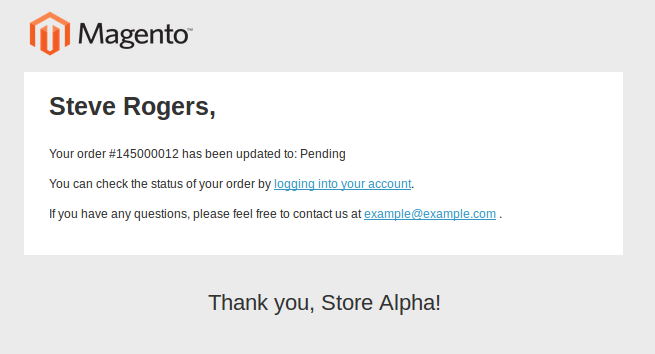
27. Order Update for Guest-
This type of email is received by the guest customer if the order requires any update. The email has the details about the order update.
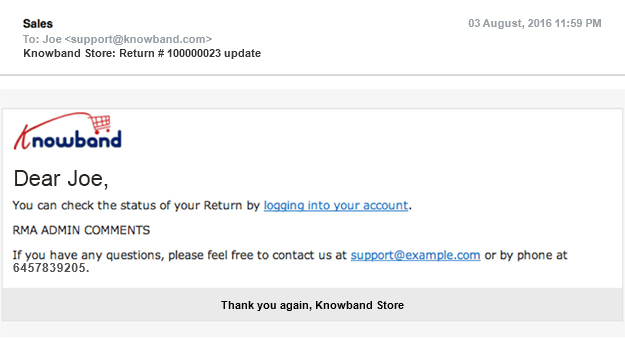
28. RMA Admin Comments-
This email is sent to the customer if any comments regarding the RMA is updated by the administrator through the Magento backend. The above email will contain a link to the account profile of the customer along with the admin comments regarding the RMA requests.
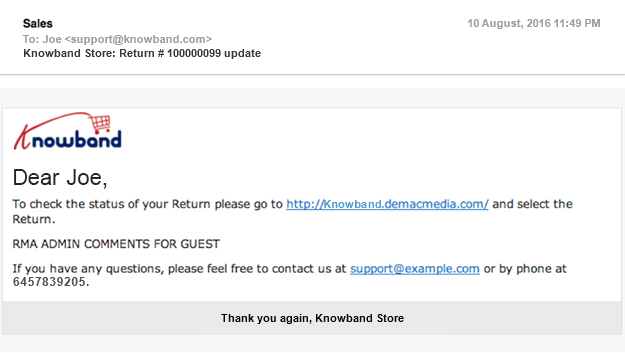
29. RMA Admin Comments for Guest-
Your guest customer will receive the above email if the comments about the RMA is updated by the administration through the backend of your Magento site. The email has information about the processed order for RMA request as well as other information for further discussion.
30. Remind Password-
For situations where customer needs to be reminded about their password, this type of email is sent to them.
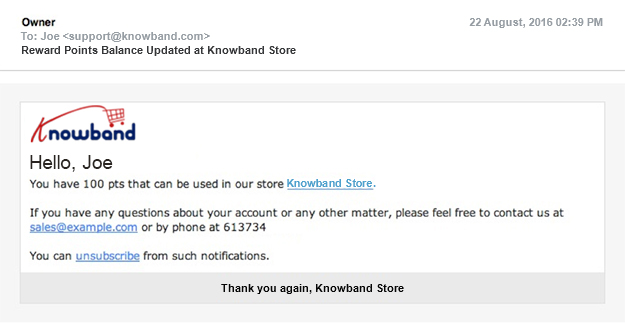
31. Rewards Points Balance Update-
This email sent to the customers remind them about their current inventory of rewards points. You can also set this action for automatic email updates through the backend of your Magento site.
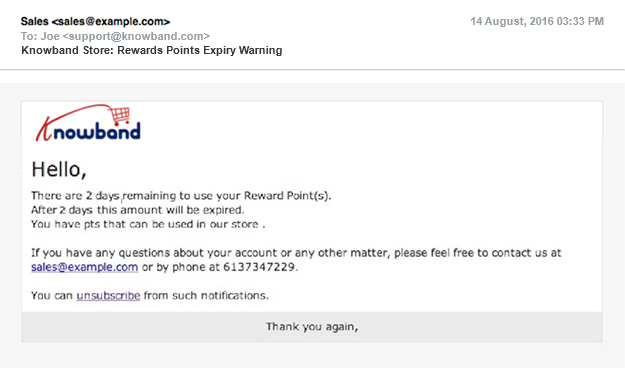
32. Rewards Points Expiry Warning-
Whenever the current inventory of the rewards points is about to expire, this email shown above is sent to the customers to remind them about the same. You can also set this action for the automated email warnings through the Magento backend.
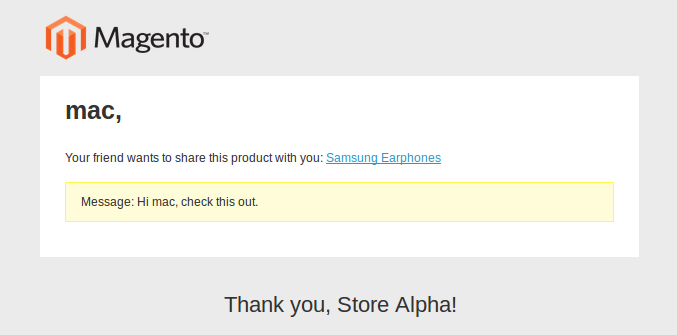
33. Send Product to a Friend-
In case, a customer emails a product to his/her friend from a Magento site through email, this type of email format is sent to that particular recipient mentioned in your customer email.
34. Share Wish List-
This email type is sent whenever the customer shares his/her wishlist with other person.
35. Shipment Update
Whenever the order of your registered customer is complete and the ordered item is shipped to them, this email will be received by the customer.
36. Shipment Update for Guest
This email is received by the guest customer if the order placed by them is complete and the item is eventually shipped to them.
37. Store Credit Update
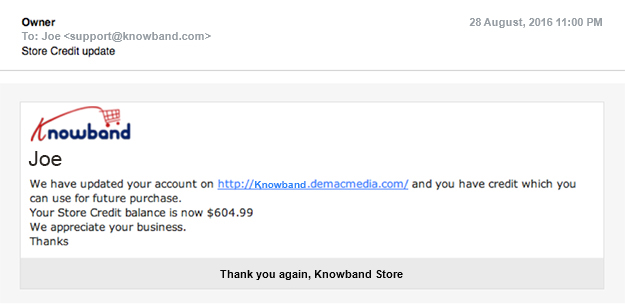
In case of any updates made in the existing store credit of the customer, this kind of email is sent to the customer.
With all these wide range of transactional emails on Magento platform, it is now much easier for Magento site owners to carry out their day- to- day functioning of their eCommerce site. All these email responses can be effortlessly initiated by the store admin by making little customization in the Magento site through the backend admin panel. Once, you are able to utilize these email templates, getting required conversion rates for your Magento site will be a smooth task.
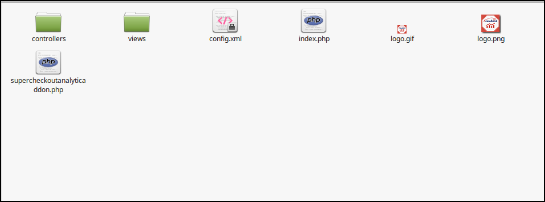
The folder structure of the Prestashop checkout page analytics by Knowband analytics addon folder.
Copy the whole folder named as checkout analytic addon by Knowband into your modules folder of the root directory of your PrestaShop store through FTP.
You can also upload zip folder of the module by clicking on Add New Module button, which should appear just in the top right corner of module listing page.
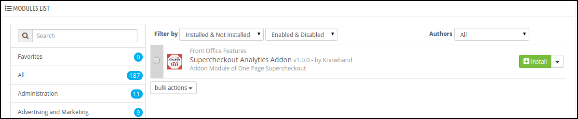
After that, you will be able to find the Google Analytics Prestashop addon ready to be installed in the Modules in your PrestaShop store as shown below.
Click on the Install link to install the Prestashop checkout page analytics module.
2.0 Admin Module
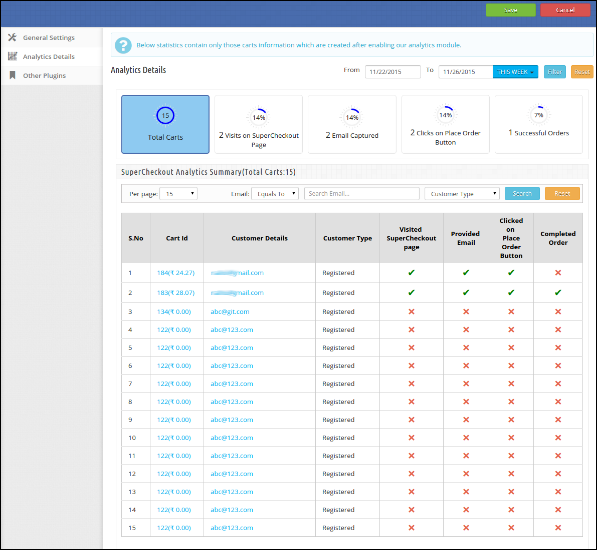
Here, the Prestashop store owner can enable/disable the Prestashop addon and see the analytics summary.
After installing the Prestashop checkout analytics addon into the store, the module will provide the following tabs:
General Settings
Analytics Details
Other Plugins
2.0.1 General Settings
On clicking on the configure link on the module listing page, configure link will automatically appear once you install the plugin.
The tab consists the following details:
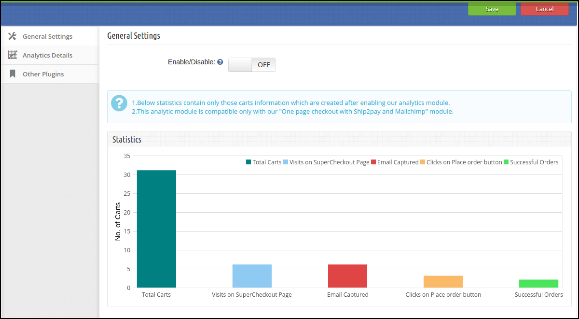
Enable/Disable: To enable the Prestashop google analytics, switch the enable button from OFF to ON. The default value will be OFF.
Statistics Graph: Graph shows the statistics of only those carts which are created after enabling the Prestashop module.
2.0.2 Analytics Details
This tab shows the details of following actions:
Total Carts: Shows the total number of carts created after enabling Google Analytics Prestashop addon.
Visits on Checkout Page: Total number of Customers which visit checkout page.
Email Captured: Total number of customers who have provided their email addresses.
Clicks on place order button: Total number of customers who click on the place order button.
Successful Orders: Total customers which completed their orders.
Table Consist the following columns:
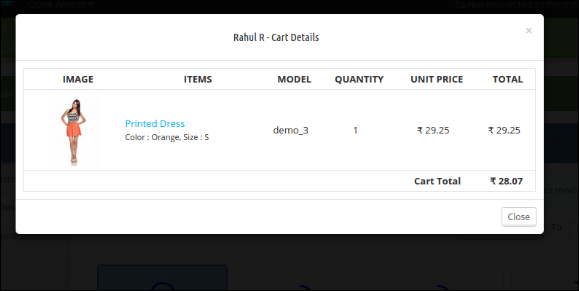
Cart Id: This column shows the cart id of the product along with its cart total. The Prestashop store admin can also see the cart details by clicking on the cart id.
Customer Details: This column will consist the customer email addresses. The Prestashop store admin can also see the details by clicking on the email address.
Customer Type: This column shows the type of customers. Whether the customers are Registered, Guest, Visitor or Visitor by email.
Visited Checkout Page: This column will show tick if the visitor/customer visits our checkout page otherwise, a cross is displayed.
Provided Email: This column will show tick if the visitor/customer enters an email address in the email field of checkout page otherwise, shows a cross.
Clicked on place order button: This column will show tick if the visitor/customer clicks on ‘place order button” on checkout page otherwise, show cross.
Completed Order: This column will show tick if the customer completed his/her order on the checkout page.
Recommendations
Install One-page checkout with Ship2pay and Mailchimp module before installing this Prestashop checkout page analytics module.
Always remember that the Statistics contain only those cart information which is created by enabling Prestashop checkout page analytics addon.
OpenCart is one of the most popular platform for the development of eCommerce stores and has gained global attention within a short span of time. There are no doubt multiple eCommerce platforms available for online stores but none can match the level of expertise and features offered by this OpenCart platform. It has been serving the numerous eCommerce stores around the world and is writing new success stories for various online business.
If you are not much aware about the world of eCommerce business, it is time to invest your time, money and efforts on this OpenCart platform. You would be certainly amazed with the numerous features and functionalities that come with this eCommerce platform to improve the business fortune of various online stores. It is not just OpenCart modules that makes this platform powerful but it contains various functionalities like SEO, ease of setup, payment and shipping services supported and much more. Let us discuss all these components that makes this OpenCart platform as the most suited for the eCommerce development services.
1. Provides simple installation steps-
It is now easy to get ready with your eCommerce store with the simple installation steps provided by the OpenCart platform. Once, you have installed this OpenCart platform, users just have to perform basic functions like template selection, product addition, theme selection and your store is finally ready to process its first order. In case, you are a beginner in the eCommerce field, you can take the help for a quick and seamless OpenCart installation.
2. Comes equipped with free and affordable themes and modules-
This eCommerce platform comes with an amazing built in template system that can help you change between various templates with just a simple click. Apart from this, OpenCart store owners can integrate various built in as well as third party OpenCart modules from Knowband store like OpenCart One Page Checkout, OpenCart Social Loginizer, OpenCart One Page Checkout Pro, OpenCart Abandoned Cart, OpenCart Ajax Cart+ and others to improve the functionality of your online store.
3. User friendly admin interface for store management-
With the help of this OpenCart platform, it is now easy to manage an online store through an interactive admin panel. Store admin can now easily add products, product photos, categories, define SEF URLs, customize shipping options, integration of payment options and other such activities for the effective store management without any hurdle.
4. Supports multiple languages for better customer targeting-
In an online business, customer targeting is important for the growth of an online store in this competitive business environment. Considering the importance of customer targeting, OpenCart platform is available in 17 languages to provide you connectivity to your multi- lingual customers around the world. In order to add the design a store in the native language of a country, user just have to upload the required OpenCart modules for integrating that particular language with their online store. With a simple click on the language flag icon, it is easier for the store owner to switch between different languages.
5. Offers a huge variety of payment and shipping methods-
Payment and shipping methods make a strong impact on the customer engagement and attention while making an online purchase. Furthermore, it has been seen that presence of multiple payment and shipping methods reduces shopping cart abandonments on an eCommerce store to a great extent. Site owners just have to upload the desired OpenCart modules to utilize the functionality of the preferred payment and shipping methods. Some of the various payment and shipping methods that are present in this OpenCart platform by default are mentioned below:
Payment Gateways supported in OpenCart:
2Checkout
PayPal
Authorize.Net
SagePay
Klarna
Paymate
Cash on Delivery
Bank Transfer
AlertPay
SagePay Direct and more.
Shipping methods supported in OpenCart:
Citylink
Flat rate
Free Shipping
Per item
Royal Mail
UPS
United States Postal Service
Pickup From Store and others.
6. Ensures statistical data to analyze sales report-
In order to measure the growth and performance of your online store, it is important to track your store activity. Users need to understand the impact of analytics and statistics on eCommerce sales for improving their business fortune. Currently, OpenCart offers three types of statistical reports for a better idea about the store performance. These reports are shown below:
Sales Report- Helps in the calculation of total sales by day, week or month.
Products Viewed- Provides information about the most viewed or most popular products among site visitors.
Products Purchased- Offers insight about the most sold products on a site.
With a careful introspection of all the above features, any eCommerce store owner can understand the importance of OpenCart for eCommerce business. The platform is packed with multiple features and functionalities that can optimize the performance of your online store without any hurdle. So, embrace this OpenCart platform for a powerful eCommerce development services.
Marketplaces are seen as the new medium of business engagement among numerous buyers and sellers community around the world. They are one place where people can simultaneously purchase as well as sell their products online. It is a wonderful platform to boost online business in a smooth manner without any hurdle. Apart from this, marketplaces are a wonderful option for small and medium eCommerce store owners for improving their sales among numerous competitors.
If you have not seen significant growth in your sales and conversions for a long time, it is time to avail of the expertise of various PrestaShop Marketplace extensions for a quick business makeover. These extensions are built on responsive web design that makes them suitable to be used on various devices like desktops, laptops, smartphones and tablets for targeting a large groups of users. Let us discuss various features and functionalities of these Knowband extensions that make them the perfect choice for numerous eCommerce store owners.
This PrestaShop module is meant for supporting various small and medium eCommerce store owners to boost their sales to a great extent. With the help of this marketplace extension, it is now possible to connect directly with the seller and buyer community without any middlemen involved. Although, there are multiple marketplace stores to explore it has carved out a niche place for itself among various available PrestaShop Marketplace extensions. Here are some of the various features that make this PrestaShop extension for conversions as the best choice for eCommerce stores.
Supports various themes, stores, and browsers for maximum customer attention.
Offers easy seller registration facility for buyers for a quick selling opportunity.
Provides detailed information about seller list, seller reviews, and seller profile for quick decision making.
Ensures various facilities like commission customization, seller profile setting, the inclusion of social URLs, and other such components for increasing sales.
Store admin can create various membership plans for the sellers as per their requirements.
It is now easier to keep track of the product quantity and get a timely alert regarding a low quantity on the marketplace store with the help of this PrestaShop Marketplace Addons. Some of the features of this PrestaShop Marketplace plugin are as explained below:
Provides facility to enable/disable low stock product notification.
Supports easy installation and configuration.
Compatible with multiple languages, SSL and other eCommerce stores.
Option to change product quantity for receiving low stock notification.
Now, customers on marketplace stores are now able to download invoice for their orders with seller information in a quick and flawless manner. By installing this PrestaShop Marketplace Seller Invoice Addon, you can get invoice quickly. Here are the few features that makes them as one of the best PrestaShop Marketplace extensions without any second opinion.
Option to choose multiple invoice layout.
Functionality to disable module for selected sellers.
Provide customization facility to change invoice prefix, hide store name or logo and other such functions.
Works with multi stores, SSL and multiple languages.
Easy installation and configuration facility.
If you are having a PrestaShop Marketplace store, these Knowband extensions are the perfect complement for a promising online business future. With the assistance of these PrestaShop Marketplace extensions, it is now an easy task to increase the performance and popularity of your marketplace store. Visit this Knowband store and embrace these PrestaShop extensions for marketplace stores to get the required site traffic, conversions and sales in a simple manner.