Magento Mobile App | Success story of Darveys – Online Luxury Fashion Store

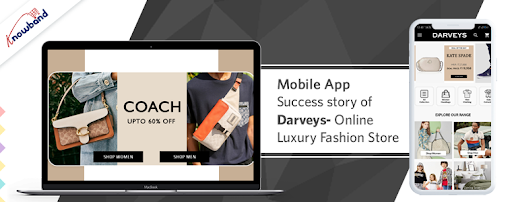
It’s past time to revamp your wardrobe of all things opulent and to indulge in designer fashion with ease and at reasonable prices. This article is a walkthrough example of a luxury brand that has created their mobile app using Magento Mobile App Builder and have been a part of many fashion lovers.

Get to Know the Luxury Fashion Store- The Darveys

Darveys brings a wide range of designer labels from around the world to your fingertips. The online shop is a must-visit destination for high-end clothes, designer handbags, boots, and accessories, among other things. Darveys online store features all of the designers that aren’t readily available in India.
Darveys is India’s one-stop-shop for luxury labels such as  Prada, Coach, Jimmy Choo, Diesel, Burberry, Calvin Klein, Michael Kors, Kate Spade, Ralph Lauren, Armani Jeans, Christian Dior,  Dolce Gabbana, Fendi, Furla, Emporio Armani, Tory Burch, Balmain, Balenciaga, DKNY and many more.

For creating a Mobile Application for this luxury fashion store, Darveys trusted Knowband’s Magento Mobile App Builder. The mobile app module helped this online discounted luxury retail venture to build a fully-functional application for their store available for both Android and iOs users. Darveys offers Luxurious Men’s clothing, Women’s clothing, Luxury bags, and Luxurious Accessory Brands for brand lovers.

-> You can visit the Darveys website to check out their exclusive range.

-> The one-of-a-kind online platform, Darveys has a Robust Mobile App with 10K+ downloads.

-> Explore the high-end luxurious brands on Darveys Mobile App:

  • Download Darveys Mobile App for Android OS
  • Download Darveys Mobile App for iOs OS

Darveys Mobile App Features that makes the app useful

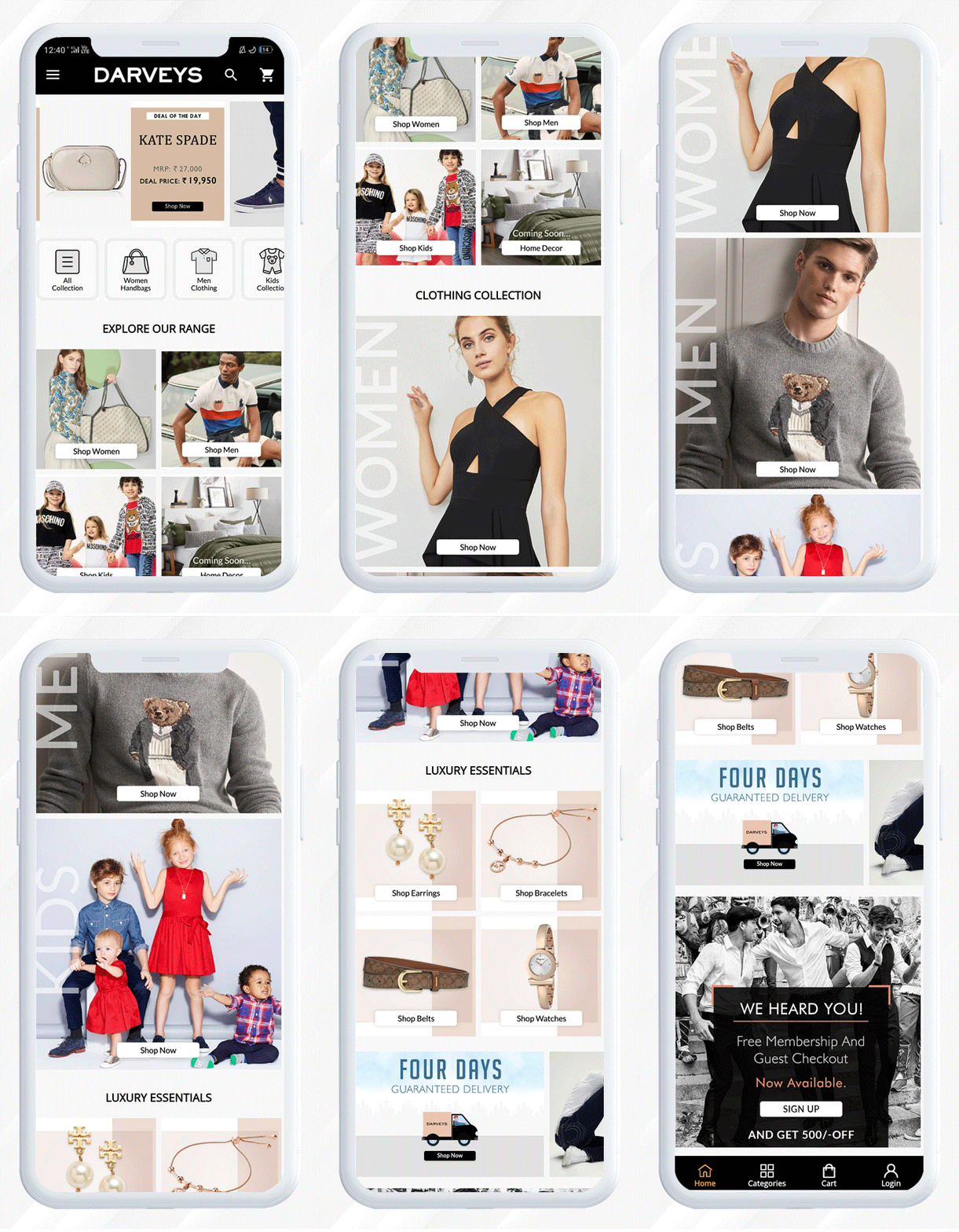
The Darveys mobile application is fast loading and organized. It has a custom landing page and a perfect mobile product page with clear navigations.
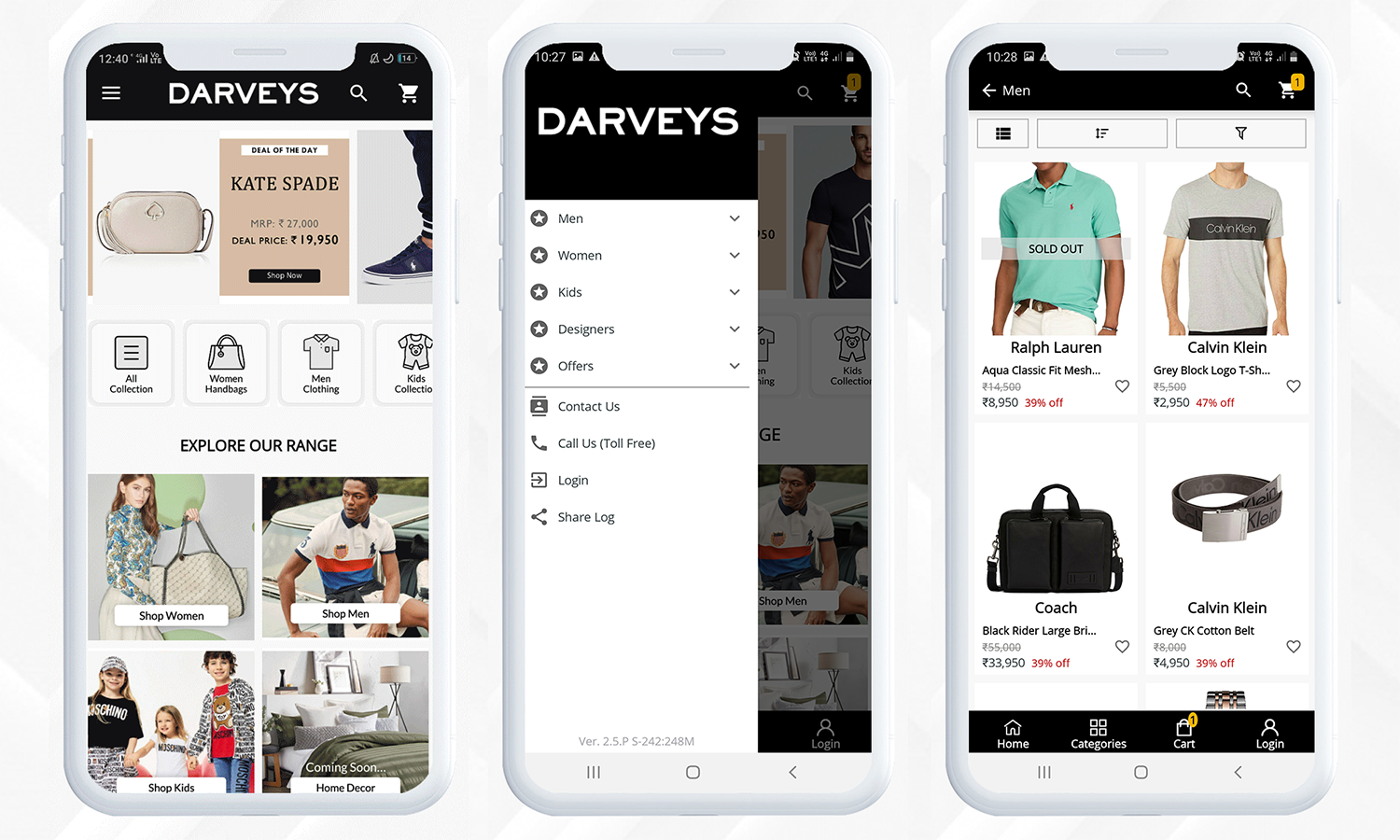
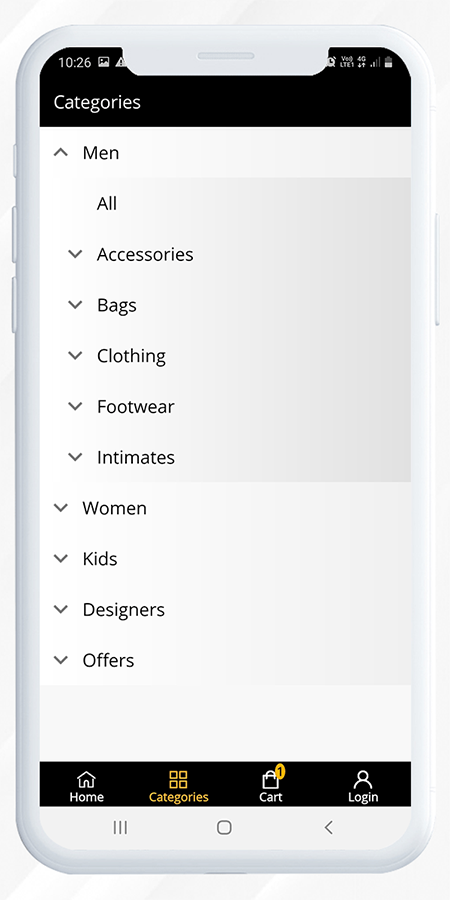
The application has a category tab for users to find the products with ease. Every category has several sub-categories to make the search task easier.
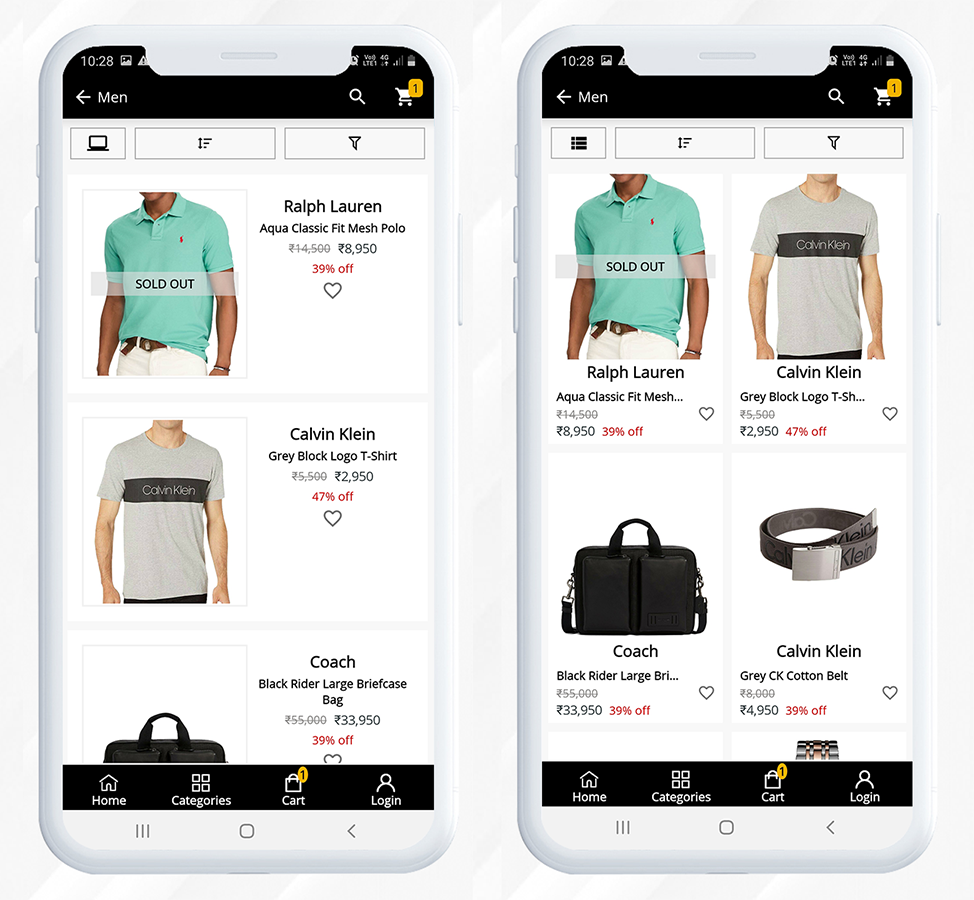
They even run discounts on luxury brands, like Deal of the Day, Flash Sales, Season Sales, etc. Customers can change the layout of the product display according to their convenience.
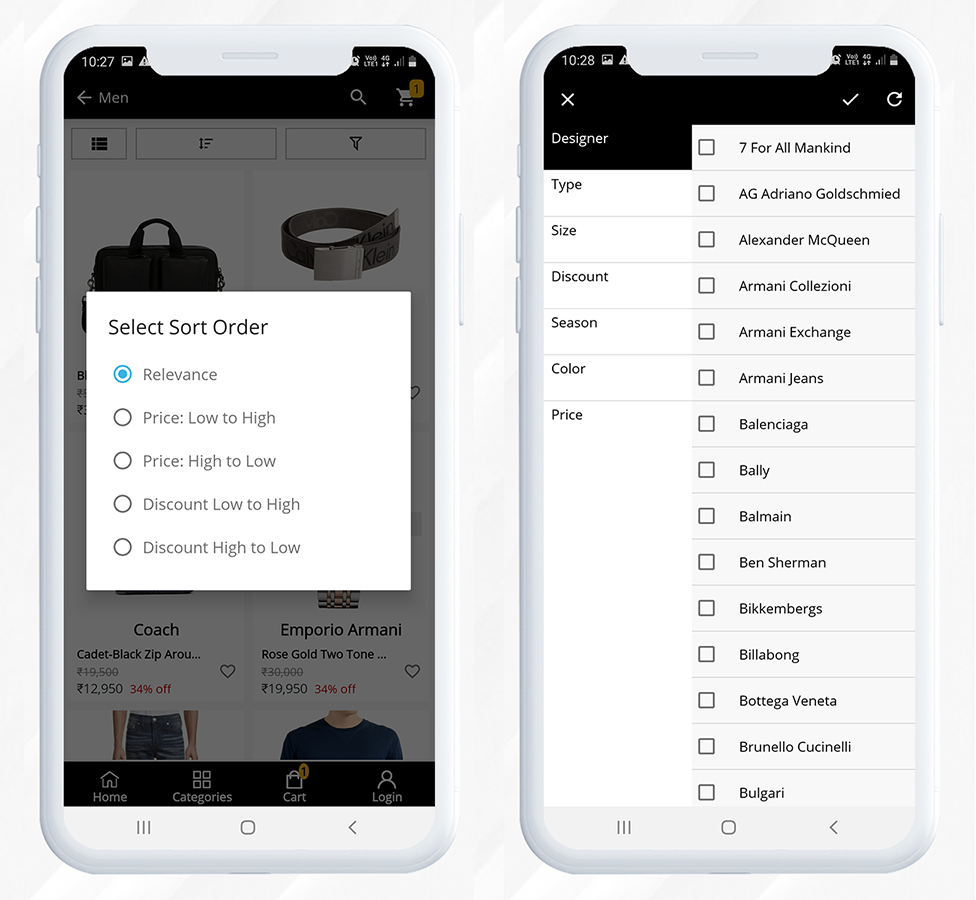
For improvising the shopping experience, filter and sorting options are provided on the product page.
When a customer visits a product, sometimes they like to add that to their future shopping list, and for that, the app has a wish list option.
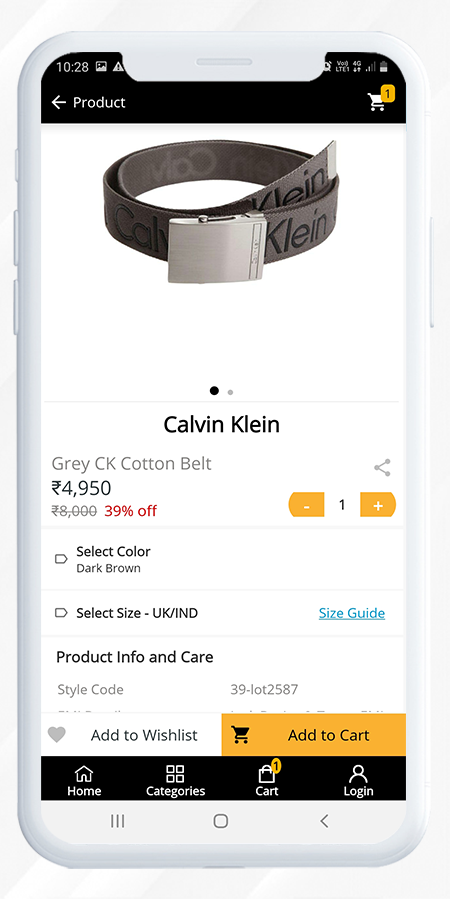
From the product page, the quantity can be updated for the cart. The CTAs are very well defined and any user can simply use the app. After adding a product to the cart, it will redirect the user to the shopping cart page. Now users can either proceed directly to the checkout page or they can continue shopping.
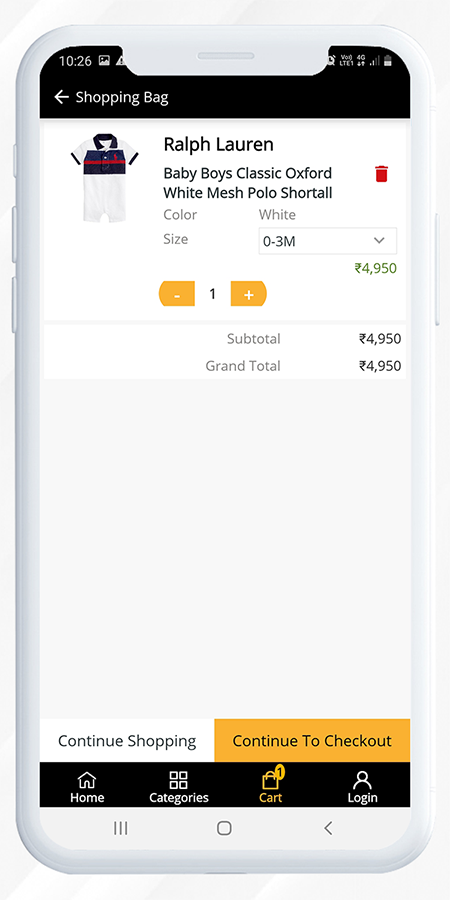
 

Checkout, Payment and Shipping methods in Magento Mobile App developed for Darveys
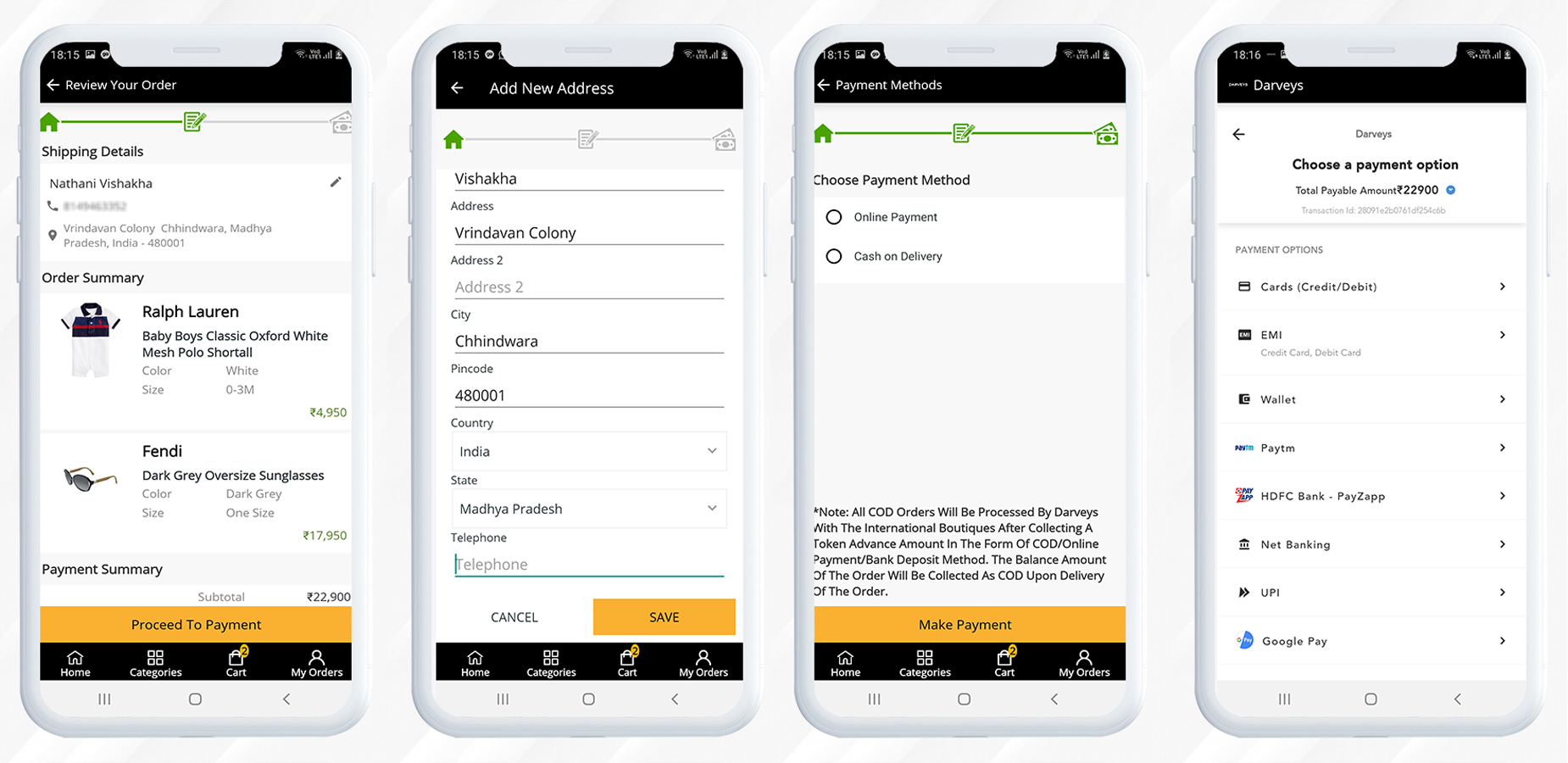
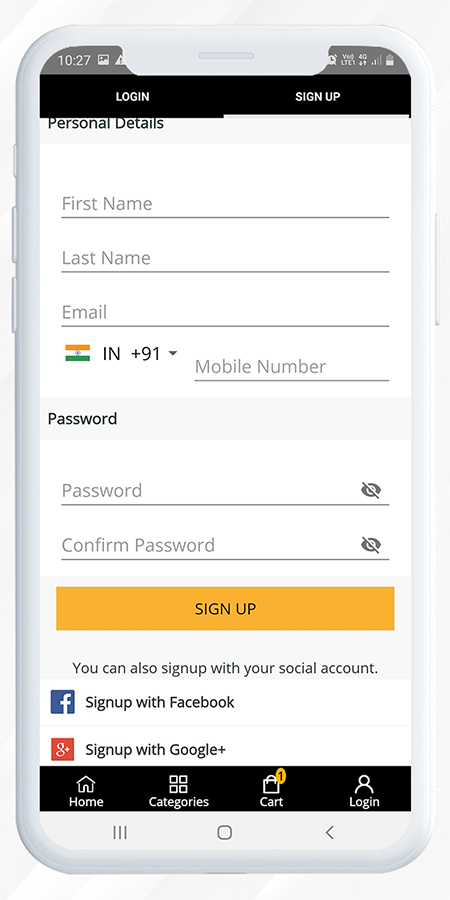
Now let’s see how a user can do superfast checkout on the Darveys Mobile App. If a user is already registered with the Darveys, then he just has to provide an email address and password or he can log in using Facebook or Google+ on Darveys mobile app.
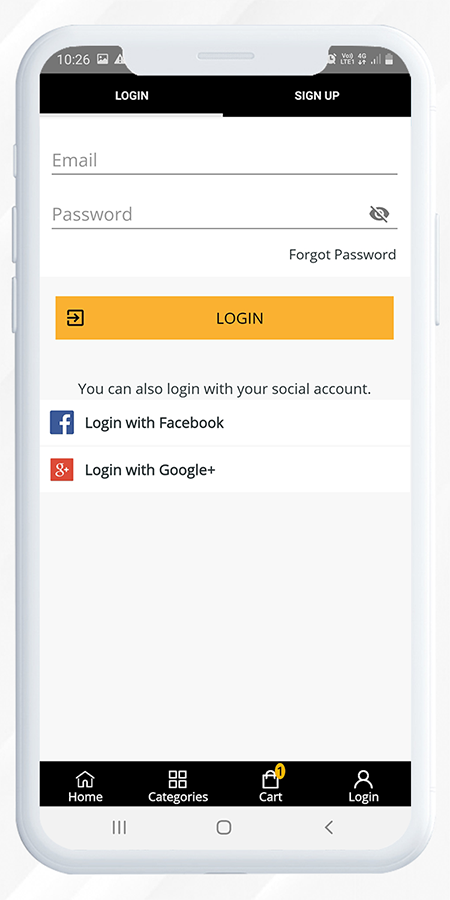
Also, the sign-up process or the registration process is simple and requires few simple steps to complete. To avoid the registration process, a new user can also sign-up using their social media accounts.
The checkout page of darveys mobile app created with Mobile App Builder has single page checkout design and can enhance the user experience the most. The customer will have to enter the shipping details first.
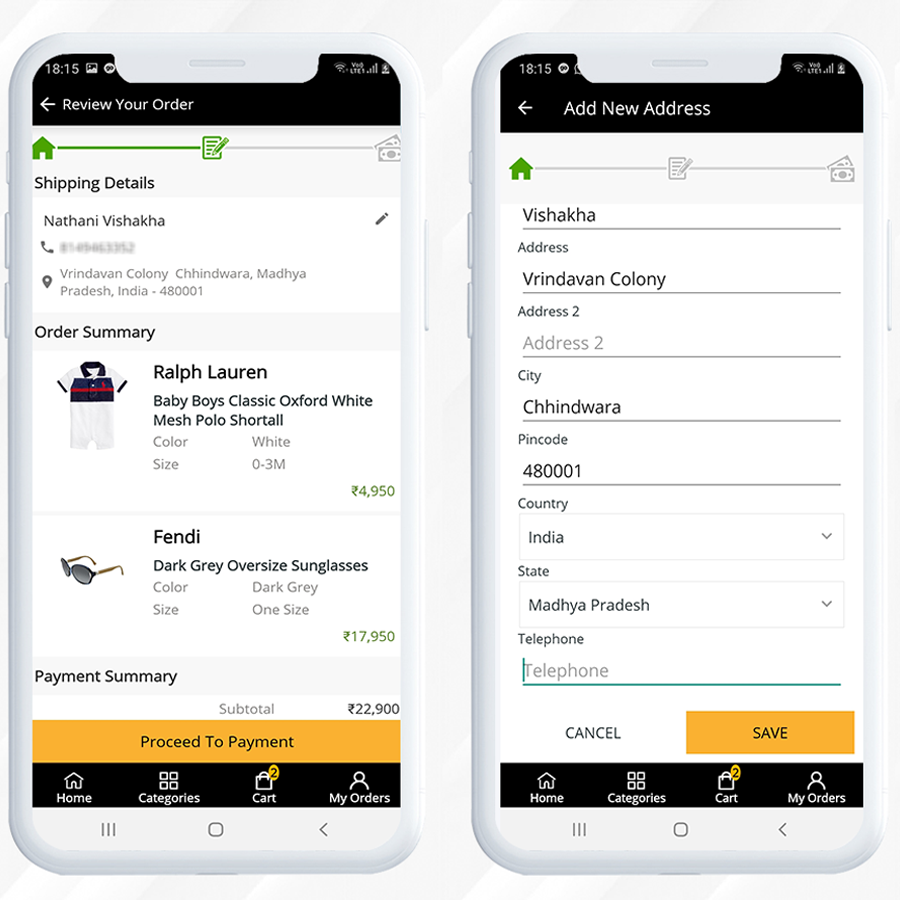
After selecting the payment method (COD or Online Payment Method) their order will be placed.

Wrapping-up

This mobile app is a live example of Knowband’s Magento Mobile App Builder plugin that is exclusively designed and customized from the customer’s point of view and it helps your business to reach the zenith.

Knowband provides custom mobile app development services and website development services for various eCommerce platforms. We believe in quality and our eCommerce products are trusted by thousands of clients all across the globe.

For any eCommerce module, you can visit our store or you can reach out to us at support@knowband.com via email.

6 Creative Easter Marketing Ideas for your OpenCart store

Easter is a holiday that encourages people to unwind and enjoy themselves, but it’s also a perfect time to get your company in front of current and prospective customers by using seasonal promotions. Why is it important for eCommerce marketers to come up with “egg-cellent” Easter marketing concepts? It’s that fast. Easter has grown into one of the year’s most profitable shopping holidays. But what about Easter marketing ideas for online shopping? Don’t worry, we’ve got you covered.

Here are some eCommerce Easter marketing ideas for OpenCart stores that are looking for some last-minute promotional tactics to bring your business to be front of mind to existing and new customers.

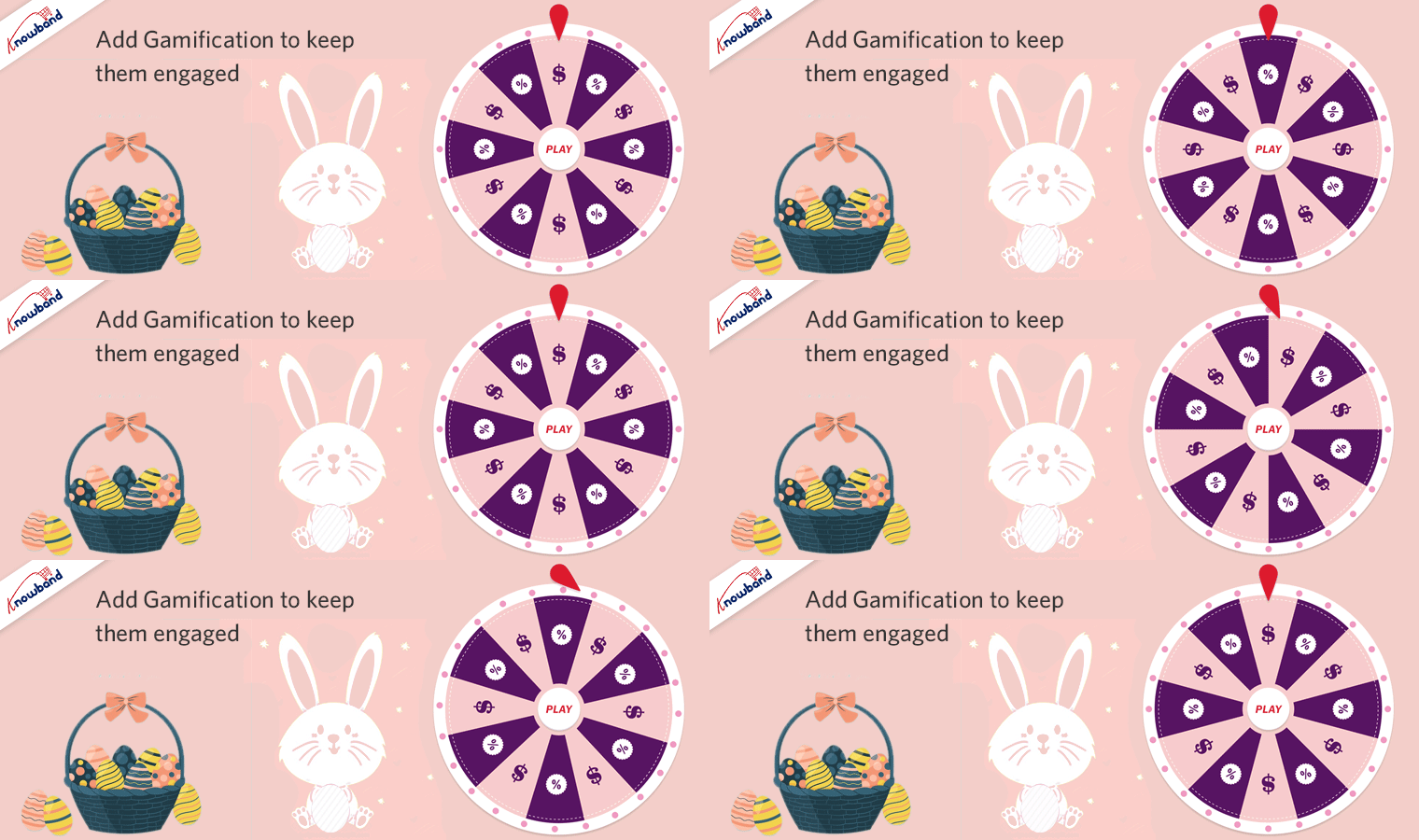
  1. Add Gamification to keep them engaged

Gamification is a fun element used in every aspect of business and digital media. Using Gamification for your Easter marketing campaign will increase the average spend time of the user on your OpenCart store.

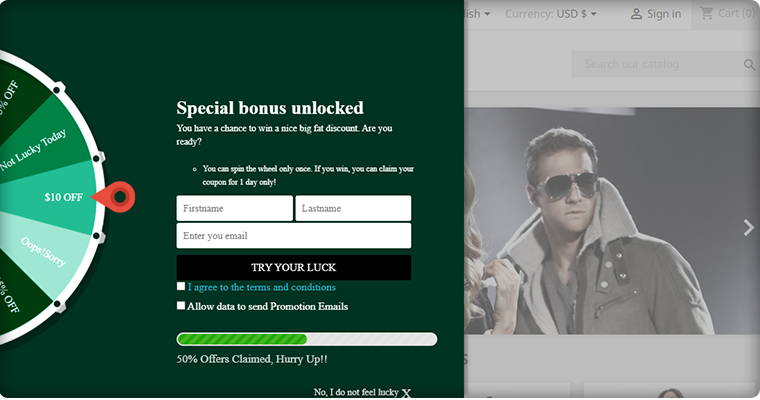
Give your home page a new look with gamified Easter-themed Spin and Win Lucky Wheel. It can be customized by changing colors and adding different promotional deals on each slice. Customers get motivated with the catchy text and the result, the final reward that keeps them encouraged to take the chance.

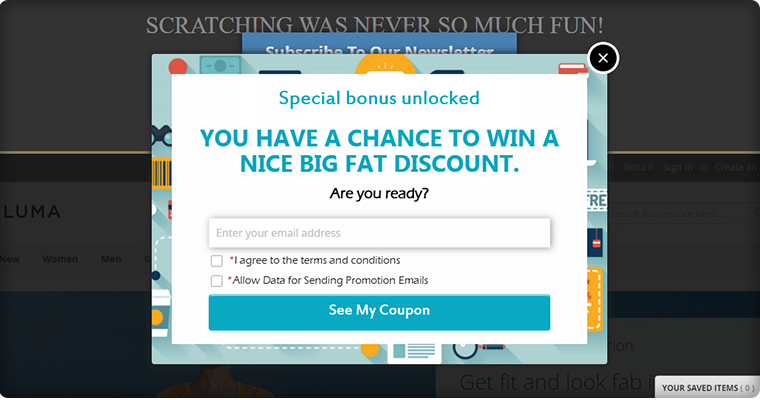
Another Gamified element that can be used for Easter marketing is Scratch Coupons. Scratch cards create suspense and scratching them virtually engages the user for longer. You can put some egg-themed scratch cards on your OpenCart store and ask users to find them. Yes, an Egg hunt!

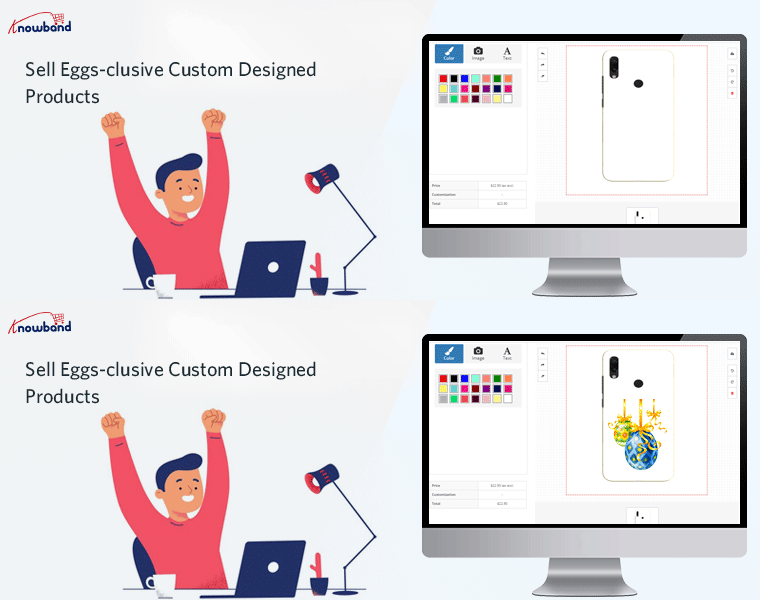
  1. Sell Eggs-clusive Custom Designed Products

To benefit from Easter marketing, you don’t need a big marketing budget; simply start small and expand. If you are selling products like clothing, gift items, or anything that can be customized, turn it into an opportunity. Start your Print-and-sell business and design custom products. For instance, a bunny printed coffee mug can be a good option to start with.

  1. Personalized Easter special Gift Cards for Loved Once

Every customer is your main and in 2021, giving personalization is in trend. The next Easter marketing idea is to enhance the personalized user experience of existing customers, bring new customers, and boost sales. Giving eggs during Easter is a way for Christians to celebrate new life. Offer personalized egg-themed Gift Cards on your OpenCard store and let them have the joy of giving.

  1. Use ‘Facebook Share and Win’

This isn’t a new marketing idea but you should definitely include ‘Facebook Share and Win’ in your Easter marketing plan. For your OpenCart store, a customer can share your products with their friends and family on their Facebook page. You can reward them with deals and discounts on every share they do. This Easter marketing idea accomplishes a lot with one share.

  1. Send emails with eggs-citing deals

Set the tone for your advertising campaign by using Easter-themed marketing materials and giving your company an Easter feel. Using a creative Easter-y subject line with a perfectly tailored email can force your customers to click on the email notification. Emails are one of the most competitive marketing channels but to stand out, you have to go out of the box. OpenCart Follow-up emails can help you with this.

6. Use Coupons to boost sales

Don’t be afraid to run an Easter marketing campaign to entice potential buyers to purchase from you. Generate coupon for your Brand, for a specific customer, on a particular Payment Method, or on a Shipping Method, etc. through OpenCart coupon code generator extension. Customers can take advantage of a variety of discounts and shop as much as they want. The coupon code can be easily applied on the checkout page that enhances the shopping experience for customers.

Finally, with that in mind, you’ll need to time your Easter marketing plan perfectly, just like the perfect egg. To inspire consumers to buy your goods and services, plan ahead and revisit your marketing strategy. We’ve talked about some fantastic Easter marketing ideas to get you thinking. Now it’s up to you to build and ride your brand’s sugar high with your own innovative marketing strategy! Get to work.

Support:

For any eCommerce assistance, contact KnowBand at support@knowband.com. Our experts will help you with your issues.

Looking for more business marketing ideas?

  1. Last Minute Easter Marketing Campaign Ideas for 2021
  2. Ecommerce Marketing Calendar 2021
  3. 10 of the Best eCommerce Marketing Ideas to Jump-Start Your 2021
  4. 20 E-commerce Marketing Strategies for Beginners

Last Minute Easter Marketing Campaign Ideas for 2021

During festive days, most of the purchase decisions are driven by emotions.  Easter is one such festival with lots of feelings attached and is celebrated all across the world. Amid the new COVID strain, for Easter marketing you have to adopt some tactics that can be beneficial for both, you and the buyer and let your buyer purchase with convenience and in their comfort.

Eggs-clusive Easter marketing tips to boost sale on your website

Every big brand is running Easter discount on their online and brick-and-mortar stores. Why you should sit at home? Egg-hunt is the most exciting part of Easter marketing ideas. Run a deal or an egg hunt on your store.

1.     Offer Discount and Run Easter Deals

Everyone wants to feel like they’re getting a good deal on Easter, and promotional deals will convince a customer to buy from you instead of your rival. This can be done in a number of ways:

  • You can run deals on specific products or all across the store.
  • You can also offer a buy one, get one deal and this special always works.
  • Bundling items that fit well together will save the consumer time and money. Chocolate, hot cross buns, and coffee, as well as several fluffy toys for kids and the components of an Easter egg painting kit, may be included in a gift hamper.

To run deals, you can use deals and discount-related modules on your eCommerce store.

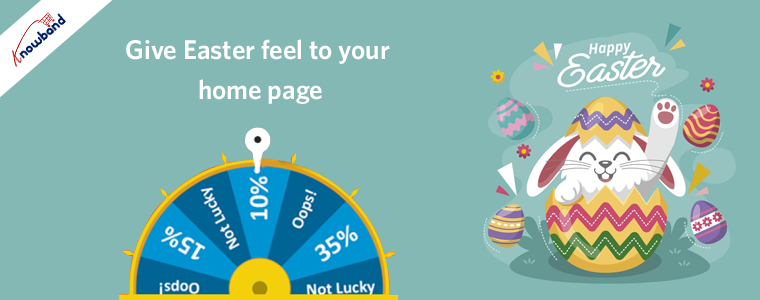
2.     Give Easter feel to your Home Page

You must be offering some exclusive Easter deals or coupon codes for Easter marketing. On the top banner, display them to the users. Visitors to your site will see this thin banner at the very top of the page. Use the photos along with some insightful and catchy text to remind your users of the different ways they can profit from your Easter sale. These banners can be used to display discount codes, promotional deals, and more.

You can also add gamification on your website’s landing page by using an exciting Spin and Win wheel. Customers get encouraged to take a chance in order to win a reward. Add catchy lines on the text area that drives their attention. You can show the number of offers claimed by the wheel to create the FOMO.

3.     This Easter, Create the Urgency

Every day leading up to Easter, promote a different special offer to invite people to visit your social media and/or e-commerce sites. Alternatively, you might build your Easter marketing campaign to generate a sense of urgency by making deals available for a limited time only or stressing “While supplies last!” to inspire customers to purchase sooner rather than later. Include a countdown timer on your eCommerce website for unique products. The sense of urgency is a special card that always works and promotes impulsive buying.

4.     Promote Easter Gift Cards

What services would you have on your own website? Gifting is a major part of Easter celebrations, and it’s a fun experience for both the giver and the recipient. You could inspire your audience to share the joy of giving by encouraging them to give the Gift Card to loved ones or those in need and this is a feel-good Easter Marketing Idea. Providing a customized Easter-themed gift card to do so will help spread the word.

Play Social Media Card to win your customers

Every business has its social media pages and is investing a lot in social media campaigns every year. For the Easter marketing campaign, use your social media pages for bringing more traffic to your website.

5.     Run a Give-Away Contest on Social Media Pages

Easter is a festival that brings people together to eat, play, and spend time with their families. So, rather than going for the hard sell, use Easter to make your brand a part of the tradition. Easter giveaways on social media are a great way to join in the fun.

For instance, the long Easter weekend is a wonderful time for opulent gluttony… that is, lots and lots of chocolate. As a result, chocolate eggs, cookies, and Easter baskets make great prizes for your Easter social media giveaways.

6.     Create #Easter special Hashtags

You may also use social media to try out user-generated content. This Easter, request your fans to take a selfie, share their best work, or share their favorite ways to use your items and then share them on social media with a special hashtag containing your company’s name.

Send Emails with Exciting deals and offers to eggs-hilarate your existing customers

Email is also one of the most effective ways to communicate with people online. Another creative Easter marketing idea is to create an email with your Easter deals and promotions and make sure to include a catchy subject line. Since your email will most likely be competing with several others in your customers’ inboxes, you’ll want to spend some time crafting the perfect subject line.

You can add some Loyalty Points to your customer’s wallets and motivate them by creating a sense of urgency. For instance, you can put a validity period for the points added that will trigger the psychology and motivates them to shop earlier.

In conclusion, Easter is a perfect time to draw new and returning customers to your online store and improve sales. Get into the holiday spirit by putting together a basket of egg-citing tactics that are both festive and beneficial to your online company. The company will be booming before you know it!

Read More Marketing Ideas:

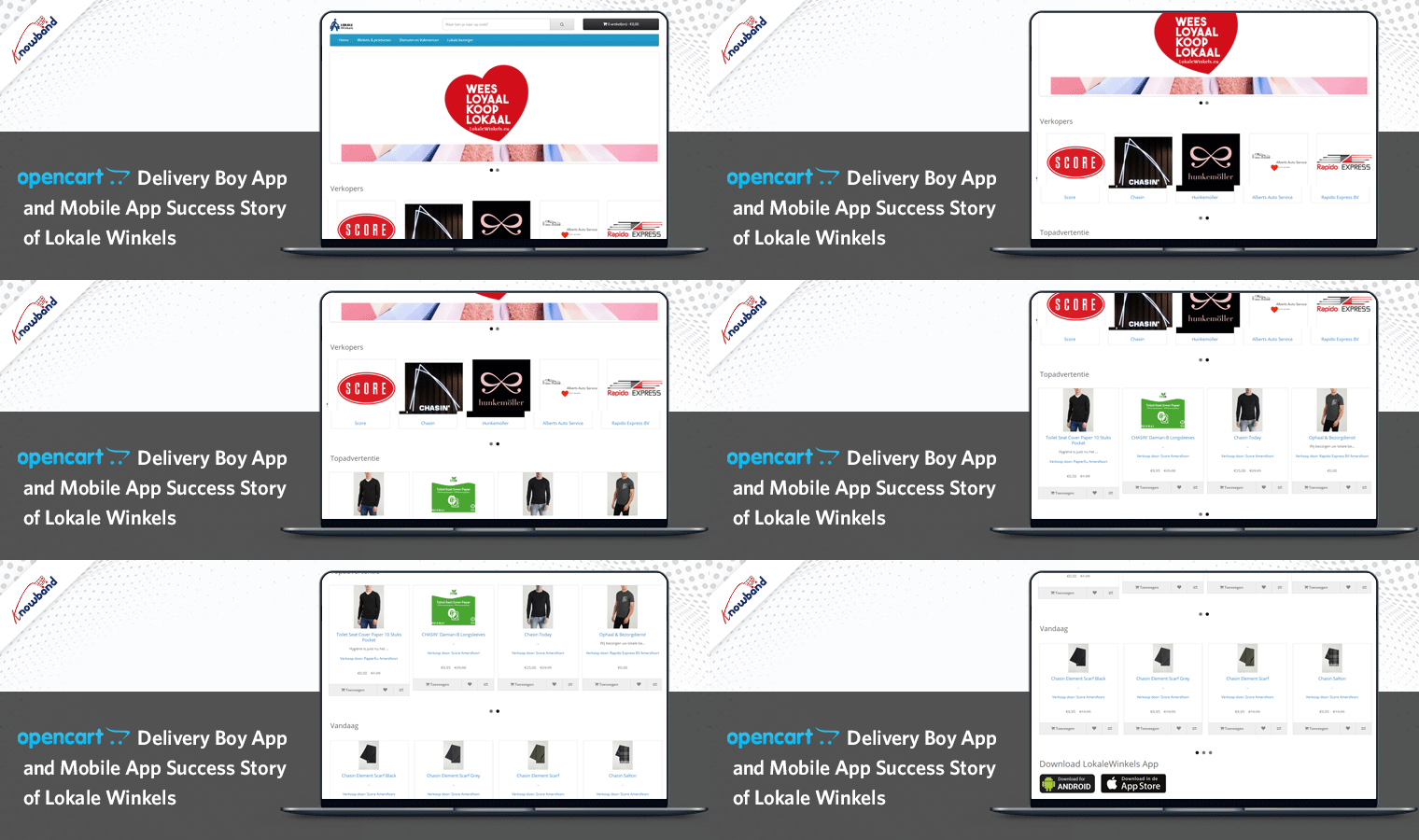
OpenCart Delivery Boy App and Mobile App Success Story of Lokale Winkels

Converting an idea into a working mobile app requires commitment, testing, and unwavering efforts to make it big in the world of the mobile application growth. In the nascent mobile app industry, it is possible, yet difficult, to develop a mobile app that is loved and celebrated by millions of users.

However, in order to achieve your objectives, you must find good motivation.

To inspire you, we have a mobile app success story of Lokale Winkels that will provide you with strong motivation:

Get to know Lokale Winkels

It’s an online marketplace where you can conveniently and quickly find goods from a seller in the area you specify. Once the order is placed, the user can either pick up the item from the vendor or it will be shipped within a couple of days.

Your items are immediately collected in the store and ready for pickup or delivery after you place an order.

They have all the categories listed on their website and a customer will find everything that is required in day-to-day life.

A walkthrough of the successful Mobile App

A mobile app becomes a success story only if it is completely responsive and is well navigated. The Mobile App designed by KnowBand for Lokale Winkels is fully-featured and gives a satisfying user experience to the user.

1.     Mobile App’s Look and feel match the website’s theme

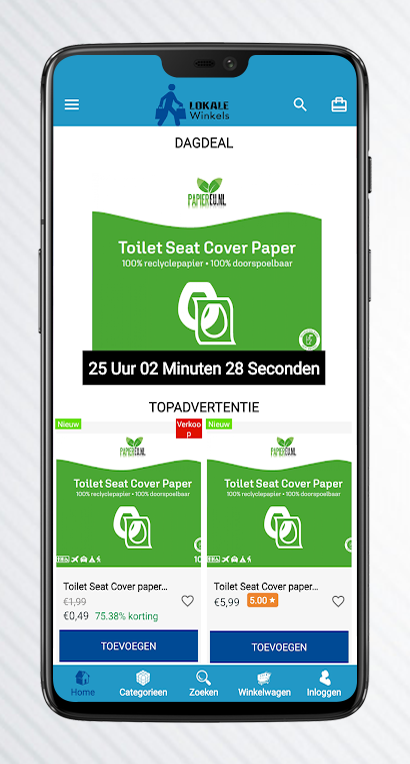
The mobile app has the brand logo and customized design that matches the original theme and design of the Lokale Winkels website.

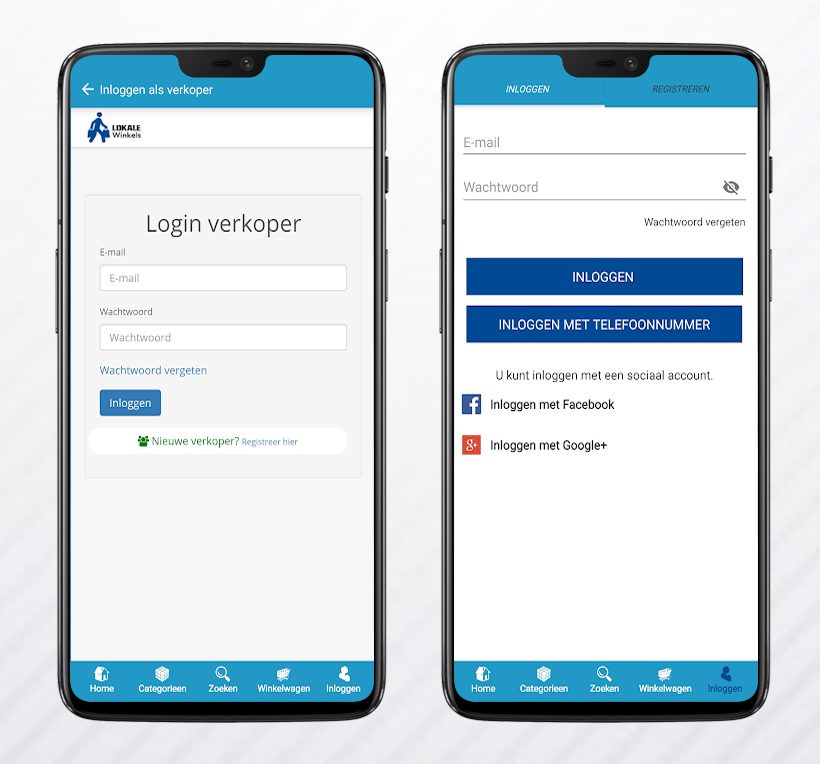
2.      Login for customers and sellers

There are separate login options for both customer and the seller. The mobile app user can successfully log in via email address or they can sign up using their social media accounts like Facebook or Google+.

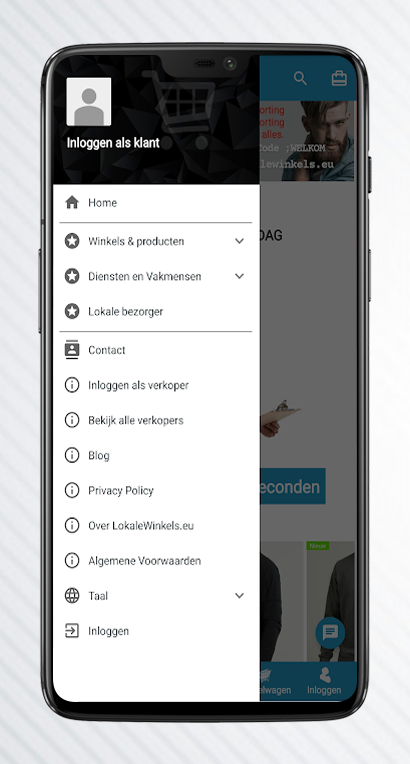
3.      Menu tab with several clear actions

The mobile app has easy to understand menu tab with clear navigation for various pages like blog, contact, etc.

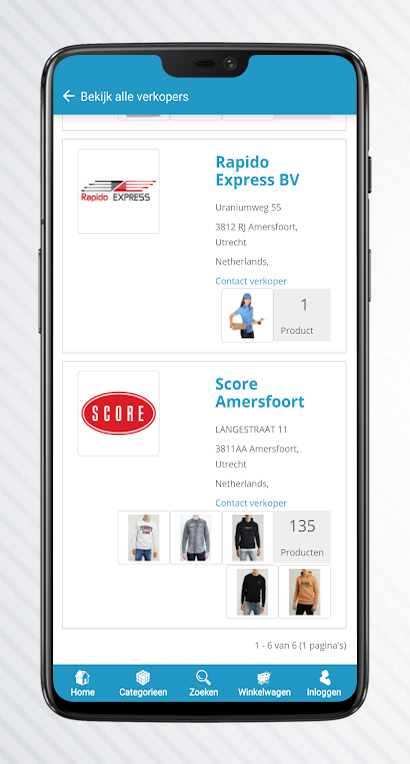
4.      Customers can visit the individual sellers’ profile

All the registered seller profiles can be visited by the mobile app user. A customer can order the product from the product page or by visiting the individual seller profile.

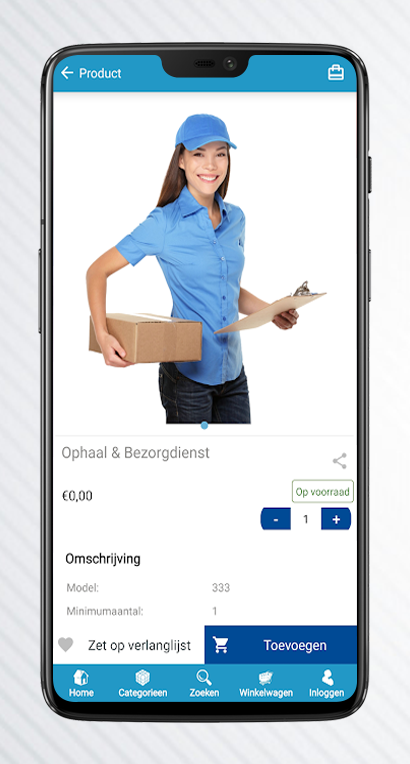
5.      Adding products to the cart is super easy

Every customer who is using a mobile app can easily add the products to their shopping cart. It has a clear CTA and also an easy button to update the product quantity.

-> Click here to explore the Mobile App Builder Module for the OpenCart platform.

A short tour of Delivery boy Mobile App

With the success of the Mobile App, Lokale Winkels also build their delivery boy mobile app to manage the deliveries hassle-free. It has several functionalities for the delivery person.

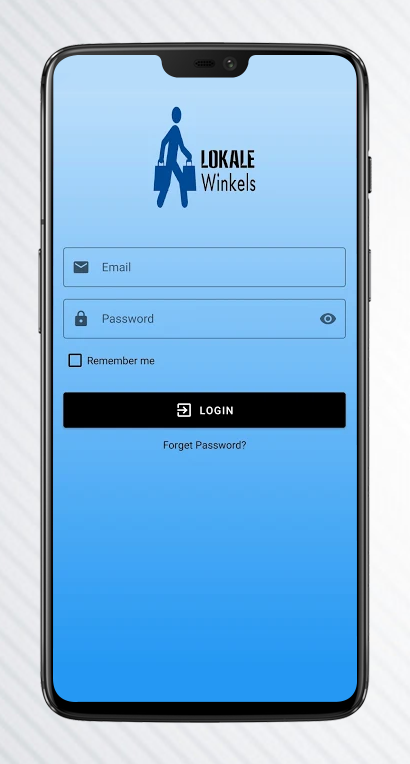
1.      Delivery Boy Login

A quick and easy login for the delivery boy can be done using Delivery Boy Mobile App. Most of the individuals face issues in remembering the password. To combat that situation, the user can save the registration credentials by clicking on the ‘remember me’ checkbox.

In case the delivery boy forgets the password then it can be recovered by the ‘Forgot Password?’ option given on the same login page.

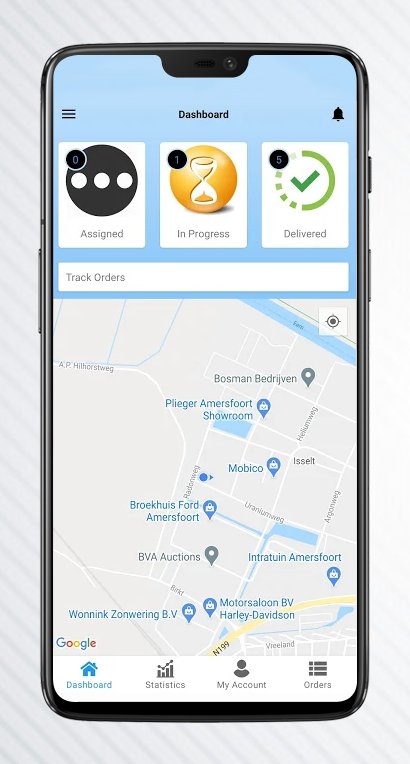
2.      Assigned, In-progress, and Delivered

The delivery boy app has clear navigation for the delivery person. Who is assigned with the order and the status of the order can be tracked?

This also shows the final status ‘The Order is delivered!’

3.      Google Maps for location tracking

To deliver the order successfully, it is important to know the exact location of the customer. Delivery boy will be able to track the location by using the integrated Google Maps.

4.      Admin Interface of Delivery Boy App

The store administrator can add several delivery boys, and the delivery boy’s login credentials will be emailed to him. The store administrator can monitor and manage all deliveries from a single admin screen, making it easy to keep track of all orders.

OpenCart Delivery Boy App has several features for admin and the delivery boy agent. All the orders can be tracked by both. In case a delivery boy denies the assigned delivery task, he has to provide a valid reason for the same. The Delivery Boy App for Android and iOS is completely native and will be available on Google Play and the Apple App Store.

In conclusion, the above mobile app success story perfectly illustrates KnowBand’s Mobile App Builder module and the Delivery Boy Mobile App and how useful they are to the seller, customer, and delivery boy. It allows the admin to manage the marketplace with ease. The OpenCart Mobile Apps are multi-lingual compatible with the fastest One Page Checkout integrated into it. It makes inventory management super handy with its robust real-time synchronization feature. KnowBand offers 24*7 support to the client and helps you with the complete customization of the mobile app.

Explore OpenCart Mobile App Builder Module: Click Here

Explore OpenCart Delivery Boy App: Click Here

Support 

To explore the mobile app, you can visit the KnowBand store. For, any mobile app requirements or queries you can write to us at support@knowband.com.

Martin Grow Shop – The Best Walkthrough Example for PrestaShop Modules

Martin Grow Shop is a popular green store where you can find a variety of seeds and plants that are grown indoors. The purpose of building Martin Grow Store was personal creativity and technical experimentation in the field of botanical cultivation. It is situated in Italy and not just the plants and seeds but, you’ll find many other products from tools to shop lights on the same platform. They have created their website on the PrestaShop platform and have installed some of KnowBand’s popular PrestaShop modules to enhance UX and customer experience on their store.

The website runs smoothly and you will get a satisfying user experience all over from the landing page to checkout and payment gateways. All of its web pages are mobile responsive. They have even secured the website from bots and spammers by Google reCaptcha. Let’s have a look at the PrestaShop Modules installed in Martin Grow Store that adds a pleasing user experience to the store.

KnowBand’s PrestaShop Modules live on Martin Grow Shop:

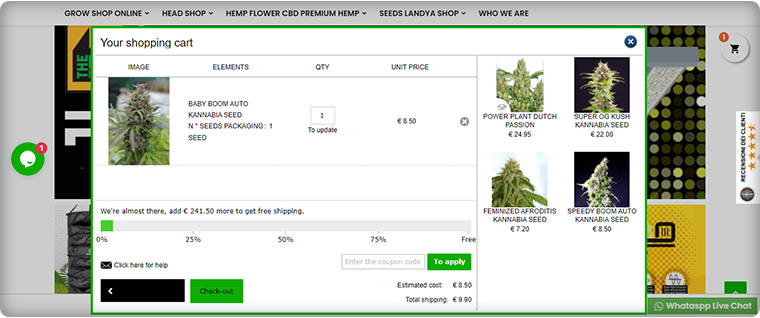
Ajax Cart

Ajax Cart adds a clean, transparent, and informative Shopping Cart to increase the online store’s conversion rate. The Ajax-based interactive pop-up ensures a high impact on direct sales.

With this addon, Grow Store promotes offers and banners and it adds direct CTA to the checkout page.

It also has a free shipping bar included in it.

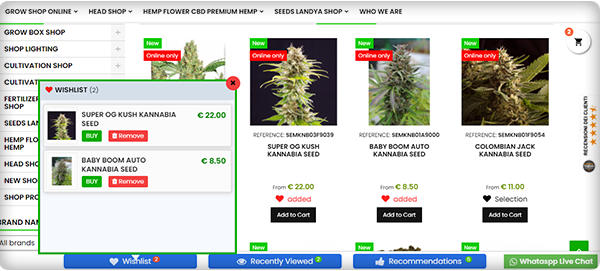
Wish List

To enhance the user experience and improve retention, a wish list is a must-have feature. Grow Shop website has a wish list feature added using PrestaShop Wishlist Module developed by KnowBand.

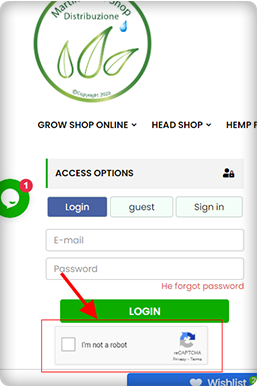
Google reCaptcha

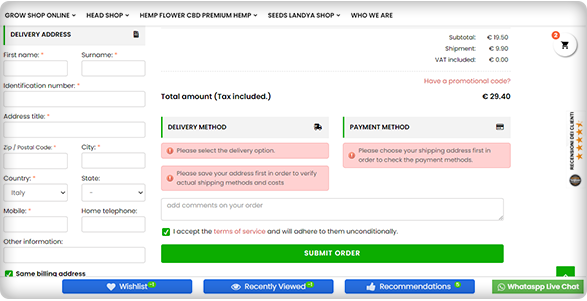
To secure the Grow Shop Website from bots and spammers they have added Google reCaptcha on their website. The image below is showing the reCaptcha added on the checkout page of Martin Grow Shop.

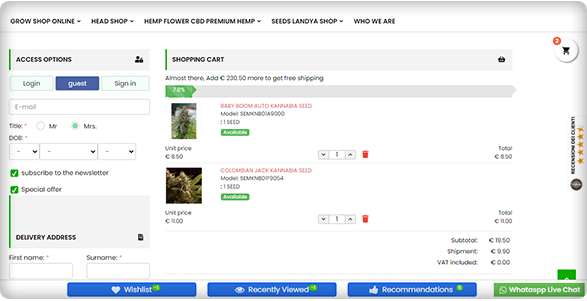
One Page Checkout

Another PrestaShop module installed on Martin Grow Shop is One Page Checkout. Because of its alluring features like Guest Checkout, Social Login, Multiple Payment and Shipping methods, etc., it is one of the best sellers of KnowBand.

The checkout page has options like Guest Checkout, Social login, and email registration options. If a customer is willing to do the Guest Checkout, then he can put the email address and delivery address.

Cash On Delivery with Fees

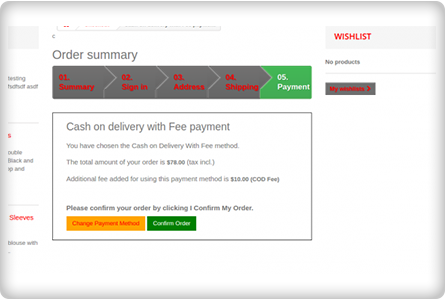
Offering COD is one of the marketing strategies to reduce cart abandonment that occurs during the payment process. People often feel intimidated in sharing their credit card or debit card details on the new eCommerce website. To overcome this, Grow Shop added Cash on Delivery with fees module on their PrestaShop store.

Google Shopping

To list their products on Google Shopping, they have integrated the Grow Shop with Google Shopping using an integration module. It increases the visibility of the products on Google Search and every product update on the store will directly get synced with Google Shopping listings.

Final Thoughts:

The Martin Grow Shop is one of a kind where you can find different PrestaShop modules and all are making the user experience better and rewarding. KnowBand store has 80+ PrestaShop modules for every eCommerce requirement.

Knowband might have a solution to your eCommerce problems. Click here to visit the store.

Read more success stories:

Success Story of ‘Elettronic Market Shop’ an Italian Marketplace

An Incredible Success Story of eCommerce Handloom and Handicraft Marketplace ‘Cottage Emporium’

KnowBand’s One Page Checkout made it simple: CEP Sport website flourishing in Denmark

One Page Checkout is a smart way to put all the fields into a single page and present it to the customer in a sleek and clear format. It is like a box designed to keep your accessories separately but together. A Denmark-based company, CEP Sport added the One Page Checkout Module to their website and they have configured it in a well-designed manner.

The layout customization is quite simple and the addition of the progress bar keeps the user engaged. This article describes how beautifully you can create the Checkout page with One Page Checkout Module and implement the same on your eCommerce website like CEP Sport just did on their website.

What is CEP Sport?

CEPsport.net is a distributor of the German brand CEP and is operated by SportSupport ApS. CEP has the best sportswear on the market in terms of design, feature, and compression. They are even athletes who enjoy being able to move. It is well-supported by the most cutting-edge sports products in the market.

Implementation of One Page Checkout module in CEP Sport Website

From product page to checkout page, every eCommerce website design requires the best UI and UX. It is important to optimize the landing page but more needful to have a checkout page that does not add up to cart abandonment. CEP Sport has chosen KnowBand’s One Page Checkout module for their checkout page and we are glad that they trusted our module for the best Checkout Page Solution.

One Page Checkout has several features that make it best among the other available choices.

-> Visit CEP Sports Store and have a look at their Checkout Page Design by yourself: Click Here

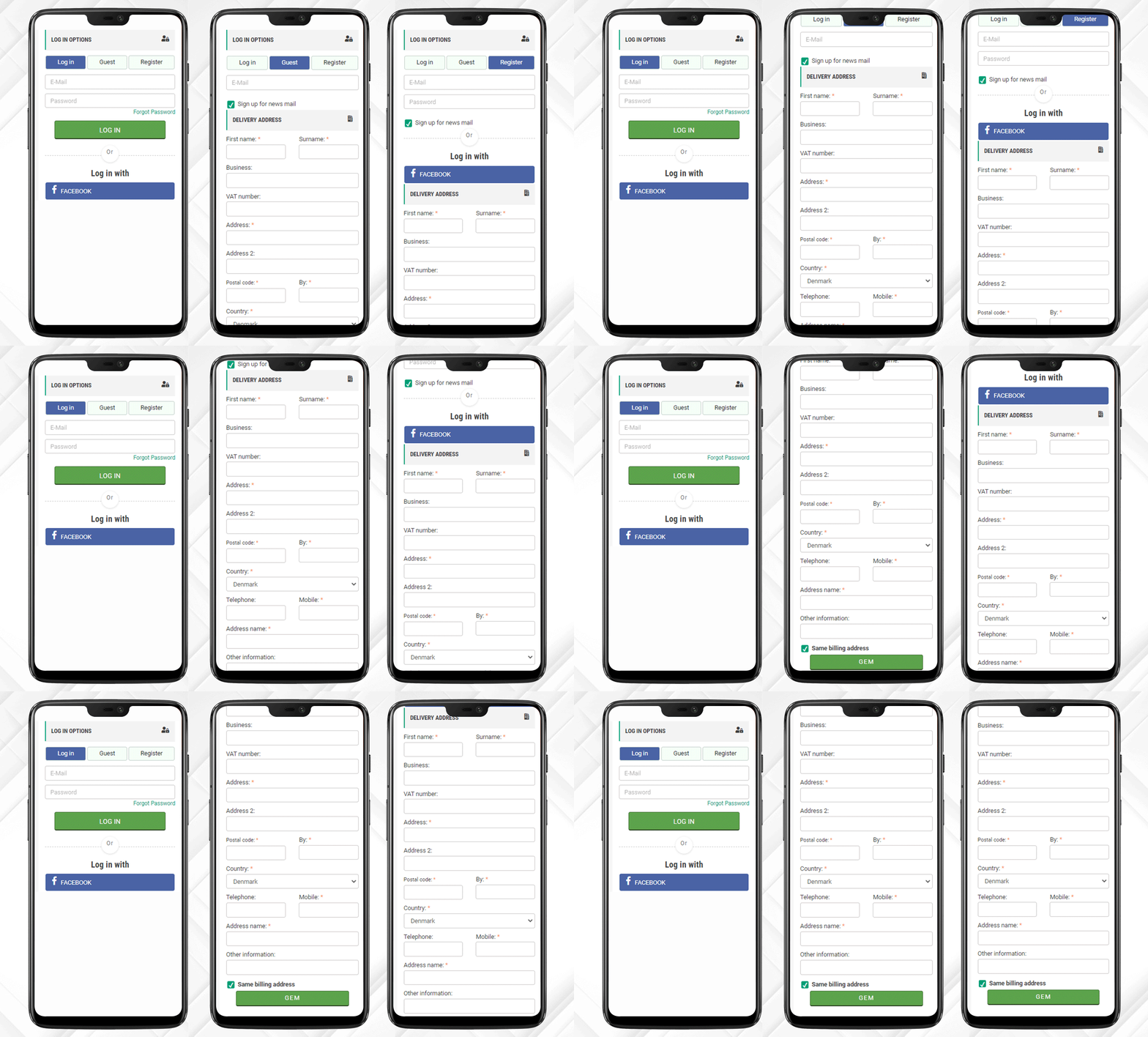
It has a 3-Column Layout with a custom layout design

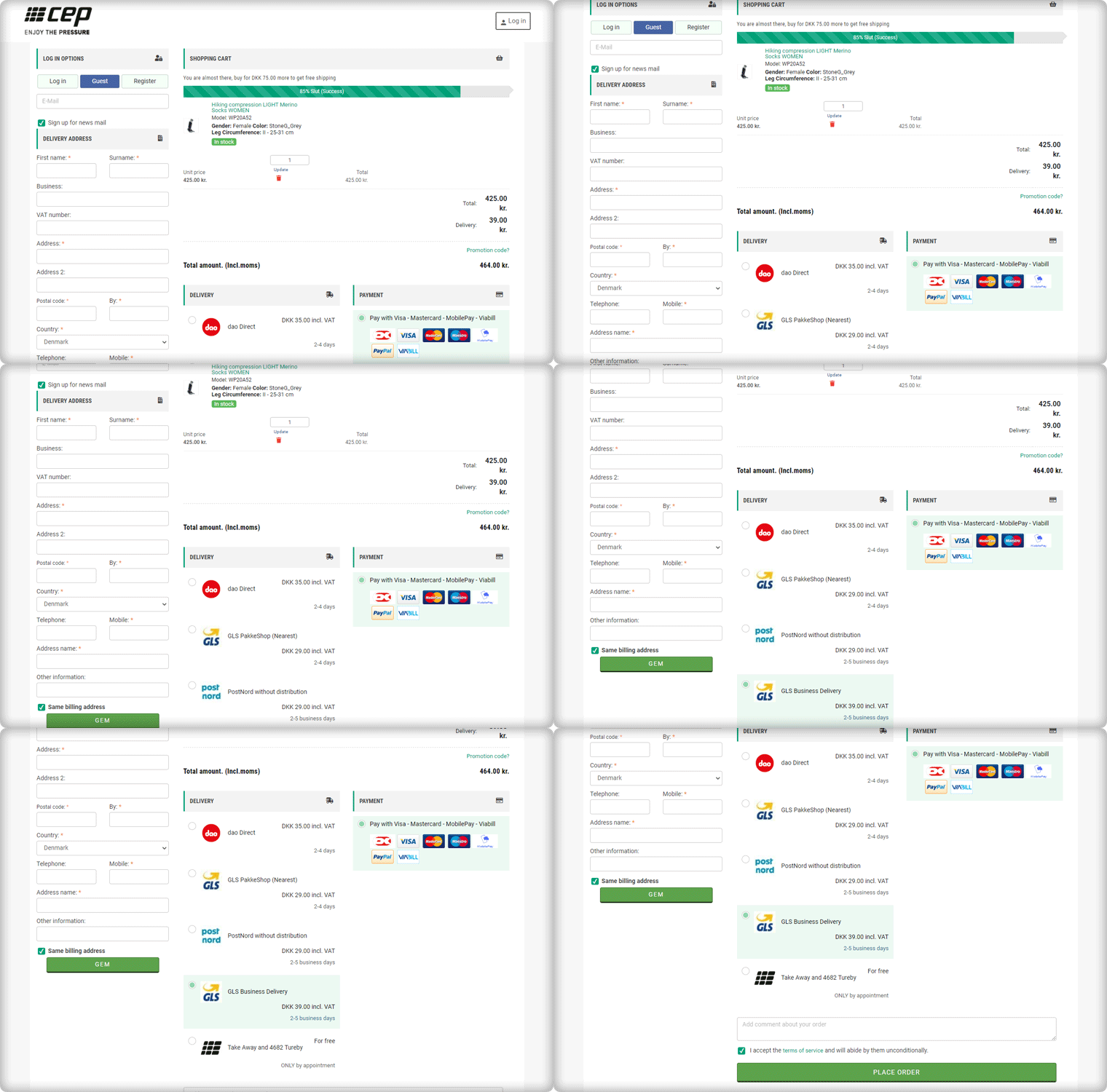
The Checkout page of CEP Sport has a 3-column layout design and the module provides customization features for the layout.

How layout can be customized? It allows you to choose a layout design (1-column, 2-column, 3-column). And, you can shuffle the fields and reposition them with drag and drop functionality.

In the picture below, you can see that the checkout page is customized and CEP Sport has designed it according to their requirement.

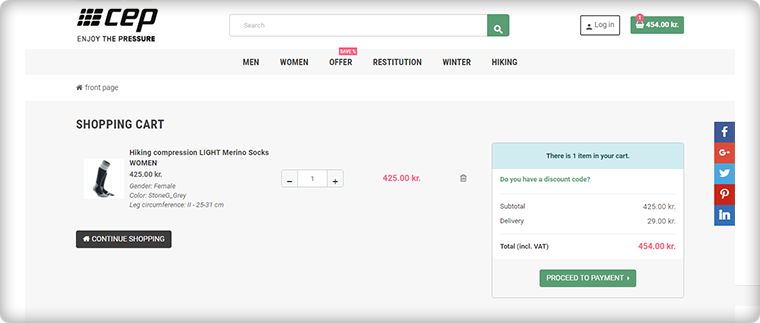
Shopping Cart CTA

To reach the checkout page, it is important to have clear CTA (Call-to-action) buttons. The website is incorporated with proper CTAs.

Customers can proceed to the checkout page by clicking on the button ‘Proceed to Payment’ and it will redirect them to One Page Checkout.

Login, Guest Checkout, New Registration

Once, the customer reached the checkout page he/she has to register himself and if he is in rush then Guest Checkout is also available.

One Page Checkout has three options:

  1. Log-in via email
  2. Guest Checkout
  3. Register as a New User

Log-in and Register with Social Media Account

Registration with a Social Media account like Facebook is quite handy and one does not have to remember the password for every eCommerce site. If a customer is registering via Facebook then he only has to provide the delivery address.

And, Checkout Process is sorted!

After registration, login can be done by entering the E-Mail Address and Password or a user can log-in by Facebook account.

Just one click and you are done!

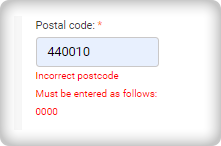
I am Mandatory* and You just filled in the wrong details

The mandatory fields can be highlighted with the Asterisk mark (*). Also, it immediately indicated the errors made by a user during the form filling process, called inline validation.

Delivery and Payment Methods

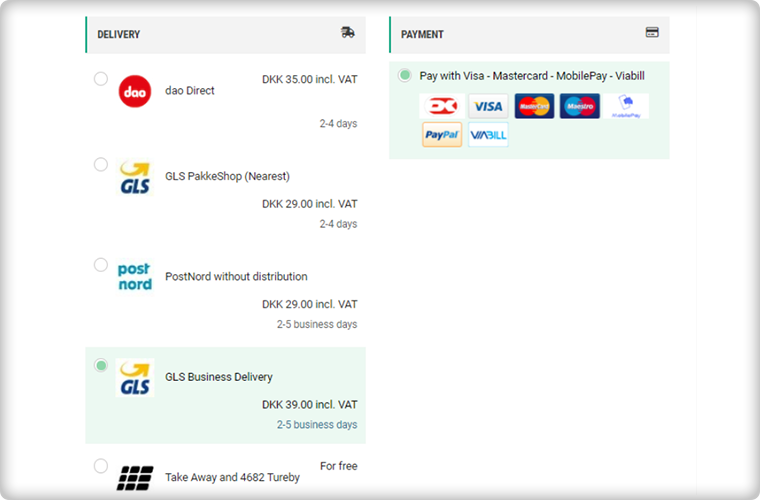
The Single Page Checkout of the CEP Sport website has several shipping choices and Payment Gateways. Along with every shipping method, extra charges (if applicable) are displayed. It is also possible to specify a particular payment gateway with a specific shipping method.

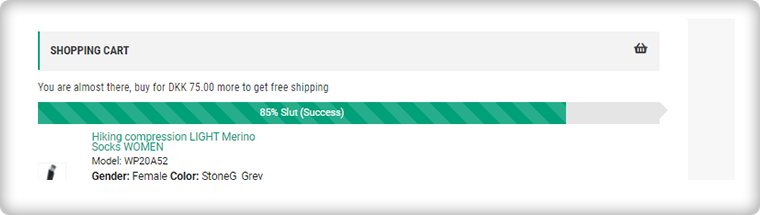
Progress Bar shows the user’s success

This helps the customer to measure the registration progress. If you think this is not necessary then you should know that a human brain works better if it knows how much work is left.

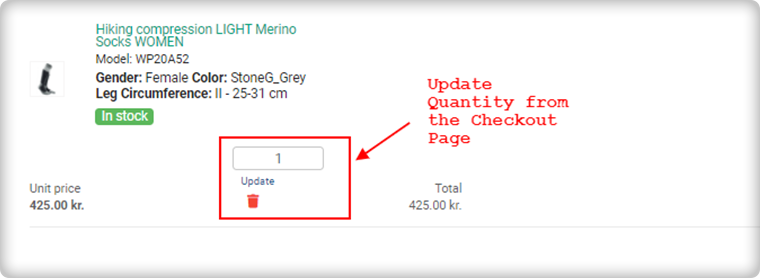
Update product quantity on Checkout Page

Another feature that makes it the client’s choice is the quantity update option. One Page Checkout allows customers to update the product quantity on the checkout page itself.

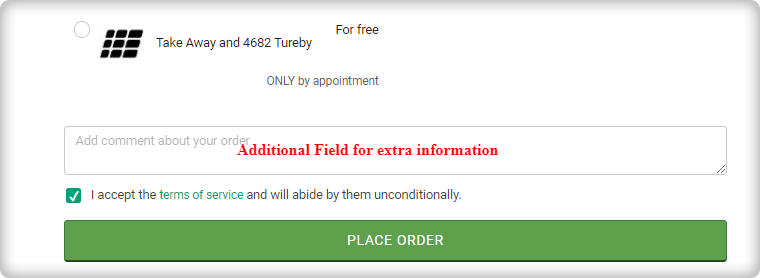
Add an extra field to collect more information

If a customer wants to add any comment about the order then he has an additional field for the same. Admin can add custom fields in the checkout page to collect information from the customer that can be used during email marketing for personalized email.

Since all the information is added correctly by the customer or the guest visitor.

Now, he/she can place the order!

Why do you need One Page Checkout in your online store?

We have had a successful tour of the CEP Sport website’s One Page Checkout. Now, it is time to understand the value of a single page checkout over the default multiple Page checkout available on eCommerce platforms. The One Page Checkout appears to be simpler because it displays all the fields on a single page before the form filling process. Guest checkout and social media login options are proven methods that increase registrations on the online store. It has a statistics analysis tab that shows the conversion rate and bounce rate of the checkout page. Several features make the One Page Checkout Module the client’s first choice for the checkout page.

The detailed article on Multiple-Page Checkout vs. One Page Checkout can explain this in a better way.

Admin Demo of One Page Checkout

Front End Demo of One Page Supercheckout

User Manual 

Support

KnowBand team is always available to help you with eCommerce solutions. We have 100+ modules available for eCommerce platforms like OpenCart, PrestaShop, Magento, WooCommerce, and Shopify. Visit KnowBand Store to explore more.

Get in touch at support@knowband.com and discuss your website requirements with our experts.

KnowBand becomes PrestaShop Gold Partner Agency

PrestaShop is an open-source e-commerce platform that allows users to create their online store with ease. KnowBand develops eCommerce extensions for the PrestaShop platform that allows the PrestaShop platform users to implement new features to their online store to improve the customer experience at their online store.

Velocity has been developing eCommerce plugins under the brand name KnowBand for over ten years and has over 80 PrestaShop plugins. Since the beginning, Knowband has been assigned the SuperHero Support Badge, which they have successfully maintained. PrestaShop is a powerful online store with cutting-edge features and a large selection of themes and models.

Who becomes a Gold Partner Agency with PrestaShop?

Regional and foreign organizations that have received a higher number of points for their dedication and contribution are known as gold partners.

KnowBand- a brand under Velocity is PrestaShop Gold Partner Agency

Knowband PrestaShop Agency is a PrestaShop accredited gold company that serves global clients with personalized PrestaShop e-commerce production services. Prestashop also designated some of our modules as favorite, One Page Checkout, Social Login, Mobile App Builder, Spin and Win and the list goes on. We have served 10000+ clients and have empowered 12000 websites.

Top Selling Modules of KnowBand (Gold Partner) on PrestaShop Addon Store

Our team of skilled and experienced developers has been working on PrestaShop modules for more than 8 years. Several modules have crossed 1000+ downloads and many are among the PrestaShop favorite’s list. Also, KnowBand has completed more than 200 PrestaShop projects on Addon Store.

1.        One Page Checkout

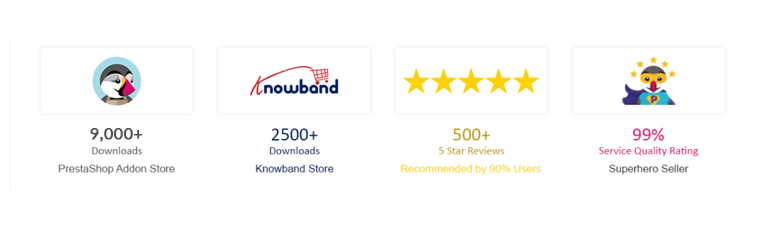
KnowBand’s One Page Checkout is a feature-rich module that gives PrestaShop merchants a plethora of choices for optimizing their checkout page. It has over 9000+ downloads on the PrestaShop Addon store. This module is multi-lingual compatible and is awarded PrestaShop Best Seller Badge. 

2.     Multi-vendor Marketplace integrator

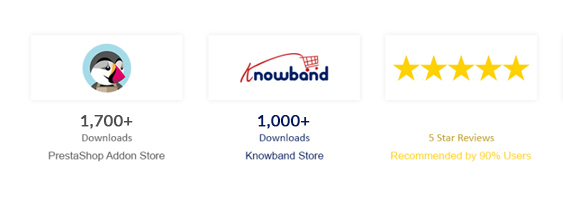
The Marketplace module allows PrestaShop store owner to transform their single-vendor website into a Multi-vendor Marketplace. It comes with a one-click installation. It has over 1700 downloads on the PrestaShop Addon store.

3.     Abandoned Cart

Another best seller module on PrestaShop Addon store in Abandoned Cart Recovery module. It has 2000+ downloads till now and lets the sellers send emails, push notifications, and reminder emails to the customers.

4.     Order Return Manager

Return Manager has been downloaded 1450 times from the PrestaShop addon store. It helps the store owner manage all the product returns, order cancellations, and refunds on the PrestaShop store.

5.     Social Loginizer

With 15+ social login options, Social Login Module developed by KnowBand- PrestaShop Gold Partner Agency is another best seller on PrestaShop Addon Marketplace. It has been downloaded 1700 times.

6.     Spin and Win

The subscription module, Spin, and Win is PrestaShop Favorite module and has been downloaded over 450 times. It has a gamification interface that adds a fun element to your website and increases customer engagement on your PrestaShop Store.

7.     Mobile App Builder

The Mobile App Builder Plugin helps the PrestaShop store owner to create their Mobile App for iOs and Android operating systems. It is addressed with PS Favorites and has over 400 downloads.

8.     Ajax Cart+

To give your customers a smooth and satisfying shopping experience, Ajax Cart+ helps you create a customized shopping cart on the PrestaShop store. The KnowBand’s PrestaShop Ajax Cart Module has 550+ downloads on the PrestaShop Addon store.

9.     Facebook Store or Social Shop Integrator

FB-Store integrator is another PrestaShop module that is famous and downloaded many a time on the PrestaShop Addon store. KnowBand developed this to connect the PrestaShop store with FB Fan Page and it synchronizes all the product data of the PrestaShop store with the FB product page.

Modules that enhances Mobile Experience

Our Prestashop Plugin Development services provide online stores with the features and competence they need. You can rely on us for one-of-a-kind and functionally smart plugins. KnowBand-PrestaShop Gold Partner Agency has developed some unique modules to enhance the user experience for mobile users.

·        AMP- Accelerated Mobile Pages

The AMP addon developed by KnowBand- PrestaShop Gold Partner Agency speeds up the loading of web pages by reducing the time it takes for them to load. The PrestaShop AMP module enables AMP on a variety of websites, including the Home Page, Category Page, Product Page, and so on. It greatly lowers the bounce rate of your website.

·        PWA- Progressive Web App

Convert your eCommerce website into a PrestaShop PWA Mobile App and enable your mobile visitors to shop with ease. There is no reliance on Google Play or the Apple App Store. Start shopping after a quick PWA installation with just one tap.

·        Mobile login

The PrestaShop Mobile Login module enables the admin to have quick registration using a mobile phone number. Customers can log in via OTP received on their contact number. Password recovery is also possible by the ‘Forget Password’ link and customers can also login without providing an email address if the administrator permits it.

New and Innovative Solutions for PrestaShop store

Hyperlocal Marketplace

The hyperlocal marketplaces are trending after the Pandemic outbreak. The PrestaShop Hyperlocal Marketplace allows you to sell your product in a limited region and registered sellers can define their area of the transaction. For further information on PrestaShop Hyperlocal Marketplace, click here.

Delivery Boy Mobile App

The PrestaShop Delivery Boy App enables online store owners to have seamless delivery management. Using the module, the store owner can easily add a delivery boy app, assign orders, and monitor them. You can start your own delivery business and manage it easily with this application.

There are around 100 PrestaShop modules on KnowBand Store and 80+ available on PrestaShop Addon Marketplace.

Finally, Velocity has proved to be an ally for online retailers with over ten years of experience in eCommerce services. All the KnowBand modules One Time Payment modules with no hidden subscription fees. The module comes with lifetime validity and our expert team is always available to help you with any glitch.

Support:

You can reach out to us at support@knowband.com or drop us a comment below if you require any eCommerce support.

How to Automate the Coupon Discount for your OpenCart Store

Certainly, coupons are an enticing way to maximize volume and revenue. It can easily build your customer data and temporarily improve your conversion rates by integrating them into your marketing mix. Although there is no real substitute for offering quality goods and reasonable pricing, when the market heats up or customer expectation determines it, coupons do a great job supporting those efforts. To automate the coupon discounts on your OpenCart store, you can add ‘Sales Coupon Enhancer – OpenCart Extensions’ developed by KnowBand.

Coupons and discounts enhance sales by increasing conversions. Let’s explore the functionalities and learn how to use coupons to create discounts on the OpenCart store.

Discount Coupon Sales Enhancer – OpenCart Extensions

In creating coupon code, the sales coupon enhancer plugin offers admin all the options he ever wanted. It has several helpful features that are not available by default in OpenCart.

The OpenCart Sales Enhancer Extension makes it possible for the store administrator to create several coupons based on different categories. Through the OpenCart coupon code generator extension, store admin can generate coupons for a particular brand, client, payment method, shipping methods, etc.

This OpenCart Extension gives the administrator the ability to display all coupons produced without any trouble. The store administrator will set the coupon code rules and create random coupon codes through the OpenCart coupon code generator.

It allows setting conditions to apply to the coupon at the checkout page. One Page Checkout extension has a field for coupon code entry and the Coupon Code Enhancer is compatible with One Page Checkout.

Key features of OpenCart Sales Coupon Enhancer

Create Coupon Codes

You can create several coupon codes for customer groups, shipping methods, and payment methods using the OpenCart promotional vouchers. For instance, choose XYZ bank payment and avail a 10% discount’

Set Coupon Code Validity Rules

The number of rules to validate the coupon code can be applied through the OpenCart coupon generator will be defined by the store manager.

Generate random coupons with OpenCart coupon code generator

The OpenCart coupon code generator extension has a choice for generating random coupon codes, or you can enter your own code as well. Like for Christmas, the coupon code be SANTA25′
Create Code for Categories and Brands

The OpenCart sales coupon enhancer gives you the option of creating coupon codes specifically for a brand, category, consumer, shipping method, payment method, etc.

Compatibility

The OpenCart coupon code generator extension is compatible with Multi-Store. The default coupon code scheme does not interfere with the OpenCart coupon code generator extension.

Detailed Data Reports

OpenCart coupon generator gives you various reports to give you a glance over the coupon used orders and who did not use coupon codes while placing the orders.

 The difference in the default coupon creation and coupon creation from the module:


Some benefits of offering Coupon Code discounts:

It has a fantastic interface that helps clients to quickly access and understands where code can be applied.

Easy to create coupon codes: Generate coupon codes for every occasion and event. Like on a particular product, category, shipping method, specific payment gateway, etc.

Apply rules: Apply rules based on products, cart quantity, type, etc., and configure your coupons with the OpenCart coupon code generator extension accordingly.

Fully customizable: The extension of the OpenCart coupon code generator can be completely modified from the backend.

Increase sales: 96% of consumers use coupons when making an order, which will increase the web store’s sales.

Display Reports: You can easily view reports and statistics of the total coupons generated and the number of coupons discounted. With the support of OpenCart coupon code generator extension graphs, you can also view the orders that used coupon codes and which did not use them.

Wrap-up: The coupon code extension can be easily applied to any of the OpenCart stores and is compatible with the journal theme. The coupon code generator extension is super easy to install and configure. Adding coupon codes The OpenCart coupon generator gives you free support and free updates for the future. KnowBand provides free installation of the OpenCart coupon generator.

Recommended Reads:

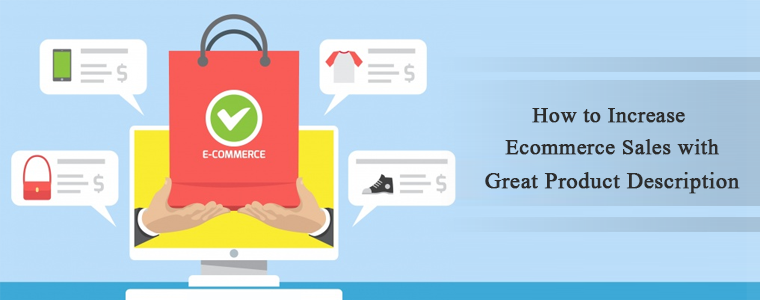
How to Increase Ecommerce Sales with Great Product Description

The product description is the most valuable element of the product page for an eCommerce website. It is important from a marketing point of view and it explains why the product is worth buying.

It is what convinces the visitor to take the final step- click on ‘add to cart’.

A product description aims to provide valuable information to consumers about the product’s characteristics and benefits so that they are forced to purchase.

Your product description should convert visitors into buyers, and then only it will be called successful product content. Visuals attract more than the text, hence optimize your product content according to your buyer persona.

To build scannable content, you can include short bullet points in your product descriptions for easy reading. Add concise content with limited sentences describing the commodity. Instead of exaggerating benefits, truthful material explains the product frankly.

The following article will be a complete guide for a product description that sells.

1.     A unique crystal clear product description

The product description should concentrate on their single value proposition, i.e. their primary benefit.

An average user just spends 15 seconds on your product page, as you already know, so it’s time to be impactful.

Sell advantages, not attributes, which means you have to highlight the outcome, not the object.

Clearly, consumers expect your product to achieve something and you have to persuade them that they can.

Add a size description or you can put a size chart if selling merchandise; this also reduces the product returns.

Prepare a buyer persona with keep things in mind, such as:

  • The location
  • The Age
  • Sex — Gender
  • The Interests
  • Level of Education
  • Revenue
  • Language Inside

This buyer persona will help you decide your target audience and you can put up a product description accordingly.

When writing the product description for an eCommerce, emphasize the product benefits that make it better than others.

2.     Keep the tone easy and understandable:

You will note that depending on the brand, the tone of the product description differs.

That’s a wonderful thing if the explanation of the product sounds like you.

Think of it as conversational or formal for your brand? Do you want to use the fun of tongue-in-cheek or do you keep it more straight-laced?

Maintain the tone and its consistency. Words like “exceptional,” “iconic” and one-of-a-kind” are prominently presented.

The argument is that you ought to be consistent with it, whatever your sound ends up being.

3.     Attractive and high-resolution product images

This is no secret: our brain just loves creative visuals.

The brain handles them more easily than text and allows us to guess the meaning.

In reality, visuals are so profoundly ingrained in our decision-making processes that every e-commerce website should be a priority, period. The product description with images is always attractive than simple text.

Add more than one image of your product because it increases the engagement rate and the customer may get convinced with your product images.

Since we are discussing the product images, you can add the zoom feature’ to the images.

For zooming purposes, you find an alternative where you can pinch-in and pinch-out. You can zoom in by double-tapping the product image on some websites.

4.     Evoke Curiosity

Price is one of the top three reasons why American customers shop from a specific e-commerce platform.

If you give better deals than your rivals, or if you have discounted products in your online shop, make sure that your guests are aware of them.

Contrasting it with the initial price is one way to highlight your price advantage.

FOMO (fear of missing out!) is what you can create because netizens feel anxious when they realize that the same thing won’t be available sometime later and others will have it and they don’t.

You can show the old price and the deal price together on the product description to add some FOMO!

5.     Product videos are compelling

Basically, a product video is the summary of the product in the form of a video in which brands attempt to inform clients about the product, its quality, features, benefits, etc.

A video of a product gives a realistic feeling. The uncertainty about the commodity is minimized. It also generates credibility concerning the company. People recognize that the organization is authoritative and not deceitful. For the majority of searches, Google attempts to screen images.

Read: 4 Benefits that Highlight the Importance of Product Videos in eCommerce

6.     Show the real image of your product

Not only does an optimized product page help you turn more visitors into clients but adding a real image can do wonders.

By raising the average order value of customers, it can also raise sales. By doing this, the company offers customers a compelling reason to select the more costly option.

The actual images build up trust and establish a brand’s unique identity.

7.     Add social proofs: review and rating

Social evidence comes in a variety of ways. They can be feedback, testimonials of customers, photographs, ratings, etc.

As long as it’s important to your audience, it doesn’t matter what sort of social evidence you use.

For most e-commerce websites, reviews and classic star ratings can do the job. Remember, always display genuine product ratings and reviews.

The fact is most internet customers are used to finding fake reviews, and some studies have also shown that your conversion rate could actually be affected by so many 5-star reviews.

In reality, every client is more likely to purchase from a website that shows reviews of clients. To get more reviews, you can incentivize customers with rewards or coupons for each review.

Note how the company under the purchase button adds “Free & Easy Returns” details.

Read: Why Product Reviews are Important in eCommerce?

Wrap up:

The product description should contain influential words that blow your customer’s mind. Also, optimize your product description copy for Google SEO.

The definition of a product should be concise and to the point.

Try to use keywords that are friendly for search engines. But instead, place them in the product title if you can’t match them in the definition.

If nothing else, concentrate on using terms of power in your explanations to make the object stand out.

Ultimately, you want to create a picture of the product that gives your shoppers the details they need.

Recommended Read:

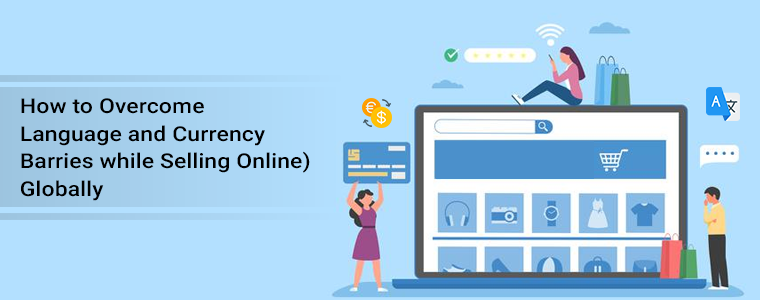
How to Overcome Language and Currency Barriers while Selling (Online) Globally

Language is the means of communication and currency is the medium through which we buy and purchase things. While selling globally, your website’s language can become a barrier if the visitor does not understand its default language.

However, because many visitors and prospects come from countries where most people at school learn English, it is necessary to take steps to resolve language barriers. The language switch and currency conversion functionality let you sell globally and build a connection with the buyers.

There is a surge in the demand for virtual assistants and offshore business support. There has been a 95% growth in demand for virtual assistant services in the past few years. But, small businesses holding back from taking the step towards business growth.

One of the main worries about preventing people from using a virtual assistant is the idea that, because of language and cultural barriers, they would fail to interact with someone from another world. Hence, auto-switch language and currency converters play a pivotal role in business growth.

The benefit of having a multi-lingual website with auto currency change functionality

Showing a website in the targeted country’s native language can help boost the product page’s SEO. Auto-Switch language and currency will be advantageous to expand your business globally.

The platform should always be available in the native language when selling to a buyer unless the product is in high demand and the customer has no other means of having it.

Here are some tips that overcome the language and currency barrier while selling your products on eCommerce internationally.

One of the easiest ways to save time and money while selling products online is to get a module that can help you auto-switch language and currency. But, sometimes translation does lose the real essence of the content. That is not the case with eCommerce. The product description should be clear and simple and that can be achieved with the translation module.

#1- Speak the language they know

The most widely used language in the e-commerce world is indeed English. People in countries such as Norway and Sweden also do not mind shopping on English-language websites. But, there are a variety of nations and millions of people who are afraid to read or speak in English.

For your international customers, improve their comfort and convenience and save them the inconvenience of third-party translation resources. Use language for local consumers that are plain, insightful, and sounds native.

#2- You don’t have to cover every language

In all foreign languages, you do not have to localize. That would be needless and too costly. In the new markets you are entering, you just need to concentrate on a few languages that are primarily used.

Initially, you can have the translation for a wider audience in several languages just to analyze the traffic. For instance, if your online store unexpectedly gets hundreds of new customers who prefer using French as the default language, you might need to consider localizing the next one in French.

#3- Navigate them to the landing page

Some studies have shown that it often has a positive effect on your sales if you redirect your visitors automatically to a local landing page. Not just that, it also raises profits. The easiest way to boost your customer’s experience is to guide them to your website’s translated edition.

In other words, your online store’s navigation bar, menu, tabs, buttons, or links should have a version in your current target customers’ preferred language. It is important to localize the product reviews (or local buyers should be encouraged to post their reviews). Also, make sure to give the customer support options in their preferred language.

#4- Let them buy in their currency

Show prices in various currencies, even if you can not accept payment in all of them. Without having to make an extra effort and resort to a currency converter, this information will give your customers an idea of the price.

Payment method: do some research in a given country on the most common payment method. This is going to instill trust in your international clients. They may be cautious about safety if they see payment methods that they are not especially familiar with.

#5- Focus on Design

check the preferences for cultural design. Not only will it boost your product’s credibility, but it will also enhance the experience of the shopper. When you translate a website, you may have to make some adjustments, such as some German words may be slightly longer than the English ones, so you may have to tweak the design a bit.

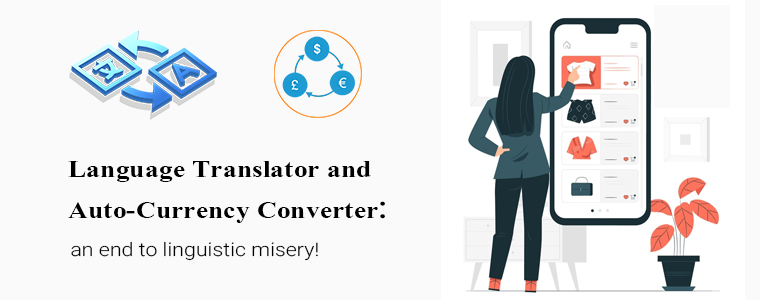
Auto-Switch Language and Currency Converter: an end to linguistic misery!

Translate every word with one powerful module designed for your eCommerce store that converts the content into different languages, which will open you up to the world. Whenever you are stuck with non-native languages, KnowBand’s Language Switch and Currency Converter is a great and prolific tool. All you need to do is implement our tool into your website and you will be able to easily translate all or relevant parts of your website!

How does Auto-Switch language and Currency Converter Module Works? It auto-switch the currency on your store. For each multi-language eCommerce shop, it’s a real must-have! In their native currency, clients enjoy seeing prices. When setting up a store, you can set the default language and currency country-wise.

If a customer is visiting your website from Poland then, it will display the products in Polish and their native currency. This improves the user experience and provides a personalized user experience. The addon is an ideal tool to connect eCommerce stores to various currencies and make them more user-friendly. The admin needs to add the language and currency from the store back-office. Our module displays the language and currency as per the settings.

Click on the links below to explore the Auto-Switch Language and Currency Translator Module:

Prestashop Auto Switch Language and Currency – Prestashop Addons

Auto-Switch Language and Currency – Magento 2 ® Extensions

Auto-Switch Language and Currency – Magento ® Extensions

Auto Switch Language and Currency – Opencart Extensions

Several eCommerce modules are available for all the major eCommerce platforms such as PrestaShop, Magento, and OpenCart.

Conclusion: The reality is that by understanding how cultural differences can affect communication, understanding, workflow, and efficiency, there are ways to get on the front foot and minimize these concerns. You can conquer these obstacles with a little legwork, knowledge, and strong processes and nurture an empowered and efficient support team.

Write to us at support@knowband.com and we will be more than pleased to share with you the Auto-switch Language and Currency Translator and its features!

Recommended Reads: