Why Do Businesses need a ‘Private Shop’?

Ever heard the word ‘Private Shop’? There are a few companies that allow you to see their products only when you register. The website content can be accessible after signup. 

While exploring articles and research papers, websites usually show a popup and ask for registration to access the entire content. They show you limited content to build up curiosity and for more details, you have no choice but to register.

Those websites were privatized and the same can be done for your eCommerce store. You can make your Opencart, PrestaShop, or Magento store private using ‘Private Shop’ modules. Why do you need a private shop? Go ahead and find out why.

This article is a compilation of 101s of ‘Private Shop’ for B2B businesses and other enterprises

What is a private shop?
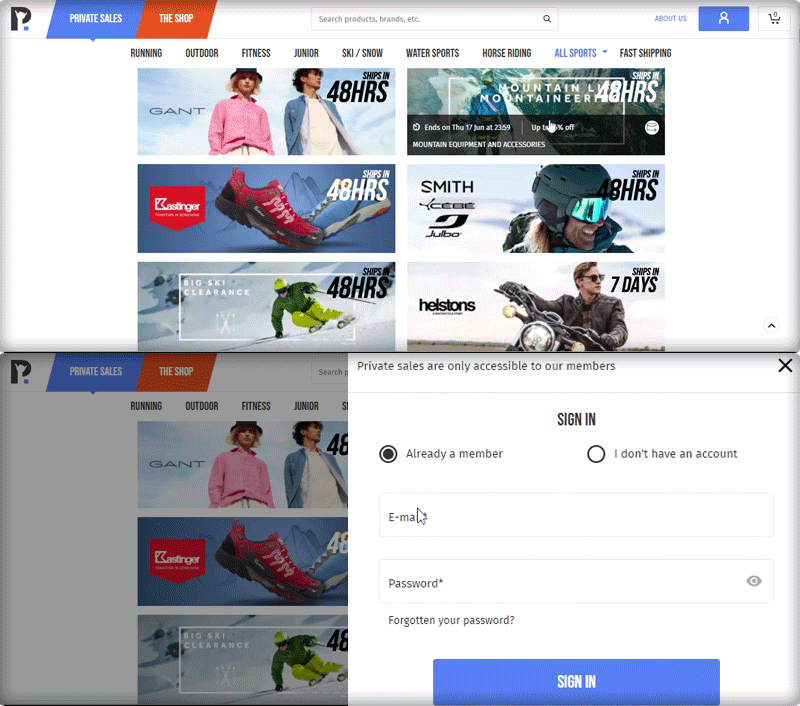
When a store is accessible to registered clients only, the store comes under the ‘Private Shop’ category. Making a web store private allows you to effortlessly regulate the store’s sales. This way, the online store administrator can prevent customers from viewing the store, goods, or categories without first logging in or registering.

You can create a private customer group and allocate numerous private groups to each product/category, each of which is only accessible by the given group of consumers. Send emails to a specific group of clients about new offers, discounts, collections, and so on.

Why do businesses need a Private Shop?

If you have products for both B2B and B2C on your eCommerce site, you’ll need to create a private environment for each, which is where the Private Shop option comes in.

  • B2B businesses require private platforms

The wholesale group may get complete access to the store, whereas the general group is limited to a single product or category. You can create fully functional web pages and categories for restricted consumers and users.

The business works in a systematic manner and giving access to retailers for the wholesale prices will affect their business. A ‘Private Shop’ gives privacy to B2B businesses.

  • Increased registration and email subscribers

A ‘Private Shop’ can also benefit B2C businesses. If you run campaigns and tell your customers that you are running discounts on your store, it will influence them to register with your brand and get access to those discounted products. 

In a way, you are forcing them to register to get access to your store. This increases the registration on your store and builds up your email list.

  • Early access to registered customers for high-end products: 

Many businesses sales luxurious products or merchandise that have limited editions should go for a ‘Private Shop’. If you have a small set of audiences for your brand that purchases high-end products, you definitely don’t want everyone to access it.  

A limited group of people can be notified of this. As a result of which they feel privileged and you will be able to provide a satisfying customer experience.

How to convert your store into Private Shop?

You are just three steps away from converting your store into a Private Shop.

  1. Purchase the module and unzip the files and refer to the user manual
  2. Install the module on your respective website with the source code.
  3. Configure the Private Shop settings and begin!

Features you should consider before buying a private shop module

  • The store owner has the ability to construct a fully private shop
  • Create secret groups with IP addresses and only allow some of the clients
  • Visitors will not be able to see private products or categories
  • Also, work as a permissions extension for catalogs
  • Each product/category can have several groups assigned to it by the administrator
  • Customers can view their personal products/categories by a private group
  • Allow Google to crawl the private pages of your website
  • Each product/category can be made private by the administrator
  • In addition, the admin should have the ability to send emails to members of a private group
  • The product label/product label image can be changed by the administrator
  • Have a customized storefront with a registration form that allows changing background

Live Demo for Private Shop modules

Click here to see the PrestaShop demo

You can check the live demo for OpenCart here

Check the live demo for Magento from here
Two Effective Modules to Keep Away Spammers and Bots from PrestaShop store

As many as 200 million Captcha tests are estimated to be performed online every day. Nearly half (43 percent) of all UK organizations have reported cybersecurity breaches or attacks in the last 12 months, according to the Cyber Security Breaches Survey. Such data breaches have resulted in missing files, corruption of devices, processes, or websites, and even loss of properties or intellectual property.

In the year 2020, many CMS platforms were attacked by ‘KashmirBlack’ and it camouflaged itself very well and stays undetected. This can happen any time and many websites face this fake bots issue every day. If you do not have a Google reCaptcha test and Spam blocker on your PrestaShop website, here’s what you need to know about them and how your company or blog will benefit from them. 

Spammers generally add fake comments on your website and you may observe fake registrations. We present two modules that could prove to be efficient in blocking bots and spammers from accessing your website and doing malicious activities to help you get rid of spammers.

How to Prevent PrestaShop website from Spammers and Bots? 

To save your website from spammers and bots, we have two modules that can help you deal with this. Let’s dive into it.

  • PrestaShop Google reCaptcha 

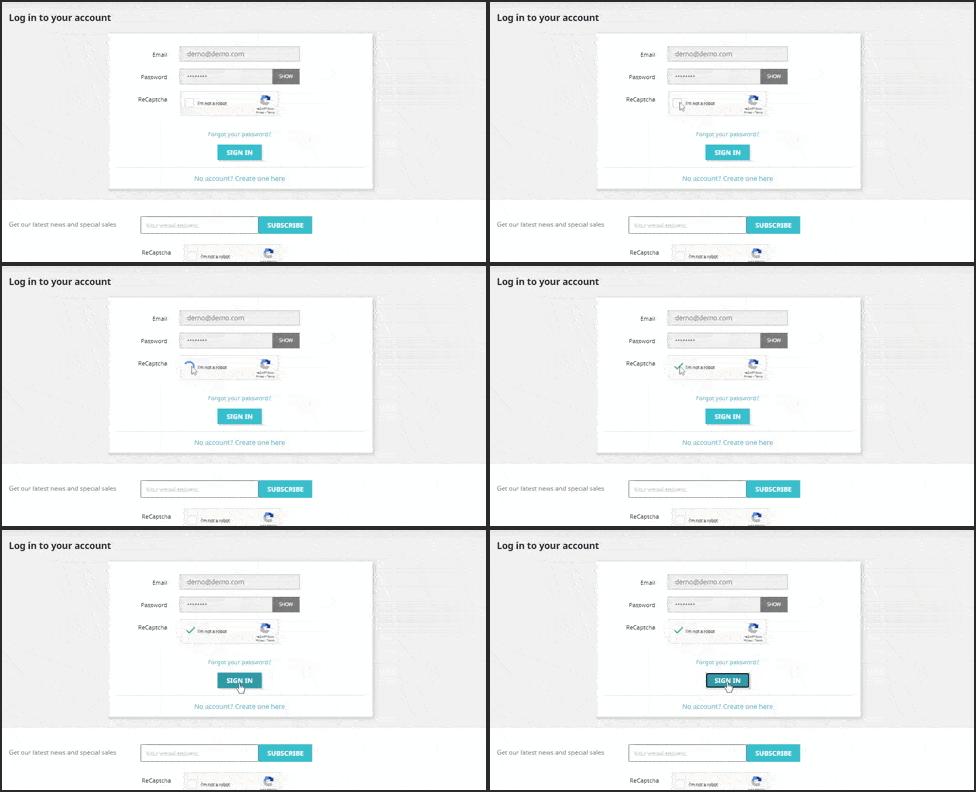
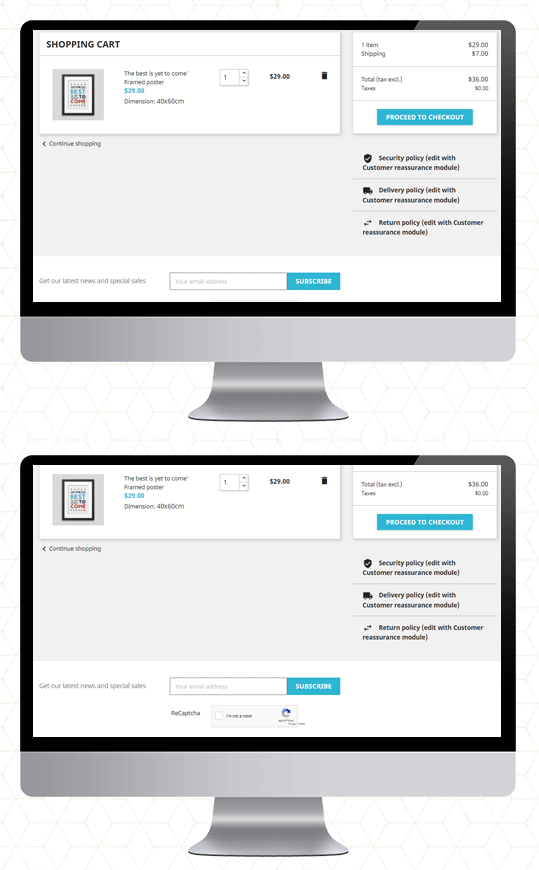
The easiest way to fight fake registrations on your website is PrestaShop Google reCaptcha.   It applies to your website a protection layer. Google reCaptcha can be enabled on the following pages of your website. 

  1. Customer Registration Page 
  2. Login Page

  3. Contact Page
  4. Forget Password Page
  5. Supercheckout Page
  6. Newsletter subscription

You may define the reCaptcha for each page accordingly: v2 reCaptcha or v3 reCaptcha. These are the two available options and these can be used as per your need. 

The old reCaptcha, i.e. v2, is a basic version that shows the “I am not a robot” checkbox that enables individuals to go through that specific page quickly. While the v3 reCaptcha uses machine learning and advanced risk analysis to recognize human bots. It works with all the PrestaShop themes. 

Save yourself from transaction frauds: Along with this, the Google reCaptcha is also compatible with Knowband’s PrestaShop One Page Checkout. It is the most effective way to prevent your store from transaction fraud.

Click on the links to take the admin demo and front-end demo tour of PrestaShop Google reCaptcha Module. 

Do not let the spammers affect your business!

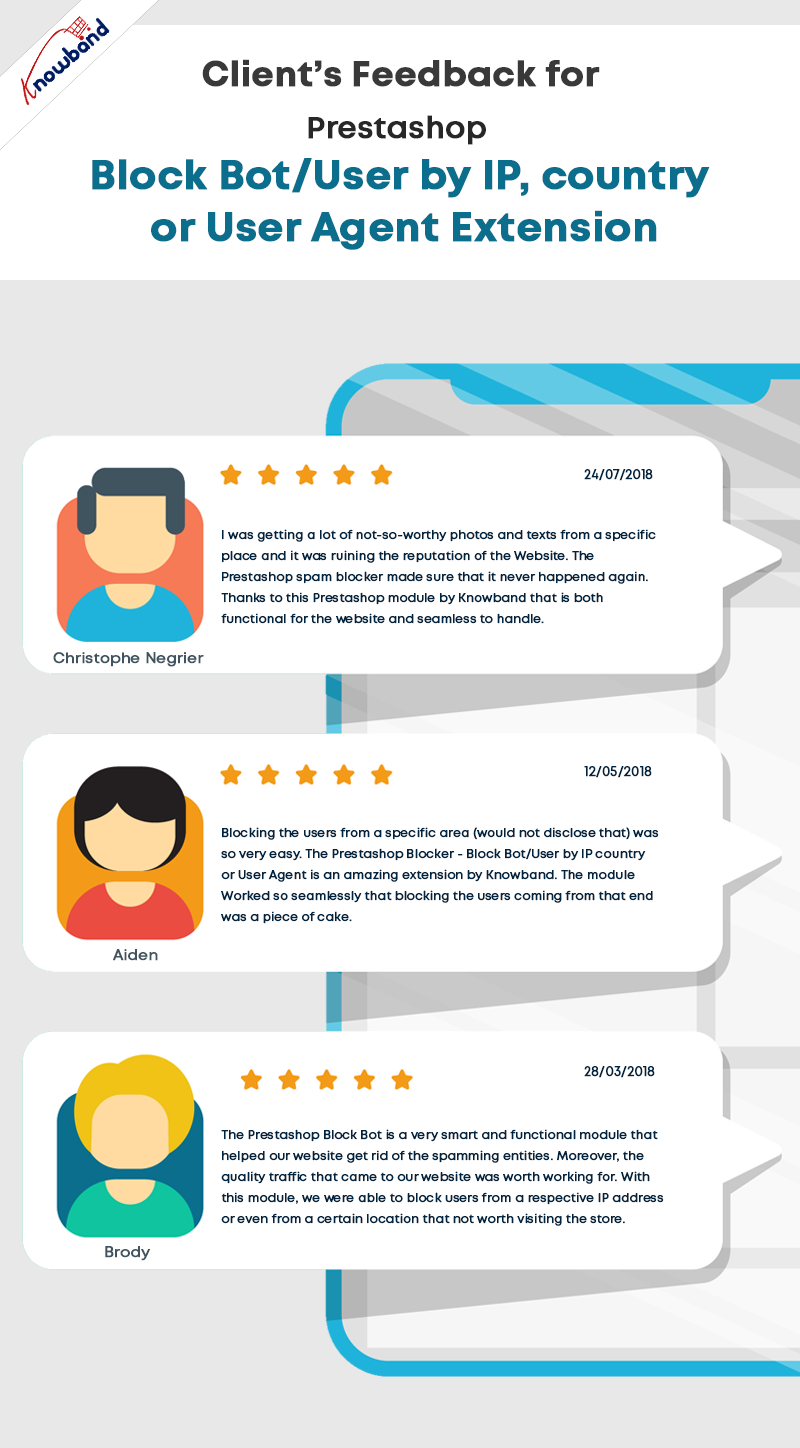
  • PrestaShop Bot and Spam Blocker

Fed up with the bot registrations and fake sign-ups! 

The PrestaShop Spam Blocker Module allows you to block the visitor by tracking the IP address, country (location), or user agent. 

It is simple to block the IP addresses that look fishy or you find suspicious. It also allows to input several IPs. altogether. Or, instead of blocking, you can allow your PrestaShop store to access only that IPs.

Similarly, you can position countries in the block list if you are witnessing a high amount of spam traffic from a particular location.

The next functionality it offers is to block spammers/bots from a particular user-agent landing on your website.

Sometimes it may happen that you are blocking a genuine person. In that case, it is possible for the customer to communicate with the website owner and ask them to undo it.

Also, if you want to exclude a country or a region from providing your services, you can make that happen. The blocker allows blocking the region where you are not delivering or selling your products.

The admin will monitor the back-end requests and make the decision accordingly.

Install Spam and Bot Blocker module on your PrestaShop store. Explore the Admin Panel and Front-end demo of the Bot and Spam Blocker module on the KnowBand store. 

Final Words

This tough fight between the website owners and the spammers will never end. Spammers will continue to spam to spoil your business. The Google reCaptcha and PrestaShop Bot and Spam Blocker will be extremely beneficial to get rid of spammers and bots on your website. 

For any query related to PrestaShop modules, you can drop us a comment or write us at support@knowband.com  

You may like to read:

How to Integrate google reCAPTCHA with PHP

KnowBand Celebrating 10K+ PrestaShop One Page Checkout Installs on Addon Store

Creative Abandoned Cart Recovery Strategies Your Competitors Aren’t Using

9 Checkout Conversion Killers Driving Your Buyers Away

Explore Real-life Examples of Knowband’s OpenCart Gift Card Manager

When we were little, we all remember receiving gifts for special occasions such as birthdays or holidays such as Christmas. However, as time passes, so do people’s preferences. It’s impossible to forecast what someone will like these days, given the enormous array of options accessible both online and offline. A Gift Card from any business or brand is one of the top gift options these days.

How does Gift Card work for eCommerce?

A gift card is a type of payment that may be used to make purchases at the eCommerce store that issued it.

If you buy a gift card from Starbucks or Amazon, you or the recipient can only spend it at the store that issued the card.

Digital gift cards can be used from anywhere and if it belongs to an eCommerce store, then anyone with the card can make a purchase and use it.

Perks of selling a digital Gift Card

Customers find it a more convenient gift option. Gift cards can be physical (i.e., a plastic card) or digital (i.e., a digital file). Digital gift cards do not have a physical form; instead, you are given a unique gift code number that you may use to make purchases at online stores. The most common type of gift card is still physical cards, although this is projected to alter shortly.

Knowband’s Digital Gift cards are tailored for eCommerce and allow sellers to use them as Physical as well as the digital card.  Scroll down for real-life examples of OpenCart Digital Gift card managers and explore more.

Why do customers like giving gift cards?

Purchasing a Gift Card, whether for a wedding or a birthday, is a very straightforward process. In truth, purchasing a Gift Card on the internet requires very little work. The procedure is simple and convenient, and it saves you time when purchasing a gift.

  • People who receive gift cards have the option of purchasing whatever they choose.
  • Sending gift cards physically or digitally is far less expensive than mailing items.
  • When shopping with gift cards during peak sale times, the individual getting the gift card can get more bangs for their cash.

Unlike getting a gift and having to go to great lengths to return it, redeeming a Gift Card is a breeze. Offline cards and vouchers must be redeemed in person, but online/digital cards and vouchers can be used with a few mouse clicks. Hence, Gift Cards become even more appealing.

How OpenCart Sellers can sell Gift Cards on their website?

Step by step guide to install and customize the Opencart Gift Card Manager Extension before making it live:

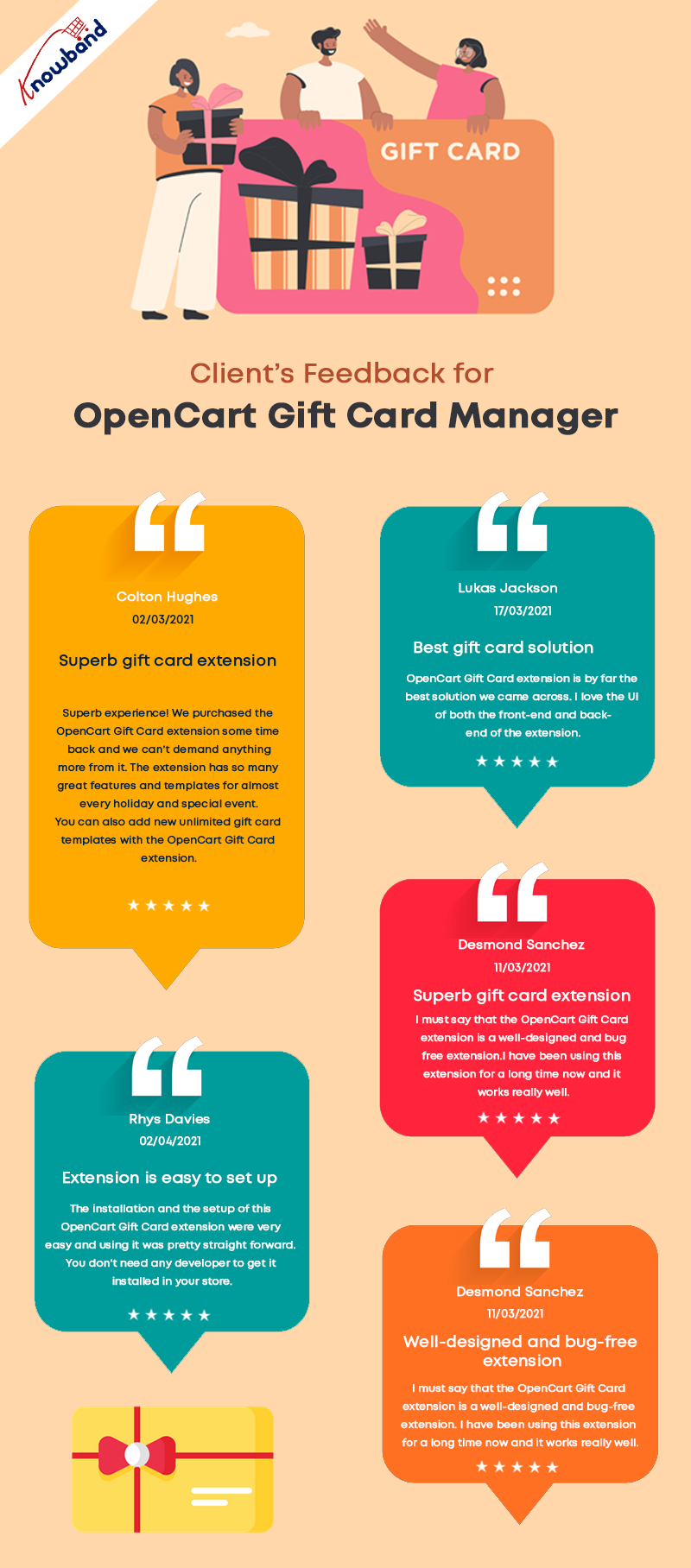
Seller’s Feedback on KnowBand’s Gift Card

The OpenCart Gift Card Manage extension allows you to display the gift card link in a variety of locations to draw attention to it. It can be placed in the website’s header, footer, or center-left. The Gift Card link can also be found in the My Account section.

What customization is possible and how you can use it in your eCommerce OpenCart store is explained in detail.

Offer Gift Cards for a Variety of Occasions

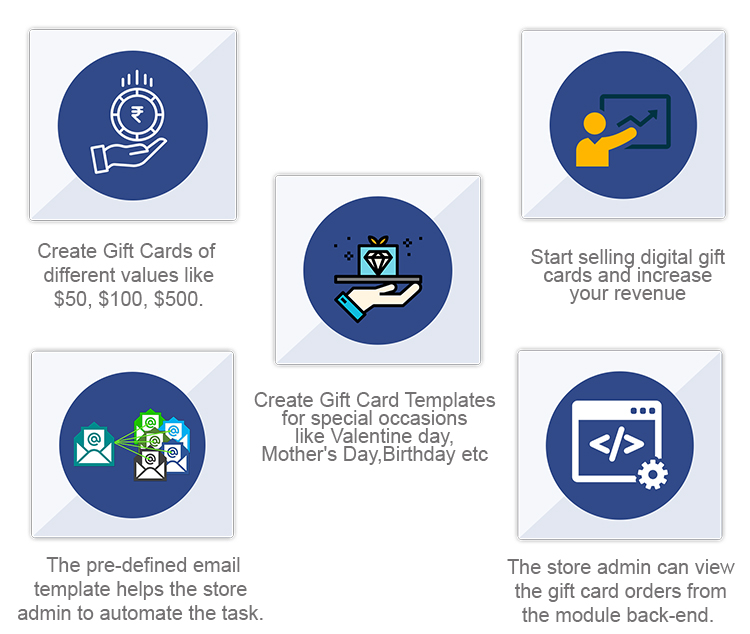
The Gift Card module has gift card templates for a variety of holidays and events, including Valentine’s Day, Halloween, Christmas, New Year’s Eve, Birthday, Anniversary, Father’s Day, Mother’s Day, and so on. You can make changes to the existing Gift Card templates as well as create new ones.

Image Printed Gift Cards are unique

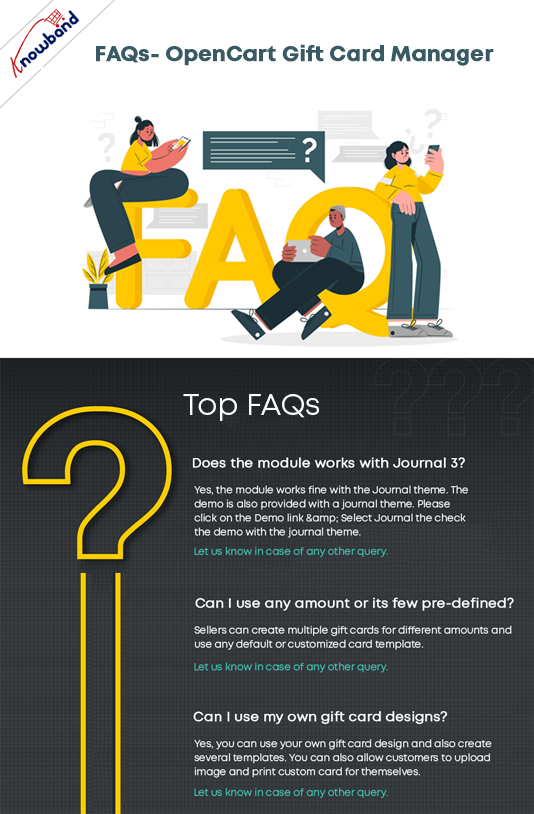
With the OpenCart gift card manager, you can allow customers to create image gift cards by uploading a photo. Such gift cards will have a personal touch and will make the receiver feel more attached. Gift Card extension is also compatible with the Opencart Journal theme.

Custom Price Gift Cards for different budgets

The OpenCart Gift Voucher extension allows you to create gift cards with a fixed value or a range of values. You can set the value for which gift cards are accessible when the fixed amount status is activated, for example, 100, 200, or 500. You can select the minimum and maximum gift card amounts for which a user can shop if this option is deactivated.

Allow virtual gift cards to be sent.

Customers would be able to send the gift card to the recipient’s email address if this option was enabled. This can be done for each and every gift card.

Allow actual delivery of gift cards.

Customers would be able to mail the gift card to the recipient’s home address if this option was enabled. Each form of gift card might have its own functionality.

Use it to create your brand identity

A gift card prefix is typically made to promote a brand. You can also establish a prefix for your gift cards, which will be used in all of your gift card codes.

Custom email for virtual gift card delivery

You can create an eye-catching subject line and customize the email content to your liking. Email templates are available in the upgraded version for sending an email notification to gift card senders as well as to print the card.

Select the Date and time to send the email

Specify the gift card order status on which the gift card will be given to the recipient. You can choose from a variety of order statuses to choose which order state the gift card will be sent to the recipient. Customers would also be able to print the coupon based on the order status they chose.

Mention Eligibility Criteria and Validity date

You can select a minimum gift card delivery gap between placing a purchase and receiving it with the OpenCart Gift Card Manager plugin.

Allow for the download of a Gift Card in PDF format.

You may provide clients the opportunity to download the gift card in PDF format using OpenCart Gift Card Manager. You can customize the PDF content as well as the gift card pdf prefix.

Keep track of your gift card purchases.

The OpenCart Gift Card extension allows you to keep track of the status of your gift cards orders. You may look up client information; verify the gift card’s expiration date, and much more.

Support for Cron

Because CRON is supported on your site server, the gift card can be sent to the addressee right away without the need to run any CRON files.

Real-life examples of Gift Card Manager on OpenCart stores

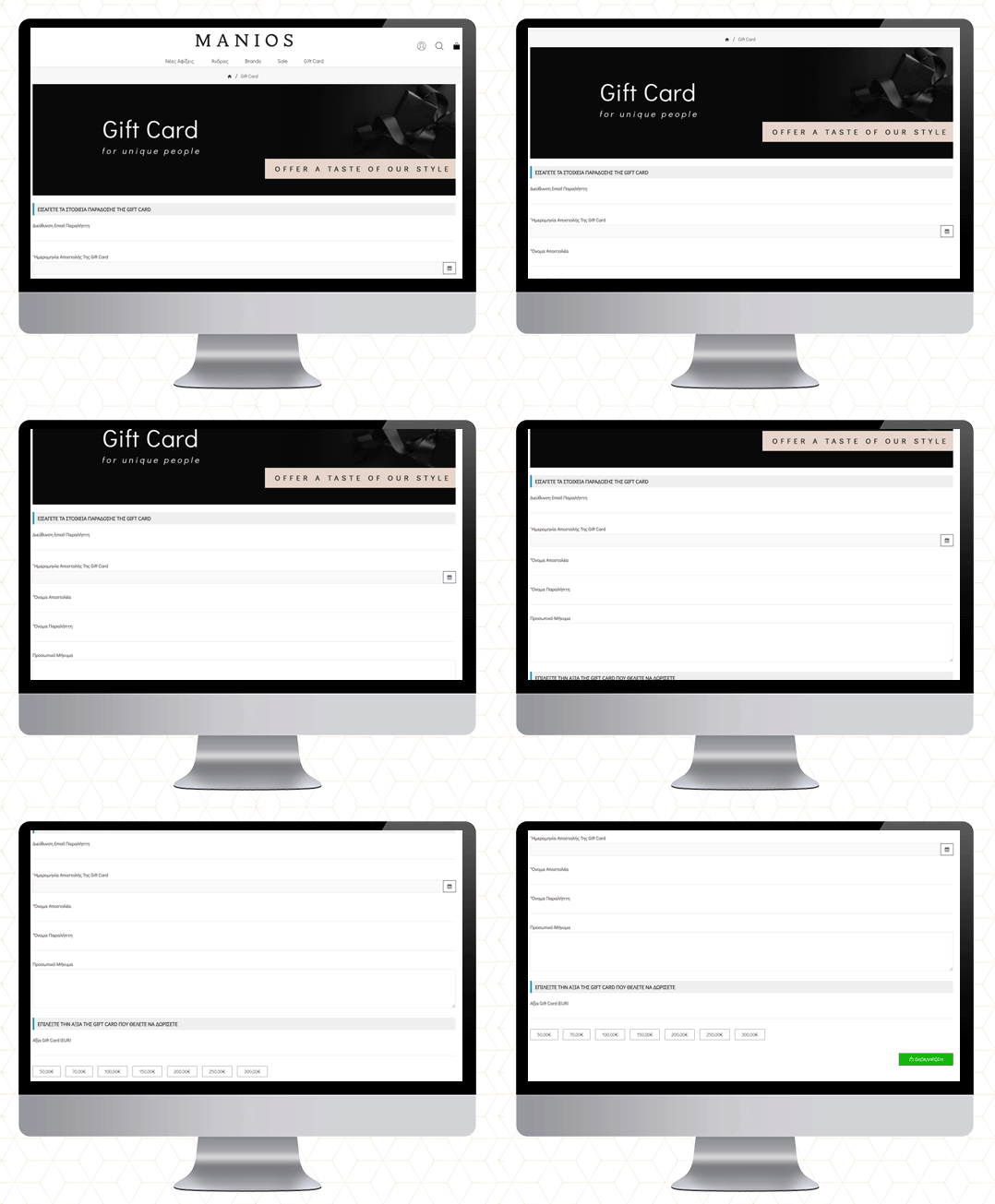
MANIOS Men’s Clothing

The MANIOS is a clothing brand for men and it delivers products in Greece and Cyprus. The website is built on the OpenCart platform. MANIOS believes in customer satisfaction. They have been using Gift Card Manager on their OpenCart store to deliver a great shopping experience to their customers.

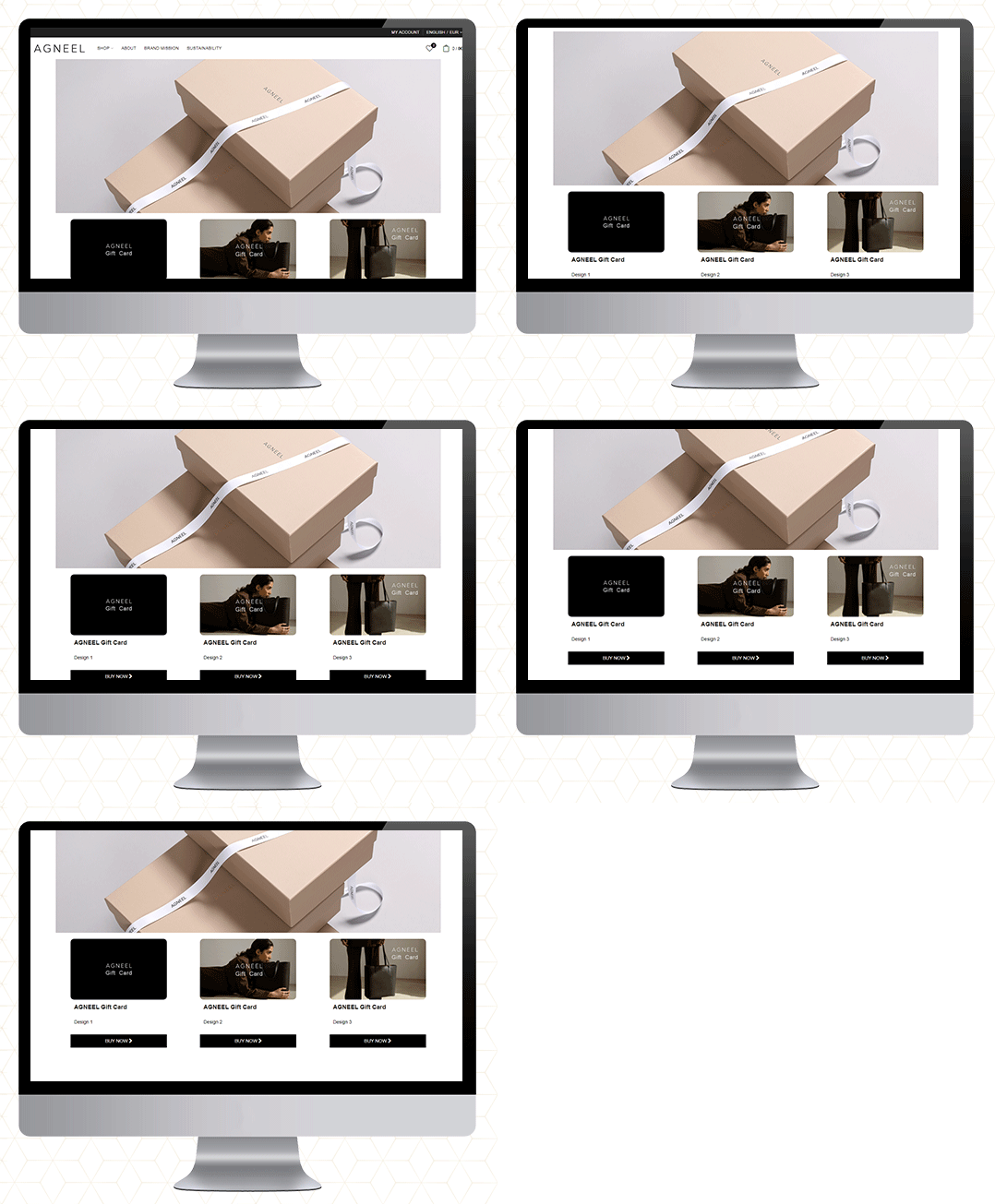
AGNEEL Handbags 

A luxury leather handbag brand delivering in Berlin, Europe. They are also using the OpenCart Gift Card Manager on their website. They have created some custom gift cards with attractive images.

UZI Sports

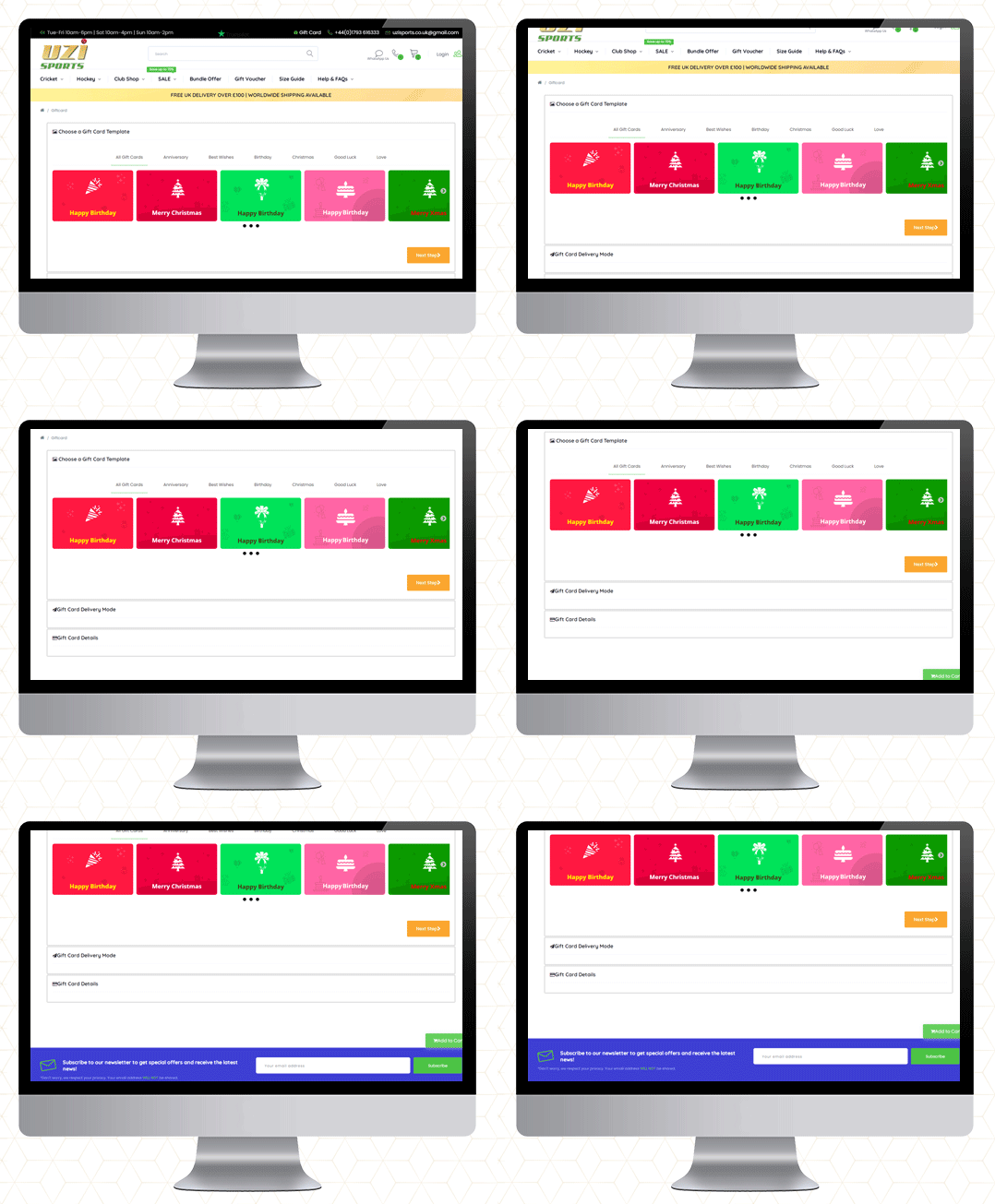
UZI Sports is one of the UK’s Hockey & Cricket equipment stores and approved suppliers of major cricket and Hockey equipment brands. Moreover, they are experts in providing custom sportswear across the country. They also use the OpenCart Gift Card Manager plugin.


Cose che cero

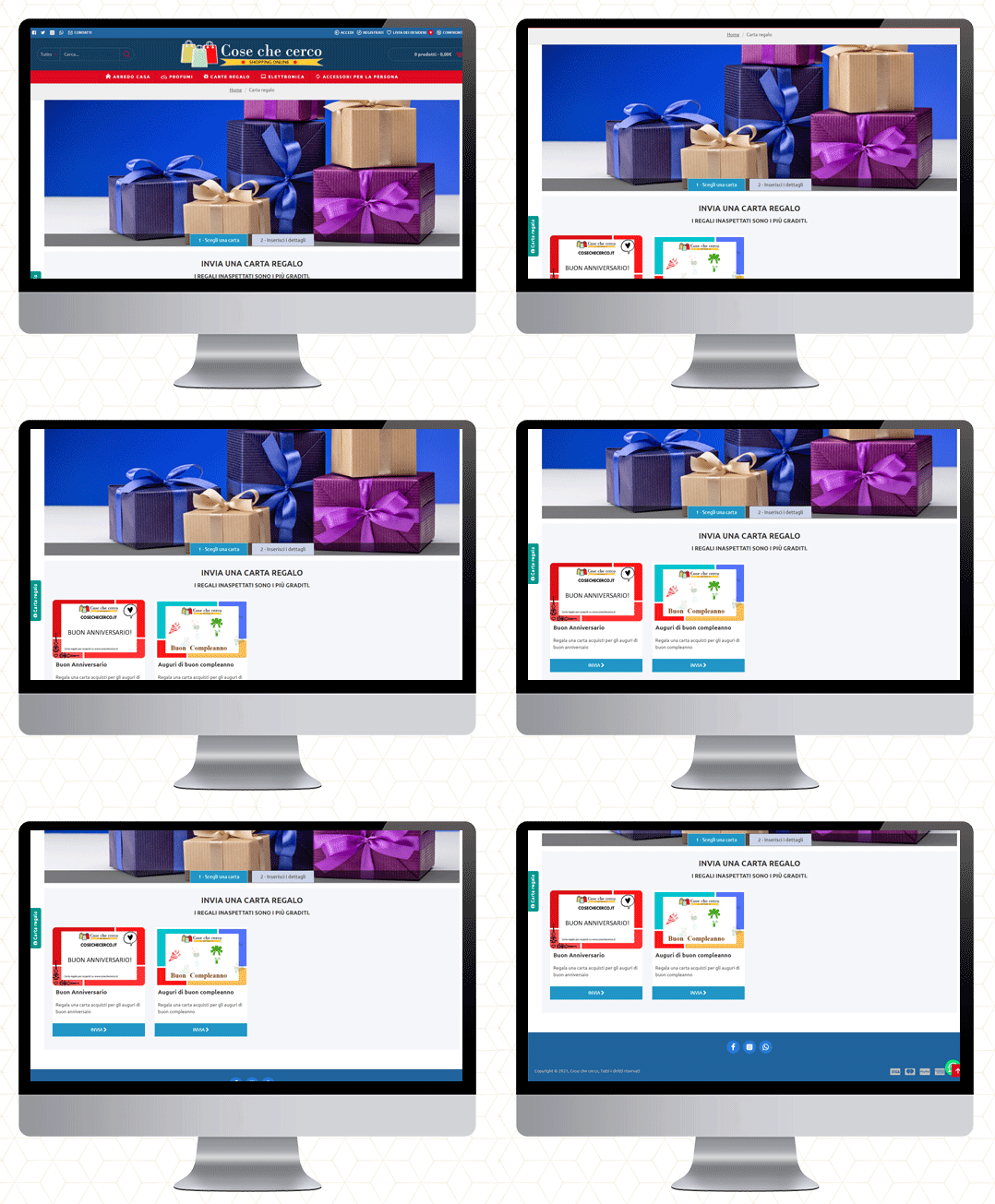
They deliver in Italy. You will find furniture, perfumes, electronics, and a wide variety of accessories. The gift cards are also available on their website.


QMarjan

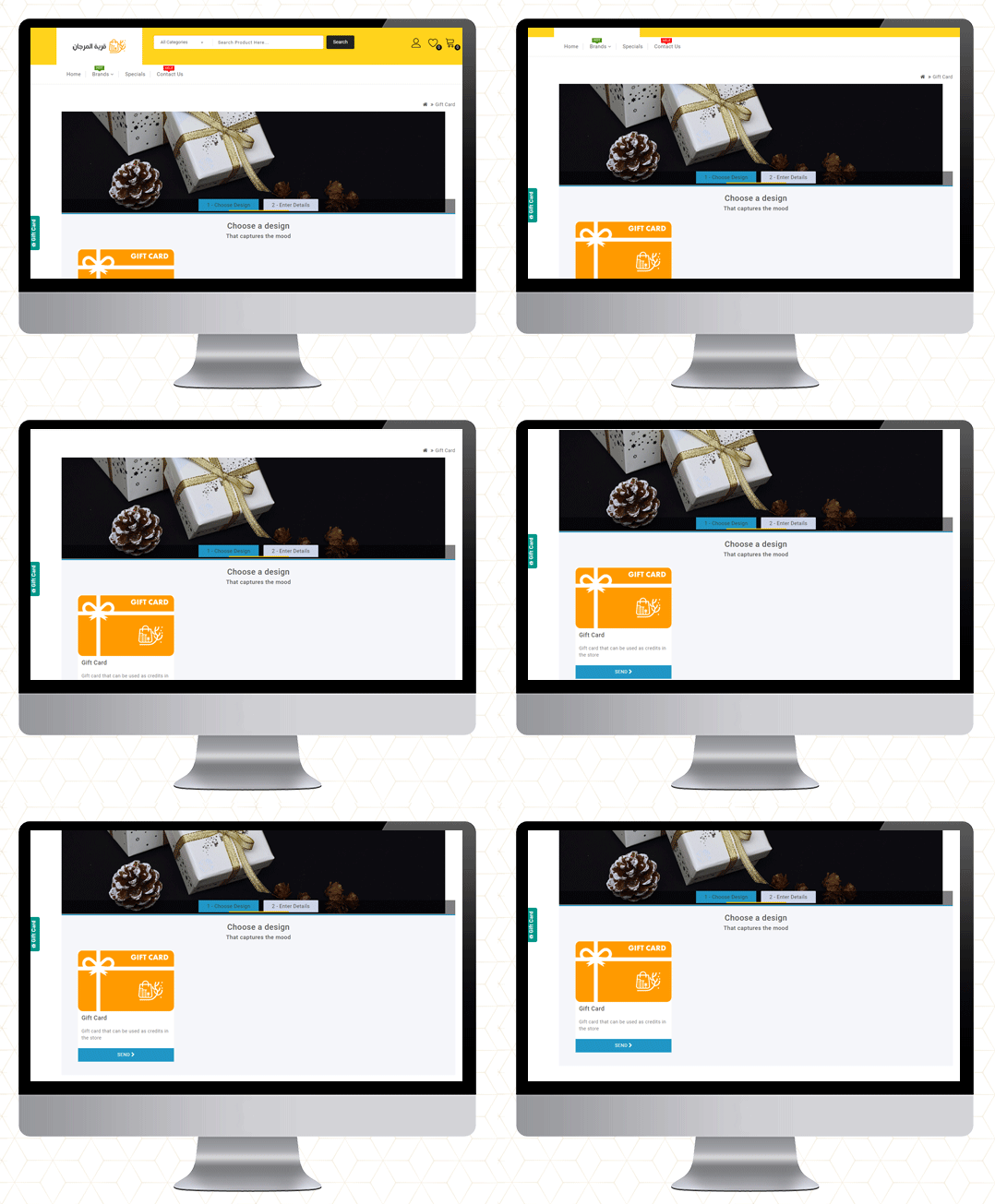
Al-Murjan store always strives to provide your needs at reasonable prices. Their location is in the beloved city of Qatif. They deliver in all regions. To improve the shopping experience as well as for customer acquisition, the Opencart Gift Card Manager is live on their store too.

Final Thoughts

Gift cards are similar to any other type of gift. Consider the person you’re gifting the card to and their likes and dislikes before making your selection. Make an effort to choose a card that will be liked and used.

So, if you’ve never considered a Gift Card as a product in your store, this guide will explain why they’re ideal.

If you want to start selling an e-Gift Card on your OpenCart store, go here to get started!
More information on KnowBand’s Digital Gift Card can be found here.

Check out the Video for OpenCart Gift Card Manager

Purchase OpenCart Gift Card Module

OpenCart Gift Card or KnowBand OpenCart Gift Card Manager

How Clients are reacting to KnowBand’s Google Shopping Marketplace Integration Module

Want to reach a wide range of audiences? Why not sell through Google Shopping! 

Setting up your store and managing it is itself a tedious job and if someone asks you to do it twice, will blow your mind. What if there is a solution that can help you manage the listings and complete store activity of Google Shopping from your eCommerce store. 
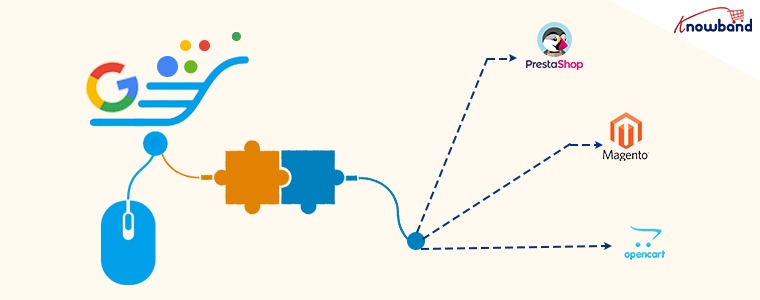
KnowBand has developed modules that link your eCommerce store with Google Shopping. The super-smart Marketplace Integration Module! This tool automates the product listing on Google Shopping and reduces your extra efforts. Google Shopping Marketplace Integration is available for PrestaShop, OpenCart, and Magento platforms. 

How does Google Marketplace Integration help eCommerce sellers?

The Marketplace Integration Module, along with built-in marketplace catalog models, provides you with direct API connections to niche, local, and global marketplaces, so you can enter new markets and get goods online overnight.

Integration of the seamless marketplace expands the digital footprint by combining orders on a centralized dashboard with marketplaces around the world and monitoring them at the same time. 

Scale beyond boundaries and boost global sales by hitting the marketplaces they love with an integration solution to communicate with more shoppers.

Full connectivity for cross-channel– The key to solidifying your online product exposure for future generations is smooth and secure marketplace integration.

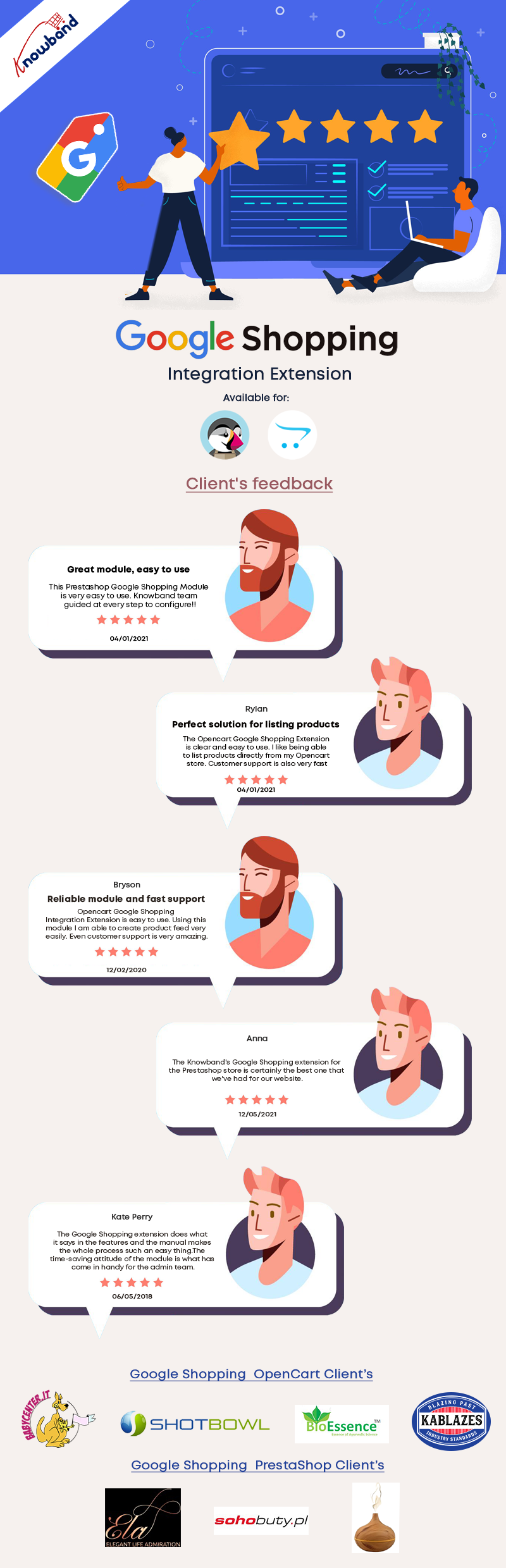
What Client’s Have to Say about Google Shopping Marketplace Integration

KnowBand’s Google Shopping Marketplace Integration Module for PrestaShop, Magento, and OpenCart platforms

Google Shopping is the platform that allows the customers to search, view, and compare products on the Google search page. Google Shopping Marketplace Integration helps the eCommerce store owners to map their products to Google Shopping without making extra efforts.

How Google Shopping Marketplace Integration works best for sellers:

You can map the entire eCommerce store(PrestaShop, Magento, or OpenCart Platform) category to Google Shopping.

It is highly compatible with the multi-shop environment. In addition, the Marketplace Integration for Google Shopping allows bulk uploading of the products.

Admin can list or exclude products from the Google Shopping platform by adding filters like products below a specific price, products without unique identifiers (EAN13/JAN or UPC). 

Moreover, the auto-synchronization through cron automates the entire process in real-time.

Besides this, it aids profile-based product uploading from the eCommerce store.

Admin can update product inventory from the backend of the marketplace integration addon. 

Then anyone clicking on the product of Google Shopping page will be redirected to the product page of the website. 

The Google Shopping Marketplace Integration is available for all the major eCommerce platforms like OpenCart, Magento, and PrestaShop. 

Click on the links below to see the demo of Google Shopping Marketplace Integration: 

Magento Google Shopping

Magento 2 Google Shopping

Opencart Google Shopping 

Prestashop Google Shopping 

Finally, it reduces extra efforts and proper SEO optimization can help you grow your business rapidly. Google Search engine which is a giant name in the online industry, lists your products on top if you know the SEO Game. It will facilitate optimizing the performance of your eCommerce store by providing a high-quality product feed. It also helps in succeeding with relevant product ads.

Click here to know how sellers can take benefit from Google shopping free listing.

If you want to know the best way to sell on Google Shopping, click here.

To sell on other marketplaces like eBay, ETSY, with free automated listings, click here.

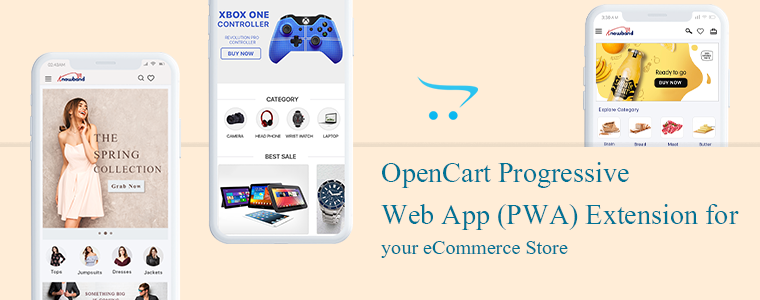
OpenCart Progressive Web Application (PWA) Extension for your eCommerce Store

The Progressive Web Applications turn your regular website into a fast-loading web app that behaves like a mobile application in a browser. The OpenCart Progressive Web Application extension is integrated with all the needful features and converts your website into a dynamic PWA. The Progressive Web Application extension will give your eCommerce customer a feel of using a mobile application when they are actually using the internet browser.

Why is PWA important for an eCommerce website? There are many famous brands like Starbucks, Flipkart, MakeMyTrip, Trivago, Jumia, etc. have seen tremendous growth in customer engagement and conversion rate after launching PWAs. The PWAs are highly reliable and provide customers a smooth user experience.

The PWA technology is not very old but the term was coined by Google in 2015 and then many followed it as it showed positive results in many ways. The OpenCart PWA extension has various features and those will benefit the store owners in various ways.

Some of the features and benefits are discussed in this article. Let’s look at it in depth.

The OpenCart Progressive Web Application

To offer an app-like experience to consumers, a Progressive Web App (PWA) uses modern web technologies.

Our OpenCart Progressive Web Application gives the impression of a native app that keeps them engaged and enhances the overall user experience. It supports push notification very well which improves the accessibility of your website further.

Why is PWA a must-have extension for the OpenCart store?

If you want to provide your visitors with an app-like experience on the mobile web, well then OpenCart Progressive Web App (PWA) is the best solution for your needs.

  • The Progressive Web App supports push notification that improves the conversion rate.
  • PWAs are fast loading that keeps the user engaged and reduces the bounce rate
  • Offline support: They work well in poor network connectivity and even in offline mode(uses cache)
  • These are cost-effective because it saves the cost you require to create a native app
  • PWAs are highly reliable and engaging
  • The OpenCart PWA is a top-notch option for you because it does not require to be uploaded on Apple & Google Play stores.
  • Gadget Friendly: OpenCartProgressive Web Application works well on all mobile devices.
  • It occupies low storage& hardly faces any crash or lag.

Recommended Read: How Progressive Web Apps (PWA) can improve mobile conversions of an eCommerce store?

How does an OpenCart Progressive Web App (PWA) extension works?

This OpenCart Progressive App (PWA) is just like every other OpenCart extension. When this extension is installed on an open cart website, it creates a customizable PWA derived from the website’s data.

There is a real-time synchronization maintained between both, the website and the PWA.

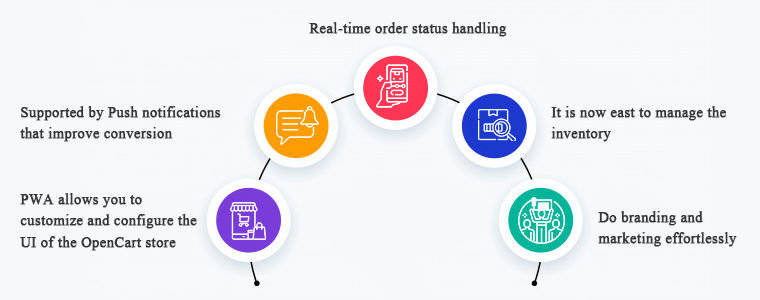
1.     PWA allows you to customize and configure the UI of the OpenCart store

To manage the PWA user interface, you need not to a professional coder. It is that simple to customize and configure. The OpenCart store owners can select & customize their application name, app icon, logo, splash screen, font styles, etc.

On mobile browser, website users can connect your OpenCart PWA App to their devices’ home screen. Get full power over your app from the extension’s backend panel that to over a few clicks and button toggles.

The appearance of the store will be inspired by the theme and the domain name as you desire it to be.

2.     Supported by Push notifications that improve conversion

For eCommerce mobile apps, push notifications are a benefit driver, if used wisely. The OpenCart PWA Mobile App also helps you to directly give your app users personalized push notifications on their smartphones. The store admin can also schedule the updates listed below from the admin panel:

  • Notification for a successful order
  • Order status updates
  • Follow up notification for abandoned cart

3.     Real-time order status handling

In the OpenCart Progressive Web Application, the order status is changed in real-time. Users of the app will be able to keep eye on the fulfillment of successful orders. The order details remain in sync with the shop.

4.     It is now easy to manage the inventory

The entire inventory of the website will be in automatic synchronization to the app. Also, manual control is not required when it comes to the inventory of apps. Any updates or new additions to the software will also be modified only by refreshing them.

5.     Do branding and marketing effortlessly

If PWA is installed in your OpenCart store, you will be benefited from its handy promotional tools that help you with marketing and running deals in your store. It is a cost-effective extension because you don’t need any extra modules for running deals in your store.

Campaigns & Promotions for Sale

To raise sales you can run different promotional selling deals. Using the home-intuitive screen’s campaign graphics and promote further purchases for users. The admin can also run a flash sale based on a timer and create an emergency for quick purchases.

Works well with other coupons and deals running in store

The PWA app also works for all coupons & vouchers activated on your OpenCart website. It will provide Progressive Web App users with the same discount coupons and vouchers as website users.

Allows Product Sharing on Social Media

A customer believes the other customers. The OpenCart Progressive Web App allows app users to share their choice of beneficial products on various social media with their friends and relatives and inspire them to buy products.

Give your OpenCart customers a seamless shopping experience

Every store owner is looking for the right strategies to provide a better customer experience to their existing and new customers. The PWA has some advanced features that effectively provide a unique and great customer experience.

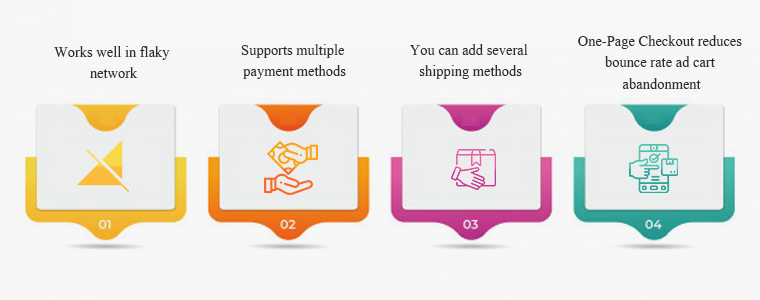
#1- Works well in flaky network

Even with a sluggish & no Internet connection, this OpenCart PWA App will work. Any time they want to search for items or shortlist them, users would not have to wait for good internet connectivity. Not magic though! This happens because of the saved cache files.

#2- Supports multiple payment methods

On your OpenCart PWA app, all the payment options available on your OpenCart website will be active as well. This plugin for the app creator synchronizes all the web-view payment methods.

#3- You can add several shipping methods

On your PWA app, any kind of shipping method active in your OpenCart store also works flawlessly. The OpenCart Progressive Web App means that the shipment & distribution of goods can be managed easily by the users.

#4- One-Page Checkout reduces bounce rate ad cart abandonment

Additionally, the OpenCart Progressive Web Application comes with an integrated One Page Checkout where only the requisite entries are obtained from the customers. Before placing successful orders, it also helps them to review the complete order information in one go and thus minimize cart abandonment.

Conclusion: You might be okay with the website you are using but making it a Progressive Web Application can do wonders! There are several success stories of big brands who converted their stores into PWA and the changes they have observed were remarkable.

Recommended Read:

You can click here and take a demo tour of the OpenCart Progressive Web Application. We at KnowBand create custom mobile apps for almost all the major eCommerce platforms. You can discuss your project ideas with our experts at support@knowband.com. And, drop a comment and let us know if you find this article helpful.

Recommended Read:

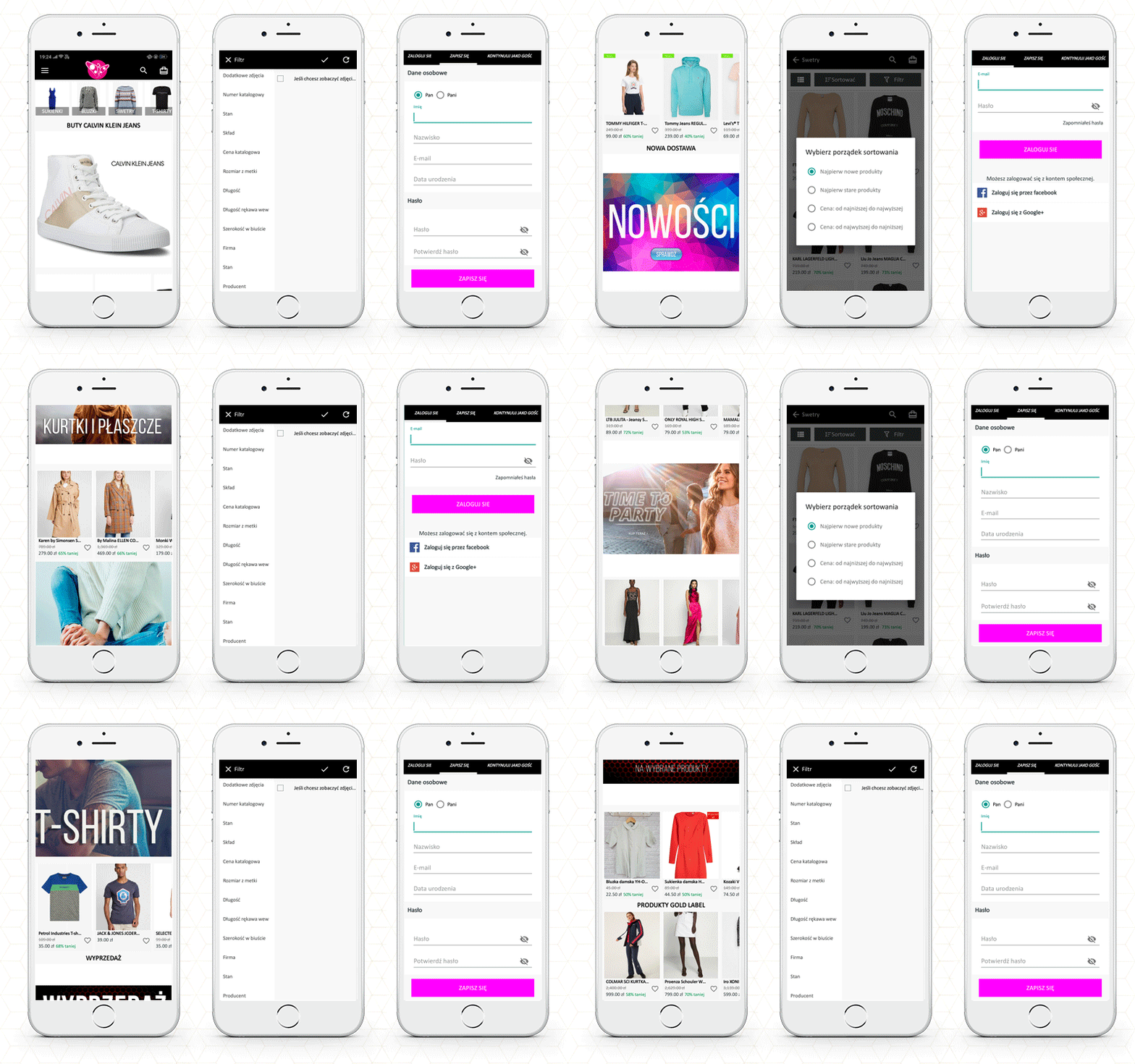
1000+ Installs of a Poland Fashion App developed using PrestaShop Mobile App Builder

Today’s world appears to run on applications. If it’s anything that people can engage with, there’s a good chance it’ll be available as an app. Applications that are well designed attract your eye and make you want to use them, whereas apps that are poorly designed are frustrating and don’t do what we want them to.

You want to create a straightforward and intuitive user experience for the first edition of your eCommerce mobile app. Any element that detracts from the experience’s intuitiveness isn’t worth having.  A Poland Fashion App has completed its 1000+ downloads, delivering an exclusive user experience. This blog will grab your attention to its features and how they have developed it.

Wieszakshop. pl – Premium Brands Outlet

Wieszakshop. pl is an online store that sells women’s, men’s, and children’s clothing, as well as shoes and accessories from popular brands, at up to 70% less than typical retail pricing in Poland and around the world. If you adore well-known brands and one-of-a-kind designer finds, you’ve arrived at a veritable haven of fashionable events.

How can you place an order on this eCommerce Mobile App?

Every mobile app has basic features like product listing, product page, shopping cart, checkout page, and transaction page. Wieszakshop. pl is a Fashion focused PrestaShop mobile app created using KnowBand’s Mobile App builder Plugin which is specially designed and developed for eCommerce.

Users in Poland may now purchase top brand clothing with ease. Allow me to take you on a shopping spree over PrestaShop Mobile App. For instance, consider buying black denim from your favorite brand:

The Home Page

The app’s primary screen provides customers with access to the new arrivals, best sellers, etc. Also, the brand logo appears on the landing page.

The function of basic search and voice search

Now, to buy a pair of denim, you will have to search for it. It allows users to search the products within the app; from the product page as well as the home page.

Add to cart or wishlist

Once you find the black denim, you can add it to the cart or the wishlist. Pushing the checkout button will redirect you to the checkout login page.

Customer Login Page

The shopper can purchase by signing up for the app from here. You can also checkout as a guest if this feature is enabled.

With successful signup, you can log in with your email address, Google+ or Facebook. It also allows fingerprint login.

Payment and Shipping Address

Now the app will take you to the shipping page where you need to fill up the delivery address. You will also have to select the payment methods.

Your order will be placed successfully!

Other features of the PrestaShop Mobile App

Push Notifications

App sends push notifications to customers. It can be a text that the user may be interested in. They are easier to send than emails and are less likely to end up in spam folders.

In-App Chat Support

The mobile app provides in-app chat support to customers. It has a WhatsApp chat option integrated.

Store admin can add or remove the features from the mobile app. It is easy to customize the app’s home page, add new banners, put a logo and add colorful windows to the app.

It works in real-time synchronization with the fashion store website.

Now you have a mobile app that allows you to take orders online but do you have a smooth delivery management system? If your answer to this question is ‘no’, then read ahead.

How to manage your local on-time deliveries?

In eCommerce, local deliveries/shipping enables consumers to purchase the products online and deliver them directly to their doorstep. Local delivery acts as an alternative to both carrier and in-store pickup.

It has had a particular effect on retailers and consumers alike in an environment where shipping companies are facing increased delays and in-store shopping also carries risks. To ensure, on-time delivery and manage them, you can use Knowband’s effective module- ‘The Delivery Boy App‘.

This application provides functionality that establishes a connection between the Admin and the Delivery Boy. Through this application, the admin can allocate an order to the delivery boy and monitor them. This helps to provide a better shipping service, as it is monitored by the admin, too with the help of an application that works on your eCommerce platform.

The delivery boy application is available for PrestaShop and OpenCart platform.

PrestaShop Delivery Boy Mobile App

OpenCart Delivery Boy Mobile App

To manage to ship and to reduce the shipping cost, you can read the following articles:

6 Simple Ways to Reduce Shipping Cost

Ecommerce Shipping: Challenges and Solutions

How to calculate Free Shipping based on final Total Price in Prestashop ?


For Mobile App, refer to these blogs and explore the live apps:

Examples of Italian eCommerce Mobile App, Spanish, Polish, Russian, and French Shopping apps.


Support:

KnowBand is helping eCommerce organizations for a decade and we have 100+ plugins for various eCommerce platforms. Visit the KnowBand store or write an email to our support team for your module or website development requirements.

Why your eCommerce Shipping and Delivery Strategy Is More Important than Ever- Explained with live Examples

How fast are your eCommerce orders delivered? How many choices do you give for delivery? What are you going to charge for shipping? Is shipping secure for you? These are some pressing questions related to eCommerce delivery. 

You have to have a plan for delivery services that satisfies your customers and improves their customer experience. In eCommerce, businesses are competing over the customer experience and prompt, well-planned delivery can surely improve it. 

In this article, I will be giving reasons that explain the importance of delivery strategy and show you some best delivery management plugins that will help you achieve your business goals. 

Why do you need a delivery management strategy? 

A bad experience with shipping has a major impact on your business. It affects the reputation of your company, consumer satisfaction, and can raise costs. If there is one business area to concentrate on next, consider making it your shipping strategy for eCommerce. A good shipping experience is more critical than ever, new statistics show.

  • Merchants are now primarily struggling for customer experience.
  • Merchants don’t meet eCommerce delivery customer expectations.
  • Customers are more interested in home delivery than shopping from a brick-and-mortar store.
  • After the COVID-19 outbreak, hygiene and touch-free delivery is expected and merchants are struggling

What do eCommerce customers expect from delivery service providers?

Customers want competitive rates, versatile shipping choices, and quick delivery when it comes to logistics.

Take a further look at these figures to clarify what customers want.

  • 2 out of 3 individuals plan to be able to place an order for next-day delivery up to 5 p.m the night before.
  • Preference for two-days shipping is up significantly
  • For time-sensitive personnel, half of the consumers are prepared to pay extra for faster delivery.

But, you need to find an inexpensive way to enhance your fulfillment operations to reach these standards. This takes time and investment and you probably have a lot of areas that need to be changed.

How to improve the delivery strategy of eCommerce: consider using these modules

You probably don’t specialize in supply chain management or logistics, unless you’re Amazon. And, most probably, you don’t have the money to do this either.

Instead, for making your delivery process quick and smooth, you should consider adding some delivery services dedicated modules to your eCommerce store. As a result, these modules will help you improve the customer experience related to shipping. 

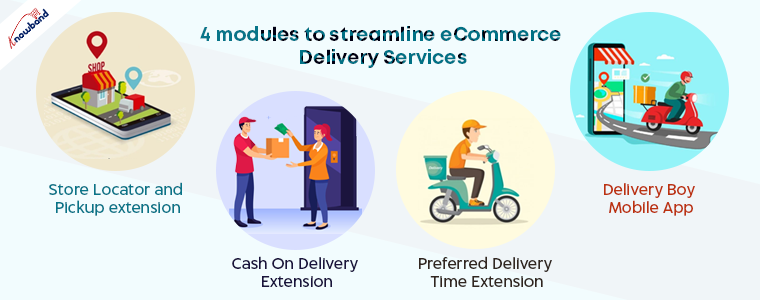
The best four extensions developed by KnowBand to enhance customer experience on your eCommerce store are:

  1. Delivery Boy Mobile App
  2. Preferred Delivery Time Extension
  3. Cash On Delivery Extension
  4. Store Locator and Pickup extension

Use Delivery Boy App to assign, manage and deliver the orders

Customers drive away from your store if delivery management is poor. You try your best to bring the customer to your store but during the last step of your business, poor delivery management can cost you a potential customer. 

To manage the deliveries you need robust software that can handle all your deliveries, addresses, date and time of delivery, delivery assigning and delivery boy registration, etc. 

The Delivery Boy App can help you do that with ease. I will be coming to this later. Before that, you need to understand the need of offering home delivery and how it can boost sales. 

The module allows the administrator and the customer to interact easily, which will help to improve customer loyalty as they remain aware of the delivery.

  • The Admin and the delivery boy will also receive updates about the order.
  • Admin can register delivery boy to the application.
  • No Admin will monitor the status of the delivery boy and allocate an order to them.
  • Admin will talk with customers to answer their questions and collect feedback.
  • Admin can also speak with the delivery boy to ask them questions and answer their queries.
  • Delivery Boy will make their status as Online/Offline via the application. This will make their presence or absence.
  • The delivery boy will either confirm or reject the new order assigned to him.
  • OTP must be entered by the delivery boy to check that the delivery is carried out by him to the correct customer.
  • The customer can also monitor the activities of the delivery boy.

The delivery boy app is available for two open-source eCommerce platforms.

PrestaShop Delivery Boy Mobile App

OpenCart Delivery Boy Mobile App

Live Examples of Delivery Boy App 

PrestaShop Delivery Boy App

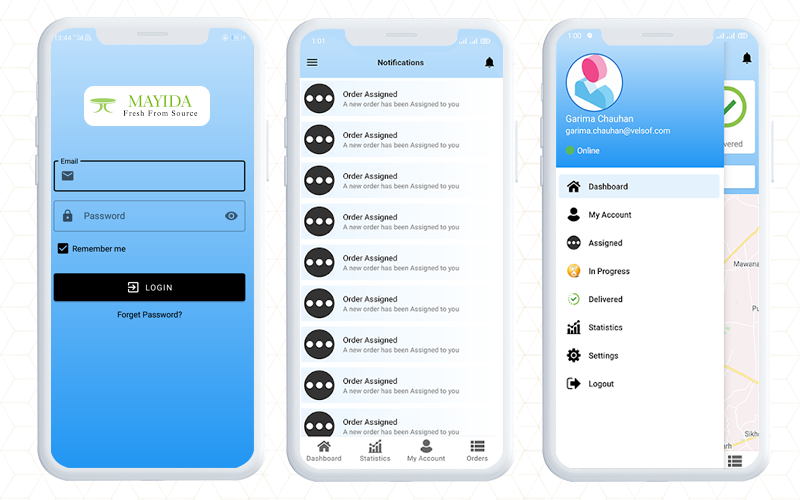
The Mayida is a PrestaShop store delivering farm-fresh fruits, vegetables, and green leaves in Saudi Arabia. To make the delivery on time and to avoid the delivery management challenges, they have been using KnowaBand’s PrestaShop Delivery Boy App. This app is a one-stop solution to take care of the delivery process from order pick-up to delivery. 

The registered delivery boys will receive the notification when the admin assigns any order to them. Once they accept the order, the order status will be changed. 

The next step in the process will be transportation and finding the location. For that, it provides the Google Map location of the customer. With the help of Maps, the delivery boy will be able to find the correct location. 

For customer verification, an OTP code will be required. The delivery process will be completed and the order status will be ‘Shipped’.

Explore more- PrestaShop Delivery Boy Mobile App making Delivery Management easy for Mayida!

Live Demo of Myida PrestaShop Delivery Boy App

OpenCart Delivery Boy App

In India, many eCommerce companies are using the OpenCart platform. A Pune-based grocery marketplace startup is using KnowBand’s Delivery Boy App to deliver its products locally. BuyKeyStuff is the website for local stores and they do on-time deliveries. 

It isn’t easy to manage the shipping for a marketplace as there are various merchants with a larger customer base. However, to provide efficient delivery, they have a team to deliver products. The delivery boy app helps the merchant to assign the orders to delivery boys. 

They pick up the order from the merchant and deliver it to the rightful owner. The complete shipping process can be tracked by the app administrator. In case a delivery boy refuses to pick up the order, then he will have to provide the reason for his denial.

This OpenCart Delivery Boy App helps the owner to track the entire process. This way the BuyKeyStuff marketplace manages the delivery with ease.

Live Demo of BuyKeyStuff OpenCart Delivery Boy App


Preferred Delivery Time for better customer experience

Most of the time the delivery process gets hampered because of the unavailability of the customer at the delivery location. 

By offering customized service, the store admin can provide a better store experience. To select the preferred delivery date and time, the store admin can implement the functionality on the OpenCart store. 

  • It enables consumers to pick the preferred date and time of delivery at their convenience. 
  • Store owners can set a minimum shipping gap between the date of order placement and the preferred date of delivery
  • Defines the interval for delivery time [Start time and End time]
  • Allows to set up different slots for distribution
  • The store manager can specify days of non-delivery
  • Also after placing the order, clients will be able to change the delivery date and time.

These features of preferred delivery time extension give a personalized user experience and merchants can ship and deliver the order according to the customer’s choice.  

Cash on Delivery improves trust and builds loyalty

Gain customer loyalty by providing the item with a COD facility. This is simply to allow consumers at the checkout page to make the online payment instead of opting to pay later at the time of delivery. But since many customers are reluctant to share their card details online, you can provide them with the option of Cash on Delivery (COD) along with some extra cost. 

  • The customer does not have to share debit card or credit card details 
  • Shoppers can shop for goods on the web without fear of hidden costs, breach of security, or risk of money loss.
  • It also allows showing the COD option on the checkout page
  • You can set different charges for different amounts of the order.
  • Add your own payment gateway with the OpenCart Cash on Delivery plugin on your web
  • Set up various COD profiles for different delivery methods and order quantities.
  • OpenCart Cash on Delivery with Fee Extension enables retailers to charge an extra fee for the option of cash on delivery.

In addition, there are several other features that you can configure from the backend of the OpenCart Cash On Delivery Extension. 

Buy online and Pickup in-store promotes up-selling 

Retail firms have also moved their company on the online platform to ensure social distancing. It also assures that the customers do not feel troubled to get essentials buying online by allowing in-store pick up.

The Shop Locator and In-store Pickup extension encourage self-pickup facility. It allows you to add store location on your websites and lets customers pick up their products by choosing their nearby shop. You can also add multiple stores. 

  • It allows the store manager to add multiple stores to make sure that the customer can pick up the order from the closest store using a distance filter
  • Moreover, the store owner can specify timings for the shop opening and closing so no customer sees a lock on the door
  • It also has Google Maps for quick navigation
  • You can specify a pick up time slot. Also, customers can pick the date and time slot as they want
  • In addition, you can notify the customer via email about pickup orders.

Final Thoughts: There is no denying that shipping services play a significant role in deciding whether a customer chooses to buy. If you know your previous delivery strategy isn’t satisfying them well, there’s a fair chance you’ve got to improve it at some places! The OpenCart extensions for delivery will improve user experience and make your business stand out from the crowd.

Recommended Reads to streamline your eCommerce Delivery Management:

Successful 5000+ downloads of Dental Medicine Ordering App- Magento 2 Mobile App Builder Module

Are you looking for a mobile app model for your pharmacy store? There are various phases, starting from an app design to its development, and creating a robust app becomes more hectic when you are not tech-savvy. Online shopping is making our life easier. With the advancement of technology, now we can also order medicines online and receive them at our doorstep.

KnowBand is presenting you a real-life example of a Dental Shopping App that can be an inspiration for making a successful pharmacy clinical app. This Dental medicine ordering app is live in India and has 5000+ installs.

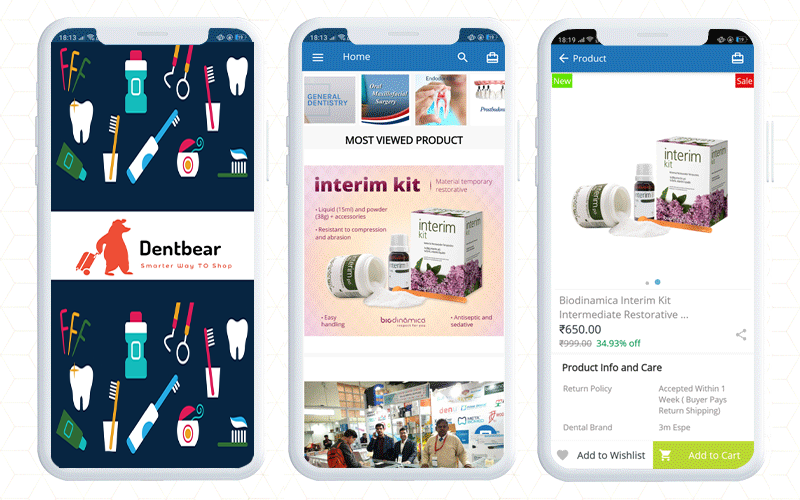
Let’s explore the Dentbear. com– Dental Shopping Android Mobile App build with KnowBand’s Magento 2 Mobile App builder.

Order Medicines in India with Dental Shopping Android Mobile App

Dentbear.com is an Indian website for dental care products and medicines which is developed on Magento 2 platform. To make the Dentbear Mobile App for Android, they have used Magento 2 Mobile App Builder module, a tailored solution developed by KnowBand.

How does this Medicine Delivery App work?

Firstly, customers have to install the app from the Google Play store.

How to find the right product on Magento 2 Mobile App?

  • Once the customer opens the app, they will be landed on the home page. The Magento 2 app will be in real-time synchronization with the website.
  • The online dental store will show banners with current offers, new arrivals, best sellers, etc.
  • To place an order, search for the product you want to buy. For better search results, the app has voice search functionality.
  • Customers can sort and filter the products accordingly. The product page also displays the features and specifications of the product. Read product page best practices for mobile apps.
  • Now, customers can add the desired product to the cart or to the wishlist to make the purchase later.

How to complete the order on Dental Medicine Ordering App?

The App allows guest checkout or you can register at the dentbear store.

  • Signup or Continue as guest
  • If you are an existing customer then log in to place your medicine order

For login, customers get choices like login with email address and password, they can use social media accounts or log in with a fingerprint sensor.

Now add the shipping address and complete the payment process. Magento 2 mobile app builder supports all the payment and shipping methods.

What to do if you need customer support?

This application has a live chat support facility with which you can talk to the customer service team. It is a default feature of Magento 2 Mobile App builder. It allows the app merchant to connect with the customer via WhatsApp and Zopim live chat support.

DentBear delivers dental products all over the world.

Finally, getting a mobile app adds a lot of ease to your business. The mobile app builder, a delivery boy app, and an appointment booking system modules make your life easier than ever. On top of that, they simplify your local delivery services, management and deliver a satisfactory customer experience. With the help of these modules, you can start your online pharmacy delivery services right away.

Good luck with your new venture!

E-commerce development Support by KnowBand

Several modules can help you optimize your eCommerce store. If there is a functionality you want on your eCommerce website, any KnowBand extension will likely allow you to do so or if you don’t find any such plugin, you can always contact us at support@knowband.com for your custom plugin creation needs.

Check out Mobile App Portfolio  created by KnowBand