The best way to keep customers is to delight them and create an emotional bond with them. The Prestashop Birthday Coupon addon will assist you in forming a bond with your loyal customers. Coupons are a perfect way to supplement your online marketing efforts. Although these discounts or deals can go unnoticed at times, the personalized message will easily capture the attention of consumers. You can now expand the scope of your eCommerce store with email wishes.
Give special promo codes to customers to wish them a happy birthday. On a specific date, the module will send out emails with warm greetings and discounts. Not only for your customers but also for your brand, birthdays can be a real treat. Take the time to build campaigns that will make the customers feel good on their special day.
PrestaShop Birthday Coupon Addon
Send emails to customers on their birthdays using PrestaShop Birthday Coupon addon. The email triggers may be sent on the birthday itself, or a few days before or after their birthday. Also, send them an email congratulating them on their one-year anniversary of account formation.
This is one of the ways to keep in touch with your customers and give them a reason to come back to your shop. As a result, it’s an excellent tool for consumer satisfaction and providing promotional deals on special occasions.
Some of the best features of this amazing addon are compiled here for your reference.
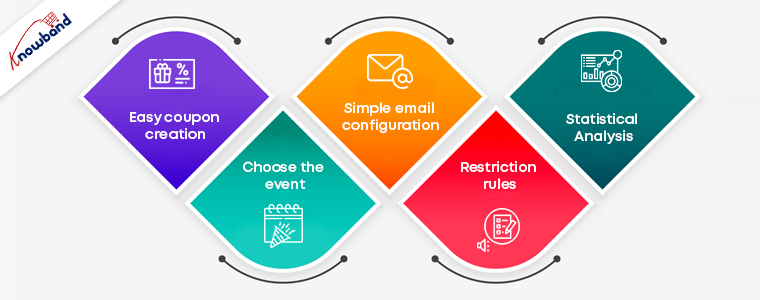
Easy coupon creation: The Prestashop Birthday coupon addon makes it simple for the administrator to generate coupons or gift vouchers. As a token of gratitude, you can give a discount on the next purchase or a free product. In just a few simple steps, you can set the discount number, percentage, and free gifts. You may also specify how long the coupons will be valid.
Choose the event: With the Prestashop birthday vouchers module, you can send email triggers for two separate occasions. You can submit it on the customers’ birthdays or when their accounts have been open for a year. In either case, the coupons and emails can be created and personalized in a few simple steps.
Simple email configuration: The Prestashop birthday coupon addon comes with a variety of default email templates to choose from. The administrator can also personalize the emails and make any adjustments he or she wants. You can submit your wishes in a variety of languages thanks to the multilingual compatibility.
Restriction rules: You can limit which countries can take advantage of the deals as required. You may also eliminate categories that you don’t want to give discounts on. All you have to do now is choose the groups to which the restrictions will be applied.
Statistical Analysis: The administrator has access to the whole marketing strategy report. Both graphical and tabular representations of the coupons produced and their status are available.
Benefits offered by Birthday Coupon Addon
Make your customers feel special on their special day to establish a personal bond.
On their birthdays, giving a personalized experience to customers will enhance brand loyalty.
Customers shop more from the online store if they receive free coupons on their birthday.
They can find it easier to complete their purchase with the ready-to-use coupon codes.
Use Code NEW20 to get an additional 20% off on the instant purchase of this module.
Give your customers a satisfactory experience on their Birthday and make them feel special on their special day! For any assistance on eCommerce modules, reach out to us at support@knowband.com.
Shopping cart abandonment and conversion rate drops on the checkout page appear to many website owners to be a harsh reality of e-commerce life. It doesn’t have to be that way, though. In reality, giving your shopper all they need to make an educated, confident decision will help you improve conversion rates on your checkout page. Take some notes from the checkout pages listed in this article used by Spain eCommerce websites developed on the PrestaShop platform.
Some elite examples of checkout for Spain eCommerce website:
The PrestaShop One Page Checkout module designed and developed by Knowband replaces your website’s default checkout with a swift and smooth One Page Checkout that improves your customer’s checkout experience. This module helps to reduce cart abandonment on the checkout page by allowing customers to easily fill out all of the necessary information and finish their orders.
There have been multiple features that make the checkout page more engaging and influence the buyer’s decision. Some of the best checkout practices followed on the Checkout page of these Spain-based online shopping websites will give you a clear idea about the dos and don’ts of a checkout page.
Design and Layout
At first, this would determine a large part of the buyer’s decision to purchase or not buy. Best shopping cart design practices, such as adequate whitespace, a simple delineation of various steps in the order process should be structured properly.
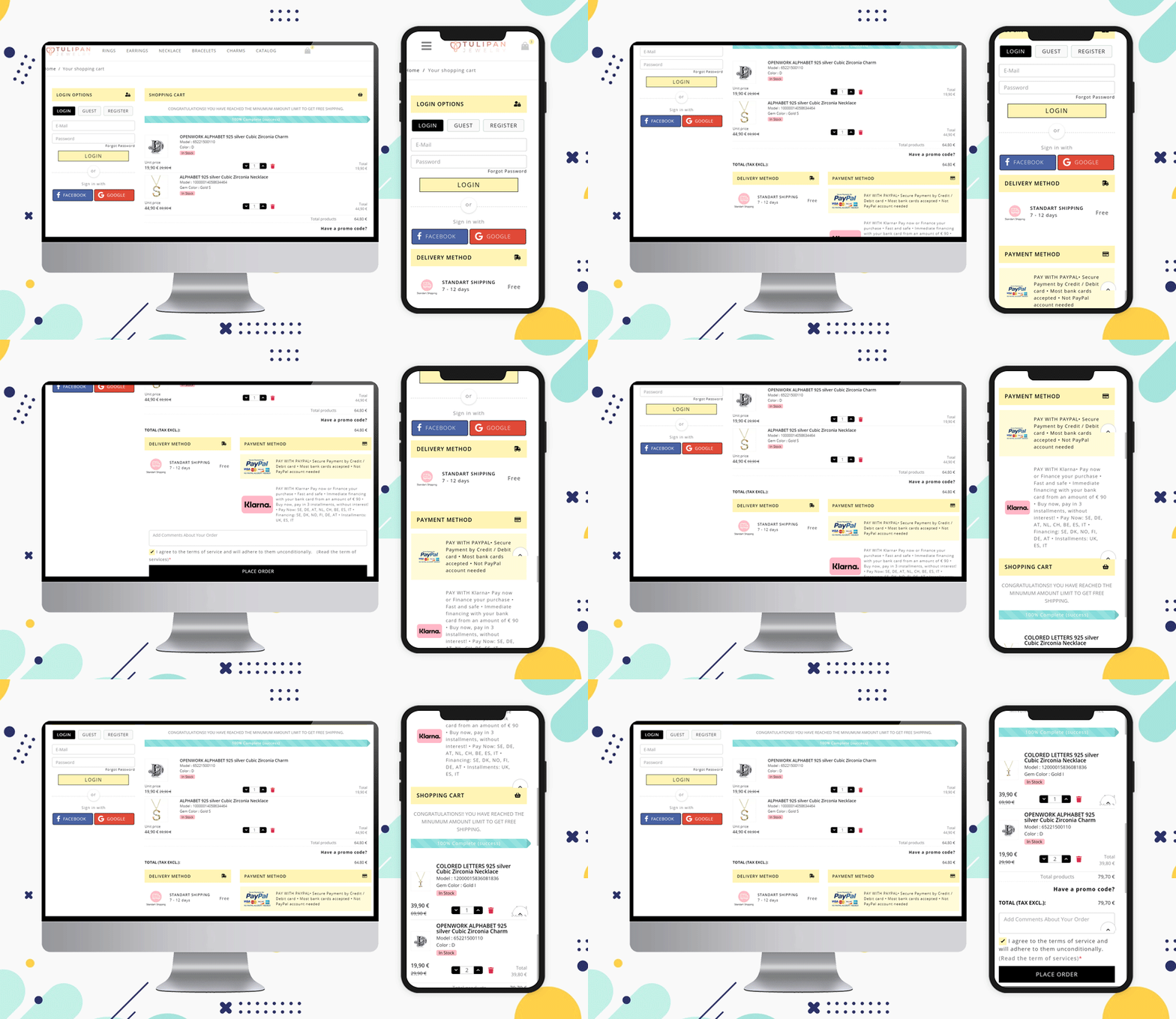
We have designed the checkout for the Spain-based website ‘Tulipan Jewelry Store’. Have a look at this clean and visually ideal checkout page.
Allow Social Login and Guest Checkout
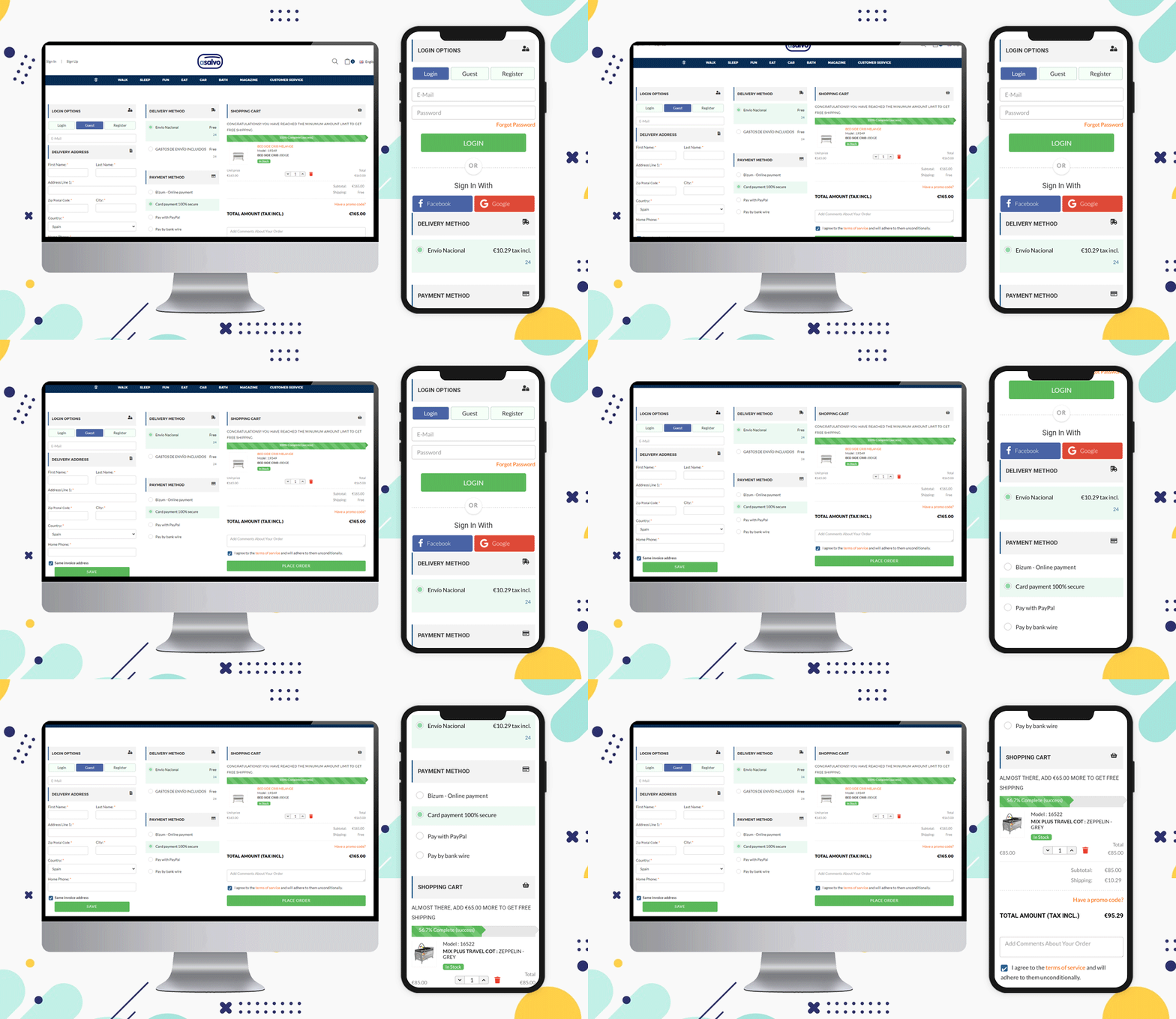
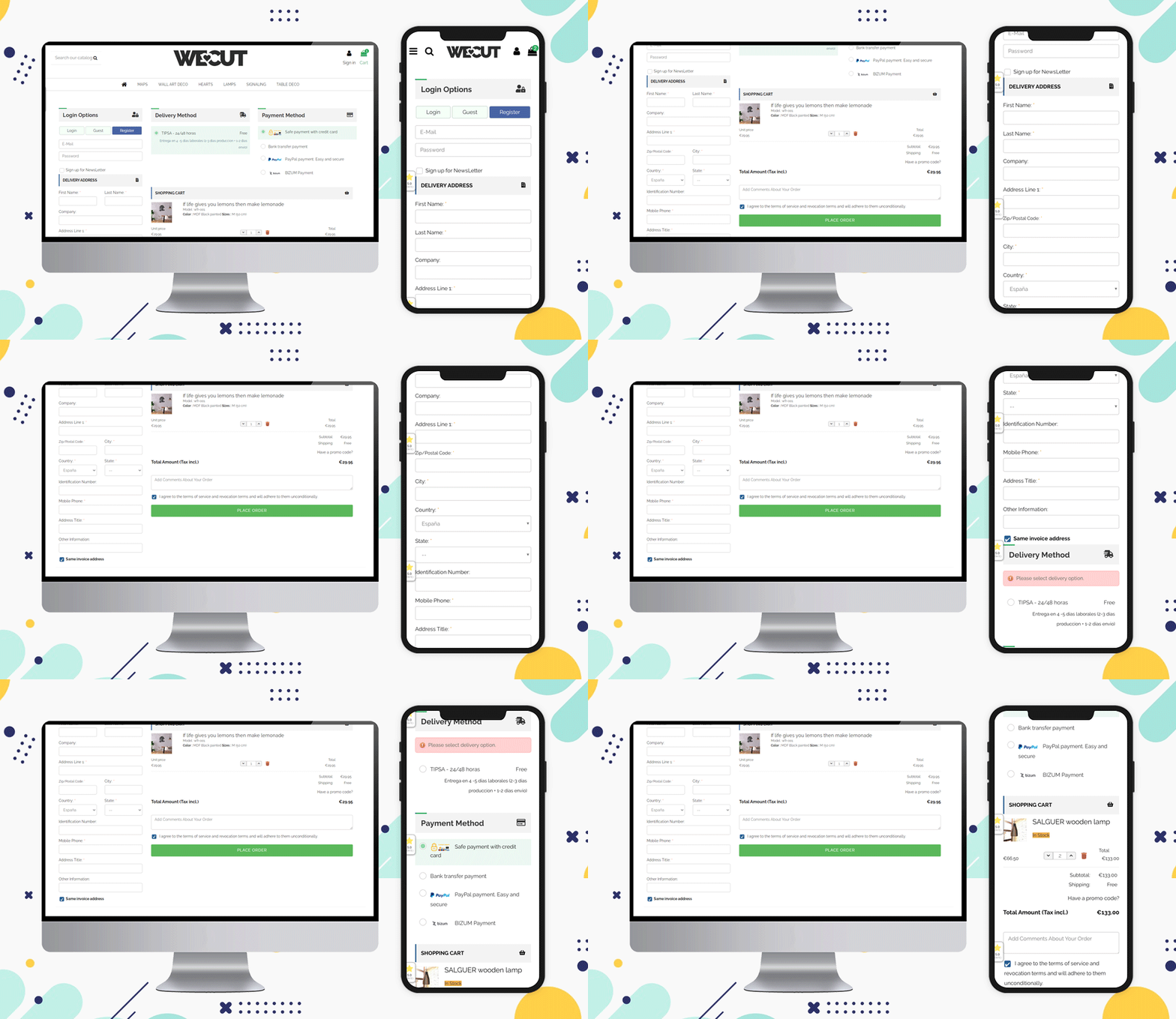
When a customer visits your website, give them choices to sign-up and log in. You can provide social login options by Facebook or Gmail account. The eCommerce website Asalvo is delivering products in Spain and it is having the social login option and Guest Checkout feature for the customers on their Checkout Page.
Inline validation and Google Auto address fill features
This is another feature that can help your customer while filling the billing address or delivery address form. Some fields can be made optional, and inline validation can be provided if a customer makes a wrong entry.
The Prestashop One Page Checkout addon by Knowband has a feature that auto-fills the address from the Google browser.
Include a product description
on the vendor’s end, having only a name and a number can suffice, but letting the customer know what size, color, and other customization options are available will help them ensure they’ve made the best decision for their needs.
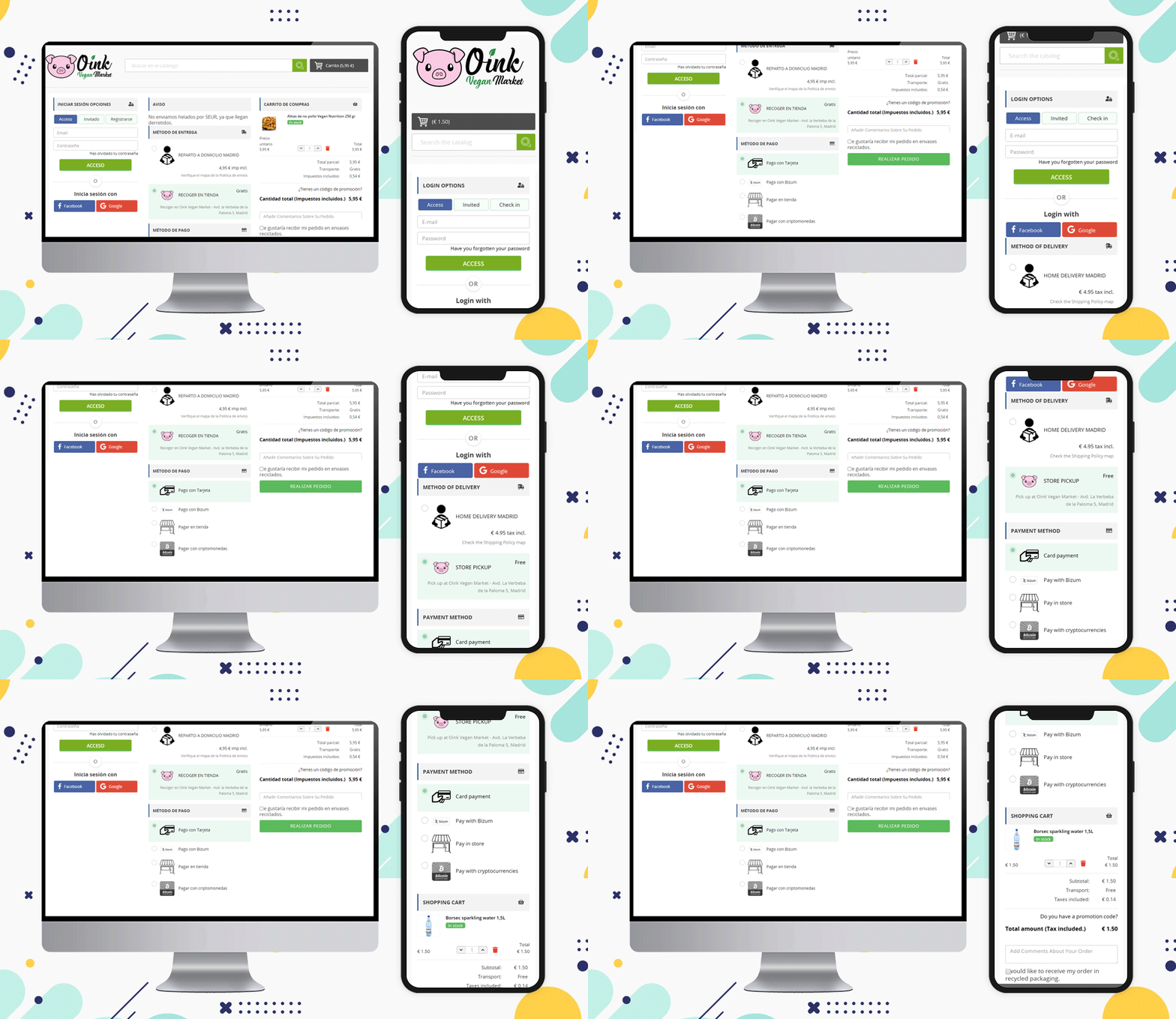
Here is an example of checkout for Spain eCommerce website Oink created on the PrestaShop platform. They have shown the product image with a description on the one-page checkout.
Oink is a store that accepts cryptocurrency and they have added this method on their PrestaShop One Page Checkout.
Update product quantity
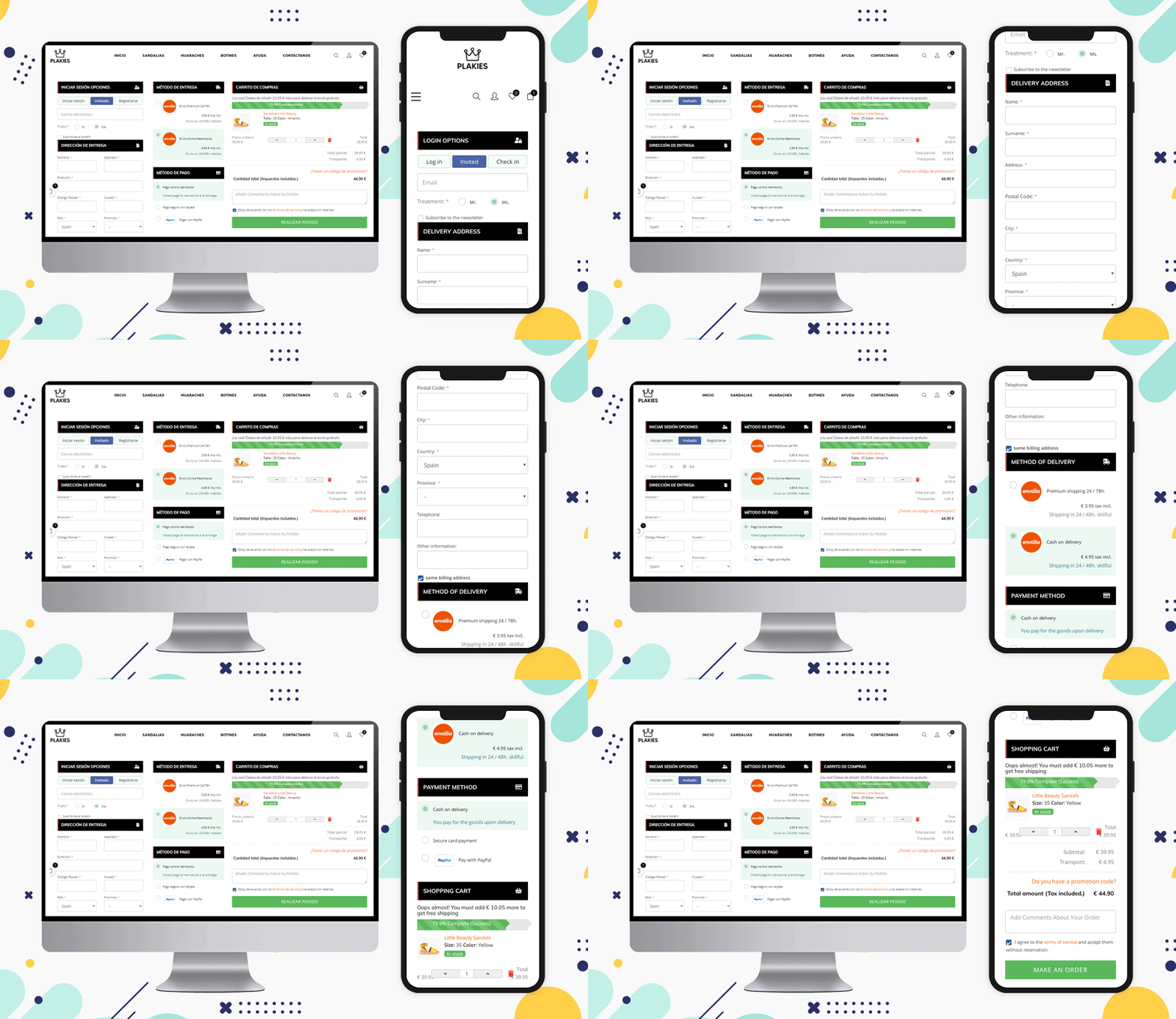
Allow the user to change the quantity or delete an item from their cart while still on the checkout page. The more times they have to hit the back button (or look for the cart icon) to get to where they want to go, the more likely they are to give up and abandon the operation.
Look at this PrestaShop eCommerce website ‘Plakies’ based in Spain and its checkout page:
Various Shipping Methods
On the checkout page, you can see a list of shipping options. Allow them to know which choices you consider before they enter their shipping address.
The shipping methods that are used in Spain for checkout are:
GLS Business, GLS Economy, home delivery option, pickup in-store, and various courier services working in Spain can be listed.
Before you check out, show the final price
More and more e-commerce sites are implementing this function to help avoid orders from being lost as a result of the customer’s perception of a price rise in the form of shipping/handling/tax fees.
Include credit card logos and security seals to reassure customers that your website is a safe and secure place to conduct business.
Design a Customized Layout
The layout of the checkout page should be sleek and clean. As a single-page checkout displays all the fields and information on one page, you have to keep the layout more appealing and less clumsy.
See the layouts of these checkout page designs for Spain based eCommerce:
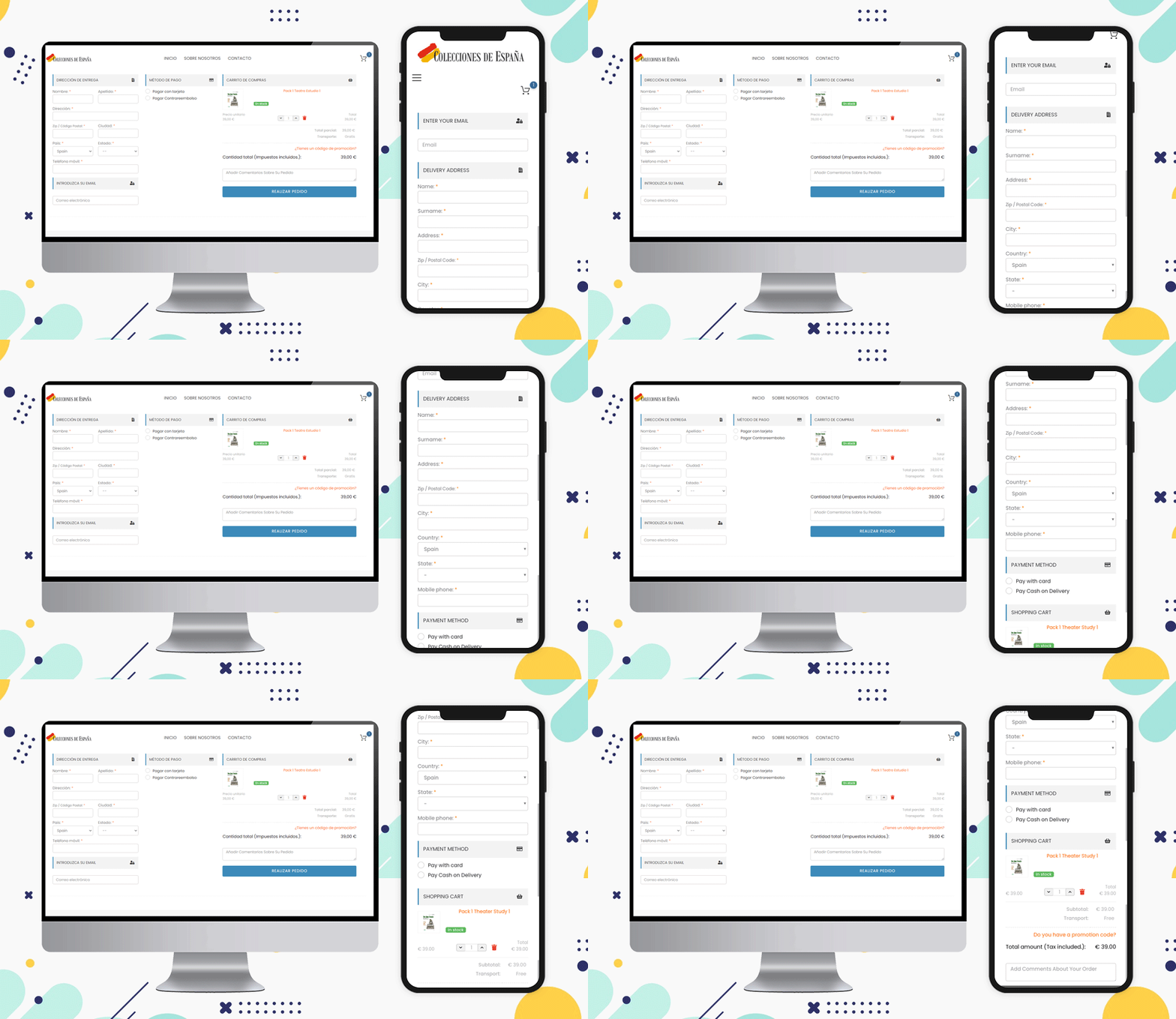
Colecciones de Espana
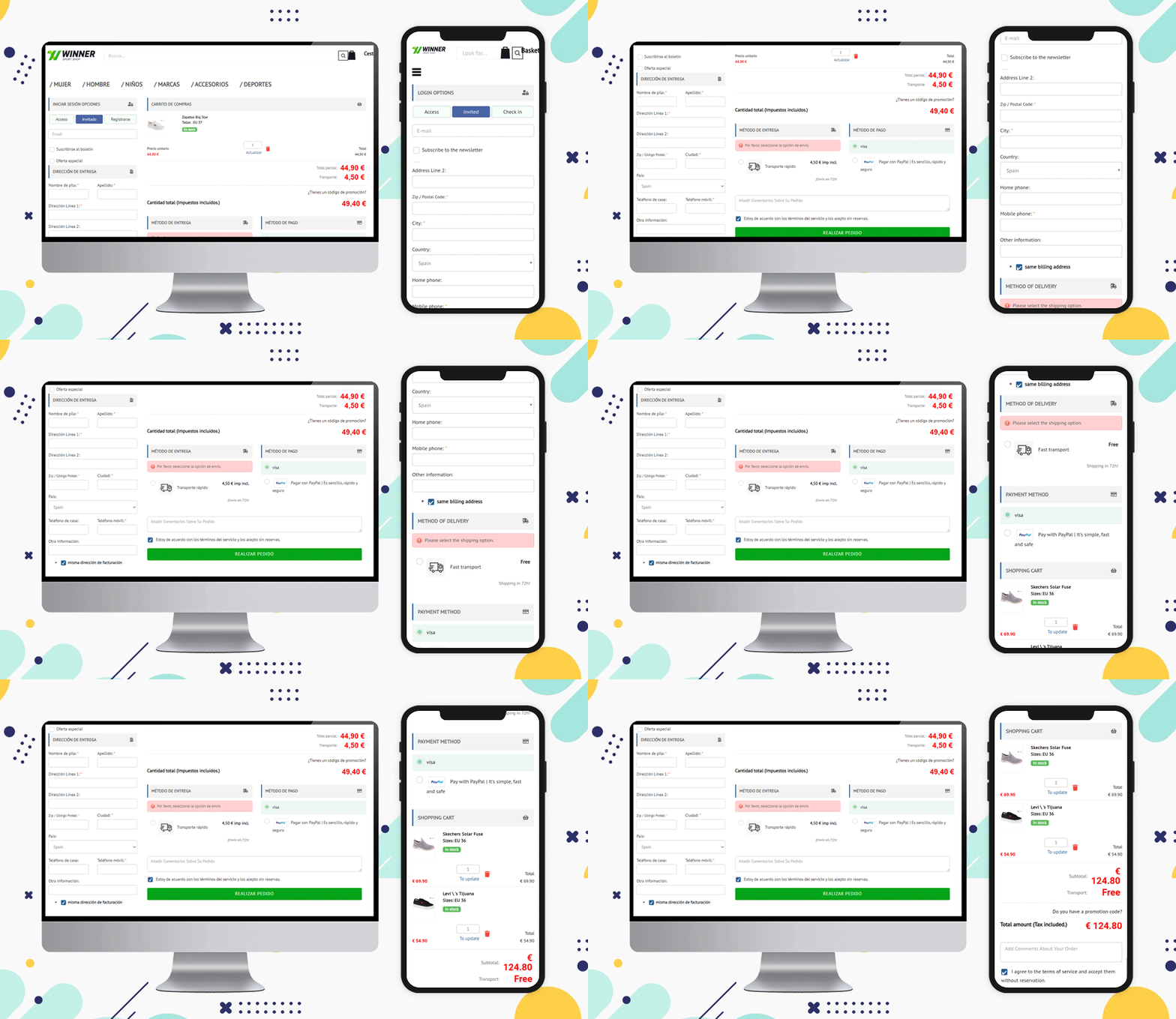
Winner Sport Shop
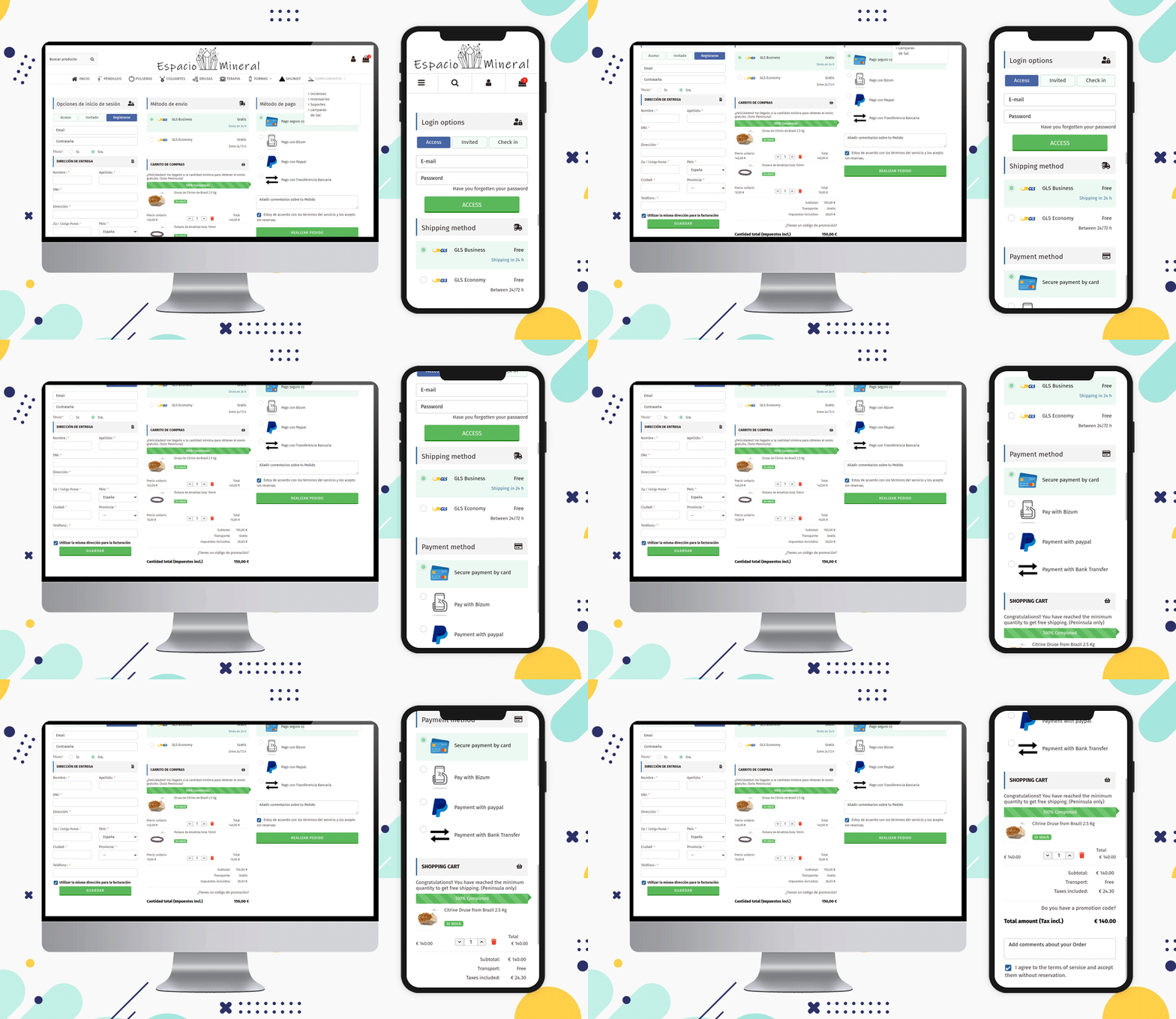
Espacio Mineral
All are using a 3-column layout but if a seller wants, then they can use single-column or 2-column layouts to make it look more structured. You can check out some of the examples of Poland-based online shopping websites and Italian websites that are using various layout patterns on their store’s billing page.
It is preferable to show the progress bar as well as the Free Shipping options
There are various types of customers and many are always looking for deals and discounts. Offering free shipping is one of the ways you can attract such buyers.
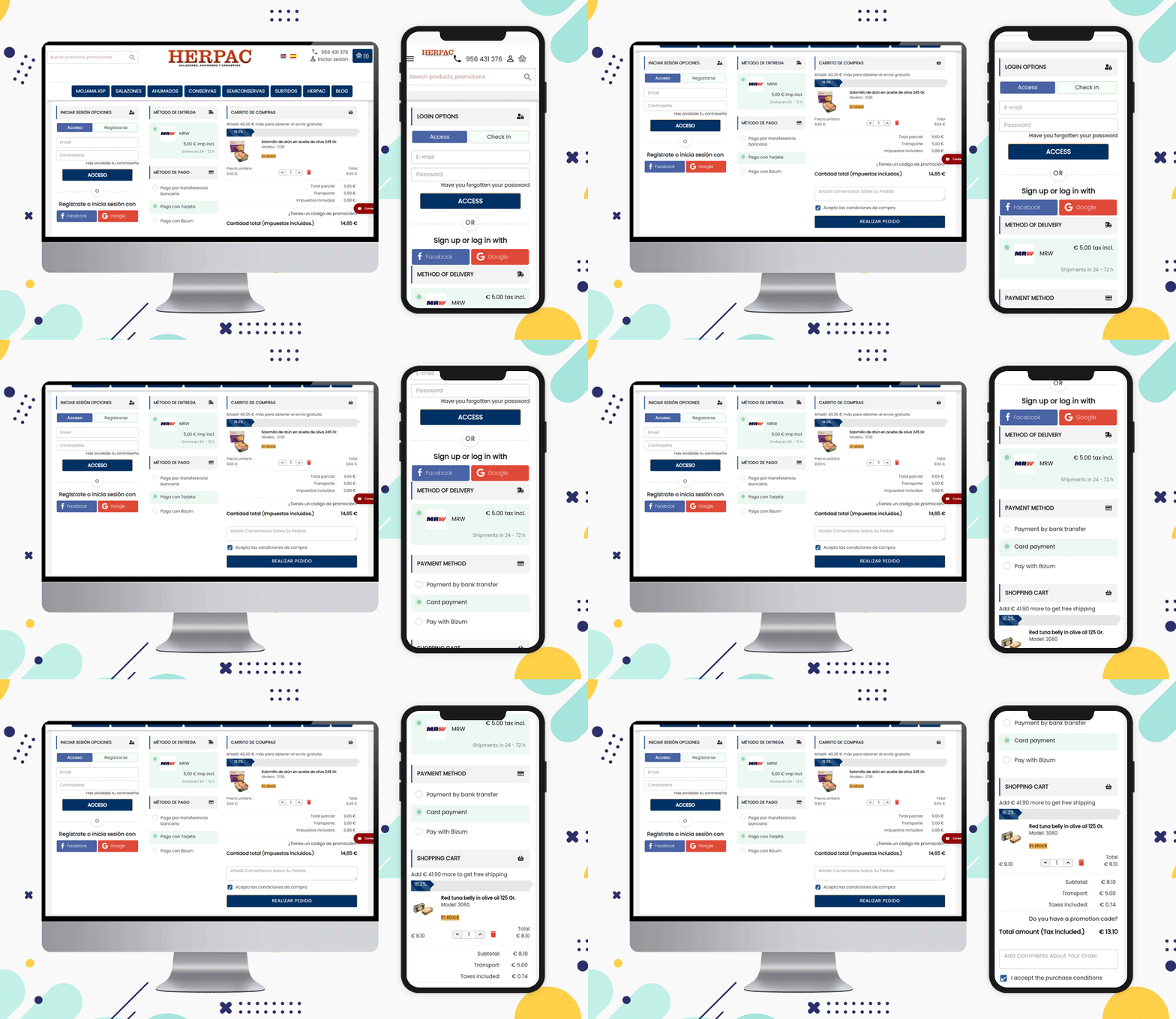
A free shipping bar at the top of the page or the bottom of the checkout page can increase the average cart value. The Herpac store has a website that delivers in Spain. They are using a Free shipping bar in their store.
Attach more fields and ask for their feedback
It is a good practice to ask your customers for their feedback and reviews and this creates a bond between the seller and the customer.
Can you ask something on the checkout page?
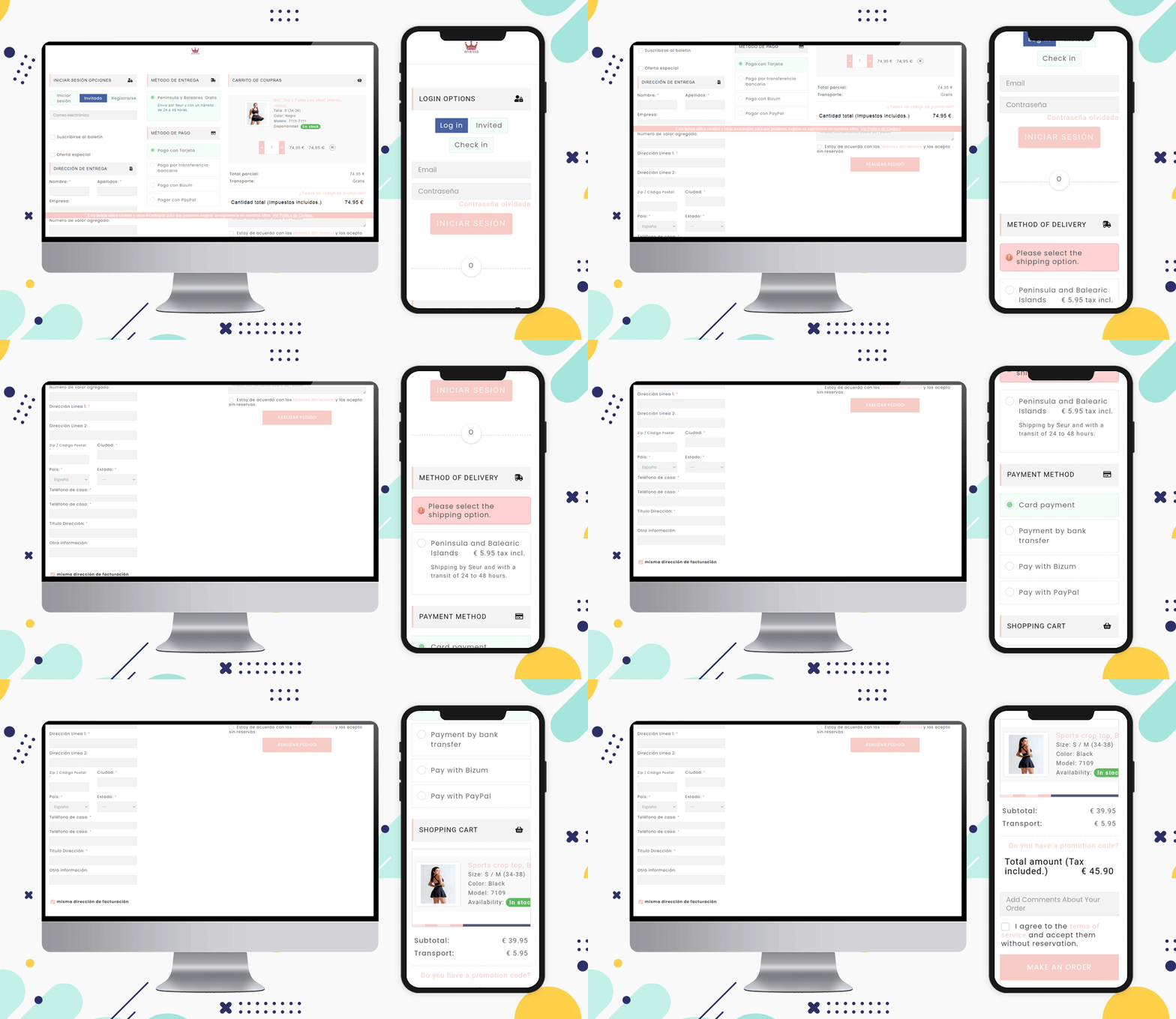
Of course, you can collect information about the order on the checkout page. If they want to add any message or comment, add an additional comment section at the bottom of the page before final checkout just like the Anaissa store.
Popular Payment Methods for Checkout in Spain:
Bizum, Paypal, Klarna., Bitcoin cryptocurrency, Card payments, Stripe are some of the most used payment methods of Spain for checkout.
Shipping Methods Popular in Spain eCommerce:
Integra 2, tipsa, GLS Business, GLS Economy, home delivery option, Pick-up in-store, and various courier services working in Spain can be listed.
Note: The PrestaShop One Page Checkout module allows the store owner to add multiple payment and shipping gateways from the backend of the module.
Why KnowBand’s PrestaShop One Page Checkout Addon?
Without a doubt, Knowband’s One Page Checkout is the superior choice. Knowband is an eCommerce module development company that PrestaShop considers to be a Superhero seller. It is also a PrestaShop Premium Gold Partner Agency.
Customers can become frustrated if they have to navigate to several pages to purchase a product. Separate pages for billing, address, order quantity, and product details. Instead, provide them with PrestaShop One Page Checkout that offers multiple features that benefit the customer as well as the seller.
An organized and structured checkout page can help you reduces the checkout bounce rate and cart abandonment. Multiple reasons affect the final checkout and cause you potential buyers and revenue loss. This article is a guide for eCommerce sellers to use their One Page Checkout page in the best possible manner. We have gathered some of the best examples that are using PrestaShop One Page Checkout for Poland eCommerce and making the best out of it. Let us understand why we need a smooth and customizable checkout page by understanding the common issues.
Common checkout page problems and their solutions
It is always a tedious task to figure out a problem on your website that is responsible for driving customers away from your online store. Some of these issues are:
A clumsy page with unnecessary fields
Mandatory sign-up that takes several minutes
Limited Payment options
Not offering suitable shipping methods
Poor UI and slow loading pages
These checkout page snags are faced by every eCommerce store owner but when it comes to a problem there is always a solution!
Some of the Poland-based stores have overcome these barriers using One Page checkout on their PrestaShop store. Let’s see how it works!
Social Login and Guest Checkout
The InterSell
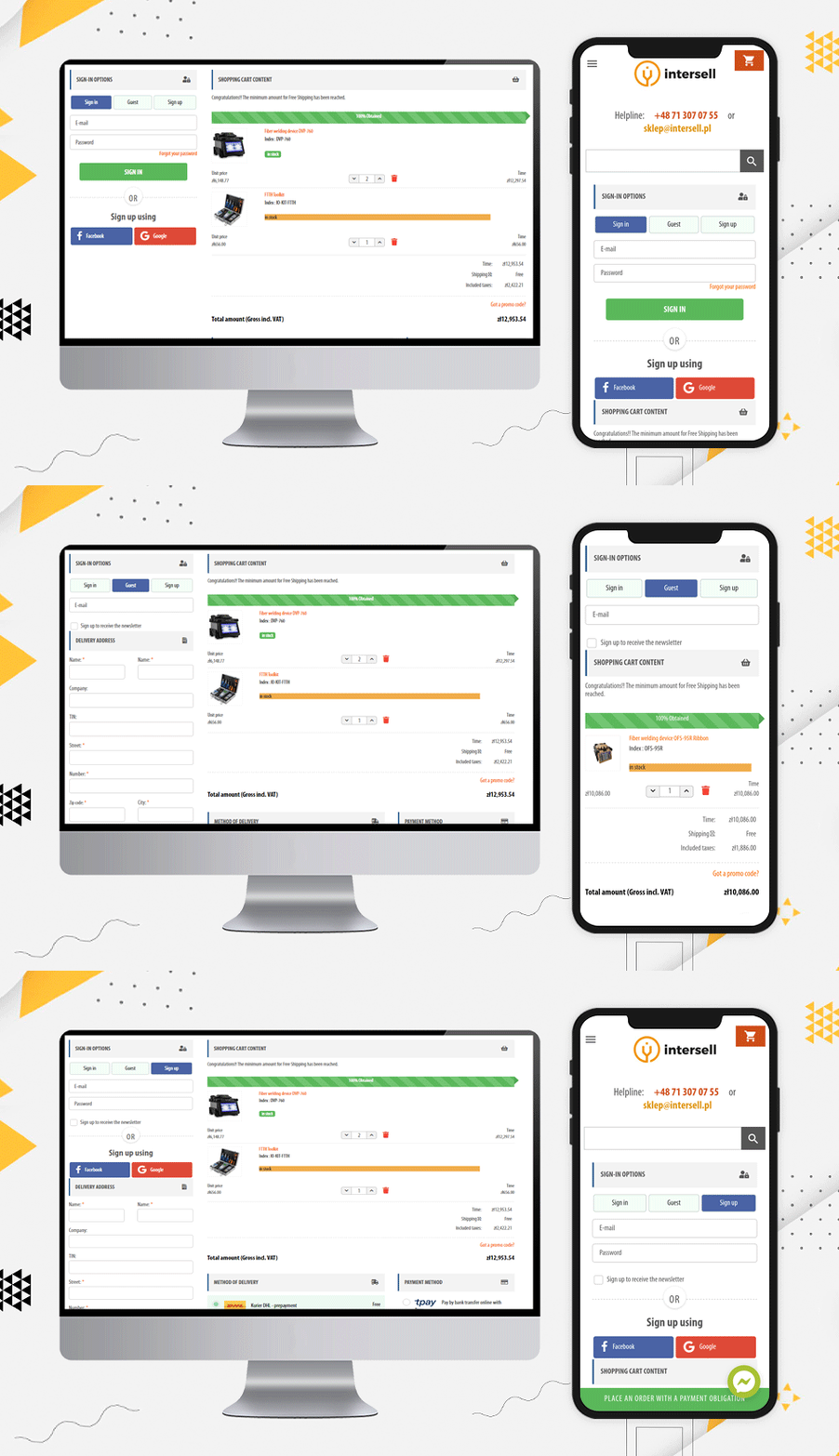
Any website asking for mandatory registration and sign-up faces a lot of abandoned carts. The Poland-based eCommerce store, the Inter Sell is working in the ICT equipment market and they are using PrestaShop One Page Checkout for the checkout process.
The main reason for highlighting this website is its easy Sign-up and login options. To the frequent buyers, they are offering guest checkout and social login via Facebook and Google+ options.
It is easy to track the abandoned cart from the backend of this module and it gives the store owner a detailed report as well. The checkout page supports all the popular payment methods and shipping methods.
Customized Layout design
Poland has a lot of potential in eCommerce and will flourish remarkably in the coming years. Let’s see some checkout page examples that has a wonderful design and customized layout:
The layout of this PrestaShop One Page Checkout is unique. They have been using a single column view and as you move forward in the checkout process, you can observe a 2-column layout.
Dive Zone
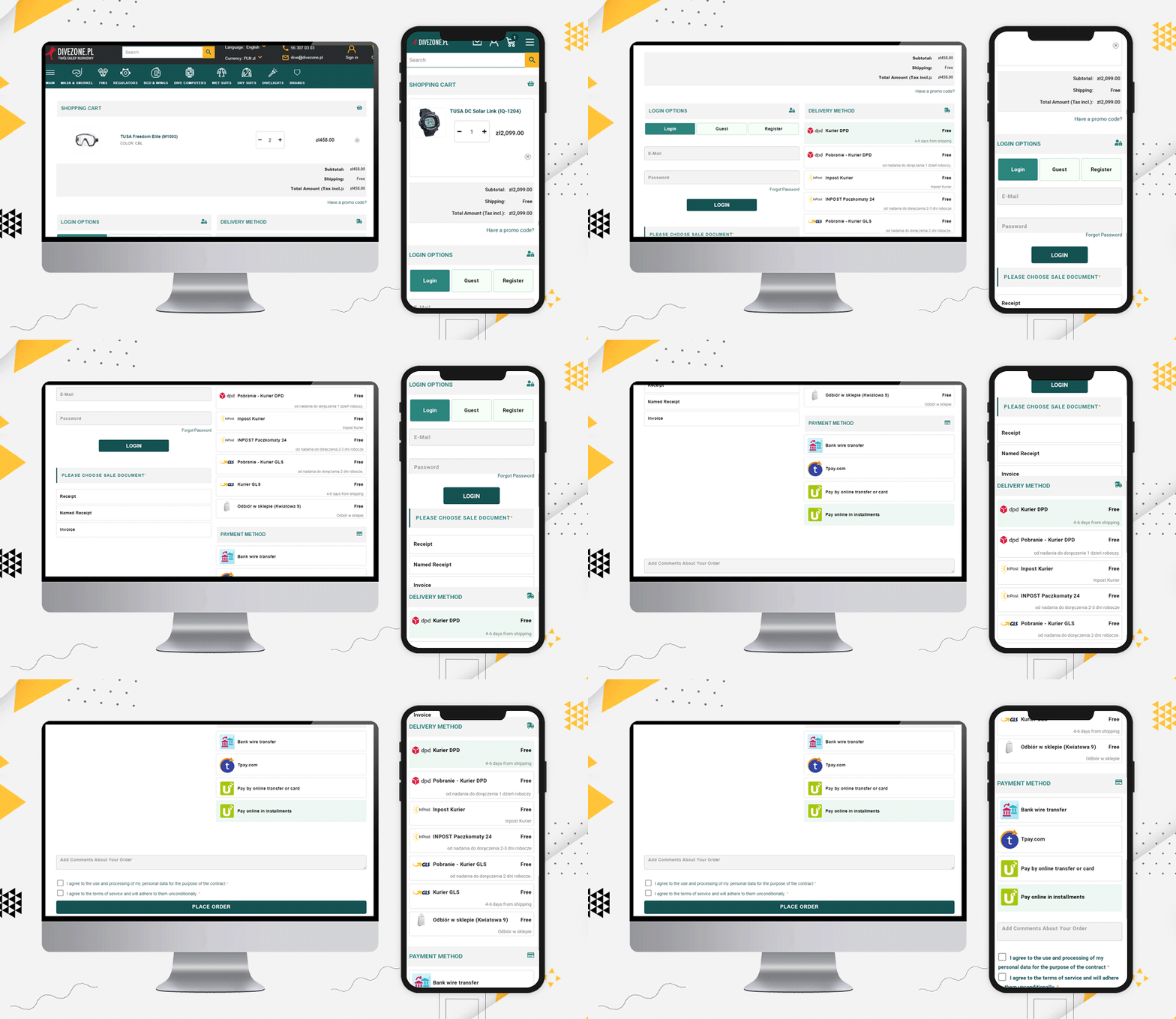
The Poland store Dive Zone is offering more than 7 shipping methods along with 5 payment methods including TPay, PayU, Bank transfer, Card payments, and Cash On Delivery option.
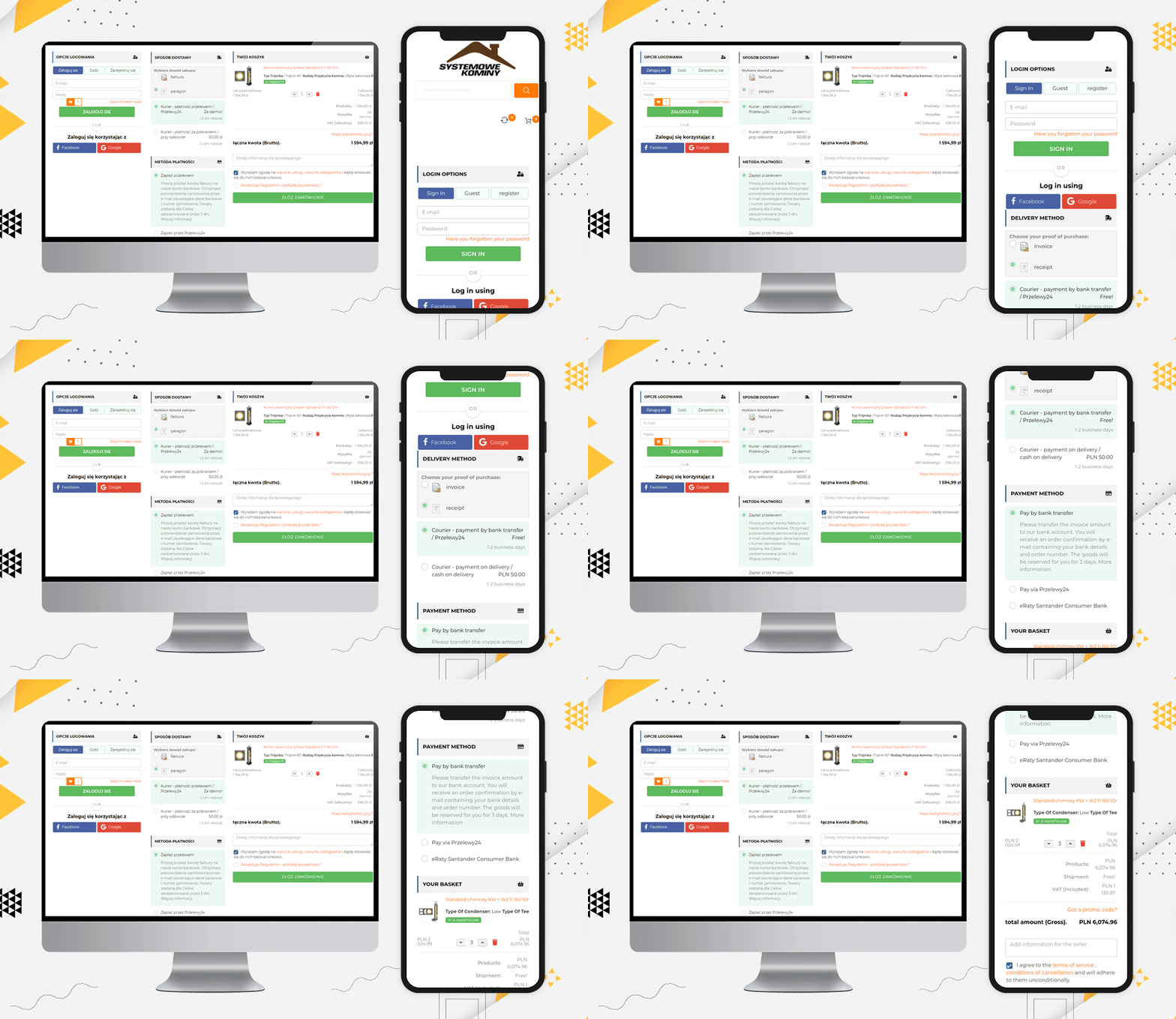
Systemowe Kominy
Since we have been talking about the layout, Systemowe Kominy also has a wonderful layout design. They are using social login, guest checkout, and all the fields are displayed in a structured manner that could fit the desktop size and the user does not have to scroll much.
Such layout encourages customers to complete the process as it appears to be quick and simple.
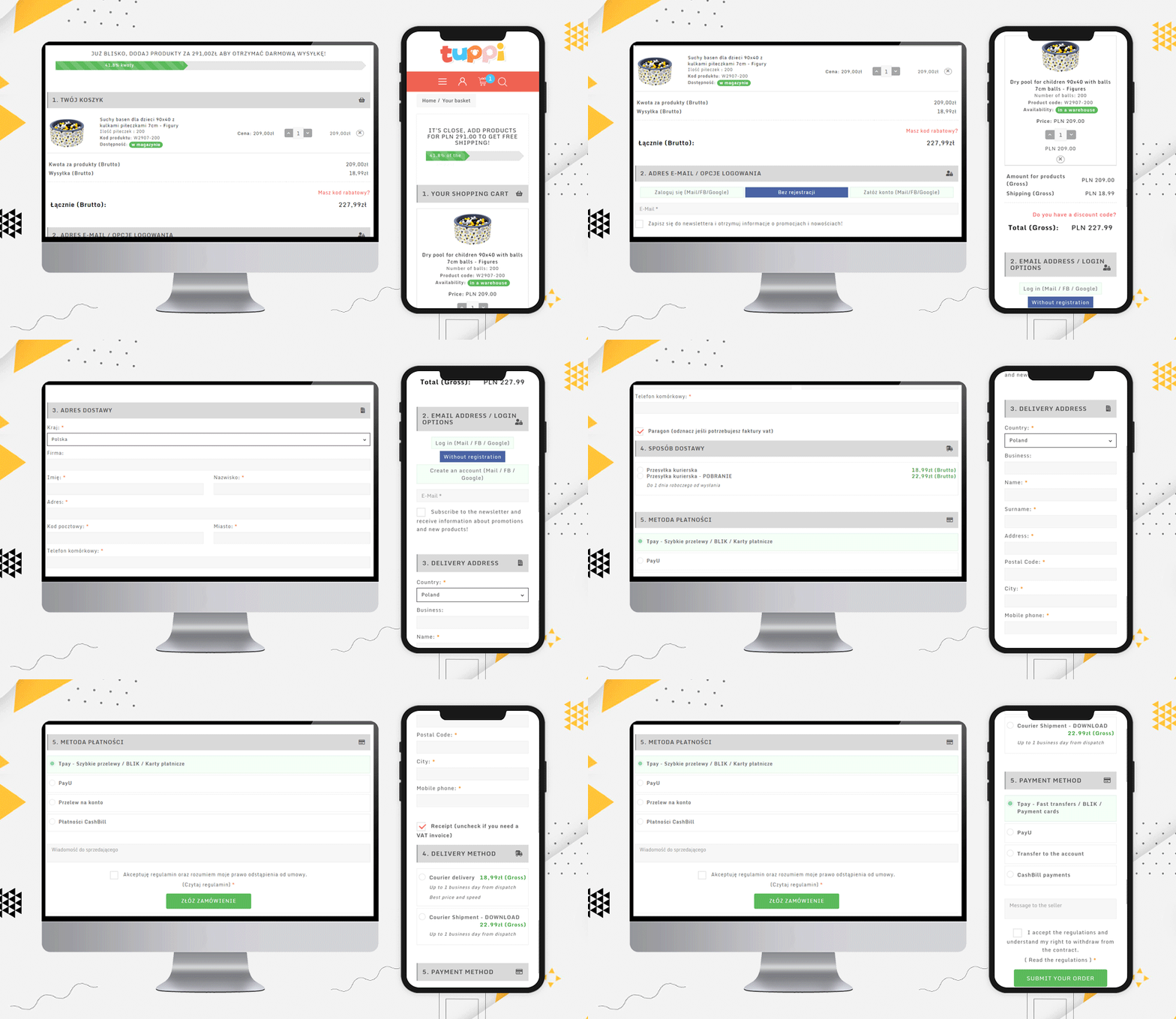
Dev.tuppi
Another layout design for a checkout page can be a single column view as used by Dev.tuppi store. This Poland-based store is using almost every feature on the checkout page. The layout looks sleek and more appealing.
It is better to show the progress bar and Free Shipping options
Another checkout practice that every eCommerce should follow is showing the process progress. Be it a multi-page checkout or single-page checkout, the progress bar allows users to see their current position in the entire task.
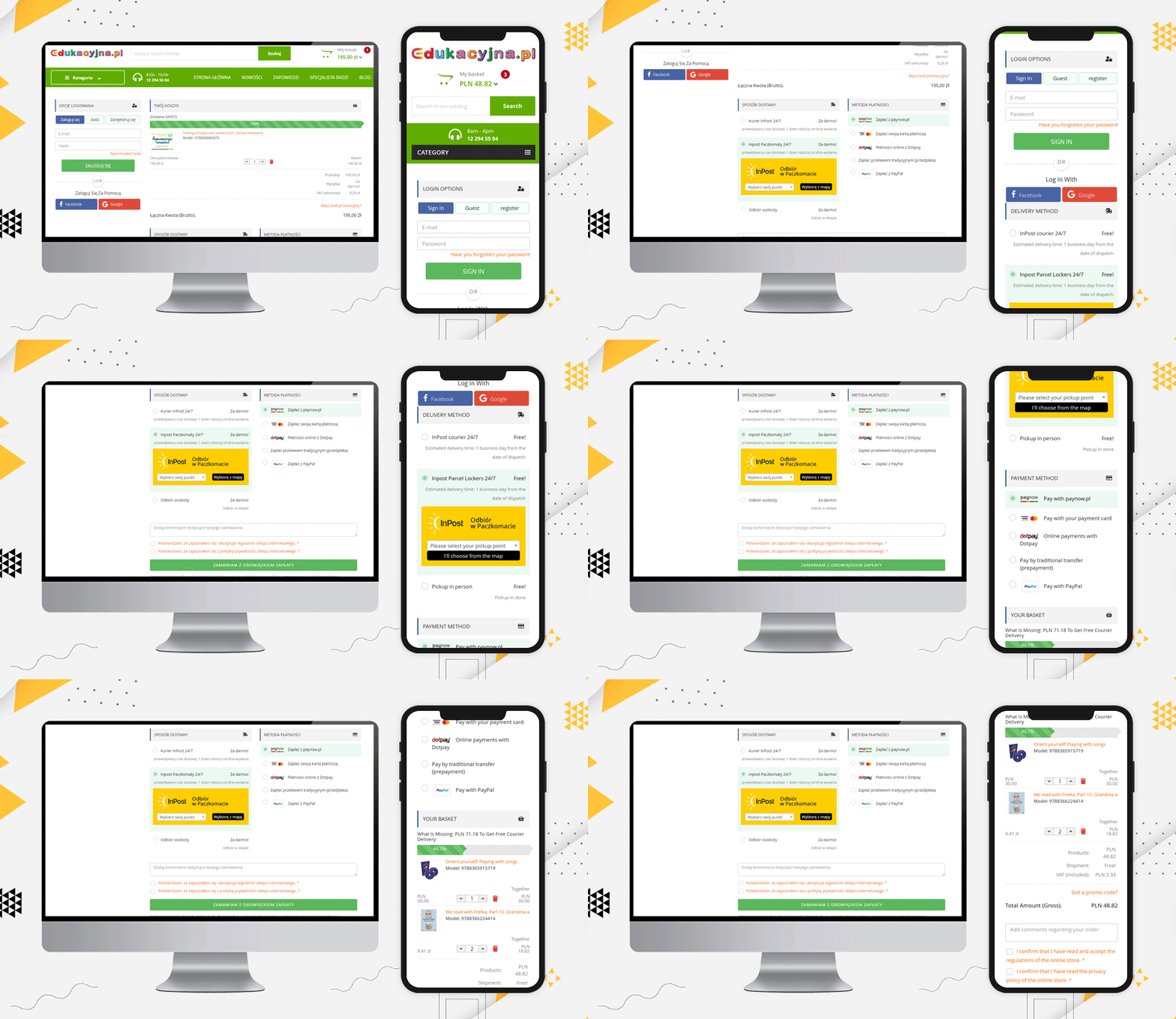
Edukacyjna
Edukacyjna is also offering free shipping to customers if they fulfill the eligibility criteria. This free shipping bar increases the average cart value. Hence, it is always good to add such a feature to your checkout page.
Display Products and Cart details on Checkout Page
When a customer visits a retail store, they can see and observe the products they are buying. Providing this very same experience on an online store is now possible.
A shopping cart contains the entire selected product that you are going to purchase and once you are done choosing, you can place your order. Prestashop One Page Checkout displays the complete order on the final checkout page.
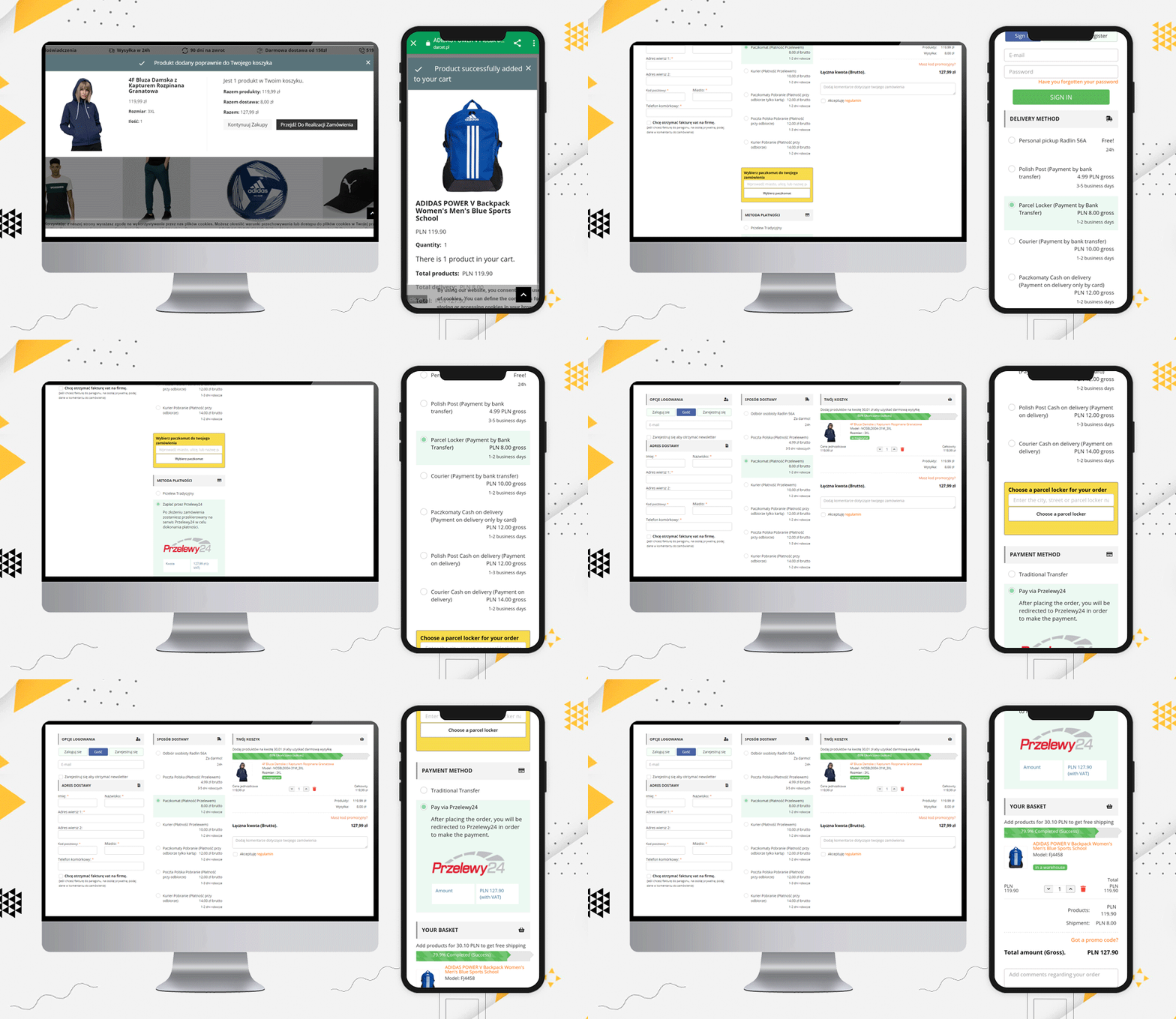
Darcet store
Even a user can update the product quantity if they want. The Darcet store’s checkout page has used it quite well.
Add additional fields and ask for their comments
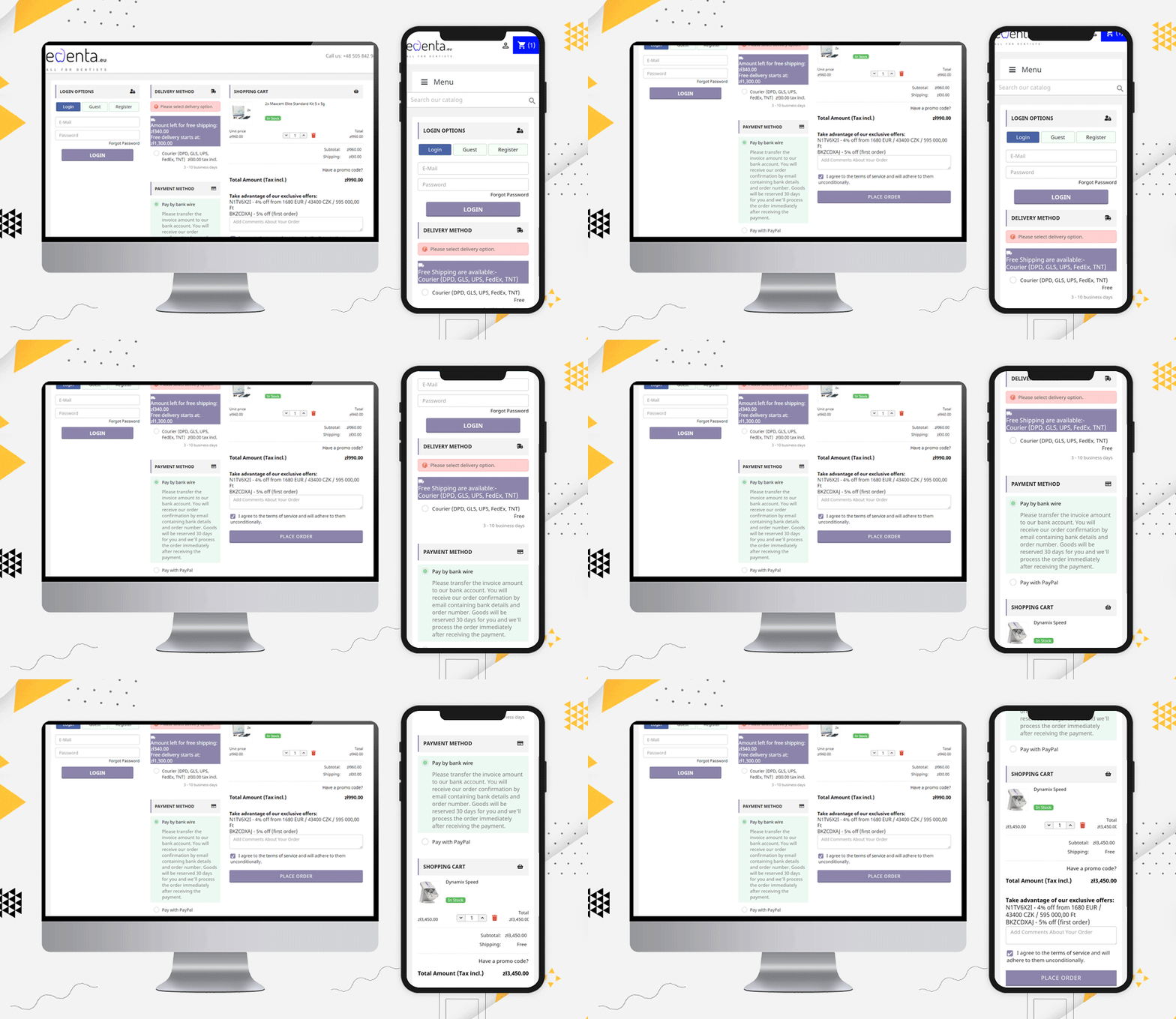
edenta
Like Edenta, checkout page should have field for their customers if they have any comments regarding the order they are placing. Also, it is an amazing checkout page practice to show the coupons and deals on the checkout page.
“Take advantage of our exclusive offers:
N1TV6X2I – 4% off from 1680 EUR / 43400 CZK / 595 000,00 Ft
BKZCDXAJ – 5% off (first order)”
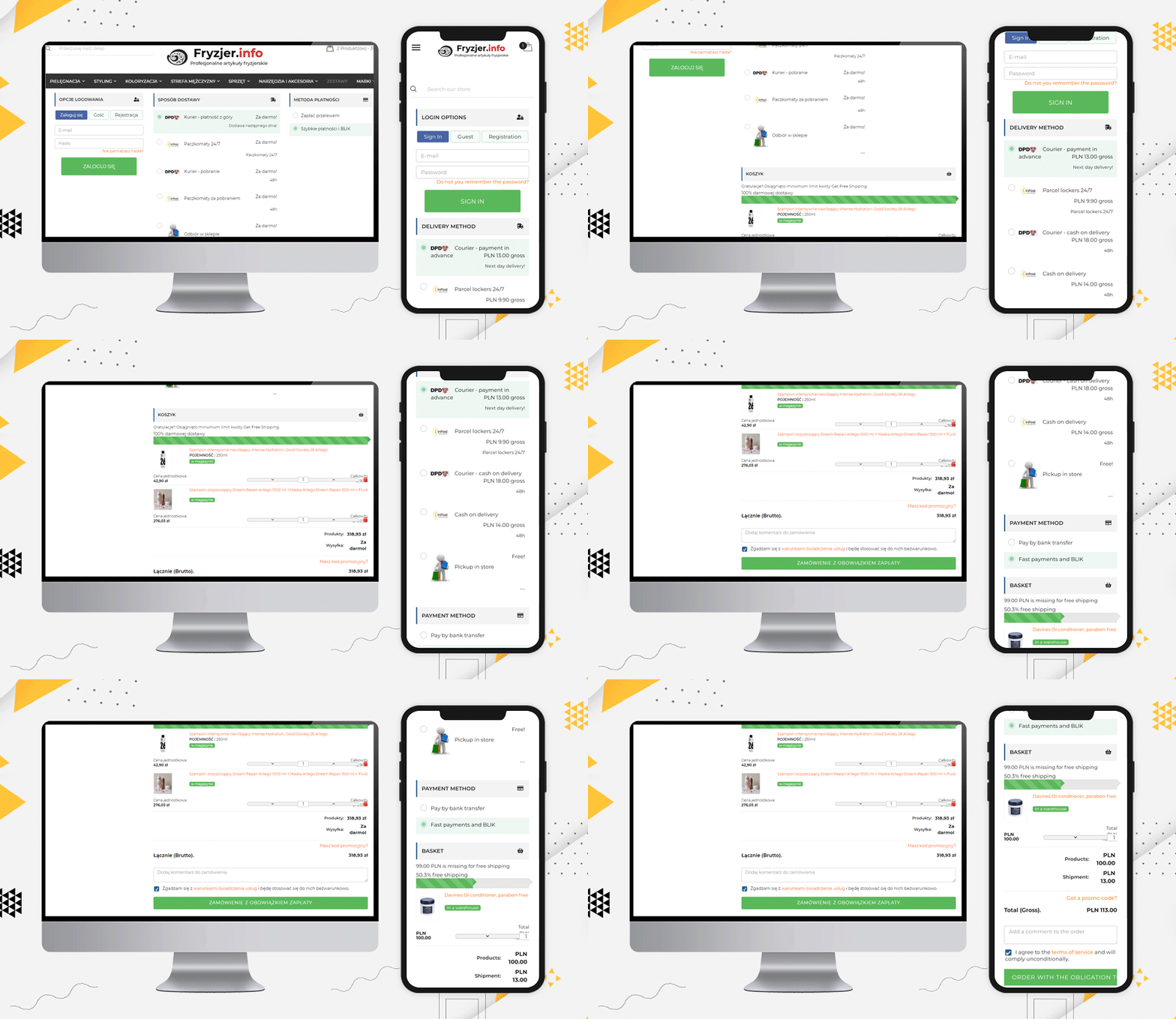
Fryzjer is a PrestaShop eCommerce store with various features on its website. Every page is very well designed and gives a satisfactory user experience.
For checkout page user experience, they have used KnowBand’s PrestaShop One Page Checkout for Poland-based eCommerce store, and look how it appears!
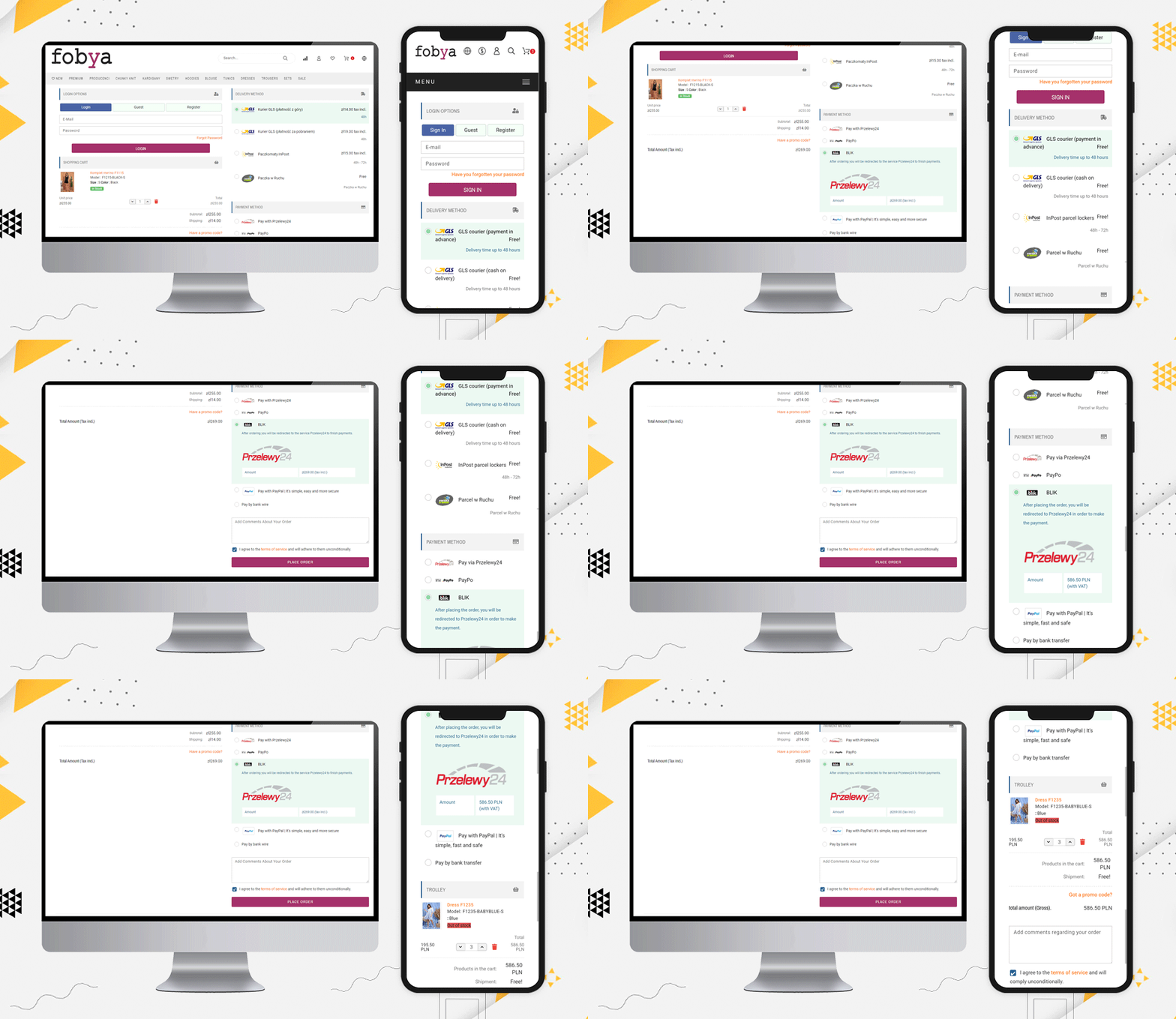
Fobya’s
Another best example of Checkout for Poland’s eCommerce store is Fobya’s website. The checkout page has several shipping options listed on it and most of the popular payment methods of Poland are listed.
Laser
Moving on, let us see this beautiful checkout page example of Laser. On this checkout page, along with all the above-mentioned features, they have displayed the icons of all the accepted payment methods on the checkout page.
This clear view of available payment methods assures users that their transactions will be secured.
Popular Payment methods in Poland:
From the above checkout page examples, we have compiled the list of popular payment gateways of Poland.
Przelewy24, PayPo, PayPal, Pay by bank transfer, blik, Zobacz na, bank wire, Payu, Card, Tpay, Paynow, Dot Pay, COD are the most accepted payment methods of Poland.
Popular Shipping Methods used in Poland:
Here is a list of Shipping methods that are famous and most used in Poland:
Kurier DHL – prepayment, Paczkomat InPost – przedpłata, Kurier DHL – pobranie, Paczkomat InPost – pobranie, płatność kartą, Odbiór z magazynu – przedpłata, Odbiór z magazynu – płatność przy odbiorze, GLS courier, Cash on delivery – Kurier GLS, INPOST Parcel lockers 24, Inpost Courier, DPD courier, Pickup at the store (Kwiatowa 9), Polish Post (Payment by bank transfer), Parcel Locker (Payment by Bank Transfer), Courier (Payment by bank transfer, Paczkomaty Cash on delivery, Polish Post Cash on delivery (Payment on delivery), Courier Cash on delivery (Payment on delivery), Courier (DPD, GLS, UPS, FedEx, TNT)
Note: The PrestaShop One Page Checkout module allows the store owner to add multiple payment and shipping gateways from the backend of the module.
More about PrestaShop One Page Checkout Addon:
This addon allows you to track the abandoned cart in your store and analyze the reasons for the same. The explicit features make it different from every other popular PrestaShop checkout page module available.
You can see these stunning checkout pages developed for PrestaShop globally and they are one-of-a-kind. The PrestaShop one-page checkout addon is a best seller on Knowband and PrestaShop addon store.
Finally, The KnowBand store is a PrestaShop Gold partner agency! The PrestaShop one-page checkout has 11000+ downloads! You can check out the admin panel and front-end module demonstrations at the KnowBand shop.
You’ll find solutions for all other eCommerce services in our shop. From both the seller’s and the customer’s viewpoints, all of the modules are well-designed.
You need a great checkout page template to get traction for an online store. It’s not always easy to know where to begin or which features are most relevant. With so many competing recommendations for creating an eCommerce experience, identifying trends and best practices for checkout page design and implementation can be difficult.
One Page Checkout PrestaShop 1.6V and One Page Checkout PrestaShop 1.7V developed by Knowband, a PrestaShop Gold Partner Agency provide some of the exciting custom features that our Italian clients have been using in their stores.
A checkout page is a page(s) on an eCommerce store that deal with payment and shipping/billing details. Customers can enter payment information and complete their orders on the checkout tab. The customer’s shipping information, billing information, shipping method, and payment method will be collected during the checkout process, and the customer will be given the option to request the order.
Why use One Page Checkout?
There are several benefits of using one-page checkout on an eCommerce website. Your checkout should be improved regularly, to make it as fast, effective, and frictionless as possible. Customers would have a better shopping experience if you create a simple, easy-to-use, and high-performing checkout. This will reduce checkout abandonment and increase conversions.
Adopt best checkout page practices for ending cart abandonment on the checkout page. These best practices used by various Italian PrestaShop One Page Checkout users for designing, developing, and managing your checkout page will assist you in creating a user-friendly checkout that will improve sales. Additionally, we have analyzed these Italian store’s payment and shipping methods and drawn some conclusions that are discussed in this article.
10 examples of One Page Checkout PrestaShop created by our clients following best practices for best results
1. Tuttii caffe Che Vuoi
It is an Italian website that has a structured design and navigation for every page. For the checkout page, the website is using the One Page Checkout PrestaShop module with additional customized settings. Social login, single-column layout, simple and clean design of the checkout page reduce bounce rate and cart abandonment rate.
They are offering an In-store pickup facility to their customers. There are several benefits of BOPIS shipping method as it saves money and saves the seller from failed or delayed delivery.
The PrestaShop One Page Checkout by KnowBand is compatible with the PrestaShop Store locator and Pick up module and it has several exciting features that make the process smooth.
2. Preziosa Di Valentina
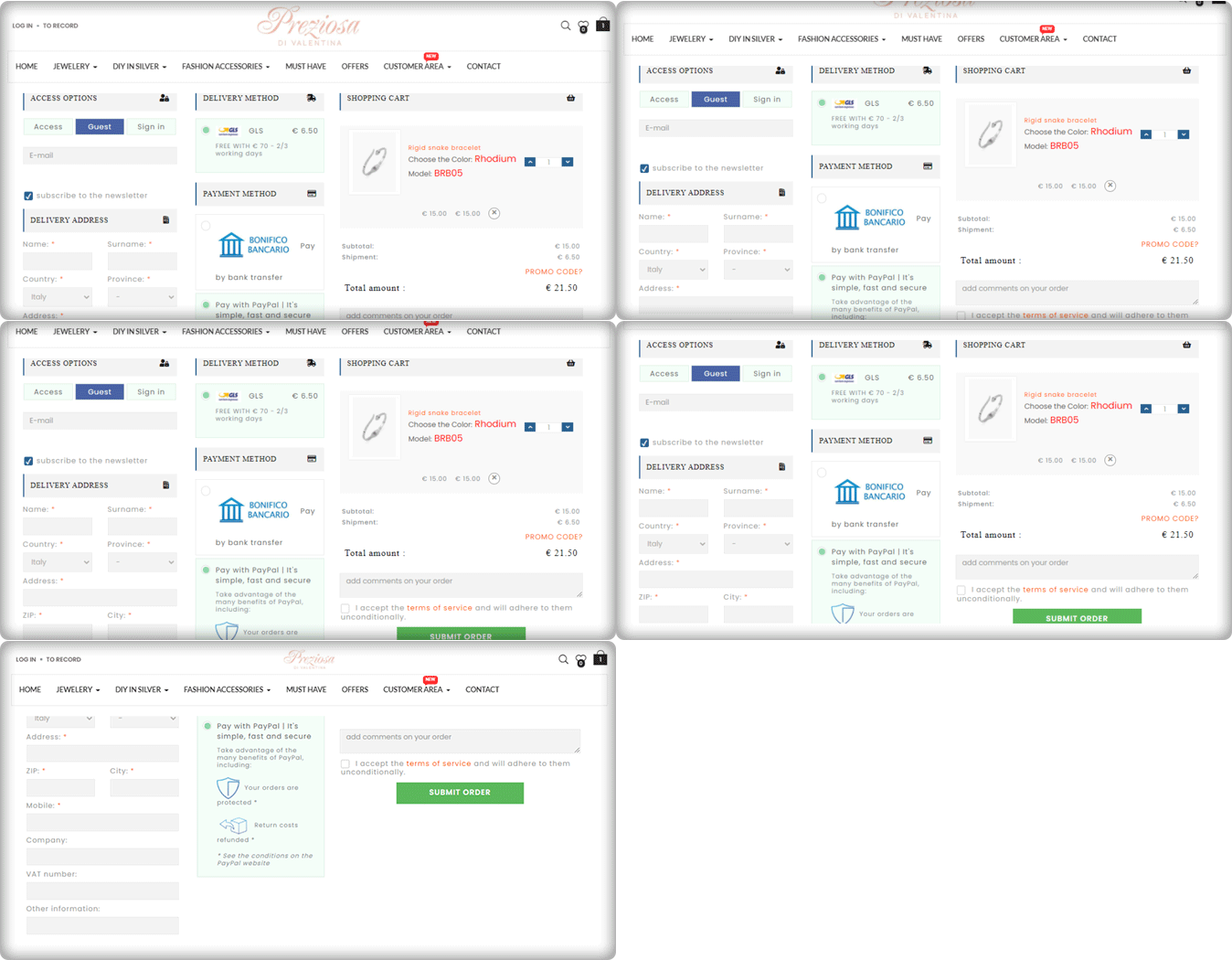
Consumers should never be forced to build an account or register before completing a transaction. Customers are inconvenienced by the additional step (or steps), which slows them down and causes them to question whether or not they want to proceed. Here comes the Guest Checkout to save you from cart abandonment. Preziosa Di Valentina checkout page has guest checkout options so that customers aren’t slowed down and can continue by simply entering their email addresses.
The delivery method used: GLS
Payment methods used: PayPal, Bank Transfer
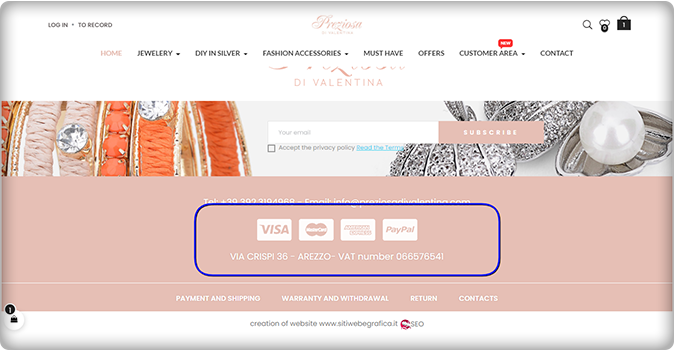
Have a look at the home page of the Preziosa. Displaying available payment methods on the home page of the website could be a great home page design idea! More than one payment gateway is an eCommerce approach that provides convenience to clients.
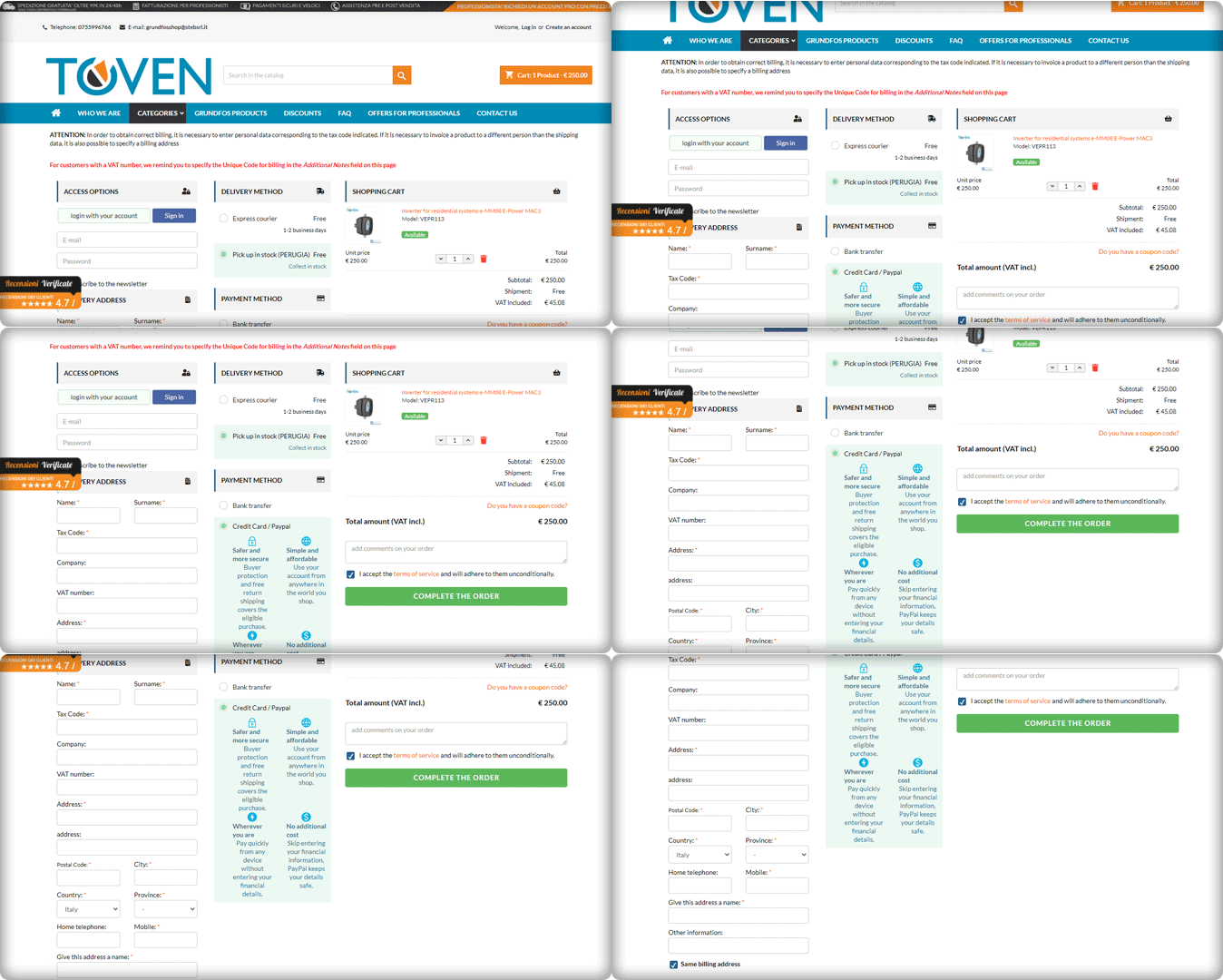
3. Toven
The easier you can make your customers’ checkout process, the more attractive it will be. Always keep in mind that providing an easy, straightforward, and usable process is your primary goal. Continuously improve the process by eliminating unnecessary steps, removing unnecessary form fields, and streamlining it to make it as quick and productive as possible.
Have a look at the Website’s PrestaShop One Page Checkout and its clear CTA. It has a 3-column layout that provides customers with a streamlined user experience.
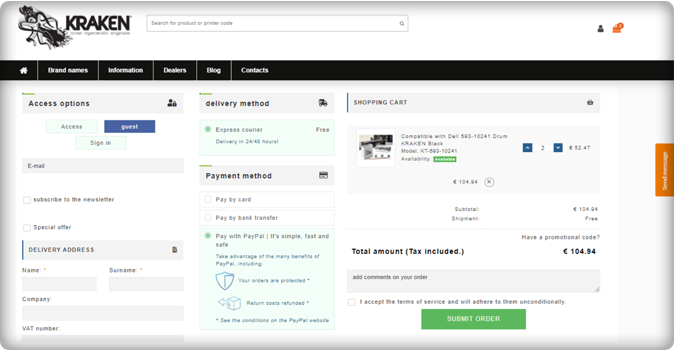
4. Kraken
The Italian store Kraken sells premium quality toners. Kraken needed software that enables users to get an exclusive checkout experience and they chose the One Page Checkout PrestaShop plugin to achieve their goal.
The checkout page has a 3-column view that allows Guest Checkout. They have listed express courier delivery options for shipping and payment methods like PayPal, Bank transfer, and credit and debit card options.
Unlike other software where order details are not present on the checkout page, Kraken used half of the page to display the cart information, which is quite appealing gives the user a satisfactory experience.
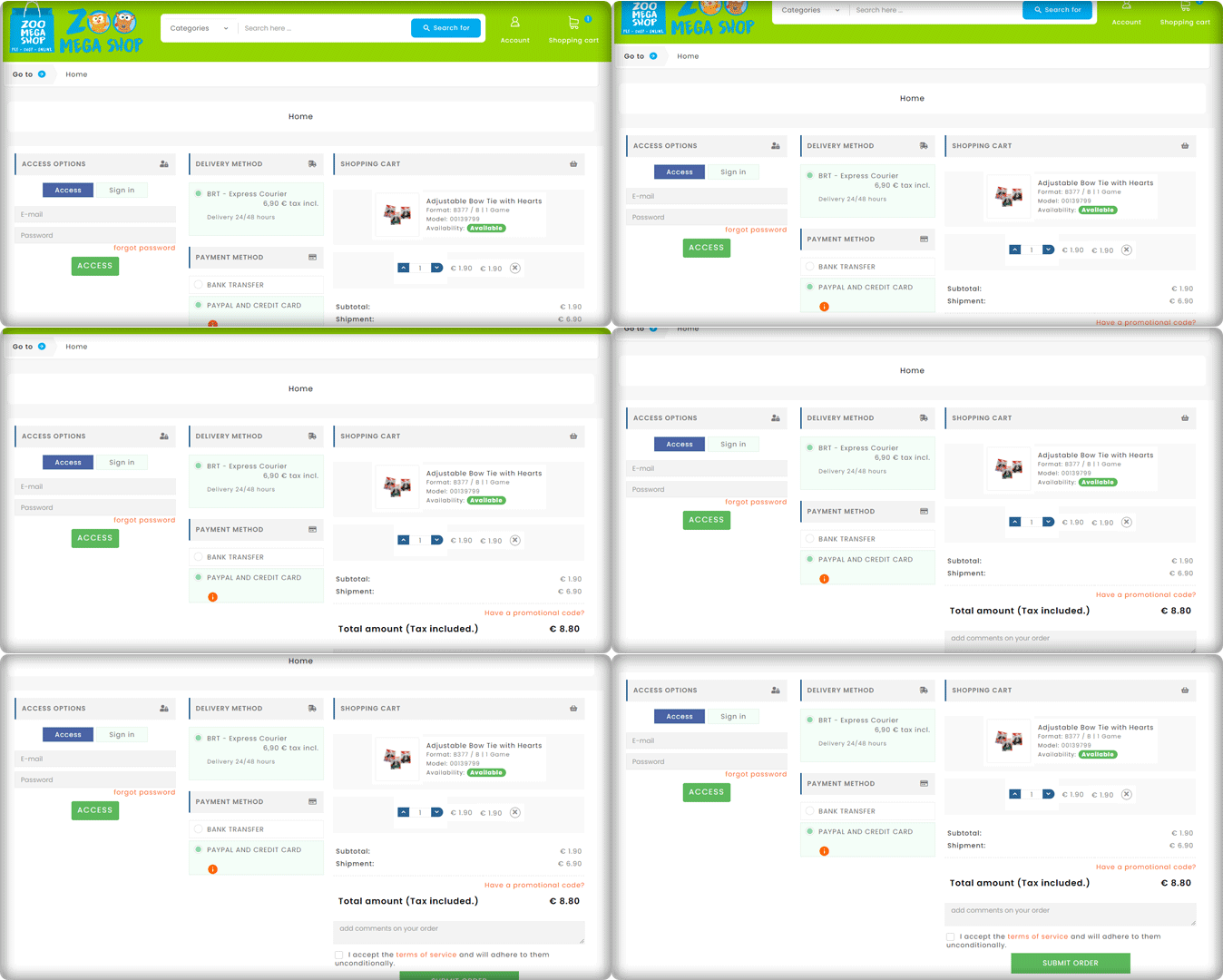
5. Zoo Mega Shop
Look at this Checkout page customized by Zoo Mega Store! They used the same module (One Page Checkout PrseatShop 1.6v) with a super clean layout.
Customers can update the product quantity from their checkout page without switching any tab. Isn’t this handy!
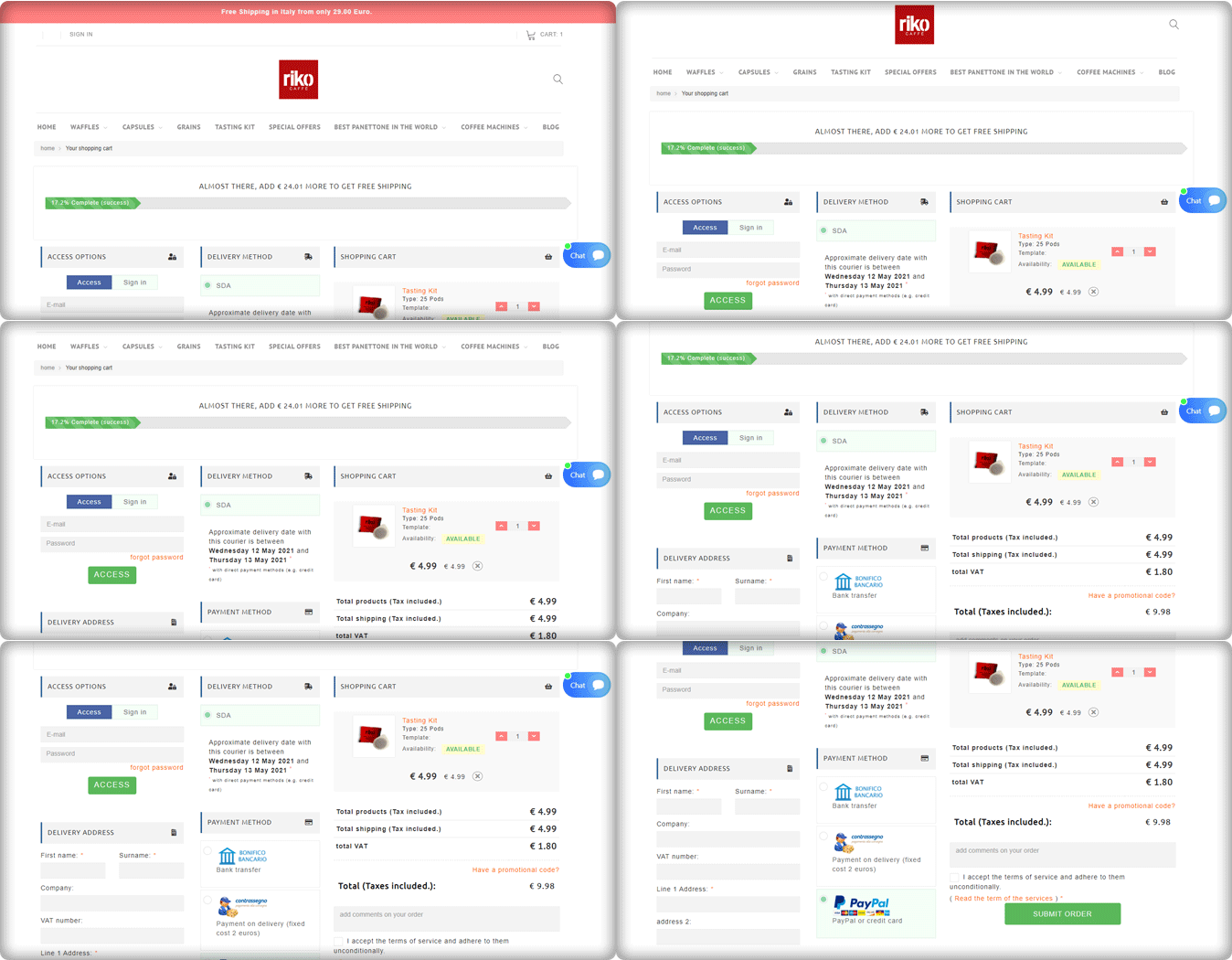
6. Riko café
A progress indicator shows you where you are in the checkout phase while still outlining all of the steps. This allows consumers to see where they are in the process, how many steps are left, and how long the process will take in general.
Riko Café is using the progress bar feature of the One Page Checkout PrestaShop module. To provide a much richer user experience, progress bars show users how close they are to completing a collection of… details or performing activities.
They have shown the delivery method along with the details of the expected delivery date. Popular payment methods used in Italy like PayPal, Bank transfer are listed in the Payment section. They are allowing Cash on delivery as well.
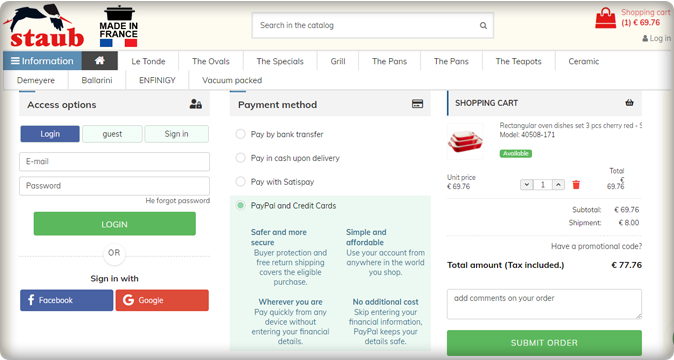
7. Staub: Made in France
We have a number of things to remember in our everyday life and adding another password to this is something we are least interested in. Save your customers from this misery with the Social login option.
Social login promotes easy and quick registration with an increased number of signups. Staub store is using Social login on their PrestaShop checkout page and providing comfort to their customers.
The collected email addresses and social media information of the customers can be further used in target marketing.
Italy’s popular payment methods listed in the Staub store are Bank transfer, PayPal, Credit card options, Pay with Satispay, and COD.
8. Farmacia Savorani
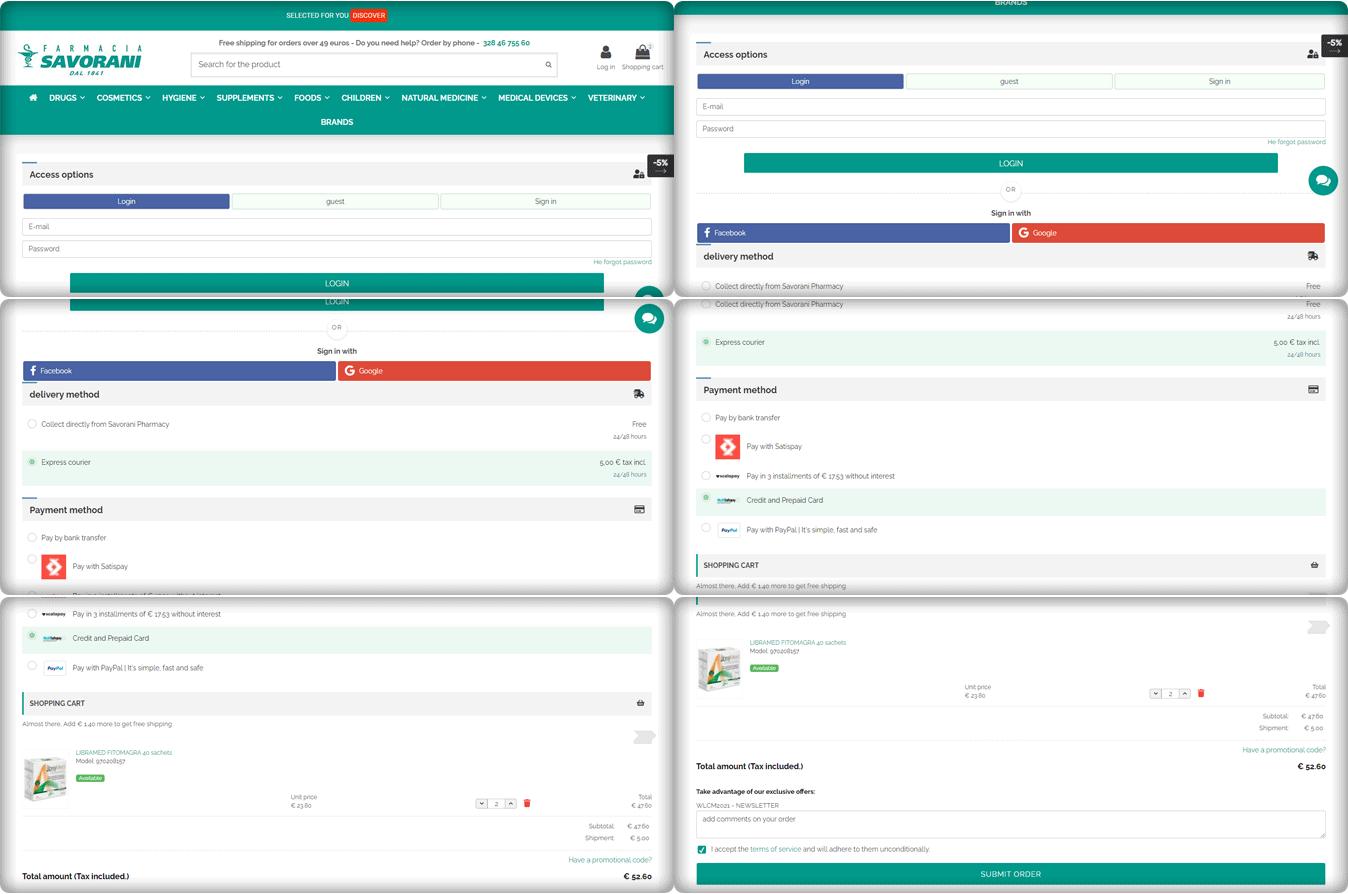
Farmacia Savorani’s checkout page has a simple, clean design that is easy to use. Their checkout follows several best practices. With many templates to choose from, the One Page Checkout PrestaShop layout can easily be customized for the use you need.
This checkout page design has a single-column checkout page. Every part of the process looks structured and clean. They have guest checkout, social login option with Facebook and Google+, several payments and delivery methods used widely in Italy.
The cart products can be seen and updated with ease. Also, customers can add a custom message to the order.
They are providing buy online and pick up in-store options to their customers. This is something that can work magic if you are using the right plugin like KnowBand’s PrestaShop store locater and pickup. Another shipping method is Express courier.
The One Page checkout PrestaShop module by Knowband is compatible with Store locater and pickup addon.
Payment gateways used by Farmacia Savorani are PayPal, Satispay, bank transfer, credit and debit card options, and EMI options.
9. Nextrace Italia
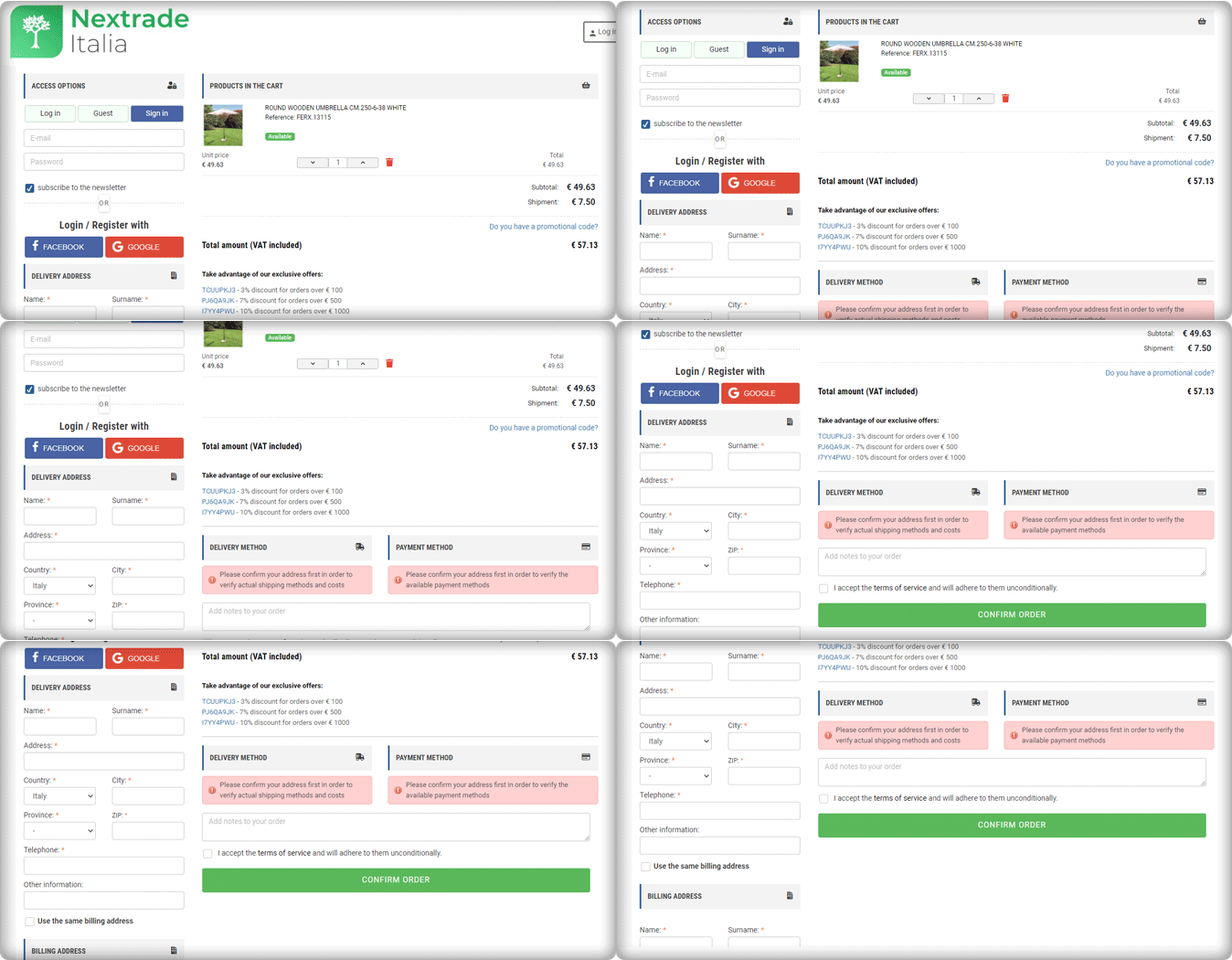
The One Page Checkout PrseatShop module allows the seller to display the delivery methods and payment methods only after they provide their address details. The seller can show specific payment methods for specified shipping methods.
Nextrace Italia is using this feature on their PrestaShop website’s checkout page.
10. Un mondo di mobile
Un Mondo Di Mobile’s website’s checkout page is another best example of a clean and sleek checkout design. This is again created using the One Page Checkout PrestaShop plugin. All the necessary features are used on this page and are fully customized.
With PrestaShop One Page Checkout addon, users can add security badges in the payment section as it builds customer trust.
Conclusions are drawn from the above data for famous Payment gateways and Shipping methods in Italy
We can deduce from the above-mentioned Italian store checkout page details that there are a few commonly used and suitable payment methods.
Every store has a PayPal option listed as their payment gateway.
Along with that, they are accepting payments through Satispay, credit card, debit card, bank transfer, and scalepay.
Some of the stores accepting installments for the orders with ScalePay.
One Page Checkout PrestaShop plugin is compatible with PayPal, Satispay, and other common payment gateways like the card and bank transfer.
For shipping or delivery methods, Italian stores are using GLS Express courier Italy, BRT express delivery Italy, SDA Express Courier Italy, etc.
Out of 10 stores, three are offering an In-store pick-up option. Looks like it is gaining popularity!
One Page Checkout PrseatShop module is compatible with all the famous shipping methods like GLS Express courier, BRT express delivery, SDA Express Courier, etc.
Final thought:
You shouldn’t have to choose between offering high-quality security and fraud prevention and optimizing for the best customer experience. KnowBand’s PrestaShop One Page Checkout 1.6v and 1.7v module is designed with best practices in mind, providing customers with a frictionless user experience, lightning-fast processing, and unrivaled security.
The module facilitates multi-lingual compatibility that allows you to use it in any region of the world. It is compatible with all the other PrestaShop modules like Social Loginizer, Store Locator, etc. developed by KnowBand. The One Page checkout extension is also available for major eCommerce platforms like Magento, Magento 2, OpenCart, etc.
For any eCommerce development services or module, requirements visit Knowband store or drop an email at support@knowband.com to discuss.
One Page Checkout displays all the elements of a conventional checkout, including cart items, billing and shipping addresses, shipping methods, and payment details on a single page. One-page checkouts were first implemented in an attempt to streamline the checkout process by which the number of clicks and pages needed. To give a brisk, we have compiled a few remarkable PrestaShop One Page Checkout examples that are blazing.
For the PrestaShop platform, KnowBand’s One Page Checkout is one such popular module that has 15000+ downloads on the KnowBand store and PrestaShop Addon store. The module is a one-stop solution as it supports multiple payment gateways, shipping options, provided social login option, and has a feature like MailChimp email synchronization.
In this blog post, we will show you 7 beautiful examples of PrestaShop One Page Checkout Module that are live and working effectively on various eCommerce stores worldwide. Before jumping to it, let us see what clients have to say about the One Page Checkout and their experience with Knowband.
Prestashop One Page Checkout live examples
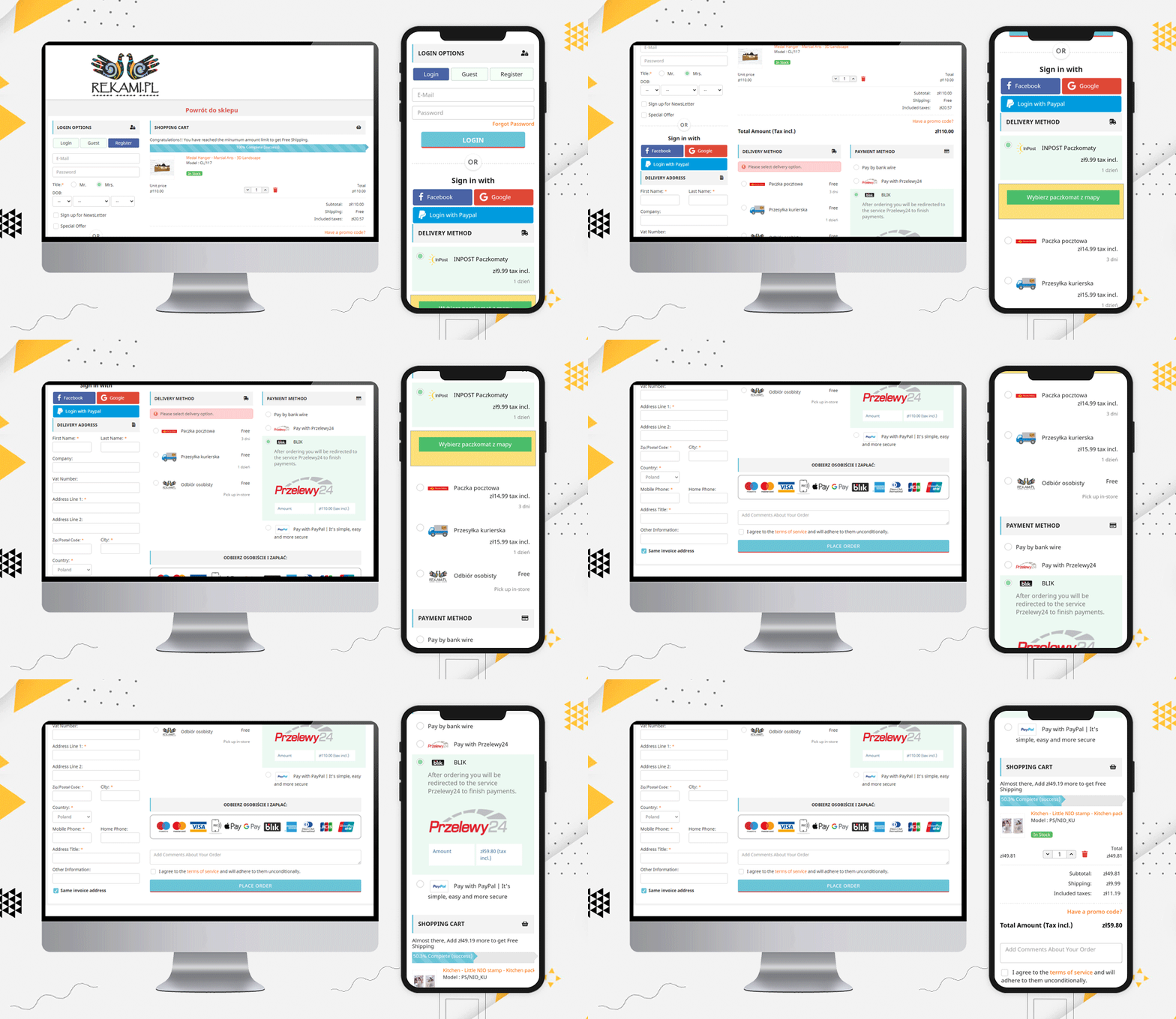
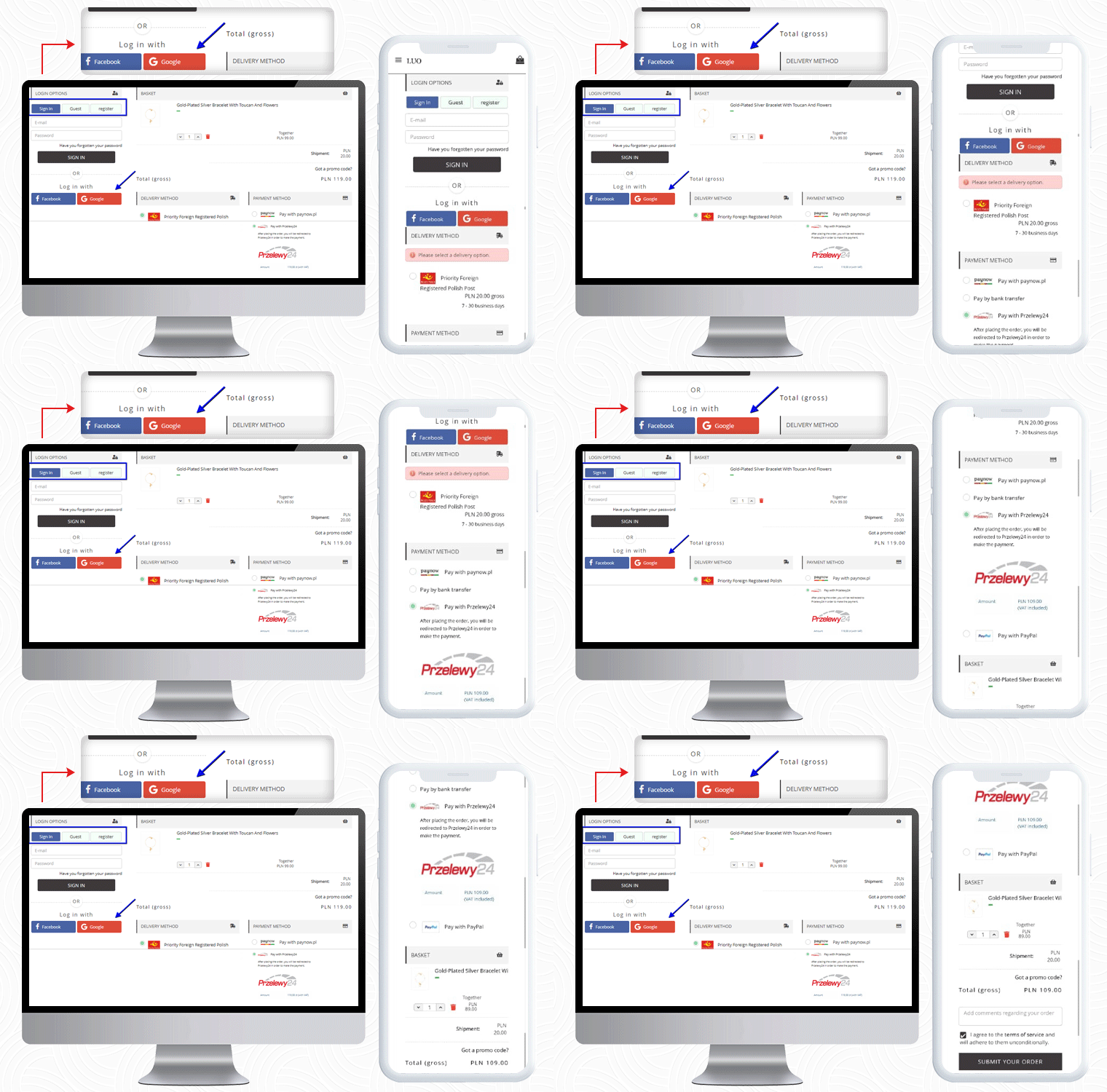
1. LUO Online
LUO online is a Fashionable Jewelry store created on the PrestaShop platform that delivers products in Poland. To make the checkout experience smooth and quick, LUO is using the One Page Checkout module by KnowBand.
The Mobile responsive checkout page displays all the fields on a single page including the registration column, Social login option, shipping, and payment methods, and the products of the cart. It also supports guest checkout functionality for users who do not want to register.
If a customer has any promo code then they can add that during the checkout process.
Payment Methods listed for Poland Customers: Pay with Paynow, Pay by bank transfer, Pay with Przelewy24, Pay with PayPal
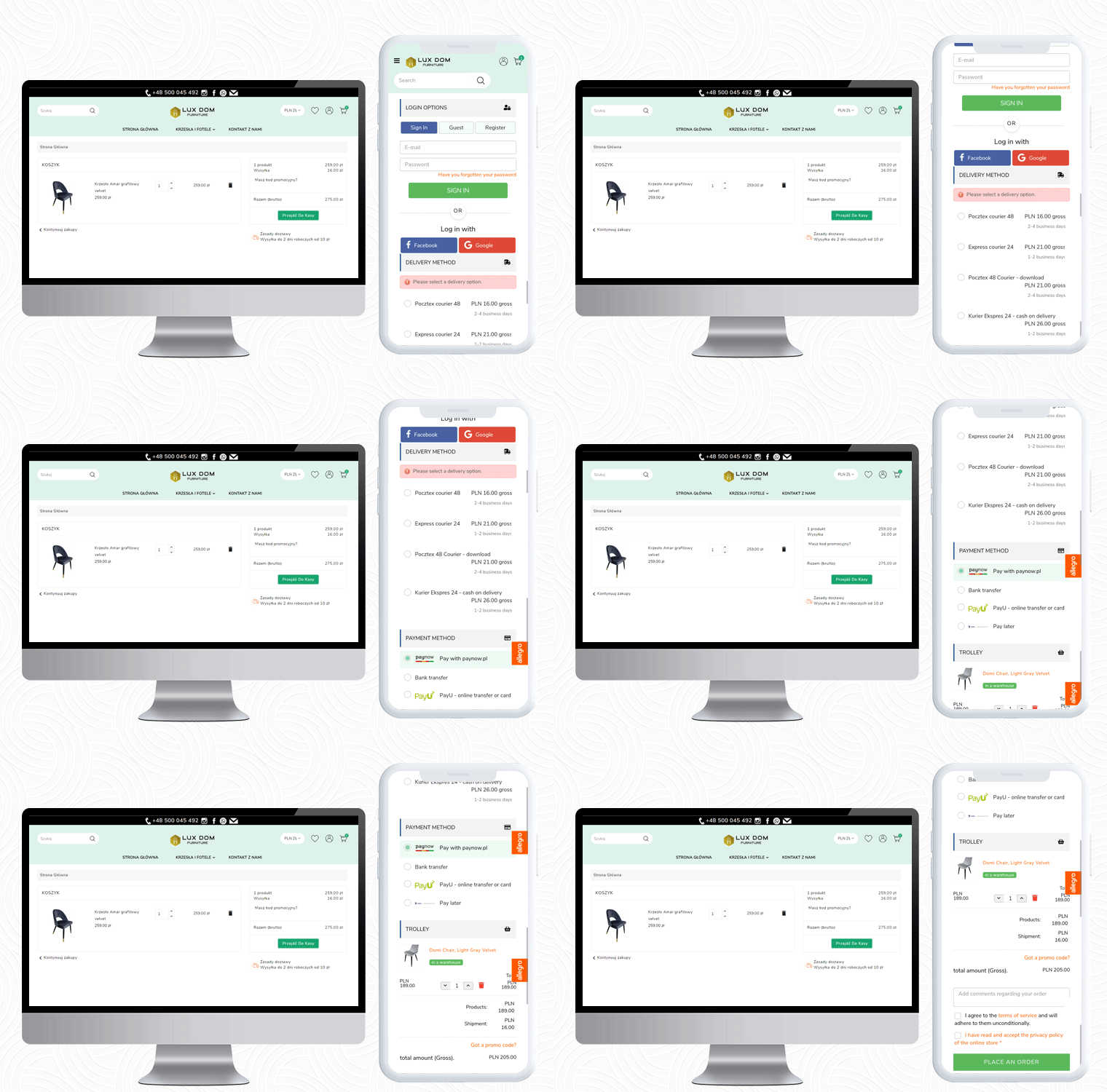
2. LUX DOM Furniture
LUX DOM Furniture is a Poland-based furniture website with a customizable three-column checkout page. Users can log in via Social media platforms like Facebook and Google+.
The free delivery eligibility bar is displayed at the bottom of the checkout page. Every order with an amount above 150PLN will be eligible for free delivery.
In the LUX DOM furniture store, there are specific payment methods for specific shipping methods selected.
Payment Methods listed by LUX DOM: Paynow, PayU, Przelew bankowy, Zapłać później
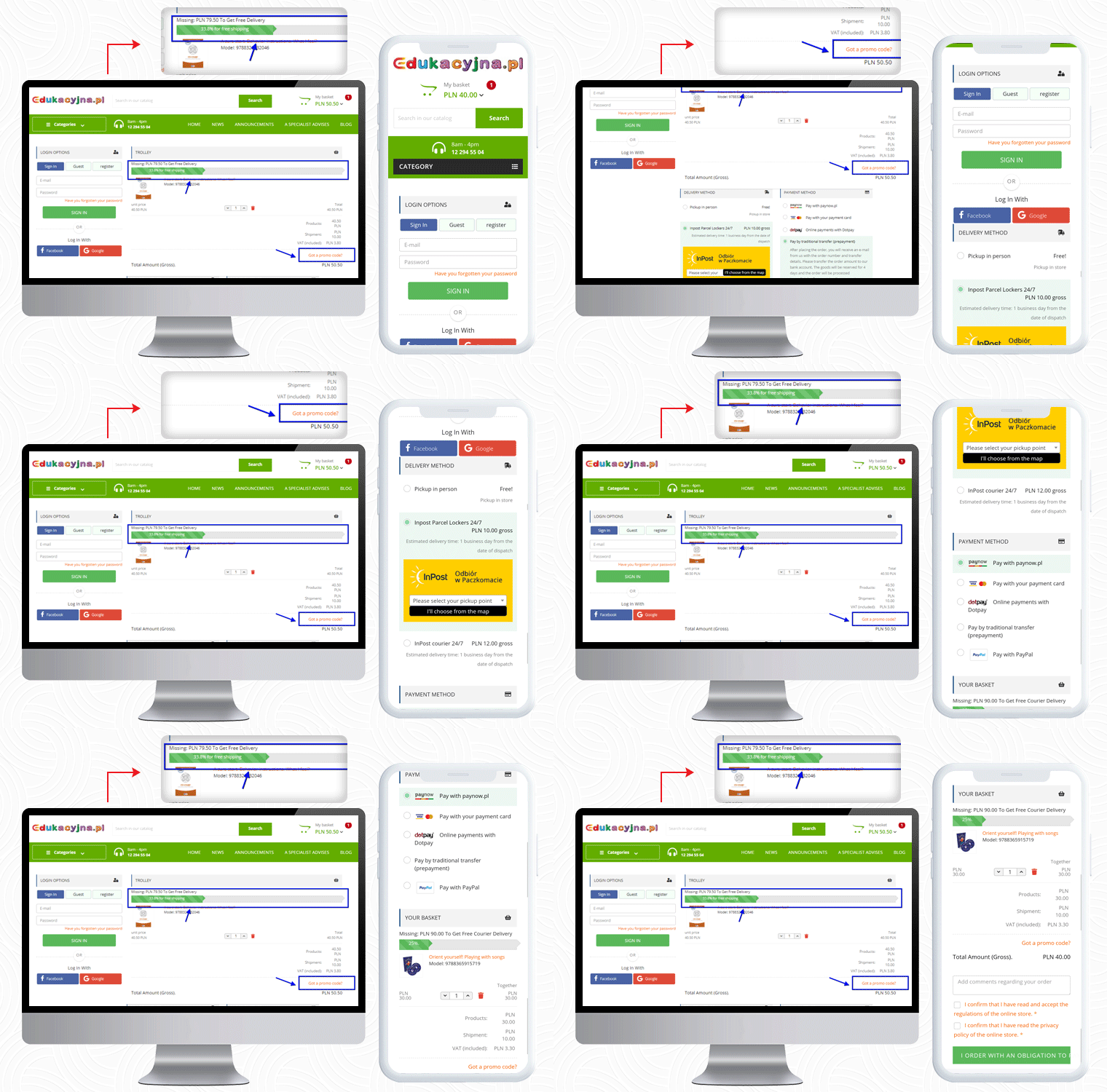
3. Edukacyjna
The third live example of the PrestaShop One Page Checkout addon can be observed on Edukacyjna, which is an educational online bookstore. The first educational bookstore in Poland, offering methodology guides for all Polish publishing houses’ textbooks.
The PrestaShop One Page Checkout has several features and Edukacyjna is utilizing those in a proficient manner.
In the picture below, along with the features mentioned earlier, a ‘Progress Bar’ is displayed for the checkout process.
This educational website is providing several payment methods to their customers, and for every shipping method, they have listed different payment methods.
Payment Methods Listed for various shipping methods: Pay with Paynow.pl, Payment via VISA and Master Card, Online payments with Dotpay, Pay in cash on delivery, Pay by traditional transfer (prepayment), Pay by bank transfer with deferred payment (14 days) – only for educational institutions, Pay with PayPal
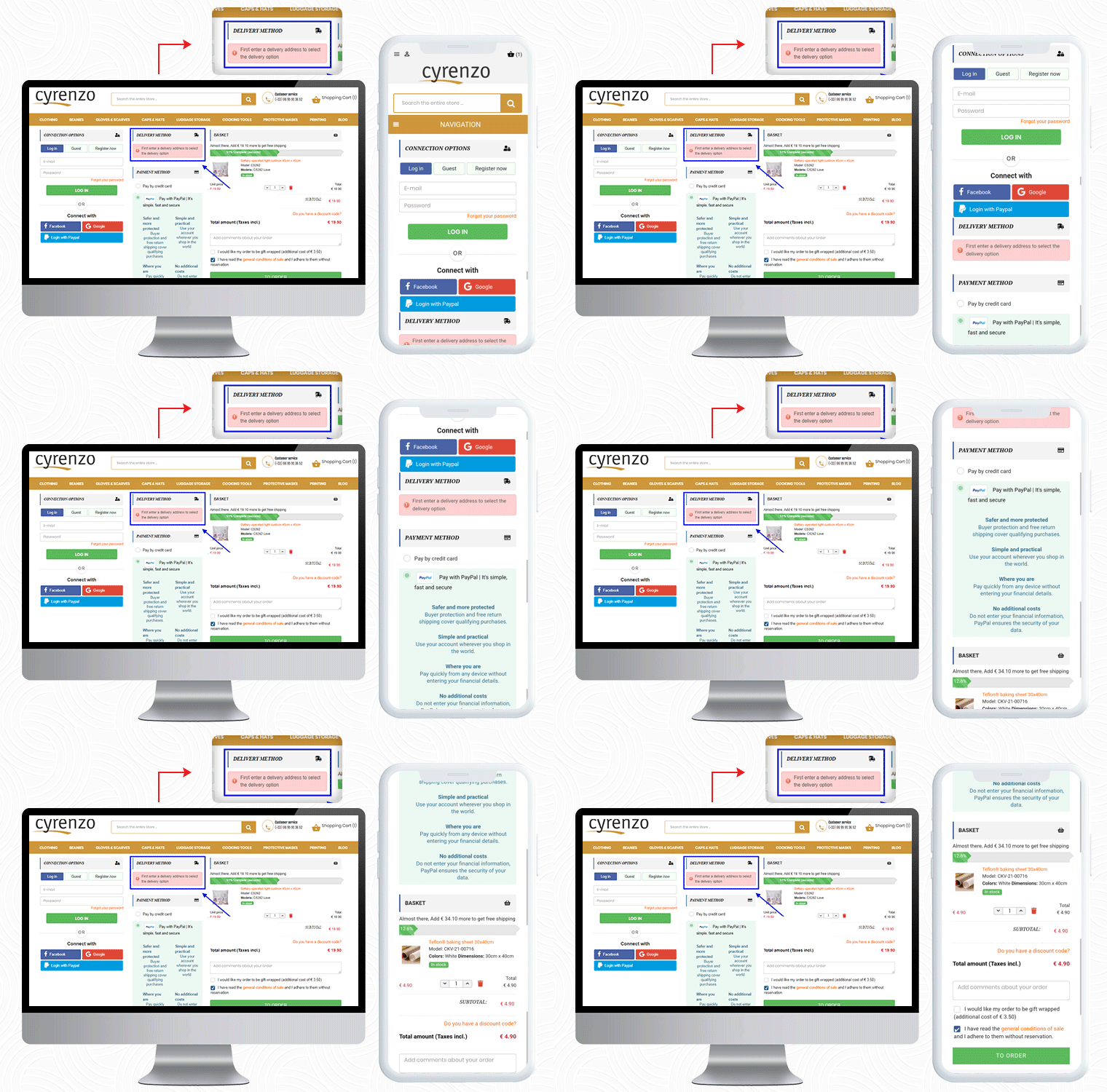
4. Cyrenzo
Cyrenzo is France based online store of clothing, accessories, and home products from major brands. They deliver quality products with customized options in France. Cyrenzo has updated its new website to meet current expectations so that users can use it more easily.
They have been using the One Page checkout solution for the final checkout process on their PrestaShop store.
As mentioned, the module is feature-rich and a best seller!
It allows sellers to display the delivery mode only after they enter the delivery address if enabled from the admin panel.
Cyrenzo is also using the PayPal login option along with Facebook and Google on their PrestaShop One Page Checkout. On a single page in a 3-column customizable layout, it displays the progress bar, cart details, payment methods, etc.
Also, to collect any additional information from the customer about the order, the seller can add an additional field before the final order placement.
So far we have shown you four examples of One Page checkout module. Now, I would like to draw your attention to its layout customization feature.
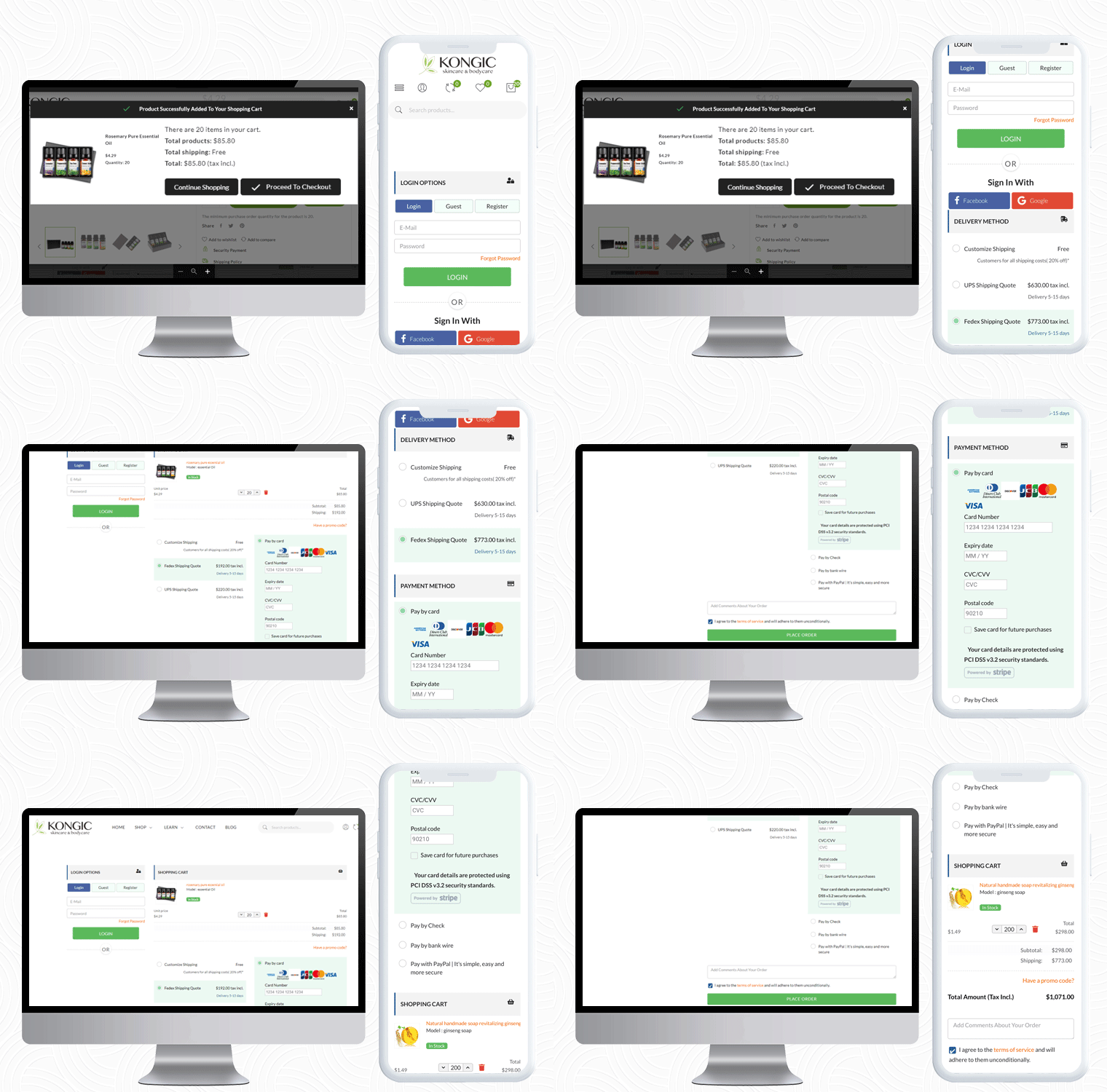
Kongic is an eCommerce company dealing in skincare and body care products. For the checkout page, PrestaShop One Page Checkout is the best fit for their brand.
The checkout page of the Kongic is clean and they have kept enough white space that it giving it a more pristine look.
It is on the seller how and where they want to keep the sections. The module has a drag-n-drop functionality and they can adjust the fields as they want.
It gives you options like 1-column layout, 2-column layout, and 3-column layout. Customize the checkout page as you want to.
6. Tiendatinta
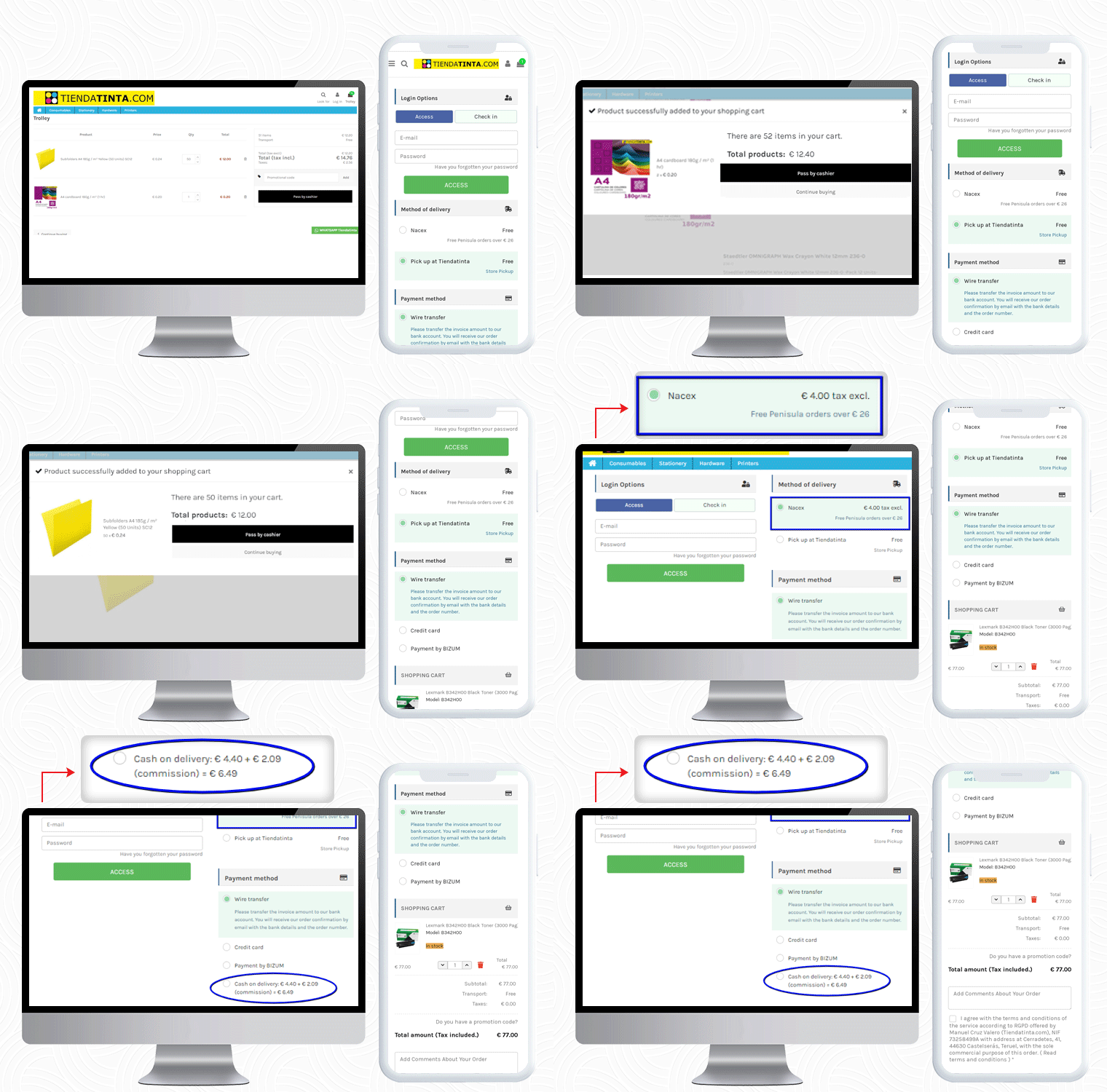
Tiendatinta is a PrestaShop store that sells Stationery products, hardware, and different types of printers.
They have been using the PrestaShop One Page Checkout solution for checkout that gives a satisfactory experience to their customers.
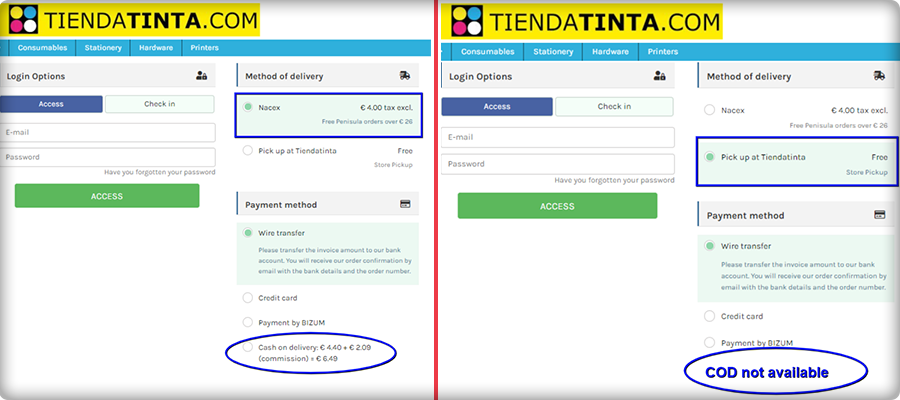
In this PrestaShop One Page Checkout module example, the Cash On Delivery (COD) is only available for the customers who opt for the Nacex method of delivery.
This feature is quite helpful when you have to offer a particular mode of payment gateway for and specific delivery method.
7. JustKBC
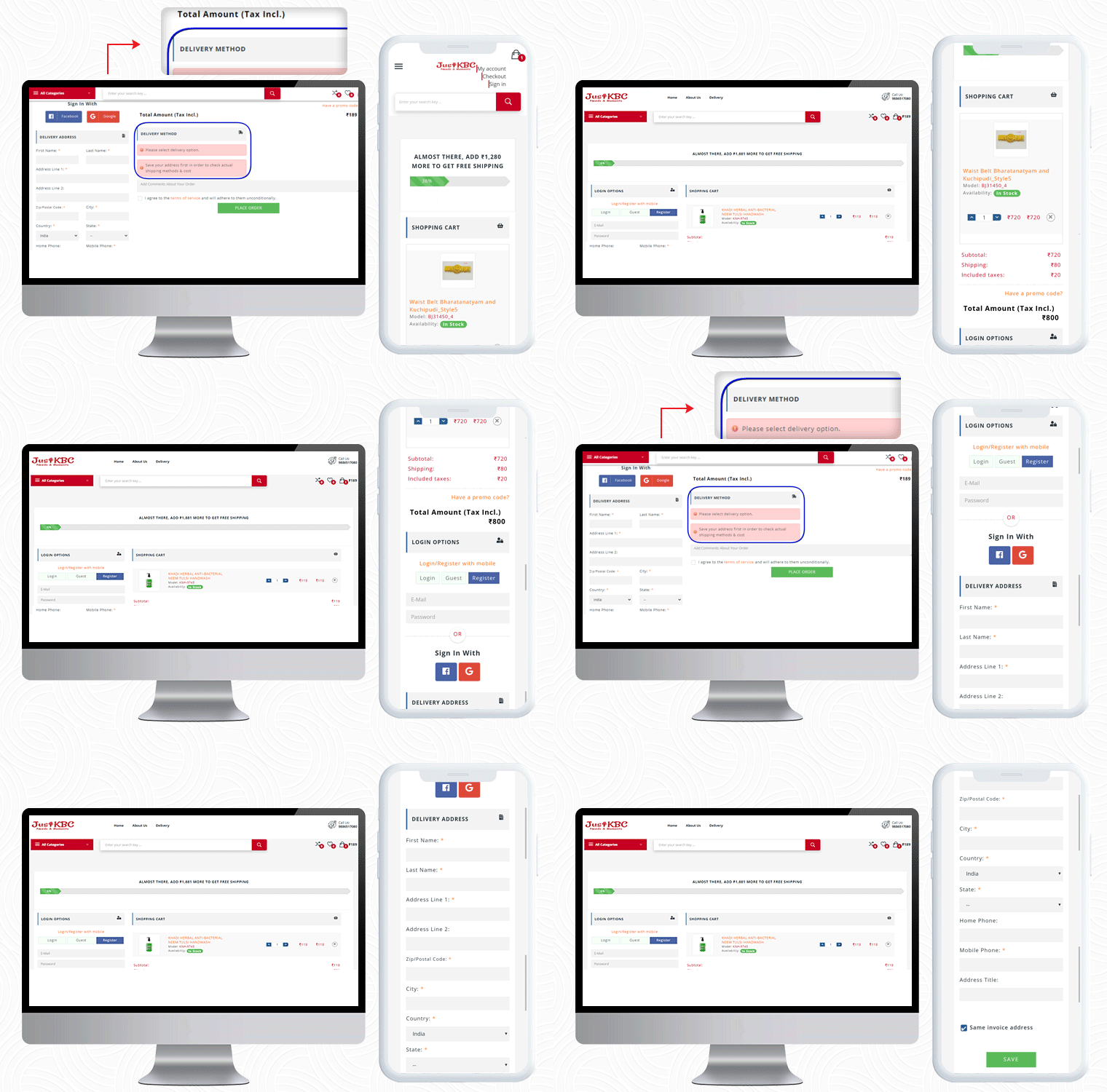
For PrestaShop One Page Checkout real-life example, the JustKBC website is next in the row. They are using a 2-column layout, which is giving the checkout page a clean look.
A free shipping bar at the top of the checkout page encourages customers to shop more and increases average cart value.
On this particular checkout page, if a customer wants to see the delivery options then he has to enter the delivery address first.
If a customer enters false details of ZipCode or forgets and mandatory field, they will see an inline error message. If The customer can allow auto address fill from Google as well.
You can check out some more websites that are using PrestaShop One Page checkout:
The preceding examples demonstrate why PrestaShop One Page Checkout by KnowBand is the best seller Module on Addon Store! Its features and functionalities make it unique and give an exemplary user experience. If you have an eCommerce store on the PrestaShop platform and are searching for a single-page checkout solution, your quest is over. You can go to the KnowBand store and look at the admin panel and front-end module demos.
On our store, you’ll find solutions for all other eCommerce services. All the modules are well-designed from both the seller’s and the customer’s perspectives.
PrestaShop Return Manager (RMA) module by Knowband is known as one of the best PrestaShop addons which simplify and fastens the product return management on your eCommerce store and helps you improve customer experience. With the PrestaShop Return manager addon, you can provide easy order return features on your website and can add a return policy for your products.
It’s a harsh reality that you’ll have to issue a refund or return in response to certain legitimate return requests. For making the process convenient, with the same module features, a customer can ask for a refund, credit, or even cancel the order completely or partially. A simple return process on your website can persuade the shopper to return to you the next time he or she shops online. We need to remain open for any chance because this is a long-term game.
The Return manager addon has been downloaded by 2000+ clients on the KnowBand store and PrestaShop Addon store. Some new features have recently been introduced to the PrestaShop Return Manager (RMA) addon in the latest update. In this post, we’ll go through all of the newly added features in detail.
Newly Added Features to the PrestaShop Return Manager (RMA) Addon:
1. Search Option in the Admin panel for all the Listing Tabs
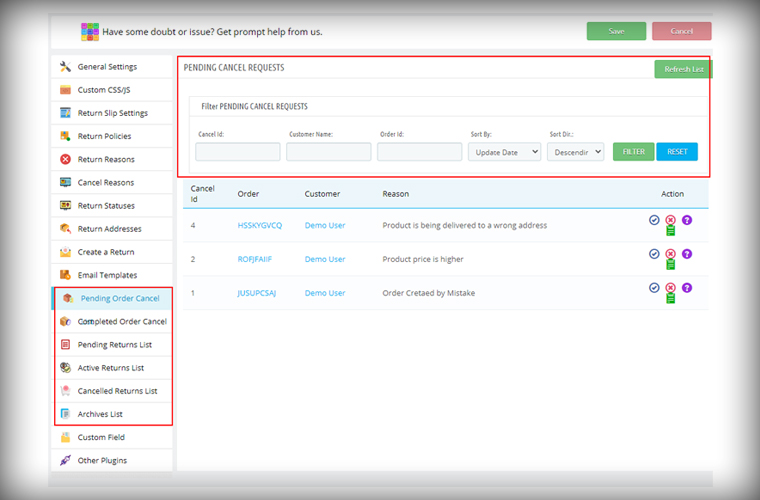
In the latest version of the PrestaShop Return Manager (RMA), the e-merchant can now search and filter the orders on various listing tabs. The search option is added for the following listing tabs pending cancel requests, approved canceled order list, pending returns list, active return orders list, canceled returns list, and archive list. Admin can sort the orders by providing details like Order ID, Customer Name, Respective listing ID, and also with a date.
2. Define Order Status to start calculating policy time
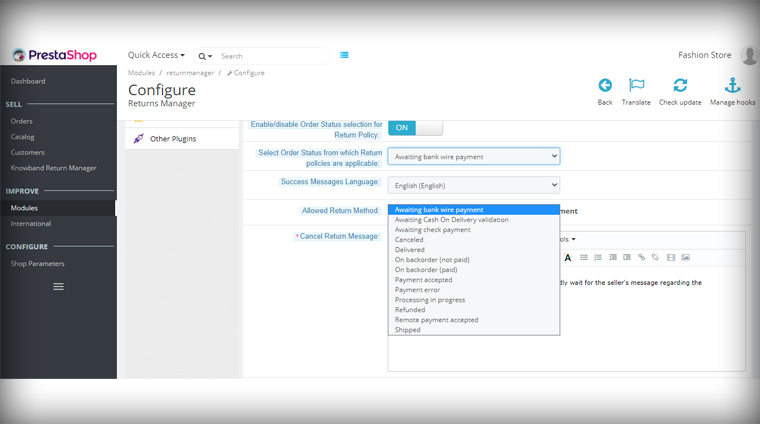
The PrestaShop Order Return manager now allows the store admin to set the order status from which the return policy time will be calculated. In the previous version, the clock starts ticking the day order was placed and a delay in order delivery sometimes exceeds the period and customers fail to make the return request. With this feature, the store owner can set the status as ‘Delivered’ for calculating the return policy time.
3. Feature in the Admin panel to send Test Email
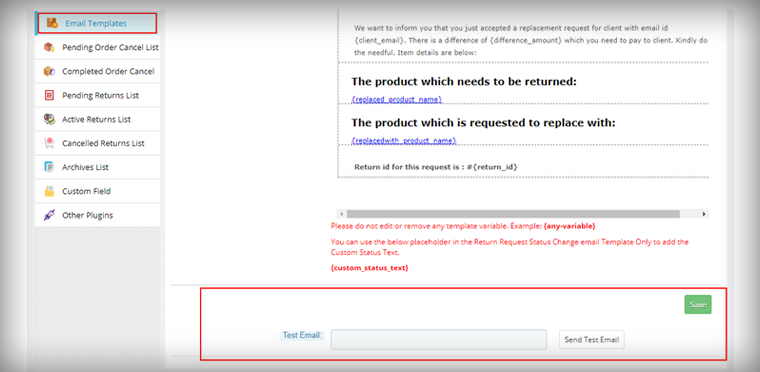
The module now allows the store admin to send test emails before finalizing the template. This functionality is added to all the provided email templates of PrestaShop Return Manager (RMA) Addon.
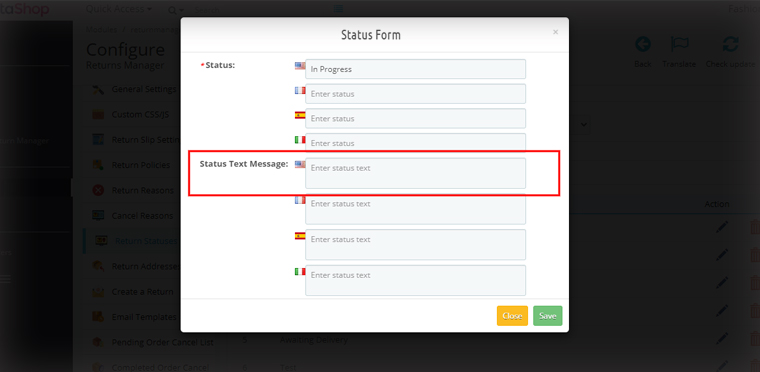
4. For email, templates specify custom Text for each Return Status
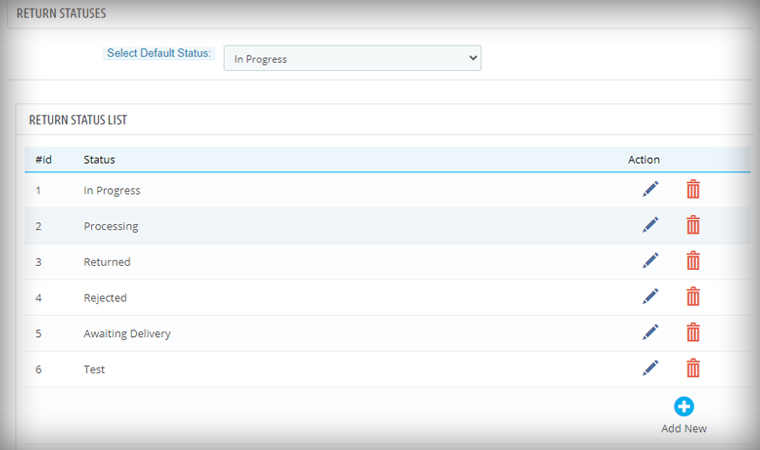
Another feature added in the module is an option in the admin panel to add a custom text for each Return Status and created a place holder which can be used in the return status email template.
Admin can add a personalized message in the provided option for every order status. An email with a tailored text will provide more clarity to the customer.
Features added for easier management
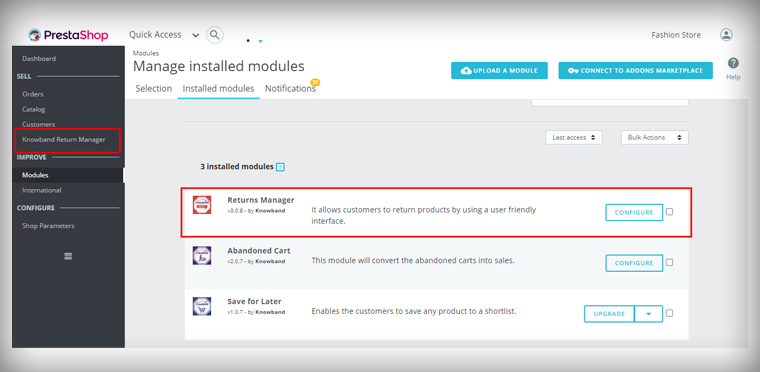
5. Added Left Menu Shortcut of Return manager Addon on the Dashboard
As it is shown in the picture below, the admin is now able to access the PrestaShop Return Manager (RMA) Module from the left menu of the PrestaShop admin panel. This provides quick access to the admin for module configuration.
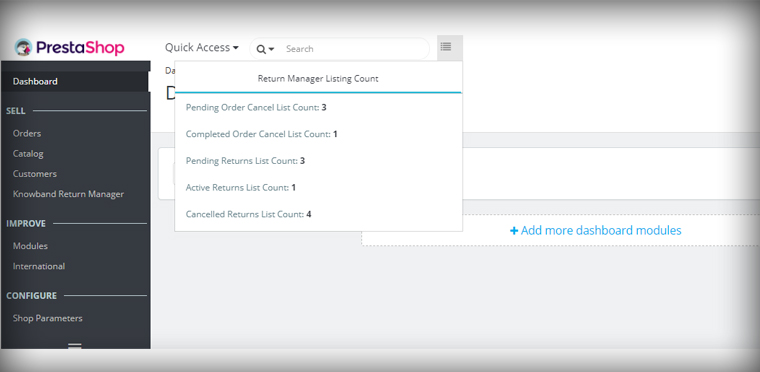
6. Display all Return listing counts on top of the Admin panel
In the Dashboard of the PrestaShop store, the admin can quickly access the return manager listing counts from the option provided on the top. By clicking on any of the listing options, the user will be redirected to the respective listing page.
7. PrestaShop v1.7.7.1 compatibility:
PrestaShop recently launched version PS v1.7.7.1, which includes some new features and bug fixes. We’ve made the PrestaShop Return Manager (RMA) Addon completely compliant with the new PrestaShop version v1.7.7.1.
For other existing features of the module, you can refer to our previous blog post.
Upgrade to the Latest Version of PrestaShop Return manager addon:
Large eCommerce titans like Amazon, eBay, Alibaba, and such others have gained a monopoly over the eCommerce segment. Not having multiple sales channels and a limited customer reach are the two prime reasons that are hurting the interests of various business entities around the world.
With the competition in the eCommerce marketplace segment at an all-time high, the bigger fishes in this ocean are actually eating up the smaller ones making them as completely extinct. This uneven market share is actually casting a shadow on the future of smaller business entities in this billion-dollar industry.
To put an end to all your concerns and miseries, Knowband has come up with this out-of-the-box module that can convert your PrestaShop store into a feature-packed marketplace store.
Introduction to PrestaShop Marketplace Addon-
With the help of these superb PrestaShop modules, small and medium eCommerce stores can have better recognition and presence in the online business community for higher sales opportunities. Now, these smaller online stores can sell their products more effectively by adding their products seamlessly to this marketplace store.
PrestaShop marketplace addon allows seamless seller registration for selling products among your targeted customers. This excellent module has bent the stiff eCommerce laws for numerous small and medium online stores for achieving higher conversions and sales. Let us take a look at some of the unmatched features and functionalities of this PrestaShop marketplace addon.
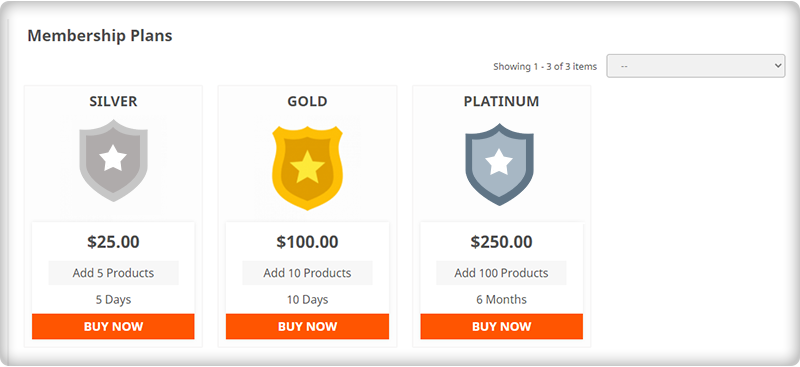
1. It supports the commission model and membership plans
The Prestashop marketplace addon is integrated with the commission revenue model. Store owners can charge a fixed commission for every seller or different from individual sellers. The commission can be set for various categories and products as well. This module also supports the membership plan.
2. Eliminates the need for inventory management-
Now, registered sellers can seamlessly sell their products on their PrestaShop marketplace modules without any trouble. There is no such need to manage the inventory for the products that are offered by you for selling purposes.
The module relieves its sellers from the headache of inventory management while offering their products and services to their targeted customers.
3. Comprises of an efficient email notification system
With this PrestaShop marketplace addon, the involved members of the marketplace community such as buyers, sellers, and store admin can get timely updates and notifications about all the activities regarding their marketplace store. This helps in speedy decision-making and improves the business growth for an online business entity.
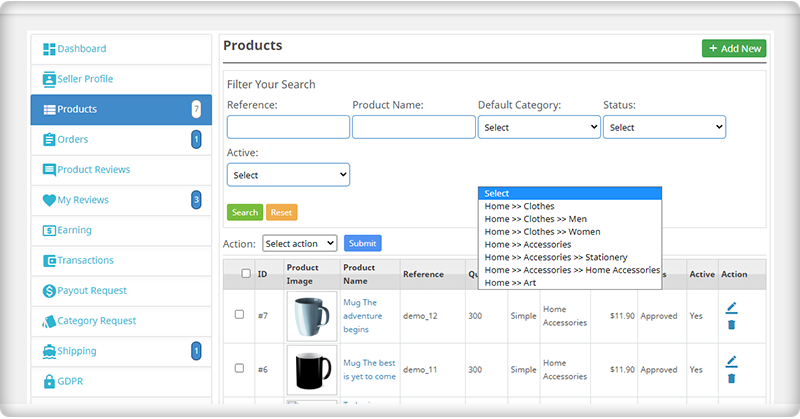
4. Provides greater role and authority to store admin
Store admin of this PrestaShop addon is loaded with numerous features and functionalities that impart a great deal of authority in the day-to-day functioning of a marketplace store. Some of the various areas where store admin has the last say are as follows:
– Contains authority to accept or reject seller’s request for selling his/her products on your marketplace store.
– Maintaining commissions for various vendors and individual commission rates for each seller.
– Setting the limit on the number of categories that can be used for sellers for adding their products to your marketplace store.
5. Customer’s Reviews and ratings for sellers and products
The goods can be easily rated and reviewed by customers. From the PrestaShop Marketplace Addon’s backend, the admin may accept or deny seller feedback. On the front-end, these product reviews are shown to the customers to build trust and influence their decision.
Consider these points before launching a Marketplace on PrestaShop
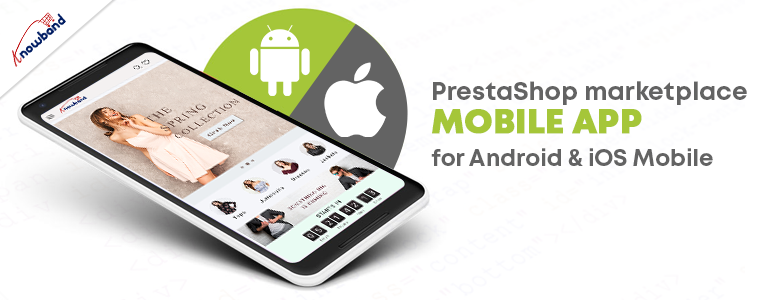
1. Expand your business with PrestaShop Marketplace Mobile App
Mobile users are increasing every day, necessitating the creation of a mobile app. While creating a marketplace on the PrestaShop platform, you can plan for a mobile app as well. The PrestaShop Marketplace Mobile App Builder plugin is compatible with the PrestaShop marketplace module and allows you to launch your application for both Android and iOs operating systems.
2. Go Local with PrestaShop Hyperlocal Marektpalce
Post pandemic, there has been a significant change in the shopping behavior of the customers. Most of the customers are choosing local sellers for their purchase and as a business owner, you can take this as an opportunity. Transform your PrestaShop store into a Hyperlocal Marketplace using Hyperlocal Marketplace addon. It has several features that are explained here.
3. Start Service based Marketplace like Urban Company
You can start a service-based marketplace like Fiver, Urban company, etc. For this, you will require two of the PrestaShop modules: Hyperlocal Marketplace Module and Booking and Rental System.
The booking and rental system plugin will allow you to schedule appointments and bookings for the services provided by various sellers on your PrestaShop marketplace. Refer to our previously shared article on How to create a service-based marketplace.
Finally, It is time to revitalize your sales and customer engagement for your online store with the help of this PrestaShop Marketplace Addon that acts as a wonderful multi-sales channel for various PrestaShop store owners. Once, you have the option to sell your products among a large customer base, you can effortlessly improve the chances of your business growth.
Check out the next part of this blog for more information about the PrestaShop marketplace addon.
With the help of the PrestaShop social loginizer module, the store admin can add 14 different social media platform buttons with which the customers can log in and the visitors can sign up easily. Thanks to the PrestaShop Quick Login popup, the store admin provides a quick and easy way for its customers and visitors to come aboard the website. It is the best way to encourage your visitors to create an account on your eCommerce store without any hassle.
This PrestaShop social login addon is feature-rich and has numerous benefits for you as well as the customers. Take a look at the best features of the PrestaShop social media login module in this blog. You could even choose to watch this video that explains the PrestaShop module on the Knowband quite well. Now, take a look at the features of the PrestaShop quick login popup addon.
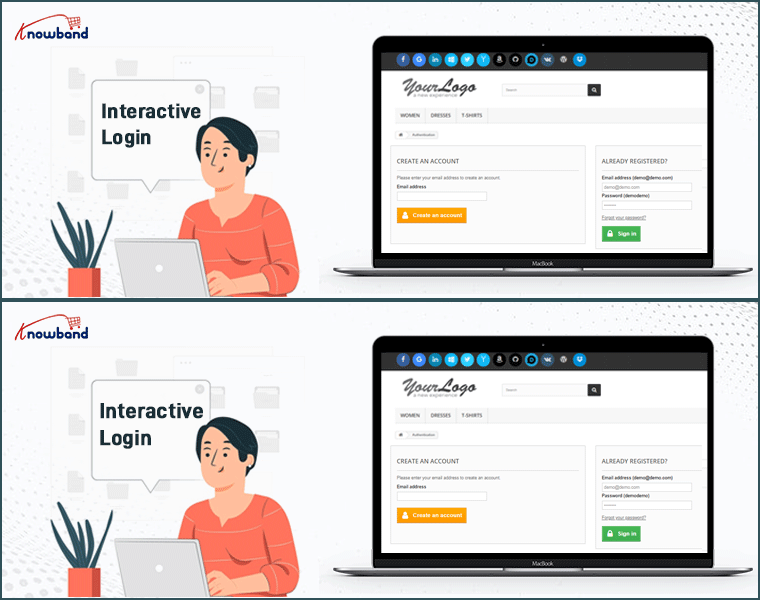
PrestaShop advance login popup makes login more interactive
When you want to give your visitors a reason to come aboard the website and convert, the PrestaShop Facebook login popup ensures a pleasant experience. The module makes sure that the visitors don’t feel upset about signing up on the store and the customers get the opportunity to login without feeding all the details manually. It is a quick and interactive way of welcoming both visitors and customers to your eCommerce store.
What Customers have to say about PrestaShop Social Login Module
The PrestaShop google login popup is multiple devices compatible
Do you still think that your customers are coming to the store only through laptops or smartphones? Well, you should be prepared to know that they can come to the store via any device and so should the modules on your store. The PrestaShop social loginizer addon is multi-device compatible and ensures smooth working on all the different devices including smartphones, laptops, tablets, and desktops.
Can be installed and configured in a jiffy
The store admin (admin) can easily install and configure the PrestaShop Facebook login module. There is no special knowledge needed for the same. You can simply check out the user manualfor the step by step process. You can also check out theAdmin demoand Front-end Demo for a more real experience and to know the working of the module better.
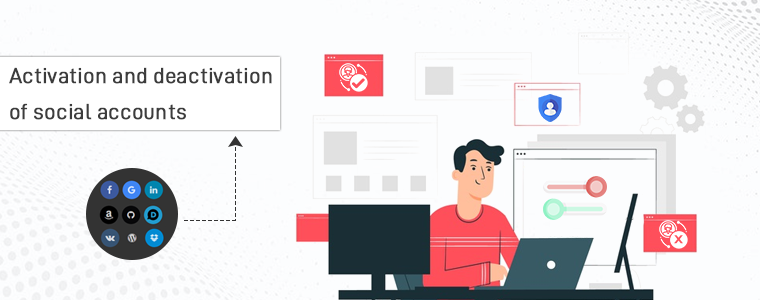
Activation and deactivation of social accounts
With the help of the PrestaShop social login addon, the store admin can at any time activate or deactivate any of the 15 social accounts from the back-ends.
Drag and drop icons feature
Some stores might be popular with Facebook login while others would be with Google login and others. With the help of this PrestaShop quick login, the admin can easily drag and drop the social account buttons to rearrange them as per the need and popularity of their eCommerce store.
Reports can be tracked easily
Now, when the various social account buttons have been placed on the store, the visitors are signing up, the customers are logging in but how does the store admin understand through which social account has the customers most logged in? Well, the reports feature of the PrestaShop social login module makes sure that the store admin can check the reports on the back-end.
Responsible for brand awareness
The PrestaShop social login module helps the administrator in increasing brand awareness socially. At the point when a client loves your item and enlightens others concerning it, he/she is attempting to expand brand mindfulness for you.
Multiple-theme compatibility
The PrestaShop advance login popup is compatible with multiple themes and easily blends in with the theme of your store. So, having the PrestaShop social login module on your eCommerce is a win-win for you and the customers.
Check PrestaShop Quick Login popup out here:
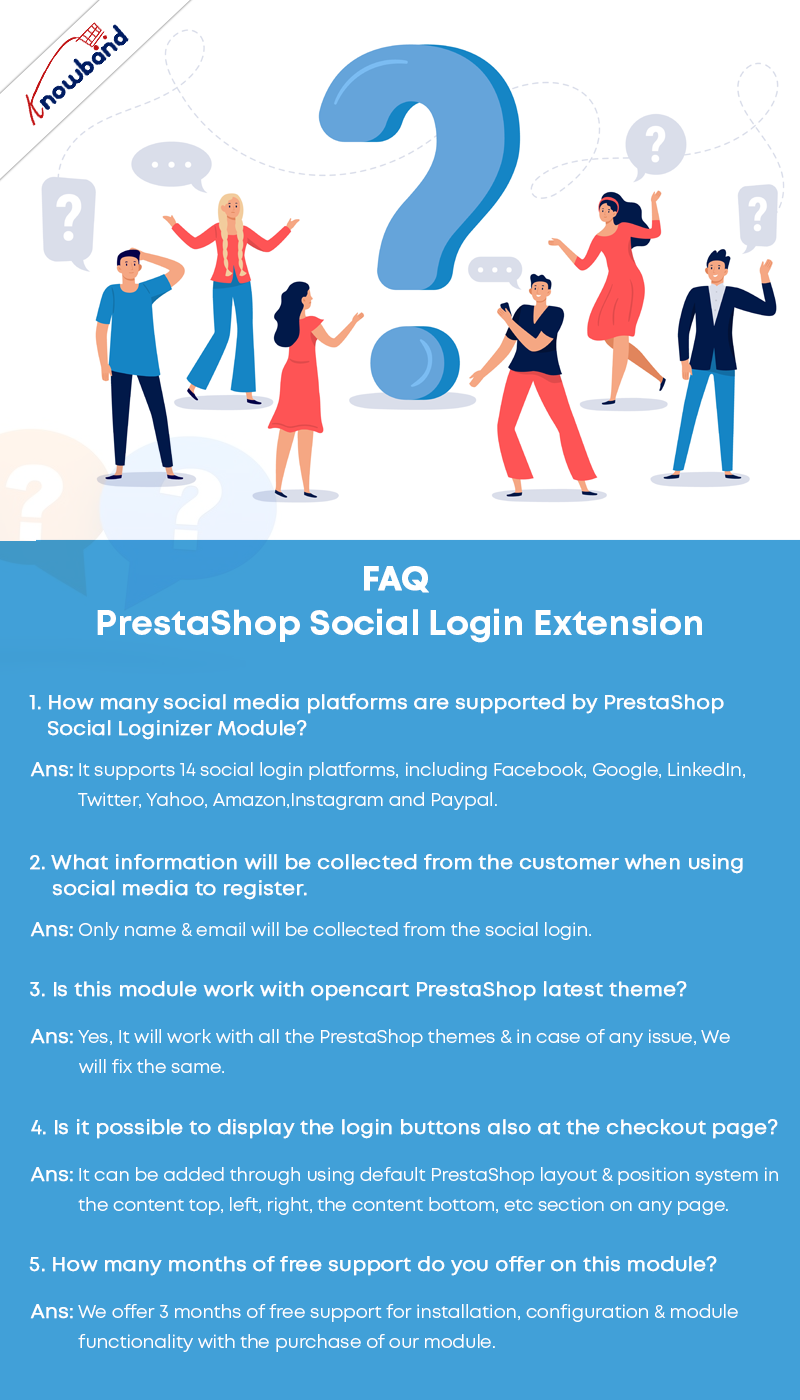
Frequently Asked Questions- PrestaShop Social Login
PrestaShop One Page SuperCheckout is known as one of the best PrestaShop addons which simplify and fastens the checkout process of your eCommerce store and helps you improve the conversion rate of your business. With the Prestashop Fast Checkout addon, you can eliminate the risk of cart abandonment on the checkout page and can get more successful orders on your store in comparison to the multi-page checkout. Since the users don’t have to go to multiple pages to fill in the checkout details, the addon makes it easy and convenient for your online customers to easily and quickly complete the checkout and place their orders.
Knowband’s PrestaShop One Page Supercheckout addon is one of the best-selling addon with around 8000+ downloads on the Knowband store and 9000+ downloads on the PrestaShop Addon store. The addon has over 500+ 5* reviews on both the stores. Recently, there are some new features have been added to the addon in the new v6.0.9 version. In this article, we will be discussing all these newly added features in the module in brief.
Newly Added Features to the PrestaShop One Page SuperCheckout addon:
1. Select Methods to Display Total Price of the Product:
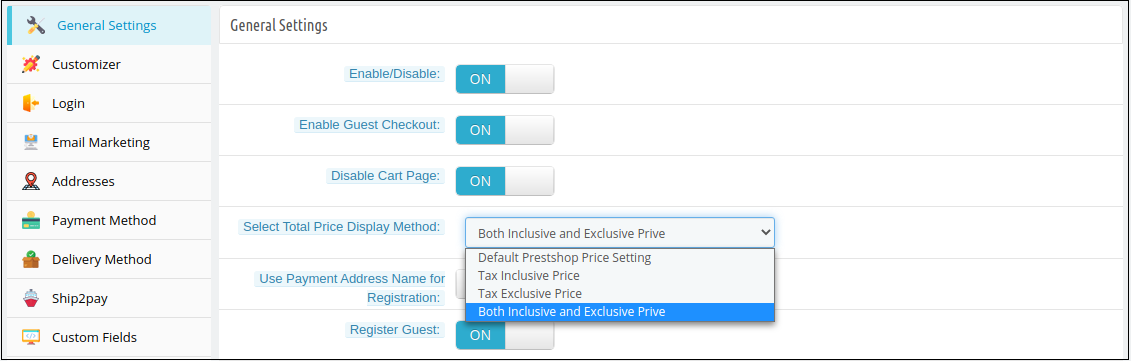
In the latest version of the PrestaShop Quick Checkout addon, the e-merchant can now choose to display the total price of the product in various ways. The store owner can choose to display the PrestaShop default price, the total price of the product inclusive tax or exclusive tax, or both i.e., inclusive and exclusive tax. The store owner can select these display options from the ‘Select Total Price Display Method’ section in the General Settings tab in the back office.
Whichever method is selected by the store owner, will be displayed in the Shopping Cart section on the checkout page.
2. Show Custom Field in the Invoice:
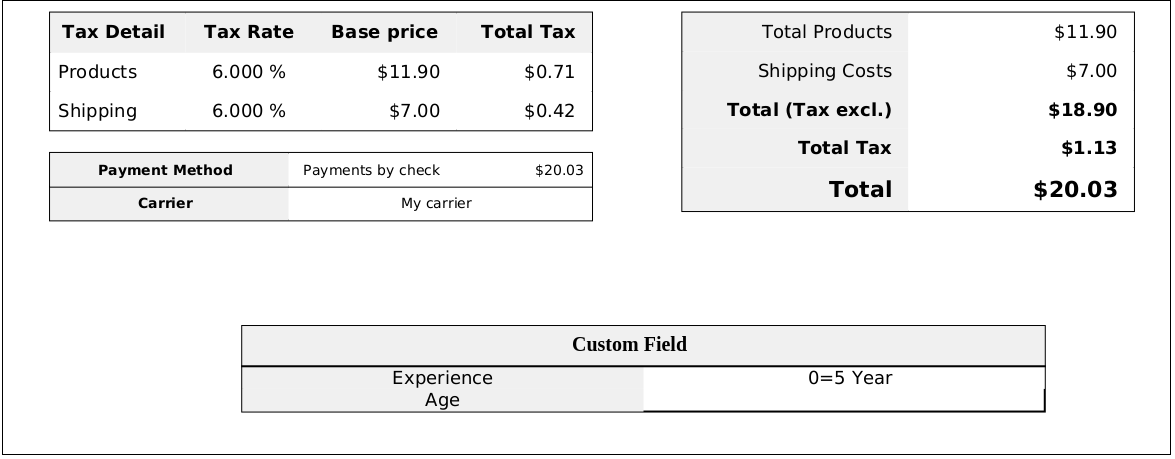
With this feature, the store owner can enable displaying the information filled in the custom field on the invoice of the placed order. The store owner can enable or disable this ‘Display Custom Field in Invoice’ feature from any or all the custom fields in the back office of the PrestaShop Simplified Checkout addon. The customers can view the custom field details in the received invoice of the placed order.
3. Compatibility with PrestaShop v1.7.7.1:
PrestaShop recently released its latest version PS v1.7.7.1 with some new features and fixes. With the latest update in the PrestaShop One Step Checkout Addon, we have made the addon fully compatible with the latest PrestaShop version v1.7.7.1.
4. Compatibility with Zasielkovna and gmparcellocker modules:
The module is now completely compatible with the gmparcellocker and Zasielkovna modules.
5. Fixed Compatibility Issue with Mollie Payment Method:
In the newly released version of the module, all the issues with the compatibility of the module with the Mollie Payment Method have been fixed.
Other Important Features of the PrestaShop Responsive One Step Checkout addon:
1. Social Login feature:
The addon allows the online shoppers to easily and quickly sign-in with popular social media accounts like Google, Facebook, and Paypal. Login with social accounts not only reduces the manual efforts of the online buyers but also saves them from creating a new account to place their orders.
2. Guest Checkout functionality:
As many online shoppers don’t like to get registered and share details on a new unknown eCommerce website, this Guest checkout feature in the PrestaShop One Page SuperCheckout helps them place their online orders without registering themselves on the website. The online users can place their orders as guest customers or can also create a new account or sign-in to their existing accounts right from the checkout page without any hassle.
3. Integration with MailChimp, SendinBlue, and Klaviyo:
The Prestashop One Page Checkout offers integration with popular email service providers such as MailChimp, Klaviyo, and SendinBlue. After the integration of these accounts with the module, the collected database of the online users will automatically be synced to these accounts.
4. Easy Look and Feel Checkout Page Customizations:
The e-merchant can easily customize the look and feel of the checkout page including change the color of text, button background, button border, etc.
5. Manage Checkout Fields:
The store owner can easily manage the fields of the page from the back office of the Prestashop One Page SuperCheckout. From showing or hiding the fields or making the fields mandatory or optional, the store admin can do everything easily from the admin interface. He can also re-arrange the steps with drag and drop functionality.
Mobile login has incredibly changed the registration and checkout process. We often receive hundreds of promotional emails which leave us miserable when we realize missing the most important one. Therefore, users often hesitate in sharing their email addresses with various eCommerce stores.
Another problem with the email type registration is that we have to remember the damn password. Considering the options available in eCommerce, we cannot remember the password for every store we have registered. Even local businesses are going digital, now we cannot rely on in-store shopping hence; we need to configure the way out.
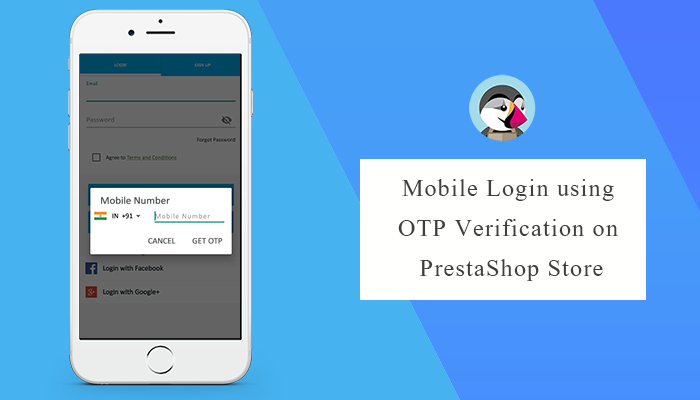
PrestaShop Mobile Login using OTP helps your customers sign in with a mobile number without entering their email addresses. PrestaShop store owners can add this plugin to their store and allow users to make the checkout with a One-Time-Password (OTP) using a Mobile login.
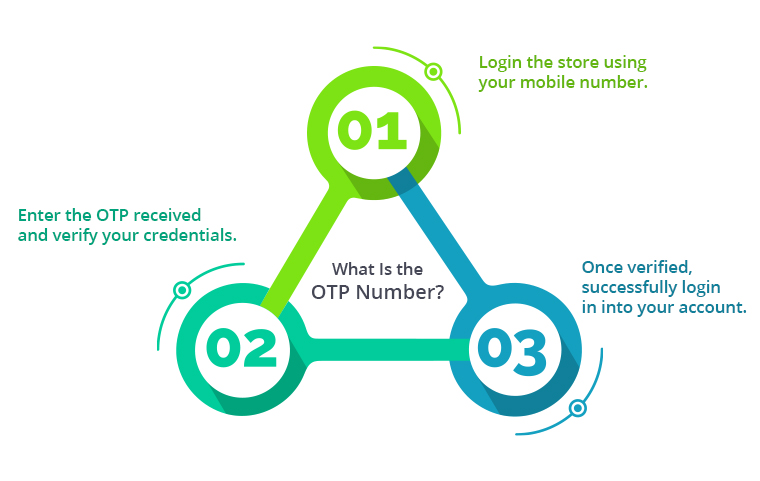
What is the OTP number?
It hasn’t been around for very long, therefore daily speech seldom ever uses it. One Time Passwords, or OTPs, are secret codes that can only be used once. Your cell phone number receives via SMS. It appears to be simple and secure to register using an OTP code. OTP is produced and sent via SMS gateways like Twilio, SendinBlue, and PrestaSMS for mobile login.
Customer authentication with the login process
Mobile login can be used to transmit an OTP (one-time password) by email, SMS, or as an activation link in an email. Security during online payment is the most important aspect of customer authentication. Some of the policies like SCU(Strong Customer Authentication) by the EU, eCommerce store owners are necessarily required to update the payment flows in their website to support authentication.
A module like PrestaShop Mobile Login addon can assure the users that their data is in a safe place. An easy and secure login process can convert visitors into customers. This addon is compatible with PrestaShop One Page Super checkout and increases user registrations remarkably.
Remove the email address field and allow customers to register through a mobile number
Every customer demands a quick and safe login. Mobile login with OTP encourages visitors to register themselves quickly. Long mandatory registration is a major cause of cart abandonment. Cart abandonment and bounce rate can be reduced using mobile login with OTP, which can boost your sales and revenue.
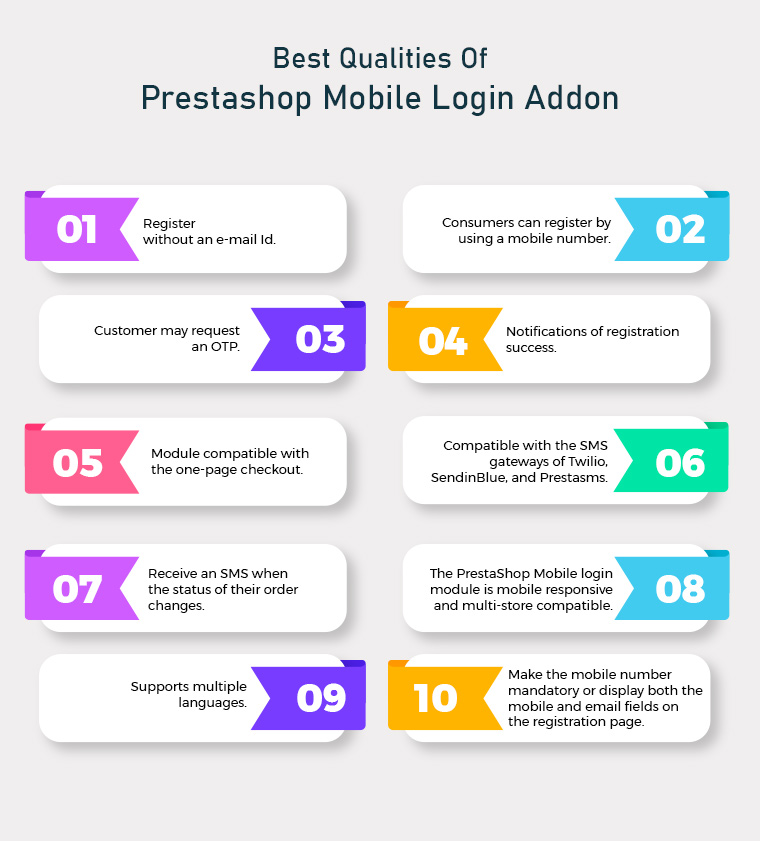
It allows customers to register without an e-mail Id.
Consumers can register and sign in to the website by using a mobile phone number.
The Customer may request an OTP to access their account and cart.
Customers will receive notifications of registration success.
The Mobile Login module works with the one-page checkout as the default.
As of now, this module is compatible with the SMS gateways of Twilio, SendinBlue, and Prestasms. Our developers will also create the module for additional service providers based on company requirements.
The customer will receive an SMS when the status of their order changes.
The PrestaShop Mobile login module is mobile responsive and multi-store compatible.
PrestaShop OTP Mobile Login addon supports multiple languages.
The e-merchant has the option to make simply the mobile number mandatory on the registration page or to display both the mobile and email fields.
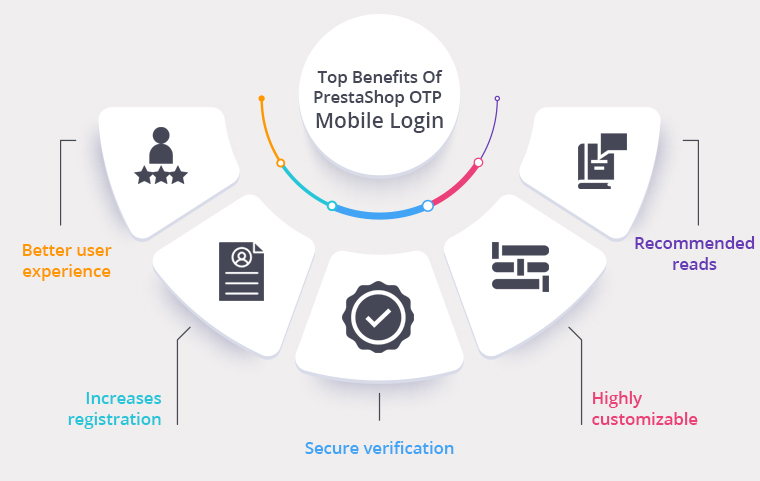
The incredible Mobile Login software for PrestaShop has several advantages as it allows the customers to checkout using OTP (One Time Password) and any PrestaShop store owner can install and configure it with a few clicks. It reduces the checkout time and improves the conversion rate.
Better User Experience: The PrestaShop Mobile Login enhances the user experience as it skips the long registration process which appears to be a great hurdle in customer experience.
Increases registration: Mobile login increases registration because it is a faster and simple way as compared to other registration options available
Secure verification: The OTP authentication system makes registration/login secure and gives you more legitimate data and potential customers.
Highly Customizable: This PrestaShop plugin is very flexible and enables a simple setup.
We think that the OTP code login and verification will make your life easier. With the PrestaShop OTP Mobile App Module, you will not be dependent on emails anymore. For PrestaShop Store, KnowBand developed a Mobile Login addon that can benefit you in all possible ways.
For more updates, you can visit the KnowBand store and explore our eCommerce extensions.







![New Features Added to PrestaShop Return Manager (RMA) Addon [Version 3.0.8 Released]](https://www.knowband.com/blog/wp-content/uploads/2021/04/New-Features-Added-to-PrestaShop-Return-Manager-Addon.jpg)





![[Version 6.0.9 Released] New Features Added to PrestaShop One Page SuperCheckout Addon](https://www.knowband.com/blog/wp-content/uploads/2021/03/Version-6.0.9-Released-New-Features-Added-to-PrestaShop-One-Page-SuperCheckout-Addon.png)