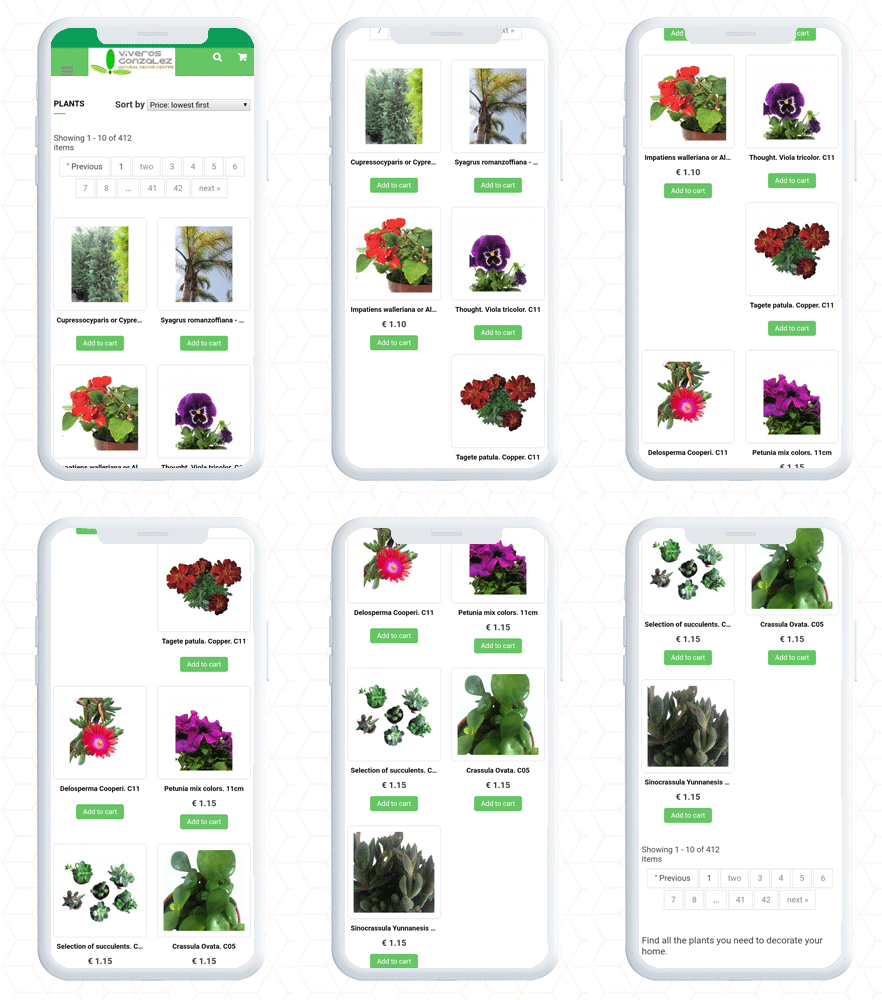
Discover 5 trendy Apps Developed for Italy using Knowband’s PrestaShop Mobile App Builder

Italy is known for being one of the best mobile app markets in Europe. With that comes the competition and to make a Mobile App, eCommerce merchants look for robust options available. From finding a developer to the launching of the app, the journey takes months and a lot of brainstorming.

An organized and feature-rich mobile app is a collection of best practices, exclusive UI/UX, and components that give a perfect shopping experience to your customers. Achieving these goals can be difficult when you are not tech-savvy.

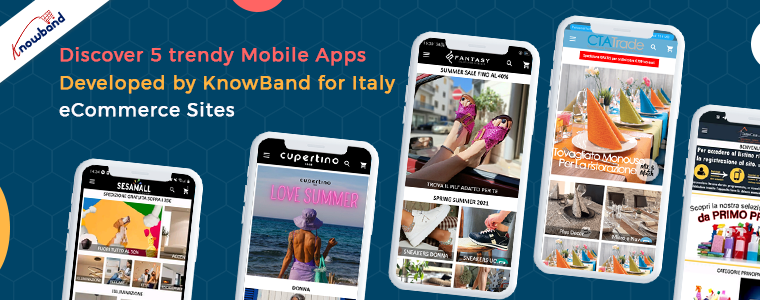
We are bringing you the solution to all your eCommerce mobile app miseries. You can now create a mobile app without coding using Mobile App Builder Plugin for PrestaShop digital commerce websites. In this blog, we have covered some amazing examples of PrestaShop Mobile Apps that are created for Italy-based stores.

5 trendy Android Mobile Apps created using Prestashop Mobile App Builder Plugin for Italian Stores
The mobile App market of Italy is flourishing!

When comparing the data for Italy, on Google Play Store, Mobile App publishers are way more than Game publishers. A Mobile App will become successful and a major source of revenue if it is dynamic and delivers an exclusive shopping experience.

Let’s check out some grossing mobile apps published on Google Play Store by Italian eCommerce merchants:

Lifestyle Mobile apps

1.     Sesamall

Carry the Sesamall PrestaShop mobile app in your pocket at all times and fill your cart wherever you wish. Seasmall is a lifestyle app. Italian app publishers are responsible for 7% of the top lifestyle applications in Italy.

The home page design of this PrestaShop app is appealing and eye-catching. To change the banners and appearance, store merchants can use the drag and drop feature.
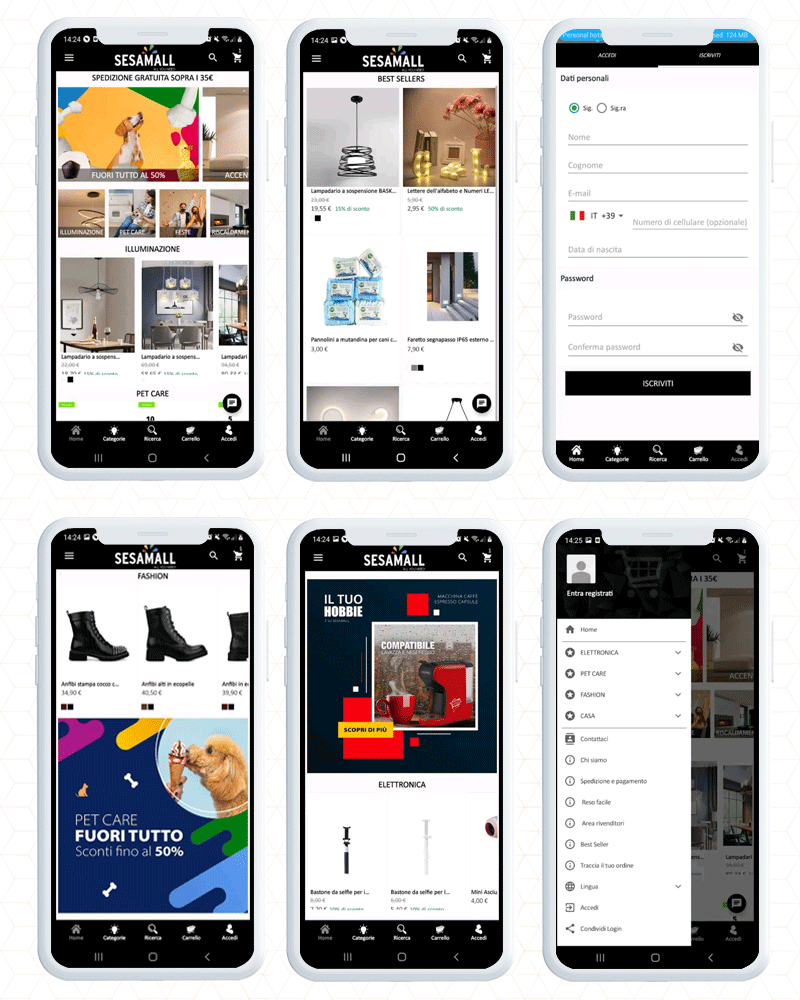
Customers can find desired products and the latest arrivals on the app’s home page. With voice search on a mobile app, discovering lights for indoor and outdoor use, as well as bathroom sets and party decorations has become easy.

List of Payment Methods for Italy store:

Complete payment with PayPal, Card Payments, Giropay, American express, Scalapay assuring 100% security.

Android App that sales disposable products in Italy

2.     CTATRADE

The Ctatrade PrestaShop Mobile App is packed up with enriching features that make shopping fun for customers.  It is meant to sell disposable products in Italy for dining and household purposes.

The home page navigation helps the customers to locate the products along with sort and filter options.
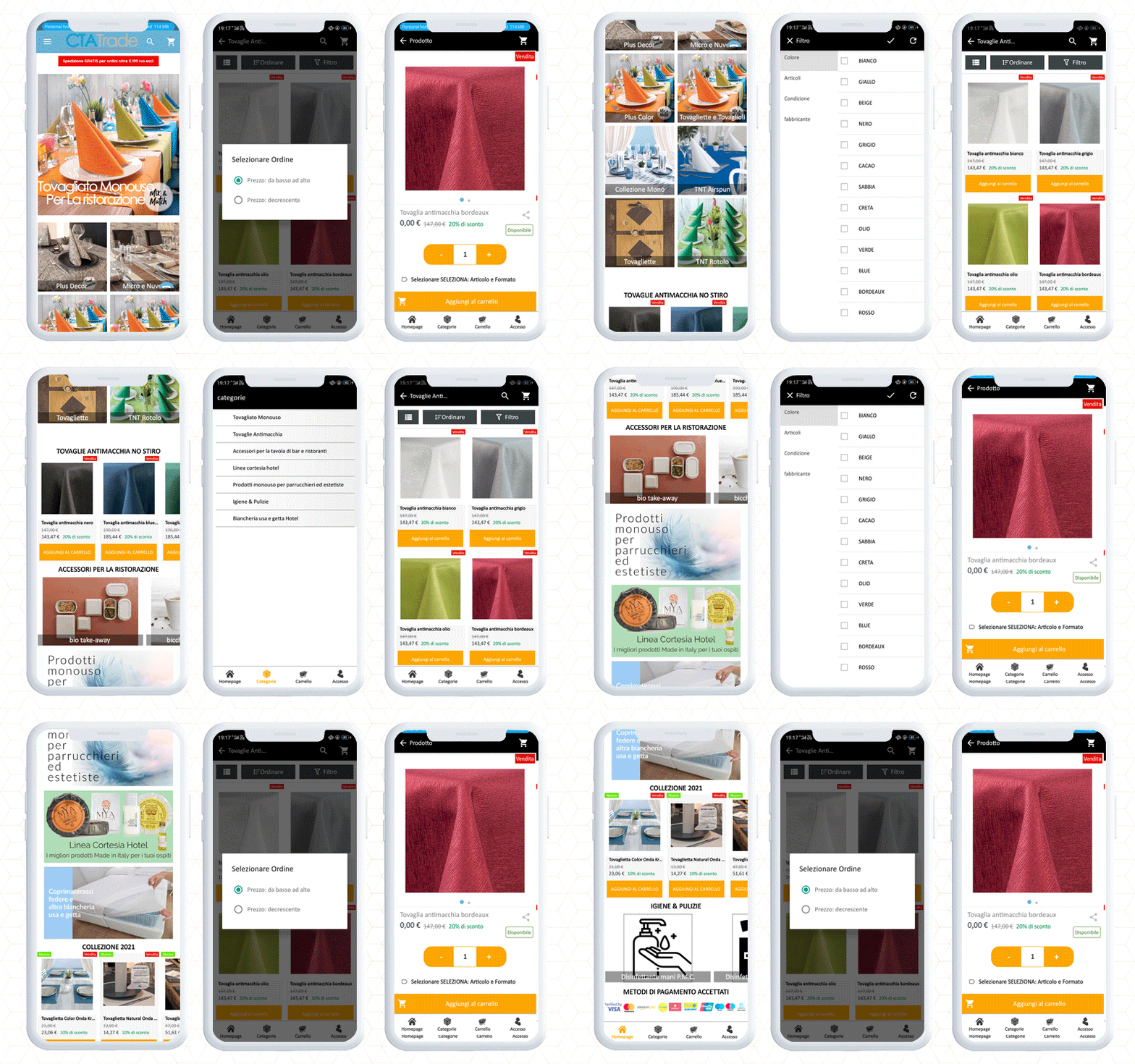
Customers feel connected with live chat support. Its social login checkout feature provides a smooth shopping experience to customers who are interested in buying disposable products.

One eCommerce mobile app builder has it all!

Online Shopping App

3.     Detercasa srl

Detercasa srl is a PrestaShop eCommerce store for professional products, household items, gift items, trinkets, hairdressing items, toys, detergents, perfumery, paper, and similar products.

With its Android app, customers can explore the products with direct navigation options. In addition to this, the left menu bar and category buttons are available for finding the desired products.
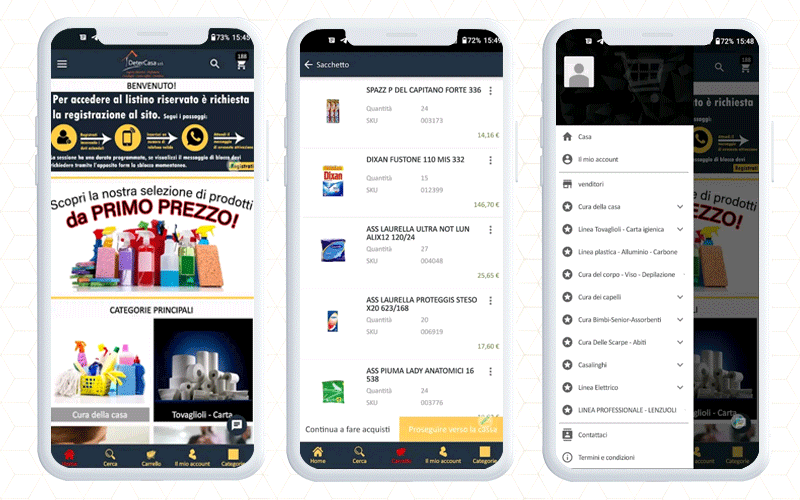
Customers can add products to the wishlist or cart and proceed to check out.

Its attractive product display and clear product descriptions influence the purchase decision of the customers when shopping through the mobile app.

To deliver a satisfactory checkout experience, you can add PrestaShop One Page checkout to your website. We have posted a blog covering 10 Italian stores with One Page Checkout live for your inspiration.

Fashion eCommerce App

4.     Cupertino Shop

Cupertino Shop is an Italian store that has to build up its Android app using the KnowBand’s PrestaShop Mobile App builder module.

The application has a clear navigation to search the products on the basis of categories. Moreover, customers can filter and sort the products to find the desired one.
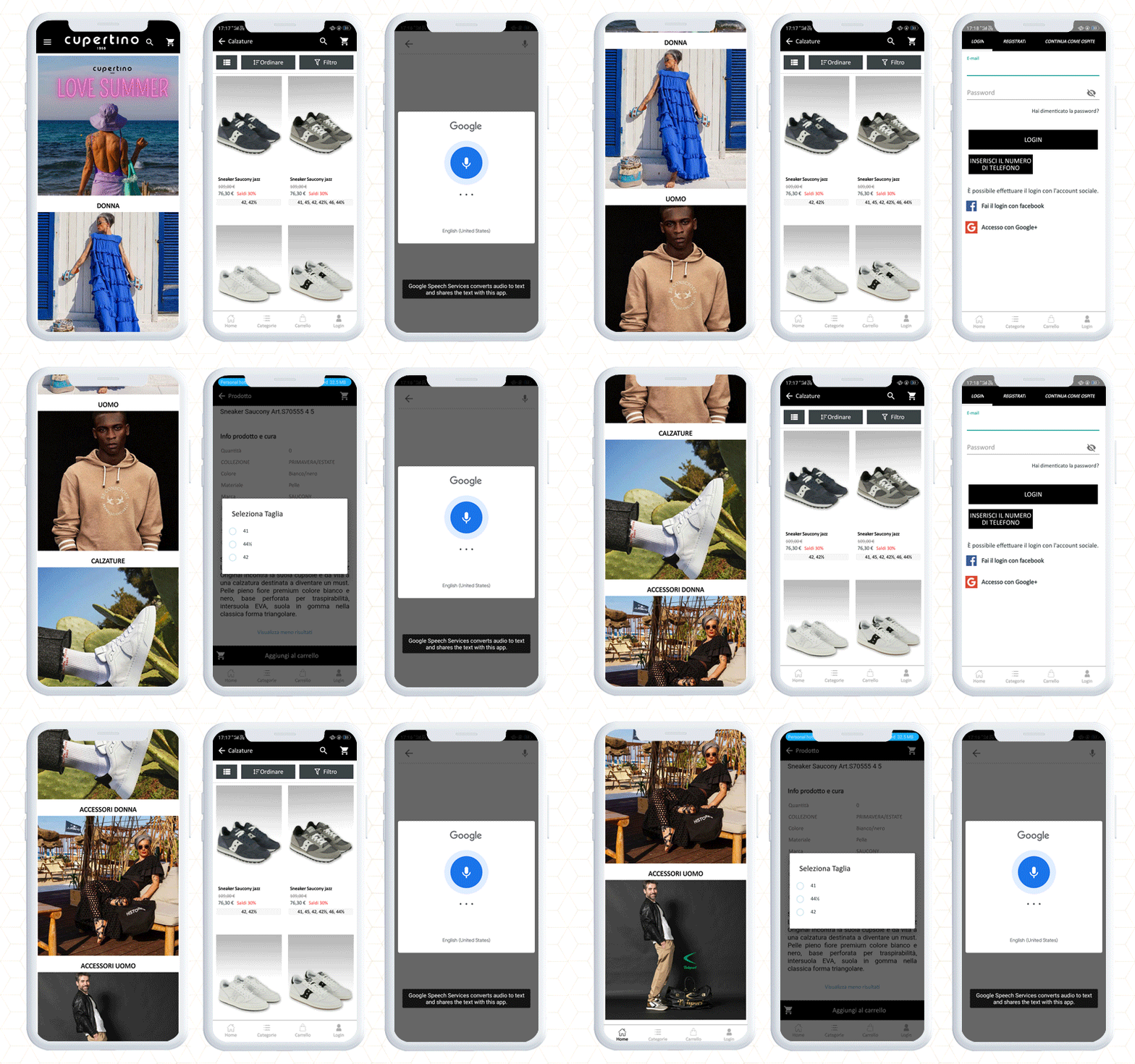
Add the product to the cart and proceed to checkout. It has an easy signup and various payment and shipping methods.

The major monetization source of mobile apps is in-app payment, hence Knowband helps businesses create eCommerce android and mobile apps that support in-app payments. It works with all the shipping methods and payment gateways.

5.     Fantasy Calzature

Fantasy Calzature is an eCommerce fashion-focused Prestashop mobile app where you will discover premium quality shoes, bags, and accessories like belts, wallets, and scarves for men, women, and kids.

With mobile-optimized navigation, customers can find products easily. It supports voice search for those who are not proficient in using mobile apps. It also enhances the user experience.
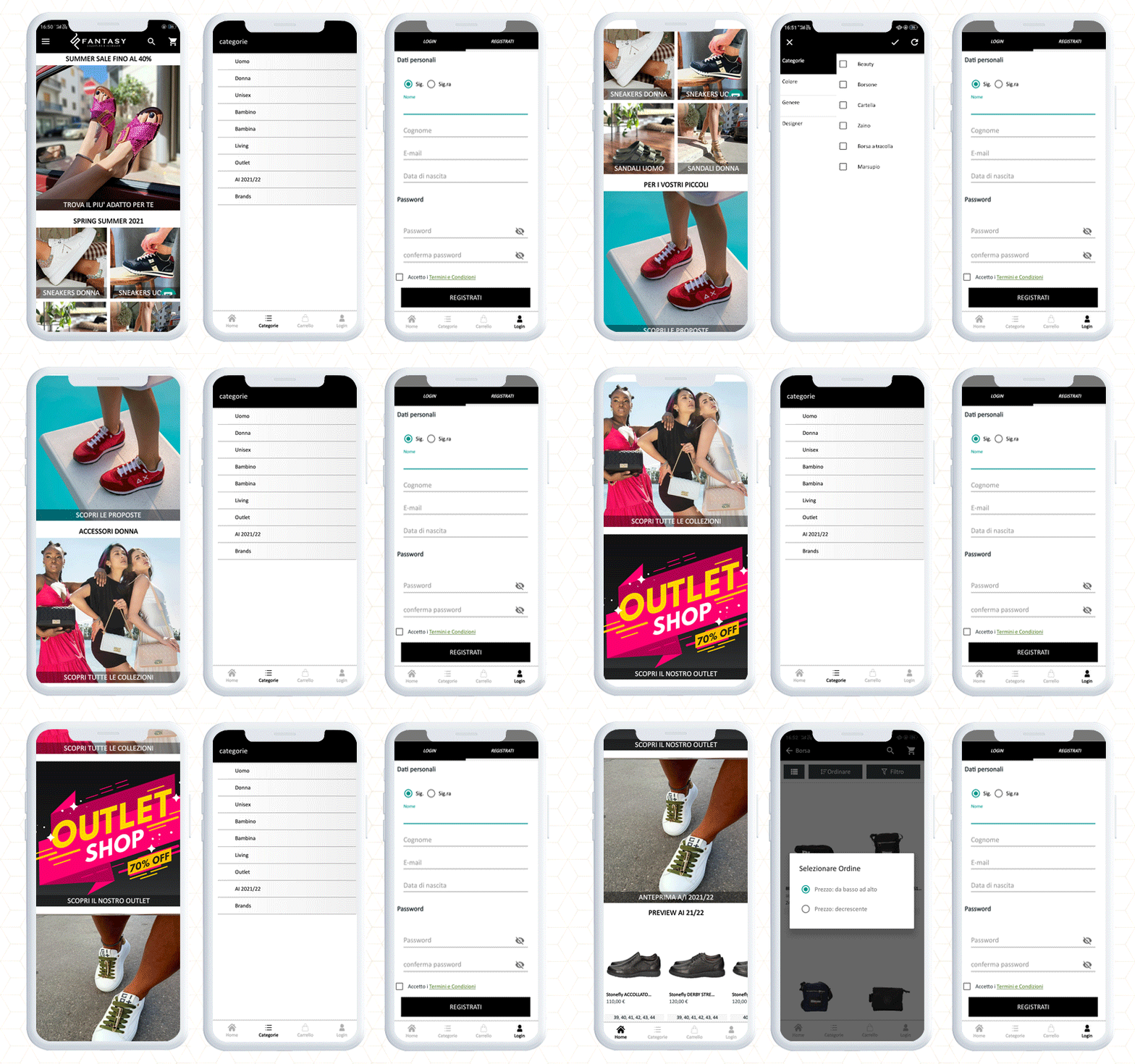
They used PrestaShop Mobile App Builder to make the android app and published it on Google Play Store. After creating an app with Knowband mobile app builder, you can publish your app on your own to Google Play Store and Apple store without hiring any third-party publishers.

Mobile App supports Popular Payment Methods in Italy

Paypal, card (Visa, MasterCard, Diners club international, American express), Satispay, COD, Bank transfer, Credit Card, Bank transfer, Satispay, Scalapay (installments), Multisalepay (Credit and Prepaid card), COD, etc.

Create and Launch a Travel App for Android and iOS

You can now create a travel app like the Green Pass Wallet and Booking.com. To make a travel booking app, you only need to add a booking and rental system plugin to your website and configure it with KnowBand’s mobile app.

With these two apps, you can start your travel business effortlessly that too without taking any developer’s help.

Custom eCommerce Development Solution by KnowBand

To add any custom feature in a mobile app, you can inquire with our expert team and discuss your requirements here.

With Mobile App Builder Purchase you get:

  • Free 3 months post-purchase support
  • 1-time payment
  • Android & iOS app

Customizable home screen with drag and drop feature, live chat support, custom button color settings, voice search, social login, fingerprint checkout, push notifications and with some additional cost, any additional features can be added to your personalized app.

We also provide website development services and have more than ten years of expertise in developing eCommerce plugins.
Mobile App Portfolio

Mobile Apps for Android and iOS

The New UI of KnowBand’s PrestaShop Marketplace Builder Makes Configuration a Breeze

The latest release of PrestaShop Multi-Vendor Marketplace Plugin brings significant improvements to the UI design of the admin interface for the marketplace users. The enhancements are focused on admin panel configuration UI design and plugin compatibility across the plugin. It also has the latest feature update in the seller dashboard for product uploading.

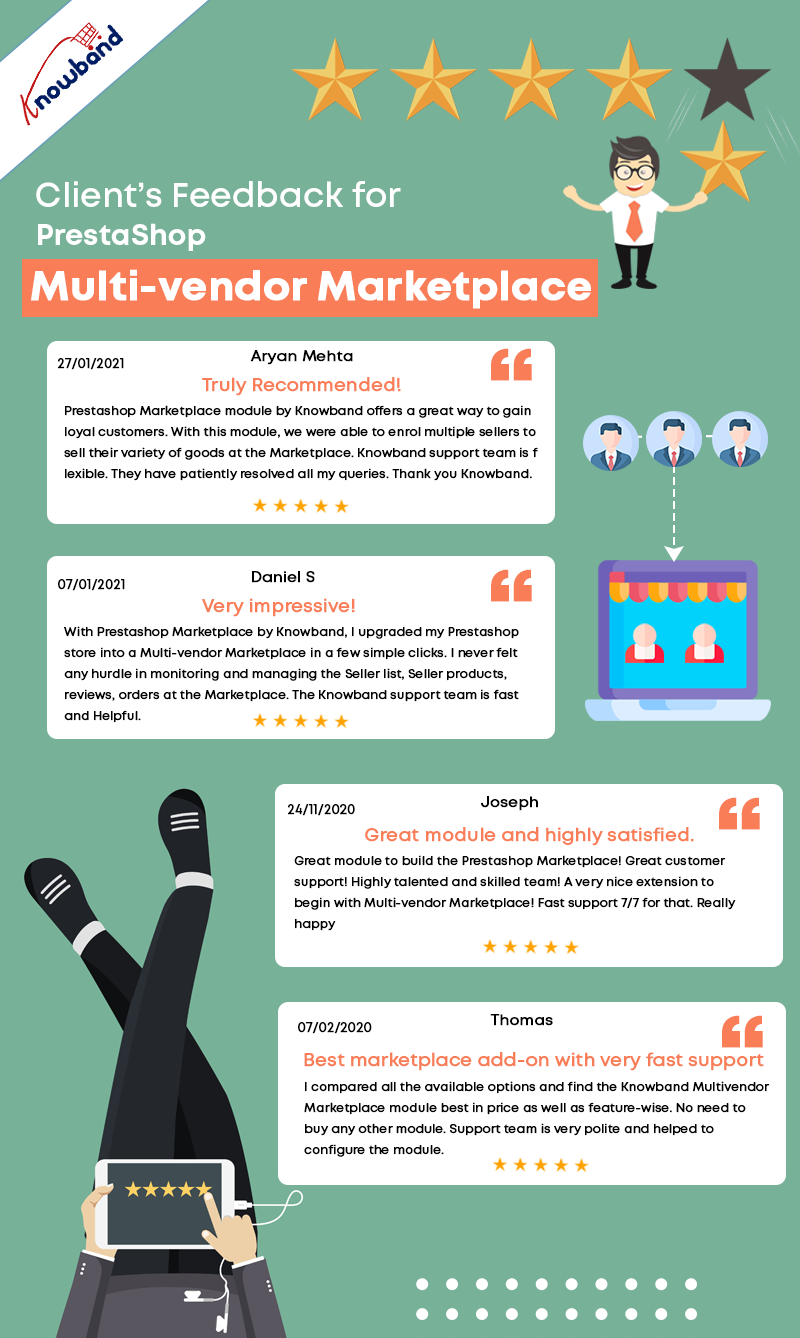
PrestaShop Marketplace builder addon is listed in KnowBand’s best seller products.  We have crossed 3000 downloads for KnowBand’s PrestaShop Multi-vendor Marketplace plugin that means 3000+ clients are using the Marketplace module. It builds up the best marketplace on PrestaShop and allows merchants to build a seller community.

What is new for admin?

In the latest update of KnowBand’s PrestaShop Marketplace builder, the UI is changed entirely and now is more accessible and easy to understand.

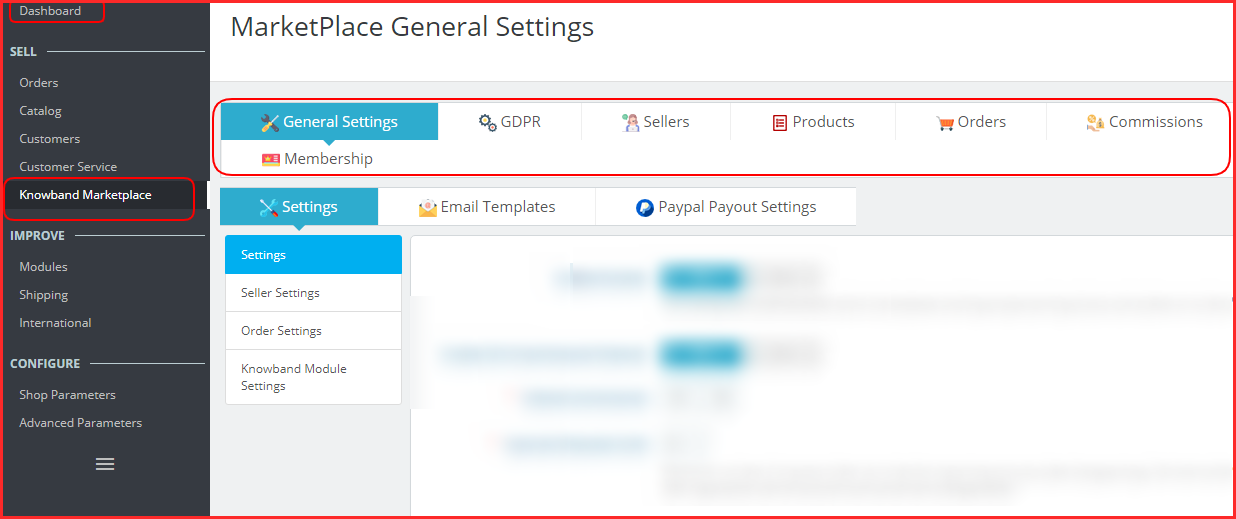
The configuration can be done with ease because the admin will find all the settings in groups.

The General Settings section includes the most common settings like mentioning payment methods, seller form details, allowing general seller settings, and order features.

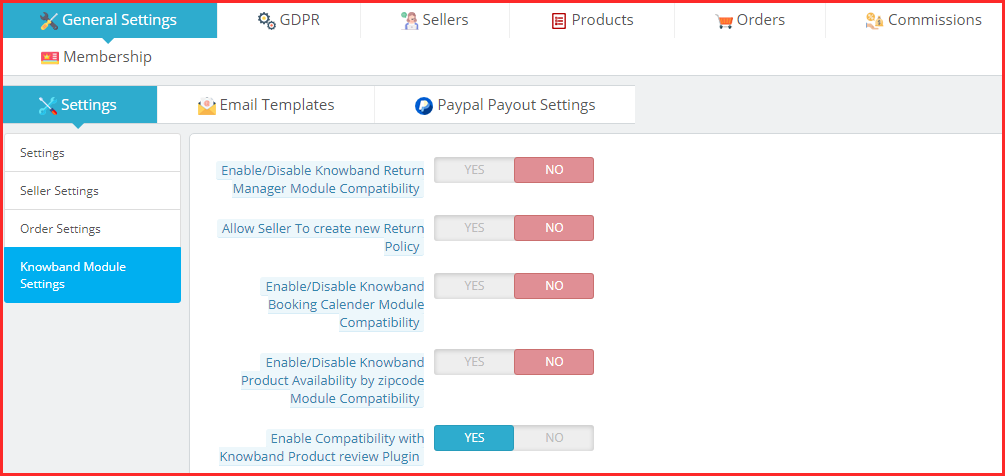
Also, the admin can integrate the compatible modules like booking calendar, return manager, product availability check, etc.

Furthermore, with the new UI design, the admin will have to hit the PayPal Payout button and add the details to set the PayPal API.

In the same manner, all the other configuration setting menus have been placed together.

How admin can manage the seller dashboard options and seller profile?

In the seller tab of the settings, the admin can see all the registered sellers of the marketplace.  Along with this, the approval requests are featured in a separate section where the admin can approve and disapprove the sellers.

Managing seller form is simple and adding new custom fields can be done in a few clicks.

Admin can define the category-wise commission, check and approve seller reviews, manage seller shipping methods, check out the shipping status of various sellers, and a lot more.

Since, assigning categories to sellers in admin’s capacity, when a seller places a category request, admin can check that in a provided menu and can approve or disapprove it.

How to manage the payouts in this latest version of the PrestaShop Marketplace plugin?

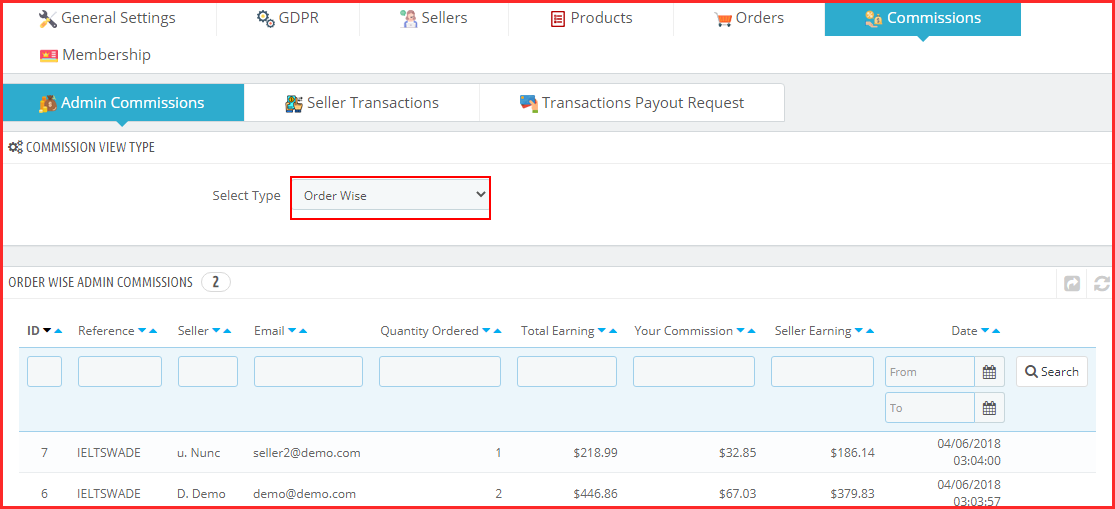
In the commission section of settings, the admin will be able to manage the commissions.

To see the profits you are making on your marketplace, visit the admin commission section.

It provides two options:

  1. Order wise commissions
  2. Category wise commissions

In the PrestaShop marketplace builder module, the admin receives the payments and the seller gets the payouts. In the next section, the admin can see the transaction history and seller balance history.

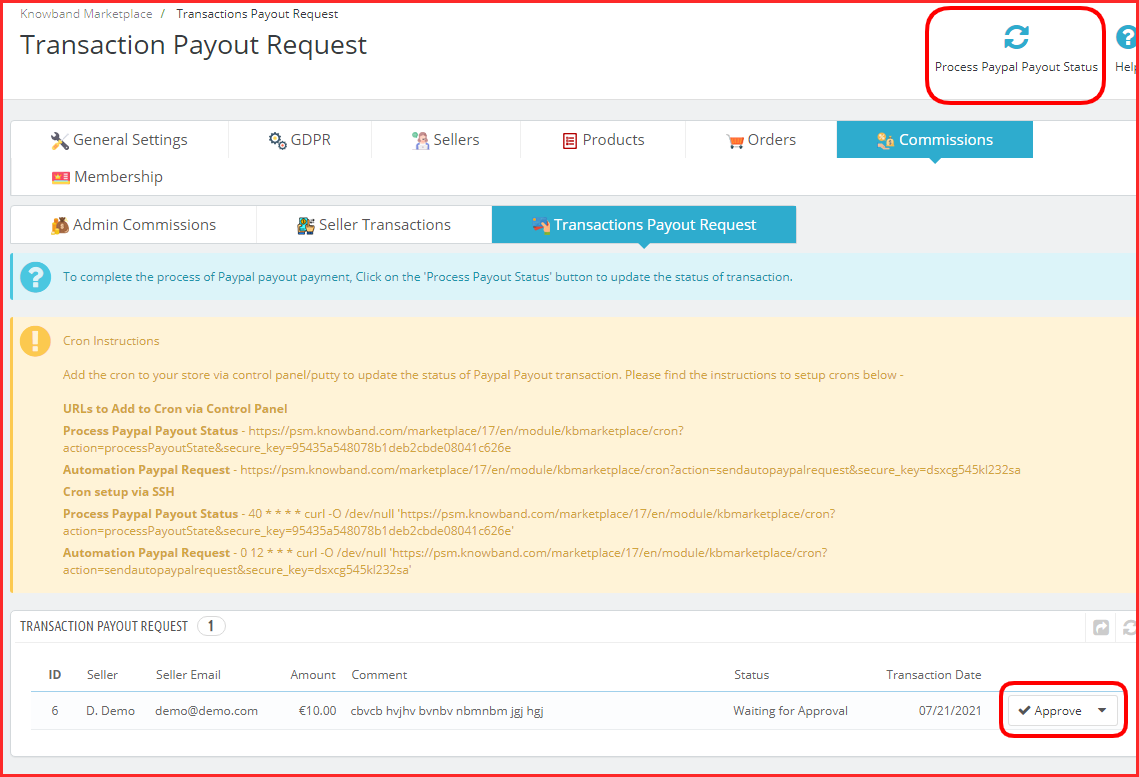
Also, the payout requests will be visible here.

Once, the store owner clicks on the Process Paypal Payout Status, all the approved sellers will receive the funds.

It is very easy to manage things here as the module has cron functionality featured.

Admin Interface Demo of PrestaShop Marketplace builder- KnowBand

List of Compatible Modules with PrestaShop Marketplace Builder plugin

KnowBand has developed some plugins that are easy to configure and save you time while managing a marketplace. To add some additional features in PrestaShop Marketplace, you can use other PrestaShop plugins that are specially designed for improving user experience. KnowBand has a PrestaShop marketplace gold plan with various modules discussed here.

To provide a ticket feature so a seller can raise a query, add marketplace sellers-admin ticket system PrestaShop addon. Also, if you want to provide better services on your marketplace, adding a ticket system for customers will be a great idea. Consider using a customer-seller ticket addon for this.

Sometimes a seller wants to close their shop for a while and for that, you can install PrestaShop marketplace sellers vacation mode addon. There are other compatible plugins for seller invoices, for adding a badge to seller profile, low stock alert addon, and the deal manager that allows sellers to run various discounts on their shop.

Check out the PrestaShop Marketplace Gold Plan here.

In addition, there are other compatible modules for the marketplace like return manager, booking and rental system, product availability check by zip code, and Review, reminder, and incentives.

What is new for Sellers of PrestaShop Marketplace?

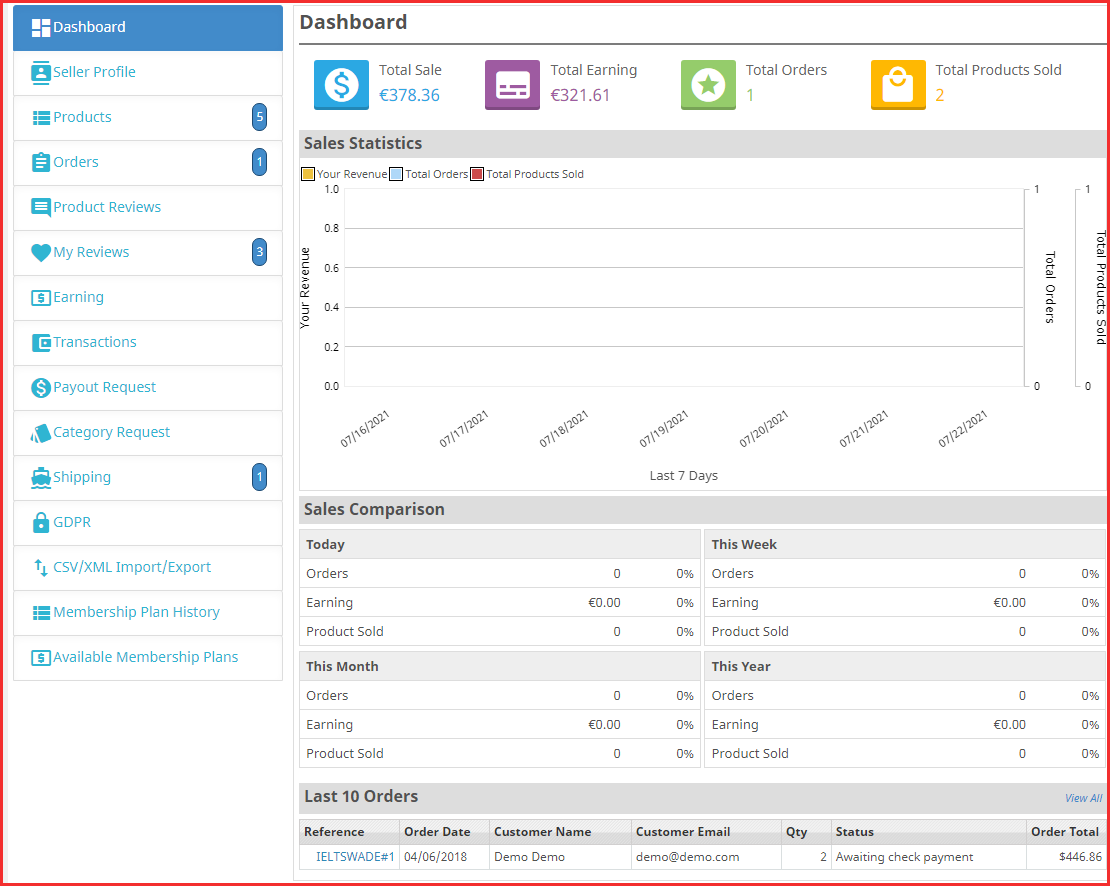
With one exceptional addition, the seller dashboard of PrestaShop Multi-Vendor marketplace addon is the same as the previous one.

Seller Dashboard

For complete feature exploration, you can read the user manual of KnowBand’s PrestaShop Marketplace Builder.

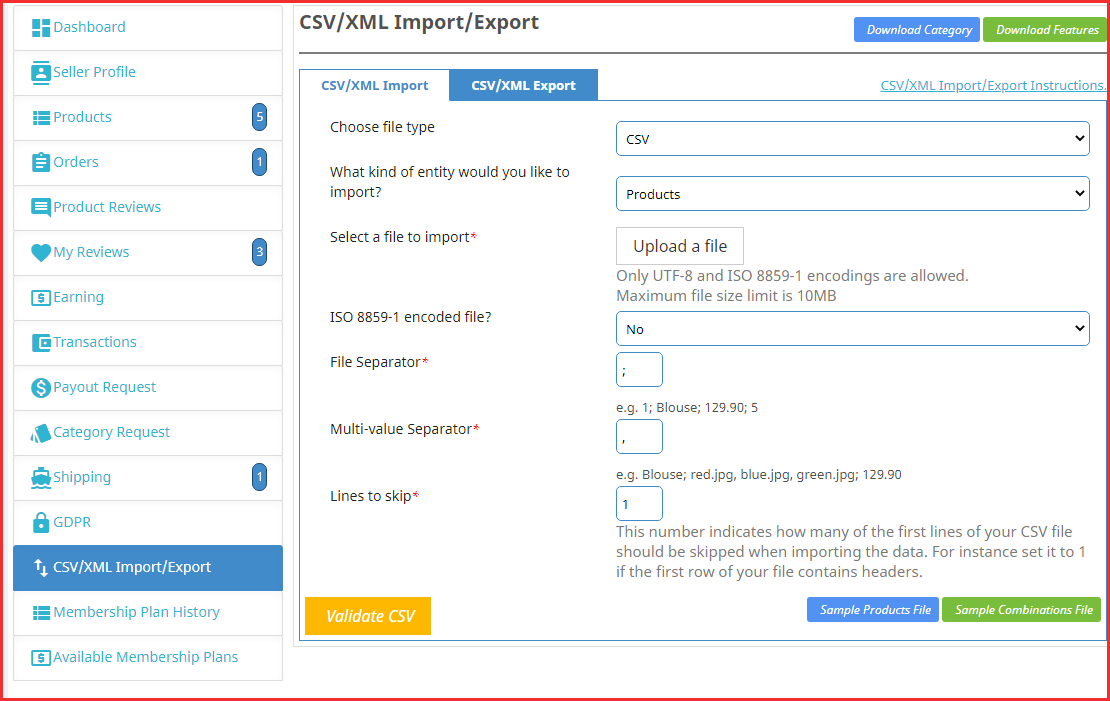
CSV/XML Import/Export- New feature added

Sellers were facing difficulty updating the products or purchasing a separate module for mass product uploading. In the recent update, we have added the CSV/XML Import/Export feature to the PrestaShop Marketplace Builder module- Knowband.

Now sellers can upload the products in bulk and combinations. It will save tons of time and the work will be simply done.

Seller Dashboard Demo of PrestaShop Marketplace builder- KnowBand

FAQs of PrestaShop Marketplace Builder for multiple sellers

PrestaShop Marketplace Builder Module Related Blogs

Complete Hyperlocal Package Solution for your On-Demand Delivery Business

Sneak peek at the new Membership Plan feature of the PrestaShop Multi-Vendor Marketplace Addon

What do customers like about a Marketplace?

Admin and sellers both earn direct profits from a marketplace. Admin can expand their business by offering more products and services while sellers can reach out to the new customers by selling on a marketplace.

On the other hand, a customer gets a lot of advantages when they purchase from a platform where several product choices are available at a comparable price.

How do customers get benefited from a marketplace?

  • As we know that the feedback plays an important role in buying decisions, they can read and drop reviews. On a marketplace created with KnowBan’s plugin, the reviews are allowed for the product and the sellers.
  • Customers can visit a seller profile to check out their products and catalog. This way, they get the opportunity to explore the seller’s shop.
  • In a marketplace, a customer gets a variety of choices and a chance to buy a product at a reasonable price.
  • They get multiple shipping options and payment methods. Also, they feel a marketplace is a safer environment to make any transactions.

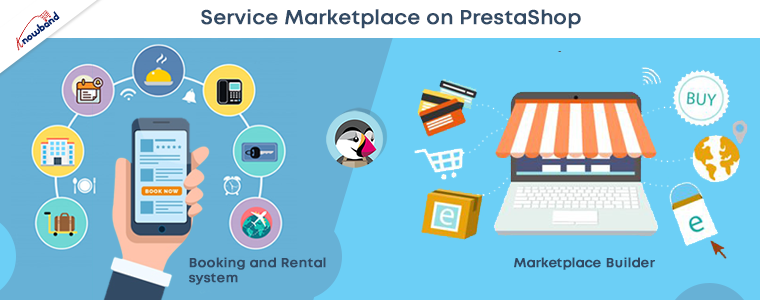
Start Service Marketplace with PrestaShop Marketplace Builder Plugin

To start a service marketplace, you will need some additional plugins with the PrestaShop Marketplace builder addon. Moreover, for providing an amazing shopping experience to customers, the service marketplace should have a robust system for the management of clients and services.

And to fulfill that requirement, you can add the Booking and Rental system to your Multi-vendor Marketplace. It will become super easy to book the appointments and the services with KnowBand’s PrestaShop Booking and Rental System. It also allows hotel bookings and hourly rental facilities.

Do you have area limitations for providing your services? Adding a booking and rental system to a hyperlocal marketplace allows you to add the location option and maps for your clients.

Get started with your services-based marketplace using a couple of plugins. This is the most affordable way you can start a service marketplace on the PrestaShop platform.

Make your Marketplace mobile responsive:

To make your website fast loading, that gives a better customer experience, it is needful to make it gadget friendly. For creating a completely responsive website, you can use PWA builder and AMP builder to decrease the website loading time. PWA builder gives your website an app-like interface without any technical code change.

Also, you can create a PrestaShop marketplace mobile app for iOS and Android in a few simple steps. Choose a mobile app builder plugin for your PrestaShop Multi-Vendor Marketplace and PrestaShop Hyperlocal Marketplace.

For any eCommerce custom changes and services, get in touch with our expert team at support@knowband.com. We believe in customer satisfaction and help eCommerce businesses in creating their business websites.

Upgrade Preparation Checklist for Knowband PrestaShop addons

Installing a module asks for rewriting the translations?

Problem/Motivation
While upgrading a module, the user often faces language translation issues in PrestaShop. To improve the user experience at their store and make it easy for the customers to understand the checkout instructions and flow, merchants translate the module files but on upgrading the module the changes get lost. After upgrading the module the module will show the default content only.

We receive many such queries related to language translation and translation file import problems when customers upgrade the module.

Proposed Resolution

If you have modified the default translations on your store initially for a better translation, after updating or upgrading the module, the translation changes will get lost.

Thus, to keep things as usual and minimize the efforts, you need to make a few changes before upgrading the module. Please follow the below steps for taking the backup:

  1. Download the below-mentioned file at your end:
    /modules/{module_name}/translations/{iso_code}.php
    Where, {module_name} => Name of the module folder which you want to update and {iso_code} => ISO Code of the language which you want to take backup.
  2. After taking the backup of the above file, you can update the module on your store.
  3. Then you have to replace the below-mentioned file: /modules/{module_name}/translations/{iso_code}.php with the backup file.

After taking the backup and updating the translation file, you can compare the new version with the older version to figure out the changes.

Now, you only have to add or translate the sections that are new in the upgraded version.

Extend Support Plan for the PrestaShop modules if Expiring

Are you already using KnowBand’s PrestaShop modules?

Knowband offers three month’s free module support. If your free support plan is expired, and you need any help from our technical team to configure the module then follow the steps mentioned below to extend the support period:

  1. Log in to your PrestaShop account
  2. Go to the Downloads under the My Orders tab
  3. Here you will find an option to extend the support period. Click on the desired time period for the support. You can extend the support for 3 months, 6 months, or 12 months.

Voila, you have successfully upgraded your Knowband module support plan.

KnowBand has a lot to offer- eCommerce trends and innovation

As an eCommerce owner, it is of prime importance that you keep up with changing technology trends.

After the Covid-19 outbreak, a lot has changed and there will be transitions in the upcoming days as well. Several retail businesses are now having their online stores and offering home delivery services.

Marketplaces are seeing a new uplift in the eCommerce industry, with that the small businesses are getting great opportunities by multi-channel selling.

KnowBand is helping people fulfilling their eCommerce requirements for a decade. We have eCommerce plugins for almost each and every feature that you want to add to your store, from home page decoration to an optimized checkout page and from marketplace integration to creating a marketplace on your own.

Also, we help businesses to create mobile responsive websites with PWA and AMP builders.

In addition, our mobile app builder plugin is among the best seller plugins. Here is the portfolio for reference!
Read these blogs to know more about KnowBand’s eCommerce services:

PrestaShop Website Development Services- PrestaShop Partner Agency

Create an eCommerce Website- We Develop What You Dream!

Add PrestaShop Accelerated Mobile Pages (AMP) to Improve Shopping Experience

Are you experiencing a sudden downfall in your website traffic? 

Your website ranking might get affected after every new Google SEO update. Many websites crawl up to the top but a few lose their rankings too.

The dwell time, UX, and focus keywords are some of the major Google ranking factors. These SEO ranking factors might not make you rank unless you optimize your website for its speed.

What is Accelerated Mobile Page (AMP)?

Accelerated Mobile Pages (AMP) is an open-source initiative that aims to boost the performance of mobile web pages. Google and Twitter were the driving forces behind the project.

The technology underpinning AMP allows for lighter, faster-loading pages for smartphone and tablet users. As more individuals use mobile devices as their primary PC, this capability has become increasingly vital.

Optimize Website Speed with AMP 

To reduce website loading time on the PrestaShop store, consider using the best AMP Plugin, the PrestaShop Accelerated Mobile Pages module. It helps you cope up with the new Google SEO ranking and gives an exclusive shopping experience to your customers.  

Studies say, around 40% of users click away from a website in 3 seconds. Many decide to turn on an ad blocker as soon as they visit the website. Hence, it’s time high time to optimize your Prestashop store so that the visitors spend more time than average. 

If it is about shopping experience then Mobile App Builder is also an option but with AMP you do not just make your website gadget-friendly but optimize it for Google SEO ranking too.

Benefits of Accelerated Mobile Pages (AMP)

  • Helps site owner reduce page load time

Website loading time is a major factor in increasing the bounce rate on a website. The Accelerated Mobile Pages (AMP) reduces the page load time and enhances your website’s performance on mobile devices and tablets.

  • Visitors spend more time than average

More visitors reach your website if page load time gets reduced. In addition, you attract more visitors to the website with the impressive themes and engaging design.

  • Various layout and designs

Layout and designs are vital elements of the website and every page has a distinct type of design. An AMP module allows the seller to customize the design and layout of the web pages to emphasize the look and feel of the website.

  • Faster website than competitors

When there are a lot of competitors, you can win your game by optimizing the speed and page loading time. Many users leave a website because they are impatient and look for other options immediately. Take the advantage of this by accelerating the speed of website pages.

  • Improves the user experience

The goal of AMP is to improve the user experience by making mobile surfing as simple as possible. The PrestaShop AMP addon adds a professional look to the website that gives a rich browsing experience.

PrestaShop Accelerated Mobile Pages (AMP) can Improve Google Ranking

Module Compatibility

  • AMP Module PrestaShop Theme Compatibility

Implement the AMP on your PrestaShop websites which is compatible with all the PrestaShop themes other than the default theme. The PrestaShop Accelerated Mobile Pages (AMP) module does not require switching your theme and goes with the current design. 

  • AMP supports all PrestaShop versions

The AMP works for every PrestaShop version. The module is compatible with PrestaShop version 1.6 to the latest PrestaShop version 1.7.

  • PrestaShop Module Compatibility

If you have several other modules installed on your store and looking for an AMP that supports them, KnowBand’s PrestaShop Accelerated Mobile Pages (AMP) module is the one. It won’t affect the custom settings of your other modules. 

How PrestaShop Accelerated Mobile Pages (AMP) Works?

The KnowBand’s PrestaShop AMP effectively makes the website user-friendly and mobile responsive. By implementing the AMP module on your PrestaShop store, you will not just get a fast-loading website but also observe an increment in user engagement along with various custom settings to configure it.

Lets us explore several features and customization options it offers:

Emphasis the brand Identity

  • Improve look and feel – Use several colors to add a vibe to your store.
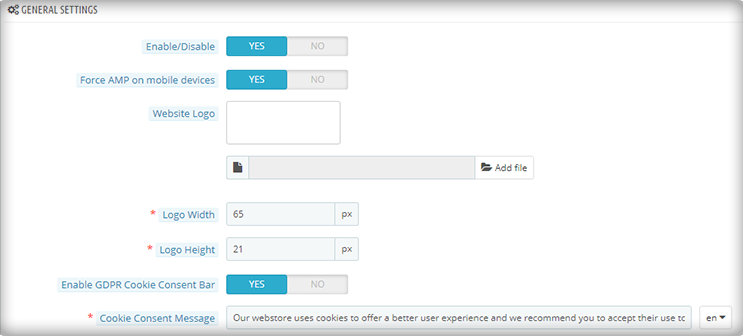
  • Add and shift Logo– Adjust and resize your company’s logo in accordance with the website’s structure.
  • Showcase Products In Carousel Mode– On the Home page, Category page, product page, etc.
  • Display your business location and contact options like contact number, email address, etc.

Customize the entire store with PrestaShop AMP Settings

Be it the home page or the product page, the module allows you to customize each and every element of your web pages.

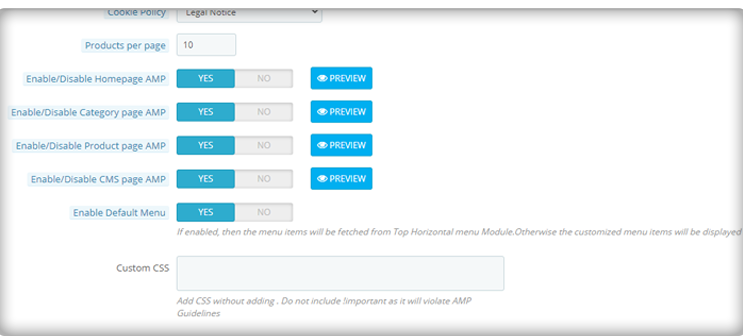
1. Optimize to increase home page dwell time 

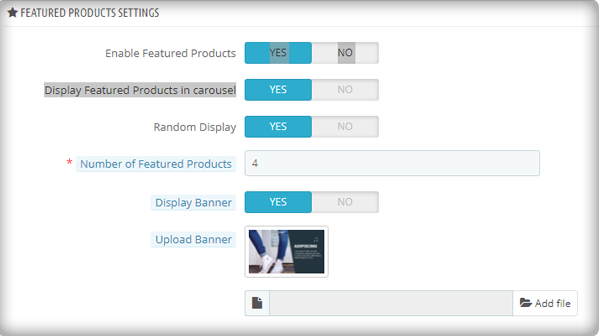
You can use the PrestaShop AMP module to make your Home Page AMP-ready. On the main page, it allows you to display Featured Products, Bestsellers, and New Arrivals. The display banner is being uploaded. 

As the image depicts, the customization for the home page to display featured products, besides this, there are options for bestsellers, new arrivals, and others.

More home page customization options:

  • Adding custom text to the homepage’s top or bottom.
  • Carousel mode is used to display featured products.
  • Choosing the number of featured products that will be shown.
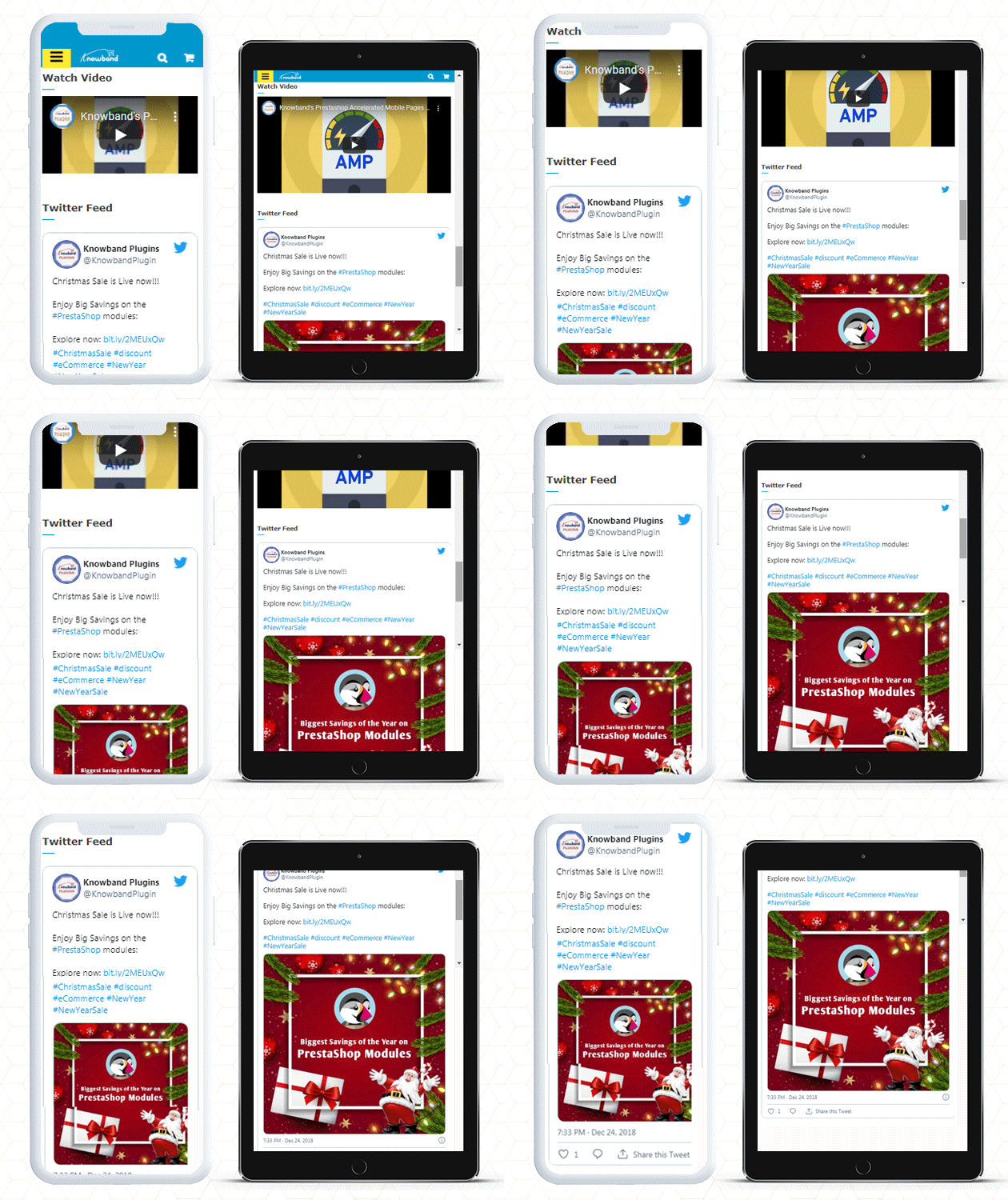
  • In addition, you can show movies from YouTube, Vimeo, and Dailymotion.
  • Instagram and Twitter feed can be displayed on Home Page.

2. Customize Category Pages with AMP 

You can use the AMP module to enable AMP on Category pages. Displaying custom texts at the top or bottom of your Category page is part of the Category page customization. It allows choosing the right image size for the product.

3. Use AMP to customize the product page

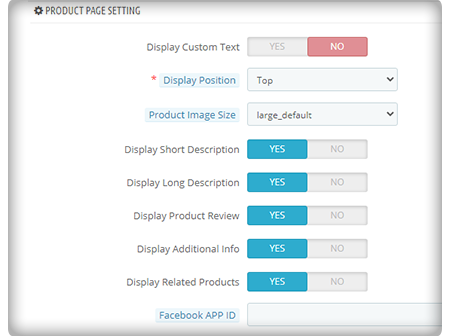
You can transform your product pages into AMP-enabled product pages using the PrestaShop AMP plugin. You can customize the product page by displaying custom text, short product descriptions, product descriptions, product reviews, related items, and so on.

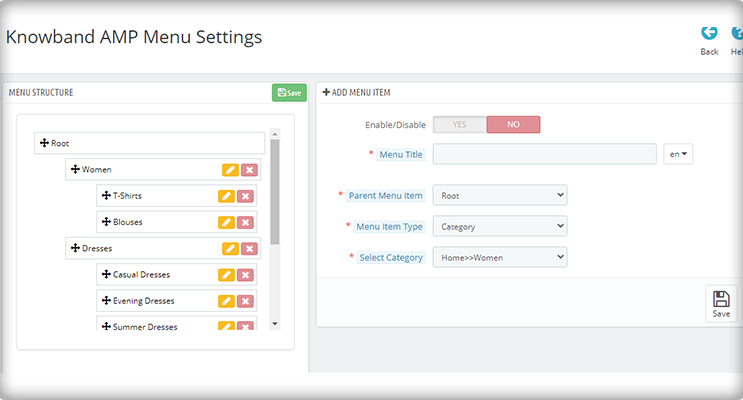
4. Make your menu bar unique

The PrestaShop Accelerated Mobile Pages extension allows you to customize your menu bar to meet your needs. 

5. Add colors to the AMP-enabled PrestaShop website

The AMP module allows you to customize the colors on your AMP pages to make them more appealing.

6. Include links to your social media profiles with custom text

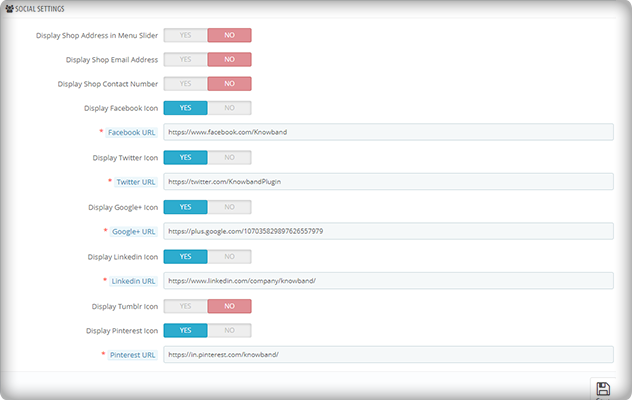
On your AMP-enabled website, you can establish a distinct section for displaying your social media company sites. Facebook, Twitter, Google+, LinkedIn, Pinterest, and Tumblr are all part of it. You can also add any other network if you want to.

Aside from that, you may use the menu slider to display your company’s location, email, and phone number.

7. Link your Adsense and Google Analytics accounts

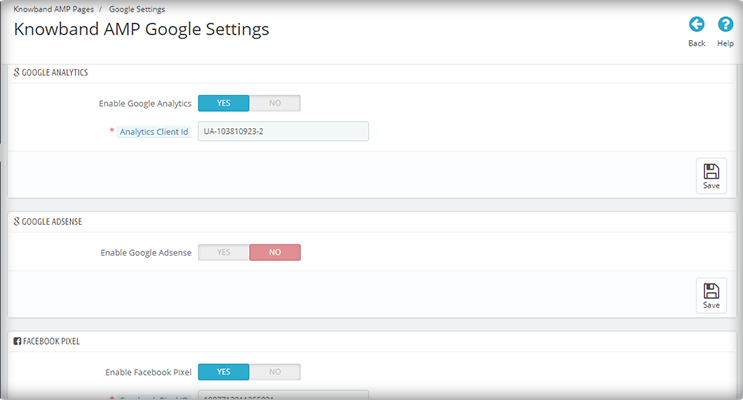
The PrestaShop AMP module allows you to link your Google Analytics and Adsense accounts to your AMP-enabled website. This module also allows you to control the sitemap settings and link your Facebook profile.

8. The PrestaShop AMP Module GDPR Cookie Consent Bar

To prevent the hassle of violating the GDPR law, include a GDPR cookie consent bar on your AMP-enabled website.

Note: Your website must be HTTPS enabled for the AMP module to work. The HTTP protocol is incompatible with AMP. As a result, you should strongly consider using the HTTPS protocol when generating AMP pages and content (vs. HTTP).

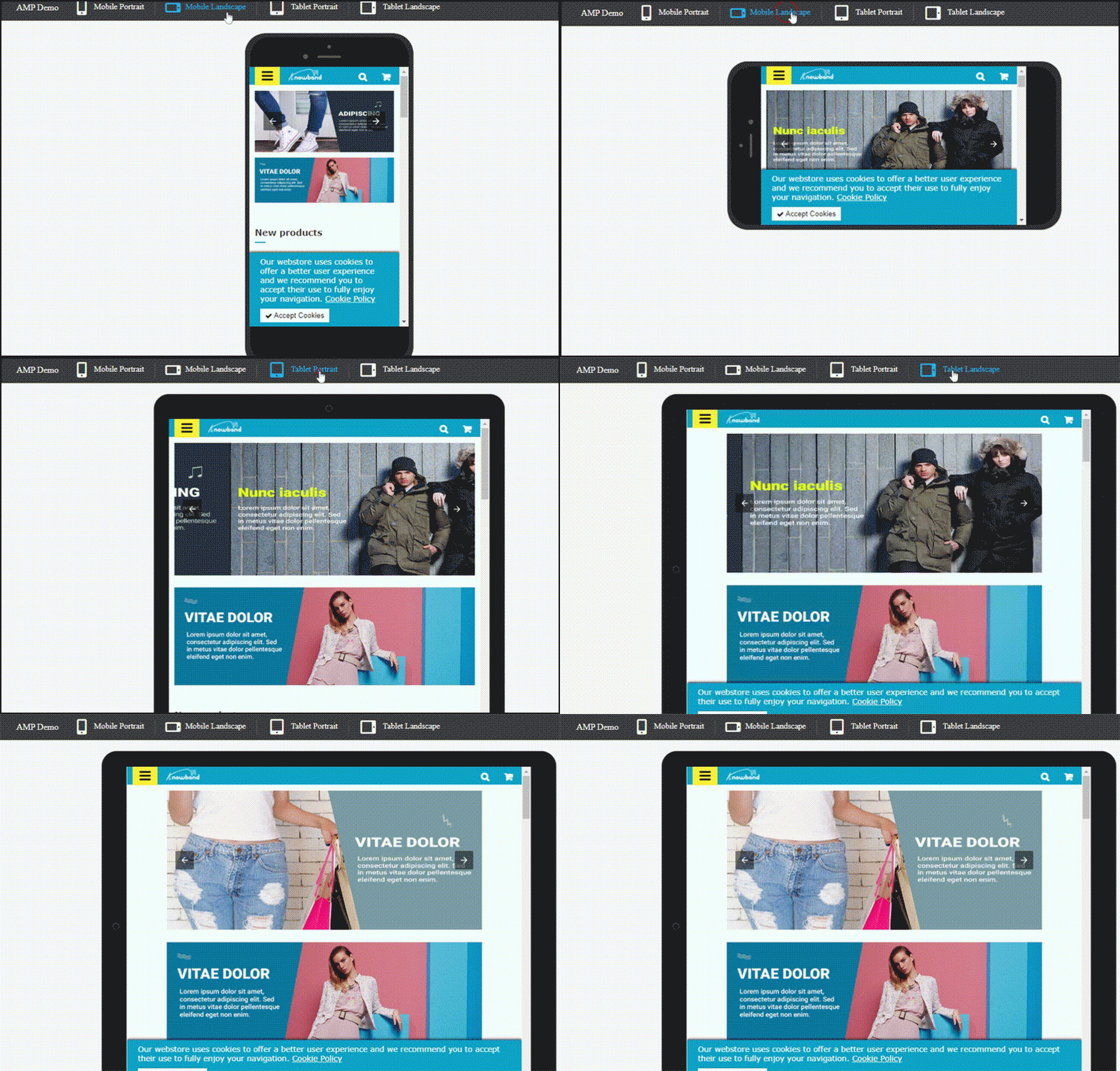
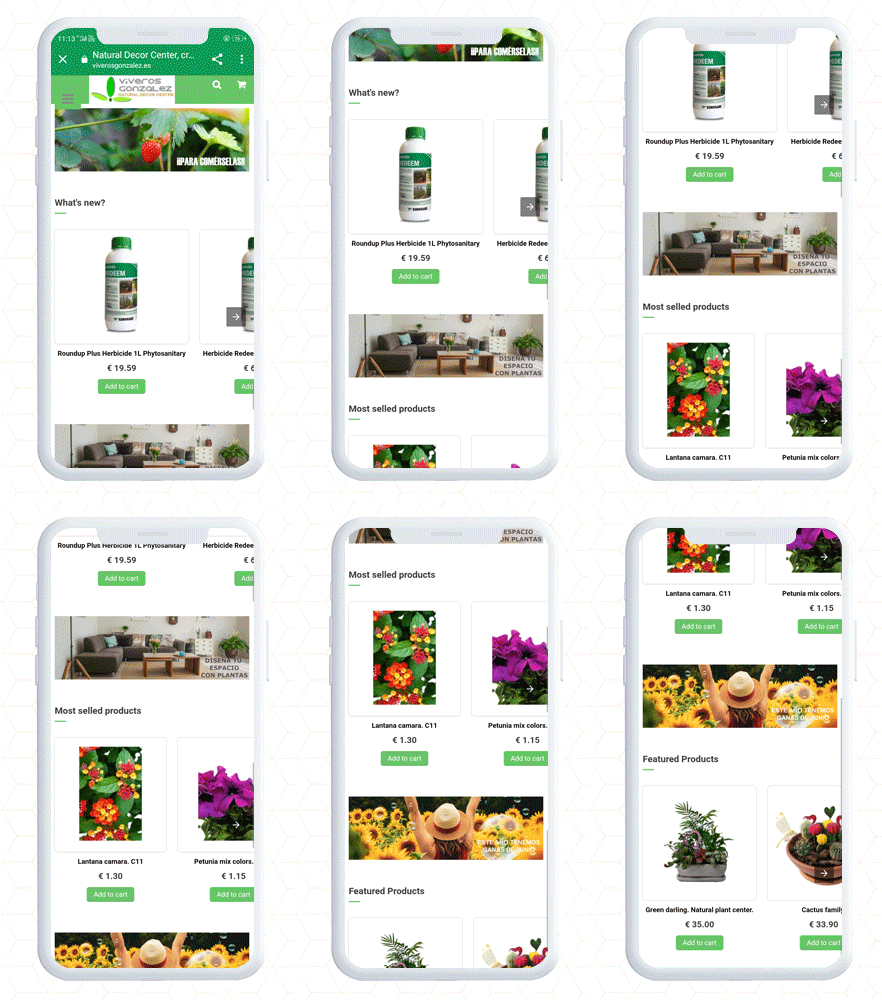
PrestaShop Accelerated Mobile Pages (AMP) example

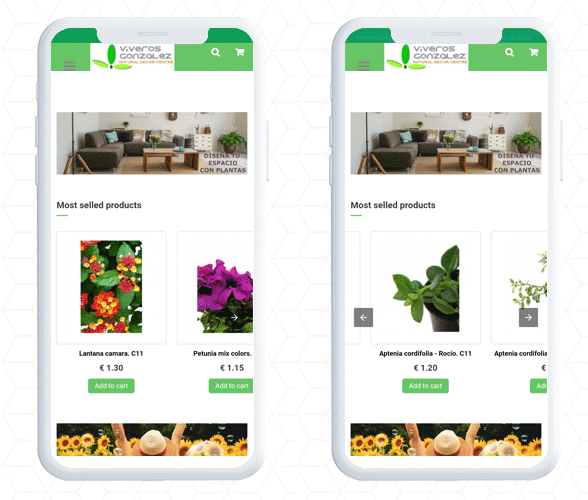
PrestaShop AMP Home Page with navigation slider

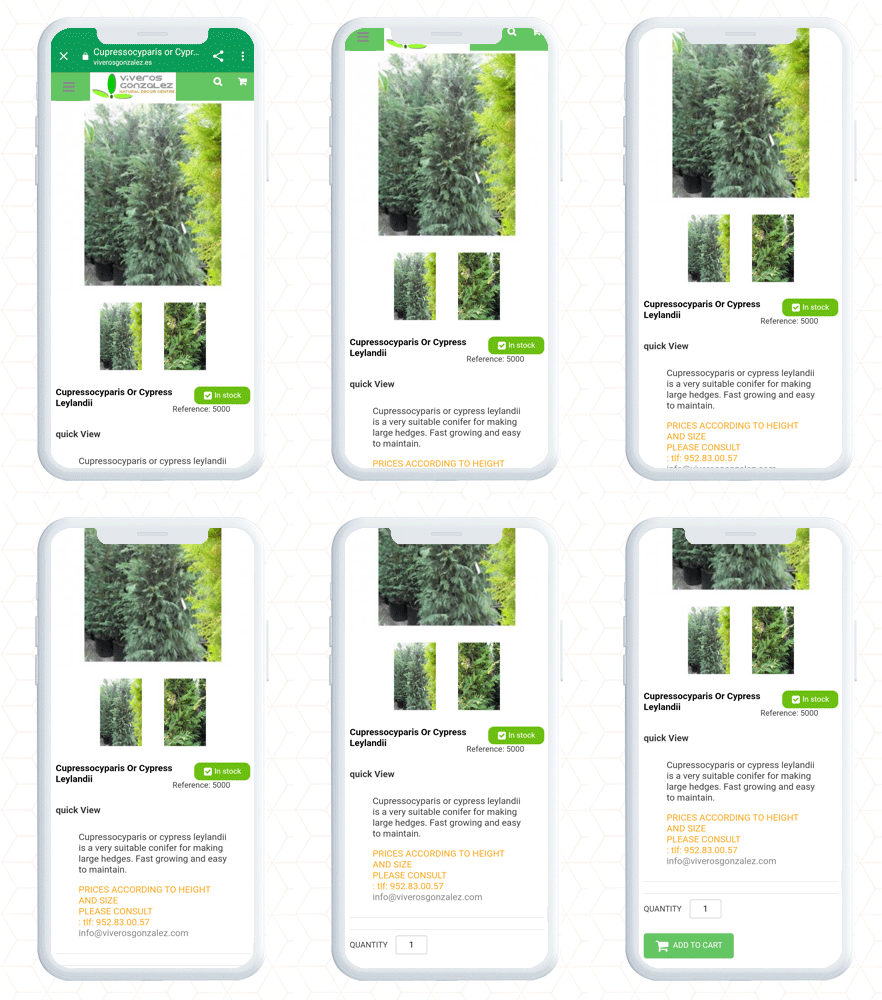
Product Page and Category page PrestaShop AMP

Finally, the PrestaShop Accelerated Mobile Pages (AMP) module lets you optimize your website pages for a user-friendly mobile experience. It gives you complete freedom to customize the home page, category page, and product page layout and designs. By adding a custom logo and text you can create a unique brand identity. Along with these design features, it allows the seller to link the social media account and videos on the home page. There are many other facilities given in the AMP setup.
Consider adding AMP to your website to make it user-friendly, mobile responsive, and SEO friendly with AMP addon.

Contact us: support@knowband.com

Download PrestaShop AMP: 

Click here to check out the demo on the KnowBand store

Click here to check out the demo on PrestaShop Addon Store

What is New in KnowBand’s PrestaShop One Page Checkout module V7.0.1

The PrestaShop One Page Checkout by KnowBand is a solution to all your cart abandonments and bounce rate problems. It is a custom checkout page that lets the admin track customer behavior and conversion rate with multiple PrestaShop checkout settings.
At KnowBand, we always thrive to offer the best possible solutions to your eCommerce problems. To fulfill that, we bring timely updates along with new features. Our PrestaShop checkout module is ready with a new feature. Prestashop Checkout Plugin by KnowBand has 22000+ downloads combined on the Official Addon store and the KnwoBand store.

In the latest update, some new features like customer and business record fields for the checkout page have been added which was a demanded feature of many PrestaShop companies.

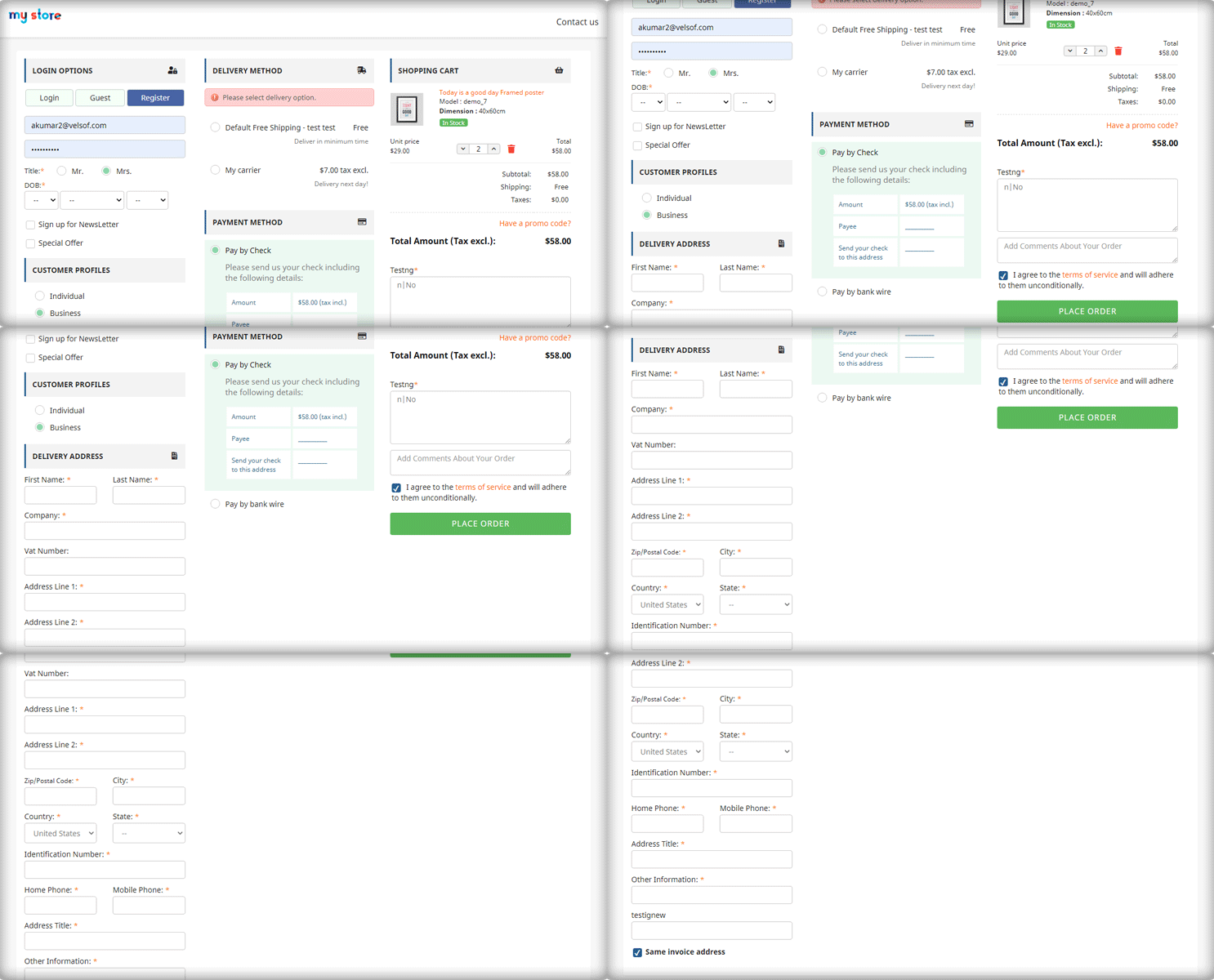
Here are some glimpses of the PrestaShop Checkout Module’s upcoming update.

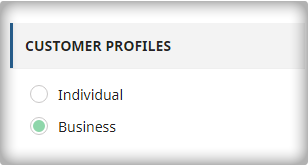
A look at the new Customer Profile feature of PrestaShop One Page Checkout [7.0.1]

The One Page Checkout  module has a variety of features, the most notable of which are:

Optimize the checkout page based on customer type

Map different fields in PrestaShop Checkout Settings

PrestaShop Checkout module lets you customize your eCommerce checkout field based on the type of client.

  1. Business
  2. Individual
  3. Agency

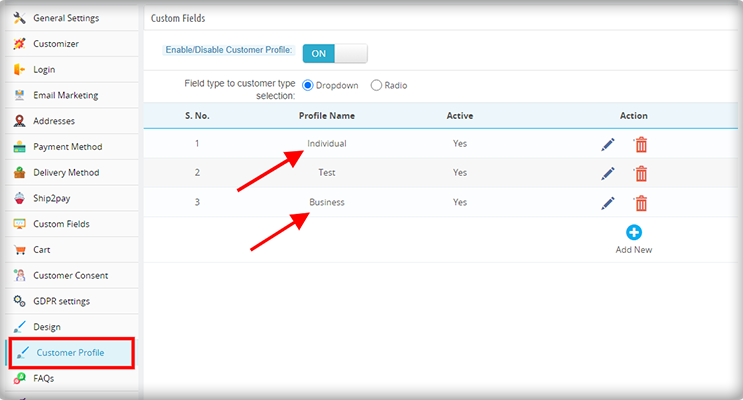
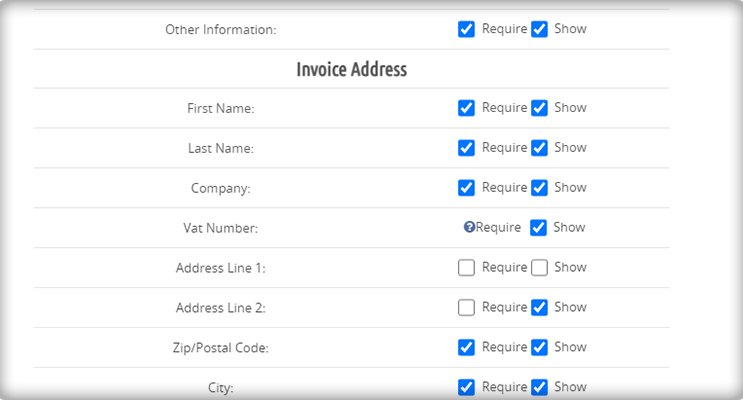
It also allows you to create a custom client type and customize it, as well as make it optional or mandatory. An option is provided in the admin to create the customer profile.

Besides this, admin can create separate profiles for different types of customers such as business customers and personal orders and show different fields for checkout for each type of profile.

Also, for mandatory and optional fields, the admin can edit the created profiles.

Display recorded fields on Invoice

After this new update, you will be able to display recorded fields on the Invoice as well.

Multi-lingual Compatibility

The PrestaShop Checkout Module is compatible with multiple languages such as French, Spanish, Italian, Polish, etc.

Compatibility with PrestaShop Version 1.7

This new version of PrestaShop One Page Checkout is compatible with all the PrestaShop versions 1.6 to 1.7.

What all One Page Checkout Offers

The One Page checkout module is PrestaShop Best Seller with 10000+ downloads on PrestaShop Addon store and 12000+ on KnowBand store. Its most authentic design and layout customization options make it unique.

PrestaShop One Page Supercheckout Demo

The Module has features like social login, guest checkout, show optional and mandatory fields, inline error validation.

In addition, the checkout settings include layout customization, google address auto-fill, display shopping cart, add custom fields for collecting clients’ information.

Along with this, the admin can add multiple shipping methods and multiple payment gateways on the PrestaShop One Page Checkout.

Explore Live Examples of PrestaShop One Page Checkout

Check out some live examples of client’s websites that are using this super amazing module:

Here are some Stunning Live Examples of PrestaShop One Page Checkout Addons that are in action. Moreover, we have combined some examples for specific countries with their payment gateways and shipping methods. Have a glance at 10 elite examples of PrestaShop Checkout for Spain with a list of active payment gateways and shipping methods.

When we say worldwide, we actually mean it, and here are another top 10 PrestaShop Checkout Module examples of Italy with the best checkout page practices to follow. Poland and France are other countries that have several clients who are using PrestaShop One Page Checkout. Give a read and explore the features of 10 on fleek PrestaShop Checkout Page examples of Poland eCommerce stores.

Extend Support Period and Get an Additional Savings

Are you already using the PrestaShop One Page Checkout?

Here are steps to extend the support period:
1) log in to your PrestaShop account.
2) Go to the Downloads under the My Orders tab.
3) Here you will find an option to extend the support period. Click on the desired time period for the support.
4) At the checkout page, an additional discount will get applied automatically.

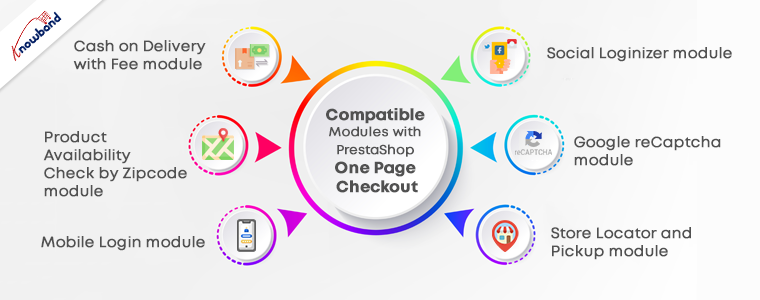
PrestaShop Plugins Compatible with One Page Checkout

From the landing page to final payment, KnowBand is developing solutions for a decade for PrestaShop.

1.      Cash on Delivery with Fee module

The COD module for PrestaShop allows you to add a Cash-On-Delivery facility to your website. With this, you can add COD in the payment methods of PrestaShop One Page Checkout.

2.       Product Availability Check by Zipcode Plugin

Let your customers know if the product is available in your store for delivery at their location by adding the zip code. Check out the module here.

3.       PrestaShop Mobile Login module

Allows users to do a quick login using their mobile number. The contact verification is done by the OTP send vis SMS on customer’s number.

4.      PrestaShop Social Loginizer module

Customers can log in to your store with not just one social media platform but from any one of the 14 different choices. Have a look at the PrestaShop Social Login Module.

5.       Google reCaptcha PrestaShop module 

To prevent your site from bots and spammers, consider Google Recaptcha on your store. You can use it for the login page, registration page, contact page, if a customer forgets the password, on the checkout page, and for newsletter subscription.

6.       Store Locator and Pickup module

To offer BOPIS, we have developed the Store Locator and Pick Up module for the PrestaShop platform. It allows the customer to select a nearby store to collect the order. It has an inbuilt Google Map facility for navigation.

Why KnowBand?

KnowBand is a Gold Partner Agency of PrestaShop and has developed several eCommerce modules. We have international clients and we also deliver custom products. It also gained the superhero seller ranking on the Addon store.

Contact us at support@knowband.com for any custom website development and module development services.

KnowBand Celebrating 10K+ PrestaShop One Page Checkout Installs on Addon Store

We are excited to announce that the KnowBand’s PrestaShop Checkout Page has crossed 10000+ downloads this month. These numbers are increasing every day on PrestaShop Addon Store. Also, the downloads have exceeded a count of 12000+ on the KnowBand store.

We are awarded with PrestaShop Gold Partner Agency and have Superhero Sellers ranking. A PrestaShop development agency is awarded Superhero Seller ranking when they have an average rating of 5 stars.

From Conqueror to Captain and now Superhero Seller, KnowBand proved itself as a PrestaShop developer. It has happened because of our talented team who has made this product a success! I’d like to extend our profound gratitude to every member of the Knowband for their support on behalf of the team.

We strongly believe this wouldn’t have been possible without your trust in our products and services. The PrestaShop One Page Checkout Addon has several high-quality features. The 10K downloads on the PrestaShop Addon store and 12K on KnowBand, explain it very well!

Why Customers Choose KnowBand as their PrestaShop Development Partner?

If you are reading this content, you might know about the PrestaShop platform already. KnowBand is a PrestaShop Gold Partner agency. We believe in providing the most sophisticated and satisfactory customer experience. On the official PrestaShop addon store, KnowBand is recognized as a Superhero Seller. We have also become the Module Partner Creator of PrestaShop Marketplace.

Every product developed by KnowBand is quality tested by technical experts. Who doesn’t want to give a smooth and satisfactory customer experience? Keeping this in mind, we have developed around 80 PrestaShop addons to help you flourish your business.

All the modules have amazing UI/UX design with super handy module configuration options. One Page Checkout is developed with the same perspective and it is loved by many. The amazing products, customer service, and customer support are reasons for people’s choice.

Our PrestaShop One Page Checkout Clients worldwide:

Not sure which company to choose for your next development project? If you are puzzled about it KnowBand provides you the best Prestashop development services.

The PrestaShop platform is being used worldwide. It has thousands of clients all over. Our clients trust KnowBand products. We are aware that trust is earned and it takes time. KnowBand has become a PrestaShop Partner agency, providing PrestaShop development services since 2010.

Every plugin be it a marketplace addon or an exit pop-up, customers use our solution for their PrestaShop website.

Similarly, PrestaShop One Page Checkout has users all across the globe. Have a look at some live examples of One Page Checkout:

PrestaShop Best Sellers

Apart from the One Page Checkout, several other PrestaShop modules have crossed 1000+ downloads.

Below is the list of modules that have earned the best seller badge on the PrestaShop Addon store. Every PrestaShop store should count on them.

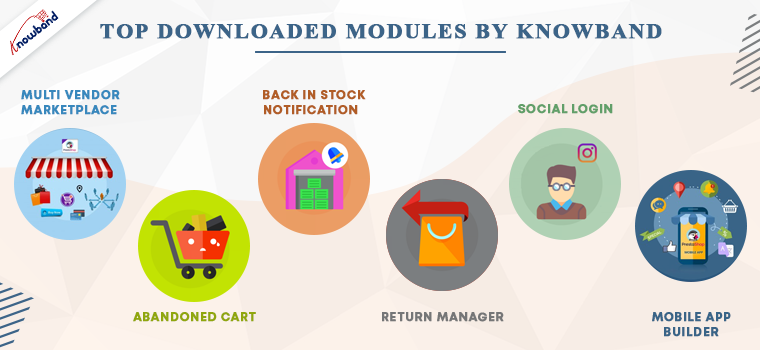
PrestaShop Abandoned cart Addon– Track the carts and allows the admin to send serial abandoned cart reminders. It has options like Email, pushes notifications, and pop-ups for customers.

PrestaShop Return Manager Module– Customer can make return requests with ease. The store manager can track the returns and reasons.

Multi-vendor marketplace Addon– Great application to convert your existing website into a functional marketplace in just a few simple steps.

PrestaShop Back-in-stock addon– Send stock alerts, subscription mail, low stock messages, and back-in-stock alerts with this module.

Social login PrestaShop Module–  Allow customers to log in with 14 different social media platforms. It is compatible with PrestaShop One Page Checkout.

KnowBand’s most in-demand solutions for eCommerce

Marketplace Builder: Our marketplace module is one of the best sellers on the PrestaShop Addon store. Create a marketplace in 3 simple steps. Download the module, configure it and start selling!

Mobile App Builder: Not sure if your website is bringing enough traffic? Get a mobile app for your PrestaShop store that has all the necessary features. The mobile app builder is available for Android and iOS systems.

The marketplace with a booking and rental system provides tremendous growth opportunities. It is also compatible with android and iOS Mobile apps.

Website Development Services: KnowBand is providing eCommerce solutions for more than a decade. We have helped thousands of clients in developing their websites and optimizing them for higher conversions.

Hire Us

Add innovative addons to your PrestaShop store

Innovation is the key to compete and win. KnowBand has developed some modules by following innovative approaches for modern business trends.

With no delay, you can start selling on the world’s most popular marketplaces using the Marketplace integration addon. KnowBand thrives to create solutions that make your business stand out. PrestaShop Booking and rental system, Accelerated Mobile Pages (AMP) are other, Delivery Boy App, Store locator to start BOPIS are some of those.

These days, on-demand print businesses are booming. It’s time you can start your own with this super amazing Product Customization addon. Think about a business idea and explore the KnowBand store for the services. In case you couldn’t find what you are looking for, KnowBand can provide a custom solution for eCommerce website.

Get your custom PrestaShop development solutions and ace it!

Why KnowBand PrestaShop One Page Checkout is Users Favorite

1.     Provides quick sign up and registration

It provides easy login to customers. Allows Social media login with Facebook, PayPal, and Google+ and email registration.

Every customer can now login within seconds with social login and mobile login. Anyone in hurry can checkout as a guest.

2.     Its unique layout

The layout design is different and has three variations. Prestashop One Page Checkout users can choose a single-column layout, double-column layout, or a three-column layout.

3.     Customers get informed while filling in wrong details

If anyone makes an error while filling the form, it shows an inline message. Google auto address fill and auto-detect region features are a bonus.

4.     Several payment gateways and shipping methods

Adding multiple payment methods and shipping methods with an individual payment method is now possible with PrestaShop One Page Checkout.

5.     Shopping cart details on the checkout page

The PrestaShop One Page Checkout shows all the cart products on the checkout page. Customers can increase or decrease the product quantity there itself. Additional features that no other module offers

6.     GDPR Compliant

The PrestaShop Single Page Checkout is GDPR compliant. Users who do not want to share their information with the store can request it.

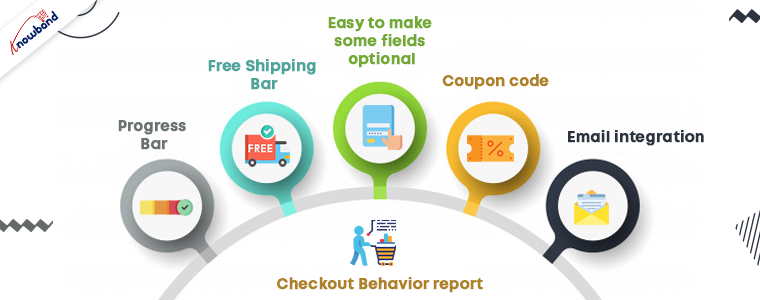
7.     Free Shipping Bar

Any condition/rule can be added for offering free shipping. To get the offer, customers have to meet the eligibility. This increases the average cart value.

8.     Easy to make some fields optional

If you think, not every detail in the registration form is necessary; you can make that field optional. Offering fields to skip can reduce the bounce rate.

9.    Admin can Create Customer Profiles

In the upcoming version of the PrestaShop Checkout Page, the admin can create customer profiles however they like to:

  • Individual
  • Business
  • Agency

10. Coupon code

Customers can put in the coupon code if they have any.

11. Email integration

To make your marketing campaigns more effective, you cannot ignore the importance of email marketing.

  • Allows easy email integration options with Sendinblue, MailChimp, and Klavio.
  • Ask them to subscribe to newsletters.

12. Checkout Behavior report

This is to find out the pain points of your customers. The reports show the checkout behavior of the customers. Abandoned carts, orders, missed sales and many other things can be tracked.

Advantages of PrestaShop One Page Checkout:

The PrestaShop store owners can give a unique and explicit checkout experience to their users. One Page Checkout appears to be quick and easier than multiple page checkouts.

  1. Increases conversions- The fast process, quick login and registration options, guest checkout increases the conversion rate.
  2. A fall in bounce rate- Multiple payment and shipping methods add more weight to the conversion rate and reduces bounce rate.
  3. Increases average cart value: Customers try to grab the free shipping offers as they see them. Hence, it increases the average cart value.
  4. Mobile responsive
  5. Multi-lingual and multi-store compatible

All these features have made it a success. A huge achievement for the KnowBand family!

Live Demo

PrestaShop One Page Supercheckout

Admin Panel

Front End View

In conclusion, we believe that we have reached 10K downloads for PrestaShop One Page Checkout is because our clients trust us. We’ll continue to enhance our relationship with our community by providing exclusive and prompt services to our clients. Start your business on the PrestaShop platform with the PrestaShop partner agency using modules developed by KnowBand.

Flipkart’s new eCommerce App Shopsy for Local Enterprises

‘Shopsy’ is a new app launched by Flipkart, a Walmart-owned company that will help local entrepreneurs to use their networking and set up their own business. Flipkart is an Indian marketplace with 15 crore products that include fashion, beauty, mobiles, and homes offered by several sellers across the platform. On Shopsy App, all  Flipkart products are listed for people who want to start a business with their local networking.

Flipkart thrives to democratize e-commerce in India, along with accessibility and affordability, they delight customers, create lakhs of jobs in the ecosystem, and empower generations of entrepreneurs and MSMEs. The innovative ideas presented by Flipkart company have inspired small businesses in many ways.

How Shopsy App Works?

Based on a recent announcement, let us understand how the Shopsy app works and what revenue model is being followed:

Shopsy is an app that works on a commission-based revenue model. It is easy to register and start earning and for that, you just have to follow three simple steps:

  1. Firstly, download and register with Shopsy, there you can explore the 15 crore products
  2. Secondly, Share the handpicked products using the WhatsApp share option and Facebook share
  3. Finally, if anyone likes the product, place an order on their behalf on Shopsy App and earn the commission.

Benefits of Shopsy App

With few clicks, local entrepreneurs can use their networks to earn money without making any extra efforts.

The process is very simple and does not require you to manage the inventory, logistics, or shipping. Many local businesses selling online come across logistic issues and trust issues from customers.

While purchasing on a new platform, customers have trust issues. But, Flipkart is a brand that has established its name in the topmost marketplaces in India hence; it is easier for small businesses to get over these challenges.

Anyone with a good social network on WhatsApp and Facebook can earn a good amount by selling through Flipkart’s Shopsy App.

Common digital commerce problems and solutions

Along with this, there are other digital commerce problems that newbies are facing and to resolve that, we have some ultimate solutions.

Website development: Developing a website with beautiful design and configuration is a daunting task. KnowBand, with ten years of industry experience, provides eCommerce website development services all over the world. Get in touch!

Marketplace: for instance, if you are looking forward to developing a marketplace, here is a guide for beginners. You can download the multi-vendor marketplace app and start a new marketplace.

Hyperlocal Marketplace: A marketplace that only allows local delivery! Start selling services or groceries to your local customers online with the Hyperlocal Marketplace plugin. The plugin works on two factors: Geolocation and time.

Mobile app: The mobile application plugins are cost-effective and allow you to create your mobile app just by installing the plugin. The app versions are available for both iOS and Android. Here is the free mobile app to give you an idea of how it works.

If you want to allow customers to share your products on Facebook then there is a way you can motivate them. Offer Facebook Share and Win feature on your product page and win more new potential buyers.

In conclusion, the Shopsy App is a crazy startup by Flipkart, giving an exclusive opportunity to people with good networking. What is stopping you? Make better use of networks and start selling today to earn profits as commission.

More recent updates in eCommerce:

Facebook is Introducing Shops to WhatsApp and Other Commerce Updates

Etsy Overtaking the Brazilian Marketplace Elo7, for handmade items

How to Add and Manage Facebook Page Shop to Expand Your Business?

Real Life Example of Knowband’s Opencart Mobile app – Online Manglore Store

To cater to a hassle-free experience, give users a responsive shopping app that is accessible and convenient. For every store owner, creating a digital presence and relishing the shopping experience is the topmost priority. Through a Mobile App, you can offer a better shopping experience to customers.

The Online Mangalore Store is an online marketplace for things that are unique from the Coastal, Konkan, Malnad, and Malabar regions. The products in the store are preferred for nutritional value, health benefits, and, of course, their origin.

To create the mobile app, the Mangalore store opted for OpenCart Mobile App Builder developed by KnowBand. This application provides convenience to find products with in-built features and gives a personalized shopping experience.

Home Page

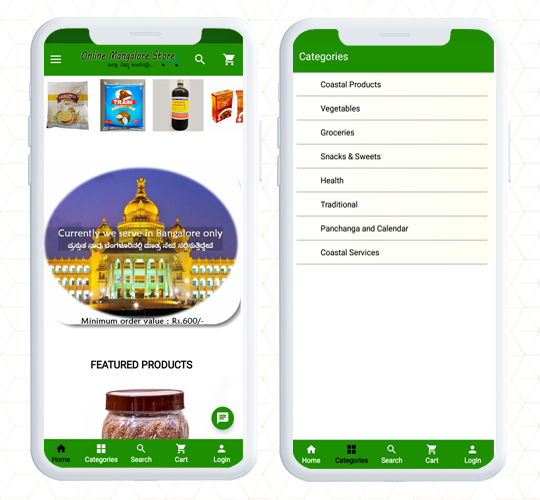
While optimizing the mobile app, the first element every store owner ask for is an engaging home page design. Online Mangalore Store has a home page with a green color theme and they have utilized the white spaces beautifully. All the categories are listed as well as displayed on the home page.

Navigation and Search

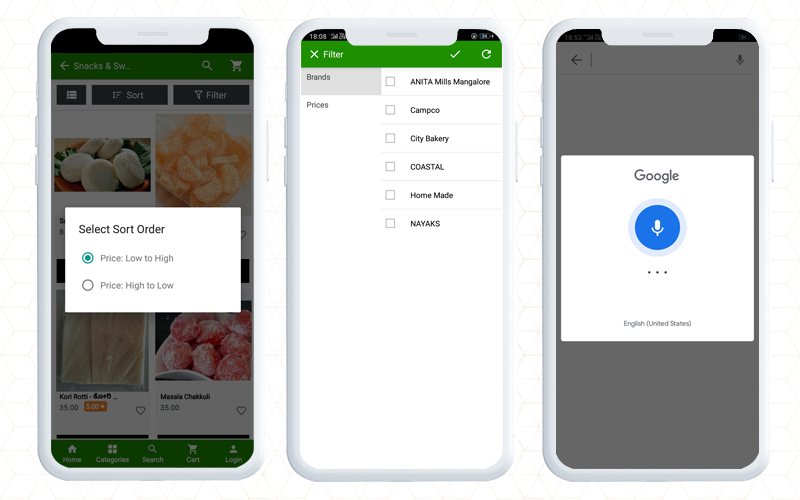
For quick product search and to find your favorite product, KnowBand’s Opencart mobile app provides facilities like voice search and product view grid and list options. Additionally, on the Mangalore app, customers can easily apply filters based on brands, prices, etc, and sort them for relevance and price.

It also allows customers to connect with store owners using WhatsApp chat and Zopim chat. The live chat support helps customers to get immediate results for their queries.

Various Sign In Options for users

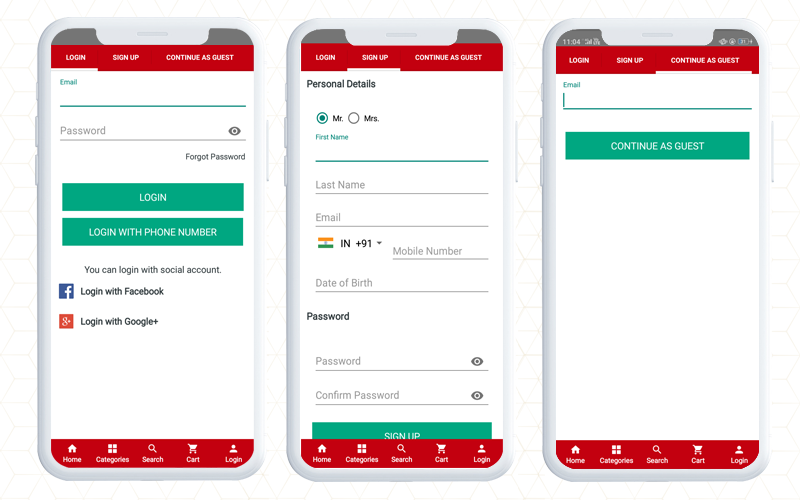
When login into a new store, customers look for easy options. In this OpenCart mobile app, you will find social login option on Facebook and google+. Along with that, the registration process is easy with limited fields. Also, a user who intends to make the checkout quickly can sign in as a Guest.

Effortless Checkout experience

The checkout page is the last point when you have to keep an eye on because most of the cart abandonments happen at the checkout page. To streamline the checkout experience for customers, the OpenCart Mobile app has a convenient checkout page design and offers One Page Checkout.

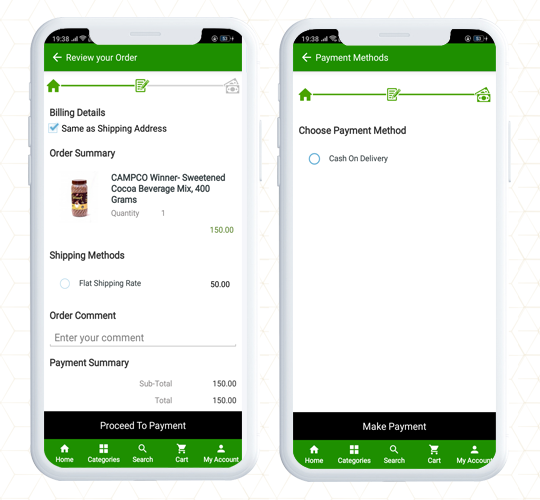
The complete data of the store website will be synchronized to the mobile app. For example, in the Online Mangalore Store, the delivery option provided is Cash on Delivery.

Check out the Live Demo of KnowBand’s OpenCart Mobile App Builder

Finally, A mobile app plays an important role in a better shopping experience. It creates brand identity and provides a hassle-free shopping experience. OpenCart Mobile App Builder allows the store owner to configure the settings from the back end. The most appealing elements are the website design and theme. You can apply the same color palette to the mobile app theme as your website and add images, logos, store titles, etc on the mobile app.

The mobile app builder is available for both iOS and Android systems. It is also compatible with KnowBand’s marketplace module and supports multiple languages. You can use it for all the OpenCart themes including Journal.

For any eCommerce, assistance contact KnowBand that has been serving clients from 2010 for various platforms, website design, and module-related queries.

Also read:

OpenCart Mobile App Builder- User Manual

Simple Steps for Obtaining an Engaging OpenCart Mobile App

Celebsto- OpenCart Mobile App provides Exclusive Shopping Experience

Celebsto- KnowBand’s OpenCart Mobile App provides Exclusive Shopping Experience

A company associated with the fashion industry is an ever-changing and consumable sector. Website and mobile app designs matter to such a flourishing industry where the product demands customization and the latest trends. Celebsto is a fashion company with an online website created on the OpenCart Journal theme. An app for a fashion company should have that spark that can keep customers engaged.

Great online shopping starts with a great Mobile App! Celebsto Mobile App is fully functional with ultimate UI/UX having a responsive design. The Celebsto have created their unique mobile application using KnowBand’s OpenCart Mobile App builder Extension that allows creating an app for OpenCart store in simple steps.

Celebsto- KnowBand’s OpenCart Mobile App provides Exclusive Shopping Experience

Home Page Design

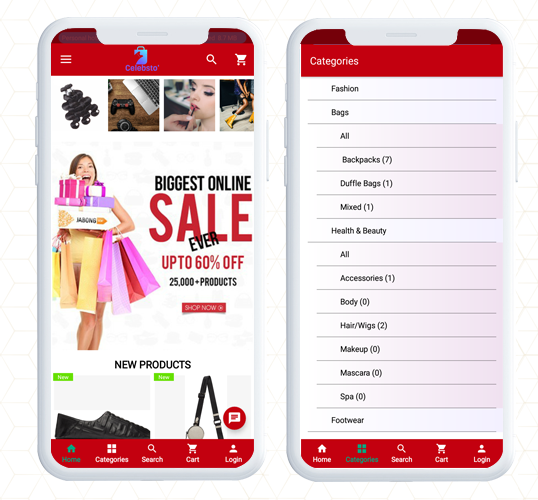
For a fashion store mobile application, the theme, design, placement of banners and images play an important role to keep up with the trend. The OpenCart Mobile App Builder gives freedom to the customer to change the look and feel by displaying logos, product banners, sales, and discount templates, highlight best seller products, new arrivals, and other elements of the home page.

Along with the home page design, the app has a button to explore the categories where all the product categories are listed.

Product Voice Search

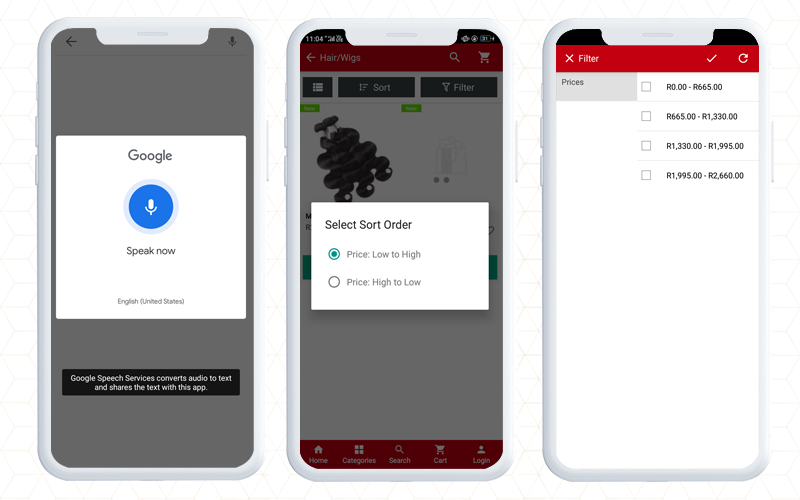
For better assistance on the application, the voice search option gives a better shopping experience to the customers. As you search for a product, it displays all the relevant search results. Google voice search is an effective tool to enhance the shopping experience on the mobile app.

Sort and filter the products

Make the search easier and appropriate with sort and filter options. On the Celebsto, the sort and filter option facilitates quick product browsing.

Shopping Cart

The shopping cart of the application is personalized and shows all the details like product description, amount, and product image. Moreover, the shopping cart page has two CTAs, one that allows you to jump to the checkout page directly and another option will redirect to the product page.

Registration and Login Options

It is really amazing that the application gives several options to login and register.

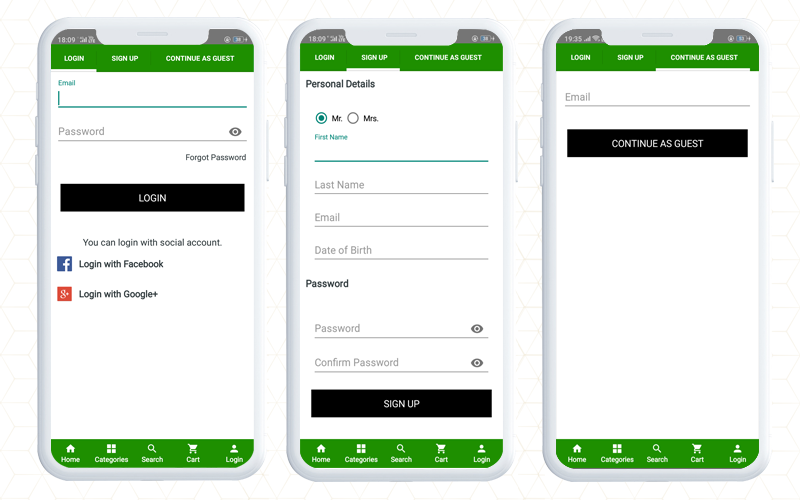
Login: Within this Opencart Android Mobile App, you will find multiple login options like email login, social login with Facebook and Google, and with phone number.

Sign up: To sign up and register on Celebsto, the customer will have to share personal details like name, email address, contact number, and DOB. Set a password and registration is done.

Guest Signup: This application also provides an option for guest checkout. This checkout option is very effective in conversion as it only requires an email address and saves time.

Payment and shipping

On the OpenCart Celebsto App, they have added multiple payment and shipping choices. The checkout page and other pages are in real-time synch with the website.

Include WhatsApp and Zopim chat

Customer service is another crucial part if you want to provide an exclusive shopping experience to customers. Add a live chat option to assist your customers for OpenCart mobile app users.  It supports WhatsApp and Zopim live chat.

Finally, to create this app, Celebsto chose the Opencart Mobile App builder because it gives flexibility and convenience to the user. With the facilities it provides, it is easier to personalize the details and configure the interface as per the theme of the store. The app does not depend on any website theme but it supports all the Opencart themes. It is simple to publish the apps on the Apple store and Google Play store.

Learn more about the Opencart Mobile App:

An OpenCart Extension to Create Mobile Apps for Your Business

Simple Steps for Obtaining an Engaging OpenCart Android and iOs Mobile App

Mobile App Builder- Transform your OpenCart Store into an Android Mobile App

How can you get feature loaded Mobile Apps for your OpenCart site?

Check out KnowBand’s OpenCart One Page Checkout Plugins in Action

To make the online store more engaging, you need a great checkout page design. Not just the home page needs optimization but the checkout page desires more of it. Online shoppers get pissed with a clumsy design when they have already invested most of their time in finding their favorite product. For OpenCart stores, KnowBand has been developing solutions for a decade. We are presenting some of the best KnowBand’s OpenCart One Page Checkout examples that are live worldwide.

OpenCart One Page Checkout Demo

Why Should you have One Page Checkout?

OpenCart platform leverages several clients worldwide. There are different plugins free or paid that stores use to increase conversions, engagement, design, and other website elements. Many of the stores only focus on home page design, product page design, and shopping cart development and forget to optimize another major part, the checkout page. As a result, they lose conversions on the checkout page leads to shopping cart abandonment.

Hence, it is crucial to add a checkout page that is easy to operate with effortless configuration settings. OpenCart One Page Checkout Extension is solving these problems for many businesses.

Check out these OpenCart One Page Checkout Plugin in Action

If you are here to find out how this exclusive OpenCart One Page Checkout extension works, we won’t make you wait

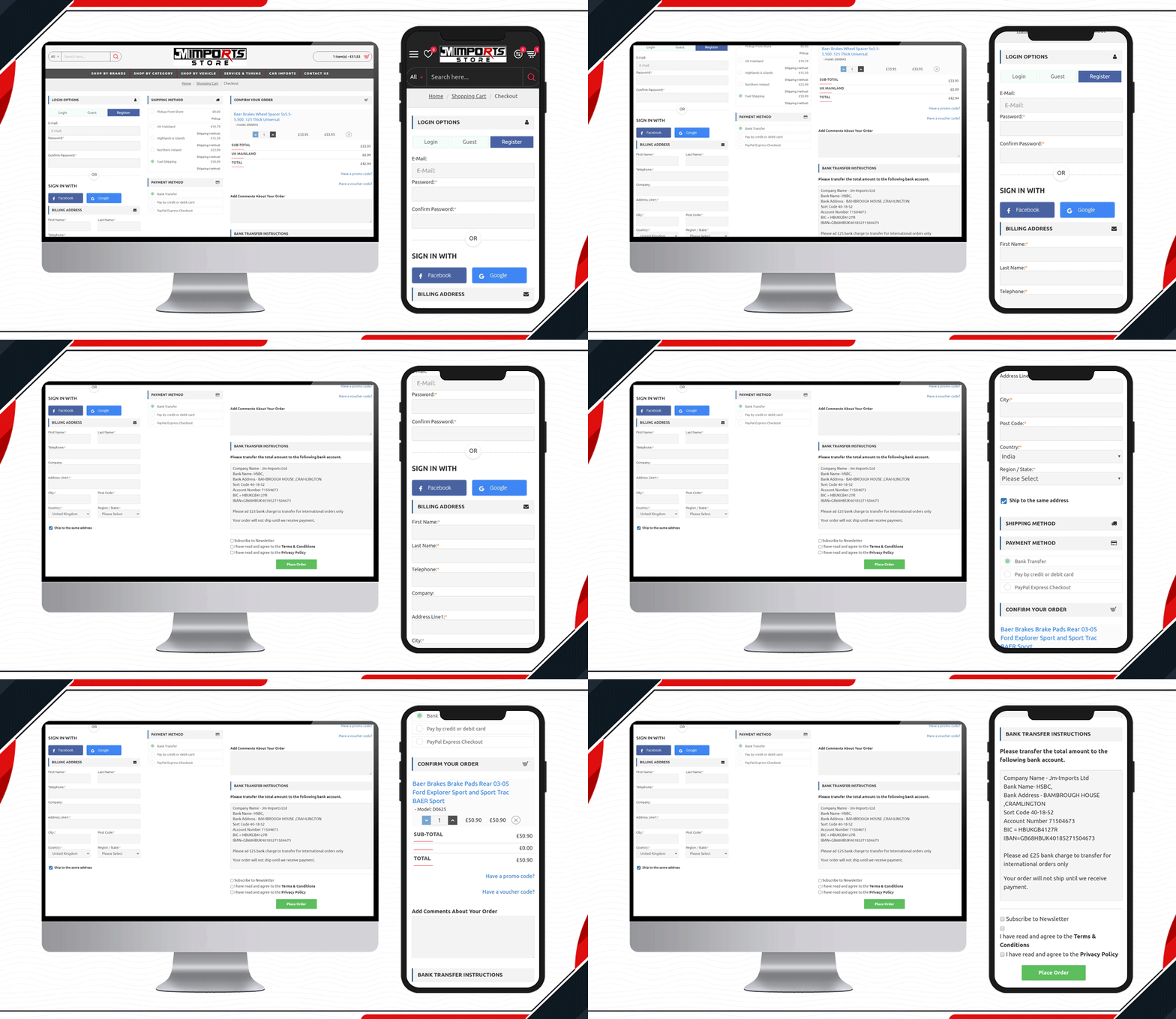
1.     JM Imports Checkout Page is live

JM Imports is a cart import company in the UK. Their auto-parts selling platform is using KnowBand’s OpenCart One Page Checkout Pro extension. They have been using a 3-column layout that includes a registration column facilitating Facebook login, Google login, and Guest checkout. It has several payment and shipping methods for customers giving them a quick checkout experience.

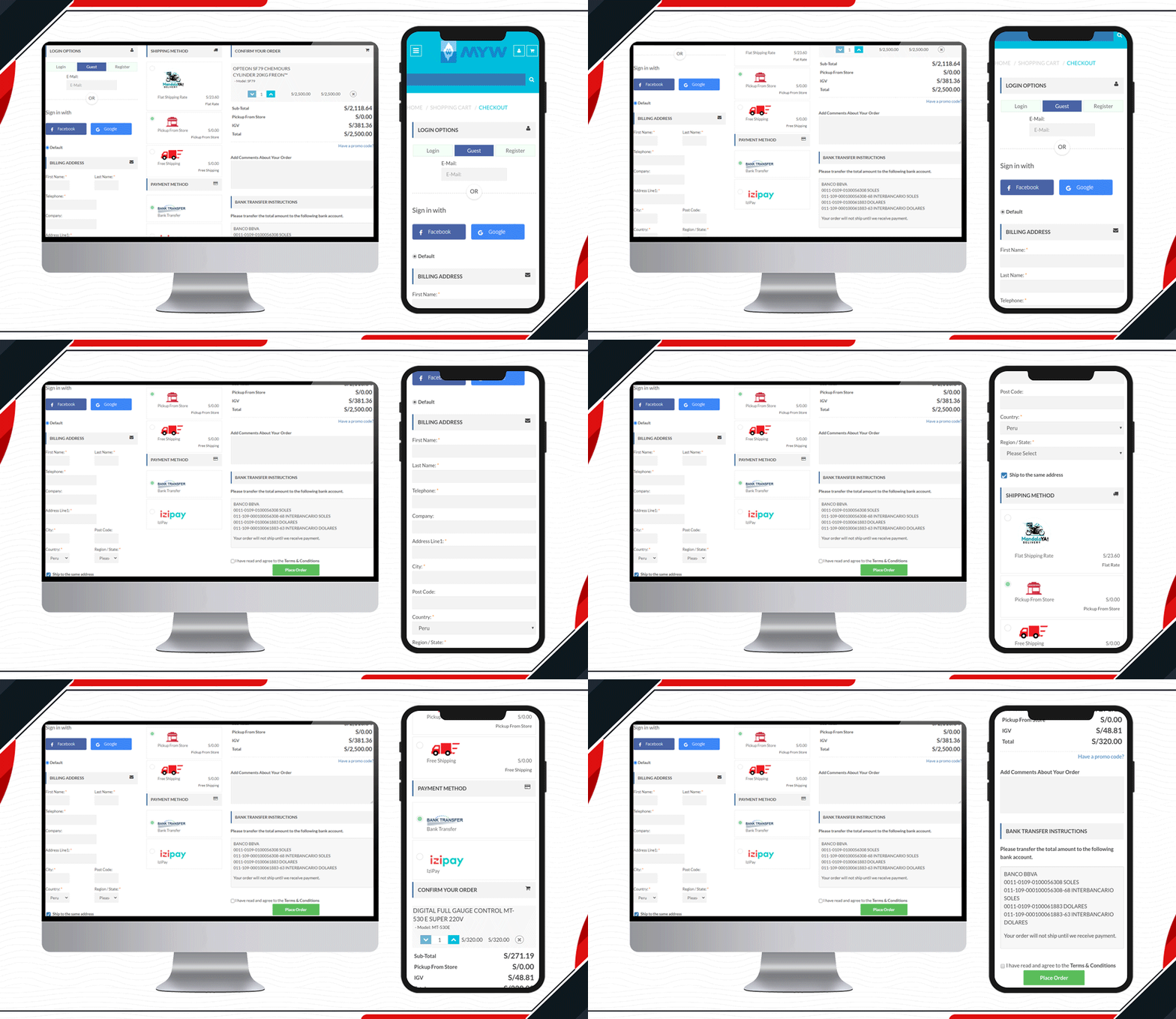
2.     Check out the MYW Checkout Page

The sole purpose of MYW is to provide a satisfactory shopping experience to their customer from quotation to shipment. To meet their purpose, they have installed KnowBand’s OpenCart One Page Checkout extension for smooth and easy checkout. MYW are the importers for refrigerating products.

The icon display in the shipping methods and shopping cart product image display makes the checkout page appealing.

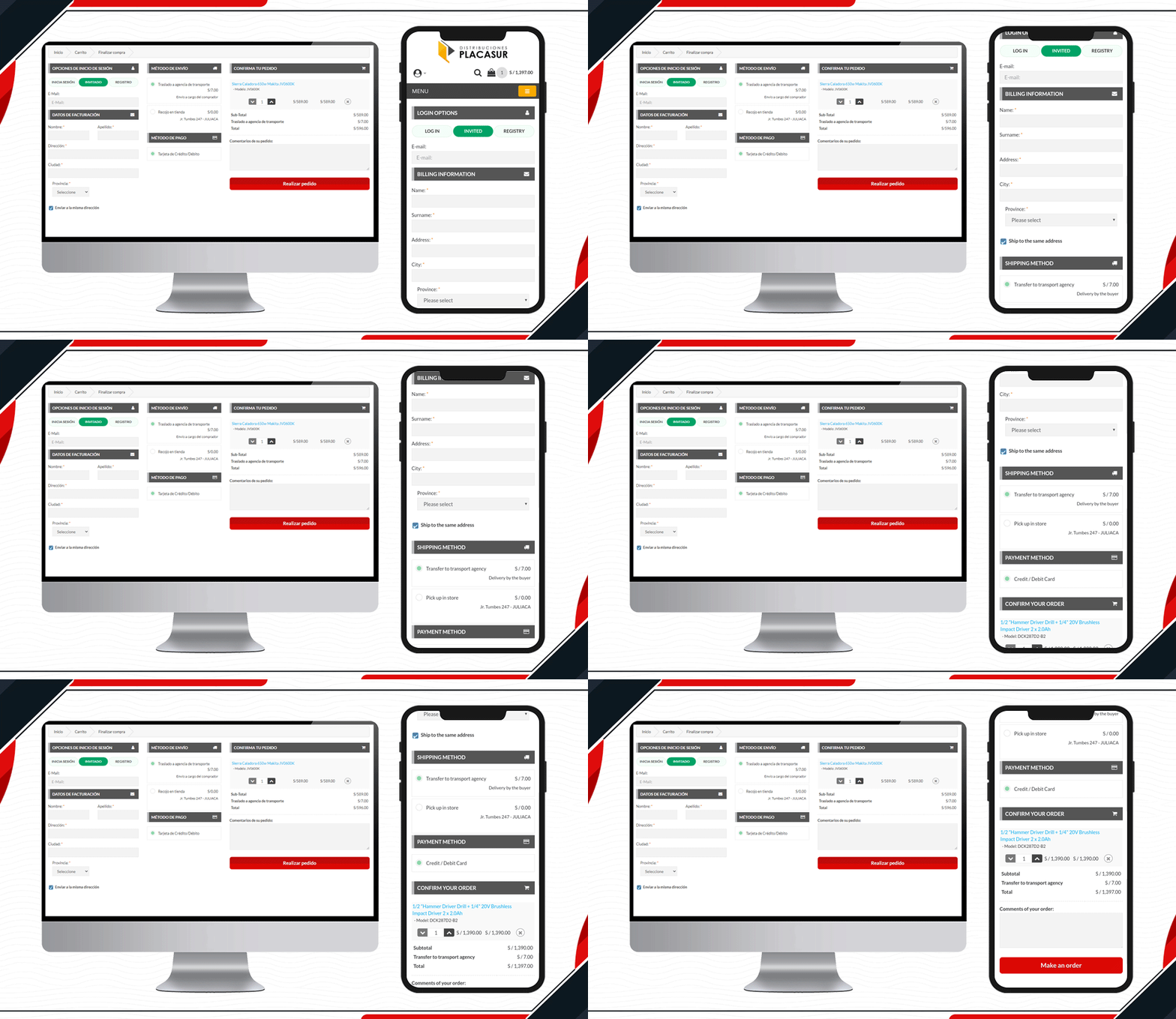
3.    Placasur is using OpenCart One Page Checkout

To keep customers engaged, a good checkout practice is removing unnecessary fields. The KnowBand’s OpenCart One Page Checkout Plugin allows users to keep some fields optional that can be skipped by customers. Pleasure has customized its checkout page beautifully. It has limited fields and looks clear and engaging.

4.     Trailer Stuff Checkout page in action

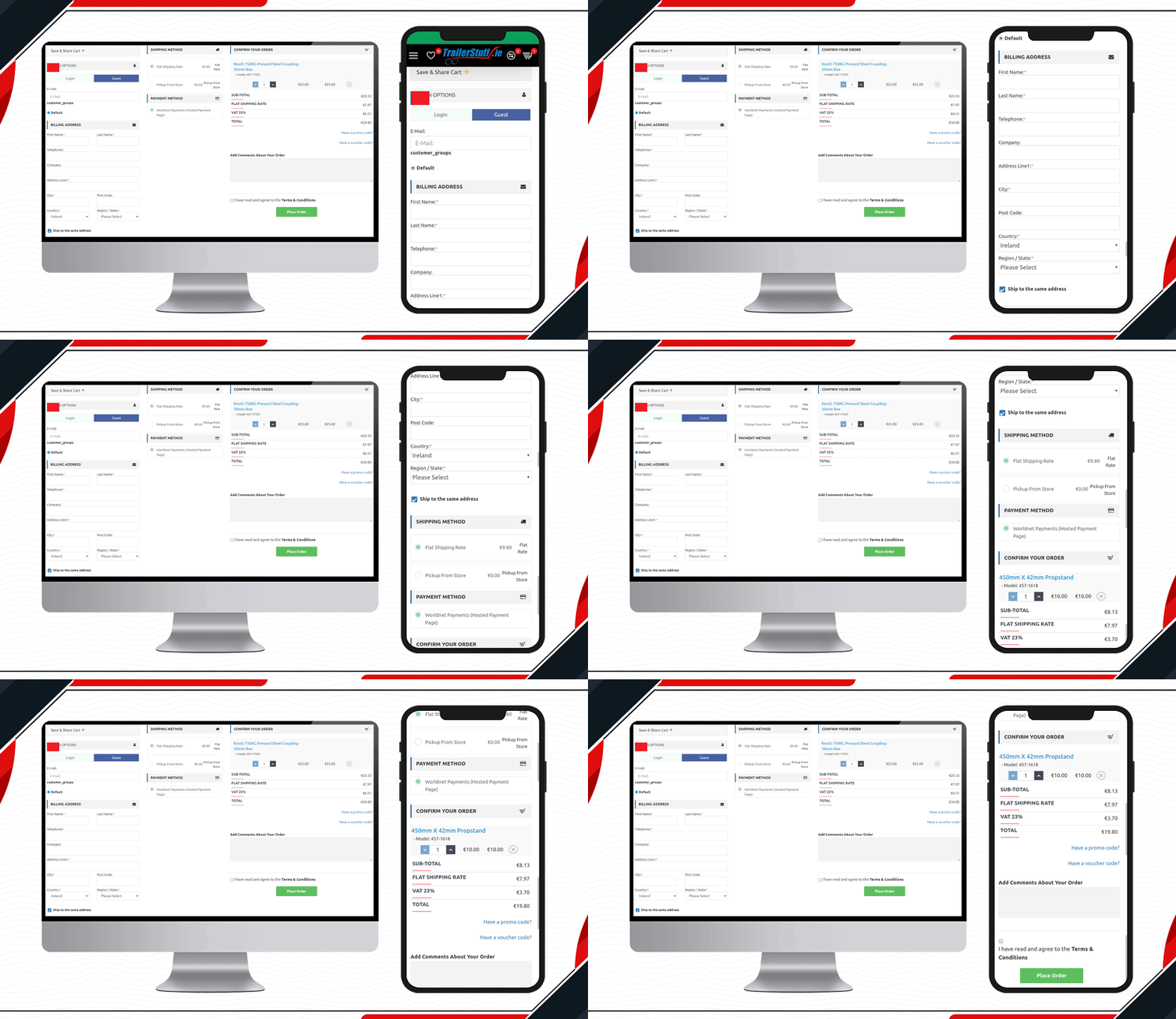
Trailer Stuff delivers products in Ireland. Their shipments require on-time delivery and to make the ordering process smooth, they are using One Page Checkout Extension in their Opencart store. From registration to payment, every field on the checkout page is configured. Moreover, they have also added a save the cart option on the checkout page.

5.     Look at this Yeonhi Checkout Page

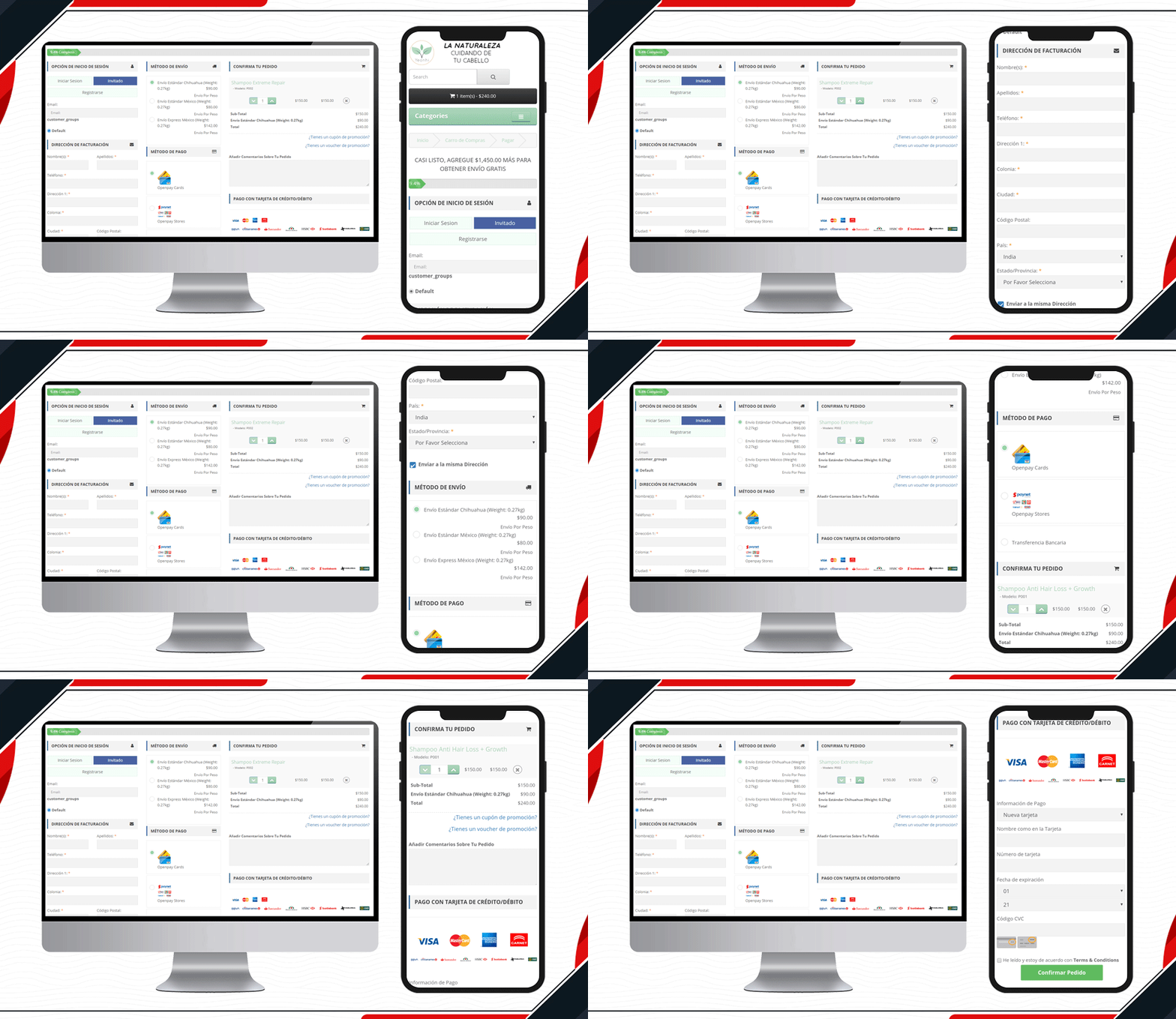
Yeonhi’s checkout page is very sleek with a great design. It appears that the checkout process is simple and quick. They have been using KnowBand’s OpenCart One Page checkout plugin with a shipping bar at the top. This indicates the free shipping progress, which means the customer will get free shipping if the progress bar reaches 100%. Follow these tips to reduce shipping cost.

6.     Custom Made Casino Checkout page

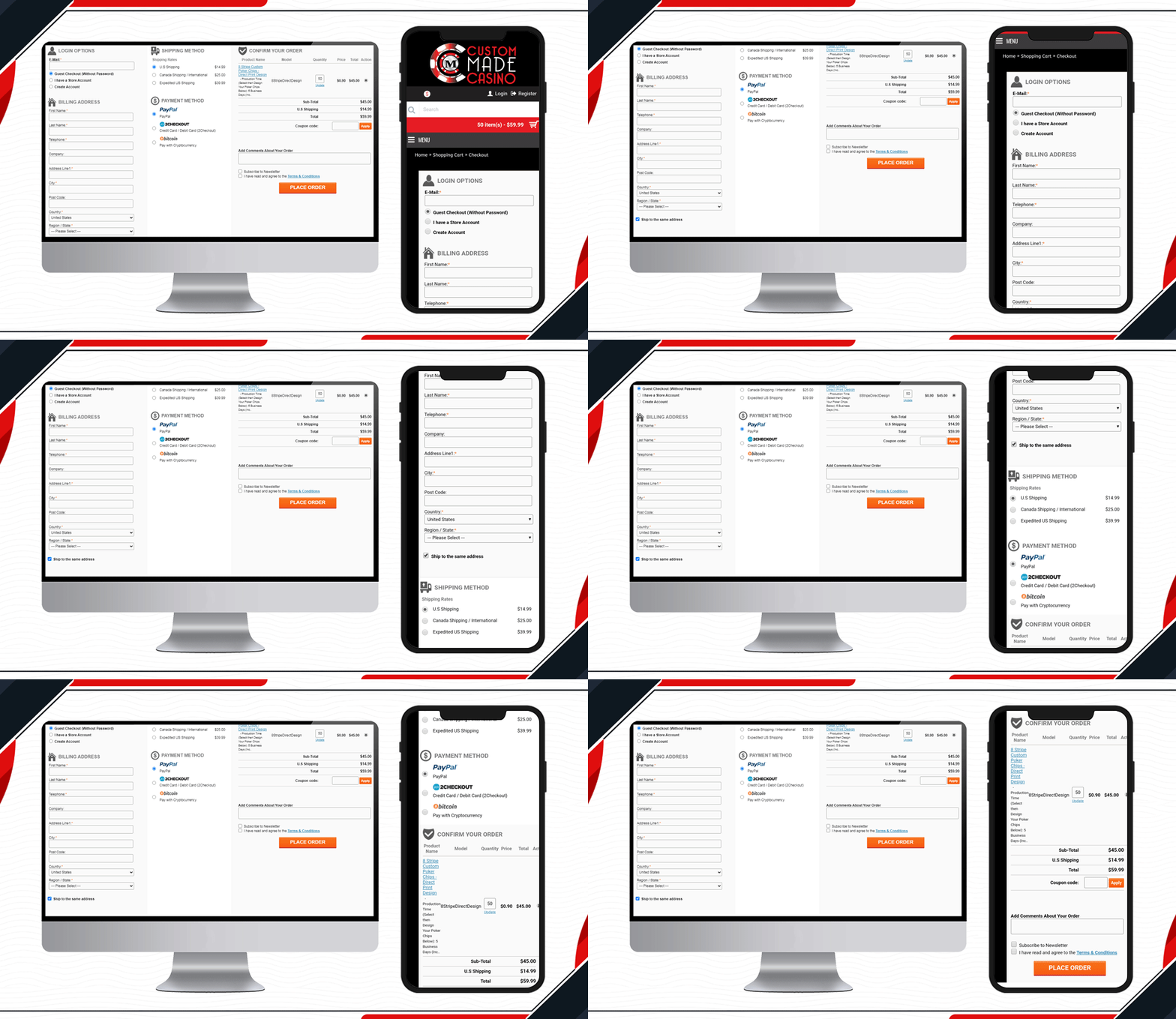
Custom Made Casino website is a treat if you like playing Casino. Let’s not dig much into its services, instead, go straight to its checkout page design. They have been using One Page Checkout on their OpenCart website to make the transactions easy-peasy.

When buying chips in the store, the customer will have to provide printable details like the name that you want on the chips, color, printable font colour, etc. Along with other checkout page elements, you will find all these details on the shopping cart section.

7.     DcmGSM Considered One Page Checkout

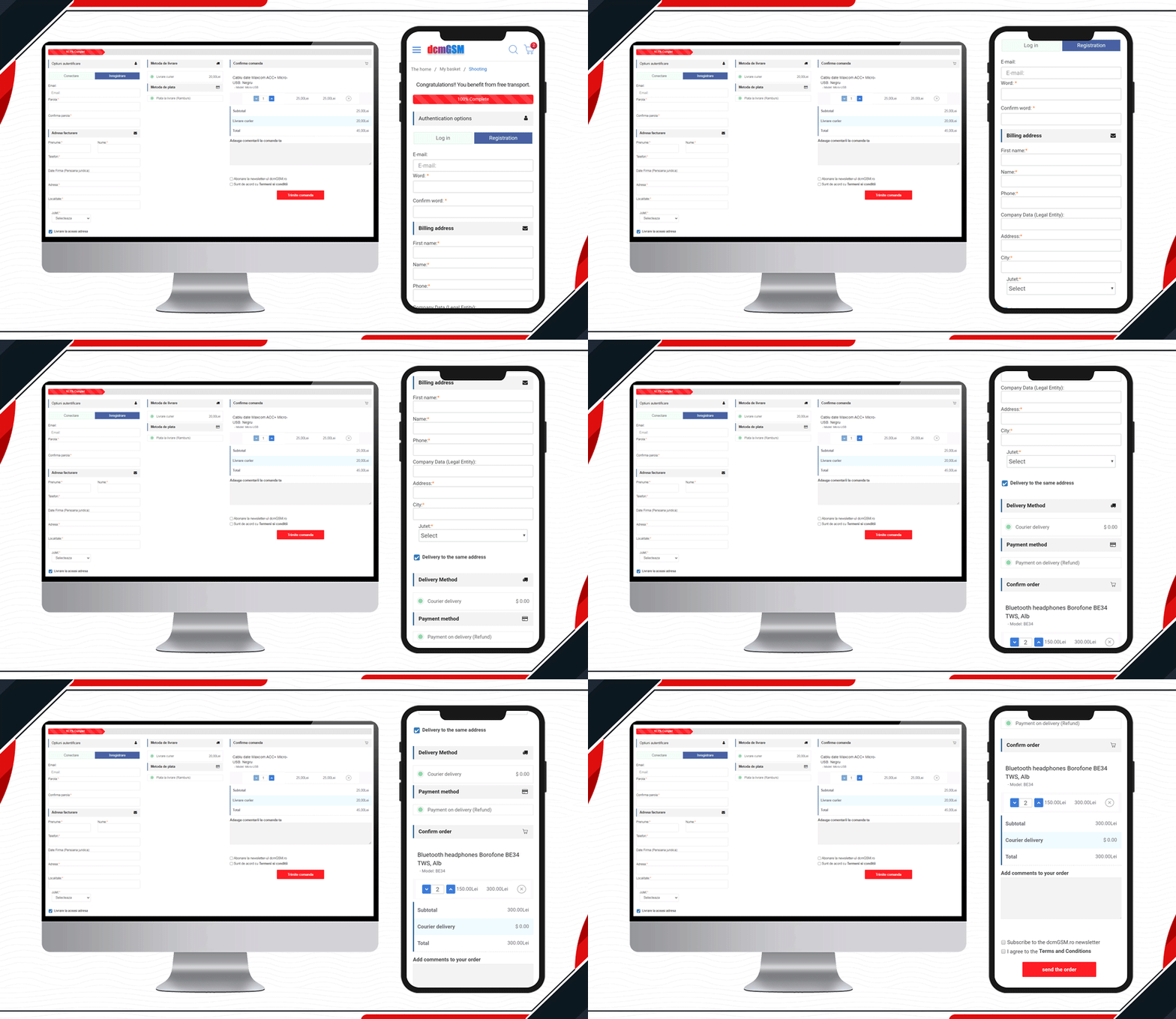
One-stop for any phone accessories.  DcmGSM is a company that provides a solution for all your phone-related gadgets from USB cables to mobile cases. It is an OpenCart website and to provide a wonderful checkout experience, they are using KnowBand’s OpenCart One Page Checkout.

Free shipping bar to Facebook login and optional fields to the extra comment field, all features are used on the website checkout page. Have a look!

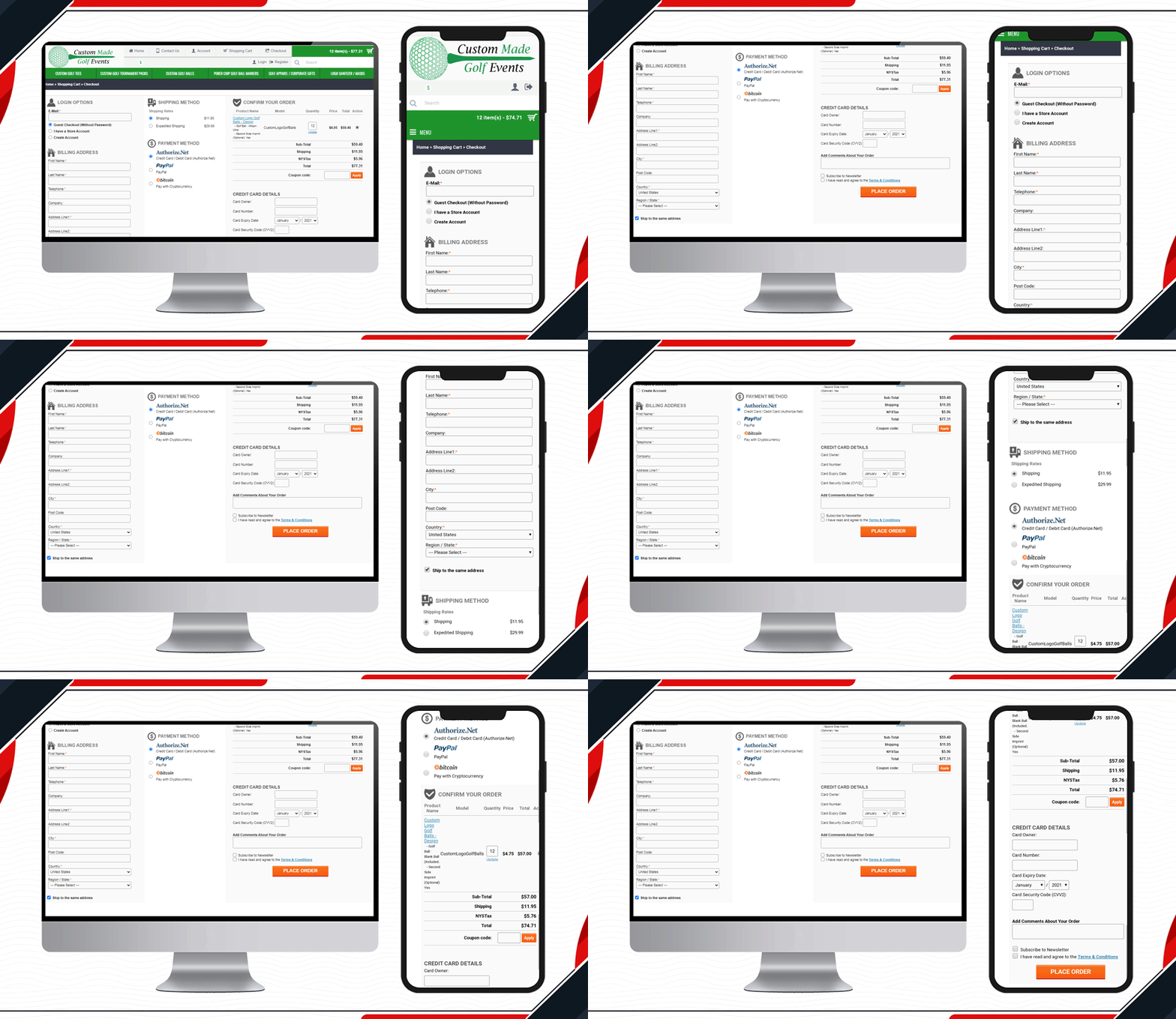
8.     Custom made Golf Events Checkout Page

All golf-related items are available on this website. To make the checkout process simpler and quicker for the golf lover, Custom-made Golf Events is using KnowBand’s OpenCart One Page checkout.

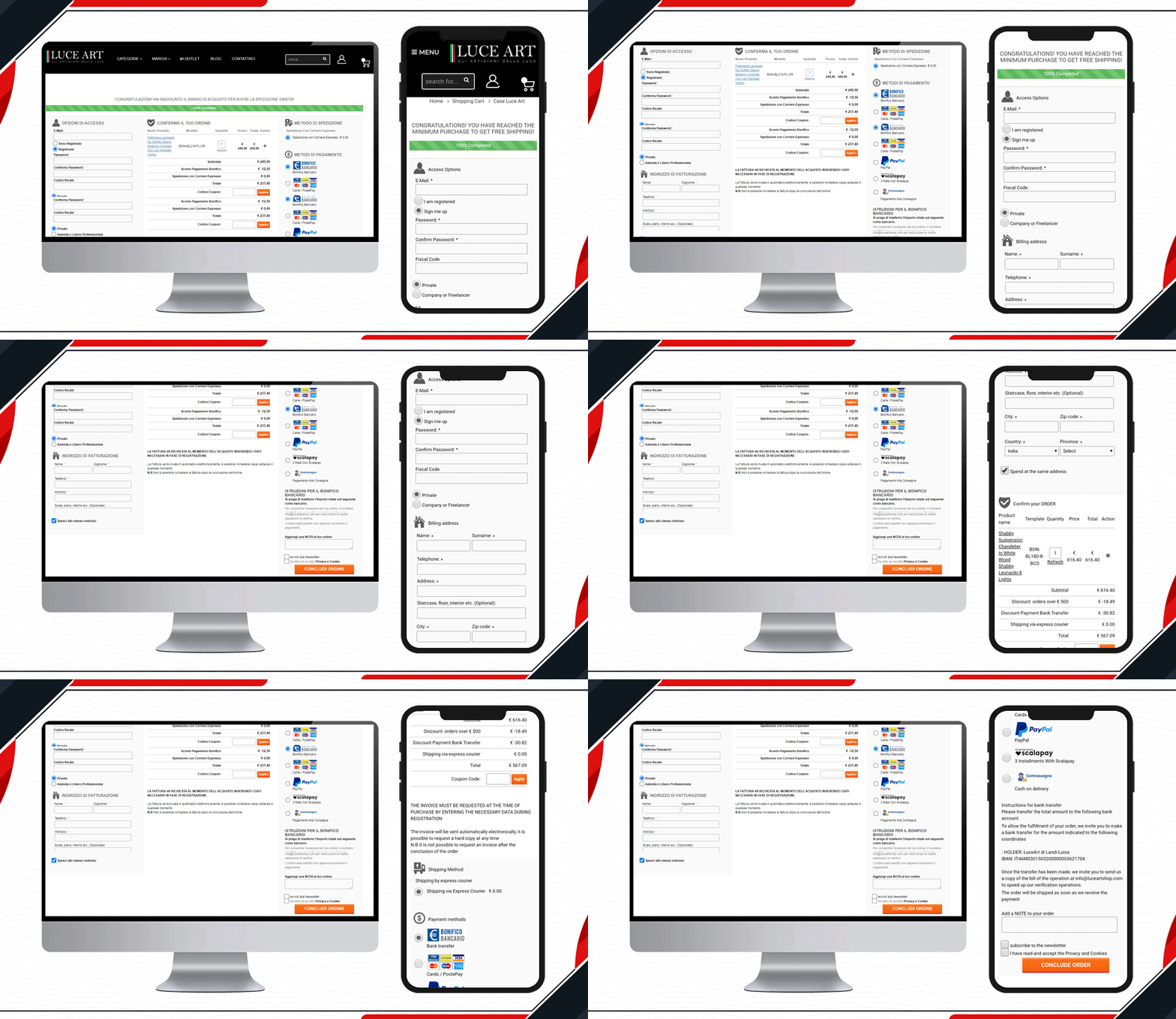
9.     Look at Luce Art Shop Checkout Page

Luce Art is a hub for creative lights. They have been using a single-page checkout for their checkout page. You can see your orders in the shopping cart of the checkout page. It has a free shipping bar, social login, guest checkout, multiple shipping methods, payment gateways, and all the other informative fields clubbed in a single page with a three-column layout.

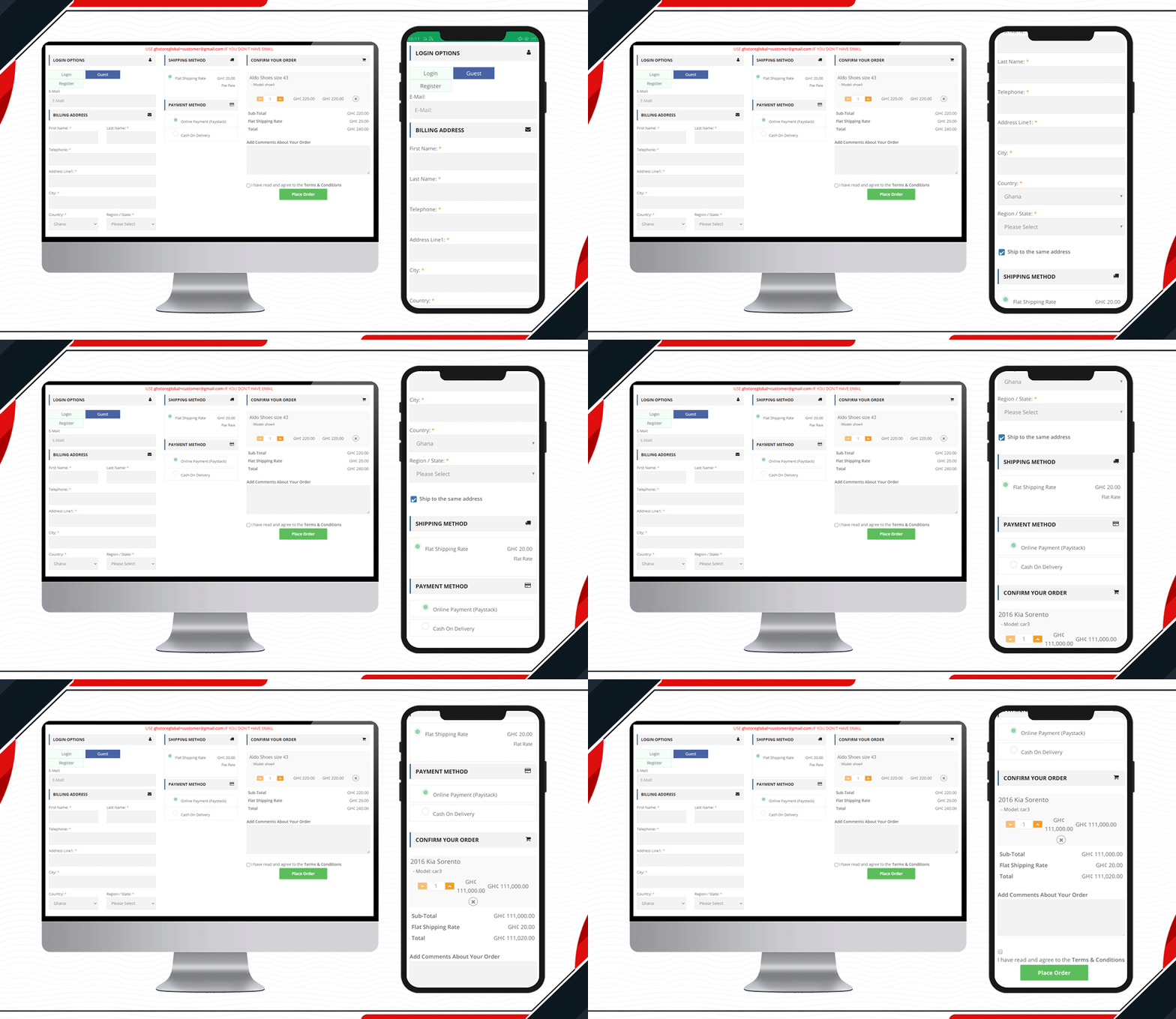
10. Live One Page Checkout on GH Store

Another live example of Knowband’s One Page Checkout is available on the GH Store website. It is a general store where you can find everything that a household requires in everyday routine. They have streamlined the checkout page design by using KnowBand’s One Page Checkout.Ffree

Checkout page elements that every OpenCart owner should look for

  1. Single Page Checkout
  2. Guest checkout
  3. Social login
  4. Cart display section
  5. Custom payment methods
  6. Add Custom Shipping methods
  7. Customizable layout and design
  8. Security badge options

Finally, to get a better understanding of the checkout page design and layout follow this blog.

For OpenCart or any other eCommerce website-related requirements visit the KnowBand store. Several plugins are available that can help you optimize your store from the landing page to the final transaction.