Check out KnowBand’s OpenCart One Page Checkout Plugins in Action

To make the online store more engaging, you need a great checkout page design. Not just the home page needs optimization but the checkout page desires more of it. Online shoppers get pissed with a clumsy design when they have already invested most of their time in finding their favorite product. For OpenCart stores, KnowBand has been developing solutions for a decade. We are presenting some of the best KnowBand’s OpenCart One Page Checkout examples that are live worldwide.

OpenCart One Page Checkout Demo

Why Should you have One Page Checkout?

OpenCart platform leverages several clients worldwide. There are different plugins free or paid that stores use to increase conversions, engagement, design, and other website elements. Many of the stores only focus on home page design, product page design, and shopping cart development and forget to optimize another major part, the checkout page. As a result, they lose conversions on the checkout page leads to shopping cart abandonment.

Hence, it is crucial to add a checkout page that is easy to operate with effortless configuration settings. OpenCart One Page Checkout Extension is solving these problems for many businesses.

Check out these OpenCart One Page Checkout Plugin in Action

If you are here to find out how this exclusive OpenCart One Page Checkout extension works, we won’t make you wait

1.     JM Imports Checkout Page is live
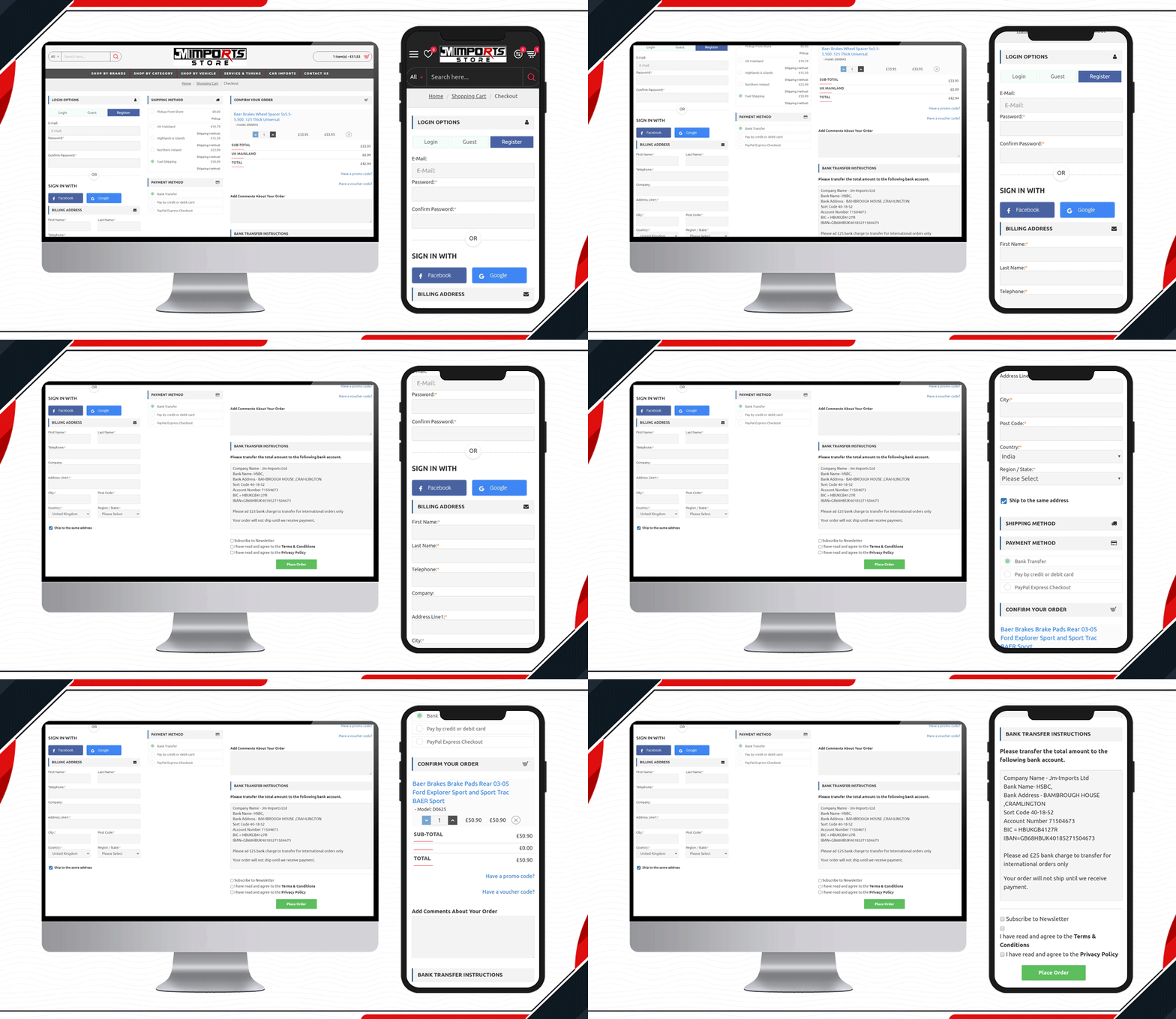
JM Imports is a cart import company in the UK. Their auto-parts selling platform is using KnowBand’s OpenCart One Page Checkout Pro extension. They have been using a 3-column layout that includes a registration column facilitating Facebook login, Google login, and Guest checkout. It has several payment and shipping methods for customers giving them a quick checkout experience.

2.     Check out the MYW Checkout Page
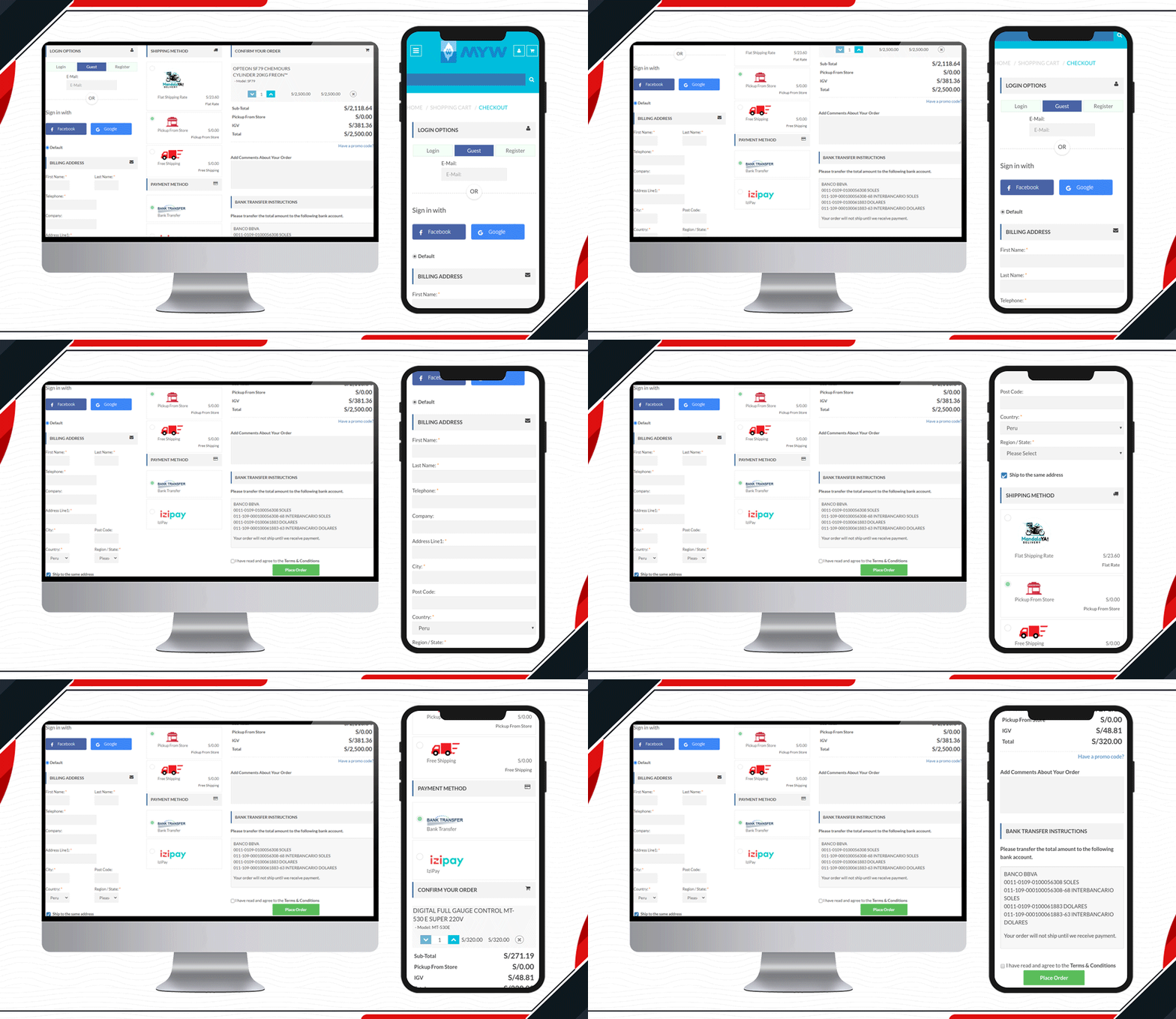
The sole purpose of MYW is to provide a satisfactory shopping experience to their customer from quotation to shipment. To meet their purpose, they have installed KnowBand’s OpenCart One Page Checkout extension for smooth and easy checkout. MYW are the importers for refrigerating products.

The icon display in the shipping methods and shopping cart product image display makes the checkout page appealing.

3.    Placasur is using OpenCart One Page Checkout
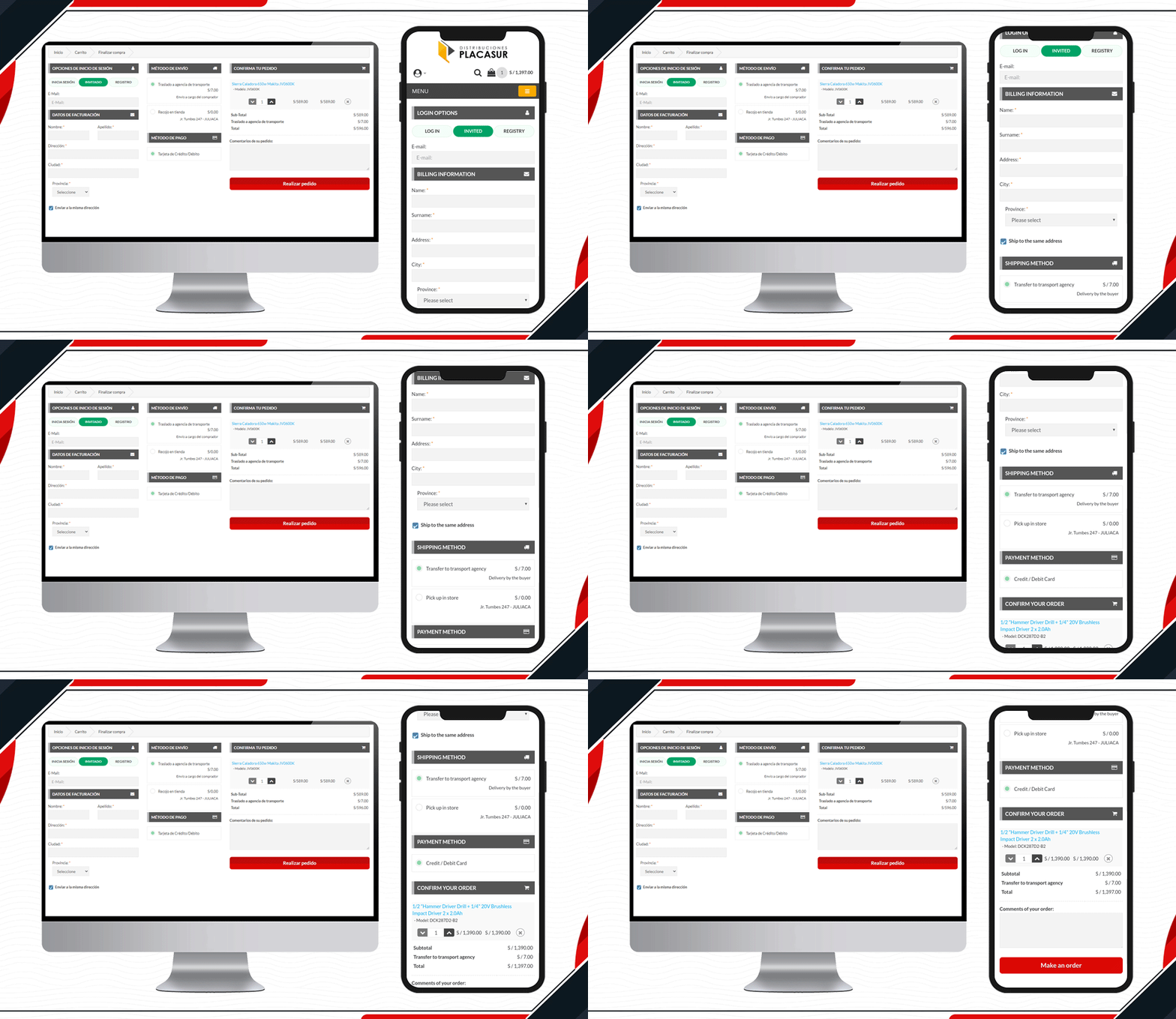
To keep customers engaged, a good checkout practice is removing unnecessary fields. The KnowBand’s OpenCart One Page Checkout Plugin allows users to keep some fields optional that can be skipped by customers. Pleasure has customized its checkout page beautifully. It has limited fields and looks clear and engaging.

4.     Trailer Stuff Checkout page in action
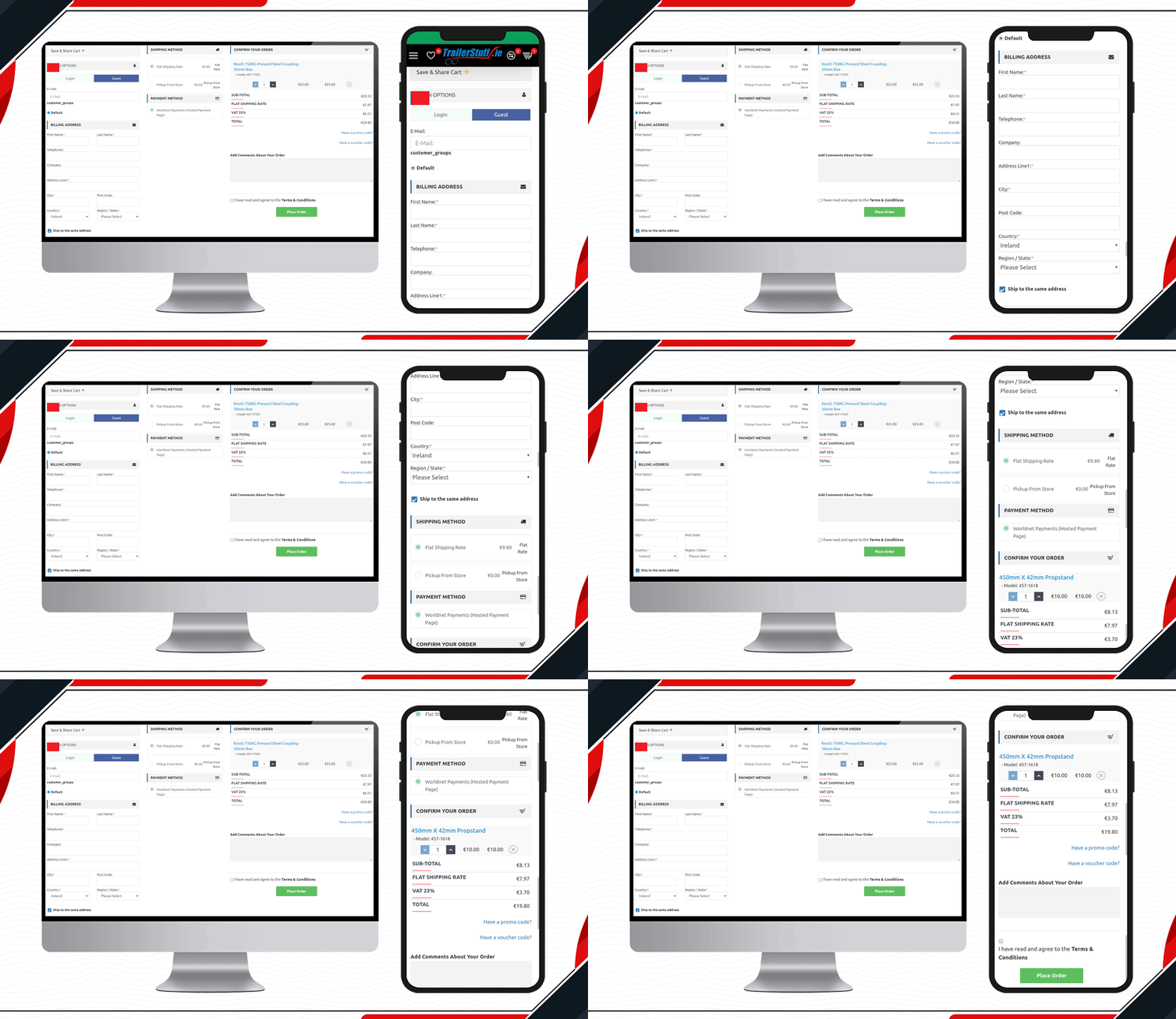
Trailer Stuff delivers products in Ireland. Their shipments require on-time delivery and to make the ordering process smooth, they are using One Page Checkout Extension in their Opencart store. From registration to payment, every field on the checkout page is configured. Moreover, they have also added a save the cart option on the checkout page.

5.     Look at this Yeonhi Checkout Page
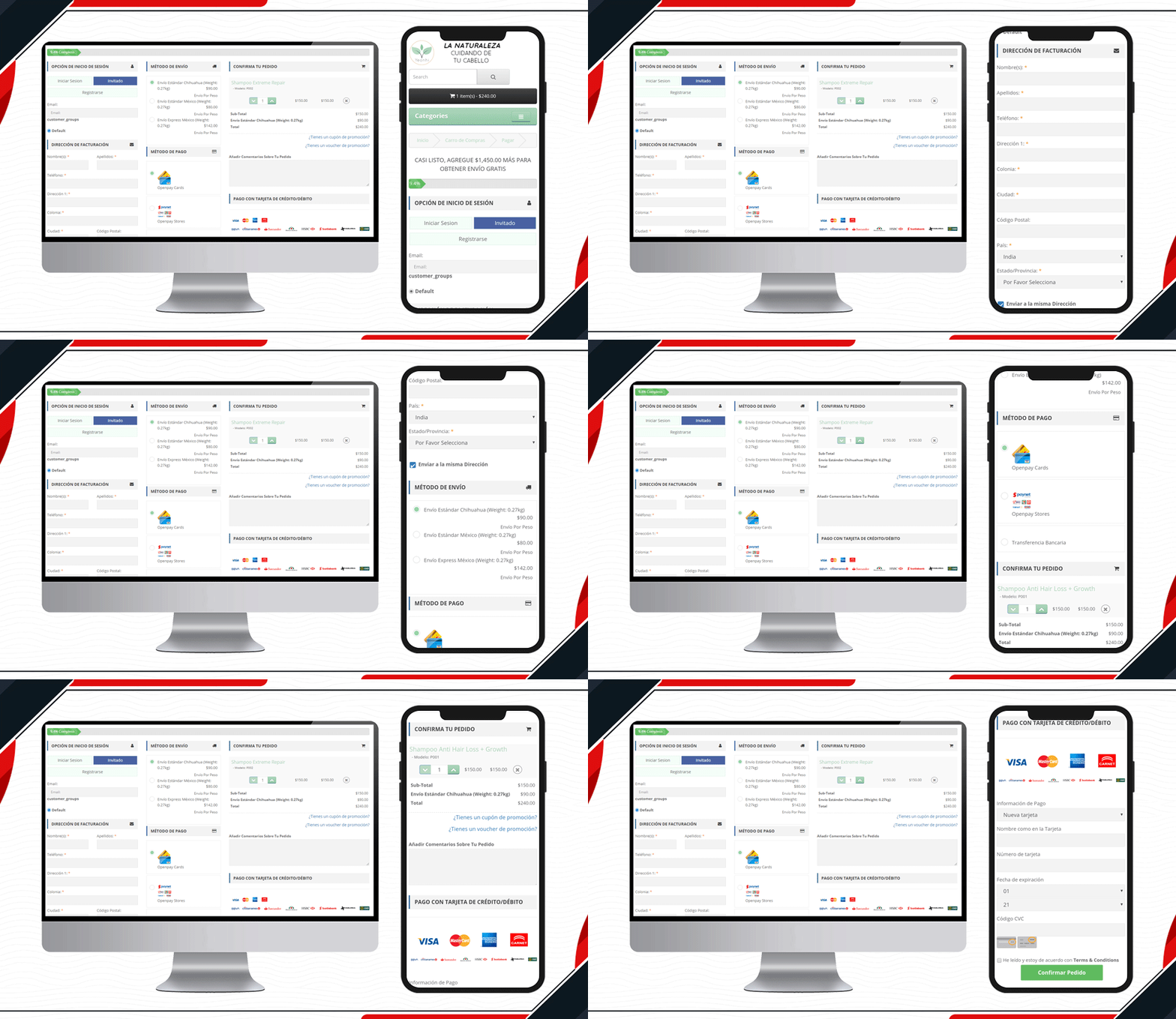
Yeonhi’s checkout page is very sleek with a great design. It appears that the checkout process is simple and quick. They have been using KnowBand’s OpenCart One Page checkout plugin with a shipping bar at the top. This indicates the free shipping progress, which means the customer will get free shipping if the progress bar reaches 100%. Follow these tips to reduce shipping cost.

6.     Custom Made Casino Checkout page
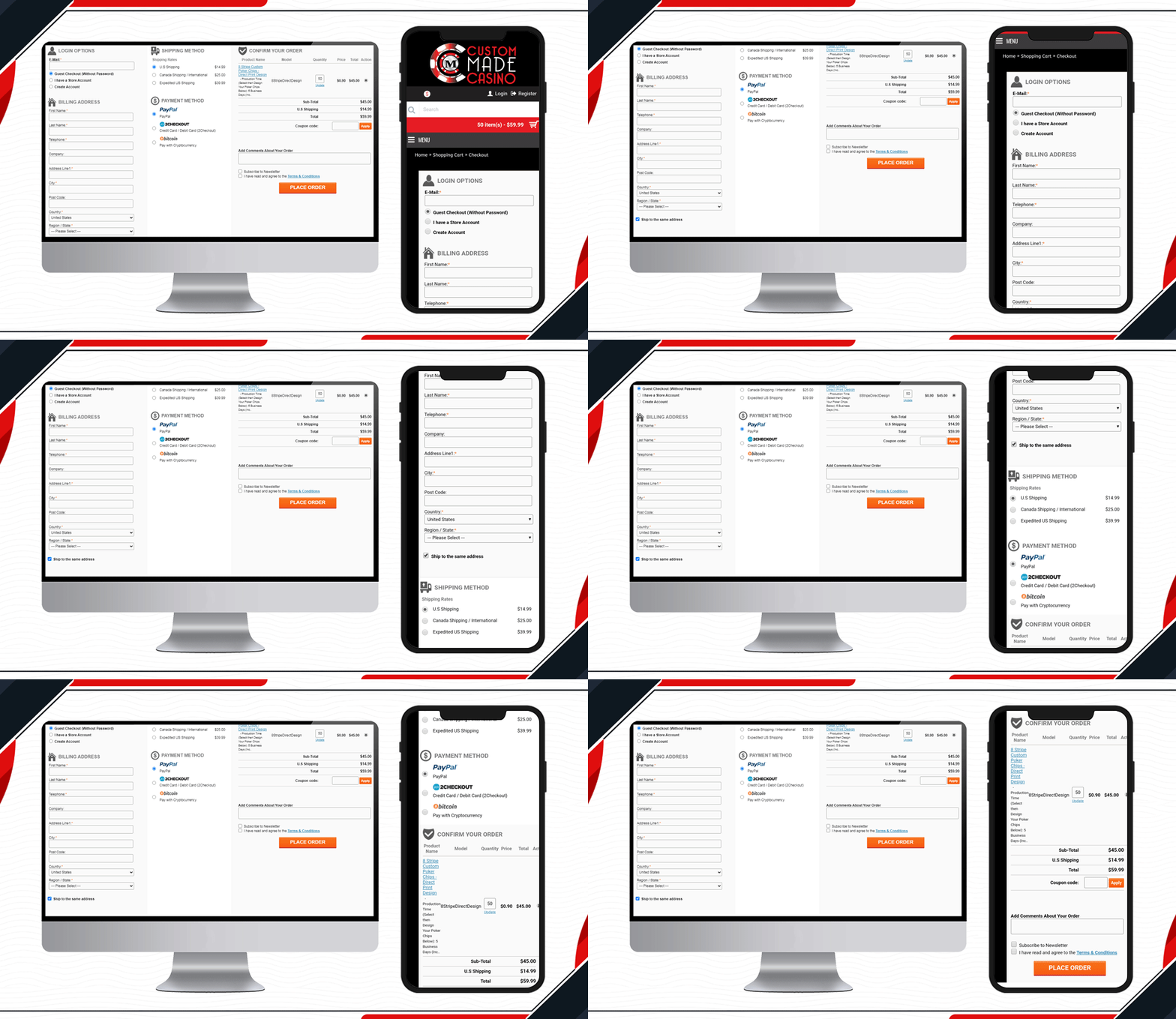
Custom Made Casino website is a treat if you like playing Casino. Let’s not dig much into its services, instead, go straight to its checkout page design. They have been using One Page Checkout on their OpenCart website to make the transactions easy-peasy.

When buying chips in the store, the customer will have to provide printable details like the name that you want on the chips, color, printable font colour, etc. Along with other checkout page elements, you will find all these details on the shopping cart section.

7.     DcmGSM Considered One Page Checkout
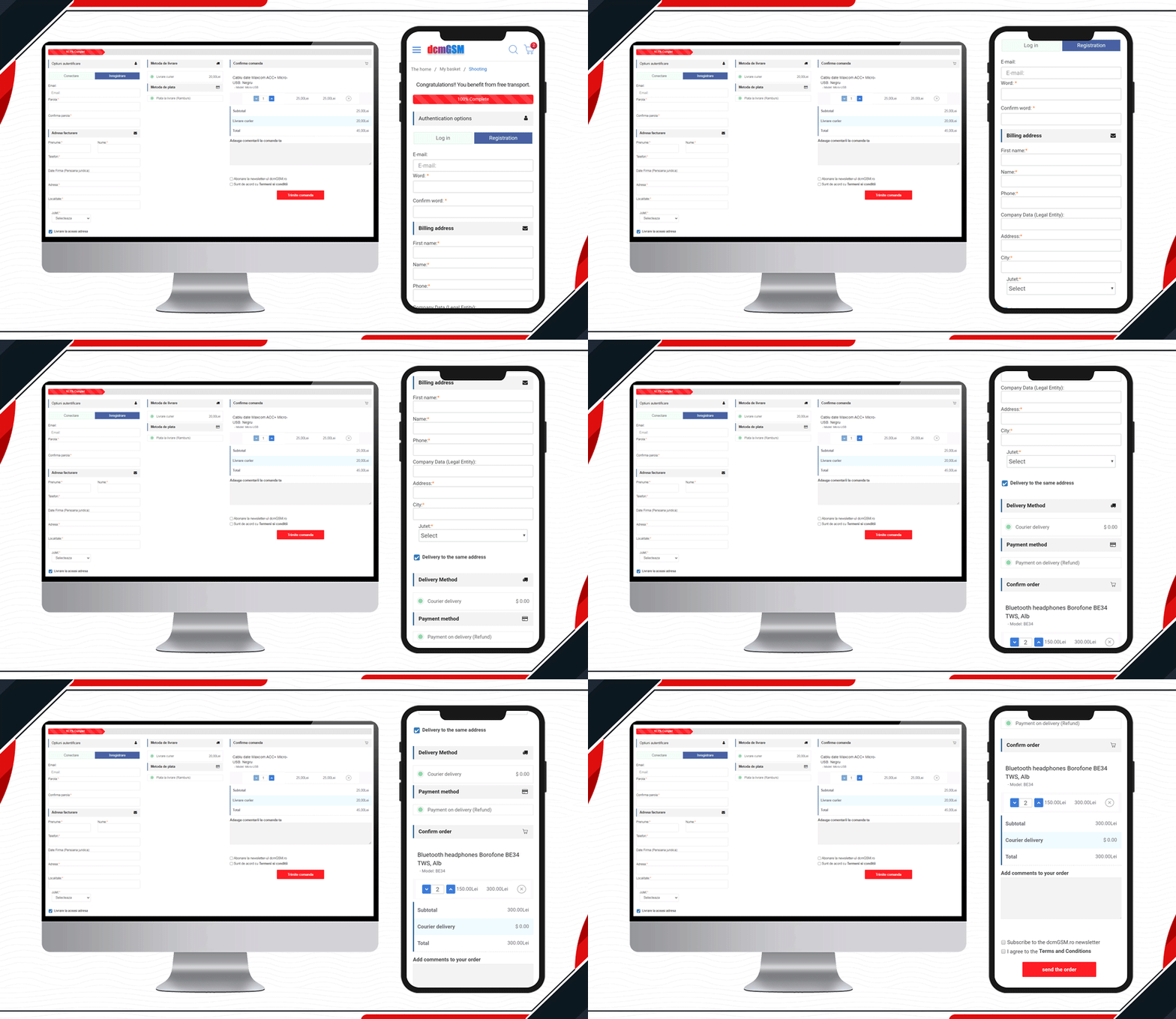
One-stop for any phone accessories.  DcmGSM is a company that provides a solution for all your phone-related gadgets from USB cables to mobile cases. It is an OpenCart website and to provide a wonderful checkout experience, they are using KnowBand’s OpenCart One Page Checkout.

Free shipping bar to Facebook login and optional fields to the extra comment field, all features are used on the website checkout page. Have a look!

8.     Custom made Golf Events Checkout Page
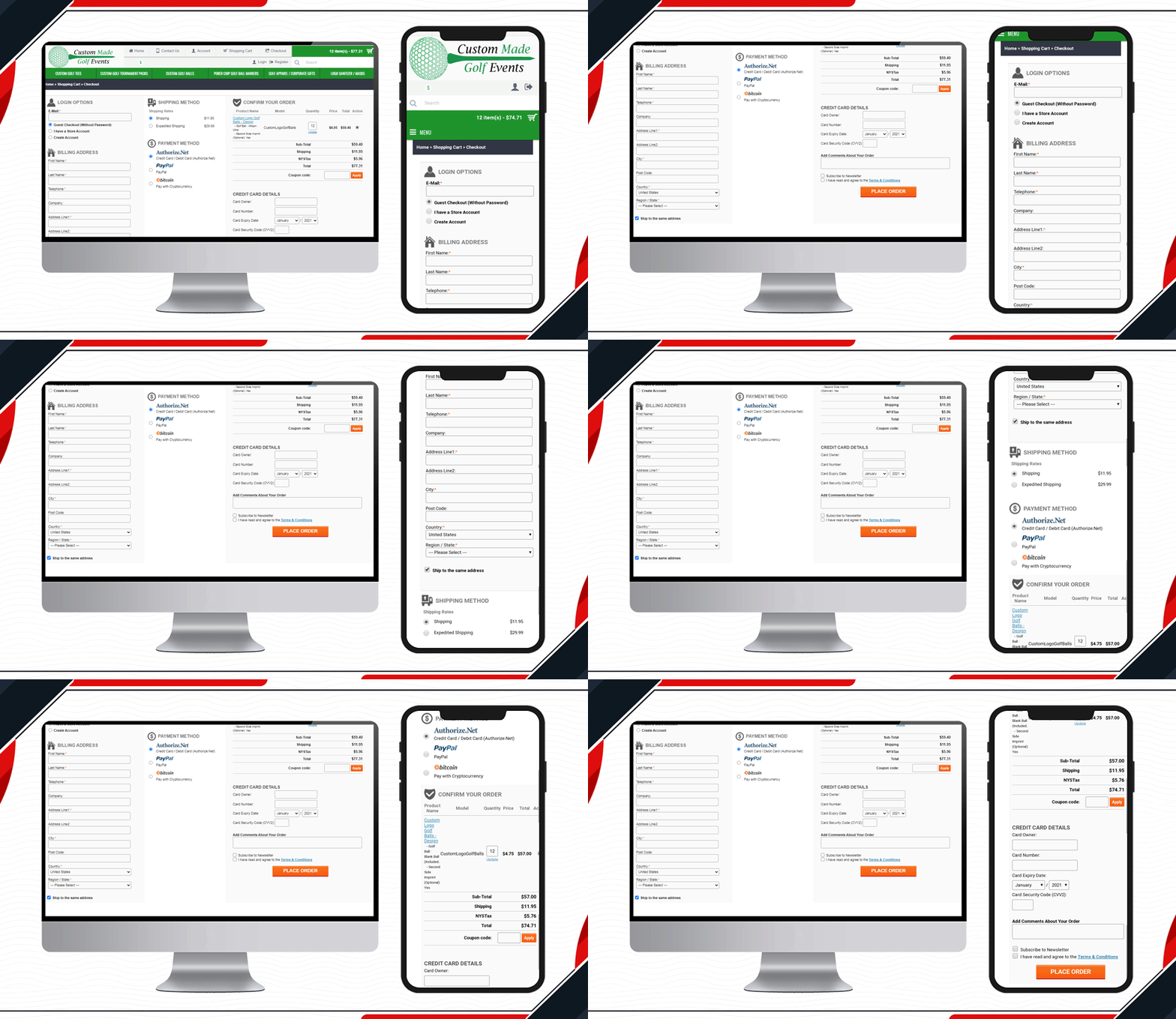
All golf-related items are available on this website. To make the checkout process simpler and quicker for the golf lover, Custom-made Golf Events is using KnowBand’s OpenCart One Page checkout.

9.     Look at Luce Art Shop Checkout Page
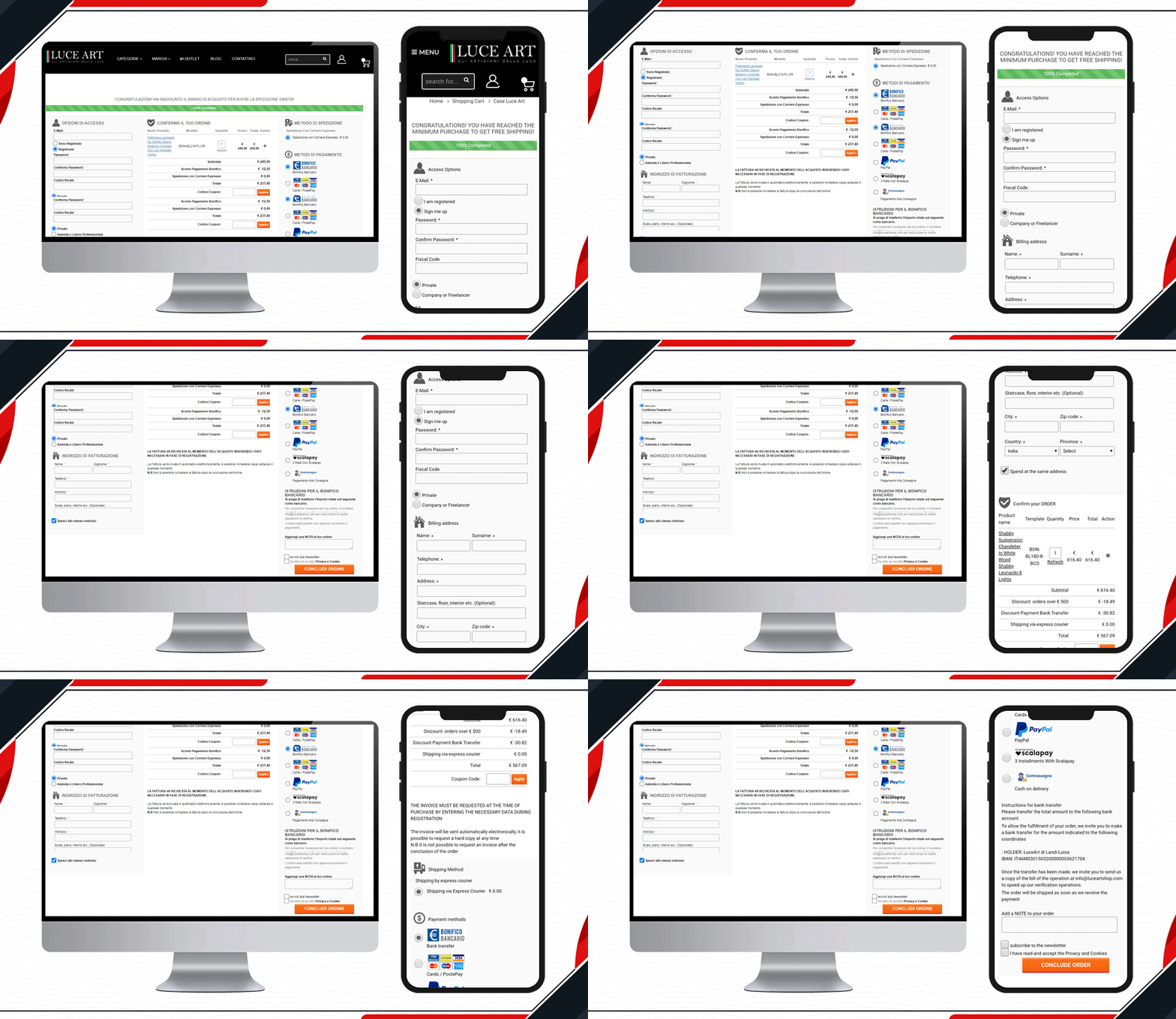
Luce Art is a hub for creative lights. They have been using a single-page checkout for their checkout page. You can see your orders in the shopping cart of the checkout page. It has a free shipping bar, social login, guest checkout, multiple shipping methods, payment gateways, and all the other informative fields clubbed in a single page with a three-column layout.

10. Live One Page Checkout on GH Store
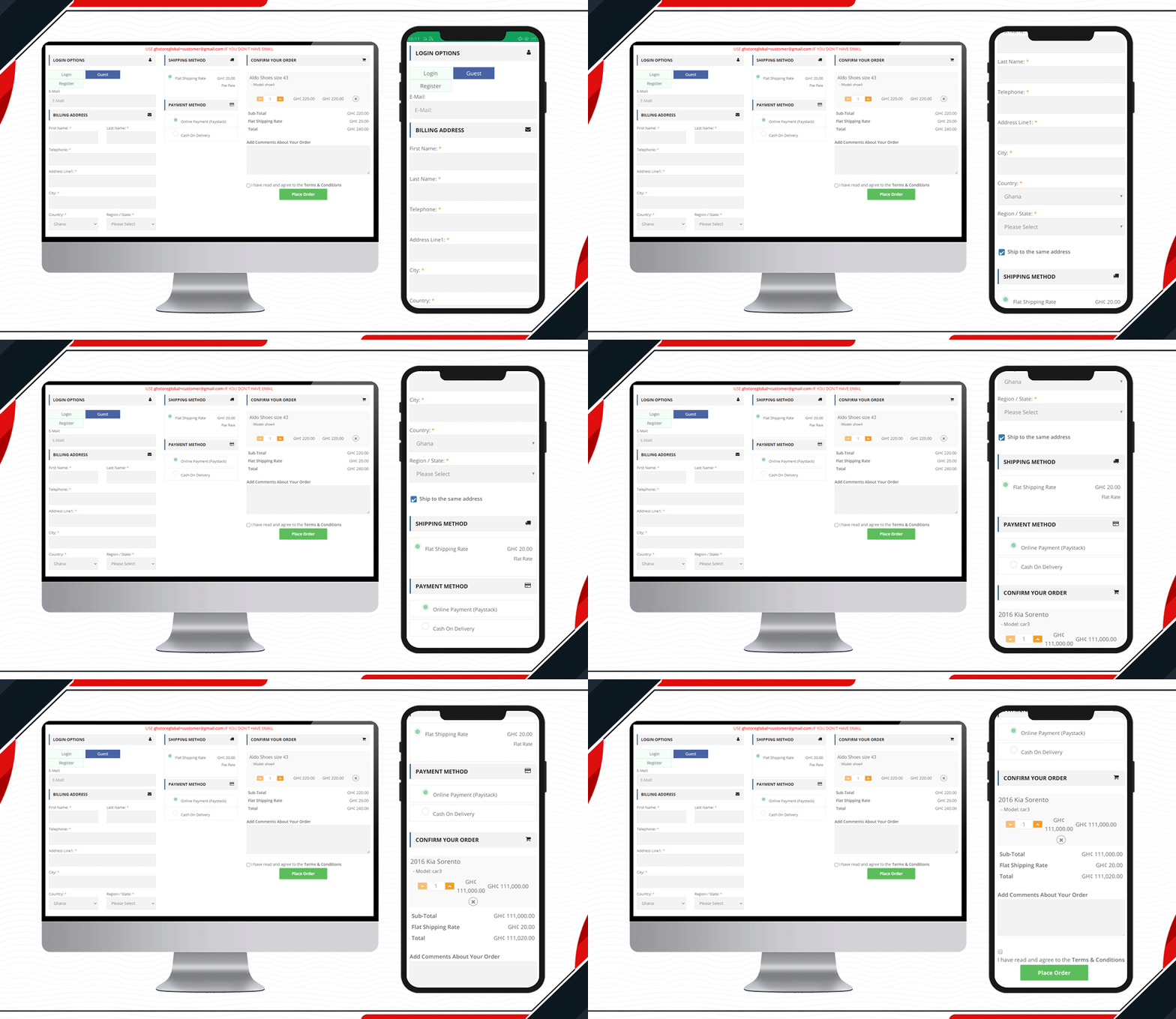
Another live example of Knowband’s One Page Checkout is available on the GH Store website. It is a general store where you can find everything that a household requires in everyday routine. They have streamlined the checkout page design by using KnowBand’s One Page Checkout.Ffree

Checkout page elements that every OpenCart owner should look for

  1. Single Page Checkout
  2. Guest checkout
  3. Social login
  4. Cart display section
  5. Custom payment methods
  6. Add Custom Shipping methods
  7. Customizable layout and design
  8. Security badge options

Finally, to get a better understanding of the checkout page design and layout follow this blog.

For OpenCart or any other eCommerce website-related requirements visit the KnowBand store. Several plugins are available that can help you optimize your store from the landing page to the final transaction.

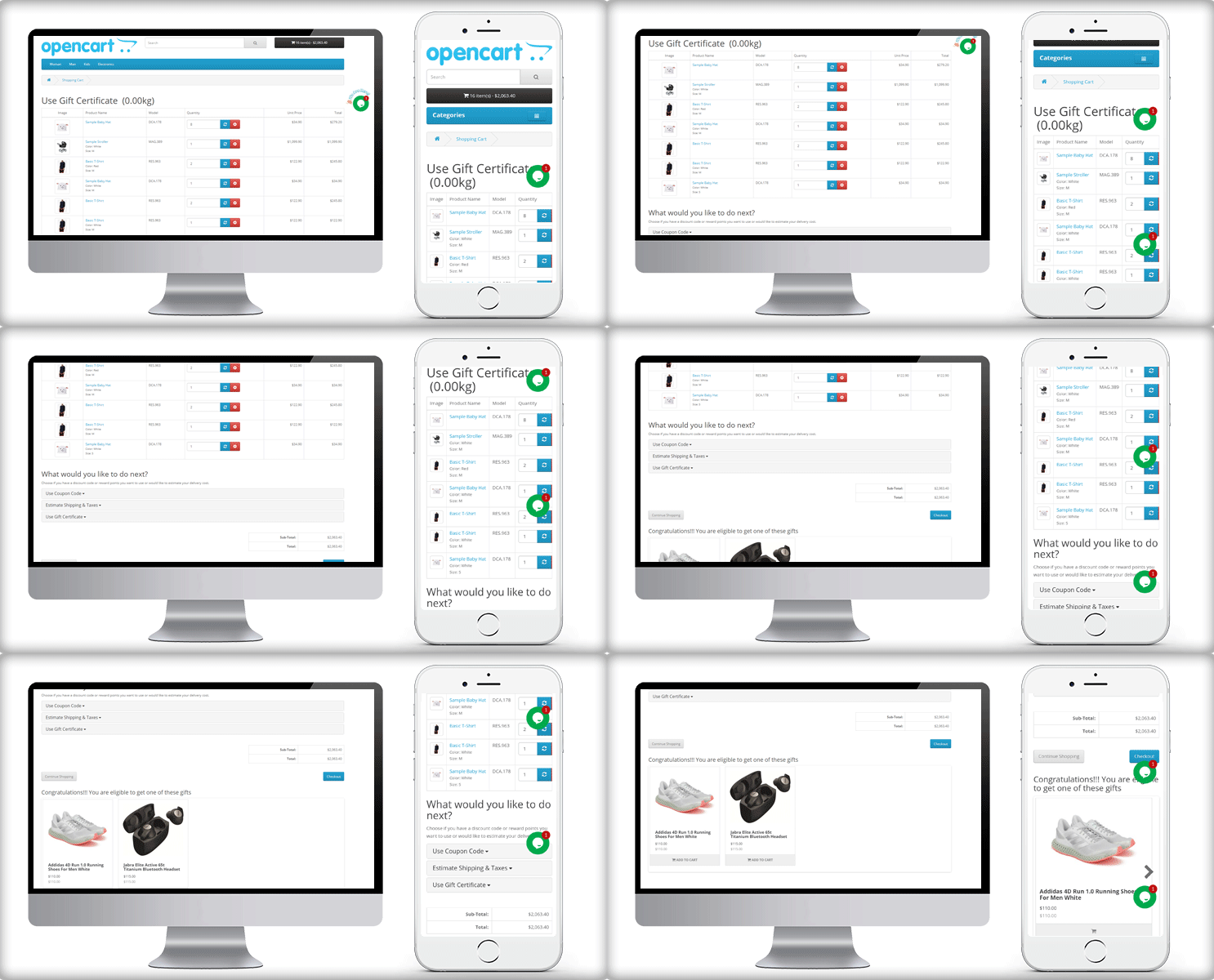
Add Free Product to Cart Extension for OpenCart Store

On your OpenCart store, give customers a free product that they like as a gift when they shop. With the visually powerful ‘OpenCart Add Free Product to Cart’ extension, you can boost your sales rates and make clients feel fortunate. Receiving gifts gives us joy! It builds a relationship between the receiver and the giver. With OpenCart Gift the Product extension, build that connection with your customers. The plugin allows customers to add a free product to their cart when they meet the rules set by the store owner.

How ‘OpenCart Add Free Product to Cart’ extension does works for customers?

On the front end, a customer can see some selective products that they can add to their cart as a free gift.

Is there a free product for everyone? A person who meets the eligibility criteria gets a free product from the store. This can be $X and as the customer makes the purchase more than that amount, he is free to add a product as free gift.

How it will appear in the Shopping Cart and During Checkout?

What are the ways to set the rules?

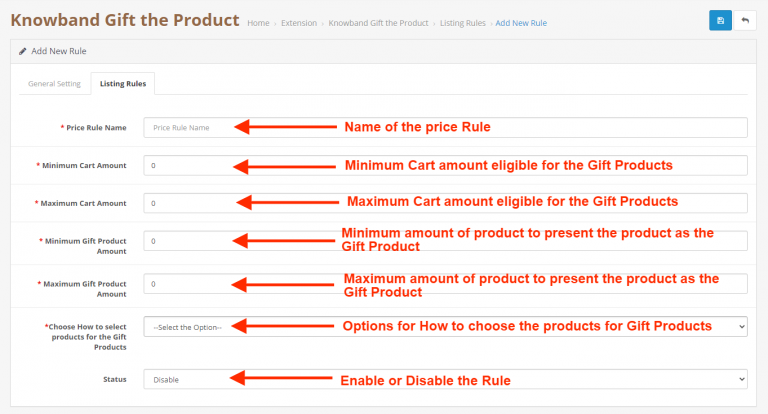
Store admin can define the eligibility criteria for OpenCart Gift the Product extension. Set rules to give free products to the customer.

#Rule1

Add a specific number of products from which the customer will choose the free gift.

#Rule2

Set a minimum cart value above which you want to give them a free product. You can set a maximum value and make multiple rules.

#Rule3

Put minimum and maximum amount for the FREE PRODUCT. The free product block will display products in between that range.

#Rule4

Choose How to select products for the free Products- By category name or specific product name

#Rule5

Select a layout to display the free gift product block on the cart page. There are two layout options in OpenCart Gift the Product extension:

  1. Normal listing products
  2. Sliding listing products

Admin benefits of the Free Gift Extension:

The OpenCart Gift the Product extension has several advantages for the store admin

  1. It is multi-store compatible and supports multiple languages. Any user can access and take the advantage of any browser.
  2. Increases average cart value: By giving free gift products at a certain amount, the average order value increases.
  3. This plugin helps to boost customer engagement by offering a free product with their order.
  4. Admin can specify different price rules to offer different free presents based on the amount of money in the cart.
  5. Give a better appearance and feel with the available layout

Customers adore free products!

  • Customers can choose the free gift product of their choice after their cart value reaches the required threshold.
  • They can add more products to their cart to receive a free gift item of their choice.

Conclusion

A gift-with-purchase plugin is an excellent approach for online businesses to increase their visibility, compete in the crowded e-commerce market, and increase sales. Everyone appreciates freebies, especially if they are useful and genuine. Get your OpenCart Gift the Product module!

This may interest you:

OpenCart Extension to Send Back-In-Stock and Low Stock Alerts

Top 10 Opencart Extensions to Boost Customer Experience

3 Amazing OpenCart Extensions to Expand your Business Miraculously


OpenCart Extension to Send Back-In-Stock and Low Stock Alerts

Ecommerce companies always look for options that can bring more and more sales. Store optimization for speed, engagement, customer acquisition, and retention rates are on the top of the list. To add to this, KnowBand launched a super easy-to-handle OpenCart plugin for Back-in-stock alerts and low stock notifications. The Back in Stock alerts notify customers about the subscribed products when they are available in stock and increase customer retention rate.

OpenCart Back-in-Stock plugin- Unique way to Capture Lost Sales

Does every customer like to receive emails from the eCommerce website? Is it worth sending alerts to all the customers visiting your store? Are your ongoing campaigns working well?

If your answer is ‘No’ for any of the questions asked, you must stick to this article and read further. Let me give you a brief about the plugin and how you can boost sales with this tool

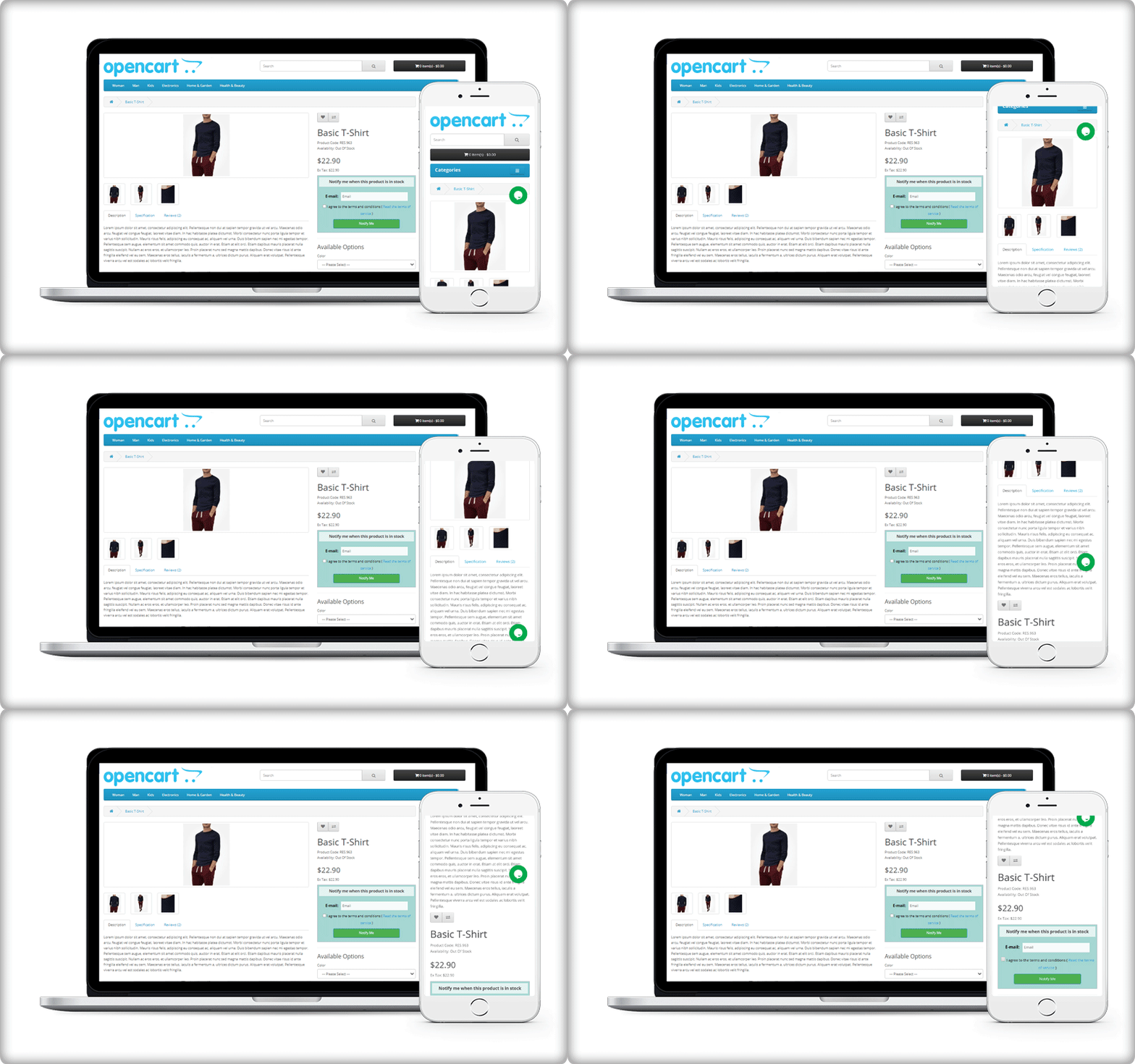
Display a subscription box on the product page

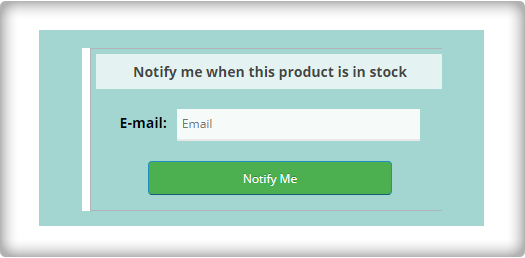
On your website, you must have added pop-ups for email subscriptions to grow your email list. But, it won’t tell you if the customer is interested in any particular product. For this, you can use the OpenCart Back-in-Stock plugin. With this, a customer can subscribe for back-in-stock alerts for a specific product on your OpenCart store.

OpenCart Back-in-stock alert is a 3-in-1 extension. It allows you to send alerts at three different points in time

  • Send initial subscription email: As the customer subscribes to your custom alerts, you can send a customized welcome email with a text that states about the subscribed product.
  • Notify customer with a low-stock alert: If the subscribed product is low in quantity, a low-stock notification will be sent automatically with the OpenCart Back-in-stock plugin.
  • Send an email with ‘Back-in-stock’ custom text: The third email category is Back-in-stock. Make the best use of the OpenCart back-in-stock plugin when the product is again available in your store.

Auto-trigger Low stock and Back-in-stock alerts

Every time you send an email, there are chances that you miss out on some of the other details.

The OpenCart extension for low stock or back-in-stock allows the sender to save the default email templates. The template options are available for all three, the initial email, low-stock email, and the back-in-stock email.

In addition, it has cron functionality that sends your email alerts automatically to subscribers. For instance, set the low-stock alert quantity to 4, it will auto-trigger an email as the quantity reaches 4.

Real-time Analytics for Opencart

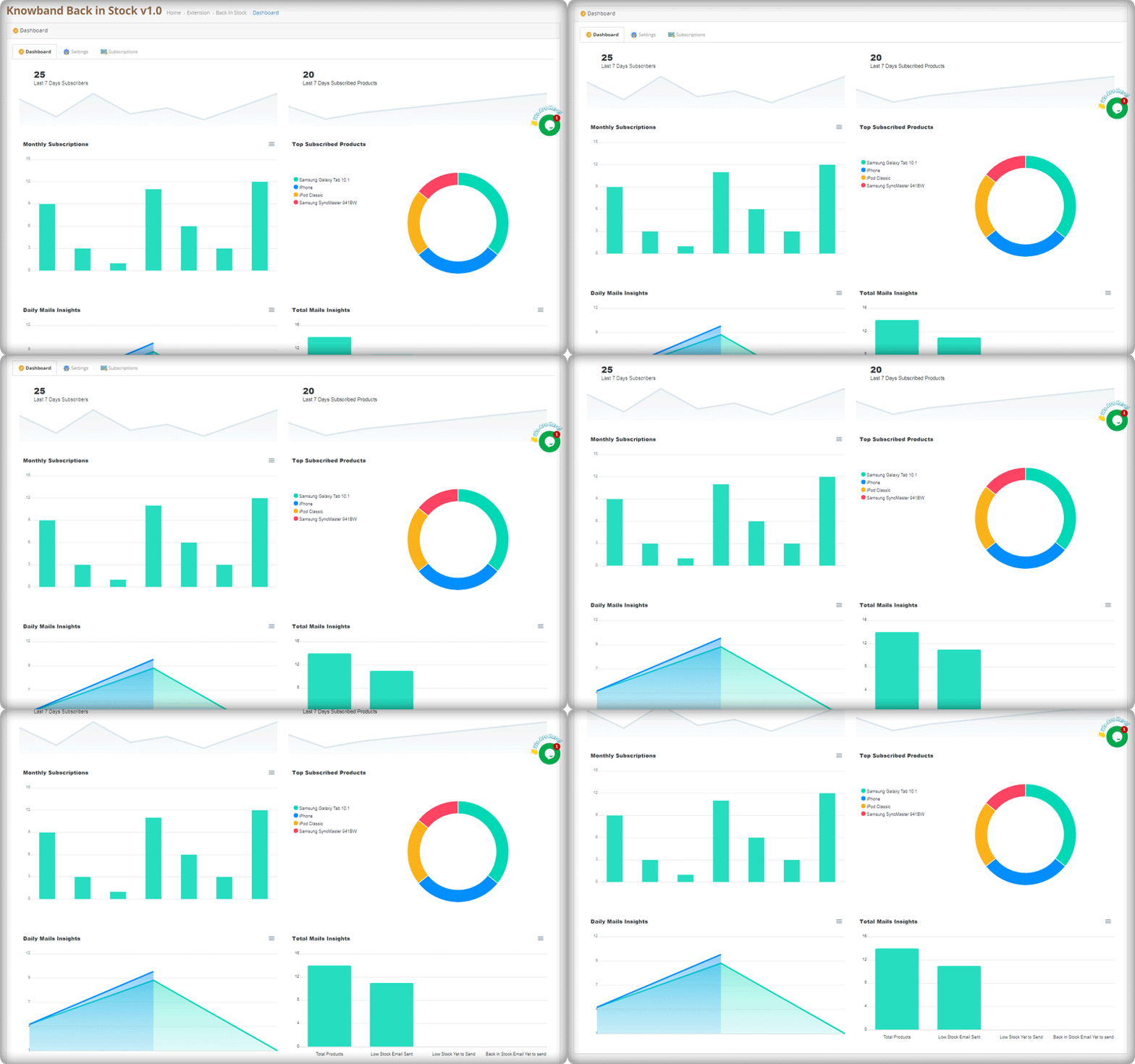
The best part of this extension is its analytical reports. Data gives you an insight into everything.

The graphical reports with pie diagrams display the number of subscribers (weekly), monthly subscription data, number of products subscribed, top subscribed products, and daily reports of the subscriptions.

The OpenCart Back-in-stock plugin gives well-analyzed reports. Anyone with or without an analytics degree can depict the results by looking at those colorful graphs.

Send alerts via your email provider like Mailchimp

Use this as an opportunity to run your email marketing campaign. The MailChimp synchronization with the module will build up your email list. Use this data for every other marketing campaign you run by email. Why just the stock alerts, but you can send welcome emails, discounted emails, abandoned cart alerts, and a lot more. If you haven’t started with email marketing, it’s time to buckle down.

If you have a marketplace on the OpenCart platform, you can use this plugin to never lose a potential customer. Marketplaces have a huge audience base. This is a marketplace guide to create yours on the OpenCart platform with a Multi-vendor vendor marketplace extension.

Conclusion:

This all-in-one email subscription and back-in-stock alert extension is a must-have for every OpenCart eCommerce store. You can send as many alerts as you want! Create customized templates for email and the product page subscription block. Customers won’t miss out on their favorite products and the merchant won’t lose any sales.

If there’s a feature you desire on your OpenCart site, there’s a good chance an Opencart plugin will let you achieve it; if you can’t find one, you can always contact us for custom plugin creation.

Top 10 Opencart Extensions to Boost Customer Experience

Better customer experience can increase customer retention. The sole requirement that every business owner has is that the buyer returns to the site after making a single transaction. Thanks to Knowband! It provides some excellent extensions for your eCommerce store which can enhance customer satisfaction and customer experience.
10 Customer experience solutions for your OpenCart store

I am sharing a compiled list of 10 smart solutions for your eCommerce store that boosts the online shopping experience on your OpenCart store.

1.     Smooth communications with Auto Switch Language And Currency- Opencart Extensions

Communication is what builds the bond between two things or individuals. But, if the language and currency become the barrier, the customer will be unable to shop from your store. Make it a multilingual store with OpenCart Auto Switch Language and Currency extension provided by Knowbandand add some value to the customer experience. Key features of this module include:

  • OpenCart Auto Switch Language and Currency extension automatically change the Language and Currency of the store according to customers geolocation
  • Uses IP address to fetch the customer details like country and region.
  • SSL compatible
  • multi-store compatible and Journal theme compatible

Read: How to Overcome Language and Currency Barriers while Selling (Online) Globally

2.    Customers can select a delivery time

Allowing your customer to choose a delivery time will amend their experience at your store. With the Preferred delivery time extension, users can select the desired delivery date and time on the checkout tab. The store administrator can provide a better customer experience by providing personalized service.

  • Admin can send a push notification or email for delivery details
  • Customer can get the product at their convenience
  • It is a mobile responsive extension

To know more about ‘Preferred delivery time extension’ for the OpenCart store by Knowband, you can visit our store or explore the module features on the OpenCart store.

Read: Tips to Make Delivery Management More Efficient Using Delivery Boy App

3.     Store locator to pick up the order

With the OpenCart Store locator, online users can view the physical store’s location in the shop area. They can now pick the product as per their comfort. This store locator makes it easy for the customer to set their schedule and allows them easy pick-up. Customers can save money on shipping charges.

This Store Locator helps a customer with this new feature of order pick-up. You can add a Store locator to your OpenCart store to enhance the customer experience. After the COVID-19 outbreak, the OpenCart Store locator by Knowband seems to be a good addon for your store.

Read: Buy Online and Pick up In-Store: How Click and Collect can Win Customers and Grow Sales

4.     Reward customers with Loyalty points

Rewards and discounts have an important role to play in attracting consumers and making shopping interesting. Knowband provides Opencart Loyalty Points Extension, which handles the Admin’s reward points scheme. The Extension provides loyalty points for both new and current customers. This increases customer retention. With loyalty points, the admin can earn the trust of the customer.

Who doesn’t want a loyal customer? Knowband store is a one-stop solution for all your eCommerce store issues. With Loyalty points, the Opencart extension by Knowband helps your customer getting a satisfying customer experience.

  • The customers get different reward points based on many conditions set by the admin.
  • The Loyalty points can be offered for Sign-Ups, first-order, etc.
  • Upgrades conversions and customer experience

Read: Benefits of Customer Loyalty Programs for your Online Business

5.     Improve checkout experience with One Page Checkout

Ecommerce stores that have a one-page checkout allow their customers to make fewer clicks than their customers to check out a store that has a multi-page checkout. It seems simpler than multi-step checkout which makes it user-friendly and augments the customer experience.

The concept of a one-page checkout can initially seem easier to complete, as fewer steps will appeal to time-conscious customers. Some key features of One-page checkout by OpenCart are:

  • Saves Customers time with a faster loading speed
  • Improves Conversion rate
  • Appealing appearance of the user interface attracts more customer
  • Comes with social login options

Knowband’s One-page checkout for Opencart is one of the best-sellers as it improves the online shopping experience and conversions. Also, it reduces the abandoned cart rate.

Read: Build Responsive Single Page Checkout for OpenCart in Few Clicks

Get an additional 20% off on the instant purchase of plugins with Code NEW20 on the KnowBand store.

6.     Build Mobile Application for OpenCart website

OpenCart Mobile App Builder by Knowband comes with many distinct features. Its User-friendly interface makes it a must-buy OpenCart extension for your OpenCart store.

Give your customers a better User experience with OpenCart’s Mobile App builder

Read: OpenCart Delivery Boy App and Mobile App Success Story of Lokale Winkels

7.     Allow them to sign in with Social Login

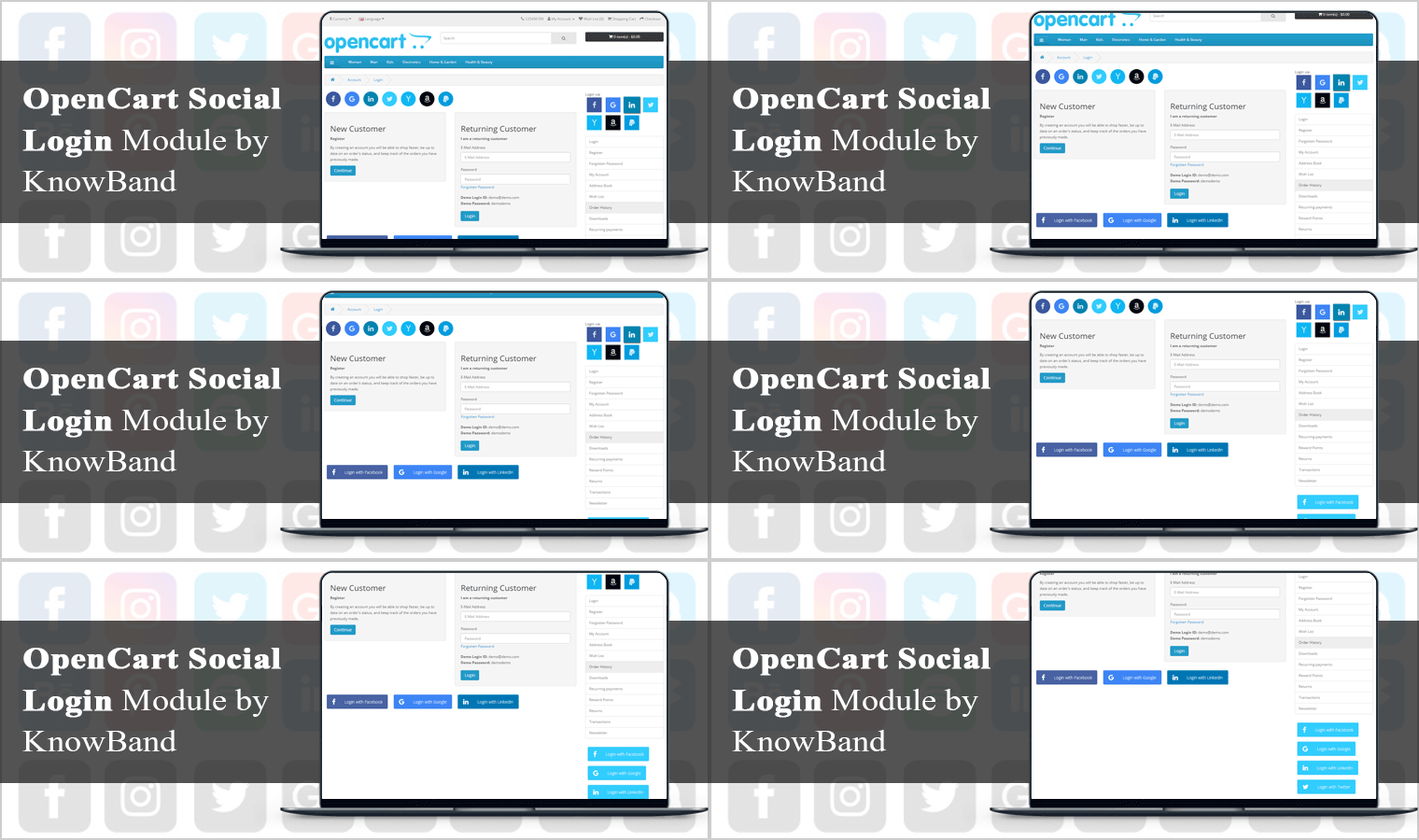
A registration form looks boring and discourages your customer from making the checkout. With social login options, you can now motivate your customer to log in quickly on the OpenCart store. Social Loginizer extension for OpenCart by Knowband comes with 8 different login options including Facebook, Google+, and Twitter.

  • Increases registration with more precise data
  • Decreases fraud or fake logins
  • The data can be utilized in email marketing
  • Its dynamic UI boosts customer experience

Read: Why, What, and How Social Login can Help Grow Your Business?

8.     Customers can Save for Later with Advance Wish List

Advance Wish List / Save for Later – OpenCart Extensions allows users to move the product from cart to wishlist. Sometimes customer changes their mind while shopping and they move their products to the wishlist. This extension allows your customer to do so in just one click. This extension increases customer experience and customer retention.

  • Allows customer to maintain a private wishlist
  • Admin and analyze the product demands with statistical data available on the backend
  • Advance Wish List / Save for Later – OpenCart Extensions by Knowband allows the customer to move their favorite product to the wishlist which they can buy later. This way it increases the customer experience.

Read: What is a Wishlist and Why Wishlist is important for eCommerce?

9.     Easier to find the right fit with Product Size Chart

How can a product size chart be helpful to improve the eCommerce customer experience? Maximum product return is observed in the clothing industry. This takes extra effort and time of the store owner. Stop wasting your time and add this Knowband’s OpenCart Product Size Chart – Extension to your store which can help you create multiple size charts and map them to the product pages. This Opencart product size chart module offers a user-friendly interface

  • It helps you create multiple size charts and map them to the product pages.
  • Store admin can also map the size chart with a Manufacturer.
  • Admin can add images, HTML content, text, and guidelines for supporting the size chart.

A product with perfect fit and quality will give joy to your customers and will jack up the customer experience.

Read: 8 Simple Tips to Reduce Product Returns in eCommerce

10.  Customers feel valued with Better Thank You page

Knowband’s Better Thankyou Page extension for the Opencart store turns your usual order success page into a marketing page where you can show relevant items to consumers along with a discount coupon for their next purchase. The Better thank you page benefits the user and the store merchant in many ways:

  • Encourage Cross-selling on the thank you page
  • Use Thank you page to collect Feedback or you can add promotional banners with greetings.
  • With Knowband’s Better Thank you page, ensure Customer Retention by offering a Coupon Code which will anyway add to the better customer experience.

Also, check out our other OpenCart extensions for your eCommerce store which can help you increase customer retention and customer engagement.

As things are moving in eCommerce, many shopping websites are creating their marketplaces. If you are giving it a thought then OpenCart Marketplace Plugin can be the right choice. It has a separate admin panel and seller dashboards to manage customers, orders, and inventories. Click here to get a better understanding of the features that you should consider before selecting the marketplace plugin.

For any eCommerce solutions, you can always rely on our expert team. Drop us an email at support@knowband.com and our team will get in touch with you right away.

Recommended Reads by the Author:

Best Free Shipping Manager Extension for OpenCart Store

The Opencart Free Shipping Manager module is a feature-rich module that enables online merchants to offer online users free shipping. Conditions and guidelines for the management of free shipping may be enforced by the store merchant.

Shipping costs are the biggest component of the price of your order fulfillment, worse if you sell huge bulky goods. But the thing is the delivery service providers raise their rates every year when you have to keep prices low to remain competitive. As a small businessman, giants like Amazon can afford to subsidize their deliveries, so what do you do to get free shipping? My previous blog on ‘How to reduce shipping cost‘ might help you with this alarming issue.

In this article, I am going to discuss the OpenCart Free Shipping Manager extension that can help you handle the costs in a hassle-free manner. This comes with several benefits that make it an effective tool for shipping management.

Reasons to offer free shipping on your store?

  • Free shipping increases sales
  • It influences customers to add more products to their carts. Hence, increases the average cart value.
  • It reduces cart abandonment rate
  • You get more loyal customers

Free Shipping Manager Extension for OpenCart Store

Customers get encouraged to shop more with a free shipping option on their orders and this module is the top-notch option for that.

#1- Define the minimum amount

You can specify from the back-end configurations the minimum amount a customer needs to shop for if he or she wants to get free shipping on his or her order.

#2- Display the Free Shipping tab on the home screen

The online users will display a free-shipping block on the cart summary tab.

#3- Set the minimum order quantity and weight

Offering free shipping to the customer increase sales and decrease cart abandonment rate.The Opencart Free Shipping Manager plugin enables administrators to set the minimum order quantity and weight for free shipping.

Similarly, if the customer wants to enjoy the free shipping benefit, you can specify the weight that must be looked at.

#4- Location filters to offer free shipping

Free shipping greatly increases the probability of conversion and lets you increase your average order value as well. For specific countries, the extension also allows you to disable the free shipping facility.

#5- Allows you to define rules and guidelines

OpenCart Free Shipping Manager only allows you to offer free shipping to customers if they meet the back-end eligibility criteria set by you.

Conclusion:

Your company needs to pick the right shipping extension. If you do not adopt the right strategy at the right time in the right condition, your customers will be driven away easily and might go to the competitors. I am sure that doesn’t sound good.

Get the Free Shipping Manager extension for your OpenCart store today and entice your customers by offering free shipping.

We hope that the above information about shipping software has helped you to easily select the best one for your company.

Check Free Shipping Manager Extension Demo:

Admin Demo: Click Here

Front Demo: Click Here

Build Responsive Single Page Checkout for OpenCart in Few Clicks

Various statistics and practices suggest that it is not convenient to order on the OpenCart platform. Extra clicks and steps to order the products just make the ordering process harder. Most customers would give up their items in a shopping cart and leave your web. This adversely affects the conversion rate of your online shop.

To solve this dilemma, the “KnowBand” team of developers has built an excellent One Page Checkout module. This module offers versatile features and has a strong device setup. With only a few taps, you can simplify the checkout registration page to only 1-3 fields, or render it as you need to consider the module’s capabilities.

This responsive checkout module is one of the modules that any store should have to thrive and not lose its customers.

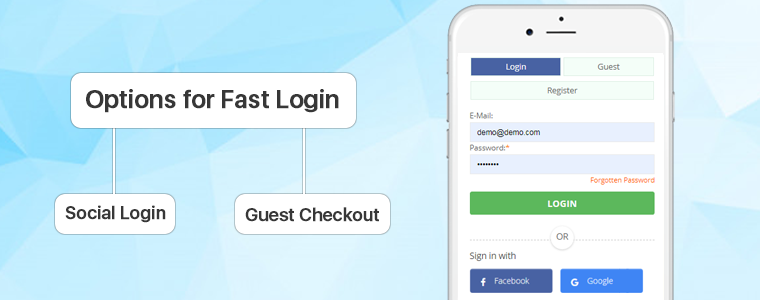
Options for Fast Login

A long registration form is a key reason behind the abandonment of the cart. But with One Page Checkout, users can register in a few easy steps.

Social Login: Fast Checkout allows users to log in via their Facebook, Google or PayPal accounts via a social login feature. These login options save a lot of time that could have been spent on a lengthy registration process. It enhances the experience of the customer and increases the number of registrations.

Guest Checkout: One Page Fast Checkout Module, let users check out as a guest if they don’t feel comfortable logging in. Social login, on the other hand, improves user engagement and offers up-to-date customer information.

Autofill Address and Auto-detection Country

This alluring feature of a one-page checkout module makes it a good choice as it extracts the address from existing data in your Google browser and auto-detects the customer’s country using a geolocation integration function. It decreases the time for the address to be filled.
The layout of the Checkout Page

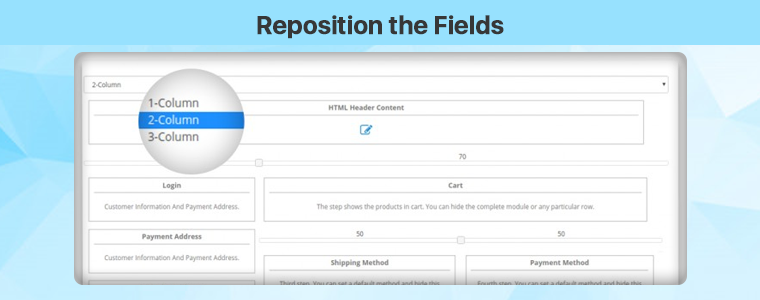
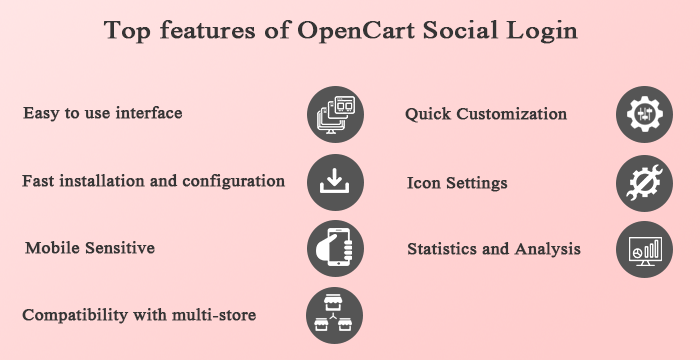
The responsive One Page Checkout Extension for OpenCartallows the store administrator to pick the Interface Template for the Checkout Page. The admin may choose the 1-Column, 2-Column, or 3-Column layout for the checkout tab. The admin will determine the width of the columns to optimize the checkout page.

Reposition the Fields

The OpenCart Checkout page layout has this special option of drag and drop. You can place any field on any column by dragging it. It is simple to reposition the fields with this module and you can customize the layout look.

Reduction of Entries

Fast Single Page Checkout is a compacted version of a multi-step checkout with a reduced number of entries. A one-page checkout module with minimal mandatory fields and no additional data input options. Any of the areas could be left optional to minimize time.

Email Integration

The OpenCart Fast Checkout Module provides integration with MailChimp, Klaviyo, and SendinBlue that enables you to automatically synchronize the database of your users with your accounts without any manual effort.

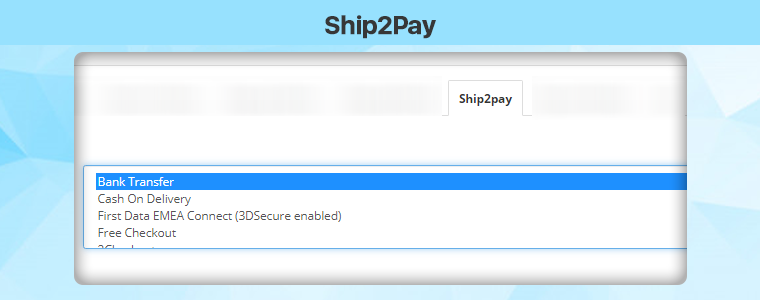
Ship2Pay

The OpenCart Simplified Checkout module provides the Ship2Pay functionality, which allows the store owner to map unique payment methods using selected delivery methods. It hides all other payment methods when choosing a specific method of delivery and displays only those payment methods which are mapped to the chosen method of delivery to the customer.

Free shipping bars

Offering free shipping has many advantages, such as improved sales and increased average order for carts. It allows more consumers to buy as many users have quit the cart due to additional shipping charges. A free shipping bar will be shown at the top of the eligibility list. It allows consumers to buy more to get a free shipping deal.

Responsive Single Page Checkout

Responsive checkout page helps to increase the conversion rate & also improves the user experience on mobile devices. The Single Page Checkout extension for  OpenCart is mobile responsive.

Conclusion: A long and bulky type of checkout is one of the key reasons for the abandonment of a shopping cart. When a shopper is on the checkout tab, the process needs to be finished as quickly as possible. The longer you get your customers to sit down, the higher the chances of leaving the cart. The KnowBand developer team offers you an excellent solution for your business: a module that every OpenCart web store requires. Don’t waste time – just buy the smart and responsive One Page Checkout module and evaluate all its benefits.

Get Single Page Checkout Extension for your OpenCart store: https://www.knowband.com/opencart-one-supercheckout-pro

This extension is also available at the Official OpenCart Marketplace: https://www.opencart.com/index.php?route=marketplace/extension/info&extension_id=15353

3 Amazing OpenCart Extensions to Expand your Business Miraculously

You are undoubtedly harnessing the power of the Internet to run, manage and market your company, whether you are a new startup or an existing business. It makes it possible for you to spend more of your time and energy on development by simplifying and streamlining those aspects.

A business requires a large audience, superior customer experience, and of course a system that eliminated their extra efforts while shopping. If you are looking for the best way to stand out, here are three extensions for the OpenCart store that you can consider using that will help you expand your company online.

1. Transform your website into a Multi-Vendor marketplace

Are your visitors not converting? Suspecting a higher bounce rate on your OpenCart store? You can think about selling on different marketplaces or you can transform your OpenCart website into a multi-vendor marketplace. Marketplace sales of goods can be highly profitable for brands and online sellers.

It’s quick to set up an account and you get immediate (theoretical) access to large numbers of prospective clients. The marketplace offers several products over one platform and that attracts customers as well as sellers.

Convert your store into an OpenCart Marketplace just like the one designed for handloom and handicraft products: ‘The Central Cottage Industries Emporium’ and take your business to new heights.

2. Start selling customized products in your store

Customized products are not new to the market, but as more and more businesses incorporate personalized features in their products, they are adding an extra advantage.

People prefer to find something distinct. To create perfect personalization at all times, use the software, and do unique and innovative things, such as implementing new informative fonts and colors.

Bear in mind that not all consumers want the same things. Customer satisfaction is naturally improved by the opportunity to tailor or personalize their experience or product.

Get innovative, and always search for ways to increase the experience of the brand for each of your clients or customers.

3. Offer booking and rental services on your OpenCart store

You can start with this too! Renting things is not new. Start with products like furniture, costumes, or anything that can be rented. You can even rent cars, bikes, and apartments by using Rental software developed for the OpenCart store.

Booking for the hotel room, making a table reservation at restaurants, or book an appointment with the dentist, all can be done with one tool.  Terms and conditions and discount settings can be added by the eCommerce shop retailer. The Booking and Rental Extension for OpenCart provide dynamic pricing features as well.

Have a look at the demo store of the OpenCart Booking and Rental system.

Conclusion:

I have listed these three extensions because all these services are needed for providing a personalized shopping experience to your customers. After the COVID-19 outbreak, businesses are on the verge of dying and these extensions can save your eCommerce business. Also, if you are already making enough money from your OpenCart store then adding these extensions will help you expand your business.

Recommended Reads:

6 Creative Easter Marketing Ideas for your OpenCart store

Easter is a holiday that encourages people to unwind and enjoy themselves, but it’s also a perfect time to get your company in front of current and prospective customers by using seasonal promotions. Why is it important for eCommerce marketers to come up with “egg-cellent” Easter marketing concepts? It’s that fast. Easter has grown into one of the year’s most profitable shopping holidays. But what about Easter marketing ideas for online shopping? Don’t worry, we’ve got you covered.

Here are some eCommerce Easter marketing ideas for OpenCart stores that are looking for some last-minute promotional tactics to bring your business to be front of mind to existing and new customers.

  1. Add Gamification to keep them engaged

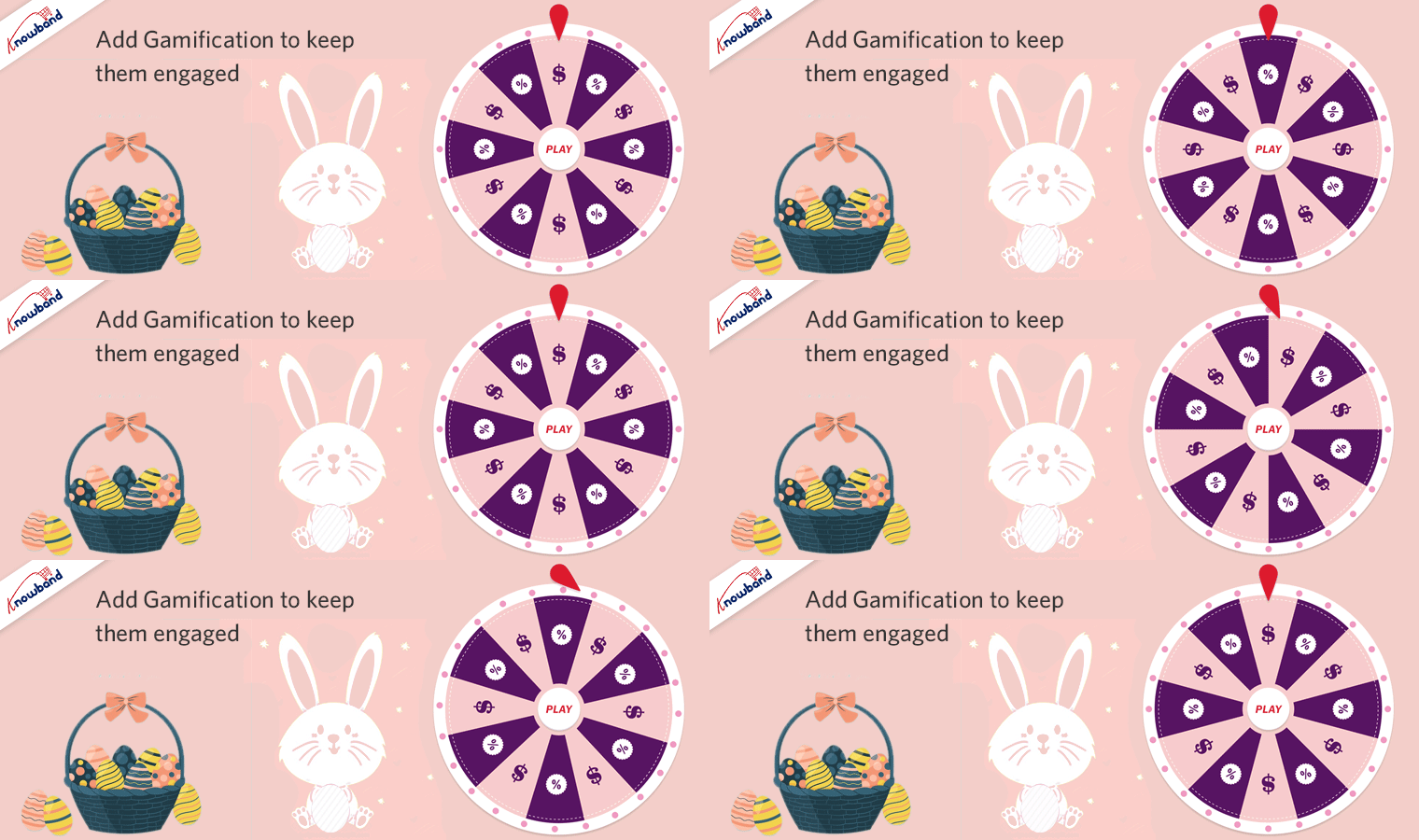
Gamification is a fun element used in every aspect of business and digital media. Using Gamification for your Easter marketing campaign will increase the average spend time of the user on your OpenCart store.

Give your home page a new look with gamified Easter-themed Spin and Win Lucky Wheel. It can be customized by changing colors and adding different promotional deals on each slice. Customers get motivated with the catchy text and the result, the final reward that keeps them encouraged to take the chance.

Another Gamified element that can be used for Easter marketing is Scratch Coupons. Scratch cards create suspense and scratching them virtually engages the user for longer. You can put some egg-themed scratch cards on your OpenCart store and ask users to find them. Yes, an Egg hunt!

  1. Sell Eggs-clusive Custom Designed Products

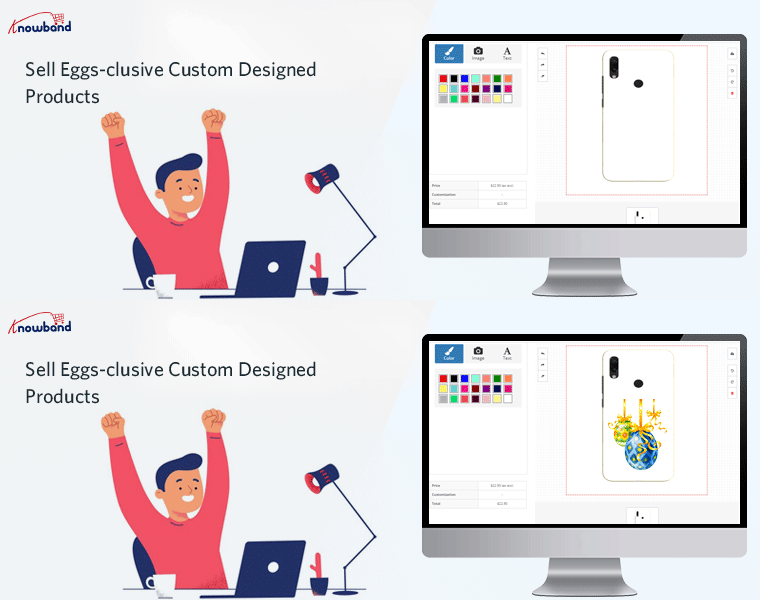
To benefit from Easter marketing, you don’t need a big marketing budget; simply start small and expand. If you are selling products like clothing, gift items, or anything that can be customized, turn it into an opportunity. Start your Print-and-sell business and design custom products. For instance, a bunny printed coffee mug can be a good option to start with.

  1. Personalized Easter special Gift Cards for Loved Once

Every customer is your main and in 2021, giving personalization is in trend. The next Easter marketing idea is to enhance the personalized user experience of existing customers, bring new customers, and boost sales. Giving eggs during Easter is a way for Christians to celebrate new life. Offer personalized egg-themed Gift Cards on your OpenCard store and let them have the joy of giving.

  1. Use ‘Facebook Share and Win’

This isn’t a new marketing idea but you should definitely include ‘Facebook Share and Win’ in your Easter marketing plan. For your OpenCart store, a customer can share your products with their friends and family on their Facebook page. You can reward them with deals and discounts on every share they do. This Easter marketing idea accomplishes a lot with one share.

  1. Send emails with eggs-citing deals

Set the tone for your advertising campaign by using Easter-themed marketing materials and giving your company an Easter feel. Using a creative Easter-y subject line with a perfectly tailored email can force your customers to click on the email notification. Emails are one of the most competitive marketing channels but to stand out, you have to go out of the box. OpenCart Follow-up emails can help you with this.
6. Use Coupons to boost sales

Don’t be afraid to run an Easter marketing campaign to entice potential buyers to purchase from you. Generate coupon for your Brand, for a specific customer, on a particular Payment Method, or on a Shipping Method, etc. through OpenCart coupon code generator extension. Customers can take advantage of a variety of discounts and shop as much as they want. The coupon code can be easily applied on the checkout page that enhances the shopping experience for customers.
Finally, with that in mind, you’ll need to time your Easter marketing plan perfectly, just like the perfect egg. To inspire consumers to buy your goods and services, plan ahead and revisit your marketing strategy. We’ve talked about some fantastic Easter marketing ideas to get you thinking. Now it’s up to you to build and ride your brand’s sugar high with your own innovative marketing strategy! Get to work.

Support:

For any eCommerce assistance, contact KnowBand at support@knowband.com. Our experts will help you with your issues.

Looking for more business marketing ideas?

  1. Last Minute Easter Marketing Campaign Ideas for 2021
  2. Ecommerce Marketing Calendar 2021
  3. 10 of the Best eCommerce Marketing Ideas to Jump-Start Your 2021
  4. 20 E-commerce Marketing Strategies for Beginners

How to Automate the Coupon Discount for your OpenCart Store

Certainly, coupons are an enticing way to maximize volume and revenue. It can easily build your customer data and temporarily improve your conversion rates by integrating them into your marketing mix. Although there is no real substitute for offering quality goods and reasonable pricing, when the market heats up or customer expectation determines it, coupons do a great job supporting those efforts. To automate the coupon discounts on your OpenCart store, you can add ‘Sales Coupon Enhancer – OpenCart Extensions’ developed by KnowBand.

Coupons and discounts enhance sales by increasing conversions. Let’s explore the functionalities and learn how to use coupons to create discounts on the OpenCart store.

Discount Coupon Sales Enhancer – OpenCart Extensions

In creating coupon code, the sales coupon enhancer plugin offers admin all the options he ever wanted. It has several helpful features that are not available by default in OpenCart.

The OpenCart Sales Enhancer Extension makes it possible for the store administrator to create several coupons based on different categories. Through the OpenCart coupon code generator extension, store admin can generate coupons for a particular brand, client, payment method, shipping methods, etc.

This OpenCart Extension gives the administrator the ability to display all coupons produced without any trouble. The store administrator will set the coupon code rules and create random coupon codes through the OpenCart coupon code generator.

It allows setting conditions to apply to the coupon at the checkout page. One Page Checkout extension has a field for coupon code entry and the Coupon Code Enhancer is compatible with One Page Checkout.

Key features of OpenCart Sales Coupon Enhancer

Create Coupon Codes

You can create several coupon codes for customer groups, shipping methods, and payment methods using the OpenCart promotional vouchers. For instance, choose XYZ bank payment and avail a 10% discount’

Set Coupon Code Validity Rules

The number of rules to validate the coupon code can be applied through the OpenCart coupon generator will be defined by the store manager.

Generate random coupons with OpenCart coupon code generator

The OpenCart coupon code generator extension has a choice for generating random coupon codes, or you can enter your own code as well. Like for Christmas, the coupon code be SANTA25′

Create Code for Categories and Brands

The OpenCart sales coupon enhancer gives you the option of creating coupon codes specifically for a brand, category, consumer, shipping method, payment method, etc.

Compatibility

The OpenCart coupon code generator extension is compatible with Multi-Store. The default coupon code scheme does not interfere with the OpenCart coupon code generator extension.
Detailed Data Reports

OpenCart coupon generator gives you various reports to give you a glance over the coupon used orders and who did not use coupon codes while placing the orders.

 The difference in the default coupon creation and coupon creation from the module:


Some benefits of offering Coupon Code discounts:

It has a fantastic interface that helps clients to quickly access and understands where code can be applied.

Easy to create coupon codes: Generate coupon codes for every occasion and event. Like on a particular product, category, shipping method, specific payment gateway, etc.

Apply rules: Apply rules based on products, cart quantity, type, etc., and configure your coupons with the OpenCart coupon code generator extension accordingly.

Fully customizable: The extension of the OpenCart coupon code generator can be completely modified from the backend.

Increase sales: 96% of consumers use coupons when making an order, which will increase the web store’s sales.

Display Reports: You can easily view reports and statistics of the total coupons generated and the number of coupons discounted. With the support of OpenCart coupon code generator extension graphs, you can also view the orders that used coupon codes and which did not use them.

Wrap-up: The coupon code extension can be easily applied to any of the OpenCart stores and is compatible with the journal theme. The coupon code generator extension is super easy to install and configure. Adding coupon codes The OpenCart coupon generator gives you free support and free updates for the future. KnowBand provides free installation of the OpenCart coupon generator.

Recommended Reads: