How to Configure Your Flutter Apps for iOS 16 (Xcode 14 Developer guide)!!

As mobile technology keeps evolving, it is important for developers to keep up with the changes and make necessary modifications in their code to ensure compatibility with the latest versions of operating systems and software. Likewise, both Apple and Android launch various configuration changes with each update. For example, Apple recently made some modifications in the Flutter app configuration for the Flutter app developers. Following the same, now, the Flutter app development requires the below-mentioned changes in their codebase for ensuring compatibility with the latest Apple updates.

Thus, in this article, we will discuss the changes required for iOS 16 and Xcode 14 compatibility.

Common Changes for both iOS and Android

  1. Change the Package Version: The first step is to change the package version in the “pubspec.yaml” file. This file contains the metadata and dependencies required for the Flutter project. It is important to keep this file updated to ensure compatibility with the latest versions of the dependencies.
  2. Add Dependency Overrides: To ensure compatibility with the latest version of Firebase Core Platform Interface, you need to add a dependency override in the “pubspec.yaml” file. Add the following code in the “dependency_overrides” section: dependency_overrides: firebase_core_platform_interface: 4.5.1
  3. Modify the Device ID Method: To get the Android device ID, we use the method “build.androidId ?? ”” in the function “getDeviceID()” which is defined in the file “lib/common_files/common_methods.dart”. However, this method has been deprecated in the latest version. Instead, use the following method to get the device ID: build.id
  4. Replace “onDissmissCallback”: In the “AwesomeDialog()” widget, replace the “onDissmissCallback” with “onDismissCallback”.
  5. Remove Unused Packages: Remove the following lines from the file “lib/generated_plugin_registrant.dart” as they are of no use:

import ‘package:device_info_plus_web/device_info_plus_web.dart’;

import ‘package:file_picker/_internal/file_picker_web.dart’;

DeviceInfoPlusPlugin.registerWith(registrar);

FilePickerWeb.registerWith(registrar);

  1. Use Fingerprint/Face Login Functionality: On the signup and login page, use all the available parameters to detect and use the Fingerprint/Face login functionality. The available parameters are iris, fingerprint, face, strong, weak.
  1. Authenticate Fingerprint Login: Use the following code to authenticate the Fingerprint login:

options: const AuthenticationOptions(

useErrorDialogs: true,
stickyAuth: true,
biometricOnly: true

);

iOS-Specific Changes

  1. Change Minimum Deployment Target: In the Runner –> General Settings, change the minimum deployment target to 11.0.
  2. Change Minimum Deployment Target of Pods:

In the file “ios\Podfile”, change the minimum deployment target of Pods

from platform :ios, ‘10.0’

to platform :ios, ‘11.0’.

Android-Specific Changes

  1. Compare the “android/app/build.gradle” file with the attached “build.gradle” file.
  2. Add Line in “gradle.properties”: Add the following line in the file “android/gradle.properties“:

android.jetifier.blacklist=bcprov-jdk15on

  1. Modify “gradle-wrapper.properties”: In the file “android\gradle\wrapper\gradle-wrapper.properties“, change the distribution URL

from:

distributionUrl=https://services.gradle.org/distributions/gradle-6.7-all.zip

to:

distributionUrl=https://services.gradle.org/distributions/gradle-6.8-all.zip

After making the above changes, re-install the pods and run the app on the Simulator to ensure that the app is compatible with iOS 16 and Xcode 14. These changes are necessary to ensure that your app runs smoothly on the latest operating systems and software. By keeping up with the latest changes, you can provide a better user experience to your customers and stay ahead in the game.

In the End!

Knowband has accumulated over 10 years of valuable experience. In addition to our expertise in web development, we offer services for native and Flutter app development. If you have any questions or requirements related to Flutter app development, please don’t hesitate to reach out to us at support@knowband.com.

The Evolution of Mobile App Builders: What’s New and Exciting

In today’s fast-paced digital world, mobile applications have become an integral part of our daily lives. With the increasing demand for mobile apps, the need for efficient and user-friendly app development tools has grown significantly. This has led to the evolution of mobile app builders, which have revolutionized the way apps are created. In this blog, we will explore the latest trends and advancements in mobile app builders and discover what’s new and exciting in this rapidly changing landscape.

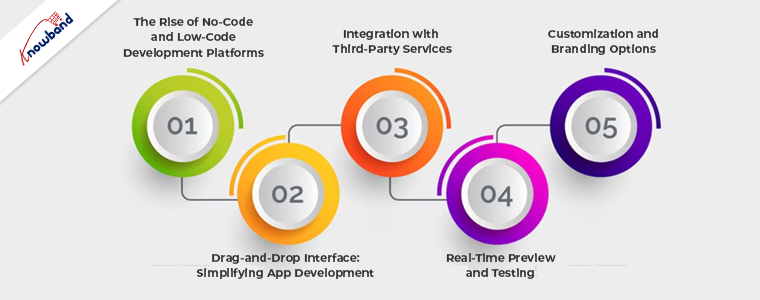
I. The Rise of No-Code and Low-Code Development Platforms

No-Code Development Platforms:

No-code development platforms have gained immense popularity due to their ability to empower individuals without coding experience to create mobile applications. These platforms provide a visual interface where users can drag and drop pre-built components to design the app’s functionality and user interface. The benefits of no-code platforms include reduced development time, lower costs, and increased accessibility for non-technical users. Popular examples of no-code platforms include Bubble, Adalo, and Glide.

Low-Code Development Platforms:

Low-code development platforms offer a middle ground between traditional coding and no-code platforms. They provide a visual development environment with pre-built components and templates, allowing developers to create custom applications with minimal coding. Low-code platforms offer more flexibility and customization options compared to no-code platforms, making them suitable for complex projects. Some well-known low-code platforms include OutSystems, Mendix, and Microsoft Power Apps.

II. Drag-and-Drop Interface: Simplifying App Development

Intuitive UI Design:

One of the key features of modern mobile app builders is their intuitive drag-and-drop interface. This interface allows developers to easily place and arrange elements within the app’s user interface. By eliminating the need for manual coding, developers can rapidly prototype and design their apps, streamlining the development process.

Streamlined Workflow:

The drag-and-drop interface not only simplifies app design but also enhances the overall workflow. Developers can quickly iterate and make changes to the app’s layout and functionality, reducing development time. Moreover, the visual nature of the interface promotes collaboration among team members, allowing for better communication and efficiency.

Increased Collaboration:

Mobile app builders with drag-and-drop interfaces enable real-time collaboration among developers and designers. Multiple team members can work simultaneously on different aspects of the app, speeding up the development process and fostering teamwork. This collaborative environment encourages idea-sharing and ensures that the final app reflects the collective expertise and creativity of the team.

III. Integration with Third-Party Services

Plug-and-Play Functionality:

Modern app builders offer seamless integration with a wide range of third-party services through plug-and-play functionality. Developers can easily incorporate functionalities like payment gateways, social media sharing, analytics, and more, without the need for extensive coding. This integration simplifies the app development process and enhances the app’s capabilities.

Seamless API Integration:

App builders provide easy access to application programming interfaces (APIs) of various services and platforms. This allows developers to leverage the functionalities of popular services such as Google Maps, Facebook, and Twitter, enhancing the app’s user experience. The integration process is simplified through intuitive interfaces and step-by-step guides, enabling developers to effortlessly connect their apps with external services.

Access to a Wide Range of Services:

The integration capabilities of mobile app builders provide developers with access to a vast ecosystem of third-party services. This empowers them to add features and functionalities that suit their app’s requirements, without having to build everything from scratch. The availability of pre-built integrations saves time and effort, accelerating the development process.

IV. Real-Time Preview and Testing

Instant App Preview:

Mobile app builders now offer real-time preview functionality, allowing developers to see how their app will look and function on different devices. This instant preview functionality eliminates the need for manual device testing, saving valuable time and resources. Developers can make immediate adjustments to the app’s layout, UI elements, and functionality, ensuring a seamless and optimized user experience across various devices.

Testing on Multiple Devices:

Mobile app builders also provide the capability to test the app on multiple devices simultaneously. This feature allows developers to identify and address any device-specific issues or inconsistencies in real-time. By ensuring compatibility across different screen sizes, resolutions, and operating systems, developers can deliver a consistent and high-quality user experience.

Debugging and Troubleshooting:

In addition to real-time preview and testing, mobile app builders offer built-in debugging and troubleshooting tools. These tools assist developers in identifying and fixing any errors or bugs within the app. By providing comprehensive error logs and diagnostic information, developers can streamline the debugging process and improve the overall app performance.

V. Customization and Branding Options

Personalized App Design:

Mobile app builders now offer extensive customization options, enabling developers to create personalized app designs. Developers can choose from a variety of pre-designed templates, themes, and UI components, or create their own custom elements. This flexibility allows developers to align the app’s design with their brand identity and create unique, visually appealing experiences for users.

Branding Elements Integration:

App builders also facilitate seamless integration of branding elements within the app. Developers can easily incorporate logos, colors, fonts, and other branding assets, ensuring a consistent brand identity across the app’s UI. This integration strengthens brand recognition and establishes a cohesive user experience.

Tailored User Experience:

With advanced customization options, mobile app builders enable developers to tailor the user experience based on their target audience and specific requirements. From personalized content recommendations to interactive features, developers can create engaging and interactive app experiences that cater to the preferences and needs of their users.

Conclusion:

The evolution of mobile app builders has brought about a remarkable transformation in the app development landscape. No-code and low-code platforms have empowered businesses and individuals with limited technical knowledge to create powerful and feature-rich mobile applications. The intuitive drag-and-drop interfaces have simplified the development process, enabling faster time-to-market and increased collaboration among development teams.

Integration with third-party services has expanded the capabilities of app builders, providing access to a wide range of functionalities without the need for extensive coding. Real-time preview and testing features allow developers to visualize and fine-tune their apps on multiple devices, ensuring a seamless user experience.

Customization and branding options have become more sophisticated, enabling developers to create unique and personalized app designs that align with their brand identity. 

In conclusion, the advancements in mobile app builders have opened up endless possibilities for app development. Businesses and individuals can leverage these tools to create innovative and engaging mobile applications. To learn more about mobile app builders or if you have any further questions or doubts, please feel free to contact support@Knowband.com.

Role of Mobile App Builders in Creating Mobile Apps for Startups

Modern businesses require modern technologies and trends to compete in the market. Nowadays, eCommerce is one of the most trending business industries. More and more businesses are getting registered every day on the internet. In this busy era, it is important to keep up with the latest eCommerce trends to be in the game.

Vendors use different tactics for taking their dream start-ups one step ahead of the others. Likewise, having mobile apps for your start-up business is not only an incredible idea but also positively impacts your brand image. But the only problem is that Mobile App development undoubtedly requires a huge budget. It is one of the reasons that impact the idea of having mobile apps for an online business.

Thus, following the same, in this article, we are going to discuss the affordable and most effective ways for building no-code mobile apps for your eCommerce business.

About Mobile App Builder!!

An app builder is an online software tool that enables eCommerce merchants to create and release mobile apps without requiring code development. It provides a complete solution for making mobile apps accessible without technical knowledge. The eCommerce mobile app builder allows online sellers to create their apps without having to outsource the work. The purpose of an app builder is to offer a DIY tool for creating mobile apps that are specifically designed for novice users with no programming skills, and as such, it must be user-friendly and intuitive.

At Knowband, we offer Mobile App Builder for eCommerce platforms Prestashop, OpenCart, WooCommerce, and Magento 2.  On top of that, with the help of Knowband Mobile App Builder eCommerce store admins can create and make their apps live on the store within 5-7 business days without touching a single line of code.

Want to know more about Prestashop Mobile App Builder? Let’s take a deep dive into the features offered by Mobile App Builder.

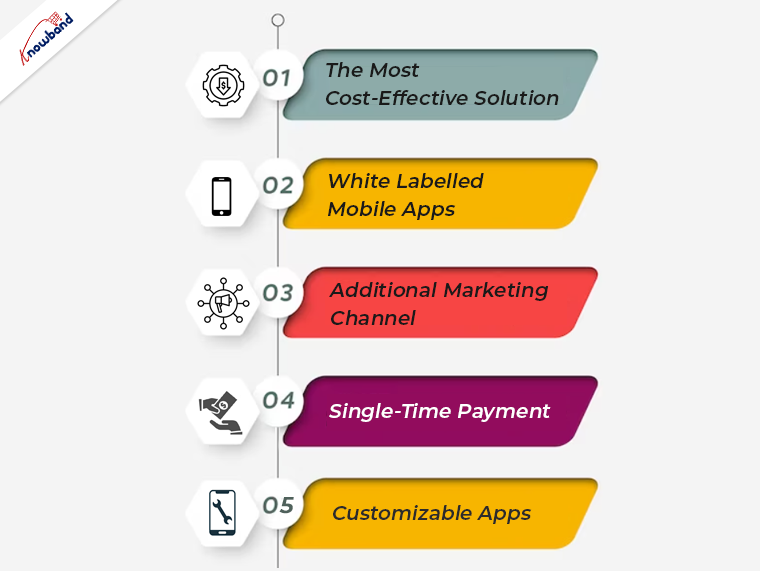
1. The Most Cost-Effective Solution:

Mobile App development is one of the most trending technologies in the eCommerce industry. But the only thing that stops sellers from having mobile apps for their business is that. Android and iOS Mobile App development requires a huge budget and timelines.
On the other hand, with the help of Mobile App Builder, the admins can create Android and iOS Mobile apps by just following a few simple steps.

2. White Labelled Mobile Apps:

With the help of Mobile App Builder, Prestashop, OpenCart, WooCommerce, or Magento 2 eCommerce merchants can brand their businesses. The mobile app builder provides complete white-labeled Android and iOS Mobile Apps. 

3. Additional Marketing Channel:

The eCommerce merchants can send unlimited push notifications with the help of the Knowband Mobile App Builder module. Not only the push notifications provide direct interaction with the customers but also are one of the most effective and modern marketing methods.

Thus, mobile apps help to build a no-cost additional marketing channel for your start-up eCommerce business.

4. Single-Time Payment:

Well, this is one of the top-ranked advantages of having Knowband’s mobile app builder on board. Now, you will not have to pay any additional charges for keeping your apps working. The Knowband Mobile App Builder comes with a one-time payment mode that saves eCommerce sellers from paying monthly/yearly subscription charges.

5. Customizable Apps:

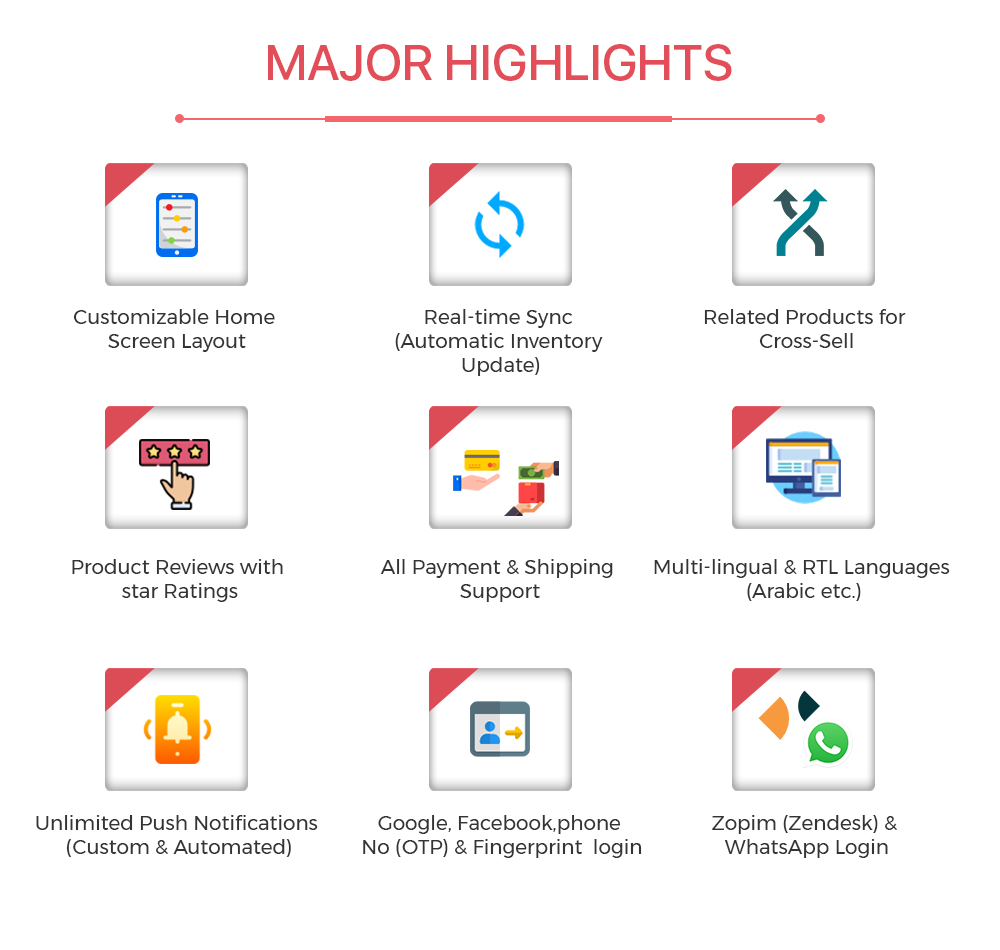
The eCommerce store admins can create Android and iOS Apps and can manage the same from their store back-end even after the apps will go live. Not only the admins can design their home page layout at their convenience. But also, they can take control over a lot of richly loaded features. On top of that, we provide a vast variety of advanced features in both Flutter-based Android and iOS Apps.

In the End:

Mobile Apps are the modern need of the eCommerce industry. For example, major players such as Amazon are using mobile apps for providing services to customers. Thus, Mobile App Builder is not only a ready-to-use solution for creating Android and iOS Mobile Apps. But it also comes with 3 months of free technical support period to assist you in every single step.
Moreover, in case you are looking for free demo apps for your eCommerce website, you can find us at support@knowband.com.

What Are the Challenges While Creating a Mobile App?

Everyone wants to be Innovative in growing their business which is possible as a result of technological breakthroughs. To satisfy consumer demands brought on by an app idea, new tech start-ups are continuously emerging. Given how many people rely on mobile devices in their daily lives, this is particularly pertinent to the smartphone app business.

There are several online businesses which are functioning through mobile apps and significant sums of money are often invested in mobile development. Furthermore, each industry strives to be one of the greatest mobile app companies. It’s safe to conclude that companies appreciate the value of offering this communication channel through apps to interact with their users. Understanding how to create a mobile app without encountering any difficulties that may come in mobile app development might not be so simple.

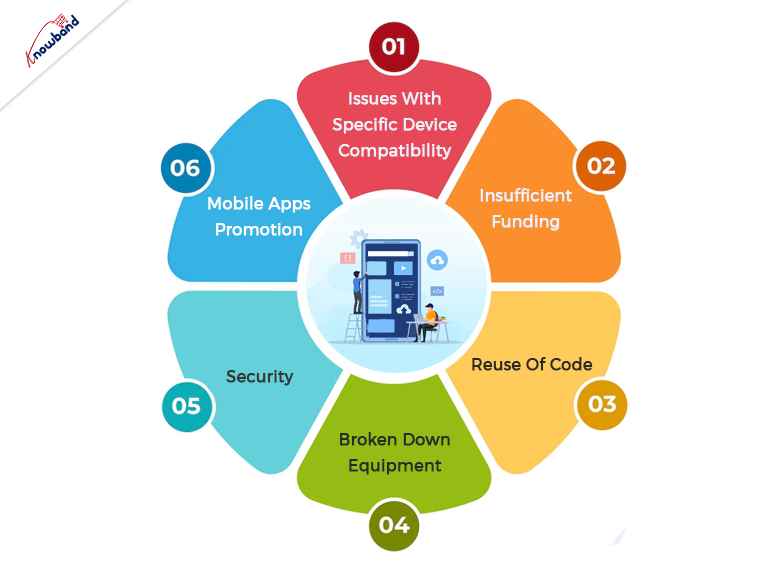
Issues With Specific Device Compatibility

Each device should have the same concept of an application. All mobile applications that are simple to download on one version but refuse to download on the other version are a big problem. Assuring sufficient working efficiency is a crucial consideration for businesses. Additionally, the apps should work with iOS and Android devices. The mobile applications that result from this become the most popular ones, doubling their requirement. Any app may have significant obstacles to success if it lacks this.

For users, it is problematic because of date features and unhelpful bug fixing in the long run, is an issue and you should avoid this. Each mobile app should not be having issues with the size resolution, dimensions, and pixels.

Insufficient Funding

The hardest thing to manage is money if things are not thoroughly planned, arranged, and examined. Mistakes are acceptable for someone with no prior experience but should be present to avoid such issues. Furthermore, developing technological insights is the major goal. In less time and with a lower minimal budget, employment practices improvement is possible. Without a doubt, funding is one of the necessary resources to satisfy the demands of the market and its needs. Therefore, make a precise calculation and conclude the development of the mobile app in a planned and precise manner.

Reuse Of Code

To reduce the amount of time and resources spent on development, it is crucial to reuse the code of an application. Moreover, different hardware and software settings prevent the concept of reusability from working with mobile apps. It’s important to create distinct modules for each device architecture because reusing code could lead to unexpected outcomes and mistakes on various platforms and devices.

Broken Down Equipment

For a specific hardware platform, it is simple to create apps. Developers must take into account various resolutions and pixel densities while creating their apps though, due to the vast array of smartphone models now on the market. Moreover, various iPad models and well-known iPhone models are available if we only take iOS into account. Developers should remember to resize their app’s UI using various layouts for each platform because iOS, Android, and Windows devices have fragmentation.

Security

Problems with security can be disastrous. The presence of malware and defects in code is one of the major difficulties in developing mobile apps. It can make programming difficult or perhaps result in device malfunctions that will take more effort and money to fix. The creation of perfect security standards might be quite difficult because of the numerous operating systems and device variations. For app developers and engineers, security is a top priority. Security methods are present in the operating systems and apps to lessen such occurrences. When creating apps, developers must be aware of the malware and other security flaws and give security a top priority.

Mobile Apps Promotion

Marketing is essential for generating revenue. If customers aren’t made aware of the presence of the app, applications will not get recognition in the market. One of the great difficulties in developing mobile applications is not getting known to potential users.

It doesn’t matter how well-designed an application is if users can’t access its advantages due to a lack of marketing and promotion. It’s important to conduct market research to determine the best way to make the application discoverable to shoppers. All of the relevant research is to support marketing and promotion, including how to launch the application onto the market and keep users engaged with it.

Wrapping Up

In this article, you will get to know the various challenges people face while developing mobile applications. Though, we can assist you with the concerns and issues related to our module. Kindly connect with us at support@knowband.com for our assistance. We can assist you with custom developments depending on your business requirements. If you need, we can also add or remove any functionality of the modules in case you have any such requirements. We are here to help you with any assistance related to our module.

Major Advantages of Using Mobile Apps for Your eCommerce Business

Everything, including services, products, and even supplies, had to be appropriate for portable devices like cell phones and tablets because the number of mobile users has surpassed the number of desktop users globally. It’s increasingly essential to design for mobile.

Owning a mobile app is currently considerably more advantageous than having a responsive website if your company sells goods. To increase user engagement or increase productivity, we don’t think mobile sites are sufficient. To keep ahead of the competition, companies will soon need to think about creating mobile applications.

Companies with mobile apps for their business gain major benefits over others as more potential customers use smartphones. With the rise in popularity of mobile wallets and cash transfer services, many Shoppers now buy and pay with their smartphones.

Hiring an app development company that will provide the most suitable and trustworthy applications may be a wise choice. Moreover, apps are best for eCommerce business owners looking to gain greatly from customers over the world. The advantage of mobile eCommerce apps for your business is the content in-depth in this article.

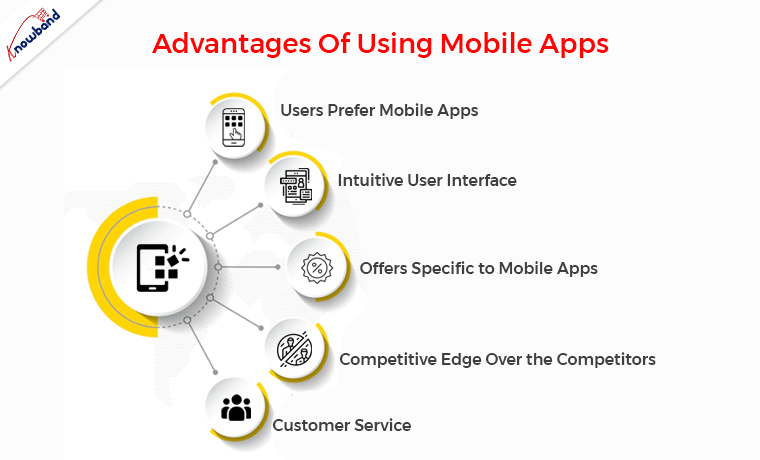
Advantages Of Using Mobile Apps

Users Prefer eCommerce Apps

Simply because mobile apps are easier to access, consumers prefer smartphone applications over websites. Mobile eCommerce applications make it simple to browse and buy without having to visit an online store. You don’t even need to remember the URL or your login credentials to access the online store. Mobile applications are also more effective and secure than web browsers.

Furthermore, the first step in generating eCommerce sales from mobile users is having a user-friendly mobile site.

Therefore, if your eCommerce site lacks a mobile app, you are ignoring the majority of the market. Also, giving your current customers a great experience should be the priority of Online business owners. Therefore, mobile app development should be preferred by Online businesses.

Intuitive User Interface 

One of the most reliable ways to make a profit nowadays is by using eCommerce apps, which are currently ruling the market. You can promote your brand in competitive online markets by developing a mobile application to improve your company’s profits.

A mobile app does not guarantee success for every internet business. While creating the application, you must do some extra work. Since customers want intuitive features, user comfort should always be the preference for the Ecommerce business. Ecommerce giants innovate their mobile apps to the highest degree, yet they still keep things straightforward and uncomplicated. The e-commerce application ought to be as easy to use and understandable as possible.

Offers Specific to Mobile Apps

Various features are using the customer’s engagement increases to the mobile app. Mobile gives you an additional chance to regularly communicate with your customers. A top mobile e-commerce solution can assist you in integrating with all necessary technologies, engaging and converting your customers with a flawless mobile experience. Additionally, you can request comments from your clients within the app. By doing this, you may learn more about their requirements and improve their purchasing experience.

When compared to desktop purchasing, mobile app conversion rates will be greater. Furthermore, this is due to the improved design, simple navigation, and usability that the customers use the apps more.

Competitive Edge Over the Competitors

The app user interface is responsible for increasing sales, whether it is a website or a mobile app. As a general rule, avoid confusing users and give them clear instructions instead. Constantly offer a small number of app features while focusing on targeted sales. On the homepage of your eCommerce app, for instance, you can highlight your best-selling products. You can increase sales by displaying a sample of your product line.

The accessibility of key buttons within the mobile app is another aspect. The “Add to cart,” “Checkout,” and “Buy Now” buttons need to always be in the top or most noticeable areas of the screen. The most important step in boosting your internet sales is this one. To get more clicks and sales, you must place the buttons properly and use the appropriate font. Simply displaying the buttons will not help the business.

Customer Service

If you provide eCommerce customer care through the chat window, mail, or helplines, it is simpler to interact with your customers and solve their problems online. The assurance that they will receive a response is provided to your customers as a result. Customers are comforted when they shop with you which guarantees a seamless user experience.

Wrapping it up

In this article, we have shared the advantages of using mobile apps for the e-commerce business. We would like to inform you that we also assist with the eCommerce modules. You can visit our website and check for the eCommerce plugins and seek our assistance if needed. We also assist with custom developments as per the business requirements. Kindly let us know if you need help with our plugins and customization of plugins and other business requirements.

How to Boost Your Sales and Revenue with Mobile Apps?

Modern eCommerce trends have changed the way people shop. Where in the past decade did consumers prefer visiting offline stores? On the other hand, nowadays online businesses are ruling the eCommerce industry. The reason behind the same is simple. Online shopping not only saves time and costs for the customers but also provides a lot more options to choose from. Even the trend did not remain till the websites. Nowadays, customers are giving priority to mobile apps when going for online purchases. The same reason is increasing the need for Mobile Apps for online businesses. Thus, eCommerce App Development is running towards its peak.

But the question is that is the Mobile Apps relevant? Are mobile apps one of the effective ways that can boost your online business sales?

We have covered some of the most sounding reasons why you should give eCommerce Mobile App Development a go. Let’s find out in the below-mentioned points.

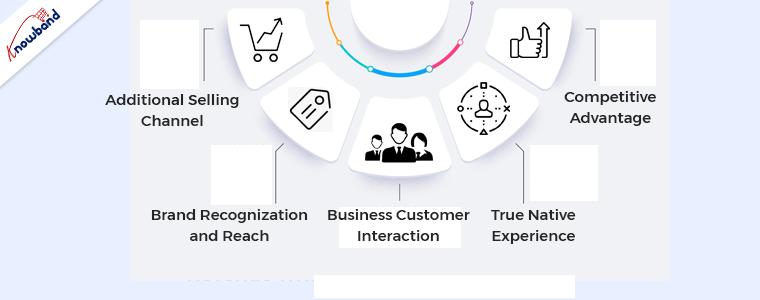
Additional Selling Channel

One of the major reasons that attract online sellers towards mobile apps is that mobile apps work as an additional sales channel. For example, if you sell the same products on Mobile Apps along with your website, the chances of getting more views increase at a considerable rate.

Moreover, multi-channel selling is the modern way of doing online business. Because selling on as many platforms as possible is always beneficial for an online business.

Thus, if you are looking for the reasons for having Android and iOS mobile Apps, additional selling channels are the first one.

Brand Recognization and Reach

Having native iOS and Android Mobile Apps for every business is the modern trend in the online business community. From start-ups to major players like Amazon, businesses prefer mobile apps along with their websites.

The reason behind the same is that, while ordering mobile app enables the beat of confidence in the customers. Thus, not only mobile apps provide a plus from the brand recognization aspect. But also, the apps add significant boosts to the brand reach.

Business Customer Interaction

Business customer relation is the backbone of the eCommerce business industry. For example, the major factor is that if a customer visits the apps or the web, he will surely have queries about the business or the products.

On the other hand, if you have a pair of eCommerce Android and iOS Apps, you can interact with your customer base in various ways. For example, you can take aid from Push Notifications, Live chat support, abandoned cart follow-ups, and many more direct communication methods.

Instance, we also provide unlimited Push Notifications and WhatsApp chat support features in Knowband PrestaShop and OpenCart App Maker.

True Native Experience

One of the major reasons why customers prefer mobile apps over websites is the native experience. Not only the Mobile App provides faster and smooth responses. But also, enables the true buzz while exploring the eCommerce platform.

Moreover, the chances of web abandonment are much more on websites in comparison to Mobile Apps.

Thus, if you are looking for offering a truly native experience to your customer, Mobile Apps are the most suitable choice you can go with. Instance, the enhanced customer experience will not take much time to turn single-time customers into returning ones.

Competitive Advantage

If you consider yourself a unique online seller, you might be getting the wrong ideas about the market. Although the eCommerce market is tough to enter because of market competition. Yet, you can find thousands of online sellers selling the same products online.

Thus, in the busy neighborhood, the sellers invent and adopt the latest market trends to come over the market competition. Moreover, having eCommerce Mobile Apps not only adds a boost to the brand reputation but also helps the business to stand out from the market competition.

How to Get Mobile App for Your Business?

Although getting your Android and iOS Mobile Apps will require a lot of coding and technical skills. Yet, there is another way. With the help of the Knowband Mobile App Builder Module, the OpenCart, PrestaShop, WooCommerce, and Magento 2 online sellers can get their Mobile Apps within 3-5 business days.

Moreover, the amazing fact is that you will not require any sort of coding or technical skills. On top of that, you get fully flagged Flutter-based Android and iOS Apps which can be easily configured from the admin panel of your store.

Thus, in case you are planning to review the free demo apps for your store, you can always find us at support@knowband.com.
Android Vs iOS App Development | All You Need to Know

Despite the latest mobile app development technologies, when it comes to choosing between Android and iOS app development, developers feel themselves in a fog. Even though they have similar designs and methodologies, both Android and iOS have different development approaches.

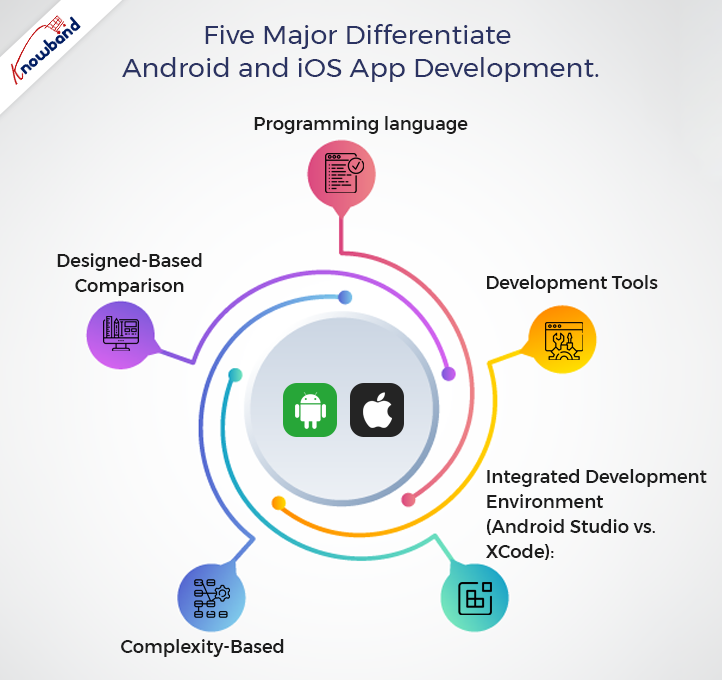
Not only in the design part but also languages and frameworks, both Android and iOS have variations from one another. Likewise, we are going to discuss five major aspects we can put on the table to differentiate Android and iOS app development.

Programming Language

Both Android and iOS mobile apps use different languages and frameworks for app creation. For example, if you want to keep development simple, iOS Apps require Swift or C#. On the other hand, the majority of Android mobile app development is done in Java and Kotlin.

Furthermore, Google also recently launched Flutter to keep Android and iOS development in the same boat. You may find Flutter reliable if you have a planned budget for your mobile app development.

This is because Flutter allows developers to write code that works on Android and iOS. Also, you will require different development environments when it comes to final Android and iOS build creation. We’ll look into it in the next point. Also, if you are looking for the difference between the learning and execution aspects, Swift is surely a better option in the market for its incredible readability.

Recommended Read:  Alternatives to publishing your Android app on Google Play Store

On the other hand, for Android app development, you may also choose Kotlin. Kotlin is undoubtedly gaining more popularity over Java and is considered the next alternative.

Development Tools:

Android and iOS app developers require different tools for writing and executing codes. Both the iOS and Android app development tools are incomparable and have their specifications.

App developers for Android can give preferences to Android Studio (introduced by Google in 2013). The Android Studio has an extremely user-friendly interface for coders. Not only did the Android developers choose this platform for usability, but it also shows integration with various other development platforms. For instance, you can also make connections with Git, Bugzilla, and more to keep the process easy.

While app developers for iOS can rely on the XCode tool offered by Apple, XCode has unique specifications for handling bugs and a user-friendly development environment. Moreover, when it comes to comparing Android vs iOS app development, developers claim that XCode is much simpler and easier to use. However, the comparison ultimately depends on User preferences.

Related Post: How to fetch data from Firebase in Android?

Integrated Development Environment (Android Studio vs. XCode):

When it comes to the rivalry between Android and iOS app developers about which IDE is better, things get a bit tricky here. Both Android Studio and XCode have their pros and cons. For example, if you are looking to edit the source code, XCode has simple algorithms compared to Android Studio.

When it comes to coding flexibility, Android Studio offers better options for Android developers. Simply Android Studio has the algorithms that allow developers to design various versions of apps without changing the major code.

When it comes to memory usage, XCode beats Android Studio by a huge margin. Because the tool takes a lot of system memory in comparison to XCode. Moreover, Android Studio proves the following point valid with its capability of handling bigger projects because of its design options and code editors. XCode, on the other hand, is straightforward to start up but becomes complex when handling larger projects.

Related Post:  How to save data to Firebase in Swift Language (iOS)?

Complexity-Based

Undoubtedly, when it comes to complexity between Android and iOS app developers, iOS wins by a considerable margin. Because Apple only offers a small selection of devices, you will have to select the coding alternatives..

On the other hand, Android has a wide and wider range of devices, which somehow may make things complicated because of screen sizes. Although iOS provides simple design options, both Android and iOS App Developers test the mobile in multiple iterations to ensure the screen is appropriate for Mobile App users.

From a complexity standpoint, we can say that iOS App Development is simple.

Recommended Read: How to save data to Firebase in Android?

Designed-Based Comparison:

From the design perspective, Android and iOS mobile apps share many similarities. For example, the minimum clickable rate for the Android APKs is 48PX, while iOS apps have a minimum clickable rate of 44PX, which does not make much difference.

When it comes to architectural parts, Android apps show better usability for designers. Moreover, various individuals can work together to create different pages. To manage the development process, Android apps are easily divided into multiple components.

On the other hand, iOS mobile app design depends on view controllers. For example, some of the popular view controllers are page view, tab, split view, and many more. iOS Mobile App Developers can also write code for the controllers and can also store the images as an XML file.

Recommended Read: iOS & PWA: Key Points Everyone Should Know

In the End,

As more and more comparisons are uploaded to the internet, the rivalry between Android and iOS developers continues. Somehow, both Android and iOS app developers have their specifications and other advantages in tools and frameworks. As a result, it is safe to conclude that there is no comparison result between iOS and Android App Developers.

On the other hand, at Knowband, we offer no-code Android and iOS mobile solutions for online sellers. Now, e-commerce merchants can get their Android and iOS mobile apps within 3-5 business days without writing a single line of code.

How? Please contact us at support@knowband.com for more information.

1000+ Installs of a Poland Fashion App developed using PrestaShop Mobile App Builder

Today’s world appears to run on applications. If it’s anything that people can engage with, there’s a good chance it’ll be available as an app. Applications that are well designed attract your eye and make you want to use them, whereas apps that are poorly designed are frustrating and don’t do what we want them to.

You want to create a straightforward and intuitive user experience for the first edition of your eCommerce mobile app. Any element that detracts from the experience’s intuitiveness isn’t worth having.  A Poland Fashion App has completed its 1000+ downloads, delivering an exclusive user experience. This blog will grab your attention to its features and how they have developed it.

Wieszakshop. pl – Premium Brands Outlet

Wieszakshop. pl is an online store that sells women’s, men’s, and children’s clothing, as well as shoes and accessories from popular brands, at up to 70% less than typical retail pricing in Poland and around the world. If you adore well-known brands and one-of-a-kind designer finds, you’ve arrived at a veritable haven of fashionable events.

How can you place an order on this eCommerce Mobile App?

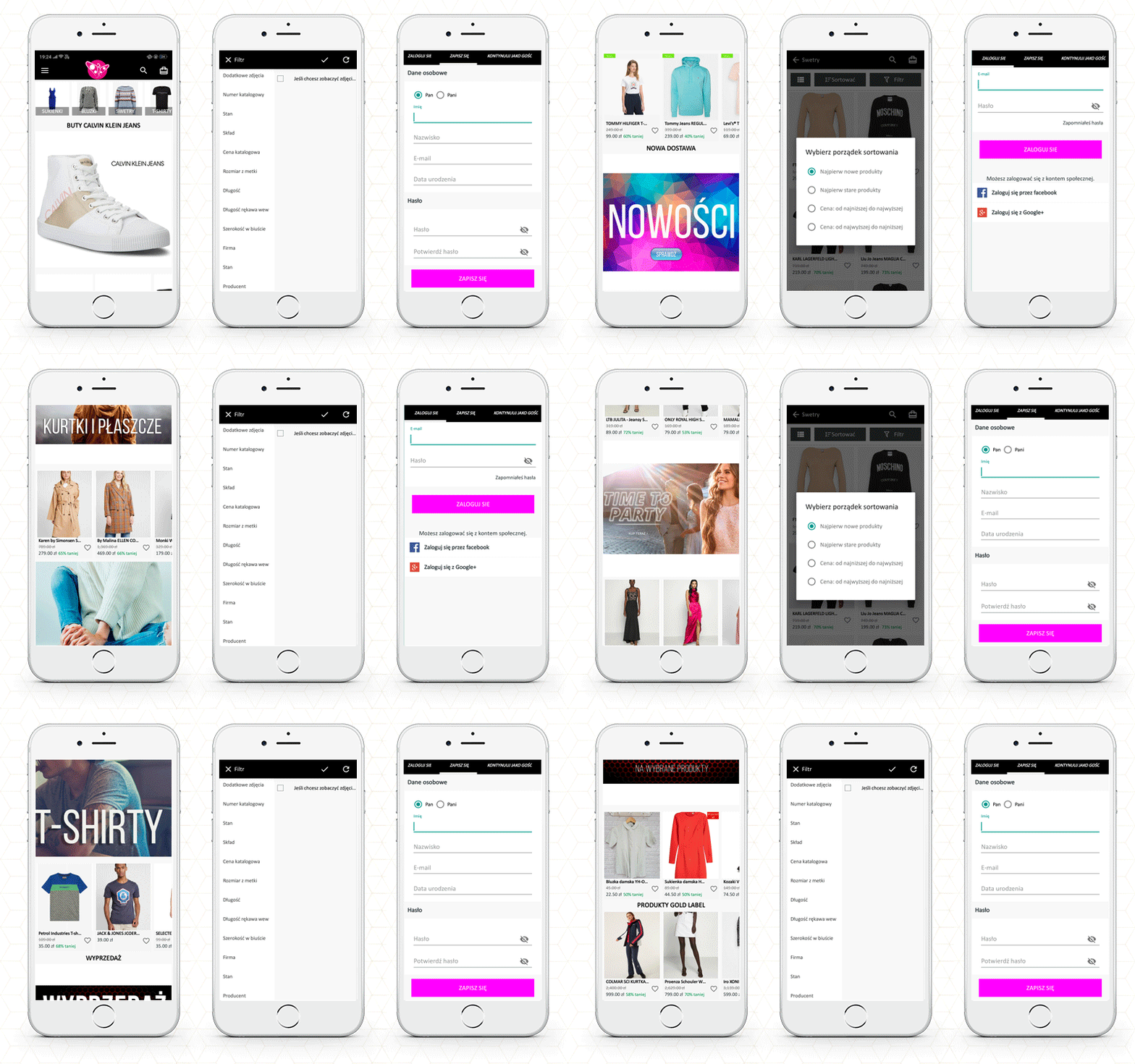
Every mobile app has basic features like product listing, product page, shopping cart, checkout page, and transaction page. Wieszakshop. pl is a Fashion focused PrestaShop mobile app created using KnowBand’s Mobile App builder Plugin which is specially designed and developed for eCommerce.

Users in Poland may now purchase top brand clothing with ease. Allow me to take you on a shopping spree over PrestaShop Mobile App. For instance, consider buying black denim from your favorite brand:

The Home Page

The app’s primary screen provides customers with access to the new arrivals, best sellers, etc. Also, the brand logo appears on the landing page.

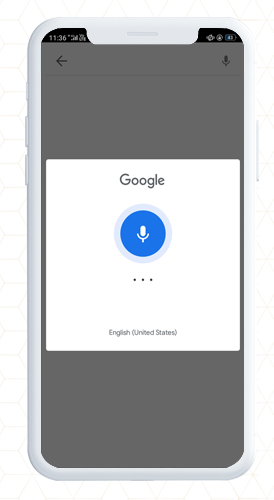
The function of basic search and voice search

Now, to buy a pair of denim, you will have to search for it. It allows users to search the products within the app; from the product page as well as the home page.

Add to cart or wishlist

Once you find the black denim, you can add it to the cart or the wishlist. Pushing the checkout button will redirect you to the checkout login page.

Customer Login Page

The shopper can purchase by signing up for the app from here. You can also checkout as a guest if this feature is enabled.

With successful signup, you can log in with your email address, Google+ or Facebook. It also allows fingerprint login.

Payment and Shipping Address

Now the app will take you to the shipping page where you need to fill up the delivery address. You will also have to select the payment methods.

Your order will be placed successfully!

Other features of the PrestaShop Mobile App

Push Notifications

App sends push notifications to customers. It can be a text that the user may be interested in. They are easier to send than emails and are less likely to end up in spam folders.

In-App Chat Support

The mobile app provides in-app chat support to customers. It has a WhatsApp chat option integrated.

Store admin can add or remove the features from the mobile app. It is easy to customize the app’s home page, add new banners, put a logo and add colorful windows to the app.

It works in real-time synchronization with the fashion store website.

Now you have a mobile app that allows you to take orders online but do you have a smooth delivery management system? If your answer to this question is ‘no’, then read ahead.

How to manage your local on-time deliveries?

In eCommerce, local deliveries/shipping enables consumers to purchase the products online and deliver them directly to their doorstep. Local delivery acts as an alternative to both carrier and in-store pickup.

It has had a particular effect on retailers and consumers alike in an environment where shipping companies are facing increased delays and in-store shopping also carries risks. To ensure, on-time delivery and manage them, you can use Knowband’s effective module- ‘The Delivery Boy App‘.

This application provides functionality that establishes a connection between the Admin and the Delivery Boy. Through this application, the admin can allocate an order to the delivery boy and monitor them. This helps to provide a better shipping service, as it is monitored by the admin, too with the help of an application that works on your eCommerce platform.
The delivery boy application is available for PrestaShop and OpenCart platform.

PrestaShop Delivery Boy Mobile App

OpenCart Delivery Boy Mobile App

To manage to ship and to reduce the shipping cost, you can read the following articles:

6 Simple Ways to Reduce Shipping Cost

Ecommerce Shipping: Challenges and Solutions

How to calculate Free Shipping based on final Total Price in Prestashop ?


For Mobile App, refer to these blogs and explore the live apps:

Examples of Italian eCommerce Mobile App, Spanish, Polish, Russian, and French Shopping apps.


Support:

KnowBand is helping eCommerce organizations for a decade and we have 100+ plugins for various eCommerce platforms. Visit the KnowBand store or write an email to our support team for your module or website development requirements.

Tajikistan’s Pharmacy App developed using KnowBand’s PrestaShop Mobile App Builder completed 1000+ installs

There’s no doubting that smartphone apps have revolutionized our lives. There is an app for everything, whether you need to travel, buy groceries, order food, chat, or do a banking transaction.

Entrepreneurs are seeking for new markets to penetrate and strategies to engage clients to normalize their situations. E-commerce app development is one of these possibilities. When done correctly, a mobile app can help you increase your e-commerce presence for years to come.

Tajikistan’s first online pharmacy app has exceeded 1000+ downloads on Google Play Store. The app is developed using Knowband’s PrestaShop Mobile App Builder module which is multilingual and is available in Russian and English.

In this blog, we will be explaining its features and also help you with how you can manage your local on-time deliveries? And how to make a website for clinical appointment bookings?

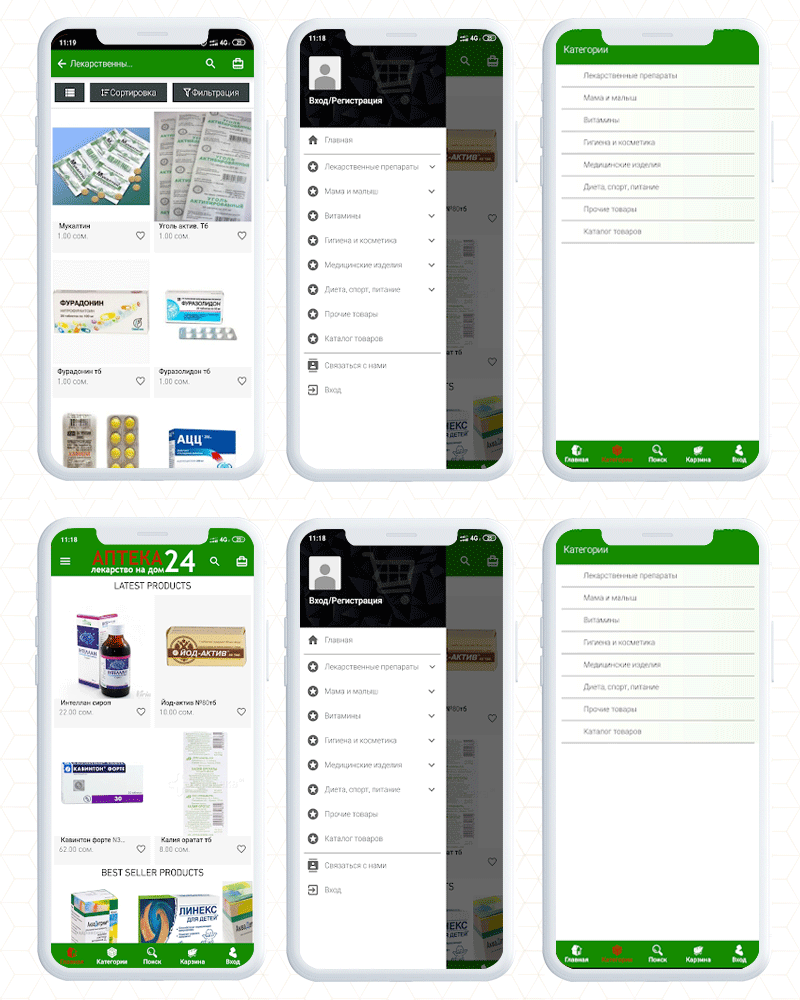
The PrestaShop Mobile App- Apteka24

The Apteka 24 is a pharmacy app that allows users to order medicines in Tajikistan. For a fully functional app, it is required to have an engaging UI and KnowBand’s Mobile App Builder gives that personalized shopping experience to every app user.

Having a mobile app is beneficial over a website as it allows users to access things from their fingertips. It’s speed and ease of browsing, as well as a well-thought-out design that seems natural and seamless.

Notifications can be very effective in terms of remarketing if done correctly. The app allows the store owner to send endless notifications to ensure they will keep coming back to your store.

A customer can reorder the medicines with a button click. Voice search, chatbots, push notifications, advanced support, and marketing analytics are all available.

Customers can save lists of things they’d like to have in wishlist. The product page and landing page allow buying things based on images.

The accessibility and convenience of mobile payments are a bonus. These are the basic features of the app and every mobile app created using PrestaShop Mobile App Builder can be customized for its look and theme by incorporating your brand logo and other marketing elements.

How to make a mobile app for your dental medicine website?

To create a mobile app just like Apteka 24, you only need KnowBand’s PrestaShop Mobile App Builder plugin.

It is completely customizable like you can add banners, change theme colors, add colorful buttons, provide live chat support, etc.

It lets you bring your website to the hands of every mobile phone user. With a button click, anyone can get their medicines or products at their doorstep.

This module is available for many other popular eCommerce open-source platforms. Also, you can launch it for both Android and iOS operating systems.

You have to make a one-time payment and our expert team will provide post-purchase 3-month support.

How to add an appointment booking feature to your pharmacy website?

Doctors who consult patients in their clinic find it difficult to manage their demanding schedules. This is where Knowband’s Appointment Booking System module comes in handy.

The Appointment Booking System module allows you to list your clinic on your website and let consumers (patients) book an appointment. In addition, the module provides a number of configuration options for you to customize your bookings to your liking.

What are the features of the Appointment Booking System Module?

  1. Easily add your business/clinic (You can add multiple clinics as well)
  2. Specify if the service is a clinic visit or a home visit
  3. Determine an Upfront Booking Fee
  4. Allow the patient to select the desired day and time
  5. Indicate any day that is not available for booking
  6. Keep the minimum number of reservations for each day
  7. Include your company’s location, contact information, and images
  8. Keep an eye on your appointments and track them

The Appointment booking system makes your job easier while providing your consumers with a hassle-free booking experience.

To make it more convenient, you can also use the booking and rental mobile app.

Here is an in-depth blog on the Appointment booking system, especially for the clinics.

Best way to manage doorstep medicine deliveries

To manage the doorstep deliveries and to assign orders to the delivery boy, you can use a delivery boy mobile app. This app helps you in creating a delivery boy profile, tracking the order status, sending notifications to the delivery boy, and facilitates many other tasks.

It also shows the location info of the customer where the order is to be delivered. Check out the live demo of the Delivery boy and read this blog which includes some real-life examples of eCommerce merchants who are using Knowband’s Delivery Boy Mobile App.

Visit the KnowBand store to find the desired plugins for your eCommerce store or you can write to us at support@knowband.com for any custom eCommerce development assistance.

Download Free PrestaShop Mobile App Builder for Demo and upgrade it with a paid version to launch it on Google Play Store and Apple Store.

6 Examples of Spanish PrestaShop Business Apps Developed using KnowBand Mobile App Builder Module

A mobile app increases business opportunities as it allows you to handle information in real-time. To create an app, a developer has to do a lot of research based on platform, product type, niche, target audience, etc. The work does not stop here, but it also requires an accessible user interface. Your eCommerce app should provide a delightful user experience to everyone regardless of the demography or the region.

KnowBand has developed several apps considering the user’s needs for various eCommerce clients worldwide. We have designed and developed an Application Builder module that only requires updating the configuration settings and your app will be ready to go live on the play store.

In this blog, we have compiled some examples of Spanish Mobile Business Apps developed using PrestaShop Mobile App Builder Module.

PrestaShop Business App Builder Module

From conversion to customer retention, mobile apps are the most effective tools for every eCommerce business. It has several features to improve the online shopping experience of your store.

  • The App builder is available for both iOS and Android.
  • It works in real-time synchronization with the website
  • The merchant can add or change the banners to redesign the home page
  • For the product page, it has sort and the filter feature
  • Simple and easy checkout process with social login, OTP login, and mobile number login
  • Supports multiple payment and shipping options

Let’s examine these features of the app builder module with some real-life examples of Spanish eCommerce.

6 Examples of PrestaShop Business Apps Developed for Spanish eCommerce

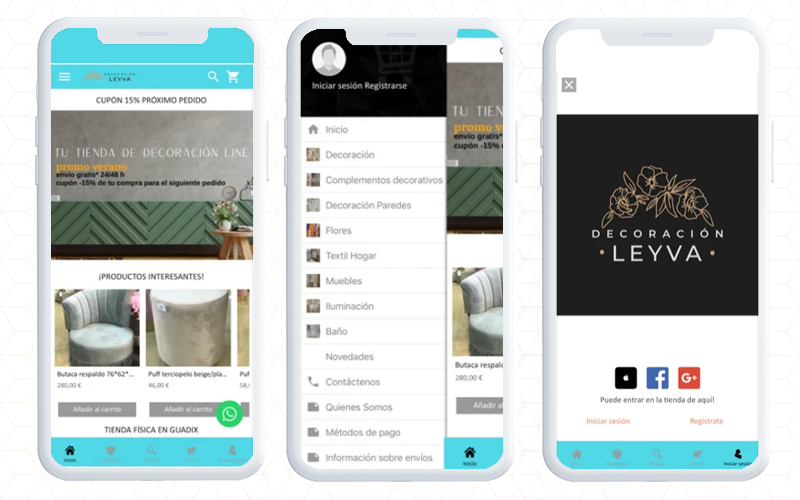
1.     Leyva Decoration- eCommerce mobile App

If you’ve recently shifted to a new apartment or want to renovate one, Leyva Decoration can assist you in designing and redecorating it to achieve excellent results. With a new design and a large choice of items, get inspired and buy anywhere and whenever you want with Leyva Decoration App developed and designed using PrestaShop Mobile App Builder Module.

You can use the app to: -View decorative products by category -Use an advanced search engine to conduct searches, Pay quickly and securely, Pay with cash or credit card at the time of delivery, Track orders, Log in to Facebook and Google. Choose a shipping address for your products, Receive updates about discounts and special offers, Compare products, etc.

Download the app for free and take advantage of Decoration Leyva’s daily specials.

2.     DISHORECA- PrestaShop Mobile App

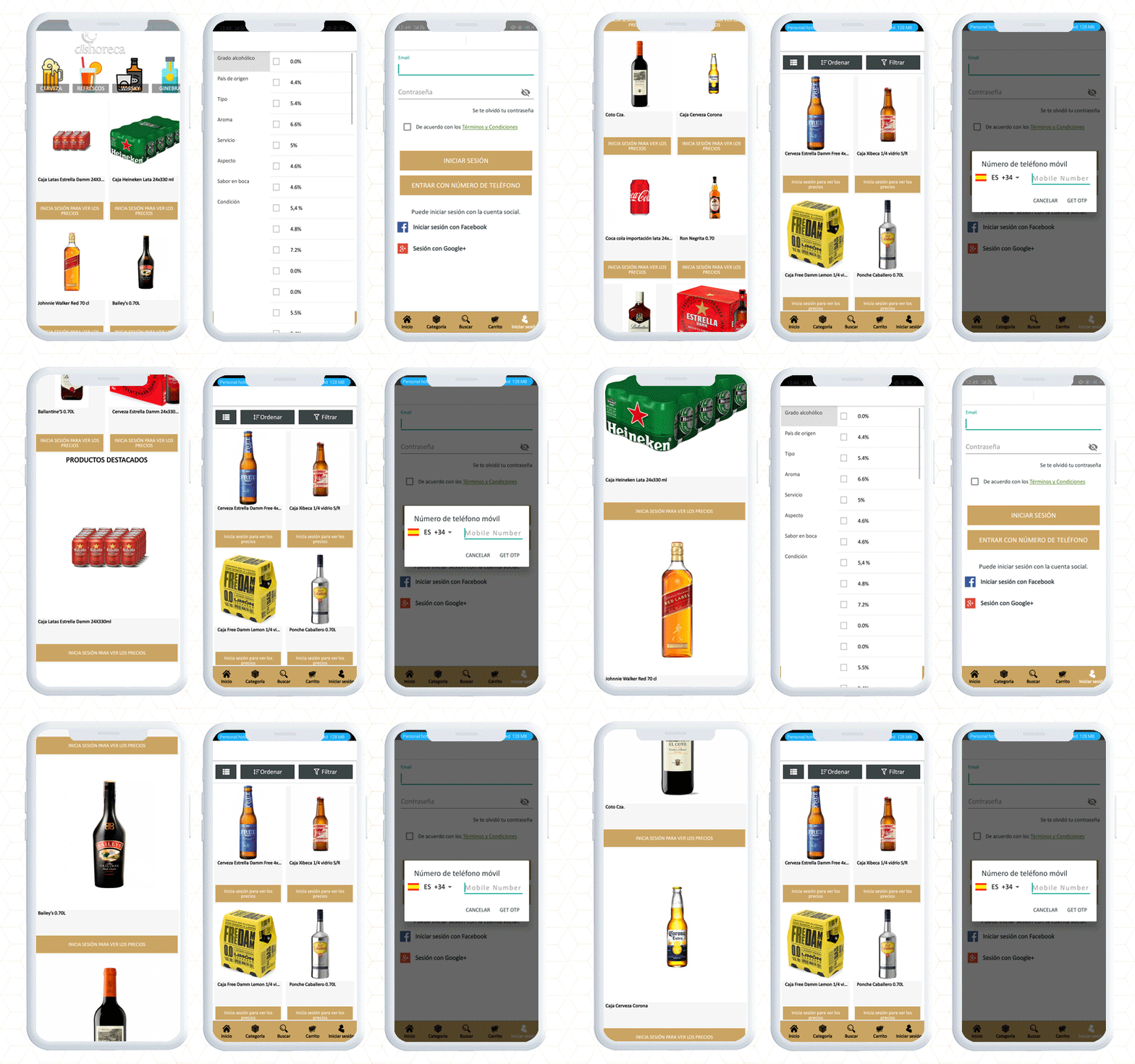
DISHORECA is a mobile application that allows you to order drinks 24 hours a day. The app also allows you to place orders within few seconds, saving you time and allowing you to focus on your business. Dishoreca is a popular website in Spain and to make their App, they used KnowBand’s Mobile App Builder.

This PrestaShop mobile app is designed for HORECA professionals, convenience stores, and supermarkets. You can use the app to place orders, repeat purchases with a single click, review historical data, and receive news, offers, special deals, and other features that will make your company purchases easier.

Have a look at the app features:

3.     bawone- PrestaShop eCommerce Mobile App

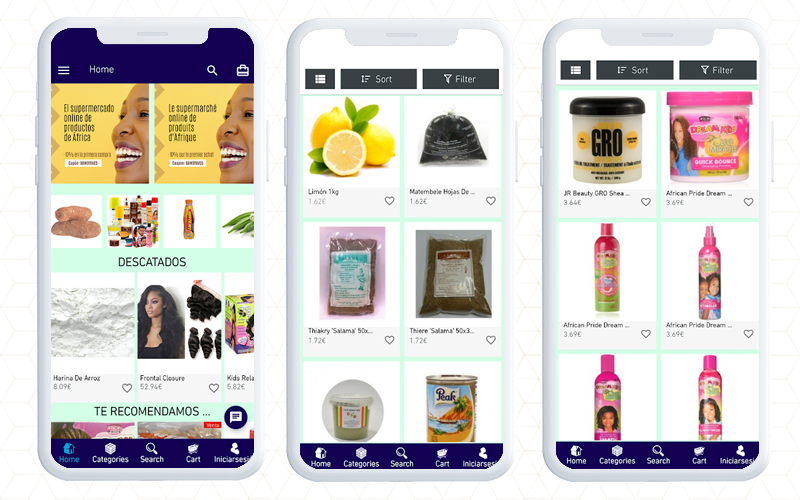
Bawone is an online African and Latin goods superstore where you can find any product from any country and save time and money.

Bawone is built on the PrestaShop platform and to create the mobile app for android users, they have used KnowBAnd’s PrestaShop Android app builder.

You will find all the groceries and with filters, you can easily find the desired products.

4.     AXXA Market- PrestaShop Business App

At AXXA Market, you can get the best culinary supplies without leaving the convenience of your own home. Install it now and start having fun!

The app sends push notifications with the latest information on the local market on high-quality, healthy, and dietary products.

As a user of this app, you will be notified of our specials as soon as they are published. For customer service, they respond to your concerns from WhatsApp, mail, or by phone.

App filters can help you identify and sort products that meet your diet and lifestyle, such as Paleo, Keto (ketogenic), vegan, and more. We’ve covered all you need to know about caring for and protecting your health.

Have a look at the app features with checkout page and payment gateways.

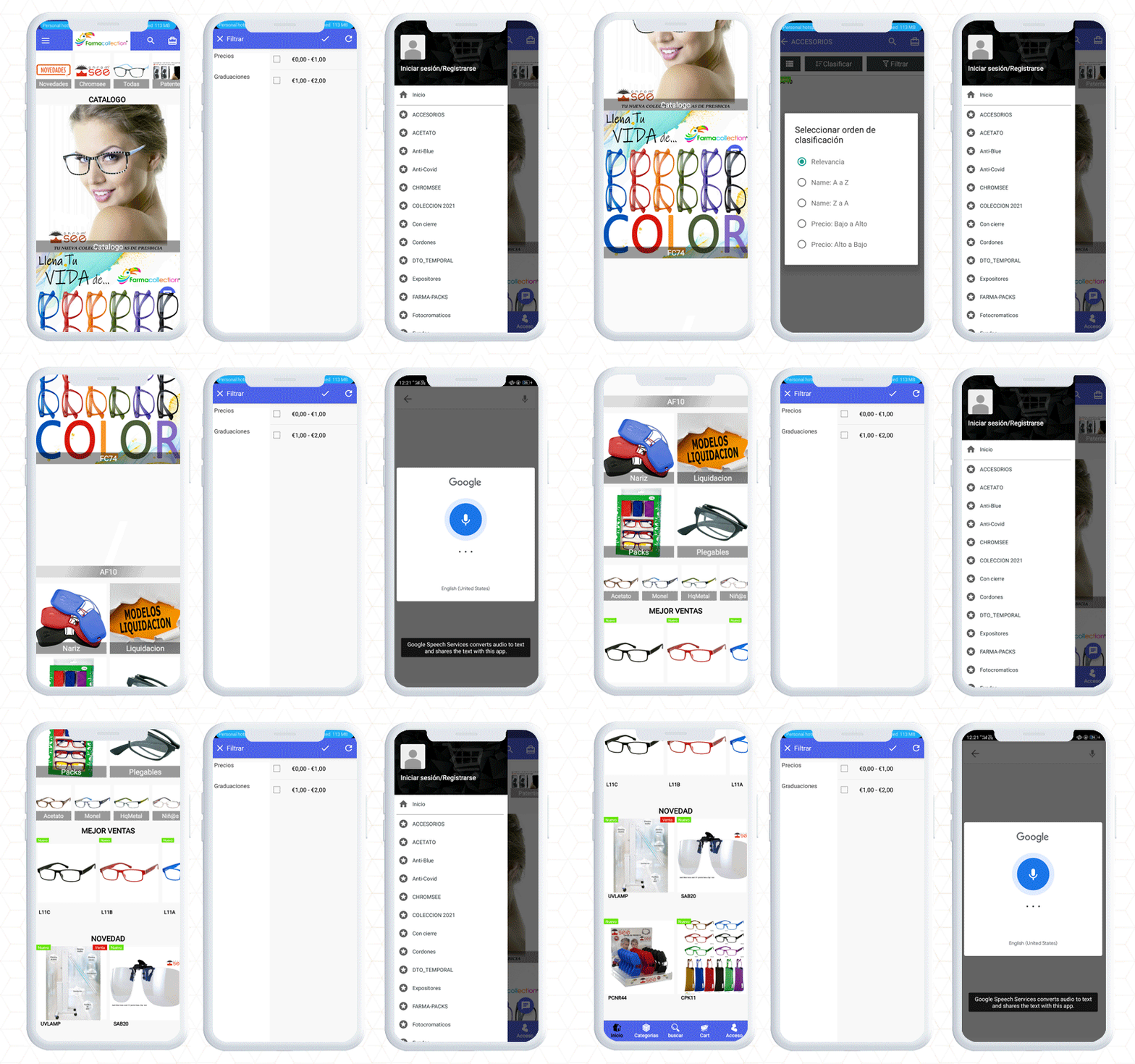
5.     Farmacollection- Mobile App for Android

The Next Mobile eCommerce app on the list is the Farmacollection mobile app. They have a wide range of eyewear for every face type. The app is build up using KnowBand’s PrestaShop Mobile App builder facilitating easy search to find the right spectacles for you.

A customer can purchase a suitable product by applying filters and sorting features. To complete the purchase on Farmacollection mobile app, the user will have to register first by providing a mobile number and email address.

Once a customer gets registered, they can log in with email, phone number, or using the fingerprint sensor.

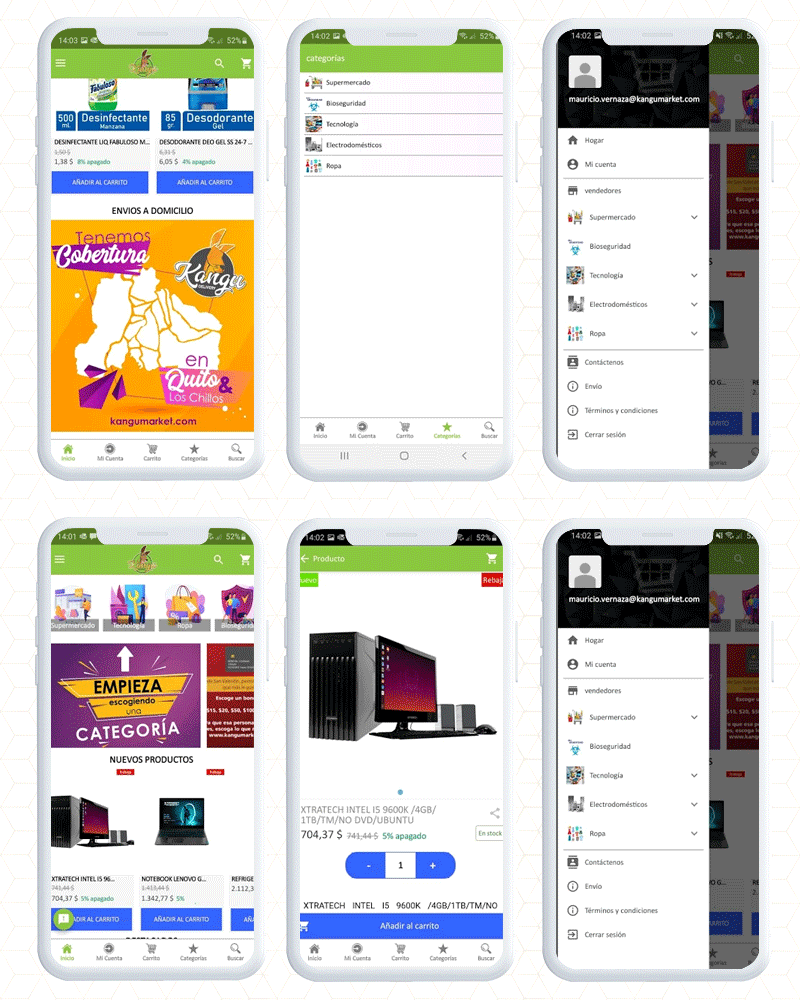
6. Kangumarket Android Mobile App

Kangumarket is another real-life example of Spanish PrestaShop business apps created by KnowBand using the PrestaShop mobile app builder module. It encompasses all the features. The app also provides easy access to products, is findable, and builds credibility with the customers.

Final thought

For the time being, an eCommerce mobile app will stay in a long run and as an eCommerce business owner, having a mobile app for the store will be a thoughtful decision. Click here to get your mobile app builder and our expert team will help you set up and configure it for your eCommerce business. If you are looking for delivery management software then the delivery boy app might help you.

Explore More PrestaShop Apps and modules!

Checkout More Real-life Examples of PrestaShop Mobile Apps

Mobile Apps developed for Russian PrestaShop stores using Knwoband Mobile App Builder

3 Robust Apps Created using KnowBand’s Mobile App Builder Plugin for Poland PrestaShop Stores

5 Examples of How PrestaShop Mobile App Builder Uncovered Development Challenges- France eCommerce

Discover 5 trendy Apps Developed for Italy using Knowband’s PrestaShop Mobile App Builder