It is only at the point when you really think something is missing, that you understand what will actually make a difference. In fact, that’s something true with all genres and fields – eCommerce is no different. When you have a Prestashop store, you certainly include different addons with time you think, it’s time to make some changes.
In this blog, we will look at 3 Prestashop modules that make a vast difference for any eCommerce business that they have associated with. Further, we will talk about what these 3 Prestashop modules do. Later, we’ll lay down the signs that you really need to install these 3 Prestashop modules in your eCommerce store for better results.
Let’s get down to the 3 Prestashop modules below.
Prestashop module One Page Supercheckout Addon
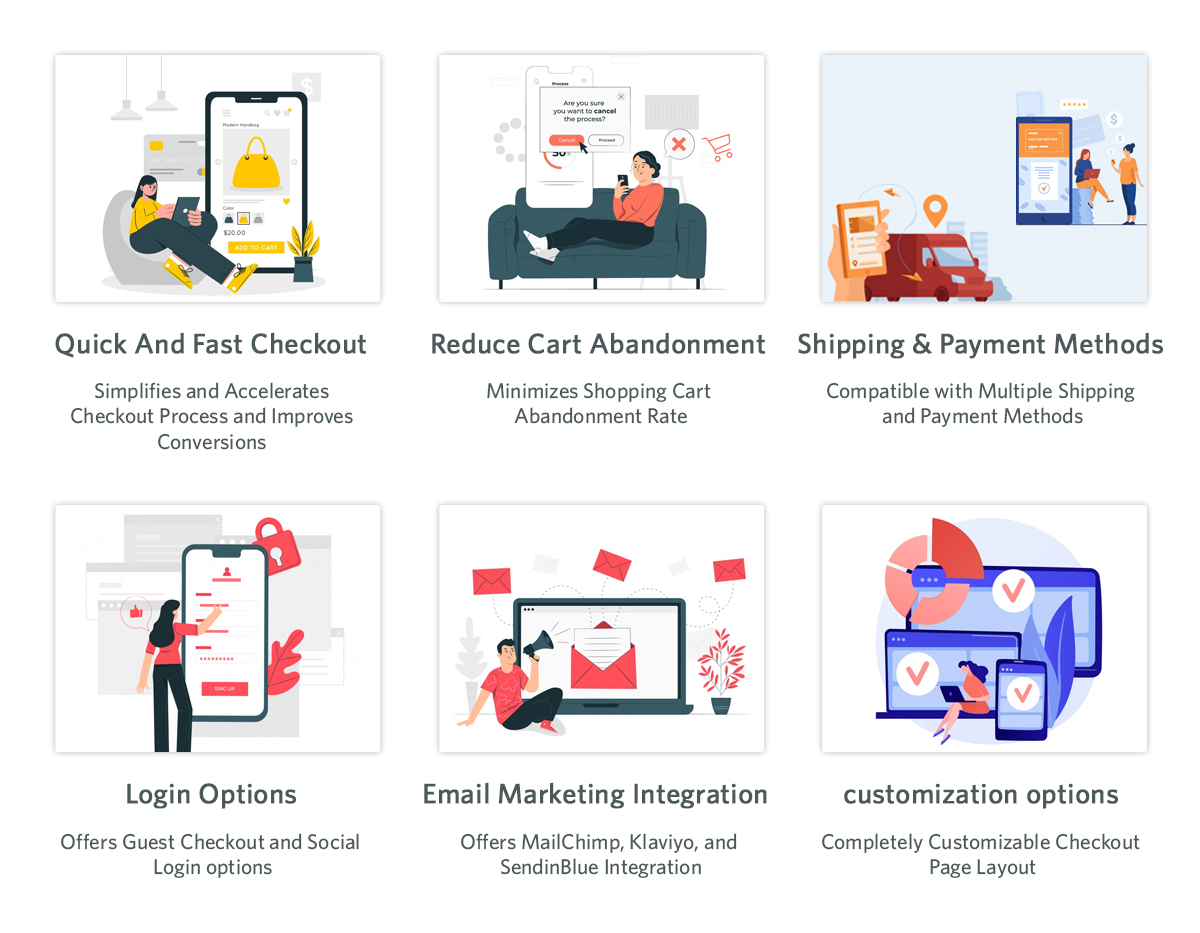
The Prestashop One Page Supercheckout addon is one of the maximum beneficial modules in your business. The Prestashop One Page Checkout Addon is supposed to lessen the variety of superfluous fields on the checkout page. By simplifying the page, you may easily reduce your store’s departure rate as well as the abandoned cart rate. Furthermore, you can boost your store’s conversions, sales, and income. It is feature-rich and guarantees positive outcomes.
You’re in for a successful conversion with features like social login, guest checkout, custom field prioritization, and more.
Signs that you need the Responsive one page checkout Prestashop
Increased abandoned cart rate – customers exiting on the checkout page
Decreased sales and revenues
Prestashop module Abandoned Cart Module
Knowband’s Prestashop Abandoned Cart plugin is a great way to minimize your store’s abandoned cart rate. You can easily send reminder emails to your customers with the Prestashop abandoned cart email follow up plugin.
Furthermore, those who abandoned their shopping carts. It is entirely up to you whether or not to include the promo code in the mail. The discount code works as a motivator for buyers to complete their transactions.
The following are some of the features that make the Prestashop abandoned cart reminder plugin a must-have. For example, you may recover lost purchases, issue reminder popups, and send web push alerts, among other things.
Signs that you need the Prestashop Abandoned cart recovery email addon
Increased abandoned cart rate
Customers are not willing to complete the purchase even when online.
Knowband’s eBay PrestaShop Integration Module lets the admin promote his commodities on eBay. How? It simply connects your shop to eBay. Furthermore, it enables you to map your items on the marketplace and begin selling.
However, that is only the first impression. In fact, having the eBay Marketplace Connector module has a slew of other advantages.
Bulk product listing, pricing control, order management, and other capabilities are among the highlights.
Signs that you need the Prestashop eBay API Integration Module
You want to expand your business
You see the potential of growing your customer base
When you’re willing to increase the sales and revenues.
In the End
Hence, these were the 3 Prestashop modules by Knowband that you really should invest in. Further, when you see these tell-tale secrets for sure. Get in touch with us at support@knowband.com for any information about these 3 Prestashop modules or any eCommerce solutions.
Further reading for the most useful Prestashop addons available for you:
Knowband’s Prestashop One Page Checkout is an astonishing option for your eCommerce business. Truly, a superb apparatus can help your eCommerce organization in an assortment of circumstances. In this article, we will investigate why the Single Page checkout is an absolute requirement. Above all, how about we examine how Responsive one page checkout Prestashop functions.
Presently, how about we look at the reasons you want to purchase the Prestashop One Step Checkout Addon.
Why is Prestashop One Page Checkout by Knowband popular?
The motive of the Prestashop responsive one step checkout addon
Knowband’s One Step Checkout Prestashop Module assists you with smoothing out the checkout page. Besides, it helps the owner in diminishing cart relinquishment and expanding incomes. It further develops purchaser fulfillment. Besides, the administrator can add or erase custom fields from the checkout page. Therefore, to ensure that clients do not worry while finishing the information. Besides, finish the buying system effortlessly. Since checkout is a crucial point in time when most carts abandon.
The Prestashop one page checkout is a consistent arrangement
Knowband guarantees that the Prestashop module is a simple choice for you. In fact, beginning from the establishment to its working, everything occurs easily. Moreover, update the boundaries from the administrator connection point to guarantee that it runs well. Therefore, you can rapidly help your organization’s development.
The Prestashop One Page Supercheckout incorporates a visitor checkout choice
Visitor checkout is a fabulous other option. A checkout technique ought to likewise contain. Truth be told, this capacity permits clients to shop without first enrolling on the site. Besides, people can undoubtedly complete their exchanges in the store without giving an excessive number of subtleties. Thus, the Prestashop One Page Checkout sparkles with the visitor checkout.
There is a social login highlight
The meaning of social login usefulness is not generally hidden. Besides, customers can easily join or sign in utilizing social login. Truth be told, Facebook and Google are two of the most famous potential outcomes. The Prestashop One Page Checkout Addon from Knowband, then again, gives buyers two other options.
Additional features of Knowband Prestashop One Page Supercheckout
Prestashop One Page Supercheckout acknowledges an assortment of installment and conveyance techniques.
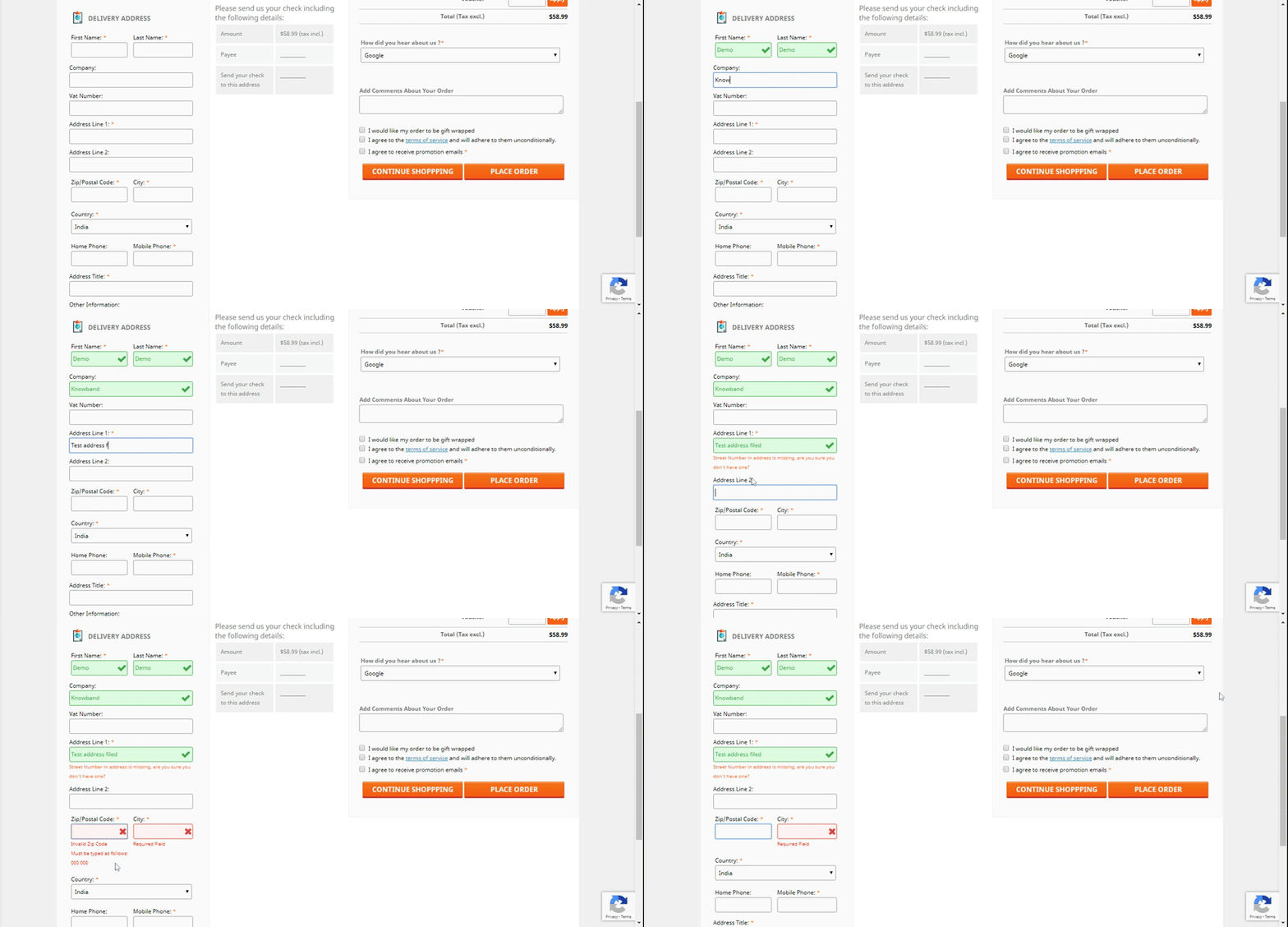
The in-line validation system guarantees that no mistakes happen. As a general rule, if the buyer commits a blunder while finishing up the structure, the strategy will fall flat.
The administrator can lay out many profiles for clients utilizing the client profile’s usefulness. For instance, businesses, individuals, etc. Accordingly, when the customer chooses the profile, every one of the information under that profile will be accessible. For instance, the location, contact data, etc.
Integrators for MailChimp, Klaviyo, and SendinBlue are accessible in the module. You can catch a shopper’s information in your MailChimp, SendinBlue, or Klaviyo account when they enter their data.
There is a back-end choice where the custom CSS and JSS might be acquainted with the checkout page. The store executive might use this part of the Prestashop One Page Checkout to roll out important improvements without changing the code of the Prestashop one page checkout module.
This element of the Prestashop One Page Checkout addon permits the store administrator to concentrate on the way of behaving of customers. Further, who forsakes the bin while on the checkout page. The module shows a rate worth of the data. Moreover, given by online clients who abandoned their bins. This permits the overseer to discard superfluous areas. That of the checkout cycle and abatement cart surrender.
The Prestashop module permits the store head to effectively modify delivering/installment strategies and that’s just the beginning. Further, the name, or the thumbnail picture without changing the code.
The Prestashop addon incorporates a setting that permits store chairmen to make any field discretionary or compulsory.
The store administrator can likewise sort out some way to orchestrate all area fields utilizing the Prestashop module’s worked-on component.
Advantages of Prestashop One Page Checkout
The checkout cycle becomes straightforward
The module consolidates the entire checkout process onto a single page. This way simplifies it for clients to fill in their data.
Customers’ time is saved
Clients don’t need to finish out such a large number of fields or burden a few pages to buy with Knowband’s Prestashop responsive one step checkout addon. They can finish up the structure quickly and easily, and their exchange will finish in a matter of moments.
There will be lesser abandoned carts
It requires a great deal of work to draw in clients to the checkout page, and assuming he passes on the site without completing the exchange because of solid and tedious checkouts, he feels upset. The Responsive one page checkout Prestashop takes out this obstruction by making the checkout page perfect and simple. Further, permitting clients to rapidly complete their shopping.
The conversion rate increases
The Prestashop One Page Checkout from Knowband further develops your customers’ checkout experience. Moreover, assists you with expanding your web-based company’s change rate.
Mobile-friendly
Customers can likewise finish orders utilizing their smartphones on account of the addon’s versatile checkout interface.
Conclusion
There is a long way to go about the One Step Checkout Prestashop Module. For sure, these are the reasons that make Knowband’s Prestashop one page checkout an unquestionable requirement. What is your take? If it’s not too much trouble, reach us at support@knowband.com assuming that you have any inquiries. You could look at additional insights concerning the module on the Knowband store.
Further sources for most useful Prestashop addons:
One page checkout infers a client can purchase a product using one page checkout module specifically. It is interesting and fundamentally better than the old checkout structure. Further, that had endless pages to go to first before the admin receives the total installment. In fact, it demonstrates that the eCommerce destinations utilizing this component have visibly seen sales expand. Moreover, keep on doing likewise. On the other hand, multi-page checkout features many insignificant fields that the customer has to fill. Therefore, the customer runs away seeing the various fields. There is no great explanation to put resources into long checkout measures since it has everything required for an installment trade on a single page.
In this blog, we will take a look at various components that make the Single Page Checkout addon a must. In fact, we will also focus on Knowband’s One Page Checkout Extension. Let us go forth and have a better understanding of the Fast Checkout addon.
How does Single Page Checkout plugin work?
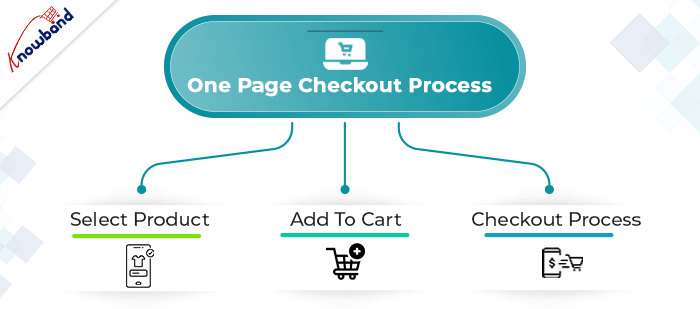
The working of the One Page Checkout Extension is absolutely simple. The admin has to buy the module and install it in his eCommerce store. Further, configure it as per the need of the business. In fact, he starts by choosing the layout that he seems fit for the store. Moreover, add or delete the custom fields.
The next step is that a customer comes to the online store looking for a product. Further, finds what he/she’s looking for and adds the product(s) to the cart. Then, moves to the checkout page which is finally the last step to completing the purchase. Therefore, how you optimize the checkout page decides whether the customer buys the products or abandons the site. Hence, optimize the checkout page well to increase sales of your store.
Why pick the Fast Checkout addon on your eCommerce store?
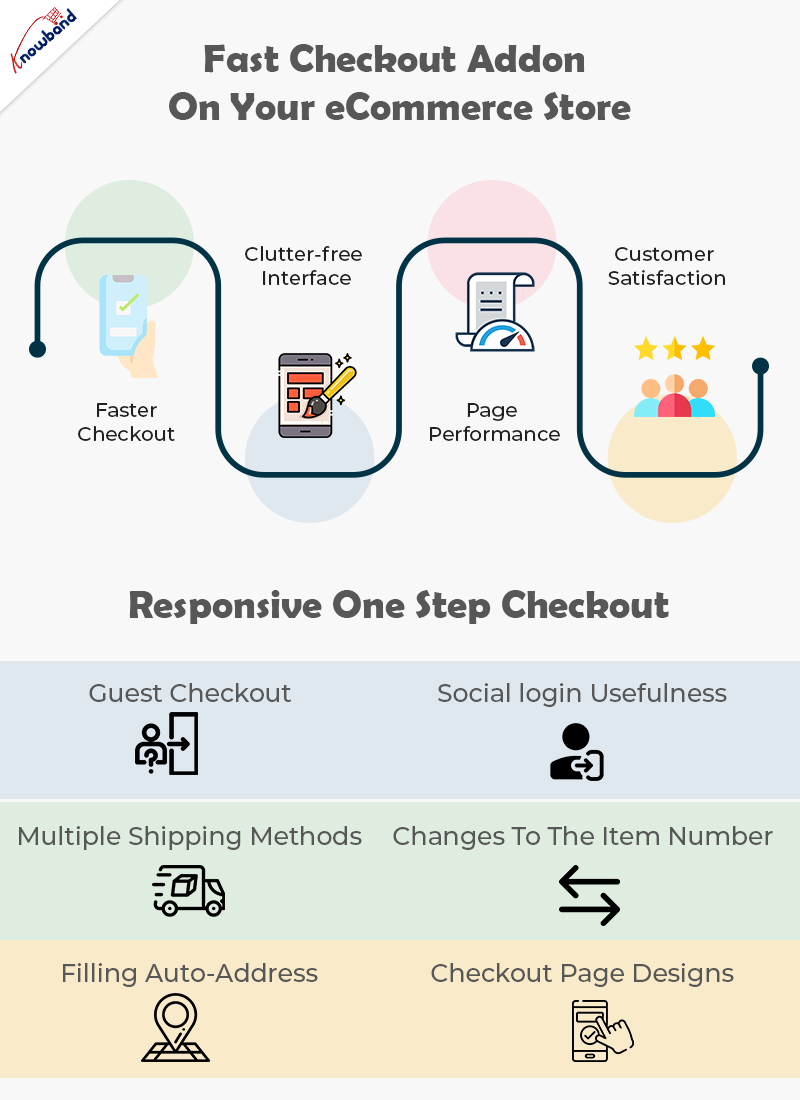
Faster Checkout
Suppose, you visit a shopping store and have the sum of your ideal items in the shopping basket. Further, you start looking for the most basic checkout line. Moreover, get baffled when you see one that is really long and bothering. Also, online customers don’t like to hold on while they make the last installment; they moreover need the checkout cycle to be fast and quick. In case it’s not, they will undoubtedly leave it without buying anything. Being a web-based retailer, you needn’t bother with this happens.
Luckily, a quick checkout elective is available with the Quick Checkout addon. Further, it diminishes the time to fill in all the data on a singular page while purchasing on the web.
Right when online customers see that their checkout experience will be done upon only one page the open door that they make the trade is unquestionably higher.
Clutter-free Interface
A One Page Checkout addon is easy to understand. With a foreordained number of data fields and steps, the page remains clear and easy to go through. Additionally, quick checkout hinders disarray on the grounds that eCommerce buyers see promptly what data they are expected to give. Likewise, they don’t have to go through numerous means and pages which furthermore saves time.
Without a doubt, with one-adventure checkout, you don’t need to worry about whether your route is befuddling to site guests. Customers can without a doubt investigate through the checkout association as they comprehend what data is required, where it should be placed, and when it will be submitted.
Overhauled Page Performance
Customers don’t like to sit and believe that different pages will stack, a long checkout collaboration might make your customer disappointed, provoking cart surrender. One Page Checkout module makes web-based shopping steady since everything is kept in that overall area.
Rather than keeping it together for stacking of pages in continuation, customers get a fundamental page to fill and make the installment. There is no reserve time, just basically fill in the subtleties and press submit unequivocally.
Increase Customer Satisfaction
Customer fulfillment is a basic component that you really want your web-based store to convey. Single page checkout measure urges you to give an issue-free experience to the customers. Everything is manageable by a single page checkout. Further, to convey an overall shocking UX.
In case you really want to grow the change paces of your internet-based store, you should pick the one-page checkout measure. You can without a doubt add a quick checkout decision to your ongoing online store subject to the stage you are utilizing. For sure, you ought to just invigorate your eCommerce site with an extension or modules available to convey the fast shopping experience. That is where One Page Checkout Extension comes into the image.
What makes Responsive One Step Checkout addon by Knowband stunning?
Guest Checkout
New customers might utilize the guest checkout capacities to finish their exchanges without enrolling with the site. This is an incredible method for furnishing clients with a faster method for buying without constraining them to enroll on the site.
Social login usefulness
The following component, social login, absolutely makes it simpler for clients to sign in or enlist. Purchasers may handily sign in or make a record on the eCommerce store. Moreover, to finish the exchange by buying what they have in their bin sans making a record. With the utilization of social login choices like Google, Facebook, or another social organization profile.
All installment strategies are viable
Whether or not your buyers need to finish the buy through PayPal or another strategy, the One Page Supercheckout can oblige them. Accordingly, the customer won’t leave the business without finishing the exchange.
Multiple shipping methods
Checkout in One Step Multiple shipping activities are supported by the plugin. Ulozenka Delivery, Zasielkovn Delivery, LP Express 24 Delivery, and others are a couple of choices out of a large number.
With Inline Validation, you can see the mistakes immediately
Assuming clients commit an error while entering out the data on the checkout page, the proceeding with a component of the One Step Checkout Extension springs up as an elective where they might address it.
Fields in the checkout cycle can be focused on
Depending on the need for anything very comparable, each eCommerce business administrator can slide and drop the components of the checkout page all over. From the back-finish of the Responsive one-page checkout, the head may effortlessly achieve something similar.
Changes to the item number
Purchasers may effortlessly alter the number of things on the checkout page with the assistance of this element of the responsive one-stage checkout addon. Changing to the item page to adjust the number of products further develops proficiency.
Filling in Google’s auto-address
Whenever a buyer begins filling in his location information, Google Auto-address fill gives address ideas. It gets the made characters and presents striking results. When you select the proposed address, the postal district and city segment is accessible.
3 Checkout Page designs
Knowband’s Single Page Checkout offers three different plan choices from which the business overseer can undoubtedly pick the one that best suits the subject of the eCommerce site.
Integrator for MailChimp, SendinBlue, and Klaviyo accessibility
With the assistance of the One Page Supercheckout, gather customer data straightforwardly into your MailChimp, SendinBlue, or Klaviyo account when they show their installment.
GDPR consistence
The One Page Checkout follows GDPR prerequisites.
Details on Checkouts that have been abandoned
The One Page Checkout currently furnishes the retailer with a truly significant component that permits them to follow an assortment of insights. For instance, transformation rates at the checkout, the number of abandoned checkouts, abandoned pay, etc. The entrepreneur has the choice of seeing the recently alluded visuals for a specific day, week, month, or year.
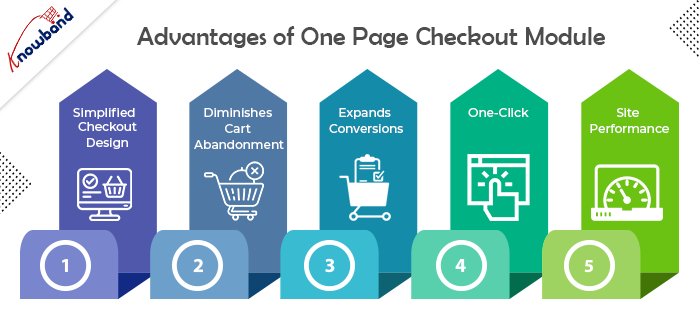
Advantages of One Page Checkout Module
Simple, Simplified, and Convenient
The essential advantage of having a One Page Checkout is that it offers a simplified format. It looks advantageous and energizes a simple and quick checkout. Since it puts all the checkout components on one page, customers are very much aware, in advance, of how they need to finish checkout. It transforms a drawn-out checkout into a lovely and bother-free checkout.
Diminishes Cart Abandonment
Adding to the advantages of One Page Checkout is that it assists with diminishing cart abandonment. According to Baymard Institute, 23% of cart abandonments happen because of a long and confounded checkout. One-step checkout has ended up being exceptionally helpful for this situation. It brings down your cart abandonment by a good edge and assists you with recuperating lost sales.
Expands Conversions
This point intently connects with the subsequent point. Cart abandonment is contrarily corresponding to conversions. So when you face low abandoned carts, conversions consequently increment. Online customers show a higher goal to buy when given a single-page checkout which at last prompts higher conversions. However cart abandonments can never be killed, even a little improvement in conversions can bring you immense income.
All it requires is One-Click
One of the significant advantages of a One Page Checkout is that it dodges various snaps. Not at all like a multi-step checkout where a client needs to go through a few steps or pages before they could affirm their request, a single page checkout makes it a one-tick process. It offers a straightforward route and allows customers to submit their requests inside a single tick.
Further develops Site Performance
An extensive checkout urges customers to leave the checkout page. Trusting that the following page will stack over and again can in some cases be enraging for the customers and they might skip off from your site, destroying your site’s presentation.
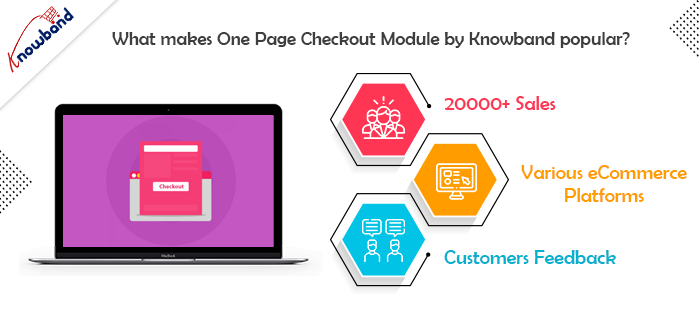
What makes One Page Checkout Module by Knowband popular?
There are several reasons why Knowband makes a popular company for eCommerce plugins. However, when it comes to the Simplified Checkout addon, Knowband has its expertise. Let us understand the reasons why Knowband is the best place to buy the module.
20000+ Sales
Knowband proudly announced earlier last year that the One Page Checkout Module has been sold more than 12000 times in 2021 only on the Knowband store. Moreover, by April 2022, the company celebrates 20000+ sales. In fact, the sales are a combination of both the Knowband store and the Addon store. Therefore, you know that there are 20K+ merchants out there who are satisfied with their purchases from the company.
One for every CMS system
The company offers a One Page Supercheckout extension for various eCommerce platforms. Further, you have the plugin for Prestashop, OpenCart, Magento, and Magento 2. Thus, no matter which platform you have, you can easily shop the module and install it in your store.
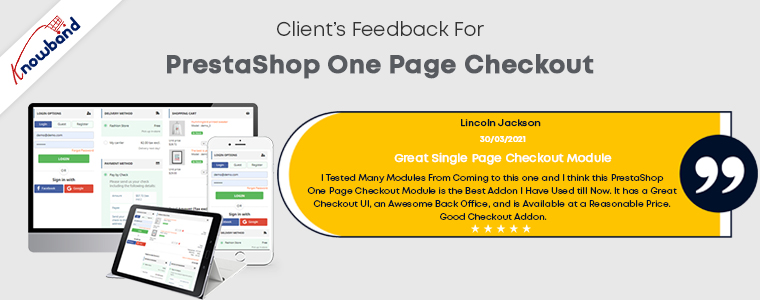
Stunning feedback from the customers
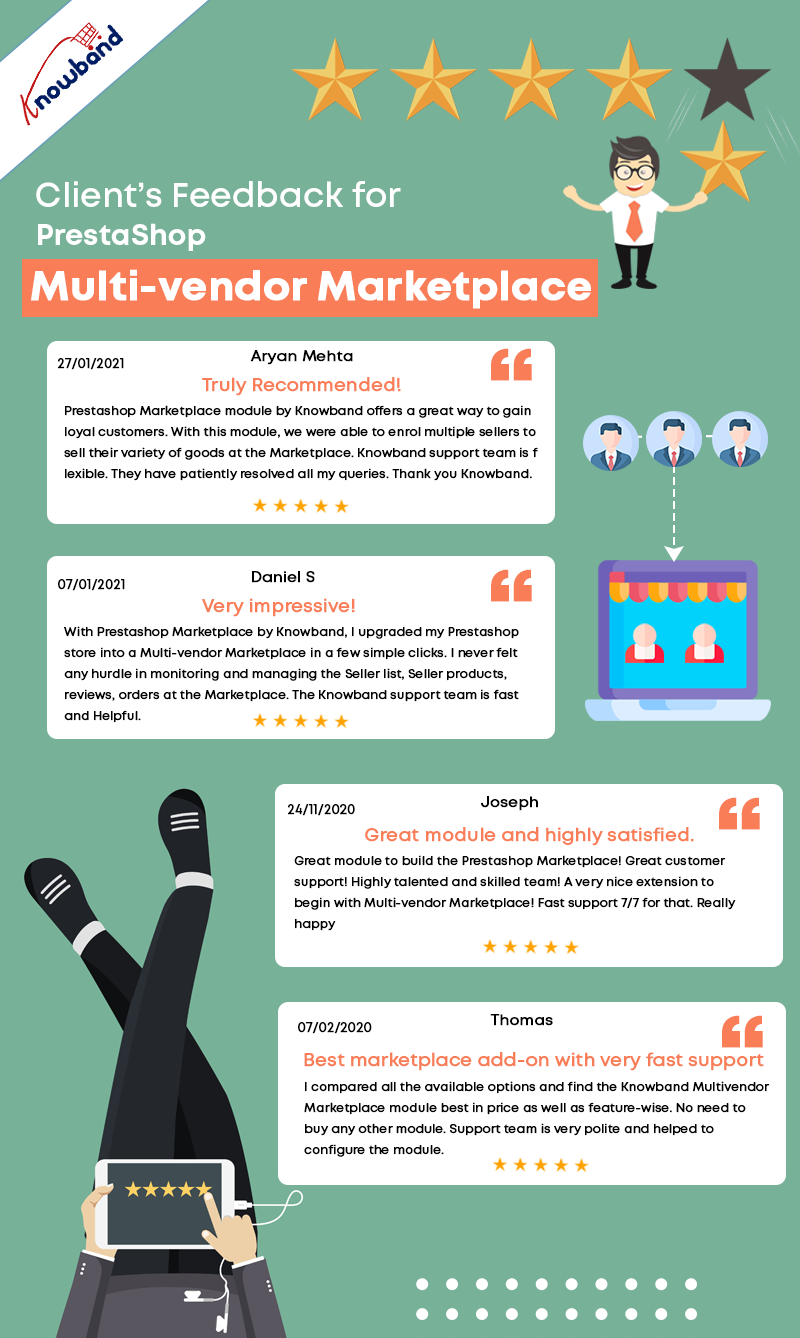
Knowband boasts about the eCommerce plugins it offers. However, it is of no use if the customer feedback states otherwise. Further, you can go on and read the reviews and ratings offered by happy customers of the One Step Checkout Addon.
In the End
So, if you are looking for an option that can optimize your checkout page, there’s no better option than one page checkout module. Knowband is definitely the best place for you to browse your option. I have tried to elaborate on all the details of the plugin to the best of my ability. In case you still have any doubts, let us know at support@knowband.com.
The latest release of PrestaShop Multi-Vendor Marketplace Plugin brings significant improvements to the UI design of the admin interface for the marketplace users. The enhancements are focused on admin panel configuration UI design and plugin compatibility across the plugin. It also has the latest feature update in the seller dashboard for product uploading.
PrestaShop Marketplace builder addon is listed in KnowBand’s best seller products. We have crossed 3000 downloads for KnowBand’s PrestaShop Multi-vendor Marketplace plugin that means 3000+ clients are using the Marketplace module. It builds up the best marketplace on PrestaShop and allows merchants to build a seller community.
What is new for admin?
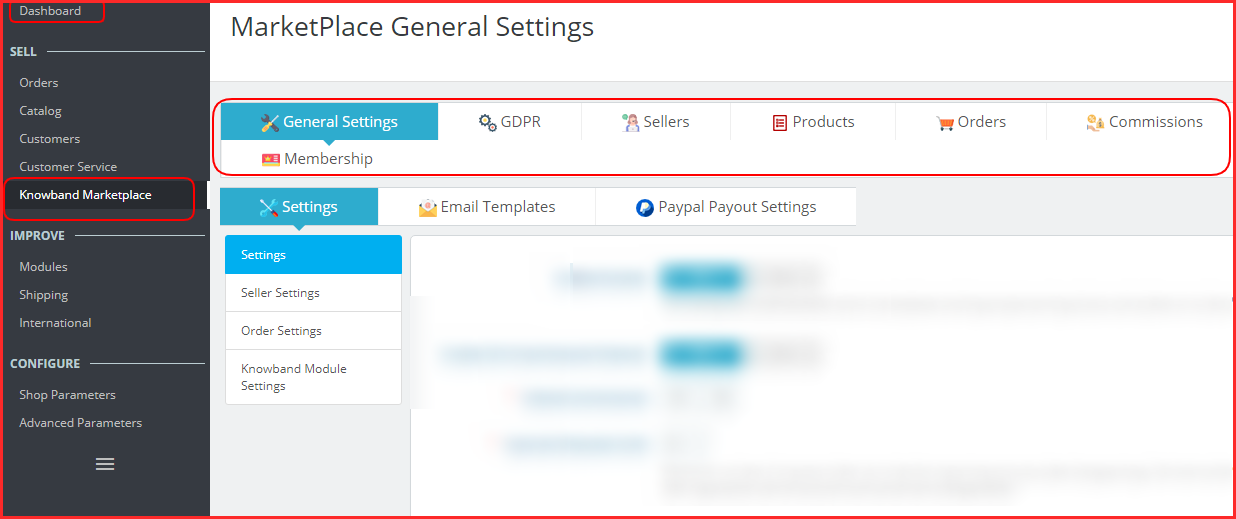
In the latest update of KnowBand’s PrestaShop Marketplace builder, the UI is changed entirely and now is more accessible and easy to understand.
The configuration can be done with ease because the admin will find all the settings in groups.
The General Settings section includes the most common settings like mentioning payment methods, seller form details, allowing general seller settings, and order features.
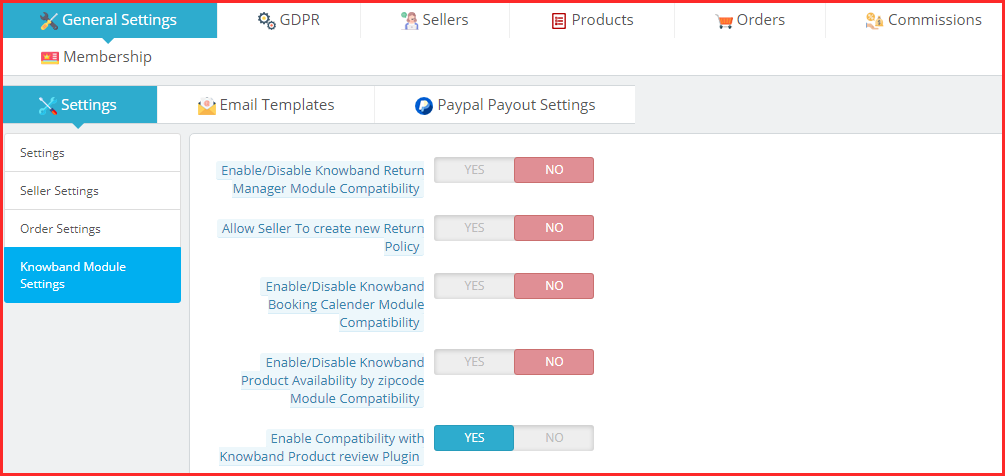
Also, the admin can integrate the compatible modules like booking calendar, return manager, product availability check, etc.
Furthermore, with the new UI design, the admin will have to hit the PayPal Payout button and add the details to set the PayPal API.
In the same manner, all the other configuration setting menus have been placed together.
How admin can manage the seller dashboard options and seller profile?
In the seller tab of the settings, the admin can see all the registered sellers of the marketplace. Along with this, the approval requests are featured in a separate section where the admin can approve and disapprove the sellers.
Managing seller form is simple and adding new custom fields can be done in a few clicks.
Admin can define the category-wise commission, check and approve seller reviews, manage seller shipping methods, check out the shipping status of various sellers, and a lot more.
Since, assigning categories to sellers in admin’s capacity, when a seller places a category request, admin can check that in a provided menu and can approve or disapprove it.
How to manage the payouts in this latest version of the PrestaShop Marketplace plugin?
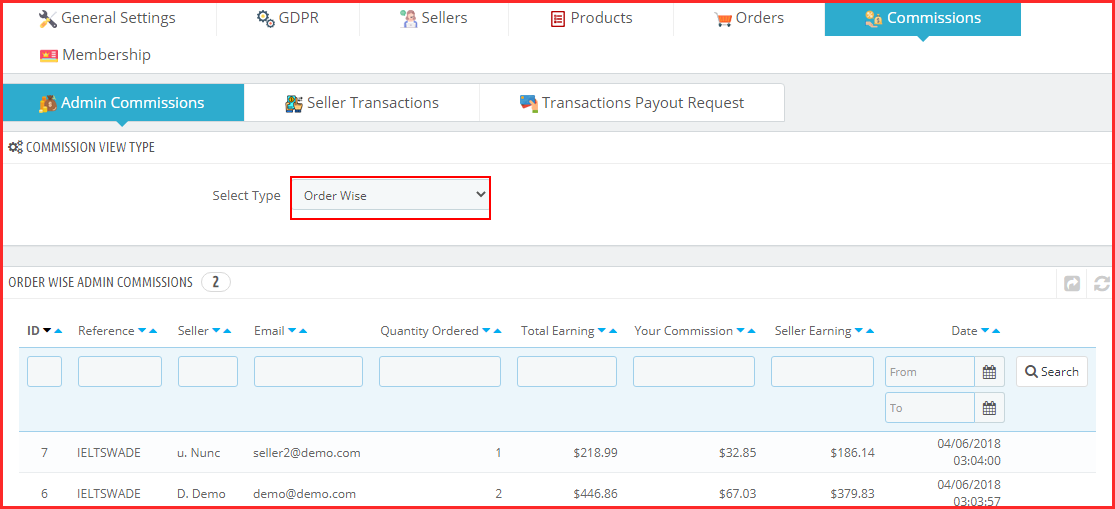
In the commission section of settings, the admin will be able to manage the commissions.
To see the profits you are making on your marketplace, visit the admin commission section.
It provides two options:
Order wise commissions
Category wise commissions
In the PrestaShop marketplace builder module, the admin receives the payments and the seller gets the payouts. In the next section, the admin can see the transaction history and seller balance history.
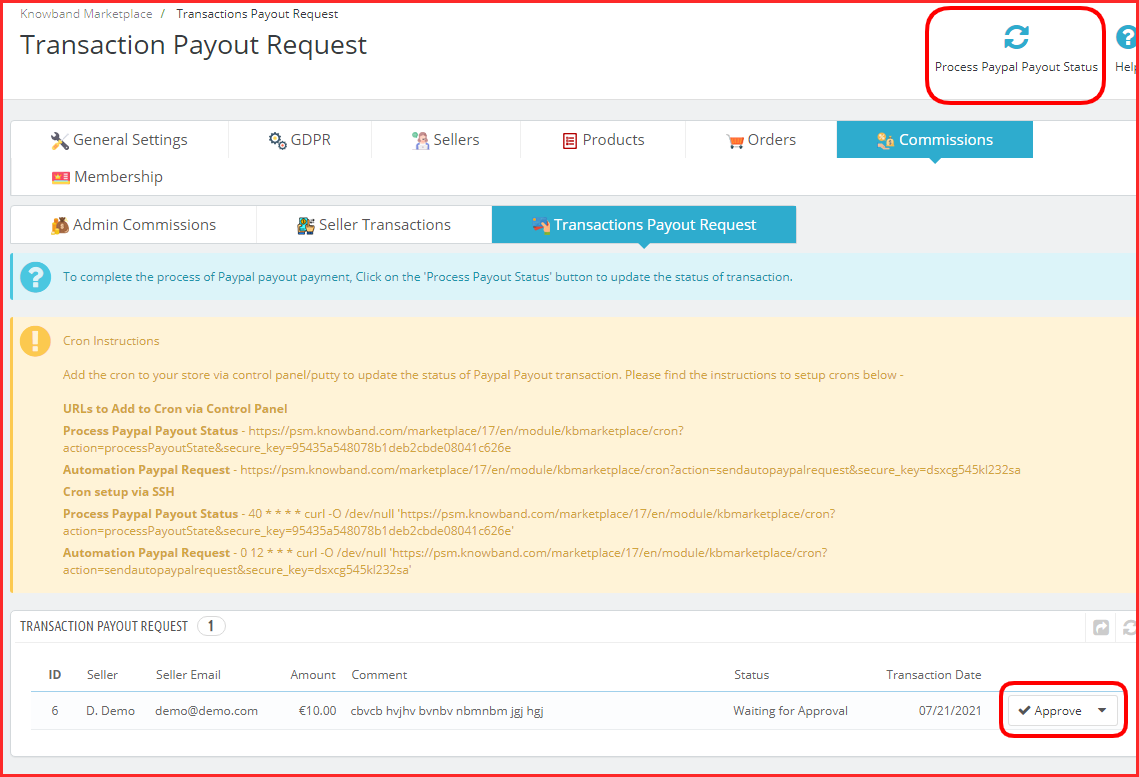
Also, the payout requests will be visible here.
Once, the store owner clicks on the Process Paypal Payout Status, all the approved sellers will receive the funds.
It is very easy to manage things here as the module has cron functionality featured.
List of Compatible Modules with PrestaShop Marketplace Builder plugin
KnowBand has developed some plugins that are easy to configure and save you time while managing a marketplace. To add some additional features in PrestaShop Marketplace, you can use other PrestaShop plugins that are specially designed for improving user experience. KnowBand has a PrestaShop marketplace gold plan with various modules discussed here.
To provide a ticket feature so a seller can raise a query, add marketplace sellers-admin ticket system PrestaShop addon. Also, if you want to provide better services on your marketplace, adding a ticket system for customers will be a great idea. Consider using a customer-seller ticket addon for this.
Check out the PrestaShop Marketplace Gold Plan here.
In addition, there are other compatible modules for the marketplace like return manager, booking and rental system, product availability check by zip code, and Review, reminder, and incentives.
What is new for Sellers of PrestaShop Marketplace?
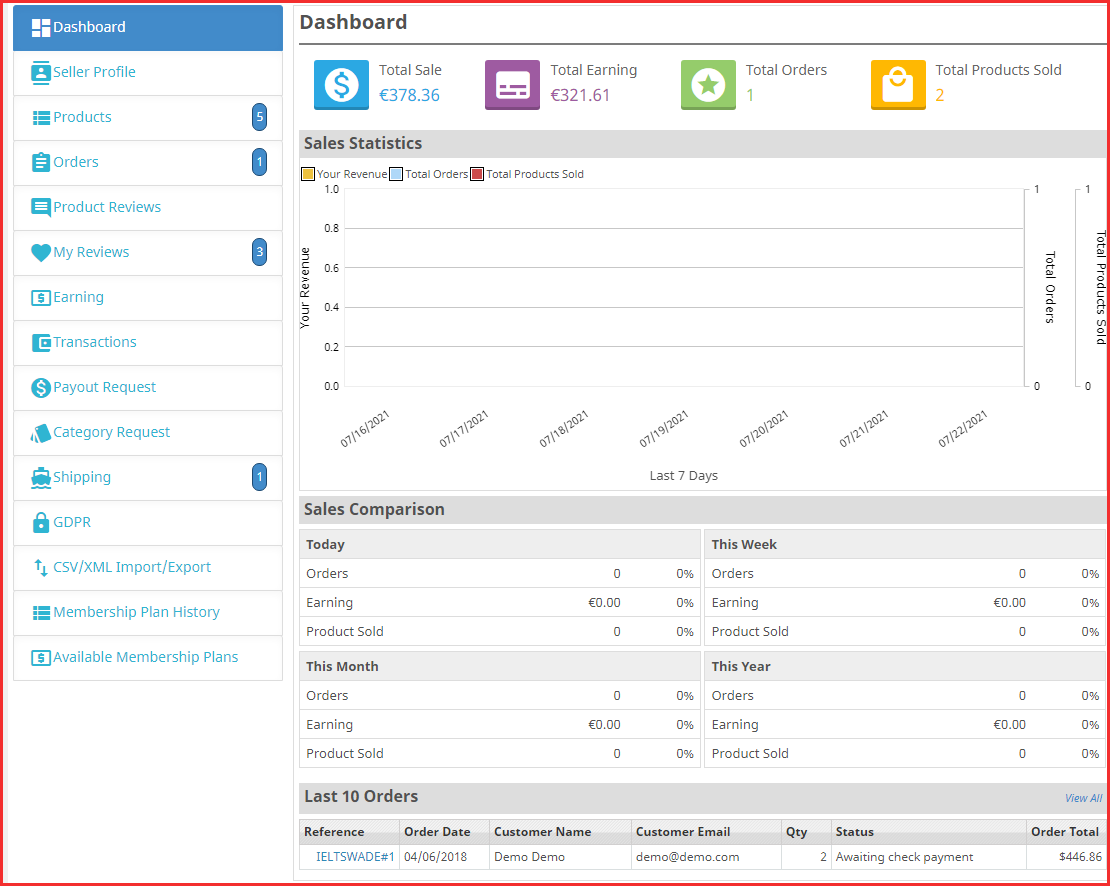
With one exceptional addition, the seller dashboard of PrestaShop Multi-Vendor marketplace addon is the same as the previous one.
Seller Dashboard
For complete feature exploration, you can read the user manual of KnowBand’s PrestaShop Marketplace Builder.
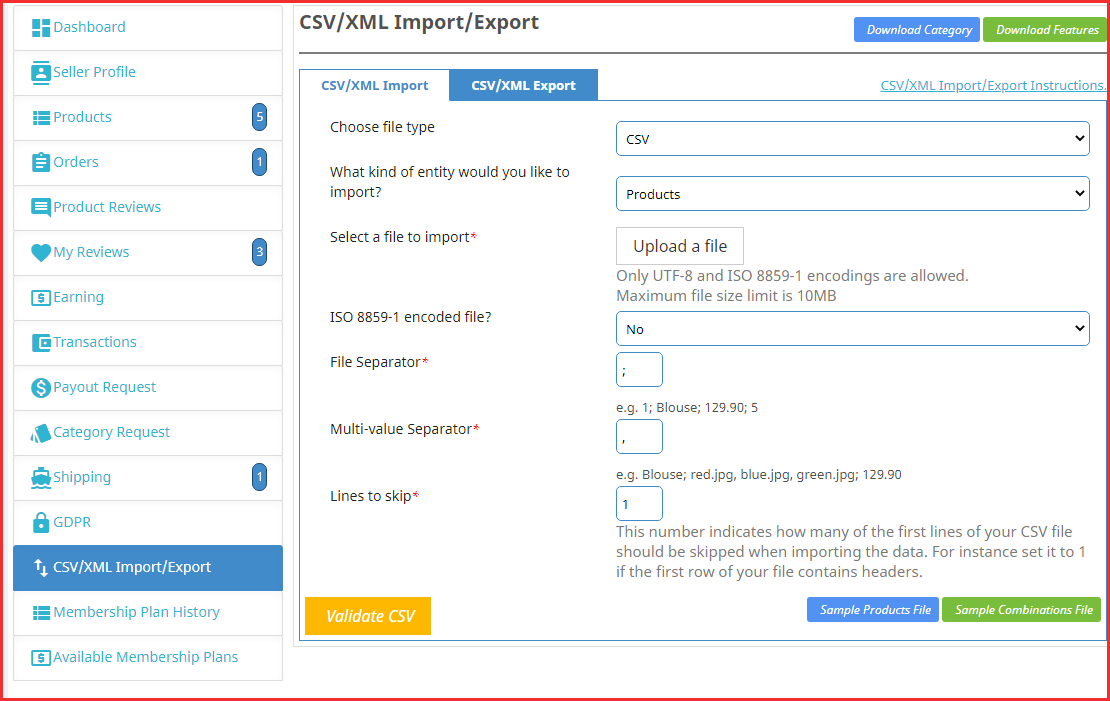
CSV/XML Import/Export- New feature added
Sellers were facing difficulty updating the products or purchasing a separate module for mass product uploading. In the recent update, we have added the CSV/XML Import/Export feature to the PrestaShop Marketplace Builder module- Knowband.
Now sellers can upload the products in bulk and combinations. It will save tons of time and the work will be simply done.
Admin and sellers both earn direct profits from a marketplace. Admin can expand their business by offering more products and services while sellers can reach out to the new customers by selling on a marketplace.
On the other hand, a customer gets a lot of advantages when they purchase from a platform where several product choices are available at a comparable price.
How do customers get benefited from a marketplace?
As we know that the feedback plays an important role in buying decisions, they can read and drop reviews. On a marketplace created with KnowBan’s plugin, the reviews are allowed for the product and the sellers.
Customers can visit a seller profile to check out their products and catalog. This way, they get the opportunity to explore the seller’s shop.
In a marketplace, a customer gets a variety of choices and a chance to buy a product at a reasonable price.
They get multiple shipping options and payment methods. Also, they feel a marketplace is a safer environment to make any transactions.
Start Service Marketplace with PrestaShop Marketplace Builder Plugin
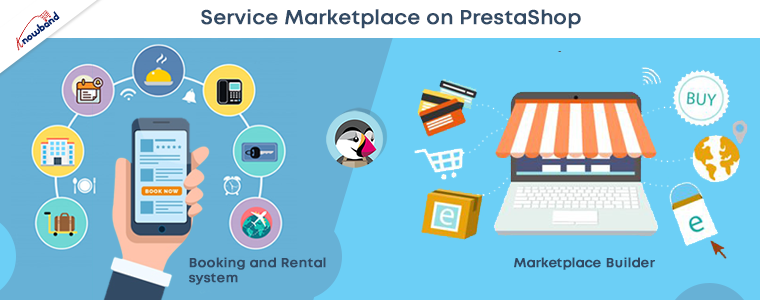
To start a service marketplace, you will need some additional plugins with the PrestaShop Marketplace builder addon. Moreover, for providing an amazing shopping experience to customers, the service marketplace should have a robust system for the management of clients and services.
And to fulfill that requirement, you can add the Booking and Rental system to your Multi-vendor Marketplace. It will become super easy to book the appointments and the services with KnowBand’s PrestaShop Booking and Rental System. It also allows hotel bookings and hourly rental facilities.
Get started with your services-based marketplace using a couple of plugins. This is the most affordable way you can start a service marketplace on the PrestaShop platform.
Make your Marketplace mobile responsive:
To make your website fast loading, that gives a better customer experience, it is needful to make it gadget friendly. For creating a completely responsive website, you can use PWA builder and AMP builder to decrease the website loading time. PWA builder gives your website an app-like interface without any technical code change.
Also, you can create a PrestaShop marketplace mobile app for iOS and Android in a few simple steps. Choose a mobile app builder plugin for your PrestaShop Multi-Vendor Marketplace and PrestaShop Hyperlocal Marketplace.
For any eCommerce custom changes and services, get in touch with our expert team at support@knowband.com. We believe in customer satisfaction and help eCommerce businesses in creating their business websites.
Are you experiencing a sudden downfall in your website traffic?
Your website ranking might get affected after every new Google SEO update. Many websites crawl up to the top but a few lose their rankings too.
The dwell time, UX, and focus keywords are some of the major Google ranking factors. These SEO ranking factors might not make you rank unless you optimize your website for its speed.
What is Accelerated Mobile Page (AMP)?
Accelerated Mobile Pages (AMP) is an open-source initiative that aims to boost the performance of mobile web pages. Google and Twitter were the driving forces behind the project.
The technology underpinning AMP allows for lighter, faster-loading pages for smartphone and tablet users. As more individuals use mobile devices as their primary PC, this capability has become increasingly vital.
Optimize Website Speed with AMP
To reduce website loading time on the PrestaShop store, consider using the best AMP Plugin, the PrestaShop Accelerated Mobile Pages module. It helps you cope up with the new Google SEO ranking and gives an exclusive shopping experience to your customers.
Studies say, around 40% of users click away from a website in 3 seconds. Many decide to turn on an ad blocker as soon as they visit the website. Hence, it’s time high time to optimize your Prestashop store so that the visitors spend more time than average.
If it is about shopping experience then Mobile App Builder is also an option but with AMP you do not just make your website gadget-friendly but optimize it for Google SEO ranking too.
Benefits of Accelerated Mobile Pages (AMP)
Helps site owner reduce page load time
Website loading time is a major factor in increasing the bounce rate on a website. The Accelerated Mobile Pages (AMP) reduces the page load time and enhances your website’s performance on mobile devices and tablets.
Visitors spend more time than average
More visitors reach your website if page load time gets reduced. In addition, you attract more visitors to the website with the impressive themes and engaging design.
Various layout and designs
Layout and designs are vital elements of the website and every page has a distinct type of design. An AMP module allows the seller to customize the design and layout of the web pages to emphasize the look and feel of the website.
Faster website than competitors
When there are a lot of competitors, you can win your game by optimizing the speed and page loading time. Many users leave a website because they are impatient and look for other options immediately. Take the advantage of this by accelerating the speed of website pages.
Improves the user experience
The goal of AMP is to improve the user experience by making mobile surfing as simple as possible. The PrestaShop AMP addon adds a professional look to the website that gives a rich browsing experience.
PrestaShop Accelerated Mobile Pages (AMP) can Improve Google Ranking
Module Compatibility
AMP Module PrestaShop Theme Compatibility
Implement the AMP on your PrestaShop websites which is compatible with all the PrestaShop themes other than the default theme. The PrestaShop Accelerated Mobile Pages (AMP) module does not require switching your theme and goes with the current design.
AMP supports all PrestaShop versions
The AMP works for every PrestaShop version. The module is compatible with PrestaShop version 1.6 to the latest PrestaShop version 1.7.
PrestaShop Module Compatibility
If you have several other modules installed on your store and looking for an AMP that supports them, KnowBand’s PrestaShop Accelerated Mobile Pages (AMP) module is the one. It won’t affect the custom settings of your other modules.
How PrestaShop Accelerated Mobile Pages (AMP) Works?
The KnowBand’s PrestaShop AMP effectively makes the website user-friendly and mobile responsive. By implementing the AMP module on your PrestaShop store, you will not just get a fast-loading website but also observe an increment in user engagement along with various custom settings to configure it.
Lets us explore several features and customization options it offers:
Emphasis the brand Identity
Improve look and feel – Use several colors to add a vibe to your store.
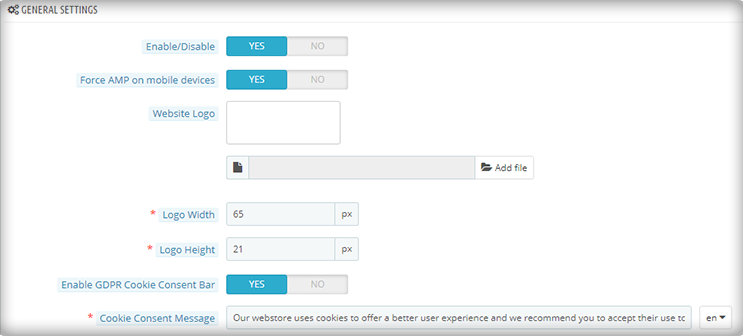
Add and shift Logo– Adjust and resize your company’s logo in accordance with the website’s structure.
Showcase Products In Carousel Mode– On the Home page, Category page, product page, etc.
Display your business location and contact options like contact number, email address, etc.
Customize the entire store with PrestaShop AMP Settings
Be it the home page or the product page, the module allows you to customize each and every element of your web pages.
1. Optimize to increase home page dwell time
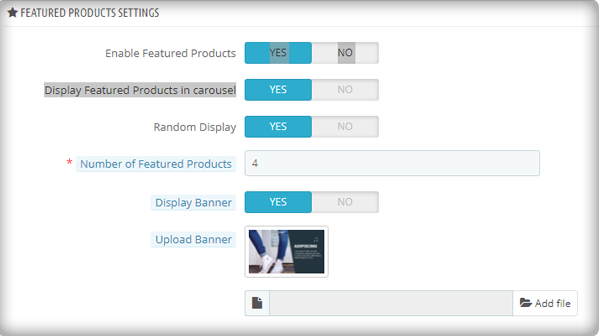
You can use the PrestaShop AMP module to make your Home Page AMP-ready. On the main page, it allows you to display Featured Products, Bestsellers, and New Arrivals. The display banner is being uploaded.
As the image depicts, the customization for the home page to display featured products, besides this, there are options for bestsellers, new arrivals, and others.
More home page customization options:
Adding custom text to the homepage’s top or bottom.
Carousel mode is used to display featured products.
Choosing the number of featured products that will be shown.
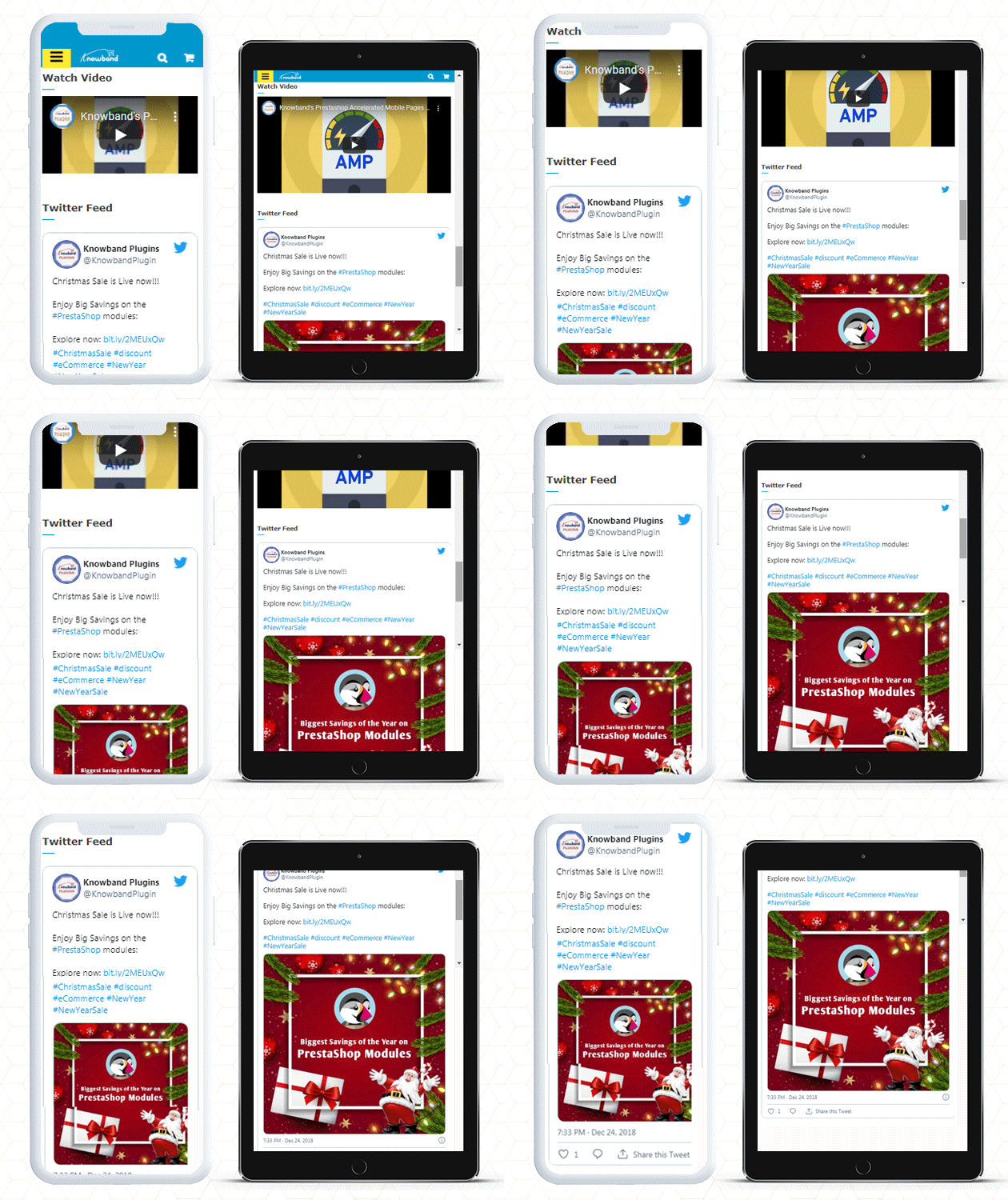
In addition, you can show movies from YouTube, Vimeo, and Dailymotion.
Instagram and Twitter feed can be displayed on Home Page.
2. Customize Category Pages with AMP
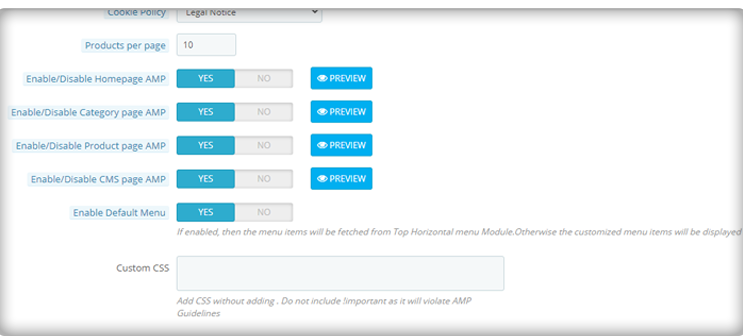
You can use the AMP module to enable AMP on Category pages. Displaying custom texts at the top or bottom of your Category page is part of the Category page customization. It allows choosing the right image size for the product.
3. Use AMP to customize the product page
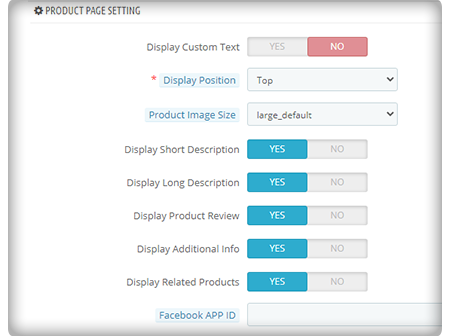
You can transform your product pages into AMP-enabled product pages using the PrestaShop AMP plugin. You can customize the product page by displaying custom text, short product descriptions, product descriptions, product reviews, related items, and so on.
4. Make your menu bar unique
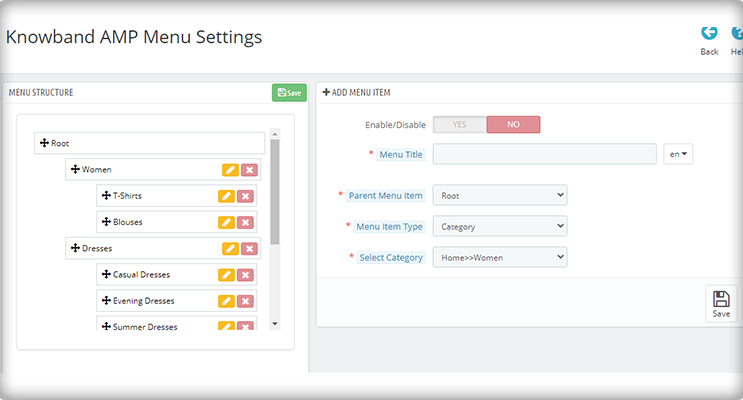
The PrestaShop Accelerated Mobile Pages extension allows you to customize your menu bar to meet your needs.
5. Add colors to the AMP-enabled PrestaShop website
The AMP module allows you to customize the colors on your AMP pages to make them more appealing.
6. Include links to your social media profiles with custom text
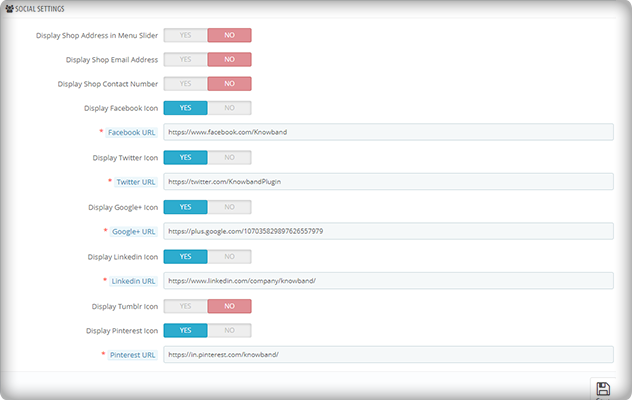
On your AMP-enabled website, you can establish a distinct section for displaying your social media company sites. Facebook, Twitter, Google+, LinkedIn, Pinterest, and Tumblr are all part of it. You can also add any other network if you want to.
Aside from that, you may use the menu slider to display your company’s location, email, and phone number.
7. Link your Adsense and Google Analytics accounts
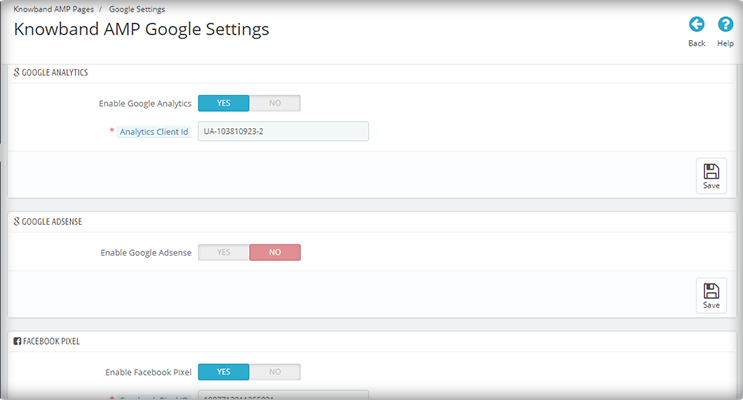
The PrestaShop AMP module allows you to link your Google Analytics and Adsense accounts to your AMP-enabled website. This module also allows you to control the sitemap settings and link your Facebook profile.
8. The PrestaShop AMP Module GDPR Cookie Consent Bar
To prevent the hassle of violating the GDPR law, include a GDPR cookie consent bar on your AMP-enabled website.
Note: Your website must be HTTPS enabled for the AMP module to work. The HTTP protocol is incompatible with AMP. As a result, you should strongly consider using the HTTPS protocol when generating AMP pages and content (vs. HTTP).
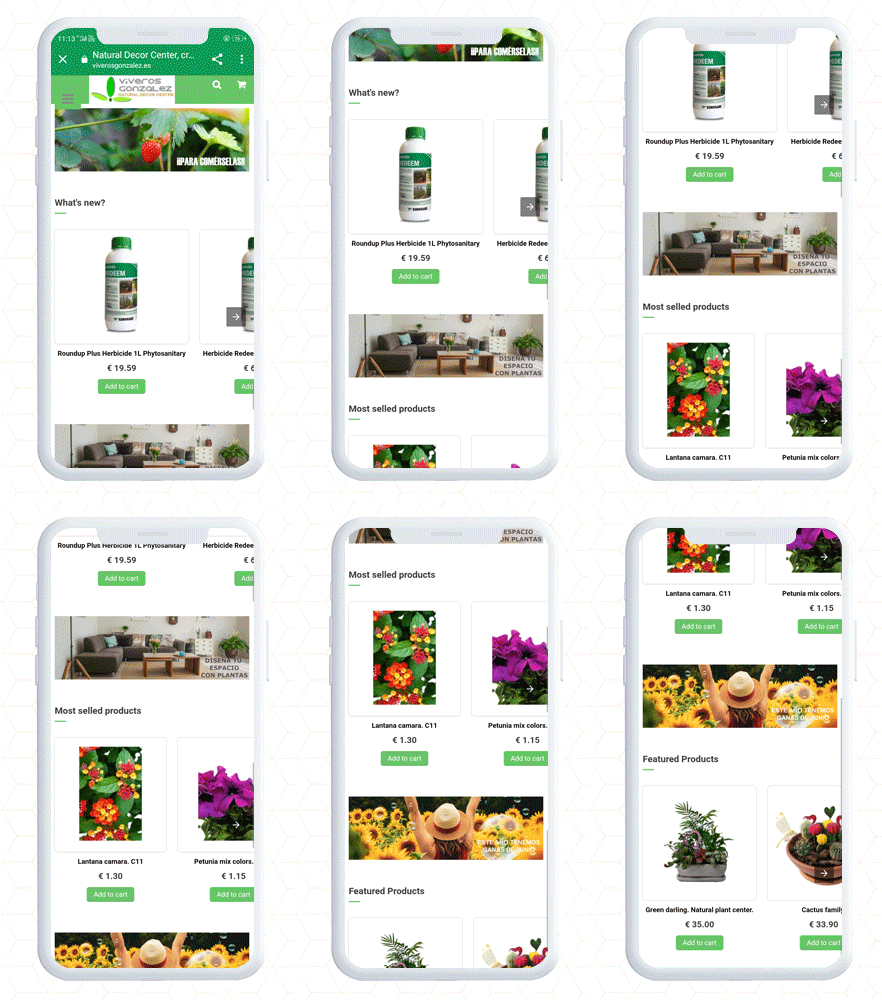
PrestaShop Accelerated Mobile Pages (AMP) example
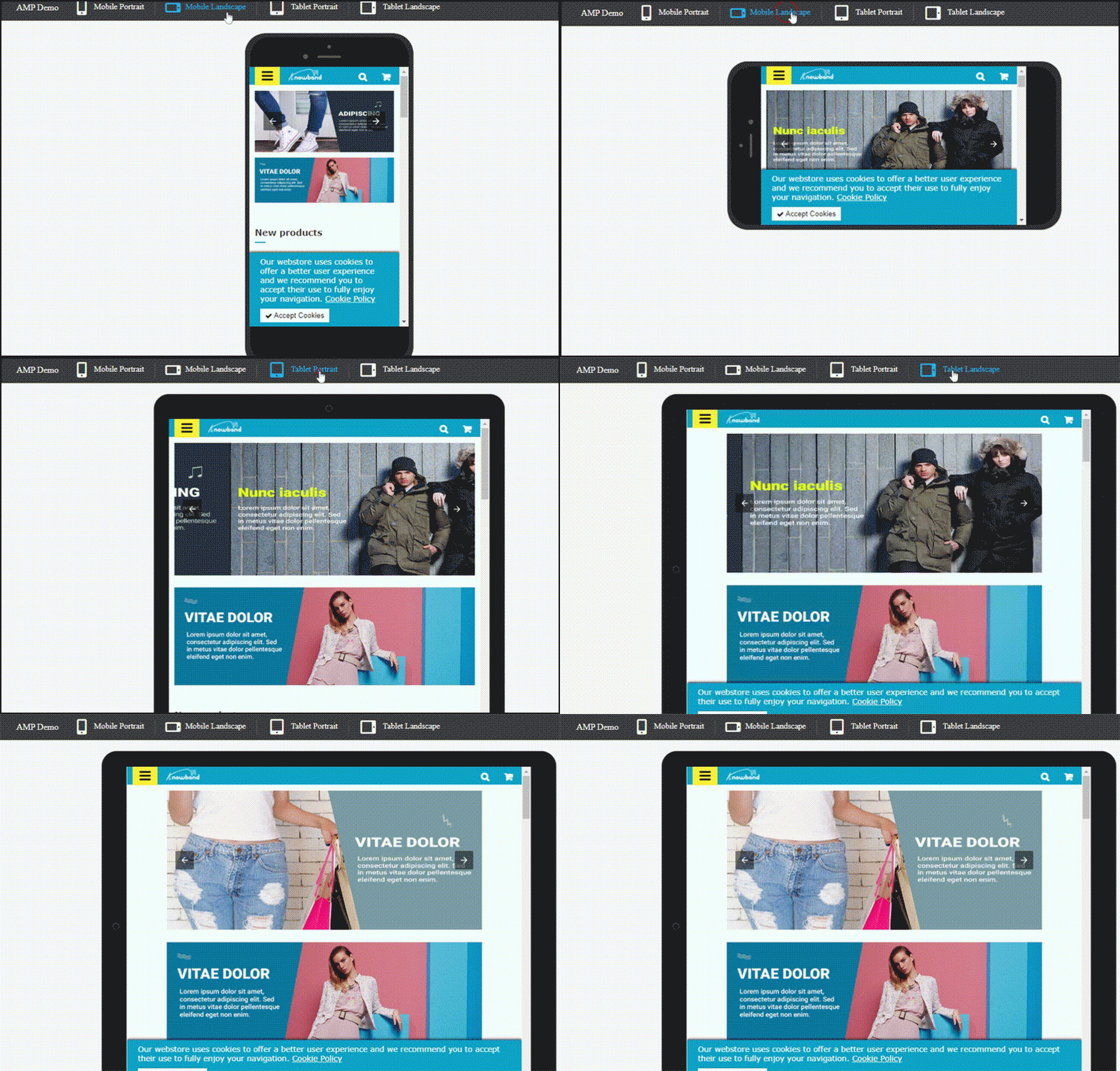
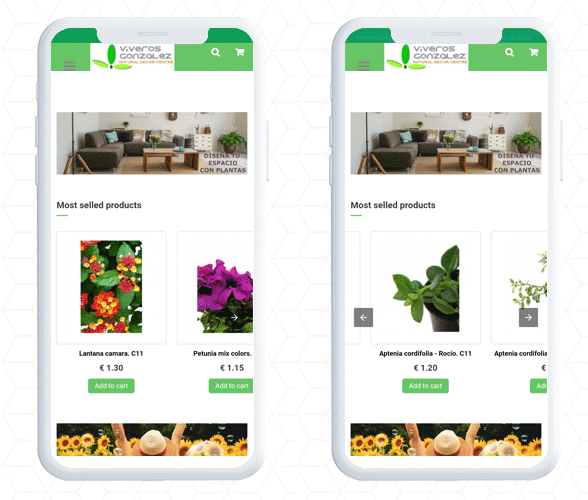
PrestaShop AMP Home Page with navigation slider
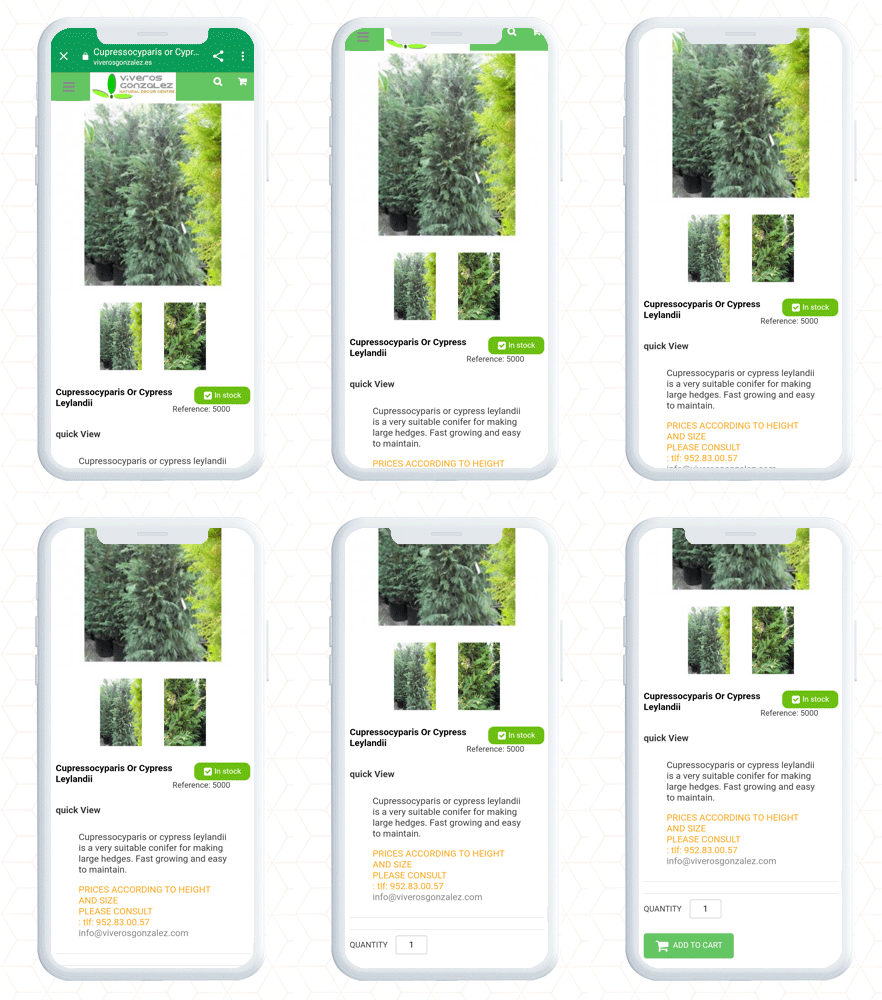
Product Page and Category page PrestaShop AMP
Finally, the PrestaShop Accelerated Mobile Pages (AMP) module lets you optimize your website pages for a user-friendly mobile experience. It gives you complete freedom to customize the home page, category page, and product page layout and designs. By adding a custom logo and text you can create a unique brand identity. Along with these design features, it allows the seller to link the social media account and videos on the home page. There are many other facilities given in the AMP setup.
Consider adding AMP to your website to make it user-friendly, mobile responsive, and SEO friendly with AMP addon.
Martin Grow Shop is a popular green store where you can find a variety of seeds and plants that are grown indoors. The purpose of building Martin Grow Store was personal creativity and technical experimentation in the field of botanical cultivation. It is situated in Italy and not just the plants and seeds but, you’ll find many other products from tools to shop lights on the same platform. They have created their website on the PrestaShop platform and have installed some of KnowBand’s popular PrestaShop modules to enhance UX and customer experience on their store.
The website runs smoothly and you will get a satisfying user experience all over from the landing page to checkout and payment gateways. All of its web pages are mobile responsive. They have even secured the website from bots and spammers by Google reCaptcha. Let’s have a look at the PrestaShop Modules installed in Martin Grow Store that adds a pleasing user experience to the store.
KnowBand’s PrestaShop Modules live on Martin Grow Shop:
Ajax Cart
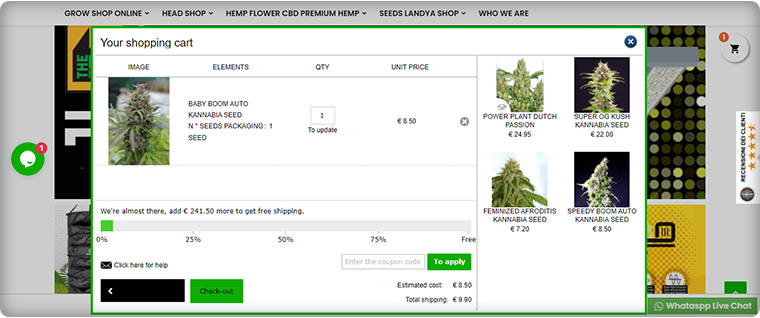
Ajax Cart adds a clean, transparent, and informative Shopping Cart to increase the online store’s conversion rate. The Ajax-based interactive pop-up ensures a high impact on direct sales.
With this addon, Grow Store promotes offers and banners and it adds direct CTA to the checkout page.
It also has a free shipping bar included in it.
Wish List
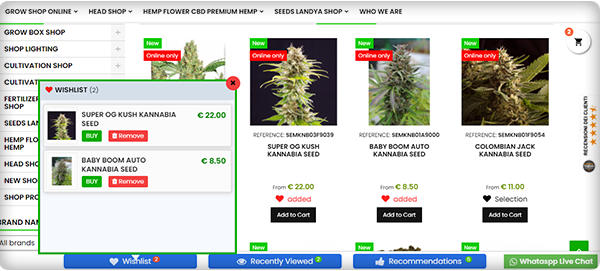
To enhance the user experience and improve retention, a wish list is a must-have feature. Grow Shop website has a wish list feature added using PrestaShop Wishlist Module developed by KnowBand.
Google reCaptcha
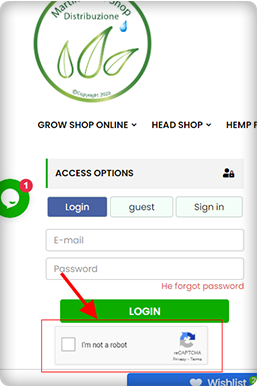
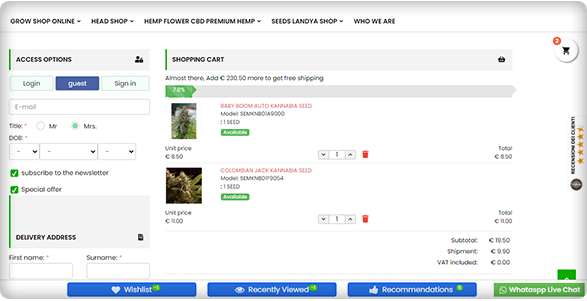
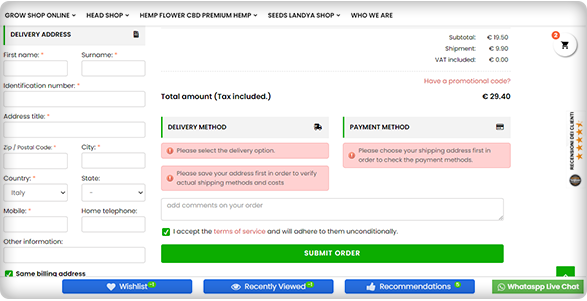
To secure the Grow Shop Website from bots and spammers they have added Google reCaptcha on their website. The image below is showing the reCaptcha added on the checkout page of Martin Grow Shop.
One Page Checkout
Another PrestaShop module installed on Martin Grow Shop is One Page Checkout. Because of its alluring features like Guest Checkout, Social Login, Multiple Payment and Shipping methods, etc., it is one of the best sellers of KnowBand.
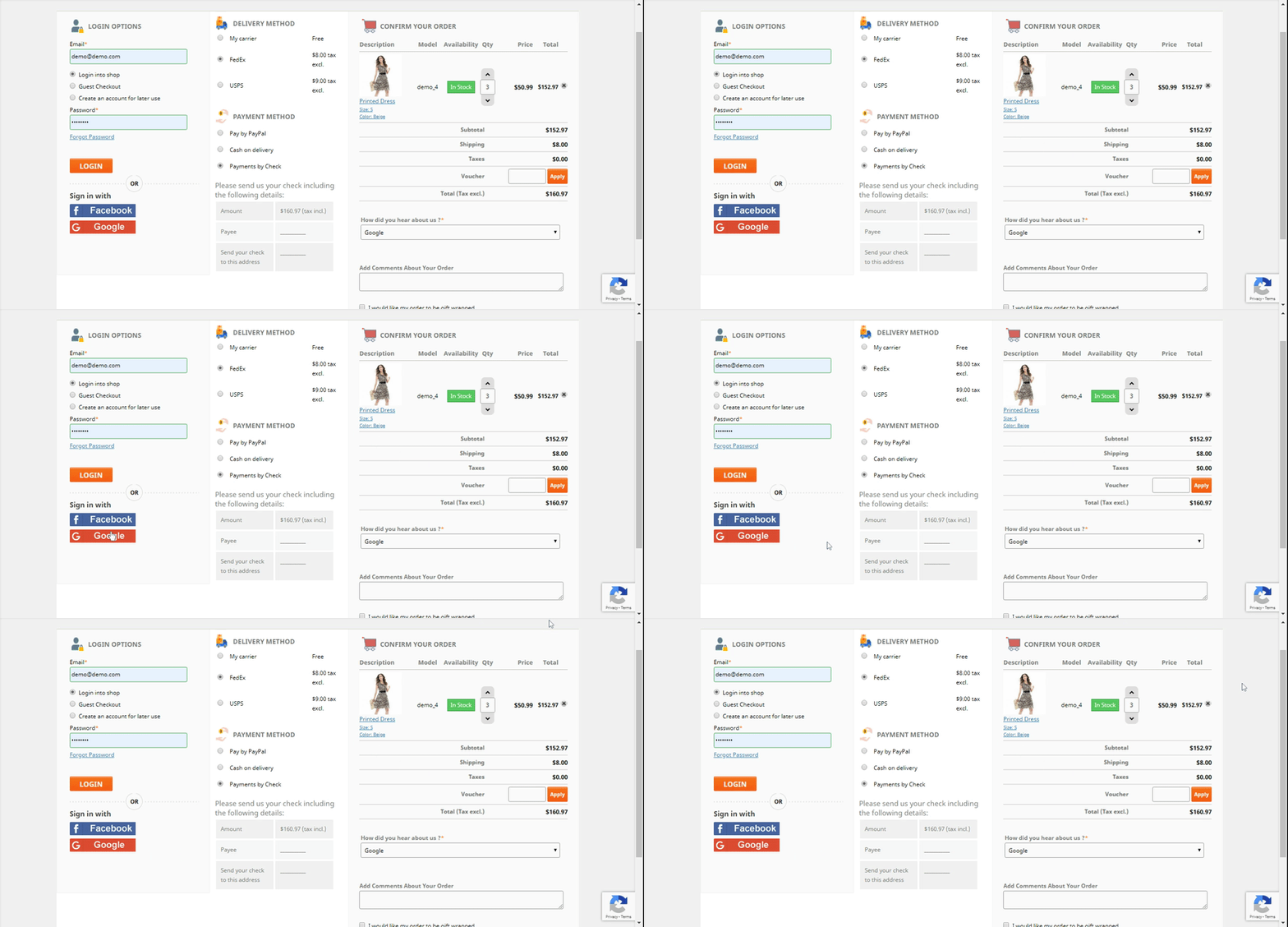
The checkout page has options like Guest Checkout, Social login, and email registration options. If a customer is willing to do the Guest Checkout, then he can put the email address and delivery address.
Cash On Delivery with Fees
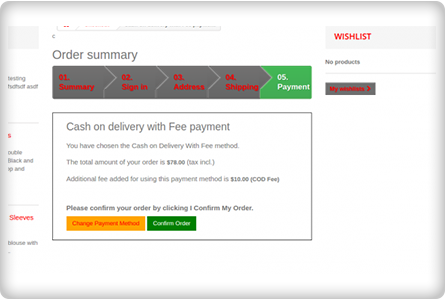
Offering COD is one of the marketing strategies to reduce cart abandonment that occurs during the payment process. People often feel intimidated in sharing their credit card or debit card details on the new eCommerce website. To overcome this, Grow Shop added Cash on Delivery with fees module on their PrestaShop store.
Google Shopping
To list their products on Google Shopping, they have integrated the Grow Shop with Google Shopping using an integration module. It increases the visibility of the products on Google Search and every product update on the store will directly get synced with Google Shopping listings.
Final Thoughts:
The Martin Grow Shop is one of a kind where you can find different PrestaShop modules and all are making the user experience better and rewarding. KnowBand store has 80+ PrestaShop modules for every eCommerce requirement.
Knowband might have a solution to your eCommerce problems. Click here to visit the store.
The marketplace has become the most visited eCommerce store in the last few years. You get products at competent prices with hundreds of choices from multiple sellers. Out of two ways of creating a marketplace, some chose to make it from scratch while others use marketplace extensions.
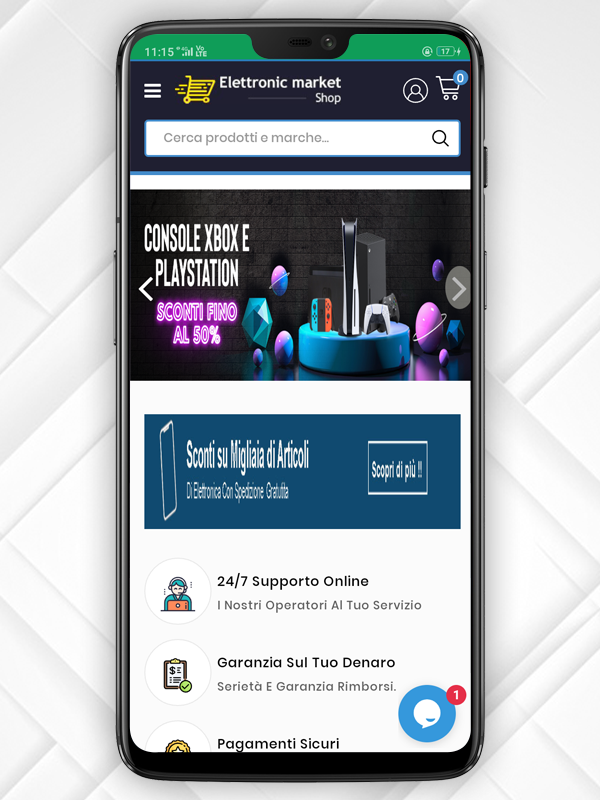
In this article, we are celebrating the success of the Elettronic Market, an Italian marketplace that trusted KnowBand’s PrestaShop Multi-vendor Marketplace Module and created a full-fledged multi-vendor store where anyone can register as a seller and expand their business.
About Elettronic Market Shop:
ELETTRONIC MARKET is a young and vibrant e-Commerce business that specializes in selling millions of goods. It sells lighting goods, DIY hardware, perfumery, clothes, beauty items, games for the little ones, personal care items, and much more thanks to a refined and unmistakable theme.
<em>"Our products are made with top quality materials and one goal: to offer design solutions with the best possible quality/price ratio."</em>

<em>-Elettronic Market</em>
Combined with attention to quality and design, the range of goods has helped their shop to become an industry leader with thousands of regular shipments throughout Italy.
The Elettronic marketplace has a functional website with a user-friendly interface. Along with that, they strive to provide an exclusive customer experience in every aspect of the shopping process. Elettronic Marketplace is actively working with big worldwide search engines such as Google, Bing, and Yahoo to guarantee all customers an exclusive and constantly changing shopping experience.
Services offered by Elettronic Market Shop:
Elettronic Market also pays close attention to all things related to logistics. Excellent logistics must enable the selling of even large goods. To always intercept the quickest route to get the goods to their destination as quickly as possible, we have agreed to focus on the best professionals in the logistics sector located in plants and warehouses in different Italian locations.
All the essentials and quality products are available at Elettronic Market Shop. It offers its customers products that are already chosen by a team of experts, bypassing the sifting of soulless products across endless websites. They examine the right products for you and this benefits the store; the customer satisfaction is more important and they watch it every day with the success of their products on the whole Italian market.
They have a 24/7 customer assistance service facility for customer communication which improves the customer experience.
Also, Elettronic Market provides the best shipping and payment options to the customers. Every transaction is secured with PayPal Gateway. The inventories are updated regularly and all the products are analyzed by the expert’s team before making them available online for the shoppers.
-> Click here to visit the Elettronic Market Shop Marketplace Website.
The Elettronic Market Shop at a glance:
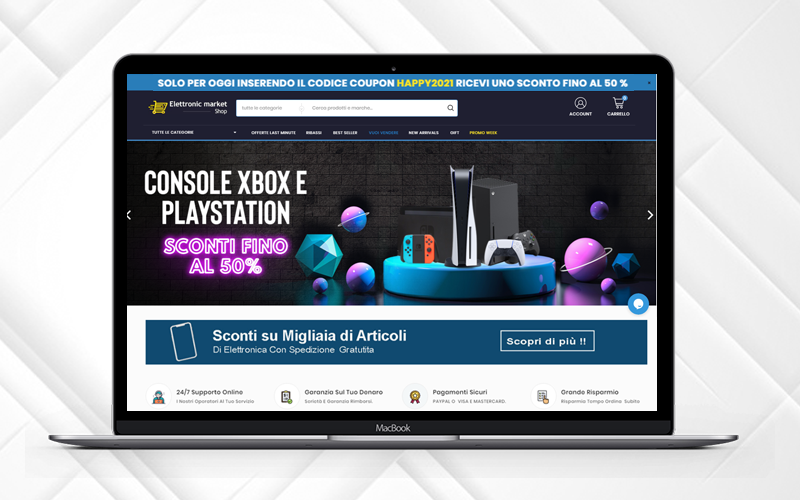
The marketplace has a sleek and clear UI with a streamlined design. The Promo code bar runs at the top of the page with a discount code that can be availed by visitors. All the sidebars are separate and give a great soothing look to the front end of the website.
Features that make it to the top
The Elettronic Market Shop is created using PrestaShop Marketplace Module developed by KnowBand. The marketplace features are very well utilized and can be observed throughout the website.
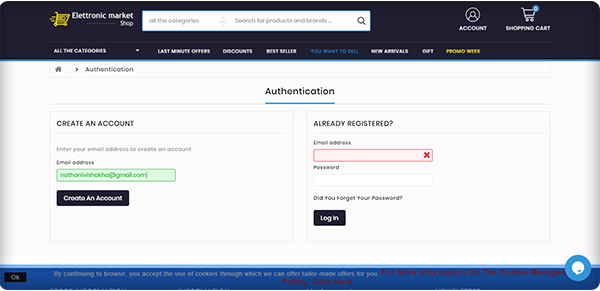
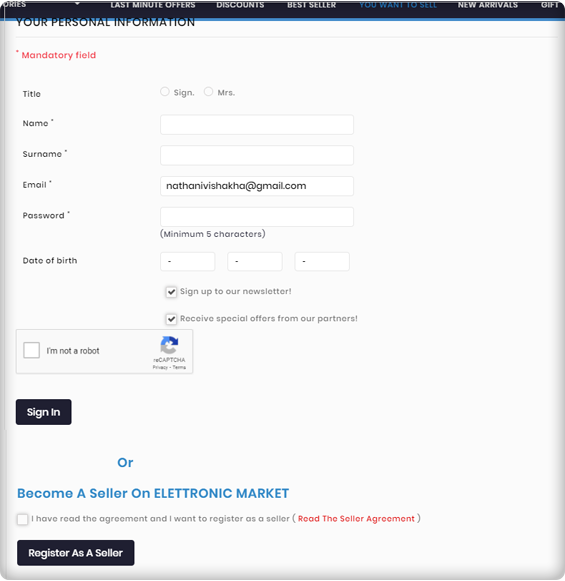
Seller Registration is easy
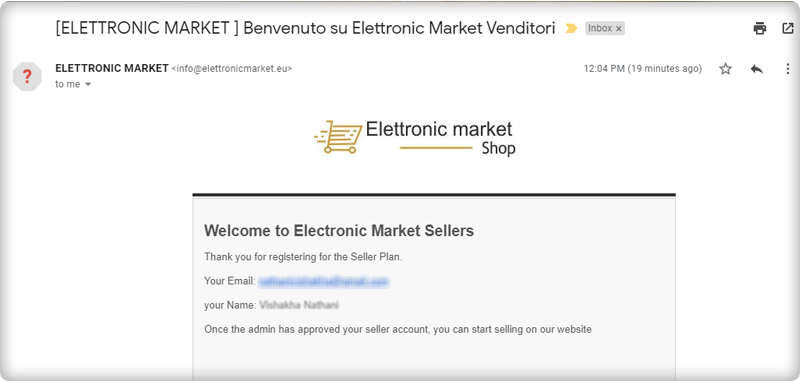
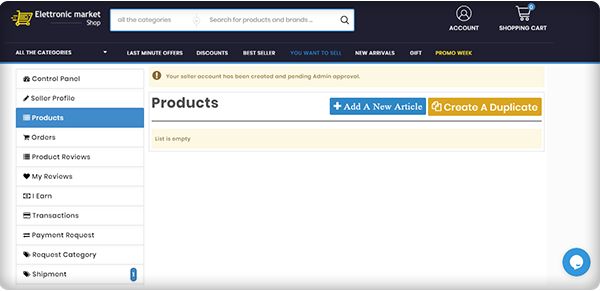
You can become a seller by simply registering yourself but it requires the admin’s approval to start selling on PrestaShop Elettronic Marketplace.
Email Templates for every event
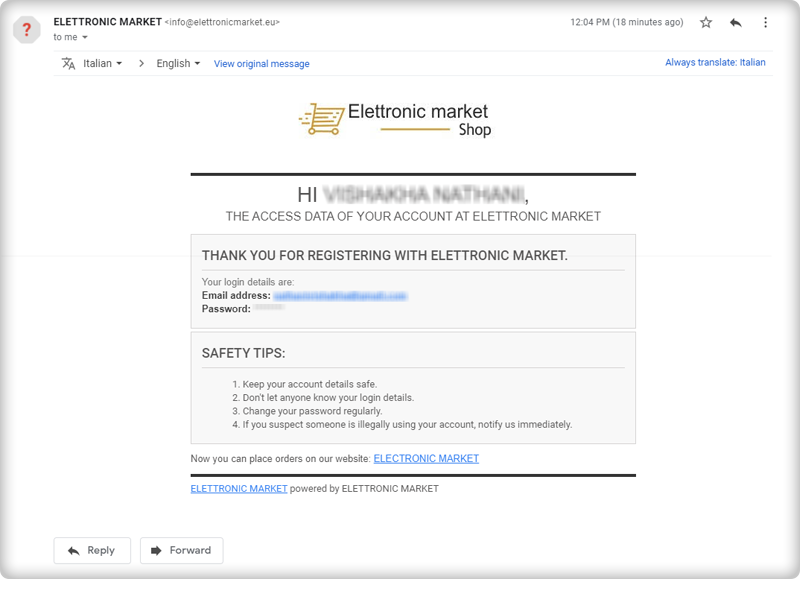
After the successful seller registration, you will receive an email with log-in credentials. Several email templates are available on the marketplace module for various events.
Seller Dashboard for every seller
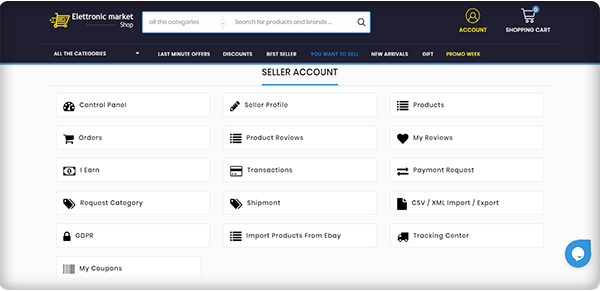
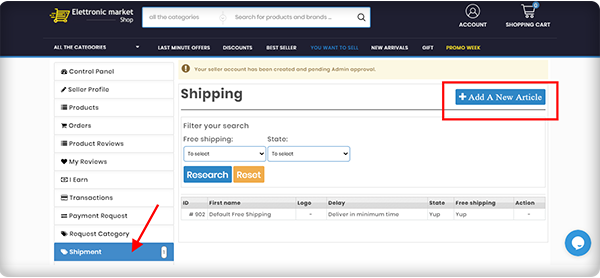
The seller dashboard is another appealing feature of the PrestaShop Elettronic Marketplace. The seller gets a lot of options for managing orders, product upload, and inventory.
Product Approval
All the products uploaded by sellers can be reviewed from the backend and requires admin’s approval, a feature offered by KnowBand’s Marketplace Module!
Elettronic Market pays special attention to all aspects of logistics
Excellent logistics must enable the selling of even large goods. Since the Elettronic Market is a well-established name in the market, their operational structure ensures the delivery of even large quantities of the products. Sellers on the Elettronic Marketplace can add custom shipping choices.
Super-Fast Delivery
With the automated efficient shipping and logistic system, In order to always intercept the quickest route to get the goods to their destination in the shortest possible period, they rely on the best professionals in the logistics sector located in plants and warehouses in different Italian locations.
In reality, thanks to this functional organization, we are always in a position to deliver our products to Italy within 24-48 working hours.
Hassle-free Inventory Management
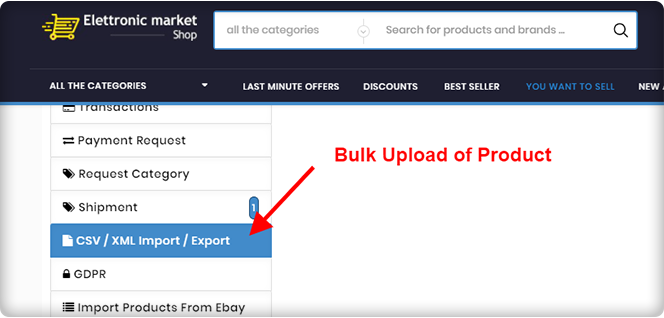
With technical systems and software developed specifically for Elettronic Market, the entire management of the products available in the warehouse takes place. They have always paid attention to the forefront of optimizing order management and processing times. Bulk upload of products from the seller’s dashboard is possible.
Ensure Packaging before Shipment
To guarantee customers impeccable service, the quality control department inspects all pre-shipment packaging and products to ensure the integrity of the goods and packages shipped. With absolute control, they handle the entire company operation.
Efficient Customer Assistance Service
They provide an effective ‘Customer Assistance’ service that assists customers of all nationalities in their mother tongue with highly skilled resources, where they are present at all levels, from the moment of selection to the delivery of the products.
Secured by PayPal Transactions
Elettronic Marketplace is certified and verified PayPal website and all online credit card transactions are carried out in maximum security environments, being attentive to online fraud and the safety of personal data.
Request Invoice Feature
Customers can send a request for the invoice and an email will be sent to the email address which is already linked to the order number.
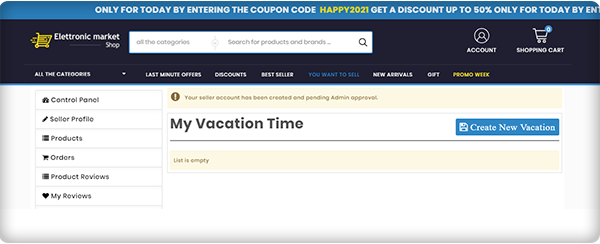
Vacation Mode
A seller can go on vacation mode when he/she is not available.
The Elettronic Market Shop makes life simpler
With a catalog the Elettronic Marketplace aims to enhance and extend on a daily basis, the list of offers includes a wide range of thousands of products.
Marketplace feature that helps in quality assurance
The greater strength of the Elettronic Marketplace has always been the richness of the bid. A team of experts continuously reviews the latest products to be included on the website and chooses only the best ones to provide customers with a superior product concerning quality, manufacturing methods, and aesthetics.
About PrestaShop Marketplace Module:
The PrestaShop Marketplace Module developed by KnowBand transforms your existing website into a multi-vendor marketplace. It is feature-rich and supports all the PrestaShop themes.
KnowBand has created several PrestaShop Modules for eCommerce websites that enhance the shopping experience and helps you bring more business to your store.
The marketplace needs a revenue model and PrestaShop Marketplace Modules supports two of the most accepted revenue models: The commission model and Membership Plans. It has a proficient admin panel with a functional seller dashboard. Customers can drop reviews for the products as well as the seller.
Every product-related activity by seller and placed orders can be monitored by the store manager from the backend. It supports multiple shipping and payment methods. The PrestaShop Marketplace module is also compatible with the mobile app builder. It supports multiple languages and currency.
Customization, email templates, seller management, inventory management, and many such features are incorporated in the Marketplace Module.
Click here to explore the Multi-Vendor Marketplace features
Click here to explore the Gold Plan of Multi-Vendor Marketplace Module
Support
For those who need a quote, specialized support is also available. In the appropriate section of the site, simply send an email at support@knowband.com and our Customer Service team will respond within a few hours.
The hyperlocal delivery business model is spreading its wings in the food and grocery market. Experts assume that in the coming future, the Grocery home delivery business will expand remarkably, and incorporating the hyperlocal delivery business model is a win-win for all the focuses involved. If you are looking for a solution to start a marketplace for grocery or food delivery business then KnowBand has exactly what you are looking for.
The modules developed for creating a hyperlocal marketplace are very well curated by the technical experts and analyzed by industry specialists to empower local businesses with the online grocery store or a food delivery marketplace. Online grocery shops have high profitability and the majority of people prefer online shopping rather than visiting the stores.
Bring your store on a digital platform and start your home delivery business with Hyperlocal Marketplace Module. For the beginners’ guide, you can refer to this article on on-demand Grocery Marketplace. To deliver grocery, food, personal care products, or any services you need to make a plan and this article will be a step-by-step guide for launching your online home delivery store or an online marketplace. The hyperlocal delivery business model gives a platform to small businesses; they can become a seller on a marketplace and start selling immediately.
Companies like Amazon, Flipkart, Alibaba, Airbnb, etc, have established their brands in the marketplace industry and it is not easy to compete with these hotshots. Still, you have an opportunity to grow as people are supporting small businesses locally.
Step-by-step guide for a hyperlocal delivery business
Finding difficulty in deciding the right industry?
Don’t worry!
We have a plan.
Step 1- Select the industry you want to work in:
To finalize the industry for your hyperlocal home delivery business, do some market research. ECommerce has a lot of potentials if you do it right. Before establishing your hyperlocal marketplace business talk to industry experts, take help from the consultants or you can conduct surveys nearby.
Make good survey forms including all the necessary questions for the sellers and customers. List the benefits you will have and the sellers can enjoy. This will help you in finalizing your domain for the home delivery business.
Step 2- Decide your niche:
Once, you have decided on the industry, now it is time to determine the niche. The specific area you want to focus on. The hyperlocal delivery model for the food industry starts when you begin to think about the product and service you will deliver. You can choose basic needs products like dairy and bakery items, packaged food from a restaurant, lunch box delivery, essential grocery, or fresh vegetable delivery in local areas.
Money comes next! Do not tempt the idea and dispose of your savings. Look into your budget and see what you have and how much you have to spend? Market research is important if you are putting your step into the hyperlocal delivery business. In my opinion, food and grocery delivery businesses are the best choices out there because this comes in the essentials and the essentials never go off the market. We already have witnessed the COVID 19 crisis scenario and boom in the hyperlocal grocery marketplace.
Step 4- Time to develop a website
Since you have to start your store online, you will need a website to enlist your products and services. You can either start a grocery, food, or personal care delivery business of your own, or you can create a marketplace web store and provide a platform to other small businesses.
A website can be created in a few simple steps:
Buy a domain and cloud hosting for your online home delivery business.
Decide the eCommerce platform on which you want to create your store.
If you want to create a marketplace then you have to choose the marketplace plugin which can be used.
Sellers are the most important part of a marketplace. If you are planning to start a food delivery marketplace similar to UberEats then you need to contact multiple restaurants and show them the benefits they can have if they sell on your marketplace. The food delivery marketplaces follow the hyperlocal delivery business model and we know how they are flourishing globally.
In a marketplace, customers and sellers are interdependent. If you succeed in attracting sellers you will automatically invite a large customer base. Grocery home delivery and food delivery from their favorite food stall is the preference of every person as this gives them convenience and save time.
You can use Social Media to attract the audience by creating pages on different platforms. Read these articles for some of the best ways to attract more customers to a hyperlocal marketplace.
Step 7- Make delivery set-up and tie-up with courier services
The success of an online grocery company depends heavily on how easily you can deliver the goods to the home/office of your client.
This makes it a vital factor in the entire start-up process to set up an effective distribution system.
Most consumers in India prefer delivery on the same day, more so for food and grocery products, and any unreasonable delay in this specific segment is generally frowned upon.
This is also not feasible, however, solely because of a shortage of human capital or the unavailability of vehicles to transport goods.
Deliveries often seem to come at a large cost-to-company, accounting for almost 30-40 % of total company costs. You can reduce shipping costs with some of the pro tips suggested in this article.
Step 8- Develop a Marketing strategy
The marketing strategies for the home delivery business can be a game-changer. You can use various social media platforms, go for email marketing, run campaigns; offer discounts, and a lot more can be done. You can attract sellers and customers by writing blogs and sharing success stories.
Although major online grocery players such as Big Basket and Amazon have the budgets on many media fronts to afford high-profile celebrity campaigns, you don’t have to follow the same path.
Instead, you can choose to market your online grocery store using local avenues that are equally successful, such as;
Putting a commercial in the local newspaper
Running a campaign on social media.
Sending SMS in bulk.
Putting up hoardings at famous places in your local area
Word of mouth is the best you can do
You can also hire food bloggers
Step 9- Allow Buy online In-store pick-up
It is a new trend to follow. Set up your Online Grocery Business with Store Pick-up Facility. This can save you from extra shipping charges and people sometimes prefer this to maintain safety and hygiene. COVID 19 outbreak expanded the market for BOPIS.
Before starting a hyperlocal delivery model for a food business you need to take care of some legal requirements and documentation work.
You need to form a legal entity
Register your firm or company for taxes
Open a business account to handle business transactions
Accomplish your licenses and permits as per your country’s policy and take the licenses according to state & local Business requirements
Since you are selling food products, follow all the food safety measures and regulations
Do vehicle’s registration and hire a licensed driver for transportation
Create a Mobile App:
Considering the numbers, the smartphone consumer base is wide and about 80% of the smartphone users did online shopping through mobile phones in the year 2020.
After the successful launch of your home delivery website, you can create a mobile app as the number of smartphone users is more than the desktop user. Built a grocery store mobile app for eCommerce and you can refer to this article to read the success story of our happy clients.
This article and the attached reads are sufficient to guide you on starting a hyperlocal home delivery business and a food delivery marketplace. The successful food delivery apps like DoorDash, UberEats, Zomato, etc. created a marketplace for small and big restaurants and increased their customer base and sales. Gear up for the new venture! You tell us what you want and let us think.
You can write to us at support@knowband.com or visit our website for further assistance. Our technical experts will guide you and help you throughout the journey.
Are you planning to start your own clothing business online? Well, thanks to the innovators and web developers. Now you can start an online merchandising business with minimal cost without any physical brick and mortar store.
Online clothing business is an opportunity if you are looking for a breakthrough idea. Strategic planning, the right approach, and excellent marketing can make you a dominator in the clothing industry.
Finding a good idea to work on is the first step to starting an online clothing business. You’re going to spend a lot of time, probably money, and effort on it, so make sure that you work on something that has real potential to earn you passive income, allow you to leave your job and do it full-time, provide value and use your skills and talents, or else.
You can sell anything like kids’ clothing, designer, vintage, or anything in between. It is now simpler than ever to set up an online clothing store, thanks to the invention of online store builders, such as OpenCart, Shopify, Wix, and PrestaShop, and the best part is you don’t even need to know how to code!
Since you have reached this far imagining about this new clothing business idea, now you require a plan which can help you start your new venture.
Before that starting a clothing business, ask yourself these questions: Are you skilled enough to start this? If you are passionate enough for starting a clothing business? Will you be able to deal with the new situations coming? Is it profitable? If your answers are in favor then you are preceding in the right direction.
1. Choose the business model
It’s time to choose a business model for your online clothing store business, now that you know your niche and have an idea of the types of items you want to sell. Online clothing and fashion stores fall into the following categories of business models:
Retail
Wholesaling
Manufacturing
After choosing a business model, one has to select the type of clothing they want to sell:
Fast Fashion
Traditional Fashion
Custom Personalised Clothing
Designer Apparels
Each business model has its pros and cons and your ultimate aim, budget, and skills should be focused on choosing between them.
2. Launch your Website:
Starting a clothing business online is a profitable business as 80% of millennials prefer shopping online.
It is important to have your website. It’s the only place you can sell clothes online and it’s where you’re going to develop your brand, get traffic, and implement all your knowledge to earn a profit. Your website will always be there, at the heart of your business, no matter how much your business expands over the years, and how many monetization methods you pursue.
A website consists of a domain name (the name of your clothing store website), a hosting provider (the company that provides the server to support online business), and a content management system such as Shopify, OpenCart, PrestaShop, Magento, etc. The online platform is the program that allows you to build an online store for selling clothes, creating content, and adding the product, email marketing, and much more.
For starting a clothing business you need an attractive name that should be easy to remember. You can hire a website development service provider to create the best to compete in this rapidly evolving world of fashion.
3. Find your Target audience:
There is a target audience for every company, so make sure to do your research before settling on a niche. The more you understand your clients and what they want, the more are your chances of delivering the goods they want.
It isn’t easy to start an online clothing business but if you know your customer and have studied their consumer behavior then you can make this difficult task an easy one.
Start blogging:
I can’t emphasize enough how important content is to your overall online clothing business strategy.
You need to build content in multiple ways to start the online clothing business flourish. Writing blog posts, comprehensive guides, videos, social media posts, podcasts, courses, etc. can support every potential lead. Repurposing content is simple as once you have published a blog post, you can easily convert it into a series of emails, a free guide for your subscribers to download, several social media posts, and what not!
Conduct Online Surveys:
To know your target audience and to understand their demands you can conduct online surveys with free available Google forms or any other means. Surveying before starting an online clothing business has added benefits. For the starter, this can help you in deciding the type of product you can sell in your store.
4. Build Your Clothing Brand
What shapes your brand is you and everything you do online. You need to make sure your brand is compatible with all the elements of your online clothing business.
It means:
Using the matching colors, photos, products, etc. on your web.
To build all types of graphics for your clothing brand, use a free tool, and capture interactive pictures of the clothes you want to sell.
Create a logo with a tagline to stand out
Writing an awesome page about telling your brand story and what you will be selling on an online clothing store;
Be on every platform of social media and get involved. That’s a way to connect, build up your followers and generate brand recognition with your audience and other business owners;
Capture professional images and add them to your website and social media pages for your product;
Ask them for reviews and display these testimonials on your website once you have some clients and email subscribers.
5. Register Your Online Business
In your country, how to start an online business? You have built the foundation of your brand when your clothing website is launched and you have started making your first cash. That’s something you’re going to need to remember.
It’s an easy procedure to register an online company, but you need to follow your country’s rules. After making the lawful registration for paying taxes you will receive all the required details like company registration number, VAT number, etc. Start your online clothing company and register it as per your country’s laws.
6. Design Your Products:
Let’s look at the things in more detail that go into creating a product.
You have to choose any available service provider companies as your fulfillment service to design a product. Assume that you have created your online shop. You all know what it takes for fashion lovers to find something pleasant to wear, so imagine what it’s like to design it. Lots of things to take into consideration:
The creator of the designs cannot just imagine but are capable of making it a reality.
The survey which you have conducted before setting up your online clothing store will now help you as you know what your target audience like.
It is needful to keep an eye on the quality of the product you are going to sell. The cut and material of the garment is something you need to take care of. The fabric you will be using, its stretch and fit, all are important factors to start selling clothes online.
For the final result, from A to Z-the fit, the color, the design, you have to be sure about everything. You have to develop a product which makes them buy it. Otherwise, selling isn’t worth it. Before going live, be sure to order a copy.
Getting your store up and running is the first step, but you will need to market your clothing store to make sure that you start (and continue) selling clothes online.
You can simply allow your customers to like your company on Facebook or follow you on Twitter with share and win schemes, which means they can keep up with all brand promotions, industry news that you can share, and any upcoming deals.
Affiliate and referral programs can help you with spreading brand awareness. It is the sneakiest way of bringing new potential customers. Another marketing tool is email marketing. You can send follow-up emails, promotional emails using apps, email marketing tools, and plugins to your customers who have visited your online clothing store before.
Your online clothing store will be making big bucks in no time at all with these easy, powerful, and inexpensive marketing methods.
It’s time to track success.
Conclusion:
When you start your online clothing store, you’ll need to find the middle ground between your quality standards, manufacturing costs, and making a profit.
Almost nobody is born with the full stack of expertise to start and run a successful business, so make the effort to learn about the pieces that you don’t know as much about, whether that’s how to connect in the fashion world, or how to build a growth-oriented business plan.
Be ambitious, understand your brand, and keep your set-up costs down! Good luck!
With the rise in marketplace demand, the Hyperlocal Marketplace PrestaShop module is a solution for all the startups that are planning on a new venture. The module is developed to provide complete assistance to the admin, seller, and customers who are willing to take the advantage of nearby delivery models.
Hyperlocal concept work on geolocation and near-me delivery which is flourishing these days. PrestaShop Hyperlocal Marketplace can convert the eCommerce website into a multi-vendor marketplace with no extra efforts. Hyperlocal Marketplace PrestaShop module is developed by Knowband which has several functionalities and benefits.
To connect customers with local sellers and shops, the Hyperlocal Marketplace PrestaShop module can be used. Using this module, owners of the PrestaShop store can turn their eCommerce website into a fully functioning marketplace and allow other sellers to sell their products.
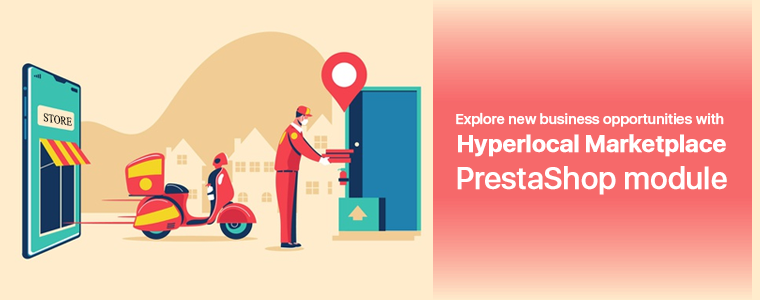
Since location is important, sellers can add locations where their products can be delivered and customers can enter their location to verify the availability of the sellers and products. It is time to explore new business opportunities with the PrestaShop Hyperlocal Marketplace module because it is incorporated with all the necessary features required.
Features of a hyperlocal marketplace PrestaShop module
Hyperlocal Functionality
Geolocation data is incorporated and the PrestaShop Hyperlocal Marketplace module is integrated by Google Maps. Shipping areas where their food, grocery, personal care products, etc. can be delivered can be introduced using the hyperlocal feature. Admin can add various localities for sellers to register and sellers can add places where they can deliver the products.
If the shipping distance is out of sight, then a default price for their shipping may also be applied by the seller. Sellers can conduct different operations using this feature, such as adding shipping prices, adding multiple shipping areas, adding bulk ship rates, etc.
Manage Sellers easily:
It is easy to approve or disapprove of the sellers from the admin panel of the Hyperlocal marketplace.
Product Approval List:
Any registered seller can sell whatever they want to but the admin can approve the list of products and categories from the seller lists. Inventory management for food delivery, grocery home delivery, and other local delivery products can be done effortlessly in a few steps.
Effortless Commission Management:
The admin can easily break the commission according to the type of the commodity. The admin may also create new categories accordingly.
By entering a default committee, the admin may set a new category. This allows managers to charge different commission rates for different types of items.
Easy Transactions
The module offers effortless transaction options for customers, sellers, and the admin.
Seller Transactions
The system does not automatically move the amount into the account of the seller, so the owner of the store must keep records for all the sellers and manually pass money to the seller and enter the transaction information later to keep a record of the same.
The PrestaShop Hyperlocal Marketplace module allows the administrator to view two types of sellers’ transactions, namely Seller Balance History and Transaction History.
The PrestaShop Hyperlocal Marketplace addon’s Seller Transactions page keeps track of the transactions of the seller and the remaining balance of sellers.
Payout Request
For their profits, the sellers may make a compensation offer. These payout requests can be viewed from the Hyperlocal Marketplace PrestaShop Module’s transaction payout request section.
Vendors may specify the sum and purpose for the payout and may choose any of the payment methods specified. With a single mouse click, the admin may approve or disagree with the payout requests.
Email Templates for Notification
For multiple events, such as vendor registration, seller account approval, product approval, review updates, payout request warning, and many more, the PrestaShop Hyperlocal Marketplace addon offers different ready-made email templates.
The PrestaShop sellers will be updated with these email updates about different activities at the PrestaShop Hyperlocal Marketplace.
Membership plans
By adding filters, sellers can review their membership plan history. To verify the background of the membership plans, sellers have to fill in the plan name and the status of the membership plan under the philters.
Multiple payment and shipping methods:
Store admin can set multiple shipping and payment methods. Sellers can specify their methods of shipping or the default shipping methods specified by the administrator will be displayed in the Ship tab of the seller’s dashboard. To introduce his customized shipping methods, the seller has to add the required methods.
GDPR Compatibility:
The Hyperlocal PrestaShop Marketplace is GDPR compatible. I allow customers to opt-out from the customer list. Customers can see the seller details if the admin allows the settings and sellers can close their shop whenever they want to.
Admin Benefits of Hyperlocal Marketplace PrestaShop Module:
Easy commissions:
The marketplace is a source of passive income and supporting local businesses can be advantageous. The module allows the admin to set the commission for every seller. The commission can be different or the same depending upon the admin’s choice.
No need for stocking up an inventory:
Since it allows multiple sellers and let them sell at one platform, the Hyperlocal Marketplace PrestaShop Module has the functionality to manage the inventories. Both admin and seller can add or remove products and categories.
A profitable business model:
It is a scalable business model with the benefits of eCommerce marketplaces. In contrast to a standalone eCommerce shop, it entails less financial risks. A rising customer count comes with growing suppliers, ultimately resulting in an increasingly growing business.
Helps increase revenue
Sellers come to hyperlocal marketplaces to sell because it allows them access to a large client base. The risk of consumers stumbling on goods they did not originally want to buy is higher when searching through goods on marketplaces.
Hence, this increases the chances of better sales as a wide range of goods are presented for them to choose from various vendors.
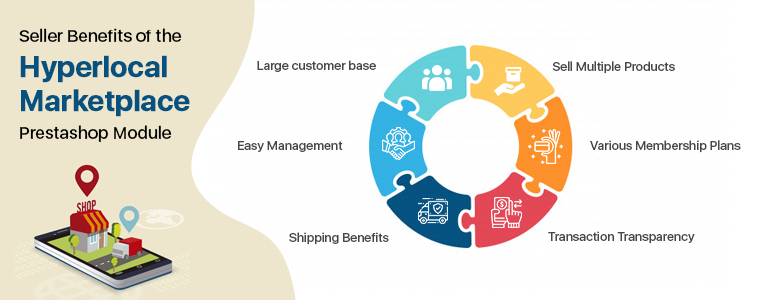
Seller Benefits of the Hyperlocal Marketplace PrestaShop Module:
Large customer base:
The Marketplace has a major advantage as it brings more new customers to the seller. A seller gets regular orders because of a larger customer base.
Easy Management:
It has a front end seller dashboard which allows the vendors to view their profile, products, and orders. The module provides a separate seller’s page which makes it easier for the vendors to promote their business.
Shipping Benefits:
The shipping methods can help you reduce cart abandonment. As per the requirements, the vendor may add multiple ship areas. The seller will edit the areas of the ship. They can also delete areas for ships. For different areas, the seller can list multiple shipping rates. If the distance is beyond the range, the seller will set the default price for shipping.
Sell Multiple Products:
Any type of product can be introduced to the marketplace by vendors. The Hyperlocal Marketplace PrestaShop module supports all kinds of products categorized by the admin. It can be any product, virtual, or bundle products.
Various Membership Plans:
Sellers can take any membership plans as per the requirements. Hyperlocal Marketplace PrestaShop module allows the seller to choose the membership plans like a monthly plan, yearly plan, or other as needed.
Transaction Transparency:
The entire transaction is transparent as the commission charges are fixed and the seller can ask for payouts whenever needed or as per the marketplace policy.
Buyer Benefits of Hyperlocal Delivery Addon
Faster Delivery: By entering the location, buyers can check the availability of items and sellers easily. They can add Pincode and all the products which are available in their area will be displayed in the marketplace. Faster delivery can be done after buying from a nearby store.
Get a better deal: From a broader range of product choices, customers can now select the perfect items. Due to the competency factor, customers can get amazing deals on less expenditure.
Reviews can help: There is an opportunity for customers to give the seller reviews. By using Product Review Alert or Default Product Comment Addon, customers may also review the goods.
Buy from seller’s page: The hyperlocal marketplace for PrestaShop allows customers to visit the seller page and buy directly from there.
Become a seller: If you are a customer and planning to sell on a marketplace then it is super easy on a PrestaShop Multi-vendor Hyperlocal Marketplace in fewer steps.
Improved customer engagement and segmentation: Marketplace is the ultimate destination for not only consumer interaction, but also improved consumer targeting strategies and efficient study of customer segmentation. These markets provide space for a tailored consumer sales strategy and improved overall customer experiences as well.
Final words:
In the past, online hyperlocal marketplaces have shown rapid growth and capacity for the same in the future. With the tremendous opportunities it provides, marketplaces have progressively become a lucrative place for sellers from which their product scope can be extended far and wide. The path to offer excellent shopping experiences has just started for hyperlocal marketplaces. In the industry, the journey ahead is exciting and full of potential for inventive innovations.