Top 7 Email Strategies to Win Back Abandoned Carts Using Knowband

Nearly every e-commerce business struggles with customers leaving items in their carts without completing the purchase. Customers add products but leave without purchasing, resulting in lost sales and engagement opportunities. Therefore, Knowband’s PrestaShop Abandoned Cart Module, PrestaShop Spin & Win Module, and PrestaShop Back In Stock Module offer a powerful way to recover these potential sales through emails.

Here are seven effective email strategies to bring those customers back.
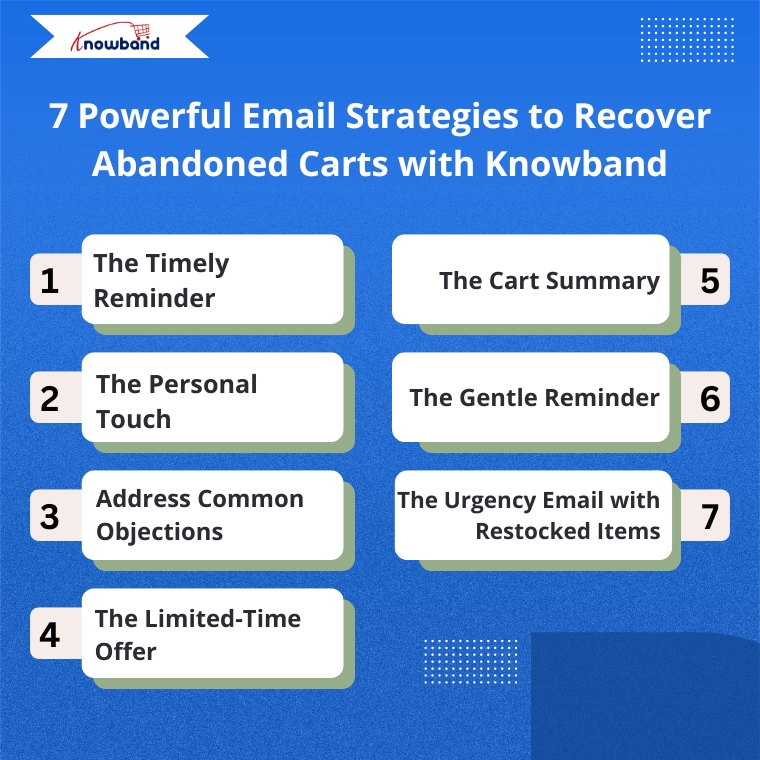
1. The Timely Reminder

Timing is everything when recovering abandoned carts. Therefore, the Abandoned Cart Addon for PrestaShop allows you to send the first reminder email within 1-3 hours after abandonment when your store is still fresh in the customer’s mind. Moreover, Knowband’s Abandoned Cart Addon allows you to set up automated sequences with precise timing, maximizing your chances of recovery.

2. Targeted Email Engagement

One way is to address customers by name and reference specific items they left behind.  Knowband’s PrestaShop Abandoned Cart Module automatically captures this information, allowing you to create personalized emails that show customers you value their individual shopping experience.

3. Address Common Objections

There can be many reasons for abandoned carts, like product cost, shipping cost, payment, or technical issues. So, Knowband’s Spin & Win module allows the admins to add coupon discounts, which can motivate the customers to go back and make purchases. 

4. The Limited-Time Offer

Create urgency with time-sensitive offers. The Abandoned Cart module allows you to include discount and coupon emails, and expiration dates on discount codes, encouraging quick action. For example, a 10% discount that expires within 24 hours can be the perfect motivation to complete a purchase.

5. The Cart Summary

Provide a clear summary of the abandoned cart in your email. This includes product images, names, quantities, and prices, making it easy for the customer to recall what they were interested in. The Abandoned Cart Module for PrestaShop by Knowband sends the email when the user abandons the cart, so keep the email template concise and visually appealing to spark interest and remind them of the value they were about to purchase

Integrate Your Opencart Shop with Abandoned Cart Module

No Coding Skills Required

SHOP NOW

6. The Gentle Reminder

Sometimes, customers abandon their carts by mistake or forget they left items behind. A gentle reminder email can be sent a day after abandonment using Knowband’s Abandoned Cart Module and can impact them without being too pushy. Additionally, this email should be friendly and polite, encouraging them to return and complete their purchase

7. The Urgency Email with Restocked Items

If an item that was abandoned is back in stock, the store owner can send an email informing the customer that their desired item is available again. This can be achieved by implementing the PrestaShop Back In Stock Module by Knowband, which can help create urgency, especially when products are in limited supply or high demand, and can drive the customer to act quickly.

How These Modules Operate

The Abandoned Cart Module helps you track, manage, and recover incomplete purchases through automated, personalized email campaigns. Moreover, the Prestashop Abandoned cart email follow-up addon enables store owners to set up smart reminders, offer discounts, show product images, and include one-click recovery links, making it easy for customers to return and complete their orders.

The Spin & Win Module for PrestaShop, on the other hand, helps prevent abandonment before it even happens. Moreover, this interactive pop-up module for Prestashop captures visitor emails by offering them a chance to win attractive discounts through a gamified interface. Moreover, this not only adds fun to the user experience but also provides coupons for purchases and grows your email list for future marketing.

The Back In Stock Module for PrestaShop allows your customers to subscribe to restock alerts for out-of-stock products. Furthermore, as soon as an item is available again, customers receive an automated email notification, giving them a chance to return and complete their purchase even without any manual effort from your side.

Putting It All Together with Knowband

Implementing these strategies becomes simple with Knowband’s PrestaShop Abandoned Cart Module, PrestaShop Spin & Win Pop, as well as PrestaShop Back In Stock.

 These modules offer:

  • Automated email sequences with custom timing
  • Personalized content for each customer
  • Built-in discount code generator
  • Detailed analytics to refine your approach
  • One-click cart recovery links
  • Mobile-responsive email templates

Furthermore, these PrestaShop modules by Knowband are user-friendly add-ons that allow you to track recovery rates and revenue gained, helping you continuously improve your abandoned cart strategy.

Start Recovering Lost Sales Today

Cart abandonment doesn’t have to mean lost revenue. With Knowband’s PrestaShop Abandoned Cart Module, PrestaShop Spin & Win Entry Pop-Up Module, PrestaShop Back in Stock, and these seven email strategies, you can effectively bring customers back and increase your conversion rates significantly.

Therefore, install Knowband’s PrestaShop Modules today and transform abandoned carts into completed orders with these proven email strategies.

For more details, check out the Prestashop Abandoned Cart E-mail Reminder Module which is available for PrestaShop, OpenCart, Magento, and WooCommerce.

What’s New in PrestaShop v9.0: Is it Time to Migrate?

PrestaShop v9.0 marks a significant milestone in the evolution of this open-source e-commerce platform. Packed with new features, enhancements, and a focus on modernizing the framework, this release aims to provide store owners and developers with a more robust and future-proof solution.

But is it the right time for you to migrate?

Let’s delve into the new PrestaShop v9.0 to help you make an informed decision.

New Features in PrestaShop v9.0!

Symfony Framework Upgrade to Version 6.4:

PrestaShop has been updated to Symfony 6.4, the latest long-term support (LTS) version, ensuring improved performance, security, and access to modern development features.
This version of Symfony will receive bug fixes till November 2026 and security fixes till November 2027 making it more reliable and future-ready.
The previous version of PrestaShop i.e., v8.1 was compatible with Symfony 4.4 which was introduced in Nov 2019. This upgrade brings the platform in line with modern PHP and Symfony standards.

Enhanced PHP Compatibility:

The platform now supports PHP versions 8.1, 8.2, and 8.3, allowing store owners to leverage the latest PHP improvements for better performance, faster execution, and enhanced security. At least PHP version 8.1 is required to run PrestaShop v9.0, ensuring your store benefits from cutting-edge features and optimizations.

Introduction of a Modern API Platform:

A new, flexible API based on the API Platform version 3 framework has been introduced, facilitating seamless integration with third-party applications, headless commerce setups, and custom developments. This API overhaul ensures scalability and better support for modern e-commerce ecosystems.

Revamped Back Office Layout Using Symfony:

The back office has undergone a comprehensive redesign powered by Symfony and Twig components, offering a more responsive, intuitive, and user-friendly interface. This redesign aims to make store management more efficient and accessible, even for those new to e-commerce platforms.

Notable Changes for Developers:

guzzlehttp/guzzle Library Replaced with Symfony HTTP Client: The guzzlehttp/guzzle library has been replaced with Symfony’s native HTTP Client, providing a more streamlined and efficient way to handle HTTP requests.

swiftmailer/swiftmailer Library Replaced with Symfony Mailer: The deprecated SwiftMailer library has been replaced with Symfony Mailer, which aligns PrestaShop with modern email-sending practices and improves the overall email management system.

Back Office Login Migration to Symfony: The Back Office login process has been fully migrated to Symfony, resulting in the removal of the following admin hooks:

  • actionAdminLoginControllerBefore
  • actionAdminLoginControllerLoginBefore
  • actionAdminLoginControllerLoginAfter
  • actionAdminLoginControllerForgotBefore
  • actionAdminLoginControllerForgotAfter
  • actionAdminLoginControllerResetBefore
  • actionAdminLoginControllerResetAfter

A new hook, actionBackOfficeLoginForm, has been introduced to allow developers to customize the Admin login form.

Twig Template Improvements:

  • The transition to Twig templates in both the Back Office and Front Office allows for cleaner, reusable, and modern templating practices.
  • This transition also reduces reliance on legacy Smarty templates, ensuring compatibility with modern development standards.

Is PrestaShop v9.0 Ready for Production?

While PrestaShop v9.0 introduces numerous advancements, it’s essential to approach migration with careful planning:

  • Thorough Testing: The alpha version is available for testing, and community feedback is crucial to identify and resolve any issues before the stable release. This iterative testing process ensures a more stable and reliable final product.
  • Compatibility Checks: Store owners should verify the compatibility of their custom themes and Prestashop modules with v9.0 to ensure a smooth transition. Some outdated plugins may require updates to work with the new framework and PHP versions.
    Migration Best Practices:
  • Backup: Ensure all store data, including files and databases, are thoroughly backed up.
  • Staging Environment: Test the upgrade in a staging environment before applying changes to the live site.
  • Community and Support: The active PrestaShop community provides extensive documentation, forums, and resources to assist with the migration process. Developers and store owners can also leverage the support network for troubleshooting and guidance.

Generate and Translate the Content for Prestashop Effortlessly with AI

Read More..

SHOP NOW

Why Migrate to PrestaShop v9.0?

Upgrading to PrestaShop v9.0 offers several benefits:

  1. Future-Proofing Your Store: The adoption of Symfony 6.4 and support for the latest PHP versions ensure your store remains technically advanced and ready for future updates.
  2. Improved User Experience: A modernized back office and enhanced performance contribute to a more efficient management experience and happier customers.
  3. Enhanced Security: Integration of advanced security protocols provides peace of mind for both store owners and customers.

Conclusion!

PrestaShop v9.0 marks a significant step forward for the platform, introducing cutting-edge features and essential enhancements to meet the demands of modern e-commerce. While migrating requires careful planning, the benefits in terms of performance, security, and flexibility make it a worthwhile investment for most store owners.

It is important to note that PrestaShop v9.0 is currently in the testing phase. Store owners and developers are encouraged to explore its capabilities in a staging environment to provide feedback and prepare for the stable release. With proper preparation, you can unlock the full potential of PrestaShop v9.0 and position your store for long-term success.

So, are you ready to take the leap into the future of e-Commerce?


How to Create a Custom Tab in the Back Office Product Page in PrestaShop

PrestaShop, with its powerful and flexible framework, allows developers to customize various aspects of the platform to meet specific business requirements. One such customization is adding a custom tab in the back office product page. In this blog, we will walk through the step-by-step process to achieve this by creating a sample module called kbcustommodule.

We can create the custom Tab in the back office product page in two ways:

  1. Using Symfony components.
  2. Using displayAdminProductsExtra Hook

Method 1:

This tutorial is applicable for PrestaShop version 8.1 and above, utilizing Symfony components.

Step 1: Create Your Module

kbcustommodule/

|– composer.json

|– config/

|   |– services.yml

|– src/

|   |– Form/

|   |   |– Modifier/

|   |   |   |– ProductFormModifier.php

|   |   |– Type/

|   |   |   |– CustomTabType.php

|– kbcustommodule.php

Start by creating a folder named kbcustommodule under the modules directory of your PrestaShop installation. Inside this folder, create the kbcustommodule.php file, which will contain the main class for your module. The module class initializes the module and registers the required hooks.

Here’s an example of the kdcustommodule.php file:

Run the command composer dump-autoload in your module’s root directory to enable namespace autoloading.

Step 2: Define Services

Create a services.yml file under the config directory of your module (kbcustommodule/config/services.yml). This file defines the Symfony services required for form customization.

Step 3: Create the Custom Tab Form Type

Create a CustomTabType class in the src/Form/Type folder of your module. This class defines the fields that will appear in the custom tab.

Step 4: Create the ProductFormModifier Class

The ProductFormModifier class defines how the custom tab integrates with the existing product form.

Final Step: Install and Test

  1. Install the module via the back office or manually place it in the modules directory and enable it.
  2. Navigate to the back office product page. You should see a new tab labeled “Custom Tab” with a field labeled “Custom Field.”
  3. Test the functionality by adding data to the custom field and ensuring it saves correctly.

After successfully installation of the above module. You will get the result as follows.

Integrate Google Tag Manager with Prestashop

SHOP NOW

Method 2:

The displayAdminProductsExtra hook allows you to add custom content or tabs to the product edit page in the Back Office. This method avoids the complexity of defining Symfony services and is easier for developers not familiar with Symfony.

Step 1: Create the Module

Start by creating a basic module structure. For example:

Kbcustommodule/

|– config/

|– translations/

|– views/

|   |– templates/

|       |– admin/

|           |– products/

|               |– custom_tab.tpl

|– Kbcustommodule.php

Step 2: Define the Module Class

In the Kbcustommodule.php file, define your module and register the displayAdminProductsExtra hook.


Step 3: Create the Template File

In the views/templates/admin/products/custom_tab.tpl file, define the HTML and content for your custom tab.

Step 4: Save the Data

To save the custom data, use the actionAdminControllerSetMedia hook along with JavaScript or PHP. Alternatively, you can use the actionProductUpdate hook in PHP.

Example in Kbcustommodule.php:

Step 5: Add the Field to the Database

Modify the database to store your custom data. For example:

————————————————————————

ALTER TABLE ps_product ADD custom_field TEXT NULL;

————————————————————————

After successfully installation of the above module. You will get the result as follows


For further assistance, feel free to reach out or leave a comment below. Or you can also reach out to us on Knowband Helpdesk.

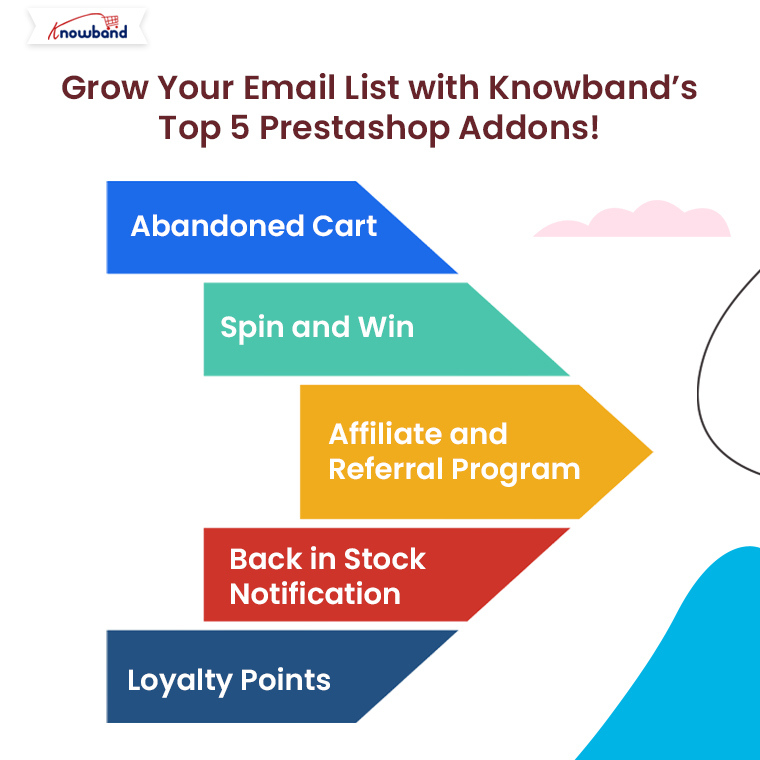
Grow Your Email List with Knowband’s Top 5 Prestashop Addons!

In today’s competitive eCommerce landscape, building and growing an email list is essential for maintaining customer engagement and increasing sales. One of the best ways to achieve this is by using powerful tools designed to capture email addresses efficiently. If you are running a Prestashop store, Knowband offers a range of highly effective addons that not only help you build your email list but also improve conversions and customer retention.

In this blog, we will introduce you to Knowband’s Top 5 Prestashop Addons that can help you grow your email list while enhancing your store’s overall performance.

1. Abandoned Cart – Prestashop Addon:

Cart abandonment is one of the biggest challenges for eCommerce stores. Many potential customers add items to their cart but leave the site without completing the purchase. Therefore, this represents a lost opportunity for sales and email collection. On the other hand, the Abandoned Cart Addon for Prestashop by Knowband offers a perfect solution to tackle this issue and grow your email list.

With this addon, you can:

Capture emails at checkout: Knowband’s Prestashop serial reminder addon collects the email addresses of customers as they proceed through the checkout process, even if they abandon the cart.

Send automated email reminders: You can set up automatic email reminders to encourage customers to return and complete their purchases. Therefore, this is a great way to re-engage lost customers.

Track abandoned carts: The addon gives you detailed reports on cart abandonment rates, allowing you to optimize your strategies for better results.

By capturing customer emails early in the checkout process, you not only reduce cart abandonment but also increase the size of your email list with valuable leads.

2. Spin and Win – Entry, Exit, and Email Subscription Pop-up – Prestashop Addon:

Interactive pop-ups are one of the most effective ways to engage visitors and incentivize them to subscribe to your email list. The Spin and Win – Prestashop Addon by Knowband is a fun and interactive gamified pop-up that makes email collection more exciting for your customers.

This addon allows you to:

Offer rewards for email subscriptions: The pop-up gives users a chance to win discounts or special offers in exchange for subscribing to your newsletter.

Customize the pop-up appearance: You can easily adjust the design, content, and placement of the pop-up to match your brand’s style and engage users effectively. Furthermore, this enables more customization options for Prestashop admins.

Trigger the pop-up based on user behavior: Whether a visitor is entering, leaving, or spending time on your site, you can configure the pop-up to show at the right moment, ensuring maximum visibility.

The Spin and Win Addon adds an element of fun while collecting email addresses, increasing the likelihood of visitors opting into your mailing list.

3. Affiliate and Referral Program – Prestashop Addon:

One of the most powerful ways to grow your email list is through referrals. Word-of-mouth marketing has always been an effective strategy, and the Affiliate and Referral Program Prestashop Addon helps you take full advantage of it.

Here’s how it works:

Incentivize customers to refer others: You can offer rewards or commissions to customers who refer your store to their friends and family. As part of the referral process, you collect the email addresses of the referred individuals.

Track affiliate performance: The Affiliate module for Prestashop offers a detailed dashboard where you can track the performance of your affiliates and the effectiveness of the referral program.

Automated email notifications: When someone joins your referral program or makes a referral, automated emails keep both the referrer and the new customer informed, growing your email list along the way.

This addon not only helps you generate new leads but also encourages your existing customers to become brand advocates, further growing your email subscriber base.

4. Back in Stock Notification – Prestashop Addon:

Stockouts are frustrating for both customers and store owners, but Knowband’s Prestashop Back in Stock Notification turns this issue into an opportunity to grow your email list. When products are out of stock, potential customers can subscribe to be notified via email when the product is back in stock.

Key features include:

Automated email alerts: As soon as a product is restocked, the addon sends automated email notifications to subscribed customers, encouraging them to return and make a purchase.

Capture interested leads: By offering a “Notify Me” option on out-of-stock product pages, you capture the email addresses of visitors who are genuinely interested in purchasing specific products.

Detailed reports: The addon provides insights into the number of customers who have subscribed for stock alerts, allowing you to gauge interest in specific products.

With this addon, you not only capture valuable emails but also increase your chances of converting interested shoppers into loyal customers.

5. Loyalty Points – Prestashop Addon:

Customer loyalty programs have long been a reliable method for encouraging repeat business and growing customer engagement. The Loyalty Points Addon for Prestashop allows you to reward your customers for every purchase they make, helping you build long-term relationships and, in turn, grow your email list.

Features of this addon include:

Points for purchases: Customers earn points for every order they place, which can be redeemed for discounts or special offers.

Encourages repeat purchases: As customers accumulate points, they are more likely to return to your store for future purchases, furthering the relationship and making them more likely to sign up for your newsletter.

Automated notifications: The addon sends email notifications when customers earn or redeem points, keeping them engaged with your store and ensuring they remain subscribed to your email list.

By offering rewards through the loyalty program, you can encourage more customers to sign up and stay subscribed to your email list for future offers and rewards.

Knowband’s Top 5 Prestashop Addons

Enhance your PrestaShop store with Knowband’s powerful plugins, offering features like one-page checkout, mobile app builder, and more for seamless e-commerce management.

SHOP NOW

Conclusion!

Building an email list is essential for the success of any eCommerce store. With Knowband’s top Prestashop addons, you can turn every interaction—whether it’s cart abandonment, a product notification, or a loyalty reward—into an opportunity to grow your email subscriber base.

The Abandoned Cart, Spin and Win, Affiliate and Referral Program, Back in Stock Notification, and Loyalty Points addons are not only powerful tools for capturing email addresses but also offer additional benefits such as increased sales, better customer engagement, and improved retention rates.

Start using these addons today to grow your email list and take your Prestashop store to the next level!

Step Up Your E-commerce Game: Essential Extensions from Knowband!

In the ever-evolving landscape of eCommerce, selling good products is just not enough. Modern customers expect a lot more than just good services. For the same reason, your eCommerce stores demand innovative tools that enhance your store’s functionality, improve customer experience, and drive sales.

On the other hand, Knowband offers a suite of essential extensions for Prestashop that can help you achieve these goals. In this article, we’ll explore five must-have Prestashop extensions from Knowband that will elevate your eCommerce game.

The Importance of Choosing the Right eCommerce Extensions:

eCommerce platforms like Prestashop provide a solid foundation for creating and managing online stores. However, to truly maximize the potential of your store, you need to leverage the power of extensions. Furthermore, the perfect tools for your Prestashop eCommerce store can introduce new features, improve efficiency, and enhance the shopping experience for your customers.

Thus, whether you’re looking to streamline your operations, increase sales, or engage better with your audience, the right extensions can make a significant difference.

Knowband’s Top Prestashop Addons for eCommerce Retailors!

Prestashop Product Sticker Module:

Starting with enhancing your product image presence, the Prestashop Product Sticker Module is a fantastic way to make your products stand out. This extension allows you to add custom stickers and labels to your products, making it easier to highlight special offers, new arrivals, bestsellers, and more. Furthermore, with an easy-to-use interface, you can create and manage stickers that match your store’s branding. Therefore, applying these stickers to individual products or entire categories can significantly increase visibility and attract customer attention, promoting special deals and enhancing the overall shopping experience.

👉Explore the Module with Our Video Guide


Prestashop Mobile App Builder:

As mobile shopping continues to rise, having a mobile app for your eCommerce store is crucial. The Prestashop Mobile App Builder for Android and iOS from Knowband enables you to convert your Prestashop store into a fully functional mobile app without any coding skills.
This extension offers seamless integration with your store, real-time synchronization of products and inventory, and customizable design options. Additionally, it supports push notifications, keeping your customers engaged with the latest updates and offers. Thus, by providing a convenient and user-friendly shopping experience on mobile devices, this app builder helps expand your reach and boost customer retention.

Prestashop eBay Integration Addon:

Expanding your sales channels can significantly increase your revenue, and the Prestashop eBay Integration Addon makes this process effortless. This extension allows you to list your products on eBay directly from your Prestashop store, ensuring real-time synchronization of inventory, prices, and product details. Furthermore, the orders from eBay are automatically imported into your Prestashop store, simplifying order management. Therefore, by accessing eBay’s vast customer base, you can boost your sales while managing everything efficiently from a single dashboard.

Prestashop Back in Stock Notification Addon:

Out-of-stock products can lead to lost sales and disappointed customers and it is one of the biggest reasons for web abandonment. Thus, it becomes crucial to provide customers with back-in-stock subscription options. The Prestashop Back in Stock Notification Addon helps you capture these lost opportunities by allowing customers to subscribe for notifications on out-of-stock products.
When the product is back in stock, the module automatically sends an email notification to interested customers. Moreover, this feature not only helps retain potential customers but also provides valuable insights into product demand, enabling better inventory management.

Prestashop Abandoned Cart Addon:

Cart abandonment is a common issue that can significantly impact your sales. On the other hand, the Prestashop Abandoned Cart Addon from Knowband is designed to tackle this problem effectively. This extension tracks abandoned carts and sends automated email reminders to customers, encouraging them to complete their purchases.
Furthermore, with customizable email templates and detailed analytics, you can personalize your messages and monitor the success of your recovery campaigns. By reducing cart abandonment rates, this addon helps increase your conversion rates and boost your overall sales.

Knowband’s Prestashop Extensions

Enhance your PrestaShop store with Knowband’s powerful plugins, offering features like eCommerce marketplace integrations, mobile app builder, and more for seamless e-commerce management.

SHOP NOW

Conclusion!

Enhancing your eCommerce store with the right extensions is crucial for staying competitive and meeting the evolving needs of your customers. Knowband’s Prestashop extensions offer powerful solutions that can help you achieve these goals. From drawing attention to specific products with the Product Sticker Module to expanding your sales channels with the eBay Integration Addon, these tools are designed to boost your store’s functionality and drive sales. Additionally, the Mobile App Builder, Back in Stock Notification Addon, and Abandoned Cart Addon provide essential features that enhance customer engagement and retention. By incorporating these extensions into your Prestashop store, you can step up your eCommerce game and achieve greater success. You can also check our free PrestaShop modules:


PrestaShop Mobile Optimization: Why It Matters and How to Achieve It!

In the dynamic landscape of eCommerce, where consumers increasingly turn to mobile devices for their online shopping needs. Ensuring that your PrestaShop store is optimized for mobile is not just a good practice – it’s a necessity. Furthermore, with mobile commerce on the rise, neglecting mobile optimization could mean missing out on a significant chunk of potential customers.
Thus, in this article, we’ll delve into why PrestaShop mobile optimization is crucial and provide actionable steps on how to achieve it.

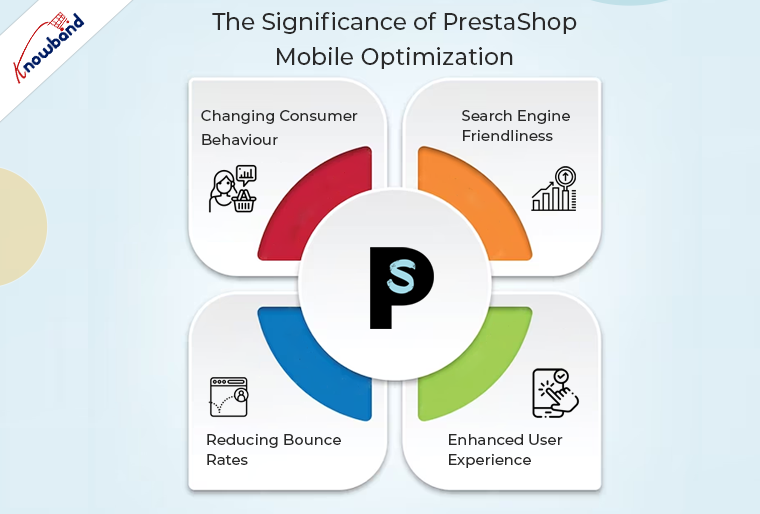
The Significance of PrestaShop Mobile Optimization:


Changing Consumer Behaviour:

The way consumers shop has undergone a paradigm shift. Therefore, mobile devices have become the go-to choice for browsing and purchasing products online.
A report by Statista reveals that in 2021, mobile e-commerce sales accounted for over 54% of total e-commerce sales worldwide. This trend is expected to continue growing, making mobile optimization a business imperative.

Search Engine Friendliness:

Search engines, including Google, prioritize mobile-friendly websites in their rankings. Moreover, PrestaShop mobile optimization not only enhances user experience but also positively impacts your search engine visibility. This can lead to higher organic traffic and improved chances of acquiring new customers.

Reducing Bounce Rates:

A poorly optimized mobile experience often results in higher bounce rates, as users are more likely to abandon a website that is difficult to navigate on their mobile devices.
Thus, by optimizing your PrestaShop store for mobile, you create a seamless and user-friendly environment, reducing bounce rates and increasing the likelihood of conversions.

Enhanced User Experience:

Mobile optimization is synonymous with providing an excellent user experience. A responsive and mobile-friendly design ensures that visitors can easily navigate your PrestaShop store, view products, and complete transactions on their smartphones or tablets. This positive experience can foster customer loyalty and encourage repeat business.

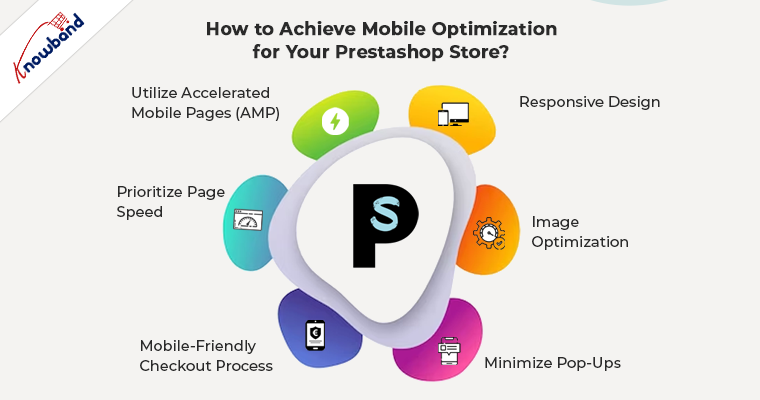
How to Achieve Mobile Optimization for Your Prestashop Store?


Responsive Design:

To ensure the mobile-friendliness of your Prestashop eCommerce website, you should invest in a responsive design for your PrestaShop store. Furthermore, a responsive theme automatically adjusts to different screen sizes, ensuring a consistent and user-friendly experience across devices.

Image Optimization:

Compress and optimize images to reduce loading times on mobile devices. Moreover, the large image files can slow down the loading speed, leading to a frustrating experience for users. PrestaShop allows you to optimize images directly from the admin panel.

Minimize Pop-Ups:

While pop-ups can be effective on desktops, they can be intrusive on mobile devices. Consider minimizing or eliminating pop-ups that may hinder the mobile user experience.

Mobile-Friendly Checkout Process:

Streamline the checkout process for mobile users. Implement a simplified and user-friendly mobile checkout page, reducing the number of steps and data entry required.

Prioritize Page Speed:

Optimize your PrestaShop store for speed, especially on mobile devices. Use tools like Google PageSpeed Insights to identify and address issues that may be affecting your site’s speed.

Utilize Accelerated Mobile Pages (AMP):

Implementing AMP can significantly enhance the loading speed of your pages on mobile devices. Furthermore, at Knowband we also provide an Accelerated Mobile Pages addon that not only helps in the website’s smooth loading but also ensures the quick loading of mobile pages on mobile devices.

In the End:

In conclusion, PrestaShop mobile optimization is not just a technical checkbox but a strategic move to meet the evolving needs of your customers and stay competitive in the online marketplace. By prioritizing mobile optimization, you not only enhance user experience but also position your PrestaShop store for improved search engine rankings and increased conversions.


10 Essential Features Your E-commerce Website Should Have!

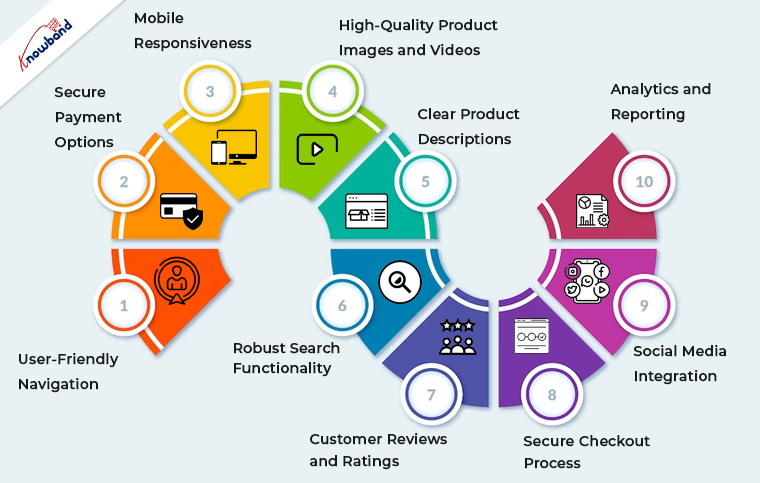
In today’s highly competitive eCommerce landscape, having a well-designed and feature-rich website is essential for success. Whether you’re using OpenCart, PrestaShop, WooCommerce, Magento 2, or any other eCommerce platform. Certain features are crucial to provide a seamless shopping experience for your customers.

Following the same, in this article, we’ll explore the ten essential features your eCommerce website should have to drive sales, enhance user satisfaction, and stay ahead in the game.


1. User-Friendly Navigation of Mobile App Builder:

Smooth and intuitive navigation is the foundation of any successful eCommerce website and Mobile App for Opencart, Woocommerce, Magento, and Prestashop. Thus, you can implement clear and logical menus, filters, and search functionality to help users find products effortlessly. Furthermore, you should always ensure that your website is responsive, catering to both desktop and mobile users.

2. Secure Payment Options:

Online shoppers demand secure payment options. The reason behind the same is that modern customers prefer security and safety while completing payments.
Thus, you can integrate reputable payment gateways, such as PayPal, Stripe, or Square, to instill trust and offer various payment methods, including credit cards, digital wallets, and bank transfers.

3. Mobile Responsiveness:

The number of mobile users is way more than the number of desktop ones. Therefore, mobile commerce is on the rise, and your website must be optimized for mobile devices.
Furthermore, a responsive design ensures that your site looks and functions seamlessly on smartphones and tablets. 

4. High-Quality Product Images and Videos:

Visual appeal is paramount in eCommerce. Use high-resolution images and, when possible, product videos to showcase your offerings from multiple angles. 

5. Clear Product Descriptions:

Accurate and detailed product descriptions are crucial for transparency and SEO. Include essential information, such as product specifications, sizes, colors, and any relevant details that aid customers in making purchase decisions.

6. Robust Search Functionality:

Search is one of the most important features of an eCommerce website. Thus, you can implement a powerful search feature with filters to help users narrow down their product choices quickly. This feature is particularly important for stores with extensive inventories.

7. Customer Reviews and Ratings:

Customer feedback builds trust. Furthermore, positive reviews can sway potential buyers, while constructive criticism helps you improve your offerings.

8. Secure Checkout Process:

Streamline the checkout process to minimize cart abandonment. Ensure a secure and hassle-free experience by integrating SSL certificates and providing multiple shipping and payment options.

9. Social Media Integration:

Leverage the power of social media by integrating sharing buttons and showcasing your social profiles. This facilitates user engagement and allows customers to share their favorite products with their networks.

10. Analytics and Reporting:

Collect and analyze data about your website’s performance and customer behavior.
Moreover, tools like Google Analytics provide insights into traffic, conversion rates, and user demographics. Thus, you can use these insights to refine your marketing strategies and improve your site continually.

Why OpenCart, PrestaShop, WooCommerce, and Magento 2?


These essential features apply to eCommerce websites built on various platforms, including OpenCart, PrestaShop, WooCommerce, and Magento 2. Here’s how they relate to each platform:

OpenCart: 

OpenCart is known for its user-friendly interface, making it easy to implement essential features like navigation, product descriptions, and secure payment options.

PrestaShop: 

PrestaShop offers robust out-of-the-box features, making it an excellent choice for responsive design, powerful search functionality, and analytics integration.

WooCommerce: 

As a WordPress plugin, WooCommerce combines seamlessly with WordPress themes, making it ideal for integrating high-quality images, videos, and social media elements.

Magento 2: 

Magento 2 is a versatile platform that excels in secure payment options, customer reviews, and ratings. Its advanced analytics and reporting capabilities are also top-notch.


Wrapping Up!

In conclusion, having these ten essential features on your eCommerce website, regardless of the platform you choose, is critical for attracting and retaining customers. Your website’s design, functionality, and security are all key factors in building trust and driving sales. Evaluate your current website against these criteria and consider implementing any missing features to create a compelling shopping experience for your customers. Remember, a well-optimized eCommerce website is a valuable asset in today’s digital marketplace.

Ensure that you regularly update and maintain your site to meet evolving customer expectations and industry trends. By doing so, you’ll be well on your way to eCommerce success, regardless of the platform you use.

Upgrade Preparation Checklist for Knowband PrestaShop addons

Installing a module asks for rewriting the translations?

Problem/Motivation
While upgrading a module, the user often faces language translation issues in PrestaShop. To improve the user experience at their store and make it easy for the customers to understand the checkout instructions and flow, merchants translate the module files but on upgrading the module the changes get lost. After upgrading the module the module will show the default content only.

We receive many such queries related to language translation and translation file import problems when customers upgrade the module.

Proposed Resolution

If you have modified the default translations on your store initially for a better translation, after updating or upgrading the module, the translation changes will get lost.

Thus, to keep things as usual and minimize the efforts, you need to make a few changes before upgrading the module. Please follow the below steps for taking the backup:

  1. Download the below-mentioned file at your end:
    /modules/{module_name}/translations/{iso_code}.php
    Where, {module_name} => Name of the module folder which you want to update and {iso_code} => ISO Code of the language which you want to take backup.
  2. After taking the backup of the above file, you can update the module on your store.
  3. Then you have to replace the below-mentioned file: /modules/{module_name}/translations/{iso_code}.php with the backup file.

After taking the backup and updating the translation file, you can compare the new version with the older version to figure out the changes.

Now, you only have to add or translate the sections that are new in the upgraded version.

Extend Support Plan for the PrestaShop modules if Expiring

Are you already using KnowBand’s PrestaShop modules?

Knowband offers three month’s free module support. If your free support plan is expired, and you need any help from our technical team to configure the module then follow the steps mentioned below to extend the support period:

  1. Log in to your PrestaShop account
  2. Go to the Downloads under the My Orders tab
  3. Here you will find an option to extend the support period. Click on the desired time period for the support. You can extend the support for 3 months, 6 months, or 12 months.

Voila, you have successfully upgraded your Knowband module support plan.

KnowBand has a lot to offer- eCommerce trends and innovation

As an eCommerce owner, it is of prime importance that you keep up with changing technology trends.

After the Covid-19 outbreak, a lot has changed and there will be transitions in the upcoming days as well. Several retail businesses are now having their online stores and offering home delivery services.

Marketplaces are seeing a new uplift in the eCommerce industry, with that the small businesses are getting great opportunities by multi-channel selling.

KnowBand is helping people fulfilling their eCommerce requirements for a decade. We have eCommerce plugins for almost each and every feature that you want to add to your store, from home page decoration to an optimized checkout page and from marketplace integration to creating a marketplace on your own.

Also, we help businesses to create mobile responsive websites with PWA and AMP builders.

In addition, our mobile app builder plugin is among the best seller plugins. Here is the portfolio for reference!

Read these blogs to know more about KnowBand’s eCommerce services:

PrestaShop Website Development Services- PrestaShop Partner Agency

Create an eCommerce Website- We Develop What You Dream!

Top 10 PrestaShop addons to boost your Holiday sales

The holiday season is coming close. It is that time of the year when e-retailers look for every single opportunity to attract customers to their store and maximize sales.

The holiday season alone captures sales equivalent to the sales during the rest of the year. According to NRF, holiday sales for 2021 are expected to rise by around 4% as compared to 2020.

If you are a PrestaShop store merchant, here are the top 10 PrestaShop addons that you should implement in your store, to boost your holiday sales.

1. PrestaShop Spin and Win

The first one in our list of PrestaShop holiday modules is the PrestaShop Spin and Win.

Grab customer attention and enhance customer engagement on your website by adding a gamified interface to it.

Knowband’s Spin and Win addon for PrestaShop is one of the best PrestaShop addons to increase customer engagement and your email list. It provides your visitors with a gamifying experience when they visit your store, by displaying them a Spin and Win wheel popup.

PrestaShop Spin and Win addon allows you to design your popup as per the occasion. Give a festive look to your website and provide the festival feel to your visitors. With the help of PrestaShop Spin and Win addon, you can set your popup theme for Halloween, Christmas, New Year, etc.

The more attractive your popup will look, the more engagement it will create. Let visitors spin the wheel and earn some exciting offers. The holiday season is the perfect time to lure visitors with some discounts and offers and convert them into potential buyers.

2. PrestaShop Gift Card Manager

This holiday season, when customers will be too busy shopping, make their task easy and save their time by offering them the Gift Card option.

PrestaShop Gift Card Manager allows you to create multiple gift card templates for multiple occasions. It also comes with pre-existing gift card templates for Easter, Halloween, Christmas, etc. You can give a festive look to your gift cards to catch the holiday spirit and boost your holiday sales.

Let customers spread the love through your gift cards. Gift cards will not only increase your holiday sales but also make the best way to increase your brand awareness.

Read:

Why Digital Gift Cards are important to your business?

Get more Holiday sales by setting up a Gift Card section on your store

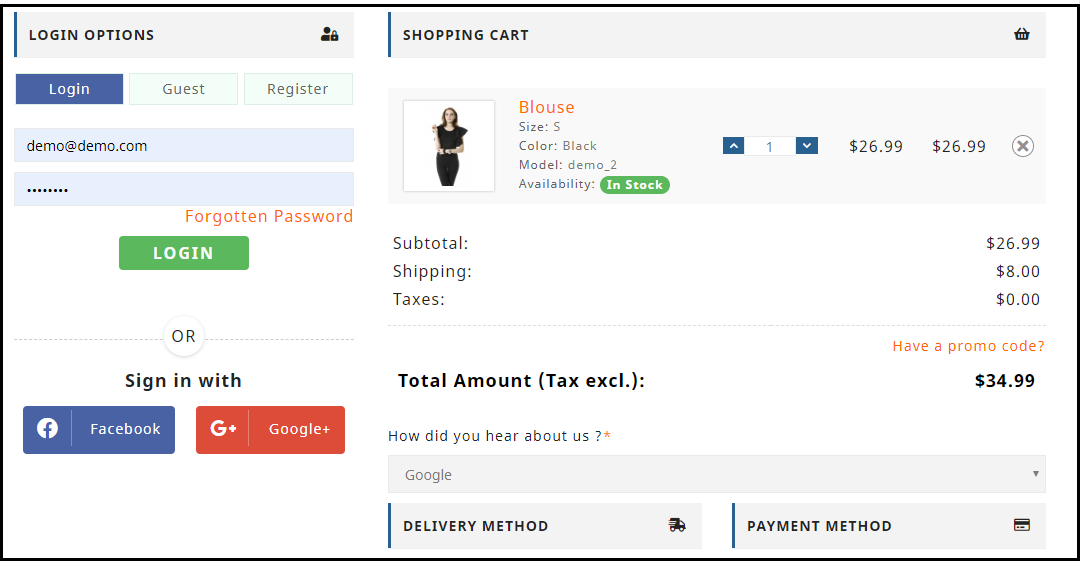
3. PrestaShop One Page Checkout

Let a lengthy and a complicated checkout not be a barrier in your conversions during the peak holiday hours. Replace the conventional multi-step checkout with a single page checkout.

PrestaShop One Page Checkout puts all the checkout fields on a single page and provides your customers with a smooth and hassle-free checkout. To simplify your checkout process, it offers Guest Checkout, Social Login (through Facebook, Google and PayPal) and supports all major payment methods and shipping services. There are tons of other customizations which a merchant can make to make the checkout process convenient.

4. PrestaShop Mobile App Builder

Our another high rated module in the list of PrestaShop holiday addons is PrestaShop Mobile App Builder.

Mobile Apps have taken the user experience to a whole new level. Today, a majority of customers prefer having a mobile app as it is far more convenient than browsing a website. With that being said, launching a mobile app for your brand will not only increase customer engagement but also boost your revenue to a great extent.

Transform your PrestaShop website into a native Android and iOS mobile app with the help of PrestaShop Mobile App Builder and provide your customers with an enhanced online shopping experience.

Features like Real-time synchronization, Unlimited Push Notification, Fingerprint Login, Zopim and WhatsApp Chat support, etc. make the PrestaShop Mobile App Builder highly exciting.

To know more, read: This Holiday Season, launch Spin-wheel integrated PrestaShop Mobile App to boost sales

5. PrestaShop Return Manager

With mass orders, also increases the order returns and the delay in the product return can irk customers.

So, speed up your return process and manage your eCommerce returns conveniently with PrestaShop Return Manager addon. Apart from the usual Refund and Replacement process, it provides your customers with the option to opt for the “Store Credits” which they can receive for the product amount. It ensures customer loyalty as well as customer retention since the customer would surely be visiting your store again in the future to utilise the credits.

6. PrestaShop Loyalty Points

Adding to the list of our PrestaShop holiday modules is PrestaShop Loyalty Points.

Make the journey of your new customer as well as the existing customers exciting by rewarding them some loyalty points every time they make a purchase on your store. This is a perfect idea to acquire new customers and ensure repeat purchases, especially during the holiday season.

Knowband’s Loyalty Points addon for PrestaShop focuses on customer retention and customer acquisition, at the same time. You can reward loyalty points to a new visitor when they sign-up on your store, and turn him/her into your loyal customer within no time. The points can be used as a discount voucher.

If you offer loyalty points for every purchase that a customer makes on your store, you can generate huge holiday sales.

Read: Benefits of a Loyalty Program for your online business

7. PrestaShop Abandoned Cart

One of the most helpful PrestaShop modules for this holiday season would be PrestaShop Abandoned Cart.

Brands witness a high number of abandoned carts during the holiday season. Those numbers can cost you a huge loss in the revenue. Though you cannot put a stop to cart abandonment, you can surely recover some lost sales and even a slight recovery in the cart abandonment rate can add to a huge amount in the total revenue.

PrestaShop Abandoned Cart addon allows you to track and chase the abandoned cart users and helps you recover the lost sales by sending regular follow-up emails.

This PrestaShop module reduces the cart abandonment rate, ultimately resulting in increased conversions.

8. PrestaShop Affiliate and Referral Program

Referral programs can be a big boost to your e-commerce sales. While the holiday season is approaching, you can start a referral program and provide exciting incentives to users when they refer your brand to his/her friends, family or relatives and the latter makes a successful purchase.

You can run such a referral program on your store with the help of PrestaShop Affiliate and Referral Program addon. A customer can register as an affiliate on your store, share your website link with his other people and earn vouchers or cash when the referent successfully registers or makes a purchase.

9. PrestaShop Store Locator and Pickup

Another PrestaShop holiday season module to look out for is the PrestaShop Store Locator and Pickup.

The product delivery takes too long during the holiday season, making customers run out of patience. Because of bulk orders, it becomes difficult for the shipping providers to ship every product in a quick span.

Customers, too, know this very well. In such cases, PrestaShop Store Locator and Pickup addon manages things quite conveniently.

If you have your stores located in multiple locations, you can display them at the front end of your website and allow customers to select their nearby store so that they do not have to wait too long for the product to get delivered. Customers can reach out to the nearby store and pick up their item.

10. PrestaShop Booking and Rental system

Have a renting business? Now manage everything online with PrestaShop Booking and Rental system addon.

During occasions like Halloween or Christmas, people look to buy costumes on rent. There is a heavy demand for it. Hence, if you run such business, you can provide people with theme-based costumes or dresses on rent and boost your holiday sales.

You still have time to get everything set before the holiday season starts. Try out these 10 PrestaShop addons and capture huge sales in the coming holiday season.

This might also interest you:

Knowband’s list of modules to look out for this Holiday season

10 Halloween Marketing Ideas to Uplift your Sales this October

6 must-have social media addons for your PrestaShop store

5 Quickfire Prestashop Addons that can Boost your Conversions

10 Must-have Addons to Optimize Prestashop Product Pages