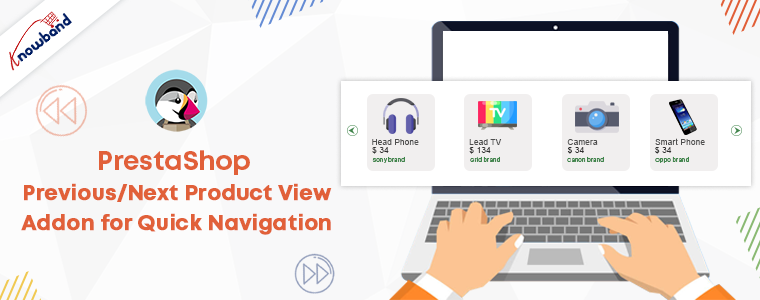
PrestaShop Previous/Next Product View Addon for Quick Navigation

PrestaShop Previous/Next Product View Addon allows users to see the previous and next products without opening the product page. The customers will get easy and quick navigation of the products with this addon.

Jumping tabs and going back to previous tabs for the product page is tedious and unappealing. However, you can achieve a better user experience with PrestaShop Previous/Next Product View Addon. UX experience is the most intricate element between your website and the customer. Good UX will enhance the customer experience on your online store.

The PrestaShop Previous/Next Product View addon navigates the customers easily to the previous and next product.

What Is the Purpose of the Previous/Next Buttons?

Building a PrestaShop website isn’t enough to create a fantastic online business. Thus, being an eCommerce business owner, you should prioritize the shortcomings of PrseatShop default features and also look for solutions to functional concerns. PrestaShop by default does not allow product navigational buttons. For better product navigation, buttons can be added.

1.     Make it easier for your customers to do business with you

Visitors to your online store will be able to navigate and flick through products more easily after installing previous/next buttons. This not only makes your clients’ lives easier but also enhances their engagement and improves your conversion rate.
2. Time-saving feature

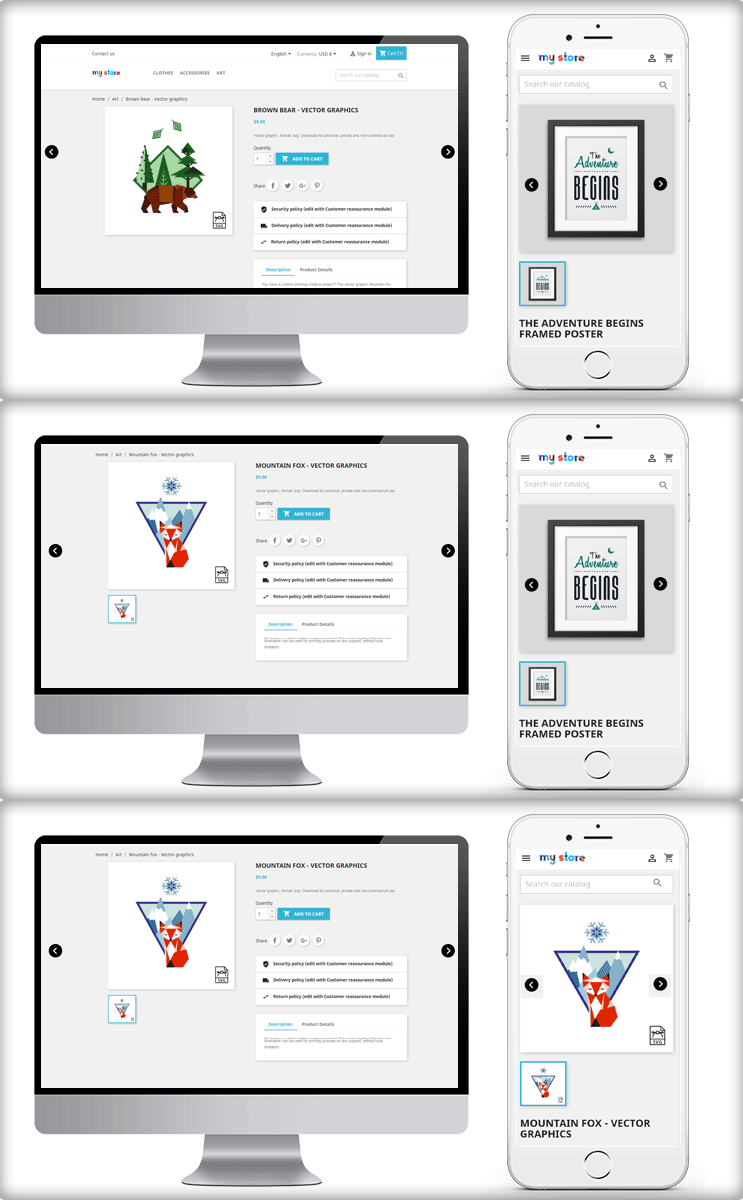
Customers can now simply navigate between previous and subsequent products without having to return to the catalog or search result page. Furthermore, buyers will not have to switch back and forth between catalog and product pages as frequently, saving them time and increasing the likelihood of placing an order.

With these two exponential benefits, you clearly get the understand how important this feature is.

How to set up the PrestaShop Previous/Next Product View Addon?

The installation of this module is as simple as the other PrestaShop addons. Few simple steps to follow and you are done.

The next step is the module configuration:

Easily Add Previous Next Button

With the module, you can easily enable/disable the previous and next navigation on the product. It allows the user to switch the product.

Change the Previous Next button Icon

To give it an excellent look, you can choose any one of the icons from the given options. There are several choices for the buttons. You could choose a button of an image as the icon.
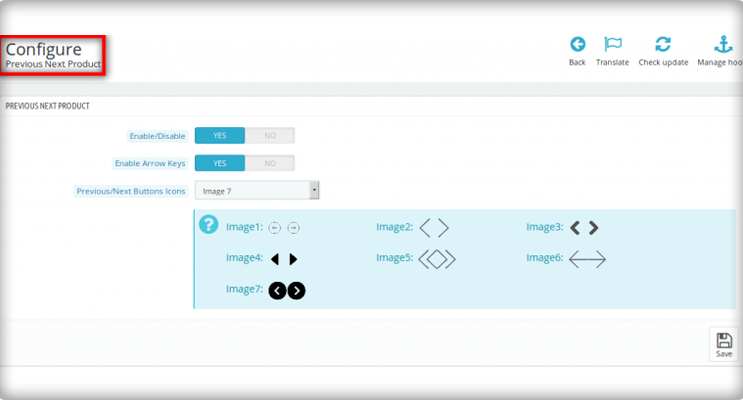
Add colours to the buttons

To make it look more attractive, add some colours to the buttons. The border and background colour of buttons can be changed without modifying the code in the Prestashop product scrolling.

Now have a look at the front end of the module
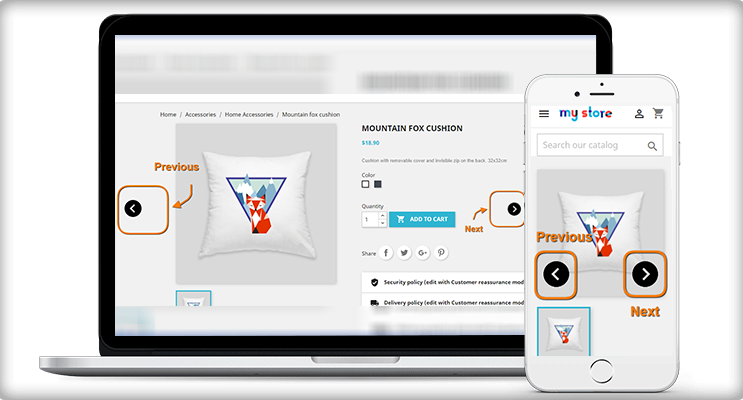
Access to the products becomes easy with PrestaShop Previous/Next product view addon. The customer does open a product to see the dimensions and features. With previous next buttons, multiple products can be seen without going back to the product page.

Check out the module in action on Lovely Gifts and Pieces

Do you want to add a previous/next button for easy product navigation on your store’s product pages? Lovely Gifts and Pieces are using the module on their store for easy navigation of the products.
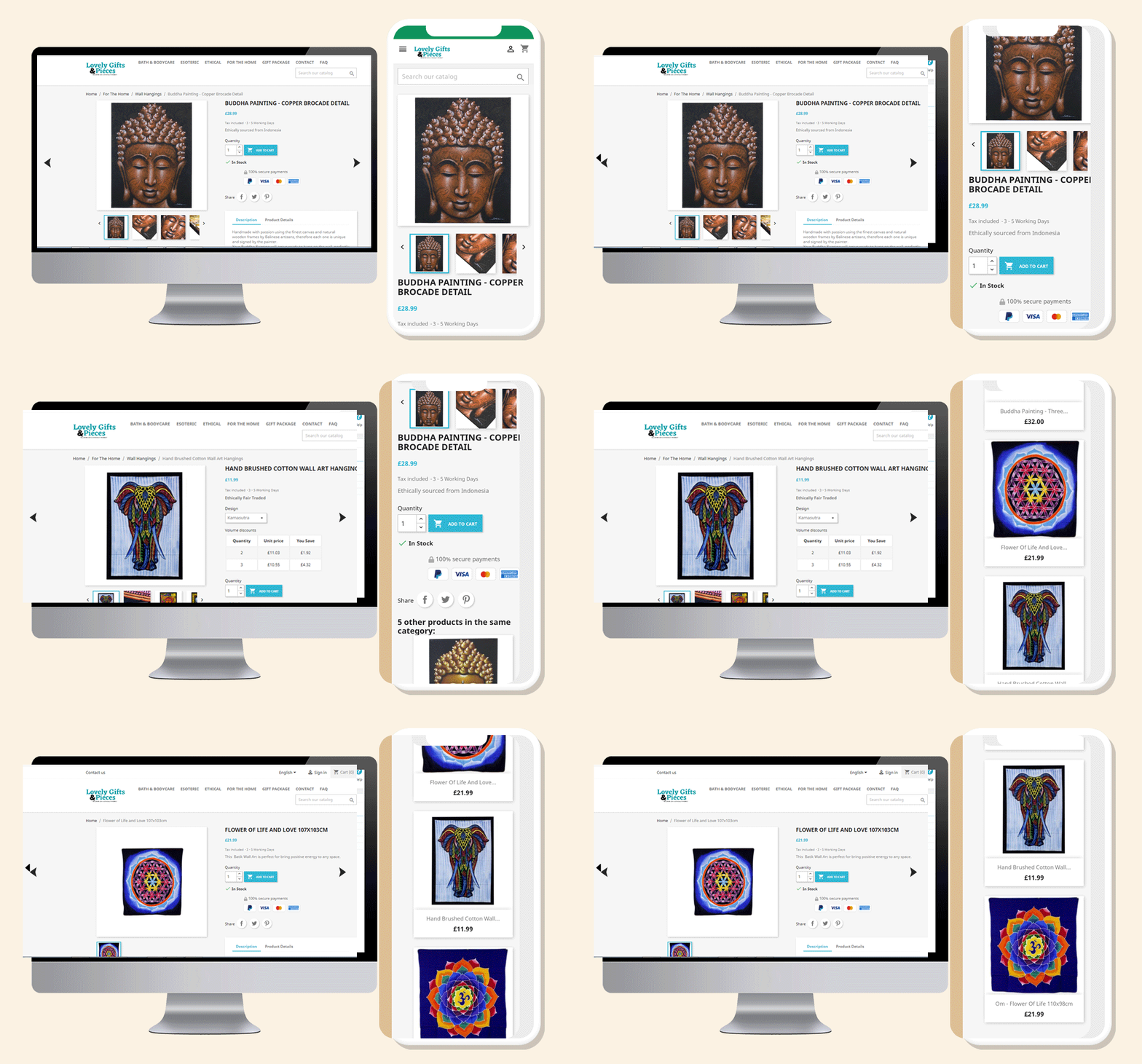
Use Knowband’s customized extension to save your consumers time and make their buying more convenient. Choose the design and feel of the button based on your preferences to make it simple and appealing to users.

Live Demo

PrestaShop Previous/Next Product Addon for Quick Navigation of the products

You may like to read:

PrestaShop Back-in-Stock Module- Unique Approach to Capture Lost Sales

Offer Birthday Coupons to Your PrestaShop Customers And Win their Loyalty

Stunning Live Examples of PrestaShop One Page Checkout Addon by KnowBand

How eCommerce Gamification can help Your Small Business to Grow?

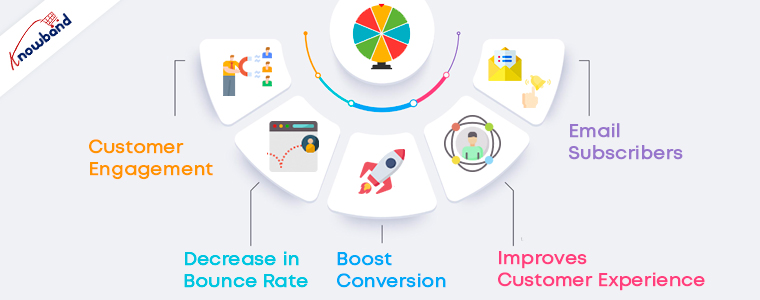
An online store always caters for more conversions, higher customer engagement, and zero bounce rates, and achieving this will be a dream come true.

Is your current marketing strategy working? Are you getting enough business from your online store? These are pressing questions and to overcome that you can try something new and in your online store.

How about adding Gamification to the Online store?

Gamification is the hot tactic businesses are using for marketing their products and to increase customer engagement. It allows users to participate in desired activities, shows a road to mastery, and takes advantage of our human psychological proclivity for gaming. But, Gaming and Gamification are not the same. In fact, Gamification involves a specific game element that can keep your user engaged for longer, and to keep them motivated, users are awarded with rewards at the end. It’s a tool that smart marketers use to improve customer engagement and influence user behavior.

Major problems faced by every online business

A number of factors may have a positive or negative effect on a business. Businesses invest thousands of dollars to remove the barriers coming on the way. Major barriers here are the abandoned cart and increased bounce rate.

For more conversion, it is needful to focus on customer engagement and eCommerce Gamification can help the businesses achieve that. If you have a PrestaShop store and you are concerned about your business growth then the article is all about what you should do in the coming future for increasing customer engagement to create your brand identity.

How can gamification help to overcome eCommerce issues?

Abandoned Cart

We’ve all had those moments when we impulsively choose a slew of things to purchase from an online shop, and only after we “check out” do we realize what we’ve done. We must get rid of things or move on to something better. As a result, the abandoned cart is born. Cart abandonment is widespread in all industries, but eCommerce fashion businesses suffer the most. Customers do not take any action on the abandoned product unless they find a great deal on their abandoned cart.

Your clients are no exception.

The consumer is unlikely to notice unless the items in the cart are highly priced and come with a slew of other benefits such as free delivery or a heavy discount.

Customer Retention

Another challenge that every eCommerce business faces is customer retention. If you have served your customer well enough then there are chances of their coming back. Customer retention works parallel to customer loyalty. That is hard to achieve just like the pot of gold at the end of the rainbow.

The foundation of any meaningful partnership between two individuals is loyalty. Customer loyalty is a daunting task to acquire and maintain. This is why businesses devote a significant amount of money to achieving these objectives. A system of positive reinforcement, incentives, and expressions of gratitude makes it easier to develop loyalty.

Some fun ways to increases customer engagement in your eCommerce store

1.     Spin-and-Win

This is where you can put your daily bonus to good use (and some other style points). This game strategy is fantastic for fans. On every spin, customers can earn rewards, coupons, or anything specified by the store owner. Furthermore, the visitor enters their email address to obtain a discount coupon code, which is then added to their shopping cart. The perceived value of this promotion, as well as its engaging features such as slide-out animations, gradient coloring, and brand recognition, combine to create a seamless eCommerce gamification experience that keeps consumers interested and encourages them to make a purchase.

Spin and win module is considered an advanced eCommerce gamification plugin because of its look and appealing design. It can be customized for various occasions and events like Halloween, Christmas, New Year, Valentine’s day, Diwali, etc. Keep in mind that the text added should be engaging enough to encourage the buyer to take the chance.

You can use the Spin-and-Win on any page of your website. Be it the landing page or the Product Page and this will surely create a positive impact on your customers because everyone loves having fun!

2.     Scratch to Win

Consumers enjoy being entertained, and Scratch & Win campaigns have both fun and suspense. Along with customer engagement, this can be used to create a brand identity. Your brand logo, images, and colors can be used on the scratch card.

Scratch-off coupons are an ideal way to improve consumer loyalty and purchase rate. Scratch-offs with coupons and/or prizes are becoming more common in eCommerce stores.

Everyone enjoys the feeling of winning something. Ecommerce businesses may use mobile scratch-off coupons to generate excitement in their stores and on their websites.

Customers know they’ll get something if they play the tempting scratch-off, so the psychological pull of beginning something draws them to the end of the mobile scratch-off card, where they’ll get a reward.

By doing so, you will give your prospect the warm feeling of winning and receiving a reward, as well as gain the customer interaction you were looking for.

3.     Loyalty Programs

Loyalty, on the other hand, can be gamified by the use of a point system. To meet your goals, you must have an effective loyalty program. What makes a loyalty program effective?

It improves a customer’s sense of worth. If a customer receives points for doing nothing but spending money, those points feel like they’re a part of their previous purchases. The consumer is attached to them and wants to use them wisely because they have this intrinsic value.

A points system that accumulates over time and can be traded for both virtual and physical goods makes it easy to entice consumers to return for repeat purchases. You can reward loyal customers with discounts and gifts in a similar way. Offering reward points on every purchase will win you the customer as well as their loyalty.

In closing,

Ecommerce gamification has the potential to improve results in many ways. Customer engagement will increase, onboarding will be shortened, and learning interactions will be more effective and meaningful as a result of successful gamification initiatives. Companies benefit greatly from the specific elements of gamification by smoothing out the transition to organizational change.

KnowBand has developed several eCommerce plugins that can help your online business to grow and will take the customer experience to the top tier. Get in touch or write to us at support@knowband.com.

How to add Custom Fields to PrestaShop Product Pages?

>Looking for a way to customize PrestaShop product pages with custom fields?

PrestaShop is the most common eCommerce platform for selling a product online. Adding custom fields in PrestaShop only takes a few moments. A great product description engages the customers and increases the chances of purchase. So, PrestaShop is the best choice when you want to add custom fields to a PrestaShop product page or display alternate product variants with a single click.

In this article, we’ll show you how to use the Advanced Custom Fields module to add custom fields and attributes to the PrestaShop product page and product descriptions.

About the Advance Custom Field Module for PrestaShop

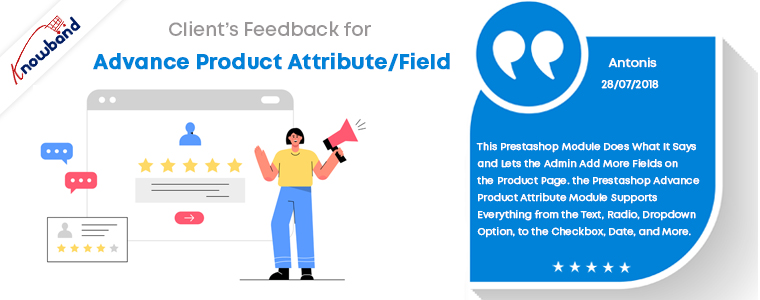
The Knowband Prestashop Advance Product Attribute/Field Addon is a simple way to add extra information fields to the website’s product page. With the aid of this Prestashop Additional Product Field module, the store owner may now collect the necessary data for the product from potential buyers. Thus, the Prestashop Advance Product Attribute module enables e-merchants to include an additional information field on the website’s product pages.

The Prestashop Additional field module makes it easy to add any sort of field and define the label name on the product page. Accordingly, you can configure any aspect of your PrestaShop dashboard. So, PrestaShop Custom Field allows incorporating website information easily that would otherwise require manual data entry.

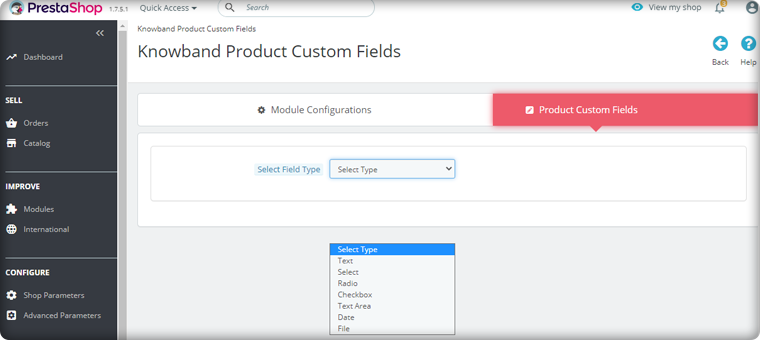
Text, Radio, Dropdown, Date, Select, Checkbox, and Text Area fields are provided by the Prestashop Advance Product Attributes module. As a result, sellers can configure the fields to suit their needs. Changes may be made to specific product pages or the entire website.

Recommended Read: 10 Must-have Addons to Optimize Prestashop Product Pages

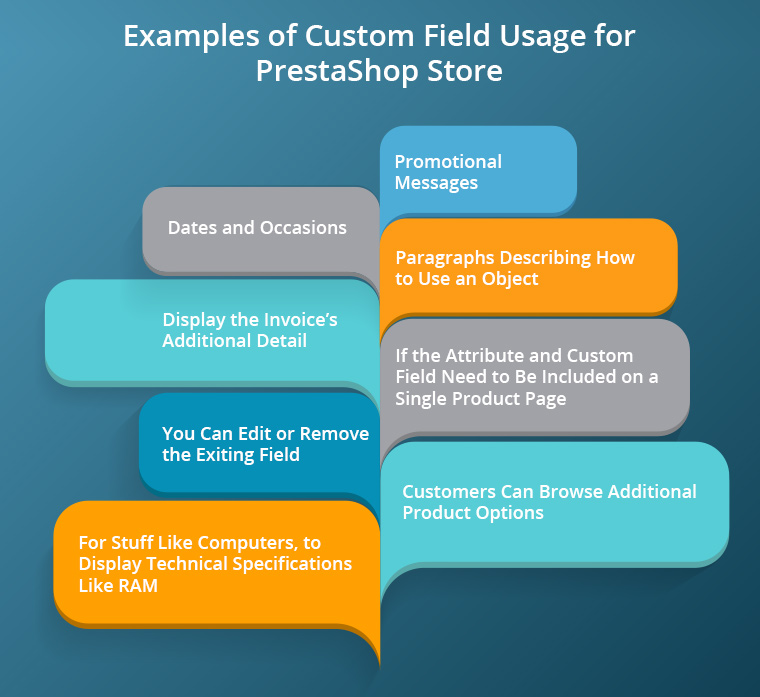
Examples of Custom Field Usage for PrestaShop store:

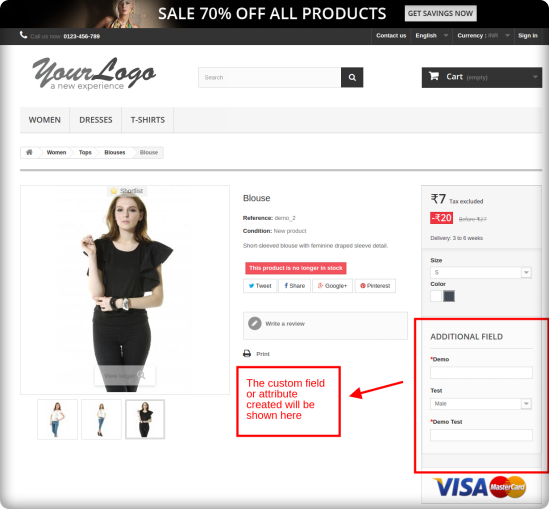
On the product page of the eCommerce website, the PrestaShop Additional Custom field module introduces new custom fields or attributes.

When would PrestaShop Custom Fields Module be useful?

  • For stuff like computers, where you’d display technical specifications like RAM and processing power, you’d add additional product details.
  • Promotional Messages that can be easily modified.
  • For Dates and occasions, when you’ll have a countdown, auction, or release date.
  • You can edit or remove the exiting field
  • If the attribute and custom field need to be included on a single product page.
  • Customers can browse additional product options in addition to versions.
  • Paragraphs that describe how to use an object in detail.
  • The Prestashop Advance Product Attribute/Field module displays the invoice’s additional details.

How to display extra product information in PrestaShop using custom fields?

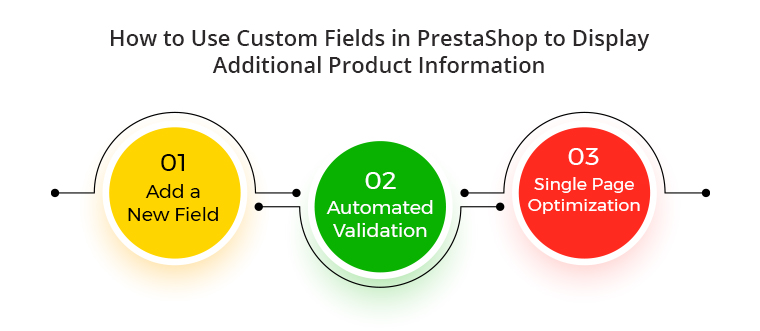
Create a new field

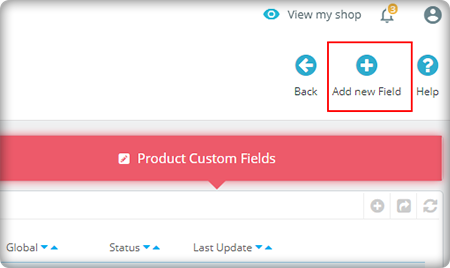
In your PrestaShop Advance custom field dashboard, go to the new Custom Fields tab. Then, click on the tab ‘Add attributes’.

Select the field type according to your requirement

Automated Validation

By choosing them from the drop-down list, the validation criteria for the created fields of the PrestaShop Advanced Product Field module can be defined. As a result, e-merchants save a tonne of time with the automated solution.

Single Page Optimization

If modifications aren’t required on all pages, the PrestaShop Product Page Custom Field plugin allows custom fields to be deployed to just one product page.

Do you want to explore more about the PrestaShop Product Page Custom Field Module?

The advanced product custom field and attribute module have added benefits in that you can add the custom field information on the invoice page. Also, this feature helps you in collecting information about your customers. So, this information can be used in future marketing strategies also while creating the buyer persona. Besides that, it’s a great way to unleash your imagination while also making the boring job of designing product pages a little easier.

Recommended Read: How to Display Related Products on PrestaShop Website Pages

Wrap Up:

Prestashop Custom Product Module is a great module for adding extra data fields to the website’s product page. Also, the product page can be optimised without changing any code. Besides that, we understand that the Advanced Custom Fields module has a learning curve. So, please share your thoughts and questions about adding custom fields to PrestaShop in the comments below!

If you have any concerns related to the Module functionality, contact us at support@knowband.com. Moreover, for any technical assistance simply send a ticket to Knowband.

Give Best Infinite/Endless Scrolling Experience to Your eCommerce Customers

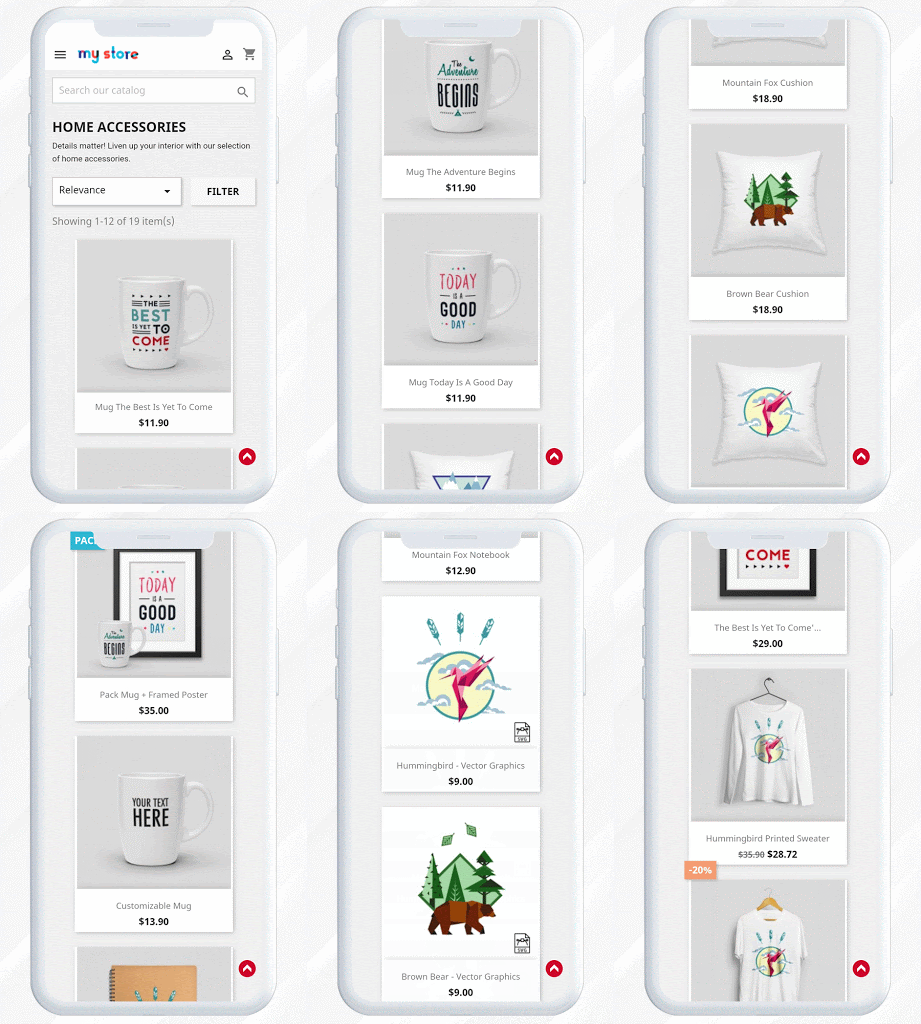
If you’re thinking of infinite scrolling to your site, pause and consider this feature because it does more than any harm to a website. Endless scrolling is a web-design technique that loads content or products continuously as the user scrolls down the page, removing the need for pagination.

Continuous scrolling is desirable for content that streams continuously and has a fairly flat layout, where each element of content is at the same level of the hierarchy and has similar chances of being of relevance to customers. And this makes sense to eCommerce sites where you have numerous products to display.

Infinite scrolling or endless scrolling is not new. Twitter was the first platform that used infinite scrolling back in 2005. Since then it is being used by many social media platforms and eCommerce websites.

If you are looking for the reason why you should add endless scrolling? There is a handful of benefits of infinite scrolling. 

Here, I will be discussing improving the endless scrolling experience of your customer.

1.     Speed and performance optimization

Pagination is the process in which the user has to tap on a button multiple times to see more products. With endless scroll, the user will be able to the products continuously without making any efforts.

The performance and speed test for an eCommerce website is the key element of site optimization.

Make sure your products load fast for everybody and if possible, try to convert your website into a PWA(Progressive Web App).

The user would have to scroll a lot more on a mobile device than on a similar list of items on the desktop due to the smaller screen size. Hence, it is thoughtful to optimize it for speed and performance.

2.     Content optimization for endless scroll

The Internet has given users an infinite amount of knowledge just by pressing a few buttons.

Because the amount of knowledge is infinite, content marketing has become increasingly difficult.

To make your content stand out, you need to make the user experience (UX) meaningful and engaging through better content development and better user experience design.

Write articles tailored to your audience by studying data such as popular trending Meta descriptions.

Will endless scrolling work for your site?

It is necessary to find out if endless scrolling a good idea for your store? It is appropriate for some of the circumstances discussed in this section.

  • For storytelling- It creates a linear framework that storytellers can leverage
  • Continuous and lengthy content, such as a long article or a multi-step tutorial- provides a better user experience than slicing it into many separate pages
  • If the material cannot be separated into separate sections and should be viewed as a whole, for example, an infographic
  • To highlight the characteristics, qualities, or attributes of a product in a tale
  • For product display- Display endless products of a category on mobile websites like Amazon

3.     Smooth scrolling On Touch screen Devices

Mobile usage has grown over the last few years. It’s so easy to only use a thumb to navigate to various Facebook or Instagram pages.

Infinite scrolling provides an amazing browsing experience for mobile users, particularly on mobile apps and the web browser.

With automated product loading, customers only need to scroll to find their expected product. It’s perfect for user-friendliness and navigation, too.

How to take advantage of endless scrolling?

The endless scrolling is now a part of UI and many eCommerce websites use it as a design trend. Here are some trends that you can follow to make it more appealing and increase user engagement. Endless scrolling with these product page design additions will give users a smooth scrolling experience.

  • It gives user-friendly experience– You can add thumbnails with an optimum size that loads faster.
  • Right navigation is necessary: If the user clicks on an image to open it then if the ‘back’ button is pressed, it should remember the last scroll position.
  • Add virtual photographs –And, virtual photography helps you to create better-than-perfect merchandise photographs at a fraction of the cost of traditional photography.
  • Customization is the key- with the help of various available software and apps you can let them see how the product looks by visualizing it in the place where they are supposed to place that.

Or if they are buying a spectacle or clothing then it will be convincing if you let them see how it will look on them.

They will spend more time on your website and it will keep them engaged. Many of the traders already using these latest options are reducing product returns and offering consumers a more enjoyable shopping experience.

Endless scrolling with infinite scroll module by KnowBand

If you want to give your user the smooth experience of infinite scrolling, knowBand’s module can help. The Infinite Scroll module is available for almost all the major eCommerce platforms like OpenCart, PrestaShop, and Magento.

Check them out:

OpenCart Infinite Scroll extension

Infinite/Endless Scroll addon for Prestashop

Endless Scroll extension for Magento

Infinite Scroll extension for Magento 2

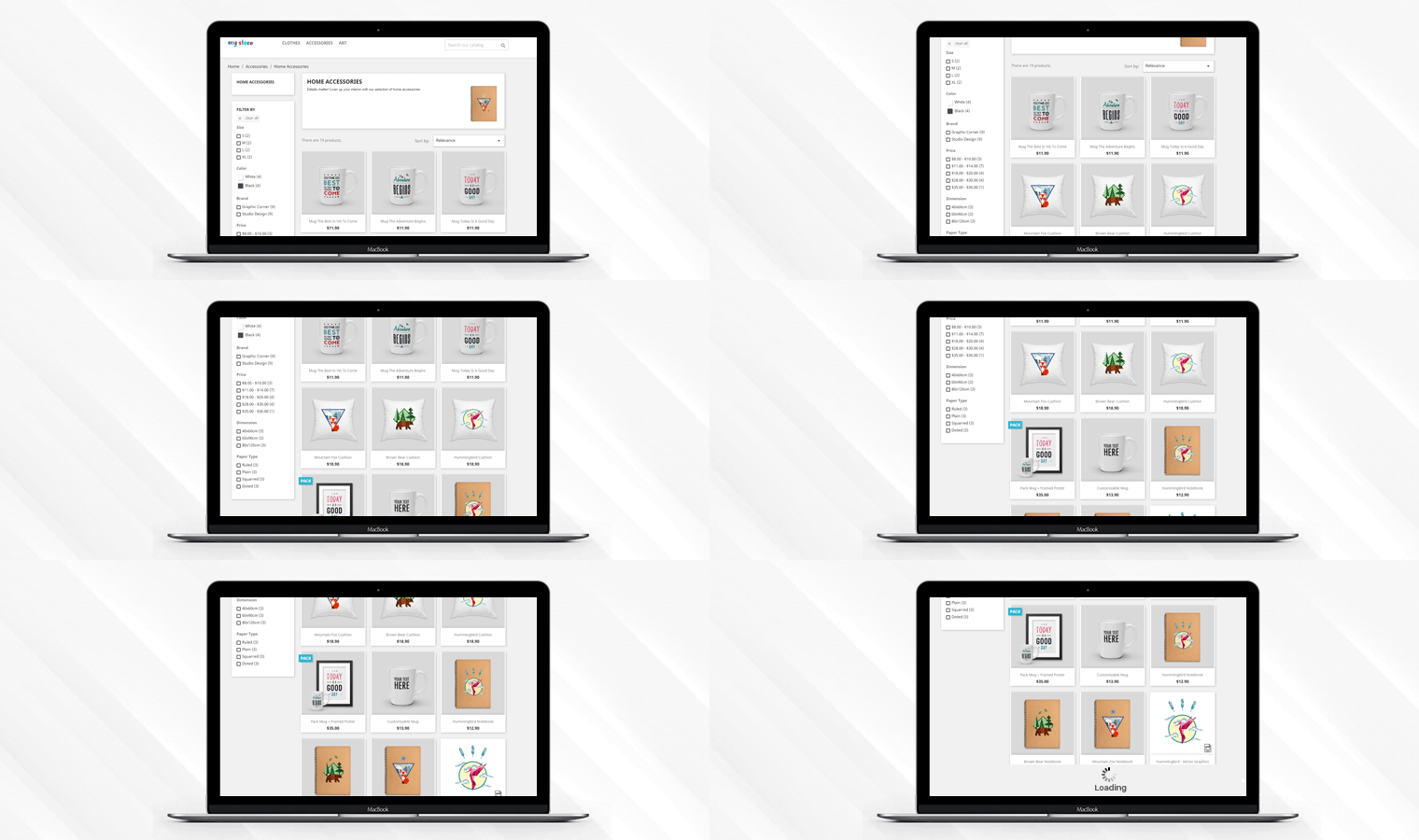
It offers several features that make the infinite scrolling more efficient. The infinite scroll module removes the conventional pagination and gives a smooth UX. It allows you to use manual triggers. With this support, the user can also load the products manually after a limit set by you.

The Infinite Scroll Extension also has an additional function to let the customer go to the top of the page by clicking on a connection.

It adds an automatic scroll to the product listing page and allows the user to quickly browse through your store products without switching pages.

Conclusion: It’s an open secret that infinite scrolling works well on certain types of websites that display vast quantities of high-visual content such as photos and videos.

That’s why optimizing your e-commerce pages for endless scrolling can have a tremendous influence on your conversion rates. Give continuous scroll a try and find out if it works best for your online store.

Articles that may interest you:

10 Must-have Addons to Optimize Prestashop Product Pages

From the home page of the site to the checkout page, every component of the conversion funnel contributes to the overall conversions of the eCommerce site. If each component is considered individually, probably the product page happens to be the most important one. This is where the actual sales pitch is presented to potential customers. No matter how much effort you put into the promotion of your site, it is the product page where the deal is closed.

Why is a product page important for online businesses?

The product page is where a majority of the consumers decide to make a purchase. Most eCommerce merchants focus on optimizing their checkout page. I agree, a checkout page holds more value for store owners but to bring customers to the checkout page, there needs to be a solid product page that compels a customer to go further. E-commerce giants across the world have realized the fact that it’s not just the end-product that matters. The overall experience around the product contributes to the purchase intention of the shoppers. A good product page is where the real magic of conversion happens.

If you own a Prestashop store, here are the 10 product page modules to optimize the PrestaShop store. Ready to grab a few more conversions? Read on.

1. Prestashop Product tab Addon

The real purchase process starts from the product page. Hence, you need to design it, so that, they stand out. The page layout and the way the contents are organized should be appealing. Use the Prestashop Product Tab module to add new information tabs on the product page. The admin can display product text, product images, or videos on the webpage. You can increase customer engagement with the proper use of video features. This is one way to make the most of limited space by providing as much detail as possible about the goods.

2. Prestashop Product Video Addon

One of the drawbacks of online shopping is the inability to touch, feel or hold the product to examine it properly.  and the product images are not enough. To minimize the product-related concerns of customers, you can try adding videos to your product pages. Nowadays, customers prefer to watch videos for a better understanding.

Prestashop Product Video module allows you to include the videos on product pages without making any sort of code changes. You can add the product videos on the product pages from various platforms like Vimeo, YouTube, and Dailymotion. This helps customers make better decisions regarding their purchases.

3. Prestashop Product Size Chart Addon

Next in the list of Product page modules to optimize the PrestaShop store is the Size Chart. Let’s see why it is important. A majority of the e-commerce returns take place due to incorrect product size. Customers become indecisive about their purchase when they are not able to figure out the perfect size fit for them. The bottom line can be reduced by providing correct size guides.

You can boost customer confidence in placing orders online and reduce the returns just by creating a comprehensive size chart with Prestashop Product Size Chart extension. This allows your customers to get the apt size and avoid unpleasant surprises for them later. Not just the clothes or shes but products like furniture, sleeping bags, and fishing rods all require a size chart. Add this to your store to reduce product returns.

4. Prestashop Product Review Reminder and Incentives Addon

Product Reviews create a sense of trust among users. Research by Spiegel Research Center says that the purchase chances of a product with a minimum of 5 reviews 270% higher than the product with no reviews. Reviews and ratings can be best used in various marketing tactics like welcome email, abandoned cart notifications, etc.

So, why not use this idea to trigger some purchase intentions? Prestashop Product Review Reminder and Incentives Plugin can encourage existing customers to drop their feedback and review for the products to get a reward. This is one of the ways to boost the review and ratings of your product pages. You can now amp up the acquisition rate of your site.

5. Prestashop Back in Stock Addon

A sold-out item doesn’t have to mean you lose a customer. Loyal customers wait patiently for the product to get back in stock. Now compel your store visitors to return back to the store by sending them a reminder, once the product is back in stock. The Prestashop Back in Stock extension allows the customers to subscribe for a notification whenever the product of their choice is in stock. It displays a customized pop-up on the product page with an email subscription tab.

6. Prestashop Sales Count Addon

Along with interactive reviews and testimonials, the sales count of a particular product also motivates the customer to opt for that item. Word of mouth can trigger instant purchase decisions of store visitors. And when you have an online store, displaying a total number of sales is easier. Prestashop Sales Count extension displays the total count of the product purchase. These sales pitches are aimed at creating a shopping experience where the customers feel that they are opting for the right product.

7. Prestashop Price Alert Addon

Another way to bring back customers is with price alerts. Fluctuation in the product price is quite common in online stores. Customers keep looking for the price drop, especially while thinking to purchase an expensive item. Keeping a regular check can be difficult and customers can still miss out on the price drop.

The Prestashop Extension has a user interface that is both simple and feature-rich, allowing customers to quickly set up price alerts for future reference. The Prestashop Price Alert plugin allows the customers to subscribe for the notification when the price of a particular product reduces to a certain limit. This is one of the ways to motivate the return of the visitors who left because of the price hike.

8. Prestashop Automatic Related Products Addon

In the competitive scenario, motivating the customers to the product page is quite a challenging task. Hence, once the visitor browses the product, it is the responsibility of the marketers to make full use of it. Use the Prestashop Automatic Related Products module to display the related items on the web page automatically. You can boost the upsell and cross-sell with the least hassle.

9. Prestashop Advance Product Attribute/Field Addon

Customer personalization is the new way of treating your customers that increases customer satisfaction. For instance, when a customer shops on an online cake shop, the seller requires details like delivery time, pin code, and customized message.

With Prestashop Advance Product Attribute/Field, the seller can add custom fields on the product page of the site to collect more information from the customer. The store owners can now offer a better service.

10. Prestashop Product Availability Check by Zipcode

The last module in the list of Product Page is for checking the product availability. Non-availability of products at a particular location can increase the cart abandonment rate of your site. Provide an option to your customers to check the availability of the item just by entering the zip code. Prestashop Product Availability Check by Zipcode extension is one of the ways to incorporate this functionality in the product pages of your e-commerce store.

Conclusion

If you’re getting enough website traffic, but the conversions are not satisfactory, it may be high time to take serious action for product page optimization. Add the above-mentioned product page features on your site and create a well-rounded shopping experience that the visitors can’t help rave about.

For PrestaShop Module assistance, drop an email at support@knowband.com or visit the KnowBand store and find out the solution to your eCommerce issues.

You Might Also Like: