Advanced Marketplace Combo gives Access to Marketplace Mobile App and Marketplace Plugin

No wonder we all spend a lot of time on online shopping. While looking at gadget usage, we are much more reliable on mobile apps as compared to desktop websites. All the marketplaces have mobile apps for users, be it Amazon, eBay, or ETSY. The apps we use to shop from Amazon or eBay are not native mobile apps, rather they have added extensions to their websites.

This is one of the cost-effective and reliable ways to create a marketplace mobile app. Adding a mobile app builder extension could help you build your marketplace mobile app effortlessly. KnowBand’s Advanced marketplace with a mobile app builder can help you create a marketplace application for platforms like PrestaShop, Opencart, and Magento. All your website data will be in real-time synchronization with the mobile app.

Introduction to a Marketplace

A marketplace involves three entities, the marketplace owner, sellers, and customers. When creating a marketplace for your brand or as your startup business, make sure you clearly understand the reliability of each of the three entities on the other two.
Without a customer base, sellers won’t come to your marketplace and with limited products and sellers, your marketplace will struggle for organic traffic. The Chicken and Egg Problem of the marketplace is not new! We have examined the pain points of the marketplace and curated this blog that you might like.

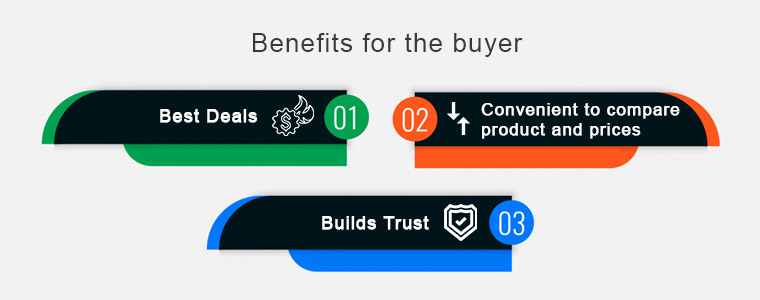
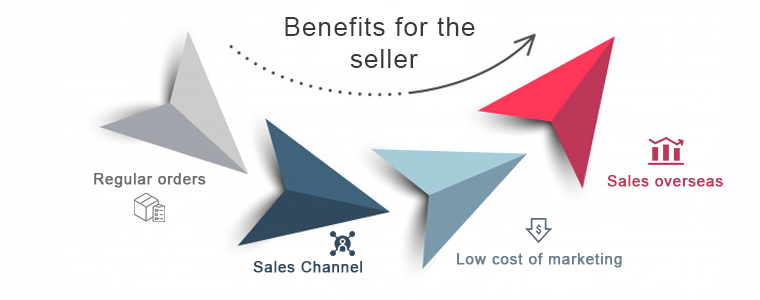
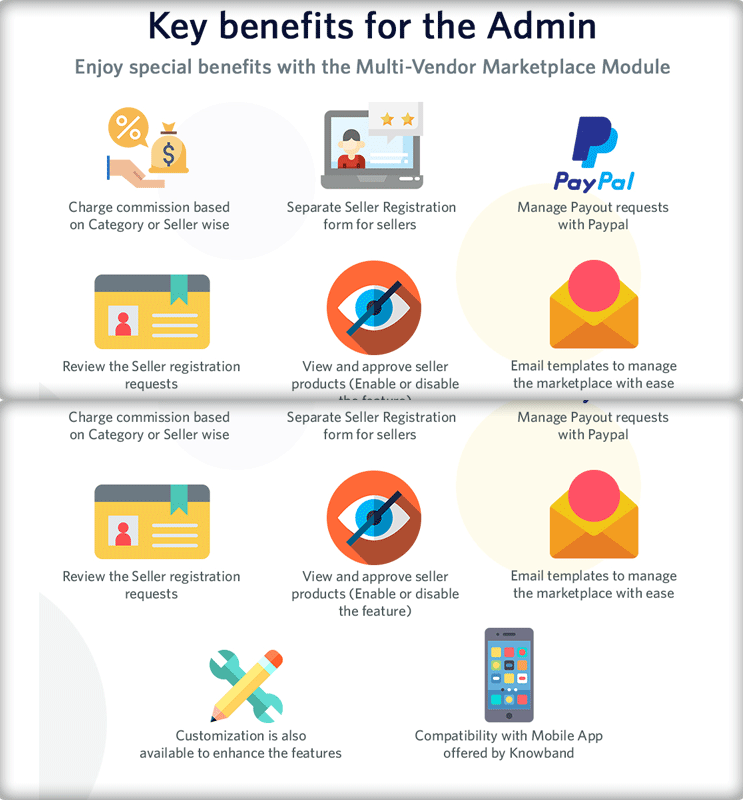
There are several key benefits of an online marketplace for all, admin, seller, and customers.
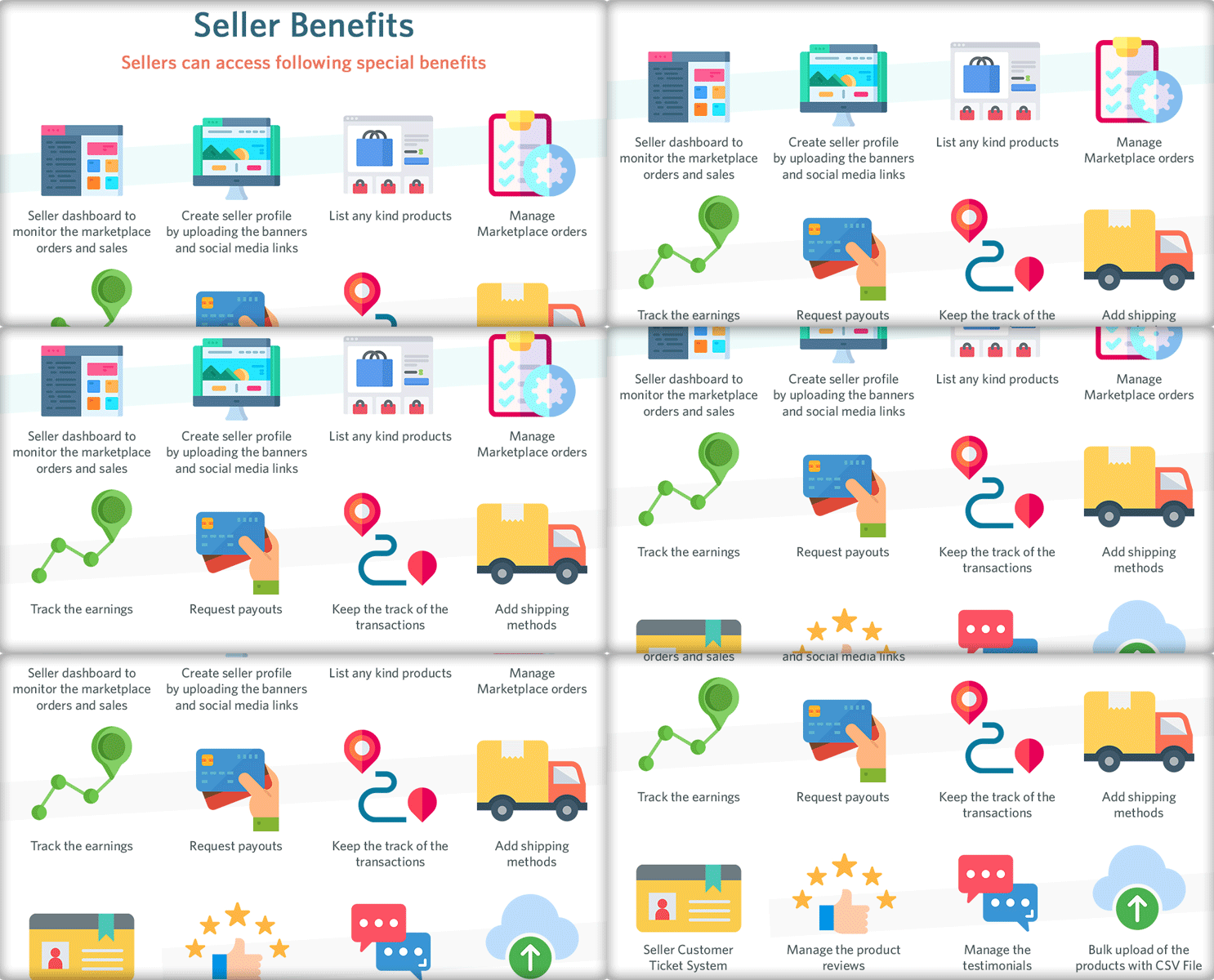
To earn profits, every marketplace follows different business models. This creates room for more revenue through different channels. You can either earn commissions from the sellers or take membership charges or sell products from your brand. A marketplace is a place for earning money while you sleep.

What is mobile marketplaces app?

Simply defined, mobile marketplaces are programs created exclusively for simple and convenient buying on a mobile device (e.g. smartphone or tablet). They should not be confused with independent retail apps. The independent retail apps are the native apps that are specially created for mobile devices but the marketplace mobile apps like Amazon are extensions of the marketplace website.

Why do we need a Marketplace Mobile App?

  • Only in the United States of America, e-commerce accounts for roughly 10% of retail sales, with that figure expected to climb by around 15% per year.
  • In the United States alone, retail e-commerce sales totaled 156 billion dollars in 2017. Furthermore, 82 percent of internet users in the United States said they’ve used their smartphones to make purchases.
  • Retail e-commerce sales worldwide reached 4.28 trillion dollars in 2020, with e-retail revenues expected to reach 5.4 trillion dollars in 2022.
  • A study suggests Amazon app users spent an average of 12.843 billion minutes per month in the app, compared to 2.352 billion minutes per month on the Amazon mobile site.

These days, the online market is at its pinnacle. Many entrepreneurs and retailers are considering developing their own marketplace app as the need for online marketplaces grows. It may be one reason that you are reading this article.

I’ll go through a few key points that will assist you in developing an online marketplace Mobile application.

Advanced Multi-vendor Marketplace Combo Pack

The Advanced Multi-vendor Marketplace includes the Mobile App for marketplace customers that give access to products and inventories of multiple sellers. It will be in real time-synch with the marketplace created by KnowBand’s Marketplace module.

Give Customers a Joyful Shopping Experience with Marketplace Mobile App.

Customers can now buy services and products online using their smartphones and shopping applications. You need a responsive mobile application for your marketplace as well. It’s not enough to have a website to stand out from the crowd.

Don’t be concerned! The Advanced Marketplace Module by KnowBand is a one-stop solution. With the advanced solution, you get the marketplace module and the mobile app for your customers. The mobile app plugin is simple to use, and KnowBand professionals will assist you in creating a tailored marketplace mobile app.

Save months that you spend on coding

App development might take anywhere from three to nine months, depending on the app’s complexity and the structure of your marketplace. You won’t have to wait any longer with this ready-made solution, because the app will be ready to launch in a couple of days.

Available for both iOS and Android

React Native was used to creating the app. As a result, it’s compatible with both iOS and Android, allowing you to reach a wide range of mobile customers.

Real-time synchronization

The eCommerce Mobile App inventory and the eCommerce website inventory are properly synchronized. The shop manager does not need to make any additional effort while using the Advance Marketplace Mobile App solution.

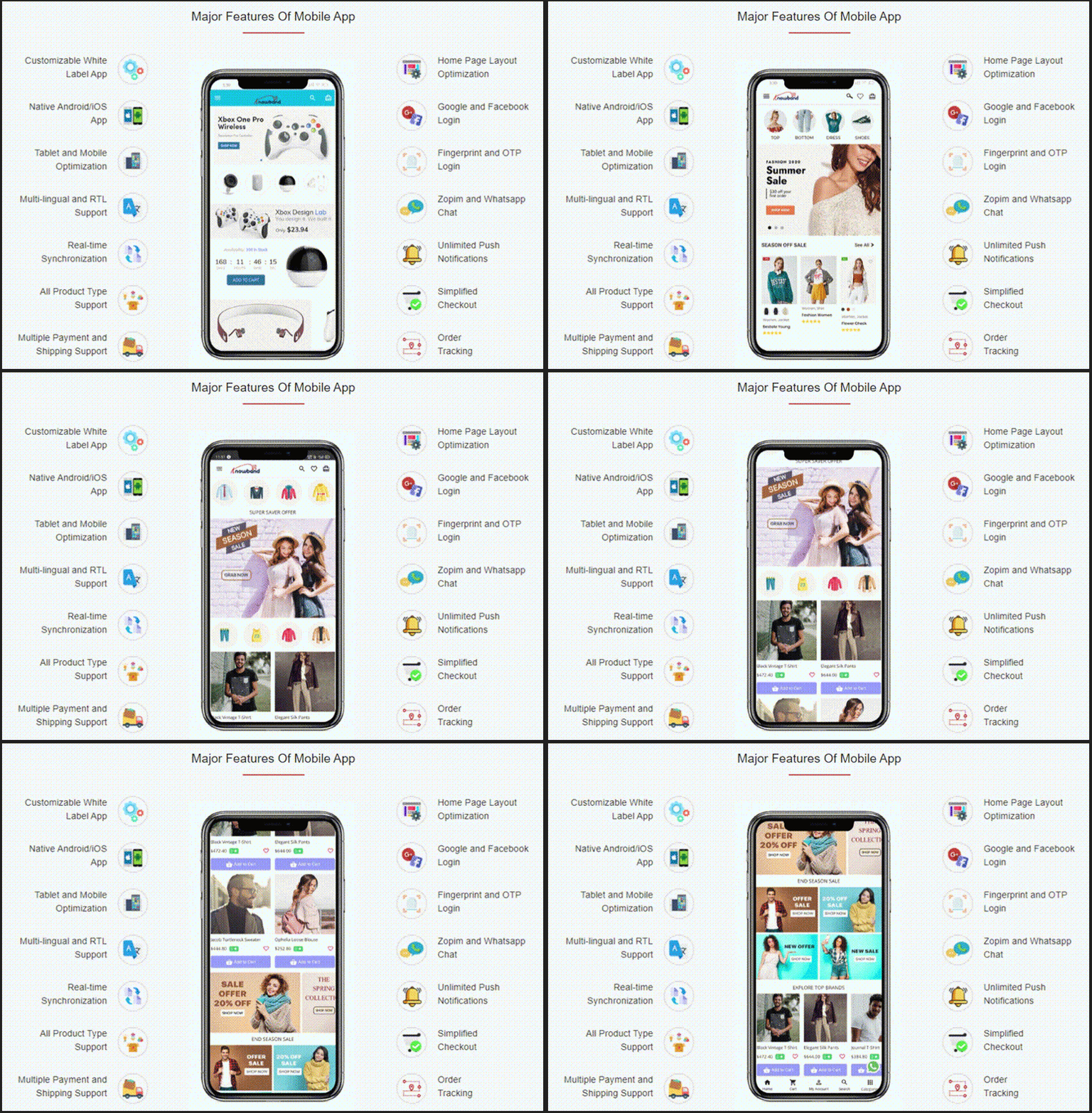
Marketplace Mobile App Features:
Whitelabel for branding

Your company’s name and logo will appear throughout the app. KnowBand’s logo will not be visible to your customers. It allows you to change the color and theme of the marketplace mobile application.

Customers get easy access to products

It is easy to find products with basic search and voice search options. Customers can locate a product in various categories from the left menu or the category button.

Layout Switching

The marketplace mobile app also allows customers to switch the layout of the product page. It offers complete freedom to sort and filter the search results.

Shop from sellers profile

It also provides easy access to seller profiles and their shop from the app. Customers can check out the individual merchant store.

Send Push Notifications

Push notifications are the best way to increase customer retention. However, sending messages keeps them informed and engaged with your app.

Support via live chat

The Zopim (Zendesk) and WhatsApp chat functionalities are supported by the Marketplace App Maker. This feature allows customers to communicate with the business administrator 24 hours a day, seven days a week.

Quick login and Checkout Process

It also assures secured payment and shipping. The Marketplace mobile app has several login choices like social media, email login, OTP verification login, or using the fingerprint sensor. Besides this, the app supports all the payment and shipping methods you have been using in your marketplace.

Cost-Effective Solution

The Marketplace module and mobile app builder advanced solution is available at a pocket-friendly cost when compared to the cost involved in making an app from scratch. Also, there are various discounts available on the KnowBand store.

Multi-vendor marketplace with a plethora of options

Let us understand the working of the marketplace module as it is the platform where the admin and seller will manage everything from inventories to shipping.

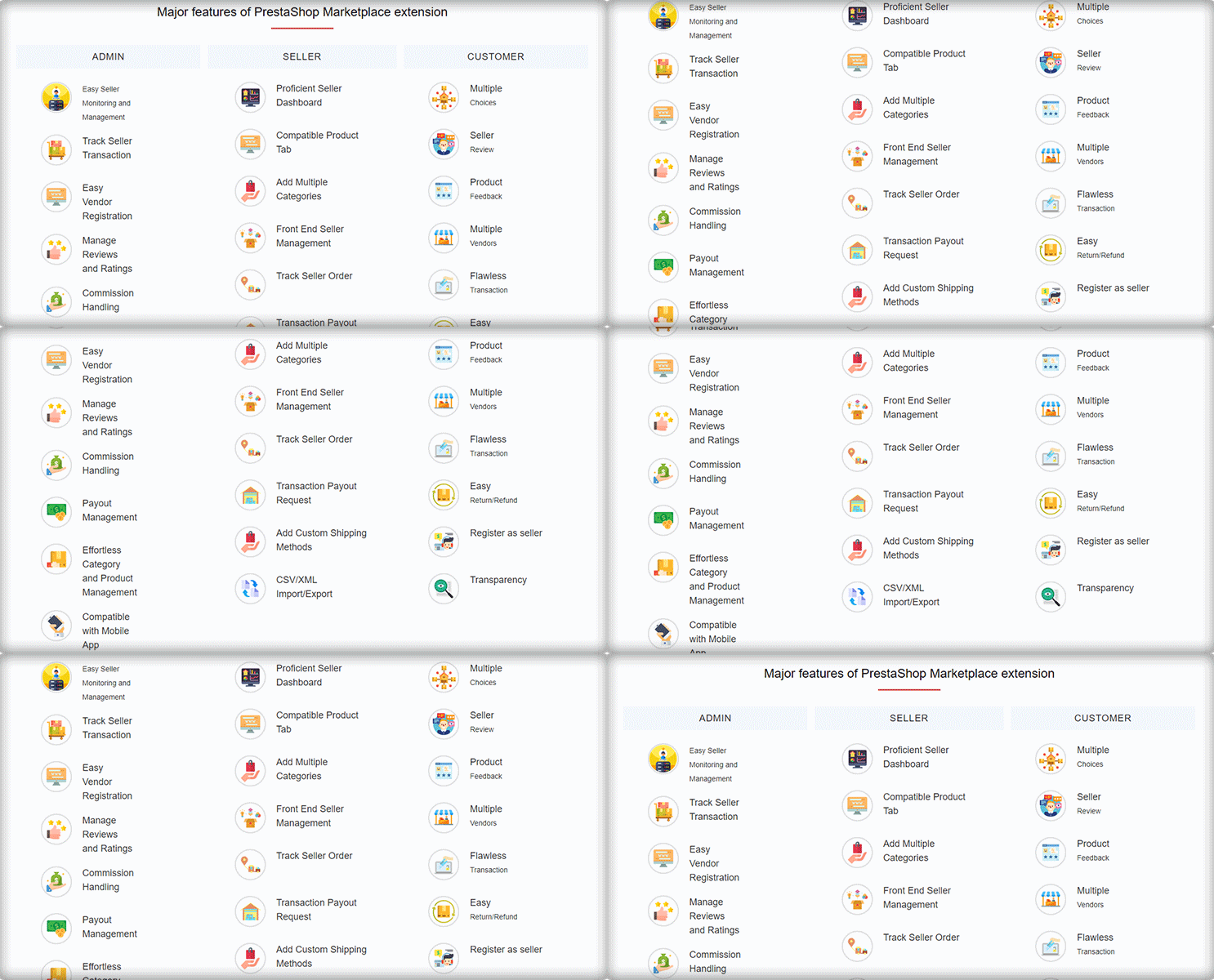
The Multivendor Marketplace’s Key Features:
Separate Admin Panel and Seller Dashboard

Managing a marketplace is a daunting task for the admin as well as for the sellers. The KnowBand’s Marketplace extension has a distinct admin panel and a functional seller dashboard is a part of various marketplace extensions (PrestaShop, Magento, and OpenCart).

The marketplace admin has complete control over the seller’s operations. Every step in the process, from seller registration to shipping, can be monitored by the store admin. As a result, the process will be transparent.

The UI of the marketplace admin panel is technically advance and makes the configuration process breeze.

  1. Quick Seller Registration

Sellers can join the marketplace by registering on the website. Store administrators can set commission rates and allow vendors to request additional product listings with KnowBand’s Multivendor Marketplace.

  1. Track seller’s activities

Along with this, the Marketplace module allows administrators to keep track of vendor information and records. The eCommerce retailer can even see the commission history of the vendor.

  1. Easy Inventory Management-

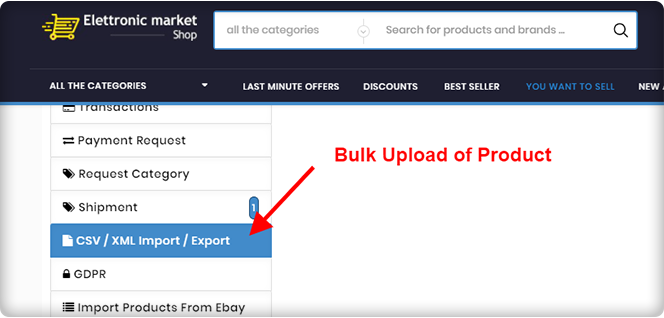
For an eCommerce merchant, inventory management is a time-consuming process and difficult as well. The Multi-Vendor Marketplace makes inventory management and maintenance a breeze for store managers. It has a bulk upload feature for product listings.

  1. Detailed Reports

Business Analysis is equally important. For better understanding, the admin of the marketplace can analyze the order reports, category request data, payout request data, seller’s orders, seller and product review sheet, etc. These data will help the store owner to plan out the marketplace marketing strategies.

There are thousands of features that the marketplace plugin offers. Click here to know more about the admin panel settings, benefits, and seller functionalities.

The Marketplace App in Action

Check out some live demos of the Marketplace Mobile App Builder which are developed using KnowBand’s Advanced Marketplace Combo Pack.

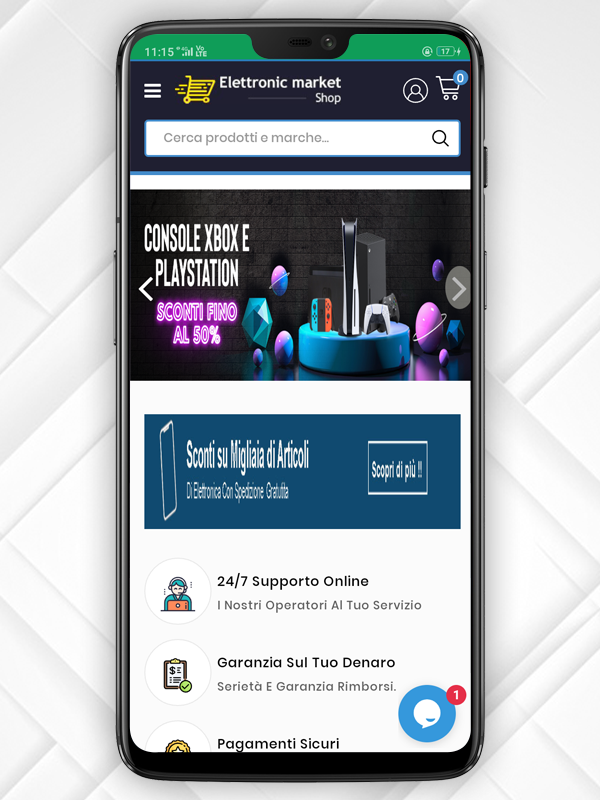
Success Story of ‘Elettronic Market Shop’ an Italian Marketplace

An Incredible Success Story of eCommerce Handloom and Handicraft Marketplace ‘Cottage Emporium’

Check Out Advanced Marketplace Combo Packs for PrestaShop, Opencart, and Magento platforms.

You can contact the KnowBand expert team at support@knowband.com for marketplace development or eCommerce website solutions. We’ve been assisting clients all over the world for the past 12 years and counting. Let us know what you need and we’ll take care of the rest.

Success Story of ‘Elettronic Market Shop’ an Italian Marketplace

The marketplace has become the most visited eCommerce store in the last few years. You get products at competent prices with hundreds of choices from multiple sellers. Out of two ways of creating a marketplace, some chose to make it from scratch while others use marketplace extensions.

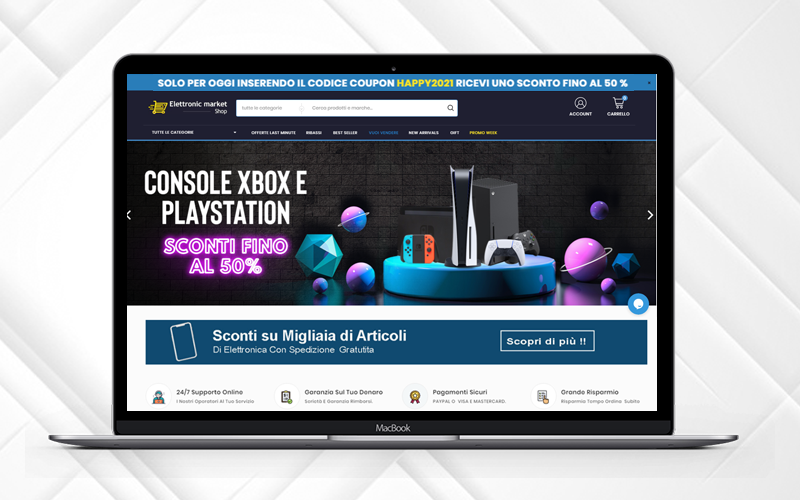
In this article, we are celebrating the success of the Elettronic Market, an Italian marketplace that trusted KnowBand’s PrestaShop Multi-vendor Marketplace Module and created a full-fledged multi-vendor store where anyone can register as a seller and expand their business.

About Elettronic Market Shop:

ELETTRONIC MARKET is a young and vibrant e-Commerce business that specializes in selling millions of goods. It sells lighting goods, DIY hardware, perfumery, clothes, beauty items, games for the little ones, personal care items, and much more thanks to a refined and unmistakable theme.

<em>"Our products are made with top quality materials and one goal: to offer design solutions with the best possible quality/price ratio."</em>

<em>-Elettronic Market</em>

Combined with attention to quality and design, the range of goods has helped their shop to become an industry leader with thousands of regular shipments throughout Italy.

The Elettronic marketplace has a functional website with a user-friendly interface. Along with that, they strive to provide an exclusive customer experience in every aspect of the shopping process. Elettronic Marketplace is actively working with big worldwide search engines such as Google, Bing, and Yahoo to guarantee all customers an exclusive and constantly changing shopping experience.

Services offered by Elettronic Market Shop:

Elettronic Market also pays close attention to all things related to logistics. Excellent logistics must enable the selling of even large goods. To always intercept the quickest route to get the goods to their destination as quickly as possible, we have agreed to focus on the best professionals in the logistics sector located in plants and warehouses in different Italian locations.

All the essentials and quality products are available at Elettronic Market Shop. It offers its customers products that are already chosen by a team of experts, bypassing the sifting of soulless products across endless websites. They examine the right products for you and this benefits the store; the customer satisfaction is more important and they watch it every day with the success of their products on the whole Italian market.

They have a 24/7 customer assistance service facility for customer communication which improves the customer experience.

Also, Elettronic Market provides the best shipping and payment options to the customers. Every transaction is secured with PayPal Gateway. The inventories are updated regularly and all the products are analyzed by the expert’s team before making them available online for the shoppers.

-> Click here to visit the Elettronic Market Shop Marketplace Website.

The Elettronic Market Shop at a glance:

The marketplace has a sleek and clear UI with a streamlined design. The Promo code bar runs at the top of the page with a discount code that can be availed by visitors. All the sidebars are separate and give a great soothing look to the front end of the website.

Features that make it to the top

The Elettronic Market Shop is created using PrestaShop Marketplace Module developed by KnowBand. The marketplace features are very well utilized and can be observed throughout the website.

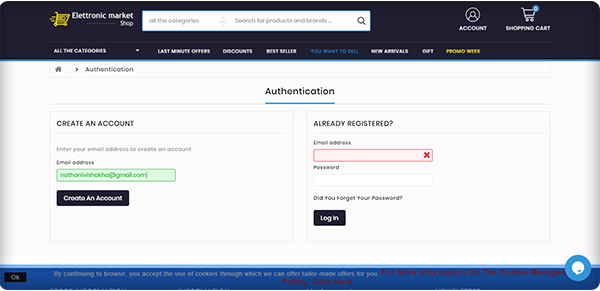
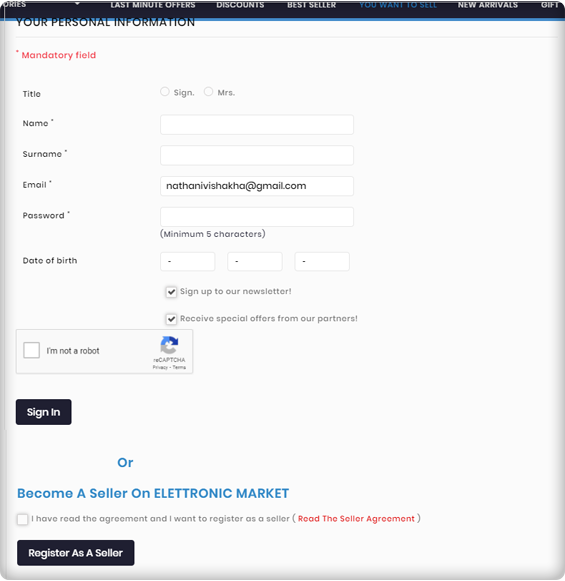
Seller Registration is easy

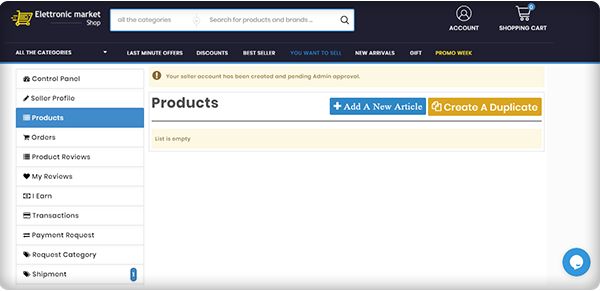
You can become a seller by simply registering yourself but it requires the admin’s approval to start selling on PrestaShop Elettronic Marketplace.

Email Templates for every event

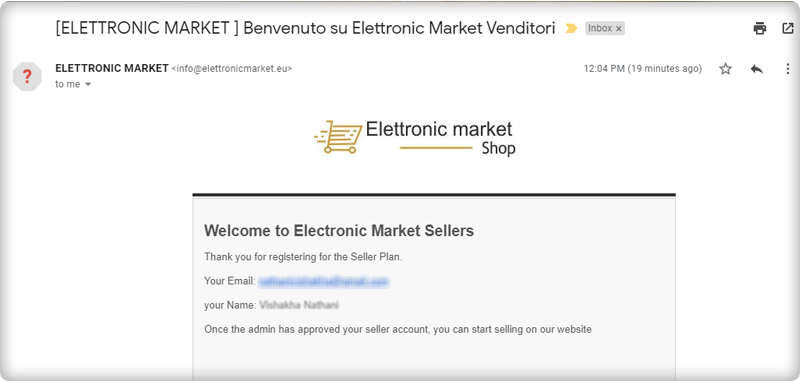
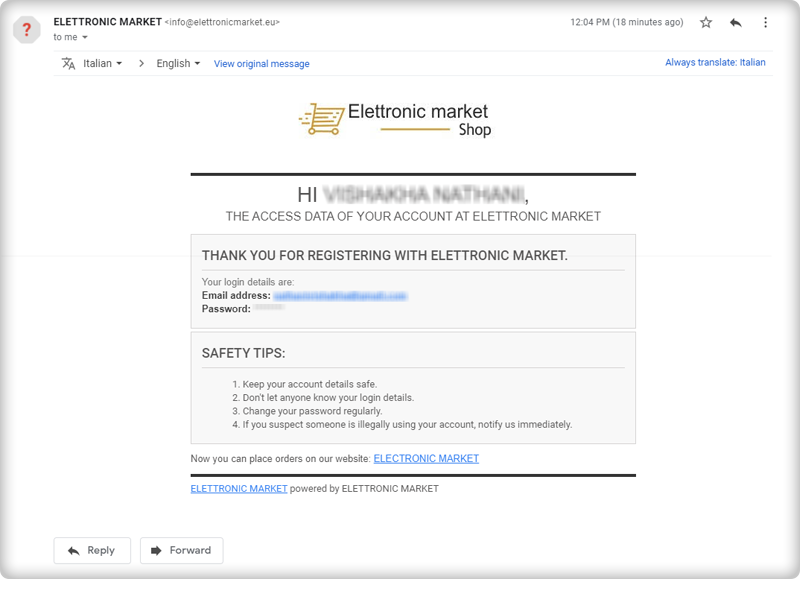
After the successful seller registration, you will receive an email with log-in credentials. Several email templates are available on the marketplace module for various events.

Seller Dashboard for every seller

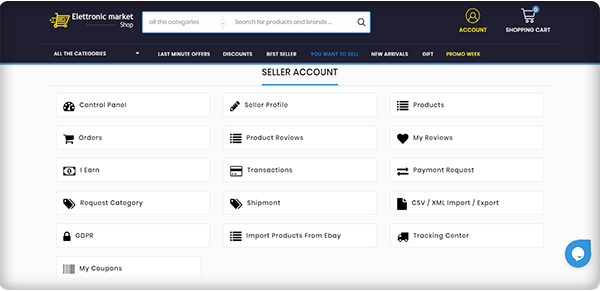
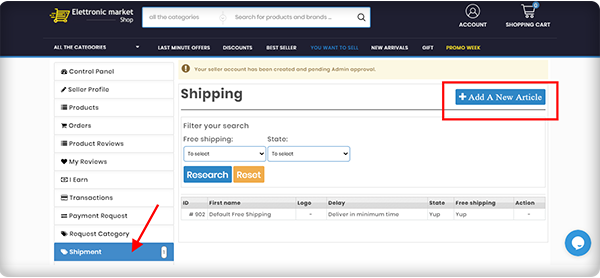
The seller dashboard is another appealing feature of the PrestaShop Elettronic Marketplace. The seller gets a lot of options for managing orders, product upload, and inventory.

Product Approval

All the products uploaded by sellers can be reviewed from the backend and requires admin’s approval, a feature offered by KnowBand’s Marketplace Module!

Elettronic Market pays special attention to all aspects of logistics

Excellent logistics must enable the selling of even large goods. Since the Elettronic Market is a well-established name in the market, their operational structure ensures the delivery of even large quantities of the products. Sellers on the Elettronic Marketplace can add custom shipping choices.

Super-Fast Delivery

With the automated efficient shipping and logistic system, In order to always intercept the quickest route to get the goods to their destination in the shortest possible period, they rely on the best professionals in the logistics sector located in plants and warehouses in different Italian locations.

In reality, thanks to this functional organization, we are always in a position to deliver our products to Italy within 24-48 working hours.

Hassle-free Inventory Management

With technical systems and software developed specifically for Elettronic Market, the entire management of the products available in the warehouse takes place. They have always paid attention to the forefront of optimizing order management and processing times. Bulk upload of products from the seller’s dashboard is possible.

Ensure Packaging before Shipment

To guarantee customers impeccable service, the quality control department inspects all pre-shipment packaging and products to ensure the integrity of the goods and packages shipped. With absolute control, they handle the entire company operation.

Efficient Customer Assistance Service

They provide an effective ‘Customer Assistance’ service that assists customers of all nationalities in their mother tongue with highly skilled resources, where they are present at all levels, from the moment of selection to the delivery of the products.

Secured by PayPal Transactions

Elettronic Marketplace is certified and verified PayPal website and all online credit card transactions are carried out in maximum security environments, being attentive to online fraud and the safety of personal data.

Request Invoice Feature

Customers can send a request for the invoice and an email will be sent to the email address which is already linked to the order number.

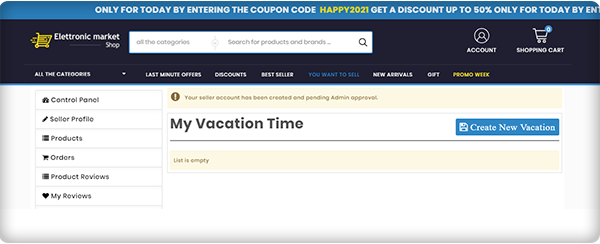
Vacation Mode

A seller can go on vacation mode when he/she is not available.

The Elettronic Market Shop makes life simpler

With a catalog the Elettronic Marketplace aims to enhance and extend on a daily basis, the list of offers includes a wide range of thousands of products.

Marketplace feature that helps in quality assurance

The greater strength of the Elettronic Marketplace has always been the richness of the bid. A team of experts continuously reviews the latest products to be included on the website and chooses only the best ones to provide customers with a superior product concerning quality, manufacturing methods, and aesthetics.

About PrestaShop Marketplace Module:

The PrestaShop Marketplace Module developed by KnowBand transforms your existing website into a multi-vendor marketplace. It is feature-rich and supports all the PrestaShop themes.

KnowBand has created several PrestaShop Modules for eCommerce websites that enhance the shopping experience and helps you bring more business to your store.

The marketplace needs a revenue model and PrestaShop Marketplace Modules supports two of the most accepted revenue models: The commission model and Membership Plans. It has a proficient admin panel with a functional seller dashboard. Customers can drop reviews for the products as well as the seller.

Every product-related activity by seller and placed orders can be monitored by the store manager from the backend. It supports multiple shipping and payment methods. The PrestaShop Marketplace module is also compatible with the mobile app builder. It supports multiple languages and currency.

Customization, email templates, seller management, inventory management, and many such features are incorporated in the Marketplace Module.

Click here to explore the Multi-Vendor Marketplace features

Click here to explore the Gold Plan of Multi-Vendor Marketplace Module

Support

For those who need a quote, specialized support is also available. In the appropriate section of the site, simply send an email at support@knowband.com and our Customer Service team will respond within a few hours.

Top 10 Features to Consider While Creating a Marketplace on OpenCart Platform

The rapid growth of the sharing economy is triggered by the increasing number of new online marketplaces. If your idea was to create an online marketplace to allow the exchange of products or services quickly and easily-congratulations! You can name yourself, an entrepreneur!

With the idea of an online marketplace, you might have explored how to create one? And what features you should consider before developing software or purchasing a pre-built module? How will you attract sellers and customers to your marketplace?

Sometimes we feel like we own too much stuff and this can happen with your marketplace too. To make it look attractive and clean, you need to have the functional UI with all the functionalities placed adequately. Clear navigation for both the seller and the customer is a must. This article is for the business entrepreneurs who are looking forward to developing their marketplace and will help you decide what features marketplace users need the most.

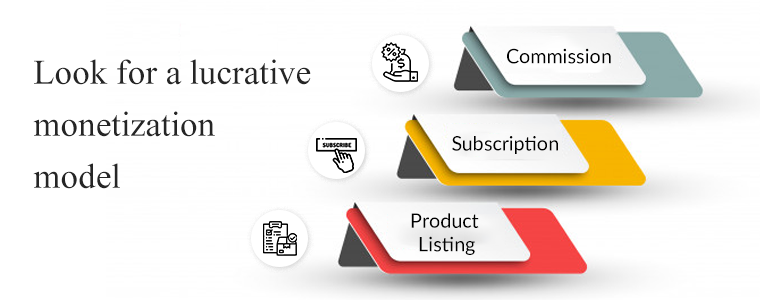
1.     Look for a lucrative monetization model

“Before looking for the answer to” How to create a marketplace? “Answer the question” How am I going to make money from my product? To attract investors and become globally competitive, all ventures have to produce revenue. No exception in the marketplace. There are many forms for your online marketplace to be monetized:

Commission– For any good purchase on the website, the marketplace charges a percentage or fixed fee.

Subscription: To use the marketplace, consumers pay a monthly/annual charge

Product Listing: To list the products, the sellers have to pay some amount.

OpenCart Marketplace Module supports the commission revenue model. The marketplace admin will generate income from the sellers on every order. You can refer to this article for a better understanding of the commission management for the OpenCart Marketplace extension developed by Knowband.

2.     Admin Panel features to consider:

The admin interface of a marketplace extension should allow you to monitor and make the necessary adjustments to support your customers.

If, for example, the terms of service are breached, an administrative interface should be able to monitor behavior on the network and issue warnings. We have designed interfaces for our clients so that it is easy to discover and censor offensive acts such as negative language easily.

It is also possible to use the administrative interface to authorize vendors and products, build customer outreach materials, run promotions, and adjust marketplace settings. It should allow you to keep the track of the seller’s earning, customer feedback, like which suppliers are doing well and which could use some assistance.

The OpenCart Marketplace module has all the above-mentioned functionalities and the admin can keep eye on every move of the seller. The admin can see the order status that will be determined for commission and earning.

3.     It should have a functional seller dashboard:

Rapid onboarding for vendors

You’re going to have to make the seller dashboard and customer handling simpler for sellers, not harder. Keep the sign-up and product listing process as simple as possible for your vendors.

The less time it takes to get started on your website, the more likely individuals are to sign up with you to sell.

Sellers can easily register and enlist their products on your OpenCart Marketplace. Sooner you approve the seller profile earlier he will be able to sell on the marketplace.

4.     Easy Inventory management

Fortunately, by establishing a strong inventory plan from day one, many of the blockades and challenges ravaging eCommerce marketplace inventory management can be easily resolved. Inventory Management is the lifeline for retail sellers, as the success of the business relies on delivering the right order to the right customer at the right time.

The stock management is effortless with the OpenCart marketplace module. It sends the stock notification to sellers and removes out of stock products automatically. To add new products for maintaining the inventory, the seller can bulk upload the product list in .CSV format.

5.     Order handling

Control of marketplace order saves you time on manual tasks and eliminate mistakes in order processing. Speaking of efficiency, from the time a customer clicks “order” to the moment the product leaves your warehouse, consider how much time it actually takes you to process a transaction.

The order handling is uncomplicated when you have a module like OpenCart Multi-vendor Marketplace. It allows the store admin and sellers to change the order status. The seller can handle every minute of action through the seller dashboard.

6.     Payments and payouts

Marketplaces make it tougher than their standard online shops when it comes to payment processing. Customers need an effortless payment system, whether credit cards, debit cards, digital wallets, PayPal, or COD. Some do intimidate while sharing the credit or debit card details hence, you can provide them COD. These are primary online shopping choices whose icons may alternatively be clearly shown in the top corners or near landing page banners or in the menu section.

From their Dashboard, the sellers get to see the order earnings, the pending amount, and the commission paid. The seller can raise payout requests to the owner and the store owner can make the payments manually through OpenCart Marketplace Plugin.

7.     Notify sellers with email

To maintain transparency on your platform you need to notify your sellers and customers about every move. The OpenCart Marketplace module has several pre-crafted email templates that can be used by the admin to send an email notification to the seller after the order is received, payment processes, review approved or removed, and much more.

This maintains transparency, fulfills realistic expectations, and enhances the user experience.

8.     Do not forget about the customer expectations

How can customer support be sustained in a multi-seller marketplace rapidly introducing a new range of products and services? Obviously, ensuring that the current service standards of the retailer are met in the marketplace is critical. In a marketplace, the consumer experience should not get distressed.

What does OpenCart Module offer for customer support?

  • Customer Seller helpdesk:  In order to get help for pre-sale inquiries or post-sale inquiries, the customer may contact the vendors.
  • Manage returns:  The returns for the goods can easily be initiated by the clients. The administrator will be able to view and process return requests from the vendor dashboard.

9.     Compatible and gadget responsive

A mobile-friendly eCommerce shop provides you with an opportunity to stay ahead of your rivals. You’d have more chances of ranking well in search engines, more visitors, and you’d be able to win their loyalty through content interaction and responsive design.

The robust Opencart Marketplace module is compatible with the mobile app. It is compatible with all the themes and models of OpenCart and it supports all currency types. You can sell any type of product digital or physical in the marketplace.

10. Let seller decide the shipping method

To improve the delivery experience, cutting down the shipping cost you need to provide multiple shipping options. In the early stages of operation, using a single shipping service makes sense because order sizes are typically not large enough to warrant using more than one carrier. However, as the company grows and online sales increase, failing to diversify your shipping strategy to meet your increasing needs puts you at risk of inefficient fulfillment of orders and increasing shipping costs.

The OpenCart Multi seller Marketplace admin can enable the seller to create multiple shipping templates. The shipping methods that vendors build will be listed in the Marketplace. And, the marketplace manager can also add or delete the shipping methods created by the seller.

Some Other helpful features of OpenCart Marketplace Module:

  • Admin can approve the product and seller reviews from his end
  • The invoice generated can have either admin’s details or seller’s details or both.
  • By providing coupon code discounts to buyers, the sellers can give the customers a special discount and run promotions
  • Admin can add multiple custom fields on the seller registration page
  • Admin can assign categories and products to the seller
  • All the products can be reviewed before publishing them on the marketplace.

Wrap-up:

These are the favorable features and functionalities you need to look at before launching a marketplace. The OpenCart marketplace module can help you with all these most required features. Remember, a marketplace is a platform for buyers to buy and seller’s toes ell. So, you need to keep your foot in their shoe and find the best you can give.

If you have a brilliant idea that you want to bring to life – drop us an email at support@knowband.com or you can drop a line in the comment section. The Knowband team helped many eCommerce entrepreneurs build a better platform by helping our clients measure the right things. The marketplace module is also available for PrestaShop and Magento 2.

Recommended Read:

Online Hyperlocal Delivery Business Model | Complete Guide for Food and Grocery Marketplace

The hyperlocal delivery business model is spreading its wings in the food and grocery market. Experts assume that in the coming future, the Grocery home delivery business will expand remarkably, and incorporating the hyperlocal delivery business model is a win-win for all the focuses involved. If you are looking for a solution to start a marketplace for grocery or food delivery business then KnowBand has exactly what you are looking for.

The modules developed for creating a hyperlocal marketplace are very well curated by the technical experts and analyzed by industry specialists to empower local businesses with the online grocery store or a food delivery marketplace. Online grocery shops have high profitability and the majority of people prefer online shopping rather than visiting the stores.

Bring your store on a digital platform and start your home delivery business with Hyperlocal Marketplace Module. For the beginners’ guide, you can refer to this article on on-demand Grocery Marketplace.  To deliver grocery, food, personal care products, or any services you need to make a plan and this article will be a step-by-step guide for launching your online home delivery store or an online marketplace. The hyperlocal delivery business model gives a platform to small businesses; they can become a seller on a marketplace and start selling immediately.

Companies like Amazon, Flipkart, Alibaba, Airbnb, etc, have established their brands in the marketplace industry and it is not easy to compete with these hotshots. Still, you have an opportunity to grow as people are supporting small businesses locally.

Step-by-step guide for a hyperlocal delivery business

Finding difficulty in deciding the right industry?

Don’t worry!

We have a plan.

Step 1- Select the industry you want to work in:

To finalize the industry for your hyperlocal home delivery business, do some market research. ECommerce has a lot of potentials if you do it right. Before establishing your hyperlocal marketplace business talk to industry experts, take help from the consultants or you can conduct surveys nearby.

Make good survey forms including all the necessary questions for the sellers and customers. List the benefits you will have and the sellers can enjoy. This will help you in finalizing your domain for the home delivery business.

Step 2- Decide your niche:

Once, you have decided on the industry, now it is time to determine the niche. The specific area you want to focus on. The hyperlocal delivery model for the food industry starts when you begin to think about the product and service you will deliver. You can choose basic needs products like dairy and bakery items, packaged food from a restaurant, lunch box delivery, essential grocery, or fresh vegetable delivery in local areas.

Here is the list of the top 10 budget-friendly hyperlocal business ideas. I’m sure this will help!

Step 3- Analyze what fits into your pocket:

Money comes next! Do not tempt the idea and dispose of your savings. Look into your budget and see what you have and how much you have to spend? Market research is important if you are putting your step into the hyperlocal delivery business. In my opinion, food and grocery delivery businesses are the best choices out there because this comes in the essentials and the essentials never go off the market. We already have witnessed the COVID 19 crisis scenario and boom in the hyperlocal grocery marketplace.

Step 4- Time to develop a website

Since you have to start your store online, you will need a website to enlist your products and services. You can either start a grocery, food, or personal care delivery business of your own, or you can create a marketplace web store and provide a platform to other small businesses.

A website can be created in a few simple steps:

Step 5- Attract sellers to your marketplace

Sellers are the most important part of a marketplace. If you are planning to start a food delivery marketplace similar to UberEats then you need to contact multiple restaurants and show them the benefits they can have if they sell on your marketplace. The food delivery marketplaces follow the hyperlocal delivery business model and we know how they are flourishing globally.

Read: How to Attract Sellers on OpenCart Marketplace

Step 6- Built strong customer base

In a marketplace, customers and sellers are interdependent. If you succeed in attracting sellers you will automatically invite a large customer base. Grocery home delivery and food delivery from their favorite food stall is the preference of every person as this gives them convenience and save time.

You can use Social Media to attract the audience by creating pages on different platforms. Read these articles for some of the best ways to attract more customers to a hyperlocal marketplace.

Recommended Reads:

Step 7- Make delivery set-up and tie-up with courier services

The success of an online grocery company depends heavily on how easily you can deliver the goods to the home/office of your client.

This makes it a vital factor in the entire start-up process to set up an effective distribution system.

Most consumers in India prefer delivery on the same day, more so for food and grocery products, and any unreasonable delay in this specific segment is generally frowned upon.

This is also not feasible, however, solely because of a shortage of human capital or the unavailability of vehicles to transport goods.

Deliveries often seem to come at a large cost-to-company, accounting for almost 30-40 % of total company costs. You can reduce shipping costs with some of the pro tips suggested in this article.

Step 8- Develop a Marketing strategy

The marketing strategies for the home delivery business can be a game-changer. You can use various social media platforms, go for email marketing, run campaigns; offer discounts, and a lot more can be done. You can attract sellers and customers by writing blogs and sharing success stories.

Although major online grocery players such as Big Basket and Amazon have the budgets on many media fronts to afford high-profile celebrity campaigns, you don’t have to follow the same path.

Instead, you can choose to market your online grocery store using local avenues that are equally successful, such as;

  • Putting a commercial in the local newspaper
  • Running a campaign on social media.
  • Sending SMS in bulk.
  • Putting up hoardings at famous places in your local area
  • Word of mouth is the best you can do
  • You can also hire food bloggers

Step 9- Allow Buy online In-store pick-up

It is a new trend to follow. Set up your Online Grocery Business with Store Pick-up Facility. This can save you from extra shipping charges and people sometimes prefer this to maintain safety and hygiene. COVID 19 outbreak expanded the market for BOPIS.

Read: Start your online grocery store with buy online and pick in-store functionality.

Step 10- Documentations and legal requirements

Before starting a hyperlocal delivery model for a food business you need to take care of some legal requirements and documentation work.

  • You need to form a legal entity
  • Register your firm or company for taxes
  • Open a business account to handle business transactions
  • Accomplish your licenses and permits as per your country’s policy and take the licenses according to state & local Business requirements
  • Since you are selling food products, follow all the food safety measures and regulations
  • Do vehicle’s registration and hire a licensed driver for transportation

Create a Mobile App:

Considering the numbers, the smartphone consumer base is wide and about 80% of the smartphone users did online shopping through mobile phones in the year 2020.

After the successful launch of your home delivery website, you can create a mobile app as the number of smartphone users is more than the desktop user. Built a grocery store mobile app for eCommerce and you can refer to this article to read the success story of our happy clients.

Read: [Success Story – Goldengrocery] Grocery Mobile App for E-Commerce

Wrapping up:

This article and the attached reads are sufficient to guide you on starting a hyperlocal home delivery business and a food delivery marketplace. The successful food delivery apps like DoorDash, UberEats, Zomato, etc. created a marketplace for small and big restaurants and increased their customer base and sales. Gear up for the new venture! You tell us what you want and let us think.

You can write to us at support@knowband.com or visit our website for further assistance. Our technical experts will guide you and help you throughout the journey.

How to Start Online Clothing Business- Complete Guide

Are you planning to start your own clothing business online? Well, thanks to the innovators and web developers. Now you can start an online merchandising business with minimal cost without any physical brick and mortar store.

Online clothing business is an opportunity if you are looking for a breakthrough idea. Strategic planning, the right approach, and excellent marketing can make you a dominator in the clothing industry.

Finding a good idea to work on is the first step to starting an online clothing business. You’re going to spend a lot of time, probably money, and effort on it, so make sure that you work on something that has real potential to earn you passive income, allow you to leave your job and do it full-time, provide value and use your skills and talents, or else.

You can sell anything like kids’ clothing, designer, vintage, or anything in between. It is now simpler than ever to set up an online clothing store, thanks to the invention of online store builders, such as OpenCart, Shopify, Wix, and PrestaShop, and the best part is you don’t even need to know how to code!

Since you have reached this far imagining about this new clothing business idea, now you require a plan which can help you start your new venture.

Before that starting a clothing business, ask yourself these questions: Are you skilled enough to start this? If you are passionate enough for starting a clothing business? Will you be able to deal with the new situations coming? Is it profitable? If your answers are in favor then you are preceding in the right direction.

1.     Choose the business model

It’s time to choose a business model for your online clothing store business, now that you know your niche and have an idea of the types of items you want to sell. Online clothing and fashion stores fall into the following categories of business models:

  • Retail
  • Wholesaling
  • Manufacturing

After choosing a business model, one has to select the type of clothing they want to sell:

  • Fast Fashion
  • Traditional Fashion
  • Custom Personalised Clothing
  • Designer Apparels

Each business model has its pros and cons and your ultimate aim, budget, and skills should be focused on choosing between them.

2.   Launch your Website:

Starting a clothing business online is a profitable business as 80% of millennials prefer shopping online.

It is important to have your website. It’s the only place you can sell clothes online and it’s where you’re going to develop your brand, get traffic, and implement all your knowledge to earn a profit. Your website will always be there, at the heart of your business, no matter how much your business expands over the years, and how many monetization methods you pursue.

A website consists of a domain name (the name of your clothing store website), a hosting provider (the company that provides the server to support online business), and a content management system such as Shopify, OpenCart, PrestaShop, Magento, etc. The online platform is the program that allows you to build an online store for selling clothes, creating content, and adding the product, email marketing, and much more.

For starting a clothing business you need an attractive name that should be easy to remember. You can hire a website development service provider to create the best to compete in this rapidly evolving world of fashion.

3.    Find your Target audience:

There is a target audience for every company, so make sure to do your research before settling on a niche. The more you understand your clients and what they want, the more are your chances of delivering the goods they want.

It isn’t easy to start an online clothing business but if you know your customer and have studied their consumer behavior then you can make this difficult task an easy one.

Start blogging:

I can’t emphasize enough how important content is to your overall online clothing business strategy.

You need to build content in multiple ways to start the online clothing business flourish. Writing blog posts, comprehensive guides, videos, social media posts, podcasts, courses, etc. can support every potential lead. Repurposing content is simple as once you have published a blog post, you can easily convert it into a series of emails, a free guide for your subscribers to download, several social media posts, and what not!

Conduct Online Surveys:

To know your target audience and to understand their demands you can conduct online surveys with free available Google forms or any other means. Surveying before starting an online clothing business has added benefits. For the starter, this can help you in deciding the type of product you can sell in your store.

4.    Build Your Clothing Brand

What shapes your brand is you and everything you do online. You need to make sure your brand is compatible with all the elements of your online clothing business.

It means:

  • Using the matching colors, photos, products, etc. on your web.
  • To build all types of graphics for your clothing brand, use a free tool, and capture interactive pictures of the clothes you want to sell.
  • Create a logo with a tagline to stand out
  • Writing an awesome page about telling your brand story and what you will be selling on an online clothing store;
  • Be on every platform of social media and get involved. That’s a way to connect, build up your followers and generate brand recognition with your audience and other business owners;
  • Capture professional images and add them to your website and social media pages for your product;
  • Ask them for reviews and display these testimonials on your website once you have some clients and email subscribers.

5.    Register Your Online Business

In your country, how to start an online business? You have built the foundation of your brand when your clothing website is launched and you have started making your first cash. That’s something you’re going to need to remember.

It’s an easy procedure to register an online company, but you need to follow your country’s rules. After making the lawful registration for paying taxes you will receive all the required details like company registration number, VAT number, etc.  Start your online clothing company and register it as per your country’s laws.

6.    Design Your Products:

Let’s look at the things in more detail that go into creating a product.

You have to choose any available service provider companies as your fulfillment service to design a product. Assume that you have created your online shop. You all know what it takes for fashion lovers to find something pleasant to wear, so imagine what it’s like to design it. Lots of things to take into consideration:

  • The creator of the designs cannot just imagine but are capable of making it a reality.
  • The survey which you have conducted before setting up your online clothing store will now help you as you know what your target audience like.
  • It is needful to keep an eye on the quality of the product you are going to sell. The cut and material of the garment is something you need to take care of. The fabric you will be using, its stretch and fit, all are important factors to start selling clothes online.
  • For the final result, from A to Z-the fit, the color, the design, you have to be sure about everything. You have to develop a product which makes them buy it. Otherwise, selling isn’t worth it. Before going live, be sure to order a copy.

Read: 8 Things that make a Perfect Mobile Product Page

7.    Master the Marketing and Sales Funnel

Getting your store up and running is the first step, but you will need to market your clothing store to make sure that you start (and continue) selling clothes online.

We highly recommend you marketing your online clothing shop over social media. This is a free and simple way to get out into the world with your brand name.

You can simply allow your customers to like your company on Facebook or follow you on Twitter with share and win schemes, which means they can keep up with all brand promotions, industry news that you can share, and any upcoming deals.

Affiliate and referral programs can help you with spreading brand awareness. It is the sneakiest way of bringing new potential customers. Another marketing tool is email marketing. You can send follow-up emails, promotional emails using apps, email marketing tools, and plugins to your customers who have visited your online clothing store before.

Your online clothing store will be making big bucks in no time at all with these easy, powerful, and inexpensive marketing methods.

It’s time to track success.

Conclusion:

When you start your online clothing store, you’ll need to find the middle ground between your quality standards, manufacturing costs, and making a profit.

Almost nobody is born with the full stack of expertise to start and run a successful business, so make the effort to learn about the pieces that you don’t know as much about, whether that’s how to connect in the fashion world, or how to build a growth-oriented business plan.

Be ambitious, understand your brand, and keep your set-up costs down! Good luck!

Recommended Reads:

Advantages of Having Magento 2 Multi Vendor Marketplace extension over other platforms

A marketplace must stand out from the competition to achieve a reasonable solution that would benefit everyone. Many physical stores have been converted to online stores to ramp-up the eCommerce operations. There is a silver lining to the COVID outbreak for the marketplace businesses that flourished throughout the pandemic.

Magento 2 Multi vendor Marketplace extension has several features that will advantage the admin, seller, and the customer. You don’t have to add other modules for raising a ticket or to run a discount deal. The Knowband’s Marketplace module for Magento 2 platform is fully configurable and any non-coder can install it in few simple steps.

Many visitors, guest customers, or current customers face issues while shopping in a marketplace. Not only customers but sellers do face issues and to solve it, you must have a customer seller ticket system. This is not it but with Magento 2 multi-seller marketplace your customer can easily return products.

This article is to highlight the features which make the Magento 2 Multi vendor marketplace a complete package amid the marketplace modules available.

The seller can go on a vacation mode

Yes, you read that right! If a seller wants to take a break from the marketplace then he can. The multi-seller marketplace extension allows the seller to go on vacation mode. The sellers have to raise a request to the admin of the marketplace to temporarily disable their marketplace store after the admin’s approval.

The seller will submit the vacation request from a separate section of the seller’s dashboard. After the approval, the profile will get inactive for that time of vacation.

The single invoice even if the customer shop from different sellers

The invoice management functionality of the Marketplace module for Magento 2 is very useful. The customers will not always like the products from a single seller but they generally buy from different ones.

Getting so many invoices can confuse them so the invoice management process is simplified by the Magento multi-vendor marketplace plugin. The customer will get only one invoice for the order placed in one go.

The seller can run deals on Magento 2 Multi vendor Marketplace

For their products on Magento 2 Multivendor Marketplace, sellers can create several discount coupons. The coupons created will enable the seller to encourage customers to buy more to take advantage of the discounts.

Seller is free to add banners, shop logo, and custom HTML content on the seller page for a separate product range. Seller enhances the exposure of the brand by incorporating banners, logos, and shop info. There is no need for any other module to run deals on a marketplace.

Isn’t it a rewarding feature!

Bulk upload of the products from seller dashboard

What will happen if a seller has to list the products individually? It will take much time and effort for this simple task. Now, the seller can save their time and efforts as the Magento 2 Multivendor Marketplace allows bulk upload of the products.

The seller can upload a product list in .CSV format and this will enlist the products in a few clicks. The Time Saver Module!

Easy return and refund functionality

What happens when a product you bought from an online store does not fit you? Either you will exchange it or raise a return request. What if the eCommerce store does not have a return option? This makes you feel disgusted and you will never look back to that very same website due to the poor customer experience.

With the aid of Magento 2 Multi vendor Marketplace, customers do not need to undertake any special procedure for return/refund/replacement requests. This can be accomplished classically. Even if the consumer purchases the products from different vendors and returns the products of a specific vendor, the invoice will be sent only to that respective vendor.

Customer can raise tickets

Any customer can directly raise a customer-seller request in case of queries or questions regarding products or services. Customers can do it from the front end of the marketplace and see the status of the previous tickets.

Final Words:

The Magento 2 Multi vendor marketplace can be an advantageous platform to start a marketplace as it does not require any additional module to manage the invoices, running deals, or to bulk upload the product list. It helps you handle all the sellers and customer orders effortlessly. Inventories are no more a headache as every seller can manage it from the seller dashboard.

To see the demo you can visit the marketplace website or click here to see the tutorial video. KnowBand team has developed solutions related to every eCommerce business and is always available to assist you with your online business website issues.

The marketplace Module is now available for OpenCart and PrestaShop Platforms.

Explore New Business Opportunities with Hyperlocal Marketplace PrestaShop Module

With the rise in marketplace demand, the Hyperlocal Marketplace PrestaShop module is a solution for all the startups that are planning on a new venture. The module is developed to provide complete assistance to the admin, seller, and customers who are willing to take the advantage of nearby delivery models.

Hyperlocal concept work on geolocation and near-me delivery which is flourishing these days. PrestaShop Hyperlocal Marketplace can convert the eCommerce website into a multi-vendor marketplace with no extra efforts.  Hyperlocal Marketplace PrestaShop module is developed by Knowband which has several functionalities and benefits.

To connect customers with local sellers and shops, the Hyperlocal Marketplace PrestaShop module can be used. Using this module, owners of the PrestaShop store can turn their eCommerce website into a fully functioning marketplace and allow other sellers to sell their products.

Since location is important, sellers can add locations where their products can be delivered and customers can enter their location to verify the availability of the sellers and products. It is time to explore new business opportunities with the PrestaShop Hyperlocal Marketplace module because it is incorporated with all the necessary features required.

Features of a hyperlocal marketplace PrestaShop module

Hyperlocal Functionality

Geolocation data is incorporated and the PrestaShop Hyperlocal Marketplace module is integrated by Google Maps. Shipping areas where their food, grocery, personal care products, etc. can be delivered can be introduced using the hyperlocal feature. Admin can add various localities for sellers to register and sellers can add places where they can deliver the products.

If the shipping distance is out of sight, then a default price for their shipping may also be applied by the seller. Sellers can conduct different operations using this feature, such as adding shipping prices, adding multiple shipping areas, adding bulk ship rates, etc.

Manage Sellers easily:

It is easy to approve or disapprove of the sellers from the admin panel of the Hyperlocal marketplace.

Product Approval List:

Any registered seller can sell whatever they want to but the admin can approve the list of products and categories from the seller lists. Inventory management for food delivery, grocery home delivery, and other local delivery products can be done effortlessly in a few steps.

Effortless Commission Management:

The admin can easily break the commission according to the type of the commodity. The admin may also create new categories accordingly.

By entering a default committee, the admin may set a new category. This allows managers to charge different commission rates for different types of items.

Easy Transactions

The module offers effortless transaction options for customers, sellers, and the admin.

Seller Transactions

The system does not automatically move the amount into the account of the seller, so the owner of the store must keep records for all the sellers and manually pass money to the seller and enter the transaction information later to keep a record of the same.

The PrestaShop Hyperlocal Marketplace module allows the administrator to view two types of sellers’ transactions, namely Seller Balance History and Transaction History.

The PrestaShop Hyperlocal Marketplace addon’s Seller Transactions page keeps track of the transactions of the seller and the remaining balance of sellers.

Payout Request

For their profits, the sellers may make a compensation offer. These payout requests can be viewed from the Hyperlocal Marketplace PrestaShop Module’s transaction payout request section.

Vendors may specify the sum and purpose for the payout and may choose any of the payment methods specified. With a single mouse click, the admin may approve or disagree with the payout requests.

Email Templates for Notification

For multiple events, such as vendor registration, seller account approval, product approval, review updates, payout request warning, and many more, the PrestaShop Hyperlocal Marketplace addon offers different ready-made email templates.

The PrestaShop sellers will be updated with these email updates about different activities at the PrestaShop Hyperlocal Marketplace.

Membership plans

By adding filters, sellers can review their membership plan history. To verify the background of the membership plans, sellers have to fill in the plan name and the status of the membership plan under the philters.

Multiple payment and shipping methods:

Store admin can set multiple shipping and payment methods. Sellers can specify their methods of shipping or the default shipping methods specified by the administrator will be displayed in the Ship tab of the seller’s dashboard. To introduce his customized shipping methods, the seller has to add the required methods.

GDPR Compatibility:

The Hyperlocal PrestaShop Marketplace is GDPR compatible. I allow customers to opt-out from the customer list. Customers can see the seller details if the admin allows the settings and sellers can close their shop whenever they want to.
Admin Benefits of Hyperlocal Marketplace PrestaShop Module:

Easy commissions:

The marketplace is a source of passive income and supporting local businesses can be advantageous. The module allows the admin to set the commission for every seller. The commission can be different or the same depending upon the admin’s choice.

No need for stocking up an inventory:

Since it allows multiple sellers and let them sell at one platform, the Hyperlocal Marketplace PrestaShop Module has the functionality to manage the inventories. Both admin and seller can add or remove products and categories.

A profitable business model:

It is a scalable business model with the benefits of eCommerce marketplaces. In contrast to a standalone eCommerce shop, it entails less financial risks. A rising customer count comes with growing suppliers, ultimately resulting in an increasingly growing business.

Helps increase revenue

Sellers come to hyperlocal marketplaces to sell because it allows them access to a large client base. The risk of consumers stumbling on goods they did not originally want to buy is higher when searching through goods on marketplaces.

Hence, this increases the chances of better sales as a wide range of goods are presented for them to choose from various vendors.

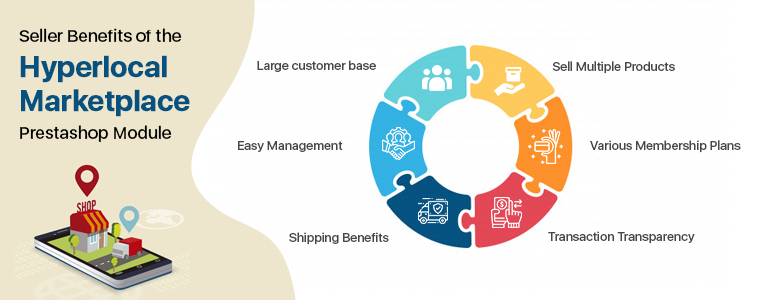
Seller Benefits of the Hyperlocal Marketplace PrestaShop Module:

Large customer base:

The Marketplace has a major advantage as it brings more new customers to the seller. A seller gets regular orders because of a larger customer base.

Easy Management:

It has a front end seller dashboard which allows the vendors to view their profile, products, and orders. The module provides a separate seller’s page which makes it easier for the vendors to promote their business.

Shipping Benefits:

The shipping methods can help you reduce cart abandonment. As per the requirements, the vendor may add multiple ship areas. The seller will edit the areas of the ship. They can also delete areas for ships. For different areas, the seller can list multiple shipping rates. If the distance is beyond the range, the seller will set the default price for shipping.

Sell Multiple Products:

Any type of product can be introduced to the marketplace by vendors. The Hyperlocal Marketplace PrestaShop module supports all kinds of products categorized by the admin. It can be any product, virtual, or bundle products.

Various Membership Plans:

Sellers can take any membership plans as per the requirements. Hyperlocal Marketplace PrestaShop module allows the seller to choose the membership plans like a monthly plan, yearly plan, or other as needed.

Transaction Transparency:

The entire transaction is transparent as the commission charges are fixed and the seller can ask for payouts whenever needed or as per the marketplace policy.

Buyer Benefits of Hyperlocal Delivery Addon

Faster Delivery: By entering the location, buyers can check the availability of items and sellers easily. They can add Pincode and all the products which are available in their area will be displayed in the marketplace. Faster delivery can be done after buying from a nearby store.

Get a better deal: From a broader range of product choices, customers can now select the perfect items. Due to the competency factor, customers can get amazing deals on less expenditure.

Reviews can help: There is an opportunity for customers to give the seller reviews. By using Product Review Alert or Default Product Comment Addon, customers may also review the goods.

Buy from seller’s page: The hyperlocal marketplace for PrestaShop allows customers to visit the seller page and buy directly from there.

Become a seller: If you are a customer and planning to sell on a marketplace then it is super easy on a PrestaShop Multi-vendor Hyperlocal Marketplace in fewer steps.

Improved customer engagement and segmentation: Marketplace is the ultimate destination for not only consumer interaction, but also improved consumer targeting strategies and efficient study of customer segmentation. These markets provide space for a tailored consumer sales strategy and improved overall customer experiences as well.

Final words:

In the past, online hyperlocal marketplaces have shown rapid growth and capacity for the same in the future. With the tremendous opportunities it provides, marketplaces have progressively become a lucrative place for sellers from which their product scope can be extended far and wide. The path to offer excellent shopping experiences has just started for hyperlocal marketplaces.  In the industry, the journey ahead is exciting and full of potential for inventive innovations.

looking for business ideas, here is the list of top 10 hyper-local businesses that you can start with minimum investment.

To start your marketplace, you can read our previous article: Types of Online Marketplaces: Start your own with Multi-Vendor Marketplace Module

This May Interest You:

10 Most Important Things you Need to Know about Magento 2 Marketplace Module by Knowband

The marketplace is the only platform where you can find all the required stuff under one roof just like ‘Amazon’-the world’s largest online marketplace. The opportunity in the marketplace business is at the peak and after the pandemic, many start-ups around the globe are taking a lot more interest in the marketplace business model.

There can be two ways one can build or create their own multi-seller marketplace.

  • From the scratch by coding: by developing marketplace software using coding languages like PHP or other.
  • On an existing eCommerce platform like Magento, PrestaShop, Shopify, Opencart, WooCommerce, etc.

The former needs lots of money and technical expertise while the latter can be done without any professional coder. If you are a beginner then you must use the existing eCommerce platform rather than starting from scratch. The best solution to create one is Knowband’s Magento 2 Marketplace module which is developed by professional coders with all the technical expertise. We have added several unique features and tailored the extension in a way that it can satisfy the demands of the admin, vendor, and the customers in all possible way.

1.     Who can sell on Magento 2 Marketplace?

Marketplaces are the platform where third-party sellers offer their products for sale. And, Marketplace module for Magento 2 allows anyone, literally anyone to register as a seller. The front end of the Magento Marketplace has a seller registration page from where any visitor can register as a vendor.

The seller request needs the approval from admin and once it is done, sellers can sell!

2.     Add Several Membership Plans

After the seller registration, the seller has the choice to opt for a membership plan. You can create several membership plans based on the number of products a seller can upload and the valid number of days like a monthly plan or yearly plan for which the plan will be activated.

The store owner can charge some amount to sellers as membership fees.

3.     The vendor can manage Inventory

In order to start selling in minutes and control their inventory within your marketplace, your sellers should add their own products. In Magento 2 Marketplace extension, each seller has its own order control panel called a seller dashboard for handling customer orders, and customers can buy from several sellers at once.

The product list for the in-stock product can be auto-updated as it has inbuilt cron functionality.

4.     The seller can upload Products in bulk

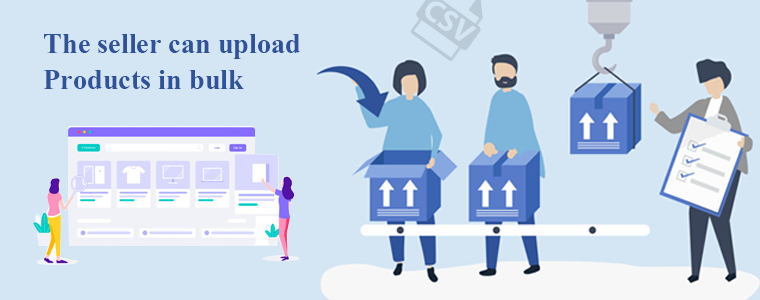
The bulk upload of the product list is possible with Magento 2 Marketplace Module and the seller can upload .CSV file from the dashboard. This will reduce the extra time spend on product listing and this can be done effortlessly.

5.     Order handling by both admin and sellers

Both the owner and the associated seller would be handling the orders placed on the marketplace. The vendor can see the orders in the seller dashboard, while the admin can see all the orders in the admin panel of the Magento 2 marketplace module. You can change the order status, mark an order as shipped, pending, etc.

Furthermore, the store owner may decide to allow or forbid the sellers from handling the orders with the help of Magento 2 Multi-vendor marketplace module.

6.     The shipping system

The seller can add shipping options: The Magento 2 Marketplace module enables sellers to integrate their own shipping options. With the aid of this, they can add many shipping options to their goods and chart them.

Admin can add shipping options: The module also helps the administrator of the store to add different shipping options for the sellers.

7.     Payment flow structure

Making the on-time payment is an issue when there are many sellers but cron automated payment functionality releases the burden completely from the admin’s head.

The store owner may enable automatic seller payouts that automate the payment request process. Admin may either use cron URLs for this setup or use the “Process Paypal Payout Status” cron directly.

Also, the sellers are entitled to make payout requests for the balance. The admin can approve the payout requests manually with a single button click, making it easy for the admin to manage the Magento 2 Marketplace operations.

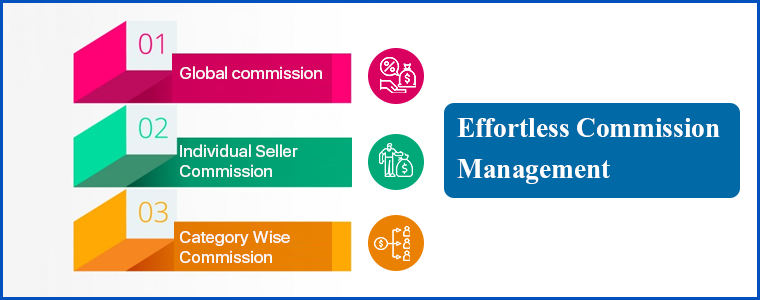
8.     Effortless Commission Management

The sellers’ commission can be configured by the admin on three levels.

  1. Global commission: All marketplace sellers will be subjected to the Global Commission Rate. For instance, if you add 20% as global commission then it will be fixed for every seller and every product listed on the marketplace.
  2. Individual Seller Commission: The commission fee can be charged differently on the seller level for individual sellers on the Magento 2 Marketplace.

The priority is set to the seller wise commission option.

  1. Category Wise Commission: Third and the last way to charge the commission is category wise. Store admin can set the default commission on the categories.

The admin can see the commission earned order wise from every seller.

9.     Default email templates

It is necessary to notify the sellers and customers about the order updates on time. There are several default email templates in the marketplace modules for the Magento 2 platform that are pre-crafted for sending different updates.

We listed several email templates in our Magento 2 marketplace module’s backend which can be used for sending notifications to sellers and customers. Using this plugin, the admin can edit any email template right from the admin panel. Multiple languages support all the email templates.

10.Versatile Approach and compatibility

The module is compatible with all Magento 2 themes. It supports multiple languages that can help you sell globally. Many Magento 2 extensions are compatible with Magento 2 Multi-vendor marketplace module. You can even create your mobile app using Magento 2 Mobile App Builder.

More to offer:

There are various seller details that can be monitored by admin like best-selling products, product and seller reviews, transactions, earnings, orders received by individual sellers, and much more. The marketplace module has many other features that can help you create a marketplace on Magento 2 platform. Refer to the user guide or the video tutorial for the same.

Final Words:

It’s becoming easier to build an online marketplace, and with accessibility comes stiff competition. However, that’s nothing to be afraid of. You will make your marketplace site stand out from the crowd and beat the competition with the best blend of techniques for what you’re offering. Knowband’s marketplace solution can help you launch your online marketplace from the beginning to the end.

Now you know the important features of the Magento 2 Multi-vendor Marketplace module and I hope this article was helpful to you. Drop a line in the comment section if you like it or write to us at support@knowband.com  if you need any assistance in creating your marketplace.

Knowband also developed the marketplace module for OpenCart, Magento, and PrestaShop platforms.

Recommended Reads:

How to Attract Sellers on OpenCart Marketplace

Attracting sellers on a marketplace is more difficult than setting up an online store. The multi-vendor marketplace is the most prominent trends in the eCommerce industry. If you are looking forward to creating your own marketplace then OpenCart Marketplace Module can be the solution that will convert your OpenCart website into a Multi-Vendor Marketplace.

The OpenCart Marketplace extension is easy to configure and in a few simple steps you can start your own marketplace similar to eBay, Amazon, ETSY, etc., that too without coding. It allows customers to register as a seller on your marketplace and provide them with a platform to sale their products.

Are you facing problems in approaching sellers to your OpenCart Marketplace?

Marketplace extension makes everything effortless but attracting sellers is intimidating and is still a task. When your platform is ready, onboarding sellers on your marketplace and making them add their products should be the very first step of your marketplace project.

Being able to attract a large number of suppliers would likely decide the marketplace’s performance and make it appealing to customers. This article will explain to you how to attract sellers to your OpenCart online marketplace after launching a successful online eCommerce marketplace.

1.   Make smart strategies to market your marketplace

If you have launched or planning to launch a marketplace on the OpenCart website then your first target should be on marketing. If you have launched a website and you fail to grab the potential traffic then the whole process and efforts will go in vain. Develop a plan for customer acquisition by knowing your target audience and their purchase pattern.

  • Social Media is advantageous

If you belong to millennials then you know the importance of social media. After starting the OpenCart Multi vendor marketplace, promote your products on every possible social media platform to attract the potential customer. Try to make a profile that is easier to find and join the right groups. Share knowledgeable and thoughtful content. Irrelevant and useless content can push your customers away.

  • Pay attention to branding with ad

If you want to attract sellers to your OpenCart marketplace then you must have an excellent branding strategy that will help them grow. By explaining your branding plans and advertisement methods you can convince sellers to choose your marketplace as an e-commerce business platform. There are many options available for advertising your marketplace to reach customers such as running classic ads in newspapers, magazines, video advertising, and television ads.

  • Navigate the sellers with catalogs and blog posts

Let the world know about your marketplace seller’s success stories and reviews. With some marketing data, an insightful blog can tempt the sellers and get them close to your shop. In addition, Google indexes blogs can easily assist the administrator in a limited time to draw the interest of numerous sellers around the world.

2.   Let sellers know about the commission management plan

Sellers would love to register with your marketplace if you are maintaining the transaction transparency. OpenCart Marketplace plugin allows customers to register as sellers and has an option for affiliate customers incorporated within. Consider the following points for offering effortless commission management and to track earning:

  • With OpenCart Marketplace Module, the store owner can charge commission globally, product wise, category wise, or even a different commission to individual sellers. Explain this to the sellers beforehand to maintain the transparency.
  • Feel free to inform them about the tax charges and with the OpenCart marketplace plugin, the admin can add that tax charges in commission.
  • Follow a payment strategy for the payouts. You can make payments every day, weekly, or monthly. This leaves the books at the end of the sellers clean and liquidity preserved.

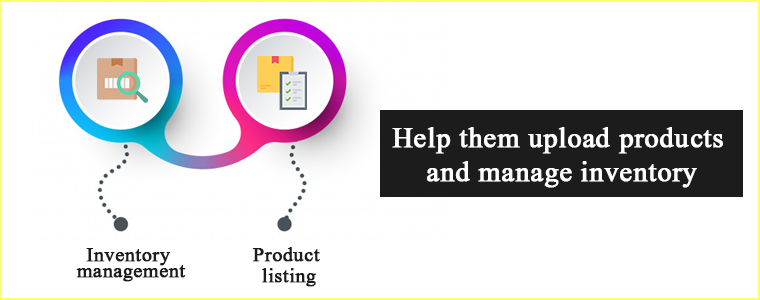
3.   Help them upload products and manage inventory

For all online retailers, inventory management is the greatest dilemma. This is another justification for them to hesitate to delve into the marketplace of multi-vendors. With the OpenCart Multi vendor marketplace, sellers can list their products with ease.

  • Inventory management

Offering inventory assistance can encourage sellers to register on your OpenCart marketplace. With the multi-vendor extension, sellers are able to monitor their store products and update customers with the required details. This significantly improves the acquisition of buyers and makes it easier to attract sellers.

  • Product listing

Adding new products on a marketplace appears to be difficult but now product listing is not a tedious task. Sellers can upload the CSV file for bulk enlisting of the products or add them one by one.

4.   Educate the sellers

Optimize the marketplace according to the vendors’ needs and it will become easier to persuade the vendors.

  • Teach sellers about the whole concept of the marketplace to make it easier for them.
  • Conduct consumer modules and training sessions because it helps sellers to understand the features and benefits.

The Marketplace’s limitless functionality will make sellers feel like they’re using their own website. Simple management of inventory, payment options, and order management will make the sellers’ whole business transaction smooth.

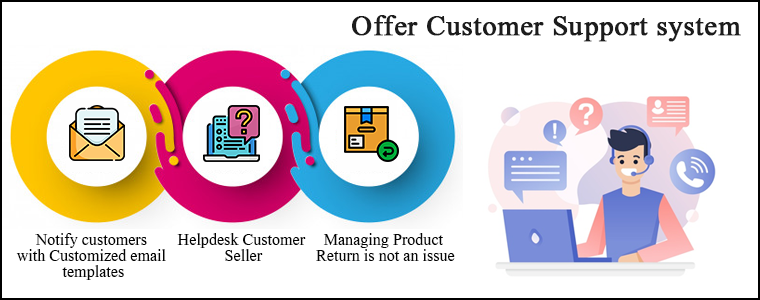
5.   Offer a customer support system

To encourage sellers to sell on your OpenCart marketplace, you must optimize the customer seller support system. It is needed to notify customers about the order status from time to time, provide good customer service to enhance customer experience which can boost customer retention rate.

  • Notify customers with Customized email templates

The OpenCart Marketplace extension provides numerous email templates to handle the entire contact between sellers and administrators, sellers & customers in the marketplace.

  • Helpdesk Customer Seller

In case of any question related to the product, customers may directly contact the sellers on the OpenCart Multi-Vendor Marketplace. This in turn draws buyers towards the brand and forces them to go for instant purchase.

  • Managing Product Return is not an issue

The returns can easily be initiated by the customers for the products. The OpenCart Multi-vendor marketplace seller and admin both will be able to access return requests from the vendor dashboard and process them.

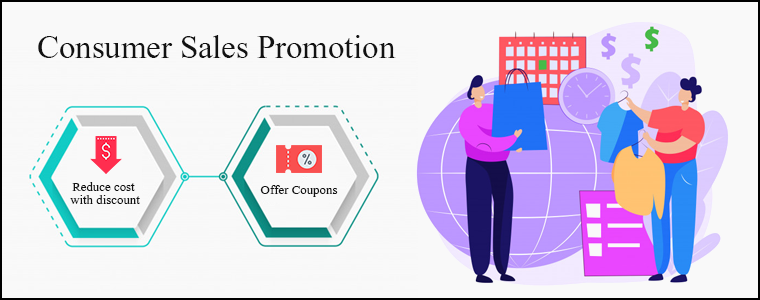
6.   Consumer Sales Promotion

Sales promotion has been shown to be a successful marketing strategy for both mature and emerging companies to reach the customer about a new product. A new customer might not only be of interest to you but also be outstanding in the competition.

  • Reduce cost with discount

Studies have shown that when their prices are temporarily reduced, it is tempting to purchase more items.

  • Offer Coupons

The client would be inclined to buy from you again with gifts, discounts, coupons, and promo codes.

OpenCart Marketplace Extension allows sellers to run discounts and promotions by offering coupon codes to the customers.

In addition, the OpenCart Marketplace extension built by Knowband has several other features that make it much easier to dig into the multi-vendor scenario for the store administrator. These alluring features make the selling process effortless for the vendors.

How Knowband helps you in Creating Your OpenCart Multi vendor Marketplace?

1. Activate or deactivate seller profile

The administrator may easily enable a vendor to sell on the store from the OpenCart multi-vendor marketplace backend. If a seller’s profile is disabled, all the goods of that seller are automatically deleted.

2. View orders and the order status

The store administrator of OpenCart can monitor orders from the admin panel. On the admin screen, a list of orders with vendor details and order status will be shown.

3. Manage Product listing

OpenCart multi-vendor marketplace store owner has control to approve the products enlisted by sellers. Admin may set the appropriate field of approval globally or for the individual sellers.

4. Track customer-seller transactions

It is easy to track customer-seller transactions and total seller earnings from the marketplace module’s admin panel with the admin commission.

5. View and update seller review and product feedback

The vendor and the items in the store can be rated and reviewed by the customer. The OpenCart Multi-vendor marketplace plugin allows the seller to search, edit, and approve all customer feedback.

6. Versatile approach:

The robust mobile app is compliant with the OpenCart Multi-vendor Marketplace extension. It is compatible with all the themes and modules of OpenCart. The OpenCart Marketplace extension is compatible with all currency types. All types of products can be sold on the OpenCart Multi-vendor Marketplace extension.

Conclusion

It won’t be justified if I say you won’t face any difficulty after launching a marketplace because you will have to face a lot of problems while going through the process. Incorporating OpenCart Multi vendor Marketplace Plugin will reduce your extra efforts and help you run the store smoothly. You can refer to the user manual of the OpenCart Multi-Vendor marketplace for a better understanding of the module.
The chicken-and-egg problem of the marketplaces is not new but this is what it is. Set up your OpenCart marketplace and start generating revenue even when you are asleep.

For any queries feel free to write to us at support@Knowband.com

Key Benefits of Starting an Online Marketplace

The possible benefits to be obtained by entering an online marketplace can differ between industries and firms, and between buyers and sellers. If you are looking for the advantages and the downside of the online marketplace before starting one then you have landed on the right page.

The marketplace model is booming in the business industry and the growth rate is out of the blue. Companies like Amazon, Flipkart, Myntra, ETSY are operating for years and are now at the top.

There are many types of online marketplaces and websites where you can sell your goods to customers who would not otherwise find you, in addition to having your own physical and e-commerce shop. An online marketplace has various advantages for the admin, seller, and buyers.

Benefits of Online Marketplace for your businesses

An online marketplace is a platform for small businesses to bring it on the web. Sellers and merchants are benefited but the customers get the most advantage. Some of the potential advantages are summarised below:

General business benefits

Develop new partnerships:

There are greater opportunities, either within their supply chain or through supply chains, for sellers and buyers to develop new trading relationships. The radar of a marketplace is anytime greater than an individual eCommerce website because many sellers and buyers from different niches come to the same platform for their needs.

Greater Transparency:

Because the availability, rates and stock levels are all available in an open environment; e-marketplaces can provide greater transparency in the buying process.

Operate anytime:

Time restrictions and concerns with various working hours for foreign trade are avoided when round-the-clock operations are feasible. No one has to wait for the shop to open as these marketplaces can be operated anytime from anywhere. The online Marketplace is highly convenient for both sellers and buyers.

Easy Management:

Product Information Management software that automates the bulk upload to your marketplaces of product information. This way, at the same time, you can be sure that the catalog and stock details are standardized in all your networks.

Choose Revenue Stream:

There are two ways the marketplaces earn income, one is commission based and another is by charging subscription or membership fees. Some of the e-marketplaces find commission the best choice as it is easier to operate and is a sustained source of income. While the online marketplaces like OLX make money through premium subscription plans.

Benefits of the online marketplace for the buyer

Best Deals:

Buyers can secure the best deals due to updated information on the availability and price of the product. An online marketplace brings the right buyers in touch with the right sellers with much greater precision than it could ever happen in a simple web search.

Convenient to compare product and prices:

Instead of wasting time calling individual suppliers, e-marketplaces provide an easy way to compare rates and products on a single platform. One of the key benefits of an online marketplace is that it puts together all deals from different vendors or service providers. Customers are more likely to use an app with a wide variety of choices so that they can select exactly what they want without restricting a single provider to their preference.

Builds Trust:

Developed e-marketplaces provide the customer with a degree of confidence as they exclusively work with vendors who are members. This builds trust and looks convincing when a new customer visits the eCommerce marketplace. A significant number of buyers feel intimidated by sharing card details for financial transactions when they operate on a new website.

Benefits of the online marketplace for the seller

Regular orders

Sellers get daily requests from both new and existing customers for quotes and products. An e-marketplace increases business opportunities. You could meet customers with whom you’ve never crossed paths before, or pursue new demographic niches and find new prospects for sales.

Sales Channel

You provide multiple touchpoints for clients to connect with your brand when you sell through multiple platforms, online, offline, and everywhere in between. To advertise and sell products, the online marketplace creates an alternative distribution channel.

Low cost of marketing

When compared to other distribution platforms, e-marketplaces may deliver reduced marketing costs. The seller can reach a potential customer with little effort. You can sell right there where potential customers are found without investing either extra time or money. Marketplaces have the benefit that they have their resources, target groups, and customers.

Sales overseas

The global e-marketplaces will provide opportunities that you would not be aware of for overseas sales. Through online marketplaces, overseas sales are incredibly easy. In particular, foreign operators, such as Amazon or eBay, typically provide assistance and rights to retailers. In the face of high inventory levels, an enticing price will persuade foreign customers most of all. Provide multiple payment gateways according to customer demands.

Final Words:

These were the major advantages of the online marketplace but never forget the fact that there is a risk involved in every new business. Different types of online marketplaces are classified considering several parameters like their focus, niche, revenue-generating system, etc. If you want to start your marketplace or sell on an e-marketplace then you should study both advantages and disadvantages. An online marketplace might be the ticket to building a big, profitable business with a lasting impact if you can resolve the challenges.

Recommended Reads: