
Your shopping cart is empty!

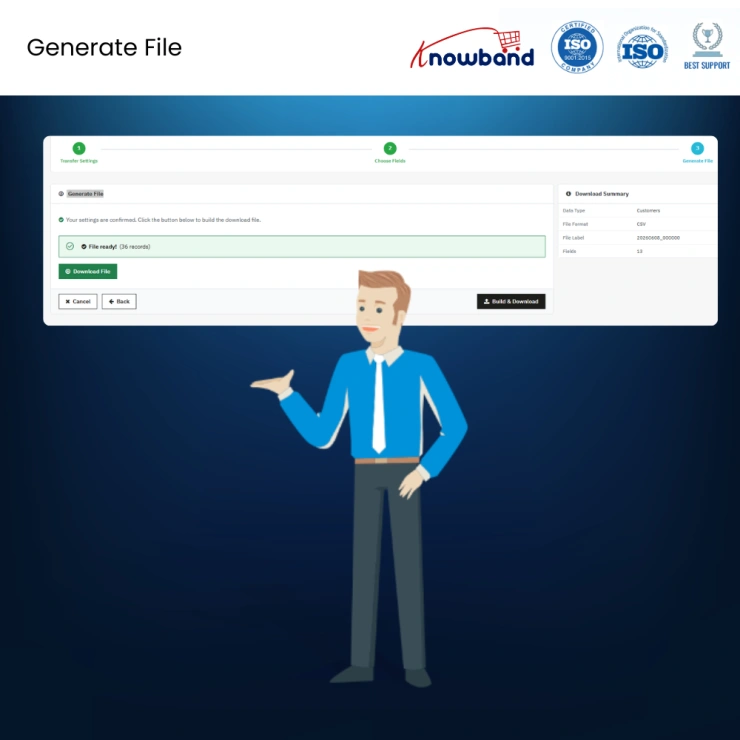
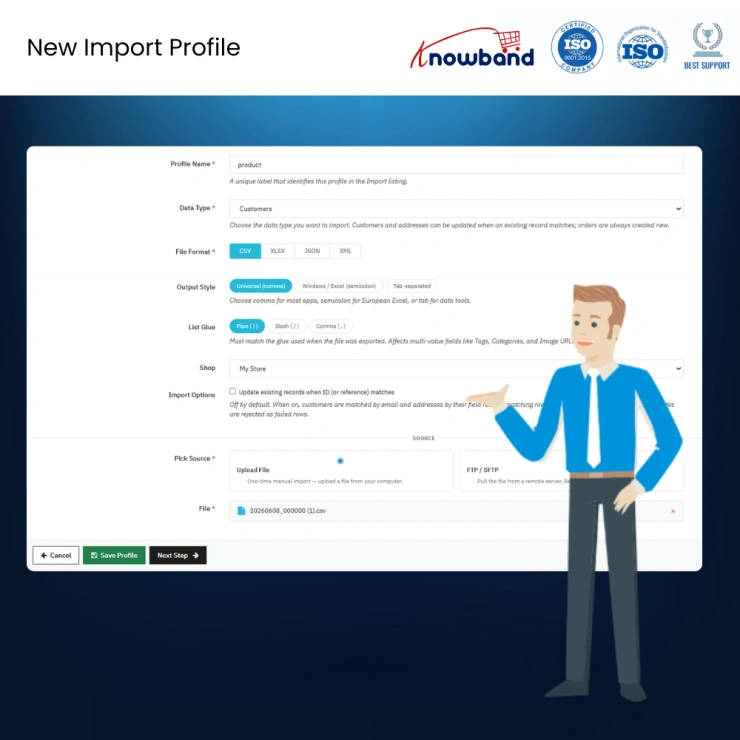
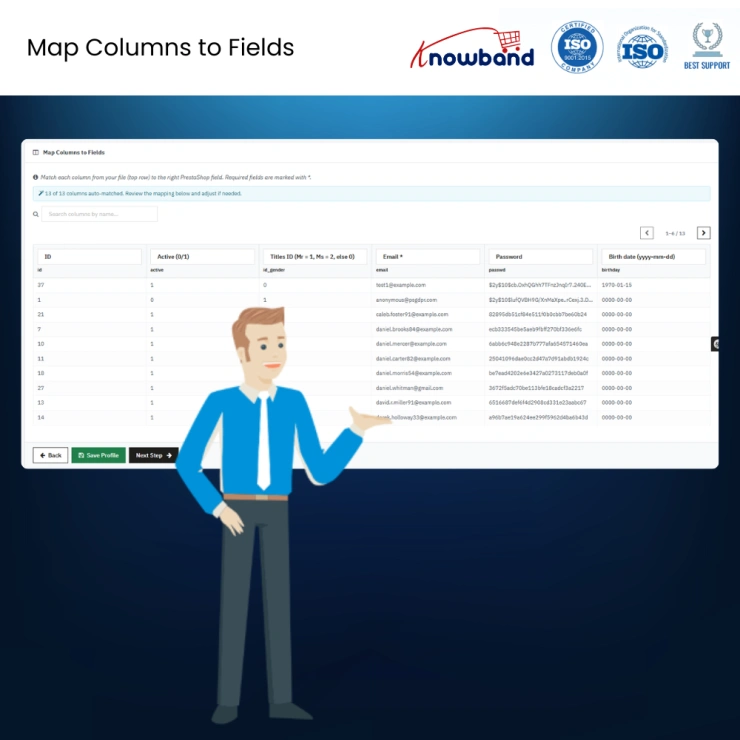
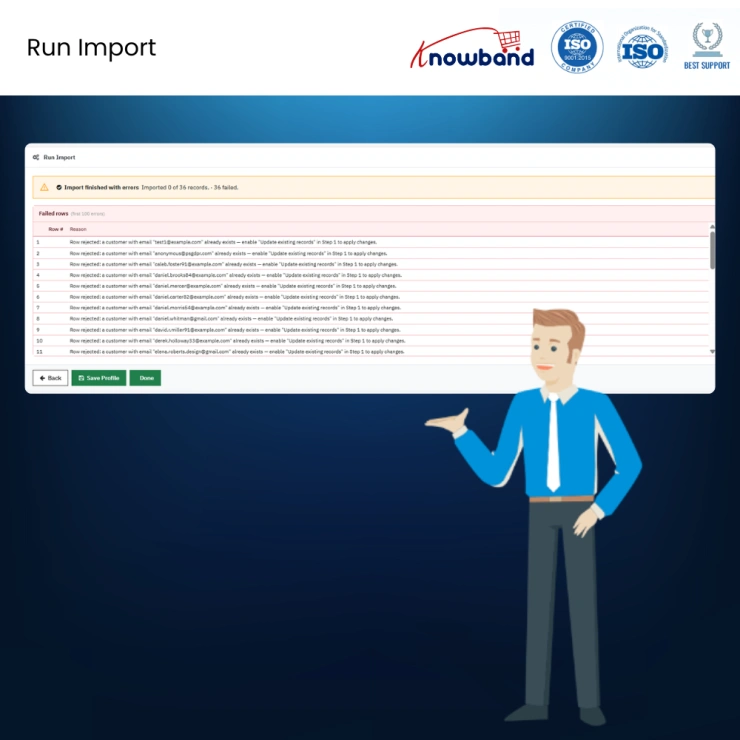
The Knowband PrestaShop Order, Customer & Address Import Export Module handles complete transfers of orders, customers, and addresses across stores, systems, and teams in four file formats. Built-in identity resolution, combination support, FTP and SFTP delivery, and scheduled automation all run from a single admin panel. No developer, no database tool, no manual work at any step. Export your complete order history. Import it into a new PrestaShop store. Push nightly order files to your warehouse. Run everything on a schedule.
 Watch Video

The Knowband PrestaShop Order, Customer & Address Import Export Module handles complete transfers of orders, customers, and addresses across stores, systems, and teams in four file formats. Built-in identity resolution, combination support, FTP and SFTP delivery, and scheduled automation all run from a single admin panel. No developer, no database tool, no manual work at any step.
Operators migrating to a new PrestaShop installation can export their full order history and import it into the destination store in one operation. Customer accounts, billing and shipping addresses, line items, and product combinations all resolve automatically using stable cross-store identifiers rather than raw database IDs.
Admins who need to fix order data can export a filtered set, correct it in Excel, and re-import the file. No database access. No developer ticket.
Stores supplying fulfilment partners, warehouse platforms, or accounting systems can configure a scheduled export profile that pushes a formatted file to the right server at the right time, on repeat, without any manual step.
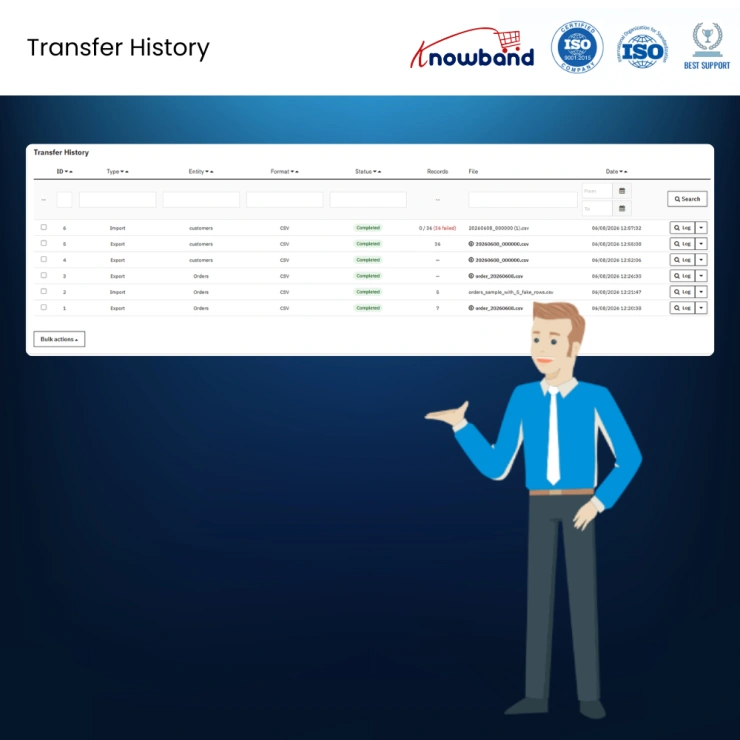
Every transfer logs the date, file name, entity type, status, record counts, and row-level error detail. Every order data movement stays on record.
CSV, XLSX, JSON, and XML are all supported for import and export. CSV and XLSX files can be imported using any standard spreadsheet software. JSON and XML suit system integrations and API-consuming partners. The same profile setup handles whichever format the receiving system needs. The export uses a flat-per-line structure: one row per line item, with order-level fields repeated across each row. The importer groups those rows back into complete orders on upload.
Orders, customers, and addresses are each independently configurable. Orders include complete records including line items, combinations, totals, taxes, discounts, vouchers, credit slips, carrier data, and payment details. Orders are always created anew on import; existing orders cannot be updated. Customers are matched by email and updated or created accordingly. Addresses are matched by a composite hash of name, address, postcode, city, and phone. Templates are available for all formats and entities.
Raw database IDs differ between PrestaShop installations and cannot be used as transfer identifiers. Customers are matched by email, addresses by composite hash, and products/combinations by reference. Unresolvable product references reject the entire order, preventing partial imports and ensuring integrity across stores.
If any line item within an order fails validation, the entire order is excluded from the batch. Partial orders are never written to the database. Every rejection produces a detailed log entry identifying row, column, value, and expected format.
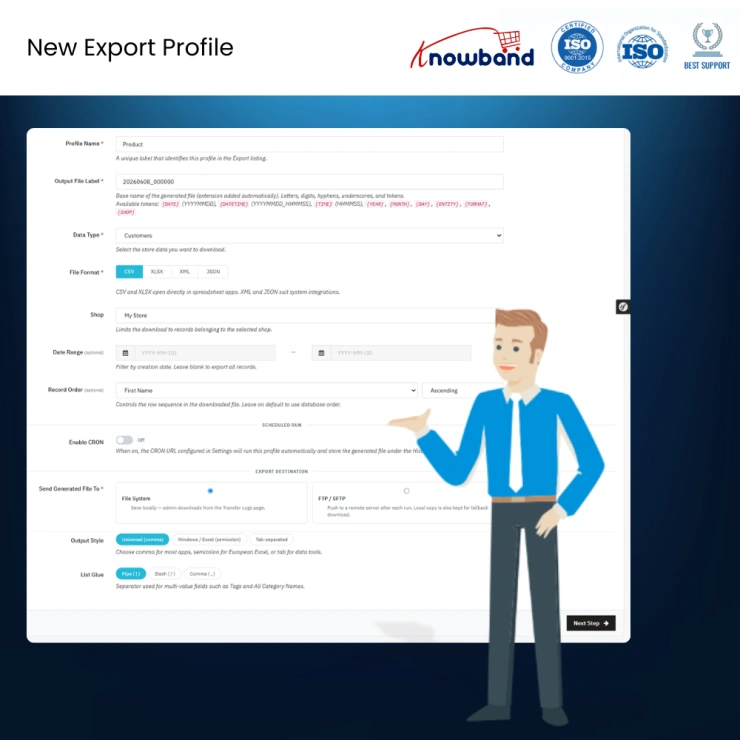
Every export and import configuration is saved as a named profile containing file format, filters, destination, scheduling, and column mapping. Mappings are automatically restored when similar files are uploaded, reducing setup time and ensuring consistency.
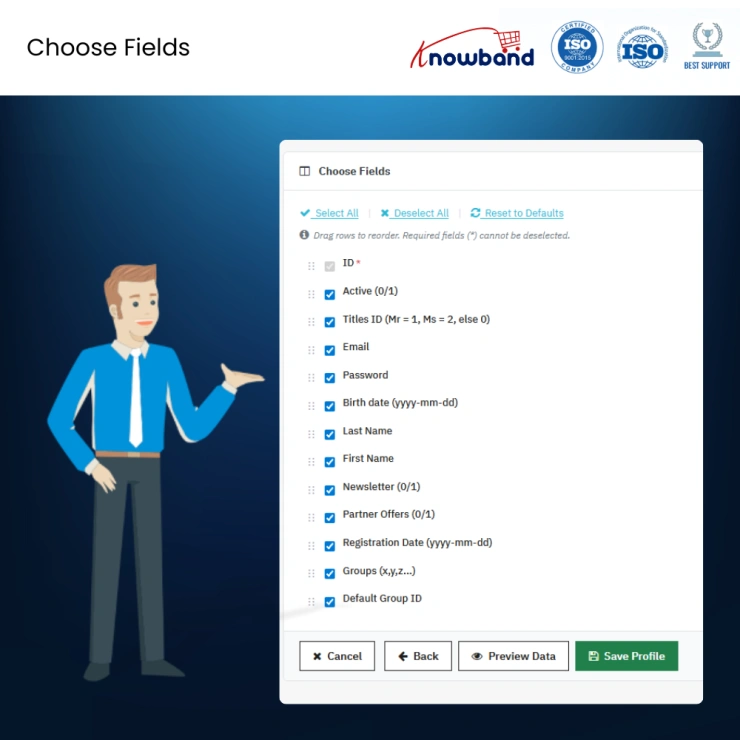
Export and import processes are handled through guided wizards. Export allows selection of filters, columns, formats, and destinations. Import includes automatic column matching, preview, and validation before execution.
All major transfer protocols are supported. Credentials are encrypted and validated via a built-in connection test. Failed transfers generate notifications and retain local files to prevent data loss.
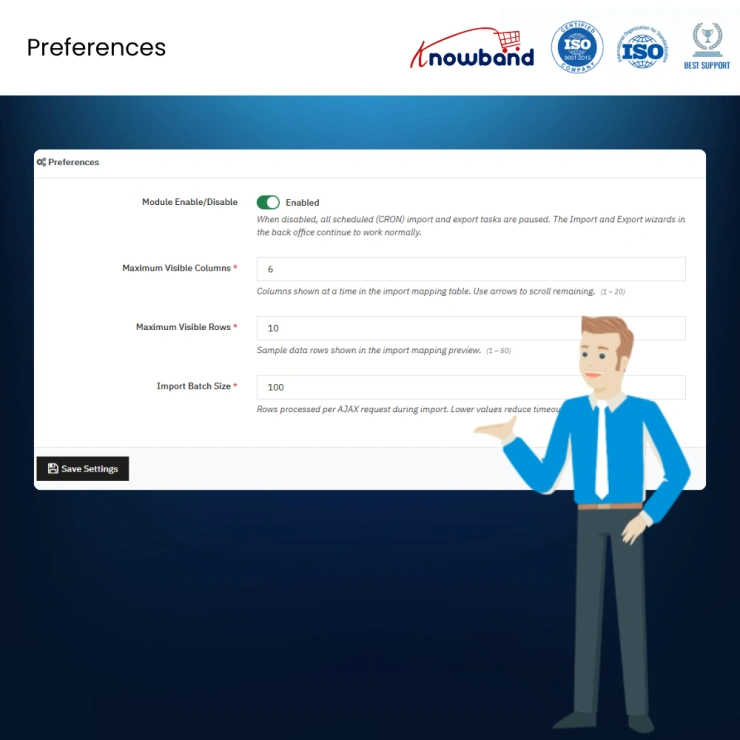
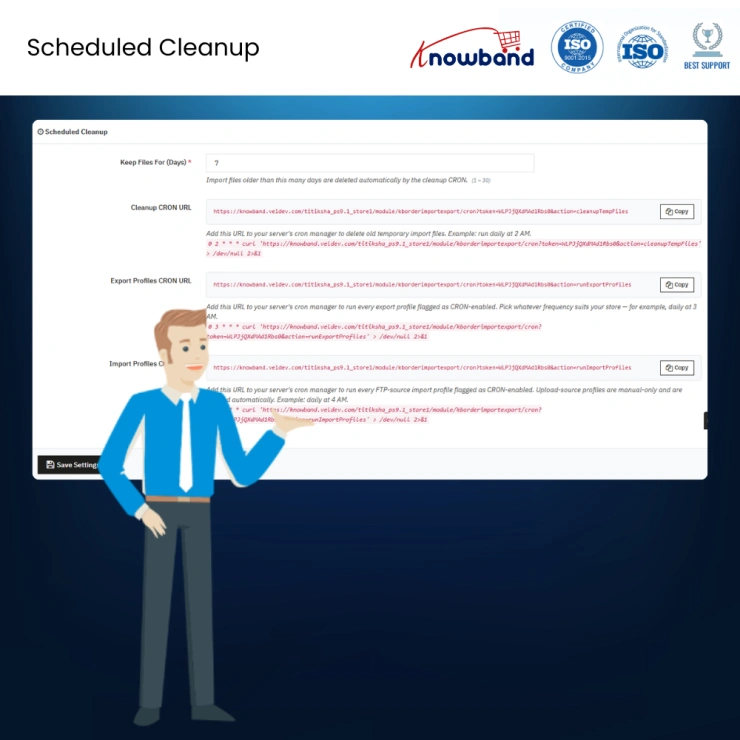
Token-secured CRON URLs enable automated export, import, and cleanup tasks. Export and import profiles can run on schedules, while cleanup tasks remove temporary files. Disabled modules automatically pause CRON execution.
The module supports 155 order-related fields covering orders, customers, products, addresses, and payments. Admins can toggle sections to keep exports lightweight or fully detailed depending on system requirements.
Each scheduled task sends a completion email including status, processed records, failures, download links, and error summaries, ensuring full operational visibility.
All imports and exports are logged with timestamps, file names, record counts, and status details. Failed rows are traceable, and past exports can be re-downloaded without rerunning the process.
Sample files are available in CSV, XLSX, JSON, and XML formats for all entities. These templates are generated from the live schema and remain up to date with system changes.
The entire order history of a store, including customers, addresses, line items, and combinations, can be transferred into a new PrestaShop installation in a single operation without developer assistance.
Filtered order exports can be generated in required formats and automatically delivered to external systems on schedule, eliminating manual processing steps.
Every data movement is fully logged with timestamps, statuses, and row-level error details, providing complete traceability for governance and compliance requirements.
Validation messages identify exact issues at row and column level, allowing precise corrections and re-import of only affected records instead of full dataset reprocessing.
Knowband , a leading name as an eCommerce development company, provides Prestashop Addons Development Services to enhance the functionality of your eCommerce stores. For providing Prestashop addons development, we have hired experienced Prestashop developers who work with full dedication to offer Prestashop development and support services.
If there is a feature you want on your Prestashop store, chances are that a Prestashop plugin will allow you to do it, if you don't find any such plugin you can always contact us for your custom plugin development requirements.
This PrestaShop order migration addon transfers order data between PrestaShop stores and external systems in CSV, XLSX, JSON, and XML. It handles bi-directional order transfer, including customers, addresses, line items, and product combinations, with cross-store identity resolution, FTP and SFTP delivery, CRON scheduling, and a persistent transfer log. Compatible with PrestaShop 1.7 through 9.
Customers are matched by email address. Where an account with the same email exists in the destination store, it is used. Where no match is found, a new customer account is created with the submitted name, email, and a system-generated password. The customer can reset credentials and access their order history on the new store straight away.
Yes. The module resolves customers by email, addresses by a composite hash, and products by reference. None of these relies on raw database IDs, which differ between installations. A full export from one PrestaShop store imports cleanly into a separate store without any manual remapping of accounts, addresses, or product IDs.
The entire order containing that line item is rejected. No partial order record is written. The Transfer Logs tab records the row number, column name, and the specific value that could not be resolved. Fix the source file for the affected rows and re-import. The rest of the batch processes normally.
CSV, XLSX (Microsoft Excel), JSON, and XML. All four in both import and export directions. CSV and XLSX open in spreadsheet applications. JSON and XML suit system integrations.
You can generate three CRON URLs: one for export profiles, one for import profiles, and one for file cleanup from the General Settings page. Register the relevant URL with your server cron manager or PrestaShop's scheduled tasks module and set the frequency. Every CRON-enabled profile then runs automatically and pushes the file to the configured FTP or SFTP destination or saves it locally.
Yes. Export profiles support FTP, FTPS (FTP over TLS), and SFTP delivery. Credentials are stored encrypted. A built-in test connection button validates the connection before the profile is saved. If a push fails, the file stays saved locally, and a notification email explains the failure.
Every import and export creates a log entry in the Transfer Logs tab showing the date, file name, entity type, status, and record counts. Past export files can be re-downloaded from the log without re-running the export. Organisations with compliance requirements have a complete, verifiable record of every order data movement.
155 fields are available across order data, customer data, product line data, address data, and payment data. Per-section toggles in the export wizard let admins include or exclude the full invoice address block, shipping address block, and payment detail block independently, keeping files lean when full columns are not needed.
Yes. The module works with PrestaShop 1.7 through 9. Check the module product page for the most current compatibility details.
 Sale
Sale
Having mobile apps for your site can increase your sales and customer ...
$199.99 $249.99
PrestaShop Auction Module to run live product bidding with scheduled a...
$69.99
Sale
Run in-store and online sales from one PrestaShop back office using Pr...
$79.99 $99.99
Sale
The Prestashop LLMs TXT Generator for AI Search Engines like ChatGPT, ...
$39.99 $49.99


