
Your shopping cart is empty!

-740x740.webp "PrestaShop Free Form Studio Addon")
%20(3)-740x740.webp "PrestaShop Free Form Studio Addon")
%20(2)-740x740.webp "PrestaShop Free Form Studio Addon")
%20(2)-740x740.webp "PrestaShop Free Form Studio Addon")

 Watch Video
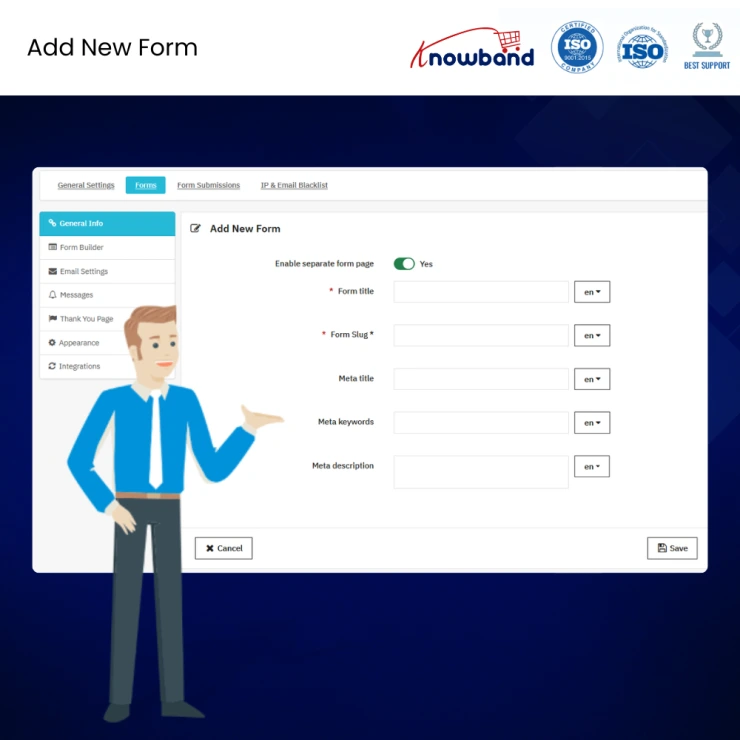
PrestaShop Free Form Studio by Knowband gives store owners a straightforward way to add a working contact form to their PrestaShop store. Store owners can build a basic form with text, email, and radio button fields, place it in the footer, and start receiving submissions in the admin panel within minutes.
As a lightweight PrestaShop contact form module, Form Studio is built for store owners who want a simple, no-code starting point rather than a full form management system. If your store later needs multiple forms, more field types, or advanced placement options, you can move up to the full PrestaShop Form Builder Module whenever you are ready.
| 1 |
Only One Active Form Per Store
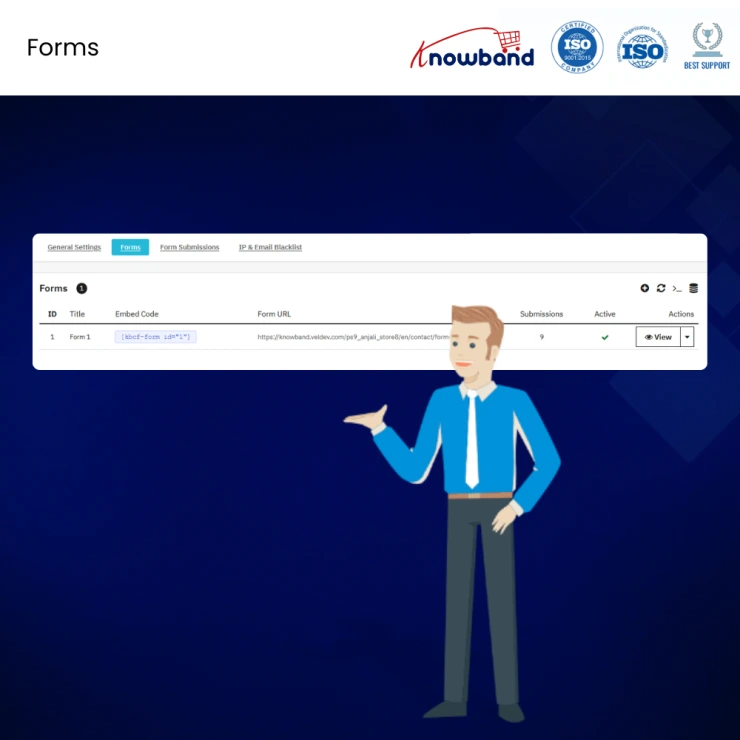
Create and publish a single active form on your store at a time, ideal for a basic contact or inquiry form. |
| 2 |
Core Field Types
Build your form using Text, Email, and Radio Button fields, along with a Submit Button, covering the essentials for a simple contact or inquiry form. |
| 3 |
Footer Placement
Display your form in the footer of your store, visible across every page without any theme editing. |
| 4 |
Admin Email Notification
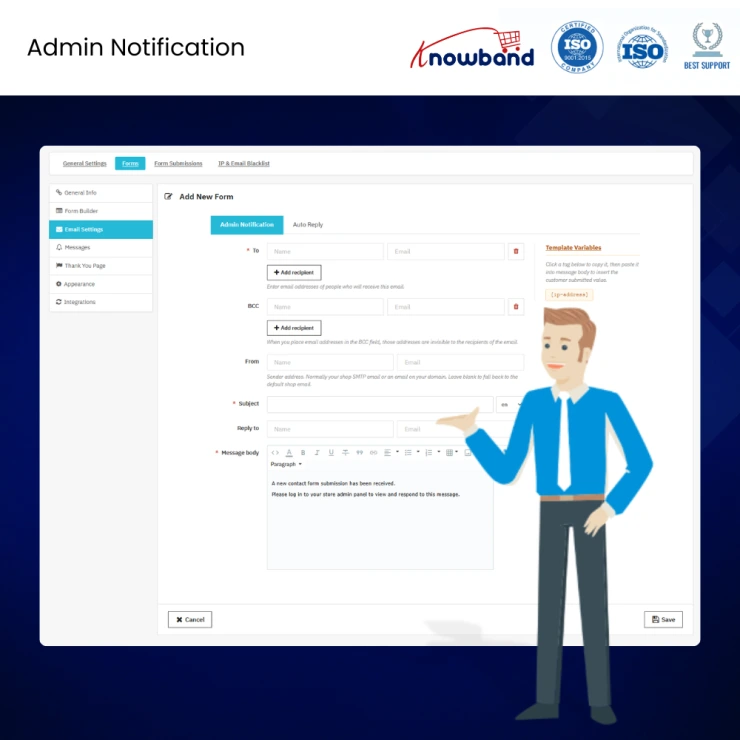
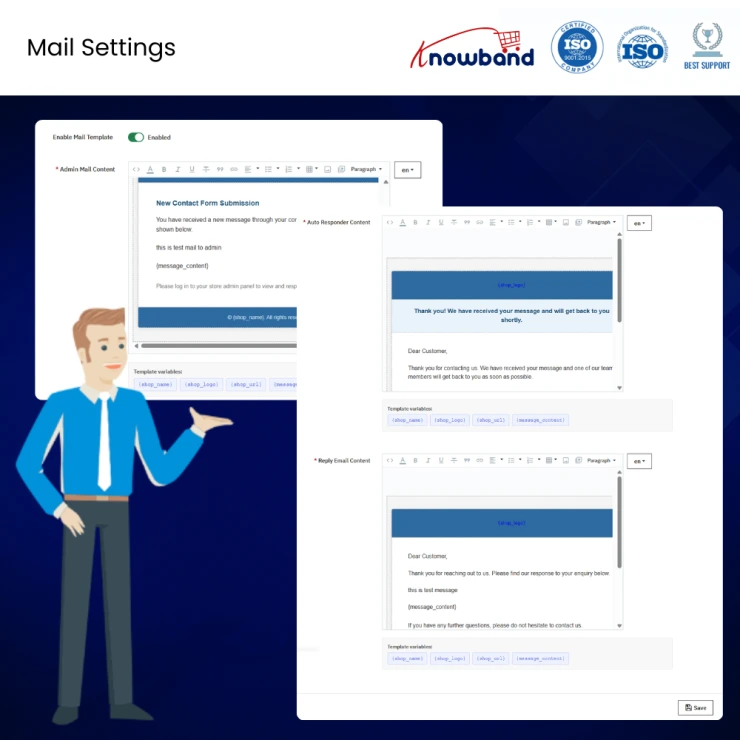
Receive a fixed-template email notification whenever a customer submits the form, so new enquiries reach your inbox automatically. |
| 5 |
Submission Management
View the most recent 25 submissions directly in your PrestaShop admin panel, with no need to check your email inbox manually. |
The free version covers the basics well, but as your store grows, you may find yourself wanting more control over how you collect and act on customer data. Here is what changes when you upgrade to the full PrestaShop Form Builder Module.
| 1 |
Build Unlimited Forms
The free version supports one active form. The paid version removes this limit entirely, so you can run separate contact forms, surveys, feedback forms, and registration forms all at once. |
| 2 |
Access Every Field Type
Go beyond Text, Email, and Radio Button. The paid version adds Phone Number, Checkbox, Dropdown, File Upload, Date Picker, and Rating fields, giving you the flexibility to build any form your store needs. |
| 3 |
Place Forms Anywhere
Instead of footer-only placement, display forms on Product Pages, the Checkout Page, CMS pages, the Header, or any custom hook position your theme supports. |
| 4 |
Block Spam Automatically
The paid version includes Cloudflare Turnstile spam protection, filtering bot submissions silently in the background without interrupting real customers with CAPTCHA challenges. |
| 5 |
Customize Every Notification
Send branded auto-reply emails to customers, customise your admin notification templates, and configure a custom Thank You page after submission. |
| 6 |
View Your Full Submission History
The free version caps submissions at the most recent 25. The paid version stores your complete submission history with sorting, filtering, and export options. |
| 7 |
Track Performance with Analytics
Get a built-in analytics dashboard showing conversion rates, total views, submissions, and ratings, so you can measure how well each form is performing. |
| 8 |
Connect Your Email Marketing Tools
Integrate directly with Mailchimp and Brevo to sync form submissions with your subscriber lists automatically. |
| 9 |
Capture Leads with Auto Popup
Trigger forms as an auto-pop-up on visitor entry or exit, helping you capture leads without requiring customers to scroll to the footer. |
| Feature | Free Version | Paid Version |
|---|---|---|
| Number of Forms | 1 active form | Unlimited forms |
| Field Types | Text, Email, Radio Button, Submit Button | Text, Email, Phone Number, Number, Checkbox, Radio Button, Dropdown, File Upload, Date Picker, Rating, Submit Button |
| Form Placement | Footer only | Footer, Header, Product Pages, Checkout Page, CMS Pages, custom hook positions |
| Spam Protection | Not included | Cloudflare Turnstile, blocks bots silently |
| Admin Email Notification | Fixed template | Fully customizable template |
| Customer Auto-Reply Email | Not included | Included, customizable |
| Thank You Page | Default only | Fully customizable |
| Submission History | Most recent 25 submissions | Unlimited, with sorting, filtering, and export |
| Analytics Dashboard | Not included | Conversion rates, views, submissions, ratings |
| Mailchimp / Brevo Integration | Not included | Included |
| Auto Popup Display | Not included | Included, entry or exit trigger |
| Compatibility | PrestaShop 1.7.x, 8.x, 9.x | PrestaShop 1.7.x, 8.x, 9.x |
| Price | Free | View Pricing |
Unlimited forms, every field type, and advanced placement options.
Knowband, a leading name as an eCommerce development company, provides Prestashop plugin development services to enhance the functionality of your eCommerce stores. For providing Prestashop plugin development, we have hired experienced Prestashop developers who work with full dedication to offer Prestashop development and support services.
If there is a feature you want on your Prestashop store, chances are that a Prestashop plugin will allow you to do it, if you don't find any such plugin, you can always contact us for your custom plugin development requirements.
 Sale
Sale
Having mobile apps for your site can increase your sales and customer ...
$199.99 $249.99
Sale
Enhance customer communication with the PrestaShop WhatsApp CRM Addon....
$71.99 $89.99
Sale
Enhance your PrestaShop store with VideoMate – The AI Video Creator ...
$55.99 $69.99
Sale
Prestashop AJAX Cart + addon provides the functionality to view basket...
$31.99 $39.99


