How to Build a Prestashop Ecommerce Website?

Shifting offline business to online is the modern trend in the business industry. Not only does selling online benefit in various ways but also increases brand reach. Despite the trend, various merchants doubt in their minds that building an eCommerce website requires coding and technology. But the truth is, building an online business website does not take that much coding. Modern online platforms such as PrestaShop are incredible solutions for creating an eCommerce website without writing a single line of code.

Not only PrestaShop allows you to choose from a wide number of website configuration options but also, all the websites can be managed without technical experts.

Online sellers claim PrestaShop as the easiest platform for building and configuring the web front end. Moreover, PrestaShop offers a wide variety of pre-built themes and templates for merchants to pick for their online shop.

Create Your Online Shopping Website with the Help of Prestashop
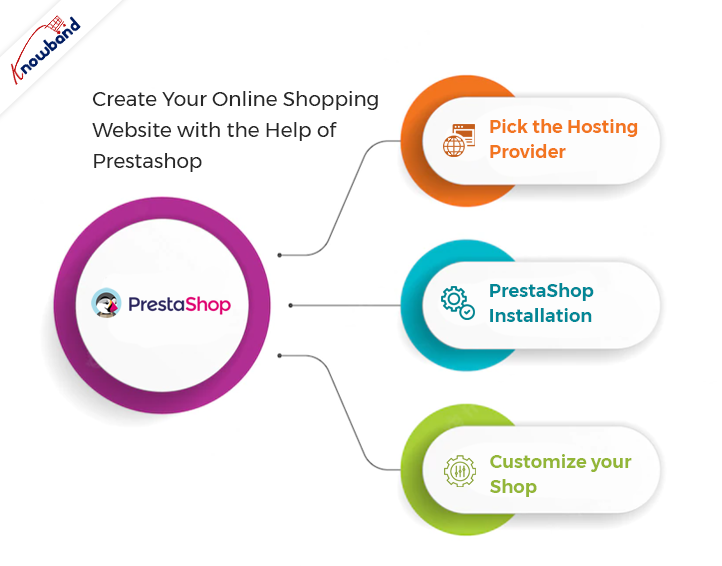
Pick the Hosting Provider:

The first step before going for PrestaShop no code website development is to choose a domain name and hosting provider. On top of that, there are a few things to be considered before choosing Presta Web hosting. For example, you should not always go for less expensive hosting plans. Rather you can also consider the storage capacity and speed somewhere top of your list.

There are various hosting providers available these days that come with a handy hosting plan. Not only the right hosting provider is going to important for your online shop but also the domain name is what attracts users to the website.

So, it is always good to choose the perfect domain name for your business.

PrestaShop Installation:

After choosing a fine hosting plan, the second and most important part is PrestaShop installation. Furthermore, you can visit the PrestaShop Official website for installing the PrestaShop on your Hosting server. There you will have options to choose from for the PrestaShop version for your store.

Visitors can also have an overview of the features and offerings of different PrestaShop versions. After finalizing the Presta online shop version, the next step comes as choosing the subscription plan. Pick the subscription plan as per your suitability and let’s discuss the next step.

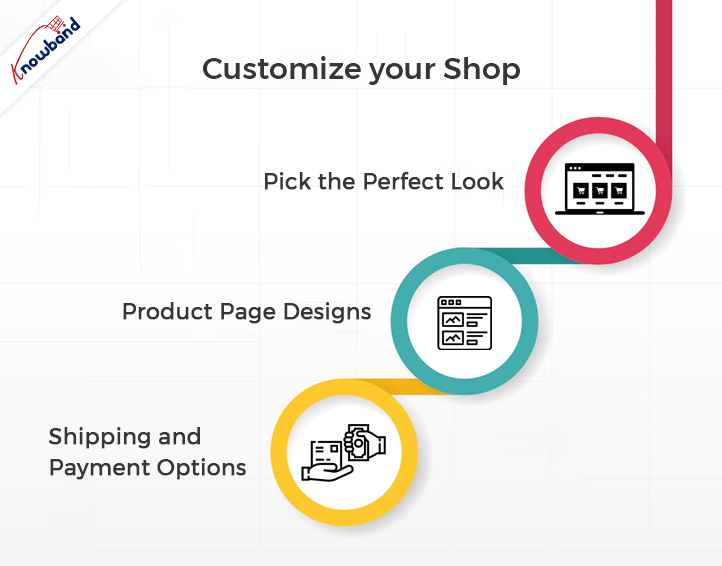
Customize Your Shop:
Once complete the above steps successfully, the PrestaShop team will share the store admin details with you over the mail. Moreover, after getting logged in with the shared details you will get various options to customize your online store.

For instance, you can design the desired layout for your online eCommerce website using all the pre-built tools. Moreover, here are the steps to build an ideal Presta Online store.

  • Pick the Perfect Look:


Online sellers can find unlimited options to customize their website looks. Moreover, they will require banners, logos, and brand images to customize their online shop. Not only they can choose the look and feel of their online shop using pre-built options offered by PrestaShop but also, they can modify the layout anytime.

  • Product Page Designs:

For this part, you should be very careful while putting information on product pages. Also, not only you should mention bright and accurate images of products but also should keep short and informational data. Moreover, it improves the chance of making up customers’ minds when they see relative and right-to-the-point information on the product page of their desired item.
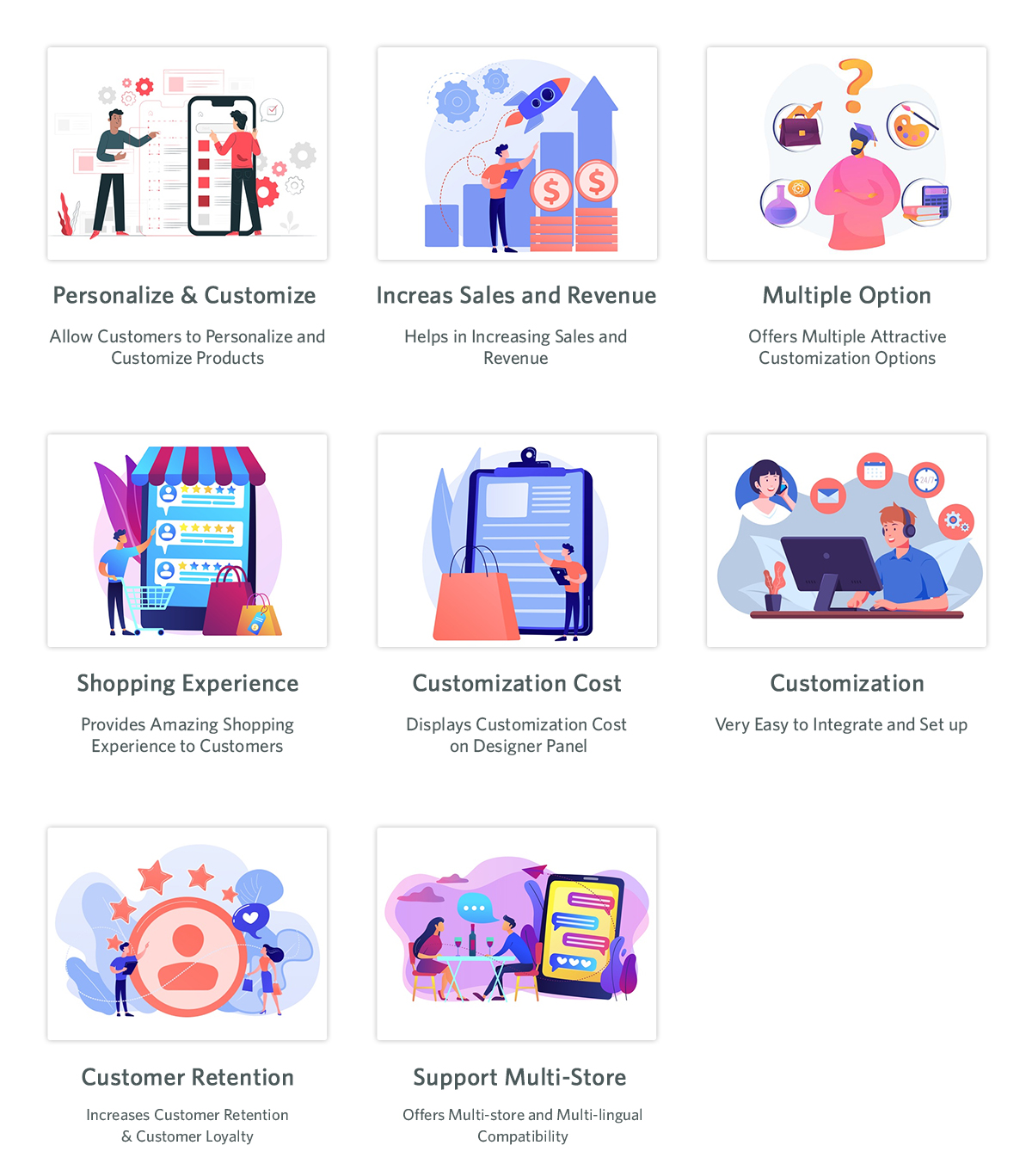
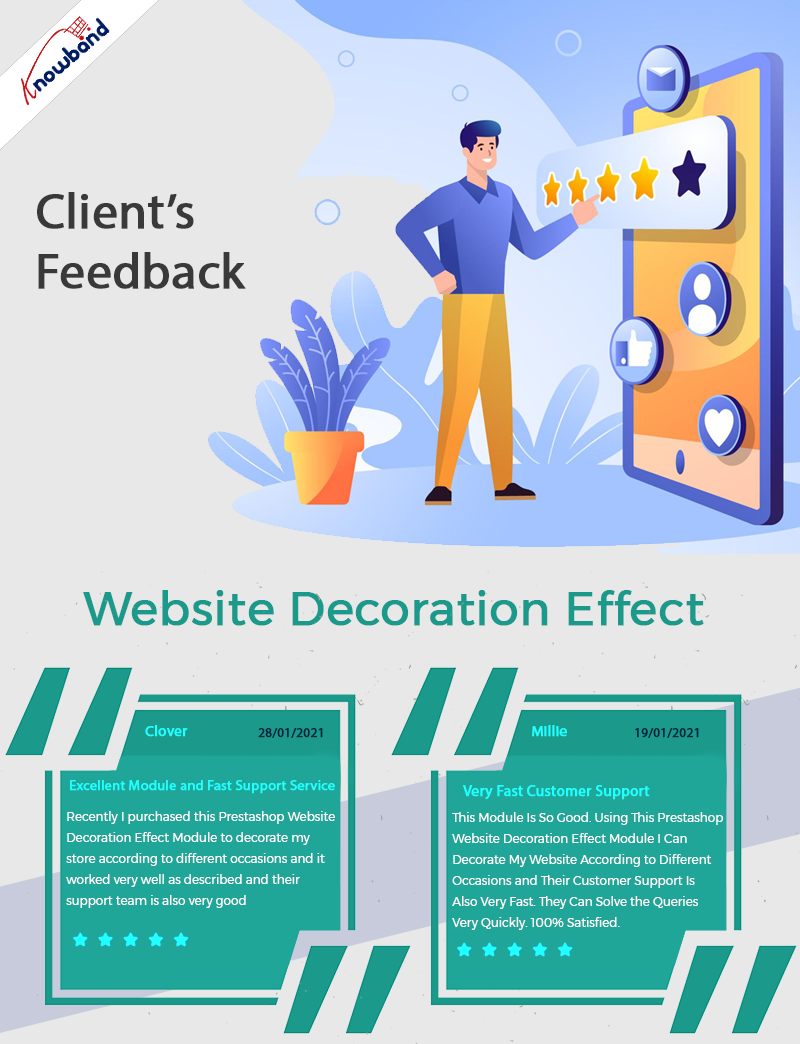
Furthermore, the sellers which are willing to set up their PrestaShop online shop must keep the product page attractive for the store visitors. PrestaShop’s default tools allow you to design lucrative and enhancing product pages. However, if you are looking for adding additional customizations to your PrestaShop product pages. Knowband PrestaShop Product customizer and website decoration effect are two of the most useful add-ons.
  • Shipping and Payment Options:

After success in designing the home pages and product pages, the next step comes as defining shipping and payment options. In this step, you can add payment options as per your suitability. The most widely used payment methods on PrestaShop are PayPal, Cash on Delivery, Credit Cards, Google pay, and a lot more. Along with the payment methods, you can also design the shipping methods by applying various conditions from the PrestaShop backend.

Also, it is a must to keep the checkout process simple to increase customer engagement and reduce the cart abandonment rate. For instance, you can also use One Page Supercheckout offered by Knowband for keeping the checkout process simple for your customers.

Benefits of Using PrestaShop eCommerce Website:

Customizable Platform:

PrestaShop is known for offering highly customization options. Not only PrestaShop offers online sellers to choose from over 2000 store templates but also the sellers can choose the existing themes or can even design one if feel required. Moreover, PrestaShop is a PHP-based platform. In case you know basic PHP coding, you can customize Presta at your convenience.

In case you don’t know to code and want to customize your online PrestaShop store you can use Knowband’s top Presta addons for your store. Not only the modules will allow you to enjoy additional features in your PrestaShop business but also does require zero PHP knowledge to manage.
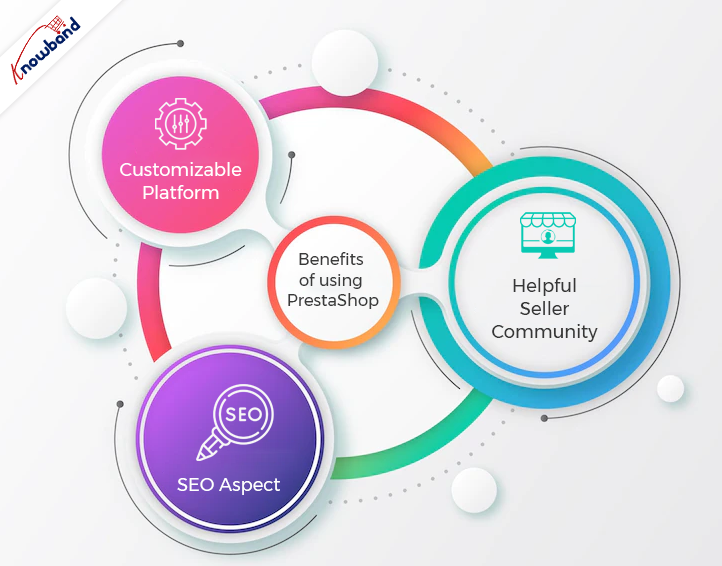
Helpful Seller Community:

From the assistance perspective, PrestaShop is undoubtedly one of the fine choices. Moreover, in case you find yourself stuck in issues while setting up your online shop. You can find a lot of free assistance on PrestaShop forums (made for PrestaShop Support).

SEO Aspect:

If you want to boost your customer traffic using Search Engine Optimisation, the admins can also take aid from SEO tools. Moreover, it is a good practice to always use a clean website URL to putting a positive impact on visitors.

What’s the Catch?

If you looking for a proper no code eCommerce website development solution, PrestaShop is certainly the right choice. The reason behind the same is that it does not require much coding or technical skills to master PrestaShop Administrators.

At Knowband, we offer eCommerce website development solutions for the online seller community. You can hire to start work on your projects and custom developments for the eCommerce platforms.

We are also available at support@knowband.com for a quick discussion on your web and app development requirements.

Optimize the Checkout Process to Reduce the Cart Abandonment Rate

The unwritten law of eCommerce is that every extra step during checkout lowers the possibility of purchase. The monitoring of the cart abandonment rate shows this assumption is logical. A huge number of people abandon the cart on the checkout screen, which results in a considerable loss. To cut losses, online retailers are looking for ways to reduce the client path in the checkout procedure. A new alternative that eCommerce companies use to simplify their checkout is one page checkout.

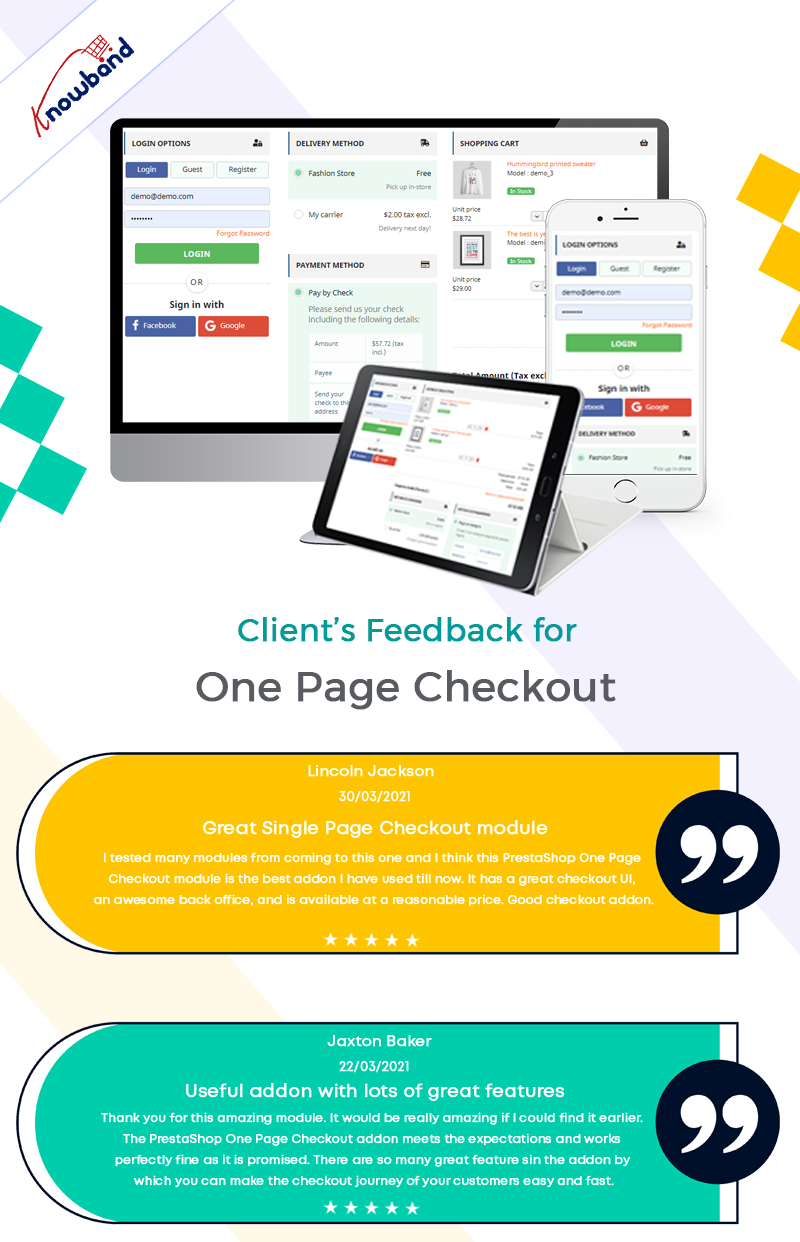
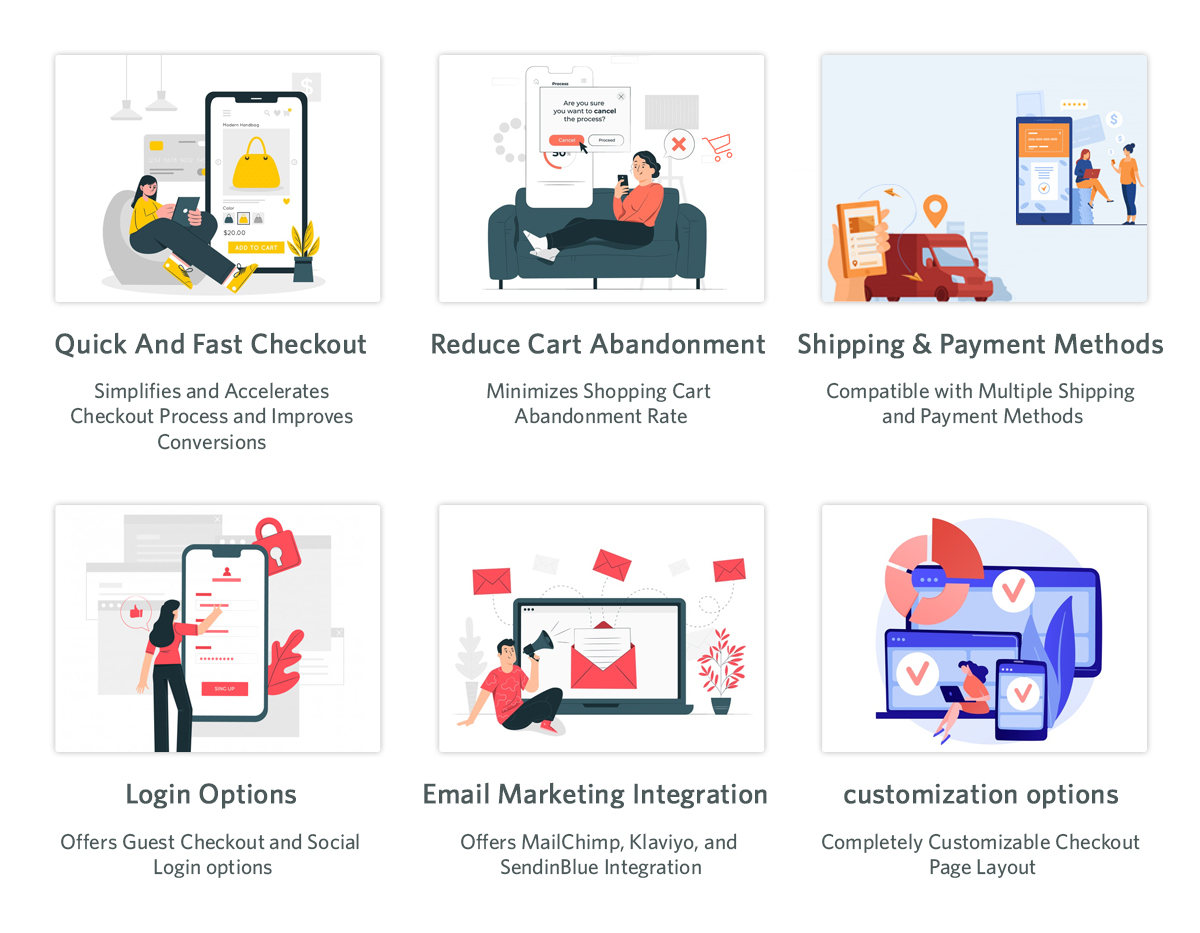
As the name suggests, a one step checkout will show every required component on one page while checking out. All the information, such as the payment and delivery methods, billing and shipping addresses, etc are present on this screen. The single-step checkout method reduces cart abandonment as customers fill in all the required fields on one page.

The Importance Of One Page Checkout

A one step checkout can make it easy for customers to use an e-commerce platform to complete their transactions. More companies are moving to e-commerce sites as more consumers shop online. E-commerce businesses need to create a quick, easy, and enjoyable online experience for clients. From browsing to checking out the checkout process should be seamless.

To speed up the e-commerce checkout process and save customers time, many stores have converted to a one page checkout strategy. Every customer wants to save time, and even if they save a few minutes, they will still be happy with the outcome. Reducing cart abandonment due to the drawn-out checkout process is what we hope to achieve. To achieve this goal, consider using a one page checkout.

How to Optimize a Single Page Checkout?

It is not enough to improve your checkout process once. For the continuous traffic to come into the store, you need to keep the one page checkout up to date. Optimize the checkout procedure by improving its layout, design, and functionality. The factors affecting the conversion on the website are numerous. Therefore, periodic optimization of the checkout funnels and update of single-page checkout is in need.

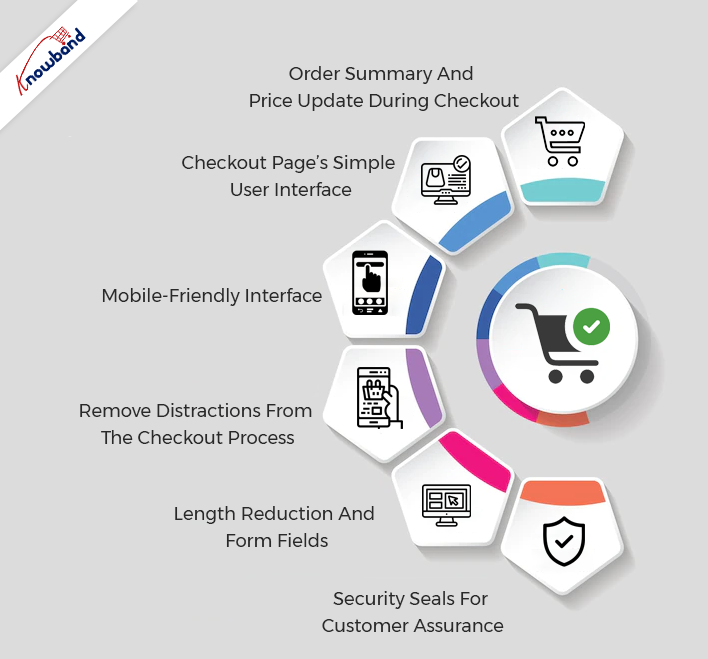
Order Summary And Price Update During Checkout

The customer should be able to update the order quantity during the checkout using single page checkout. The new updated price after changing the number of products should be accessible to the client in the checkout funnel. Being able to access the updated price of the order motivates the customers to stay on the checkout page. Receiving accurate and updated costs helps the customer to manage their orders easily and makes the purchase easy for them.

Checkout Page’s Simple User Interface

The checkout page should be clean and should not have any unwanted elements. Whenever a new customer navigates to the checkout page, it should look clean and accessible to them. Making the layout of the one-page checkout attractive is a priority, but it should not cause clutter on the checkout page. The fields that the customer needs to fill in should be clear and specific fields should be present for each piece of the required information.

The navigation on the checkout screen should be convenient as too many elements on the checkout screen can confuse the customers. The products should be on display along with the proper information on the single page checkout interface. This aids proper decision-making for the customers while making the purchase.

Mobile-Friendly Interface

A large number of the population shop online, so the eCommerce modules need to be mobile-responsive. The one-page checkout should be mobile responsive and work without any hassle on mobile. To make your website accessible to all customer groups, it is important to make the checkout mobile-friendly.

Remove Distractions From The Checkout Process

There should not be any element on the one step checkout screen that can distract the customer from making a purchase. Promotions, advertisements, and other extra information should not be present for the customer when they are about to make a payment. Regardless of promotions, when a customer is about to purchase, the one-page checkout module is useful. It is so as it enhances the purchasing experience. The single page checkout makes the checkout procedure fast and smooth.

Length Reduction And Form Fields

The form fields on the single page checkout screen should be present above or in front of the information labels. The most relevant and necessary fields should be present on the checkout screen. We can disable unnecessary fields from the admin panel of the one step checkout module. The lower number of fields speeds up the checkout process using one page checkout.

The length of all the information fields is not the same, so their sizing is according to need. This makes the checkout screen look clear and seamless, which also enhances the customer experience.

Security Seals For Customer Assurance

The security seals should be on display in such a manner that they should not make the checkout page overcrowded. The placement of trust and security seals is important as it develops trust in the customers. Using the one-page format, these seals are presented cleanly and without being invasive. These trust seals assure the customers and help in gaining their faith so that they can be sure while making purchases.

Final Words

Please contact Knowband for additional information about this plugin. When it comes to the module, if you have any worries or problems, we will help you happily. Additionally, we can help you with your custom projects based on your business needs. We have several top-notch plugins that are available on our website, so feel free to check out their features. We would appreciate hearing from you if you have an interest in any of our products, drop us an email at support@knowband.com.

WooCommerce Vs PrestaShop: Head-to-Head Comparison

Selling online starts with a well-maintained online store. Moreover, various customizable eCommerce solutions are offering a wide number of options to sellers. Not only retailers can choose from eCommerce platforms but also can evaluate them based on their pros and cons.

Likewise, in the following article, we are going to compare two of the most popular eCommerce platforms head by head. WooCommerce and PrestaShop are undoubtedly two of the major players in the eCommerce industry. When PrestaShop is the most popular eCommerce platform in Europe. On the other hand, WooCommerce is the most famous plugin of WordPress and has more than 5 million active downloads.

Today, we are going to compare both WooCommerce and PrestaShop from various points of view. So, hold on with us for finding the best option for you for starting your online shop.

PrestaShop:

PrestaShop is a well-known eCommerce platform. The major merchant base of the platform is Europe based. Not only the sellers can launch a no-code eCommerce website with the help of PrestaShop but also, PrestaShop fits will all sorts of hosting services. On top of that PrestaShop offers custom templates for the shop design that allows the sellers to build their desired eCommerce shop without any hassles.

Furthermore, in case you are familiar with the basics of PHP, you will surely find PrestaShop as convenient as you want it to be.

The only drawback admins report is that PrestaShop support sometimes shows delays in the issue-resolving process. Yet, PrestaShop has a huge fan base that attracts more and more sellers to start their online businesses with PrestaShop.

On the other hand, with significant 12+years of experience, Knowband offers its dedicated support to the PrestaShop seller community. In case you want to set up your online shop using PrestaShop and are not sure about the steps, you can always find us at suppport@knowband.com.

WooCommerce:

If you are familiar with WordPress, you surely have heard about WordPress. WordPress is considered one of the easiest solutions for launching websites. Whereas, WooCommerce is one of WordPress’s top-listed plugins. Not only WooCommerce allows online sellers to turn their website into an eCommerce store but also takes care of order management.

For the same reason, WooCommerce is extremely popular and has 5 million+ active downloads to date.

In comparison to PrestaShop, WooCommerce offers more options to the seller community to modify their shop. Not only you can upload CMS using WooCommerce but also turn your website into an order-ready online shop.

In terms of hosting services, like PrestaShop, WooCommerce is also a ready-to-compatible platform. Moreover, if you are a WordPress user, you can get your hands on WooCommerce at very reasonable prices.

WooCommerce vs PrestaShop: Detailed Comparison

Customizations:

If are looking for a better customization option between WooCommerce and PrestaShop, both stand equally. You can find a wide number of ready-to-use extensions for both WooCommerce and PrestaShop.

Likewise, Knowband offers various add-ons for both eCommerce platforms. In case you are not much likely to the coding skills, you will find the plugins sound for you.

On the other hand, if you are aware of basic PHP, PrestaShop has a more friendly interface for coders than WooCommerce. Also, there is no limit to customizations. You can set up your online shop in the way you want.

Installation:

The installation process for both PrestaShop and WooCommerce is simple and does not take much time. One simply visits the official PrestaShop and WooCommerce websites to check various plans for their online business. From the aspect of the installation process, installing WooCommerce is comparatively easy than PrestaShop. While if you do not have any prior experience in installing software on hosting, it might take some effort.

As per our recommendations, it is always good to take a bit help of from professionals while installing the eCommerce platforms on your server. Or in case you know the basics of PHP, things are going to get much easier for you.

Pricing:

For both PrestaShop and WooCommerce, at first, you will need a hosting service. It is always good to go for a relevant domain name and hosting provider. Also, in your to-do list, you should give preferences to a fast and authentic hosting service provider. Whereas, while installing PrestaShop you are just going to require a hosting server and domain name. On the other hand, if you are willing to launch your eCommerce shop using WooCommerce, you will require a website based on WordPress.

When it comes to customizations, PrestaShop add-ons are a bit expensive compared to WooCommerce plugins. Moreover, if you have a planned budget, you can use free plugins offered by Knowband also.

Performance and Scalability:

It might not be fair to compare both of the platforms on a performance-based. The reason is page and website loading speeds mostly depend on the hosting server. This means you should not worry about the performance of either of the eCommerce platform.

The other thing that matters when it comes to performance is the PHP version you are using for your web store. Reports show that PHP version updates add a significant boost to your store performance.

From the scalability perspective, both WooCommerce and PrestaShop can handle orders in high numbers. Moreover, if you want to list hundreds of thousands of products online. You will find both of the platforms reliable.

Final Words:

Picking anyone from both is a difficult one. Both PrestaShop and WooCommerce have their Pros and Cons. On the other hand, some find PrestaShop more sounding and some still give preferences to WooCommerce.

In the end, both are equally similar and do the same task, it is totally up to you to finalize your choice. In case you face any issues while setting up your online shop. Or if you are looking for custom development on eCommerce stores, find our dedicated team at support@knowband.com.

Related Post:

Which Platform to Choose Between Magento 2 and WooCommerce


Proven Halloween Sales Boosting Ideas for Online Stores

It is the time when the sales on e-commerce websites start peaking. The Halloween sales mark the steepest slope in the profit for eCommerce companies. eCommerce merchants need to be active during this period if they want to gain a margin from their competitors. The Halloween sale in 2022 could be a very profitable event in regard to eCommerce sales, and huge benefits are possible with good marketing ideas.

A large number of the American population celebrates Halloween. They are fond of purchasing Halloween costumes during this trick-or-treating holiday season. Websites that sell Halloween-themed merchandise are bound to make a lot of money during this holiday season. The product customizer is helpful for websites as it can provide customers with Halloween products as per their needs.

In this blog, we will be sharing some of the best-proven ideas for boosting Halloween sales. If you have a website, then there are lots of ideas. We have to help you with the Halloween sale in 2022. We will be discussing in detail the methods an online merchant can implement to have the best sales this holiday season.

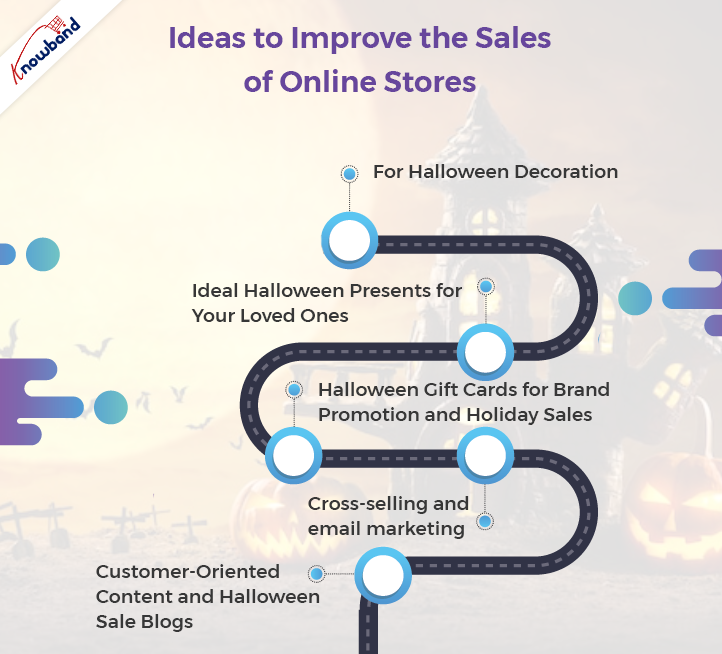
Ideas to Improve the Sales of Online Stores

Website Elements with a Halloween Theme It is advisable to include elements based on the Halloween theme on the website. The elements should be attractive and pleasing enough to get the customer’s attention. The Halloween decorations present on the website will entice the customers. It is not advisable to make a lot of changes to the website for a short period. Furthermore, if you make a complete change to the website for this holiday, there might be a lot of tasks for the backend of the website

Ideal Halloween Presents for Your Loved Ones

Discounts on online stores are common due to Halloween offers. Motivating customers to purchase from your online store is not going to be easy. They need something different apart from the regular discount which they can get on every website.

Some unique ideas are usable in such situations. The customers can receive free Halloween gifts for purchasing on your website.

Customers can also search for something unique that they can give to their loved ones as a gift. In this case, Halloween costumes with customized images are a good option that will make the customer gifting experience awesome. They can also give you any Halloween decoration item.

Our Suggestions for Customized Gifts and Free Goodies:

Gift The Product

This Gift the Product module is a great way to motivate the customer to complete their order. The customer will feel special if they receive free Halloween gifts upon completing their order. Using this freebie module, Halloween gift ideas increase, and the store’s sales will boost. Halloween sales will increase if this module’s implementation is proper.

Product Designer/Customizer

Using the Product Customization module, various Halloween products like costumes, decorations, pillow covers, and other merchandise customization are possible. Various Halloween gift ideas are possible due to this Product Designer/Customizer addon.

For Halloween Decorations

Spin And Win

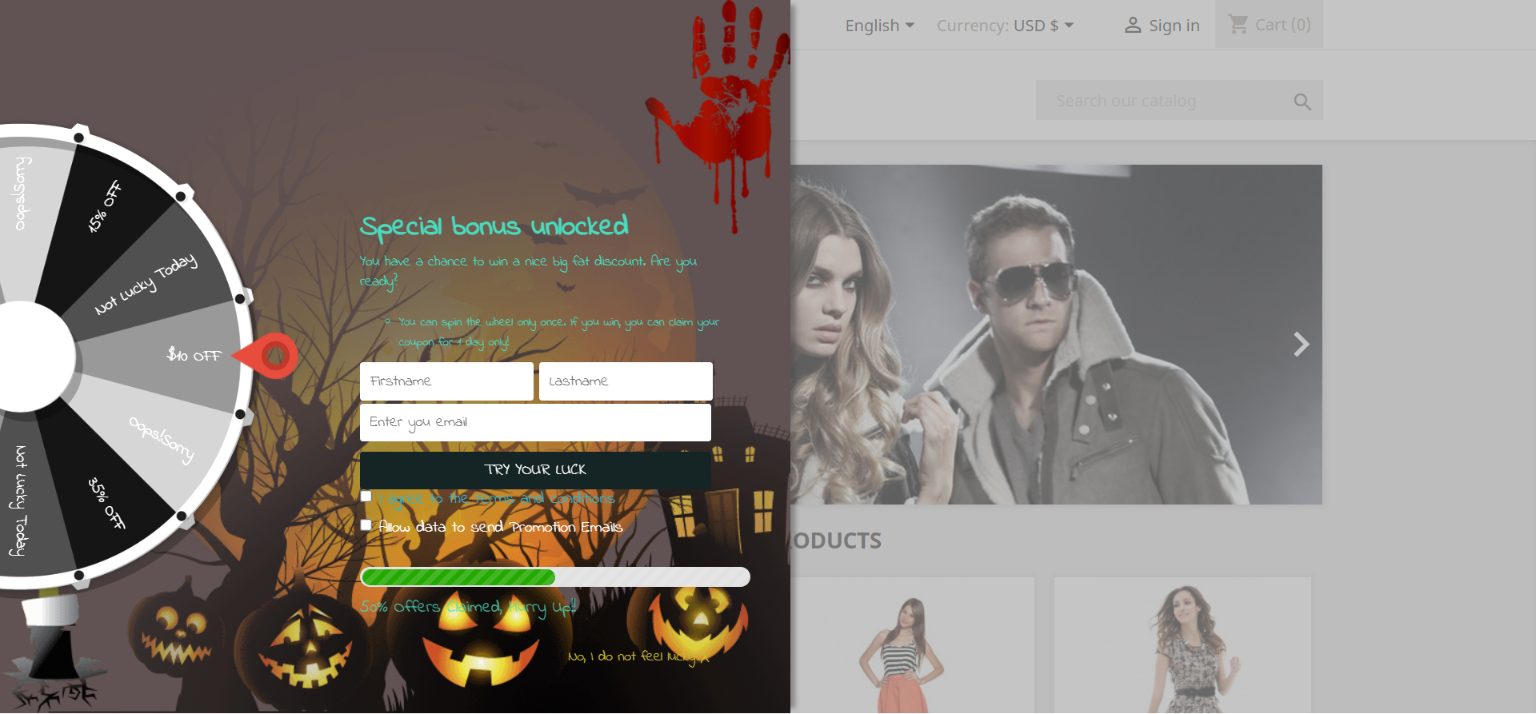
This gamified pop-up with a Halloween theme is very attractive to the customers as it has benefits for them. Normal subscription pop-ups will irritate customers, but it is not the same as Spin and Win subscription pop-ups. The customers subscribe to the website to receive gifts when they spin the wheel. They will be eager to get the Halloween offer in the heat of the holiday season. Everyone wants an offer on their favorite Halloween product.

Website Decoration Effect

You can add a special touch to your online store this Halloween with the website decoration effect module. With this, you can bring a spooky Halloween vibe to your website. The various customized elements are present on the website with this module. The Halloween sale on the website is going to be extremely profitable because customers will feel like staying on the website. Therefore, the Halloween decoration of the website with this module is a must if you want to boost sales in your store.

Halloween Gift Cards for Brand Promotion and Holiday Sales

If you are running out of Halloween gift ideas, then we have a go-to solution for you. Everyone is not good at gifting. The gift card manager module helps increase Halloween sales in 2022. Gift card customization is possible according to the Halloween decoration theme. This gift voucher customization is easy and custom design uploading is also possible as per the Halloween offers.

Cross-Selling and Email Marketing

This holiday season, the sale boom depends on the strategy we follow. The Halloween sales profit boost is possible if we follow up with the customer.

Cross-selling is also one of the major factors in enhancing the profit of eCommerce websites. Customers see similar products and this makes them focus on the product that is identical to the one they have bought. This leads to the customers’ purchasing the new product, which they see as a related product.

We Have the Following Suggestions to Have the Best Halloween Sale:

Abandoned Cart

Customers sometimes abandon their carts while purchasing their favorite Halloween products. If they leave their purchase in between on the payment page, then you can follow up with them. Using this email follow-up module, customer follow-up is possible with or without a discount for the Halloween sale. Customers can receive various offers through these emails, which makes them come back to complete their orders.

Related Product

When a customer makes a purchase of an item and sees a similar item, they can purchase it too. When a customer has a Halloween costume, then in the related product section, an accessory related to the costume appears. This will certainly interest the customer, and they will purchase it. The Halloween sale in 2022 could bring in a whole lot of profits with the implementation of this cross-selling module.

Customer-Oriented Content and Halloween Sale Blogs

Keeping in mind the nature of your website’s service and products, the campaign related to customers should begin for the Halloween sale. Customer-based marketing is very popular these days from a business point of view. Halloween costume photo contests are one idea for customer-based marketing. This hosting is possible on your website pages or company Facebook page. You can also host the Halloween gift ideas and Halloween decorations contest. This will result in brand promotion and also Halloween sale profits will receive a huge boost with this.

It is evident that many people do Google searches before Halloween for words such as “Halloween Gift Ideas”. If your company posts blogs related to the holiday season, then the inclusion of relevant keywords is necessary. When a customer reads any of your blogs, they will show interest in your product, which results in a conversion. This Halloween Sale, blogs are equally important for the growth of your company.

In the End

At Knowband, we prioritize the customer’s needs and help them attain their goals. This holiday season, integrate our modules into your website and watch your sales shoot through the roof. Our various modules like one-page checkout, affiliate and referral programs, back-in-stock notification, and loyalty points are some of the recommended modules for boosting Halloween sales. Kindly contact us at support@knowband.com to learn more about how to profit from this Halloween sale. We will also assist you with custom development as per your business needs.

What You Can Do to Customize Your OpenCart Store Securely Without Breaking It?

Opencart is among the most straightforward and useful platforms for creating an eCommerce website. Opencart is a good option if you’re searching for a platform that doesn’t demand much technical knowledge or coding. You can choose from a variety of shop themes with OpenCart. The platform is also open to custom developments, which is helpful for online merchants. The vendors can benefit from a huge selection of Opencart Extensions in addition to unique developments. The Opencart Extensions provide the simplest and most convenient approach for customization. Sometimes store owners need to customize their stores according to their business. This post will inform online merchants about how to customize their OpenCart Store without making it unstable.

Reasons for Instability in the Opencart Store

The factors that affect the stability of the Opencart Store are generally either third-party OpenCart extensions or the changes that the developers complete. Once these customizations and changes are complete, it is not always possible to revert them. We contact OpenCart support in such cases, but they can’t help in all cases.

As per the OpenCart reviews, there is no process for restoring the overwritten files to undo the database files. There is no complete uninstall process for this.

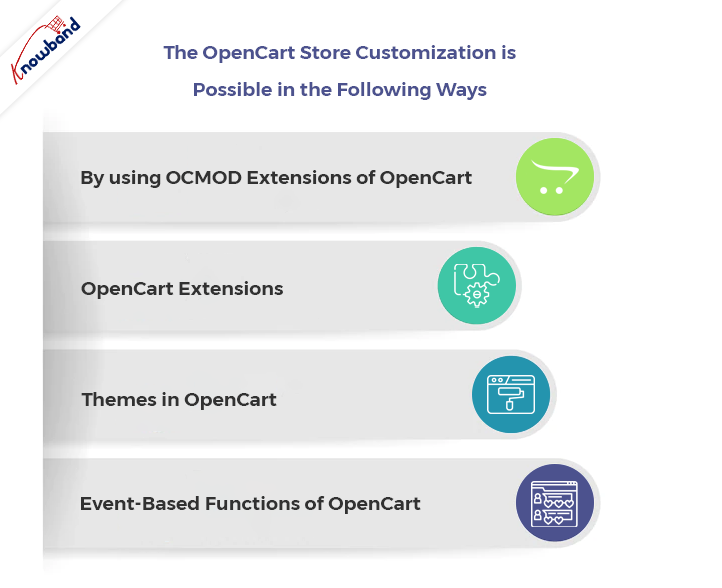
The OpenCart Store Customization is Possible in the Following Ways:

By using OCMOD Extensions of OpenCart

With the help of the OCMOD system, store owners can customize their Opencart store by uploading a compressed file containing XML, SQL, and PHP files. When we create an OCMOD properly, it can alter the user’s Opencart store functionality without affecting any core files. This implies that if we disable a change, no original Opencart files need updating or restoration.

Installing the modifications requires uploading OCMOD files through the OpenCart admin’s Extensions/Installer section. After deleting the desired customization from the list, the modifications list will refresh.

A file must end in in.ocmod.zip for an OCMOD file for uploading. This is to prevent users from uploading files that are not OCMOD to a store’s admin.

OpenCart Extensions

With the help of Opencart extensions, we can add certain required features to the Opencart store. The Opencart pricing for the module is sometimes lower than the customization. Whenever there are issues related to the customizations, we need to contact Opencart support. The issues due to the customizations have a high frequency compared to the issues occurring due to the Opencart extensions.

The approach of extending the functionality of the main application using the available APIs is usually regarded as the best practice. For content management systems in general, this is the best method, and OpenCart is no exception. The core application’s functionality adding, removing, or modifying is possible using modules in a fashion that is well-organized and easy to maintain.

If there are issues due to the extensions, then we can disable the Opencart extension, and also, we can remove it from the Backoffice.

OpenCart Themes

To change the visuals of the OpenCart store, simply create a new theme. The default theme modification is also an option.  Opencart supports third-party themes. We can add new themes by uploading the theme files to a specific address and by following the theme structure. After adding the files, the added theme becomes customizable from the admin panel. A theme is not necessary for all OpenCart business owners to improve the appearance of their shops. A much simpler method is now available for users who are familiar with coding and want to personalize their appearance.

For all of your template files in OpenCart 3.0, you have direct access to the source through the new Theme Editor. The Design area of your admin panel now directly allows you to modify your default theme.

The admin can enable or disable the themes in case any issues occur on the Opencart store. This is a good way to customize the website without using an OpenCart extension.

Event-Based Functions of OpenCart

For customizing the OpenCart Store, there is a new system that is gaining lots of customers with event-based functions. According to Opencart reviews, the codes written using this feature are cleaner. There is no need to reload adjustments while making modest changes throughout the debugging process; you can disable events and determine which of them causes a problem. Without it, any change you make when debugging OCMOD requires you to refresh modifications.

Having interoperability across OpenCart extensions is simple with the use of events. We can design both activities to complement one another.
To Wrap Up

By using the above methods to customize your OpenCart Store, you can save your website from breaking. In the event of an error, we can disable Opencart extensions, events, themes, and OCMOD. We can stop the instability of our Opencart store by using the abovementioned methods. The Opencart review section is also helpful as sometimes the tips for the solution are present there also.

If you have any issues related to your OpenCart Store, then kindly let us know at support@knowband.com. We also assist in providing custom changes for your business needs related to your Opencart extension or website. Please kindly contact us if you have any concerns regarding our extensions or any other services.

Android Vs iOS App Development | All You Need to Know

Despite the latest mobile app development technologies, when it comes to choosing between Android and iOS app development, developers feel themselves in a fog. Even though they have similar designs and methodologies, both Android and iOS have different development approaches.

Not only in the design part but also languages and frameworks, both Android and iOS have variations from one another. Likewise, we are going to discuss five major aspects we can put on the table to differentiate Android and iOS app development.

Programming Language

Both Android and iOS mobile apps use different languages and frameworks for app creation. For example, if you want to keep development simple, iOS Apps require Swift or C#. On the other hand, the majority of Android mobile app development is done in Java and Kotlin.

Furthermore, Google also recently launched Flutter to keep Android and iOS development in the same boat. You may find Flutter reliable if you have a planned budget for your mobile app development.

This is because Flutter allows developers to write code that works on Android and iOS. Also, you will require different development environments when it comes to final Android and iOS build creation. We’ll look into it in the next point. Also, if you are looking for the difference between the learning and execution aspects, Swift is surely a better option in the market for its incredible readability.

Recommended Read:  Alternatives to publishing your Android app on Google Play Store

On the other hand, for Android app development, you may also choose Kotlin. Kotlin is undoubtedly gaining more popularity over Java and is considered the next alternative.

Development Tools:

Android and iOS app developers require different tools for writing and executing codes. Both the iOS and Android app development tools are incomparable and have their specifications.

App developers for Android can give preferences to Android Studio (introduced by Google in 2013). The Android Studio has an extremely user-friendly interface for coders. Not only did the Android developers choose this platform for usability, but it also shows integration with various other development platforms. For instance, you can also make connections with Git, Bugzilla, and more to keep the process easy.

While app developers for iOS can rely on the XCode tool offered by Apple, XCode has unique specifications for handling bugs and a user-friendly development environment. Moreover, when it comes to comparing Android vs iOS app development, developers claim that XCode is much simpler and easier to use. However, the comparison ultimately depends on User preferences.

Related Post: How to fetch data from Firebase in Android?

Integrated Development Environment (Android Studio vs. XCode):

When it comes to the rivalry between Android and iOS app developers about which IDE is better, things get a bit tricky here. Both Android Studio and XCode have their pros and cons. For example, if you are looking to edit the source code, XCode has simple algorithms compared to Android Studio.

When it comes to coding flexibility, Android Studio offers better options for Android developers. Simply Android Studio has the algorithms that allow developers to design various versions of apps without changing the major code.

When it comes to memory usage, XCode beats Android Studio by a huge margin. Because the tool takes a lot of system memory in comparison to XCode. Moreover, Android Studio proves the following point valid with its capability of handling bigger projects because of its design options and code editors. XCode, on the other hand, is straightforward to start up but becomes complex when handling larger projects.

Related Post:  How to save data to Firebase in Swift Language (iOS)?

Complexity-Based

Undoubtedly, when it comes to complexity between Android and iOS app developers, iOS wins by a considerable margin. Because Apple only offers a small selection of devices, you will have to select the coding alternatives..

On the other hand, Android has a wide and wider range of devices, which somehow may make things complicated because of screen sizes. Although iOS provides simple design options, both Android and iOS App Developers test the mobile in multiple iterations to ensure the screen is appropriate for Mobile App users.

From a complexity standpoint, we can say that iOS App Development is simple.

Recommended Read: How to save data to Firebase in Android?

Designed-Based Comparison:

From the design perspective, Android and iOS mobile apps share many similarities. For example, the minimum clickable rate for the Android APKs is 48PX, while iOS apps have a minimum clickable rate of 44PX, which does not make much difference.

When it comes to architectural parts, Android apps show better usability for designers. Moreover, various individuals can work together to create different pages. To manage the development process, Android apps are easily divided into multiple components.
On the other hand, iOS mobile app design depends on view controllers. For example, some of the popular view controllers are page view, tab, split view, and many more. iOS Mobile App Developers can also write code for the controllers and can also store the images as an XML file.

Recommended Read: iOS & PWA: Key Points Everyone Should Know

In the End,

As more and more comparisons are uploaded to the internet, the rivalry between Android and iOS developers continues. Somehow, both Android and iOS app developers have their specifications and other advantages in tools and frameworks. As a result, it is safe to conclude that there is no comparison result between iOS and Android App Developers.

On the other hand, at Knowband, we offer no-code Android and iOS mobile solutions for online sellers. Now, e-commerce merchants can get their Android and iOS mobile apps within 3-5 business days without writing a single line of code.

How? Please contact us at support@knowband.com for more information.

Must-Have OpenCart Extensions You Need in 2023

OpenCart is one of the easiest and most relevant platforms for building an eCommerce website. If you are looking for a platform with fewer coding and technical skills requirements, you will find OpenCart useful. Not only does OpenCart allow you to choose shop themes, but online sellers can also find the platform open for custom developments. Along with custom developments, the sellers can also take advantage of a vast variety of Extensions. Furthermore, the OpenCart Extensions offer the easiest and most ready-to-use solution for customizations.
A Quick Overview of Some of the Must-Have OpenCart Extensions

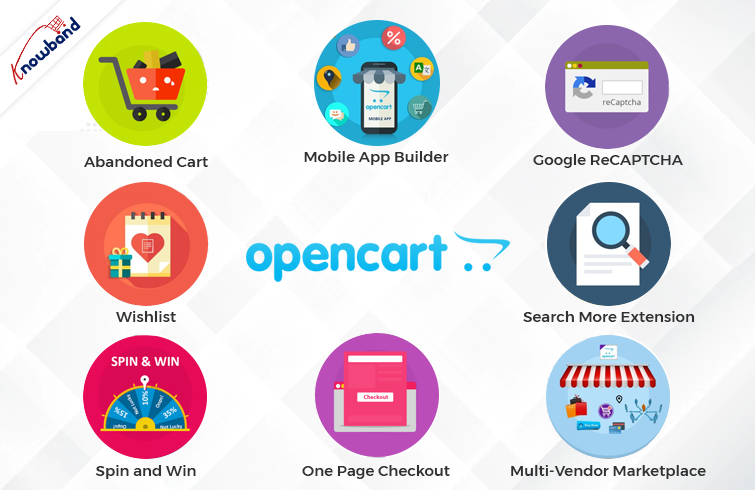
OpenCart Spin and Win

As a well-said quote indicates, the first impression that matters. The same thing applies to online shops. As soon as the customer visits the shop, he starts evaluating various aspects.

Thus, it becomes most important to offer a warm welcome to the visitors. To make things simple, Knowband provides Spin and Win OpenCart plugins for the seller. What the OpenCart Spin and Win Extension do, is show a gamified pop-up on the first screen of your store. Moreover, by entering their email addresses, online visitors can also win exciting offers and discounts. Further, the admins can set the gravity for prices from the backend of their Knowband OpenCart Spin and Win Plugin.

OpenCart Wishlist

A wishlist is a basic and must-have feature of every online business. The reason is that wishlists are quite helpful for narrowing down the favorite items and the same for later orders.

Likewise, Knowband offers the Wishlist Extension for OpenCart as a single-time payment option. If you are looking for an easy-to-use and configured OpenCart Wishlist Extension is the one.

OpenCart Abandoned Cart Notification

Usually, customers add their favorite products to the cart and somehow cancel their order. The term is called “cart abandonment.” Likewise, there are always huge chances of turning abandoned carts into real orders.

With the help of the Knowband OpenCart Abandoned Cart Notification Extension, the admins can send follow-up emails to the customers. Also, the admins can remind the buyers of their abandoned carts.

Thus, you are looking for quite-sounding OpenCart plugins for your shop. You should always put the OpenCart Follow-up Email Extension on your OpenCart Plugins list.

Mobile Apps for the OpenCart Store


Selling from a single platform is not enough in the competitive online business market. What the market demands is mobile apps while going online shopping.

Not only do mobile apps attract users for purchases, but they also play a huge marketing role through Push Notifications. Likewise, Android and iOS Mobile App Maker for OpenCart is a solution for creating Android and iOS mobile apps for your online store.

Moreover, the Mobile App Maker OpenCart Extension will allow OpenCart merchants to get their apps live within 2-3 business days. Hence, if you are looking for a special next-level plugin, the Knowband OpenCart Mobile App Builder is the easiest solution.

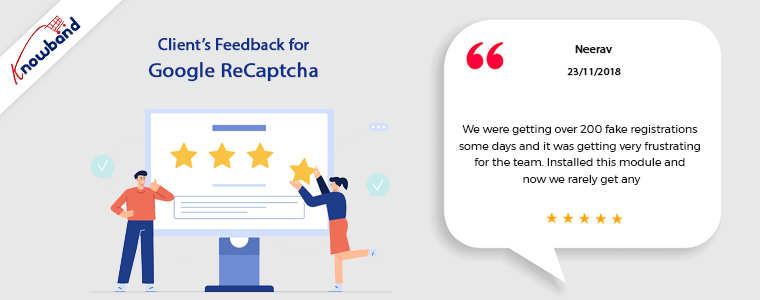
Google ReCAPTCHA

When starting an OpenCart business, security is one of the most important factors. Spamming and abuse are quite common these days for online e-commerce businesses.

Assuring security, Knowband Google ReCAPTCHA comes with a human verification system. Moreover, you can also choose the verification system before the customer passes the verification. Knowband ReCAPTCHA is the no-code easiest way to protect your store against spammers.

OpenCart Search More Extension

There are a large number of visitors who are not aware of the actual product names. But in the end, they visit your store with the strong intention of finding what they need.

At Knowband, we have designed an OpenCart Search Auto Suggest Extension for sellers. Moreover, having the Search Auto Suggest OpenCart Plugin on board will allow the visitors to see an auto suggestion. As well as related search results in no time.

Visitors can not only find their desired items by entering a few alphabets. But the Auto Search OpenCart Plugins present related products below the search bar on your OpenCart store.

OpenCart Multi-Vendor Marketplace Extension

Have you ever wondered what the reason behind the success of major marketplaces is? It’s the wide product categories. Online OpenCart sellers can also turn their single-seller store into a multi-vendor marketplace. Moreover, the OpenCart sellers can add an extra income source to their business. How? By generating commission from the sellers.

For example, the Knowband OpenCart Multi-Vendor Marketplace Extension allows store admins to get a per-sale commission. Moreover, they can define the desired commission rate from the listed sellers.

Along with per sales commission, the Multi-Seller Marketplace OpenCart Extension offers seller admin ticket management. With the OpenCart Marketplace Module, it is easy to handle all the seller queries at ease.

OpenCart One Page Check-Out:

The Tedious checkout process is one of the major reasons that stand for cart abandonment. Usually, customers find filling details in one after the other pages.

The providing the most simplified checkout process ever, Knowband has designed OpenCart One Page Checkout Plugin. With the help of the Knowband One Page Checkout Extension, online retailers can design a page where they can receive every single detail for orders.

Likewise, customers will not have to go through a long checkout process. Rather, they can find all the details box on a single page while visiting the OpenCart shop.

In the End,

With remarkable consistency, we are offering eCommerce plugins for the last 12 years. In this incredible journey, Knowband has achieved various tags and rewards. For instance, we earned OpenCart Super Hero Level Expertise, Hero Seller, and many more. We not only offer pre-tailored OpenCart modules but also always welcome any sort of custom development on your online site.

Furthermore, we are also available at our official email address, support@knowband.com. Feel free to connect for a quick discussion in case of any queries or suggestions.

What are the Pros and Cons of One Page Checkout for Your Website?

One page checkout on websites is present for finishing the checkout process swiftly. All the important information is present on one page. This includes the order total, shipping and billing addresses, product information, payment methods, and delivery choices. The Fast Checkout plugin is the opposite of multi-step checkout, which breaks the checkout process into several phases.

The goal of a simplified checkout is to enhance the customer’s experience by making the transaction as quick and easy as humanly possible. Store owners will be able to boost sales as a result of the implementation of this module.

The Pros of One Page Checkout

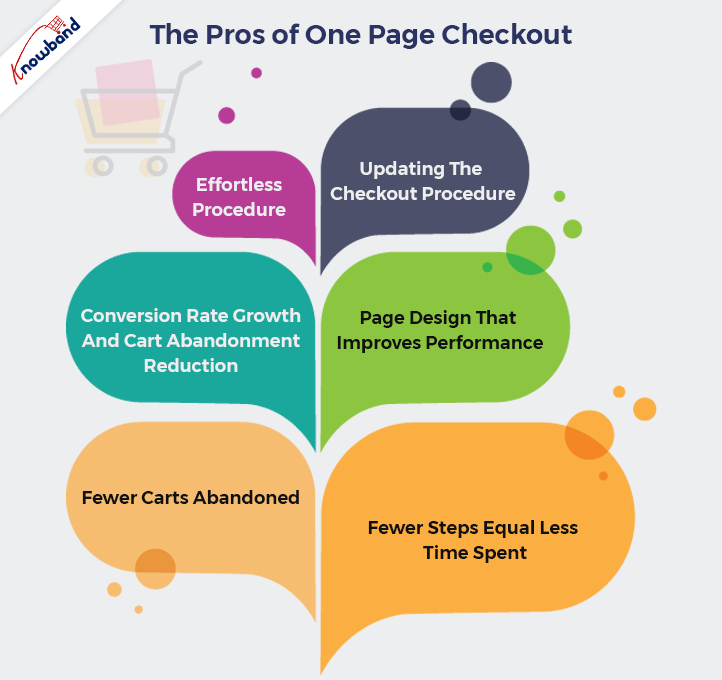
Effortless Procedure

Using the One Step Checkout extension, you can streamline the checkout process for your store by putting all the information fields on a single page. Quick checkout addon can help your customers complete their transactions more quickly by allowing them to fill out all of the information at once. Both conversions and the checkout process improve as a result.

Updating The Checkout Procedure

The One Page Checkout is more user-friendly than the more popular multi-page checkout. Additionally, by having every stage of the checkout process on one page, the chance of cart abandonment can be significantly decreased. The procedures for finalizing the purchase will be simpler for users to follow.

The checkout process becomes faster up by utilizing One Page Supercheckout. One Step Checkout makes it easier for customers to go on to the next phase of the checkout process.

Conversion Rate Growth And Cart Abandonment Reduction

Conversion rates can increase dramatically with a straightforward checkout. It guarantees that if you use a single-page checkout, your conversion rate will be high. Suppose two companies use single-page checkout and multi-step checkout respectively. The one that is using the one-page checkout will surely have more conversions.

Ecommerce websites need a fast checkout process. Furthermore, a transaction in the normal multi-page checkout takes under 2 minutes. But with single page checkout, the process takes only a minute.

Page Design That Improves Performance

Waiting for many pages to load is something nobody enjoys. Your customer can become irritated and leave your cart if the checkout procedure is complex and lengthy. You can’t afford that to happen. If you’ve installed the One Step Checkout extension, your customers may place their orders from a single page! Conversion rates at your store will increase as a result, improving the entire purchasing experience.

Using the Responsive one page checkout extension in your store has numerous other benefits in addition to those already discussed. The entire shopping experience will improve as a result of this module, which will significantly increase conversions.

Fewer Carts Abandoned

Online shoppers sometimes abandon their purchases before reaching the checkout step. By reducing the checkout process to a single page, you can increase conversion rates and decrease the number of cart abandonments. When customers arrive at the checkout page, they should not find it difficult to complete the payment form. Since the single-page checkout brings all the information in one place, it takes less than a minute to complete payment.

Fewer Steps Equal Less Time Spent

Customers wouldn’t need to browse various websites to preview their baskets. Single Page checkout includes the pages where they enter their personal information, make payments, etc. The checkout process will be quicker because the payment will be completed in a single step rather than requiring many pages. On the same screen, customers may also alter and update their information.

Cons of One Step Checkout

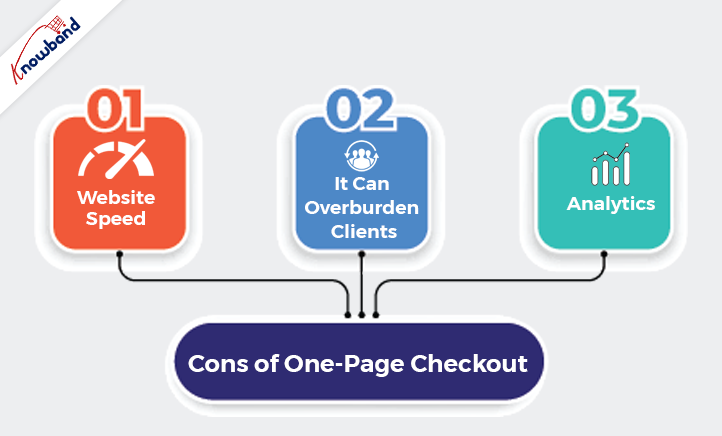
Website Speed

The website may take longer than usual to load when there are too many items on one page. Customers always want to make speedy purchases. Therefore, you should make sure that your checkout page not only works well but also loads rapidly. If not, you can lose customers who will not be investing their important time on the slow checkout page.

It Can Overburden Clients

When customers are on checkout, then the checkout page should look clean and with minimal important information. It’s critical to remember that asking customers to fill in all the shipping, payment, and billing choices on one page at once may confuse them. It’s ideal to ensure that you optimize the checkout page and remove all the superfluous information to give your customers more focus. The checkout page should not consist of any unnecessary elements. It should be clean and offer a smooth purchasing experience for the customer.

Analytics

It is harder to identify and access the reasons why customers want to stop shopping. Identifying the reason for abandoning the cart gets harder when there is a one page checkout. The reasons behind the drawbacks that we need to consider for later development become very difficult. Making the appropriate changes and modifications to the quick checkout module will get harder in the future.

Final Words

If you want to know more about the simplified checkout module, then we will be happy to assist you with it. If you have any concerns or issues regarding the fast checkout module features, then please contact us at support@knowband.com. We will also assist you with any custom requirements as per your business demands. We can make modifications to the One Step Checkout module and also help you with your customization demands. Kindly contact Knowband for the same and we will be happy to assist you with it.

Let’s Get Your Online Store Ready For Halloween

Halloween seems like a small holiday in comparison to Christmas and Easter. However, online merchants don’t realize that it can increase sales for their online stores. So, if you want to avoid missing out on a chance to increase your revenue, set up your website now. We will help you to take part in this fantastic seasonal trend and interact with as many people as you can.

One of the most helpful occasions for an e-commerce business is Halloween. Take advantage of the online shopping frenzy around Halloween. This could contribute to your online store having its best-ever sales.

A record-breaking $10.14 billion in sales profit is in records for Halloween last year alone. More than 65% of Americans participated in the holiday. With a click-worthy Halloween marketing campaign, you have the opportunity to take advantage of this year. In this year’s lucrative holiday shopping season get our help to increase your sales.

Need Assistance in Setting up Your Store?

A great opportunity to make money is present for you this year on Halloween. Besides, consider the cost before getting started and we can assist you depending on your budget.

Your store will benefit from the Halloween-based marketing strategies and we will be suggesting based on that only. Look at these Halloween suggestions and decide if you’re on par with them. We’re here to give you suggestions that will also help your online stores sell more goods.

We have put up a list of specific modules for Halloween to aid you in getting ready for this year’s trick-or-treating event. Kindly check them and make use of them to entice customers to make purchases. With the use of Knowband plugins, grow your company during this spooky holiday season.

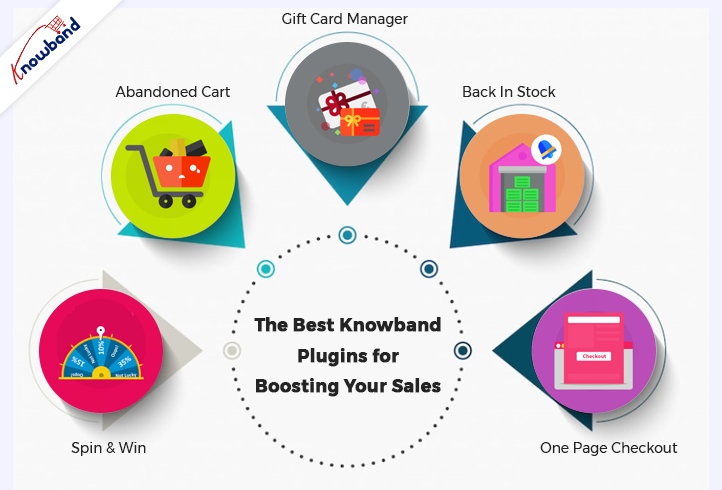
Some of the Best Knowband Plugins for Boosting Your Sales on Halloween Are Below:

Spin and Win

Using the features of the Interactive pop up plugin, you can get customers to subscribe to your website. Later use their data for a marketing campaign. Normal subscription pop-ups irritate customers. If you have this gamified module active in your store, customers will surely register.

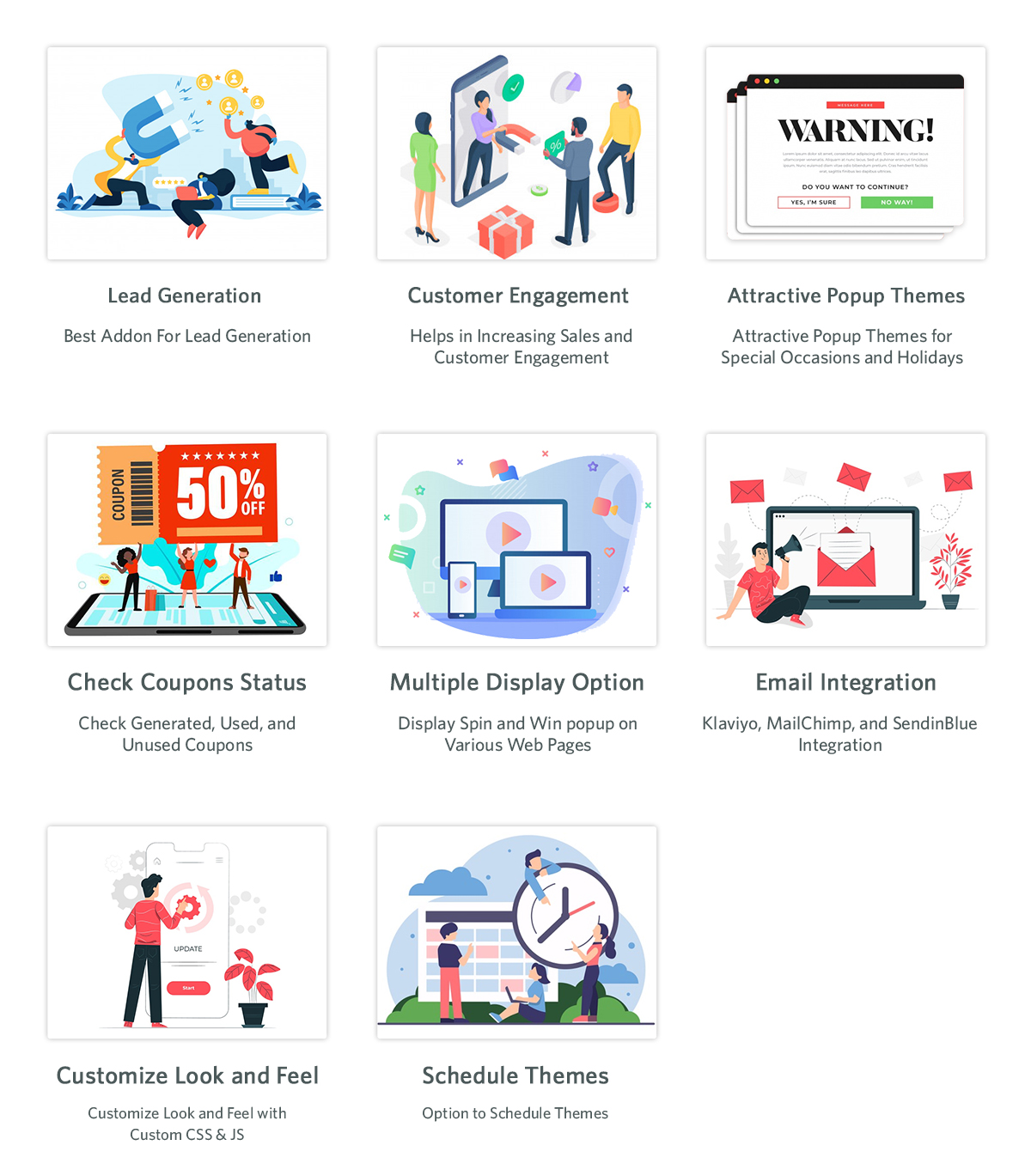
The Email Subscription pop up addon shows an interesting gamified interface on the front interface of the store. The customers receive lucrative offers by spinning the wheel. There are various options for the themes, which are set depending on the occasion. For Halloween, our module has four themes, and holidays like Easter and Christmas also have customized themes.

Abandoned Cart

As the holiday season is approaching, so will the traffic on the online store. When customers add a product to the cart and abandon it for some reason, this module comes into play. Cart abandonment is one of the major issues e-commerce businesses are facing.

This Abandoned cart email follow-up addon helps in reducing abandonment and conversion of carts, hence bringing back lost sales. When customers abandon a cart, using this module, we send various follow-up emails to them. These follow-up emails are of two types: with a discount or without a discount. This enticing offer can attract customers to complete their purchases. When they have forgotten to complete the purchase, we remind them with reminders, which will result in completing the purchase.

The Gift Card Manager

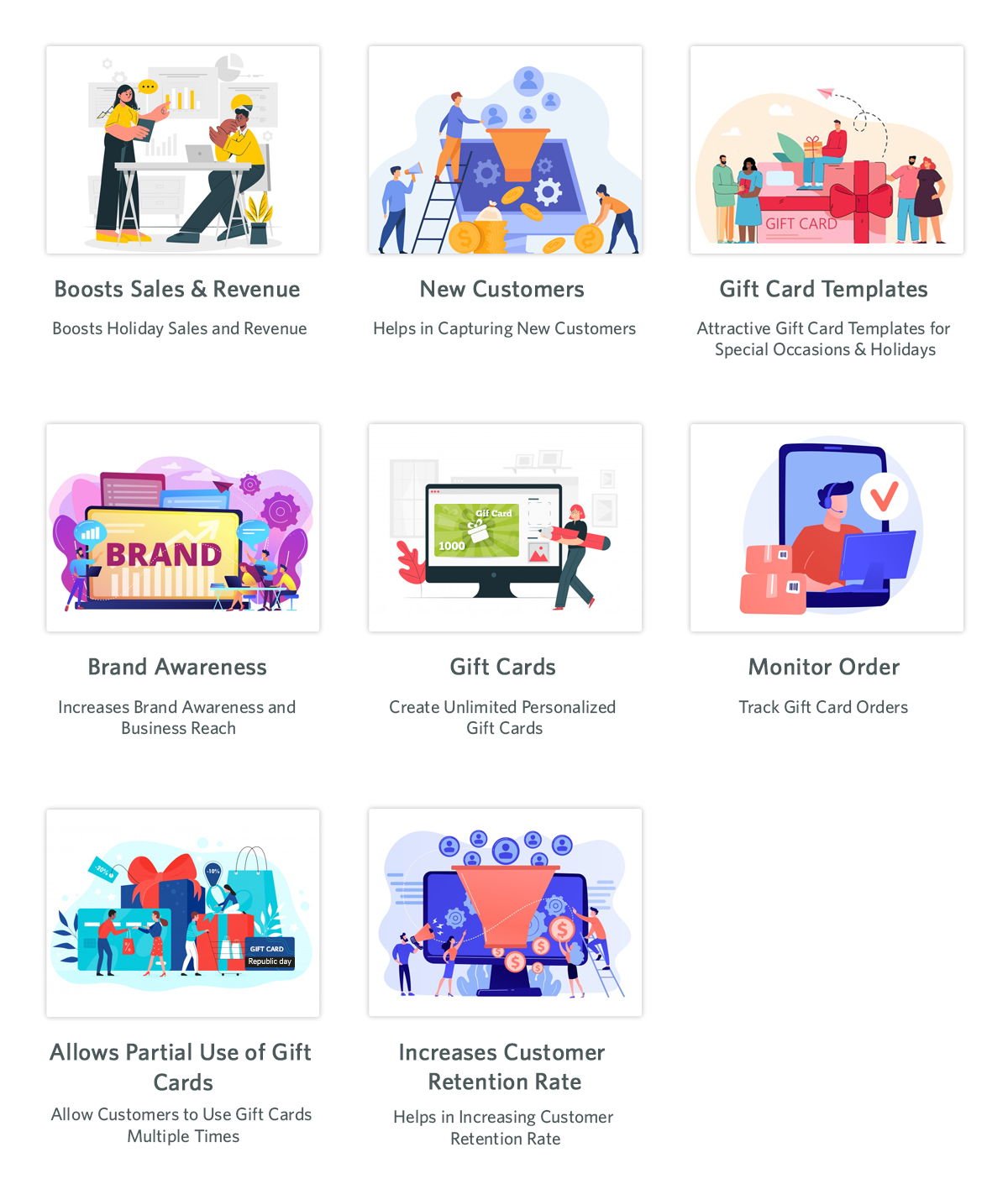
In the modern gifting trends, gift cards are becoming increasingly popular. This holiday season, give your loved ones a reason to smile by sending them a gift voucher. Send Gift card Plugin shows an option of gift cards on the front store. Not everyone is sure about the gifts they are going to give on any occasion in this case this can be a go-to option. This is an easy and fast alternative in comparison to physical gifts.


The person who uses these cards can use the amount partially or fully. Customers can send these vouchers through the mail or the person can print them. This brings new customers to the online store as it helps with brand promotion. The option of sending gift cards with personalized images and custom messages is present.

Back In Stock

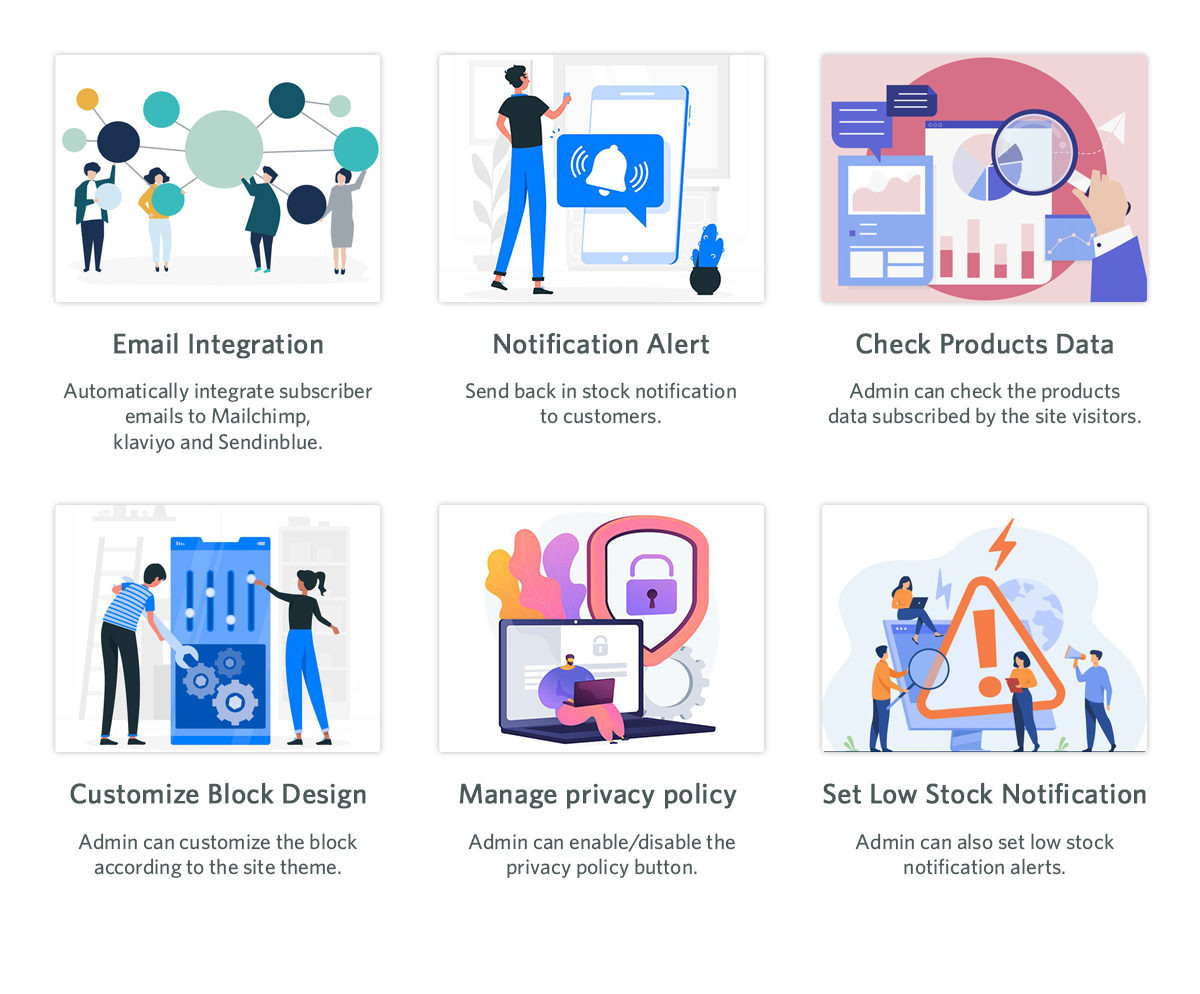
Product stock notification addon helps in letting the customers know if the products they subscribe for are back in stock or not. If the products the customer desire is not in stock, then they can subscribe to know their availability. By subscribing to the notification, the customers will receive an email about the product’s availability in stock. Customers subscribe to the product with their email and name, which can be beneficial for marketing campaigns. Klaviyo, Sendinblue, and Mailchimp integration to get customer details using the stock alert plugin is possible. The product that the customer wants to buy is visible in this product subscription module backend. There are other attractive features like custom fields, order sorting in the notification box, and V3 Recaptcha also.

One Page Checkout

Any online store is incomplete without an effective checkout integration. Using the old and lengthy checkout process irritates customers. The checkout process should be easy and customers should feel at ease while going through it. Our one-page checkout module helps with swift and easy checkout for customers.

On the checkout page, our module offers all the information on one page, making it easy for the customer. It is irritating to navigate through different pages to complete the checkout process. This results in cart abandonment as customers do not like long stretched checkout. To avoid any such issues, our one-page checkout has proven useful according to our customer reviews.

Final Words

At Knowband, we pride ourselves on going above and beyond for our clients. This is the reason which contributes to our broad client network. Furthermore, we want to help our clients achieve their goals based on their business objectives. At Knowband, we also support bespoke customizations and eCommerce plugins. We will assist you in making any ideas you have a reality. With any queries or issues, you have, we will assist you at support@knowband.com.

Get Your Online Store Ready for the Holiday Seasons!!!

Holiday seasons are what every merchant wishes for. Usually, online eCommerce business witnesses a huge increment in customer traffic during the holiday season. The philosophy behind the same is that the customers accept the best offerings in these and wait for the year’s biggest deals. As result, in the upcoming months for sure the online stores will be having a huge number of orders. So, if we talk about the right time to garnish your eCommerce store, it seems now is the perfect pick.

All that matters to leave enchanting impressions on the customers’ minds is a relevant shopping experience. The question is what are some of the basic features customers look for while visiting your online shop?

Before starting with the features, let’s start with how the holiday season is the most awaited and festive for the sellers as well as customers.

  1. As per the reports, online businesses records, more than 35% of total year sales only in the holiday season. Thus, it is always a must to keep your online shops well-prepared for the holiday season boom.
  2. It is most important for every business to keep engaging loyal customers. Following the same, you can also run loyalty or giveaway programs for your customers. For instance, Knowband also offers loyalty points extension for the online PrestaShop, OpenCart, WooCommerce, and Magento 2 platforms.
  3. Along with all the strategies, you should always prepare a discount strategy specially tailored for the holiday season.
  4. According to an old saying, “First impression is the last impression”. You should always prepare your store front end in an enhanced and lucrative way.
  5. You should always load your store with the most needed plugins.

How to Prepare Your Store?

In this last quarter of the year, undoubtedly you are going to see more traffic than ever. You should keep your homework up to date for achieving customer engagement.

The other aspect is stock management, you should always keep your stock ready for the orders. On the other hand, online sellers can also use a vast variety of plugins that will add a significant boost to eCommerce businesses.

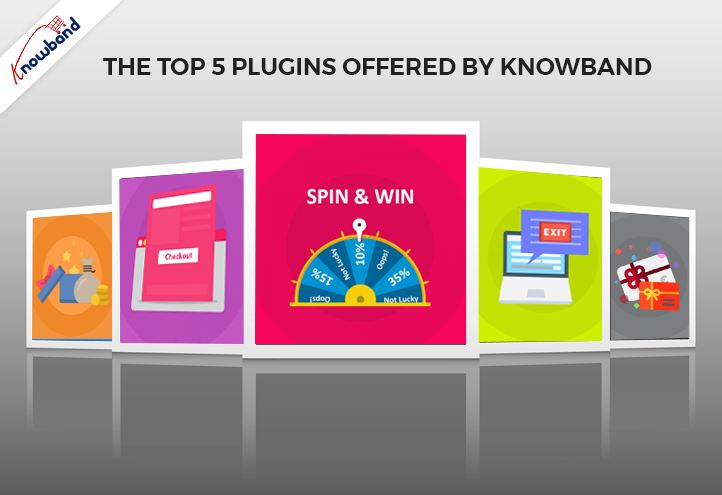
Here are the top 5 plugins offered by Knowband that are specially tailored for the festive season.

Top 5 Plugins Offered by Knowband:

Spin & Win Module:

If you are looking for a lucrative interface as soon as the customers visit your website, you might find Knowband Spin & Win Module pretty useful.

Knowband Spin & Win module shows a pop-up on the website home screen as soon as the visitors enter the URL. Moreover, in the appeared gamified pop-up screen the customers can also win exciting offers and discount coupons after entering their email addresses.

Not only the store admins can set up the gravity for every coupon to appear but also, they can add desired theme options on the pop-up screen. Moreover, the Spin & Win Fortune wheel module is also compatible with the Android and iOS Knowband Mobile App Maker modules.

Now Available for:

OpenCart, PrestaShop, WooCommerce, and Magento 2

Exit Pop-Up Module:

The other relevant plugin that you should never miss is Knowband Exit Pop-Up. As soon as customers visit online stores, it is a must to keep them engaged with sounding content.

Following the same, Knowband Exit Pop-Up presents a pop-up screen in front of the customers as soon as they try to leave the website. Moreover, you can customize the pop-up screen at your convenience with all the amazing modification options.

If you are looking for a plugin that can reduce web bounce rate and increase customer engagement, you might find the Knowband Exit pop-up the perfect fit for you.

Now Available for:

PrestaShop, OpenCart, and Magento 2.

Gift Card Module:

Festive and Holiday Season is what is well-known for gifts and presentations. It is good to add digital gift cards to your online store for the customers to purchase.

Likewise, Knowband has a specially tailored Gift Card Module for online retailers. Furthermore, using Gift Card, you can add digital gift card products to your eCommerce store.

For instance, the visitors can purchase the same and later send it over as a gift card to their near and dears. Knowband Gift Card Module is a true blossom for this holiday season to offer something different to your customer fan base.

The OpenCart, PrestaShop, and Magento 2 store merchants can get their one-time payment gift card modules on Knowband’s official website.

Available For:

PrestaShop, OpenCart & Magento 2 platforms.

One-Page Checkout Plugin:

Reports indicate that the reason behind over 40% of total cart abandonments is a sticky checkout process. The customers usually lost interest by filling in order details on one after the other pages.

Now, overcoming the solution, Knowband has designed the simplest checkout process ever. Knowband One Page Checkout module allows the store admins to provide all the shipping details on a single and easy checkout page.

Moreover, a wide majority claim that they have noticed a significant downfall in bounce rate after using the One-page checkout offered by Knowband.

It is always a good idea to prepare a simple and easy checkout process for your customers this holiday season.

Available For:

PrestaShop and OpenCart platforms.

Loyalty Points Module:

The first thought that pop-ups after hearing the term loyalty points is something related to discounts and offerings. Not only customer loyalty is a proven fact behind the success of businesses but also it engages more and more customers through referrals.

Moreover, Loyal customers are the source keys to increasing your revenues through repeated purchases. Adding more to the same, Knowband Loyalty points offers points to regular as well as new customers while completing purchases in your stores.

Later they can use the same as coupons or points to reduce their order total. The following strategy plays a huge role in turning your one-time customers into long-run partners. Loyalty points are one of the best options you can offer to your customer base.

Available For:

PrestaShop, OpenCart, and Magento 2 platforms.

What’s the catch?

At Knowband with an incredible 10+ year journey in eCommerce plugin development, we always ensure to offer the best to our merchant family.

Likewise, to make this holiday season special for every seller we have got additional discounts on our single-time payment extensions.

Extra 20% Off on Your Order | Use Code: DEAL20

Extra 25% Off on Orders $50+ | Use Code: DEAL25

Extra 30% Off on Orders $100+ | Use Code: DEAL30

Extra 35% Off on Orders $150+ | Use Code: DEAL35

We are also available for a quick discussion on custom developments at our email address support@knowband.com.