
Your shopping cart is empty!


-740x740.webp "OpenCart Blog Manager - AI Content & SEO Optimization")

The OpenCart Blog Extension is one of the most advanced blog extensions available for online ecommerce store owners who want to publish and manage blogs without ever leaving their opencart admin panel. This OpenCart Blog Extension gives store admins a a complete control over content management so that every post supports both readers and revenue. This blog extension for opencart is works mainly based on three core features: AI content creation, search visibility(SEO), and sales conversion. OpenCart users can add blogs manually or generate them with top AI models, organise content with categories and authors, tags, link posts directly to product pages, and publish SEO-optimized articles that are ready to rank on Google and other search engines.
| 1 |
Full Post Creation & Editorial Control
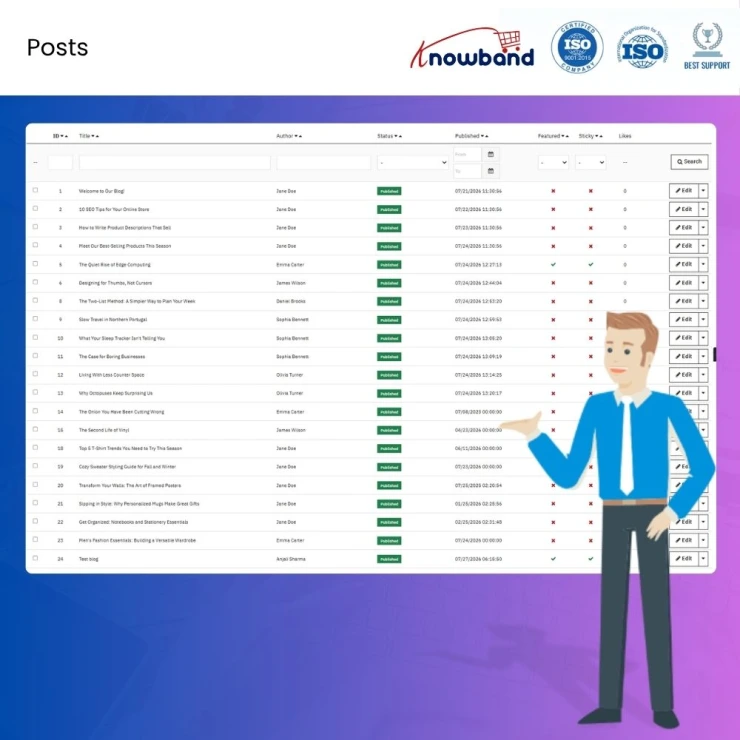
Store owners can create articles using a rich editor, giving store owners complete control over every blog post from the backend. This feature is used to manage titles, SEO-friendly URL slugs, meta descriptions and meta titles, full post content, featured images, image galleries, and cover image alt text, functioning as a proper content management system for the blog. Store owners can also choose to post the blog on a future date or immediately. |
| 2 |
Built Using OpenCart Best Practices & AI Integration
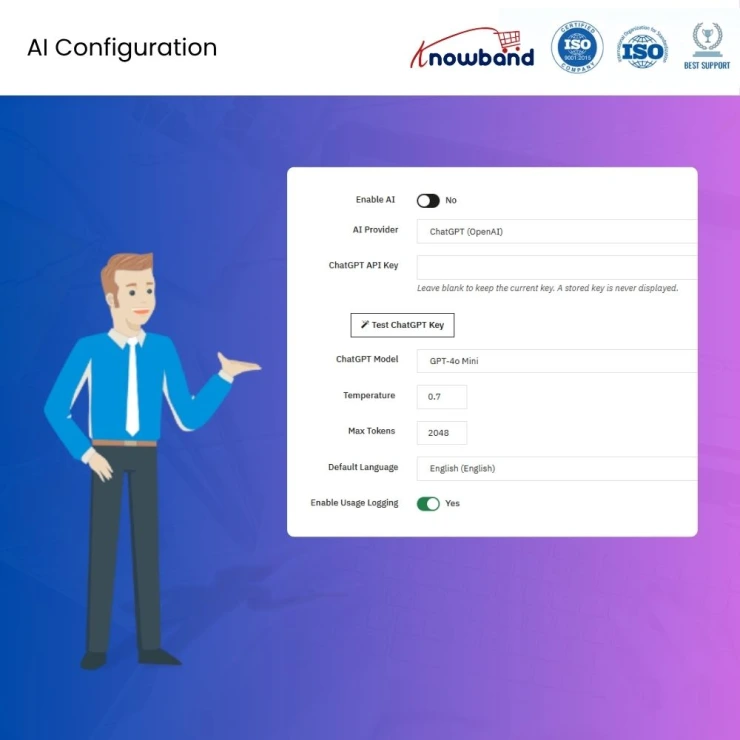
This blog extension is developed using OpenCart best practices, supports the latest AI APIs, and follows modern SEO recommendations for structured content publishing. It enables store owners to generate, translate, expand, and optimise blog content for SEO, GEO, and AEO with minimal manual effort. Supported AI models: GPT-4o Mini, GPT-4o, GPT-4.1 Mini, and GPT-4.1 (OpenAI ChatGPT); Gemini 2.5 Flash, Gemini 2.5 Pro, and Gemini 2.5 Flash Lite (Google Gemini). |
| 3 |
Categories, Tags & Author Page Integration
Store owners can assign multiple categories, authors, and tags across the blog, making it the perfect blogging solution for their OpenCart store. Each category, author, and tag has its own individual page, complete with SEO-optimized meta tags and Open Graph tags for social sharing.. |
| 4 |
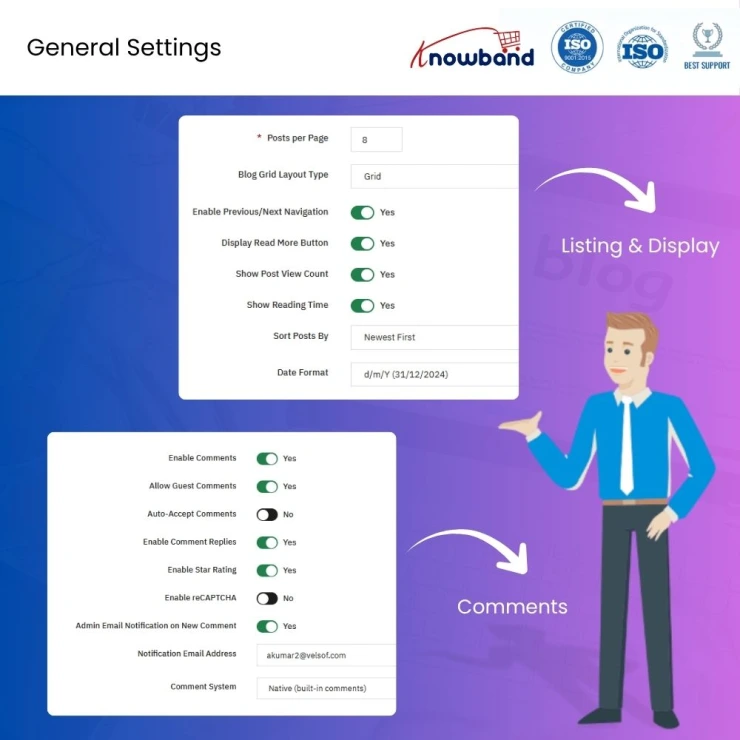
Multi-Platform Comment System
This advanced OpenCart Blog Extension supports three comment systems: native built-in comments, Disqus, and Facebook Comments, giving store owners the flexibility to choose the platform that best fits their store. |
| 5 |
SEO & URL Architecture
Search visibility is treated as a core function of the OpenCart Blog management. Store admins can define meta titles, meta keywords, and meta descriptions for every post, supporting a stronger on-page SEO strategy. Admins can also customize URL structures, and the extension automatically generates an XML sitemap that stays in sync as posts are published, updated, or unpublished, allowing search engines to discover and re-crawl the blog independently of the rest of the store's sitemap. |
| 6 |
Sidebar, Footer & Homepage Widgets
A complete widget library is provided in the OpenCart Blog SEO Extension for sidebar, footer, and homepage placement. This feature allows admins to organise Recent Posts, Categories, Tags, Popular Posts, Archives, and Search blocks independently across the frontend. |
| 7 |
Engagement & Interaction with Users
This blog module includes engagement and interaction strategies such as post-like emoji reactions and star ratings to increase time on page and repeat visits. |
| 8 |
Image Type & Thumbnail Management
A dedicated image management system is included as a standard part of the publishing process. This module allows store admins to define named image types with custom width and height, applied automatically across posts, categories, and author profiles. |
| 9 |
Product & Catalogue Integration
Store owners can link products directly to a blog post, and users can see the linked products beneath the article. Product pages, in turn, can display featured related blogs. This helps increase both revenue and the ranking of the product page. This way, blog-to-product integration helps eCommerce businesses turn blog traffic into cross-selling opportunities and measurable product page visits. |
| 10 |
WordPress & RSS Content Import
This blog extension for OpenCart allows store owners to import content from WordPress using a WXR export file, or directly from an RSS feed. RSS imports in OpenCart Blog Migration Extension can also be automated through a cron job, so external feeds are checked and pulled in on a recurring schedule rather than requiring an admin to trigger each import by hand. |
| 11 |
Built-In RSS Feed
Alongside importing from external feeds, the extension generates its own RSS feed for the store's blog content. This allows the storefront's posts to be picked up by external feed readers, syndicated to partner sites, or pulled into other tools that consume RSS, extending the blog's reach well beyond the storefront itself. |
Knowband, a leading name as an eCommerce development company provides Opencart plugin development services to enhance the functionality of your eCommerce stores. For providing Opencart plugin development, we have hired experienced Opencart developers who work with full dedication to offer Opencart development and support services.
If there is a feature you want on your Opencart site, chances are that an Opencart plugin will allow you to do it, if you don't find any such plugin you can always contact us for your custom plugin development requirements.
Knowband's OpenCart Blog Manager is one of the most complete blog extensions available on the OpenCart Marketplace. You can easily create and manage blogs using the AI models built into the module, and every post it generates is structured to be SEO optimized and well organised from the start.
Yes. The OpenCart Blog Manager includes a built-in WordPress import tool that reads standard WXR export files, so posts, categories, and tags carry over without manual re-entry.
Every post includes editable meta titles, meta descriptions, and custom URL slugs, and the extension automatically maintains an XML sitemap as content is published or updated. Combined with structured category and author pages, this gives search engines a clean, crawlable content structure without needing a separate SEO plugin.
GEO, or Generative Engine Optimisation, refers to structuring content so AI systems like ChatGPT, Gemini, and AI Overviews can accurately read, summarize, and cite it. The OpenCart Blog Manager supports this by generating clear, well-structured post content and metadata that's easier for AI tools to extract and reference, alongside traditional SEO fields.
Yes, and it's one of the most effective ways to turn blog traffic into sales. Store owners can add products directly within a blog post using the OpenCart Blog Manager, and those products appear as a linked section beneath the article. Product pages can also display related blog content, helping convert blog readers into product page visitors.
The extension supports three options: a native built-in comment system, Disqus, and Facebook Comments. Store owners can choose whichever fits their existing engagement or moderation setup.
E-merchants can use this extension to pull content directly from external RSS feeds. This can also be automated through a cron job, so feeds are checked and imported on a recurring schedule without manual intervention.
Yes. The OpenCart Blog Manager automatically generates an RSS feed for your own blog content, allowing your posts to be syndicated to external readers or partner platforms.
 Sale
Sale
Getting Opencart Mobile App for online stores has never been so easy u...
$159.99 $199.99
Sale
Automate the content generation and translations on your Opencart eCom...
$55.99 $69.99
Sale
Effortlessly create unique, SEO-friendly content and translate product...
$39.99 $49.99
Sale
Enhance your customer engagement with Knowband's OpenCart WhatsApp Liv...
$31.99 $39.99


