PrestaShop, with its powerful and flexible framework, allows developers to customize various aspects of the platform to meet specific business requirements. One such customization is adding a custom tab in the back office product page. In this blog, we will walk through the step-by-step process to achieve this by creating a sample module called kbcustommodule.
We can create the custom Tab in the back office product page in two ways:
Using Symfony components.
Using displayAdminProductsExtra Hook
Method 1:
This tutorial is applicable for PrestaShop version 8.1 and above, utilizing Symfony components.
Step 1: Create Your Module
kbcustommodule/
|– composer.json
|– config/
| |– services.yml
|– src/
| |– Form/
| | |– Modifier/
| | | |– ProductFormModifier.php
| | |– Type/
| | | |– CustomTabType.php
|– kbcustommodule.php
Start by creating a folder named kbcustommodule under the modules directory of your PrestaShop installation. Inside this folder, create the kbcustommodule.php file, which will contain the main class for your module. The module class initializes the module and registers the required hooks.
Here’s an example of the kdcustommodule.php file:
Run the command composer dump-autoload in your module’s root directory to enable namespace autoloading.
Step 2: Define Services
Create a services.yml file under the config directory of your module (kbcustommodule/config/services.yml). This file defines the Symfony services required for form customization.
Step 3: Create the Custom Tab Form Type
Create a CustomTabType class in the src/Form/Type folder of your module. This class defines the fields that will appear in the custom tab.
Step 4: Create the ProductFormModifier Class
The ProductFormModifier class defines how the custom tab integrates with the existing product form.
Final Step: Install and Test
Install the module via the back office or manually place it in the modules directory and enable it.
Navigate to the back office product page. You should see a new tab labeled “Custom Tab” with a field labeled “Custom Field.”
Test the functionality by adding data to the custom field and ensuring it saves correctly.
After successfully installation of the above module. You will get the result as follows.
The displayAdminProductsExtra hook allows you to add custom content or tabs to the product edit page in the Back Office. This method avoids the complexity of defining Symfony services and is easier for developers not familiar with Symfony.
Step 1: Create the Module
Start by creating a basic module structure. For example:
Kbcustommodule/
|– config/
|– translations/
|– views/
| |– templates/
| |– admin/
| |– products/
| |– custom_tab.tpl
|– Kbcustommodule.php
Step 2: Define the Module Class
In the Kbcustommodule.php file, define your module and register the displayAdminProductsExtra hook.
Step 3: Create the Template File
In the views/templates/admin/products/custom_tab.tpl file, define the HTML and content for your custom tab.
Step 4: Save the Data
To save the custom data, use the actionAdminControllerSetMedia hook along with JavaScript or PHP. Alternatively, you can use the actionProductUpdate hook in PHP.
Example in Kbcustommodule.php:
Step 5: Add the Field to the Database
Modify the database to store your custom data. For example:
————————————————————————
ALTER TABLE ps_product ADD custom_field TEXT NULL;
————————————————————————
After successfully installation of the above module. You will get the result as follows
For further assistance, feel free to reach out or leave a comment below. Or you can also reach out to us on Knowband Helpdesk.
In the fast-paced world of e-commerce, choosing the right platform for your online store can make all the difference in your business’s success. Thus, two popular options are Shopify and Shopify Plus, each catering to different needs and business sizes. Following the same, we will explore the differences between Shopify and Shopify Plus to help you make an informed decision and select the platform that best suits your business.
Understanding Shopify and Shopify Plus!
Before delving into the comparison, let’s briefly understand what Shopify and Shopify Plus are:
Shopify:
Shopify is a widely used e-commerce platform designed for small to medium-sized businesses. Furthermore, it provides an easy-to-use, cloud-based solution for entrepreneurs looking to set up their online stores quickly and efficiently. Therefore, Shopify offers a range of features, including customizable templates, payment processing, and inventory management, making it an excellent choice for startups and small businesses.
Shopify Plus:
Shopify Plus, on the other hand, is an enterprise-level e-commerce platform built to accommodate large and high-growth businesses. Moreover, it offers advanced features and scalability, making it suitable for companies with higher transaction volumes and more complex needs. Furthermore, Shopify Plus is also known for its flexibility, allowing businesses to tailor their online stores to meet specific requirements.
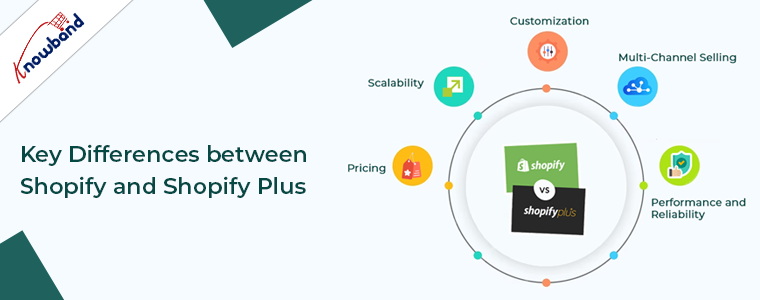
Key Differences between Shopify and Shopify Plus:
To help you make the right choice for your business, let’s compare Shopify and Shopify Plus across various aspects:
1. Pricing:
Shopify: Shopify’s pricing starts at $29 per month for its basic plan and goes up to $299 per month for its Advanced Shopify plan. While this pricing may be suitable for small to medium-sized businesses, it can become cost-prohibitive for larger enterprises with substantial sales volume.
Shopify Plus: Shopify Plus, on the other hand, operates on a custom pricing model. Thus, it caters to businesses with higher sales volumes and complex needs, meaning you’ll need to request a quote to get an accurate pricing estimate. While it may be more expensive than Shopify, the cost can be justified by the additional features and capabilities it offers.
2. Scalability:
Shopify: Shopify is ideal for businesses that are just starting or have moderate growth ambitions. While it can handle a considerable amount of traffic and transactions, it may not be as scalable as Shopify Plus when it comes to handling rapid growth and high-volume sales.
Shopify Plus: On the other hand, Shopify Plus is designed for high-growth businesses. Thus, with its robust infrastructure, Shopify Plus can easily scale to accommodate the demands of rapidly expanding enterprises.
3. Customization:
Shopify: Shopify offers a range of customizable templates and themes to help businesses create a unique online presence. However, the level of customization may be limited compared to Shopify Plus.
Shopify Plus: Shopify Plus provides extensive customization options, allowing businesses to tailor their online stores to their exact specifications. Moreover, this level of flexibility is crucial for enterprises that require unique branding, user experiences, and functionality.
4. Multi-Channel Selling:
Shopify: With Shopify, you can sell through various channels like your online store, social media, and marketplaces. However, the breadth and depth of multi-channel selling options are more extensive in Shopify Plus.
Shopify Plus: Shopify Plus offers advanced multi-channel selling capabilities, including integration with popular marketplaces like Amazon and eBay, as well as POS (Point of Sale) solutions for physical retail stores. This makes it a great choice for businesses looking to expand their presence across different sales channels.
5. Performance and Reliability:
Shopify: Shopify provides reliable hosting and security, but it may not offer the same level of performance and redundancy as Shopify Plus. Smaller businesses may not notice a significant difference, but larger enterprises may require the added stability and uptime of Shopify Plus.
Shopify Plus: Shopify Plus offers robust infrastructure, ensuring high performance, scalability, and redundancy. This is essential for businesses that cannot afford downtime, especially during peak sales periods.
Which Platform Is Right for Your Business?
Choosing between Shopify and Shopify Plus ultimately depends on your business’s specific needs, size, and growth trajectory.
Choose Shopify if you are a small to medium-sized business with a limited budget and moderate growth expectations. It’s user-friendly, cost-effective, and provides all the essential features for online selling.
Opt for Shopify Plus if your business is an enterprise with high sales volumes, complex requirements, and rapid growth plans. The additional features, customization options, and scalability make it a valuable investment for larger businesses.
In the END!
In conclusion, both Shopify and Shopify Plus are excellent e-commerce platforms, but they cater to different business sizes and needs. By evaluating your specific requirements and growth goals, you can make an informed decision and select the platform that aligns best with your online business.
In an age dominated by smartphones, the retail landscape has undergone a significant transformation. Mobile shopping apps have emerged as a powerful tool for reshaping consumer behavior and preferences. Moreover, the convenience, speed, and personalized experience these apps provide have not only influenced how consumers shop. But, also raised their expectations from retailers. This shift is particularly noteworthy as businesses adapt to m-commerce strategies.
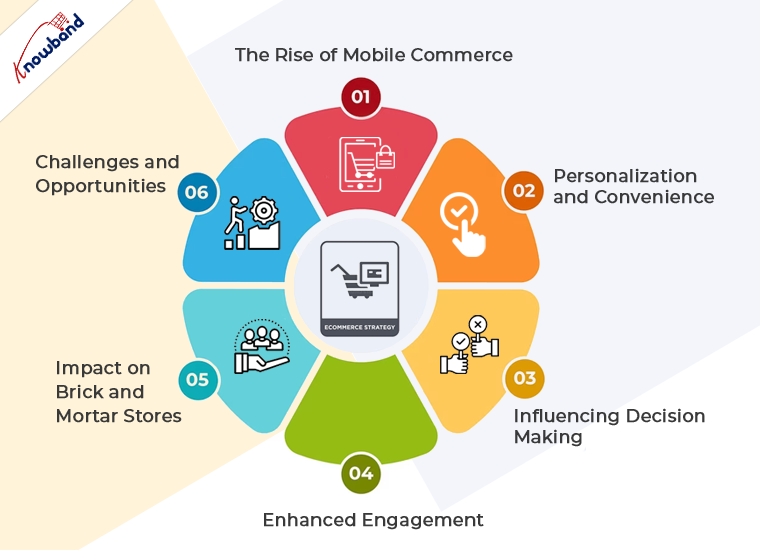
The Rise of Mobile Commerce:
Mobile commerce has seen explosive growth over the past few years. Consumers are increasingly turning to their smartphones for everything from browsing products to making purchases. Furthermore, the other reason that encourages customers to make purchases via mobile apps is the native and secure checkout process. Therefore, this trend is not just a shift in platform but also a transformation in shopping habits and consumer expectations. The convenience of shopping from anywhere at any time has made mobile apps a go-to solution for busy consumers.
Personalization and Convenience:
One of the most significant impacts of mobile shopping apps is the level of personalization they offer. Moreover, these apps can analyze user data to provide tailored recommendations, offers, and content. Consumers now expect this level of personalization as standard, with suggestions that fit their style and needs. For businesses using Prestashop as an eCommerce base platform, we provide a seamless solution Prestashop Mobile App Builder. The module allows the store admin to deliver a customized experience to their users, boosting satisfaction and loyalty.
Influencing Decision Making:
Mobile apps also play a crucial role in influencing consumer decisions. With features like instant reviews, price comparisons, and in-app offers, consumers are making more informed and immediate decisions. Moreover, the barrier between seeing a product and purchasing it has never been thinner, as impulse buys become more common due to the convenience of mobile apps.
Enhanced Engagement:
The immersive experience offered by mobile apps results in enhanced engagement. Push notifications, for example, allow businesses to keep consumers informed about new products, sales, and other updates, bringing them back to the app. Furthermore, push notifications are not only a powerful marketing method for the apps but also allow the store admin to interact directly with the customers.
Impact on Brick-and-Mortar Stores:
While some might argue that the rise of mobile shopping apps threatens physical stores, many retailers have found innovative ways to integrate mobile commerce into their physical experience. Apps now often include features like in-store navigation, item locators, and the ability to check if a product is in stock at a nearby store. This synergy between online and offline provides a holistic experience for consumers, enhancing brand loyalty and satisfaction.
Challenges and Opportunities:
Despite the clear benefits, the shift to mobile also presents challenges. Retailers must ensure their apps are user-friendly, secure, and continually updated with new features to meet consumer expectations. This is where Knowband’s Prestashop Mobile App Builder comes into play, offering a way for businesses to easily create and manage their mobile presence, stay competitive, and meet the high standards of today’s mobile-savvy consumers.
Conclusion!
The impact of mobile shopping apps on consumer behavior is profound and far-reaching. They have not only changed how people shop but also raised expectations for what a shopping experience should be. As consumers continue to embrace the convenience, personalization, and speed of mobile commerce, retailers must adapt to stay relevant. Thus, investing in robust mobile app solutions, like the Prestashop Mobile App Builder, is no longer just an option but a necessity for businesses aiming to thrive in this dynamic, mobile-first market.
In the ever-evolving world of e-commerce, businesses must adapt to changing market trends and customer expectations to remain competitive. One crucial decision that online store owners may face is whether to migrate from their current platform to a new one. In recent years, PrestaShop to Shopify migration has gained popularity due to Shopify’s user-friendly interface and robust features. However, before making the leap, there are several essential factors to consider.
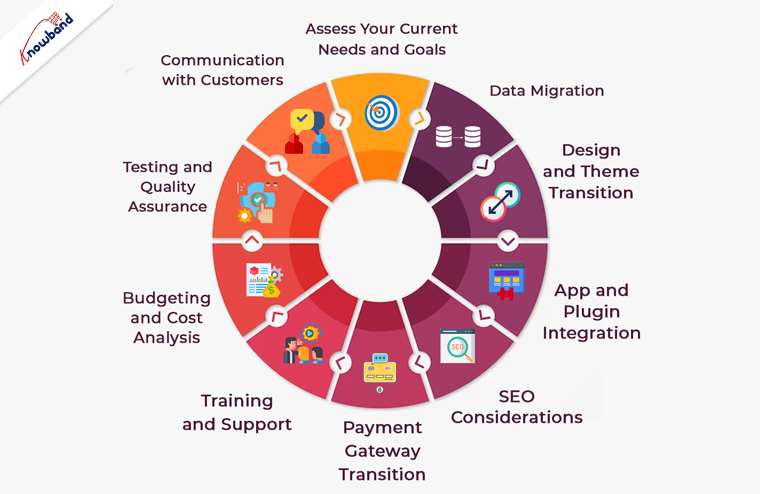
1. Assess Your Current Needs and Goals:
Before initiating a migration, it’s vital to understand your current e-commerce needs and long-term goals. Moreover, you should take a close look at your PrestaShop store and identify any shortcomings or limitations.
You can consider factors like scalability, customization options, and the ability to implement future changes. Furthermore, Shopify offers a wide range of features, but it’s essential to ensure they align with your specific business requirements.
2. Data Migration:
One of the most critical aspects of migrating from PrestaShop to Shopify is data transfer. This encompasses product listings, client details, past order records, and additional data. Therefore, ensure that your data is organized and cleaned before the migration process begins. Moreover, Shopify provides several tools and services to facilitate data migration, but a meticulous approach is necessary to avoid data loss or inaccuracies during the transition.
3. SEO Considerations:
Maintaining your website’s SEO ranking is crucial during a platform migration. Be prepared to update and redirect your URLs to prevent any loss in search engine visibility. Make a list of all your PrestaShop URLs and set up 301 redirects in your new Shopify store. Additionally, create an XML sitemap and submit it to search engines to help them index your new site quickly.
4. Design and Theme Transition:
The look and feel of your online store play a significant role in customer engagement. If you have a custom PrestaShop theme, you’ll need to recreate or find a similar one for Shopify.Shopify provides a diverse selection of themes, which include both free and premium choices.Thus, you can ensure that the selected theme aligns with your brand identity and provides an excellent user experience.
5. App and Plugin Integration:
Both PrestaShop and Shopify have their ecosystems of apps and plugins to extend functionality. Therefore, as an eCommerce shop admin you should always identify the essential Prestashop addons and integrations your business relies on and check if they are available on the Shopify platform. While Shopify has an extensive app store, some specific apps may not be available, which could impact your business operations.
6. Payment Gateway Transition:
The processing of payments is a vital element of every e-commerce establishment.Shopify supports various payment gateways, but the ones you were using on PrestaShop may not be the same. Research the available payment options on Shopify and ensure they meet your business needs. Additionally, plan for a seamless transition to minimize any disruption in your revenue stream.
7. Training and Support:
Shopify is known for its user-friendly interface, but it’s essential to invest time in learning the platform thoroughly. Take advantage of Shopify’s extensive documentation and support resources to familiarize yourself with its features and capabilities. Consider providing training to your staff if necessary to ensure a smooth transition.
8. Budgeting and Cost Analysis:
Migrating from PrestaShop to Shopify involves various costs, including subscription fees, theme purchases, app subscriptions, and potential design and development expenses. Thus, create a detailed budget to account for these costs and assess whether the benefits of moving to Shopify justify the investment.
9. Testing and Quality Assurance:
Before making your Shopify store live, thoroughly test all aspects of the website, including functionality, design, and data accuracy. Test the checkout process, navigation, and user accounts to ensure a seamless customer experience. Address any issues or glitches promptly to avoid customer dissatisfaction.
10. Communication with Customers:
Keep your customers informed throughout the migration process. Notify them in advance of any planned downtime or temporary disruptions to your online store’s services. Provide clear instructions on how they can access your new Shopify-based website. Effective communication can help maintain customer trust and loyalty during the transition.
In the End!
In conclusion, migrating from PrestaShop to Shopify can be a beneficial move for your e-commerce business if done thoughtfully and strategically. Furthermore, careful planning, attention to detail, and thorough testing are essential to ensure a successful transition. By considering these key factors, you can make the migration process as smooth as possible and position your online store for growth and success in the competitive e-commerce landscape. At Knowband with 13+ years of technical expertise in Web and App development, we also offer custom development and platform migration services. In case you have any queries, you can also find us at our official email address support@knowband.com.
In today’s highly competitive eCommerce landscape, having a well-designed and feature-rich website is essential for success. Whether you’re using OpenCart, PrestaShop, WooCommerce, Magento 2, or any other eCommerce platform. Certain features are crucial to provide a seamless shopping experience for your customers.
Following the same, in this article, we’ll explore the ten essential features your eCommerce website should have to drive sales, enhance user satisfaction, and stay ahead in the game.
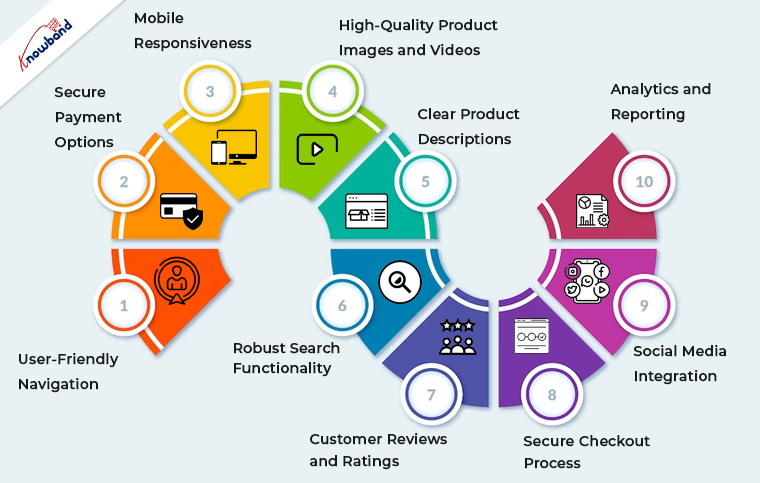
1. User-Friendly Navigation of Mobile App Builder:
Smooth and intuitive navigation is the foundation of any successful eCommerce website and Mobile App for Opencart, Woocommerce, Magento, and Prestashop. Thus, you can implement clear and logical menus, filters, and search functionality to help users find products effortlessly. Furthermore, you should always ensure that your website is responsive, catering to both desktop and mobile users.
2. Secure Payment Options:
Online shoppers demand secure payment options. The reason behind the same is that modern customers prefer security and safety while completing payments. Thus, you can integrate reputable payment gateways, such as PayPal, Stripe, or Square, to instill trust and offer various payment methods, including credit cards, digital wallets, and bank transfers.
3. Mobile Responsiveness:
The number of mobile users is way more than the number of desktop ones. Therefore, mobile commerce is on the rise, and your website must be optimized for mobile devices. Furthermore, a responsive design ensures that your site looks and functions seamlessly on smartphones and tablets.
4. High-Quality Product Images and Videos:
Visual appeal is paramount in eCommerce. Use high-resolution images and, when possible, product videos to showcase your offerings from multiple angles.
5. Clear Product Descriptions:
Accurate and detailed product descriptions are crucial for transparency and SEO. Include essential information, such as product specifications, sizes, colors, and any relevant details that aid customers in making purchase decisions.
6. Robust Search Functionality:
Search is one of the most important features of an eCommerce website. Thus, you can implement a powerful search feature with filters to help users narrow down their product choices quickly. This feature is particularly important for stores with extensive inventories.
7. Customer Reviews and Ratings:
Customer feedback builds trust. Furthermore, positive reviews can sway potential buyers, while constructive criticism helps you improve your offerings.
8. Secure Checkout Process:
Streamline the checkout process to minimize cart abandonment. Ensure a secure and hassle-free experience by integrating SSL certificates and providing multiple shipping and payment options.
9. Social Media Integration:
Leverage the power of social media by integrating sharing buttons and showcasing your social profiles. This facilitates user engagement and allows customers to share their favorite products with their networks.
10. Analytics and Reporting:
Collect and analyze data about your website’s performance and customer behavior. Moreover, tools like Google Analytics provide insights into traffic, conversion rates, and user demographics. Thus, you can use these insights to refine your marketing strategies and improve your site continually.
Why OpenCart, PrestaShop, WooCommerce, and Magento 2?
These essential features apply to eCommerce websites built on various platforms, including OpenCart, PrestaShop, WooCommerce, and Magento 2. Here’s how they relate to each platform:
OpenCart:
OpenCart is known for its user-friendly interface, making it easy to implement essential features like navigation, product descriptions, and secure payment options.
PrestaShop:
PrestaShop offers robust out-of-the-box features, making it an excellent choice for responsive design, powerful search functionality, and analytics integration.
WooCommerce:
As a WordPress plugin, WooCommerce combines seamlessly with WordPress themes, making it ideal for integrating high-quality images, videos, and social media elements.
Magento 2:
Magento 2 is a versatile platform that excels in secure payment options, customer reviews, and ratings. Its advanced analytics and reporting capabilities are also top-notch.
Wrapping Up!
In conclusion, having these ten essential features on your eCommerce website, regardless of the platform you choose, is critical for attracting and retaining customers. Your website’s design, functionality, and security are all key factors in building trust and driving sales. Evaluate your current website against these criteria and consider implementing any missing features to create a compelling shopping experience for your customers. Remember, a well-optimized eCommerce website is a valuable asset in today’s digital marketplace.
Ensure that you regularly update and maintain your site to meet evolving customer expectations and industry trends. By doing so, you’ll be well on your way to eCommerce success, regardless of the platform you use.
Knowband is well known as a provider of eCommerce solutions and as a business that develops modules for eCommerce platforms. The business is famous for offering top-tier development services and effective post-sales support.
Knowband has a registered company name, Velocity Software Solutions Pvt. Ltd. In the face of competition from nations like China, Japan, Australia, New Zealand, Singapore, South Korea, and others. Afterward, the company had a growth streak, which marks our presence in the market.
We take pride in offering the top plugins for Shopify, Magento, Prestashop, OpenCart, WooCommerce, and others. As a Prestashop partner, Knowband has established itself in the eCommerce industry. Also, we create mobile eCommerce applications, online store extensions, and marketplace extensions.
The thing that sets Knowband apart from the competition is our dedication to “Customer Delight”. Moreover, the company offers a variety of services, including eCommerce modules and custom development. Further, pre-and post-sales support provided is also remarkable. Also, we can deliver more than the customer’s expectations, and their satisfaction is our utmost priority.
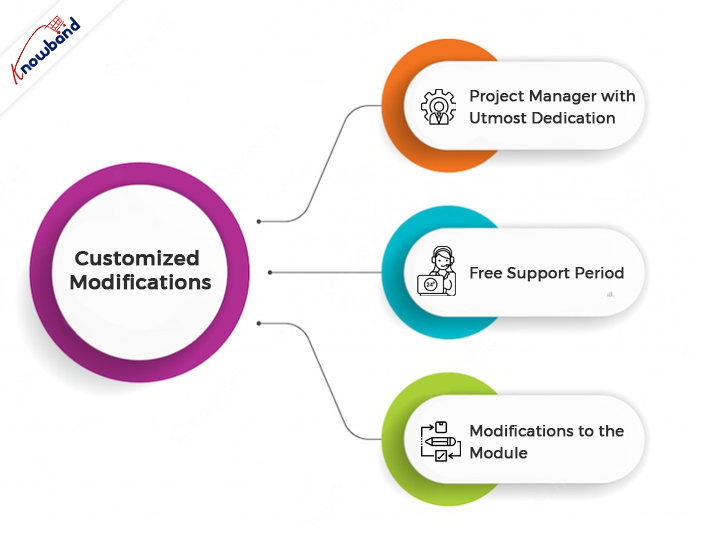
Customized Modifications
You may count on us to meet your needs for custom development. We provide custom development based on the business needs of our customers.
Developers with more than 10 years of expertise make up our team at Knowband. Additionally, with the help of our specialized services, you can construct a website and customize a module to suit your requirements. Moreover, we are here to create something based on the unique requirements of your company.
For online stores, our Prestashop Plugin Development services offer the expertise needed. You may rely on us to create plugins that are distinctive and cleverly designed functionality.
Project Manager with Utmost Dedication
From start to finish, one of our experts will be responsible for the development. Additionally, they’ll make sure you obtain the functionalities you need on time.
Free Support Period
For the first month following the completion of your bespoke development, we offer free support. Moreover, this is to make sure everything is operating as you had hoped. We will resolve your issues and concerns related to the custom changes within this period. Additionally, we will also discuss the issues in a meeting with you when required.
Modifications to the Module
Any feature which is not the default functionality of the module and whose implementation is in demand is a custom change. Further, if the client requires any additional feature in the module, then it is a custom change. Also, if there are any issues in our module due to third-party modules and our assistance is needed to fix them, then it is also done as a custom change.
If there is any demand for the addition of new features to the module, based on customers’ needs, then we treat it as a custom change. Further ahead, we analyze our effort and provide the new development charges to the customers. If the customer is unable to adequately describe the changes, we will meet with them via Skype or in a meeting to discuss the matter. Moreover, always prioritize the customer’s demand and see it through to its completion.
We never back down from the work that comes to us. Furthermore, our professionals will see through the changes until their implementation. We provide support for these changes for one month to know if the changes delivered are running as per the customer’s requirements or not. Additionally, if there are issues and the issues need detailed discussion, we will connect in a meeting. In meeting with our customers we analyze and then resolve the issues.
Module Purchase
We offer different modules on various platforms. Secondly, the modules offered on our website are easy to use and support the maximum number of platforms. We are present here to provide answers to the queries of the customers before the module purchase.
After purchasing the module, we help with the installation and configuration of the module on the customer’s end. Our team of experts will assist you with the post-sales service. We assist with the module issues if any issues occur 3 months after the module purchase. We provide support with the module issues and will resolve them at your end. If the issues are not resolved, we connect with the customers on Skype, WhatsApp, or in a meeting. Our end goal is customer satisfaction, which we have never failed to attain.
Support Services
In the case of quick support, there is an option on the website for a chat in the lower right corner. By using the chat option, customers can connect with us and can get their non-technical issues resolved. This feature is useful to guide our customers through the various issues and concerns the quickest.
Although support for the module issue is generally provided on our ticket interface. The customer can reach out to our technical team from this interface. To reach out for module support, it is very important to generate the tickets. The customer can simply send an email to generate tickets, or else they can generate tickets from their account section. On tickets, we reply to all the queries and issues of the customer the quickest.
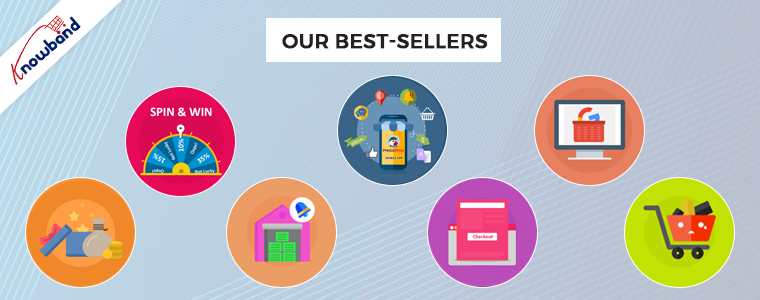
Our Best-Sellers
We offer the top plugins for systems like Magento 2, Prestashop, OpenCart, and WooCommerce. The plugins for these platforms are available on our website. We provide plugins keeping in mind that they enhance the customer’s experience on the website.
The checkout process becomes easy and fast with the help of our one-page checkout plugin. If the checkout process is fast and easy, then it will reduce the cart abandonment rate on the website. Everyone wants the checkout to be straightforward and quick.
Cart abandonment in online stores is one of the major issues which sellers are facing. The abandoned cart module helps follow up with the customers and bring them back to complete their purchases. With this module, we can send various emails with or without discounts to customers.
“Back in Stock” is a great module that helps in restoring lost sales. Further, it notifies the customers when the products they want are back in stock. This enhances sales and helps with customer retention in the store.
The Loyalty Points module can award points to customers when they make purchases in your store. The module allows you to set up some conditions according to which the customers receive award points. These rules are set up easily from the admin panel.
Using Google Shopping, selling products on the major marketplace gets easy. Including Google Shopping in your sales channel can increase your customer base and expand your reach. As per the reports, almost 70% of total orders start from a Google Search, so it always sounds good to be visible at the top of the Google Search list.
Some of Our Top Modules, which are having a top rating by our customers are below:
Furthermore, assisting our customers to achieve what they desire, depending on their business goals, is our aim. Also at Knowband, we help with the eCommerce plugins and also assist with custom changes. If you have any ideas in mind, we will help you bring them to reality. You can contact us at support@knowband.com regarding any kind of help or concerns.
Etsy is one of the most well-known online marketplaces globally. It distinguishes itself from other eCommerce marketplaces by specializing in providing exclusively handmade, artisanal, antique, and custom-made goods.
Etsy has become a top marketplace for arts and collectibles because of its capacity to unite these small-business vendors selling unusual and distinctive things. Customers commonly turn to Etsy for inspiration when choosing unique gifts, and many come there specifically to look for items that aren’t offered on other online marketplaces.
Etsy is one of the leading online marketplaces in the globe in 2021 among other e-commerce sites that specialize in antique or handmade goods. Handmade, vintage, and craft items should be your top objectives for selling and stocking up on supplies.
Etsy distinguishes out from other marketplaces because of its extensive selection of products like fashion, photography, health & beauty items, gourmet goods, art, wedding essentials, jewelry, and many more, Additionally, Open Source platforms like PrestaShop, Magento 2, OpenCart and WooCommerce are all compatible with Etsy.
Vendors are ready to connect their online stores created on these platforms with an Etsy store as a result. You will understand how to successfully sell on Etsy in 2022 by the time you finish reading this article.
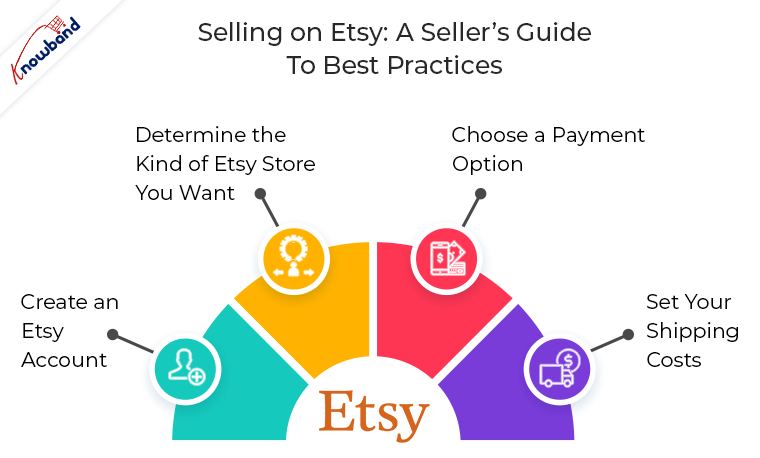
Selling on Etsy: A Seller’s Guide to Best Practices
This guide is a starting point for those sellers who want to sell on Etsy or who are currently Etsy Sellers. It seeks to address all the common questions to streamline the selling process and boost profitability. It’s simple to sign up to sell on Etsy. You must follow three simple steps to sell your goods on Etsy:
1. Create an Etsy Account
Setting up your Etsy account is the first step in the selling process on the website. By going to the Etsy homepage, selecting Sell on Etsy, and then selecting Open Your Etsy Shop, you can accomplish this. You will receive instructions on how to set up your store’s settings, including the language, currency, and location.
2. Determine the Kind of Etsy Store You Want
After registering, you must customize your shop’s preferences and settings to decide how it will appear on the website and function. First, provide the name, language, and location (country or region) of your shop.
You must select the payment option you wish to use after creating your Etsy store and provide Etsy with your billing information so they can recognize you and approve your purchase.
You can offer your customers the choice to make purchases from you and pay using PayPal or Etsy Payments. Etsy Payments, which is user-friendly and provides a range of payment alternatives, is the payment method that Etsy sellers use the most frequently.
4. Set your Shipping Costs
Setting fair delivery costs is also crucial when signing up as a business on Etsy. Consider topics like if you’ll be selling your products only domestically or also internationally to clients in different countries. If so, be sure to account for varied shipping charges, including duty and shipment processing time.
Which Etsy Products Receive the Most Searches and Purchases?
Etsy is a global marketplace where makers from all over the world come together to create, sell, and buy one-of-a-kind goods. You must be unsure of what to sell on Etsy specifically. The following are the principal top categories on Etsy for sellers:
Items that are handmade, vintage (at least 20 years old), and supplies for crafts
According to Etsy’s 2019 study, 87 percent of Etsy sellers are women, which leads us to the realization that customized, handmade items like stickers, bespoke jewelry, crafts, and supplies are the most popular.
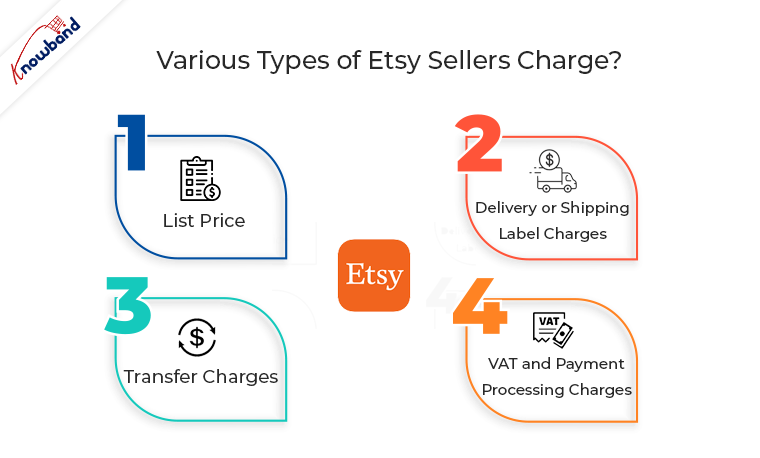
How much does Etsy Sellers charge?
When you sell on Etsy, various types of fees are imposed. These are listed below:
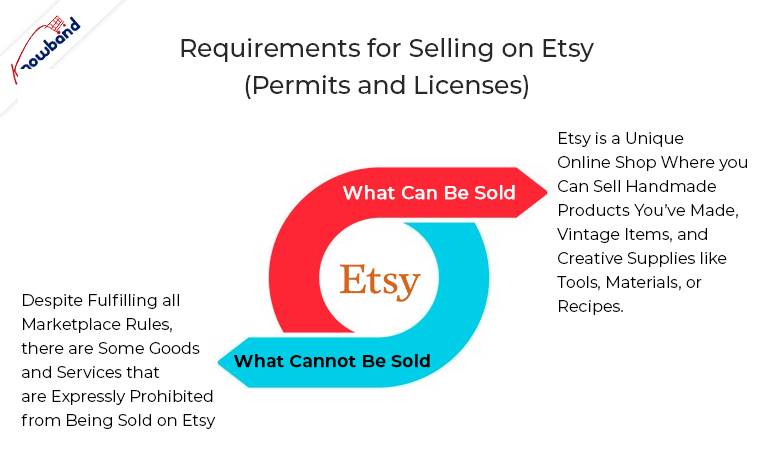
Requirements for selling on Etsy (Permits and Licenses):
The basic goal of Etsy as a marketplace is to offer a space where users can finally have wonderful encounters. It makes an effort to give customers something only available to them today. There are numerous categories listed for what an Etsy seller may and may not sell.
A) What Can Be Sold: Etsy is a unique online shop where you can sell handmade products you’ve made, vintage items, and creative supplies like tools, materials, or recipes. B) What Cannot Be Sold: Despite fulfilling all marketplace rules, there are some goods and services that are expressly prohibited from being sold on Etsy.
Strategies to Boost Sales of Your Etsy Postings
Using the aforementioned advice, get your Esty shop up and operating so that you may start making sales. You will undoubtedly generate some sales naturally, so you won’t need to do much more than, as already indicated, optimize your listing. Here are some extra strategies you may use to assist your sales to go from good to great if you’re trying to expand your company and your store’s sales potential.
Use Social Media to Market your Listings
Social media may be a very successful tool for marketing a business. Displaying social media posts from satisfied customers might help you build credibility with new customers. If you sell jewelry on Etsy, for example, uploading an Instagram snapshot of a happy client wearing one of your pieces may be compelling proof that your products are lovely and of a high caliber. Instagram and Pinterest are your best options when it comes to social media because they both have a strong visual component and practical search and discovery tools.
Enhance your Listing with Expert Photos
Without a question, expert photography may significantly alter how consumers view your products. Due to proper placement of the lighting, background, and camera angles, the same product photographed by a professional might appear considerably higher-quality. Even though utilizing a smartphone to take nice DIY photographs is doable, investing in professional product photography will always help your listings.
Make sure your Etsy listing’s pricing is competitive with those of your competitors while still leaving room for a fair profit margin. As a result, it’s crucial to keep an eye on market changes and trends.
An item you sell, for instance, can unforeseen become the most sought-after gift throughout the Christmas season. In this case, you should unquestionably increase prices to keep up with consumer demand, but not to the point where you turn away customers in favor of a competitor. Similar to this, if the market demand for a product you’re selling starts to diminish, you’ll need to change your prices.
Identify the Etsy Algorithm
An important advantage is the vast number of prospective customers who use Etsy. You have the opportunity to communicate with a sizable audience of potential buyers as a seller! You must still be careful how you offer yourself to the right clients, though.
Here, keyword optimization and mastery of SEO, particularly as it relates to the search engine on Etsy, are essential. Use the search terms that Etsy users who represent your ideal customers are using.
In the End:
Etsy is the ideal place for you to think about listing your goods if you’re a small business or a solopreneur with a unique, homemade, or eccentric product. You can potentially integrate with other platforms and reach a huge, highly targeted audience without having to invest a lot of money. It’s easy to register, and as a vendor, you’ll join a dynamic and unique eCommerce marketplace.
Knowband offers Etsy API Connector plugins for various platforms like PrestaShop, OpenCart, Magento 2, and WooCommerce. The Etsy Integration module by KnowBand, which is also providing three months of free service. Choose the appropriate Etsy integration module for your store from the list below: Shopify, Opencart, Prestashop, Magento, and Prestashop. The main advantage of the Etsy Integration is that it lessens the manual labor involved in listing products using a CSV file and enables the store administrator to quickly and easily upload a large number of items to the Etsy marketplace.
One page checkout infers a client can purchase a product using one page checkout module specifically. It is interesting and fundamentally better than the old checkout structure. Further, that had endless pages to go to first before the admin receives the total installment. In fact, it demonstrates that the eCommerce destinations utilizing this component have visibly seen sales expand. Moreover, keep on doing likewise. On the other hand, multi-page checkout features many insignificant fields that the customer has to fill. Therefore, the customer runs away seeing the various fields. There is no great explanation to put resources into long checkout measures since it has everything required for an installment trade on a single page.
In this blog, we will take a look at various components that make the Single Page Checkout addon a must. In fact, we will also focus on Knowband’s One Page Checkout Extension. Let us go forth and have a better understanding of the Fast Checkout addon.
How does Single Page Checkout plugin work?
The working of the One Page Checkout Extension is absolutely simple. The admin has to buy the module and install it in his eCommerce store. Further, configure it as per the need of the business. In fact, he starts by choosing the layout that he seems fit for the store. Moreover, add or delete the custom fields.
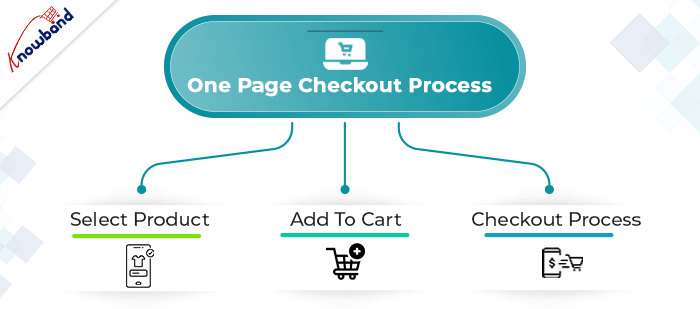
The next step is that a customer comes to the online store looking for a product. Further, finds what he/she’s looking for and adds the product(s) to the cart. Then, moves to the checkout page which is finally the last step to completing the purchase. Therefore, how you optimize the checkout page decides whether the customer buys the products or abandons the site. Hence, optimize the checkout page well to increase sales of your store.
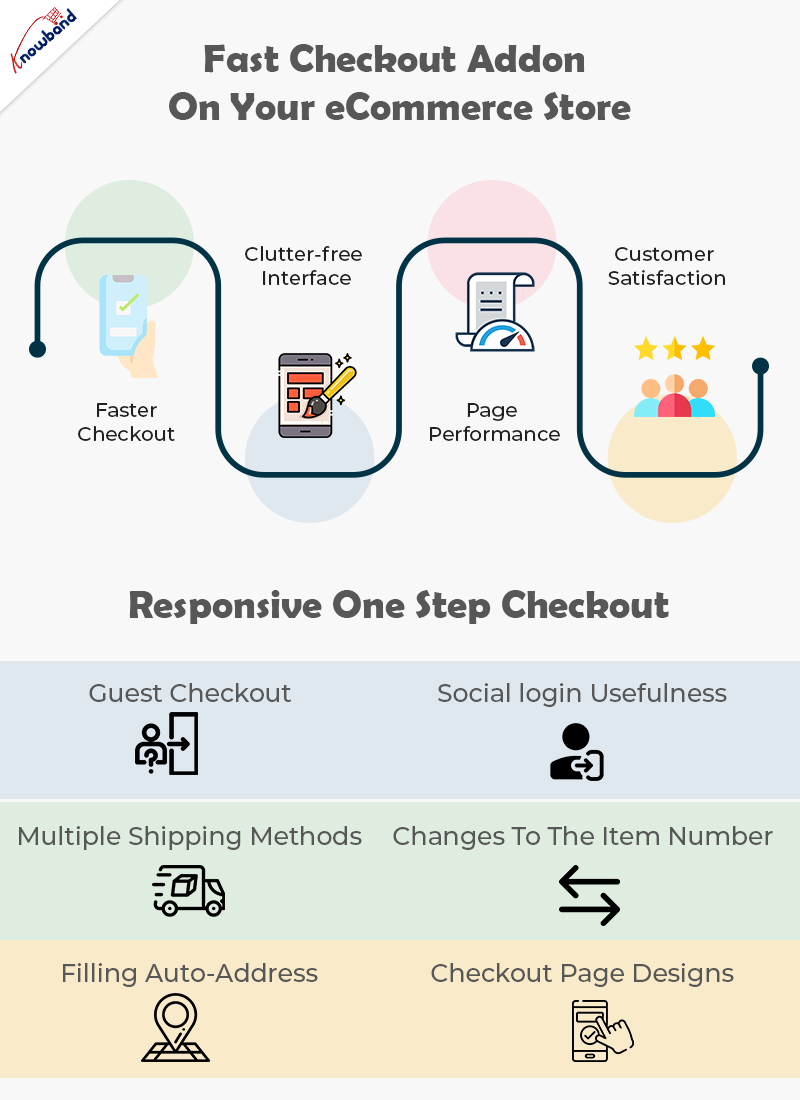
Why pick the Fast Checkout addon on your eCommerce store?
Faster Checkout
Suppose, you visit a shopping store and have the sum of your ideal items in the shopping basket. Further, you start looking for the most basic checkout line. Moreover, get baffled when you see one that is really long and bothering. Also, online customers don’t like to hold on while they make the last installment; they moreover need the checkout cycle to be fast and quick. In case it’s not, they will undoubtedly leave it without buying anything. Being a web-based retailer, you needn’t bother with this happens.
Luckily, a quick checkout elective is available with the Quick Checkout addon. Further, it diminishes the time to fill in all the data on a singular page while purchasing on the web.
Right when online customers see that their checkout experience will be done upon only one page the open door that they make the trade is unquestionably higher.
Clutter-free Interface
A One Page Checkout addon is easy to understand. With a foreordained number of data fields and steps, the page remains clear and easy to go through. Additionally, quick checkout hinders disarray on the grounds that eCommerce buyers see promptly what data they are expected to give. Likewise, they don’t have to go through numerous means and pages which furthermore saves time.
Without a doubt, with one-adventure checkout, you don’t need to worry about whether your route is befuddling to site guests. Customers can without a doubt investigate through the checkout association as they comprehend what data is required, where it should be placed, and when it will be submitted.
Overhauled Page Performance
Customers don’t like to sit and believe that different pages will stack, a long checkout collaboration might make your customer disappointed, provoking cart surrender. One Page Checkout module makes web-based shopping steady since everything is kept in that overall area.
Rather than keeping it together for stacking of pages in continuation, customers get a fundamental page to fill and make the installment. There is no reserve time, just basically fill in the subtleties and press submit unequivocally.
Increase Customer Satisfaction
Customer fulfillment is a basic component that you really want your web-based store to convey. Single page checkout measure urges you to give an issue-free experience to the customers. Everything is manageable by a single page checkout. Further, to convey an overall shocking UX.
In case you really want to grow the change paces of your internet-based store, you should pick the one-page checkout measure. You can without a doubt add a quick checkout decision to your ongoing online store subject to the stage you are utilizing. For sure, you ought to just invigorate your eCommerce site with an extension or modules available to convey the fast shopping experience. That is where One Page Checkout Extension comes into the image.
What makes Responsive One Step Checkout addon by Knowband stunning?
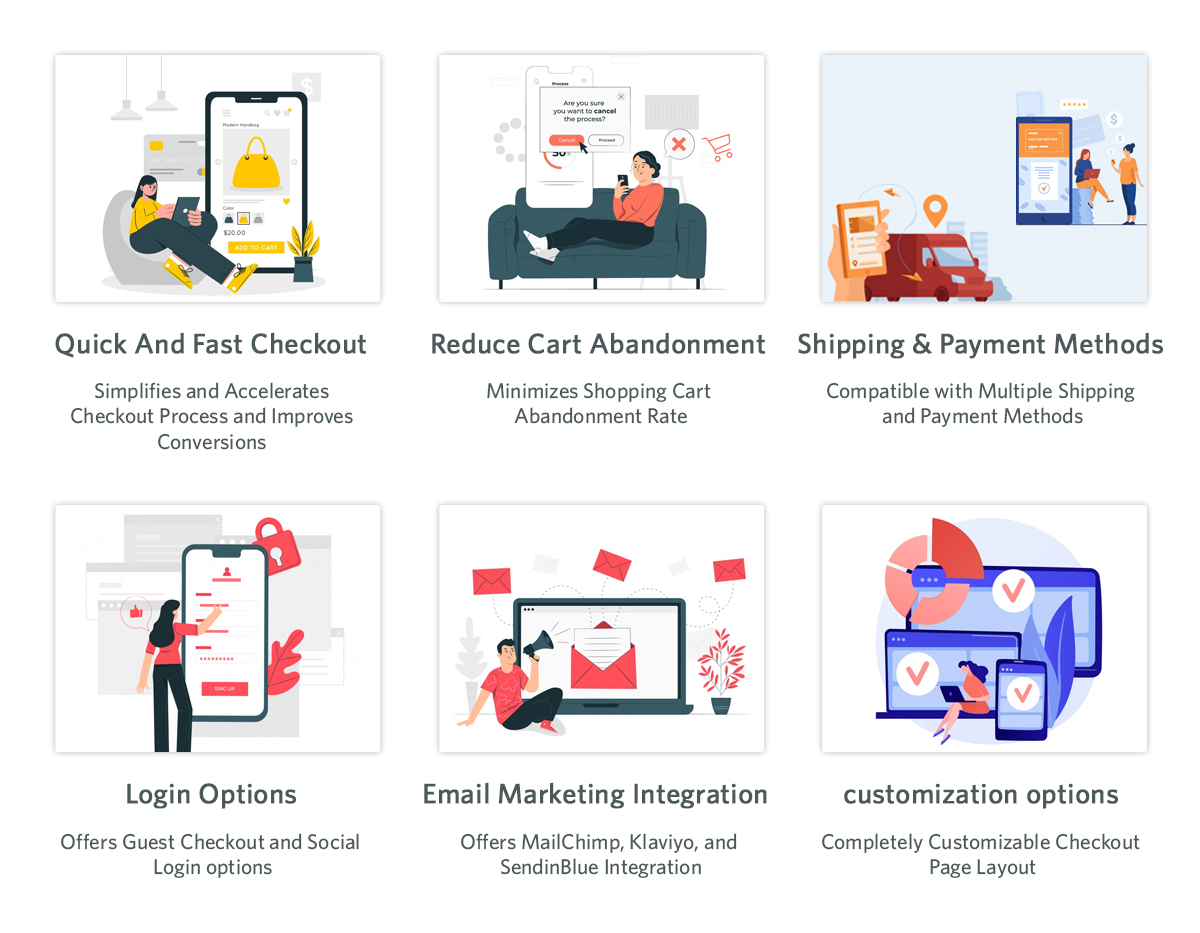
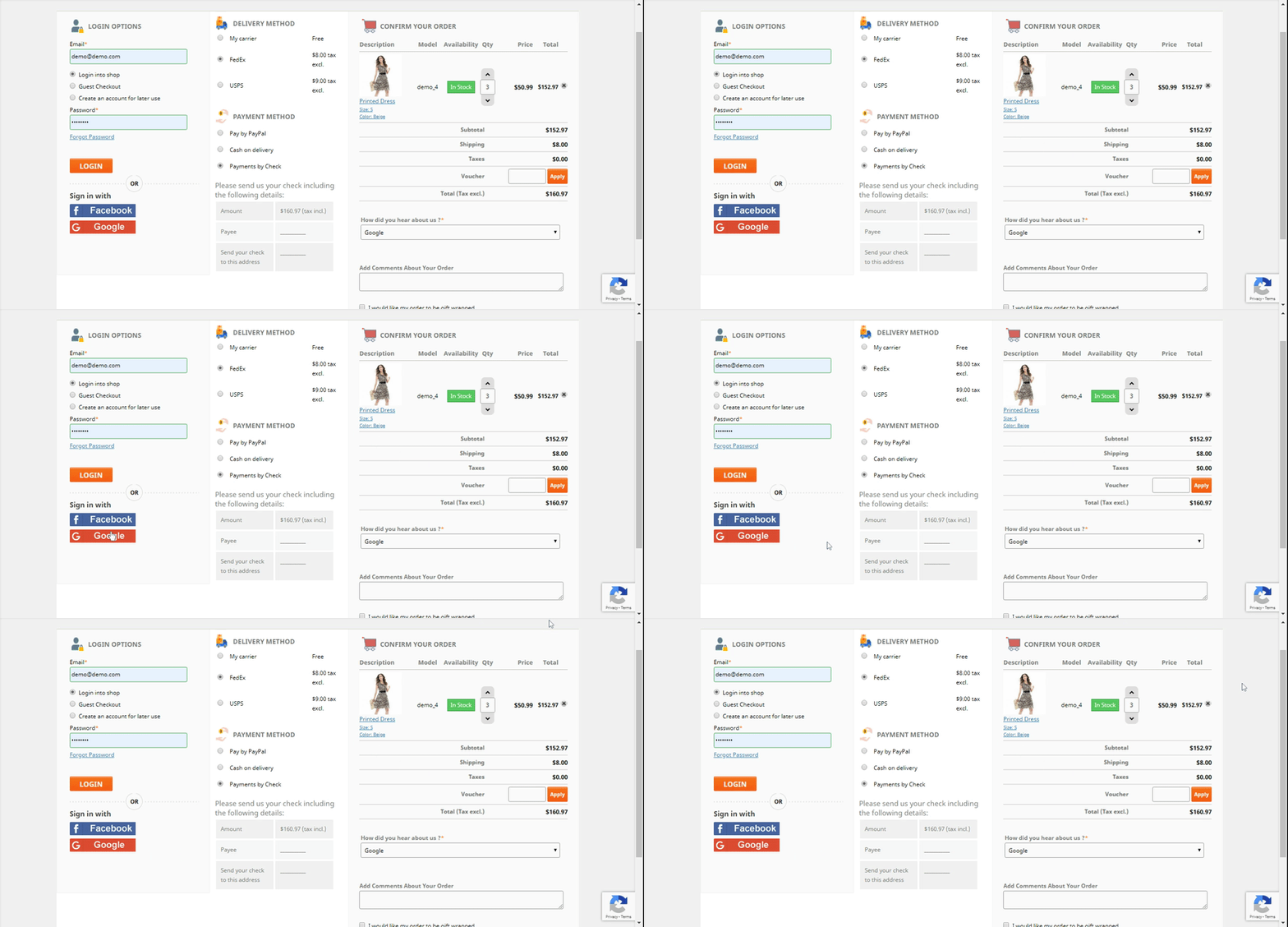
Guest Checkout
New customers might utilize the guest checkout capacities to finish their exchanges without enrolling with the site. This is an incredible method for furnishing clients with a faster method for buying without constraining them to enroll on the site.
Social login usefulness
The following component, social login, absolutely makes it simpler for clients to sign in or enlist. Purchasers may handily sign in or make a record on the eCommerce store. Moreover, to finish the exchange by buying what they have in their bin sans making a record. With the utilization of social login choices like Google, Facebook, or another social organization profile.
All installment strategies are viable
Whether or not your buyers need to finish the buy through PayPal or another strategy, the One Page Supercheckout can oblige them. Accordingly, the customer won’t leave the business without finishing the exchange.
Multiple shipping methods
Checkout in One Step Multiple shipping activities are supported by the plugin. Ulozenka Delivery, Zasielkovn Delivery, LP Express 24 Delivery, and others are a couple of choices out of a large number.
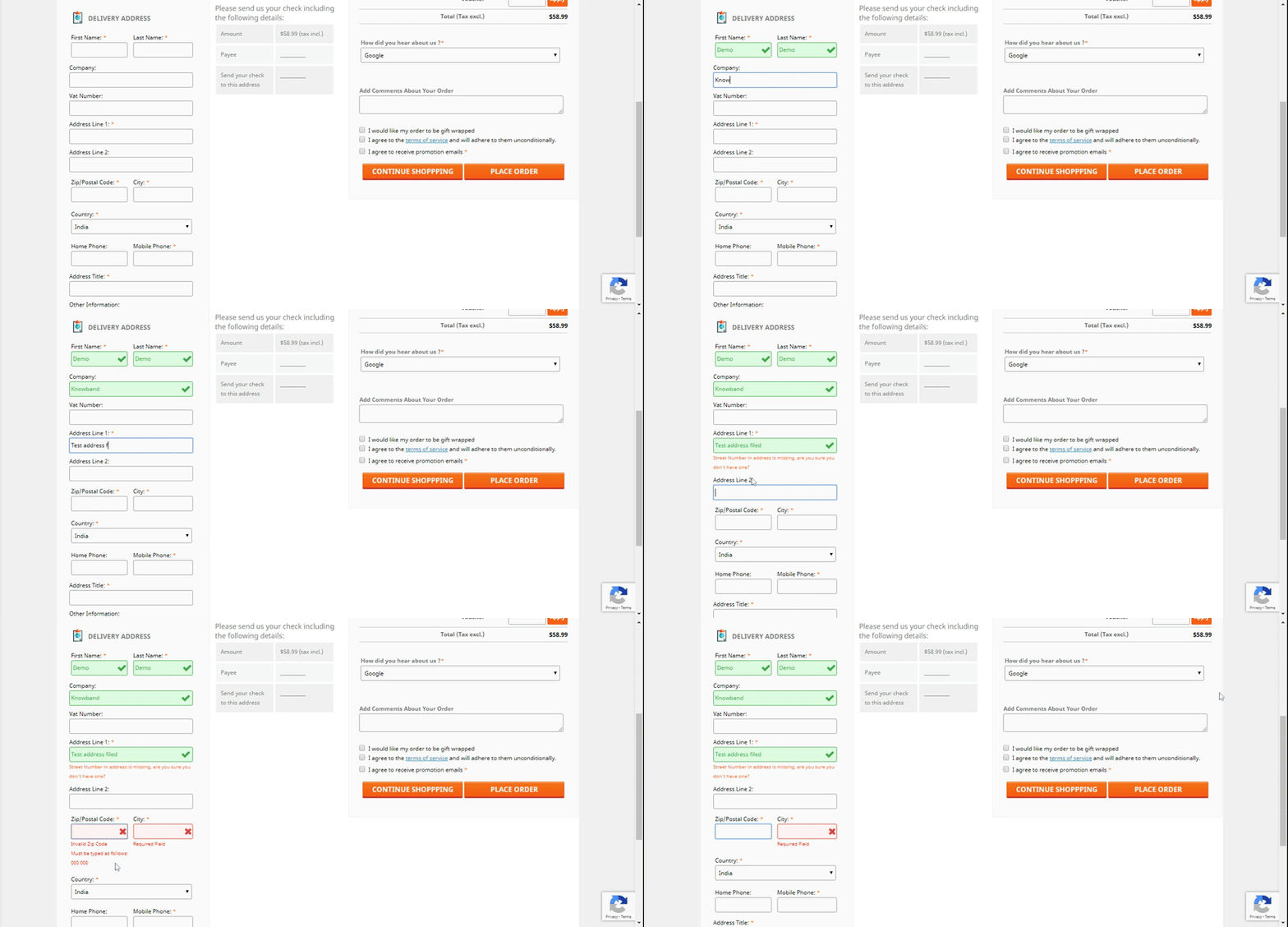
With Inline Validation, you can see the mistakes immediately
Assuming clients commit an error while entering out the data on the checkout page, the proceeding with a component of the One Step Checkout Extension springs up as an elective where they might address it.
Fields in the checkout cycle can be focused on
Depending on the need for anything very comparable, each eCommerce business administrator can slide and drop the components of the checkout page all over. From the back-finish of the Responsive one-page checkout, the head may effortlessly achieve something similar.
Changes to the item number
Purchasers may effortlessly alter the number of things on the checkout page with the assistance of this element of the responsive one-stage checkout addon. Changing to the item page to adjust the number of products further develops proficiency.
Filling in Google’s auto-address
Whenever a buyer begins filling in his location information, Google Auto-address fill gives address ideas. It gets the made characters and presents striking results. When you select the proposed address, the postal district and city segment is accessible.
3 Checkout Page designs
Knowband’s Single Page Checkout offers three different plan choices from which the business overseer can undoubtedly pick the one that best suits the subject of the eCommerce site.
Integrator for MailChimp, SendinBlue, and Klaviyo accessibility
With the assistance of the One Page Supercheckout, gather customer data straightforwardly into your MailChimp, SendinBlue, or Klaviyo account when they show their installment.
GDPR consistence
The One Page Checkout follows GDPR prerequisites.
Details on Checkouts that have been abandoned
The One Page Checkout currently furnishes the retailer with a truly significant component that permits them to follow an assortment of insights. For instance, transformation rates at the checkout, the number of abandoned checkouts, abandoned pay, etc. The entrepreneur has the choice of seeing the recently alluded visuals for a specific day, week, month, or year.
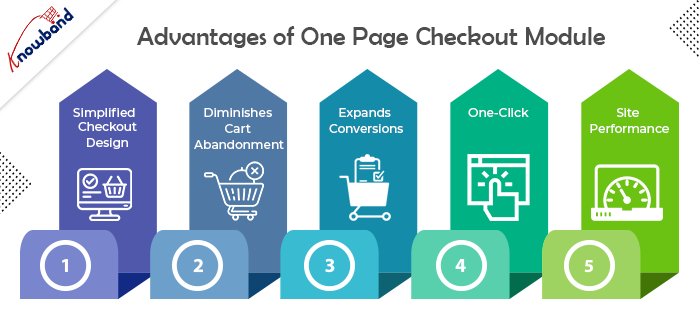
Advantages of One Page Checkout Module
Simple, Simplified, and Convenient
The essential advantage of having a One Page Checkout is that it offers a simplified format. It looks advantageous and energizes a simple and quick checkout. Since it puts all the checkout components on one page, customers are very much aware, in advance, of how they need to finish checkout. It transforms a drawn-out checkout into a lovely and bother-free checkout.
Diminishes Cart Abandonment
Adding to the advantages of One Page Checkout is that it assists with diminishing cart abandonment. According to Baymard Institute, 23% of cart abandonments happen because of a long and confounded checkout. One-step checkout has ended up being exceptionally helpful for this situation. It brings down your cart abandonment by a good edge and assists you with recuperating lost sales.
Expands Conversions
This point intently connects with the subsequent point. Cart abandonment is contrarily corresponding to conversions. So when you face low abandoned carts, conversions consequently increment. Online customers show a higher goal to buy when given a single-page checkout which at last prompts higher conversions. However cart abandonments can never be killed, even a little improvement in conversions can bring you immense income.
All it requires is One-Click
One of the significant advantages of a One Page Checkout is that it dodges various snaps. Not at all like a multi-step checkout where a client needs to go through a few steps or pages before they could affirm their request, a single page checkout makes it a one-tick process. It offers a straightforward route and allows customers to submit their requests inside a single tick.
Further develops Site Performance
An extensive checkout urges customers to leave the checkout page. Trusting that the following page will stack over and again can in some cases be enraging for the customers and they might skip off from your site, destroying your site’s presentation.
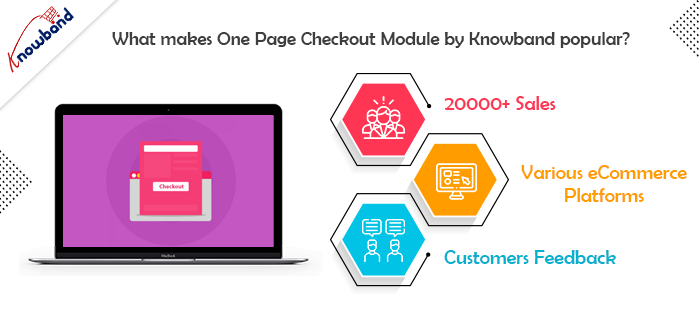
What makes One Page Checkout Module by Knowband popular?
There are several reasons why Knowband makes a popular company for eCommerce plugins. However, when it comes to the Simplified Checkout addon, Knowband has its expertise. Let us understand the reasons why Knowband is the best place to buy the module.
20000+ Sales
Knowband proudly announced earlier last year that the One Page Checkout Module has been sold more than 12000 times in 2021 only on the Knowband store. Moreover, by April 2022, the company celebrates 20000+ sales. In fact, the sales are a combination of both the Knowband store and the Addon store. Therefore, you know that there are 20K+ merchants out there who are satisfied with their purchases from the company.
One for every CMS system
The company offers a One Page Supercheckout extension for various eCommerce platforms. Further, you have the plugin for Prestashop, OpenCart, Magento, and Magento 2. Thus, no matter which platform you have, you can easily shop the module and install it in your store.
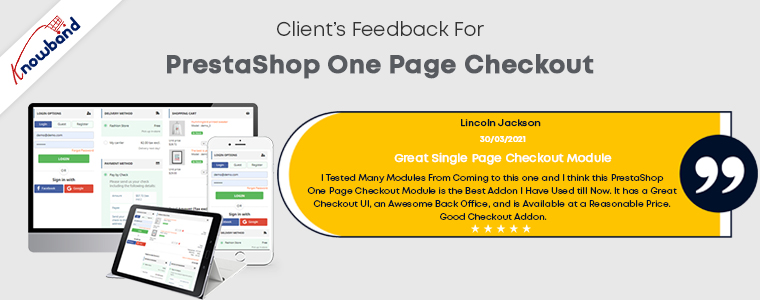
Stunning feedback from the customers
Knowband boasts about the eCommerce plugins it offers. However, it is of no use if the customer feedback states otherwise. Further, you can go on and read the reviews and ratings offered by happy customers of the One Step Checkout Addon.
In the End
So, if you are looking for an option that can optimize your checkout page, there’s no better option than one page checkout module. Knowband is definitely the best place for you to browse your option. I have tried to elaborate on all the details of the plugin to the best of my ability. In case you still have any doubts, let us know at support@knowband.com.
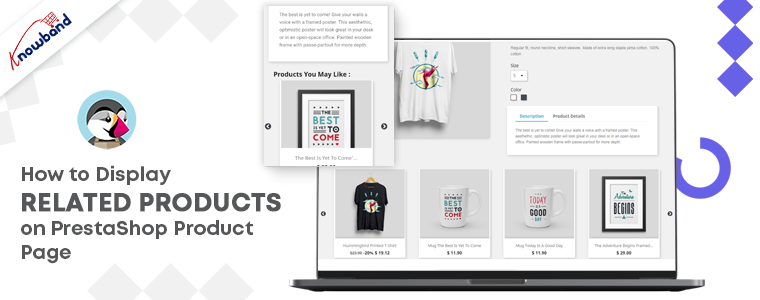
Looking for the finest ways to upsell or cross-sell to customers? Add related products on your PrestaShop website pages. It’s not simply a nice-to-have feature for your e-commerce site; it’s an essential aspect of the sales process. To make your business marketing strategy work well, you can give a shot to upsell and cross-sell. This technique works for every business, be it a small company or an eCommerce like Amazon. If you are not sure, how to display related products on the product page, shopping cart, or various website pages, I will recommend you to add the PrestaShop Automatic Related Product Module to your PrestaShop storefront.
Discover about PrestaShop Automatic related product module
There are several methods for displaying related products on multiple pages. The PrestaShop-related products module can be configured by the store administrator to meet the needs.
Features of PrestaShop Automatic Related Product addon:
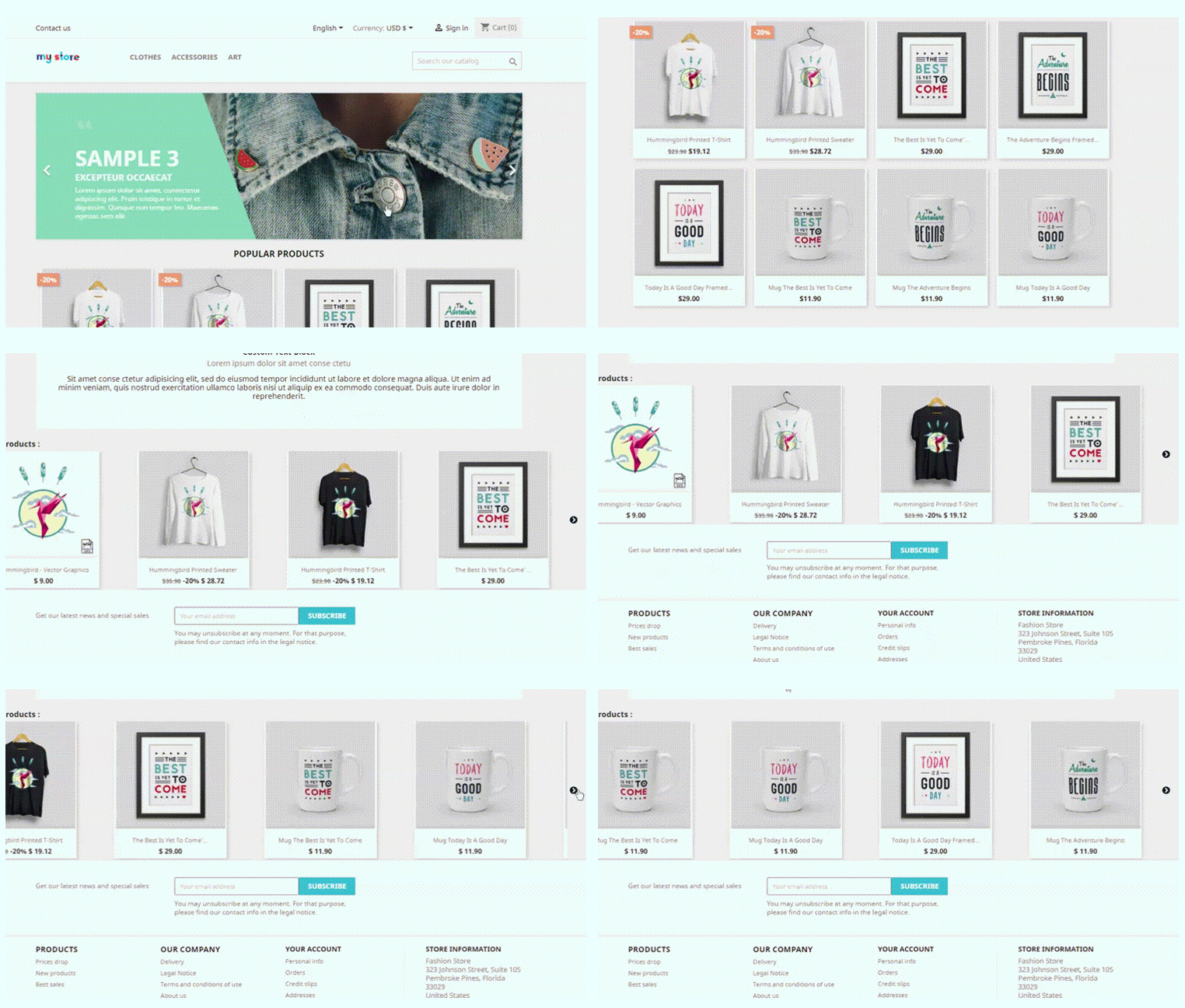
With the aid of PrestaShop Automatic Related Products module, display related products automatically on:
Homepage
Product pages
Category pages
Cart pages
Manufacturer page
Purchase confirmation pages
Store owners can display the most relevant products and can only include available products.
The PrestaShop-related products module allows customizing the title of the related product block in a variety of languages.
Easy positioning of the related products. Show related products in the left column, right column, or at the bottom of the page.
The store manager can choose how to display the related products. Showcase the most popular products, best sellers, new items, or by using user history.
The PrestaShop automatic related product addon allows the manager to show a list of specific products on the related product list.
There is an attribute, keyword filter, that can be specified for particular pages.
Set the maximum number of linked products that can be displayed on various pages.
The PrestaShop-related products module allows specifying the priority mechanism to display related products.
If no related products exist for the first priority requirement, the module will go on to the next level of priority.
How store owners get benefited by showing Recommended Products?
PrestaShop Automatic related product addon has several advantages.
Cross-sell by displaying related products
On the homepage, product pages, category pages, cart pages, manufacturer sites, and purchase confirmation pages; this related product extension displays the related items. Showing a mobile cover when a customer is buying a new mobile phone increases the chances of purchase. This is how cross-selling works.
Several filters to achieve the relevancy
Display only available and in-stock products as related items. Select the method for displaying related products, such as
Top-visited products
Bestsellers
New items
Displaying relevant goods based on user history
Hide out-of-stock from recommended products
Showing a product that is ‘out of stock’ will create a negative impact on your prospect. To save yourself from this situation, you can now hide out-of-stock items from the related product list. After all, customer experience is your priority.
PrestaShop related product module reduce bounce rate
This may happen that a customer does not find the right product while exploring your website. They even get confused about what is best to have. Show related products on the product page to help them find what they were looking for.
Increase average cart value on your PrestaShop store
Customers can buy more things if they look at the products that are similar to the ones they have picked. To improve sales, the administrator can show excellent identical products.
Mobile responsive and compatibility check
The module is responsive to all the devices like mobile phones, tablets, and desktops. Every user can see related products in every browser automatically. The PrestaShoprelated product module is highly compatible with all other Prestashop themes. Multistore compatibility, multi-lingual compatibility, and SSL compatibility are some of the plus points.
Conclusion: It is easy to install and can be a major game-changer if used as a cross-selling tool. It emphasizes the look of the product page and other website pages. Display related products anywhere on the website. To the left, right, or on the bottom of the website page. The PrestaShop Related Product addon maximizes the engagement rate on your store and reduces bounce rate.
So, how long are you going to wait? Now is the time to get this cross-selling solution and take your earnings to the next level.
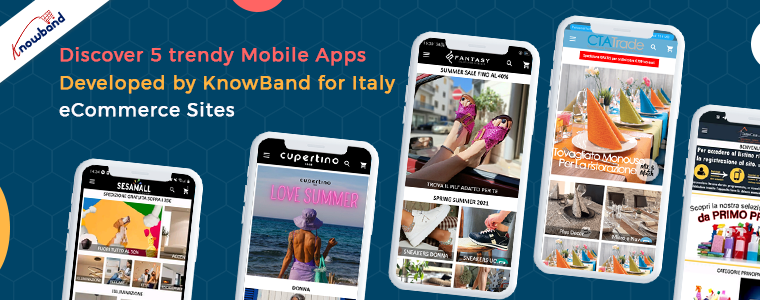
Italy is known for being one of the best mobile app markets in Europe. With that comes the competition and to make a Mobile App, eCommerce merchants look for robust options available. From finding a developer to the launching of the app, the journey takes months and a lot of brainstorming.
An organized and feature-rich mobile app is a collection of best practices, exclusive UI/UX, and components that give a perfect shopping experience to your customers. Achieving these goals can be difficult when you are not tech-savvy.
We are bringing you the solution to all your eCommerce mobile app miseries. You can now create a mobile app without coding using Mobile App Builder Plugin for PrestaShop digital commerce websites. In this blog, we have covered some amazing examples of PrestaShop Mobile Apps that are created for Italy-based stores.
5 trendy Android Mobile Apps created using Prestashop Mobile App Builder Plugin for Italian Stores
The mobile App market of Italy is flourishing!
When comparing the data for Italy, on Google Play Store, Mobile App publishers are way more than Game publishers. A Mobile App will become successful and a major source of revenue if it is dynamic and delivers an exclusive shopping experience.
Let’s check out some grossing mobile apps published on Google Play Store by Italian eCommerce merchants:
Lifestyle Mobile apps
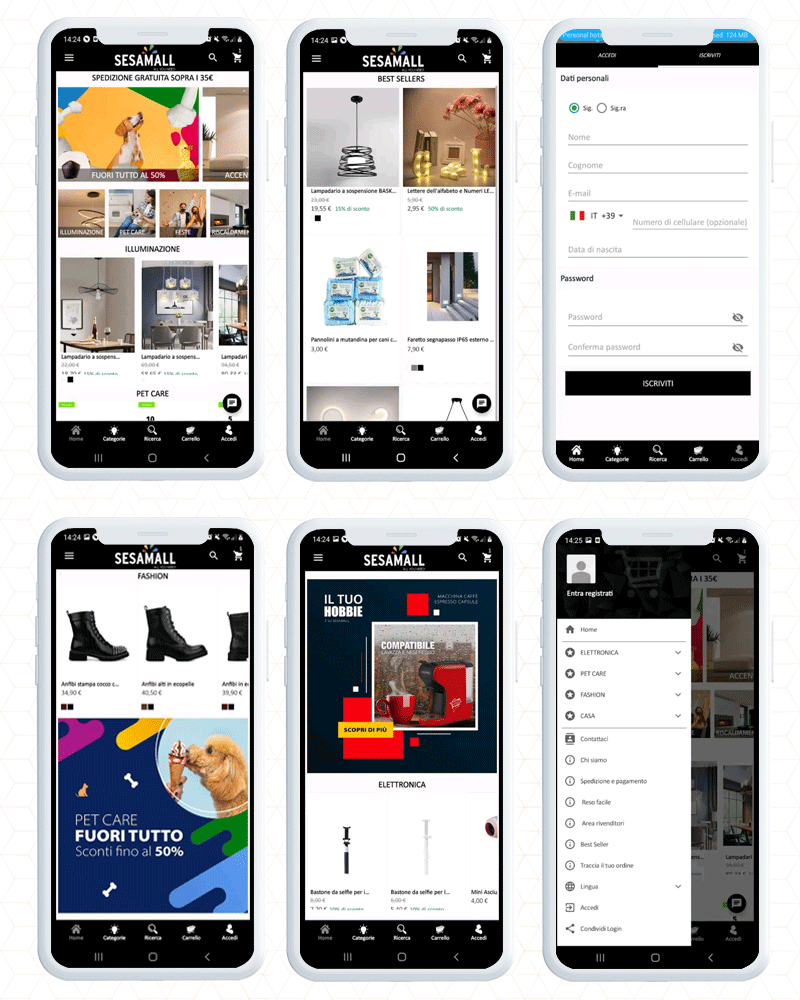
1. Sesamall
Carry the Sesamall PrestaShop mobile app in your pocket at all times and fill your cart wherever you wish. Seasmall is a lifestyle app. Italian app publishers are responsible for 7% of the top lifestyle applications in Italy.
The home page design of this PrestaShop app is appealing and eye-catching. To change the banners and appearance, store merchants can use the drag and drop feature.
Customers can find desired products and the latest arrivals on the app’s home page. With voice search on a mobile app, discovering lights for indoor and outdoor use, as well as bathroom sets and party decorations has become easy.
List of Payment Methods for Italy store:
Complete payment with PayPal, Card Payments, Giropay, American express, Scalapay assuring 100% security.
Android App that sales disposable products in Italy
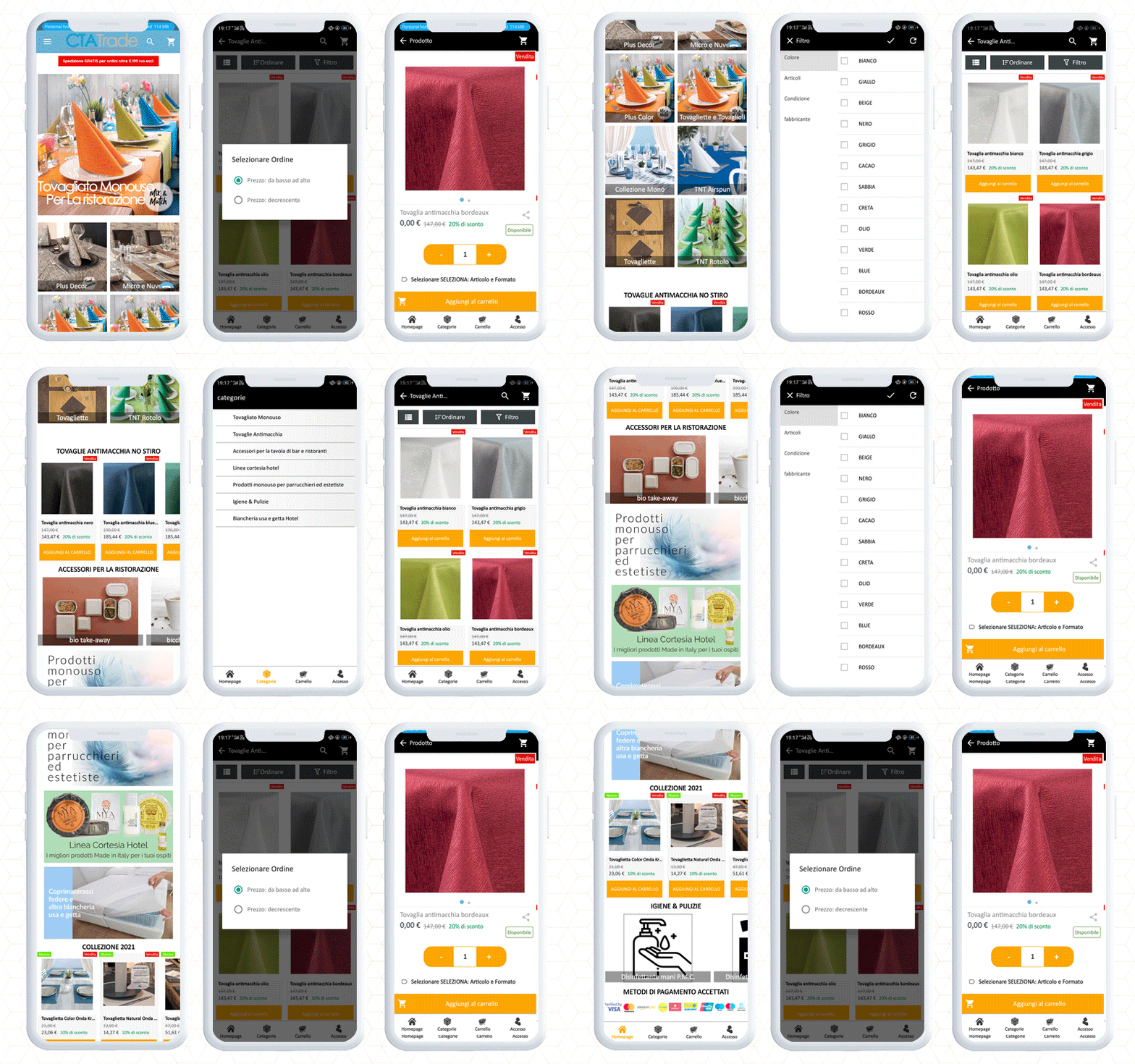
2. CTATRADE
The Ctatrade PrestaShop Mobile App is packed up with enriching features that make shopping fun for customers. It is meant to sell disposable products in Italy for dining and household purposes.
The home page navigation helps the customers to locate the products along with sort and filter options.
Customers feel connected with live chat support. Its social login checkout feature provides a smooth shopping experience to customers who are interested in buying disposable products.
One eCommerce mobile app builder has it all!
Online Shopping App
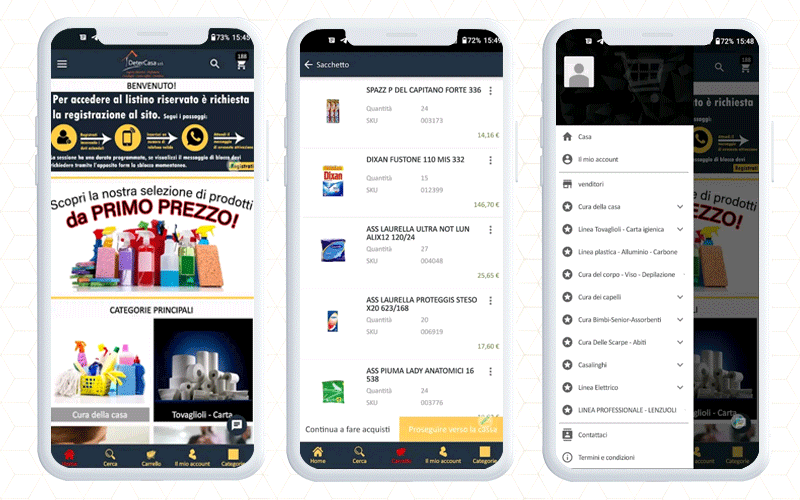
3. Detercasa srl
Detercasa srl is a PrestaShop eCommerce store for professional products, household items, gift items, trinkets, hairdressing items, toys, detergents, perfumery, paper, and similar products.
With its Android app, customers can explore the products with direct navigation options. In addition to this, the left menu bar and category buttons are available for finding the desired products.
Customers can add products to the wishlist or cart and proceed to check out.
Its attractive product display and clear product descriptions influence the purchase decision of the customers when shopping through the mobile app.
To deliver a satisfactory checkout experience, you can add PrestaShop One Page checkout to your website. We have posted a blog covering 10 Italian stores with One Page Checkout live for your inspiration.
Fashion eCommerce App
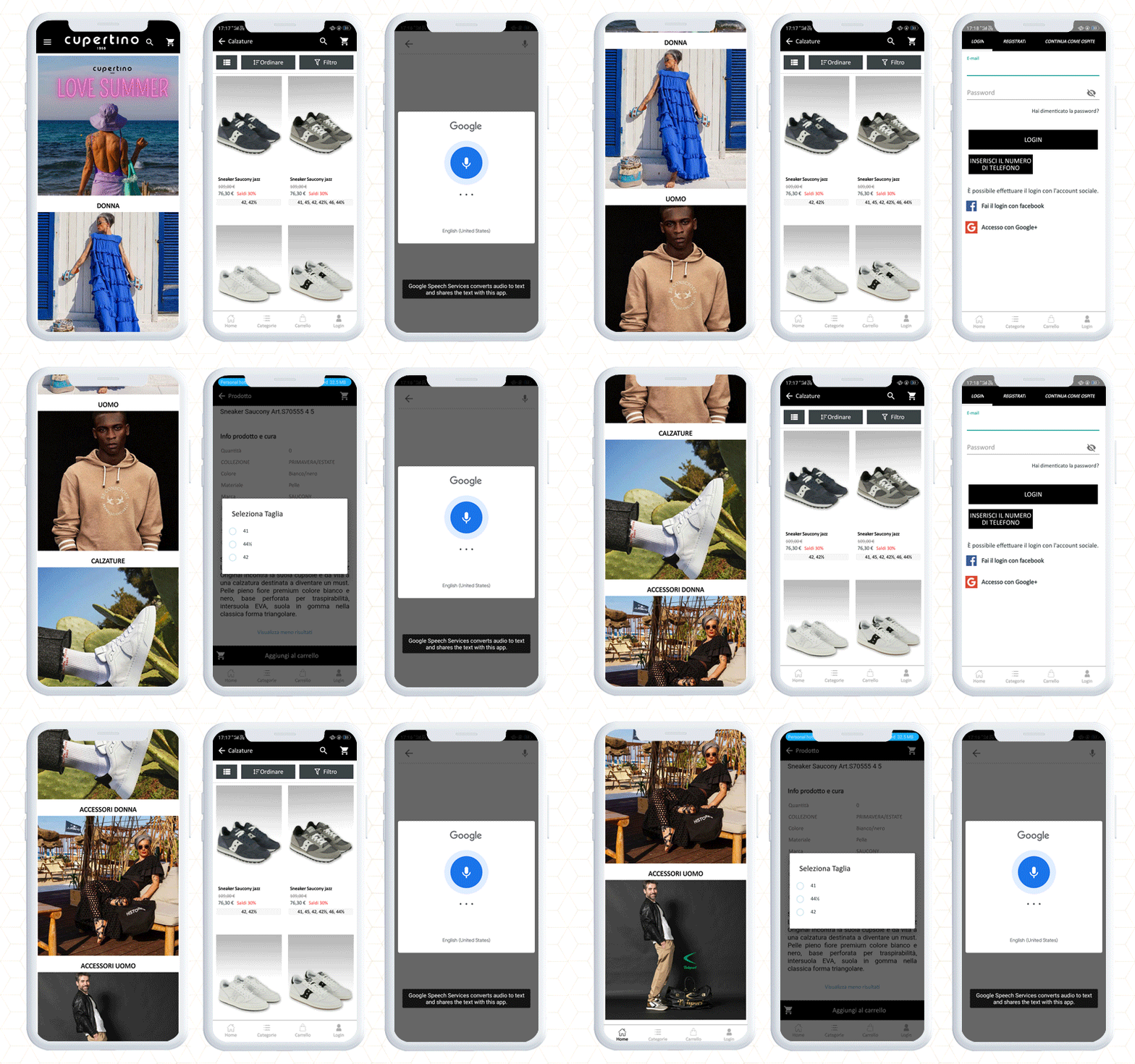
4. Cupertino Shop
Cupertino Shop is an Italian store that has to build up its Android app using the KnowBand’s PrestaShop Mobile App builder module.
The application has a clear navigation to search the products on the basis of categories. Moreover, customers can filter and sort the products to find the desired one.
Add the product to the cart and proceed to checkout. It has an easy signup and various payment and shipping methods.
The major monetization source of mobile apps is in-app payment, hence Knowband helps businesses create eCommerce android and mobile apps that support in-app payments. It works with all the shipping methods and payment gateways.
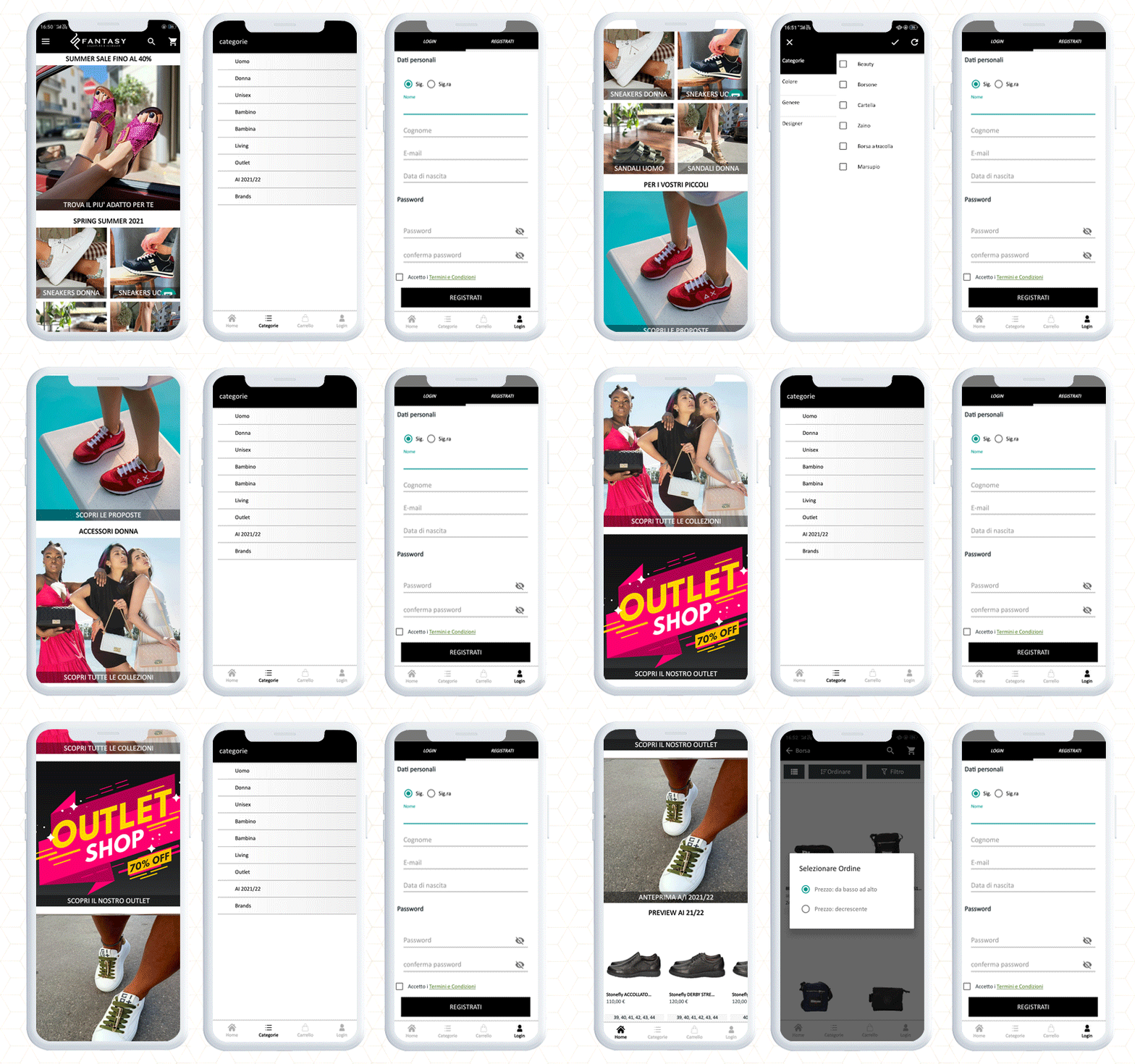
5. Fantasy Calzature
Fantasy Calzature is an eCommerce fashion-focused Prestashop mobile app where you will discover premium quality shoes, bags, and accessories like belts, wallets, and scarves for men, women, and kids.
With mobile-optimized navigation, customers can find products easily. It supports voice search for those who are not proficient in using mobile apps. It also enhances the user experience.
They used PrestaShop Mobile App Builder to make the android app and published it on Google Play Store. After creating an app with Knowband mobile app builder, you can publish your app on your own to Google Play Store and Apple store without hiring any third-party publishers.
Mobile App supports Popular Payment Methods in Italy
Paypal, card (Visa, MasterCard, Diners club international, American express), Satispay, COD, Bank transfer, Credit Card, Bank transfer, Satispay, Scalapay (installments), Multisalepay (Credit and Prepaid card), COD, etc.
Create and Launch a Travel App for Android and iOS
You can now create a travel app like the Green Pass Wallet and Booking.com. To make a travel booking app, you only need to add a booking and rental system plugin to your website and configure it with KnowBand’s mobile app.
With these two apps, you can start your travel business effortlessly that too without taking any developer’s help.
Custom eCommerce Development Solution by KnowBand
To add any custom feature in a mobile app, you can inquire with our expert team and discuss your requirements here.
With Mobile App Builder Purchase you get:
Free 3 months post-purchase support
1-time payment
Android & iOS app
Customizable home screen with drag and drop feature, live chat support, custom button color settings, voice search, social login, fingerprint checkout, push notifications and with some additional cost, any additional features can be added to your personalized app.
We also provide website development services and have more than ten years of expertise in developing eCommerce plugins.