Advantages of Knowband Opencart Product Sticker And Label Extension for the Websites

We know that it is very important to capture the attention of potential customers and stand out from the competition. Additionally, one effective way to do this is by using eye-catching product stickers and labels on your online store. Knowband Opencart Product Sticker and Label extension have a wide range of benefits. Moreover, this extension can help enhance your store’s visibility, boost sales, and improve the overall shopping experience for your customers. In this blog, we will explore the key advantages of using Knowband Product Sticker OpenCart Extensions.


7 Benefits of Opencart Product Sticker and Label Extension:
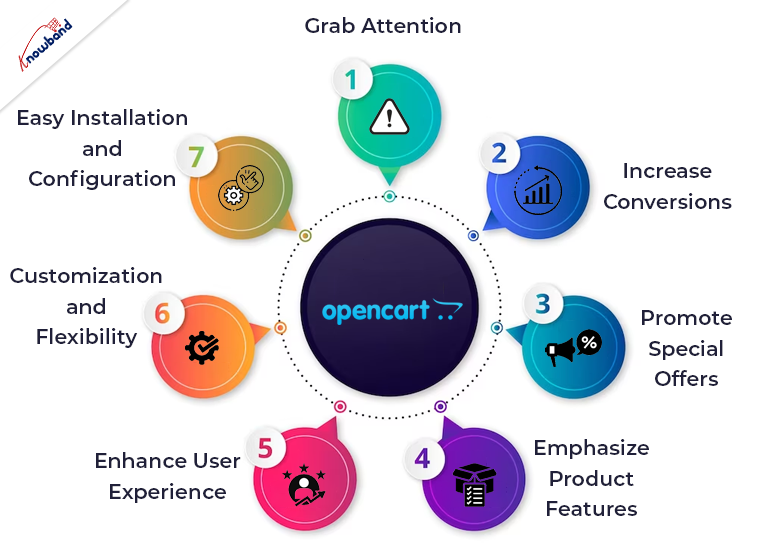


Grab Attention:

One of the primary benefits of using product stickers and labels is that they instantly grab the attention of online shoppers. Further, with Knowband Product Badge, you can add attractive and visually appealing stickers to your product images, making them more noticeable. Also, these stickers can highlight various aspects such as discounts and can be shown on different products as per the requirement. Also, by drawing attention to these key elements, you can effectively communicate important information. Additionally, this encourages customers to explore your products further.


Increase Conversions:

When customers are browsing through a large number of products, it can be challenging to make a decision. Furthermore, product stickers and labels act as powerful persuasive tools that can influence purchasing decisions. By using Knowband Product Sticker & Label, you can add labels such as “Bestseller” or “Customer Favorite” to your high-performing products. Moreover, it creates a sense of trust and credibility in the customers. This can help to instill confidence in customers and motivate them to make a purchase, thereby increasing your conversion rates.


Promote Special Offers:

Running promotional campaigns and offering special discounts is a common strategy in e-commerce. Additionally, using the Knowband Opencart product sticker module, you can easily highlight these offers using attractive stickers and labels. Whether it’s a percentage discount, buy-one-get-one-free, or limited-time offers, these stickers make it easier for customers to identify and take advantage of the deals. Further, this not only encourages immediate purchases but also creates a sense of urgency, driving customers to complete their orders quickly.


Emphasize Product Features:

Every product has unique features that set it apart from others. Additionally, Knowband Product Sticker & Label allows you to emphasize these features by adding descriptive labels to your product images. Moreover, if you sell electronics, you can use stickers like “Wireless,” “Bluetooth Enabled,” or “Waterproof” to highlight the key functionalities. Further, by providing this information upfront, you make it easier for customers to understand the value of the product. This leads to informed purchasing decisions.


Enhance User Experience:

A seamless and enjoyable shopping experience is essential for customer satisfaction and retention. Therefore, Knowband Product Badge enhances the user experience by making product browsing more engaging and informative. Further, with clear and visually appealing stickers, customers can quickly identify important information such as product ratings, customer reviews, or product variants. Also, this saves their time and effort, ensuring a smooth shopping journey and increasing the chances of making a purchase.


Customization and Flexibility:

Knowband Product Stickers and Labels for the OpenCart provide extensive customization options. Further, it allows you to save the stickers and labels to match your brand’s aesthetics and requirements. Also, you can choose from a variety of pre-designed stickers or upload your own using this extension. Additionally, this flexibility ensures that the stickers align with your overall brand image and messaging. Moreover, you can also easily manage the placement and visibility of stickers on your product images, ensuring they enhance the visual appeal.


Easy Installation and Configuration:


Implementing Knowband Product Label on your OpenCart store is a hassle-free process. Additionally, this extension is easy to install and configure and requires no technical expertise. Also, once installed, you can start adding stickers and labels to your products immediately. Further, the user-friendly interface of the extension makes it simple to manage and modify stickers according to your changing needs. 


In The End

Knowband Opencart product sticker and label extension offers numerous benefits that can greatly enhance your online store’s visibility and sales. Additionally, it captures attention and increases conversions to promote special offers and emphasize product features. Moreover, these stickers and labels play a vital role in improving the overall shopping experience for your customers. Also, with customization options, easy installation, and ongoing support, Knowband Product Badge proves to be a valuable tool to boost your e-commerce business.

In case you are interested in our plugin then kindly let us know of the same and you can reach out to us at support@knowband.com. Also, if you have an interest in our other plugins then we will be happy to assist you so kindly let us know of the same. 


OpenCart Migration: Upgrading and Transferring Your Store to OpenCart

OpenCart is an open-source e-commerce platform that allows businesses to create an online store and sell products or services. Not only Opencart is one of the most popular eCommerce platforms but also it provides a quite simple interface to eCommerce merchants. Furthermore, the sellers can add as many features as they want to the Opencart online shop by using OpenCart Extensions. Moreover, it is possible without having literally zero coding knowledge.

Not only the Opencart plugins are easily available but they also save a lot of money to the sellers. For the same reason, more and more eCommerce sellers are migrating their online shops to the OpenCart platform.

Thus, if you’re currently using a different e-commerce platform and want to switch to OpenCart, or if you want to upgrade your current version of OpenCart. Then, you need to perform a migration. It can be a challenging process, but with careful planning and execution, you can migrate your store successfully. Or, you can also feel free to reach out to us for OpenCart migration.

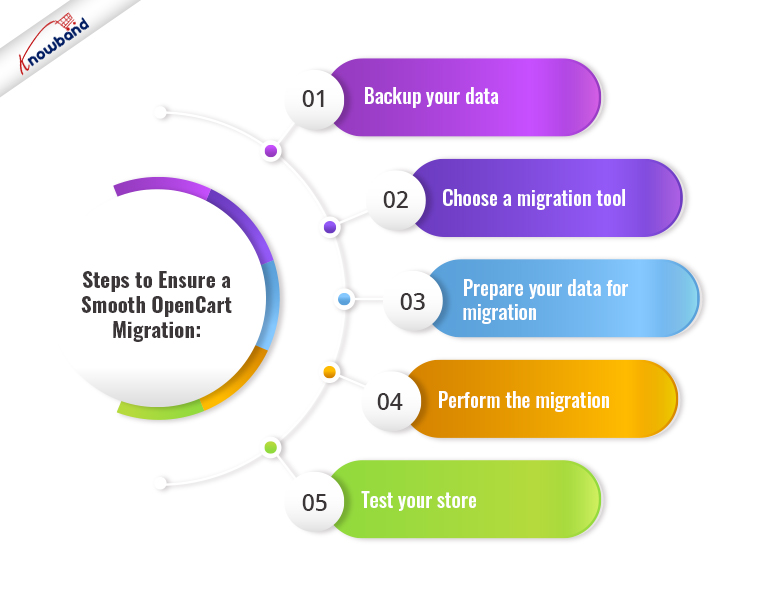
Steps to Ensure a Smooth OpenCart Migration:

Backup your Data

Before you begin the migration process, make sure you back up all your store data, including products, orders, customers, and configurations. This is essential because if anything goes wrong during the migration, you’ll have a backup of your data to restore from. There are several backup plugins available in OpenCart that can help you automate the backup process.

Choose a Migration Tool

To perform a migration, you’ll need to use a migration tool. There are several migration tools available, both free and paid, that can help you migrate your data from your current e-commerce platform to OpenCart. Make sure you choose a tool that supports your current platform and has a good track record of successful migrations.

Prepare your Data for Migration

Before you begin the migration process, you’ll need to prepare your data for migration. This includes cleaning up your data, removing any unnecessary data, and ensuring that your data is compatible with OpenCart. For example, you can remove spam customers from your customer list.
This step is crucial because if your data isn’t properly prepared, it could cause errors during the migration process.

Perform the Migration

Once you’ve backed up your data, chosen a migration tool, and prepared your data for migration, you’re ready to perform the migration. The migration process will vary depending on the tool you’re using. In general, you’ll need to follow the instructions provided by the tool to transfer your data from your current platform to OpenCart.

Test your Store

After the migration is complete, you need to test your store thoroughly to ensure everything is working correctly. This includes testing your store’s functionality, design, and performance. You may also need to make some tweaks to your store to ensure it’s optimized for OpenCart.

Upgrading OpenCart: For the Existing Users!

Opencart has recently launched the latest version 4.0.0. According to the platform, the new version comes with a lot of performance enhancements along with new features.
Thus, if you’re already using OpenCart and want to upgrade to a newer version, the process is relatively straightforward.

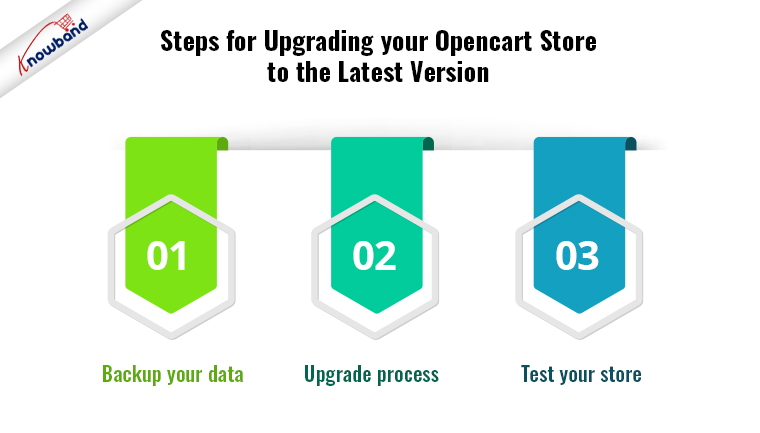
Steps for Upgrading your Opencart Store to the Latest Version

Backup your Data

Backing up the old data is the most important part of doing any changes on your website. The same applies to the OpenCart upgrade. It ensures that you have a backup of your data in case anything goes wrong during the upgrade process.

After having the back-up ready the next step is checking the compatibility. Before you upgrade, you need to check that your current store is compatible with the new version of OpenCart. Check the system requirements and ensure that any third-party extensions or plugins you’re using are compatible with the new version.
However, you can also check out Knowband’s Opencart Extensions which are perfectly tailored for the latest OpenCart versions and are compatible with all the Opencart themes.

Upgrade Process

Once you’ve backed up your data and ensured compatibility, you’re ready to upgrade. The upgrade process will vary depending on the version you’re upgrading from and to, but in general, you’ll need to follow the instructions provided by OpenCart to upgrade your store.

Test your Store

For the final touch, after the upgrade is complete, you need to test your store thoroughly to ensure everything is working correctly. This includes testing your store’s functionality, design, and performance. You may also need to make some tweaks to your store to ensure it’s optimized for the new version of OpenCart. 

Conclusion!!

Migrating or upgrading your store to OpenCart can be a challenging process, but it’s essential to ensure that your store remains up-to-date and optimized for your customers. However, it is required to have a good knowledge of PHP coding concepts before proceeding to upgrade or migrate to OpenCart. Whether you’re migrating from a different e-commerce platform or upgrading your current version, you can feel free to find us at our email address support@knowband.com for any sort of assistance.

Best Guide for the Tips of Opencart SEO to Rank Your Website at Rank #1

Search engine optimization or SEO is simply the process of making changes to your website to make it more visible. When users search for goods or services associated with your company on search engines then SEO decides the visibility of your brand. Your chances of gaining attention and luring both current and potential customers to your business increase with the visibility your pages have in search results.

Opencart SEO

It is imperative to understand the fundamentals of OpenCart before getting started with SEO for it. Opencart is a PHP-based software system designed for e-commerce websites. It has a comparatively easy method for creating and setting up an online store. Moreover, it is especially helpful for those who are not familiar with coding.

But for purposes of optimization, Opencart SEO functionalizes the site’s Opencart system. As a result, it is possible to improve an e-commerce site’s SEO ranking and position it at the top of search results. This all is possible while enhancing site efficiency. Additionally, the control panel management is possible using Opencart SEO which many modern eCommerce websites use.

There are many uses for SEO, making it crucial for any company with an online store. In particular, creating an OpenCart SEO plan and optimizing your pages for the search can support growing organic traffic to your website. Products, categories, manufacturers, and information pages can all have SEO-friendly URLs with OpenCart. You can utilize specific SEO keywords for specific items, categories, and more with OpenCart, and it’s simple to install SEO for this platform. 

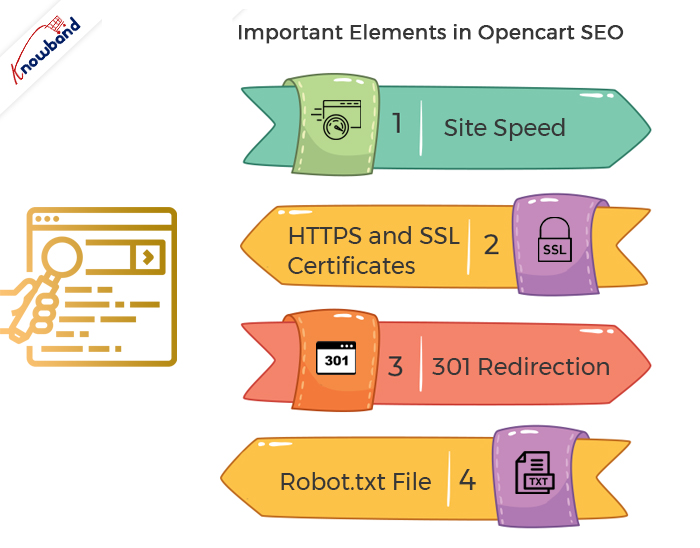
Important Elements in Opencart SEO

Site Speed

Site speed is an additional crucial aspect taken into account when working with Opencart for SEO. Slow-loading websites are generally avoided by most internet users. Your e-commerce store’s reputation score will have a negative impact due to slow speed.

Site speed is one of the most critical SEO components. Websites that take a long time to load are less satisfying for users. A further factor that lowers conversions is the pages’ slow loading times.

HTTPS and SSL Certificates

Look at the URL box in any browser to see the simplest way to illustrate what SSL is. A small lock will be visible next to the site link if the website you are visiting has SSL certificates installed. This demonstrates that it is safe to use the website you are visiting. Different hosts provide different methods of installation. Moreover, Opencart allows its users to use HTTPS for an extra layer of security. Furthermore, to do so it’s important to have SSL certificates installed.

301 Redirection

There is an extension of our SEO Optimizer which helps with the 301 redirections of websites. The extension’s primary function is to intercept and reroute requests for pages that don’t exist on your store. Old and new URL registration takes place whenever any product, category, or other page goes through the process of change. This system lets the customers navigate to the new URLs where the update of the respective pages is present.

OpenCart SEO Redirect Extensions

Our company provides an extension using which various aspects of SEO optimization are possible. The SEO redirect plugin is useful for the redirection of 301/302/303 redirections which is useful to maintain a structured website. The non-HTTPS link redirection is possible to the HTTPS link for better security aspects. With the help of this SEO Optimization extension of Opencart, the non-SEO URL redirection to the SEO URL is possible. Using the features of our SEO redirect module the writing of duplicate URLs again is possible. Our Opencart URL cleaner module has multistore compatibility. The 301/302 redirection of the 404 links is possible with the help of our plugin. Our Opencart SEO redirect module is useful for the 404 redirects from the store backend. It is evident that with the use of our modules many businesses were able to improve their ranking.

Robot.txt File

Search engines like Google use text files called robots.txt to assist them to understand the indexing of various contents on websites. A store’s ability to succeed depends on a file called Robots.txt.

To instruct search engines which pages to index and which to skip, a robots.txt file should be present in the root directory of your website. To aid search engines in indexing their website content, webmasters utilize robots.txt files. With this file, webmasters can instruct search engines to skip over pages that are not important when indexing websites. By doing this, they have a better chance of having significant pages highlighted on search engine result pages. Additionally, using a robots.txt file is a quick and straightforward way to deliver more relevant search results.

Conclusion

In this article, we have been discussing the SEO of Opencart and what are the elements of SEO. OUR Opencart URL cleaner extension is very helpful as it helps in the management of multiple aspects of SEO. In case you need any assistance with this module then kindly connect with us at support@knowband.com. We also assist with custom developments depending on the business needs of our customers. Moreover, we can add or remove any functionality in the module as per the demand. Kindly let us know if you need assistance with the issues or concerns of our module.

What You Can Do to Customize Your OpenCart Store Securely Without Breaking It?

Opencart is among the most straightforward and useful platforms for creating an eCommerce website. Opencart is a good option if you’re searching for a platform that doesn’t demand much technical knowledge or coding. You can choose from a variety of shop themes with OpenCart. The platform is also open to custom developments, which is helpful for online merchants. The vendors can benefit from a huge selection of Opencart Extensions in addition to unique developments. The Opencart Extensions provide the simplest and most convenient approach for customization. Sometimes store owners need to customize their stores according to their business. This post will inform online merchants about how to customize their OpenCart Store without making it unstable.

Reasons for Instability in the Opencart Store

The factors that affect the stability of the Opencart Store are generally either third-party OpenCart extensions or the changes that the developers complete. Once these customizations and changes are complete, it is not always possible to revert them. We contact OpenCart support in such cases, but they can’t help in all cases.

As per the OpenCart reviews, there is no process for restoring the overwritten files to undo the database files. There is no complete uninstall process for this.

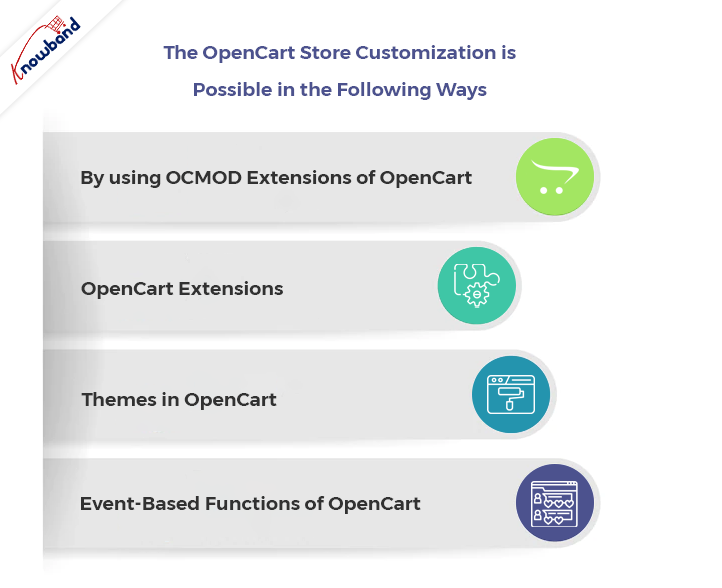
The OpenCart Store Customization is Possible in the Following Ways:

By using OCMOD Extensions of OpenCart

With the help of the OCMOD system, store owners can customize their Opencart store by uploading a compressed file containing XML, SQL, and PHP files. When we create an OCMOD properly, it can alter the user’s Opencart store functionality without affecting any core files. This implies that if we disable a change, no original Opencart files need updating or restoration.

Installing the modifications requires uploading OCMOD files through the OpenCart admin’s Extensions/Installer section. After deleting the desired customization from the list, the modifications list will refresh.

A file must end in in.ocmod.zip for an OCMOD file for uploading. This is to prevent users from uploading files that are not OCMOD to a store’s admin.

OpenCart Extensions

With the help of Opencart extensions, we can add certain required features to the Opencart store. The Opencart pricing for the module is sometimes lower than the customization. Whenever there are issues related to the customizations, we need to contact Opencart support. The issues due to the customizations have a high frequency compared to the issues occurring due to the Opencart extensions.

The approach of extending the functionality of the main application using the available APIs is usually regarded as the best practice. For content management systems in general, this is the best method, and OpenCart is no exception. The core application’s functionality adding, removing, or modifying is possible using modules in a fashion that is well-organized and easy to maintain.

If there are issues due to the extensions, then we can disable the Opencart extension, and also, we can remove it from the Backoffice.

OpenCart Themes

To change the visuals of the OpenCart store, simply create a new theme. The default theme modification is also an option.  Opencart supports third-party themes. We can add new themes by uploading the theme files to a specific address and by following the theme structure. After adding the files, the added theme becomes customizable from the admin panel. A theme is not necessary for all OpenCart business owners to improve the appearance of their shops. A much simpler method is now available for users who are familiar with coding and want to personalize their appearance.
For all of your template files in OpenCart 3.0, you have direct access to the source through the new Theme Editor. The Design area of your admin panel now directly allows you to modify your default theme.

The admin can enable or disable the themes in case any issues occur on the Opencart store. This is a good way to customize the website without using an OpenCart extension.

Event-Based Functions of OpenCart

For customizing the OpenCart Store, there is a new system that is gaining lots of customers with event-based functions. According to Opencart reviews, the codes written using this feature are cleaner. There is no need to reload adjustments while making modest changes throughout the debugging process; you can disable events and determine which of them causes a problem. Without it, any change you make when debugging OCMOD requires you to refresh modifications.

Having interoperability across OpenCart extensions is simple with the use of events. We can design both activities to complement one another.

To Wrap Up

By using the above methods to customize your OpenCart Store, you can save your website from breaking. In the event of an error, we can disable Opencart extensions, events, themes, and OCMOD. We can stop the instability of our Opencart store by using the abovementioned methods. The Opencart review section is also helpful as sometimes the tips for the solution are present there also.

If you have any issues related to your OpenCart Store, then kindly let us know at support@knowband.com. We also assist in providing custom changes for your business needs related to your Opencart extension or website. Please kindly contact us if you have any concerns regarding our extensions or any other services.

Must-Have OpenCart Extensions You Need in 2023

OpenCart is one of the easiest and most relevant platforms for building an eCommerce website. If you are looking for a platform with fewer coding and technical skills requirements, you will find OpenCart useful. Not only does OpenCart allow you to choose shop themes, but online sellers can also find the platform open for custom developments. Along with custom developments, the sellers can also take advantage of a vast variety of Extensions. Furthermore, the OpenCart Extensions offer the easiest and most ready-to-use solution for customizations.

A Quick Overview of Some of the Must-Have OpenCart Extensions

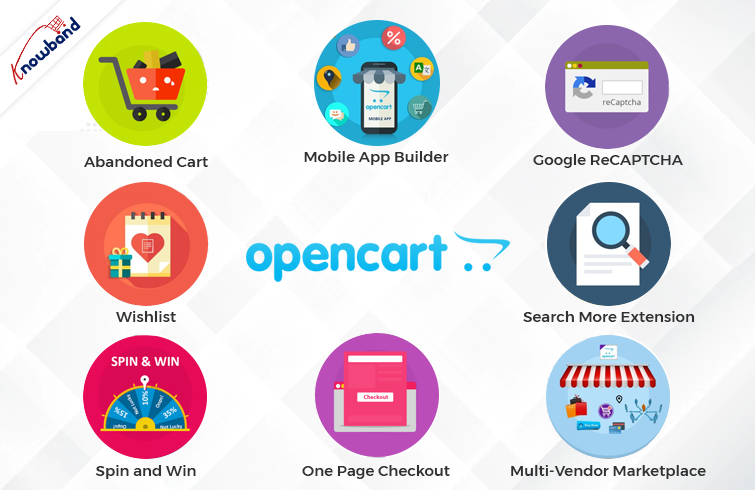
OpenCart Spin and Win

As a well-said quote indicates, the first impression that matters. The same thing applies to online shops. As soon as the customer visits the shop, he starts evaluating various aspects.

Thus, it becomes most important to offer a warm welcome to the visitors. To make things simple, Knowband provides Spin and Win OpenCart plugins for the seller. What the OpenCart Spin and Win Extension do, is show a gamified pop-up on the first screen of your store. Moreover, by entering their email addresses, online visitors can also win exciting offers and discounts. Further, the admins can set the gravity for prices from the backend of their Knowband OpenCart Spin and Win Plugin.

OpenCart Wishlist

A wishlist is a basic and must-have feature of every online business. The reason is that wishlists are quite helpful for narrowing down the favorite items and the same for later orders.

Likewise, Knowband offers the Wishlist Extension for OpenCart as a single-time payment option. If you are looking for an easy-to-use and configured OpenCart Wishlist Extension is the one.

OpenCart Abandoned Cart Notification

Usually, customers add their favorite products to the cart and somehow cancel their order. The term is called “cart abandonment.” Likewise, there are always huge chances of turning abandoned carts into real orders.

With the help of the Knowband OpenCart Abandoned Cart Notification Extension, the admins can send follow-up emails to the customers. Also, the admins can remind the buyers of their abandoned carts.

Thus, you are looking for quite-sounding OpenCart plugins for your shop. You should always put the OpenCart Follow-up Email Extension on your OpenCart Plugins list.

Mobile Apps for the OpenCart Store


Selling from a single platform is not enough in the competitive online business market. What the market demands is mobile apps while going online shopping.

Not only do mobile apps attract users for purchases, but they also play a huge marketing role through Push Notifications. Likewise, Android and iOS Mobile App Maker for OpenCart is a solution for creating Android and iOS mobile apps for your online store.

Moreover, the Mobile App Maker OpenCart Extension will allow OpenCart merchants to get their apps live within 2-3 business days. Hence, if you are looking for a special next-level plugin, the Knowband OpenCart Mobile App Builder is the easiest solution.

Google ReCAPTCHA

When starting an OpenCart business, security is one of the most important factors. Spamming and abuse are quite common these days for online e-commerce businesses.

Assuring security, Knowband Google ReCAPTCHA comes with a human verification system. Moreover, you can also choose the verification system before the customer passes the verification. Knowband ReCAPTCHA is the no-code easiest way to protect your store against spammers.

OpenCart Search More Extension

There are a large number of visitors who are not aware of the actual product names. But in the end, they visit your store with the strong intention of finding what they need.

At Knowband, we have designed an OpenCart Search Auto Suggest Extension for sellers. Moreover, having the Search Auto Suggest OpenCart Plugin on board will allow the visitors to see an auto suggestion. As well as related search results in no time.

Visitors can not only find their desired items by entering a few alphabets. But the Auto Search OpenCart Plugins present related products below the search bar on your OpenCart store.

OpenCart Multi-Vendor Marketplace Extension

Have you ever wondered what the reason behind the success of major marketplaces is? It’s the wide product categories. Online OpenCart sellers can also turn their single-seller store into a multi-vendor marketplace. Moreover, the OpenCart sellers can add an extra income source to their business. How? By generating commission from the sellers.

For example, the Knowband OpenCart Multi-Vendor Marketplace Extension allows store admins to get a per-sale commission. Moreover, they can define the desired commission rate from the listed sellers.

Along with per sales commission, the Multi-Seller Marketplace OpenCart Extension offers seller admin ticket management. With the OpenCart Marketplace Module, it is easy to handle all the seller queries at ease.

OpenCart One Page Check-Out:

The Tedious checkout process is one of the major reasons that stand for cart abandonment. Usually, customers find filling details in one after the other pages.

The providing the most simplified checkout process ever, Knowband has designed OpenCart One Page Checkout Plugin. With the help of the Knowband One Page Checkout Extension, online retailers can design a page where they can receive every single detail for orders.

Likewise, customers will not have to go through a long checkout process. Rather, they can find all the details box on a single page while visiting the OpenCart shop.

In the End,

With remarkable consistency, we are offering eCommerce plugins for the last 12 years. In this incredible journey, Knowband has achieved various tags and rewards. For instance, we earned OpenCart Super Hero Level Expertise, Hero Seller, and many more. We not only offer pre-tailored OpenCart modules but also always welcome any sort of custom development on your online site.

Furthermore, we are also available at our official email address, support@knowband.com. Feel free to connect for a quick discussion in case of any queries or suggestions.

Why choose OpenCart Etsy Integration Extension for selling on Etsy?

Looking for a viable point of interaction to deal with the product listing, inventory, and orders? OpenCart Etsy Integration Extension presented by Knowband is the right tool. The OpenCart Etsy Integration deals with the exercises on the stage. For example, product listing, inventory, and orders. As a matter of fact, the administrator can do this from the administrator board of the OpenCart Etsy Marketplace Integration.

In this blog, we will investigate the justifications for why you should pick the OpenCart Etsy Integration Extension by Knowband. Will we go forward and look at them?

Why use OpenCart Etsy Integration Plugin to sell on the Etsy marketplace?

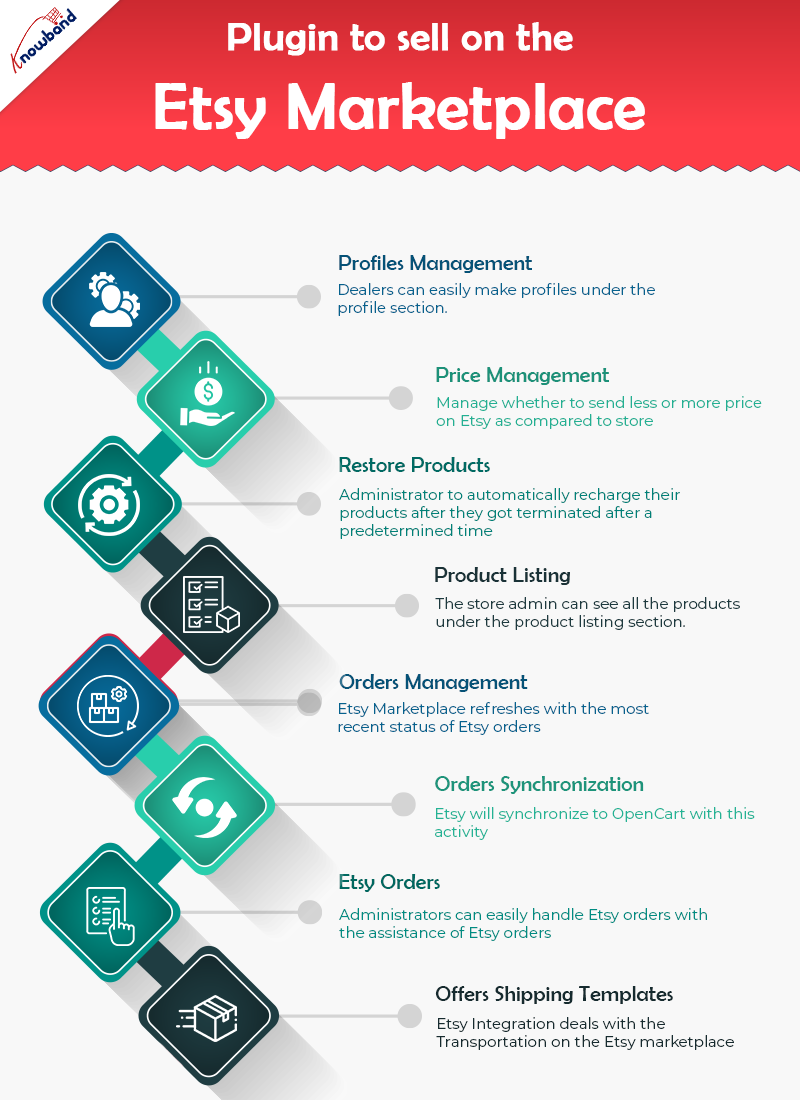
OpenCart Etsy Connector oversees profiles easily

The profile component of the module helps dealers in making profiles. In addition, select the essential settings to list the product. Moreover, the necessary strides to make a profile are – the Select Shop Section, Auto-Renew Option, and a couple of different fields. Further, to plan the OpenCart store class to the Etsy Marketplace classification.

Price Management is a highlight in the Etsy OpenCart Connector

The OpenCart Etsy Integrator permits administrators to put their products on the Etsy marketplace. Further, at an unexpected cost in comparison to the one in their OpenCart store. The Etsy OpenCart Integration incorporates the capacity to list products in light of a fixed or rate-based sequential cost.

Automatically restore products

The OpenCart Etsy API integration gives an auto-recharge highlight. Further, that allows the administrator to automatically recharge their products after they got terminated after a predetermined time. Also, you will track down this element under the Profiles tab of Etsy OpenCart API integration.

Product Listing

Administrators can see every one of the products including those which should be listed on the Etsy marketplace. Further, it is under the product listing tab of the OpenCart to Etsy Synchronization. Besides, products that are right now distributed on Etsy can likewise be seen under the product listing tab. The administrator can see the product picture and that’s just the beginning, in fact. For instance, Etsy Listing Id, Name, Profile to which the product coordinates, Listing Status, and Date Added. By tapping on the product name on the Etsy store page, administrators can see their listed product.

Orders Management

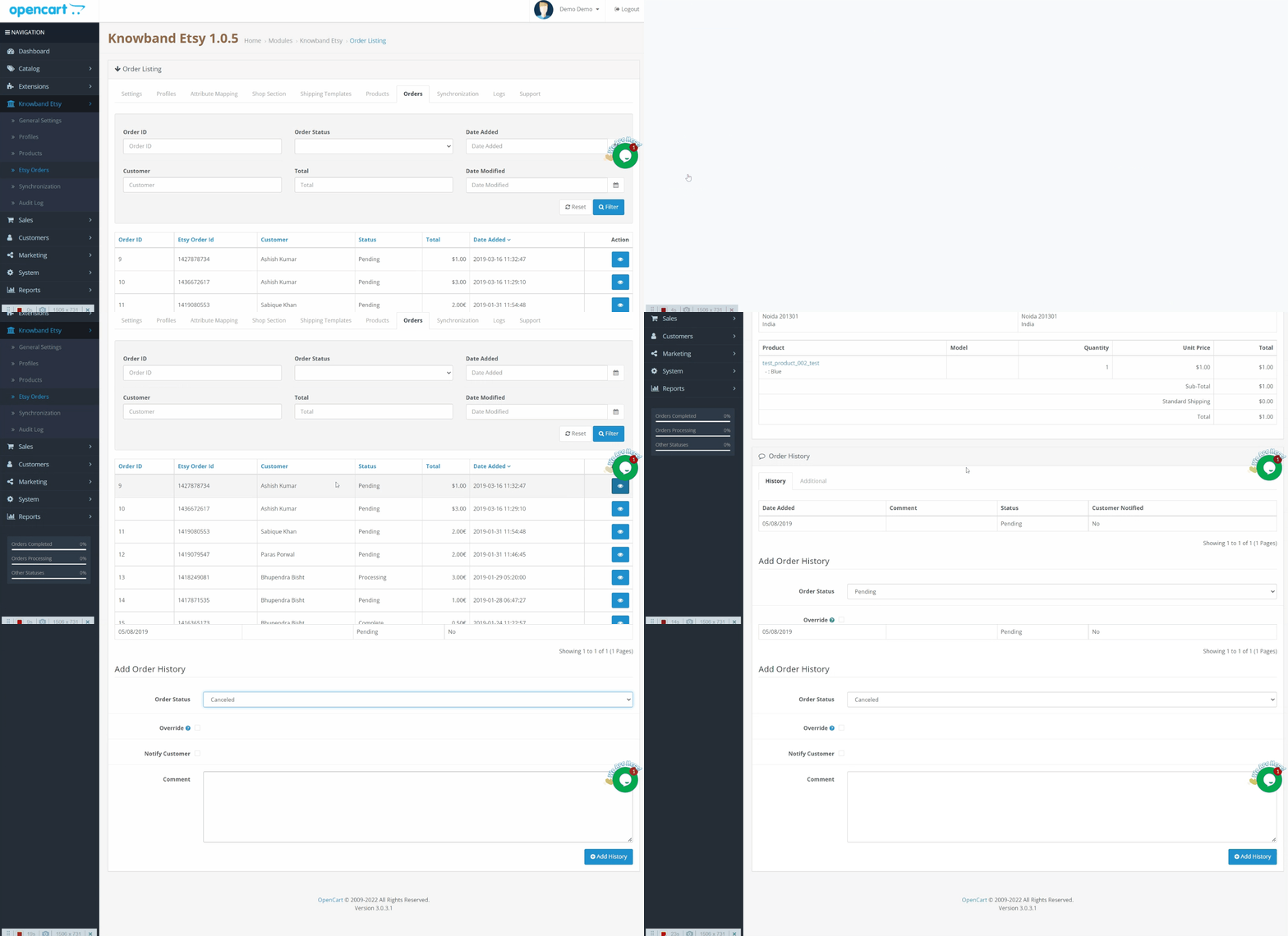
The order executives component of OpenCart Etsy Integration Extension assists vendors with synchronizing the Etsy store orders to the Opencart store. The element even cycles the orders from the Opencart store itself. Further, the Etsy Marketplace refreshes with the most recent status of Etsy orders.

OpenCart Etsy Integration gives Orders Synchronization

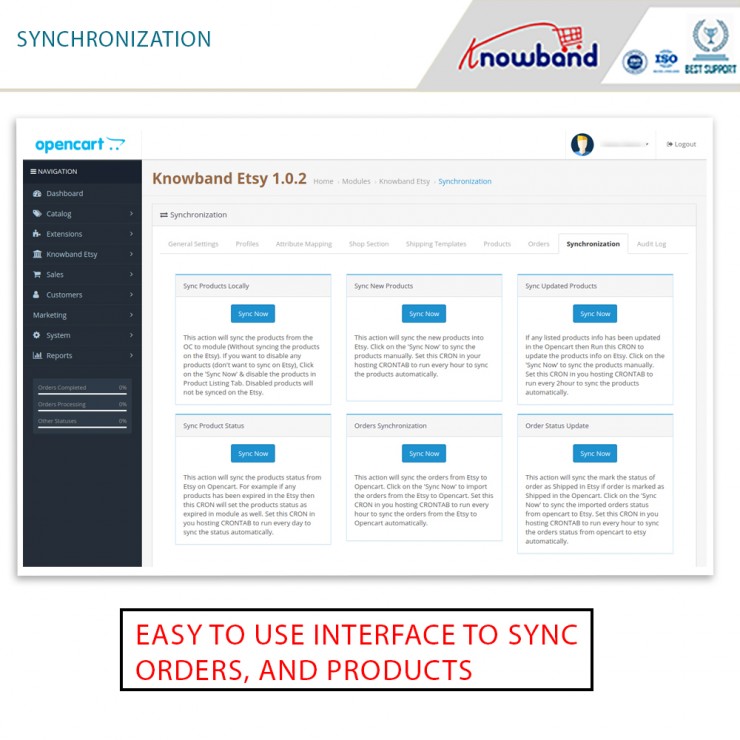
The orders from Etsy will synchronize to OpenCart with this activity. To import orders from Etsy to Opencart, click the ‘Orders Synchronization’ button. This element is available under the OpenCart Etsy Marketplace Integration’s Synchronization tab.

Etsy Orders

Etsy orders make it more straightforward for the store administrator to oversee orders from inside the OpenCart stage. This capacity is advantageous in saving time and exertion. Store administrators can easily handle Etsy orders with the assistance of Etsy orders.

OpenCart Etsy Integration Extension offers Shipping Templates

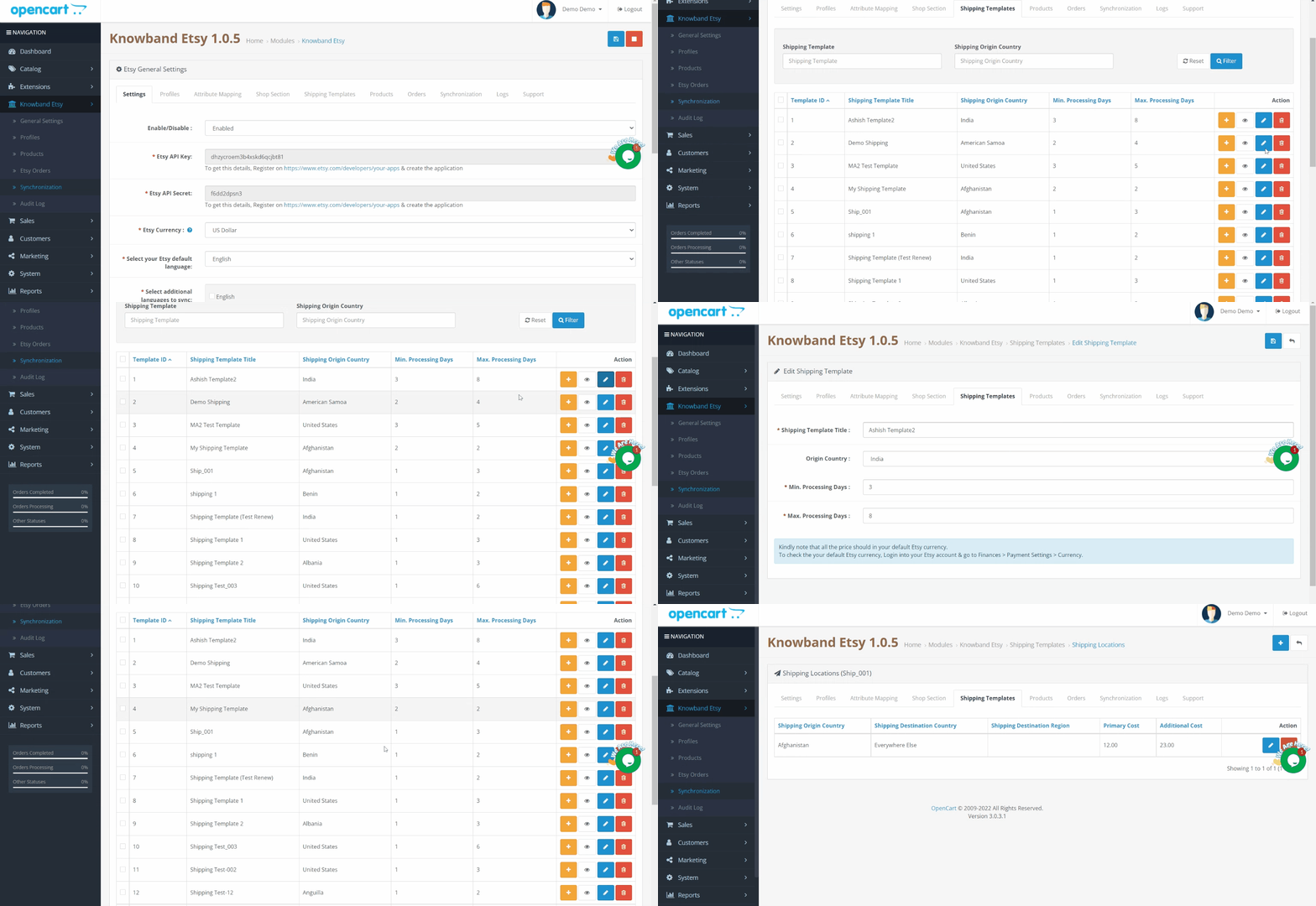
The delivery formats element of Opencart Etsy Integration deals with the transportation on the Etsy marketplace. The Etsy OpenCart Connector permits the OpenCart shop administrator to configure delivering formats. Further, that will synchronize to Etsy, very much like the Etsy Marketplace.

Finally!!

Therefore, now you know why the OpenCart Etsy Integration Extension by Knowband is a must. If you have any kind of queries related to the OpenCart extension, let us know at support@knowband.com.

Reasons to invest in the OpenCart eBay Marketplace Integration by Knowband

eBay is one of the mammoth multi-seller marketplaces available worldwide. Not only a huge number of sellers offer their products on the eBay marketplace but also millions of products are being purchased by the customers on a daily basis on eBay.

For the reason, it becomes advantageous for the Opencart sellers to expand their brand reach via multi-channel selling on eBay. However, managing stock and orders for the same products in 2 different places can be a daunting task. However, we have got your back with our exclusive eBay marketplace connection plugin for Opencart.

Leveraging the OpenCart eBay Marketplace Integration immediately expands your reach to millions of eBay users worldwide. This extension not only facilitates your entry into diverse markets but also simplifies managing global listings from a single dashboard. A unified approach minimizes the complexity often associated with international sales.

The OpenCart eBay Marketplace Integration Plugin provides an easy-to-use interface for sellers that helps them list their Opencart products on eBay within no time. Likewise, they are responsible for loading and maintaining their commodities in the marketplace.

In this article, we will look at the reasons why using eBay OpenCart Integration by Knowband is a good idea.

Selling on eBay is advantageous

  • Trading in the eBay marketplace has various advantages. Furthermore, you can effortlessly experience the benefits of utilizing the eBay OpenCart API Integration. Some of the most common advantages of selling on eBay are as follows:
  • There is already a massive population. As a result, you won’t have to put in the effort of purposefully growing your consumer base.
  • The vendor has an extra platform via which he can sell the products.
  • Managing the items and inventories is straightforward.
  • There’s no need to worry about figuring out how the platform works or maintaining anything.
  • There is no need to develop a marketplace in the first place. In fact, you will receive a customized setup that will allow you to begin selling immediately.

The OpenCart eBay Marketplace Integration Module is simple to use

Knowband’s eBay OpenCart API Integration plugin is simple. Furthermore, the installation is carried out in simple steps. The setup or configuration takes some time. It is, nevertheless, far simpler than the procedure without the plugin. You can read the User Manual if you want to comprehend the complete procedure. Furthermore, it has everything you need to better grasp the eBay OpenCart Integration. You can easily perform a variety of additional tasks using the addon.

  • Profile management is simple.
  • Product listing in mass.
  • The procedure of listing products is being automated.
  • Price control
  • Return administration
  • The products, product inventory, and product listing all sync.
  • eBay items are being revised. Furthermore, the administrator can adjust the number of goods listed on eBay from this page. In truth, the quantity on eBay and the online shop can differ.

The OpenCart eBay Marketplace Integration is Quite Useful

The OpenCart eBay Connector is extremely advantageous to retailers. Furthermore, the advantages described in the first paragraph apply here as well. There are, in fact, others. They are as follows:

  • By integrating with a well-established marketplace like eBay, OpenCart merchants can piggyback on eBay’s credibility, which helps in building trust among potential customers. Trust is a crucial factor in online transactions and having your products listed on eBay can significantly sway buyer confidence in your favor.
  • It is simple to offer items in bulk on eBay.
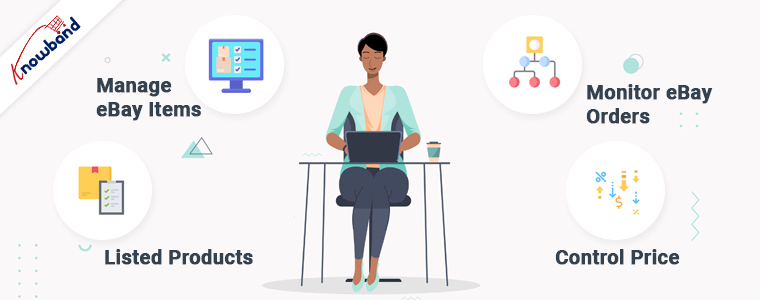
  • Manage eBay items straight from your Opencart store.
  • Directly monitor eBay orders from the Opencart store admin.
  • Control the transmission of lower or higher-priced eBay listings.
  • The method for synchronizing high-volume inventories for listed products.
  • Limit the number of goods sent to eBay.

Conclusion

Investing in the OpenCart eBay Integration not only meets the needs of today’s eCommerce demands but also prepares your business for future growth. This tool is continuously updated to ensure compatibility with evolving marketplace standards, making it a smart, long-term investment for serious eCommerce retailers.

What are your thoughts on Knowband’s OpenCart eBay Marketplace Integration? Do you want to invest in the module? If you have any questions, please contact us at support@knowband.com.

Sell Gift Vouchers Using Knowband’s OpenCart Gift Card Extension

KnowBand’s OpenCart Gift Card extension makes it easy for you to sell gift cards on your website to provide your customers with customized options like a Photo Gift Card.

For a shopper, finding a perfect gift for their friends or family for events like Christmas, New Year, Holiday season is always a difficult choice as there are thousands of options available. Thanks to Digital Gift cards that have put an end to the long hour’s gift search.

Digital Gift Cards

Digital gift cards have made it convenient for people to purchase a gift card anytime, anywhere, and send it to their special ones within no time. This is the reason why many eCommerce businesses offer gift card facilities to their customers. If you are also looking to incorporate a gift card section on your OpenCart website, OpenCart Gift Card Manager Extension by Knowband is all you need. KnowBand’s OpenCart Gift Card extension makes it easy for you to sell gift cards on your website to provide your customers with customized options like a Photo Gift Card.


Best Time to sell Gift Cards on Opencart store

The best time to sell gift cards at the Opencart store is the holiday season. The holiday season is the time when eCommerce and retailers achieve the highest sales of the year. The 4th quarter of the year brings a lot of traffic to the website and this is the best time when you can start selling Gift Cards on your online store. There is no time when you can’t sell a gift card but a few occasions must call for it. Include some most common gift cards like Birthday Gift Vouchers, Congratulation Gift Certificates, and Anniversary gift cards.

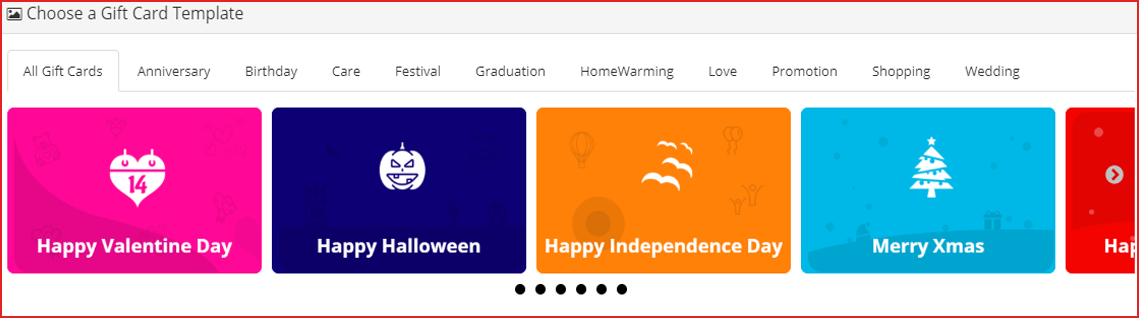
You can create custom gift cards for occasions like Christmas, New Year, Halloween, Diwali, Holi, Independence Day, Valentine’s day, and other festivals based on your target audience. For instance, have a look at the mother’s day gift voucher and how easy it is to customize its template. In the US, the Mother’s Day Gift voucher spending was around 21 billion U.S. dollars which is remarkable.


Benefits of Selling Digital Gift Cards

  1. Increase your store sales

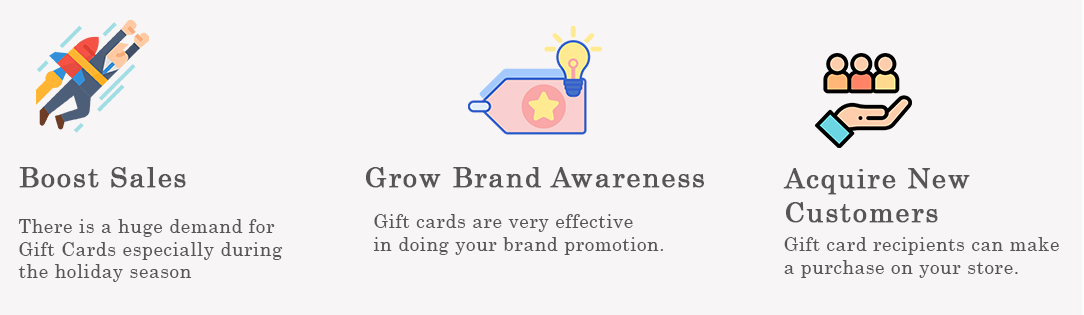
Anyone looking for a gift card will shop from your store in the future. Henceforth, Gift Cards bring more revenue to your store and increase advance sales.

  1. Boost brand awareness

Digital gift cards, along with sales, also help in increasing brand awareness. Furthermore, the Gift Card recipient will come to know about your store when they receive it from their loved ones. Moreover, you can add the logo as well as the brand name on the physical card and even in the email.

  1. Capture new customers

Every time a sender buys and sends a Gift Card will bring you a new customer. Digital gift cards are the best way to capture new customers to store during the holiday season.

Overview of OpenCart Gift Card Manager

  1. Place the gift card link in multiple places.
  2. Set up gift cards of multiple price ranges.
  3. Allow customers to create personalized Gift Card by uploading an image
  4. Set the gift card delivery gap
  5. Customizable gift card templates for multiple occasions
  6. View all ordered gift cards in one place
  7. Multi-lingual support, GDPR, and multi-store compatible
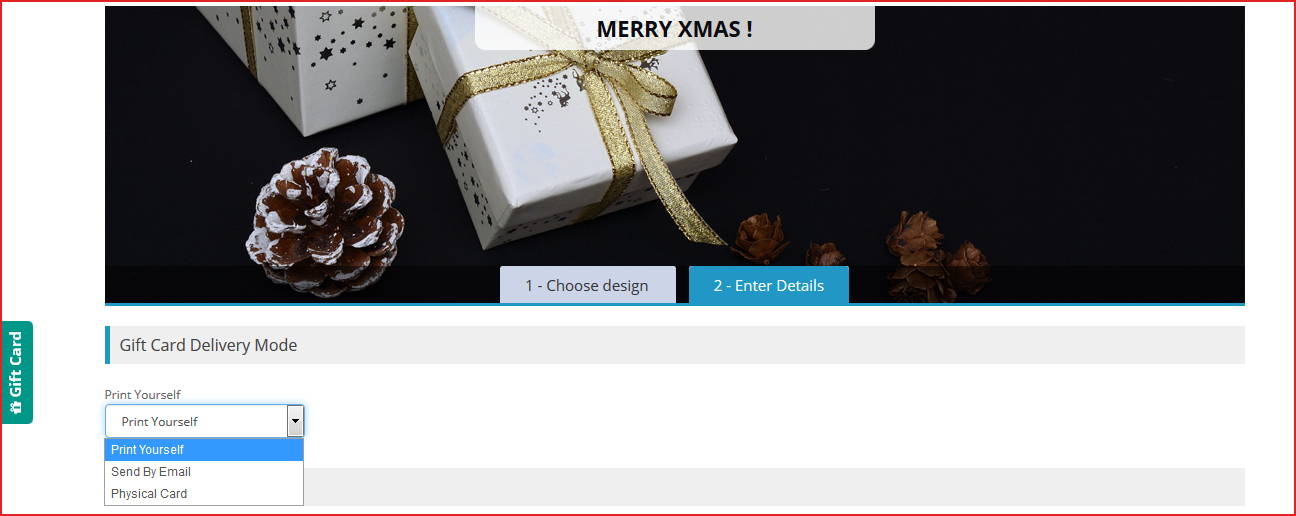
  8. 3 Gift Card Delivery options:
  • Print yourself,
  • Send by email,
  • Physical card

How to sell gift vouchers on Opencart?

Features of OpenCart Gift Card extension [Detailed]-

As the store owner, you must know the facilities a gift card plugin can offer because you have to provide the best possible options. Thus, know how you can configure it for increasing the Gift card sale. Let’s dive in.

Ways to create Gift Certificate with Opencart Gift Card Plugin

1. Customized Photo gift cards & templates

  • Customizable default templates:

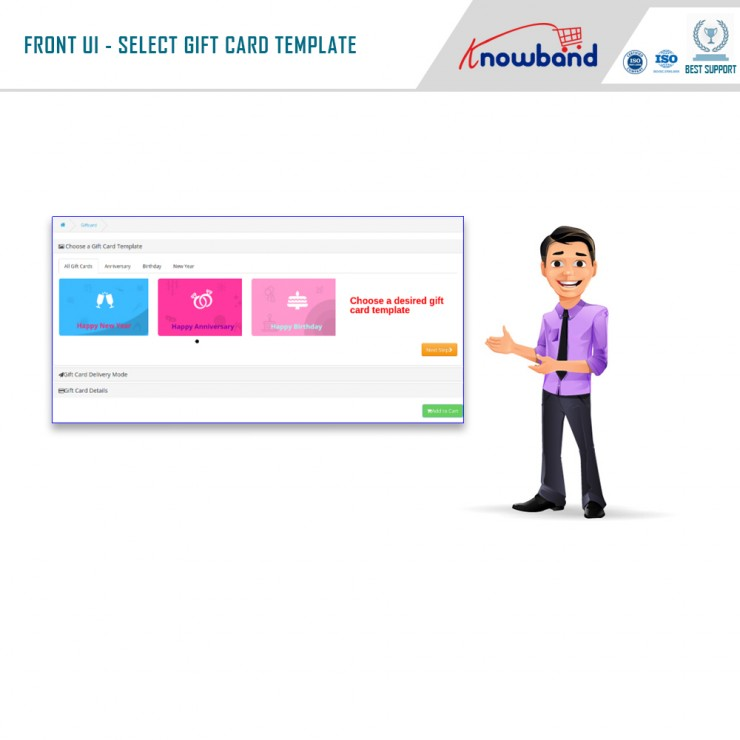
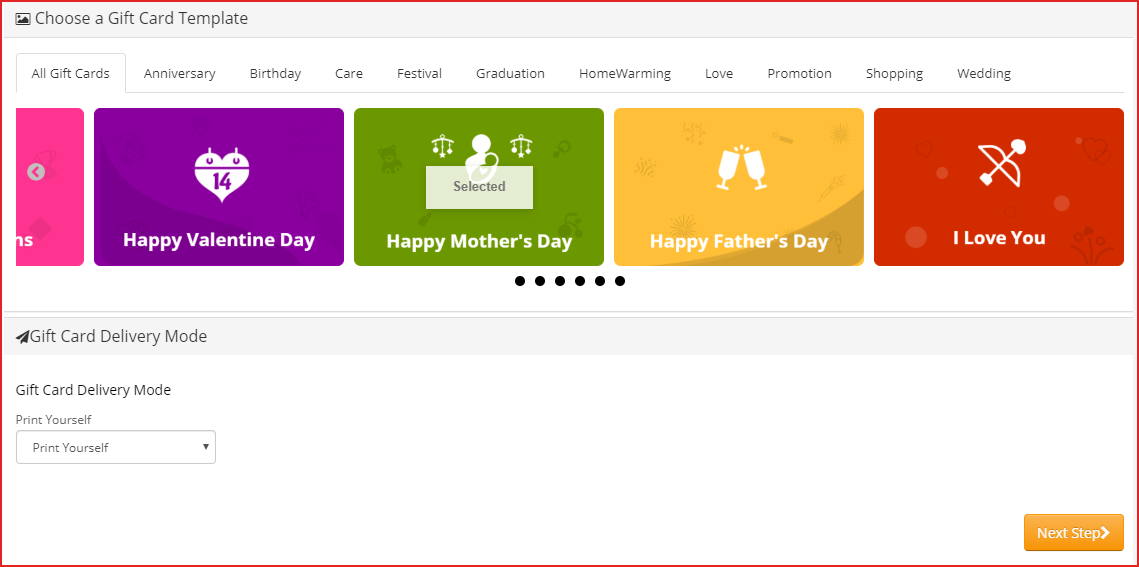
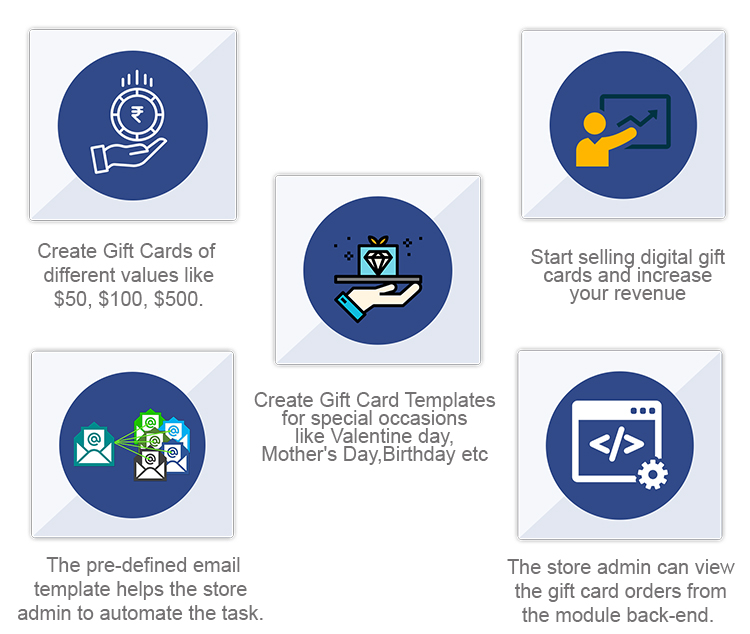
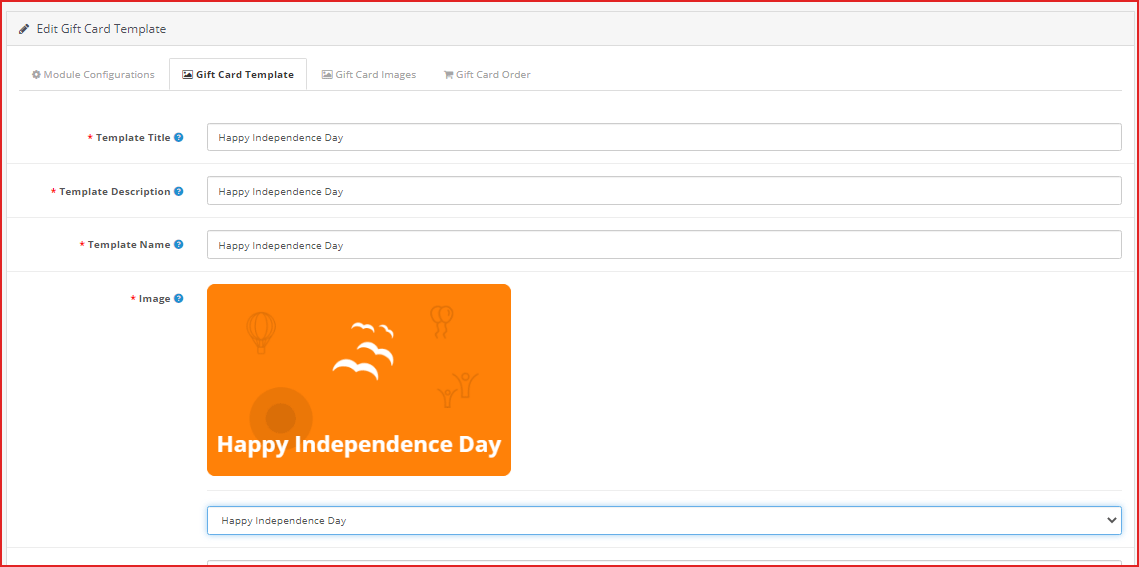
OpenCart Gift voucher extension provides you with gift card templates for multiple occasions like Valentine’s, Halloween, Christmas, Easter, Birthdays, Anniversaries, Father’s Day, Mother’s Day, etc. The templates can be customized as per your choice.

  • Personalized Photo Gift Card–

With the OpenCart Gift Certificate plugin, now you can let your shoppers create their own customized gift card by uploading an image. The sender can also add a custom message for the email and PDF.

Advanced Admin Configuration

2. Offer Gift Cards of variable Amounts:

OpenCart Gift Card Manager extension enables you to set up gift cards in different price ranges. For example, you can have gift cards of $100, $200, $500, etc. If you do not want to provide fixed-value gift cards, you can specify a range within which a customer can shop for the gift card. For example, if the specified range is between $100 and $1000, then a customer can buy the gift card for any amount in between.

3. Add gift vouchers product link to multiple places on the website

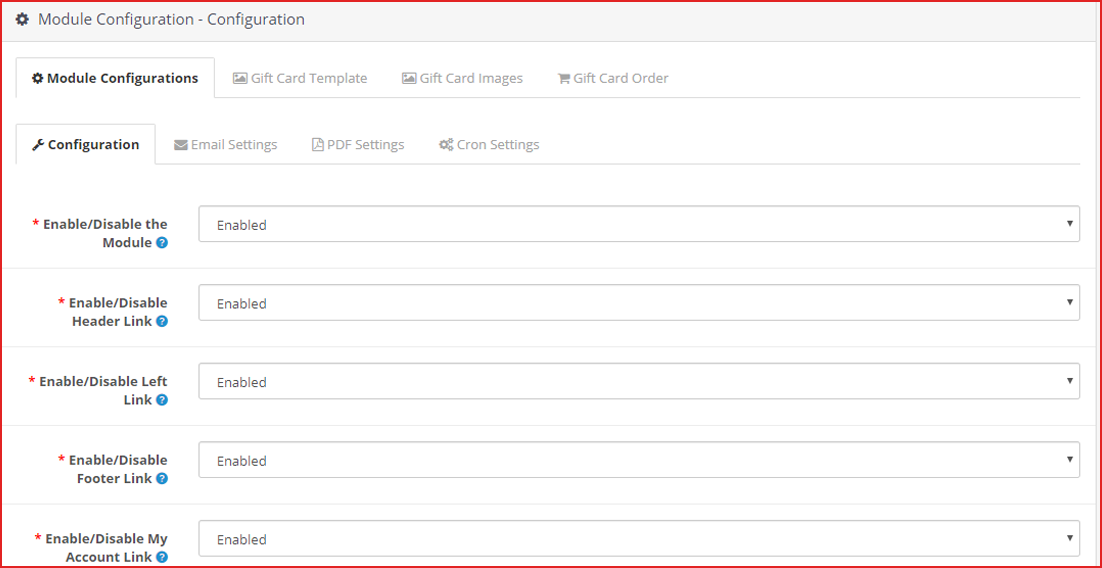
OpenCart Gift voucher extension allows you to place the gift card link on various places on your website such as the Header, Footer, My Account section, and on the center-left of the website.

The image shows the Gift card link present on the left-most of the web page.

4. Categorize the Opencart Gift certificates by Occasion

In Opencart Gift Card manager settings, you can also define a category for gift cards to make it easy for the customers to find the relevant gift card.

For example, put the gift cards for the holiday season like Christmas, Halloween, New Year under one category.

Follow the eCommerce marketing calendar to plan your gift card categories.

5. Send Custom email and PDF to sender and receiver

OpenCart Gift voucher extension also lets you customize your email templates that would be sent to the recipient and the sender when the gift card has been delivered. The email subject and the inside email content can be customized as per your choice.

Customers can also download the gift card in PDF format.

6. How to make the Gift Card Delivery?

  • Frame Delivery Rules

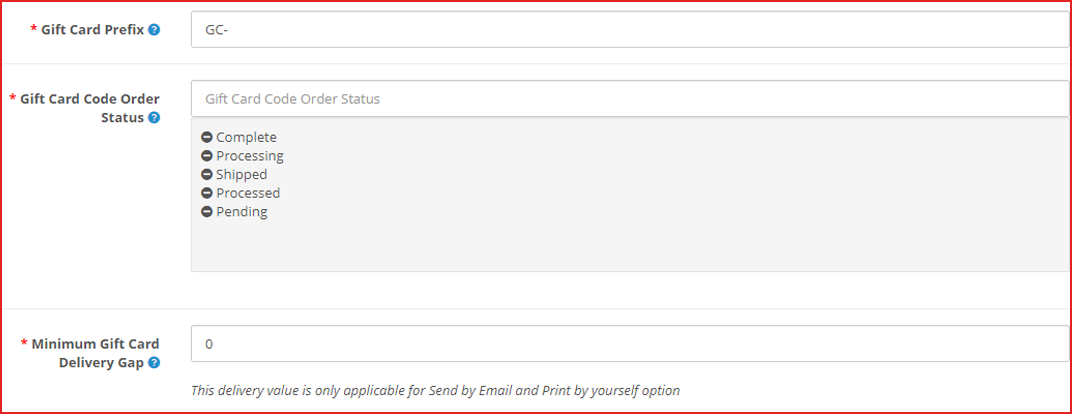
OpenCart gift certificate extension lets you specify the order status for which the gift card would be generated and would be sent to the recipient.

You can define the minimum number of days within which the customers can expect the gift card delivery.

7. Offer Multiple Gift Card Delivery Options

Sometimes customer likes to send gift card physically. There are three options available for the delivery of the Opencart Gift cards. With the help of the OpenCart Gift Card extension, you can specify whether a particular gift voucher should be allowed to send

  1. physically deliver the Gift Card
  2. Print the Gif Certificate by Yourself
  3. Send virtual gift card via email

8. OpenCart Gift Certificate builds brand identity

You can set a prefix for your gift cards to promote your brand.

For example Knowband-12XZ

9. Track redeemed Gift Card Coupons

OpenCart Gift certificate plugin lets you track your gift card orders. It contains details like the recipient’s email address, Order reference ID, sending date of the gift card, and the current status of the gift card. This helps you manage the stocks and inventory.

10. Store and theme compatibility

OpenCart Gift voucher module is GDPR compatible, multi-store compatible, and provides multi-lingual support. You can use the Gift Card module for the OpenCart Journal theme as well.

What kind of features can we expect from the updated version of the Opencart Gift Card Extension?

Opencart Gift Card Vouchers Plugin’s updated version offers some special features for a better user experience.

  1. When online users select the “Print by yourself” option, an additional email template is available for sending an email notification to them. This email will be forwarded to the person who sent the gift card.
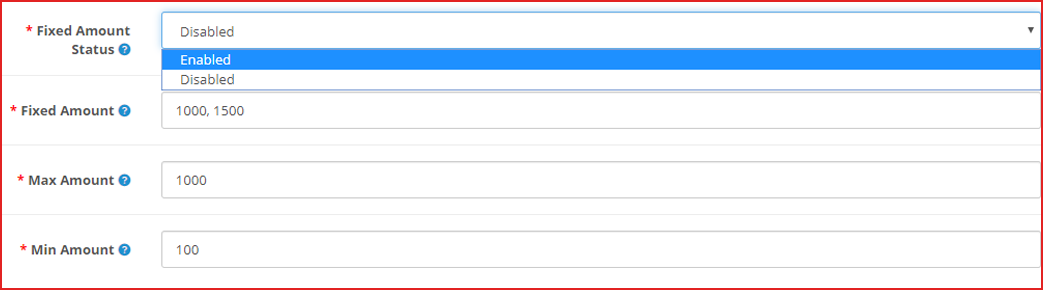
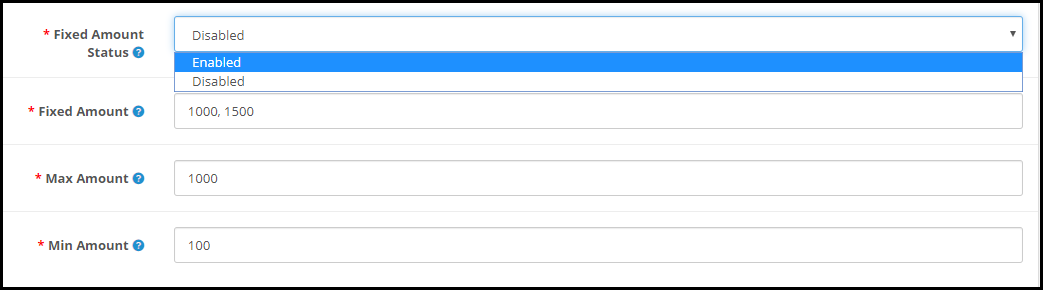
  2. On the website front end interface, the fixed amount to drop-down can be displayed. Moreover, online users can select the amount for the gift card and the amount can be separated by comma by the store admin.
  3. From the admin interface, online merchants can efficiently set the minimum and maximum gift card value. Furthermore, users must select gift card value in between max and min amount.
  4. While selecting a virtual Gift card option, there is no need for clients to pay shipping charges.

In the end

With the festive season around the corner, now is the perfect time to have a gift card section on your eCommerce store. Start selling the exclusive gift cards which are most recommended for personal and corporate giftings. Knowband is offering the module at $28.79 and Year-End Sale – Min 20% Off Sitewide + Extra 20% Off | Use Code: KBOFF20

Have any query? Feel free to ask in the comment section below. Or you can contact us at support@knowband.com for any kind of assistance regarding this module.

Live Demo:

KnowBand OpenCart Gift Card Voucher/Certificate Extension

You may also like:

Why Digital Gift Cards are Important to your eCommerce Business?

Get more Holiday sales by setting up a Gift Card section on your store

Give Some Holiday Season Flair to an Ecommerce Website Design

Explore Real-life Examples of Knowband’s OpenCart Gift Card Manager

When we were little, we all remember receiving gifts for special occasions such as birthdays or holidays such as Christmas. However, as time passes, so do people’s preferences. It’s impossible to forecast what someone will like these days, given the enormous array of options accessible both online and offline. A Gift Card from any business or brand is one of the top gift options these days.

How does Gift Card work for eCommerce?

A gift card is a type of payment that may be used to make purchases at the eCommerce store that issued it.

If you buy a gift card from Starbucks or Amazon, you or the recipient can only spend it at the store that issued the card.

Digital gift cards can be used from anywhere and if it belongs to an eCommerce store, then anyone with the card can make a purchase and use it.

Perks of selling a digital Gift Card

Customers find it a more convenient gift option. Gift cards can be physical (i.e., a plastic card) or digital (i.e., a digital file). Digital gift cards do not have a physical form; instead, you are given a unique gift code number that you may use to make purchases at online stores. The most common type of gift card is still physical cards, although this is projected to alter shortly.

Knowband’s Digital Gift cards are tailored for eCommerce and allow sellers to use them as Physical as well as the digital card.  Scroll down for real-life examples of OpenCart Digital Gift card managers and explore more.

Why do customers like giving gift cards?

Purchasing a Gift Card, whether for a wedding or a birthday, is a very straightforward process. In truth, purchasing a Gift Card on the internet requires very little work. The procedure is simple and convenient, and it saves you time when purchasing a gift.

  • People who receive gift cards have the option of purchasing whatever they choose.
  • Sending gift cards physically or digitally is far less expensive than mailing items.
  • When shopping with gift cards during peak sale times, the individual getting the gift card can get more bangs for their cash.

Unlike getting a gift and having to go to great lengths to return it, redeeming a Gift Card is a breeze. Offline cards and vouchers must be redeemed in person, but online/digital cards and vouchers can be used with a few mouse clicks. Hence, Gift Cards become even more appealing.

How OpenCart Sellers can sell Gift Cards on their website?

Step by step guide to install and customize the Opencart Gift Card Manager Extension before making it live:

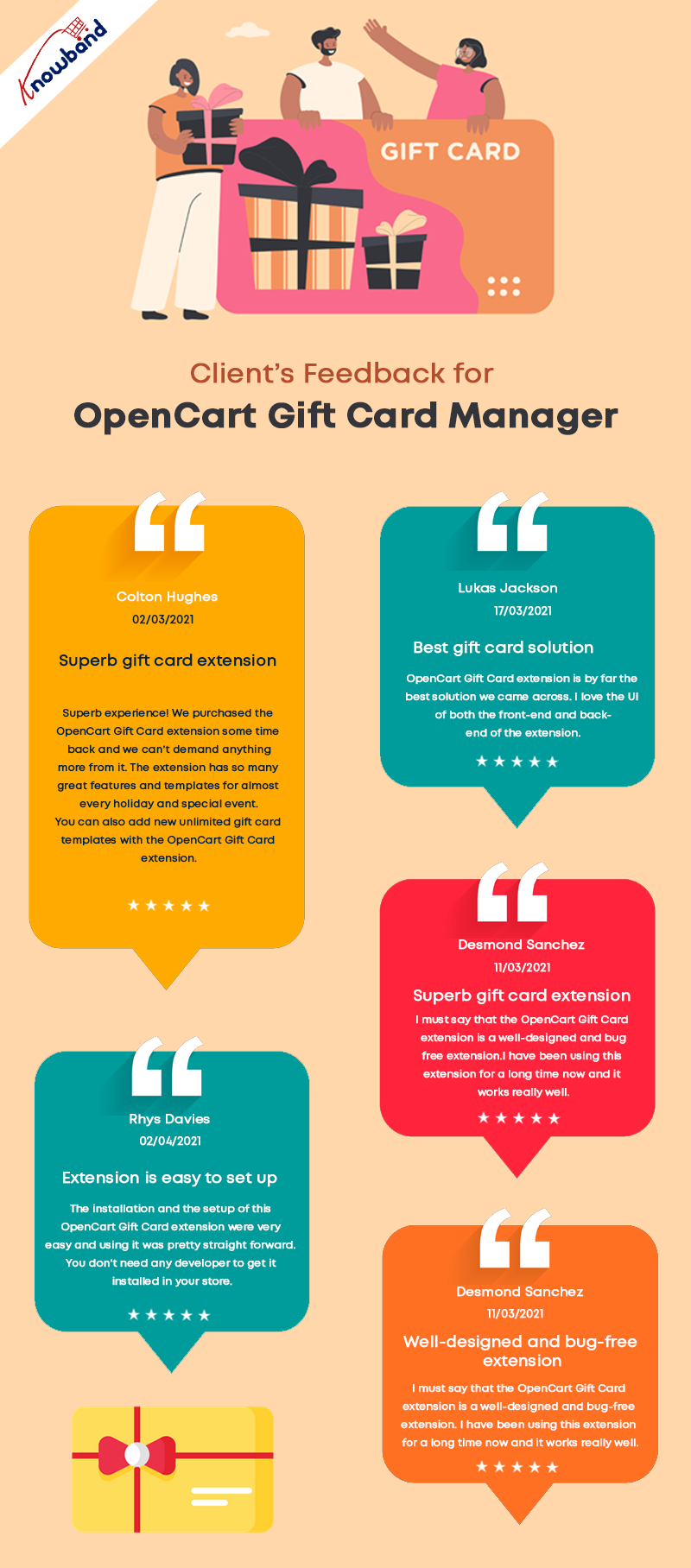
Seller’s Feedback on KnowBand’s Gift Card

The OpenCart Gift Card Manage extension allows you to display the gift card link in a variety of locations to draw attention to it. It can be placed in the website’s header, footer, or center-left. The Gift Card link can also be found in the My Account section.

What customization is possible and how you can use it in your eCommerce OpenCart store is explained in detail.

Offer Gift Cards for a Variety of Occasions

The Gift Card module has gift card templates for a variety of holidays and events, including Valentine’s Day, Halloween, Christmas, New Year’s Eve, Birthday, Anniversary, Father’s Day, Mother’s Day, and so on. You can make changes to the existing Gift Card templates as well as create new ones.

Image Printed Gift Cards are unique

With the OpenCart gift card manager, you can allow customers to create image gift cards by uploading a photo. Such gift cards will have a personal touch and will make the receiver feel more attached. Gift Card extension is also compatible with the Opencart Journal theme.

Custom Price Gift Cards for different budgets

The OpenCart Gift Voucher extension allows you to create gift cards with a fixed value or a range of values. You can set the value for which gift cards are accessible when the fixed amount status is activated, for example, 100, 200, or 500. You can select the minimum and maximum gift card amounts for which a user can shop if this option is deactivated.

Allow virtual gift cards to be sent.

Customers would be able to send the gift card to the recipient’s email address if this option was enabled. This can be done for each and every gift card.

Allow actual delivery of gift cards.

Customers would be able to mail the gift card to the recipient’s home address if this option was enabled. Each form of gift card might have its own functionality.

Use it to create your brand identity

A gift card prefix is typically made to promote a brand. You can also establish a prefix for your gift cards, which will be used in all of your gift card codes.

Custom email for virtual gift card delivery

You can create an eye-catching subject line and customize the email content to your liking. Email templates are available in the upgraded version for sending an email notification to gift card senders as well as to print the card.

Select the Date and time to send the email

Specify the gift card order status on which the gift card will be given to the recipient. You can choose from a variety of order statuses to choose which order state the gift card will be sent to the recipient. Customers would also be able to print the coupon based on the order status they chose.

Mention Eligibility Criteria and Validity date

You can select a minimum gift card delivery gap between placing a purchase and receiving it with the OpenCart Gift Card Manager plugin.

Allow for the download of a Gift Card in PDF format.

You may provide clients the opportunity to download the gift card in PDF format using OpenCart Gift Card Manager. You can customize the PDF content as well as the gift card pdf prefix.

Keep track of your gift card purchases.

The OpenCart Gift Card extension allows you to keep track of the status of your gift cards orders. You may look up client information; verify the gift card’s expiration date, and much more.

Support for Cron

Because CRON is supported on your site server, the gift card can be sent to the addressee right away without the need to run any CRON files.

Real-life examples of Gift Card Manager on OpenCart stores

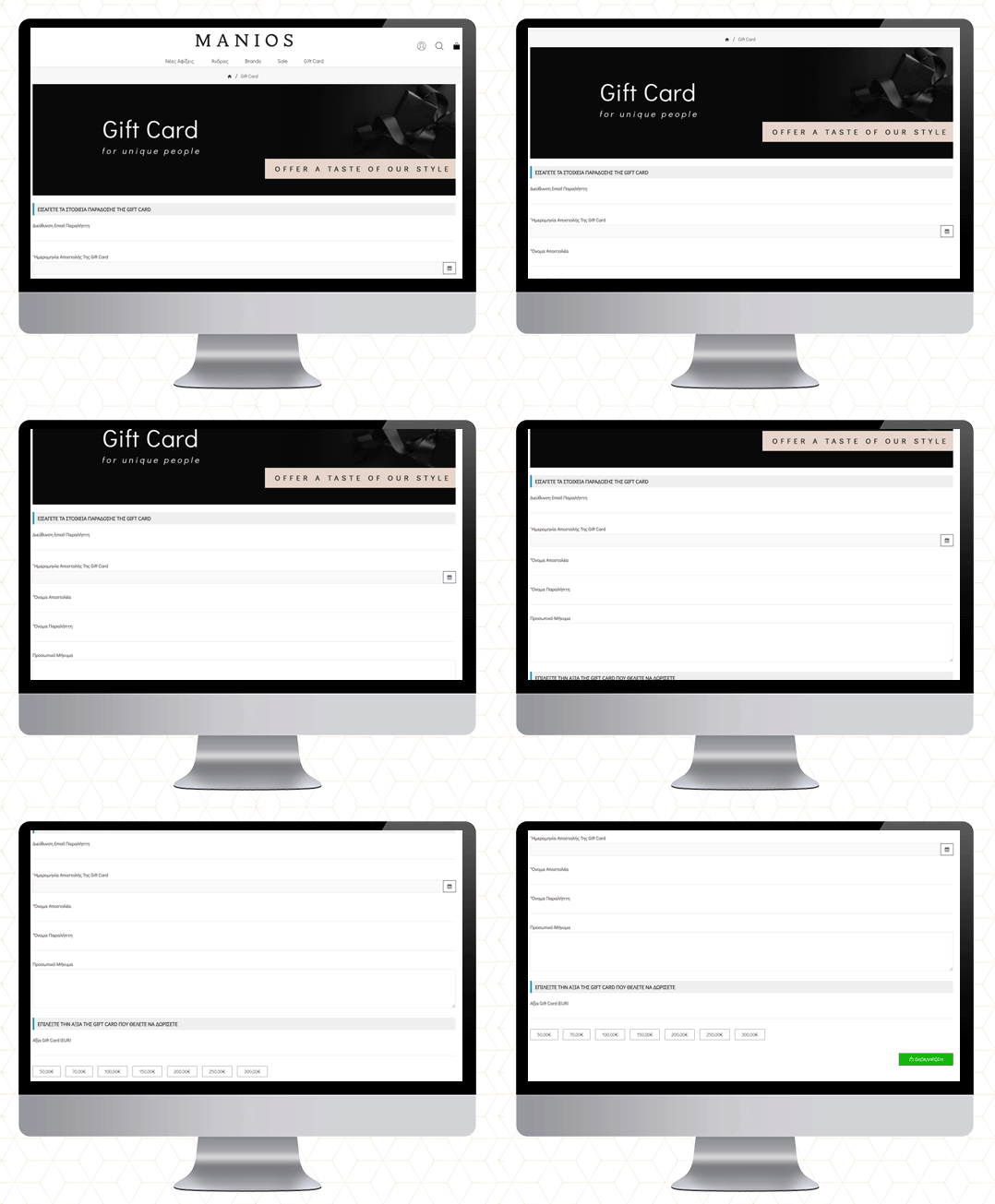
MANIOS Men’s Clothing

The MANIOS is a clothing brand for men and it delivers products in Greece and Cyprus. The website is built on the OpenCart platform. MANIOS believes in customer satisfaction. They have been using Gift Card Manager on their OpenCart store to deliver a great shopping experience to their customers.

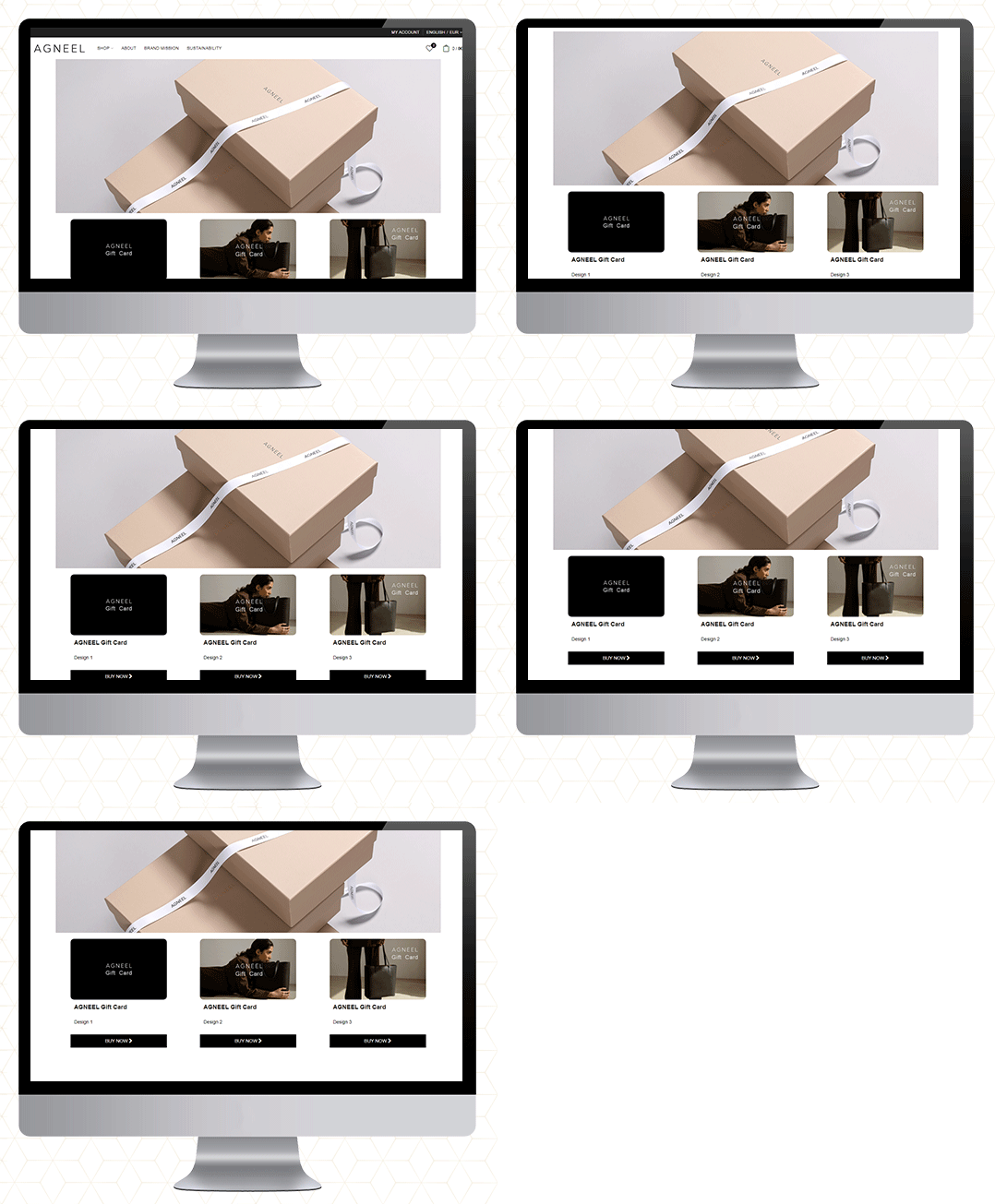
AGNEEL Handbags 

A luxury leather handbag brand delivering in Berlin, Europe. They are also using the OpenCart Gift Card Manager on their website. They have created some custom gift cards with attractive images.

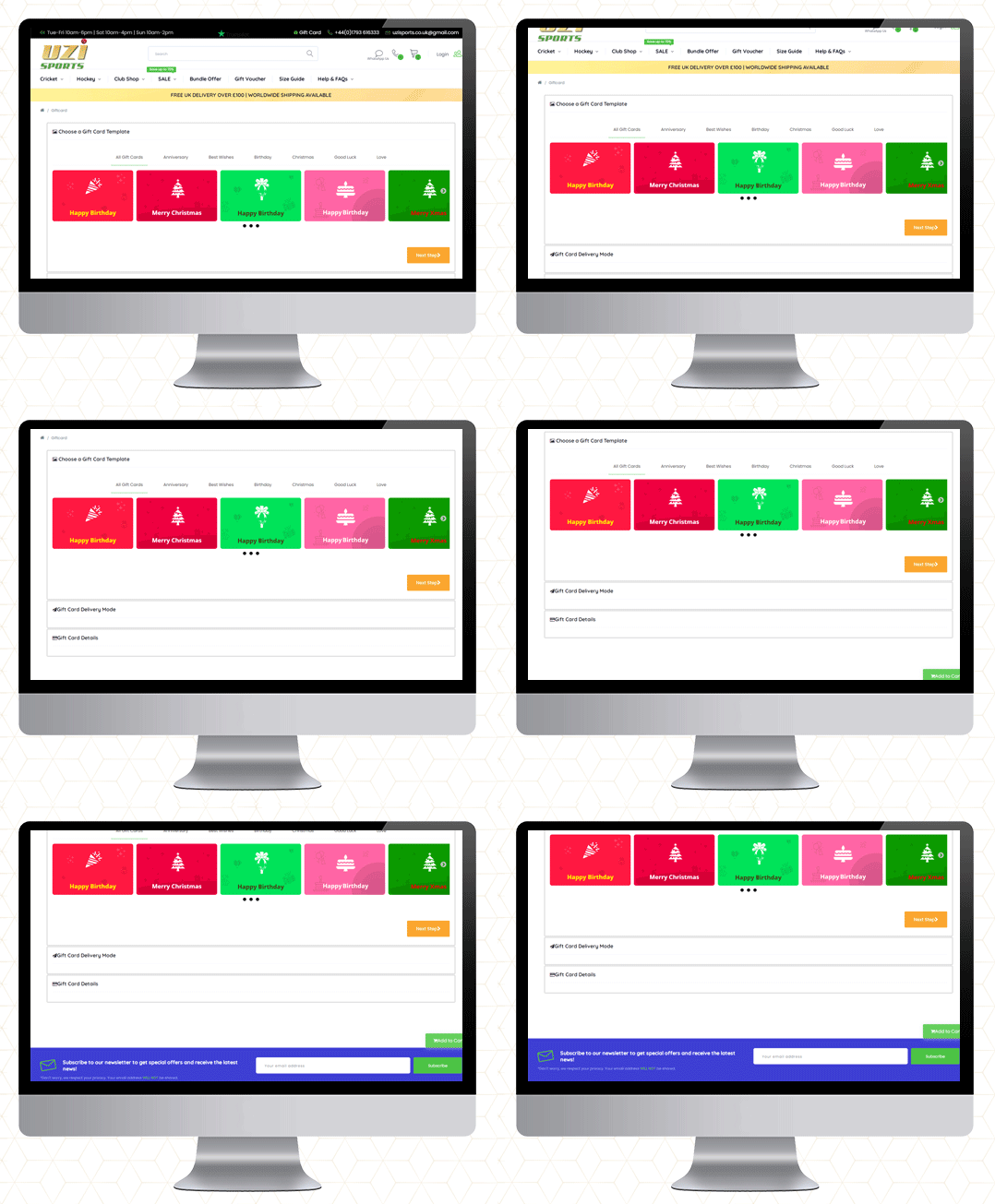
UZI Sports

UZI Sports is one of the UK’s Hockey & Cricket equipment stores and approved suppliers of major cricket and Hockey equipment brands. Moreover, they are experts in providing custom sportswear across the country. They also use the OpenCart Gift Card Manager plugin.


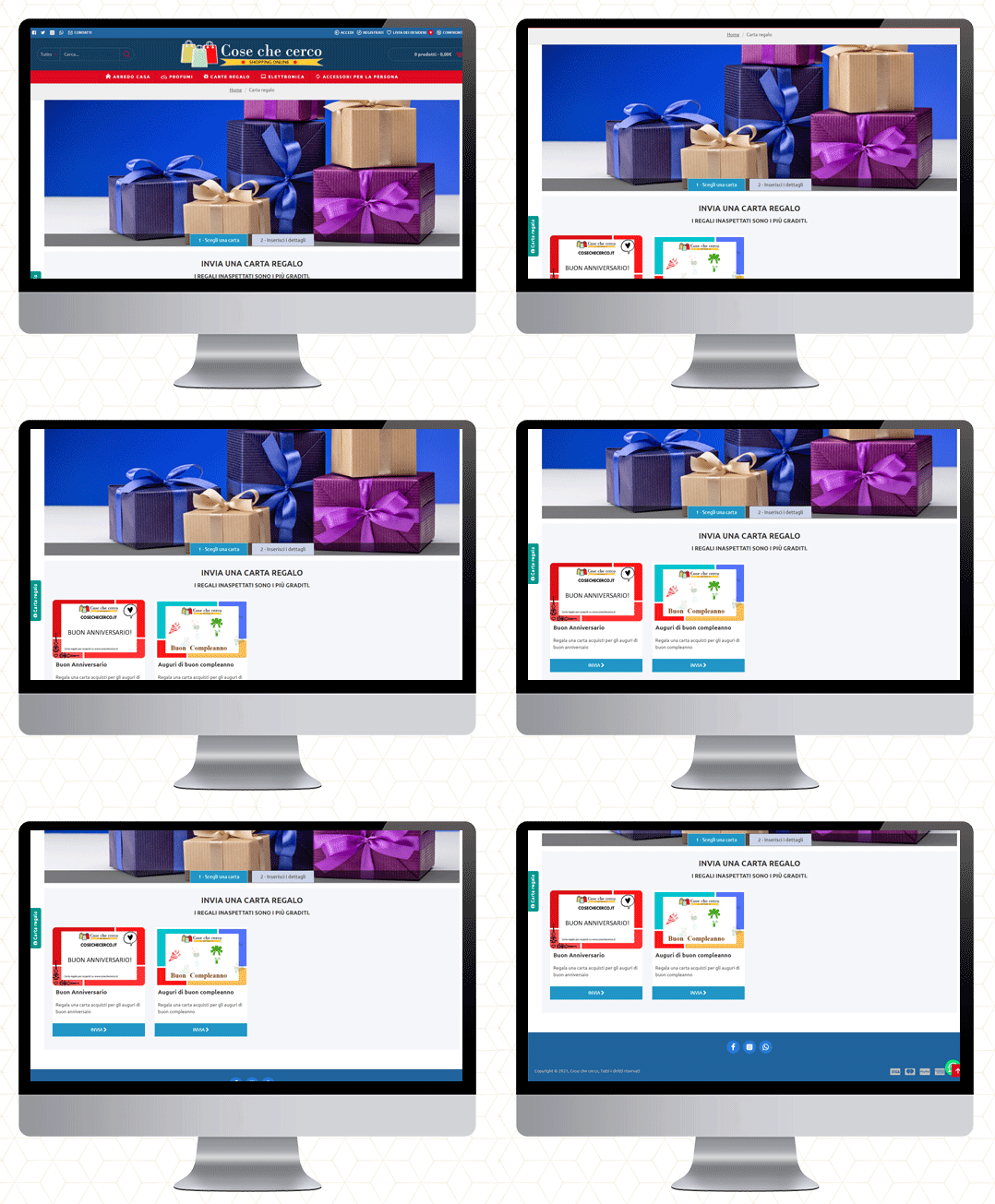
Cose che cero

They deliver in Italy. You will find furniture, perfumes, electronics, and a wide variety of accessories. The gift cards are also available on their website.


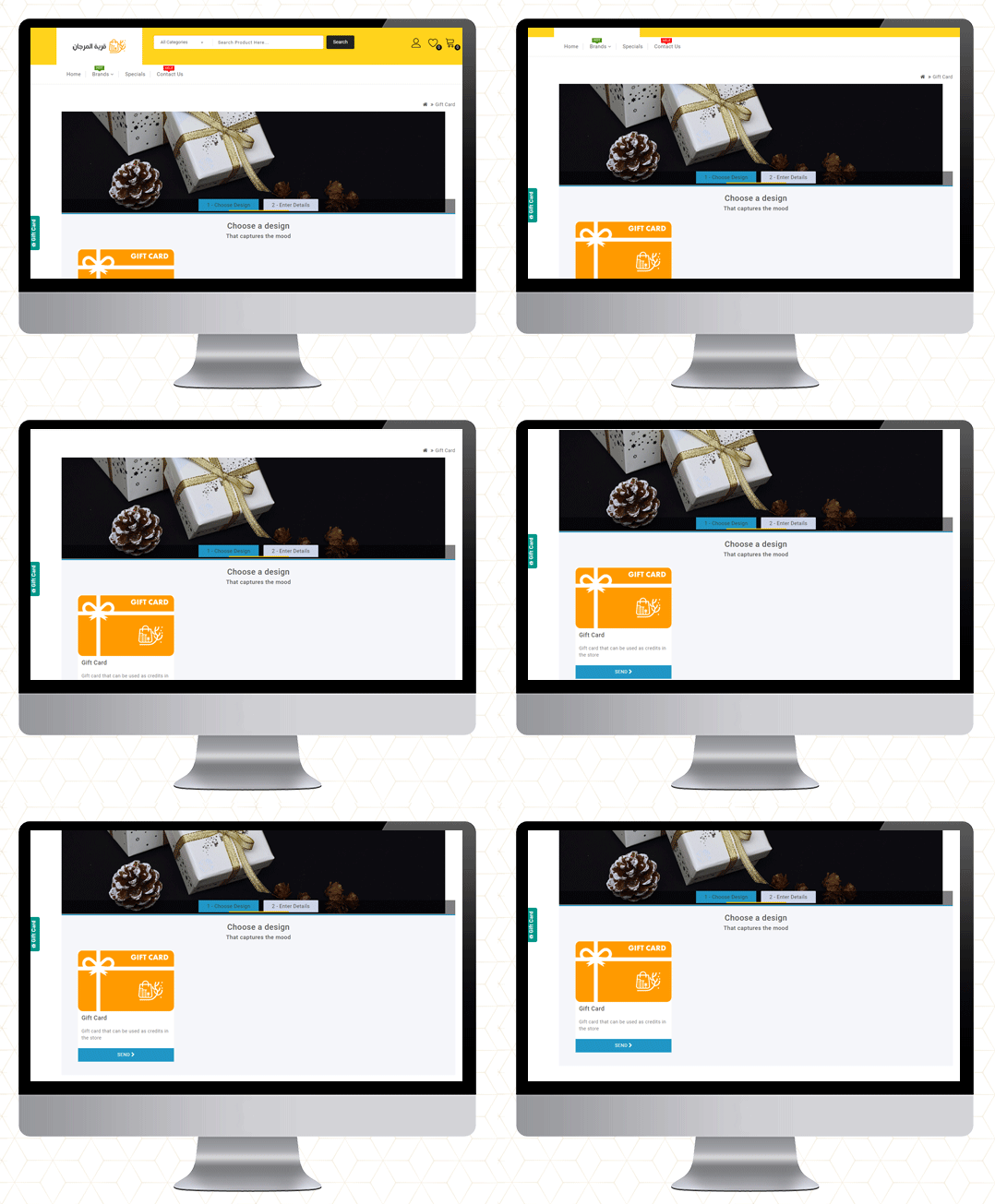
QMarjan

Al-Murjan store always strives to provide your needs at reasonable prices. Their location is in the beloved city of Qatif. They deliver in all regions. To improve the shopping experience as well as for customer acquisition, the Opencart Gift Card Manager is live on their store too.

Final Thoughts

Gift cards are similar to any other type of gift. Consider the person you’re gifting the card to and their likes and dislikes before making your selection. Make an effort to choose a card that will be liked and used.

So, if you’ve never considered a Gift Card as a product in your store, this guide will explain why they’re ideal.

If you want to start selling an e-Gift Card on your OpenCart store, go here to get started!

More information on KnowBand’s Digital Gift Card can be found here.

Check out the Video for OpenCart Gift Card Manager

Purchase OpenCart Gift Card Module

OpenCart Gift Card or KnowBand OpenCart Gift Card Manager

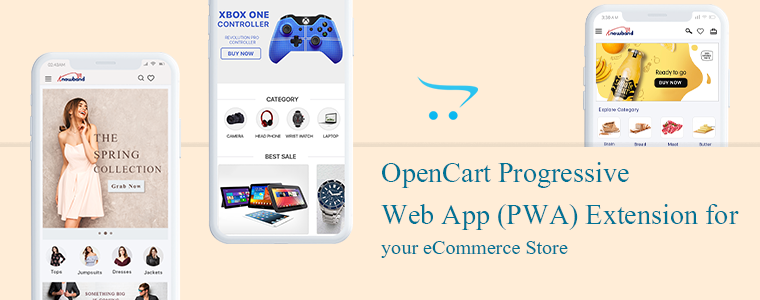
OpenCart Progressive Web Application (PWA) Extension for your eCommerce Store

The Progressive Web Applications turn your regular website into a fast-loading web app that behaves like a mobile application in a browser. The OpenCart Progressive Web Application extension is integrated with all the needful features and converts your website into a dynamic PWA. The Progressive Web Application extension will give your eCommerce customer a feel of using a mobile application when they are actually using the internet browser.

Why is PWA important for an eCommerce website? There are many famous brands like Starbucks, Flipkart, MakeMyTrip, Trivago, Jumia, etc. have seen tremendous growth in customer engagement and conversion rate after launching PWAs. The PWAs are highly reliable and provide customers a smooth user experience.

The PWA technology is not very old but the term was coined by Google in 2015 and then many followed it as it showed positive results in many ways. The OpenCart PWA extension has various features and those will benefit the store owners in various ways.

Some of the features and benefits are discussed in this article. Let’s look at it in depth.

The OpenCart Progressive Web Application

To offer an app-like experience to consumers, a Progressive Web App (PWA) uses modern web technologies.

Our OpenCart Progressive Web Application gives the impression of a native app that keeps them engaged and enhances the overall user experience. It supports push notification very well which improves the accessibility of your website further.

Why is PWA a must-have extension for the OpenCart store?

If you want to provide your visitors with an app-like experience on the mobile web, well then OpenCart Progressive Web App (PWA) is the best solution for your needs.

  • The Progressive Web App supports push notification that improves the conversion rate.
  • PWAs are fast loading that keeps the user engaged and reduces the bounce rate
  • Offline support: They work well in poor network connectivity and even in offline mode(uses cache)
  • These are cost-effective because it saves the cost you require to create a native app
  • PWAs are highly reliable and engaging
  • The OpenCart PWA is a top-notch option for you because it does not require to be uploaded on Apple & Google Play stores.
  • Gadget Friendly: OpenCartProgressive Web Application works well on all mobile devices.
  • It occupies low storage& hardly faces any crash or lag.

Recommended Read: How Progressive Web Apps (PWA) can improve mobile conversions of an eCommerce store?

How does an OpenCart Progressive Web App (PWA) extension works?

This OpenCart Progressive App (PWA) is just like every other OpenCart extension. When this extension is installed on an open cart website, it creates a customizable PWA derived from the website’s data.

There is a real-time synchronization maintained between both, the website and the PWA.

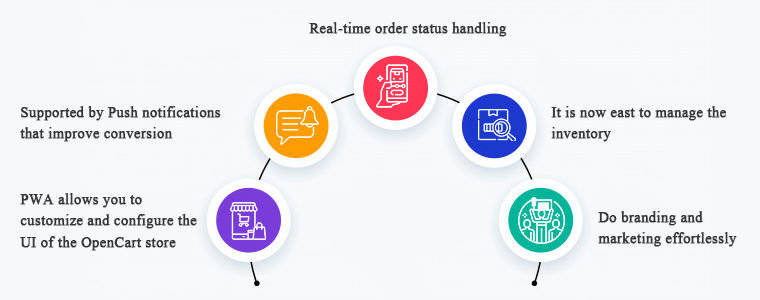
1.     PWA allows you to customize and configure the UI of the OpenCart store

To manage the PWA user interface, you need not to a professional coder. It is that simple to customize and configure. The OpenCart store owners can select & customize their application name, app icon, logo, splash screen, font styles, etc.

On mobile browser, website users can connect your OpenCart PWA App to their devices’ home screen. Get full power over your app from the extension’s backend panel that to over a few clicks and button toggles.

The appearance of the store will be inspired by the theme and the domain name as you desire it to be.

2.     Supported by Push notifications that improve conversion

For eCommerce mobile apps, push notifications are a benefit driver, if used wisely. The OpenCart PWA Mobile App also helps you to directly give your app users personalized push notifications on their smartphones. The store admin can also schedule the updates listed below from the admin panel:

  • Notification for a successful order
  • Order status updates
  • Follow up notification for abandoned cart

3.     Real-time order status handling

In the OpenCart Progressive Web Application, the order status is changed in real-time. Users of the app will be able to keep eye on the fulfillment of successful orders. The order details remain in sync with the shop.

4.     It is now easy to manage the inventory

The entire inventory of the website will be in automatic synchronization to the app. Also, manual control is not required when it comes to the inventory of apps. Any updates or new additions to the software will also be modified only by refreshing them.

5.     Do branding and marketing effortlessly

If PWA is installed in your OpenCart store, you will be benefited from its handy promotional tools that help you with marketing and running deals in your store. It is a cost-effective extension because you don’t need any extra modules for running deals in your store.

Campaigns & Promotions for Sale

To raise sales you can run different promotional selling deals. Using the home-intuitive screen’s campaign graphics and promote further purchases for users. The admin can also run a flash sale based on a timer and create an emergency for quick purchases.

Works well with other coupons and deals running in store

The PWA app also works for all coupons & vouchers activated on your OpenCart website. It will provide Progressive Web App users with the same discount coupons and vouchers as website users.

Allows Product Sharing on Social Media

A customer believes the other customers. The OpenCart Progressive Web App allows app users to share their choice of beneficial products on various social media with their friends and relatives and inspire them to buy products.

Give your OpenCart customers a seamless shopping experience

Every store owner is looking for the right strategies to provide a better customer experience to their existing and new customers. The PWA has some advanced features that effectively provide a unique and great customer experience.

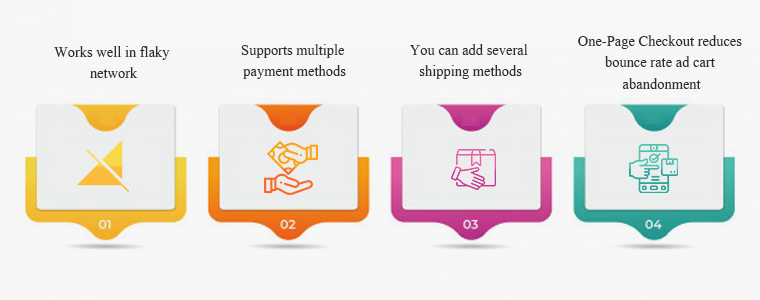
#1- Works well in flaky network

Even with a sluggish & no Internet connection, this OpenCart PWA App will work. Any time they want to search for items or shortlist them, users would not have to wait for good internet connectivity. Not magic though! This happens because of the saved cache files.

#2- Supports multiple payment methods

On your OpenCart PWA app, all the payment options available on your OpenCart website will be active as well. This plugin for the app creator synchronizes all the web-view payment methods.

#3- You can add several shipping methods

On your PWA app, any kind of shipping method active in your OpenCart store also works flawlessly. The OpenCart Progressive Web App means that the shipment & distribution of goods can be managed easily by the users.

#4- One-Page Checkout reduces bounce rate ad cart abandonment

Additionally, the OpenCart Progressive Web Application comes with an integrated One Page Checkout where only the requisite entries are obtained from the customers. Before placing successful orders, it also helps them to review the complete order information in one go and thus minimize cart abandonment.

Conclusion: You might be okay with the website you are using but making it a Progressive Web Application can do wonders! There are several success stories of big brands who converted their stores into PWA and the changes they have observed were remarkable.

Recommended Read:

You can click here and take a demo tour of the OpenCart Progressive Web Application. We at KnowBand create custom mobile apps for almost all the major eCommerce platforms. You can discuss your project ideas with our experts at support@knowband.com. And, drop a comment and let us know if you find this article helpful.

Recommended Read: