
Your shopping cart is empty!


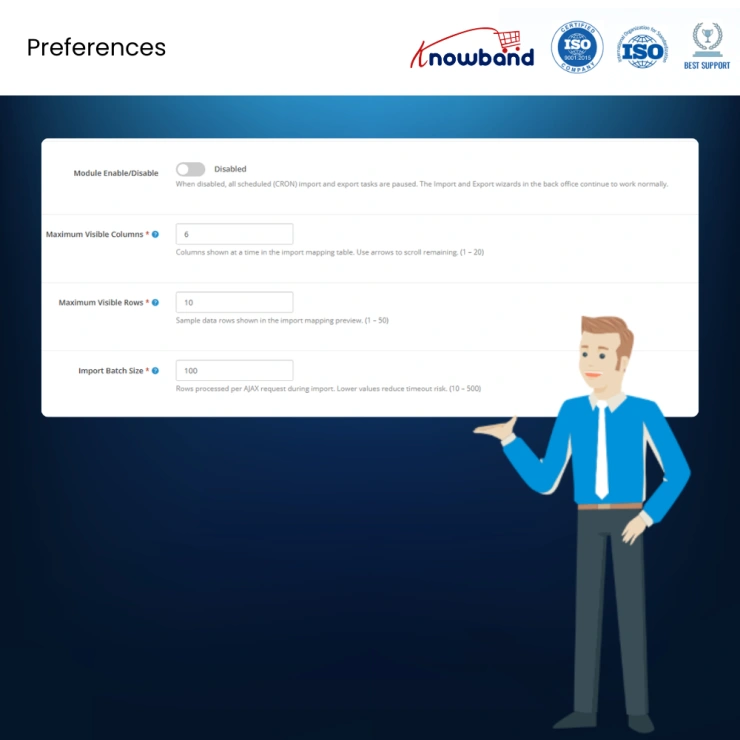

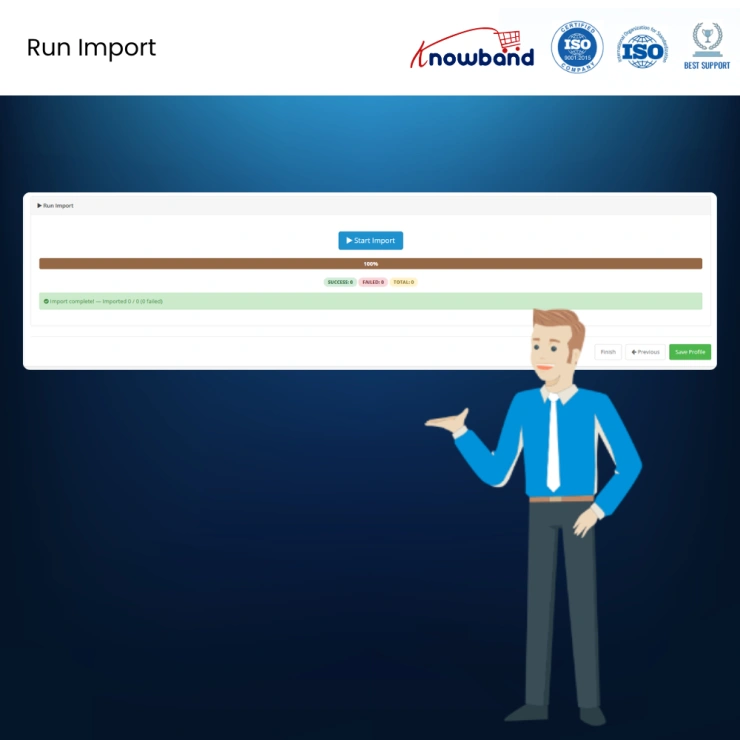
A complete OpenCart Customer, Order & Address Import Export solution for store migration, bulk updates, backups, and data synchronisation.
 Watch Video
Order, Customer & Address Data Import/Export for OpenCart is a powerful all-in-one extension designed to simplify the import, export, migration, and management of orders, customers, and addresses across OpenCart stores. Supporting bi-directional data transfer in CSV, XLSX, JSON, and XML formats, it enables seamless store migration, bulk data updates, scheduled automation, and remote file delivery without requiring technical expertise or developer assistance.
Built with advanced cross-store identity resolution, the extension automatically matches and migrates customer accounts, billing and shipping addresses, products, and product variants using reliable identifiers instead of database IDs. Customer records are matched by email address, address records are intelligently identified and recreated when necessary, and products are resolved using SKU-based matching to ensure accurate, consistent, and error-free data transfers between OpenCart installations.
This OpenCart data migration extension is specifically designed to address four key operational requirements: store migration, customer and address data migration, back-office data management, automated partner and system integrations, and audit/compliance reporting.
Operators looking to import orders into OpenCart from a legacy installation or from a third-party platform can export their complete order history and complete the OpenCart order data transfer into the destination store in a single operation. Customer accounts, billing and shipping addresses, line items, and product variants are all resolved automatically using stable cross-store identifiers rather than raw database IDs. OpenCart cross-store migration has never been more straightforward.
Administrators requiring OpenCart bulk order management can export a filtered dataset, apply changes in Excel or any spreadsheet application, and re-import the corrected file. No database access or custom scripting is required, making this the ideal solution for OpenCart back-office order management without developer involvement.
Stores with fulfilment partners, warehouse management systems, or accounting platforms that consume order files can configure an OpenCart scheduled order export profile that delivers a formatted file via download or direct OpenCart SFTP file transfer without manual intervention. OpenCart fulfilment feed automation and OpenCart accounting system integration are both handled through the same profile system.
Every export order from OpenCart and import operation is recorded in a persistent OpenCart order audit log, complete with record counts, file references, and row-level error detail. Organisations with data governance requirements have a verifiable OpenCart order record backup for all order data movements.
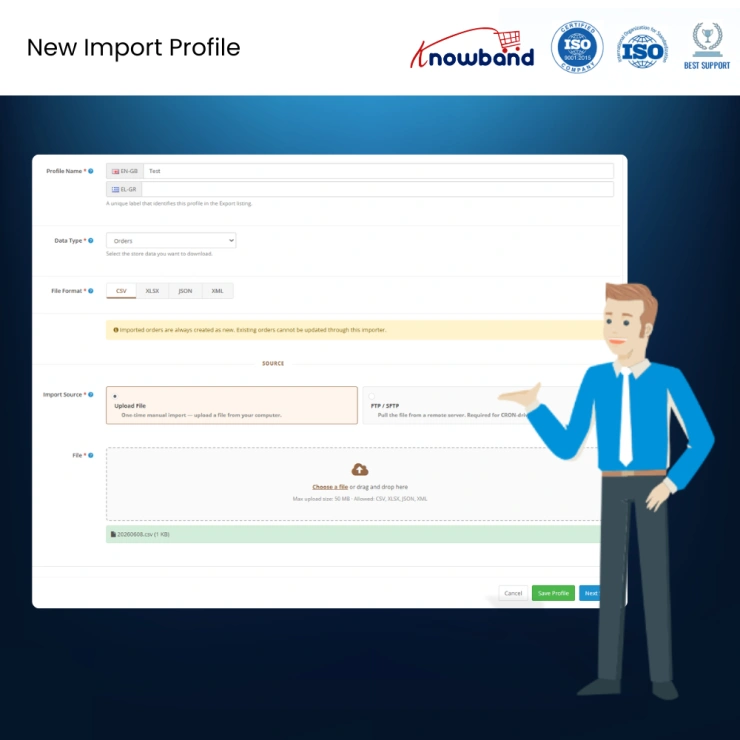
Orders can be exported from and imported into OpenCart in CSV, XLSX, JSON, and XML. All four formats are fully supported in both directions. The OpenCart CSV order export and OpenCart Excel order import structures follow a flat-per-line layout, one row per line item, with order-level fields repeated across each row, which allows the file to be opened and edited in any spreadsheet application. OpenCart XML order transfer and OpenCart JSON order export follow the same structural logic. The importer reconstructs the grouped order structure automatically on ingest.
Easily import and export OpenCart order data in bulk, including order details, customer information, billing and shipping addresses, products, product variants, order statuses, payment methods, shipping methods, totals, and transaction records. This powerful OpenCart Order Import Export feature simplifies OpenCart order migration, allowing store owners to transfer complete order histories between OpenCart installations or third-party platforms with accuracy and confidence. Whether you need to import orders into OpenCart, export orders from OpenCart, perform bulk updates, create backups, or complete a full OpenCart store migration, this feature provides a reliable and efficient solution.
Easily import and export customer data in bulk, including customer details, contact information, account status, customer groups, and account-related information. This advanced OpenCart Customer Import Export feature helps store owners efficiently manage OpenCart customer data migration, transfer customer accounts between stores, create customer backups, perform bulk customer updates, and synchronize customer information across multiple OpenCart installations. With intelligent customer matching and seamless import/export functionality, businesses can maintain accurate customer records while significantly reducing manual data entry and administrative workload.
Seamlessly import and export customer address data, including billing addresses, shipping addresses, company details, city, postcode, region, country, and contact information through a simple and efficient process. This comprehensive OpenCart Address Import Export feature simplifies OpenCart address migration by enabling store owners to transfer address records between stores, perform bulk address updates, create address backups, and maintain consistent customer address information across multiple OpenCart environments. Whether you're completing an OpenCart store migration, synchronizing customer data, or managing large address datasets, this feature ensures accurate and reliable address transfers while preserving data consistency and integrity.
OpenCart order migration between installations or from external platforms is the most operationally complex transfer scenario this OpenCart order migration plugin is designed to solve. Raw database identifiers for customers, addresses, and products are installation-specific and cannot be trusted across stores. This extension resolves all three entity types using stable, cross-store identifiers, making complete OpenCart customer data migration possible without manual intervention.
Customers: Customers are matched by email address. Where no matching account exists, a new customer record is created using the name, email, and a system-generated password, allowing the customer to reset credentials and access their account on the new store.
Addresses: Addresses are matched by a composite hash derived from first name, last name, address line one, postcode, city, and phone number. Where no match exists, a new address record is created from the import data.
Products & Variants: Products and variants are matched by SKU. The pairing of a product SKU and a variant SKU resolves to the correct product combination on the destination store, enabling accurate OpenCart product variant import with no data loss. Where a SKU cannot be resolved, the entire order is rejected and logged.
This approach allows a complete OpenCart store migration export to be imported into a separate installation without any manual remapping of customer accounts, address records, or product IDs. It is the foundation of what makes this the most reliable solution to restore OpenCart order history across installations.
The OpenCart Customer import/export extension enforces order-level atomicity during import. If any line item within an order cannot be resolved due to an unrecognised SKU, an invalid field value, or a structural issue in the source file, the entire order is excluded from the import batch. The system does not write partial orders. This prevents the creation of corrupted records and ensures clean, reliable data imports.
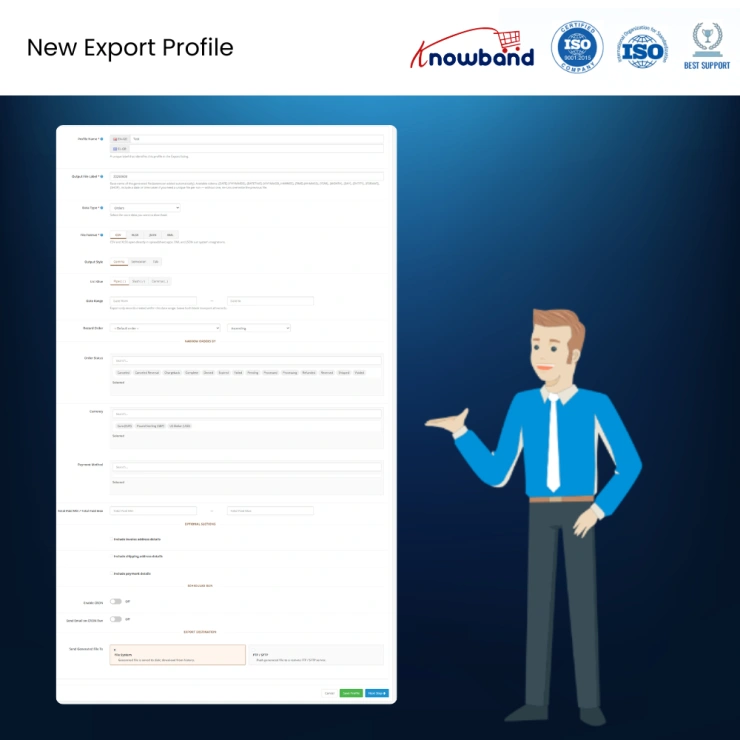
All OpenCart address import/export configurations are saved as named profiles. Each profile stores the file format, selected output columns, active filter conditions, FTP or SFTP destination settings, notification preferences, and schedules. Profiles can be edited, duplicated, or executed individually from a dedicated management page.
OpenCart FTP order delivery profiles can be configured to push generated files directly to a remote server rather than, or in addition to, saving them locally. All three standard protocols are supported: FTP, FTPS, and SFTP.
Server credentials are stored securely, and connections can be tested directly from the profile configuration screen before saving.
In the event of a delivery failure, the export file is retained locally and a detailed notification is sent to the configured email address.
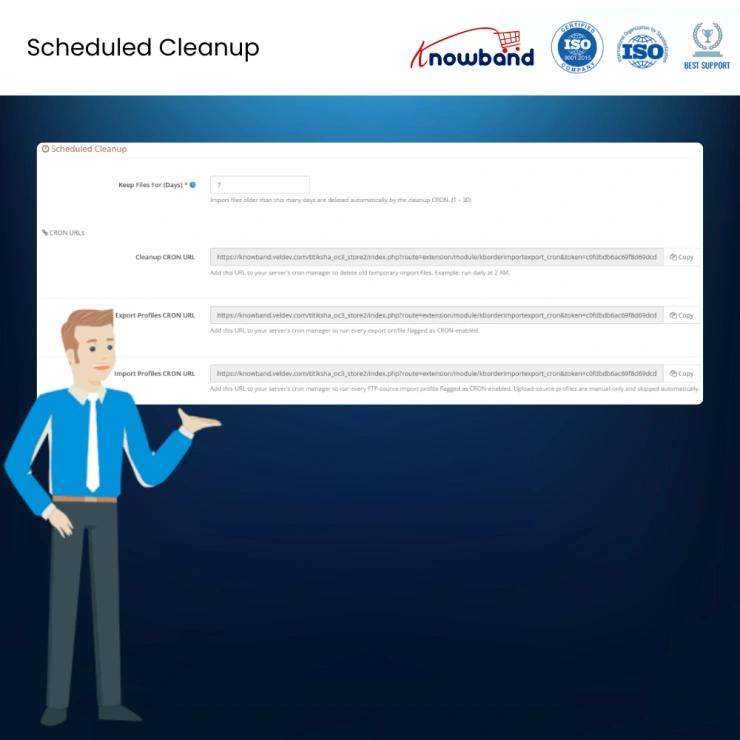
Any saved profile can be designated as a scheduled task, activating full OpenCart order automation functionality. The extension generates dedicated URLs for scheduled exports, scheduled imports, and temporary file cleanup, allowing integration with cron jobs or OpenCart's native scheduled task system.
OpenCart fulfilment feed automation and accounting system integration are among the most common applications, enabling nightly order transfers without manual intervention.
Each scheduled profile can send completion notifications to one or more recipients. Notifications include processing status, record counts, download links for generated files, and detailed error information where applicable.
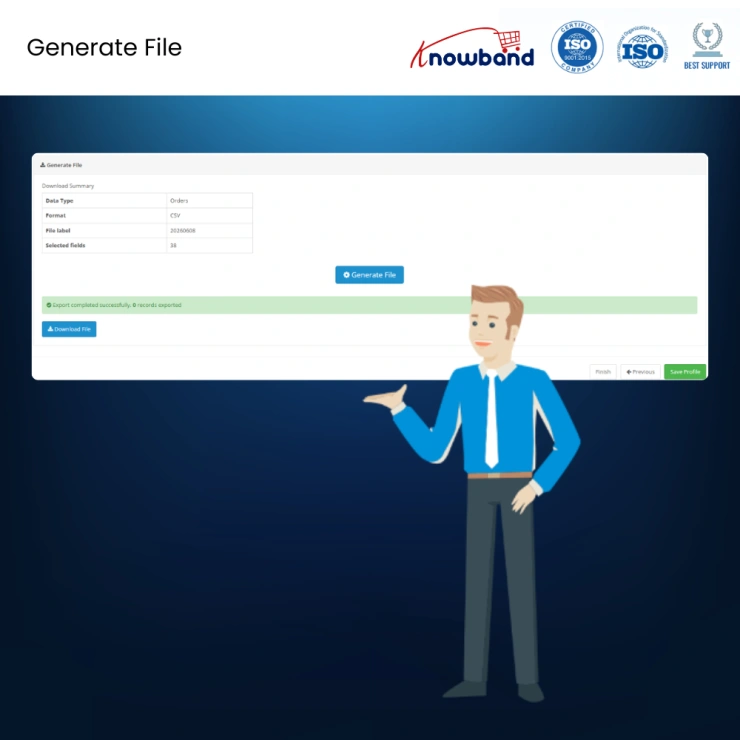
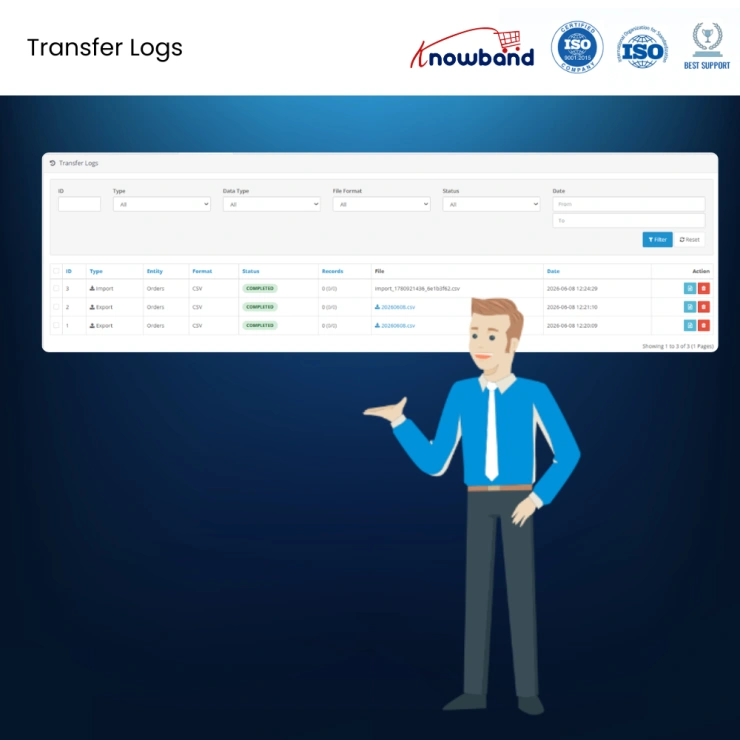
Every OpenCart order import/export operation is recorded in a persistent audit log. Each entry captures the operation date, file name, entity type, execution status, and record counts, providing a complete audit trail for compliance and troubleshooting.
Row-level error details, including column names, invalid values, and accepted values, are available for failed operations. Previously generated export files can also be downloaded directly from the audit log.
The Settings page provides downloadable sample files in CSV, XLSX, JSON, and XML formats. Each sample contains realistic, fully populated order data, helping administrators validate source file structures before performing a full import.
Templates are generated dynamically from the active column catalogue, ensuring they always remain accurate and up to date.
Knowband, a leading name as an eCommerce development company provides Opencart plugin development services to enhance the functionality of your eCommerce stores. For providing Opencart plugin development, we have hired experienced Opencart developers who work with full dedication to offer Opencart development and support services.
If there is a feature you want on your Opencart site, chances are that an Opencart plugin will allow you to do it, if you don't find any such plugin you can always contact us for your custom plugin development requirements.
 Sale
Sale
Getting Opencart Mobile App for online stores has never been so easy u...
$159.99 $199.99
Sale
Automate the content generation and translations on your Opencart eCom...
$55.99 $69.99
Sale
Effortlessly create unique, SEO-friendly content and translate product...
$39.99 $49.99
Sale
Enhance your customer engagement with Knowband's OpenCart WhatsApp Liv...
$31.99 $39.99


