Best Tips To Customize A PrestaShop Website

Selling products on an eCommerce website rely on the presentation & personalization of the products. In simple words, the functionalities, products, features, etc. should be matching to front-end client requirements. PrestaShop online store customization is all about adding new features and functionalities. While doing so, you must be taking some precautionary measures which will help in branding a unique image to the website without cluttering in any possible way.

The majority of the PrestaShop e-retailers happen to make at least some sort of custom change in their e-store. This is, in fact, a necessity for e-businesses to have a distinctive & unique touch to their eCommerce website. Most businesses opt for this to keep the look & feel of their website in-line with their own unique theme of their business. These customizations not only enhance the graphical design of a website but also contribute to adding more functionalities & improve the shopping experience.

Here are few such factors discussed below that can help you with customizing your eCommerce PrestaShop website.

#1. Customization Using Hooks:

Hooks are basically images that can be used for displaying informative images & also act like CTA sources. We can categorize them into two basic options:

A) Action Hooks:

These hooks are clickable & hence can be used to redirect the site visitor to a relevant page. These kinds of hooks require strategic configuration as their CTR would influence more engagement and sales.

B) Display Hooks:

These hooks are plain images simply for the purpose of displaying various things. Some common areas where hooks are placed:

a) Multiple positions on the homepage.
c) Left/ Right-aligned hooks.
d) Footer’s bottom area.

#2. PrestaShop HomePage Customization:
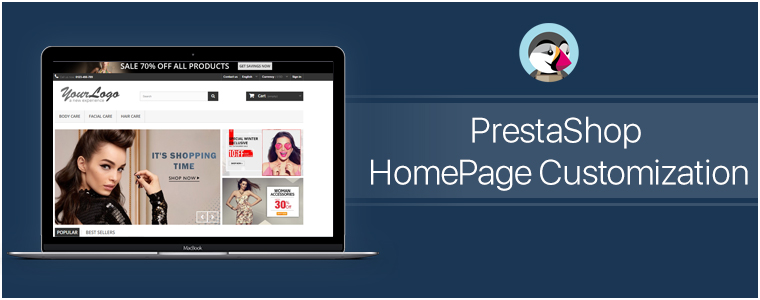
Generally, on the home-page, the area ‘above the fold’ is what gets the first view on a website. Similar to newspapers, websites also have the most important news highlights on the top half of their home page, such an approach to design & customize the PrestaShop homepage helps to engage customers in a more productive way. Some of the home-page designs that can be customized include:

● Sticky Navigation Menu/ Bar with Company Logo, Signup link, search box, etc.
● Slider Images with hyperlinks to relevant topics.
● Banner Images of selected categories of the products being sold on the e-store.
● Hyperlinked Infographic for sale, lotteries, offers, coupons, time-based flash-sale, new arrivals, brand launches.
● Widgets/ add-ons for social accounts like a Facebook block with like/share/follow buttons.
● Static/ dynamic chatbots.
● Gamified CTA (Call to Action) like ‘spin & win’ discount wheels or gamified newsletter/ notification subscriptions.
● Banners for top-seller/ top-brand.
By now, you would have probably realized how these additions would not only make such an e-store stand out for looks & functionalities but also serve the purpose of growing conversions.

A lot of these modifications can be made using the PrestaShop Modules. And because PrestaShop is an open-source eCommerce platform even more edits can be made by manually coding the required functionalities. So the eCommerce businesses on PrestaShop automatically get an additional advantage here to build their site according to their own unique business needs.

#3. PrestaShop Footer Customization:
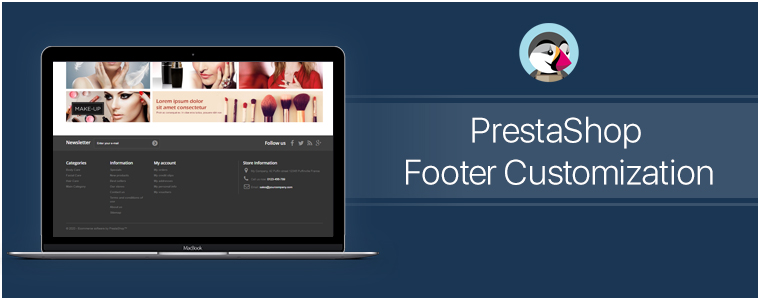
The footer of the PrestaShop website enables the e-store admins to showcase various widgets & functionalities. Some can be added via PrestaShop Add-on Modules while some come pre-installed. Even more, can be added via coding or customization.

Footer, for all the webpages, is mostly kept common. So, it is crucial to have all the important things available in it. It offers instant access to your customers for all necessary links & information no matter where they’re displayed on the Prestashop website.

Few common footer customizations are listed below:
● Newsletter Signup Segment
● Social Channel Icons
● Sitemap (HTML Sitemap)
● Company Certifications & Payment Methods
● Quick Navigation Links
● Sign-in /Sign-up Links / ‘My Account’ section
● Contact details of the Company

#4. Other Customizations:

A) CMS Icons:

To display extra information about your PrestaShop store such as payment options, refund policies, etc, admin can use the CMS icons. Clicking them takes the user to the relevant page.

B) Top Side Banner:

This is a default feature that admins can enable/disable. This adds a thin banner on the extreme top of the page with the purpose to show the special offers, discounts, limited-time shipping, etc.

C) Social Sharing Icons/ Links:

With these icons, your e-shoppers can share the link of their choice of products with their friends, family & acquaintances. Prefer to add the links for Facebook, Pinterest, Whatsapp, etc.

Conclusion:
As they say, often little things make the biggest impact. Adding more customized functionalities to your store would help in the growth of the business. These just are a few examples of how PrestaShop Customization can be utilized. Apart from these, there are unlimited numbers of customizations that can be implemented. Feel free to discuss with us on support@knowband.com and get a quote for the required customizations.

Visit KnowBand Plugins to get eCommerce plugins for all platforms.

COVID-19 and Its Impact on eCommerce Businesses

The beginning of the year 2020 does not seem to go too well, not only just for me or you, but the entire world. And the only reason for that is the Coronavirus which has shaken everyone and created chaos globally.

Originated from the Wuhan City of China, the COVID-19 has spread across countries infecting and killing many. This global pandemic has severely affected businesses, be it offline or eCommerce.

Before I proceed further, let’s understand what this COVID-19 is, what are its symptoms, how it can be prevented and lastly how it is affecting businesses.

What is COVID-19?

Corona Virus Diseases 2019 or COVID-19 is an infectious disease that spreads from person to person through respiratory droplets like when an infected person coughs or sneezes. These droplets can transfer from that infected person to the other person and make them infected too. And that’s how this coronavirus chain is formed.

A person can become the victim of COVID-19 in some other ways as well, like by touching an object or a surface that has the virus attached to it and then touching their face with those hands.

Symptoms of Corona Virus

People infected with Corona Virus might display symptoms like-

  • Mild to strong fever
  • Dry Cough
  • Difficulty in breathing/ Shortness of breath

The symptoms are not reflected immediately but usually after 1-2 weeks. Therefore it is advised not to be careless and take preventive measures.

How can Corona Virus be prevented?

  • Wash your hands often properly for at least 20 seconds | Use Sanitizer
  • Maintain Social Distancing
  • Avoid touching your face with unwashed hands
  • Stay Home
  • Cough into your elbow

Impact of COVID-19 in eCommerce

With the everyday increase in the total number of corona positive patients, the situation is only getting from worse to worst. From a local shopkeeper to popular eCommerce brands, the COVID-19 outbreak has left no one. Cities, states, even whole countries are getting locked down to prevent the spread of the disease and break its chain.

– Theatres, bars, restaurants, gyms, everything that involves mass gathering have been shut down.

– Corporates are left with no choice but to provide their employees with the work from home facility.

– Online food delivery businesses are almost shut.

– On-demand booking apps like OLA and Uber have also discontinued their facility in many places.

– Online shopping businesses have also witnessed a significant drop in the number of orders. Brick-and-mortar stores, on the other hand, are facing heavy downfall as people are not coming out of their home.

People have totally isolated themselves and are remaining inside their home. And this is the time when online streaming services like Netflix, Amazon Prime Video, Hotstar are making the most out of it. There is even talk of these streaming services reducing down their streaming quality to avoid the heavy traffic congestion during this pandemic.

Health-related products like Masks, Sanitizers, etc. are being sold in huge numbers and the sales figure is touching sky.

Final word

Let’s just hope this COVID-19 pandemic ends soon and the world takes a sigh of relief. Till then, just stay at your home, enjoy Netflix and chill. That’s the best way to do the best for your people, for your country and for this world.

Hope things get back to normal again and we are living the same life as it was before this Corona pandemic.

We, at Knowband, are trying our best to help eCommerce businesses in this difficult phase. Following the Corona outbreak, we are thinking to make some modules cost-free for our customers.

Check out the list of the free modules below-

PrestaShop Product Check Availability by Zip Code

OpenCart Product Availability Check by Zip Code

Magento Product Availability Check by Zip Code

PrestaShop Spam Blocker

OpenCart Spam Blocker

We have recently launched a Free COVID-19 Information Popup module as well for the PrestaShop and Magento 2 platform.

With the help of this module, you can notify your customers about any shipping and delivery related changes or any updates about your business. You can use this to educate your visitors about the preventive measures to stop the spread of the Coronavirus. And if you have some offers running on your website through which you want to help your customers in this quarantine period, you can do that too.

Must-Have Features While Designing A PrestaShop Store

Running an eCommerce store isn’t a piece of cake, that too with numerous goals & outcomes to achieve. Regardless of the products you sell, there will surely be challenges waiting for you. When it comes to designing PrestaShop store website, it’s all about having a well-functioning interface (UI) to provide a great user experience (UX). It’s a good thing that some of the popular eCommerce platform solutions like PrestaShop come up with such feature-rich backend to achieve that.

The PrestaShop eCommerce platform helps to launch and run an online website in the most seamless and fluid manner. With proper planning in the right direction, an online retail store can be made more promising and enjoyable.

But, the question is, what are those prime features that one must keep in mind while designing an eCommerce PrestaShop website? Well, this article aims to elaborate on a few of them along with their implementation & optimization.

Prime Features To Add In PrestaShop eCommerce Store:

#1. Navigation & Category Placement:

It’s not ideal to have the products listed without setting them under proper categories & subcategories. Apart from just categorizing the products, each category/ sub-category must be arranged on the navigation-bar/ toggle- menu in a way that the customers don’t need to make more than 4 to 5 clicks to reach their choice of page. Also, have all other necessary links in the navigation bar /menu with the motive to make this more seamless on the front-end for your shoppers.

Keep the category URLs SEO friendly & have relevant thumbnail images with relevant alt-tags on images source code. This further enhances your on-site SEO & makes your category image discoverable on Google search results.

#2. Product Page Design:

The PrestaShop store admin must design the product page keeping following things in mind:

  • Depending on the product you are selling, add necessary fields like SKU, dimensions /weight, expiry date, stock availability, minimum quantity per order, shipping charges & taxes, deliverability in specific areas (Pincode), etc.
  • Add quick links to suggest the customers to related products /accessories.
  • Have the option to add a product to wishlist. Some eCommerce websites also allow users to create multiple wishlist folders which they can also share with their respective friends. This is an amazing approach to encourage new visitors to set up an account & contribute to boosting conversions on your eCommerce site.
  • Add the social sharing quick links for popular platforms like Facebook, WhatsApp, Pinterest, Instagram, Custom URL, etc.
  • Apart from product images, adding a video with the product details is also in the trend. It helps the customers to get a better view of various details about the product. This further helps to boost sales for that particular product. For instance, the assembly video of a DIY Wardrobe.

#3. Design for Convenient Browsing:

Add relevant filter & sorting options for easy product finding. For eCommerce giants like Amazon, different product categories require different filtering options. For example, the apparel category can have filters like brand, color, size, fit, cloth material, etc. On the other hand, the smartphone category may have filters like brand, color, dimensions, operating system, RAM, etc. If your PrestaShop eCommerce website sells a wide range of different categories of products, have the right set of filtering parameters for each such category.

Some of the very common sorting options are – popularity, price (low to high or high to low), customer ratings/ reviews, etc. Based on the products you are selling, you must design your PrestaShop eCommerce website to have sorting options according to the user needs & choices.

#4. Offering Discount Coupon & Vouchers:

Setting up coupons & vouchers with all sorts of discounts isn’t enough these days. Their availability & benefits must be smartly designed to be introduced to online shoppers. Some eCommerce websites tend to display it on the home page & checkout pages, while some websites have those coupon codes displayed all the time by attaching a sticky tab on the bottom of the screen. Such factors must be considered while displaying coupon codes & other discounts.

#5. Seamless Checkouts & Payments:

Checkout pages can be differentiated as two different designs. One of them involves having more detailed user entries making it a bit lengthier & time taking. While the other one is with one-page checkout with limited yet necessary entries making the checkout procedure really quick. Make your checkout pages encouraging users for more purchases.

Design your checkout pages to have some entries pre-filled during the checkout. For instance, have all the previous delivery addresses saved so that customers don’t have to manually type the entire address again each time they purchase anything.
Add all the relevant payment options according to the audiences you are serving. Set up your payment gateways with reliable robustness and security in consideration. Keep the processes simple so that customers don’t back out from checkout & payment without successful purchases.

#6. User-Friendly Backend:

A good PrestaShop website must not only be designed to keep the customer-centric factors in mind but also aim for the website admin’s convenience. For eCommerce website owners on the PrestaShop platform, it’s kind of a necessity to have the right set of tools in order to manage the website, inventory, user data, payment gateways, & other online retail factors.
For instance, if you want customers visiting websites to purchase a particular product in limited quantities, the admin may set those limits in a matter of minutes via the admin panel without spending hours on coding. That’s just a nominal functionality out of all of them. In simple words, complete website design and working can be controlled over a few mouse clicks.

Most of the elements in a PrestaShop website can be added/ enabled with utter ease because of in-built backend features. And, in addition to that, other ones can be added via 3rd party PrestaShop Modules or custom coding. Hence, the store owners are not bound to the availability of templates & extensions.

Conclusion:

These above-discussed potent features & even others can be designed & implemented in a PrestaShop web-store. If you are, in any form, associated with an eCommerce business or planning to launch one, choose PrestaShop and keep these points in mind.

We, at KnowBand Plugins, offer all sorts of plugins/extensions to enhance and improve the functionality of your PrestaShop store. Our leading eCommerce plugin & development services have assisted a wide range of retail store owners worldwide running their business on any the following eCommerce platforms:

PrestaShop Plugins
OpenCart Plugins
Magento Plugins
Magento 2 Plugins
WooCommerce Plugins

Got any query? Feel free to reach us at support@knowband.com or visit KnowBand Plugins.

How to Make the Best Use of a Thank You Page?

You probably think that your job is done on the thank you page when a user has made a purchase.

Well, you are not wrong to think that way. Once a customer has made the payment and placed the order, what remains to be bothered about?

The focus of a brand is to encourage customers to shop and if they have been taken to the thank you page, you have succeeded in your efforts.

But do you know you can leverage a thank you page in many aspects rather than displaying a simple “Thank you for shopping with us” or “Thank you for placing your order” text?

What is a Thank You Page?

A thank you page also referred to as a post-purchase page is the page that is displayed to the users once they have successfully placed their order. It is basically a page where users are informed that their order has been confirmed.

Your thank you page could provide you with ample benefits. Let’s try to understand how you can make the best use of a thank you page on your website.

1. Encourage Cross-selling on the thank you page

Customers’ mind can switch in seconds. If they didn’t show the interest in the related items while purchasing, does not mean they cannot be encouraged later to purchase. With that being said, you should use the cross-selling strategy even when a customer has placed the order.

Display items that match with the customer’s purchase. Who knows they might be interested in buying them too.

Related: A complete guide to Cross-selling and Upselling in eCommerce

2. Ensure Customer Retention by offering a Coupon Code

You want to make sure that your customers return to your website in the future right? Then give them a reason for it. This becomes important especially in the case of new customers.

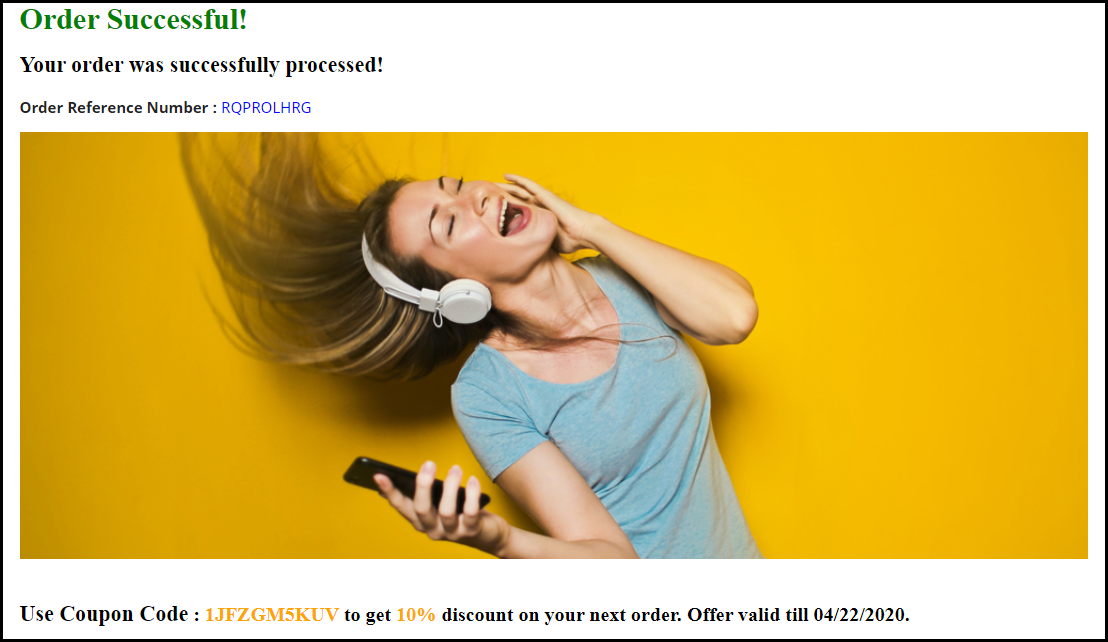
When a new visitor buys an item from your website, reward them with a coupon code alongside a thank you message. By displaying a coupon code on your thank you page, you can develop the curiosity inside the customer to come back to your store and purchase again.

This marks as one of the effective customer retention strategies.

3. Use Thank you page to collect Feedback

It is good to know what your customers think about your Brand. And there cannot be a better way to ask them that other than on the thank you page.

Ask them about their shopping experience or if they faced any difficulty at any place during their purchase journey.

This gesture tends to increase customer’s attachment towards your brand since they feel that their opinion is being valued. And if they leave any remark, appreciate them for it.

You can get more response if you just add a personal touch and also make them feel how important their opinion is for the success of your Brand.

4. Let Customers share their Order details

Customers might want to share their order details with someone, especially if they have purchased the product, not for themselves but for the other person.

Include an order sharing option on the thank you page. Allow sharing on WhatsApp, Facebook messenger, and Instagram since these three are the major communication channels for netizens.

5. Add a link to your Social Media Pages

You can display social icons of the platforms where you have your brand page or account so that customers get redirected to your social media pages after clicking on it. It is one of the best practices to increase your social followers.

6. Ask Customers to Refer your Brand to their known ones

If you are running a Refer and earn campaign for your website promotion, one of the best strategies to get more referrals would be to put it on the thank you page.

When someone makes a purchase, ask them to share your website with their friends, colleagues, family or relatives and reward them with some exciting incentives in return, for every successful referral.

This will bring you more sign-ups on your website.

Better Thank you page module by KnowBand

Thank You Page module by Knowband turns your normal order success page into a marketing page where you could display related products to the customers along with the discount coupon for their next purchase. You can also set an advertisement banner on the thank you page.

This module is available for PrestaShop, OpenCart and Magento. Check out-

PrestaShop Thank You Page addon

OpenCart Thank You Page extension

Magento Thank You Page extension

For any queries or assistance regarding this module, feel free to drop a comment below or you can contact us at support@knowband.com

Understanding Mobile Commerce: What is it? Examples and Benefits

Mobile Commerce has excelled at a rapid rate in the past few years. Smartphones are dominating the new generation and ease of access to online transactions is the primary reason for the quick evolvement of mobile commerce.

The use of desktops for online purchases has diminished and it is now being replaced by hand-held devices.

In 2018, mobile commerce made a figure of around $207 billion in the US itself, and that was around 40% of the total eCommerce retail sales captured that year. And the numbers are expected to hit the $338 billion mark in 2020, reports Statista.

If you talk about global mCommerce sales, it has already surpassed eCommerce way back in 2016, and it is going to make a powerful impact in the future.

What is Mobile Commerce?

Mobile Commerce also referred to as mobile eCommerce or simply mCommerce/m-commerce is all about online transactions that take place through mobile devices or tablets.

Put simply, whenever you conduct a transaction through your smartphone, it’s mCommerce. From purchasing the smallest of things to expensive ones, today, most of the people prefer to make the payment using their cell phones. This is what has led to mobile commerce expansion.

Mobile Commerce vs eCommerce: What’s the difference?

Though this would have been pretty clear by now, let me make it easier for you to understand. The key difference between m-Commerce and eCommerce is that the latter involves buying and selling of goods through any kind of device, be it a mobile or desktop, whereas m-commerce is used when online transactions are made through mobile devices specifically.

You can also say that eCommerce is the parent category and mCommerce is the child category.

Mobile Commerce Examples

M-commerce can be witnessed in our day to day lives. A few examples are-

Mobile Shopping

When I talk about mobile shopping, Amazon hits my mind straight away. The largest eCommerce company in the world captures a huge number of sales daily through mobile devices. It has its own mobile app as well which makes it even easier to purchase anything from their store. And since it covers a wide variety of items, it is the go-to shopping store for most of the people.

And similar to Amazon, there are multiple other websites that encourage mobile shopping.

Mobile Banking

Another example of mobile commerce is Mobile banking. Until a few years ago, people either used to meet-in-person or go to a money transfer store to send money to someone. Thanks to Mobile banking which has now made it a few clicks task.

If you want to transfer money to a user, all you require is their account details like account number and IFSC code, and a single tap would deposit the money in the recipient’s account. Digital wallets like Google Pay does not even require account details if the recipient is registered on the same platform.

Benefits of Mobile Commerce

There is a reason why m-commerce has achieved a significant rise in the past few years. Some of the major advantages of mobile commerce are-

1. Better Customer Experience

M-commerce makes it convenient for mobile users to make online payments. They do not need a laptop or desktop to conduct a transaction. If you are having a smartphone and a good Internet connection (since payment may fail if there is network issue), you can make a payment anytime, anywhere, without any hassle.

2. More and more people are shifting towards m-commerce

Mobile eCommerce is expected to reach 70% of the total eCommerce retail sales this year. Therefore, it is vital that you allow your mobile visitors with the facility of easy mobile transactions. Failing to do so may result in a huge loss in your mobile conversions.

Work on the mobile version of your website. Optimize it, make it responsive.

3. Faster transactions

Everyone wants comfort. Nothing would make a person happier if he or she could perform any task without getting up from their bed. Not sure about other things but mobile commerce applications have made it possible to make payments faster and you do not need to get up from your bed and search for your laptop.

You cannot carry a laptop with you every time. A cell phone? Definitely.

Final word

The first and the foremost thing to do to improve mobile commerce is making your web pages load quickly. The faster your website loads, the more mobile conversions you will have. The use of AMP in such cases proves to be beneficial.

From the moment a visitor enters your website to the final payment page, each and every step must be optimized, primarily the checkout page, so that the visitors do not find any kind of trouble on your website.

Make mobile commerce more flexible through our Mobile App Builder.

You May Also Like:

Mobile App Marketing: How to Promote your Mobile App?

Tips To Boost User Engagement with eCommerce Mobile Apps

How eCommerce Mobile Apps enhance Customer Loyalty?

Best eCommerce Payment Gateways For UAE (United Arab Emirates)

For any eCommerce business, it’s a prior thing to make the entire online purchasing procedure to be glitch-free. Online payment gateways play a vital role in this. It won’t be wrong to say that reliable payment gateways open the door to improved shopping experience and revenue growth. Converting a website visitor into a successful buyer requires a lot of key factors and efforts from store admin, offering active payment methods in the specific targeted location would make the job more facile. UAE is a huge market with tons of opportunities for eCommerce Businesses. If you are looking for guidance on the top eCommerce Payment Gateways for UAE, then the below-listed ones will be of aid for you.

Whether it’s an online shop or an eCommerce mobile app, an efficient payment method will help you in gaining a user’s trust. Modern shoppers tend to choose the one offering shopping ease in every possible way including payments. It has been forecasted that eCommerce sales in UAE will reach around $27B. This growth can be estimated to increase by 23% every year. This data is enough to prove the potential of online business in the UAE.

Nowadays, online shoppers are way more alert & conscious even about data security while making online payments. So, e-retail businesses must choose the right ones to avoid any sort of further hindrance in online payments and transactions. Let’s discuss each one in detail:

1. TELR:

Telr (formerly known as Innovative Payments) is one of the prominent payment gateways in the UAE. With its expansion to around 120 countries worldwide, it got enough favoring the audience to prove its credibility. The eCommerce store merchants get to choose either of 3 account levels:

Entry Level: AED 349 pa
Small Level: AED 99 pa + Transaction Charges
Medium Level: AED 49 pa + Transaction Charges

The payment gateway even offers a monthly subscription package to start with. Get to know more from here.

2. CCAVENUE:

Another big name is widely used payment gateways in the UAE region. With origin in India, it has covered a long journey in simplifying online transactions for the eCommerce industry.

The good thing is that the setup fee involved with this is 0. Although, the monthly charges are $54.45 + an additional 3% on every transaction. This might seem to be quite expensive but it becomes worth it along with FREE offerings like prevention from fraud & 24/7 instant support. Get to know more from here.

3. Amazon Payment Services:

With no required setup fee in starter packages, Amazon Payment Services has become one of the most widely preferred payment gateways in the United Arab Emirates.

For mid-tier accounts, eCommerce merchants just need to pay a monthly charge of AED 200. Along with that, commission rates are 2.8%, which are comparatively low. It also provides custom packages based on monthly transaction volume.

Recently, the gateway has launched an installment option that allows customers to buy more. It also allows businesses to check business growth in real-time empowering data-driven decision making. Get to know more from here.

4. CHECKOUT:


This payment gateway has recently reached the UAE online retail industry in the year 2014, 4 years after origination. With its PCI compliance, 15 languages & 87 currencies, it becomes a globally used payment gateway.

E-merchants need to pay a one-time setup fee of $500. Additional Transaction charges also apply based on the card types:

European Cards: 0.95% + 2 cents per transaction
Non-European Cards: 2.9% + 20 cents per transaction

Get to know more from here.

5. 2CHECKOUT:


2CheckOut further expands the international reach of e-merchants being currently available in 211 nations across the globe. It provides a complete PCI Compliance & merchant account. Likewise, checkout, it also supports 15 languages & 87 currencies.

It provides ultimate fraud detection with address verification & 300+ rules & CVV checks. The rates for transaction charges are 3.9% + 45 cents on each transaction. Get to know from here.

These were a few top payment gateways active in UAE eCommerce. Combining them would cover almost entire online transactions in the Arab Emirates.

Want to Integrate Custom Payment Method in eCommerce App?

We, KnowBand, offer native eCommerce mobile apps for the following eCommerce platforms:

PrestaShop Mobile App Builder
OpenCart Mobile App Builder
Magento Mobile App Builder
Magento 2 Mobile App Builder
WooCommerce Mobile App Builder

The module is an automated no-code tool to launch eCommerce shopping apps. Along with endless customization possibilities, the apps can have the desired payment method added as per the requirement.

Talk to us at support@knowband.com. Get any of the above listed or other native payment integrated into an online store or eCommerce apps with KnowBand.

Conclusion:

The right payment gateway can boost e-Commerce business growth to a huge extent. A secure, speedy & user-friendly payment gateway ensures no errors during checkouts. It also reduces the cart abandonment rate (arisen due to payment issues).

Both eCommerce websites and applications can make the best out of it if used wisely. Considering the productivity of mobile app users in online product purchases, make sure to choose a functional & responsive payment gateway on mobile devices too.

Mobile App Marketing: How to Promote your Mobile App?

Imagine if WhatsApp could only be used on a browser! Every time you have to browse it, you open Google, type the URL and then access it.

This would have created immense frustration among users. Thankfully, it is not the case. It was launched as an app and all it requires is just a single tap to open the application.

Today, the count of smartphone users having access to the Internet is huge and in this rapidly evolving eCommerce world, the demand for mobile apps has increased significantly.

Consumers look for convenience. For every small need, they demand a mobile app and this is the reason why mobile apps have gained huge popularity.

In this write-up, I have talked about mobile app marketing and put forward my views on some effective ways to promote your mobile app. Before we begin, let’s check a few stats around the mobile app.

Mobile App Statistics

As per the stats collected by Statista–

– The number of mobile app downloads, worldwide, in the year 2019 crossed the 200 billion mark and the revenue generated through mobile apps was found to be 462 billion USD.

– As of the last quarter of 2019, the number of apps available on the Google Play Store and the iOS store was 257 million and 1.8 million respectively.

According to the reports shared by App Annie, the mobile app downloads are expected to hit the 258 billion mark by 2022.

Mobile App Marketing Strategy

If you have set up a mobile app for your business, here is how you can promote your mobile app and boost your downloads.

1. Create Awareness

Just like when the shooting of a movie starts and the news related to it circulates to the fans, you should follow a similar approach to promote your mobile app.

When your app is in the development stage and is ready to be rolled out soon, create awareness about it in advance. Let your target audience know what they can expect from your mobile app. Give a sneak peek of its UI and features. Put simply, you need to arouse curiosity in your target audience.

2. Highlight on Website

If you drive a handsome amount of traffic on your website on a daily basis, this could be a huge plus point in your mobile app marketing strategy.

Highlight the mobile app download link on your website, and it should definitely be on the Home page. You can display it through a header strip or a footer strip. Just make sure that it is easily noticeable but at the same time, not hampering the user experience.

Besides, you can make use of popups as well for its promotion. Design a clean and appealing popup with a compelling call-to-action.

3. Promote through your Blog

Having a blog keeps your visitors updated about any news, information, or launch related to your brand. And for your mobile app marketing strategy, a blog is a useful asset.

Let the readers know that you have launched or about to launch a mobile app to make their experience even better and smoother. Inform them about the journey of your mobile app development, tell them how convenient it would be for the users.

4. Reach out to your Email Subscribers

One of the best strategies for mobile app marketing would be to promote it in front of your email subscribers. Informing them about the launch of your mobile app can boost its downloads. Communicate with them at regular intervals to make them familiar about your mobile app.

You can also ask your email subscribers to drop feedback about your mobile app. No one can provide you with better feedback than your loyal subscribers. Ask them about its performance, their experience with the app, or if there is something that they feel should have been added or needs to be improved.l

5. Mobile App Marketing using Video

Videos are powerful in capturing user attention. And this is why you should create a video for your mobile app as well. Keep it short and crisp and up to the point.

Do not stretch the video to a point where it becomes boring. You only have a few seconds time to impress the users, try to make the best use of it.

Related: 7 Benefits of Video Marketing for Your eCommerce Business

6. Promote on Social Media

Can there be a better platform these days for promotion than social media? Facebook and Instagram are two of the largest social media platforms and have a huge audience base with people of all age categories. If you have a business page set up on those networks, you can leverage them to promote your mobile app.

Your target audience is probably waiting for you on social media to hear the news of your mobile app launch. Let them know it has arrived.

7. Start Advertising

I wonder if this point would be valid for all businesses as advertising can be a bit expensive and not every business can afford this mobile app marketing strategy.

You can advertise your app on YouTube or if you have a high budget, you can also approach a channel broadcasting unit to display ads on their channel. For budget-friendly marketing, you can take the help of social media ads.

8. Reach out to Influencers/YouTubers

You would have often seen YouTubers indirectly promoting an app in between their videos. Many brands are following this approach to promote their app. They contact a YouTuber who has a good number of subscribers and whose videos get huge hits on the platform. When people watch that video, they get to know about the app.

You too should give it a try. Get in touch with an Influencer or a YouTuber and ask them to promote your app.

9. Submit on App Review Websites

You will find a number of websites on the Internet where you can submit your app and ask the team behind the website to review it. People often visit app review websites to read about the most useful, latest and trending apps.

Once approved and listed on the website, you can expect a handful of downloads from there.

10. Reward

No matter how amazing your mobile app is, making users download it is a challenging task in the initial phase.

You need to entice people to download your app, not through any click-bait but by offering them something for doing that favour. For example, if your business is into food delivery, you can offer them free delivery or 50% discount on the first three orders, exclusively from the app, or like first three rides for free if it is into on-demand booking apps like Ola and Uber.

Plan rewards as per your business.

Final Word

Make sure that your mobile app is perfectly optimized and provides a rich user experience. Keep the app size as minimum as possible. Many users avoid downloading an app just by seeing the app size.

Need an eCommerce Mobile App? Try our native Mobile App Builder; a fully no-code framework to launch shopping apps. Check out:

PrestaShop Mobile App Builder

OpenCart Mobile App Builder

Magento Mobile App Builder

Magento 2 Mobile App Builder

WooCommerce Mobile App Builder

For any assistance regarding installation and the module functinality, reach out to us at support@knowband.com

Follow the above-mentioned tips related to mobile app marketing and it will surely bring fruitful results. Feel free to express your views by leaving a comment below.


Why should you have an Online Booking System?

Remember going to the movie theatres and finding out that the show is sold out? Today, we have the facility where we can check out the show timings and book seats accordingly in advance. You make the payment, book the seat and then it doesn’t matter whether the show is houseful or not. You will get your seat for sure. This has been made possible through the online booking system.

The online booking system has facilitated the lifestyle of people. From booking an appointment to booking a hotel room, everything requires only a few finger taps.

There are multiple businesses set up today that provide online booking facilities whether it is about an appointment booking, home cleaning, car or bike rental booking, etc. If you also run a booking business but offline, you should strongly consider taking it online.

What exactly is an Online Booking System?

In simplest of words, an online booking system adds booking facility on your website and lets you provide your customers with hassle-free booking. Having said that, if they want to book a service, they do not need to call and get an appointment, they can simply choose the desired date and time and confirm the booking after successful payment.

The need for an Online Booking System

In this rapidly evolving world where almost everything seems to go digital, not having an online platform could put you far away from your competitors who are providing the same sort of facilities but through an online medium.

You might not be getting too many bookings initially but if the number increases in the future, managing your bookings manually could be quite a challenging task. On the other hand, people have started moving towards online bookings due to shortage of time. So there will be some concerns for you if you do not adopt the online booking system.

Having an online booking system will put an end to the manual work and save a lot of time for you as well as your potential customers.

Benefits of Online Booking System

Here is why you should consider having an online booking system-

1. Time-saving

As I mentioned above, the online booking system saves you a lot of time since you are not required to perform anything manually. You can track your bookings, send regular email follow-ups and most importantly, you can customize your booking system as per your availability.

2. Scale-up your bookings

One of the major benefits of having an online booking system is that your prospects do not need to wait for defined hours to make a booking. All they need to do is open your website, select the day and time for which they want to have a booking and that’s it. All this happens while you are taking a peaceful nap.

With 24×7 online booking service, you can increase your bookings significantly. The unavailability of an online booking platform may compel even your regular or loyal customers to look for other alternatives, and you may lose them to your online competitors that are growing at a rapid rate.

3. Online booking system cuts down your workload

The efficiency that the online booking system provides cannot be achieved with the manual booking process. There will be no headache of receiving calls for booking, you do not need to chase your potential customers over call and get the booking confirmation. Everything would be done in a systematic manner.

4. Boost Your Revenue

You will witness a sharp increase in your bookings if you take your booking system online, which will provide you with more revenue. If you want to dominate your competitors, now is the time to mark your presence.

How to create an Online Booking System?

There are some technical ways to set up your online booking system but I would not go into the technical stuff. Instead, I would suggest installing a plugin to make your task easy.

Depending on the eCommerce platform you choose for your online booking system, you will find a number of eCommerce development services providers that will do the needful for you.

We, at Knowband, also offer online booking system facility for PrestaShop and OpenCart platform. So, if you are having a website on either of these platforms, you can have a look at-

PrestaShop Booking and Rental System addon

OpenCart Booking and Rental System extension

The booking and rental system module lets you add appointment bookings, hotel bookings and rental booking facilities to your website. It is a feature-packed module that ensures that your potential customers enjoy a hassle-free booking experience on your website.

From adjusting the booking price as per different days and timing to turning off booking facility for specific days in a weekend, the module provides you with lots of configurations.

For PrestaShop store merchants, we have a special module which is a combo of PrestaShop Mobile App Builder and PrestaShop Booking and Rental System. Check out-

PrestaShop Booking and Rental Mobile App

Over to You

No tiredness, no workload, easy bookings, and almost double revenue, that’s what an online booking system does for you. And you can manage your bookings comfortably with Knowband’s booking and rental system module.

One important suggestion- Make sure that your booking website is responsive. Do not shift your entire focus on optimizing it particularly for desktop, it should be mobile-friendly so that your mobile users do not find any trouble while creating a booking.

For any assistance, you can reach out to us at support@knowband.com

Also Read:

Make Online Booking Convenient with PrestaShop Booking and Rental Mobile App

10 Best Practices for a Hotel Booking Website

Exit Popup: What is it? How it works? Example, Best Practices and Benefits

Did you ever go to any fashion store and started walking out later without purchasing anything because you couldn’t find what you were looking for or the price was too high?

This has happened with almost everyone.

And as soon as the shopkeeper realized that you are on your way without purchasing anything, he tries to stop you either with some discount game or some offers. Sometimes, you agree and sometimes you don’t.

This is exactly what an Exit Pop up does in eCommerce. A majority of the online businesses leverage exit pop-ups to increase conversions on their website.

What is an Exit Pop up?

An exit popup also referred to as an exit-intent pop up is a popup that appears on a visitor’s screen when they intend to take an exit from your website. It is basically a last-minute effort made by website owners to stop visitors from leaving.

For example, if a user is trying to leave your website after abandoning the cart, you can make an attempt and try making him stay and complete that purchase by displaying some enticing offers through the exit pop up.

I usually find exit pop-ups better than any other kind of popup, the reason being they do not irk visitors. They do not disturb the flow and are displayed only when a visitor tries to exit.

Exit popups ensure that the user experience is maintained until the very last moment, unlike other popups that can appear at any point of time.

How does an Exit pop up work?

The exit popup or the exit-intent technology tracks the mouse movement of the visitors and triggers the popup when it captures that the user is heading towards the exit button. It is usually in the form of an overlay pop up.

One thing to mention here is that the popup is not displayed only when the cursor has moved towards the exit button, it is triggered when the user leaves the browsing area.

An exit popup is not always used to display offers. You can customize it as per your requirements depending on what actions do you want your visitors to take after seeing it or what results do you want to achieve through it.

Exit Popup Examples

Through an exit intent pop up, website owners primarily aim to capture the email address of the visitors so that they remain in touch with the brand and are often brought back on the website. Brands then try to build communication over email and persuade the subscribers to become their customer.

In most of the cases, an exit popup is used in two ways-

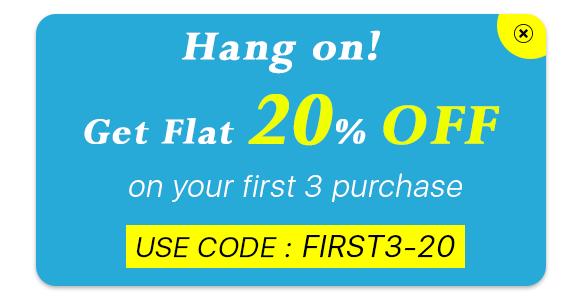
1. To induce visitors to make a purchase using an exclusive coupon code

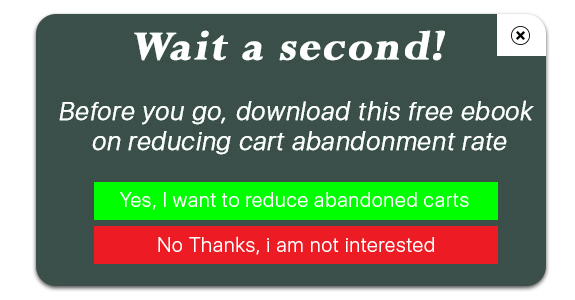
2. To make visitors download a free guide or an eBook

Exit Pop up Best Practices

Let’s take a look at some of the best practices for an exit popup to achieve good results.

1. Provide Irresistible Offers

The best way to stop your visitors from leaving your website is by offering them something which they can’t resist to grab.

Offer something exciting. It should be worth their attention and should encourage them to claim that offer instantly. If the offer doesn’t excite them, the pop up will fail to bring conversions.

2. Make it Visually Appealing

If you want to make an impact with the exit intent pop up, make sure it is highly appealing and designed in such a way that users are not disturbed by it and feel the need to check it out even when they have decided to leave.

Use attractive colour combinations, pay attention to what font you are using, write tempting content and most importantly, make your CTA, i.e. call to action stand out. Do not use common CTAs like Sign Up or Subscribe, use the ones that create urgency.

3. Use it to Collect Feedback

Exit Popups are also used to collect the feedback of the visitors. Ask them if they have any suggestions to provide or have any complaints or anything that they feel is missing or needs to be improved.

Benefits of an Exit Popup

An exit pop up provides you with some amazing benefits.

1. Boost Conversions

No other pop up draws the visitor’s attention as much as an Exit Pop up. The effectiveness of pop up doubles when it is displayed to the user when they are only focused on taking an exit. It is not the same when the user is browsing some stuff and is interrupted by a pop-up.

Through exit popups, you can reduce the cart abandonment possibility and eventually increase your conversions.

2. Reduce Bounce Rate

If a user lands on your website and does not find anything helpful, most likely they will bounce off. And while they try to leave, an exit pop up could be of some help and it can encourage them to check out your website.

3. Exit Popups are not annoying (Usually)

Pop-ups have mostly been an annoyance for users. They hamper the user experience. But this is not the case with Exit Popups because they appear only when the user has already decided to leave your website and there is no harm in making a try to stop them from leaving.

Exit Pop up Module by KnowBand

The Exit Pop up module by KnowBand is a feature-packed module that allows you to make tons of customizations to the pop-up and adjust the popup functionality. For example, you can set up the pop-up frequency, hide the pop up after a few seconds automatically, and do much more.

The interesting thing about this module is that it not only works as an exit pop up but also as entry pop up. You have the option to disable it anytime and can use it particularly when users try to exit. Check out-

PrestaShop Exit Pop up Addon

OpenCart Exit Pop up Extension

Magento Exit Pop up Extension

Magento 2 Exit Pop up Extension

If you need any assistance in the mentioned modules, you can reach out to us at support@knowband.com

You may also like:

Trigger Impulse Buying with PrestaShop Exit Popup Addon

8 Email Popup Best Practices to Grow Email List and Boost Conversions

10 Best Practices for a Hotel Booking Website

Did you know approximately 148 million travel bookings are made every year and the sales made through travel bookings are expected to hit an $817 billion mark? [Source: Condor Ferries]

The market is expanding rapidly and more and more people are entering into the business of travel niche. And if you are also looking to open a hotel chain, it could be worth a move.

People love going on vacations and exploring places with their family and friends. Once the plan is confirmed, the first thing that they look for is some of the best hotels around that region.

They open Google, type their query and a list of hotel booking websites appear in front of them. Then they check out a few websites and choose the best one.

How does a visitor decide which is the best hotel booking website? Well, there are a number of factors based on which the user comes to a conclusion. And this is what I would be covering in this blog post.

In this write-up, we will discuss the best practices for a hotel booking website like what should be the basic steps that you should follow if you are thinking to open a hotel chain.

1. User-Friendly Interface

A clunky, cluttered website will leave a highly negative impression of your brand. As soon as people enter your website and find it too difficult to browse, they would take an exit within a fraction of seconds.

For a hotel booking website to capture the immediate attention of visitors, make sure you have given it an attractive look. The use of eye-catching visuals, high-quality hotel images, appealing home page layout, can make a strong first mark.

It should be designed in such a way that users feel irresistible to leave your website. This is why having a user-friendly interface becomes highly important here. Everything should look clean and organized.

2. Make it easy to search Hotels

Your site search functionality should make it extremely easy for the visitors to search for their query. Primarily, allow users to enter their destination, check-in and check-out date, number of guests, number of rooms so that they have a relevant list of hotels to choose from.

The search bar in your hotel website should be made large and clearly visible so that it is immediately noticed by the visitors. Apart from the home page, it should be visible on every page that the user navigates. Do not compel users to come to the home page to conduct a search.

3. Display Hotel Ratings

When I say display hotel ratings, I do not mean the ratings given by the customers to a particular hotel but the star rating of that hotel. For example, some budget-friendly hotels can be 1-star or 2-star, average hotels can be 3-star. 4-star and 5-star hotels are slightly expensive with more facilities.

Highlight the hotel star rating clearly even on the search results and let customers choose what kind of a hotel type they want for their stay.

Besides, you can also mention the ratings defined by the customers. This gives the user an overview of whether a particular hotel is worth booking or not. People will usually ignore hotels that do not have positive ratings. This can save a lot of time for the visitors.

4. Sorting and Filtering

When a user has made the search, make their task more easy by providing with them with the sort and filter option.

A hotel booking website might display a lot of hotels to users with different sort of booking price and ratings. Let them sort the hotels as per the price (low to high and vice versa) and filter the hotel type and hotel ratings. It will present a more specific and relevant list in front of the users.

5. Display Room Category, Room Type and Hotel Amenities

Most of the hotel website owners list the hotels into a few categories such as Budget hotels, Premium hotels, etc. And you should do the same. A visitor looking for a stay at a reasonable price would look for budget-friendly hotels whereas someone who wants more services would go with a premium one.

Similarly, you can categorize the room type as well, for example, specify if it is a single bedroom, double bedroom, Queen sized bedroom, King-sized bedroom, twin bedroom, etc.

Lastly, display hotel amenities. Let the customers know what they can expect from your hotel and rooms. Hotel amenities could be like parking facility, swimming pool, etc. and for rooms, in particular, it could be whether the room as AC or Geyser installed, television, etc.

6. Let the Hotel pictures speak for themselves

It is all about visuals when it comes to a hotel booking website. People want to book hotels where they can expect hygiene and comfort. There can be some other factors as well but these two are usually the top priorities.

Most of the people book a hotel by checking the hotel conditions through pictures. Only if they find the look comforting, they make the booking.

Visuals leave a significant impact and this is why adding amazing pictures of the hotel is one of the best practices for a hotel website. Hotel pictures should contain the look of the hotel from outside, pictures of reception, sitting area, floor, rooms, washrooms, etc.

The more satisfying the hotel looks, the more will be the chances of a user making a booking. If there are some hangout spots nearby, you can include them too.

7. Show what Customers have to say

Help your visitors in choosing the best hotel by displaying hotel reviews. Let the prospects know what the previous customers think about the property, how has been their experience, what did they find good, what did they find bad.

Reviews influence people in their decision. And if the hotels listed on your website have good reviews, it would hardly take time for a user to make a booking.

8. Integrate Google Maps for Easy Navigation

Instead of just displaying the hotel address and expecting the potential customers to search for the location on Google Maps themselves, wouldn’t it be great if you could add the location through Google Maps on the booking page itself?

Visitors would not have to leave your website and then open Google Maps and enter the address. They just have to turn on their location and the destination would be already added. This makes it convenient for people to reach the hotel without any hassle.

9. Provide Hassle-free booking

Make it easy for your visitors to book a hotel. Have all the major payment options on your payment page including e-wallets. A majority of the people are taking the help of digital wallets for conducting a transaction.

You can also allow users to pay the amount at the time of check-in, and to avoid any cancellation at the last minute, you can ask for a little payment in advance for confirmation.

10. Optimize your website for Mobile

Today, any website, be it a hotel booking website or any eCommerce website, needs to be responsive. Most of the transactions are taking place through mobile devices. So it’s vital that your hotel website is mobile-friendly else you may face a heavy downfall in your mobile conversions.

Your mobile users should be able to enjoy the same browsing experience as your desktop users, in fact, more than that. Therefore, it is highly recommended to optimize your hotel website for mobile if you want to double your sales.

Add the Hotel Booking Facility on your website with Knowband’s Booking and Rental System Module

The Booking and Rental System module by Knowband lets you provide the online hotel booking facility to your customers. In fact, this module is not restricted to hotel bookings specifically, you can also add an appointment booking facility or rental facility through it.

But since this write-up focuses on a hotel booking website, let’s check out what this module has in offer for you.

With the Hotel Booking System, you can

– Specify the hotel name and add a description about it

– Set up an upfront booking price

– Specify the hotel rating

– Display hotel location via maps

– Add hotel images

– Specify the booking period

– Adjust the price as per days and time slots

– Specify the minimum and maximum days for which a booking can be made

– Set the check-in and checkout time

– Specify the room type and room category

– Specify the maximum number of children and adult allowed for a particular room type.

And there’s much more you can do with this module. Try out this module for PrestaShop and OpenCart

PrestaShop Booking and Rental System Addon

OpenCart Booking and Rental System Extension

Knowband also offers a combination of PrestaShop Booking and Rental System and PrestaShop Mobile App. Check out-

PrestaShop Booking and Rental Mobile App

Final Word

That’s it. These are some of the best practices that you should follow if you are thinking to set up a hotel website and want to know what all elements it should have to make it a perfect fit for you as well as your visitors.

Once you have tick marked all the mentioned points, find out how you can promote your hotel website to bring it to the notice of your target audience. Do proper SEO, promote your business on social media or whatever it takes to reach out to your visitors and bring traffic to your website.

All the best!

If you liked this write-up, do leave a comment below, and for any assistance with the module, you can contact us at support@knowband.com

You may also like:

PrestaShop Booking and Rental System | Manage your Online Bookings

Make Online Booking System Convenient with PrestaShop Booking and Rental Mobile App

18 Rental Ideas to scale-up your Rental Business