7 Mistakes to Avoid When Starting an Online Business

You do not start an online business just by having a thought of it. Like you wake up one day, get motivated to start an online business and go ahead with your idea.

No, it does not happen that way. But this is what most of the people do, and when the plan fails, the excitement fades away. I do not want you to have the same thought process.

Hence, in this article, I will be sharing some of the commonly made mistakes, which you should avoid when starting an online business.

1. Starting a business only to make money

Though the primary motive for starting any kind of business is to make money, it shouldn’t be the sole purpose. If you are thinking only about monetary benefits, you will likely fail very early.

Starting an online business requires your commitment towards your idea which you want to convert into reality. Until and unless you have the passion and dedication for it, you will not succeed.

Focus on making it a success, the money will automatically fall into place. Do not be money-minded from the very beginning.

2. Not having a plan

As I said earlier, you do not start an online business just because your brain got hit with an amazing idea. It is easy to think but hard to implement. Unless you put it into practice, you would not be able to achieve the desired results.

I am not saying that you should have a pre-defined roadmap set in your mind. It is impossible as you cannot easily identify what needs to be done at what step in the very starting.

But, have a plan. Think of how you are going to approach the idea of making your online business a success. Put simply, there must be an overview in your mind.

3. Thinking too much

Timing is everything when it comes to starting an online business. You cannot just think and think and not take action.

Like I said in my above point as well, you need to put your ideas into practice. Do not delay your launch. The determination can mellow down with time.

Start researching your niche, identify your competitors, analyze the competition, and figure out the target audience. Work on the process. You cannot wait for things to fall perfectly into place until you execute it.

4. Expecting quick success

Any kind of business, be it online or offline, takes time to settle. You cannot taste success overnight. Many businesses do not make the profit in the first year. Some take even more time. You need to be patient. There is no shortcut to success.

Keep working hard. Put continuous efforts. Focus on setting up your brand in the online market, and making it popular among your target audience. Success will follow.

You will only end up disappointing yourself if you think you can achieve success within a short period. Most importantly, do not let this thought get the better of you. You can get frustrated and might even give up on your business idea.

5. Not considering the “Money” factor

No matter what ideas you have and how optimistic you are about their success, the “money” factor is probably something that brings in the risk among people.

You need money to start a business, and it is obvious to fear about running out of pockets if it doesn’t succeed.

Know beforehand how much cash you have got and how much you are willing to put in the business till it is successfully set up.

Online businesses often face financial problems due to which they are left with no other option except shutting down the business. So, do keep the money factor in your mind.

6. Overlooking customer service

Internet is a virtual world and online business is all about virtual shopping. People make a purchase based on assumptions, especially on a newly launched website.

I mean, if you have just started your online business, people would not put their trust in your brand straight away. It will develop over time with the quality of services you provide and the quality of “customer service”.

So, it is not just about offering your products or services. The job does not end there. It is not a one-way cycle. Customers will return to your website with some issues in the product.

Be prepared to address your customers’ concerns. Have a clear idea of how you are going to resolve your customers’ queries.

7. Going for every social media platform

Business owners or marketers are very keen on marking their presence on every social media network. With no plan and marketing strategies, they just create their brand page to mark their availability. Later, they find it challenging to manage every platform.

Moreover, due to the inactivity in the pages for a longer period, the audience does not take their presence on social media seriously.

Do not make this mistake. Start with only one platform, or a maximum of two, and that too only if you feel you can manage them comfortably. If you are a B2C business, Facebook or Instagram would be the best option, while LinkedIn and Twitter would be ideal if you are into B2B business.

Final Thoughts

Some other mistakes that online business owners generally make is focusing too much on the lesser important stuff, not defining a target audience, ignoring the legalities, not having a plan to build the email list, etc.

Avoid making the above-mentioned mistakes. When you are aware of the mistakes beforehand, you are more successful in your plans.

To start your online business or setting up an eCommerce website, raise your quote here or you can reach out to us at support@knowband.com

You May Also Like:

7 Reasons Why Your Offline Business Must Have an Online Presence

Advantages of eCommerce over Traditional Retail

7 Ways to Increase Your Website Traffic

Website traffic is an integral part of any eCommerce business. Without it, the business holds little to no value. Is there any point of having a website if it is not receiving any traffic?

No web traffic means no customers, and hence no sales.

What is Web Traffic?

Web Traffic or Website Traffic is the number of web users who visit your website. Any time a visitor lands on your website, it counts as a visit or a session.

Website owners or marketers try various strategies to increase the traffic on their website, and today in this article, we will be talking about those tactics. I will be covering 7 simple yet effective ways to increase website traffic.

How to Boost Website Traffic?

Take a quick look at the 7 important tips that I will be sharing with you.

  1. On-Page SEO

  2. Social Media

  3. Paid Advertisement

  4. Start a Blog

  5. Write Quora Answers

  6. Guest Blogging

  7. Email Marketing

1. On-Page SEO

This might seem an obvious one but cannot be overlooked. If there’s one thing that matters the most when it comes to increasing the website traffic, it is the On-Page SEO. I mean SEO is all about driving traffic to your website.

If your website is SEO-optimized, you can expect quality organic traffic. So, make sure that all your web pages are optimized for search engines which will make it easier for the search engine bots to crawl your website, understand your niche and put your website in front of those web users whose queries match your business offerings.

2. Social Media

Promoting content is as important as creating it. How would people know that your brand even exists if you are not promoting it much or not leveraging the platforms which could help you in driving traffic to your website?

Social media is arguably the best platform to boost your website traffic. Facebook and Instagram can prove ideal if you are into B2C business whereas Twitter and LinkedIn are more beneficial for B2B businesses.

If you haven’t marked your presence yet on social media, now is the time. Your competitors there are already driving a handsome amount of traffic on their website through social media.

Related: Social Media Marketing for eCommerce: Strategies and Best Practices

3. Paid Advertisement

Paid advertisement is also one of the ways to promote your website in front of a large audience and driving them to your website. It becomes crucial if you have just started out your online business because you need to spend some bucks to get your brand noticed.

Google Adwords is one of the best tools that will help you with search engine marketing. You will have to bid for the keywords that you want your website to rank for, on the top in the search engine.

Besides you can also take help of social media ads such as Facebook Ads and Instagram Ads. Make sure to target the right audience, which means the right age group and the right regions where you want to display your ads.

4. Start a Blog

A majority of websites have a blog section, and you should have it too. Start a blog as soon as possible.

When you focus on topics around your niche and start writing about them, you have a very good chance of ranking your blog posts on the search engine and driving traffic through it, considering that the content is of high quality and contains the required keywords.

Later, you can promote your posts on various platforms and bring the audience to your blog.

5. Write Quora Answers

Quora is one of the popular Q&A platforms where people ask different types of questions and seek answers for them. It is very likely that your niche’s audience is already there and looking for some answers which you could provide.

Create a Quora profile, search questions related to your niche and start answering them. One thing to keep in mind that Quora is a platform to discuss, not to promote, So, keep your answer as genuine as you can. Write detailed answers, add a link to your website without sounding promotional.

If Quora identifies that you are there just to promote your business, they will block you from their platform.

6. Guest Blogging

There are many websites over the Internet that allows Guest Blogging. It provides a great opportunity for you to attract the audience of those platforms to your website. Besides, it enhances your brand image as well.

Reach out to a guest blogging website. Tell them that you want to create content on their platform. Just follow their guidelines and you won’t find any problems.

7. Email Marketing

Every small business follows email marketing. If you have a good number of email subscribers, you can drive a decent amount of traffic on your website.

Focus on building your email list. Acquire email address of your visitors and then send them newsletters, marketing emails, offers and promotions or other important information and bring them on your website.

Final Thoughts

There is no fixed limit to the number of ways to increase your website traffic. As I earlier said, businesses try and implement multiple strategies to boost the traffic on their website.

Keep looking for different ideas and do whatever you feel can be helpful in bringing users to your website.

PrestaShop Starter Pack: Must-Have PrestaShop Modules To Start Your Store

If you have just built your eCommerce website on the PrestaShop platform, you would be looking around for some PrestaShop plugins that you should integrate on your website as a beginner. Your search ends here.

In this article, I have put forward some of the basic yet effective PrestaShop modules to start with. We also call this the PrestaShop starter pack. Check them out.

1. One Page Checkout

PrestaShop One Page Checkout converts the default multi-step checkout process of your PrestaShop based website into a One Page Checkout. It aims to improve the checkout experience of your customers besides boosting your conversions by encouraging a quick and hassle-free checkout.

The module provides Guest Checkout, Facebook, Google and PayPal Login, option to customize checkout fields, multiple shipping services and payment methods support, layout customization, and much more. You can also display a free shipping banner on the top of the checkout section that helps to increase the average order value. It is a GRPR compatible module.

One Page Checkout has been downloaded 5000+ times on the official addon store and more than 2500+ times on our Knowband store.

2. Abandoned Cart

PrestaShop Abandoned Cart addon lets you track the abandoned carts on your website and provides you with the opportunity to convert those users into customers. The module aims to recover lost sales and helps you reduce the cart abandonment rate on your website.

Talking about some of its key features, it lets you create an abandoned cart alert; you need to specify the duration after which the cart is automatically assumed to be abandoned and a reminder email is sent to the user. The email functionality can be customized from the back-end configurations.

It also offers different types of discount email templates through which you can persuade the abandoned cart users to complete their purchase by providing a discount code inside the email.

3. Spin and Win

PrestaShop Spin and Win adds a Gamification element to your website in the form of a Spin and Win popup. The module focuses on certain aspects like increasing user engagement, reducing website’s bounce rate, boosting the average site time but most importantly, it is an email subscription popup that helps you grow your email list and scale-up your conversions.

With the help of this module, you can customize the look and feel of the popup and the text on it. Besides, you can configure the popup display settings like the display frequency, when to show, where to show, on which pages to show the popup, etc. It also provides you with the option to customize the popup slices as per the way you want.

4. Affiliate and Referral Program

PrestaShop Affiliate and Referral Program addon is an exciting way to boost your brand awareness and acquire new customers. The module allows users to register as an affiliate on your website, after approval of which they can earn rewards/incentives upon referring the website to others.

The user can share his/her referral code with others which they can use during the sign-up process. They can also share a direct referral link to sign-up and also share the link directly on their social media platforms or on someone’s email address.

The referral is considered successful if a new user has registered or made a purchase; depending on the configurations set from the back-end. Upon successful referral, the rewards are provided to the affiliate which can be claimed in the form of a discount voucher or the affiliate customer can raise a payout request.

5. SEO Optimizer

PrestaShop SEO Optimizer also referred to as URL redirect or URL cleaner module helps you convert the URLs of your website into SEO-friendly URLs. You can rewrite duplicate URLs and perform three types of redirect; 301 redirect, 302 redirect and 303 redirect. The module helps you improve the performance of your website on the search engine.

It’s a multi-lingual module, is SSL compatible, and also has multi-store compatibility.

6. SEO Wizard

PrestaShop SEO Wizard addon helps you manage the SEO of your web pages. The module automatically updates interlink and metadata on your website after the cron is executed from the back-end. The optimization is offered for four different web pages that include Product pages, Category pages, CMS pages and Manufacturer pages.

For any kind of assistance or query, reach out to us at support@knowband.com and our support team will reach out to you to the earliest.

You May Also Like:

10 Must-have Addons to Optimize Prestashop Product Pages

6 Must-Have Social Media Addons For Your PrestaShop Store

Top 10 PrestaShop addons to boost your Holiday sales

5 Email Marketing Tips during the COVID-19 Pandemic

The COVID-19 Pandemic has forced online businesses to modify their email marketing strategies. The ongoing crisis has put them in a dilemma whether or not they should send promotional emails to their clients or customers.

When you have a pre-planned strategy, it’s difficult to make sudden changes and adjust the email program accordingly. The schedule gets disturbed, besides you also have to figure out what needs to be done.

If you are being too promotional instead of being supportive in this time, it can spoil your brand image and you may lose out on some loyal customers.

In this write-up, I have shared a few helpful email marketing tips that you can apply in your business and retain your customers during this COVID-19 pandemic.

Email Marketing amid Coronavirus outbreak

One of the major problems marketers are facing currently is communicating with the subscribers. Email marketers are finding it tough to analyze how to keep the communication going. While some do have a plan, they are struggling as to how they should approach their email subscribers.

Let’s try to understand what changes you should make in your email marketing strategy.

1. Regular Communication

When an outbreak or pandemic happens, a lot of chaos is created not only among the businesses but customers as well.

At this time, you need to be calm and make your customers calm as well. And for that, you need to communicate frequently with your customers via email.

The last thing you would want is to bring in the communication gap, which can break down the credibility that you have built over time.

Your customers need to be informed at regular intervals about how you are responding to the current situation and what sorts of changes have your brought or planning to bring into your business.

When you communicate often, you can land some promotional emails as well in their box, but the percentage of it should be less. Do keep an eye on the open and click rates and other important metrics.

2. Change the tone of your Emails

The lockdown has taken a toll on people. People are getting frustrated and even depressed sitting at home and thinking about the current situation of the world.

During this pandemic, the way you communicate has a lot of significance, and this is why you need to adjust the tone of your emails.

Identify the pain points of your customers. Add an emotional touch to your emails. Be motivating and empathetic. Create a friendly conversation and ask them how they are doing.

Never forget to lend a helping hand. Tell them you are with them in this difficult phase. Do whatever you can from your end to make your customers happy.

3. Express Gratitude

Customers love to be appreciated. A thanks message is always a great way to express gratitude to your customers for their continued love and support.

Reach out to them in their inbox and thank them for being a valued and loyal customer. Tell them that it’s all because of their continuous support which has kept them going.

We all are going through a rough patch, be it businesses or consumers. So it is important to create a cheerful environment and put a smile on your customers’ faces.

If you ran a donation campaign, you can let your customers know about it, like how much amount you collected and how you are trying to help the needful.

Again, do not forget to thank them for their contribution. They will also feel happy knowing that they could contribute to helping poor people.

4. Educate Customers

Apart from informing your email subscribers about the impact of COVID-19 on your eCommerce business, it is also important to educate them and tell how critical the situation is, how they can get themselves going and what precautions they should take.

Though consumers would be very well aware of it, it is your responsibility as well to show concern towards your customers so that they do not get carried away.

Besides, if you could relate your offerings with a message, that would make a great email. For example, we at knowband, have a Free Covid-19 Information Popup for PrestaShop and Magento 2, through which brands or marketers can educate customers as well as specify their offerings on the popup.

For more details, you can click here.

5. Inspire People

People are frightened, demotivated, and whatnot. They are fearing about their survival, their jobs, and their family. Be a pillar of strength for them.

Inspire them with motivational thoughts and boost up their energy. Give them peace of mind.

The confidence that seems shattered needs to be rebuilt. Console them that we would be over the COVID-19 pandemic soon and everything would resume to normal.

This can build a strong bond between your brand and your customers, and they will remember you for the lifetime.

Final Thoughts

If you haven’t given serious thought to email marketing during the COVID-19 pandemic, you could miss out on some loyal customers. It is still not too late.

Your current email marketing strategy will decide how customers interact with your brand in the future.

But, as of now, let’s just hope we get rid of this Coronavirus soon. Plan your email marketing tactics and do keep in mind the above-mentioned points.

I hope you enjoyed reading these 5 tips for email marketing during COVID-19 pandemic.

7 Ways to Increase Average Order Value

Every brand wants its customers to shop more. When they will shop more, you will have more sales, and hence more money. This will ultimately result in a higher average order value.

Online businesses often look for ways to increase the average order value on their store. There are some smart tactics which we will discuss in this article that will help you generate more sales from an order.

What is Average Order Value?

Average order value is defined as the average amount spent per order on your website/store.

How to Calculate the Average Order Value?

To calculate your store’s average order value, you simply divide the total revenue generated by the total number of orders. For example, a shopper purchasing three pieces of denim worth $12, $18, and $21 will set the average order value to be $17.

How to Increase Average Order Value?

Let’s try to understand what steps you can take to increase the average order value on your website.

1. Set a Free Shipping Threshold

Free shipping threshold is one of the best and the popular ways to increase the average order value on your store. For example, free shipping or orders above $100.

How to get benefited from this? Okay, once you have calculated your average order value, increase the bar. Let’s say the calculated AOV is $85, set the value to $100 for a customer in order to get free shipping. A 15-25% increase is considered to be ideal.

Now imagine, a shopper comes to your store, adds the product worth $85 or nearby to his/her cart, at the checkout, he/she will be encouraged to shop for extra $15 to avail the free shipping facility.

With our One Page Checkout module, you can place a free shipping barrier on the top of your checkout page, set a threshold from the backend configurations, following which shoppers would be displayed how much more do they need to spend to receive free shipping on their order.

2. Increase Average Order Value by offering Discount

This might put you in confusion at first as to how offering discount can lead to an increase in the average order value when it actually reduces the price.

So, the tactic here is whenever you are offering a discount to your customers, set a minimum spend limit such that the AOV after discount remains more than the current calculated AOV, and at the same time, your profit margin is not much compromised.

For example, if the AOV is $50 currently, offer a $5 discount on orders above $65. You can increase the discount value for higher value orders.

3. Upsell and Cross-sell

E-commerce businesses rely mostly on Upselling and Cross-selling to increase their store’s average order value. You should replicate the same.

To be specific about these two terms, cross-selling involves products that complement the existing product (the product which the customer is buying). For example, if a person is purchasing a smartphone, a mobile case and a screen guard would fit well with the purchase. So, instead of just buying the phone, the person would most likely purchase all the three, and hence the order value will go up.

Upselling, on the other hand, involves products that are either a better version of the current product or has more benefits, which obviously means it would come at a slightly higher cost. People do not hesitate to spend a bit extra if they can get more features and better quality, ultimately resulting in the higher-order value.

Many popular eCommerce brands use terms like “Frequently bought together”, “Related Products”, “Similar Products”, “You may also like”, etc. to represent cross-selling and Upselling.

Related: A complete guide to Cross-selling and Upselling in eCommerce

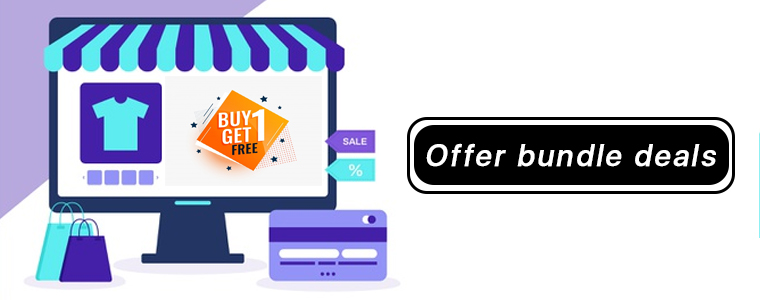
4. Offer Bundle Deals

Providing a bundle of products is also one of the smartest ways to increase your average order value. For example, you can run deals like buy 2 and get 1 free or something like if a shirt is priced at $40, you can offer- buy 2 at worth $75 or buy 3 at $110.

When shoppers see that they can get a bundle of three at a lesser cost than the sum of their separate individual cost, they are likely to spend on buying the package. Just make sure that you are still able to make some profit out of it.

5. Launch a Loyalty Program

Customer loyalty programs can be very effective when it comes to increasing the average order value on your website.

The benefit of having a loyalty program is that it ensures repeat purchases. Besides, you can also improve the customer retention rate on your store.

Every time you reward something to a user on their purchase, you encourage them not only to return to your store but also push them to spend more.

It is very obvious that when customers have loyalty points in their wallet, more often than not they will spend or redeem them on higher purchase.

6. Provide Gift Cards

Gift Cards are a valuable asset for your brand and can help you achieve more sales and higher average order value.

If the AOV is $50, you can offer your customers a gift card of $5 on orders above $70 or $80. Besides, you can also set the gift card threshold, which obviously should be more than the current AOV. For example, shoppers can redeem the gift card on a purchase made over $80.

In this case, setting a minimum spend amount also becomes important because it can make customers purchase a product of the same amount as that of the gift card, which will give you no profit.

Well, even if you decide not to set the threshold, it is commonly seen that the customers usually spend the gift card amount on purchasing an expensive product.

Related: Why Digital Gift Cards are important to your eCommerce Business?

7. Run a Limited-Time Deal

Limited-time deals not only create urgency but provide you with an excellent opportunity to increase the average order value on your website.

For example, you can run a limited-time offer on your website where customers would be able to claim a few benefits like free shipping, a gift card, a coupon code for next purchase, or anything that is beneficial for them.

But for that to happen, customers would have to shop within that limited time and also match the terms and conditions defined, which could be anything like shopping for a certain amount, certain quantity of products, etc.

When shoppers know they have limited time to shop and avail the benefits, they act quickly.

Final Thoughts

That’s it. These are the seven best ways to increase the average order value on your website. High average order value is an indication that your business is performing exceedingly well. It also reflects higher revenue.

Taking a quick look back, it includes setting a free shipping threshold, offering a discount, encouraging Upselling and cross-selling, offering bundle deals, launching a loyalty program, providing gift cards, and running a limited-time deal.

Were these tips helpful for you? Do let me know in the comments below, and if you have some more points to add, do not forget to mention them.

Mark Zuckerberg Introduces Facebook Shops To Help Small Businesses Sell Online

Facebook is one of the favorite social media platforms for brands to market their products and boost brand awareness. Now with Facebook Shops, the social media giant is making a new push into eCommerce.

Due to the COVID-19 pandemic, many local stores have been shut. Some businesses have been permanently closed while some have stopped operating temporarily, and if the current crisis continues, a lot more businesses are going to fail.

Thus, primarily to help small scale businesses, CEO Mark Zuckerberg announced Facebook shops on Tuesday. In his live stream, he said that it is important to rebuild the economy while the pandemic continues.

“If you can’t physically open your store or restaurant, you can still take orders online and ship them to people. We are seeing a lot of small businesses that never had online businesses get online for the first time,” said Zuckerberg.

He also mentioned that small businesses make up the vast majority of Facebook’s more than 8 million advertisers.

Everything you need to know about Facebook Shops

Facebook Shops make it easier for businesses to set up a single online store on both Facebook and Instagram.

From their Twitter handle, Facebook also announced that the facility will soon be available for WhatsApp and Messenger as well.

Creating a Facebook shop is really simple and involves no cost. Mark explained this by saying-

“Our business model here is ads, so rather than charge businesses for Shops, we know that if Shops are valuable for businesses they’re going to in general want to bid more for ads. We will eventually make money that way.”

Though the company has earlier allowed businesses to list their products on Facebook and Instagram, Facebook Shops has taken the online shopping experience to the next level.

It lets businesses upload their catalogs once and then they can choose the products they want to feature from their catalog. The look and feel of the shop can also be customized; brands can set a cover image and choose colors for their shop that reflect the brand.

People can explore shops on a brand’s Facebook page or Instagram account, or find them through stories or ads. From there, they can browse the brand’s total collection, save products and checkout.

The order can be placed directly from Facebook or the customers will be redirected to the business’ website. Direct checkout will only be allowed for businesses participating in Facebook’s Checkout. Facebook charges a small fee for checkout made through their platform.

With Facebook shops, users will be able to get support by dropping a message to the brand through WhatsApp, Messenger, or Instagram Direct. They can also track their order delivery from there.

The company has partnered with Shopify, BigCommerce and other platforms to support small scale businesses.

Facebook to Introduce Instagram Shop this summer

Another tweet by Facebook revealed that they would be introducing Instagram Shop in the US this summer. They will also be adding a “Shop” tab in the navigation bar later this year. It will be a brand new way for Instagram users to discover and buy products.

Brand or Influencers have been using live streaming to showcase or promote a product. Now, Facebook is making it easy to purchase products in real-time. Soon, businesses will be able to tag products from their Facebook shop before they go live, and those tagged products will be displayed at the bottom of the video, making it easy for users to tap on the product and purchase.

Want to integrate your Facebook business page to your website? Try out our FB Store module available for PrestaShop and Magento that lets you list your products on your Facebook shop and provides various customization options.

OpenCart Modules Compatible with the Journal Theme

Journal theme is arguably one of the best OpenCart themes available in the market today. Launched in 2013, it is now amongst the best selling and highest-rated OpenCart themes.

Thousands of eCommerce stores build on the OpenCart platform have been designed with the Journal theme, and while purchasing any OpenCart extension, marketers or website owners do ensure that it is compatible with the Journal theme.

At Knowband, we also have some modules that are made compatible with the Journal theme and we will be adding more to the list in the future.

So, if you are looking for some OpenCart extensions with Journal theme support, check out-

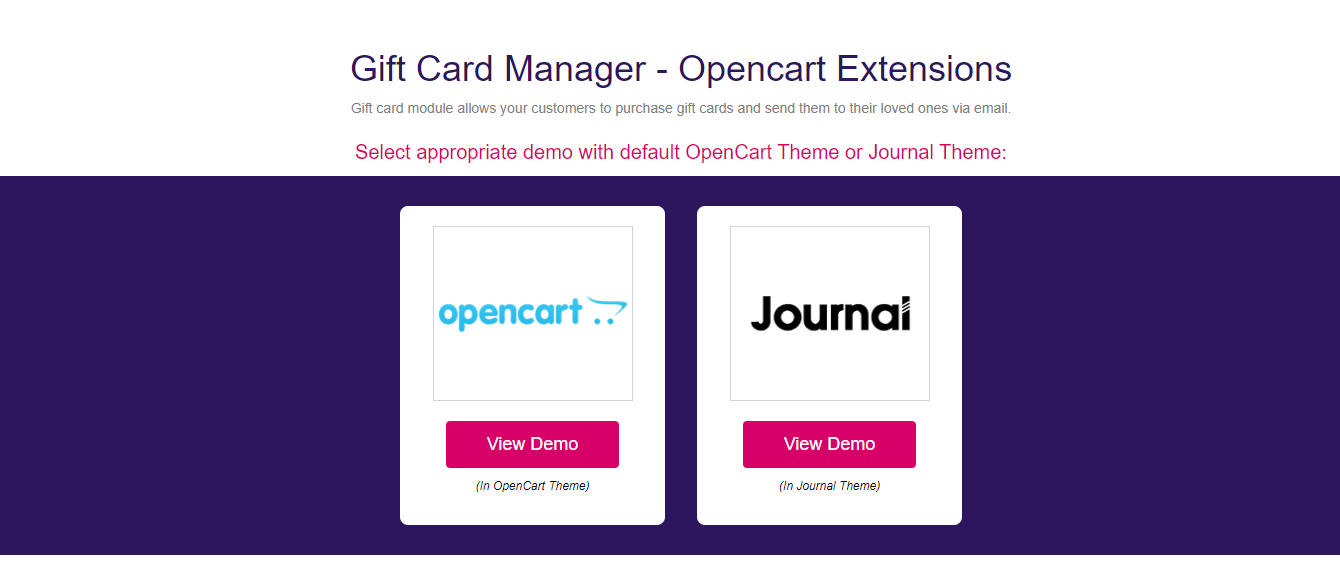
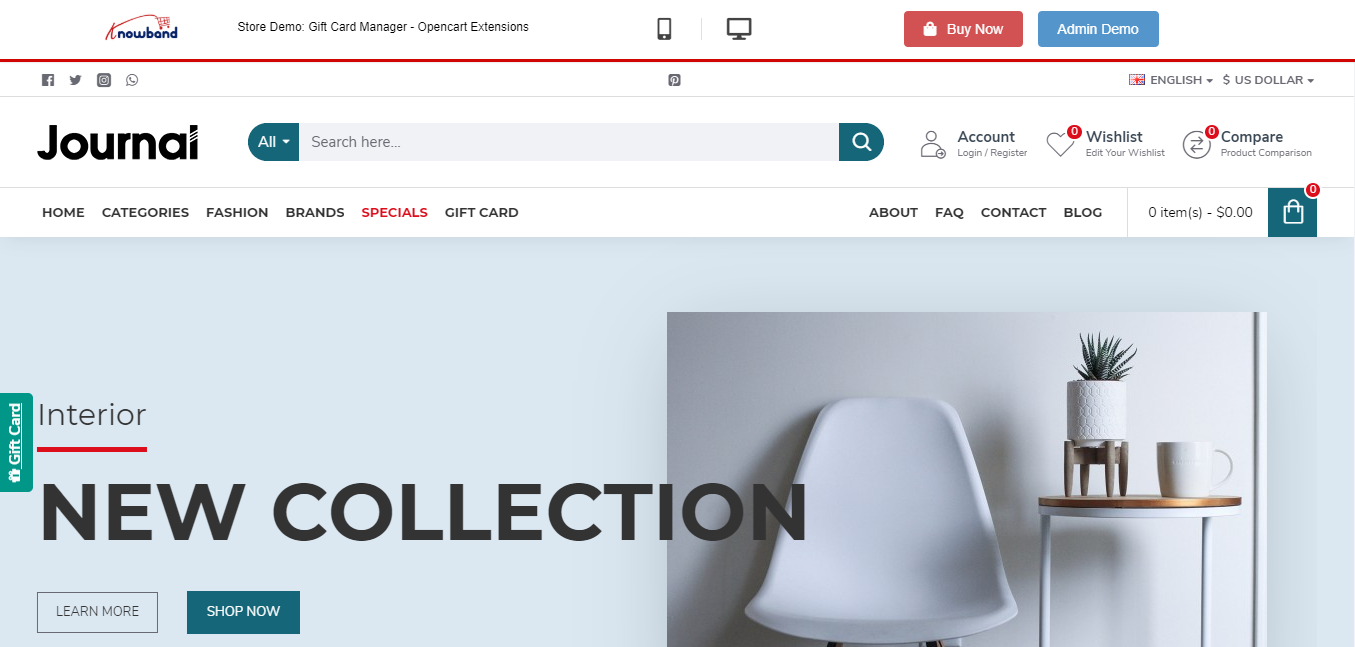
1. OpenCart Gift Card

OpenCart Gift Card extension helps you incorporate a gift card section on your website. The extension offers multiple pre-existing gift card templates for various occasions such as Halloween, Christmas, New Year, etc. These can be customized or you can add new ones if you want. You can also create gift cards of different values.

Do check out this module for more features and benefits.

2. OpenCart One Page Checkout Pro

OpenCart One Page Checkout extension replaces the default checkout of your website with single page checkout. The extension offers various features such as Guest Checkout, Social Login, Checkout customization, multiple shipping and payment methods support, etc., thus encouraging a quick checkout and increasing your conversion rate.

3. OpenCart Marketplace

OpenCart Multi-vendor Marketplace helps you easily convert your store into a fully-functional marketplace that enables you to add more sellers. By adding more sellers to your marketplace, you can offer more variety of products to your customers and also earn commission on each transaction of your sellers.

OpenCart Extensions not dependent on store theme

We often get queries from our visitors and customers about extensions that are not dependent on the store theme. So, here is a list of them.

1. OpenCart Mobile App Builder

OpenCart Mobile App Builder is one of our best-selling modules that helps you build a native mobile app for your website without any requirement of coding and other technical stuff, and improves your mobile conversions.

It offers some amazing features such as Home Page Layout Optimization, Social Login & Fingerprint & OTP login, Unlimited Push Notifications, Zopim and WhatsApp Chat support, Simplified Checkout, Multiple Payment and Shipping support, Real-time synchronization.

It is also compatible with our Marketplace module.

2. OpenCart Accelerated Mobile Pages

Independent of any store theme, the OpenCart Accelerated Mobile Pages or simply Amp extension improves the loading speed of your mobile web pages, hence reducing your website’s bounce rate to a certain extent.

The extension provides various customization options such as home page customization, product page customization, category page customization, helping you improve your website’s performance on mobile devices.

3. OpenCart Abandoned Cart

OpenCart Abandoned Cart extension helps you reduce the cart abandonment rate on your store. The extension provides pre-existing discount and non-discount email templates through which you can not only remind shoppers about the pending items in their cart but also entice them to complete the purchase by offering a discount coupon code inside the email.

4. OpenCart eBay Integration

OpenCart eBay Integration extension helps the store owners to integrate their OpenCart store with the eBay marketplace. This helps them save time and effort. This extension automates the product listing process with the help of which store owners can list their products on eBay under various categories. Store owners can list the products in bulk and also manage the eBay orders easily.

5. OpenCart Etsy Integration

OpenCart Etsy Integration extension helps you integrate your OpenCart Store with Etsy Marketplace. This extension provides an effective way to list your products on the Etsy marketplace from the OpenCart store itself.

With the help of this extension, store owners can create multiple profiles for listing their products on Etsy Marketplace. Store owners can change their product prices, auto-renew their products, and easily manage their orders using this extension.

6. OpenCart Walmart Integration

OpenCart Walmart Integration extension helps the OpenCart Store owners to connect their store with the Walmart marketplace. With the help of this extension, store owners can upload products in bulk using the profile-based listing. Store admins can manage their orders and inventory from OpenCart admin panel and admin can also map OpenCart attributes with the corresponding Walmart attributes at the time of product listing.

Knowband offers 3 months of free support for each extension purchased from the Knowband store. If you encounter an issue with the installation or find it difficult to configure the module, feel free to contact us at support@knowband.com. Our support team will try to resolve your issues to the earliest.

Facebook acquires the popular GIF search engine Giphy

The largest social media platform Facebook has acquired Giphy; a popular search engine that allows users to share animated images or short looping videos with no sound, known as GIF.

The actual acquisition cost has not been disclosed yet by any of the two, but many sources reveal that the deal was finalized at nearly 400 million USD.

Facebook has planned to integrate Giphy with its owned photo-sharing social media platform Instagram, which they acquired, back in 2012, for $1 Billion. The company made an official announcement by saying-

“GIPHY, a leader in visual expression and creation, is joining the Facebook company today as part of the Instagram team.”

They further went on to say-

“GIPHY makes everyday conversations more entertaining, and so we plan to further integrate their GIF library into Instagram and our other apps so that people can find just the right way to express themselves.”

Two years later, in 2014, Facebook also bought the popular messaging platform WhatsApp for $19 billion.

The acquisition does not mean that Giphy will no longer hold any part since it is sold to Facebook. Giphy will continue to operate its library. Facebook cleared it by saying that-

“People will still be able to upload GIFs; developers and API partners will continue to have the same access to GIPHY’s APIs, and GIPHY’s creative community will still be able to create great content.”

Giphy confirmed the same through their announcement-

“And for our API/SDK partners and developers: GIPHY’s GIFs, Stickers, Emojis, etc. aren’t going anywhere. We will continue to make GIPHY openly available to the wider ecosystem.”

A blog post by Facebook said that 50% of the Giphy traffic comes from Facebook’s owned apps, with nearly half of it coming from Instagram.

A few things you need to know about Giphy

1. Giphy was founded by Alex Chung and Jace Cooke in February 2013.

2. In August 2013, Giphy got integrated with Facebook, hence allowing the users of the network to post, embed, and share GIFs on Facebook. Three months later, Giphy integrated with Twitter as well.

3. Giphy was recognized among the Top 100 websites of 2013, as per PC Magazine.

4. In March 2015, Giphy acquired Nutmeg; a GIF messaging service. The acquisition had coincided with the Facebook Messenger’s own development platform, in which Giphy joined a few exclusive apps in its debut.

5. Giphy launched its second mobile app “GIPHY Mobile Cam” in August 2015 that allowed users to create and share GIFs on various social networks.

6. In July 2017, Giphy announced that it had 200 million daily active users between both the API and website, with nearly 250 million monthly active users on the website.

Check out Knowband’s FB store module that allows you to integrate your Facebook business page to your website, and lets you customize your Facebook shop. The module is available for PrestaShop and Magento.

How a Limited-Time Offer can boost your Sales?

The tag of Limited-Time Offer is triggering and creates urgency.

You would have often seen limited-time offer deals on an eCommerce website. In fact, not only on a website but also outside a showroom in the mall.

What is a Limited-Time Offer?

As the term suggests, a limited-time offer is a kind of offer that involves discounts, deals, rewards, etc. for a limited time. Put simply, shoppers can avail the benefits if they shop within that certain time period.

That is the actual purpose of limited-time deals; to encourage shoppers to purchase, to persuade them to take quick action.

What other marketing campaigns might not be able to do, a limited-time offer deal would.  Shoppers act quickly when the clock is ticking and the reverse countdown is happening.

Let’s understand the tactics behind limited-time-offer and how they benefit the online businesses.

Limited Time Offer as a Sales Strategy

Limited-time deals are offered in different ways such as “Buy 1 Get 1”, “Flat X% OFF on all products”, “Free Shipping”, etc.

These sorts of tags are very enticing from the customer’s point of view and they like to grab the opportunity before it expires so that they do not regret later.

Why do Brands run limited-time offer?

Well, one of the major benefits of running a limited-time deal is it increases sales. Shoppers are bound to visit your store if you offer them a discount.

Secondly, it aims to increase conversions, eventually helping you acquire new customers. When you make your visitors aware of the limited time sale on your website, more and more people would be coming to your website in that particular period.

Your website traffic would be very high as compared to the other days. In that high number of visitors, there will be both new customers as well as existing customers.

Thirdly, reduction in the product price or tag of free shipping provides customers with the feeling that they are going to get the most out of their money. If they miss that deal, they would have to purchase the same product at a higher price later.

How to make the best out of your Limited-Time Offers?

Once you have planned your limited-time offer period, here is how you can make your audience aware of it and encourage them to shop.

1. Set a Countdown Timer

Simply displaying the date when the deal will begin or the period till it will last would not do as much good as when you set a countdown timer for the beginning of the limited-time sale and also run the timer for the expiry.

For the beginning, it is to leave the impression in the visitor’s mind that the deal begins soon. The expiry countdown timer pushes visitors to claim the deal as early as they can.

2. Create a compelling Call-to-Action

Your CTA, i.e. call-to-action holds very high importance in compelling users to act. If the CTA isn’t intriguing, shoppers would not be influenced.

To make them take action, use CTAs that arouse the visitor’s interest. You can find multiple CTAs on the internet based on your niche. Creativity also plays a vital role when designing a CTA.

The more appealing and persuasive it will look, the more clicks you will get.

3. Do not clutter your offer

The offer should be crisp and clear. Do not fill it with too many elements else it can distract the customers from the primary headline.

Highlight the main things in bold with large text size. Use a professional font. Try to mention only those points that reflect the benefit of the offer and why customers should not miss that opportunity.

4. Stick to your words

If the deal says that the offer is going to expire in X number of days or within X hours, it should end as mentioned. If visitors come to your store and see that the deal is still on, they may doubt the credibility.

So, be honest with what you say. Otherwise, from next time onwards, customers would not put their trust in your brand and they would think that the offer is going to extend anyway, whereas if you follow the right approach, they would be alert from the next time to not miss out on your offers.

5. Send Newsletters, Promote on Social Media

There is no point of running a limited-time offer if your audience is not aware of it.

Apart from mentioning the deal on your website, promote it everywhere possible to notify your customers and potential customers.

Drop an email to your subscribers and let them know when the deal is going to begin. If you have social media pages for your brand, post about it on every platform.

You can also take help of social media ads to make this deal reach to a larger audience.

Final Thoughts

Limited-time offer is a smart marketing tactic. It’s just that you should know how to create its impact on your customers and prospects.

Buyers should feel like it’s an opportunity that they cannot afford to miss.

I hope that the tips and information that I shared with you were helpful to you. What’s your strategy behind the limited-time offer deal?