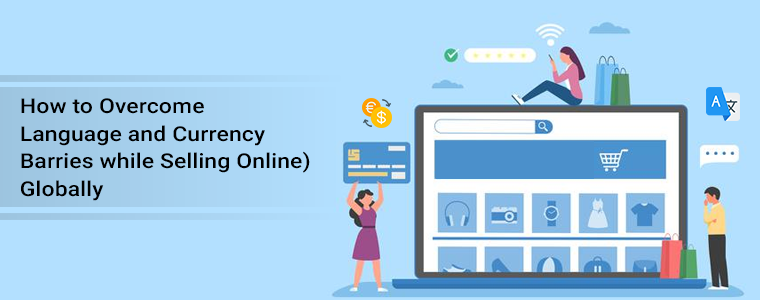
How to Overcome Language and Currency Barriers while Selling (Online) Globally

Language is the means of communication and currency is the medium through which we buy and purchase things. While selling globally, your website’s language can become a barrier if the visitor does not understand its default language.

However, because many visitors and prospects come from countries where most people at school learn English, it is necessary to take steps to resolve language barriers. The language switch and currency conversion functionality let you sell globally and build a connection with the buyers.

There is a surge in the demand for virtual assistants and offshore business support. There has been a 95% growth in demand for virtual assistant services in the past few years. But, small businesses holding back from taking the step towards business growth.

One of the main worries about preventing people from using a virtual assistant is the idea that, because of language and cultural barriers, they would fail to interact with someone from another world. Hence, auto-switch language and currency converters play a pivotal role in business growth.

The benefit of having a multi-lingual website with auto currency change functionality

Showing a website in the targeted country’s native language can help boost the product page’s SEO. Auto-Switch language and currency will be advantageous to expand your business globally.

The platform should always be available in the native language when selling to a buyer unless the product is in high demand and the customer has no other means of having it.

Here are some tips that overcome the language and currency barrier while selling your products on eCommerce internationally.
One of the easiest ways to save time and money while selling products online is to get a module that can help you auto-switch language and currency. But, sometimes translation does lose the real essence of the content. That is not the case with eCommerce. The product description should be clear and simple and that can be achieved with the translation module.

#1- Speak the language they know

The most widely used language in the e-commerce world is indeed English. People in countries such as Norway and Sweden also do not mind shopping on English-language websites. But, there are a variety of nations and millions of people who are afraid to read or speak in English.

For your international customers, improve their comfort and convenience and save them the inconvenience of third-party translation resources. Use language for local consumers that are plain, insightful, and sounds native.

#2- You don’t have to cover every language

In all foreign languages, you do not have to localize. That would be needless and too costly. In the new markets you are entering, you just need to concentrate on a few languages that are primarily used.

Initially, you can have the translation for a wider audience in several languages just to analyze the traffic. For instance, if your online store unexpectedly gets hundreds of new customers who prefer using French as the default language, you might need to consider localizing the next one in French.

#3- Navigate them to the landing page

Some studies have shown that it often has a positive effect on your sales if you redirect your visitors automatically to a local landing page. Not just that, it also raises profits. The easiest way to boost your customer’s experience is to guide them to your website’s translated edition.

In other words, your online store’s navigation bar, menu, tabs, buttons, or links should have a version in your current target customers’ preferred language. It is important to localize the product reviews (or local buyers should be encouraged to post their reviews). Also, make sure to give the customer support options in their preferred language.

#4- Let them buy in their currency

Show prices in various currencies, even if you can not accept payment in all of them. Without having to make an extra effort and resort to a currency converter, this information will give your customers an idea of the price.

Payment method: do some research in a given country on the most common payment method. This is going to instill trust in your international clients. They may be cautious about safety if they see payment methods that they are not especially familiar with.

#5- Focus on Design

check the preferences for cultural design. Not only will it boost your product’s credibility, but it will also enhance the experience of the shopper. When you translate a website, you may have to make some adjustments, such as some German words may be slightly longer than the English ones, so you may have to tweak the design a bit.

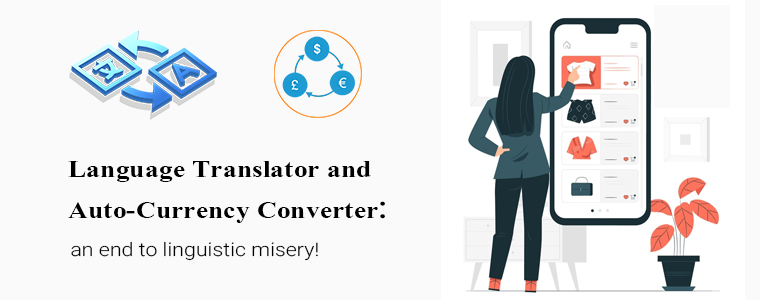
Auto-Switch Language and Currency Converter: an end to linguistic misery!

Translate every word with one powerful module designed for your eCommerce store that converts the content into different languages, which will open you up to the world. Whenever you are stuck with non-native languages, KnowBand’s Language Switch and Currency Converter is a great and prolific tool. All you need to do is implement our tool into your website and you will be able to easily translate all or relevant parts of your website!

How does Auto-Switch language and Currency Converter Module Works? It auto-switch the currency on your store. For each multi-language eCommerce shop, it’s a real must-have! In their native currency, clients enjoy seeing prices. When setting up a store, you can set the default language and currency country-wise.

If a customer is visiting your website from Poland then, it will display the products in Polish and their native currency. This improves the user experience and provides a personalized user experience. The addon is an ideal tool to connect eCommerce stores to various currencies and make them more user-friendly. The admin needs to add the language and currency from the store back-office. Our module displays the language and currency as per the settings.

Click on the links below to explore the Auto-Switch Language and Currency Translator Module:

Prestashop Auto Switch Language and Currency – Prestashop Addons

Auto-Switch Language and Currency – Magento 2 ® Extensions

Auto-Switch Language and Currency – Magento ® Extensions

Auto Switch Language and Currency – Opencart Extensions

Several eCommerce modules are available for all the major eCommerce platforms such as PrestaShop, Magento, and OpenCart.

Conclusion: The reality is that by understanding how cultural differences can affect communication, understanding, workflow, and efficiency, there are ways to get on the front foot and minimize these concerns. You can conquer these obstacles with a little legwork, knowledge, and strong processes and nurture an empowered and efficient support team.

Write to us at support@knowband.com and we will be more than pleased to share with you the Auto-switch Language and Currency Translator and its features!

Recommended Reads:
Why is it Important to attract Potential Customers?

Getting thousands of visitors to your site but missing on the leads! It’s a common scenario but to get potential customers, you should influence the target market with better strategies. Your target audience will depend upon the services you provide. The targeted market could be B2B or B2C concerning the service.

How to analyze quality traffic?

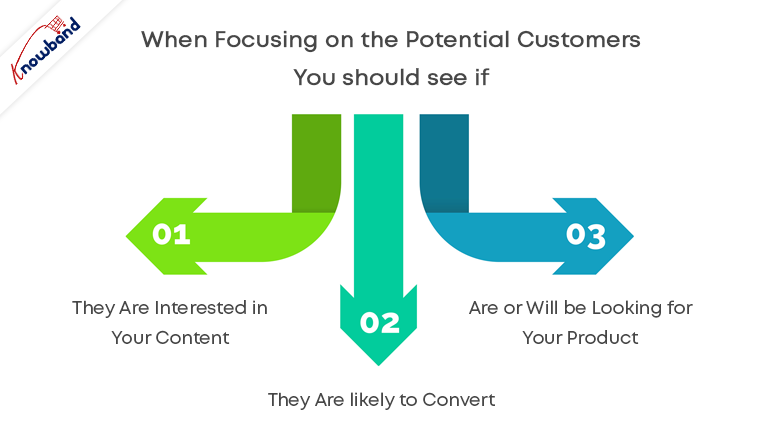
Among thousands of visitors, how many are the leads and take your services? If you are getting a good number of conversions then there is nothing to worry about. If this is not the case then you have to start targeting quality traffic. You must consider the fact that the quantity does not define the quality. Understanding your audience and making them talk about your services can be achieved with quantity but, for quality, your target should be based on buyer persona. When focusing on the potential customers you should see if:

  1. They are interested in your content
  2. They are likely to convert
  3. Are or will be looking for your product

A potential customer is all that you need when you are running a business.

Why is potential traffic important?

Think about it! You are a protein bar manufacturer and you are running promotional campaigns without any filters. This might bring visitors to your site but are they actually going to buy your product? For a protein bar, you should have a B2B target audience as the customer can be of any profession and may differ from a buyer persona.

Let us take another example, you run an eCommerce website selling women’s cosmetics and hair products. Who will be your target audience? Women are more likely to spend on cosmetics. It would be profitable only if women are the target audience.

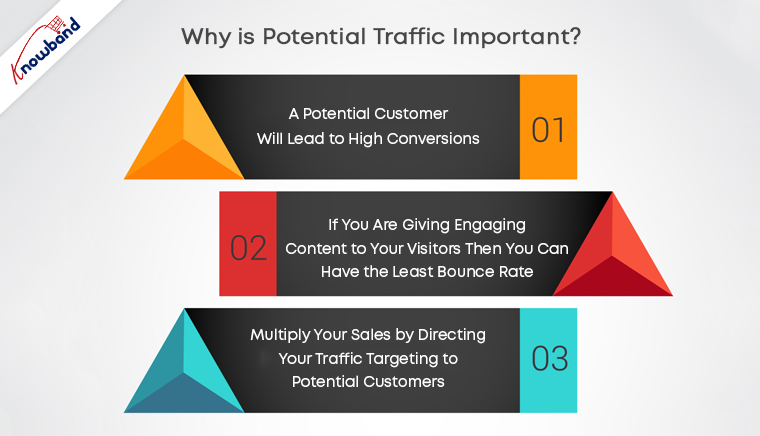
A potential customer will lead to high conversions. Bring targeted traffic to your site and boost your sales.

If you are giving engaging content to your visitors then you can have the least bounce rate. Many visitors leave the page as soon as they land it.

Multiply your sales by directing your traffic targeting to potential customers.

How to get potential customers?

Now you understand the quality audience traits and the importance of potential customers. Now you must be wondering, how to do that? There can be multiple ways to target audiences, like focusing on customer satisfaction and customer quality service. Best way to approach the quality audience is

  • You can conduct target customer research for the product and services you provide. Compile all your pre-existing data and customer information and start looking into the opportunities with target marketing. Collect more information like their professions, interests to use them in marketing.
  • Analyze the market to know the competition. When you are into a business be ready with your armor and sword to fight a war against your competitors. Here the armor will be your product service and sword will be a marketing strategy.

No customers are similar. There can be different ways to attract potential customers which can give high conversions. To get good retention and customer conversion you can target potential customers adopting multiple approaches.

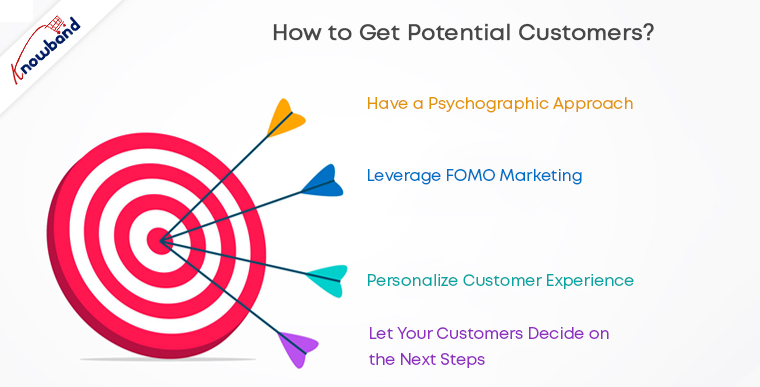
  • Have a psychographic approach: Tell them why your product or service is good for them. You should know the details like buyer’s habits, interests, lifestyle, values, and opinions which can be used in your planning for marketing strategy.
  • Leverage FOMO marketing: You can make your target audience feel they might fall behind if they are not using your product or services. This is one of the easiest ways to boost sales.
  • Personalize customer experience: Attract them by giving personalized customer experience.
  • Prove that your products are better than those offered by competitors: Sometimes you have to play dirty to achieve your goals. Sell your idea as if there is no better option available.
  • Let your customers decide on the next steps: Your work is to guide them but not making them walk. Show the quality and advantages and let them decide on the next step.

Bottom line

Targeted marketing can lead to potential customers and not just visitors. Focus on providing customer quality services and improved customer experience. Make sure your product or service shows up when customers are looking for it. A planned marketing strategy can bring quantity as well as quality to your store.

Knowband can help you with this thanks to a wide range of modules offered for Prestashop, Opencart, Magento, and Magento 2.

Check our gamified popup module to turn potential customers into buyers:


10 Tips to Double Your Ecommerce Conversions in 2023

Every eCommerce website owner looks to improve conversions on their store. More eCommerce conversions mean more revenue. Whether you have just started your eCommerce business or been in the journey since long, there’s always room for improvement which you can work upon to boost your conversion rate.

There are certain tricks, strategies, and best practices for it. Putting all together, here are the top 10 tips to consider for higher eCommerce conversions.

1. Improve Your Page Loading Speed

If your website or web pages take time to load, it can severely affect your eCommerce conversions. Studies suggest that visitors bounce off from websites that take more than 3 seconds to load.

To test the loading speed of your website/web pages, use Google PageSpeed Insights or Pingdom.

A slow-loading website can hinder the shopping experience of your customers and they may choose to abandon the purchase mid-way.

Consider upgrading your hosting plan or switching web hosts to accommodate more website traffic. Remove unnecessary large files that are taking too much space.

2. Optimize your Website for Mobile Devices

Since the majority of the website traffic comes from mobile devices (smartphones) nowadays, it’s important to optimize your website accordingly.

Mobile Commerce is on the rise and has already surpassed eCommerce. A mobile-friendly eCommerce website brings more conversion than the non-friendly ones.

Take help of Google AMP for faster loading of mobile web pages. It helps you reduce your website’s bounce rate to a significant extent and improves the browsing experience of your mobile visitors.

Knowband provides the AMP plugin for PrestaShop and OpenCart platform.

Related: Benefits of Google Accelerated Mobile Pages (AMP) for eCommerce

3. Focus on simplifying your Design

One of the keys to boosting eCommerce conversions is simplifying your website design. From the homepage to the checkout page, every element should be highly optimized.

Eliminate clutter. Avoiding filling your website with too many elements and make it easy for users to navigate. You do not want to distract customers from their purpose, right?

Make use of whitespace and use visuals sparingly on your homepage. A simple, clean and well-organized website enhances user experience. Besides, it keeps the customer’s focus on your products and encourages them to explore your website without getting distracted.

4. Use High-Quality Visuals

Visuals play a crucial role in your eCommerce conversions. Texts aren’t enough to drive sales; you need high-quality images and videos.

Try to give as much information as you can through visuals. Give customers the type of experience they would feel when they are holding the product in their hands.

Take pictures from every angle with pinch-in and pinch-out zoom functionality. Use product videos to demonstrate how the product works. For example, if you are selling an automatic washing machine, show how to operate it or let’s say you are selling shirts, show how it would look on a person. Also, add a product size chart to highlight the measurements and let users know the model height as well so that if their height is the same, they can relate with it.

Don’t compromise on the image quality. Hire a professional photographer.

5. Simplify Checkout

As per Baymard Institute, 21% of the abandoned carts take place due to a long and complicated checkout process.

The fact confirms that if your checkout process isn’t convenient, shoppers will likely give up the purchase. Every extra step added in your checkout process reduces your chances of conversion.

Simplify it as much as you can. Keep only those fields which are highly important; avoid asking for unnecessary information.

I would recommend using One Page Checkout that converts the standard checkout process into a single page checkout. It puts all checkout-related information on one page and allows customers to check out quickly.

Try out Knowband’s One Page Checkout for PrestaShop, OpenCart, Magento and Magento 2.

6. Chase Abandoned Carts

Cart Abandonment is inevitable no matter how many strategies you apply. But that doesn’t mean you should give up on abandoned carts easily. Even if you recover a small percentage of those abandoned carts, it can add a certain value to your revenue.

Reach out to the abandoned cart users and persuade them to complete the purchase. Take regular follow-up as well but don’t overdo it.

It’s easier to sell to someone who has added the product to his/her cart than to a complete stranger. With Knowband’s Abandoned cart module, you can track abandoned carts and target those users accordingly.

Lesser the cart abandonment rate, higher the eCommerce conversions.

7. Leverage Social Proof

Why should consumers put trust in your brand? Why should they buy from you and not from your competitors? How do they believe in your quality services?

This is where social proof becomes valuable.

Do you know a consumer reads an average of 10 online reviews before finalizing their purchase decision?

Include reviews on your product pages. Yes, there will be some negative reviews as well but if you only highlight positive reviews, it can make shoppers doubt the authenticity.

Do not forget to highlight testimonials on your homepage. Testimonials are a great boost to your eCommerce conversions. They build customer trust by highlighting the experience of your previous clients or customers with your brand.

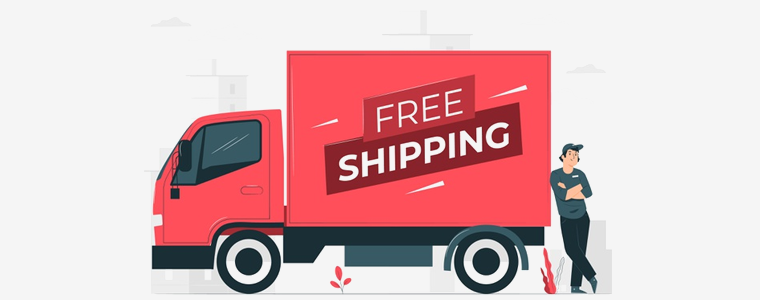
8. Provide Free Shipping

Offering free shipping to shoppers is one of the best ways to boost your conversion rate.

As per Invesp, 9 out of 10 consumers find free shipping to be the number 1 incentive to shop online. Also, orders with free shipping have a 30% higher average order value.

Today, most of the eCommerce websites offer free shipping so if you want to compete, you need to do the same else customers will likely prefer other brands over your brand.

You can slightly adjust your products’ price to cover the shipping cost. Now you can easily manage free shipping with our Free Shipping Manager, which is available for PrestaShop and OpenCart.

If you still don’t feel free shipping is a good idea, I would like to tell you that high shipping cost is the primary reason for shopping cart abandonment.

9. List Multiple Payment Options

How would you feel if a consumer finds everything so perfect on your website, decides to purchase but stops at the last moment just because you don’t provide enough payment options?

That would seriously hurt. This is not the way you would want to see a conversion getting failed. Different consumers have likings towards different payment options and that’s why you need to offer multiple payment options. Credit Cards and Debit Cards simply won’t be enough.

Accept digital wallets/e-wallets like Google Pay, Amazon Pay, PayPal, and some more in trend.

10. Display Trust Badges

With too much of hoax and fraudulent activities taking place over the Internet nowadays, consumers have become a bit sensitive and fearful to share their card details online.

People have been deceived and lost their money. Others don’t want to be a victim of it. It’s your responsibility to ensure your customers that their information is safe with you.

Highlight the trust badges on your website, mainly on the checkout page that includes security logos related to site security, anti-virus, payment protection, etc.

Final Thoughts

There are some other ways as well such as offering guest checkout, adding a live chat support option to your website, creating a customer-friendly return policy, etc.

Follow the above-mentioned tips and I am pretty sure you would be able to boost your eCommerce conversions.

If you need more details into a particular point, you can leave a comment below. For assistance regarding modules, you can contact us at support@knowband.com

5 Prestashop Modules to Accelerate the Conversion Rate of your Prestashop Store

Are you pissed of with the low conversion rate of the website? Every eCommerce store owners aims at increasing their conversion rate. Their main motive should be boost the user experience at each step in the conversion funnel, so that, the store visitors are constantly motivated to place their order. Optimizing the product page, landing pages of the website is a must when it comes to customer retention. Additionally, the e-merchants should stay in touch with other technological advancement, market trends in order to amp-up the user engagement.

If you own a Prestashop-based eCommerce site and are struggling with the problem of low conversion, then, this write-up may help you out. There are lots of addon available for Prestashop which can make your website interactive and can help you to increase the conversion rate. Here I am sharing a few Prestashop addons which might enhance the shopping experience of the customers and boost the conversion rate of your store.

How to convert your site visitors into buyers?

If your customers are leaving the store after adding the products to the cart because of some reasons, then, you need to deal with the cart abandonment. In order to bring back the customer to your store, Knowband offers Prestashop abandoned cart extension.

Prestashop Abandoned cart addon provides an easy-to-understand interface to the store admin in order to track abandoned carts on their site. The plugin lists out the cart details of the store visitors who have left products in their cart. With the automated approach of the Prestashop abandoned cart extension, the admin can send serial reminders to those customers with discounts and other offers. The constant reminder might compel them to return back to the store and place the order. The readymade email templates makes it easier for the e-marketers to send follow up emails. The Prestashop Abandoned cart recovery addon module also tracks customers language and send personalized follow-up emails with their full name in their own language.

How to engage the site visitors?

There are times when the customer land on your website, but leave the site without buying anything. Dealing with the bounce and exit rate of the site is another issue that might take a toll on your store’s conversion. This can be handled by boosting the user engagement and giving them compelling reasons to stay. To increase the interaction between the customer and you store you may try Prestashop exit popups addon.

Prestashop exit intent popup extension displays an interactive subscription popup every time the customer intends to exit the site. This is done by tracking the mouse movement of the visitor. The conventional exit popup enables the admin to offer discounts to the store visitor just when they intend to exit. Thus, the visitors might reconsider their exit. Additionally, the shoppers are required enter their email IDs in order to claim the discounts. This increases the email base of the site. The Prestashop exit intent email subscription extension offers MailChimp Integration as well that makes email marketing effortless. The store admin can design the exit popup to match the website’s theme by adding custom background image and custom CSS and JS codes.

How to suggest more related products to the customer?

Upselling and cross selling is another easy way to motivate the customers to buy more. Suggest similar and related products to the customers at the product page itself. For this Knowband offers Prestashop Automatic Related Products Addon.

Prestashop Automatic Related Product Module helps the store owner to set related products which will help the store owner to increase the average cart value of an individual purchase on your store.

How to intimate your customer about the update?

At times the customer is ready to purchase the product, but the product is either out of stock or the rate is too high for the customer. This may lose you some easy conversions. How will your customer will able to get the update that the product is restocked and available with discount on it? Knowband’s Prestashop Product update notification addon is the solution.

The customers can subscribe for an email notification regarding a particular product’s inventory or price change. This Prestashop Product update notification extension then lists out the subscription and enable the store admin to send the mails to the subscribed customer when there wish list in restocked. The Prestashop module automatically sends an email to the subscribed customers when the product is back-in-stock or its price is changed.

How to redirect your customer to your website?

Some times, the customers likes a product, but it is not in stock. You may update the inventory later, but how will your customer will be able to know about the update?

Prestashop Back in Stock Notification addon sends a reminder email to the subscribed customer. As soon as the product is restocked, this addon sends the mail and the customer once again land up to your website. With the help of this Prestashop back in stock notification plugin, the customers can subscribe to back-in-stock email alert on out-of-stock products. When the product is available the module automatically sends the mail to the customer.

Above mentioned Prestashop addon will not only help in increasing the conversion rate, but also makes the website look and feel attractive as well as user friendly. So, optimize your website with these quickfire addon and boost the site’s conversion.