How to Configure Your Flutter Apps for iOS 16 (Xcode 14 Developer guide)!!

As mobile technology keeps evolving, it is important for developers to keep up with the changes and make necessary modifications in their code to ensure compatibility with the latest versions of operating systems and software. Likewise, both Apple and Android launch various configuration changes with each update. For example, Apple recently made some modifications in the Flutter app configuration for the Flutter app developers. Following the same, now, the Flutter app development requires the below-mentioned changes in their codebase for ensuring compatibility with the latest Apple updates.

Thus, in this article, we will discuss the changes required for iOS 16 and Xcode 14 compatibility.

Common Changes for both iOS and Android

  1. Change the Package Version: The first step is to change the package version in the “pubspec.yaml” file. This file contains the metadata and dependencies required for the Flutter project. It is important to keep this file updated to ensure compatibility with the latest versions of the dependencies.
  2. Add Dependency Overrides: To ensure compatibility with the latest version of Firebase Core Platform Interface, you need to add a dependency override in the “pubspec.yaml” file. Add the following code in the “dependency_overrides” section: dependency_overrides: firebase_core_platform_interface: 4.5.1
  3. Modify the Device ID Method: To get the Android device ID, we use the method “build.androidId ?? ”” in the function “getDeviceID()” which is defined in the file “lib/common_files/common_methods.dart”. However, this method has been deprecated in the latest version. Instead, use the following method to get the device ID: build.id
  4. Replace “onDissmissCallback”: In the “AwesomeDialog()” widget, replace the “onDissmissCallback” with “onDismissCallback”.
  5. Remove Unused Packages: Remove the following lines from the file “lib/generated_plugin_registrant.dart” as they are of no use:

import ‘package:device_info_plus_web/device_info_plus_web.dart’;

import ‘package:file_picker/_internal/file_picker_web.dart’;

DeviceInfoPlusPlugin.registerWith(registrar);

FilePickerWeb.registerWith(registrar);

  1. Use Fingerprint/Face Login Functionality: On the signup and login page, use all the available parameters to detect and use the Fingerprint/Face login functionality. The available parameters are iris, fingerprint, face, strong, weak.
  1. Authenticate Fingerprint Login: Use the following code to authenticate the Fingerprint login:

options: const AuthenticationOptions(

useErrorDialogs: true,
stickyAuth: true,
biometricOnly: true

);

iOS-Specific Changes

  1. Change Minimum Deployment Target: In the Runner –> General Settings, change the minimum deployment target to 11.0.
  2. Change Minimum Deployment Target of Pods:

In the file “ios\Podfile”, change the minimum deployment target of Pods

from platform :ios, ‘10.0’

to platform :ios, ‘11.0’.

Android-Specific Changes

  1. Compare the “android/app/build.gradle” file with the attached “build.gradle” file.
  2. Add Line in “gradle.properties”: Add the following line in the file “android/gradle.properties“:

android.jetifier.blacklist=bcprov-jdk15on

  1. Modify “gradle-wrapper.properties”: In the file “android\gradle\wrapper\gradle-wrapper.properties“, change the distribution URL

from:

distributionUrl=https://services.gradle.org/distributions/gradle-6.7-all.zip

to:

distributionUrl=https://services.gradle.org/distributions/gradle-6.8-all.zip

After making the above changes, re-install the pods and run the app on the Simulator to ensure that the app is compatible with iOS 16 and Xcode 14. These changes are necessary to ensure that your app runs smoothly on the latest operating systems and software. By keeping up with the latest changes, you can provide a better user experience to your customers and stay ahead in the game.

In the End!

Knowband has accumulated over 10 years of valuable experience. In addition to our expertise in web development, we offer services for native and Flutter app development. If you have any questions or requirements related to Flutter app development, please don’t hesitate to reach out to us at support@knowband.com.


The Evolution of Mobile App Builders: What’s New and Exciting

In today’s fast-paced digital world, mobile applications have become an integral part of our daily lives. With the increasing demand for mobile apps, the need for efficient and user-friendly app development tools has grown significantly. This has led to the evolution of mobile app builders, which have revolutionized the way apps are created. In this blog, we will explore the latest trends and advancements in mobile app builders and discover what’s new and exciting in this rapidly changing landscape.

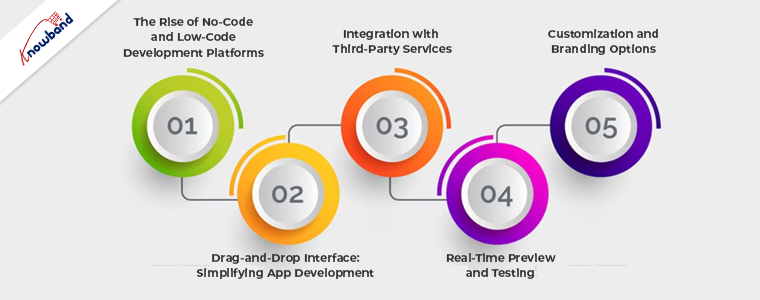
I. The Rise of No-Code and Low-Code Development Platforms

No-Code Development Platforms:

No-code development platforms have gained immense popularity due to their ability to empower individuals without coding experience to create mobile applications. These platforms provide a visual interface where users can drag and drop pre-built components to design the app’s functionality and user interface. The benefits of no-code platforms include reduced development time, lower costs, and increased accessibility for non-technical users. Popular examples of no-code platforms include Bubble, Adalo, and Glide.

Low-Code Development Platforms:

Low-code development platforms offer a middle ground between traditional coding and no-code platforms. They provide a visual development environment with pre-built components and templates, allowing developers to create custom applications with minimal coding. Low-code platforms offer more flexibility and customization options compared to no-code platforms, making them suitable for complex projects. Some well-known low-code platforms include OutSystems, Mendix, and Microsoft Power Apps.

II. Drag-and-Drop Interface: Simplifying App Development

Intuitive UI Design:

One of the key features of modern mobile app builders is their intuitive drag-and-drop interface. This interface allows developers to easily place and arrange elements within the app’s user interface. By eliminating the need for manual coding, developers can rapidly prototype and design their apps, streamlining the development process.

Streamlined Workflow:

The drag-and-drop interface not only simplifies app design but also enhances the overall workflow. Developers can quickly iterate and make changes to the app’s layout and functionality, reducing development time. Moreover, the visual nature of the interface promotes collaboration among team members, allowing for better communication and efficiency.

Increased Collaboration:

Mobile app builders with drag-and-drop interfaces enable real-time collaboration among developers and designers. Multiple team members can work simultaneously on different aspects of the app, speeding up the development process and fostering teamwork. This collaborative environment encourages idea-sharing and ensures that the final app reflects the collective expertise and creativity of the team.

III. Integration with Third-Party Services

Plug-and-Play Functionality:

Modern app builders offer seamless integration with a wide range of third-party services through plug-and-play functionality. Developers can easily incorporate functionalities like payment gateways, social media sharing, analytics, and more, without the need for extensive coding. This integration simplifies the app development process and enhances the app’s capabilities.

Seamless API Integration:

App builders provide easy access to application programming interfaces (APIs) of various services and platforms. This allows developers to leverage the functionalities of popular services such as Google Maps, Facebook, and Twitter, enhancing the app’s user experience. The integration process is simplified through intuitive interfaces and step-by-step guides, enabling developers to effortlessly connect their apps with external services.

Access to a Wide Range of Services:

The integration capabilities of mobile app builders provide developers with access to a vast ecosystem of third-party services. This empowers them to add features and functionalities that suit their app’s requirements, without having to build everything from scratch. The availability of pre-built integrations saves time and effort, accelerating the development process.

IV. Real-Time Preview and Testing

Instant App Preview:

Mobile app builders now offer real-time preview functionality, allowing developers to see how their app will look and function on different devices. This instant preview functionality eliminates the need for manual device testing, saving valuable time and resources. Developers can make immediate adjustments to the app’s layout, UI elements, and functionality, ensuring a seamless and optimized user experience across various devices.

Testing on Multiple Devices:

Mobile app builders also provide the capability to test the app on multiple devices simultaneously. This feature allows developers to identify and address any device-specific issues or inconsistencies in real-time. By ensuring compatibility across different screen sizes, resolutions, and operating systems, developers can deliver a consistent and high-quality user experience.

Debugging and Troubleshooting:

In addition to real-time preview and testing, mobile app builders offer built-in debugging and troubleshooting tools. These tools assist developers in identifying and fixing any errors or bugs within the app. By providing comprehensive error logs and diagnostic information, developers can streamline the debugging process and improve the overall app performance.

V. Customization and Branding Options

Personalized App Design:

Mobile app builders now offer extensive customization options, enabling developers to create personalized app designs. Developers can choose from a variety of pre-designed templates, themes, and UI components, or create their own custom elements. This flexibility allows developers to align the app’s design with their brand identity and create unique, visually appealing experiences for users.

Branding Elements Integration:

App builders also facilitate seamless integration of branding elements within the app. Developers can easily incorporate logos, colors, fonts, and other branding assets, ensuring a consistent brand identity across the app’s UI. This integration strengthens brand recognition and establishes a cohesive user experience.

Tailored User Experience:

With advanced customization options, mobile app builders enable developers to tailor the user experience based on their target audience and specific requirements. From personalized content recommendations to interactive features, developers can create engaging and interactive app experiences that cater to the preferences and needs of their users.

Conclusion:

The evolution of mobile app builders has brought about a remarkable transformation in the app development landscape. No-code and low-code platforms have empowered businesses and individuals with limited technical knowledge to create powerful and feature-rich mobile applications. The intuitive drag-and-drop interfaces have simplified the development process, enabling faster time-to-market and increased collaboration among development teams.

Integration with third-party services has expanded the capabilities of app builders, providing access to a wide range of functionalities without the need for extensive coding. Real-time preview and testing features allow developers to visualize and fine-tune their apps on multiple devices, ensuring a seamless user experience.

Customization and branding options have become more sophisticated, enabling developers to create unique and personalized app designs that align with their brand identity. 

In conclusion, the advancements in mobile app builders have opened up endless possibilities for app development. Businesses and individuals can leverage these tools to create innovative and engaging mobile applications. To learn more about mobile app builders or if you have any further questions or doubts, please feel free to contact support@Knowband.com.

Role of Social Signals in Google’s Algorithm and the Impact of Social Media on SEO!!

In today’s digital age, social media platforms have become an important part of our daily lives. Social media networks like Facebook, Twitter, Instagram, and LinkedIn are not only used for socializing and entertainment. But also, these platforms have a significant impact on search engine optimization (SEO). For the same reason, not only start-ups but also major brands are focusing on social platforms for boosting their SEO rankings.

On the other hand, social signals, are the actions taken by users on social media platforms. Play a crucial role in Google’s algorithm. For those who are not aware of the term Google Algorithms. It is a compound term for the metrics that Google uses for defining search results and assigning website rankings.
In this article, we will discuss the role of social signals in Google’s algorithm and the impact of social media on SEO.

What are Social Signals?

Social signals refer to the likes, shares, comments, and other interactions on social media platforms that indicate the engagement and popularity of a page or account. These are used to measure the relevance and quality of content by search engines.

When a piece of content is shared or liked by many people. It indicates that the content is valuable and worth sharing. Based on the same, Google considers the content valuable for the general users and impacts the SEO for the concerned website. Therefore, social signals are a crucial factor in determining the ranking of a website on search engine results pages (SERPs).

How do Social Signals Contribute to Google’s Algorithm?

Google’s algorithm is designed to provide the most relevant and high-quality results for user queries. These are one of the many factors that Google uses to determine the quality and relevance of posted content. When a piece of content receives a high number of social signals. It indicates that the content is valuable, and people find it helpful. Therefore, Google considers social signals as a ranking factor in its algorithm.

However, it is important to note that social signals alone cannot guarantee high rankings on Google. Other factors such as website structure, content quality, and backlinks are also important in determining the ranking of a website. Social signals should be used as a part of a comprehensive SEO strategy. To improve the visibility and ranking of a website on Google. Moreover, you can also check out our other article about Google’s Page Experience update and its impact on SEO.

Impact of Social Media on SEO:

Social media platforms have a significant impact on SEO. It can drive traffic to a website, increase brand awareness, and improve the visibility of a website on Google.

Furthermore, Social media platforms have billions of users worldwide, making them an excellent source of traffic for websites. By sharing content on social media, website owners can attract users to their websites and increase their traffic. Increased traffic to a website can lead to improved rankings on Google.

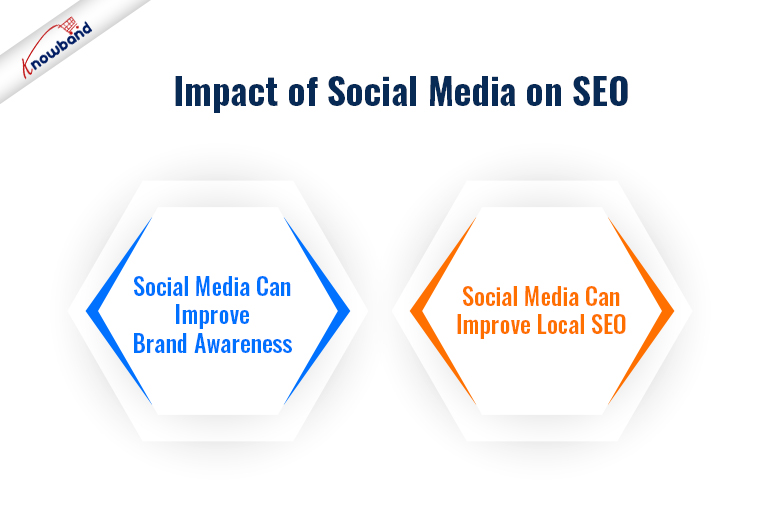
Social Media Can Improve Brand Awareness:

One of the other major advantages of social media platforms is that one can easily Skyrocket brand awareness if they place every card in its place.
By sharing content on social media, website owners can reach a larger audience and increase their brand exposure. Increased brand exposure can lead to more traffic, backlinks, and improved rankings on Google. Thus, this is one of the easiest ways to boost brand awareness for both newcomers and major eCommerce firms.

Social Media Can Improve Local SEO:

Social media can also impact local SEO. Platforms like Facebook, Twitter, and LinkedIn have local business pages. That allows businesses to list their contact information, services, and products. By optimizing their local business pages on social media, businesses can improve their visibility and rankings on Google for local search queries.
Moreover, in the following way, eCommerce merchants can also promote their online business by presenting valuable information to a vast audience.

Conclusion!!

Social media can drive traffic to a website, improve brand awareness, improve website authority, and improve local SEO. Therefore, it is important to include social media in your SEO strategy.
Moreover, it is one of the most effective ways of boosting Search Engine Optimization for an online platform. However, you can also check out our other article concerning Google’s Page Experience update. And, how it is going to impact your rankings!
Furthermore, in case you are having SEO-related queries or requirements, you can also find us at support@knowband.com. Our marketing team will be more than happy to assist you regarding the same.

OpenCart Migration: Upgrading and Transferring Your Store to OpenCart

OpenCart is an open-source e-commerce platform that allows businesses to create an online store and sell products or services. Not only Opencart is one of the most popular eCommerce platforms but also it provides a quite simple interface to eCommerce merchants. Furthermore, the sellers can add as many features as they want to the Opencart online shop by using OpenCart Extensions. Moreover, it is possible without having literally zero coding knowledge.

Not only the Opencart plugins are easily available but they also save a lot of money to the sellers. For the same reason, more and more eCommerce sellers are migrating their online shops to the OpenCart platform.

Thus, if you’re currently using a different e-commerce platform and want to switch to OpenCart, or if you want to upgrade your current version of OpenCart. Then, you need to perform a migration. It can be a challenging process, but with careful planning and execution, you can migrate your store successfully. Or, you can also feel free to reach out to us for OpenCart migration.

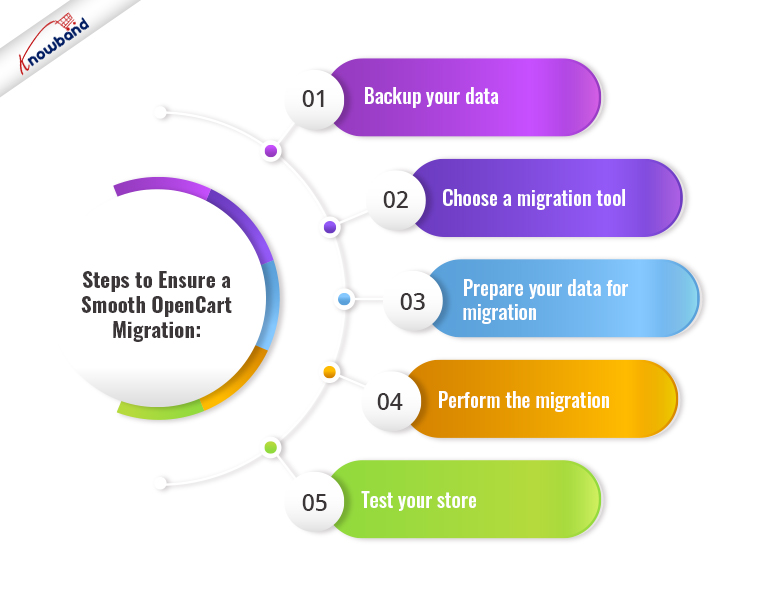
Steps to Ensure a Smooth OpenCart Migration:

Backup your Data

Before you begin the migration process, make sure you back up all your store data, including products, orders, customers, and configurations. This is essential because if anything goes wrong during the migration, you’ll have a backup of your data to restore from. There are several backup plugins available in OpenCart that can help you automate the backup process.

Choose a Migration Tool

To perform a migration, you’ll need to use a migration tool. There are several migration tools available, both free and paid, that can help you migrate your data from your current e-commerce platform to OpenCart. Make sure you choose a tool that supports your current platform and has a good track record of successful migrations.

Prepare your Data for Migration

Before you begin the migration process, you’ll need to prepare your data for migration. This includes cleaning up your data, removing any unnecessary data, and ensuring that your data is compatible with OpenCart. For example, you can remove spam customers from your customer list.
This step is crucial because if your data isn’t properly prepared, it could cause errors during the migration process.

Perform the Migration

Once you’ve backed up your data, chosen a migration tool, and prepared your data for migration, you’re ready to perform the migration. The migration process will vary depending on the tool you’re using. In general, you’ll need to follow the instructions provided by the tool to transfer your data from your current platform to OpenCart.

Test your Store

After the migration is complete, you need to test your store thoroughly to ensure everything is working correctly. This includes testing your store’s functionality, design, and performance. You may also need to make some tweaks to your store to ensure it’s optimized for OpenCart.

Upgrading OpenCart: For the Existing Users!

Opencart has recently launched the latest version 4.0.0. According to the platform, the new version comes with a lot of performance enhancements along with new features.
Thus, if you’re already using OpenCart and want to upgrade to a newer version, the process is relatively straightforward.

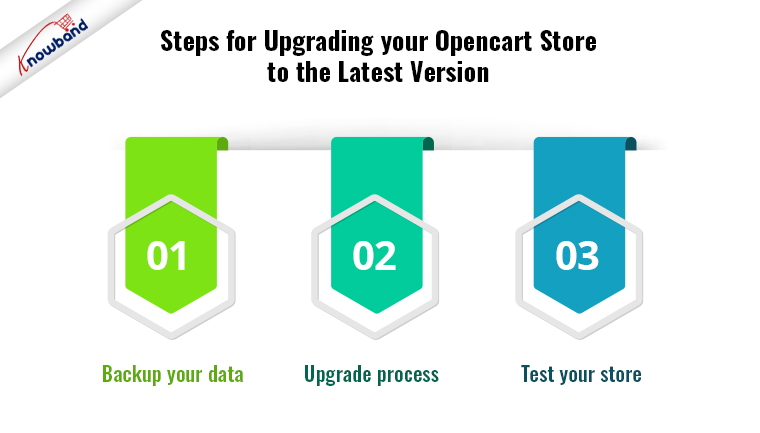
Steps for Upgrading your Opencart Store to the Latest Version

Backup your Data

Backing up the old data is the most important part of doing any changes on your website. The same applies to the OpenCart upgrade. It ensures that you have a backup of your data in case anything goes wrong during the upgrade process.

After having the back-up ready the next step is checking the compatibility. Before you upgrade, you need to check that your current store is compatible with the new version of OpenCart. Check the system requirements and ensure that any third-party extensions or plugins you’re using are compatible with the new version.
However, you can also check out Knowband’s Opencart Extensions which are perfectly tailored for the latest OpenCart versions and are compatible with all the Opencart themes.

Upgrade Process

Once you’ve backed up your data and ensured compatibility, you’re ready to upgrade. The upgrade process will vary depending on the version you’re upgrading from and to, but in general, you’ll need to follow the instructions provided by OpenCart to upgrade your store.

Test your Store

For the final touch, after the upgrade is complete, you need to test your store thoroughly to ensure everything is working correctly. This includes testing your store’s functionality, design, and performance. You may also need to make some tweaks to your store to ensure it’s optimized for the new version of OpenCart. 

Conclusion!!

Migrating or upgrading your store to OpenCart can be a challenging process, but it’s essential to ensure that your store remains up-to-date and optimized for your customers. However, it is required to have a good knowledge of PHP coding concepts before proceeding to upgrade or migrate to OpenCart. Whether you’re migrating from a different e-commerce platform or upgrading your current version, you can feel free to find us at our email address support@knowband.com for any sort of assistance.

Mobile First Indexing: A Factor for Website Ranking and User Experience

There has been a sudden spike in mobile usage recently. Further, the indexing system prioritizes the mobile version of a website for indexing and ranking purposes. In this article, we will explore the impact of mobile-first indexing on website rankings and mobile user experience.

Website Rankings

One of the most significant impacts of mobile-first indexing is on website rankings. Additionally, websites that are not optimized for mobile devices will experience a drop in rankings. Also, it is so as Google will prioritize sites that are having mobile optimization. This is because Google’s algorithm takes into account the user experience on mobile devices, and websites that are not mobile-friendly usually provide a poor user experience. Further, this can result in lower rankings and lower visibility in search results.

There are several things that you can do to improve your website’s mobile-friendliness. These include:

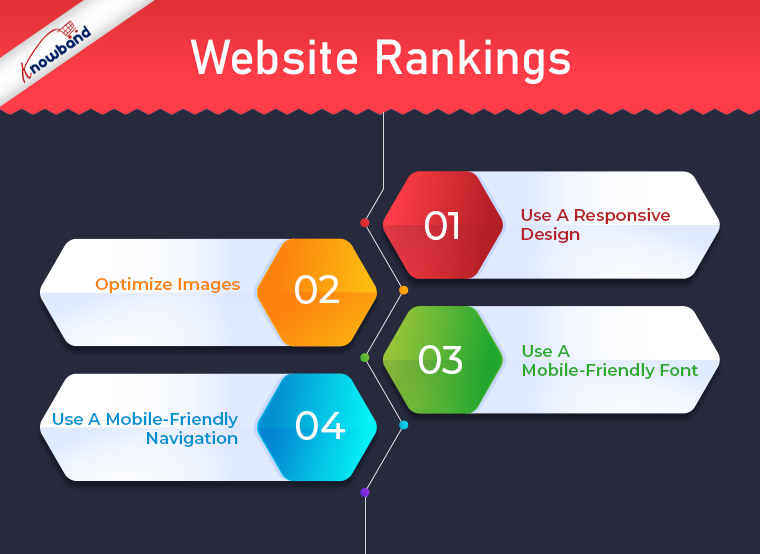
Use A Responsive Design

A responsive design is a design that adapts to the size of the screen it is being viewed on. Moreover, this means that your website will look good on any device, whether it is a desktop computer, a tablet, or a mobile phone. Also, using a responsive design will ensure that your website works with mobile devices.

Optimize Images

Images can be a major factor in the speed of your website. Also,  Large images can slow down your website, especially on mobile devices. To ensure that your website has mobile optimization, you should optimize your images by compressing them and reducing their size.

Use A Mobile-Friendly Font

On mobile devices, it is difficult to read some fonts. To ensure that your website is mobile-friendly, you should choose a font that is easy to read on small screens.

Use A Mobile-Friendly Navigation

Navigation can be difficult on mobile devices. To ensure that your website is mobile-friendly, you should use a navigation system that is easy to use on small screens.

Mobile User Experience

Another significant impact of mobile-first indexing is on mobile user experience. Websites that are not optimized for mobile devices are difficult to navigate, slow to load, and display poorly on smaller screens. This can result in a poor user experience for mobile users, users abandon the site and seek out a competitor that offers a better mobile experience.

On the other hand, websites that have optimization for mobile devices can provide a positive user experience for mobile users. This can lead to increased engagement, lower bounce rates, and ultimately, higher conversions.

There are several things that you can do to improve your website’s mobile user experience. These include:

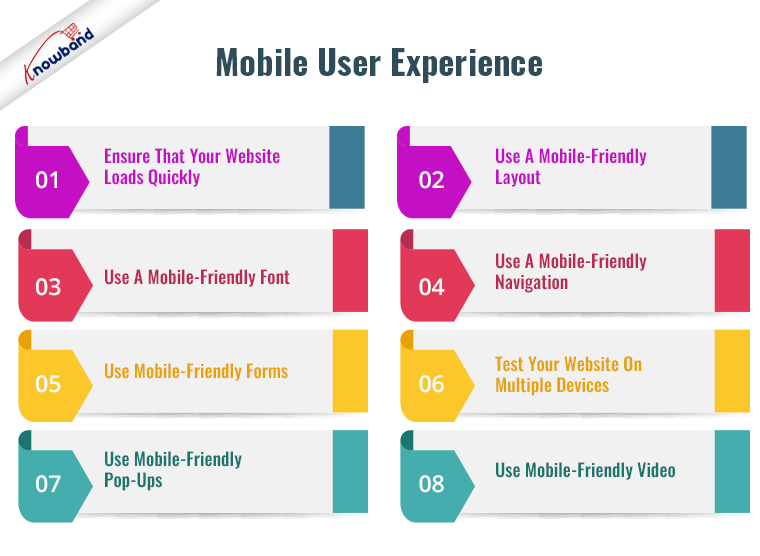
Ensure That Your Website Loads Quickly

Mobile users have a short attention span, and they expect websites to load quickly. To ensure that your website loads quickly on mobile devices, you should optimize your website’s speed by reducing the size of images, compressing files, and using a content delivery network (CDN).

Use A Mobile-Friendly Layout

A mobile-friendly layout is essential for providing a positive user experience on mobile devices. A mobile-friendly layout should be easy to navigate, with clear headings and a simple design.

Use A Mobile-Friendly Font

As mentioned earlier, some fonts can be difficult to read on mobile devices. To ensure that your website is easy to read on small screens, you should use a font that is easy to read on mobile devices.

Use A Mobile-Friendly Navigation

Navigation can be difficult on mobile devices. To ensure that your website is easy to navigate on mobile devices, you should use a navigation system that is easy to use on small screens.

Use Mobile-Friendly Forms

Forms can be difficult to use on mobile devices. To ensure that your website works for mobile devices, you should use mobile-friendly forms that are easy to use on small screens.

Test Your Website On Multiple Devices

To ensure that your website is working for all devices, you should test your website on multiple devices. Also, this will help you identify any issues that are specific to certain devices.

Use Mobile-Friendly Pop-Ups

Pop-ups can be annoying on mobile devices, especially if they cover the entire screen. To ensure that your website is compatible with mobile devices, you should use mobile-friendly pop-ups that are easy to close.

Use Mobile-Friendly Video

Videos can be difficult to watch on mobile devices if they are not optimized for mobile. Further, to ensure that your website works for all mobile devices, you should use mobile-friendly videos that are easy to watch on small screens.

In The End!!

In conclusion, mobile-first indexing has had a significant impact on website rankings and mobile user experience. Moreover, websites that are not optimized for mobile devices experience a drop in rankings. Google deems them to be providing a poor user experience for mobile users.

In case you have an interest in our mobile app builder plugin then kindly connect with us at support@knowabnd.com. Our team of experts will assist you with your business apps. Also, we will assist with business-specific customizations. Kindly let us know if you are facing any concerns or issues related to the module.

E-Commerce Modules Elements: Importance Of Subscription Model And Recurring Billing

Subscription models and recurring billing have emerged as powerful tools for eCommerce businesses. It helps build and maintain customer loyalty while generating a steady stream of revenue. In today’s eCommerce landscape, businesses need to find new ways to differentiate themselves. Subscription models and recurring billing are effective strategies for businesses to achieve these goals.

What Is A Subscription Model?

The subscription model requires the customer to make regular payments for a specified duration. They need to make payments for continued access to a product or service. This includes services like Netflix and Spotify, meal delivery services, and software products too. By offering subscriptions, businesses can create more revenue and build customer loyalty through engagement. 

The subscription model is especially beneficial for products that are used frequently. For example, a meal delivery service that provides daily or weekly meals can be offered on a subscription basis. This allows customers to have a hassle-free experience without having to worry about placing an order each time they need a meal. Similarly, streaming services like Netflix and Spotify provide access to a vast library of content. Further, the subscription model allows customers to access this content on an ongoing basis.

What Is Recurring Billing?

Recurring billing is the process of charging a customer’s credit card or bank account regularly. This can be used in conjunction with subscription models or as a standalone feature. It is useful for products or services that require ongoing payments, such as software licenses. 

Recurring billing helps streamline the payment process and reduce administrative costs for businesses. By automating the payment process, businesses can reduce the risk of payment delays or missed payments, which can harm cash flow. 

Why Use Subscription Models And Recurring Billing In E-Commerce Modules? 

There are several benefits to using subscription models and recurring billing in eCommerce modules. These benefits include:

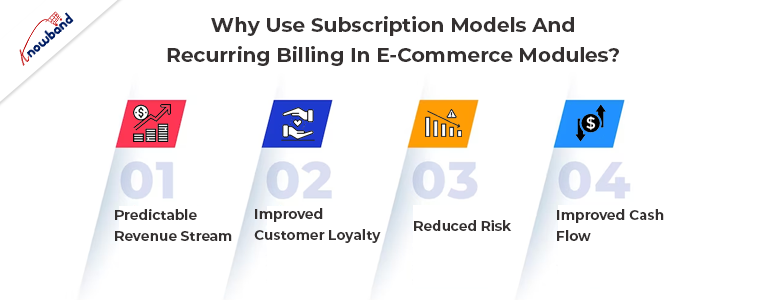
Predictable Revenue Stream:

Subscription models and recurring billing provide businesses with a predictable revenue stream. This is because customers are committed to paying for the product or service on an ongoing basis. This predictability allows businesses to plan their resources and investments with greater confidence. Moreover, they know that a certain amount of revenue will be generated each month.

Improved Customer Loyalty:

Subscription models and recurring billing help improve customer loyalty. Customers who sign up for a subscription are more likely to continue using the product or service on an ongoing basis. This is because the subscription model provides convenience and value to customers. Additionally, recurring billing makes it easy for customers to continue using the product or service without having to worry about making manual payments each time.

Reduced Risk:

Subscription models and recurring billing can help reduce the risk for businesses. This is because the predictable revenue stream provides a cushion against fluctuations in sales. Additionally, automated billing reduces the risk of payment delays or missed payments, which can impact cash flow.

Improved Cash Flow:

Subscription models and recurring billing can help improve cash flow for businesses. This is because the automated billing process ensures that payments are received regularly. This helps to reduce the risk of payment delays or missed payments, which can impact cash flow.

Challenges of Subscription Models and Recurring Billing

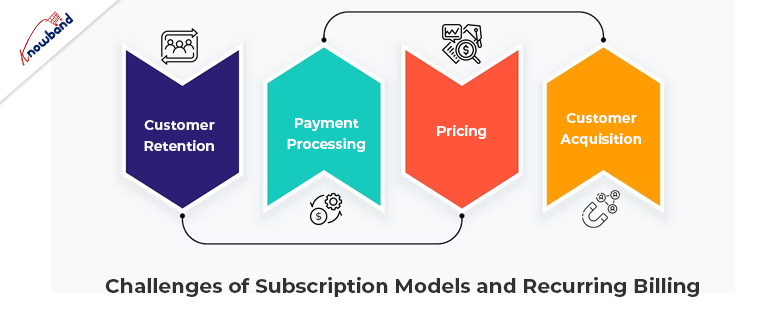
Customer Retention:

One of the key challenges of subscription models is customer retention. While subscription models can help improve customer loyalty, businesses still need to ensure that they are providing value to their customers. If customers feel that they are not getting value from their subscription, they will cancel it. Further, this can impact revenue and customer lifetime value.

Payment Processing:

Payment processing can be a challenge for businesses that use recurring billing. Businesses need to ensure that they have the necessary systems and processes in place to handle recurring payments. Moreover, this should include the ability to securely store customer payment information. Additionally, businesses need to be aware of changes to payment regulations and ensure that they follow them.

Pricing: 

Pricing can be a challenge for businesses that use subscription models. Businesses need to ensure that their pricing is competitive and provides value to customers. This should be done while generating enough revenue to cover costs and provide a profit. Additionally, businesses need to be aware of changes in market conditions and adjust their pricing as necessary.

Customer Acquisition:

Acquiring new customers can be a challenge for businesses that use subscription models. Also, subscription models can help improve customer loyalty. Apart from this, businesses still need to attract new customers to grow. Businesses need to have a solid marketing strategy in place to attract new customers and convert them into subscribers.

In The End!

Subscription models and recurring billing are proving to be valuable tools for eCommerce businesses. By offering subscriptions, businesses can create a more predictable revenue stream and improve customer loyalty. Recurring billing helps streamline the payment process and reduce administrative costs for businesses.

Apart from that, if you need any assistance with your business apps and plugins, then kindly revert to us at support@knowband.com. We will make sure you are happy with our plugins and customizations related to our modules if you have any concerns.
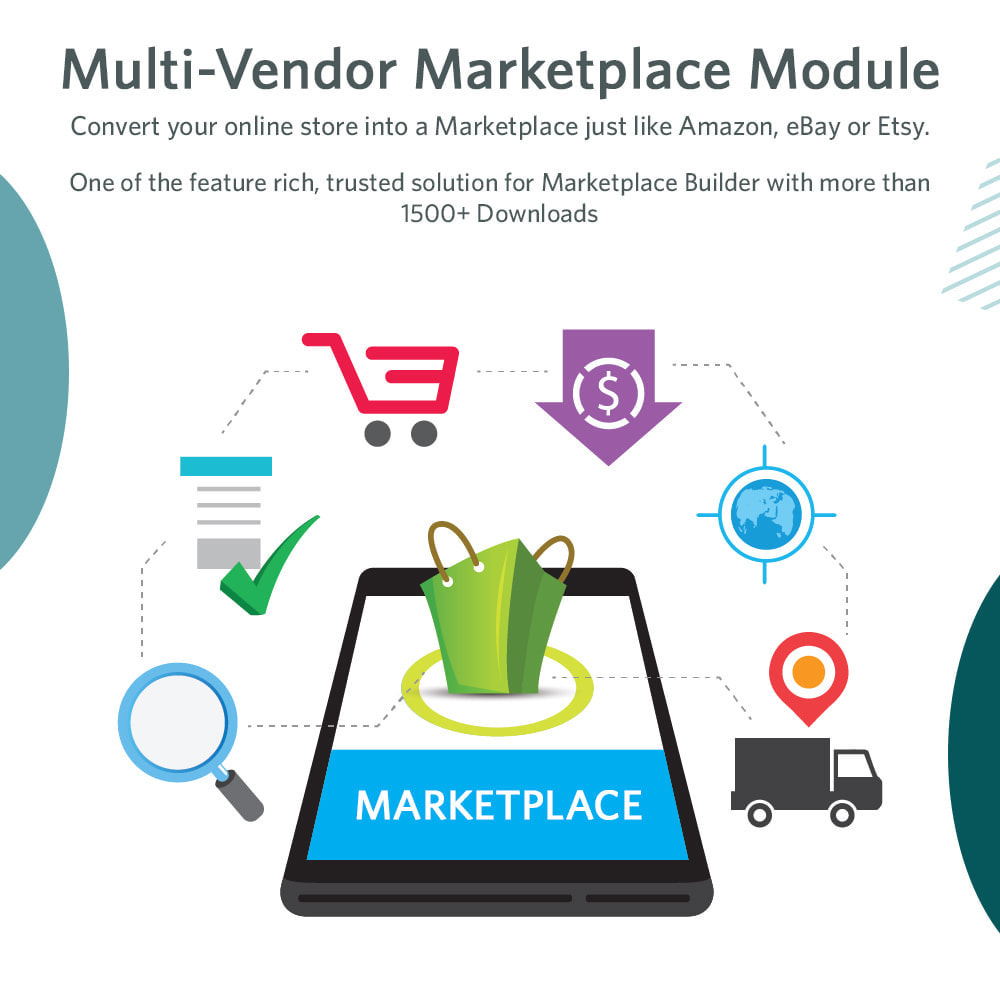
Strategies For Retaining And Attracting The Vendors To Multi-Vendor Marketplace

A multi-vendor marketplace is a platform that allows multiple vendors to sell their products or services to customers. Also, these marketplaces have become increasingly popular in recent years. Marketplaces can offer customers a wide variety of products and services from multiple vendors. However, attracting and retaining vendors can be a challenge for marketplace owners. In this article, we will explore some strategies for attracting and retaining vendors in a multi-vendor marketplace.

Provide A User-Friendly Platform

Moreover, the first and most important strategy for attracting and retaining vendors is to provide a user-friendly platform. A platform that is easy to use and navigate will make it easier for vendors to list their products and services, manage their inventory, and interact with customers. A user-friendly platform will also reduce the learning curve for new vendors. It is more likely that sellers will stick around and continue to sell on your marketplace.

Offer Competitive Fees And Commissions

Another important strategy for attracting and retaining vendors is to offer competitive fees and commissions. Vendors are always looking for ways to increase their profits. Moreover, if your marketplace charges too much in fees or takes too large a commission, they may choose to sell elsewhere. Further, you need to find a balance between charging enough to cover your costs and offering vendors a reasonable commission.  Moreover, this will make them feel motivated to continue selling on your platform.

Build Trust With Vendors

Trust is essential in any business relationship, and it is especially important in a multi-vendor marketplace. Vendors need to trust that your platform is secure and that their personal and financial information is safe. They also need to trust that you will provide them with the support they need to be successful on your platform. You can build trust with vendors by being transparent about your policies and procedures, providing excellent customer support, and responding quickly to their needs.

Provide Marketing And Promotion Opportunities

One of the biggest challenges for vendors in a multi-vendor marketplace is standing out from the crowd. With so many other vendors selling similar products or services, it can be difficult for them to get noticed. As a marketplace owner, you can help your vendors by providing marketing and promotion opportunities. This could include featuring their products on your homepage, offering discounts or coupons to customers, or running social media campaigns to promote their products.

Offer Seller Tools And Resources

Another strategy for attracting and retaining vendors is to offer sellers tools and resources. Vendors need access to tools that will help them manage their inventory, track their sales, and analyze their data. They also need resources that will help them improve their sales and marketing skills. By offering these tools and resources, you can help your vendors be more successful on your platform, which will encourage them to continue selling with you.

Provide Excellent Customer Support

Moreover, it is essential to provide excellent customer support to your vendors. Vendors may have questions or concerns about your platform, and they need to know that they can reach out to you for help. By providing prompt and helpful customer support, you can build trust with your vendors and make it easier for them to do business with you.

Establish Clear Policies And Guidelines

Vendors need to understand the rules of their marketplace to sell successfully. It’s important to establish clear policies and guidelines for everything from listing requirements to payment processing to returns and refunds. This will help vendors avoid any confusion or misunderstandings and will ultimately make your marketplace more efficient.

Create A Sense Of Community

Building a sense of community among your vendors can be a powerful way to keep them engaged and motivated. You can do this by creating a private forum or Facebook group where vendors can share tips, ask questions, and connect. Encourage vendors to help each other out and share their experiences. By fostering a sense of community, you can create a more supportive and collaborative environment for your vendors.

Streamline The Onboarding Process

The onboarding process can be a hurdle for new vendors, and a complicated or time-consuming process can turn them off from your marketplace. To make it easier for vendors to get started, consider streamlining the onboarding process. This could include creating tutorials or guides, offering live training sessions, or providing personalized support to help vendors get their products listed and ready to sell.

Offer Incentives For Top Performers

Finally, offering incentives for top-performing vendors can be a great way to keep them engaged and motivated. This could include bonuses, discounts on fees or commissions, or even exclusive access to certain features or tools. By rewarding your top performers, you create a sense of competition and encourage vendors to strive for excellence.

Attracting and retaining vendors is an ongoing process, and it’s important to continually evaluate your strategies and make changes as needed. By staying in touch with your vendors and soliciting feedback, you can identify areas for improvement and make adjustments to better meet their needs

Conclusion:

Ultimately, the success of your multi-vendor marketplace depends on the success of your vendors. By creating a supportive and engaging environment, providing the tools and resources they need to be successful, and rewarding their hard work, you can build a marketplace that attracts top talent and keeps them coming back year after year.

If you are interested in our marketplace module then kindly let us know at support@knowband.com. We will be happy to assist you in case of any customizations and fixes related to the module.

Role of User Behavior Metrics such as Bounce Rate and Dwell Time in Google’s Algorithm

In the world of search engine optimization (SEO), understanding user behavior metrics is essential for achieving higher search rankings. Among these metrics, bounce rate and dwell time play a significant role in Google’s algorithm. This blog post explores the importance of bounce rate and dwell time, and how they influence search rankings.

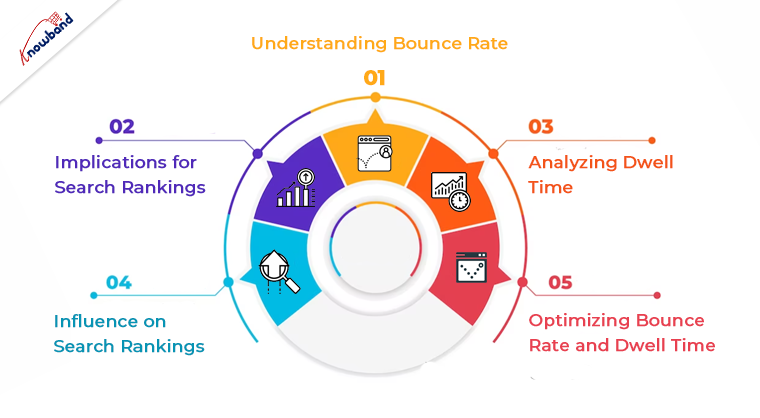
Understanding Bounce Rate:

Bounce rate refers to the percentage of users who visit a webpage and leave without engaging with it or navigating to other pages on the same website. A high bounce rate indicates that users find the content or user experience unsatisfactory, while a low bounce rate suggests engagement and relevance.

Implications for Search Rankings:

Google considers a high bounce rate as a negative signal, suggesting that the webpage does not meet users’ expectations. Consequently, websites with high bounce rates may experience a drop in search rankings. Conversely, a low bounce rate indicates that users find the content valuable, potentially leading to improved rankings.

Analyzing Dwell Time:

Dwell time measures how long users spend on a webpage after clicking through from the search results. Although not a publicly acknowledged ranking factor, dwell time is believed to impact search rankings.

Influence on Search Rankings:

Longer dwell times suggest that users find the content useful and engaging. Google recognizes this as a positive user signal and may reward websites with longer dwell times with improved rankings. Conversely, shorter dwell times indicate lower user satisfaction and may result in ranking penalties

Optimizing Bounce Rate and Dwell Time:

Reducing bounce rate and increasing dwell time is crucial for improving search rankings. Consider the following strategies:

High-Quality Content:

Creating valuable, informative, and engaging content that meets users’ search intent can reduce bounce rates and increase dwell time.

Enhanced Website Usability:

Improving website loading speed, navigation, and mobile responsiveness encourages users to explore further, reducing bounce rates and increasing dwell time.

Enhanced User Experience:

Optimizing the webpage’s layout, design, and readability can increase user engagement and dwell time.

Strategic Internal Linking:

Implementing relevant internal links within the content can direct users to related pages, encouraging them to stay longer and explore further.

Conclusion:

Understanding the role of user behavior metrics such as bounce rate and dwell time is crucial for optimizing websites and improving search rankings. By focusing on reducing bounce rates and increasing dwell times, website owners can enhance user engagement and provide a better overall experience. These metrics are important signals to Google’s algorithm, indicating relevance, usefulness, and satisfaction. To succeed in SEO, invest in creating high-quality content, improving website usability, and optimizing the user experience.

In case of any doubts or queries, do not hesitate to contact support@knowband.com. Our team of experts can provide further guidance and assistance in understanding and leveraging user behavior metrics to boost your website’s performance. Stay proactive and seek expert advice to stay ahead in the ever-evolving world of SEO.


Best Practices for Designing User-Friendly Multi-Vendor Marketplace

A multi-vendor website is an online store that enables multiple vendors to sell their products on a single platform. In this model, the vendors manage their seller accounts and inventory. Also, they pay a commission to the eCommerce storefront owner for facilitating their sales on the marketplace. 

For both the vendor and the store owner, this arrangement is mutually beneficial as it allows for increased customer traffic and expanded reach. Vendors can also collaborate and seek support from the community in the event of any technical challenges on the website.

Benefits Of Marketplaces

A multi-vendor marketplace provides some advantages for its operators. Its core function is to serve as a reliable platform that connects buyers with suppliers, facilitating secure and trustworthy transactions. The marketplace earns its revenue through commissions charged on each transaction. This business model is designed to benefit all parties involved – including buyers, sellers, and the operator. 

Marketplace Design: Meeting the Needs of Sellers and Buyers

Marketplace websites are designed to cater to two types of users – sellers, and buyers. Therefore, the design of the website should be intuitive and user-friendly for both parties. Here are some essential design features that can help meet the needs of both groups:

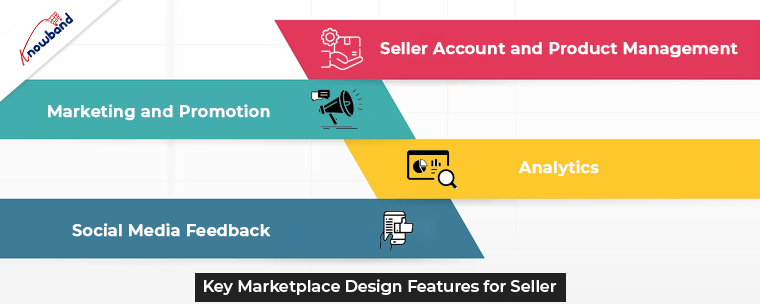
Key Marketplace Design Features for Seller

For a multi-seller marketplace to succeed, it is critical to have an engaged group of sellers. Additionally, it is important to provide them with the necessary tools for efficient management. Here are some essential features that can boost vendors’ capabilities and ensure the success of your marketplace.

Seller Account and Product Management

To manage their products effectively, vendors require access to a personal account that contains data on their products, warehouses, notifications, and more. To provide additional security and flexibility, you can also grant different permission levels to vendors enabling multiple user roles.

Marketing and Promotion

Promotions, discounts, and coupon codes play a vital role in marketing campaigns. They significantly increase revenue and boost customer loyalty. Further, to empower vendors to manage their personalized and customizable marketing tools, they must use these features.

Analytics

Custom dashboards that display essential information, deliver reports, and update statistics are essential to vendors. They need to track key metrics related to their sales, customer session time, and more. Data visualization can help them instantly obtain and perceive this information.

Social Media Feedback

Social media integrations can be used to collect and deliver customer feedback. This helps in allowing vendors to gather opinions about your multi-seller marketplace and increase its popularity. Social networks are an excellent tool to engage customers and increase your platform’s visibility. 

Overall, these key features can help sellers manage their products and drive the success of your marketplace. By providing vendors with the right tools, you can create a thriving ecosystem that benefits both sellers and buyers.

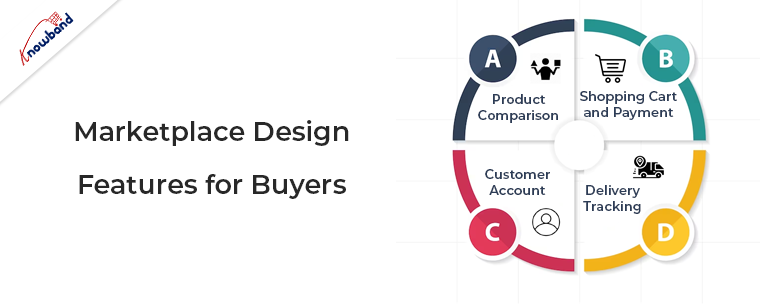
Marketplace Design Features for Buyers

Attracting more customers and ensuring a seamless user experience is the ultimate goal of any marketplace. To achieve this, it is essential to include features that help buyers navigate through the platform and make informed decisions.

Product Comparison

One of the essential features for buyers is the ability to compare similar products and choose the best option based on specific characteristics. Implementing an automated comparison feature will save buyers time and effort, reducing the need to visit multiple online stores to find what they need.

Shopping Cart and Payment 

A clear shopping cart that allows buyers to adjust the number of items, choose shipping options, and add notes is necessary. Providing multiple payment methods such as PayPal, Stripe, and Braintree enhances convenience and ensures that the payment system works smoothly.

Customer Account

Customers should be able to sign up and manage their accounts to view their order history. Additionally, creating shopping lists, and streamlining the sale and order tracking process. However, simplifying the signup process or making it optional can be beneficial for first-time buyers.

Delivery Tracking

To improve customer service, providing timely order status updates and sending notifications is crucial. Allowing buyers to track their delivery, and see the estimated arrival time builds trust. If they can monitor changes then it will enhance their experience and build trust in your marketplace.

In the End

In this article, we have been discussing the various features to be provided to sellers and buyers. Moreover, in case you are looking forward to setting up a multivendor marketplace then you can have our plugins for the same. In case of any concerns or issues regarding the same, you can connect with us at support@knowband.com.

Apart from that in case you need mobile apps for your business then we are here to assist you for the same. Also, we can provide you with custom developments that are specific to your business needs. Further, we can assist you with module modification too.

UX and Personalization: Why Is it Important for E-commerce Modules?

To keep users engaged and attract new clients, eCommerce businesses must be creative with their user experience (UX) design. A visually appealing website is not enough. The UX design should have several critical elements that work to provide an intuitive and effortless user journey. Further, this allows visitors to complete their goals efficiently. When creating a module, every aspect, from its architecture to feature details, should be optimized. The module optimization should take place while keeping the user experience in mind.

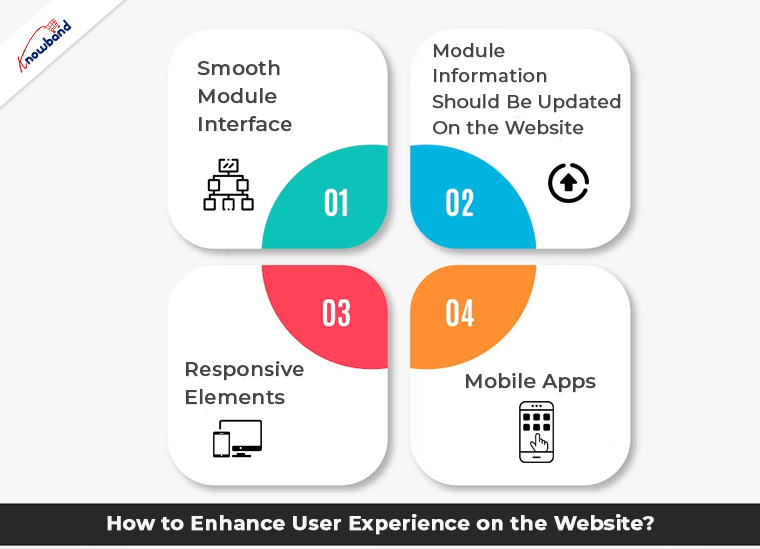
How to Enhance User Experience on the Website?

Smooth Module Interface

Creating a seamless navigation experience is a critical component of the UX strategy for eCommerce plugins. Complex navigation features can reduce user interest, leading to higher bounce rates. So, it is essential for eCommerce business owners to optimize their modules and user interface for smooth navigation. 

Module Information Should Be Updated On the Website

Developing a plugin is just the beginning of establishing an online presence in the market for e-commerce modules business. Making it successful, requires ongoing effort, such as module optimization in a periodic manner. Apart from that, on-site/off-site SEO, link building, and social sharing are also important. Keeping your module updated with relevant features and information is essential. It is also necessary to remove features that are no longer in demand. 

Responsive Elements

For eCommerce apps or plugins, all user interface (UI) elements must be highly responsive and perfectly functional. Responsiveness is a critical aspect of UX design that helps to increase customer engagement levels. Further, online sales while encouraging returning visitors to your online store. 

Mobile Apps

In today’s world, it is not surprising that most online transactions occur on mobile devices. Therefore, adopting a mobile-first strategy is vital for achieving consistent revenue growth. Additionally, it helps in effectively managing the online store. Along with creating a mobile app for your eCommerce business, it is essential to optimize your Mobile app plugin for all kinds of mobile devices as well. Although a mobile app is very important its interface on the admin which is generally used on the desktop should be easy and interactive too. 

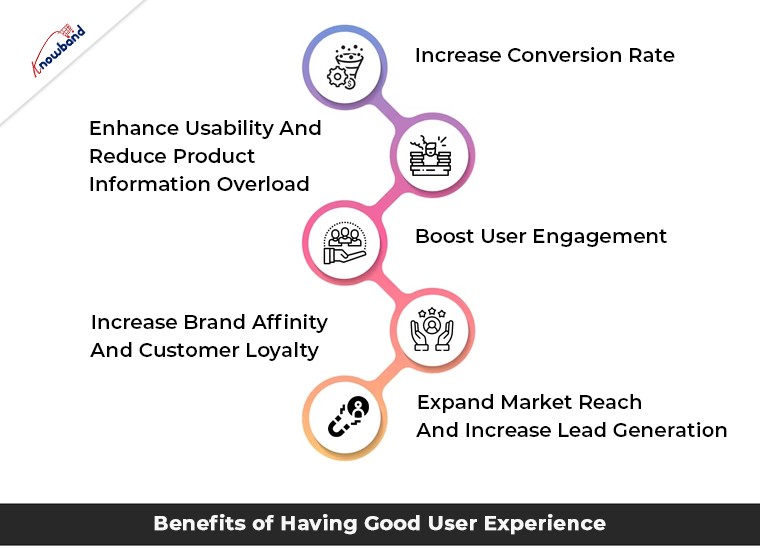
Benefits of Having Good User Experience

Increase Conversion Rate

To gain credibility and inspire trust, your plugins should look professional and trustworthy. If users cannot navigate your modules easily or efficiently, they will not convert. Further, this will lead to losing credibility in users’ minds. A great user experience can increase conversion rates and help establish trust and credibility. Also, this takes time and consistency in each user interaction and online transaction. 

Enhance Usability And Reduce Product Information Overload

Too much information or too many options can distract users and lead them away from their objective. A UX design done correctly fulfills the expectations of target customers. Further, it provides specific information or action moments at the right time. A good module UX design facilitates the purchasing decision by allowing customers to find what they are looking for easily. 

Boost User Engagement

UX design aims to create a positive user experience that stimulates users and impacts their experience. A simple, clean design can stimulate a user’s sight and grab their attention. This helps to create a unique and distinct customer journey that separates your business from the competition. Consistent design can achieve user engagement, and brand recognition, and reduce the bounce rate. Including interactive elements, such as videos, call-to-action buttons, and social media icons, can encourage users to engage with your plugin interface and make them eager to return to your website. 

Increase Brand Affinity And Customer Loyalty

Offering an outstanding customer experience through your UX design can lead to increased customer loyalty and retention rates. When users feel understood by your brand, they are more likely to develop an affinity towards your brand. By showing empathy and addressing user intent, behavior, and issues, you can humanize your brand, product, or service. Additionally, this builds a solid relationship with your customers. 

Expand Market Reach And Increase Lead Generation

Having a mobile-friendly website is crucial as more than half of the world owns a mobile device, and all of them use internet searches from mobile devices. Our mobile app builder module can help in creating mobile apps for your business. Mobile users expect to have the same experience on their mobile devices as they do on a laptop or PC. 

In The End

Here, in this article, we have shared some points on making user experience better and further and what are the benefits of the same. If you are interested in our modules then kindly let us know and we will be happy to assist you. Apart from that, we want to inform you that in case you have any specific requirements then you can connect with us. You can connect with us at support@knowband.com and our tech team will assist you with the custom module development too. If you have any issues or concerns related to our module then we will assist you with it. For any customizations with the module and its features also we are here to assist you.