Prestashop is the greatest e-commerce platform for running self-hosted, open-source e-stores. With the help of various PrestaShop addons, the website operates smoothly. There are currently 65 different languages accessible on Prestashop, and it is useful for many stores all over the world. Starting an online store requires some effort. With the Prestashop addons, features, and characteristics, it becomes easier.
Using Prestashop, a business strategy is possible to incorporate themes and add-on features. The online store setup grows leaps and bounds by integrating Prestashop plugins into their website. The user interface for Prestashop’s store is sturdy and responsive, and it is simple to use. Also, it offers all its features without charging anything.
Some Must-Have Prestashop Addons for Online Stores:
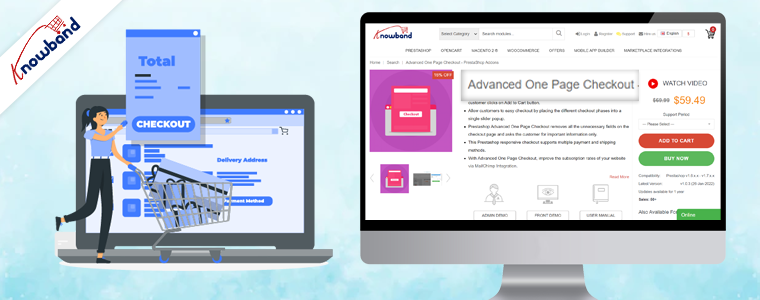
One Page Checkout:
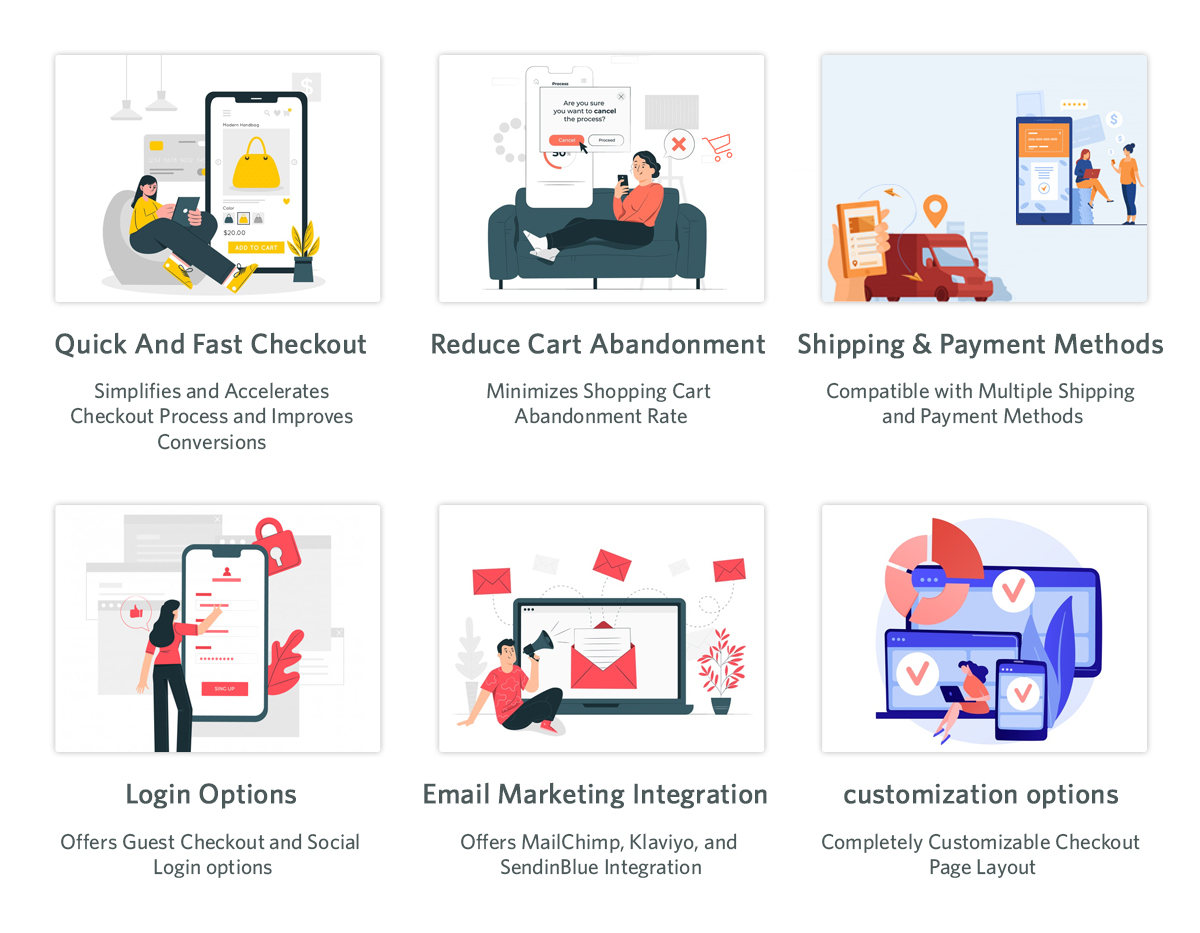
The Prestashop single-page checkout module for checkout makes purchasing simple and fast for customers. So, when the checkout page is clean and simple, the customer will move through the payment in one go. The one-page checkout Prestashop addon aids in cart abandonment reduction. The customers do not want the long-drawn-out process for checkout. With this add-on, the checkout process time reduces. The single page checkout plugin is useful for increasing conversions. Furthermore, the Prestashop addon for checkout supports many payment methods. One page checkout supports compatibility with mobile devices and enhances checkout funnels.
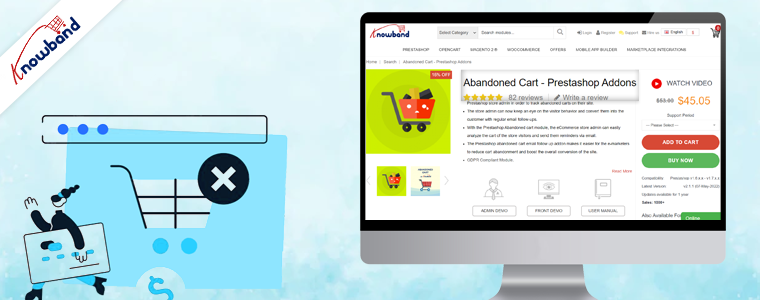
Abandoned Cart:
The Prestashop abandoned cart reminder addon is useful for tracking abandoned carts on the website. The customers receive email follow-ups after they abandon the cart. The Prestashop Cart Abandoned addon increases the conversion of the online store. The customer’s requirements analysis using the features of this Prestashop plugin is possible. This information is useful for marketing campaigns and also when sending discount emails for follow-up. The email follow-up addon helps in reducing cart abandonment and increasing overall conversion.
SEO Optimizer:
The Prestashop plugin SEO Optimizer is useful as the default URLs change to SEO-friendly URLs when using this addon. When the URL is SEO-friendly, then the ranking on Google will also improve. This makes the URL optimizing module one of the must-have Prestashop plugins for online stores in 2022. The auto-generated numbers and IDs erasure is possible with this Prestashop addon to make the URL SEO-friendly. The SEO optimizer addon Prestashop is mobile responsive and multi-store compatible.
Mobile App Builder:
The Prestashop mobile app builder is useful for developing a mobile app for the online store without any coding background. People are moving to purchase most of their products online, so having mobile apps for your business is necessary. The store owner can design the layout of the app all by themselves using this Prestashop addon. The created mobile apps have various login options such as fingerprint, mobile number, social login, etc. Having an app for your business increases the growth percentage of the business.
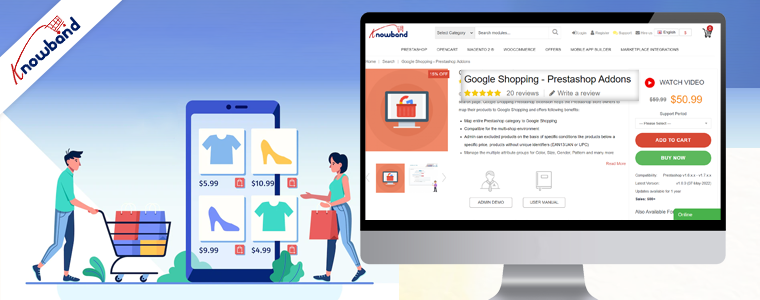
Google Shopping:
Before visiting any website, the customer searches for the required products on Google first. The Prestashop Google Shopping plugin helps in listing your products on Google. The products listed on Google have a higher probability of customers noticing them. The Google Shopping Feed addon is useful to sync products and let them map entire categories on Google. This addon is useful for product listing and is multistore compatible. The Google Shopping Connector plugin improves the visibility of the products and improves SEO. The Prestashop module for listing products on google boosts sales by bringing traffic to the store and improving sales.
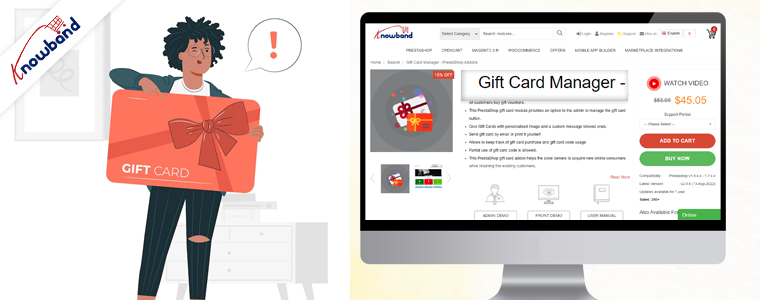
Gift Card Manager:
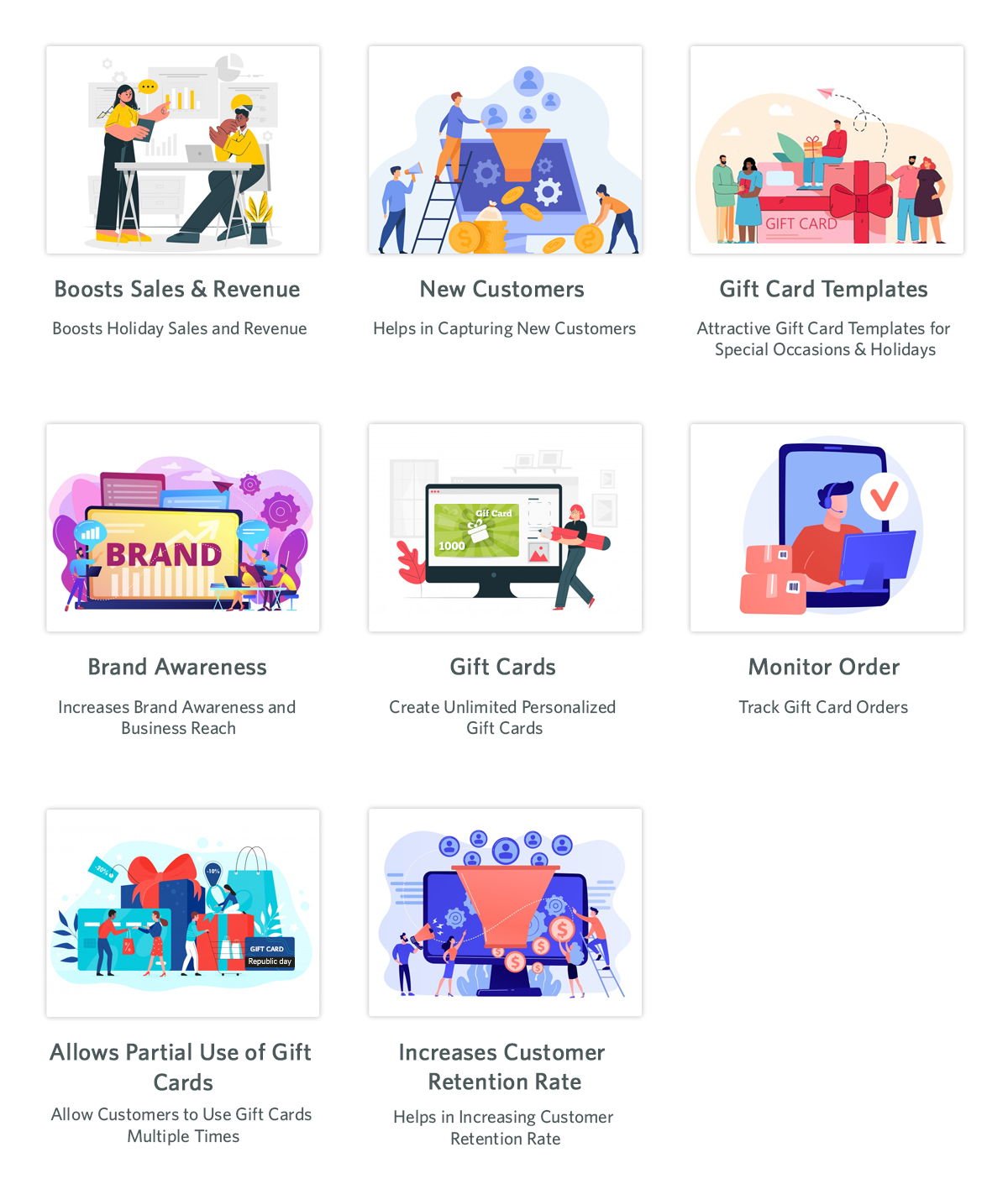
The Prestashop Gift card plugin help with gifting on various occasions like birthdays and Halloween. Integrating this gift card system module will bring in traffic as gift cards are on trend these days and a go-to idea for gifting. The gift voucher that customers receive is customizable. The gift card Prestashop addon sends vouchers through the mail and can also be given as a physical gift. This addon is helpful in brand promotion and acquiring new customers. The gift card’s partial use is possible, and also the usage of gift codes is traceable. This Prestashop gift card manager helps to increase sales as well as gain more customers.
Back in Stock:
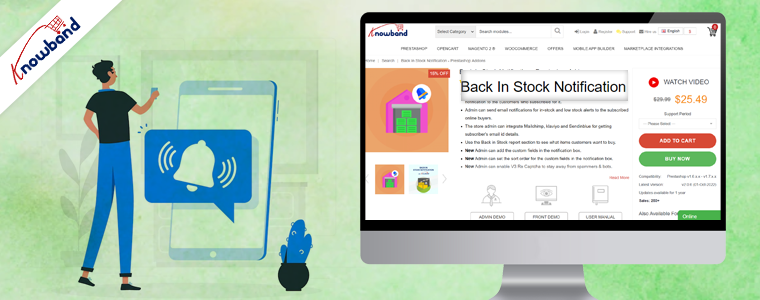
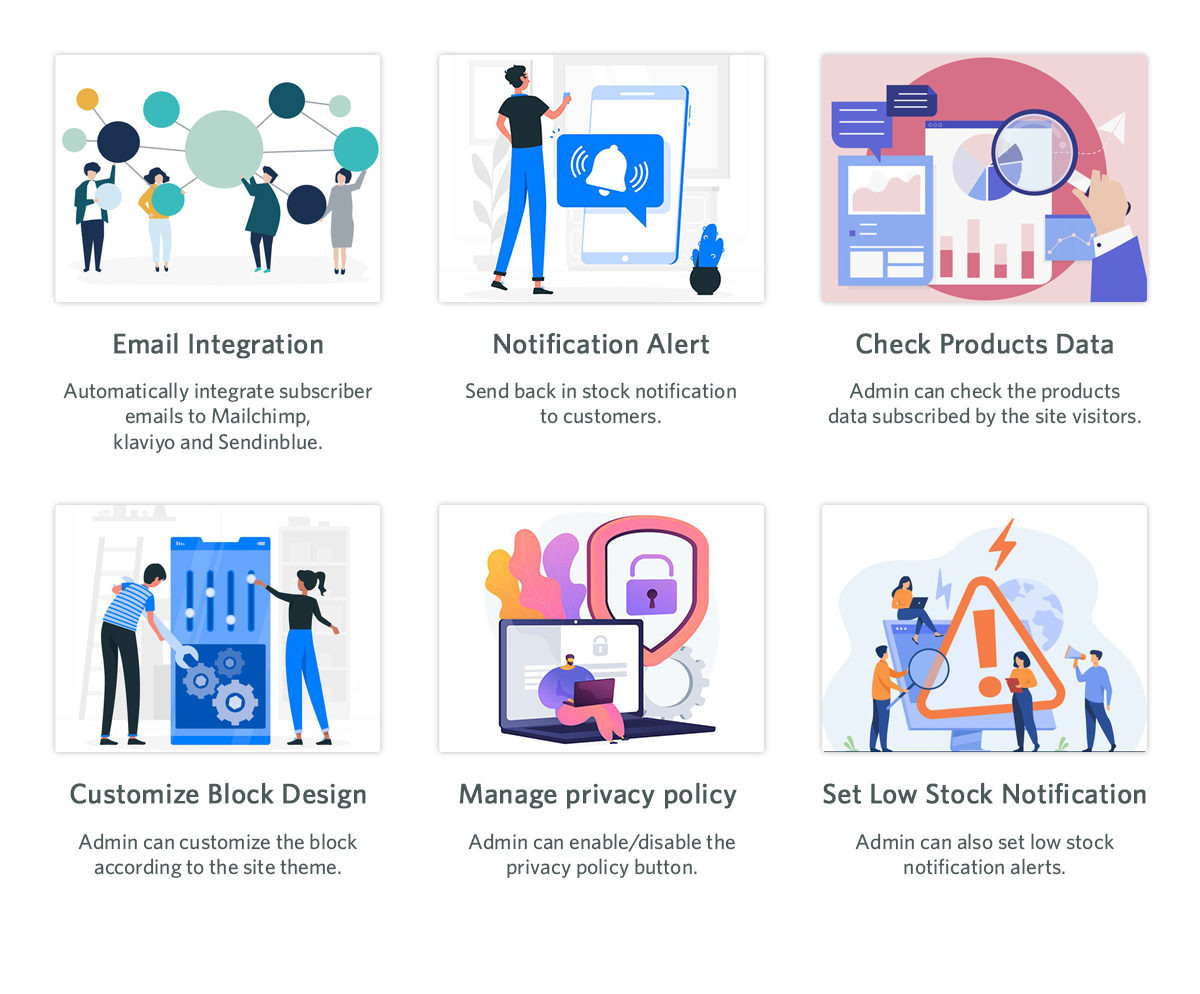
Customers use the Prestashop Back in Stock module to learn whether the desired products are back in stock. Hence, customers can subscribe to receive updates on the availability of desired products if they are not currently in stock. Those who subscribe using this Prestashop stock alert addon will get an email about the product’s stock status. Customers provide their name and email address when subscribing to the product. This will be useful for marketing initiatives for marketing campaigns. Obtaining customer information using the prestashop product stock notification addon is possible. It is possible by integrating this addon with Klaviyo, Sendinblue, and Mailchimp. In the backend of this product subscription module, products in the subscription list are visible. Custom fields, order sorting in the notification box, and V3 Recaptcha are some of the other appealing features.
In the End
The Prestashop addons mentioned above are some of the top modules which will boost the sales and conversion of the online store. These PrestaShop addonsare the basic requirements of any online website. We are here to assist to inform you about these Prestashop plugins and will assist you if you need to have them. Not only we sought to achieve great reviews from the customers but on top of that, we believe in delivering more than they desire. Also, we provide custom development also depending on the customer’s need. If you have any custom requirements or business ideas or have an interest in any of the above add-ons, then kindly contact us at support@knowband.com.
Halloween seems like a small holiday in comparison to Christmas and Easter. However, online merchants don’t realize that it can increase sales for their online stores. So, if you want to avoid missing out on a chance to increase your revenue, set up your website now. We will help you to take part in this fantastic seasonal trend and interact with as many people as you can.
One of the most helpful occasions for an e-commerce business is Halloween. Take advantage of the online shopping frenzy around Halloween. This could contribute to your online store having its best-ever sales.
A record-breaking $10.14 billion in sales profit is in records for Halloween last year alone. More than 65% of Americans participated in the holiday. With a click-worthy Halloween marketing campaign, you have the opportunity to take advantage of this year. In this year’s lucrative holiday shopping season get our help to increase your sales.
Need Assistance in Setting up Your Store?
A great opportunity to make money is present for you this year on Halloween. Besides, consider the cost before getting started and we can assist you depending on your budget.
Your store will benefit from the Halloween-based marketing strategies and we will be suggesting based on that only. Look at these Halloween suggestions and decide if you’re on par with them. We’re here to give you suggestions that will also help your online stores sell more goods.
We have put up a list of specific modules for Halloween to aid you in getting ready for this year’s trick-or-treating event. Kindly check them and make use of them to entice customers to make purchases. With the use of Knowband plugins, grow your company during this spooky holiday season.
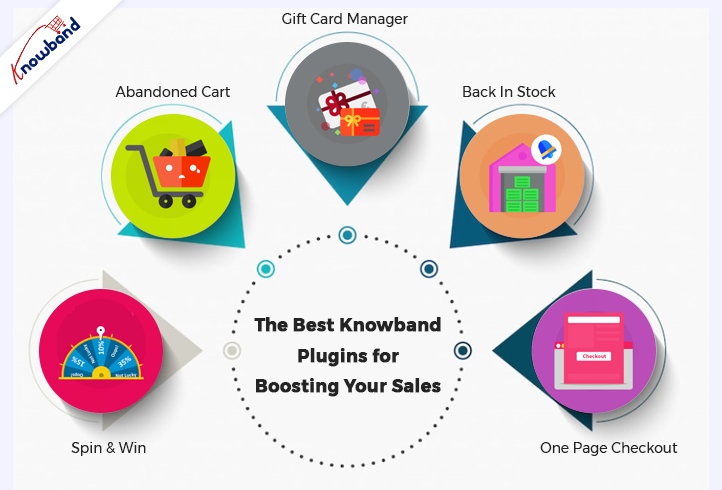
Some of the Best Knowband Plugins for Boosting Your Sales on Halloween Are Below:
Spin and Win
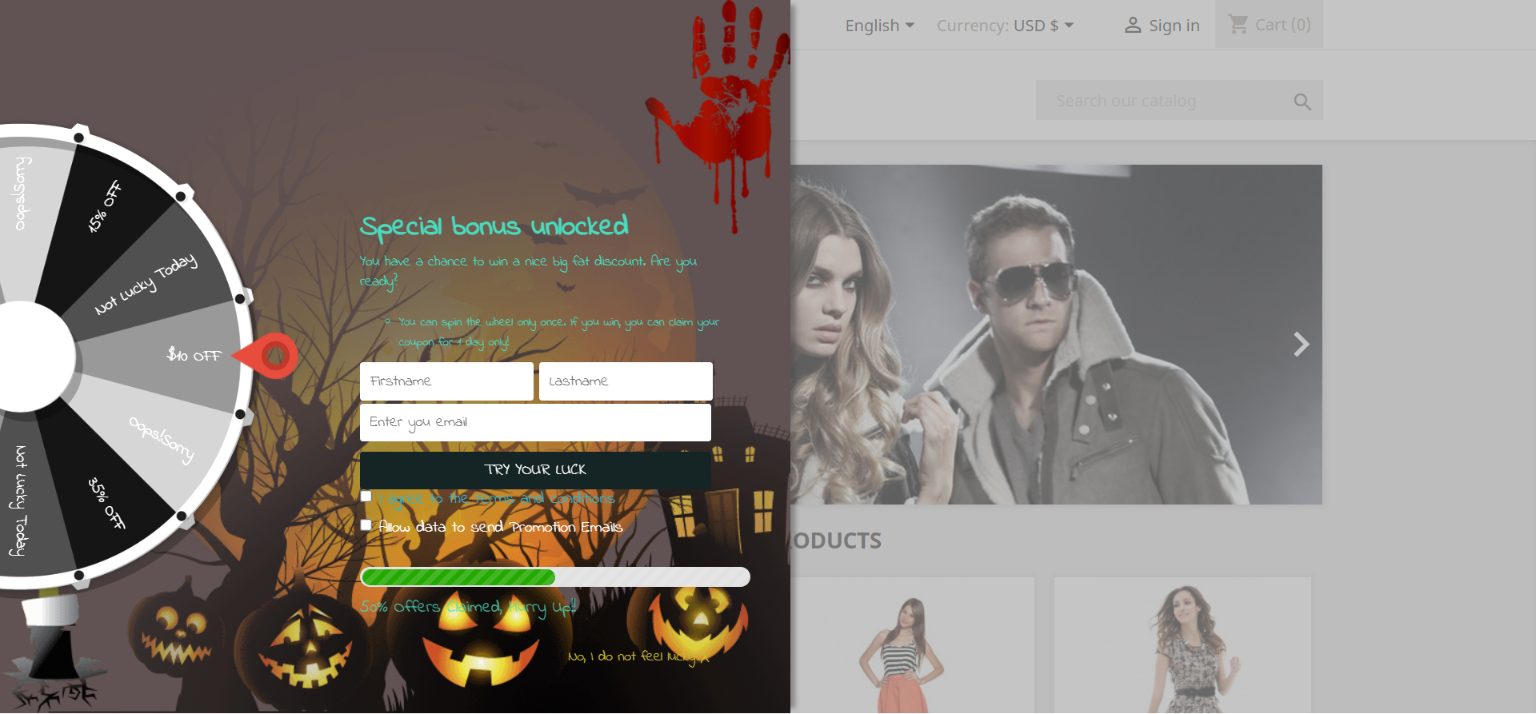
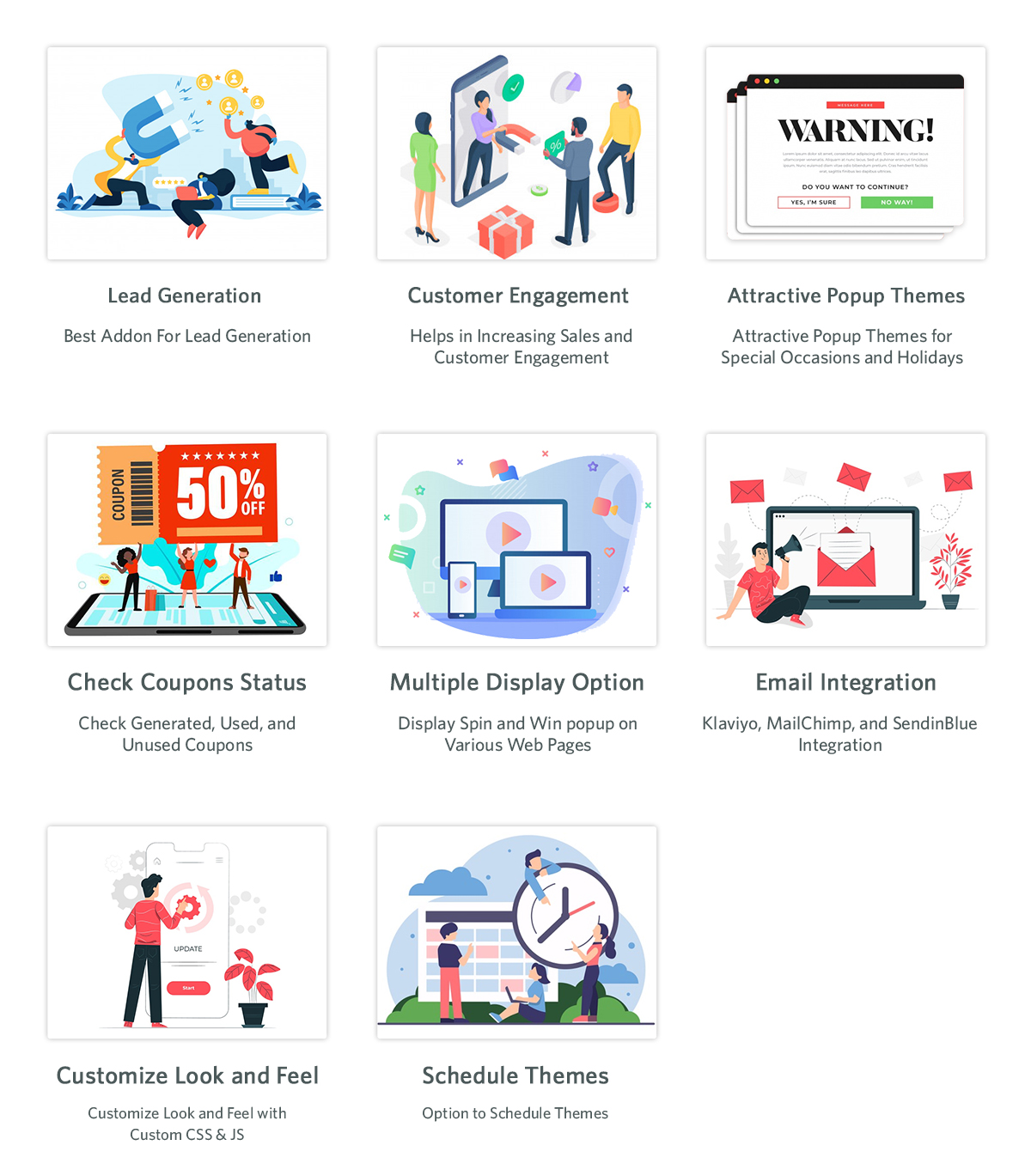
Using the features of the Interactive pop up plugin, you can get customers to subscribe to your website. Later use their data for a marketing campaign. Normal subscription pop-ups irritate customers. If you have this gamified module active in your store, customers will surely register.
The Email Subscription pop up addon shows an interesting gamified interface on the front interface of the store. The customers receive lucrative offers by spinning the wheel. There are various options for the themes, which are set depending on the occasion. For Halloween, our module has four themes, and holidays like Easter and Christmas also have customized themes.
Abandoned Cart
As the holiday season is approaching, so will the traffic on the online store. When customers add a product to the cart and abandon it for some reason, this module comes into play. Cart abandonment is one of the major issues e-commerce businesses are facing.
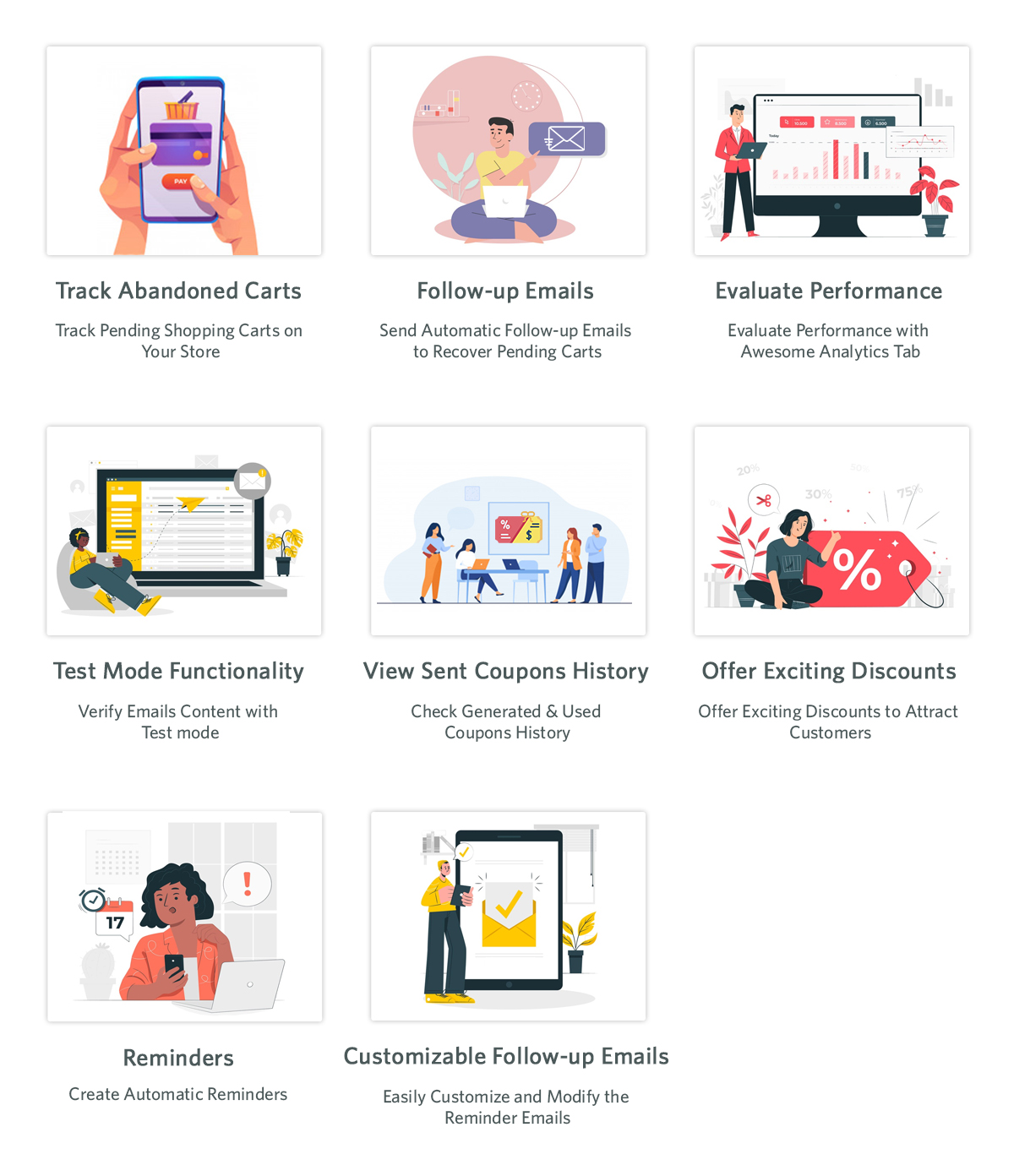
This Abandoned cart email follow-up addon helps in reducing abandonment and conversion of carts, hence bringing back lost sales. When customers abandon a cart, using this module, we send various follow-up emails to them. These follow-up emails are of two types: with a discount or without a discount. This enticing offer can attract customers to complete their purchases. When they have forgotten to complete the purchase, we remind them with reminders, which will result in completing the purchase.
The Gift Card Manager
In the modern gifting trends, gift cards are becoming increasingly popular. This holiday season, give your loved ones a reason to smile by sending them a gift voucher.Send Gift card Plugin shows an option of gift cards on the front store. Not everyone is sure about the gifts they are going to give on any occasion in this case this can be a go-to option. This is an easy and fast alternative in comparison to physical gifts.
The person who uses these cards can use the amount partially or fully. Customers can send these vouchers through the mail or the person can print them. This brings new customers to the online store as it helps with brand promotion. The option of sending gift cards with personalized images and custom messages is present.
Back In Stock
Product stock notification addon helps in letting the customers know if the products they subscribe for are back in stock or not. If the products the customer desire is not in stock, then they can subscribe to know their availability. By subscribing to the notification, the customers will receive an email about the product’s availability in stock. Customers subscribe to the product with their email and name, which can be beneficial for marketing campaigns. Klaviyo, Sendinblue, and Mailchimp integration to get customer details using the stock alert plugin is possible. The product that the customer wants to buy is visible in this product subscription module backend. There are other attractive features like custom fields, order sorting in the notification box, and V3 Recaptcha also.
One Page Checkout
Any online store is incomplete without an effective checkout integration. Using the old and lengthy checkout process irritates customers. The checkout process should be easy and customers should feel at ease while going through it. Our one-page checkout module helps with swift and easy checkout for customers.
On the checkout page, our module offers all the information on one page, making it easy for the customer. It is irritating to navigate through different pages to complete the checkout process. This results in cart abandonment as customers do not like long stretched checkout. To avoid any such issues, our one-page checkout has proven useful according to our customer reviews.
Final Words
At Knowband, we pride ourselves on going above and beyond for our clients. This is the reason which contributes to our broad client network. Furthermore, we want to help our clients achieve their goals based on their business objectives. At Knowband, we also support bespoke customizations and eCommerce plugins. We will assist you in making any ideas you have a reality. With any queries or issues, you have, we will assist you at support@knowband.com.
“This holiday season, turn up your sales volume by adding the gift card facility to your online business.”
Gifting sounds great but not for the one who has to gift. Well actually, this has remained a problem for people. Gifting was never a concern but when it comes to deciding what to gift, people find themselves in a stressful situation. According to the National Retail Federation, 80% of holiday buyers will include a gift card in their buying list this year, according to a separate poll. Furthermore, to reduce the hassle of searching for the right gift for customers, Knowband offers the Gift Card Manager module.
Gift Card Manager
Gift Card Manager by Knowband helps your customers find the desired gift card easily. The module integrates a gift card section on your eCommerce website.
With Christmas and New Year around the corner, it is high time that you get this module and start offering gift cards on your website related to these occasions. Furthermore, the Knowband Gift Card module makes it easy to add multiple gift cards to your website.
Have a look at what our Gift Card module offers:
1. Pre-existing Gift Card templates for multiple occasions
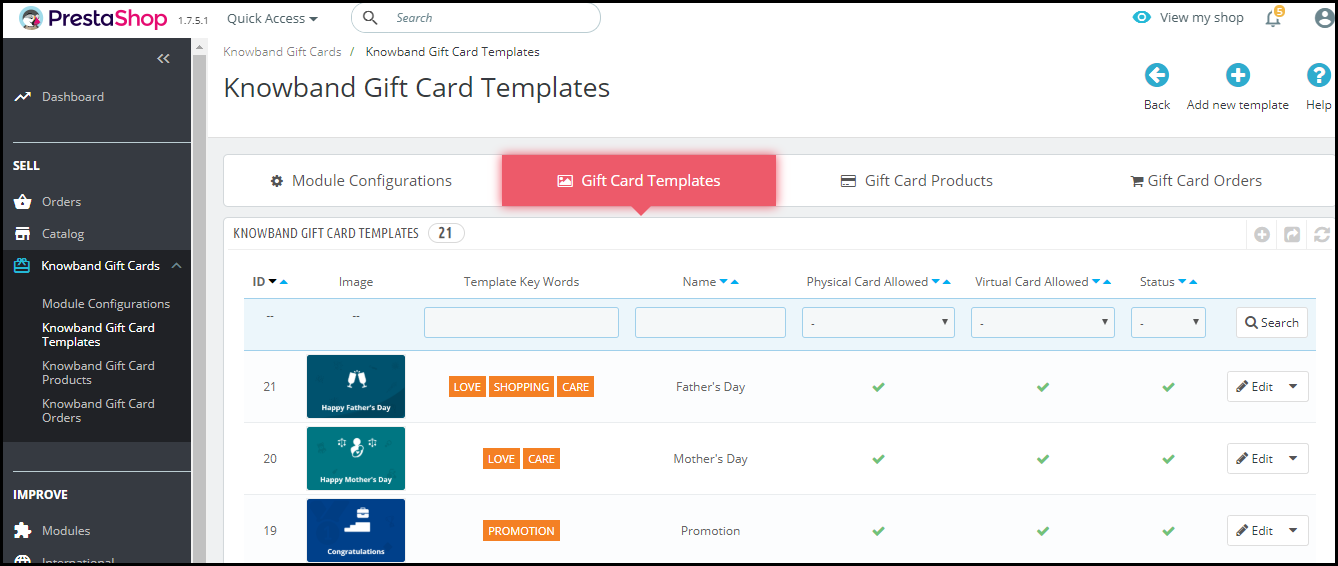
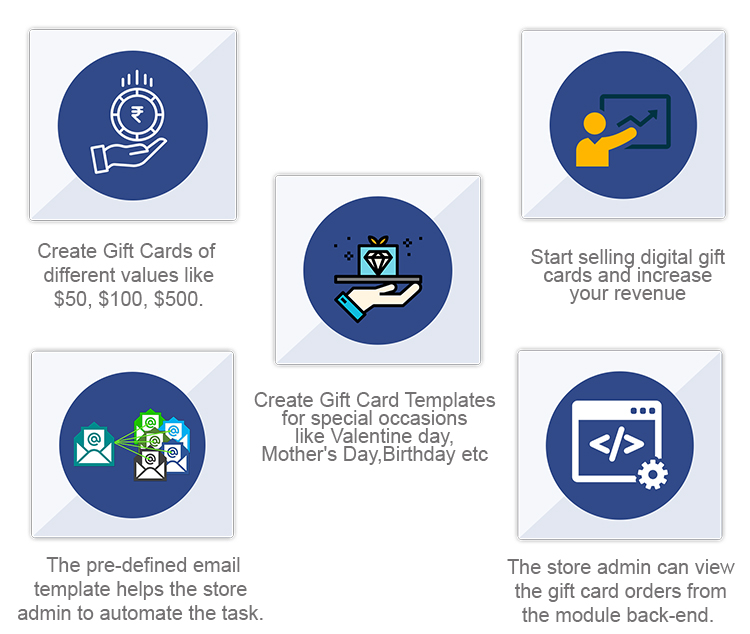
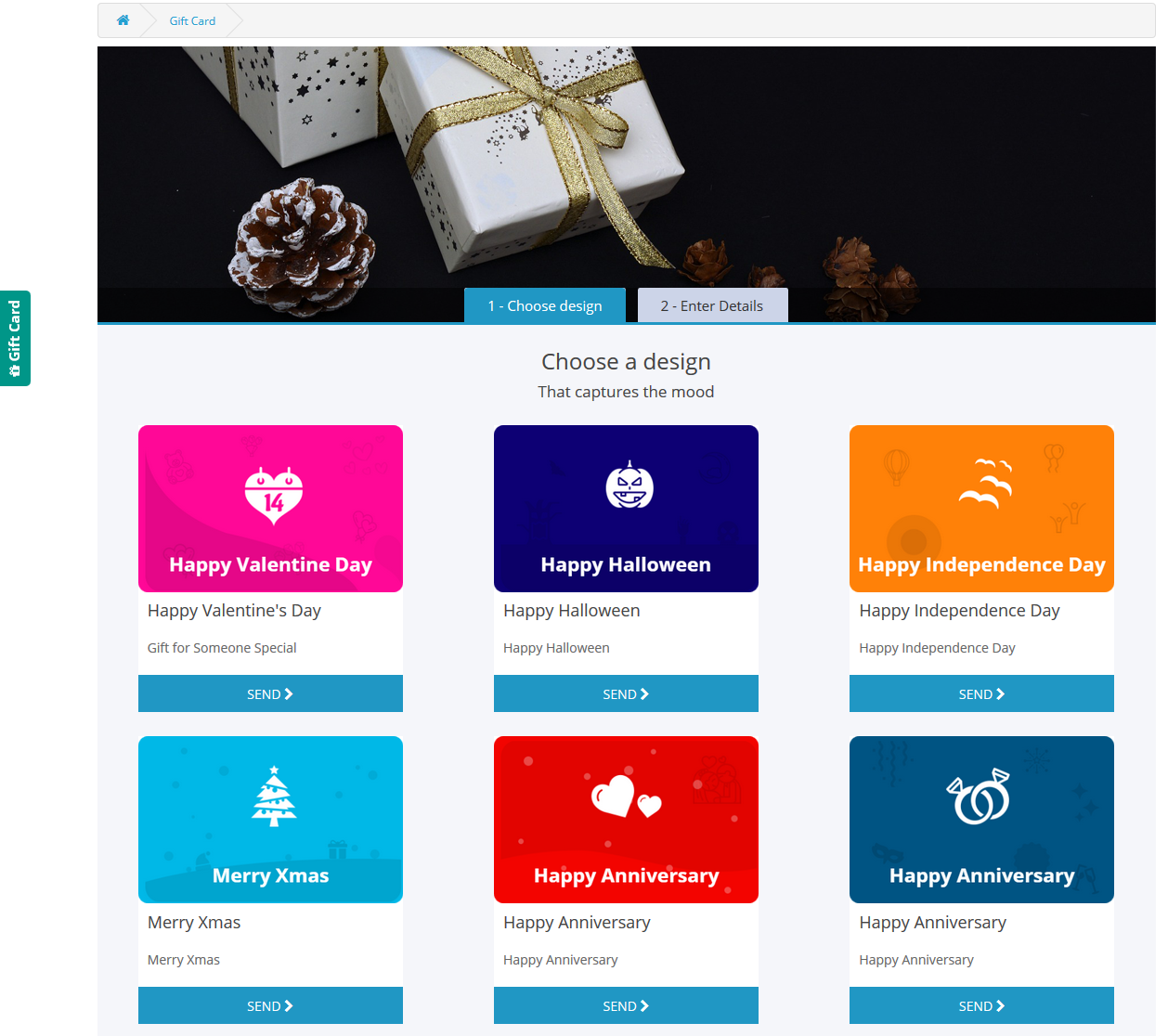
We have added a number of Gift Card templates to ease up the task for the merchants. The Gift Card Manager extension provides merchants with Gift card templates for Halloween, Christmas, New Year, etc. Apart from the Holiday based Gift cards, the Gift Card Manager comes up with templates related to Birthdays, anniversaries, Mother’s Day, Valentine’s Day, etc.
2. Add new Gift Cards
Couldn’t find the template you were looking for? No issues. You can add templates on your own. Just tap the “Add new template” button and make your customizations.
3. Assign a category to your Gift Cards
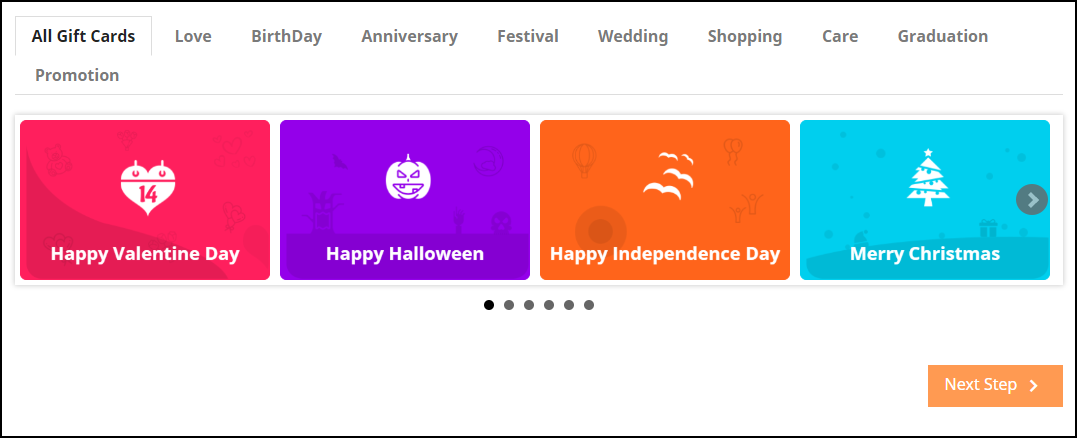
Assigning a category to your Gift Cards helps customers to look for the desired gift card quickly. When you assign multiple categories to different Gift Cards, those categories are shown at the front end of your website, hence saving customers time in search of the desired gift card.
For example, Gift cards related to Halloween and Christmas can be put under the Festival category.
4. Customize your Gift cards
Well, attracting more and more customers is possible only if your Gift cards look more appealing. Furthermore, the Gift Card Manager provides you with the option to set attractive images for your gift cards.
You can also allow your customers to send the gift card to the recipients over their email address or deliver at their residence address. The “Physical Gift Card allowed” option needs to be enabled for the gift card delivery to a recipient’s address and on the other hand, the “Virtual Gift Card allowed” option needs to be enabled for giving customers the option to send it via email.
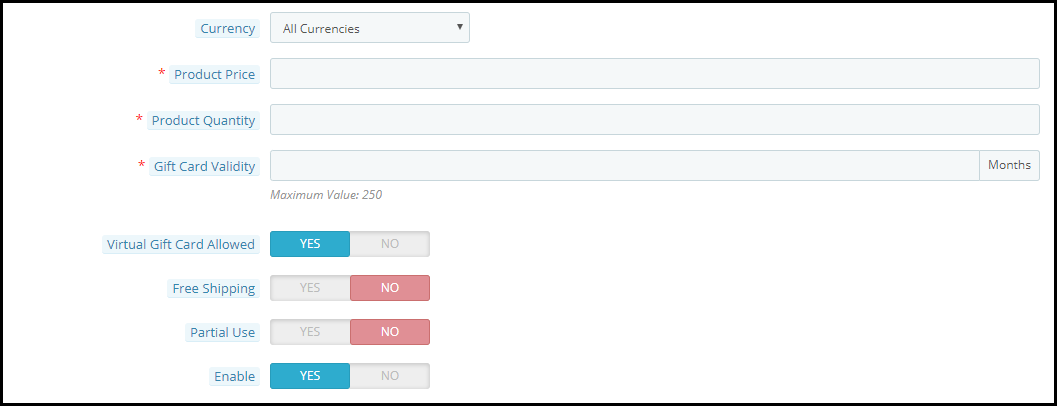
The Gift Cards tab allows you to define the gift card’s worth. Within this tab:
1. You can provide a name to your gift card
2. Set the gift card price
3. Define the gift card quantity
4. Set the gift card validity
5. Allow free shipping
6. Allow partial usage of the gift card amount
7. Set the currency in which the gift card can be purchased. If currency preference is set to “All currencies”, then a gift card can be purchased for all of the mentioned currencies.
5. View your Gift card orders
Every gift card purchased will be displayed under the “Gift Card orders.” The tab consists of the order reference id, recipient’s email address, delivery date, gift card status, etc.
6. Set a minimum delivery gap for the gift card
You can keep a few days’ gaps between the order placement and the delivery of the gift card. No gift card will be delivered before this period.
7. Display the Gift Card block at multiple places
You can display the gift card tab at the header, footer, or under the “My Account” section of the customer.
It can also be displayed separately on the center-left side of the website.
8. Print Photo Gift Card
The module allows your customers to send photo gift cards to their loved ones. You can have several default gift card templates but nothing is better than giving an option to your customers to print their own gift card. They can upload a picture and create a new gift card.
9. Personalize your email content
Changes can be made in both email content and subject for both the recipient and the sender. Moreover, the Gift Card Manager Extension by Knowband is GDPR compliant and available for different platforms including PrestaShop, OpenCart, Magento, and Magento 2.
Knowband is offering year-end sale – Min 20% Off Sitewide + Extra 20% Off. Use Code KBOFF20
Encouraging individuals to purchase gift cards is the next stage once your program is up and running. Follow these ideas for increasing sales:
Promote your business both online and in person.
Customize your gift cards
Provide incentives
Analyze your customers.
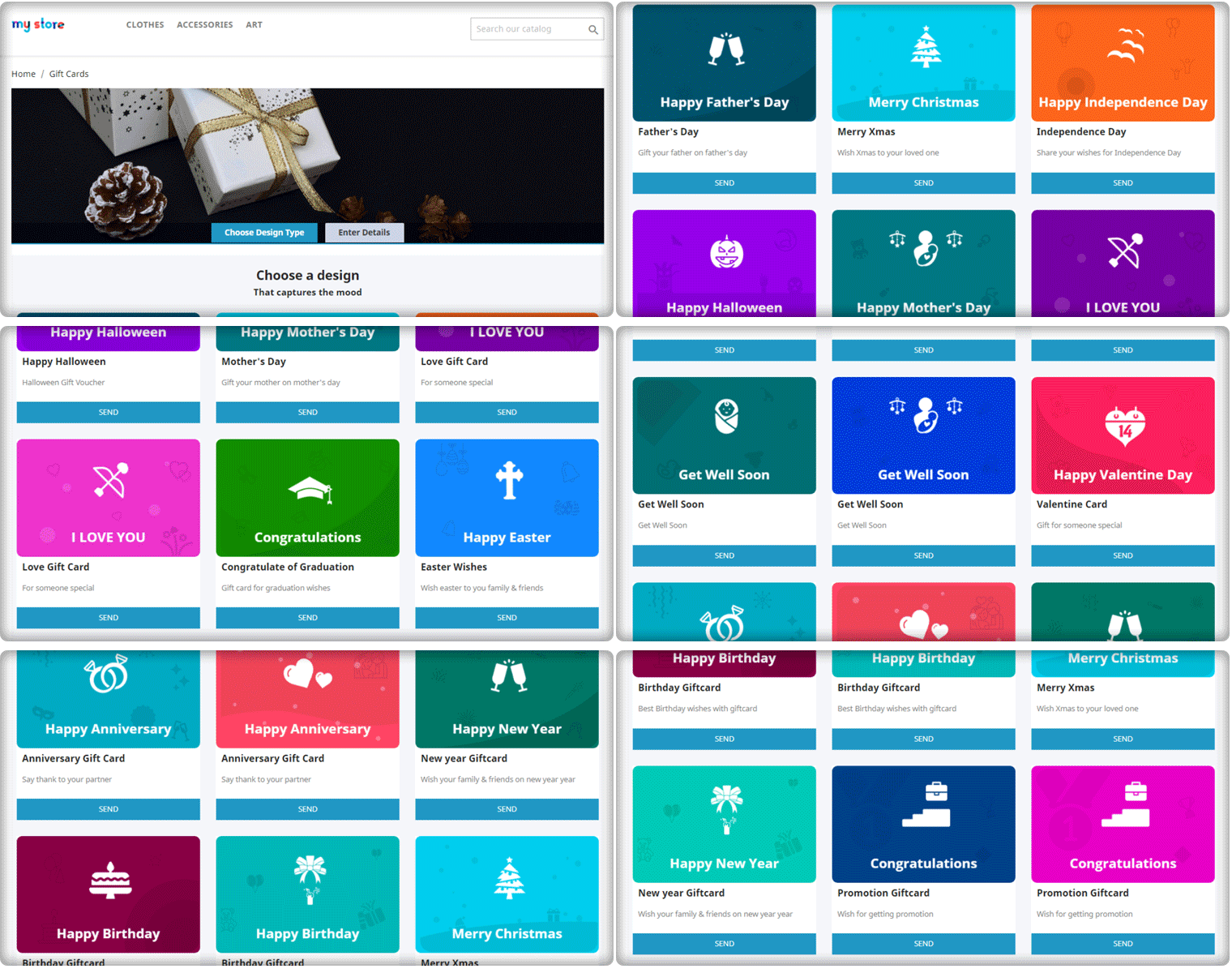
Front End View of the Gift Card Module
Final word
This holiday season, turn up your sales volume by adding the gift card facility to your online business. If you are looking for Gift Card modules for the holiday season, you must try Knowband Gift Card Manager for your respective platform. Hence, get the module today and boost your sales on Christmas and New Year. Let Gifting not be a trouble anymore. Drop a mail to us at support@knowband.com in case of any query.
Happy shopping and Merry Christmas!!
Have any doubts about any of the modules? Drop a mail to us at support@knowband.com
When we were little, we all remember receiving gifts for special occasions such as birthdays or holidays such as Christmas. However, as time passes, so do people’s preferences. It’s impossible to forecast what someone will like these days, given the enormous array of options accessible both online and offline. A Gift Card from any business or brand is one of the top gift options these days.
How does Gift Card work for eCommerce?
A gift card is a type of payment that may be used to make purchases at the eCommerce store that issued it.
If you buy a gift card from Starbucks or Amazon, you or the recipient can only spend it at the store that issued the card.
Digital gift cards can be used from anywhere and if it belongs to an eCommerce store, then anyone with the card can make a purchase and use it.
Perks of selling a digital Gift Card
Customers find it a more convenient gift option. Gift cards can be physical (i.e., a plastic card) or digital (i.e., a digital file). Digital gift cards do not have a physical form; instead, you are given a unique gift code number that you may use to make purchases at online stores. The most common type of gift card is still physical cards, although this is projected to alter shortly.
Knowband’s Digital Gift cards are tailored for eCommerce and allow sellers to use them as Physical as well as the digital card. Scroll down for real-life examples of OpenCart Digital Gift card managers and explore more.
Why do customers like giving gift cards?
Purchasing a Gift Card, whether for a wedding or a birthday, is a very straightforward process. In truth, purchasing a Gift Card on the internet requires very little work. The procedure is simple and convenient, and it saves you time when purchasing a gift.
People who receive gift cards have the option of purchasing whatever they choose.
Sending gift cards physically or digitally is far less expensive than mailing items.
When shopping with gift cards during peak sale times, the individual getting the gift card can get more bangs for their cash.
Unlike getting a gift and having to go to great lengths to return it, redeeming a Gift Card is a breeze. Offline cards and vouchers must be redeemed in person, but online/digital cards and vouchers can be used with a few mouse clicks. Hence, Gift Cards become even more appealing.
How OpenCart Sellers can sell Gift Cards on their website?
Step by step guide to install and customize the Opencart Gift Card Manager Extension before making it live:
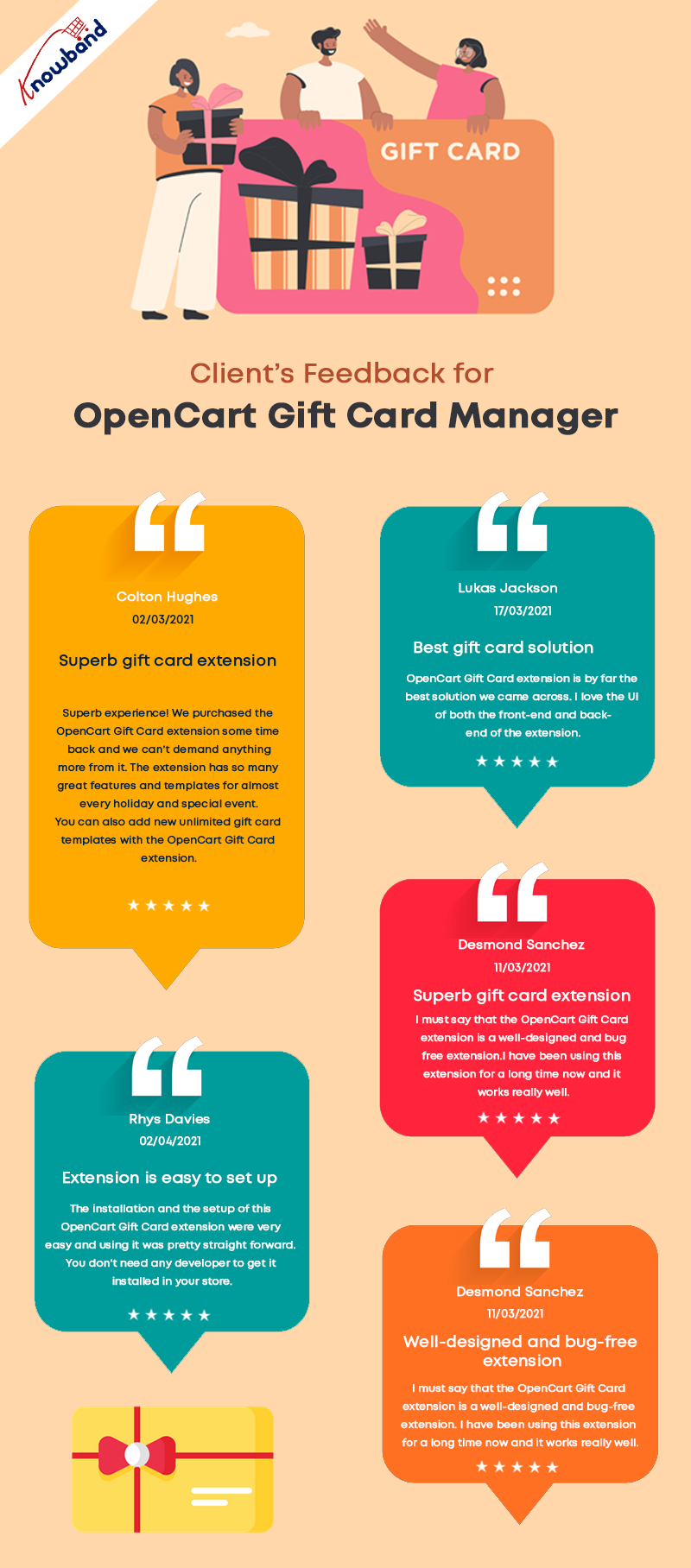
Seller’s Feedback on KnowBand’s Gift Card
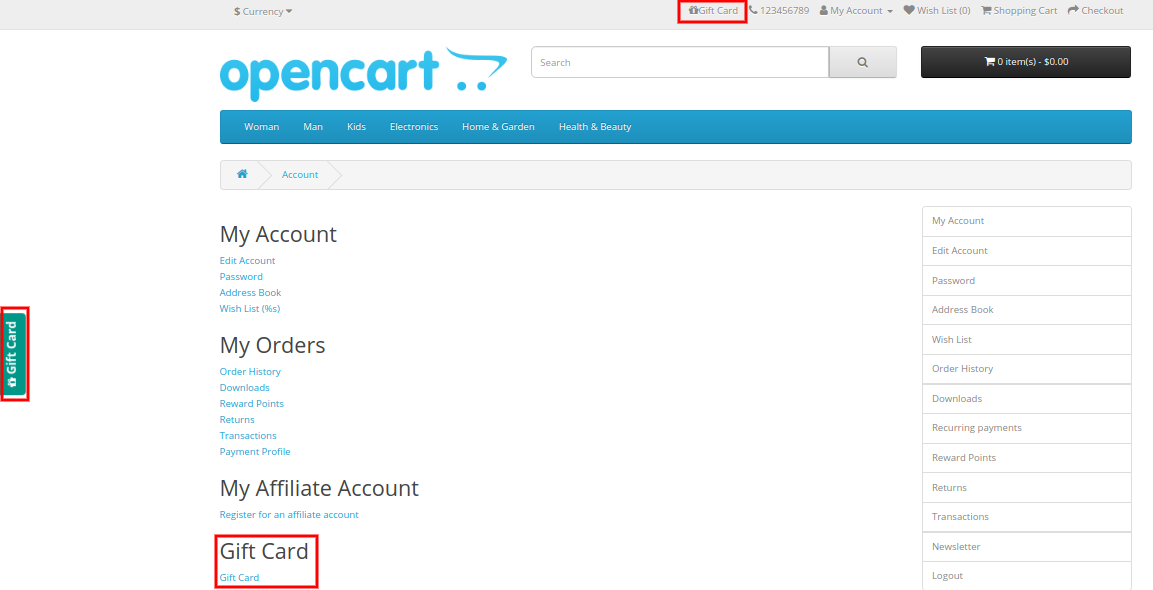
The OpenCart Gift Card Manage extension allows you to display the gift card link in a variety of locations to draw attention to it. It can be placed in the website’s header, footer, or center-left. The Gift Card link can also be found in the My Account section.
What customization is possible and how you can use it in your eCommerce OpenCart store is explained in detail.
Offer Gift Cards for a Variety of Occasions
The Gift Card module has gift card templates for a variety of holidays and events, including Valentine’s Day, Halloween, Christmas, New Year’s Eve, Birthday, Anniversary, Father’s Day, Mother’s Day, and so on. You can make changes to the existing Gift Card templates as well as create new ones.
Image Printed Gift Cards are unique
With the OpenCart gift card manager, you can allow customers to create image gift cards by uploading a photo. Such gift cards will have a personal touch and will make the receiver feel more attached. Gift Card extension is also compatible with the Opencart Journal theme.
Custom Price Gift Cards for different budgets
The OpenCart Gift Voucher extension allows you to create gift cards with a fixed value or a range of values. You can set the value for which gift cards are accessible when the fixed amount status is activated, for example, 100, 200, or 500. You can select the minimum and maximum gift card amounts for which a user can shop if this option is deactivated.
Allow virtual gift cards to be sent.
Customers would be able to send the gift card to the recipient’s email address if this option was enabled. This can be done for each and every gift card.
Allow actual delivery of gift cards.
Customers would be able to mail the gift card to the recipient’s home address if this option was enabled. Each form of gift card might have its own functionality.
Use it to create your brand identity
A gift card prefix is typically made to promote a brand. You can also establish a prefix for your gift cards, which will be used in all of your gift card codes.
Custom email for virtual gift card delivery
You can create an eye-catching subject line and customize the email content to your liking. Email templates are available in the upgraded version for sending an email notification to gift card senders as well as to print the card.
Select the Date and time to send the email
Specify the gift card order status on which the gift card will be given to the recipient. You can choose from a variety of order statuses to choose which order state the gift card will be sent to the recipient. Customers would also be able to print the coupon based on the order status they chose.
Mention Eligibility Criteria and Validity date
You can select a minimum gift card delivery gap between placing a purchase and receiving it with the OpenCart Gift Card Manager plugin.
Allow for the download of a Gift Card in PDF format.
You may provide clients the opportunity to download the gift card in PDF format using OpenCart Gift Card Manager. You can customize the PDF content as well as the gift card pdf prefix.
Keep track of your gift card purchases.
The OpenCart Gift Card extension allows you to keep track of the status of your gift cards orders. You may look up client information; verify the gift card’s expiration date, and much more.
Support for Cron
Because CRON is supported on your site server, the gift card can be sent to the addressee right away without the need to run any CRON files.
Real-life examples of Gift Card Manager on OpenCart stores
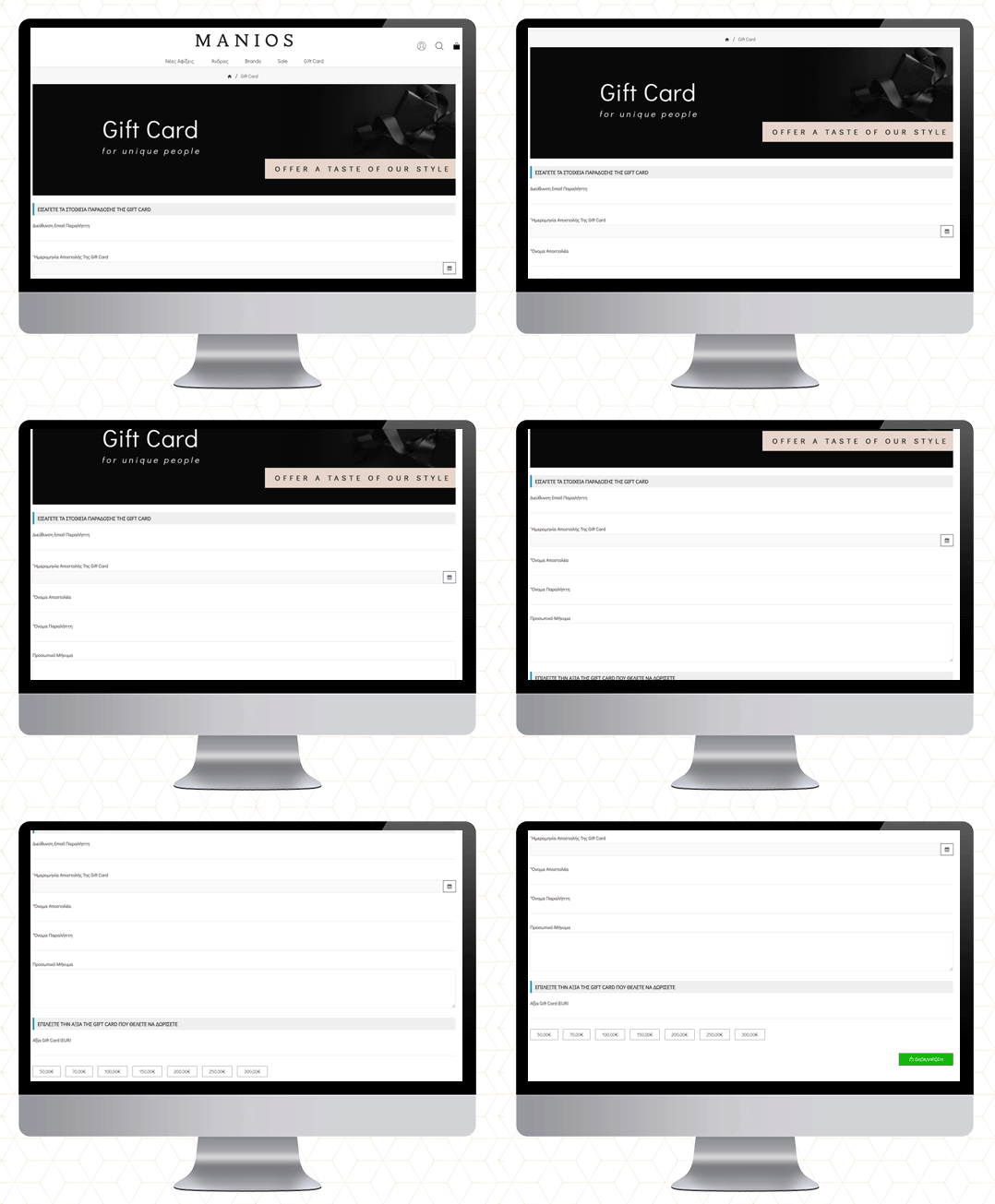
MANIOS Men’s Clothing
The MANIOS is a clothing brand for men and it delivers products in Greece and Cyprus. The website is built on the OpenCart platform. MANIOS believes in customer satisfaction. They have been using Gift Card Manager on their OpenCart store to deliver a great shopping experience to their customers.
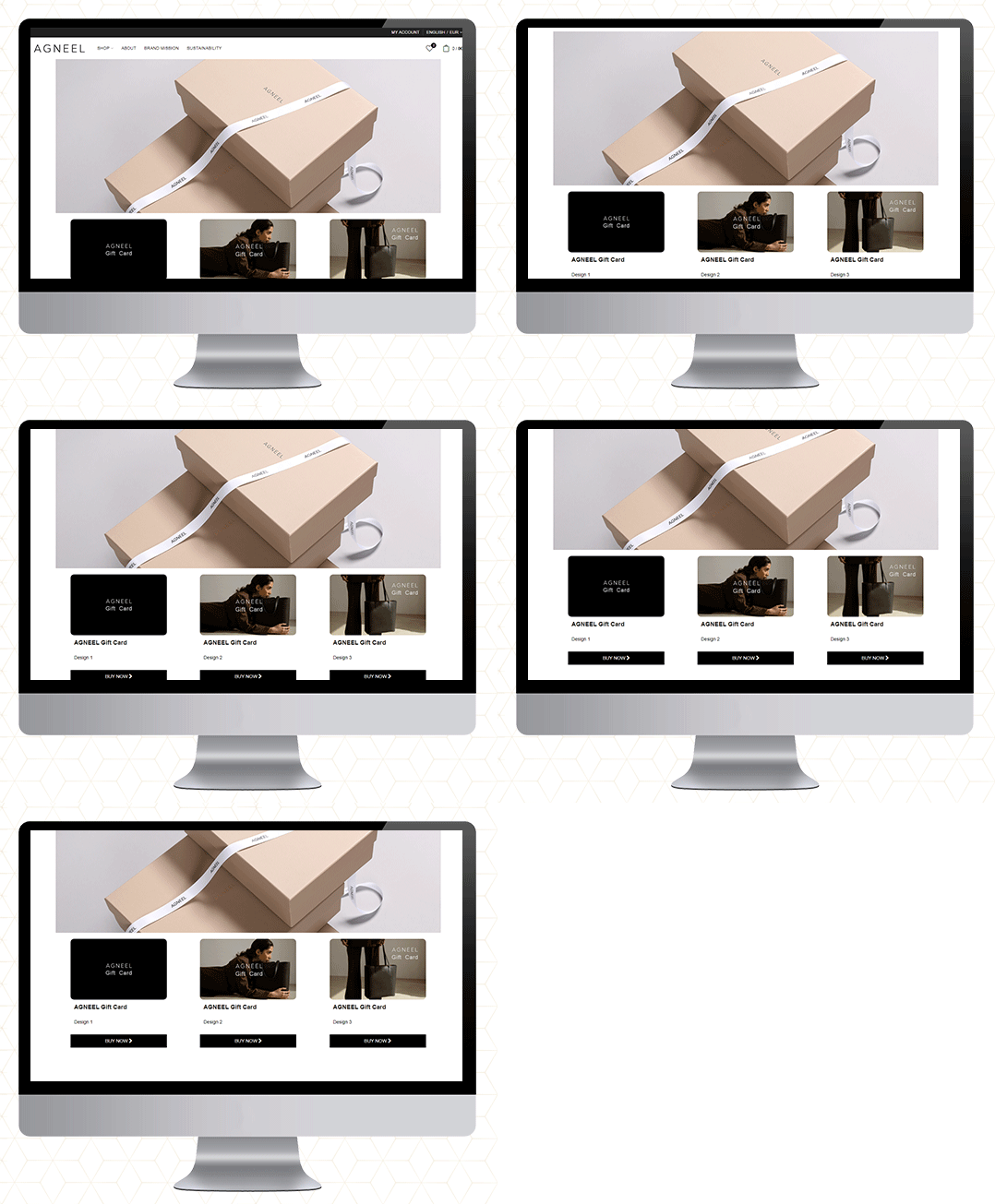
AGNEEL Handbags
A luxury leather handbag brand delivering in Berlin, Europe. They are also using the OpenCart Gift Card Manager on their website. They have created some custom gift cards with attractive images.
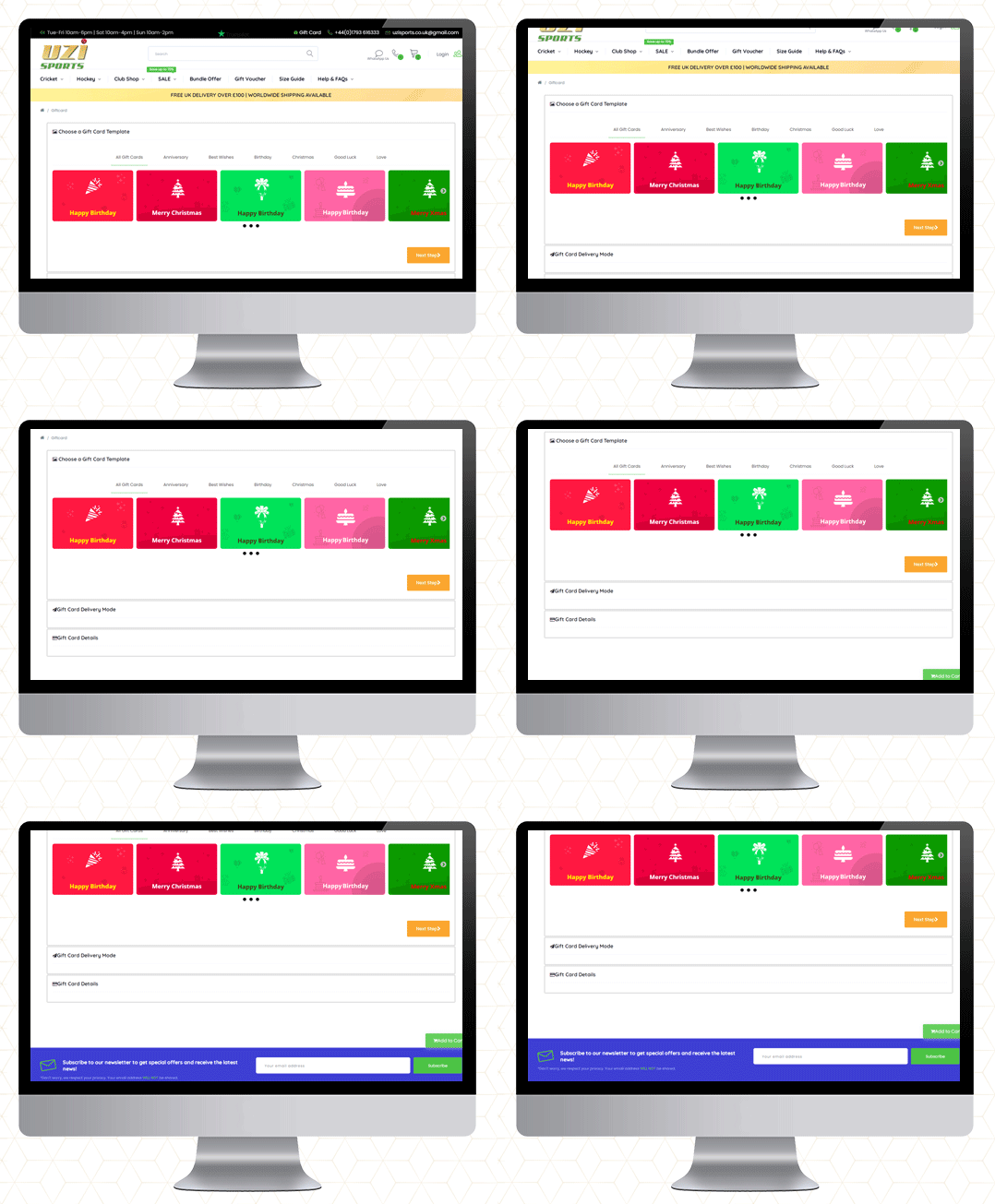
UZI Sports
UZI Sports is one of the UK’s Hockey & Cricket equipment stores and approved suppliers of major cricket and Hockey equipment brands. Moreover, they are experts in providing custom sportswear across the country. They also use the OpenCart Gift Card Manager plugin.
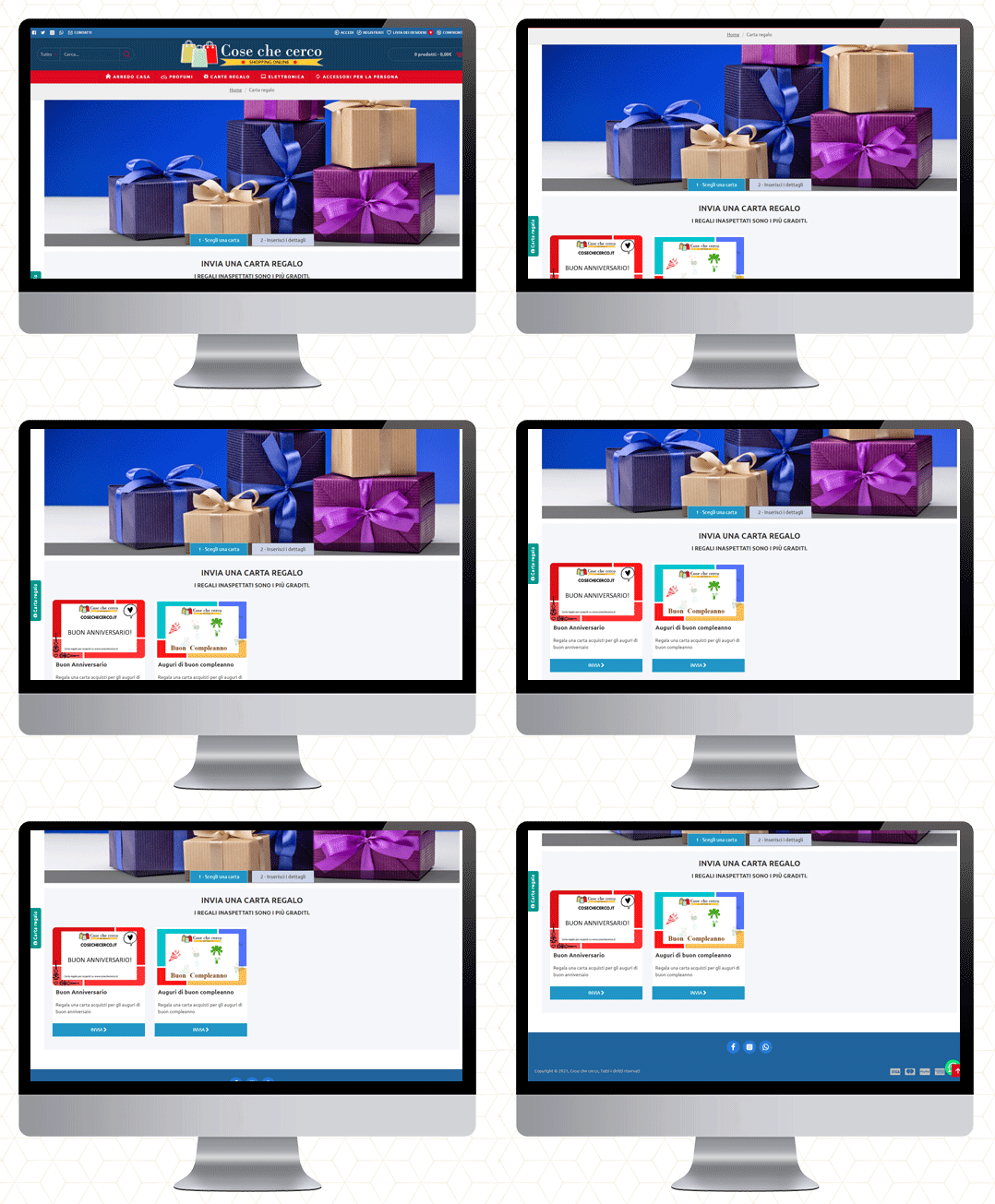
Cose che cero
They deliver in Italy. You will find furniture, perfumes, electronics, and a wide variety of accessories. The gift cards are also available on their website.
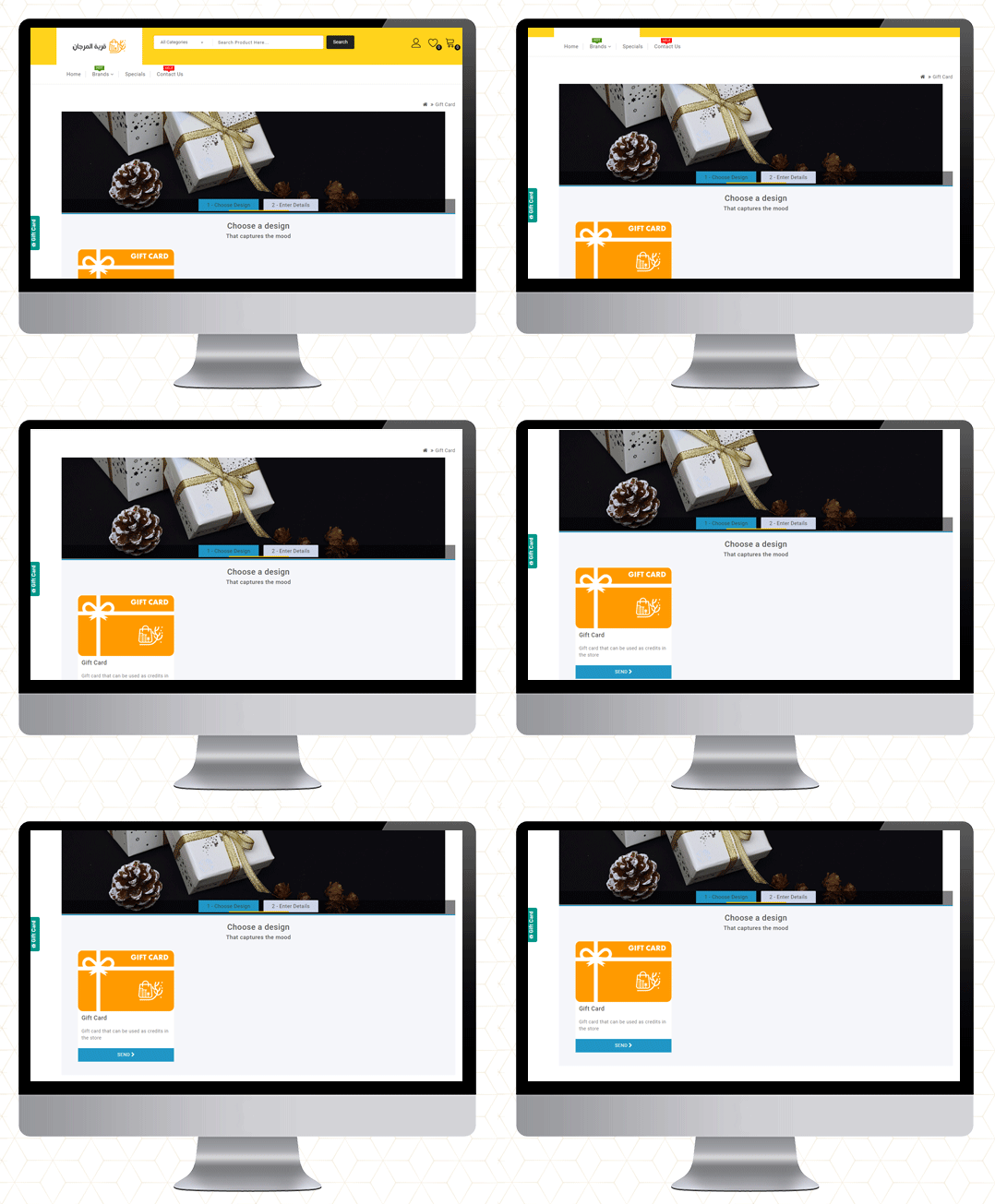
QMarjan
Al-Murjan store always strives to provide your needs at reasonable prices. Their location is in the beloved city of Qatif. They deliver in all regions. To improve the shopping experience as well as for customer acquisition, the Opencart Gift Card Manager is live on their store too.
Final Thoughts
Gift cards are similar to any other type of gift. Consider the person you’re gifting the card to and their likes and dislikes before making your selection. Make an effort to choose a card that will be liked and used.
So, if you’ve never considered a Gift Card as a product in your store, this guide will explain why they’re ideal.
If you want to start selling an e-Gift Card on your OpenCart store, go here to get started!
More information on KnowBand’s Digital Gift Card can be found here.
Check out the Video for OpenCart Gift Card Manager
People get a headache when it comes to choosing a gift. Even after spending hours choosing one, they aren’t sure whether the recipient would like it or not. This is when Digital Gift Cards provide a helping hand to online shoppers.
Did you know the total amount spent on Gift cards every year is more than $100 Billion?
What is a Digital Gift Card?
A virtual card that can be used for making purchases in your store. Digital Gift Cards, also referred to as e-gift cards or electronic gift cards contain a gift code assigned by the brand and are sent via email.
These cards are very effective when you have an indecisive buyer in your store. Many brands have an option of digital gift cards of various amounts. Sellers decide on a range and terms and conditions for the validity and usability of the card.
How do E-Gift Cards Work?
When sent over the recipient’s email address, they can redeem the gift card on the Brand’s website by applying the gift code on the checkout page or adding the amount to their store wallet. Once applied, the product amount falling under the gift card amount is discounted. E-gift cards can be sent to anyone anywhere all over the world.
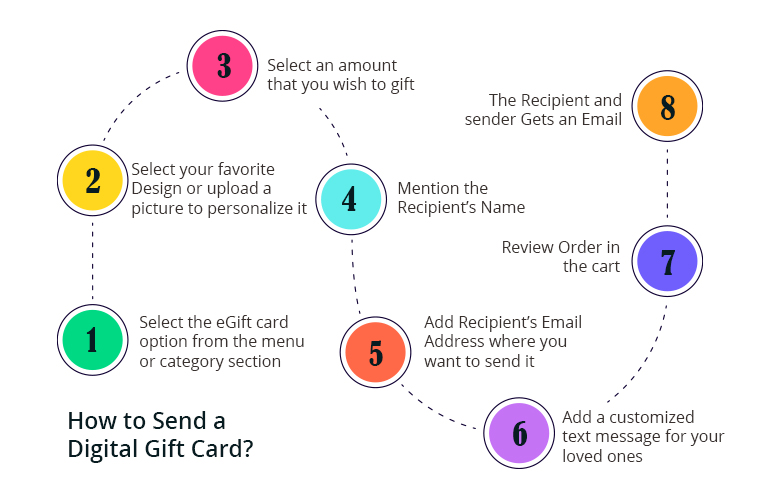
How to send a Digital Gift Card?
There are a few simple steps that you have to follow to send a digital gift card:
Select the eGift card option from the menu or category section
Choose your favourite Design or upload a picture to personalize it
Select an amount that you wish to gift
Mention the Recipient’s Name
Add the Recipient’s Email Address where you want to send it
Add a customized text message for your loved ones
Review Order in the cart
The Recipient and sender Get an Email
This is a generalized format that eCommerce companies use when they offer digital gift card features in their store.
Why do millennials prefer sending Gift Cards?
The versatility of gift cards is the main reason for their popularity. In other words, gift card recipients can buy whatever they want from their favourite company with their gift card.
You are relieved of the stress of finding the proper gifts for your family and friends as a car buyer, especially if you have no idea what the recipient would enjoy. most people are pleased when they receive gift cards for the following reasons:
It allows them to purchase their preferred gift for little or no additional expense.
Buyers of gift cards don’t have to worry about giving receivers something they already have.
The gift cards can be used by the recipients whenever they like. Gift cards can be used to shop online or in a local store.
When making a purchase with gift cards during sales, the recipient can buy more products or more expensive items.
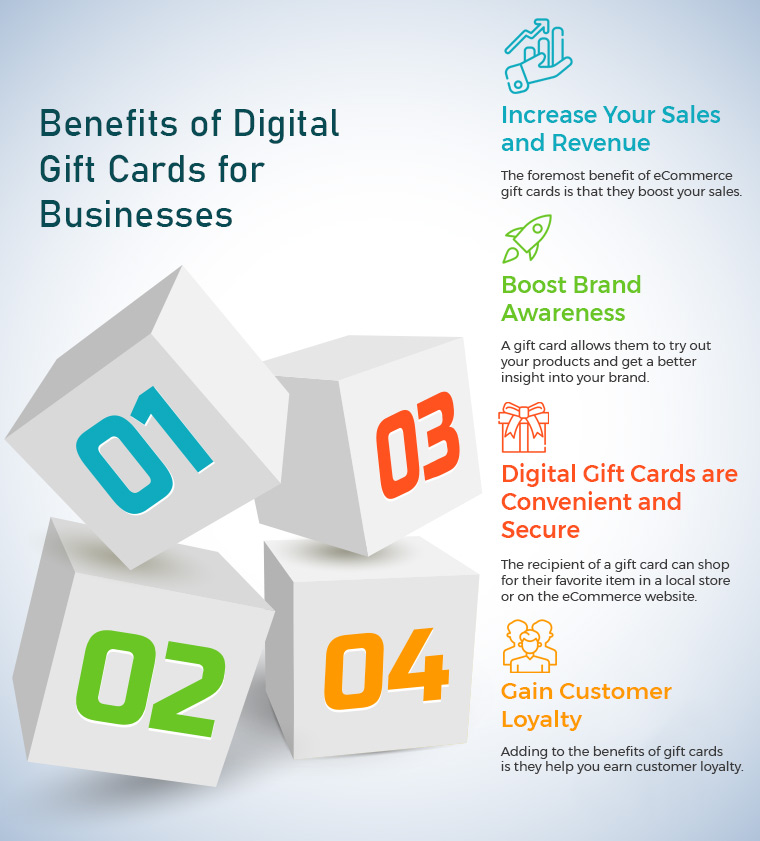
Benefits of Digital Gift Cards for Businesses
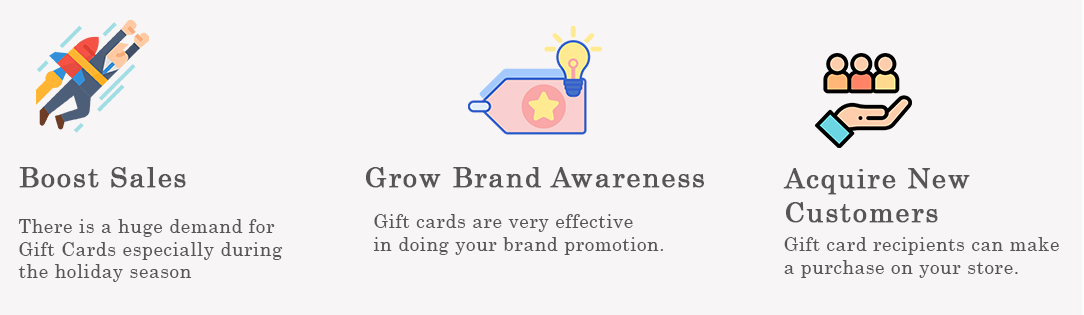
Consumers love purchasing gift cards as they are cost-effective and most importantly, time-saving. Not only for the people but digital gift cards provide ample benefits to a brand as well.
1. Increase your Sales and Revenue
The foremost benefit of eCommerce gift cards is that they boost your sales. Creditcards.com reports that Gift Cards are the most requested present during the holiday season.
When the pressure is high to search for a perfect gift for the close ones, people switch to the Gift card option. We can say that Gift cards are a boon to last-minute shoppers.
Gift cards also help you drive more revenue. The gift card holder will likely spend more than the gift card amount while utilising it. E-Gift Cards are often used as a discount to buy products that have a slightly larger value so that they do not have to pay a heavy amount to purchase the product.
According to the stats by Gift Card Granny, 72% of the customers spend more than the gift card amount while purchasing a product.
2. Boost Brand Awareness
Another benefit of digital gift cards is increased Brand Awareness. It is very much possible that the person receiving the gift card may have never heard of your brand.
A gift card allows them to try out your products and get a better insight into your brand. If the recipient likes your offerings, there are certain chances that he or she will buy a similar gift card for their loved ones, hence boosting your brand awareness.
Your brand logo in the gift card gets your brand noticed. Moreover, unlike physical gift cards, digital gift cards can be sent from anywhere to any part of the world, which gives your business a global reach.
3. Digital Gift Cards are Convenient and Secure
Unlike conventional paper or physical gift cards that can be lost or stolen, digital gift cards are far more secure and convenient. There aren’t any possibilities of such occurrences. You can send or receive a digital gift card without any hassle and the amount is always safe. It avoids pointless debates about what kind of gift people would want and whether or not they already have it. Before or during the holidays, customers can purchase and mail gift cards directly to their recipients’ home addresses.
The recipient of a gift card can shop for their favourite item in a local store or on the eCommerce website. The special occasions need special celebrations. Purchasing gifts for family and friends for special occasions such as Christmas is unavoidable. As a result, it’s preferable to buy a gift card depending on the recipient’s preferences.
It won’t take much time or effort, and you’ll be able to determine the worth of your gift by allocating a certain amount to each gift card
4. Gain Customer Loyalty
Adding to the benefits of gift cards is they help you earn customer loyalty. To make customers stick to your brand in the long run, earning their loyalty is important. And you can earn that loyalty only when you can keep them happy and satisfied.
For the customers who did not find a pleasing experience with your products or want to process a return or a refund, a gift card, in such a situation, can ease things up and help you retain customers, improving customer retention.
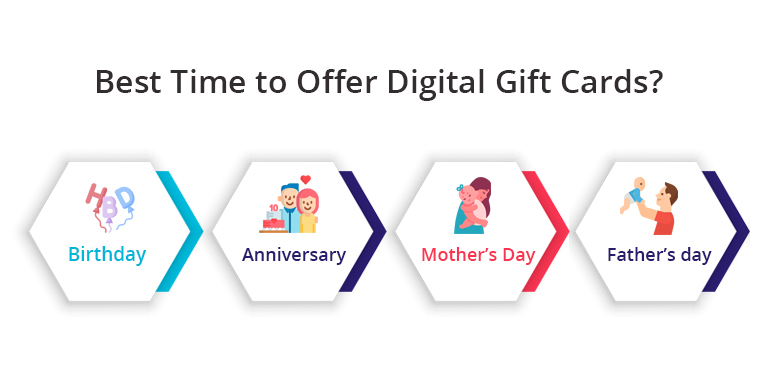
Best time to offer digital gift cards?
Gifts make a connection between the sender and the receiver. It is a token of love. You don’t need an occasion to make your friends and family feel overwhelmed. Here comes the digital gift card in the picture.
If it is difficult to find the right gift for them, give them a gift card. You can consider gifting on their birthday, anniversary, mother’s day, father’s day, or any other occasion. The holiday season is another best occasion for showering love!
Gift Card Manager by KnowBand
KnowBand, one of the leading e-commerce service providers, offers the Gift Card Manager module to the merchants having their store set up on the PrestaShop, OpenCart, Magento or Magento 2 platform.
The module adds a gift card section on your website and offers pre-existing customizable gift card templates for multiple occasions like Halloween, Christmas, New Year, Halloween, Mother’s Day, Birthday, Anniversary, etc. It also lets you add new gift card templates for any desired occasion so that you do not miss out on any important event.
With the help of our Gift Card module, you can create gift cards of different values so that a customer can purchase a gift card as per his/her budget. The gift card can be set for multiple currencies hence allowing customers to send a gift card to their loved ones living outside and enabling the recipient to shop in their local currency.
By looking at the growth of digital gift cards in the eCommerce market, the availability of the gift card option for online shoppers can scale up your sales.
I hope the above-mentioned benefits of gift cards have provided you with good enough reasons to add the Gift Card section on your website. Finding trouble setting up the gift card section? Try out our Gift Card Manager. If you need any assistance with the module, you can reach out to us at support@knowband.com
Gift Cards or eCards have been always special and appealing to everyone as they suit every customer’s needs. Be it a Birthday, Wedding Anniversary, New Year or some other special occasion finding a gift for their loved ones is a big task for online customers. Your customers are unknown about the likes and dislikes of their loved ones. Moreover, giving a cash amount seems to be unreal and emotionless. Gift Cards are one smart and convenient way to make your customers feel happy and special.
So, what’s the best way to offer personalized gift cards to your store customers? OpenCart Gift Card Manager Extension by Knowband allows admin to sell gift cards in their online shop. With OpenCart send gift card extension, they can create and sell multiple gift cards based on different occasions in their store. The store customers can buy these gift cards and gift them to their relatives or friends. Moreover, lower return rates of the gift cards are another benefit for the store admin.
Open Cart Gift Card Manager helps you provide your customers with several occasion-based gift cards. Knowband OpenCart Gift Card Manager can set up a gift card section on the OpenCart website to promote digital gifting. The store owner can create several Gift Cards with gift card managers for special occasions such as Birthdays, Weddings, Valentine’s Day, Friendship Day, Father’s Day, etc. so that consumers should pick gift cards for their loved ones as desired. The customers can select the options like printing the gift card or sending it via email.
The Digital Gift Card plugin makes gifting simpler and more enjoyable. Finalizing a gift was time-consuming earlier, but now with a gift card manager, it can happen in minutes.
Benefits of Opencart Gift Card Manager for the eCommerce store owner:
Brings a new customer to your store
Lower return rates and increased retention
Generate revenue in advance of sales
More convenient with simplified predefined email templates
Fully Mobile Responsive
Benefits for Customer:
The customer who finds selecting a product difficult doesn’t have to spend extra time finalizing the gift. The OpenCart Gift card extension saves extra effort and time.
With the Knowband OpenCart gift card manager, they can get a gift card for every occasion.
The Knowband Gift Card manager comes with an easy admin panel and Sets the luring design and texts for Gift Card.
1.1 What’s New In this Updated Version of Gift Card Manager v1.3
The latest version of the Gift Card Manager Extension for OpenCart offers new enhanced features that will help the store admin to create the Gift Cards with ease. This new version of the OpenCart gift card plugin comes with some attractive features which increase the user experience. Let’s check out what’s new in the updated version:
With this OpenCart Gift card manager plugin, the eCommerce store owner can easily incorporate the gift card functionality into their online store.
Improved UI of the front end will enhance the customer experience. The gift card manager extension lets the admin show the Gift Card as products on the category page for both desktop and mobile.
OpenCart Gift card manager has the functionality of uploading personalized images from the front end to send the same in the gift card. The plugin allows the customer to create a custom gift card by uploading the desired image
With this new version, the functionality of uploading customizes catchy images from the backend to create gift cards. Further, this feature of the Gift card manager extension will help the store admin to create gift cards for local events. In addition, these images are usable as the background for Gift Card.
Opencart Gift card manager plugin has Interesting and descriptive email templates. Templates cannot only reduce the workload but make you feel less stressed. With the Open cart gift card manager installed an email notification will be sent to the recipient, sender, and customer when the gift card order comes in.
A Gift Card template will be sent to the customer through email if the customer has not uploaded a personalized image from the front end else personalized image will be sent through email.
Customers can choose the day and time for the delivery of physical gift cards as well as the virtual gift card via mail. The new version of the OpenCart Gift Card Manager allows the store admin to run the Cron manually.
A button corresponding to each order for resending the Gift Card is available.
With this new version of the Opencart Gift Card Manager Extension, the admin can add title and description to the Gift Card template. This title and description along with the image will be visible to the customer.
The new version is mobile responsive.
Opencart Gift card manager is easy to use and install.
1.2 Distinct features of OpenCart Gift Card Manager Extension:
OpenCard Gift Card Manager Plugin comes with some striking features which give better UX and handy customizable options to the store admin.
Customers can purchase or send gift card vouchers from the store.
OpenCart Send Gift Card extension gives the flexibility to create unlimited gift cards for the store based on various occasions like Birthdays, anniversaries, New Year, Christmas, or any other special event.
The admin can promote the Gift Cards by showing the Gift Card in the header section, footer section, or the left side of the webpage.
OpenCart Gift Card system gives an option to set the Gift Card delivery gap in several days.
OpenCart Gift Card Manager Plugin allows online store merchants to add a unique prefix code to the gift voucher.
Using Gift Card extension the admin can set the appropriate order status for the Gift Card orders. The Gift Card will deliver to the specified recipient only after the order status changes to the defined status.
OpenCart Gift Card Extension supports multi-lingual and multi-store compatibility.
OpenCart gift card Manager helps store admin monitor all gift card purchases. In particular, the admin can see the order information corresponding to the orders.
Buyers must specify the value of the gift card, the name of the sender, the name of the recipient, and the email address of the recipient for the delivery of the gift card.
The OpenCart gift card templates can be mapped to any category by defining or adding relevant keywords to them.
The eCommerce store owner can send an email notification to customers who have opted for the “Print by Yourself” option. A separate email template is available to submit an email update. That way, an online store admin will send an email update to a gift card sender.
The online store merchant can show a fixed amount of gift cards for the customers. Admin can make multiple fixed amount gift cards with OpenCart gift card manager and separate them using a comma.
OpenCart Gift Card Manager Extension allows online merchants to fix minimum and maximum gift card value from the admin interface of the gift card manager plugin. The online users need to purchase a gift card of more than a minimum and less than the maximum value
2.0 How to Install Gift Card extension?
This module comes with an easy installation process. Before starting the installation process, you have to buy the Gift Card Module for the OpenCart store from the Knowband store. Once purchased, you will receive the following files on your registered email.
Source code file of OpenCart Gift Card Extension in zipped file format.
User Manual of OpenCart Gift Card module.
Now in order to install the OpenCart Gift Card vouchers on your website, follow the given steps:
Unzip the zip file. You will get the folders as shown in the image below
Copy all the folders of the zip file in the Root Directory of OpenCart setup via FTP manager.
So, the OpenCart Gift Cards manager is now successfully installed and is ready to use at your online store.
3.0 Admin Interface of OpenCart Gift Card Manager Extension
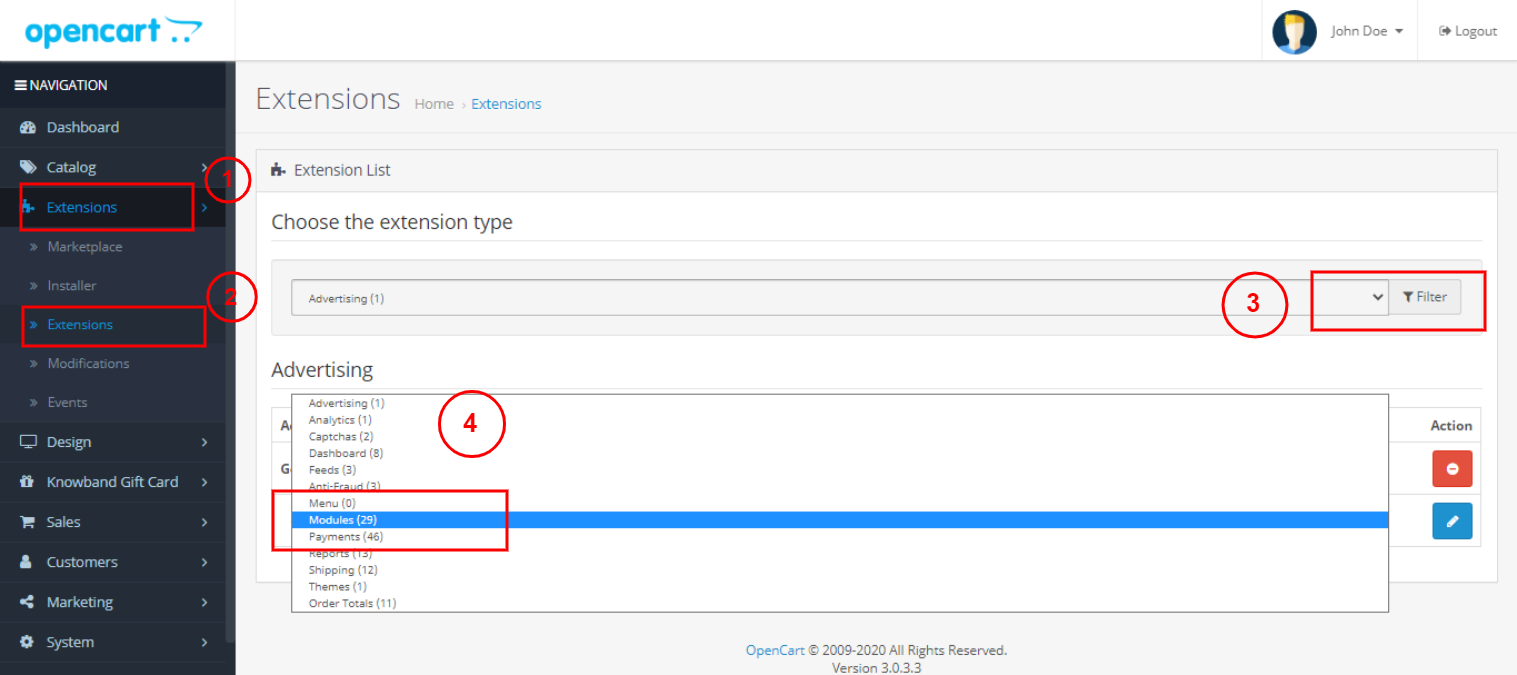
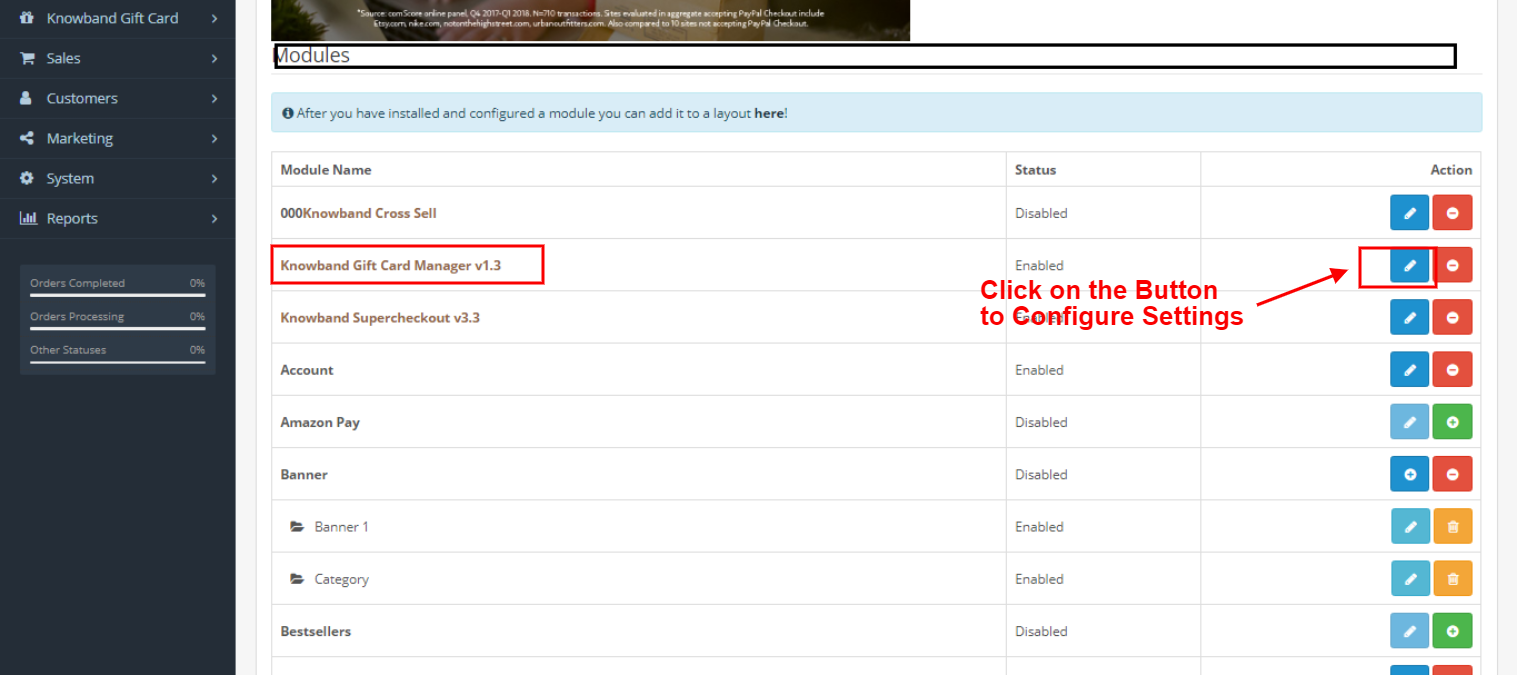
After installing OpenCart Gift Card Manager v1.3 in the OpenCart store, the store owner can make the changes without any hassles. Navigate the settings in the given order: Admin Panel > Extensions >Modules > Gift Card Manager.
The knowband gift card manager module configuration page will display the following tabs to configure the module as desired.
Module Configuration
Gift Card Template
The Gift Card Images
Gift Card Orders
Each interface is in the form of a tab, and each tab contains some basic settings that changes as required. Each tab will be discussed below.
3.1 Module Configuration
How to configure Gift Card Manager for open Cart? OpenCart Gift Card Manager Module Configuration settings consist of the following four parts, as discussed below:
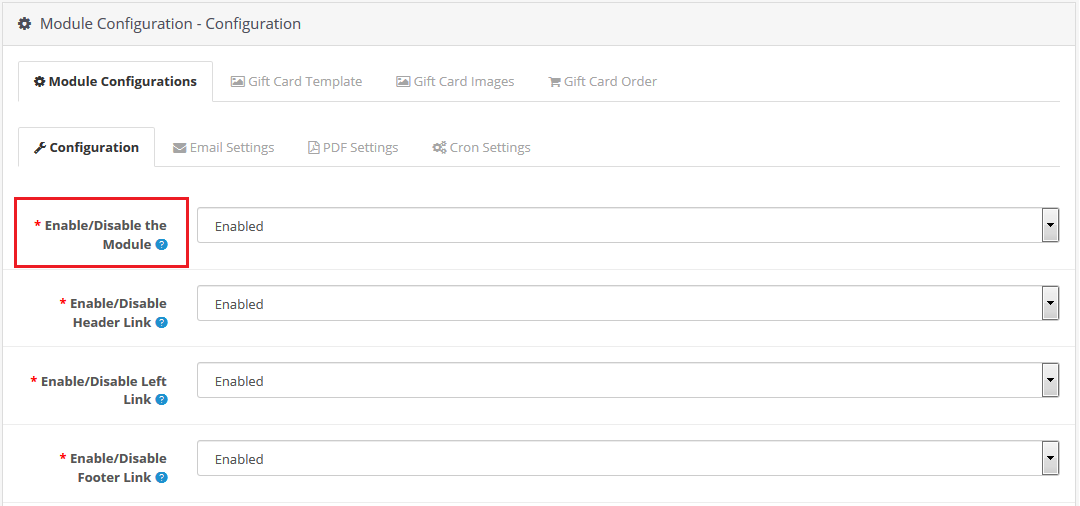
3.1.1 Configuration
Enable/Disable Module: Enable or disable the gift card feature of your shop.
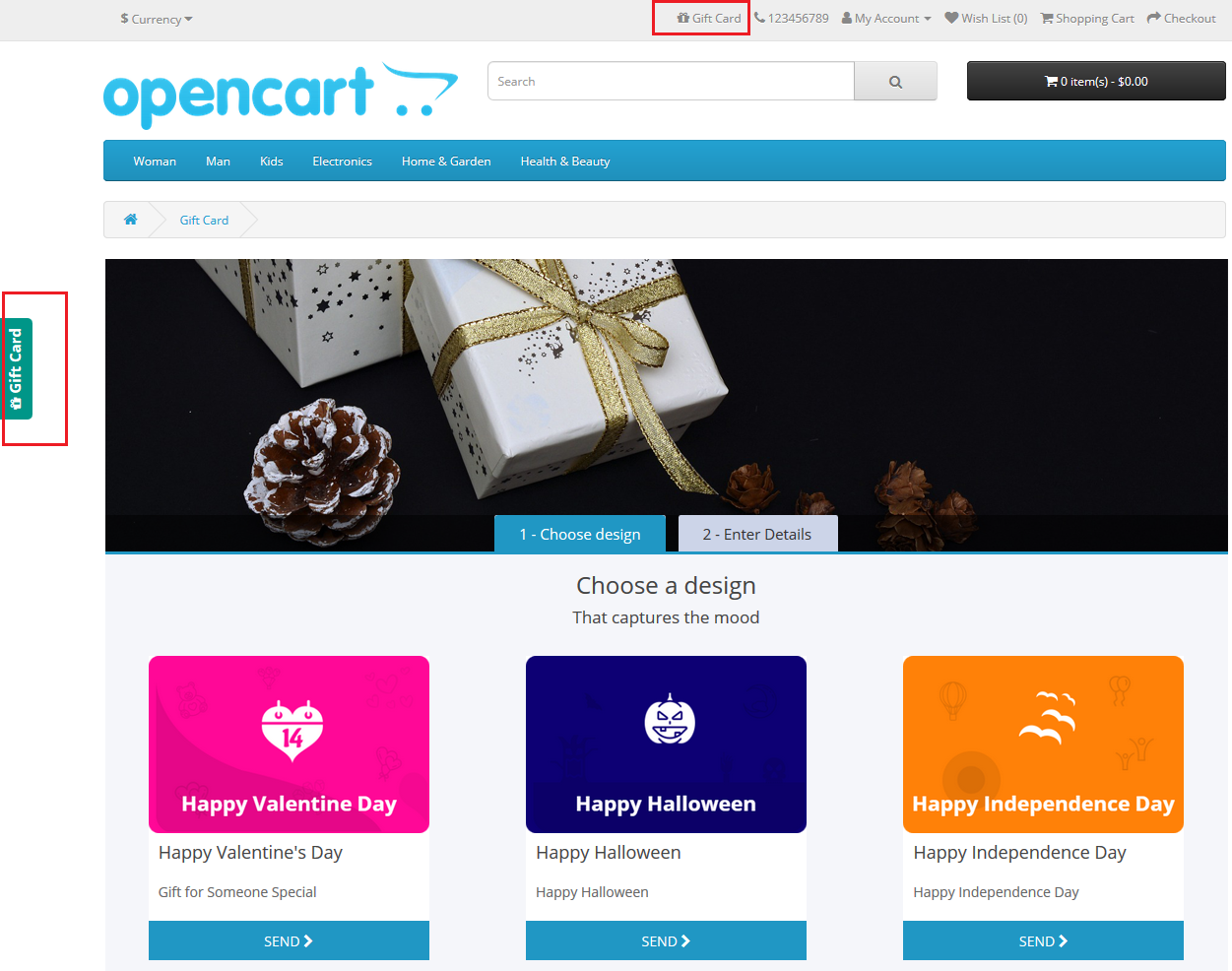
Enable/Disable Header Link: Show or hide the gift card link in the header section of the website. By showing the Gift Card link in the header, you can bring it to the attention of the store visitors.
Enable/Disable Left Link: Enable or Disable gift card link in the left section of the website. A direct call to the Gift Card Action button will be shown on the storefront. It will help you encourage the selling of gift cards.
Enable/Disable Footer Link: This allows the admin to show or hide the gift card link in the footer section of the site.
Enable/Disable My Account Link: With this button, the admin can show or hide the gift card link in the My Account section of the site. This will help store owners to show the gift card options to the visitors.
Enable/Disable Personalised photo: This option allows the admin to hide or show the functionality of uploading personalized images from the front end to send the same in the gift card.
Gift Card Prefix: This option helps the admin to set the gift card voucher code prefix. The admin enters the code in a ‘Store_Name- * * *’ format. Admin can use this as a branding suffix. The store owner will advertise the store by using its business name as a prefix.
Gift Card Code Order Status: This button sets the status of the store orders when the gift card delivers to the respective customer. If the order status is set as ‘Complete’, the gift card will be sent to the customer once the purchase of the gift card has been completed on-site.
Minimum Gift Card Delivery Gap: Using this tab, the store administrator can determine the minimum duration of time on which the order comes in. Moreover, the day on which the gift card delivers. Thus, this value is only applicable to the option Send by Email.
Fixed Amount Status: The online store merchant can activate or deactivate this option if he or she wants to display a fixed amount drop-down list. The admin can allow the customers to send the gift cards of their desired amount. Store Admin can set the minimum and maximum amount for the Gift Card.
Fixed amount: The admin can add multiple values and separate the same by a comma.
Max amount: The online merchant can set the maximum amount which is acceptable for a gift card by the OpenCart gift card manager. This function will work only if fixed amount status functionality will disable.
Min Amount: The store admin can set a minimum amount for the card purchase. The customer cannot buy a gift card lesser than that amount.
3.1.2 Email Settings
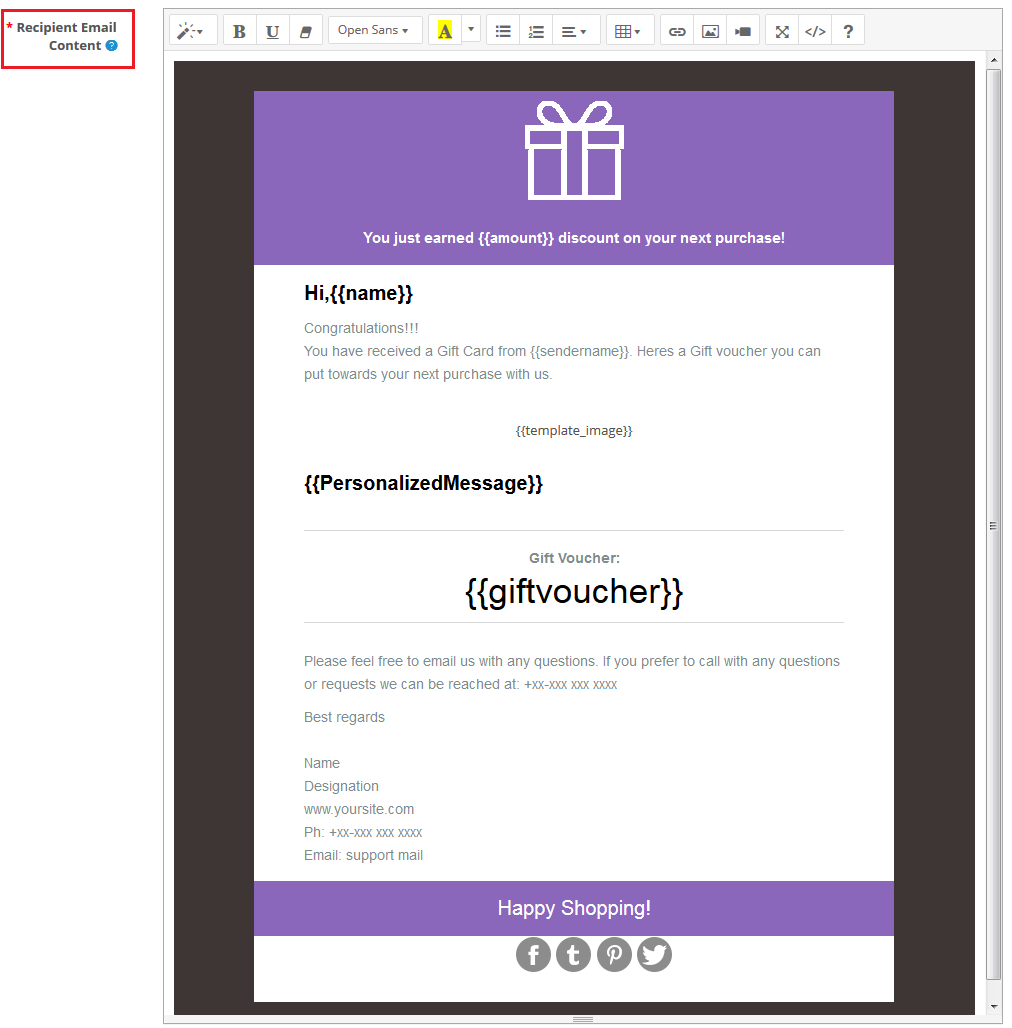
With OpenCard Gift Card Manager a gift card can be sent to the recipient via email. You can customize this email template. When the gift voucher email is sent another email will be sent to receive, and the sender will receive an acknowledgment email. All the email templates are customizable.
Recipient email Subject: The subject line of the gift voucher code email sent to the receiver are customizable.
Recipient Email Content: OpenCart Gift Card Manager allows eCommerce store owners to customize the contents of the gift voucher email code which will be sent to the recipient.
Sender email Subject: An acknowledgment email is received at the end of the sender upon the successful delivery of the gift voucher code. The subject line of the sender’s acknowledgment email is changeable by the admin.
Sender email Content: The content for the sender acknowledgment email customizable by the store admin.
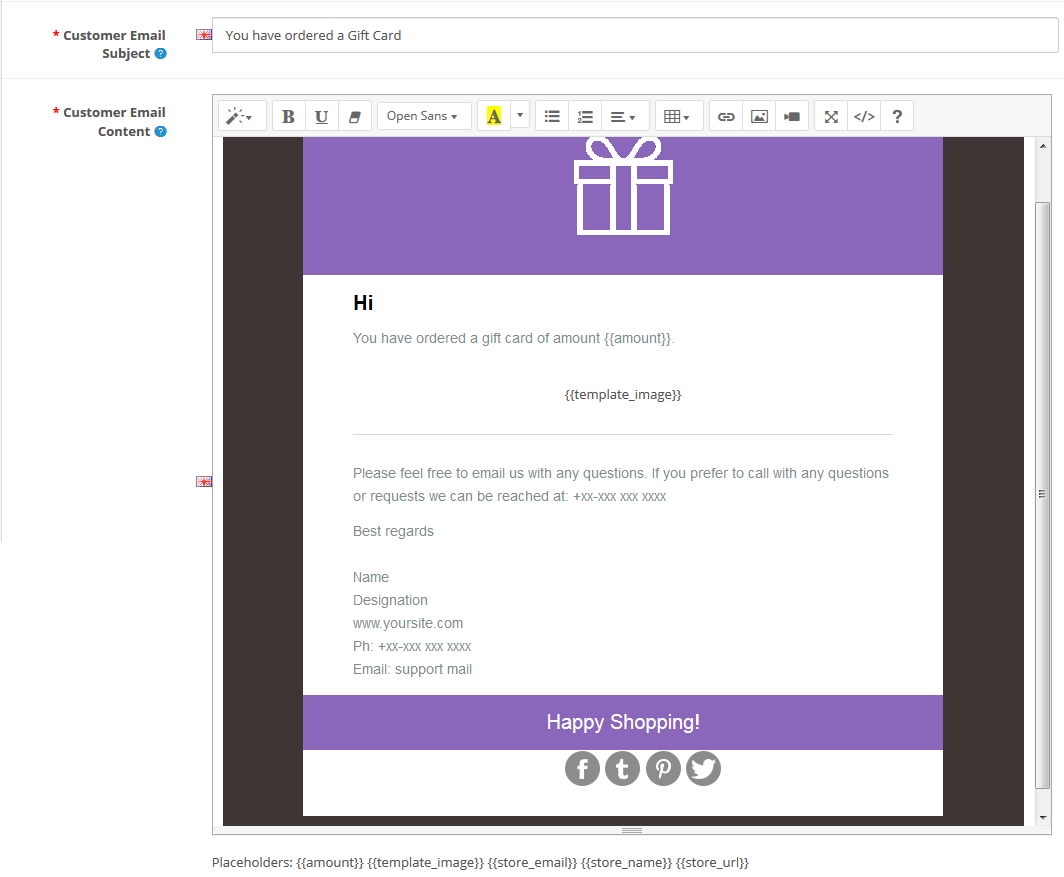
Customer email Subject: Admin can alter the subject line of the email and modify the email template.
Customer email Content: The online store administrator will send an email notification to online shoppers who have chosen the “Print by yourself” option.
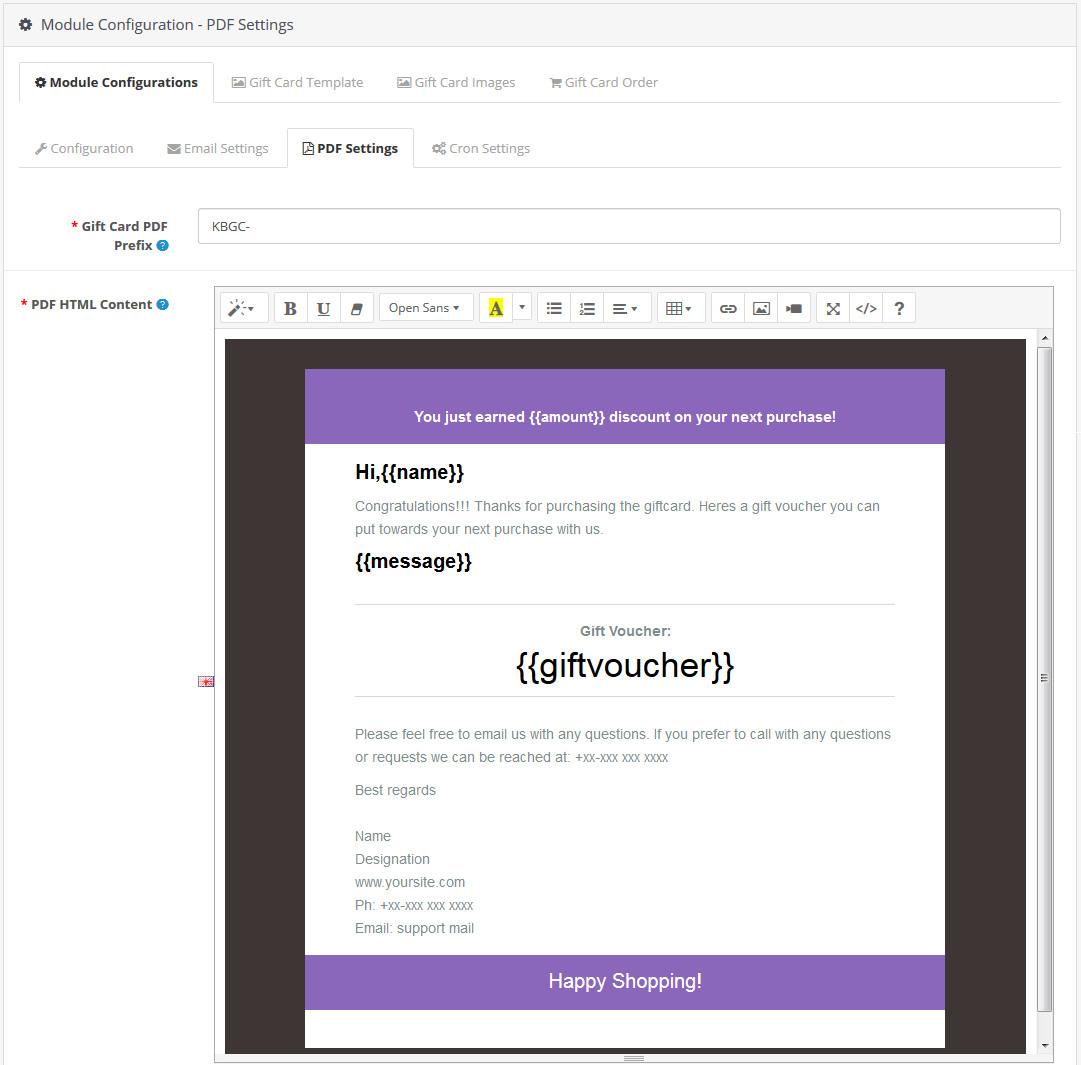
3.1.3 PDF Settings
The purchaser of the gift voucher will print the OpenCart gift voucher in PDF format. The administrator will modify the contents of the PDF file.
Gift Card PDF Prefix: This option allows you to set the PDF gift card prefix code attached to the document.
PDF HTML Content: You can modify or customize the contents of the PDF file as per business requirements. This template is in HTML format so you can easily add text, photos, or links to it. This PDF material can also publish in English, French, and other languages.
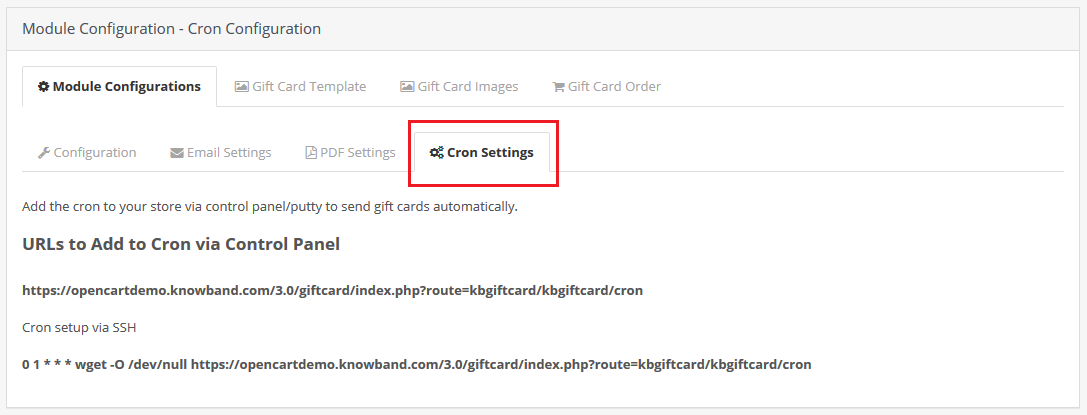
3.1.4 Cron Setting
The OpenCart Gift Card manager Module supports cron features. Admin can run cron manually or automatically after a specified period of time. A button is available for this functionality.
Add the cron to your store via the Control Panel to send gift cards automatically.
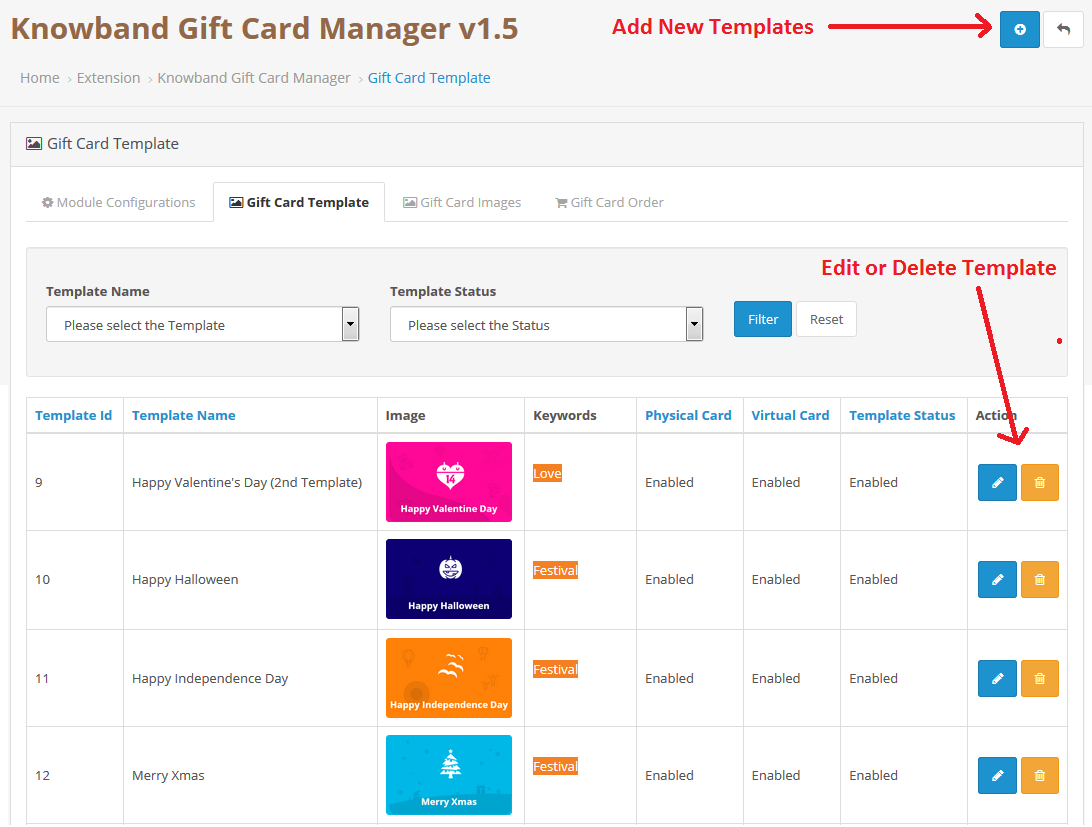
3.2 The Gift Card Template
To build new gift card templates using the OpenCart gift card module, go to the Gift Card design tab of the admin panel. Click the ‘Add New Template’ button or the ‘+’ sign on the top right of the OpenCart gift card screen. You can see the following settings to create a new gift card template for your store.
Add New Templates or Edit/Delete the Templates:
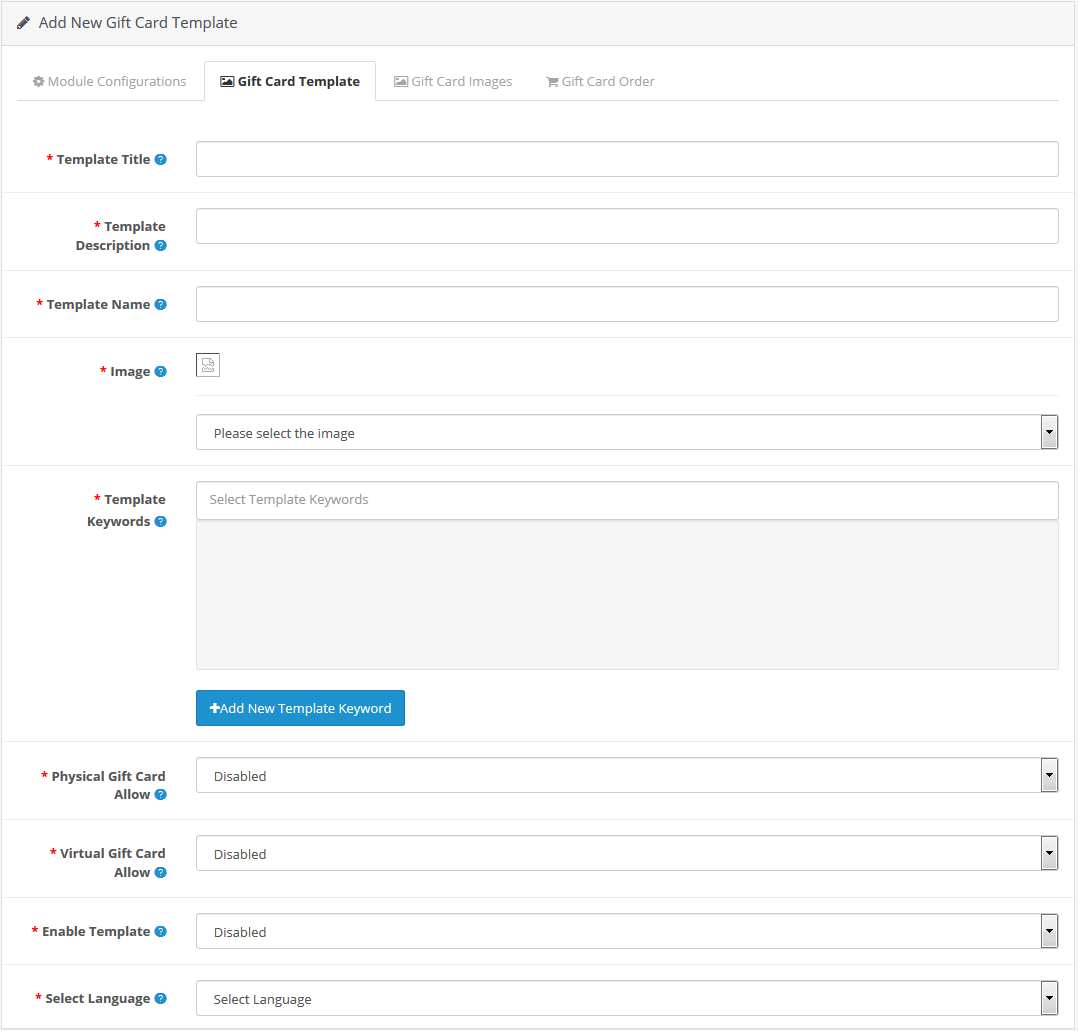
Add New Gift Card Template:
Template Title: This is a new feature in this latest version of OpenCart Gift Card Manager which allows admin to add the template title.
Template Description: Now admin can add the description for the Gift Card which he or she wants to display on the front end.
Name of the template: This option allows the admin to set a unique name for the gift card template that defines a particular template.
Image: This option of the OpenCart Gift Card Plugin allows the admin to pick a gift card picture or model that will display at the front end of the shop. When selecting an image, only the images produced will display in the drop-down list.
Template Keywords: This choice lets you map the gift card design to a specific category. It can be achieved by choosing the appropriate tags/keywords for the gift card template. If you want to place the gift card template in a new category, you can first add the keyword and map the template to it. Just press the “Add new keyword template” button.
Physical Gift Card Allow: This option allows the OpenCart admin to activate or deactivate the physical gift card for this template.
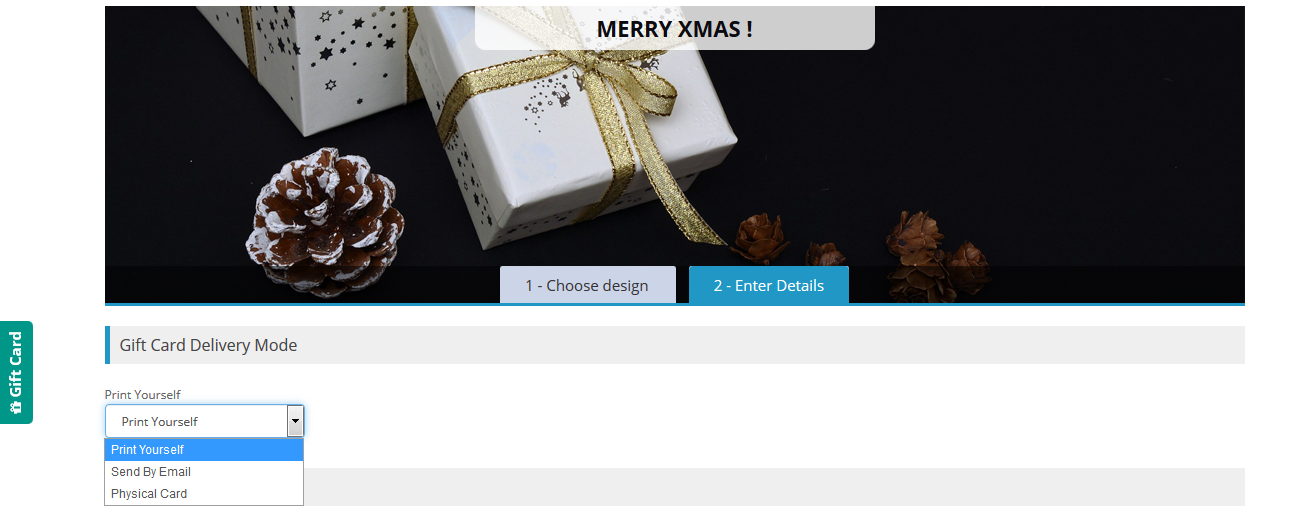
Virtual Gift Card Allow: You can activate or disable e-cards for both the recipient and yourself. This means that when you activate the virtual card option, customers will see three options on their front page, namely “Print Yourself”, “Send by Email”, and “Physical Card”.
Enable Template: This option easily activates or deactivates the template from OpenCart Store.
Select Language: The admin will pick the language of the template from the drop-down list.
3.3 The Gift Card Images
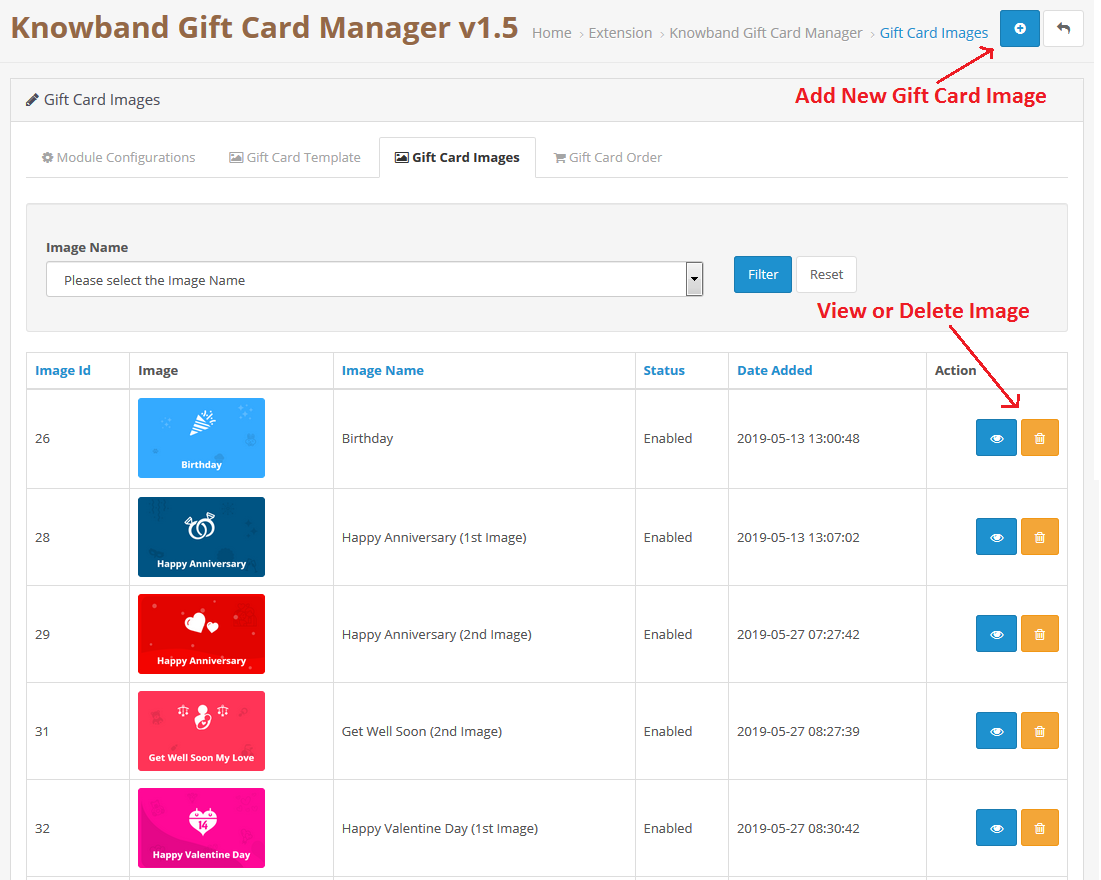
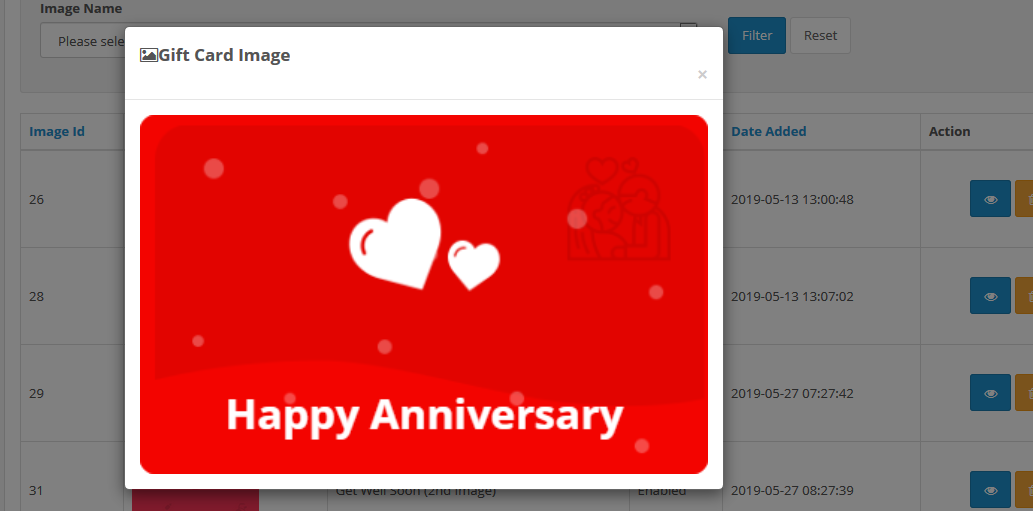
Pictures for various occasions are pre-uploaded at the back end of the OpenCart gift card manager. The admin can select an occasion-based image when building a gift card template. In addition, the store owner needs to set the following configuration settings to attach a new gift card to the store.
View Gift Card Image:
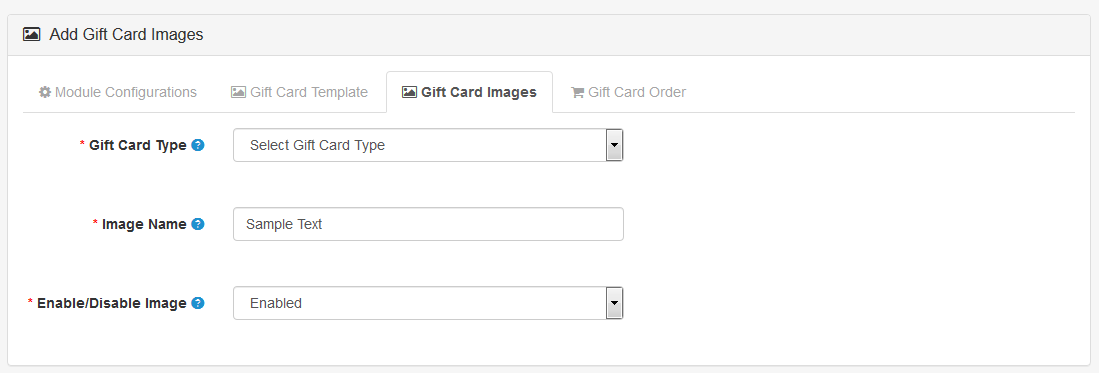
Add Gift Card Images:
Select the add product button available in the upper right corner. You will head to a new page where you can add new Gift card Images.
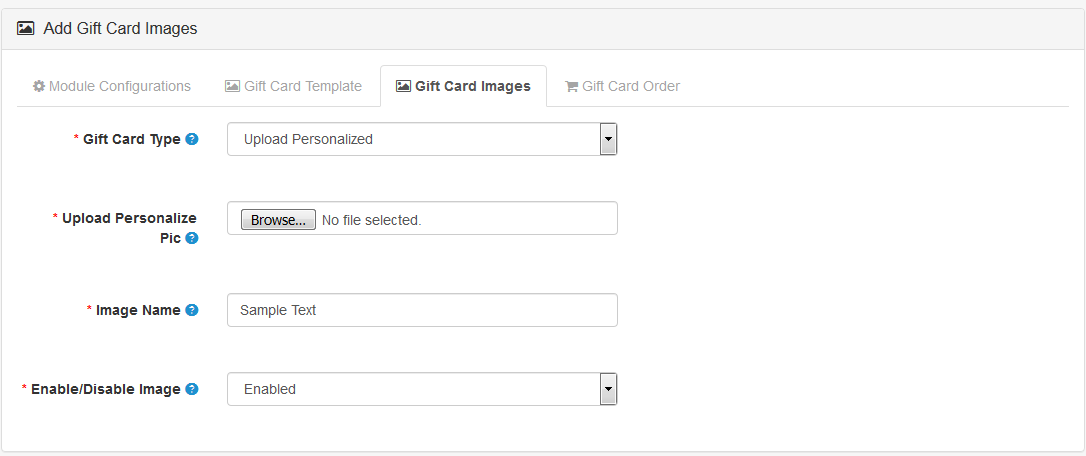
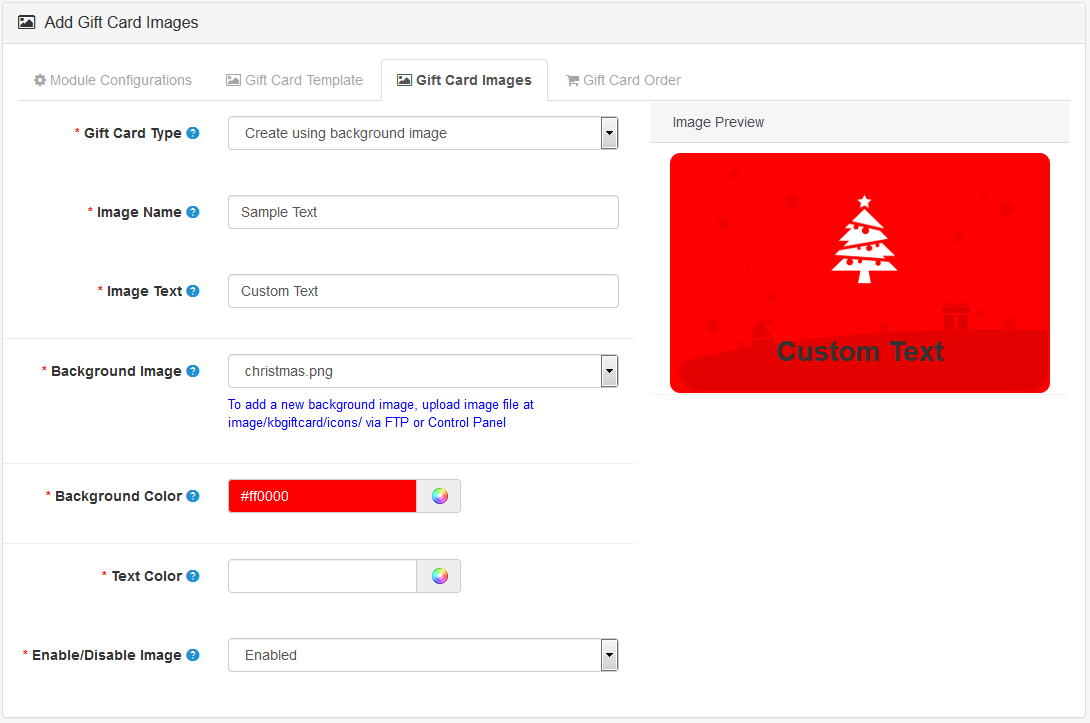
Gift Card Type: The store admin can upload a personalized gift card image to make the gift card more attractive.
Image Name: This feature is to add a name to the Image. This name is for recognition purposes of the admin and this won’t display on the front end.
Enable/Disable Image: With this button, the store owner can show or hide the particular Image from the front end.
Gift Card Image section of OpenCart Gift card Manager has two more options
Upload Personalised Gift Card Image:
Create Using Background Image:
Save the settings before moving to the next setting section.
3.4 The Gift Voucher Orders
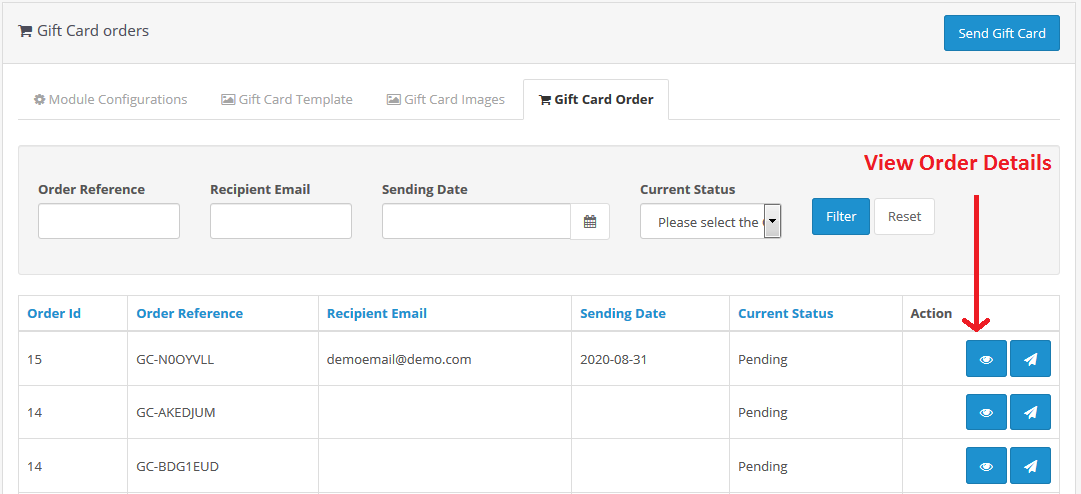
For the admin interface Gift Card Order section is very important. Here admin can track the details of the orders of Gift Cards.
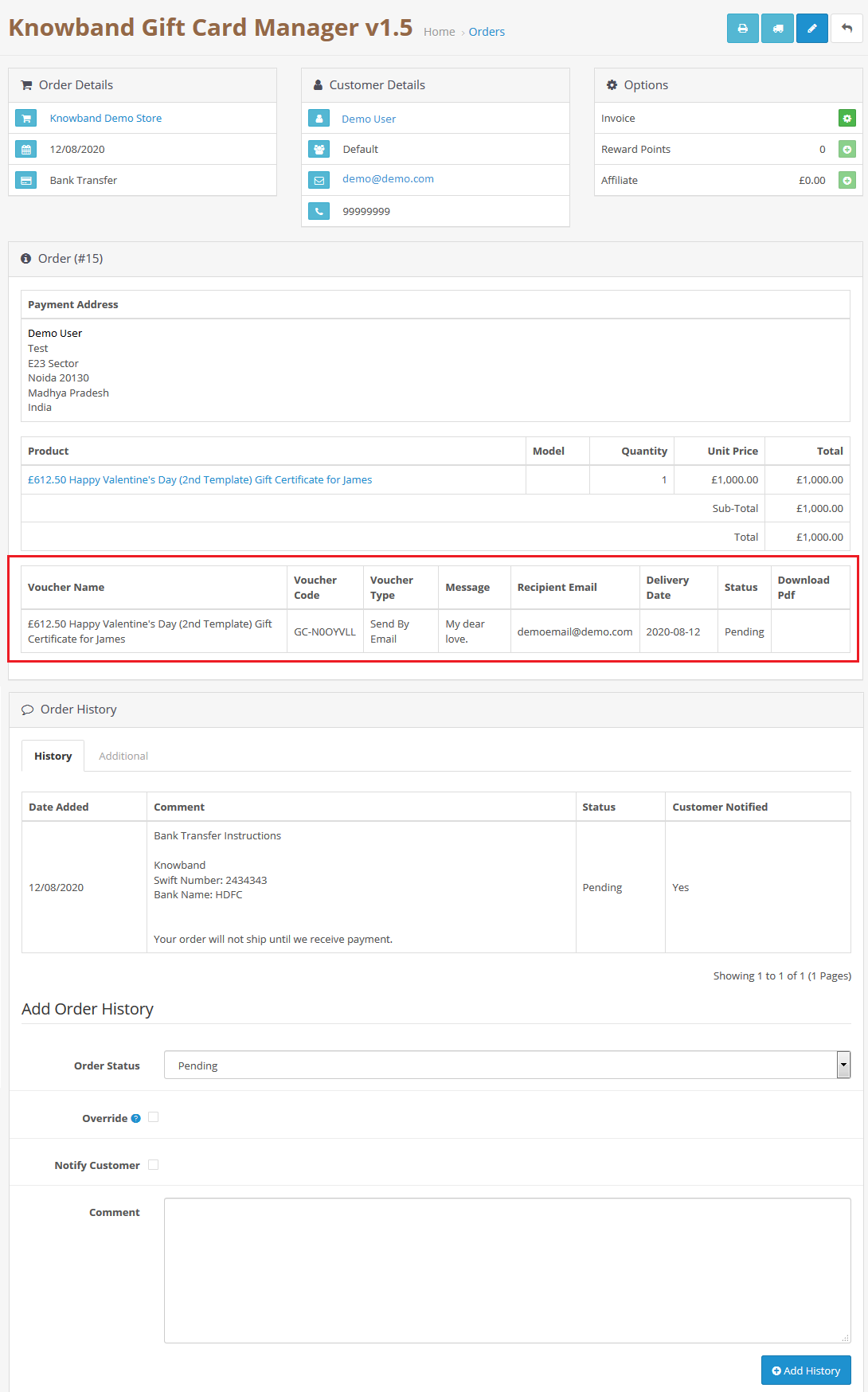
Under the Gift Card Order tab of the Gift Card Manager, the administrator can monitor the entire list of orders received for gift cards. It displays the e-mail address of the recipient, the date of the shipment, and the status of the gift cards.
In this section, you will find all the details about the order. Go to the ‘Display’ button in the right section of the ‘Gift Card Order’ page.
View the Gift voucher Orders:
4.0 Front Interface
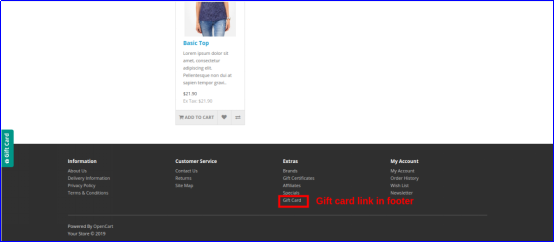
4.1 Different positions of gift card link
a) The gift card link is shown at the left and header sections.
b) The gift card link is shown in the footer section.
4.2 How to Purchase a Gift card?
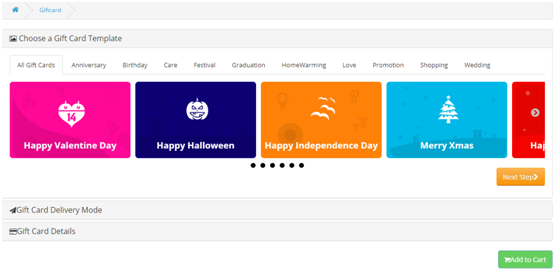
Click on the Gift Card Button from any of the above-mentioned tabs. Customer will head to Gift card Page
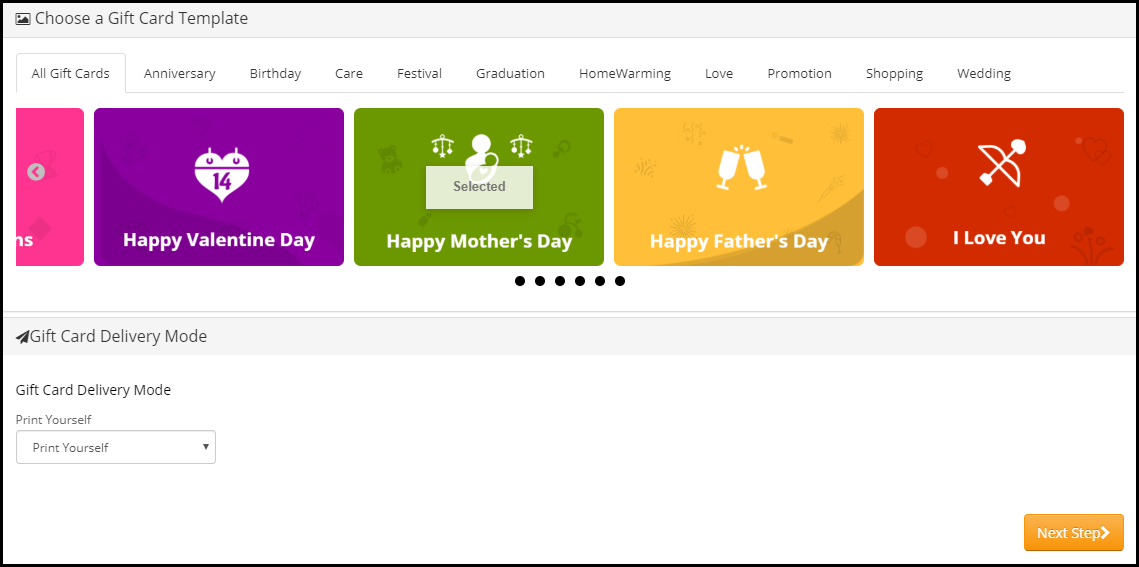
Choose Design: Select a design for your card according to the occasion from the options available.
Choose an option for the Gift Card Delivery Mode
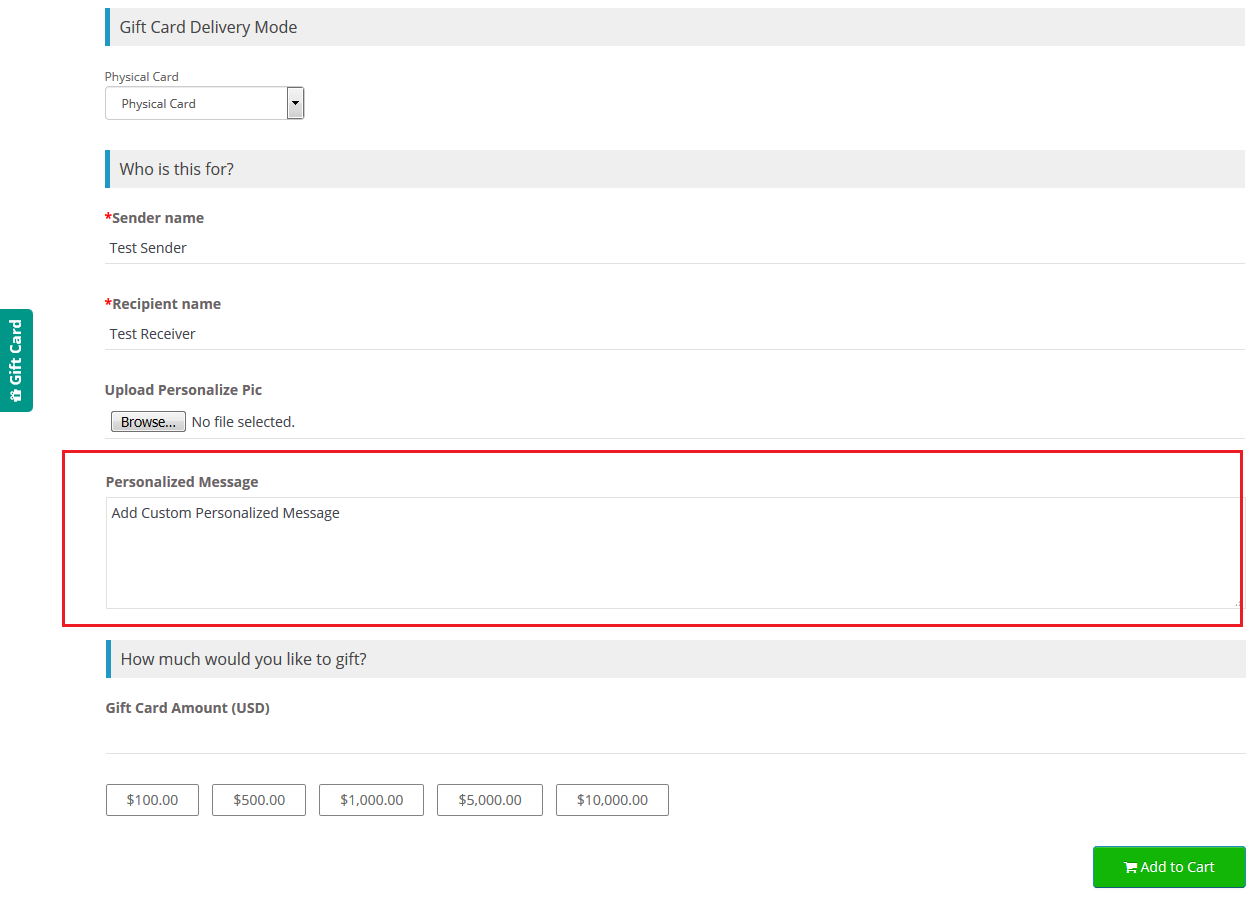
4.2.1 Print Your self
From(Name): Enter the name of the sender
To(Name): Enter the name of the receiver
Upload Personalize Pic (Choose File): With the OpenCart Gift card manager, the Customer can choose a personalized Image that will be shown on the card.
Personalize message: A personalized message can be written by the customer.
How much would you like to gift?
Gift Card Amount: Customer can put an amount which needs to be gifted.
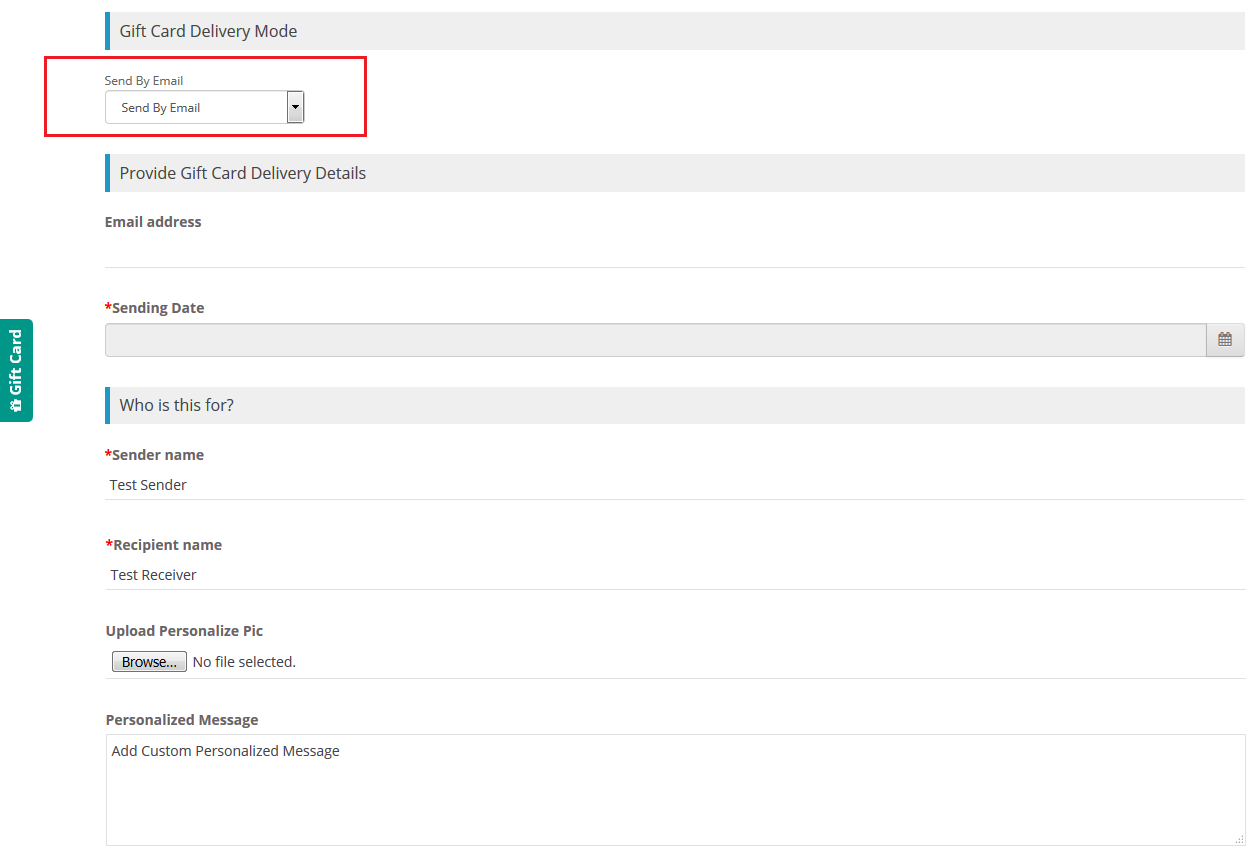
4.2.2 Send By Email
Provide Gift Car Delivery Details
Email Address: Enter the email address of the receiver
Sending Date: Add sending date of the Gift Card Notification email
From(Name): Enter the name of the sender
To(Name): Enter the name of the receiver
Upload Personalize Pic (Choose File): With the OpenCart Gift card manager, the Customer can choose a personalized Image that will be shown on the card.
Personalize message: A personalized message can be written by the customer.
How much would you like to gift?
Gift Card Amount: Customer can put an amount which needs to be gifted.
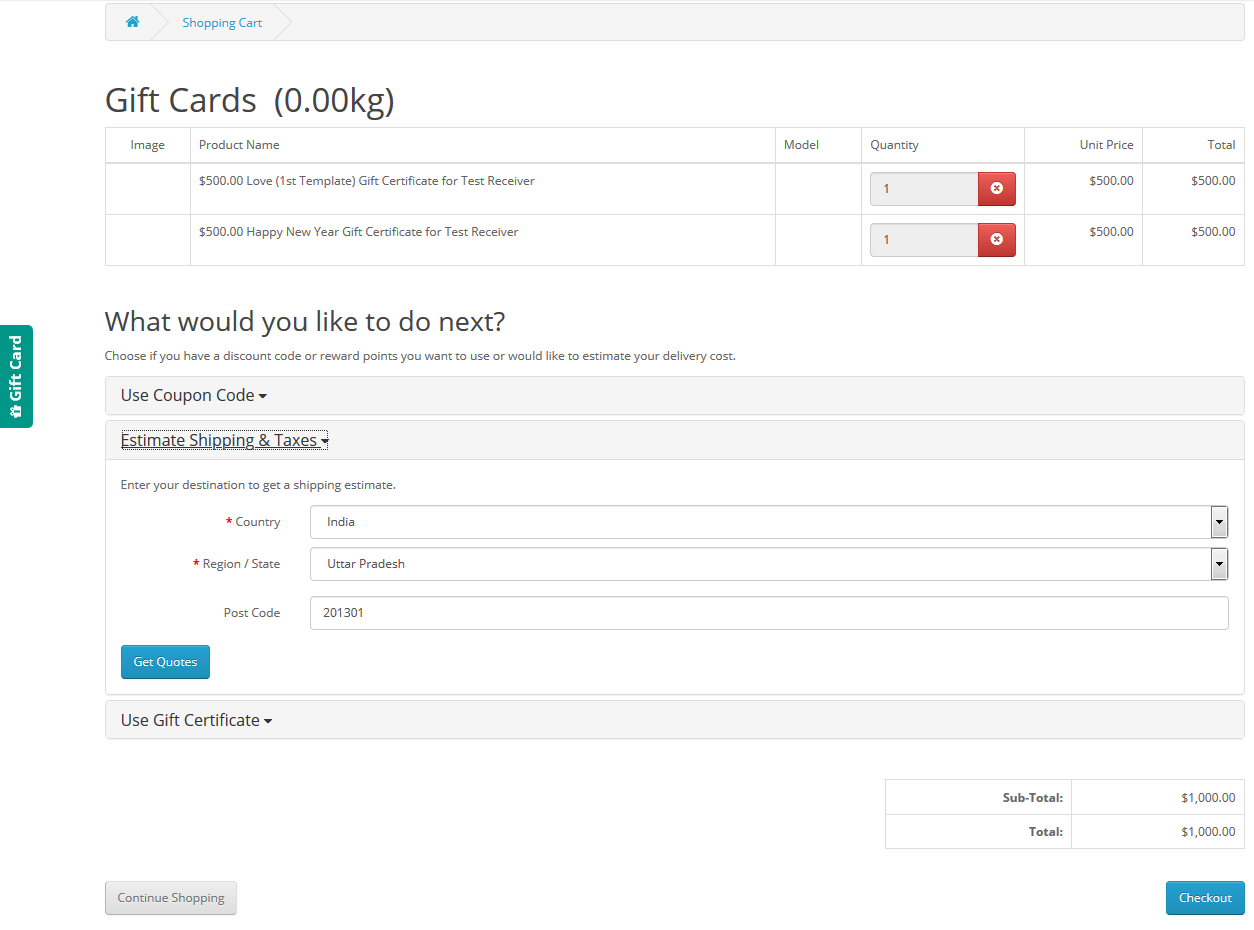
Now you can add the Gift card to your Cart.
4.2.3 Physical card
From(Name): Enter the name of the sender
To(Name): Enter the name of the receiver
Upload Personalize Pic (Choose File): With the OpenCart Gift card manager, the Customer can choose a personalized Image that will be shown on the card.
Personalize message: A personalized message can be written by the customer.
How much would you like to gift?
Gift Card Amount:Customer can put an amount which needs to be gifted.
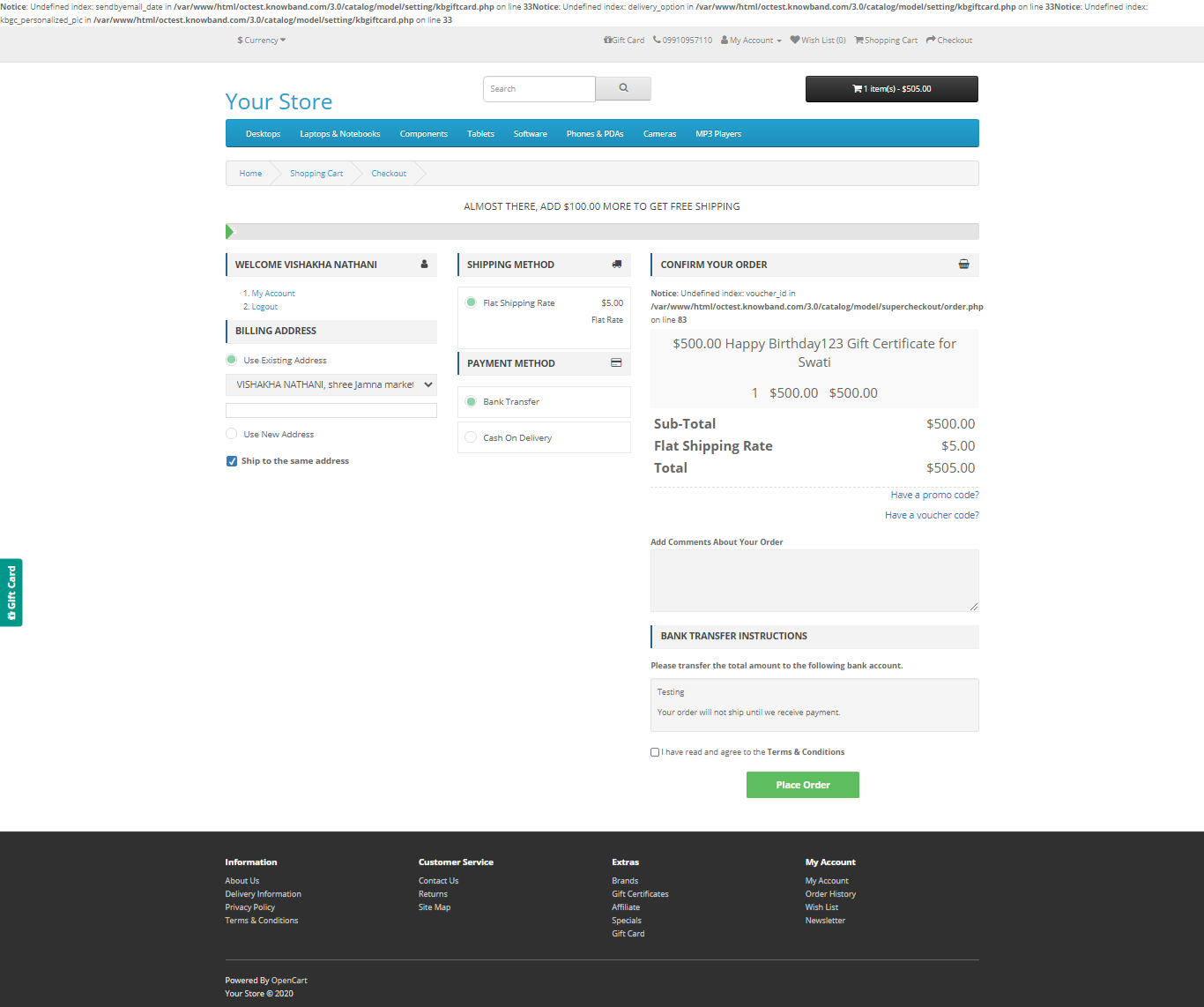
4.3 Add gift card to shopping cart
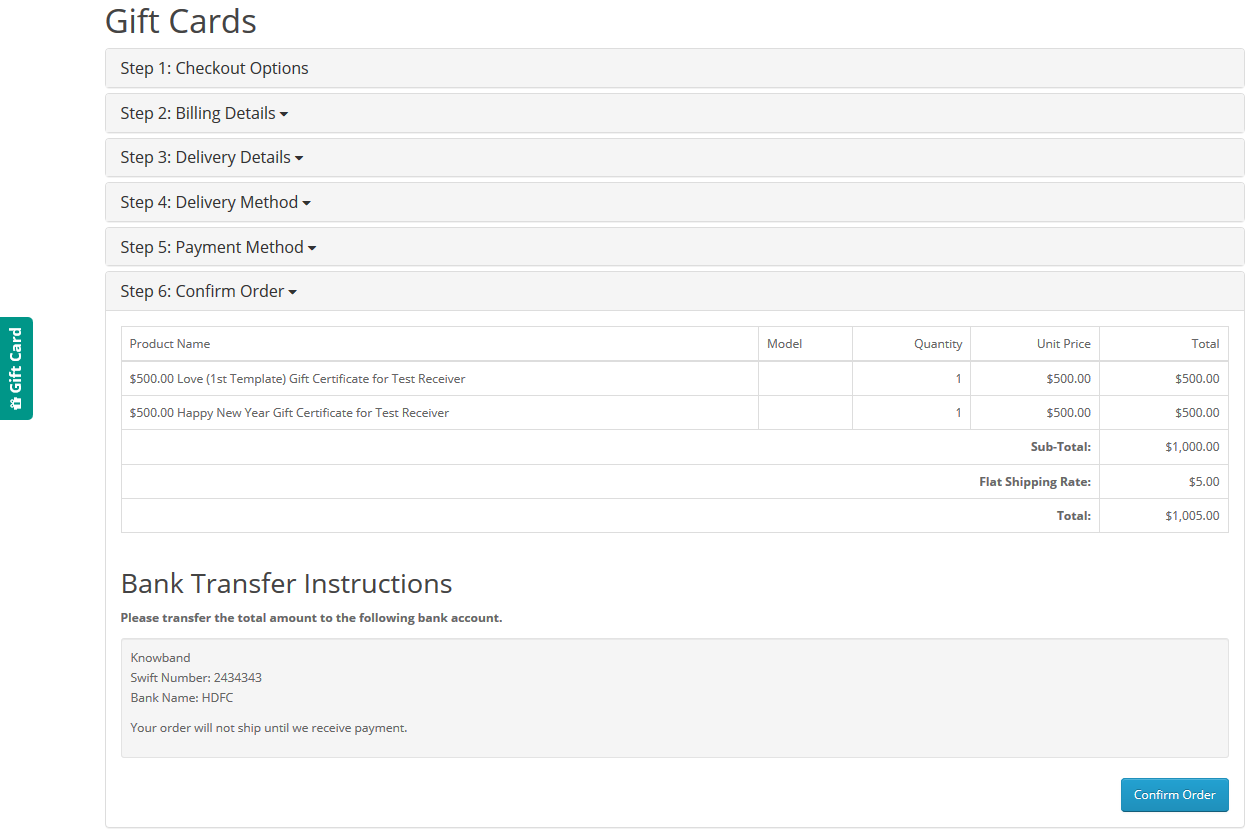
4.4 Steps before Checkout
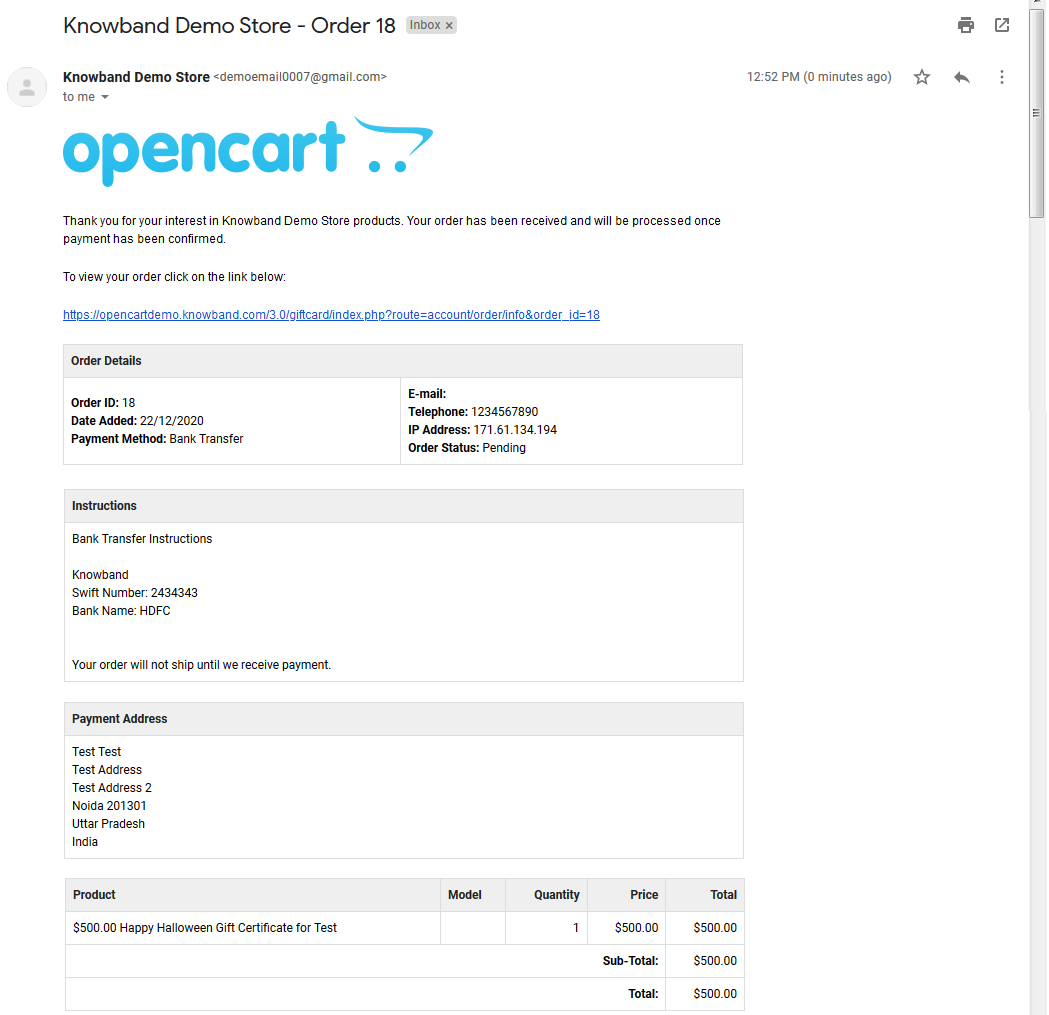
By clicking on the Place order button, the customer can place the order.
Customers will receive an email after the successful Order Placement.
This way the online store admin can easily allow the customers to share gift cards with their friends and family person. There are so many templates for different occasions, that online users can select the gift card and send it. The OpenCart gift card manager extension provides smooth functioning and multi-lingual compatibility. The Gift Card Module for OpenCart shows the gift card link in multiple sections for the customer’s ease. The online merchant can increase profit by offering a gift card to the customers.
Check Tutorial Guides for the OpenCart Gift Card Manager
These videos walk you through:
Installing the OpenCart Gift Card Manager Extension
Setting up basic gift card settings
Creating gift card products in your store
Managing gift card designs, amounts, and delivery options
Tracking gift card orders and usage
These tutorials are perfect for beginners who want a clear, step-by-step guide without any technical jargon.
For more details about this OpenCart gift card vouchers plugin, please visit here: