How to Expand Your Prestashop Store by Selling on Etsy: A Comprehensive Guide!

In today’s competitive eCommerce landscape, expanding your online store across multiple sales channels is essential for sustained growth. Etsy, a well-established marketplace for handmade, vintage, and unique goods, offers a golden opportunity to reach a wider audience. If you’re a Prestashop store owner, integrating your shop with Etsy can unlock new sales opportunities, streamline operations, and increase revenue.

In this comprehensive guide, we will walk you through the benefits of selling on Etsy and how integrating it with your Prestashop store can boost your business. We’ll also introduce you to the Prestashop Etsy Integration Addon which simplifies the process and keeps your shop running smoothly across both platforms.

[New] Enhancements in Knowband’s PrestaShop Etsy Integrator 4.0.1

A new version of the Prestashop Etsy Marketplace Addon has been released, which introduces improvements that make selling on Etsy even easier:

OpenAPI Authentication for Etsy APIs

The Prestashop Etsy Marketplace module now supports Etsy’s updated authentication standards. Every API request automatically includes the required headers according to Etsy’s requirements, ensuring smooth and uninterrupted communication with Etsy.

Streamlined Return Policy Management
Now with the return policy feature, you can create and sync multiple return policies and link them to profiles. Once linked, any categories under those profiles will automatically reflect the assigned return policy on Etsy, saving time and preventing manual errors.

Why Sell on Etsy?

Etsy is one of the largest global marketplaces, particularly known for attracting customers interested in handcrafted, vintage, and niche products. Whether you’re a small artisan or a large retailer, selling on Etsy provides numerous benefits, including:

Increased visibility: Etsy has a huge user base with millions of active buyers.

Targeted audience: Etsy attracts a specific demographic of customers who are passionate about unique and creative products.

Global reach: Etsy’s international presence can help you reach customers in different countries without having to establish a new market.

Now, if you’re a Prestashop store owner, you might be wondering how to connect your store to Etsy without managing two different inventories or dealing with double listings. This is where Knowband’s Prestashop Etsy Integration Module comes in handy.

Why You Need the Prestashop Etsy Integration Addon!

Managing two different platforms—Prestashop and Etsy—manually can be time-consuming and error-prone. Therefore, the Prestashop Etsy Integration Addon is designed to sync your Prestashop store with Etsy, allowing you to easily manage products, orders, and inventory across both platforms.

Here’s why you should consider using the Prestashop Etsy Integration Plugin for your business:

Centralized Management: Instead of managing separate inventories and listings on Prestashop and Etsy, the Etsy Prestashop Connector helps synchronize everything automatically.

Real-Time Synchronization: With the Prestashop Etsy Synchronization Addon, changes made in your Prestashop store, such as pricing, stock levels, and product details, will be reflected on Etsy in real time. Furthermore, it ensures you never oversell or mismanage inventory.

Bulk Product Uploads: The Prestashop Etsy API Integrator allows you to list multiple products on Etsy at once, saving time on manual uploads.

Order Management: All Etsy orders can be managed directly from your Prestashop back-office, simplifying the fulfillment process.

Automated Shipping and Pricing: The Prestashop Etsy Marketplace Integration Addon helps in automating pricing, shipping settings, and even promotional discounts, ensuring you comply with Etsy’s policies.

Knowband’s Etsy Prestashop Integration Module

Effortlessly sync your Prestashop store with Etsy using the Prestashop Etsy Marketplace Integration, allowing easy product listing and order management between both platforms.

SHOP NOW

How to Set Up Prestashop Etsy Integration?

Setting up a Prestashop Etsy Integration Module is straightforward, thanks to user-friendly plugins and addons available for this purpose. Follow these steps to seamlessly integrate Etsy with your Prestashop store:

1. Choose the Right Etsy Integration Addon:

To begin, you’ll need a reliable Etsy Prestashop Integration Addon. Several paid and free Prestashop Etsy Integration modules are available. It’s important to select an addon that supports all your requirements, such as product synchronization, order management, and real-time updates.

At Knowband, we offer an advanced Prestashop Etsy Integrator that ticks all these boxes and more. Whether you’re looking for a free PrestaShop Etsy Connector Addon to test out basic functionality or a premium version for enhanced features, we have you covered.

2. Install the Prestashop Etsy API Integrator:

Once you have chosen the right Etsy Prestashop API Integrator, install it in your Prestashop backend. Follow the provided documentation to configure the module, which typically involves connecting your Etsy seller account with your Prestashop store using API keys. Furthermore, this step enables communication between the two platforms.

3. Sync Your Products:

With the Prestashop Etsy Connector in place, you can now sync your Prestashop product catalog with Etsy. Moreover, the Prestashop Etsy Synchronization Addon will allow you to map categories, set pricing rules, and configure shipping settings to align with Etsy’s requirements.

4. Manage Orders:

As orders start coming in from Etsy, they will be automatically imported into your Prestashop backend. The Etsy Prestashop Synchronization Addon ensures that you can manage and fulfill these orders just like your regular Prestashop orders, streamlining the workflow.

Benefits of Using Knowband’s Prestashop Etsy Integration Module!
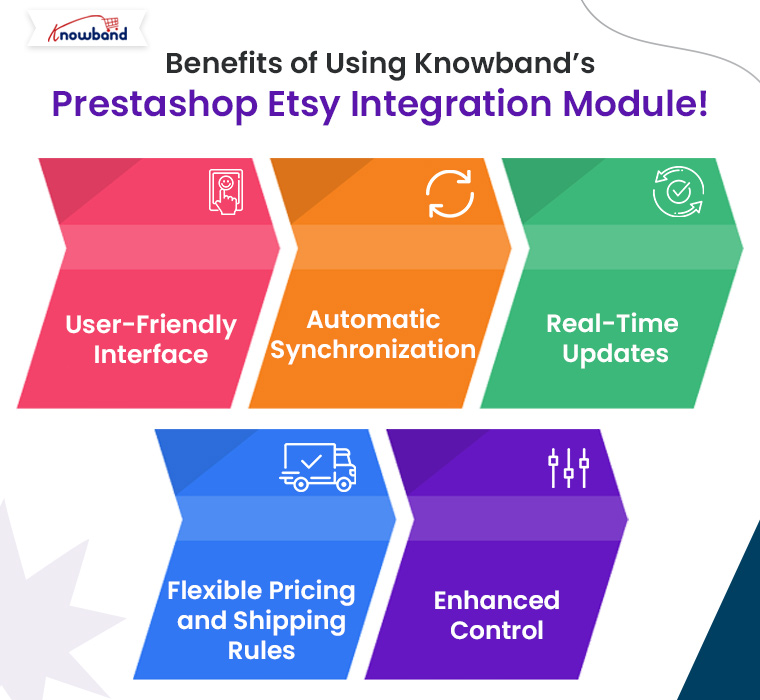
At Knowband, we offer one of the most comprehensive solutions for Prestashop Etsy Integration. On top of that, our module simplifies the integration process, providing seamless synchronization between your Prestashop store and Etsy marketplace. Here are some of the key benefits:

User-Friendly Interface: Our Prestashop Etsy Integration Plugin features an intuitive and easy-to-use interface that helps you manage both platforms with ease.

Automatic Synchronization: Products, orders, and inventories are synced automatically, saving time and reducing errors.

Real-Time Updates: Keep your product information, such as prices, descriptions, and stock levels, up to date on Etsy with our real-time Prestashop Etsy Synchronization Addon.

Flexible Pricing and Shipping Rules: Easily manage different pricing strategies for your Etsy listings compared to your Prestashop store using the built-in rule settings.

Enhanced Control: Gain full control over your product listings, including the ability to bulk upload, update, or remove products in a few clicks.

Our Prestashop Etsy Integration Free Module is perfect for small businesses looking to test the integration with basic features. As your business grows, you can opt for advanced features with the premium version of our Etsy Prestashop Connector.

Conclusion!

Expanding your Prestashop store to the Etsy marketplace is a smart move for increasing your reach and boosting sales. By using Knowband’s Prestashop Etsy Integration Addon, you can automate processes, reduce manual workload, and effectively manage both platforms from a single interface. Knowband’s Prestashop Etsy Integrator is the ideal tool for simplifying this integration, offering both free and premium options to suit businesses of all sizes.

If you’re ready to take your Prestashop store to the next level, explore Knowband’s Free PrestaShop Etsy Integration module and get started on Etsy today!

You may also like to read:
See how this free connector simplifies Etsy integration for your PrestaShop store and enhances marketplace reach. Read More
How One Page Supercheckout Can Drastically Reduce Cart Abandonment in Prestashop!

Cart abandonment is one of the biggest challenges faced by eCommerce stores today, and Prestashop merchants are no exception. With consumers becoming more impatient and expecting seamless online shopping experiences, a complicated checkout process can lead to high cart abandonment rates. This is where the Prestashop One Page Supercheckout comes into play, offering a streamlined solution that can drastically reduce cart abandonment on your Prestashop store.

Also known as the Prestashop One Step Checkout Addon, Prestashop Quick Checkout Addon, and Prestashop Fast Checkout Addon, this solution is designed to simplify the buying journey and improve conversion rates.

In this article, we will explore how the Prestashop One Page Checkout addon can simplify the checkout process and help you retain more customers by reducing friction.

The Problem with Traditional Checkouts:

A complicated, multi-step checkout process is one of the main reasons for cart abandonment. Many traditional checkouts require users to fill out multiple forms, navigate through different pages, and endure long loading times before completing a purchase. This leads to frustration and eventually pushes the customer to abandon their cart.

On the other hand, the Prestashop merchants who are looking to fix this issue need a Prestashop fast checkout addon that simplifies the entire process for their customers, providing a seamless and responsive experience that encourages them to complete their purchase in just a few clicks.

How the Prestashop One Page Supercheckout Solves This Problem!

The Prestashop One Page Supercheckout is designed to address all the pain points associated with a complex checkout process. Furthermore, the Prestashop One Page Checkout Extension consolidates all checkout steps—billing, shipping, payment methods, and order summary—into a single, easy-to-navigate page. This means no more multiple clicks and loading screens, reducing the time and effort required from customers to complete their orders.

This makes it one of the most reliable Prestashop Simplified Checkout Addons available for merchants looking to enhance user experience and reduce drop-offs.

Key Features of One-Page Supercheckout for Prestashop:

1. Single-page Checkout:

Unlike traditional checkouts, this quick checkout extension for Prestashop simplifies the entire process by placing all required fields on a single page. Moreover, it removes unnecessary steps and speeds up the checkout, significantly improving the customer experience.

2. Guest Checkout Option:

One common reason for cart abandonment is the forced account creation process. The Prestashop One Step Checkout addon provides a guest checkout option, allowing customers to complete their purchases without the hassle of creating an account. This feature alone can reduce cart abandonment rates by making the purchase process more accessible.

3. Responsive and Mobile-Friendly Design:

With mobile commerce on the rise, having a checkout page that works smoothly on all devices is crucial. Therefore, the Prestashop responsive one-step checkout addon by Knowband ensures that the checkout process is fully optimized for all screen sizes, providing a seamless experience whether your customers are shopping from their phones, tablets, or desktops.

This responsive one page checkout Prestashop solution helps capture mobile users who are more likely to abandon slow or cluttered checkouts.

4. Multiple Payment and Shipping Options:

Customers appreciate having choices when it comes to payments and shipping. Knowband’s One Step Checkout Prestashop extension integrates multiple payment gateways and shipping methods, ensuring that customers can select their preferred option without leaving the checkout page.

5. Customizable Design:

You can easily customize the look and feel of the One Page Checkout Prestashop to match your store’s branding. Whether it’s adding logos, changing colors, or reordering fields, this quick checkout addon for Prestashop is fully adaptable to your store’s needs.

6. Compatibility with Popular Prestashop Modules:

The Prestashop One Page Supercheckout is designed to work flawlessly with other popular Prestashop modules, including loyalty programs, discount systems, and more. This ensures that you don’t lose out on any additional features while benefiting from a simplified checkout process.

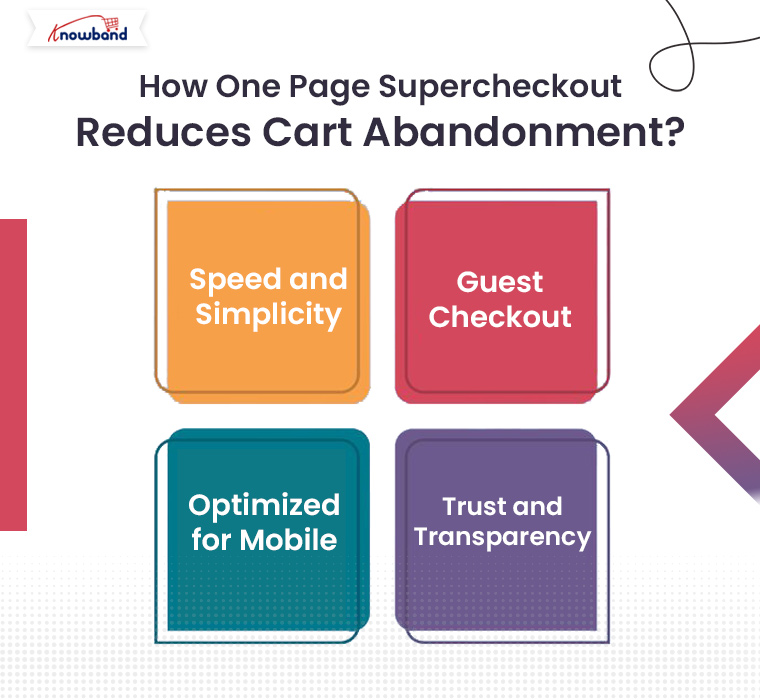
How One Page Supercheckout Reduces Cart Abandonment?

Now that you know what the Prestashop One Page Supercheckout addon offers, let’s explore how it actively helps reduce cart abandonment:

Speed and Simplicity:

By reducing the number of steps involved in the checkout process, the Prestashop quick checkout addon makes it easier and faster for customers to complete their purchase. Furthermore, when the customers can complete an order in under a minute, they’re far less likely to abandon their cart.

Guest Checkout:

The guest checkout feature is especially important for first-time visitors. Many shoppers are reluctant to create an account on a site they haven’t shopped on before. Therefore, Knowband’s Prestashop One Step Checkout addon eliminates this hurdle, allowing customers to make a purchase as guests, which significantly improves conversion rates.

Optimized for Mobile:

Mobile shopping is becoming the norm, and the responsive one page checkout Prestashop ensures that your store’s checkout process is optimized for mobile devices. A mobile-friendly checkout process reduces frustration and cart abandonment from mobile shoppers.

Trust and Transparency:

The One Page Checkout Prestashop provides a clear, upfront summary of the order, including shipping costs and taxes. By offering this transparency, customers are less likely to feel overwhelmed or surprised by additional charges at the last step, which often leads to cart abandonment.

Knowband’s Prestashop One Page Checkout Addon

Streamline your checkout process with PrestaShop One Page SuperCheckout, reducing cart abandonment and boosting conversions with a fast, single-page checkout.

SHOP NOW

Prestashop One Page Supercheckout Free Version:

If you’re a small business or just starting out, you might be interested in the Prestashop One Page Supercheckout free version. While it offers fewer features than the premium version, it still provides many of the essential tools you need to streamline your checkout process and reduce cart abandonment.

For those looking to upgrade, the paid version offers even more customization options, integrations, and additional payment methods, making it an all-in-one solution for larger stores.

Conclusion!

If you’re a Prestashop merchant struggling with cart abandonment, the Prestashop One Page Supercheckout is the perfect solution to simplify your checkout process and retain more customers. With features like single-page checkout, guest checkout, mobile optimization, and multiple payment and shipping options, this quick checkout addon Prestashop is designed to help you minimize cart abandonment and boost your conversions.

Whether you opt for the Prestashop One Page Supercheckout free version or the paid one, this extension will undoubtedly make a positive impact on your store’s performance. Simplify your checkout today and watch your sales grow with this powerful Prestashop One Step Checkout addon!

Key Differences Between Gift Cards and Wallets in E-Commerce!

E-commerce businesses constantly seek new ways to enhance customer experiences, increase sales, and offer flexible payment solutions. Among these, gift cards and wallet systems have become two prominent tools. While both methods aim to simplify transactions and boost customer engagement, they serve distinct purposes. Understanding the differences between gift cards and wallets can help store owners decide which system to implement based on their business model and customer needs.

1. Nature of Use:

Gift Cards are primarily used for gifting purposes. Customers purchase gift cards with a set value, which they can either use themselves or give to someone else. Furthermore, these cards act as prepaid vouchers that can be redeemed in the store within a certain period. The user can apply the card during checkout, reducing or eliminating the need for immediate payment. Therefore, gift cards are commonly used for holidays, birthdays, or other special occasions.

Wallets, on the other hand, are virtual accounts where customers can store funds for future purchases. Unlike gift cards, wallets are not typically purchased as gifts. Instead, they provide a convenient way for regular shoppers to manage their spending on a particular site. Furthermore, customers can add money to their wallets at any time and use the stored balance to complete transactions quickly without entering payment details every time.

2. Flexibility and Customization:

Gift cards tend to have a one-time value assigned to them and are generally non-rechargeable. Once the gift card is redeemed, its balance is deducted and cannot be reused. The customer may need to purchase a new gift card if they want to gift or use this service again.

Wallet systems offer more flexibility here, as they allow users to top up their balance at any time. A customer can add funds to their wallet multiple times, and the balance can be used across several transactions. Moreover, the funds in the wallet can often be replenished using various payment methods, providing long-term utility for frequent shoppers.

3. Expiration and Validity:

A significant difference between gift cards and wallets is how they handle expiration.

Gift cards often come with an expiration date, meaning the customer must use the full value of the card within a certain period, typically ranging from a few months to a year. While expiration dates can help eCommerce stores by encouraging faster usage, they may cause frustration for customers if the gift card expires before they can use it.

Wallets, by contrast, usually have no expiration date. The balance stored in the wallet remains available indefinitely, providing customers with the freedom to use their funds whenever they choose. This can be a major selling point for customers who prefer not to feel rushed to use their balance before it expires.

4. Encouraging Customer Engagement:

Gift cards are a great way to attract new customers to your store. When a gift card is given, it introduces new potential buyers who may not have previously shopped at your store. Once these new customers redeem their gift cards, they may continue to shop with you if they find the experience satisfactory. However, gift cards are often a one-time transaction tool and may not directly encourage repeat business unless the customer decides to shop again without a gift card.

Wallet systems, on the other hand, are a powerful tool for fostering customer loyalty and repeat purchases. Since the wallet balance is tied directly to the customer’s account, it encourages them to return to the store and make more purchases. Additionally, businesses can incentivize wallet usage by offering cashback or rewards directly into the customer’s wallet, further boosting engagement and retention.

5. Financial Flow and Rechargeability:

One of the main differences between gift cards and wallets is how the funds flow.

Gift cards are prepaid, meaning the amount is fixed at the time of purchase, and the balance cannot be replenished once used. After a customer redeems the card, the transaction is complete, and they need to buy a new card for further usage.

Wallets, on the other hand, allow for continuous usage. Customers can recharge their wallets with funds at any time, making it more of an ongoing relationship between the customer and the store. This rechargeability feature is one of the biggest advantages of wallets, as it keeps the customer connected to your store for future transactions.

Now that we’ve explored the key differences between gift cards and wallets, let’s highlight how Knowband’s PrestaShop Gift Card Addon and PrestaShop Wallet Addon can help store owners leverage these two powerful tools.

Knowband’s PrestaShop Gift Card Addon

Offer customizable gift cards to your customers with the PrestaShop Gift Card module, perfect for boosting sales and customer engagement.

SHOP NOW

PrestaShop Gift Card Addon:

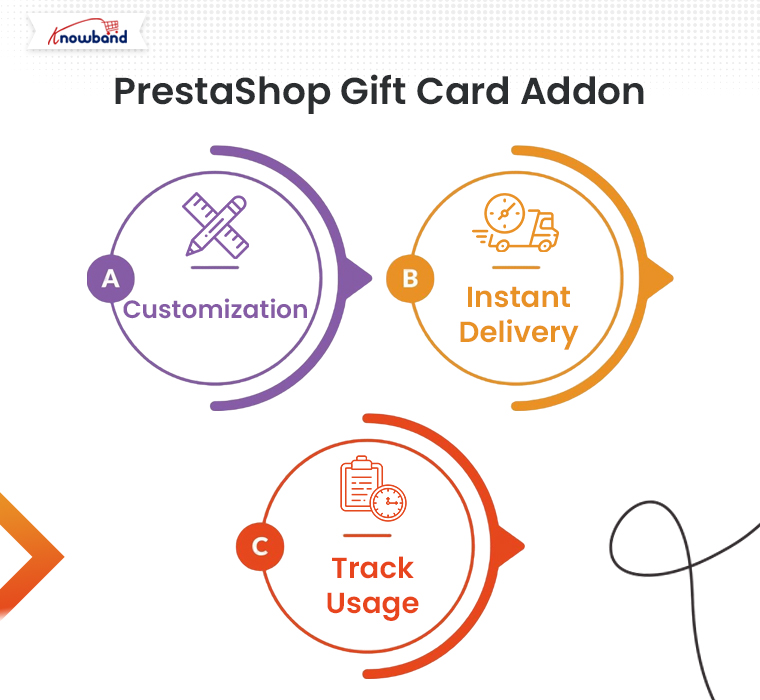
Knowband’s PrestaShop Gift Card Addon is designed to help store owners easily implement a gift card system on their PrestaShop store. With this addon, you can offer customizable gift cards for various occasions, allowing your customers to purchase and send them to their loved ones. The addon comes with features like:

Customization: Store owners can create and offer a wide variety of gift cards with different themes and designs for holidays, birthdays, and other special occasions.

Instant Delivery: Customers can send digital gift cards instantly via email, making it convenient for last-minute gifts.

Track Usage: Customers can easily track their gift card balance and view its validity right from their account.

By offering gift cards, you can attract new customers and boost sales during peak shopping seasons like Christmas or Black Friday.

Knowband’s PrestaShop Wallet Addon

Boost customer loyalty with the Prestashop Wallet module, allowing users to make hassle-free payments using a secure digital wallet in your store.

SHOP NOW

PrestaShop Wallet Addon:

Knowband’s PrestaShop Wallet Addon is an excellent solution for boosting customer retention and streamlining the checkout process. With this add-on, customers can add money to their wallets, making future purchases quicker and easier. The key features include:

Rechargeability: Customers can add funds to their wallets at any time, allowing them to use the balance across multiple transactions.

Faster Checkout: Wallet users can skip entering payment details at checkout, leading to a smoother shopping experience.

Incentives: Store owners can incentivize wallet use by offering cashback or store credits that are added directly to the customer’s wallet.

This addon is ideal for store owners who want to encourage repeat purchases and enhance customer loyalty.

You can also watch our video on “Knowband’s Free Gift Card Manager Addon for PrestaShop” here:

How to Drive Traffic and Sales Using Google Shopping for Prestashop!

In today’s competitive eCommerce landscape, increasing visibility and driving traffic are essential for success. One of the most effective ways to achieve this is through Google Shopping. By integrating your Prestashop store with Google Shopping, you can display your products on Google’s search results, attracting more targeted traffic and boosting your sales.

If you’re using Prestashop, the process of integrating with Google Shopping is streamlined with Knowband’s Prestashop Google Shopping Connector. In this article, we’ll guide you through how this module can help you drive more traffic and sales for your Prestashop store.

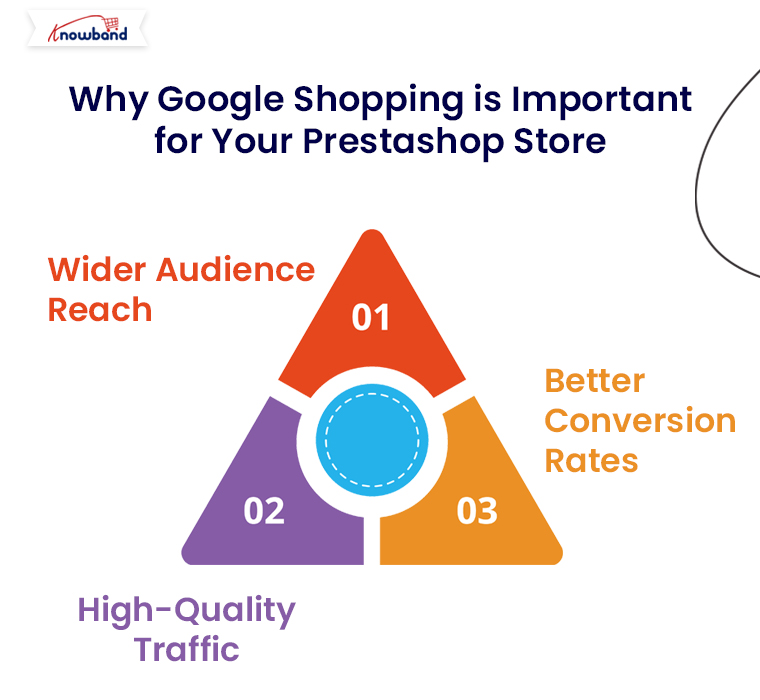
Why Google Shopping is Important for Your Prestashop Store:

Google Shopping allows eCommerce retailers to showcase their products directly on Google’s search results with high visibility. Here’s why this is a great opportunity for Prestashop store owners:

Wider Audience Reach: Google Shopping listings appear at the top of Google search results, giving your products greater exposure to a wide audience.

High-Quality Traffic: These ads are triggered by search queries, which ensures that users who see your ads are already interested in products like yours.

Better Conversion Rates: Google Shopping displays rich product information upfront, making it easier for customers to make purchase decisions and boosting conversion rates.

Now, let’s dive into how you can easily integrate Google Shopping into your Prestashop store using Knowband’s Google Shopping Connector.

Knowband’s Google Shopping Connector for Prestashop!

The Knowband Google Shopping Connector for Prestashop is an advanced module designed to simplify the integration process between your Prestashop store and Google Merchant Center. This module automates the product feed creation and synchronization, ensuring that your products are always updated and displayed correctly on Google Shopping.

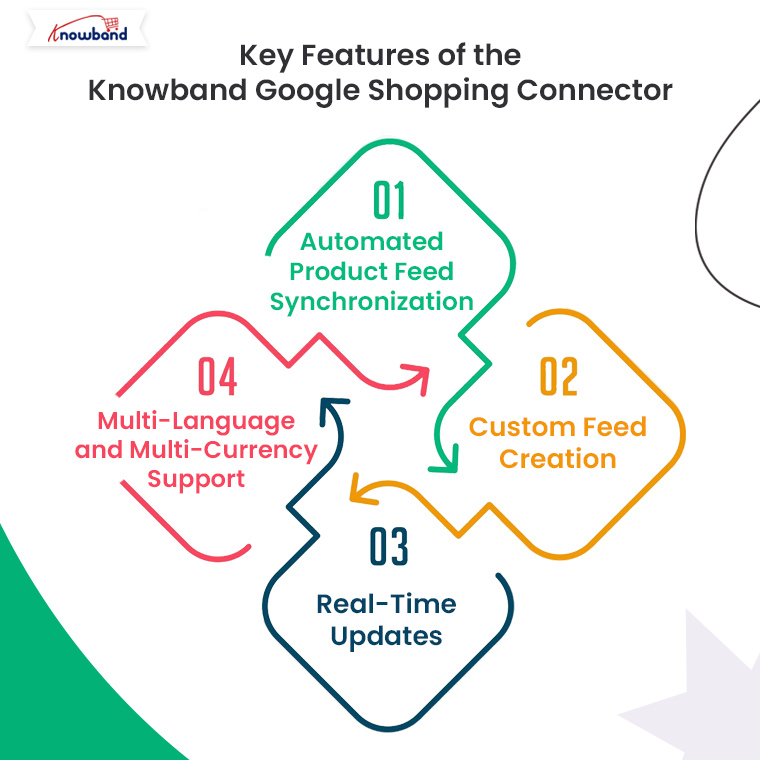
Key Features of the Knowband Google Shopping Connector:

Automated Product Feed Synchronization: No need to manually update your product listings. The module automatically syncs your Prestashop store’s product feed with Google Merchant Center.

Custom Feed Creation: You can create customized product feeds based on specific categories, product types, or attributes.

Real-Time Updates: The Prestashop Google Shopping module keeps your product data, including prices, stock levels, and descriptions, up-to-date on Google Shopping.

Multi-Language and Multi-Currency Support: If you run a global store, the module ensures that your products are displayed in multiple languages and currencies as per the customer’s location.

Knowband’s Prestashop Google Shopping Connector

Boost your PrestaShop store’s visibility with the Google Shopping Integration Plugin, streamlining product listings and enhancing your reach on Google Shopping.

SHOP NOW

How to Integrate Google Shopping with Prestashop Using Knowband’s Connector?

1. Install the Knowband Google Shopping Connector:

The first step is to purchase and install the Google Shopping Connector Module from the Knowband website. Here’s how you can do it:

  • Download the module from Knowband’s Google Shopping Connector page.
  • Log into your Prestashop back office.
  • Navigate to the Modules section and click on Add New Module.
  • Upload the module zip file and install it.
  • Once installed, the module will appear in your Prestashop admin panel, ready to configure.

2. Configure Google Merchant Center Account:

Before you can sync your products with Google Shopping, you need to set up your Google Merchant Center account. This is where your product feed will be sent.

Go to Google Merchant Center and create an account if you haven’t already.

Enter your business details, verify your website, and set up shipping and tax rules.

Now, link your Merchant Center account to your Google Ads account to start running Shopping campaigns.

3. Link Your Prestashop Store to Google Merchant Center via Knowband Connector:

Once your Google Merchant Center is set up, it’s time to connect it to your Prestashop store using the Knowband connector module. Follow these steps:

  • In the Prestashop admin panel, navigate to the Knowband Google Shopping Connector module settings.
  • Enter your Google Merchant Center credentials (Client ID and Secret Key) to establish a secure connection between your store and Merchant Center.
  • This secure integration ensures seamless synchronization of product data between your Prestashop store and Google Shopping.

4. Create and Customize Product Feeds:

With the connection established, you can now create your product feeds. The Knowband module allows you to tailor your feeds based on specific preferences:

Select Product Categories: Choose which product categories to include in your Google Shopping feed.

Filter Products by Attributes: You can filter products by price, availability, or custom attributes.

Feed Language and Currency: The module supports multi-language and multi-currency, ensuring your products are properly displayed for international customers.

Once you’ve customized the feed to your preferences, the module will automatically generate the product feed in a format compatible with Google Shopping.

5. Schedule Automatic Feed Updates:

To ensure that your product data is always up to date, the Knowband Google Shopping Connector allows you to schedule automatic feed updates. This is critical for keeping prices, stock levels, and other product information accurate on Google Shopping.

You can set the feed to update daily, weekly, or based on your store’s activity. This automation saves time and ensures that your Google Shopping ads reflect the latest product information.

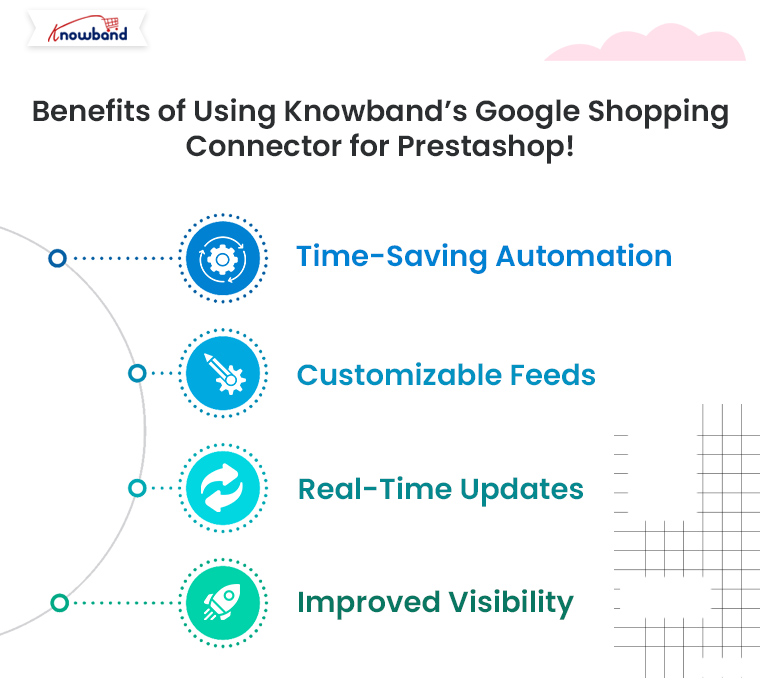
Benefits of Using Knowband’s Google Shopping Connector for Prestashop!

Integrating Google Shopping with your Prestashop store using Knowband’s connector module provides several advantages:

Time-Saving Automation: No need for manual updates. The module automatically syncs your product feed, saving time and reducing errors.

Customizable Feeds: Tailor your feeds according to specific categories, languages, and currencies.

Real-Time Updates: Ensure your product listings are always accurate with real-time synchronization between your store and Google Merchant Center.

Improved Visibility: Drive more traffic and boost sales by making your products visible to millions of potential customers through Google Shopping.

Conclusion!

Using Google Shopping to promote your Prestashop products is one of the best ways to boost traffic and sales. With Knowband’s Prestashop Google Shopping Connector, integrating your store with Google Shopping becomes a hassle-free process, allowing you to focus on optimizing your campaigns and increasing your revenue. Get started today and see how Google Shopping can transform your Prestashop store’s visibility and success.

Explore how this module helps you manage Google Shopping listings more efficiently and attract more customers. Read More

Easy Strategies for Writing Product Descriptions that Drive Sales in PrestaShop!

In the fast-paced world of eCommerce, your product descriptions play a critical role in converting casual browsers into paying customers. For PrestaShop store owners, crafting compelling product descriptions can make the difference between a sale and a missed opportunity. Whether you are new to the platform or looking to optimize your listings, this article will outline easy strategies for writing product descriptions that effectively drive sales.

1. Understand Your Audience:

The foundation of any effective product description is knowing who you’re writing for. Before putting words on the page, take time to define your target audience. Are they budget-conscious shoppers, tech-savvy consumers, or trend-following fashion enthusiasts? When you know your audience, you can tailor your language and tone to resonate with them.

For instance, if you’re targeting a young, fashion-forward crowd, your descriptions can be casual and fun, while a more professional audience may respond better to formal language and detailed specifications.

2. Focus on Benefits Over Features:

While listing product features is essential, it’s the benefits that truly sell. Shoppers want to know how a product will improve their lives, not just what it does. For each feature you list, think about how it benefits the customer. Will it save them time, increase comfort, or enhance their appearance?

For example, instead of writing “This coat has a waterproof exterior,” you can say, “Stay dry in any weather with this coat’s waterproof exterior, ensuring comfort no matter the conditions.”

3. Use Engaging and Clear Language:

Clarity is key when writing product descriptions. Avoid technical jargon unless your audience is highly specialized. Furthermore, you should always use short sentences, simple words, and a conversational tone that makes it easy for customers to understand. Engaging language doesn’t have to be complicated — it just needs to communicate the essential information while keeping the reader interested.

At Knowband, we specialize in offering top-notch eCommerce extensions for platforms like PrestaShop, Opencart, WooCommerce, and Magento 2. Our extensions not only enhance the functionality of your store but also allow you to implement strategies like these more efficiently.

4. Tell a Story:

Storytelling is a powerful tool in marketing. When possible, incorporate a story into your product description that helps the customer imagine themselves using the product. This could be as simple as describing a scenario in which the product solves a problem or improves their experience.

For example, if you’re selling a pair of running shoes, you might write, “Imagine lacing up these ultra-lightweight shoes and hitting the pavement, feeling the breeze as the cushioned soles protect your feet with every step.”

5. Incorporate Keywords for SEO:

Search engine optimization (SEO) is essential for driving organic traffic to your PrestaShop store. Including relevant keywords in your product descriptions helps improve your ranking on search engines, making it easier for potential customers to find you. Focus on long-tail keywords that match the product and its use, such as “lightweight running shoes for women” rather than just “running shoes.”

While you want to optimize for SEO, remember not to stuff your descriptions with keywords — always prioritize readability and flow.

6. Use Bullet Points for Easy Scanning:

Many customers don’t read product descriptions word-for-word. Instead, they scan for key information. Using bullet points is an effective way to present features and benefits clearly and concisely. Bullet points help break up text, making it easier for shoppers to pick out the information they need quickly.

For example, if you’re selling a laptop, you could list its key features in a bullet format:

  • 8GB RAM for smooth multitasking
  • 256GB SSD for faster boot times
  • 15.6” Full HD display for vibrant visuals

7. Create a Sense of Urgency:

Sometimes, customers need a little push to make a purchase decision. Creating a sense of urgency in your product descriptions can encourage them to act quickly. Phrases like “Limited stock available,” “Only a few left,” or “Special price ends soon” can motivate customers to buy before they miss out.

At Knowband, we provide PrestaShop store owners with extensions like abandoned cart recovery tools, which allow you to follow up with customers who didn’t complete their purchases. With the right tools, you can recapture sales and boost your store’s performance.

8. Leverage Social Proof:

Social proof, such as customer reviews, user-generated content, and ratings, can significantly influence a customer’s buying decision. In your product descriptions, highlight positive feedback from customers to build trust and encourage others to buy. For example, include a quote from a satisfied customer or mention how many people have already purchased the product.

9. Include a Call-to-Action (CTA):

After highlighting the product’s benefits and features, guide the customer toward the next step. CTAs like “Order now,” “Add to cart,” or “Get yours today” can prompt immediate action and drive more conversions.

A CTA turns a well-crafted product description into a powerful sales tool by creating a clear path for the customer to follow.

Knowband’s Prestashop Plugins

Enhance your PrestaShop store with Knowband’s powerful plugins, offering features like one-page checkout, abandoned cart, mobile app builder, and more for seamless e-commerce management.

SHOP NOW

Conclusion!

Writing product descriptions that sell isn’t about filling up space with words — it’s about crafting compelling, clear, and concise messages that address your customers’ needs. By focusing on benefits, using engaging language, and optimizing for SEO, you can create descriptions that not only inform but also persuade.

At Knowband, we’re here to help PrestaShop store owners succeed. With our range of eCommerce extensions, including tools for SEO optimization, cart recovery, and more, you can take your product listings and your entire store to the next level. Explore our offerings today and see how we can assist in making your PrestaShop store a top performer.

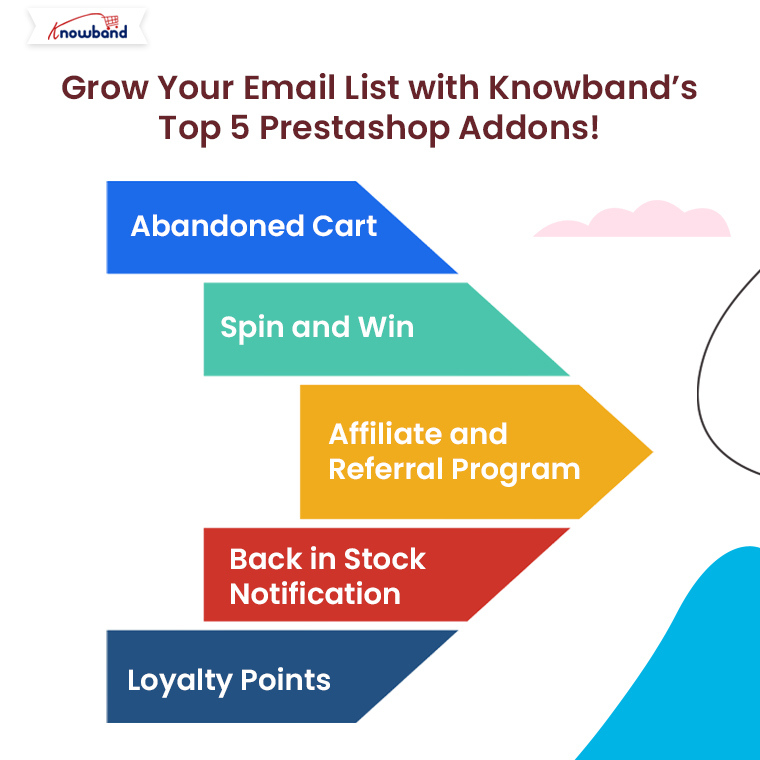
Grow Your Email List with Knowband’s Top 5 Prestashop Addons!

In today’s competitive eCommerce landscape, building and growing an email list is essential for maintaining customer engagement and increasing sales. One of the best ways to achieve this is by using powerful tools designed to capture email addresses efficiently. If you are running a Prestashop store, Knowband offers a range of highly effective addons that not only help you build your email list but also improve conversions and customer retention.

In this blog, we will introduce you to Knowband’s Top 5 Prestashop Addons that can help you grow your email list while enhancing your store’s overall performance.

1. Abandoned Cart – Prestashop Addon:

Cart abandonment is one of the biggest challenges for eCommerce stores. Many potential customers add items to their cart but leave the site without completing the purchase. Therefore, this represents a lost opportunity for sales and email collection. On the other hand, the Abandoned Cart Addon for Prestashop by Knowband offers a perfect solution to tackle this issue and grow your email list.

With this addon, you can:

Capture emails at checkout: Knowband’s Prestashop serial reminder addon collects the email addresses of customers as they proceed through the checkout process, even if they abandon the cart.

Send automated email reminders: You can set up automatic email reminders to encourage customers to return and complete their purchases. Therefore, this is a great way to re-engage lost customers.

Track abandoned carts: The addon gives you detailed reports on cart abandonment rates, allowing you to optimize your strategies for better results.

By capturing customer emails early in the checkout process, you not only reduce cart abandonment but also increase the size of your email list with valuable leads.

2. Spin and Win – Entry, Exit, and Email Subscription Pop-up – Prestashop Addon:

Interactive pop-ups are one of the most effective ways to engage visitors and incentivize them to subscribe to your email list. The Spin and Win – Prestashop Addon by Knowband is a fun and interactive gamified pop-up that makes email collection more exciting for your customers.

This addon allows you to:

Offer rewards for email subscriptions: The pop-up gives users a chance to win discounts or special offers in exchange for subscribing to your newsletter.

Customize the pop-up appearance: You can easily adjust the design, content, and placement of the pop-up to match your brand’s style and engage users effectively. Furthermore, this enables more customization options for Prestashop admins.

Trigger the pop-up based on user behavior: Whether a visitor is entering, leaving, or spending time on your site, you can configure the pop-up to show at the right moment, ensuring maximum visibility.

The Spin and Win Addon adds an element of fun while collecting email addresses, increasing the likelihood of visitors opting into your mailing list.

3. Affiliate and Referral Program – Prestashop Addon:

One of the most powerful ways to grow your email list is through referrals. Word-of-mouth marketing has always been an effective strategy, and the Affiliate and Referral Program Prestashop Addon helps you take full advantage of it.

Here’s how it works:

Incentivize customers to refer others: You can offer rewards or commissions to customers who refer your store to their friends and family. As part of the referral process, you collect the email addresses of the referred individuals.

Track affiliate performance: The Affiliate module for Prestashop offers a detailed dashboard where you can track the performance of your affiliates and the effectiveness of the referral program.

Automated email notifications: When someone joins your referral program or makes a referral, automated emails keep both the referrer and the new customer informed, growing your email list along the way.

This addon not only helps you generate new leads but also encourages your existing customers to become brand advocates, further growing your email subscriber base.

4. Back in Stock Notification – Prestashop Addon:

Stockouts are frustrating for both customers and store owners, but Knowband’s Prestashop Back in Stock Notification turns this issue into an opportunity to grow your email list. When products are out of stock, potential customers can subscribe to be notified via email when the product is back in stock.

Key features include:

Automated email alerts: As soon as a product is restocked, the addon sends automated email notifications to subscribed customers, encouraging them to return and make a purchase.

Capture interested leads: By offering a “Notify Me” option on out-of-stock product pages, you capture the email addresses of visitors who are genuinely interested in purchasing specific products.

Detailed reports: The addon provides insights into the number of customers who have subscribed for stock alerts, allowing you to gauge interest in specific products.

With this addon, you not only capture valuable emails but also increase your chances of converting interested shoppers into loyal customers.

5. Loyalty Points – Prestashop Addon:

Customer loyalty programs have long been a reliable method for encouraging repeat business and growing customer engagement. The Loyalty Points Addon for Prestashop allows you to reward your customers for every purchase they make, helping you build long-term relationships and, in turn, grow your email list.

Features of this addon include:

Points for purchases: Customers earn points for every order they place, which can be redeemed for discounts or special offers.

Encourages repeat purchases: As customers accumulate points, they are more likely to return to your store for future purchases, furthering the relationship and making them more likely to sign up for your newsletter.

Automated notifications: The addon sends email notifications when customers earn or redeem points, keeping them engaged with your store and ensuring they remain subscribed to your email list.

By offering rewards through the loyalty program, you can encourage more customers to sign up and stay subscribed to your email list for future offers and rewards.

Knowband’s Top 5 Prestashop Addons

Enhance your PrestaShop store with Knowband’s powerful plugins, offering features like one-page checkout, mobile app builder, and more for seamless e-commerce management.

SHOP NOW

Conclusion!

Building an email list is essential for the success of any eCommerce store. With Knowband’s top Prestashop addons, you can turn every interaction—whether it’s cart abandonment, a product notification, or a loyalty reward—into an opportunity to grow your email subscriber base.

The Abandoned Cart, Spin and Win, Affiliate and Referral Program, Back in Stock Notification, and Loyalty Points addons are not only powerful tools for capturing email addresses but also offer additional benefits such as increased sales, better customer engagement, and improved retention rates.

Start using these addons today to grow your email list and take your Prestashop store to the next level!

Why Web Push Notifications are Essential for Your Prestashop Store!

In today’s competitive eCommerce landscape, capturing and retaining customer attention is crucial. As more online stores for the same audience, businesses must adopt new strategies to engage their customers and keep them returning for more. Therefore, one such strategy is using web push notifications—a powerful tool that helps boost engagement and drive sales. For Prestashop users, Knowband Prestashop Web Push Notification Module is an essential addon that can transform how you communicate with your customers.

However, before starting, it is crucial to know about the importance of web push notifications and how they work.

What are Web Push Notifications?

Web push notifications are clickable messages that are sent directly to a user’s browser, even when they are not on your website. These notifications can include text, images, and even action buttons, making them highly engaging. Thus, when used correctly, web push notifications are a quick and efficient way to keep your customers informed and prompt them to act.

For Prestashop store owners, the Prestashop Browser Push Notification Addon by Knowband offers the perfect solution for implementing this feature effortlessly. Furthermore, this addon allows you to send timely, personalized messages to your customers, driving engagement and boosting sales.

Benefits of Web Push Notifications for Prestashop Stores!

Instant Customer Reach:

One of the biggest advantages of using the Web Push Notification module for Prestashop is its ability to instantly reach customers. Unlike emails, which may get buried in the inbox, push notifications pop up on the user’s browser in real time. Moreover, it ensures that your message is seen as soon as it’s sent, increasing the chances of customer engagement.

Boost Conversion Rates:

Web push notifications are highly effective at driving conversions. Whether it’s promoting a flash sale, reminding customers about abandoned carts, or announcing new arrivals, the Prestashop Push Notification for web browsers addon helps you reach your customers at the right moment. On top of that, studies have shown that web push notifications can increase conversion rates by up to 4X compared to traditional marketing channels.

Improved Customer Engagement:

Sending personalized notifications to your customers can significantly improve engagement. You can tailor messages based on user behavior, such as browsing history, purchase history, or even abandoned carts. Furthermore, the Prestashop Cart Reminder Push Notification Module by Knowband is particularly useful in reminding customers about their unfinished purchases and encouraging them to complete the checkout process.

Cost-Effective Marketing Tool:

Unlike other marketing tools, web push notifications do not require an email list or phone number database. All that’s needed is for the user to opt-in for notifications through their browser.
Once subscribed, you can reach them with relevant messages for free. For small to medium-sized businesses using Prestashop, this makes the Prestashop Web Push Notification Module a highly cost-effective solution for staying connected with customers.

Enhanced Customer Retention:

Web push notifications are excellent for retaining existing customers. Regular updates, offers, and personalized messages keep your brand top-of-mind, increasing the likelihood of repeat purchases. On the other hand, features like the Prestashop Order Status Update Push Notification Module ensure that customers stay informed about their order status, leading to greater satisfaction and loyalty.

Key Features of the Prestashop Web Push Notification Module!

Real-time Notifications:

With the Prestashop Web Push Notification Addon, you can send real-time notifications to your customers, ensuring immediate communication. Whether it’s a discount offer or a reminder about an abandoned cart, these notifications are delivered instantly.

Abandoned Cart Reminders:

One of the standout features of the Prestashop Cart Reminder Push Notification Module is the ability to send automated reminders to customers who have left items in their carts. Furthermore, it feature helps reduce cart abandonment rates and encourages customers to complete their purchases.

Order Status Updates:

Keep your customers informed with the Prestashop Order Status Update Push Notification Module. This feature allows you to send updates about order confirmations, shipping, and delivery status directly to the customer’s browser, eliminating the need for them to check their email for updates.

Customizable Notifications:

The Prestashop Browser Push Notification Addon allows store owners to customize the look and content of their notifications. You can add your store’s logo, choose engaging call-to-action buttons, and craft personalized messages that resonate with your audience.

Multi-language Support:

The Web Push Notification module for Prestashop supports multiple languages, allowing you to reach a global audience with ease. This is particularly beneficial for stores catering to customers from different regions and language preferences.

Segmentation and Targeting:

The ability to segment your audience is a game-changer for any marketing campaign. The Prestashop Push Notification for web browsers addon allows you to target specific customer groups based on their behavior, location, or previous purchases. This ensures that your messages are relevant and timely, leading to higher engagement and conversions.

Knowband’s Prestashop Web Push Notification Module

Boost engagement with instant web push notifications for your PrestaShop store, reaching customers directly on their browsers to drive sales.

SHOP NOW

Conclusion!

In today’s fast-paced eCommerce environment, staying connected with your customers is more important than ever. Knowband’s Prestashop Web Push Notification Module provides an effective, cost-efficient way to engage with your customers in real time, boost conversions, and improve customer retention. Whether you’re sending abandoned cart reminders, order updates, or promotional offers, web push notifications are an essential tool for any Prestashop store looking to stay ahead of the competition.

Supercharge Your Prestashop Store: Top 6 Free Addons by Knowband!

If you’re running a Prestashop store, you already know how essential it is to have the right tools to enhance your store’s functionality and boost sales. Knowband, a leading developer of eCommerce plugins, offers an impressive collection of free Prestashop add-ons that can give your store the competitive edge it needs. These free modules streamline your processes, improve user experience, and integrate your store with major platforms, all without breaking the bank.

In this blog, we’ll explore the top 6 free Prestashop addons by Knowband that can help you supercharge your online store and take it to the next level.

1. Free Google Shopping – Prestashop Addon:

With the rapid rise of product search via Google, getting your products featured on Google Shopping has become a must for any online retailer. Therefore, the Free Google Shopping Prestashop Addon by Knowband makes it incredibly easy to sync your store with Google Shopping.

This module helps you generate product feeds that comply with Google’s shopping requirements. Furthermore, the Google Merchant Feed Addon for Prestashop automatically exports product data from your store, which saves you time and ensures your products are always up-to-date on Google. Moreover, with more visibility, you can drive new traffic and boost your sales. This tool is perfect for Prestashop store owners looking to gain exposure without manual effort.

Key Features:

  • Easy product feed generation for Google Shopping.
  • Custom feed generation based on category.
  • Automated synchronization of store data with Google.

2. Free Gift Card Manager – Prestashop Addon:

Gift cards are a fantastic way to increase customer engagement and boost your store’s revenue. With the Free Gift Card Manager Prestashop Addon, you can easily offer customizable gift cards directly from your store.

The Prestashop Gift Card module allows you to create multiple types of gift cards for your customers to purchase and send to their loved ones. Furthermore, you can customize templates, set card values, and even allow customers to personalize their gift cards. It’s a great way to attract new customers, retain existing ones, and increase your average order value.

Key Features:

  • Customizable gift card designs and templates
  • Set flexible price ranges and expiration dates
  • Easy management of gift card purchases and usage

3. Free Etsy Marketplace Integration – Prestashop Addon:

For those looking to expand their business reach, Etsy Marketplace Integration is a great option. Knowband’s free Prestashop addon enables you to easily list and manage your products on Etsy, one of the most popular online marketplaces for handmade and vintage goods.

Furthermore, the Etsy Connector Addon for Prestashop simplifies the process of uploading your Prestashop store’s products to Etsy, syncing inventory, and processing orders. Therefore, it saves you from the hassle of manual listing, allowing you to reach Etsy’s large and diverse customer base effortlessly.

Key Features:

  • Easy product listing and inventory synchronization with Etsy.
  • Automatic updating of orders between Prestashop and Etsy.
  • Simple order tracking and management through a single dashboard.

4. Free Return Manager – Prestashop Addon:

Handling product returns efficiently is a crucial part of maintaining customer satisfaction. The Free Return Manager Prestashop Addon by Knowband simplifies the return process for both customers and store admins.

With this addon, customers can easily request returns, track return status, and communicate directly with the store regarding their return requests. As an admin, you get a centralized dashboard to manage all return requests, making it easier to approve, reject, or process refunds. This addon helps ensure smooth handling of returns, which can enhance customer loyalty and satisfaction.

Key Features:

  • Simple return request process for customers.
  • Centralized dashboard for admin management of returns.
  • Easy communication between customers and admin regarding return status.

5. One Page Checkout Free Version – Prestashop Addon:

Cart abandonment during checkout is a big concern for online retailers. However, on the other hand, you can simplify the checkout process for your customers by offering a fast and user-friendly single-page checkout with the One Page Checkout Free Version Prestashop Addon.

This addon reduces the number of steps in the checkout process, making it quicker and more convenient for customers to complete their purchases. On top of that, you can customize fields, offer multiple payment and shipping methods, and improve the overall shopping experience for your users, leading to higher conversion rates.

Key Features:

  • Single-page checkout for faster conversions.
  • Customizable checkout fields.
  • Supports multiple payment and shipping methods.

6. Free eBay Marketplace Integration – Prestashop Extension:

While primarily designed for Prestashop users, Knowband’s Free Prestashop eBay Marketplace Integration allows you to seamlessly list your products on eBay and manage your orders from a single platform.

With millions of active users, eBay is a goldmine for online sellers. This free extension enables you to sync product details, update stock levels, and handle eBay orders without switching between different platforms. Moreover, it’s a great way to maximize your product visibility and tap into eBay’s large customer base.

Key Features:

  • Simplified product listing on eBay.
  • Automatic synchronization of stock and order details.
  • Efficient order management through Opencart.

Knowband’s Free PrestaShop Modules

The Knowband Free PrestaShop Modules offer a range of complimentary tools to enhance your PrestaShop store’s functionality. These free modules help improve user experience, streamline operations, and boost engagement without additional costs.

SHOP NOW

Conclusion!

Each of these top 6 free Prestashop addons from Knowband can greatly enhance the functionality of your eCommerce store. Whether you want to simplify checkout, manage returns, integrate with popular marketplaces, or personalize customer experiences, Knowband has a free addon to meet your needs.

Furthermore, by incorporating these powerful tools into your Prestashop store, you can improve your efficiency, increase sales, and create a more seamless shopping experience for your customers.

Setting Up a Hotel Business on Prestashop? Here’s Why the Booking and Rental System Addon is Essential!

In today’s fast-paced digital world, the hospitality industry is increasingly moving online. With more customers preferring to book their stays through the internet, having a robust online booking system is no longer just an option—it’s a necessity.

For those using Prestashop as their eCommerce platform, the Booking and Rental System – Prestashop Addons provides an excellent solution. This article will explore why this addon is essential for anyone looking to set up a hotel business on Prestashop.

Why Choose Prestashop for Your Hotel Business?

Before starting, it is necessary to know the huge potential of the hotel industry. In recent years major businesses like Airbnb, goibibo, etc, have noticed significant growth due to the increased demand for rental properties in markets. The modern lifestyle prefers exploring new places and this is where the hotel industry comes into the business.

On the other hand, for those who are looking to start an eCommerce business, Prestashop is a popular eCommerce platform known for its flexibility and user-friendly interface. It’s widely used by businesses of all sizes to set up and manage online stores. But can it handle the specific needs of a hotel business? The answer is yes, especially with the help of the Prestashop Booking and Rental System by Knowband.

This addon transforms your standard Prestashop store into a fully functional hotel booking platform, allowing you to manage reservations, availability, and pricing all from your existing website.

But what makes this module so essential for a hotel business?

Key Features of the Booking and Rental System – Prestashop Addons

Seamless Integration with Prestashop:

The Prestashop Booking and Rental System is designed to integrate seamlessly with your existing Prestashop store. This means you don’t need to worry about compatibility issues or the hassle of managing multiple systems. Furthermore, everything is managed from one central dashboard, making it easy to keep track of bookings, availability, and payments.

Flexible Booking Options:

Whether you run a small bed and breakfast or a large hotel chain, the Prestashop Reservation and Booking Module offers flexible booking options to suit your needs. You can set up hourly, daily, or even weekly booking slots, allowing your customers to choose the option that best suits their stay. Therefore, this flexibility is particularly useful for hotels that offer a variety of room types and pricing options.

Real-Time Availability Management:

One of the most important aspects of managing a hotel is ensuring that your booking system reflects real-time availability. Knowband’s PrestaShop Booking System Addon allows you to update room availability instantly, reducing the risk of overbooking or double bookings. This feature is crucial for maintaining customer satisfaction and ensuring a smooth operation.

Customizable Pricing and Discounts:

With the Prestashop Event Booking Addon, you can easily set up custom pricing based on different criteria such as room type, season, or length of stay. You can also offer discounts and promotions directly through the addon, helping you attract more customers during off-peak seasons or special events.

Automated Notifications and Reminders:

The Booking and Rental Prestashop Addon also comes with an automated notification system, which sends out booking confirmations, reminders, and other important updates to both customers and hotel staff. This feature ensures that everyone is kept in the loop, reducing the chances of miscommunication or missed bookings.

Multi-Language and Multi-Currency Support:

If your hotel caters to international guests, you’ll appreciate the multi-language and multi-currency support offered by the PrestaShop Booking and Rental System. This feature allows you to reach a broader audience by providing a localized booking experience for your customers.

Why is the Booking and Rental System Addon Essential for Your Hotel Business?

Now that we’ve covered the key features, let’s explore why the Prestashop Booking and Rental System is essential for your hotel business.

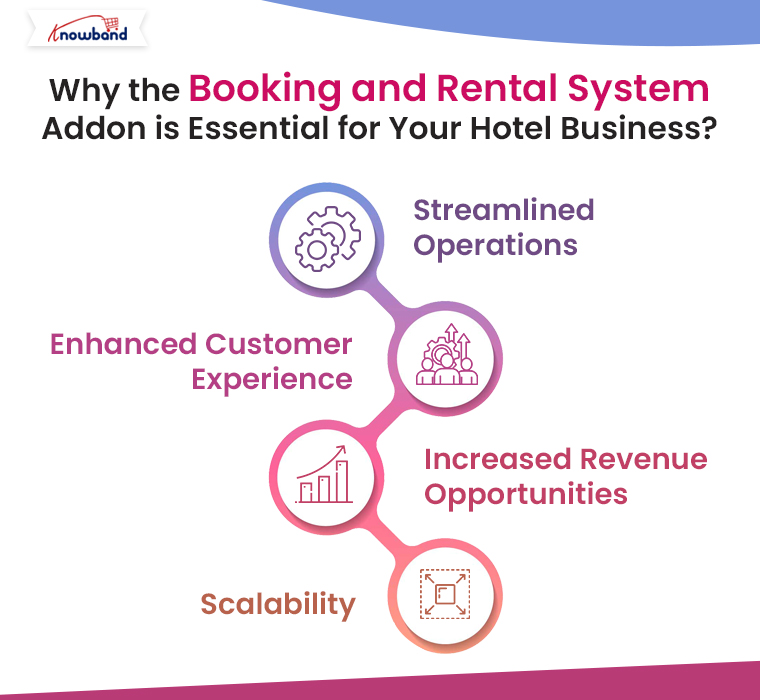
Streamlined Operations:

By integrating all aspects of booking management into one system, the PrestaShop Booking System Addon streamlines your operations. You no longer need to juggle multiple tools or worry about syncing data between different platforms. Everything from booking management to payment processing is handled within Prestashop, saving you time and reducing the potential for errors.

Enhanced Customer Experience:

A smooth and user-friendly booking process is key to attracting and retaining customers. The Online Booking System on every eCommerce provided by this addon offers a seamless experience for your guests, from selecting their room to making a payment. On top of that, the ability to offer real-time availability and instant booking confirmations enhances customer satisfaction and increases the likelihood of repeat business.

Increased Revenue Opportunities:

With the Prestashop Reservation and Booking Module, you can easily implement dynamic pricing strategies to maximize your revenue. Furthermore, by offering promotions and discounts, you can attract more customers during slower periods and fill more rooms. Additionally, the ability to manage bookings for events and other services can provide additional revenue streams for your hotel.

Scalability:

Whether you’re just starting out or managing an established hotel, the Prestashop Booking System is scalable to your needs. As your business grows, the addon can handle increasing volumes of bookings and more complex pricing structures, ensuring that your operations remain smooth and efficient.

Knowband’s Prestashop Booking and Rental System Addon

PrestaShop Booking and Rental System by Knowband allows you to manage bookings, rentals, and reservations directly from your store with ease and flexibility.

SHOP NOW

Conclusion!

Setting up a hotel business on Prestashop is a smart choice, and with the Booking and Rental System by Knowband, you can transform your eCommerce store into a powerful online booking platform. This addon is essential for streamlining your operations, enhancing the customer experience, and maximizing your revenue. Whether you’re a small boutique hotel or a large chain, the PrestaShop Booking and Rental System has the features you need to succeed in today’s competitive hospitality market.

Boost Your PrestaShop Sales with a Progressive Web App: Here’s How!

In today’s fast-paced digital world, having a strong online presence isn’t just an option—it’s a necessity. For eCommerce businesses, the ability to provide a seamless and efficient shopping experience across all devices is crucial for success. Especially, if you’re running a PrestaShop store, you might already be aware of the importance of mobile optimization. However, taking it a step further with a PrestaShop PWA Mobile App can significantly boost your sales and customer engagement. In this article, we’ll explore how a Progressive Web App for PrestaShop can transform your online store and help you stay ahead of the competition.

What is a Progressive Web App (PWA)?

A Progressive Web App (PWA) is a software application accessed via the web and developed using standard web technologies like HTML, CSS, and JavaScript. PWAs are crafted to function seamlessly on any platform with a browser that adheres to web standards.

Therefore, unlike traditional mobile apps, PWAs don’t require users to download anything from an app store. Instead, they can be accessed directly through a web browser, offering a similar experience to a native mobile app.

Moreover, for eCommerce businesses, PWAs combine the best of web and mobile apps, providing a fast, reliable, and engaging user experience. With features like offline access, push notifications, and home screen shortcuts, PWAs enhance user interaction, making it easier for customers to browse, shop, and stay connected with your brand.

Why Choose PrestaShop PWA Mobile App?

If you’re using PrestaShop as your eCommerce platform, integrating a PWA can be a game-changer. The PrestaShop PWA Mobile App by Knowband brings all the benefits of a PWA to your PrestaShop store, ensuring that your customers have a smooth and enjoyable shopping experience regardless of the device they’re using.

Key Benefits of a PrestaShop Progressive Web App!

Enhanced User Experience: PWAs load faster than traditional mobile apps, providing a seamless browsing experience. Thu, this is crucial for retaining customers, as slow-loading websites can lead to high bounce rates.

Offline Accessibility: One of the standout features of a PrestaShop eCommerce PWA App is its ability to work offline or in areas with poor internet connectivity. Furthermore, it ensures that your customers can continue browsing your products even when they’re offline, leading to higher conversion rates.

Increased Engagement with Push Notifications: PWAs allow you to send push notifications directly to your customers’ devices. This is an effective way to keep your audience informed about new products, promotions, and updates, encouraging repeat visits to your store.

No Need for App Store Downloads: With Knowband’s PrestaShop PWA Mobile App, there’s no need for customers to visit an app store to download your app. This reduces friction and makes it easier for customers to access your store.

Cost-Effective Solution: Developing and maintaining a native mobile app can be costly and time-consuming. A PrestaShop PWA App Builder allows you to create a powerful mobile app experience at a fraction of the cost, without sacrificing quality or performance.

How to Create a PrestaShop PWA Mobile App?

Building a PrestaShop PWA Mobile App doesn’t have to be complicated. With the help of Knowband’s PrestaShop PWA App Maker, you can easily transform your existing PrestaShop store into a progressive web application. Furthermore, these tools are designed to be user-friendly, even for those without extensive technical knowledge.

Customize Your PWA: You can start customizing your PWA to match your brand’s aesthetics. This includes choosing color schemes, fonts, and layouts that resonate with your target audience.

Integrate Key Features: Make sure your PrestaShop Progressive Web Application includes essential features like offline access, fast loading times, and push notifications. These features will enhance the user experience and encourage customers to engage with your store.

Test and Launch: Before launching your PWA, test it thoroughly to ensure that it works smoothly across all devices. Once you’re satisfied with its performance, you can launch your PWA for PrestaShop and start reaping the benefits.

Knowband’s PrestaShop PWA Mobile App

Transform your PrestaShop store into a Progressive Web App (PWA) with Knowband’s PWA Mobile App. Boost engagement with fast loading and a native app-like experience.

SHOP NOW

Conclusion!

A Progressive Web App for PrestaShop offers a powerful way to enhance your store’s mobile experience, increase customer engagement, and ultimately boost your sales. Thus, by leveraging the capabilities of a PrestaShop PWA Mobile App, you can provide your customers with a fast, reliable, and engaging shopping experience that keeps them coming back.

Whether you’re a seasoned eCommerce veteran or just starting out, integrating a PrestaShop PWA Mobile App into your strategy is a smart move. It’s a cost-effective, high-impact solution that can help you achieve your business goals and set your store apart from the competition. So why wait? Start building your PrestaShop Progressive Web Application today and watch your sales soar!