Best PrestaShop Abandoned Cart Modules to Recover Lost Sales in 2026

If you are looking for the best prestashop abandoned cart email reminder module, then it’s the best choice. Here we will be talking about the best abandoned cart modules and strategies to recover the lost sales.

Your  Default Checkout Can be the Issue

Most people come and add the products to the cart, and then they leave. The top reason that to abandoned cart is complex checkout. If you are using the complex checkout that requires many pages, this is the reason your customer is abandoning the cart.

First, switch to a prestashop Quick checkout addon, and add this addon to your prestashop store. As this Fast Checkout for Prestashop will help you to combine all the pages like shipping address, delivery address, payment options, shipping options, product details and many more.

One thing that also increases the rate of abandoned carts is a lengthy login or registration process. This Knowband Prestashop Quick Checkout Addon also comes with built-in social login options like Facebook and Google.

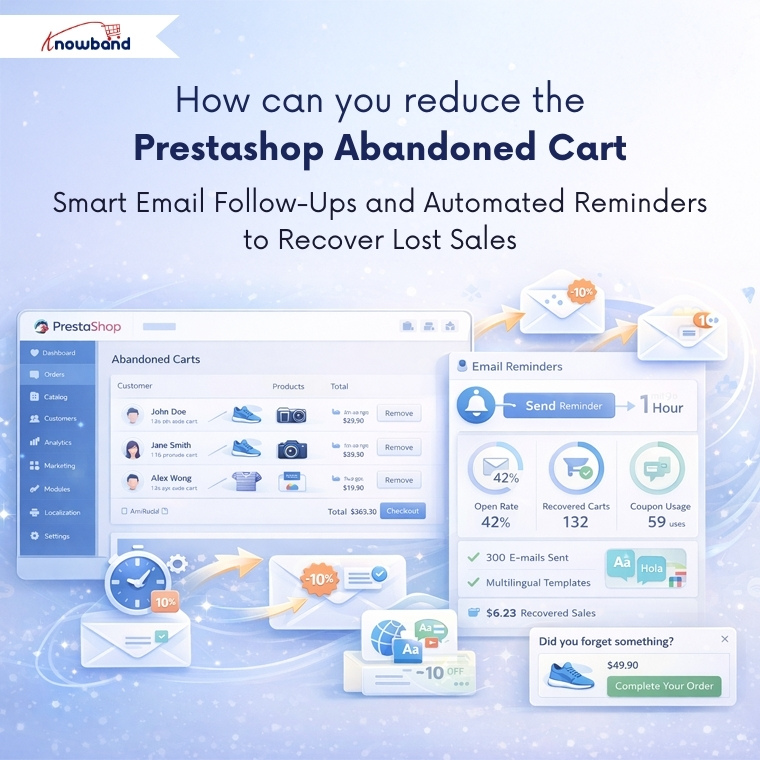
How can you reduce the Prestashop Abandoned Carts

But what if there are already so many abandoned cart and now you want to clear abandoned carts in prestashop? So email follow-up and reminders are one of the best ways.

Integrate a Prestashop Email Follow-up module, which will send the reminder and emails to your prestashop abandoned cart users. Additionally, you can see all the details and statistics of the email coupon that has been sent to the users.

Moreover, you can schedule this cron at any of the time, like midnight time when users mostly scroll.

If your customers are international or you have an international audience, then do not worry. This Knowband Prestashop Email Follow-up module has provided the email template option differently in all the languages.

This Prestashop Email Follow-up module allows you to send the reminder to the website as well. Using this reminder, customers can easily grab the offers, make a deal and clear your abadnoned carts.

Tracking Your Success Using Prestashop Email Follow-Ups

These email reminder modules provide detailed analytics showing which emails are being opened, which discount codes are being used, and ultimately, which abandoned carts are converting into sales. Furthermore, this data becomes valuable for analysing the pattern of purchase. Furthermore, you might discover that certain products have higher recovery rates or that specific discount percentages work better than others.

The Power of Wishlists

Here’s something many store owners miss: not every product a customer browses needs to go straight to the cart. Offering this Knowband Prestashop wishlist Module feature gives customers a way to save items they’re interested in without the pressure of immediate purchase.

For customers, they provide a convenient way to bookmark products they want to return to later, maybe they are waiting for payday, comparing options, or just planning future purchases. For you as a store owner, wishlists offer incredible insights into customer preferences and trending products.

By analysing wishlist data, you can identify which items generate the most interest, spot seasonal trends, and even plan your inventory more effectively. You might notice certain products frequently appear together in wishlists, which could inform bundle deals or cross-selling strategies.

Putting These Abandoned Cart Solutions All Together

Recovering abandoned carts isn’t about using just one technique – it’s about creating a comprehensive approach. Start by removing complexity from your checkout process, then implement smart email follow-up strategies for those who still don’t complete their purchase. You should give customers flexibility with features like wishlists, and always keep testing and refining based on the data you collect.

Not every abandoned cart will convert, and that’s okay. But by implementing these strategies and modules, you will recover a meaningful percentage of lost sales, which can significantly impact your bottom line over time.

Always remember, each recovered cart represents a customer who wanted your product enough to add it to their cart in the first place. Your job is simply to make this as easy and appealing as possible for them to complete the purchase that final step.

For more information, check out the Quick checkout Addon for Prestashop. You can also try the demo. If you face any issues, you can reach out to us at support@knowband.com.

Read our latest blogs on AI Chatbots:  https://www.whatech.com/og/artificial-intelligence/blog/1008494-ai-chatbot-now-available-for-opencart-and-prestashop-stores-in-2026.html

Should You Move from PrestaShop 8.1 to 9.0? A Complete Feature Comparison

With the release of PrestaShop 9.0, the platform is moving toward a more modern, performance-oriented, and developer-friendly future. However, as with any major update, merchants and developers are left with an important question: Is now the right time to migrate from PrestaShop 8.1?

In this blog, we’ll explore the key differences between PrestaShop 8.1 and 9.0. From performance upgrades to developer tools, we’ll cover everything you need to know to make an informed decision about your store’s future.

Symfony Framework Upgrade: From 4.4 to 6.4

To begin with, one of the most significant changes in PrestaShop 9.0 is the upgrade of the Symfony framework from version 4.4 to Symfony 6.4, the latest long-term support (LTS) release. This transition ensures better stability, security, and access to modern development tools.

Symfony 6.4 will be maintained with bug fixes through November 2026 and security patches until November 2027, ensuring long-term stability for evolving projects. By comparison, Symfony 4.4—used in PrestaShop 8.1—has already reached the end of its support life. Therefore, PrestaShop 9.0 becomes the smarter choice for long-term projects.

PHP Compatibility and Performance Enhancements

In addition, PrestaShop 9.0 introduces support for PHP 8.1, 8.2, and 8.3. This allows merchants to benefit from improved performance, better memory handling, and modern PHP features.

Unlike PrestaShop 8.1, which stopped at PHP 8.1, the new version embraces the latest PHP releases, representing a major step forward. As a result, PrestaShop 9.0 is better aligned with modern PHP standards and development practices. However, keep in mind that older hosting environments and custom code may require updates to ensure compatibility.

Modern API Platform for Headless Commerce

Furthermore, PrestaShop 9.0 brings a brand-new API system based on API Platform v3, dramatically improving how it interacts with external applications.

This makes it ideal for headless commerce architectures, mobile app integrations, and third-party services. In contrast, PrestaShop 8.1 relied on a legacy API, which lacked the flexibility and scalability modern developers expect. As a result, the new API system opens up a world of opportunities for automation and integration.

PrestaShop 9 debuts a completely reimagined Admin API, built using API Platform—a cutting-edge PHP framework known for its flexibility and power. This innovation marks a significant leap toward creating a more open, extensible, and developer-focused PrestaShop environment.

Here’s what the new Admin API offers:

  • Simplified integration with external platforms such as ERPs, CRMs, and marketing tools.
  • Automation-ready architecture that helps reduce manual store management and boosts operational efficiency.
  • RESTful structure with JSON formatting, ensuring ease of use for developers accustomed to modern API standards.
  • Future-ready modularity, allowing the system to grow and adapt with community and business demands.

It’s worth noting that the Admin API is still evolving. While the core framework is already in place, additional features and endpoints are being actively developed.

Key Hook Updates in PrestaShop 9

 PrestaShop 9 retains most of the widely used hooks from version 8 to ensure module and theme compatibility. Common front-office hooks like displayHeader, displayFooter, displayHome, and displayProductButtons remain supported. In the back office, important hooks such as displayBackOfficeHeader, displayAdminOrderMain, and displayAdminProductsExtra are still available for extending core functionality.

Alongside these, PrestaShop 9 introduces modern Symfony-based hooks like actionSymfonyResponse, actionAfterCartSave, and actionProductFormBuilderModifier. These offer a cleaner, event-driven approach to customisation and are part of the platform’s move toward a more modular, scalable structure.

Redesigned Back Office Using Symfony and Twig

Another significant improvement is the full revamp of the back office, now built with Symfony and Twig for a more modern and maintainable structure. This results in a more intuitive, mobile-friendly, and user-centred admin experience.
For store owners, the redesigned layout means easier navigation and improved productivity. For developers, the shift supports cleaner templating and reduces legacy code dependencies. On the other hand, PrestaShop 8.1 retains a more traditional interface, which may now feel outdated in comparison.

Developer-Focused Improvements

Additionally, PrestaShop 9.0 has replaced several outdated libraries used in previous versions. For example:

  • Guzzle HTTP Client → Symfony HTTP Client 
  • SwiftMailer → Symfony Mailer 

These updates result in a more secure, efficient, and future-proof module and email handling.

Moreover, the login system has been modernised. Legacy hooks have been removed, and a new actionBackOfficeLoginForm hook has been introduced, offering cleaner and more customizable authentication flows.

Transition Toward Twig Templates

Importantly, PrestaShop 9.0 also makes a bold move toward full Twig integration, gradually replacing the legacy Smarty engine. Twig is now widely used in both front and back offices, offering more readable, modular, and reusable templates.

For theme developers, this is a significant improvement. In contrast, PrestaShop 8.1’s reliance on Smarty limits flexibility and long-term maintainability.

Should You Upgrade to PrestaShop 9.0?

PrestaShop 9.0 brings major improvements—but before upgrading, make sure your store is ready to handle the change. If your themes, modules, and hosting environment are compatible—or can be easily updated—then migrating can bring notable performance and UX benefits.

Alternatively, if your current store depends heavily on legacy plugins or complex custom code, it might be wiser to wait until broader module support becomes available. Testing in a staging environment is highly recommended before committing to a full upgrade.

Migration Tips for Store Owners

Before making the switch, follow these best practices:

  • Backup your entire store, including the database and any custom files.
  • Test the upgrade in a staging environment first to avoid disrupting your live store.
  • Verify compatibility for all third-party themes and modules.
  • Monitor community feedback for bug reports and migration issues.
  • Conduct thorough testing, especially checkout, payment, and product display areas. 

Final Thoughts

PrestaShop 9.0 marks a major leap toward a modern, secure, and scalable e-commerce platform. From faster performance and updated frameworks to a cleaner developer experience, it brings meaningful benefits for merchants and developers alike.

In conclusion, while migration requires effort and planning, the long-term gains make it a worthwhile investment. Whether you’re a seasoned PrestaShop user or planning your first store, now is an excellent time to explore what version 9.0 can do for your business.

If you’re looking for a reliable solution to ensure a smooth upgrade, KnowBand offers custom module development and PrestaShop 9.0-ready extensions that can accelerate your transition. Their expert support and robust library of PrestaShop modules make them a valuable partner during major upgrades.

Say Goodbye to Cart Abandonment: The Ultimate Prestashop One Step Checkout Addon

As online competition intensifies, offering a streamlined and user-friendly shopping journey has become critical for success. Unfortunately, cart abandonment remains one of the most significant challenges for online retailers. In fact, studies reveal that a significant percentage of customers leave without completing a purchase simply because the checkout process is too long or complex. That’s where the Prestashop One Page Supercheckout module becomes a game changer.

If you’re looking to reduce bounce rates, increase conversions, and offer a faster checkout experience, then the Prestashop Quick Checkout addon by Knowband is the perfect solution.

Why Quick Checkout Matters

The moment a customer decides to buy, speed is everything. However, when checkout feels like a hassle, customers often give up and leave their cart behind.

Fortunately, the Prestashop simplified checkout addon is built to address this exact issue. By merging all checkout steps, billing, shipping, and payment, into one single, user-friendly page, it simplifies the buyer journey and speeds up the purchase process.

Whether you’re just starting out or already running a well-established online store, having a quick checkout extension integrated can make a big difference in your sales figures.

With One Page Super Checkout for Prestashop stores can integrate multiple payment options in a single, streamlined checkout. Supported gateways include PayPal, Stripe, Authorize.Net, Square, Razorpay, and flexible Buy Now Pay Later solutions. The Prestashop Fast Checkout Addon also allows payments via Apple Pay, Google Pay, and other modern wallets, helping reduce cart abandonment and improve conversion rates.

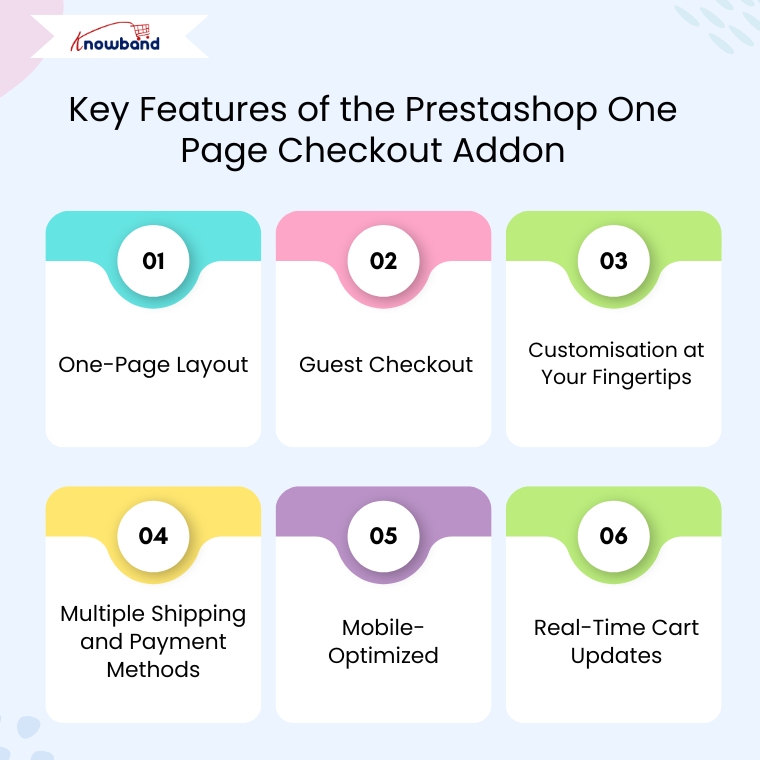
Key Features of the Prestashop Quick Checkout Addon

One-Page Layout

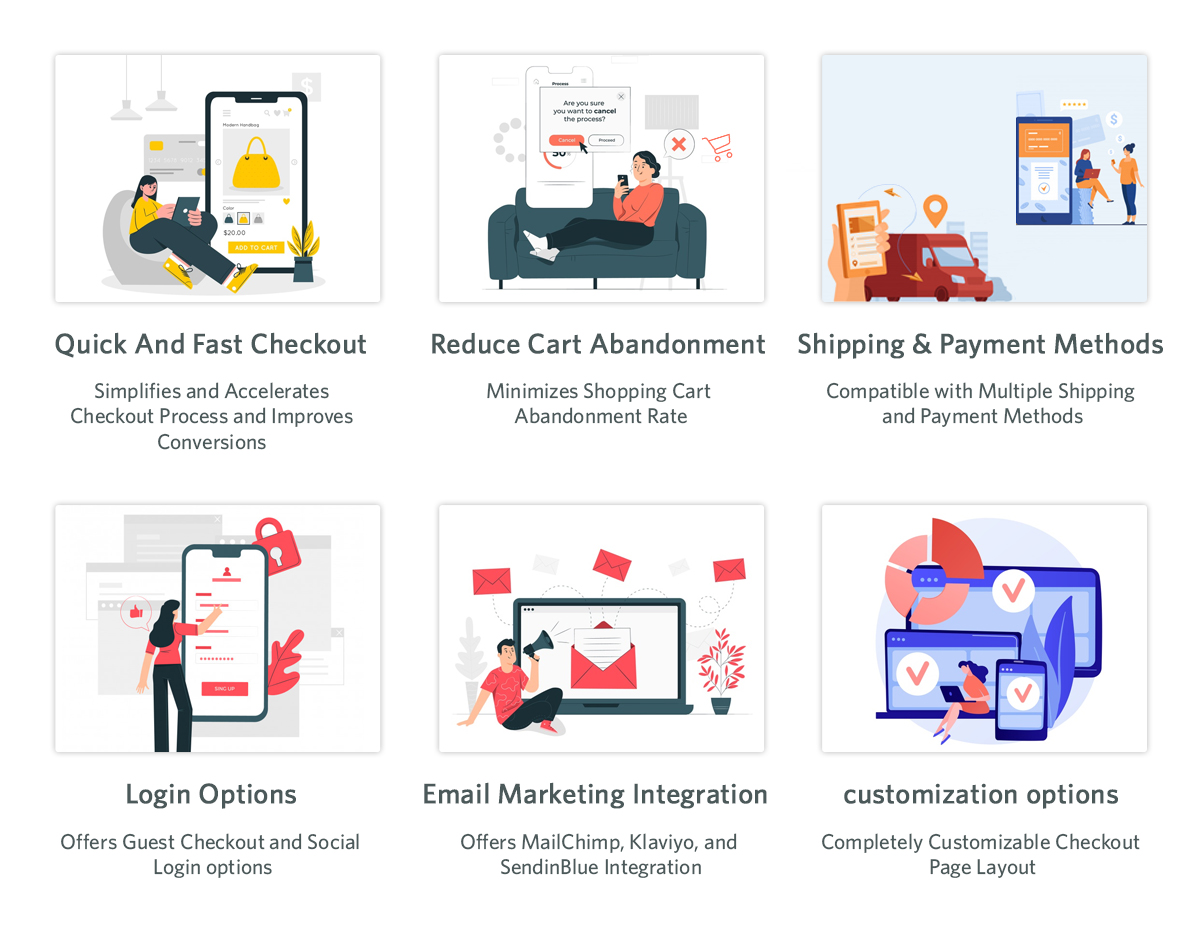
Unlike the traditional multi-step process, the Prestashop Quick Checkout Module brings everything together on one page. As a result, customers can view their cart, enter shipping details, and complete payment, all without having to click through multiple screens. This reduces friction and encourages faster transactions.

Guest Checkout

Not every customer wants to register for an account. Therefore, this quick checkout addon for Prestashop allows you users complete purchases as guests, eliminating unnecessary steps and improving the customer experience.

Customisation at Your Fingertips

You don’t need to be a developer to make changes. Furthermore, the module allows store owners to add, remove, or rearrange fields easily. You can also enable or disable certain sections based on your business needs. This makes the Prestashop fast checkout addon highly adaptable for different types of stores.

Multiple Shipping and Payment Methods

Offer your customers the freedom to choose from different shipping services and payment gateways. Additionally, you can also set visibility rules based on customer location or order value, making the process smarter and more flexible.

Mobile-Optimized

With more and more users shopping via mobile devices, the One Page Checkout Prestashop module is designed to work flawlessly on smartphones and tablets. Moreover, a responsive design ensures that the checkout page is smooth and clutter-free on all screens.

Real-Time Cart Updates

Customers can add or remove products and see real-time updates in their cart summary, no page refresh required. Consequently, this live update feature enhances usability and speeds up decision-making.

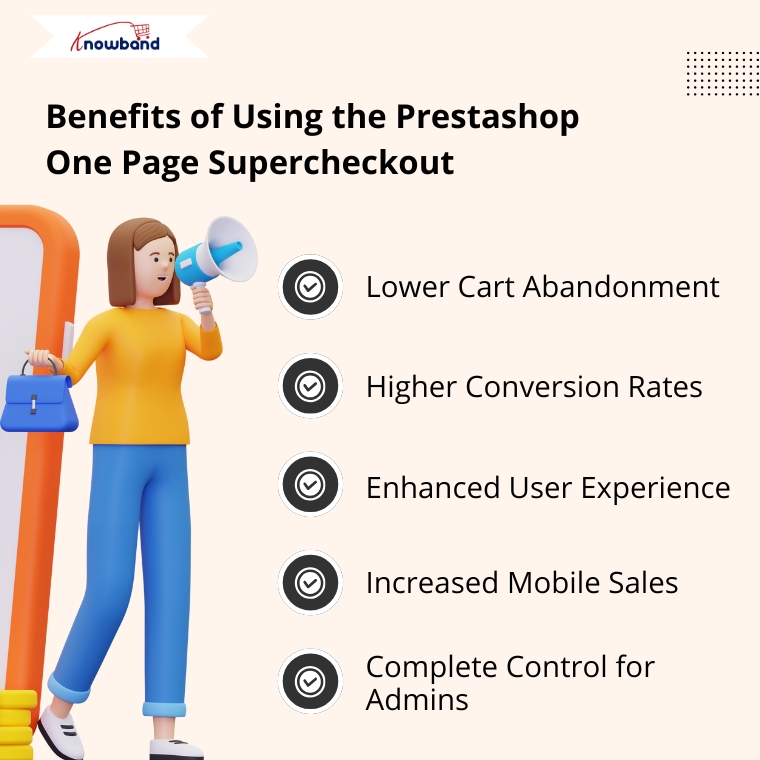
Benefits of Using the Prestashop One Page Supercheckout

Lower Cart Abandonment

By eliminating unnecessary steps, the Prestashop Quick checkout addon significantly reduces the chances of customers leaving before completing their purchase.

Higher Conversion Rates

The shorter the journey to checkout, the higher the likelihood of conversion. Therefore, the simplified process encourages impulse purchases and provides a frictionless shopping experience.
Enhanced User Experience

Whether a customer is tech-savvy or not, the intuitive design of the quick checkout extension Prestashop ensures everyone can complete their order without confusion.

Increased Mobile Sales

Thanks to its responsive design, the Prestashop One Page Checkout works seamlessly on all devices, ensuring you don’t lose out on mobile shoppers.

Complete Control for Admins

You’re not stuck with a one-size-fits-all layout. Instead, the Prestashop simplified checkout addon gives you the tools to create a checkout page that reflects your brand and suits your specific needs.

Why Choose Knowband’s Supercheckout Module?

Knowband has become a trusted name when it comes to reliable and feature-rich Prestashop modules. Their Prestashop fast checkout addon is no exception. It’s trusted by thousands of eCommerce businesses worldwide and comes with excellent support, regular updates, and full documentation.

Moreover, the module supports additional features like social login, delivery date options, newsletter subscription, and more, making it more than just a basic quick checkout addon for Prestashop.

Final Thoughts

In the competitive e-commerce landscape, speed and simplicity are the keys to success. The Prestashop One Page Supercheckout module by Knowband offers everything you need to deliver a faster, easier, and more enjoyable checkout experience.
From reducing cart abandonment to improving mobile usability and boosting conversions, this all-in-one Prestashop One Step Checkout Addon is a smart investment for any online store.

So why wait? Upgrade your checkout experience today with the Prestashop simplified checkout addon and turn more visitors into loyal customers.


How to Create a Custom Tab in the Back Office Product Page in PrestaShop

PrestaShop, with its powerful and flexible framework, allows developers to customize various aspects of the platform to meet specific business requirements. One such customization is adding a custom tab in the back office product page. In this blog, we will walk through the step-by-step process to achieve this by creating a sample module called kbcustommodule.

We can create the custom Tab in the back office product page in two ways:

  1. Using Symfony components.
  2. Using displayAdminProductsExtra Hook

Method 1:

This tutorial is applicable for PrestaShop version 8.1 and above, utilizing Symfony components.

Step 1: Create Your Module

kbcustommodule/

|– composer.json

|– config/

|   |– services.yml

|– src/

|   |– Form/

|   |   |– Modifier/

|   |   |   |– ProductFormModifier.php

|   |   |– Type/

|   |   |   |– CustomTabType.php

|– kbcustommodule.php

Start by creating a folder named kbcustommodule under the modules directory of your PrestaShop installation. Inside this folder, create the kbcustommodule.php file, which will contain the main class for your module. The module class initializes the module and registers the required hooks.

Here’s an example of the kdcustommodule.php file:

Run the command composer dump-autoload in your module’s root directory to enable namespace autoloading.

Step 2: Define Services

Create a services.yml file under the config directory of your module (kbcustommodule/config/services.yml). This file defines the Symfony services required for form customization.

Step 3: Create the Custom Tab Form Type

Create a CustomTabType class in the src/Form/Type folder of your module. This class defines the fields that will appear in the custom tab.

Step 4: Create the ProductFormModifier Class

The ProductFormModifier class defines how the custom tab integrates with the existing product form.

Final Step: Install and Test

  1. Install the module via the back office or manually place it in the modules directory and enable it.
  2. Navigate to the back office product page. You should see a new tab labeled “Custom Tab” with a field labeled “Custom Field.”
  3. Test the functionality by adding data to the custom field and ensuring it saves correctly.

After successfully installation of the above module. You will get the result as follows.

Integrate Google Tag Manager with Prestashop

SHOP NOW

Method 2:

The displayAdminProductsExtra hook allows you to add custom content or tabs to the product edit page in the Back Office. This method avoids the complexity of defining Symfony services and is easier for developers not familiar with Symfony.

Step 1: Create the Module

Start by creating a basic module structure. For example:

Kbcustommodule/

|– config/

|– translations/

|– views/

|   |– templates/

|       |– admin/

|           |– products/

|               |– custom_tab.tpl

|– Kbcustommodule.php

Step 2: Define the Module Class

In the Kbcustommodule.php file, define your module and register the displayAdminProductsExtra hook.


Step 3: Create the Template File

In the views/templates/admin/products/custom_tab.tpl file, define the HTML and content for your custom tab.

Step 4: Save the Data

To save the custom data, use the actionAdminControllerSetMedia hook along with JavaScript or PHP. Alternatively, you can use the actionProductUpdate hook in PHP.

Example in Kbcustommodule.php:

Step 5: Add the Field to the Database

Modify the database to store your custom data. For example:

————————————————————————

ALTER TABLE ps_product ADD custom_field TEXT NULL;

————————————————————————

After successfully installation of the above module. You will get the result as follows


For further assistance, feel free to reach out or leave a comment below. Or you can also reach out to us on Knowband Helpdesk.

Expand Your Store’s Reach by Integrating eBay, Etsy, and Google Shopping with Knowband’s Connectors

In the fast-paced world of eCommerce, reaching the right audience is crucial for the success of your online store. With fierce competition on platforms like Prestashop, OpenCart, WooCommerce, and Magento 2, relying solely on your website may limit your sales potential. That’s where multichannel selling comes into play, allowing you to expand your store’s visibility across leading platforms like eBay, Etsy, and Google Shopping.

If you’re looking to seamlessly integrate your online store with these platforms, Knowband offers powerful solutions. Our eBay Connector for Prestashop, Etsy Connector, and Google Shopping Connector extensions enable effortless integration, helping you unlock the full potential of multichannel selling.

Let’s explore how these connectors can help you scale your business and maximize profits.

Why Multichannel Selling Matters!

Before diving into the benefits of Knowband’s connectors, it’s essential to understand why multichannel selling is a game-changer for eCommerce stores.

Increase Visibility:

Listing your products on multiple platforms increases your store’s exposure. Moreover, platforms like eBay, Etsy, and Google Shopping attract millions of shoppers daily, ensuring your products reach a broader audience.

Diversify Revenue Streams:

Relying on a single sales channel can be risky. On the other hand, by expanding to multiple platforms, you reduce the risk and tap into new revenue streams.

Build Trust and Credibility:

Established platforms like eBay and Etsy offer a trusted shopping experience. Thus, by listing your products there, you gain instant credibility with potential buyers.

Targeted Audiences:

Each platform has its own user base. Instance, eBay attracts bargain hunters, Etsy appeals to handmade and vintage enthusiasts, while Google Shopping is ideal for comparison shoppers. By listing on these platforms, you can target different segments of shoppers.

Streamline Your Multichannel Selling with Knowband’s Connectors:

At Knowband, we understand the challenges of managing products, inventory, and orders across multiple platforms. That’s why we’ve developed easy-to-use connectors for eBay, Etsy, and Google Shopping that seamlessly integrate with your Prestashop, OpenCart, WooCommerce, and Magento 2 stores.

Let’s look at each connector and how it can help you grow your business.

eBay Connector: Unlock the Multi-channel Selling on eBay!

eBay remains one of the most popular online marketplaces globally, with over 180 million active buyers. Therefore, by integrating your store with eBay using Knowband’s eBay Connector for Prestashop, you can tap into this vast marketplace without the hassle of managing two separate platforms.

Key Features:

  • Bulk Product Upload: Save time by uploading multiple products at once from your store to eBay.
  • Automated Sync: Sync product details, pricing, and inventory between your store and eBay in real time.
  • Order Management: Manage all your eBay orders directly from your eCommerce platform’s back office which eliminates the need to switch between multiple dashboards.
  • Customization: Tailor product listings for eBay with custom pricing and inventory rules.

By using the eBay Connector, you’ll be able to maintain a unified inventory, avoid overselling, and effortlessly expand your store’s reach to millions of eBay shoppers.

Etsy Connector: Access a Unique Marketplace for Creative Goods!

Etsy is the go-to platform for buyers seeking unique, handmade, vintage, and craft items. If your store specializes in these types of products, the Etsy Connector is a perfect solution to showcase your goods to Etsy’s dedicated audience of more than 80 million active buyers.

Key Features:

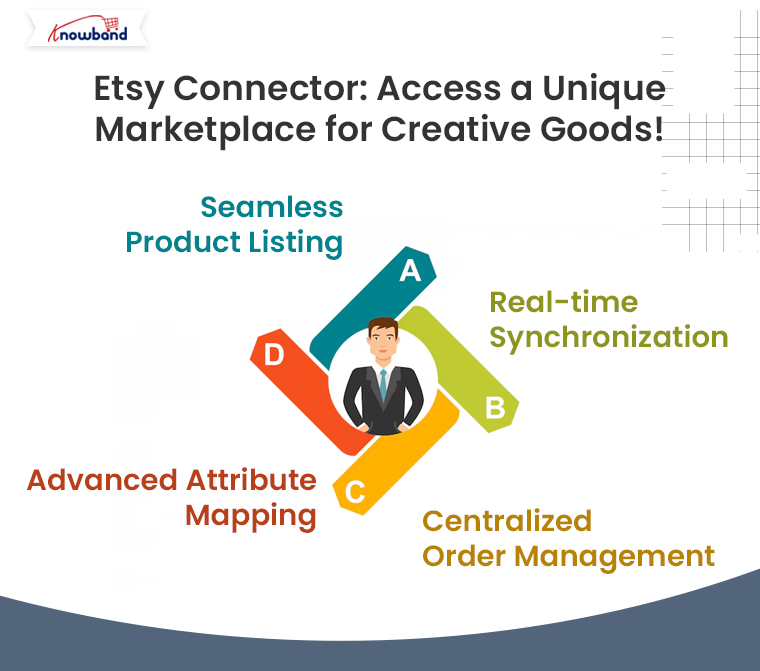
  • Seamless Product Listing: Effortlessly upload your store’s products to Etsy, complete with titles, descriptions, and pricing.
  • Real-time Synchronization: Keep your store’s product data in sync with Etsy, ensuring accurate inventory and pricing across platforms.
  • Centralized Order Management: Process all Etsy orders from your eCommerce store’s backend for streamlined order fulfillment.
  • Advanced Attribute Mapping: Map your store’s attributes with Etsy’s specific product requirements to ensure proper product categorization.

With the Prestashop Etsy Connector Addon, your store can tap into Etsy’s niche market, helping you reach customers who appreciate craftsmanship, artistry, and creativity.

Google Shopping Connector: Boost Your Product Visibility on Google!

With Google Shopping, your products can appear in front of millions of shoppers actively searching for items like yours. Moreover, Knowband’s Google Shopping Connector for Prestashop helps you showcase your store’s products on Google Shopping effortlessly.

Key Features:

Product Feed Management: Easily create and upload a Google Shopping product feed with all the necessary data (product titles, descriptions, prices, etc.).

  • Automated Sync: Ensure real-time updates for product information and pricing across your store and Google Shopping.
  • Category Mapping: Map your store’s categories with Google Shopping’s requirements for better targeting.

By using Knowband’s Google Shopping Connector, you’ll increase your product’s visibility across Google’s powerful shopping ads, driving more traffic to your store and boosting your sales.

How Knowband’s Connectors Simplify Your Multichannel Selling?

Using Knowband’s connectors offers numerous advantages for businesses of all sizes:

  • Time Efficiency: No need to manually upload products or update inventory. Furthermore, the automated synchronization keeps everything in order, freeing up time to focus on other aspects of your business.
  • Accuracy: Eliminate the risk of overselling with real-time inventory updates.
  • Improved Order Management: All orders, whether from your store or other platforms, are managed in one place, simplifying fulfillment and customer service.
  • Easy Setup: Our connectors are designed for ease of use. With intuitive interfaces, you can quickly set up the integration without technical expertise.

Take Your Store to New Heights with Knowband’s Connectors!

If you want to expand your store’s reach and tap into the enormous potential of platforms like eBay, Etsy, and Google Shopping, Knowband’s connectors offer the perfect solution. By integrating your eCommerce store with these platforms, you can increase your visibility, reach more customers, and ultimately, grow your sales.

You may also like to read:
See how this free connector simplifies Etsy integration for your PrestaShop store and enhances marketplace reach. Read More

PrestaShop to Shopify Migration: Things to Consider before Moving Your Store Platform

In the ever-evolving world of e-commerce, businesses must adapt to changing market trends and customer expectations to remain competitive. One crucial decision that online store owners may face is whether to migrate from their current platform to a new one. In recent years, PrestaShop to Shopify migration has gained popularity due to Shopify’s user-friendly interface and robust features. However, before making the leap, there are several essential factors to consider.


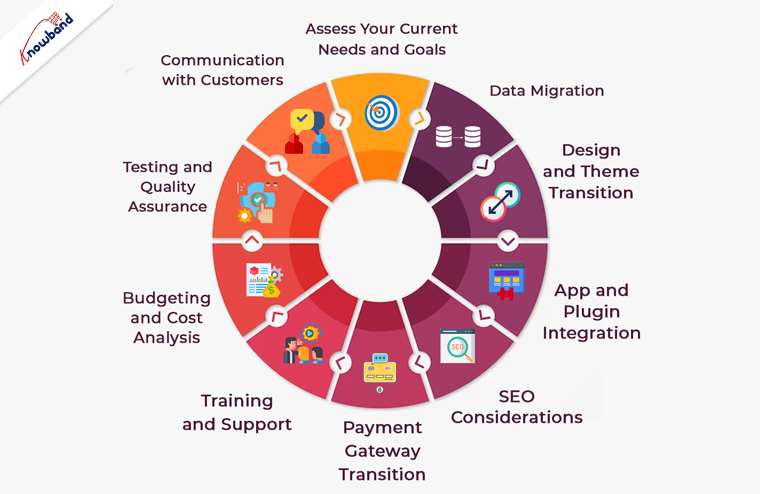
1. Assess Your Current Needs and Goals:

Before initiating a migration, it’s vital to understand your current e-commerce needs and long-term goals. Moreover, you should take a close look at your PrestaShop store and identify any shortcomings or limitations.

You can consider factors like scalability, customization options, and the ability to implement future changes. Furthermore, Shopify offers a wide range of features, but it’s essential to ensure they align with your specific business requirements.

2. Data Migration:

One of the most critical aspects of migrating from PrestaShop to Shopify is data transfer. This encompasses product listings, client details, past order records, and additional data. Therefore, ensure that your data is organized and cleaned before the migration process begins. Moreover, Shopify provides several tools and services to facilitate data migration, but a meticulous approach is necessary to avoid data loss or inaccuracies during the transition.

3. SEO Considerations:

Maintaining your website’s SEO ranking is crucial during a platform migration. Be prepared to update and redirect your URLs to prevent any loss in search engine visibility. Make a list of all your PrestaShop URLs and set up 301 redirects in your new Shopify store. Additionally, create an XML sitemap and submit it to search engines to help them index your new site quickly.

4. Design and Theme Transition:

The look and feel of your online store play a significant role in customer engagement. If you have a custom PrestaShop theme, you’ll need to recreate or find a similar one for Shopify.Shopify provides a diverse selection of themes, which include both free and premium choices.Thus, you can ensure that the selected theme aligns with your brand identity and provides an excellent user experience.

5. App and Plugin Integration:

Both PrestaShop and Shopify have their ecosystems of apps and plugins to extend functionality. Therefore, as an eCommerce shop admin you should always identify the essential Prestashop addons and integrations your business relies on and check if they are available on the Shopify platform. While Shopify has an extensive app store, some specific apps may not be available, which could impact your business operations.

6. Payment Gateway Transition:

The processing of payments is a vital element of every e-commerce establishment.Shopify supports various payment gateways, but the ones you were using on PrestaShop may not be the same.
Research the available payment options on Shopify and ensure they meet your business needs. Additionally, plan for a seamless transition to minimize any disruption in your revenue stream.

7. Training and Support:

Shopify is known for its user-friendly interface, but it’s essential to invest time in learning the platform thoroughly. Take advantage of Shopify’s extensive documentation and support resources to familiarize yourself with its features and capabilities. Consider providing training to your staff if necessary to ensure a smooth transition.

8. Budgeting and Cost Analysis:

Migrating from PrestaShop to Shopify involves various costs, including subscription fees, theme purchases, app subscriptions, and potential design and development expenses.
Thus, create a detailed budget to account for these costs and assess whether the benefits of moving to Shopify justify the investment.

9. Testing and Quality Assurance:

Before making your Shopify store live, thoroughly test all aspects of the website, including functionality, design, and data accuracy. Test the checkout process, navigation, and user accounts to ensure a seamless customer experience. Address any issues or glitches promptly to avoid customer dissatisfaction.
10. Communication with Customers:

Keep your customers informed throughout the migration process. Notify them in advance of any planned downtime or temporary disruptions to your online store’s services. Provide clear instructions on how they can access your new Shopify-based website. Effective communication can help maintain customer trust and loyalty during the transition.

In the End!

In conclusion, migrating from PrestaShop to Shopify can be a beneficial move for your e-commerce business if done thoughtfully and strategically.
Furthermore, careful planning, attention to detail, and thorough testing are essential to ensure a successful transition. By considering these key factors, you can make the migration process as smooth as possible and position your online store for growth and success in the competitive e-commerce landscape.
At Knowband with 13+ years of technical expertise in Web and App development, we also offer custom development and platform migration services. In case you have any queries, you can also find us at our official email address support@knowband.com. 

You can also visit:

Prestashop eBay Marketplace Integration Extension

Prestashop Google Shopping Integration Addon

Prestashop Etsy Integration Addon


How to Increase PrestaShop Store Conversion?

Our daily lives now mostly revolve around e-commerce. Online retailers see a daily increase in customer purchases. Making an e-commerce site is no longer a challenging task because of the many shopping carts that are currently available on the market. The importance of gauging a site’s effectiveness is growing, meanwhile, as online retailers compete more fiercely. For any online business, the biggest challenge is to increase the conversion rate of their store.

This article has suggestions about Prestashop modules which are very helpful in increasing conversion. It is proven that the Prestashop plugin’s integration and usage when done correctly can bring out the best possible results. 

What is the Conversion Rate?

The percentage of visitors who click on your e-commerce website or landing page that converts or completes the desired activity is the e-commerce conversion rate. Conversion actions can be in several categories, such as clicking a link on your website, responding to a survey or form, adding products to an online shopping cart, subscribing to a service, or signing up for an email newsletter.

The portion of an organization’s online purchases that result in sales is the conversion rate percentage. Divide the total number of conversions by the total number of PrestaShop visitors for your e-commerce company, then multiply the result by 100 to find the conversion rate. You can substitute the visitor’s number for the average conversion rate when calculating the conversion rate.

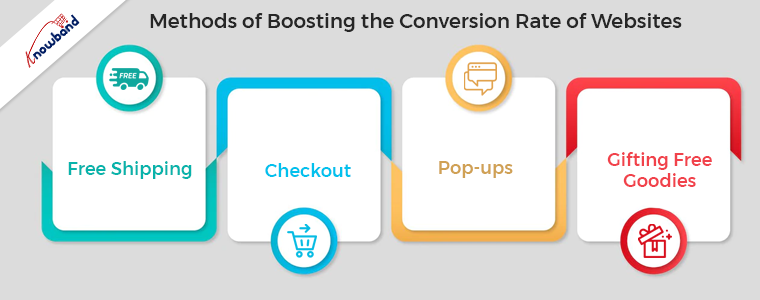
Methods of Boosting the Conversion Rate of PrestaShop Store

1. Free Shipping

With every transaction, free shipping is a welcome bonus. According to studies, a major proportion of buyers select a delivery-only store. PrestaShop Free shipping is one of the best ways to boost your conversion rate. This is possible to accomplish by including the cost of delivery in the cost of the goods and by using various free shipping manager Prestashop plugins for the same. For example, free delivery on purchases over a certain amount is there to allow users to buy without hesitation. Customers will have the inspiration to shop on your website with that kind of approach. So, the free shipping manager plugin of Prestashop is very important for the store’s success.

2. Pop-ups

The eye-catching nature of pop-up windows tempts website users to click or take particular actions. It is a tool that is useful to increase the length of time visitors stay on a website. Moreover, it is very useful to offer discounts or free delivery for carrying out a small survey, and more. The Prestashop exit pop-up plugin window improvement is possible in terms of both appearance and content. Moreover, it serves as a subtle incentive for visitors to stay on the website. An exit pop-up overload on the website should not happen at all costs and should be there on the website to offer deals. Prestashop exit pop-up is best to increase the conversion of the store.

3. Checkout

An increase in conversion rates is possible with improvements to the checkout method and the avoidance of default lengthy checkouts. This will result in less cart abandonment and increased conversions. A checkout page should be user-friendly, responsive, and balanced in style and format. The Prestashop one-page checkout module is simple to sign up for and offers full layout customization. It is the best and most distinctive because it accepts a range of payment methods and shipping choices. The number of themes is compatible with the most recent version of the Prestashop One Page Checkout module. Single-Page Checkout of Prestashop speeds up the process, improving the checkout page. Some of the features of a successful checkout method are present below:

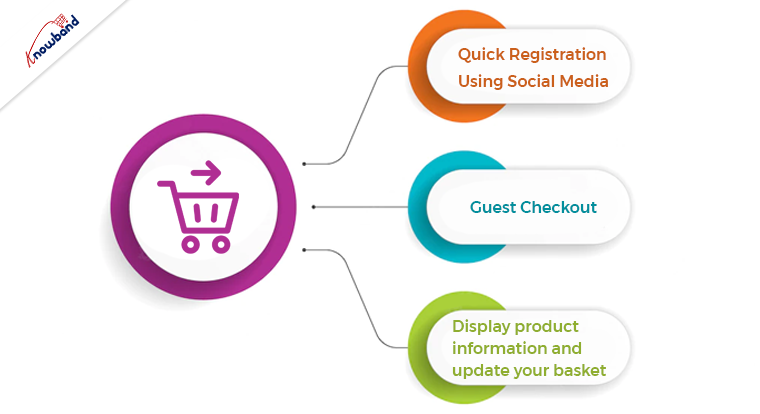
Quick Registration Using Social Media:

The new login fad is “social login,” which greatly boosts registrations. Facebook and Google are present as alternate social login options through the Prestashop one-page checkout plugin. While saving time, the store owner receives more complete information.

Guest Checkout:

This Prestashop one-page checkout module includes the Guest Checkout option. Thanks to this feature, customers won’t need to spend time filling out a lengthy registration form. Instead of leaving the cart empty if a consumer chooses not to sign in, they can finish a guest checkout. The customer can go to the checkout if they have previously registered with the store.

Display product information and update your basket:

The cart fields, like the checkout field, are customizable. With Prestashop’s one-page checkout, you can define which cart components you want customers to see. The administrator can remove the voucher entries from the Cart page. For example, there aren’t many fields that are readily visible to both registered users and visitors.

4. Gifting Free Goodies

Customers love to receive physical gifts, and if they are having them for free, it makes them come back for more. The gifts are for visitors after they purchase a certain fixed amount. The gifting feature of the Prestashop gift the product plugin is very useful for such instances, as it provides gifts depending on various conditions. The e-commerce admin users can set up the Prestashop gift product module for the enhancement of conversion rates. It is duly noticed that if users see gifts are on sale, then they tend to purchase that amount. Implementing the Prestashop Free goodies addon is one of the best conversion-boosting ideas for implementing in eCommerce stores.

Wrapping It Up

In this article, we discussed how to increase eCommerce store conversions. We have other tested methods for boosting conversions on eCommerce sites using Prestashop plugins. Furthermore, if you have an interest in learning more methods, please connect with us at support@knowband.com. Kindly let us know if you need any custom developments for your business or related to our Prestashop modules. We are here to assist you with any concerns or issues related to our Prestashop modules.


How to Build a Prestashop Ecommerce Website?

Shifting offline business to online is the modern trend in the business industry. Not only does selling online benefit in various ways but also increases brand reach. Despite the trend, various merchants doubt in their minds that building an eCommerce website requires coding and technology. But the truth is, building an online business website does not take that much coding. Modern online platforms such as PrestaShop are incredible solutions for creating an eCommerce website without writing a single line of code.

Not only PrestaShop allows you to choose from a wide number of website configuration options but also, all the websites can be managed without technical experts.

Online sellers claim PrestaShop as the easiest platform for building and configuring the web front end. Moreover, PrestaShop offers a wide variety of pre-built themes and templates for merchants to pick for their online shop.

Create Your Online Shopping Website with the Help of Prestashop

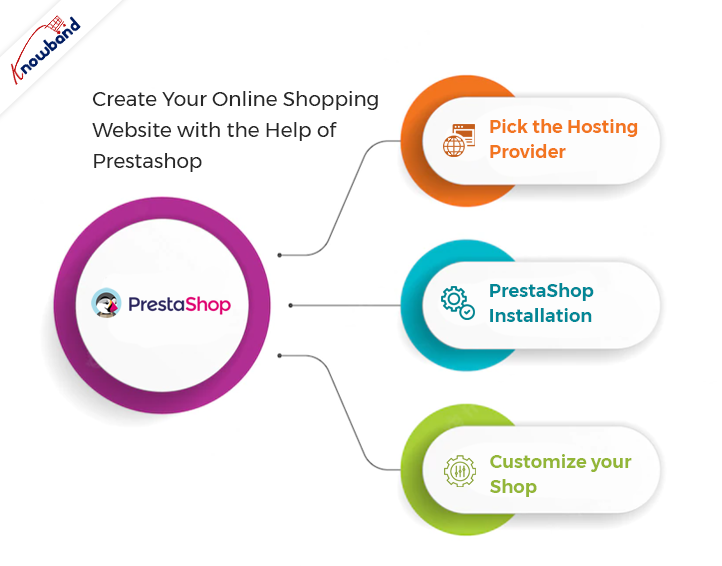
Pick the Hosting Provider:

The first step before going for PrestaShop no code website development is to choose a domain name and hosting provider. On top of that, there are a few things to be considered before choosing Presta Web hosting. For example, you should not always go for less expensive hosting plans. Rather you can also consider the storage capacity and speed somewhere top of your list.

There are various hosting providers available these days that come with a handy hosting plan. Not only the right hosting provider is going to important for your online shop but also the domain name is what attracts users to the website.

So, it is always good to choose the perfect domain name for your business.

PrestaShop Installation:

After choosing a fine hosting plan, the second and most important part is PrestaShop installation. Furthermore, you can visit the PrestaShop Official website for installing the PrestaShop on your Hosting server. There you will have options to choose from for the PrestaShop version for your store.

Visitors can also have an overview of the features and offerings of different PrestaShop versions. After finalizing the Presta online shop version, the next step comes as choosing the subscription plan. Pick the subscription plan as per your suitability and let’s discuss the next step.

Customize Your Shop:

Once complete the above steps successfully, the PrestaShop team will share the store admin details with you over the mail. Moreover, after getting logged in with the shared details you will get various options to customize your online store.

For instance, you can design the desired layout for your online eCommerce website using all the pre-built tools. Moreover, here are the steps to build an ideal Presta Online store.

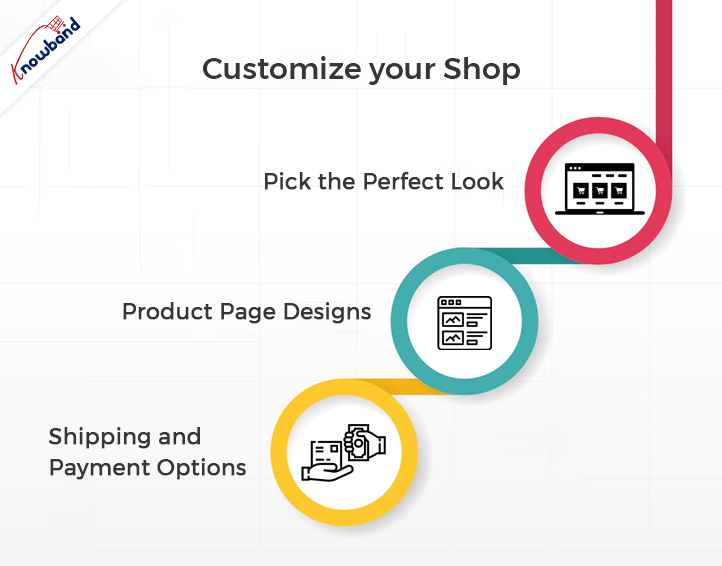
  • Pick the Perfect Look:


Online sellers can find unlimited options to customize their website looks. Moreover, they will require banners, logos, and brand images to customize their online shop. Not only they can choose the look and feel of their online shop using pre-built options offered by PrestaShop but also, they can modify the layout anytime.

  • Product Page Designs:

For this part, you should be very careful while putting information on product pages. Also, not only you should mention bright and accurate images of products but also should keep short and informational data. Moreover, it improves the chance of making up customers’ minds when they see relative and right-to-the-point information on the product page of their desired item.

Furthermore, the sellers which are willing to set up their PrestaShop online shop must keep the product page attractive for the store visitors. PrestaShop’s default tools allow you to design lucrative and enhancing product pages. However, if you are looking for adding additional customizations to your PrestaShop product pages. Knowband PrestaShop Product customizer and website decoration effect are two of the most useful add-ons.

  • Shipping and Payment Options:

After success in designing the home pages and product pages, the next step comes as defining shipping and payment options. In this step, you can add payment options as per your suitability. The most widely used payment methods on PrestaShop are PayPal, Cash on Delivery, Credit Cards, Google pay, and a lot more. Along with the payment methods, you can also design the shipping methods by applying various conditions from the PrestaShop backend.

Also, it is a must to keep the checkout process simple to increase customer engagement and reduce the cart abandonment rate. For instance, you can also use One Page Supercheckout offered by Knowband for keeping the checkout process simple for your customers.

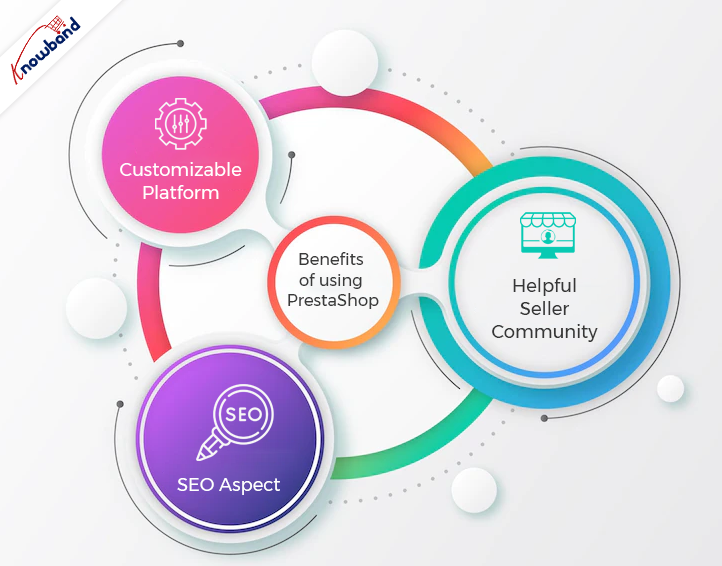
Benefits of Using PrestaShop eCommerce Website:

Customizable Platform:

PrestaShop is known for offering highly customization options. Not only PrestaShop offers online sellers to choose from over 2000 store templates but also the sellers can choose the existing themes or can even design one if feel required. Moreover, PrestaShop is a PHP-based platform. In case you know basic PHP coding, you can customize Presta at your convenience.
In case you don’t know to code and want to customize your online PrestaShop store you can use Knowband’s top Presta addons for your store. Not only the modules will allow you to enjoy additional features in your PrestaShop business but also does require zero PHP knowledge to manage.

Helpful Seller Community:

From the assistance perspective, PrestaShop is undoubtedly one of the fine choices. Moreover, in case you find yourself stuck in issues while setting up your online shop. You can find a lot of free assistance on PrestaShop forums (made for PrestaShop Support).

SEO Aspect:

If you want to boost your customer traffic using Search Engine Optimisation, the admins can also take aid from SEO tools. Moreover, it is a good practice to always use a clean website URL to putting a positive impact on visitors.

What’s the Catch?

If you looking for a proper no code eCommerce website development solution, PrestaShop is certainly the right choice. The reason behind the same is that it does not require much coding or technical skills to master PrestaShop Administrators.

At Knowband, we offer eCommerce website development solutions for the online seller community. You can hire to start work on your projects and custom developments for the eCommerce platforms.

We are also available at support@knowband.com for a quick discussion on your web and app development requirements.

Is the Prestashop Gift Card Manager integral for your store? Know more!

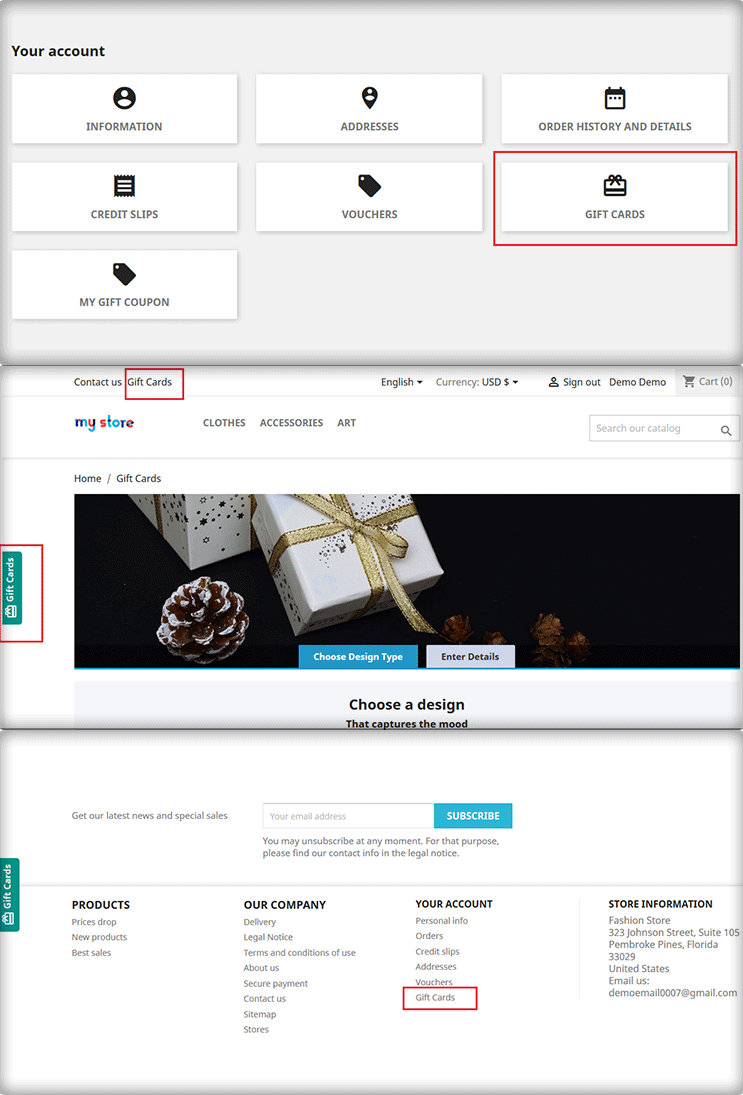
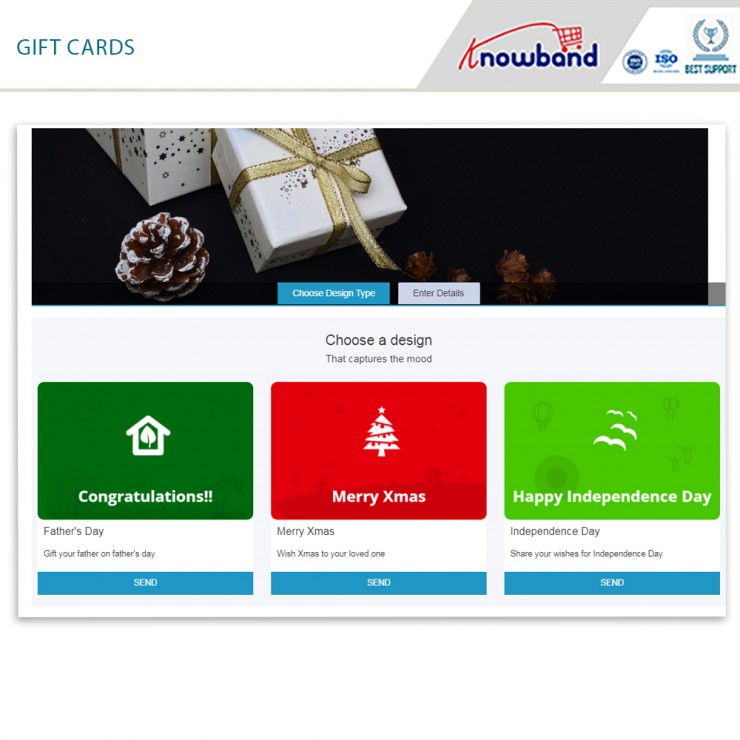
Prestashop gift card manager from Knowband is an essential tool for eCommerce marketers. In actuality, it is a highly helpful plugin for your business. With the Prestashop gift card, you can quickly add a section for gift certificates to your Prestashop store. Additionally, the Prestashop send gift card addon enables you to easily construct as many gift vouchers as you like. Customers may easily find the event for which they need a gift card as a consequence. You should also place an order for the same. Moreover, sales and revenue from your eCommerce firm will increase as a consequence.
We’ll look at some of the factors in this post to help you comprehend why the Prestashop gift module is essential for your store. Additionally, you may choose whether or not you want to install the addon.
How important is the Prestashop gift card manager by Knowband?

  • The simplicity with which gift cards may be bought and sold

The initial aspect of the Prestashop gift voucher module must be its ease of usage. You might also say that selling vouchers are simple thanks to the Prestashop module. From installing the Prestashop gift card module to enabling customers to buy gift cards, the entire process is easy. Furthermore, the module makes it simple to set the parameters. In fact, make any modifications you believe are required for the growth of your shop. Make as many gift cards as you’d like, place the portion where it will be seen the most, and so on.     

  • Partial use of the gift card

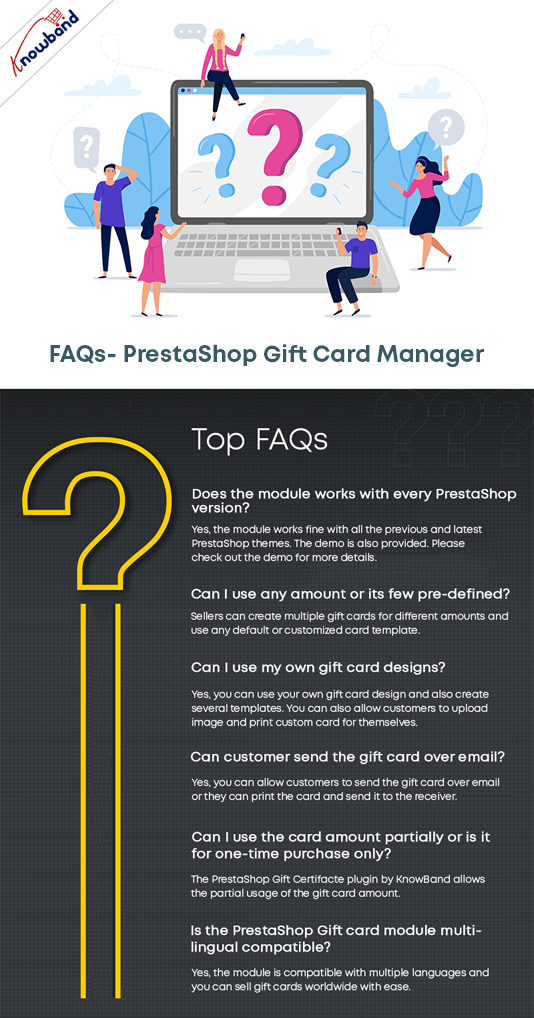
Without a doubt, this new enhancement changes the game. Additionally, customers may no longer use all of their gift cards. In actuality, they can use the same card for two different purchases. Additionally, the administrator has control over the voucher’s quantity and duration. It’s easy and simple to track orders.

  • Cron capability

Due to the possibility of mailing the gift card on the day of the event, customers will find it enticing. The Prestashop store manager can schedule the email distribution using Cron.

  • Compatibility with several stores and a variety of languages

The Prestashop gift card manager is multilingual. The administrator has the option of selecting a language for the email and communication layouts. In terms of eCommerce, it closes the communication gap that occurs between nations. The module supports several stores.

  • Order tracking with Gift Cards

If you can’t monitor a module’s performance, what good is it having one? As a consequence, the administrator may evaluate and monitor orders using the Knowband Prestashop gift card. He has access to the backend of the plugin to achieve that.

Now, let us take a look at the options that you can make to be the best options for marketing gift vouchers.

How can we better market the gift cards?

  • Boost the prominence of gift cards

Do your clients have quick access to gift cards from the home page? Do gift cards fall under the navigation tree? Are you familiar with the gift card choices that are accessible to you as a consumer? Make sure to conspicuously display e-cards on your site and spread this data to your visitors via a variety of marketing methods. You should also give the customer a variety of design choices.

You can easily position the gift card choice where you think it will be seen the most by using the Prestashop gift card Addon by Knowband.

  • They are accessible on several devices

Make sure all of your customers are aware of gift cards if you’re just starting to use them. Additionally, they choose regardless of the communication or purchase channel. If you’ve been using this marketing mix for a while, you might want to think about creating channel-specific, one-of-a-kind promos. Making gift cards for certain marketing channels wouldn’t harm. For instance, social media, Google ads, and newsletters.

You may position the Prestashop gift module on your front end to make it more noticeable. Additionally, blog about them, mention them on your social media accounts and do more.

  • Digital cards with a festive theme can be made

Gift cards tend to sell like hotcakes over the holidays. Simply have the appropriate gift cards on hand for the appropriate times. In fact, you might market it as a limited supply of gift cards. Customers like receiving personalized service and providing accessibility to one-of-a-kind deals and promotions. The use of gift cards for promotional events is brilliant. In fact, make yourself noticeable and draw the audience’s attention.

  • Partner with other businesses

When and where do customers use your services the most commonly? Think about partnering with a non-competitive business and trading gift cards. Along with being a fantastic method to sell your goods or services, it’s also a successful approach to get new customers to come out and raise interest in your gift cards.

In the End

So, here we are!! The Prestashop gift card manager by Knowband is a stunning way to bring more customers to your store. Moreover, increase the sale and revenues of your store. What do you think? Do you wish to have a gift card section on your website? You can connect with us at support@knowband.com with all your questions.