How To Create An Online Store With PrestaShop?

As more & more businesses are coming online, the competition among eCommerce companies is ever-increasing. To stand out among them while providing the most efficient online shopping experience to the online shoppers, having a professional functioning eCommerce website is a must. The PrestaShop eCommerce platform fits perfectly with that requirement.

Building an eCommerce website isn’t a piece of cake for everyone. A proper functioning store with appealing design doubles the audience and conversions for the business. PrestaShop is an open-source eCommerce solution with all the possible features that an eCommerce business (Start-up or Enterprise) would need. No need to indulge in coding or hiring a developer. Stick to the end of the write-up and you’ll be aware of the best possible way to achieve that.

The first thing that comes in the mind of someone willing to build/ design a PrestaShop website is the hosting space or localhost platform where the PrestaShop website can be installed. The rest is just designing & configuring the site. The options with PrestaShop are endless.

Where Can A PrestaShop Site Be Installed & Hosted?

You can either buy a domain & choose a hosting plan of your choice (shared/ VPS/ dedicated/ cloud hosting etc.). In the alternative, you can install your PrestaShop website on a web server solution stack package (like XAMPP, WAMP, MAMP) to design your PrestaShop website offline on your local computer. It can later be transferred & hosted to your choice of domain & server.

Websites Types To Build Using PrestaShop Platform:

You can opt to build an eCommerce PrestaShop website (with all the payments & shipment configurations set in place) or you can also make a catalog website to simply display your brick & mortar shop (with no payment & shipment options). Being a brick & mortar shop owner, if you also sell on sites like Amazon, you can also equip your catalog site with your products’ affiliate links.

This article will give you a deep insight into efficiently making an eCommerce PrestaShop website. Follow along until the end of this article for step-by-step guidance.

Main Steps For Building A PrestaShop eCommerce Website:

Step 1: Download PrestaShop from the official PrestaShop website.
Step 2: Name your store & choose from a pre-existing theme template or create your own.
Step 3: Upload your website logo or a sample image for your logo.
Step 4: Add products to your catalog & add a relevant product description.
Step 5: For your PrestaShop eCommerce site, set up the payment methods of your choice.
Step 6: Set up the shipment configuration.
Step 7: Activate your PrestaShop website & it will be live on your domain.
Step 8: Start to sell online. You can manage the orders, customers’ data & even edit your site later on whenever needed.

How To Design A PrestaShop eCommerce Website?

1. Choose A Customizable Theme:

You can choose a PrestaShop theme that fits your needs but make sure that it is customizable to a good extent as well. Design an elegant & professional looking PrestaShop website aligning with business model & customers’ needs. You can customize your theme colors, change fonts, layouts & typography. If you plan to design your theme, ensure that it is responsive on mobile devices too.

2. Set Up Your Product Catalog:

On the website backend, in the catalog section, add & list the products on your website. If you are a bit experienced with the eCommerce industry, you must be aware that products can be easily bulk uploaded using mediums like ‘.csv’ files. PrestaShop allows that & makes cataloging convenient. Make sure to use a unique product ID for each product because when the same ids are encountered, the older products get overwritten.

3. Set Up Payment Methods:
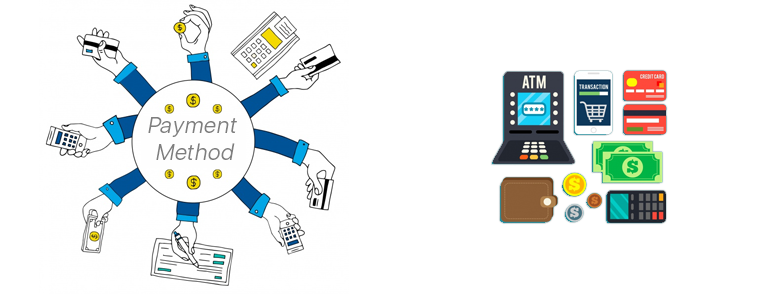

The easiest payment option to configure on PrestaShop is PayPal. You can add more such as debit/ credit cards, e-Wallets, Net Banking/ Mobile Banking, Pay-On-Delivery, etc. to make it easier for website visitors to use their preferred method of payment. You can also configure multiple currencies if you are serving in multiple countries. Make sure to have secure payment gateways. Keep your whole PrestaShop website secure by installing an SSL certificate.

4. Shipment & Order Delivery:

Based on the location of your business & the location of the potential customers you are serving, choose the right shipment company. Some of the worldwide popular ones are FedEx, DHL, etc.

These are the basic things to get your PrestaShop site up and running. Later on, you can add more customization, add admins & editors with selective privileges, add support for multiple languages, add CMS pages for information like the ‘about us’ page, ‘contact-us’ page, etc. Install 3rd party modules to add more functionalities to your website, transform your site into a Mobile App, & a lot more.
If you need any expert assistance while PrestaShop development and designing, reach out to us at support@knowband.com. Our experts at KnowBand, a leading eCommerce Solutions Company, would be more than happy to assist you.

We, at KnowBand, offers everything for PrestaShop Stores along with development services. Check our best-in-class extensions and add more functionalities on your website:

That’s not all. Here are 500+ such amazing plugins. Check all of them from here.

Tips To Customize PrestaShop Website For Good Friday & Easter Sale

In most of the holiday seasons, e-shoppers are very active & excited when it comes to online shopping. Irrespective of the religion, online shopping is something every netizen engages in. The upcoming festival is Easter & Good Friday, & we have already started to see some eCommerce websites giving teasers of their holiday season based sale. For all eCommerce website owners, here are some of the PrestaShop website customization that should be tried out for sale boosting strategies in the e-store.

This article is helpful for eCommerce businesses with their website built on PrestaShop. With PrestaShop, it becomes very convenient for e-store admins to customize their website in-line with the theme of Easter / Good-Friday. Some of those useful customizations are mentioned below:

1. PrestaShop Hooks for Easter & Good Friday:

Hooks in PrestaShop are images that can be used just for display or as a hyperlink too. Hooks are something that is primarily utilized to highlight anything. To highlight the offers, new arrivals, Easter goodies, etc. use various hooks on your home-page, footer, sidebar, etc. & keep the user informed.

a) Action Hooks:

These sorts of hooks allow the images to have hyperlinks. So, these hooks are clickable & hence can be used to redirect the site visitor to a relevant page. Use easter images & redirect the user to a specific product/ category page. These kinds of hooks also act like a CTA ( Call to Action ) & must be placed strategically to get better click-through-rate & hence conversions.

b) Display Hooks:

Just as its name suggests, display hooks are merely just plain images. These hooks don’t allow adding of hyperlinks & are simply to display only. For your Easter sale, use the images with some informative & catchy text to let your users know about various ways they would benefit from your Easter Sale. Show your coupon codes, promotional offers & more on these display hooks.

Apart from creating these hooks, a good amount of attention must be given to their placement as well. Some common areas where hooks can be placed are:
a) Multiple areas on the homepage.
c) Left/ Right widget areas.
d) Footer.

2. Top Side Banner Customizations:

PrestaShop has the top banner configured by default which e-store admins can simply enable & disable. You must be having any special discounts or easter coupon codes for sale. Display them to the users on this top banner. This thin banner, on the extreme top of the page, is easily visible to your site visitors.

3. Notify Your Customers:

Using web notifications, push notifications & emails, let your customers know the reasons why they shouldn’t miss out on the Easter / Good Friday Sale. Lure them with promotional offers & referral programs. From the backend of your PrestaShop site, you can create & send these notifications to your existing customers. If you own a PrestaShop Mobile App as well, send in-app Push Notifications to your Mobile App users.

Wondering how to build a PrestaShop App from your website? Try the PrestaShop Mobile App Builder module to launch an eCommerce Mobile App.

4. Offer Limited-Time Discounts As Well:

Keep your easter special discounts & coupons valid only for a limited time duration & keep your site visitors aware of that. This is one of the instances why sales during such festivals go high. You can also design a time-based countdown banner. Seeing the countdown timer running, more e-shoppers are likely to engage with it & the offers mentioned on it.

5. Gamify Some Easter Based CTAs:

Rather than using simple CTA (Call To Action) elements on your page, use a few gamified versions of them. Such as the ‘Spin & Win Discount Wheel’ or an interactive Easter Bunny kind of lottery quiz.

You can also add a PrestaShop Scratch card to your eCommerce store to increase customer engagement. Since Easter is celebrated for the resurrection of Jesus, why not design the scratch card with an Easter theme that attracts visitors.

Another way to show your warmth on the day of Easter is by offering reward points or loyalty points to your PreatShop customer. Customers will relish the opportunity and with the right eligibility rules, this also increases the average cart value and accelerates your business.

Wrap Up

There were some of the PrestaShop Customization tips that, I hope, can help you in preparing your PrestaShop website for the upcoming sale season. With PrestaShop being an open-source module, you can make many more customizations by simply utilizing various of its backend features & 3rd party modules, or even custom-designed codes. Now it’s up to you to make the best out of this festival & to serve your customers in delightful ways this Easter.

Hence, for any such requirement, drop us a message at support@knowband.com or visit KnowBand.

Are Customization On PrestaShop Website Are Really Necessary?

Having a website truly in line with the objectives of the business is what most online store owners want. For that, PrestaShop website customization plays a huge role. For eCommerce websites on PrestaShop, modifications & customizations are necessary to optimally run the website. Although PrestaShop, by default, has almost every possible feature, it still allows unlimited types of customizations in design & functionalities.

Making use of such an open-source platform can prove to be rewarding for businesses in terms of increasing revenue & building a better brand reputation. Hence, this article aims to elaborate on some of such PrestaShop website customizations and why they are necessary for eCommerce businesses. Below are the factors proving why the customizations are a necessity:

1. Improvements In UI & UX:

Making modifications in a PrestaShop site or App helps improve the User Interface & User Experience. For instance, customizing a navigation bar/ menu & making it a sticky menu with all the relevant links can make the navigation process simpler for the site visitors. Many more elements on the website can be customized to make the website more convenient for usage.

2. Additional Functionalities:

Adding customizations is not limited to just adding graphical & aesthetic edits. Many additional functionalities like chatbots, gamified subscriptions, social login & sharing can be introduced into a PrestaShop website. Having such a well-optimized eCommerce website usually gets better responses & reviews from its customers leading to a better online reputation.

3. Payment Gateways:

Based on the needs, an eCommerce business on PrestaShop can set up many different kinds of payment options. Not every potential customer could be using a conventional mode of payment. So, it is good to have multiple options to improve the shopping experience for the users.

4. Checkout Processes:

The lengthy process for checkout can be simplified by introducing simple one page checkout customization. Make your checkout pages having some pre-filled data from the previous purchases. Alternatively, an address book can be added to the user’s account details area. Hence, during checkout, the user will have to simply choose an address from the list, instead of manually typing the entire address.

5. Homepage Customization:

The homepage is the face of a website & it must briefly reflect the contents & objective of the entire website. That’s the reason why most eCommerce giants keep changing the look of their homepage from time to time. Taking the example of an apparels’ e-store, for instance, they keep upgrading their homepage according to the seasonal new arrivals & sale for example- fall collection, spring collection, end-of-season sale, black Friday sale, etc.. This helps the site visitors to be aware of the latest trends & products available on that e-store.

Tip: Utilize the action hooks to set links on the homepage’s images to redirect your customers to relevant products or categories.

6. Footer Customization:

Footer is an element that can mostly be accessed from any page of a website. A majority of the shoppers have the tendency to go bottom in search of useful links. So, be sure to have all the useful information on your website footer. Some of the common links are ‘My Account’ / Sign-In options, sitemap, list of main categories, privacy policy page link, website certification logos, payment options, customer support link, etc.

7. Chat Support Option:

To keep up with all the issues/queries reported of online shoppers & get them resolved using simpler & effective mediums, integrate chat support on your website.  You may choose from any of the popular platforms like Whatsapp, Zopim, & others. More & more netizens are preferring to initially communicate with a business using chatbots before actually making the purchase. So, keeping up with the trend, add a suitable chat channel on your website.

Ending Comments:

A lot more is possible with such customized functionalities. It’s up to businesses to utilize the necessary features & make their website more user-friendly, functional & sales-driving than it used to be. For the above discussed or any other sort of customization functionalities, drop us a message us at support@knowband.com or visit KnowBand.

PrestaShop Store Design Essentials For Non Designers

In the past decade, there have been witnesses a shift of online retailers from conventional methods to eCommerce domains. Out of those, having its eCommerce website has been & will continue to be a prominent method. But, designing an online website can be a bit complicated for nontechnical e-merchants. Other than that, a well designed and featured store increase user engagement and bring sales.

PrestaShop, one of the popular eCommerce platforms, makes it easy for e-store owners to not only have their functional website showcasing brand but also an eCommerce app. If you wish to design your PrestaShop store but you aren’t an eCommerce web designer, then this article is for you. This write-up aims to make the non-designers aware of some of the essential features that must be considered while designing a PrestaShop website. Take a look at them:

#1. PrestaShop Theme Design:

Although you can choose any pre-designed theme for your PrestaShop site, be sure to go for a responsive one. Also, you may need to make any theme changes in the future. Hence, the theme should be compatible enough to handle any edits that could be needed in the future.

#2. Infinite Scrolling:

Aid your visitors from manually scrolling by adding ‘infinite scrolling’ on your PrestaShop website. Having this feature on your e-store makes it easy for your e-shoppers to navigate without the complexity of pagination. It improves the user experience of the store. Check out the pre-developed Infinite Scroll plugin.

👉Explore the Module with Our Video Guide

#3. Labels & Batches:

Add labels & batches on products while designing your PrestaShop website. For instance, ‘Best Seller’, ‘Special Offer’ etc. These not only highlight products but also encourage visitors to purchase them.

#4. Search Bar:

Make the navigation easier for users by adding a search bar, preferably on the sticky navigation menu, that allows them to search for any product in your e-store.

#5. Sorting & Filtering:

Add options for sorting & filtering that are relevant for your products under each category. For instance, the apparels category could have filters of ‘new arrivals’, ‘size’, ‘color’, ‘fit’, etc. whereas the grocery category could have filters like ‘organic’, ‘vegan’, etc.

#6. Social Login & Sharing Channel:

Make the user onboarding simpler by adding social sign-up & login options. Also, have social sharing links on product pages & other pages on your site.

#7. Checkouts & Payments:

Most eCommerce websites have one-page checkout with multiple entries at a single screen. This makes the checkout and order submission quick. Make your checkout process as seamless as it could.

Add all preferred payment options keeping in consideration your audiences. Keep payment gateways secure & procedure simple for better user experience.

#8. Design For Better Retention & Loyalty:

To have your pre-existing customers returning to your site for shopping is an achievement. It means that your customers were satisfied with their initial purchase & are willing to spend more. This collectively improves user retention & loyalty. So, a well sought out design must be chosen on mostly all the elements of your site design.

#9. Design CTAs:

Add relevant CTA sources like buttons, banners, etc. CTAs can also be in the form of an opt-in popup for enrollment into a lottery, any offer or even newsletter subscription, etc.

Also, pay focus on their placement as you can showcase the upcoming sale banners, vouchers, coupons, referral programs, & loyalty programs, etc. Having a great design & strategy for your Call-To-Action sources can help your customers get better deals & it also helps the e-store owners in bagging more profits.

#10. Responsive Design:

Last but not least. Whatever new elements you plan to design & add on your PrestaShop store, make sure they function on the mobile devices’ browsers too. For that, you must have a responsive design. This approach ensures improved user experience on all devices.

Wrap Up

PrestaShop is comparatively an easy-to-use eCommerce Solution even for non-designers. Being an open-source platform, it allows unlimited modifications. Such PrestaShop Store Design can not only make your website design stand out but also help to improve user experience, add more functionality which can then boost your sales & revenue. Drop us a message at support@knowband.com or visit KnowBand for all sorts of designing and customization needs.

Must-Have PrestaShop Website Customization To Boost Sales

Creating a PrestaShop website with your choice of theme is just the beginning of your business idea. To make it available for the front-end online shoppers & stand out from fellow competitors, you must add some additional modifications. These enhancements/additions are to make your e-store uniquely tailored to serve your customers in a better way.

No matter what modifications we make & what marketing strategy we follow, it is always worthy to have certain PrestaShop store customizations that can boost your sales & optimize your conversion rates. In this write-up, we will be seeing many such ways for the growth of the online eCommerce business.

#1. Home-Page Customization:

Use in-built features offered by PrestaShop eCommerce platforms to add relevant banners & attract more customers by showcasing new offers, discounts. Utilize action & display hooks to showcase products along with engaging graphics to lure your customers. Home-page is the face of a website so customize it according to the customer-centric approach. Also, keep your footer content relevant & useful for customers because the same is visible on multiple pages.

#2. Seamless Navigation:

Keep the user navigation efforts to be minimum & efficient. Set navigation bar as a sticky menu on both desktop & mobile website. Out of all categories on websites, make sure that the user doesn’t need to make more than 4 to 5 clicks to reach their choice of sub-categories or products.

#3. Language Support For Cross Border Business:

If you target internationally, make sure to serve your customers in their preferred languages. You can set it based on the location of your visitor or can manually let your customers set their choice of language while initial onboarding.

#4. Allow Personalized Recommendations:

You can instantly improve customer satisfaction, user experience & hence boost your sales by simply introducing personalization. These personalizations can also be made holistic by implementing them in ‘on-site’ browsing, personalized triggered emails, web/ push notifications, loyalty programs, advertisements. Some examples of triggered emails are welcome emails, abandoned cart emails, wishlist products’ price-drop emails, reactivation emails sent after inactivity, etc.

#5. Add A Chatbot:

More & more netizens are starting to prefer communicating to a company via chatbots. These chatbots could be a static one or even dynamic. Many chatbots can be easily automated to serve customers in a personalized way. You can also add live chat options or timed automated responses. Now, social messenger platforms are also offering static chatbots like Facebook messenger icon.

#6. Display Complementary Products:

Whenever a customer visits any product page, you can also recommend him/her with other products that are complementary to the initially visited product. This can be done for any category of products for instance, for apparels category, it can be made in the form of a lookbook.

#7. Pre-Fill The Checkout Entries:

Allow users to save the addresses. Use that data to prefill the checkout options. Similarly, payment preferences can also be pre-filled. Such options aid the checkout procedures & improve the overall customer experience.

#8. Loyalty Programs:

Treat your frequent shoppers with extra discounts like loyalty credit points, special coupons, etc. Having loyal & frequently returning shoppers are the best kind of customers an eCommerce business can have. They are usually also responsible for referring their friends to your shopping site/app. So, it’s good to offer them loyalty credits & awards to encourage them to shop more.

#9. Custom PrestaShop Module Development:

A lot of customizations can be made via simply using the pre-existing Prestashop modules. Such as ‘Returns Manager’ Module, ‘Spin & Win Discount Wheel’ Module, Lookbook Module, etc. The best thing about PrestaShop is being an open-source platform, any kind of module can be custom developed according to any kind of business needs.

#10. Mobile-Friendly Design:

Whichever thing you design in your PrestaShop website, make sure to make it responsive. This means that those designs should appear properly aligned on mobile devices & should be visually appealing with all its functionalities intact.

#11. Marketplace Integrations:

You can integrate other platforms on your PrestaShop site. Some examples are Amazon Integrations, Etsy Integration, etc. KnowBand offers various marketplace integrators for eCommerce. Check all of them from here.


Be sure to test all your customizations for quality assurance & debug wherever necessary. If you require any sort of PrestaShop Customization or any module on your site, feel free to speak to us at support@knowband.com.

A User-Centric Approach To Design A PrestaShop Website

To build an interactive & powerful eCommerce website, PrestaShop surely is a great option for all small businesses and biggies. The major benefit of PrestaShop website development is that the store admin can simply manage the entire website with a few tweaks which ultimately gives tremendous results in a matter of reach and sales.

By now, almost every eCommerce business is aware that they must serve their customers in a more personalized manner than ever. This has led e-businesses to take extensive measures & build loyalty with their audiences. Such a business pattern has improved the brand reputation of those companies & witnessing that more & more businesses have started to implement such designing in the store.

But in order to design a PrestaShop website with a customer point-of-view on the top, one must re-consider multiple factors than just conventionally designing an eCommerce website. This article aims to unfold various such parameters that help in designing a PrestaShop web-store with a great focus on improving user experience & satisfaction. Check the points discussed below to know further in detail:

#1. List Down Your Needs:

Determine whether you would be requiring a multi-vendor marketplace or just a single store. Similarly, lay out all your plans so that the concerned team can work on the best possible design for your PrestaShop website.

If you already have a PrestaShop website & you only need to redesign it, instead of building a new site, be clear on the checks and trends. After that, get along with your further move.

#2. Responsive Design:

Keep your PrestaShop website as an omnichannel. Because a lot of us access the internet via smartphone on a daily basis, the design of the store must be compatible with mobile devices as well aka responsive design.

In fact, eCommerce businesses are going a level up by not just having a responsive design but also having AMP (Accelerated Mobile Pages) or PWA (Progressive Web Apps) or even their own PrestaShop Mobile App. All these contribute to acquire & serve a variety of customers on all possible devices and browsers.

By default, PrestaShop is responsive. But if any custom re-designing is coded, then that must be manually made responsive as well to make it appear beautifully on the mobile devices.

#3. Include CTA’s:

Call-To-Action elements are really important as they are meant to attract visitors so that your business can acquire more leads. CTA is usually kept precise with a straightforward yet catchy message. It should urge the site visitors to interact & take action.

The most common one is a CTA Button for newsletter sign-up. Based on your purpose use any relevant CTA s on the webpage but make sure not to overdo it.

#4. Showcase Customer Reviews:

On the website product page, have a design that allows users to write reviews of the products purchased by them. Having such testimony influences others to purchase the products based on their reviews. It has also been found e-shoppers find it good to have genuine reviews on products. This ensures unbiased information on products and helps newbies in making the decision.

As per a survey, 84% of people trust product reviews as much as they trust their friends’ recommendations. So, it’s a trendy & must-have feature to offer honest reviews for the products.

#5. Seamless Navigation & Accessibility:

On any eCommerce website, it’s not ideal to have the products listed without proper categorization. Apart from just categorizing the products, each category/ sub-category must be arranged on the navigation-bar/ toggle- menu in a way that the customers don’t need to make more than 4 to 5 clicks to reach their choice. Also, have all other necessary links in the navigation menu.

Set the category URLs to be SEO friendly & have relevant thumb-nail images with alt tags on images’ source code. This further enhances your on-site SEO & makes your category image discoverable & reachable on search results.

#6. Product Page Design:

Depending on the product you are selling, add necessary fields like SKU, dimensions /weight, expiry date, stock availability, minimum quantity per order, shipping charges & taxes, deliverability in specific areas (Pincode), etc. Have the option to add a product to wishlist. Some eCommerce websites also allow users to create multiple wishlist folders which they can also share with their respective friends. This can also encourage the new visitors to set up a new account & contribute to increasing conversions on your eCommerce site.

Add the Social Sharing quick links for popular platforms like Facebook, WhatsApp, Pinterest, Instagram, custom URL, etc. Apart from product images, it’s also a trend to add a video about the product. It helps the customers to get a better view of various details about the product. This further helps to boost sales for that particular product. For instance, the assembly video of a DIY Wardrobe (like IKEA).

#7. Add A Chatbot:

Chatbots have the power to be statically/ dynamically serve the customers 24/7. Also, about 50% of the netizens prefer to initially connect with a company via their chatbots. So, incorporate a chatbot and let users share their queries with you. Static chatbots are quite affordable & can even be automated to some extent. Chatbots can also be integrated with AI technologies to offer more dynamic & human-like support. Choose the one according to your business requirements.

#8. Simplified Checkout Procedure:

A lengthy & complicated checkout process can churn the online shoppers leading to reduced satisfaction and retention. To avoid such downfalls, have quick checkout procedures by designing a One-Page Checkout on the website. Optimize it to have some pre-filled entries like previous addresses, phone no’s, etc. Nowadays, majority websites even have the previously used payment options saved for faster checkouts.

Guest checkouts are also getting trendy among eCommerce businesses. It is helpful for the new visitors who don’t want to go through lengthy signup processes & increase efforts in checkout.

#9. Secure Payment Methods:

Offer all reliable payment options on the store according to the audiences you are serving. Set up your payment gateways along with all required security factors. Keep the process simpler so that users don’t back out from checkouts & payments.

#10. Strategies For User Retention:

User retention plays a vital role in improving sales of the PrestaShop website as returning users come with the best chance for more purchases. Keep your eCommerce store design to be enough encouragement for users to keep coming back in the future for shopping. Relevant CTA’s can be used to achieve the same. Attractive and catchy upcoming sale banners with correct display of vouchers, coupons, referral programs or loyalty programs usually helps is user retention.

Conclusion:

All the above factors help in designing an eCommerce website that makes an ecosystem of personalized services for your customers. It’s all about giving great focus on how to serve your customers in a better way.

If you are willing to give your best in designing such a website, we suggest you connect with KnowBand Plugins or drop us an email at support@knowband.com. After all, in such a competitive retail environment, there mustn’t be any factors to slow down your business.

How To Design A PrestaShop Website With Sale Boosting Features?

Online shopping is in the trend and it is only growing with each passing day. If we look at the data, around 61% of users are opting for online product purchases worldwide. That makes eCommerce store a top-notch channel to sell products and generate revenue. But, competition is huge making a slight chance for you to achieve sales goals. In this article, we will be going through some of the brilliant ways to ease the task to design PrestaShop website. Having a pretty good design & functionalities is what makes your PrestaShop eCommerce website stand out from its competitors. The PrestaShop platform not only eases the task for e-store owners to easily design their site but also is visually appealing & convenient for users viewing the site.

Along with all the ease that comes with designing a PrestaShop website, putting some more efforts by adding sales-boosting features can further lead you to success. Follow along this article to know about all the various PrestaShop designs that can prove lucrative to sales.

Sale Booster Features For PrestaShop Website:

1. Social Sharing Options:

Design your site having social login options via Facebook, Google, etc. Also, add quick-access icons for the users letting them easily share web-pages & products on their social media channels. Being already logged in via social channels makes it really convenient for them to share on multiple channels. A word of recommendation received from friends is has proven to be quite good to organically get new leads even with minimal efforts.

2. Sort & Filter For Easy Search:

Making navigation less time-consuming for customers automatically improves their satisfaction with your services. Ultimately, it helps them buy what they wish with fewer efforts in searching. Design your filtering options keeping in mind about the different categories available on your PrestaShop website. For instance, filters like- ‘size’, ‘fit’, ‘color’, etc. for apparels & ‘OS’, ‘RAM’, etc. for smartphones. Both these categories can’t keep the same set of filters,

3. Labels & Batches:

Automate your website to label certain products as “Best Seller”, “Trending”, “Special Offer” depending on the products being sold on PrestaShop. Having such labels/batches set for some of the products can develop a better level of trust & usability among your customers. This way, more of your customers would be willing to buy such products giving you an instant lift in the sales of the labeled products.

4. Allow Reviews For Products:

Design your product pages having a review section on which users can write their feedback on the product & rate the same. The majority of online shoppers even prefer to have slight negative reviews on products for the sake of being unbiased. The reviews can prove valuable for new users visiting the products.

5. Infinite Scrolling:

Pagination or manual scroll is a traditional approach that can slow down the browsing pace of your customers. Add an infinite scrolling button. This allows automatic scrolling of products at a slow observable pace. Such functionalities strengthen the interface & allow users to shop quicker eventually boosting the sales. Check Infinite Scroll plugin for PrestaShop.

👉Explore the Module with Our Video Guide

6. Call-To-Action Sources (CTA’s):

Add relevant Call-To-Action buttons or other sources. Add at least 1 or 2 CTAs on each page & keep its content precise & catchy. Also, be sure to add tracking codes to them as well to measure the response received via these buttons.

7. Customer Retention & Loyalty:

The kind of customers who keep returning for more shopping is much valuable for any online retail business. Such customers are loyal ones & are even responsible for recommending your services to their friends and family. Hence, design your site in a way that you are able to retain more customers than just acquiring the new ones. Also, have some loyalty programs & credits to award your loyal customers.

8. Responsive Design:

Out of all the designs & customization that you make on your site, be sure that they are responsive i.e. functional on mobile browsers. More than half of netizens now are shopping via their smartphone & having any sort of glitch in your design for mobile browsers can make them backout from successful purchases.

9. Easier Navigation:

Design your navigation bar as a sticky menu for mobile & desktop browsers & even for the mobile app. No one wants to scroll all the back to the top just to access the navigation menu. Such factors that improve user shopping experience play a huge role in increasing the overall sales.

10. Checkout & Payment:

Keep the design of your checkout page to be user-friendly & less time-consuming. Have an alternate quick checkout page, for instance, the ‘One-Page-Checkout’. Also, you can allow your customers to set their address book. Having to simply choose the address from the saved list is way more convenient than manually entering the delivery address each time a customer shops.

Wrap Up:

With PrestaShop, plenty of designing options & customizations are available. With a good customer-centric approach, a lot can be achieved whether it’s for brand reputation or increasing sales. Such a PrestaShop store design is worth having & now, it’s your chance to give it a try. Drop us an email at support@knowband.com to discuss it with us.

Best Tips To Customize A PrestaShop Website

Selling products on an eCommerce website rely on the presentation & personalization of the products. In simple words, the functionalities, products, features, etc. should be matching to front-end client requirements. PrestaShop online store customization is all about adding new features and functionalities. While doing so, you must be taking some precautionary measures which will help in branding a unique image to the website without cluttering in any possible way.

The majority of the PrestaShop e-retailers happen to make at least some sort of custom change in their e-store. This is, in fact, a necessity for e-businesses to have a distinctive & unique touch to their eCommerce website. Most businesses opt for this to keep the look & feel of their website in-line with their own unique theme of their business. These customizations not only enhance the graphical design of a website but also contribute to adding more functionalities & improve the shopping experience.

Here are few such factors discussed below that can help you with customizing your eCommerce PrestaShop website.

#1. Customization Using Hooks:

Hooks are basically images that can be used for displaying informative images & also act like CTA sources. We can categorize them into two basic options:

A) Action Hooks:

These hooks are clickable & hence can be used to redirect the site visitor to a relevant page. These kinds of hooks require strategic configuration as their CTR would influence more engagement and sales.

B) Display Hooks:

These hooks are plain images simply for the purpose of displaying various things. Some common areas where hooks are placed:

a) Multiple positions on the homepage.
c) Left/ Right-aligned hooks.
d) Footer’s bottom area.

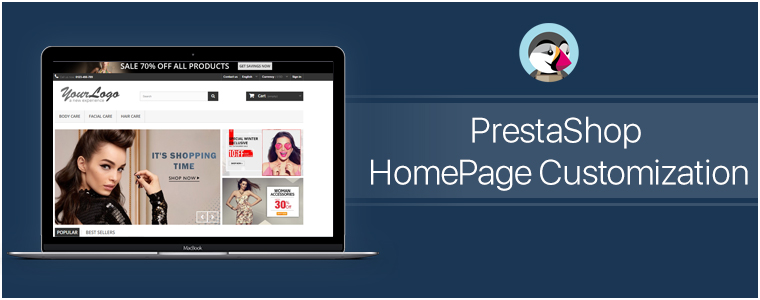
#2. PrestaShop HomePage Customization:

Generally, on the home-page, the area ‘above the fold’ is what gets the first view on a website. Similar to newspapers, websites also have the most important news highlights on the top half of their home page, such an approach to design & customize the PrestaShop homepage helps to engage customers in a more productive way. Some of the home-page designs that can be customized include:

● Sticky Navigation Menu/ Bar with Company Logo, Signup link, search box, etc.
● Slider Images with hyperlinks to relevant topics.
● Banner Images of selected categories of the products being sold on the e-store.
● Hyperlinked Infographic for sale, lotteries, offers, coupons, time-based flash-sale, new arrivals, brand launches.
● Widgets/ add-ons for social accounts like a Facebook block with like/share/follow buttons.
● Static/ dynamic chatbots.
● Gamified CTA (Call to Action) like ‘spin & win’ discount wheels or gamified newsletter/ notification subscriptions.
● Banners for top-seller/ top-brand.
By now, you would have probably realized how these additions would not only make such an e-store stand out for looks & functionalities but also serve the purpose of growing conversions.

A lot of these modifications can be made using the PrestaShop Modules. And because PrestaShop is an open-source eCommerce platform even more edits can be made by manually coding the required functionalities. So the eCommerce businesses on PrestaShop automatically get an additional advantage here to build their site according to their own unique business needs.

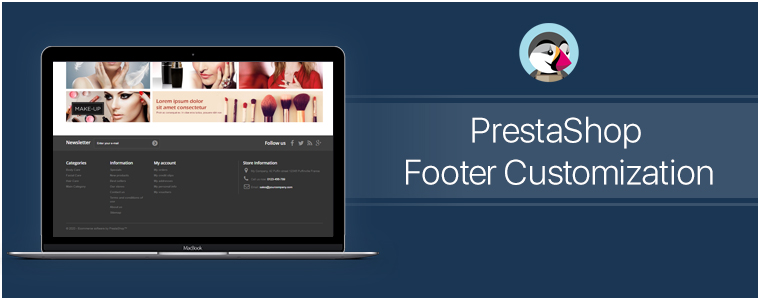
#3. PrestaShop Footer Customization:

The footer of the PrestaShop website enables the e-store admins to showcase various widgets & functionalities. Some can be added via PrestaShop Add-on Modules while some come pre-installed. Even more, can be added via coding or customization.

Footer, for all the webpages, is mostly kept common. So, it is crucial to have all the important things available in it. It offers instant access to your customers for all necessary links & information no matter where they’re displayed on the Prestashop website.

Few common footer customizations are listed below:
● Newsletter Signup Segment
● Social Channel Icons
● Sitemap (HTML Sitemap)
● Company Certifications & Payment Methods
● Quick Navigation Links
● Sign-in /Sign-up Links / ‘My Account’ section
● Contact details of the Company

#4. Other Customizations:

A) CMS Icons:

To display extra information about your PrestaShop store such as payment options, refund policies, etc, admin can use the CMS icons. Clicking them takes the user to the relevant page.

B) Top Side Banner:

This is a default feature that admins can enable/disable. This adds a thin banner on the extreme top of the page with the purpose to show the special offers, discounts, limited-time shipping, etc.

C) Social Sharing Icons/ Links:

With these icons, your e-shoppers can share the link of their choice of products with their friends, family & acquaintances. Prefer to add the links for Facebook, Pinterest, Whatsapp, etc.

Conclusion:

As they say, often little things make the biggest impact. Adding more customized functionalities to your store would help in the growth of the business. These just are a few examples of how PrestaShop Customization can be utilized. Apart from these, there are unlimited numbers of customizations that can be implemented. Feel free to discuss with us on support@knowband.com and get a quote for the required customizations.

Visit KnowBand Plugins to get eCommerce plugins for all platforms.