How To Improve the Sales of Your eCommerce Store?

An online website can be successfully launched by setting up an eCommerce store by keeping some key points in mind with strategy. Additionally, to boost eCommerce sales, you must develop a long-term strategy.

Using a campaign is a key component of eCommerce marketing to attract new clients and reward loyal ones. The correct tools will make it simple for you to put your ideas into practice and apply eCommerce methods for businesses of all sizes.

It’s not as difficult to increase the sales of your e-commerce website. It is not to be of use at the expense of your burnout. To help you achieve your targets, it’s typically a matter of a collection of tiny tactics working together in harmony.

Strategies to help you Increase eCommerce Sales:

Improving Checkout Process
To enhance customer experience and boost online sales, optimize your e-commerce store’s checkout flow. Cart abandonment is more likely to happen the longer a consumer takes to enter personal information and payment information. Some customers might not be eager to register before making a purchase. Others could only be at ease with a particular form of payment. Nevertheless, some people could find the website’s design puzzling.

The customer journey may be greatly streamlined and sales increase by making little adjustments. These adjustments can be including guest checkouts, numerous payment methods, incorporating CTA buttons into items, and making it simple to reset passwords. This is a straightforward but incredibly powerful strategy for increasing e-commerce sales.

You can use one-page checkout solution to make your checkout better. The one-step checkout plugin of our company is also well recommended by our customers which you can use for the same.

Building An Email List

Building an email list for your e-commerce company may at first seem like an overwhelming task. But there are various approaches you can take without creating the list from scratch.

Several important business-building tasks are not complete until you create a tribe of devoted clients. People who have previously expressed an interest in your items are your loyal customers and you can reach out to them. You are having authority to distribute promotional materials without spending money on social media advertisements. Because your clients choose to receive more information from you via email rather than from paid advertisements, email marketing is extremely effective. Furthermore, unlike social media platforms, your email list is completely under your control.

You can use some eCommerce plugins like exit popups to lure customers to enter their email and register on the website. Moreover, using the abandoned cart module, you can get the customer’s email which you can use in the future for marketing campaigns.

Utilize SEO Plugins
Your organic traffic will improve if you optimize your e-commerce site for search engines. Especially if you can appear on Google’s first page of results for a particular phrase. Additionally, everyone enjoys free traffic on their website. I understand if the mention of SEO makes you want to flee as the discipline of SEO is a formidable one.

However, SEO for e-commerce stores isn’t that time-consuming. Furthermore, you can choose from a variety of fantastic plugins to make the process simpler. These plugins come in a variety of price points some are not free, some are free. When these are usable to their full extent, they are generally inexpensive and offer a fantastic return on investment.

Utilize Scarcity to Persuade Individuals to Take Action

To increase eCommerce sales, you must create a sense of urgency even if your goal isn’t to completely rebuild your online store and increase sales. Moreover, it will finally make it a magnet for supercharged customers to complete the purchase. Sufficiency is the simplest approach to accomplish this. In real, scarcity encourages visitors to recognize the benefit of completing an immediate transaction.

On product sites, for instance, you can display supply levels to appeal to shoppers’ concerns about missing out. Customers are occasionally motivated to take action even when emails are sent warning them that a certain product is running low on stock. Demonstrating competition is also a method for triggering a scarcity mindset. Some shops achieve this by displaying the number of customers who are browsing or who have purchased a specific item. In conclusion, you will experience a surge in your eCommerce sales if clients perceive your products as a limited-time or vanishing commodity.

Make the Website Mobile Friendly

More than half of all all-eCommerce transactions are happening through mobile devices. It should come as no surprise that customers buying on mobile is commonplace. Nothing, however, is more discouraging to a consumer than finding that the website they’re buying on is too large for their screen or is more challenging to use on their smaller device.

It’s crucial that your clients can visit your website from anywhere, but there’s also an added benefit. Moreover, Google’s algorithm now favors mobile-friendly sites with higher results. Because it’s hard to test your website on every single cell phone model and browser out there, third-party tools are quite helpful. Mobile app plugins are the very trending solution for the same.

Wrapping Up

We have discussed some of the points which help improve eCommerce sales. We can also assist with customizations in our module. In case you have issues or concerns with our module then connect with us at support@knowband.com. We can also provide business-based customizations depending on your needs too. Kindly connect with us so that we can assist you accordingly if you need assistance with your store optimizations.

Common Problems Every eCommerce Business Faces

Every online business faces up and down before on the success journey. Thus, since day one, it becomes quite a task for eCommerce shop admins to secure a place in the market. Moreover, due to the high competition rate and a huge number of merchants. Some common problems come with the journey while starting an eCommerce business.

In the following article, we have tried to narrow down some common problems along with the solutions to help our eCommerce merchant community. But before starting with the same, let’s talk about the reasons that cause these problems.

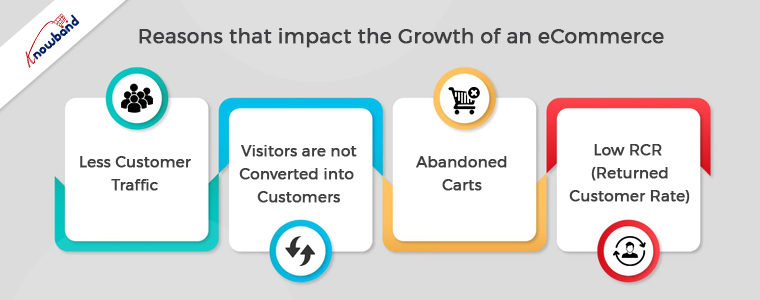
Reasons that Impact the Growth of an eCommerce

If we talk about the reasons that become obstacles in the way of online businesses, there are a lot. Either a business can face dizzy growth because of SEO, website experience, or anything else. But the major cause that prevents customers from ordering from your eCommerce shop is market competition.

Nowadays, almost every offline business is taking its online start. For the same reason, now customers have a wide variety of online websites to choose products from.

Additionally, you risk having your eCommerce firm get caught up in the rat race for the same reason. Thus, let’s start with some of the common problems and solutions that can help your business to stand out from the market competition and grow.

Less Customer Traffic:

One of the primary issues that prevent sales is having fewer visitors than you had expected to your internet business. Now there can be various reasons behind the same. Either you don’t have a good search engine ranking or you don’t use enough platforms to advertise your company.

Thus, for getting more customers on the website, you can boost the SEO of your eCommerce store. Along with the same, if you are looking for another worthy organic way, you can also take advantage of social media marketing.

Moreover, if you are willing to spend some dollars, you can also use paid marketing.

Furthermore, if you are a PrestaShop online seller, the Affiliate and Referral Addon by Knowband is one of the best ways to get more customers with the help of existing ones.

Visitors are not Converted into Customers:

The second problem that almost every online business faces are that the visitors come to the website but do not proceed to order. It might happen because either your eCommerce website is not able to impress the visitors or you are having a lengthy process.

Thus, for defending the following cause, you can enhance your PrestaShop or eCommerce store’s website experience with Knowband Plugins. For example, you can show a gamified Spin and Win pop-up to your store visitors on the home page.

Moreover, you can surprisingly enhance the checkout experience on your PrestaShop store by providing all the checkout essentials on a single page.

Thus, it is a must to offer a relevant and rich website experience to visitors. 

Abandoned Carts:

When a customer adds something to the cart and leaves the website before confirming the order, the term is called cart abandonment. Moreover, cart abandonment is one of the reasons that reduce sales drastically.

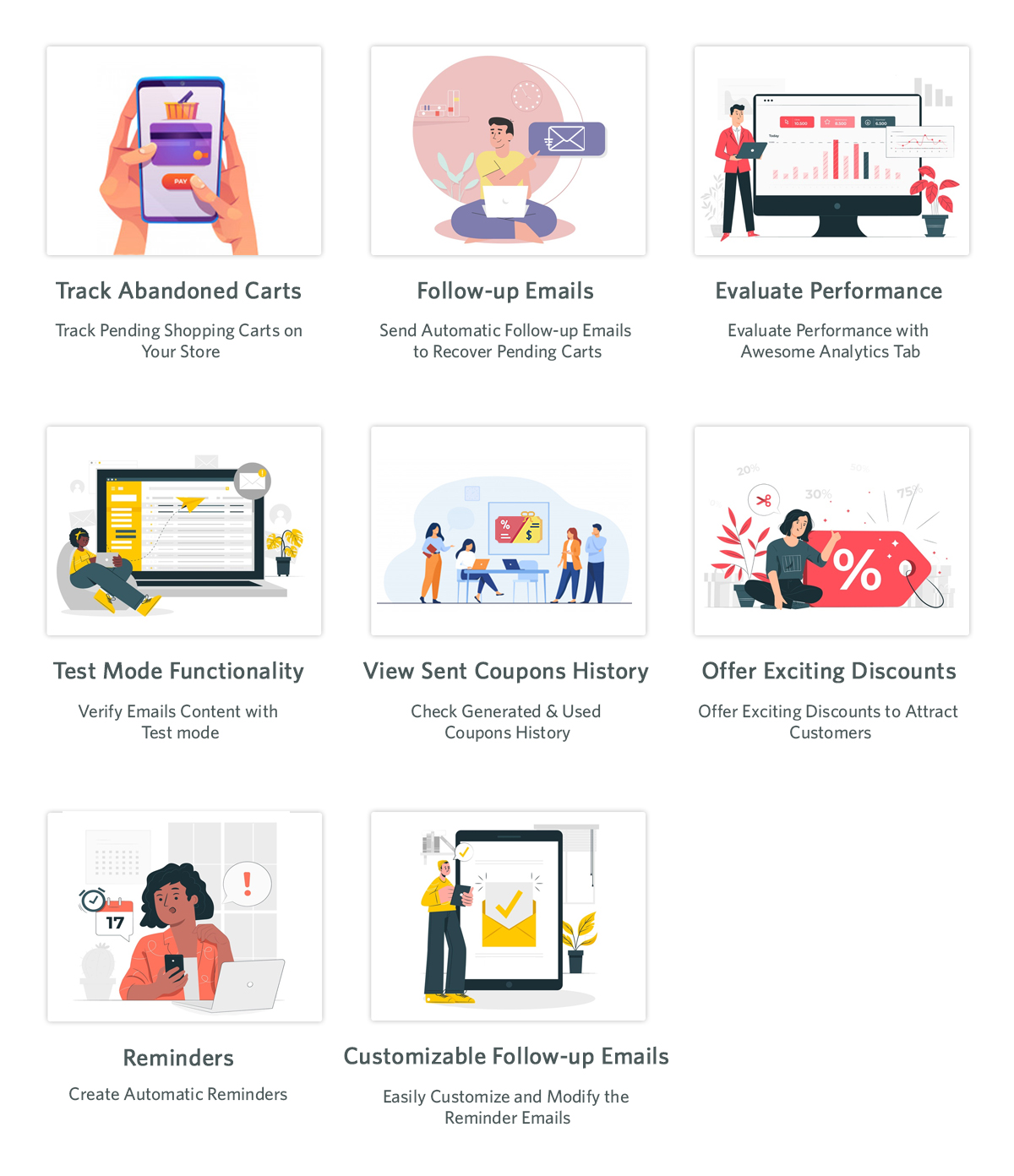
Customers must be given follow-up reminders in order to solve the following issue. At Knowband, we offer Abandoned Cart Reminder Plugin for the OpenCart and PrestaShop eCommerce platforms.

Apart from it, if you have already launched your Android and iOS Mobile Apps, you can also take aid from the push notifications to engage your customers.

Low RCR (Returned Customer Rate):

Sometimes, customers order from a website for the first time and do not proceed with more orders. This is one of the problems that impact sales drastically. Thus, turning single-time customers into regular ones is as important as getting new customers.

For the same eCommerce merchants use various tactics to attract existing customers. Moreover, other major players like Amazon and Flipkart offer loyalty points to customers based on their purchases. Loyalty points not only attract customers to purchase again but also motivate them to check the website regularly for exciting offers.

Thus, if you are OpenCart, PrestaShop, or Magento 2 store admin, you can also have a look at the Loyalty Points Extension offered by Knowband.

In the End,

Although starting an online business is a bit hard nut to crack but only if you are not planning effectively. Moreover, with the help of sounding strategies and work one can easily manage to list his eCommerce business in the market. Thus, in the following article, we have tried to cover some of the common problems along with the solutions.

In case you are having queries or suggestions, please feel free to find us at support@knowband.com.

How To Create An Online Store With PrestaShop?

As more & more businesses are coming online, the competition among eCommerce companies is ever-increasing. To stand out among them while providing the most efficient online shopping experience to the online shoppers, having a professional functioning eCommerce website is a must. The PrestaShop eCommerce platform fits perfectly with that requirement.

Building an eCommerce website isn’t a piece of cake for everyone. A proper functioning store with appealing design doubles the audience and conversions for the business. PrestaShop is an open-source eCommerce solution with all the possible features that an eCommerce business (Start-up or Enterprise) would need. No need to indulge in coding or hiring a developer. Stick to the end of the write-up and you’ll be aware of the best possible way to achieve that.

The first thing that comes in the mind of someone willing to build/ design a PrestaShop website is the hosting space or localhost platform where the PrestaShop website can be installed. The rest is just designing & configuring the site. The options with PrestaShop are endless.

Where Can A PrestaShop Site Be Installed & Hosted?

You can either buy a domain & choose a hosting plan of your choice (shared/ VPS/ dedicated/ cloud hosting etc.). In the alternative, you can install your PrestaShop website on a web server solution stack package (like XAMPP, WAMP, MAMP) to design your PrestaShop website offline on your local computer. It can later be transferred & hosted to your choice of domain & server.

Websites Types To Build Using PrestaShop Platform:

You can opt to build an eCommerce PrestaShop website (with all the payments & shipment configurations set in place) or you can also make a catalog website to simply display your brick & mortar shop (with no payment & shipment options). Being a brick & mortar shop owner, if you also sell on sites like Amazon, you can also equip your catalog site with your products’ affiliate links.

This article will give you a deep insight into efficiently making an eCommerce PrestaShop website. Follow along until the end of this article for step-by-step guidance.

Main Steps For Building A PrestaShop eCommerce Website:

Step 1: Download PrestaShop from the official PrestaShop website.
Step 2: Name your store & choose from a pre-existing theme template or create your own.
Step 3: Upload your website logo or a sample image for your logo.
Step 4: Add products to your catalog & add a relevant product description.
Step 5: For your PrestaShop eCommerce site, set up the payment methods of your choice.
Step 6: Set up the shipment configuration.
Step 7: Activate your PrestaShop website & it will be live on your domain.
Step 8: Start to sell online. You can manage the orders, customers’ data & even edit your site later on whenever needed.

How To Design A PrestaShop eCommerce Website?

1. Choose A Customizable Theme:

You can choose a PrestaShop theme that fits your needs but make sure that it is customizable to a good extent as well. Design an elegant & professional looking PrestaShop website aligning with business model & customers’ needs. You can customize your theme colors, change fonts, layouts & typography. If you plan to design your theme, ensure that it is responsive on mobile devices too.

2. Set Up Your Product Catalog:

On the website backend, in the catalog section, add & list the products on your website. If you are a bit experienced with the eCommerce industry, you must be aware that products can be easily bulk uploaded using mediums like ‘.csv’ files. PrestaShop allows that & makes cataloging convenient. Make sure to use a unique product ID for each product because when the same ids are encountered, the older products get overwritten.

3. Set Up Payment Methods:


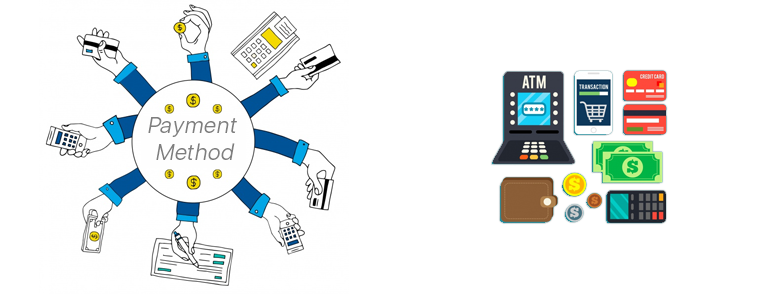
The easiest payment option to configure on PrestaShop is PayPal. You can add more such as debit/ credit cards, e-Wallets, Net Banking/ Mobile Banking, Pay-On-Delivery, etc. to make it easier for website visitors to use their preferred method of payment. You can also configure multiple currencies if you are serving in multiple countries. Make sure to have secure payment gateways. Keep your whole PrestaShop website secure by installing an SSL certificate.

4. Shipment & Order Delivery:

Based on the location of your business & the location of the potential customers you are serving, choose the right shipment company. Some of the worldwide popular ones are FedEx, DHL, etc.

These are the basic things to get your PrestaShop site up and running. Later on, you can add more customization, add admins & editors with selective privileges, add support for multiple languages, add CMS pages for information like the ‘about us’ page, ‘contact-us’ page, etc. Install 3rd party modules to add more functionalities to your website, transform your site into a Mobile App, & a lot more.

If you need any expert assistance while PrestaShop development and designing, reach out to us at support@knowband.com. Our experts at KnowBand, a leading eCommerce Solutions Company, would be more than happy to assist you.

We, at KnowBand, offers everything for PrestaShop Stores along with development services. Check our best-in-class extensions and add more functionalities on your website:

That’s not all. Here are 500+ such amazing plugins. Check all of them from here.

Why you should integrate your eCommerce store with a Marketplace?

The growth of eCommerce isn’t hidden from us. Online shopping is spreading with pace and its influence can be witnessed all over the world in almost every field. The modern users have already shifted their preference from physical stores to the mobile screens and this has lead to the growth of online Marketplace with each passing day.

Big Marketplaces have millions of daily visitors. Many shopaholics visit the renowned marketplaces because of their brand popularity, vast variety of product choices and many more. One of the reasons behind online commerce expansion are the unmatched offerings and benefits. The Customers might be checking small eCommerce websites too, but they still buy the same product from these renowned Marketplaces. This definitely clears the scenario that if you haven’t thought of integrating your store with a marketplace, you must be losing most of the online leads and potential customers.

Integration with a Marketplace offers numerous benefits to small as well as large businesses. Here, I am listing down 5 solid reasons to integrate your website with an online Marketplace:

1. To Beat the Competition:

Beating the competition isn’t easy in this ever-growing retail market. This makes it prime requirement why you should start selling on a Marketplace. There are numerous websites as of yours and even they are selling the same product. Thus, it might be hard for you to stand out between all these webshops. So, you should compete with all these websites by integrating with a Marketplace to encourage your brand name and increase your business growth.

2. To Reach huge audiences:

The major benefit of integrating with a Marketplace is to attract their huge audience towards your product. Many shoppers don’t buy products from small websites due to lack of trust. Marketplace is the perfect spot to get noticed between the potential customers and compel them to buy your product. Even a little bit of attention could turn out into huge sales and revenues.

3. To save time and money:

Promoting your brand name separately through various marketing processes can sometimes be not fruitful for you. In that case it could lead to huge loss of revenues and waste of time too. The basic approaches to popularise your brand doesn’t come with any surety. That’s where Marketplaces comes into picture. They not only provide a bigger platform to build a digital storefront but also lures the heavy consumer traffic too. This hassle free approach will definitely save your time and money and will result in massive sales.

4. To improve your SEO:

It’s really important that your products are placed on the top shelf of search results to divert customer’s attention towards them. If a product is not visible to the shoppers then there is no point of its sale. Marketplaces also helps to increase your brand exposure and SEO strategies. Product listing on an online Marketplace helps you improve your SEO results by bringing it to more user’s visibility. The website’s excellent SEO practices turns out in huge sales and revenues.

5. To ease international sale :

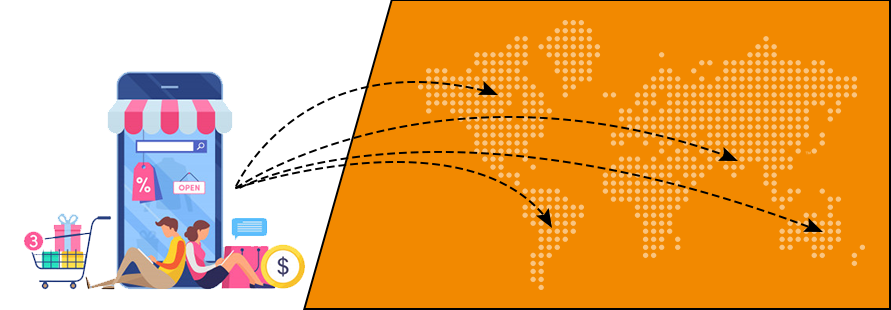
Marketplaces let you navigate into international markets and helps you to increase your cross-border sales. Besides attracting customers in your country only, you can reach out to millions of more customers worldwide with just a single platform. Your sales will most likely increase and this will let you to be a conventional seller all over the world. Being a global third party seller will eventually boost up your sales and business growth.

6. IT infrastructure already in existence:

There is no need to invest in the IT infrastructure and other related resources for selling a product. Sellers can take advantage of Marketplace structure without any hassle. By this, sellers can earn huge chunk of profits without even investing a single penny on technical advancements.

7. Hassle free product shipping and delivery management:

There are many marketplace sites that own a courier service for shipping and delivery purposes. If you are at your initial stage of business, you can take advantage of the delivery service owned by Marketplace. This will let you save your revenues from investing on delivery services. This will let sellers to provide free shipping to customers and will go for instant purchase.

8. Test a new product:

If you have launched a new product, you could not assume that it must be acceptable in between customers or not. In this case, you can test your product by launching it on a reputed Marketplace as it could be visible to millions of customers worldwide. This will give you the acceptance of your product all over the world and if customers are satisfied, you could import more stock of the same and sell it without any hassle.

Conclusion:

Integrating an eCommerce store with an online Marketplace is definitely a great option for both small and large sized businesses. It’s really necessary to give an enhanced recognition to your business and Marketplace suits perfect for the job. This was all from my end, now it’s totally up to you to select a Marketplace according to your website and products and integrate the same as soon as possible.

Integrate your store with the Marketplaces like Etsy, eBay, Walmart, Newegg, Google Shopping and others. In order to provide an effortless listing and inventory management process to store owners, KnowBand offers Marketplace Integrators for various CMS platforms like Prestashop, OpenCart, Magento and Shopify. This helps in showcasing your products among larger audience and enhance the brand awareness as well.

Find out more articles:

  1.  How to sell your product on Walmart Marketplace?
  2.  How to Rank Higher and Get Your Listings Seen in eBay Search?
  3.  How to rank your products up in Etsy search results?
  4.  How to rank your products up in Walmart search results?

5 surefire ways to gather email data on your online store

Email is cheap, email is fast, email is still kicking and will keep thriving in the future. The bottom line is it is an important marketing tool that is accessible by any marketer for promoting, pushing, and broadcasting the company’s words to the millions.

But before that, you need the email addresses of your target customers to contact them. How would you get their email addresses?

The wrong way

Purchase email data from an agency !?! That I wouldn’t recommend. The email data collected by these agencies consist of a huge pool of email addresses that might not even be relevant to your business. If you use these data, you have a 99% chance of ending up in the spam folders of those users.

The best way

The best way would be to use your own online store to collect the data. The data collected from your own store would be more relevant as these users are interested in your business, that’s why they are there on your site.

There are several ways to collect the email address on your online store. I have chosen the 5 surefire ways that never fail and when combined, provides enough pool of relevant data for your email marketing campaign.

1. Use an efficient email marketing tool

You are going to collect, keep, and use thousands of email addresses, you need a tool that can organize your collected email data and keep them all safe at a single place.

Obviously, you need an email marketing tool to send thousands of emails and run your email marketing campaign. Some email marketing tools that are popular in this category are:

These email marketing tools have hundreds of servers that ensure your mail sent through them avoid the spam filters and is delivered to the right inbox on the right time.

The best thing is that the tools can be integrated right into your eCommerce platform by installing respective modules or extensions.

For example, the PrestaShop Mailigen and MailChimp Integrator module is used to connect your PrestaShop store with your Mailigen and MailChimp account’s email data repository. That is, all the email data that will be collected from your store would be synced and saved in your email marketing account.

So, you need a third-party email marketing tool for:

  • Saving the collected email data
  • Launching an email marketing campaign

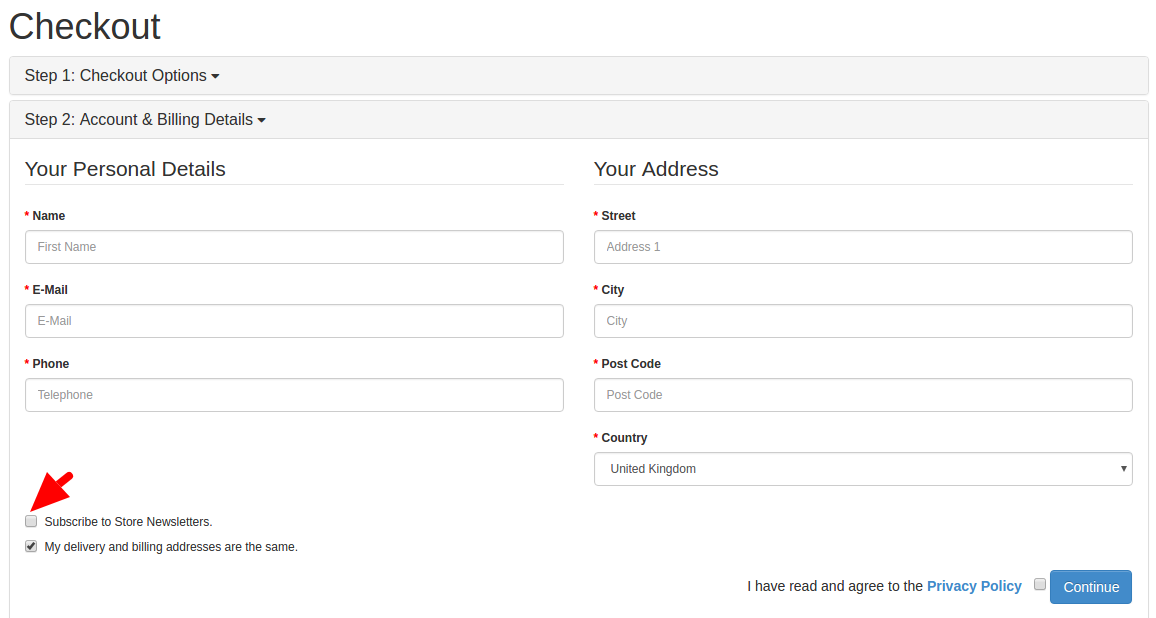
2. Collect Email addresses from the checkout

Checkout process would be the most obvious and straightforward place to collect the email addresses. Despite this many marketers make a huge mistake.  They collect the email addresses of only those users who create an account. There are no means to collect the data from non-registered users.

A simple newsletter opt-in box could be really helpful to collect email data from even the non-registered users. In fact, there are newsletter extensions that are capable of creating opt-in boxes that directly sync the email data with your email marketing tool.

For example, Opencart Newsletter Integrator plugin can do the same job on your OpenCart based store. It syncs the email data with your MailChimp, Constant Contact and iContact account if configured.

3. Use motivations as a lead magnet

By default, people feel reluctant to sign up for the newsletter subscription or fill any registration form. You won’t be able to add new email addresses to your data unless people are motivated to sign up for your newsletters. These motivations can actually convert your boring subscription forms into an exciting opportunity to grab.

You can use several motivations. For example:

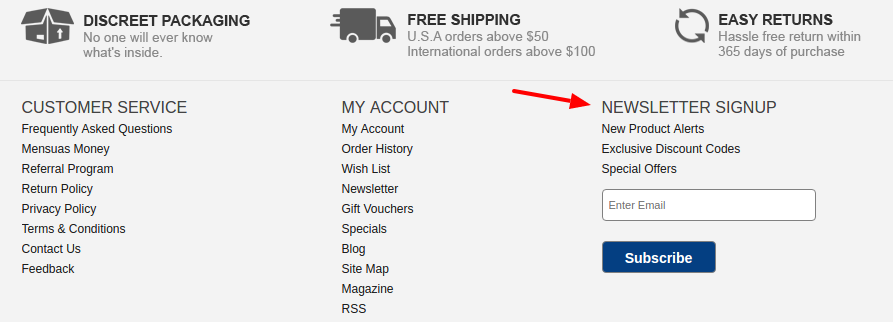
Search engine watch asks the users to subscribe to get free daily updates from the SEO experts.

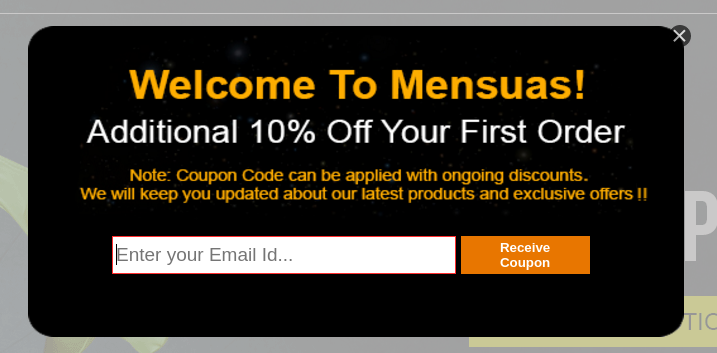
Mensuas uses exclusive coupons and offers as a motivation to push users towards newsletter subscription.

You can use various other lead magnets to attract the customers towards your email collection interface. That too without using a newsletter opt-in or subscription form. I am talking about other means of collecting the email data on your store:

  • A free giveaway contest can provide you thousands of entries in a comparatively lower time than the newsletter opt-ins. Deploy a giveaway contest on your store and provide the contest entry through a simple registration form.
  • Use a self-coupon generation form that would send the coupon codes to the user’s email address after the user provides it in the form.

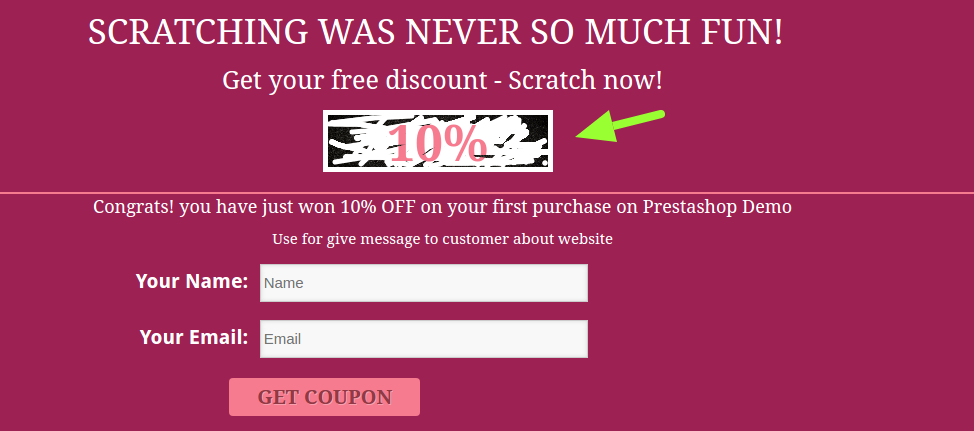
For example, PrestaShop Scratch coupon module shows a virtual scratch coupon which users can scratch using the cursor to see how much discount they have won. After that, they need to provide their email address to receive the coupon code.

4. Use exit intent tracking & entry pop-ups

Most of the marketers think that pop-ups annoy the customers and they highly oppose the use of pop-ups on their sites. But I have found that this thought is one of the orthodox beliefs, they have never tested it on their own stores.

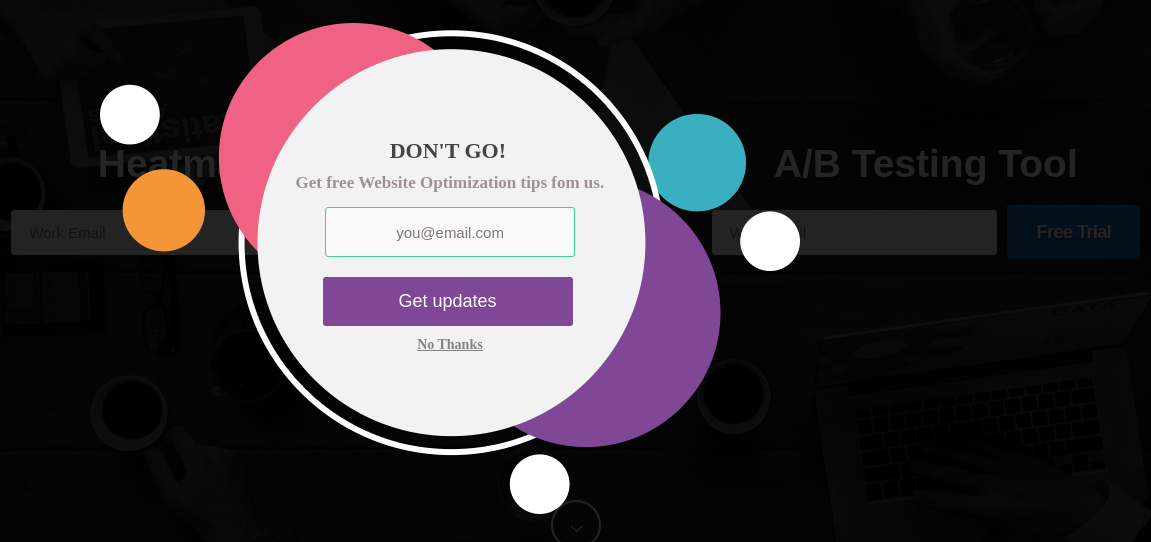
For example, we thought the same until we tested an exit pop-up on MockingFish. The results were surprising. We received the highest sign-up rate after implementing the exit intent pop-up which looks like this.

So, if you are still up against the idea of using pop-ups to collect the email data, you should once test a similar pop-up on your shop. You may start with something of less risky- like on the blog page for example. Just test it and see how it does.

Another type of pop-up that could be tried is the entry pop-up. Well, this idea is not supported by many. Showing a pop-up just after visitor lands on the site could be risky. Perhaps something of great value to the users might not irritate them. Something like this could be less risky:

Don’t be afraid of using the pop-ups and pop-up promotions. Use them wisely and provide some value to the users, they will certainly convert and provide quite relevant and more likely to convert users.

5. Use auto-subscriptions and email address capturing-

For all the ways that we have read till now in this post, you have to depend on the users to fill and submit a form for collecting the email address. Auto-subscriptions work a bit differently where email address entered by the user is automatically captured and synced with the repository without even submitting a form.

For example, Magento Auto-subscribe extension is capable capturing the email address of a user from the checkout page without even letting the customer know about it. As soon as the customer comes out of the email field the extension triggers the capture event that copies the email address to your MailChimp or Constant Contact repository even if the customer does not click the submit button.

The same process can also be followed in several website forms that you use- exit pop, newsletter pop-up, etc.

Conclusion

Once you have the email address, the main work begins- sending the emails. With a personally collected email data on your own store, you have the permissions of the users to send them the targeted emails. Moreover, as they already expect an email from the store, you have more chances of high open rates. Use the email marketing tools to plan the campaigns and schedule emails at different time lines.

Sending regular emails remind customers that we exist and have stories to tell and offers to give. A more engaging relationship can be created with email conversations. Just remember to send some different types of emails occasionally apart from the marketing emails. Perhaps a monthly news update, free e-book, or a loyalty coupon, could be a great occasional change.

Liked This? You’ll Like These Too