Why a Seamless Return Process Is Critical to eCommerce Success!

In today’s highly competitive eCommerce landscape, offering a seamless and efficient return process is no longer a luxury but a necessity. With increasing customer expectations and the rapid growth of online shopping, businesses must focus on providing a hassle-free experience at every stage of the buying journey. While many stores emphasize fast shipping and customer support, a well-managed return process can be the key to customer retention and satisfaction. This is where Knowband’s PrestaShop Return Manager Addon plays a pivotal role.

In this article, we’ll discuss why a seamless return process is essential for your eCommerce business and how the PrestaShop Return Manager (RMA) module can help you streamline returns and refunds effortlessly.

Why is a Seamless Return Process Important?

A smooth and transparent return process can make or break an eCommerce business. Here are some reasons why it’s critical to success:

1. Builds Trust and Credibility:

One of the main concerns for online shoppers is the risk of receiving a defective product or an item that doesn’t meet their expectations. Therefore, offering a seamless return process alleviates these concerns. When customers know they can easily return or exchange products, they are more likely to trust your brand and make a purchase. A reliable PrestaShop Product Return Manager helps to establish that trust by providing clear policies and an easy way to initiate returns.

2. Improves Customer Satisfaction:

A lengthy, complicated return process can leave customers frustrated and dissatisfied. On the other hand, when the returns are handled quickly and smoothly, customers feel more confident about purchasing from your store again. Furthermore, a streamlined return process leads to higher customer satisfaction, and satisfied customers are more likely to leave positive reviews, recommend your store to others, and become repeat buyers.

Moreover, Knowband’s PrestaShop Return Manager addon simplifies the process for both store owners and customers by allowing returns to be initiated in just a few clicks. With features like automated return approvals, status tracking, and customized return policies, the PrestaShop Order Return Manager ensures a hassle-free experience for your customers.

3. Encourages Repeat Purchases:

Customers are more likely to return to a store that offers a smooth return process. Furthermore, when a buyer knows they can trust your return and refund policy, they are less hesitant to make a purchase in the first place. The PrestaShop Return, Refund Module can help you retain customers by providing an effortless way to handle product returns and exchanges.

By using the PrestaShop return product addon, businesses can easily manage refunds, replacements, and exchanges, making customers more likely to return for future purchases. This encourages customer loyalty and contributes to long-term growth.

4. Reduces Operational Overhead:

A poorly managed return process can cause unnecessary stress on your business operations. Managing returns manually often leads to delays, errors, and unhappy customers. Moreover, automating the process with a tool like the PrestaShop Return Manager module can significantly reduce the time and effort required to process returns.

This PrestaShop refund order Extension allows businesses to handle returns more efficiently by automatically categorizing and processing requests based on predefined rules. With features such as return labels and integrated refund options, store owners can focus on other critical areas of the business without worrying about the intricacies of returns.

The Benefits of Using Knowband’s PrestaShop Return Manager Addon!

1. Easy Return Management:

The PrestaShop Order Return Manager Module allows you to manage all return requests from a single interface. Whether a customer wants a refund, exchange, or replacement, the Prestashop replacement manager Module lets you handle the request with ease. Moreover, you can set custom return rules, automatically approve or reject requests, and provide real-time updates to your customers.

2. Automated Refunds and Replacements:

With the PrestaShop order refund addon, you no longer have to worry about processing refunds manually. The system automatically calculates and processes refunds based on the rules you set. Therefore, this not only saves time but also ensures accuracy, keeping your customers happy.

3. Customizable Return Policies:

Every business is different, and the Return Manage for PrestaShop offers full flexibility in customizing your return policies. You can define time frames for returns, set specific rules for refunds or exchanges, and decide which products are eligible for returns. The module’s customizable features ensure that your return policy works for your business model and customer base.

4. Enhanced Customer Experience:

The Prestashop Free return manager module enhances the customer experience by making the return process straightforward and transparent. On top of that, customers can easily initiate returns, track their requests, and receive timely updates. This boosts their confidence in your brand and increases the likelihood of future purchases.

5. Reduce Return Fraud:

Managing returns also means dealing with return fraud, which can cost businesses significant revenue. The PrestaShop Return Manager addon offers built-in features that allow you to verify and validate return requests before processing, helping you minimize fraud risks and save money.

Knowband’s PrestaShop Return Manager Addon

Streamline your returns process with the Prestashop Return Manager, making it easy for customers to request returns and for you to manage them efficiently.

SHOP NOW

Conclusion!

A seamless return process is critical to the success of any eCommerce store. It builds customer trust, enhances satisfaction, encourages repeat purchases, and reduces operational costs. By using Knowband’s PrestaShop Return Manager addon, you can streamline your return process, making it easy for both you and your customers to handle returns, exchanges, and refunds.

With features like automated refund management, customizable return policies, and a user-friendly interface, the PrestaShop Product Return Manager offers everything you need to manage returns efficiently. Whether you’re a small business or a growing online retailer, the PrestaShop Return Manager module can help you boost customer satisfaction and drive long-term success.

Drive Customer Engagement with Product Review Reminders & Incentives: A Must-Have Prestashop Addon!

In the fast-paced world of eCommerce, customer reviews have become crucial to business success. For store owners using Prestashop, it’s essential to implement strategies that encourage customers to leave reviews and share their experiences. This is where the Product Review Reminder Prestashop Addon comes in as an essential tool for driving engagement and collecting valuable customer feedback.

Gathering customer reviews isn’t always easy. Many customers simply forget to leave a review after purchasing a product. While they may be satisfied with their purchase, taking the extra step to write a review isn’t always a priority. Moreover, this gap in customer engagement is where the Prestashop Product Review Reminder and Incentives addon plays a vital role. It helps you automate the process, reminding your customers to leave reviews and incentivizing them to do so.

What Makes Product Review and Incentives Prestashop Module Special?

The Product Rating Reminder and Incentives – Prestashop addon is a comprehensive solution designed to boost the number of product reviews on your store by automating the process of sending timely reminders to customers. Therefore, after a customer completes a purchase, the addon tracks the order and sends a review reminder once the product is delivered. This ensures that customers are reminded at the right time—while their experience with the product is still fresh.

Beyond reminders, this addon takes an extra step by offering incentives to motivate customers to leave a review. Moreover, these incentives can be in the form of discounts, loyalty points, or other rewards that encourage repeat purchases. The combination of reminders and rewards makes this addon highly effective in increasing engagement and gathering more reviews for your products.

For Prestashop store owners, automating this process saves time and effort. Whether you want to offer discounts or rewards, you have complete control over the type of incentive you provide, making it easy to tailor the experience to your audience.

The Impact of Customer Reviews on Your Prestashop Store!

Customer reviews are an essential element for building trust with new customers. Research shows that over 90% of customers read reviews before making a purchase. Moreover, this statistic underscores the importance of having positive, authentic reviews on your product pages. The more reviews a product has, the more credible and trustworthy it appears to potential buyers.

The Prestashop Product Review Reminder addon helps you gather more reviews, which not only increases credibility but also improves your store’s search engine optimization (SEO).
Furthermore, the search engines like Google favor fresh, user-generated content. Each new review provides unique content related to your product, boosting your rankings and making your store more visible to new customers.

Knowband’s Prestashop Product Review Reminder and Incentives Addon

Boost your sales with the Review Reminder and Incentive module for PrestaShop, which encourages c ustomers to leave reviews by offering them rewards, helping you build trust and increase conversions.

SHOP NOW

How Does the Prestashop Product Review Reminder and Incentives Addon Work?

Once integrated into your Prestashop store, the Prestashop product review module automates the entire review collection process. After an order is marked as delivered, the addon triggers an email reminder to the customer, asking them to leave a review. On top of that, if the customer doesn’t respond to the first reminder, the system can send follow-up reminders to ensure you capture as much feedback as possible.

To make the process even more effective, the addon allows you to set up incentives for customers who leave reviews. Thus, by offering a small reward such as a discount on their next purchase or loyalty points, you increase the likelihood that customers will take the time to share their feedback. Incentives make the review process mutually beneficial—customers enjoy a reward while you gather valuable feedback that helps grow your business.

Additionally, the Prestashop Product Review Reminder and Incentives addon gives you control over how reviews are moderated. You can choose to approve reviews before they are published, ensuring that the quality of reviews on your product pages remains high. This moderation feature helps maintain the integrity of your review system, providing new customers with trustworthy, accurate feedback from real buyers.

Why Your Prestashop Store Needs This Addon?

The Product Review Reminder and Incentives – Prestashop addon is a must-have for any store owner looking to increase customer engagement and boost sales. By automating review reminders and offering incentives, you encourage more customers to leave feedback, which in turn improves the credibility and visibility of your products.

Therefore, customer reviews not only build trust but also provide valuable insights into what customers like about your products and where there’s room for improvement. They create a dialogue between your brand and your customers, fostering a stronger connection and helping you refine your offerings based on real experiences.

Conclusion!

The Product Review Reminder and Incentives – Prestashop Addon is an easy-to-implement, highly effective tool for any Prestashop store looking to enhance customer engagement. By sending automated reminders and offering rewards, this addon helps you collect more reviews, boost your store’s credibility, and improve your overall sales performance.

Whether you’re trying to build trust, increase conversions, or foster loyalty, the Prestashop Product Review Reminder and Incentives addon offers the perfect solution.

Simplifying Multi-Channel Selling: Magento 2 Seller Guide!

In today’s fast-paced eCommerce world, sellers need to be everywhere their customers are. From search engines to marketplaces, the ability to sell across multiple channels is not just a luxury but a necessity. Therefore, if you’re using Magento 2 to power your online store, multi-channel selling might seem challenging—but it doesn’t have to be! With the right tools, you can seamlessly manage your product listings, orders, and customer communication across different platforms, all while staying within your Magento 2 dashboard.

In this guide, we’ll walk you through the essential Magento 2 tools you need for multi-channel selling, and how Knowband’s specialized connectors simplify the process for Google Shopping, eBay, and Etsy. Furthermore, by integrating these key platforms with Magento 2, you can maximize your sales potential and streamline your workflow, so you can focus more on growing your business and less on managing operations.

Why Multi-Channel Selling is Essential?

Multi-channel selling allows businesses to reach a wider audience by listing products on multiple platforms. Whether your customers are searching for products on Google, browsing through eBay listings, or shopping for handmade items on Etsy, being present on these channels increases your visibility and enhances your chances of making sales.

Advantages of Multi-Channel Selling:

  • Increased Sales Opportunities: Each platform you integrate with becomes a new sales channel.
  • Broader Audience Reach: Reach potential customers who prefer different platforms.
  • Improved Brand Recognition: Your brand becomes more familiar as customers see your products across multiple channels.
  • Diversified Risk: Selling on multiple platforms reduces dependency on one sales source.

However, managing these channels manually can be time-consuming and error-prone. That’s why it’s crucial to automate and synchronize your operations with powerful Magento 2 integrations.

Knowband’s Magento 2 Extensions for Multi-Channel Selling!

At Knowband, we specialize in creating intuitive Magento 2 extensions that make multi-channel selling as easy as a few clicks. Let’s dive into three key extensions that will revolutionize your selling strategy: Magento 2 Google Shopping Connector, Magento 2 eBay Marketplace Integration Extension, and Magento 2 Etsy Connector Plugin.

1. Magento 2 Google Shopping Connector:

Google Shopping is one of the most popular platforms for product discovery. Shoppers often turn to Google when searching for products, and appearing in Google’s Shopping results can drastically increase your chances of conversion.

Key Features of the Google Shopping Connector:

  • Automated Product Syncing: The Magento 2 Google Merchant Feed extension allows you to automatically sync your Magento 2 products with Google Shopping. Thus, you don’t have to manually update listings when products go out of stock or when prices change.
  • Bulk Product Uploads: Easily upload your entire product catalog to Google Shopping in bulk, saving time.
  • Smart Mapping of Attributes: Seamlessly map your product attributes to Google Shopping’s requirements, ensuring that your listings meet platform standards.
  • Product Feed Generation: It automatically generates and updates your product feed for Google Shopping, ensuring that your listings remain current.

With Magento 2 Google Shopping Connector, you can reach a huge audience that uses Google to search for products. The automation features reduce manual work, allowing you to manage your product listings and updates directly from your Magento store.

2. Magento 2 eBay Marketplace Integration Extension:

eBay is a global online marketplace with millions of active buyers. Listing your products on eBay opens up opportunities to tap into an international market, and the Magento 2 eBay Marketplace Integration Extension helps you manage eBay sales without leaving your Magento dashboard.

Key Features of the eBay Integration Extension:

  • Inventory and Order Management: Sync your inventory between Magento 2 and eBay. Orders placed on eBay are automatically imported into Magento, ensuring consistent stock levels across both platforms.
  • Real-Time Updates: The extension provides real-time updates for orders, product information, and inventory levels.
  • Product Listing Templates: Create customizable product listing templates for eBay, allowing you to streamline the listing process.
  • Multi-Store Support: If you’re running multiple stores, you can use this extension to manage listings and orders across all your eBay accounts.

Thus, with the Magento 2 eBay Marketplace Integration Extension, you can expand your reach into eBay’s massive user base. Furthermore, it simplifies the entire process of listing products, managing orders, and syncing inventory, reducing the chances of errors and mismanagement.

3. Magento 2 Etsy Connector Plugin:

Etsy is the go-to marketplace for handmade, vintage, and unique products. If your Magento 2 store features these types of items, the Etsy marketplace is the perfect platform to attract niche buyers. On the other hand, the Magento 2 Etsy Connector Plugin helps you effortlessly manage your Etsy store without needing to log in to the platform separately.

Key Features of the Etsy Connector Plugin:

  • Product and Order Synchronization: Sync your Magento 2 product listings with Etsy, and automatically import Etsy orders into Magento for centralized management.
  • Bulk Product Uploads: Easily upload multiple products to Etsy in one go, making it simple to manage large inventories.
  • Category Mapping: Map your Magento categories to Etsy’s marketplace, ensuring that products are properly listed in the right categories.
  • Price and Stock Synchronization: Keep your prices and inventory in sync between Magento 2 and Etsy, reducing the risk of overselling or pricing errors.

For sellers of creative and handmade products, the Etsy Connector Plugin offers a direct way to tap into Etsy’s specialized market. It simplifies the process of managing your Etsy listings and orders while keeping everything integrated within your Magento dashboard.

Knowband’s Magento 2 Marketplace Extensions

Transform your Magento 2 store into a thriving marketplace with the Marketplace Modules, enabling multiple sellers to manage their own products and orders effortlessly.

SHOP NOW

Conclusion: Streamlining Your Multi-Channel Strategy!

Managing multiple sales channels doesn’t have to be complicated. With Knowband’s Magento 2 Google Shopping Connector, eBay Marketplace Integration Extension, and Etsy Connector Plugin, you can streamline the process of listing products, managing orders, and maintaining inventory across platforms. These extensions help you stay on top of every sale, regardless of where it’s coming from.

Multi-channel selling is essential for modern eCommerce success. With these Magento 2 tools, you can maximize your reach, automate key tasks, and focus on growing your business. Whether you’re targeting Google’s search engine shoppers, eBay’s global marketplace, or Etsy’s niche buyers, Knowband has the tools to make multi-channel selling a breeze!

Private Shop Addon for Prestashop: Perfect for Wholesale, VIP, or Members-Only Stores!

In today’s competitive eCommerce environment, offering exclusive access to certain products or services can be a significant advantage. Whether you’re running a wholesale store, a VIP program, or a members-only shop, controlling who can see and purchase from your store is essential. That’s where the Private Shop – Prestashop Addons comes in. Knowband’s Prestashop Private Shop addon is a powerful tool that helps online retailers create restricted, members-only shopping experiences.

In this article, we’ll explore how the Prestashop Private shop extension works, its key features, and why it’s the perfect solution for wholesale, VIP, or members-only stores.

About Private Shop – Prestashop Addons:

The Private Shop – Prestashop Addons is a module designed to limit access to your entire store or specific products. When installed, the restricted shop addon for Prestashop allows you to transform your shop into a private store where only registered or approved customers can view or purchase your items. Furthermore, this creates an exclusive environment for your customers, making it ideal for businesses that cater to VIPs, wholesalers, or specialized member groups.

Key Features of the Prestashop Private Shop Addon!

The Prestashop Private Shop extension is loaded with features that give you complete control over who can access your store and its products.
Below are some of its standout features:

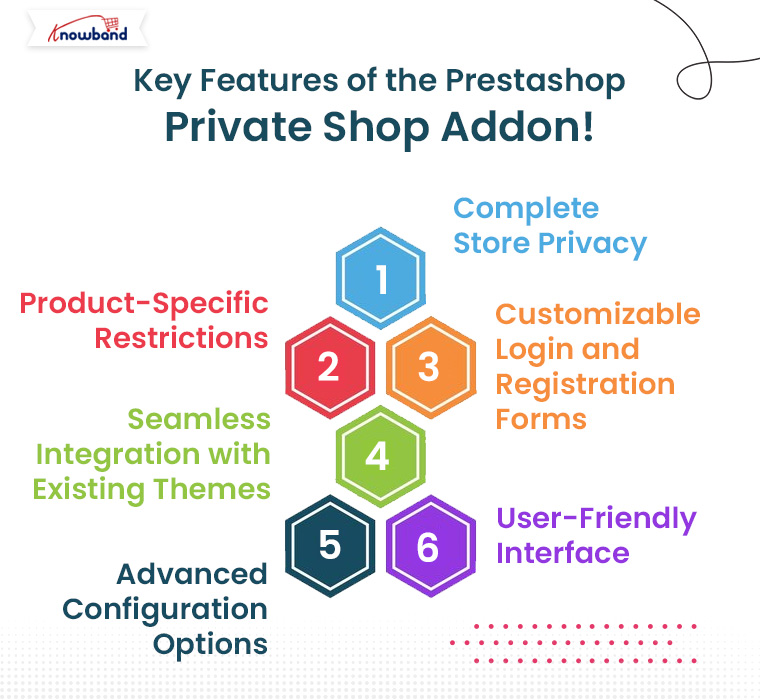
1. Complete Store Privacy:

The Private Shop Prestashop module allows you to restrict access to your entire online store. This means visitors must log in or sign up to view products or even access the store’s content. Moreover, this feature is especially useful for businesses that want to limit sales to approved or registered customers only, such as wholesalers.

2. Product-Specific Restrictions:

If you don’t want to restrict access to your entire store, the Private Shop module lets you make individual products, categories, or pages private. For example, you might offer some products only to VIP members or restrict certain wholesale products from general customers. This flexibility ensures that different segments of your customers get personalized access, while others see only the products meant for them.

3. Customizable Login and Registration Forms:

To access your Prestashop Private shop, customers need to register and log in. Moreover, the add-on offers customizable login and registration forms that allow you to control the information you collect. Therefore, you can also approve or reject customer registrations manually, ensuring only qualified customers gain access to your store.

Knowband’s Prestashop Private Shop Addon

Create a secure shopping experience with the Prestashop Private Shop module, allowing you to restrict access to your store and offer exclusive products to registered customers.

SHOP NOW

4. Seamless Integration with Existing Themes:

The Private Shop Prestashop module integrates smoothly with your existing theme, ensuring a seamless user experience. It works with multiple versions of Prestashop, and it’s built to match the design and functionality of your store without causing any disruption.

5. Advanced Configuration Options:

The Prestashop Private Shop addon comes with advanced configuration options that allow you to fine-tune your privacy settings. You can select which customer groups have access, choose to display certain products to the general public while hiding others, and decide whether visitors see product prices before logging in. Furthermore, this customization ensures your store runs exactly as you need it to.

6. User-Friendly Interface:

You don’t need to be a technical expert to use the Prestashop Private Shop module. The module features an intuitive, user-friendly interface that makes setup and management simple. You can easily configure settings with a few clicks, ensuring your store privacy is maintained without hassle.

Benefits of Using the Prestashop Private Shop Addon!

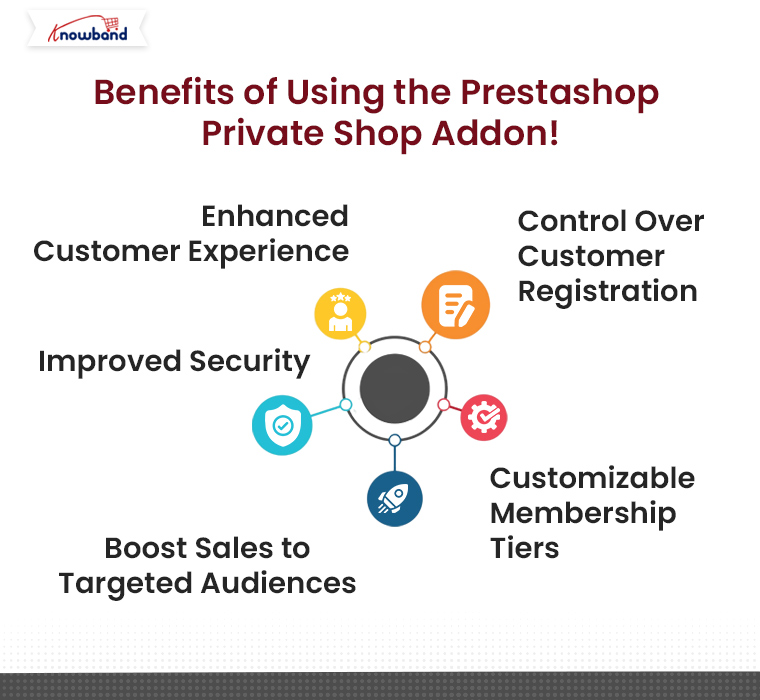
1. Enhanced Customer Experience:

Customers who are part of exclusive programs or members-only groups appreciate privacy and exclusivity. The Prestashop Private Shop extension allows you to offer a tailored shopping experience for them, increasing customer loyalty and engagement.

For example, wholesalers may prefer to see bulk pricing and exclusive product lines, while VIP customers could have access to limited-edition products. Offering such an exclusive experience makes customers feel valued and more likely to return for future purchases.

2. Improved Security:

By restricting access to sensitive products or pricing, you can protect your business from unauthorized or unwanted visitors. Moreover, this feature is particularly important for B2B sellers who may have wholesale pricing they don’t want to display publicly.
The Private shop module ensures that only approved customers can view products, adding an extra layer of security to your store.

3. Boost Sales to Targeted Audiences:

With the Prestashop Private shop, you can directly target your desired audience—be it VIPs, wholesalers, or loyal members. These groups are more likely to engage with your products and services when they know they have access to special or exclusive deals.

By focusing your efforts on these customers, you can foster a more targeted marketing approach, leading to higher conversion rates and increased sales.

4. Customizable Membership Tiers:

The Private Shop Prestashop module by Knowband allows you to create different levels of membership or access. You can grant some customers full access to all products while others have restricted access to specific categories or pricing tiers. This capability is particularly useful for wholesale businesses, where different customers might have access to different products and pricing based on their order volume or business type.

5. Control Over Customer Registration:

One of the most valuable features of the Prestashop Private Shop addon is its ability to give store owners control over who can register. If you’re running a wholesale or VIP shop, it’s crucial to ensure that only verified or approved customers can access your products. This addon allows you to manually approve every registration, ensuring that only legitimate buyers can view your product catalog.

Conclusion!

The Private Shop – Prestashop Addons is an essential tool for eCommerce businesses looking to offer exclusive, members-only access to their store or specific products. Whether you’re running a wholesale business, a VIP customer group, or a private members-only shop, the Prestashop Private Shop extension gives you complete control over who can access your store and its contents.

With its powerful features, such as customizable login forms, advanced configuration options, and seamless theme integration, the Private Shop module is the perfect solution for businesses looking to create an exclusive shopping environment. So, if you want to boost customer loyalty, increase security, and drive more targeted sales, this add-on is the ideal choice for your Prestashop store.

Say Goodbye to Spam and Bots: Google reCaptcha for Prestashop by Knowband!

In the fast-paced world of eCommerce, protecting your website from spam, bots, and fraudulent activities is a top priority. Without proper security, your store can be vulnerable to malicious attacks that not only disrupt the user experience but also harm your brand reputation. As a Prestashop store owner, one of the best ways to safeguard your site is by integrating the Prestashop Google reCaptcha feature.

At Knowband, we’ve developed a robust solution to this problem with our Prestashop Google reCaptcha plugin. This addon ensures that your website is protected from spam, bots, and fraudulent users, without compromising the smooth user experience that your legitimate customers expect.

What is Google reCaptcha?

Google reCaptcha is an advanced security system designed to differentiate between human users and automated bots. You’ve likely encountered reCaptcha before – it’s the familiar tool that asks users to select images, check a box stating “I’m not a robot,” or complete other simple tasks. These tasks are easy for humans but difficult for bots, which makes it an effective method of preventing unwanted, automated access to your site.

The Prestashop Google reCaptcha module developed by Knowband integrates this security feature seamlessly into your store’s login, registration, and contact forms. Furthermore, by doing so, it acts as a barrier against bots while ensuring that real users can access your website without frustration.

reCaptcha V2 and V3: What’s the Difference?

One of the unique benefits of Knowband’s Prestashop Google reCaptcha addon is that it supports both reCaptcha V2 and reCaptcha V3 versions, giving you flexibility in choosing the right level of protection for your store.

reCaptcha V2:

reCaptcha V2 is the more widely recognized version, where users are prompted to interact with a verification checkbox (“I’m not a robot”) or solve simple image-based tasks. Furthermore, it’s highly effective at blocking bots and providing an extra layer of security to your forms.

Key features of reCaptcha V2 include:

  • User Interaction: The verification process requires the user to complete an action, like selecting images that meet certain criteria.
  • Versatile Application: V2 can be used on login, registration, and contact forms, making it a solid choice for blocking bots.
  • Highly Accurate: reCaptcha V2 offers high accuracy in distinguishing human users from bots, making it effective in preventing spam and malicious attacks.

reCaptcha V3:

On the other hand, reCaptcha V3 takes a different approach by operating silently in the background without requiring user interaction. Moreover, it assigns a “trust score” to each interaction, based on how likely the user is to be a bot. Depending on the score, you can act as requiring further verification or denying access.

Key features of reCaptcha V3 include:

  • No User Interaction: Users won’t need to solve any challenges or click checkboxes. The system monitors behavior and interactions in the background to detect bots.
  • Advanced Security: V3 provides a more sophisticated, unobtrusive approach to bot detection. The system learns from interactions and becomes better at identifying bots over time.
  • Flexible Integration: You can set thresholds for different types of actions on your store (e.g., login attempts, and form submissions), giving you greater control over how you handle potential bot traffic.

Which Version Should You Use?

Both versions have their advantages, and the choice between reCaptcha V2 and V3 depends on your specific needs.

If you want a more hands-on, highly accurate approach, V2 is a great choice, as it actively engages users in the verification process.

If you prefer a smoother, more invisible experience for your customers without compromising on security, V3 is ideal since it works silently in the background.

The good news is, that Knowband’s Prestashop Google reCaptcha module supports both versions, giving you the flexibility to choose based on your store’s requirements and customer experience goals.

Why is Google reCaptcha Important for Prestashop Stores?

Prestashop is one of the most popular eCommerce platforms, and like all online platforms, it can be a target for spammers and bots. Bots can overload your website with spam form submissions, create fake accounts, and even attempt brute-force login attacks. This can result in wasted server resources, a cluttered database, and a poor user experience for your actual customers.

Key Features of the Prestashop Google reCaptcha Module by Knowband!

Knowband’s Prestashop Google reCaptcha module is designed to offer maximum protection with minimal effort from your side. Below are some of the key features that make this addon a valuable addition to your Prestashop store:

1. Easy Integration and Configuration:

With Knowband’s Prestashop Google reCaptcha plugin, you don’t need to worry about complicated installations. The module is easy to integrate and can be configured quickly via the Prestashop admin panel. Once installed, it works seamlessly with your website’s forms.

2. Multiple Forms Protection:

The Prestashop Google reCaptcha addon can be integrated across various forms on your site, including the login, registration, and contact forms. Therefore, it means you get comprehensive protection across your store, safeguarding every point where bots could potentially enter.

3. Customizable reCaptcha Display:

Our plugin allows you to customize how and where the reCaptcha box appears on your site. You can choose between the standard checkbox reCaptcha (V2) or the invisible version (V3), which works in the background and only activates if suspicious activity is detected.

4. Human Verification Made Easy:

The Prestashop human verification system ensures that real users can easily complete the verification process. Human verification through reCaptcha is quick and user-friendly, making it a painless experience for your customers while keeping the bots out.

5. Protect Your Store from Data Overload:

Bots generating spam submissions and fake accounts can lead to data overload in your Prestashop store. By using the Prestashop human verification module, you can reduce the risk of filling up your database with unnecessary data, keeping your site running smoothly and efficiently.

6. Enhanced User Experience:

With the invisible version of reCaptcha (V3), human users are not interrupted during their interaction with your website. Furthermore, this ensures a seamless user experience, allowing them to focus on shopping rather than filling out unnecessary forms.

Knowband’s Prestashop Google ReCaptcha Module

Secure your PrestaShop store from spam and bots with Google reCAPTCHA, ensuring a safe and user-friendly experience for your customers.

SHOP NOW

Conclusion!

By integrating the Prestashop Google reCaptcha module by Knowband into your store, you’ll be able to secure your website from bots and spam without sacrificing the customer experience. With support for both reCaptcha V2 and V3, this versatile module gives you the flexibility to choose the right security level for your store. Protect your website today and ensure that only real, verified users can interact with your store.

How to Expand Your Prestashop Store by Selling on Etsy: A Comprehensive Guide!

In today’s competitive eCommerce landscape, expanding your online store across multiple sales channels is essential for sustained growth. Etsy, a well-established marketplace for handmade, vintage, and unique goods, offers a golden opportunity to reach a wider audience. If you’re a Prestashop store owner, integrating your shop with Etsy can unlock new sales opportunities, streamline operations, and increase revenue.

In this comprehensive guide, we will walk you through the benefits of selling on Etsy and how integrating it with your Prestashop store can boost your business. We’ll also introduce you to the Prestashop Etsy Integration Addon which simplifies the process and keeps your shop running smoothly across both platforms.

[New] Enhancements in Knowband’s PrestaShop Etsy Integrator 4.0.1

A new version of the Prestashop Etsy Marketplace Addon has been released, which introduces improvements that make selling on Etsy even easier:

OpenAPI Authentication for Etsy APIs

The Prestashop Etsy Marketplace module now supports Etsy’s updated authentication standards. Every API request automatically includes the required headers according to Etsy’s requirements, ensuring smooth and uninterrupted communication with Etsy.

Streamlined Return Policy Management
Now with the return policy feature, you can create and sync multiple return policies and link them to profiles. Once linked, any categories under those profiles will automatically reflect the assigned return policy on Etsy, saving time and preventing manual errors.

Why Sell on Etsy?

Etsy is one of the largest global marketplaces, particularly known for attracting customers interested in handcrafted, vintage, and niche products. Whether you’re a small artisan or a large retailer, selling on Etsy provides numerous benefits, including:

Increased visibility: Etsy has a huge user base with millions of active buyers.

Targeted audience: Etsy attracts a specific demographic of customers who are passionate about unique and creative products.

Global reach: Etsy’s international presence can help you reach customers in different countries without having to establish a new market.

Now, if you’re a Prestashop store owner, you might be wondering how to connect your store to Etsy without managing two different inventories or dealing with double listings. This is where Knowband’s Prestashop Etsy Integration Module comes in handy.

Why You Need the Prestashop Etsy Integration Addon!

Managing two different platforms—Prestashop and Etsy—manually can be time-consuming and error-prone. Therefore, the Prestashop Etsy Integration Addon is designed to sync your Prestashop store with Etsy, allowing you to easily manage products, orders, and inventory across both platforms.

Here’s why you should consider using the Prestashop Etsy Integration Plugin for your business:

Centralized Management: Instead of managing separate inventories and listings on Prestashop and Etsy, the Etsy Prestashop Connector helps synchronize everything automatically.

Real-Time Synchronization: With the Prestashop Etsy Synchronization Addon, changes made in your Prestashop store, such as pricing, stock levels, and product details, will be reflected on Etsy in real time. Furthermore, it ensures you never oversell or mismanage inventory.

Bulk Product Uploads: The Prestashop Etsy API Integrator allows you to list multiple products on Etsy at once, saving time on manual uploads.

Order Management: All Etsy orders can be managed directly from your Prestashop back-office, simplifying the fulfillment process.

Automated Shipping and Pricing: The Prestashop Etsy Marketplace Integration Addon helps in automating pricing, shipping settings, and even promotional discounts, ensuring you comply with Etsy’s policies.

Knowband’s Etsy Prestashop Integration Module

Effortlessly sync your Prestashop store with Etsy using the Prestashop Etsy Marketplace Integration, allowing easy product listing and order management between both platforms.

SHOP NOW

How to Set Up Prestashop Etsy Integration?

Setting up a Prestashop Etsy Integration Module is straightforward, thanks to user-friendly plugins and addons available for this purpose. Follow these steps to seamlessly integrate Etsy with your Prestashop store:

1. Choose the Right Etsy Integration Addon:

To begin, you’ll need a reliable Etsy Prestashop Integration Addon. Several paid and free Prestashop Etsy Integration modules are available. It’s important to select an addon that supports all your requirements, such as product synchronization, order management, and real-time updates.

At Knowband, we offer an advanced Prestashop Etsy Integrator that ticks all these boxes and more. Whether you’re looking for a free PrestaShop Etsy Connector Addon to test out basic functionality or a premium version for enhanced features, we have you covered.

2. Install the Prestashop Etsy API Integrator:

Once you have chosen the right Etsy Prestashop API Integrator, install it in your Prestashop backend. Follow the provided documentation to configure the module, which typically involves connecting your Etsy seller account with your Prestashop store using API keys. Furthermore, this step enables communication between the two platforms.

3. Sync Your Products:

With the Prestashop Etsy Connector in place, you can now sync your Prestashop product catalog with Etsy. Moreover, the Prestashop Etsy Synchronization Addon will allow you to map categories, set pricing rules, and configure shipping settings to align with Etsy’s requirements.

4. Manage Orders:

As orders start coming in from Etsy, they will be automatically imported into your Prestashop backend. The Etsy Prestashop Synchronization Addon ensures that you can manage and fulfill these orders just like your regular Prestashop orders, streamlining the workflow.

Benefits of Using Knowband’s Prestashop Etsy Integration Module!

At Knowband, we offer one of the most comprehensive solutions for Prestashop Etsy Integration. On top of that, our module simplifies the integration process, providing seamless synchronization between your Prestashop store and Etsy marketplace. Here are some of the key benefits:

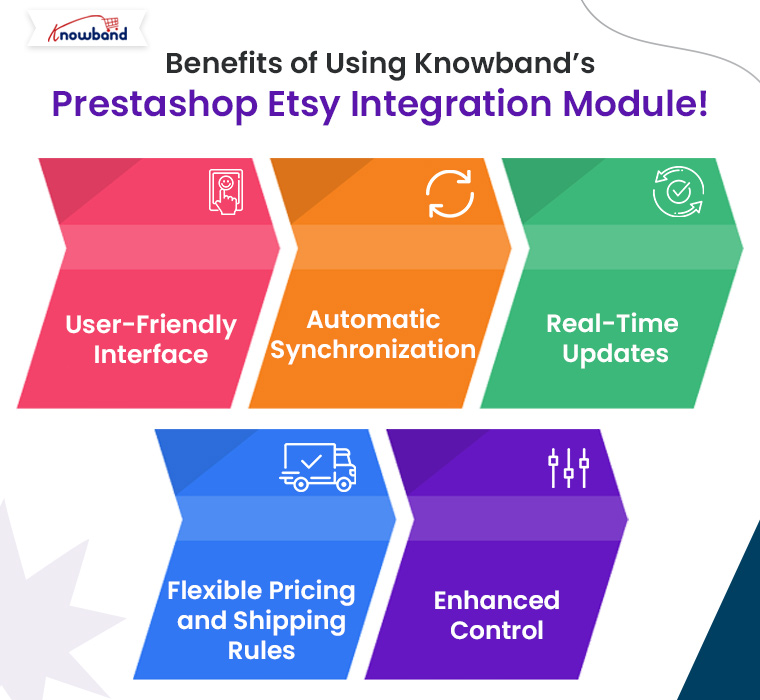
User-Friendly Interface: Our Prestashop Etsy Integration Plugin features an intuitive and easy-to-use interface that helps you manage both platforms with ease.

Automatic Synchronization: Products, orders, and inventories are synced automatically, saving time and reducing errors.

Real-Time Updates: Keep your product information, such as prices, descriptions, and stock levels, up to date on Etsy with our real-time Prestashop Etsy Synchronization Addon.

Flexible Pricing and Shipping Rules: Easily manage different pricing strategies for your Etsy listings compared to your Prestashop store using the built-in rule settings.

Enhanced Control: Gain full control over your product listings, including the ability to bulk upload, update, or remove products in a few clicks.

Our Prestashop Etsy Integration Free Module is perfect for small businesses looking to test the integration with basic features. As your business grows, you can opt for advanced features with the premium version of our Etsy Prestashop Connector.

Conclusion!

Expanding your Prestashop store to the Etsy marketplace is a smart move for increasing your reach and boosting sales. By using Knowband’s Prestashop Etsy Integration Addon, you can automate processes, reduce manual workload, and effectively manage both platforms from a single interface. Knowband’s Prestashop Etsy Integrator is the ideal tool for simplifying this integration, offering both free and premium options to suit businesses of all sizes.

If you’re ready to take your Prestashop store to the next level, explore Knowband’s Free PrestaShop Etsy Integration module and get started on Etsy today!

You may also like to read:
See how this free connector simplifies Etsy integration for your PrestaShop store and enhances marketplace reach. Read More

How One Page Supercheckout Can Drastically Reduce Cart Abandonment in Prestashop!

Cart abandonment is one of the biggest challenges faced by eCommerce stores today, and Prestashop merchants are no exception. With consumers becoming more impatient and expecting seamless online shopping experiences, a complicated checkout process can lead to high cart abandonment rates. This is where the Prestashop One Page Supercheckout comes into play, offering a streamlined solution that can drastically reduce cart abandonment on your Prestashop store.

Also known as the Prestashop One Step Checkout Addon, Prestashop Quick Checkout Addon, and Prestashop Fast Checkout Addon, this solution is designed to simplify the buying journey and improve conversion rates.

In this article, we will explore how the Prestashop One Page Checkout addon can simplify the checkout process and help you retain more customers by reducing friction.

The Problem with Traditional Checkouts:

A complicated, multi-step checkout process is one of the main reasons for cart abandonment. Many traditional checkouts require users to fill out multiple forms, navigate through different pages, and endure long loading times before completing a purchase. This leads to frustration and eventually pushes the customer to abandon their cart.

On the other hand, the Prestashop merchants who are looking to fix this issue need a Prestashop fast checkout addon that simplifies the entire process for their customers, providing a seamless and responsive experience that encourages them to complete their purchase in just a few clicks.

How the Prestashop One Page Supercheckout Solves This Problem!

The Prestashop One Page Supercheckout is designed to address all the pain points associated with a complex checkout process. Furthermore, the Prestashop One Page Checkout Extension consolidates all checkout steps—billing, shipping, payment methods, and order summary—into a single, easy-to-navigate page. This means no more multiple clicks and loading screens, reducing the time and effort required from customers to complete their orders.

This makes it one of the most reliable Prestashop Simplified Checkout Addons available for merchants looking to enhance user experience and reduce drop-offs.

Key Features of One-Page Supercheckout for Prestashop:

1. Single-page Checkout:

Unlike traditional checkouts, this quick checkout extension for Prestashop simplifies the entire process by placing all required fields on a single page. Moreover, it removes unnecessary steps and speeds up the checkout, significantly improving the customer experience.

2. Guest Checkout Option:

One common reason for cart abandonment is the forced account creation process. The Prestashop One Step Checkout addon provides a guest checkout option, allowing customers to complete their purchases without the hassle of creating an account. This feature alone can reduce cart abandonment rates by making the purchase process more accessible.

3. Responsive and Mobile-Friendly Design:

With mobile commerce on the rise, having a checkout page that works smoothly on all devices is crucial. Therefore, the Prestashop responsive one-step checkout addon by Knowband ensures that the checkout process is fully optimized for all screen sizes, providing a seamless experience whether your customers are shopping from their phones, tablets, or desktops.

This responsive one page checkout Prestashop solution helps capture mobile users who are more likely to abandon slow or cluttered checkouts.

4. Multiple Payment and Shipping Options:

Customers appreciate having choices when it comes to payments and shipping. Knowband’s One Step Checkout Prestashop extension integrates multiple payment gateways and shipping methods, ensuring that customers can select their preferred option without leaving the checkout page.

5. Customizable Design:

You can easily customize the look and feel of the One Page Checkout Prestashop to match your store’s branding. Whether it’s adding logos, changing colors, or reordering fields, this quick checkout addon for Prestashop is fully adaptable to your store’s needs.

6. Compatibility with Popular Prestashop Modules:

The Prestashop One Page Supercheckout is designed to work flawlessly with other popular Prestashop modules, including loyalty programs, discount systems, and more. This ensures that you don’t lose out on any additional features while benefiting from a simplified checkout process.

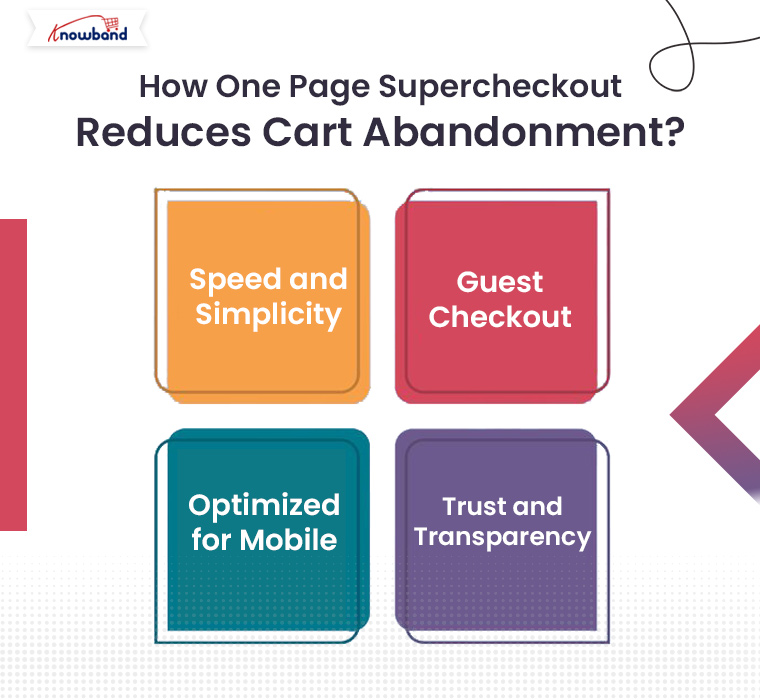
How One Page Supercheckout Reduces Cart Abandonment?

Now that you know what the Prestashop One Page Supercheckout addon offers, let’s explore how it actively helps reduce cart abandonment:

Speed and Simplicity:

By reducing the number of steps involved in the checkout process, the Prestashop quick checkout addon makes it easier and faster for customers to complete their purchase. Furthermore, when the customers can complete an order in under a minute, they’re far less likely to abandon their cart.

Guest Checkout:

The guest checkout feature is especially important for first-time visitors. Many shoppers are reluctant to create an account on a site they haven’t shopped on before. Therefore, Knowband’s Prestashop One Step Checkout addon eliminates this hurdle, allowing customers to make a purchase as guests, which significantly improves conversion rates.

Optimized for Mobile:

Mobile shopping is becoming the norm, and the responsive one page checkout Prestashop ensures that your store’s checkout process is optimized for mobile devices. A mobile-friendly checkout process reduces frustration and cart abandonment from mobile shoppers.

Trust and Transparency:

The One Page Checkout Prestashop provides a clear, upfront summary of the order, including shipping costs and taxes. By offering this transparency, customers are less likely to feel overwhelmed or surprised by additional charges at the last step, which often leads to cart abandonment.

Knowband’s Prestashop One Page Checkout Addon

Streamline your checkout process with PrestaShop One Page SuperCheckout, reducing cart abandonment and boosting conversions with a fast, single-page checkout.

SHOP NOW

Prestashop One Page Supercheckout Free Version:

If you’re a small business or just starting out, you might be interested in the Prestashop One Page Supercheckout free version. While it offers fewer features than the premium version, it still provides many of the essential tools you need to streamline your checkout process and reduce cart abandonment.

For those looking to upgrade, the paid version offers even more customization options, integrations, and additional payment methods, making it an all-in-one solution for larger stores.

Conclusion!

If you’re a Prestashop merchant struggling with cart abandonment, the Prestashop One Page Supercheckout is the perfect solution to simplify your checkout process and retain more customers. With features like single-page checkout, guest checkout, mobile optimization, and multiple payment and shipping options, this quick checkout addon Prestashop is designed to help you minimize cart abandonment and boost your conversions.

Whether you opt for the Prestashop One Page Supercheckout free version or the paid one, this extension will undoubtedly make a positive impact on your store’s performance. Simplify your checkout today and watch your sales grow with this powerful Prestashop One Step Checkout addon!

Key Differences Between Gift Cards and Wallets in E-Commerce!

E-commerce businesses constantly seek new ways to enhance customer experiences, increase sales, and offer flexible payment solutions. Among these, gift cards and wallet systems have become two prominent tools. While both methods aim to simplify transactions and boost customer engagement, they serve distinct purposes. Understanding the differences between gift cards and wallets can help store owners decide which system to implement based on their business model and customer needs.

1. Nature of Use:

Gift Cards are primarily used for gifting purposes. Customers purchase gift cards with a set value, which they can either use themselves or give to someone else. Furthermore, these cards act as prepaid vouchers that can be redeemed in the store within a certain period. The user can apply the card during checkout, reducing or eliminating the need for immediate payment. Therefore, gift cards are commonly used for holidays, birthdays, or other special occasions.

Wallets, on the other hand, are virtual accounts where customers can store funds for future purchases. Unlike gift cards, wallets are not typically purchased as gifts. Instead, they provide a convenient way for regular shoppers to manage their spending on a particular site. Furthermore, customers can add money to their wallets at any time and use the stored balance to complete transactions quickly without entering payment details every time.

2. Flexibility and Customization:

Gift cards tend to have a one-time value assigned to them and are generally non-rechargeable. Once the gift card is redeemed, its balance is deducted and cannot be reused. The customer may need to purchase a new gift card if they want to gift or use this service again.

Wallet systems offer more flexibility here, as they allow users to top up their balance at any time. A customer can add funds to their wallet multiple times, and the balance can be used across several transactions. Moreover, the funds in the wallet can often be replenished using various payment methods, providing long-term utility for frequent shoppers.

3. Expiration and Validity:

A significant difference between gift cards and wallets is how they handle expiration.

Gift cards often come with an expiration date, meaning the customer must use the full value of the card within a certain period, typically ranging from a few months to a year. While expiration dates can help eCommerce stores by encouraging faster usage, they may cause frustration for customers if the gift card expires before they can use it.

Wallets, by contrast, usually have no expiration date. The balance stored in the wallet remains available indefinitely, providing customers with the freedom to use their funds whenever they choose. This can be a major selling point for customers who prefer not to feel rushed to use their balance before it expires.

4. Encouraging Customer Engagement:

Gift cards are a great way to attract new customers to your store. When a gift card is given, it introduces new potential buyers who may not have previously shopped at your store. Once these new customers redeem their gift cards, they may continue to shop with you if they find the experience satisfactory. However, gift cards are often a one-time transaction tool and may not directly encourage repeat business unless the customer decides to shop again without a gift card.

Wallet systems, on the other hand, are a powerful tool for fostering customer loyalty and repeat purchases. Since the wallet balance is tied directly to the customer’s account, it encourages them to return to the store and make more purchases. Additionally, businesses can incentivize wallet usage by offering cashback or rewards directly into the customer’s wallet, further boosting engagement and retention.

5. Financial Flow and Rechargeability:

One of the main differences between gift cards and wallets is how the funds flow.

Gift cards are prepaid, meaning the amount is fixed at the time of purchase, and the balance cannot be replenished once used. After a customer redeems the card, the transaction is complete, and they need to buy a new card for further usage.

Wallets, on the other hand, allow for continuous usage. Customers can recharge their wallets with funds at any time, making it more of an ongoing relationship between the customer and the store. This rechargeability feature is one of the biggest advantages of wallets, as it keeps the customer connected to your store for future transactions.

Now that we’ve explored the key differences between gift cards and wallets, let’s highlight how Knowband’s PrestaShop Gift Card Addon and PrestaShop Wallet Addon can help store owners leverage these two powerful tools.

Knowband’s PrestaShop Gift Card Addon

Offer customizable gift cards to your customers with the PrestaShop Gift Card module, perfect for boosting sales and customer engagement.

SHOP NOW

PrestaShop Gift Card Addon:

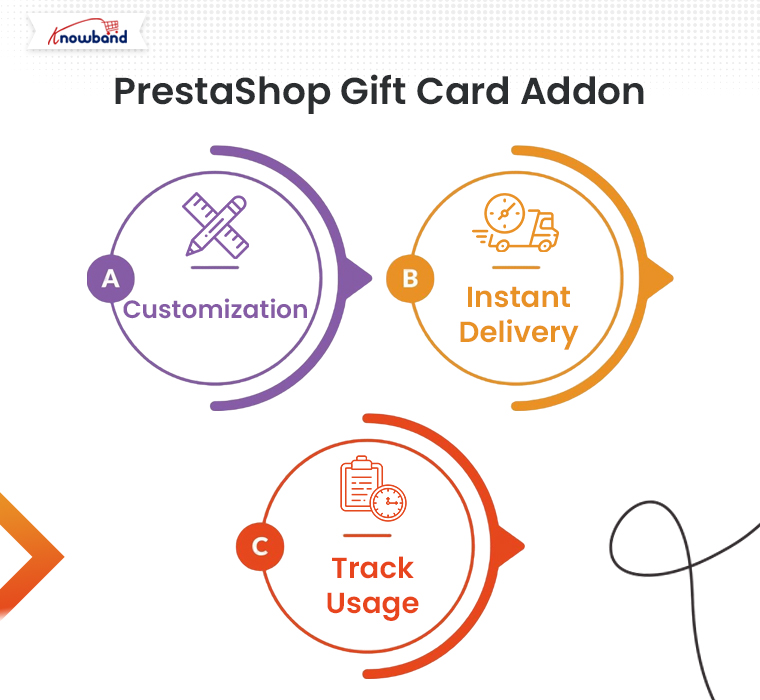
Knowband’s PrestaShop Gift Card Addon is designed to help store owners easily implement a gift card system on their PrestaShop store. With this addon, you can offer customizable gift cards for various occasions, allowing your customers to purchase and send them to their loved ones. The addon comes with features like:

Customization: Store owners can create and offer a wide variety of gift cards with different themes and designs for holidays, birthdays, and other special occasions.

Instant Delivery: Customers can send digital gift cards instantly via email, making it convenient for last-minute gifts.

Track Usage: Customers can easily track their gift card balance and view its validity right from their account.

By offering gift cards, you can attract new customers and boost sales during peak shopping seasons like Christmas or Black Friday.

Knowband’s PrestaShop Wallet Addon

Boost customer loyalty with the Prestashop Wallet module, allowing users to make hassle-free payments using a secure digital wallet in your store.

SHOP NOW

PrestaShop Wallet Addon:

Knowband’s PrestaShop Wallet Addon is an excellent solution for boosting customer retention and streamlining the checkout process. With this add-on, customers can add money to their wallets, making future purchases quicker and easier. The key features include:

Rechargeability: Customers can add funds to their wallets at any time, allowing them to use the balance across multiple transactions.

Faster Checkout: Wallet users can skip entering payment details at checkout, leading to a smoother shopping experience.

Incentives: Store owners can incentivize wallet use by offering cashback or store credits that are added directly to the customer’s wallet.

This addon is ideal for store owners who want to encourage repeat purchases and enhance customer loyalty.

You can also watch our video on “Knowband’s Free Gift Card Manager Addon for PrestaShop” here:

How to Drive Traffic and Sales Using Google Shopping for Prestashop!

In today’s competitive eCommerce landscape, increasing visibility and driving traffic are essential for success. One of the most effective ways to achieve this is through Google Shopping. By integrating your Prestashop store with Google Shopping, you can display your products on Google’s search results, attracting more targeted traffic and boosting your sales.

If you’re using Prestashop, the process of integrating with Google Shopping is streamlined with Knowband’s Prestashop Google Shopping Connector. In this article, we’ll guide you through how this module can help you drive more traffic and sales for your Prestashop store.

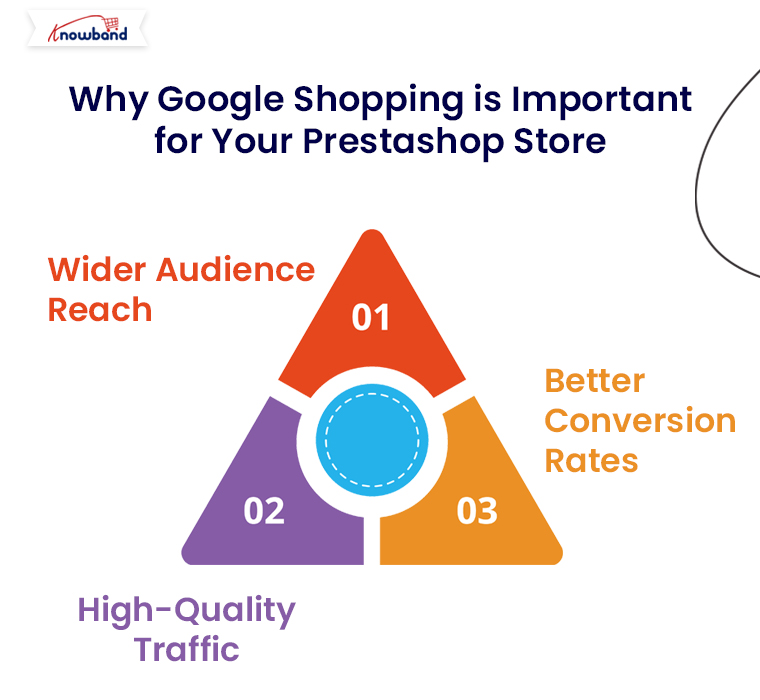
Why Google Shopping is Important for Your Prestashop Store:

Google Shopping allows eCommerce retailers to showcase their products directly on Google’s search results with high visibility. Here’s why this is a great opportunity for Prestashop store owners:

Wider Audience Reach: Google Shopping listings appear at the top of Google search results, giving your products greater exposure to a wide audience.

High-Quality Traffic: These ads are triggered by search queries, which ensures that users who see your ads are already interested in products like yours.

Better Conversion Rates: Google Shopping displays rich product information upfront, making it easier for customers to make purchase decisions and boosting conversion rates.

Now, let’s dive into how you can easily integrate Google Shopping into your Prestashop store using Knowband’s Google Shopping Connector.

Knowband’s Google Shopping Connector for Prestashop!

The Knowband Google Shopping Connector for Prestashop is an advanced module designed to simplify the integration process between your Prestashop store and Google Merchant Center. This module automates the product feed creation and synchronization, ensuring that your products are always updated and displayed correctly on Google Shopping.

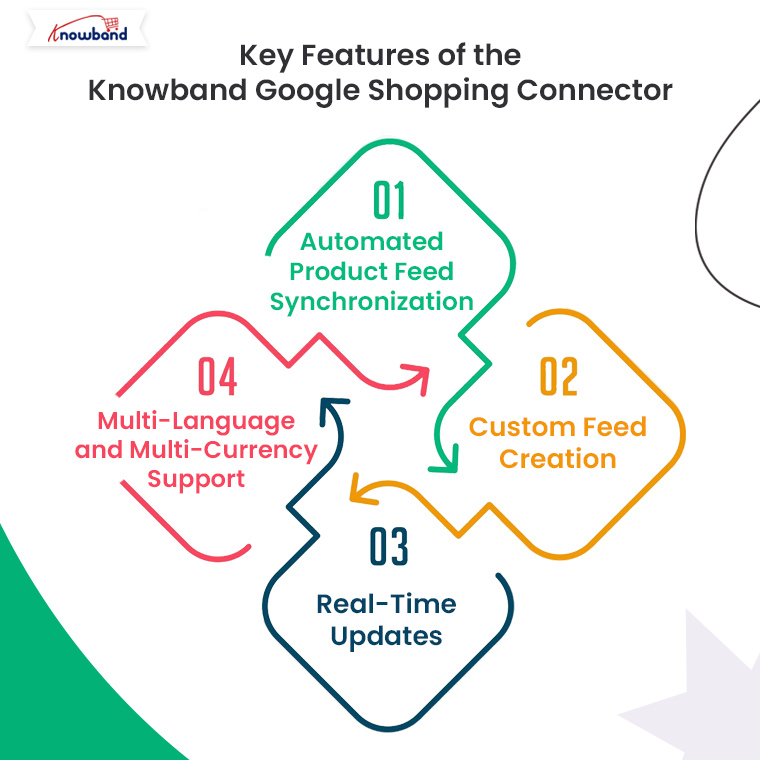
Key Features of the Knowband Google Shopping Connector:

Automated Product Feed Synchronization: No need to manually update your product listings. The module automatically syncs your Prestashop store’s product feed with Google Merchant Center.

Custom Feed Creation: You can create customized product feeds based on specific categories, product types, or attributes.

Real-Time Updates: The Prestashop Google Shopping module keeps your product data, including prices, stock levels, and descriptions, up-to-date on Google Shopping.

Multi-Language and Multi-Currency Support: If you run a global store, the module ensures that your products are displayed in multiple languages and currencies as per the customer’s location.

Knowband’s Prestashop Google Shopping Connector

Boost your PrestaShop store’s visibility with the Google Shopping Integration Plugin, streamlining product listings and enhancing your reach on Google Shopping.

SHOP NOW

How to Integrate Google Shopping with Prestashop Using Knowband’s Connector?

1. Install the Knowband Google Shopping Connector:

The first step is to purchase and install the Google Shopping Connector Module from the Knowband website. Here’s how you can do it:

  • Download the module from Knowband’s Google Shopping Connector page.
  • Log into your Prestashop back office.
  • Navigate to the Modules section and click on Add New Module.
  • Upload the module zip file and install it.
  • Once installed, the module will appear in your Prestashop admin panel, ready to configure.

2. Configure Google Merchant Center Account:

Before you can sync your products with Google Shopping, you need to set up your Google Merchant Center account. This is where your product feed will be sent.

Go to Google Merchant Center and create an account if you haven’t already.

Enter your business details, verify your website, and set up shipping and tax rules.

Now, link your Merchant Center account to your Google Ads account to start running Shopping campaigns.

3. Link Your Prestashop Store to Google Merchant Center via Knowband Connector:

Once your Google Merchant Center is set up, it’s time to connect it to your Prestashop store using the Knowband connector module. Follow these steps:

  • In the Prestashop admin panel, navigate to the Knowband Google Shopping Connector module settings.
  • Enter your Google Merchant Center credentials (Client ID and Secret Key) to establish a secure connection between your store and Merchant Center.
  • This secure integration ensures seamless synchronization of product data between your Prestashop store and Google Shopping.

4. Create and Customize Product Feeds:

With the connection established, you can now create your product feeds. The Knowband module allows you to tailor your feeds based on specific preferences:

Select Product Categories: Choose which product categories to include in your Google Shopping feed.

Filter Products by Attributes: You can filter products by price, availability, or custom attributes.

Feed Language and Currency: The module supports multi-language and multi-currency, ensuring your products are properly displayed for international customers.

Once you’ve customized the feed to your preferences, the module will automatically generate the product feed in a format compatible with Google Shopping.

5. Schedule Automatic Feed Updates:

To ensure that your product data is always up to date, the Knowband Google Shopping Connector allows you to schedule automatic feed updates. This is critical for keeping prices, stock levels, and other product information accurate on Google Shopping.

You can set the feed to update daily, weekly, or based on your store’s activity. This automation saves time and ensures that your Google Shopping ads reflect the latest product information.

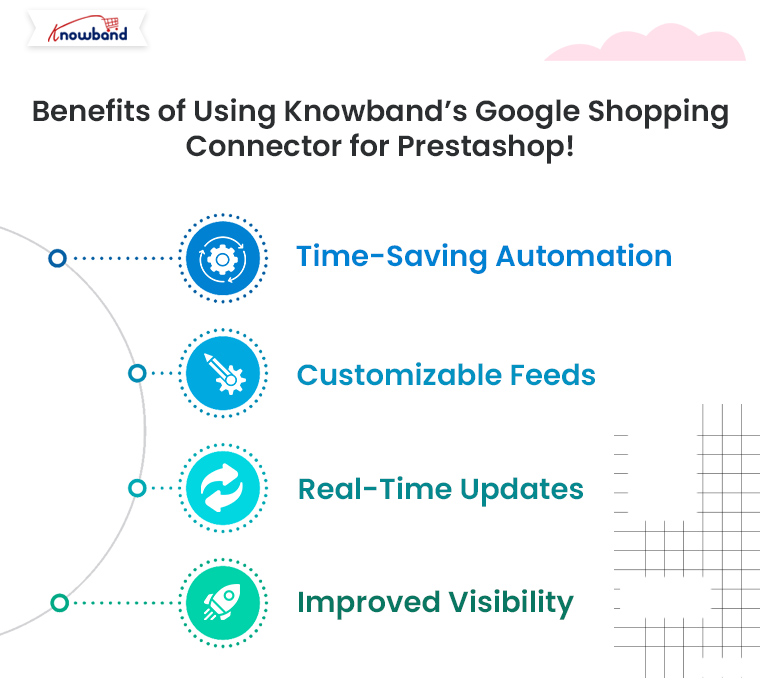
Benefits of Using Knowband’s Google Shopping Connector for Prestashop!

Integrating Google Shopping with your Prestashop store using Knowband’s connector module provides several advantages:

Time-Saving Automation: No need for manual updates. The module automatically syncs your product feed, saving time and reducing errors.

Customizable Feeds: Tailor your feeds according to specific categories, languages, and currencies.

Real-Time Updates: Ensure your product listings are always accurate with real-time synchronization between your store and Google Merchant Center.

Improved Visibility: Drive more traffic and boost sales by making your products visible to millions of potential customers through Google Shopping.

Conclusion!

Using Google Shopping to promote your Prestashop products is one of the best ways to boost traffic and sales. With Knowband’s Prestashop Google Shopping Connector, integrating your store with Google Shopping becomes a hassle-free process, allowing you to focus on optimizing your campaigns and increasing your revenue. Get started today and see how Google Shopping can transform your Prestashop store’s visibility and success.

Explore how this module helps you manage Google Shopping listings more efficiently and attract more customers. Read More

Easy Strategies for Writing Product Descriptions that Drive Sales in PrestaShop!

In the fast-paced world of eCommerce, your product descriptions play a critical role in converting casual browsers into paying customers. For PrestaShop store owners, crafting compelling product descriptions can make the difference between a sale and a missed opportunity. Whether you are new to the platform or looking to optimize your listings, this article will outline easy strategies for writing product descriptions that effectively drive sales.

1. Understand Your Audience:

The foundation of any effective product description is knowing who you’re writing for. Before putting words on the page, take time to define your target audience. Are they budget-conscious shoppers, tech-savvy consumers, or trend-following fashion enthusiasts? When you know your audience, you can tailor your language and tone to resonate with them.

For instance, if you’re targeting a young, fashion-forward crowd, your descriptions can be casual and fun, while a more professional audience may respond better to formal language and detailed specifications.

2. Focus on Benefits Over Features:

While listing product features is essential, it’s the benefits that truly sell. Shoppers want to know how a product will improve their lives, not just what it does. For each feature you list, think about how it benefits the customer. Will it save them time, increase comfort, or enhance their appearance?

For example, instead of writing “This coat has a waterproof exterior,” you can say, “Stay dry in any weather with this coat’s waterproof exterior, ensuring comfort no matter the conditions.”

3. Use Engaging and Clear Language:

Clarity is key when writing product descriptions. Avoid technical jargon unless your audience is highly specialized. Furthermore, you should always use short sentences, simple words, and a conversational tone that makes it easy for customers to understand. Engaging language doesn’t have to be complicated — it just needs to communicate the essential information while keeping the reader interested.

At Knowband, we specialize in offering top-notch eCommerce extensions for platforms like PrestaShop, Opencart, WooCommerce, and Magento 2. Our extensions not only enhance the functionality of your store but also allow you to implement strategies like these more efficiently.

4. Tell a Story:

Storytelling is a powerful tool in marketing. When possible, incorporate a story into your product description that helps the customer imagine themselves using the product. This could be as simple as describing a scenario in which the product solves a problem or improves their experience.

For example, if you’re selling a pair of running shoes, you might write, “Imagine lacing up these ultra-lightweight shoes and hitting the pavement, feeling the breeze as the cushioned soles protect your feet with every step.”

5. Incorporate Keywords for SEO:

Search engine optimization (SEO) is essential for driving organic traffic to your PrestaShop store. Including relevant keywords in your product descriptions helps improve your ranking on search engines, making it easier for potential customers to find you. Focus on long-tail keywords that match the product and its use, such as “lightweight running shoes for women” rather than just “running shoes.”

While you want to optimize for SEO, remember not to stuff your descriptions with keywords — always prioritize readability and flow.

6. Use Bullet Points for Easy Scanning:

Many customers don’t read product descriptions word-for-word. Instead, they scan for key information. Using bullet points is an effective way to present features and benefits clearly and concisely. Bullet points help break up text, making it easier for shoppers to pick out the information they need quickly.

For example, if you’re selling a laptop, you could list its key features in a bullet format:

  • 8GB RAM for smooth multitasking
  • 256GB SSD for faster boot times
  • 15.6” Full HD display for vibrant visuals

7. Create a Sense of Urgency:

Sometimes, customers need a little push to make a purchase decision. Creating a sense of urgency in your product descriptions can encourage them to act quickly. Phrases like “Limited stock available,” “Only a few left,” or “Special price ends soon” can motivate customers to buy before they miss out.

At Knowband, we provide PrestaShop store owners with extensions like abandoned cart recovery tools, which allow you to follow up with customers who didn’t complete their purchases. With the right tools, you can recapture sales and boost your store’s performance.

8. Leverage Social Proof:

Social proof, such as customer reviews, user-generated content, and ratings, can significantly influence a customer’s buying decision. In your product descriptions, highlight positive feedback from customers to build trust and encourage others to buy. For example, include a quote from a satisfied customer or mention how many people have already purchased the product.

9. Include a Call-to-Action (CTA):

After highlighting the product’s benefits and features, guide the customer toward the next step. CTAs like “Order now,” “Add to cart,” or “Get yours today” can prompt immediate action and drive more conversions.

A CTA turns a well-crafted product description into a powerful sales tool by creating a clear path for the customer to follow.

Knowband’s Prestashop Plugins

Enhance your PrestaShop store with Knowband’s powerful plugins, offering features like one-page checkout, abandoned cart, mobile app builder, and more for seamless e-commerce management.

SHOP NOW

Conclusion!

Writing product descriptions that sell isn’t about filling up space with words — it’s about crafting compelling, clear, and concise messages that address your customers’ needs. By focusing on benefits, using engaging language, and optimizing for SEO, you can create descriptions that not only inform but also persuade.

At Knowband, we’re here to help PrestaShop store owners succeed. With our range of eCommerce extensions, including tools for SEO optimization, cart recovery, and more, you can take your product listings and your entire store to the next level. Explore our offerings today and see how we can assist in making your PrestaShop store a top performer.