OpenCart Product Customization module also referred to as OpenCart Product Customizer and OpenCart Product Designer lets you add customization services on your website for your store products.
Today, the demand for customized products has increased exponentially. Many people are looking to purchase products that can be personalized and designed as per their choice. While some businesses are running it offline, some have taken it on the online platform and have set up the whole business on product customization.
If you have a website set up on the OpenCart platform and looking to provide online product customization services to your store visitors/customers, OpenCart Product Customization Extension is all you need.
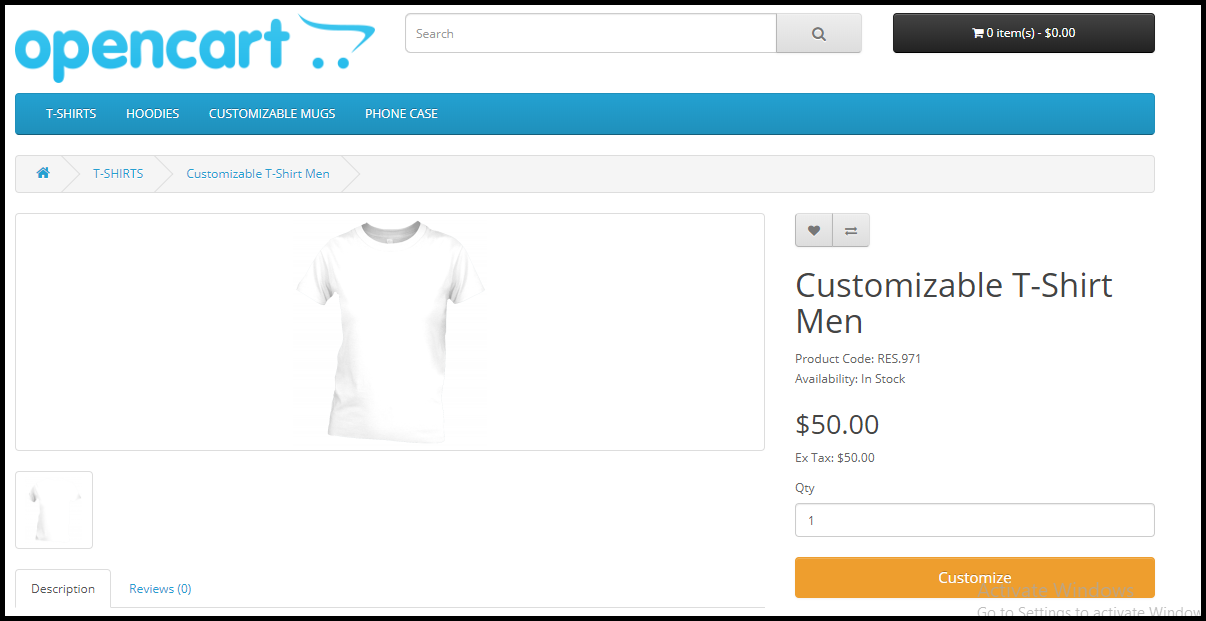
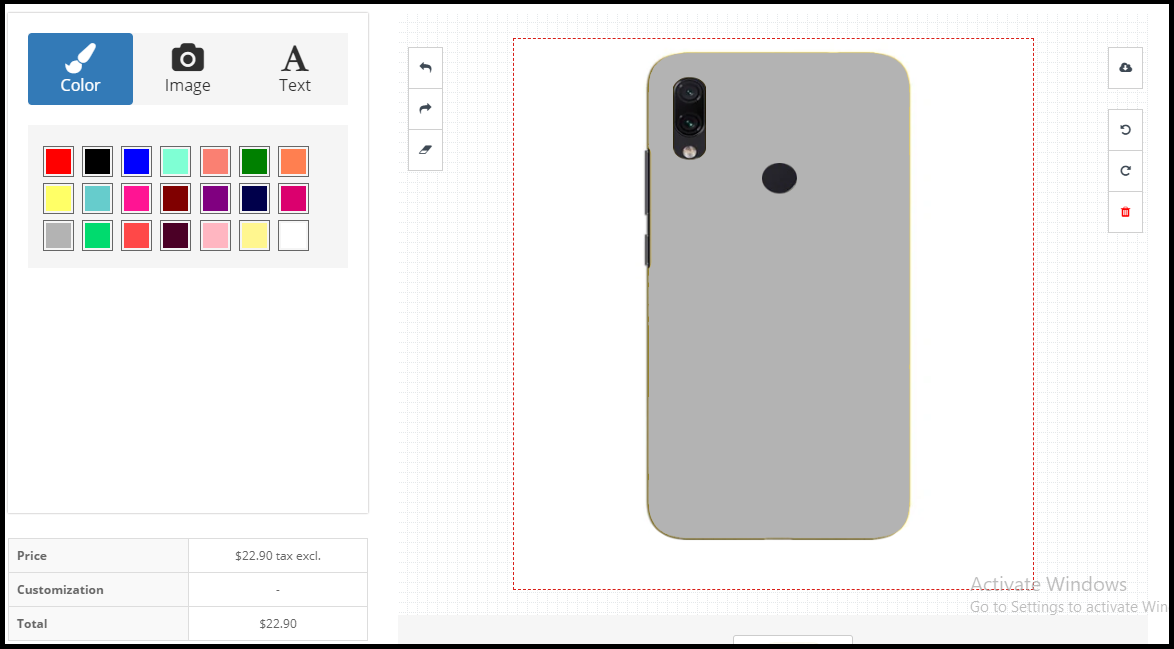
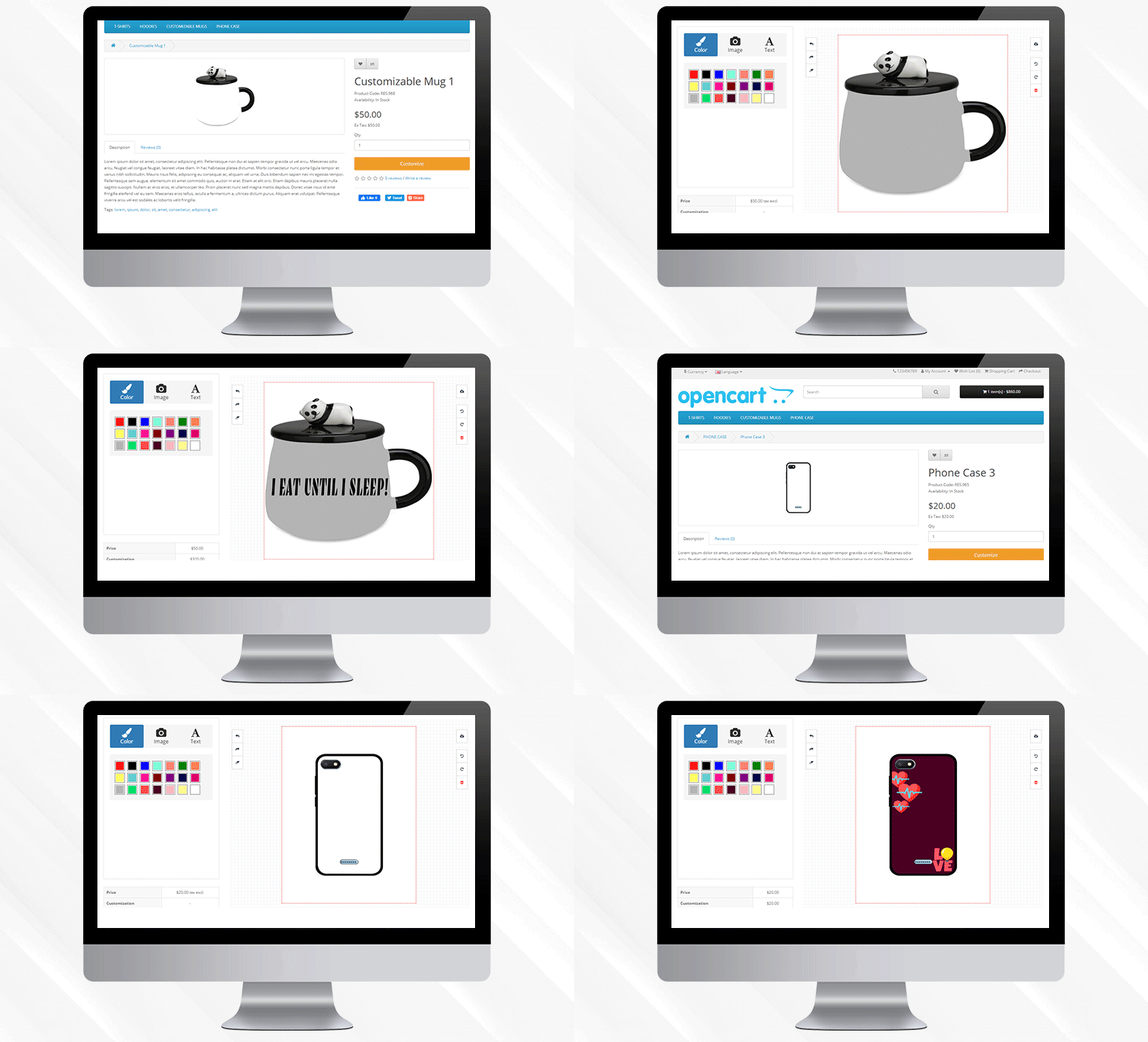
Once installed, the OpenCart custom product designer extension will add a customization panel on your product pages and will offer free-hands to your customers to make the desired changes.
Overview
Adds Customize tab on your product pages
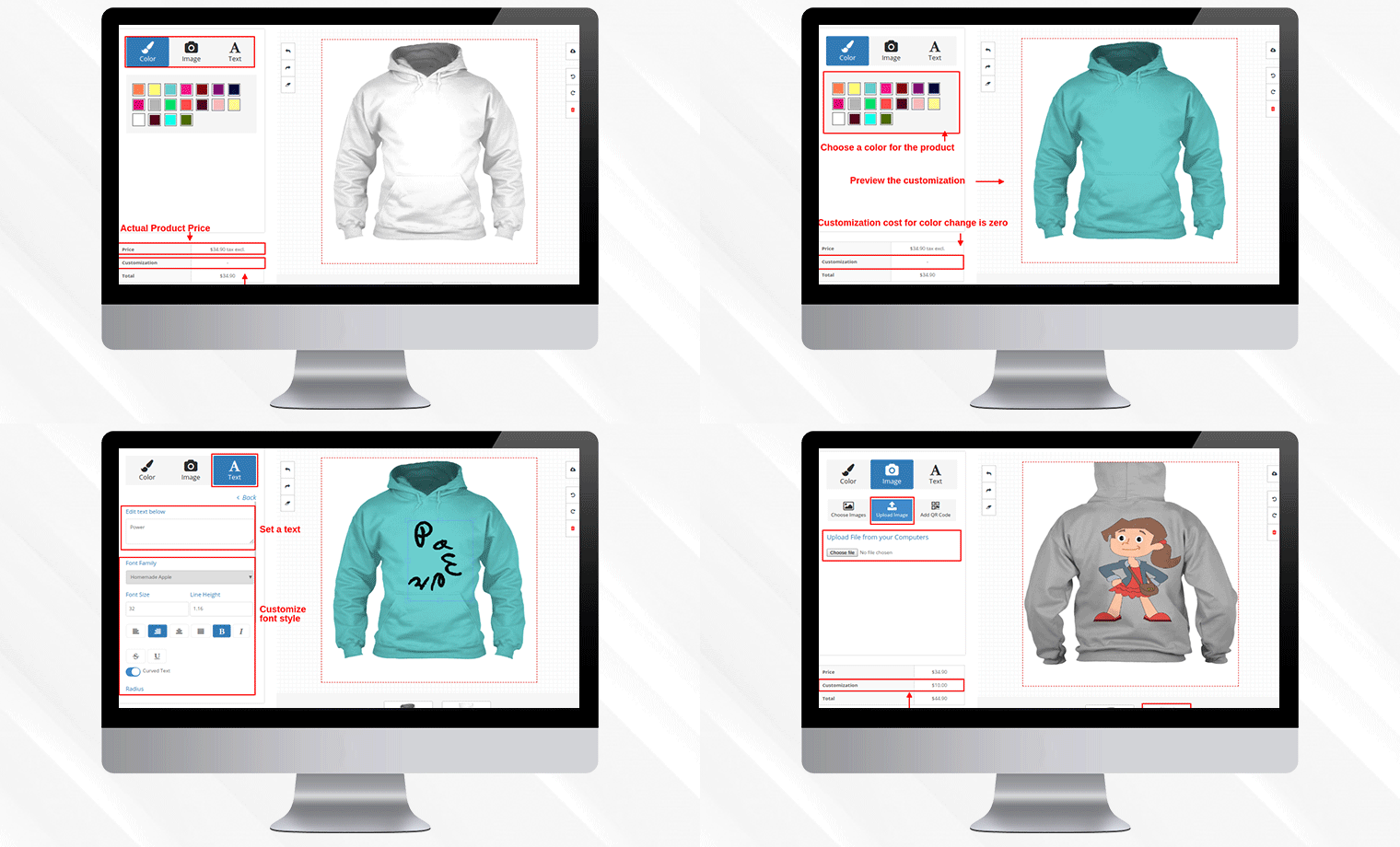
Lets your customers add desired colour, image, texts, QR code, etc. on the product
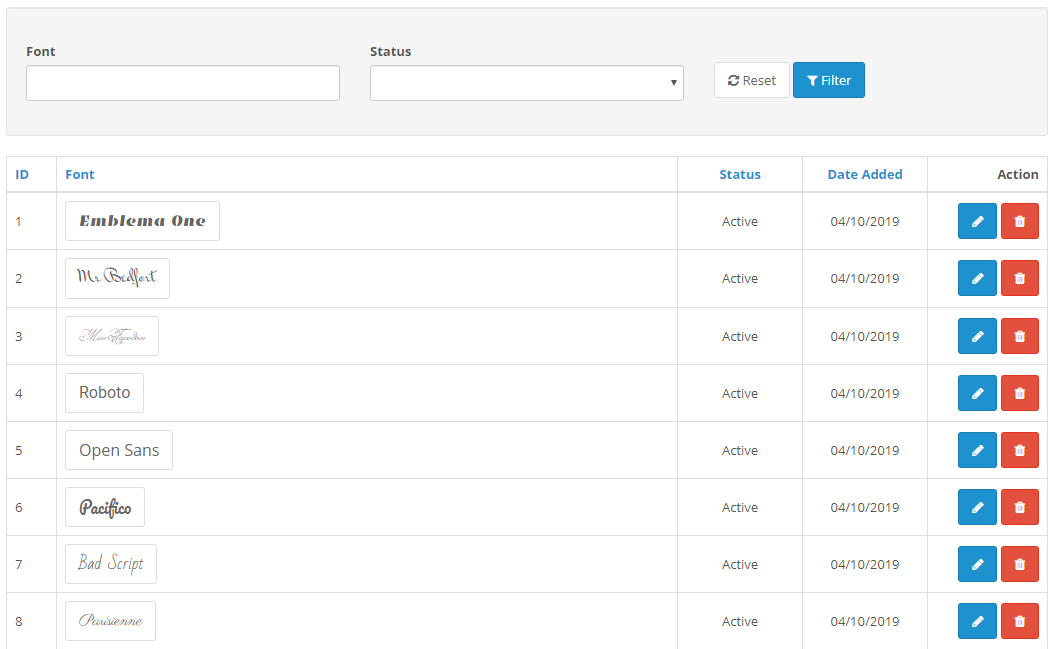
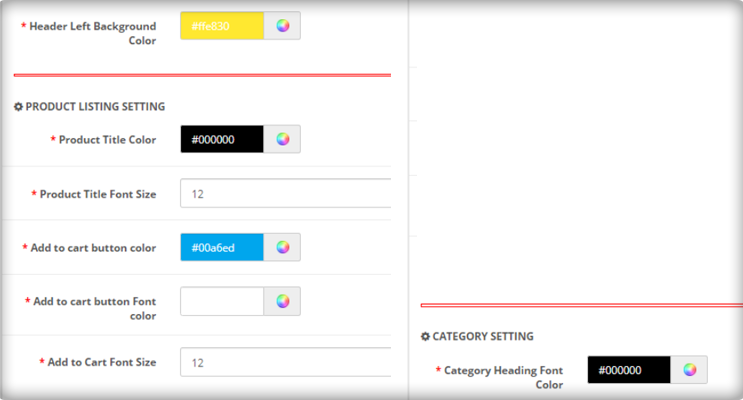
Set up different fonts, colours and templates from the back end.
Features of OpenCart Product Customization extension [Detailed]-
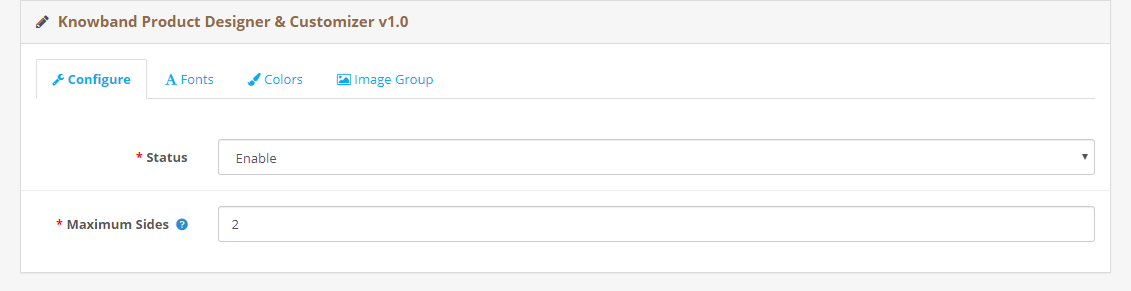
1. Enable/Disable the entire module functionality in a single click.
2. Specify how many sides of the product you want to make available for customization. This is mostly in the cases of t-shirt customization where a user can make the desired changes on the front as well as the back. This is why it is also called as OpenCart t-shirt designer module.
3. You can add as many fonts as you want from the backend to provide customers with text customization facility. You can also disable any font anytime.
4. Through OpenCart print-on-demand extension, you can add multiple colours from the back end to help customers choose the desired colour from a number of colour variants.
5. OpenCart Product customization module also comes with pre-existing templates which an admin can edit or delete as per his choice.
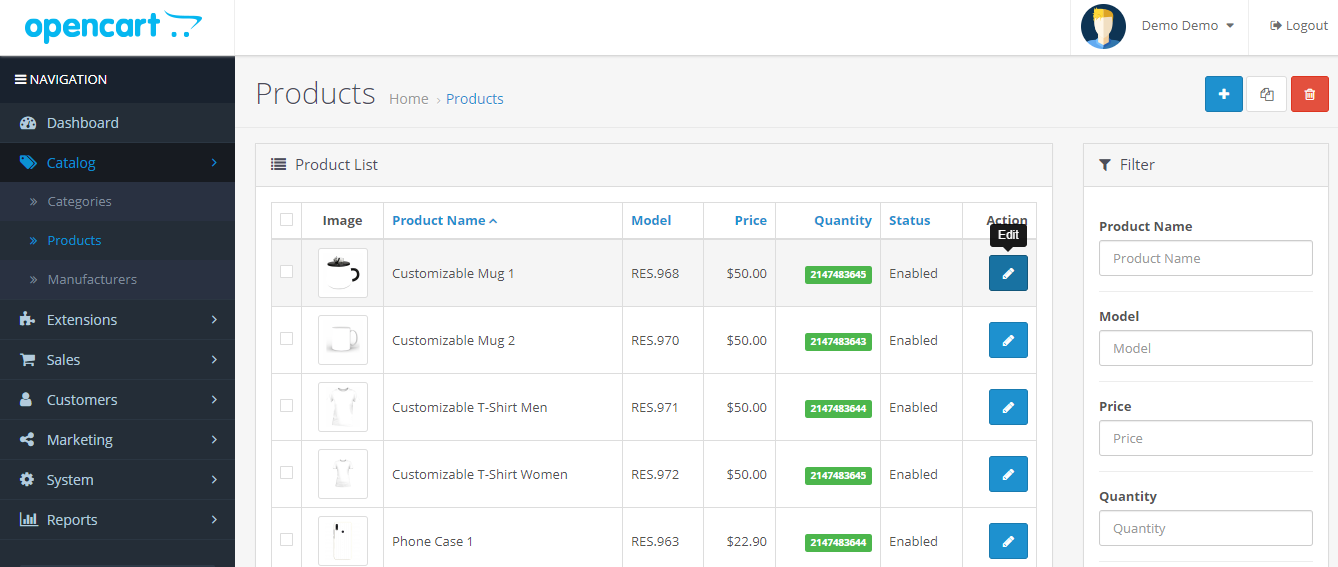
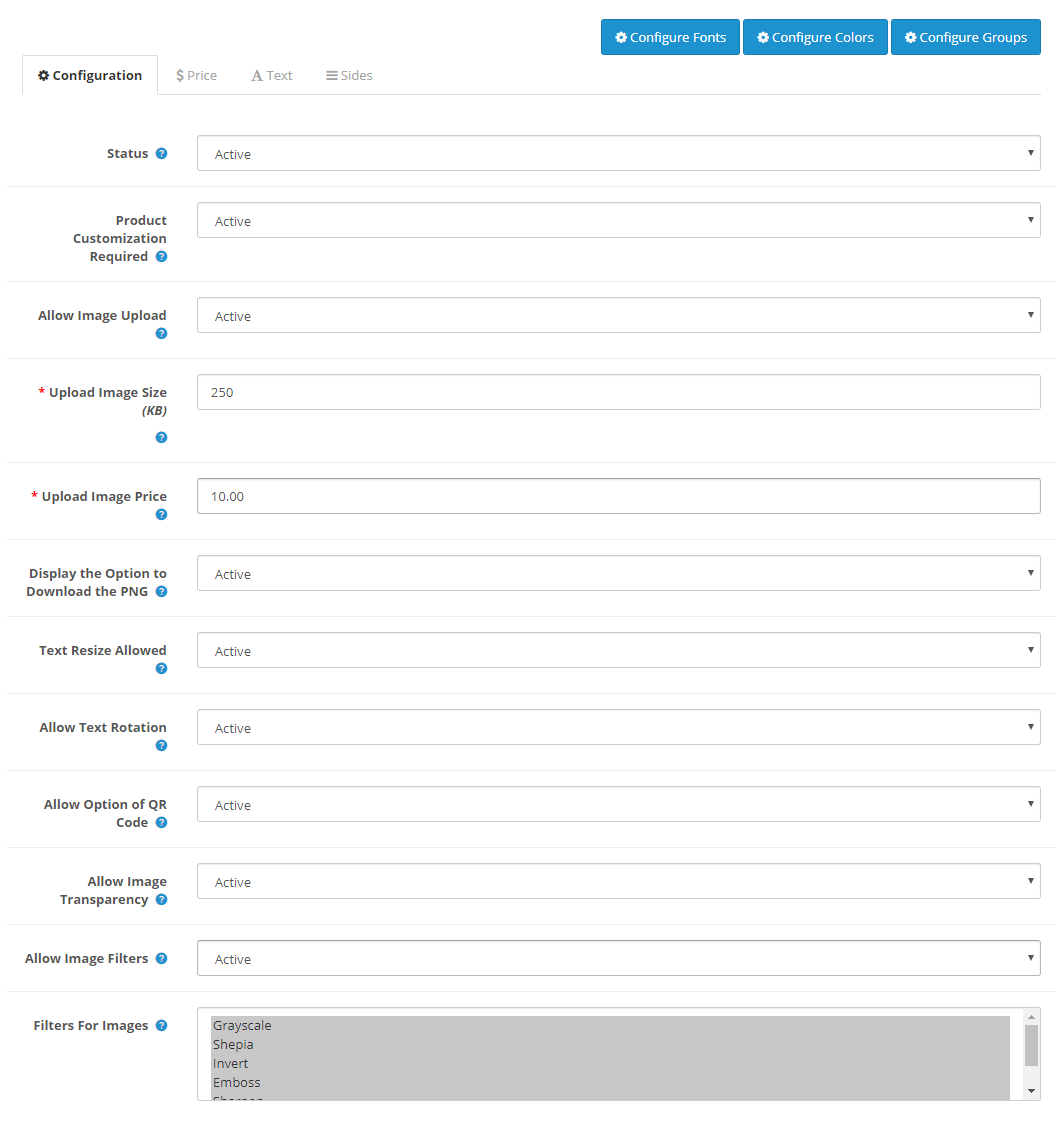
For advanced settings, head over to Catalog and then Products. Select a product, click on edit and then Product Designer.
From there,
6. You can specify the maximum image upload size.
7. You can specify the image upload price.
8. Provide customers with the option to download the customized product image in the PNG format.
9. Allow text resizing and text rotation for customized texts with OpenCart custom product designer. You can also specify the minimum and maximum text length.
10. Display/hide the QR code option from the customization panel.
11. Specify the filters that would be available for use during customization.
12. Set up a fixed price for text customization. You can also charge customers per character.
13. Similarly, you can set up a QR code price and also specify a fixed price for complete customization with the help of OpenCart custom product builder.
If you need any assistance in the OpenCart Product Customization extension, you can submit your query at support@knowband.com
The week of love is just around the corner. On one hand where the love birds would be searching a perfect gift for their partner, Brands, on the other hand, would love to make their shopping experience better and smoother.
Have you done your preparations for Valentine’s Day? Is your marketing strategy ready to be implemented? Well, even if you haven’t, it is still not too late.
OpenCart Extensions for Valentine’s Day
If you have a website on the OpenCart platform, here are the 7 must-have OpenCart extensions that you can consider implementing on your website to catch the spirit of Valentine’s Day. Check them out.
1. OpenCart Gift Card Extension
Gift Cards purchases are seen in high numbers during Valentine’s week and there is no doubt shoppers would be looking for some Valentine’s theme-based Gift Cards on your website too. Reduce this hassle with OpenCart Gift Card Extension.
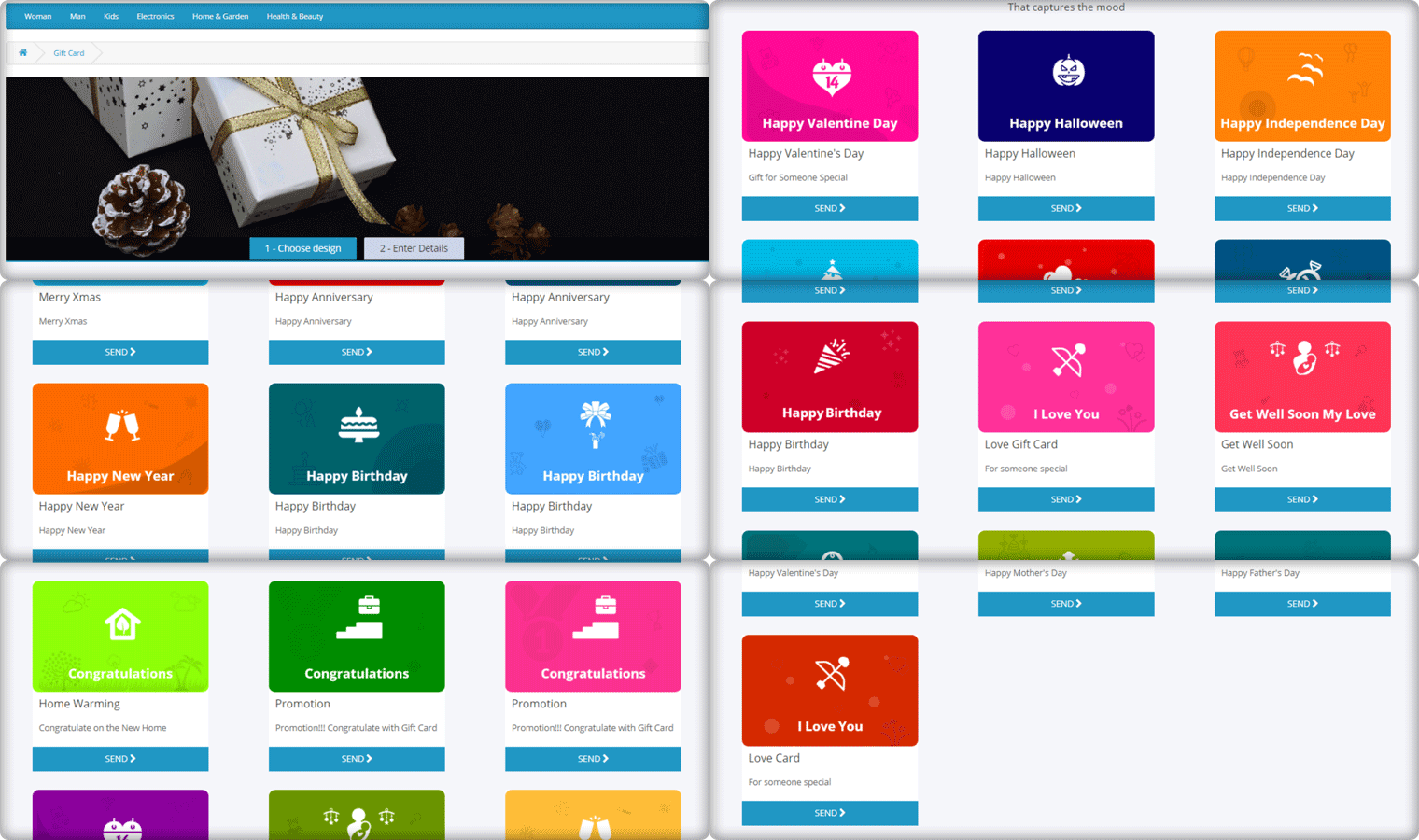
The Gift Card module adds a gift card section on your OpenCart website and provides you with pre-existing gift card templates for multiple occasions including Valentine’s Day. It allows the users to print personalized gift card by uploading a custom image. You can customize these templates, add new ones, and do many more customization with the help of this OpenCart Gift Card Extension.
2. OpenCart Spin and Win Extension
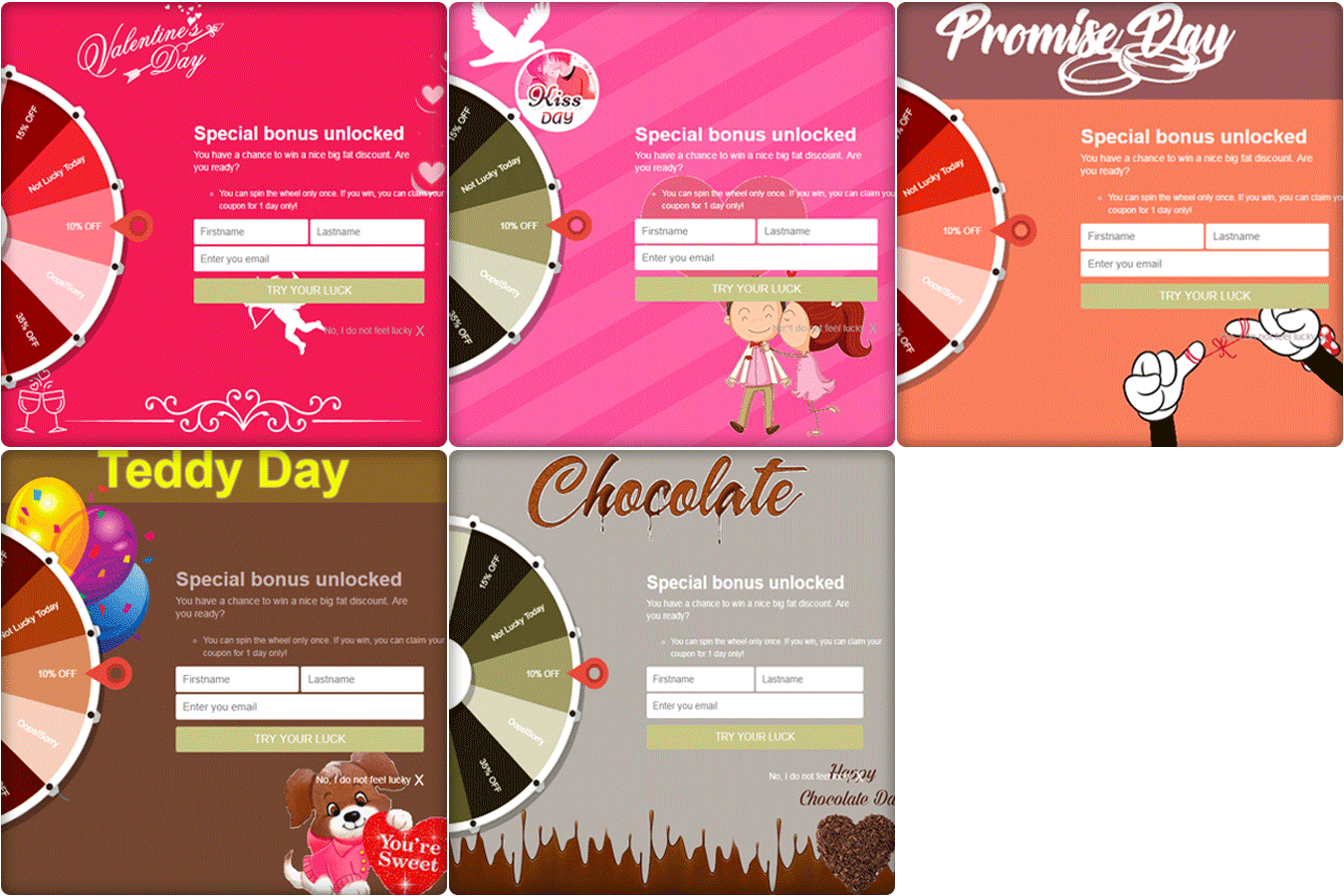
How about giving your visitors Valentine’s feel as soon as they enter your website? The OpenCart Spin and Win extension has multiple themes designed for Chocolate Day, Hug Day, Rose Day, Kiss Day, Promise Day, Propose Day, Teddy Day, and Valentine’s Day, to give your popup an amazing look.
The Spin and Win Popup extension adds a gamified Spin 2 win wheel on your website. Besides keeping Valentine’s feel, it tends to generate higher user engagement, helps you grow your email list, and boosts your conversions.
It lets you encourage your visitors to spin the wheel and earn some enticing discounts.
This OpenCart module helps you set a countdown timer on the front end of your website for your upcoming sales so that your store visitors are very well aware of the commencement of your sales day and do not miss out on it later.
It is a perfect module to highlight your future sale offers without disturbing the user experience. By implementing this module on your OpenCart website, you can expect an increase in your sales when the actual sale season starts.
4. OpenCart One Page Checkout
Though this might make you think as to how one page checkout can be helpful during Valentine’s, it is something that you should definitely consider using.
Many cart abandonments take place due to a long and complicated checkout process. And you can lose out on huge conversions when the visitors count on your store is high but they are not making past the checkout page.
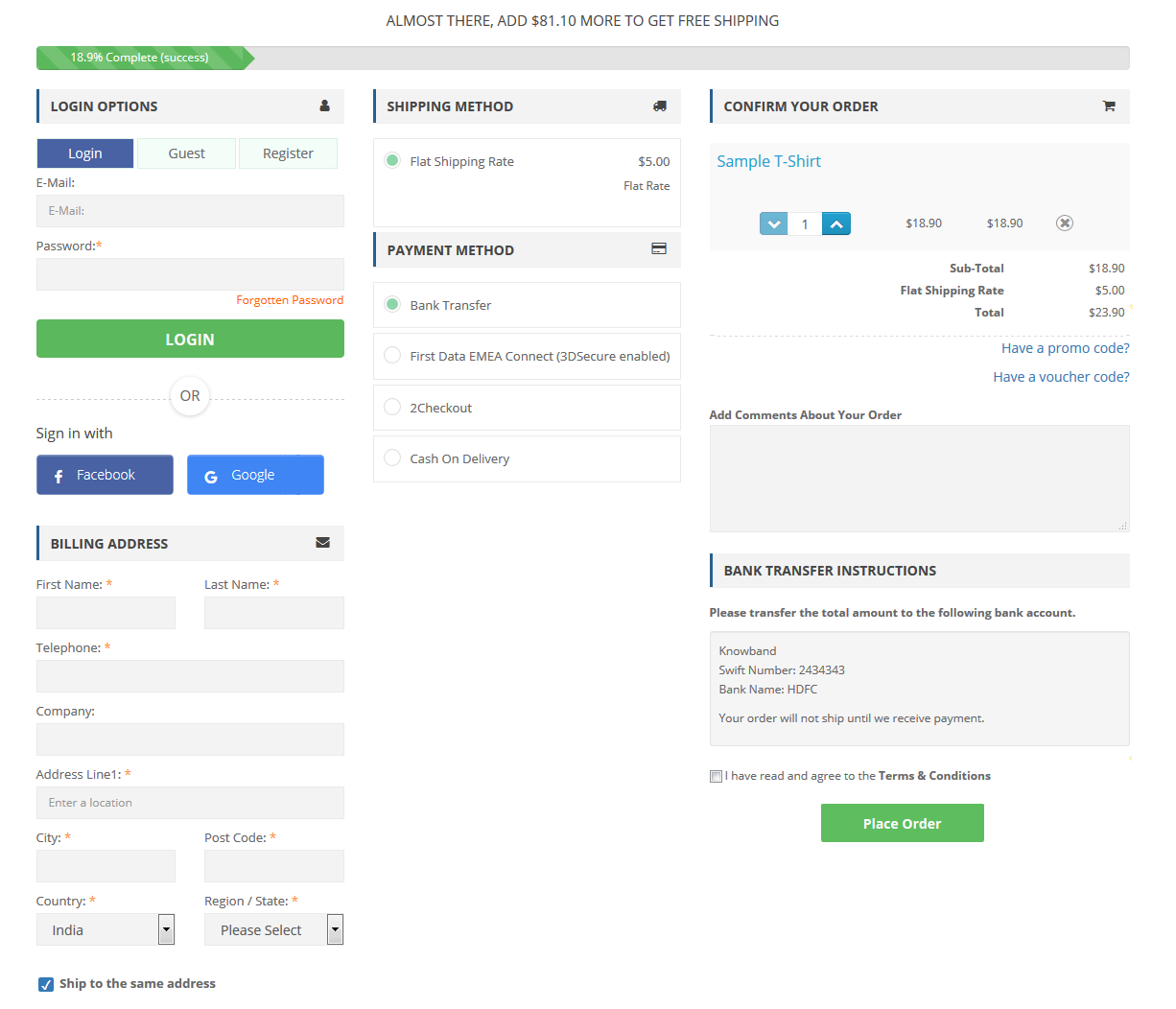
Remove the multi-step checkout barrier with the simple OpenCart One Page Checkout. The extension puts all the checkout fields on a single page and helps your prospects take a quick exit. A user can fill the entire checkout related information in any particular order and check out quickly.
Guest checkout, Social login, checkout field customization, multiple shipping and payment modes support are some of the amazing features of OpenCart One Page Checkout.
5. Print-on-demand Products
Print-on-demand services provide an alternative way to bypass inventory management time, investment, and risk, letting you go from creating to selling custom items at a fraction of the cost.
You can put your original spin on everyday items and sell them online, from t-shirts to posters, backpacks to books.
You can always graduate from using a print on demand platform to keeping your inventory if one of your online business ideas pans out and you start making a large number of sales or continue to use these services while exploring new ways to expand your audience.
This Valentine’s Day, to achieve this you can add a Product Customization Module to your eCommerce store. The users surprise their loved ones with custom, personalized gift items. The choice is yours!
6. OpenCart Preferred Delivery Time Extension
There will be many last-minute shoppers on your store this Valentine who would want to order an item and get it as soon as possible or at a specific date and time. Make this possible for those shoppers with OpenCart Preferred Delivery Time extension.
Through this module, shoppers can specify the date and time on which they want to get their order delivered. They can choose their preferred delivery time on the checkout page. This would prove very beneficial to those users who want to receive a product at a certain occasion and at a certain time.
From the backend configurations, you can make certain changes in the module functionality.
7. OpenCart Cash on Delivery with Fee Extension
With OpenCart Cash on Delivery with Fee extension, you can ask your customers to pay an additional fee when they choose COD option on the payment page. The cash on delivery method is the widely adopted payment method as the majority of the shoppers do not like paying the product price until it reaches them.
The extension helps customers feel more secure and relaxed as they do not need to worry about sharing their card details online.
Over to You
Make the best of this Valentine’s week with these 7 OpenCart Extensions. You will surely witness a boost in your conversions.
If you face any issue with any of these modules or need any kind of assistance, reach out to us at support@knowband.com
When a user lands on your website in search of a product, it is primarily the product page that gives them a push to go for the purchase. Although for a conversion to take place, every element from the beginning till the end is vital. But the product page is the primary focus, and this is why product page optimization is highly important.
If the product page does not look appealing, informative and standardized, the prospect might give up the purchase idea and look for that product on your competitor’s store.
Understanding the importance of optimized product pages, here are the 6 OpenCart Extensions that will help you with product page optimization. Check them out.
1. OpenCart Product Video Extension
What could be a better way to help a prospect in his/her purchase than showing them an informative video of that product? Shoppers have plenty of doubts roaming around their head when purchasing a product online.
Besides product images, a product video eliminates those doubts to a great extent and helps you gain more trust of consumers.
OpenCart Product Video extension adds a “Product Video” tab on your product pages, hence allowing customers to have a look at the product video before purchasing the desired product. You can integrate videos to your OpenCart website effortlessly from multiple platforms likes YouTube, Dailymotion, and Vimeo.
One of the major reasons why customers return clothing items is the incorrect product size. Not having an idea of the accurate product size often leads to customers ordering an incorrect sized product. In fact, different eCommerce websites have different length measures for particular size type. An L-sized t-shirt would not necessarily be of the same size everywhere.
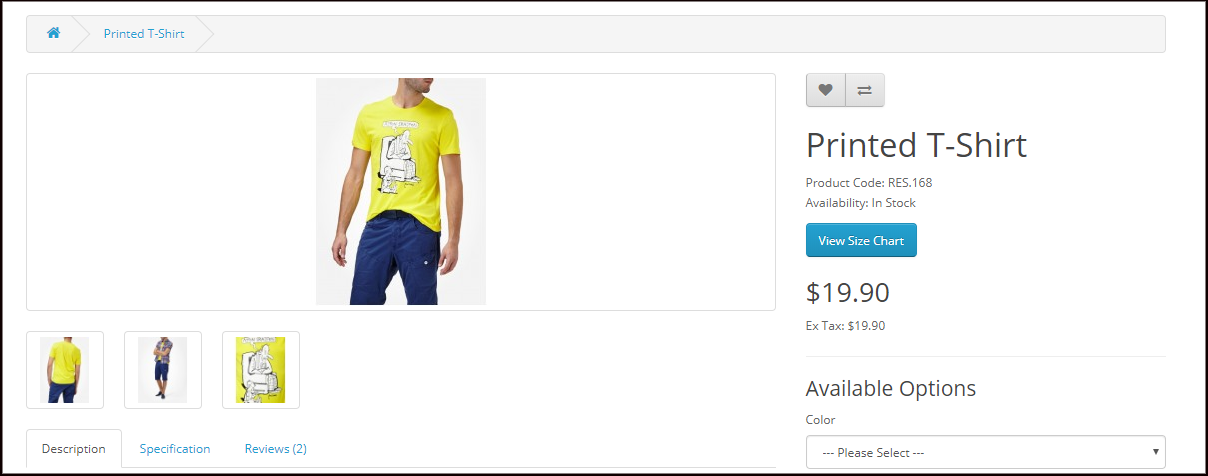
OpenCart Product Size Chart extension adds a “View Size Chart” tab on your product pages through which users can confirm which size product would fit them the best. From the back-end, you can specify the measurements of a particular size type.
3. OpenCart Product Designer/Customizer Extension
Product customization has been in the trend for quite a few years now. Many online shoppers look to purchase customized products. In fact, today, there are entire businesses set up on product customization.
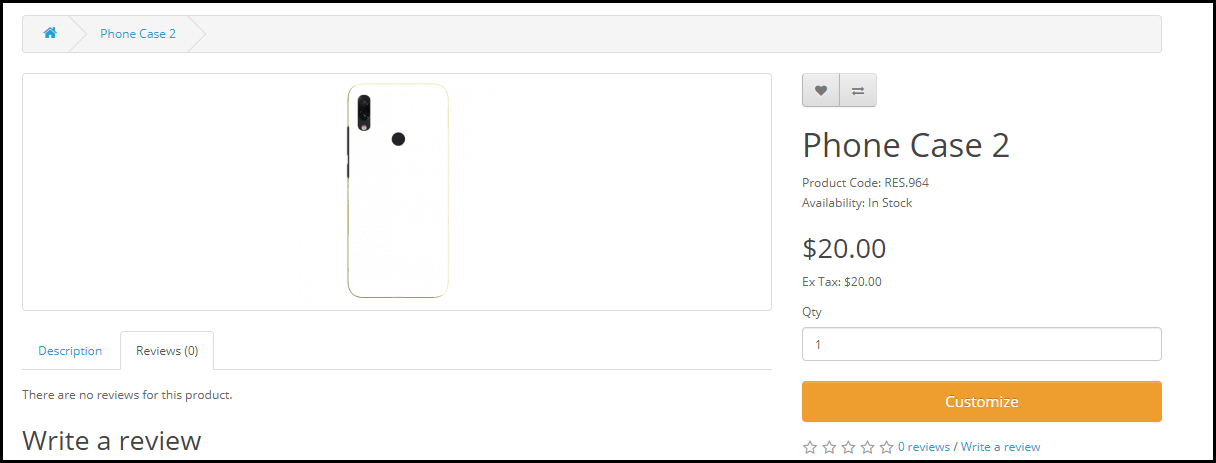
OpenCart Product Designer/Customizer extension adds a “Customize” tab on your product pages with the help of which a user can personalize a product as per their needs and desire. The configurations for this module can be modified from the back-end including setting up the customization price as well.
4. OpenCart Product Availability Check by Zip Code Extension
Let customers check whether a particular product is eligible for delivery or not, at their desired location, right on the product page.
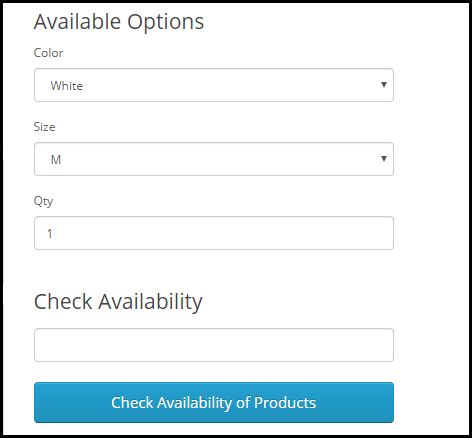
With the help of OpenCart Product Availability Check by Zip Code extension, also called as OpenCart Zip Code Validator, the buyer can check whether the product is available for delivery at their location or not by simply specifying the area zip code. The module adds a “Check Availability of Products” tab on your product pages.
If unavailable, it will display that the product is not available at the specified zip code.
5. OpenCart Advance Wish List/ Save for Later Extension
Let shoppers save a product for later if they do not want to purchase it at that particular moment. With OpenCart Advance Wish List/ Save for Later extension, you can allow your prospects to add the products in their saved items list.
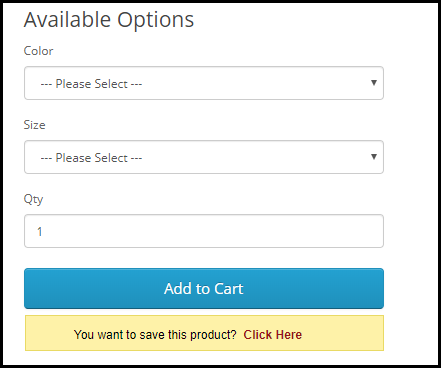
The module adds an option right below the “Add to Cart” button to make customers save that product. As a result, whenever the prospect returns and decides to make the purchase, they can simply view that product from their saved items.
This gives you an idea of the customer’s requirements and you can approach them later and help them purchase that product.
6. OpenCart Review Incentive Extension
Product Reviews highly matter for any online business. They not only influence the buying decision of the future customers but also help businesses get feedback about the product quality as well as the issues customers are facing with it. Brands do reach out to customers and ask them to review the product they recently purchased, but not many customers take it seriously.
With OpenCart Review Incentive Extension, you can encourage customers to leave a review on the products and reward them with exciting incentives for every successful (approved) review. You can set the incentive value, review reminder date and do much more through OpenCart Review Incentive Extension.
Do whatever it takes to make your product pages user-friendly. Take the help of these 6 OpenCart Extensions for product page optimization and make the purchase experience of your visitors better than ever.
If you need any assistance in any of the above-mentioned OpenCart Extensions, reach out to us at support@knowband.com
“OpenCart SEO Redirect extension is a simple yet effective module that helps you perform different kinds of redirects on your website and maintains your website’s performance on the search engine.”
Changed the URL of a web page and want to redirect it to the new page instead of displaying a 404 error to your website visitors? Or want to have plain, simple SEO-friendly URLs for complexed URLs? We have got you covered. If you have an OpenCart website and want to make these changes, OpenCart SEO Redirect Extension is all you need.
Features of OpenCart SEO Redirect Extension
Let’s take a look at what features does the OpenCart SEO Redirect Extension offers.
1. Redirect HTTP URL into HTTPs URL
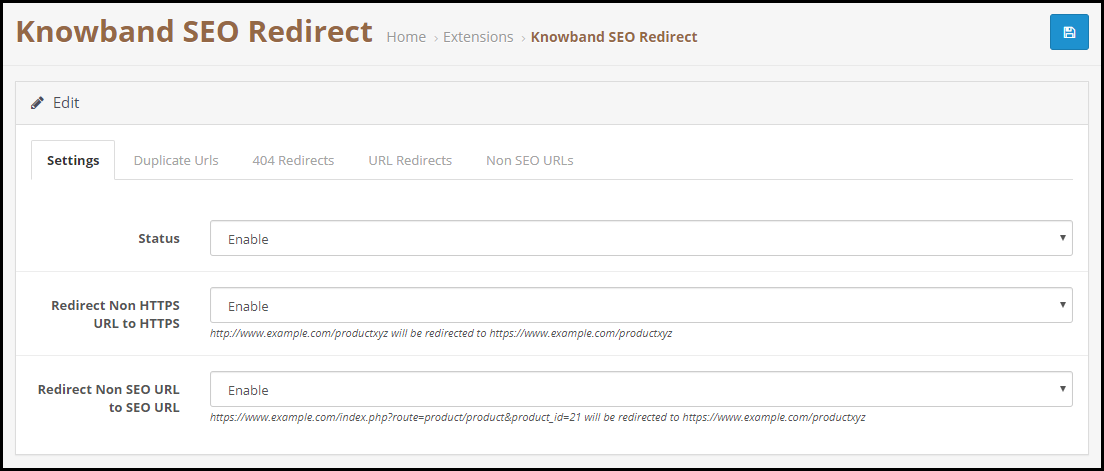
OpenCart URL Redirect module allows you to convert Non-SSL certified web pages into SSL-Certified web pages. Hence, if you have added an SSL certificate to your OpenCart website and want to update the HTTP version into HTTPs, OpenCart SEO Redirect extension will let you do that comfortably.
2. Track and Rewrite Duplicate URLs
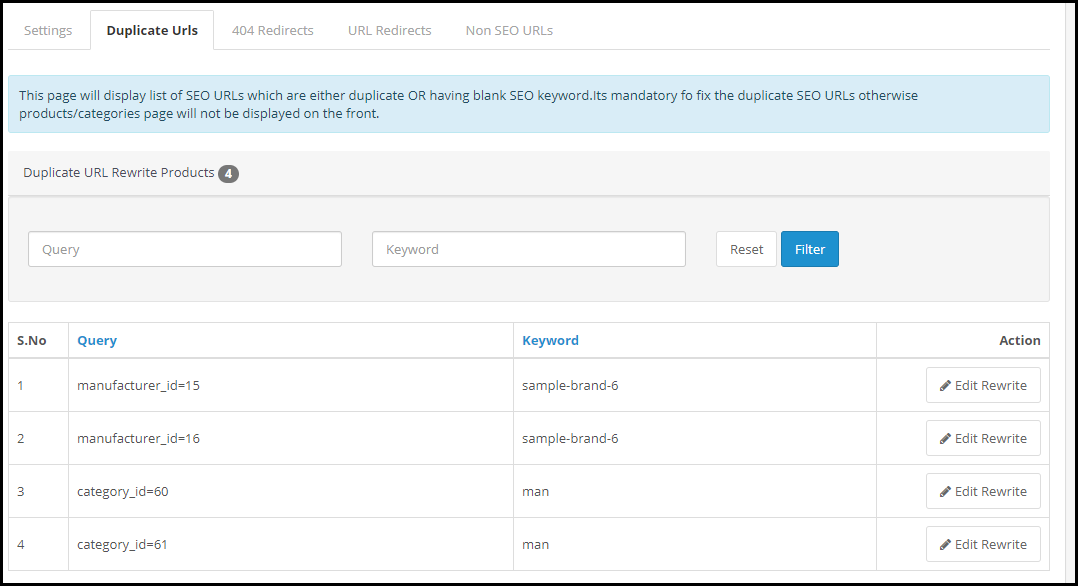
The OpenCart URL cleaner extension displays a list of possible duplicate URLs under the “Duplicate URLs” tab.
It displays the different URL queries associated with the same keyword. You can rewrite a particular URL, modify its keyword and set an SEO-friendly URL and redirect the visitors on the updated URL for that specific query.
3. Perform 404 Redirects
OpenCart SEO Redirect extension helps you perform 404 redirects. Under the 404 Redirects tab are the fetched URLs that are showing a 404 error. It also displays the fetched count of that particular URL.
To redirect a web visitor from those URLs to new URLs, simplify specify the new URL and the URL type. There are three types of redirects that you can perform-
301 Redirect- Moving a URL to a new URL permanently
302 Redirect- Moving a URL to a new URL temporarily
303 Redirect- GET method used to retrieve information
4. Track Non-SEO URLs
OpenCart SEO Redirect module displays a list of the Non-SEO URLs added by the admin, under the “Non-SEO URLs” tab and helps you convert them into SEO-friendly URLs. You can specify the path where you want to redirect a visitor if he or she clicks on its Non-SEO friendly path.
Benefits of OpenCart SEO Redirect Extension-
1. Keep Visitors Engaged
Leading visitors to broken or 404 pages can severely affect your website’s SEO and you may face a higher bounce rate and a decrease in website traffic. These problems get eliminated with OpenCart SEO Redirect Extension.
2. Remove Old URLs
By performing an SEO Redirect, you notify the search engine bot that the old URL has moved to a new path. Hence, it removes the previous existing URL and replaces it with the new one. Web visitors will then see a new URL indexed on the search engine.
If you need assistance with this OpenCart extension, contact us at support@knowband.com
“OpenCart CCPA Extension helps California businesses comply with the CCPA law without following any arduous approach. The extension makes it easy to set up the California Consumer Privacy Act conditions on the front end of your website.”
What is CCPA?
CCPA stands for California Consumer Privacy Act. Passed on June 2018, by the California State Legislature, the law will be effective for businesses from January 1, 2020.
The businesses falling under this law would be those who have gross annual revenue of more than $25 million, have personal data of more than 50,000 consumers and earn half of the total annual revenue by selling consumer’s personal information.
It is implemented to give consumers better control over their data and to avoid breaching of personal information.
The law gives consumers
Right to Access- Have a check on the information that the company has collected about them.
Right to Deletion- Ask companies to delete their personal information.
Right to Equality- Not to be discriminated against consumers for denying any product or services to the consumers or charging a different price.
Right to be Informed- know what kind of data is getting shared and why is it getting shared and to whom.
Right to Opt-out- Deny companies to share the personal data to any third party.
OpenCart CCPA Extension
Understanding the urge of businesses to comply with the CCPA law and avoid any penalty, OpenCart has introduced the CCPA Extension. OpenCart CCPA extension simply adds a “Do not sell my data” tab at the front end header.
The tab consists of the following 5 options-
1. Right of Access to Personal Data
2. Right to Data Portability
3. Right to be forgotten
4. Right to Data Rectification
5. Right to User Consent
Let us have an in-depth analysis of each-
1. Right of Access to Personal Data
Through this option, consumers can ask a business to share the personal details that they have collected over time.
All a consumer needs to do is provide his/her email address and submit a request. Once submitted, a confirmation email will be sent to the consumer. Upon confirmation, they will receive their personal data over their email address.
It will display the entire information the business has captured about the consumer.
2. Right to Data Portability
This option allows consumers to download their personal data in a CSV format. They can download their personal information, address details and order details.
They just need to submit a request to the merchant.
3. Right to be forgotten
This right allows consumers to permanently delete their entire information from the website. A consumer just needs to request for his/her account deletion by providing his email address.
Upon confirmation, all the associated data of the consumer will be removed from the system and they will no longer be able to access their account, however, they can create a new account using the same email address.
4. Right to Data Rectification
This option allows consumers to rectify their existing information on the website. It includes updating personal information, address and password.
Put simply, a consumer can modify their personal information easily.
5. Right to User Consent
The last option that we have is “Right to User Consent.” Under this option, you can ask for the consumers’ consent regarding sharing of their personal data with the third-party websites or selling it for the monetization purpose.
As per the CCPA law, consumer aged between 13 to 16 has the right to opt-in for allowing sharing of their personal data and consumers below 13 need a guardian authority.
Get the OpenCart CCPA Extension today. If you need any assistance regarding this extension, you can raise a ticket at support@knowband.com
Hardly a few days left for Black Friday. Brands have already begun the preparations for the busiest shopping day of the year 2020in the U.S. and they are looking to scale-up the number in this season too. Last year Black Friday sales had hit the $7.4billion mark and the expectations are high for this year too.
Preparing for the biggest eCommerce sales of the year can be intimidating when you are competing with big brands like Amazon. But, here is a way of making your holiday e-commerce season run as efficiently as possible. This article will help you optimize your OpenCart store in all possible ways.
OpenCart Extensions for Black Friday
I am sure you also want to make the best use of the coming Black Friday. So if you are having an eCommerce website on the OpenCart platform, take a look at the following 8 OpenCart Extensions to boost your eCommerce sales during Black Friday.
Customers like Personalization
1. OpenCart Product Designer/Customizer
The concept of the eCommerce sale is never constant but it always changes and with that the personalization has become a part of the business. People love customized products and 2020 has witnessed a boom in personalized gifting solutions. Empower your clients with the opportunity to design and shop on your website for personalized items such as T-shirts, mugs, cushions, and a lot more.
The Product Customizer Extension designed for the OpenCart platform allows the shopper to customize the product by inserting the desired text and pictures. The Product Designer/Customizer extension provides you with the best way to sell your products on your website according to consumer needs.
Let them design and gift the custom products to their loved ones!
Time to attract new customers
2. OpenCart Gift Card Manager
There will be a heavy demand for Gift Cards when Black Friday makes a close approach. Many online shoppers would be short of time to purchase different gifts for their close ones. In this rush, shoppers would probably prefer the Gift Card option. Reduce the hassle to search for a perfect gift with OpenCart Gift Card Manager.
OpenCart Gift Card Manager helps you add a gift card section to your OpenCart store and encourages more sales. The extension lets you place the Gift card block on various places on your website, including the header and footer so that it is easily noticed by the user when he or she arrives at your website.
With the help of this OpenCart extension, you can create an attractive Gift Card template for the occasion of Black Friday.
When customers visit your OpenCart website, they will see the option to purchase the Black Friday Gift Card or they can create their own custom gift card by uploading a picture.they can send to the recipients over their email or deliver it at their doorstep.
3. OpenCart Facebook Share and Win Discount
While online shoppers would be searching everywhere to get discounts on Black Friday, you can make their task easy with Facebook Share and Win Discount.
OpenCart Facebook Share and Win Discount adds a “Share and Win Discount” tab on your product pages, clicking on which the user earns a discount code every time they share that product on their timeline. You can specify the products for which you want to provide a discount on sharing.
Increase Customer Engagement
4. OpenCart Spin and Win
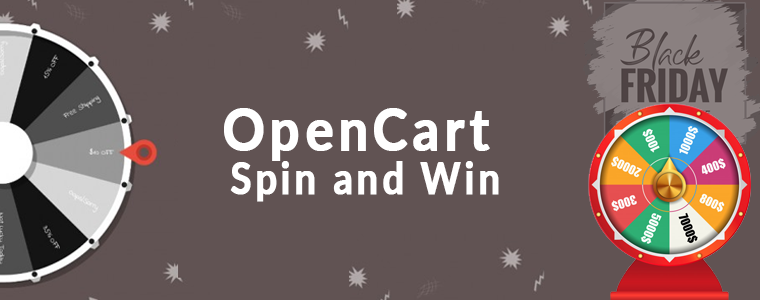
OpenCart Spin and Win extension integrates a Gamification popup on your website. The primary purpose of this OpenCart extension is to create more user engagement and make your visitors earn offers by involving them in a fun activity rather than approaching them through conventional popups.
OpenCart Spin and Win popup helps you capture more email addresses and ultimately drive more conversions. For amazing results on this Black Friday, you can set up your popup theme as per the occasion to catch the Black Friday spirit. Not just the Black Friday but the module is integrated with several attractive themes for every occasion.
5. OpenCart Exit Popup
Prevent visitors from leaving your website and present them with some exciting Black Friday offers and discounts at the last minute.
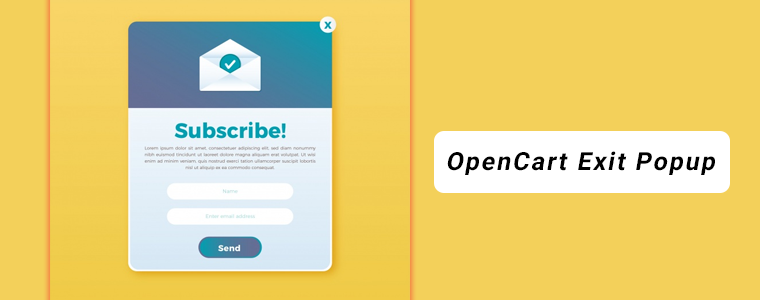
OpenCart Exit Popup lets you display an interactive popup right when the user intends to leave your website. The module senses as soon as the cursor reaches the close button and performs the specified task.
The OpenCart Exit Popup makes it a perfect way to turn the visitor into a potential customer at the last moment. It helps you with higher conversions and hence higher revenue.
You can find tons of customizations inside the module.
Create Urgency
6. OpenCart Countdown Sales Timer
How about creating awareness about your sales on Black Friday and generating a sense of urgency on your OpenCart website? Yes, this can be implemented through OpenCart Countdown Sales Timer.
OpenCart Countdown Sales Timer lets you set a timer for your sales and display it on the front end of your website to encourage quick purchases.
This OpenCart extension triggers impulse purchasing and helps you achieve higher sales within a limited time. You can display the timer on multiple pages and adjust its look and feel.
7. OpenCart Deal Timer
Provide enticing discounts on specific products with the help of OpenCart Deal Timer Extension. For the Black Friday occasion, you can set a special discount on your best sellers and increase the sales volume.
The horror of abandoned carts will scare you the most during Black Friday. Try to convert abandoned carts with OpenCart Abandoned Cart extension.
OpenCart Abandoned Cart extension lets you recover the abandoned carts by tracking the abandoned cart users. You can send an email reminder to those users about the pending items in their cart and ask them to complete the purchase by including a discount coupon in the follow-up email.
You can specify the duration after which the cart is assumed to be abandoned and also customize your abandoned cart emails.
Make your Store Gadget Friendly
9. OpenCart Mobile App Builder
Make the online shopping experience of your customers even better and convenient by launching a mobile app for your business. Black Friday is approaching and there would not be any better opportunity to get higher sales than having your mobile app ready before Black Friday arrives.
OpenCart Mobile App Builder transforms your OpenCart website into a native mobile app, be it for Android or iOS or both. It does not require any kind of coding knowledge.
It offers real-time synchronization of the website into the app, offers fingerprint and OTP login, provides Zopim and WhatsApp Chat support, Unlimited Push Notifications, Simplified Checkout, and much more.
Wrap-up:
The OpenCart extension helps you in free brand promotion through your customers and most importantly, improves customer retention.
That’s all! Best wishes for your Black Friday sales.
Need assistance with any of the mentioned modules? Leave a comment below or contact us at support@knowband.com
OpenCart Instagram Shop Gallery extension fetches the user-generated content as well as the content from your own Instagram business account and displays it on your e-commerce store.
What is User-generated content?
Any type of content, be it images, videos or text, that is shared by a user reflecting a brand promotion, is known as the user-generated content.
Have you ever run Instagram contests based on user-generated content? A contest where you ask your followers to use a particular hashtag and share their story or a picture highlighting your product, to win some exciting prizes.
Freelancing platform Upwork asked its followers to share their freelancing success stories using the hashtag #UpworkSuccess and provided a chance to win $1000 Visa Gift Card.
Coca Cola’s “Share a Coke” campaign was a huge hit in 2014 when the Brand asked users to share their pictures while enjoying the drink, using the hashtag “ShareaCoke”.
Considering the importance of user-generated content, KnowBand introduces the OpenCart Shop Gallery extension that helps you display the user-generated content on your eCommerce store and link your products to the content shared by the end-user. If you have launched a marketing campaign, you can share the received responses on your e-commerce store.
OpenCart Instagram Shop Gallery extension lets you add Instagram images or videos to your e-commerce store, be it through your own Instagram account or by using hashtags. You can use those images to tag similar products available on your store and display it to your store visitors. Attractive product images can help you drive more sales.
Features of OpenCart Instagram Shop Gallery extension
1. Add as many photos as you want
You can fetch numerous images from the Instagram platform. OpenCart Instagram Shop Gallery extension provides the option to fetch images from your own account(personal or business) or you can consider using hashtags. For example, if you are running a campaign for a particular hashtag, you can display the images related to that hashtag on your store.
2. Create categories for your Instagram Shop
Add a category(tag) to your Instagram shop and define the hashtags for it to put related images under that category. In simple terms, all the images under the defined hashtag will be displayed under the added tag, in your store.
3. Tag your store products on the images
You can tag your products on the content that matches your products. It helps people make a better purchase decision.
4. Choose a layout
OpenCart Instagram Shop Gallery offers two layouts to display the Instagram feed- Carousel view and Grid view. Moreover, you can choose the layout design for multiple pages like Home Page, Product Page, Category page, etc.
Apart from these features,
You can provide a name to the Instagram tab that will be displayed to your store visitors.
You can mark images as “Featured” and display it on your Instagram Shop Gallery.
Products tagged on the images can be viewed under “Tagged with Products”.
For a particular category, you can choose the maximum number of images to be displayed under it. Choose the Layout type and also display the Follow us link.
You can display the like and comment count
Customize the color of the “Follow us” button.
Customize the Instagram Gallery according to your own choice.
Final Word
Instagram user count crossed the 1 billion Mark on June 2018 and the numbers are growing significantly. It is being actively used by the people, especially the youth and most people even find it more interesting than Facebook. Do you know, more than 95 million posts are shared on Instagram daily? With such active participation of the users, showcasing the user-generated content at Instagram, on your OpenCart store can be an ideal way for your business to create brand awareness and increase sales.
Do check out the OpenCart Instagram Shop Gallery extension to know its complete features and benefits.
It often happens that customers get stuck on the checkout page and do not proceed further. Do you know why that happens? Once customers have decided what they want to purchase, they prefer to check out as quickly as they can, yet many e-commerce stores have put up some barriers on the checkout page that breaks the flow of a customer’s purchase.
If you are an OpenCart store owner, we have a solution for this, OpenCart One Page Checkout Pro by Knowband eliminates multiple steps of checkout and gives pleasing UX to your customers.
Update Alert(January 8, 2026): The Knowband Opencart Page Checkout Extension now supports OpenCart 4.x.x, offering a faster and smoother checkout experience for your customers
The Knowband Opencart One Page Checkout Extension now allows the stores to effortlessly integrate all major payment gateways. From PayPal, PayU, Stripe, Authorize.Net, Square, and Razorpay to Buy Now, Pay Later (BNPL) options, your customers can select the payment method that suits them best, making checkout faster and more convenient.
For more information visit: https://www.opencartmarketplaceapp.com/
OpenCart One Page Checkout Pro
OpenCart One Page Checkout Pro extension is one of the best OpenCart extensions that focus on making the customer purchase quick and easy. It is a dynamic multi-lingual extension with multi-store compatibility, compatible with all themes, and is fully mobile responsive. Opencart One Page Checkout Plugin Pro is easy to install and set up.
What’s new in OpenCart One Page checkout?
OpenCart One page checkout comes with some striking most demanded features and this is a must buy plugin if you are an OpencCart eCommerce store owner. Let’s sneak into it.
Google Auto Address Fill option
The updated version of Opencart One Page Checkout has the functionality of the address auto-fill by Google. By reducing customer’s check-out time it encourages customer conversion. Google Auto-Address Fill displays the address suggestions when a customer enters the address information. It collects the typed characters and displays related data. The Zip Code and the City Column will be extracted automatically when the proposed address is selected.
Dynamic layout with new customizer settings
No theme is similar and as a store owner, an attractive look for the website is what we desire for. You don’t need to be a coder for this. Now an OpenCartStore owner can customize the checkout page buttons by changing background and text color according to the theme. All can be accomplished from the OpenCart single page checkout Plugin without changing the base code.
Social login with Google+, Facebook, and PayPal
Let your customers sign up or sign in to your store directly with their social media accounts. OpenCart One Page Checkout offers Facebook and Google+ login for quick registration. PayPal login is one of the most demanding features for OpenCart Checkout. This updated version of the OpenCart One Page checkout plugin allows the customer to login by their PayPal account.
Add Subscribers to your Newsletter
In this One Step Checkout OpenCart Extension, a built-in MailChimp, Klaviyo, and SendinBlue integrator is included so you can save time and money. It sends customer email IDs directly to your account either when the customer comes out of the email field or when they place an order after choosing a newsletter subscription checkbox. If you log in via Google or Facebook, your email will also be sent to your email marketing tool which helps you grow your subscribers.
Key features of OpenCart One Page Checkout Pro
Guest Checkout
OpenCart One Page Checkout Pro extension provides a Guest checkout option to customers who do not want to create an account on your e-commerce store. In fact, they do not even need to set a password. A customer just needs to provide his/her email address and a password will be automatically sent over their email.
Multiple payment modes
OpenCart single page checkout extension supports multiple payment modes like Credit Card, Debit Card, PayPal, PayU, PayZippy, Boleto, etc. You can set a default payment method.
Multiple shipping services
OpenCart quick checkout extension supports all the major shipping services that include USPS, UPS, FedEx, RoyalMail, Citilink, etc. You can set a default shipping service.
Set the payment modes for a particular shipping service
OpenCart one step checkout extension comes with a Ship2Pay feature, under which you can mention which payment modes do you support for a particular shipping method.
Drag and Drop fields
OpenCart fast checkout extension provides the drag and drop functionality, with the help of which, the store admin can prioritize the checkout fields. Just pick a field and place it where you want to get it displayed.
Decide which field you want to keep mandatory and which as optional
OpenCart simplified checkout extension provides you the option to keep a field mandatory or optional. For example, on the checkout page, you can keep “First name” as mandatory and the “Last name” is optional. Try to keep only important fields as mandatory.
Multiple layouts
The design of your checkout page matters a lot for an amazing user experience. OpenCart One Page Checkout Pro offers 3 layout designs; 1-column, 2-columns, 3-columns. With this option, you can choose to display all the checkout information in a single column or segment it into two or three columns.
Customize cart fields
It is up to you to decide which cart details do you want to display on the checkout page. You can choose to show or hide the product image, product name, product description, model, quantity, product price, etc.
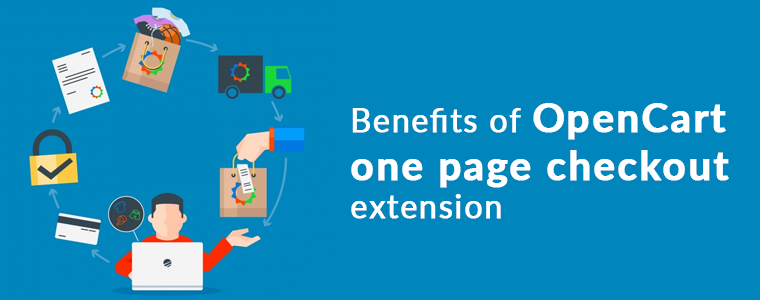
Benefits of OpenCart one page checkout extension
1. Fast and quick checkout:
OpenCart Single Page Checkout has the new user interface, Autofill address functionality, and social login options which allow the guest or logged in customers to make quick checkout.
2. Reduce abandoned cart:
The simple and fast checkout process encourages the customer to make the checkout process quickly without turning back. Study shows that more than 60% of abandoned carts are due to a complex or slow checkout page. One page Checkout helps in reducing abandoned cart rates.
3. Increase Sales and Conversion rate:
Our OpenCart Single Page checkout extension makes the checkout process effortless which increases the conversion rate of their eCommerce store.
4. Newsletter and Voucher Field:
One Page Checkout plugin of OpenCart by Knowband has the option to provide a newsletter subscription tab and voucher field on the checkout page. Now your customer can put the voucher code during the checkout process.
5. Complete Cart Summary
OpenCart One Step Checkout extension displays full Cart Summary, displays the product image directly, or when the customer moves the cursor over the product name. Customers can change the quantity directly on the checkout page.
6. Mobile Responsive
With more than half of the shopping done through mobile, it is extremely important to have a mobile responsive website. The OpenCart One Page Plugin is fully mobile responsive and compatible with all browsers and devices.
Final word
No matter how appealing you have made your e-commerce website, if you cannot deliver a great checkout experience to your users, you may lose out on conversions. Try out the OpenCart One Page Checkout Pro today that includes all the above-mentioned features and much more!
“OpenCart AMP Extension reduces the page load time of your website in mobile devices and offers faster loading to enhance the experience of your mobile users”
According to a report by Invesp, more than 2 billion people use their mobile devices for online shopping, globally. Also, as per Statista, 53.9% of all U.S retail e-commerce is expected to be generated via m-commerce, by 2021.
Mobile Commerce or M-commerce looks promising to be a dominating e-commerce force in the upcoming years. With the increase in the number of mobile users, e-retailers have started looking out for ways to optimize their e-commerce website for mobile and one such way is the implementation of Google AMP.
What is Google AMP?
Accelerated Mobile Pages or AMP is an initiative by Google that is designed to offer faster loading of web pages on mobile devices.
Data from KISSmetrics reveals that if a website takes more than 3 seconds to load, 40% of people are likely to abandon the page, resulting in an increased bounce rate. This is where AMP comes in handy.
AMP for OpenCart
An AMP-enabled web page or website is the topmost priority for a customer when they are looking for any info on the search results.
OpenCart AMP (Accelerated Mobile Pages) Extension optimizes your website and converts your website pages into flexible mobile pages when browsed via a mobile device, and delivers content quickly. It gets rid of all the clunky elements from your website and displays only the relevant content. OpenCart Accelerated Mobile Pages is a powerful mobile optimization tool that helps you index your mobile pages faster.
Features of OpenCart AMP Extension
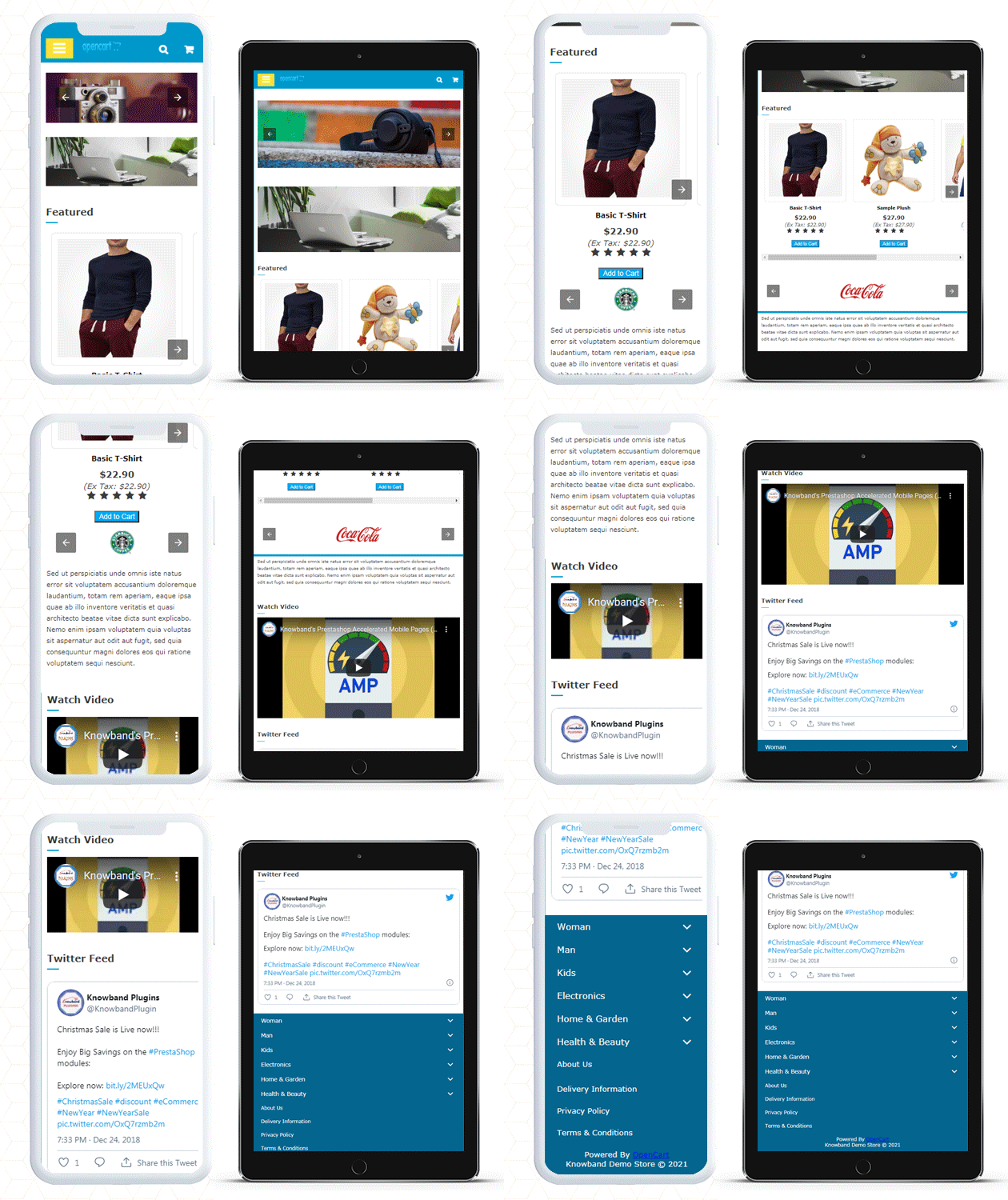
1. Home Page AMP
OpenCart Google AMP module helps you implement the AMP functionality on the Homepage of your website.
You can display a custom text on the Home Page and select whether you want to display it on the top or bottom.
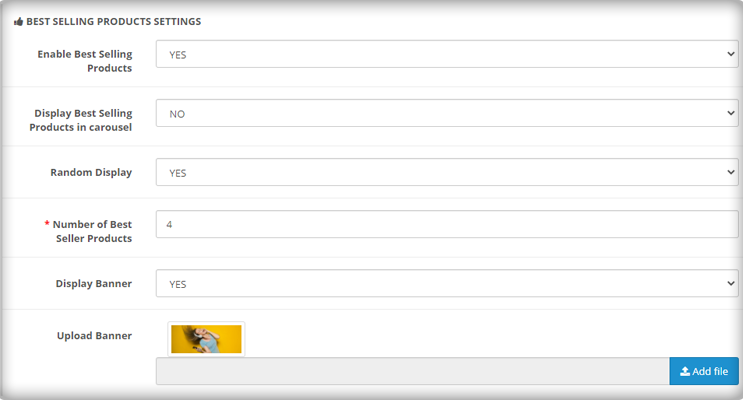
Display Featured Products, Bestsellers, New Arrivals on your Home page.
Choose a minimum number of featured products, best sellers, new arrivals that you want to display.
Display featured products, best sellers, new arrivals in a carousel mode.
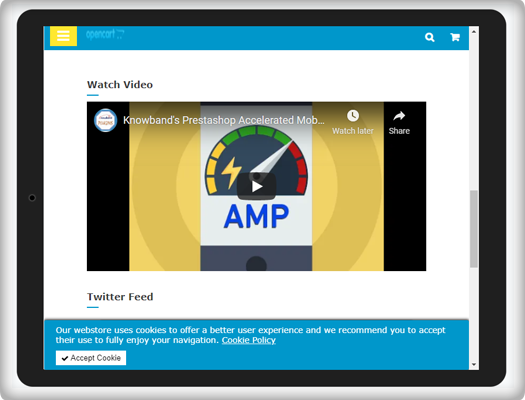
You can also add videos from YouTube, Vimeo, DailyMotion and display them on your Home Page. Videos can be set to autoplay.
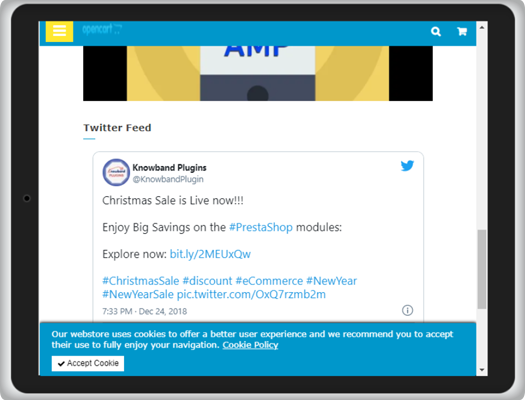
OpenCart AMP extension allows you to display Instagram or Twitter feed on the Home Page.
2. Category Page AMP
Implement Google AMP on your category page and allow quick navigation to your users through the listed categories.
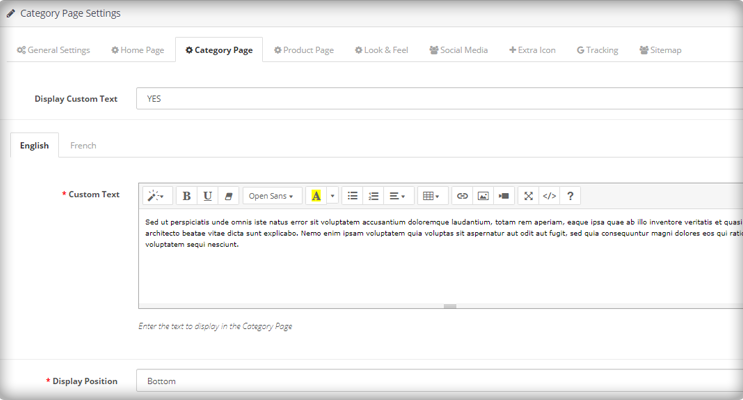
Create a custom text for the category page and select the display position.
3. Product Page AMP
Implement AMP on your product pages with the help of the OpenCart AMP module.
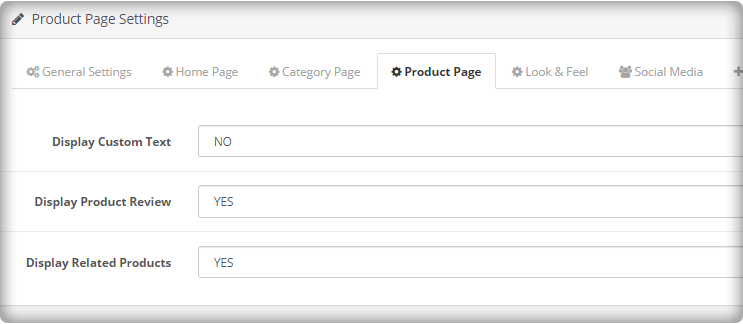
Create a custom text for the product page and select the display position.
Display product reviews and related products.
4. CMS Page AMP
Implement AMP on CMS (Content Management System) pages and optimize the website content for mobile users.
5. Customize the Look and Feel for the Mobile Devices
Try out different color options and make your AMP-enabled website appealing in front of mobile users. Google AMP OpenCart consists of a “look and feel” tab, from where you can customize the website appearance accordingly.
6. Add your Social Media Pages
You can add your social media pages to your AMP-enabled website. With the OpenCart AMP extension, you can add your Facebook page, LinkedIn Page, Instagram account, Twitter account, Pinterest account, and Tumblr account, etc.
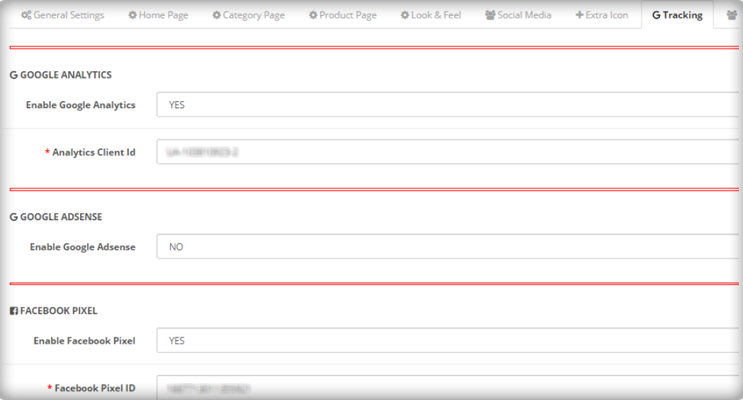
7. Enable Google Analytics, Google AdSense, and Facebook Pixel
You can link your Google Analytics ID to track the performance of AMP pages. Similarly, you can link the Google AdSense and Facebook pixel id.
Apart from these features, you can
Upload your website logo and adjust its width and height
Upload a banner for featured products, best sellers, and new arrivals.
Create your cookie consent message
Select the number of products to be displayed on a single page.
AMP for OpenCart FAQ
Does the AMP extension support the Journal theme?
Ans: Yes, the module does not get affected by the Journal theme. The UI of the AMP pages will remain the same as configured. (Independent of the site theme).
Does the AMP Extension require coding?
Ans: No, it does not require any coding to set up.
Can customers change the home page design and add products on the home page?
Ans: Yes, with the Accelerated Mobile Pages, the home page design can be customized. Admin can change the banners, colors, look and feel and add featured images of the home page.
Does the app support multiple languages?
Ans: Yes, the OpenCart AMP extension is multi-lingual and works well with all the languages.
Can I add Social media profiles to the home page of Accelerated Mobile Page?
Ans: It is very easy to embed Twitter and Instagram profiles on the AMP extension. Check out the admin demo for the same.
Is KnowBand Opencart AMP (Accelerated Mobile Pages) compatible with the Marketplace website?
Ans: Yes, the extension is compatible with any website including the marketplaces.
Since AMP provides instant loading, the bounce rate of your website decreases. OpenCart AMP extension helps you gain excellent conversions from mobile devices which otherwise could have been lost due to the poor page load speed. By speeding up the website load time, AMP will push your site above in the mobile search engine rankings. It will enhance the user experience and increase your website visibility.
Try out the OpenCart AMP Extension today! If you have any queries regarding this extension, feel free to ask in the comments below or you can raise a ticket at support@knowband.com
The checkout page is the most crucial part of a customer’s journey on your eCommerce store. A lengthy and complicated checkout process takes no time in turning away the focus of the customer from your store. To be very honest, customers do not like to go through a number of steps before they could make their purchase. What if all the checkout steps could be put together on a single checkout page? This is exactly what One Page Checkout does. It makes the checkout process easy for the customers and persuades them to complete their purchase, hence reducing the abandoned cart possibility. Considering the importance of a single page checkout, Knowband comes up with the OpenCart One Page Advanced Checkout extension for OpenCart store owners to make their checkout process convenient for their users.
OpenCart One Page Advanced Checkout
In the list of the OpenCart extensions, OpenCart One Page Advanced Checkout extension is considered to be the finest. OpenCart One Page Advanced Checkout adds a responsive checkout popup to your OpenCart store and makes the checkout process hassle-free for the customers. Customers can make changes to their checkout page without getting redirected to a different URL.
This checkout extension has multi-lingual support and is multi-store compatible. It is a fully mobile responsive extension, that is compatible with all OpenCart themes. Also, the OpenCart One Page Advanced Checkout module is easy to install and configure.
Features of OpenCart One Page Advanced Checkout-
Guest Checkout
OpenCart One Page Advanced Checkout extension provides a Guest checkout option that avoids the mandatory sign-up process on your store. Users can check out as a guest if they do not wish to create an account. Moreover, they are not even required to set a password. Once a customer provides his or her email address, a password is generated and automatically sent over their email.
Social login facility
OpenCart One Page Advanced Checkout extension allows customers to register on your store directly with their Facebook or Google+ account for quick and easy registration.
Multiple payment modes
OpenCart One Page Advanced Checkout module supports multiple payment options like Debit Card, Credit Card, Sage Pay, PayPal, Mollie, etc. You can set any of the payment modes as the default payment method.
Multiple shipping services
OpenCart Advanced quick checkout extension supports various shipping services like FedEx, Smart Send, USPS, RoyalMail, Collisimo, etc. You can set any of the shipping services as the default shipping method.
Define the payment modes for the shipping services
OpenCart One Step advanced checkout extension has a Ship2Pay option, under which you can mention which payment modes do you want to provide for a particular shipping service.
Rearrange fields with Drag and Drop
Opencart simplified checkout extension offers the drag and drop functionality, through which, the admin can prioritize the checkout fields. Just pick a field, drag and drop it to the place where you want to display it.
Make a field mandatory or optional
OpenCart fast checkout extension provides you the option to make a field mandatory or optional. For example, you can keep fields like First name or Address as mandatory and Company name or postcode as optional.
Newsletter subscription and MailChimp Integrator
You can display the newsletter subscription option to the customers and ask them to subscribe to your future updates or marketing campaigns. Following this, when a user provides the email address and subscribes to your newsletters, the information is instantly transferred to your MailChimp account.
Remove unwanted cart fields
OpenCart One Page Advanced checkout contains a “Cart” tab under which you get options like Display product image, Display Product quantity, Display price, etc. You have the option to choose which cart field do you want to display and which cart field do you want to avoid on the checkout page.
Benefits of OpenCart One Page Advanced Checkout-
1. Easy and fast checkout
2. Quick user registration
3. Reduces the cart abandonment rate
4. Increases conversions
5. Enhances the user experience by simplifying the checkout process
Final Word
Let your users enjoy a seamless checkout experience. Optimize your checkout process by implementing OpenCart One Page Advanced Checkout. This OpenCart extension can make a significant impact on your conversion rate.