7 Common eCommerce Problems and How to Fix Them in 2026

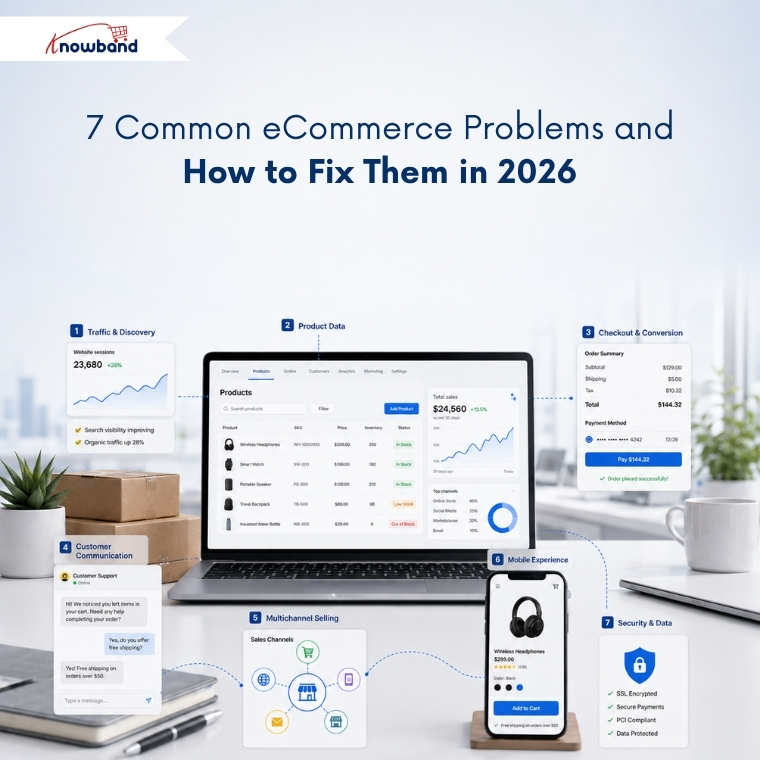
Running an eCommerce store comes with a wide range of challenges. Poor product data can hurt search visibility, weak discovery can limit the impact of conversion efforts, and slow support can turn interested shoppers into lost customers. These issues are closely connected, so the key is to identify which problem is costing your store the most and address it first. Together, even small gaps across these areas can have a significant impact on revenue.

This guide breaks these challenges into seven categories. Each section explains what the problem is, why it happens, and how to fix it. So, you can use these insights to support business decisions.
1. Traffic and Discovery Problems

What are eCommerce discovery problems?

Discovery problems occur when shoppers who want your product never reach your store. Rankings drop, category pages stop getting indexed, or the product appears in Google but never inside an AI-generated answer.

Sudden Traffic Drop: There could be several reasons for traffic to fall, which include SEO problems, indexing problems, broken links, search rankings, and optimization of pages. It is important that merchants check their site to see any problems related to search engine optimization. OpenCart store merchants can consider getting an OpenCart SEO audit done.

Why discovery fails

Search now runs on two separate tracks, and most stores are only optimised for one. Traditional organic results still reward crawlability, internal linking, and content depth. AI-powered search, however, looks for something different. It depends on structured, machine-readable product facts that a model can quote with confidence.

A product page can therefore rank on page one and remain invisible inside an AI shopping recommendation. The model found no clean price, no reliable availability status, and no extractable specification, so it recommended a competitor it could read instead.

How to fix discovery problems

Start by checking your website’s indexation status in Google Search Console. Identify which URLs Google excluded, and fix the underlying cause rather than resubmitting the sitemap. In many cases, faceted navigation creates thousands of similar URLs that compete with each other. Duplicate category paths pointing to the same product are another common cause of indexing problems.

Next, focus on making your product data easier for search engines and AI systems to understand. Every product needs valid Product schema, a resolvable price, an accurate availability field, and specification data in structured fields rather than buried in description HTML. Running a proper AI crawler and indexing audit shows you what the machines actually retrieve, and adding an llms.txt file that points AI crawlers to your product data closes the remaining gap.

2. Product Data and Catalog Problems

What is poor product data quality?

Poor product data quality means product information is incomplete, inconsistent across channels, or factually wrong. Missing attributes, conflicting specifications, duplicate SKUs, and stale inventory all belong in this category.

Why product data breaks

Product catalogs naturally become outdated over time, often without merchants noticing. A supplier changes a specification without notice, a bulk update runs without validation, or a product variant becomes disconnected from its parent listing. Since these issues rarely trigger immediate errors, they often go unnoticed.

The cost is documented and large. Akeneo research found that 66%of shoppers have abandoned a purchase because product information was missing or inaccurate, and 43% returned a product in the past year because pre-purchase information turned out to be incorrect. Salsify’s 2025 consumer research adds that 54% abandon when product information is inconsistent across the websites they check.

These numbers represent customers who already found your store. They were interested in buying but left because they couldn’t confidently verify the product’s details, compatibility, or suitability.

How to fix catalog data problems

Instead of measuring catalog completeness by product, measure it by individual attributes. For example, a catalog reporting 95% completeness overall can still hold zero dimension data in the categories that generate the most returns.

Always validate before importing rather than after. Bulk transfers that run on saved profiles with a full transfer log make every error traceable to a specific run, which manual CSV work never does. For stores handling frequent bulk updates, reusable import profiles with validation and detailed transfer logs help prevent the same mistakes from happening again.

3. Conversion and Checkout Problems

What is cart abandonment?

Cart abandonment is when a shopper adds a product to the cart and leaves without completing payment. According to Baymard Institute’s meta-analysis of 50 studies, the documented average cart abandonment rate is 70.22%, meaning roughly seven in ten carts never become orders.

Why shoppers abandon checkout

Baymard’s data separates the causes cleanly. Unexpected extra costs revealed late in the flow account for 48% of abandonment, making it the largest single cause by a wide margin. Forced account creation causes 26%, and a long or complicated checkout causes a further 22%.

None of those three is a market condition or a competitor problem. Each one is a design decision the merchant controls, which is why the rate moves when stores address them.

How to reduce cart abandonment

Show the full cost, shipping and tax included, before the shopper reaches payment. Offer guest checkout and move account creation to the post-purchase confirmation, when the customer is satisfied rather than impatient. Compress the flow so progress and order total stay visible in a single view, which is the core argument for a one page checkout for PrestaShop.

Baymard estimates that checkout design improvements alone could deliver an average conversion uplift of 35.26%, equivalent to roughly 260 billion dollars in recoverable orders across the US and EU.

4. Customer Communication and Retention Problems

What are eCommerce communication problems?

Communication problems appear when a store cannot answer a shopper quickly enough to keep the sale, or cannot reach a customer again after they leave. Support backlogs, ignored recovery emails, and repetitive pre-sales questions all belong here.

Why communication breaks down

Support volume grows with catalog size, while support headcount often remains unchanged. The same handful of questions repeat indefinitely: shipping timelines, return windows, sizing, compatibility, and restock dates. A human answers each one, usually several hours after the shopper asked and well after the purchase decision has moved on.

Recovery messaging carries a related problem. Abandoned cart emails still perform reasonably well on open rate, but inbox competition means the reminder often gets read after the intent has cooled.

How to fix communication problems

Automate the repetitive layer first. An AI assistant answering shipping, return, and product queries from live store data removes the questions that never required a person, which frees the team for the ones that do.

For recovery, move to a channel with faster read behaviour. Merchants have been shifting cart recovery from email toward WhatsApp for this reason, because a message read within minutes outperforms one read the following day.

5. Channel Expansion Problems

What are multichannel selling problems?

Multichannel selling problems arise when a store lists on marketplaces or shopping feeds and cannot keep catalog, pricing, and inventory consistent across them. Oversells, rejected feed items, and visible price mismatches follow.

Why channels drift apart

Each channel enforces its own taxonomy, attribute requirements, and image rules. A product that passes validation on your own store fails on Google Shopping for a missing GTIN, or fails on a marketplace because the category mapping is wrong.

Manual listing makes drift inevitable. Once a price gets updated in one place and forgotten in another, any shopper comparing the two learns only that your store is careless.

How to fix channel consistency

Treat your store catalog as the single source of truth and push data outward from it, never sideways between channels. Automated product feed synchronisation then keeps price and stock aligned on a schedule instead of relying on memory.

Treat feed rejections as free diagnostics. When Google refuses an item for a missing attribute, that same gap is usually costing you conversions on your own site too. Merchants weighing a new channel will find the practical considerations before selling on Etsy a useful check before committing.

6. Mobile Experience Problems

What is the mobile conversion gap?

The mobile conversion gap describes the difference between how much traffic arrives on mobile and how much revenue it produces. Mobile carries the clear majority of eCommerce sessions while converting at roughly half the desktop rate.

Why mobile underperforms

Friction a desktop user tolerates becomes a dealbreaker on a phone. Long forms, tap targets built for a mouse pointer, slow largest contentful paint, and limited payment options each cost a measurable share of completions.

Responsive design solved layout without solving interaction. A checkout designed for desktop and scaled down to fit a phone still asks for the same fifteen fields.

How to close the mobile gap

Fix Core Web Vitals on mobile first, since that is where failures concentrate. Reduce checkout fields, enable autofill, and add Apple Pay and Google Pay as payment options.

Reducing checkout steps on OpenCart returns roughly twice the gain on mobile that it does on desktop. Stores with meaningful repeat purchase rates should also review how app-first competitors win returning customers, because a dedicated app removes the friction rather than managing it.

7. Security, Spam, and Data Integrity Problems

What are eCommerce security problems?

eCommerce security problems cover unauthorised access to customer data, payment fraud, and automated abuse such as bot registrations, spam form submissions, and credential stuffing.

Why stores get targeted

Online stores hold precisely what attackers want: payment details, addresses, and credentials that customers reuse elsewhere. Smaller merchants attract attention because they maintain security controls less consistently and monitor them less frequently.

Spam is the more common daily problem. Fake registrations fill the customer table, junk form submissions consume support time, and bot traffic can also distort the analytics that inform key business decisions.

How to reduce exposure

Update the platform and every installed extension on a schedule rather than after something breaks. Enforce HTTPS across the store, restrict admin access by role, and keep off-site backups you have tested restoring at least once. A dedicated security module covers the layers that otherwise get forgotten.

Secure the frontend as well. Stopping bots and fake registrations at the form layer protects both the customer database and the reporting you make decisions from, and well-designed forms reduce abandonment on registration and contact pages at the same time.

Turning Store Data Into Decisions

Every problem above stays invisible until you measure it. Most merchants still export order data into spreadsheets, which means the insight arrives weeks after the loss and after the pattern has already changed.

Query the store directly instead. Getting answers from your store data without writing SQL turns weekly reporting into a two-minute question, and smart store analytics identifies which of these seven categories is costing the most right now.

Track four numbers weekly: abandonment rate split by device, feed rejection count, attribute completeness by category, and support tickets grouped by question type.

Where to Start

Work in order of measurable loss rather than in order of visibility.

For most stores, that means checkout first, catalog data second, and discovery third. The first two help convert visitors you have already acquired, which makes them the cheapest available wins. Discovery brings new visitors in, and filling a leaking bucket rarely ends well.

Knowband builds modules across all seven areas for PrestaShop, OpenCart, Magento, and Shopify, covering checkout optimisation, catalog import and export, marketplace integrations, mobile apps, and customer engagement.



One Page Super Checkout: A Simple Way to Reduce Abandonment and Increase Sales

A lot of OpenCart & Prestashop shops are losing their customers at checkout. And the reason behind it is that the general checkout process consists of an excessive number of steps and multiple fields to fill out. Research indicates that over 65% of online customers abandon the site during the checkout process when they find the process to be time-consuming or difficult to comprehend. When customers get frustrated, they stop buying, and the store loses an easy sale.

Hence, the easiest way to solve this issue is by using the OpenCart One Page Super Checkout by Knowband. This addon integrates all the checkout elements, including cart details, address, shipping, payment, and the order summary on a single page. With this, customers can make orders within seconds without switching several pages.

This smooth and fast experience reduces the number of drop-offs and increases conversions. With this addon, store owners can finally offer a checkout that customers enjoy using.

By integrating the Prestashop responsive one-step checkout addon, merchants can reduce cart abandonment and increase conversions. This powerful Prestashop fast checkout addon supports major payment gateways such as PayPal, Stripe, Authorize.Net, Braintree, Amazon Pay, Apple Pay, Google Pay, Square, Klarna, Worldpay, Mollie, Skrill, Neteller, Payoneer, and 2Checkout, providing shoppers with a variety of secure and convenient ways to pay. Offering multiple trusted payment methods helps build customer confidence and ensures more orders are completed successfully.

Benefits of the OpenCart One Page Checkout Extension

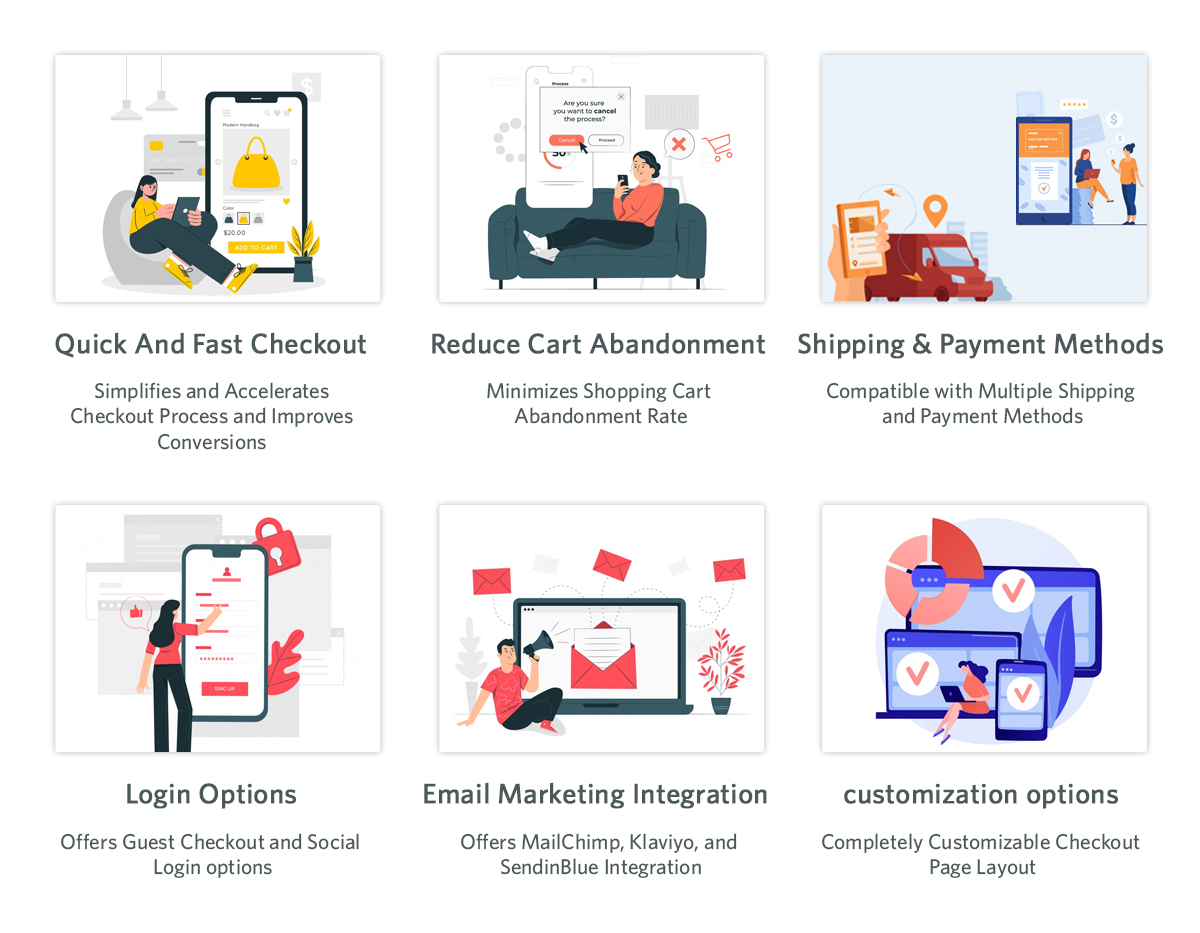
Quick Checkout, Increased Conversions.

Knowband’s OpenCart One Page Supercheckout Plugin has everything on a single page. Customers can fill in the details in a short time and complete the purchase without getting lost. Thus, once the checkout is made quicker, the conversion rate automatically increases.

Lower Cart Abandonment

Moreover, the PrestaShop Quick Checkout Module eliminates all those unnecessary steps that frustrate customers. No more loading new pages. No more long forms. This simple and clean screen keeps the customers on track and reduces the number of abandonments.

Better Mobile Shopping Experience

Most users today make purchases on mobile phones. The Responsive One Page Checkout Plugin for OpenCart is compatible with all screens, including mobiles, tablets, and desktops. Hence, customers can place their orders with ease, no matter the device they are using.

Fast Orders with Guest Checkout

Generally, when people are forced to create an account during checkout, they leave instantly. Using the Knowband Prestashop One Step Checkout Addon, customers can easily check out as guests. 

Easy Setup With No Coding

The OpenCart Simplified Checkout Plugin does not need technical skills. The extension can easily be installed by store owners, and they can configure the entire extension in just minutes.

Integrate Your PrestaShop Store with AI Chat Support

Boost engagement and conversions with instant AI replies, multilingual support, and real-time order updates.


SHOP NOW

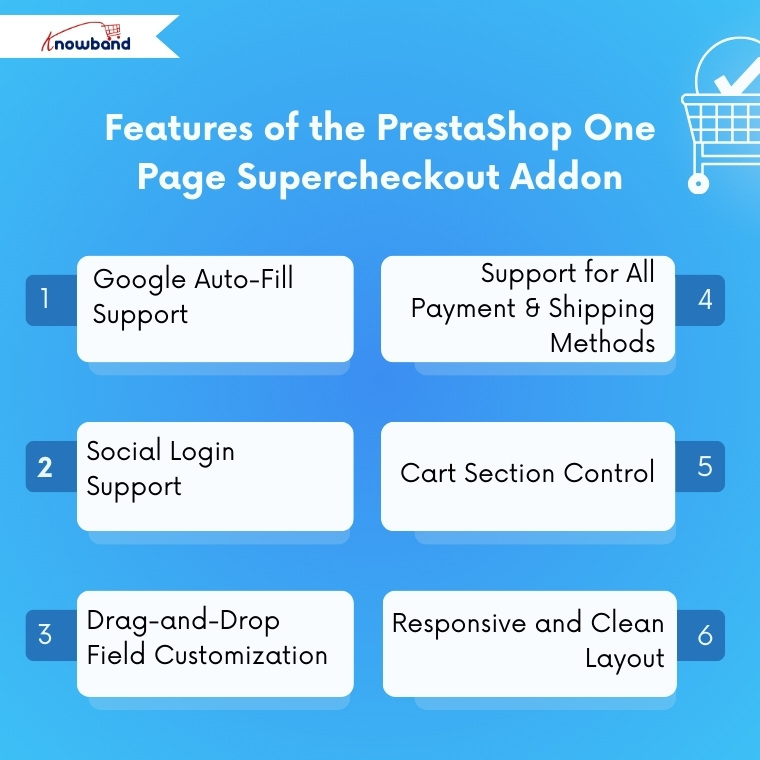
Features of the PrestaShop One Page Supercheckout Addon

Google Auto-Fill Support

The checkout form includes auto-fill to help customers enter their address faster. Thus, this reduces typing time and prevents mistakes, leading to a smoother buying process.

Social Login Support

Moreover, with the PrestaShop One Page Checkout Module by Knowband, customers can sign in using Facebook, PayPal, and Google. Thus, this saves them from creating new accounts and speeds up the purchase process.

Drag-and-Drop Field Customization

Store owners can fully customize the checkout layout. The OpenCart fast checkout extension allows adding, removing, and rearranging fields with simple drag-and-drop options. Hence, you can shape your checkout page based on your store’s needs.

Support for All Payment & Shipping Methods

The plugin works smoothly with all payment or shipping methods added to the store. In addition, admins can also customize how these methods appear by adding logos and short descriptions.

Cart Section Control

Moreover, store owners can choose what to display in the cart section on the checkout page. For example, they can show stock details or price information only to registered users while hiding them from guest users.

Responsive and Clean Layout

Last but not least, the OpenCart one-step checkout extension by Knowband provides a clean and organized layout that is easy to understand. This helps customers complete their order faster without getting confused.

Conclusion

Knowband has developed the Prestashop One Page Super Checkout Module, which is one of the strongest upgrades that any opencart & prestashop store can make in 2026. The module makes a slow, multi-step checkout process of checkout process fast and friendly for the customer. This module consists of great features such as social login, checking out as a guest, auto fill, drag and drop customization, and more.

This enhanced experience results in a reduction in the number of unfinished orders, increases successful orders, and improves customer satisfaction. Thus, Knowband’s OpenCart One Page Supercheckout Extension is the best option that you can invest in case you want to expand your opencart and prestashop store by reducing checkout friction and speeding up sales.

For more information, you can refer to the https://www.onepagesupercheckout.com/, here you can find the detailed information of  Knowband’s One Page Supercheckout, which is available for Prestashop, Opencart & Magento 2.

Must Read

Gear Up for 2026 with the Next-Gen Knowband AI Content Generator Plugin

Discover how the startup OrderFast launched its full-featured mobile app in only one week with the WooCommerce Mobile App Builder


The Shortcut to Conversions: Knowband’s One Page Checkout for PrestaShop and OpenCart

These days, people demand things quickly. Long forms are lengthy and can lead even keen shoppers to give up. One additional click can increase the possibility of cart abandonment. If you use PrestaShop or OpenCart, one of the fastest methods to increase your sales is to make your checkout easier.

The Knowband Prestashop One Page Super Checkout Addon is the solution to this problem. Knowband developed this module to make the checkout process for stores as easy as possible. It has replaced the multi-step checkout process with one smooth page. Hence, your customers can make purchases easily, eliminating cart abandonment and increasing your sales.

Why Store Owners Go for Knowband’s Prestashop One-Page Super Checkout Module

These Knowband One Page Checkout plugins give merchants a real edge.

First off, they’re fast. Everything from billing, shipping, payments, and confirmation lands on one tidy page. No more bouncing around screens or waiting for pages to reload. You end up with way less confusion, a much quicker checkout, and more finished orders.

They’re also flexible. Store owners get to tweak fields, pick layouts, and control the checkout experience without calling in a developer. Want to let people buy as guests or log in with Google or Facebook? No problem. Both modules handle that, so customers can zip through checkout without needing an account.

Plus, it all works smoothly on all devices. Phone, tablet, desktop, it doesn’t matter. The checkout page looks sharp and works smoothly. That means more customers finish what they started.

Key Features of the Opencart One Page Checkout Pro Extension

At its core, both modules aim to make checkout flawless for customers and merchants.

All-in-One Checkout Page

Everything you need, personal info, shipping, delivery choices, and payment details, shows up on a single page. Customers can fix mistakes or change details right there, no back-and-forth between screens.

Easy Login Options

Let people check out as guests, or log in with Google, Facebook, or PayPal. Signing in is quick, which means fewer folks drop off before buying.

Auto Address Detection

The Prestashop One Page Checkout Addon use the API to guess the shopper’s country and region. So forms fill up faster, and there’s less chance for typos.

Custom Fields Your Way

Moreover, admins can rename, hide, or move fields around. Mark them required or optional, just drag and drop until the form fits your business.

Additionally, the module allows admins to create multiple customer groups or profiles and assign different input fields to each profile. This helps collect only relevant information from different types of customers, making the checkout experience more personalized and efficient.

Supports All Payments and Shipping

Plug into any big payment gateway or shipping provider. Want to add PayPal, Stripe, or Apple Pay? Do it from the admin panel, along with reordering or disabling options.

Free Shipping Progress Bar

The One Page Checkout module also offers a free shipping progress bar that encourages customers to add more products to their cart in order to qualify for free shipping. This not only improves the shopping experience but also helps increase the average order value.

GDPR-Ready

Moreover, staying compliant is easy. Modules for both PrestShop and OpenCart let you add consent checkboxes and link straight to your privacy policy page.

Built for Mobile

The design works with any screen size. Hence, whether people shop on a phone or tablet, checkout stays smooth and simple.

How the Prestashop One Page Checkout Module Works

General Settings

Here, admins can switch the module on or off with just a click. Moreover, admins can also enable/disable guest checkout, newsletter option test mode, and more. 

Social and Guest Logins

Here, the admin just needs to flip a switch to let people sign in with Google, Facebook, and PayPal. Shoppers finish faster, and you lose fewer sales to annoying sign-up forms.

Customisation Settings

Here, you can pick your layout: one, two, or three columns. Moreover, you can also customise the positioning of all the elements in all the columns that yoy have selected.

Payment and Shipping Address

Here, admins can drag and drop all the fields to reorder, hide what they don’t need, or make things mandatory. The form gets cleaner, faster, and personalised according to your store’s needs.

Payment and Shipping Method

The Opencart One Page SuperCheckout Extension supports every payment and shipping method you’ve got. Rearrange, remove, or add new gateways, like PayPal or Apple Pay. Moreover, here you can customise how the methods should look in the frontend: with a logo, or just text.

Conclusion

Setting up the OpenCart One Page Checkout Plugin is easy. You don’t need to know a single line of code. Anyone can handle it from the backend with ease.

Here’s the thing: checkout can make-or-break your store’s sales. If the checkout is clunky, shoppers will abandon their carts. When it’s smooth and all on one page, like with Knowband’s PrestaShop and OpenCart One Page Checkout Modules, you keep people moving and buying.

It doesn’t matter if you’re on PrestaShop or OpenCart. With Knowband’s One Page Checkout Addon, you cut down on clicks, speed up sales, and send customers away happy. That’s the whole point.


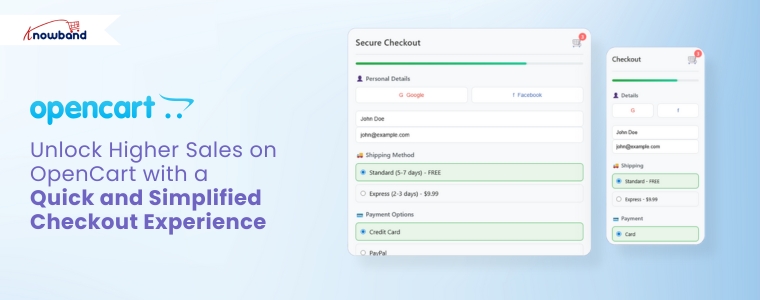
Unlock Higher Sales on OpenCart with a Quick and Simplified Checkout Experience

In today’s fast-paced eCommerce landscape, customers expect convenience at every step, especially during checkout. Unfortunately, a complex or time-consuming process can quickly drive them away. For this reason, adopting an OpenCart One Page Checkout solution is needed. Knowband’s OpenCart One Page Advanced Checkout Extension simplifies the checkout experience by making it quicker, more user-friendly, and highly efficient for customers.

Why You Need a Simplified Checkout in OpenCart

While attracting traffic through promotions and SEO is important, a poor checkout experience can unfortunately cancel all your efforts. Indeed, long forms, multiple page loads, and confusing steps increase cart abandonment significantly. However, an OpenCart simplified checkout module eliminates these issues by combining everything into one responsive, easy-to-complete page.

Furthermore, Knowband’s OpenCart fast checkout extension streamlines the buyer journey, helping your customers complete orders quickly and effortlessly. As a result, it not only improves user experience but also directly boosts your conversions.

Must-Have Features of Knowband’s One Page Checkout for OpenCart

Below are the features that make this OpenCart quick checkout extension an essential addition to your store:

Unified Checkout on One Page

First and foremost, the OpenCart Single Page Checkout combines billing, shipping, payment, and confirmation into a single view. Consequently, this eliminates the need for reloading pages or navigating multiple steps, making it easier for customers to place orders without distractions.

Social Login for Faster Access

Additionally, typing login details can be a hassle, especially on mobile. Therefore, this OpenCart responsive checkout popup allows customers to sign in with their Google or Facebook accounts, reducing friction and making the process significantly faster.

Guest Checkout with Background Registration

Additionally, the module allows customers to check out as guests while automatically generating an account behind the scenes. This feature benefits customers who want a fast checkout experience and, simultaneously, store owners who want more registered users.

Custom Field Control

Similarly, every store has different requirements. With this OpenCart One Page Supercheckout, you can manage the visibility and requirement status of each checkout field. The result? A clean, focused checkout that only asks for what’s necessary.

Intelligent Shipping-to-Payment Mapping

In addition, the module intelligently connects shipping methods to their respective payment options. This minimises confusion and ensures that customers see only the relevant choices during checkout.

Integrated Newsletter and Mailchimp Support

Furthermore, the OpenCart Free One Step Checkout module includes an optional newsletter signup checkbox. It also syncs directly with Mailchimp, allowing you to grow your mailing list automatically while customers complete their orders.

Mobile-Friendly and Multilingual

Finally, today’s shoppers use a range of devices and speak different languages. This OpenCart responsive checkout popup adapts perfectly to smartphones, tablets, and desktops. It also supports multilingual and multi-store setups for global businesses.

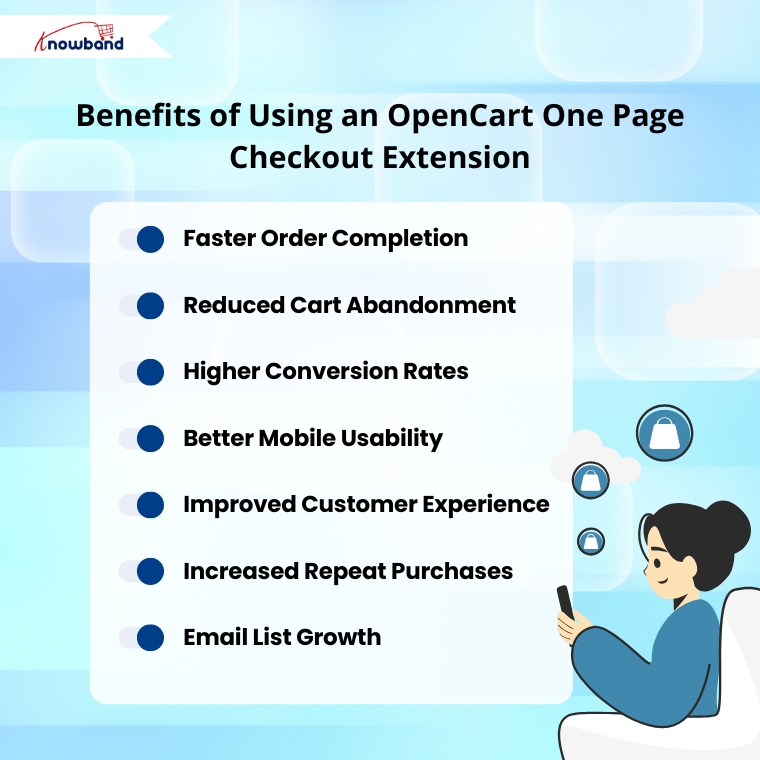
Benefits of Using Knowband’s OpenCart One-Page Checkout Extension

By installing the One Page Checkout for OpenCart, your store can experience a range of powerful benefits:

Faster Order Completion: Customers can place orders quickly with fewer clicks and no unnecessary steps.

Reduced Cart Abandonment: Simplified checkout minimises the risk of customers dropping off.

Higher Conversion Rates: A clear and efficient process helps turn more visitors into buyers.

Better Mobile Usability: Optimised layouts ensure a smooth experience on any device.

Improved Customer Experience: A clean interface shows customers that their time is respected.

Increased Repeat Purchases: A positive first experience encourages customers to return.

Email List Growth: Built-in newsletter signup helps you capture more leads for future campaigns.

Why Choose Knowband’s OpenCart Checkout Extension?

This OpenCart One Page Advanced Checkout Extension offers everything a modern eCommerce store needs:

  • Easy installation and configuration—no coding required
  • Customizable fields to suit your store’s specific needs
  • Social login, guest checkout, and email capture built in
  • Compatible with multilingual and multi-store OpenCart setups
  • Optimised for both desktop and mobile users
  • Proven to boost user satisfaction and sales

Final Thoughts: Streamline Your Checkout, Boost Your Revenue

To sum up, a fast and efficient checkout process is essential for any successful online store. Knowband’s OpenCart One Page Checkout module combines powerful features with a sleek, user-friendly interface to deliver exactly that.

If you’re looking for an OpenCart fast checkout extension that reduces abandonment, increases conversions, and improves mobile shopping, this is the ideal solution. With the OpenCart One Page Supercheckout, you get the same powerful results—more sales, fewer abandoned carts, and a better shopping experience for your customers.

Upgrade your store today and experience the difference a single page can make.

Watch the demo on YouTube


The One Page Checkout Module by Knowband is a must – Know more!

One page checkout infers a client can purchase a product using one page checkout module specifically. It is interesting and fundamentally better than the old checkout structure. Further, that had endless pages to go to first before the admin receives the total installment. In fact, it demonstrates that the eCommerce destinations utilizing this component have visibly seen sales expand. Moreover, keep on doing likewise. On the other hand, multi-page checkout features many insignificant fields that the customer has to fill. Therefore, the customer runs away seeing the various fields. There is no great explanation to put resources into long checkout measures since it has everything required for an installment trade on a single page.

In this blog, we will take a look at various components that make the Single Page Checkout addon a must. In fact, we will also focus on Knowband’s One Page Checkout Extension. Let us go forth and have a better understanding of the Fast Checkout addon.

How does Single Page Checkout plugin work?

The working of the One Page Checkout Extension is absolutely simple. The admin has to buy the module and install it in his eCommerce store. Further, configure it as per the need of the business. In fact, he starts by choosing the layout that he seems fit for the store. Moreover, add or delete the custom fields.

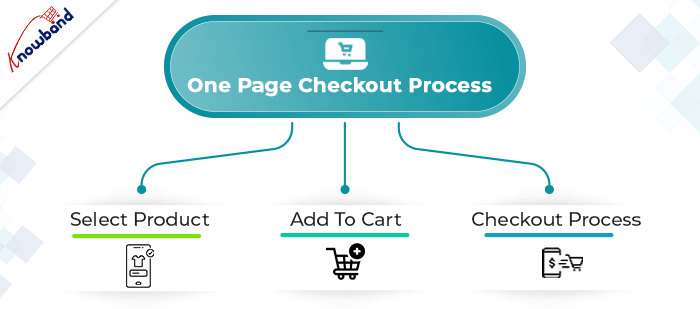
The next step is that a customer comes to the online store looking for a product. Further, finds what he/she’s looking for and adds the product(s) to the cart. Then, moves to the checkout page which is finally the last step to completing the purchase. Therefore, how you optimize the checkout page decides whether the customer buys the products or abandons the site. Hence, optimize the checkout page well to increase sales of your store.

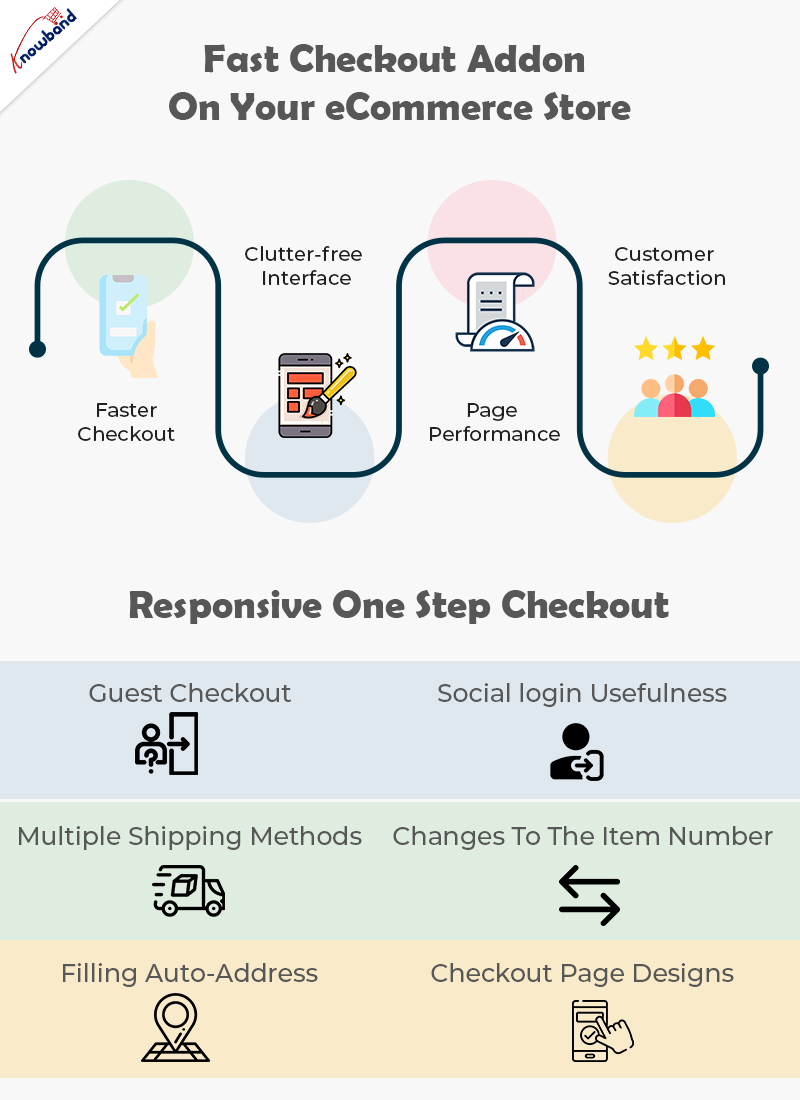
Why pick the Fast Checkout addon on your eCommerce store?

Faster Checkout

Suppose, you visit a shopping store and have the sum of your ideal items in the shopping basket. Further, you start looking for the most basic checkout line. Moreover, get baffled when you see one that is really long and bothering. Also, online customers don’t like to hold on while they make the last installment; they moreover need the checkout cycle to be fast and quick. In case it’s not, they will undoubtedly leave it without buying anything. Being a web-based retailer, you needn’t bother with this happens.

Luckily, a quick checkout elective is available with the Quick Checkout addon. Further, it diminishes the time to fill in all the data on a singular page while purchasing on the web.

Right when online customers see that their checkout experience will be done upon only one page the open door that they make the trade is unquestionably higher.

Clutter-free Interface

A One Page Checkout addon is easy to understand. With a foreordained number of data fields and steps, the page remains clear and easy to go through. Additionally, quick checkout hinders disarray on the grounds that eCommerce buyers see promptly what data they are expected to give. Likewise, they don’t have to go through numerous means and pages which furthermore saves time.

Without a doubt, with one-adventure checkout, you don’t need to worry about whether your route is befuddling to site guests. Customers can without a doubt investigate through the checkout association as they comprehend what data is required, where it should be placed, and when it will be submitted.

Overhauled Page Performance

Customers don’t like to sit and believe that different pages will stack, a long checkout collaboration might make your customer disappointed, provoking cart surrender. One Page Checkout module makes web-based shopping steady since everything is kept in that overall area.

Rather than keeping it together for stacking of pages in continuation, customers get a fundamental page to fill and make the installment. There is no reserve time, just basically fill in the subtleties and press submit unequivocally.

Increase Customer Satisfaction

Customer fulfillment is a basic component that you really want your web-based store to convey. Single page checkout measure urges you to give an issue-free experience to the customers. Everything is manageable by a single page checkout. Further, to convey an overall shocking UX.

In case you really want to grow the change paces of your internet-based store, you should pick the one-page checkout measure. You can without a doubt add a quick checkout decision to your ongoing online store subject to the stage you are utilizing. For sure, you ought to just invigorate your eCommerce site with an extension or modules available to convey the fast shopping experience. That is where One Page Checkout Extension comes into the image.

What makes Responsive One Step Checkout addon by Knowband stunning?

Guest Checkout

New customers might utilize the guest checkout capacities to finish their exchanges without enrolling with the site. This is an incredible method for furnishing clients with a faster method for buying without constraining them to enroll on the site.

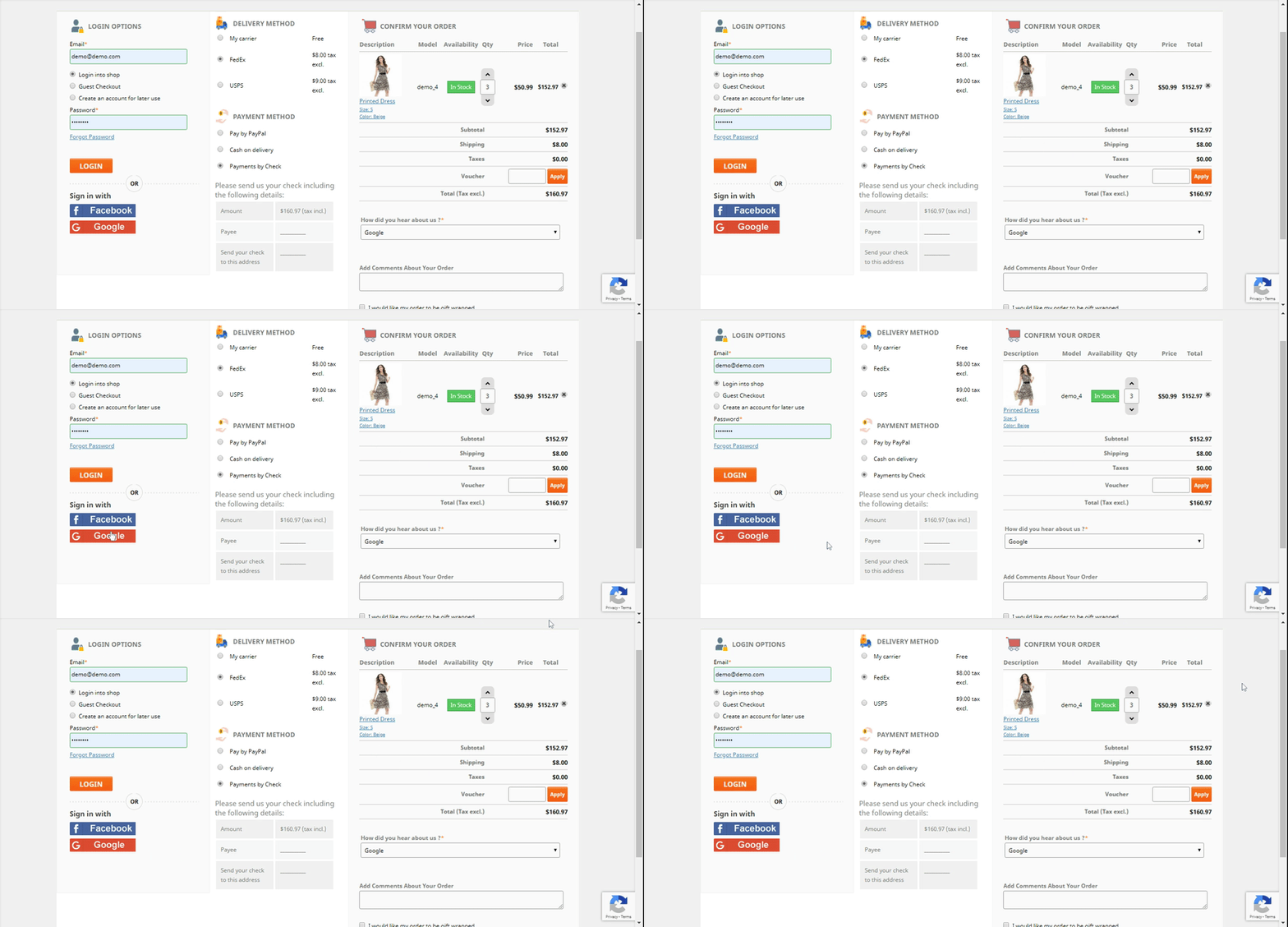
Social login usefulness

The following component, social login, absolutely makes it simpler for clients to sign in or enlist. Purchasers may handily sign in or make a record on the eCommerce store. Moreover, to finish the exchange by buying what they have in their bin sans making a record. With the utilization of social login choices like Google, Facebook, or another social organization profile.

All installment strategies are viable

Whether or not your buyers need to finish the buy through PayPal or another strategy, the One Page Supercheckout can oblige them. Accordingly, the customer won’t leave the business without finishing the exchange.

Multiple shipping methods

Checkout in One Step Multiple shipping activities are supported by the plugin. Ulozenka Delivery, Zasielkovn Delivery, LP Express 24 Delivery, and others are a couple of choices out of a large number.

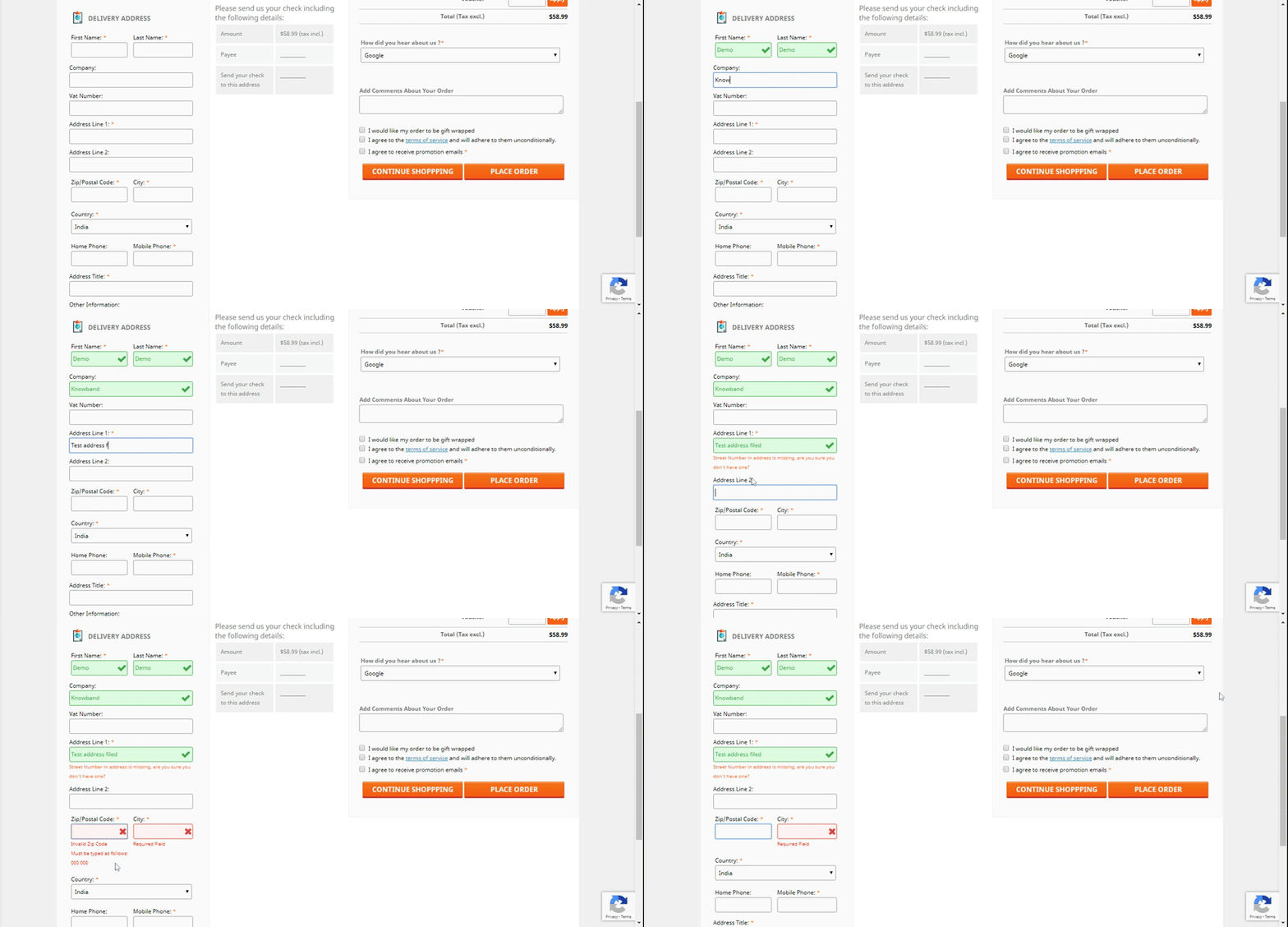
With Inline Validation, you can see the mistakes immediately

Assuming clients commit an error while entering out the data on the checkout page, the proceeding with a component of the One Step Checkout Extension springs up as an elective where they might address it.

Fields in the checkout cycle can be focused on

Depending on the need for anything very comparable, each eCommerce business administrator can slide and drop the components of the checkout page all over. From the back-finish of the Responsive one-page checkout, the head may effortlessly achieve something similar.

Changes to the item number

Purchasers may effortlessly alter the number of things on the checkout page with the assistance of this element of the responsive one-stage checkout addon. Changing to the item page to adjust the number of products further develops proficiency.

Filling in Google’s auto-address

Whenever a buyer begins filling in his location information, Google Auto-address fill gives address ideas. It gets the made characters and presents striking results. When you select the proposed address, the postal district and city segment is accessible.

3 Checkout Page designs

Knowband’s Single Page Checkout offers three different plan choices from which the business overseer can undoubtedly pick the one that best suits the subject of the eCommerce site.

Integrator for MailChimp, SendinBlue, and Klaviyo accessibility

With the assistance of the One Page Supercheckout, gather customer data straightforwardly into your MailChimp, SendinBlue, or Klaviyo account when they show their installment.

GDPR consistence

The One Page Checkout follows GDPR prerequisites.

Details on Checkouts that have been abandoned

The One Page Checkout currently furnishes the retailer with a truly significant component that permits them to follow an assortment of insights. For instance, transformation rates at the checkout, the number of abandoned checkouts, abandoned pay, etc. The entrepreneur has the choice of seeing the recently alluded visuals for a specific day, week, month, or year.

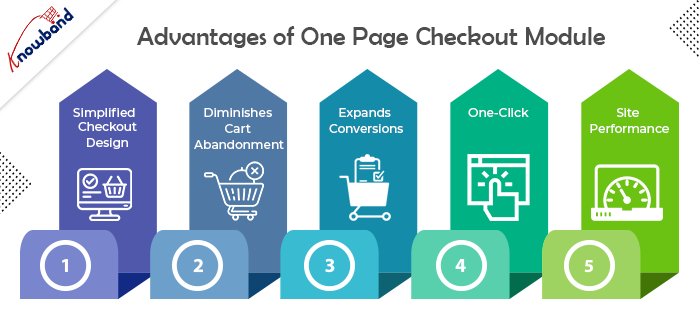
Advantages of One Page Checkout Module

Simple, Simplified, and Convenient

The essential advantage of having a One Page Checkout is that it offers a simplified format. It looks advantageous and energizes a simple and quick checkout. Since it puts all the checkout components on one page, customers are very much aware, in advance, of how they need to finish checkout. It transforms a drawn-out checkout into a lovely and bother-free checkout.

Diminishes Cart Abandonment

Adding to the advantages of One Page Checkout is that it assists with diminishing cart abandonment. According to Baymard Institute, 23% of cart abandonments happen because of a long and confounded checkout. One-step checkout has ended up being exceptionally helpful for this situation. It brings down your cart abandonment by a good edge and assists you with recuperating lost sales.

Expands Conversions

This point intently connects with the subsequent point. Cart abandonment is contrarily corresponding to conversions. So when you face low abandoned carts, conversions consequently increment. Online customers show a higher goal to buy when given a single-page checkout which at last prompts higher conversions. However cart abandonments can never be killed, even a little improvement in conversions can bring you immense income.
All it requires is One-Click

One of the significant advantages of a One Page Checkout is that it dodges various snaps. Not at all like a multi-step checkout where a client needs to go through a few steps or pages before they could affirm their request, a single page checkout makes it a one-tick process. It offers a straightforward route and allows customers to submit their requests inside a single tick.

Further develops Site Performance

An extensive checkout urges customers to leave the checkout page. Trusting that the following page will stack over and again can in some cases be enraging for the customers and they might skip off from your site, destroying your site’s presentation.

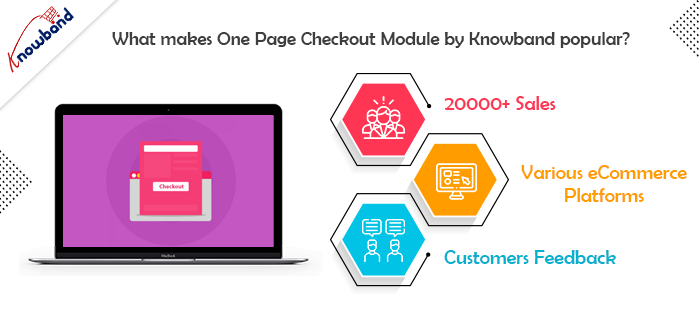
What makes One Page Checkout Module by Knowband popular?

There are several reasons why Knowband makes a popular company for eCommerce plugins. However, when it comes to the Simplified Checkout addon, Knowband has its expertise. Let us understand the reasons why Knowband is the best place to buy the module.

20000+ Sales

Knowband proudly announced earlier last year that the One Page Checkout Module has been sold more than 12000 times in 2021 only on the Knowband store. Moreover, by April 2022, the company celebrates 20000+ sales. In fact, the sales are a combination of both the Knowband store and the Addon store. Therefore, you know that there are 20K+ merchants out there who are satisfied with their purchases from the company.

One for every CMS system

The company offers a One Page Supercheckout extension for various eCommerce platforms. Further, you have the plugin for Prestashop, OpenCart, Magento, and Magento 2. Thus, no matter which platform you have, you can easily shop the module and install it in your store.

Stunning feedback from the customers

Knowband boasts about the eCommerce plugins it offers. However, it is of no use if the customer feedback states otherwise. Further, you can go on and read the reviews and ratings offered by happy customers of the One Step Checkout Addon.

In the End

So, if you are looking for an option that can optimize your checkout page, there’s no better option than one page checkout module. Knowband is definitely the best place for you to browse your option. I have tried to elaborate on all the details of the plugin to the best of my ability. In case you still have any doubts, let us know at support@knowband.com.

Real Life Example of Knowband’s Opencart Mobile app – Online Manglore Store

To cater to a hassle-free experience, give users a responsive shopping app that is accessible and convenient. For every store owner, creating a digital presence and relishing the shopping experience is the topmost priority. Through a Mobile App, you can offer a better shopping experience to customers.

The Online Mangalore Store is an online marketplace for things that are unique from the Coastal, Konkan, Malnad, and Malabar regions. The products in the store are preferred for nutritional value, health benefits, and, of course, their origin.

To create the mobile app, the Mangalore store opted for OpenCart Mobile App Builder developed by KnowBand. This application provides convenience to find products with in-built features and gives a personalized shopping experience.

Home Page

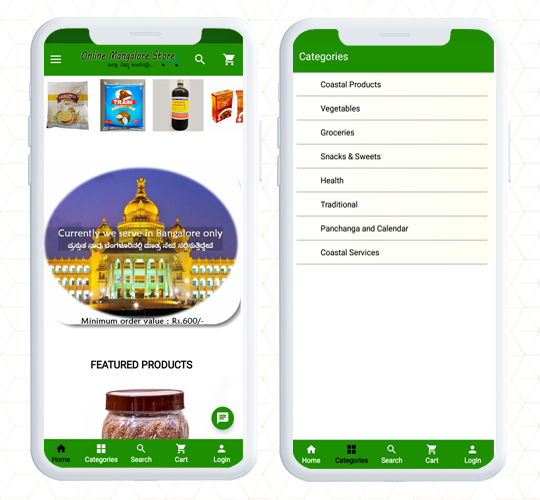
While optimizing the mobile app, the first element every store owner ask for is an engaging home page design. Online Mangalore Store has a home page with a green color theme and they have utilized the white spaces beautifully. All the categories are listed as well as displayed on the home page.

Navigation and Search

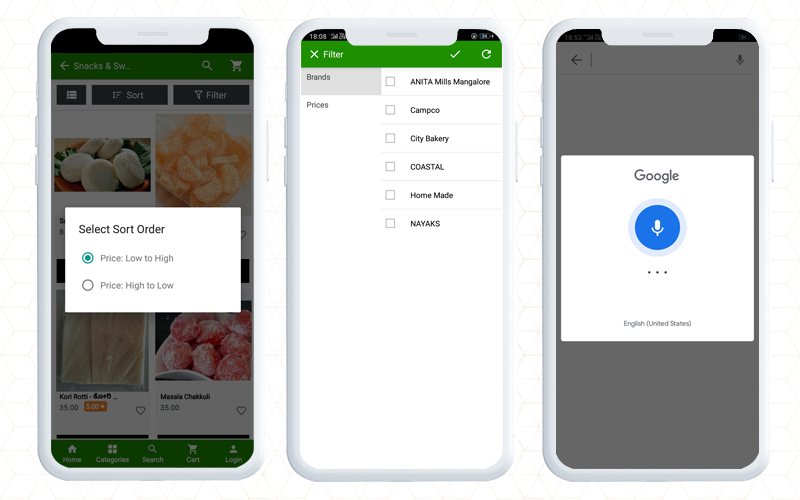
For quick product search and to find your favorite product, KnowBand’s Opencart mobile app provides facilities like voice search and product view grid and list options. Additionally, on the Mangalore app, customers can easily apply filters based on brands, prices, etc, and sort them for relevance and price.

It also allows customers to connect with store owners using WhatsApp chat and Zopim chat. The live chat support helps customers to get immediate results for their queries.

Various Sign In Options for users

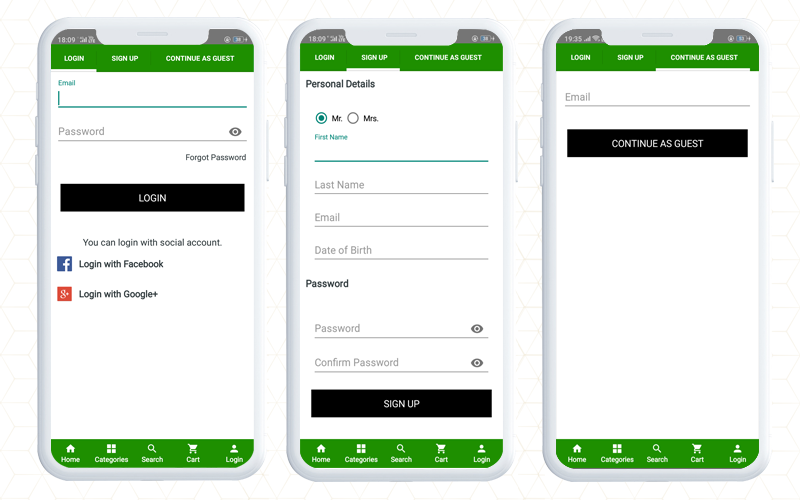
When login into a new store, customers look for easy options. In this OpenCart mobile app, you will find social login option on Facebook and google+. Along with that, the registration process is easy with limited fields. Also, a user who intends to make the checkout quickly can sign in as a Guest.

Effortless Checkout experience

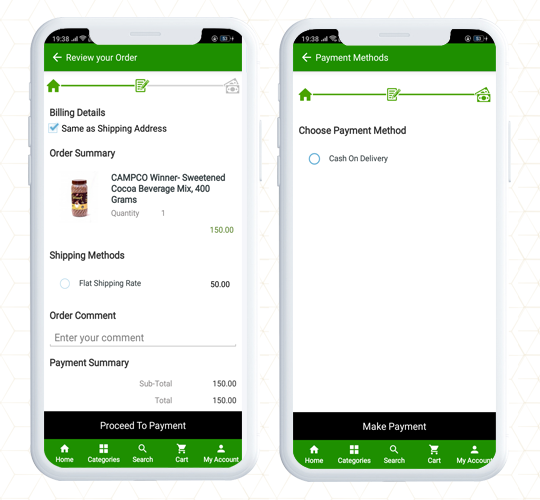
The checkout page is the last point when you have to keep an eye on because most of the cart abandonments happen at the checkout page. To streamline the checkout experience for customers, the OpenCart Mobile app has a convenient checkout page design and offers One Page Checkout.

The complete data of the store website will be synchronized to the mobile app. For example, in the Online Mangalore Store, the delivery option provided is Cash on Delivery.

Check out the Live Demo of KnowBand’s OpenCart Mobile App Builder

Finally, A mobile app plays an important role in a better shopping experience. It creates brand identity and provides a hassle-free shopping experience. OpenCart Mobile App Builder allows the store owner to configure the settings from the back end. The most appealing elements are the website design and theme. You can apply the same color palette to the mobile app theme as your website and add images, logos, store titles, etc on the mobile app.

The mobile app builder is available for both iOS and Android systems. It is also compatible with KnowBand’s marketplace module and supports multiple languages. You can use it for all the OpenCart themes including Journal.

For any eCommerce, assistance contact KnowBand that has been serving clients from 2010 for various platforms, website design, and module-related queries.

Also read:

OpenCart Mobile App Builder- User Manual

Simple Steps for Obtaining an Engaging OpenCart Mobile App

Celebsto- OpenCart Mobile App provides Exclusive Shopping Experience

Celebsto- KnowBand’s OpenCart Mobile App provides Exclusive Shopping Experience

A company associated with the fashion industry is an ever-changing and consumable sector. Website and mobile app designs matter to such a flourishing industry where the product demands customization and the latest trends. Celebsto is a fashion company with an online website created on the OpenCart Journal theme. An app for a fashion company should have that spark that can keep customers engaged.

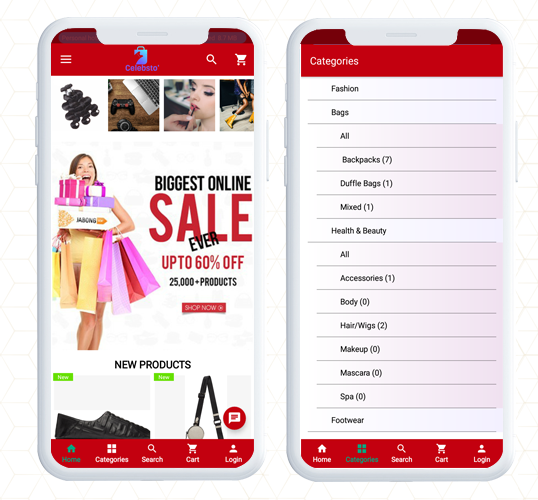
Great online shopping starts with a great Mobile App! Celebsto Mobile App is fully functional with ultimate UI/UX having a responsive design. The Celebsto have created their unique mobile application using KnowBand’s OpenCart Mobile App builder Extension that allows creating an app for OpenCart store in simple steps.

Celebsto- KnowBand’s OpenCart Mobile App provides Exclusive Shopping Experience

Home Page Design

For a fashion store mobile application, the theme, design, placement of banners and images play an important role to keep up with the trend. The OpenCart Mobile App Builder gives freedom to the customer to change the look and feel by displaying logos, product banners, sales, and discount templates, highlight best seller products, new arrivals, and other elements of the home page.

Along with the home page design, the app has a button to explore the categories where all the product categories are listed.

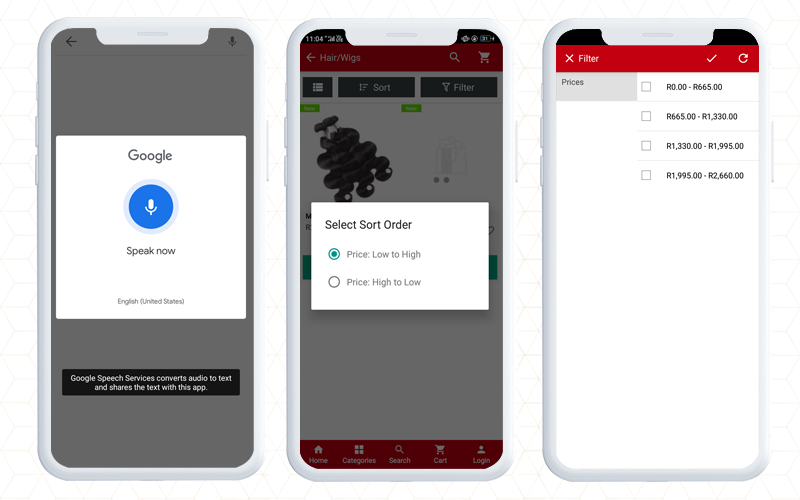
Product Voice Search

For better assistance on the application, the voice search option gives a better shopping experience to the customers. As you search for a product, it displays all the relevant search results. Google voice search is an effective tool to enhance the shopping experience on the mobile app.

Sort and filter the products

Make the search easier and appropriate with sort and filter options. On the Celebsto, the sort and filter option facilitates quick product browsing.

Shopping Cart

The shopping cart of the application is personalized and shows all the details like product description, amount, and product image. Moreover, the shopping cart page has two CTAs, one that allows you to jump to the checkout page directly and another option will redirect to the product page.

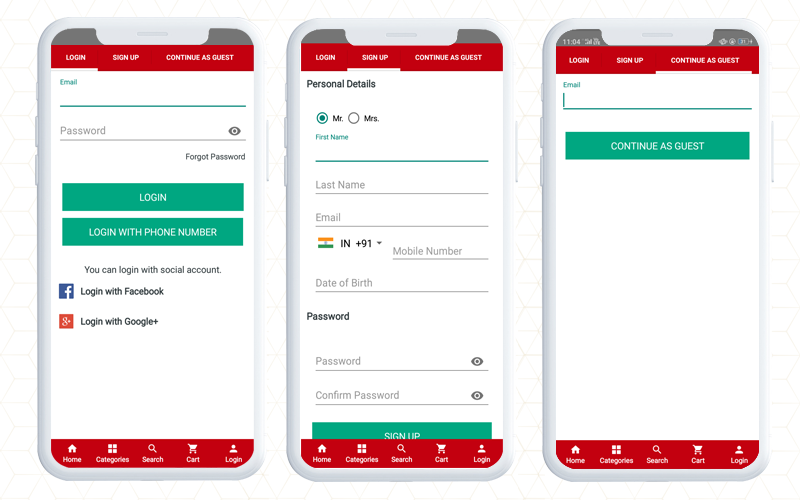
Registration and Login Options

It is really amazing that the application gives several options to login and register.

Login: Within this Opencart Android Mobile App, you will find multiple login options like email login, social login with Facebook and Google, and with phone number.

Sign up: To sign up and register on Celebsto, the customer will have to share personal details like name, email address, contact number, and DOB. Set a password and registration is done.

Guest Signup: This application also provides an option for guest checkout. This checkout option is very effective in conversion as it only requires an email address and saves time.

Payment and shipping

On the OpenCart Celebsto App, they have added multiple payment and shipping choices. The checkout page and other pages are in real-time synch with the website.

Include WhatsApp and Zopim chat

Customer service is another crucial part if you want to provide an exclusive shopping experience to customers. Add a live chat option to assist your customers for OpenCart mobile app users.  It supports WhatsApp and Zopim live chat.

Finally, to create this app, Celebsto chose the Opencart Mobile App builder because it gives flexibility and convenience to the user. With the facilities it provides, it is easier to personalize the details and configure the interface as per the theme of the store. The app does not depend on any website theme but it supports all the Opencart themes. It is simple to publish the apps on the Apple store and Google Play store.

Learn more about the Opencart Mobile App:

An OpenCart Extension to Create Mobile Apps for Your Business

Simple Steps for Obtaining an Engaging OpenCart Android and iOs Mobile App

Mobile App Builder- Transform your OpenCart Store into an Android Mobile App

How can you get feature loaded Mobile Apps for your OpenCart site?

Check out KnowBand’s OpenCart One Page Checkout Plugins in Action

To make the online store more engaging, you need a great checkout page design. Not just the home page needs optimization but the checkout page desires more of it. Online shoppers get pissed with a clumsy design when they have already invested most of their time in finding their favorite product. For OpenCart stores, KnowBand has been developing solutions for a decade. We are presenting some of the best KnowBand’s OpenCart One Page Checkout examples that are live worldwide.

OpenCart One Page Checkout Demo

Why Should you have One Page Checkout?

OpenCart platform leverages several clients worldwide. There are different plugins free or paid that stores use to increase conversions, engagement, design, and other website elements. Many of the stores only focus on home page design, product page design, and shopping cart development and forget to optimize another major part, the checkout page. As a result, they lose conversions on the checkout page leads to shopping cart abandonment.
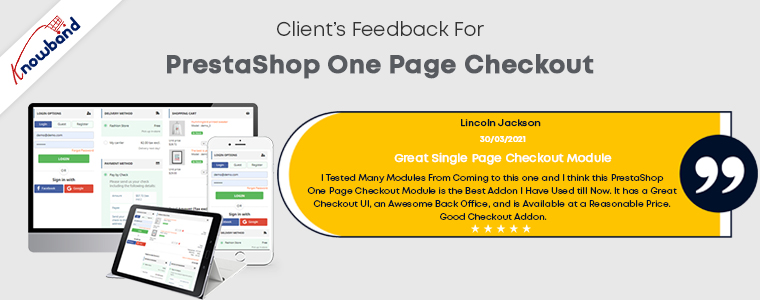
Hence, it is crucial to add a checkout page that is easy to operate with effortless configuration settings. OpenCart One Page Checkout Extension is solving these problems for many businesses.

Check out these OpenCart One Page Checkout Plugin in Action

If you are here to find out how this exclusive OpenCart One Page Checkout extension works, we won’t make you wait

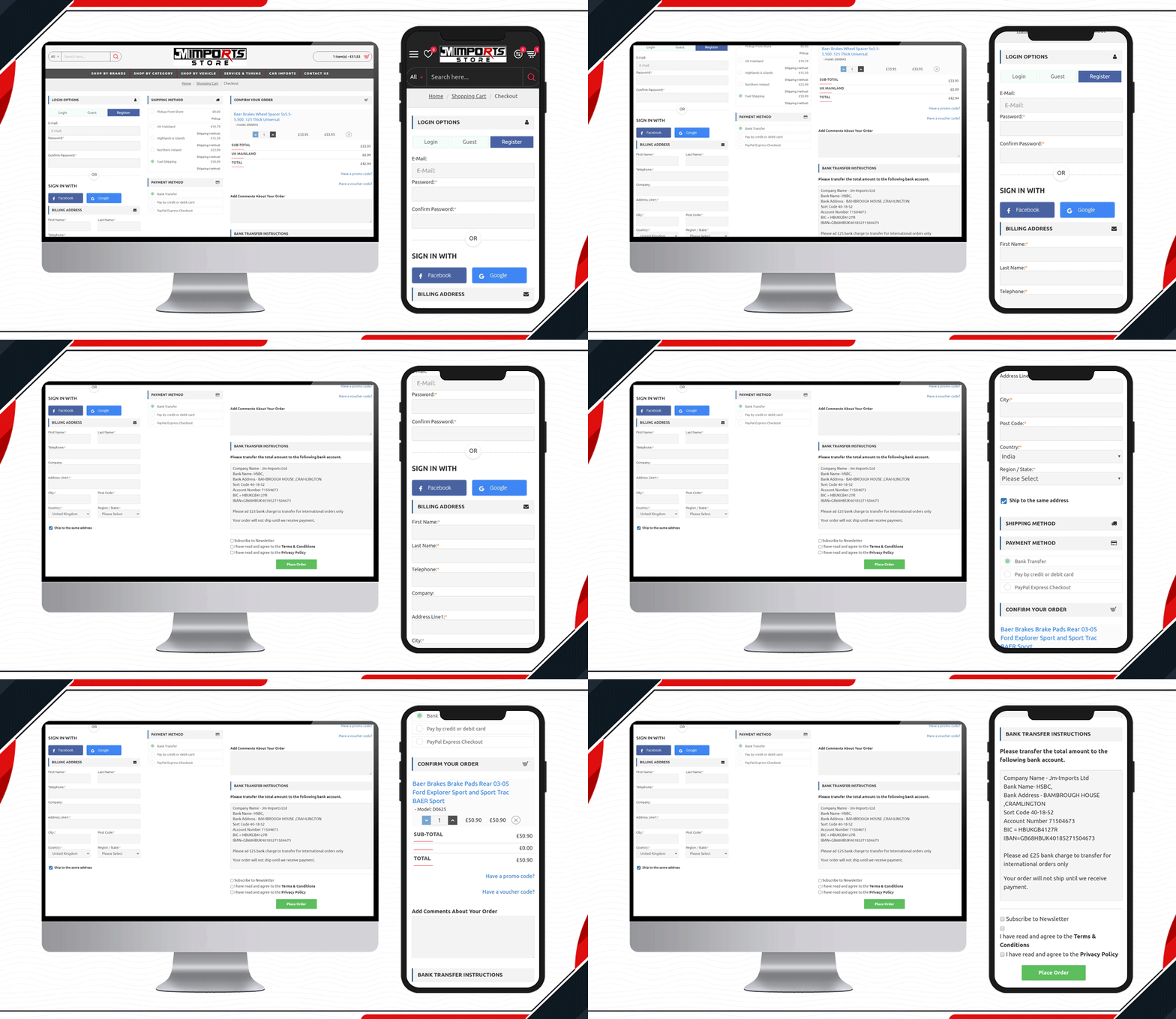
1.     JM Imports Checkout Page is live

JM Imports is a cart import company in the UK. Their auto-parts selling platform is using KnowBand’s OpenCart One Page Checkout Pro extension. They have been using a 3-column layout that includes a registration column facilitating Facebook login, Google login, and Guest checkout. It has several payment and shipping methods for customers giving them a quick checkout experience.

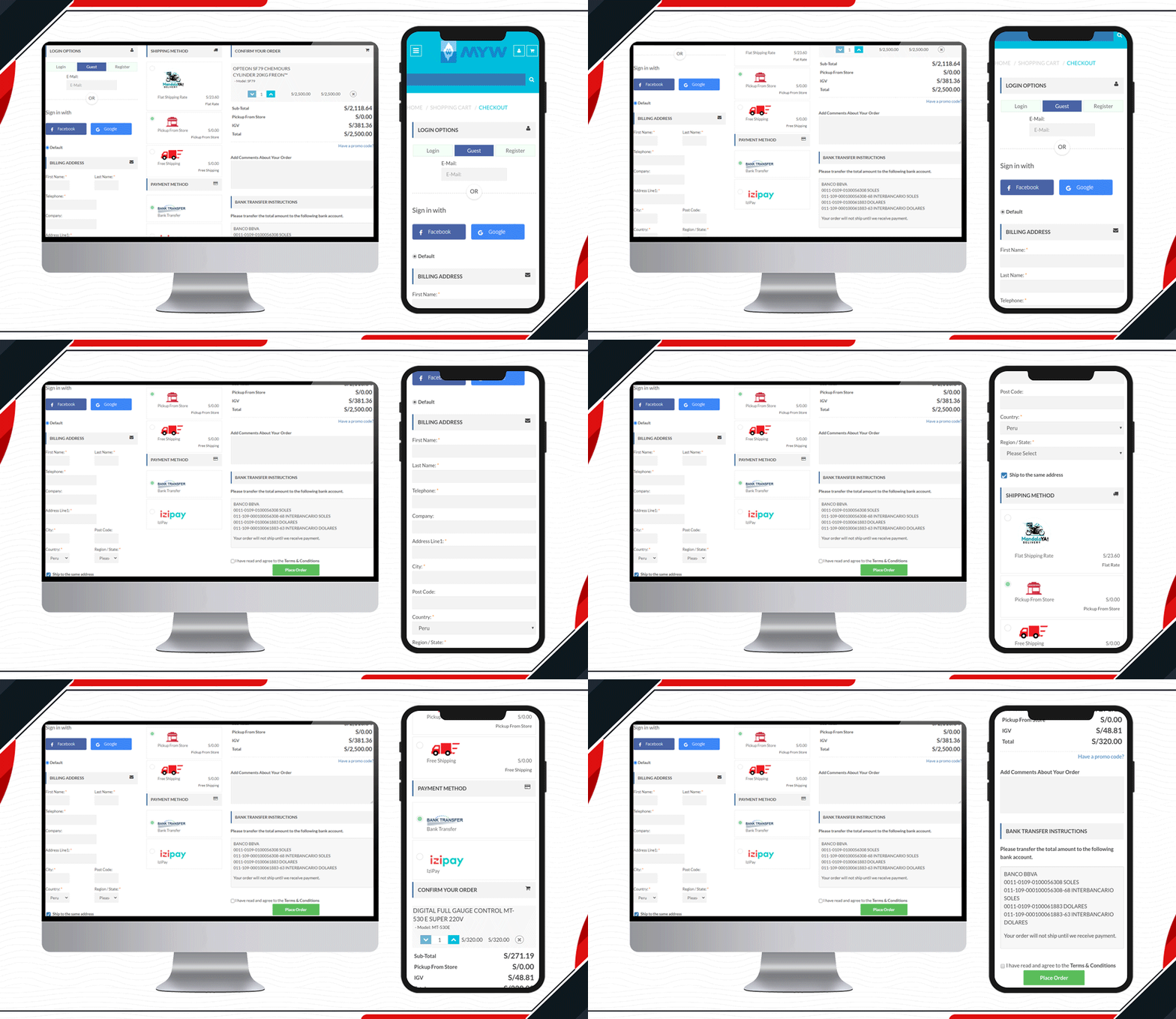
2.     Check out the MYW Checkout Page

The sole purpose of MYW is to provide a satisfactory shopping experience to their customer from quotation to shipment. To meet their purpose, they have installed KnowBand’s OpenCart One Page Checkout extension for smooth and easy checkout. MYW are the importers for refrigerating products.
The icon display in the shipping methods and shopping cart product image display makes the checkout page appealing.

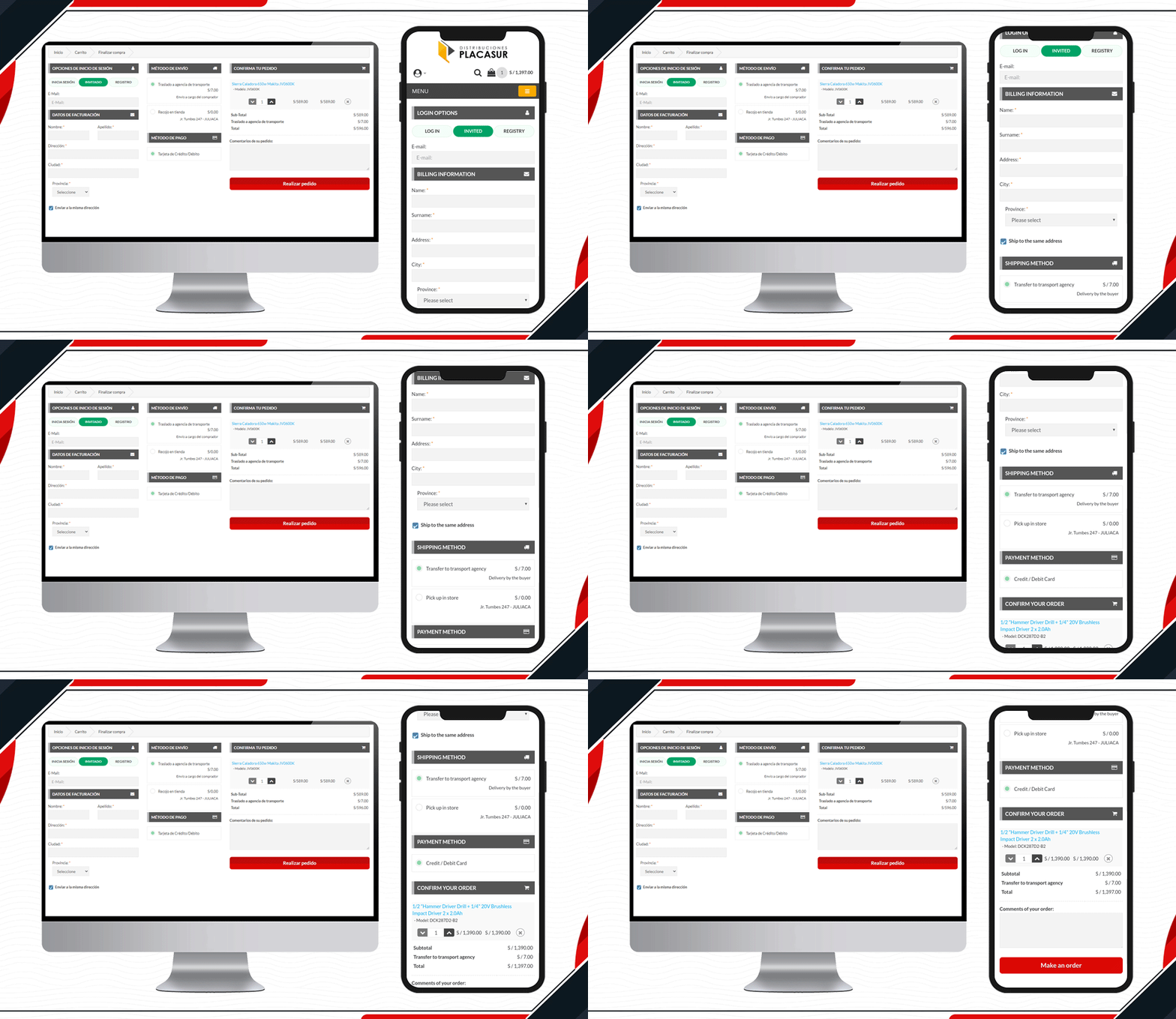
3.    Placasur is using OpenCart One Page Checkout

To keep customers engaged, a good checkout practice is removing unnecessary fields. The KnowBand’s OpenCart One Page Checkout Plugin allows users to keep some fields optional that can be skipped by customers. Pleasure has customized its checkout page beautifully. It has limited fields and looks clear and engaging.

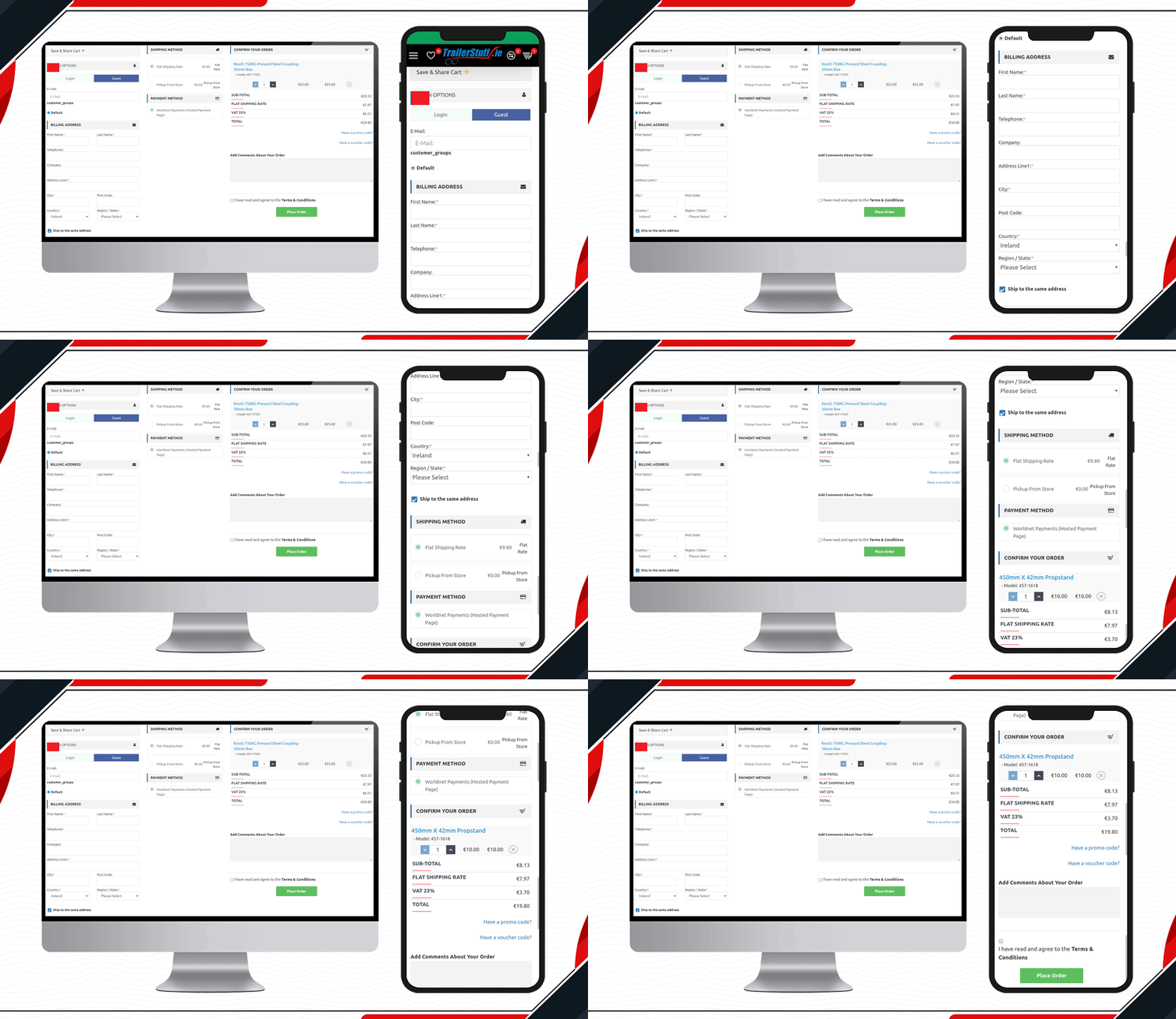
4.     Trailer Stuff Checkout page in action

Trailer Stuff delivers products in Ireland. Their shipments require on-time delivery and to make the ordering process smooth, they are using One Page Checkout Extension in their Opencart store. From registration to payment, every field on the checkout page is configured. Moreover, they have also added a save the cart option on the checkout page.

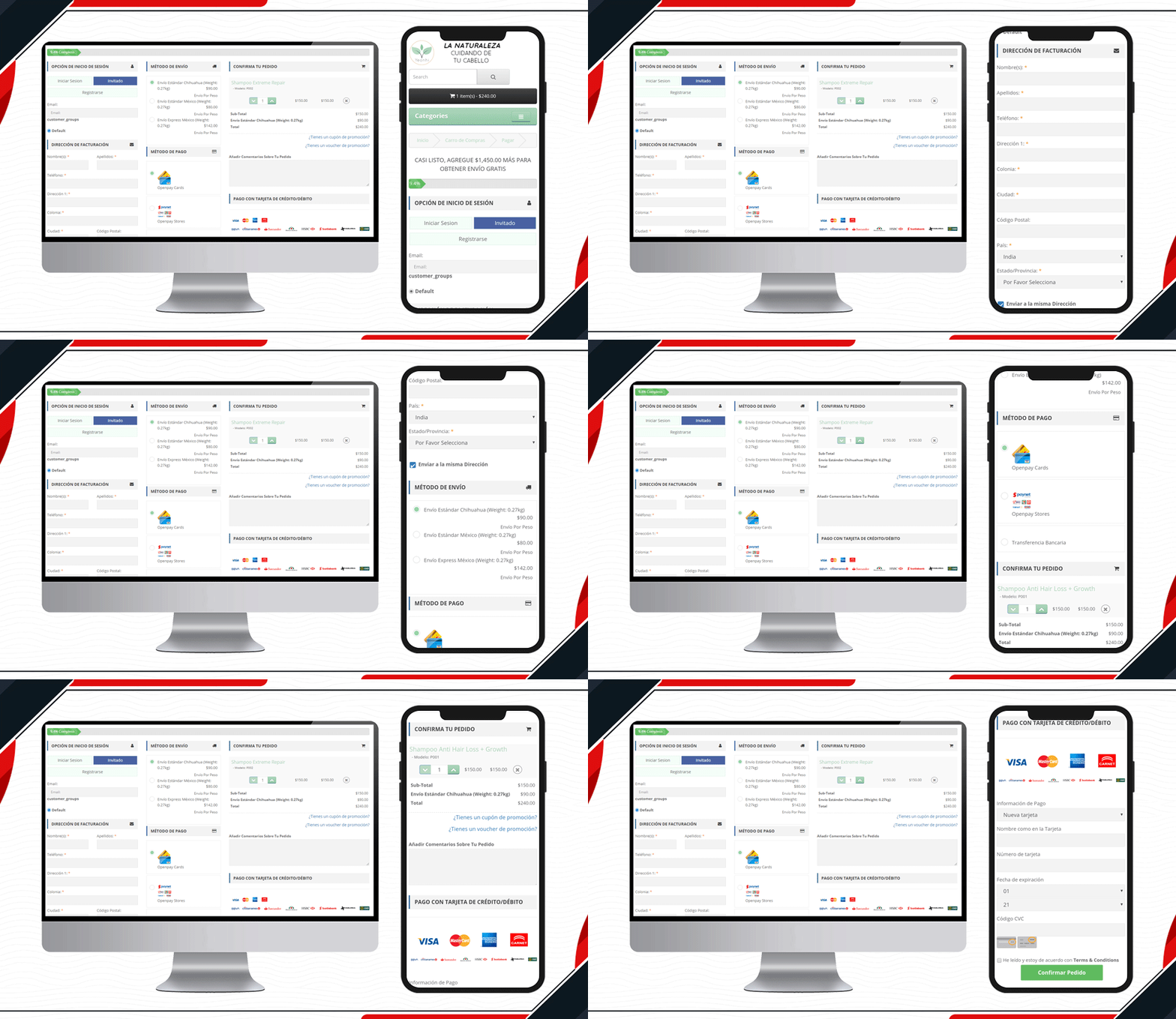
5.     Look at this Yeonhi Checkout Page

Yeonhi’s checkout page is very sleek with a great design. It appears that the checkout process is simple and quick. They have been using KnowBand’s OpenCart One Page checkout plugin with a shipping bar at the top. This indicates the free shipping progress, which means the customer will get free shipping if the progress bar reaches 100%. Follow these tips to reduce shipping cost.

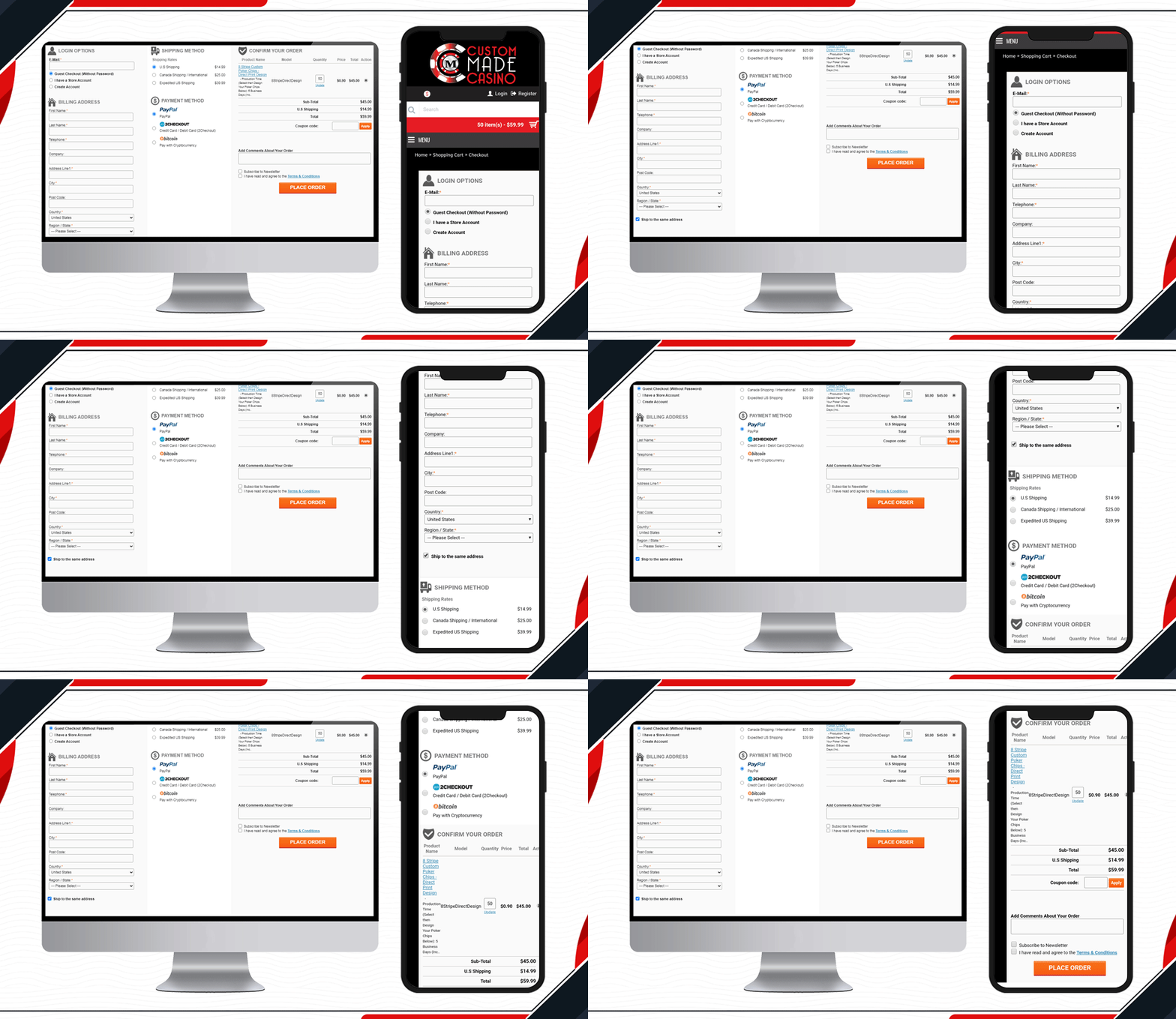
6.     Custom Made Casino Checkout page

Custom Made Casino website is a treat if you like playing Casino. Let’s not dig much into its services, instead, go straight to its checkout page design. They have been using One Page Checkout on their OpenCart website to make the transactions easy-peasy.

When buying chips in the store, the customer will have to provide printable details like the name that you want on the chips, color, printable font colour, etc. Along with other checkout page elements, you will find all these details on the shopping cart section.

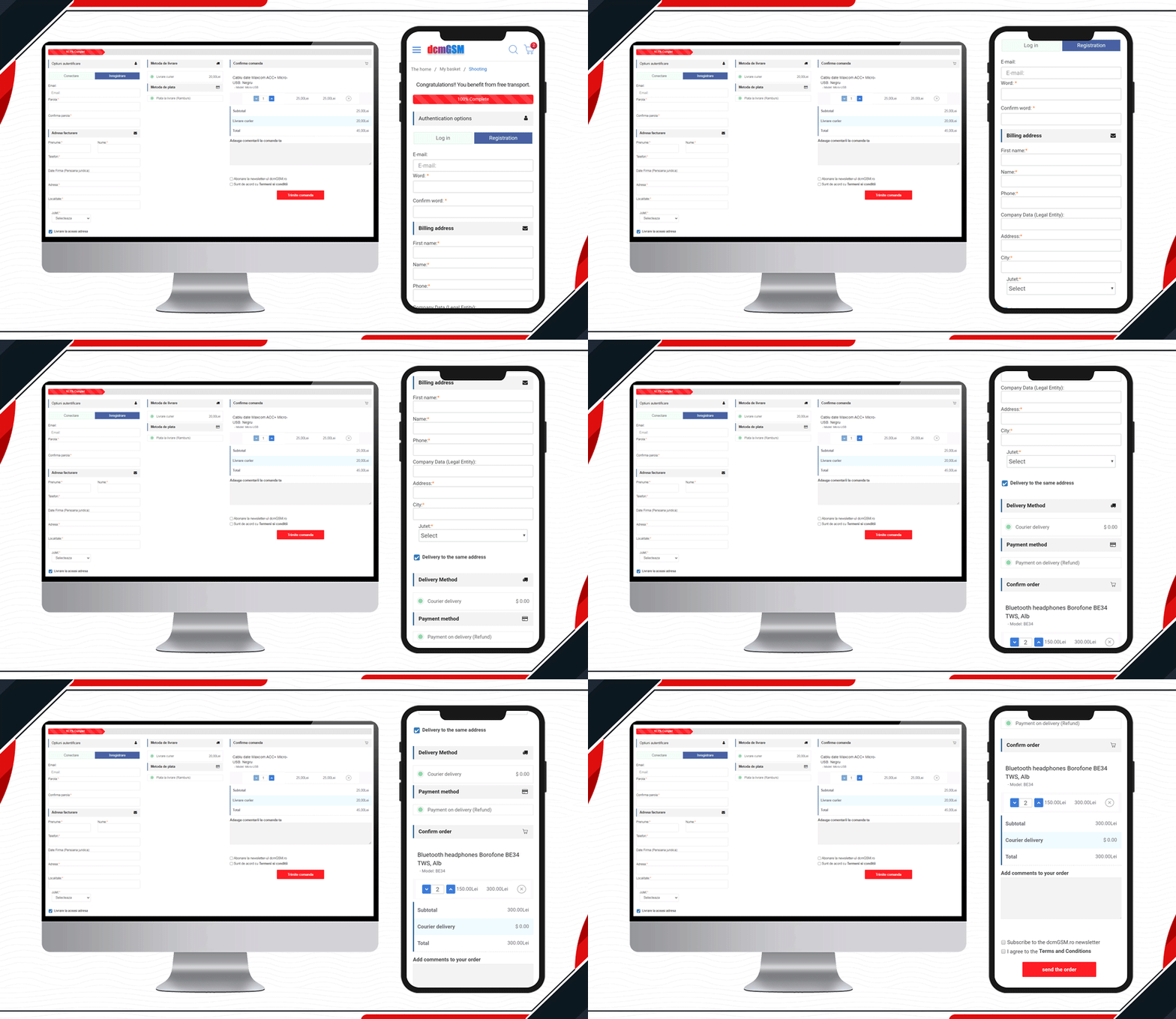
7.     DcmGSM Considered One Page Checkout

One-stop for any phone accessories.  DcmGSM is a company that provides a solution for all your phone-related gadgets from USB cables to mobile cases. It is an OpenCart website and to provide a wonderful checkout experience, they are using KnowBand’s OpenCart One Page Checkout.

Free shipping bar to Facebook login and optional fields to the extra comment field, all features are used on the website checkout page. Have a look!

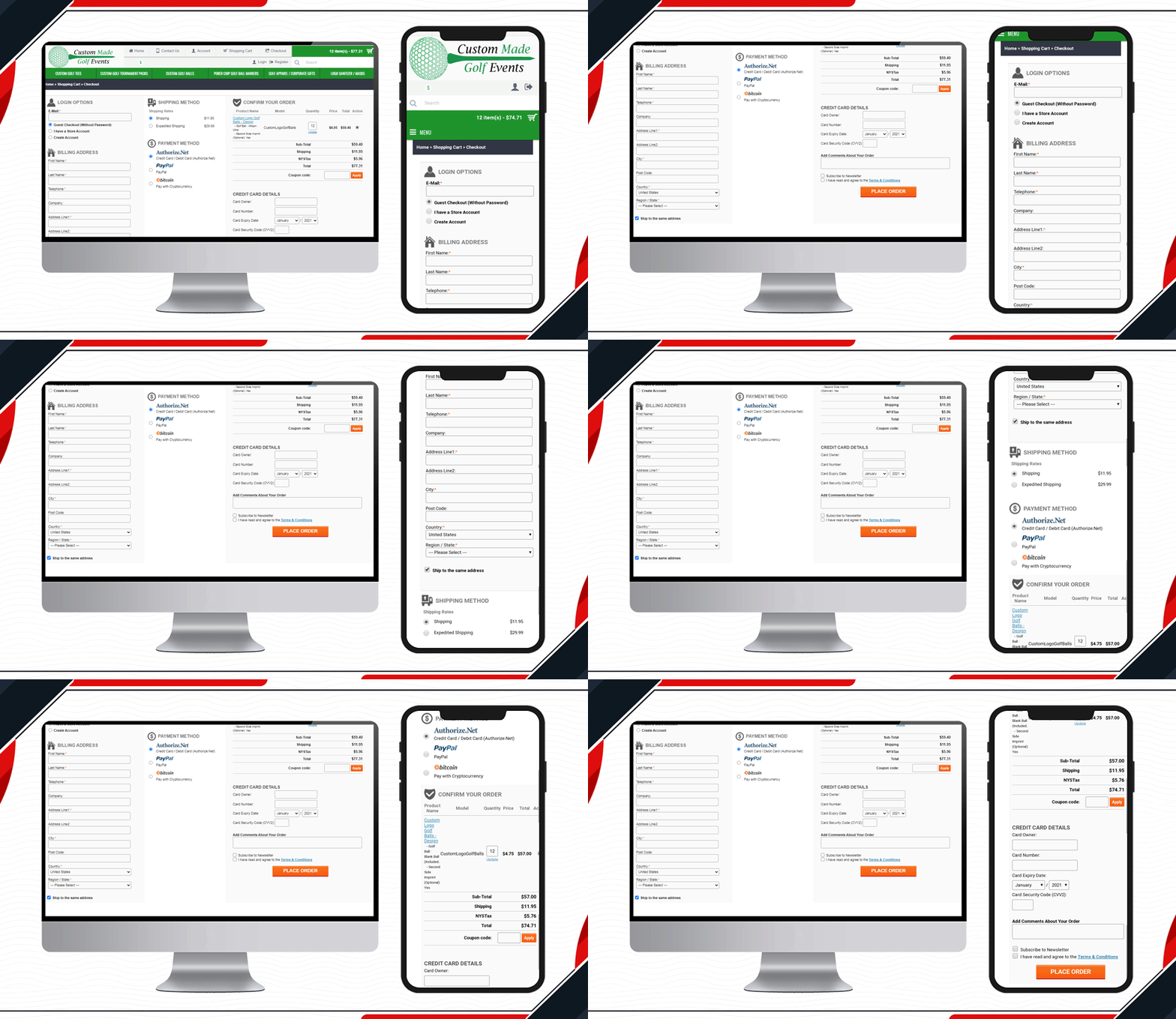
8.     Custom made Golf Events Checkout Page

All golf-related items are available on this website. To make the checkout process simpler and quicker for the golf lover, Custom-made Golf Events is using KnowBand’s OpenCart One Page checkout.

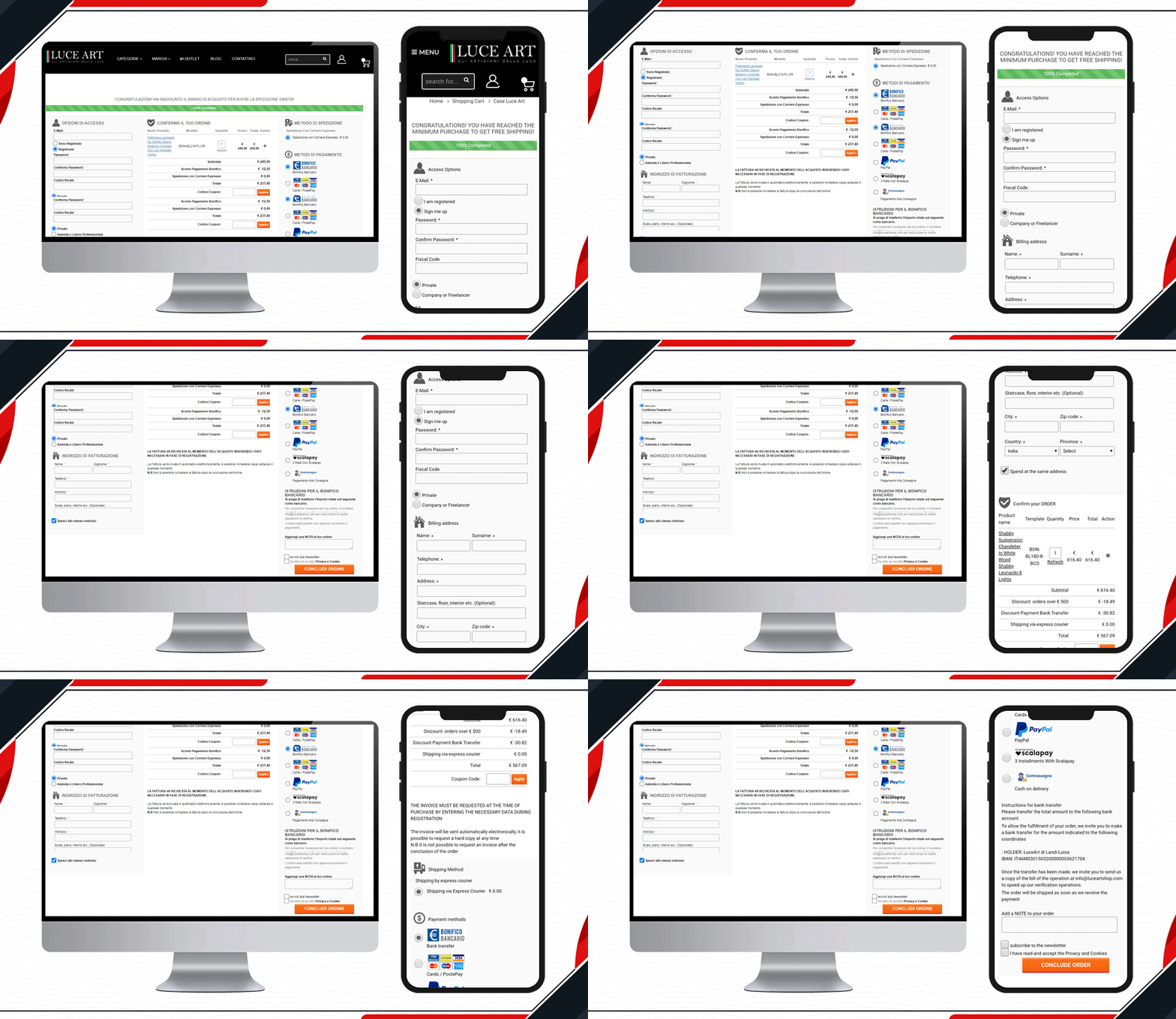
9.     Look at Luce Art Shop Checkout Page

Luce Art is a hub for creative lights. They have been using a single-page checkout for their checkout page. You can see your orders in the shopping cart of the checkout page. It has a free shipping bar, social login, guest checkout, multiple shipping methods, payment gateways, and all the other informative fields clubbed in a single page with a three-column layout.

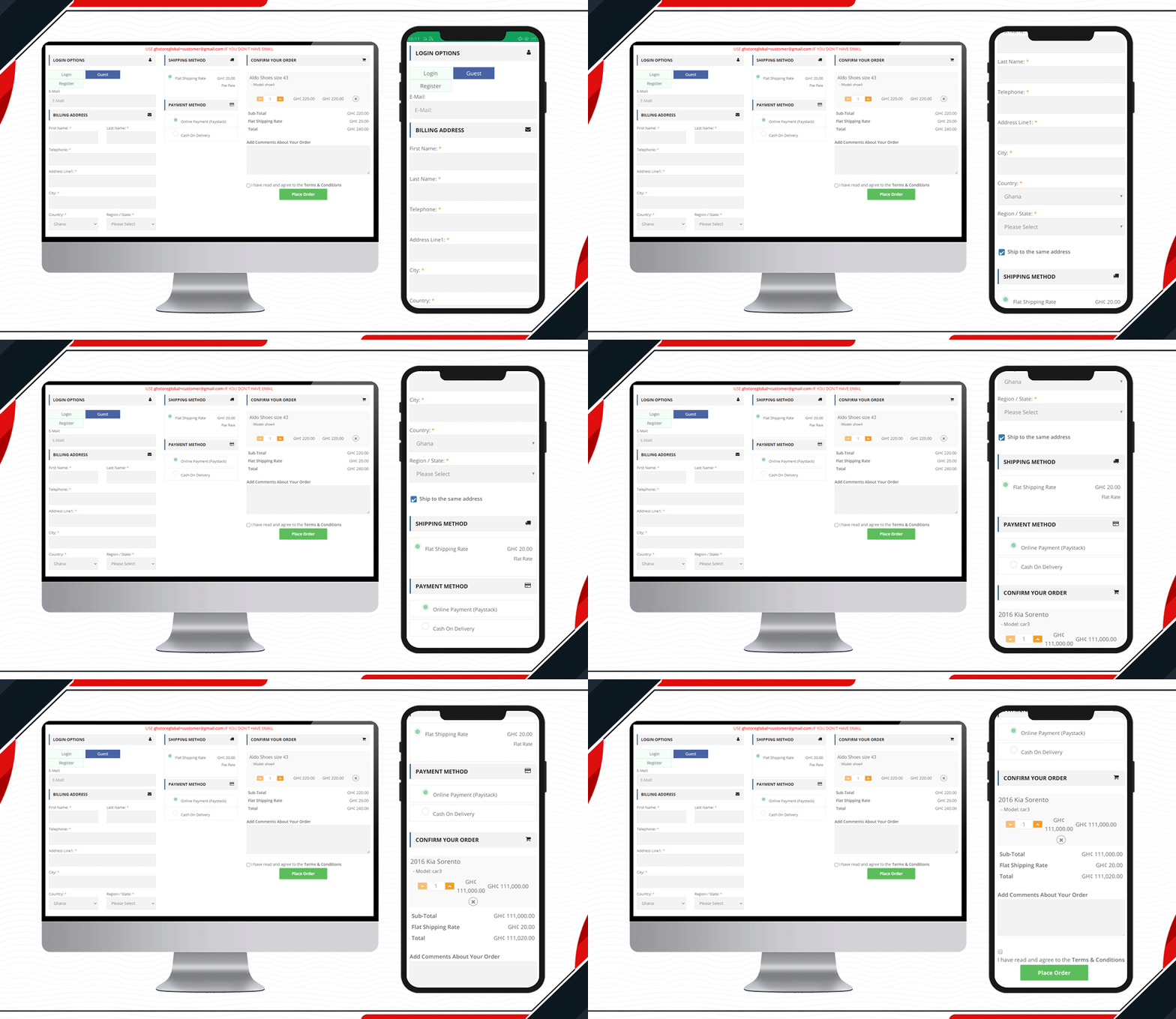
10. Live One Page Checkout on GH Store

Another live example of Knowband’s One Page Checkout is available on the GH Store website. It is a general store where you can find everything that a household requires in everyday routine. They have streamlined the checkout page design by using KnowBand’s One Page Checkout.Ffree

Checkout page elements that every OpenCart owner should look for

  1. Single Page Checkout
  2. Guest checkout
  3. Social login
  4. Cart display section
  5. Custom payment methods
  6. Add Custom Shipping methods
  7. Customizable layout and design
  8. Security badge options

Finally, to get a better understanding of the checkout page design and layout follow this blog.

For OpenCart or any other eCommerce website-related requirements visit the KnowBand store. Several plugins are available that can help you optimize your store from the landing page to the final transaction.