Prestashop Mobile App Builder 6.1: Easy Translations and Ad Monetization to Enhance Your Apps

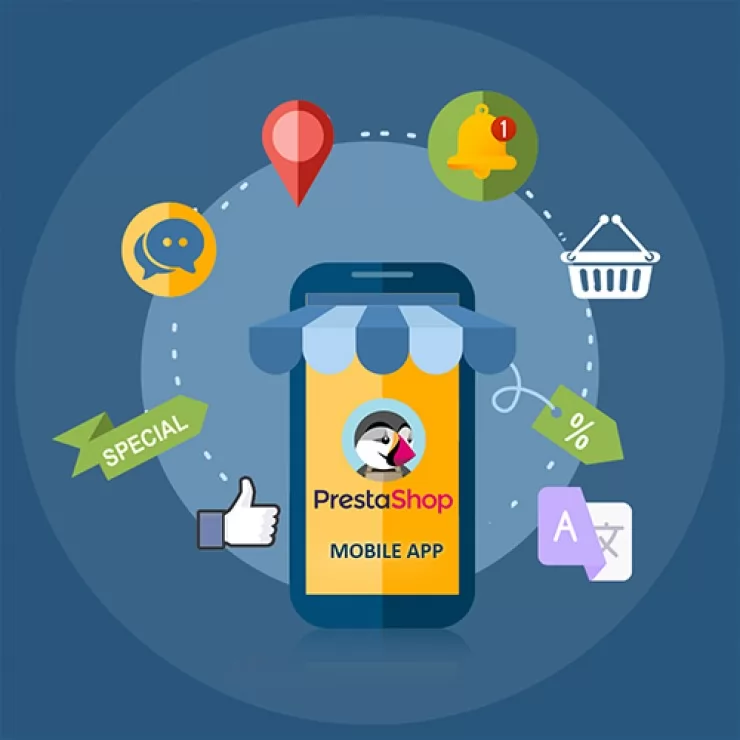
In today’s fast-paced digital landscape, having a mobile app for your PrestaShop store is no longer a luxury—it’s a necessity. As more customers shift to mobile shopping, businesses need reliable tools to build high-performing apps that engage users and drive sales. That’s where the PrestaShop Mobile App Builder 6.1 comes in.

In its latest version, the PrestaShop Mobile App Builder is going to introduce two exciting new features: an easy-to-use Translation Tab and Google AdMob integration. These enhancements are designed to simplify managing your app and create new opportunities for monetization. Let’s explore these features in detail and see how they can help improve your store’s mobile app.

Why Do You Need a Mobile App for PrestaShop?

Before diving into the new features, it’s important to understand why having a mobile app is critical for your PrestaShop store. Therefore, a mobile app provides several advantages over a mobile website, including:

Faster Loading Times: Mobile apps are faster than websites, providing a smoother experience for users.

Better User Engagement: With push notifications, you can keep your customers updated on new products, discounts, and promotions in real time.

Improved Conversion Rates: Research shows that users are more likely to complete a purchase on a mobile app than on a mobile site.

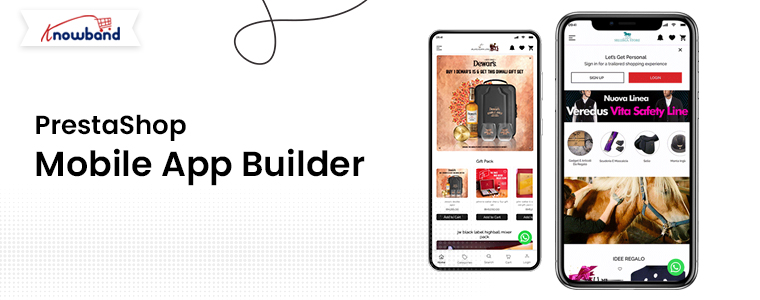
Whether you are using the PrestaShop Android App Builder or the PrestaShop iOS App Maker, a well-designed app can significantly boost your eCommerce success.

What’s New in PrestaShop Mobile App Builder 6.1?

The latest version, PrestaShop Mobile App Builder 6.1, introduces two key features that enhance your mobile app-building experience:

1. Translation Tab for Easy Language Management:

Managing translations in your mobile app used to be a time-consuming process, especially if you had to dig into module code files. Furthermore, with the new Translation Tab feature, that’s no longer the case. The PrestaShop Mobile App Builder now offers a dedicated section where you can modify all the app’s translations without touching the code.

This makes it easier than ever to reach global audiences. Whether you’re targeting Spanish, French, German, or any other language, you can easily customize your app’s content to meet the needs of your international customers.

Key Benefits of the Translation Tab:

Simplicity: You can edit and update translations directly from the app builder interface, reducing the need for technical knowledge.

Time-Saving: No more digging through module files. All translations can be managed in one place.

Global Reach: Break language barriers and engage customers from different regions by offering a multilingual mobile app.

With this feature, the PrestaShop eCommerce Mobile App becomes more accessible to global markets, helping you expand your store’s reach and drive more sales.

2. Google AdMob Integration for Monetization:

Monetizing your app is an excellent way to generate additional revenue, and the new Google AdMob integration in PrestaShop Mobile App Builder Addon v6.1 makes this easier than ever. Furthermore, you can now display banner advertisements across different sections of your mobile app and earn money based on ad impressions and clicks.

Key Benefits of Google AdMob Integration:

Additional Revenue Stream: You can now monetize your app with banner ads, providing a new income source.

Customizable Ad Placement: Choose where the ads appear in your app to avoid disrupting the user experience.

Easy Setup: Integrating Google AdMob is straightforward, allowing you to start monetizing quickly.

This feature opens up a new channel for revenue, making the PrestaShop Android and iOS Mobile App Maker Addon a more valuable tool for store owners looking to maximize their app’s profitability.

How These Features Improve Your PrestaShop Mobile App!

Create Android and iOS App for Your Prestashop Store

Purchase the Extension from Addon Marketplace

SHOP NOW

The addition of the Translation Tab and Google AdMob integration in the latest PrestaShop Mobile App Builder Module version improves both the user experience and the business potential of your app. Here’s how:

Seamless Global Access: With the Translation Tab, you can cater to different regions without hassle. Therefore, a localized mobile app will not only enhance user satisfaction but also boost your international sales.

Monetization Opportunities: Thanks to Google AdMob integration, your mobile app can now become a source of passive income. Whether you are offering a PrestaShop Free Mobile App for Android or an advanced paid app, this feature enables you to make the most out of your mobile presence.

Why Choose the PrestaShop Mobile App Builder?

Whether you’re building an app for Android or iOS, the PrestaShop Mobile App Builder offers a range of features that make app creation easy and efficient:

No Coding Required: The PrestaShop App Maker is designed for business owners who don’t have technical expertise. Moreover, you can build a fully functional app without writing a single line of code.

Real-Time Synchronization: Your app syncs with your PrestaShop store in real-time, so all changes made in your store are immediately reflected in your app.

Customization Options: Whether you’re using the PrestaShop iOS App Builder or the PrestaShop Free eCommerce Mobile App Maker, you can customize your app’s layout, design, and features to fit your brand.

In the End

With the new features of PrestaShop Mobile App Builder 6.1, creating a successful mobile app for your store has never been easier. Whether you want to simplify the translation process or monetize your app with ads, these updates make it possible to build a better, more profitable mobile app.

Take your mobile store to the next level with easy translations and ad monetization, and watch your eCommerce business grow!

Monetize Your Opencart Mobile App: Unlock New Revenue Streams with In-App Advertisement Banners

In the rapidly evolving world of eCommerce, having a mobile app is no longer just a luxury—it’s a necessity. For OpenCart users, the OpenCart Mobile App Builder Plugin has long been a go-to tool for creating feature-rich and user-friendly apps.

But what if your app could do more than just sell products via apps? What if it could also be a steady source of additional income? That’s exactly what the new in-app advertisement banner feature in Knowband’s Opencart Android and iOS Mobile App Builder Plugin promises. By integrating ads into your mobile app, you can open up exciting new revenue streams and further monetize your business.

Why In-App Ads Matter for Your eCommerce Business?

As eCommerce businesses continue to grow, competition is fiercer than ever. To stay ahead, businesses need to explore multiple revenue avenues. Thus, relying solely on product sales can limit your earnings. That’s where in-app advertisements come in.

With the OpenCart Mobile App Builder, you can now include advertisement banners within your mobile app. Moreover, these banners offer a great opportunity to feature ads from third-party companies or promote your own products, services, and deals. The revenue generated through these advertisements can provide a financial boost to your business.

This new feature is available across both OpenCart Android and iOS Mobile App Builder Modules, making it accessible to anyone running a mobile app for their OpenCart store. Whether you use a Mobile App Builder Plugin for OpenCart, this new functionality will allow you to earn extra income effortlessly.

How Advertisement Banners Work in OpenCart Mobile Apps?

The new advertisement banner feature in the OpenCart Mobile App Builder Plugin is designed to be simple, effective, and user-friendly. You, as the store admin, have full control over the banners, deciding where and when they appear within your app. This allows you to strategically place ads where they’ll be most visible to users, increasing the chances of engagement and click-throughs.

Here’s a quick overview of how you can make the most of the in-app ads:

Third-Party Ads: You can display ads from third-party ad networks and earn income through clicks or impressions. This turns your mobile app into a source of passive income.

Self-Promotion: In addition to third-party ads, you can use the banner space to promote your own products, services, or special offers. This is a great way to drive traffic to specific pages or products on your store.

Customizable: The OpenCart App Maker allows you to customize the banners to fit the design of your app. Furthermore, you can adjust sizes, colors, and placements to ensure the ads blend seamlessly with your app’s aesthetics.

This flexibility is key, as it ensures that ads don’t disrupt the user experience while still being effective.

Benefits of In-App Ads in Your OpenCart Mobile App:

Create Android & iOS App for Your Opencart Store

Purchase the Extension and Get Your Apps on Same Day

SHOP NOW

Now that you know how the advertisement banners work, let’s explore some key benefits:

New Revenue Stream: The most obvious benefit is the additional income generated through ad placements. Moreover, the in-app ads give you a way to monetize your app without compromising the user experience.

Passive Income: Once your ads are set up, you can continue earning revenue with minimal effort. As long as your app is being used, you’re making money—whether users click on the ads or simply view them.

Enhanced User Engagement: If you use the ads to promote your own products, you can increase customer engagement by pushing new products, sales, or promotions right in front of your app users.

Better Return on Investment: The OpenCart Android App Maker already helps businesses reach more customers through mobile platforms. Furthermore, with the addition of ads, you can further maximize the ROI of your mobile app by generating income beyond product sales.

Scalable: As your user base grows, so does your revenue potential. The more app downloads you achieve, the more impressions and clicks your ads will receive.

Final Thoughts

The new advertisement banner feature in the OpenCart Mobile App Builder by Knowband is a game-changer for store owners who want to unlock additional income streams. Whether you use a free OpenCart Mobile App Builder for Android or iOS, this feature allows you to monetize your app beyond product sales.

Thus, by incorporating ads, you can generate passive income, increase user engagement, and boost your overall revenue. It’s an easy, effective way to maximize the value of your mobile app and ensure it’s working hard for your business.

Explore the key features and benefits of the OpenCart Mobile App Builder for Android and iOS and take your store mobile today.

New Features in Prestashop Google Shopping Integration Addon: Automate, Customize, and Optimize Your Feeds!

In today’s competitive eCommerce landscape, having your products listed on Google Shopping is essential to reaching a wider audience. For Prestashop store owners, integrating with the Google Merchant console has become easier and more efficient, thanks to the latest updates in the Prestashop Google Shopping Integration Addon by Knowband.

The Prestashop Google Merchant Console Feed Addon allows seamless synchronization between your Prestashop store and Google Merchant Center, helping you manage your product listings on Google Shopping with ease.

In this blog, we will explore the exciting new features in the Prestashop Google Shopping Integration Addon that make automating, customizing, and optimizing your feeds more streamlined than ever before.

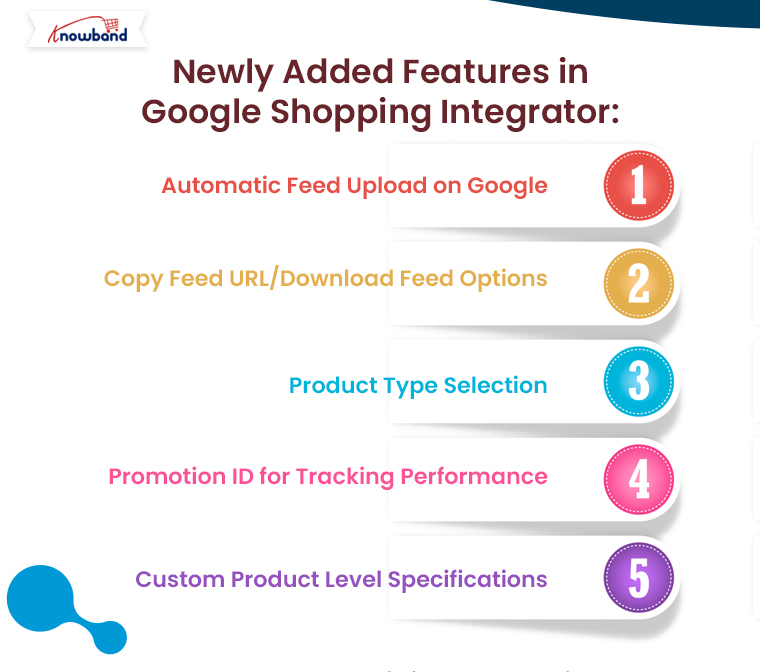
Automatic Feed Upload on Google:

The Prestashop Google Shopping Integration Addon now comes with an “automatic feed upload on Google” feature. This enhancement enables store admins to choose between automatic and manual submission of product feeds. With this update, you can effortlessly automate feed uploads to the Google Merchant Center, ensuring that your product listings are always up to date.

If the automatic option is disabled, you can still manually upload feeds by copying the feed URL or downloading the feed in various formats, such as JSON, XML, or CSV. This flexibility gives you control over your feed submission process, depending on your preferences or requirements.

Furthermore, automating this process saves time, reduces human error, and ensures that your products are consistently synchronized with your Google Merchant Center account.

List Products on Google Merchant Console

Integrate Your Prestashop Store with Google Shopping Marketplace

SHOP NOW

Copy Feed URL/Download Feed Options:

Another major update in the Prestashop Google Shopping Integration Extension is the ability to copy or download the feed URL easily. With this feature, you can now quickly generate the feed URL or download the feed file in your preferred format—JSON, XML, or CSV. Furthermore, this addition enhances flexibility for merchants who prefer different methods for feed submission or want to manually handle their Google Shopping Prestashop Integration.

For instance, if you want to manually upload your feed to the Google Merchant Center, you can copy the feed URL or download the file and submit it at your convenience. The ability to choose between formats ensures that you can work in the format that best suits your business needs.

Product Type Selection:

Managing your Google Shopping feeds requires a high level of organization and customization. Therefore, the new Prestashop Google Shopping Integration Module now allows store admins to define product types within feed profiles. This feature is particularly useful for businesses with a wide range of products, as it enables them to categorize their products more effectively and optimize their visibility on Google Shopping.

With the ability to define product types, merchants can create tailored feed profiles for specific product categories, ensuring that they are presented accurately to potential customers. Moreover, this enhances the relevance of your Google Shopping listings and improves the chances of your products being found by the right audience.

Promotion ID for Tracking Performance:

Tracking the performance of your Google Shopping campaigns is crucial for optimizing your strategy. Knowband’s Prestashop Google Shopping Integrator  has introduced a new “Promotion ID” section, allowing store admins to monitor and analyze the performance of their Google Merchant Center listings.

By using the Promotion ID, you can track clicks, impressions, and conversions for specific products or campaigns. This data is invaluable for making informed decisions about your marketing efforts and understanding which products are driving the most traffic and sales.

Furthermore, this feature provides deeper insights into your Google Shopping campaigns, helping you make data-driven decisions to improve performance and ROI.

Custom Product Level Specifications:

The Prestashop Google Shopping Integration Plugin now includes an option for custom product-level specifications. This new feature allows store admins to configure product specifications individually, rather than relying solely on universal feed specifications.

For businesses that sell a diverse range of products, this feature offers more control over how products are presented on Google Shopping. You can customize product attributes such as size, color, material, and more, ensuring that each product is listed with the most accurate and relevant details. This can lead to improved search results and better overall performance on Google Shopping.

With the ability to configure specifications at the product level, you can optimize your product listings for maximum visibility and relevance in search results, which can ultimately lead to higher conversion rates.

Conclusion:

The latest updates in the Prestashop Google Shopping Integration bring a range of powerful features designed to make managing your Google Shopping feeds easier, faster, and more efficient. From automating feed uploads and customizing product types to tracking campaign performance with Promotion IDs and configuring custom product specifications, these new tools offer unmatched flexibility and control.

Whether you’re new to Google Shopping or an experienced user, the Google Shopping Prestashop API Integration will help you streamline your feed management process and optimize your product listings for maximum impact. Best of all, if you’re looking for a free solution, you can explore the Prestashop Free Google Marketplace Integration Module, which offers many of these features with no added cost.

Expand Your Store’s Reach by Integrating eBay, Etsy, and Google Shopping with Knowband’s Connectors

In the fast-paced world of eCommerce, reaching the right audience is crucial for the success of your online store. With fierce competition on platforms like Prestashop, OpenCart, WooCommerce, and Magento 2, relying solely on your website may limit your sales potential. That’s where multichannel selling comes into play, allowing you to expand your store’s visibility across leading platforms like eBay, Etsy, and Google Shopping.

If you’re looking to seamlessly integrate your online store with these platforms, Knowband offers powerful solutions. Our eBay Connector for Prestashop, Etsy Connector, and Google Shopping Connector extensions enable effortless integration, helping you unlock the full potential of multichannel selling.

Let’s explore how these connectors can help you scale your business and maximize profits.

Why Multichannel Selling Matters!

Before diving into the benefits of Knowband’s connectors, it’s essential to understand why multichannel selling is a game-changer for eCommerce stores.

Increase Visibility:

Listing your products on multiple platforms increases your store’s exposure. Moreover, platforms like eBay, Etsy, and Google Shopping attract millions of shoppers daily, ensuring your products reach a broader audience.

Diversify Revenue Streams:

Relying on a single sales channel can be risky. On the other hand, by expanding to multiple platforms, you reduce the risk and tap into new revenue streams.

Build Trust and Credibility:

Established platforms like eBay and Etsy offer a trusted shopping experience. Thus, by listing your products there, you gain instant credibility with potential buyers.

Targeted Audiences:

Each platform has its own user base. Instance, eBay attracts bargain hunters, Etsy appeals to handmade and vintage enthusiasts, while Google Shopping is ideal for comparison shoppers. By listing on these platforms, you can target different segments of shoppers.

Streamline Your Multichannel Selling with Knowband’s Connectors:

At Knowband, we understand the challenges of managing products, inventory, and orders across multiple platforms. That’s why we’ve developed easy-to-use connectors for eBay, Etsy, and Google Shopping that seamlessly integrate with your Prestashop, OpenCart, WooCommerce, and Magento 2 stores.

Let’s look at each connector and how it can help you grow your business.

eBay Connector: Unlock the Multi-channel Selling on eBay!

eBay remains one of the most popular online marketplaces globally, with over 180 million active buyers. Therefore, by integrating your store with eBay using Knowband’s eBay Connector for Prestashop, you can tap into this vast marketplace without the hassle of managing two separate platforms.

Key Features:

  • Bulk Product Upload: Save time by uploading multiple products at once from your store to eBay.
  • Automated Sync: Sync product details, pricing, and inventory between your store and eBay in real time.
  • Order Management: Manage all your eBay orders directly from your eCommerce platform’s back office which eliminates the need to switch between multiple dashboards.
  • Customization: Tailor product listings for eBay with custom pricing and inventory rules.

By using the eBay Connector, you’ll be able to maintain a unified inventory, avoid overselling, and effortlessly expand your store’s reach to millions of eBay shoppers.

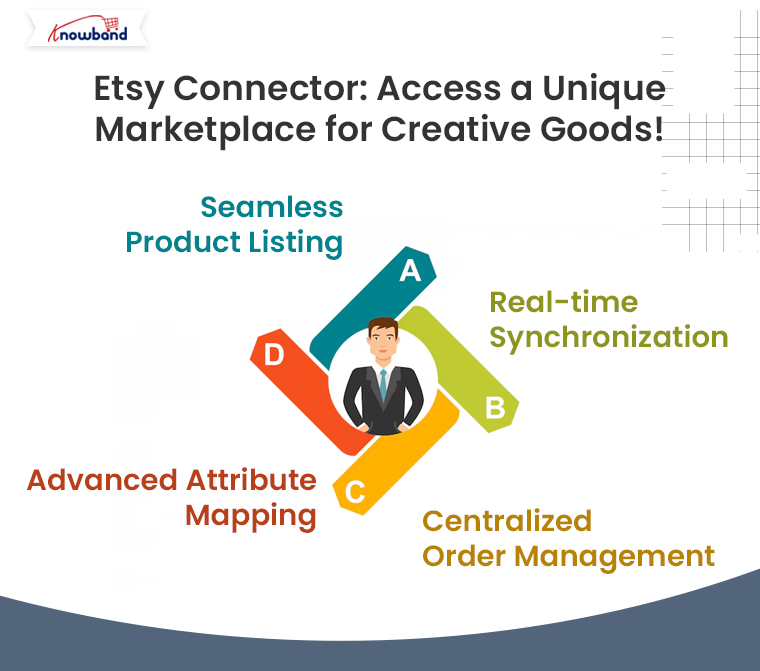
Etsy Connector: Access a Unique Marketplace for Creative Goods!

Etsy is the go-to platform for buyers seeking unique, handmade, vintage, and craft items. If your store specializes in these types of products, the Etsy Connector is a perfect solution to showcase your goods to Etsy’s dedicated audience of more than 80 million active buyers.

Key Features:

  • Seamless Product Listing: Effortlessly upload your store’s products to Etsy, complete with titles, descriptions, and pricing.
  • Real-time Synchronization: Keep your store’s product data in sync with Etsy, ensuring accurate inventory and pricing across platforms.
  • Centralized Order Management: Process all Etsy orders from your eCommerce store’s backend for streamlined order fulfillment.
  • Advanced Attribute Mapping: Map your store’s attributes with Etsy’s specific product requirements to ensure proper product categorization.

With the Prestashop Etsy Connector Addon, your store can tap into Etsy’s niche market, helping you reach customers who appreciate craftsmanship, artistry, and creativity.

Google Shopping Connector: Boost Your Product Visibility on Google!

With Google Shopping, your products can appear in front of millions of shoppers actively searching for items like yours. Moreover, Knowband’s Google Shopping Connector for Prestashop helps you showcase your store’s products on Google Shopping effortlessly.

Key Features:

Product Feed Management: Easily create and upload a Google Shopping product feed with all the necessary data (product titles, descriptions, prices, etc.).

  • Automated Sync: Ensure real-time updates for product information and pricing across your store and Google Shopping.
  • Category Mapping: Map your store’s categories with Google Shopping’s requirements for better targeting.

By using Knowband’s Google Shopping Connector, you’ll increase your product’s visibility across Google’s powerful shopping ads, driving more traffic to your store and boosting your sales.

How Knowband’s Connectors Simplify Your Multichannel Selling?

Using Knowband’s connectors offers numerous advantages for businesses of all sizes:

  • Time Efficiency: No need to manually upload products or update inventory. Furthermore, the automated synchronization keeps everything in order, freeing up time to focus on other aspects of your business.
  • Accuracy: Eliminate the risk of overselling with real-time inventory updates.
  • Improved Order Management: All orders, whether from your store or other platforms, are managed in one place, simplifying fulfillment and customer service.
  • Easy Setup: Our connectors are designed for ease of use. With intuitive interfaces, you can quickly set up the integration without technical expertise.

Take Your Store to New Heights with Knowband’s Connectors!

If you want to expand your store’s reach and tap into the enormous potential of platforms like eBay, Etsy, and Google Shopping, Knowband’s connectors offer the perfect solution. By integrating your eCommerce store with these platforms, you can increase your visibility, reach more customers, and ultimately, grow your sales.

You may also like to read:
See how this free connector simplifies Etsy integration for your PrestaShop store and enhances marketplace reach. Read More

From Checkout to Returns: The Best Extensions to Improve Every Stage of the Customer Journey!

In the world of e-commerce, the customer journey is everything. From browsing products to completing the purchase and managing post-purchase needs, every touchpoint plays a crucial role in shaping the customer’s experience. Therefore, a smooth, efficient, and enjoyable customer journey can turn casual visitors into loyal customers. On the other hand, a clunky, frustrating process can drive potential buyers away. This is where the right extensions, especially those from Knowband, come into play.

Knowband, a leading provider of e-commerce solutions, offers a variety of powerful modules that can streamline every stage of the customer journey. Let’s explore the best extensions to enhance each phase, from checkout to returns.

1. Streamlining the Checkout Process: One Page Checkout

The checkout process is the most critical stage in the customer journey, and any friction here can lead to cart abandonment. Moreover, long forms, multiple steps, and unclear instructions can frustrate customers, causing them to leave before completing the purchase.

Knowband’s One Page Checkout module for Prestashop solves this issue by simplifying the entire process. Instead of navigating through multiple pages, customers can complete their purchase on a single, user-friendly page.

Key Features:

  • Supports multiple payment gateways.
  • Guest checkout option for faster transactions.
  • Auto-detects customer address via Google Maps API.
  • Customizable fields for a tailored experience.

This module significantly reduces cart abandonment rates and enhances customer satisfaction by minimizing the time and effort needed to complete the purchase.

2. Enhancing Customer Engagement: Spin and Win

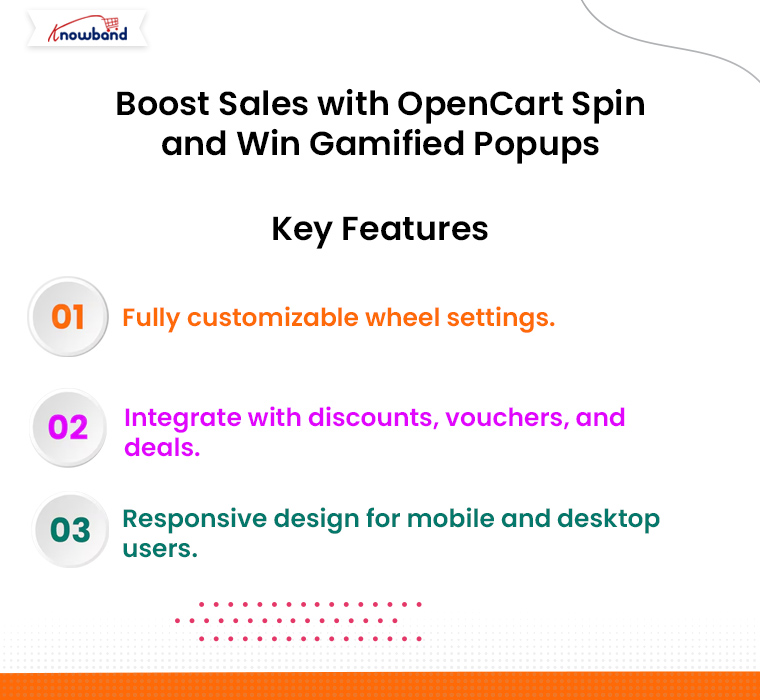
Engaging your customers and encouraging them to interact with your store can lead to higher conversions and increased sales. Thus, the Spin and Win module for Prestashop and Opencart by Knowband introduces a fun and interactive element to your site that captures visitors’ attention.

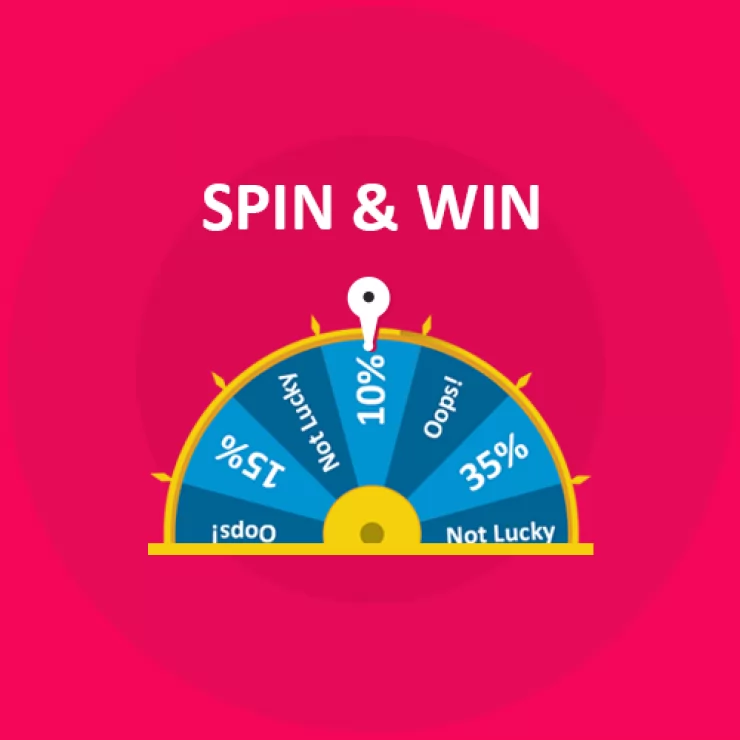
With this extension, visitors can spin a virtual wheel to win discounts and offers. This not only enhances engagement but also gives them a reason to make a purchase.

Key Features:

  • Customizable spin wheel with different discount options.
  • Attractive pop-up design that grabs attention.
  • Easily integrates with various e-commerce platforms like Prestashop, Magento, and OpenCart.
  • Mobile-friendly for seamless use on all devices.

By using the Spin and Win module, you can create a fun experience that encourages visitors to become paying customers, all while building loyalty through special offers.

3. Boosting Customer Confidence: Product Review Reminder

Customer reviews are one of the most influential factors in purchase decisions. Furthermore, the shoppers are more likely to buy products that have positive feedback from other customers. However, getting customers to leave reviews can be a challenge.

Knowband’s Prestashop Product Review Reminder extension encourages customers to share their experiences after making a purchase. It automatically sends reminder emails to customers, asking them to leave a review of their recent purchase.

Key Features:

  • Automated review request emails based on purchase history.
  • Option to offer discounts in exchange for reviews.
  • Customizable email templates to match your branding.
  • Supports multi-language stores.

Thus, by leveraging the Product Review Reminder, you not only increase the number of reviews on your products but also build trust with future shoppers, thereby improving overall sales and brand reputation.

4. Managing Returns Efficiently: Return Manager (RMA)

Handling product returns is an inevitable part of running an online store. Moreover, a smooth return process can significantly enhance customer loyalty and trust, while a cumbersome one can lead to dissatisfaction.

The Prestashop Return Manager (RMA) module by Knowband simplifies the returns process for both you and your customers. It allows customers to easily request returns or exchanges, and it helps store admins manage and track return requests efficiently.

Key Features:

  • Easy return request submission for customers.
  • Automatic status updates for customers on their return requests.
  • Customizable return reasons for better insights.
  • Integration with multiple shipping carriers for smoother return shipments.

By using Return Manager (RMA), you can ensure that customers have a hassle-free experience even after their purchase, fostering long-term loyalty.

5. Reducing Abandoned Carts: Abandoned Cart Module

Many customers leave items in their cart without completing the purchase, and recovering these sales can significantly boost your revenue.

Moreover, Knowband’s Abandoned Cart Module helps you recover these lost sales by automatically sending reminder emails to customers who have left items in their carts. Therefore, it also offers incentives, such as discounts or free shipping, to encourage them to complete the purchase.

Key Features:

  • Automated abandoned cart reminder emails.
  • Customizable templates for branding.
  • Option to offer incentives to recover lost sales.
  • Detailed analytics to track cart recovery performance.

This extension is essential for any e-commerce store looking to reduce abandoned carts and increase conversions.

Conclusion!

Improving every stage of the customer journey, from checkout to returns, is essential for the long-term success of your e-commerce store. By leveraging Knowband’s powerful extensions, you can enhance customer satisfaction, reduce cart abandonment, and create a seamless shopping experience. Whether it’s simplifying the checkout process with One Page Checkout, engaging customers with Spin and Win, or managing returns efficiently with Return Manager (RMA), Knowband offers the tools you need to optimize the entire customer journey.

5 Essential Knowband Extensions to Supercharge Your eCommerce Store’s Growth!

As eCommerce continues to thrive, it’s more important than ever for businesses to equip themselves with the right tools to stand out from the competition. If you’re using PrestaShop to run your online store, Knowband offers a suite of innovative extensions that can significantly improve your store’s functionality and customer experience.

In this blog, we will highlight five essential Knowband extensions that can help you supercharge your eCommerce store’s growth. Each of these modules is designed to streamline operations, enhance user engagement, and increase sales. Let’s dive in!

1. PrestaShop One Page Checkout:

A cumbersome checkout process can lead to cart abandonment, which is why having a streamlined, user-friendly checkout experience is critical for eCommerce success. Knowband’s PrestaShop One Page Checkout is the perfect solution to reduce abandonment rates and boost conversions.

Key Features:

Single Page Checkout: All checkout steps (cart, shipping, payment) are displayed on one page, simplifying the process.

Guest Checkout: Shoppers can check out without creating an account, speeding up the process.

Mobile Responsive: The checkout page is optimized for all devices, ensuring a seamless mobile shopping experience.

Multiple Payment and Shipping Methods: Integrates smoothly with various payment gateways and shipping services, giving your customers more choices.

By reducing the number of steps required to complete a purchase, the One Page Checkout helps to improve your store’s conversion rates and enhance the overall customer experience. Customers appreciate speed and simplicity, and this extension delivers exactly that.

2. PrestaShop Marketplace Module:

If you want to turn your PrestaShop store into a fully functional marketplace like Amazon or Etsy, the PrestaShop Marketplace Module from Knowband is your go-to solution. This module allows multiple vendors to sell their products on your platform, giving you the power to expand your product offerings without managing inventory yourself.

Key Features:

Vendor Dashboard: Vendors can manage their products, orders, and payments through an intuitive dashboard.

Flexible Commission Structure: Set different commission rates for vendors and manage them easily.

Vendor Reviews: Customers can leave feedback on vendors, boosting trust and transparency.

Product and Order Management: Streamlined process for vendors to upload products and manage orders.

With this module, you can diversify your store’s product range, attract more customers, and create a dynamic marketplace. By partnering with multiple vendors, you generate new revenue streams while reducing operational overhead.

3. PrestaShop Mobile App Builder:

With mobile commerce on the rise, having a dedicated mobile app is crucial for tapping into a growing customer base. Knowband’s PrestaShop Mobile App Builder allows you to create a fully functional mobile app for your PrestaShop store without needing any coding knowledge.

Key Features:

Customizable Design: The app can be tailored to match your store’s branding and design aesthetics.

Real-time Synchronization: Any changes made to your website are automatically reflected in the app.

Push Notifications: Send targeted offers and updates directly to your customers’ smartphones, increasing engagement.

Multi-lingual and Multi-currency Support: Perfect for global businesses with customers in different regions.

Mobile apps offer a more personalized shopping experience and allow you to connect with customers anytime, anywhere. With this extension, you can boost customer loyalty, increase mobile sales, and strengthen your brand presence in the mobile world.

4. PrestaShop Spin and Win:

Customer engagement is a key factor in improving sales. The PrestaShop Spin and Win module adds a gamified element to your store, allowing customers to spin a wheel for a chance to win discounts or other incentives. It’s a fun and interactive way to grab your visitors’ attention and convert them into loyal customers.

Key Features:

Customizable Wheel: You can configure the wheel with different prize options such as discounts, free shipping, or bonus points.

Email Subscription Integration: Use the wheel to encourage visitors to sign up for your newsletter in exchange for a spin.

Exit Intent Technology: Trigger the spin wheel when a customer is about to leave your site, giving you one last chance to engage them.

Mobile Responsive: Works seamlessly across all devices, providing a consistent experience.

Spin and Win enhances user interaction and keeps visitors on your site longer. By offering exciting prizes, you can increase conversions and build a stronger connection with your audience.

5. PrestaShop Abandoned Cart Module:

Abandoned carts are one of the biggest challenges for eCommerce businesses. Knowband’s PrestaShop Abandoned Cart Module helps you recover lost sales by automatically sending reminder emails to customers who have added products to their cart but haven’t completed the purchase.

Key Features:

Automated Email Campaigns: Send customizable email reminders to customers to encourage them to complete their purchases.

Cart Recovery Statistics: Track the performance of your recovery campaigns with detailed reports.

Incentives for Completion: Offer discounts or free shipping in reminder emails to incentivize customers to return.

Personalized Emails: Address customers by name and include details of the items left in the cart.

Abandoned carts account for a significant portion of lost revenue. This module helps you bring back potential customers, increasing your sales without spending extra on advertising. A well-timed reminder can be the nudge your customers need to finalize their purchases.

Conclusion!

Investing in the right tools and extensions is essential to unlocking your PrestaShop store’s full potential. Knowband’s extensions, including the One Page Checkout, Marketplace Module, Mobile App Builder, Spin and Win, and Abandoned Cart Module, offer effective solutions for improving your store’s functionality, boosting conversions, and enhancing the customer experience.

By integrating these powerful tools into your eCommerce store, you’re not just making improvements — you’re paving the way for sustained growth and long-term success. Take the next step towards supercharging your eCommerce business with Knowband’s Prestashop extensions!

Complete Guide to Integrating Your Products with Google Shopping: Knowband OpenCart Extension!

In today’s competitive eCommerce landscape, getting your products in front of potential customers is crucial for success. One of the most effective ways to increase your online visibility is through Google Shopping, which allows retailers to display their products directly in Google’s search results. Furthermore, if you’re running an OpenCart store, integrating your product catalog with Google Shopping can be made simple with the Knowband OpenCart Google Merchant Feeds Plugin.

In this guide, we’ll walk you through everything you need to know about integrating your OpenCart store with Google Shopping using the Knowband extension. Whether you’re a novice or an expert, this guide will help you streamline your product listings and increase your chances of getting your products noticed on Google Shopping.

About Google Merchant Console?

Before we dive into the integration, let’s first understand what Google Shopping is. Essentially, Google Shopping is a service that allows businesses to display their products in the form of ads. These ads appear in Google search results and on the Google Shopping platform, providing customers with a visual, product-based search experience.

Using Google Shopping, your products can appear with images, prices, and merchant details, increasing the chances of catching customers’ attention. But to tap into this lucrative marketing channel, your product feed needs to be properly integrated with Google Merchant Centre, where Google will assess your products before making them live.

This is where the Knowband OpenCart Google Shopping Integration Module comes in.

Benefits of Google Shopping for OpenCart Store Owners!

Increased visibility: Your products can appear directly in Google’s search results, putting them in front of more potential customers.

Targeted advertising: Google Shopping allows you to target specific audiences based on location, interests, and browsing habits.

Visual appeal: Google Shopping ads feature product images, prices, and descriptions, which can capture customers’ attention more effectively than text-based ads.

Higher conversion rates: Because Google Shopping ads provide detailed product information upfront, they attract more qualified leads, which can result in higher conversion rates.

The Challenges of Manual Integration!

While Google Shopping is a powerful tool for eCommerce businesses, manually integrating your product catalog with Google Merchant Centre can be tedious. Therefore, you need to create a product feed that includes all the relevant details such as product titles, descriptions, prices, availability, and images. On top of that, you must ensure that your feed meets Google’s strict guidelines.

Without an automated solution, keeping your product feed up to date can become a full-time job. This is where the Knowband OpenCart Google Shopping Feed Integration Extension becomes essential for your store.

Why Choose Knowband OpenCart Google Shopping Connector Plugin?

The Knowband OpenCart Google Shopping Connector is designed to make Google Shopping feed management simple and efficient. Furthermore, it automates the process of synchronizing your product feed with Google Merchant Centre, ensuring that your listings are always up to date with the latest prices, inventory levels, and other essential product information.

Automated Sync: The extension allows for the automatic synchronization of your product catalog with Google Merchant Centre. This saves you time and ensures that your Google Shopping listings reflect real-time information about your products.

Error Handling: The Google Merchant Feed for Opencart automatically detects and corrects errors in your product feed to ensure that it complies with Google’s strict feed requirements.

Customizable Feeds: You can create custom product feeds based on specific categories, brands, or other attributes, giving you full control over which products you list on Google Shopping.

Multi-language and Multi-currency Support: The OpenCart Google Shopping Synchronizer supports multi-language and multi-currency stores, making it ideal for global businesses.

User-Friendly Interface: The plugin offers an easy-to-use admin panel that allows store owners to configure the feed settings without any technical expertise.

Key Features of the Knowband OpenCart Google Shopping Integration Module!

The Knowband OpenCart Google Shopping Integration Extension offers a range of features that streamline the process of listing your products on Google Shopping:

Real-Time Synchronization: Automatically sync product data, including prices, availability, and other key details, between your OpenCart store and Google Merchant Centre.

Product Filter Options: The Opencart Google merchant console integration plugin provides the ability to filter products based on categories, availability, and other parameters to help you select what you want to list on Google Shopping.

Error Logging and Reporting: The extension logs any issues with the feed and helps you quickly resolve them.

Bulk Upload: Upload thousands of products to Google Shopping in one go with the OpenCart Google Merchant Centre Connector.

SEO-friendly: The module generates SEO-optimized product feeds, improving your product visibility in search results.

Knowband’s OpenCart Google Shopping Integration Module

Discover Knowband’s OpenCart Google Shopping Integration to easily sync your products with Google Shopping and boost your online visibility and sales.

SHOP NOW

Free Google Shopping Opencart Integration Module!

One of the most attractive features of the Knowband Opencart Google Shopping Merchant Free Extension is that it offers a free version. This Opencart Free Google Shopping synchronization module provides basic functionality, enabling you to get started with Google Shopping without a major investment. Moreover, for store owners looking to explore Google Shopping for the first time, this Free Google Shopping integration module for Opencart is an excellent option to test the waters.

Conclusion!

Integrating your OpenCart store with Google Shopping can unlock tremendous growth opportunities for your eCommerce business. With the Knowband OpenCart Google Shopping Connector Plugin, the process becomes effortless, allowing you to focus on other aspects of your business while your product listings are kept up-to-date in Google Shopping.

Whether you are using the Opencart Free Google Shopping synchronization module or opting for the paid version, this extension offers a comprehensive solution for getting your products in front of more potential customers through Google Merchant Listings.