Checklist to Create an Attractive Home Page for your eCommerce Website

Your homepage is the interaction point for web visitors. Not only it introduces your brand to the users but also marks the beginning of their journey on the website. Put simply, it navigates your visitors and customers to different places (web pages) on your website.

As we say “First impression is the last impression,” it perfectly suits in case of a homepage. If your homepage doesn’t leave a good impression on the very first time a user lands on your website, it is very unlikely they will proceed further. They will bounce off straight away and may never return.

Whether the purpose of your home page is to capture email subscribers, get conversions or sell products, it should leave a strong first impression.

What are the ways to design an appealing homepage? Well, there are multiple ways to do it and different eCommerce websites have different ideas. However, there are some important tips to consider when designing your homepage.

Before you design your Homepage-

A particular homepage might do exceptionally well for one business while it may fall flat for another.  So before you make up your mind of designing the homepage, ask yourself a few questions.

What call-to-action do I want visitors to take?

How many steps does it require?

How much information do they need to provide before they could move towards the next step?

How simplified can it be made?

Can some steps be eliminated?

Make your primary goals and work accordingly.

On average, a visitor spends nearly 10-20 seconds on a webpage. Considering this, the duration can be further reduced if your homepage fails to impress web visitors.

What this tells is you only have a few seconds to leave a positive impact on visitors about your brand. The navigational flow should be clear enough to encourage users to explore other areas of your eCommerce website.

Although you would want your potential customers to stick around, decision avoidance should be prevented. Decision avoidance is the tendency of humans when they fail or take too long to make a decision. This could lead to visitors bouncing off from your website or hitting the back button.

Let’s now take a look at some tips that could prove helpful in designing your ideal homepage.

1. Purpose-Driven Content

Your homepage should straight away speak about your niche, products or services when users land on your website. Before they begin scrolling, the primary purpose should be served right in front of them.

If you are providing a service, there should be a complete focus on it along with how users can get facilitated by it. The homepage content should persuade visitors to take action and this is why a compelling call-to-action should be placed on the homepage for that matter.

Displaying such content also confirms users that they are in the right place as the information served to them helps them identify what they are looking for.

2. Easy Navigation

One of the most important things to look at while designing your homepage is the navigation bar. It should be as straightforward as possible consisting of only important navigation links. The fewer the better as too many navigation options can clutter the homepage and hamper the user experience. An ideal navigation bar should not have more than seven links.

You should also look to create sub-navigation parts (displays in drop-down menu) if your website has too much content. This narrows down the navigation path for users and helps them reach the desired page quicker.

It is also recommended to add a search box or simply a magnifying glass to the navigation bar. Some websites also have the Contact Us and About Us page at the navigation bar but it will look better only if you are displaying only a few options else it is ideal to put them at the footer.

3. Eye-Catching Visuals

Images are an integral part of a homepage. They catch user attention more than anything. If visuals aren’t appealing, other things would hardly matter.

Make sure to pay a lot of attention to the visuals while designing your homepage. They should immediately reflect the purpose and as you would know, “A picture is worth a thousand words.”

What visuals should you incorporate on your homepage? You can try using Images with text overlay, slideshows, image carousels, or you can add a video too if you want. Images should be attractive and should match with your website’s overall design.

4. Shopping Cart

Adding the cart section on your homepage which is visible throughout the website makes a good homepage design. You can find this on many eCommerce websites. Even the eCommerce giant Amazon has a shopping cart on their home page and can be accessed from any web page.

Displaying the number of items in the cart keeps reminding customers that they have an incomplete purchase, and encourages them to checkout.

5. Testimonials

Highlighting testimonials is among the best practices to design a homepage. They are powerful and make your brand look trustworthy. The curiosity to explore your website and do business with you increases when visitors find out how satisfied your clients or customers have been with your offerings or services.

Make your home page more appealing with Instagram Shop Gallery

Instagram Shop Gallery not only enhances your homepage but also provides you with an opportunity to boost your sales. The module creates an Insta Gallery section on your homepage and also places the page link on the header navigation.

Using this module, you can fetch photos from Instagram using specific hashtags and tag your products on it, making it similar to Instagram shoppable posts. Instagram Shop Gallery module is available for PrestaShop, OpenCart, Magento and Magento 2.

Final Thoughts

Simplifying your homepage and keeping it attractive at the same time is what attracts visitors the most. And this should not only be focused on the desktop. A majority of the website traffic comes from mobile devices today. So make sure your homepage looks as appealing on a mobile as it looks on a desktop.

That’s it in my checklist of designing a homepage for an eCommerce website.

6 Reasons Why Your Business Needs A Strong Social Presence

Gen X, Millennials, or Gen Z, you will find people of all three generations on social media platforms like Facebook, Instagram, Twitter, etc. And I guess I won’t be wrong to say that your target audience also falls under the age group of these generations.

Facebook and Instagram have over 2.6 billion and 1 billion monthly active users, respectively, making them two of the largest social media sites. With such a vast majority of people connected to social media, there remains no question as to why your business requires a social presence. Moreover, marketing on social channels has grown rapidly over the past couple of years.

Besides the numbers, let’s take a look at the six important reasons that highlight why your business needs a strong social presence.

1. Builds Brand Awareness

Whether you have just started your online business or it is booming already, it’s a wise idea to mark its presence on social media platforms. Not only it increases brand recognition but also helps you build your community on popular social networks.

Social media is a perfect place to showcase the audience what your brand is about and allows you to connect with your audience on a personal level.

2. Humanizes Brand

The ultimate goal of any business is to drive traffic to their website and get sales. This seems valid from a business perspective but it’s important to know that human nature draws us towards things that are relatable; to which we could connect.

Social media bridges that gap. Having a social presence provides you with the opportunity to create a friendly atmosphere where people feel familiar and interact with your brand like it’s a part of their day-to-day life.

People like to engage, and when they notice that you are trying to build communication instead of being promotional every time, it further increases their liking towards your brand and this is what can make it stand out from your competitors.

3. Targeted Advertising

One of the best things that social media brings to the table is targeted advertising. Unlike traditional advertising where you cannot narrow down your audience, having a social presence provides you with the opportunity to reach out to the desired audience.

You can break the audience by their gender, age group, location, interests, etc. This ensures that your ad is getting delivered to the relevant audience which also improves your cost-per-click rate. Thanks to tools like Google Analytics and Social Native which has the capability to track social activities, it makes easy to analyze our target audience.

4. Competitive Edge

While you are here thinking why your business needs a strong social presence, your competitors present on social media are already eating away your potential customers. They are putting their time, money, and everything to get the customers on their side.

Having a social media presence gives you a competitive edge and with your social media marketing strategies and activities, you can outperform your competitors and turn the tables.

5. Capture Leads and Boost Sales

Marketers consider social media a powerful tool to generate leads. It is immensely used worldwide. If you are not utilizing those platforms, you are missing out on an opportunity to acquire leads and scale-up your sales.

Social media giant Facebook lets you open your shop on the platform. With a Facebook store, you can allow the audience to browse your store products even without being present on your website.

6. Real-Time Information

Social media is not just limited to entertainment or marketing purpose. In fact, it’s becoming a source of information for people. Any changes or updates made by a Brand are mostly confirmed by their social media pages.

You can also interact with your audience by bringing them the news, offers, sales or any other information related to your business.

Final Thoughts

If you do not mark your social presence now, you will be deprived of so many benefits which your competitors are already enjoying. The world is evolving, so should you!

Understanding OpenCart Image Search Extension

What do we do when we want to buy a product online? We open an eCommerce website, type the product’s name in the search bar, add the desired product to the cart, and checkout. It’s way too simple, right?

But let’s say you are browsing Instagram and saw a cool outfit on your feed. You liked it in the very first look and feel the desire to have the same outfit. How will you search for it?

It will be very difficult to find the exact outfit. This is where the Image search option helps, and if you have a store on the OpenCart platform and want to provide your users with the option to conduct image search and get related results, OpenCart Image Search extension is all you need.

OpenCart Image Search

The extension adds the image search functionality on your website with the help of which consumers can upload an image and check if the similar product is available on your store. The extension uses machine learning to recognize the image and presents relevant results in front of the customer.

Description

1. Incorporates an image upload option right next to the search bar, allowing users to perform an image search. The extension detects the image and accordingly the products that match the image are displayed to the customers.

2. The extension also adds a “Search Visually Same Product” tab on your product pages right below the “Add to Cart” button. This is helpful when customers want to explore different variants or designs of the product. This setting can be disabled.

3. There is also the option to set the “threshold percentage” which indicates the accuracy of the product. Higher the accuracy, better the results! You can add the range between 50-100. It is recommended to keep the threshold percentage to 95 for best results.

4. OpenCart Image Search module displays the total number of images on the website, and how many out of them are mapped, unmapped and need to be synced. You can also know the reason behind the unmapped images. Newly added images are automatically synced.

Benefits

1. OpenCart Image Search extension improves the search functionality of your website.

2. The extension enhances user experience.

3. It makes online shopping more convenient as shoppers can look for a similar product by uploading the product image.

4. An easy way to search the desired product.

5. Saves customers’ time and efforts.

6. Easy to install and configure without requiring any technical knowledge.

For any assistance regarding the module, contact us at support@knowband.com

All You Need To Know About PrestaShop Private Shop Addon

PrestaShop is one of the best eCommerce platforms offering great flexibility and opportunities for selling all types of products and services.

PrestaShop Private Shop module is focused around B2B online businesses, allowing wholesalers to make their store/shop private. With the help of this module, they can restrict access to their store and let only selected customers or wholesale members explore it.

Unlike B2C online stores that are easier to manage, B2B is a bit complex. But with PrestaShop Private Shop addon, you would not find it difficult to manage your wholesale online store.

Benefits of PrestaShop Private Shop addon

The benefits of creating a private store are-

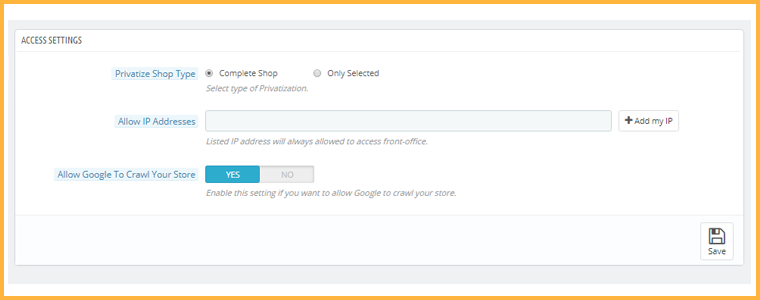
1. You can allow only selected buyers to access your store

2. You can privatize the complete store for regular visitors or give access to some specific pages

3. Access to specific IP addresses only

4. Easy to install and configure

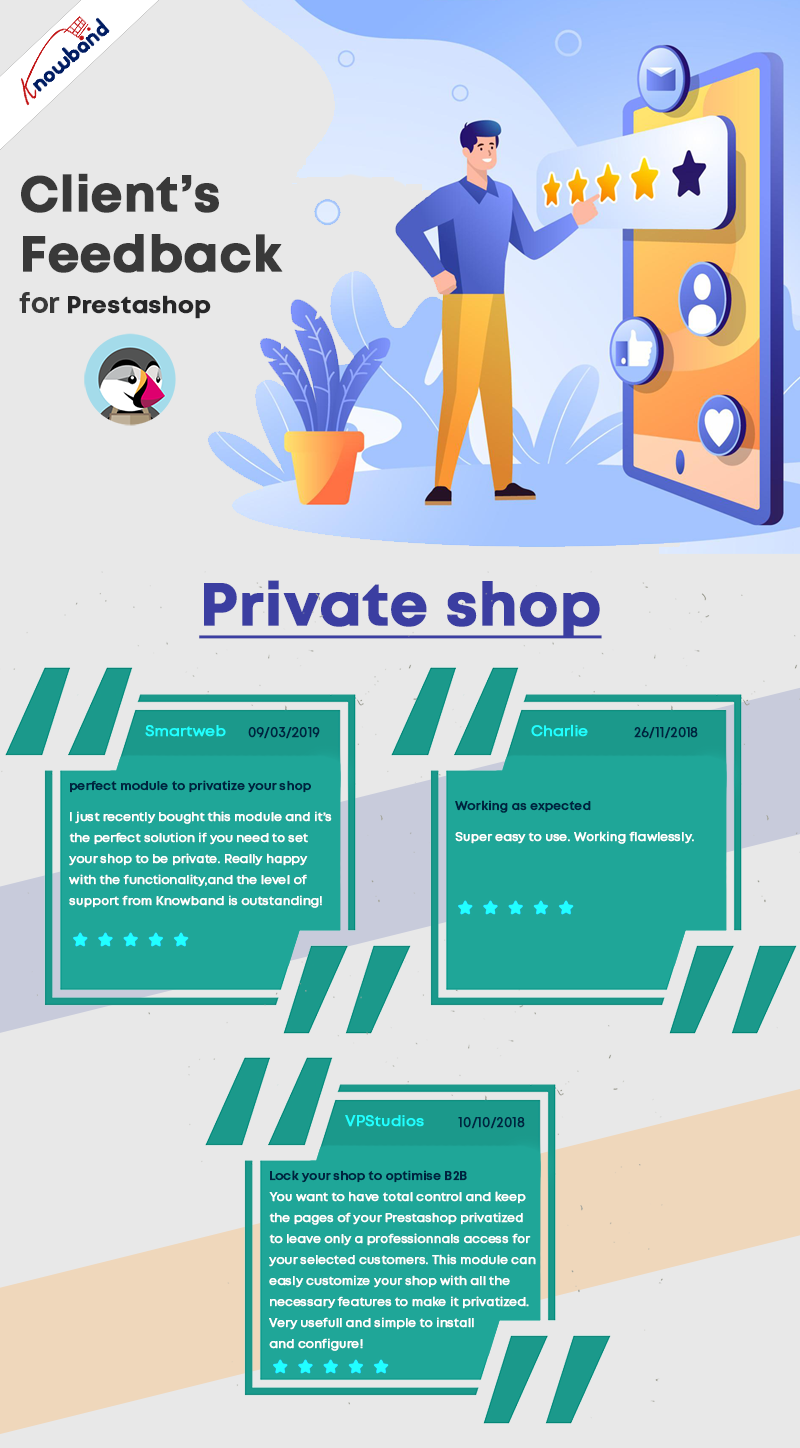
Before jumping to the module features, here are some reviews:

What does the Private Shop module offer?

Talking about the configurations and features of this module,

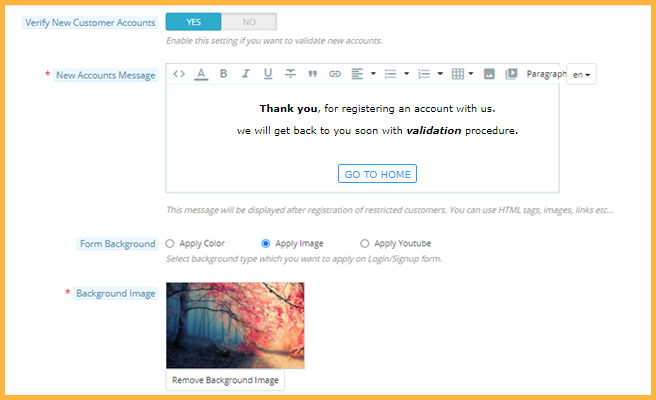
1. It provides you with the option to make your entire store private. No one will be able to access it without logging in. Initially, users will have to create an account to access the front office. Once approved by you from the back-end, they will be able to log in and explore your store products.

2. If not privatizing the complete store, you can permit users to access only a few pages, categories, or products on your website. From the back-end configurations, you can specify the products and categories that you want to keep private and also select the web pages which will be accessible only to private customers and not others.

3. PrestaShop Private Shop addon also lets you allow specific IP addresses to visit your wholesale online store.

4. Customers who signed up on your store will be put under “Private Customers.” From there, you can view the list and approve/deny a customer’s request. You can disable the approval setting if you want.

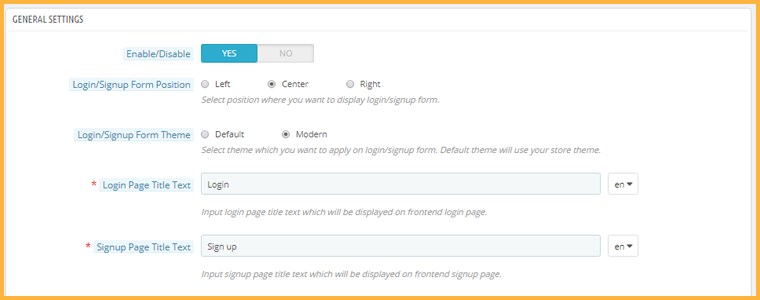
5. You can adjust the look and feel of the signup page. You get the option to adjust the position of the sign-up form, choose the desired theme and make some other customizations. For a better appearance, the admin can also add the company logo to it.

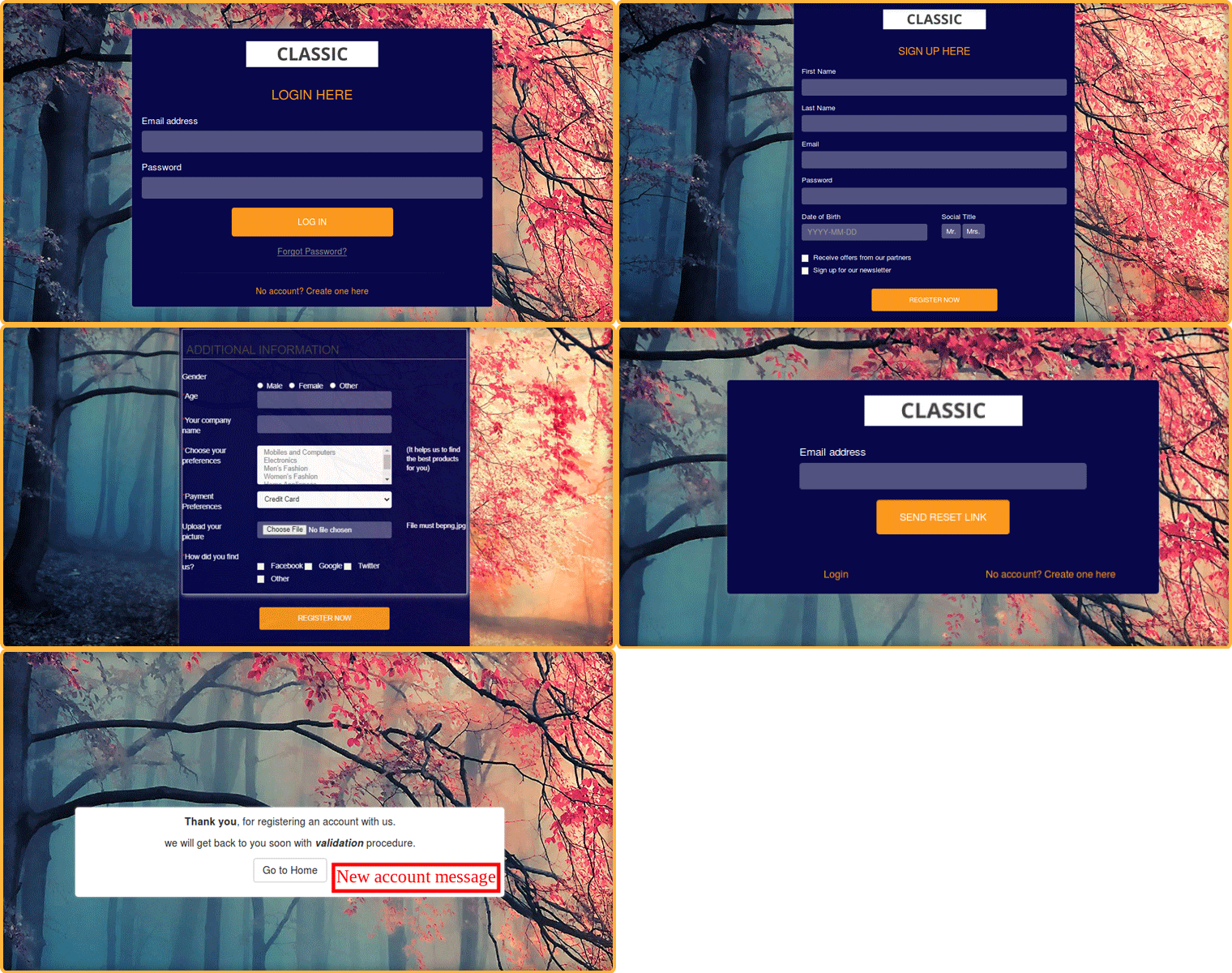
6. You can give your storefront an attractive look. The create Account page can be customized. Store admin can add a background image for the form. There is an amazing option for adding a YouTube video in the background.

7. You can adjust the look and feel of the signup page. You get the option to adjust the position of the sign-up form, choose the desired theme and make some other customizations.

Front end view of PrestaShop private Shop:

8. Every newly registered customer will receive a custom message. The owner of PrestaShop Private Shop can enable new account verification and send a message with HTML tags, images, links, etc.

9. You can also enable or disable the functionality to allow Google to crawl your store. If you wish to keep it private, your store content will be hidden from the search engine.

For any kind of query or assistance, reach out to us at support@knowband.com
Protect your OpenCart Store from Bots and Spammers

If you have a website, you will have to deal with spammers. They leave no opportunity to attack a website and OpenCart is no exception.

Spammers try to degrade your website by posting spam links, comments, fake registrations, etc. Go through the OpenCart forum once and you will see many users complaining about the spam activities on their website.

Scrapping this wanted traffic is important so that your website’s performance on the search engine is not affected. To help you get rid of spammers, we present you with two modules that could prove to be effective in restricting bots and spammers from entering your website and doing malicious activities.

Before we begin, let’s try to understand a few spam activities that you could witness on your OpenCart website.

Few Spam Activities That You Could Witness on Your Opencart Website

1. Spam Comments

You would often get excited to see too many comments on your blog posts only to realize that they are just spam links and have no relation to the content whatsoever. These irrelevant comments are not only annoying but they also hurt your SEO as they pass on the link juice to the spammers’ websites.

2. Fake Sign-Ups

In this spam activity, bots bombard your website with multiple fake registrations. They take up a lot of storage on your server and intend to slow or harm your website’s performance.

Recommended Read:  Two Effective Modules to Keep Away Spammers and Bots from PrestaShop store

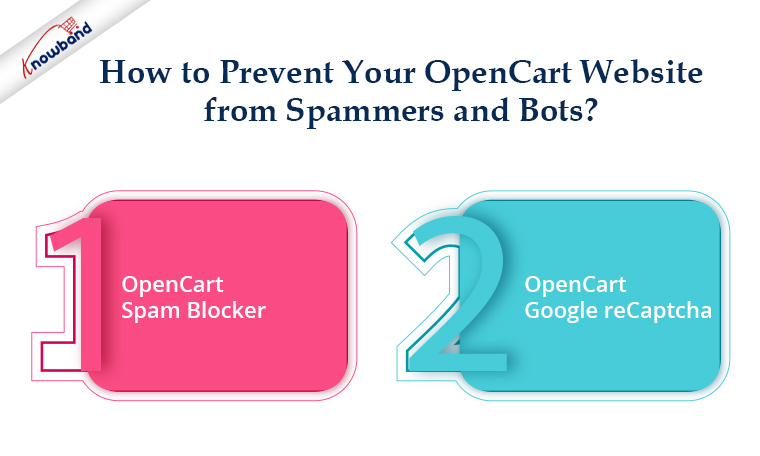
How to Prevent Your Opencart Website from Spammers and Bots?

As I said above, we have two extensions specially designed to deal with this. Let’s take a look.

1. OpenCart Spam Blocker

OpenCart Spam Blocker extension lets you block a store visitor by his/her IP address, country, or user agent.

From the back-end, you can specify the IP addresses from which you don’t receive traffic or which you suspect to be sending spam to your website. You can insert multiple IPs at once. Or instead of blocking, you can allow only certain IPs to access your OpenCart store.

Similar to this, you can add nations to your block list if they consistently send you large amounts of spam.

The next feature it has is blocking spammers/bots that are landing on your website from a specific user agent. (Firebox, Chrome, Mozilla, Android, Windows, etc.)

It may happen sometimes that you block a genuine user. This module enables blocked users to submit a request for unblocking to the website’s owner. The admin can track the requests from the back-end and take decisions accordingly.

Knowband OpenCart Block User Extension provides a spam blocker solution. The OpenCart Block User Extension enables the e-merchant to block particular IP addresses, nations, or user agents. The anti-bot solution offered by OpenCart Spam Blocker Extension is a clever technique to stop malicious users from accessing the website, enhancing the shopping experience of the store’s legitimate customers. You have a lot of options with the OpenCart Spam Blocker module to filter out suspected bot traffic in the store. Consequently, the possibility of unwanted threats and spam in the store is eliminated.

Recommended Read:  OpenCart Block Bot/User by IP, Country or User Agent Extension – User Manual

2. OpenCart Google reCaptcha

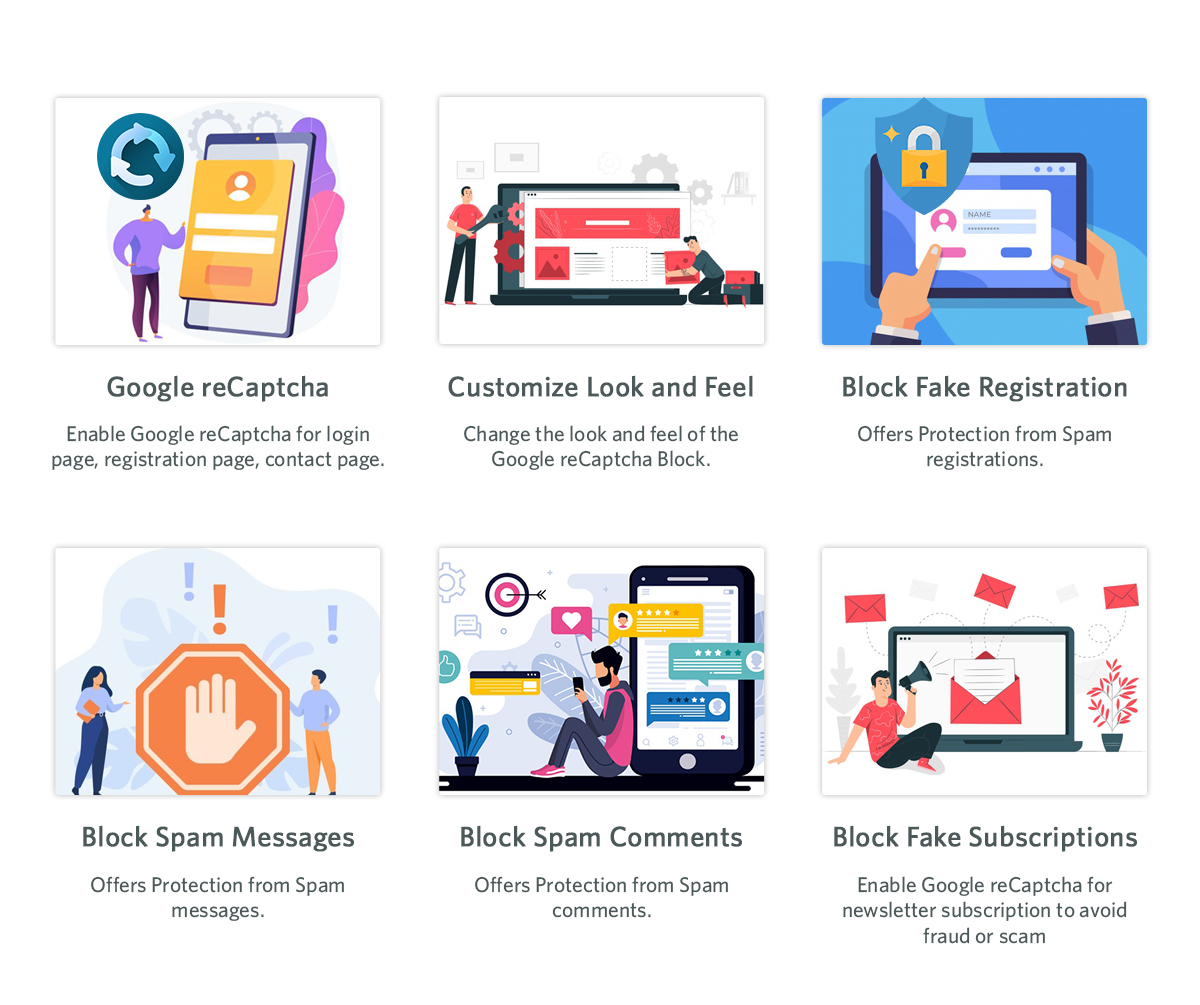
OpenCart Google reCaptcha is the best way to counter fake registrations on your website. It adds a security layer to your website. You can enable reCaptcha on the Login page, Registration Page, Contact Us page and Forgot password page. For each page, you can specify the reCaptcha that you want to set: v2 reCaptcha or v3 reCaptcha.

In contrast to the new reCaptcha (v3), which employs machine learning and extensive risk analysis to distinguish between bots and humans, the old reCaptcha (i.e., v2) is a basic “I am not a robot” checkbox that allows individuals to quickly navigate that particular website. With the OpenCart Google reCaptcha extension from Knowband, your customers may pass the human verification test without providing any additional website inputs. You allow free registration for your users, just like websites like Gmail, Hotmail, Facebook, Twitter, and others. Therefore, it is crucial to safeguard your store’s registration and login process. You may verify that specified actions are actually carried out by real humans and not by automated programmes by using Opencart Google Captcha.

Recommended Read: How to Attract Sellers on OpenCart Marketplace

Final Word

The combat between spammers and websites goes on forever. They will try to spread spam by any means. I am sure these two OpenCart extensions will be extremely beneficial in getting rid of spammers and bots on your website.  If you need any kind of assistance with these two modules, feel free to reach out to us at support@knowband.com.

We have a dedicated support team that is always available to aid customers to deliver the best and most effective post-sale support to our customers. Moreover, even on weekends, we continue to fulfil our obligations to customers who need assistance with urgent website problems.

Top 5 Payment Gateways for your eCommerce Store

Earlier, people used to be a bit hesitant when paying online especially when making a big transaction. But as time progressed, people got habitual of online payments.  In this digital era, online businesses are trying to enhance the customer shopping experience by providing them with multiple payment options. Therefore, integrating the best payment gateway to an eCommerce platform is becoming significant to boost sales.

What is a Payment Gateway?

A payment gateway is a merchant service that authorizes credit card or other direct payments processing for eCommerce businesses. In other words, you can say a payment gateway acts as a mediator between the payment processor and the eCommerce store.

The payment gateway makes the payment processing secure and hassle-free.

Payment Gateways to choose for your eCommerce Business

There are multiple payment gateways that offer a smooth transaction between the site and the payment processor. While choosing one for your business, make sure it meets your business requirements. Do not forget to read its reviews or feedback.

In this write-up, I have compiled a list of top 5 payment gateways that we feel would match your needs.

Note: The choice is purely the author’s. You may find other payment gateways on other blogs and articles.

1. PayPal

Founded in December 1998 though launched in November 1999, PayPal is one of the most popular and widely used payment gateways accepting both Debit Card and Credit Card payments. As of the first quarter of 2020, there were 325 million active PayPal accounts worldwide, reports Statista.

It is free for consumers while eCommerce merchants have to pay a small transition fee to accept payments through PayPal, nearly 3% per transaction without any monthly charges. Also, PayPal doesn’t require any setup expenses or gateway charges. Some of the top brands using this payment gateway are Disney and Adidas.

2. Authorize.net

Launched in 1996, Authorize.net is also among the extensively used eCommerce payment gateways with a major part of its user base (reportedly 83% of the customers) coming from the United States. Over 40,000 eCommerce merchants use Authorize.net payment gateway that allows them to accept Credit Card and electronic check payments. The company charges a $25 monthly gateway fee and 2.9% plus $0.3 per transaction fee.

3. 2Checkout

2Checkout started officially in 2006. From Startups to popular brands, over 17,000 companies use this payment gateway that offers its services in more than 180 countries. 2Checkout allows merchants to accept online payments via Debit Cards, Credit Cards and PayPal. Its processing fee is similar to that of Autorize.net and does not require you to pay any set-up and monthly charges. It is a multi-lingual online payment processing service supporting multiple currencies.

4. Stripe

Based in San Francisco, California, Stripe is one of the best eCommerce payment gateways, founded in 2010. It provides APIs that web developers can use to integrate payment processing into websites and mobile applications. You need not be a coding expert to use it; you can get going within a few minutes.

Millions of companies in over 120 countries use Stripe to manage payments on their website. The processing fee of Stripe is 2.9% + $0.3 per domestic transaction. Some of the top brands using Stripe are Shopify, Microsoft, and Shopify.

5. SecurePay

Founded in 1999, SecurePay is a mobile payment gateway that accepts multiple forms of payment and is designed to secure processing, transmitting and storing of payment card-related data.

Nearly 23.5 million transactions are conducted using SecurePay yearly and over 8500 eCommerce merchants use this payment gateway on their website. SecurePay charges 0.25-1% + $0.25 per transaction fee.

Some of the other popular eCommerce payment gateways are Braintree, PayU, FirstData, Amazon Payments, Skrill, etc.

We receive a significant amount of traffic from European countries like France, Spain, Italy and Poland. So we have also made a list of some of the best payment gateways supported in those countries. Check them out-

Best Payment Gateways for France

  1. Braintree
  2. Authorize.net
  3. 2Checkout
  4. Skrill
  5. Stripe
  6. PayPal
  7. Amazon Pay
  8. PAYMILL

Best Payment Gateways for Spain

  1. Stripe
  2. Braintree
  3. Authorize.net
  4. 2Checkout
  5. PAYMILL
  6. WorldPay (Direct)
  7. PayLane
  8. BlueSnap

Best Payment Gateways for Italy

  1. GestPay
  2. 2Checkout
  3. Authrorize.net
  4. Braintree
  5. PAYMILL
  6. Skrill
  7. WorldPay
  8. AlliedWallet

Best Payment Gateways for Poland

  1. PayLane
  2. DotPay
  3. PaybyNet
  4. PayU
  5. PayPal
  6. Tap2Pay
  7. Przelewy24

Integrate Multiple Payment Gateways on your Mobile App with our Mobile App Builder

We, at Knowband, provide the mobile app builder module for multiple eCommerce platforms like PrestaShop, OpenCart, Magento, Magento 2, and WooCommerce that supports a wide range of payment gateways. The mobile app builder is a feature-packed module that lets you provide a convenient and rich shopping experience to your mobile users.

You can also take a look at our One Page Checkout module that offers support to nearly all the major payment gateways.

Final Thoughts

Before you choose a payment gateway for your eCommerce website, consider a few factors such as the transition fee (whether it falls within your budget or not), international support (multiple languages and currency), different forms of payment methods they accept, etc. Make your final decision considering every factor that fits your requirements perfectly.

How to Cross-sell and Upsell?

You do not always require cold calling or sending the bulk of emails to close a deal or make higher sales. If you know how to Upsell and Cross-sell, it makes your job easy.

Cross-selling and Upselling are marketing strategies that provide you with an excellent opportunity to earn more revenue or make more money from your existing customers. If implemented well, it can boost your sales by a significant margin.

Research says that it is 5-25x times more challenging to acquire a new customer than retaining an existing one. It is because existing customers are already familiar with your brand. If they are satisfied with your products or services, they will likely visit your website again in the future and spend more.

On the other hand, acquiring a new customer is challenging because they have never interacted with your brand before and will take time to get familiar.

This is why Upselling and Cross-selling are considered the best practices to get sales from your existing customers as they give the best ROI.

Let’s dig further and understand the cross-selling and upselling techniques.

What is Cross-selling?

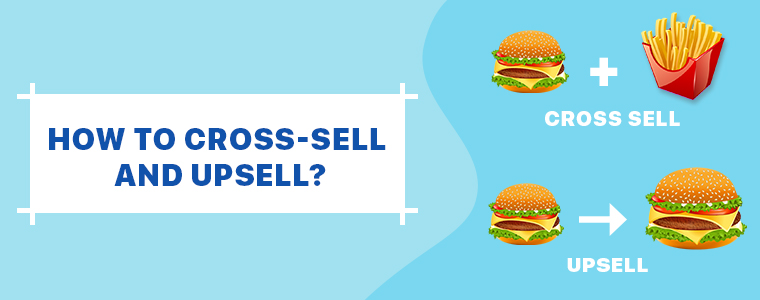
Cross-selling is a tactic to encourage customers to purchase related products along with the primary product. For example, if a customer has purchased or is purchasing an iPhone, he/she can be recommended to purchase Apple Airpods along with it.

This fits well with the product which he/she initially came to buy, right? If they are buying an iPhone, they would love to have Airpods to listen to music which usually costs around 235 USD. This added $235 in the order value reflects cross-selling.

What is Upselling?

Upselling is the marketing tactic to encourage customers to purchase a higher end-product than the one they are primarily purchasing. For example, when you purchase any tool, it usually comes with a basic plan and a premium plan; which obviously has got more features.

The basic plan is set by default during the purchase but you push customers to upgrade to the premium plan to enjoy more benefits; that is Upselling.

Difference between Cross-selling and Upselling

From the above-mentioned definitions, we can conclude that the cross-selling involves pushing customers to purchase products relevant to the primary purchase while upselling involves persuading customers to buy a more expensive or premium version of the product.

This is the difference, but both Upselling and Cross-selling have a similarity, i.e., both tend to increase the average order value.

Studies suggest that Upselling is more effective than Cross-selling as it is easier to convince someone to upgrade to a premium plan than convincing them to purchase a related and new product.

4 Ways to Cross-sell and Upsell

Some of the best practices to cross-sell and up-sell are-

1. Know Your Audience

You may be aware of the buyer persona but it’s important to understand your audience and know them more once they have purchased your product. Analyze their shopping behaviour, use demographic information, and collect their feedback to understand their motives and challenges to present them with the most useful products that you could upsell and cross-sell.

2. Be a Good Listener

When you try to cross-sell or upsell your products or services to your customers over call, make sure that you do not go gaga over it. Customers will find out within seconds that you are just calling to take out money from their pocket if you keep bragging about how good your products are.

Be a good listener. Ask if they had a good experience with their previous purchase. Do not be in a rush to pitch. If they have something to tell, be it a wish, a suggestion or a complaint; listen to it carefully and then mention how your products or services can be helpful for them to get what they want.

3. Provide a Relevant Solution

You need to understand that cross-selling and upselling needs to be done in the right manner, only then it will be useful and bring results. Until and unless what you are offering is helpful to the customers on their current or recent purchase, it would not bring any positive outcome.

Track the customer’s purchase history. Go through their journey. Then review your product offerings and identify how it can provide a solution to the challenges your customers would be facing.

4. Use Remarketing Tactics

Remarketing is the best way to automate cross-selling and upselling and involves minimum efforts. Once you have set up your remarketing campaign, run some ads.

Configure remarketing campaigns across various social networks as that’s where your possible target audience would be.

Through remarketing, customers are shown ads on different platforms about products which they intended to purchase or it can also be used to display some related products which could complement with their recent purchase.

Final Thoughts

Ecommerce websites can use upselling and cross-selling to suggest products based on consumer’s search, clicks and their purchase history.

Knowband provides a few modules that help you encourage cross-selling and upselling on your website, such as Related Products module and Thank You Page module.

Check out the module for complete features and benefits. I hope this article helped you understand the concept of cross-selling and upselling.

Mobile Wallet/Digital Wallet vs Credit Card/Debit Card

E-commerce merchants always look to make the online shopping experience of their customers convenient and better than ever. And it’s vital because the eCommerce market is heavily occupied and the competition is fierce. Customers have too many options to choose from which makes it important for you to stay ahead of the game and meet the demands of the customers.

Online shoppers are attracted towards the brand or the website that provides them with a smooth shopping experience, which includes certain factors such as faster loading of web pages, appealing UI, quick and simplified checkout, and mobile-friendliness. Apart from these, what consumers demand is the availability of multiple payment options, in which digital wallets have a huge role to play.

What is a Digital Wallet?

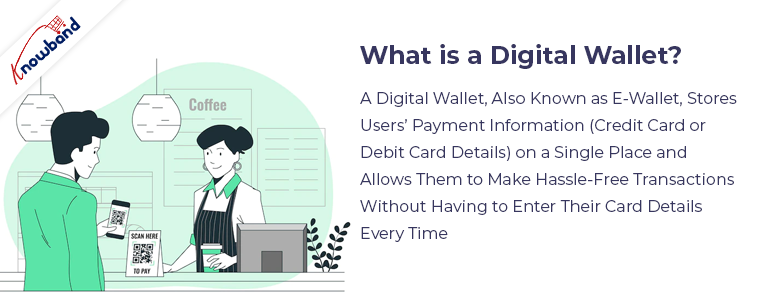
A digital wallet, also known as e-wallet, stores users’ payment information (Credit Card or Debit Card Details) on a single place and allows them to make hassle-free transactions without having to enter their card details every time.

When you make payment at a store through a mobile app, it is also a digital wallet though it is often termed as Mobile Wallet.

You can say that a digital wallet is the parent category while the mobile wallet is the child. The slight difference between both is that mobile wallet is an online payment app on your smartphone whereas digital Wallet can be found across devices including desktop, laptop and mobile.

PayPal is one of the most popular digital wallets accepted by millions of online merchants. Some other popular digital wallets that consumers make use of nowadays are Amazon Pay, Google Pay, Apple Pay, Paytm, etc.

Why Digital Wallets are preferred over Credit Cards?

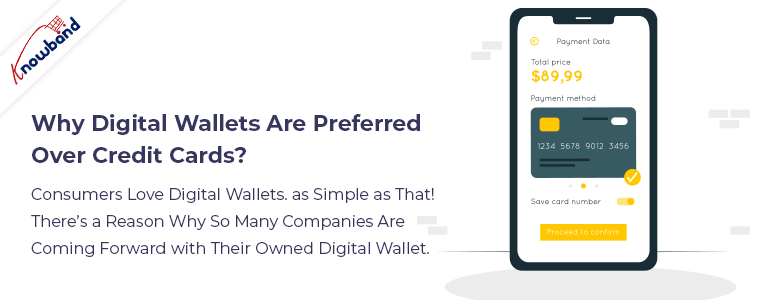
Consumers love digital wallets. As simple as that! There’s a reason why so many companies are coming forward with their owned digital wallet.

Why customers love them and why they are trending among online shoppers is simply because it makes their shopping experience convenient and effortless. They no longer need to take out their credit card or debit card from their wallet and enter their card details like card number, card validity, and security code which we also call CVV.

People do fear taking out their credit card in public which is obvious considering the theft that happens nowadays. A digital wallet eliminates that fear completely. Wherever you are, you can easily do online shopping.

Moreover, the payments made through digital wallets are highly secured. So, one doesn’t need to be concerned about their details being shared online.

Digital wallets are not only restricted to online shopping but they are accepted at maximum brick-and-mortar stores. This also eliminates the need to carry a credit card or cash whenever going outside like shopping malls or restaurants. At the checkout counter, they can simply scan the QR code through the app on their smartphone or ask the concerned person regarding the digital wallets they accept.

For a majority of customers, a digital wallet is a one-stop solution for everything, be it about shopping offline or online.

Benefits of Digital Wallets for Merchants

In the above paragraph, I have already covered the advantages of digital wallets for consumers and why they are a better option than credit cards. Let’s now understand how digital wallets can be beneficial for eCommerce retailers as well.

Gone are those days where you could grow your business by having only Credit Card and Debit Card as your payment modes. Surviving in today’s competitive eCommerce market requires integrating multiple payment options including digital wallets.

A majority of the online shoppers, even the one who shop offline, make use of digital wallets to conduct transactions. Most of the people own a smartphone and have access to the Internet and that’s why most people prefer to pay via their mobile devices.

Mobile Commerce has already gone past eCommerce in terms of conversions and sales, and it is growing every day. As per the stats collected by Statista, Mobile Commerce or m-commerce sales made a figure of 268.78 billion USD in the United States in 2019, and the number is expected to touch the 340 billion USD mark by 2020.

Conclusion

Just because Mobile Wallets/Digital Wallets have an upper hand over Credit Card and Debit Cards does not mean that you should stop accepting the latter at your online store. Some people still prefer paying through their cards than setting up a digital wallet.

Credit Cards are the old-school method and they should never be abandoned.

So the conclusion that we take out from this article is that accept both but keep your major focus on digital wallets.

We, at Knowband also offer different modules to integrate multiple payment options on your website including digital wallets. Some of the best modules that we have for this are One Page Checkout and Mobile App Builder. Do check them out. Know more:

Start a Blog to Increase eCommerce Sales

Nothing comes with ease. You have to put continuous efforts and do hard work to achieve something. Similarly, when you start an eCommerce business, it takes time to make your name in the market.

The ultimate goal of any entrepreneur is to get sales and make revenue. But you don’t achieve it overnight. As your business grows, you start getting good results with time.

Many people start their online business but give up very soon. They struggle to get their business off the ground and are not clear on how to take it forward.

So, when trying to grow your business, focus on doing it efficiently as you have a limited budget to spend on its marketing and other things. Initially, your primary focus should be on your website’s growth. Try to attract as many users as you can to your website.

One of the best ways to do it is by starting a blog for your business. It’s simple and affordable yet effective. By having a blog for your business, you will be able to expand the reach of your business on the Internet and eventually it will help you drive traffic to your website.

A blog is the best way to promote your brand, products and services. But again, just having a blog is not going to help. There are hundreds of blogs on the same niche and tons of content is posted daily.

The internet is already occupied with too much content. So make sure that your content is amazing and creative. It should be unique and intriguing as well to make it stand out from the rest of the contents.

If you deliver what the users expect, you will get sales for sure. Let’s understand how you can make the best use of your blog to increase your eCommerce sales.

1. Give a Professional Look to your Blog

Your blog should be designed in such a way that when visitors enter it, they do not feel like taking an exit. Before even reading your content, the first thing that the user will notice is how appealing your blog section looks.

It has happened to me many times. When I open any blog and find everything so cluttered or untidy, I do not even pay attention to the content and bounce off immediately. Do not make this mistake with your blog.

Your blog should reflect professionalism. It should look neat and clean with the use of professional fonts and proper spacing between everything.

2. Write Amazing Content

The key to growing your eCommerce sales through your blog is by writing amazing content. The more quality you put in your content, the more people will like and share it.

Don’t try to use fancy words. Use plain English so that it can be easily understood by everyone. The content should be crisp and engaging, and most importantly the flow of the content should be maintained. Write from the reader’s point of view.

Also, make sure to add visuals to your content to make it more appealing. As they say, “A picture is worth a thousand words,” it applies here as well. Use images of your products or screenshots to grab user attention. There are multiple websites that provide free and premium images for blogs.

3. Boost Brand Awareness

A blog is a great platform to boost brand awareness and make your customers aware of your products and services. If people search a query on Google and land on your blog for that query, you can drive a huge amount of traffic on your website.

Moreover, a blog provides you with the opportunity to explain your products and offerings in great detail. There is no limit as to what you write. Just focus on presenting your thoughts in the best way possible. You can even inspire people by letting them know how you started your journey. This builds a personal connection between the brand and the users.

4. Promote on Social Media

Today, a brand that is not present on social media is seriously missing out on a great opportunity to scale-up their business. If you have a good follower base on social media, promoting your blog posts on different social networks like Facebook, LinkedIn, Twitter, etc. can help you drive a significant amount of traffic on your website.

It is always a good idea to share your blog post content on social media. It gives reach to your content. Just make sure that you use good headlines when talking about a blog post to persuade readers else they will likely skip it on their feed. Never use click-bait titles.

Final Thoughts

To ensure your blog posts stand out, you must have a little knowledge of SEO too. No matter how amazing you write, if it is not reaching the desired audience, efforts seem to go in vain. Focus on the keywords related to your niche and find out how you can those keywords in your blog posts.

I hope the information that I shared above was helpful and helped you understand the importance of a blog to increase eCommerce sales.