A Definitive Guide to Effective Email Marketing in 2020

The most common form of online marketing over the years has been Email Marketing. Even though it has become conventional, it is still one of the most preferred communication channels for marketers.

There has been a huge shift in the way marketing is done, especially with the introduction of social media. But does that mean email marketing is no longer effective?

No! Even today, email marketing is quite effective but just like every other thing that requires improvisation or a change over time, email marketing, too, requires a change in its approach.

In this write-up, I am going to share how to do email marketing the right way in 2020. Let’s begin.

What is Email Marketing?

In the simplest words, making use of emails to promote your products or services is what we call as Email marketing. But it doesn’t just involve promotion.

Email marketing is the beginning of your relationship with your potential customers, and to make that relationship successful, it needs to be given time and effort plus you need to provide some value to your prospects.

It requires regular communication to understand your clients so that you could pitch them your products as per their response.

Email Marketing Best Practices 2020

Follow the below mentioned best practices for email marketing.

1. Let your subject line arouse Curiosity

If you want your email subscribers to pay attention to your emails, the subject line has a major role to play. The email content inside would not even matter if your subject line does not stand out. And that way your email would either remain unopened or land in the spam folder after some time.

To have a high email open rate, make sure the subject line is catchy and arousing curiosity to open it, but at the same time, it should not be vague or misleading like a click-bait.

2. Show a bit of Creativity in the Email Content

The job does not end if you have successfully made your prospects open your emails with a tempting subject line. The email content is equally important. Both of them complement each other. If the content is not interesting, the email subjects can lose their importance over time.

Imagine for a second. Impressed by the subject line, your subscribers opened your email expecting the content to be as amazing as the subject but after a while, they find it too boring.

What would happen? First, you will have low click rates. Second, they might even unsubscribe. Third, they would not fall for the subject line in the future.

But if your content is amazing that keeps them engaged, they will be waiting to receive your email updates. This way, you will have a higher open rate as well as higher click rate.

To write awesome content, keep it as crisp as you can. Write in plain and easy to understand English. Keep a flow and add a bit of humour element in it as well. Yes, you should be professional but too much of it can kill the interest. There should be friendliness.

3. Segment your Audience

It is important that your emails are delivered to the right audience instead of any random subscriber. While it can be useful to some, it can be totally irrelevant to others. This does not leave a good impression and can often lead to your subscribers unsubscribing from your emails.

So what should you do? Segmentation is the answer. Segment your email database into relevant categories and target them accordingly. There is no point sending emails to those prospects for whom the email is not relevant.

4. Do not Spam

A normal user receives a heck of emails every day. And no one has this much time to open every single email. Thus, you should restrict yourself from sending emails too often. Continuous messaging can land your messages in the spam folder.

Understand that people have subscribed to you because they feel it is something valuable. If you bombard them with emails, the value declines. And remember quality always matters over quantity.

Limit your email frequency and maintain the quality.

5. Remove Inactive Subscribers

There will be many in your email subscribers’ list who never respond to your emails. They do not even open your emails, let alone paying attention to the inside content.

So, it would be better if you clean them off your list. I am sure you would have tried many attempts to engage them but got no sign. In such cases where your subscribers have not shown any kind of indication in the past six months or a year maximum, removing them would make more sense.

Email Marketing Trends and Strategy 2020

Let’s check out the email marketing strategies and trends that would help you in your email marketing campaigns in 2020.

1. Go Mobile

The count of mobile phone internet users is exceeding rapidly. Majority of the people today are using hand-held devices to browse the Internet, be it for surfing social media or checking their emails.

So if you have not made your emails mobile-friendly, you can face a downfall in mobile traffic. When you are sending emails, make sure that the text, as well as the visuals, fit well both in desktop and mobile. Sometimes, visuals do not look as appealing on mobile as they look on desktop. They take time to load and do not fit properly with the screen. It often leads to users bouncing off within a fraction of seconds.

Optimize your emails for mobile. It has a higher potential to increase your email open rate.

2. Add testimonials in your Email content

It’s a good move to showcase what your customers think about your products or services in your emails. Whatever you are trying to pitch to your potential customers, try adding some testimonials related to it inside the email. Testimonials are influential and can bring positive results.

You have very limited time to impress your prospects. And within that time, you need to hit your point right. By displaying testimonials, you can develop interest inside them and make them keen to check it out.

3. Personalize your Emails

Adding a personal touch to your emails can deliver much better results than without it. You need to make your subscribers feel that it is them whom you are talking to in personal else it sounds like an automated message that has been set same for all.

For example, if I am receiving an email that says Hey or Dear Customer and there is another email that starts with Hey Manish or Dear Manish, the latter would catch my attention immediately. This is what you need to do as well.

And it does not mean that you need to reach out to every prospect individually. You can make use of your customer data and put a first name tag on your emails. Almost every email marketing tool provides email personalization.

Personalized email marketing has been in the trend for quite some time now and it is here to remain in 2020 as well.

4. A/B Testing

A/B testing always helps when you are running an email marketing campaign. It helps you find out which kind of emails users are finding more helpful. You can know which email at what time is having more open and click rates as compared to the other. It provides you with an opportunity to improvise your approach and make changes accordingly.

5. Set your timing right

Ok, let’s say you have subscribers from all around the world. Will sending emails to all at one time make sense? Definitely No! There would be no point of sending an email to a subscriber who is receiving it at 4 am or 11 pm.

This is why I previously mentioned that it is important to segment your subscribers so that emails are delivered to the right audience at the right time.

The Bottom Line

Email Marketing is not going anywhere. It is here to stay not just even in 2020 but for many upcoming years. Just go with the trend, notice the changes in the approach and try to come up with some creative thoughts every now and then instead of following a mainstream approach every time.

What’s your take on email marketing for the year 2020? Do let me know in the comments below.

You might also like:

8 Email Popup Best Practices to Grow Email List and Boost Conversions

6 Effective Ways to Build and Grow your Email List

5 Conventional Mistakes that are Killing your Email Subscriptions

How to drive eCommerce Conversions through email marketing?

7 email marketing software for small businesses

A complete guide to Cross-selling and Upselling in eCommerce

You go to McDonald’s or Burger King. You ask for a Burger but they ask you back in a very polite way “Sir/Mam, would you like to have some fries or coke with it?” This is Cross-selling.

Let’s say you agree to this combo meal which has one burger, regular fries and a small coke. But they ask you whether you would like to have medium or large fries or a large coke. This is Upselling.

A simple definition for these two terms would be-

Cross-selling: It is a practice where you encourage a customer to purchase products related to the one they are already purchasing. These related products are those that add value to the current purchase.

Another example of cross-selling would be buying a screen protector and mobile case along with the smartphone.

Upselling: It is a practice that involves encouraging a customer to purchase a better version of the product they have decided to purchase.

You would have often received suggestions to upgrade your existing plan when buying a subscription for a service. This is another example of Upselling.

Difference between Cross-selling and Upselling

Put simply, the difference between Cross-selling and Upselling is that Cross-selling is making customers purchase products that would seem complementary with the existing product while Upselling is making customers purchase a higher-end product, a product that is slightly expensive than the original one.

Talking about their similarity, both Cross-selling and Upselling intend to bring in more sales and hence more revenue, and at the same time, leaving customers satisfied.

In eCommerce, these strategies are implemented by brands or businesses on the product page so that the prospect can have a look around on the products that could match their purchase before they head towards the checkout page.

E-commerce giants like Amazon and Flipkart encourage Upselling and Cross-selling on their website by using the terms like “Frequently bought together”, “Similar Products”, or “Customers who viewed this item also viewed”.

Cross-selling and Upselling: Best Practices and Strategies

Let’s try to understand how to make the best use of the Cross-selling and Upselling strategy.

1. Make Sure Products are Highly Relevant

For your Upselling and Cross-selling tactics to deliver positive results, the recommended products must sync well with the product the user is purchasing. If they are not relevant, there would not be any added or expensive purchase. Instead, you will be more likely to turn off the customer.

Knowing what would fit with what product is the foundation of a successful Upselling and Cross-selling strategy.

2. Make it Easy to Add Related Items

Simply displaying similar products would not make an effective cross-selling strategy. Let’s say the consumer wants to purchase related products. Now he or she will need to add each item separately to the cart. This, being a time-consuming process, can often be avoided by the user, thinking they would buy it any other day.

How about making the user purchase related products comfortably, right when they click on the “Buy Now” button?

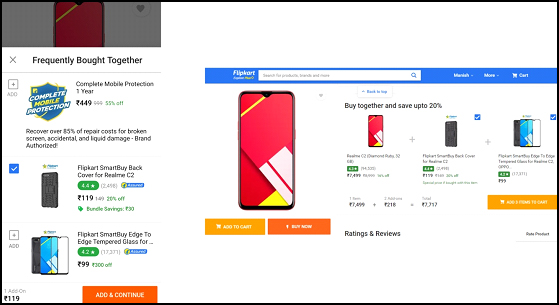
I like the way Flipkart uses its cross-selling strategy. They simply display a “Buy together and save upto” right next to the product and “Frequently Related Products” popup (on mobile devices) that slides up from the bottom and allows shoppers to add the related items right from that place, hence eliminating the extra efforts required to put otherwise.

3. Offer a Bundle Package

Following the second point, the more convenient approach would be to offer a bundle package of the product and its associated products. And the bundle should be comparatively at a lesser price than the total price of the individual products combined. It creates higher chances of a sale.

Benefits of Cross-selling and Upselling

Let’s take a look at what benefits do Cross-selling and Upselling provide.

1. Increased Sales and Revenue

Since cross-selling encourages customers to purchase similar items, it leads to an increase in the sales count and hence boosts your revenue.

This strategy often helps businesses sell those products which otherwise are gone unnoticed or purchased very rarely.

2. Increased Average Order Value

With both Cross-selling and Upselling pushing customers to spend more than the actual amount, this ultimately leads to an increase in the average order value.

3. Increased Customer Engagement

Customers tend to spend more time interacting with the products on your website when you display the related or better version of the products. They engage more, thus generating higher user engagement.

4. Customer Satisfaction

Upselling and Cross-selling help potential customers in their purchase decision by recommending them products which could go well with their purchase or get even better. This leaves customers highly satisfied after the purchase, hence enhancing the customer experience.

Want to enable Cross-selling and Upselling on your eCommerce website? Try out our Automatic Related Products module.

Automatic Related Products Module by KnowBand

The Related Products module by Knowband helps you perform Cross-selling and Upselling on your eCommerce website. This lets you display best sellers, new arrivals, top visited products and products based on a user’s history, on the Home Page, Product Page, Category Page, Cart Page, etc.

You can specify a limit to the number of products to be displayed and also select the display position. The module is available for PrestaShop and OpenCart. Check out

PrestaShop Automatic Related Products addon

Magento Automatic Related Products extension

If you liked this information on Cross-selling and Upselling, do leave a comment below. And if you need any kind of assistance with the Related Products module, you can reach out to us at support@knowband.com

Read our Popular Posts:

One Page Checkout vs Multi-Page Checkout

5  Benefits of Product Customization

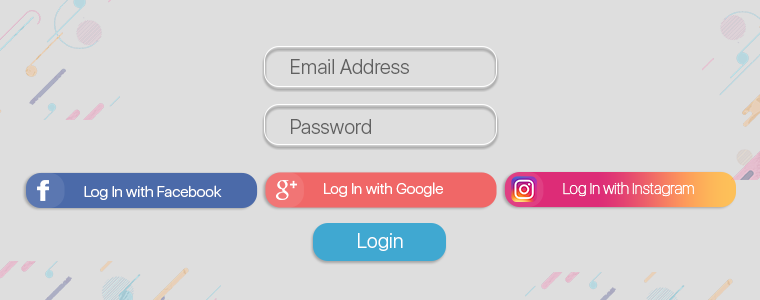
10 Benefits of Social Login in eCommerce

6 Simple Tips to Reduce eCommerce Returns

Pagination vs Infinite Scroll

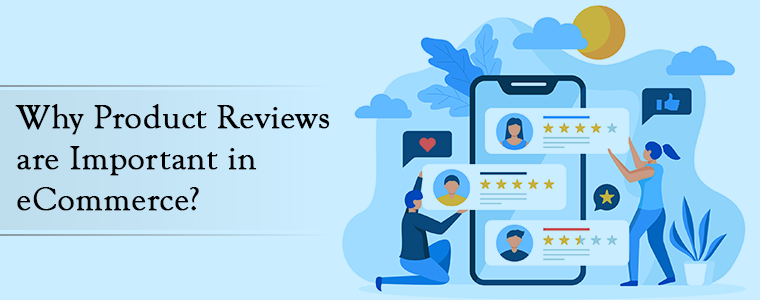
Why Product Reviews are Important in eCommerce?

Product reviews are arguably the most useful way to eliminate shoppers’ concerns regarding a product. A majority of the people are influenced by product reviews in their purchase.

No matter whether you are a popular brand or just started out, product reviews do play a crucial role in your eCommerce business as far as credibility is concerned. Credibility is one of the key elements that decide the success of your brand in the long run.

Merchants often overlook the importance of product reviews. The major focus remains on designing the site look and optimizing the checkout page but nothing really matters if you are not getting good reviews on your products.

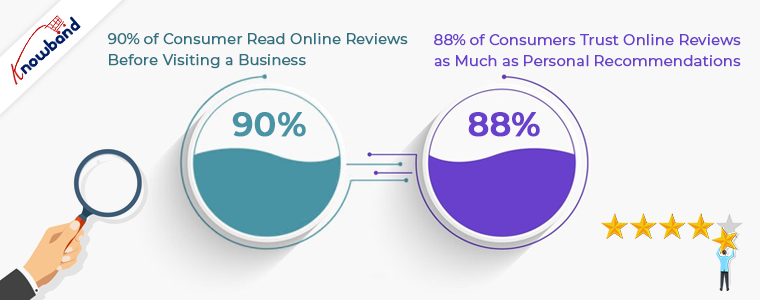
The importance of product reviews can be understood by the fact that 90% of the consumers read online reviews before making a purchase and 88% of the consumers will be prompted to take an action after reading positive reviews. (Stats collected from Invesp)

What is Product Review?

Product reviews are the opinions or feedbacks of customers for a particular product. Many online businesses put up a review section on their website to allow customers to rate and review the product they purchased.

A product review helps other users get a clear idea of the product before purchasing it. They can read the reviews and make their mind clear, and decide whether the product is worth purchasing or not.

If you have not added a product review section on your eCommerce website, only because of fearing negative reviews, you are losing out on a huge number of potential customers.

Importance of Product Reviews

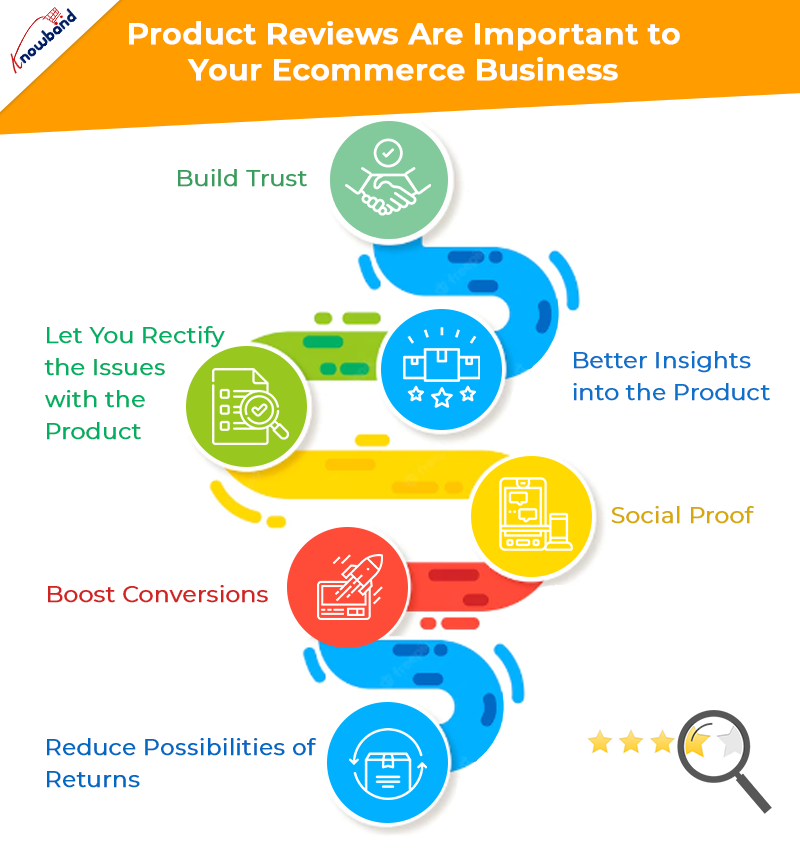
In this write-up, I have provided 6 reasons why product reviews are important to your eCommerce business. Let’s have a look.

1. Product Reviews build Trust

When a user lands on your website with the intention of making a purchase, the first thing that they look for is reviews.

A product having good reviews would surely be able to help the prospect in his/her buying decision. They would likely put their trust in your products as well as your Brand.

Amazon displays average ratings for products based on customers’ feedbacks, right on the top of the product page, and at the bottom are the customer’s reviews. Whenever a prospect visits the product page, they are straight away displayed the product ratings along with the number of people who rated that product.

Related: 8 Ways to Build Customer Trust and Loyalty

2. Product Reviews provide better insights into the product

Hearing from people’s past purchase experience helps the prospects identify whether the product has earlier matched customer’s expectations or not.

I mean, Brands will obviously try to highlight every feature of the product in the best way possible, but it is the customers who will give honest feedback on the product.

When a customer leaves a review for the product, he is helping others understand what they can expect from the product, how is it performing, what are its flaws, what are its pros and much more.

3. Product Reviews let you rectify the issues with the product

If a majority of customers are pointing out the same problem in the product, it is for you to take the onus of rectifying the defect so that the issue gets resolved. Yes, there are possibilities of a damaged or defective item reaching the customer but it happens with a few customers only.

If the problem is major, you need to look into it and get it fixed as soon as possible. Put simply, customer reviews help you find the loopholes in the product and provide you with an opportunity to improvise on those areas.

4. Product Reviews work as Social proof

One of the major benefits of product reviews is they can do wonders to your Brand. You would have often seen brands highlighting what their customers have to say about their products or services. These are what we call as testimonials and they make a significant impact on a prospect’s purchase.

Display testimonials through your social media pages and on the home page of your website. It is one of the best ways to promote your brand that can attract a large number of potential customers to your website and also leave an excellent impression when a visitor lands on your website.

5. Product Reviews boost Conversions

If you delivering up to your customer’s expectations, product reviews are going to play a huge role in your conversions. People would openly do the marketing for you by leaving positive reviews. And even a single positive review can lead to an increase in the conversion rate.

Yes, there will be a few negative reviews as well but till the time they have a low count, you do not need to worry much. Each and every customer cannot be satisfied. If the product has the quality and people have given positive remarks to it, more and more people will be encouraged to buy that product.

6. Product Reviews reduce possibilities of Returns

If you do not display product reviews, how are online shoppers going to decide the product quality? They would not be confident enough to make a purchase. Moreover, they will have doubts regarding product quality.

Let’s understand it this way. You have a product but provide no customer reviews. Now users can only hope that the product does not turn out to be defective or has a low-quality. It is very much possible that they receive a genuine product but if in case they don’t, they will be left with no choice except placing a return request.

Now let’s figure out how this could have been sorted with product reviews. A product having good ratings and reviews would likely face fewer returns, simply because most of the customers are satisfied with it, whereas on the other hand, if negative reviews are dominating positing ones, it simply means that most people have faced some kind of issue with it. And hence people would not even go for the purchase, in the first place.

Related: 8 Simple Tips to Reduce Product Returns eCommerce

The Bottom Line

Customer is the king. They are the ones who can either take your business to new heights or bring it down drastically. Their feedback is highly important as it will only be their experience that will decide how good your product is.

And there is no shame in having negative reviews. They are people’s honest opinions which you give a reality check. And it also shows that you welcome whatever a user has to say with open arms.

Since there is not any technology yet that could let users examine a product online, the importance of product reviews becomes supreme.

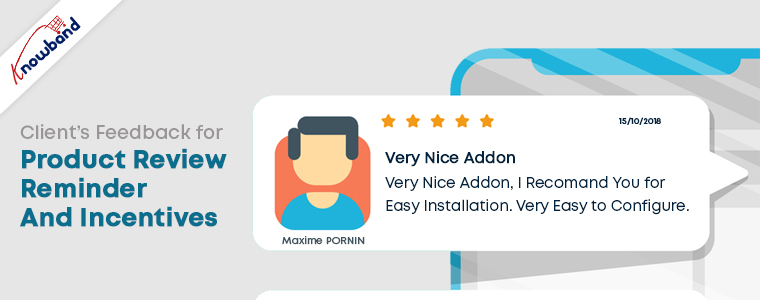
Make reviews more fun with Review Reminder and Incentives module.

With the Review Reminder and Incentives module, you can offer your customers rewards for every successful review posted. You can set the timing for the review reminders to be sent over email, customize those emails, set the incentive value and much more.

Every review posted will be first submitted for approval. Only after you approve, the end customer receives the rewards. Sounds exciting, doesn’t it?

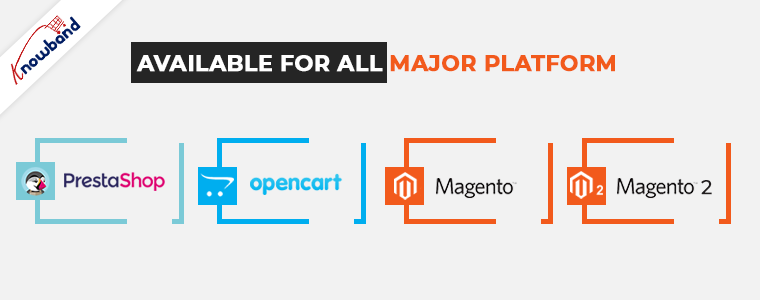
The Product Review Reminder and Incentives module is available for PrestaShop, OpenCart, Magento, and Magento 2 eCommerce platform!

If you would like to add something to this content, feel free to leave a comment below.  Or if you need any assistance, you can contact us at support@knowband.com


6 Effective Ways to Build and Grow your Email List

An email list is of paramount importance for any online business. It contains useful data or customer information that businesses use to market their brand, products and services, or provide some kind of valuable information to their subscribed audience.

Having an email list helps brands reach out to their subscribers and persuade them to take some action. It could be about making them download an ebook or read a blog post, or it could be an announcement of the upcoming sale.

The more people you have in your email list, the more profitable it is for your business. Brands use various tactics to capture the email address of the users. In this article, I have presented 5 ways to build and grow your email list.

But before I begin, let’s try to understand why you require building an email list.

Over the years, emails have proved to be one of the best marketing mediums. Though the impact has slightly diminished with the introduction of social media, email marketing still holds high significance among marketers.

Moreover, it is a globally used marketing strategy and is still a powerful communication channel that can bring you high conversions.

According to some stats collected by Hubspot, 93% of the B2B marketers leverage emails to deliver content and more than 59% of the marketers say email is their biggest ROI source.

Considering the benefits that email bring to your eCommerce business, let’s now shift our focus on how to grow an email list.

1. Use Lead Magnets

A lead magnet is an incentive that businesses offer to prospects in exchange for their contact information such as name and email address. It comes in the form of an email popup and makes it one of the best techniques to grow your email list.

Lead magnets usually contain irresistible offers, and consist of compelling elements to make users drop their email address and grab those offers.

For a lead magnet to deliver the best results, make sure it is adding value or providing some kind of benefits to your visitors. No visitor will turn into your subscriber if they are not getting benefited from it.

2. Grow your Email list using Engaging Popups

Email Popups have more or less been an annoyance for netizens. They disturb the user flow and hinder the user experience.

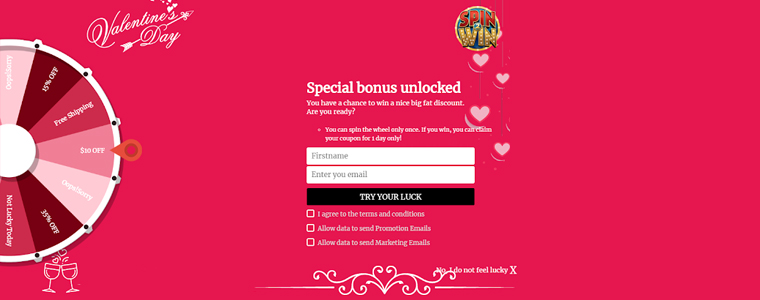
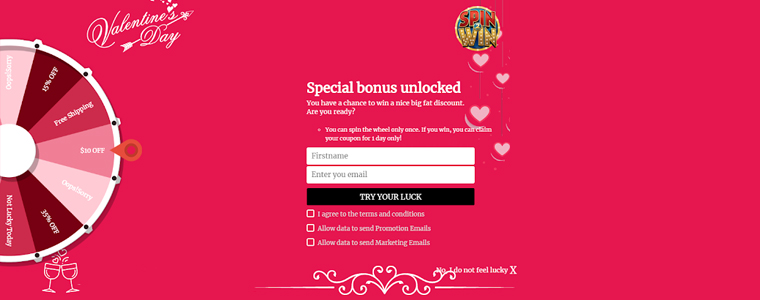
But popups like Spin and Win have been widely used by online businesses. In fact, the very famous Digital Marketer Neil Patel also used to have the Spin and Win popup on his website.

The reason why this kind of popup is helpful in building your email list is that it adds fun to your approach to collecting email addresses.

You can incorporate this on the home page of your website and ask users to spin the wheel to earn some amazing deals and offers. It not only helps you grow your email list but also increases user engagement.

You can check out the Spin and Win module from our Knowband store. It is available for various eCommerce platforms like PrestaShop, OpenCart, Magento, etc.

Apart from this, you can make use of Exit Popups. They have been effective in capturing the email address of the visitors as they tend to appear only when the user is trying to exit.

Knowband also offers Scratch Coupon module, a strategy to capture email leads, which you can use to draw visitors’ attention and develop curiosity inside them.

3. Include Intriguing CTAs on your Blog Posts

Another efficacious way to grow email list is by adding intriguing CTAs to your blog posts.

For whatever purpose the CTA is designed for, whether is a PDF download link or a link to the lead magnet, make sure it is relevant to the content.

For example, if I have prepared a guide to reduce cart abandonment and I am showing the CTA related to it on a blog post that discusses social media, it would not make any sense.

However, if that CTA is attached to a blog related to cart abandonment, it would show effective results as it matches with the content. CTAs work well if they go with the content flow. That way, you do not interrupt the reader’s flow.

Some other useful tips for a performing CTA would be to make it short and catchy. It should evoke interest in the users immediately, and drive them to make an extra push.

4, Ask Visitors to Subscribe to your Newsletters

Newsletter subscription is still considered helpful in building your email list.

At the end of your blog posts, you can ask readers to subscribe to your newsletters and get updates on the latest contents, offers or any important information.

You can also ask for it via a popup but it should not appear instantly. Give some time to the readers to go through your content and then ask for their permission.

A successful mantra to collecting email addresses for newsletters is to write quality and evergreen content. It is the only thing that decides the interest of the users towards receiving newsletters.

The more quality you have in your content, the more people will be inclined towards your business.

5. Build Email List through Social Media

You simply cannot overlook social media if you want to build your email list. It is a platform that can increase your email subscriber’s list rapidly.

To acquire more email leads, choose the platform that suits your niche. For example, Facebook and Instagram can be ideal for B2C businesses whereas B2B businesses would pay more focus on LinkedIn and Twitter.

So what would be the ideal way to collect email addresses?

Add the sign-up button on your Facebook Business page, host contests and giveaways, provide freebies that require users to enter their email address and promote the same lead magnet on your social media pages.

Most of your future subscribers are waiting there to be a part of your email list. If you are not using it, you are missing out on a huge opportunity to multiply your subscribers count.

Related: 6 Must-Have Social Media Addons for Your PrestaShop store

6. Ask for Feedback

It is important to know what people think about your Brand. Their opinions could make an impact in your business’ success.

When visitors are about to leave your website, introduce a popup that asks them for their feedback. Ask them if they have any suggestion, complaint or any comment that they want to make so that you could improve.

Make them feel that their opinion matters a lot to you and you would be obliged to receive their remark. The feedback form should have the option of name, email address and comment, that’s it.

The Bottom Line

There are tons of other ways to build and grow your email list apart from these 6 major techniques, some of which are-

Adding testimonials to your website- This builds a visitor’s trust on your brand and they are more likely to get connected to you.

Using Gated content- This restricts the full content view and displays only a small chunk. Users need to enter their email address to get full access.

You can also try using lightbox and sidebar popups, add a floating bar or place an offer strip on the header or footer.

Look out for these strategies to build your email list and see your subscribers count climb up. Just a piece of advice- once you add them to your list, make sure that you do not spam them. You do not want them to hit the unsubscribe button, right?

How helpful did you find this information?

5 ways to Increase User Engagement on Your Website

User Engagement is an important aspect in the eCommerce space. Failing to engage users on your website results in a high bounce rate and eventually losing out on potential customers.

Brands try to implement multiple strategies to increase user engagement. But before we delve into the user engagement strategies, let’s try to understand what it is and why is it important.

What is User Engagement?

In simple terms, User Engagement, or Customer Engagement is the interaction, or say the behaviour of users towards your website, product or services. It can be measured by certain activities such as clicks, downloads, shares, etc.

To be precise, customer engagement and user engagement are generally considered the same but there is a slight difference between both.

Customer engagement is the interaction of customers, people who buy from your brand and have much more knowledge than random or anonymous visitors to which we term as users, and hence the term user engagement.

A customer is always a user but a user cannot always be a customer. Highly engaged users are an asset for any business as they keep coming back to the website. And the more time they spend on your website, the more likely they are to turn into your regular or loyal customers.

Why is User Engagement Important?

User engagement has a key role to play in the success of your products or services. If users are spending time on your website or on the mobile app, it means it is providing them with some value and they are liking you as a brand. For example, let’s say you have a blog. You are getting good hits. People are coming to your blog, reading the information that you have put, leaving comments, checking out the products that you have enlisted in your blog content. What is it? This is all user engagement.

Highly engaged users are good brand advocates. They will not only purchase themselves but would recommend your brand or its products to others as well.

User Engagement Metrics

The definition of user engagement varies from business to business. Depending on the niche, businesses measure user engagement through certain factors.

For example, for a blogging website, the bounce rate and the average time spent by a user would reflect user engagement. For online streaming platforms like Netflix and Hotstar, user engagement would be determined by how much time people spend on watching. E-commerce websites would track how often users are interacting with the products or adding the items to the cart.

How to Increase User Engagement?

There are certain ways to increase user engagement. In this article, I have put up 5 best strategies to increase customer engagement.

1. Cut-down the Page Load Time

The primary thing to do to increase user engagement is reducing the page load speed. I mean, there is no point of talking about increasing user engagement if your website takes too much time to load.

A study says that users bounce off from the websites that take more than 3 seconds to load. Your website design, products, offerings, none of it really matters if your website does not load quickly.

Eliminate unnecessary and clunky elements that are causing slow loading. You can download a few plugins that will help you improve your page load speed.

One of the few plugins that I would recommend is the Accelerated Mobile Pages plugin. The AMP module increases the page load speed in mobile devices, thus reducing the bounce rate and the page load time.

Related: Benefits of Google Accelerated Mobile Pages (AMP) for eCommerce

2. Have Clean and Appealing Web Pages

You do not want your users to cringe when they enter your website, right? Your motive is to engage users.

So, it is important that your web pages are well set up and do not look cluttered. If you want users to take some action, you need to make them comfortable first.

Who would not want to spend a little time browsing through a website that looks pleasing?

Pay most attention at your home page. It is the interaction point of your website. Fill it with elements that leave a strong impression and encourage users to take action.

If it is packed with some exciting information, users will interact more and you will surely witness higher user engagement.

3. Easy Navigation

Before you aim to increase user engagement, make sure you have optimized your website for great user experience. User engagement is directly proportional to the user experience.

And one of the best ways to increase customer engagement is by having a simplified and attractive navigation bar. There must be enough space between the tabs, proper listing of categories and sub-categories. In short, it should appear professional.

Knowband’s Navigation Bar

Also, have an easy to spot search bar. It should be eye-catchy so that if a user visits your website to make a search, the search bar is instantly spotted.

Do not forget to optimize your checkout page. It holds the utmost importance for user engagement.

4. Optimize your Website for Mobile

M-commerce has already gone past eCommerce and it is going to be a dominating factor in the upcoming years as well.

The count of smartphone users has increased too. So, it is to be kept in mind that your website is equally optimized for mobile devices as it is for desktop. To put it simply, it should be responsive.

A non-responsive eCommerce site will look bulky and unorganized in mobile phones and might compel users to take an exit. This can have a severe effect on the bounce rate.

Thus, having a mobile-friendly eCommerce website is necessary to increase user engagement.

5. Encourage Cross-selling and Up-selling

It is always a good idea to display related or even better versions of your product. Browse Amazon or Flipkart, they have a separate section that says “Similar products” or “Frequently bought together”.

You can follow the same approach on your website too. Up-selling and Cross-selling are some effective ways to engage users.

Related: A complete guide to Cross-selling and Upselling in eCommerce

User Engagement Tools

I am putting forward a list of tools that will help you increase user engagement.

1. Increase User  Engagement with “Spin and Win”

One of the best ways to engage users on your website is by incorporating a Spin and Win popup on your website. Today, it has been adopted by many eCommerce brands.

It adds a Gamification element to your website and engages users in a fun activity, persuading them to spin the wheel to win some exciting offers.

Not only it works as a user engagement tool but also helps you grow your email list comfortably and boosts your conversions.

2. Place a Scratch Card on the Header with “Scratch Coupon” Module

The Scratch Coupon module integrates an unscratched coupon on the top of your website and makes it an amazing technique to draw user attention.

Curious to see what’s behind the scratch card, users scrape the coupon. The coupon contains your website deals and offers which the user can avail after scratching it.

This proves to be an effective way to increase user engagement.

3. Test with “Infinite Scroll”

You can give a thought about implementing Infinite Scroll on your website. The Infinite Scroll module converts the pagination process into continuous scrolling.

Users do not need to click on the next page to visit it. With Infinite Scroll, the next page content is automatically fetched and displayed within the same page, as the user scrolls down.

But this user engagement tool does not fit with every eCommerce business. So, before you decide to opt for the Infinite scroll, check whether it would suit with your business niche or not.

Related: Pagination vs Infinite Scrolling

4. Leverage “Web Push Notifications”

Web Push Notifications have proved to be effective in increasing customer engagement.

With Web Push Notifications module, you can reach out to your subscribers even when they are not present at your website. You can use this tool to send abandoned cart notifications, stock alert notifications, price alert notifications, flash sale notifications, etc.

The Bottom Line

For a successful conversion, or taking users onboard, user engagement has a significant role to play.

User engagement will automatically increase if you focus on improving the user experience and manage to reduce the bounce rate.

Apply the above-mentioned user engagement strategies, try out the user engagement tools and see if they have helped you achieve desired results.

For any doubt regarding the modules, you can contact us at support@knowband.com

Read our popular posts:

One Page Checkout vs Multi-Page Checkout

5 Benefits of Product Customization

10 Benefits of Social Login in eCommerce

8 Simple Tips to Reduce Product Returns in eCommerce

8 Email Popup Best Practices to Grow Email List and Boost Conversions

This article talks about email popup best practices and the best email popups that you can consider implementing on your website. The objective of the blog is to help readers understand how they can grow their email list and drive more conversions by optimizing their email popups and using the right popup strategy.

Let’s be very honest. Email popups are arguably an annoyance. They create a distraction and disturb the user flow.

People generally dislike popups, and I am also among those people who, sometimes, get irritated by witnessing a popup on their screen, especially when I am fully concentrated on the content in front of my eyes.

But not every email popup irks users. Email popups can be effective if used wisely, but they are either not being utilized in the right manner or they are just not good enough to capture user attention.

What is an Email Popup?

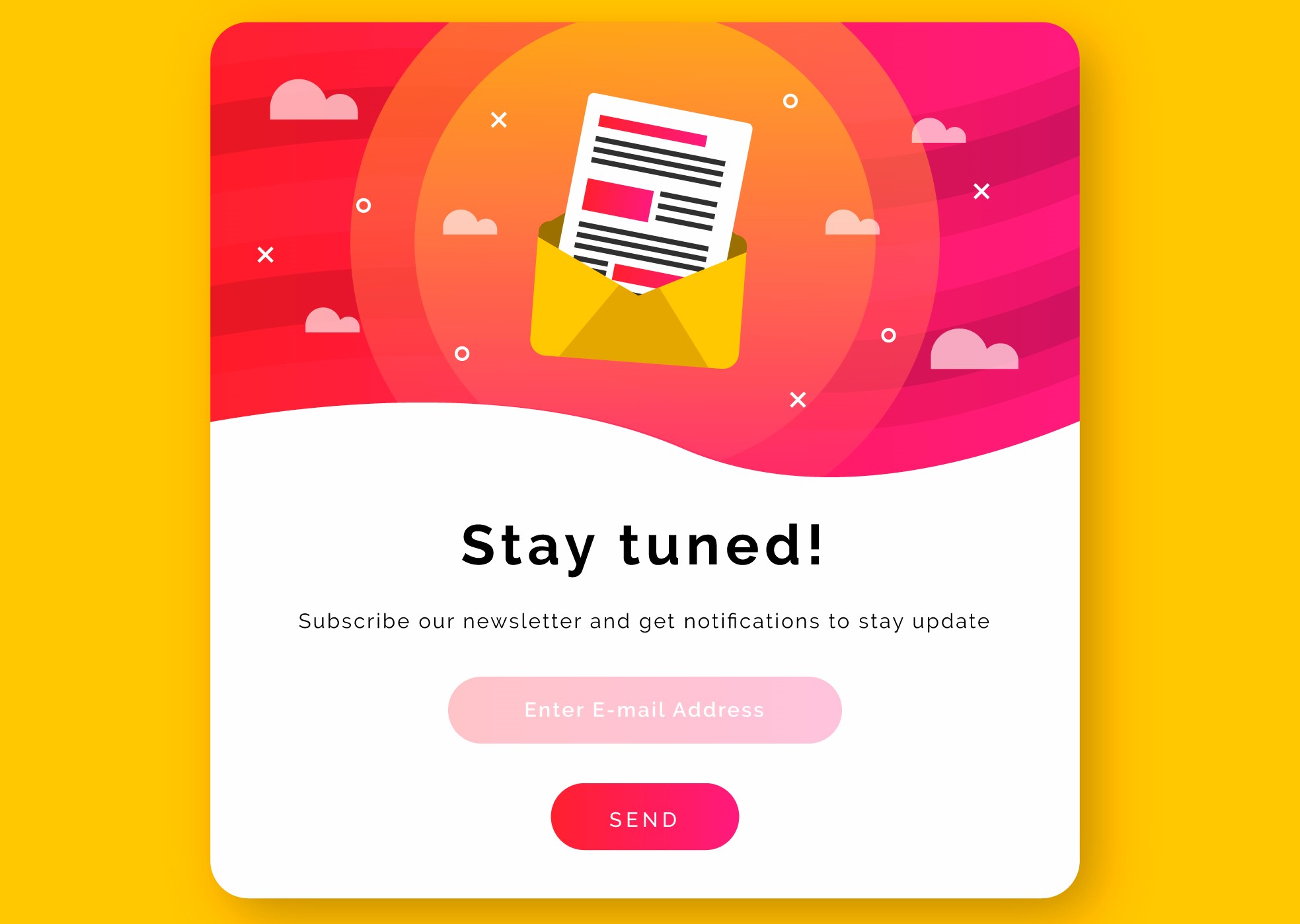
Email popups can be referred to as a tool to capture visitors’ email address. They contain content, which could be an exclusive offer, a free ebook, etc. for which users need to provide their email address if they wish to grab it. It is designed to draw user attention and persuade them to take action.

Email Popup Best Practices

In this write-up, I have put forward 8 Email Popup Best Practices to build your email list and boost your conversions. Let’s check them out.

1. Pay Attention to your Popup Appearance

First things first. Your email popup needs to have attractive visuals. It should have an eye-catching design.

If your email popup does not look appealing, visitors will close the popup window straight away. They would not even bother to pay a look at the popup content.

Use colours that are appealing and not the ones that cause pain to the eyes. The popup colour should also match with your website’s design.

For the best results, try using a lightbox popup; that appears on the top of your web page. It darkens the actual page so that the entire focus is centred on the popup.

A well-designed email popup tends to capture more user attention.

2. Prepare Compelling Popup Content

The heart of your email popup lies in its content, which is what people would notice. Hence, it should be very crisp and clear and should serve a purpose.

Create curiosity in your visitors, hit their mind in one go. Give them a reason as to why they should become your subscribers.

Use a title that triggers visitors to take instant action and explains the need to take action. Remember, visitors have come to your website because they might have liked something that interests them, and a sudden popup is going to interrupt their activity. You would surely not want to hinder their experience.

So, if you want to shift their focus towards your email popup, the content needs to be apt.

3. Have an Impulsive Call to Action

The motive behind any email popup is to coax visitors to provide their email address, and for that, the popup CTA holds vital importance.

Your call to action should be relevant to the content. Its font, text colour, background colour, etc. should be tempting enough to make visitors click on that button. If the CTA evokes interest in the visitor, they will likely press that button.

Show your creativity. Do not come up with just common call to actions like Sign Up, Download, unless there is no better alternative.

4. Email Popup should have Fewer Inputs to Fill

Another email popup best practice would be to restrict yourself from asking too much information. Lesser you ask, more are the chances of a visitor turning into your subscriber.

Email popup having more than two inputs to fill would likely be avoided by the visitor. In fact, I would suggest having only one input, and that is just the email address.

You can avoid asking for first name and last name or restrict to asking for first name and email address, at max.

You want to capture their email address, make the task quick and easy.

5. Set an appropriate time for the Popup Delivery

Adding further to email popup best practices is the Popup timing. Timing is the key for an email popup to deliver positive results. It should not occur repeatedly.

Visitors get frustrated when they receive popups one after another. You do not want to divert their mind from the website content right? Distracting your visitor from their purpose would be the last thing you would want to happen.

Avoid displaying the popup just when the user has entered your website. Let them have a look at your website first. Give them time to go through your website content.

Some of the best practices for the email popup timing would be displaying the popup after a visitor has visited a certain number of pages or when they have scrolled to some percentage or when they are trying to exit.

6. Make Use of Inline Labels and Inline Validation

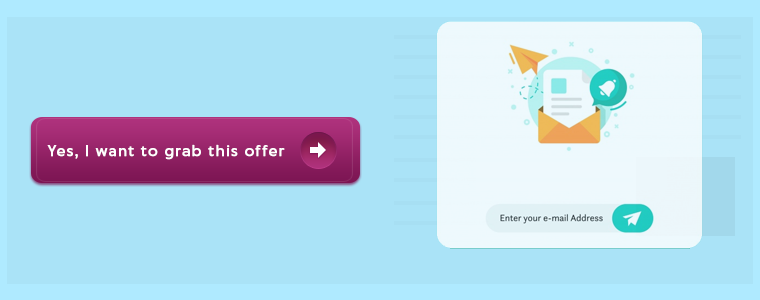
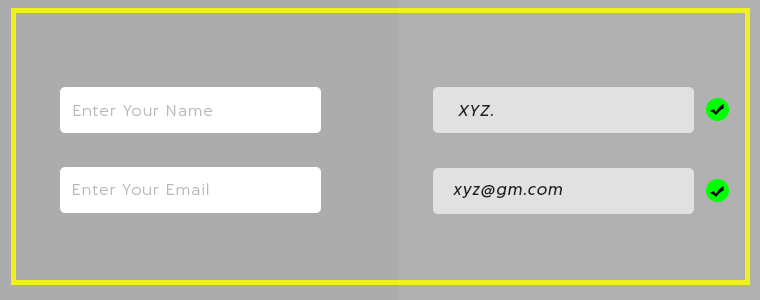
Labels or a text placed inside the input fields are known as Inline Labels. For example, the email address input that says “Enter your email address” is what we call as Inline Labels. The text automatically disappears when a user starts typing.

Inline Validation, on the other hand, is the process of identifying the error made while entering the input fields. When a user switches from one field to another, it displays whether the information entered is correct or not.

This makes it easy for the visitors to correct the error at that very moment, instead of getting notified after submitting it. And there are higher possibilities of a user getting added into your email list.

7. Have some Attractive Offers for your New Visitors

The best way to welcome your visitors is by offering them enticing deals and discounts or a freebie.

The popup adds more value to the visitors if it contains something valuable, something that they cannot refuse to take. It could be a coupon code, an exclusive offer for new visitors, a flat discount, etc.

Offering incentives help you grow your email list better than any other method, and this makes it one of the best ways to approach your visitor.

Create a sense of urgency. Make them feel that they have only limited time to grab that offer. This email popup strategy is followed by most of the online businesses.

8. Choose the Best fit

Not every popup format would match with your website structure. Look out for a number of popups and check which popup fits your website well. And do not forget to check it for mobile. It should be optimized for both.

Choose the popup that creates the least distraction for the visitors.

Best Email Popups to Grow Your Email List

Since you have gone through the email popup best practices, let’s now take a look at some of the best email popups that you can use to grow your email list, that too without being an annoyance.

1. Spin and Win Popup

The Spin and Win popup can be seen on many eCommerce websites today. The reason why it has gained huge popularity is it adds a Gamification interface to your website.

It does not create any distraction, neither it looks annoying. You can engage users in a fun activity, and offer them a discount in exchange for their email addresses.

Check out the Spin and Win module by Knowband. The module lets you easily add the Gamification popup on your website.

When visitors come to your store, this email subscription popup will emerge and ask them to try their luck to earn some discounts on your store products. The spin will require visitors to enter their email id. Curious to win some offer, visitors will possibly enter their details.

Isn’t it a great way to grow your email list? This also helps to increase user engagement and boosts your conversions. Knowband offers this module for various eCommerce platforms. Checkout

PrestaShop Spin and Win Addon

OpenCart Spin and Win Extension

Magento Spin and Win Extension

Magento 2 Spin and Win Extension

WooCommerce Spin and Win Extension.

2. Scratch Coupon Popup

By adding a Scratch coupon on your website, you can draw visitors’ attention and generate curiosity in their mind to check what’s behind the unscratched coupon. A visitor will be tempted to scratch the coupon and would surely enter his/her email address.

The Scratch Coupon module by Knowband incorporates an unscratched coupon on the top of your website. While scratching, a popup will appear asking the user to provide his/her email address to claim the discount. Checkout-

Prestashop Scratch Coupon Addon

OpenCart Scratch Coupon Extension

Magento Scratch Coupon Extension

Magento 2 Scratch Coupon Extension

3. Exit-Intent Popup

The Exit-Intent popup is used to prevent visitors from leaving your website. It detects user behaviour and prompts a popup in front of them as soon as they try to close the window.

It is one of the best email popups as it appears at the last moment and lets you make one last attempt to make the visitors stay on your website. The exit-intent popup has the highest possibility of grabbing user attention.

The Exit-Intent Popup by Knowband displays an interactive popup every time a user intends to exit your website. The online merchants can check out-

PrestaShop Exit Popup

OpenCart Exit Popup Extension

Magento Exit Popup Extension

Magento 2 Exit Popup

The Bottom Line

Though popups can be used in a number of ways, one thing that is important is to allow visitors to close the popup without any hassle.

You may have amusing content or amazing offers, but if one does not want it, let them have that option to close the popup window.

It indicates that you value your visitors and leaves a good impression of your brand. Making it difficult to close will break your bond with the users even before you could build it.

That’s it. I hope you liked these 8 Email Popup best practices and the email subscription popups that I have mentioned. If you have anything to add in this article, do drop your comments below.

Need any help with the mentioned popups? Drop us a mail at support@knowband.com

Also read:

6 Effective Ways to Build and Grow your Email List

5 Conventional Mistakes that are Killing your Email Subscriptions

Barcode To Sheet : FAQs

#1 What is Google Sheet Id?

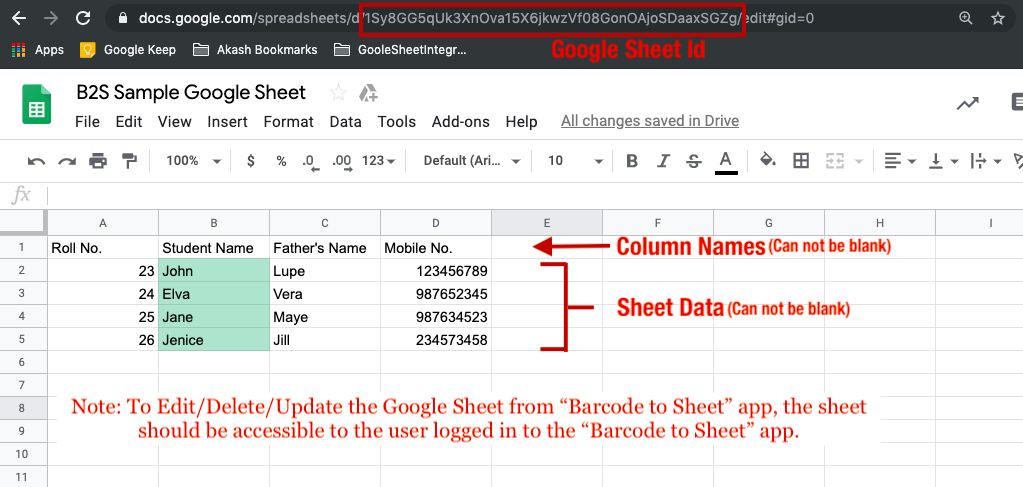
The Google Spreadsheet ID is the value between the “/d/” and the “/edit” in the URL of the sheet. You may even use this ID to generate an online QR Code and use the same to import sheet on the app.

#2 Can we create 2 sheets with the Same google sheet Id?

Yes, you can create 2 sheets with the same Google Sheet ID in the Barcode To Sheet App.

 #3 Which Android/iOS version does application supports?

It supports Android Version 4.2 and above while for iOS, it supports from version 9 onwards.

#4 Can I create custom forms and columns for the sheets?

This is one of the best features of the application. You can always create the number of columns in the sheets in the desired way. Apart from this, you can also choose the data type in order to avoid making wrong entries in the system.

#5 Can I try before I buy it?

Yes, the application is completely free of cost to download and use. You will have to pay to use advanced features in the application such as dropdown and radio button options. We even provide a 5-day trial for the subscription in order to let the user evaluate the services before paying.

#6 Can I change my subscription plan later?

Yes, the subscription plans can be changed anytime you want. Just click on the cart icon in the header in the Enterprise Tab of the application. You will see a list of available subscriptions that you want to subscribe too. Once the plan has been changed then the users will get the benefit of the same subscription plan only.

#7 Can I use this application in the corporate environment?

Yes, the application can be used in the corporate environment without any sort of restrictions. In fact, this particular application intended to be used from individuals, small-scale industries to large corporates. Anyone can use the application without any restrictions on usage as per the different services offered in the application.

#8 Which Barcode Types are supported by the application?

The application allows you to scan, read or capture any of the major code scanning systems. This may include QR code scanning, ISBN scanning, EAN-13, EAN-8, UPC-A, UPC-E, URL scanning, Product Attributes, Calendar events and much more.

#9 How can I create a new sheet?

Creating a sheet in Barcode To Sheet App is way facile. You can simply add sheet title, columns and create a sheet.  Once the sheet is created, data can be entered as per the available columns.

#10 Differences between Pro, Pro+ and Enterprise versions.

Please check our Pricing section for the differences between the various versions available in the Barcode To Sheet App:

https://www.knowband.com/blog/b2s-pricing/

#11 Can I use picture Pack in Enterprise version?

No, the picture pack can only be used in the Pro+ version of Barcode To Sheet Application.

#12 Not able to get Data from google sheet.

The users who have access to edit data in the sheet can only add or edit data from the sheet. In case you are not getting any data from the sheet you need to confirm that the user entering the data in the sheet has access.

#13 Can I validate the data imported from Google Sheet?

Right now, we don’t have the functionality to validate the date from the sheet. You can create a blank sheet in-app from an online Google Sheet and edit the mobile sheet columns from “Edit Sheet” options. Once the validations are added, the data entered in the google sheet will also be validated.

#14 Can you apply google sheet formulas in the mobile App?

No, you can’t import a google sheet on the mobile app. Instead, you can add a new derived column on the Google Sheets so that when you enter the data in the sheet from the mobile app, it will be added in the google sheet along. The new column added only in Google Sheet (Not in the mobile app) will get calculated and will be reflected there (Not on mobile sheet).

Download App From:

Google Play Store

Apple App Store

For more info, visit our website or drop your message at support@knowband.com

Barcode To Sheet : Plans & Pricings

Do you find data entry to be a tedious and boring job? One method for creating unique forms and saving the data in CSV, XML, and Excel format is the Barcode to Sheet app. You can save the information in the sheet in a variety of formats using a barcode scanner. The free Barcode scanner makes it simple for eCommerce business owners to enter and maintain information about their products and services. The application is helpful for maintaining inventories and logistics as well.

Integrate Your PrestaShop Store with AI Chat Support

Boost engagement and conversions with instant AI replies, multilingual support, and real-time order updates.


PrestaShop AI ChatBot Module


SHOP NOW

Choose The Best Plan For Your Use:

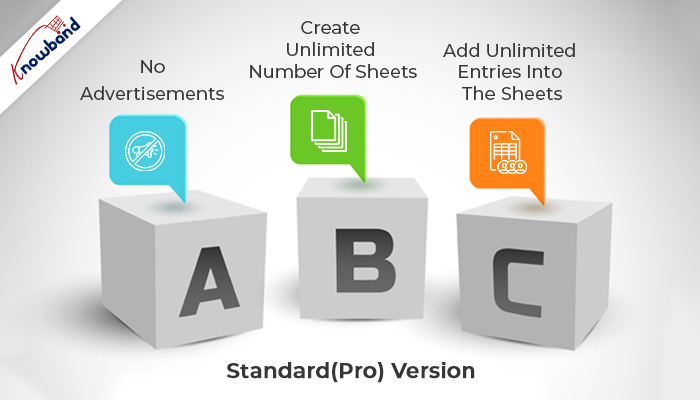
Standard(Pro) Version :

  • No Advertisements
  • Create Unlimited Number Of Sheets
  • Add Unlimited Entries Into The Sheets

Pro+ Version : $9.99

  • No Advertisements
  • Create Unlimited Number Of Sheets
  • Add Unlimited Entries into The Sheets
  • Restrict Blank Entries In The fields
  • Numeric Data Validation
  • Enhance Experience With Radio Button Options
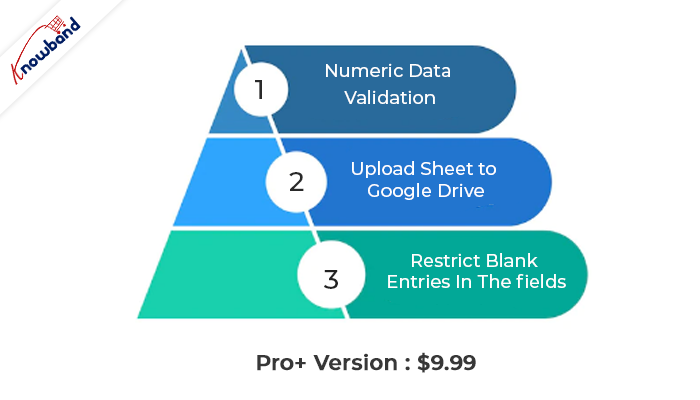
  • Upload Sheet to Google Drive
  • **Options To Add Images To The Sheet (Add-on)**
  • **Option To Add/Import/Export Google Sheet in App (Add-on)**
  • Columns Type Available as Text, E-mail, Web, Latitude, Longitude

Enterprise Version :

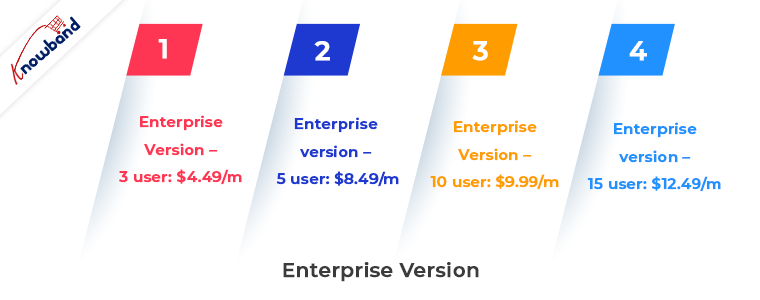
Enterprise version – 3 user: $4.49/m
Enterprise version – 5 user: $8.49/m
Enterprise version – 10 user: $9.99/m
Enterprise version – 15 user: $12.49/m

  • No Advertisements
  • Create Unlimited Number of Sheets
  • Add Unlimited Entries Into The Sheets
  • Restrict blank entries in the fields
  • Numeric Data Validation
  • Cloud-based Syncing
  • Real-Time Data Modification In The Sheet
  • Enhance Experience With Radio Button Options
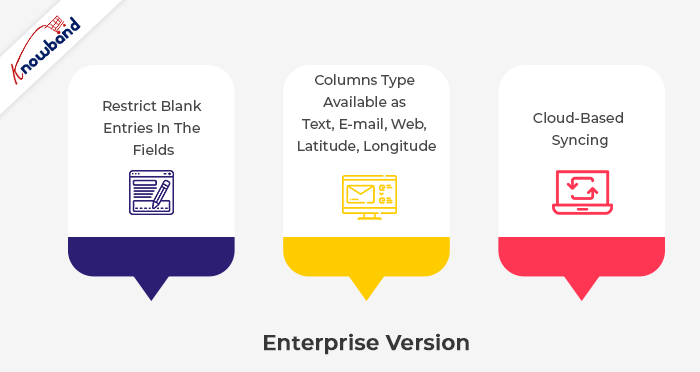
  • Upload Sheet to Google Drive
  • Columns Type Available as Text, E-mail, Web, Latitude, Longitude

Download App From:

Google Play Store

Apple App Store

Additional feature:

  • Downloading the spreadsheet to your SD card or emailing it from your phone
  • Editing the row and column names as needed in the spreadsheet
  • Editing manually scanned data; deleting columns at any time from the spreadsheet
  • Copying the entire spreadsheet with or without the data.

Use in the eCommerce industry

The app can be used by owners of e-commerce stores to quickly and easily enter information such as ISBN, EAN-13, EAN-8, UPC-A, UPC-E, text, URLs, and product attributes.

Message us

Contact us at support@velsof.com if you need help, have a question, need assistance, or need custom modifications to suit your professional needs.

Please remember to leave us a review in the comments below.

For more info, visit our website.