Skip to content

Knowband Blog | Ecommerce Modules

Magento, Prestashop, Opencart, Shopify

Tag: opencart social login

OpenCart Social Media Login Module by KnowBand

Are you seeing a higher bounce rate on the registration page or the checkout page? If yes, then you need to read this. Social login is a way you can convert your visitors by saving their precious time. The OpenCart Social Media Login Module developed by KnowBand is specially curated for the purpose of social login for the OpenCart store.

Social login, also referred to as social signup, enables users to sign up on a third-party website using social networking such as Facebook, Google+, Twitter, etc. to use their current login credentials, thereby eliminating the need to create a new account. It is intended to ease registration and eliminate the process of manual registration so that it does not take people too long to sign up.

Why your store requires Social Login?

The mandatory account registration becomes a barrier to conversion. Consumers are forced to fill a long sign-up form on the checkout page, which interrupts the checkout flow and sometimes becomes a big reason for the abandonment of carts. Moreover, you neglect to obtain customer information. But thanks to social login, which made the process of registration fast and quick. With regard to the user experience and conversions, social login plays a critical role in eCommerce.

Top features of OpenCart Social Media Login

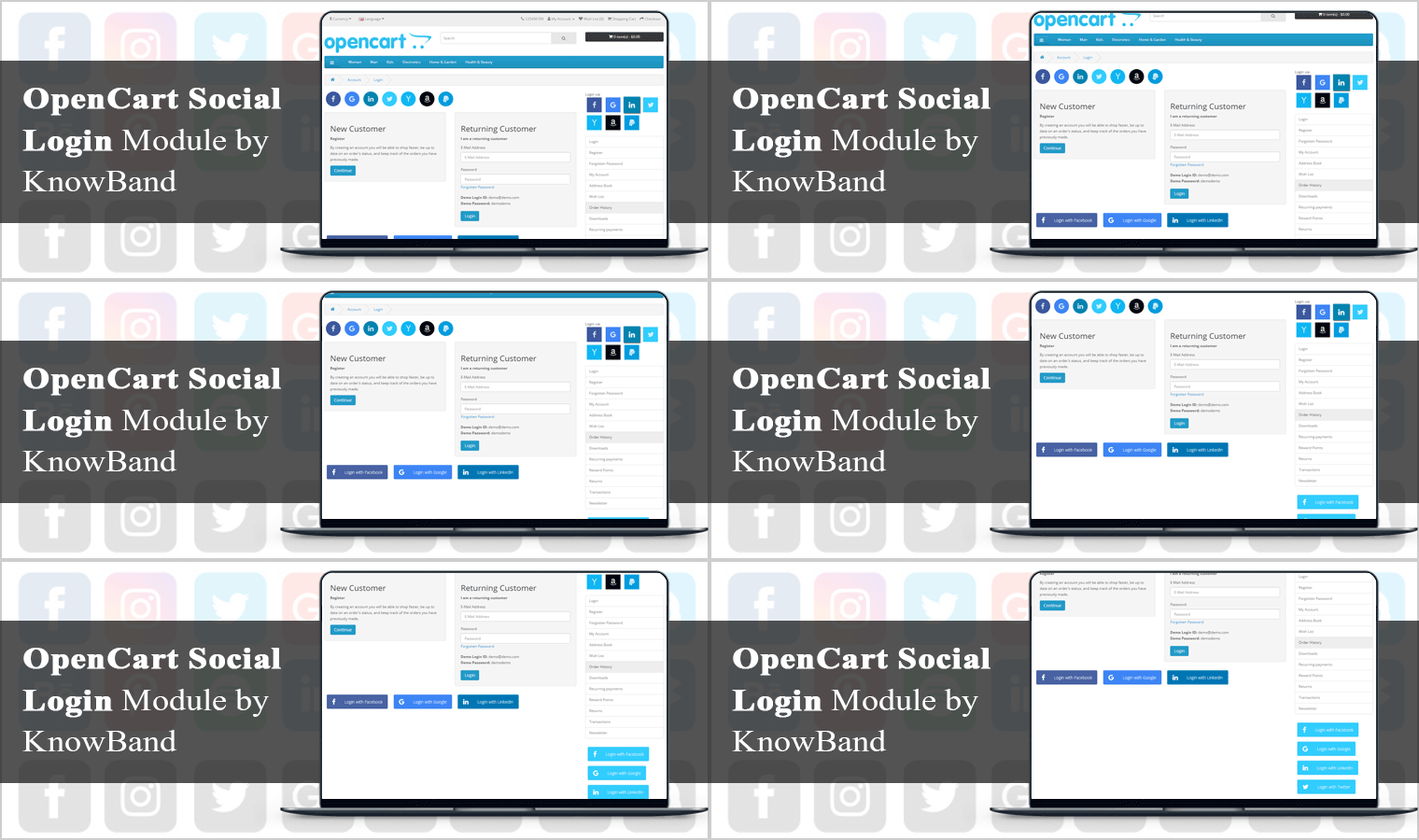
Social login is the most important feature of the checkout page for users who do not want to waste time in the long registration process. Social Login Extension is integrated with 14 Social Media platforms that can be used on the checkout page for quick signup.  The top features of the OpenCart Social Loginizer Module are discussed in this section of the article.
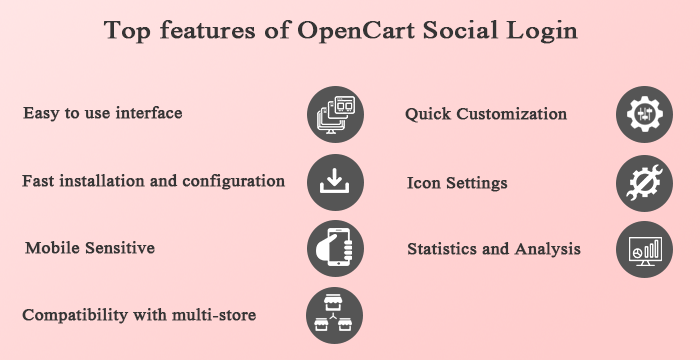
Easy to use interface:

The Opencart Social Login extension has an easy and convenient interface that improves the experience of visitors to your website and saves them from registration procedures that are complicated and time-consuming.

Fast installation and configuration:

OpenCart Social Media Login module in your store is super easy to install and configure. To set up the extension, no coding or technical expertise is needed and everything can be done easily from the module’s back office.

Mobile Responsive:

Each website owner must make their website or online store mobile responsive, as users on mobile devices are growing day by day. Social Login for OpenCart is gadget-friendly and you can easily implement the extension through your mobile or tablet site.

Compatibility with multi-store:

OpenCart extension for Twitter login or Google login is compatible with multi-store, multi-lingual, and multi-theme themes and meets the requirements of any online company.

Quick Customization:

The Social Media Login OpenCart extension allows the administrator to customize the title from the admin interface for social login options, layout, location of social login button sort order, and status.

The Social Login OpenCart module enables the look and feel of the social login choices to be set by choosing the color, size, and hover icon.

Icon Settings:

This OpenCart Social Login extension’s admin interface enables the online merchant to customize the icon. The icon type, hover effect, button alignment and button color can also be set by the admin here. The OpenCart Social Login Module allows you to set a custom color for all icons.

Statistics and Analysis:

By viewing the statistics, the online store merchant can also view the success of this OpenCart Social Media Login Plugin. Here, the administrator can access the registration and login number of the account using social accounts. The administrator may also access the list of registered customers and the website of the social network they have registered with.

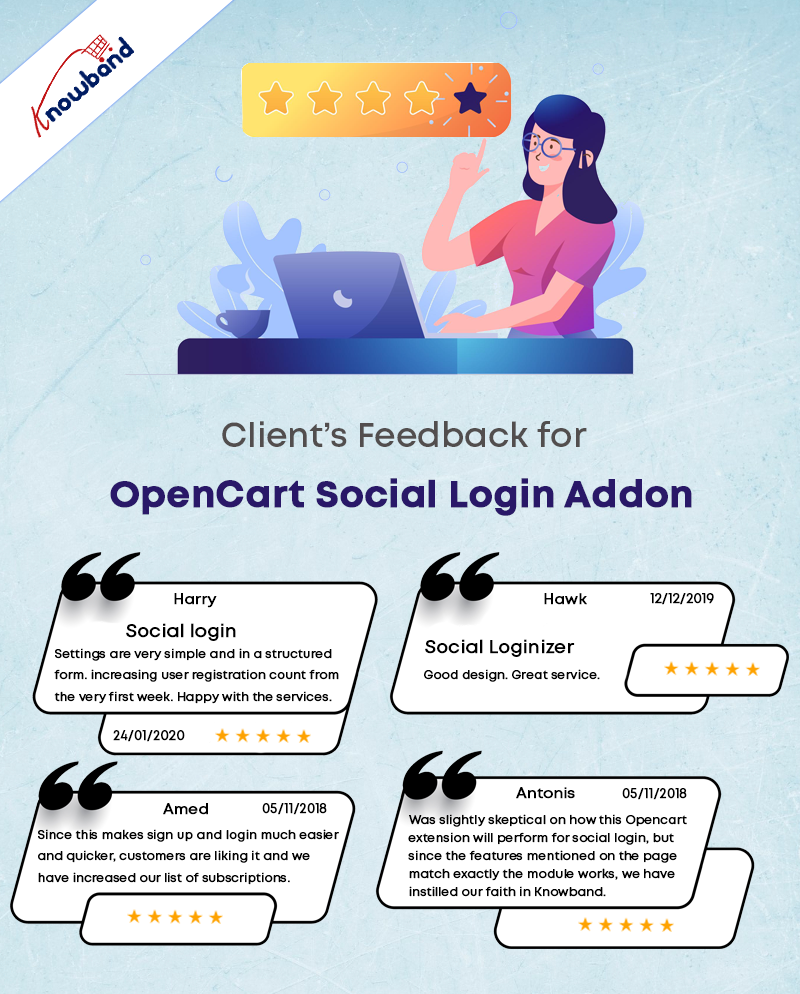
Customer Reviews: OpenCart Social Login Extension
Benefits of OpenCart Social Login Module

  • It Increases account registration and sign-ups for loyalty programs.
  • Reduce friction during checkout by making it easy to recall your login credentials for customers.
  • To inform marketing and enhance the user experience, collect invaluable social demographic data.
  • To boost your promotions, native customer Loyalty makes it easy to incorporate your social login data into your customer’s loyalty accounts.

Conclusion: Take a deep dive into the outstanding features of this OpenCart social login extension that can boost your eCommerce site’s social scope and customer interaction. This is certainly every single penny spent on buying it. It is compatible with the OpenCart One Page Checkout extension.

For now, go grab this OpenCart module and see great changes in the long term in your company’s fortunes.

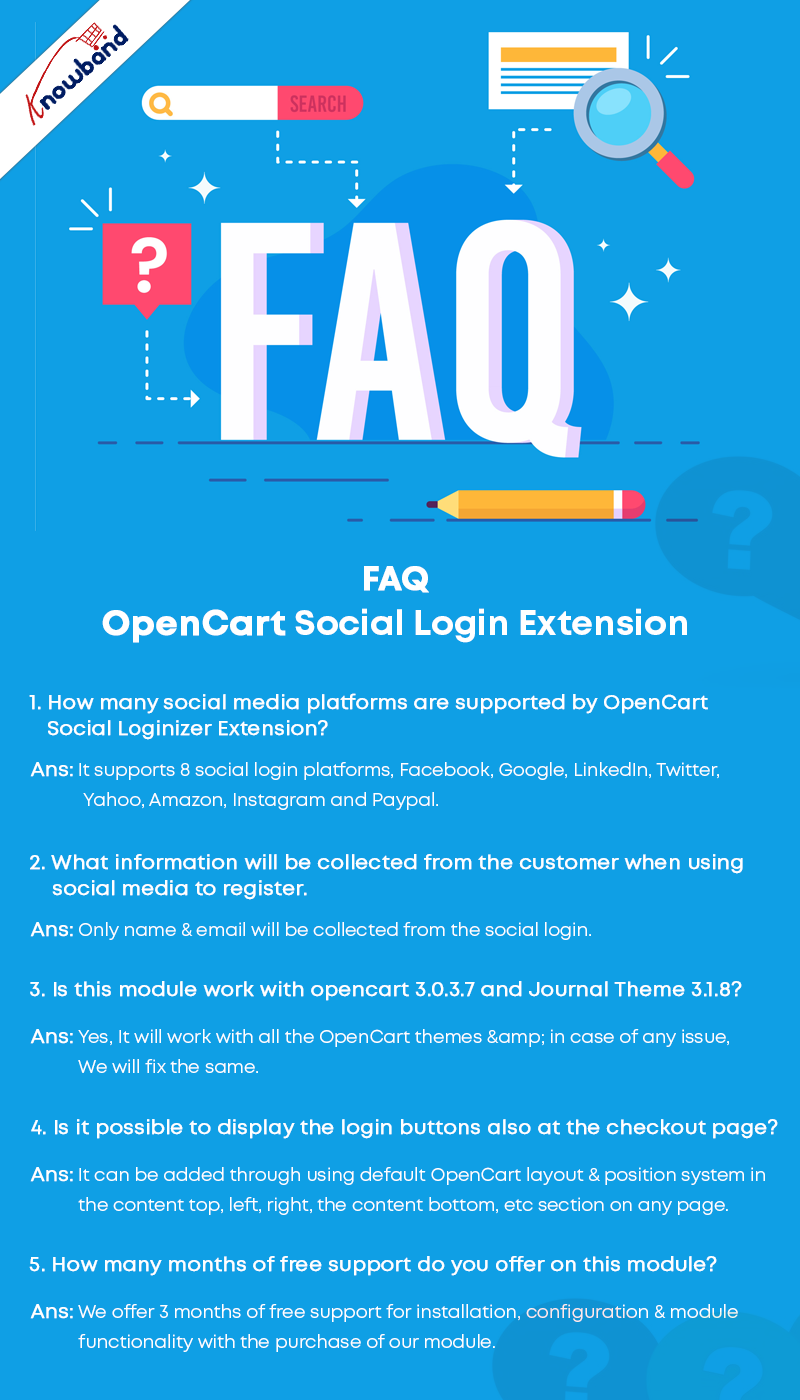
FAQ- OpenCart Social Login
Recommended Read:

  • How to Add Infinite Scroll to your OpenCart Site (Step by Step)
  • Accelerate the Checkout Process with OpenCart Single Page Checkout
  • OpenCart Website Development Services for eCommerce
Posted on February 9, 2021August 13, 2022Author Vishakha NathaniCategories OpencartTags Accesso ai social media OpenCart, Benefits of Social Media, OpenCart, opencart social login, social login

Encourage Quick Sign-up with Magento 2 Social Login Extension

“Simplify the registration process, capture more leads and reduce cart abandonment on your Magento 2 store by providing a quick login facility to your website visitors with the help of Magento 2 Social Login extension.”

Mandatory sign-ups have been an annoyance for long. People just hate creating an account every time they visit a new eCommerce website. While some get irked by the lengthy and a time-consuming registration form, some just do not like sharing their personal details at all.

The compulsory account creation forms a barrier in your conversions as well. While being on the checkout page, consumers are presented with a sign-up form, which breaks the checkout flow and sometimes becomes a major reason for cart abandonment. In addition, you fail to gather customer data.

Now, get rid of the mandatory registration forms and reduce the obstacles in your checkout process by allowing users/customers to sign in to your Magento 2 store easily with their social media accounts.

The Magento 2 Social Login extension is designed to provide an easy and quick login facility to your visitors by avoiding the manual registration task and providing them with various social login options. Hence, customers do not need to create an account and remember the login credentials.

It is a simple yet powerful Magento extension to enhance customer experience on your Magento store.

Key Features of Magento 2 Social Login

1. Up to 12 social logins available

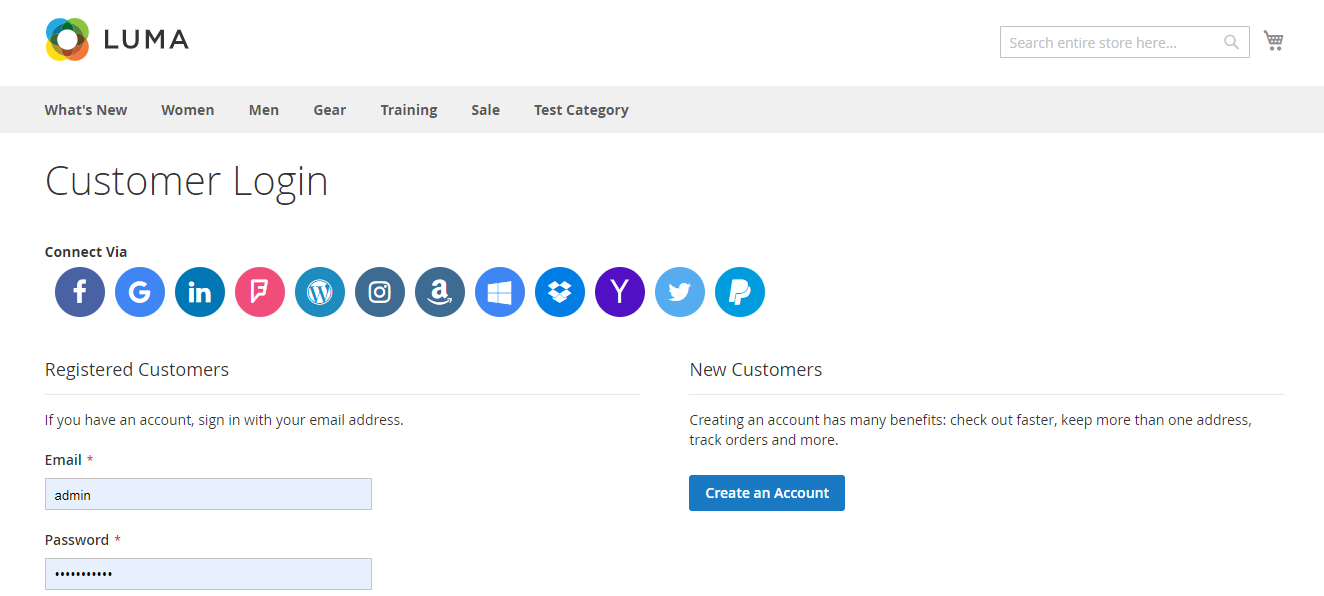
Social Login extension for Magento 2 provides up to 12 social login options to your customers. The social networks supported by this extension are:

Facebook

Google

Instagram

Twitter

LinkedIn

Amazon

PayPal

Yahoo

WordPress

Foursquare

Live

Dropbox

2. Display the social login block at multiple pages

The Social Login extension for Magento 2 allows you to place the social login block at multiple pages like Login Page, Registration Page, Checkout Page, etc.

3. Sort social icons

You can arrange the social icons as per your requirements. For example, you can keep the major social networks like Facebook, Google, Twitter and Instagram on the top and rest of the icons below them.

4. Customize icons

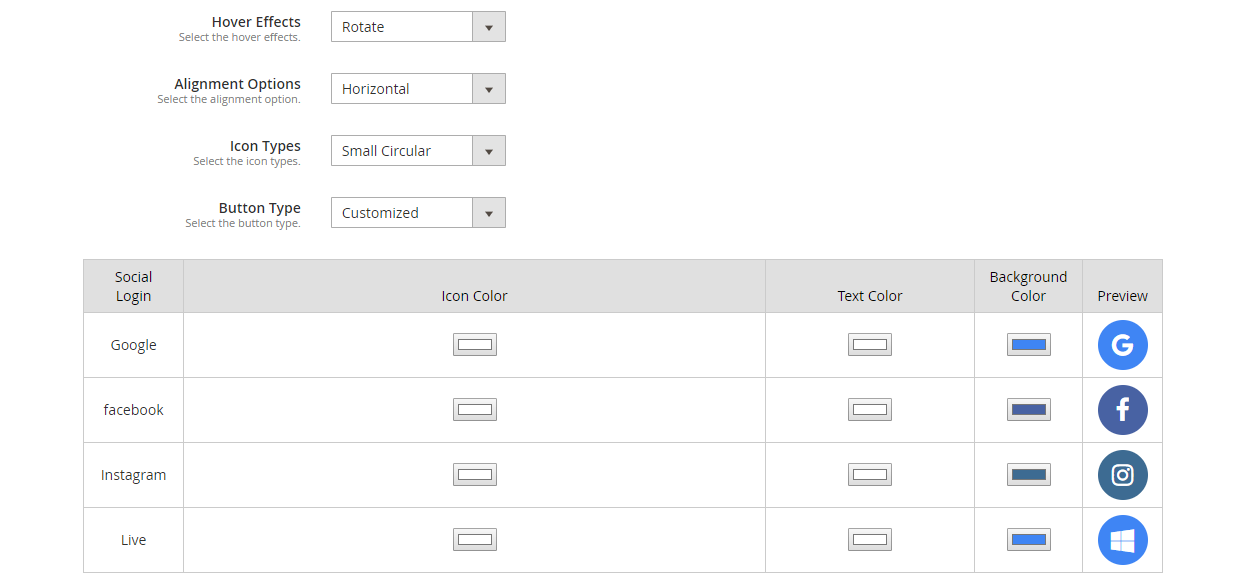
Magento 2 Social Login extension allows you to customize the social icons. It includes:

Alignment of the icons: Choose whether you want to display the icons vertically or horizontally.

Add effects to the icons: The social icons with either get highlighted, rotate or zoom when clicked.

Icon type: Select how you want your icons to be displayed. It consists of options such as small circular, small rectangular, large rectangular, small rounded, large rounded.

Button type: Choose the default button of the social networks or you can adjust the icon colour, text colour and background colour accordingly. A preview will be displayed as you make custom changes.

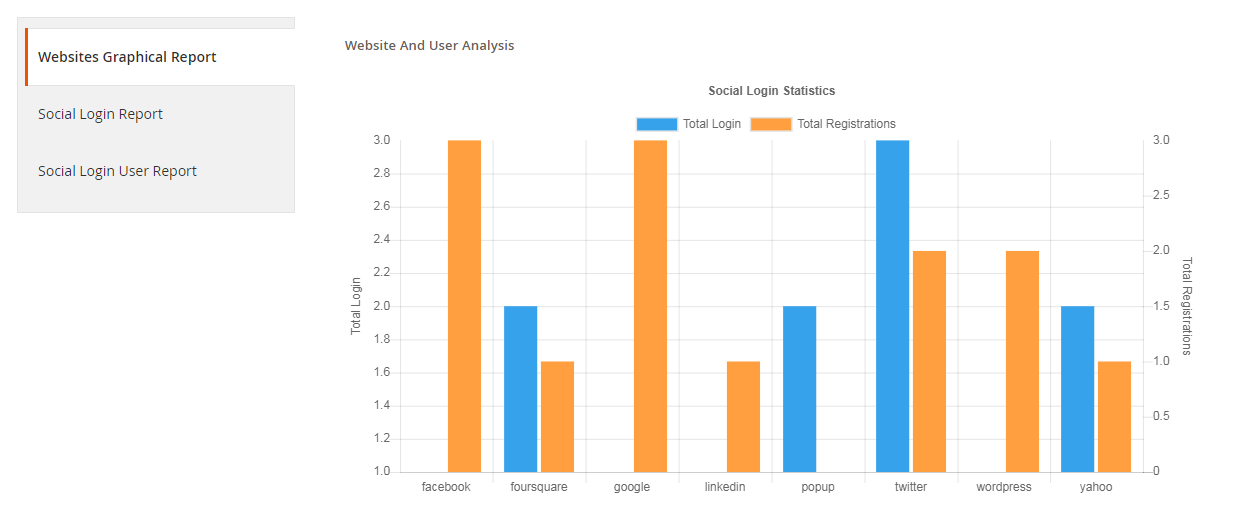
5. Get a complete analysis of the social registrations

Check which social login users preferred the most for signing in, how many login and registrations have been captured in total.

You can also track the email address of the users and check which user came from which platform.

6. Fully compatible with One Page Checkout

Magento 2 Social Login extension is fully compatible with our popular Magento 2 One Page Checkout. The Magento 2 One Page Checkout has in-built social login option but it is only restricted to Facebook and Google login. However, by installing the Magento 2 Social Login extension, you can provide your users with up to 12 social login options.

Why should you choose Magento 2 Social loginizer?

1. Quick and easy login

2. Capture more sign-ups

3. Simplify and speed up the registration process

4. Customers do not need to remember passwords

5. Excellent for target marketing

6. Increase conversions

7. Reduce cart abandonment rate

8. Lower bounce rate

Adding to a fact that 77% of the users find social login to be a perfect solution for registration and 60% of the users are more likely to use it on mobile (Source: Annex Cloud), you should definitely consider this Magento extension for your Magento store.

To know the complete benefits of social login, read 10 benefits of social login in eCommerce.

Check out the admin demo, front demo and the user manual of the extension.

You can also check out

Social Login extension for Magento

OpenCart Social Login extension

Social Login addon for PrestaShop

Posted on September 12, 2019September 17, 2019Author Manish BarthwalCategories MagentoTags Magento Social Login, opencart social login, Prestashop Social Login, social login, social login magento 2, Social sign-in

6 Must-Have OpenCart Extensions for Your eCommerce Store

OpenCart is one of the most widely used eCommerce platforms. Even though the ease of doing business with the help of this CMS system is intriguing, the online customers seek way more features than the basic ones offered by it. This is when the role of the extensions come into play.

This article talks about the 7 OpenCart extensions that you must implement on your OpenCart store in order to enhance customer experience and provide them with better services. Let’s have a look.

1. OpenCart Social Loginizer

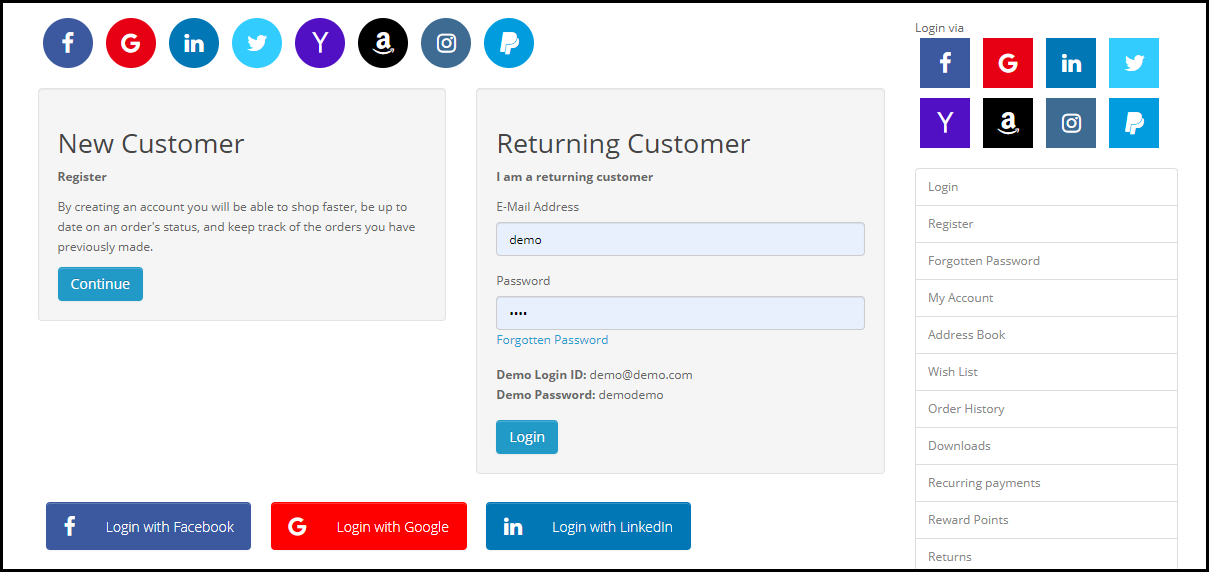
The OpenCart Social Loginizer extension offers 8 social login options to the customers including the likes of popular social media network such as Facebook, Instagram and Twitter, and allows the customers to access the web store without getting themselves registered.

Visitors can use their social media login details during the sign-up process. This saves a lot of time of the customer, and at the same time, the bounce rate of the website also reduces to a large extent. This OpenCart extension is quite handy as most of the time, the customers are already logged into their social media accounts, hence, it makes the registration process easy.

2. OpenCart One Page Checkout

The idea of filling out the information in multiple steps during the checkout may seem quite annoying for the customers who wish to make a quick purchase.

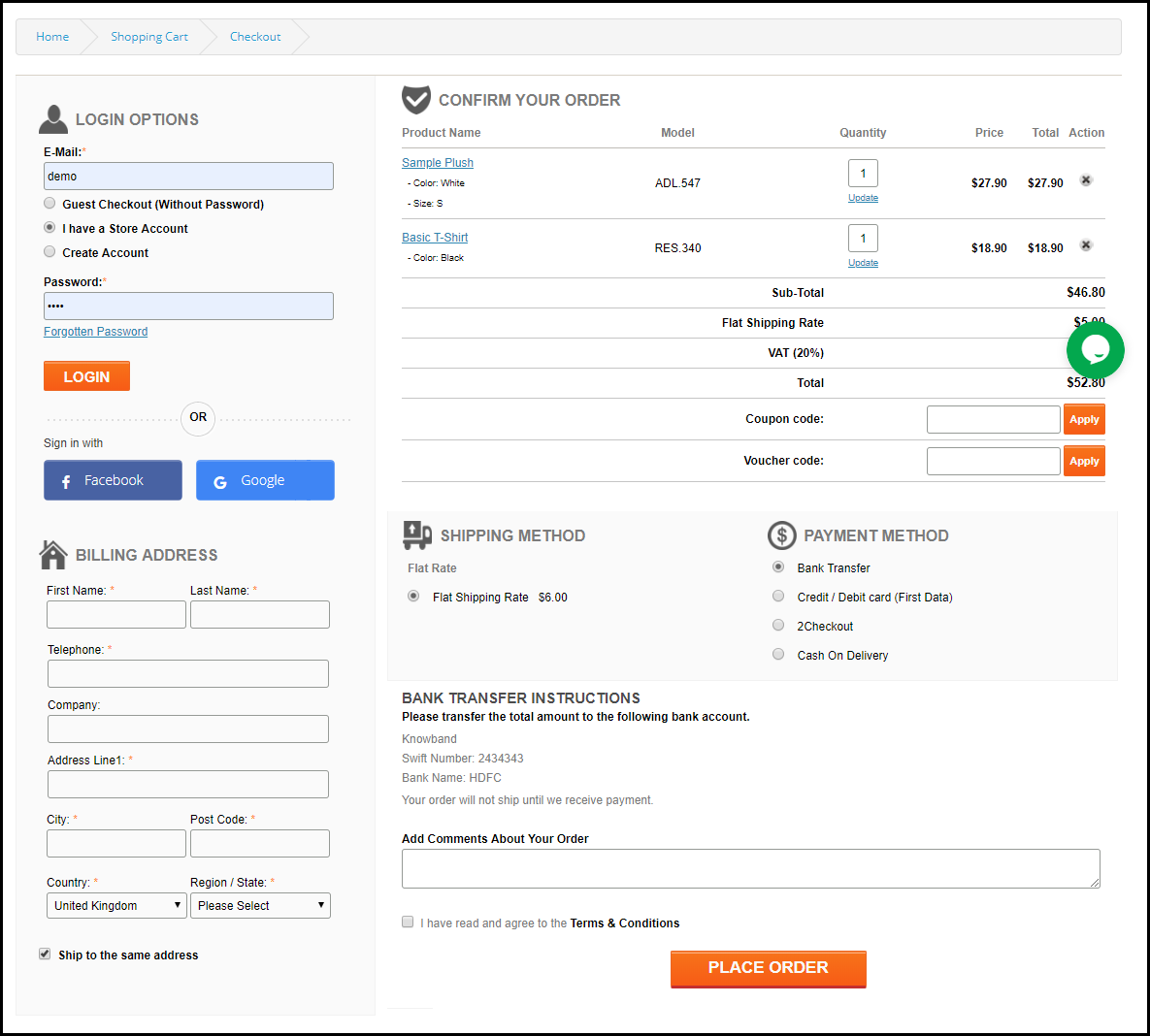
The OpenCart One Page Checkout extension puts together all the checkout fields involved in a multi-step checkout on a single page and enhances the checkout experience of the customers. This OpenCart extension offers the Guest Checkout Facility, Social login facility, supports multiple shipping and payment methods, etc. It is a feature-packed extension that focuses on simplifying the checkout process of your OpenCart website.

3. OpenCart Mobile App Builder

Many brands today are now trying to launch their mobile app in order to simplify the shopping experience of their mobile users, also because the majority of the online transactions are now taking place through mobile devices.

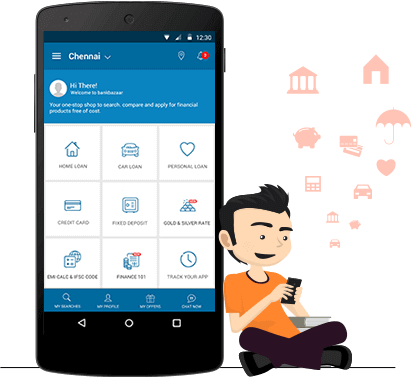
The OpenCart Mobile App Builder helps the website owners easily launch a mobile app for their brand without any knowledge of coding. The Mobile App Builder provides Social Login, Fingerprint login, OTP login, Home Page Layout Customization, Zopim and WhatsApp Chat Support, Multiple Payment and Shipping support, Unlimited Push Notifications, Simplified Checkout and much more.

4. OpenCart Abandoned Cart

Every website owner has to deal with Abandoned Carts. This is something which cannot be put an end to if you are running an online business. But there are certain modules that will help you reduce the number of abandoned carts on your website and OpenCart Abandoned Cart module by Knowband is one of them.

This OpenCart extension lets you track the abandoned cart users, and allows you to convert them into your customers through regular email follow-ups. You can include discounts in your reminder emails to persuade those users to complete their purchase.

5. OpenCart Exit Pop-up

Wouldn’t it be amazing if you could make a sale even when a user is trying to take an exit from your website? This is the job of Exit Popups, i.e. to draw your visitor’s attention at the very last moment.

With OpenCart Exit Popup extension, you can display an email popup to your visitors right when they intend to leave your website. In the popup, you can display some enticing offers to grab their attention and encourage them to use those offers during their purchase.

Apart from boosting conversions, this OpenCart extension is quite effective in increasing user engagement on your website which simultaneously increases the average time on site.

6. OpenCart Spin and Win

Obtaining the email address of your website visitors is not an easy task anymore. People usually don’t share their details with any online platform unless they get something valuable.

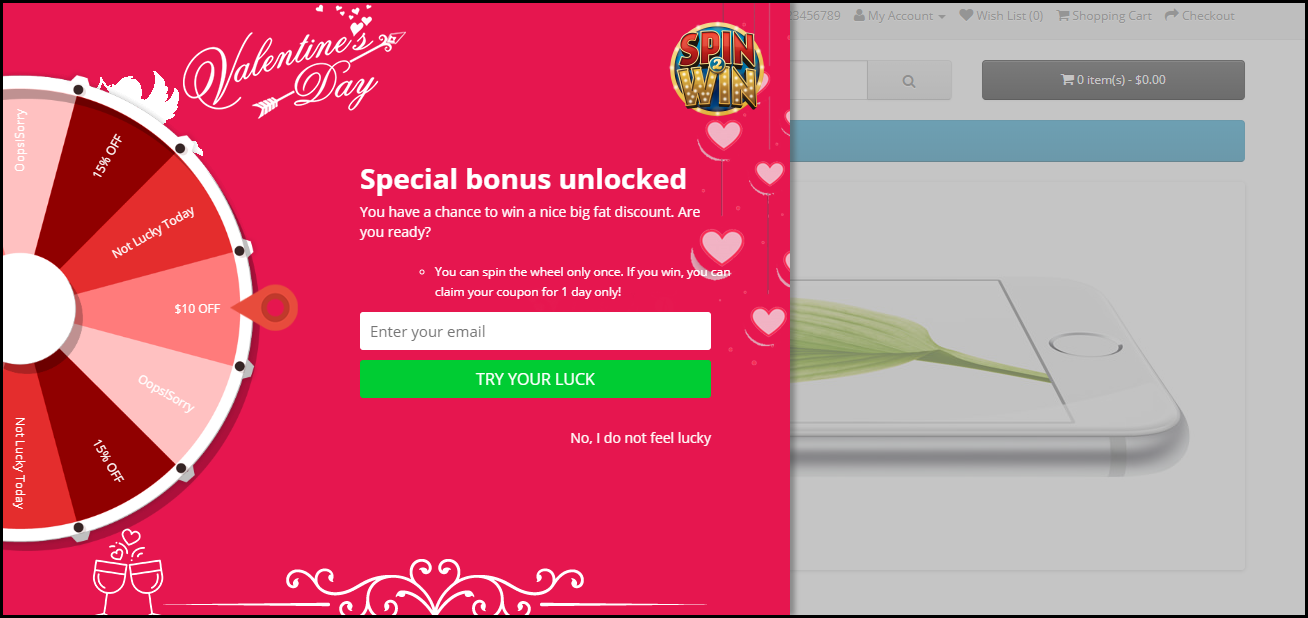
With OpenCart Spin and Win extension, you can acquire the email address of your visitors without putting much effort. Besides, this OpenCart extension increases user engagement on your website and boosts your eCommerce conversions.

The module adds an attractive and fun-filled Spin 2 win on the front-end of your website, making your users curious to spin the wheel. You can customize the popup slices as per your choice and also design the popup for various occasions like Halloween, Christmas, Black Friday, New Year, etc.

To spin the wheel, users would be required to enter their email address which would make it easy for you to capture the email address of your visitors.

Over to You

The availability of multiple OpenCart extensions has helped the web store owners to make their store a better place for the online shoppers and the feasibility of these modules in various aspects definitely takes the user experience to the next level.

If you need any assistance in these OpenCart extensions, you can contact us at support@knowband.com

You Might Also Like:

  • 5 Opencart Modules to Change the Fortune of your Online Store
  • Claim your Abandoned Customers and Product Sales with this Top Class Opencart Module
  • Why do you need OpenCart Modules for your Online Store?
  • 3 Must have OpenCart Extensions to Get More Traffic
  • How can OpenCart website owners recover the sales lost due to Shopping Cart Abandonment?
Posted on November 8, 2017February 11, 2020Author Joe ParkerCategories OpencartTags Opencart Abandoned Cart Module, OpenCart Exit Popup, opencart extensions, Opencart Mobile App Builder, Opencart One Page Chekout Module, opencart social login, OpenCart Spin and Win
Proudly powered by WordPress
Please wait...

Newsletter Subscription

Subscribe With Us and Get Latest Updates
SUBSCRIBE
Exit mobile version