As the GDPR is in enforcement now and after a lot of hassle most of the online businesses in EU are now compliant with the new data protection law. To help the Prestashop store owners to achieve the GDPR compliance, Knowband released the Prestashop GDPR module which handles the rights of the customers and automates the entire process for the hassle-free management. As the other module which has been installed in your Prestashop store also stores the data of the customers so it is required to make these modules compliant with the GDPR so that on the data export or deletion request of the GDPR required action can be performed. In this blog post, we will go through all the details of the GDPR and share the details of all the GDPR compliant modules so that you can upgrade your store to achieve the GDPR compliance.
We will start with the Prestashop GDPR Compliance module by Knowband, Prestashop GDPR module handles the following rights of the customers:
1) Right of access
2) Right to data portability
3) Right to rectification
4) Right to erasure
5) Rights related to the automated decision making
6) Right to restrict processing
Other features of the Prestashop GDPR Compliance Addon:
1) Cookies consent bar and cookie blocker
2) Allow guest users to access the GDPR rights
3) Download customer data from the back-office
4) Delete customer data from the back-office
5) Advance settings for the data deletion
6) Data anonymization
7) Compatibility with the other GDPR compliance module
8) User consent (checkboxes) at the registration and contact form
For more details regarding the Prestashop GDPR module click here.
As we informed our valued customers through the newsletter that Prestashop has introduced 4 types of hooks to make the Prestashop modules (which collects the personal data of the customers) compliant with the GDPR. In order to make the Prestashop modules compliant with the official GDPR module developers need to integrate these hooks to the module. After integrating these hooks customer will be able to export the data captured by the respective module. Similarly, on the data deletion request, the customer data will be deleted from the modules. For the details on how to make your module compliant with the GDPR module, please click here.
In order to make the native modules GDPR compliant Prestashop has also released the 2 new versions of the Prestashop – 1.7.3.3 and 1.6.1.19. Please click here for the details.
Express checkout is the best way to improve the conversion rate of your store. The one page checkout module allows you to display billing address, shipping address, payment and shipping options on the same page and saves the time of the user to complete the order. You can enable the one step checkout for the guest users and new users can also easily create an account with ease. Social login option is one of the best features of the One Page Checkout module. One Page checkout module by Knowband supports multiple shipping and payment methods. Prestashop One Page Checkout Module is now GDPR compliant. Click here to upgrade your One Page checkout Module. Note: If you have made any custom changes in the module then we will recommend you to contact our support team to save the changes. Please click here to get in touch with the helpdesk team.
Prestashop Marketplace module allows the store admin to convert their Prestashop store into a marketplace like Amazon, Walmart, Etsy etc, so that multiple sellers can list their items in the marketplace. Converting your store into a marketplace helps you to offer more products and services to the customers at a better price. You can earn commision from the sellers listed on the marketplace. Prestashop GDPR Module is now GDPR compliant. Click here to check the details.
Note: If you have made any custom changes in the module then we will recommend you to contact our support team to save the changes. Please click here to get in touch with the helpdesk team.
The Spin and Win Popup module is one of the best ways to collect the leads. The gamified popup design of the module allows the customer to spin the wheel to get the enticing discount on their purchase. Prestashop Spin and Win Popup module is now GDPR compliant. Click here for the details.
The Prestashop Wishlist module allows the customers to save the products of their choice to the wishlist so that later they can view and place their order for these products. This saves the time of the customers and improves the customer experience at your store. The Wishlist module also helpful for the store admin to understand the customer behavior. Admin can check the statistics of the products saved in the Wishlist. Advance WishList Module is now GDPR compliant. Click here for the details.
The Return Manager module is one of the must-have extension for the Prestashop store owners. If you are in EU then this module can help you to comply with the EU laws. As per EU law customers have the 14 days cool off period in which they can return the product. By using the Return Manager addon you can provide a hassle free return process for the customer. The Return Manager Module also helps the sellers to manage the returns effectively and you can also keep the track of all the returned items. Prestashop Return Manager Module is now GDPR compliant. Click here for the details.
The Prestashop Abandoned Cart module is an effective way to reduce the cart abandonment and win back the customers. You can send the serial reminders to the customers to complete their purchase. Prestashop Abandoned Cart Module is now GDPR compliant. Please click here for the details.
The Gift Card Manager Addon helps you to boost the sales. By using the Gift Card Module you can create and sell gift cards on your store. The customers can purchase the gift cards and share it with their friends. Prestashop Gift Card Manager Addon is now GDPR compliant. Please click here for the details.
Prestashop Reward Points addon allows the sellers to award their customers on completing their purchase. The Reward Points helps the store owner to retain the customers so that they can keep on visiting the store to use the reward points. Prestashop Reward Points Module is now GDPR compliant. Click here for the details.
The Prestashop Birthday Coupon module allows the store admin to send the birthday wishes to the customers. Admin can offer a special discount to the customers on their birthday. Prestashop Birthday Coupon Module is now GDPR compliant. Click here for the details.
Product reviews are the must to win the customer trust. You can ask for the reviews to the customers who have purchased your store products. You can also offer some additional discount to the customers to post their reviews. Prestashop Review Incentive Module is now GDPR compliant. Click here for the details.
Prestashop Order Custom Field Module allows the store admin to add the additional details on the checkout page. By adding the custom fields on the checkout page admin can collect the additional details from the customers. This information can be used for the effective marketing. Prestashop Order Custom Field Module is now GDPR compliant. Click here for the details.
In order to increase the customer engagement on the store, the admin can allow the customers to set the alert for the drop in the product price. In case of any drop in the product price, the customer will get the email notification with the product link. Prestashop Price Alert Module is now GDPR compliant. Please click here for the details.
Instead of disabling the out of stock products the Prestashop store admin can use the Back in Stock Notification module to convert the visitors into the customers. Customers can set the alert for the restocking so that as soon as the product will be restocked the customer will receive the email notification for the same. Prestashop Back in Stock Notification module is now GDPR compliant. Please click here for the details.
The Prestashop Product Update Notification module allows the customers to set the alert for the products. On opting for the price alert the customer will receive the alert for the stock alert and price change. Prestashop Product Update Notification module is now GDPR compliant. Please click here for the details.
We will keep updating this post for the more GDPR compliant modules.
The OpenCart GDPR module by Knowband provides a tool to the OpenCart store owners to meet the GDPR requirements imposed by the European Parliament. GDPR directives provide more rights to the EU citizens to protect their personal data.
New Data Protection Rights under GDPR:
1) Right of access by the data subject
2) Right to rectification
3) Right to erasure (‘right to be forgotten’)
4) Right to restriction of processing
5) Notification obligation regarding rectification or erasure of personal data or restriction of processing
6) Right to data portability
7) Right to object
8) Automated individual decision-making, including profiling
The GDPR Extension for the OpenCart platform helps the store owner to provide an interface to the customers so that they can meet the GDPR requirements.
How can OpenCart GDPR module help you?
The OpenCart GDPR module by Knowband helps the sellers to comply with the GDPR directives without putting any extra efforts. By installing the OpenCart GDPR compliance module admin can display the GDPR Tools option on the account details page at the front-end of the customer or admin has the option to enable the GDPR rights for the guest users. The OpenCart GDPR Extension handles the following requests:
1) Cookies Consent Bar
2) Right of access to the personal data
3) Right to data portability
4) Right to be anonymous
5) Right to be forgotten
6) Right to data rectification
7) Right to restriction of processing
8) Rights related to the automated decision making
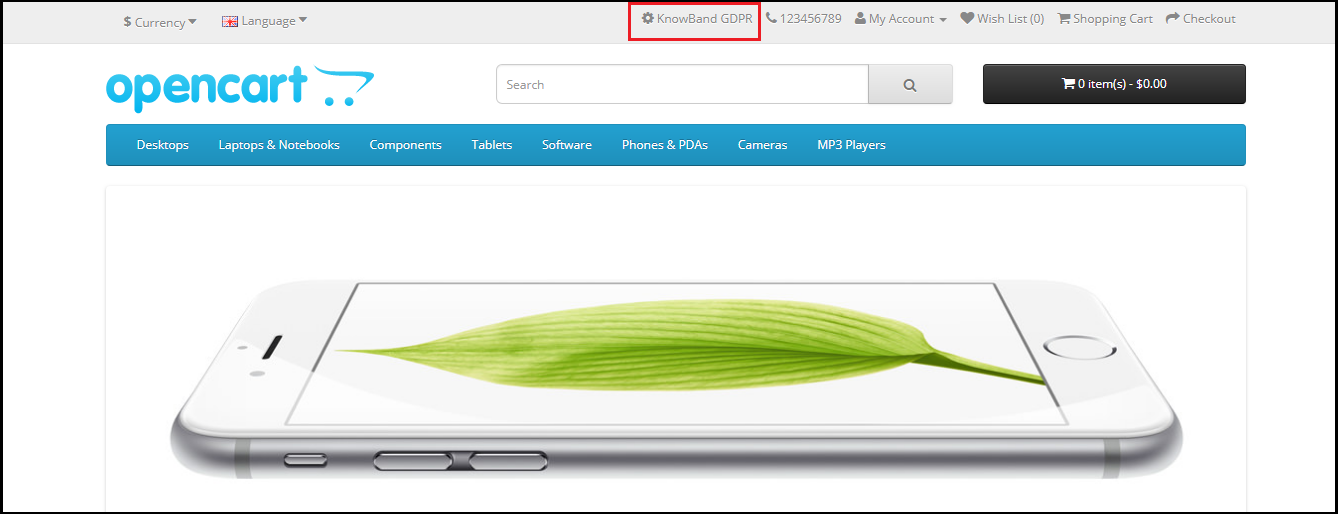
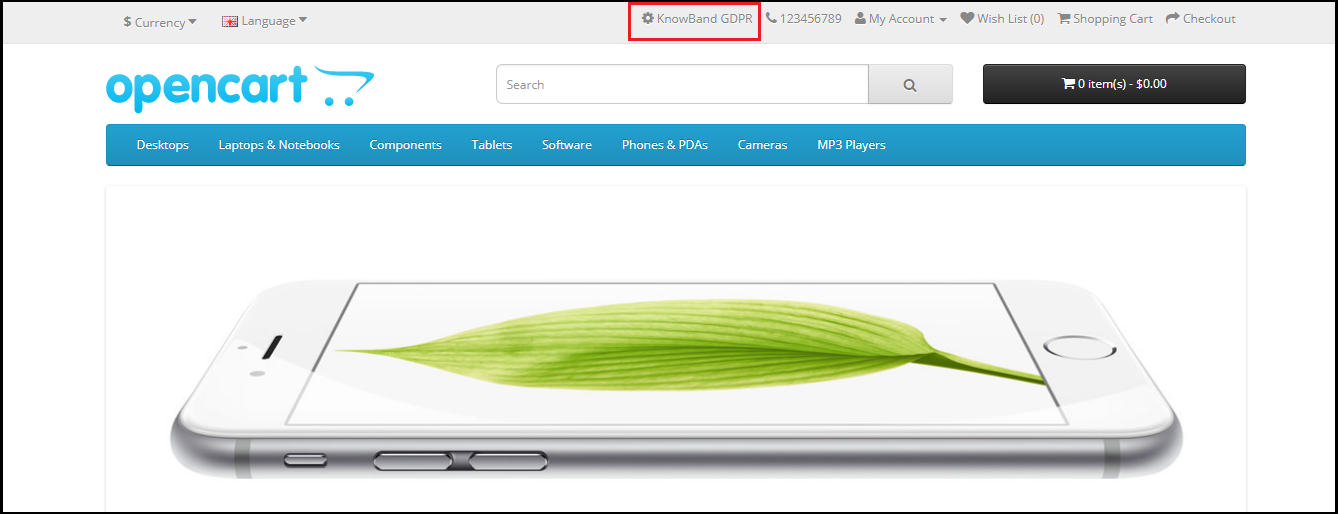
If the GDPR rights are enabled for the guest user then the GDPR Rights text will appear on the top of the home page. As per the need admin can modify the text.
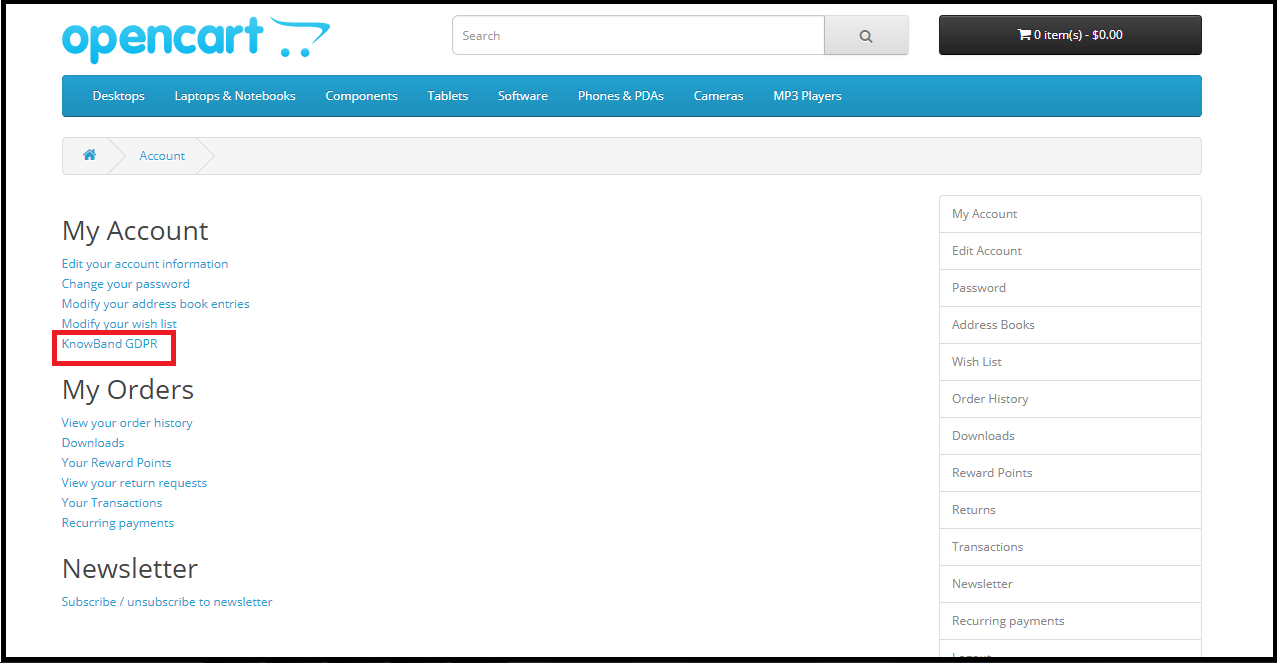
If the GDPR rights are enabled for the registered users only then the customers will be able to access the GDPR rights after logging into their account. Under My Account section there will be an option to access the GDR rights. Please refer to the attaced screenshot:
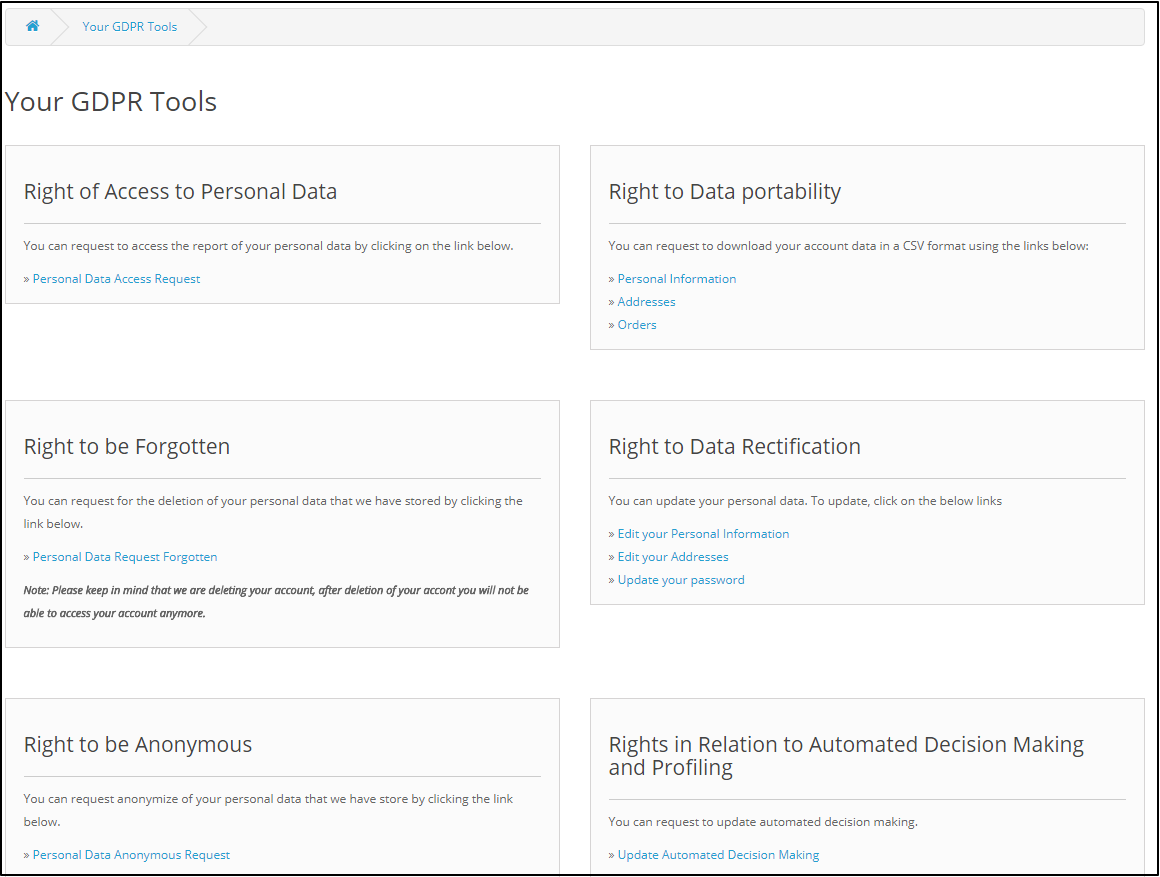
On clicking the GDPR settings tab the customer will be directed to a new page.
As per the requirement admin has the choice to enable/disable any of these rights.
2.0 Installation of OpenCart GDPR Module:
After placing your order for the OpenCart GDPR plugin you can download the zip file of the module. This zip file contains:
1) OC_GDPR_v1.0.0.zip (source code of the module)
2) User Manual
In order to install the extension in your OpenCart store follow the below-mentioned steps:
1) Unzip the zip file.
2. Copy all the files and folders of the zip file in the Root Directory of OpenCart setup via FTP manager.
3. The OpenCart GDPR module is now installed and is ready to use. Go to Admin -> Main Menu -> Extensions
3.0 Admin Interface of OpenCart GDPR Plugin:
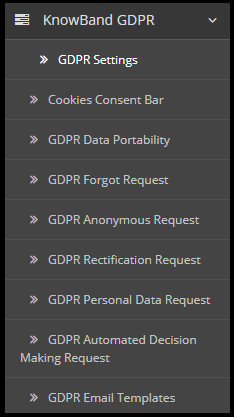
In the admin section of the OpenCart GDPR Customer rights module following options are available:
GDPR Settings
Cookies Consent Bar
GDPR Data Portability
GDPR Forgot Request
GDPR Anonymous Request
GDPR Rectification Request
GDPR Personal Data Request
GDPR Automated Decision Making Request
GDPR Email Templates
3.1 GDPR Settings:
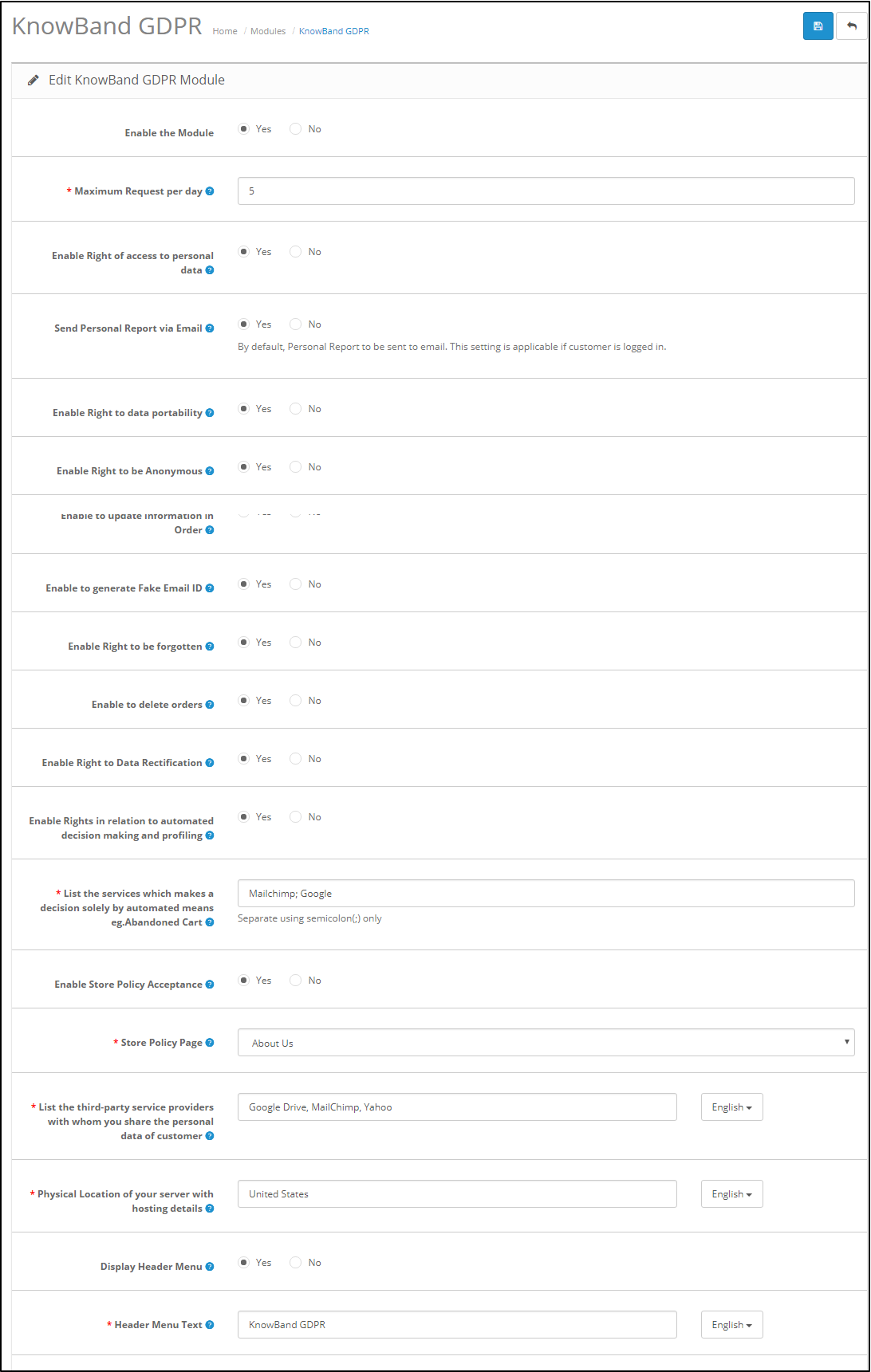
The GDPR Settings tab of the OpenCart GDPR Rights of the Individuals module allows the store admin to enable/disable the customer’s rights as per need. As per the settings enabled by the admin, the customer will be able to access the rights from his/her account. Please refer to the attached screenshot below:
Enable the Module: As per the requirement, admin can Enable/Disable the OpenCart GDPR Compliance Module.
Maximum request per day: Customers have the right to make request for the GDPR rights. Admin can set the limit for the requests on daily basis. It will be recommended to set the maximum requests per day to a minimum number to avoid the spam requests.
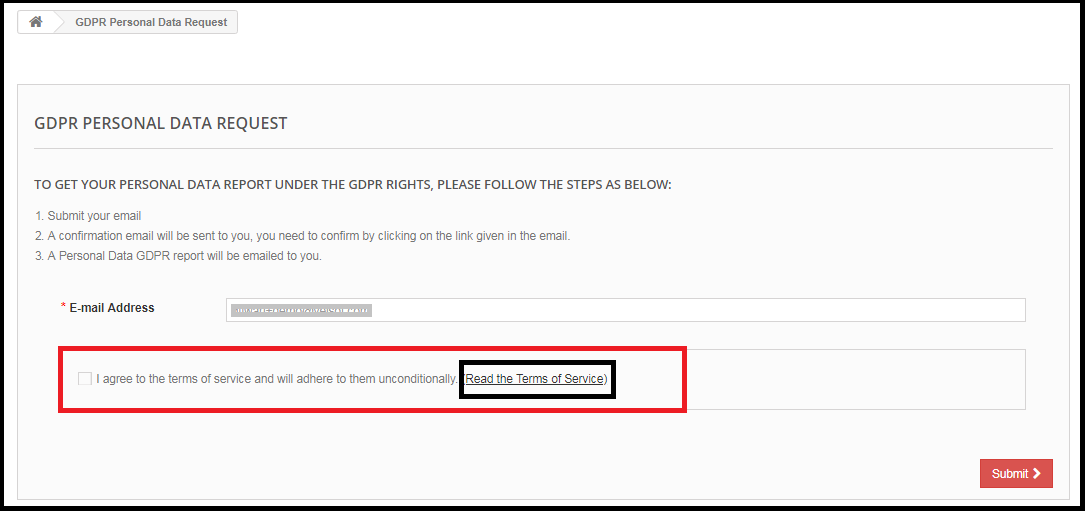
Enable Right of access to personal data: The right of access to personal data allows the customers to request for their personal details which they have shared with the data controller.
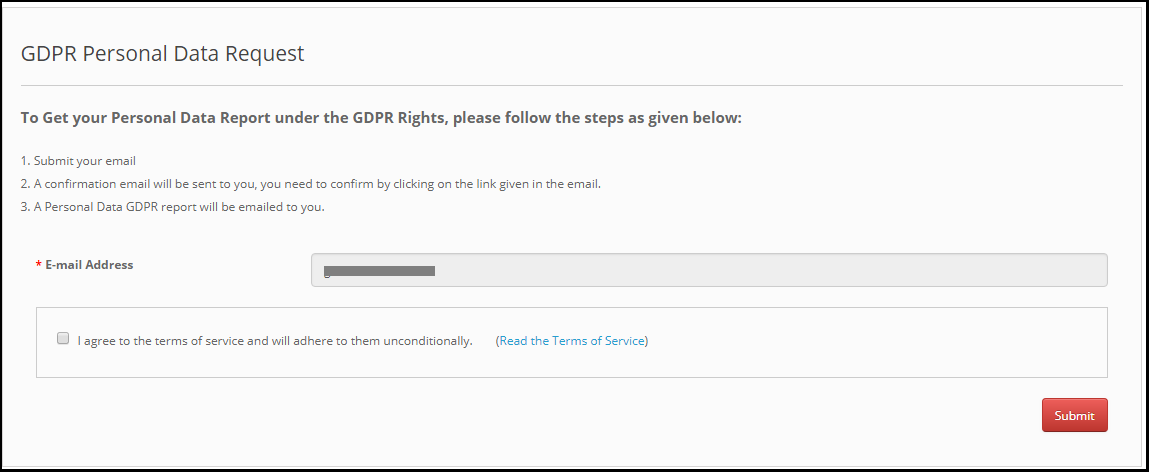
If this setting is enabled from the admin interface of the OpenCart GDPR plugin only then customers will be able to check their personal details by logging into their account. The screenshot of customer end has been attached below:
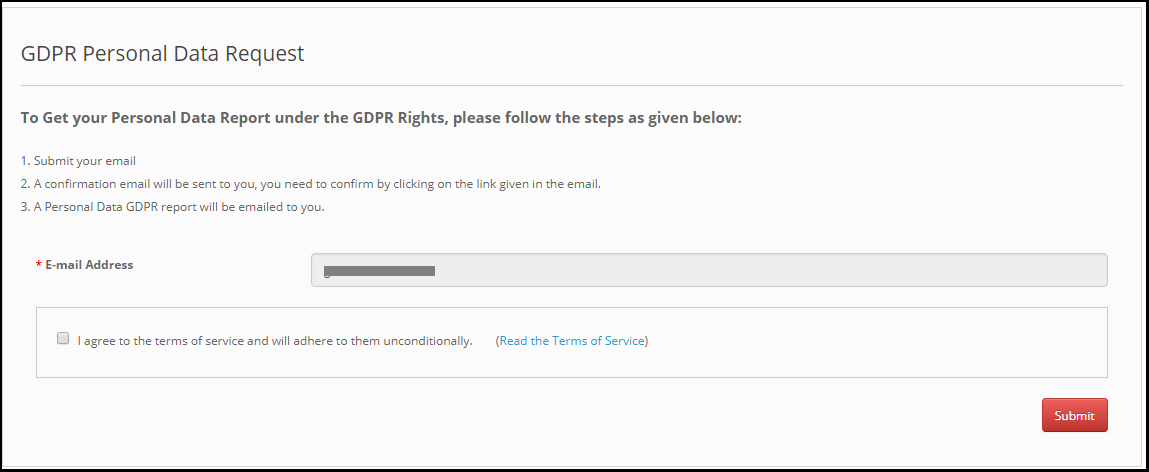
Step-1 – Request for the GDPR Personal Data report – OpenCart GDPR Extension
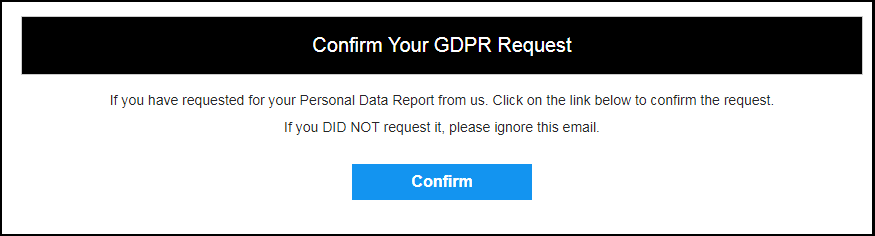
Step: 2 – Confirm the GDPR Request
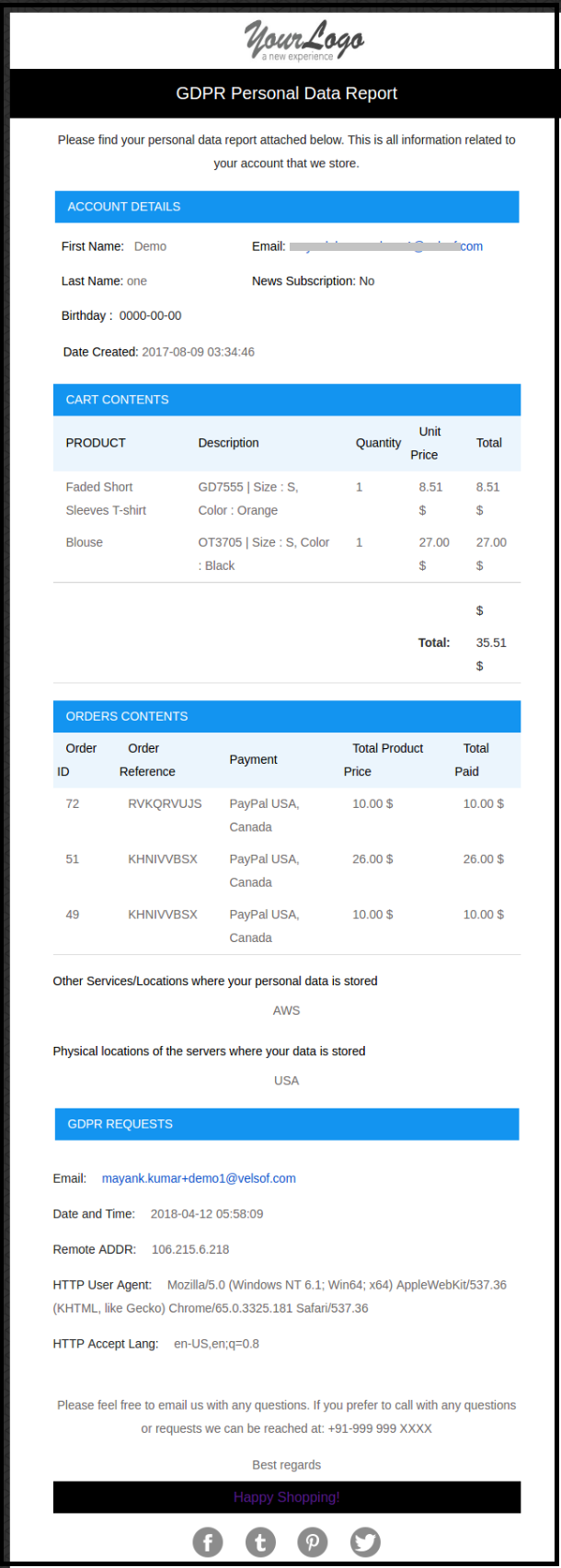
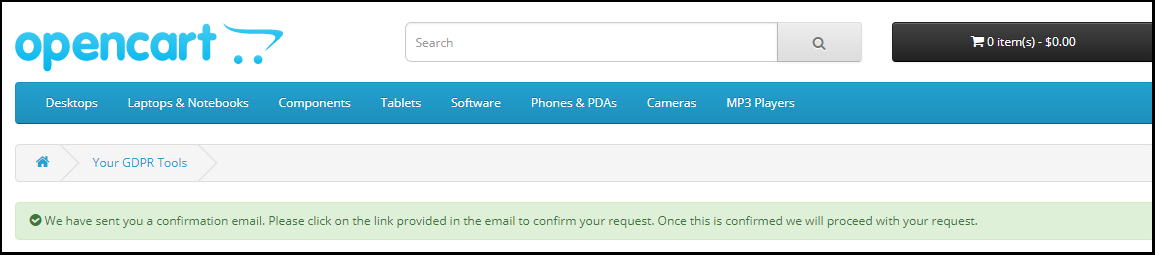
Step: 3 – As soon as customer will confirm the GDPR Personal Data Request, an email with the customer details will be sent to the customer.
Step: 4 – Send personal report via email:
Admin has the choice to display the customer data on the front-end or send the report to the entered email address. This setting will work for the logged-in customers only.
Step: 5 – Enable Right to Data Portability:
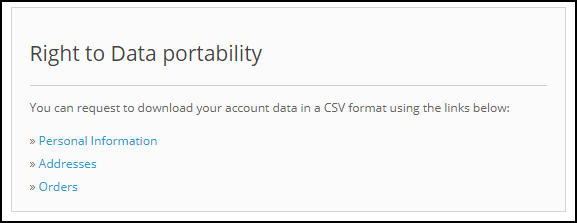
Right to data portability allows the customer to download his/her personal data so that he/she can access and reuse this data.
If this setting is enabled from the admin interface of the OpenCart GDPR Module only then the customer will be able to download their personal data in CSV format. As of now, the OpenCart GDPR Module allows the customers to download their personal data like –
Account information
Address details
Order details
The screenshot of the interface at the customer end has been attached below:
On requesting for the data portability customer will be able to download the CSV file with the required details.
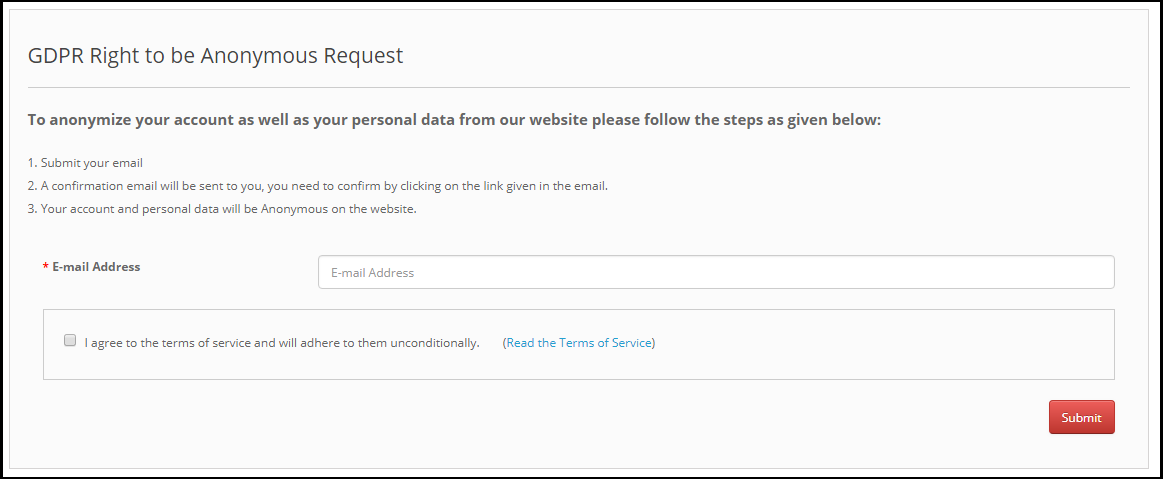
Step: 6 – Data anonymization request:
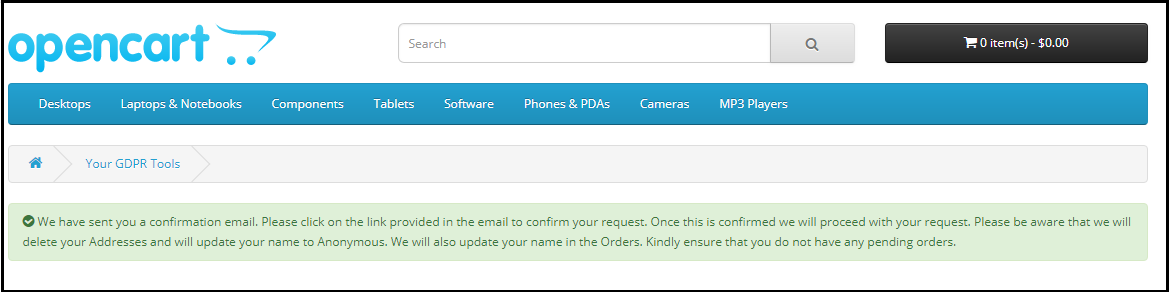
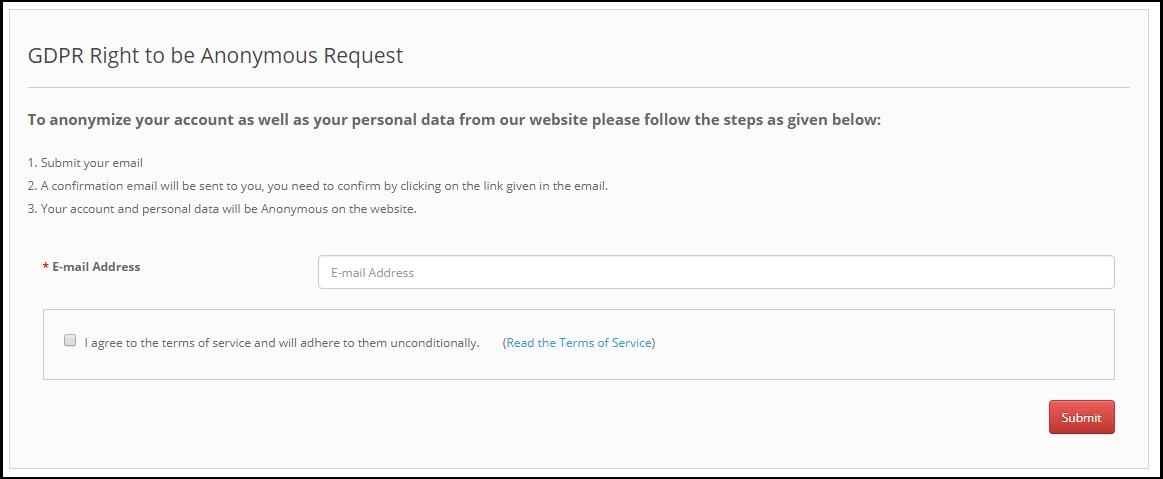
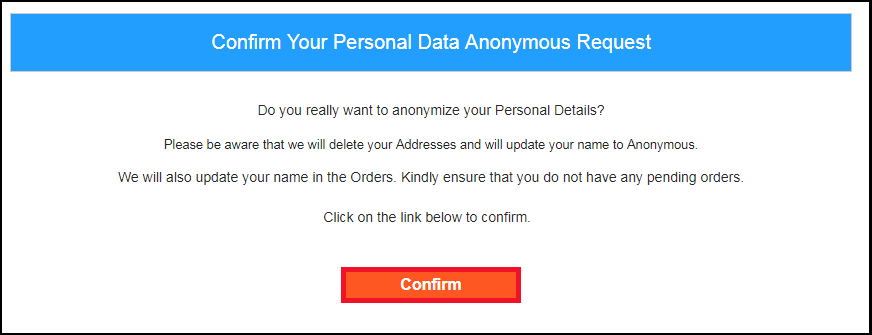
Data anonymization option allows the customer to replace the personal details with the random data. The name, email-id and order details can be anonymized. As soon as customer will request for the data anonymization a confirmation email will be sent to the customer. If customer confirms the data anonymization request, as per the settings enable by the admin personal details like Name, Email Id will be replaced by random details. To process the data anonymization request the admin has the following option:
Enable the Data anonymization settings:
If the data anonymization settings are enabled from the admin interface of the OpenCart GDPR compliance module then customer will be able to request for the data anonymization and in this case, only customer name will be replaced by the random name.
If a customer request for the Data anonymization, then a confirmation email will be sent to the entered email address and customer will be requested to confirm the request.
Email confirmation:
On requesting for the data anonymization customer will receive the email with request to confirm the data anonymization request.
Note: In case you are using the third-party services and sharing the customer data with third-party, then you need to make the required changes as per the procedure followed by the service provider. This GDPR module will anonymize the data which you have stored in your database only.
Step: 7 – Enable to update information in Order:
If customer requests to make his/her information anonymous then admin can select the option to enable/disable the changes to the previous orders. If this setting is enabled from the admin interface of the OpenCart GDPR module then the previous order details will also get modified and shipping and billing details will be deleted.
Step: 8 – Enable to generate Fake Email ID:
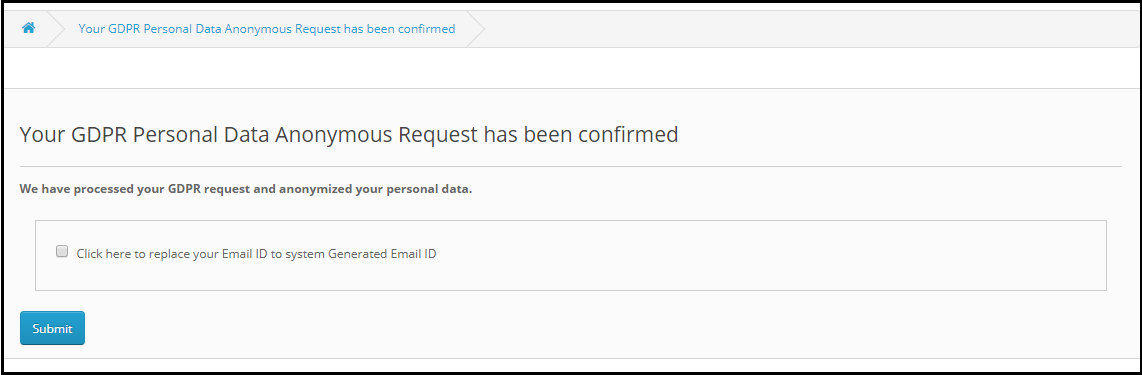
Admin can select the option to replace the email id of the customer by fake email id. If the setting is enabled from the admin then after requesting for the Data anonymization customer will be requested to confirm the email-id anonymization. Please refer to the attached screenshot:
If customer submits the request for email-id anonymization then the email id of the customer will be replaced by the system generated email address. Please refer to the attached screenshot.
Step: 9 – Enable right to be Forgotten:
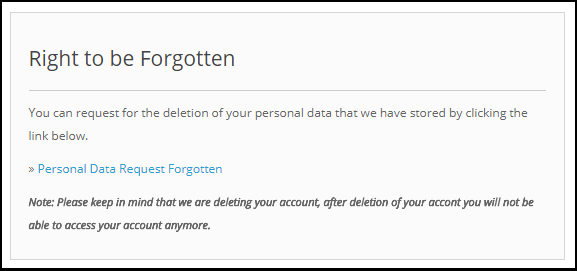
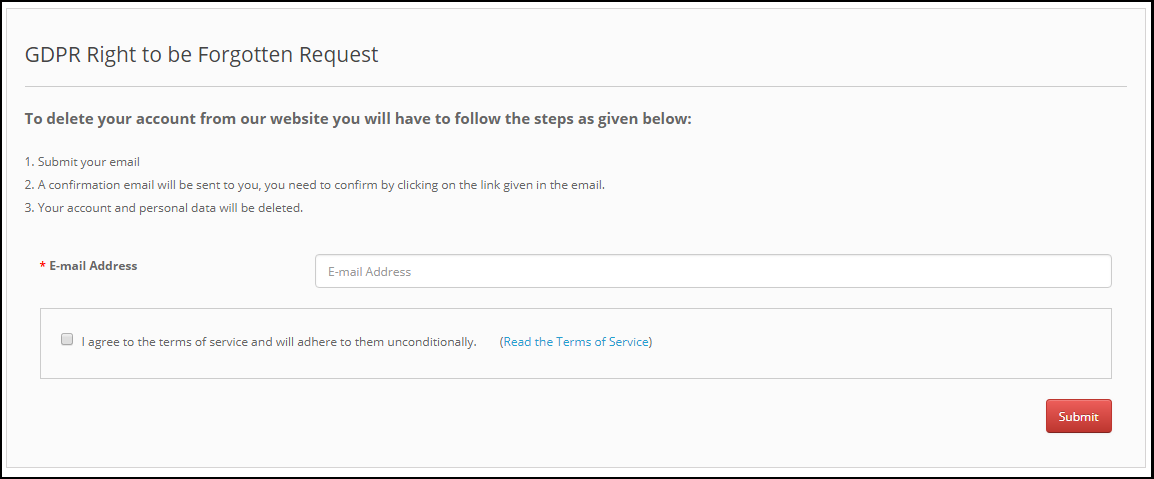
As per the new GDPR Directives customer has the right to request for the deletion of the personal data. OpenCart GDPR Compliance Module allows the customer to request for the deletion of his/her data by accessing his/her account. After receiving the request of the customer a confirmation email will be sent to the customer and as per customer’s approval, entire details of the customer will be deleted from the database.
The report request interface for the customer will be as below:
On requesting for the Account deletion request the customer will be notified that an email with the confirmation request has been sent to the registered email id.
Note: 1) It is recommended to consult with your legal team before enabling this setting. After deleting the customer’s personal data it cannot be retrieved. Admin has the option to enable the delete order setting which has been explained in the next topic. 2) In case you are sharing the customer data with third-party service providers then you need to delete the customer data manually. As of now, this module does not support the feature to delete the data shared with the third-party service providers. Example: If you are using MailChimp for sending promotional emails then you have to delete the customer details from MailChimp list manually.
Step: 10 – Enable to Delete Orders:
If a customer has requested for the data deletion request under the GDPR, then the admin has the choice to delete the personal data of the customer along with the previous order details. If this setting is not enabled from the admin interface of the GDPR module then only personal data will be deleted and order information will remain as it is.
Note: It is recommended to consult with your legal team before enabling the order deletion settings. The order details deleted from the system cannot be retrieved.
Step: 10 – Enable the right to data rectification:
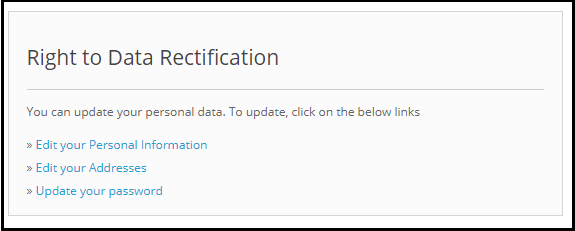
A customer has the right to update the incorrect personal data. The OpenCart GDPR Customer Rights Module allows the store admin to let the customer modify the personal data like personal details, address etc.
Step: 11 – Enable the right to data rectification:
A customer has the right to update the incorrect personal data. The OpenCart GDPR Customer Rights Module allows the store admin to let the customer modify the personal data like personal details, address etc.
Step: 12 – Enable Rights in relation to automated decision making and profiling:
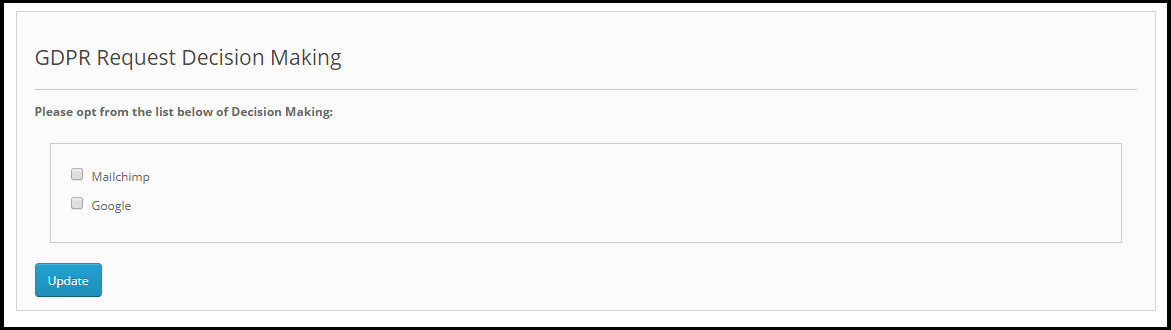
If this setting is enabled from the admin panel of the OpenCart GDPR compliance module then store admin will be able to list the services which make a decision by automated means. If a customer requests for the services which makes decision by automated means then customer will get email to confirm the request. As soon as the user will confirm the request, user will be redirected to a new link. Here all the services with the automated decision making will be listed and user can select the one which he/she would like to continue.
Admin can list all the such services to the under the List the services which makes a decision solely by automated means.
Step: 13 – Enable Store Policy Acceptance:
The admin interface of the OpenCart General data Protection Regulation Plugin allows the store admin to enable the setting so that a checkbox with the option to accept the Terms and Conditions will be displayed to the customer before requesting for the GDPR reports.
Step: 14 – Store Policy Page:
Admin can add the URL of the page on which all the Terms and Conditions are listed. The customer can check the Terms and Conditions by clicking the link available with the message at the time of raising the request.
Step: 15 – Services/ Other locations where you store customer data:
The third party services which process the customer data like MailChimp or you have stored the customer data on different places like Google Drive then you can list the details of the third party services which uses the customer data.
Step: 16 – Physical locations of servers where you host your website and other data:
You can mention the server location here, where you store the customer data.
Step: 17 – Display Header Menu
Display Header Menu option of the OpenCart GDPR compliance Plugin allows the store admin to display the GDPR option in the header section of the website. By enabling “Display Header Menu” setting of the OpenCart GDPR Plugin, store admin can allow the guest users to access the GDPR rights.
Step: 18 – Header Menu Text
Admin can define the text for the Header Menu.
3.2 Cookie Consent Bar:
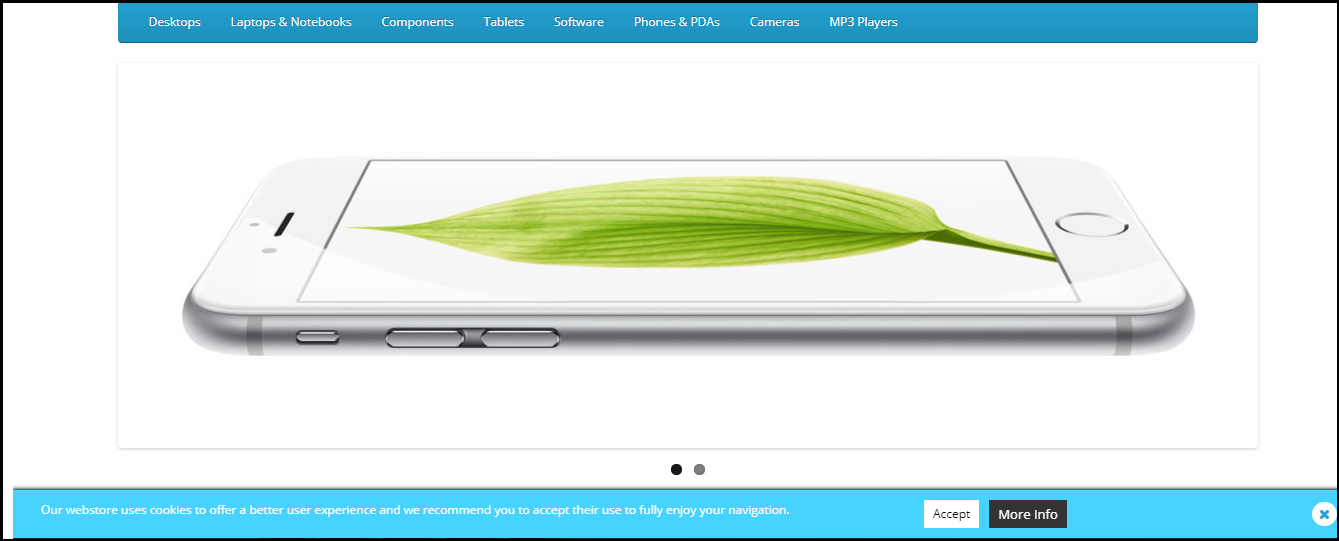
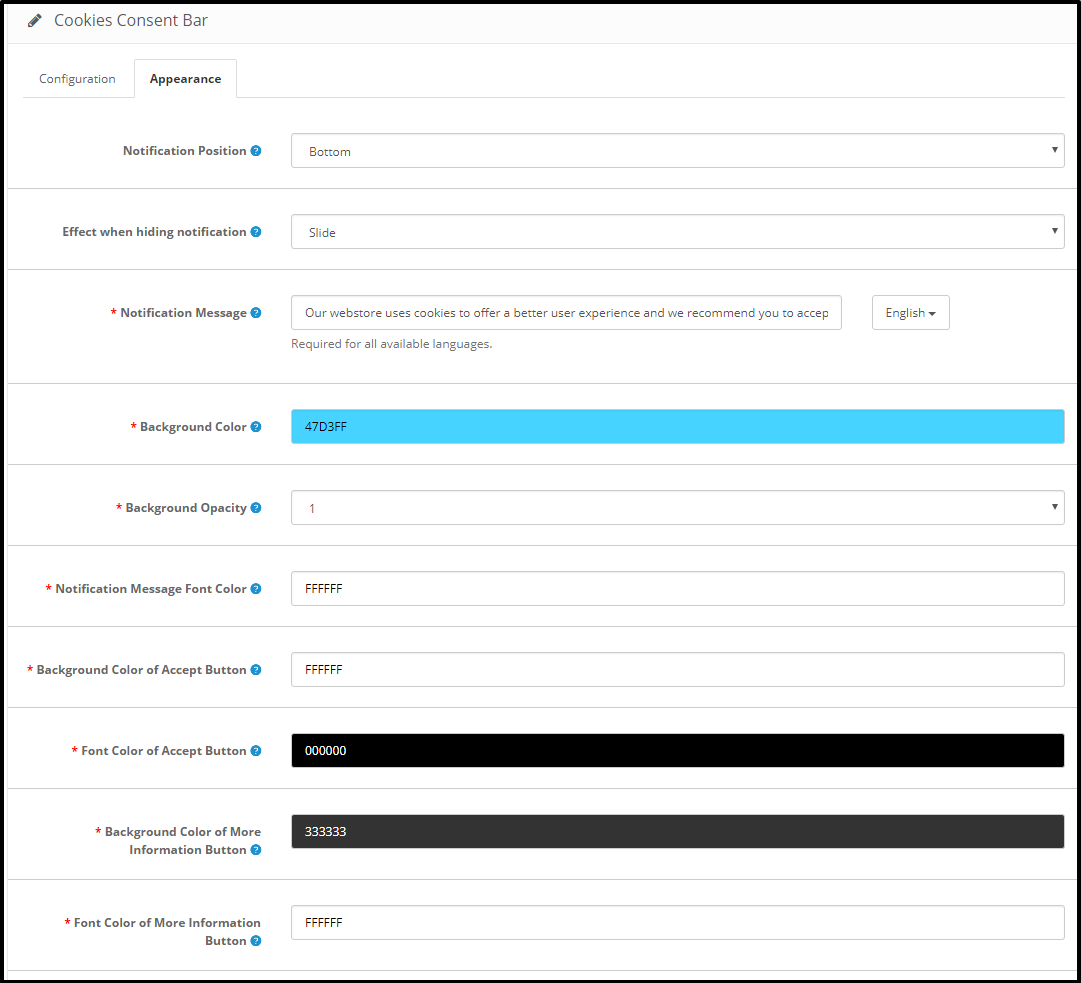
The OpenCart GDPR Module allows the store admin to display the Cookie Consent Bar at the front end with the option to accept the cookie or discard the message. Admin can easily customize the appearance settings as well as the message on the cookie bar.
The Cookie Consent Bar tab has following settings:
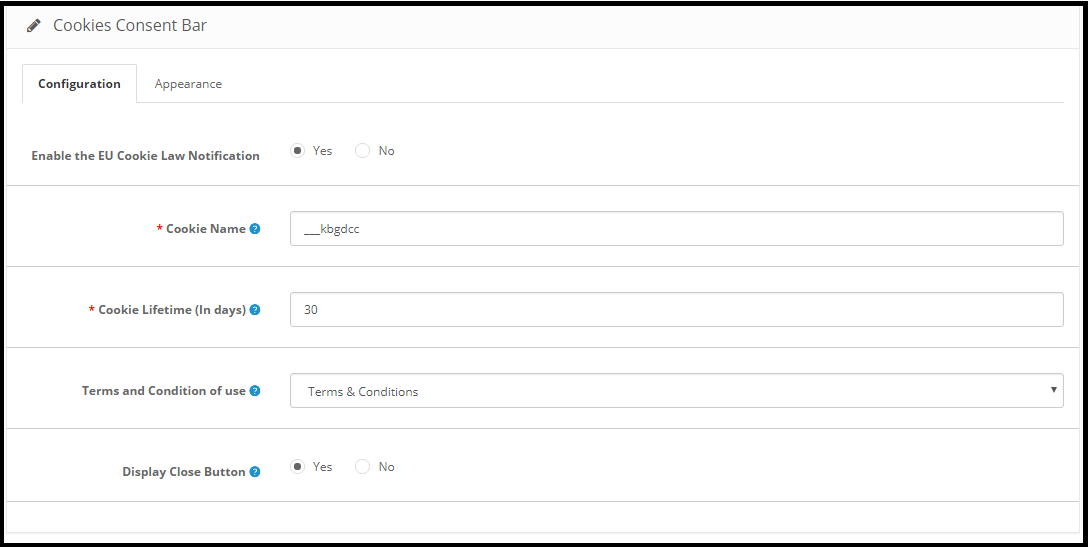
1) Configuration: Admin has following options to set-up the Cookie Consent Bar.
Enable the EU Cookie Law Notification: The Admin can enable or disable the cookie message on the website.
Cookie Name: In this section define the name of the cookie to get the user consent. Please do not use the space to the cookie name.
Cookie Lifetime: Cookie Lifetime allows the store admin to set up the cookie duration that how long the cookie will be stored on the user’s device.
Terms and Condition of use: The admin can list the cookies details on a Cookie Policy page and add the link to the page on the message displayed to the user.
Display Close Button: Admin has the option to remove the Close button from the Cookie Consent Bar.
2) Appearance Settings:
Admin can easily control the following options for the Cookie Consent Bar.
Notification Position: Admin can select the position of the Cookie Notice on the Bottom of the page or Top.
Effect when hiding the notification: Admin can select the options like Fade, Hide or Slide from the drop-down list.
Notification Message: Admin can easily update the notification message as per the requirement.
Background Color
Background Opacity
Notification Message Font Color
Notification Message Font Color
Background Color of Accept Button
Font Color of Accept Button
Background Color of More Information Button
Font Color of More Information Button
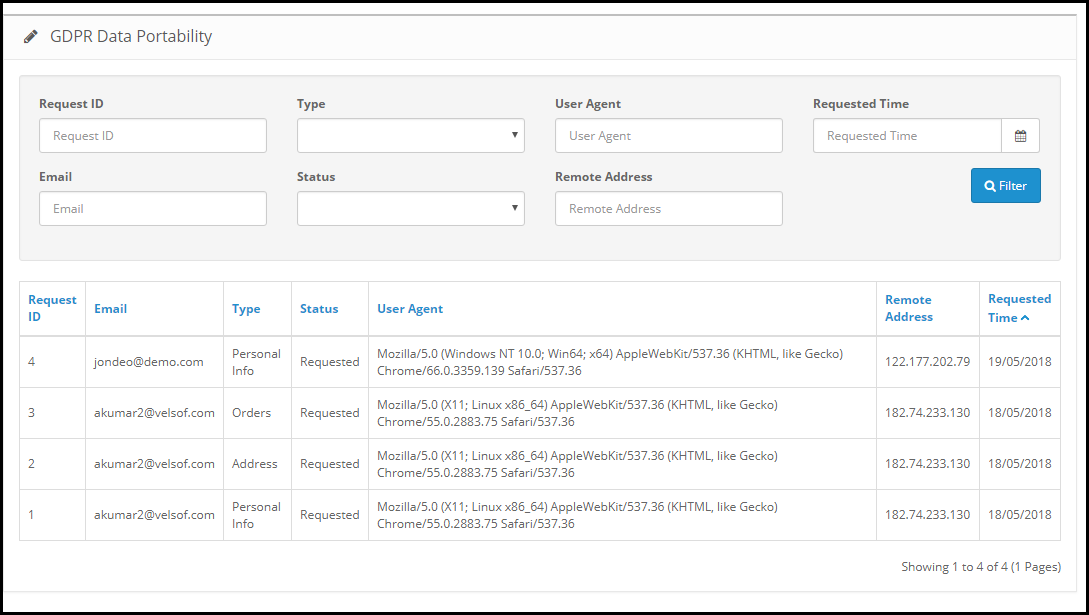
3.3 GDPR Data Portability:
In the GDPR data portability section of OpenCart GDPR Module, admin can check the log of the data portability requests from the back-end.
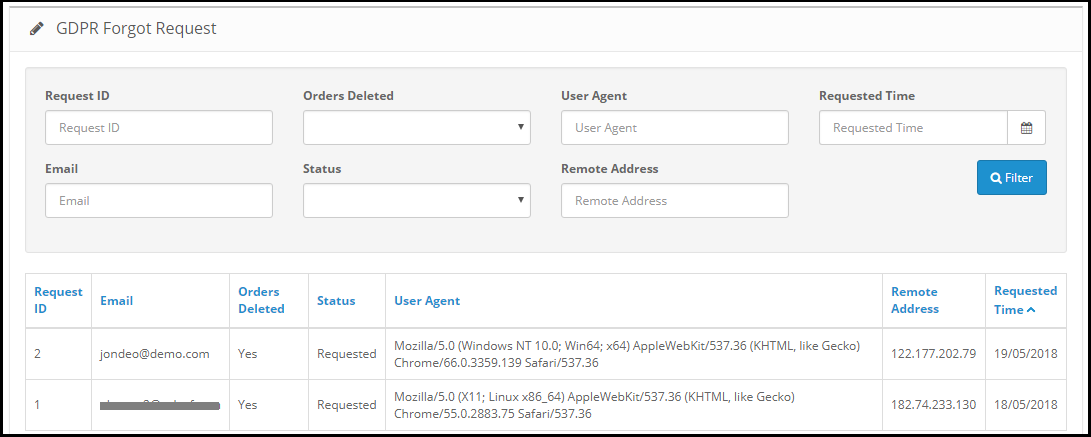
3.4 GDPR Forgot Request:
OpenCart GDPR extension keeps the log of the data deletion requests. Admin can use this information to remove the customer data from the third party services.
Note:
1. As soon as customer request for the deletion of his/her details a confirmation email will be sent to the customer. As per the customer’s confirmation the details of the customer will be deleted from the system.
2. The OpenCart GDPR Module allows the admin to exclude the previous orders so that only the personal details of the customer will be deleted but order details will be saved for the future reference. Please use this setting carefully because the data deleted once cannot be retrieved. It is strongly recommended to consult with your legal team to make sure how to use this setting.
3. The OpenCart GDPR Module only deletes the customer data from the store database. If you share the customer data with the third-party service providers (eg. MailChimp) or store it on third-party platform (eg. Google Drive) then you need to delete the customer data from these platforms manually.
3.5 GDPR Anonymous Request
OpenCart GDPR extension keeps the log of the data anonymization requests. Admin can use this information to remove the customer data from the third party services.
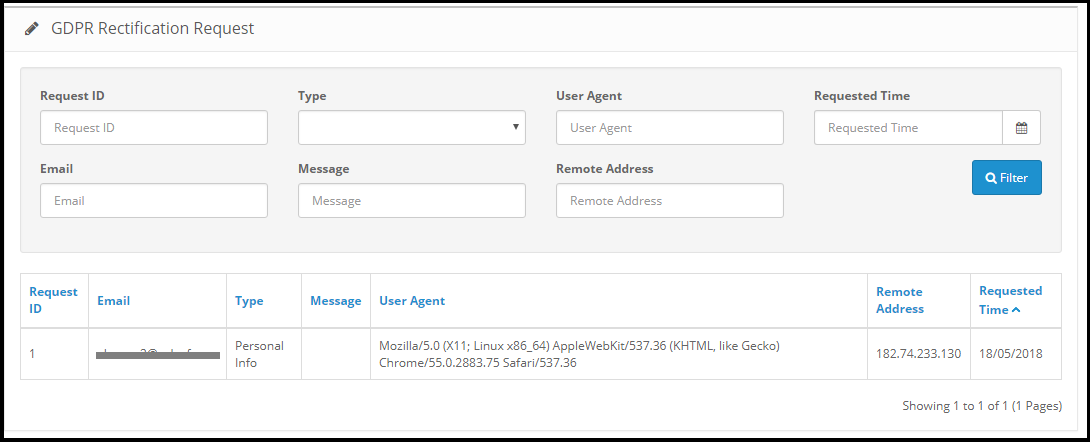
3.6 GDPR Rectification Request
OpenCart GDPR extension keeps the log of the data rectification requests. Admin can use this information to modify the customer data on the third party services.
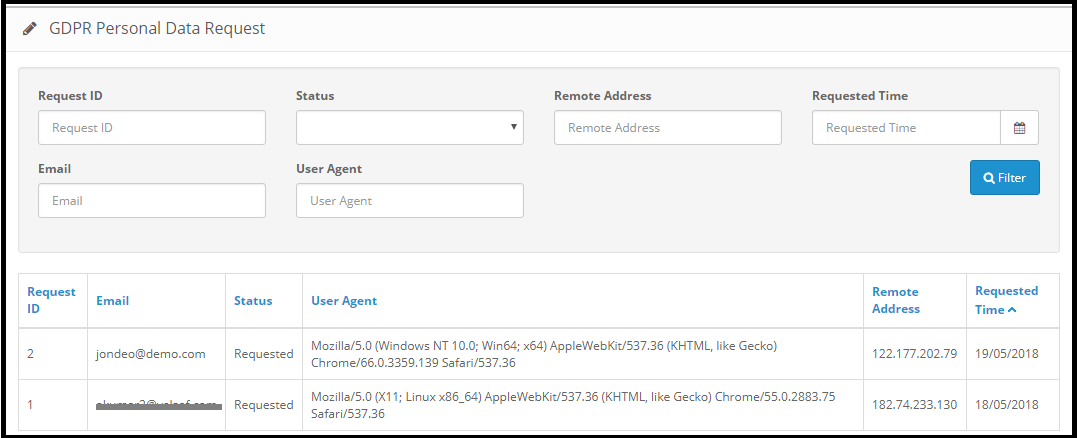
3.7 GDPR Personal Data Report Request
OpenCart GDPR Plugin keeps the log of all the personal data requests.
Note: As of now the OpenCart GDPR Module by Knowband allows the store admin to share the details like Personal Information, Address Details, Newsletter Subscription, Shopping Cart Contents, Order Details, Admin can also list all the third-party service providers details and the physical location of the server along with the details of the hosting company.
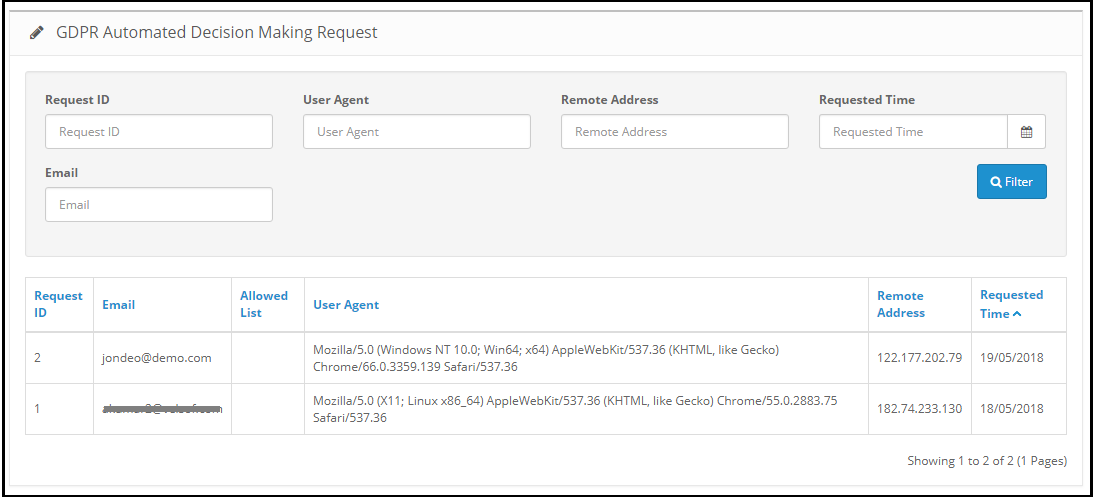
3.9 GDPR Automated Decision Making Request
3.10 GDPR Email Templates:
The OpenCart GDPR Plugin by Knowband allows the admin to sending following emails to the customer:
Confirm Your GDPR Account Deletion Request
Confirm Your GDPR Personal Data Anonymous Request
Customer has requested for GDPR
Your GDPR Personal Data Report
Customer has confirmed GDPR Request
Confirm Your GDPR Decision Making Request
Confirm Your GDPR Personal Data Portability Request
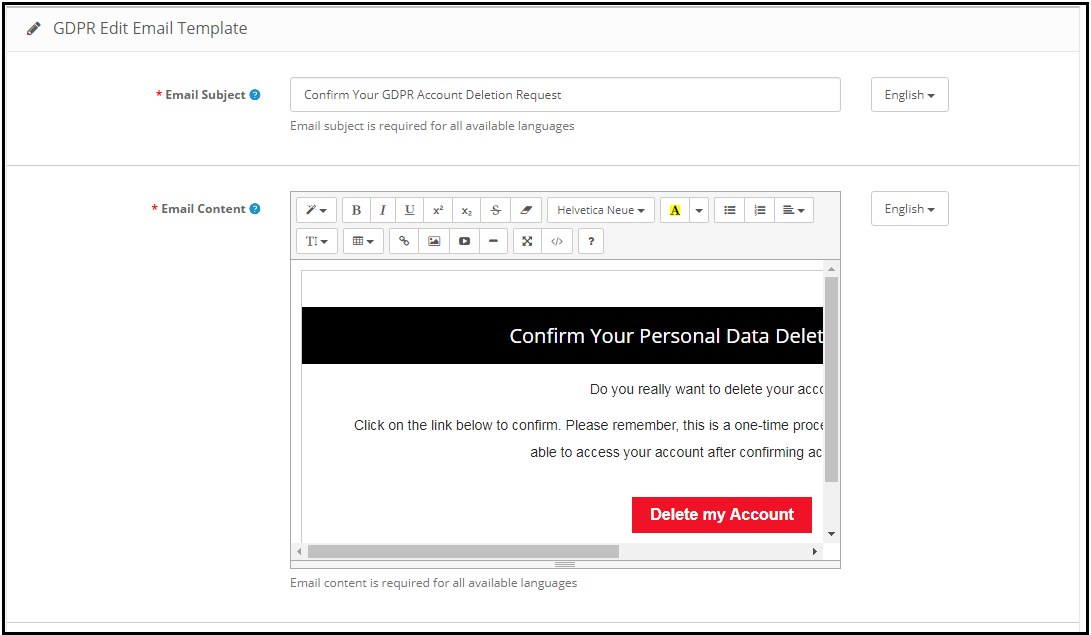
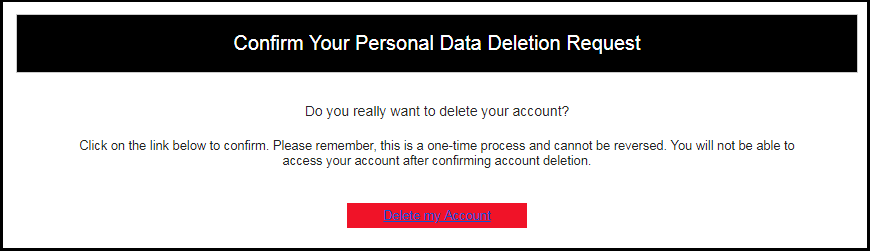
Confirm Your GDPR Account Deletion Request:
Admin can update the Subject line and the email text by using the GDPR Email Template Settings.
Default format of the email template is as below:
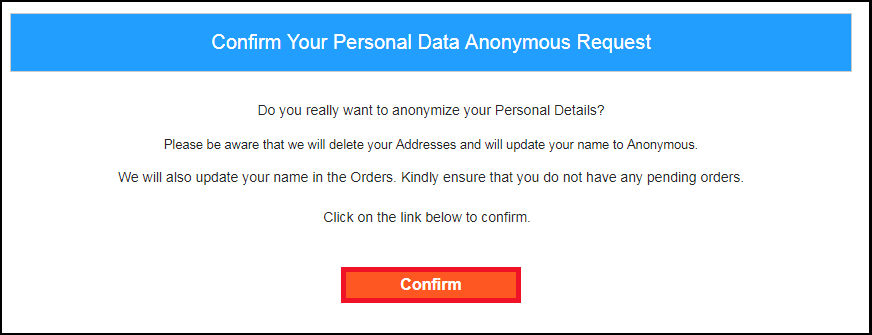
Confirm Your GDPR Personal Data Anonymous Request:
Admin can update the Subject line and the email text by using the GDPR Email Template Settings.
Default format of the email template is as below:
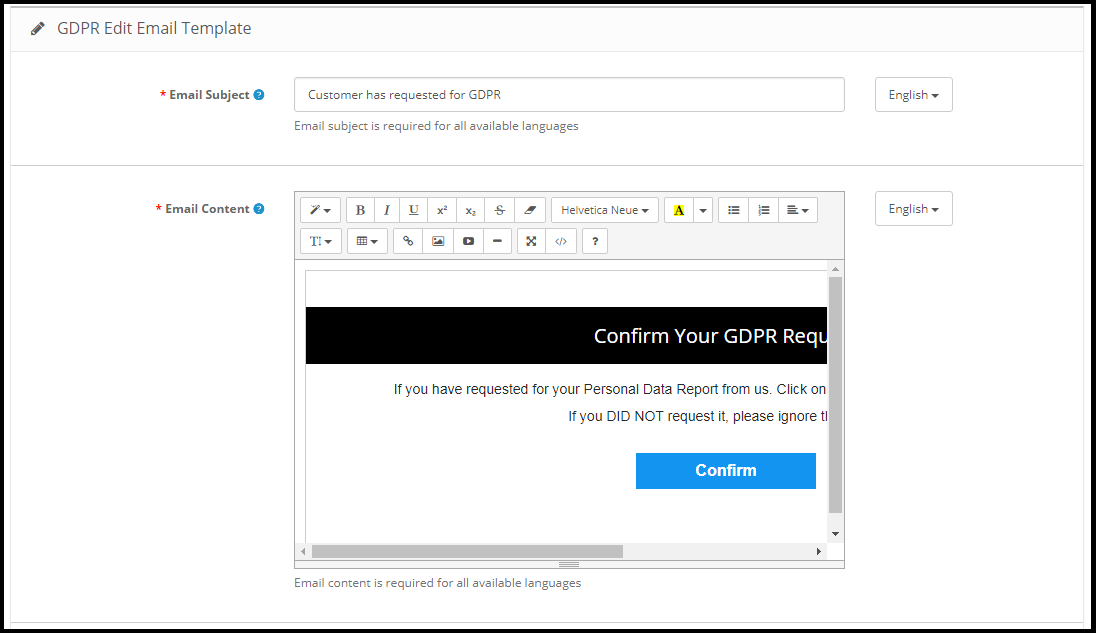
Customer has requested for GDPR
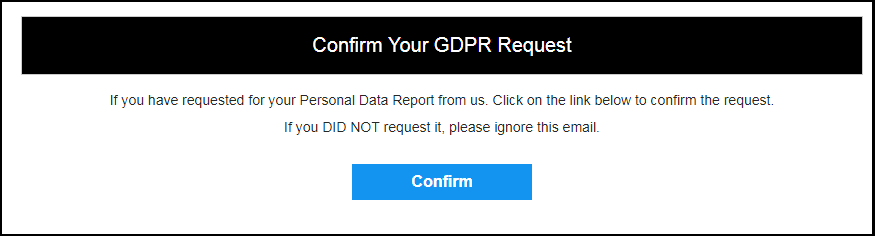
This Email template is used to send confirmation mail to the customer when customer requested for Personal Data Report.
The email at the customer end will be like below:
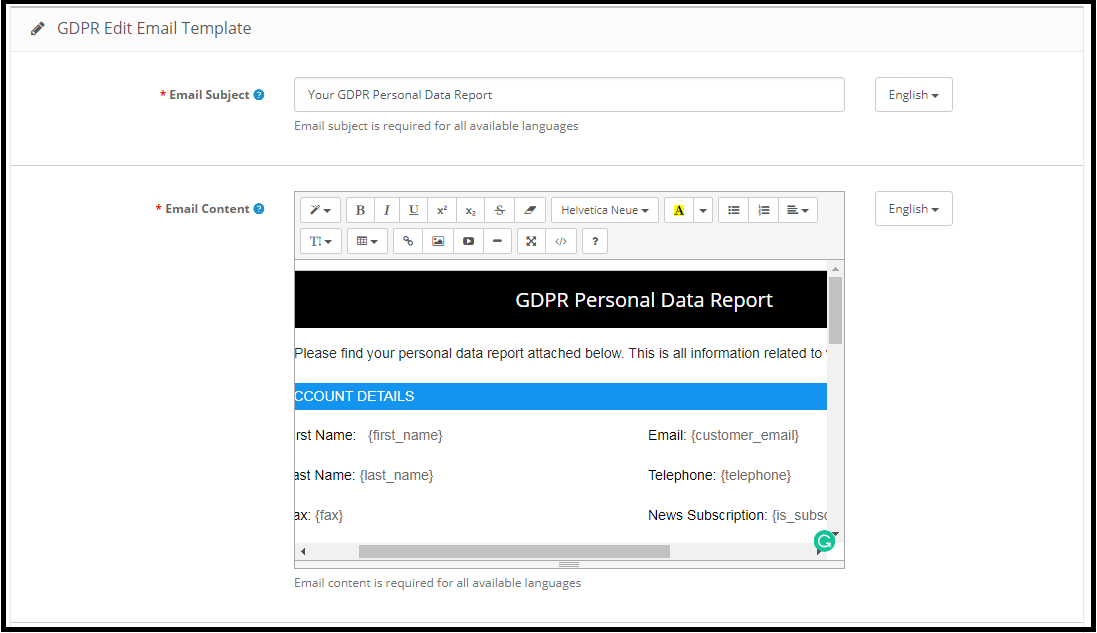
Your GDPR Personal Data Report
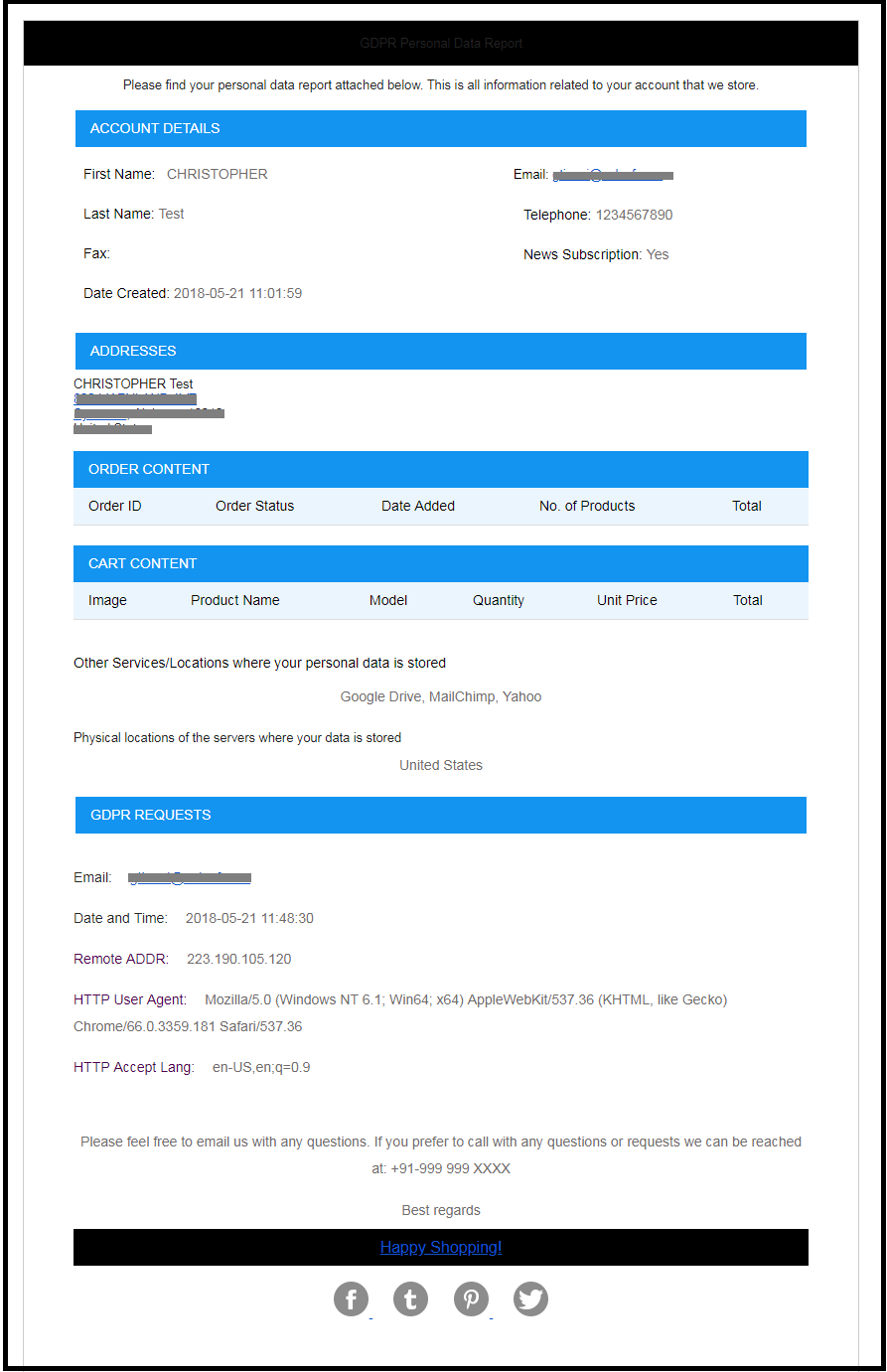
This email template will be used to send the Personal Data of the customer requested under the GDPR Right to the access to the Personal Data.
At the customer end the email design will be as below:
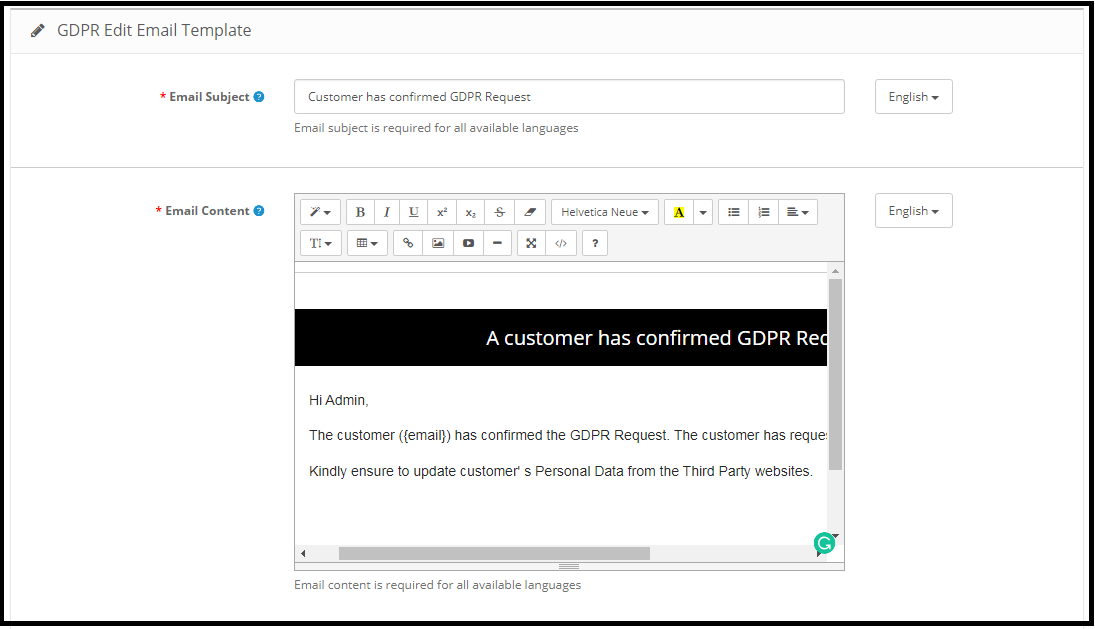
Customer has confirmed GDPR Request
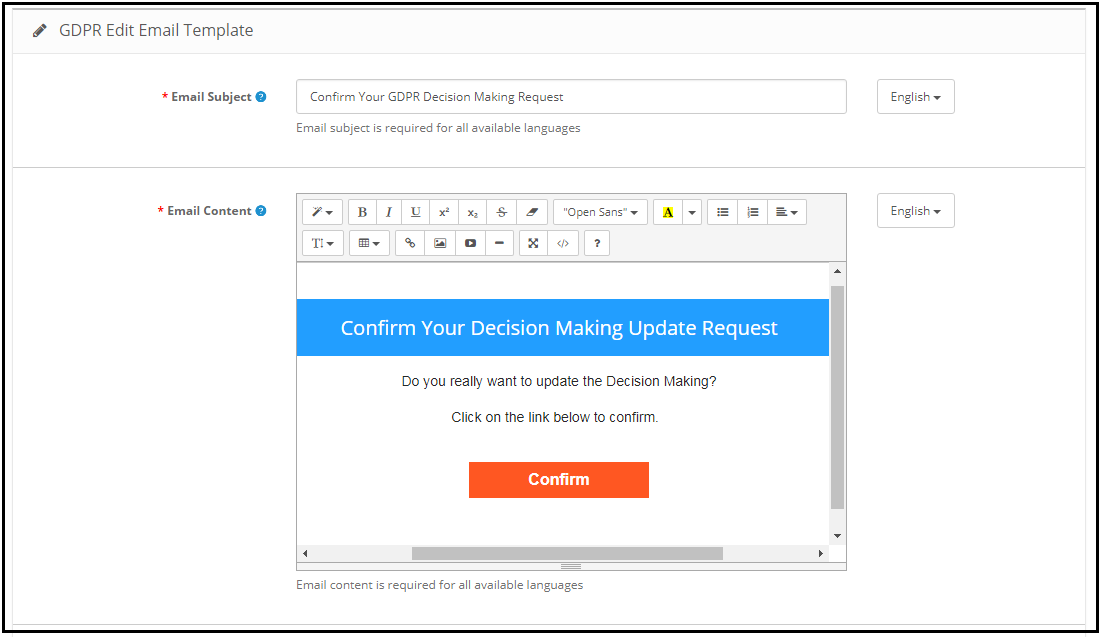
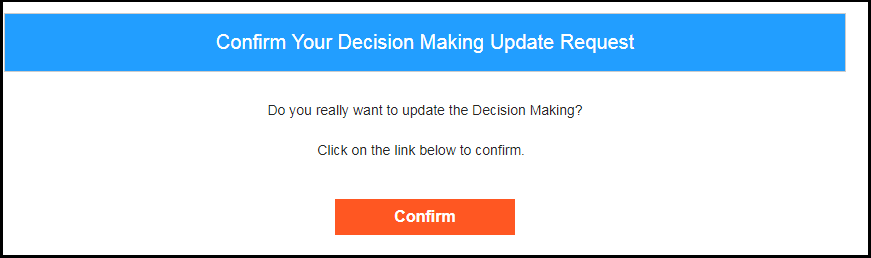
Confirm Your GDPR Decision Making Request
This email template will be used to request the customer for the confirmation of the automated decision-making requests.
Email at the Customer end:
Note: The purpose of these features is to help you to meet with the GDPR requirements. Installing this module only does not guarantee merchant sites’ compliance with the new obligations imposed by the GDPR. It is your responsibility to put in place all the necessary measures to ensure you comply.