Black Friday is just around the corner. While online shoppers are desperately waiting for the occasion to arrive, e-retailers are making sure that they do not miss any opportunity to achieve sky-high sales on this Black Friday. From designing the website as per Black Friday to running attractive deals and promotions, merchants have tick-marked every option in their Black Friday checklist to catch the holiday spirit.
Magento Extensions for Black Friday
In this article, I have listed down 7 Magento Extensions that you shouldn’t miss out on this Black Friday. Have a look.
1. Magento Spin and Win
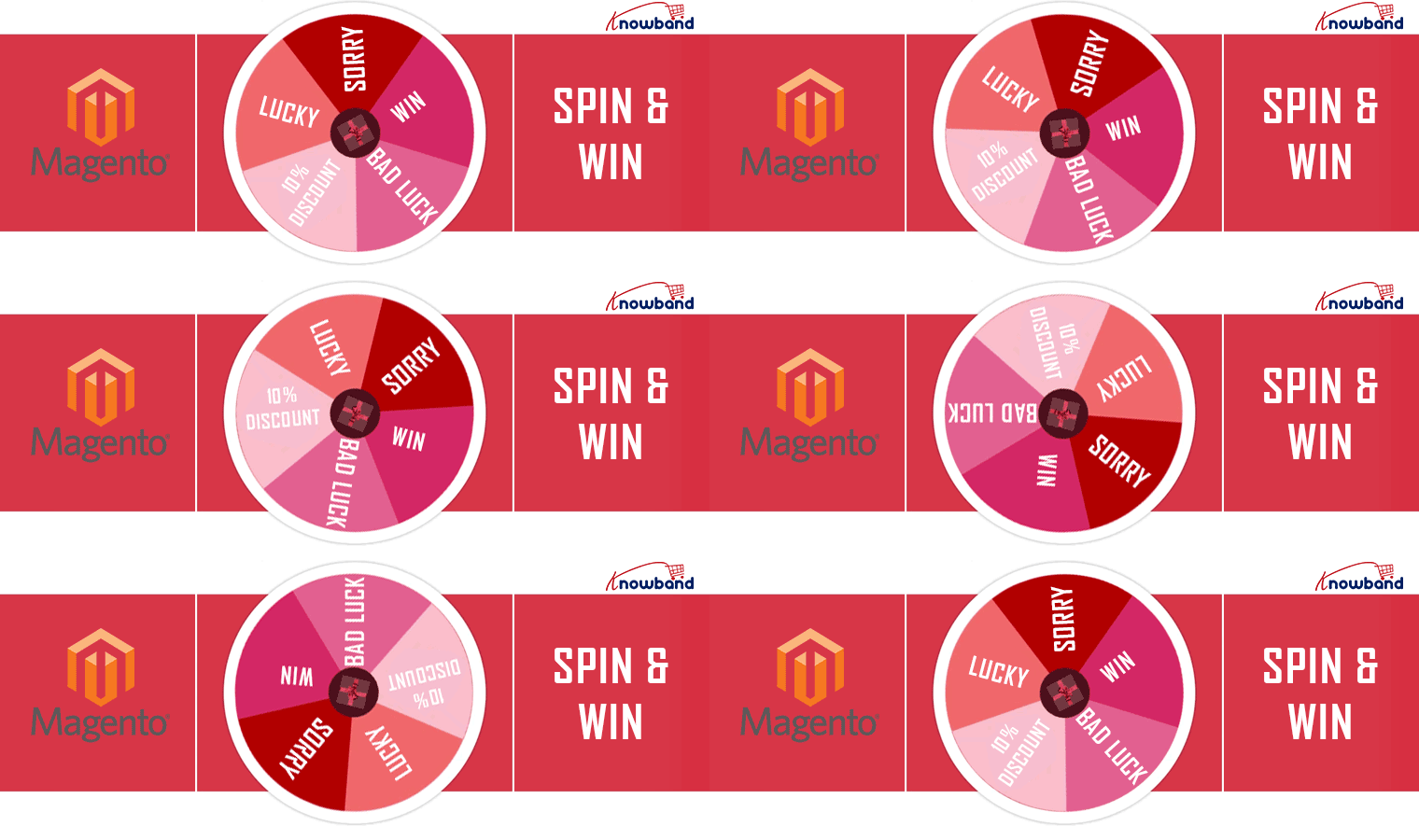
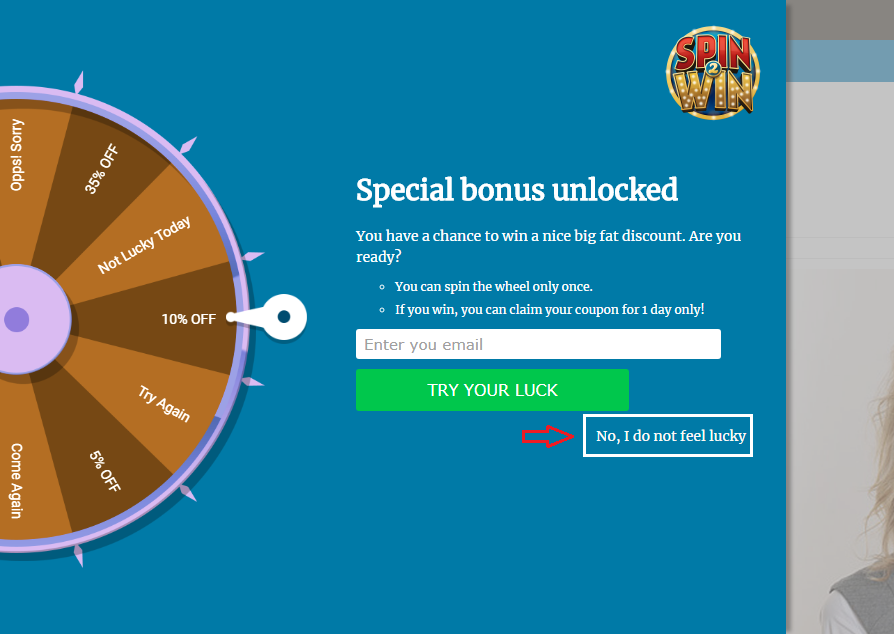
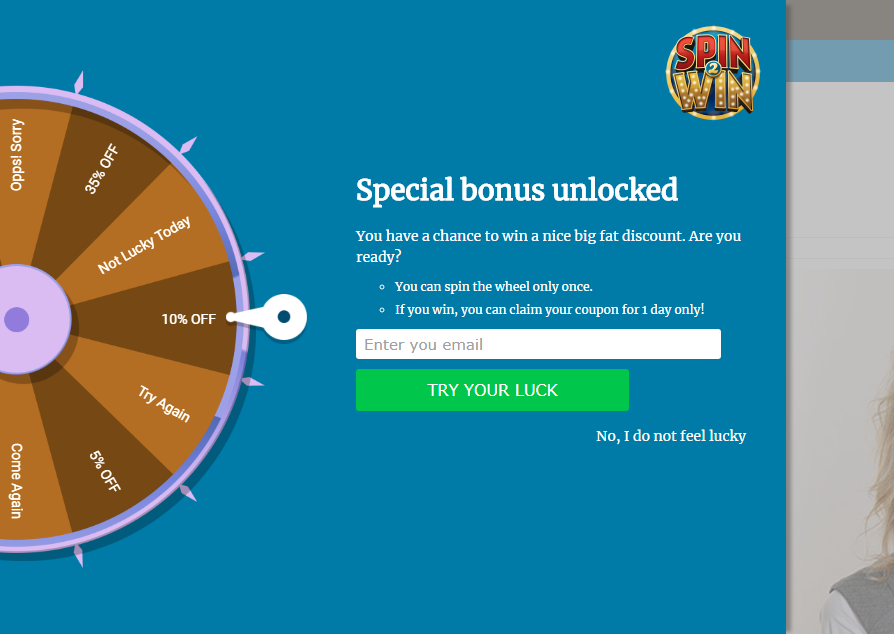
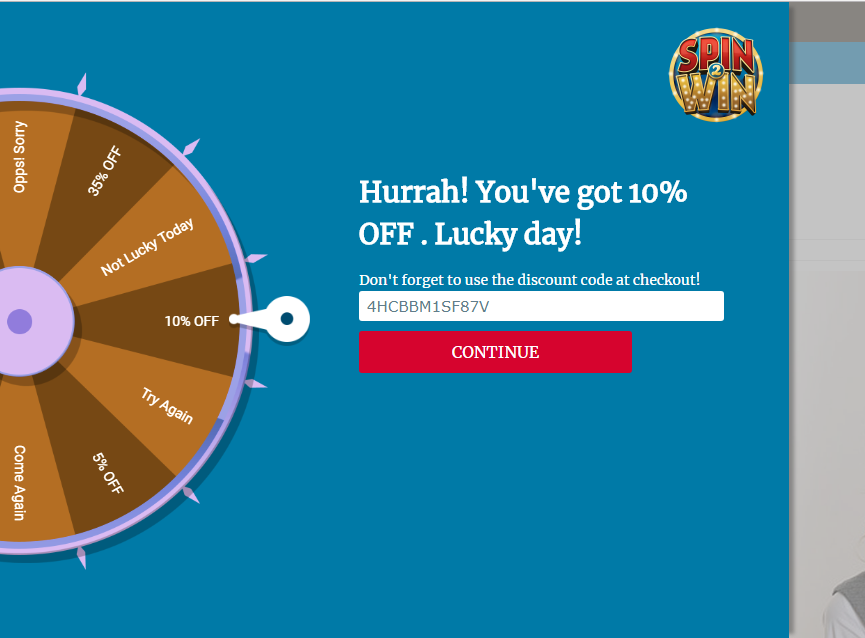
Magento Spin and Win extension adds a gamified interface to your website in the form of a spin and win wheel. The “Spin to Win” popup asks users to try their luck by spinning the wheel and win some exciting rewards.
The extension helps you with more user engagement and makes it a better way to catch the email address of your visitors rather than conventional pop-ups.
Set a Black Friday theme for this engaging pop-up and shoot up your conversions.
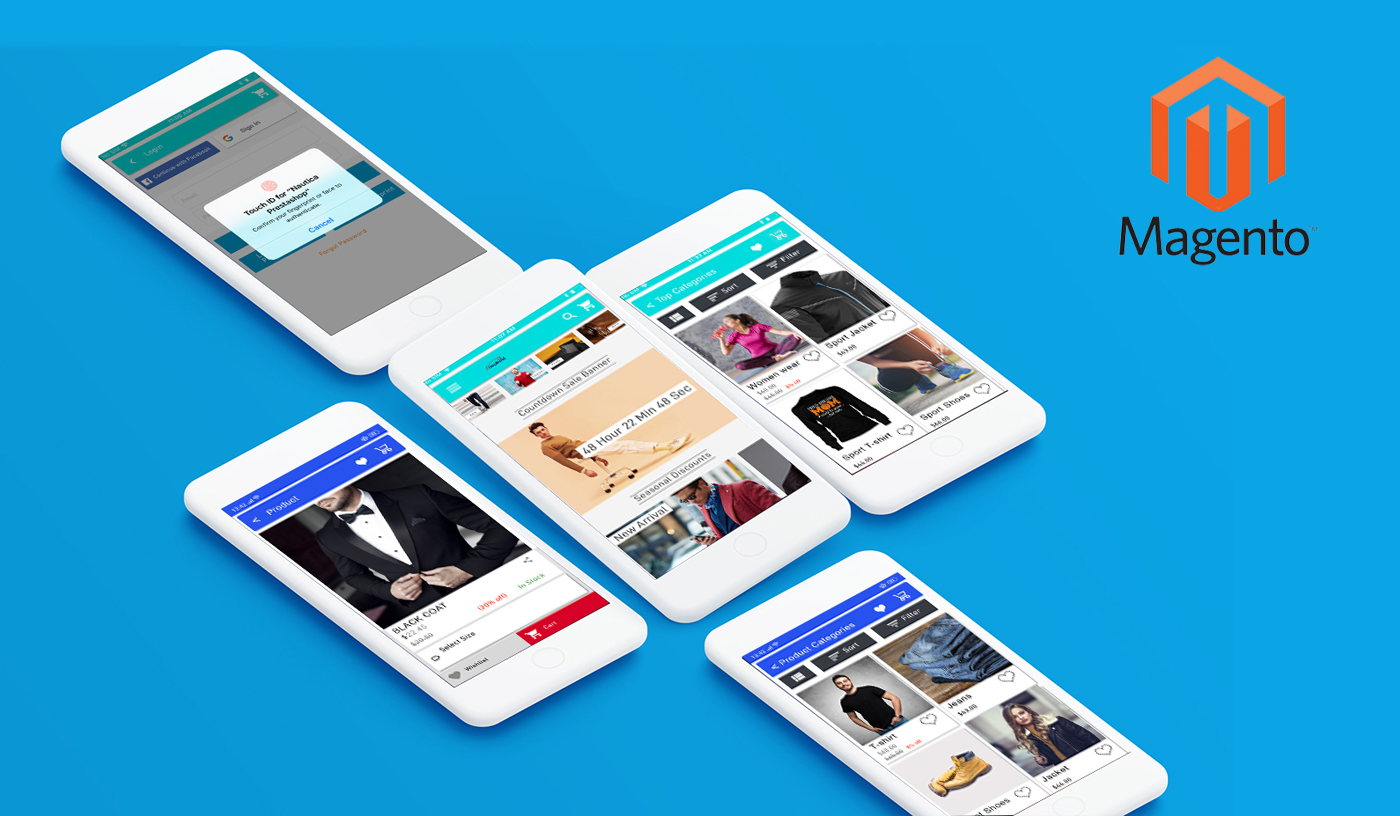
Magento Mobile App Builder extension transforms your Magento Website into a native mobile app for both Android & iOS.
The extension helps you with enhanced online shopping experience for your customers by reducing the hassle of visiting the website by typing its URL on the search engine. Magento Mobile App Builder makes it a one-click task.
It is a feature-packed extension that offers Home Page layout optimization, Social login, Fingerprint and OTP login, Zopim and WhatsApp Chat Support, Unlimited Push Notifications, Convenient Checkout, etc.
Apart from these, it lets you sync your website content into a mobile app in real-time and supports multiple shipping and payment methods.
So, launch a mobile app for your website and double your sales volume on this Black Friday. You can customize the look and feel of your mobile app by setting up a Black Friday theme.
Magento Gift Card extension adds a gift card section to your Magento website and lets you provide a range of gift cards to your customers. You can set up gift cards for multiple occasions like Birthday, Anniversary, Black Friday, Cyber Monday, etc.
The extension ends the customer’s time-consuming search for a perfect gift and helps them gift a desired/occasional gift card to their loved ones.
Digital Gift Cards have brought humongous sales for eCommerce merchants. You can expect higher sales too. Get the Magento Gift Card extension today.
Magento Abandoned Cart extension helps you recover your abandoned carts by sending follow-up reminders to the abandoned cart users.
You can set the duration after which the cart is assumed to be abandoned, and then send abandoned cart alerts to those users about the pending items in the cart. You can include the discount in your follow-up emails and encourage the prospects to complete the purchase.
Recover your lost sales on this Black Friday and scale-up your conversion graph. Though you cannot convert all abandoned carts, even a few conversions would make up for good revenue.
The extension allows you to send website notifications to your subscribers even if they are not present at your website and is supported for both mobile and desktop. (Subscriber here refers to the visitors who have approved to receive notifications)
With Magento Web Browser Push Notifications, you can announce abandoned cart alerts, product price alerts (drop in product price), Product back-in-stock alert, Order Status updates, etc.
Ask visitors to subscribe to alerts and make them grab their desired product instantly on your Black Friday sale.
Magento Affiliate and Referral Program extension adds an affiliate section on your Magento website and allows your visitors/customers to register as an affiliate partner.
Once registered, the user gets a commission for every successful referral; which can be a new user registration, order placement or both.
The extension encourages word-of-mouth marketing and boosts brand awareness. Run enticing offers and let your affiliates do the marketing for you for this Black Friday. It helps you acquire new customers and increases your sales.
While you would be capturing a huge number of orders on this Black Friday, there would surely be a few returns and it can get extremely difficult to manage them in the busy shopping hours. Avoid this headache with Magento Return Manager.
Magento Return Manager extension helps you manage your eCommerce returns conveniently. Apart from the usual refund and replacement choice, it offers store credits worth the product amount which a customer can utilize on his future purchases.
The extension speeds up your return process and helps you with improved customer loyalty and customer retention.
Mark your calendar for the coming holiday season. It is time to start preparing your ideas and strategies to capture more holiday sales this season. Online businesses are grabbing huge sales every year during the holiday season, and you should not miss it too.
If you own a Magento 2 store and wondering which Magento extensions you should focus on in this holiday season, here are the 7 Magento extensions that I highly recommend implementing on your Magento and Magento 2 store to capture holiday sales.
1. Magento Spin and Win
Magento Spin and Win makes it to the top in our list of Magento holiday extensions.
Though the Spin and Win popup majorly focuses on creating more user engagement and growing your email list by providing a gamified experience to customers, you can capture huge sales with it by making it more appealing in the coming holiday season.
Magento Spin and Win extension provides you with the option to design your popup for various occasions. It comes with pre-existing themes for Halloween, Christmas, New Year, etc. You can adjust the look and feel of your popup in accordance with the occasion.
A popup having a holiday theme will draw more user attention during the holiday season. People would be excited to spin the wheel and earn some offers and discounts.
With this approach, you would be able to catch the holiday spirit and grab more holiday sales. Not to forget your email list would witness a lot of new entries.
Enhance the online shopping experience of your customers by launching a mobile app for your Magento website.
Magento Mobile App Builder converts your website into a user-friendly mobile app (Android and iOS). Talking about its key features, it offers Real-time synchronization of the website into app, Home Page Layout Optimization, Fingerprint Login, Zopim and WhatsApp Chat support, Unlimited Push Notifications, All Product type support and much more.
If you are aiming for a high sales count in the coming holiday season, you should definitely go with this Magento extension.
The schedule is hectic during the holiday season and people do not get enough time to purchase a gift for their every close one. This is when Gift Cards make things easier. Gift cards are the best option for last-minute shoppers.
A digital gift card is a one-stop solution for those who do not want to feel the burden of choosing gifts and spending hours in the search for a perfect gift.
Magento Gift Card Manager comes up with multiple gift card templates like for Halloween, Christmas, New Year, etc. You can create your own gift card template to give it a festive touch. Occasion based Gift Cards capture huge eCommerce sales.
If you do not have the gift card functionality, set it up today to grab holiday sales in the coming season.
Social media has around 3.6 billion people user base and 1.69 out of which are registered users on Facebook. Share and win Magento extension for Facebook is the one that can help the e-merchant to offer a fixed or percentage-based discount if the customer shares the store product on their social media account. The customers will be receiving a coupon code if they share the store product on their Facebook wall or with a friend over Facebook messenger.
Thus, the offer encourages customers to promote store products without any extra efforts. This increases customer retention and brings new customers to the store. Facebook share and win for Magento and Magento 2 is one of the easiest ways to increase brand awareness.
If you are looking for a Magento extension which can help you doing cross-sell then the best strategy which can work will be showing related products to the customers. Magento’s Automatic Related Product extension helps to cross-sell the store’s other products. Depending upon the product view or purchase statistics, this extension displays relevant products.
With Automatic Related Product Plugin, Magento 2 store owner can highlight the best-selling or new arrival pieces. This plug-in improves the up-selling and cross-selling of items from the shop.
To know more about the features and benefits you can refer to the product page of Magento Automatic Related Products extension.
6. Magento Affiliate and Referral Program
The “Refer and Earn” scheme works the best during the holiday season. It is the time when people shop the most and look for the sites offering heavy discounts. Therefore, the referral program, in this case, brings more sales, if you ask your users to refer your Brand to other people.
Magento Affiliate and Referral Program extension allows users to register as an affiliate on your store. After successful registration, the affiliate partner can share your website link to his/her audience through a referral code, a referral link, or share it on social media or via email.
You can also assign vouchers to the affiliate partner. The affiliate can share that voucher code with his known people and ask them to use that code while they shop. After a successful order, the affiliate will receive the incentives as set by the store merchant.
The holiday season grabs countless orders, due to which customers face delays in the delivery. When the delay extends more than usual, it creates a sense of frustration among customers. This is where Magento store locator can prove beneficial for you as well as your customers.
Magento Store Locator extension allows you to display your store locations on the front end of your website. While purchasing a product, a customer can choose his nearest store and pick up the order when it reaches the location, to avoid late delivery.
People expect to receive the product as fast as possible during the holiday season. You can save their important time by implementing the store locator extension on your Magento store. The pickup facility will surely mark a change in your holiday sales graph.
Have any doubt in any of the Magento extensions? Feel free to ask by dropping a comment below or you can mail us your query at support@knowband.com
I hope these Magento extensions for the holiday season provide a big boost to your online business. You can look out for some more Magento extensions in our store.
Introduction to Magento Spin and Win(Email Subscription) Extension
Knowband’s Magento Spin and Win (email subscription) extension takes the opportunity of the customer interaction to its maximum potential. The seemingly easy task of retaining the customers is actually the biggest challenge in the eCommerce scenario. Highly responsive and interactive spin and win pop-up makes this tedious job easier for the sellers and fun-filled for the customers. Without boring them with the annoying subscriber notification, the exit-intent popup compels the customers to enter their email id in order to spin the wheel. The gamified interface in return provides alluring offers to the customers which can be further used for shopping from the site. The addictive lucky draw contest lures the visitors to visit the site again and again.
The Extension is a 3 in 1 pop up:
a. Entry Pop up: Display the pop up as soon as the visitor enters the website.
b. Exit Pop up: Display the pop up as soon the visitor tries to leave the website (The extension works on the exit intent of the visitors)
c. Email subscription pop up: The Interactive extension is used to capture emails for newsletter subscription. The email Id entered in the Subscription pop up is directly integrated with the Mail Chimp and Klaviyo account of the Magento store admin.
1.1 Merchant Benefits
Increased customer engagement on your store using interactive gamified interface.
Increased customer base by capturing email Ids for Newsletter subscription, which can be later used for personalized promotions and email marketing.
High Impact on direct sales and ensures returning customers
Turns normal visitors into potential buyers
Fully customizable Email subscription pop up
Offers detailed reporting.
Intuitive back end interface, which is easy to understand and configure.
New attractive themes for spin and win popup helps merchant in drawing the attention of the visitors.
1.2 Features of Magento Spin and Win-Email Subscription extension
1. Lets your customer spin the wheel and win discounts using a fun filled spin-win game.
2. Responsive Exit pop up, Entry pop up or Email Subscription pop up
3. It is a great tool to enhance customer base as the customer has to enter their email Ids to get the discounts.
4. The Interactive email subscription pop up converts normal visitors into potential buyers by offering a complete new way to offer discounts.
5. This Exit pop up extension is fully customizable, you can match it with your website theme.
6. Offers 5 Ready-made email templates, Magento store admin can customize them further.
7. Offers Mail Chimp and Klaviyo Integration
8. Look and Feel settings to set spin and win pop up background color, font and button color, Display Image, etc.
9. Customize the email subscription pop up using Custom CSS and JS.
10. Email Recheck option to restrict the use of same email Id to get discounts multiple times.
11. Pull Out Tab facility to close the Spin and Win subscription pop up.
12. Choose whom to display, where and when to display, maximum display frequency of the Spin and win (email subscription) pop up
13. Option to display the pop up on Category page, Home page, Product page etc.
14. Option to set the discounts on each slice and the probability of each slice.
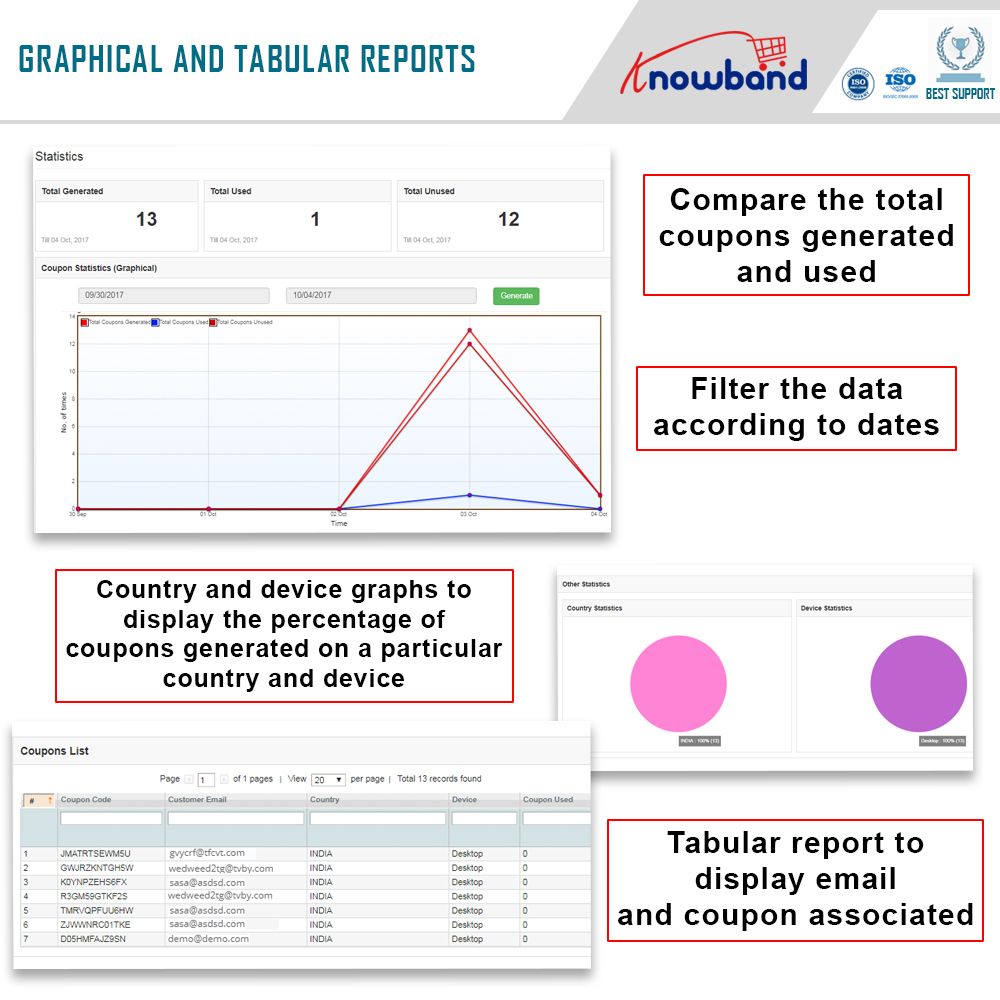
15. Check the performance of the interactive spin and win pop up by comparing the total generated vs used coupons using interactive graphical reports and tabular reports.
16. Intuitive back end interface.
17. Desktop, Mobile and Tablet responsive design
18. Multi lingual supported
19. Magento Spin and Win is Compatible with all themes.
1.3 Installation of Magento Spin and Win-Email subscription pop up extension:
Follow the simple steps in order to install the Magento Spin and Win Extension:
You’ll get a zipped file. Unzip the package on the root folder of your Magento setup via FTP manager (like Filezilla or WinSCP – download here: https://filezilla-project.org/). You’ll find the files and folders as shown in the image below:
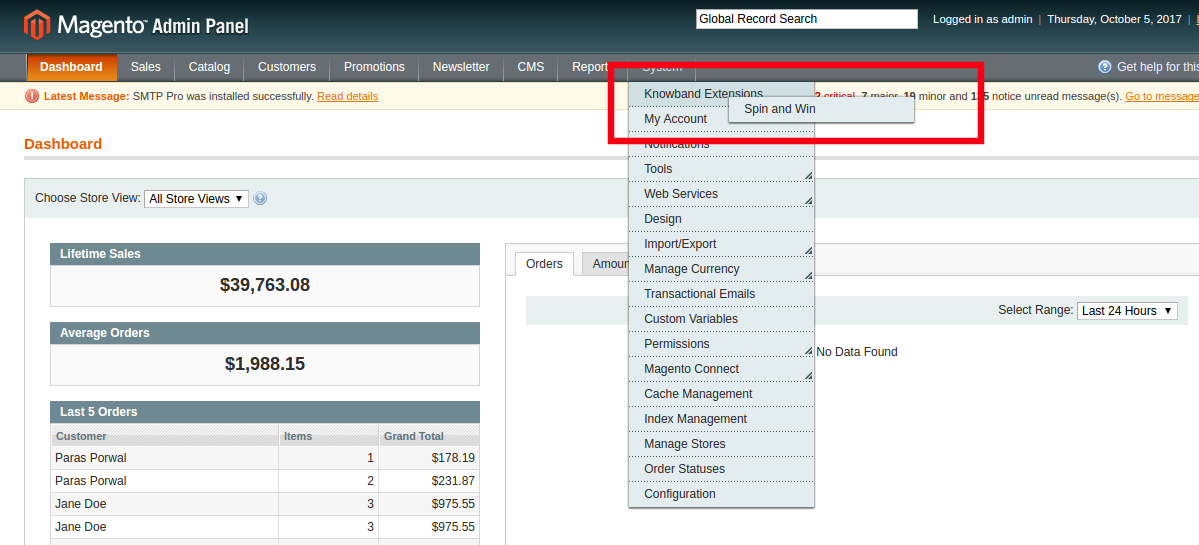
The extension is now installed and ready for use. In Admin Panel, go to “System > Knowband Extensions > Ajax Spin and Win”.
You can now use and configure the extension.
Admin Interface
The web admin interface of highly responsive Magento Wheelio offers complete customization option to the store admin. The various features and functionalities offered by the extension can be modified from the admin panel. Some of the customization options offered by the plugin includes the following:
General settings
Display settings
Look and feel settings
Slice settings
Email marketing
Email settings
Statistics
Let us discuss the various customization options which are discussed in detail.
General Settings
The General settings offer a number of customization options. The various fields in this tab are discussed below.
1.2.1.1How to enable and configure the extension?
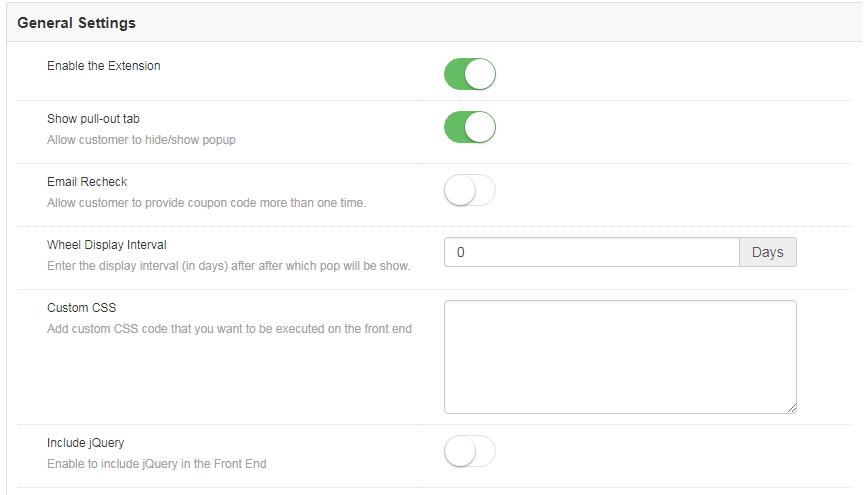
Enable the extension
The various customization options include enabling or disabling the plugin as well. The admin can switch the button to enable the extension on the Magento store.
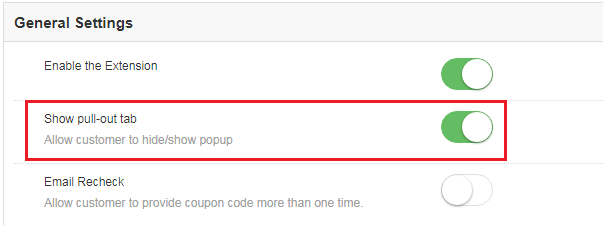
Show Pull-out tab
The site visitors can remove the spin wheel from the screen of the website by clicking on the ‘No I do not feel lucky’ button.
Magento Spin and Win wheel can be brought back to the screen if this option is enabled.
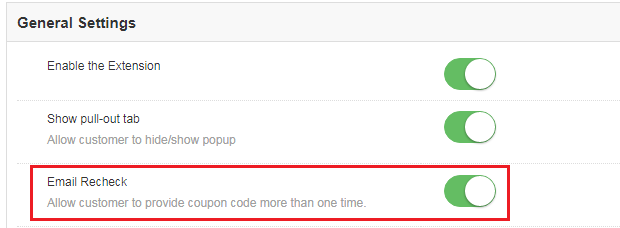
Email Recheck
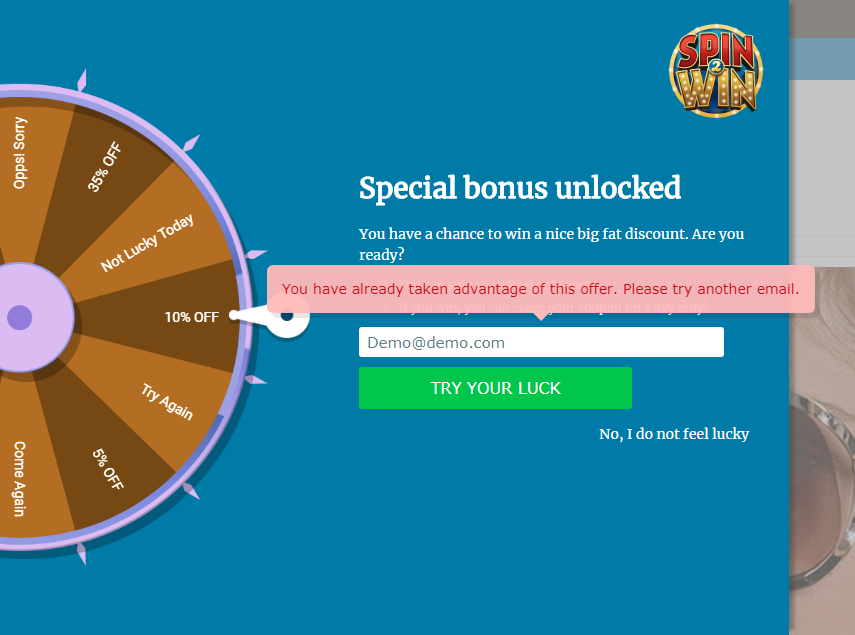
Magento Spin and Win can check the duplicity of email ids entered in the Email subscription pop-up by enabling this option. Once this is enabled, the store visitors can spin the wheel only once with a single email id.
This makes sure that one email id can avail the offer only once. In case the same id is used to spin the wheel twice, then, the extension will flash a message as shown in the image below.
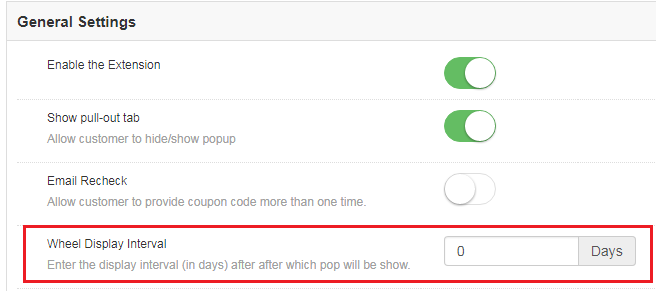
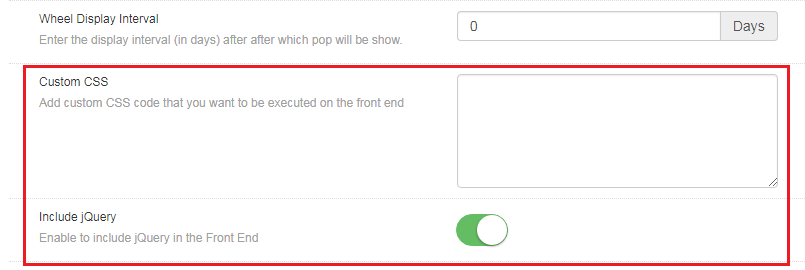
Wheel Display Interval
This field allows the Magento store admin to set the number of days after which the pop-up will be shown on the website. By default, it is set to 0.
Custom CSS
Magento store admin gets to change the look and feel of the Magento extension by including Custom CSS code in this section.
Include jQuery
Magento store admin can enable the JQuery in the front end by enabling this button. This option allows him/her to include jQuery in the extension.
Display Setting
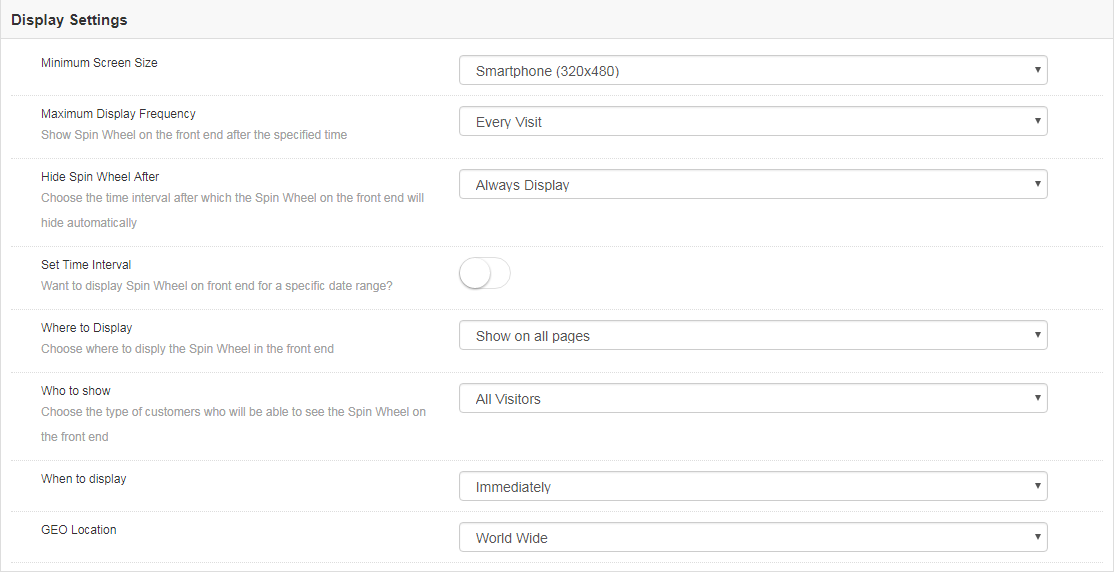
This tab allows the Magento store admin to change the display settings of the interactive pop-up shown in the front-end of the eCommerce site.
The various customization options are discussed in detail below:
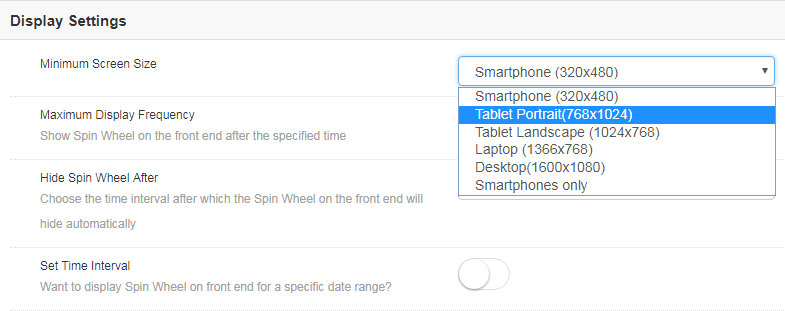
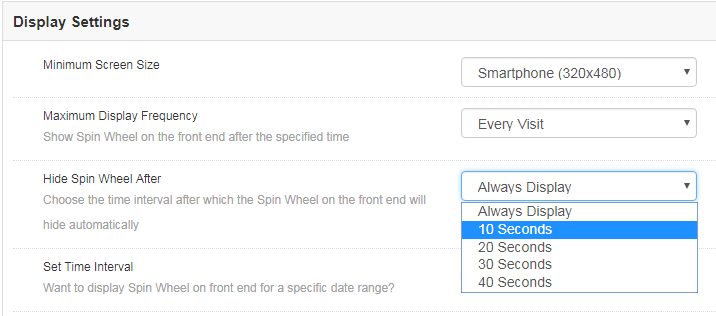
Minimum Screen Size
This tab can help you set the minimum standard size of the screen with which the extension will be compatible. Select the minimum screen size and the extension will flawlessly work on any size larger than the one selected.
The admin gets to choose from a number of options in the drop-down list. All he needs to is to select the one that he finds suitable.
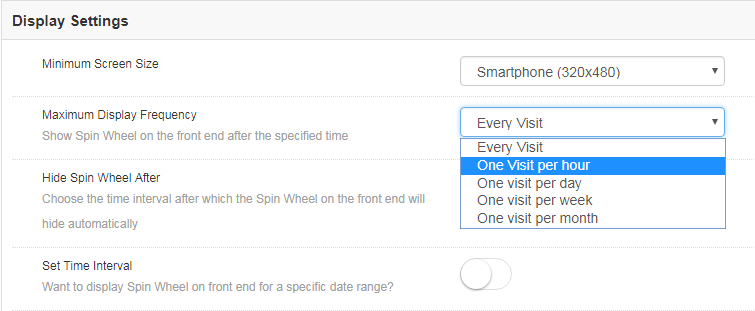
Maximum Display Frequency
You can even select the maximum frequency of the email subscriptiondisplay. The admin gets to choose from the varied options in the list. You can either allow the wheelio to pop-up on every visit of the customer or else, you can set it’s display on hourly, weekly or monthly basis.
Hide Spin Wheel After
Along with the display option, the store admin gets an option to hide the spin wheel as well. Magneto store admin can either display the wheel all through the customer’s visit unless it is manually removed by the customers. The merchant can even set the time after which it will be removed from the web page.
Set Time Interval
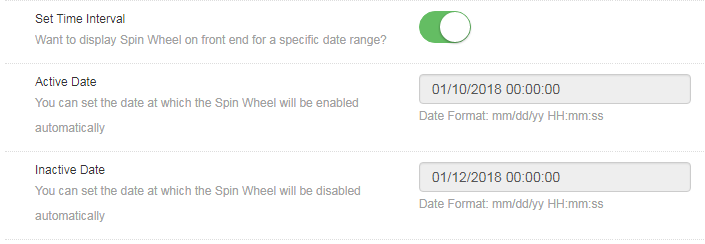
Do you want to display the gamified pop-up for a certain time? This tab allows you to set the duration when you want display or hide the email subscription pop up. All you need to do is to enable the button shown in the image below.
Once it is enabled, you will get an option to set the time and date of the duration when you want the spin wheel to be enabled or disabled on the front-end.
Enter the date in the prescribed format, that is, mm/dd/yy as well as the time in both the sections. The Exit intent pop up will be displayed only in between the duration set.
Where to Display
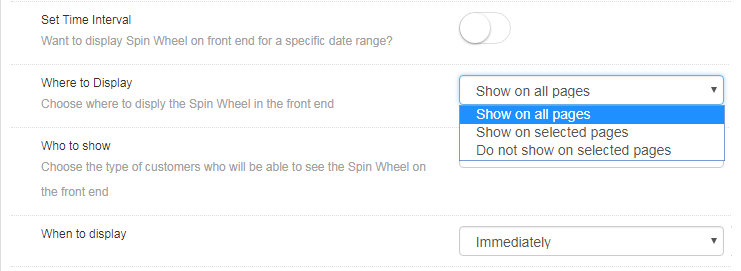
The entry and exit pop-up can be displayed anywhere in the website. No code changes are required to be done for the same. All the admin needs to do is to select the web page where he wants this spin and win extension to show up.
By default, the ‘Try your Luck’ wheel will be shown on every page of the website. However, if the admin wants to display it on a particular page only, he can choose ‘Show on selected pages’. The admin will then get an option to choose the pages where he wants to flash this email subscription pop-up.
Who to Show
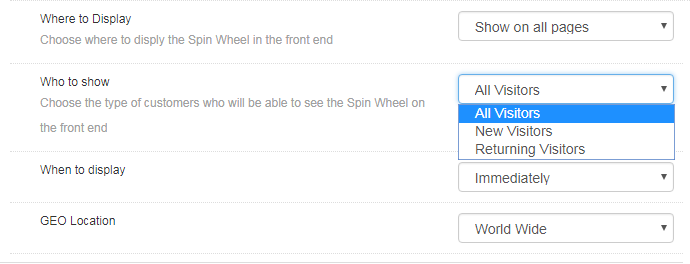
Choose your target audience whom you want to avail the coupons offered by the spin the wheel extension. You can either show the wheel to all the visitors, or to the new visitors or to the customers who are visiting your site again.
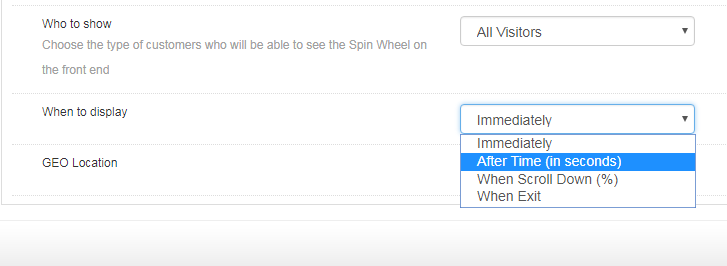
When to Display
Choose the time which you think is feasible for displaying the wheel by selecting one from the options shown in this tab.
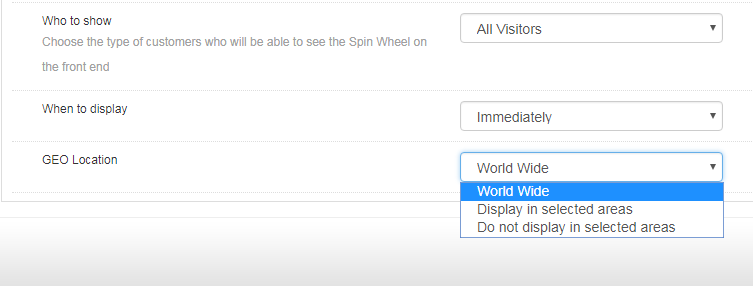
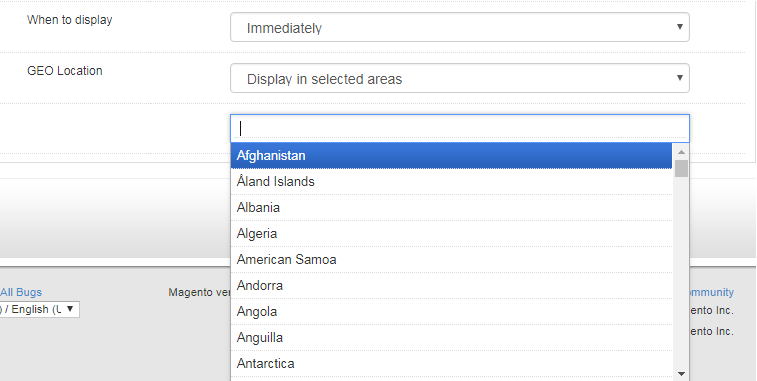
GEO Location
The admin can even select the GEO location in which he wants to display the pop-up.
Selecting the default option of worldwide will allow to display the extension at every places where the website is being viewed. In case, you want to display or do not want to display it at a particular location, then, you can select the place as shown in the image below.
Look and Feel Settings
Along with the various customization options, the web admin panel allows to change the look and feel of the entire Magento email subscription pop-up.
1.2.3.1 How to change the look of the spin wheel?
Here are some of the ways in which you can change the look and feel of the spin and win(Exit Intent pop up) extension.
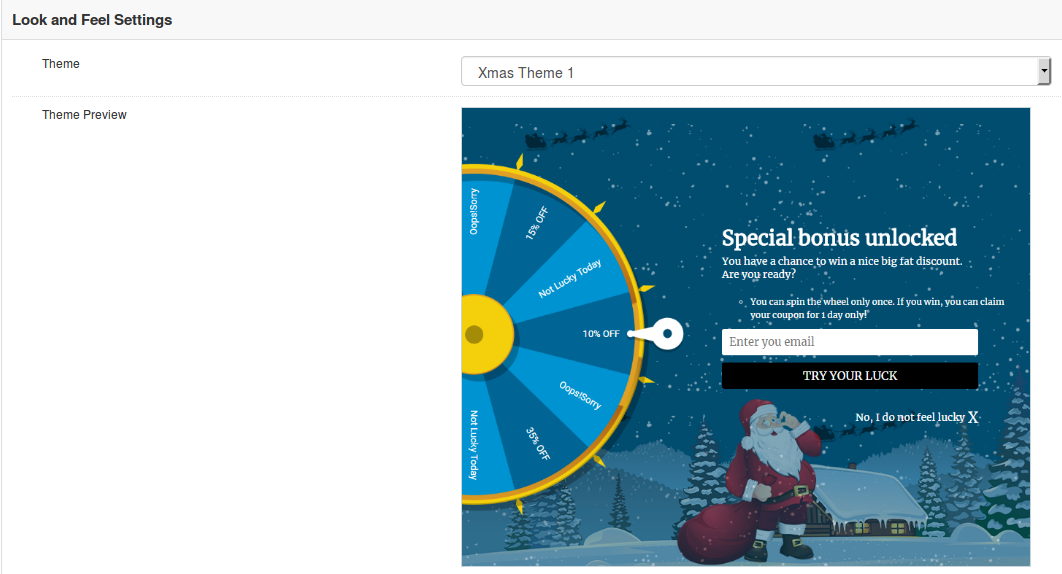
Theme: Admin can select a desired theme for the spin and win email subscription popup based on different occassions like Thanksgiving, Easter, Black Friday, Christmas etc
Theme Preview: Using this option of Magento Spin and Win module, you can preview a template before applying the final changes to your website.
Display image
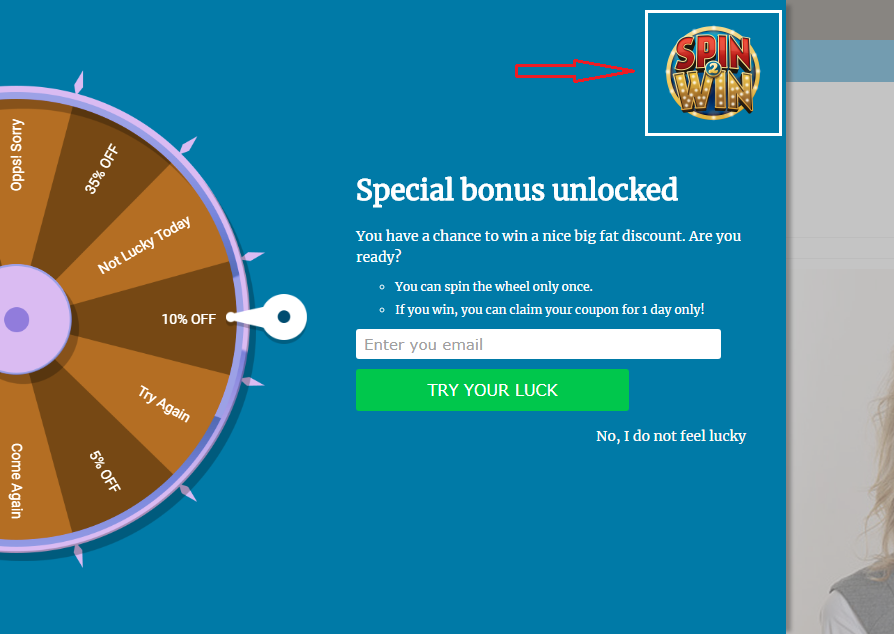
Magento spin and win extension allows the store owner to show an image on the spin wheel. The image can enabled by switching the button as shown below.
Not just this, the admin can even change the image as per the requirement by choosing it from the local drive.
The image selected at the back end of the extension will be shown in the front end.
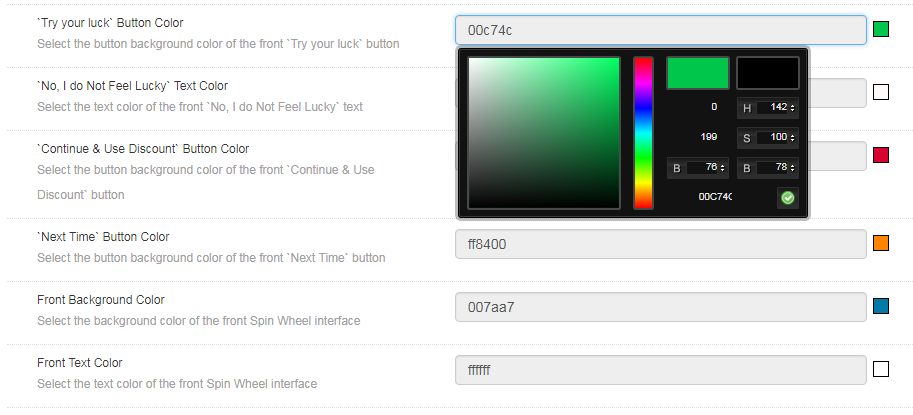
Background and Font Colors
The Responsive Email subscription pop up extension offers a completely customizable interface. Right from the background color of the wheel to the color of the slices as well as font color, everything can be changed by selecting the color that suits the theme of your website.
‘Try your luck’ button color: This can change the font color of the button that is clicked before spinning the wheel.
‘No, I do not Feel Lucky’ color: Change the font color of the button by selecting the shade from here.
‘Continue & Use Discount’ and ‘Next Time’ button color: Select the color of this button in accordance with the color of the background.
Front Background Color: Select the background color of the front interface of the spin wheel from here.
Front Text Color: The font color of the text displayed on the interface can be changed from here.
Slice Settings
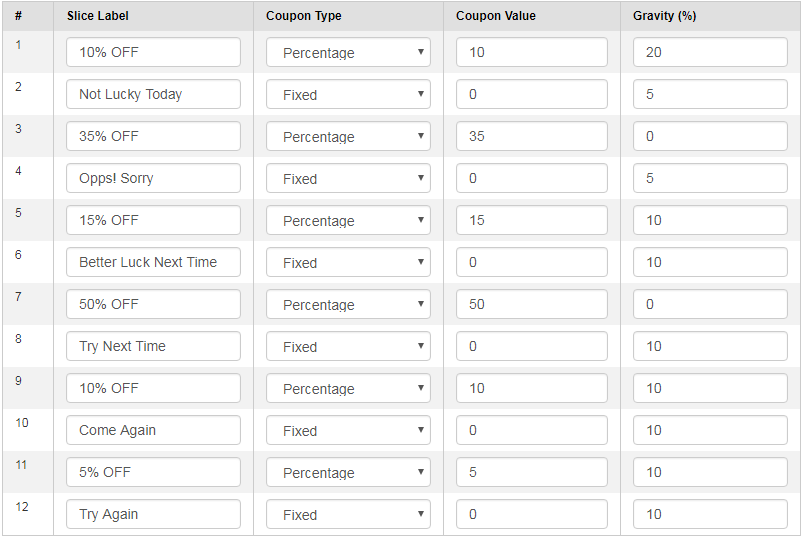
Not just the look and feel of the spin wheel, even the slices of the wheel can be changed and customized as per the need of the Magento store admin. There are 12 slices offered in the admin panel by default. The discounts offered, the label of the slice, the coupon type as well as the value coupon.
In addition, the possibility of a particular slice being selected after the spin can be set as well. Enter the desired value in the Gravity column accordingly. This value cannot be greater than 100 or less than 1. Moreover, the sum of the value of all the 12 slices should not exceed 100.
Email Marketing
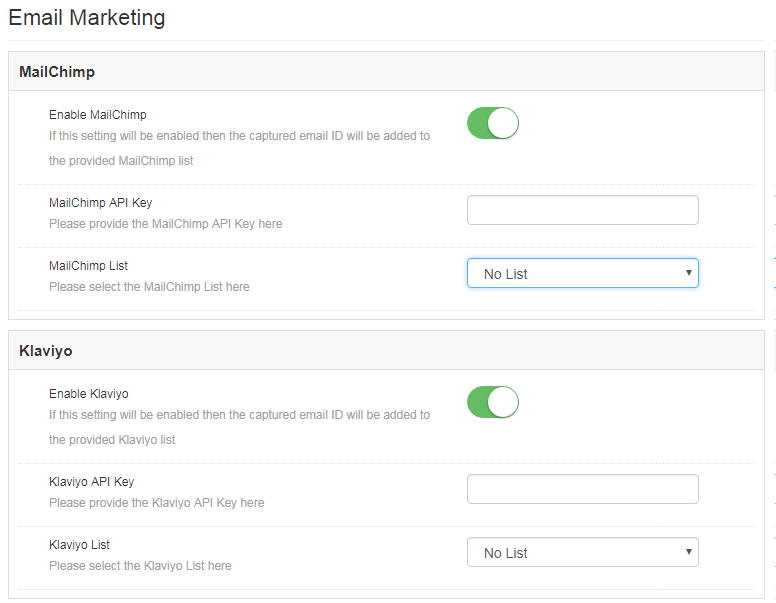
The Spin and Win extension has an inbuilt email integrator. The email ids of the store visitors captured by the plugin is automatically added to the MailChimp, Klaviyo accounts of the Magento store owner. Reducing the effort and time consumed in manual synchronization, the Magento email integrator makes email marketing easier for the merchants.
All you need to do to enable this functionality is, enter the API Key of your account, select the list of the email ids that you want to synchronize and your job is done. You are now ready to send promotional triggers in order to compel your customers to visit your store back.
Email Settings
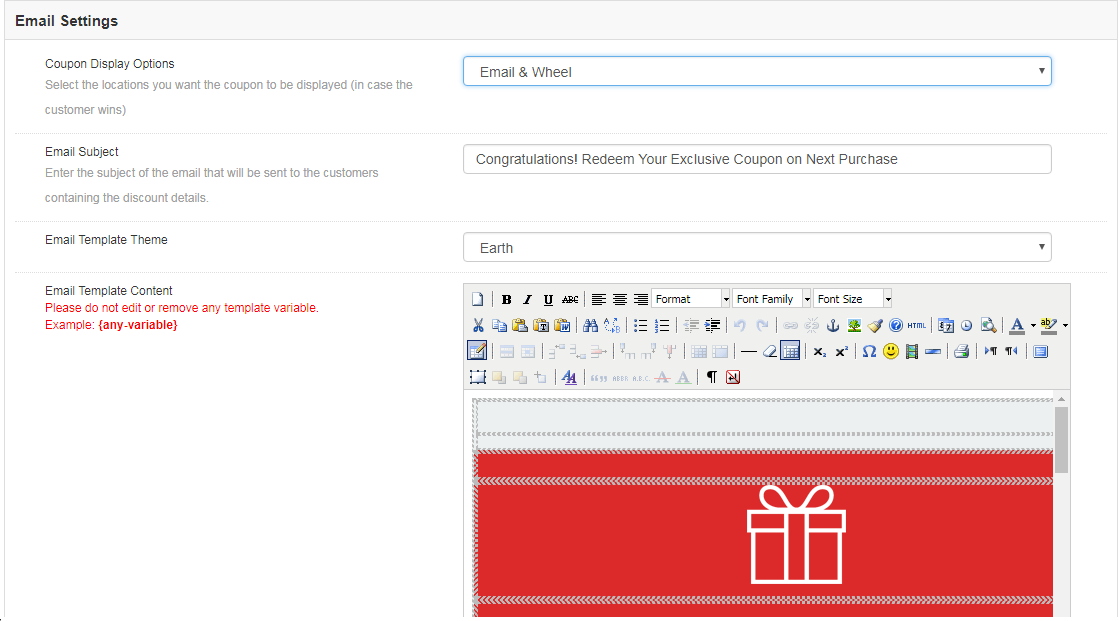
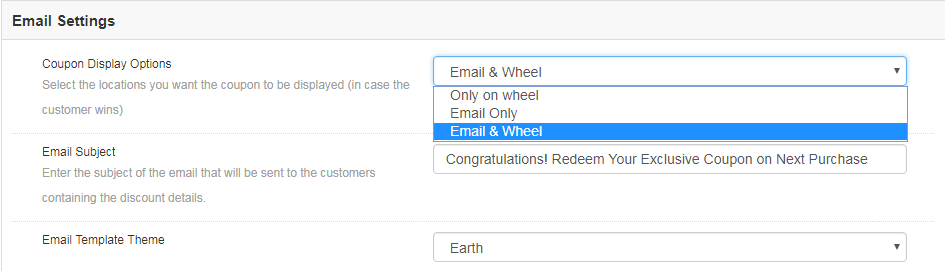
The coupon generated by the spin wheel can be copied directly from the wheel and used for shopping. At the same time, the coupons can be sent to the customers via email notification. It depends on the admin. He can choose the Coupon Display Option that suits his business model best.
Instead of setting the subject line manually for every mail, you can directly change it from the admin panel and set it for each and every email that is to be send to the customers.
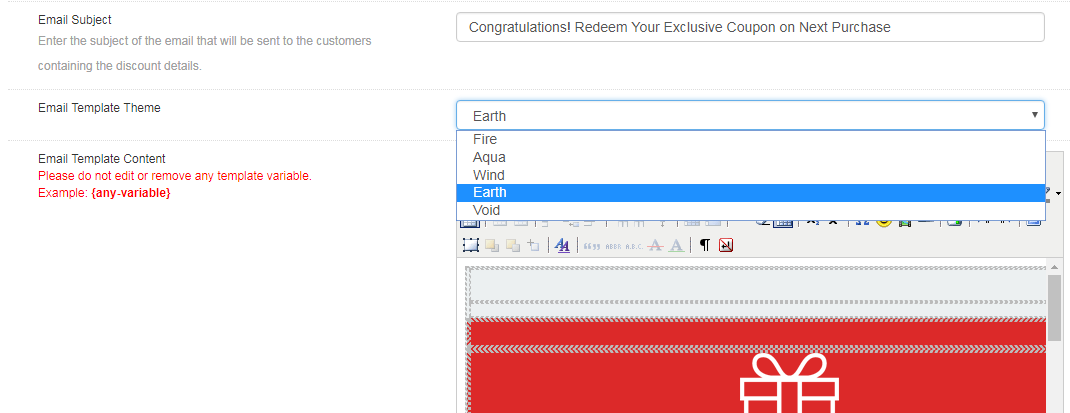
The email integrator comes with a bundle of email templates. The store admin can choose the one that he finds attractive, personalize it as per the need and send it to the prospective customers.
Statistics
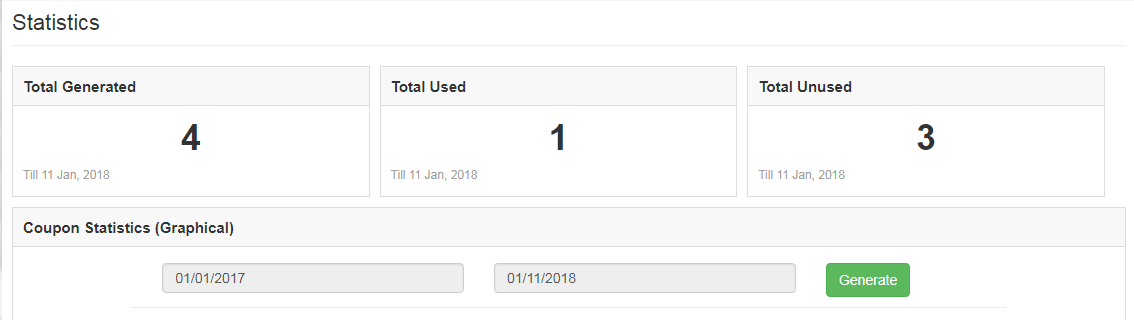
Magento Spin and win extension offers the statistical report of the number of coupons that are generated along with the number of coupons that were used and the ones that were left unused.
The same report is generated in tabular as well as in the graphical format. The report can be filtered by selecting the dates.
This tab even generates country-wise statistics. Along with this, it offers the insight whether the coupon was generated on the desktop computers or on any other device.
Store Front-end
Once Spin and Win extension is enabled, the interactive pop-up will show up in the front end of the eCommerce store.
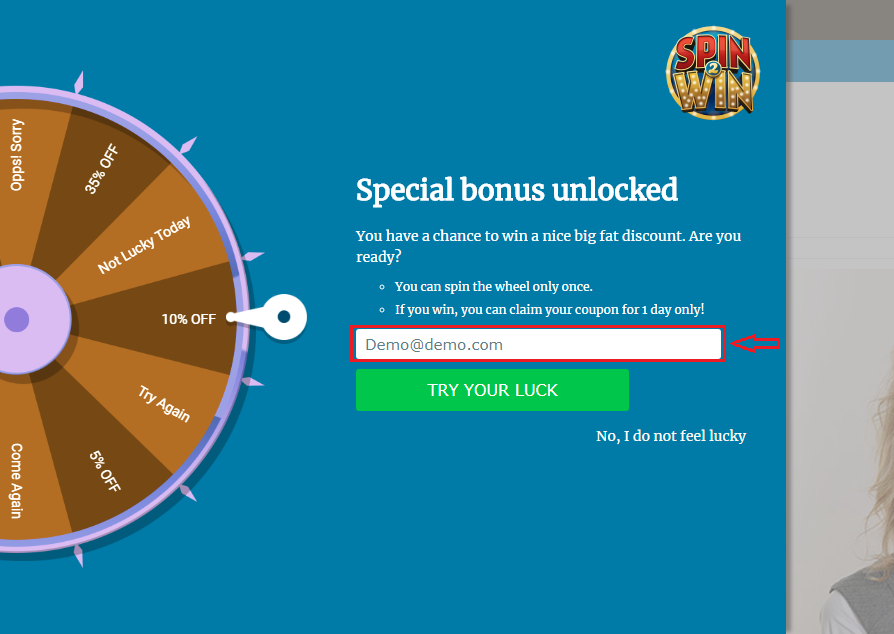
The store visitors can spin the wheel by entering their email ids. Thus, you need not stick to the annoying exit pop-ups in order to get the personal data of the customers. You can effortlessly lure them by offering enticing giveaways in return of spinning the wheel.
The coupon will be generated automatically once the wheel spins. The customer can then avail the offer by copying the code.
The same code can even be conveyed to the customers via email notification.
Disclaimer: In case the “Spin and Win” wheel popup does not display at the front, kindly clear the cache or delete the cookies. Sometimes cookies prevent the popup from displaying at front.