Whenever an eCommerce business decides to build a mobile application for themselves, the first few things that come to their consideration is app designing, development & deployment. To make a feature-rich & customer-centric Magento mobile app, all these factors must be expertly handled.
This can make the app-building project quite expensive, especially for eCommerce businesses. Fortunately, businesses with their website built on Magento don’t have to worry about any of these. All of the steps i.e. development, design & deployment is collectively offered by a Magento Native App Builder extension developed by KnowBand.
This extension is a non-coding solution that can automatically create your own Magento Mobile App (APK/IPA files) using your own Magento website. It is very affordable for store owners as it costs only $169. Apart from that, store owners are also offered a free 3-month support period.
Using an app builder extension for building & launching an app is the latest trend. This Magento Mobile App Maker plugin is a secure & reliable approach that provides you with great user-end as well as backend features. Building a native Magento mobile app using such an app builder extension is easy for even a non-tech savvy person. Mentioned below are its 3 simple steps.
Quick Steps To Build & Launch A Magento Mobile App:
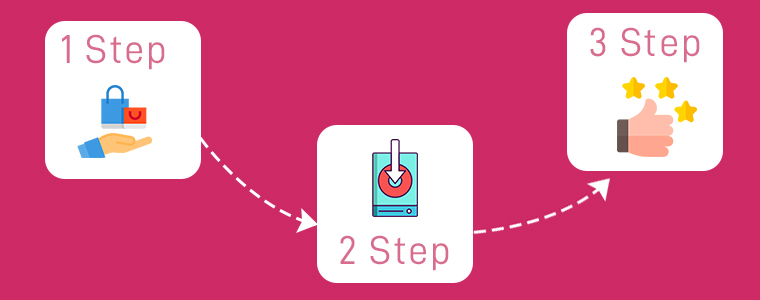
Step 1: Purchase the Magento Mobile App Maker extension from the KnowBand.
Step 2: Install the downloaded extension & install it on your Magento website. Then, simply fill the app pre-requisite form provided by KnowBand.
Step 3: Review your app & get it published on Google Play Store/Apple App Store.
If you want to test out this extension before purchasing, you can download its free version from the KnowBand Store & use it to design your demo app.
Highlighted Features Of Magento Mobile App Builder:
1. Unlimited Push Notifications:
Store owners are provided with an unlimited number of push notifications. They don’t need to worry about any such limitations. Some of these notifications can even be automated & scheduled such as the abandoned cart message, order status messages.
2. Home-Page Customization:
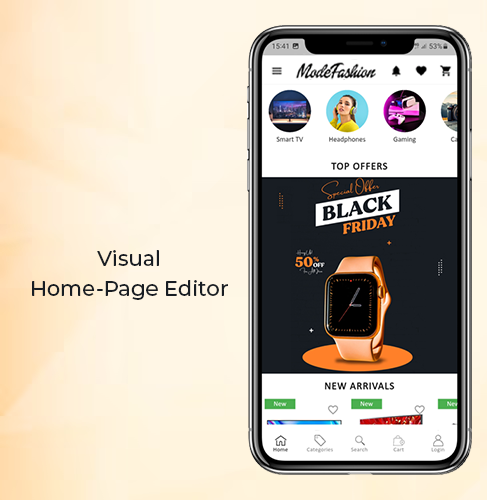
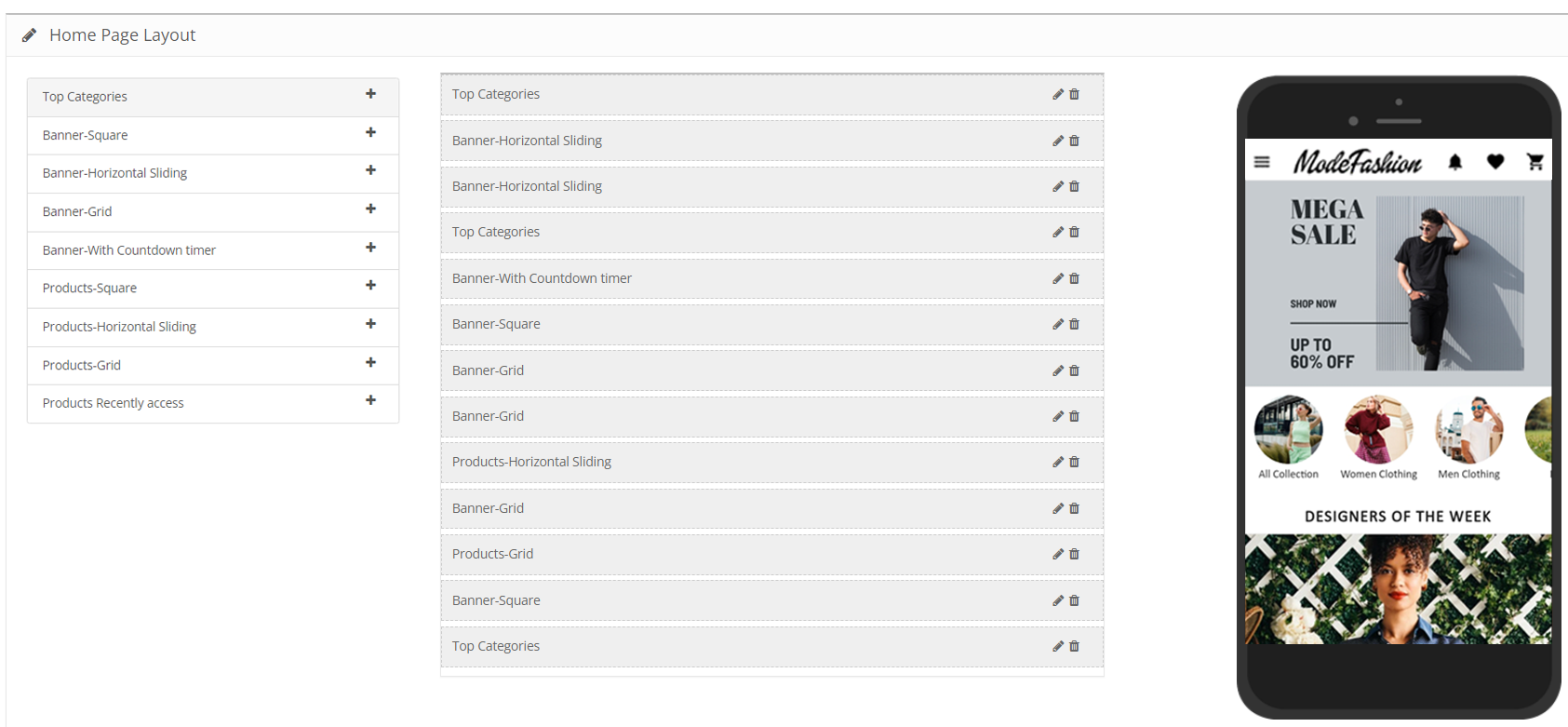
The complete home-page can be edited live using the visual home-page editor in the backend settings. Store owners can add interactive banners, sliders, countdown timer sale banners, etc all with just a few simple clicks & drag-&-drops.
3. Fully Customizable App:
This Magento app maker extension builds apps that are fully customizable. All of the customizations can be made easily from the backend of this extension. All of the at-a-glance features listed below are totally customizable. Store owners & admins can also take any sort of assistance from the experts at KnowBand. The possibilities with this extension are endless.
4. Deep Linking:
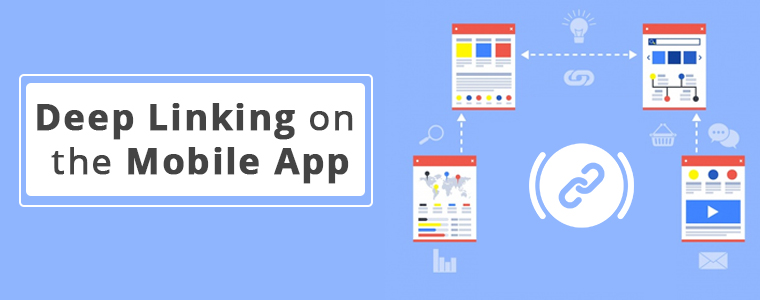
Deep linking is the latest feature addition with this app builder plugin. It effortlessly brings your mobile site visitors to the equivalent page on your Magento mobile app. For such a case, your app must be already available on users’ devices. This helps to boost the user retention rate of your app.
5. Multi-lingual & Multi-Currency Support:
With this extension, your native Magento Mobile App would by default support multiple languages (including RTL scripts and languages) & currencies.
6. WhatsApp & Zopim Chat Support:
Two of the popular chat support platforms are integrated with your app using this extension. These are WhatsApp & Zopim Chat Support. Its sticky icons are present on the lower end Magento App. You can even enable/disable them from the backend if required.
7. Social Sharing & Social/Fingerprint Login:
Login & sharing is made easier for your app users. They can log in to your app using their Facebook/ Google accounts. Also, multiple social sharing options are also integrated with the app by default. App users can share any product on whichever platform they want. OTP(Phone Number) and Fingerprint login will be available in mobile apps.
8. Shipment & Payments:
All of the payment & shipping methods active on your Magento website are by default supported & active on the mobile app as well. Admins can even deselect a few particular options on the app if they wish.
9. Real-Time Synchronization:
Because this extension derives a native mobile app right from your Magento website, all the data on both your app & site are in real-time synchronization with each other. This also keeps the catalog management automatic.
Conclusion:
The popularity of mobile apps has been growing among netizens. Almost every eCommerce business is taking a step towards having a mobile app with all the latest features. With smart & affordable solutions such as this Magento Mobile App Builder, it only a matter of a couple of days to get the Magento app up & running.
Feel free to check out its demo version & its feature-list as it is packed with a lot more than the ones described in this write-up. For any queries or consultation, email us at support@knowband.com. We would be more than delighted to assist you.
In the last few years, eCommerce has completely changed the way people shop for things. Since smartphones became a necessity for everyone across the globe, eCommerce Apps have become widely used apps for both android & iOS users.
From expensive gadgets to software to everyday groceries, various eCommerce apps are available for almost every kind of product. Speaking of grocery shopping apps, more customers have switched to ordering their groceries online in just the past 5 years.
Groceries are something that customers buy very frequently i.e. at least once or twice a week. For such cases, eCommerce grocery shopping apps have been thriving. It is not only profitable for businesses but also for the customers in more than a hundred ways.
Some of the well-known grocery apps are Walmart, BigBasket, Flipkart, InstaCart.
Benefits Of Grocery Shopping Apps Over Brick & Mortar Stores:
1. Time Saving & Convenient:
With mobile apps, customers don’t need to worry about strolling heavyweight grocery carts & standing in a queue for the billing process. They don’t need to indulge in such time-consuming & hectic activities on an eCommerce grocery app. All tasks can be handled with just a few clicks when they opt for grocery shopping apps.
2. Booking Out-Of-Stock Product In Advance:
If a product is out of stock, e-shoppers can either book that product in advance or mark themselves in for notifications when it comes back in stock or saves it in their wishlist. The eCommerce grocery store owners can allow them to pre-order the sold-out stocks & they can also utilize automated push notifications to notify the customers when their products come back in stock. Push Notifications are a great perk of Native Mobile Apps.
3. Recurring & Scheduled Orders:
When it comes to grocery shopping, there are certain products that consumers need repeatedly throughout the week or month or even daily. With eCommerce grocery apps, customers can subscribe for recurring orders, for example, an order for certain fruits every 4 days. Also, the customer is provided with fresh products every time they receive their order. This further eases the task of manually ordering the same products every few days.
4. Secure Payments Options:
Customers can opt for their choice of payment methods or even the pay-on-delivery option. Most of the online payment gateways are secure, especially with eCommerce mobile apps.
5. Special Offers & Loyalty Programs:
Customers can utilize various promotional offers, coupons/ vouchers, etc. Online grocery businesses can make the best out of their services by providing personalized suggestions & running loyalty programs.
Check our loyalty points extension from here. The same can be made compatible with apps, read from here.
6. Improved Marketing Opportunities:
Apps provide personalized and streamlined experiences and even keeps the app users engaged once they walk out after successful order placements. With the Push Notification feature provided with apps, store owners can effortlessly offer personalized services and deals to each customer.
Based on the users’ data, their browsing pattern, wishlist, and purchase pattern, store owners can make effective marketing campaigns digitally to further boost their business. The possibilities are endless with mobile apps.
Different Types Of Grocery Apps that Can Be Developed:
1. Single Store App:
This kind of app is handled by a single company. They are responsible for carrying out every task i.e. Inventory management, taking orders, taking payments via payment gateways (/ pay-on-delivery options) & most importantly delivering (using their own fleet, in case of groceries). These could even be a proprietorship business.
If you’re an eCommerce store owner and looking for native apps (Android and iOS):
A very popular example of this is Walmart. Customers can place small scale grocery orders on their on-request platform. The Walmart Store, usually nearest to the app users, delivers the orders right at their doorstep.
3. Aggregators:
These grocery apps list multiple markets on their app & the ones near to specific app users are presented to them. App users can choose among them & place the order to their choice of supermarkets near to them. The supermart that receives the order can then quickly pack & ship the ordered groceries either via their own fleet or utilize the fleet provided by the grocery app company (if it provides any). The company that owns the aggregator type grocery app is a mediator in this case.
4. Marketplace:
These kinds of apps may be owned by a commercial center. Through a retail mobility arrangement, a marketplace app owner may have their own network of fleet/ delivery personals to handle deliveries.
Out of these types of grocery apps mentioned above, some may deliver the orders on the same day, some within a single hour & some may schedule the orders 1 to 2 days from ordering. But in all the cases, the customers are provided with fresh groceries dispatched mostly on the same day. This is very important for businesses with grocery apps to maintain the quality of the products they are delivering.
We do offer a combo pack of Multi-vendor Marketplace and Mobile App Builder for various eCommerce platforms:
Ease Of Building And Managing An eCommerce Grocery Shopping App:
With the advancement in technology, it is way easier and faster than ever to build an eCommerce mobile. In fact, store owners can even choose which type of an app they would wanna build – Native, PWA, Hybrid.
Store owners willing to go mobile can simply opt for popular & trusted eCommerce platforms like Magento, PrestaShop, OpenCart, etc. to build their mobile apps in just a matter of a few weeks. These platforms are automated CMS and do not require coding from scratch.
For businesses that currently have their eCommerce website up & running, it is a smarter move to automatically build their grocery shopping mobile app from their own website using an extension i.e. the eCommerce Mobile App Builder. It is a lot easier with the eCommerce Mobile App Maker plugins developed by KnowBand, a leading eCommerce solution provider.
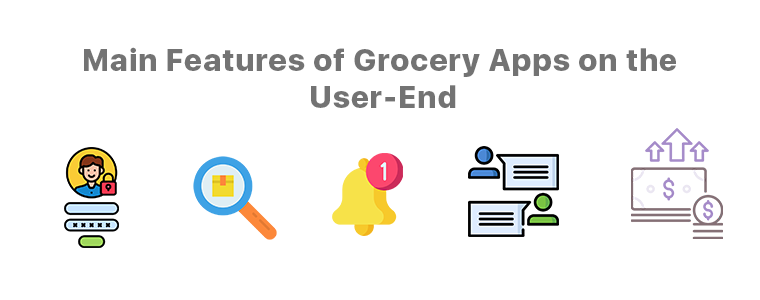
Main Features of Grocery Apps on the User-End:
1. Quick Logins/ Signups:
App users are so used to easy onboarding steps these days that time-consuming steps like manual logins are not a pleasant thing anymore. The eCommerce Mobile App Maker extensions by KnowBand provides the store owners with social login/ signup options using Google / Facebook accounts just via a click. It even offers fingerprint authentication. App users can choose the options they like.
2. Smarter Search Methods:
This app creator extension also provides searching via voice commands. The app would hence utilize the microphone of users’ devices to allow then to perform voice search right from the grocery app.
3. Featured Products:
E-merchants have the benefit of having certain products marked as featured on the app, for instance, ‘bestseller’, ‘top-rated’, etc. It is highly useful for app users as well.
4. Push Notifications:
These notifications are the most useful things both for the app users as well as the app owners. Push Notifications are popup messages that get sent directly to app users’ devices. They have proven their worth in retaining the app users & improving sales.
Some of the common ones are for successful orders, order status & the abandoned cart notifications. App owners can create/ schedule these notifications with relevant redirects (when a user clicks it), with catchy title & message & even a graphic. Creating, sending & managing is very convenient for store owners/admins from the backend of the eCommerce Mobile App Builder developed by the KnowBand team.
5. Chat Support:
This plugin also provides Whatsapp & Zopim Chat Support by default. App users can make their queries & interact with the chat support team of the grocery app company.
6. Secure Payment Gateways:
App users must be provided with secure payment methods. Store owners must choose the right payment gateway as per the location of the audiences, the availability of a particular payment gateway service provider & the services/ charges they have.
Features for Admin & Grocery Store Owners:
1. Simplified Backend:
The backend dashboard of this eCommerce Mobile App Builder is highly convenient/ easy yet very efficient for the app admins. There is no need for coding with these. The visual & interactive dashboard allows quick edits & configurations that instantly reflect on the app.
2. Real-Time Sync & Catalog Management:
If you do own a grocery shopping website & if you want to build an app out of it, then this app maker plugin keeps both the site & the app in real-time sync with each other. This also keeps the catalog management automatic for the app admins.
3. DIY Home-Page Customizations:
Using this plugin, those days would be gone when a modification required programming/ coding. The visual editor on the backend allows the admins to customize every element on the home-page using simple drag & drops. They can even switch up the graphics, add relevant redirect activity on each element/ banner/ slider & even app count-down timer banner.
Whatever your business needs may be, every task has become way easier than before especially now in 2020. Without the need to spend hours on coding, debugging & testing, apps can be built within a few weeks using this eCommerce Grocery App Builder.
Not only the front end is user-friendly for the app users but also the backend is a lot more convenient for admins to manage their app. A lot more is offered with these eCommerce platforms & mCommerce mobile app builder plugins.
In the present, grocery shopping apps are thriving and will continue to thrive more in the future to come. Be sure to take a deeper look into these & opt for a quick consultation or assistance if you are willing to launch or customize your grocery shopping app. Email our experts at support@knowband.com. Our team would be very delighted to assist you.
As the technologies keep evolving, it has become quite essential to keep up with the trends. For businesses, it gets really important to keep their website, mobile app, etc. up to date. eCommerce business owners are aware of this & are making all the efforts to have all the latest functionalities on their sites & mobile apps.
To help such business out, mobile app builder extensions from KnowBand underwent updation. The new version of Magento 2 Mobile App Builder is out. Despite already being a full-fledged tool, this app maker plugin has now even more to offer.
Recent Additions In Magento 2 Mobile App Builder (v1.0.6):
1. Visual Home-Page Editor With Live Preview:
This recent update allows the admins to edit the home-page design while all those changes are visually previewed on the backend itself. This way, they can get a live view of the changes they make on their home-page layout. Once the admin is satisfied with the preview, he/she can save the design. After saving, the new design would instantly reflect on users’ devices.
Add multiple banners, sliders, & even countdown-timer with just a few clicks & swipes. Rearrange the home-page components to suit your theme. Add call-to-action & relevant redirects on the desired components of your homepage. Admins can also pre-design multiple layouts & enable any one of them at a time.
2. Deep Linking:
Deep Linking is a great way to retain app users without any effort. All those who have your Magento Shopping app installed will automatically get redirected to the relevant page on the app if they end up visiting any page on your mobile site. This ensures more personalization to the app users & better user experience. Such factors naturally improve the engagement on the app.
Other Features of the Magento Mobile App Builder:
1. Push Notifications:
With this app maker extension, store owners can create & send an unlimited number of Push Notifications to their app users. There are even 3 automated templates provided for ‘successful order’ notification, ‘order tracking’, and ‘abandoned cart’ notifications. Admins can even set the timer after which the abandoned cart message would be sent to particular app users.
2. Multi-lingual & Multi-Currency Support:
This app maker add-on equips the Magento app to support multiple languages and currencies. App users can choose the ones according to their preferences.
3. Fully Customization White Label App:
The Magento 2 mobile apps built using this plugin are totally customizable. Most of the customizations can be made by the admins from the backend of this module. They do not need to perform any coding or spend hours on any task because of the simplified backend. Any other unique customizations can even be programmed into it if the need arises.
4. Tablet & Smartphone Compatible:
These Magento 2 Mobile Apps will be compatible to run on both smartphones and tablets on both Android & iOS operating systems. Store owners can even opt for an app for just a single operating system.
5. Live Synchronized:
This feature keeps both your Magento website and the eCommerce mobile app always in real-time sync with each other. This also keeps the catalog management automatic for your app.
6. Quick Onboarding Options:
App users can log in/ signup using their Facebook or Google accounts. They can also login using fingerprint authentication.
7. Multiple Chat Support Options:
By default, Whatsapp & Zopim chat support is provided with this add-on. Admin can enable/ disable any or both of them whenever they wish.
8. Enhanced Navigation:
The navigation menu & the filter & sort provide the app users with very user-friendly navigation. The category and subcategory arrangement is automatically set in a proper manner. Admins can even add a few CMS pages on the menu of their Magento 2 Mobile App. They can select those CMS pages from their website.
9. Multiple Social Sharing Options:
This allows the app users to share a product page directly to their social media platforms. App users can choose from a large number of platforms to share with just a single click.
10. Simplified Checkout:
This Magento 2 Mobile App maker extension offers one-page checkout to make it easier for app users to place orders without a hassle. The address is pre-filled out of all the addresses stored on the users’ my-account page. The app users can even track their active orders directly from the eCommerce app.
Conclusion:
This Magento 2 Mobile App Builder, developed by KnowBand, is an ultimate tool to build a Magento app for your business from your own Magento website.
Now that mobile apps are getting a lot more preference by the netizens, it is now a necessity for eCommerce businesses to have a synchronized mobile app. With an extension like this one, eCommerce businesses have a great advantage & opportunity to excel.
With the growing use of mobile apps, more businesses are willing to make extra efforts to stand out from their competitors. For eCommerce businesses, having a mobile app with regularly updating home-page design helps them to keep their customers engaged in a profitable way. Every time, a new offer/ new-arrival/ sale/ etc. is put up on their shopping app, making the customers aware of it can naturally boost their sales. This can be done by optimizing the home-page design as well (apart from push notifications & other campaigns) in PrestaShop Mobile App.
To make the home-page designing & re-editing easier for business owners, KnowBand offers eCommerce Mobile App Builder extensions. It not only helps eCommerce businesses with building their eCommerce Mobile Apps without a hassle & but also offers feature-rich backend & frontend for the benefit of businesses as well as app users. This article will shed light on how to use the PrestaShop Mobile App Creator Module to create, design & edit the home-page layouts.
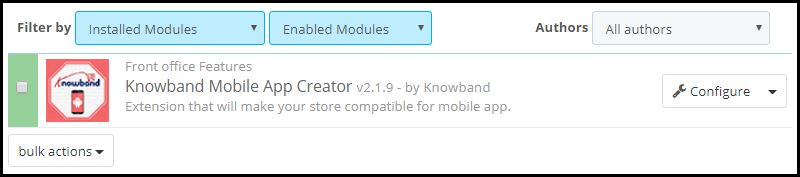
Once the PrestaShop Mobile App Builder module, by KnowBand, is installed on your PrestaShop website backend, the home-page of the app can be easily customized anytime from the backend of this module.
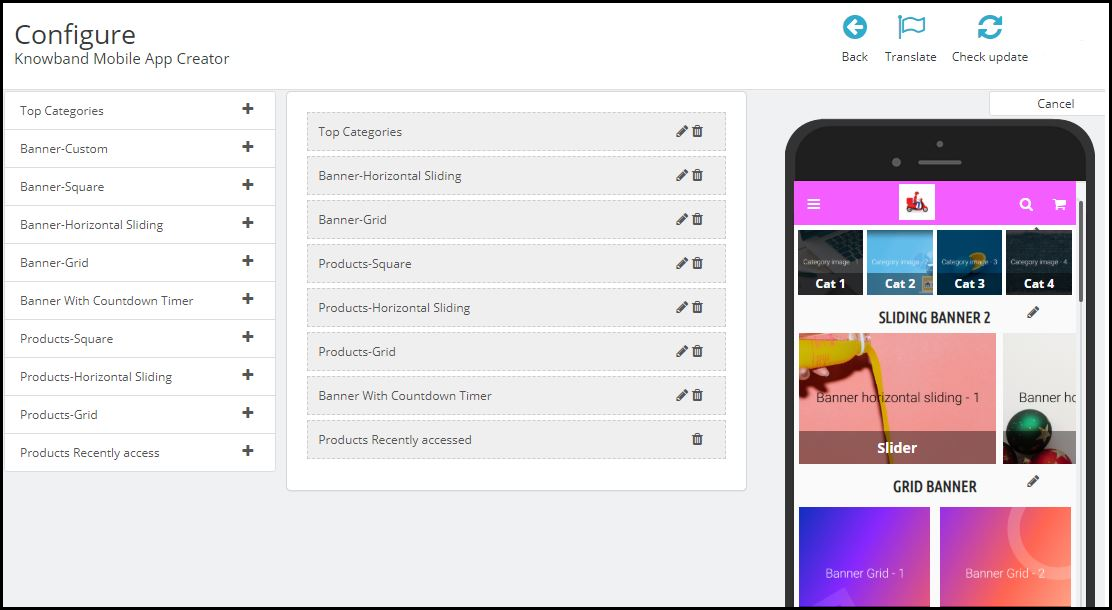
On clicking ‘configure’ on this app maker module, you are presented with various editing options.
-Select ‘Home-Page Layout’ from the side menu.
-To create a new layout, click the ‘add new layout’ button. You can also re-edit the existing layouts. Also, you can pre-design multiple layouts & keep any one of them active on your Mobile App (from the general settings on the side menu).
-While designing or editing your app home-page layout, you can use a maximum of 20 components out of the complete list of different components shown in the side menu on the left. Hence, you can also use a single component multiple times in your layout
-Upon adding these components, you can edit each one of them & organize them using the drag & drop feature.
The best thing is that all the edits that you make, instantly reflect on the demo app screen within the home-page customization tab itself.
Components To Design Your PrestaShop Home-Page Layout:
1. Top Categories:
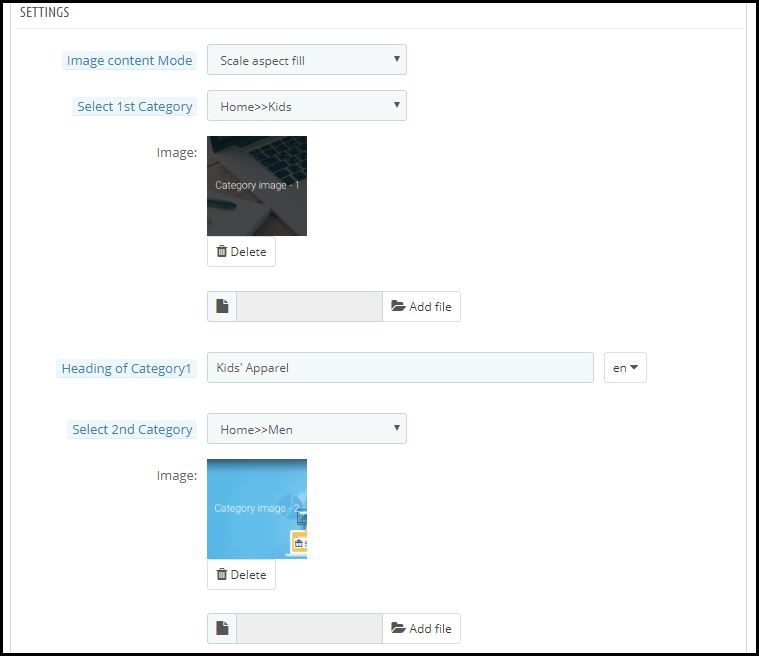
In a slider form, you can display small image icons with redirect links to relevant categories on your eStore. You can add a total of 8 of such categories in a single ‘top category’ component.
2. Square, Grid & Horizontal-Sliding Banners:
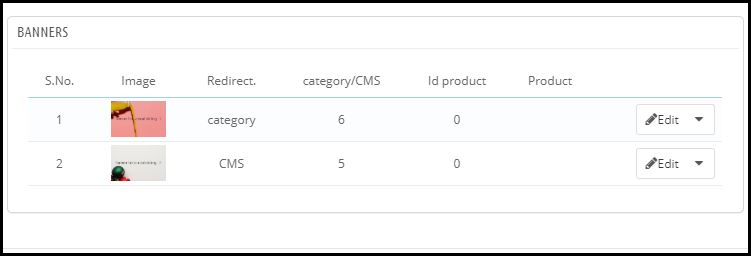
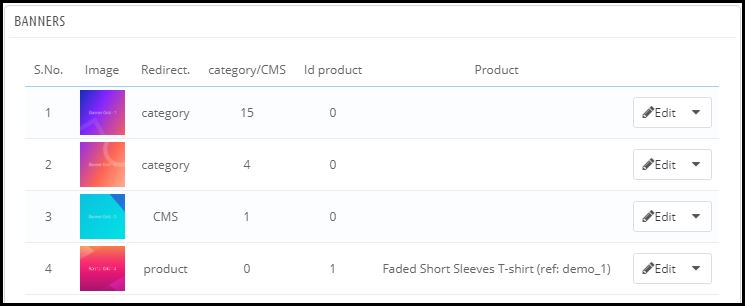
For all these 3 banner types, you can choose the redirect options among category pages, product pages, home-page & even any of the CMS pages. Add single or multiple elements under such banners according to your needs.
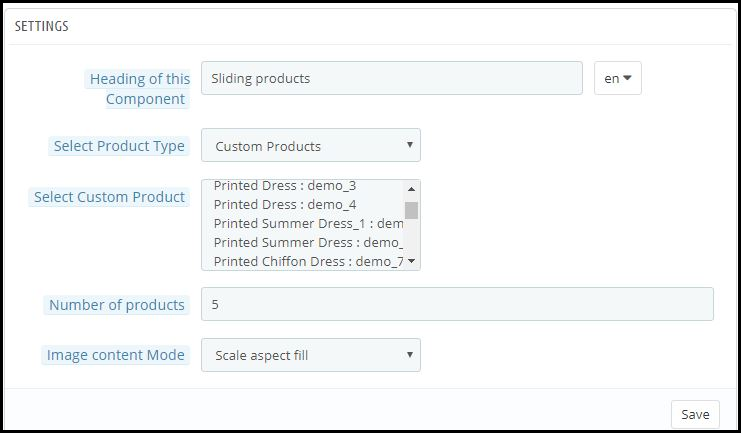
3. Square, Grid & Horizontal-Sliding Products:
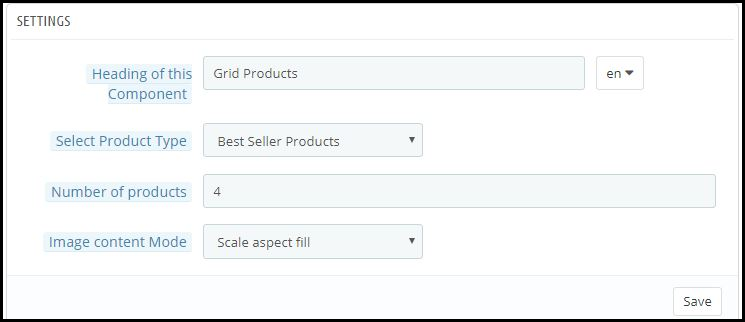
With these 3 components, you can display singular products redirecting the app user straight to the specific product page. Because this PrestaShop App Builder Module also lets you set featured product listings. You can choose among following options to display the products:
● Best Seller Products
● New Arrivals
● Featured Products
● Special Products
● Products from a category
● Custom Products
4. Recently Accessed Products:
Including this component anywhere on the layout simply creates a horizontal slider for products displaying only the products that an app user has recently viewed. It is ideal to add this component only once in a home-page layout.
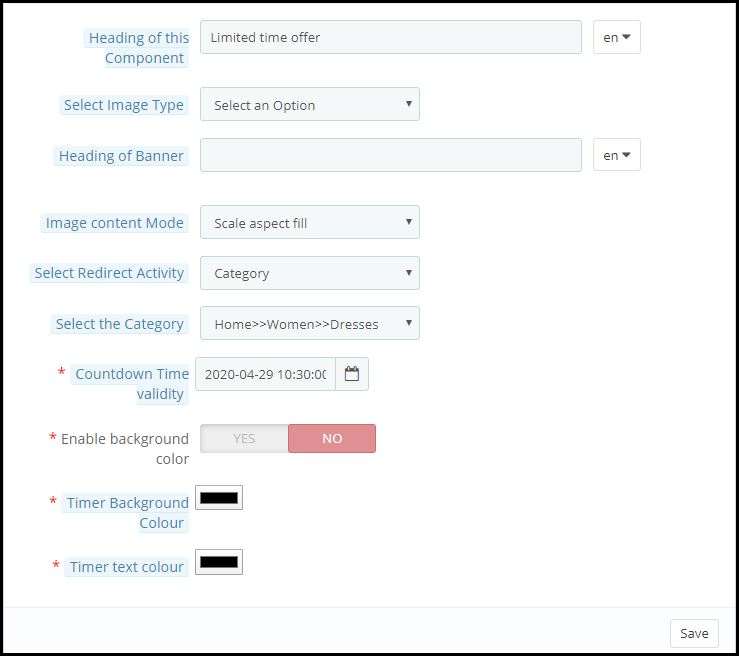
5. Countdown-Timer Banner:
This banner has an in-built countdown timer with all the necessary settings to make it your own. You can use it to inform your app users about an offer that is ending in a specified time. Having the timer running helps to engage the customers & to make successful purchases until the clock is running. Refer to the screenshot below for its settings.
Apart from all the edits, you can make to design your PrestaShop App’s home-page, there is one more useful thing that’s present all the time on your app’s screen. It is the tab bar.
Tab Bar-Designing:
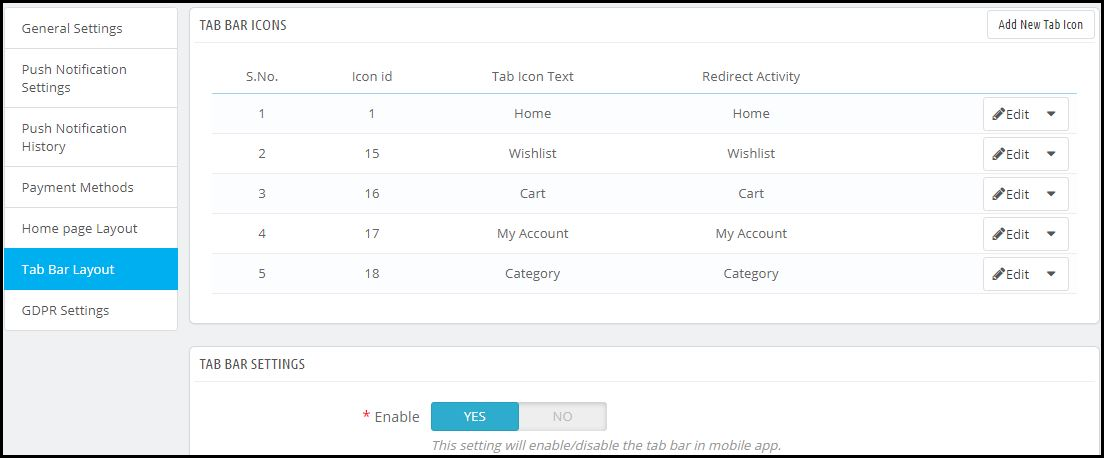
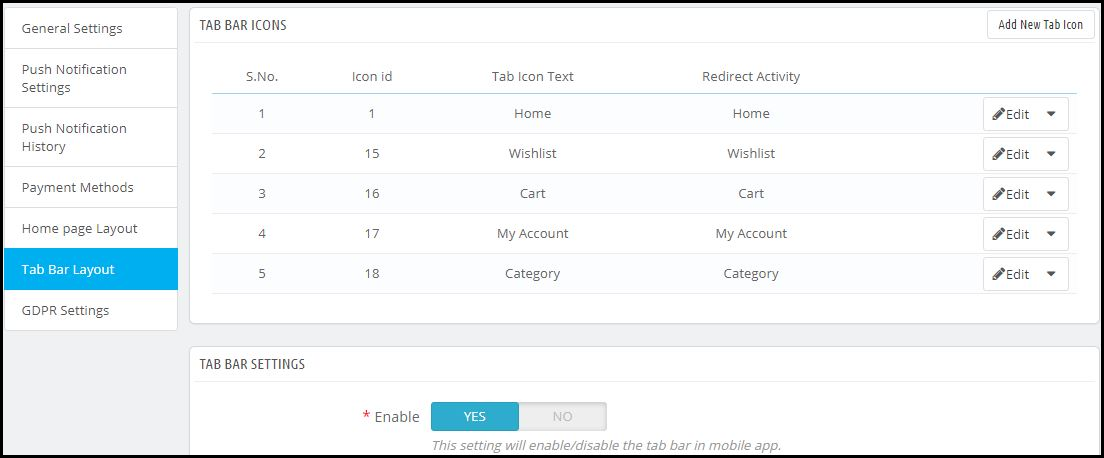
From the side menu of the PrestaShop Mobile App Maker module backend, you can also design the tab-bar. This design remains common for all the home-page layouts. Add 3 to 5 elements in your tab-bar with necessary links to make your PrestaShop App look more professional & user friendly.
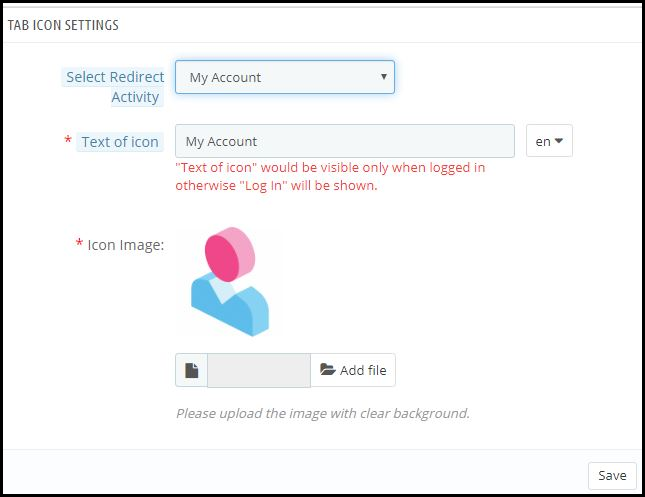
Here is how the ‘My Account’ tab-bar setting looks like:
By now, you must have gotten an idea of how user-friendly it is to create, design & edit the home-page layout of a PrestaShop Mobile app using the PrestaShop Mobile App Maker module.
From time-to-time, eCommerce apps do have to change their home-page layout to complement different offers, seasonal sales, new arrivals & whatnot. Hence, to make it easier yet effective for the eStore owners, our experts at KnowBand have developed this PrestaShop Mobile App Maker Module. Those who wish to test out this module before purchasing can even try out its free version.
Some of our beautifully designed client app:
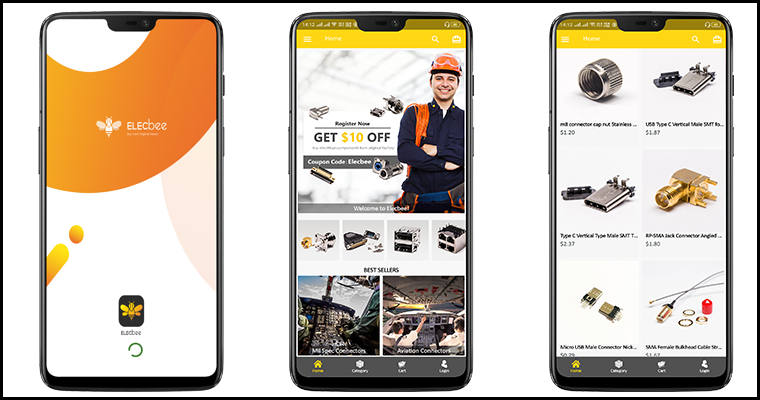
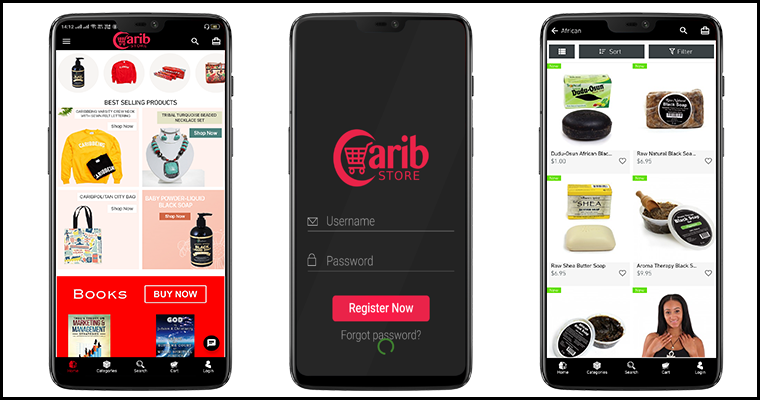
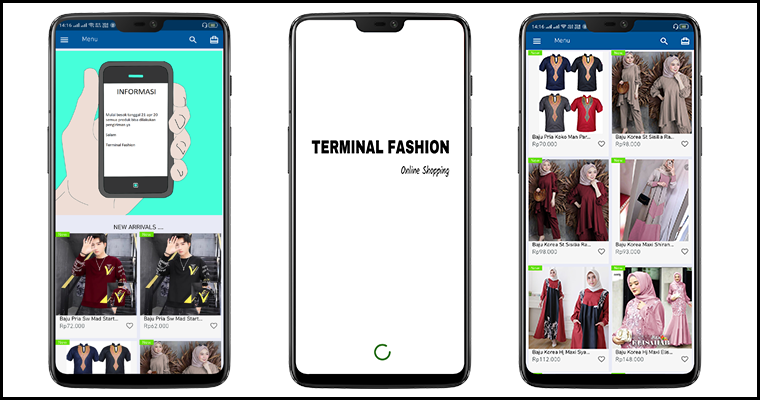
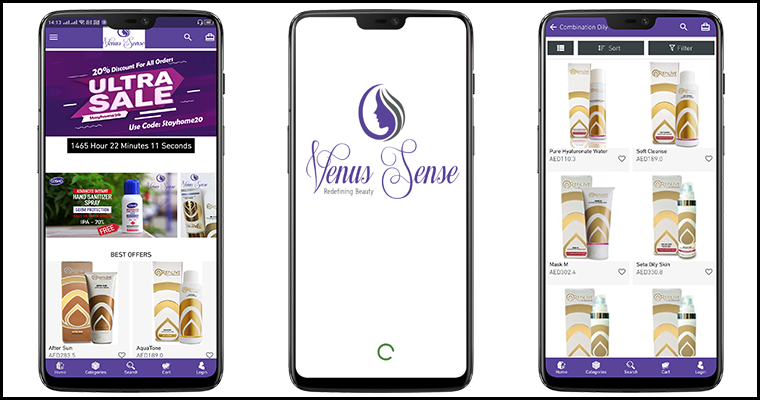
A) Body Organics App:
B) Elecbee App:
C) ChirulliShop App:
D) Caribstore App:
E) Terminal Fashion App:
F) VenusSense App:
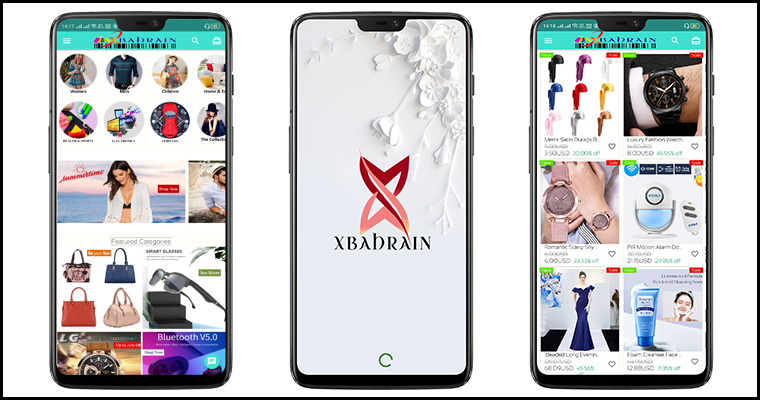
G) Xbahrain App:
If you still have any queries related to this, feel free to email us at support@knowband.com. We would be more than happy to assist you.
Keeping the customers always interested & engaged is what every online eCommerce business wishes for. Having a native mobile app (Android/iOS) is gonna ease the online shopping for users. User engagement has always been a prime requirement and to fulfill the same mobile apps have come up with the Push Notification tool.
Push notifications are directly received by the app users on their mobile devices. The only condition is that the app must be installed on the device. Push Notifications have been noted to perform way better in terms of engaging app users and retaining them when compared to email reminders/ newsletters & campaigns.
Push Notifications with PrestaShop Mobile App Builder
KnowBand offers personalized push notifications feature in PrestaShop Mobile App Builder. The module aims to launch Android and iOS apps for running PrestaShop store without any coding knowledge. This write-up will introduce you to the backend settings to configure and send Push Notifications on the user’s devices.
While keeping your app in sync with the website, this app maker module provides a wide array of front-end & back-end features. The ones for Push Notifications are stated below. Follow this article to know how you can create, automate & send these notifications with utter ease.
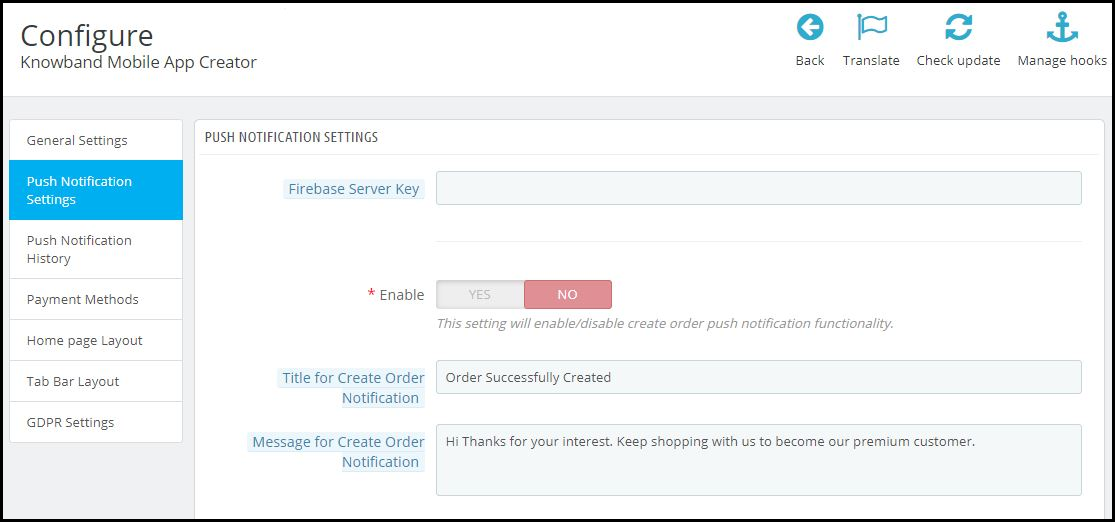
On the backend of your PrestaShop website, where you have the Mobile App Builder installed, hit ‘configure’. Now, from the backend of this module, navigate to the Push Notification Settings Tab from the side menu.
Push Notification Settings:
From the backend, you only need to enter your Firebase Server key (which will be provided along with apps), the rest is set for you to proceed. The PrestaShop Mobile App Builder by KnowBand provides an unlimited number of push notifications that e-merchants & admins can send to their app users.
Some of the automated Push Notifications are already provided by default for your convenience. These notifications can even be disabled/ enabled with just a toggle switch. Apart from those, you can create any other kind of Push Notification from this backend as well. Here is how you can configure them.
A) Successful Order Notification:
Using this notification setting, the store owner or the admin can set the title & message for successful orders. Each time an app user successfully places an order on the app, he/she will be greeted with this notification.
B) Order Status Push Notification:
This informs your customers about any status update on their active orders. Some examples of these are ‘order packed’, ‘order shipped’, ‘on the way’, ‘delivered’, ‘canceled’, etc.
Use the variable ‘{{STATUS}}’ anywhere in the message body to form your order status push notification.
C) Abandoned Cart Push Notification:
Automate the abandoned cart notification by setting the timer provided in this push notification setting. Every time an app user leaves his/her cart abandoned, then automatically this push notification is sent to him/her after the specified time.
Custom Push Notifications:
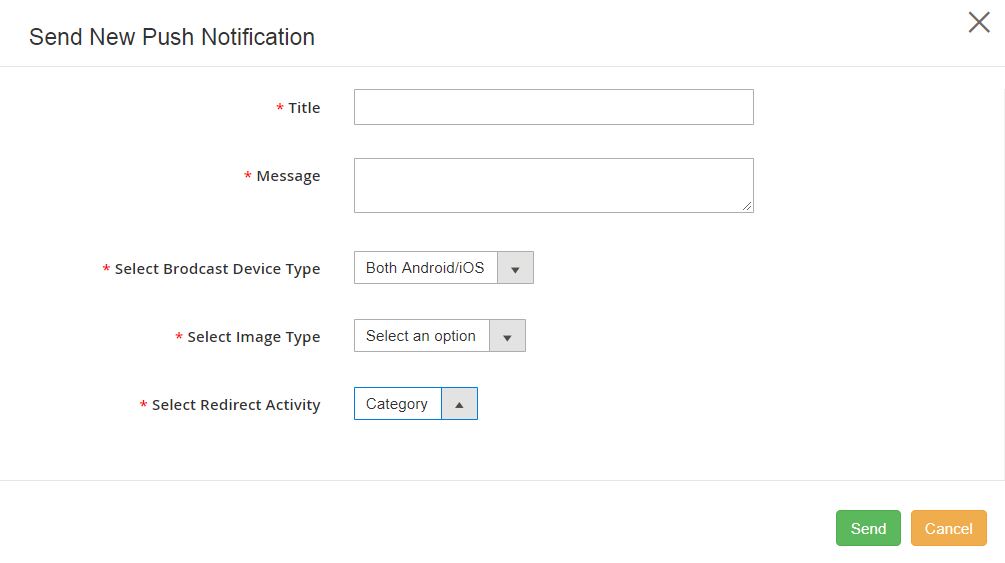
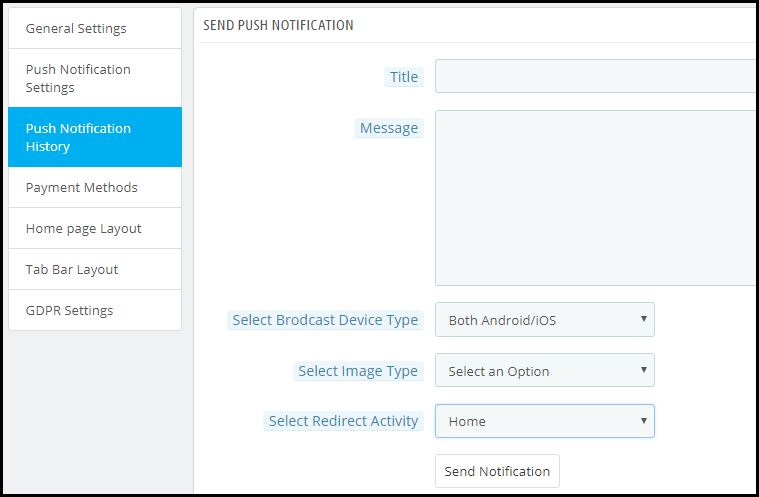
Apart from the above three pre-defined notifications elaborated above, admins can create any kind of self-designed Push Notification from this setting. From the side menu of this app maker module, select ‘Push Notification History’. Then using the ‘Send Notifications’ button on the top right of the page, create a new notification according to your needs.
You can even choose to selectively send these notifications to any of android/ iOS devices. Use attractive images to get more customer engagement using these notifications. Choose the redirecting activity to be any of the categories/ subcategories/ products or even the homepage of the app. These notifications get sent to all the app users once you hit send.
Push Notification History:
Keep a record of your previously sent notifications & their configurations by accessing the ‘Push Notification History’. You can even filter out the ones you want to view from the advanced search bar as shown in the screenshot above.
Conclusion:
Mobile push notifications are a major feature that makes an app stand out from the website. When used properly, these can lead to an exponential increase in customer retention & engagement rate. They help store owners to effortlessly boost their sales.
To make it even more convenient & effortless for the app admins, this PrestaShop Mobile App Maker module, by KnowBand, has most of the settings automated. Hence, the store owners don’t need to make even the slightest effort to yield great results.
For any further queries related to this module, reach out to the experts at KnowBand by emailing us at support@knowband.com. We would be delighted to assist you.
We all have experienced & acknowledged the shift of eCommerce biggies from websites to mobile apps. Utilizing the functionalities of the smartphones & tablets, eCommerce Mobile Apps provide more personalization, user engagement & hence help in the improvement of your business services. With smartphones being the most commonly & widely used device for all purposes, the rise of Mobile Commerce is quite obvious.
With eCommerce Mobile App Development, you can build a new app or you could even modify an existing eCommerce app. Adding custom enhancements not only helps to make your app stand out from the competitors but also improves brand recognition. Whether your requirements fall under the former or latter category, under a team of expert App Development & Quality Assurance team, you can rest assured that your eCommerce Mobile App gives you & your customers the best experience.
At KnowBand, we equip businesses with eCommerce Mobile Apps laced with the latest features that are not only convenient to use for customers but also for the eStore merchants & vendors.
Factors from Customers’ Point of View:
1.Omni-Channel Presence:
For customers to be able to access the mobile app on all the operating systems & devices, prefer to keep your eCommerce App completely omnichannel by making it compatible with both Android & iOS for smartphones as well as tablets.
2. Customer-Centric UI (User Interface):
To make it easier for customers to navigate through & browse your app in order to make faster purchases, having a customer-focused design is a must-have for all kinds of businesses these days.
3. Enhanced Layered Navigation:
Add layered navigation with multiple sort & filter options according to each of the product categories on your App. This further enhances the user experience.
4. Language & Currency Support:
Based on your business needs, equip your app with support for multiple languages & currencies. Also, consider the support for RTL scripts like Arabic, Persian, Hebrew, etc.
5. Offline Mode Accessibility:
Unlike websites, Mobile Apps can be equipped with offline mode accessibility through which app users can access the app even with slow or no internet. Hence, they can access previously loaded pages, cart, wishlist, my-account pages, etc.
6. Product Search via Image:
Add the Image Search feature in your eCommerce Mobile App so that the app users can easily search for a product on your store using a reference image either taken via their device’s camera or via selected images in their photo gallery.
7. Voice Search:
This feature allows the app users to search for products on your eStore using voice commands.
8. Payment Methods:
Add options for multiple payment methods & be sure to have the security at par.
9. Optimized Checkouts:
Lengthy checkouts can increase the cart abandonment rate & frustrate the customers. To aid that, optimize the checkout process by having a quick yet secure one-page checkout & by prefilling some entries from the previous purchases, like delivery address, phone number, etc.
10. Order Tracking:
Add order tracking features in your app. Allowing your customers to track order improves customer satisfaction & also makes it easier for the support team to resolve any delivery related issues if any arises.
11. Push Notifications:
Push Notifications drive more sales by improving user engagement & retention. They also provide effortless personalization using automated notifications. Some of the common usages of Push Notifications are for birthday wishes, abandoned cart reminders, price drop notifications, upcoming sale reminders, etc.
12. Chat Support & Chatbot Integrations:
Allow your customers to reach out to your support team at any time of the day. Adding chatbot fulfills that need & also is a preferred mode of communication by the app users. Chatbots can even be automated with AI to reduce a load of your chat support team from manually handling every query.
13. Load Speed Optimization:
Having an app that takes too long to load its pages & content, is not ideal for the fast-paced users. So, make sure to optimize the loading time so that your eCommerce Mobile App runs smoothly.
Factors From Admins’ Reference:
1. Choice of eCommerce Solution:
If you are willing to build a new eCommerce App, then choose the right solution to build your app. Some of the common platforms are PrestaShop, Magento, OpenCart, WooCommerce, Shopify, etc.
2. Custom App Theme Development:
If required, businesses can opt to develop a custom-designed theme that’s unique to their app. This allows more personalization of the app & improves brand recognition.
3. Security:
Have all the useful encryptions & relevant certificates to keep your eCommerce Mobile App secure to every last bit. Having security on platforms that use online payment is a must.
4. Admin Panel:
The backend/admin panel of an eCommerce must be convenient to use even for the admins/ vendors/ merchants. Make sure that your eCommerce Mobile App Development team equips your business with such a dashboard.
5. Branding:
Choosing the theme design from pre-existing templates can limit some of your design needs according to your business. You could either opt for getting your own custom theme designed or you could make heavy customizations in an existing theme. For both the route, the result is a personalized theme that is unique to your business & helps in improving your brand recognition.
6. Quick HomePage Editing:
The homepage is something that eCommerce businesses need to change from time to time. Hence, admins must have a quick editor especially for customizing the homepage. Also, the editing panels must be user friendly & less time-consuming.
7. Live Synchronization:
Businesses with both an eCommerce website as well as a mobile app must have both their platforms synchronized. In such cases, it is likely that both your app and website use the same database. This ensures Automatic Inventory Management & both the platforms remain synchronized in real-time with each other. Therefore, changes made on one instantly reflect on the other.
8. Testing & Quality Assurance:
Rigorous testing must be done before the app is launched on the app stores. Accordingly, faults must be debugged for quality assurance.
9. Multi-Vendor Marketplace:
If your business model demands so, then your app must support multivendor marketplace configuration.
10. ASO (App Search Optimization):
Just like SEO is for improving the search engine rank of websites, apps can also be made to stand out on the app stores by following the ASO. Have the ASO features in your from the beginning itself. It helps to increase the visibility of your eCommerce Mobile App on Play Store / App Store.
11. Analytics & CRM Integration:
Mobile Apps help businesses to get deeper insights into their app users. To fully utilize that, integrate an analytics tool like Google Search Console/ Analytics. Similarly, choose a CRM that serves your business needs. They ease the decision making a task for the eStore owners & admins & helps make smarter marketing strategies.
12. Add-ons & Plugin Integration:
Add more functionalities in your eCommerce Mobile App using plugins/ add-ons. Under an expert app development team, you could even develop your own custom plugin to suit your exact business needs.
13. Scope For Unlimited Customizations:
Most businesses end up going customizations in the future to keep up with the ever-changing trends. So, make sure that your eCommerce Mobile App can undergo desired customizations. Keeping the mobile app updated with the latest trends is a crucial factor while eCommerce Mobile App Development.
If you are looking for custom eCommerce mobile app development and give a boost in sales and revenue of your business. Drop us a message at support@knowband.com.
At KnowBand, we also offer ready-to-go native Mobile App Builder for following eCommerce platforms:
It’s 2020 now, & mCommerce has already marked its lead in almost every aspect eCommerce and retail industry. If you are associated with an eCommerce business that still doesn’t have your eCommerce Mobile Application, then there is a possibility that your might be missing out numerous sale and growth opportunities.
Just having an eCommerce app isn’t enough, you must keep it optimized & well-tailored according to your unique business needs. To stand out from the competitors & to serve the customers better to make more profits, modified eCommerce apps play a huge role. Here are some of such factors that you must consider while developing or customizing a shopping app for eCommerce. Get to know these and keep a match with the trends.
Customer-Centric Approach:
1. User-friendly Interface:
Having a complicated front interface can scare off a few visitors from the app. Hence, the easier an app is to operate, the more positive engagement it gets from the app users. To complement that, keep the UI & UX at par. The best option is to go for the DIY editor customizable home screen. The benefit with that is the store admin can design the home screen as per their choice and business requirements.
2. Simplified Onboarding Process:
Whenever a new user onboards the app, add interactive instructions & graphics to guide the user with the basic functionalities of your app. Also, to make the signup & login easier, integrate social logins like Facebook, Google, etc. You can also use the fingerprint scanning feature of the smartphone devices to add one more option for login, i.e. fingerprint authentication.
3. Layered Navigation:
If your business has products with different categories, make sure to add proper sorting & filtering options. Also, while adding links for categories & subcategories on the navigation menu, make sure that the user doesn’t need to make more than 4 to 5 clicks to reach their choice of subcategory. Easier it is to find products on the app, more are the chances of purchase.
4. Multi-lingual & Multi-Currency Support:
If you serve non-English speaking customers as well, equip your app with all the relevant languages. You may or may not need to include RTL scripts as well as the Arabic language. Similarly, for different countries, you must configure your app to support payment in multiple currencies. The integrated languages in the eCommerce apps can be regional as well.
5. Offline Mode Accessibility:
The best thing about mobile apps (when compared to websites) is that apps can be configured to function even with no internet connection. Although app users can’t browse & load newer pages can access their cart, wishlist, my-account page & recently loaded products & categories.
6. Advanced Search Options:
Equip your eCommerce mobile apps with advanced product search features like ‘image search’, ‘voice search’ & ‘bar code search’. Using such features, the app users can easily search for products on the eCommerce app using a reference image or via giving voice commands or even via the image of a barcode.
7. One-Page Checkout:
The checkout page can be optimized by placing only the necessary entries on a single page. Also, some of the entries can be optimized to have pre-filled data from the previous purchases, like shipping address, phone number, etc.
8. Order Tracking:
Allow your customers to track their orders by adding order tracking features in your eCommerce app. It not only makes it easier for customers but also eases the task for customers to resolve any delivery related issues (in case any arises).
9. Multiple Payment Methods:
Make sure that all the payment methods on your eCommerce website are functional on your eCommerce mobile app as well. You can also introduce mobile-friendly payment options like eWallet integrations like PayTm, PayPal, Google Pay, etc.
10. Chatbot & Chat Support:
Provide improved customer support by integrating static or dynamic chatbots in your app. Especially the dynamic chatbots have a lot of scope with AI automation & can serve the customers with accurate automated response 24/7.
11. Security:
Above all, security is one of the most important factors in an eCommerce Mobile App. The shopping apps for eCommerce must have secure payment gateways. The overall app must be secure because of personal data of users being stored like addresses, phone numbers & payment details like card numbers, etc.
Admin-Friendly Approach:
1. Convenient Admin Panel:
Whichever platform your eCommerce Mobile App Development suggests you opt for, make sure that the admin panel is user-friendly for admins & vendors to use. Because eCommerce mobile apps always need to be re-designed every now & then, a simplified yet feature-rich backend is a must.
2. Push Notifications:
Set up the firebase in a way that you can send an unlimited number of Push Notifications to your App Users. You must also be able to easily create, automate & send those notifications conveniently from the backend.
3. ASO Integrated Features:
Building a spectacular eCommerce pays off well if it gets more visibility on the app stores. Hence, from the beginning itself, you must add necessary App Search Optimization elements in your app to make it rank better on the app stores.
4. Scope For Future Customizations:
With the technology & consumer trends being regularly evolving, your Mobile App is sure to require customizations in the future. Hence, while building an eCommerce Mobile App make sure that your app can undergo heavy customizations of any kind in the future. Certain third-party plugins & extensions can also prove to be useful for certain modifications.
5. Live Synchronization:
Have both your eCommerce app as well as the website to be synchronized in real-time. This way all the changes made on one reflects on the other & keeps the inventory management automatic.
6. Multivendor Marketplace:
If your business model requires multivendor configuration, then your Mobile App must have all the necessary features & elements to run smoothly on such a configuration.
7. Audience Insights:
Integrate analytic tools with your eCommerce app so that you can get deeper insights into your app users. This also helps your team to make smarter marketing decisions & to add customizations according to users’ needs.
Ending Comments:
We, at KnowBand, make sure that your eCommerce website & mobile app serve both store admin and online shoppers in the best way possible. If you require any assistance in custom eCommerce Mobile App Development, feel free to reach out to us at support@knowband.com.
In case you have a running eCommerce store on any of the following platforms, launch a pair of native shopping apps with ready-to-go plugins:
Often while online shopping, we all end up praising a few applications whereas uninstalling some of them. There might be various factors behind the satisfaction but, next-level creativity to serve users better is one of the primes. Worldwide mobile shoppers prefer to choose that eCommerce mobile app only with whom they feel comfortable and reliable.
That’s where user engagement comes into the picture for a shopping app. Be it credits awarded for shopping or money cashback, the mobile apps have all such necessary tactics to improve user connectivity & brand reputation.
Further, most eCommerce stores have already acknowledged that user engagement via the Mobile App channel is much better when compared to their website. This might make you wonder about the ways to achieve it for your eCommerce Mobile App? Well, this article covers all such tips and tricks. Just give it a read and you’ll get to know all the secrets.
TIP: User On-Boarding & Welcoming
The majority of newbie mobile app users either come to know about the app via website or directly from app store. In both cases, they expect to have a friendly & un-complicated first impression of the app. Hence, to improve the user onboarding, you can have:
1. Social Logins/ Signups:
It makes easier for the users to register/sign-in to your shopping app. The cluttered login process might annoy customers. The most common and better approach is to offer various social login options like Facebook, Google, etc. Also, various modern apps come up with inbuilt Fingerprint & Phone No (OTP) login.
2. Quick Tutorials For New App:
A simple 3-5 step tutorial screens help to guide new users about the basic functionalities of the apps. Though everyone is aware of the basic shopping app working, yet the tutorials will do no harm. Instead, they will save precious time for users.
3. Welcome E-mails & Messages:
During signup in an eCommerce mobile app, you can set up an automated sending of welcome E-mail & SMS. This might sound like very common but have been proven to be much helpful in gaining users’ trust and reliability.
TIP: User-friendly Navigation:
The tab bar, navigation menu & other countless features in an app must be made to function in accordance with the dimensions & features of smartphones/tablets.
1. Sticky Menu:
In mobile devices, the toggle menu on the navigation bar should be a ‘sticky menu’ so that the user needn’t scroll all the way to the top in order to access the menu.
2. Product List & Grid View:
As per their preferences, mobile shoppers get to choose either a list view or grid view to browse products. Both of them should offer a more precise & detailed view of the products.
3. Browse Products Horizontally:
It’s a common style for shopping apps to have vertical swiping in order to browse products. Along with that, an additional feature can also be added offering left & right swipes. It further enhances the user experience & engagement especially for the millennials who are fond of quick & seamless browsing.
TIP: Personalization Of Apps:
As per various survey reports, millennials are frustrated with the irrelevant emails & notifications being shared with them. They, being a major percentage of e-shoppers, must be served with personalized newsletters & notifications.
1. Push Notifications:
Push notifications on the mobile devices are quite an efficient tool to drive sales for your store. The personalized notifications have proved to boost user retention & conversion rates by 3 times when compared to email campaigns & web notifications. Using your creative and design skills, leading users to a successful purchase is more facile.
2. Newsletter Subscriptions:
Out of all categories available on shopping websites/apps, users may want to opt-in for selective newsletters. For example, the female app audience on a clothing e-store may want to follow up with the newsletters of only the ‘Women Apparels’ section. Hence, to have better user engagement, such personalized opt-in newsletters popup forms must be configured on a Shopping App.
3. Multi-Lingual & Multi-Currency Support:
For personalization of the app & catering to international customers in a better way, multiple languages & currencies should be available in the apps. For Arabic, Persian & similar languages that follow right to the left pattern (RTL), should be made compatible as well.
TIP: Simpler Product Search:
1. Layered Navigation (Filter & Sort):
Easy navigation has always been a prime requirement for eCommerce apps. With filtering and sorting of products, it is just a matter of moments for users to find their desired product. This feature improves user-experience by narrowing down the time spent on successful purchases.
2. Wishlist:
Wishlist functionality aids customers with shortlisting the favorite products that they are willing to buy. Certainly, this saves the user time by displaying the bookmarked products on a single screen.
3. Social Sharing Of Products:
The users get to share eCommerce mobile app products on social media channels like Facebook, Google, etc. This way, the existing users can lure the potential audience available on various social networks.
TIP: Offers/ Discounts & Banners:
1. Flash Sale (Time Based):
Most shopping websites & apps use the strategy to create an urgency for online product purchases. This has been already proven quite helpful for online retail biggies. Offer timer-based countdown sale on your app & encourage customers to buy products as soon as possible. With the limitation, online shoppers tend to purchase more quickly.
2. Discount Vouchers & Coupons:
Discounts are everyone’s favorite and play a huge role in increasing sales. All such vouchers & coupons running on your website should work seamlessly in your eCommerce mobile app as well.
3. Gamified Email Subscription:
You would have observed a gamified ‘Spin & Win’ wheel-like interface on some eCommerce websites. The user who spins its digital wheel wins a discount mentioned in the pie. Some sections may even state ‘try your luck next time’. Whether the user gets a desirable discount or not, either way, he/she ends up submitting E-mail address. The outcome here is solely beneficial for remarketing purposes. The users also get an interactive interface to gain offers.
TIP: Feedback, Loyalty & Reward Points:
1. Feedback:
Often, we all receive in-app feedback popups that ask-
‘How would you rate us out of 5 stars?’
‘From a scale of 1 to 10, how likely will you recommend us to your friends?’
Such surveys help the e-business to be aware of their weak areas are opens the doors to improvisation and improvement. It also ensures to serve customers in a better way.
2. Customer Loyalty:
You can award frequent shoppers with loyalty cards that can be used as a discount coupon while next purchase. Improving customer loyalty in your eCommerce mobile app can be a direct boon for your sales.
3. Reward Points:
On each online purchase, an eCommerce mobile app rewards its customers with some points. Upon accumulating such points & reaching a limit of say 1000 points, customers receive major cashback & offers. This encourages customers to shop more from the app.
4. Referral Points:
You can provide a unique referral code to each of your app users. When the user encourages another newbie user for signup using his/her referral code, you can award the former one with relevant reward points.
TIP: Live Chat For Instant Support:
1. Social Chat Options:
Your mCommerce shopping app with inbuilt chat support will allow users to communicate in case of any issue. For instance, WhatsApp & Zopim (Zendesk) chat in the mobile app is more likely for customers to get the required assistance.
2. ChatBots:
Many applications also have a chatbot integrated with them. It further offers more opportunities to even set automated messages for certain types of pre-defined user queries.
TIP: Checkout & Payments:
1. Favorable Payment & Shipping:
We all prefer our favorite payment method when it comes to making online transactions. That too in online shopping, the users tend to leave products in the cart without successful purchases in case of unavailable payment options. The store admin should keep in mind to add all necessary shipping & payment methods on the eCommerce shopping app. This can be a prime measure to reduce the rate of cart abandonment.
2. Handy Checkout Process:
Ask only the necessary details on the checkout screen. The one-page checkout in eCommerce mobile apps requires only essential order related entries before leading to the payment screen. This way, the user even gets to review the complete order before the final purchase. Having a single screen checkout aids the users from backing out of lengthy form fillings. It engages better with the users & helps in achieving high conversion rates.
3. Order Tracking:
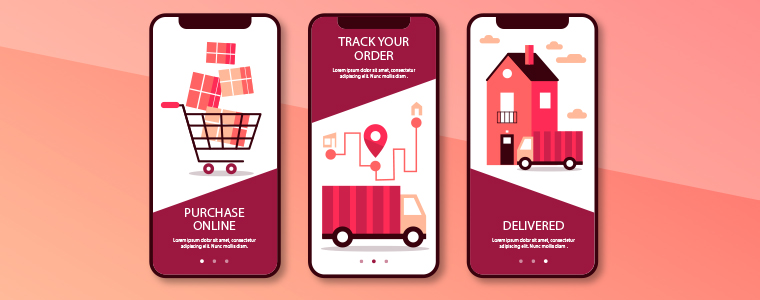
The order tracking feature in mobile apps must allow the customers to be aware of the whereabouts of the placed orders. The mobile shoppers can keep an eye on the delivery of the previous purchase items. Keeping a potent tracking option will also motivate users to prefer your app again & make more purchases to increase revenue.
Summing Up:
For eCommerce Shopping Apps, these are some of the trendy ways to engage more users in an organic way. It not only improves the sales but also builds a good brand reputation. These days, most of the shopping apps are built using a readymade tool like eCommerce Mobile App Builder. It handles the complexities and burden of e-store owners for the creation and management of shopping applications. Having listed all the prominent mobile app user engagement tips, I hope you find this article helpful.
Check out Mobile App Builder for various eCommerce platforms:
The revolution in the mobile app space has created a significant buzz in our lives. Almost every sector has been digitized with the impact of mobile apps & the eCommerce industry isn’t an exception to this. After online commerce, mobile commerce has changed the perception of how users shop products these days. Various research & studies are confirming the fact that users prefer eCommerce mobile app & are more loyal to that as compared to desktop websites. The simple factor behind it is that the users get all relevant product information at their fingertips.
Mobile commerce & customer loyalty go hand-in-hand. When it comes to bonding of your online store with worldwide users, mobile apps are the best solution. Those days are gone when marketing through websites was enough to bring potential users to your store. Currently, mobile apps are the bridge between your business & the user. Technically, an app takes your store straight to user’s pockets, compel them to browse & purchase products.
Here, I am discussing a few points which will hopefully clear the value of launching mobile shopping apps. Read them:
#1 Keep users updated about latest happenings
In online shopping, the users are always keen to get the best products at reasonable prices. If you can adapt this strategy, it will make a huge impact on your sales. At times, the users keep on spending their valuable time in searching best offers. Don’t let them struggle. Try to keep them fully notified & updated about the best deals on your store along with upcoming sale or offers. You can even let specific users pre-sales offer before it’s available in general.
Marketing store deals & offers is much easier with a handy push notification tool. It not only builds your brand reputation but also notifies users about the offers even when they are not using the app. The personalized push notifications will deliver the right information to the users & compel them for instant purchase.
Also Read:
#2 Personalize App Home Screen for better Experience:
The home screen has its importance for a shopping app as the basis interaction begins here only. Try to highlight daily deals, best offers, new arrivals, seasonal discounts, etc. with attractive banners & graphics. This will compel the users to browse the selected product grouping & has the high chances of successful purchase as well. The store admin can even go for Flash Sale or Timer sale to create the necessary spark.
More you personalize the app, more it gets able to connect with users. The users even feel more valued with the availability and ease of everything required. Keep other screens of your app simple & intuitive offering better user experience gaining customer loyalty in return.
Also Read:
#3 Offer Discount Coupons & Rewards to boost sales
Coupons had been a strengthening factor in increasing the conversion rate of your online store. That too for the long past back. It will also work with mobile apps. Make sure the coupons running on your website also work on mobile apps & allow users to avail the valid discount. It will even reduce the rate of cart abandonment.
Everyone around us loves to get a price drop or something extra while shopping products. You can use your mobile app to build the right strategy for that. Offer reward points for their previous purchases or let them earn points by app referral system. It will also invite other users to your app & will maintain a sense of excitement about the purchase.
Also Read:
#4 Provide 24*7 User Support to gain trust
Customer interaction is a must for an online business. Often, the users need some sort of confirmation or having doubts before making payment. We should have a relevant medium to curb out their queries. Mobile Apps are the best suited for this job. They allow the users to directly contact you with inbuilt WhatsApp or Zopim chat options.
The prompt response to their queries will make them satisfied & increase customer engagement as well. Moreover, it brings you the best chance to improve user retention & gain loyalty. This is also one of the leading factors behind satisfactory feedback for your products.
Also Read:
#5 Strengthen your positive brand image
The mobile apps improve the visibility & reach of your online store & thus strengthen your brand presence worldwide. Nowadays all the leading eCommerce giants are majorly accessed through their mobile apps. That big is the scope of mobile apps in today’s market branding.
Your app icon in the user’s devices, brand logo in apps makes sure that whenever users browse the mobile, your app will notify them about the brand. Keeping all your online store details readily available for users, the mobile apps form a positive image for your brand improving user retention & loyalty.
Also Read:
Conclusion:
With the above-discussed points, it must have been clear that mobile Commerce app can be a potential source of engagement & loyalty for your eCommerce business. It connects well with the right audience & hits where it should. Thus, to build strong user-base with increased revenues, creating an eCommerce mobile app should be your very next move.
Successfully launched an eCommerce Mobile App & start selling products on shopping apps along with the website. Now, what’s next?
Getting your native Android & iOS shopping app to overcrowded Google Play Store & Apple App Store is just the beginning in the world of mobile commerce. There is much more beyond from here. Being an eCommerce merchant, now two options left for you. One is to wait & let the users discover about your app on their own and the other one is to do something about it & promote the app in the right manner. The later one can be a game-changer for you.
Nowadays, the majority of developers are facing the problem of fewer downloads, after the app is published on App stores. The eCommerce industry itself has huge competition and is growing with each passing day. To get expected downloads will require some efforts & understanding from you. Before getting into that detailing first, let’s discuss how marketing exactly works in the world of mobile apps.
You probably would be aware of the term ASO (App Store Optimization) which is responsible for ranking/position of your app in app stores. App stores have their own ranking criteria which are quite similar to search engine rankings algorithms. Let’s know more about ASO:
#1 App Store Optimization
ASO works like SEO. It handles the ranking of apps in app store search results. This fact is quite obvious that the better ranking of your app will rise both visits & downloads. Developers should optimize the right keywords for the app to make it rank higher in search results. Here are some checklist points for this technique:
1. App Title:
The name of a mobile app plays a vital role in its success. You should go for some catchy yet descriptive title without missing the core value of the brand. Always remember that the name will have an everlasting impression on users. Before finalizing the app name, you should always have a look at the name of your competitor apps. And, the keyword with the highest search volume should be used in the app name.
Apple App Store provides 255 characters to write a title. Whereas, Google Play Store has lowered title limit to 30 char & allows putting keywords in the description instead of the name.
2. Keywords/Tags:
Choose the right keyword for your app & use them in the tags/keywords field of app listing. Apple store allows 100 char limit to insert keywords while the Google Play store allows to add them the long description of 4000 characters.
Just like SEO, keywords will only be beneficial if they are well-suited & match your business domain. So, do proper keyword research & analysis & sneak into some competitor as well if required. It would not harm.
Also, there should be a check on keyword performance as well. If they aren’t able to give downloads after some time, it’s a signal to update them.
2. App Description:
The description for the app plays the same role as a landing page for a website. Description could be a compelling factor for the user reading it to end up with app installation. Both Google Play & Apple App store offers 4000 char description to put them wherever you like.
You should write the description with the thought-process that user isn’t aware of the app at all. For an eCommerce store, the app would have no download charges yet users hesitate to download it for free, why? That’s where your description plays its role to impact their decision.
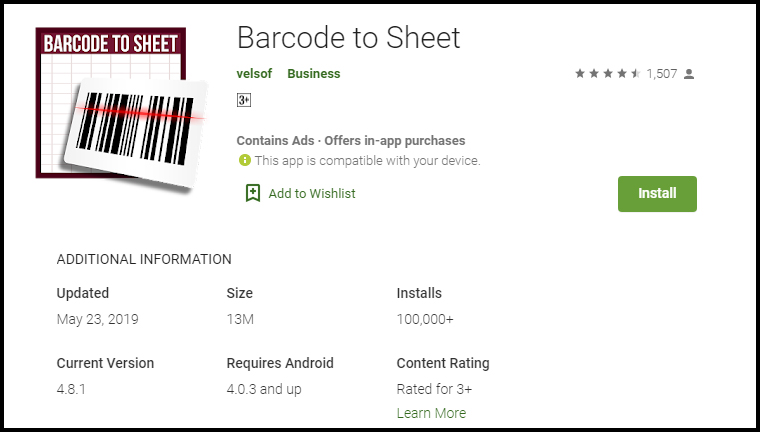
Try to list down all the features & benefits with proper keywords to make the most out of it. For the visual part, make sure the screenshots are appealing and have relevant information. For instance, take a look at how clear & self-explanatory screenshots are of Barcode To Sheet mobile app. The interactive app preview video gives complete info in just 2 minutes.
4. App Downloads:
You should always keep a track of the downloads of your app. It should always keep increasing. The more downloads you will get the higher ranking you will get. Even, the app store also shows the visitors ranking of the tops app In their respective category which majorly depends on the app downloads.
Somehow, if your app is lacking downloads in the initial launch phase, you can even try some third-party promotion to get a rise. The downloads depict the authenticity of your app & help in ranking as well.
5. App Ratings & Reviews:
Being in the retail industry, you would be aware of the potential of ratings & reviews. That works for your app as well. Keep your user reviews positive & ratings higher for better ranking.
Launching a beta version of your app is a way to make sure that it is user-friendly & match expectations. You can even get happy & satisfied reviews from the beginning. In order to simplify this task, try to get fully genuine & real reviews.
Yes, Google search it is. You can use it to rank the app in Google searches & get it installed in the user’s devices. The process is quite simple, you just need to optimize app listing page & link it to your website.
1. Interlink Store & Apps:
There should be a proper interlinking between store & app listings. Keep the brand name in app title & description which should have a back-link to your website.
Also, highlight app links on your website homepage for better usability & increased downloads.
2. Allow App Indexing:
Indexing signals Google Bot to crawl the content of a specific web-page. Make sure that indexing is allowed for your app listing page as well.
This will let crawlers go through app description & keywords which will ultimately help in Google ranking of apps. You should even keep an eye on the content of app web-page & update it from time to time.
Actually indexing of application is slightly different from the web-pages. Along with app description, the content available on app screens can also be brought to crawling with deep linking app indexing & firebase app indexing.
3. QR code for App Install:
Display compressed QR codes on your website & let users land straightly to app download option on scanning. This not only improves usability, but also it is a future trend which could affect rankings in coming time.
These QR codes on the home page of the website will grab the user’s attention & straightly lead them to apps for better browsing & hassle-free purchase. Click here to create a low-density QR code.
#3 App Promotion on Social Platforms
As far as eCommerce mobile apps are concerned, social media networks are an effective channel for promotion. You can increase the visibility of your app & get potential no of downloads from there.
Majorly there are two ways to do that. One is to promote the app through your social business profiles on Facebook, Twitter, Instagram, etc. Another one is to run Facebook ads for your app.
Often it happens that developers focus is just on the download numbers. It’s good, but there should be a check on the user’s behavior & app performance as well. Your app will be uninstalled from user’s devices whenever they face any sort of abnormal behavior.
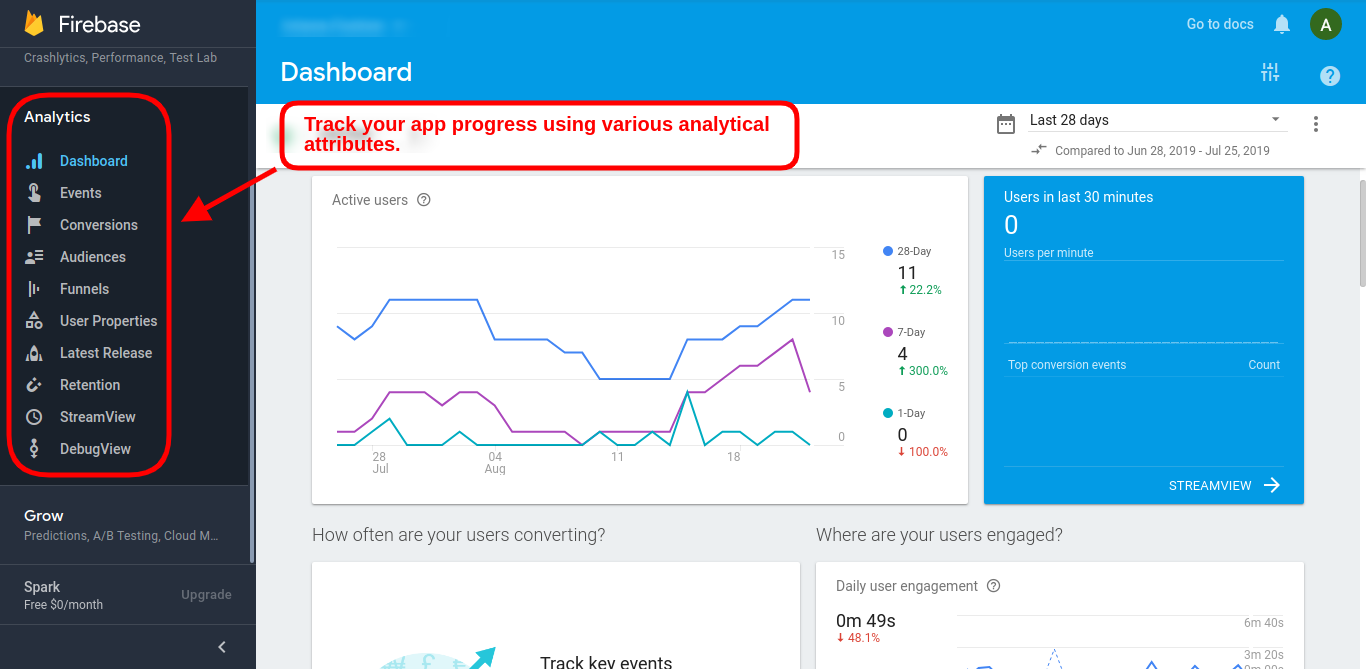
You can use Google’s Firebase Analytics to learn more about user’s demands in real-time & plan on how to deliver them accordingly.
Similarly, the Apple store has also its analytics tool with App Analytics which also used to measure performance & set new goals. The Google Firebase tracking can also be added in Google Analytics in order to keep a check on app performance & growth.
#4 Press Releases for App Launch
Before launching an eCommerce Mobile App for the online store, you should release a press release on different digital media networks as an announcement. This campaign will voice out about future app presence & get initial downloads in beta version as well.
The developers can even go to influencers & reviewers to get genuine feedback/review for their apps. The reviews get published on multiple websites which grabs user attention with a quality back-link to your app listing web-page. This approach has worked for various leading names when it comes to increasing downloads.
A pre-launch campaign can gain exposure for your app. Pre-announcement about ongoing app development & will be available soon is the best thing to do instead of just waiting for launch day. A blog post about development updates maybe even published for better interaction with users. It will help in building eagerness in users regarding your app.
For all the eCommerce merchants out there, if you haven’t taken your store to the mobile platform & start generating heavy leads, here is the most advanced & automated Mobile App Builder plugin available for all major platforms. Check them out:
The answer to successful app downloads lies in the preliminary strategies we choose. The above-discussed tips will be a booster for your app downloads, but you can also opt for any other technique as well if it works for you. In the wide eCommerce industry, multiple domains have a variable audience, so there isn’t any foolproof way to get numbers. But, yeah these points have worked for a majority of developers in the past & would hopefully bring recognition & downloads for your app as well.






![[New Version Release] Magento 2 Mobile App Builder : v1.0.6](https://www.knowband.com/blog/wp-content/uploads/2020/05/New-Version-of-Magento-Mobile-App-Builder-Ready-To-Serve-The-eMerchants.jpg)