How to use Opencart Booking and Rental Extension for Your Business!

In the dynamic world of e-commerce, businesses are constantly seeking innovative ways to enhance customer experience and streamline operations. From selling hand-crafted goods to fashion apparel, we can see a lot of variety in businesses, especially in the eCommerce industry.

Following the trend, starting a booking and rental business can also be a good idea for eCommerce merchants. Furthermore, Among the myriad options available, the Opencart Booking and Rental Extension by Knowband stands out as a robust solution for managing reservations, bookings, and rentals seamlessly.

Thus, in this guide, we’ll explore how Opencart eCommerce businesses can optimize the booking processes in their stores and elevate customer satisfaction.

Knowband’s OpenCart Booking and Rental System Extension:

Designed with flexibility in mind, the OpenCart Booking and Rental System Extension caters to a wide range of industries, from hospitality to event management.
Moreover, the module allows businesses to effortlessly manage bookings, reservations, and rentals through a user-friendly interface.

Key Features of the Opencart Booking and Rental Plugin:
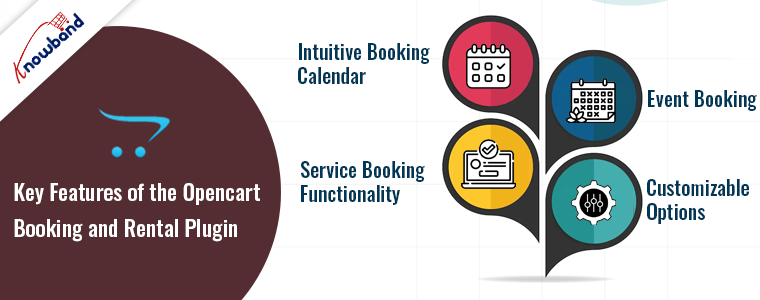
 

Intuitive Booking Calendar:

The Opencart rental extension provides an easy-to-use interface for both store admin and the customers.
Furthermore, using the intuitive extension interface, businesses can easily set availability, manage reservations, and view bookings at a glance. This feature is particularly valuable for hoteliers using the module as a Hotel Booking Extension for OpenCart.

Service Booking Functionality:

The plugin extends its capabilities to service-oriented businesses by offering a dedicated Service Booking module. Moreover, it is ideal for businesses offering appointments, consultations, or any other time-bound services making the module useful for a variety of businesses.

Event Booking:

For businesses involved in event management, the OpenCart Event Booking plugin is a must-have. Seamlessly integrate event bookings into your OpenCart store, providing customers with a hassle-free way to reserve their spots for conferences, workshops, or any other events.

Customizable Options:

Tailor the Opencart booking and rental plugin by Knowband to suit your business needs with customizable options. Furthermore, as an Opencart store admin, you can complete the module set-up by defining booking durations, setting pricing models, and configuring other parameters to align with your unique requirements.

Implementation Steps:-
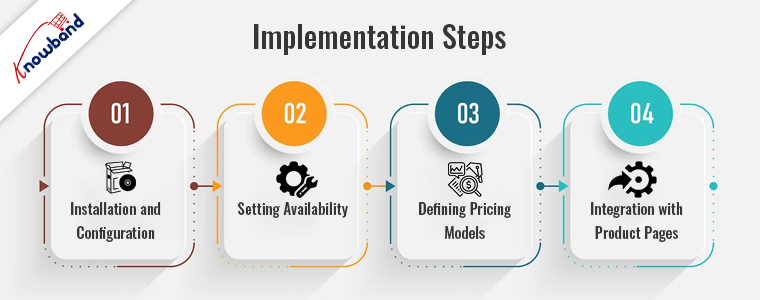
 

1. Installation and Configuration:

Start by installing the Opencart Booking and Rental plugin on your OpenCart platform.
Once installed, configure the settings based on your business model and preferences. This step is crucial for ensuring that the addon aligns seamlessly with your operations.

2. Setting Availability:

Whether you are managing hotel rooms, rental equipment, or booking time slots for services, the module provides options for creating reservation products at your convenience.

3. Defining Pricing Models:

Tailor the pricing models to your business strategy. The module supports various pricing structures, including fixed pricing, dynamic pricing based on demand, and tiered pricing for extended rentals or bookings.

4. Integration with Product Pages:

With the help of the Opencart Booking plugin by Knowband, you can ensure a seamless customer experience. Moreover, it allows customers to make reservations or bookings effortlessly while browsing your offerings.

Conclusion!

From hotels to service providers and event managers, the versatility of this addon makes it a valuable asset in the competitive e-commerce landscape.
By following the implementation steps and leveraging the key features, businesses can unlock new levels of efficiency and customer satisfaction. Invest in the future of your business by embracing the capabilities of the Opencart Booking and Rental Addon.

Moreover, we are also available at our email address support@knowband.com in case you are having queries/suggestions regarding our booking and rental extension for Opencart. 

Laravel vs. Symfony vs. CodeIgniter: Which is Best and Why!

In the ever-evolving landscape of web development, choosing the right PHP framework is a crucial decision that can significantly impact the success of a project.
Furthermore, in 2023, Laravel, Symfony, and CodeIgniter continue to stand out as three of the most prominent PHP frameworks, each with its unique strengths and characteristics.

Thus, following the same, in the following article we are going to provide a comprehensive comparison of these frameworks to assist developers in making informed decisions for their projects.

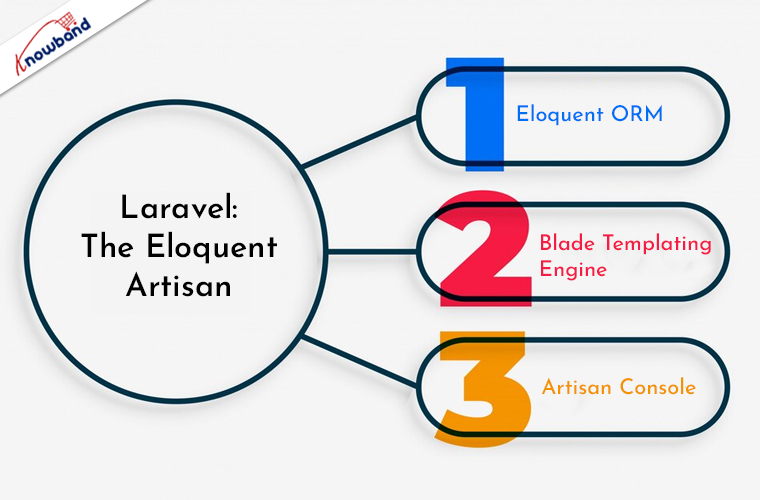
Laravel: The Eloquent Artisan


Laravel has emerged as a dominant force in PHP development, known for its elegant syntax, expressive codebase, and a wide range of built-in features. Moreover, Laravel continues to be the go-to framework for developers who prioritize simplicity and developer-friendly tools. These features not only make the framework flexible but also the in-built libraries enhance the user-friendliness.

Key Features:

Eloquent ORM: Laravel’s ORM system allows developers to interact with databases using an expressive syntax which further simplifies database operations.

Blade Templating Engine: Blade provides a clean and intuitive templating system, enhancing the development of dynamic and engaging views.

Artisan Console: The Artisan command-line tool automates repetitive tasks. Furthermore, not only does the following factor make the code fast but also maintains the efficiency.

Use Cases:

Laravel is well-suited for a variety of projects, from small-scale applications to large enterprise-level systems. Its extensive ecosystem of packages and vibrant community contribute to its popularity.

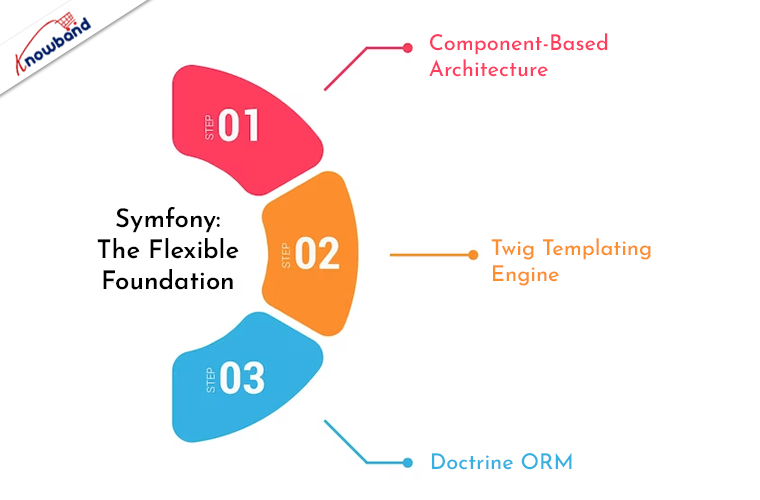
Symfony: The Flexible Foundation


Symfony, known for its stability and flexibility, is a framework that provides a robust foundation for building complex and scalable web applications.
Furthermore, Symfony remains a top choice for developers who require a high degree of customization and control.

Key Features:

Component-Based Architecture: Symfony’s components can be used independently, allowing developers to pick and choose the elements they need for a particular project.

Twig Templating Engine: Twig offers a powerful and secure templating engine, facilitating the creation of dynamic and maintainable views.

Doctrine ORM: Symfony integrates with Doctrine for powerful database abstraction and object-relational mapping.

Use Cases:

Symfony excels in projects that demand a high level of customization and scalability. Therefore, it is often chosen for large-scale enterprise applications and projects with complex requirements.

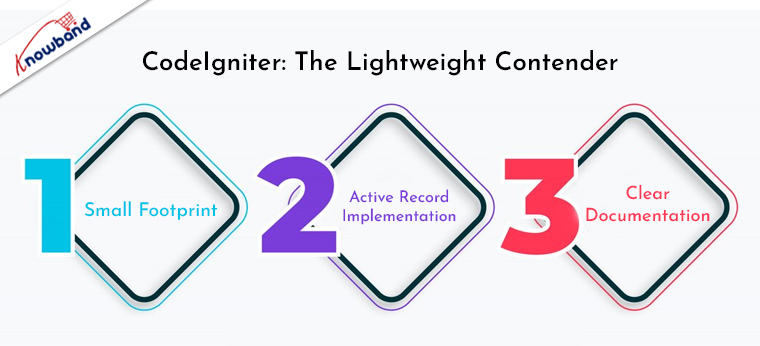
CodeIgniter: The Lightweight Contender


CodeIgniter has long been appreciated for its simplicity, speed, and ease of use. In 2023, it continues to be a reliable choice for developers who prioritize a lightweight framework without sacrificing essential features.

Key Features:

Small Footprint: CodeIgniter’s minimalistic approach results in a small footprint. Which makes it a fast and straightforward framework to work with.

Active Record Implementation: CodeIgniter’s active record implementation simplifies database interactions, providing a convenient way to build queries.

Clear Documentation: The framework’s documentation is comprehensive and user-friendly, making it easy for developers to get started.

Use Cases:

CodeIgniter is an excellent choice for small to medium-sized projects, where a lightweight framework with a quick learning curve is advantageous. It is often chosen for projects with straightforward requirements and a need for rapid development.

Conclusion:

In 2023, Laravel, Symfony, and CodeIgniter continue to play significant roles in shaping the PHP development landscape. The choice between these frameworks ultimately depends on the specific needs and preferences of the development team and the project at hand.

Laravel stands out for its elegant syntax and developer-friendly tools, making it a great fit for a wide range of projects. Whereas, Symfony’s flexibility and component-based architecture make it ideal for complex, scalable applications.
CodeIgniter’s lightweight nature and simplicity make it a strong contender for smaller projects and rapid development.

Ultimately, the best framework for a particular project will depend on factors such as project size, complexity, and the preferences and expertise of the development team.
As technology continues to advance, these frameworks will likely evolve further, ensuring that PHP developers have the tools they need to build robust and scalable web applications. Furthermore, at Knowband we also provide PHP web development services for eCommerce platforms. You can get in touch with the support team at our official email support@knowband.com for project discussions and requirements. 

Related Article: https://www.knowband.com/blog/tutorials/read-file-in-php-language/

Creating Your Own Marketplace Using the Prestashop Marketplace Addon!

In the rapidly evolving world of e-commerce, establishing your marketplace can be a game-changer for entrepreneurs looking to expand their business horizons. At Knowband, we offer a powerful solution for creating a marketplace through Prestashop Marketplace Addon. This comprehensive module Prestashop Marketplace Extension, empowers users to transform their online store into a thriving multi-vendor marketplace. Furthermore, it helps in including an additional income source into your business. But also enhances brand recognition for the Presta store retailers.

Understanding the Prestashop Marketplace Ecosystem!

Knowband’s Prestashop Multi-Seller Marketplace Addon is designed to facilitate the seamless integration of a multi-vendor marketplace within the Prestashop framework. Moreover, this extension enables online store owners to invite multiple sellers to showcase and sell their products on a shared platform.

Thus, along with selling your products via your Presta store, you can also allow other vendors to list the products in your store as a third-party seller. Later, you can earn commission and various other margins by allowing sellers to do so.  

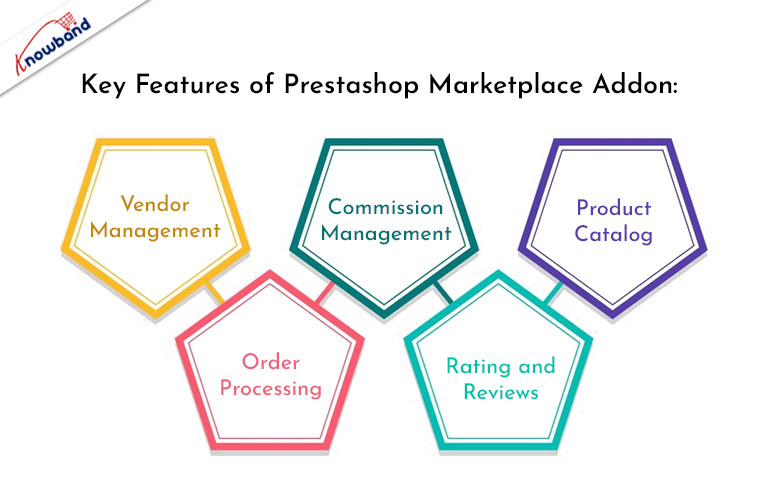
Key Features of Prestashop Marketplace Addon:


Vendor Management:

The Prestashop Multi-Vendor Marketplace empowers administrators to efficiently manage multiple vendors. Through a user-friendly interface, vendors can register, list products, and manage orders, while administrators can easily oversee and moderate vendor activities. Moreover, the Prestashop admin has complete owner control over all the seller activities.

Commission Management:

Knowband’s Multi-Seller marketplace for Prestashop module offers a flexible commission management system, allowing administrators to set commission rates based on product categories or individual vendors. Thus, the following feature ensures a fair and transparent revenue-sharing model between the marketplace owner and vendors.

Product Catalog:

Vendors can effortlessly create and manage their product catalog within the Prestashop Marketplace. The centralized product catalog enhances user experience by providing customers with a diverse range of products from various sellers.

Order Processing:

The Prestashop Marketplace Addon streamlines order processing by providing a centralized dashboard for managing orders. Furthermore, it simplifies the fulfillment process for both administrators and vendors.

Rating and Reviews:

Customer feedback is crucial in any marketplace. The module includes a robust rating and review system, allowing buyers to share their experiences and helping build trust among potential customers. Furthermore, the sellers as well as store admin can manage the review at their convenience right from their dashboards.

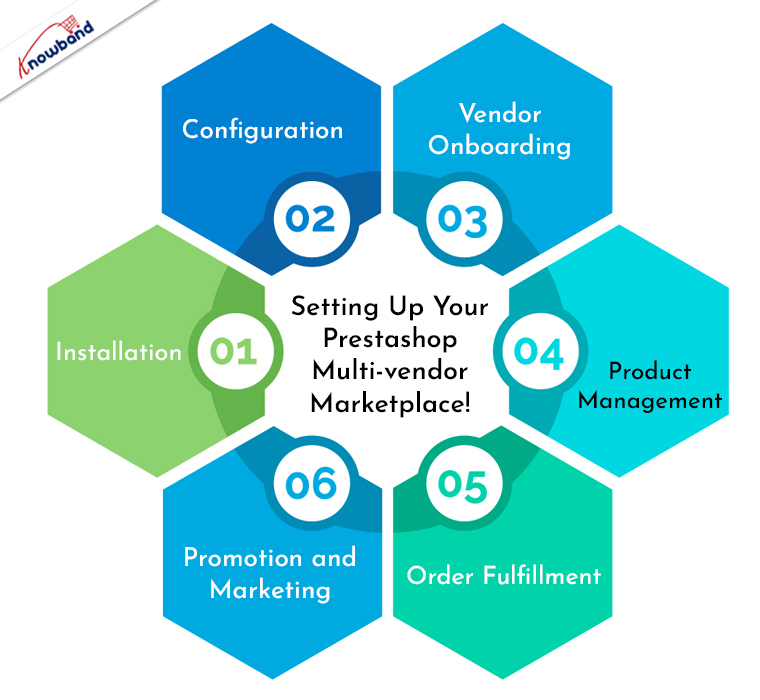
Setting Up Your Prestashop Multi-vendor Marketplace!


Creating your own marketplace using Knowband Prestashop Marketplace Extension is a straightforward process. Follow these steps to get started:

Installation:

Begin by installing the Prestashop Marketplace Addon on your Prestashop store. This can be done through the Prestashop admin panel by uploading the module. Or, you can also insert the module files via cPanel/FTP details into your store directory.

Configuration:

Define commission rates, shipping options, and other essential parameters. Furthermore, you can also check out the module’s user manual for more information about marketplace configurations.

Vendor Onboarding:

Invite vendors to join your marketplace by allowing them to register through a dedicated vendor registration page. Vendors can create accounts, upload product listings, and manage their store settings.

Product Management:

Vendors can easily add, edit, and remove products from their catalog. Therefore, it ensures that product information is accurate and meets your marketplace standards.

Order Fulfillment:

Manage orders efficiently by monitoring the order dashboard. Both administrators and vendors can track order statuses, process shipments, and handle customer inquiries.

Promotion and Marketing:

The Prestashop store admin can encourage vendors to promote their products and drive traffic to the marketplace. Moreover, you can also leverage marketing tools within Prestashop to enhance the visibility of your multi-vendor marketplace.

Conclusion!

In conclusion, the Prestashop Marketplace Addon provides a comprehensive solution for entrepreneurs looking to venture into the world of multi-vendor e-commerce. Moreover, this addon empowers you to create a dynamic and lucrative online marketplace. By following the steps outlined above, you can seamlessly integrate the Prestashop Marketplace Addon and embark on the journey of building and managing your very own Prestashop Marketplace.


PrestaShop Mobile Optimization: Why It Matters and How to Achieve It!

In the dynamic landscape of eCommerce, where consumers increasingly turn to mobile devices for their online shopping needs. Ensuring that your PrestaShop store is optimized for mobile is not just a good practice – it’s a necessity. Furthermore, with mobile commerce on the rise, neglecting mobile optimization could mean missing out on a significant chunk of potential customers.
Thus, in this article, we’ll delve into why PrestaShop mobile optimization is crucial and provide actionable steps on how to achieve it.

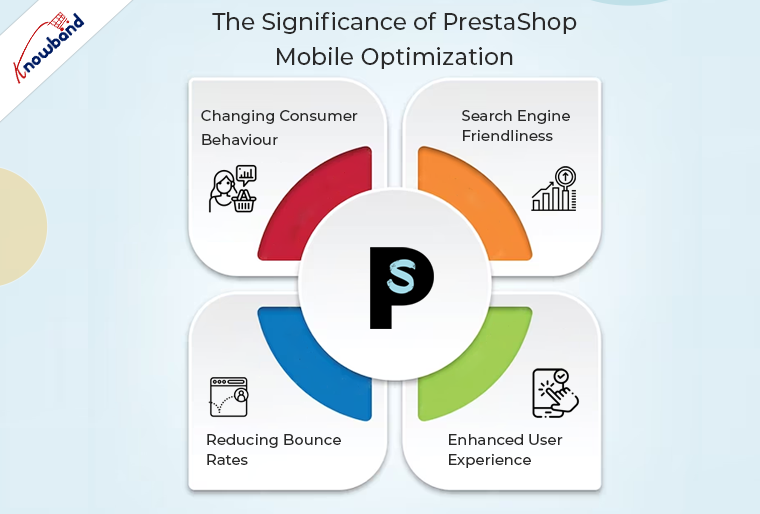
The Significance of PrestaShop Mobile Optimization:


Changing Consumer Behaviour:

The way consumers shop has undergone a paradigm shift. Therefore, mobile devices have become the go-to choice for browsing and purchasing products online.
A report by Statista reveals that in 2021, mobile e-commerce sales accounted for over 54% of total e-commerce sales worldwide. This trend is expected to continue growing, making mobile optimization a business imperative.

Search Engine Friendliness:

Search engines, including Google, prioritize mobile-friendly websites in their rankings. Moreover, PrestaShop mobile optimization not only enhances user experience but also positively impacts your search engine visibility. This can lead to higher organic traffic and improved chances of acquiring new customers.

Reducing Bounce Rates:

A poorly optimized mobile experience often results in higher bounce rates, as users are more likely to abandon a website that is difficult to navigate on their mobile devices.
Thus, by optimizing your PrestaShop store for mobile, you create a seamless and user-friendly environment, reducing bounce rates and increasing the likelihood of conversions.

Enhanced User Experience:

Mobile optimization is synonymous with providing an excellent user experience. A responsive and mobile-friendly design ensures that visitors can easily navigate your PrestaShop store, view products, and complete transactions on their smartphones or tablets. This positive experience can foster customer loyalty and encourage repeat business.

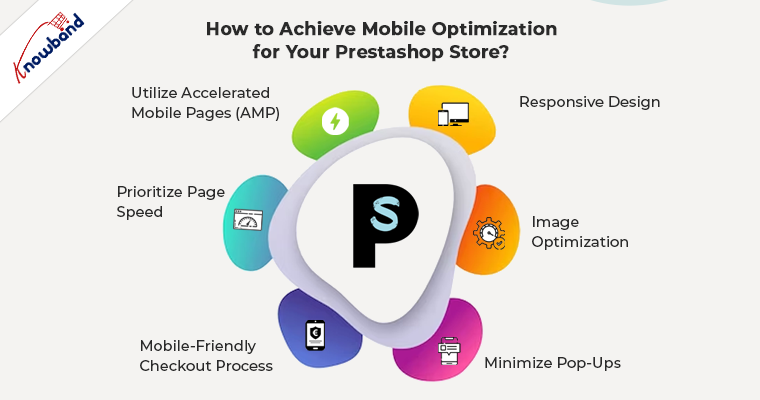
How to Achieve Mobile Optimization for Your Prestashop Store?


Responsive Design:

To ensure the mobile-friendliness of your Prestashop eCommerce website, you should invest in a responsive design for your PrestaShop store. Furthermore, a responsive theme automatically adjusts to different screen sizes, ensuring a consistent and user-friendly experience across devices.

Image Optimization:

Compress and optimize images to reduce loading times on mobile devices. Moreover, the large image files can slow down the loading speed, leading to a frustrating experience for users. PrestaShop allows you to optimize images directly from the admin panel.

Minimize Pop-Ups:

While pop-ups can be effective on desktops, they can be intrusive on mobile devices. Consider minimizing or eliminating pop-ups that may hinder the mobile user experience.

Mobile-Friendly Checkout Process:

Streamline the checkout process for mobile users. Implement a simplified and user-friendly mobile checkout page, reducing the number of steps and data entry required.

Prioritize Page Speed:

Optimize your PrestaShop store for speed, especially on mobile devices. Use tools like Google PageSpeed Insights to identify and address issues that may be affecting your site’s speed.

Utilize Accelerated Mobile Pages (AMP):

Implementing AMP can significantly enhance the loading speed of your pages on mobile devices. Furthermore, at Knowband we also provide an Accelerated Mobile Pages addon that not only helps in the website’s smooth loading but also ensures the quick loading of mobile pages on mobile devices.

In the End:

In conclusion, PrestaShop mobile optimization is not just a technical checkbox but a strategic move to meet the evolving needs of your customers and stay competitive in the online marketplace. By prioritizing mobile optimization, you not only enhance user experience but also position your PrestaShop store for improved search engine rankings and increased conversions.


Recent Changes in SendinBlue and Mailchimp APIs

“Your goal should be to own quality time in your customer’s inbox.” – Drew Davis 

Digital Marketing is a major pillar of increasing sales and it is evolving day by day. But being up to date with the changes in the marketing platforms is crucial. Brevo (formerly SendInBlue) and Mailchimp, two prominent players in this field, have recently made significant changes in their APIs. In this article, we will delve deeper into the key changes and improvements.


Mailchimp: –

The new version of API 3.0 has been released and version 2.0 has been shut off on June 1, 2023.

The new root URL for the API is 

https://<dc>.api.mailchimp.com/3.0/ 

where <dc> defines the data center.

You can easily find your data center at the end of the API key as the keys are in the form of key-dc.

Here, we have mentioned the major change in adding the subscriber to a list.

The method of adding members to a list has been changed.

The path has been changed from lists/subscribe

To lists/_listid_/members

 Where _listid_ is the list ID in which you want to add the subscriber.

Along with that, if you want to send some additional data for the subscriber after the request, then you can use the patch request. 

Patch Request is used for performing partial updates.

Use the below path for the patch request

lists/_listid_/members/_subscriber_hash_

Where _listid_ is the list ID in which you have added the subscriber.

And _subscriber_hash_ is the hash of the subscriber email.

Similarly, the method of fetching the lists has been changed. GET Method is used to fetch the lists. Earlier the path parameter used was lists/list This has been changed with the lists only

For more information regarding the Mailchimp API v3, please refer to the API Doc:-

https://mailchimp.com/developer/marketing/api/ 


Brevo (Formerly Sendinblue): –

Sendinblue was started as a Newsletter Service. But now they also deliver email, SMS, WhatsApp, chat. 

Earlier the root URL for the API was

https://api.sendinblue.com/v2.0 

which has now been changed to the 

https://api.brevo.com/v3 

which clearly shows the changes in the name of the API regarding Sendinblue renamed to Brevo along with the change in the API version.

For contacts, we use contacts also as a part of the root URL

https://api.brevo.com/v3/contacts/ 


To fetch all the lists from the Brevo, the GET method is used, earlier the function used was ‘list’ which has been changed to lists. 

We can pass the limit also with the request if we want to fetch limited lists.

In a similar way, we can add/update the subscribers in the lists.

To add/ update the subscribers, an earlier user/created user function was used which has now been replaced with the contacts.

Passing the subscriber’s email or mobile number with country code is mandatory.

Also, you can pass the first name and last name of the subscriber in the attributes.

If you want to update the subscribers in the same request, then pass update Enabled as true.

Also, we need to pass a list of IDs of the lists present at the Brevo in which we want to add the subscriber.

I hope I have the necessary information about the Brevo API key changes.

For more information regarding the Brevo API changes, please refer to the Doc of the API-

https://developers.brevo.com/reference/intro/my-requests 


How to Create Your Own Marketplace with Prestashop Marketplace Addon!

In the world of e-commerce, owning a Prestashop store provides an excellent platform to showcase and sell your products.
However, if you’re looking to take your business to the next level and enable multiple vendors to sell their products on your platform, Knowband’s Prestashop Marketplace Addon is the solution you need. With the Prestashop multi-seller module by Knowband, you can transform your Prestashop store into a thriving multi-vendor marketplace.

Why Choose Prestashop Marketplace Addon?

Prestashop is renowned for its flexibility and scalability, making it a popular choice for e-commerce entrepreneurs. While it provides a robust foundation for running a single-vendor store, the true power of Prestashop is unleashed when you turn it into a multi-vendor marketplace. Therefore, the Prestashop Multi-Vendor Marketplace Addon is designed for this very purpose.
Moreover, with this addon, you can enable multiple sellers to list their products and manage their businesses within your marketplace.

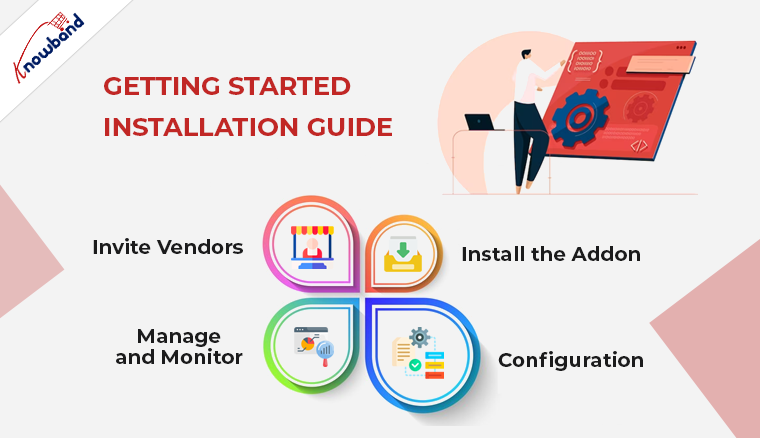
Getting Started: Installation Guide.


To create your own marketplace using the Knowband’s multi-seller marketplace addon for Prestashop, follow these key steps:

Install the Addon: 

Install the module on your Prestashop store like any other module or extension.

Configuration: 

Once the addon is installed, you can configure it according to your specific requirements. Furthermore, it includes setting commission rates, defining accepted payment methods, implementing vendor verification processes, and more. The configuration options provided by the Prestashop Marketplace Module are highly flexible, allowing you to tailor your marketplace to your business model.

Invite Vendors: 

After the configuration is complete, you can start inviting vendors to join your marketplace. Vendors can sign up on your platform, create their vendor profiles, and begin listing their products for sale.
Moreover, they will have their own dedicated vendor dashboards to manage their stores and products efficiently.

Manage and Monitor: 

As the owner of the marketplace, you’ll have access to a comprehensive dashboard that allows you to manage vendor activities, track sales, and ensure the smooth operation of your marketplace. Thus, you can approve, disapprove, or even remove vendors as necessary, ensuring the quality and reliability of your marketplace.

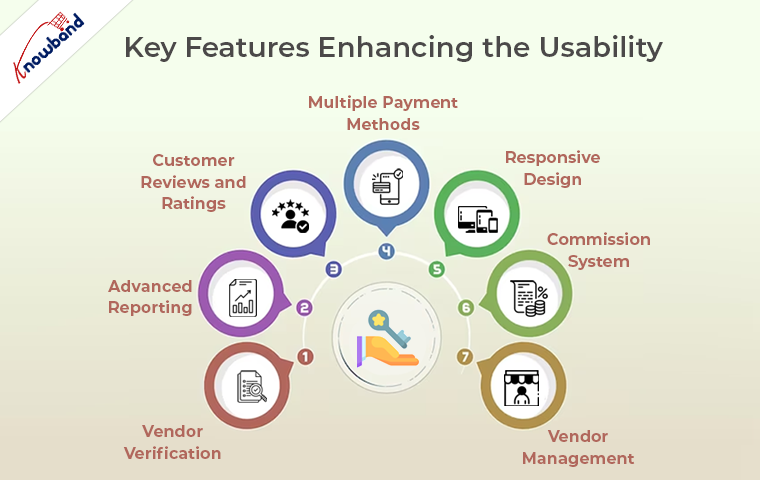
Key Features: Enhancing the Usability


Knowband’s Prestashop Multi-Seller Marketplace module offers a wide range of features and functionalities to ensure the smooth operation of your multi-vendor marketplace. Here are some of the key features:

Vendor Management: 

The Prestashop Marketplace Plugin provides efficient tools for vendor management. You can approve or disapprove vendor registrations and, if necessary, remove vendors from your marketplace.

Commission System: 

The addon offers a flexible commission system, allowing you to earn a percentage from each vendor’s sale. This revenue-sharing model is a core element of the marketplace business model.

Multiple Payment Methods: 

The Prestashop marketplace supports various payment methods, ensuring a seamless transaction experience for both vendors and customers. 

Advanced Reporting: 

Access to detailed reports and analytics is vital for monitoring the performance of your marketplace. Furthermore, the addon provides you with insights into sales, vendor activities, and other essential metrics.

Responsive Design: 

Your marketplace needs to be accessible and user-friendly on all devices. The Prestashop Marketplace Extension ensures that your marketplace is responsive and mobile-friendly, providing an excellent shopping experience for your customers.

Vendor Verification: 

To maintain the quality and reputation of your marketplace, you can implement vendor verification processes. This can include identity verification, business verification, or other relevant checks.

Customer Reviews and Ratings: 

Customer feedback is crucial in building trust. The Prestashop Marketplace Addon allows customers to leave reviews and ratings for vendors, creating a trustworthy environment for shopping.

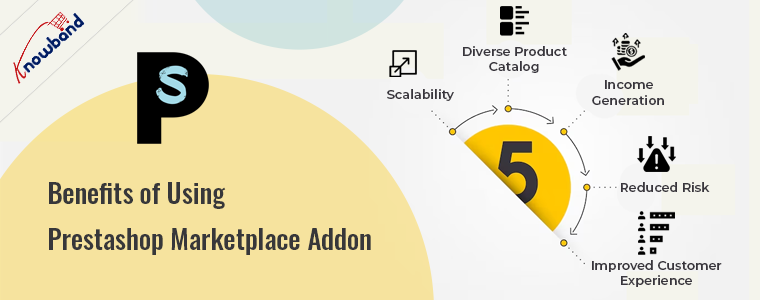
Benefits of Using Prestashop Marketplace Addon:


Now that we’ve explored how to create your own marketplace with the Prestashop Marketplace Addon and its key features, let’s delve into the benefits of using this powerful tool:

Scalability: 

The Prestashop Multi-vendor Marketplace addon enables you to expand your e-commerce business without significant investments in infrastructure. As you onboard more vendors, your marketplace naturally scales, offering a wider range of products to your customers.

Diverse Product Catalog: 

One of the most significant advantages of a multi-vendor marketplace is the diverse product catalog it offers. Furthermore, multiple sellers can list their products, providing a wide selection for your customers. This diversity attracts a broader customer base, increasing your reach and potential sales.

Income Generation: 

Through the flexible commission system provided by the Prestashop Marketplace Plugin, you can generate revenue every time a sale occurs on your platform. As more vendors join and more products are sold, your income potential increases.

Reduced Risk: 

Sharing responsibilities with vendors, such as product listings, order processing, and customer service, reduces your business risk. Thus, you no longer carry the entire burden of running a successful e-commerce store.

Improved Customer Experience: 

A rich and diverse product selection, along with multiple sellers to choose from, enhances the customer experience. Customers can explore a wide array of products and brands, making their shopping experience more engaging and satisfying.

In the END:

In conclusion, Knowband’s Prestashop Marketplace modules are the ultimate tool to create your own marketplace. Furthermore, it empowers you to expand your e-commerce business, offer a diverse product catalog, generate income, reduce risk, and provide an improved customer experience.

Furthermore, if you have queries regarding module features or workflow, please feel free to drop us an email at support@knowband.com for more information. 

Must-Have eCommerce Modules for the 2023 Holiday Season!

Is your store ready to welcome customers this holiday season? The holiday season is one of the most significant and lucrative times of the year for eCommerce businesses. With the right tools and strategies, you can maximize your sales and create a seamless shopping experience for your customers.
Furthermore, at Knowband, we have eCommerce modules that can help you boost your holiday season sales. In this article, we’ll explore six must-have modules that can make a significant difference in your online store’s performance.


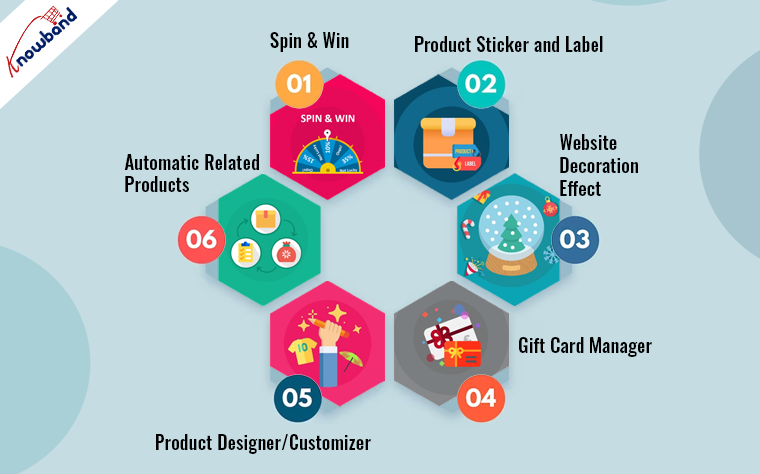
Spin and Win: Engaging Gamification:

Gamification is a powerful tool to engage and retain customers. Therefore, Knowband’s “Spin and Win” module allows you to create interactive games on your eCommerce site.
Thus, during the holiday season, you can use the Spin and Win pop-up module to offer customers the chance to spin a virtual wheel for discounts, free products, or other special offers. Moreover, the Prestashop Spin and Win not only adds an element of fun to the shopping experience but also encourages visitors to explore your website and make a purchase. It’s an effective way to capture the holiday spirit and keep customers coming back for more.

Product Sticker and Label: Eye-Catching Promotions

During the holiday season, shoppers are inundated with choices, making it crucial to stand out. Product Sticker and Label modules allow you to add eye-catching badges and stickers to your products. Moreover, you can highlight special offers, limited-time deals, or product features. For example, you can add “Black Friday Special” or “Best Seller” labels to your products, which can significantly increase their visibility and sales.

Website Decoration Effect: Festive Atmosphere

Creating a festive atmosphere on your eCommerce website can go a long way in attracting and retaining customers during the holiday season. The Website Decoration Effect module allows you to easily decorate your site with snowflakes, twinkling lights, or other holiday-themed graphics. Furthermore, it creates a warm and inviting atmosphere that resonates with the holiday spirit. Thus, the customers are more likely to enjoy their shopping experience and spend more time on your site when they feel the holiday vibe.

Gift Card Manager: Flexible Gifting Options

Gift cards are a popular choice for holiday shoppers, as they allow the recipients to choose their own gifts. Knowband’s Gift Card Manager module makes it easy for your customers to purchase and redeem gift cards on your eCommerce platform. You can offer customizable gift cards with different designs and denominations, making it convenient for customers to select the perfect gift for their loved ones. Additionally, gift cards can help boost your revenue, as they often lead to additional sales when recipients shop on your site.

Product Designer/Customizer: Personalization for Unique Gifts

Personalization is a growing trend in eCommerce, and it’s especially relevant during the holiday season when shoppers are looking for unique and thoughtful gifts.

The Product Designer/Customizer addon allows your customers to personalize products by adding their names, photos, or custom text. Whether it’s custom mugs, T-shirts, or jewelry, this feature adds a personal touch to your products, making them ideal for gift-giving. Offering this option can set you apart from competitors and drive higher sales.

Related Products: Cross-Selling and Upselling

The Related Products module is a strategic tool for increasing your average order value during the holiday season. It suggests complementary or upgraded items to customers based on their current selections. For example, if a customer is browsing for a smartphone, the module can recommend compatible accessories or extended warranties. This not only enhances the shopping experience by providing useful suggestions but also increases your revenue by encouraging customers to purchase more items. During the holiday season, when people are looking for complete gift solutions, this module can be highly effective.

In the End!

In conclusion, the 2023 holiday season presents a significant opportunity for eCommerce businesses to boost their sales and create a memorable shopping experience for customers. By incorporating these must-have modules, you can engage customers with creative planning.

By implementing these modules, your eCommerce business can thrive during the holiday season and set the stage for a successful year ahead. Furthermore, we are also available at our email address support@knowband.com in case of any queries or suggestions.

The Success Story of idro-web with Knowband One Page Super Checkout for Prestashop

It is evident that for any e-commerce website, the checkout process stands as the final phase of order completion. It is the last interaction a customer has with your online store before becoming a paying customer, making it a crucial aspect of any e-commerce business. Further, streamlining this process can significantly impact sales and conversions, as idro-web discovered when they integrated Knowband One Page Checkout for Prestashop into their website.

Challenges of the Traditional Checkout Faced by idro-web

The idro-web, an online store specializing in various products related to water treatment and purification, was no stranger to the challenges of the traditional multi-step checkout process. Despite offering a wide range of high-quality products, their conversion rate at the checkout stage was lower than expected. Also, at some point, this rate started following the negative slope. Moreover, customers were often abandoning their shopping carts during the checkout process. The main reason for this was the lengthy, time-consuming process, and unnecessary steps in the checkout.

Recognizing the need for a solution to boost their conversions, the team at idro-web began their search for a Prestashop module that could address these issues. Therefore, after extensive research, they stumbled upon the Knowband Prestashop One Step Checkout Addon.

Knowband Prestashop Fast Checkout Addon

Prestashop Quick checkout addon is a powerful module designed to simplify the checkout process. Additionally, it helps in enhancing user experience and boosting conversions. It condenses the multi-step checkout into a single, user-friendly page, making it faster and easier for customers to complete their purchases.

After discovering this module, idro-web was joyous with its potential to resolve the issues they were experiencing with their checkout process. The team decided to give it a try, and the journey to transform their checkout experience began.

The Implementation: Streamlining the Checkout Process

The implementation of the Knowband Prestashop simplified checkout addon was a straightforward process. Further, the idro-web team integrated the module seamlessly into their Prestashop-based website. Therefore, the module’s user-friendly interface allowed them to customize the checkout page to match their brand’s needs. Also, it helped maintain a cohesive look and feel throughout the entire shopping process.

By having the checkout on a single page, the module eliminates unnecessary steps and the amount of time and effort to complete a purchase. Further, this simplicity was a game-changer for idro-web, and they were excited to see the impact on their customer’s shopping experience.

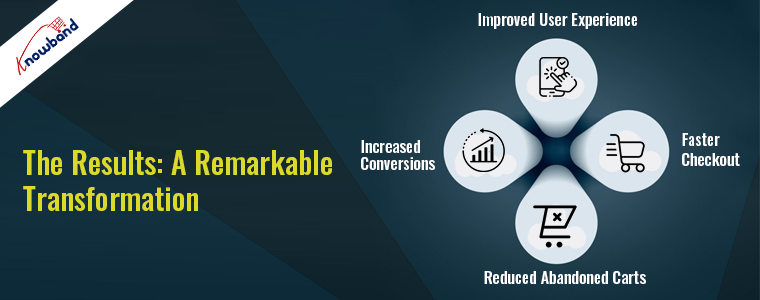
The Results: A Remarkable Transformation


The result of integrating the quick checkout addon Prestashop was nothing short of remarkable. As soon as Knowband One Page Supercheckout was implemented, idro-web witnessed a drastic change in their checkout conversion rates. Customers now find it easier to navigate the checkout process. Additionally, the store’s abandoned cart rate dropped significantly.

1. Improved User Experience: 

The streamlined, one-page checkout process made it effortless for customers to complete their purchases. Customers appreciated the simplicity and convenience, which helped achieve a higher satisfaction level.

2. Faster Checkout: 

With reduced steps and less time required to complete the purchase, customers were more likely to proceed to the checkout and complete their transactions.

3. Reduced Abandoned Carts: 

The most crucial improvement was the significant reduction in abandoned shopping carts. The idro-web business saw a remarkable drop in the number of customers leaving their site during the checkout process. Therefore, this was ultimately helpful in boosting their sales and revenue.

4. Increased Conversions: 

The combined effects of improved user experience, faster checkout, and reduced abandoned carts led to a remarkable increase in conversions. As a result, the business can turn more visitors into paying customers now.

Customer Feedback: A Glowing Testimonial

One of the most compelling aspects of the idro-web success story is the feedback from its customers. The store received numerous positive reviews regarding the improved checkout experience. Customers were not only completing their purchases but also taking the time to express their satisfaction with the changes.

After using the Prestashop fast checkout addon, the business started to experience exponential growth and decided to take some customizations too. The Knowband’s team of experts assisted the idro-web in the implementation of custom features as per their business requirements. 

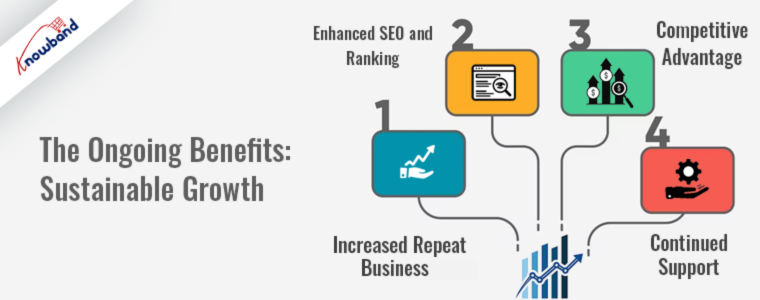
The Ongoing Benefits: Sustainable Growth

The implementation of Knowband One Page Supercheckout brought more than just short-term success. Now, the idro-web is on the path of continuous growth:


1. Increased Repeat Business: 

Satisfied customers were more likely to return for future purchases, leading to a growth in the number of loyal customers.

2. Enhanced SEO and Ranking: 

With improved user experience and reduced bounce rates, the business website experienced better SEO rankings and visibility in search results.

3. Competitive Advantage: 

The streamlined checkout process gave idro-web a competitive edge over other e-commerce stores in their domain.

4. Continued Support: 

Knowband modules are known for their continuous updates and support, ensuring that idro-web would always have access to the latest features and optimizations.

Conclusion:

The journey of idro-web with Knowband One Page Checkout Prestashop is proof of the transformative power of simplifying the checkout process. By streamlining its checkout, idro-web improved its business drastically. Their customers’ satisfaction levels and the store’s reputation were significantly enhanced.

If you’re facing similar challenges with your e-commerce checkout process, consider the journey of idro-web and the impact of Knowband One Page Supercheckout. Streamlining your checkout experience could be the key to unlocking higher conversions, customer satisfaction, and long-term success for your online business. Please do not hesitate to connect with the Knowband team. Further, we will be happy to assist you in finding the most suitable extensions for your website.


Story of Transforming Dreams into Reality for CosmeticosEficaces with Knowband PrestaShop Mobile App Builder

E-commerce is an ever-evolving market and it takes more than just ambition to succeed. Success is often built on a foundation of hard work, innovation, and the right tools. The journey of CosmeticosEficaces, an online store specializing in beauty products witnessed an impact of the power of innovation and the impact of Knowband PrestaShop Mobile App Builder.

The Birth of CosmeticosEficaces

In 2016, CosmeticosEficaces embarked on its journey of making effective beauty products accessible to everyone. Further, the team behind CosmeticosEficaces was driven by their passion for skincare and a belief that everyone deserves to look and feel their best. To achieve this mission, they decided to launch an online store that serves a global audience. The company has its roots in Spain and serves worldwide customers from its online store.

Starting small, CosmeticosEficaces chose Prestashop as their e-commerce platform. Prestashop, with its user-friendly features and extensive customization options, provided the perfect foundation for their business. However, they soon realized that to truly succeed, they needed to reach their customers where they spent most of their time which is their mobile devices.

The Search for the Perfect Solution

After evaluating the growing importance of mobile commerce, CosmeticosEficaces decided to invest in a mobile app for their online store. Further, they knew that a well-designed, feature-rich mobile app could enhance user experience, increase customer engagement, and ultimately boost sales. Further, they were having confusion about how to create a mobile app without investing significant time and resources into app development.

This is where Knowband PrestaShop eCommerce Mobile App entered the picture. Further, CosmeticosEficaces began researching and evaluating various mobile app solutions. They were impressed with the features and capabilities of the Knowband PrestaShop Mobile App. The business needed a customized mobile app for their Prestashop store, without the need for extensive coding or development expertise, which was exactly what they were looking for.

Seamless Integration with Prestashop

One of the key reasons why CosmeticosEficaces chose Knowband PrestaShop Android App Builder was its seamless integration with their existing Prestashop store. The plugin effortlessly synchronized their online store’s product catalog, customer data, and inventory with the mobile app. Additionally, this not only saved them precious time but also ensured consistency in product listings and pricing across both platforms.

With just a few clicks, their Prestashop store transformation into a mobile app was possible with the assistance of Knowband. Also, the user-friendly interface of the plugin allowed the team to customize the app’s design, layout, and navigation to create an intuitive mobile shopping experience.

🛒 Also on OpenCart?

Your OpenCart Store Needs an App in 2026: Here’s the Mobile App Builder That Makes It Happen Fast

Running an OpenCart store? The Mobile App Builder by Knowband is available for OpenCart too, push notifications, real-time store sync, social and fingerprint login, Google AdMob integration, GDPR compliance, and full Android and iOS support delivered in 1 to 2 working days.

Explore the OpenCart Mobile App Builder

Mobile App Functionalities


CosmeticosEficaces’s vision was to create a mobile app that enhanced the user experience. With PrestaShop iOS App Maker, they were able to customize their app to align with their brand identity. Additionally, they were incorporating their logo, color schemes, and fonts seamlessly.

The Flexibility and Ease Of Customization Offered By The Plugin Allowed Cosmeticoseficaces To:

Displaying Products:

The mobile app displayed its beauty products with stunning images, detailed descriptions, and user-friendly navigation.

Push Notifications:

They could send personalized push notifications to app users, announcing new arrivals, special offers, and product updates, effectively keeping customers engaged.

Multi-Language Support:

CosmeticosEficaces expanded its reach to a global audience by offering multiple language options within the app.

Integration of Payment Gateways:

The Prestashop Mobile app builder allowed seamless integration with popular payment gateways, ensuring a secure and hassle-free checkout experience.

Social Media Sharing:

Customers could easily share their favorite products on social media platforms, driving organic growth through word-of-mouth.

Real-time Synchronization:

Any changes made on the Prestashop store were automatically reflected in the mobile app, eliminating the need for manual updates.

The Impact on CosmeticosEficaces


The introduction of the mobile app powered by Knowband Prestashop Mobile App Builder had an immediate impact on CosmeticosEficaces’s journey:

Boost in Sales:

With the app’s user-friendly interface, customers found it easier and more convenient to browse, select, and purchase products. Additionally, this led to a noticeable increase in sales and revenue.

Enhanced Customer Engagement:

The push notification feature allowed them to stay connected with their customers, keeping them informed about the latest promotions and product launches. Further, this led to improved customer loyalty and repeat business.

Global Expansion:

The multi-language support and mobile accessibility opened up new markets for CosmeticosEficaces. Furthermore, it attracts worldwide customers and boosts their global presence.

Improved User Experience:

The mobile app provided a seamless shopping experience. Therefore, it significantly reduces cart abandonment rates and increases customer satisfaction.

Competitive Edge:

The mobile app gave CosmeticosEficaces a competitive advantage in the e-commerce world, making them stand out among their competitors.

Ongoing Support and Growth

Knowband commitment to customer satisfaction extends beyond the initial implementation. Further, they provided CosmeticosEficaces with continuous support. Further, it ensured that the mobile app remained up to date with the latest features and security updates. Also, this ongoing partnership helped CosmeticosEficaces remain at the forefront of e-commerce innovation. Additionally, on business demand to add additional of many additional functionalities were made.

Conclusion

The success story of CosmeticosEficaces is proof of the power of innovation and the use of the right tools. Further, their vision of making effective beauty products accessible to everyone was possible through their partnership with Knowband Prestashop App Maker.

With a seamless integration process, powerful customization options, and ongoing support, CosmeticosEficaces was able to transform its e-commerce business. This was helpful for them in reaching new heights in sales, customer engagement, and brand recognition. If this interests you and you inculcated interest in our apps then don’t think twice and connect with Knowband Team.